Microsoft has announced some of the details for the upcoming Xbox FanFest, happening August 17-18 in Cologne, Germany as part of gamescom. Events will include a FanFest Showcase on August 18th, a special Xbox day-time activity on August 17th, free Xbox swag, meet and greets, and more.
Tickets for the event will be distributed on a first-come, first-serve, one per-person basis, and will be distributed Wednesday morning, August 17 in Cologne, Germany. The location for the distribution, meanwhile, is still top secret, and will be shared on Twitter, Facebook, and Snapchat on 10:00 CEST on the morning of August 17th. Of course, every ticket holder has to be over 18 years of age, and Parents with children under the age of 18 will not be allowed. Ticket holders are also expected to have a valid, government-issued, picture ID.
Microsoft has previously held press events at gamescom, but is forgoing one this year and holding FanFest instead.
While Microsoft has yet to reveal if it plans to sell non-white versions of the Xbox One S, it seems that some Xbox enthusiasts would like the company to allow customers to customize their console through the Xbox Design Lab. Reddit user Tastybread suggested the option yesterday and already received plenty of comments.
Overall, the comments on the Reddit thread are very interesting. It seems that some Xbox fans are definitely open to the idea of customizing their gaming console, but Microsoft would have to make it affordable for gamers. Others are saying that the limited edition consoles currently offer more value to fans, as some of these consoles actually feature pretty extensive customizations including custom system sounds.
As for Microsoft, the idea could well make business sense if custom gaming consoles could improve the average selling price of the Xbox One S. As of now, the cheapest Xbox One S with a 500GB hard drive sells for $299, which is pretty low when you remember that the launching price of the Xbox One was $500 (Kinect included) back in November 2013. Purchasing an Xbox Design Lab controller currently costs $79.99, which is 33% higher than standard controllers (an engraving option is also available for $9.99).
Do you think Microsoft should consider allowing customers to customize their Xbox One S if Xbox Design Lab controllers become a popular option for Xbox enthusiasts? Let us know what you think in the comments below.
On June 29, the Redmond giant announced that Windows 10 was already running on 350 million devices (including PCs, phones, Xbox One gaming consoles and more), which was 50 million more devices than the previous milestone announced by the company on May 5. As we’re now just one day from the release of the Windows 10 Anniversary Update, we expect the company to release an update on the number of devices running the latest OS pretty soon.
In the meantime, Windows 10 currently enjoys a 21.13% desktop operating system share according to the latest data from NetMarketShare. While Windows 8 and Windows 8.1 now represents less than 10% of the PC market (their respective market share currently clock at 2.09% and 7.8%), Windows XP still closes the podium with a 10.34% market share, far from the seven-years-old Windows 7 which currently leads with 47.01%.
It will take some time before Windows 10 catches up to Windows 7 (credit: NetMarketShare).
OEMs will have to stop selling PCs with Windows 7 by October 31, 2016.
Now that the free upgrade for past operating systems is over, it will be interesting to see how the Windows 10 market share will evolve over the next few months. Let us know in the comments if you think the new operating system will be able to maintain its steady growth in the future.
Remember the classic video game from Microsoft, Chip’s Challenge? Probably not because it is older than you and your grandparents. A developer has done the hard work and has brought the title to the Windows Store for both Windows 10 and Windows 10 Mobile.
The game is free to play and doesn’t seem to have any form of graphical improvements, just the regular game with touch inputs included. Nothing special here as there are several games out there similar in style and gameplay to Chip’s Challenge.
Here’s the full description:
149 increasingly difficult levels, including a few hidden ones, await Chip in this tile-based puzzle game. Use tools such as keys, and special shoes to bypass obstacles. Manipulate switches to and use dirt blocks to build bridges across waterways. Avoid enemy creatures, grab all the computer chips in the level, and hurry to the exit: On top of everything else, there’s a time limit!
For those who are unaware, Chip’s Challenge was first released on the Atari Lynx, then no too long after, it was released as part of the Microsoft Entertainment Pack 4 for Windows 3.1. It was then later released in the Best of Microsoft Entertainment Pack, and then alongside Chip’s Challenge 2 on Steam back in 2015.
Chip’s Challenge was fun decades ago, but we doubt the excitement can hold up in 2016 when compared to other similar titles. Then again, we haven’t yet played the Windows Store version, but we hope to do a review in the coming days.
Download Chip’s Challenge right here from the Windows Store.
Doom is a first person shooter video game that has been released for Xbox One, PlayStation 4 and Windows PC on May 13, 2016. Many Doom fans series were very happy to see this game being released and even if it is not as successful as the previous titles from the series, we can say that the game is still quite strong.
According to reports, all upcoming DLCs that will be released for Doom game will be focused on the multiplayer part of the game, but it will be handled in a way that it won’t split up friends.
Doom didn’t receive any DLC until now and a few months have already passed since the game was released. The first DLC that will be released for Doom is named Unto the Evil and it will be released in one week (August 5, 2016). This new DLC comes with new weapons and equipment, a new demon and three new multiplayers map, where you will be able to play with your friends.
However, not all players will want to purchase the DLC and usually if a friend of yours doesn’t have a DLC of a game, you will not be able to play together the new content that a DLC comes with. Well, the developer has come up with a great idea and it will allow you to invite your friends and play the three new maps with them without any problems. Doom has a new feature called “PartyPlay” and it will allow players who don’t own DLC content to play it without any problems, but only if the friend who they are in party with has purchased the DLC.
In other words, if a friend of yours already has the new “Unto the Evil” DLC for Doom, you will be able to join his/her party and play the three new multiplayer maps when the downloadable content is released.
Do you play Doom in multiplayer mode? Will you want the “PartyPlay” feature to be available in other multiplayer games?
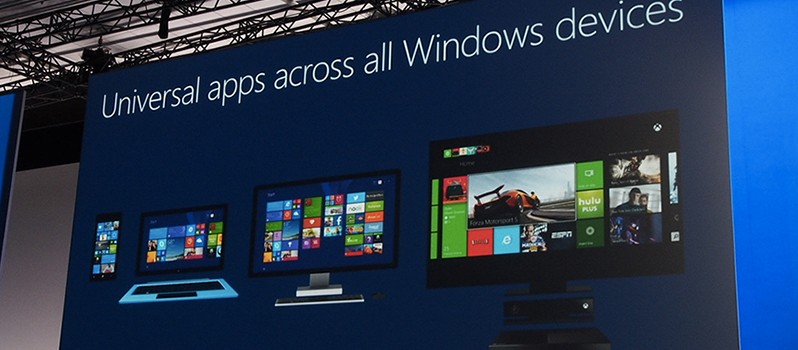
Since the Xbox Summer Update released yesterday, Universal Windows Apps have been available to Xbox users – apps such as Groove Music and DailyMotion are just a couple of the apps already available in the ever-converging Xbox and Windows Store’s, however, Universal Apps on Xbox are currently limited to approved developers only and is not like the Windows Store where any developer can publish an app to it.
Mike Ybarra, Head of Platform Programming at Xbox, tweeted out to say that they are currently working out the details on allowing any developer to upload Universal Apps to the Xbox platform:
We’re working out details on when any developer can upload UWA apps to Xbox. More details in near future. It will happen soon. #Xbox
Without the final details being known, it is unclear if they will allow all developers to upload their Universal Apps on Xbox or if there will be tightened restrictions for the platform. Nonetheless, if plans go ahead, we could be seeing a hefty influx of new apps making their way to Xbox “soon”.
We’ll keep an eye out for the finalised details in the coming days and weeks ahead.
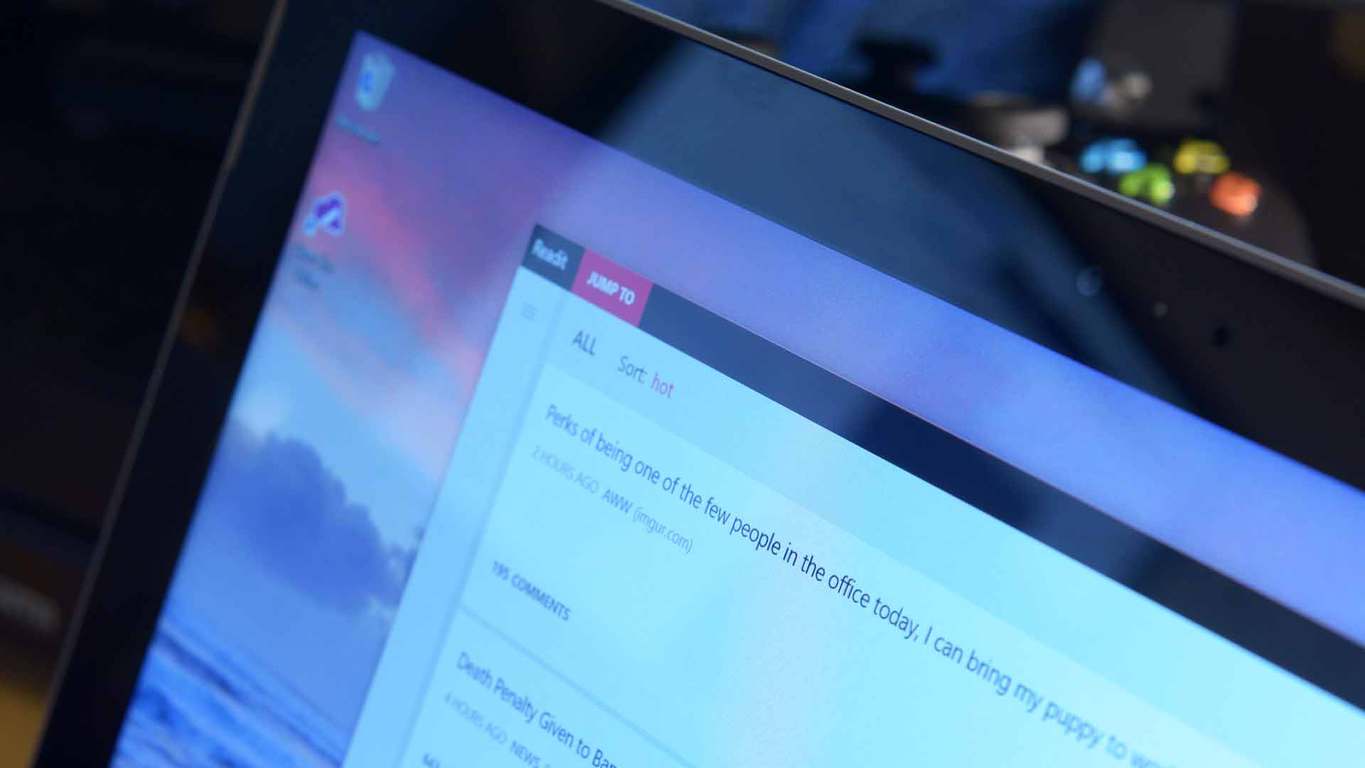
Readit, a third-party Reddit client for Windows 10 devices, has received yet another huge update which brings a large number of improvements and fixes.
The most notable improvements in the latest update are the changes to the themes. The dark theme is now a true dark theme, making the app more suitable for AMOLED screens, along with the light theme being made lighter. Here’s the full list of improvements:
Dark theme is now darker (enjoy AMOLED users)
Light theme is now a bit lighter
Changed some animations in the post viewer such as the comments header and parallax effect added to post content, also the comment count now slides in where the loading indicator is instead of moving abruptly
New comment UI, transparent with a new hierarchy indicator
Changed the way subreddit post notifications work
A toast will only display on screen for the first new post it finds (this applies to every subreddit that you enabled notifications for)
All other posts found will be added to the action center silently (at most 4 other notifications for each sub)
Added support for the “suggested sort” that mods can set on posts (such as q&a for AMAs)
If a suggested sort is set and you visit the link, the suggested sort will be loaded automatically
You will know this as it will be indicated with a “(suggested)” tag either in the mobile context menu or the desktop’s dropdown
Comments should scroll a bit more smooth than before
The app is now ready for Xbox release, just waiting for the store to allow it
Several bugs have also been fixed, which should lead to a smoother and more stable Reddit experience:
Fixed cloud sync (roaming data) not syncing correctly for some users
Fixed adaptive UI on desktop/tablets not triggering
Fixed vevo videos/copyrighted videos not loading
Fixed swipe view in profiles for all category options
Fixed a bug where posts would fail to load if a youtube url contained uppercase characters randomly
Fixed “Select a post…” message disappearing in desktop randomly when there is no post selected
Fixed arrow keys navigating posts when in a textbox
Fixed links not loading when launching from live tiles for subreddits
Microsoft’s Mike Ybarra revealed today that Groove Music will have background music on the Xbox One soon and that ability will come to other apps too later on.
Background music is a highly requested feature on the Xbox One and it will soon be available for all Preview members to try out.
Groove app supports background music in Preview, it will soon to all. Other apps on their way soon as well!
If your Xbox is enrolled in the Preview Program, you will receive the update “very soon” and you will be able to play your favourite music while playing your favourite games, however, not all apps will support it at the same time, as it is up to individual apps to implement the new feature.
Microsoft has announced that the Xbox Summer Update is now rolling out to Xbox One users worldwide. This update brings major improvements to the Xbox platform, including highly requested features such as background music and Cortana integration.
On the Xbox Wire blog, Mike Ybarra, Head of Platform Engineering at Xbox, gave a rundown of the changes that are included in this update:
Background music – music apps can now play music in the background whilst playing a game or using another app
Cortana – Cortana will now become your digital assistant whilst gaming, with support for Kinect or a headset
Game Collection improvements – it is now faster to find games as well as launch them, whilst also managing updates with the new ‘Updates’ screen
Language region independence – regardless of the location of the console, any supported language can now be set on Xbox
Xbox and Windows Store begin their new relationship – while not fully complete, the Xbox and Windows Store’s are now beginning their road to a new and fruitful relationship, as they begin to be combined
Facebook Friend Finder – find friends from Facebook who use Xbox
Sharing improvements – now it is easier and quicker to share GameDVR clips and achievements from Home
The Xbox app and gaming on Windows 10 have also seen some improvements:
Top Windows 10 PC games are now available to view from Xbox Live
60 fps game clip recording with the Game Bar
Improved full-screen support for Game Bar
With these improvements, the Xbox app is now available on iOS and Android.
The Update will appear automatically when it is ready to be installed on your console.
How to update
Scroll left from Home to open the guide.
Select Settings.
Select All Settings.
Under System, select Console info & updates.
Available updates will show in the second button down in the first column.
If an update is available, the button will read Update Available. If your console is already on the current release build, the button will be grayed out and will read No update available.
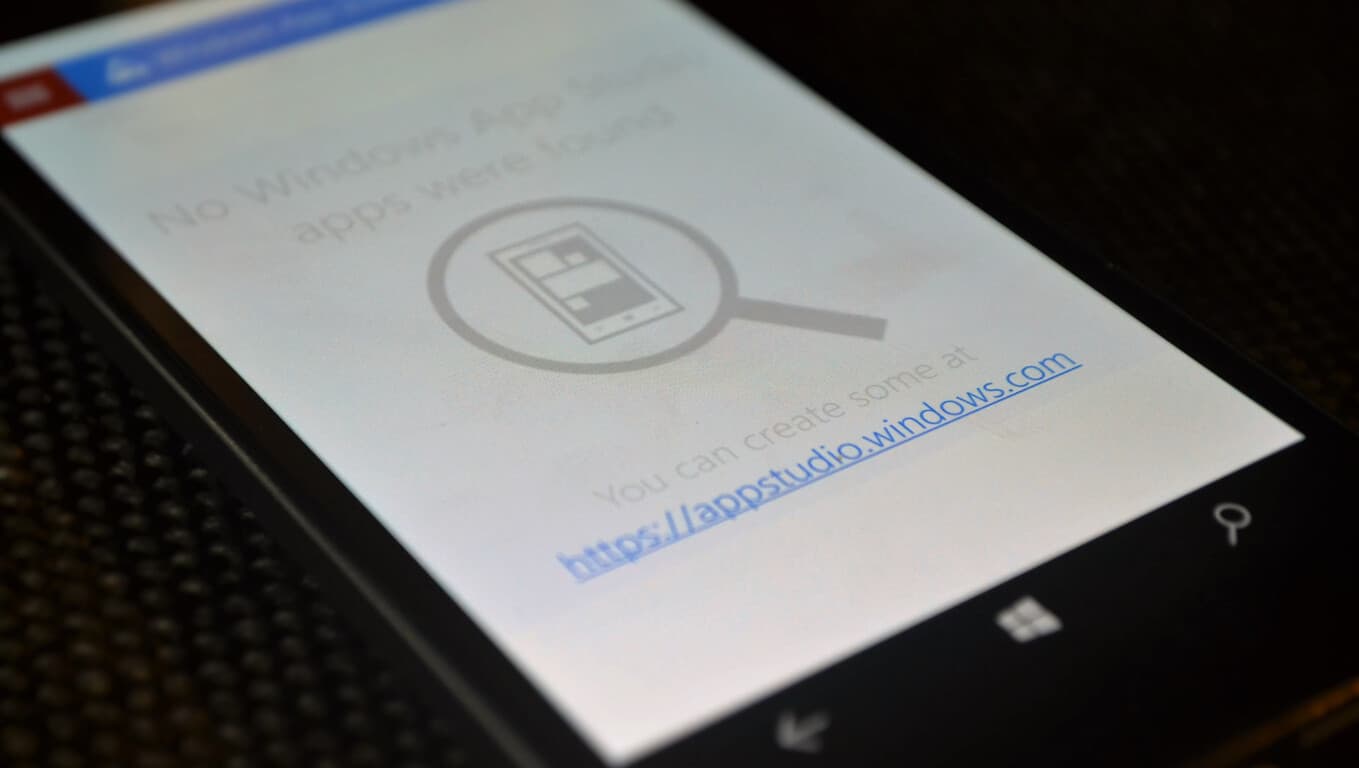
The Windows App Studio is an excellent and easy to use tool made to let you create apps without even writing a single line of code. The tool has been updated multiple times and has helped a lot of developers get into the Universal Windows Platform.
Now, the App Studio scored another significant update bringing new APIs to the table. New features include:
API Gallery
Custom API Sharing
Collections limit increase
Favourites in pivot apps
The new gallery API is probably the most interesting. It lets you pull data directly from services like Spotify, Twitch, SoundCloud and many more. According to Microsoft, this API is community-driven and will improve over time. These changes will help everyone in getting even more advanced apps onto the store by utilising data from third-party sources.
You can read more in-depth about the changes on the Windows Blog.
Tim Sweeney is being his paranoid self again as he goes after Microsoft and the company’s plan to make UWP the standard when it comes down Windows apps. He’s clearly not a fan of the Universal Windows Platform, and believes Microsoft will use it to create a walled garden where Windows is concerned.
Now, no one in their right minds would want to see Windows become a closed operating system similar to that of iOS, the Apple mobile operating system. However, there’s a difference in being concerned and being paranoid, and the latter is what Tim Sweeney is showing right now.
In his latest attack, Sweeney claims in an interview with Edge-Magazine, that Microsoft aims to use UWP to destroy the Win32 platform and ultimately, killing Steam. Because of this, UWP needs to die, and fast, before Microsoft gets its footing together in the right place.
Here’s a snippet of what Tim Sweeney stated in the interview:
There are two programming interfaces for Windows, and every app has to choose one of them. Every Steam app—every PC game for the past few decades—has used Win32. It’s been both responsible for the vibrant software market we have now, but also for malware. Any program can be a virus. Universal Windows Platform is seen as an antidote to that. It’s sandboxed—much more locked down.
The risk here is that, if Microsoft convinces everybody to use UWP, then they phase out Win32 apps. If they can succeed in doing that then it’s a small leap to forcing all apps and games to be distributed through the Windows Store. Once we reach that point, the PC has become a closed platform. It won’t be that one day they flip a switch that will break your Steam library—what they’re trying to do is a series of sneaky maneuvers. They make it more and more inconvenient to use the old apps, and, simultaneously, they try to become the only source for the new ones.
Last time we checked, UWP is not a closed platform. In fact, any developer can allow Windows 10 users to download their UWP-based app outside of the Windows Store. It’s also possible that in the future, UWP apps will become the standard, but still doesn’t mean Microsoft will move to force all apps to fall under its own storefront.
Just like it is now with Win32 apps, developers will be able to host their own stores and have UWP-based apps for download.
Here’s the kicker; UWP is built on Win32, which means, if Microsoft removes Win32 support, then the company would also be removing UWP support as well. Doing this would also break every video game in existence, something Microsoft wouldn’t want to do because it would have to face the wrath of its fanbase.
Let’s not mince words here; Tim Sweeney is delusional, and his hate for Microsoft is making him say strange things. He needs an intervention before he goes off the deep end.
As of tomorrow, the Windows Upgrade prompt-gate should be coming to a close, but the year-long escalating of misunderstanding and fumbled company PR hasn’t seemed to quench Microsoft’s thirst for potential future controversial rhetoric.
Now that Microsoft has nagged as many people as it could into upgrading to Windows 10 and weathered the storm of public complaints and lawsuits, it seems the company is ready to jump back into the fray of controversy as it details its Windows 10 device install policies days before its Anniversary Update release.
Here at WinBeta, we’ve run into a device installation problem that has been further validated by the good folks over at Windows Central. The issue pertains to some devices we can install Windows 10 on.
While many Insiders may remember, Microsoft is now connecting Windows 10 licenses to Microsoft Accounts meaning that an MA associated with a device running Windows 10 counts against the ten eligible device count of Windows 10.
Windows 10 Microsoft Account installs
For most, reaching the ten device limit for Windows 10 will be a non-issue, but for reviewers, journalists or anyone who uses multiple devices, the Windows 10 arbitrary limit may become a problem. So much so, that people who use or signs into an Xbox One, seemingly after applying the Anniversary Update, will now have that device count against their tally of Window 10 enabled devices.
However, for Insiders who happen to also be part of the Xbox One Preview team, keep in mind that your console is now being counted against your total number of Windows 10 enabled devices. Also, bear in mind, a Windows 10 Mobile device also counts as part of the total ten device limit.
In the end, Microsoft might see a bit if backlash when it comes to someone hosting Windows 10 on more than ten devices, but a free upgrade with a single license supporting up to 10 different devices should be more than enough for most people. We’ll keep our eyes peeled for any further development as more people with MA’s download the Windows 10 Anniversary Update to their devices.
Ten years ago, Yahoo Messenger was one of the most used messaging applications for Windows PC. Unfortunately for Yahoo, once other platforms such as Hi5, Twitter and Facebook now compete for user attention, ultimately signaling a loss of users for the company. However, we remind you that a few weeks ago, the company announced that it would stop supporting its old messaging application because it is focusing on bringing a brand new Yahoo Messenger to its users.
Out of the blue, Yahoo announced the release of a new Yahoo Messenger for Windows PCs. A standout feature is the new “unsend” button, meaning that you will be able to remove a GIF, photo or a message you’ve sent via this application.
In addition, the application comes with desktop notifications, which means that you will be able to multitask at your computer without worrying about missing an important message.
The company is encouraging its users to complete the transition to the new Yahoo Messenger before August 5, 2016, as the older version of the application will not be supported anymore after that date.
New Yahoo! Messenger For Windows PC: Features
– Improved photo sharing: you will be able to share high-resolution photos at once without any problems and even swipe to view them in a photo carousel
– Unsend: a feature that will surely please a good amount of users who regretted sending a photo or messages to someone
– Likes: the users will be able to like a photo or message to let the sender know that they like what they see
– Animated GIFs from Tumblr: ability to use GIFs in this application
– Offline mode and low connectivity mode: Don’t worry about your internet connection issues and just send messages, photos to your friends. As soon as you connect to the internet, all your messages and photos will be automatically sent.
What are your thoughts about the new Yahoo! Messenger?
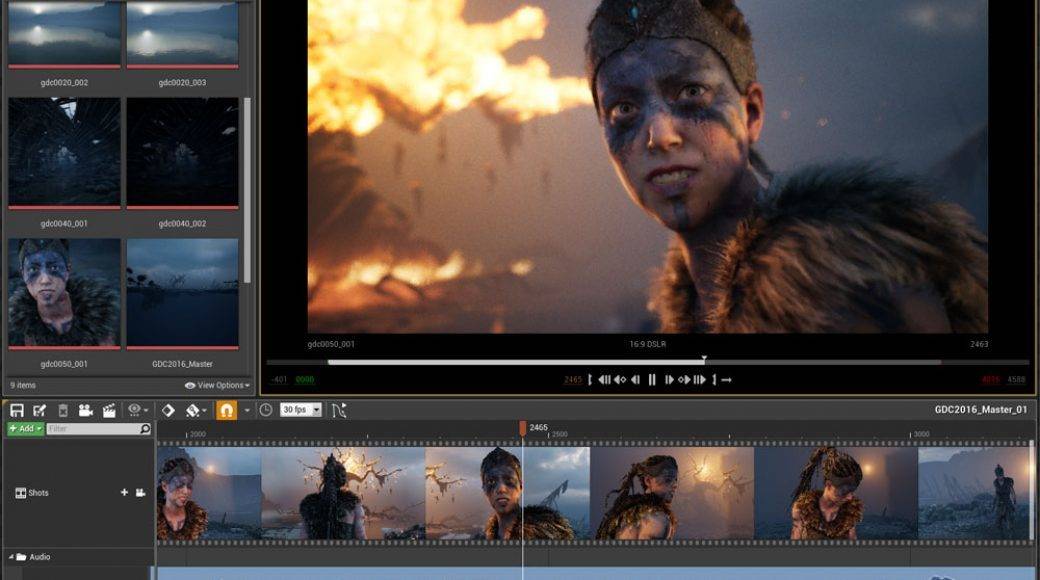
Games created with Unreal Engine 4, a popular suite of game development tools, can be launched as universal applications after Microsoft added support for this platform on Windows 10. The source code is now on GitHub and it can be used by those who have an Unreal Engine 4 license and want to develop a game for PCs, smartphones, and the Xbox.
Dave Voyles, Senior Technical Evangelist at Microsoft, posted on the official forums that “Microsoft has developed Universal Windows Platform (UWP) support for Unreal Engine 4, and has released the source code on GitHub as a fork of Epic Games’ UE4 repository. This code is now available to all UE4 licensees under the terms of the UE4 license, which provide for source code redistribution and use.”
He also gave instructions to gain access to the source code on GitHub:
– Users will need to head to https://github.com/MICROSOFT-XBOX-AT…OFT_UWP_UNREAL, where they will access the UE4 UWP fork.
– They will see the 404 page, then complete the enrollment process ro create a GitHub account, sign up for the Epic program, associate their Epic Program account with their GitHub account and, finally, join the Epic GitHub Org after receiving the email invitation.
Microsoft provides this code “as is” with no warranty and the information and other FAQ updates will be found in the Readme.MD file.
Epic Games developed and showcased the Unreal Engine back in 1998 when it also launched the first-person shooter game Unreal. The game engine was used to develop other genres of games such as stealth games, MMORPGs and other RPGs. The platform’s current iteration, Unreal Engine 4, works with Microsoft’s DirectX 11 and 12, OpenGL, Vulkan and JavaScript/WebGL. The code is written in C++ and many developers use this tool due to its high degree of portability.
The annual Imagine Cup World Championship was hosted earlier today where the three remaining student teams competed for the grand prize title. The global technology competition was created to embrace and encourage innovative thinkers and developers. After yesterday’s Finals Awards Ceremony, the three remaining teams held their breath for this morning’s announcement. Team AMANDA’s virtual environment to build empathy against bullying and PH21’s stealth cooperative puzzle game were at the top of their respective categories. Each of them earned $50,000 as a cash prize for the achievement. However, it was Team ENTy’s application for monitoring balance and posture that took the grand prize.
Flavia Oprea, Iulian-Razvan Matesica, and Cristian Alexandrescu from Romania created a wearable device that would track the posture for users. This was made possible by the use of an accelerometer, magnetometer, and gyroscope that all worked together to record movements in real time. With that information, doctors could determine if the individual was having difficulties in the way that they held themselves or walked due to an inner ear or spinal issue. According to Geekwire, Team ENTy tested with four doctors and approximately 375 patients to with the device.
The team’s commitment to the healthcare field is an admirable one. As team member Oprea stated:
“The medical industry is based on old technology and very expensive, so we said ‘OK, maybe we can make a cheaper technology, an affordable technology,’”
This was the Imagine Cup‘s fourteenth event and is still going strong. Over 150 student teams attended the national finals, but that number was narrowed down to the thirty-five that met in the global competition. With Team ENTy’s victory over those odds, they will be rewarded not only with their prize money but awarded a private mentoring session with the CEO Satya Nadella of Microsoft himself.
For the rest of the teams, it’s back to hitting the books and plotting new innovations that just might be next year’s Imagine Cup Championship winner.
It’s been a year since Microsoft released Windows 10 and its brand new default browser Microsoft Edge. During that period, both the operating system and the browser have steadily evolved through various updates and Preview builds.
Now that the second major update for Windows 10, the Anniversary Update, is just around the corner, Microsoft is also preparing a lot of changes for Microsoft Edge. If you want to find out more about the update and the additions it brings, check out our previous coverage. This article will focus on Internet Explorer’s replacement, and how it will look after the Anniversary Update,
If you’re a Windows Insider, you probably already know what Microsoft has in store for Edge in the Anniversary Update, but it won’t hurt if we remind you. If you’re not a Windows Insider, you’d be glad to hear that Microsoft Edge is getting some highly-requested features with the upcoming update.
So, without further ado, let’s see how Microsoft Edge will look like after August 2nd.
Microsoft Edge after the Anniversary Update
Extensions
One of the most requested features for Edge was extension support, something most user will first notice post-Anniversary Update. A few months ago, Microsoft started slow by releasing just a few extensions for Edge. However, newer Windows 10 Preview builds have packed some in, increasing the number of extensions in the Store,
The most notable Edge extensions are AdBlock and AdBlock Plus, two that users were requesting for months. Besides ad-blocking extensions, users will also be able to use more handy extensions like Evernote Web Clipper, LastPass: Free Password Manager, Office Online, Translator For Microsoft Edge, Pin It Button, Reddit Enhancement Suite, Save to Pocket, and more. To find out how to install Microsoft Edge extensions, check out this article.
Improved power efficiency and consumption
Microsoft already stated that Edge consumes less power than rival browsers, but with the Anniversary Update, Redmond wants to make even more improvements. Namely, Microsoft Edge will use less memory and fewer processor cycles. This will improve the overall performance of the browser, and let the workflow be smoother.
Reduced memory usage also means that Microsoft Edge will minimize the impact of background activities and elements of a web page. With all these efficiency and consumption enhancements, users will be able to use Microsoft Edge longer without having their battery drain quickly.
More accessibility options
Modern web standards like HTML5 or CSS are going to receive improved support for users with special needs. In the improved version of Microsoft Edge, users with disabilities are going to find it easier to access web apps and other online content.
Among other features, Microsoft highlights the improved visual presentation of web pages in high contrast mode as well as improvements for keyboard navigation and screen readers.
Windows Hello for apps and websites
Microsoft’s introduced Windows Hello as an alternative, more secure biometric way for users to sign-in to their Accounts. The same mechanism will be brought to various websites and online services with the Anniversary Update. With it, Microsoft Edge users will be able to quickly log in to certain websites without entering a password.
Microsoft will partner with certain websites to bring this to life in time for the major update. However, it is still unknown which sites will support Windows Hello but we’ll find it out as soon as the Anniversary Update kicks off.
New settings
Microsoft Edge settings are going to be drastically improved, giving users more abilities and customization options for the browser. Some of the new settings are the extensions manager, the custom start page option, the option to only show icons on the address bar, and more. There will also be a “What’s new and tips” section that will inform users about every update and additions for the browser.
The advanced settings section of Microsoft Edge is also receiving improvements. Users will be able to choose an alternative location for downloads. Edge will also support real-time web notifications similarly to what Google Chrome already does.
Improved interface management
Navigating through and using Microsoft Edge should be a lot easier with new interface management options. You can pin tabs to the address bar for instant access or quickly import bookmarks from other browsers with the ability to save them to a separate folder.
Finally, users of touch-enabled devices will be happy to hear that Microsoft Edge offers features specifically for them. Microsoft will introduce the ability to surf web pages simply by swiping left and right. Some more touch-friendly options are going to be added, as well.
This sums it up for Microsoft Edge after the Anniversary Update. As you can see, Microsoft is preparing a handful of improvements and additions for its browser. There’s still more to come, as we haven’t covered every single addition or improvement packaging with Microsoft Edge on August 2nd, but rather the more important ones.
We hope, for Windows 10’s sake, that the improved Microsoft Edge will convince more people to stick to it or at least switch browsers. However, it still feels like even more work needs to be done for Edge to become the best browser out there. Still, we have many major updates for Windows 10 ahead of us and Microsoft surely won’t stop here.
Tell us in the comments below: What do you think about additions the Anniversary Update brings to Microsoft Edge? Is there anything more you’d like to see and use in Windows 10’s browser? Or do you maybe expect something we didn’t list in this article?
Tim Sweeney, the founder of Epic Games, clearly thinks UWP is a closed platform. He has been a vocal critic of Microsoft’s new Universal Windows Platform for quite awhile now, and he fears that Microsoft may monopolize the gaming industry.
As we reported, Sweeney’s position is clear:
The risk here is that, if Microsoft convinces everybody to use UWP (Universal Windows Platform), then they phase out Win32 apps. If they can succeed in doing that then it’s a small leap to forcing all apps and games to be distributed through the Windows Store. Once we reach that point, the PC has become a closed platform. It won’t be that one day they flip a switch that will break your Steam library – what they’re trying to do is a series of sneaky manoeuvres. They make it more and more inconvenient to use the old apps, and, simultaneously, they try to become the only source for the new ones.
As GameInformer reports, however, Microsoft has responded to Sweeney, stating that the current restrictions of the platform are caused by the early development stage of UWP and that things will improve in the future:
Tim is a respected figure in the gaming world, and we value his feedback… As stated previously, the Universal Windows Platform is a fully open ecosystem that is available to every developer, and can be supported by any store. It’s early, and we recognize there is still work to be done, but we want to make Windows the best development platform regardless of technologies used.
Tim Sweeney believes that Microsoft is purposefully crippling the Win32 experience on Windows 10 and trying to break current games to make sure developers move to UWP. However, Microsoft includes the APPX installer in the coming Anniversary Update, making the installation of UWP apps from outside the store as easy as Win32 EXE files.
We will see what future updates of the Universal Windows Platform will bring us. For now, it seems that Mr. Sweeney is once again tilting at some non-existent windmills.
As with most anniversaries, people take the time to reflect and opine on a years’ worth of memories, developments, milestones, and setbacks. For the Windows team, its Windows 10 Anniversary Update release has marked a year gone by and 365 days of cathartic introspection.
The lead of the Windows Insider program Dona Sarkar and the rest of the Windows team are looking particularly at revamping the Insider program. While the Insider program has served both the Windows team and eager Windows 10 users relatively well, Sarkar believes there is still room for improvement and as someone who’s adopted the notion of Windows-as-a-Service, it seems appropriate that Sarkar would like to see the Insider program evolve as Windows 10 does.
We want to evolve the program to engage even deeper with our Insiders. We want to gain a greater understanding of what people are trying to achieve whether it’s starting a business, creating art, learning a skill, or building a career and how Windows can help. We will use this information as an input into future release planning, so our Insiders are using our technology as a superpower as they achieve whatever they set out to do or learn. We want to show how Windows 10 can be leveraged so that Insiders can achieve their career and dream goals.
We’re going to continue to invest in opportunities to meet with Insiders in person and grow the program to include people of all interests and experiences to share their views of how they use Windows. This diverse perspective reaching new generations of Insiders and people of varying technical skill levels will be critical in the next phase of this program.
Something else we’re looking to do this year is a series of global “Create-A-Thons” called #WINsiders4Good to help Insiders within a city get to know each other and build something for local impact. We are starting in Seattle on August 2nd to celebrate the beginning of the global rollout of the Anniversary Update.
For those of you who love installing new builds – don’t worry, we’ll be pushing out new builds again in August!
It seems as though Sarkar and the Windows team plan to get more in touch with the men and women who help shape Windows 10 thus far by engaging in person to person meet ups and parsing her words, they may bring back personalized videos about the productivity of Windows 10.
A little before current CEO of Microsoft, Satya Nadella took over, the Windows team ran a series of ads in a campaign that highlighted the personal use of Windows, notably Windows 8 at the time. The series seems to have been put on pause as Microsoft refocused its marketing campaigns and budgets to target more succinct messaging. However, it sounds like Dona and the gang may be bringing it back, or at the very least hosting some blog post about Windows Insiders coming together to help shape Windows 10 through their personalized use-cases.
Whatever the Windows team has planned, it seems that the Windows 10 Anniversary Update release isn’t slowing them down and that Insiders should expect to be up and running with new builds to test later in the month. Let us know in the comments what you think about the Windows Insiders program so far, and what you expect to see in the future.
Just a month after releasing the first beta versions of Docker for Windows and Mac OS X, the team behind the popular platform that allow developers to create and test their apps through multiple devices have announced today that the apps are now generally available to the public.
If you already installed the beta version of the Docker app, the app should now update to version 1.12 which includes the following new features and improvements:
Faster and more reliable – native development environment using hypervisors built into each operating system. (No more VirtualBox!)
Improved Docker tools integration – all the Docker tools you need to develop locally are bundled in the app.
Improved development flow – Volume mounting for your code and data, and easy access to running containers on the localhost network. In-container debugging with supported IDEs also help you live debug projects, and iterate code quicker with less effort.
Enterprise network support that lets Docker for Mac and Windows work easily with VPNs.
All the new features available in Docker Engine 1.12.
Automatic updates, with different channels for stable and beta.
You can get more technical details about the latest release, we invite you to watch the following video where Product Managers Mike Goelzer and Michael Friis discuss Docker 1.12:
Going forward, the team will maintain 2 channels for the Docker app on Windows and Mac OS X, stable and beta. If you already installed the beta app, you will remain on the beta channel and get an early look at the latest features and improvements. However, if you prefer to switch to the stable release, you will need to download and install the stable version. You can find the download links for the different installers below, let us know in the comments what do you think of the latest features in Docker 1.12.
Earlier this week we delivered you the news that Minecraft developer Mojang released a new skin pack for both Minecraft Pocket Edition and Minecraft Windows 10 Edition Beta. Today Mojang has released the changelog for the update which came along with the pack.
The changelog is very massive, and can be seen below.
New Features:
Villains skin pack!
Tweaks:
More localization fixes.
Fixed the HUD moving when riding an animal in VR.
Fixed a few texture issues.
Some tweaks to Gear VR edition performance & experience.
Increased draw distance for Win 10 edition.
Bug Fixes:
Fixed comfort issues caused by rain & snow in your face in VR.
Lead lines no longer disconnect from the hand when jumping in Immersive Mode in Gear VR.
Leads now display the correct texture & don’t cause crashes in Gear VR.
Fixed a crash on the inventory screen.
Horse container screen now keeps labels visible.
Bone meal and spawn eggs now consumed in Survival mode.
B button to quit from main menu works on Win 10 edition now.
Fixed a crash when creating or entering a new world.
Fixed a crash when traveling the world with render distance set to maximum.
Worlds with UTF-8 symbols in their name are now displayed in the Play tab for Win 10.
Fixed some issues with players creating new realms.
Mojang also includes a changelog for the 0.15.3 update, which previously only went out to the Google Play store. Due to its massive size, to see that changelog, you can visit this web page. As many bugs as these updates fix, though, there are probably more, so be sure to report new bugs to Mojang by going to bugs.mojang.com, and by giving feedback to feedback.minecraft.net.
As we’re nearing the release of the Windows 10 Anniversary Update on August 2, Microsoft has been iterating on the Xbox One system software. Several new builds have rolled out to members of the Xbox One Preview program over the last few weeks. Additionally, it looks that developers are also getting ready for the Anniversary Update as some Xbox One apps are now getting the UWP treatment. According to recent tweets from Microsoft’s Brad Rosetti, Xbox One preview members can now try the Hulu and Netflix UWP apps on their Xbox One:
Preview Users – Hulu UWP is released – Launch Hulu app and it updates to the new UWP app version.
If you have already installed the Hulu and Netflix apps on you’re Xbox One running the latest preview build, both apps should automatically update to the UWP version. Earlier today, we reported that the Xbox One Dailymotion app received a similar treatment, as well as Reddit client Baconit, and it’s great to see that the Windows 10 Store and the Xbox Store are finally merging. If you’re a lucky member of the Xbox One Preview program, give these apps a try and please let us know what you think of them in the comments!
Skype is going through a wave of changes right now. For a long time since Microsoft announced it is purchasing Skype for $8.5 billion, over 1900 days ago (seriously!), we’ve not seen any major improvements that end-users would notice, any big changes have been backend related, with the exception of Mojis. Skype was the replacement for MSN Messenger, one of the most popular messaging clients among teenagers at its peak – until Microsoft killed it off and migrated everyone to Skype – where the feature set was sub-optimal. Anyone who remembers in-chat games and drawings will know what we’re talking about here.
But improvements are coming to Skype. Not right now, Microsoft is making one more backend change, and that is the final migration to its Azure platform. This will lead to faster message delivery, improved call quality and a boost in security. Unfortunately, these changes are causing issues for end-users. In fact, it is affecting a major pivot of Skype’s features: calling. As the migration to Azure takes place, older clients will not support the new protocol being used, and as such, may fail to make or receive certain calls from other clients. There’s no definitive list of affected clients. It is due to the change from P2P, where clients would normally connect to each other, without any server being in the middle.
Emma, a Skype employee, responded to a user facing issues receiving calls on Skype and attributed it to this infrastructure upgrade:
We are still migrating all our clients to the new infrastructure, so it is not 100% enabled on all of them. You should keep in mind that:
Skype Linux client (4.3 client) will always use p2p, hence you cannot establish a call between this client and Skype for Linux Alpha
All other clients (Mac, Windows, Android and iOS), will be able to receive calls from Skype for Linux Alpha all the time, but outgoing calls won’t always use the new infrastructure, hence the message you see in your Skype for Linux Alpha client and the inability to receive calls sometimes.
These issues will go away once we migrate all clients to the new infrastructure.
A possible solution to these issues is to check for updates. Ensure that the Skype client being used (on both the sender and receiver) is up-to-date to ensure an optimal experience, otherwise, calls failing will be likely to happen. Once the migration is complete then, as stated, these issues should subside.
As we move forward into Skype’s modern-era, we’ll be able to have a smoother, more stable experience. We should also begin to see more end-user facing changes in the months and years ahead, too.
The developers of the third-party Reddit Client Baconit have announced that their third-party Reddit client is now available on Xbox One. Of course, the app is only available for those in the Xbox One Preview Program, as UWP apps have not yet hit the current public build of the Xbox One. Nonetheless, the announcement was first made on Reddit. A developer of the app notes in the Reddit post:
You read that right! Baconit is now available on Xbox One for anyone in the preview program! I have been working with the Xbox team to light this up a bit early so preview users can get their hands on the app and start giving feedback. I’m mainly looking to see how people think the UI feels on Xbox and if they have any suggestions on where it can improve.
UWP on various platforms
The developer responsible for the Reddit post also expressed appreciation for Microsoft’s Universal App Technology and mentioned that bringing the app to the Xbox one only took 3 code changes and 2 or 3 manifest changes to make this happen. In the developer’s own words:
99% of the code is Baconit is common to all 5 platforms it runs on, phone, tablet, desktop, HoloLens, and now Xbox. Most other cross platform tools for developers allow devs to share some code, but no other toolkit allow developers to write cross plat UI that dynamically fills the device and feels like native. THE UNIVERSAL APP DREAM IS HAPPENING!!!
So, if you happen to be one of the lucky folks who have an Xbox One enrolled in the Xbox Preview program, be sure to head over to the store now and download Baconit now! It is worth noting that if you don’t see the app at first, don’t be alarmed. The Baconit team is aware that some users aren’t able to find the app in the store yet, and is working to resolve the issue.
No matter which country you live in, it seems as though the list of Windows 10 devices is always growing. Perhaps testament to this is the fact that Lenovo has just launched one of its newest Windows 10 notebooks in China, the Air 13 Pro (via TimesofIndia.)
Air 13 Pro
The new laptop, available for pre-order at 4,999 Chinese Yen, is close to the specs of the most recently announced Xiaomi Mi Notebook Air. Overall, though, the device packs a decent 4 GB of RAM, a 2 GB Nvidia GeForce GTX 940MX GDDR5 GPU, and the Intel Skylake Core i5 or Core i7 processors. When it comes down to the display and storage, the device has a 13.3-inch IPS full-HD display and a 265 GB SSD. Weighing in at 1.29kg, and only 1.48cm thick, the Lenovo laptop also has fingerprint-recognition technology on board, which will no doubt make for a safe and secure experience when signing into the device.
So, what do you think of the Air 13 Pro? We would love to hear your thoughts on this new Windows 10 device! Be sure to drop us a comment below!
DailyMotion has released an update for its Universal Windows App which brings several improvements on the Xbox One console. Xbox One Preview members will have access to the DailyMotion app on their console from the Windows Store and can try out this update.
The changelog for the update, provided by BroHammersley from the Xbox One Preview team, states:
Navigation fixes for the Home page, User page, and My user page.
You can now disable the mini player by going to the Settings page.
Resolved some user interface issues with the mini player.
Resolved user interface issues on the Home page, User page, and Search.
This update will improve the user experience across the app, as its previous version received large criticism for being awkward to use and not living up to expectations. Remember that feedback on the app can be provided via the Feedback app on Xbox One.
Give it a try and let us know what you think in the comments!
The Windows Store currently shows the changelogs of updates to apps or games, if the developer provides them, however, these changelogs don’t state the version that they cover, so when an update is released, it is hard to tell which version those changes are for. That soon could be changing.
Recently, Microsoft pushed out a small update to their Windows Store website, as found by a Reddit user. This update removes the “What’s new in this version” section, which doesn’t actually mean “this version” and has replaced it with “Version notes”, which then details the version that the changes below it cover.
GroupMe Windows Store listing
Above shows how this currently looks. It shows the version number, followed by the changes right below it. It isn’t clear if this change will be making its way to the Windows Store app for Windows 10 devices, although, it would create disparity if they didn’t.
Ubisoft has just announced a brand new video game series called Just Sing which will see release in September of this year on Microsoft’s Xbox One console. While their Just Dance video game franchise focuses on dancing, Just Sing, as many can probably guess, revolves around karaoke and lip syncing.
The official press release says that the game will use smartphones for recording video and audio from players but a report on IGN claims that the Xbox One’s Kinect camera can also be used to record content. Ubisoft had already begun a transition away from console cameras to smartphones with Just Dance 2015 and Just Dance 2016 both adding support for smartphone-based motion tracking but neither advertised the use of smartphones as heavily as Just Sing. Check out the new trailer for the game below to see just how hard they’re pushing smartphones as a game controller.
To use a smartphone in Just Sing, players will need to download the official Just Sing Android or iPhone app. No Windows phone app has been announced as of yet.
Here’s the official game description for Just Sing: Create your own music videos with Just Sing! Sing or lip sync to the hottest hits and all-time favorites. A smartphone is all you need to play the game! Simply download the free Just Sing Companion App to your smartphone, sync it with your console and use your smartphone as your microphone and camera.
With Just Sing, easily create memorable videos with up to 3 friends by changing themes and filters as you perform. Save your video locally to keep track of the fun or share it with your friends!
Just Sing will feature 45 songs packed in with the initial release with more tracks expected to be added as paid downloadable content in the months afterwards. What do you think about Just Sing? Are you surprised by the focus on smartphones? Let us know in the comments below.
It seems that more and more people enjoy playing simulation games, which probably means that Game Studio Tycoon 3 will be well received. In it, players run a virtual game studio in which they’ll be able to hire the best developers and create stunning video games to sell to the masses.
Here are some of the features that this game comes with:
“Start with a small office and grow your gaming business. Own up to eight buildings with over 50 employees.
Lead three independent teams of game developers in order to develop different projects at the same time.
Create your video gaming business alone or lure investors to help out. The game’s unique investor system allows players to sell off parts of their company for money when low on cash.
Create your own video games, determine the level of support for them, create updates and run advertising campaigns in order to attract more players.
Create your own console, smartphones or tablet hardware.
Set the price for your devices and games.
Compete against the other seven AI studios for yearly awards.
Take risks and develop games for big publishers.
Certify your employees in eight types of technical fields in order to improve performance.”
Game Studio Tycoon 3 has a large number of features and if you’re a fan of simulation games, you are sure to have a lot of fun. Who knows, maybe the management skills you’ll develop while playing the game could come in handy in the real life.
For more gameplay details, you can watch the video below:
The use of a synchronized calendar is a must for working effectively together as a team. Scheduling meetings, setting deadlines, requesting vacations, and even making a note to take a break can increase communication and work ethic. Fully integrating Office 365 calendars into your work environment will just make everything easier, but there might be some tips that you missed. That’s why Microsoft released a blog post today giving their handy habits for more effective calendar use.
Schedule “no meeting” time blocks
Set out-of-office (OOO) time
Connect your calendar on your mobile
Install buffer time
Schedule breaks
Set check-in reminders
Integrate business contacts
The blog post comes on the heels of list of recent updates concerning Outlook for Calendar, Groups, and Mail. In particular, Outlook Groups apps on Windows phones has been updated with better group event support in the last few weeks with features such as group event syncing to Calendar. Outlook Calendar and Outlook Mail apps were also discovered to have Live Tiles on the Fast Ring build 40338 which will display the next three upcoming events.
However, back to better utilizing Outlook’s Calendar tools.
Using Outlook Calendar, the team is able to set reoccurring events for out-of-office times and regular meetings. That way, users don’t have to input the data every time they come up. Make sure that the meetings include a buffer time and that scheduled breaks are respected. The last thing a team leader needs is a burnt out and tired member that lost track of time while working.
Another pro tip from the team says that you can easily add contacts from opening a message with Outlook Mail and Office 365 just by right clicking the name. Being on top of your team’s schedule is important, so let us know if any of these tips helped you in the comments below.
Cortana is a great tool, but it’s one of many applications that utilize Microsoft’s voice recognition technology. The world of voice activated or enabled tools and services is ever increasing and augmenting, with new entrants such as Amazon’s Echo and the addition of mobile-first digital assistants expanding to desktops and IoT devices. Going forward, voice could potentially become the new long-press of computing.
In a post form Microsoft, developer Tsuyoshi Matsuzaki, helpful tips are laid out and meant to help out those aspiring developers who seek to incorporate voice technology in their applications. Matsuzaki’s post is pretty technical, going over all of the nooks and crannies of Microsoft’s LUIS (Language Understanding Intelligence Service).
Furthermore, Matsuzaki’s post goes over details regarding the Linguistic Analysis API as well as including information on the Token Analyzer, Parts-of-speech (POS) Tagging Analyzer, and the Constituency Forest Analyzer.
While the majority of us won’t be able to get much value out of deciphering the intricacies of Microsoft’s voice recognition services here, you can guarantee that this information is going to help developers better create the next big application. As services similar to Cortana continue to be implemented on a wide scale with companies such as Rolls-Royce beginning to implement voice assistance on a wide scale, it’s good to see that progress is being made.
This morning, the Imagine Cup Finals Awards Ceremony took place where thirty-five teams of students held their breath. Students from all over the globe attended the event in Redmond, Washington to compete for over $200,000 in cash and prizes. The Imagine Cup is an prestigious annual event that celebrates the creativity and designs that student teams submit as technological advancements to overcoming life challenges.
The event was split into three categories: Games, Innovation, and World Citizenship. Each category had a first second, and third place with monetary prizes respectively. However, only the first place of each category is moving forward to the World Championship.
Games:
1st Place: PH21 of Thailand, $50,000
2nd Place: None Developers of Indonesia, $10,000
3rd Place: Tower Up of Brazil, $5,000
Innovation:
1st Place: ENTy of Romania, $50,000
2nd Place: Bit Masters of Sri Lanka, $10,000
3rd Place: HealthX of the United States, $5,000
World Citizenship:
1st Place: AMANDA of Greece, $50,000
2nd Place: Night’s Watch of Tunisia, $10,000
3rd Place: InSimu of Hungary, $5,000
Thirty-five student teams of developers and creators originally took part in the Microsoft Imagine Cup, but now only three teams remain. PH21’s stealth puzzle cooperative game, ENTy’s wearable posture tracker, and AMANDA’s virtual empathy environment to combat bullying will all compete for that final trophy.
The World Championship is just around the corner where one of those teams will win a private mentoring session with CEO Satya Nadella. Like today’s event, the championship will be live streamed and will be judged with actor John Boyega and Dr. Jennifer Tang.
Want to learn more about some of the ideas that didn’t make it into the final cut? Check out our article covering some of the outstanding innovations that these teams of students were able to create. Microsoft’s Imagine Cup is a gateway of ideas for overcoming difficulties in life through advanced technology and research. Be sure to watch the live stream of the Imagine Cup World Championship starting tomorrow at 9:30 PDT.
As Microsoft heads towards its impending release of the official Windows 10 Anniversary Update on August 2, the company apparently wants to keep us abreast of some of the statistics surrounding Windows 10 and its various features and components. The most important statistics–350 million active Windows 10 installs–is already well known, but Microsoft’s official Twitter account has made us aware of a few other interesting stats (via Neowin).
Those are all some interesting stats that demonstrate the scope of what Microsoft is accomplishing with Windows 10. The company might not achieve its goal of a billion active Windows 10 installs by 2018, but the company is well on its way to establishing one of the most important future platforms.
Of course, it’s worth noting that there’s only one day remaining before Windows 10 becomes a paid-for upgrade, and so if you haven’t upgraded yet for free, you might want to get on it. Let us know in the comments if you’re impressed by these daily Windows 10 stats.
Microsoft is determined to make an impact in education, and to that end has put together a slew of tools and programs to help make its various solutions popular among educators. No Microsoft product has received more attention than OneNote, which has a number of add-ons and Learning Tools available to help both teachers and students stay organized and engaged.
Today, the OneNote Education team has announced that they’re hosting monthly “#OneNoteQ TweetMeets” that will focus on providing information, input, and interaction with educators on using OneNote in teaching environments. As Microsoft details:
#OneNoteQ TweetMeets will be hosted on the first Tuesday of every month beginning August 2. TweetMeets will be held live on Twitter in close partnership with OneNote Central (@OneNoteC) at 10 a.m. PDT and again at 4 p.m. PDT.
Marjolein Hoekstra, OneNote expert behind the independent OneNote Central channel on Twitter (@OneNoteC) and initiator of the OneNote Community Notebook, will collaborate with our OneNoteEDU social team to capture educator questions, provide input for TweetMeet agendas and help guide the conversation. Marjolein will also help to recap the #OneNoteQ TweetMeets in a Docs.com Collection after each monthly event.
The events will allow educators to engage with the OneNote Education team, asking questions and submitting ideas on how OneNote can be more effective for teachers and students. You will be able to submit your questions a week prior to each event, and twelve will be selected for discussion. Each session will also provide an opportunity for submit questions and receive answers in an open format.
Here is the upcoming #OneNoteQ TweetMeet session:
For the August 2 events you can check your local time here:
Submit your questions a week before each session by filling out the requisite Microsoft Form, which not only allows you to ask your question but also preview this new survey tool that’s in preview for Office 365 Education. You can participate during the event as follows:
During the actual #OneNoteQ TweetMeet you can contribute by tweeting, liking tweets or retweeting.
You can use the #OneNoteQ, #MSFTEdu or #MIEExpert Twitter hashtags.
Finally, OneNote Education team member Marjolein will grab the Twitter history and provide a summary and recap of each event. These will be compiled and made available at Docs.com. You can then get caught up on any sessions that you’re unable to personally attend.
Microsoft also provides a list of relevant OneNote and Microsoft education Twitter accounts and hashtags, as follows:
@Microsoft_EDU—Official account for Microsoft in Education.
@OneNoteEDU—Official account for Microsoft OneNote in Education.
@MTholfsen—Account for Mike Tholfsen, OneNote in Education program manager.
@OneNoteC—OneNote Central, Marjolein Hoekstra’s account where she posts OneNote news, tips and resources.
#OneNote—Hashtag many people use in their tweets about OneNote.
There is relatively no argument about the size and diversity of Microsoft’s business. Microsoft has recently branded itself as a productivity-empowering entity with several cloud-based initiatives that seek to guide its focus while helping businesses and business-minded individuals get things done.
However, a more nuanced view of Microsoft may reveal a multifaceted company not only focused on productivity but also dipping its hands into several other pies as its looks to expand the values at the center of its cultural core. To that notion, Microsoft recently announced a Hackathon Project aimed at reuniting refugees from war-torn regions with their loved ones displaced across the globe.
At first blush, Microsoft’s humanitarian effort may seem extraneous at best or distracting from its newly minted brand pitch of productivity at worst. On the contrary, however, Amir, who is an Afghanistan refugee, his adoptive family in Sweden, and the Microsoft Development Center in Lyngby Denmark see the Hackathon project as an opportunity to use the company’s productivity software and services to empower individuals in a quest for resolution.
The initial project consisted of a small team dispersed across the globe and even gaining first-hand insight from former in-house refugee Microsoft employees.
Microsoft Development Center Lyngby Denmark
The hack itself is a mobile app that leverages several social media points of aggregation and Microsoft’s secure cloud computing to mash landfills of data and spit it back out in short and organized piles to relief workers to help signal out individuals or families being searched.
The Hackathon project is simple and singular in its design but speaks to a broader notion of Microsoft still leveraging its brand of empowerment through productivity. What’s more empowering than using a tool that can narrow down the area of a lost loved one in a sea of 7.4 billion across a planet 24,902 miles (40,075 km) wide? Let us know in the comment what you think of this Hackathon effort.
Today, the OneNote team announced that Learning Tools for OneNote moves out of preview and is now generally available. Currently, Learning Tools is available in English only, with more languages to be supported soon. Previously, Learning Tools was released as a preview for OneNote in January 2016. Learning Tools was conceived in a Microsoft Hackathon. Almost by accident, Learning Tools was born and with it, the mission to help everyone who uses OneNote began.
Since Learning Tools for OneNote released, many teachers have reported positive strides their students have made by using Learning Tools. Lauren Pittman of Holy Spring Elementary School in Georgia describes how using Learning Tools has helped her students improve their reading and writing skills in this video.
Learning Tools has new improvements and capabilities that are available now or coming soon:
Localized user interface—Localization of the Learning Tools toolbar in over 35 languages.
Dictation—Four new dictation languages (Spanish, French, German and Italian).
Color themes—Now includes new yellow, green, blue and pink, which have been specifically designed and tuned based on research.
Switching reader languages—Improved the ease of switching between text-to-speech languages in the immersive reader.
Multiple language support—Ability to read back multiple languages on one page, such as English, Spanish and French on the same page.
Speech controls—Simplification of speech controls and a new menu for all of them.
Easy download—Easy instructions to download more text-to-speech languages. This will depend on your Windows version.
Learning Tools for OneNote has helped many students across the country achieve substantial improvements in academics. Students’ reading speeds, reading comprehension, and writing skills have improved, providing a better education experience.
Microsoft is celebrating 20 years of Windows Server. From employee-backed tweets to company-issued blog posts, Microsoft is taking July 28, 2016 to mark and highlight a long and illustrious Windows Server business that has been aiding companies large and small for two decades.
To chronicle the many milestones that have been reached during the incubation, deployment, and subsequent use of Windows Server, Microsoft is pointing interested parties to a web page that consist of an interactive infographic.
As a vertically scrolling page, viewers are walked through the history of Windows Server starting with Windows NT 4.0 down to the most ubiquitous use of Windows Server 2016 for the masses.
While the web page is mainly dedicated to showcasing Windows Server’s place in history, other terrestrial facts and tidbits about commercial use of servers and nods to cultural phenomenon occurring parallel to development over the years can also be found.
In light of the recent Pokemon Go craze, Microsoft also tosses a nod to its mid-nineties popularity as NT 4.0 came on the scene as well.
Windows Server 20th Anniversary
Other web page information includes links to the system requirement documentation at the time of each Windows Server release as well as videos, quotes, and interviews from various Windows Server engineers, VP’s, and former Microsoft CEO Bill Gates himself.
Microsoft’s Windows Server 20th Anniversary web page tribute is a neat little jaunt down memory lane of server information, Microsoft history, and tangential pop culture.
Again, anyone interested in chronicling Microsoft’s development and culture over the years should have a look at the web page to perhaps gain some perspective of the company and the times that dictated its Server releases.