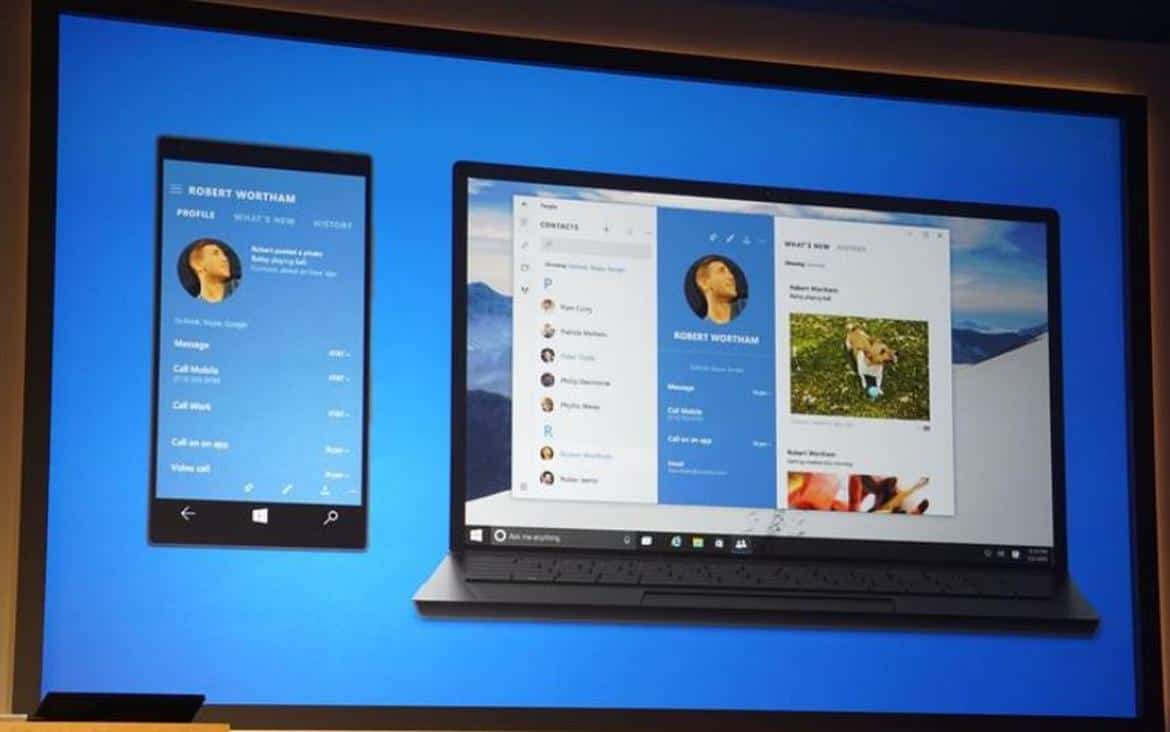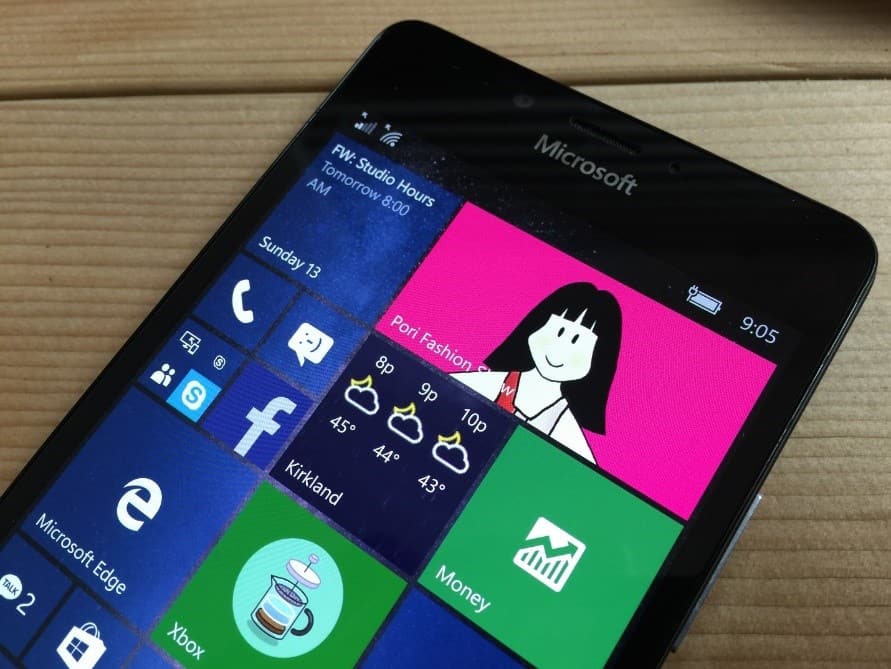
Microsoft provides more details on porting the Pori Fashion Show app using the Windows Bridge for iOS

Microsoft announced its bridging tools for both Android and iOS a little over two years go and after some time and development, the company has since shuttered its efforts on the porting technology previously announced for Android. At the same time, Microsoft has put its full backing behind its bridge for iOS, commonly known as Project Islandwood, as a more stable and developer-rich experience for the platform.

Now, the only obstacle to streamlining its app porting efforts for Windows 10 is getting iOS developers interested in bringing over their iOS-first experience and to date, there have only been a handful who have taken the bait.

One the few who are bringing over their iOS apps to Windows is Pori Fashion Show, an iOS app ironically written by an experienced Microsoft designer.

Pori Fashion Show
Pori Fashion Show

To offer a bit of insight into what it takes to port iOS apps over to the Windows 10 Store, Dong Yoon Park, senior user experience designer at Microsoft, has offered up a walkthrough of sorts to app developers.

On first run, he was excited to see the app on the phone without modifying any code. The app was working well, just as it had on tablet and desktop, but some of the UI elements were cropped, so Park decided to optimize the layout for phone.

iOS supports layout optimization for different sizes of screens through ‘Size Classes.’ Since Pori Fashion Show used constraint-based auto layout, he decided to add phone-specific layout by using the dimension information of the canvas size.

The Windows design guideline provides the break points for adaptive and responsive design. You can use this as guideline for setting up the threshold for your own app’s content layout.

Note: If you are using pre-compiled SDK, you can directly run your app on phone by changing the platform to ‘ARM’ and the target to ‘Device’. If you are using full git repository and compiling the SDK yourself, you need to compile the SDK (\WinObjC\build\build.sln) for ARM, too. You can follow these instructions—the only difference is that you have to choose ‘ARM’ instead of ‘Win32’.

These are just a couple of stages Park went through in tweaking his app to work the Windows 10 platform. There are several other fixes and adjustments that include corresponding via GitHub, leveraging Guidelines for tile and icon assets, the Windows Store submission process, and creating app packages with Windows Apps Certification Kits, just to highlight a few.

Interested developers are encouraged to visit the Building Apps for Windows blog. The process may appear daunting at first, but Microsoft has assured developers that the process should be relatively painless.
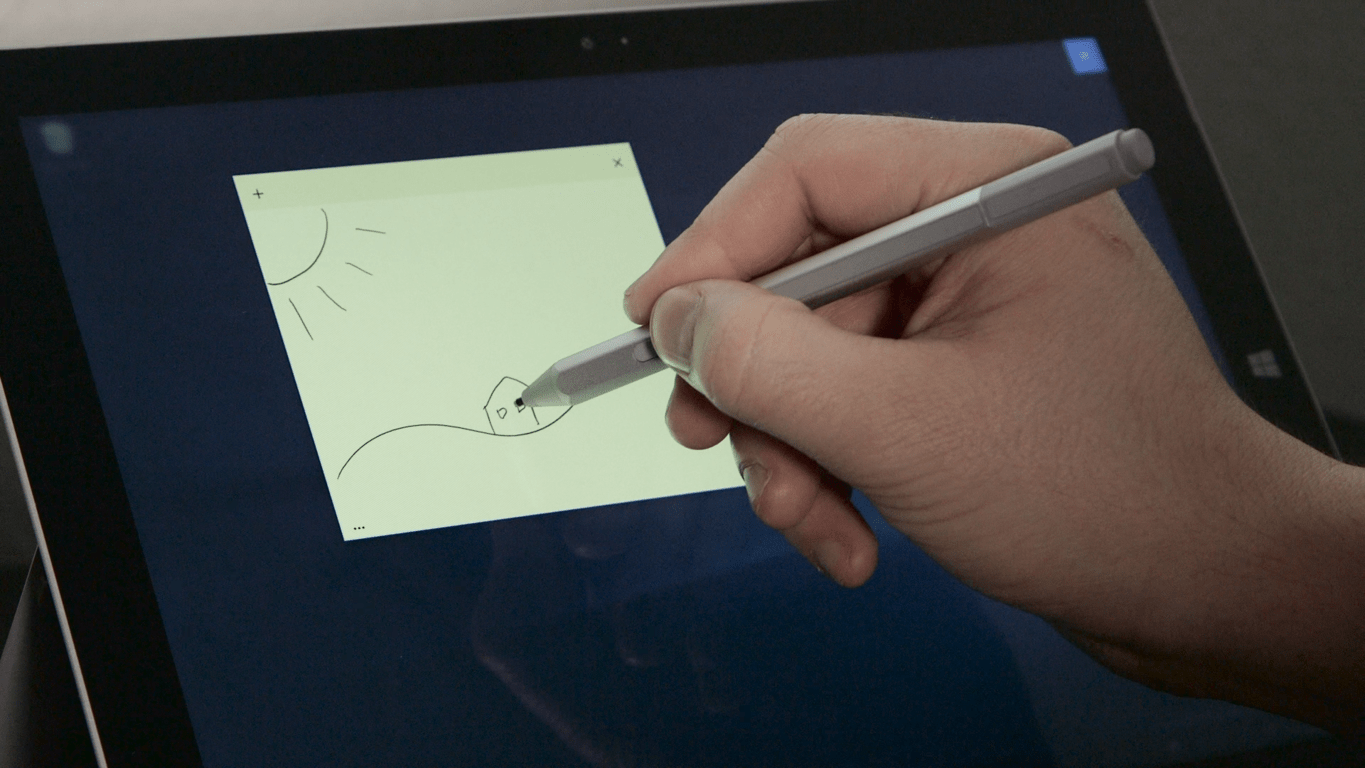
Sticky Notes app gets new stock ticker and flight info support on Windows 10 Insider

If you’re running a Windows 10 Insider machine, particularly one that supports pen input, then you’ve likely been able to give the Sticky Notes app a try or two. The app is a small one that basically lets you take quick notes–think of it as Post-It notes for your Windows 10 PC. Today, we learn that the Sticky Notes app on Windows Insider Fast Ring machines is getting an update enabling stock ticker and flight info from Bing.

Microsoft Senior Program Manager Brandon LeBlanc followed up with a quick tweet that provides a demo of the functionality:

So there you have it. Go hit update on your Windows 10 Insider machine and see if it’s shown up for you yet. Then, give the new functionality a try and let us know in the comments what you think of it.

Microsoft Translator comes to Kindle Fire

If you’re an Amazon Fire tablet owner, then you’re likely accustomed to the relatively limited availability of apps compared to the greater Android ecosystem. Microsoft has supported Amazon Fire devices fairly well, except for offering the full Office Mobile suite and other first-party apps. Now, Microsoft has added another app to its cross-platform support on the Amazon Fire, Microsoft Translator.

The Translator blog provides the details, including making mention that Translator has been able to translate Kindle eBooks for some time now. From the blog’s description, it appears that Amazon Fire support is fairly complete:

  • Microsoft Translator translates text, pictures and even your conversations! It has a variety of features to help make your travels easier.
  • Get prepared for your trip by saving some phrases ahead of time that you know you’ll need later on—“Where is the taxi stand?”, “Can you drive me to (hotel name)” “How much does this cost?”…
  • Before you leave, download language packs so that you’ll be able to translate images and text during your trip even without an Internet connection.
  • Once you’ve reached your destination, you’ll be able to respond to something you didn’t plan for ahead of time by getting quick translations. Simply type or paste text, or even speak* into your device.
  • Translate images like street signs, headlines and menus without typing in the text. Just quickly snap a picture directly from the app and translate it in an instant. This also works with any picture you get from email, social media, texting, etc.
  • If you have access to the Internet, you can use the conversation feature to engage in natural conversations with locals—ask them about their favorite restaurants, cafes, and places to see.

So, if you’re heading out on an international trip and taking your Amazon Fire with you, then head over to the Appstore and download Microsoft Translator. Then let us know in the comments how the app is working out for you.

Microsoft’s Channel 9 demos SQL Server on Linux

The thousands of people that have signed up for preview and updates about Microsoft SQL Server on Linux are licking their lips today. Microsoft’s Channel 9 posted a new episode of Data Exposed yesterday where Scott interviewed engineers Tobias Ternstorom and Slava Oks about the Linux SQL. The developers gave a quick demo of what they called “just an SQL only on Linux,”.which showcased the quick use and very basic functions of the server.

With the tremendous response of interested parties, many were concerned that Microsoft wouldn’t “do it right” according to the interview. Tobias and Slava amusingly shared that some fans even tweeted at them that the apocalypse was coming. However, according to the video, Linux SQL Server does indeed seem to be operating on par with its predecessor on Windows.

The main goal for the customers was simple. Any application and tool that works through Windows should be able to work on the Linux version and vice versus. The engineers ran a demo of downloading, installing, and setting up a simple SQL Server configuration. With the database being the first being made available, Tobias and Slava walked through creating and backing up.

Screenshot 2016-06-03 13.18.44

While developers wait anxiously, they are encouraged to sign up to get an early look at the SQL Server on Linux. With such a high interest, only a small percentage of people are being onboarded to take part. However, the engineers state that providing a unique scenario that could truly test the SQL Server capabilities will give you more of a chance. Without enough feedback and complaints from currently active participants, they are truly looking for interested parties that have time and focus to push the tool’s limits.

We’ll be keeping tabs on the development of SQL on Linux and keeping you up to date on the latest news. Sign up for to stay informed and to apply for the preview through Microsoft.com

How to use Microsoft cloud services to enhance speech support in Universal Windows Apps

Microsoft has just published a new post detailing the ways its cloud capabilities can be used to enhance the inherent speech recognition abilities in supported Universal Windows Platform (UWP) apps. The post is the last in a trilogy of informative looks at the UWP speech APIs.

Specifically, the post focus on the Speaker Recognition part of the Microsoft Cognitive Services, which comprises of two main services: speaker verification and identification services. For the former, the process involves the enrollment step, which includes creating a verification profile, choosing a verification phrase, and speak it until the profile is enrolled. 1000 profiles can be processed at once with this method. Speaker identification is similar to one of the Kinect 2.0’s abilities, recognizing users based on voice input, which means that there is no verification phrase. Due to the fact that it can only process 10 profiles at a time currently, the service is more suitable for a smaller user base.

As usual, Microsoft goes into great details with this post, offering sample codes and clear and concise explanations for each step in utilizing the APIs. Enthusiasts can check all of these out and more in the original post, the content of which will surely be helpful to any developers wanting to try their hands on a speech-enabled UWP app; as these are cloud-based APIs, they can also be helpful for website and cross-platform developers.


NBA 2K17 and Dex can now be pre-ordered on Xbox One

NBA 2K17 and Dex can both now be pre-ordered and pre-downloaded on Microsoft’s Xbox One video game console in most regions.

NBA 2K17 is the latest entry in the popular basketball game series. Its release date is set for September 20th and it is being sold in a variety of different packages, each with their own exclusive content. Here’s the official description: Following the record-breaking launch of NBA 2K16, the NBA 2K franchise continues to stake its claim as the most authentic sports video game with NBA 2K17. As the franchise that “all sports video games should aspire to be” (GamesRadar), NBA 2K17 will take the game to new heights and continue to blur the lines between video game and reality.

The regular NBA 2K17 pre-order comes with the game, 35,000 VC for NBA 2K16, 4 day early access, and MyTEAM Bundle. The NBA 2K17 Legend Edition comes with all of the above and several Kobe Bryant Digital items for MyPLAYER. Finally, the NBA 2K17 Legend Edition Gold version comes with 100,000 Virtual Currency, the MyTEAM Bundle + (including 3 packs with a guaranteed Kobe Bryant card), 2K Kobe XI shoe, Kobe #8 Mitchell & Ness Jersey, and the Kobe hoodie.

Dex is a 90s-style roleplaying game set in a cyberpunk world. Here’s the description: Discover the truth behind an enigmatic AI striving to reach the Singularity, a theoretical “event horizon” in which artificial intelligence will surpass human intelligence and all bets about the future will be off. How will you play your part in the story? Explore the futuristic city of Harbor Prime and meet its many inhabitants, answer the challenges the city has to offer, roam the neon-lit streets, and augment your character with skills and implants. Pre-order Dex on Xbox One here.

Are you tempted to pre-order Dex or NBA 2K17 or has one of the many Xbox One video games that are available to play right now stolen some of the spotlight? Let us know about your recent purchases in the comments below.

This tool will fix Office 365 and Outlook technical issues

You’re probably having problems with Office 365 and Outlook and wondering how to fix them. You’ve tried countless things but nothing seems to work. How about taking the Microsoft Support and Recovery Assistant for Office 365 tool for a spin? The software giant designed this piece of software for the sole purpose of fixing your Outlook and Office 365 issues.

The interesting thing about the Microsoft Support and Recovery Assistant tool is the fact that it doesn’t require much work. Just a single click of the mouse after installation fixes most problems.

After installation and launch, users should see the following options:

  • Office setup
  • Outlook
  • Outlook for Mac
  • Mobile devices
  • Outlook on the web

The options are basically a list of apps you might be having problems with. For example, if you’re dealing with Outlook issues, then click on the Outlook option and venture forth from there.

Here is a list of problems this awesome little tool can fix for you:

  • Outlook stops responding
  • Can’t receive emails
  • Outlook keeps asking for my password
  • Shared mailboxes or shared calendars don’t work.
  • Outlook keeps saying “Trying to connect…” or “Disconnected”
  • I can’t sync my email
  • Email app keeps asking for my password
  • Where do I go to install Office?
  • I can’t activate Office
  • I need help setting up my Office 365 email in Outlook
  • I can’t sign in
  • I can’t find Outlook on the web
  • I can’t install, connect, or enable CRM for Outlook

The tool can both fix issues or share information on how to manually perform a fix yourself. From our experience, it is a handy tool for most scenarios. Furthermore, if for some reason the tool is unable to fix a problem, it will send you over to the Office 365 support team for further assistance. Let’s hope you’ll never need to be sent elsewhere.

RELATED STORIES YOU NEED TO CHECK OUT:

Aiken County Public schools begin using Windows 10, Surface tablets, Xbox Ones, and Microsoft Bands

The director of technology at Aiken County Public School District, Andrew Cox, has shed some light on his experience transitioning his schools to not only the Windows 10 operating but also on how they’ve managed to incorporate Windows phones, Microsoft Bands, and Xbox One into the day-to-day activities of his educators and students.

“Our district chose Windows 10 so we can deliver multimedia to the classroom, increase opportunities for research, enable greater collaboration between students, and generally allow students and teachers access to materials and methodologies that would have been considered magic just a generation ago,” he says about the motivation for making the switch to Windows 10. “Aiken County Public Schools selected Windows because of its flexibility, professional ecosystem, consistent user experience, and overall responsiveness.”

One of the concerns he and his peers had about changing operating systems was the expenses that would be involved but they actually found Windows 10 to be more than financially viable and very convenient to implement. “Windows, as a platform, has long been one of the easiest to deploy and manage,” he admits. “Group Policy and Active Directory make it relatively simple to make changes across the district with just a few clicks. We don’t have to plug in our tablets to a laptop to deploy apps and we don’t have a disaster on our hands if our network has a problem and the cloud is unavailable.”

In just three months and using only six individuals in networking and 15 individuals in the field, they managed to install 2,400 laptops and desktops in the district. While this saved them thousands by not using the usual contractors, Cox jokes that Microsoft wasn’t always so affordable. “We estimate we spent approximately $85,000 on outside contractors when we upgraded from Windows XP to Windows 7 and have spent $0 upgrading to Windows 10,” he admits.

Brandee Green, 4th and 5th Grade ELA, Social Studies Teacher and Department Chair at Aiken Elementary School works with a student using OneNote on a Windows device
Brandee Green, 4th and 5th Grade ELA, Social Studies Teacher and Department Chair at Aiken Elementary School works with a student using OneNote on a Windows device. Image Credit: Microsoft

Teachers in Aiken County Public Schools now use Surface tablets in classrooms and, with the use of compatible wireless video adapters, have improved their presentations as well. Surprisingly, some schools are even using Microsoft’s Xbox One in their physical therapy classes thanks to the console’s Kinect camera and the video game, Minecraft, is also used on occasion. All district administrators and principals also use Windows phones to access their Office and OneDrive files and the network and system administrators use Microsoft Bands to get system and network alerts. The district has really gone all-in with Microsoft products.

In summing up the transition to the Microsoft range of products and services, Cox exclaims, “We have fully embraced a platform that embraces us back—with Microsoft and Windows 10, we know we’re equipping our students, faculty, and staff with the very finest in professional tools!”

Do you use Microsoft products like a Microsoft Band or Windows phone at your workplace? Which ones do you use the most? Let us know about your experience in the comments below.

The Asus ROG G31 is a monster gaming desktop with up to 64GB of RAM

Asus means business.

The company recently announced a series of innovative gaming devices at COMPUTEX 2016 that will surely revolutionize the gaming world. The first device that caught everyone’s attention was the new GX800 gaming laptop, the most powerful gaming laptop in the world. Continuing the trend, Asus wants nothing less than superlatives and its ROG G31 gaming desktop is a beast able to run smoothly even the most demanding games.

The ROG G31 gaming desktop is the world’s most-powerful compact gaming desktop. Asus created this device especially for the ROG 10th-anniversary and made no compromises in designing it. ROG G31 has a 20-liter chassis and is powered by Intel’s i7 processor backed by an NVIDIA GeForce GTX 1080 GPU with 2-way SLI for 4K UHD image quality.

The beast supports up to 64GB of RAM and will run smoothly event the most demanding game scenarios. You can also overclock the CPU with just one-click if you want to see what this monster is really capable of. The ROG G31 also features four M.2 PCIe SSDs and a Blu-Ray disc drive.

Such a powerful system generates massive heat, but Asus took care of that too and incorporated hidden airflow tunnels and a 3D Vapor Chamber for effective heat dissipation. The ROG G31 is actually made of two components: the main desktop and the 600W power supply which mounted on a secondary case.

Asus hasn’t offered any details about the price or availability of the produce, and doesn’t even have a dedicated page on its official site for it. Judging by its specs and the fact that Asus claims ROG G31 is the most powerful gaming desktop in the world, we expect the price tag to start at around $3,000.

If you’re looking to buy a gaming computer but can’t afford the upcoming ROG G31, we suggest you check out our list of the best gaming laptops out there.

RELATED STORIES YOU NEED TO CHECK OUT:

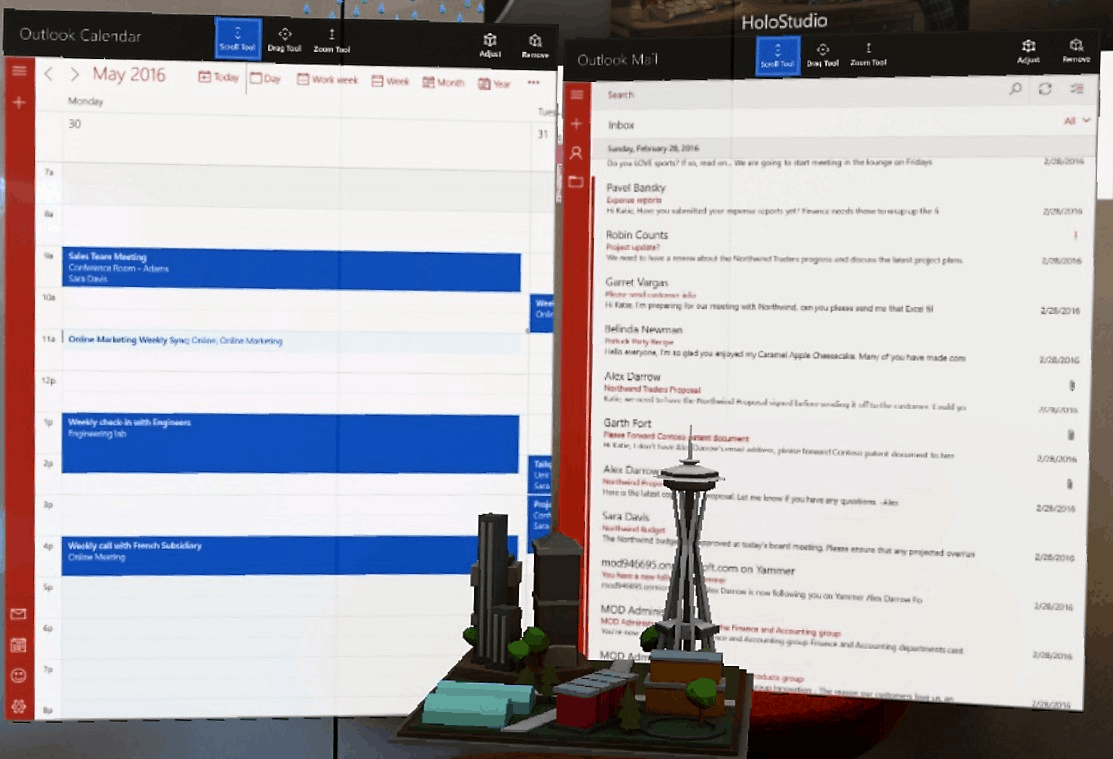
Outlook Mail and Calendar app looks awesome running on HoloLens

The uses of mixed reality are nearly endless. With a large amount of interest being drummed up by businesses, Microsoft has found more and more commercial uses for the HoloLens. Just today, Microsoft released an update to the Mail and Calendar app for Windows 10, adding HoloLens support.

Ideally, users will be able to ‘place’ the calendar and email updates on their wall through mixed reality, enabling them to stay up to date on the happenings and itineraries. The application can be customized with a holographic accent and resized vertically to show off even more information.

Bringing-Outlook-Mail-and-Calendar-to-Microsoft-HoloLens-1d
Outlook Mail on HoloLens

Thanks to the Universal Windows Platform, developers are already able to play with these applications through Windows 10. Microsoft is encouraging any interested parties to download the Outlook Mail and Calendar app on their HoloLens, then to provide feedback on the developer forums for future advancement.

The Outlook Team has provided a short FAQ for developers to get started:

Frequently asked questions

Q. How do I get Outlook Mail and Calendar apps on HoloLens?

A. Open the Windows Store on HoloLens, and search for Outlook Mail and Calendar. Click “Free” to follow the steps for installation.

Q. How do I get a HoloLens?

A. You can order a HoloLens Development Edition from the HoloLens product website.

Q. Where can I get more information or give feedback?

A. Please see more FAQs in this help article for more information about Office on HoloLens. You can share your feedback with us at the developer forums.

Around every corner, the HoloLens impresses us even more with new updates and capabilities. Just yesterday, our own Sean Ong from WinBeta had the opportunity to show off the most recent update from first person perspective: setting up three different apps in HoloLens to run at the same time. Check out the video exclusively on WinBeta!

Microsoft wants developers to enhance Windows 10 app user interface design with iconography

When the Windows team made the transition from Windows 7 to 8, it bet heavily (arguably too much at the time) on typography and iconography in ushering in a new era of quick visual identification and representation for more dense information.

While the Windows team may have backtracked on its more aggressive design vision of Windows 8, the styling cues of its Metro/Modern Design are still very much alive in Windows 10 and the team would like to help developers to make full use of them when engaging users.

In a blog post titled Using iconography to enhance UX design, the Windows team walks developers through the nuances of leveraging icons, specifically how and when to replace text or copy within apps and services with images.

Iconography is a visual language used to represent features, functionality, or content. Icons are meant to be simple, visual elements that are recognized and understood immediately.

It perhaps goes without saying that, thanks in large part to the limited surface area and input methods beholden to smartphones and tablets, developers have had to exercise more creative methods for displaying information and menu options. The Windows team’s iconography tips include:

When to use custom iconography

Standard icon sets only go so far, however. In addition to OS or device-specific icons, your app may also need its own set of icons to represent app-specific functionality that the standard sets cannot accommodate without creating ambiguity for the user (e.g. recipe search, movie bookmark, image download).

This goes beyond the user simply not knowing what to do. If the user is likely to hesitate or expend any energy in order to figure out an icon in your app, then you will probably want to use a custom icon.

iconography sample
iconography sample

Where to find icons

Like fonts, icons are available for download. Icon sets are designed by professional artists and made available for you to use in your app. You may choose icons sets that are free (like vectoricons.org and freeiconsdownload.com) or icons that can be purchased (such as those on popular sites like istockphoto.com, shutterstock.com, and iconshock.com).

And perhaps most important, the team stresses being consistent. The last note the Windows team offers may go without saying, but a consistent typography and iconography where applied, goes a long way in helping users quickly develop muscle memory when navigating an app or service.

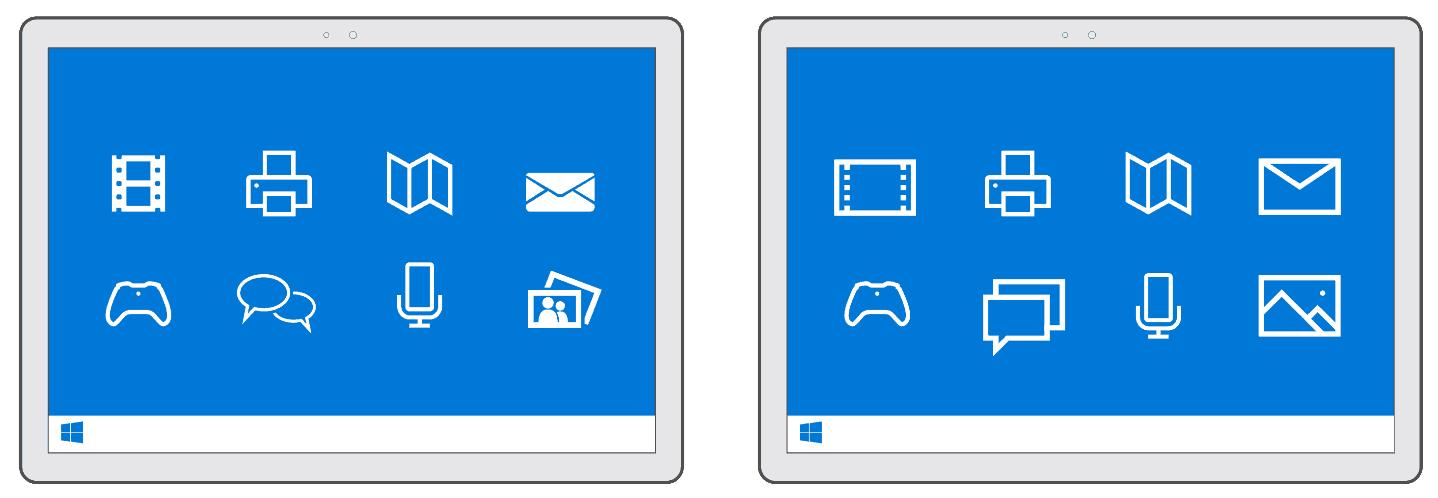
Likewise, consistency ensures that each icon has equal weight, drawing your users’ eyes equally. Take a look at Figure 3 below. Both the left and right images may look similar, but notice how the icon style on the left has both filled and unfilled shapes. This inconsistency pulls the eye of the user disproportionately to the filled icons—video, mail, and photo. In contrast, check out the icon set on the right. Those icons are consistent in both their thematic style and design elements. Each one engages the eye equally.

consistent icons
consistent icons

There are a few more details regarding iconography that are recommended, and developers can follow up on them in the Building Apps for Windows iconography series. As Microsoft continues to court developers to its development tools and environments, the company is also benefiting from an industry that is also looking to leverage similar app design languages across platforms and services. No longer is larger typography and iconography-heavy navigations seen as an albatross of software design.

Microsoft Mechanics gives the Surface Book the engineer tour treatment

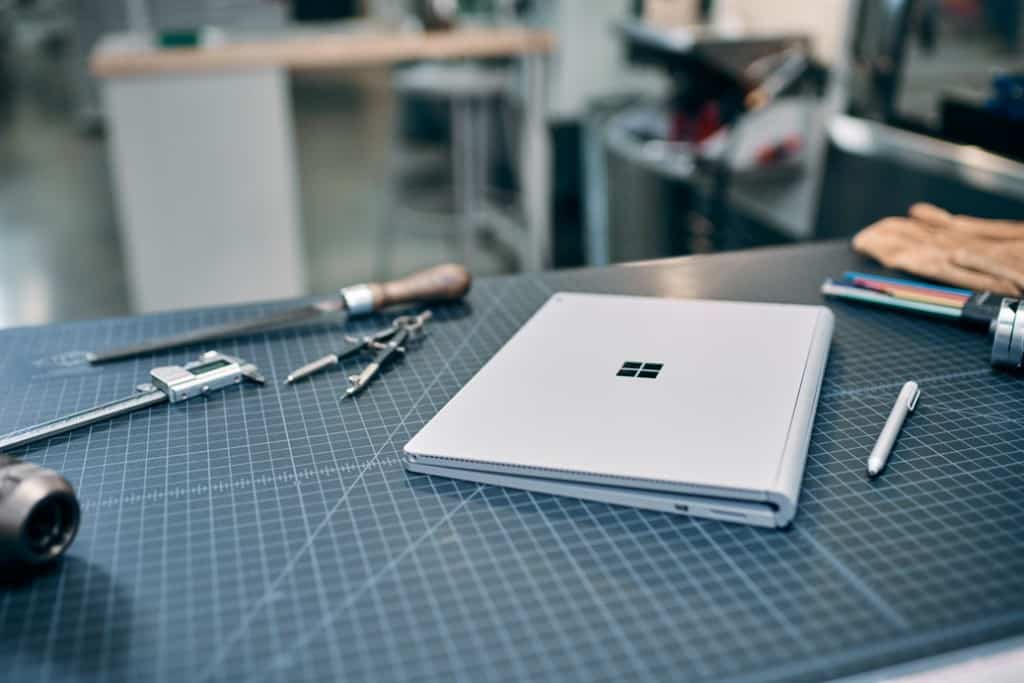
Microsoft’s Surface Book remains one of the more innovative 2-in-1 machines on the market, and part of its appeal is likely the attention to detail and engineering prowess applied to its design and manufacture. Certainly, Microsoft feels this way, and their Microsoft Mechanics team put together a video highlighting some of the Surface Book’s more interesting elements from an engineer’s perspective.

Some of the highlights include:

  • Display specs, such as 3000 X 2000 resolution with 267PPI and 6 million pixels
  • Display quality, including 1700:1 Contrast Ratio and 100% sRGB support with individual color calibration
  • Support for Nvidia GPU in keyboard
  • Keyboard design highlighting 19mm spacing and 0.2mm dish in keycap design
  • Port configuration and camera specs
  • Design and function of the muscle wire latching mechanism and safety features
  • Battery design optimized to maintain power in clipboard as much as possible using “Save the Top” algorithm
  • Pen and inking design innovations
  • Dynamic fulcrum hinge design and advantages

The video’s only a little over six-and-a-half minutes long, and it’s worth a quick watching. Check it out, and let us know in the comments if you learn anything new.

Kinect for Windows can make pumping iron more efficient

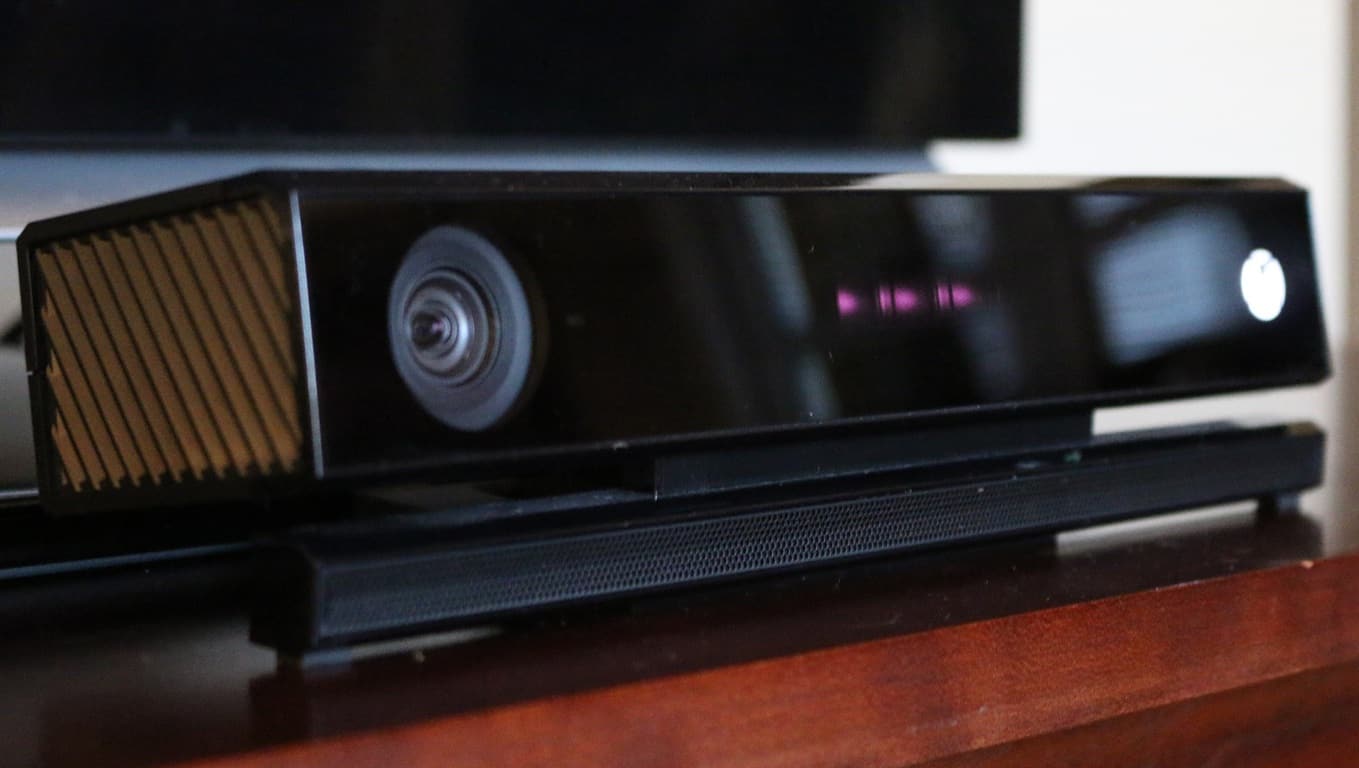
It’s been a while since Kinect got any love. With the peripheral all but abandoned by Xbox One games, it managed to avoid a lifetime of obscurity by getting picked up by software developers that saw the raw potential in its SDK. Kinect may not be much of a gaming device anymore, but it’s responsible for some really interesting stuff – from trippy music videos to, now, weightlifting companions.

Software engineer Vangos Pterneas has put up a tutorial teaching Kinect software developers how to track objects, using a sample program that can track the height of a barbell as a person lifts it. While the Kinect SDK can track human joints right off the bat, it doesn’t have the ability to track objects all on its lonesome – to do that, developers should follow Pterneas’ tutorial.

As you can see, the software is a pretty reliable and valuable tool for people who have a Kinect sensor and want to use it to help them lift weights. Even if you’re not a weightlifter, the program is a proof of concept for a technique that has countless other uses outside of an exercise routine. If you’re just interested in lifting weights and don’t want to go about tweaking the code yourself, you can see the program in its entirety through GitHub, where it’s available totally open source.

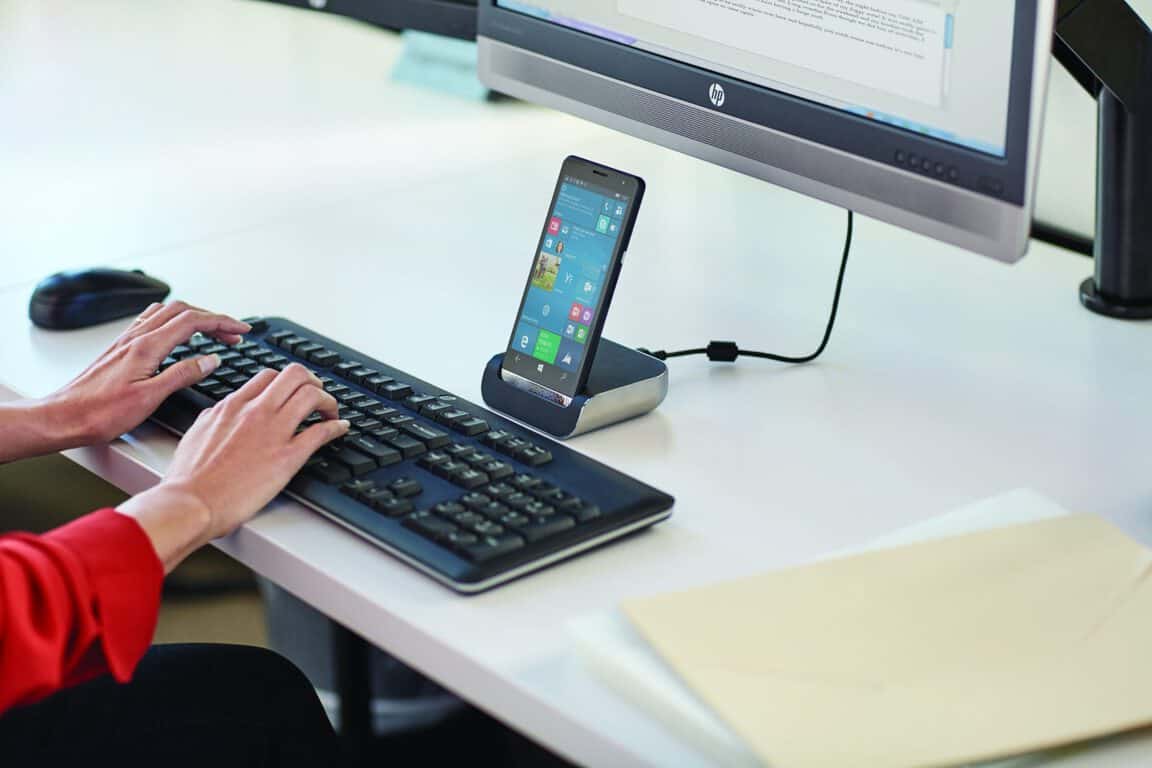
HP Elite X3 demonstrated in new video with Microsoft’s Terry Myerson hosting

We just reported on the HP Elite X3 Windows 10 Mobile flagship being shown off at Computex, with a new fingerprint scanner and minor design changes. The Elite X3 is so far aimed at businesses, with some conjecture that the smartphone might make its way to consumers as well. Nonetheless, HP and Microsoft tend to talk up its attractiveness to the business market, and their latest video is no different.

The video highlights the Elite X3’s productivity features, such as Continuum and talks specifically about how the device will help businesses be more efficient and effective. That makes some sense, given that Microsoft is, for the moment at least, focusing Windows 10 Mobile on businesses.

In case you’re not familiar with the Elite X3, here are its major specs:

  • Qualcomm Snapdragon 820 (2.15 GHz and 4 cores)
  • 5.96-inch (2560×1440) AMOLED display with Corning Gorilla Glass 4 and anti-reflective coating
    4GB of RAM
  • 64GB of eMMC storage with 1 microSD (expandable up to 2TB)
  • 16MP f/2.0 FHD rear-facing camera and 8MP FHD front facing camera and Iris camera
  • Audio speaker by Bang & Olufsen

We’ll be keeping our eye on developments with the Elite X3 and other Microsoft OEM Windows 10 Mobile devices, to see which markets they’re focusing on. Let us know in the comments what you think about the Elite X3, and Microsoft’s highlighting it’s business focus.

Halo Wars 2 to be playable during E3 2016

Halo Wars 2 is a real-time strategy game that’s scheduled to be released this fall, developed by Creative Assembly and 343 Industries and published by Microsoft Game Studios. For some reason, Microsoft has “quietly” confirmed that the upcoming Halo Wars 2 will be released for Windows 10 OS and Xbox On, announcing last year will be available in playable form at the E3 2016 event that will take place this month.

Microsoft announced Halo Wars 2’s appearance at E3 2016 during its weekly Halo blog post, where it hinted that something else will be revealed during the trade show in Los Angeles as well. So, aside from a playable Halo Wars 2 demo, Microsoft will have even more goodies for the fans.

Watch the trailer that Microsoft premiered last year at Gamescon last year between August 5 and August 9:

There are rumors which say that a closed beta will soon start for Halo Wars 2. Shortly after the closed beta, we think its developers will release an open beta session in order to stress the servers to see how they handle a large amount of players at the same time.

Unfortunately, a beta version of Halo Wars 2 has yet to be confirmed by developers yet, but maybe this is what they will announce during the E3 2016 event. This event will be held between June 14 and June 16, 2016 at the Los Angeles Convention Center. On the other hand, Halo 5: Guardians – Hog Wild DLC was released.

Do you think that Microsoft will confirm a beta testing phase for the Halo Wars 2 during the Electronic Entertainment Expo 2016 event?

RELATED STORIES TO CHECK OUT:

Microsoft remains clear leader in global education market

While there has been a fair share of praise showered upon Google’s efforts in education with the slow increase of Chromebook usage by schools predominately in the US, Microsoft’s Education Team would like to remind folks: they’re not doing too shabbily themselves with Office 365 and Windows 10.

We’re really excited to see even more students and educators around the world using and loving Windows 10 and Office 365. According to a Futuresource report, Microsoft remains the global leader in the education market, with 46 percent of the global K-12 education OS market share and six percent year-over-year growth.

Additionally, IDC reviewed over 76 million job posts looking for the most in-demand skills in today’s workforce and the skill’s needed for tomorrow’s best jobs and found proficiency in Microsoft Office ranked in the top 10.

Some handpicked anecdotal stories that particularly tickled Microsoft’s fancy regarding the necessity of Office 365 and Windows 10 adoption and use include:

  • By upgrading to Windows 10, Aiken County Public School Districts now has a consistent technology platform across all devices and scenarios, access to multimedia in the classroom, increased opportunities for research and greater collaboration among students and teachers. “The best thing about our switch to Windows 10 is the great outcome that we get for our students and teachers,” says Andrew Cox, J.D, Director of Technology at Aiken County Public School district. He also shared that the Windows 10 upgrade was free and runs faster with greater reliability on existing Windows 8 and Windows 7 devices. Read his story.
  • Saint Stephens College in Australia moved to Office 2016 after using a combination of solutions for many years. Peter West, Director of eLearning said, “The benefits are already becoming obvious with easier training and less support time, which will result in more learning time for students/less time out of class for IT support.”
  • Modesto City Schools in California deployed 12,000 Windows-based devices (expected to grow to 45,000 within 5-years) and Office 365 to improve teaching and learning and to provide cloud-based access to the latest productivity and collaboration tools. “With mobile Windows-based devices in the classroom, students can access more resources when and where they need them … they can look things up, read what interests them, dig deeper, ask more questions” said Cindy Minter, Senior Director of Information and Technology Services.

As school administrations seek better and more affordable tools to aid in education, the mere mention of iPads, Chromebooks, or (yes there a few) Linux machines should keep Microsoft stringent delivering experiences for education that offer real value. From OneNote Class Notebooks to free Skype in the Classroom sessions, Microsoft’s new cloud-based software-as-a-service approach to its offerings is becoming arguably a boon for educators.

Skype adds a (sloth) emoticon

Over the last few weeks, the Skype team has been running the #SkypeSuggestion campaign on Twitter to allow Skype users to give their ideas for new emoticons. In a blog post today, the team shared that “we were overwhelmed and thrilled with the amount of suggestions you submitted.” However, they had to ask the community to vote for their favorite new emoticon between the three choices below:

The Skype team asked the community to vote for their favorite emoticon.

While all three emoticons look pretty fun, the winner was the (sloth) emoticon. The team explained that “we’ve been working really hard to bring you a very laid back way to express yourself.” Still, they added that “our new lazy friend is perfect for those times when you just can’t get up, need a nap, want to take it slow—or just need a cute sloth in your life”. You can see the result below, and the Skype team also shared a short video showing what it’s like designing Skype animated emoticons.

The new (sloth) emoji.

The sloth emoticon arrived soon after the Skype team introduced “Power Women mojis” to celebrate powerful women, and so Microsoft is offering up something for everyone. Please tell us in the comments if you’re feeling the go-slow attitude with this sloth emoticon, and we’ll follow up after a well-deserved break. Also, let us know if you think the Skype team should slow things down with their ever-increasing emoticons list.

Samsung calls “don’t upgrade to Windows 10” advice a mistake

Just yesterday we reported on the fact that Samsung was telling its customers not to update to Windows 10. Today, Samsung is apologizing for that and is instead advising customers to visit the Samsung website for more detailed information on the Windows 10 upgrade.

In an updated story published on TheRegister, (which originally reported on the Samsung situation,) a Samsung  spokesperson notes that, “a customer service representative mistakingly provided incorrect information about Windows 10 upgrades for Samsung Notebooks.” The spokesperson also notes:

We would like to remind our customers that they can visit the Samsung website where there is detailed information on the Windows 10 upgrade applicability for each Samsung notebook model run by Windows 7, Windows 8 and Windows 8.1.

So, with with the Windows 10 Anniversary Update just about a month away, this could be seen as better news for Samsung customers who would like to upgrade and get the latest features out of the Windows 10 operating system.

Save 33% on a year of Xbox Live Gold from Amazon

If you are getting close to your renewal date for your Xbox Live Gold membership, or are thinking about purchasing it for the first time, now is a good time to pull the trigger thanks to a deal at Amazon.

Major Nelson posted the deal on twitter this morning, which lets you buy an online code for a 12-month membership to Xbox Live for $39.99, a discount of 33%. The discount is only available for the 12-month membership as an Online Game Code. So there is no discount for either physical cards or the three and seven month memberships.

The main purpose of Xbox Live Gold membership is to enable online multiplayer for your Xbox One and Xbox 360 games. But Gold members also get free titles every month under the Games with Gold program and exclusive discounts on games and add-on content through the weekly Deals with Gold. Games with Gold recently became a greater value after it was announced that all future Xbox 360 Games with Gold titles will be playable on Xbox One via backward compatibility.

For example, this month Xbox Live Gold members with an Xbox One can get not only Goat Simulator and The Crew for Xbox One, but also play Super Meat Boy and XCOM: Enemy Uknown for Xbox 360 on their Xbox One. And the weekly Deals with Gold can offer good deals on popular games, like this week’s deals of 35% off on GTA V for Xbox One, 40% off NBA 2K16, and 100% off the Battlefield Hardline Getaway add-on content.

Xbox Live Gold membership is increasingly becoming a better deal with lots of great value-adding perks. So if you know you’ll want to have access to Xbox Live Gold for the next year, now is a great time to pick up a 12-month membership.

Microsoft CRM 2016 Spring wave gets new content

Microsoft’s Customer Relationship Management software, called Microsoft Dynamics CRM, just received a substantial update including new features for both end users as well as admins and developers.

The CRM 2016 spring wave is a collection of updates adding features to various version of Dynamics. The official names of the updates are:

  • Microsoft Dynamics CRM Online 2016 Update 1 and Microsoft Dynamics CRM 2016 Service Pack 1
  • Microsoft Dynamics Marketing 2016 Update 1
  • Microsoft Social Engagement 2016 Update 1.5

Here is the full list of features added in the CRM 2016 spring wave.

Microsoft Dynamics CRM

Field Service

Project Service

CRM portals

Mobile offline

Power BI

Subscription and release history

For developers

Microsoft Dynamics Marketing

Microsoft Social Engagement

All in all the Spring wave for CRM is a pretty far-reaching update with a lot of new features. To learn more about what was added you can see what is new here.

Microsoft’s Board of Directors pushing a faster move to the cloud

Microsoft has clearly been trying to lessen its reliance on traditional software and switching focus to cloud-based products in recent years; for Microsoft’s Board of Directors however, the transition’s not nearly fast enough, reports Bloomberg, who caught up with Microsoft Chairman John Thompson to ask about Microsoft’s directions in the future.

The talk occurs amid slumping PC sales and growing concerns that Microsoft’s traditional software business – selling “on-premise” software that installs and operates fully in a client computer or network – is soon going the way of the dodo. AT&T’s wireline business suffered a similar fate in only three years, something Chuck Noski, another director, has had personal experience with.

Satya Nadella’s rise to power has been the clearest indication of where Microsoft sees its money coming from in the future, and sure enough, the current CEO and former cloud chief has been making a strong push towards cloud-based offerings, garnering approval from the company’s director board. But it needs to be faster.

“What’s the likelihood that could happen with on-prem versus cloud? That in three years, we look up and it’s gone?” – John Thompson, Chairman of the Board, Microsoft.

Specifically, Thompson and the board wants Microsoft to invest more in its cloud business, not just in pure technology, but also in sales and partnership strategies. The reasoning is clear: cloud business like Azure and Office 365 currently account for less than 10 percent of the company’s total revenue. Microsoft Azure is lagging far behind its biggest competitor, Amazon Web Services in the partnership department, both of which suffer from the transitional effect to a new business model. Microsoft’s slump in the last quarter certainly didn’t help: the blame was put on the lagging transactional business and lower gross margins of cloud products.

“That’s a very different model for Microsoft and one our investors are going to have to suck it up and embrace, because the alternative is don’t embrace the cloud and you wake up one day and you look just like — guess who?” – John Thompson, Chairman of the Board, Microsoft.

Microsoft is in a hard time, as competition is fiercer than ever and the company continues its transitioning to a cloud-based provider. It will take time, during which investors may be jaded; nevertheless, as Thompson said, pressure means change, and we look forward to how the company will transform itself in the years to come.

Microsoft President Brad Smith goes on the record about the company’s privacy lawsuits

Technology companies, due to the inherently sensitive nature of the data they hold, are caught up between responsibilities with customers, and the need to comply with governments’ security policies; conflicts, of course, ensue. Few have dared to take it to head-to-head matches with the ruling body in the courtroom like Microsoft did recently however, and the company’s president and chief legal officer, Brad Smith, has talked about it with Wall Street Journal.

The most recently lawsuit Microsoft has filed to challenge secret search orders,  is also the fourth one against the US government, with the first one happening in 2013, then related to the Foreign Intelligence Surveillance Act. Since then, two of the lawsuits have resulted in Microsoft’s victory and the government backing down with their requests, and two still waiting for a decision.

These suits have all involved situations where we’ve felt that the company’s business and the interests of our customers were at stake around security and privacy.

According to Smith, these lawsuits have had input and unanimous support from the CEO, senior leadership team, as well as the company’s board of directors; company employees, meanwhile, are kept informed via blogs. Pushing the rights violation concerns through the 93 attorney’s offices throughout US has been one of the more challenging aspects of the process, and sometimes, like in the latest lawsuit, there’s no choice but to take action.

These are issues we had tried to raise with the Justice Department in Washington, D.C., over the last few years. They work in an environment that has so many competing priorities that many days we would find that our concerns just didn’t make it high enough on their list for effective action to be taken.

On the customers’ side, Microsoft has taken effort to keep stakeholders informed, with tweets and polls, the latter of which happens once or twice per year ever since the first suit. Despite its fierce stance regarding privacy, the company still keeps a careful approach to communicating, and aiming for a middle-ground resolution, according to Smith. Moreover, it’s not like Microsoft doesn’t recognize when privacy concerns have to give way to public safety responsibilities: Smith openly admits to the company complying with Paris and Brussel police’s 14 search orders in “under 30 minutes” in the aftermath of the horrifying terrorist attacks at the two cities.

Platypus system from Microsoft Research can identify humans from their electrical fields

From a smart tattoo to swim training technology, and even looking at DNA to store data, Microsoft Research is always busy coming up with new technological advancements. Today, we’ve come across yet another Microsoft Research project (via Neowin), and this time, it involves identifying humans from their electrical fields.

In a full 14 page document, Microsoft Research describes the Platypus system as the first system to, “localize and identify people by remotely and passively sensing changes in their body electric potential which occur naturally during walking.” The document also describes that the system involves using uses three or more electric potential sensors (seen below) with a maximum range of 2 m. This means that Platypus is a passive tag free system that does not require any special hardware such as a smartphone, smartwatch, or other wearable devices.

Screen Shot 2016-06-02 at 9.52.50 AM
A look at the sensors in Platypus

The Microsoft Research team managed to use Platypus to locate a human in the room within an accuracy of 0.5 feet. Based on short walking sequences of 5 s, they were also able to identify four users of Platypus within the accuracy of 94 %, and 30 users with an accuracy of 75 %.

Despite these results, at the end of the document detailing the system, Microsoft Research notes that Platypus has some limitations. These include the need for person-specific sensor calibration that is independent of the user’s height/weight/clothing, as well as the presence or absence of grounded electrical objects in the environment.

Most Windows versions suffer from new zero-day exploit

A new zero-day exploit that affects all versions of Windows starting with Windows 2000 has been discovered by Trustwave’s SpiderLabs research team (via BGR). The researchers spotted that the exploit was being advertised on a Russian hacking forum last month, and the seller who goes under the nickname “BuggiCorp” is currently selling it for $95,000.

In this case, the zero day exploit is a Local Privilege Escalation (LPE) vulnerability in Windows. Trustwave shared the following technical details:

Although such an exploit can’t provide the initial infection vector like a Remote Code Execution (RCE) would, it is still a very much needed puzzle piece in the overall infection process. For instance, an LPE exploit paired with a client-side RCE exploit can allow an attacker to escape an application that implements sandbox protection (For example Google Chrome, Adobe Reader, etc…).

Moreover, an LPE exploit provides the means to persist on an infected machine, which is a crucial aspect when considering APTs (Advanced Persistent Threats). In general terms, this exploit can be leveraged in almost any kind of attack scenario.

Trustwave also notes that the hacker has “put in the effort to present himself/herself as a trustworthy seller with a valid offering”. Indeed, he has also posted two different videos of the exploit for potential buyers that you can find below:

Trustwave researchers have already notified Microsoft about the zero day offering but the company has yet to acknowledge the exploit. As this zero day works in tandem with other exploits there is no real need to worry yet, though the researchers who are used to work with Redmond on Windows security think that this commerce of security exploits could be worsening:

Finding a zero day listed in between these fairly common offerings is definitely an anomaly. It goes to show that zero days are coming out of the shadows and are fast becoming a commodity for the masses, a worrying trend indeed.

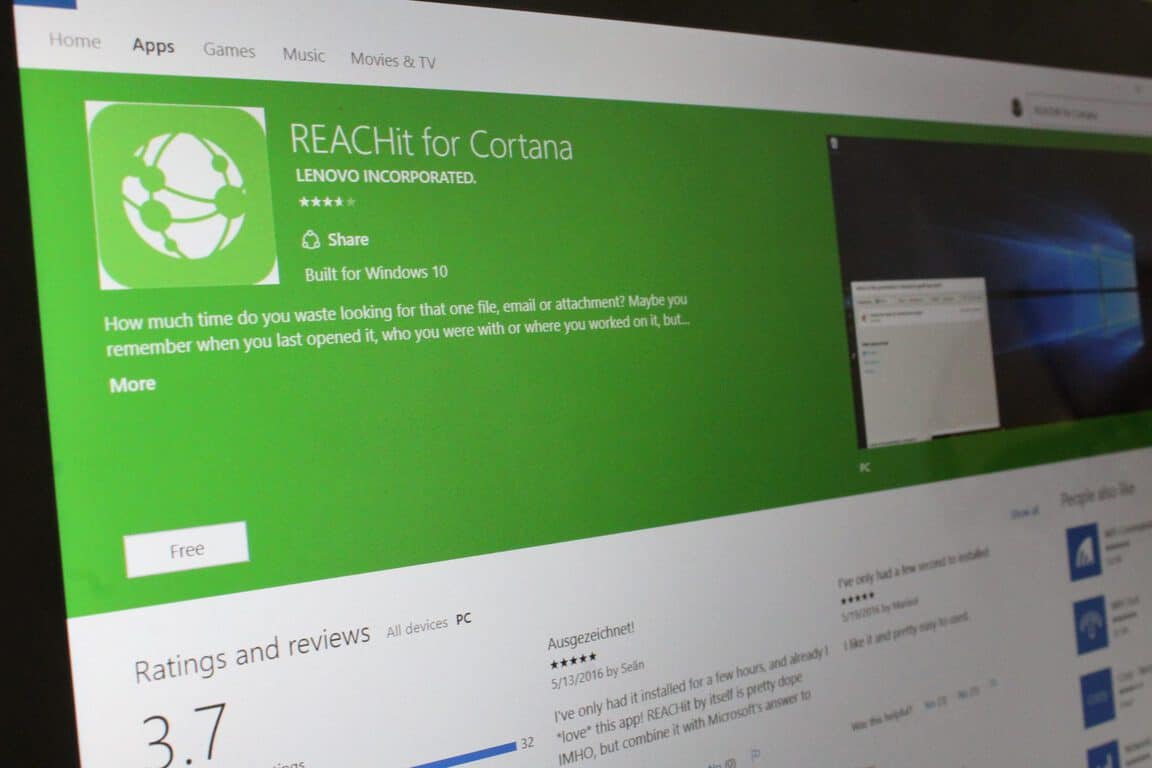
Lenovo’s Cortana add-in REACHit out of beta, adds easier file access to Windows 10

Back last year we first reported on the fact that the Lenovo REACHit app would be heading to Cortana on Windows 10 PCs. As we reported at the time, the app is an extension allowing a user to tap into Cortana on Windows 10 to offer “a much larger inventory of information to search.” Today, though, we can report that the app has finally exited beta mode, and is now available for download in the Windows Store.

Overall, the app weighs in at around 5.23 MB and allows you to use Cortana to find files on different Windows 10 PCs and Tablets. Lenovo REACHit also allows you to use your natural language to do these searches to find content based on what it’s about, where you were, or who you were with. Additionally, The Lenovo REACHit app allows Cortana to finds files and attachments in Exchange and Gmail accounts, and files in OneDrive, GoogleDrive, and Dropbox.

REACHit is a separate app which works alongside with Microsoft’s Cortana. Since Lenovo and Microsoft collaborated on this project, when the two are put together, Cortana will find you any content in any storage location that is connected to REACHit.

So, if you’re interested in downloading REACHit, we have included a download link for you below. Once you do download please let us know your thoughts by dropping us a comment below!

REACHit for Cortana
REACHit for Cortana
Price:
Free


Sassybot’s Fragments Of Him is ready for you now on Xbox One

The new video game, Fragments of Him, has just released on Microsoft’s Xbox One video game console and is now available to buy, download, and play.

Here’s the official description: In Fragments of Him you experience the lives of four people connected by love and a tragic accident. You walk alongside Will on his last morning and discover the meaning of his final thoughts. With Mary, Will’s grandmother, you learn about his childhood, their conflict, and how they ultimately reconciled some of their differences. Sarah was Will’s girlfriend and first love. She tells us how she found a deeper understanding of herself during their time together. And finally, Harry is Will’s partner when the accident happens. Can Harry ever accept the loss?

Buy Fragments of Him on Xbox One

Categorised as “Other”, Fragments of Him is not a traditional video game but more of an interactive artwork of sorts. The game places the player in a first-person view and they must guide characters through a story which has more of an emphasis on story than puzzles or difficulty. This may disappoint some gamers but could also be exactly what others are looking for. Let us know if you’ve played it in the comments below.

SQL Server 2016 officially released, Oracle migration offer still available

Microsoft announced earlier today that their SQL Server 2016 product, which they are touting as the “world’s fastest and most price-performant database for HTAP (Hybrid Transactional and Analytical Processing) with updateable in-memory columnstores and advanced analytics through deep integration with R Services,” is now generally available.

SQL Server 2016 is a fully-featured data platform that is both faster and more secure than previous versions and is remarkably cheaper than using Oracle, a similar platform. According to Microsoft, using SQL Server 2016 costs one tenth of the price of using Oracle to run similar workloads.

Microsoft is attempting to lure developers away from Oracle and other non-Microsoft paid commercial RDBMS platform by promoting a special migration service supported by free SQL Server licenses. This service was first announced back in March and appears to be ongoing post-SQL Server 2016’s launch.

Those interested in experiencing a sample of SQL Server 2016 are encouraged to create a test environment using an Azure SQL VM but a full-featured version is available via the free developer edition. For more information on SQL Server 2016’s features, make sure to check out our summary here.

Fallout 4 mod portal launch 50 times more active on Xbox One than on PC

It’s been a long time coming for console gamers that enjoy sandbox adventure games. Titles such as The Elder Scrolls Skyrim and Fallout 4 have significantly longer playing life on the PC specifically because players can download mods from all over the internet. Mods make it possible to edit a game’s functionality, add in more custom content, and customize a game to the player’s liking. Starting this week, Xbox One gamers are finally able to download mods for Fallout 4.

After the launch of Fallout 4 mods on Xbox One yesterday, Bethesda announced that the mod popularity on Xbox One was fifty times the number of downloads on PC.

PC gamers have had the capability to download third-party mods and custom content since the beginning. Venturebeat.com theorizes that this might be a major reason that the recent launch for Xbox One had such an impressive overhead. Not to mention the fact that any copyrighted material or owned images aren’t made available through Bethesda, Sony, and Microsoft’s distribution. But while players on the PC might still have a larger pool of content available to them, the ability to mod Fallout 4 on Xbox One is still a major step forward for console gamers.

“This is just the beginning…” Bethesda Game Studios tweeted, sharing that more features would be coming to the library of mods and custom content. With such a smooth transition of available mods bridging the gap between console and PC purchases, it would be interesting to see support develop for upcoming games in development from Bethesda.

Halo 5: Guardians Hog Wild DLC is out now

Halo 5: Guardians is a first person shooter published by Microsoft and developed by 343 Industries solely for the Xbox One console. The game was released for the console back on October 27, 2015 and it seems that now, a new DLC was just made available for it.

Halo 5: Guardians is the latest installment in the legendary, having earned 400 million dollars in the first 20 hours after its launch and 500 million in the first week. Halo 4 game was released back in November 2012, which means that the fans of the series have been waiting 3 years for a new Halo game.

Halo 5: Guardians game has received positive reviews from critics, with the multiplayer component in particular praised while the story of the game garnering many negative reviews.

Halo 5: Guardians Hog Wild DLC

The new Hog Wild DLC released for Halo 5: Guardians comes with modifications to vehicles and weapons and includes new weapons that players will be able to test out as soon as they install the DLC. This new DLC is free, so if you haven’t purchased the game yet, you will be able to get it from Amazon for only about $30, an important price reduction compared to its initial price of $59.99.

Do you play Halo 5: Guardians on your Xbox One console? Tell us your thoughts about it!

RELATED STORIES TO CHECK OUT:

Former Lionhead Studios team is now working on Fable Fortune

Lionhead Studios was a video game developer led by Peter Molyneux which was acquired by Microsoft Studios back in April 2016. Unfortunately, while the studio was closed in April 2016, Flaming Fowl Studios has been brought to life thanks to Mike West, Marcus Lynn and Craig Oman, former Lionhead Studios developers.

Microsoft gave Flaming Fowl the rights to use the Fable IP after refusing to sell it to potential Lionhead Studio buyers. However, even if Microsoft gave the studio the rights to use the Fable IP in the game, the Flaming Fowl studio will run a campaign asking for at least £250,000 in order to finish the game.

Once the campaign finishes, the developers will prepare the game for a closed beta. According to reports, the game will reach the open beta phase sometime in October 2016 when it will be released for Xbox One and Windows PC. If all goes as planned, we should see Fable Fortune released in 2017.

It’s nice to know that Fable Fortune was originally Mike West’s idea eight years ago when he wanted to make it a part of Fable 2. Unfortunately, that didn’t happen, as the development of the game started in 2014. Now, it’ll be something he can see come to fruition. Exciting stuff.

Fable Fortune is a card game which looks similar to other popular card games such as Blizzards’s Hearthstone. Below you can see a two players duking it out:

As you can see, the user interface is pretty awesome and we find it even better than Hearthstone’s. As you’ve already seen, the game has a PvP system, but at the same time will come with mid-match quests where you will be able to pick a good or evil choice.

What are your thoughts about the upcoming Fable Fortune game? Do you play any online card games? Tell us in the comment section below!

RELATED STORIES TO CHECK OUT:

Asus GX800 is the most powerful Windows 10 gaming laptop

Asus has again innovated in the gaming industry with its new GX800 gaming laptop. The company proudly states GX800 is the most powerful gaming laptop in the world, and rightfully so: This laptop is the world’s first liquid-cooled gaming laptop for enviable desktop-grade gaming horsepower.

The GX800 is powered by an Intel Core i7 processor backed by the latest NVIDIA SLI GPU for exceptional graphics performance. Thanks to its superior gaming performance and smooth visuals, you’ll be able to dominate the competition and land first position in leaderboards.

The GX800 is GX700’s direct successor and features an updated version of the predecessor’s Hydro Overclocking System for a greater performance boost. This is the main element that allows Asus to claim that the GX800 is the most powerful gaming laptop in the world. Another element that fuels its powerful engine is the uprated power supply system of two 330W adapters.

In 3DMark 11 graphics benchmark tests conducted during the development stage, the Hydro Overclocking System-equipped ROG GX800 already scored 29% better than other gaming laptops in the market. It delivers more than twice the performance of gaming laptops equipped with a single GTX 980 GPU. At the rate its going, ROG GX800 is only get better — giving you unrivaled overclocking potential at home and first-rate performance when you’re on the go.

Thanks to the MechTAG (Mechanical Tactile Advanced Gaming) keyboard you will always be in control. The keyboard features tactile switches and a generous 2.2mm of key travel. Also, the MechTAG’s anti-ghosting technology logs every keystroke for complex input across simultaneous keypresses. If you prefer stand-alone keyboards, though, check out this list on the best keyboards available on the market.

You can also customize the RGB LED backlighting to your own preferences. You can program light effects and even colors for individual keys. You can pair GX800 with Asus’ ROG Spatha MMO mouse for excellent gaming results.

For the time being, no information is available about its official release date or price tag. If you’re looking to buy a gaming laptop, you can also check out our list with the best Windows 10 gaming laptops to buy.

RELATED STORIES YOU NEED TO CHECK OUT:

Windows Hello Companion Devices to bring Windows 10 authentication to third-party devices

The days of fingerprint and iris scanning are about to become as dated as lyrics to short-lived rock and rap mashup band Limp Bizkit songs for Windows users. Well, that’s a bit of hyperbole, but its useful to show how quickly Microsoft’s Windows team is evolving the device authentication process.

Today, the Windows team announced that it would be opening up its Windows Hello Companion Device Framework, giving developers the ability to bake in new authentication experiences within Windows 10 utilizing 3rd party devices.

When the Windows team first announced Windows Hello, many saw it as a beefed version of what Microsoft has been doing for more than a decade with fingerprint scanning. Windows Hello represented the advancements in technology to better refine fingerprint scanning, while also opening up the door for OEMs to add other layers of authentications such as using Iris or retinal scanning on devices. What few may have seen coming was Windows Hello’s extensibility as a platform for expanding authentication from device to device.

With the Windows team opening up its Windows Hello Companion Device Framework, developers and device manufacturers can look forward to integrating authentication experiences right into their wares such as:

  • Attach their companion device to PC via USB, touch the button on the companion device, and automatically unlock their PC.
  • Carry a phone in their pocket that is already paired with PC over Bluetooth. Upon hitting the spacebar on their PC, their phone receives a notification. Approve it and the PC simply unlocks.
  • Tap their companion device to an NFC reader to quickly unlock their PC.
  • Wear a fitness band that has already authenticated the wearer. Upon approaching PC, and by performing a special gesture (like clapping), the PC unlocks.

The specific date when OEM partners and device manufacturers will get their hands on the framework has not been detailed yet. However, the Windows team claims such access will come soon, and then users could be able to login to their devices with the use of a variety of devices such as NFC-enabled rings, handset devices, accompanying HoloLens headsets, fitness trackers, or more.

Did GameStop’s CEO confirm a new Xbox One coming at E3?

We’ve seen a whirlwind of Xbox One rumors swirling around the upcoming gaming convention E3 2016. Some of the more intriguing rumors involved updated Xbox One consoles, including a mini version supporting 4K video coming soon and a more advanced version supporting 4K gaming and VR coming in 2017.

Recently, video game retailer GameStop’s CEO Paul Raines gave an interview to Fox News where he might have let some news escape that could be of particular interest to Xbox One fans. Specifically, had this to say (via Gamespot):

Also in the interview, Raines said he expects there to be announcements about virtual reality and new gaming consoles at E3 in June. “We’re gonna hear about that at E3,” (Raines) said.

There’s nothing specific there, but if new gaming consoles are expected at E3, then certainly the Xbox One is included. This follows along from similar statements during a recent GameStop earning announcement.

We’ll be on the lookout for more Xbox One and general gaming information as we head into E3 2016. Let us know in the comments what you’re most looking forward to seeing, and hit up our tip line if you learn anything interesting in the meantime.

Windows 10 continues to make headway, Windows 7 remains on top

Recently, Microsoft’s Windows 10 saw a significant bump in usage share during the month of May 2016, going from 14.35% in April to 17.43% last month. The operating usage share numbers come from data collected by Net Applications over the course of consecutive months.

Back in late March, Microsoft’s lead on the Windows 10 development team Terry Myerson took to the company’s keynote stage during Build 2016 to proclaim that Windows 10 had then reached 300 million active users. The 300 million mark is not a number so quickly forgotten by the PC industry and as proof, Net Application’s data is reaffirming that Windows 10 upgrades are happening across the board despite the slow erosion in PC sales.

Other data points to a glacial-pace decline in Windows 7 usage, dropping a whopping twentieth percentage point from 48.79% in the month of April to the 48.57% in May. Windows 10 gains appear to be coming from users of Windows 8 and 8.1 which saw a drop from 9.16% to 8.77% in May. Net Applications numbers seem to indicate that Windows 7 users are either content with their older version of Windows rather than the Windows 8.1 crowd looking to upgrade beyond the arguably confusing mess that was hidden UI elements and a tablet-centric focus of the desktop.

Surprisingly enough, Windows XP happened to outshine Window 8.1 in usage share, bringing in a slightly higher percentage of users at 10.09%, up from April’s charted 9.66% share.

While some of Microsoft’s practices to get users to Windows 10 upgrades are still under question and scrutiny, Net Application data is showing that the company is on a steady track to get its core user base on its One Windows operating system.

Microsoft still has yet to fully clarify what and how it will deal with the imminent end to Free Windows 10 upgrades as well as how the company plans to pitch. However, the continued adoption of Windows is still a long way from being readily within Microsoft’s grasps.

Power BI Desktop received some welcome updates in May

Power BI has been getting a lot of attention recently, and the Microsoft community seems to be taking to it quite well. The data-management service is quite useful, especially now that it can interface easily with your Excel files. The team behind Power BI has added to the laundry list of reasons to try the app today by releasing the May update, which brings with it tons of “hotly requested” features. Among the list of additions are improved quick calculations, customizable tooltips, and new data connectors.

Via the Power BI blog, were’s a more comprehensive list of changes:

REPORT VIEW

  • Customizable tooltips
  • Conditional formatting in tables
  • Publish to Pyramid server
  • Scrolling loads more data in charts
  • Keyboard nudging for visuals

ANALYTICS

  • Quick Calcs – % of grand total

DATA CONNECTIVITY

  • New data connectors
  • Text/CSV connector exposes editable settings in preview dialog
  • Improved relational database connectors with Display Schema information
  • Ability to “Save As” a Power BI Template
  • Support for reordering Query Steps by using drag & drop
  • Date picker support in Conditional Columns dialog input Date fields
  • New context menu entry to create new queries from the Queries pane

You can check out the whole list of new features on the Power BI blog post, and you’ll also be able to look at some of the particulars of the features we listed here.