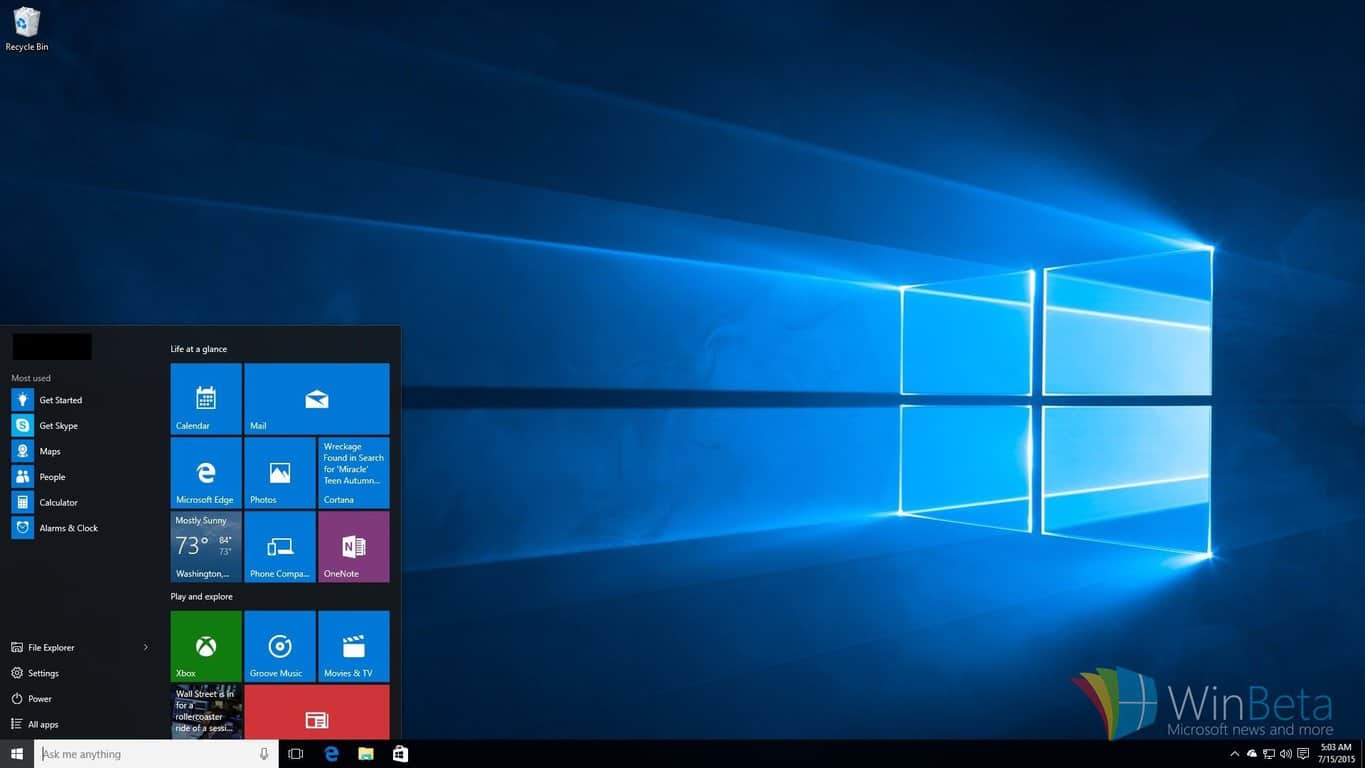
Windows 10 news recap: Edge extensions, Feedback Hub, build leaks

Welcome back to our weekly Windows 10 news recap, in which we recap the top news stories regarding Windows 10 for the week. Let’s dive straight in.

Windows 10 build 14278 leaks online from internal development branch

A new, older build of Windows 10 leaked onto the web this week, build 14278. What’s interesting about this leak however is that it appears to have come from an internal source, as the build in question is from an internal development branch under the name “rs1”.

No new features are present in the leak, but it does serve as a collectable for those few who still do collect builds. Regardless, the leak itself is a x86 leak in en-US.

Microsoft pushing Windows 10 cumulative update KB3140768, bringing PCs to build 10586.164

Microsoft also pushed a new cumulative update for the latest public version of Windows 10, bringing the build number to 10586.164 matching that of mobile. This is what’s fixed:

  • Improved support for Bluetooth, wearables, and apps accessing contacts.
  • Improved reliability in app installation and Narrator.
  • Improved performance for hibernation, content entry in apps, and downloading and installing updates.
  • Fixed issue that didn’t allow login to an Xbox from a PC running Windows 10.
  • Fixed security issue created when attempting to play corrupted content.
  • Fixed security issue that could allow remote code execution while viewing a PDF in Microsoft Edge.
  • Fixed additional issues with .NET Framework, Internet Explorer 11, and networking.
  • Fixed additional security issues with Microsoft Edge, Internet Explorer 11, USB storage driver, kernel mode drivers, .NET Framework, graphic fonts, OLE, secondary logon, PDF library, and Adobe Flash Player.

Windows 10 Redstone: Microsoft now preparing release of Extensions for Edge

WinBeta exclusively revealed this week that Extensions for Microsoft Edge are set to show up in the next Insider build, finally giving developers a chance to port extensions over from Chrome for use in Edge.

Extension support for Edge is now being flighted in the latest internal builds of rs1_release, meaning Insiders are next inline for receiving support. Microsoft has been working on this for months internally, so it’s good to finally see it come to Insiders.

Windows 10 Redstone: New ‘Feedback Hub’ merges Insider and Feedback apps

Furthermore, WinBeta also revealed that Microsoft is working on a new Feedback Hub that merges both the Insider Hub and Feedback apps found on todays Insider builds of Windows 10 and Windows 10 Mobile.

This change is apparent on both desktop and mobile, but the app itself looks identical to the current Insider Hub, only with the added addition of Feedback support integrated.

Page Analyzer extension for Edge on Windows 10 shown off in leaked screenshot

On the heels of our report regarding Edge Extensions, a leaked set of screenshots appear to have revealed a new Page Analyzer extension for Edge that we assume will be part of the upcoming wave of test extensions for Insiders.

Not much is known about the extension, given only screenshots leaked, but it does confirm recent rumors that extensions will be managed via the Windows Store.

So there you have it, what was your favorite story of the week? Let us know below.
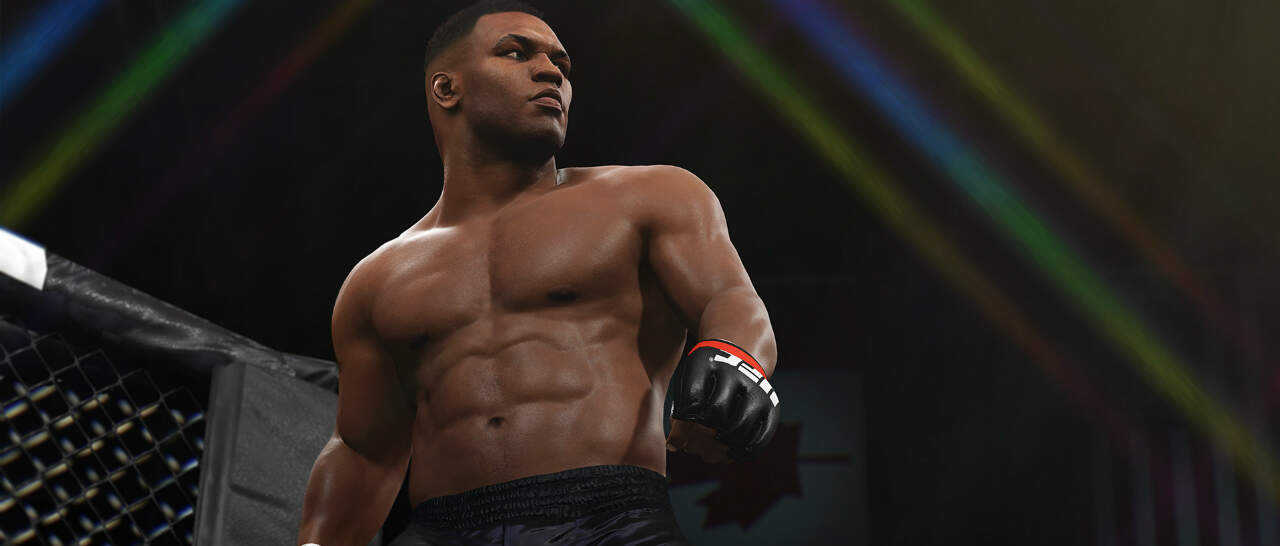
 

MMA fans can play UFC 2 first exclusively on Xbox One with EA Access

In a recent tweet by Xbox’s Head of Marketing at Microsoft, Aaron Greenberg, MMA fans will be able to play UFC 2 early through EA Access on Xbox One. UFC 2 will be released on March 15, 2016, but EA Access members ($4.99 a month; $29.99 a year) can to play UFC 2 now (as of March 10).

UFC 2 is set to improve on the original with new game mechanics and physics to make you feel like you are actually in the octagon. Special bonus features include the ability to play as Iron Mike Tyson, with and without his face tattoo.

UFC 2 comes in two versions:

  • EA Sports UFC 2 Standard Edition features special Day 1 character access to “Iron Mike” Tyson,  and playable MMA legends Bas Rutten and Kazushi Sakuraba.
  • EA Sports UFC 2 Deluxe Edition features a number of bonus content, includes everything in the Standard Edition, plus “Legacy” Mike Tyson, complete with his face tattoo, and up to 30 UFC Ultimate Team Premium Packs delivered over 15 weeks.

An added bonus of being an EA Access member is that you get an additional 10% off the original price and access to other free-to-play EA titles available. EA Access costs $4.99 a month or $29.99 for one year.

WWE 2K16 arrives on Windows PCs via Steam for $50

2K just announced that one of the most popular fighting games in the world, WWE 2K16, has just arrived on Windows PCs after originally being offered to consoles only. The game is available to purchase on Steam and it costs $49.99.

As WWE says on their official website, WWE 2k16 for PC brings all the aspects and features present in its console counterparts. That includes the largest playable roster in the history of the franchise as well as some other interesting additions, like the ability to play with Arnold Schwarzenegger as Terminator.

“We are always looking to expand WWE 2K’s offerings on additional platforms and were encouraged by last year’s PC franchise debut,” Greg Thomas, President at Visual Concepts, said. “WWE 2K16’s power-packed features and free downloadable content are a great combination for the PC platform and help us reach even more WWE 2K fans around the world.”

The game will feature new signature moves for some wrestlers as well as the Legends (Big Boss Man, Dusty Rhodes, Lita, Mr. Perfect, “Rowdy” Roddy Piper and Trish Stratus) and Future Stars (Samoa Joe, Diego, Fernando, Blake and Murphy) packs. Also, all previously released DLC content will be included in the game.

“I’m a bit of a WWE historian myself, and one of the things I’m most excited about is being able to play as the past, present and future of WWE,” said WWE Superstar Seth Rollins. “Every year, the WWE 2K franchise gives a sample of that through downloadable content, whether it’s great WWE Legends and rivalries of the past or the latest additions to the NXT roster. If you buy WWE 2K16 on PC though, you get all of that awesome DLC content included free of charge. Yeah, you read that correctly: the DLC is free.”

WWE 2K16 is the third game in the franchise under the 2K banner, with its popularity having experienced a spike since 2K Sports put its logo on the box. However, the entire franchise is made up of more than 20 games, making the WWE one of the most successful fighting video games franchises ever.

Will you purchase this game for your PC? What is your favorite wrestler of all time? Tell us in the comments below!

Transfer notes from Evernote to OneNote with this tool

There’s an ongoing discussion about what the best note taking software out there is. Of course, the two main contenders are Microsoft’s OneNote and Evernote. While Evernote was originally more popular, mainly due of its cross-platform compatibility, Microsoft has improved OneNote a lot over the course of a year. As such, it’s now difficult to say which is better.

Ever since Microsoft introduced some radical changes to OneNote, including improved cross-platform compatibility, there have been users who were willing to switch from Evernote to Microsoft’s app. While that won’t be a problem for users who don’t take a lot of notes, those who have a lot of notes stored in Evernote might find it difficult to change apps.

Transfer all notes from Evernote to OneNote with Evernote Importer

Luckily for those users, Microsoft has a solution. The company recently introduced a tool which makes it easy to transfer all Evernote notes to OneDrive. The tool is called Evernote Importer and while it’s only available on Windows for now, Microsoft has promised it will arrive for the Mac very soon.

To run Evernote Importer, users need a computer running Windows 7 or later. Once all notes are imported from Evernote, they’ll sync across all devices you’re using OneNote on (Mac, iOS, Android, Windows). If you’re using Windows 10, it is recommended to have the Evernote Windows 10 app installed for a smoother sync process.

Since both Evernote and OneNote are present in the Store, it might be hard for some users to decide which app is better. But if you’re using a portable Microsoft device, like a tablet or a 2-in-1, OneNote is definitely a better solution due to its better sync options and stylus support.  s

You can download the Evernot Omporter for free using this link.

Page Analyzer extension for Edge on Windows 10 shown off in leaked screenshot

Just a few days ago, we were the first to bring you news about extensions on Microsoft’s Edge browser, specifically news that it would be arriving to Insiders very shortly. Here’s what our very own Zac Bowden had to say about it:

I’m told extension support for Microsoft Edge is now available in the latest rs1_release builds being flighted internally, meaning we’re mere days/weeks away from extensions landing for Insiders. This is great news for not only Insiders but for developers too, as it means work can finally start on porting over Chrome extensions to Edge.

A leaked screenshot of the upcoming Page Analyzer extension for Microsoft Edge has hit the internet (courtesy of WindowsBlogItalia). No details were revealed, except for a screenshot of the extension  — which is just like any other web service or extension that helps web developers check websites for proper standards, accessibility, and performance recommendations.

Estensioni_2
Edge Extension (click image to enlarge)

Extensions for Microsoft Edge are expected to launch officially with the first wave of updates to Windows 10 starting this June, so stay tuned! Keep an eye on WinBeta.org and we’ll let you know when extensions become available to Insiders for testing. From what we are hearing, there are very few extensions for Edge that are ready for testing with the upcoming desktop Insider build and will require developers to port or create them before we see an abundance of extensions available for consumers.

Post-apocalyptic survival game Sheltered comes to Windows PC next week

You probably haven’t heard too much about Unicube, the developer of the post-apocalyptic survival game Sheltered. And that would make sense, since the company is only 2 people strong. However, this hasn’t stopped them from creating quite a buzz around their upcoming game, releasing March 15th on Xbox One, PS4, and PC. The game will be available for $14 from indie label Team17.

Here are some highlights of the game:

–Family comes first: Keep your family alive and protect them from the ravages of the harsh post-apocalyptic world
–Pets: Your pet is family too. Choose between the dog, cat, fish, snake or horse
–Make the shelter a home: Maintain your shelter – keep it secure, habitable and make sure that the family have enough resources to survive. -Protect your shelter from hazards and infiltration!
–Crafting system: Create comforts for your family’s shelter and weapons for combat
–Customisation: Your family is unique to you; you decide their gender, names and their appearance
–Exploration: Send out your family to explore and gather resources for everyday living and crafting
–Recruitment system: Recruit outsiders with different personalities, integrate them into your shelter life and earn their loyalty
–RPG mechanics: As your family develop, their stats will adapt with an evolving experience and trauma system. Attributes, strengths and weaknesses will dynamically change based on your choices
–Dynamic encounter system: Your family will encounter various threats including roaming factions and feral beasts
–Turn-based combat: For those that cannot be reasoned with, violence can be used as a last resort. Your family may depend on it
–Vehicles: Make exploration quicker and safer
–Bloodlines: Extend your family lineage

Sheltered focuses on a family who must find any way to survive in a deserted shelter where, claustrophobia, radiation, and mental exhaustion are its biggest enemies.

If you want to play Sheltered on your Windows PC, go ahead and follow this link to get the Early Access version. But before you do, get to know the game a little more with the trailer below:

Microsoft’s new build for Windows 10 Mobile still not ready for older devices

Microsoft released build 14283 to Windows Insiders in the Fast ring. The new build brought a couple of improvements and bug fixes to the system and its features but like the previous build, it is only available for devices that shipped with Windows 10 Mobile.

The update is only available for Lumia 950, 950 XL, 650, 550, Xiaomi Mi4, and ALCATEL ONETOUCH Fierce XL. Microsoft said that the company plans to start delivering updates to older devices once Windows 10 Mobile is ready for the official release. Until then, users of Windows 10 Mobile Preview will receive cumulative updates with just some bug fixes and minor improvements.

Microsoft still hasn’t mentioned anything about the release date of Windows 10 Mobile for older devices, but it is believed the upgrade will arrive by the end of March, so probably one of the next few builds will be available for all Windows 10 Mobile devices.

Windows 10 Mobile Preview Build 14283 features

Windows 10 Mobile Preview build mainly brought improvements to the system and to some Microsoft apps. The phone app for Windows 10 Mobile was updated with two new indicators: one for voicemail and another for missed calls. However, while a bug present in the update might have the indicator disappear, Microsoft promised that a solution will arrive in the coming builds.

phone app windows 10 mobile update

Besides the Phone app, Microsoft also improved its Outlook & Mail app for Windows 10 Mobile. In Outlook, you can turn off the message preview text in the message list. There’s also a new option for deleting junk emails from the Junk folder in Outlook. As for Outlook Calendar, there’s an “I’ll be late” option which you can send to others in case a user is not able to make it to an appointment on time.

outlook mail windows 10 update

Along with these improvements, Microsoft also confirmed that the Feedback Hub app is coming soon. And finally, Microsoft also provided a list of all fixed bugs and known issues in this update.

Fixed bugs:

  • “We have addressed an issue where the background behind the All apps list would not have an overlay (causing it to appear too bright or too dark, depending on your background) if you went back to All apps list after launching an app.
  • We fixed an issue causing the title of a song in volume control to flicker a few times when you pressed play or changed tracks after a pause.
  • We fixed an issue some users were experiencing with Build 14267 where your device could hang while typing and reboot.
  • We made some more improvements to the Live tile refresh logic. First, if there are pending notifications for several Live tiles, we will now update them in one quick sweep across the Start screen rather than one at a time. Second, if a Live tile has both badge and content updates, they will now appear at the same time. Finally, apps will now launch faster from the Start screen if there are incoming Live tile updates at the same time.
  • We fixed an issue where Live tiles for certain apps (such as the Weather app) would sometimes unexpectedly be cleared of active notifications.
  • We fixed an issue in which the Start screen background would appear to stutter behind the tiles when scrolling up and down the Start screen on some devices such as the Lumia 950.
  • We fixed an issue where the keyboard would sometimes pop up when swiping over to the All apps list.
  • We fixed an issue where icons for certain apps would appear too tiny on Live folders on the Start screen if your phone was set to 350% DPI.
  • We fixed an issue where “More notifications” message in Action Center was not properly formatted.
  • We fixed an issue where for certain languages, pressing “@” button could result the contents of the clipboard being pasted.
  • We fixed an issue where notifications using custom sounds would be silent if the underlying audio file had been deleted. Now, if that file is not present, it will play the default notification sound.
  • Connected to wireless displays should now work by going to Action Center and expanding Quick actions and choosing “Connect””

Known issues:

  • “We have updated the Bluetooth AVRCP profile on mobile to version 1.5. Some cars only tell Windows what they support and vice versa during the initial pairing ceremony. In order for this update to take full effect, you need to delete your existing Bluetooth pairing with your car and then re-pair. After doing so, if you notice any issues using media playback controls or missing artist or track info, please file a new feedback item including your car’s make, model, and year.
  • If you have a Microsoft Band 1 or 2 paired to your phone, it will no longer sync after updating to this build due to a system API failure that occurs after the update. If you want to get your Band syncing with your phone again – you can temporarily change the language of your phone as a short-term workaround until we release a fix. Additionally, you can also choose to reset your phone to get out of this state – however, you may experience this update issue again with the next build until we fix this issue. This issue may also impact Skype video and audio calls.
  • We are investigating an issue where the Gadgets app is not able to detect the Microsoft Display Dock on phones running Windows 10 Mobile Insider Preview builds, and thus cannot update the firmware version. If you have a dock which has already been updated to version 4 then this will not affect you. If you have a dock that has not been updated, then you may experience some minor issues with USB-C stability.
  • Connectivity to older Wi-Fi networks using the WEP encryption security method may be broken. WEP is an insecure method for protecting your Wi-Fi connection but a small percentage of Windows users still use it.  A workaround would be to configure your wireless routers to use WPA or WPA2 or wait for the next Insider flight when this is fixed.”

If you noticed any more issues after installing the latest build, please let us know in the comments below and we’ll detail them all.

Microsoft and DataKind to use big data and help reduce traffic deaths in three new cities

In August 2015, Microsoft announced that it was partnering with DataKind, to eliminate traffic-related deaths and severe injuries in urban areas across the globe. The DataKind Vision Zero movement, as it’s called, aims to see the number of deaths and severe injuries in traffic accidents reduced to zero.

DataKind is expanding its Vision Zero project to more cities in the US with help from Microsoft. San Jose, Seattle, and New Orleans are the three newest US cities to join the Vision Zero project; New York City is already onboard.

DataKind hopes that by using traffic data science, it will be able to realize its Vision Zero project. The Vision Zero project seems like an impossible task, but hopefully with the help of Microsoft and data analysis, there can be a better dent in the number of deaths and injuries in traffic-related accidents.

Using a combination of public and private data, DataKind can use new data science analyses to identify and figure out what interventions need to be made to improve traffic safety for people on whatever way they chose to get where they’re going; whether it be a car or a hoverboard.

DataKind is slowly expanding its Vision Zero project so that DataKind can figure out how to create customized traffic campaigns for each city. At the same time, the more traffic information that DataKind gathers, there will be a wider range of traffic data to choose from and may help more cities that are added to the Vision Zero project in the future.

In New York City, DataKind has used its traffic data to put a number of traffic safety measures in place and will analyze the data collected to see if the safety measures have had any effect on the number of traffic-related deaths and injuries.

In one of the newer cities in the Vision Zero project, like Seattle, pedestrian and bike safety is a number one priority, so DataKind will have to focus on whether it is driver or biker behavior that is contributing to deaths and injuries, or if street signs are to blame.

This week at the Transportation Alternatives Vision Zero Cities Conference in New York City, DataKind talking about the importance of the Vision Zero project and why a collaborative approach to traffic safety is needed to prevent traffic-related deaths and injuries.

You can follow the DataKind’s conversation on Twitter at #VisionZero2016 and learn more about the project expansion and the individual city projects on DataKind’s blog.

How to Clean Install Windows 10 after Free Upgrade?

The Windows 10 free upgrade is quite possibly the best thing Microsoft could do for its millions of users using Windows 8 and 7. It gives a never-before opportunity to be on the latest operating system in the market without spending a single dime. What this also meant though is that there were millions of people using the upgrade feature of Windows – that doesn’t really have the reputation of being the best way to install Windows.

For a lot of people, a clean Windows installation is essential – it wipes off all the older misconfigurations and rebuilds all the files so there is no chance of corruption. Basically, it gives you a clean slate to start over again, while an upgrade brings all the older files and configurations with it causing all sorts of weird problems. So let’s attempt to do it!

In this post, we will tell you how to clean install Windows 10 after free upgrade. We have already covered tutorials related to installing Windows 10 like Install Windows 10 on iMac with BootCamp and VirtualBox and How to Reinstall Windows 10.

Install Windows 10 after free upgrade

Method 1: Using Windows 10 Media Creation Tool

  • We need to first download the Media Creation Tool from Microsoft – this will also do the job of downloading the Window 10 setup for us, so just click on this link and get the Media Creation Tool.

Install Windows 10 after free upgrade

  • This tool will be able to download the exact version of Windows 10 your PC can run, once you run the tool you will be asked if you want to upgrade your PC or create an install media – pick the latter.
  • Once the Media Creation Tool has downloaded the Windows install files, and you have the Windows setup in a DVD or a USB stick, install it like you would install Windows.
  • When you are in the Windows setup, it might ask you for your Product key. Here’s what you do:

Install Windows 10 after free upgrade

  • If you were already running an upgraded version of Windows 10, you should simply click “I don’t have a product key” and the Windows setup will automatically detect that you already had an activated Windows 10 installation running.
  • If you were running Windows 7 or 8, you should put your Windows 7, 8 or 8.1 key here and the setup will automatically upgrade it to Windows 10.

By following these simple steps you will be able to get the Windows 10 installation files and install Windows 10 as if it was a brand new OS. You get a completely free Windows 10 install that’s also a brand new install.

However, if you already have Windows 10 running and you don’t want to download the Windows install files once again and go through the setup – there is an easier way to do this. Note that this method might not fix any corrupt files in Windows, but it will wipe any misconfiguration and remove most bloatware (except the one that came pre-installed with your Windows).

Method 2: Using Windows 10 Recovery Options

  • Open your Start Menu and type “Recovery”, then open the Recovery Options
  • Now click “Get Started” under Reset this PC.

Install Windows 10 after free upgrade

  • Now click “Remove everything”, note that this will wipe all your settings and most of your files – so make backups unless you want to lose some data.

The Method 1 should let you be able to upgrade to Windows 10 and still have a completely clean install, the 2nd method, however, is pretty much like a pseudo new-install. What you get with the 2nd method is a “refresh” of sorts – however, it is less effort to go through as Windows will handle everything for you and you don’t have to worry about activating Windows again.

The choice is yours to make, but know that both methods work and achieve the almost the same thing. However, if you can afford to spend the time and effort; it is recommended to do the Method 1 rather than Method 2 as it will give you a completely new install that will fix any corruption of Windows files as well as defaulting all settings.

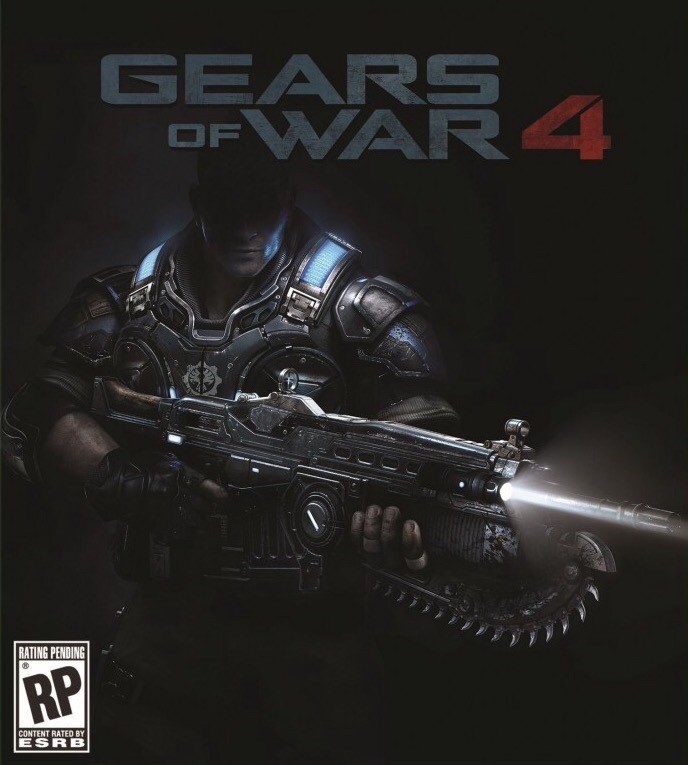
Gears of War 4 rumored for Windows PC

Gears of War: Ultimate Edition for Windows 10 recently made it on the Windows Store, making it one of the first AAA games available for Windows 10 users. Other upcoming AAA games include the next season of Killer Instinct and Quantum Break.

Gears of War 4 is an upcoming Xbox One game set 25 years after Gears of War 3 and will focus on JD Fenix, the son of Marcus Fenix. Originally owned by Epic Games, the game is now developed by The Coalition, themselves owned by publisher Microsoft Studios.

Gears of War 4 could come to Windows 10

Microsoft’s studio head for The Coalition, Rod Fergusson, recently hinted that the game could come to the Windows PC platform, as well. When asked if the third-person shooter could come to the PC as well, the executive replied “possibly.”

This isn’t the first time Gears of War 4 was rumored to come to Windows 10; previous rumors suggested that it would alongside Scalebound. It all demonstrates how Microsoft is using exclusive titles to increase awareness of Windows Store. Case in point: another upcoming free game available only on the Windows Store, Forza Motorsport 6: Apex.

Dying Light DLC coming to Rocket League on Xbox One

According to a recent post on Reddit, you can get a buggy skin for Rocket League in Dying Light: The Following on Xbox One. The exclusive content allows you to get a Rocket League skin for a buggy to play Rocket League with a friend in Dying Light.

Also announced on Twitter, just go to dockets.dylinglightgame.com and enter code “LIGHTMYROCKET” to redeem. No word yet if we’ll see a Dying Light-inspired buggy in Rocket League, but it is highly likely to happen.

Dying Light: The Following is new standalone DLC for Dying Light on Xbox One featuring a map that dwarfs the size of the original Dying Light map, and features more gameplay enhancements that improves upon the original Dying Light game. Dying Light: The Following Enhanced Edition includes all of the content of the original plus some new exclusive features.

Dying Light: The Following is available on Xbox One and Windows 10 on Steam for $59.99.

Learn more about Excel and Power BI from the Data Insights Summit, streaming online March 22-23

Microsoft Data Insights Summit – Redmond’s staple event for everything business data-related, is fast approaching, and the company has taken to the Office blog to talk about the event and how you can attend it at not cost – virtually.

The summit will feature the latest info about Power BI and Excel – two of Microsoft’s mainstays for business data – wrapped in 12 online sessions that will be open to not just business analysts, but anyone interested in the topic. Some highlights include an opening key note from  Microsoft CVP in Business Application, James Phillips, and a session with famed statistician Nate Silver, author of “The Signal and the Noise”. Here’s the full schedule and what you will get to know:

Tuesday, March 22

8 a.m. – 9:30 a.m. Keynote: Your path to modern BI, delivered by James Phillips
10 a.m. – 10:50 a.m. Whirlwind tour of Power BI
11 a.m. – 11:50 a.m. Shape external data with unprecedented ease and power in Excel
1 p.m. – 1:50 p.m. From hindsight to foresight—machine learning with Excel and Power BI
2 p.m. – 2:50 p.m. Monitor your business using Power BI
3:30 p.m. – 4:30 p.m. Executive panel led by James Phillips

Wednesday, March 23

8 a.m. – 8:50 a.m. Storytelling with infographics
9 a.m. – 9:50 a.m. Excel and Power BI—better together
10:30 a.m. – 11:20 a.m. Enabling deeper business decisions using Cube formulas and Power Pivot
11:30 a.m. – 12:20 p.m. Create impactful reports with Power BI Desktop
1:30 p.m. – 2:20 p.m. Data modeling with Power BI Desktop
3 p.m. – 4 p.m. Keynote: Nate Silver, author of “The Signal and the Noise: Why So Many Predictions Fail—but Some Don’t”

The live stream of the keynotes and select sections will be available for free viewing at PowerBI.com.

Edge extensions come to Windows 10 in the next Redstone build

Here at Windows Report, we don’t talk about potential Redstone features often simply because we don’t know a lot about them. But one Redstone feature we do know about is extension support for Microsoft Edge. Users anticipating Redstone features have been talking about extension support for Edge for almost two months now — and it just might finally arrive.

According to Winbeta, Microsoft plans to introduce extensions to Edge with the very next Redstone build for Windows 10 Preview. So, both users and developers will finally have an opportunity to try one of the first Redstone features.

Extensions will certainly be a welcome addition to Microsoft Edge because Windows 10’s default browser still lacks a lot of features present in rival browsers. If Microsoft wants to convince users to use Edge, new features are definitely necessary.

However, Microsoft Edge is the only browser that offers Cortana integration, something that could certainly attract more users. Without additional features, though, Microsoft’s new browser won’t be able to stay competitive and grab a wider swath of users. Microsoft shows its awareness of that problem by constantly working on new improvements — the introduction of extensions for Edge is just the beginning.

Redstone build 14284 is a next Windows 10 Preview build?

Along with its report on extensions, Winbeta also took a guess at upcoming build’s version number: 14284. However, we can’t be sure of this because Microsoft keeps all the details about upcoming builds under lock and key, releasing information only when a build is released. So, we’ll have to wait for Gabe Aul to announce the new build for any new information.

We expect extensions for Microsoft Edge to officially arrive with the first Redstone update wave in June of this year. So, if Microsoft is indeed making this option available in the next build (or one of the coming builds) for Windows 10 Preview, users and developers will have more than three months to test it.

Since this year’s BUILD conference is approaching fast, Microsoft could release this feature there but again, there’s no official information about the matter from the company.

What do you think? Will we finally get extensions support for Microsoft Edge in the upcoming build for Windows 10 Preview? Tell us in the comments below!

AMD updates Radeon Software with support for Hitman game

Hitman is one of the most eagerly awaited games for the Xbox One, PC, and PS4. As an avid fan of the gaming series, I’m among those who are looking forward to the release. With game slated to launch tomorrow, graphics card makers are making sure they’re ready for the launch.

AMD updates Radeon Software Crimson Edition graphics software for Hitman

AMD released a fresh update to its Radeon Software Crimson Edition graphics, bringing a bunch of new features. Among them is support for Ubisoft’s upcoming Hitman game.

AMD also improved the Radeon Software Crimson Edition’s performance and quality for Rise of the Tomb Raider and Gears of War: Ultimate Edition for certain cards. Other important features include support for Vulkan, a new graphics API for Radeon graphics cards, updated settings and toggles for display scaling, power efficiency, and more. Here’s how the full changelog looks like:

Updated Crossfire Profiles available for

Hitman
The Park

Support for​

Hitman

Performance and Quality improvements for​

-Rise of the Tomb Raider – ​Up to 16% on AMD Radeon™ R9 Fury X Series vs AMD Radeon™ Software Crimson Edition 16.2.
-​Gears of War Ultimate Edition – Up to 60% on AMD Radeon™ R9 Fury X series vs AMD Radeon™ Software Crimson Edition 16.2.1; Up to 44% on AMD Radeon™ R9 380 series vs AMD Radeon™ Software Crimson Edition 16.2.1
-Vulkan™ Support: Vulkan™ is the successor to OpenGL and a descendant of AMD’s Mantle. Vulkan™ is a powerful “low-overhead” graphics API that gives software developers deep control over the performance, efficiency, and capabilities of Radeon™ GPUs and multi-core CPUs. More information on Vulkan™ can be found at https://www.khronos.org/vulkan/. ​>- Per-Game Display Scaling: A new feature introduced in Radeon™ Settings that allows per game Display Scaling to be set within the Radeon™ Settings Gaming tab under “Profile Options”.
-Language Menu: A new feature introduced in Radeon™ Settings that allows the end user to select their preferred language from a drop down menu under the “Preferences -> Language” tab.
-Two Display Eyefinity: Two Display Eyefinity is now an available option under the Eyefinity tab in Radeon™ Settings.
-AMD Crossfire™ Status Indicator: A new feature in Radeon™ Settings that allows users to toggle an AMD Crossfire™ status indicator on their screen when running in AMD Crossfire™ mode.
-Updated Social Links: New Social links are now available for Radeon™ Settings home page and have also updated based on geographical region.​
-Power Efficiency Toggle: A new feature introduced in the Radeon™ Settings Gaming tab for select AMD Radeon™ 300 series and AMD Radeon™ Fury X available under “Global Options”. This allows the user to disable some power efficiency optimizations.
-AMD XConnect™ technology: This driver provides initial support for external GPU enclosures configured with Radeon™ R9 300 Series GPUs are now supported over Thunderbolt™ 3 (USB-C) connections. AMD XConnect™ technology additionally provides plug’n’play support and an integrated management interface. Base system must have BIOS support for external GPUs (e.g. Razer Blade Stealth).

Resolved Issues

-Core clocks may not maintain sustained clock speeds resulting in choppy performance and or screen corruption (Fixed with new Power Efficiency feature toggled to off)
-Gears of War Ultimate Edition – Random freezes may be experienced during gameplay
-Ashes of the Singularity 2.0 Benchmark now supports DirectFlip
-XCOM 2 flickering textures may be experienced at various game locations
-Rise of the Tomb Raider™ – The game may randomly crash on launch if Tessellation is enabled

If you want to play Hitman on your Windows PC (we’d recommend Windows 10 because it’s popular among gamers), you will be able to buy it from tomorrow from Steam. To help you decide, here’s a video below with the gameplay in 4k.

Microsoft brings Skype functionality to Office Online and OneDrive

Microsoft has finally rolled out the new enhanced Skype functionality to Office Online and OneDrive that it announced in late 2015. The new integration with the Skype service now allows for in-program chatting with file collaborators in both online versions of Office and OneDrive as well as several new features for viewing chat history, file sharing, Skype call initiating, and sending emoticons.

Skype in Office Online

One of the benefits of this new Skype integration is that co-editors can collaborate on files and chat with involved parties directly from within the file that’s being worked on. Previously, users would have to use Skype separately, which was completely functional on its own, but this new feature creates chat rooms that are specific to the files being worked on and should make keeping track of files and communications much simpler.

Office Online is an online version of Microsoft’s suite of file editing and creating software such as Word, Excel, PowerPoint and OneNote. The service gained added support for several cloud storage solutions back in January, possibly in response to Microsoft’s neutering of its own cloud storage service, OneDrive.

Disney Infinity 3.0’s massive update is now live on Xbox One

Disney Infinity 3.0’s first major update has just gone live on the Xbox One and can now be installed either automatically in the background or manually by starting up the game while connected to the internet.

This update brings Disney Infinity 3.0 to version 2.0.0 (that’s version 2.0.0. of Disney Infinity 3.0, not to be confused with Disney Infinity 2.0 which was the completely separate previous entry in the series) and adds support for the Marvel Battlegrounds Play Set and the several new figures which are due to officially launch on March 15th in North America. Many fans are already finding these figures for sale in stores ahead of the release date which could be why the update was pushed out ahead of schedule.

The new figures which are now supported in Disney Infinity 3.0 are Ant-Man, Black Panther, Vision, Captain America: The First Avenger, and Baloo (from The Jungle Book). There also appears to be added support for figures based on Disney’s upcoming Alice Through the Looking Glass film even though these figures have yet to be officially announced.

A variety of in-game areas have also been updated to reflect the new batch of added figures and an expanded Hall of Heroes section hints at 12 more Disney characters to come by the end of 2017 (including the leaked Alice, Madhatter, Time, and the confirmed Peter Pan). Earlier today a Finding Dory Play Set was confirmed via an image on the back of a Kraft Mac & Cheese box (yes, really) so it makes sense that several characters from that film will fill these spots as well.

Disney Infinity 3.0 is an extremely popular toys-to-life video game that incorporates real physical models into the digital gameplay through the use of data chips hidden in their base. Players can level up their figures and use them in other versions of the game on other consoles. Since Disney Infinity 1.0, the franchise has expanded to include not just Disney and Pixar creations but also characters from Marvel and Star Wars.

Do you play Disney Infinity 3.0? Which characters do you enjoy the most? Let us know in the comments below.

Need for Speed trial now available for Windows PC through Origin Access

The upcoming Need for Speed reboot is slated to release on March 15, but it seems there’s now a way to play the game earlier if you’re really anxious to get your hands on it.

EA’s Origin Access service will make the trial version of Need for Speed available to Windows PC subscribers who pay $4.99 for the service. The game was originally released in the fall of 2015 for Xbox One and it’s now coming to PC users, as well. Origin tweeted the following about the trial:

The Windows PC version of the game will come with an unlocked frame rate and support for 4K resolution. The Xbox One improvements, as well as manual transmission support, will be available in the game as well.

Origin Access lets you download the full version of the game and play it for up to ten hours with no restrictions. If you missed the trailer, go ahead and have a look at it below:

Microsoft competes with Oracle offering free SQL Server licenses and migration training

Microsoft continues to work at being a leader in Enterprise solutions, their latest effort could help in enticing even more users to their SQL Server. Microsoft has announced that any user of Oracle’s services can move their databases to SQL Server for free. To claim this offer, users will need to sign up for a software assurance package and all necessary licenses for SQL will be provided.

Alongside the software and licenses for SQL Server, users who take advantage of this offer get access to free training and subsidized services for deployment. This package includes hands-on labs and instructor demos on the key features of SQL Server and help in deploying your applications on-premise or in the cloud.

SQL Server
SQL Server Offer

To help users understand some key benefits switching to SQL Server offers them, Microsoft has highlighted those areas under, “Why Switch to SQL Server?” It mentions:

  • More secure. Get layers of protection for your data at rest and in motion. SQL Server is rated the least vulnerable database six years in a row by the National Institute of Standards and Technology.*
  • Highest performing. SQL Server is ranked first, second, and third—and Oracle is ranked fifth—in the TPC-H 10TB non-clustered results, a standard benchmark for data warehousing workloads.**
  • End-to-end mobile BI on any device. Publish modern reports using Power BI or Excel 2016 to an iPhone, Android, or Windows phone. Enable both self-service BI and mobility at a fraction of the cost of Oracle.
  • In-database advanced analytics at no extra cost. Make better decisions with easy-to-use analytic tools that seamlessly combine enterprise data, external data, and unstructured big data.
  • In-memory built-in across all workloads. Achieve exponential performance gains with the speed of in-memory online transaction processing.
  • Consistent experience from on-premises to cloud. Get a consistent experience both on-premises and in the cloud with common development and management tools and common T-SQL.

Users can start the process of claiming their free SQL Sever licenses and package by leaving contact information for Microsoft here. With free training and subsidized migration good until June 30th, 2016, users have a few months left to take advantage of this offer. Let us know in the comments if you or your organization are looking into this offer and its advantages.

Microsoft teases new Xbox One exclusive title The Turing Test, “hidden mysteries of Europa” on tap

Microsoft has announced the upcoming Xbox One exclusive, The Turing Test. The announcement is brought by way of a YouTube teaser trailer, that leaves plenty of mystery to this new game title. Take a look below:

From the trailer, you get a quick glimpse at the game environment, powered by the Unreal 4 engine. The character you play in the game is named Ava Turing, a space engineer set on a distant moon of Jupiter named Europa. Your task is to solve mysteries of the planet as you explore its environment. Set for release in August 2016, The Turing Test is the latest Xbox One game from Bulkhead Interactive developers. Let us know in the comments if the game trailer has you intrigued about The Turing Test.

Batman’s iconic Batmobile is now a playable Battle-Car in Rocket League

Rocket League is an amazing game with a unique concept, currently averaging more than 1 million players on the Xbox One alone. Take into account the number of users on the PlayStation 4 and PC, and the number is suddenly much higher.

Psyonix, the developer of the game, has recently released the much-awaited “Batman v Superman: Dawn of Justice DLC” for Xbox One, PlayStation 4, and PC. The update brought a lot of fresh content, including the much-anticipated new Batmobile Battle-Car. Here’s what the contents of the entire DLC looks like:

Battle-Cars

  • (DLC) Added “Batmobile”

Antennas

  • (DLC) Added “Batman”
  • (DLC) Added “Superman”
  • (DLC) Added “Wonder Woman”
  • Added “Community Flags” – Destructoid, Gamespot, Gfinity, Gold Glove, IGN, Major Nelson, 9GAG, Operation Sports

Change and updates to UI/ UX:

  • Streamlined the user experience when switching profiles
  • Added the ability to press the View Button at the “Press Any Button” screen to access the account picker

General bug fixes:

  • Improved overall game stability and fixed multiple crash instances
  • Fixed rare instance where users lose all of their earned unlocks and have to earn them again
  • Fixed an issue with extended play times causing low-resolution textures to display
  • Updated the “Traveler” Achievement to include all Xbox One Arenas as intended
  • Fixed “SARPBC Forever” Achievement unlock requirements to match its description
  • Fixed a graphical issue that caused the Loading screen to flicker

Online bug fixes:

  • Fixed issues related to party members exceeding maximum party size
  • Fixed an issue where split-screen players could not rejoin an online match
  • Fixed an issue where local parties could be disbanded when accessing the account picker
  • Fixed issue when a local player could not rejoin a RL party after being removed
  • Fixed issue where a split-screen player rejoining a party could disband the party
  • Fixed an issue where you could enter an infinite joining state when accepting a RL party invite
  • Fixed an issue where split-screen players appeared with identical names online

UI/UX bug fixes:

  • Fixed issue with user names not updating on the party bar
  • Fixed an issue where logging out of a profile would not update on another console’s RL party
  • Updated player activity descriptions in the XB1 friends list

The Rocket League Batman v Superman: Dawn of Justice Car Pack is available for $2 on all platforms. Another iconic car that made it into Rocket League was the DeLorean from Back to the Future. And according to Psyonix, we should expect the Knight Rider car to make its appearance eventually as well.

Cortana draining battery on Windows 10/11? Check this out

Windows 10 is one of the most advanced versions of Windows operating systems ever released. It has got some really nice features that add extra functionality to our PCs and the best part about it Microsoft’s addition of new features both on the desktops as well as the laptops.

In the long list of new features on Windows 10, there are some features that help you in saving the battery juice on your portable Windows 10 device. Most of the times, the features that claim to save battery life hardly have any significant effects on the system.

Fix Windows 10 Cortana Battery Drain

Battery life on Windows 10

To actually test this new feature and to suffice my hunger, I tested the features with my aging laptop that has an old battery. As the laptop was bought many years before, the battery life is not at its peak. However, the new management features helped me in optimizing my battery a bit better by balancing the usage, telling me what I really need and what I don’t and giving me a little control over the battery life.

On the other hand, Windows 10 is actually criticized for having an atrocious battery management. Most of the people think it’s because of a bug which went undiscovered by both Microsoft and Intel. If you’re being badly affected by it, one way to make it a little better is by updating all the drivers and changing certain settings.

Cortana draining battery life on Windows 10 – Fix

Cortana is Windows 10’s personal assistant. She rests on your own taskbar and can assist you with a number of things. We’ve received a couple of questions concerning Cortana on portable devices’ battery usage. In real, Cortana shouldn’t negatively affect your battery to a greater extent. Maybe you don’t even use it that much but it still makes your battery drain.

Debate naturally continues about the ‘Hey Cortana’ feature. As when the Hey Cortana feature is enabled, Cortana is almost always on and is always listening to you, waiting for you to give voice commands to it; it’s obvious to have speculations about it draining up your battery life. But, the test results are inconclusive and the highest percent of battery that is claimed to be used by Cortana is around 6% of the total power.

It is officially acknowledged by Microsoft that Cortana hikes the battery consumption. It is also stated in the settings of ‘Cortana’, that it has the tendency of infuriating the battery. So, if you have a doubt that your battery is affected by Cortana, all you have to do is turn it off.

  • Go to the start menu and type ‘Cortana’ in it and click on the first result for Cortana settings.
  • Now that you are in Cortana settings, find ‘Let Cortana respond to Hey Cortana’ and turn it off by sliding the bar to the other side.

cortana language pack hey cortana

  • Once you have done it, you’re good to go.

You can notice any sort of change in the battery life in around 45 minutes. This also applies for the smartphones and other portables devices with Windows 10 installed in. If you further think that your battery is still draining too fast, try changing the settings and create a customized battery plan with permutations by viewing which feature is utilizing maximum consumption in the task bar.

Microsoft honored with 2016 EPA Climate Leadership Award

Microsoft has shown a commitment to sustainability efforts, especially throughout this past month. The company recently hired a former Starbucks employee to add to their sustainability team, and they even donated products to the Seattle Zoo to help the Zoo cut down on its carbon footprint.  Yesterday, The Environmental Protection Agency honored Microsoft for these efforts and also other efforts in creating a company-wide response to climate change.

Chief Environmentalist Strategist, Rob Bernard accepted the 2016 EPA Climate Leadership Award on behalf of Microsoft.  He describes the company’s green efforts:

We have reduced our company-wide emissions by 7.5 million metric tons of carbon dioxide equivalent through investments in efficiency, green power, and carbon offset community projects; purchased more than 10 billion kilowatt hours of green power; and improved the lives of more than 6 million people

The award is proof that Microsoft is not only aiming to innovate in the technology industry, but also innovate when it comes to being green.  You can learn more about the award, and Microsoft’s other sustainability efforts by visiting the Microsoft Green blog.

HoloTour app hits Windows Store, only runs on HoloLens

The first HoloLens Development Edition devices won’t ship to developers until March 30th, but it seems the first HoloLens apps could hit the Windows 10 Store pretty soon. Prolific secrets-finder WalkingCat spotted the app and posted the link and some screenshots to Twitter.

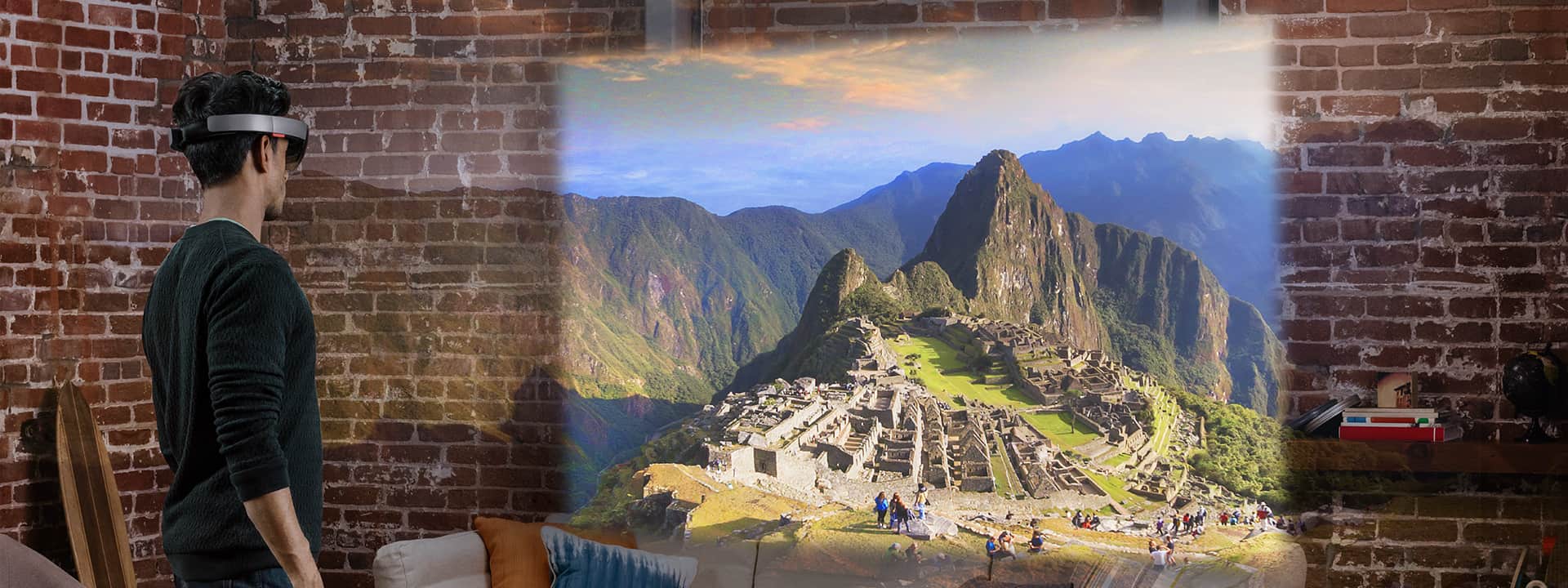
HoloTour is one of the apps that will be bundled with the upcoming HoloLens Development Edition headsets, and Microsoft previously explained that this app will provide immersive “virtual tour” experiences by reproducing panoramic 360-degree views of places like Rome and Machu Picchu.

Here is the app description according to MSPoweruser:

With HoloTour, you can explore the beauty and history of Rome or uncover  the hidden secrets of Machu Picchu.

Effortlessly move and look around your real world to naturally interact with the elements of the tour. Immerse yourself with a unique combination of 360-degree video, spatial sound, and holographic scenery that creates a very real sense of presence: you’ll believe that you’re really there!

Melissa, your personal tour guide, will also be there every step of the way. Her expert insight and fun attitude always provides a fresh perspective on your surroundings, taking you to impossible heights or stepping back in time to give you a tour unlike any other.

  • Feel like you’re there, with 360-degree panoramic video and spatial sound.
  • Learn interesting facts and uncover rich historical insights with your personal tour guide, Melissa.
  • Use your gaze, gesture, and voice to naturally interact with the world around you.
  • Experience Rome and Machu Picchu through impossible perspectives and cinematic moments.
An image from the now unavailable Windows Store page

We should learn more about HoloLens apps on March 30th as Microsoft will kick-off of its Build 2016 conference and also ship the first HoloLens headsets to developers as well as releasing the HoloLens emulator for those who can’t spend $3,000 on the brand new devices. In the meantime please tell us in the comments what do you think about the HoloTour’s features.

If you’re on Windows 10, you can check out the HoloTour app from this link, but you’ll need a HoloLens to download and try it out.

Organic Panic, Teslagrad, and Powell Lacrosse 16 are ready to buy on Xbox One

Teslagrad and Powell Lacrosse 16 are both available for purchase and play today on the Xbox One while gamers can pre-order and pre-download Organic Panic before its April 1st release date.

Teslagrad is a platformer that has been out on PC, Nintendo’s Wii,U and Sony’s PlayStation 3 since late 2013. The game features a strong emphasis on difficult puzzles, exploration, storytelling, and an efficient game engine that boasts no cutscenes or loading screens.

Here’s the official description:

Teslagrad is a 2D puzzle platformer with action elements, where magnetism and other electromagnetic powers are the key to go throughout the game, and thereby discover the secrets kept in the long abandoned Tesla Tower. Gain new abilities to explore a non-linear world with more than 100 beautiful hand-drawn environments, in a steampunk-inspired vision of old Europe. You play as a young boy who suddenly finds himself embroiled in a long-forgotten conspiracy, involving the despotic king who has ruled the nation with an iron fist for several years. Jump into an outstanding adventure told through voiceless storytelling, writing your own part. Armed with ancient Teslamancer technology and your own ingenuity and creativity, your path lies through the decrepit Tesla Tower and beyond.

Buy Teslagrad on Xbox One

Powell Lacrosse 16 is sports game that received funding from fans via an Indiegogo campaign. Players can create and share their own team and compete to win as many matches of lacrosse as they can.

Here’s the official description:

Powell Lacrosse 16 combines the player movement and passing of basketball with the stick skills, shooting, and hitting of hockey to create a high scoring, action-packed game of lacrosse. Say goodbye to that “I can’t score” feeling of traditional sports games. Lacrosse averages 20+ goals per game. Line up the ball carrier for huge hits by perfectly timing up your attack. Imagine a football linebacker with a titanium shaft.

Buy Powell Lacrosse 16 on Xbox One

Organic Panic is a 2D platformer with a refreshing design element; it uses healthy vegetables and fruits instead of candy and sweets! The game supports two to four local multiplayer in both co-op and versus modes, an adventure story mode, and boasts over 200 levels for players to complete.

Here’s the official description:

Organic Panic is a super-kooky platformer with totally destructible environments and dynamic fluids. The incredible physics uses the ‘DAFT Engine’ (Destructible And Fluid Technology) making for unique and diverse gameplay; wood floats and burns, lightning conducts, ice is slippery and melts, water douses fire, rubber’s bouncy, acid disintegrates…

Master the 4 elementally powered heroes and swap between them to overcome Baby Cheese’s evil technological empire. Smash through earth, create and turn into water, control gravity, and set it all on fire as you battle and puzzle your way through over 200 Single Player, Coop, and Versus levels.

Pre-order Organic Panic on Xbox One

Are you going to play Teslagrad and Powell Lacrosse 16 today or are you thinking of waiting until April 1st to play Organic Panic? Let us know which Xbox One video games interest you the most in the comments below.
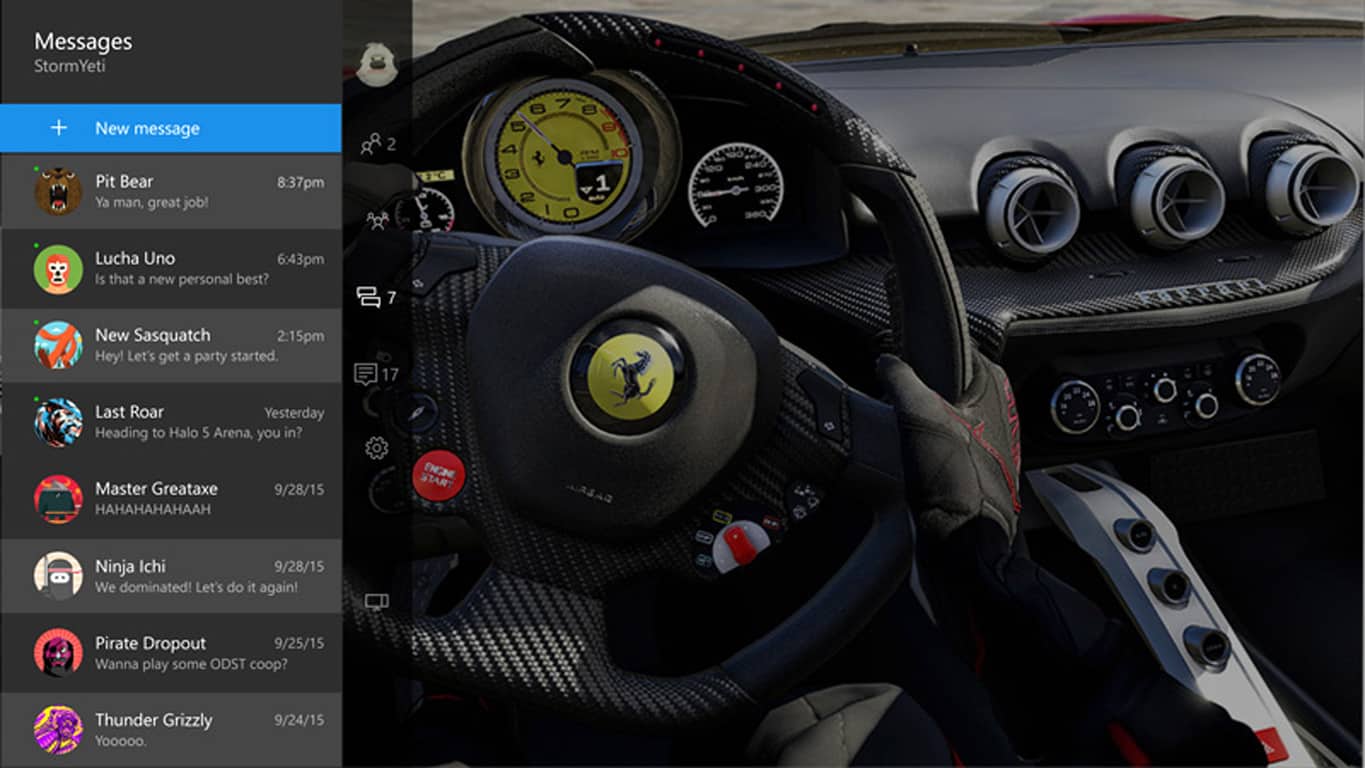
Windows 10 Enterprise evaluation version 1511 and other VMs now available for developers

Microsoft has just released their March 2016 edition of their 60-day evaluation Windows developer virtual machines (VM) on Windows Dev Center.

These virtual machines come in Hyper-V, Parallels, VirtualBox, and VMWare versions and essentially create a Windows 10 development environment on a PC or Mac that can be used to test code and devices or help convert existing projects to a Windows 10 supported format.

This version of the install contains Windows 10 Enterprise Evaluation Version 1511, Visual Studio 2015 Community Update 1, Windows developer SDK and tools (Build 10586), Windows IoT Core SDK and Raspberry Pi 2 (Build 10586.0.151029-1700), Windows IoT Core project templates (Version 1.0), Microsoft Azure SDK for .NET (Build 2.8.2), Windows Bridge for iOS (Build 0.1.160304), Windows UWP samples (Build 2.0.4), and Windows Bridge for iOS samples. As the name implies, these downloads are available for a 60-day period to give developers a chance to experience the full functionality of the Universal Windows Platform tools and technologies.

Microsoft began providing virtual machines for their Edge browser in August 2015 as part of a movement to encourage more develop for it.

Xbox One’s The Division is breaking sales records

The Division only launched a few days ago and it’s already begun to break sales records, having sold more copies in its first 24 hours than any other Ubisoft game in history.

Ubisoft’s co-founder and CEO, Yves Guillemot, said of the game’s success that, “The launch of The Division is a tremendous achievement for Ubisoft, and demonstrates our unrivaled capacity to create fantastic new game brands and transform them into entertainment blockbusters. This is a momentous day for Ubisoft, but more importantly it marks the start of millions of players’ enduring engagement in The Division’s game world, which we are confident they will love.”

The Division is now available on Microsoft’s Xbox One, PC, as well as Sony’s PlayStation 4. Ubisoft is one of the world’s largest game studios and has been behind successful franchises such as Assassin’s Creed and Just Dance.

Our own Michael Cottuli has already shared his own impressions of the game and will be writing up a full review soon. Have you played the Division yet? How are you enjoying it?

Microsoft listens to feedback, will return stand-alone Achievement app to Xbox One

With the arrival of the Windows 10-powered New Xbox One Experience operating system on the Xbox One gaming console a few months ago, one of the features that was sacrificed to make room for the new features and navigation methods was the stand-alone Xbox Achievements app.

While the original operating system snapped individual apps to the right side of the screen and gave users the option to view them fullscreen, the New Xbox One Experience merged several apps, such as Friends, and Notifications, into a new overlay guide on the left side of the screen and completely removed previous options.

Right now, to access Achievements on the Xbox One, users can still snap Achievements to the right side of an active game or check out Achievements for other titles in the reinvigorated Game Hubs. There is also the option to view Achievements in the revamped Profile which also provides the option for comparing game progress with friends.

Despite all these alternatives, fans apparently aren’t a fan of change (shocking, but true) and due to strong fan support for the return of the old app, Microsoft will be bringing it back in a future update.

Microsoft’s Mike Ybarra made the announcement earlier today via his personal Twitter account and also suggested that the plans to expand the new guide’s functionality would also continue as planned. Recently, Microsoft announced that the next Xbox One update would add the Achievements directly into the new guide, lessening the need for a snapped app even more.

Microsoft continually takes feedback and suggestions from users on their Xbox Feedback site and the majority of new features that have been added to the Xbox One since its launch have reportedly come from fan suggestions. The New Xbox One Experience is one example of a major change that was made due to fan requests.

Do you like to view apps in the guide, snapped to the side, or in their own fullscreen app? Let us know in the comments below.

Windows 10 Mobile to be released in March?

There’s one question that users of Windows Phone 8.1 and Windows 10 Mobile Preview constantly ask: when will Microsoft finally release Windows 10 Mobile?! Well, we might have an answer for you — actually,  just another answer since we’ve been “answering” this question for months now.

According to Venture Beat, Microsoft will finally start to roll out Windows 10 to older Lumia devices this month. Reportedly, Microsoft will release Windows 10 Mobile to legacy Lumia devices after regular service updates for handsets that already ship with Windows 10 Mobile installed, Lumia 950 and Lumia 950 XL. There’s also word that the alleged upgrade will come separately from service updates, which is different from what we expected from previous schedules.

Additionally, Microsoft will start to offer the Windows 10 Mobile upgrade passively, which means that users will have to initiate the update on their own as it won’t be installed automatically. Only after some time, Microsoft will start to install the upgrade automatically.

Real deal, or another false alarm?

By now, we have a history of announced Windows 10 Mobile releases yet here we are, still waiting for an actual release. As time passes, our feeling grows that Microsoft will never release Windows 10 Mobile. While we know the company will have to eventually present it, the question remains: when?

Windows 10 Mobile was originally scheduled to be released in December of last year, but we’ve only seen a few new builds for Windows 10 Mobile Preview sine then. Microsoft itself said the release of Windows 10 Mobile is delayed due to the operating system not being ready yet.

After that, there was a rumor on the internet that Microsoft planned to release Windows 10 Mobile to older devices by the end of February. That rumor was (accidentally?) initiated by Lumia Mexico Facebook page, so users thought that they’d finally get the RTM version.

However, while the company never official announced February as the release date of Windows 10 Mobile, it turns out that Microsoft planned that date internally. Still, the operating system has yet to be released. So, it technically means that Microsoft delayed the release only once but that the delay is already months long.

We sincerely hope sources are right this time and that owners of Lumia devices will finally get the upgrade. We should take these rumors with a pinch of salt, though, due to our experiences with release announcements in the past.

Microsoft talk’s ‘consolidation’ as it explains recent gaming decisions

The gaming community was buzzing on Monday when Microsoft announced the cancellation of Fable Legends, as well as the closing of Lionhead Studios and Press Play Studios. Now three days after that saga, Microsoft has released a statement to Gameinformer in order to calm the panicked nerves of gamers.

In a statement published in Gameinformer, Microsoft passes off the removal of logos from the Microsoft Studios website as routine.

“As part of these changes, we did a site refresh and removed several logos for older studios and projects that have been consolidated during the past several years into other Microsoft Studios and teams. As games launch and new projects come online, we routinely make these kinds of moves to ensure we have the right development support on the right games.”

The company appears to be removing any speculation that the closures, and removal of logos from the Microsoft Studios website, could mean job layoffs in the Xbox division.

Internet Explorer security patch includes an ad-generator for upgrading to Windows 10

After diving into the documentation for yesterday’s security patch for Internet Explorer, InfoWorld’s Woody Leonhard found something entirely not security related was included in the patch. Security update KB 3139929 for Internet Explorer also installs another update called KB 3146449. It is the second update that Leonhard takes issue with, because it doesn’t appear to be security related.

Instead this new update is an “ad generator” of sorts, which promotes upgrading to Windows 10 in Internet Explorer on Windows 8.1 and Windows 7 PCs. Microsoft’s documentation for KB 3146449 states “this update adds functionality to Internet Explorer 11 on some computers that lets users learn about Windows 10 or start an upgrade to Windows 10.”

Leonhard comments on this discovery saying:

Many people — present company included — feel that putting an ad generator inside a security patch crosses way over the line. In fact, you have to ask yourself if there are any lines any more.

According to his sources the new ad generator works by adding a blue banner across new tabs in Internet Explorer which say “Microsoft recommends upgrading to Windows 10.” Leonhard spent most of the night trying to trigger the new ad generator to see it in action, but he could not replicate what one of his sources experienced.

WindowsUpgradepath_1

Since Windows 10 launched, Microsoft has been more and more aggressively urging users to take advantage of their free upgrade from Windows 7 and Windows 8.1, recently moving the Windows 10 upgrade to “recommended” status on Windows Update, meaning that if your Windows 7 or 8.x computer is set to receive automatic upgrades, it will automatically upgrade to Windows 10. However, this new ad generator is tied into the yesterday’s entire security patch, so the only way to remove the ad generator path is to uninstall all of KB 3139929, losing the security features of the patch, too.

This patch also has a duplicitous feel to it since a security patch is being used as part of the company’s marketing efforts. Microsoft often states that Windows 10 is the most secure Windows ever, so maybe their reasoning is it is ok to add this ad generator because convincing users to switch to Windows 10 does make them safer. But if this is the case, isn’t it best to deliver the message as a conversation with consumers, not forced onto their PC’s under the guise of a security patch? With the free upgrade set to expire on July 28th, 2016 time is running out for Microsoft to get its messaging right if they really want to convince the rest of Windows 7 and 8.1 users to upgrade to Windows 10.

Microsoft adds Envision conference for business leaders, to be held April 4-6 in New Orleans

While Microsoft may be busy gearing up for its Build 2016 conference starting March 30, we just learned that this major developer event will be followed by Microsoft Envision, “a new business conference that will concentrate on business trends and solutions with a focus on the Internet of Things”.  The new event will be held April 4-6 in New Orleans, and business leaders will be able to attend 200 different sessions with high-profile executives and analysts discussing trends and opportunities facing 8 keys industries such as Manufacturing and resources, retail and consumer packaged goods, financial services, government, healthcare, hospitality and travel, sports and entertainment and professional services.

Please find below a sample of the different sessions:

  • IoT: transformation through a connected world — Be one of the organizations that is generating ROI and driving efficiencies by learning how to use IoT. Speaker: Bharat Sandhu
  • The intelligence factor: incorporating advanced analytics and IoT into customer engagement models —Improve your customer engagement by combining advanced analytics and IoT technologies with Microsoft Dynamics CRM. Speakers: Angela Bandlow, Jujhar Singh
  • The connected home —Uncover new business opportunities like Honeywell, who is in 150 million homes and 10 million buildings, and is setting the pace in the connected economy with its SaaS-based revenue model. Speakers: Indranil Sircar, Scott Harkins
  • IoT retail solution —Improve planning and drive sales with Cognizant’s RetailMate solution, which makes business intelligence and customer buying patterns directly available to retailers. Speaker: Cal Kailasam
  • Thunder Slam-Dunks Customer Service: Personalize your customer experience after hearing about how the NBA’s Oklahoma City Thunder earned a Net Promoter Score (NPS) of +91.2—more than twice the NBA average. The Thunder soared off the charts after addressing performance both on the hardwood and in the stands. Speaker: Matt Kresch
  • Transforming the Aftersales Customer Experience: Maximize on aftersales revenue opportunities from connected consumers by making the most out of advanced analytics and Microsoft Dynamics CRM. Speakers: Chris Harries, Rick Burtt

You can browse the full catalog to know more about the other sessions. Online registration for Microsoft Envision 2016 is now open to everyone, but you’ll need a Microsoft account to do it, and your Microsoft account will also be necessary to access other Microsoft Envision 2016 tools like the mobile app and Schedule Builder. If you want to attend, prices go from $695 for the Expo Only Day Pass to $2445 for the premium Full Conference Up! Pass.

Microsoft Envision Registration
Microsoft Envision 2016 Pricing

It’s interesting to see Microsoft making a new addition to its conference lineup along with Microsoft Build for developers, Microsoft Ignite for technologists, and the Worldwide Partner Conference. But as Microsoft is deeply engaged in the Internet of things revolution with its Azure IoT Hub and the Windows 10 for IoT OS, it’s not entirely surprising to see the company introduce a new event highlighting business trends around Internet of Things.

Major Nelson responds to Reddit request for Xbox Live downtime compensation

As we have reported on over the past few weeks, Xbox has had several sign in related issues.  As a result, many Xbox fans have been wondering if they would get compensation for the downtime.

While signing on to Reddit from “crappy hotel internet,” Major Nelson responded to a post from Redditor BIGBLOCK22s asking about such compensation.

I’ve taken some of the more thoughtful comments and shared them with a few folks on the Xbox team to make them aware of this request. That’s about all I’ve got right now – but when I am back in the office I am going to stop by and chat 1:1 with some folks about this as well.

The comment from Major Nelson suggests that if all goes right at the office, some compensation may be on the way to Xbox Live users affected by the outages. Even if not, it is still nice to know that Major Nelson cares enough about Xbox Gamers to respond to their posts on social media.

Stranger of Sword City brings traditional dungeon RPGs back to Xbox One

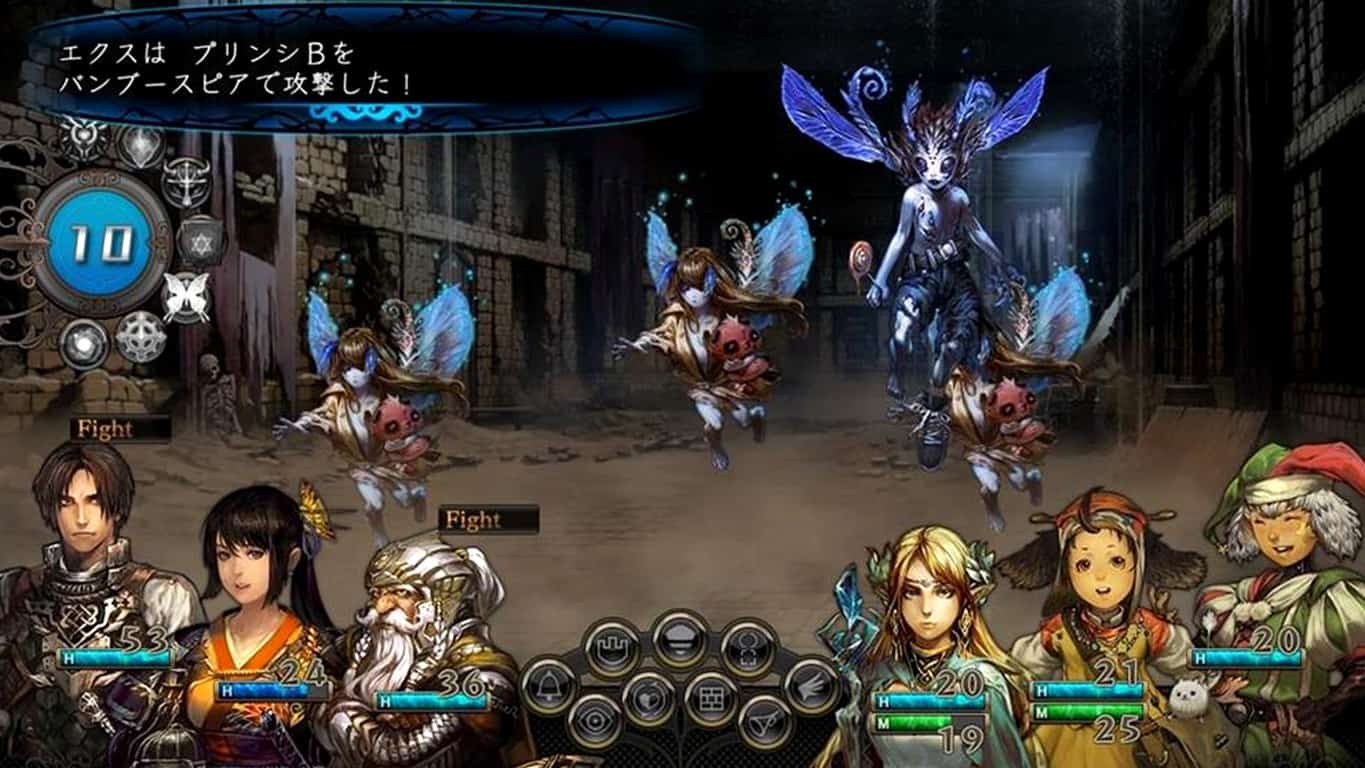
A video game genre that hasn’t seen too much action on the Xbox One is the traditional dungeon roleplaying game. With the arrival of Stranger of Shadow City however, things are looking to change. The game was originally released in Japan on the Xbox 360 back in 2014 but this new international edition of the game on Xbox One will boast improved graphics and a different visual style. The Xbox 360 version of Stranger of Sword City was fairly well received by fans in Japan and was given respectable scores in the Japanese video game magazine, Famitsu.

Here’s the official description:

Stranger of Sword City is the next step in the evolution of the traditional dungeon RPG genre, which will be released on the Xbox One. This title contains the three core elements of attraction for dungeon RPGs: character creation, conquering various dungeons, and dungeon crawling gameplay. Furthermore, our experience and know-how with a large number of titles within the Dungeon RPG genre has allowed us to create enhanced support features that allow our users to enjoy the title to their hearts content. Break through the impregnable labyrinths alongside your fellow adventurers, and find a way back home from this alternate world.

Stranger of Shadow City can now be pre-ordered and pre-downloaded on Xbox One consoles and all sales made before its launch date on March 22nd will receive a US$10 discount which will be automatically deducted upon checkout. Xbox One owners who pre-download the game will still have to wait until launch day to play it but downloading the full game ahead of time does mean that they can play it right on midnight Eastern Standard Time on the 22nd.

Have you been looking forward to this title or is this the first you’ve heard of it? Let us know what you think in the comments below.
Pre-order Stranger of Sword City on Xbox One

Windows Store Not Available Right Now: Fixed

Windows 8 introduced the Windows Apps Store – however, due to the extremely low adoption of Windows 8, the first time most people were introduced to the Store was with Windows 10.

erhaps for the better as well, considering the design improvements presented by Windows 10, a better first impression for people means a lot.

However, even though this part of the operating system was quite literally written from scratch, it still came with its own problems and bugs – as is to be expected from an operating system as complicated as Windows.

And so it is obvious that new problems demand new solutions – and new solutions demand new tools and new ways to devise them. This problem involves the new Windows App Store – and it not functioning as it must. Basically, it either won’t launch at all, or if it does it will appear to be stuck loading for all eternity.

The solution is not straightforward, and if nothing works at the end you must reinstall Windows – but if any of the solutions work, then you save yourself from pain and misery of setting up your computer once again.

Here it goes then, some of the solutions you can try.

Method #1: Check if the timezone and time & date settings are correct

  • This involves changing your Date & Time. The easiest way to do this is to click on the clock in your taskbar at the bottom right and then click “Date and Time settings”.
  • On this page, you should check the box that says “Set time automatically”.
  • Now make sure your timezone is the correct one, if not then pick the correct one from the dropdown.
  • Turn on “Adjust for daylight savings time” if you live in a timezone that follows DST.

This is one of the most common reasons for Windows Store to stop working – your PC time can be set wrong, and you might not have noticed it. Now that we have fixed it, do try to run the Windows Store. If this proves of no result, then perhaps follow the next solution.

Method #2: Use Microsoft Troubleshooting Utility

  • You will have to download a troubleshooting utility from Microsoft before you can proceed with this, here’s the link.
  • Simply download the troubleshooter using that Microsoft link and follow the onscreen instructions.

This is one of the more easier of the solutions since you have to do nothing and let the troubleshooter run some basic checks and fixes that could help you remedy the problems, however there is one last solution on the table if the troubleshooter fails you.

Method #3: Try Resetting your Windows Store

  • Open your Start Menu and type “Run”, then open the Run utility from the results.
  • In the box, type “WSReset.exe” and click “OK”.
  • Now wait for a minute and then attempt to open the Windows App Store once again.

This solution resets the Windows Store cache and all related temporary files, thus forcing Windows to re-download or create some of the files that could have been corrupted. This however does not touch any of your Windows files, which also might have been corrupted – in which case you should reinstall Windows as that would fix any corruption in Windows files because it is quite literally rewriting all of the files.

If none of these solutions work then the best solution is to reinstall your Windows – you could still keep looking for better solutions, but reinstalling Windows would take the least amount of time and even though you would have to set up all of your settings for Windows again, it would be less of a hassle than finding and trying countless other solutions that could fix this issue.

Easily Toggle Cortana’s Always Listening Function On Windows 10

Personal voice assistants are changing the way we work on our computers and on our smartphones. Just like Google Now and Apple’s Siri, Microsoft introduced Cortana as a new feature on Windows 10. By default, users can utilize Windows 10’s personal assistant Cortana by clicking on the Cortana/search icon on the taskbar or by simply saying Hey Cortana.

If you’re an Android user, you might already be familiar with how uttering  “OK Google” activates Google’s intelligent search function. With a simple change in setting,  you can do this on Windows 10 as well.

Enabling “Hey Cortana”

cortana language pack cortana settings

  • Open the Start menu and type Cortana. You will notice the Cortana and search settings result.
  • Click that result and to enter Cortana’s settings page.

cortana language pack hey cortana

  • Turn on the Hey Cortana toggle.

Now, whenever you say Hey Cortana into your mic, Cortana will wake up from snooze.

Why is Cortana Always Listening?

With the launch of Windows 10, Microsoft introduced many new features. Some of these will no doubt concern you if you place high importance on your privacy. Some of these settings and features are directly or indirectly connected to Cortana, while others are a way for Microsoft to gather data.

For many of us, Cortana is an extremely useful app that can assist us in various tasks like telling time, informing users of upcoming appointments, opening compatible applications, and initiating internet searches as well. These functions are fun to use: you can even go as far as chit chatting with Cortana and listening to jokes she has.

New Instagram for Windows 10 is the First Project Islandwood App

Unlike other popular services and social networks, Instagram has its own Windows Phone app. But even if the app was released more than 2 years ago for Windows Phone, it’s still in beta. However, a new Instagram app for Windows 10 has been spotted in the Windows Store, and users can now download it to their Windows 10 Mobile devices.

While the new app is also in closed beta, you won’t be able to find it through the Windows 10 Store search. However, Windows Blog Italia — the first to point the app out — provides a download link so you can start using it on your Windows 10 Mobile device right now.
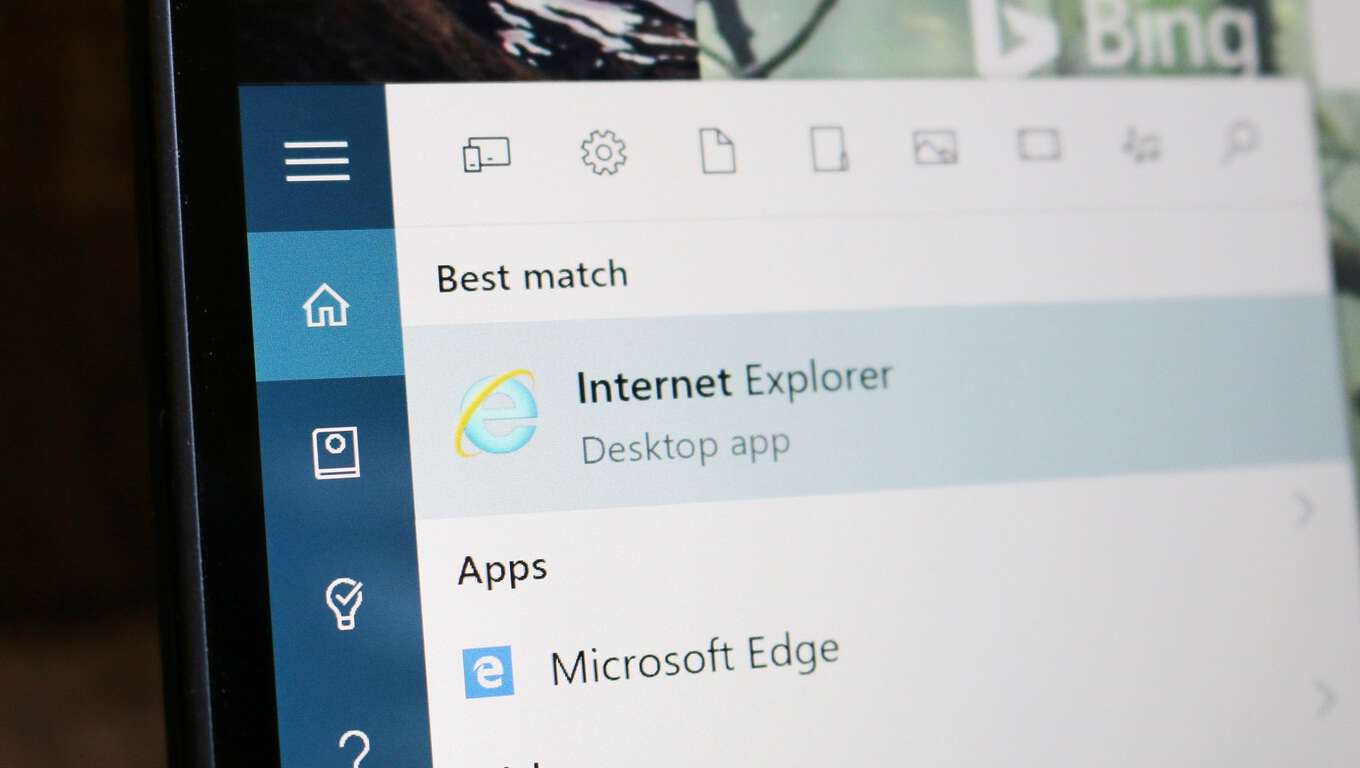
Instagram for Windows 10 is a Project Islandwood app

What’s specific about the new Instagram app is that it’s one of the first Project Islandwood apps in the Windows Store. For those unfamiliar, Project Islandwood is a port for Windows 10 that allows developers to transfer iOS apps to a Universal platform. And this Instagram app is exactly that: an iOS app ported to Windows 10 Mobile.

A couple of days ago, we saw the first Project Centennial test apps in the Store. Joining it is Project Islandwood’s app, showing that Microsoft is going in the right direction with these two ports. Unfortunately, that wasn’t the case with Project Astoria — probably the most anticipated port of them all.

Unsurprisingly, the design of the app is similar to the iOS version. It is  a ported app, after all. On the plus side, the app now has more recognizable, natural Instagram look, something it lacked in its previous version.

All buttons are now at the bottom and there’s a section for private photos which wasn’t available in Instagram Beta for Windows Phone 8.1. The Explore section has been changed to be more similar to Android and iOS versions.

This is an official Instagram app because it was posted by Instagram’s official account in the Windows Store. We hope this app will complete the closed beta phase earlier than its Windows Phone 8.1 counterpart and that we’ll be able to use full version of the app as soon as possible.

We tried to download and test the app, but it keeps crashing on our Lumia 535. If you manage to launch it, please share your experience with us in the comments below!