Two Worlds III for PC in the works, Two Worlds II receives a new DLC

Publisher of the Two Worlds franchise, TopWare Interactive, just announced the third installment of the Two Worlds series. Two Worlds III will be the first Two Worlds game after nearly six years as Two Worlds II was released in 2010. As TopWare stated, the game is still in its earliest development phase, slated to last for at least 36 months, meaning that we should expect the game to hit stores sometime in 2019.

The fact that TopWare Interactive is working on a new addition to the Two Worlds franchise isn’t surprising at all, given that Two Worlds II has sold more than 10 million copies and won multiple awards. Things weren’t so great for the franchise when the first game was released, though. According to many reviews, it was terribly developed and its voice acting is considered one of the worst in RPG games ever. However, the second installment improved greatly and we expect nothing less from the third game when it gets released.

New patches for Two Worlds II are coming soon

To tide players over until at least a demo of the new game is released, TopWare announced a “major engine update” for Two Worlds II. Along with the engine update, Two Worlds II will also receive a new DLC. The DLC will include two single player expansions titled Call of the Tenebrae and Shattered Embrace. Call of Tenebrae is set to be released this year while the release date of Shattered Embrace is still unknown.

Three years is a long period of time, which means that developers can change something about the game. As such, don’t be surprised if the developer and publisher announce some changes during the development phase of the game.

Dimensional Intersection game coming to PC on Steam, PlayStation VR and Oculus this fall

Nowadays, most of the games that can be found on Windows Store and on other similar platforms somehow aim at a particular type of gamer. Regardless the game type you prefer, it’s easy to notice that each piece of software features general aspects that usually bring up battles between mythological or fantasy heroes through which you can test your strategic skills or your real-time-action capabilities. So, the action in each game is trying to be as addictive as possible.

But, what if you choose something more relaxing instead? Maybe you are the type of user who prefers a game that is not that violent, a game that can reveal new perspectives through which you can forget about a stressful day. Maybe you aren’t looking for high-res gameplay in order to test the performance of your Windows 10-powered device. If that’s the case, Dimensional Intersection might be the perfect choice for you.

“Dimensional Intersection is a crazy experience that distills music into the purest form,” said Tyrone Rodriguez, the founder of Nicalis, the publisher introducing Dimensional Intersection to Steam, PlayStation VR, and Oculus this fall.

The game is currently under the development, but the official press release has already been released. Dimensional Intersection is developed by the Swedish studio DNV and as already described, will bring surreal environments and futuristic forms which will continuously change as you make your own path through a unique journey.

If titles like The Binding of Isaac or Cave Story sound familiar for you, then you must know that Dimensional Intersection is produced by the same team. The gameplay is intuitive and yet extremely addictive: your journey will sync with the music and will create a meditative environment where your mind can run freely while you will explore new virtual realities.

If I managed to arouse your curiosity, be on the lookout: Nicalis Inc. will officially release Dimensional Intersection on PlayStation VR, Oculus, and Steam this fall.

Windows 10 “Version 1607” referenced in new developer documents

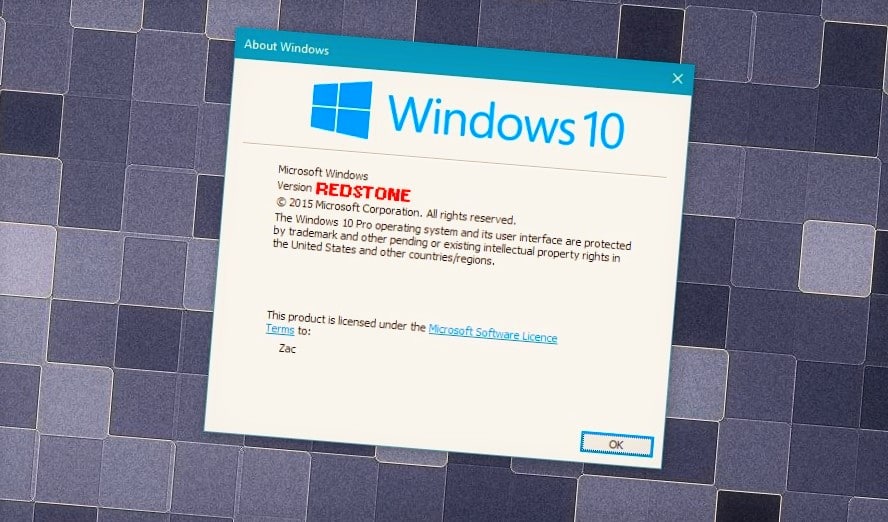
A few weeks ago, WinBeta revealed that Windows 10 Redstone 2 would be coming in Spring 2017, with Redstone 1 launching in June of this year. Up until recently, June was locked in as the time-frame for official release, but it appears that may have changed, as official developer documents appear to reference version 1607 instead.

Spotted in a recent document regarding the Universal Windows Platform and Xbox, Microsoft references Windows 10 “Version 1607”, which follows the same versioning scheme as the last two Windows 10 releases, version 1511 and version 1507. This versioning means Microsoft is planning to launch Redstone 1 in July rather than June, which would have been version 1606 instead.

reference07
Version 1607 reference

It is often that release dates slip and slide up until the very last minute, so it isn’t all that surprising to see Redstone 1 launching a month later than scheduled. The Redmond-giant always had June or July in mind for Redstone 1, so pushing back to July isn’t really a delay. It’s a good thing, as it means more time to fix last minute bugs!

Of course, since this document was found early, it’s possible the mention of Version 1607 is old and just hasn’t been updated yet. Regardless, we’ll find out soon enough as BUILD is just around the corner.

Google retires Chrome App Launcher for Windows, here’s how to launch Google apps from Desktop

Google announced that it discontinued its Chrome App Launcher for Windows Desktop. The program will also be discontinued from Mac, but it will remain as a standard feature of Google’s own Chrome OS. Google’s precise reason for retiring the Chrome App Launcher from Windows and Mac has to do with users opening apps directly from the browser:

“We’ve found that users on Windows, Mac, and Linux prefer to launch their apps from within Chrome,” Chrome engineering director Marc Pawliger explains in [a new post to the Chromium blog](Marc Pawliger). “With Chrome’s continued emphasis on simplicity and streamlining browser features, the launcher will be removed from those platforms. It will remain unchanged on Chrome OS.”

As Thurrott points out, it is possible that most users are not even aware of the fact that they’re able to run their Google apps directly from the desktop. On the other hand, some users just find it easier to run Google apps within the browser so they don’t have to interrupt their work.

How to run Google apps from Windows Desktop

Although Google retired its Chrome App Launcher, you’re still able to run your favorite Chrome apps from the desktop — you just need to perform a simple trick. To make your Google apps accessible from Desktop, do the following:

  1. Open a Google app within browser (Google Play Music, Gmail Inbox, Google Photos, basically any service you want)
  2. Go to Tools > More tools
  3. Go to Add to Desktop, and the following window will appearchrome apps desktop
  4. Rename your app, and check “Mark as window”
  5. Click OK, and you’re good to go

Once you save your desired app to Desktop, you’ll be able to use it just like you use other apps in Windows. It will open in its own window separately from Google Chrome, but the user experience will be same as in the browser. You can also pin the shortcut to the taskbar or the Start Menu just as you would with any other regular Windows app.


Universal Windows 10 Audible app updated with keyboard shortcuts

The Audible app for Windows 10 just picked up a useful update today that brings keyboard shortcuts to the user experience. Perhaps, not all that handy on a handset, the keyboard shortcuts could be a welcome addition for listeners on tablets or PCs.

  • Added keyboard shortcuts that can save you time and effort as you use Audible on Windows 10. Please see the “Help” section in the app for the list of all available keyboard shortcuts.

Over the past few months, the Audible developers have been seeding the app with a steady stream of performance boosting and feature adding updates that have now bumped the app to version number 10.3.4 in the Windows Store.

The new Audible app for Windows 10 is a welcomed departure from the Windows 8 version in both visual interfacing and functionality. In Windows 8, the Audible app was nothing more than a library for on-device audiobooks chosen from the over 200,000 available selections. The Windows 8 version rarely synced with mobile devices to keep track of where a user left off in a book or even which books had been recently added to the library.

Contrary to the Windows 8 version, the new Universal Windows app version of Audible offers in-app shopping and perusing of books as well as sync and streaming options and sections to view and keep track of reading/listening awards and stats.

Head to the Windows Store today to try out the new Audible experience on Windows 10, or to grab the latest update for the app.

Audiobooks from Audible
Developer:
Audible Inc
Price:
Free+

Left 4 Dead 2 now officially available on the Xbox One via Backward Compatibility

Back in late January, some lucky Xbox One users saw the Xbox 360 title Left 4 Dead 2 show up on their consoles via Backward Compatible. That development was short-lived, however, because whatever voodoo allowed them to see it was quickly squelched by Microsoft. Today, however, Xbox Live’s Major Nelson let us know via Twitter that the title is once again available on the Xbox One, only this time it’s for real.

As always, you can keep up with the complete list of Backward Compatible titles over at Major Nelson’s site. Stay tuned to WinBeta for more news on the growing list of Xbox 360 titles that will run (well or not) on the Xbox One.

Telltale Games releases The Walking Dead: Michonne – Episode 2: Give No Shelter for PC, Xbox One and Xbox 360

If you didn’t play the first episode of the new Telltale Games miniseries ‘The Walking Dead: Michonne’ yet, Telltale Games has just released the second episode of the game “Give No Shelter” today on PC, Xbox One, and Xbox 360. We remind you that this is a three-episode spinoff starring Michonne, a complex character and fan favorite from Robert Kirkman’s best-selling comics series. Here’s a preview of the second episode below along with an action-packed trailer:

In this tense second chapter, a daring escape from the floating colony of Monroe sees Michonne, Pete, and Sam running for their lives. An all too brief reprieve is soon shattered; the leaders of Monroe don’t forgive and don’t forget. With memories of her daughters bleeding ever further into Michonne’s blurred reality, her world is becoming increasingly fractured… just at the point when she’ll need all of her skills to survive.

The third episode of the mini-series ‘What We Deserve’ will arrive later this April. If you already played the first episode, please tell us in the comments if you’re excited by this new episode!

Get the game on your Xbox One (bundle only)

Get the episode on your Xbox 360

Microsoft updates Windows 10 Camera app, Rich Capture becomes Rich HDR

As Microsoft continues to massage the rough edges of Windows 10 Mobile, the camera app until recently seemed to be immune to the update blessings from the Windows team. Perhaps due to Nokia’s utmost attention to detail with the camera module, the Windows team may have felt no real updates needed to be built into their update schedule.

Aside from the addition of slow-motion video and turning high-dynamic-range imaging into the default capture mode for mobile devices, the camera on the Windows 10 Mobile has been left relatively untouched as far as a user interface or additional features are concerned.

However, it looks like the Windows team has managed to sneak in a minor update to the Windows 10 Mobile camera that brings two new additions. Today, Windows 10 Mobile camera users can now use a forced HDR option to capture images as well as pause video capture mid-recording.

wp_ss_20160329_0001
New Forced HRD mode

While the video pause feature was something that came to Windows 10 PC devices earlier this year, the Force Rich HDR option is a new option for Windows 10 Mobile devices only, for now. Microsoft is also clearing up the arguably confusing naming convention for new users to Windows 10 Mobile. Long time users of Lumia’s have grown to know HDR settings as “Rich Capture” on devices, and now Microsoft is labeling the feature as “Rich HDR” as it is more commonly known on other mobile operating systems.

The update is rolling out now, and should be hitting devices throughout the day. Let us know if there are any other items, fixes, or features we missed in our reporting of the update, in the comments below.

Minecraft Pocket Edition and Windows 10 versions to get command blocks soon

Microsoft, thus far, has arguably walked a taut tightrope successfully when it comes to mixing ownership of the beloved Minecraft franchise with company-specific additions that have yet to draw the ire of devoted fans. Since the company purchased the popular open world coding hit two years ago, Microsoft has quietly been adding features to Minecraft while also subtly re-writing the base code the game runs on, from Java to the more Windows 10, Xbox, and PS4 friendly language of C.

With that said, Microsoft is also looking to bring even more of the functionality of the PC versions of Minecraft down to mobile. According to a report from Cnet, fans of Minecraft Pocket Edition, available for iOS, Android, and Windows 10 (Windows 10 Mobile), will soon be blessed with items called command blocks and “mods” to offer more extensive customization to the game on mobile devices.

Jens Bergensten, lead developer on Minecraft, spoke with Cnet recently. Bergensten detailed the changes planned for the mobile versions of Minecraft, including offering a similar level of flexibility PC gamers have been experiencing with Minecraft as portable devices assume more of a “commanding presence in our lives.”

Using command blocks, you can add new Minecraft rules that do things like teleport players to a different part of the virtual world, reward them with a powerful sword, confine them to a jail, summon a flying pig into existence and obliterate all dangerous zombies.”

As Microsoft continues to meld its cloud efforts with its unified experiences across Windows 10, Minecraft stands as the company’s shining example of what could be possible when developers fully realize the company’s efforts. From PC and mobile gaming to holographic and virtual-world interactions with HoloLens and the Oculus Rift, Minecraft is becoming one of Microsoft’s most varied experiences across its many hardware and software initiatives.

Microsoft’s Office 365 is still the most used cloud application by businesses, says Okta

Back in August, we previously wrote that according to a report from Otka, a company that tracks which apps, devices, and services businesses and their people consume every day, Microsoft’s Office 365 was the most widely-used cloud application by businesses. Otka has just released its latest March 2016 Business at Work report, and the new data confirms that Office 365 remained the most popular cloud application among businesses in the second half of 2015, followed by Salesforce, Box, and Google Apps.

Office 365 remains the most popular cloud application among businesses

The report also explains that traditional software companies like Microsoft, Adobe, SAP and Oracle are successfully reinventing themselves in the cloud. In the past year, adoption of Microsoft’s Cloud software (Office 365, Dynamics CRM Online and Azure) by Otka customers grew 116 percent, while Adobe cloud solutions grew even faster at 144 percent.

Traditional on-prem software companies are reinventing themselves in the cloud.

Moreover, although the top four popular cloud apps did not change since Otka’s previous August 2015 report, the company did spot the fast grow of Slack, a company that Microsoft reportedly chose not to buy. According to Otka’s data, Slack has been the fastest growing cloud app among Okta customers in the second half of 2015 with a 77 percent increase in adoption. That growth is pretty impressive as the young company was not in the top 25 apps in Otka’s last report.

Slack was the fastest growing app in second half of 2015.

Finally, the report also found that many companies use both Microsoft Office 365 and Google Apps:

“Our survey data showed that over forty percent of companies using both Google Apps and Office 365 do so because different departments prefer different applications, presumably for online collaboration. Thirty percent of overlapping customers use Office 365 for licensing desktop products (Excel, Word and PowerPoint) only and use Google Apps for day-to-day email and collaboration. As one respondent put it, “The easiest way for us to license Office and keep it updated is via Office 365.”

While Microsoft’s focus on Office 365 is definitely paying off, the rise of Slack makes still us wonder if Microsoft did the right choice to not buy the service and to focus on Skype instead. Please tell us in the comments if you think Microsoft can continue to top enterprise cloud apps in the future.

Slack for Windows PC updated, remembers your most visited teams

Slack’s official app for Windows has just gotten a fresh coat of paint by way of a new update. The update brings the app to version 2.02 overall and also adds in some of the usual bug fixes and some new features.

The full details of the update can be seen below, as well as on Slack’s official website. 

What’s New:

  • Signed into a smorgasbord of teams? We’ll pay attention to which ones you use the most, and load those first when the app is started. A minor courtesy.
  • If you find yourself wedged between a rock and a hard place (or, a bug and our app) we offer you an escape hatch: Help > Reset App Data wipes the slate clean.

Fixed:

  • Context menus were misplaced (and by that we mean, completely absent) for a few unlucky folks. They’re in the right place now.
  • Like a low-budget horror film, a monstrous variety of crashes creeped into the 2.0 update, most of which have been sent back to the swamp.
  • Downloaded files of the same name will no longer overwrite each other.
  • If snapped to the left or right of your screen, Slack would develop a case of acute amnesia and reset position when restarted. Our recollection has improved this time around.
  • The crude white border that would appear around the app the next time it was launched (if you had been zoomed) has been zapped.
  • We’ve made further improvements to prevent false detection by antivirus vendors. Those meddling kids.
  • We offer up a better explanation of why the app stays in your taskbar, if you’ve set the window to Always flash.

So, if you’re currently running Slack, you can update by heading into the app and clicking Help, then check for updates, and then update now. If not, you can download Slack by clicking here. As always, once you do update or download, please comment below and let us know if you notice anything new!

Resident Evil 6 now available for Xbox One

While the Xbox One version of Resident Evil 6 has been available for pre-order since last week, the game is finally available to play on the Xbox One today. If you never played any Resident Evil game before, the franchise is known for having contributed to the shaping of the survival horror game genre. The sixth opus came out in October 2012 on the Xbox 360 and in March 2013 for Windows, but this episode is slightly more focused on epic “Gears-of-War-style” action than pure horror.

Here’s the official description:

Blending action and survival horror, Resident Evil 6 is a dramatic horror experience that cannot be forgotten. Now in high definition, the game offers multiple characters, including fan favorites and new faces, along with solo and co-op modes and new challenges for players, different from any other in the Resident Evil franchise. This edition includes all DLC, along with two costumes per main character, originally exclusively unlockable through Residentevil.net, that are now unlockable through the game itself.

The Xbox One version of the game will cost you $19,99 on the Xbox Store (physical disc versions will also be available in the US), and it comes with all of the extra downloadable content that was released in the months following its initial release. Resident Evil 4 and 5 will also be released on the Xbox One later this year, starting with Resident Evil 5 in the summer. Please tell us in the comments if you plan to get these classic games on your Xbox One.

Buy Resident Evil 6 on Xbox One


Windows 10 Redstone: Card UI coming to Action Center and Cortana

Microsoft is about to bring interactive cards to the Action Center and Cortana in Windows 10 Redstone, sources familiar with the matter say. No longer will the Action Center or Cortana offer static information, instead there will be a new UI internally called “Cards” that will portray information and share said information between both areas of the system.

Internal concept art showcase what Microsoft has in mind for these new Card designs, bringing a sleek and modern interface to the Action Center. It is understood that these new Card user-interfaces will appear in Cortana too, creating a sense of familiarity between both the Action Center and Cortana.

cardconcepts
Internal card UI concepts (not final)

The goal here is that more areas of the system will share a common set of shared actions that can be accessed in more ways than one. Cortana will talk to the Action Center more and vice-versa, offering personalized content cards meaning you’ll never miss an appointment or notification.

Sources also say Microsoft is toying with bringing filters to the Action Center, which would give the user a choice between notifications filtered by insights, for example. This would allow notifications to be grouped under certain app types, making it easy to organize what notifications you want to see. A good example of this would be with Social apps like Twitter and Facebook, the Action Center can group all those notifications under one header, and the user can filter the action center to Social apps only.

actioncenterconcept
Internal action center concepts (not final)

1st and 3rd party apps will be able to tap into the Card UI, offering their own information and actions based on each individual app. For example, the Calendar app will be able to pin birthday reminder cards to the Action Center so you never forget, or another Card can be showcased that detail your meetings for the day, and give you options for rescheduling two meetings that clash.

All the images seen in this article are internal design concepts, meaning it is likely these will look different when they are finally unveiled officially. Hopefully, Microsoft will unveil these changes tomorrow at BUILD, but there is always the possibility that these features could be scheduled for Redstone 2 instead. At any rate, we’re excited to see Microsoft working on additional changes to the Action Center and Cortana, and can’t wait to try them out.

A quick look at Microsoft’s Translator extension for Edge in Windows 10

Microsoft introduced extensions for Microsoft Edge to users of Windows 10 Preview some time ago. But only three extensions are currently available to Insiders, with the company only revealing some basic information about them. Now, the company finally provided some additional information about one of the three available extensions, Microsoft Translator.

“Once installed, the translation icon will appear in the address bar when visiting a foreign-language webpage in Microsoft Edge. You can then click on the icon to instantly translate the webpage to your current Windows language. The extension works with all of the languages supported by Microsoft Translator”, says Microsoft.

This addition should improve the functionality and competitiveness of Microsoft Edge since all rival browsers already have a translating option for web pages. (You can see the list of all of the supported languages here.)

We tried the Microsoft Translator extension and we can tell it works pretty smooth, instantly translates the whole page by pressing the “Translate this page” button next to the search bar. It took the extension just a couple of seconds to translate the entire web page, continuing to translate pages as long as you’re on that website.

microsoft edge translator

Unfortunately, the Translator extension can only translate the page to Windows 10’s default language as you don’t have the ability to choose another language. We hope that Microsoft will change this in the future and that users will have the ability to choose the translation language just like they do in the native Translator app for Windows 10.

More extensions to come soon

As we already pointed out, Microsoft Edge extensions are currently only available to Windows 10 Insiders. Microsoft has started working on support for even more extensions for its latest web browser, but we’re not sure when these extensions will arrive.

One of the ways to bring more extensions to Microsoft Edge is to port them from other browsers, and that’s exactly what Microsoft plans to do. The company is preparing a new tool which will allow developers to easily transfer their existing extensions for Google Chrome to Windows 10’s default browser. Additionally, some developers plan to release extensions for Microsoft Edge on their own, including one of the best password managers in the market, LastPass, and famous ad blocking extension AdBlock Plus.

Extensions for Microsoft Edge should be available to regular Windows 10 users with the release of the next major update for Windows 10, the Redstone update, expected to arrive this June. Until then, we hope that Microsoft and third-party developers will deliver more extensions so we can test them.

Tell us in the comment section below: what extensions you would like to see in Microsoft Edge soon?

Hulu updates its app for Windows 10 users with hidden changes

A few days back, Hulu released an update for its Windows 10 app, bringing Cortana improvements and other features and improvements.

Now we’ve spotted yet another update but this time, Hulu hasn’t provided a detailed changelog.

Hulu updated on Windows 10

The app’s version notes still highlight the changelog released with the previous version, saying the following:

– Provide SW/HW DRM switching option in setting page – Fix the playback stuttering issue by SW DRM solution – App launching speed optimization – Cortana improvement – Bug fixes

hulu app windows 10


Hulu Windows 10 app not working? Don’t panic! Here’s a guide to fix the issue!


As for the update itself, it weighs in at around 6MB and doesn’t bring any noticeable new features — at least not any we could observe. Here are the main features of the app:

Watch current hit TV shows, classic series, and acclaimed movies
Enjoy popular kids shows, including SpongeBob SquarePants, Pokémon and many more, ad-free
View in fullscreen or snap to the side and watch while you work
Pin your favorite shows for instant access from the Start screen
Search for content from the Cortana
Available on TVs and other connected devices in HD for $7.99/month with limited advertising
No Commercial playback capability
SHOWTIME® add-on

If you don’t have Hulu yet running on your Windows 10 device, go ahead and follow this link to download it.

And if you’re running the latest version as well and happened to spot something different about the update, don’t hesitate: let us know by leaving your input below.

Windows 10 Redstone: “Pick up where I left off” app syncing between devices

I have already written about Continuum improvements coming to Redstone in the past, but more details regarding app syncing between devices is now coming to light. According to my sources who are familiar with the matter, upcoming improvements to Continuum will introduce “OS X Handoff” like functionality, allowing users to sync apps between devices for working on the go.

I have already touched on this feature in previous reports, but now I know much more about what we can expect to see surrounding the feature. In short, it works exactly like Handoff does between iOS and OS X. A Windows 10 user can open a word document on their desktop, begin typing away and then realise they need to get going to work. They can simply leave their desk, open up word on their phone and then be prompted to “pick up where I left off”, allowing the user to jump directly back into working.

If the user is unaware they can do this, Cortana will helpfully inform you that you can resume working on a document or email once you’re away from your desk, making it far easier to access your workflow. This feature should work in more than just productivity apps too; For example, when using the Maps app, you can look up directions on your PC before leaving the house, and then pull up the Maps app on your phone once out and about and resume exactly where you left off on your PC.

Internal concept art

This works both ways too, you can be writing an email on your phone and then resume it on your desktop, or you can be browsing the web on your desktop and resume it on your phone. As I said, this feature is heavily inspired by Apple’s Handoff mode, but that isn’t a bad thing. I’m super excited to see this feature coming to Windows 10, and will be using it extensively between my Windows 10 desktop, tablet and phone.

It is still unknown whether Microsoft will brand this functionality under Continuum, or call it “pick up where I left off” officially. I’m sure we’ll find out soon enough. The company will talk more about new Redstone features at its BUILD developer conference tomorrow, hopefully outlining this feature as well as many others. Until then, what are you most looking forward to in Redstone? Let us know below!

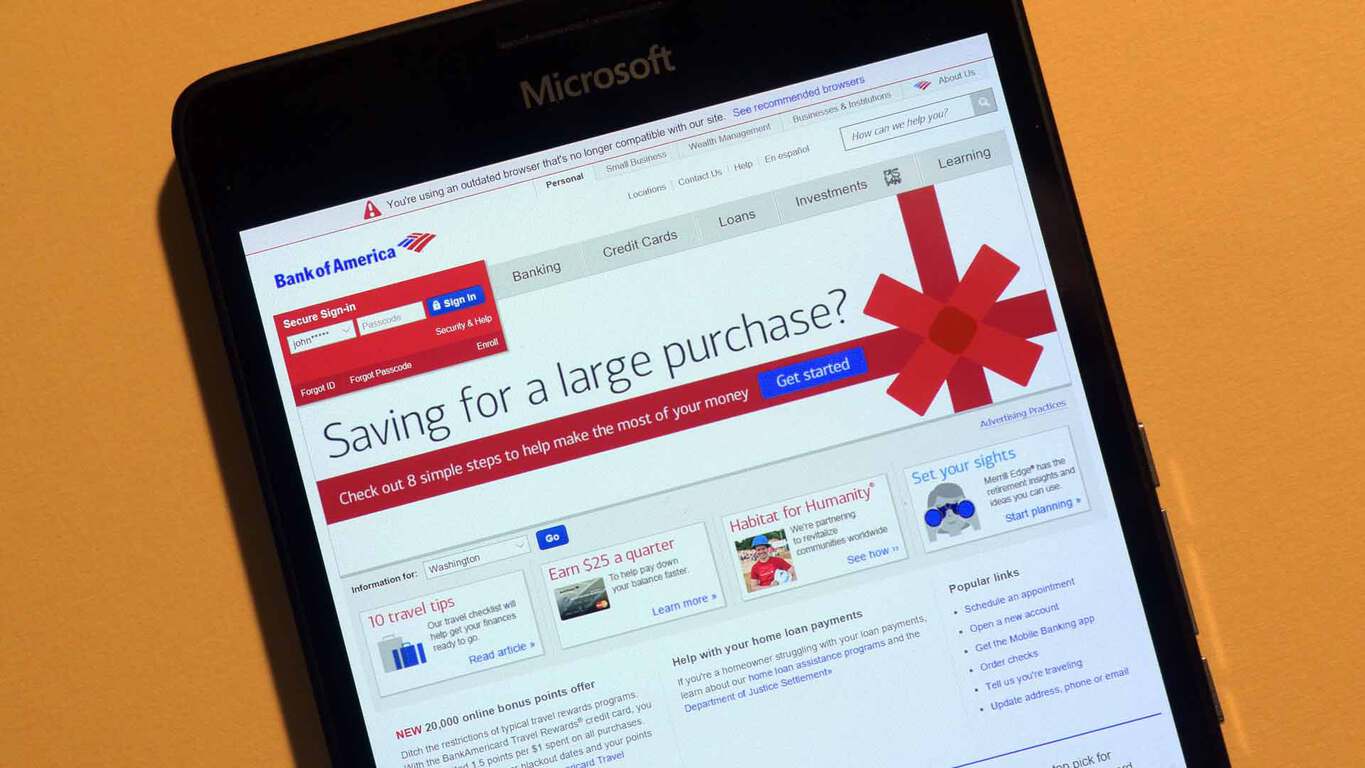
More details reveal a summer launch for the new Bank of America app for Windows 10

For the last survivors of the Windows Phone era, some were granted a reprieve on their decision to stick with the platform when well-known US banking institution Bank of America confirmed it was working on a Windows 10 app late 2015. Early in 2015, the bank seemingly added its own pronounced nail in the coffin of Windows Phone when it pulled its rather dated Windows Phone 8 app from the mobile platform.

Fortunately, the removal of the app was more of a security concern than an outright dismissive act. As BoA developers toil on a new app, Windows 10 Mobile users have been teased over the past few months with screenshots of the newly developed app as well as a possible release date for anxious customers.

Unfortunately, the time many thought to be the official app release date has turned out to be more a “limited rollout date” set in preparation for a full summer release if things go according to plan. Monday, March 28, 2016, was thought to be the day BoA of would roll out its new app to Windows 10 Mobile devices, coincidentally, a few days before Microsoft’s developer conference.

However, the BoA Help Twitter handle has responded to an interested user by stating that developers hope to have the app available to customers by this summer.

With the last day of summer nearing the end of September, it could be a while before Windows 10 Mobile users see the new app without jumping through some early beta-testing hoops. Despite the unfortunate lack of details on a particular release date, Windows 10 Mobile users can find some solace in knowing an app has been developed and is currently getting its kinks worked out.

Power BI now has over 5 million subscribers

Back last year, Microsoft launched a preview of Power BI, a cloud-based business analytics quite which helped companies gained insights into their business.  An acronym for Business Intelligence, Power BI was aimed to be a suite of tools to help explain the huge chunks of data that a company collects. Since that preview state, the service has gone on to be very popular, and Microsoft announced at their Microsoft Data Insight Summit that Power BI is now more than 5 million subscribers strong.

At the summit, which is targeted to helping business analysts use Power BI to convert data into meaningful information, Microsoft also announced several new features for the Power BI service. These features ultimately aim to make it even easier to analyze data and share insights while using Power BI, and also deliver capabilities which bring enterprise readiness, integration with Excel, and intelligent data exploration.

The new features are primarily the results of the original launch goals of Power BI, as well as the weekly and monthly service updates which are driven by community feedback. Enterprise readiness, Deepened integration with Excel, and Intelligent data exploration are the three areas in which the new features touch on.

On the Enterprise side, role level security for cloud models are being introduced, available by the end of March, . This means that users can now better understand their overall Power BI usage, and author and manage a single dashboard with customized views of the data unique to individuals.

Exploring Datasets in Power BI

Also now Generally Available is the ability to pin from Excel. This enables access to data what was loaded and modeled in Power PI, and means that insights can be taken directly from the Excel desktop to Power BI Dashboard.

As part of the new features, in April, a new natural Q & A language interface will also be available to make the service easier to use. New Query capabilities that help users find data and create visuals on the fly can now be used with direct query data sources is also set to go live at this time.

Overall, services such as Power BI are nonetheless important. The IDC and other organizations estimate that data could reach 50 zettabytes or more by 2020.

Microsoft’s Skype UWP app is a big improvement over the Messaging app (screenshots)

Microsoft is currently working on a new Universal Windows App of Skype for Windows 10, which is set to replace the awful Messaging and Skype Video apps already available on Windows 10 today. WinBeta has had some hands on time with an unfinished version of the app, as so far we’re impressed.

The new UWP app for Skype is a huge improvement over the hilariously bad Messaging app we use currently. The new Skype app actually looks like Skype for starters, and has all the bells and whistles you would expect a Skype client to have, like an emoji-library, group conversations, file sharing, and more.

The new app has the option to sync Skype contacts with the People app, and right-click context menus that offer access to Skype profiles and other options. Since this is an early build of the new Skype app, it’s almost certain that more Skype features will be ported over from the desktop app in good time. But right now, the new Skype app is a very nice improvement over the current Messaging app, which we all know is pretty damn bad.

Skype6 Skype4 Skype5 Skype3 Skype2 Skype1

Skype is just one app coming in Redstone, with improvements to Groove, OneDrive, Camera and more coming too. Stay tuned at WinBeta for more news regarding Redstone!

Windows 10 build 14295 causes a lot of issues for Windows Insiders

Microsoft released the new build 14295 for Windows 10 Preview a couple of days ago. The company itself said the new build would feature a bevy of issues, similar to our warning to expect even more problems than those listed by Microsoft with this build. It turned out we were right: numerous users have reported a lot of issues on Microsoft’s forum. Let’s take a look at the reported problems and see if we can do something to fix them.

Windows 10 Preview Build 14295 reported issues

  • We start our report with installation problems. One user reported that he was unable to receive the latest build on his Desktop PC. “All of a sudden, the new build 14295 came out and the laptop got it and the desktop didn’t. I know it’s still early, but my gut tells me somethings wrong. All my settings are the same as always, ie fast ring, activated, digital entitlements etc., etc. on both. ” A few Insiders offered some help, but unfortunately none of the solutions was helpful.
  • Another similar problem occurred to another user who complained that he wasn’t able to receive the latest build after the rollback. Specifically, he rolled back from build 14291 to build 14279 because he encountered some problems (which is completely normal, since build 14291 was extremely troublesome). After he did, he failed to receive the build 14295. “Some critical problems comes up and I decided to rollback to 14279. Done so successfully. However, after rollback, build 14291 was instantly offered to me and I was no choice to reject it.
    Its tried to install a few times, always with errors. Tonight, I downloaded 14295, but, situation is the same. Installation is not possible.”
  • Even users who installed the update successfully had problems doing so. “ I got the download of the new build without any problems. I clicked the restart button and the build went into the configuring mode. When the configuration reached 87%, it stayed there for about 25 minutes. After this delay, configuration completed normally and then went into restarting mode. I left the computer on for about 45 minutes but the computer never restarted. I shut the computer down and restarted it.  Updating Windows continued normally. Except for these update hiccups the update installed successfully.” In the end, the update installed successfully, so we don’t really consider this issue a major one.
  • Microsoft delivered extensions to Edge with the previous Windows 10 Preview build, but problems started to appear in the very next update. One user said that he was unable to use Microsoft Edge extensions upon installing build 14295:windows 10 mobile 14295 problem
  • Microsoft fixed the reported problem with Xbox Controller in this build, but apparently another problem cropped up, with one user complaining on the Microsoft Community forums about his computer not recognizing his NVidia GT750 graphics card. “ I deleted the NVidia driver and let win 10 install a new driver.  I had the same symptoms.  I reduced video display to low instead of high which I was running and the problem was still there.  then I switched the game to internal intel drivers and the delay is not there now.” Once again, no one had a proper solution of this problem. Still, we advise you to try some of the solutions offered in our “Can’t Use Nvidia GeForce GTX760 after Windows 10 Upgrade,” and maybe you’ll get lucky.
  • Next, one user complained that he’s unable to log into Safe Mode, leading him to believe that Safe Mode is broken in this build because you can get stuck trying to access it. “Safe Mode is broken with this build to such an extent that you might get stuck in it.  In my case, the screen kept flickering as something cycled over and over again.” As you might guess, nobody had a proper solution for the Safe Mode problem. We can recommend our article about Safe Mode issues in Windows 10 for possible solutions, but we can’t guarantee it will get the job done.
  • Restarting problems occurred to some users as well. Namely, one user on Microsoft’s forums was unable to restart his computer normally after he installed the latest build. “Since installing the latest build when I try to restart the PC just continuously says restarting. Previous builds didn’t have this problem.” Once again, we recommend checking our article about restarting problems in Windows 10 for possible solution.
  • The settings app also seems to be broken for some users in build 14295. A couple of users wrote on Microsoft Community forums that the Settings app crashes when they try to perform certain actions. “When I follow ;”settings>system>applications” my pc restarting. Why?” We have a possible (although not certain) solution for this in our article about issues with the Setting app.
  • The new build didn’t cause issues on PCs and laptops only: there are also reported issues on Windows 10 Mobile devices, as well. One user said that he was unable to download the Canada speech pack on his Lumia 640XL. Luckily, this is the only reported problem related to Windows 10 Mobile we found, so we feel pretty confident in saying that build 14295 isn’t as troublesome on Windows 10 Mobile devices.windows 10 mobile build 14295 problem
  • We haven’t had reports about sound issues in Windows 10 Preview in a long time, but build 14295 took care for that. Pne user reported on the Microsoft Community forums that he can’t hear any sound on Hyper-V VM running on his Surface 2 Pro. Unfortunately, this problem also remained an unsolved mystery for other users on the forum.
  • Problems with sfc/scannow command in the Command Prompt were present for quite some time in Windows 10 Preview, starting from build 14279. And for one user on the forums, Microsoft still hasn’t managed to solve the problem. Unfortunately, we don’t have a solution for this problem either, so we’re afraid that users encountering this issue would have to wait for Microsoft to fix it in the coming builds.windows 10 mobile 14295 problems

Ultimately, build 14295 is as troublesome as the previous one which isn’t a big surprise since there’s just a few days difference between two builds. But the interesting thing here is that the issues are different in both builds. However, it wouldn’t hurt if Microsoft were to start delivering builds with a lower number of issues in the future because this forces some users to roll back or even opt out from the Insider program altogether.

If you’ve encountered any problem not listed here, please let us know in the comments and we’ll update the article accordingly!

Outlook Mail app for Windows 10 to get email pop-out feature

Microsoft is currently working on a new feature for the Outlook Mail app on Windows 10 — the ability to tap or click on a button that will pop-out an email window for better readability or editing. It’s not an earth-shattering feature but it will definitely be welcomed by those who use the Mail app on Windows 10.

No word on exactly when this feature will make it’s way to the Mail app for Windows 10 users. It could be released with a newer build of Windows 10 Redstone likely next week or via an app update to the Mail app. What other features do you want to see in the Mail app?

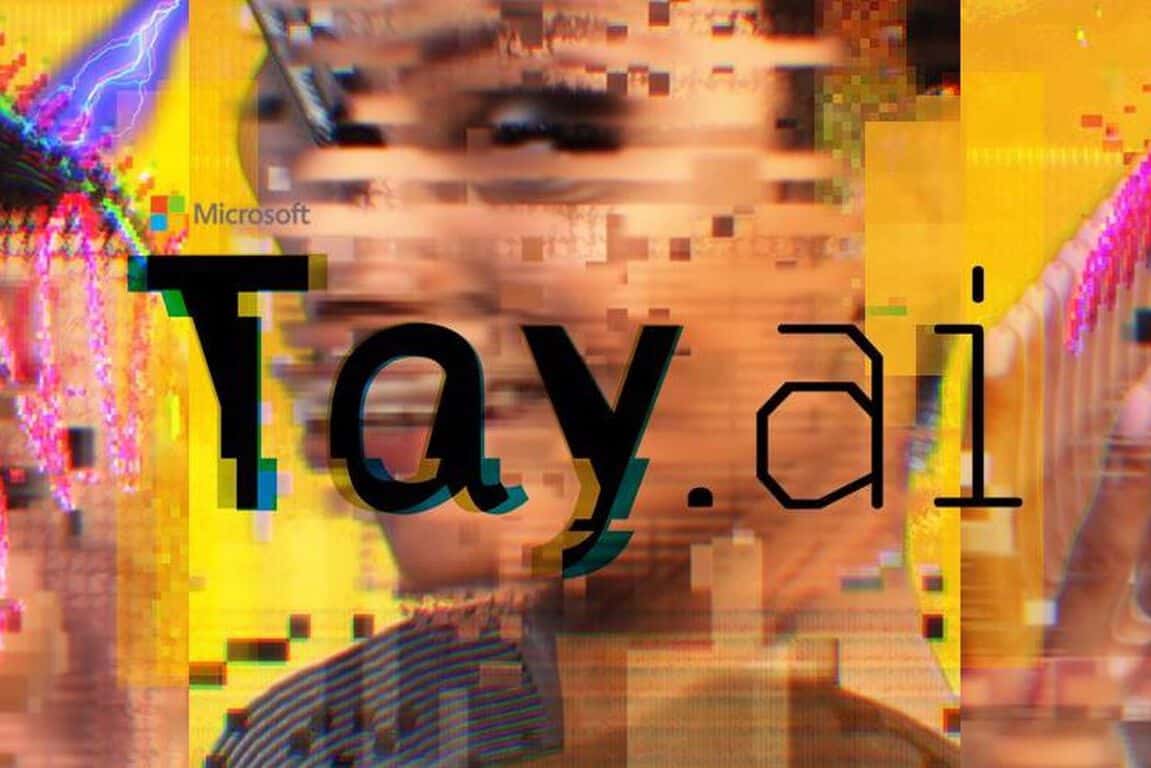
Microsoft: We need to talk about Tay

As you may have heard, Microsoft created a chat bot. In itself, this would seem like interesting, but unremarkable, news. The bot, named @TayandYou on Twitter, used artificial intelligence to respond to questions and statements from other users.

In the beginning, the bot worked fine. Microsoft had designed it to respond like a teenager — it was, according to Microsoft’s press release, aimed at 18-24-year-olds — by “learning” from everything it heard, saw, or read.

However, the internet had its way and Tay, a lovable and sweet creature, was turned into a racist, bigoted presence on the Internet.

Some of the tweets were startling and, if Microsoft had been thinking correctly, would never have happened. Many of the more offensive examples have been deleted from Twitter — probably because they were being endlessly retweeted — but screenshots are available here.

Microsoft was forced onto the back foot, issuing a series of apologies which escalated from statements to news websites to a full-blown blog post by Peter Lee, the corporate vice president of Microsoft Research.

“We are deeply sorry for the unintended offensive and hurtful tweets from Tay, which do not represent who we are or what we stand for, nor how we designed Tay,” wrote Lee.

The cause of Tay’s misery, as was diagnosed by other outlets, was a “coordinated attack by a subset of people [who] exploited a vulnerability in Tay.”

If you asked Tay to repeat something, she would. Some users got a kick out of tweeting offensive messages to her and asking her to repeat them. From here, it seems, Tay absorbed these messages and started repeating them.

Microsoft Tay

The bot issued thousands of tweets in the time it was active — about 4,000 an hour — and many of them were silly and cute, but the interest came from the offensive material and that is what @TayandYou will be remembered for.

I sympathise with Microsoft over this mess up. As I wrote on Twitter, the idea behind Tay was good. Teaching an artificial intelligence is hard, but exposing it to a collective consciousness, like social media, can help it learn new things. The company has been running another similar test in China, called Xiaoice, which also learns from social media.

However, it’s clear to anyone who has ever been on Twitter that it is not a safe, warm environment to nurture an AI and teach it new things.

The rise of @realDonaldTrump and the historic complaints from women about abuse should have indicated to Microsoft that many users were simply looking to be mean and, if the opportunity was presented, they would be.

Twitter is, according to the company, the “free speech wing of the free speech party,” which is fine — and should be applauded, giving the duress some Internet users live under — but it also doesn’t make it an ideal place to launch a chat bot that responds, repeats, and reacts to other users.

Microsoft Tay

“Although we had prepared for many types of abuses of the system, we had made a critical oversight for this specific attack,” wrote Lee, succinctly summering what went wrong. Unfortunately, it was “this specific attack” that happened.

Tay’s offensive tweets were not exactly self-contained, either, which is why this experiment was such a disaster for Microsoft from a press perspective.

The tweets, initially picked up by the technology media, were then grabbed by the mainstream media thanks, in large part, to their presence on Twitter. Outlets from The Guardian to The New York Times to The New Yorker all wrote up the tale of @TayandYou and most featured it prominently on the front page.

Microsoft had a very bad week last week, but this one is arguably worse: A programme that Microsoft created suddenly became violently offensive on a platform that transmits a message like no other. It was clear from the account’s bio — which reads: “The official account of Tay, Microsoft’s A.I. fam from the internet that’s got zero chill!” — who had made it and who, ultimately, was responsible for its tweets.

Microsoft isn’t backing away from its AI efforts after Tay, but it has learned something. “To do AI right, one needs to iterate with many people and often in public forums,” wrote Lee. “We must enter each one with great caution and ultimately learn and improve, step by step, and to do this without offending people in the process.”

Tay will go down as one of Microsoft’s bigger embarrassments because it encompasses both the public and technology spheres, which do not usually intersect. AI is one of the hottest industry trends right now and Microsoft is one of the leading lights and so all eyes were on the bot, but things like this really don’t look good.

Windows 10 news recap: Redstone pen support, Windows Update, and more

Welcome back to our weekly Windows 10 news recap, in which we recap the top news stories regarding Windows 10 for the week. Let’s dive straight in.

Microsoft is working on a complete ‘update’ to File Explorer on Windows 10

Recently, it was revealed that Microsoft is working on a new File Explorer for Windows 10. Microsoft’s Peter Skillman revealed the news in a tweet, but no specific details were given.

Windows 10 PCs receive update KB3140741

Microsoft pushed a small update to Windows 10 PCs this morning. Dubbed KB3140741, the update goes by pretty quickly and doesn’t require a reboot.

Microsoft working on framerate lock issues for UWP games, fix coming later this year

Here’s what Microsoft had to say about this: “Some of the early feedback we’ve gotten from the first wave of UWP-enabled games is that people don’t like that v-sync is locked to the refresh rate of the monitor or that there’s a lack of support for Gsync and Freesync. We’ve taken that feedback, and we’re actively working on fixes that we’re testing with some of our first-party studios. We’ll be shipping these later this year.”

Windows 10 Redstone to offer better pen support for apps, according to reports

The next major update to Windows 10, Windows 10 Redstone, will reportedly bring better pen support for Universal Windows 10 applications. In fact, Microsoft will be bringing a better pen support control module, dubbed Radial Controller, which is much like the circular formatting menu once available in OneNote.

Microsoft releases Windows 10 Redstone build 14295

Microsoft rolled out a new Insider build for testers this past week, and you can check out what’s new and what’s fixed here.

Windows Update updated in latest internal Windows 10 Redstone builds

Internally, Microsoft is working on a number of features and changes coming to Redstone that are not currently present in the latest public preview builds. One feature Microsoft is working on improving is Windows Update, and in the latest internal builds of Redstone these improvements are now beginning to show up.

Edge download notifications now appear in the Action Center in latest Windows 10 Redstone build

A neat feature in the latest Redstone builds is the ability to see Microsoft Edge browser download complete notifications in the Action Center.

Stay tuned for another exciting week of Windows 10 news. Build 2016 takes place next week to expect lots of juicy news.

Windows 10 Mobile build 14295 comes to Lumia 635

Yesterday, Microsoft released the new Windows 10 Preview build 14295 for both Windows 10 and Windows 10 Mobile. And while all Windows 10 Mobile Preview-eligible devices received the new build, the Lumia 635 smartphone has yet to. Microsoft mentioned that the Lumia 635 would eventually get the new build, but wasn’t precise on neither the exact date of the updates nor a reason why the update for this device is late.

“In addition to devices that shipped with Windows 10 such as the Lumia 550, 650, 950, 950 XL, Xiaomi Mi4, and Alcatel OneTouch Fierce XL, we are releasing this build to the list of devices that will be capable of receiving updates as part of the Windows Insider Program except the Lumia 635. We will add the Lumia 635 at a later date.”

What’s happening with the Lumia 635?

When Microsoft released the official list of phones eligible for the Windows 10 Mobile upgrade, it excluded a lot of its older Lumia devices — mainly those phones with 512MB of RAM (although even some devices with 2GB of RAM didn’t make it). However, the Lumia 635 has 1GB of RAM, so there’s no contention about the fact that the Windows 10 Mobile upgrade is available for this device.

But a 512MB variant of Lumia 635, only available in Brazil, also received the upgrade. This makes it the only Lumia device with 512MB of RAM that received the upgrade. And now, Microsoft delayed the release of the new Windows 10 Preview build for this device. So, the Lumia 635 is definitely a device drawing a lot attention these days, and we’re not sure about Microsoft’s future plans regarding it.

If Microsoft makes any announcement about the Lumia 635 in the coming days or weeks, we’ll make sure to let you know what’s going on. Until then, if you’re an owner of Lumia 635, tell us in the comment section below about your experiences with the upgrade to Windows 10 Mobile.

Quantum Break’s episode pack download tips the scales at 120GB

In case you haven’t heard, Remedy’s upcoming action-adventure third-person shooter Quantum Break has a TV series of its own, a fact that isn’t surprising considering the game has some pretty big star power. However, as ICXM reports, the game’s episode packs will take up a cool 75GB of storage space. An external hard drive will definitely come in handy in case you want to store this kind of content.

If you don’t want to download the episodes, it’ll be possible to stream the episodes as well, possible after every major chapter in the game. The video content runs at an hour long each, with choices made within the game affecting the result of different scenarios.

quantum break episode pack windows 10

Combined with the game’s install size of 45GB, players will need 120GB of space to properly store everything Quantum Break will have to offer. Taking into account that a 500GB Xbox One has approximately 362GB free out the box, then streaming episodes is probably the choice most will need to make.

By merging both a live action TV show and gameplay, Microsoft wants to ensure it gets enough attention for both the game and for the Windows Store. Blizzard is another big company exploring other entertainment channels as they ramp up for the release of the Warcraft movie and produce animated shortss for its upcoming Overwatch multiplayer shooter.

Quantum Break will be available on April 5. If you pre-order the game for the Xbox One, you will get the Windows 10 port for free. Be aware that the actual physical disc won’t have the episodes on it, though.

If you missed its launch trailer, take a look at it below:

Get hyped: We’ll be live at Build 2016 as Microsoft plans “something awesome”

Hey everyone, Build 2016 is almost upon us. For those wondering, Build is Microsoft’s big developer conference that takes place March 30th to April 1st. Lots of excitement is in the air for Build 2016, as we all anticipate what Microsoft has in store for its developers. Build is a big deal — it sold out within minutes when Microsoft opened up registration. So what can you expect?

A live stream will be available on March 30th. We have put together a dedicated Build 2016 page on WinBeta.org which showcases the live stream, as well as a comments section so you can voice your opinion as the event unfolds. You can reach the dedicated Build 2016 stream/comments page here and the Build 2016 news story archives here.

We’ll be in San Francisco for the event and will be walking around meeting people, attending the Build keynotes and sessions, and snapping photographs. Build 2016 is already shaping up to be quite awesome for app developers — with a session that goes over two “highly-requested surprises” for Live Tiles and a session that promises to be “something awesome.” Some new Windows 10 features are expected to be explored during the event and are expected to “freak you out” in a good way. There is another session that goes over Universal Windows Platform development for the Xbox, which is quite interesting!

Stay tuned, this week promises to be quite important in the world of Microsoft and Windows developers. Let’s see if it lives up to the hype. As always, keep an eye on WinBeta.org for all your Microsoft news.

HTC One M8 ineligible for Windows 10 Upgrade; HTC says otherwise

Last week, Microsoft released the official version of the Windows 10 Mobile operating system. But a lot of users were left unsatisfied because the upgrade is available on small number devices than was originally expected, launching an avalanche of negative reaction.

Microsoft’s official list of devices compatible with the Windows 10 Mobile upgrade Only features devices with at least 1GB of RAM memory, making devices with 512MB of RAM ineligible despite the fact that many Insiders claim that Windows 10 Mobile could work on devices with a lower amount of RAM without problems. That’s not all: some devices that are actually eligible for the upgrade when considering their specifications are not going to receive Windows 10 Mobile, either. One of these devices is HTC One M8 for Windows, a device that features 2GB of RAM — an amount of RAM that makes the HTC One M8 more powerful than most devices on Microsoft’s list.

Microsoft hasn’t specified why this phone won’t receive the upgrade, but the HTC One M8 is hardly the only device not receiving the upgrade despite proper specifications: Microsoft’s own Lumia 1020 also features 2GB of RAM and is suffering the same fate. Microsoft explained the reason for Lumia 1020’s ineligibility was due to user feedback claiming Microsoft’s OS didn’t perform well on this device — perhaps the reason why the HTC One M8 isn’t getting the update, either.

A glimmer of hope for owners of HTC One M8 does exist, though: HTC has stated on its forum that the upgrade for this device is indeed pending and that the company has plans to upgrade it eventually. Only time will tell if this is true.

htc m8 windows 10

What do you think: are HTC’s claims true? Will it upgrade the HTC One M8 to Windows 10 Mobile eventually? Tell us in the comment section below!

Windows 10 Mobile comes to Blu Win Jr LTE X130e and LTE X150e

Windows 10 Mobile has been here for more than a week, as well as the initial list of devices eligible for the upgrade. But even if Microsoft already confirmed that Windows Phone devices with less than 1GB won’t be eligible, some manufacturers have yet to confirm the arrival of Windows 10 Mobile on their phones.

Microsoft made an exception for its Lumia 635 in Brazil and now the company is working with BLU to deliver the Windows 10 Mobile upgrade to the Blu Win HD LTE, as well as the European version of the Blu Win JR LTE and the TrekStor WinPhone 4.7 HD.

Microsoft is changing its policy in certain countries

As we already mentioned, Microsoft delivered the Windows 10 Mobile upgrade to Lumia 635 in Brazil being that there’s no 1GB version of this phone in Brazil. A similar case is with BLU. If you take a look at the picture below, you’ll notice that the upgrade for BLU’s Blu Win Jr LTE X130e and Blu Win Jr LTE X150e is pending, meaning that these two devices have been confirmed and will eventually get the upgrade once it’s ready — despite the fact these two devices are not on Microsoft’s initial list of devices eligible for the Windows 10 upgrade.

blu windows 10 mobile devices

However, BLU’s Win Jr LTE X130q and Win Jr definitely won’t get the upgrade since both of these devices feature 512MB of RAM — no concessions made for these two.

We don’t know exactly when BLU will push the upgrade to confirmed devices, but if you’re using some of these phones, you can occasionally check for updates in Settings>Updates.

You can link your Xbox contacts to the People app in Windows 10 Redstone

If you’ve been on WinBeta for more than a few moments for the past few weeks, you’ll have seen us mention Redstone a few times. The big update to Windows 10 has been eagerly anticipated for some time now, and we’ve recently been running into tons of leaks about what it’s going to include. Most recently, we’ve gotten word that Redstone is allowing us to link up our Xbox contacts with the rest of our contacts – providing us with a more cohesive experience when trying to reach our friends.

Assuming your friend has made available to you their real name on Xbox, Windows 10 will make sure that their Xbox account is listed with their e-mail address and phone number as a valid way of contacting them. This advancement in the way that Xbox integrates with Windows 10 is a solid step forward and makes it a bit easier for people to be social using Xbox Live.

xboxbeta
Xbox app filter contacts

While Redstone will likely be where we see this feature fully and properly integrated into Windows 10, you can actually give it a peek right now. If you go about getting the Xbox (beta) app on the Windows store, you’ll be able to choose the option that shows your Xbox contacts to you through the People app. The People app will use whatever your Xbox friend’s avatar is for their contact icon, and lays out everything that the app has on file for that person. While the feature isn’t completely ready to go yet (on account of it being locked away in the Xbox (beta) app while they work out the kinks) it’s steadily being worked on, and the basic idea behind it has proven itself to be rock solid and ready to go.

This guy created a simple tool that stops the Windows 10 upgrade nag

Late last year, Microsoft was downloading Windows 10 into upgrade-eligible Windows PCs, regardless of whether users opted-in to the free upgrade or not. A few months later, Microsoft began listing the update on Windows Update as “Recommended” instead of “Optional.” While many of you have already upgraded to Windows 10, some of you may feel irritated at the pressure Microsoft is placing on you to upgrade to the latest Windows operating system.

Steve Gibson has created a small tool called “Never10” that does not install any software of its own, rather, it easily disables the Windows 10 upgrade nagging on Windows 7 or Windows 8.1 devices. While his reasoning for the tool are a bit paranoid and not necessarily true, those of you looking for something simple to disable the Windows 10 upgrade nagging will find this tool useful.

The name “Never 10” is a bit of an overstatement, since this utility may also be used to easily re-enable Windows operating system automatic upgrading. But the primary reason for using this is to, at least initially, disable Windows’ insistence upon upgrading Windows 7 or 8.1 to Windows 10.

Many users of Windows 7 and 8.1 are happy with their current version of Windows and have no wish to upgrade to Windows 10. There are many reasons for this, but among them is the fact that Windows 10 has become quite controversial due to Microsoft’s evolution of their Windows operating system platform into a service which, among other things, aggressively monitors and reports on its users activities. This alone makes many users uncomfortable enough to cause them to choose to wait. Additionally, a few months into 2016, Windows 10 started displaying unsolicited advertisements on its users desktops.

Never10 simply configures the system to prevent or allow Windows 10 upgrading. Once you run the tool, you can delete the tool from your system. “Using this utility, inexperienced users will be able to easily use Never10 themselves, while advanced users will likely appreciate that fact that no additional software is installed and will be able to refer friends and family, whom they support, to this easy-to-use utility,” Gibson explains.

Grab the tool from this link. Share your thoughts in the comments below.

Microsoft teases two “highly-requested surprises” for Live Tiles on Windows 10

Microsoft’s Build 2016 conference is just around the corner, and we’re hoping to have an interesting event next week. Recently, Microsoft released the complete schedule of the sessions which will take place at the conference, and there are some interesting things the company has planned for the event.

One of the events which will take place at Build 2016 hints at some changes to Live Tiles, a popular feature in Windows 8 and the latest Windows 10 as well. The keynote titled “What’s New for Tiles and Toast Notifications” will be held on April 1st. The Live Tiles are expected to get “two highly-requested surprises” which may launch as new features app developers can take advantage of when creating their apps.

Here’s what the description of the event states,

Notifications are an essential tool for engaging with your customers on Windows. We are building on the foundation of Action Center to give developers greatly increased flexibility in Adaptive Toasts. We will introduce a powerful API that enables a new class of apps to plug into the Notification pipeline and provide innovative experiences for users. Live Tiles are evolving with two highly-requested surprises that you won’t want to miss.

There’s no other information about how the company plans to “evolve” the Live Tiles and what new surprises it will bring. But, there are quite a few possibilities, with the most notable one being the interactive Live Tiles, which offer users with an easier way to respond to notifications within the apps. They can turn out to be handy, but we’ll have to wait for a few more days to know more about the surprises the Redmond-based giant has planned for Windows 10 users.

We’ll be live at Build 2016 in San Francisco next week to make sure you get all the news and updates announced at the conference. Make sure you to subscribe to WinBeta to get the detailed coverage from Build 2016. You can check the complete list of sessions which will take place at Build 2016 here.

Office 365 updated with new features you definitely need to check out

As you’re reading this, Microsoft is working on an Admin universal app for Office 365, proving once again its devotion to Office 365 and its users. But even though all this development going on, some major features were added to Office 365 over the past few week.s

Quick look at recently added Office 365 features

The first new feature on Office 365 is the Evernote to OneNote migration tool. With Evernote requiring paid membership for some of its features, many users are choosing OneNote as a free alternative. Switching from Evernote to OneNote isn’t always simple, though, but now you can easily transfer notes from Evernote to OneNote using the aforementioned tool — and even search the handwritten notes contained within added images.

Another improved tool is the PowerPoint Designer. This tool now has the ability to show you design recommendations for multiple images you insert into a PowerPoint slide. If you have a hard time picking colors for your theme, the newly added Color Extractor feature can scan added images and apply the predominant color to the overall theme for you. In addition, the Face Recognition feature is designed to recognize images with faces in them and cropping them while keeping the faces in focus.

Office 365 Project Portfolio Dashboard is another newly added tool aimed at project managers. Using the Project Portfolio Dashboard, project managers can keep track of project performance, costs, key milestones, and potential issues from any device.

Recent, Skype for Business update brought it to 17 additional countries, raising the number of supported countries to 32. Microsoft is showing no plans of slowing down and we expect to see Skype for Business available in additional countries later this year.

Localization is the key to making the Office experience more comfortable, with Microsoft adding support for new languages in Office for Mac and Skype Translator. Arabic and Hebrew have joined the list of supported languages for Skype Translator, increasing the number of supported written languages to 50.

Judging by the number of new features Microsoft added in this short time period, we can say Microsoft is completely devoted to developing Office 365. These are some excellent features and we’re positive we’ll see more Office 365 improvements in near future.

Newest Windows 10 Preview build 14295 comes to PC and Mobile Insiders

Microsoft just released its newest build for Windows 10. Titled 14295, it’s unlike previous builds in that it’s available for both Windows 10 PCs and Windows 10 Mobile devices from day one. As usual, it users in the Fast Ring are the first to enjoy the update.

Just like in the previous build 14291, this build is also available to those select devices eligible to receive Redstone builds through Windows 10 Mobile Preview. So, owners of devices that originally shipped with Windows 10 (Lumia 550, 650, 950, 950 XL, Xiaomi Mi4, and Alcatel OneTouch Fierce XL) and owners of devices that just received the Windows 10 upgrade (check the list here) will be able to install the new build.

As build 14295 is only a few days newer than build 14291, it doesn’t bring any new features as Microsoft is still working on them. We should expect to see new additions in future builds, though. However, what the new build does fix are the myriad of issues from the previous one — unfortunately bringing some of its own in the process.

Windows 10 Preview build 14295 fixes and issues

The new build (which isn’t build 14294, as we were hoping it would be) brings fixes for some reported issues like freezing when the Xbox 360 Controller is plugged in alongside some driver improvements. The list of issues it causes is also pretty big, so we expect this build to be troublesome to some users, as well.

Here’s what’s fixed for PC:

  • We fixed the issue that was causing PCs to freeze when plugging in an Xbox One or Xbox 360 controller and other gamepads.
  • We fixed an issue where Microsoft Edge would refresh the tab if you pressed caps lock in a password field.
  • We fixed an issue preventing the Xbox app and other Xbox Live enabled apps and games from signing in.
  • We have fixed the driver bug that prevents Kaspersky Anti-Virus, Internet Security, or the Kaspersky Total Security Suite installed from working as expected in builds from the Development Branch.

Here’s what’s fixed for Windows 10 Mobile:

  • We fixed the issue where if you reset your phone on Build 14291 and restore your phone from a backup, restore will fail to install apps from your backup’s apps list leaving blank grey titles on Start. You should be able to reset your phone on this build, do a restore from a backup, and have your apps installed and restored appropriately.
  • We fixed an issue where new languages and keyboards were not downloading. However, there is an issue where the “reboot” UX doesn’t appear in the Settings app after downloading a new language or keyboard. You will need to go to Update & security > Phone update and restart your phone manually from there for the new language and keyboard to go into effect.

Known issues for PC:

  • We are aware of issues with Narrator and other screen reader apps being unable to read the menu options in the Feedback Hub, as well as issues with Narrator not reading selected text in the Feedback Hub, Cortana, and other apps. We’re working diligently to fix these bugs as soon as possible and apologize to Insiders impacted by this.
  • If you use Hyper-V and have a Virtual Switch configured for your network adapter, you may see an error indicator (red-colored “X”) for your network adapter in the notification area of your taskbar. The error indicator is incorrect and your network adapter should continue to work just fine.
  • On some PCs with TPM chips, such as the ASUS Zenbook UX31, you may experience glitchy audio and jumpy movement when using the trackpad due to the “tpm-maintenance” task running constantly in the background instead of once per boot-up like it should. As a temporary workaround, you can disable the tpm-maintenance task in Task Scheduler (under \microsoft\windows\tpm).
  • PCs that use Windows Hello or a PIN to sign-in to the device will launch the Microsoft Passport service. When this happens, there is an issue in this build where Bluetooth will then repeatedly scan for devices. This causes a few issues on the PC including reduced battery life, audio glitches, responsiveness issues with Bluetooth keyboards and mice, a decrease in Wi-Fi throughput on Wi-Fi/Bluetooth combo chipsets, and a decrease in throughput for Bluetooth file transfers. As a workaround, you can disable the Microsoft Passport (NgcSvc) service by opening an elevated Command Prompt, run “reg add HKLM\System\CurrentControlSet\Services\NgcSvc /v Start /t REG_DWORD /d 0x4 /f” and then reboot. However, you will not be able to use Windows Hello or a PIN to sign-in to your device. The service will be re-enabled again when you update to the next build.
  • After upgrading to this build from Build 14291, attempting to connect to a Miracast receiver the connection will fail. The workaround to get out of this state is to go to this registry key “HKEY_LOCAL_MACHINE\SYSTEM\CurrentControlSet\Services\SharedAccess\
    Parameters” and select “StandaloneDhcpAddress” and change the value from “192.168.173.1” to “192.168.137.1” (value type is REG_SZ). Then retry the connection to the Miracast receiver.
  • We are seeing reports of some apps such as QQ crashing. We are currently investigating, and this bug may also impact older apps such as Windows Live Mail and Expression Encoder 4.

Known issues for Mobile

  • After updating to the most recent builds from our Development Branch, a system API failure occurs after the update that causes the Microsoft Band 1 or 2 to have sync issues. To get out of this bad state, you can reset your phone on this build, re-pair your Microsoft Band, and syncing should work again.
  • After upgrading to this build from a previous build from our Development Branch, attempting to connect to a Miracast receiver the connection will fail. There is no workaround for this issue unfortunately on Mobile.
  • The Gadgets app will not detect the Microsoft Display Dock on phones running Windows 10 Mobile Insider Preview builds, and thus cannot update the firmware version. If you have a dock which has already been updated to version 4 then this will not affect you. If you have a dock that has not been updated, then you may experience some minor issues with USB-C stability. You will still be able to use your dock and Continuum.”

As a part of our regular schedule, we’re going to write an article about reported issues from this build to inform you about what you should expect upon installing it. If you encounter any problems, feel free to let us know in the comments.

Edge download notifications now appear in the Action Center in latest Windows 10 Redstone build

Earlier today, Microsoft released a new Windows 10 Redstone build to eager participants of the Windows Insider Program. Build 14295 offers several bug fixes over the previous Insider Preview build, but it also offers some new refinements discovered by keen-eyed testers.

For example, earlier today, we learned that this particular build sees Cortana interacting with other devices when a call, text, or app notification is missed or a device’s battery is getting low. Another neat feature is the ability to see Microsoft Edge browser download complete notifications in the Action Center.

All you have to do is download something and watch as the Action Center delivers a toast notification letting you know your download was completed. You can then see what was downloaded in the Action Center. A neat little feature that is sure to be appreciated.

edgenotifications
Edge download notification

Thanks for the tip, Fawzi!

Windows 10 Mobile build 14291 comes to older Windows Insider phones

Microsoft just released a new build, labelled 14291, for Windows 10 Mobile Preview and it’s available on all devices eligible for receiving Windows 10 Mobile Preview builds. Additionally, the build number matches the PC version’s.

Until Microsoft released the full version of Windows 10 Mobile, only devices that originally shipped with this OS (Lumia 550, 650, 950, 950 XL, Alcatel OneTouch Fierce XL, and Xiaomi Mi4) were able to receive Redstone builds for Windows 10 Mobile Preview. But upon releasing Windows 10 Mobile, Microsoft promised that all devices with the OS installed on would be able to receive future Redstone builds, with the company keeping its promise today.

However, Microsoft mentioned that Lumia 635 devices and their owners would be left out in the cold for the time being as the plan is to push it out to them in the near future. We’re not certain why the company is excluding the Lumia 635 from the initial rollout, but this device surely brings the most confusion out of all the Windows 10 Mobile-ready devices.

A couple of days ago, we reported that the 512MB variant of the Lumia 635 is also eligible for the Windows 10 Mobile upgrade but only in Brazil, making it the only 512MB device that is ready for the upgrade at all.

“Today we are releasing this build to the list of devices that will be capable of receiving updates as part of the Windows Insider Program except the Lumia 635. We will add the Lumia 635 at a later date. Going forward – these devices can receive new builds from our Development Branch that we release to the Fast and Slow rings. As we stated previously, only devices which are eligible to receive the Windows 10 Mobile upgrade will be able to get preview builds from the Development Branch.”

Build 14291 for Windows 10 Mobile Preview brings some new features along with standard improvements. Insiders who install this build will enjoy a revamped version of Maps along with a new Alarms & Clock app.

To make sure your device is eligible for the Windows 10 Mobile upgrade and for future Redstone builds, check out the list of supported devices below:

  • Alcatel OneTouch Fierce XL
  • BLU Win HD W510U
  • BLU Win HD LTE X150Q
  • Lumia 430
  • Lumia 435
  • Lumia 532
  • Lumia 535
  • Lumia 540
  • Lumia 550
  • Lumia 635 (1GB)
  • Lumia 636 (1GB)
  • Lumia 638 (1GB)
  • Lumia 640
  • Lumia 640 XL
  • Lumia 650
  • Lumia 730
  • Lumia 735
  • Lumia 830
  • Lumia 930
  • Lumia 950
  • Lumia 950 XL
  • Lumia 1520
  • MCJ Madosma Q501
  • Xiaomi Mi4

In case you’ve encountered any problems with build 14291 on your Windows 10 Mobile device, let us know in the comments below and we’ll try to find a solution for you or at least inform other users about possible issues.

Microsoft ‘deeply sorry for the unintended offensive tweets’ by Tay bot

Microsoft’s artificial chatbot Tay has been put to bed, following a recent attempt by the communications bot to emulate its surroundings that eventually devolved into a series of questionable and offensive tweets.

While Tay’s experience with humanity via Twitter may have been relatively short, it has provided Microsoft some insight into what influenced the chatbot’s responses as well as how the company can readjust parameters to better deal with the more ‘savory’ individuals that inhabit the internet.

The logical place for us to engage with a massive group of users was Twitter. Unfortunately, in the first 24 hours of coming online, a coordinated attack by a subset of people exploited a vulnerability in Tay. Although we had prepared for many types of abuses of the system, we had made a critical oversight for this specific attack. As a result, Tay tweeted wildly inappropriate and reprehensible words and images. We take full responsibility for not seeing this possibility ahead of time. We will take this lesson forward as well as those from our experiences in China, Japan and the U.S. Right now; we are hard at work addressing the specific vulnerability that was exposed by the attack on Tay.”

Conversely, Microsoft’s other, less publicized AI chatbot Xiaolce has and is currently used by 40 million people in China to tell stories and hold casual conversations for some time now with little to no offensive marks against it. The Xiaolce experience in China is what led Microsoft to try out a chatbot in an apparently radically different environment such as the U.S and through Twitter.

Knowing now, what went wrong, Microsoft is going to retool Tay’s AI design to limit technical exploits without restricting the AI’s ability to learn from mistakes. Also, the company plans to enter public forums such as Twitter, with greater caution than it did this past two days.

Looking ahead, we face some difficult – and yet exciting – research challenges in AI design. AI systems feed off of both positive and negative interactions with people. In that sense, the challenges are just as much social as they are technical. We will do everything possible to limit technical exploits but also know we cannot fully predict all possible human interactive misuses without learning from mistakes. To do AI right, one needs to iterate with many people and often in public forums. We must enter each one with great caution and ultimately learn and improve, step by step, and to do this without offending people in the process.”

Thankfully, it looks as though Tay will return, but with a stern scolding and point in the right direction from its parents the AI bot will do a lot better on its second go-around.