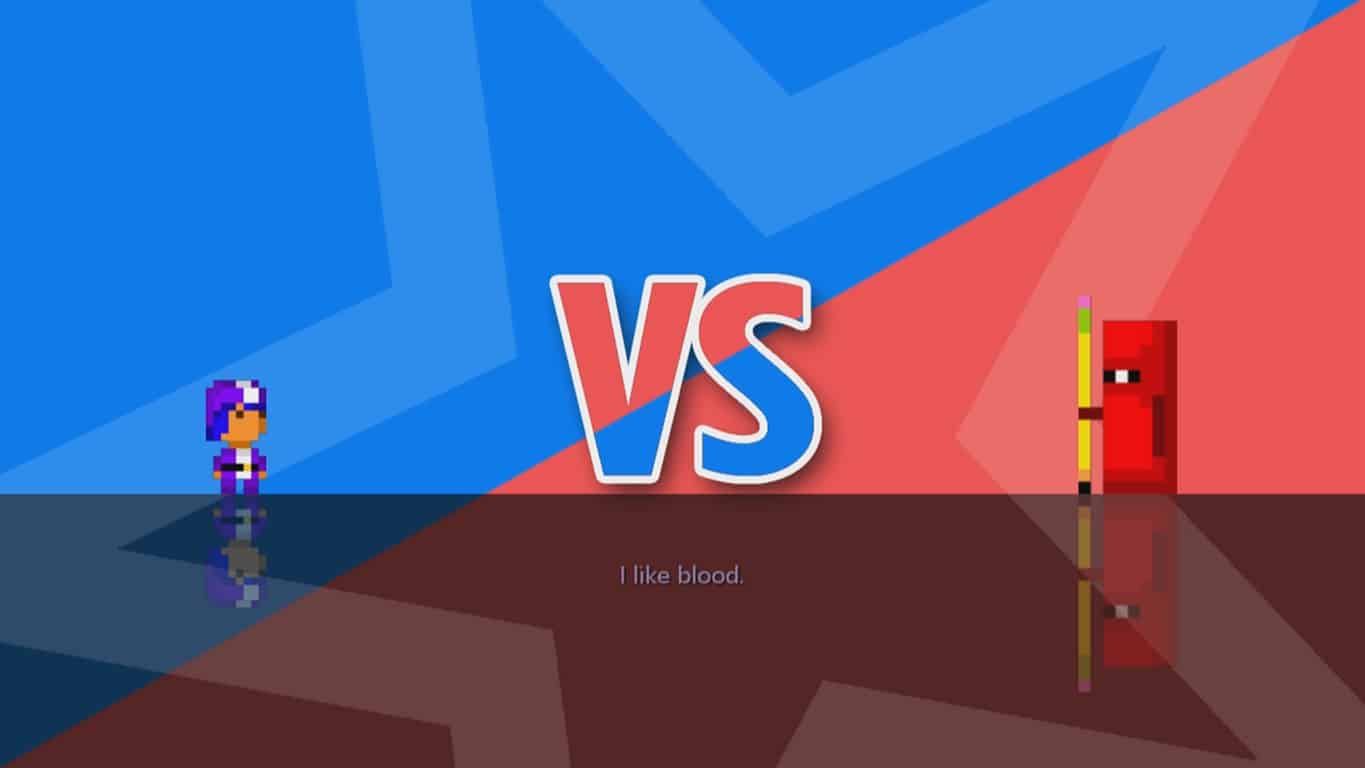
Major Nelson has taken to his website to shine the light on a trio of new indie releases for the Xbox One. Let’s have a look at them.
The first, McDROID, is an action puzzle game with elements of tower defense from developer GRIP Digital, also the publisher of Q.U.B.E: Director’s Cut. Player control the titular quadrupedal robot to defend the planet on which it crash-landed from aliens with crazy sci-fi weapons and an ever-growing defense system. These utilities need resources which can be harvested, and even used by the enemies. A Survival mode is also there to keep up the replay value, and the lush cel-shaded graphics makes for an attractive visual experience in general.
The next in line is “platform-racing” game Action Henk. Described as “lightning fast” by developer RageSquid, the game features quirky action-figures frantically running, dashing, and sliding through what looks like a humongous toy obstacle track, with the backdrop of a room full of stuffs from the 80’s. The game features Ghost mode and multiplayer for that local party fun, and special characters and skins (including a Sonic-inspired jumpsuit for the titular beer-bellied hero, and the unmistakable Piccolo from Dragon Balls) should keep you engaged for some time. Did I mention it also comes with a track maker?
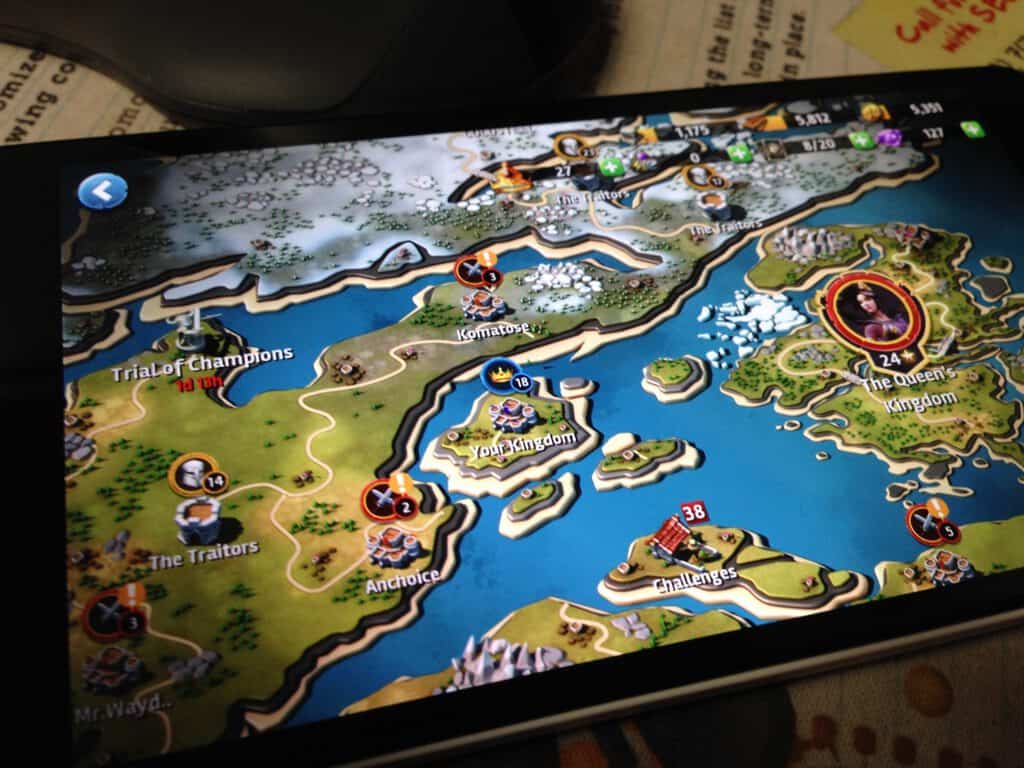
Last but not least is Ironcast from developer Dreadbit. The developer has provided a perfect description of the game’s alternative-history settings, so here it is in their own words: “a time when refined men and women in top hats and bonnets commanded gigantic walking war machines, laying waste to the enemies of the British Empire.” Of course, players will get to take control of one of these war machines, called an Ironcast, and defend the Queen’s land of the 1880’s Victorian era.
The gameplay is reminiscent of the legendary Super Puzzle Fighter II Turbo, or more recently, Puzzle & Dragons, where players make attacks (shown in real-time, 2-D Super Robot Taisen style) through a match-3 board. The game features sharp graphics, interesting story, British narrator, and plenty of upgrades to pore over.
Tim Sweeney, co-founder of Epic Games, the creator of the Gears of War series of Xbox and PC titles, recently wrote an article about Microsoft’s move to “monopolize games development on PC” with the advent of the Universal Windows Platform (UWP).
Epic Games is behind Microsoft’s exclusive Gears of War franchise, and Sweeney is a highly-respected member of the games industry. Sweeney sees the UWP as a move by Microsoft to strong-arm game developers into the “walled garden” of the Windows Store, which means that game developers would end up losing some game revenue as a result.
“The specific problem here is that Microsoft’s shiny new ‘Universal Windows Platform’ is locked down, and by default it’s impossible to download UWP apps from the websites of publishers and developers, to install them, update them, and conduct commerce in them outside of the Windows Store.”
Basically, Sweeney is saying that while launching new features that are exclusive to UWP might be an interesting draw for game developers, forcing them to use the Windows Store is a bad idea. Sweeney is not against the UWP or the Windows Store, Sweeney believes that UWP needs to be more open and allow game developers to use the Windows Store, but also be able to sell their games directly to gamers through their own websites, or through other game stores like Steam.
Sweeney created his own guidelines on how UWP and the Windows Store should operate:
That any PC Windows user can download and install a UWP application from the web, just as we can do now with win32 applications. No new hassle, no insidious warnings about venturing outside of Microsoft’s walled garden, and no change to Windows’ default settings required.
That any company can operate a store for PC Windows games and apps in UWP format – as Valve, Good Old Games, Epic Games, EA, and Ubi Soft do today with the win32 format, and that Windows will not impede or obstruct these apps stores, relegating them to second-class citizenship.
That users, developers, and publishers will always be free to engage in direct commerce with each other, without Microsoft forcing everyone into its formative in-app commerce monopoly and taking a 30% cut.
Despite Sweeney’s objections to UWP, he does credit Microsoft’s Phil Spencer for being open to Sweeney’s problems and concerns about UWP. However, it seems that even after listening to Sweeney’s objections and input, Microsoft went ahead with their plans anyway.
“Microsoft’s intentions must be judged by Microsoft’s actions, not Microsoft’s words. Their actions speak plainly enough: they are working to turn today’s open PC ecosystem into a closed, Microsoft-controlled distribution and commerce monopoly, over time, in a series of steps of which we’re seeing the very first. Unless Microsoft changes course, all of the independent companies comprising the PC ecosystem have a decision to make: to oppose this, or cede control of their existing customer relationships and commerce to Microsoft’s exclusive control.”
Sweeney’s article raises some valid points on Microsoft’s UWP stance and raises the alarm for other game developers looking to use the Windows Store. Do you think Sweeney is right about UWP? Let us know in the comments.
Besides making money through ads with its public search engine, Bing, Microsoft also sells search capabilities – powered by Azure – as a service to web and mobile developers to build custom search experiences. If you’re one of those developers thinking about adding Azure Search to your apps, there is good news, as Microsoft has added a more economical choice to their offerings in the new Basic tier, reports eWeek.
The Basic plan sits in the middle of the two existing tiers, Free and Standard, offering scale advantage to the former and cost advantage to the latter. The Basic plan allows indexing of maximum 1 million documents, compare to 10,000 and 50MB for the Free Plan, and 180 million and 300GB and up for the Standard Plan. The Basic Plan goes for $75 per month and will be half-off during the preview period.
“Basic is great for cases where you need the production-class characteristics of Standard but have lower capacity requirements,”
-Liam Cavanagh, principle program manager, Microsoft Azure Search
Azure Search’s admirable performance is discussed by principal program manager Liam Cavanagh including indexing roughly 15,000 documents per minute, a million documents in about an hour, and five queries per second with approximately 200 milliseconds delay. The Basic tier will give customers with smaller demands the advanced capabilities of Azure Search missing in the Free plan, with less of a budget burden then previously. Microsoft’s other cloud search indexer for unstructured data, the in-beta Azure Blob Storage, was also mentioned.
Whether you like him or not (and we won’t get into that here), there’s no denying how famous the character of Donald Trump has become and given how much the average person has been talking about Trump, and searching for him online, recently it’s only natural that some app developers would take it upon themselves to create wonderfully horrible apps inspired by this individual.
While Apple’s iOS App Store is full of Trump soundboard apps, Trump emoji apps, and even a Trump Flappy Bird clone, Microsoft’s Windows Store, for now, has just one and it’s called JumpTrump. Needless to say we’re not exactly at app parity yet on Windows 10, even when it comes to crappy parody apps.
JumpTrump obviously looks like a re-skinned version of another app and the graphics are ridiculously basic, but it has Flappy Bird-esque addictive quality that will keep players quickly hitting “Restart” to try and beat their own high score or passing their Windows 10 device to a friend to see how frustrated they get.
Give JumpTrump a go and let us know your high score in the comments below (I managed to reach seven!).
These days, Microsoft is extremely focused on presenting Windows 10 as the best operating system for gamers, and delivering new game titles to its Windows 10 Store. After presenting some popular games in the Store for the first time, like Rise of the Tomb Raider, and Gears of War, or Quantum Break (coming soon), Microsoft now announced that Forza Motorsport 6: Apex will arrive in the Store soon, and it will be available for free!
Microsoft’s Brian Ekberg announced the game via the official Xbox blog, and he also said that Forza Motorsport 6: Apex is designed for players new to the franchise. This is a great opportunity for players who want to start playing Forza Motorsport games to try the game for the first time, for free.
Forza Motorsport 6: Apex gameplay features
Since Forza Motorsport 6:Apex is designed to introduce players to the franchise, it will feature some gameplay elements for players to get to know the game better. The career will feature a few modes, including a new “Showcase Tour,” as well as a new “Spotlight Series” mode. The game will also feature a new, unique scoring system “which challenges the player to grow their skill and compare scores with their friends.”
The game will feature some of the most modern cars, like the Audi R18, or 2017 Ford GT, but also some classics like the 1973 Pontiac Firebird Trans Am SD-455. Players will also be able to race on six exotic locations, including Brands Hatch, Circuit de Spa-Francorchamps, Rio de Janeiro, Sebring International Raceway, Top Gear and Yas Marina.
Forza Motorsport 6: Apex should arrive in the Windows Store soon, and all players will be able to download and play it for free. We’ll make sure to let you know when the game is released, so you can start racing through beautiful landscapes and circuits from the very first moment.
The popular Xbox One video game, #IDARB, will be coming to Windows 10 and will support crossplay with the Xbox One version according to a tweet from the official game’s Twitter account.
#IDARB is coming to Windows 10! Want to check it out and help us prove out cross-play? Follow this link! https://t.co/caxxiqT8Uc
To prepare for the Windows 10 launch, the game developers are currently handing out codes to test the game for free on Windows 10 devices on a first come first serve basis. Interested parties simply need to provide their email and Twitter handle and write a short description of what they love about #IDARB.
#IDARB launched on Microsoft’s Xbox One console in early 2015 and was the first game to allow for up to eight players to play locally at once. Players are allowed to design the look of their characters and team flags and they can even compose their own team songs for use in-game.
One of the defining aspects of #IDARB is the ability for anyone to manipulate gameplay by writing certain hashtags in Twitter or Twitch.
Are you looking forward to playing #IDARM on Windows 10 or are you happy to play it on Xbox One? Let us know in the comments below.
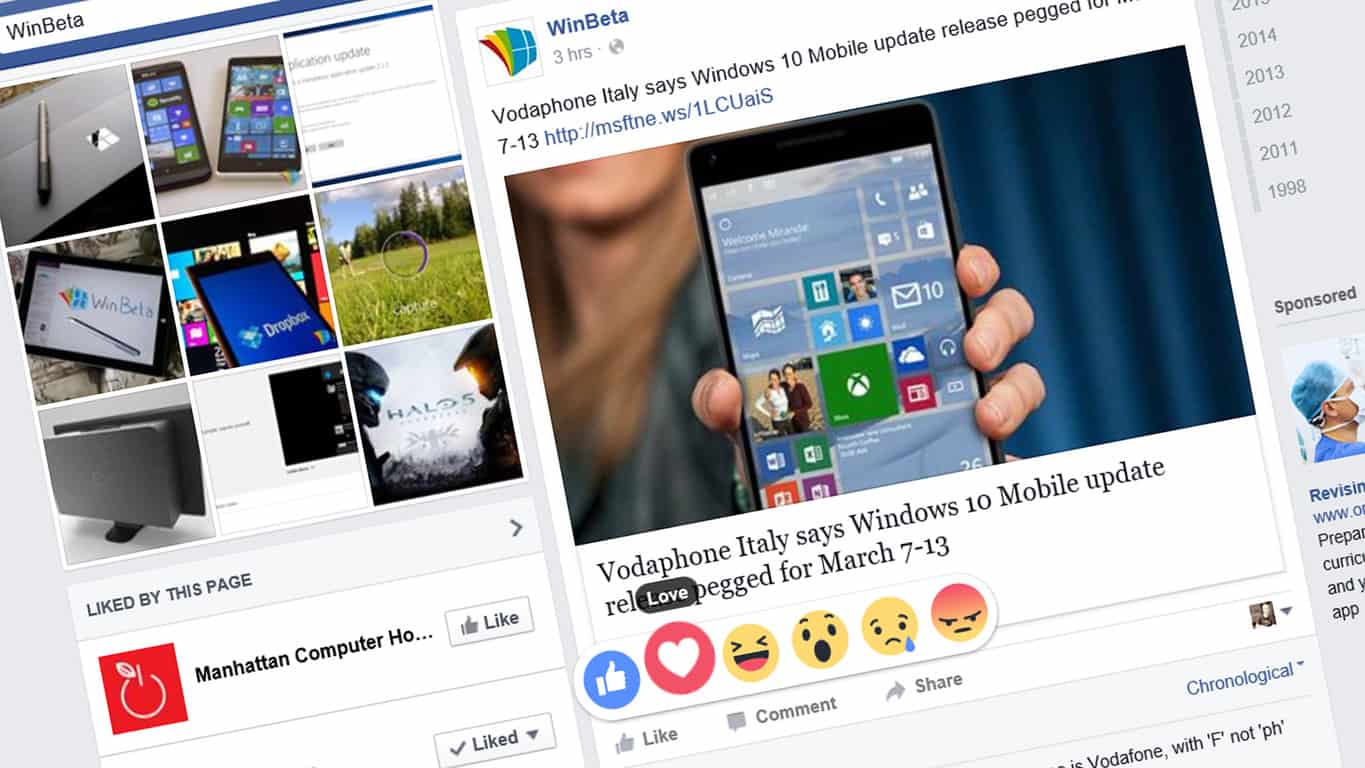
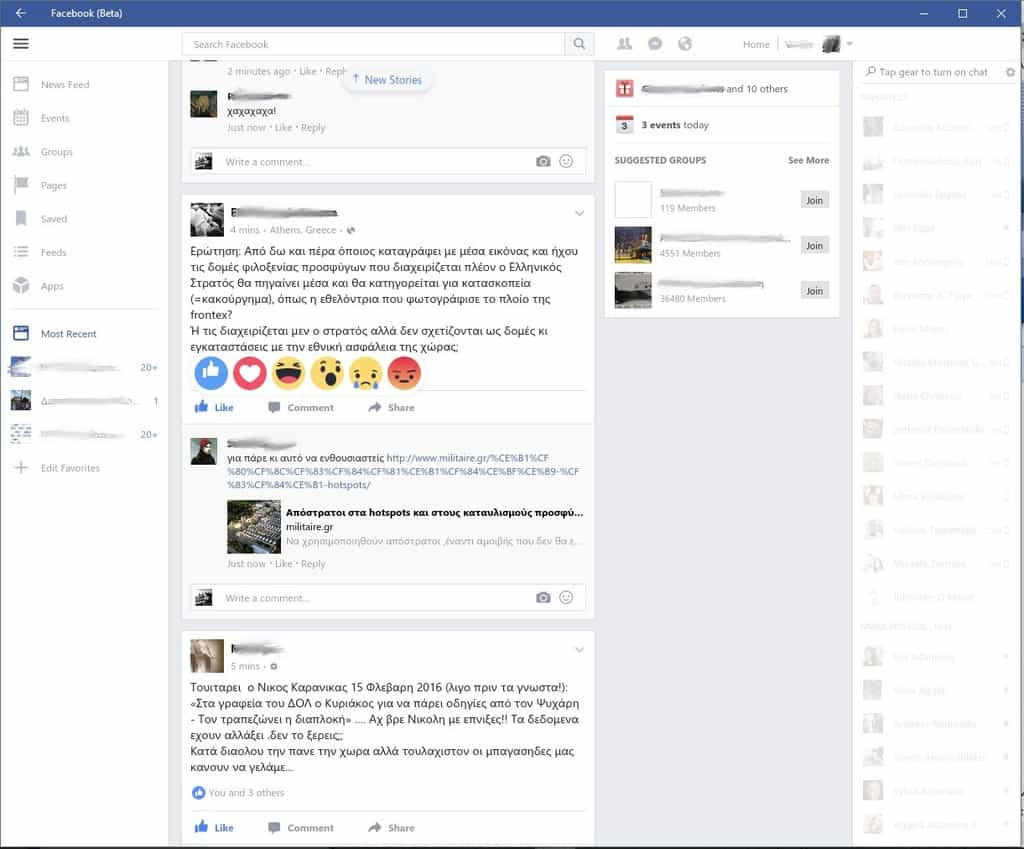
It looks like Facebook hasn’t completely forgotten about Windows 10 users after adding their new Like emoticons, or “reactions”, to every other platform the other week. A Reddit user participating in the Windows 10 Facebook Beta app has taken a screenshot of the new reactions in action within the app which pretty much confirms that this small but controversial feature will also be available for Windows 10 users to use in an app at some point in the future (it really was only a matter of time).
Reactions in the Windows 10 Facebook Beta app
The Facebook Beta app is an app used to test certain features for proper functionality before rolling them out to the general public in the regular Windows 10 Facebook app. Facebook has been inviting its users to try out the app via a notice in their Facebook timeline, however the invitation itself seems a little buggy as when I clicked on my invitation a few weeks ago, it simply opened up a broken webpage and an error in the Windows Store app.
Facebook’s new reactions essentially give users a wider range of options for quickly responding to posts on the social network. The new options in addition to the traditional Like are; Love, Haha, Wow, Sad, and Angry. Users with devices running Windows 10, Windows 10 Mobile, or Windows Phone 8 currently lack the reaction functionality however they do seem to show up in Notifications when someone else reacts to a post a user is following.
Windows 10 users can of course still react to Facebook posts via a web browser on their Windows 10 device.
Are there any features that you would like to see come to the Windows 10 Facebook app that it doesn’t have right now? Do you even use the Windows 10 Facebook app? Share your thoughts with the community in the comments below.
We were just telling you a while back that indie game ‘Pit People from The Behemoth’ is coming to Windows 10 & Xbox One and now it’s time for some more ID@XBOX news.
First-person shooter Gunscape is now available on PC and Xbox One, as well as on the PlayStation 4. Being an indie game, you’d expect the game to have some sort of a unique twist, and that’s exactly the case with Gunscape.
As you’ll see from the gameplay video from below, this first-person shooter brings a Minecraft-like environment to the game, allowing players to create their own solo and multiplayer levels. So if you like both Minecraft graphics and shooters, then this might be the type of game you’d be interested in. Here are the main features of the game:
Create, share and play levels or just enjoy those made by other gamers
Three types of maps: single-player, co-op campaign or competitive multiplayer
Classic competitive game modes: Deathmatch, Last Man Standing, Gungame, Infection, Capture the Flag, Team Deathmatch and Team Survival
Two – eight player split-screen multiplayer and up to 20 online
Cross-platform map sharing
An intuitive level creation toolkit
A wide selection of weapons, enemies, environments and props to build with
Players have at their disposal a wide variety of terrains, enemies, and other items to create their unique world. It’s also possible to share both campaigns and maps on all gaming platforms, including Xbox One, PlayStation 4, Wii U, Windows, Mac, and Linux. The game comes with two types of multiplayer gaming – split-screen mode with up to eight players and online multiplayer up to 20.
Benjamin Lee, CEO of Blowfish Studios, the makers of the game, said they “can’t wait to see the innovative level designs players will create, and with cross-platform sharing, there will be an endless amount of content to keep gamers busy.”
Gunscape for Windows PC users can be bought on Steam and if you’re on the Xbox One, you can get it from the Xbox Store for $19.99.
Microsoft released Windows RT a couple of years ago to promote the idea of the then-new Metro environment and the Windows Store. But since Windows RT devices are only able to run Metro apps from the Windows Store, and people originally didn’t like that approach, they didn’t accept Windows RT the way Microsoft hoped, so the company decide to stop producing Windows RT devices.
The fact that Microsoft abandoned Windows RT, and also announced that the operating system won’t get a Windows 10 upgrade (although the update with Windows 10-like features has been released last year), made people to think the company killed the OS, but Windows RT recently showed some signs of life.
Microsoft working on Windows 10 RT?
Although the company didn’t say anything about Windows RT in quite some time, Windows 10 RT is listed as a supported OS for Device Guard, a new security feature for Windows 10 Enterprise. So where did Windows 10 RT came from if Microsoft killed Windows RT and announced that it won’t get a Windows 10 upgrade option? Nobody (except Microsoft) knows for sure.
Maybe Microsoft changed its mind, so it decided to deliver Windows 10 support to Windows RT after all (once again the current version of the OS has already been updated with a few Windows 10 features). On the other hand, maybe the company prepares a whole new system based around ARM chips that has yet to be announced.
However, there’s another important fact that can’t be overseen – Device Guard is a feature for Windows 10 Enterprise, so if it is also compatible with the alleged Windows 10 RT, maybe ‘the new’ operating system will be aimed to Enterprise users only. And this could ignite some further discussions how Microsoft could be planning this move to take on Chromebooks.
Device Guard is a new security feature for Windows 10 Enterprise, presented by Microsoft last year, that scans a program for a digital signature, and determines whether it’s trusted or not, so it allows only completely secure and trustful programs to be installed on companies’ computers. And if Windows 10 RT only supports Universal apps, once again, it would perfectly fit into Device Guard’s concept.
This isn’t the first time we see signs of life of Windows 10 RT, as Microsoft also lists the operating system as supported in Audio Engine Core Test on MSDN pages. So, a lot of things indicate the fact that Microsoft is not done with te ARM-based operating system yet.
The ‘revival’ of Windows 10 RT will certainly delight users who enjoyed the original version of the operating system. But who knows, if Microsoft indeed releases a ‘new’ operating system, maybe it will offer something different to users, and they will accept it this time.
The news for Xbox fans has been flying fast a furiously this week. Starting off the week, Microsoft’s Xbox division announced Xbox games are coming to PCs, a new update to the Windows 10 Xbox app bringing new features was released, and pre-order information became available for the hotly anticipated Quantum Break game.
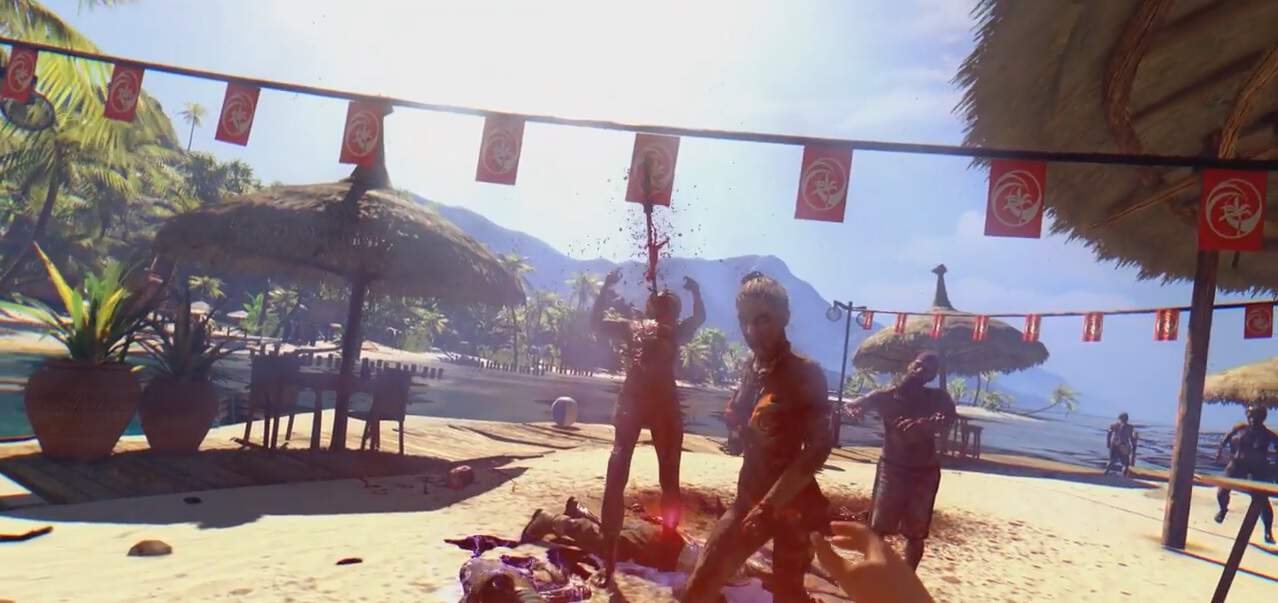
The latest announcement for the Xbox One now brings the first two Dead Island games, originally crafted for the Xbox 360, to Microsoft’s newest console. In what gaming studio Deep Silver has dubbed the Dead Island Definitive Collection, Xbox One and Playstation 4 gamers can now get a bundled Dead Island experience May 31, 2016.
The DIDC is being touted as a full remastering of the first two games, Dead Island and Dead Island: Riptide, as well as a third, less fidelity-intensive game titled Dead Island Retro Revenge. While the previous two Dead Islands are known quantities to fans, this third game is a bit of a departure from the traditional gaming formats of the others. Dead Island Retro Revenge is being touted as a 16-bit, conventional side scroller with an endless runner twist on the Dead Island environment.
Those who pick up the DIDC will also be treated to all of the downloadable content and patches that have been released for the game. For anyone looking for a new zombie action game to try, it seems that Deep Silver’s Dead Island Definitive Collection is more than worth the investment, as it contains years of development and gaming content as well as additional canon to its universe.
Microsoft’s team dedicated to pushing out new versions of the company’s media apps, including the various Groove clients and Windows 10’s Movies and TV app, has been making steady progress in improving the experience of consuming Microsoft’s various media goodies. Today, the team has let us know that they’re pushing out a new update for the Movies and TV app in Windows 10, bringing, at least, one requested feature.
Microsoft engineer Ellen Kilbourne of the Groove team let us know the news via Twitter:
We don’t know too many more details, but judging from the Twitter conversation this is a feature that’s been on at least a few people’s lists. Keep hitting that update button, and get that new Movies and TV app downloading.
Today is World Wild Life Day, a time to remember, reflect and experience wild animal or more importantly, a day “to celebrate and raise awareness of the world’s wild animals and plants.” However, not everyone has access to a Safari or the San Diego Zoo in their backyard, so to commemorate this day, Skype in the Classroom is bringing the animals to your class. In collaboration with the World Wild Life Organization, the theme for this year is, “The future of wildlife is in our hands.”
Knowing that Microsoft’s Skype application is available on almost all platforms, accessing video feed can literally be in our hands. To experience World Wild Life day you can join in on a Skype Virtual Field Trip or Skype Lesson, to experience animals you may never get to see in person and gain valuable knowledge on different species.. Take a look at some experiences available today:
Visit Norbert, a 10-Month old penguin at the Southern African Foundation for the Conservation of Coastal Birds.
Talk to a LionAid about Africa’s sharp decline in Lion population and the things you can do to help.
A Lion
Engage with Jennifer Nolan, writer and conservationist, about the different species of sea turtles and helping to protect them.
The Sea Turtle
Learn from elephant handlers at the Center for Elephant Conservation, about these intelligent animals and ways you can help in preserving their species.
An Elephant
Skype in the Classroom is a tool Microsoft uses to help educators engage in world events and subjects, with the students from the comfort of their classroom. Using the power of Skype, can participate in subjects, such as wildlife, with professionals in the field and gain insight into ways you can help contribute to their cause and gain valuable knowledge on the different areas of wildlife. What benefit to educators curriculum do you think Skype in the Classroom offers? Let us know in the comments.
Microsoft just started to offer ‘big names’ of gaming in the Windows Store. The very first ‘Triple A’ game that has been featured in the Store is Rise of the Tomb Raider, followed by Gears of War and Killer Instinct, and we expect even more big titles in the future, like the upcoming blockbuster Quantum Break.
But even if developers managed to overcome the barrier of a Universal platform, there are still some limitations of the Windows Store, that prevent more complex games from working as they work on a Desktop platform. How to Geek wrote an article where they analyzed all downsides of the major title game from the Windows Store, more precisely a Universal version of Rise of the Tomb Raider, as this is game is the first big name in the Store.
And results of the ‘test?’ Not so positive for the Windows Store! Analysis of both Desktop and Universal versions of Rise of the Tomb Raider shows that a Universal version has a lot of disadvantages compared to a Desktop version. Raise of the Tomb Raider for Windows 10 apparently has a worser performance than its Desktop counterpart, because the game runs in borderless fullscreen mode, and VSync option cannot be disabled, which affects game’s performance.
There are even some more flaws of the Windows Store version, that don’t speak in favor of a Universal Rise of the Tomb Raider game. And since these limitations are not only related to Rise of the Tomb Raider, even other ‘more complex’ games will face the similar problem, unless Microsoft does something.
Microsoft Promises to Improve the Windows Store
Microsoft apparently saw How to Geek’s article, and probably received some negative feedback about the performance of Rise of the Tomb Raider for Windows 10, so the company decided to promise users that it will improve the Store in the future, so it can handle more demanding games, without decreasing performance.
Xbox boss, Phil Spencer addressed users on Twitter, saying that Microsoft is working to improve the Store, but he wasn’t specific about exact improvements, or when these improvements will finally arrive.
@BigMouthGamer We know lists like this include features PC gamers want to see from us, we appreciate the feedback and have plans to improvee
Microsoft clearly wants Windows Store to become a competitive software distribution platform, but if the company wants to come even closer to Steam, some radical changes need to be done as soon as possible. Let’s just hope that these announced improvements will indeed enhance performance of big titles in the Windows Store, so won’t rely just on the fact that it offers major titles in its Store, but also on good performance of these games.
Microsoft has arguably never been good at marketing or navigating a narrative around public relations regarding most of its services or hardware. With the company’s Xbox announcements revealed earlier this week, it seems that once again, it’s the speculation about what Microsoft isn’t saying that journalist would rather run with than what was actually shared.
Perhaps having learned a financially and reputation-costly lesson from the previous head of the Xbox division, new Xbox lead Phil Spencer has quickly reached out to several sources to clear up any possible confusion that may still be lingering from some misinterpretation about the divisions announcements last week. Where some reports may have presumed that Microsoft was looking to commingle its Windows 10 and Xbox gaming paradigms into an amalgamation that could threaten the company’s standalone console business, Spencer says that simply isn’t true.
I wouldn’t say our strategy is to unify, because when I hear ‘unify’ I worry a bit that people will interpret, my own teams included, ‘Hey, we just want to say a game is a game and all games should run everywhere.”
While seemingly contradictory to the Xbox team hinting at the division between console gaming and PC specifications shortening in the near future, Spencer further clarifies the distinct advantages that gamers of either experience when playing their device of choice.
The other thing is the play space itself. I’m usually closer to my monitor, it’s a smaller screen. All these are ‘usually’s. And my TV experience on a console, I’m further away, it’s more of a communal play experience. But the console experience is a dedicated gaming hardware device that is very appliance-like, instant on, ability to basically do one thing, which is play games, very well.”
Phil Spencer at Xbox Event
Furthermore, Spencer also believes that not every game translates across devices, and that paradigm will probably continue to exist for some time. Using the newly announced Forza 6 for PC as an example, while the game is being offered as a PC port from the Xbox, it isn’t indicative of how a racing franchise is typically produced or played on PC.
Perhaps, Spencer and the Xbox team are cleverly hedging their bets that at some point in the future, the lines that separate PC and console gaming eventually blur. In a future where a AAA game spans devices as easily as an app in an app store is still a long way off, until then, Spencer is saying the Xbox console isn’t going anywhere.
Microsoft released KB3140743 update yesterday for Windows 10 devices, and as we showed, this is actually an important release, as it brings some structural changes to some basic Windows functions.
But, since no update, be it for Insiders or regular users, doesn’t come free of bugs and issues, we’ve discovered the first problems being reported. If you have encountered more, don’t hesitate and use the comments’ section at the end to leave your input.
KB3140743 problems on Windows 10
The biggest problem with KB3140743 seems to be related with failed downloads and installation failures. User ‘RORodneyColeman_812’ says on the Microsoft support forums that both update KB 3140743 and KB 3139907 failed to install. A couple of other users from other places, such as Windows10Forums and other forums also say cumulative update for Windows 10 Version 1511 for x64-based Systems (KB3135173) failed to install.
Another user has been plagued by failed installs, but this time, he says he has received error code 80070003. Luckily, we’ve done in the past a short guide on how you can fix that, so go ahead and have a look at it, as it might prove to be helpful.
Other various problems include the disappearance of “My Documents”, issues with Microsoft Money Sunset Business, and a bunch of various BSODs.
There have also been reports of problems with Edge and Firefox. User ‘DonaldHertzfeldt’ complains that his Windows 10 computer is now slow after installing KB3140743 update, saying the following “I’ve had Windows 10 for about 6 months now and it’s been working fine with regular updates. Just a short while ago it received and installed update KB3140743 and now it runs super SUPER slow. Virtually everything that used to come up instantly with a key stroke now takes 3 to 5 seconds.”
Update – it didn’t take too long for some more issues to appear, so we’re listing down some of the most important ones we could find:
One user is complaining on the Steam forums that the new Windows update KB3140743 breaks his GTA5, saying “the game activate hangs and then i get stuck on a loading“
Many more other Windows 10 users have been reporting that the update failed to install, giving various error codes, such as 0x80070020, 0x80070bc9 or 0x80073712.
One user says that after installing this update, his start menu won’t show up, but once he uninstalls it, everything goes back to normal.
Other complaints regarding this specific build involve issues with the keyboard which stops working in some games, Snipping tool and My Computer freeze, problems with the mouse and Xbox one controller, no touch screen, reboot and shutdown problems and more.
For the moment, these are some of the most annoying issues we were able to find with regards to KB3140743 update. If you have come across other similar issues, go ahead and leave your comment below and let us know which these are.
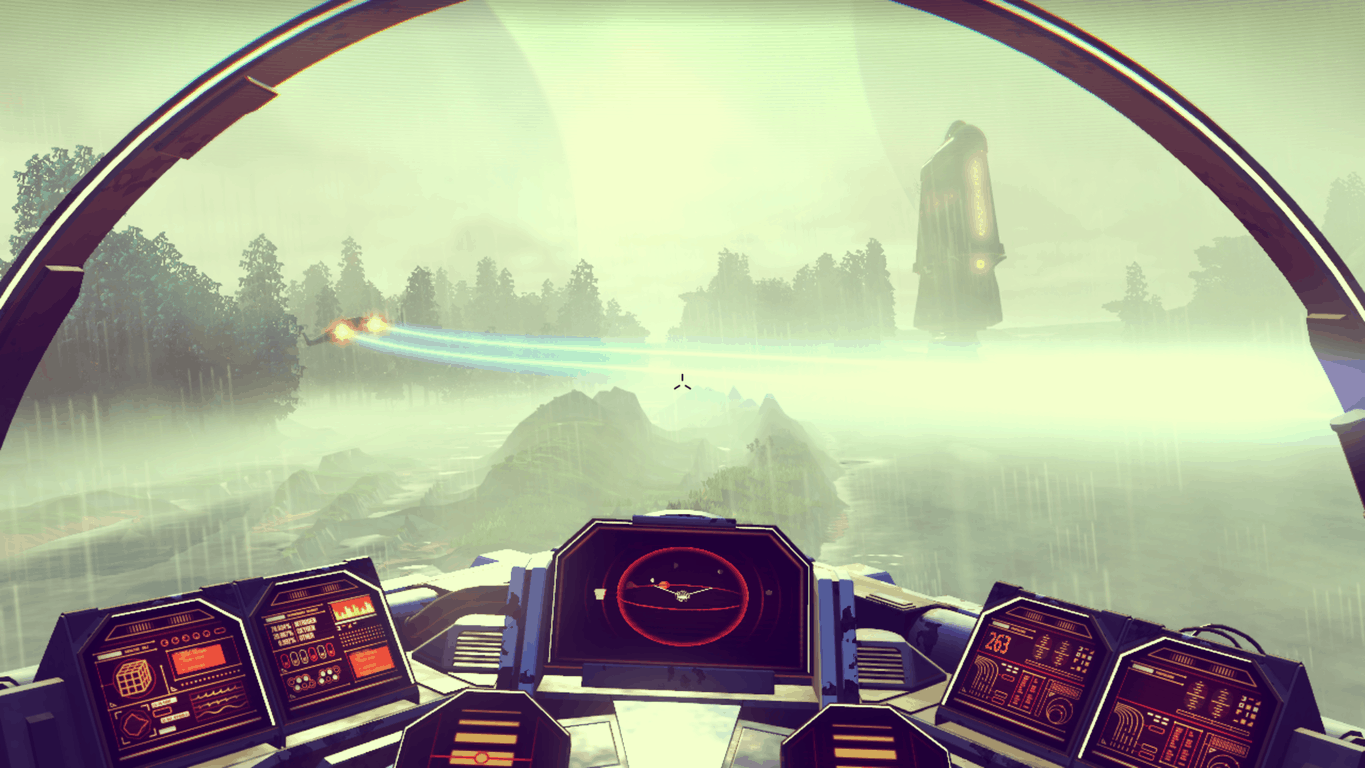
Back in E3 of 2014, No Man’s Sky captured the worlds attention. Unlike traditional games, the science fiction title came across as different, as it featured no narrative. The focus was instead on uncovering, interacting, and learning different languages from alien races across the game’s 18 billion planets. It’s been two years since then, but the game is now finally seeing a June 21st release date.
No Man’s Sky will be a PS4 timed exclusive on consoles, but it will also release on Windows through Steam at the same time. While Sony has plans to make retail and limited edition copies of the game, according to the developer’s website, the pre-order price for the Steam version is $59.99.
In the game you will be able to record a planet’s lifeforms and then upload them to earn an in game currency. If you’re not in the mood to record the lifeforms, you also can hunt them down and cause mayhem, with consequences of course.
If you’re interested in the title, it is best to sign up for the developer’s newsletter or pre-order by visiting their website. Once the game does launch, we will bring you more coverage, so stay tuned!
Sometimes when you have your Windows devices connected to a Wi-Fi network, it is good to track connection problems as well as reposition access points to improve your signal. Wi-Fi in mind, we have just discovered a new program that lets you get that, and more, done.
The makers of NetSpot, a professional grade network survey program for Mac, have just launched NetSpot Windows, free edition. The program features two major Wi-FI troubleshooting modes which help control and visualize the areas with multiple Wi-Fi networks. Using NetSpot, you can track connection problems and choose the best channels for networks or even re-position access points to improve your Wi-Fi reception.
The Discover mode of the program collects all information about surrounding Wi-Fi networks and puts it in a real time interactive table to help you troubleshoot and improve on your coverage. On the other hand, NetSpot’s Wi-Fi Survey mode creates interactive heat maps with detailed information on all surveyed wireless networks in every point on the map. This feature is available in the free initial release, and brings lots of data for any one with any level of experience.
NetSpot Discover mode. (BSSID’s have been censored for security)
NetSpot for Windows is currently free, and is designed for both home and business users. It is compatible with any non hidden 802.11 Wi-Fi network, all Wi-Fi adapters, and Windows 7, 8 and 10. The program previously won a MacWorld Editor’s Choice award in 2012.
You can download the program for yourself by clicking here. Once you do download the program, let us know how it is going in the comments below!
Canadian game studio Thunder Lotus Games just announced the upcoming release of Jotun: Valhalla Edition on the Xbox One in summer 2016. This is the studio’s first game, and it’s already been available on PCs since september 2015 following a successful Kickstarter campaign in summer 2014.
Jotun is a hand-drawn action-exploration game set in Norse mythology where you play Thora, a Viking warrior who died an inglorious death and must prove herself to the Gods to enter Valhalla. Thunder Lotus Creative Director William Dubé explained the gameplay to Xbox Wire:
Jotun is a game about epic boss fights. The game has five different giants, each one with their own region and levels to explore. Every jotun has different powers and strategy. For example, Isa, the Winter jotun, offers a melee based fights. This fight is about timing and using the environment to help you. Hagalaz, the Storm jotun, summons a “bullet hell” of lightning attacks and dodging is as important as attacking. The most important thing about Jotun’s bosses is scale. They feel impossible to beat, a true David versus Goliath endeavor.
Another key aspect of Jotun is exploration. Each level in Jotun is filled with secrets, so exploring every nook and cranny always pays off. For example, each level hides a rune that must be found in order to unlock the boss fights. Jotun’s levels are really diverse. While some levels (especially in the Winter region) are vast and lonely, some levels are puzzle-based and others have combat. Every level in Jotun is inspired by a story from Norse mythology. From the dwarven city of Brokkr’s Forge to the frozen rivers of Nifheim, every region pays tribute to Viking legends.
The PC version of the game has already been well received by critics, but Jotun: Valhalla Edition will feature the exclusive Valhalla Mode, an even more challenging experience where players have to fight even fiercer versions of the Jotun.
Jotun: Valhalla Edition will be released in summer 2016 on the Xbox One and priced at $14.99 USD. Please tell us in the comments if you’re looking forward to play it on your Xbox One!
Both Gunscape and Prison Architect (Game Preview) are now available to buy and play on the Xbox One in most regions.
Prison Architect (Game Preview) is an early look at Prison Architect before its official release at an unannounced time at a later date. While being used to provide feedback to the developers, this game isn’t an open beta like most other games do. Instead it’s an in-development version of the game being sold at a retail price.
Here’s the official details:
Note: This game is a work in progress. It may or may not change over time and may not release as a final product. Please purchase only if you are comfortable with the current state of the game. Full details on the latest status of the game, how you can give feedback and report issues can be found at https://prisonarchitect.double11.com/
Take control of the building and running of a maximum security prison as the critically acclaimed lock-em-up arrives on Xbox One! Will you build and manage a prison to create social order where it’s failed in the past, offering rehabilitation and peaceful coexistence amongst inmates? Will your prison disregard human rights, impose intentional harshness and be devoid of any notions of wellbeing and freedom? The choice is yours.
Gunscape is the full, final, official release of the game on Xbox One. It’s a mix of first-person shooter and world-building genres where gamers can create and share their own maps with other players. It’s definitely an interesting idea.
Here’s the official description:
Gunscape is an FPS world-building hybrid in which gamers create, share and enjoy their own maps; in addition players can discover and play maps created by others. Inspired by classic shooters, Gunscape takes all their most memorable elements and puts them in a toolkit to create single player and co-op campaigns or multiplayer arenas. Don’t like building stuff? Then just blast your way through hordes of monsters or duel with other players online or split-screen! Maps can also be shared, played and voted on by the whole world, so you’ll always have new levels at your fingertips!
Have you played either of these titles? What are your thoughts on developers releasing game previews of their games? Let us know in the comments below.
Two new video games are now available for pre-order and pre-download on Microsoft’s Xbox One console, Trackmania Turbo and Shantae And The Pirate’s Curse.
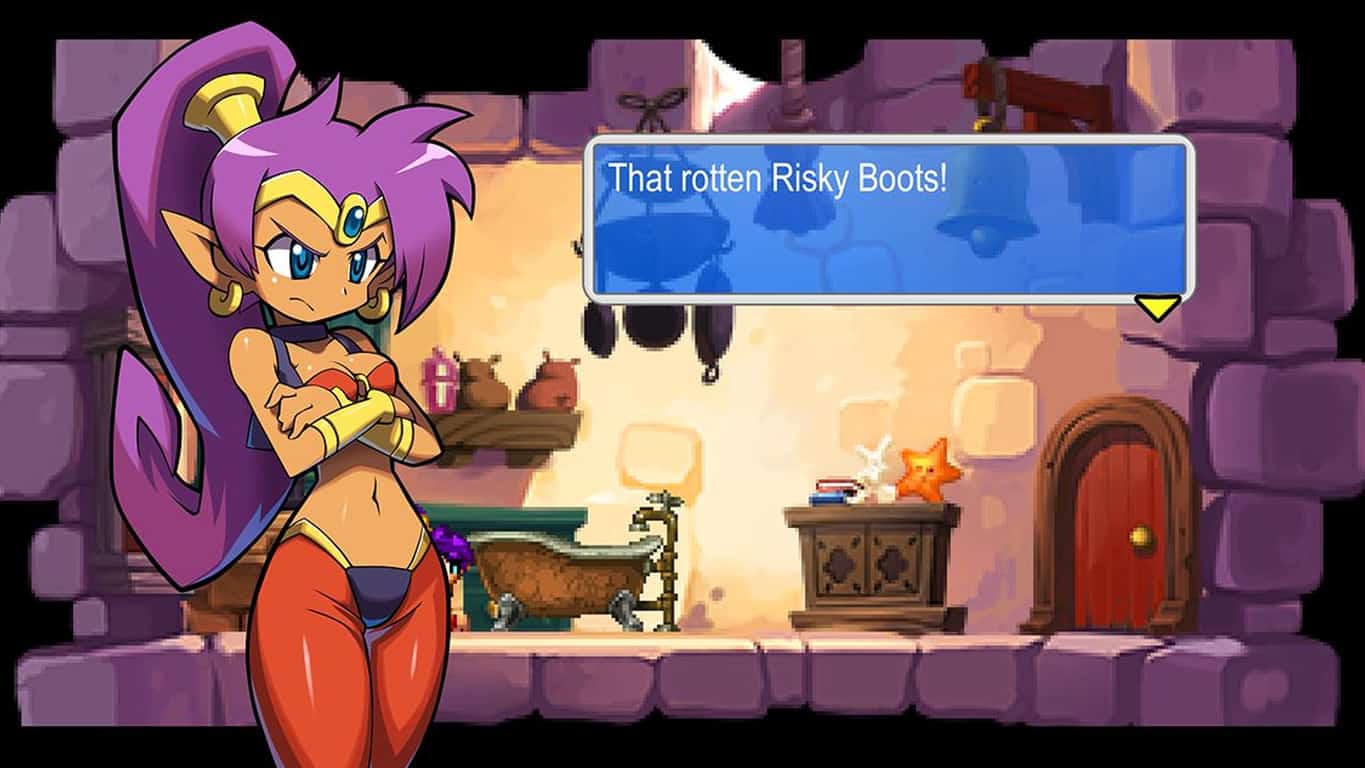
Shantae And The Pirate’s Curse is due for release on the 16th of March 2016 and is a modern game half inspired by Japanese animation designs and half by old school 80s platformers.
Here’s the official description:
The third Shantae game is the biggest yet! Beyond Sequin Land lie cursed islands and labyrinths each hiding a new piece of Pirate Gear – Flintlock Pistol, Pirate Hat, Scimitar, Risky’s Boots, and even a Cannon. Upgrade Shantae’s hair and weapons or unlock advanced Fighter’s Moves. Locate maps, return lost Heart Squids, collect rare loot, and laugh out loud at the weird, wild, and wonderfully humorous cast of characters. Incredible high resolution artwork, unlockable Pirate-Mode, multiple endings, and an unforgettable soundtrack make this one game you won’t want to miss!
Shantae And The Pirate’s Curse is currently being sold at a 25% discount in the Xbox Store for a limited time.
Unlike Shantae And The Pirate’s Curse, Trackmania Turbo is a racing game. The game features both online and offline multiplayer and a variety of different racing modes to pad out the content.
Here’s the official description:
Available for the first time on Xbox One, Trackmania offers you the ultimate arcade racing universe. Test your skills in outlandish tracks and challenge your friends at home (offline splitscreen) or online. Features 4 different environments and gameplay modes. The campaign mode includes up to 200 unique tracks in over 5 difficulty levels. The Double Driver mode lets you team up with a friend and control one car with two controllers! Also includes a Track Builder so you can design your own tracks or simply generate random ones. Save and share your best tracks to make the competition last forever.
Trackmania Turbo is also selling at a discounted price for a limited time.
It seems that VR is the next big thing, with such big companies as Facebook and Microsoft heavily supporting it. Gaming is definitely going to be amazing and here at WindowsReport everybody is excited where this is going to lead in the near future.
Minecraft Windows 10 Edition coming to the Oculus Rift
Microsoft recently made quite a couple of gaming announcement, and one of them involves Minecraft, which is also their game since they’ve acquired Mojang a while back.
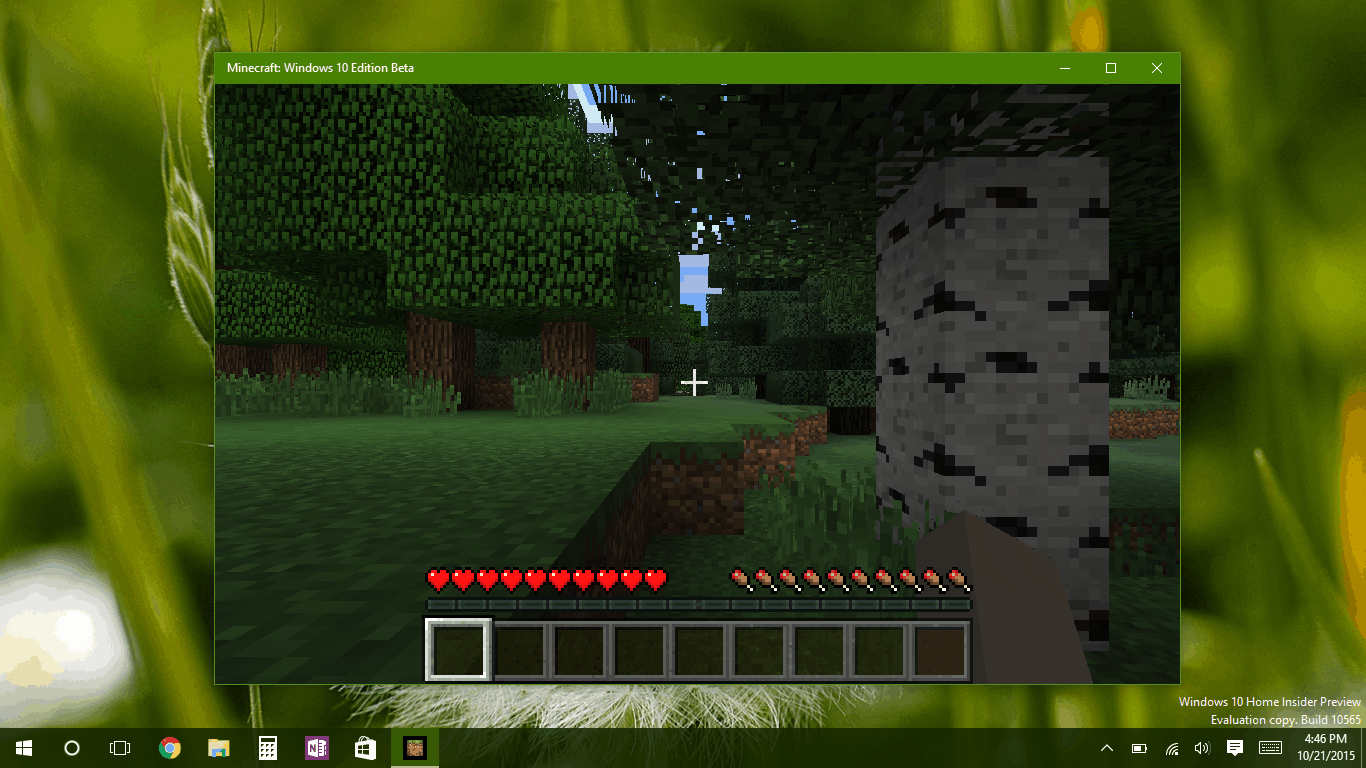
Microsoft and Mojang are teaming up with Oculus in order to provide the first-ever demos of Minecraft: Windows 10 Edition on Oculus Rift. Thus, users will be able to Minecraft: Windows 10 Edition in Creative or Survival mode in full 3D using the Xbox One controller that ships with every Oculus Rift.
We’ve known since the beginning of last summer that Oculus Rift will ship with an Xbox One controller in the beginning of 2016, and now it seems that Minecraft is among the first games you will be able to play. However, you should know that Minecraft is one of the 100 games which will be made available by the end of 2016 for the VR headset.
Have a look below at a gameplay of Minecraft: Windows 10 Edition on Oculus Rift and let us know by leaving your comment at the end whether this is something you’d be interested in playing or you’re going to wait for more immersive games.
Minecraft: Windows 10 Edition with Oculus Rift support will be available through the Windows Store and Oculus Store this spring, and we’ll make sure to keep you update as to when exactly that happens.
A few days ago, Microsoft has detailed the HoloStudio and HoloTour apps for HoloLens, as the entire tech world has its eyes on the booming VR industry. And Microsoft wants to make sure that it’s part of this trend, as well.
Back when Microsoft announced its VR device HoloLens, the company also launched HoloStudio, a tool that lets people build holographic objects in space around them, and then 3D print them, if they want. Here’s a fresh video from the Microsoft HoloLens detailing how HoloStudio works:
And it seems that Microsoft is ready to release the official Holo Studio app on the Windows Store for Windows 10 users. Windows watcher WalkingCat has spotted the app on the Windows Store, and you can try getting it yourself by typing the following in your browser’s address bar – ms-windows-store://pdp/?ProductId=9NBLGGH5GGL9
Right from the start, you are being notified that ‘this app needs hardware your device doesn’t have, so your experience may differ from these reviews‘, therefore it’s obviously aimed at those who own a HoloLens and need what to do with one. By using the app, you can perform the following actions:
Create 3D in 3D, using a suite of mixed reality tools
Take mixed reality pictures and videos of your creations placed in the real world
Build directly on objects and surfaces around you
3D-print your creations
Share your creations online
The app is almost ready to be released on the Windows Store, and we’ll be sure to let you know when that happens. Meanwhile, what’s your take on this VR craziness and Microsoft’s role in it? Do you think the company has a chance to stay relevant in this quickly advancing new industry?
With Microsoft shifting the conversation about its gaming console from the number of units it’s shipped/sold to an arguably more substantive metric of user engagement, many thought the numbers race would soon come to an end.
While Sony will mostly likely continue to herald the numbers of its widely successful gaming console, gaming studios will also look to those numbers to determine whether their development investments will continue to pay off in the future. GameSpot is reporting that during a Morgan Stanley Technology, Media and Telecom Conference, EA CFO Blake Jorgensen dredged up the ol’ numbers metric, and his estimates are resoundingly positive for both the Xbox One and the industry as a whole.
According to Jorgensen, there are around 60 million combined Xbox One and PlayStation 4 consoles in the wild. When last reported, estimates from several industry sources had the market for PS4 and Xbox One gaming consoles hovering around 55 million. The five million increase bodes well for the continued adoption of console gaming, but based on the math, the Xbox One may be doing better than previously thought.
For countless months, the PS4 has managed to control the narrative of this console generation regarding sales figures, and perhaps wisely, Microsoft has chosen to stop fighting an uphill battle in that regard. However, if Jorgensen’s estimates are remotely close to the truth, it seems the Xbox One may be sitting at 24 million devices sold.
Even though Microsoft has chosen to pivot and chart user engagement numbers rather than consoles sold, an estimated 24 million devices sold in a very competitive market isn’t anything to balk at. The Xbox One may never fully catch up to the outstanding sales of the PS4, but continued innovation and implementing user feedback should help it maintain a healthy spot in the industry.
Jorgensen also commented on the digital download trend consumers are exhibiting as of late, and with Microsoft moving more strategically into that avenue with its recent announcement, studios may see further benefit in the Xbox One ecosystem soon.
Microsoft has announced that Dynamics CRM 2016 will be available to online customers in Spring 2016. The new release will bring a number of changes, including new field service capabilities and portal solutions for Microsoft customers.
Most of the changes to Dynamics CRM 2016 are the result of the integration of two new acquisitions by Microsoft, FieldOne and Adxstudio, which will allow Microsoft customers to take advantage of leading field service and portal solutions for community engagement.
Jujhar Singh, general manager of Microsoft Dynamics CRM writes:
“We are also taking this opportunity to further extend our service capabilities with the introduction of project service. Together, our field and project service solutions take the definition of service to a new level in the industry. With our full range of service solutions for self-service, agent-assisted service and onsite service, we are helping our customers transform customer service.”
Here is a short overview video of how Microsoft Dynamics CRM Spring 2016 Wave can help companies.
Dynamics CRM 2016 will allow companies to use their own internal resources to perform customer service, as well as use the resources of third-party resources. IoT Azure technology offers a new option for Microsoft customers to analyze device data, detect issues, and identify solutions for maintenance, repairs, or other issues in real-time.
Singh also reported the launch of the Microsoft Dynamics CRM Roadmap website:
“I am also pleased to announce the launch of a new CRM Roadmap site powered by Dynamics CRM Online 2016 and our new portal capabilities. This publically [publicly] accessible site will enable a real time view into our available and planned product capabilities.”
If you’re using a Windows 10 device, you’ve probably been through it: you see us writing about new app updates for Microsoft apps on Windows 10 or Windows 10 Mobile, but when you go clicking that “Check for updates” button on the Windows Store you don’t get anything new. For example, some users just received today an update for the People app that we first reported 8 days ago.
If you’re wondering what is happening with these updates for Microsoft native Windows 10 apps, we may now have an explanation as Microsoft redditor @jenmsft shared this explanation on the Windows Phone subreddit:
Just to give some clarification – the People app updates will eventually roll out to everyone on Windows 10. Apps now have Insider rings (just like Windows) so they can get early feedback on some of the work they’re doing before they release it publically, which is why the update isn’t yet available for some people.
It’s still not clear how Microsoft sets up these Insider rings for apps, or if all Windows Insiders are automatically added to these rings and are getting app updates before those still on the Threshold 2 release branch. We’re looking into it and we will share more details with you as soon as we have more information. Please tell us in the comments if you’ve already had to wait to get app updates for Microsoft native apps.
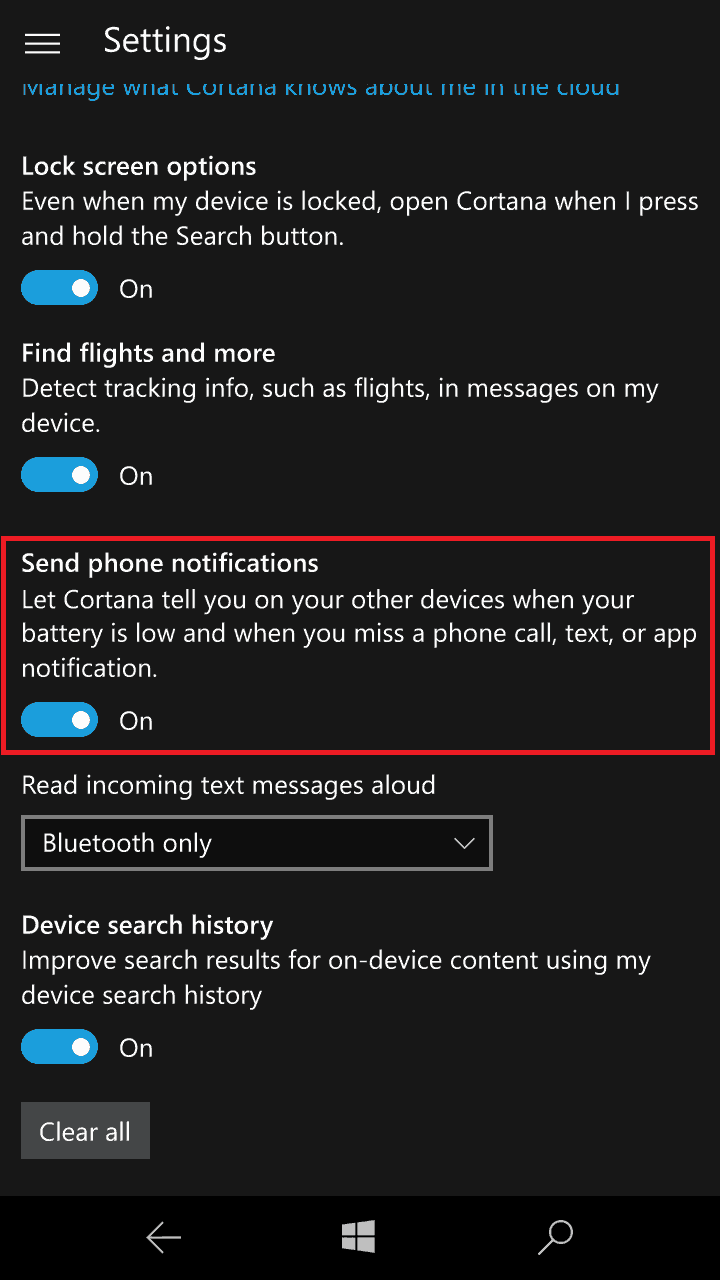
Cortana is set to receive a few new additions in the upcoming builds of Windows 10 Redstone, with latest internal builds including a new option to enable additional push notifications for your other Windows 10 devices. Cortana will soon be able to alert you when your phone battery is low, a phone call is missed, and when you receive a text or app notification.
This functionality is expanded from what is already possible with todays version of Cortana, which will simply alert you when you miss a phone call. Redstone will introduce the ability to include additional apps and features to be alerted by, which also means notification centers will no longer be out of sync across devices.
Cortana phone settings
This is part of the improvements to “continuum” that we exclusively revealed a few months ago, which will bring all your devices closer together by allowing apps to be continued throughout all your Windows 10 devices. Notifications will also be included with this updated continuum, allowing users to see what’s happening on what devices no matter where they are.
Of course, this feature is completely optional, and can be turned off via Cortana. What are your thoughts on this? Let us know below!
Microsoft invests heavily in research, and has one of the strongest researching arms of any tech company with Microsoft Research. Indeed, the department has been the birthplace of many innovative technologies like Kinect or HoloLens; beyond that, however, they also work on basic long-term research, and corporate vice president Jeannette M. Wing has taken to the Microsoft Research blog to write about one of the flagship programs for these researches, the Expedition program.
“An Expedition, as its name suggests, is a journey toward a goal, with serendipitous discovery along the way”.
The aim of the Expedition program, according to Wing, is to give researchers the freedom and resource needed to take risk and pursue long-term researches, and to reward those with the commitment to stick to a “far-reaching vision”. The program has its source from a similar project Wing initiated during her time at the National Science Foundation (NSF), which is also successful and continues to this day.
The program has garnered some great successes over the years, and Wing recounts two notable ones among them: Safe Cyber-Physical Systems ( Safe CPS), and Project Premonition. Safe CPS aims to ensure that drones do not fail and crash in carrying out activities. Project Premonition aims to transport mosquitos from remote regions to labs for virus testing, and they are now working on the notorious Zika virus, with a side product of “the world’s most sophisticated mosquito trap” that identifies mosquitoes by their wings batting rhythm.
Apart from past projects, Wing also talks about two new Expeditions. The first, Intelligent Devices, aims to “determine how algorithmically to split models and computation between what can be done locally on the device and what can be done in the cloud.” The second Expedition, from the Everest team focus on cyber-security by working on a replacement for HTTPS.
The Expeditions Program celebrate the big bets in science, for which Wing also reference the two recent scientific breakthrough that are making waves; literally for the first, the detection of gravitational waves by Laser Interferometer Gravitational Wave Observatory (LIGO), and also a revolutionary gene editing tool called CRISPR, both credited to funds by the NSF. Wing herself is also creditted with revolutionizing opinions on computational thinking application, and with such great minds at the helm, we can’t help but be excited for the projects that will come out of Microsoft Research in the future.
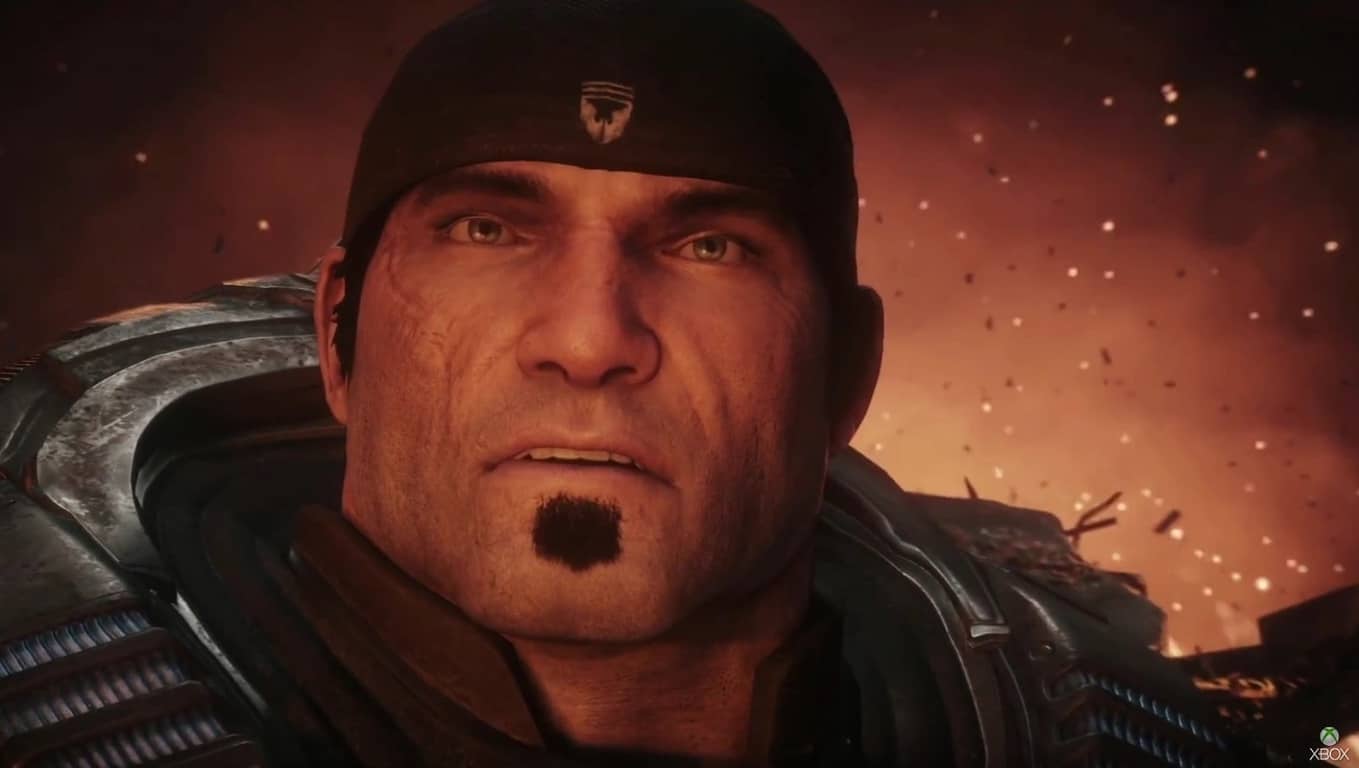
We knew for quite a while that Gears of War was going to make its way on the Windows Store, and the moment has finally arrived. Microsoft is slowly transforming the Store into a place for more ‘advanced’ games, which is an interesting strategy.
We’ve already seen another big name being released on the Windows Store, Rise of the Tomb Raider, and this was after it was initially thought that it would only be released for the Xbox One. And now Microsoft Studios has released Gears of War: Ultimate Edition for Windows 10 on the Windows Store for a price of $29.99.
Gears of War Lands on the Windows Store
Go ahead and download it now, but be aware that there’s no way to try the game as you only get it by buying. But that’s usually the case with such big games. Here are the top features of the game:
Every aspect of the original Gears of War has been beautifully remastered and modernized, including lighting, environments, characters, and cinematic scenes.
This is the first at its best! Play in stunning 4K with an unlocked refresh rate
Includes five additional, exhilarating campaign missions that follow Delta Squad as they battle their way to Timgad Station not included in the Xbox 360 original.
Go deeper into Gears fiction with five Gears of War comic books, which can be unlocked and read within the game.
Remastered for 7.1 Surround Sound.
The most visceral online shooter returns with multiplayer matches running on fast and fair dedicated servers with unlocked refresh rates.
Includes all original Xbox 360 DLC multiplayer maps and three multiplayer maps from the original Gears of War PC version for an incredible 19 total multiplayer maps.
Newly added multiplayer modes include Team Death Match, King of the Hill, Blitz and a special 2v2 mode designed by the Gears of War community.
Returning multiplayer modes include Warzone, Assassination, Execution and Annex.
All new Xbox Live Achievements and 1,250 new Gamerscore.
Handpicked gameplay improvements, alternate controls and a new difficulty level for players new to the franchise.
Support for keyboard or gamepad controls.
The Windows 10 version includes the Deluxe Weapon Skin Pack and 11 bonus multiplayer characters.
As we can see, the Windows 10 version of the game also comes with the Deluxe Weapon Skin Pack and 11 bonus multiplayer characters. But the standout feature definitely has to be 4K and I guess it will look amazing on either of your Windows 10 device.
If you have a decent gaming PC running Windows 10, and you like this kind of games, then you definitely need to check out the game. Just judging by the screenshots, it will be worth your while.
Update March 1, 2016: Microsoft has completed the acquisition of SwiftKey.
That’s a real dearth of fanfare for an acquisition that is costing Microsoft a cool $250 million. Here’s Microsoft’s rationale for the deal:
This acquisition is a great example of Microsoft’s commitment to bringing its software and services to all platforms. We’ll continue to develop SwiftKey’s market-leading keyboard apps for Android and iOS as well as explore scenarios for the integration of the core technology across the breadth of our product and services portfolio. Moreover, SwiftKey’s predictive technology aligns with Microsoft’s investments and ambition to develop intelligent systems that can work more on the user’s behalf and under their control.
We’re looking forward to hearing more about how Microsoft intends to utilize the predictive technology that Swiftkey is known for. The Redmond company has its own similar technology in its Word Flow keyboard, which is making its way to iOS, and so in all likelihood Microsoft has more in mind than just making a better keyboard. Time will tell, of course, and we’ll be here to keep you up to date.
Microsoft has been making waves recently with its new approach to gaming. From the company’s announcement of Backward Compatibility between its older Xbox 360 console and its latest Xbox One device, to cross-platform purchasing of games through both the Windows 10 and Xbox Store, Microsoft has seemingly overhauled its gaming philosophy.
However, what gets lost in the grandeur of back to back to back announcements regarding Xbox and Windows 10 are the details. For any long-time Windows user and Windows Phone enthusiast, it’s the details that typically trip up Microsoft’s grand visions of the future.
Sitting down with PCWorld, the director of program management for Xbox, Mike Ybarra, fortunately went over the details that pertain to Microsoft’s future in the gaming industry. Ybarra’s discussion covers everything from how long developers can count on DirectX 12 being around to enabling support for multiple GPU’s through explicit M-GPU.
While those details are important in their own right, it’s perhaps Ybarra’s candidness on the recently announced competitor to DX12, the Khronos Group’s release of Vulkan 1.0 graphics API, and where Microsoft stands with mobile gaming, that we find most noteworthy.
When asked about his thoughts on the reveal of Vulkan, Ybarra was admittedly at a loss. Vulkan is in version 1.0 right now, and not much else is known to the general public. Beyond its seeming shroud of mystery, Ybarra sees Vulkan still having to prove itself, just like Unity, DirectX, and Metal before it.
I know little about it, although I know that Ashes of the Singularity is looking at it. They’re trying to figure it out themselves.
You know we work very closely with AMD and the other guys on specific instructions they want. And I hope we don’t live in a world where you if have this graphics card, you get these features, or you get this one when you get that one—Windows is a world where you buy Windows, you buy a graphics card, here’s the benefits for everybody.
We want [hardware vendors] to be more successful, and not have to invest in Vulkan, but at the same time, we totally understand. They have to differentiate themselves.”
While competition arises to challenge the well-established DirectX platform, conversely, Ybarra was asked about the almost non-existence presence of mobile gaming for Microsoft. Thus far, Microsoft’s overhaul of its gaming paradigm has been a two-pronged approach with the Xbox platform and Windows 10 spearheading the charge. Little has been said or mentioned about Microsoft’s view on mobile gaming, or how the company can place a stake in the industry.
However, according to Ybarra, Microsoft’s push with Windows 10 is part of an overall strategy to bolster the company’s mobile gaming presence. When asked specifically about the future of gaming on Windows phones or mobile devices, Ybarra responded with:
Absolutely. I think what it starts with is what we call the Universal Windows Platform. We’re going to start with our strengths—there are millions of Windows devices out there, but it’s not the hundreds of millions of devices that iOS has, and I don’t know how many Android has—but it’s a big number, right?
We can get UWPs on the PC and on the console—by definition the platform developers can very easily get it on the phone. And that’s kind of the vision: Don’t think about where you’re at, build your game, do a couple of tweaks and you’re going to see it run. Will you see Halo 18 run on this phone? No, so you gotta be smart about that. But we’ll invest in the mobile space as well.
And frankly, with Xbox, I want to focus on the gamer. So when I think about bringing Xbox Live to other platforms, we have Xbox Live on iOS and Android right now. Those are areas we want—if our gamers have those devices, we want them to be able to engage with our gaming platform, too.”
Similar to Microsoft’s current strategy of getting top tier apps to its mobile devices, the UWP approach appears to be the same for gaming. Going forward, the Xbox team may start incentivizing developers to make UWP versions of their games that (while making sense in this context) span across PC, Xbox, and mobile into the future.
Microsoft has a shot at inventing the future before its other, buzzier rivals — like Google, Amazon, or Apple — do, thanks to the company’s investments in artificial intelligence and machine learning research.
That’s right: After years of missteps (think Windows Phone or Windows 8), company feuds, and being sidelined behind Apple, Google, and everyone else, Microsoft may actually be about to come out on top.
Nothing is certain, of course, and Microsoft may still screw this one up, but right now the company is in a good place to get ahead, invent, and put itself in the next chapter of computing.
Artificial intelligence (abbreviated to AI) and machine learning are, according to people who should know, the next phase of computing.
Google has thousands of employees working on figuring out how to integrate AI into its products; Facebook is doing the same; Amazon has been working machine learning into its products, which can then better-recommend things to buy; and Apple has been focusing on AI within Siri, the virtual assistant.
But, crucially, Microsoft is also in on the action, thanks to Microsoft Research — the 1,000-strong arm of the company that is dedicated to scientific research — and various initiatives that have seen the technology incorporated into Cortana, Bing, and more.
In fact, one experiment that is being carried out in China, called Xiaoice, has become so advanced that users have told it they are in love with it.
“Xiaoice can exchange views on any topic,” said Yongdong Wang, a Microsoft scientist working on Xiaoice (which is pronounced “Shao-ice” and translates as “Little Bing”). “If it’s something she doesn’t know much about, she will try to cover it up. If that doesn’t work, she might become embarrassed or even angry, just like a human would.”
Other companies, like Google, have also been running tests like Xiaoice, but none are as sophisticated or unilateral as Microsoft’s, which is used by more than 25 million people.
“Xiaoice is teaching us what makes a relationship feel human, and hinting at a new goal for artificial intelligence: not just analyzing databases and driving cars, but making people happier,” says Wang.
In the clip below, you can see Xiaoice reading the morning news in a very natural voice — showing just how powerful deep learning AI can be.
Elsewhere, Microsoft has been buying startups that focus on AI or machine learning, including SwiftKey, a keyboard that predicts the sentences or words a user wants. The acquisition, announced last month, brings on a small team of engineers to further Microsoft’s efforts and put the company ahead.
Microsoft Garage, the part of the company that works on “experimental projects,” has also been churning out apps for the iPhone or Android devices that use AI technology, including an alarm clock, an Android software skin, and an app that automatically identifies, and tags, friends in Facebook photos.
“Microsoft is a pretty serious business with clearly a lot going on in the AI and machine learning space,” said Azeem Azhar, an AI expert, in an email to me. “On the research side, a Microsoft team recently blew away the competition in Imagenet, the global machine vision contest.”
According to Azhar, the team did this by “applying a very extensive deep-learning network” to the problem, which is made up of research conducted by Microsoft over the past years.
While Google, via Deepmind, and Facebook are fighting over a board game (which, don’t get me wrong, is still impressive), Microsoft is developing, deploying, and testing software that could change how we use computers, how we communicate, and how we go about day-to-day tasks.
Microsoft has started working AI and machine learning into its products, including Cortana, the virtual assistant, and Bing, the search engine. Office also has new features, including Delve, that use machine learning to help the user out.
The inclusion of AI and machine learning into Office is, in the near term, one of the ways that Microsoft can pull ahead of both its peers in the consumer and enterprise market.
Office is still one of — if not the most — used business tools in companies big and small and getting ahead by using the knowledge Microsoft has gained by testing AI and machine learning elsewhere would set the company up to continue its dominance.
Combined with a technology like HoloLens, Microsoft’s apps of the future — from Office to Edge — would be smarter, better, and more attractive than those of its rivals.
This future is not a set distance away, but it’s unlikely it will be realised in the near-term because there is still a long way to go with the research that allows technology companies to roll out improvements to software.
In its list of predictions for 2016, Microsoft Research put AI and machine learning at the forefront, implying that the research isn’t over — and won’t be for the next year. However, other technology companies are in the same position, meaning that Microsoft has not missed the boat.
This is important as, in the past, the company has been slow to adopt or develop new technology which has left it compromised in certain markets, such as smartphones and tablets, the former of which is virtually dead.
The benefits in the short-term are also tangible. As I’ve argued before, Microsoft is back in the spotlight after a few years of being in the background and companies and employees actually want to work in Redmond. This advantage, which cannot be quantitatively measured, should help Microsoft get in front.
It’s an exciting time to follow Microsoft as a company and the focus, and progress, of AI and machine learning could make up for its past failures.
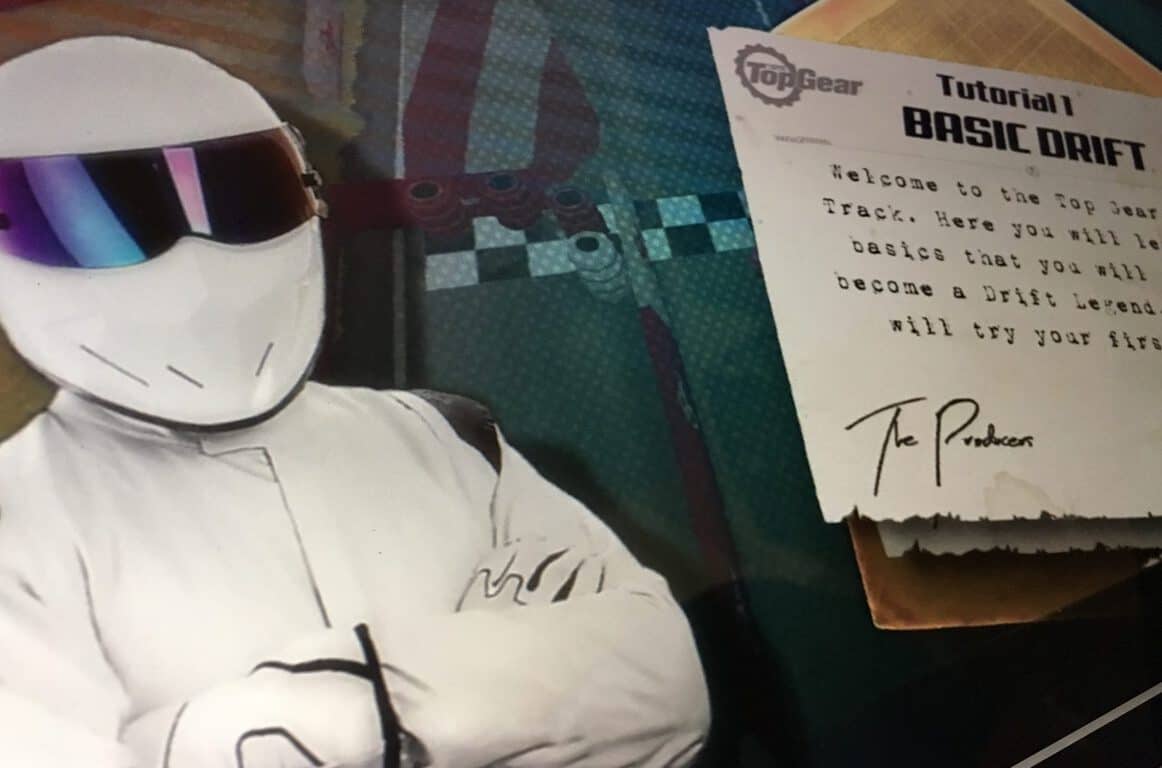
If you’ve had dreams of being the next Ken Block or Vaughn Griffin Jr. drifting master, then BBC TV’s latest game for Windows 10 might help you live out those dreams. Called Top Gear: Drift Legends, this new game for Windows 10 lets you play as the Stig drifting through tracks, spread around the world, in iconic vehicles from Top Gear episodes.
Available today in the Windows Store, here are details:
Top Gear: Drift Legend
Two Difficulty Modes: Arcade (Novice) and Expert
25 Tracks from 5 Countries
Season Mode: Play though of all 25 tracks, with leaderboard ranking, high scores and vehicle unlocks
5 Vehicles to unlock from iconic Top Gear episodes
Full-screen support
Xbox controller support
Keyboard and mouse support
If that looks and sounds like fun, be sure to head over to the Windows Store to download this new drifting game and lets us know in the comments how you are enjoying the game.
In an Office blog post by Bret Arsenault, chief information security officer for Microsoft, a new security app for Office 365 called Microsoft Cloud App Security was announced. This new app adds additional security management features to Office 365 and is a result of Microsoft’s acquisition of cloud security developer, Adallom. Take a look at the latest security updates for Office 365:
Advanced Security Alerts: This new feature alerts you of any suspicious activity, allowing you to take action. If a user makes changes from a PC they haven’t logged on to, the system will notify you of this action.
Office 365 Advanced Security Alerts
Cloud App Discovery: Cloud App Discovery allows you to see the different cloud services your users are storing files on, collaborating on and the amount of data being uploaded to services outside of Office 365.
Office 365 App Permissions: Allows you to revoke or give permission to users for applications accessing Office 365.
Along with these latest security updates to Office 365, Microsoft is updating their SharePoint Online and OneDrive Business applications to utilize a feature called Customer Lockbox. In the event a Microsoft engineer needs access to a customers Office 365 account, they must receive approval from different levels in Microsoft. This new addition allows the customer to be involved in this approval process to allow access, speeding up the approval for the engineer.
With these newest updates coming to Office 365, how do you see organizations benefiting from these security features? Let us know in the comments.
Xamarin is well-known in the software development world, with over 15,000 customers in 120 countries. The company provides a toolkit for developers, making it easier to build apps for iOS, Android, and Windows.
This conveniently fits in with Microsoft’s goal, which is to attract big-name third-party developers to Windows. The financial incentive, which was briefly leveraged in mid-2013, doesn’t seem to have worked, and the company has since moved on to new ideas.
Windows 10 is a universal platform for developers, meaning that an app made for a desktop can also run on a smartphone, tablet, Internet of Things device, or Xbox by virtue of the fact they run Windows.
This idea, while exciting to journalists and some developers, has not seen broad uptake, especially in the face of declining Windows Phone sales, which removes one part of the incentive.
Xamarin helps give this project some weight, potential enticing serious developers — like those who work at the big companies who make the apps Microsoft wants — onto Windows.
“With today’s acquisition announcement we will be taking this work much further to make our world-class developer tools and services even better with deeper integration and enable seamless mobile app dev experiences,” said Microsoft in a blog post.
“This acquisition is a new beginning for Xamarin,” said Nat Friedman, the CEO and co-founder, in a blog post. “[The acquisition] is an opportunity to help many, many more developers build great apps. Like many of you, I see Microsoft and Xamarin as a perfect fit.”
This is important as Microsoft has struggled to attract big-name developers to Windows, even when building one Windows app opens the door to multiple machines. For this reason, popular apps have never appeared on Windows Phone, cementing its problems and contributing to the fall in market share.
The technology that Xamarin makes allows developers to port apps across to Windows from other platforms using Windows tools. This, in essence, is exactly what Microsoft wants to be encouraging developers into doing.
The theory goes: More apps equal more users and, therefore, more developers. It’s an endless cycle that Apple sits in exactly the right place of (mainly by virtue of being first, with iPhone OS 2). Only time will tell if the acquisition actually yields positive results.
The deal will also help Microsoft onboard new users to Azure and its other services, according to The New York Times. The battle between Microsoft, Amazon, and Google for the cloud services business is heating up, and all three companies are intent on winning.
The basic strengths of the three can be summarised: Amazon is cheap and popular with start-ups, Microsoft has the best relationships with massive (and older) businesses, and Google is for everyone else, with Mail and Docs leading as its most popular products.
The competition is intense — a “street battle,” according to one analyst — and requires cost-cutting, heavy investment, and long stares.
Microsoft has a lot of customers already who bring in a lot of revenue, but there is always potential to add more. In fact, one of Wall Street’s big takeaways from Microsoft’s earnings was its ability to add new services to the deals of old customers.
Office 365, the cloud version of the productivity suite, is one of the big ways Microsoft is wooing its customers into buying more: The old versions of Office were a one-time buy, while 365 recurs every year. The company recently raised the price of the high-end version, creating the potential for another $50 billion in revenue for the company.
“The customers we are working with have a desire to build applications factories,” said Friedman, who will oversee all tools build within Microsoft. “They all want end-to-end service, and this is a way to offer that.”
The two business are interlinked and hard to understand from the outside (and, most likely, the inside at times), but the deal to buy Xamarin was clearly one that Microsoft felt necessary and it would seem like it makes a lot of sense.
Microsoft has been busy bringing new features for all of its various Office apps this month, as we saw nice updates to Office Mobile apps for Windows 10 devices (pinning documents is back!) as well as a new Box integration on the iOS apps. Legacy desktop apps have not been forgotten either as Excel received a new Power BI Integration while Outlook also got an improved connection with Office 365 groups. The office team just published a full recap of all recent updates, and we will share with you the most interesting bits.
On mobile devices
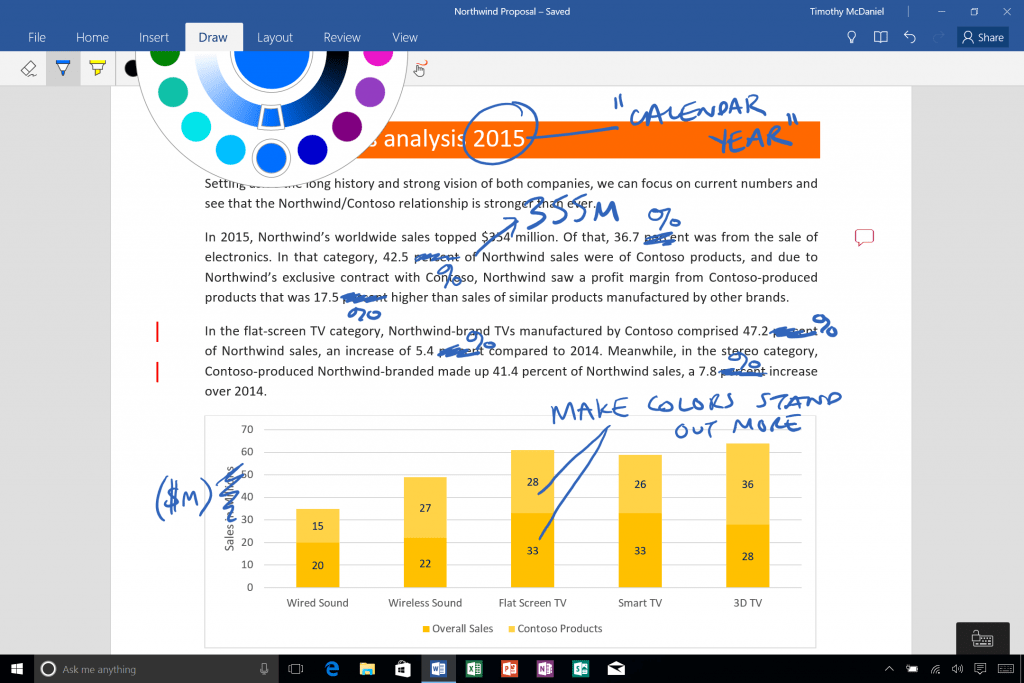
Users of Word, Excel and PowerPoint Mobile on Windows tablets can now use a pen, finger, and the new tools included in the Draw tab to annotate, comment and draw on documents.
Comment and draw on documents in Office Mobile
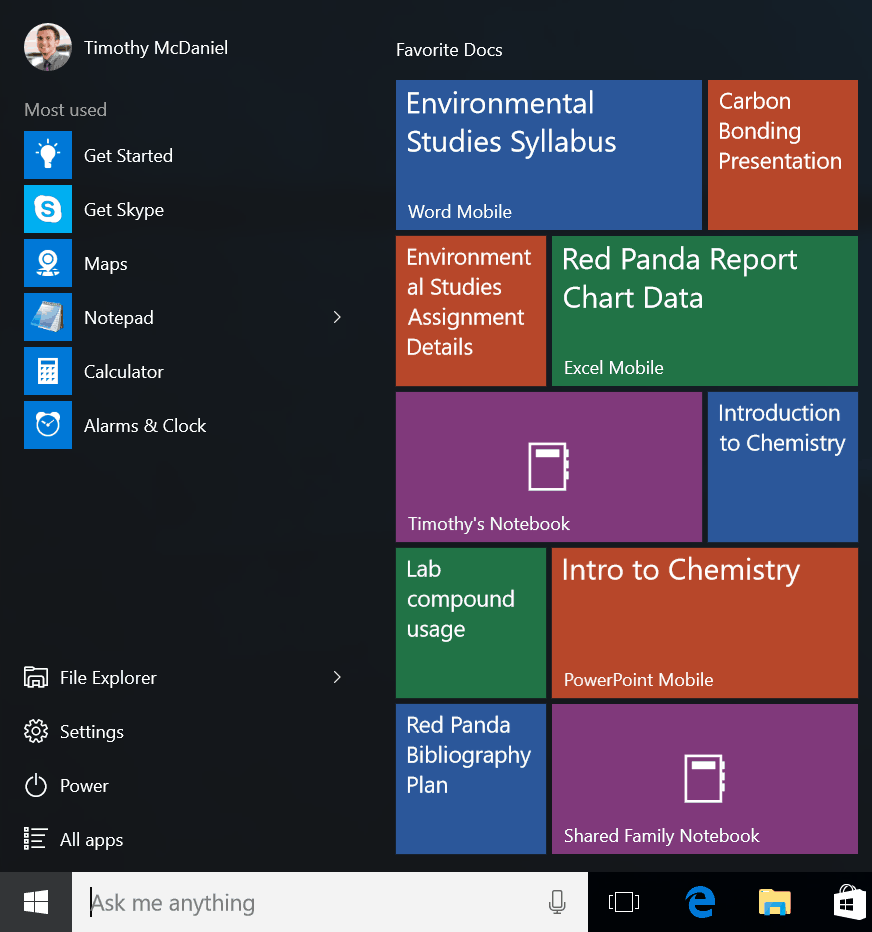
It’s also finally possible to pin your Office documents to your Start Menu on Windows 10 PCs and phones. Windows Phone users may remember it and so it’s nice to see the feature come back on Windows 10.
Pin Office documents to your Start menu.
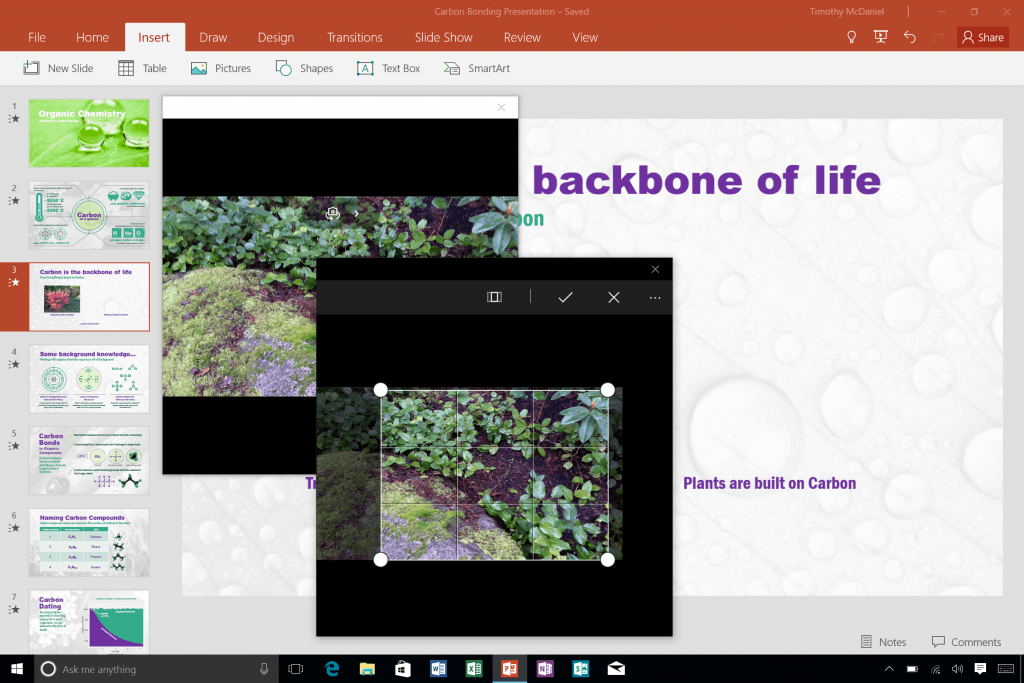
On Windows and Android phones and tablets, you can now use your built-in camera to insert and crop images in PowerPoint for Office Insiders, and the feature will come soon for Word and Excel.
Use your built-in camera to add pictures to Office documents
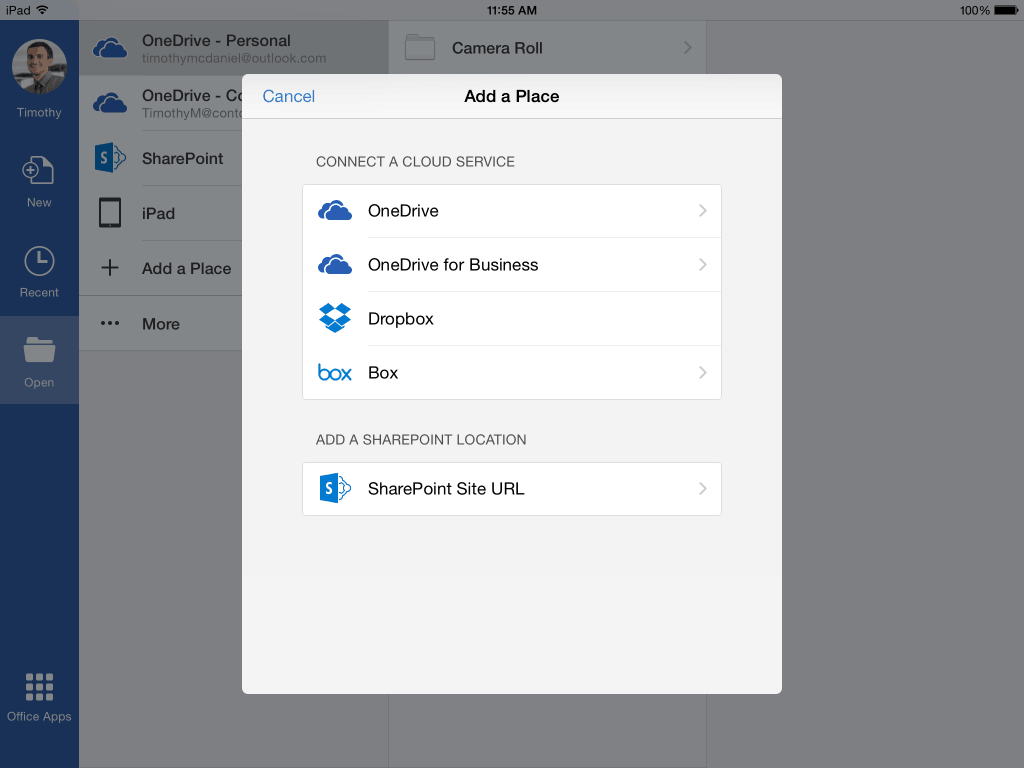
On iOS devices, the Office apps are now integrated with cloud storage service Box. This follows the previous Dropbox integration which was enabled in 2015, and Microsoft is sharing that other cloud storage partners are coming soon.
The new Box integration in Office to iOS
Updates to Excel and Outlook 2016
Excel received new handy features this month:
New functions make it easier for you to build common calculations.
An improved Formula AutoComplete feature lets you quickly find the function you’re looking for.
A new funnel chart that allows you to display data in progressively decreasing proportions is now available for all Windows and Android devices, see it below.
The new Funnel chart.
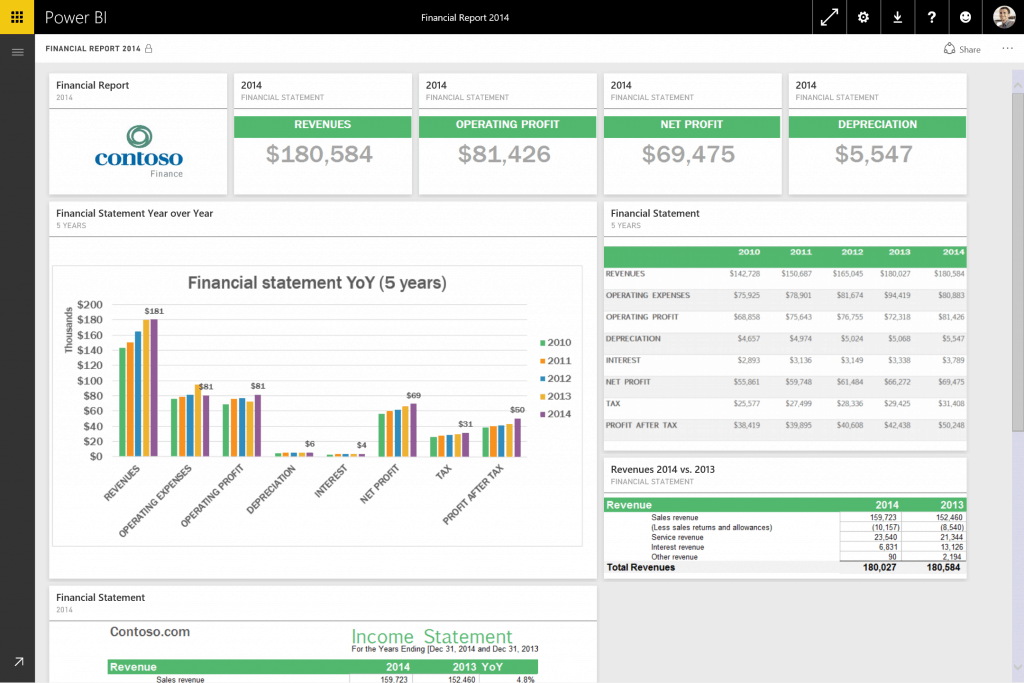
Excel is also getting an improved integration with Microsoft’s Power BI service (subscription required), as you can now pin your workbook’s rich formatted charts and graphs directly to your Power BI dashboards and interact with them from anywhere.
The new Excel Power BI integration
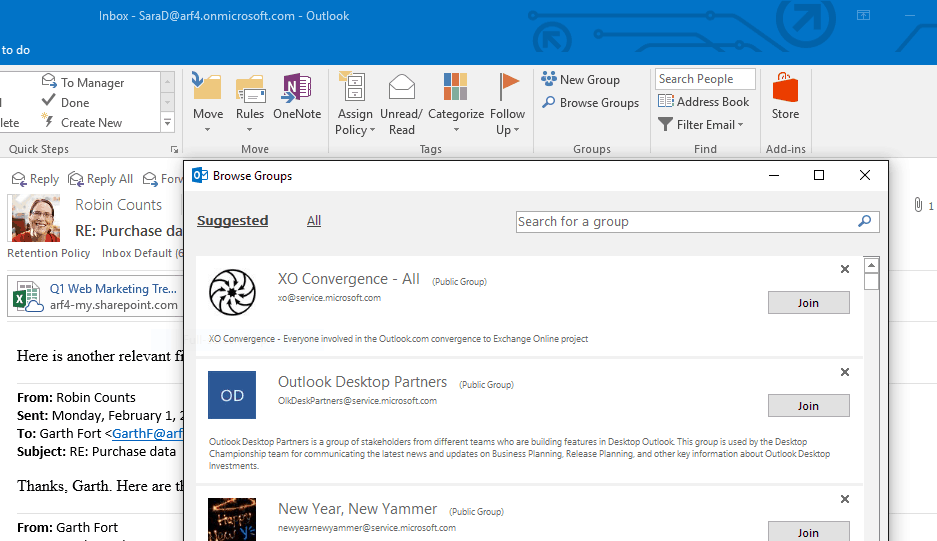
Outlook 2016 is also being improved for Office 365 customers: the Outlook ribbon just got a new Groups section to easily interact with your Office 365 Groups, and you can also create new Groups right from the ribbon. You’ll also be able to browse a Suggested groups category to join other Office groups based on information in the Office Graph.
Browse Outlook groups in Outlook 2016
Last, a new Archive feature is available today in Outlook on iOS, Android and the web and coming soon for Outlook for Mac. This feature allows you to quickly triage your emails in an experience similar to archiving emails in popular email services.
Quickly triage your inbox using the new Archive feature
Updates to Office for Mac
The team is promising faster updates to Office for Mac users thanks to smaller updates packages for upcoming releases. We also remind you that Mac users can now get Office Insider builds if they choose to join the program.
Word, Excel and PowerPoint now have a customizable Quick Access Toolbar to pin your favorite commands in the top-left corner.
Powerpoint presentations can now use the Morph transition effect that allows moving several objects at once across slides.
Office 2016 build now available for commercial customers in Deferred Channel
Commercial customers can now get the first Office 365 Deferred Channel build in the Office 365 User Software Page as well as the Office CDN. This deferred channel will only get cumulative packages of new Office features three times a year instead of in monthly updates, and this first build is actually the September 22, 2015 release of Office 2016 including four additional months of security updates.
As Office is now a multiplatform productivity solution, we’re amazed to see Microsoft being able to bring monthly improvements to all of its Office apps. We’ll continue to follow that consistent support in the coming months, and we remind you that you can still join the Office Insider program to get new features more quickly.
Mojang plans to release a full list of all the changes made between Minecraft 1.8 and Minecraft 1.9. For those that are interested, here is the full list of bugs fixed in Minecraft 1.9 Pre-Release 3:
[Bug MC-49888]: World bundled Resources Pack doesn’t work on server
[Bug MC-91173]: Eyes of Ender not targeting any of the new strongholds
[Bug MC-92079]: The Loading World GUI Overlay allows users to switch to another world while loading another world.
[Bug MC-92444]: Certain sounds are missing sound event name
[Bug MC-92525]: Signs only import first word on each line.
[Bug MC-94394]: black screen instead of credits [MP only]
[Bug MC-96004]: Books only import first word written
[Bug MC-97225]: Subtitle mistakes and typos
[Bug MC-97235]: Resource pack in minecraft world save file not working
[Bug MC-97389]: Horses are pushed into the wall on dismount
[Bug MC-97461]: MalformedJsonException when connecting to a 1.8.9 server with 1.9 pre release
[Bug MC-97491]: Spawner spawns entities with NBT tags and monster with no Pos tag at wrong position
[Bug MC-97521]: Missing sound for event: minecraft:entity.snowman.ambient
entity