Microsoft Windows leader Joe Belfiore heading out to sea, returning in summer 2016

Joe Belfiore, Corporate VP of Microsoft’s Operating Systems Group, is the highly recognizable fellow with the distinctive hairstyle who headlines Windows events. He’s also obviously an incredibly hard-working guy who has led his team through some pretty incredible challenges, including the transition from Windows Phone to Windows 10 Mobile and the successful launch of Windows 10.
Seems to us like he needs a break.
Microsoft being the company that it is, Belfiore’s getting just that. And not just any break–he’s joining his family on a months-long trip on a boat to explore the world. As he explains on his Facebook page (via Windows Central), his kids are getting older, and before they get too old, they’re taking off on “Semester at Sea.” Here’s a snippet:

SO… after dreaming about the idea for years… and with our kids getting ALMOST too old for something crazy… we’ve decided that we are going to take our family on the EDUCATIONAL TRIP OF OUR LIFETIME.
In January – we’re heading out on SEMESTER AT SEA for a journey around the world, along with 600+ college students and a handful of faculty and “lifelong learners” like us.
We think a floating college campus will be an amazing environment for everyone in our family to get a chance to see and experience the diversity all around the world and better appreciate what we have here. We’ve coveted the opportunity to spend a lot of time with each other and our kids—and we’re taking advantage of it while we can!

From Belfiore’s description, he and his family will likely be enjoying the following itinerary between January 5 and April 16, 2016:

  • Embark: San Diego, CA, United States
  • Honolulu, Hawaii, United States
  • Yokohama, Japan
  • Kobe, Japan
  • Shanghai, China
  • Hong Kong, China
  • Ho Chi Minh City, Việt Nam
  • Rangoon, Burma
  • Cochin, India
  • Port Louis, Mauritius
  • Cape Town, South Africa
  • Takoradi, Ghana
  • Tema (Accra), Ghana
  • Casablanca, Morocco
  • Debark: Southampton (London), England

When the trip is over, Belfiore will be heading back to Microsoft to continue on as before–albeit more educated and recharged, we’ll wager. We hope he and his family enjoy their trip and learn tons of new things, and we’re sure that the Microsoft team will hold down the fort until he returns.
Poll: Should Microsoft release especially buggy builds?

After every type of build that we could get being released last week, we received another treat this week. Windows 10 Mobile build 10572 rolled out yesterday and with it came new features and plenty of bug fixes. Generally speaking builds are always good news but this one came with a caveat, users already on a Windows 10 Mobile technical preview build had to roll back to Windows 8.1 to update (we have a how to if you’d like to use this route). This is the second mobile build in a row requiring Windows Insiders to jump back and forth to get the latest build. This week’s poll is on if Microsoft should release builds like this one that require rollback or have other notable flaws outside of the normal preview software bugs.

Microsoft’s Gabe Aul stated that a newer build, specifically build 10575, is set to roll out next week that won’t require users to bounce around between operating systems. Let us know through voting in the poll and in the comments below if you think Microsoft should release builds with major flaws or just wait until a more stable is available. Make sure to tune into this week’s WinBeta Podcast to hear us discuss the results.

Reddit app Readit receives Windows Universal app UI update for WM10

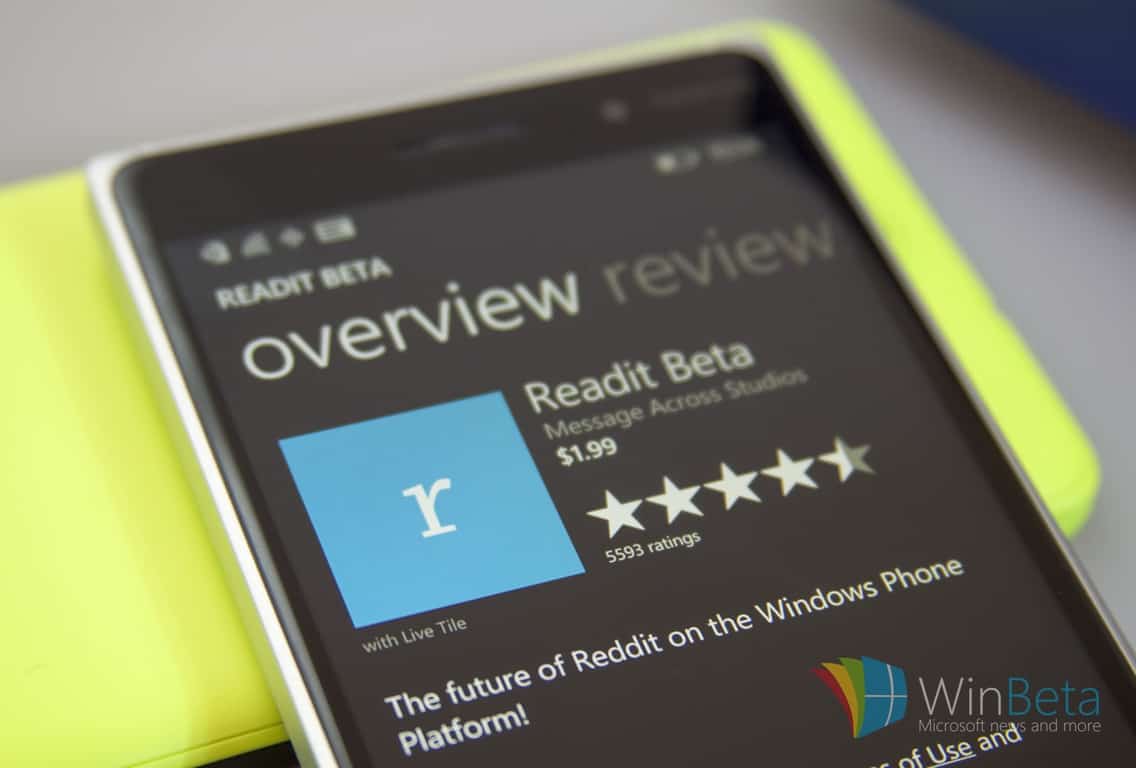
Readit is one of the most popular apps when it comes to managing Reddit on your Windows Phone. If you happen to be a regular user of the app, you’ll be happy to know that the app has received an update which brings a universal app UI for Windows 10 Mobile along with a handful of bug fixes and enhancements to boost the user experience.
Here’s the complete change log for the latest update:

  • App bars for post/comments/subreddits, still need to add appbars to profiles and such.
  • Hamburger menu and sidebar menu buttons moved to subreddit appbar
  • Back button will now close the app as expected when there are no more pages to navigate back to
  • View post no longer has the “header” bar at the top taking up pointless space
  • Moved view post buttons into an appbar when viewed on mobile device for space consolidations and platform UX
  • Going directly to comments now works
  • Logging in should no longer crash the app
  • Fixed up the header margins on all pages
  • Fixed up the comments header where the dropdowns are for sort and whatnot
  • Launch speed is just a tiny bit faster. Still need time to work on this though.
  • Swipe view performance increase
  • Other misc. bug fixes and improvements

Head over to the Windows Store and grab the updated Readit app for Windows Phone

Microsoft watches Yahoo add Google to its search ads in new agreement

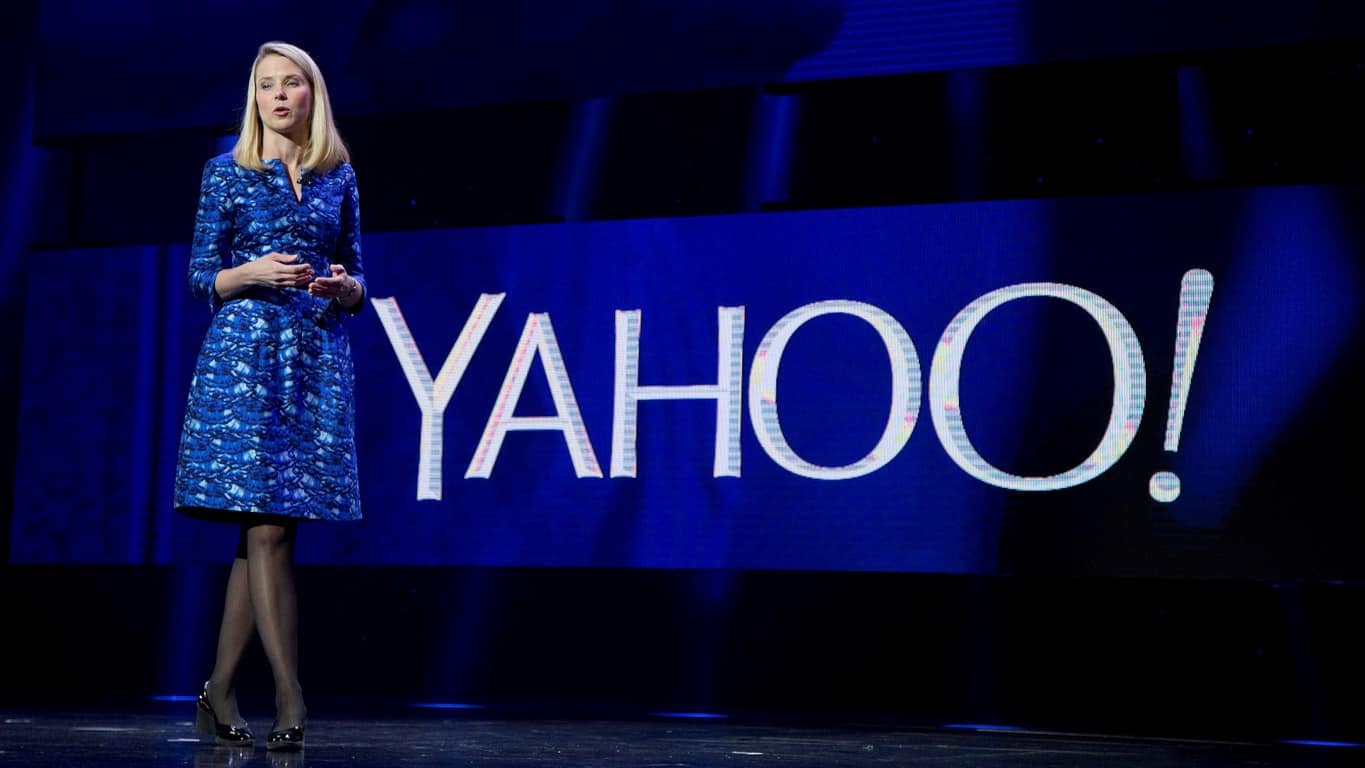
Ever since Marissa Mayer took over as CEO of Yahoo, the company has been looking for more wiggle room in its search deal with Microsoft. When the search agreement between Yahoo and Microsoft was first inked, the two companies relied heavily on each other to compete in the market. Since the original deal, the conditions that gave birth to a Microsoft and Yahoo partnership have since shifted and Yahoo is looking to adjust accordingly.
According to an SEC filing from Yahoo, the company has signed a non-exclusive deal with Google providing search ads for Yahoo’s search results. The new deal has Google providing search ads while also paying Yahoo a percentage of the revenue return from the ads as well.

On October 19, 2015, Yahoo! Inc., a Delaware corporation (“Yahoo”), and Google Inc., a Delaware corporation (“Google”), entered into a Google Services Agreement (the “Services Agreement”). The Services Agreement is effective as of October 1, 2015, and expires on December 31, 2018. Pursuant to the Services Agreement, Google will provide Yahoo with search advertisements through Google’s AdSense for Search service (“AFS”), web algorithmic search services through Google’s Websearch Service, and image search services. The results provided by Google for these services will be available to Yahoo for display on both desktop and mobile platforms. Yahoo may use Google’s services on Yahoo’s owned and operated properties (“Yahoo Properties”) and on certain syndication partner properties (“Affiliate Sites”) in the United States (U.S.), Canada, Hong Kong, Taiwan, Singapore, Thailand, Vietnam, Philippines, Indonesia, Malaysia, India, Middle East, Africa, Mexico, Argentina, Brazil, Colombia, Chile, Venezuela, Peru, Australia and New Zealand.
“Under the Services Agreement, Yahoo has discretion to select which search queries to send to Google and is not obligated to send any minimum number of search queries. The Services Agreement is non-exclusive and expressly permits Yahoo to use any other search advertising services, including its own service, the services of Microsoft Corporation or other third parties.”

Under the recently renegotiated agreement between Yahoo and Microsoft, Yahoo was free to work with other search-ad providers as early as the beginning of this month. It should come as no surprise that a struggling Yahoo chose the world’s leading search engine provider to partner up with, as well as adding Google’s lucrative search dollars to its pockets. As for the logistics of the deal, Google and Yahoo both agreed to several US Department of Justice provisions that seemingly cover much of the opposition a similar 2008 antitrust investigation negated.
What this means for the future relationship of Yahoo and Microsoft is yet to be determined. According to Mary Jo Foley of ZDnet, who reached out to a Microsoft spokesperson, it appears to be business as usual for the two companies.

We remain committed to the Yahoo syndication partnership and will continue to serve the majority of Yahoo traffic as outlined in our contract extension. Yahoo is a valued partner and we look forward to continuing to serve our advertising customers through the Bing Ads marketplace.”

As much as the deal helps bolster Yahoo’s search ads and puts into question the Microsoft-Yahoo pact, Google also maintains an option out of the 3-year agreement if certain provisions are not met. Yahoo’s recent less than stellar Q3 earnings report may be putting a ticking clock on this new deal.


Quick Fix: Surface Pro 2 Runaway System Process

Windows 10 is designed to work on variety of devices, but some Surface Pro 2 users are reporting certain issues. According to them, there are processes that will consume most of your memory or CPU power when the keyboard cover is removed, so let’s see if we can fix this issue.

How to Fix The Problem With Surface Pro 2 Runaway System Processes

Fix The Problem With Surface Pro 2 Runaway System Processes

Excessive CPU or RAM usage is always a problem since it will decrease your performance, drain your battery faster and heat your device, so let’s see how to fix that.

Solution 1 – Disable Windows Driver Foundation – User-mode Driver Framework Host

Windows Driver Foundation – User-mode Driver Framework Host or WUDFHost.exe is one of the processes that can consume a lot of computer power, so you might want to disable it.

  1. Open Task Manager. You can open it by pressing Ctrl + Shift + Esc on your keyboard.
  2. Find WUDFHost.exe in the list of processes, right click it, and choose End task.
  3. If you want to permanently to disable WUDFHost.exe, go to the Startup tab in Task Manager find WUDFHost.exe or
  4. Windows Driver Foundation, right click it, and choose Disable.

If for some reason your experience any issues, go to the Startup tab in Task Manager and
enable WUDFHost.exe.

Solution 2 – Disable Sensor Service

  1. Press Windows Key + R and type services.msc and press Enter.
  2. Service window should open and now you need to find Sensor Service.
  3. Double click the Sensor Service and then click Stop to stop the service for running.
  4. Now set Startup type to Disabled to stop the service from running.
  5. Click Apply then OK to save the changes.

We have to mention that doing this will disable automatic rotation, but it should fix excessive CPU usage.

Solution 3 – Disable HIDV2 or SDO V2.

  1. Open Device Manager and go to Sensors section.
  2. Expand the section and find HIDV2 or SDO V2.
  3. When you find these drivers, right click them and choose disable.
  4. Restart your computer to see if the issue is resolved.

This will disable auto-rotation, so keep this in mind.

That would be all, I hope these solutions will help you with runaway system processes on your Surface Pro 2. If you have any questions, suggestions or comments, reach for our comment section below.

Read Also: Fix: My Lumia Phone Constantly Restarts

Windows Store developers: Microsoft adds new options to promote your app

Microsoft’s ambition with Windows 10 is to have the operating system running on 1 billion devices within 2 to 3 years. This will include PCs, mobile phones, tablets, and IoT devices. Beyond desiring to maintain its status as the world’s largest PC OS, this rather ambitious goal is also to attract and encourage developers to program for Windows devices, namely mobile. Microsoft’s CEO, Satya Nadella, has confirmed on numerous occasions that mobile is an important part of Microsoft’s strategy and we continue to see that with the direction he is leading the company, especially when it comes to how Microsoft treats developers.
It cannot be said that Microsoft is not trying to cater to programmers. With programs like Connect which offers free training sessions for cross platform app development, and IDEs like Visual Studio that provides almost every tool needed for development, Microsoft is trying to make coding for Windows as simple and easy as possible. Going a step further, programs like Visual Studio allows developers to create one program that will work on all Windows devices, opposed to having to write code for multiple apps. However, simplifying coding isn’t enough; Microsoft wants to show developers their hard work won’t go unnoticed.
In a post by Microsoft’s Bernardo Zamora, we are given insight into how Windows 10 helps developers do this. Developers have access to Microsoft Advertising SDK which helps them promote their applications and other apps they have already published in the Microsoft store. This SDK has now been updated to support more than 51 new markets and more languages, further expanding the reach of developers.
Additionally, Microsoft has added the ability to map app downloads, estimate the potential reach of one’s app, and even generate recommended settings for campaign targeting. With this, developers have the ability to choose where ad campaigns will target. They can choose to target phones only, PCs and tablets, specific Windows operating systems (Windows 8.x or Windows 10), or all of the above.
With these features, developers have greater potential for reaching their targeted populations and having their apps downloaded. Certainty the more developers Windows is able to attract to their OS, the better chance Windows 10, especially Windows 10 Mobile, has to succeed.
Do you think these developer features will attract more programmers to the platform? Let us know in the comments below.

Microsoft reveals new Surface Book SKU with discreet GPU

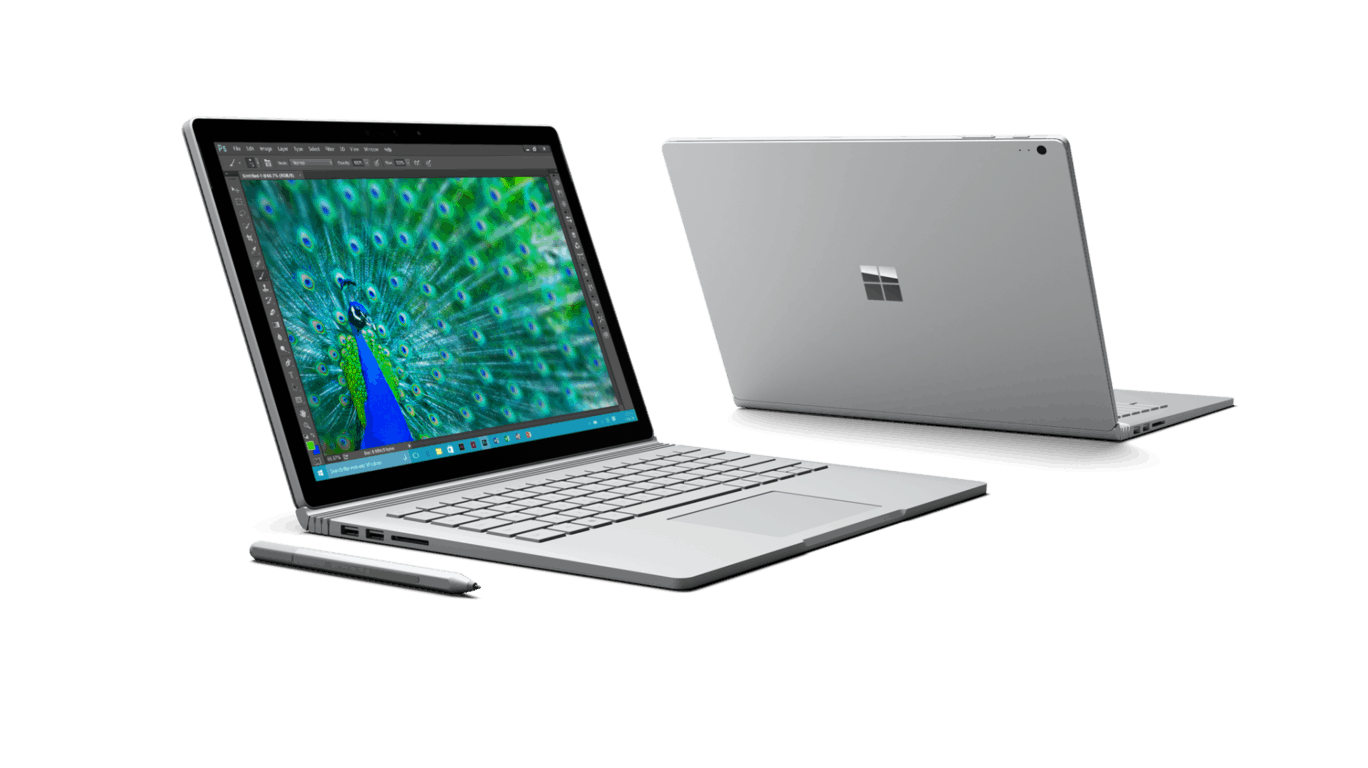
Several Twitter users have been Tweeting recently about a new version of the Surface Book that’s appeared on the Microsoft Store website. This new SKU is an alternate version of the US$1,499 128GB Surface Book with Core Intel i5 processor that is identical in almost every way but boasts a discreet GPU which pushes its price up to US$1,699.
There are several other versions of the Surface Book currently offered to consumers; Three 256 GB models (one with an Intel Core i5 processor, one with and Intel Core i5 processor and a discreet GPU, and one with an Intel Core i7 processor), one 512 GB model with an Intel Core i7 processor and a discreet GPU, and a massive 1T model with an Intel Core i7 processor and discreet GPU.
Discreet GPUs (graphic processor units) differ from regular integrated GPUs in that they delegate all of the graphic processing work to a dedicated GPU which releases strain on the CPU which is forced to carry out some of the graphic processing in devices with cheaper integrated GPUs. Discreet GPUs (or “dGPUs”) may be more expensive but are often used by those who prefer to play graphic intensive games or who work on high level media production projects.
Microsoft announced the new Surface Book line of hardware during a recent event where they also unveiled the Surface Pro 4, the next generation Microsoft Band, and the latest developments in their HoloLens augmented-reality headset which creates the illusion of three-dimensional holograms in a real space (not actual holograms) and can be used for gaming and presentations. Orders of the Surface Book will begin shipping on the 26th of October 2015 and pre-orders are now being taken both online and in stores.
Have you ordered a Surface Book yet? Which version will you be getting? Share your thoughts with the WinBeta community in the comments below.

The Guardian is now available as a universal Windows 10 app

Another app makes its way to the Windows Store as a universal Windows 10 app. The Guardian, a popular news site, has published its own universal app that gives users a seamless experience whether they use Windows 10 on a PC or tablet or Windows 10 Mobile.
The app looks pretty nice in my opinion. The design is good, and the content in the app really stands out right in front and center. When reading stories in the app, everything displays in a mostly distraction-free reading view with a minimal amount of ads. Readers can change the text size to their preference, and the app works offline, too. Readers can also search articles in the app by keyword, topic, series, section, or contributor.
If you’re interested, you can check the app out from the link below. Feel free to share your opinion about what you might think about the app in the comments below! PS: We’re working on our own Universal app, more details to share soon.

The Guardian
The Guardian
Price:
Free

Microsoft breaks ground on €134m campus in Dublin, Ireland

Today, Microsoft Ireland broke ground on its new €134m (about $152 million US) campus in Leopardstown, Ireland. The new campus is located on the southern side of Dublin and just down the street from Microsoft’s current main office in Sandyford.


As reported earlier this year by Independent Ireland, the new office complex will house all of the company’s existing 1,200 full time employees currently in Dublin. Cathriona Hallahan of Microsoft also told Independent Ireland that the company may seek to expand its operations in Ireland. Hallahan further said:

“Our focus is to evolve the investment here and to demonstrate that we can attract European talent here in Ireland. We see ourselves as a gateway into Europe.”

Ireland has become an important part of Microsoft’s operations. And their commitment and continued investment in its Irish operations is almost certainly welcomed news to the Island nation that has been struggling with high unemployment rates and low property values since the global recession began in 2008.
Microsoft Ireland
For some quick background, both pre and post recession economic growth in Ireland has been intrinsically linked to many foreign companies setting up shop there. The resulting phenomenon of rapid foreign direct investment during the 1990s and the mid-2000s made Ireland known as the “Celtic Tiger,” akin to the Tiger term attributed to fast growing Asian economies of the same time period. Much of that growth was directly attributed to Ireland’s very favorable corporate tax rate and the nation’s membership in the European Union, as well as its growing tech community and highly educated workforce.
Consequently, many technology companies have located European Headquarters in Dublin and other Irish cities where a sizeable amount of their cash holdings remain offshore. As we reported earlier this year, an estimated $108.3 billion of the Redmond Washington based company’s profits sits outside of the US, much of it in Ireland. Other technology companies such as Apple follow very similar arrangements with their holding companies. Most recently this has resulted in a tech boom in Ireland known as an area of Dublin earning the nickname the ‘Silicon Docks.’
But as Microsoft points out, today’s groundbreaking also celebrates the company’s 30-year history in Ireland. The country is also where Microsoft setup their first Data Center located outside of the US. Notably, as we reported last month, that Data Center has also become the center of a U.S. Federal Court case in which Microsoft is withholding private email data from US investigators. Microsoft is keeping this information from US authorities on the grounds it is unlawful and an invasion of privacy, in the hopes that US lawmakers will clarify the issue.
In total the new campus will be over 370,000 square feet of office space on a wooded 7.4 acre campus that should be an impressive new headquarters for Microsoft’s sizeable Irish workforce.

Fix: My Lumia Phone Constantly Restarts

Microsoft is preparing Windows 10 Mobile for some of its Lumia phones, but problems related to Windows 8.1 are still present. This time we have one really annoying issue, the problem with constant restarting of Lumia phone running Windows 8.1.

My Lumia Phone Constantly Restarts

How to Solve Constant Restarting Problem on Lumia Phones

Solution 1 – Download Stop Restarting App

Microsoft is aware of the fact that some Lumia phones have problems with unexpected restarting, so it released a special app, which reportedly solves the problem. You can download this app from Microsoft’s official download page, to see if it does the work. We cannot guarantee you one hundred percent that this app will solve the problem, because reviews are going from one extreme to another, as some users are reporting that the app is useless, while other say it perfectly fixes the issue.

Solution 2 – Perform Hard Reset

The next thing we’re going to try is performing a hard reset to return phone to its default settings. But remember, before you do a hard reset of your phone, you need to create a backup of your apps, data and media first. To create a backup of your staff, go to Settings>Backup and complete the process. The backup will be saved on your Microsoft account, and your data will be safe from deletion.

Now do the following to reset your phone:

  1. In the App list, tap Setting
  2. Tap About, and then tap Reset your phone
  3. Follow further instructions and restart your phone

When you’re setting up your phone again, after the restart, you’ll be prompted to install a backup of your data, so just login with your Microsoft account, and choose the backup you created earlier to bring your staff back.

Solution 3 – Check if hardware is okay

Maybe your problem is not software-related at all. Maybe  the problem lays in hardware. Some users across forums have reported that damaged battery caused their Lumias to restart constantly. Some users also said that they had problems with processor, so the problem could easily be hardware-related. To make sure everything is okay with your phone’s hardware, you should take your phone to a local service, and see if these guys have a solution. If you go to the ‘better’ service, they’ll probably help you even if your issue is in software, as well.

Read Also: Windows 10 KB3097617 Update Problems: Start Menu, Failed Installs and Login Issue

Microsoft hopes to grow its board by two new members

Microsoft’s board of directors oversees the company, influencing its strategy, overseeing and establishing the compensation for its officers, including CEO Satya Nadella, and generally acting to help steer the technology giant. Yesterday, Microsoft announced that it’s nominating two new members, Sandra Peterson and Padmasree Warrior.
Peterson serves on Johnson & Johnson’s executive committee and has held leadership roles at a number of other healthcare giants including Bayer and Merck-Medco. She also serves on the board of Dun & Bradstreet Corp. Warrior has more of a technology background, acting as strategic Advisor to Cisco Systems Inc., and holding a number of other leadership roles at Cisco, Motorola, The Gap Inc., and Box, Inc.
With the decision of current board member Dr. Maria Klawe to bow out after her current term, the Microsoft board will sit at 11 members, pending the two new members:

  • Peterson and Warrior
  • John W. Thompson, Microsoft independent chairman and chief executive officer of Virtual Instruments
  • William H. Gates, Microsoft founder and technology advisor
  • Teri List-Stoll, executive vice president and chief financial officer of DICK’S Sporting Goods Inc.
  • G. Mason Morfit, president, ValueAct Capital
  • Satya Nadella, chief executive officer, Microsoft
  • Charles H. Noski, former vice chairman of Bank of America Corp.
  • Dr. Helmut Panke, former chairman of the board of management at BMW AG
  • Charles W. Scharf, chief executive officer of Visa Inc.
  • John W. Stanton, chairman, Trilogy Equity Partners and Trilogy International Partners

There you have it: the team that will continue to lead Microsoft as it implements its “mobile-first, cloud-first” strategy. We’re sure Microsoft’s board of directors will have their hands full.

More info about Microsoft Surface Book's mysterious dedicated GPU

We might have just had the answer to one of the great mysteries of consumer tech this year. Ever since its introduction as the “ultimate laptop” at Microsoft’s October hardware event, the Surface Book has become one of the most desirable pieces of hardware currently existing.  One of its most novel features that lends credence to the “ultimate” claim, however, is also the biggest point of debate among Surface watchers: the dedicated GPU that’s included in the base of the top-end model. Countless speculations have been drawn on just exactly what chip it is that powers the graphics of the Surface Book, not helped by the fact the details of which seems to be innocently neglected by Microsoft. Now, some Redditors have seemingly managed to shed some light on the issues with the help of software.
To be fair, the debate stems from the sheer desirability of the Surface Book and how close it is to satisfy just about all the computing and input needs of a general person: super-sharp bright screen, premium construction, convertible form factor that works perfectly as a laptop, digitizer pen. Such a combination of input and power is already only available in the highest end of today’s laptop market, but what sets the Surface Book apart from even other premium laptops in its class is the dedicated GPU, which opens it up to a whole new huge market of light-gaming professionals (remember that among many factors, the general success of Windows itself has been credited heavily to its gaming-friendliness). With power, however, comes great responsibilty, or in this case, a hefty financial commitment: ownership of the lowest-specced Surface Book with dedicated GPU will set you back $1899.
Surface Book
It is, therefore, understandable that it would be the biggest point of desire and also doubt among buyers, and Microsoft so far seems to have only been giving the leverage to doubters with lack of information and repeated bold claims on-stage by Device Chief Panos Panay among which the now-infamous “2x faster than the Macbook Pro,” a claim which they officially validated afterwards (via Microsoft News). The Surface Book model with dedicated GPU has been rather elusive however, and only recently has it been displayed in selected Microsoft Store, at which point it promptly got tested by some mindful Redditors.
By opening up NVidia’s Control Panel on the machine, one Redditor was able to find specific numbers to confirm that the chip is indeed a heavily customized Nvidia GPU with 1 GB of RAM that has traces of both the 920M and 940M. The person also ran a benchmark with MS Edge, but the results were from the integrated GPU and therefore meaningless. Others were able to install the graphics card info retriever software GPU-Z and got some screenshots that shows great similarity to the NVidia GeForce 940M.

surface-book-dgpu
Great similarity between Surface Book’s GPU and the NVidia GeForce 940M. Image from Reddit.

So what is the conclusion so far? We can now be reasonably certain that Microsoft is using a variant of NVidia’s entry 940M graphics card in its Surface Book with 1GB of RAM. The performance of a system, however, does not depend solely on the dGPU, and it will take real-life usage and in-depth testing by reviewers to determine whether the Surface Book will live up to Microsoft’s claims and our expectations. In the meantime, check out our hands-on of the device, and be sure to stay tuned for our review, related news, deals and much more.

Microsoft Azure to help ABB manage next-gen electric car charging stations

All of Tesla’s hype aside, electric vehicles (EV) are still a nascent market. Before it can grow, the world needs more EV charging stations. ABB is a leader in the production of EV charging platform technology, and they’re partnering with Microsoft to apply the Azure cloud platform to build out the next generation of charging services.
So far, estimates put the number of EV sold at just over a million, a number that’s doubled in the last 14 months. While that pales compared to the many millions of gasoline vehicles sold each year, the growth rate is significant and all major automobile manufacturers are jumping into the game. While EV charging services are only estimated at $126 million for 2015, they’re predicted to grow to almost $3 billion by 2023.
Of course, technology will be utilized to build out and manage the charging platforms necessary to meet this tremendous growth in demand. And, no technology can be more helpful in managing large, connected Internet of Things networks than cloud platforms like Microsoft’s Azure.

“Platform performance and stability are critical differentiators for the successful operation of a modern, data-dependent EV charging station. By partnering with Microsoft, ABB will be able to offer best-in-class operations as well as innovative advanced services — what we call the Internet of Things, Services and People,” said Pekka Tiitinen, president of ABB’s Discrete Automation and Motion Division. “This partnership gives us the solutions, scalability and global agility to support expanding demand for EV charging infrastructure in the world’s major automotive markets, which is a key focus of our Next Level growth strategy.”

ABB and Microsoft will be launching this next-generation EV charging platform at eCarTec in Munich, Germany on October 20-22. If you’re in the area, plan to stop by and see how Microsoft’s technology will help fuel the growth of EV.

Educator takes the Microsoft Surface Pro 3 to new heights

Technology is the key to improving how we edify tomorrow’s leaders, both students and educators alike. Technology changes the way teachers teach and the way students learn. With entire classrooms now able to collaborate and share virtual notebooks with OneNote, not only with Microsoft products but with Apple iOS and Google’s Android as well, Microsoft is changing the face of education and developing technology to change how learning. For David Lopez, a K-5 classroom teacher and professional development specialist, the Surface Pro 3 is the ideal tool for education and a crucial piece of technology.
Mr. Lopez’s job requires him to frequently travel to different schools and school districts. While visiting other institutions, Lopez assists other educators integrate technology into their schools, teaching them the benefits of productivity tools such as the Surface Pro 3 and OneNote. While traveling 30,000 feet in the air, Lopez often bumps elbows with other frequent fliers who are more than a little curious about all he is able to do with this Surface Pro 3. Being the ever scholarly man that he is, Lopez can’t help but demonstrate his favorite features.
Lopez tells us about his experiences in post on Microsoft in Education blog:

They see me take out my active stylus and start highlighting a document in OneNote, and then they look at the papers they’re working on, wondering how they could do the same thing. And when I flip the keyboard under the screen and read an e-book while keeping the flight tracker open on the split-screen? Yes, I’ve seen their eyes peek over at my screen and I have to say, “Pretty cool, huh? Would you like to give it a try?”
The teacher in me can’t help but demonstrate how this great device has changed the way educators collaborate and communicate with their students.
My favorite feature to demonstrate is how I can give descriptive feedback to my students in OneNote using the inking feature and the built-in microphone. I simply open OneNote, find the paper, insert a recording, and then begin writing and highlighting on the screen just as I would on paper. The real eye-opener is when I click “playback” and the inking starts highlighting and moving down the page as my recorded voice comes through the speakers.

Lopez goes on to express his desire for all of his students and fellow educators to have access to devices like the Surface Pro 3. Although there are perhaps hundreds of uses for Microsoft’s Surface devices, educators like Lopez see its value in education and all the possibilities Surface can create.
What do you think about the Surface Pro 3 in education? Let us know in the comments below.

Microsoft names new 4Afrika regional director

As of October 2015, Amrote Abdella has taken over Fernando de Sousa’s role of regional director for Microsoft’s 4Afrika Initiative, a program initiated by Microsoft that aims to improve access to technology, resources, and skills development for African individuals and companies.
“At Microsoft, our mission is to empower every person and organisation on the planet to do more. The 4Afrika Initiative is perfectly aligned to accelerate this for the African continent through locally relevant innovation, affordable access and skills development,” Abdella said in a statement after her promotion. “Creativity is what I love most about working in Africa and is what I hope to continue to help unlock and ignite across the continent — to see Africans not just being empowered by technology but also building innovative solutions relevant for our markets.”

Microsoft's Amrote Abdella
Microsoft’s Amrote Abdella

Abdella has a rather impressive body of experience before her time at Microsoft and has worked at the World Economic Forum, the World Bank Group, the Hunger Project, and the Grameen Foundation with a focus on African financial services, policy guidance, and economic development.
Corporate vice president for Microsoft Middle East & Africa, Ali Faramawy had the following to say about Abdella’s appointment, “Having worked with the initiative since its launch in 2013, Amrote has a deep understanding of both the continent and 4Afrika’s mission. Her wealth of firsthand, on-the-ground experience with startups, investors, government bodies and nonprofit organisations has given her insight into the exact challenges and opportunities we’re focusing on through 4Afrika. We are confident in her ability to move the initiative forward and refocus our efforts.”
Microsoft’s 4Afrika initiative has to date helped 273,000 small- to medium-size enterprises, 76,000 young people and 20,000 government employees. Two noteworthy examples of 4Afrika projects are the recent introduction of telemedicine services in Botswana and providing internet services to universities in Ghana.
Have you heard much about 4Afrika before now? What do you think is Microsoft’s most impressive initiative? Let us know in the comments below.

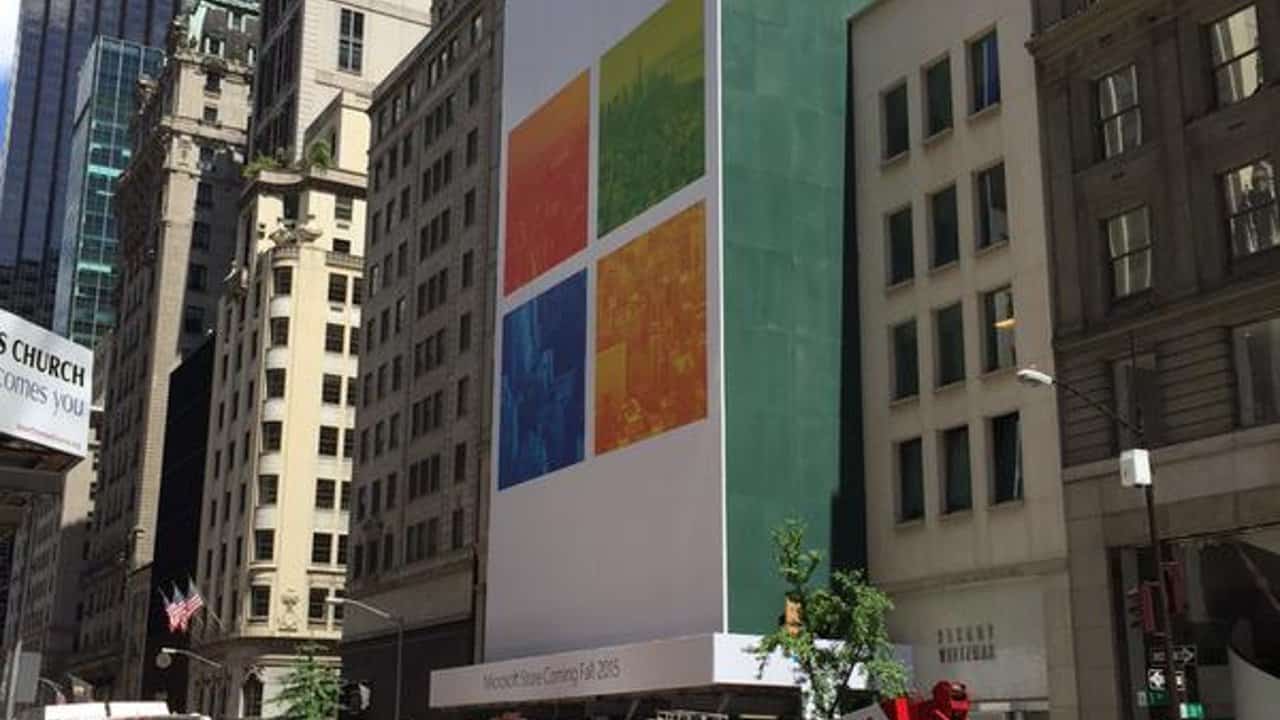
Microsoft uses guerrilla marketing to promote its New York City flagship store

Microsoft is set to open up its highly touted and long awaited New York retail store next week, and the company is pulling out all the stops to entice New York citizens to check it out. The new Microsoft Store sits a few blocks away from the iconic glass cube Apple Store and sports an impressive 22,269 square foot imprint. Leading up to the October 26th unveiling of its new five-story flagship store, Microsoft has been engaging in a bit of guerrilla marketing to spread the news.
Microsoft’s new campaign began with positioning food trucks in various places throughout New York that offered free food. The vehicles were covered in the traditional Microsoft Windows blue and suggested that not only, “lunch is on us,” but that eaters should upgrade their day, presumably at the new store.

In addition to free food, Microsoft is also planning to roll out prize machines to two different locations throughout New York each day for the next week. The vending machine looking devices are covered in the same Windows blue color and wrapped with Microsoft promotional tags. Inside the machines are said to be Microsoft products such as Xbox One’s, Surface tablets and other cool swag. The vending machines are designed to dispense free gadgets as long as fans tweet directly from the box. Fans are encouraged to visit Microsoft’s Facebook events page for details on locations and prizes.

Lastly, Microsoft will be giving away tickets to a Pitbull concert scheduled October 26th during the flagships unveiling. To receive a free Pitbull concert ticket, fans need to line up at 6:00 AM ET at the Fifth Avenue and 53rd Street Store location.
According to Microsoft:

  • The first 1,000 people in line, at a minimum, for the Microsoft opening on Monday, October 26 will receive two complimentary tickets for the Pitbull special performance on Monday, October 26. Like us on facebook.com/microsoftstore to get up-to-the-minute details.
  • Customers in line by 9:00 AM on Monday, October 26, will be entered into a raffle to meet Pitbull. A limited number of customers will be selected at random.

As Microsoft looks to influence the direction of the PC market with its renewed software and hardware offerings, the company is also taking its retail presence into heavy consideration. The location of the New York City flagship signifies a hefty investment from Microsoft in its bid to reestablish the PC buying experience for some New York natives.
We’ll see in a weeks time whether or not Microsoft’s street campaign efforts pay off with long lines on October 26th at its latest Store.

Microsoft launches new India-based commercial cloud services

In a new Azure blog post, Microsoft announces the launch of several cloud based services in India. First are new commercial cloud services spawned from data centers stationed in various regions. Second are Office 365 services which will be available later this month, and finally Dynamics CRM Online services, which will be available some time in the first half of 2016.
In discussing its new cloud services in India, Microsoft India chairman Bhaskar Pramanik explains:

The Microsoft Cloud in India will transform the way computing is done in the country.  The hyper-scale cloud will empower governments, businesses and users and offer enough computing power that will support all their existing workloads. We are happy to partner with government and businesses to make the Microsoft Cloud work for India and for Indians.

Microsoft’s cloud services are built on core pillars of security, privacy, control, compliance, and transparency. This makes its cloud services useful for all varieties of businesses, individuals, and state-owned enterprises and agencies that require their data to be stored locally. All data can be replicated, distributed, and stored in various data centers in India exclusively. As such, its new cloud services are well-suited for startups, small businesses, education, developers, IT, government, and many more categories of customers who require the advantages and security of data stored locally within India.
Microsoft further explains that its cloud offerings are well-suited not just to new organizations, but to those who already have their own existing IT infrastructures. Such organizations can now extend and augment their existing infrastructure with Microsoft’s local cloud services, creating hybrid cloud scenarios which can significantly reduce the cost of IT management.
BFSI, government departments, ISVs, ecommerce, and startups have expressed interest in Microsoft’s local cloud services. To show off its cloud offerings to such clients, Microsoft has put together a special private preview program, which is now being tested by organizations such as Mahindra,  Robert Bosch, Honeywell, Kotak Life, Bajaj Finserve, Medi Assist, Fortis Healthcare, Narayana Health, AIIMS, Haryana State Electronics Development Corporation, MIDC, TN ePDS, Rediff, Meru Cabs, Sony Corporation, Aspect Software, Gupshup Technologies, NanoBi Data and Analytics, Ideal Invent Technologies, and many more.
Capture
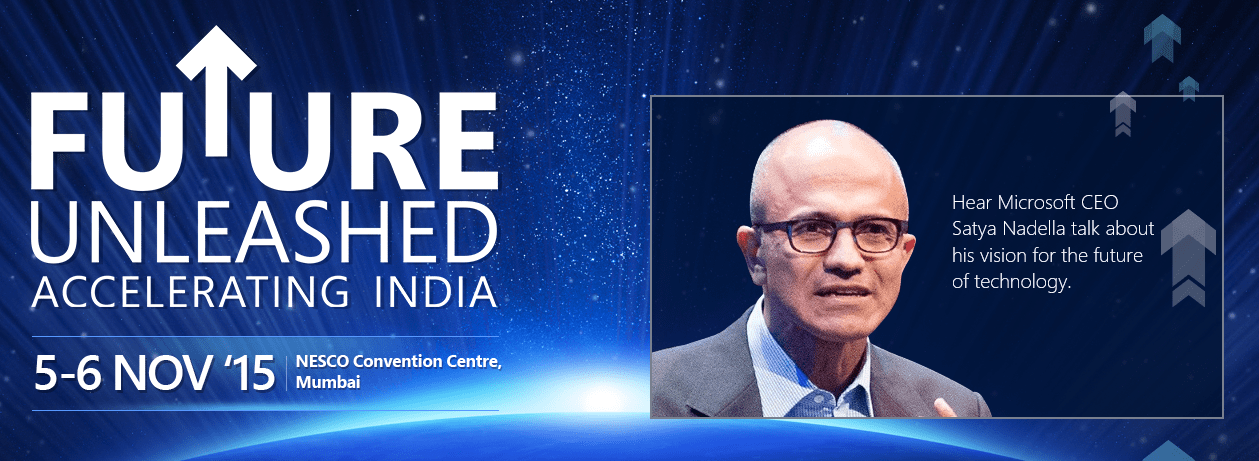
Finally Microsoft takes the opportunity to announce its flagship summit. Future Unleashed is a two-day conference centered around unique applications of combined business and technology use cases. Notable speakers at the conference include Satya Nadella and Scott Guthrie, who will be speaking about the important role these technologies play in shaping the future of technological infrastructure. The conference will take place in the NESCO Convention Centre in Mumbai next month on November 5-6th.
Future Unleashed will be marketing itself under the hastag #ADateWithTheFuture.

Microsoft and Johns Hopkins University team up to scale new healthcare solutions

Microsoft and the Johns Hopkins University recently announced a collaboration that could result in a solution that helps improve patient safety and care quality in the future. The collaboration is aimed at creating a solution that draws data from medical records in conjunction with the modern devices people use every day. Once the data has been gathered, the information can help better determine when a patient would require treatment to prevent possible medical complications. Microsoft likens it to “a life-saving checklist that operates in real time.”
Part of the solution relies on a previous Johns Hopkins efforts with Project Emerge. Project Emerge uses a $9.4 million (US) grant to create tablet-based apps to help coordinate data for clinicians.

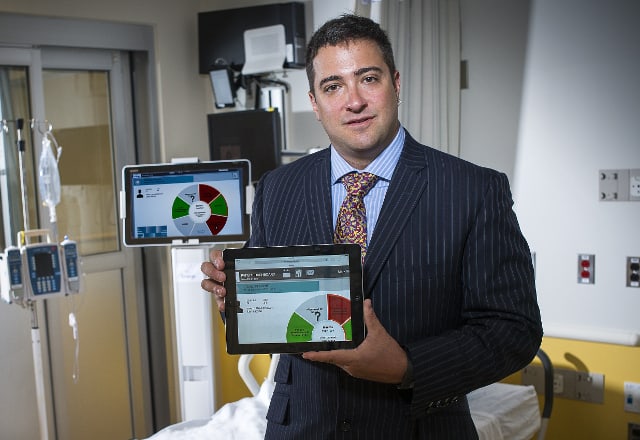
The foundation of Project Emerge is a tablet application that coordinates and integrates all data from all monitoring equipment and information systems. Rather than scavenge medical records, devices and other sources to ensure patients receive all the appropriate care, clinicians can use the tablet app to quickly see all data in one location.

The tablet apps were also designed to help patients and their families interact with the health staff at hospitals. Patients and family members could use the bedside tablet and app to ask questions about health care, and include a patient’s favorite music or television programs.
CPM7857
Couple with Project Emerge, Microsoft’s Cloud will help scale the university’s earlier solution to bring real-time date-driven intelligence to patient care soon. Using Microsoft’s Azure computers, Johns Hopkins University will be able to tap into massive amounts of storage, analytics, and actionable insights while having everything tied together across mobile efforts, sensors and upcoming Internet of Things (IoT) devices.
Microsoft’s Health Division states:

Our mutual goal is to deliver Project Emerge to health organizations across the country and transform the way care is delivered by arming health professionals with the right information, at the right time.
By combining our leading expertise, Johns Hopkins and Microsoft hope to capture the immense opportunity to transform intensive care, and dramatically reduce the estimated 400,000 lives lost each year from preventable harms.”

Over the past few months, we’ve been reporting about how Microsoft’s cloud-connected efforts are making splashes in the health industry as it allows caregivers to jump in and out of mountains of metrics while also streamlining processes for many hospitals.
Project Emerge is currently just a pilot program and it may take some time before its partnership with Microsoft bears any tangible fruit, but the possibilities for improving health care seem to be within arms reach.

Google is fully committed to competing with Microsoft's Office 365

Google Apps for Work (previously known as Google Apps) took an early lead in cloud based productivity software for a long time before Office 365 hit the market. But competition really picked up once Microsoft started its new Software as a Service version of its Office productivity suite. As we have reported over the last year, Office 365 has seen much quicker growth. And just in this past quarter, reports have been surfacing that Office 365 has over taken Google Apps for Work.
As Microsoft threw its weight into the market for cloud based producvity apps, the question remained how would Google respond and how important was this competition to their business, which is historically driven by advertising revenue and dominating the search market. Not to mention their attention being divided by many other projects which include everything from Android mobile operating system to self-driving cars.
Two articles today from Business Insider by Matt Weinberger reveal that Google Apps for Work is extremely important for the Mountain View based technology company, and they aren’t going to let Microsoft ascend to being market leader without a fight.
google apps for work
Weinberger’s first article gives some insight into why Google Apps for Work is important to Google’s long standing corporate mission, and that the company’s mandate to compete with Microsoft Office comes directly from the founders of Google themselves. As Weinberger puts it:

“Founders Larry Page and Sergey Brin have long believed that given the sheer amount of time that people spend at their jobs, ignoring the workplace would be doing a disservice to Google’s long-standing corporate mission — ‘to organize the world’s information and make it universally accessible and useful.”

As such Google wants to offer compelling services for users not just when they are on their free time searching the web, sending emails and shopping online, but also when they are sitting at their desk for eight hours a day.Weinberger also notes that Rich Rao, head of Global Sales of Google Apps for Work, recently shared Page, Brin, and newly minted Google CEO Sundar Pinchai devoted the entirety of one of Google’s “TGIF” weekly all-hands meeting to discussing Google Apps.
The question of how far Google will go to compete with Office 365, and consequently the importance of Google Apps for Work to their mission, is becoming clearer with their newest offer which specifically targets existing Microsoft customers. In his other article, Weinberger reports that Google announced Microsoft customers who are under an Enterprise Agreement with the Redmond based technology company can receive Google Apps for Work for free. The only caveat being they commit to the full price of Google Apps for Work for at least one year after their Enterprise Agreement with Microsoft expires. This provides a much lower switching cost to businesses currently locked into a three year contract with Microsoft’s services under a three year long Enterprise Agreement who are interested in considering alternatives.
office 365
Additionally, Google is paying $25 per user to resellers for signing up their clients with Google Apps for Work. As Weingerger notes, resellers are usually trusted IT contractors that help set up a business’ technology infrastructure. This includes everyone from small independent firms to large consultant practices. The $25 per user bonus helps these resellers lessen their costs of training their client’s staff in newly deployed software.
Enterprise customers are a lucrative segment, one that Microsoft has built much of its position off of through decades of renewed Enterprise Agreements. Google’s new tactics, which won’t come cheap at least in the short run, are a clear signal that they are fully committed to competing with Microsoft and not letting them amass a substantial lead. And the new levels of Google’s commitment could be a significant threat to Microsoft as many of their other businesses, such as Azure, rely heavily on Enterprise customers. As every business who switches away from Office 365 is only that much more likely to not rely on Microsoft for other services.
The question will remain who will have a more compelling service that wins over companies amidst the growing trend of cloud based producvity software. Will it be the offering from a company that’s mission is to organize the world’s data or a company whose mission is to empower every individual and business on the planet?

Microsoft Ignite 2016 now open for pre-registration

Microsoft Ignite is a popular get-together for IT professionals who want some insight into upcoming technologies and opportunities to build out their Microsoft skillsets. Next year’s Ignite event will be held in Atlanta on September 26-30, after being rescheduled and relocated from Chicago, and pre-registration is now open, according to the Windows blog.
Here’s what you can expect at Ignite 2016:

• 1,000+ hours of content, 700+ sessions, and a multitude of networking opportunities
Insights and roadmaps from industry leaders
• Deep dives and live demos on the products you use every day
• Direct access to product experts
• Interactive digital labs
• Knowledge and answers direct from the source
• Smart people talking tech everywhere you look

Microsoft’s complete event schedule for 2016 looks like this, according to the Microsoft Blog, just in case you’d like to fill out your entire calendar for the year:

• Build: Spring 2016 in San Francisco
• Convergence: April 4-7, 2016 in New Orleans
• WPC: July 10-14, 2016 in Toronto
• Microsoft Ignite: September 26-30, 2016 in Atlanta

It looks like Microsoft has some excellent opportunities on tap in 2016 to get up close and personal with the company’s products, services, and personnel, and so get your flights booked.

Microsoft explains its commitment to basic research

Nobody can argue that basic research and development isn’t important to a company and to an economy. Technology impacts everything today, from medicine, food production, and entertainment to business operations, logistics, and marketing. Basic research is the engine that creates the ideas that lead to products, services, and processes that change our lives on a daily basis.
Microsoft Research, a division made up of over 1,000 researchers that was founded almost 25 years ago, clearly agrees. Corporate Vice President at Microsoft Research Jeannette M. Wing took some time this morning to provide an overview of the division’s research not only to Microsoft as a company, but to the greater world as well.

A strong Microsoft is vital to the livelihood and productivity of billions of users around the world who rely on Microsoft products and services. A strong Microsoft is critical to a strong U.S. economy in a time when we are facing unprecedented global competition. And a strong Microsoft allows us to look beyond the horizon in pursuit of The Next Big Thing that can improve the human condition.
Microsoft’s nearly 25-year bet on research is a way to cover all these bases, and so far, the return on that bet is paying dividends to Microsoft, our industry and our global economy.

Microsoft Research has been instrumental to the development of a number of Microsoft products and services. The machine intelligence behind Cortana and Skype Translator is heavily influenced by the work done at Microsoft Research, and the group is looking into a variety of technologies that will drive future advances, such as quantum computing and synthetic biology.
Wing goes on to discuss two reports that highlight the value of basic research and development, Restoring the Foundation: The Vital Role of Research in Preserving the American Dream and Rising Above the Gathering Storm. Also, Microsoft CEO Satya Nadella signed onto the Innovation Imperative, an initiative to compel the U.S. Congress to take a look at federal policies around STEM education and peer review.
This focus on federal involvement in basic research and development funding seems to be the ultimate focus of the blog post:

On Tuesday, October 20, I have the honor to participate in a roundtable discussion on Capitol Hill to help identify key priorities for the America COMPETES Reauthorization Act of 2015. As lawmakers consider this bill, our goal should be clear: Let’s reaffirm our commitment to funding basic research, and maintaining our place as a global innovation leader, by passing a robust version of America COMPETES.

Microsoft Research has accomplished some amazing things over the last quarter-century. We’ll continue to look forward to tomorrow’s advancements as well.

Here's how Windows Hello works on the Surface Pro 4 (video)

Did you know you can unlock the Surface Pro 4 with your face thanks to Windows Hello? Our friend Sean Ong has put together a short video demonstrating how the new Surface Pro 4 can utilize Windows Hello on Windows 10 to make your unlocking experience easier than ever. “This only works if you have a special camera. Facial unlock does not work on the Surface Pro 3, Surface 3, or earlier devices. There’s also a fingerprint scanner option – which is available on a special version of the new Type Cover,” Sean explains.
Microsoft has worked hard to beef up Windows 10 with enterprise-grade security, making sure that both consumers and businesses are protected from threats. One particular feature in Windows 10 is called Windows Hello, which allows users to seamlessly and securely log into their PCs. Windows Hello supports three types of biometric entry, which includes fingerprint recognition, iris, and facial recognition.
“With Windows Hello, you’ll be able to just show your face, or touch your finger, to new devices running Windows 10 and be immediately recognized.  And not only is Windows Hello more convenient than typing a password – it’s more secure!  Our system enables you to authenticate applications, enterprise content, and even certain online experiences without a password being stored on your device or in a network server at all,” Microsoft explained in an official blog post back in March of this year.
We’ve embedded the video below for your viewing pleasure. Enjoy!

Windows 10 news recap: Redstone, SMS from the desktop, build 10565

The second update coming for Windows 10 is codenamed Redstone, and is a larger update compared to Threshold 2. Redstone will be what Windows 8.1 was to Windows 8 essentially, bringing much needed changes and improvements to the feature-set and design of Windows 10. Redstone is scheduled to launch around a year after Windows 10 did, and is pretty much the ‘next’ version of Windows. You can read more about this here.
At the start of this week, Microsoft released Windows 10 build 10565 to participants of the fast ring. This build adds new Skype messaging, calling and video experiences, as well as the ability to sync favorites and reading list items in Microsoft Edge. There are new Cortana improvements (she can now understand your inked notes) and colored title bars in apps! Microsoft also added new icons (Registry Editor got a new icon!) and improved the context menus on Start. This build also allows you to better manage your default printer, and is also easier to activate. You can read more about the features here or watch our hands-on demo of the build below.

Microsoft also released the ISO for build 10565, in case you prefer to install it on a virtual machine or want to clean install it. Windows 10 build 10565 also introduced a preview of nested virtualization. Nested virtualization is a feature that virtualizes certain hardware features that are required to run a hypervisor in a virtual machine.
If you’re running the non-Windows Insider preview version of Windows 10, a.k.a. build 10240, then head on over to your Windows Update settings. Microsoft served up a few updates, including a security update for IE’s version of Flash and an always-welcome cumulative update.
During a hardware event in Korea, Microsoft’s Terry Myerson stated that Windows 10 is currently powering more than 22,000 devices in Korea, is seeing adoption rate 5 times faster than Windows 8, and has accumulated over 1 billion user hours in the country.
Microsoft is currently working on a way for users who own a Windows Phone to text via Cortana on the desktop. Build 10565 for desktops includes an option to alert you when you miss a phone call, but doesn’t work on the latest mobile build. It does work on more recent internal builds however, and we’ve had the chance to play with it. Watch our exclusive hands-on video below.

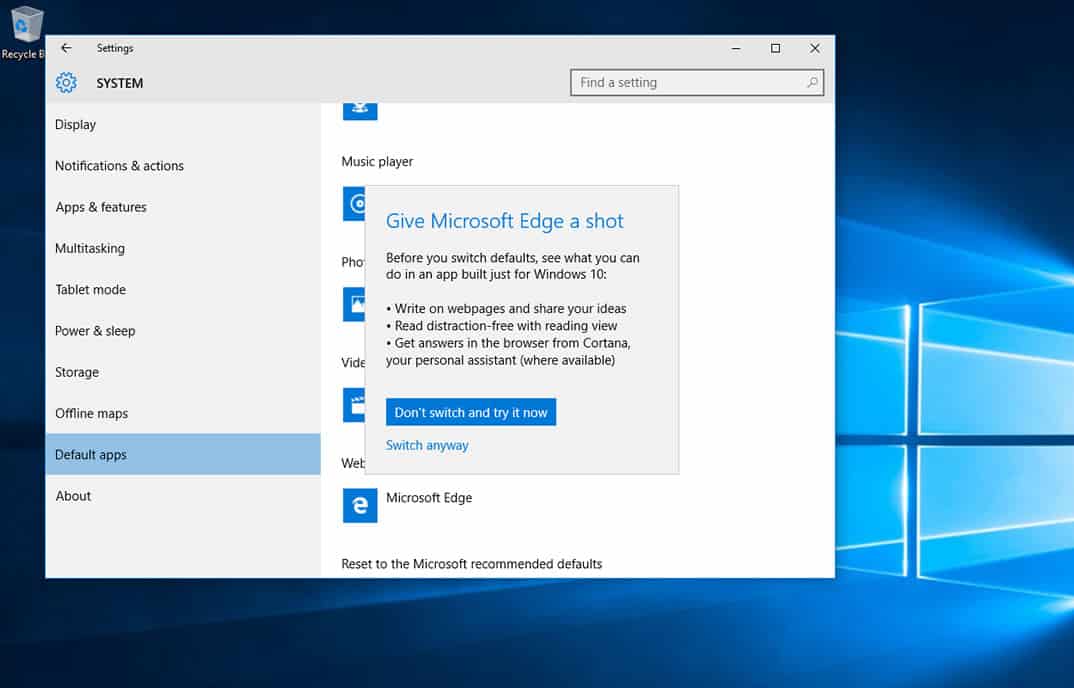
Windows 10 desktop build 10568 leaked onto the internet at the end of the week, and it doesn’t really feature anything new. In fact, this build is quite buggy and we advise against installing it. There is one small interesting change in this build however. A small prompt appears in Windows 10 build 10568 when you attempt to change your default apps. When you try to change your default browser to something other than Edge, Microsoft’s own browser, you are prompted with a small box that says “Give Microsoft Edge a shot” while listing a few of Edge’s features like Cortana integration and the ability to write on webpages.
That’s it for our weekly Windows 10 news recap folks. Stay tuned for another exciting week of Windows 10 news.

Microsoft really wants you to give Edge, Groove Music a shot in Windows 10

Earlier today, a leaked build of Windows 10 for desktop made it’s way to the internet. Build 10568 doesn’t really come with any major improvements, but there are some small differences when compared to the latest official build available to Insiders (build 10565).
One interesting change is a small prompt that appears in Windows 10 build 10568 when you attempt to change your default apps. When you try to change your default browser to something other than Edge, Microsoft’s own browser, you are prompted with a small box that says “Give Microsoft Edge a shot” while listing a few of Edge’s features like Cortana integration and the ability to write on webpages.
The same thing appears when you attempt to change your default photo app, or music app. Microsoft is really pushing their own apps as superior alternatives, and it can be a daunting task to get consumers to break away from what they are used to. Clearly this is Microsoft’s attempt at trying to convince consumers to give their own apps a chance before dismissing them.
Do you think these prompts will entice consumers to give Edge, or Groove Music a shot? Or do they simply get in the way? Share your thoughts in the comments below.

Windows 10 desktop build 10568 screenshots leaked

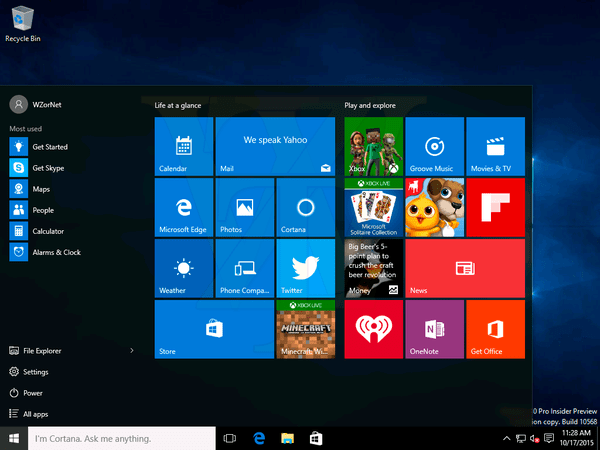
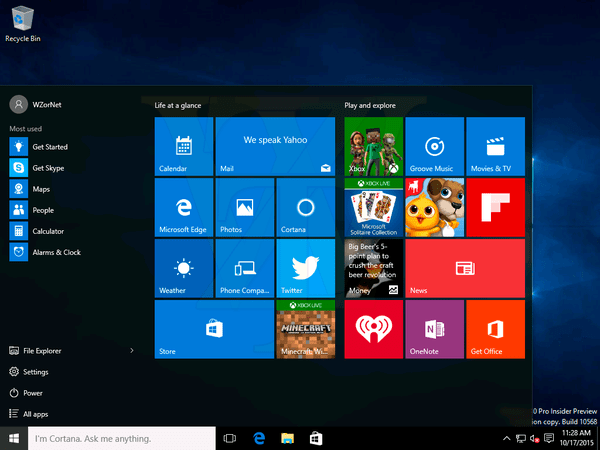
Screenshots of Windows 10 desktop build 10568 have hit the internet, just a few days after Microsoft officially rolled out Windows 10 desktop build 10565 to participants of the Windows Insider program. At this time, there is no word on exactly what’s new or changed in this build — assuming there are any changes.
The screenshots don’t reveal much, but it does indicate that build 10568 may be leaked soon. Of course if or when that happens, we’ll let you know and we’ll have a hands-on demo showing off whatever new improvements are in this build. This is a developing story, so stay tuned!

Windows 10 build 10568

Windows 10 build 10568


Microsoft shows off the power of Continuum on Windows 10 (video)

Continuum for Windows 10 is a feature Microsoft announced back in April, which essentially turns your Windows 10 Mobile device into a desktop PC, allowing you to use a mouse and keyboard with apps scaled up as if they were running on a Windows 10 desktop. Since the announcement however, Microsoft hasn’t really shown off the feature in detail aside from quick showcases here and there.
Continuum is the notion that one computing experience is continued regardless of the device used or the location. It allows for a consistent user interface, a familiar style of operation for the user to become accustomed to.
A new video has surfaced online showcasing Continuum (spotted by @tfwbordom), and it appears to be an official advertisement from Microsoft. Seems like the ad may have gotten pulled for now (probably due to the music that was used) but it does show off Continuum on Windows 10. We’ve embedded the video below for your viewing pleasure.

Microsoft PR guy Frank Shaw kicks ass at making Microsoft look good

There’s no doubt that Microsoft employees have been making some waves in the technology industry lately. From CEO Satya Nadella navigating the company through some extremely choppy waters to researchers leading the way in creating brand new technologies, Microsoft is chock full of great people.

no-3-frank-shaw-microsoft
Frank Shaw, Microsoft Vice President of Corporate Communications.

Business Insider highlights another Microsoftie effective at his job. Specifically, Frank Shaw, Vice President of Corporate Communications, comes in at #3 on Business Insider’s PR 50. The list highlights the 50 most effective PR staff in the technology industry, and Shaw’s placement at #3 is a testament to how well Microsoft has managed to maneuver through some highly controversial occurrences.

Frank Shaw is the go-to PR guy for the many, many reporters who cover Microsoft and he has been for a lot of years. He’s fast to respond and can quickly navigate Microsoft’s labyrinth to find answers to any question, be it a product question or something to do with one of Microsoft’s executives. Shaw, a former Marine, joined Microsoft proper after years of doing Microsoft’s PR from its primary agency Waggener Edstrom (which now calls itself WE). If all that isn’t enough, he’s also “funny on Twitter and bakes incredible sourdough bread,” one tech editor raved.

Congratulations to Mr. Shaw, and we hope he keeps the lines of communications open. Microsoft is engaged in some pretty complicated strategic changes in its business, and there’s still lots to be done. It’s inevitable that hiccups will occur, and as site that focuses on Microsoft’s doings, we recognize the benefit of having someone at the helm who can make sure the right questions get the best answers.

Suggested apps start showing up in Windows 10 build 10565 Start Menu

If you’re running Windows 10 build 10565, you might notice something interesting popping up in your Start Menu. Namely, close to the same place where you’ll typically see a list of newly installed apps is a new “Suggested” section. Here, you’ll cycle through Windows 10 apps that Microsoft thinks might be of interest based on your past app installations.

Windows 10 evaluates your installed apps and makes suggestions for new ones.

Right-click to turn off a single suggestion or turn off the feature entirely.

When a suggestion is dismissed, Windows 10 might cycle to another one.

Clicking on a suggestion opens it in the Windows Store.

This isn’t anything new: Microsoft showcased the upcoming Windows 10 feature at Build 2015. And, it’s easy enough to turn off–just head into Settings > Personalization > Start and toggle “Occasionally show suggestions in Start.” As you can see from the screenshots above, you can also disable the feature by clicking on a suggestion.

Turning off suggestions is easy enough.

As Betanews notes, Microsoft doesn’t consider the suggestions to be “ads.” Semantics aside, this feature is just one of the ways that Microsoft collects and analyzes data in order to provide a personalized Windows 10 experience. Whether or not the feature is a privacy concern likely comes down to how intrusive a people feels about Microsoft keeping an eye on things like app installations.
In the end, the information being gathered is relatively innocuous, and there’s real value in terms of app discovery. One analogy would be music services that monitor what you listen to and then offer up customized playlists. “Suggested apps” is precisely the same kind of thing. The fact that it’s integrated in the operating system itself doesn’t necessarily make much of a difference, and the feature is certainly easy enough to turn off.
Nevertheless, Microsoft has demonstrated that it’s not afraid to turn Windows 10 into an operating system that knows your habits and caters directly to them. Whether or not this becomes a bigger deal in the future remains to be seen, but in the meantime don’t be surprised if you’re a Windows Insider and Windows 10 starts giving you advice.

How to Change the Install Location of Microsoft Office

Microsoft Office offers all sorts of new features, but there’s one major flaw. Microsoft Office 2016 can only be installed in the default directory. However, there is a way to change the default install location for Office 2016.

With Office 2010 and newer versions, Microsoft has decided to use a different technology called Click-to-Run that downloads Office setup files directly from Microsoft servers into the default directory.

This is great for new users who want to install Office 2016 easily, but as you can see, it lacks many customization features. So, let’s find out how to install Office to a different folder!

How do I change the default install location for Office 2016?

Use the Office Deployment tool

  1. Download Office 2016 Deployment Tool.
  2. Run Office Deployment Tool to extract files to the desired directory. We’ll use the Office folder in the E: drive for our example, but you can use any other directory or hard drive partition.
  3. Go to the folder you choose earlier, and then find the configuration.xml file. Right-click it and choose Edit.
  4. Delete all the contents from the configuration.xml file and then replace them with:<Configuration><Add SourcePath="E:Office" OfficeClientEdition="64" ><Product ID="O365ProPlusRetail"><Language ID="en-us" /><ExcludeApp ID="Access" /><ExcludeApp ID="Groove" /><ExcludeApp ID="InfoPath" /><ExcludeApp ID="Lync" /><ExcludeApp ID="OneNote" /><ExcludeApp ID="PowerPoint" /><ExcludeApp ID="Publisher" /><ExcludeApp ID="SharePointDesigner" /></Product></Add></Configuration>
  5. You can change some of the values, such as:
    • Source path – This should match the directory you specified in Step 2. In our case, it’s:E:\Office
    • OfficeClientEdition – This value is used to select which version you want to download. Set it to 32 or 64, depending on your operating system.
    • Product ID – The value is used to set which version of Office 2016 you wish to download. There are several options available:
      • ProPlusRetail
      • ProfessionalRetail
      • HomeStudentRetail
      • HomeBusinessRetail
      • O365ProPlusRetail
      • O365HomePremRetail
      • O365BusinessRetail
      • O365SmallBusPremRetail
      • VisioProRetail
      • ProjectProRetail
      • SPDRetail
    • Language ID – This value is used to set the language for Office 2016. We’ve used en-us in our case.
    • ExcludeApp ID – The value is used to specify which Office apps you do not wish to install. The list of values is:
      • Access
      • Excel
      • Groove
      • InfoPath
      • Lync
      • OneNote
      • Outlook
      • PowerPoint
      • Project
      • Publisher
      • SharePointDesigner
      • Visio
      • Word
  6. You can also add more entries if you want to skip the installation of more Office 2016 tools. Keep all the values you enter between quotes, or else the installation might not work.
  7. After you’ve done with the changes, save them, close the file, and go to the folder you specified earlier.
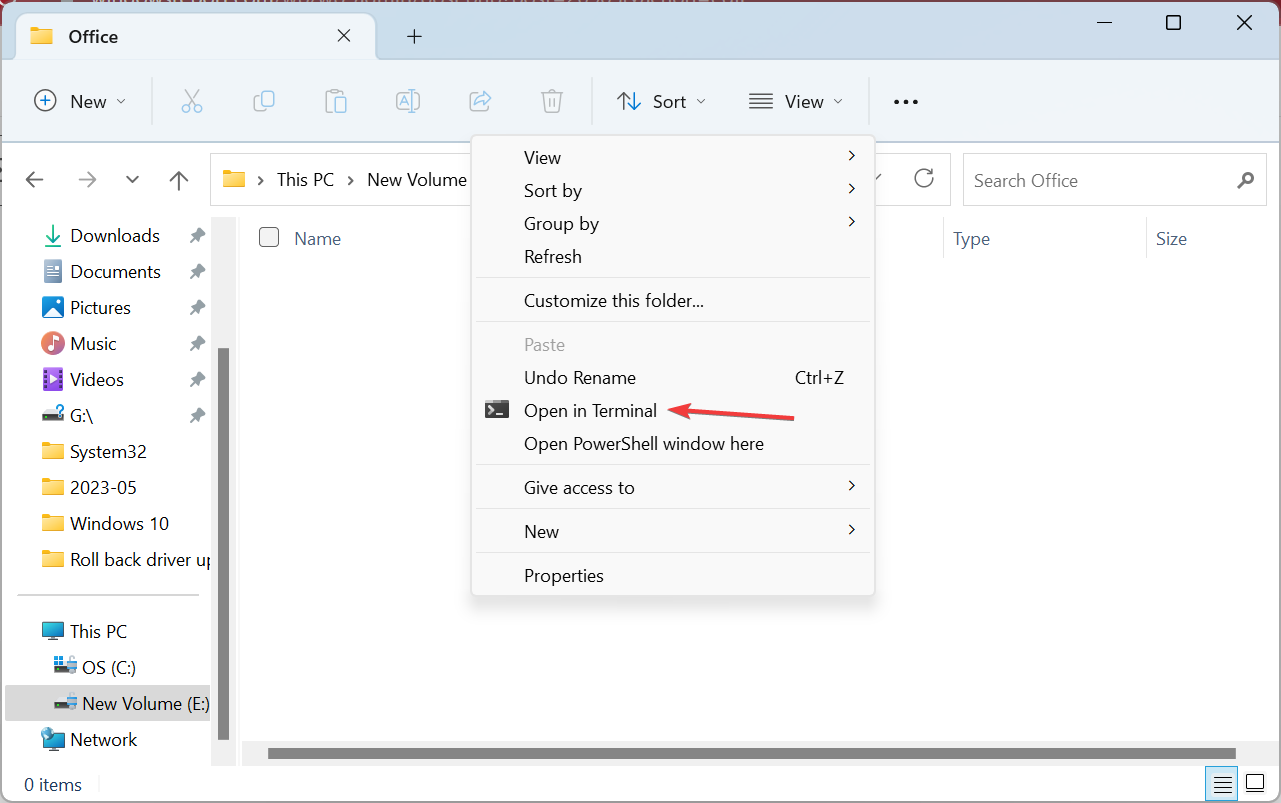
  8. Hold Shift and then right-click on an empty space. Choose Open in Terminal here from the menu.open in terminal to change office install location
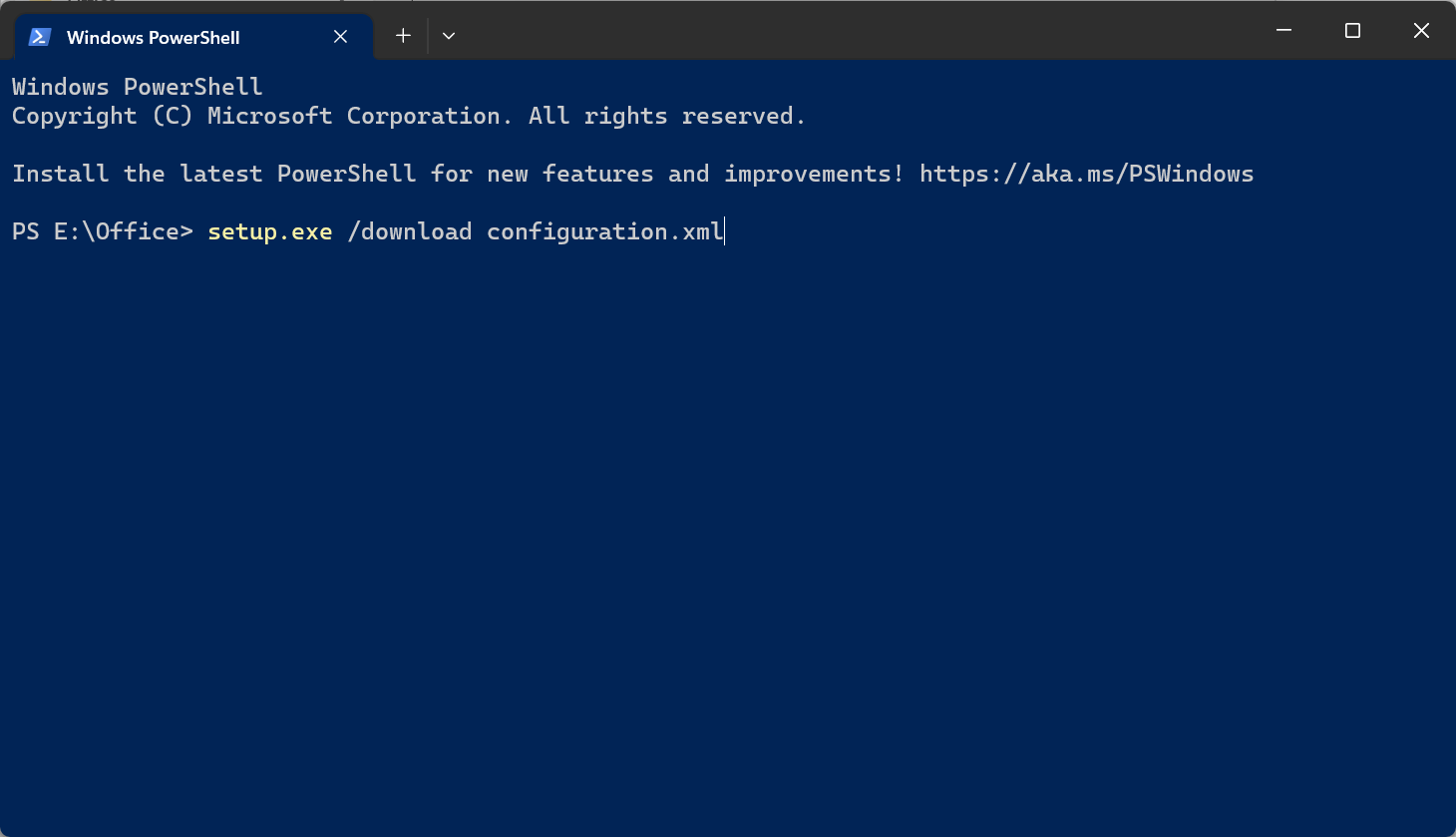
  9. Execute the following command and then wait for Office 2016 to download:setup.exe /download configuration.xmlcommand
  10. If there are any errors, this means that your configuration.xml isn’t configured properly, so you might want to go a few steps back and check if you’ve configured the configuration.xml file properly
  11. After the download process is complete, type the following command and then press Enter:setup.exe /configure configuration.xml

That’s it! By now, Office should be installed in the desired location instead of the default system drive. However, beware that a proplusww.msi installation error may occur if you have corrupt files.

You can solve many common Office sync and caching issues by reviewing this guide on how to disable Microsoft Office Upload Center, which helps you avoid unwanted save prompts during custom installations.

If you are looking for other options, check the most reliable Office alternatives to use in Windows.

For any queries or to share your review of Microsoft Office, drop a comment below.

NASCAR app for Windows 10 is now available for download

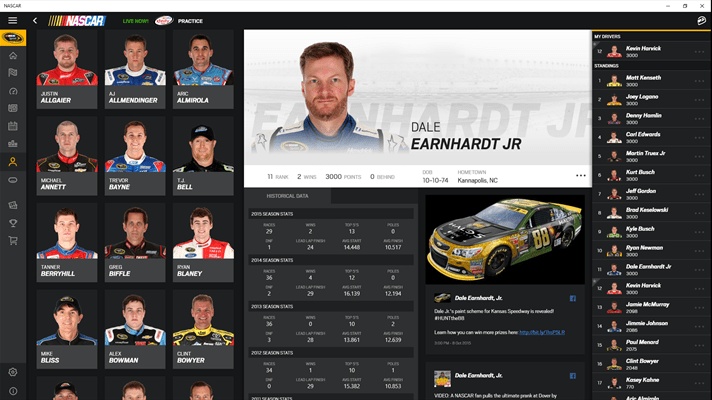
NASCAR fans who use Windows 10 should be excited to hear that the race car company has released their official app for Windows 10 devices. The app comes after Microsoft’s recent partnership with NASCAR to sponsor Windows 10 on Dale Earnhardt Jr.’s #88 car. It provides a comprehensive and customizable user interface.
Fans can follow their favorite driver, and will be targeted with news, videos, and social content. Fans who pay a subscription can also check out the premium live leaderboard, view the in-car cameras, and even listen to driver audio during a live NASCAR race.
All users have access to the following features:

  • Interactive Chase Grid
  • Live leaderboards for all NASCAR Series (limited)
  • Lap by Lap commentary
  • Extensive Driver data, news and social media feeds
  • Real time news and video
  • Complete Schedule and Full Driver Standings
  • Customizable Notifications

Here’s a list features included with a premium subscription:

  • Premium Live Leaderboard – Track your favorite drivers on a customized leaderboard with all new data points
  • Live Driver Audio – Listen to the in-race strategy between Drivers, Crew Chiefs and spotters
  • Live In-Car Cameras – Watch Live in-car cameras for the entire 2015 NASCAR Sprint Cup Series season
  • Live Broadcast Radio & Officials Radio – Listen to the official NASCAR Radio Broadcast for each race of the season and listen to the NASCAR Officials Radio for all Sprint Cup Series races

If you want the app you can grab it from the link below. Have an opinion to share about the new app? We’d love to hear what you think in the comments below!

NASCAR
NASCAR
Price:
Free

Skype, Bing, and Surface featured in this week's episode of Born to Explore on ABC TV

The use of Skype in education will be the focus of ABC TV’s Born to Explore this Sunday as it’s used to broadcast a live dinosaur dig in Mantua Fossil Heritage Site in New Jersey conducted by palaeontologist, Dr. Ken Lacovara. “From an explorer or naturalist’s standpoint, the whole technology revolution has been great for us,” said Wiese about the incorporation of technology in the scientific process. “Through the magic of technology like Skype and Bing everyone can be an explorer.”
Through Microsoft’s collaboration with the team at “Born to Explore”, not only was Skype used in this episode but so was Bing and several Microsoft Surface devices. “The ability to interact with students in real time via Skype in the Classroom has been so exciting,” added Wiese. “We were able to turn a page in a 65 million-year-old history book and make dinosaurs come to life. The chance to be a part of the dig team is a rare opportunity.”
Naturally there are numerous other streaming services that could have been used to broadcast the dig to a wider, more public audience but for broadcasting video to a select target audience, Skype has quickly become one of the most popular programs to use.

Fifty nonprofit organizations worldwide chosen for monetary support from Microsoft

Microsoft has always been one of the most active supporters and contributors to world betterment projects in the tech world, be it through third-party organizations or by itself. As part of this ongoing corporate social responsibility program, the company kickstarted a 12-month Upgrade Your World initiative where it seeks out the most prominent nonprofit organizations around the world through public voting to give monetary support, and today, a post on the Windows blog has announced 50 winners from 10 partnering countries.
Five nonprofits are chosen from each of the countries in the program, which include Australia, Japan, China, Kenya, France, Mexico, Germany, United Kingdom, India, and the United States. The causes of these organizations range from empowering young woman, fighting, refugees support, to tech literacy for children, environment protection and more. One notable example mentioned in the post, Edgar’s Mission in Australia, shelters more than 200 homeless people and abused animals and protected them through a fire last week.
As part of the program, each nonprofit organization will be able to draw from a $50,000 budget allocated to each partnering country for their projects, part of Microsoft’s $10 million investment. A new global partnership from October between Upgrade Your World with the Malala Fund, a global organization dedicated to helping girls around the world complete their 12-year education, was also announced.
You can share your stories and follow the news with the hashtag #UpgradeYourWorld.

Microsoft is adjusting its 2016 event schedule, here's what to expect

Microsoft’s event line-up for 2016 has made quite a stir yesterday with Microsoft Ignite being rescheduled and relocated, causing much uproar in the local community. The change does not stop there however, and we are going to take a closer look at how Microsoft is staggering its events for the upcoming year, detailed in an official blog post.
According to the statement, with the change in Ignite, Microsoft’s main event line-up for 2016 will be as follows:

  •  Build: Spring 2016 in San Francisco (no specific date was given)
  • Convergence: April 4 – 7, 2016 in New Orleans
  • Worldwide Partners Conference (WPC): July 10-14 in Toronto
  • Microsoft Ignite: September 26-30, 2016 in Atlanta
Along with the main happenings, there will also a Convergence EMEA set in Barcelona on November 30 – December 2, as well as a Microsoft Cloud Roadshows. Noticeable is the absence of WinHEC, Microsoft’s Windows hardware engineering conference in China, held in March this year for the first time in 7 years.
The rest of the events have been kept quite consistent with 2015’s schedule, which saw Microsoft increasingly moving away from making big announcement in general industry events to orchestrate its own, as well as combining several smaller events into a comprehensive, bigger one (Ignite being a prime example.) The schedule is expected to be relatively consistent for years to come.

Poll: When, if ever, will Windows 10 hit 1 billion installations?

At last week’s Windows 10 Devices event, Microsoft announced that Windows 10 has officially hit 110 million installations. That’s a very solid start given that the operating system only became available to the public on July 29th. That being said, Microsoft has stated that their goal for Windows 10 is for it to reach 1 billion devices. This week’s poll is about how long that will take or if it will happen at all.
It’s important to note that Windows 10 works across multiple types of devices, and Microsoft will likely include everything from PCs, tablets, and phones to IoT devices in their counts. That may seem a bit unfair since many will compare Windows 10 install numbers to other popular operating systems that are only on one or two form factors but since Windows 10 shares a large amount of its inner workings across all of its versions, it does make sense to combine them.

Let us know what you think by voting in the poll and commenting below. You can hear us discus the results by listening to the WinBeta Podcast this week.

How to Uninstall Windows 10 Downloader From Windows 7 And 8.1

As guys who like innovations from Microsoft, we recommend you to install Windows 10, but if for some reason, you don’t to, ‘Get Windows 10‘ feature is probably annoying to you. So, we’re going to show you how to remove it from your Windows 7 or Windows 8.1 computer.

How to Uninstall Windows 10 Downloader From Windows 7 And 8.1

How to Uninstall Get Windows 10 Feature From Windows 7 And 8.1

You received Widows 10 Downloader automatically as a part of KB303558 /Windows/System32/GWX3 update earlier this year, like all other genuine users of Windows 7, Windows 8 and Windows 8.1. The update adds /Windows/System32/GWX folder to your system, and that folder contains Get Windows 10 feature.

So, to get rid of this feature, you’ll have to uninstall KB303558 from your computer, and you’ll delete Windows 10 Downloader. But, since this is a recommended update, you should consider if you want to delete it once again. Uninstalling updates is similar on Windows 7 and Windows 8, so the following instructions apply to both systems. Here’s how to uninstall KB303558 update and get rid of Get Windows 10 button:

  1. Go to Control Panel, Programs, Programs and Features and click on View Installed Updates on the left side of the windowdelete windows downloader
  2. It will show you the list of installed updates in your Windows 8 system. Now, find KB303558 update,  right-click on it and choose Uninstall
  3. User Account Control (UAC) will ask for your confirmation about removing the updates. Just Click on Yes
  4. Again UAC will ask you to save and close the open Application. Just Click on Uninstalldelete windows downloader1
  5. Wait for some time until the uninstallation process is finished
  6. Reboot Your System

In some cases, even if you uninstall the update, GWX folder will still be present on your computer. So, go to System32 and delete it. You won’t be able to delete it regularly, as yo need to take the ownership of the folder. If you’re not sure how to do that, check out this article. Once you take the ownership, you can delete the folder manually.

In order to make sure Windows doesn’t install this update again, you have to go to Update Settings, and uncheck Give me recommended updates the same way I receive important updates”. This will make the update ‘optional’, and it won’t be installed automatically.

If you want KB3035583 update to disappear completely, right click on it in Updates, and choose Hide Update from the context menu. That way the update won’t install ever, and you won’t receive any notifications.

Read Also: Windows 10 KB3097617 Update Problems: Start Menu, Failed Installs and Login Issues

Microsoft hits the Brasil Game Show and reveals some Xbox One news

Microsoft’s Phil Spencer and developers from 343 Industries, Crystal Dynamics, and Remedy Entertainment attended the Brasil Game Show in Sao Paulo this week. The Brasil Game Show is the largest gaming show in Latin America and its attendance continues to grow every year. While there didn’t appear to be too many major announcements, there were a few interesting news pieces that were dropped during the several days of the show.
Xbox One games such as Rise of the Tomb Raider, Gears of War: Ultimate Edition, and the recently released Forza Motorsport 6 were given their share of promotion as were Halo 5: Guardians and the animated film, Halo: The Fall of Reach, which premiered its new trailer.

It was also announced that Quantum Break and Rise of the Tomb Raider would both have a full Brazilian Portuguese voiceover option when they each launch and ID@Xbox title, Aritana and The Harpys Feather, was revealed to be the first ID@Xbox game to have a Brazilian developer.
The Brasil Game Show has been running on an annual basis since it first started in 2009 as the Rio Game Show. In 2010 it changed its name to the Brasil Game Show and has since gone from around 4,000 attendees in 2009 to an estimated 280,000 in just six years. While most Western press seems to focus on North American game events, it will be interesting to see if the Brasil Game Show becomes more of a major player on the global scene in years to come. 2016’s Brasil Game Show will once again be held in Sao Paulo from October 1st to 5th and with its upward trend in popularity, is expected to have an even higher number of visitors.
Did you go to the Brasil Game Show this year? What excited you the most about it?