
FIX: Windows 10 Laptop Crashes When Turning on Wi-Fi

We’re back with some more annoying problems related to Windows. This time we’re going to talk about one annoying problem for owners of Windows 10 laptops when these crash at turning the Wi-Fi on.

Windows users have been reporting many problems related to Wi-Fi, but here’s a weird one – the laptop crashes when turning the WiFi on.

Since Windows 10 will pretty much be an update from Windows 8 in terms of such things, and if you downloaded it already, we’ve decided to apply these fixes for that, as well. First, here’s what the users have been saying:

I downloaded windows8 key from dreamspark. When connect to WiFi system hags and i have to off it from power swich, I am unable to use bluetooth and WiFi both, as my computer has combo card. I have installed drivers also.

And another one

Laptop crashes when turning Wifi on I have a laptop with window 8 on it, and up until tonight it has been running fine, but I have dropped off the internet on it, and my wifi connectivity has been disabled, and whenever I try to turn my Wifi capability back on it crashes and then it restarts saying if I want to know more, look up DPC_WATCHDOG_VIOLATION

How do I fixes the my laptop if it crashes when the Wi-Fi is turned on?

First of all, you need to pay attention to the following, just in case this might be the problem with your own laptop:

Before downloading the driver you may want to test the notebook in safemode with networking. The following Microsoft document gives instructions for booting to safemode in Windows 8. Once in safemode with networking try browsing some websites and see if you continue to have problems. If you have problems in safemode then I suggest downloading the wireless driver, and saving it to the desktop. Then uninstall the current driver from windows, reboot and install the driver that you just downloaded. If the system doesn’t have the problem in safemode with networking then it is likely that you have some type of program running in the background that is interfering with your wireless connection. I would check to see if the system has been infected with malware and on the opposite side check your antivirus, malware and firewall software and make sure that they aren’t causing problems with wireless.

Updating drivers manually is very annoying, so we recommend you to do download a third-party tool (100% safe and tested by us)  to do it automatically. Thus, you will prevent file loss and even permanent damage to your computer.

The tool in question is called Fortect Driver Updater and it uses its own driver database to find the best driver version for your hardware. It scans your PC and finds all outdated, damaged, or missing drivers.

Upon your approval, the software will automatically download and install the latest driver versions available. You can set it up to regularly check, update and fix your drivers so you won’t have to worry about this issue in the future.

⇒ Get Fortect Driver Updater

You can also try to uninstall and reinstall the wireless drivers by following the steps below:

  • Press ‘Windows’ key + R on ‘Desktop’ screen.
  • Type ‘devmgmt.msc’ in run box and press ‘Enter’.
  • Click > sign next to ‘Network Adapters’.
  • Right click on wireless card option and click ‘Uninstall’

If it’s still not working, go ahead and try to change the wireless card settings like this:

  • Open Device Manager
  • Expand Network Adapters, right-click the wireless card and choose Properties
  • Click the Advanced tab
  • Change ‘Locally Administered MAC Address’ value to ‘1234567890AB’
  • Click the Power management tab
  • Uncheck Allow the computer to turn off this device to save power
  • Apply and Save changes.

Windows 10 crash fix

For all Windows 10 users, we have a list of actions that you can take in order to fix random crashes. Here it is:

  • Enter Safe Mode and search for a fix
  • Download Anniversary Update ISO files and try to upgrade again
  • Install .NET Framework 3.5 and C++ Redistributable Package
  • Run the sfc /scannow check
  • Disable Secure Boot from BIOS
  • Set the Default save location to C partition

You can p[erform these actions step by step from this dedicated guide. However, it is important to mention that sometimes what appears to be a Windows system crash, maybe the crash of the Explorer. IN that case, you will need to perform other solutions, that you will find in the previous link.

Also, if the problem is affecting a Lenovo laptop, go ahead and read this official solution from the company itself. Express yourself below and let us know if this solved your problems.
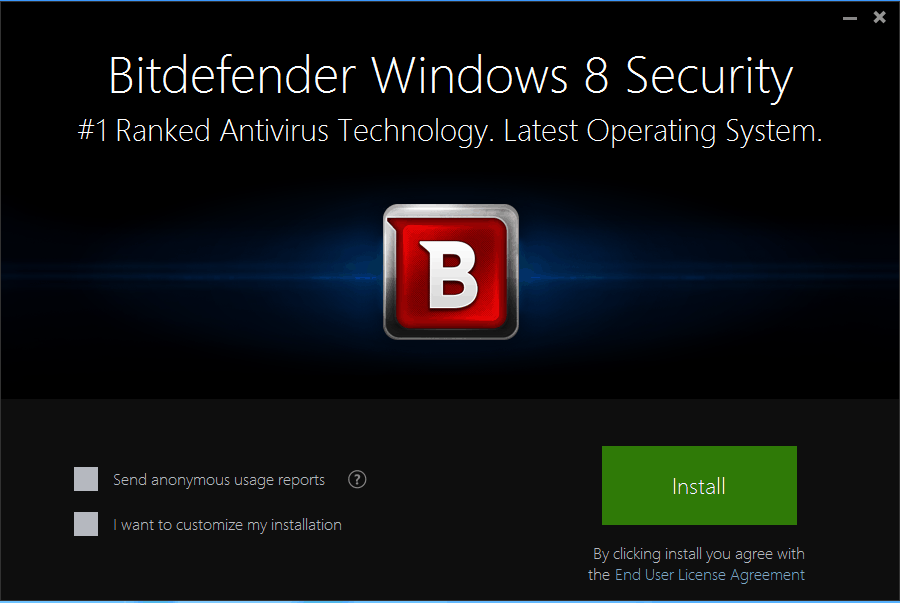
Review of Bitdefender ‘Windows 8 Security’ Antivirus for Windows 8, 8.1

As we have always been used with apps specifically designed for the protection of our Windows Operating system, Bitdefender just got upgraded to our Windows 8 and Windows 8.1 operating systems. Now we can feel a little bit safer knowing that there’s an app out there specifically designed to operate on Windows 8 and Windows 8.1.
Bitdefender for windows 8 and windows 8.1
One of the few or maybe the only one antivirus that comes in a free edition package (trial version, that is) only in Romania, but also all around the world, Bitdefender for Windows 8 and Windows 8.1 is one of the cutting edge antivirus software on the market. Although Windows 8 and Windows 8.1 has its specific antimalware defender, we will see in a few rows below that Bitdefender comes on top on the Best Protection, the usability and performance scale compared to the Microsoft defender and other similar tools.

Bitdefender Windows 8 Security – strong points

Bitdefender is the head winner of the January – December 2013 awards from the Independent IT Security Institute AV-Test and they have the right to be, classifying them on first place for best protection above Karspersky antivirus, Symantec and McAfee.

Also, as we all know, an antivirus usually takes hold of a lot of PC memory and in this case makes our Windows 8 work a little bit slower. Howver, Bitdefender classifies in first place on the Lowest Impact on Performance charts and still above Karspersky, Symantec and McAfee with a grade of 5.3 , 6 being the lowest impact .

A few key features Bitdefender has and  arevery useful in my opinion are:

  • the Early Start-up scanner that protects your operating system right from the boot of your PC using a cutting edge ELAM technology
  • another feature is the Proactive app scanner, because many when start using a new operating system like Windows 8 or Windows 8.1 want to try new apps designed only for Windows 8. This feature analyses the potential harm and notifies you if the app has been compromised
  • another cool thing we need to keep in mind about Bitdefender for Windows 8 and Windows 8.1 is the ability to filter personal data. With the new and improved Bitdefender, we can stay a little bit safer from this threat and won’t have to worry about our information being stolen.
  • hand in hand with the filter of our personal data comes the antiphishing feature that basically blocks any untrusted website that might lead to the same thing, the theft of your personal data and credit card information.

Using BitDefender on my Windows 8.1 laptop

After downloading BitDefender Windows 8 Security from its official webpage, you can choose to give a try first or buy it from the website. It will cost you $85 per year on as much as 3 machines. If you go for 2 years, it will cost you $130. But if you’re not sure you want to make the jump to a paid antivirus, there’s always the free download option.

After downloading the BitDefender Antivirus, you will proceed with the install. What’s really is that, as you can see from the screenshots below, it performs three different operations, one by one – scanning, downloading and installing.

bitdefender windows 8 review bitdefender windows 8.1 review antivirus bitdefender windows 8.1 review

I’d say that it didn’t take more than 10 minutes to have the whole shebang installed and running on my Windows 8.1 laptop. After it was done, it said that it didn’t find any viruses, but I was surprised to see that it has already warned about my WiFi connection. You see, I just bought a new router and haven’t set up a password. BitDefender knew that and urged me to take action.

bitdefender windows 8.1 review antivirus tool

Ideally, this is the normal dashboard that your BitDefender Windows 8 Security program should have.

bitdefender windows 8.1 review tool

What’s nice about this antivirus is that not only it behaves great but it also looks great and is really easy to use. On the main dashboard, here are all the things that you can do and settings that you can tweak:

Antivirus

Naturally, you can choose to keep the antivirus always on or off, but it’s advised to keep it on. The settings page of Shield allows you to change on-access scanning as well as active virus control levels. There are also various settings for Vulnerability, files that you want to exclude from scanning and the quarantine menu.

bitdefender windows 8 antivirus settings 2 bitdefender windows 8 antivirus settings 3 bitdefender windows 8 antivirus settings 4 bitdefender windows 8 antivirus settings

Privacy

In the privacy control setting, you can choose how you want to go about antiphishing, whether you want to enable instant messenger encryption and if you have some special rules for data protection.

bitdefender windows 8 antivirus privacy privacy

Firewall

The firewall settings are also neatly arranged, allowing you to set rules and also see in real time your network activity. You can also set intrusion detection system levels, and perform a number of other activities, as you can see in the screenshots from below.

bitdefender firewall windows 8 bitdefender firewall

Antispam

Antispam is a really neat feature for those who are working online a lot, like me. You can choose how you want to protect against spam and it even comes with options to secure your cloud files.

bitdefender antispam 2 bitdefender antispam

SafeGo

I don’t spend that much time on Facebook, but was curious to try out BitDefender’s SafeGo feature and wasn’t disappointed. A must have, especially now, when a lot malware is spreading via social media.

bitdefender safego

Events

The Events menu is where you will be alerted about any suspicious activities or actions that you should take. BitDefender is deeply embedded within Windows 8, so as you can see, it recommended me to make the latest update through the Windows Update tool, which I did. It’s also cool that it fetches the data from Windows Update, thus letting you know what’s new and allowing you to make the install from inside BitDefender.

events bitdefender

There’s also the Parental Control feature that allows you to make sure your kids don’t visit websites that are inappropriate for their age or might even be dangerous. You can also switch from User Mode to Autopilot if you don’t want to bother with settings every day, which is what I did.

Overall, I would say that the Bitdefender for Windows 8.1 and Windows 8 operating systems is probably the best option in 2014 for you. Beside the fact that it got the award for best antivirus at a number of contests and is equipped with the features necessary to protect your computer and information, it also makes the computer run smooth without any kind of problems to your daily activities.

Microsoft to build 3 data centers in India by 2015 to bolster cloud adoption in the country

Microsoft to build 3 data centers in India by 2015 to bolster cloud adoption in the country

Microsoft CEO Satya Nadella at an event in New Delhi announced today that the company will be building data centers in India to offer commercial cloud services – Azure and Office 365. The company believes that by having local data centers, it will be able to lower the latency, geo redundancy, and eventually accelerate the cloud adoption in the country.

“Last year, our cloud business in India grew over 100 percent. Buoyed by that success we have now decided to offer cloud services from local data centres. This will help us make global infrastructure and make that available to local data centres. Microsoft’s locally available cloud services will open opportunities for banking, financial services, and insurance companies, state-owned enterprises and government departments.”

Microsoft plans to set up 3 data centers in the country in three different cities in India by the end of next year. “Microsoft is deeply committed to helping people and organisations thrive in our mobile-first and cloud-first world — that’s why we are proud to offer our commercial cloud services through datacenters in India.”, said Nadella.

Image Credit: Wikimapia

Weekend Recap: WinHEC returns, Siri vs Cortana, Surface Mini, new Microsoft Stores, and more

Weekend Recap: WinHEC returns, Siri vs Cortana, Surface Mini, new Microsoft Stores, and more

This week has been quite interesting in the world of Microsoft. We’ve covered a lot over the past week and chances are you most likely missed an important piece of news. Let’s take a look back at the past seven days in a feature we call “Weekend Recap.”

Earlier this month, Microsoft announced that it would be rebranding all its Bing apps and services into MSN. And now it seems the transition will take place as early as next week. Speaking of apps, the official Flipboard app made its appearance in the Windows Phone Store — only to get pulled immediately after. Turns out, the app was places in the Store as a placeholder and is not the final version.

Microsoft revealed earlier this week that they are bringing back the WinHEC conference. WinHEC stands for Windows Hardware Engineering Community. The conference is for OEMs, ODMs, IHVs, and IDHs who are currently or interested in working with Windows technology. WinHEC will be hosted in Shenzhen China, which was the location of the first WinHEC in 1992.

Asphalt Overdrive was made available this week for both Windows Phone and Windows 8.1. Asphalt Overdrive takes you back to the 80s, where you have to outrun the cops, and complete 7 challenging mission types, where you must escape the cops, avoid obstacles on your way, and perform deadly stunts as you move on with the game. There are 30 high-performance vehicles which you can unlock as you make progress in the game. 

Microsoft is set to open up new Microsoft Store locations in Syracuse, New York on November 13th; Metairie, Louisiana on November 14th; and Chandler, Arizona on November 14th. We learned this week that four new Microsoft Stores will open in California, Maryland, Oklahoma, and Canada, towards the end of the November month.

Remember that smaller Surface that Microsoft was planning to launch alongside the Surface Pro 3 earlier this year? Microsoft pulled the device even before it launched, meaning no one outside the company was able to see or get one. Well, until now. One lucky reporter was able to go hands-on with the device.

Microsoft’s latest and greatest Surface Pro 3 tablet gained approval by the FAA and the EASA to be used in commercial airlines during all phases of flight. The Windows 8.1-powered hybrid will also allow for real-time information on weather, wind and turbulence data in-flight. Something obviously impossible with a paper-based solution.

Former Microsoft CEO Steve Ballmer, who owns the LA Clippers, will get rid of Apple’s iPads from his team in favor of Microsoft’s tablets. It was also discovered this past week that Apple uses Windows XP in its iPhone 6 production factory.

Microsoft rolled out two new Siri vs Cortana advertisements this past week, highlighting Cortana’s ability to keep you reminded. You can take a look at those two ads below. Microsoft also launched a new section on the Windows Phone website, showcasing some of Cortana’s newest features and improvements. 

Microsoft issued the first post-RTM update for Windows Phone 8.1 Update 1 (8.1.1) earlier this week. This update is rolling out for users who are registered in the Preview for Developers. This new update is said to fix issues with some users being unable to download Windows Phone 8.1 update, and includes a number of other bug-fixes and enhancements for those already running Update 1. For those keeping track, the new build reads 8.10.14176.

Microsoft unveiled the Wireless Display Adapter this past week, which lets you share everything from your Windows 8.1 or Android device onto a big screen. Simply plug the USB end and HDMI end of the Microsoft Wireless Display Adapter into an HDTV, monitor, or projector. Then select the right input on your TV, pair it with your laptop, tablet, or smartphone and you’ll be ready to go. If you missed it, here is how to get your favorite multimedia content to your Xbox One.

Microsoft also released significant updates to Visual Studio, Team Explorer Everywhere, and Visual Studio Tools for Unity. These new improvements are based on developer feedback.

Sunset Overdrive, the upcoming open world, third-person shooter game will hit Xbox One on October 28th as an exclusive title for the platform. Microsoft and Insomniac Games have been filming a live action trailer to promote the game and it gives you an idea of how messy things can get behind the scenes. Speaking of interesting videos, check out the video below showcasing how the Lumia 930 lets two cats keep in touch with each other.

Stay tuned for next week’s Weekend Recap!

Windows 9 news recap: Insider Program, Windows TH, logo teasers and more

Windows 9

Once again, we’ve had lots of Windows 9 news for you this week. Starting off at the beginning of the week, one of Microsoft’s France employees confirmed that “Windows 9” would be arriving in preview form this week, only for that statement to be retracted by another Microsoft employee. The slip-up raised questions as to whether or not Windows Threshold would be called Windows 9. Internally, it is known that Microsoft reference the next major-version of Windows as Windows 9, Windows Threshold and sometimes Windows X, but that doesn’t mean any of those names will end up being the final name.

Later in the week, Terry Myerson – Microsoft’s Executive Vice President of Operating Systems teased a new logo and product name for “Windows 9”. In an response to Tom Warren from The Verge and Mary Jo Foley from ZDNet, Myerson claimed that the company was yet to decide on a name for the new operating system, however according to Foley, a small team within the walls of Microsoft already have its name down on paper.

It was later reported that Microsoft may be planning to launch the Windows Insider Program as early as this coming week, meaning the public may get their hands on the Windows Technical Preview earlier than expected. The Windows Technical Preview website was published early which is what revealed the Insider Program, along with “Windows TH” being referenced as the Windows Technical Preview. Perhaps “Windows TH” is a placeholder name, or the ‘actual’ name?

Finally, it was revealed that the Windows Technical Preview would weigh in at around 4GB for x64 and 3GB for x86 processors. This isn’t anything out of the ordinary, but it’s good to know that file-sizes for the official ISO’s are out there.

Rumors claim Microsoft will release the Windows Technical Preview to the public in early October, however we’ve got our fingers crossed for sometime at the beginning of this week. Considering the Windows Technical Preview build has been compiled, it’s only a matter of time.

Windows 9 (Windows TH?) Technical Preview website reveals 4GB download size

Windows 9 (Windows TH?) Technical Preview website reveals 4GB download size

Microsoft is set to talk about the next version of Windows, codename Threshold and currently known as Windows 9, on Tuesday, September 30th. However, earlier today, Microsoft accidentally published the Windows Technical Preview website, giving us a quick peek at what to expect.

First, the website revealed the name “Windows TH”, which is most likely a placeholder until the official name is unveiled. Secondly, the Windows Technical Preview website revealed Microsoft’s focus for Enterprises which aims to “provide users with a familiar experience across multiple devices while enhancing security and manageability.”

The website (which has since been taken offline) featured download links for Windows Technical Preview (which were not active yet), indicating that there will be a x86 and x64 version available for download. While we had no doubt that Microsoft would offer a x86 and x64 version, we now know that they will weigh 3.16GB and 4.10GB respectively. So get ready for a large download!

We also caught a small glimpse at the new interface featuring the Start menu. You cant really see much from the small image, but it sure does look nice! 

Might might release the Technical Preview on September 30th, or the following week, so stay tuned. In the mean time, we strongly urge you to be cautious of any download links or ISO files claiming to be the real deal. We will let you know once the Technical Preview is officially available for download.

Thanks for tipping us in our open forum, guys!

Windows 9 (Windows TH?) Technical Preview website reveals 4GB download size

Windows 9 (Windows TH?) Technical Preview website reveals 4GB download size

Microsoft teases “Windows 9” name, could it be unveiled next week?

Myserson

It’s common knowledge now that Microsoft is planning to unveil the next major-version of Windows next week, we’ve had countless screenshots and information from inside sources explain everything new in the most recent of builds. One thing that hasn’t leaked however is its name, simply because there isn’t a set name yet. Could Microsoft make a decision for next week?

Tom Warren and Mary Jo Foley were teasing names of “Windows 9” on Twitter yesterday, which resulted in a response from Microsoft’s Executive Vice President of Operating Systems, Terry Myerson to respond with an image of him standing in front of what appears to be the new Windows logo, covering the most interesting parts.

Myerson responded to Tom Warren and Mary Jo Foley via email with an image and a message. The message says “We’re still deciding, but thanks for your vote.” The image is of Myerston standing in front of the Windows logo, hiding the ending of the logo which is where a “9” or “X” or something would sit.

Internally, Microsoft references Windows Threshold as Windows 9 or just Threshold. According to Tom Warrens sources, internally they call Windows Threshold “Windows X” too, where X would be where the new name would go.

It’s possible that Microsoft will decide on a name for its September 30th event next week, or we might have to wait a few more months until January, in which Microsoft plans on releasing a preview for consumers.

How to Change Window Color in Windows 8, 8.1

Have you ever wondered if you can change the window color in Windows 8? You will be pleased to know that this feature has been available in Windows operating systems since the very first of the Microsoft Windows. Changing the window colors in Windows 8 can be done for all kinds of reasons, take for example your desktop theme, if you have a desktop color similar to the window color in Windows 8 it will be very difficult to do your work .
change window color in Windows 8
The steps posted below will show you everything you need to know about how to change the color of the borders in a window, the buttons colors, the text colors and the taskbar color in Windows 8. It will only take 5 minutes of your time and you will have your personalized window in Windows 8.

Steps for changing window color in Windows 8 systems.

  1. Open up the desktop feature in your Windows 8 device.
  2. Move the mouse cursor to the right of the screen on the Desktop to open the “Charms” bar.
  3. Left click on the “Settings” icon you have present in the charms bar.
  4. You have in the “Settings” window a feature that is called “Personalization”; you will need to left click on it.
  5. In the “Personalization” window that appeared you have in the lower side of the window an icon that is called “Color”; left click on it.
  6. From the “Color and Appearances” window you can choose the color you want for your window borders or for your task bar.
    Note1: if you choose the “Automatic” color which is the first icon on the left, Windows 8 will automatically choose a color for your border and task bar depending on the desktop theme you have.
    Note2: if you already have a high contrast theme you can also set the border of the window, the button colors or the color of the text from the features available in that theme.
  7. Left click on the “Save changes” button you have in the lower side of the “Window color and Appearances” window.
  8. Reboot the Windows 8 PC and see if your window changed to the settings you set up for it.

You can see how easy it is to change the color of the border, button , task bar by just doing a few clicks. Now you can go try it for yourself and give us a feedback on this article by writing us a few words below.

READ ALSO: How to Disable Microsoft Confidential Watermark in Windows 8, 8.1

Funny: Windows Phone 8 Users Ask How to Download Google Play Store on their Phones

It’s quite funny what some Windows Phone 8 users are asking these days on the official Microsoft support forums. Here’s one funny request that keeps getting more and more replies. Let’s have a look at more details
download google play store on windows phone
As you can see for yourself in the above taken screenshot, somebody has asked the following back in the beginning of 2013 – “how can i download google play on my windows 8 phone?”. I am not making fun of non-savvy Windows Phone 8 users, but it’s quite hilarious to see them ask something like that. And make no mistake, this is one of the most viewed threads on the official Windows Phone community support forums.

Windows Phone 8 users want Google Play on their phones

As you can see for yourself, the last reply has been published on September 18, which means the thread is still active. For your entertainment, here’s what the original posting looks like:

i am trying to download tango for my windows 8 phone. since it is not in the app store i have been trying to download the google play app but i cant do that either. what do i need to do!?

If you’ll follow the thread, you’ll see that there’s an ongoing debate on which mobile operating system is the best. What do you make of this funny situation? And, to get back to your question – no, you can not install Google Play on your Windows Phone 8 device. There was the Nokia X line of products, but that’s been axed. So, you just have to make a choice.

Read Also: Fix Windows Phone 8 Update Issues With These Solutions

Microsoft cuts prices for Azure services, continues to match AWS pricing

Microsoft Azure

Microsoft has announced price reductions in a range of Azure services purchased through their website. These reductions are effective immediately.

Two of the services experiencing these reductions are ExpressRoute NSP (1 Gbps) and BizTalk Services (standard). They went from $12 K/month to $8.7 K/month and $4.03/hour to $2.93/hour respectively.  As you can see, they are significant price reductions, and you can see the full list of services getting these reductions, and the actual reduction amount, here.

Microsoft said in an official statement that they “Understand that economics are a key driver in our customers’ move to the cloud.” Microsoft started to match Amazon prices a year ago, and it seems it is still committed. ZDnet has quoted a Microsoft spokesperson claiming that, “As we committed over a year ago, Microsoft remains committed to matching AWS list prices on compute, storage and bandwidth” as the reason for the price cuts today.

As competition between Microsoft’s Azure v. Amazon Web Services (AWS) continues to escalate we will undoubtedly see more price cuts from both players. With price matching, Microsoft is ensuring its services have a solid position against AWS.   

Update: Microsoft clarified that, “The price drops on select Microsoft Azure services (announced on September 25) were not a direct competitive move, but were implemented to make these services even more accessible and economical for a broader range of customers.” So, I guess they weren’t reacting to one of their biggest competitors in the market-space, but looking out for their customers.

How Carl Zeiss came to make Nokia PureView the best mobile camera

Nokia Lumia 1520 PureView

You’ve probably heard of Carl Zeiss — even if you’re not a photography junkie or even own a DSLR; they are a world class lens manufacturer for high-end cameras. For example, Carl Zeiss makes lenses for every single high-end professional Sony camera.

Another place you might have heard of them is on Nokia’s PureView Windows Phone devices. Carl Zeiss lenses in phones doesn’t seem so farfetched, but before this it was hard to associate a company that makes lenses bigger than your hand making something that could fit in your phone — but that is exactly what happened.

A Nokia interview shows that Carl Zeiss was interested in the mobile market before there were even cameras on phones that you’d consider using instead of a point-and-shoot. They internally decided that they wanted to wait for a camera to have at least two megapixels! They decided on this because two megapixels is where they found a good optical system to have a difference on image quality.

In 2004, they believed that their target pixel quantity was going to be met and did studies on the different phone OEMs to find a suitable match. By the end of 2004 they were talking to Nokia and had found a common understanding of the future of mobile imaging. In three months they went froman initial contact to a signed contract.  

Nokia and Zeiss engineers first started the collaboration with a week of team-building and then had meetings at least twice a year in addition to weekly teleconferences and emails. This decade of collaboration has resulted in Windows Phone devices with cameras in an entirely different class than the competition.

One of the biggest challenges the two teams faced was the size, and more specifically, the height, of the camera. If you’ve seen a Lumia 1020, with its 41 megapixel beast of a camera, you will remember the bump on the back that is needed to house the camera module. However, they worked on putting similar quality in slimmer phones, and you can see the rewards in the 1520 and 930 which both have 20 megapixel cameras. The 830, with its relatively conservative 10 megapixel camera was made possible by a unique optical design that made the lens thinner.

In the future Zeiss expects the limit to be around five to six millimeters for camera modules while retaining quality. However, they are exploring new technologies that promise even thinner devices further in the future. And if someone can, its the company with the foresight to see the future of mobile before 2004.

You can read the full interview in the source below.

Nokia Lumia 1020 Freezes Randomly After Windows Phone 8.1 Update [Fix]

Nokia Lumia 1020 owners have had a lot of problems when trying to make the jump to Windows Phone 8.1 update. While some of them have managed to do this in the end, many are still being affected. Here are some potential workarounds.
Nokia Lumia 1020 windows phone 8.1 update issues
Recently, quite an outrage has started on the Microsoft community forums, after several Nokia Lumia 1020 owners have been complaining that their handsets are freezing or just acting out after the Windows Phone 8.1 update. We go through some of their complaints and also present some of the working fixes. Hope this solves problems that you might have been encountering.

How to fix Nokia Lumia 1020 problems with Windows Phone 8.1 update

First of all, here’s what one affected user has been saying, after fiddling for quite a long time with the problem:

Lumia 1020’s have been freezing when in stand by mode (glance mode), while charging and not charging. The only way to get the phone to respond is by performing a soft reset (hold volume down + power down for 15 seconds). Upon restart, some users report additionally to get one or both errors:
1) Phone date and time will revert back to date of May 22nd and will not auto update to present.
2) Get an error message: Try again in 140040 minutes.
Users who have received 1020 replacements report that the problem is still present. One user received a 1520 replacement, and reported that model did not have the problem. Freezes range from multiple times a week (some users reported as high as 10), to only a few times a week (once to twice a week).

And here are some potential fixes:

  • Disable: Glance Screen
  • Disable: Bluetooth, NFC
  • Auto-On: Glance Screen
  • Always On: Glance Screen
  • Disable: Store Auto-Update
  • Hard Reset Phone, restore back up
  • Hard Reset Phone, but do not restore back up
  • Remove Cortana Icon from Start Screen
  • Remove Apps from Lock Screen
  • Installing Lumia Cyan Update
  • Installing all ATT approved Updates
  • Uninstalling FB and FB Messenger
  • Battery Saver Usage
  • Disabled WIFI + Store Auto-Updates + Battery Saver: Store
  • Enabled Kids Corner > Go to LockScreen > Disable Kids Corner, Enabled WIFI + Store Auto-Updates + Battery Saver: Store

In the end, most of the affected Nokia Lumia 1020 have received replacements, here’s what the same user says:

I received a 1020 replacement yesterday from Microsoft and just finished shipping the old head set to them now. Should get there by Friday. When setting up the 1020 yesterday the phone already came with Cyan and 8.1 (8.10.12393.890) installed. The phone has not frozen or acted out in any way.

He also compared the phones and realized that the one he received from Microsoft has a newer hardware version. Sound off in the comment below and let us know what you think of this.

Read Also: Talisman Prologue Adventure Board Game Comes to Windows 8, Phone 8

Steve Ballmer to make his basketball team ditch Apple products in favor of Microsoft

Steve Ballmer to make his basketball team ditch Apple products in favor of Microsoft's

Last month former Microsoft CEO, Steve Ballmer, bought the Los Angeles Clippers basketball team for a whopping sum of $2 billion. He has now begun to hint the upcoming changes that the board will be making to the team and management. To begin with, Ballmer will get rid of Apple’s iPads from his team in favor of Microsoft’s tablets.

According to Ballmer, many Clippers are already using Windows products, and those who aren’t just yet, will soon ditch their iPads in favor of Windows-based tablets. But this will happen during off season.

This of course is a great opportunity for Microsoft to surge its footprints at the NBA alongside other games, though it would also have to compete with Samsung, which inked a deal last year with NBA to become the official supplier for several electronics products.

Steve Ballmer also acknowledged that under his leadership at Microsoft, the company didn’t exactly become a success in the mobile space. However, at the same time, he does intend to see things changing.

“And do I wish a higher percentage of today’s mobile devices were ours and we had birthed that category?,” he mused. “Yes, of course I do.”

Image Credit: Cnmeonline

Microsoft releases two new ‘Cortana vs Siri’ ads, highlights the ability to ‘remind’ you

Cortana

When it comes to personal assistants, many will agree that Cortana is by far superior to that of Siri and Google Now. Microsoft is aware of Cortana’s advantage compared to the other assistants, and has released two new adverts which highlight things Cortana can do compared to Siri. This time, both adverts focus on Cortana’s ability to remind the user of certain things.

The first advert shows Cortana intelligently letting the user know that they need to leave for an appointment. Cortana checks the calendar and then checks the latest traffic data to determine when the user needs to leave to get to where they need to be on time.

The second advert demonstrates how Cortana is able to remind the user to do a certain thing when talking to someone. For example, if you ask Cortana to remind you to say “Happy Birthday” to your friend Rob, the next time you’re texting/in a call with Rob, Cortana will remind you to say “Happy Birthday”.

Both adverts are designed to show you how much more intelligent and better Cortana is compared to Siri. Check them out and let us know what you think.

GoDaddy partners with Microsoft – promotes Office 365 to small business

GoDaddy

Every business needs a presence on the web these days — without that it becomes difficult to survive. The problem most face is finding the right service provider, and the choices are endless. One of the biggest names in the business, thanks to its sometimes controversial ads, is GoDaddy. The service has now partnered with Microsoft in an effort to help out the businesses whose sites it hosts. 

The company today announces it will be bringing new services to customers, one of which will be Office 365. In fact, even Bing is included in the deal — you’ll get a $50 credit towards Bing Ads for your site. These will now go along with the traditional domain hosting that GoDaddy has always been known for.

“Upgrading to Office365 email from GoDaddy has been worth the money — my email is personalized, and works seamlessly. To put it simply, this is the way things are supposed to work”, says one customer. 

“Office 365 is transformational for small businesses because it offers the same powerful tools that large companies use, while being affordable and easy for small businesses to set up and manage”, says Kirk Gregersen, General Manager of Product Marketing for Microsoft Office. 

The company has special offers available, which small businesses can take advantage of right now. In the US, you can get a deal for $1 per month for the first year. In October, this offer will go worldwide. If you’re looking to get your company to the next level, then this may be the time to make this move. 

Toshiba launches Windows-powered Tecra C50 series, targets small business market

Toshiba launches Tecra C50 series, targets small business market

Leading PC manufacturer Toshiba has unveiled Tecra C50 lineup, the latest addition to its rich notebook portfolio. With Tecra C50 series, the company is aiming to expand its offerings for business users.

The company is offering top-end hardware, with extensive support, at an affordable price point. The Tecra C50-series sports a 15.6-inch display with 1366 x 768 screen resolution, and is powered by an Intel Core i5 processor, with 4GB of DDR3L/1600 memory, and a 500GB hard drive. For additional security feature, the company has included Trusted Platform Module (TPM) V1.2. It also comes with a built-in DVD writer. This model costs $700, but you can save some money by opting for a Core i3 processor-equipped model for $580.

As previously noted, the laptop is targeted at business users, as a result of which, the company has installed the most popular operating system, Windows 7 Pro, on the system. But the company does offer a licensed copy of Windows 8.1 Pro if one wants to make the switch.

The company claims that if anything happens to these laptops in the first six months, Toshiba will replace the entire unit.

“Growing businesses need PCs that their workforces can count on with the features they need to be productive for a low total cost of ownership – we’ve designed the new Tecra C50 laptop just for that,” said Carl Pinto, vice president of marketing and engineering, Toshiba America Information Systems, Inc., Business Solutions Division. “Unlike other manufacturers who outsource most of their production, our business laptops are designed, engineered and rigorously tested in dedicated Toshiba facilities, giving us one of the industry’s lowest failure rates. We are so sure of the quality of these laptops, that if any of the major components fail within the first six months, we’ll give you a brand new one, no questions asked.”

Among other features, the C50 series boasts a user-removable 45-watt battery, which the company claims will last for around 7 hours on a single charge. There are three USB ports, out of which two are USB 3.0, the notebook supports WiFi, a headset port, has an Ethernet port, and comes with a security lock port.

The Tecra C50 laptops are now available for $580 (Core i3) and $700 (Core i5) and available exclusively from Ingram Micro’s reseller and solution provider network, including CDW, PC Connection, and Zones Inc.

Microsoft rolls out Visual Studio 2013 Update 4 CTP 2, updated Team Explorer and Visual Studio Tools for Unity

Visual Studios

Microsoft has released significant updates to Visual Studio, Team Explorer Everywhere, and Visual Studio Tools for Unity. These new improvements are based on developer feedback.

Visual Studio 2013 Update 4 CTP 2 is now available. CTP stands for ‘Community Technology Preview’ and is basically another way to say ‘beta.’ This update offers performance improvements to the Visual C++ browsing experiences and fixes various bugs. The Team Foundation Server is also updated with a plethora of improvements in charts, pull requests, web access, and more. You read the full release notes here and get the update here.

Microsoft has also released Team Explorer Everywhere 2013 Update 2 (this is a stable release). Team Explorer Everywhere is an Eclipse plugin that allows cross platform collaboration. The update adds capabilities such as letting you browse Git repositories from within Team Explorer Everywhere itself. The update also makes signing into Visual Studio Online easier by improving how Team Explorer Everywhere stores credentials. You can read more about this update here.

Last, but not least, Visual Studio Tools for Unity (VSTU) 1.9.1 is now available. VSTU is a free add-on to Unity, the game design studio, that enhances the programming and debugging experience.  This update is also the beginning of the incorporation of SyntaxTree. You can read the full change-log here.

If you’re a dev, you can send feedback through UserVoice or the Visual Studio Connect site (in addition to in-product feedback). 

You will soon be able to take Microsoft certification tests online through Pearson VUE

You will soon be able to take Microsoft certification tests online through Pearson VUE

Today to become certified in Microsoft’s technologies you must travel to a testing facility and have the exam proctored to you. Soon the same certification can be achieved over the internet. Microsoft is partnering with Pearson VUE to have the tests proctored and to ensure maximum testing integrity.

This online test will not be the average online test most of us are familiar with. Test takers will be required to be in a clean, private room or office with desk space clearly visible from a webcam. Test takers must also provide an ID check in the form of a photo and a signature. During the testing, a proctor will be monitoring activity and can require a sweep of the room with the webcam if there is any suspicion of cheating.

The online test will cost the same amount of money as taking the test at a testing center, because there will be a similar level of oversight during the testing. Microsoft and Pearson VUE believe this testing technique will maintain a high level of testing integrity employers expect from Microsoft Certified Professional (MCP) and Microsoft Technology Associate (MTA) exams.

In addition to online testing, Pearson VUE will become Microsoft’s exclusive testing company in January 2015. Some Microsoft Office testing will occur through a Pearson VUE business, but everything else will be run through Pearson VUE. Currently, the online tests are in a beta testing phase available only to US residents. Two new Azure tests will also be available during this beta testing period.

Windows 9 (Threshold) will use your pixels wisely, support 8K UltraHD displays

Start Screens

One of the biggest criticisms of Windows 8 is the scalability issues. As higher density displays get more and more popular, this problem only gets worse. Getting a full HD 13 inch laptop becomes a lot less appealing if everything on the screen is tiny and hard to read. But no more! Windows 9 will reportedly support up to 8K UltraHD.

The Windows builds given to partners reveal new 768 X 768 pixel icons. This is a good indication that Microsoft has listened to the criticism and has gone through great lengths to fix it. Other areas of Windows also include new dimensions to help the scalability of the OS.

Microsoft by supporting up to 8K has shown foresight and planning, as Windows is supported for a long, long time. As 4K+ monitors become more common place, these changes will be invaluable.

Also, we may finally see a Windows laptop compete with the screen experience of the MacBook with Retina display. While there have been laptops with similar quality screens, OSX was better optimized for it and this lead to a much better experience on the MacBook. Also with Windows itself supporting these new high-res screens better, we will hopefully see third party developers update their apps to do so as well. 

Windows 9 Icons

Windows Technical Preview to arrive early October, not September 30th

Tiles

Contrary to popular belief, Microsoft will not be releasing a public Technical Preview at its September 30th event. According to my sources, Microsoft will allow the press first dibs on the new bits (or at least give them a very detailed look), and then release to the public a few days later for testing.

The September 30th event is designed to explain what’s coming in Windows for Enterprises, and generally has nothing to do with consumers. The build that will be issued to the public in October will definitely be buggy, Microsoft has attempted to clean up any game-changing bugs, but little ones will still remain present until later in the preview.

There is no embargo for information released on September 30th, journalists invited to the press event will be allowed to live blog everything, and Microsoft will write up their own article detailing the preview and what’s new. They’ll also talk lots about the Windows Insider Program, something spotted in recent leaked videos and screenshots.

For those who wish to use the Windows Technical Preview, you will be required to join this new Insider Program and sign an agreement saying you allow Microsoft to update your build when it needs to be updated. The Windows Technical Preview is a dynamic test, meaning Microsoft will continue to update it with new builds constantly, adding and removing features, as well as fixing (and creating new) bugs.

The Insider Preview has also been put in-place to iron out users who wish to just play with the builds. Microsoft wants feedback, and the operating system will even prompt you to give feedback after completing certain tasks like sending an email or customizing the Start Menu.

We cannot stress enough that the Technical Preview is pre-release software, it is not designed as production software and therefore should not be used as such. Think about the Insider Program as the Windows Phone Developer Preview program, except updated far more frequently.

It’s not currently clear when Microsoft will issue the Technical Preview to the public, right now it’s looking like the first week of October, however Microsoft could further delay that date or bring it forward to September 30th if they see fit, right now though the first week of October is looking pretty promising.

How-To: Getting your favorite multimedia content to Xbox One

Xbox One - Media Content

Microsoft launched their latest console, Xbox One, with the goal of taking over your living room. So far, that goal has been accomplished within my household; our cable routes through our Xbox One’s HDMI-IN port and everything else is streamed from local computers on the network or by popular services, such as Netflix and Amazon Instant Video. However, how do you stream everything?

There are a number of ways to get your favorite multimedia content from your Windows PC or local network to the big screen. At this moment, there is a “Media Player Preview” available for select Xbox One members that allows users to remotely access local or network storage for streaming, but while we wait for that, here are a few other solutions.

The “Play To” method

If you are looking to stream content from your Windows 8 PC, the easiest method is to right click the file you have in mind, select “Play To”, and then select the name of your Xbox One – by default, your Xbox One should be named “Xbox-SystemOS”, unless you have personalized it. This method will then launch Windows Media Player, which will stream the desired media to your console. It is important that you do not turn off your computer during streaming or the video will stop playing.

PlayTo Method

The “Charms Bar” method

An alternative method to stream to the Xbox One is by using the Windows 8 Charms Bar’s “Devices” option within select Windows 8 applications. For example, if you launch the popular YouTube client, Hyper for YouTube, you can navigate to the video you have in mind, and then select the “Devices” option as stated above, to stream the content via the “Play” option. It should be noted that not all video focused Windows 8 applications support this function, but some do, including the default Video application.

As of now, you can only initiate these streams from your PC, and the device must remain on during streaming. If you want to stream content from a network drive to your Xbox One, follow the “Play To” procedure above. In essence, this means that your network drive will stream to your Windows 8 PC, which will then stream it to the Xbox One, but this is the best solution everyone has access to at the current moment.

Charms Bar Method

The upcoming “Media Player”

The new Media Player coming for Xbox One, will work very similar to the video player within Xbox 360; users will be able to launch the app and then select a network device or locally attached storage device to play content from. We have been able to play around with the Media Player, and it will sure be a warm welcome when it arrives from all users; until then, use the “Play To” and “Devices” option to fulfill your streaming needs!

Bonus: If you have content on your OneDrive, simply download the OneDrive app to your Xbox One, and you’ll be able to access a large majority of the content you have saved.

Some Windows Store Alternatives to Update Windows 8 to 8.1

The traditional and suggested way to make the jump from Windows 8 to Windows 8.1 is through the Windows Store, but there are many interested in obtaining an alternative. We try to find the available options.
windows store update 8.1
Recently, somebody asked the following on the Microsoft community forums – what is a windows store alternative to update Windows 8 to 8.1? And while some of you will go ahead and ask – why don’t you like that kind of update?, you should know that there are some well-argumented reasons why one would want to do that. Here’s what the same user is saying:

Hi, I have a friend with windows 8 laptop (Acer Aspire). He wants to update it to windows 8.1. The problem is, he can’t actually download it via windows store as this download is about 3.6GB with slow internet speed. Is there any other way? It would be great if he can update windows via ISO file. He has his windows 8 product key. How can I help him?

So, here are the solutions I know so far:

Alternative ways to update to Windows 8.1 instead of Windows Store

  • You will need to download the Windows 8.1 ISO and then use a generic key found available online that will allow it to install because your Windows 8 key will not work. Thus, once installed, use your Windows 8 key and it will work.
  • Do a fresh install of Windows 8.1 like this – follow this link https://windows.microsoft.com/en-gb/windows-8/upgrade-product-key-only and then download both the files on that site and then start the “Windows8-Setup”. After that, provide your Windows 8 product key and when it starts to download the file, close the program and start the “WindowsSetupBox”. It will download Windows 8.1 ISO after which you can follow the same steps as in the above mentioned method

That’s about it. If you know another means of doing it, please share it with the community, as we’ll definitely appreciate your input. I’ll be keeping the eye on other methods, if there are some.

Read Also: How to Install Linux Ubuntu on Surface Pro Windows 8.1 Tablets

Microsoft set to close Research Lab in Silicon Valley today

Microsoft set close Research Lab in Silicon Valley today

Things are changing fast at Microsoft these days, with Satya Nadella now firmly ensconced at the helm of the company. One of the biggest changes was an unfortunate one for many workers. Layoffs were announced and a new casualty has come to light.  

The company is closing its Research Lab in Silicon Valley effective today. Workers have apparently  been offered jobs elsewhere in the company according to a recent report. 

This is all part of a much larger cut, which eliminates 2,100 jobs, most up in Washington where the company is headquartered. Only 160 of the workers are located in California, home of many tech companies in the US. 

The lab opened back in 2001, and had been active ever since. All is not lost, however. According to the report, “Microsoft operates a number of Microsoft Research labs worldwide, including labs in Asia, Cairo, Cambridge (UK), Europe, India, Israel New England, New York City and Redmond”. 

This does not eliminate California from the picture, as Microsoft still has other employees that are located in the state. However, most are likely worried, as other cuts could come, though there has been no indication of that so far. 

Windows 9 (Threshold) will feature a Start menu that embraces the theme of your desktop

Windows 9 (Threshold) will feature a Start menu that embraces the theme of your desktop

Windows 9 has been reported to come with a Start menu. But this is no simple port of the Windows 7 Start menu, Microsoft has taken the opportunity to provide real improvements.

A new leak shows the Start menu changing colors based on the color scheme of the applied wallpaper. It also seems as if the taskbar retains the same color scheme. These minor features lead to a deeper integration of themes in Windows, and guide a more consistent look.

It reminds me of Unity, the desktop of Ubuntu, which changes its theme of its navigation bar as you change the background. (The UI is, however, vastly different).

One of the problems that is evident in the leak is that not all colors will look good. However, no need to worry yet as there is no reason to believe that Microsoft took out the current functionality to change theme color independent of the wallpaper. Also, I look forward to seeing the theme integration with the desktop and Modern UI environments.

One last thing to remember is that these are just initial builds. Not only is it subject to change, your feedback may be able to drive the changes Microsoft makes before releasing the final version. 

Windows 9 Start Menu

Windows 9 build 9841 screenshots and details leak, could this be the Technical Preview?

Windows Threshold

Even more screenshots and details of a much more recent build of Windows 9 have leaked onto the web today, further detailing a number of upcoming changes in Microsoft’s next major operating system. Build 9481, which was compiled recently is on the list of potentially becoming the Windows Technical Preview, and includes things such as a resizable Start Menu and more.

This build doesn’t differ too much from build 9834, which saw screenshots leak not too long ago. It still has the Start Menu, windowed apps, Virtual Desktops and more, however everything is just a little more polished. The article details the new Windows Insider Program, which will allow users to give feedback very easily. Windows will even produce popup’s when you’ve done certain tasks that they want feedback for.

The Start Menu can be accessed much like the Windows 7 Start Menu, by either pressing the Windows key on your keyboard or clicking on the on-screen Start button. You can pin apps to the tiles on the right hand side of the Menu, and access your most recently used apps from the left hand side.

Windows 9 build 9841 screenshots and details leak, could this be the Technical Preview?

The article continues to confirm that your average Windows 8.1 Modern UI apps work fine with Windows 9, and that the Charms are now accessible via the windowed title bar. Something we  exclusively reported on a few weeks a go.

Microsoft is on the verge of publicly announcing the Windows Technical Preview and distribute a public preview in which the company can receive feedback. The Technical Preview is set to include Virtual Desktops, a new Start Menu, Modern UI windows and much more. Check back at WinBeta daily for more Windows 9 news!

Microsoft won’t be live-streaming its September 30 Windows 9 event

Microsoft won't be live-streaming its September 30 Windows 9 event

Microsoft is expected to take the wraps off its forthcoming desktop operating system on September 30. For those who were planning to watch the event at home, sad news, Microsoft won’t be live streaming it.

In a statement to WinBeta, a Microsoft spokesperson has said that the company won’t be live streaming the September 30 event. “There will be no live stream of the keynote.” However, it will be offering news and other content on its website after the event. 

Fret not, WinBeta will be covering the event as it happens. Stay tuned to the site as we break news, and put up meaningful analysis on the site before anyone else.

Well, not offering a live stream is still better than offering a clumsy stream that just makes the world unhappy, much like what Apple did with its iPhone 6 event.

Microsoft’s OCR library for Windows Runtime gets released on NuGet

Microsoft's OCR library for Windows Runtime gets released on NuGet

Today Microsoft has put their optical character recognition (OCR) library for Windows on NuGet for developers to download. This library isn’t new but it is now much easier to access and include into projects. From Visual Studio, developers can search for Microsoft OCR at Project | Manage NuGet Packages. This library is free to download and there are no license fees associated with using the library in a project.

OCR can have a wide variety of uses in apps. Microsoft OCR scans images from a devices camera, local storage, or network storage for layout and text. Common elements such as email addresses, phone numbers, and URLs can be interpreted and acted upon in the app. This could be useful for scanning business cards, old contact cards, information from print ads, and more.

There are already examples of OCR apps on Windows and Windows Phone. Microsoft OneNote has had the ability to copy text out of photos for years now. Simple check-splitting app DivvyUp also uses OCR to read the bill and divide it accordingly. Being able to read and act upon hard-to-get information in print is becoming easier and easier.

Implementing Microsoft OCR is simple and easy to do. Microsoft gives some sample code on their Building Apps for Windows blog. One line of code calls the OCR engine and stores the results in a variable. From there the developer can choose what to do with the scanned text. Running it through an algorithm to find phone numbers, or emails is now fast and easy to do.

Microsoft Surface Pro transforms education once again, this time at the Williston Northampton School

The Surface Pro transforms education once again, this time at the Williston Northampton School

Microsoft’s hybrid PC may not be matching iPad usage in the consumer space, but it’s definitely been a hit in the classroom. We’ve heard about the tablets success in this area over, and over again, and the momentum only seems to be growing.

Educational institutions have praised the flexibility of the device being a full-fledged PC with the convenience of a tablet. It’s no different at the Williston Northampton School in Massachusetts, who have adopted a 1:1 learning initiative with the tablets to further empower students and spark their creativity.

“Having faculty and students on the same platform is absolutely critical. I think one of the great benefits in what we’re seeing is not that students are becoming more like teachers, but that teachers are becoming more like students, so that they are being flexible and creative in their thinking. They’re willing to take risks.” says Robert Hill, Headmaster at Williston Northampton.

Check out the video below to see the usage scenarios of the Surface Pro at the Williston Northampton School and why the device has been chosen over the Apple iPad.

Microsoft updates its open source WinJS project to 3.0

Microsoft updated its open source WinJS project to 3.0

Today Microsoft has announced a big update to its WinJS JavaScript library. This project began at //Build in 2014 and is now in its third version. The project aims to bring new tools to JavaScript while maintaining JavaScript’s cross platform nature. The changes enable modular deployment of the WinJS library which allow developers to only include relevant parts of WinJS into their projects. Version 3.0 also brings improved control consistency across platforms and device types.

WinJS was originally developed as a tool for making Metro apps in Windows 8 using HTML and JavaScript. Developers could easily make native apps for Windows by reusing existing website code. HTML and JavaScript are popular coding languages which opens the door for a lot of different new developers to begin making apps for Windows. WinJS also is meant to extend the power of standard JavaScript so developers can make rich powerful apps only using HTML and JavaScript.

In version 3.0 Microsoft has focused on bringing WinJS cross platform. Now a developer could write an app for the iPhone using WinJS and use the same code on their website, or Android version. This gives developers the ability to reuse more of their code when making their apps on different platforms. More reused code could mean faster ports, and easier updating.

Its not all about apps though. WinJS 3.0 also works on the web across browsers. Now the same code can be used to deliver beautiful, simple and consistent controls and UI elements regardless of browser. Again, this is less code for developers to write and less troubleshooting and testing meaning better websites in a shorter time.

Not only can WinJS 3.0 deliver the same experience on a wide variety platforms, but you don’t have to include the entire library into your project. Now WinJS has been broken into several dozen modules which can be applied independently to keep the final project small and efficient. Smaller, more efficient, consistent and cross platform; Can you ask for any thing else? WinJS is available today from a variety of sources, follow the source link below and get it for yourself!

Microsoft’s board of directors gets two retirements and two new additions

Microsoft's board of directors gets two new retirements and two new additions

Microsoft has announced that Teri List-Stoll, executive vice president and chief financial officer of Kraft Foods, and Charles Scharf, chief executive officer of Visa, have been appointed to the company’s board of directors. Dave Marquardt and Dina Dublon, who are currently on the board, will retire at the expiration of their current term.

“As we continue to focus on the company’s transformation and the board continues to evaluate capital strategy options, this dividend increase is another step in our ongoing commitment to increase capital returns to shareholders,” said Amy Hood, chief financial officer of Microsoft. 

Teri List-Stoll is an executive vice president and chief financial officer for Kraft Foods. The 51 year old has served as the senior vice president and treasurer at Procter & Gamble for close to twenty years, holding various leadership roles across a diverse range of areas. 

Charles Scharf has served as the CEO of Visa since November of 2012 and the 49 year old has spent nine years at JPMorgan Chase as their chief executive officer of Retail Financial Services and managing director at One Equity Partners, the firm’s private investment arm. Scharf has been the chief executive officer and chief financial officer of Bank One, and chief financial officer of both Salomon Smith Barney and the global corporate and investment bank division of Citigroup Inc. 

“I’m excited to have both Teri and Charlie joining our board,” said Satya Nadella, CEO of Microsoft. “Teri brings exceptional financial and operational expertise, as well as great insights from her two decades of experience in consumer and retail industries. Charlie, as a sitting CEO of a large global business, brings additional strategic and operational depth to the Microsoft board, as well as a deep understanding of how commerce is changing globally.”

With the addition of List-Stoll and Scharf, Microsoft’s board will be increased to 12 members effective October 1st.

It’s hard work getting alcohol into the bellies of the masses, that’s why Carlsberg chose Office 365

It’s hard work getting alcohol into the bellies of the masses, that’s why Carlsberg chose Office 365

Carlsberg as you may very well know is one of the largest brewing companies in the world. The Denmark-based company has over 20,000 employees globally and has since introduced their “GloCal” initiative which aims to increase business efficiency while staying true to their roots and traditions.

In order to realize this initiative, the company has implemented Microsoft’s Office 365 cloud-based productivity suite. Office 365 will allow employees to email and schedule tasks with Exchange Online; conference, instant message, and collaborate virtually with SharePoint Online; in addition to making use of the Yammer social network.

“One way we are helping our employees work better together is by deploying Office 365. No matter what device or distance, the cloud is breaking down traditional barriers so we’re better able to focus on brewing the best beer in the world” said Etienne Dock, vice president of IT architecture and sourcing at Carlsberg.

With the company growing and expanding, it’s no surprise that they are making use of an efficient and proven productivity suite to better achieve their business goals. You can read the fine print of the collaboration and what this means to Carlsberg by following the source link below

Information regarding Internet Explorer 12 supporting extensions begin to leak

Information regarding Internet Explorer 12 supporting extensions begin to leak

New reports are coming out which shed more light on the next version if Internet Explorer. This new version of IE12 is rumored to be codename Spartan and has been spotted in recent leaked builds of Windows 9. Neowin has rumored that the UI of IE12 will be improved and re worked, but the new leaks deal with something more technical, extensions.

With IE11 Microsoft has been touting a fast and fluid ‘plug-in free’ experience. Websites should be coded with cross-platform standards such as HTML5, CSS3, and WebGL. If a websites uses these technologies then IE11 will run the site fast and render it properly (is the theory). This is a different from requiring users to download third party plug-ins, such as flash, Quicktime, or Silverlight, in order to view video or interactive content. 

However a new report from Mary-Jo Foley says that IE12 may be bringing back the ability to run extensions. Since little is know about this project, information comes from job postings and research projects. From job postings, Microsoft seems to be working on a project Spartan within the context of users have a rich interaction with websites above what standard (plug-in free) websites can offer. There is also talk of taking the experience for people using their mobile devices to accomplish tasks such as calling a taxi or getting reservations. Some how Microsoft is planning on improving these experiences via the browser. 

In addition to job postings, Microsoft Research has had some very interesting projects dealing with running legacy code in the browser via micro-virtualizations. This enables the browser to run existing legacy code in an isolated application-like’ environment. This could mean IE12 will be able to run extensions to enable more powerful web experiences. This could also be an enterprise tool used to help companies run existing code in new browsers without having to worry about compatibility. Microsoft creating the ability to run x86 code via the browser could mean a feature rich browser for the consumer and a completely compatible browser for the enterprise, win win.

What do you think will be in IE12? What do you want out of a new web browser? Let us know in the comments below!

Evidence of Cortana found in the Windows 9 (Threshold) Technical Preview Build 9834 resource files

Windows 9 (Threshold) Technical Preview Build 9834

We’ve seen a number of Windows 9 (Threshold) leaks in the past few weeks, courtesy of a German website WinFuture, revealing a number of interesting features such as virtual desktops, notification center, Start menu, and more. In the past few months, we’ve heard rumors that Microsoft may bring Cortana to its desktop operating system. 

Recently, the folks at WinFuture found several footprints of the personal assistant in the resource files of the Windows 9 Technical Preview Build 9834 as shown in the image above. They further mentioned it will offer a similar set of features and functionality as it does on Windows Phone. Unfortunately, it doesn’t work in the build at the moment — just like the redesigned Internet Explorer 12. 

There’s no word on how Microsoft plans to make it work, but the folks at Neowin, who claimed they’ve seen the feature, said it will be an app. The app opens up Cortana in a new window where you can either ask the question by text or speech. Unlike Windows Phone, the app doesn’t run in the entire window, but only a part of it, with a similar icon as Windows Phone.

Microsoft is expected to release a preview version of the operating system for developers on September 30th, and talk more about its features. As for the public launch, it’s pegged for Spring 2015.

Storage Sense and WiFi Sense uncovered in Windows 9 Technical Preview build 9834

Storage Sense and WiFi Sense uncovered in Windows 9 Technical Preview build 9834

We’re full speed ahead on the road to Windows 9, with several new tidbits of information and leaked videos showcasing build 9834 recently hitting the web. Now, we are learning that Storage Sense and WiFi Sense are two new features that have been discovered in Windows 9 build 9834.

This information, as well as screenshots, come from WinFuture. According to the leaked screenshots, Windows 9 will have Storage Sense. Why is this needed? Well, downloading and installing apps on your hard drive can take up space quickly, especially if you are on a tablet device with limited storage space. With Storage Sense, you can see which apps take up the most space and move apps to an external/removable hard drive or SD card.

Currently on Windows Phone, the Storage Sense feature provides you with additional actions to free up space, such as moving apps to your SD card (if you have one), uninstalling apps, and deleting downloaded files. This feature will be quite useful if it makes it to the final build of Windows 9.

Another feature discovered to be in Windows 9 is WiFi Sense. Again, WiFi Sense is a feature that is already present on Windows Phone, and allows you to automatically connect to a WiFi hotspot around you. WiFi Sense can automatically accept the terms of use on your behalf for networks that require it, and even provide any additional information — all to get you connected as quickly as possible. You can even exchange WiFi network access with your Facebook friends, Outlook.com and Skype contacts, allowing you to give them or receive Internet access without seeing each other’s WiFi network passwords.

Now, this is assuming these two features will be similar to Windows Phone, which I don’t see why it wouldn’t. Clearly these two features are intended for smaller devices that run Windows 9, in an attempt to conserve storage space and get connected to the internet quicker.

How do you feel about these two features? More on this as it develops. Microsoft is expected to talk about Windows 9 and possibly release the Technical Preview on September 30th.

Windows 9 news recap: Start menu, virtual desktop, and notification center shown off on video

Windows 9 news recap: Start menu, virtual desktop, and notification center shown off on video

This week has been quite interesting in terms of Windows 9 (codename Threshold) news. The recent leak of a number of new screenshots from build 9834 of Windows 9 confirms a number of claims which WinBeta as well as a number of other people have stated in the past. Let’s take a look at what transpired this past week in the world of Windows 9.

Let’s start off with the Start menu. A video, leaked from WinFuture.de, demonstrates use of the new Start Menu and the ability to re-enable the Start Screen. WinBeta understands that the ability to re-enable the Start Screen isn’t permanent, and could be removed from the operating system before RTM. If users give feedback asking to keep the Start Screen however, Microsoft may opt to keep this option intact.

Another video, coming from WinFuture.de, has shown off the new virtual desktop feature coming in Windows 9 (Threshold). The video comes from build 9834, which is a very early pre-release build of the Windows Technical Preview coming later this month. As the build is so early, the virtual desktop feature itself is very basic. Animations aren’t there and a few bugs are riddled throughout it.

For those that did not know, the virtual desktops feature allows users to have more than one desktop with different windows at a time. The feature allows users to look at all the windows open in that particular desktop and close them right from the virtual desktop switcher. You can add multiple desktops if you wish, we’re not sure if there’s a limit as to how many you can add, as the feature in build 9834 is buggy and the “add new desktop” button gets pushed away once you open multiple desktops.

This feature will come in handy for desktop enthusiasts who deal with multiple programs at one time. Each desktop could be categorized if needed, which would help organize desktops around the world. Check out the video below and let us know what you think.

Another video was leaked this week showcasing the much-anticipated notification center. The notification system that Windows currently uses shows the notifications on the top right, but if you miss it, you are left wondering what in the world it was. The notification center solves this problem by putting a center for your notifications in right corner of the taskbar.

Keep in mind that what you have seen so far is from build 9834 of Windows 9. This build has yet to leak and changes to the interface will most likely happen by the time the operating system is released. Microsoft is set to talk more about Windows 9 on September 30th and likely release a public preview of Windows 9 on that day.

Stay tuned to WinBeta for your comprehensive Windows 9 news coverage!

‘Windows 9 news recap’ is a weekly feature which we started a few weeks ago. You can follow all our Windows 9 related news directly at our dedicated page here.

Weekend recap: Windows Phone rebrand incoming, Siri vs Cortana, Surface Pro 3 sees huge demand, and more

Weekend recap: Windows Phone rebrand incoming, Siri vs Cortana, Surface Pro 3 sees huge demand, and more

This week has been quite interesting in the world of Microsoft. We’ve covered a lot over the past week and chances are you most likely missed an important piece of news. Let’s take a look back at the past seven days in a feature we call “Weekend Recap.”

Earlier this week, a confidential memo was uncovered, indicating that Microsoft is dropping the Windows Phone name, along with the Nokia name, in favor of something much more simplistic. The memo indicates that Microsoft plans to use Lumia and Windows as the new brand names. Leaked images of the supposed upcoming Lumia devices have surfaced onto the web, confirming the story, and also giving us a sneak peek at what these handsets could look like. 

The massively popular reading app, Flipboard, is all set for its arrival on Microsoft’s mobile operating system. It has been listed on the Windows Phone Store, although, you can’t install it just yet. We believe it is just a matter of time before this decent reading app becomes available for your handset.

Back at IFA 2014, Nokia unveiled a number of handsets, including the entry-level Lumia 730/735, as well as the mid-range flagship Lumia 830. AT&T may have scored the Lumia 830 recently, but it seems the budget-friendly Lumia 735 is heading to Verizon in the coming weeks.

According to Microsoft, 20% of Windows Phone developers have responded to at least one customer review, allowing the app rating to be increased by at least 1.2 stars. The company also revealed this past week that there have been 14 new OEMs with more than 22 Windows Phone devices announced in the last few months.

Microsoft is at it again and this time the company slams Siri in a creative and funny advertisement for Cotana. In the video, we are introduced to a group of people who are in a group therapy session talking about their relationship issues — with Siri. Yet another video advertisement was released from Microsoft showcasing Cortana as the better personal digital assistant when compared to Apple’s Siri. This video arrived just in time for the new Apple iPhone 6 unveiling.

The Surface Pro 3 has seen incredible demand in the few weeks that it has launched in the 25 markets outside of the US. However, there has led to some limitations on availability. According to Microsoft, the availability should be significantly improved in the “next week or two.” In related news, an NFL Announcer called the Surface Pro 2 an iPad on national TV.

Microsoft rolled out a firmware update for the Surface Pro 3, as part of September 2014 Patch Tuesday. No firmware updates were released for the company’s previous Surface models, such as the Surface, Surface 2, Surface Pro, and Surface Pro 2.

Rockstar revealed this past week that Grand Theft Auto 5, the game makers latest installment to the ‘GTA’ franchise will be arriving on Xbox One (and PS4) this November 18. Better yet, the port will include a few new features exclusive to next-generation consoles! Perhaps this game will help the Xbox One, considering that Sony’s PlayStation 4 has outpaced Microsoft’s Xbox One for the eighth straight month.

Earlier this month, we reported that Microsoft had increased OneDrive’s upload file size restrictions from 2 GB to an unknown size limit. Now, Microsoft has revealed new updates to OneDrive, along with the ability to upload files up to 10 GB in size.

Microsoft rolled out Office Delve, previously codenamed Oslo, for Office 365. Delve taps into Microsoft’s Office Graph machine learning database to display your most relevant documents, in an attempt to have information find you rather than you having to find information.

Microsoft rolled out a redesigned MSN.com earlier this week making the web experience much better than before. Microsoft will also rebrand its Bing mobile apps for Windows Phone, as well as iOS and Android.

On September 4th, it was revealed that Getty Images had filed a lawsuit against Microsoft in U.S. District Court targeting the newly released Bing Image Widget. Getty wanted the Bing Image Widget to be blocked, claiming that Microsoft had turned digital images into a free ‘clip art’ collection. In light of these allegations, Microsoft has taken down the Beta version of the Bing Image Widget.

Last but not least, we’ve had some major leadership changes here at WinBeta. Michael Archambault is now our new Managing Editor and is leading our team to become the best damn Microsoft news site period.
