Ultimate Marvel vs. Capcom 3 is going to be releasing on Xbox One and Windows PC’s via Steam on March 7th. The popular fighting game initially launched back in 2011, and its sequel -Marvel vs Capcom Infinite – is currently slated to launch this year, as well.
The game will also be getting a new limited edition physical release for fans who are looking to forego the digital copy and get themselves a box. The physical version will be coming with a comic book that explains some of the story behind the crossover series of fighting games, and should be a valuable find for any long-time fans of the franchise.
If you’re trying to send an email attachment in ZIP file format but are unable to because your ISP smells something wrong with the file, you might want to try obscuring it using BMP Wrap.
The software allows you to hide a file as image inside a BMP shell before you send the file to friends or colleagues. The recipient can then extract and view the hidden file using BMP Wrap too. With the tool, you can send any file in any format, including .exe or .dll, without being scrutinized by the destination mail server.
The free Windows application lets you disguise any file as an image if you wish to keep certain files private. This is especially helpful for a common desktop at home or in the office. It’s a small application whose file size takes no more than 20KB. Also, it’s a standalone program with no user interface. After downloading the software, you can run the program right away without having to install it.
How BMP Wrap works
You can simply drag and drop a file onto the BMP Wrap icon to hide a file. The program will then create a valid BMP file or bitmap image that bears the same name as the original file. You can choose to store the resulting image file in your PC or send it to a certain recipient.
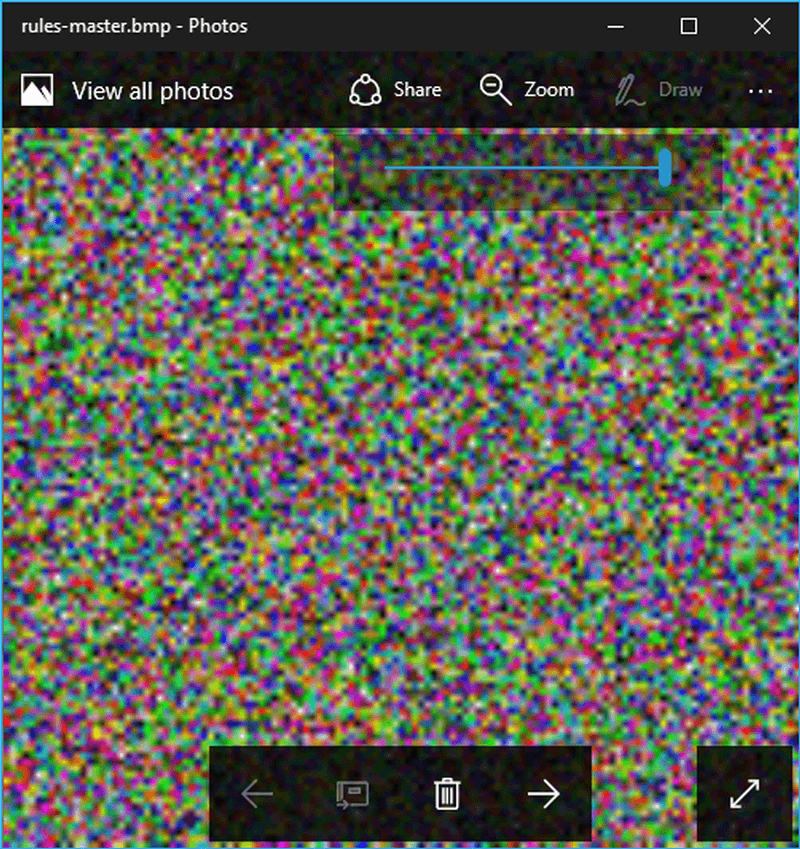
The tool prevents any unauthorized access. For instance, if someone else tries to open the bitmap image, the file presents a distorted image. For Gmail users, BMP Wrap also helps you to attach .exe or .dll file which are otherwise not allowed as email attachments.
However, BMP Wrap lacks password protection compared to other steganography application. Also, it does not use a source image as cover. For its simplicity, though, BMP Wrap deserves a try. Download BMP Wrap now to check it out.
“Yammer is a core component of the Office 365 suite and the choice for connecting across organizations and for broad enterprise collaboration functions, but collaboration will increasingly take place in applications integrated with Office 365 Groups, with conversations, files, calendars, and notes as basic functions. Office 365 Groups sit at the center of Microsoft’s vision: Group members become objects in Azure Active Directory, where administration and connectors to other services are strongest.
Microsoft excelled across all the categories we evaluated except templates, communities, and application integration. Near-term investments will aid further integration with Office 365. Today, Yammer sends signals to Microsoft Graph and uses Graph to recommend groups and people to follow. Microsoft plans to add signals like conversations and files in the future. Delve incorporates links shared in Yammer for greater discovery across Office 365 and will soon enable inline conversations so that colleagues can share and discuss any content in Yammer directly from within the Delve experience.”
Overall, Forrester reviewed nine leading enterprise vendors of enterprise collaboration platforms. However, Microsoft was found to provide “better customer experiences, evolve toward broader communication needs, and integrate more tightly with other business applications,” than any other vendor.
The list of Xbox One Backward Compatible titles is always growing and today three more have joined the fray. Heading to the catalog this week is TEKKEN 6, Mutant Storm Empire, and Midway Arcade Origins. As always, we have included game descriptions, download links, and trailers for you below.
With over 34 million copies sold worldwide, TEKKEN is the #1 fighting game franchise. The series appears on the Xbox 360 console for the first time with the latest installment, TEKKEN 6! A large roster of unique characters, fast-paced action, a deep level of strategy, and the rich background story have all helped make the TEKKEN series the top in its genre. TEKKEN 6 has the largest character roster to date, Online VS Battle, and other new content created for the home version. Use the improved, more in-depth character customization options to customize your favorite characters and face off against rivals online!
Ready to challenge the full might of the evil emperor’s minions? Upgrade to the full version now for sixteen levels of ever-increasing excitement and cheerful mayhem, alone or with a buddy. It’s time to start the frenzy!
Midway Arcade Origins delivers the ultimate arcade experience with more than 30 classic games from the arcade golden age. Players can enjoy their favorite genre defining Midway titles now with local co-op multiplayer, achievements, and Leaderboard support.
Which of these titles do you currently own? Are you looking forward to more Xbox 360 games joining the Backward Compatibility list in the future? As always, please do drop us a comment to let us know your thoughts!
Microsoft today announced that Windows Enterprise CSP customers can now upgrade 7, 8.x PCs to Windows 10 for free. The announcement means that customers subscribed to Windows 10 Enterprise E3 and E5, as well as Secure Productive Enterprise E3 and E5 plans, can now upgrade their Windows 7 and Windows 8.1 PCs and devices to Windows 10 without the need to purchase separate upgrade retail licenses.
To take advantage of the offer, Microsoft recommends that tenant admins for customers with Windows cloud subscriptions log in to the Office 365 Admin center with their Azure Active Directory admin credentials and see options to begin the upgrade on the device they are currently using. According to Microsoft, tenant admins can also share the download link with others in their organization, create installation media or troubleshoot the installation. The company notes:
This is an important benefit addition to Windows cloud subscriptions in CSP as it enables customers who have yet to purchase a new Windows 10 device, or who missed out on the free upgrade to Windows 10 campaign, to take advantage of enterprise-grade security, managed by a trusted partner, for the price of coffee and a donut. The Windows 10 upgrade licenses issued as part of this process are perpetual and associated with the device. This means the license will not expire or be revoked if the customer chooses to end their Windows cloud subscription in the CSP program.
Options for Windows 10 upgrades and links in the Office 365 Admin center are rolling out now, so they should be available within the next 48 hours. Since this adds an upgrade SKU to CSP plans (which previously was not available), the news also means that customers with CFP plans will no longer need to buy Windows 10 Pro at the full price of $199.
A few days ago, the web was buzzing when some details emerged on the Xbox version of the Windows 10 Creators Update. Today there is some more news to throw into the mix, as word is spreading that Xbox Live parental controls will get even better with Windows 10 Creators Update.
As seen above, Xbox’s Mike Ybarra responded to a Xbox fan on Twitter who pointed out that the Xbox Parental controls exceed the “draconian” level controls seen on the PSN. Microsoft’s head of Xbox marketing then mentions that these controls will improve even more with the Creators Update soon. It’s still not clear, however, how the controls will improve, but more details are sure to emerge in the future as the April release date of the Creators Update approaches.
From what was already revealed by Ybarra on a live stream on his Beam account, the Parental Control features would join a revamped Xbox Guide, improved multitasking, and increased options for GameDVR clips. Do you like the fact that more parental controls are heading to the Xbox One? Let us know what you think by dropping us a comment below!
According to the rough English translation by Google, Microsoft Germany gave some reasons why Windows 7 users should switch to Windows 10:
“One of the most successful operating systems from Microsoft is gradually approaching the end of its life cycle : the extended support of Windows 7 will be completed in three years. This means for all customers with Windows 7 PCs that from January 14, 2020 there will be no security updates, updates and no technical support from Microsoft. After more than 10 years on the market a logical decision: 2009 appeared, Windows 7 was the first step on the way to the cloud. Today, Windows 7 can no longer keep up with the increased security requirements.
Rather, it provides for higher operating costs – for example, maintenance, lost working time due to increased malware attacks, or increased support requests. At the same time, many hardware manufacturers no longer provide drivers for Windows 7, which means that modern peripherals such as printers are no longer recognized. In order to offer users a modern interplay of software and hardware, new processor generations are only supported by the latest Windows platform: Windows 10 is the only Windows version that provides support for the latest Intel, AMD and Qualcomm chips . In addition, many programs are already written or developed for the newer versions of Windows.”
Can Microsoft top that in 2017? Well, with Project Scorpio to be launched in late 2017, this year should be another good one for the Xbox fans even though the cancellation of the Xbox exclusive game Scalebound was much talked about last week. Fortunately, Microsoft still a lot of exciting exclusives in the pipeline such as Halo Wars 2, and Xbox head Phil Spencer assured on Twitter that we should expect a “fun year” despite the lack of blockbuster releases.
XB1 games shipping this year are different for us. not Halo FPS/Gears led, new experiences with different IP, will be fun year
As a reminder, this year’s Xbox exclusives will include new exciting IPs such as Sea of Thieves and Cuphead, but we also had very few details so far about Crackdown 3, State of Decay 2 or We Happy Few (and all these games have no precise release date yet). We’re really looking forward to learn more about all these, and if you didn’t do it yet we invite you to check out our extensive list of Xbox games to be released in 2017.
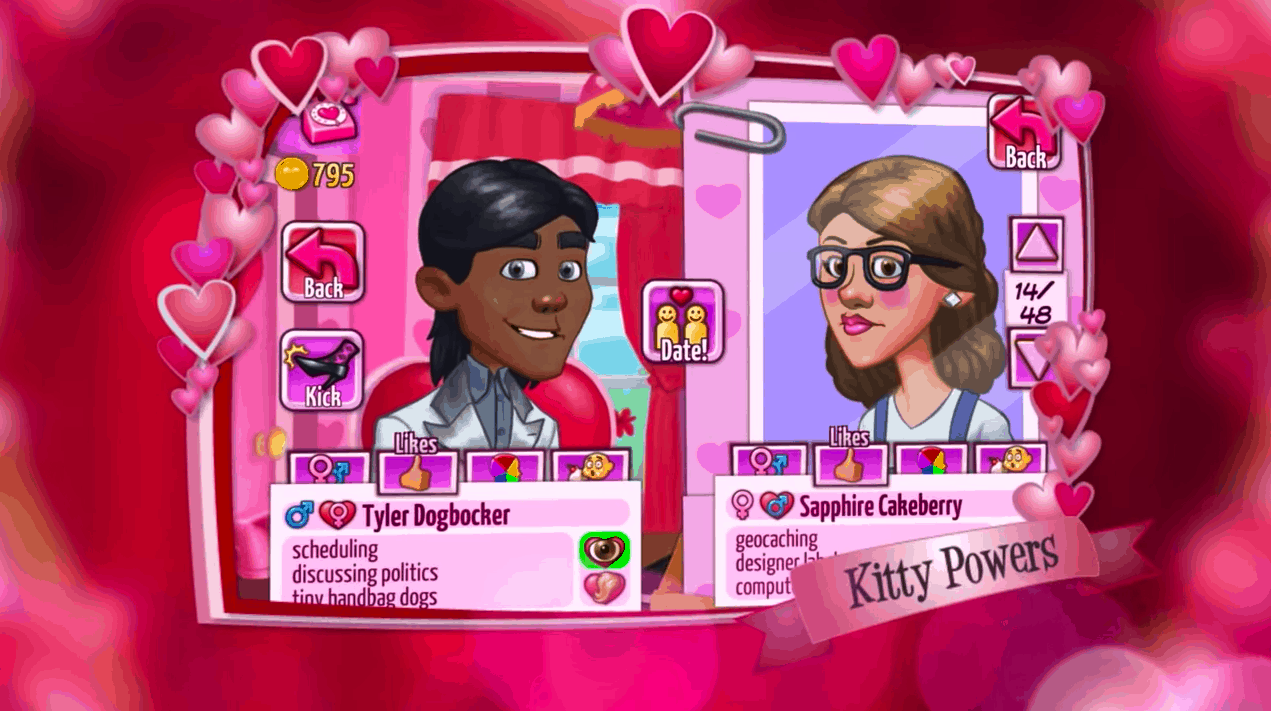
Kitty Powers’ Matchmaker, a dating simulator developed by UK indie studio Magic Notion will be released on the Xbox One on February 7th (via VentureBeat). The game was first released on mobile in PC back in 2014, and the developer shared in a blog post announcing the news that that the game “looks amazeballs on the big screen.”
While this isn’t the typical kind game you expect to find on a gaming console, the PC version of the LGBTQ-friendly dating simulator currently enjoys very positive reviews on Steam, with gamers praising the over-the-top humor and the actually difficult challenge of managing a dating agency. The official game description notes:
Kitty Powers’ Matchmaker is a hilarious dating simulator with a difference. Manage your own matchmaking agency with the guidance of your fabulous boss, drag queen diva Kitty Powers! Match an endless parade of desperate clients with candidates from Kitty’s little black book and guide them through awkward conversations and dozens of perilous dating dilemmas.
As your reputation grows you’ll unlock new date venues, more demanding clientele and upgrades for your agency. Send your hopefuls out with the right look and perfect gift to maximize their chance of finding love. Are you ready to bring romance to the world? Or will you leave a sea of broken hearts in your wake?
For those of you who already played the game on PC or mobile, this console version will feature new additions such as an upgraded avatar system and dynamic dialogue. Let us know in the comments if you’re looking forward to play this game on your Xbox One ahead of Valentine’s Day.
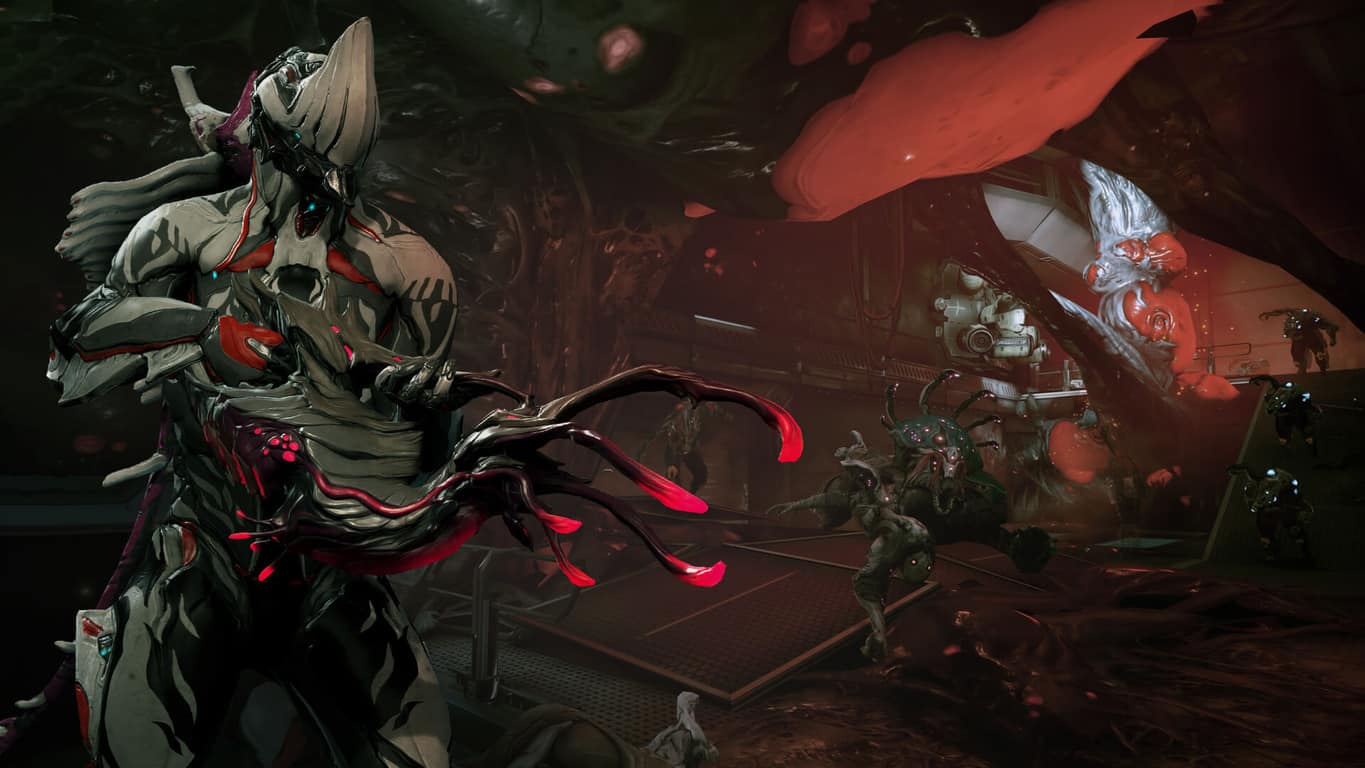
The Glast Gambit update rolls out to the Xbox One version of Warframe today. This update is rather significant and adds a new Warframe character/suit, fresh story content, a variety of special items created by fans, new weapons, new customizations, and new mods. Installing the The Glast Gambit update also adds an entirely new game mode called, Infested Salvage, which has been given the following description:
A ship and its crew have fallen victim to the Infestation they were researching. Locate the ship’s manifest to recover their extensive research, but be fast as a corrosive gas fills the ship degrading your armor integrity.
Saban’s Mighty Morphin Power Rangers: Mega Battle provides a creative and modern re-imaging of the classic multiplayer beat-em-up genre. Level up your rangers, team up with friends, summon the Megazord, and fight your way through levels stylized after classic Mighty Morphin Power Rangers episodes! • CLASSIC POWER RANGER DNA INTACT: Morph, use weapons & martial arts, and summon the larger-than-life Megazord!• INTUITIVE & DEEP BATTLE SYSTEM: Includes light, heavy, weapon and projectile attacks. Players will be able to integrate weapon strikes into different combo strings!• LEVELING & CUSTOMIZATION: Players can level-up and unlock new moves, attacks and weapons.• NOSTALGIC: Each level is based on a classic episode from the TV series. The levels are filled with familiar dialogue, background details, cut scenes, and enemies pulled straight from the first two seasons of the show!
The creation of this game is likely part of a plan to remind casual fans of the brand before the release of the major Power Rangers movie which premieres in March 2017 and is also based on the early seasons of the show.
Are you excited for more Power Rangers? Let us know in the comments below.
It was rumored a couple of months ago but now it has been confirmed. Resident Evil 7 will be an Xbox Play Anywhere title. This means that gamers can buy the video game on either Xbox One or Windows 10 and gain the other version for free. All content will also carry over between each version.
The confirmation came today in a tweet from Xbox’s Phil Spencer who said, “RESIDENT EVIL 7 biohazard confirmed for Xbox Play Anywhere – buy once, play on both Xbox One & Windows 10 PC.” You can see his tweet below.
The RAR file opener/extractor Windows 10 app, RAR Opener has just updated to Version 3 and now boasts several big improvements such as faster extracting, pin to Start, drag and drop for expanded files, and a new design that looks and works better on Windows 10 Mobile devices.
RAR Opening is a free app though does contain in-app purchases for some features. Here’s the official app description:
The Missing RAR Opener – Open any RAR file in seconds! New update: Now in addition to RAR, it handles dozens of popular Internet file types, like 7Z, Zip, TAR, LZH, etc. Don’t clutter and overwhelm your computer with file openers that handle hundreds of file types you’ll never need. RAR Opener is a tiny and super-fast utility that focuses on RAR files and doesn’t clog up your PC or waste your RAM.
RAR Opener has a small size and memory footprint to keep its operation quick without slowing down your computer. It’s beautifully simple: just double click once on the file you want to open and that’s it. Your opened file is waiting for you in Downloads. You can, of course, launch RAR Opener to manually select files you want but when it comes to RAR files, RAR Opener is all you need.
Do you use RAR Opener on your Windows 10 device or do you prefer an alternative? Share your recommendations in the comments below.
If you rely on Service Bus for Windows Server 1.1 to do anything, you might want to start thinking about replacing it. Microsoft announced in a blog post today that they’re going to be discontinuing support for the service in a year – the cutoff date being January 9, 2018.
The cutting of support for the service came “after a careful analysis of market and community needs, trends, and considering what [Microsoft’s] true technology strengths are.” It accompanied an announcement that the future of cloud computing is in hybrid technology, and a successor to Windows Server 1.1 will not be immediately available.
The exact wording in the blog post is that Microsoft will be discontinuing “mainstream support” in January – not necessarily constituting a full stop. While it’s certainly not advisable to rely on the service as it goes into obsolescence, it’ll be interesting to see if anything else happens with it after 2018.
One of the major advantages Microsoft Teams had over its competition at its announcement was the threaded conversations. This is the feature that branches messaging under a previous topic, making communication much smoother and less cluttered. Now, Slack fighting back with the same feature in their arsenal (via Windows Central.)
As announced earlier today, Slack will be rolling out a new update for its app starting today. In the next week or so, the thread messaging feature is expected to be available to everyone. Users will be able to hover over a message and start a new thread from the topic, or they can join in on others that have already been started. Furthermore, View All Threads and View All Unreads will make catching up a breeze in the updated Slack.
On a more productive note, subthreads won’t notify you unless you are specifically mentioned or you join in. That way you can work in a clear space without the need to read through every unnecessary detail of collaboration. Also, you can search through all of the threads conveniently.
Slack seems excited for the feature, undoubtedly eager to push back against Microsoft’s claim over enterprise team collaboration. Currently, Microsoft Teams is expected to overthrow Slack and Google Hangouts within the next two years. Even so, the projected deployment plans for businesses has less than a 10% margin difference. The race is close, and new features on both ends could keep the competition fierce.
When Microsoft officially unveiled Windows 10 during a much anticipated media event in September 2014, the company explained that it made the bold bet to create a operating system that could run on many platforms: PCs, tablets, phones, IoT devices and its Xbox One console. Since then, new devices have joined the Windows 10 ecosystem such as the Surface Hub and the HoloLens mixed-reality headset, which further confirmed the versatility of Microsoft’s latest operating system.
Of course, all Windows 10 devices don’t run the exact same Windows 10 version, but all of them share some common elements such as the OneCore subsystem and the Universal Windows Platform. But according to a new report from Windows Central, Microsoft plans to push further its Windows Everywhere ambition by making the Windows Shell the next universal element of Windows 10.
The Windows 10 ecosystem.
For those unfamiliar, the Windows Shell is the collection of UI elements that let Windows users run apps and manage the operating system. On Windows 10, we’re talking about the desktop, the task bar, the task switching interface, the Start menu and more. While the familiar Windows shell is present on both Windows 10 PCs and tablets, other Windows 10 devices such as phones, the Xbox One and HoloLens are currently using different shells that coexist with the main Windows shell, but Microsoft is willing to change that.
According to the report, the Redmond giant is working on a new universal shell (known internally as “Composable Shell”) that can scale across different devices and form factors. On Windows 10 Mobile devices, this will lead to Continuum improvements with a UI that looks more familiar to the classic Windows 10 desktop. During its Ignite 2016 conference last year, Microsoft actually teased some of these Continuum improvements such as the ability to pin apps to the taskbar, a more PC-like system tray and Action Center plus the support for windowed apps.
Continuum on Windows 10 Mobile is pretty limited as of today.
But this new Composable shell should also benefit Windows 10 tablets. Yesterday, we reported that Japanese Fujitsu was releasing a 6-inch Windows 10 tablet for the Japanese market, but it’s pretty clear that today’s Windows 10 tablet mode is not completely optimized for the phablet form factor. With a universal Windows 10 shell though, such small tablets may be able to switch to an optimized phone UI that would be definitely be more usable in certain circumstances.
It’s not clear yet what this new universal shell could bring to the Xbox One or the HoloLens. According to Windows Central, “that doesn’t mean certain devices will be encumbered with features and behaviors they don’t need or play well with. Xbox will still be primarily Xbox orientated, Mobile will be primarily Mobile orientated, and Desktop will be primarily Desktop orientated.” Obviously, the Composable Shell should be especially important for 3-in-1 devices such as the rumored Surface Phone, which could definitely leverage this universal shell to switch dynamically between a phone interface and a tablet/PC interface.
The Composable Shell reportedly will “begin showing up over the next few major Windows 10 updates, for Mobile, then Desktop, and eventually Xbox too.” In other words, don’t expect to see it in the upcoming Creators Update, which fetaures will reportedly be locked this month. Anyway, this universal shell is definitely exciting: it seems that one day, it won’t matter if you use Windows 10, Windows 10 on ARM or Windows 10 Mobile, because the device you use could be able to dynamically adapt to what you want to do with it.
Microsoft has announced yesterday that PIX (not to be confused with the Pix camera app for iPhone), its performance tuning and debugging tool for games developers using DirectX 12 is now available for free on Windows 10. While many Xbox game developers may already be familiar with the in-depth graphics analysis tools, the company explained that this new release is the latest milestone in Microsoft’s commitment to gaming on Windows 10.
“The Windows version of PIX is built on the Xbox version of the tool, so developers targeting both platforms can easily get started optimizing their Windows games,” explained the company. PIX is launching on Windows as beta but it already supports Direct 3D 12 GPUs from all major vendors. Here are the five main modes that game developers will be able to use to analyze DirectX 12 games on Windows:
GPU captures for debugging and analyzing the performance of Direct3D 12 graphics rendering.
Timing captures for understanding the performance and threading of all CPU and GPU work carried out by your game.
Function Summary captures accumulate information about how long each function runs for and how often each is called.
Callgraph captures trace the execution of a single function.
Memory Allocation captures provide insight into the memory allocations made by your game.
To get best results, Microsoft is recommending to use PIX on a PC running the Windows 10 build Anniversary Update with 32 GB RAM and a Direct3D 12 GPU with the latest available graphics drivers. The company has also published the following series of videos to help you get started:
You can download the beta release of PIX for Windows 10 on Microsoft’s developer website, and you can also have a look at what is on the roadmap on this page.
As we’re just a month away from the worldwide release of Halo Wars 2 on Xbox One and Windows 10, 343 Industries studio head Dan Ayoub has announced on Twitter yesterday that the real-time strategy game has finally gone gold.
Halo Wars 2 has been co-developed by 343 Industries and Creative Assembly for the last three years and the Xbox Play Anywhere title will be released on February 21. If you can’t wait to play it, the Xbox team has announced last week that a final multiplayer beta will kick off on Friday, January 20: this time, the ten-day beta will focus on Blitz mode, a new card-based game mode offering a wide range of strategic and gameplay options to players.
As a reminder, Halo Wars 2 is already available to pre-order on the Windows Store, and those of you who choose to purchase the $79.99 Ultimate Edition will also get access Halo Wars: Definitive Edition, a remastered version of the first installment in the series released back in 2009. Let us know in the comments if you’re looking forward to play the game on your Xbox One or Windows 10 PC.
Today was a big day for Injustice fans as an all-new trailer was released that revealed the game’s story and end boss as well as all three different Xbox One pre-order versions which are now available to, well, pre-order.
The Standard Edition of Injustice 2 contains the main game and default content. The Deluxe Edition contains everything in the Standard Edition as well as access to three new fighters as they’re made available, exclusive gear shader for every character, and new dialogue, skin, and design for an unspecified character. The Ultimate Edition of Injustice 2 contains everything in the two previously mentioned versions plus access to nine new fighters (three are assumed to be from the Deluxe Edition), two gear shaders, and three premiere skins, designs, and dialogue choices for the unspecified character. Pre-ordering any version will unlock Darkseid who was just revealed in the new trailer which can be watched right here.
Build and power up the ultimate version of your favorite DC legends in INJUSTICE 2. With a massive selection of DC Super Heroes and Super-Villains, INJUSTICE 2 allows you to personalize every iconic character with unique and powerful gear. Take control over how your favorite characters look, how they fight, and how they develop across a huge variety of game modes.EVERY BATTLE DEFINES YOU: With every match you’ll earn gear to equip, customize and level-up your favorite DC characters, meaningfully impacting how they look and fight. A NEW THREAT RISES: As Batman and his allies continue to clash with remnants of Superman’s regime, a new threat appears that will put Earth’s very existence at risk…THE BEST OF DC: Choose from new and returning characters in the biggest DC roster ever.
Are you excited for Injustice 2? Which Xbox One version will you pre-order? Let us know in the comments below.
Blizzard’s Battle.net is a useful gaming platform that allows gamers to meet up and play multiplayer matches together, socialize with their friends, and install the latest game updates. The desktop app brings together all your Blizzard games in one place, automatically queues up patches and updates, and allows you to communicate with other players.
Speaking of communicating and interacting with other players, there is one feature that many Battle.net users covet: Invisible Mode. As you all know, the Battle.net chat app doesn’t offer an invisibility feature. This means that users can’t simply pretend they’re not there if they don’t want to talk to their friends.
Battle.net : To be or not to be invisible – that is the question
Battle.net users have been asking Blizzard to add invisibility support for more than three years. Players suggest that any modern day messaging platform deserves an invisibility feature, allowing users to control who can interact with them.
Battle.net, is it really that difficult to add this feature? Other platforms offer this […] I’ve gone through the various threads requesting for this feature and so far no rep has addressed it. It’s baffling to see so many people clamoring for this and receive nothing but silence.
I’d really appreciate an invisible feature. There are times when I don’t GAF whether someone sees what I’m playing but there are also times when I just want to log in and play without someone saying a day later, “yeah I saw you were playing D3 late last night… what time did you finish?”
While Blizzard announced an upcoming ability to appear offline, this feature has yet to be released. Battle.net users want the invisibility feature in order to get some precious peace from constant waves of messages.
After four years, many Battle.net users are beginning to lose hope and think that an invisibility feature is nothing but a pipe dream.
If you feel strongly about this matter, go to this old forum post and have your say.
Microsoft New Zealand is being audited by the IRD (Inland Revenue Department). The audit is happening over the Microsoft branch’s use of “transfer pricing” – a practice that can be used by multinational companies in order to minimize tax costs.
“We believe tax is an issue that should be addressed at the global level, but having said that, we abide by the laws in all jurisdictions in which we operate.” Microsoft Spokesperson Brendan Boughen
It’s unclear how long the audit will take, or what – if any – repercussions it might have. As it stands now, it seems like things will be staying relatively quiet for the foreseeable future. Apart from the initial statements from Boughen, Microsoft New Zealand hasn’t commented on the audit or the circumstances around it.
While transfer pricing isn’t necessarily against the law, it can potentially be abused in ways that cross the line. As the audit takes place, the IRD will be trying to determine if any transfer pricing on the part of Microsoft would be over the line.
Today, the XSplit 2.9 Beta has updated to include Beam FTL Support according to their blog. The low latency protocol from Beam is a relatively new addition that lowers interruptions and delay between streamers and viewers. Some delays in the testing phase have gone as low as only 0.2 seconds between the two.
Beam is relatively new to the live streaming scene, particularly in comparison to XSplit, one of the most popular streaming software for Twitch, Youtube, and more. Last year, XSplit added in support for the newly Microsoft acquired Beam in favor of the interactive functionality for viewers.
If you’re a streamer interested in testing out the latest Beam FTL through XSplit Broadcaster Beta, keep in mind that the program is still undergoing vigorous testing to make sure the FTL integration is a success. Users can access it as a simple checkbox in the Beam application’s Properties menu and XSplit will automatically detect these settings.
The improvement to Beam is also to be expected through its integration on Xbox One. Expect to see more about the streaming feature, already seen on the Xbox Game Bar, as we move towards the Windows 10 Creators Update coming this Spring.
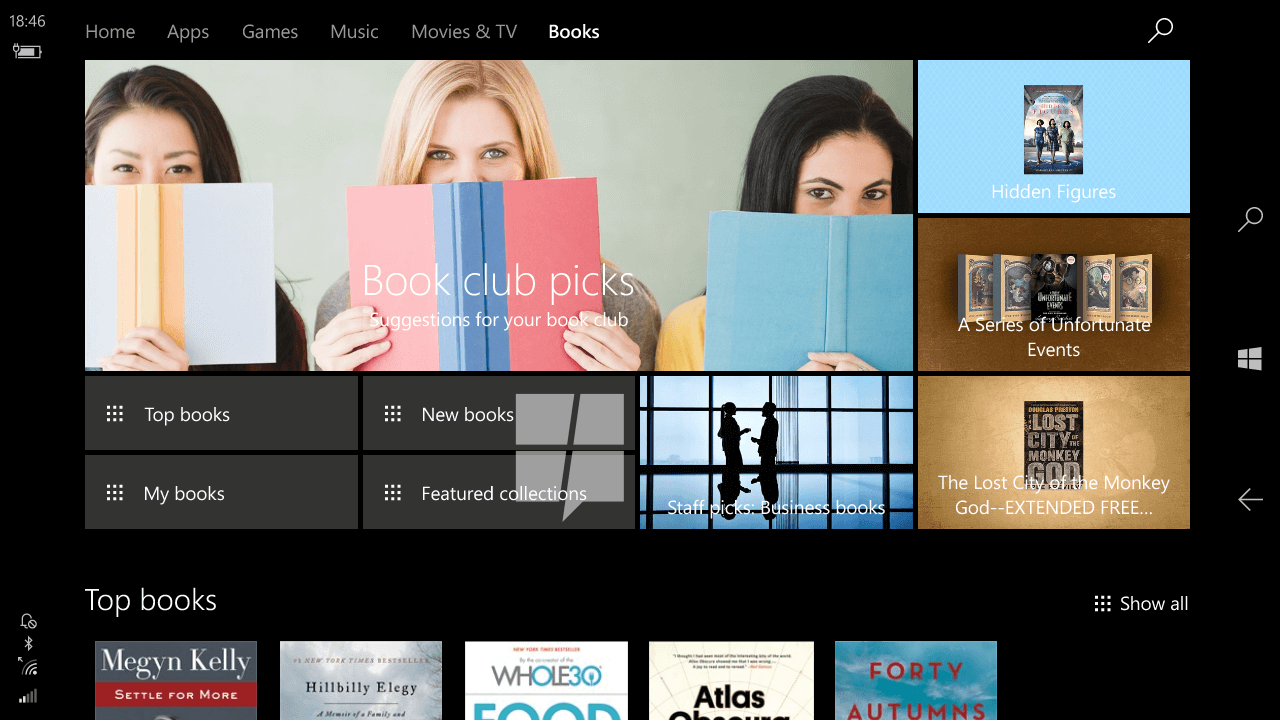
The preview release of the ePUB reader in Microsoft Edge was only the beginning according to a report from MSPU. Microsoft is taking e-reading just a step further with a new section for e-books on the Windows Store.
An internal build for Windows 10 Mobile leaked the feature, revealing that e-books will be the biggest addition to the Windows Store. Furthermore, the dedication section is expected to be seen on other Windows 10 devices such as PCs and tablets. It’s to be expected that readers will be able to take any purchased material on the go just like most apps.
Image Credit: MSPU
The biggest hangup seems to be that reading e-books is contained solely to Microsoft Edge. Which brings to light the real reason that the tech giant had added the new ePUB reader to it in the first place.
It’s unfortunate that Android and iOS users might have to consider the lack of Microsoft Edge when considering an e-book purchase. However, the Windows 10 hand in tablets and 2-in-1 devices might make up for the lack of Windows Mobile incentive.
It looks like the new bookstore will be available to the public with the Windows 10 Creators Update expected around April.
Microsoft loves their security. So much, in fact, that they’ve been approved at the highest security clearance allowing them to create some of the best software available for the U.S. Government. Today, the Office 365 team announced that their software and apps have taken it a step further with some new capabilities and features that make connecting official agencies together more secure and efficient.
First off, the Skype for Business cloud-based voice, video, and meetings is completely changing the way that agencies can communicate. Compared to the more traditional methods such as phones and meetings, the additions of PSTN Conferencing, Cloud PBX, and PSTN Calling can make connecting a bit more impromptu.
PSTN Conferencing—Provides the ability to dial in to a meeting from a traditional phone, as well as the option to join a meeting with a single click on your PC or mobile device.
Cloud PBX—Enables companies to eliminate separate PBX systems and transition to the cloud with Office 365 as the central location to manage users for communication.
PSTN Calling—Gives Office 365 customers the ability to subscribe to Microsoft-managed calling plans and phone numbers.
From LinkedIn, Beam, and more recently the natural language deep learning startup Maluuba, Microsoft has clearly been on a spending streak lately. Today the Redmond giant has once again extended its spending reach, as Microsoft has announced that is has acquired the 3D data optimization company Simplygon.
The announcement was first made by Kudo Tsunoda, the Corporate Vice President of Next Gen Experiences, Windows and Devices Group. Tsunoda addresses how the acquisition of the premier developer of automatic 3D data optimization solutions will accelerate Microsoft’s “3D For Everyone” vision and strategy.
Simplygon’s technology and talent will strengthen our position in 3D creation, making it easier to capture, create and share in 3D. It builds on and extends our aspirations to empower a new wave of creativity with the Windows 10 Creators Update, Paint 3D and our online creator community at Remix3D.com. Simplygon was developed by Donya Labs AB, a privately held company based in Sweden. Donya was founded in 2006 with the aim to be the premier developer of automatic 3D data-optimization solutions. Simplygon is a leader in 3D game optimization, dedicated to helping creators and users of 3D data across industries optimize content pipelines and streamline workflows.
Similar, Simplygon CEO Matt Connors, Founder & CTO Ulrik Lindahl, and Co-Founder Koshi Hamedi took to their website to announce the acquisition. The two thanked everyone for being part of the journey and expressed excitement.
Throughout our journey, we’ve been laser focused on helping developers push the boundaries of 3D. From our early days delivering advanced level-of-detail solutions, to the adoption of Simplygon SDK by most leading AAA game development studios, and our more recent expansion into enterprise AR/VR, Simplygon has made automatic 3D data-optimization increasingly more accessible to developers. Our next challenge is 3D For Everyone, the ultimate accessibility! We’re thrilled to join forces with Microsoft to make this happen.
What do you think this latest acquisition mean for the future of Windows and Microsoft? Let us know what you think by dropping us a comment below! And, be sure to follow us on Twitter so you won’t miss out on all your Microsoft news and information!
A little more than ten years ago, Microsoft entered the portable media player market with the Zune 30, an iPod competitor which also led the company to create the Zune marketplace to distribute digital media content. Unfortunately, the media players never managed to grab a significant market share in the US, and Microsoft ultimately discontinued both the hardware and the brand in 2012.
Tony Scherba, president and founding partner of design studio Yeti LLC, looked back at Microsoft’s Zune failure in an interesting article published today on Entrepreneur.com. According to the product development expert, it’s clear that the first Zune player was released way too late to make a significant impact on the market. “When Zune debuted, Apple had captured nearly the entire mp3 market and would announce the first-generation iPhone — which would lead the smartphone market to quash standalone mp3 players altogether — just months later,” he explained.
However, Scherba added that Microsoft could still have turned Zune into a success if the company had done “proper product planning,” which is a necessary step to make sure that new products meet an actual consumer demand. And it seems that Microsoft was well aware that Zune wasn’t much different than Apple’s popular iPods according to Scherba. “Microsoft executive Robbie Bach, who headed Zune, later called it a “chasing” product, which, he said, gave customers little motivation to swap their iPods for Microsoft’s offering,” he added.
The Zune brand lived on in Windows Phone’s Zune app.
For a company designing new products, product planning starts with identifying a problem to solve and ends with the creation of an product roadmap which will take into account market conditions and customer feedback. However, Microsoft made a mistake right from the beginning, according to Scherba. “While Zune had some capabilities the iPod didn’t, potential users — many of whom had already bought an iPod — simply didn’t think the product addressed a pressing need,” he explained Later on, the product development expert also thinks that the company didn’t prototyped Zune adequately: “If it had, Microsoft would have learned prior to release that consumers didn’t truly value Zune’s features. The company assumed they did, and that was its downfall,” he added.
Zune is probably one of Microsoft’s biggest failures from the last ten years, but it’s not clear if Microsoft could have done really better with proper product planning: just a couple of months after the introduction of the first Zune media player, the launch of the first iPhone was the first nail in the coffin for portable media players, which have obviously become a niche market as of today.
In just six years in the market, the Zune brand managed to attract a loyal fan base of users though. As we reported two months ago, you can find on the Zune subreddit a lot of passionnate users who collect, repair and share tips about how to fix technical issues with the now-unsupported media players. Windows phones may enjoy the same kind of cult following, and you may also think that Microsoft reiterated the same product planning mistakes with its mobile OS over the past few years. However, Microsoft execs have been teasing the “ultimate mobile device” last year and we hope that lessons have now been learned.
In New York City, the National Retail Federation’s (NRF) annual Big Show kicks off this week. Retailers across the US are looking to focus on their customers now more than ever, by providing a unique and personalized shopping experience. Microsoft will be there at every step of the way, showcasing new technologies and innovations to improve the customer experience.
Microsoft Azure, Power BI and Dynamics 365 are some of the Microsoft services available to help national retailers engage their customers. With the help of their global partners, Microsoft’s booth at the NRF Big Show will include store-scanning robots, Microsoft mobile apps, intelligent vending machines, and more.
Here are examples of how Microsoft and its partners have helped US retailers nationwide.
• Nordstrom Rack: In its pursuit of continually improving the customer experience, Nordstrom Rack is piloting in-store beacon technology from Footmarks, built on the Microsoft Cloud, to better engage and personalize shoppers’ experiences and ultimately increase speed and convenience. Today, Nordstrom Rack is using the beacons to gather data that it hopes will ultimately help to better engage and serve customers. It is also testing some messaging displays via the beacons to direct shoppers to available fitting rooms or express checkout services, and to show customers extended product offerings that are available online while they’re shopping in-store.
• SKIP Mobile grocery checkout: SKIP is back at NRF this year, and Macey’s, an Associated Food Stores grocery chain based in Salt Lake City, is using the SKIP app for line-free checkout and to better personalize offers and promotions for customers. Built on Azure, SKIP enables shoppers to build shopping lists at home and have their lists organized by aisle as they walk into the store. Then they simply scan each item as they place it in their cart and check out on the app when finished. In the first two months of deployment, Macey’s has seen an increase in repeat usage of SKIP from guests as well as an increase in average trips to the store and basket size.
• Mars Drinks Smart vending machines: Mars Drinks worked with Neal Analytics to apply Microsoft data and machine learning technologies to its vending machines. By connecting its machines to the Microsoft Azure IoT Suite, Cortana Intelligence Suite and Power BI technology, Mars Drinks can use remote sensors and predictive computing to better maintain stock levels, understand consumer behaviors and account for changes in demand related to factors such as weather and holidays.
• Hickory Farms: Each year, Hickory Farms opens and closes approximately 500 seasonal retail stores within the United States and Canada for the holiday season. The company needed a way to scale up and down quickly to account for this massive swing in business. The solution: replace four disparate legacy business systems with Microsoft Dynamics 365 to integrate its catalog and mail order, web, retail and wholesale operations into a single platform. The company can now automate manual processes, break down business silos and better manage inventory such as exactly how many summer sausages were sold and shipped from each location — something it hadn’t been able to do before without significant effort.
• Shelfie, the in-store robot: Unstocked shelves have met their match. Microsoft partner Lakeba has harnessed the power of robotics to solve low stock levels and incorrect product ticketing. Available as a robot or drone, Shelfie travels the store scanning shelves, enabling real-time stock reporting, identifying sales trends and providing intelligent insights to help optimize merchandise displays. With data analytics solutions running in Microsoft Azure, Shelfie empowers retailers to grow sales revenue and optimize profit margins — and frees up employees to focus on tasks that add bottom-line value.
• Powershelf: Regional supermarket chain Giant Eagle turned to the Powershelf system and support from Hitachi Consulting to digitize inventory management. Running on Microsoft Azure, Powershelf uses sensors on shelves and Power BI dashboards to give employees up-to-date insight into what to order. The technology can also change pricing electronically, measure inventory life and send shoppers product information on their mobile phones.
Microsoft StaffHub moved out of public preview and is now available on iOS and Android. Part of Office 365, Microsoft StaffHub allows staff and managers to share content, communicate with each other, and manage work schedules.
The internet can sometimes be a wild and dangerous place, but a new Microsoft pilot program is aiming to make the web healthier and safer for teens. In a recent post to the On the Issues Blog, Jacqueline Beauchere, Microsoft’s Chief Online Safety Officer, announced the “Council for Digital Good” program and encouraged U.S based teenagers ages 13-17 to apply now.
Applications for the one-year pilot program which aims to lay the groundwork for a new approach to online interactions are now open, and those who are selected will be invited to the Microsoft Campus in Redmond for a two-day trip in early August. It is explained by Jacqueline:
Today’s youth are tech-savvy, digitally engaged and resourceful, and we at Microsoft are interested in what they’re doing online, who they’re connecting with, and what they’re sharing and learning. In turn, we’re cognizant that being online presents very real risks, and we want to make sure young people appreciate – and have the skills to help mitigate – those risks. That’s why we’re piloting this council: to gain diverse perspectives from youth in the U.S. on the state of online interactions today, as well as their hopes and ideals for what would make online life healthier, safer and more enjoyable.
The application for the program requires some basic information, as well as an essay or video responses to questions about life online, expectations for council experience, and about Microsoft generally. After reviewing applications, 12 to 15 applicants will be selected to join an inaugural council summit at Microsoft’s Redmond headquarters. Activities planned for the summit include a small group and full council discussions, a separate “parent track,” interactive sessions with guest speakers, engagement with Microsoft consumer product and service group representatives.
Online applications for the program, which are available here, are open until Wednesday, March 1. Interested applicants can also learn more about the program by visiting this website. You can also learn more about Microsoft’s online safety initiatives by going here.
The Windows 10 Video 360 app is expected to get an update sometime this week that will bring it to Xbox One consoles according to a tweet from one of its developers. “May the #XboxOne could have a 360 degrees player in few days ? ? Video360 app on the road!” the tweet which was posted earlier today reads.
No more information is given but it’s expected that this will simply be an update to the app’s Universal Windows Platform app coding that will add support for the Xbox One in addition to the existing support for Windows 10 and Windows 10 Mobile devices. Here’s the official app description:
Video 360 is the first mediaplayer 360° on Windows Store. The 3D Virtual Reality Headsets are supported (such as Oculus Rift, Google Cardboard etc.) Try this amazing experience to control the camera angle : a total immersion. Use this media player with Tubecast to enjoy Youtube videos 360 degrees (4K supported). Move the camera angle with Device sensors (Gyrometer, Accelerometer etc.), your fingers, keyboard, mouse, and XBOX Gamepad.
Would you watch 360 degrees videos on your Xbox One? Let us know in the comments below.
Like the Xbox Onesie, the inflatable controller is also being given away in a competition on Microsoft Australia’s Facebook page. To win one, entrants must describe in 25 words or less what their ideal Australia Day is. The competition has already begun and runs until 9am on January 20th. Naturally, it’s only open to residents of Australia and only one entry per person is allowed.
200 inflatable Xbox One controllers are up for grabs and this rarity coupled with its region exclusivity is bound to make it a hot commodity for collectors and resellers.
Have you entered this competition yet and how much do you want to get your hands on one of these? Let us know in the comments below.
Many Windows users may have experienced lagging BitLocker performance after upgrading to Windows 10 from Windows 7. That’s because Microsoft added a new conversion method called the Encrypt-On-Write mechanism to its latest desktop operating system, explained Windows support escalation engineer Ritesh Sinha.
For starters, Bitlocker is a native disk encryption program on Windows that protects your data from third-party access. The program experienced major changes when Windows 10 launched, chief of which is Encrypt-On-Write. This conversion mechanism works to encrypt all writes made to the disk once you enable Bitlocker on your system. Encrypt-On-Write does not apply to removable drives, however.
Encrypt-On-Write slows down BitLocker on Windows 10
So why does Encrypt-On-Write slow down Bitlocker on Windows 10? Sinha offers the following explanation:
BitLocker in Windows 10 has been made to run less aggressively while converting in background. This makes sure that don’t experience slow performance of the machine while the encryption is in progress.
This is compensated by the fact that this new conversion model BitLocker now uses (on all client SKUs and any internal drives) ensures that any new writes are always encrypted regardless of where on the disk they land (which was not the case for the original BitLocker watermark-based conversion model).
The new conversion mechanism, called Encrypt-On-Write, immediately guarantees the encryption of all writes to the disk as soon as BitLocker is enabled on the OS or internal volumes. Removable drives work in the older mode for backwards compatibility.
The pre-Windows 10 conversion mechanism could only make such a claim after the conversion reached 100%.
If one thinks about it, #2 and 3 are very significant because:
Regardless of the version of Windows used, without Bitlocker enabled and the drive fully encrypted, you could not guarantee that data wasn’t already compromised or stolen.
Therefore, those serious about any such compliance claims would have to wait for the older BitLocker conversion process to reach 100% before placing any sensitive data on drive. This means possibly waiting a long time if the drive is large.
With the new method, they could safely copy sensitive data as soon as BitLocker is enabled and the volume is in the encrypting state.
Due to achieving compliance status for all writes immediately upon enabling BitLocker, the pressure of reaching 100% conversion status is less and converting all pre-existing data happens at a slower rate (further lessening the impact on interactive user).
Microsoft, nonetheless, vows significant improvement in Windows 10 Bitlocker encryption time once the Creators Update rolls out in April this year. However, encryption time will still depend on your hardware and machine workload.
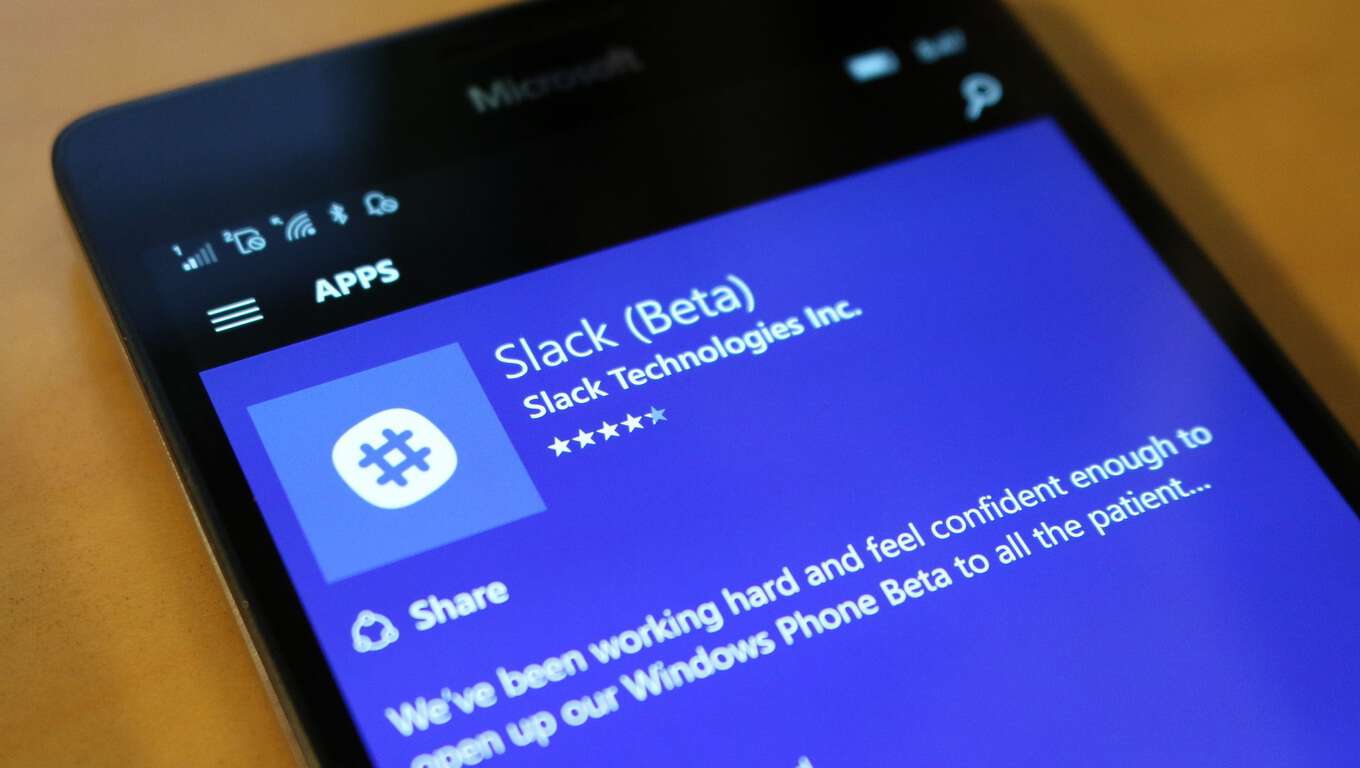
Microsoft tagged Slack as one of the “little companies” filling a very small niche when the software giant launched chat-based workspace Teams in November last year. But the remark did not dampen Slack’s spirit, and the team has now rolled out its desktop app to the Windows Store.
That means you won’t need to visit Slack’s website to download and install the cloud-based team communication app on your machine anymore. Slack has now made it easier for you to get the app and keep it updated on your PC by using Microsoft’s Desktop App Converter. Also known as Project Centennial, the app bridge has made it possible to convert the Win32 version of Slack so that it becomes available on the Windows Store.
You can use Slack to:
Communicate with your team and organize your conversations by topics, projects, or anything else that matters to your work.
Message or call any person or group within your team.
Share and edit documents and collaborate with the right people all in Slack.
Integrate into your workflow, the tools and services you already use including Google Drive, Salesforce, Dropbox, Asana, Twitter, Zendesk, and more.
Easily search a central knowledge base that automatically indexes and archives your team’s past conversations and files.
Customize your notifications so you stay focused on what matters.
With Slack now available on the Windows Store, users won’t have to update the app constantly as the desktop app already includes an auto-update function. Slack also now supports Live Tiles. You can download Slack from the Windows Store.
Slack also noted some fixes it added to Slack:
Our zoom levels now match the Chrome browser, so you should feel right at home (so long as your home is Chrome).
An infrequent crash when quitting the app has been dispatched.
A slightly more frequent crash while checking for updates; eliminated.
Signing out of teams from the right-click menu is 46.8% more reliable.
And finally, if you had multiple displays, new windows (such as a call or a Post) would appear on the primary display instead of the display that Slack was on. Rather than submit this to a physics journal for peer review, we decided to fix it. All is as it should be.
By launching its desktop app to Microsoft’s store, Slack demonstrates that it remains unfazed after Microsoft introduced Teams to the race.
Indeed, Microsoft Germany published a new blog post to explain that while Windows 7 is still officially supported by the company, it’s now time to move on from the legacy OS (via Neowin). “Today, it does not meet the requirements of modern technology, nor the high security requirements of IT departments. As early as in Windows XP, we saw that companies should take early steps to avoid future risks or costs,” explained Head of Windows at Microsoft Germany Markus Nitschke, via translation.
Now in extended support through January 14, 2020, Windows 7 is only receiving security updates, but that doesn’t mean that the OS is as safe to use as Windows 10. Actually, companies that keep using it will likely have higher operating costs due to increased malware attacks or support requests. Indeed, Windows 7 is based on “long-outdated security architectures” according to the company, and many hardware manufacturers have also stopped providing drivers for Windows 7, which means that the OS won’t recognize many new modern peripherals.
Today marks the annual observance of American civil rights activist Dr. Martin Luther King Jr’s birthday. Many U.S. banks, shops, schools, and offices observe the holiday but Microsoft had something different in mind. Even though they are taking a break from their offices, Microsoft Rewards directs consumers to take a closer look at the historical reference.
Visiting your account dashboard has plenty of options to get a few points here and there, but new on the list is a box to watch the “I Have A Dream” speech for 10 points. By clicking it, a new tab will open to Bing with the search. While you don’t actually have to watch the video on the separate tab to earn the points, it’s worth watching.
As usual, you can use these to redeem for Microsoft Rewards such as Groove Music passes, Windows Store gift cards, Microsoft apparel, Skype Credits, Xbox One gift cards, sweepstakes for Windows 10 devices, and more You can even convert your points into money for charity, something we’re sure Dr. Martin Luther King Jr. would definitely approve of.
Another episode of ‘Talk Microsoft’ is live tonight at 1pm PST. We’ll be discussing all the latest Microsoft and Windows 10 related news including GATT support coming in the Creator’s Update, the latest build of Windows 10, and more.
You can watch the show live on our YouTube channel and comment during the show. If you can’t make it live, we’ll put the show up on YouTube and send out the audio only version on SoundCloud as well.
PDF Compressor is a Windows utility that compresses scanned PDF files for easy transmission across the Web or over emails. Scanned PDF documents are made from images, and they tend to have large file sizes usually.
PDF Compressor claims to reduce the file size of a PDF from about 30 MB to only 8 MB – a compression ratio of 23% – quite fast. You can change the compress quality or the DPI setting to get better compressed result and content quality.
Mind you, if the PDF files are not scanned PDF, the app doesn’t work well and the output files will be bigger than the original files.
Available for all Windows editions above Windows XP, the app supports batch mode and allows you to compress hundreds of PDF documents at one time. It can also automatically remove the restriction from protected PDF files.
The company is running a promotional giveaway allowing you to score a free license of PDF Compressor Pro, with a regular value of $29.95. The pro version unlocks full functionality of the PDF Compressor and doesn’t add watermark on output PDF files. Check out the details here, and do it soon, because the promotion ends on February 1, 2017.