Popular media center Kodi is being rebuilt as a Xbox One compatible UWP app

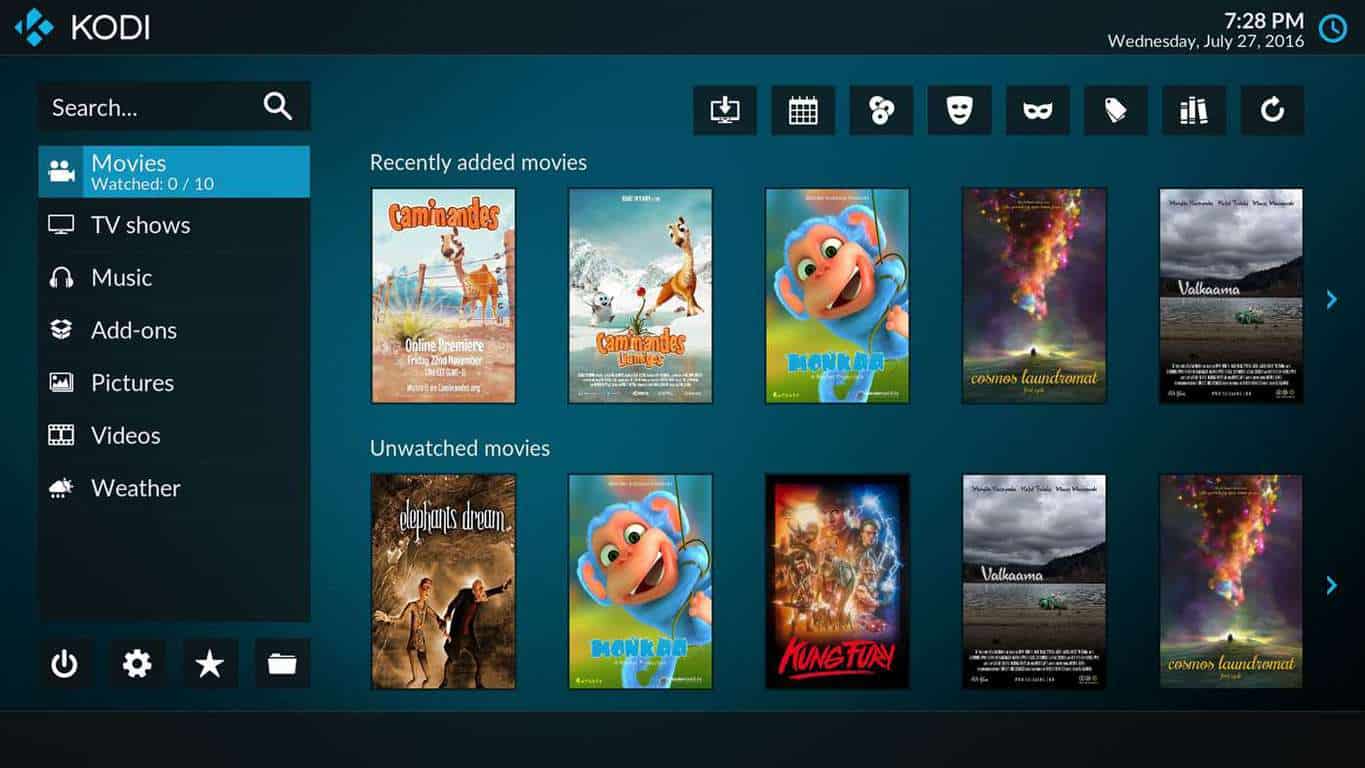
Kodi, a popular media center based on the now deprecated Xbox Media Center will soon make its way to the Xbox One as a UWP app (via Neowin). The announcement was made yesterday during Microsoft’s Windows Developer Day Event, where the company also announced that the Windows 10 Creators Update SDK was now feature complete.

For those unfamiliar, Kodi is an open-source, cross-platform app that is now available on Windows, macOS, Linux, iOS and Android. Last year, the developer released Kodi on the Windows 10 Store using Microsoft’s Desktop Bridge, though the technology doesn’t make it possible to run converted apps on anything else but a Windows 10 desktop computer for now. Fortunately, the developer was pleased by the success of its Windows Store app, which is why the digital hub will be rebuilt as a full UWP app that can run on the Xbox One.

We don’t know yet when the Kodi UWP will be ready, but the announcement makes sense considering that Microsoft introduced yesterday a new “compact overlay mode” for UWP apps in the Windows 10 Insider build 15031. Media apps that leverage this new feature will be able to be displayed in a corner of your screen above your other windows, and we expect this new picture-in-picture mode to be enabled on the Xbox One too. It’s great to see that Kodi is finally embracing the Universal Windows Platform, and we can’t wait to see how the app will run on the Xbox One.

Windows Platform bug tracker aims to make the Windows 10 UWP platform transparent

Microsoft does a lot in order to make sure that things run smoothly for users, but they also drop big things for developers every once in a while. One such huge benefit for the developers among us has just recently dropped, and it takes the form of a new Bug Tracker.

The Bug Tracker does exactly what you think it does – it tracks bugs. The tracker tells you about several of the bugs that the team is working on, and it gives you insight into what kind of progress has been made as far as a fix is concerned. The tracker should do wonders for transparency, and ought to encourage developers to give more feedback.

On top of the tracker, we’re also getting access to a sneak peak at Microsoft’s roadmap. The roadmap gives users a look at features that the team is working on and, like the bug tracker, gives updates on how far they’re coming along.

The two features are both part of an effort to get a little more transparent for developers who want to know the team that designs the Windows platform. Hopefully, these two features will be well-maintained – they have the potential to offer a lot of valuable information.

Outlook.com outage affecting users logging in and sending mail

User reports are pouring in of issues accessing Microsoft’s online e-mail service, Outlook.com. According to reports, already logged in users are also affected, as they are unable to send mail, instead being alerted to an error that they’re unable to send e-mail currently and to “try again later.”

When accessing Outlook.com, many users are seeing an error similar to the below:

Outlook.com Something Went Wrong

As stated by the error, it appears Outlook.com’s servers are overloaded and are unable to process requests – such as logging in and sending e-mail.

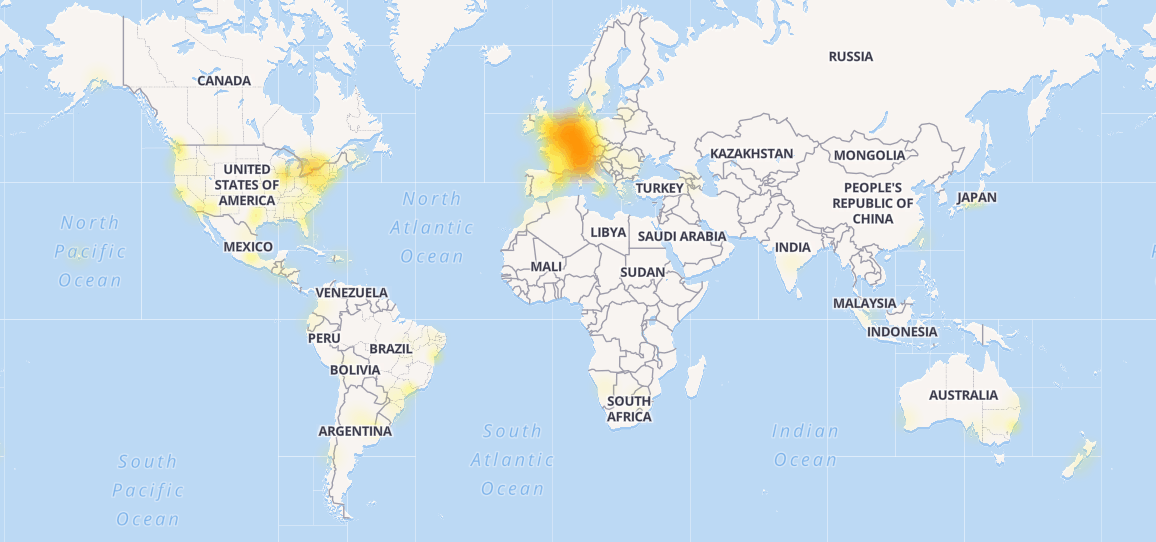
The issues mainly affect the United Kingdom and pockets of the United States, as shown by the outage map:

Outlook.com Outage Map

Microsoft have not responded to reports of an outage as yet. Many issues are resolved within a few hours, so we expect full service to resume shortly. Let us know if you’re affected in the comments below!

Undead Labs to announce State of Decay 2 release date at E3 2017

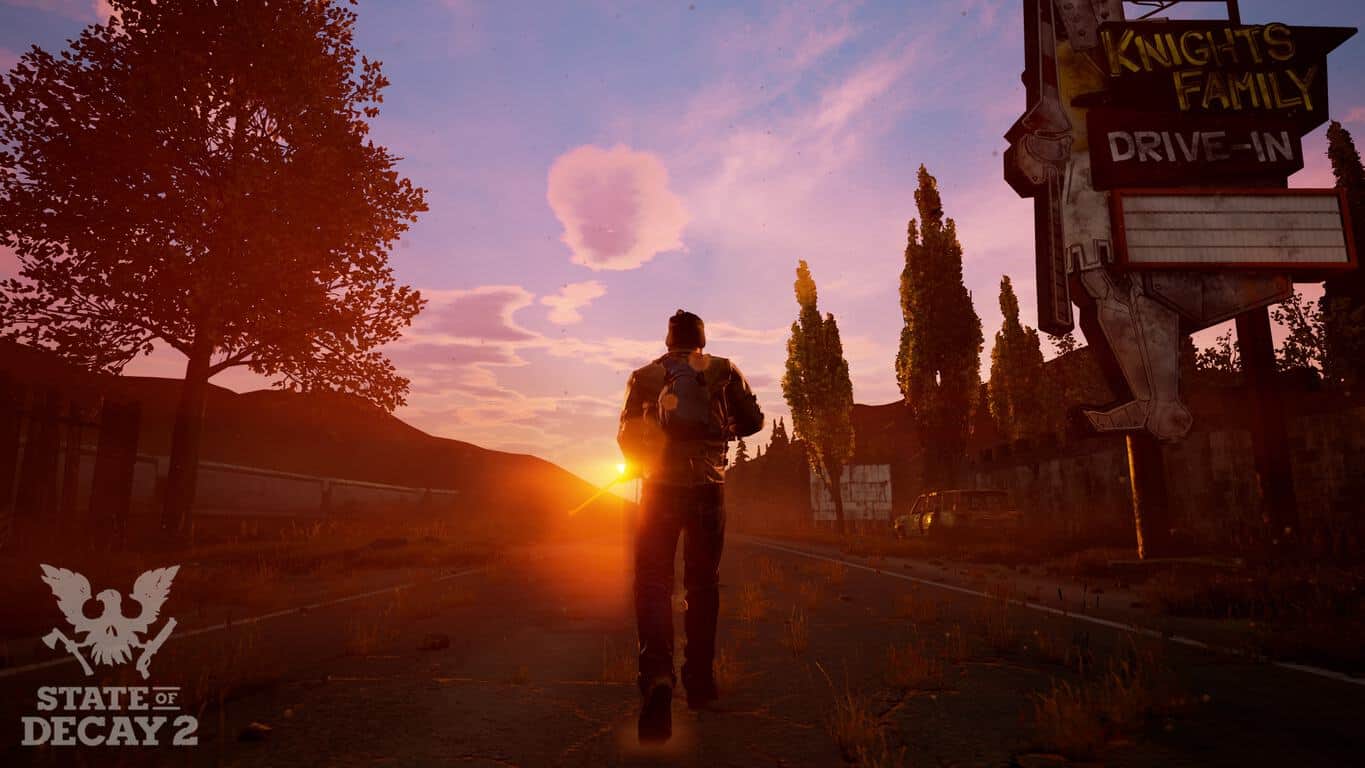
State of Decay 2, the upcoming survival game from developer Undead Labs is one of the new Xbox Play Anywhere games to be released on the Xbox One and Windows 10 later this year. Today, a tweet from the official State of Decay 2 Twitter account revealed that the game studio plans to announce the game’s release date at E3 2017:

The title was announced last year at E3 2016, and we still don’t know much about it except that its story will pick up where the original game left off. As for the gameplay, the game will be set in an open-world environment that can be explored with up to three other players. You can watch the E3 2016 trailer below:

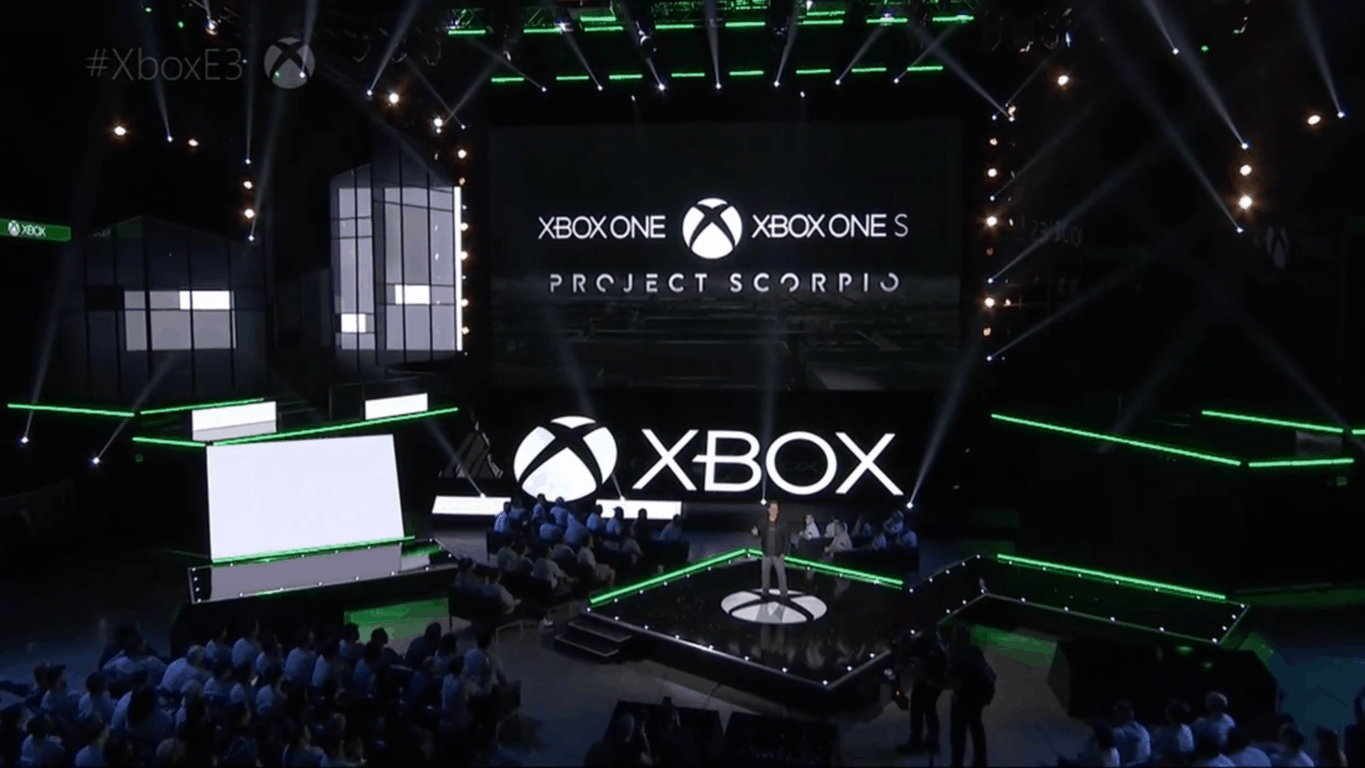
In case you missed it, the Entertainment Software Association also announced today that E3 2017 will be open to the public this year, unlike previous editions which were media-only events. Consumer passes will go on sale on February 13 and we invite you to check the official website for more details. We’ll also be at E3 this year and we’ll make sure not to miss any announcements about upcoming Xbox exclusives and the highly anticipated Project Scorpio.

Microsoft teases Project Neon UI upgrades at Windows Developer Day

As many of you know,t he Windows Developer Day public livestream was underway today. What we didn’t expect was a preview of the elusive Project NEON to be teased during it. Windows Central reports that the upcoming design language for Windows 10 was spotted on the Dev Day livestream earlier today in the background.

Image Credit: Windows Central

Project NEON is a polished design for applications that developers will be able to take advantage of. With fluid animations, transparencies, and blur to streamline the content, Microsoft is aiming to progress Windows 10 into a more seamless and appealing experience for users. We’ve already seen little snippets of the Project NEON design in official Microsoft apps such as Groove Music and Paint 3D on Windows 10 Insider Preview builds.

Of course, Project NEON is expected for Redstone 3 so it’s probably on the backburner to the looming Windows 10 Creators Update coming this April. Still, if the past means anything, we’ll probably see more apps from Microsoft with the UI elements added long before NEON is made available to developers.

Is “Compact Overlay,” available in Windows 10 Insider build 15031, the replacement for Xbox Snap Mode?

Today, Microsoft released the Windows 10 Insider build 15031 for PCs and this latest preview build brings a pretty exciting feature called Compact Overlay windows for UWP apps . This looks basically like a picture-in-picture mode for Windows apps, and it should be pretty great for video streaming apps like Netflix or messaging apps like Skype. Of course, it will be up to developers to support it on their UWP apps, but Microsoft announced that its Movies & TV and Skype Preview apps will implement it very soon.

pip compact overlay windows build 15031
The Compact Overlay mode introduced today in the Windows 10 Insider build 15031.

As Windows Central noted though, this new feature looks quite similar to the picture-in-picture experience that the Xbox team quietly introduced on the latest Xbox Insider builds as a replacement for Snap mode. For those unfamiliar, it’s no longer possible to snap some apps like YouTube, Achievements or Skype to the side of your screen in the latest Xbox One Preview builds, and UWP apps on the Xbox One don’t support Snap mode at all.

However, Cortana and the Achievement tracker now use a new overlay system in the latest Xbox One preview builds, which lets you enjoy your games in full screen. You can watch an example below with the Achievement tracker, please also note that the Xbox team added the ability to control the transparency level this week:

Achievement tracker Xbox One
The new overlay Achievement tracker on the latest Xbox One preview builds.

We have yet to see any other UWP app support this new overlay mode on the Xbox One, but we have high hopes that Microsoft is ready to bring some consistency between Windows 10 and the Xbox One OS. As Snap mode has been pretty much deprecated on the gaming console now, it really makes sense to let UWP apps that support Compact Overlay mode on Windows 10 have the same functionality on the Xbox One. Anyway, the Xbox team has been releasing new Xbox One Preview builds much faster than before these days, so we may learn more about the new picture-in-picture experience on the Xbox One very soon.

FIX: Printer queue stuck when deleting in Windows 10

The printer queues documents before they’re printed. However, print jobs within the queue can get stuck. When that happens, some users might try manually canceling the document listed in their printer’s print queue. But then Windows might still not delete the selected print job. This is how you can fix a stuck printer job that isn’t deleting within the queue.

1. Check the Printer Ink and Paper

First, check the more obvious things such as the printer ink and paper. Do you have enough ink to print a lengthy document? Is there a reasonable amount of printing paper? If so, also check the paper is correctly loaded in the printer and there are no paper jams.

2. Clear the Printer Queue

If you’re sure you have sufficient paper and ink, then you should clear the full printer queue. That can be down by switching off the Print Spooler, which manages the printer queue in Windows 10. So you can erase all the documents in the printer queue as follows.

  • Switch your printer off.
  • To switch the Print Spooler off, enter ‘services’ into your Cortana search box and select to open that window.
  • Then you can double-click Print Spooler to open the window below.
  • Press the Stop button on that window and click OK.
  • Next, open File Explorer and browse to the C:\Windows\System32\Spool\PRINTERS folder path.
  • Now erase all the contents from that folder. Select all the files listed there by holding the Ctrl key, and then you can press the Delete button to erase them.
  • Return to the Services window and double-click Print Spooler again.
  • Now press the Start button to activate the Print Spooler.
  • Switch your printer back on to print with it.

3. Fix the Printing With Third-Party Software

Alternatively, you can feasibly fix the stuck printer job with extra third-party utilities. For example, one of those is Print Queue Cleaner, which you can add to Windows from this Softpedia page. The software pretty much does what it says on the tin, and it will probably fix a stuck printing queue for you when you press the program’s Fix it button.

4. Reinstall the Printer Driver

Reinstalling the printer driver will reset printing software system files. So if the queue is still jammed, reinstalling the printer driver might do the trick. This is how you can reinstall the printer driver.

  • Open Device Manager in Windows by entering ‘device manager’ into Cortana’s search box.
  • Now click Printers on the Device Manager window.
  • Next, you should right-click your printer and select Uninstall.
  • Click the OK button to confirm and uninstall the device.
  • Restart your laptop or desktop.

Windows will then usually automatically reinstall the required drivers. But, if it doesn’t, you can also download the latest drivers from the printer manufacturer’s website.

As an alternative, you can use an automated driver software that will efficiently manage any driver on your system, installing or updating each one from an official database with millions of drivers.

⇒ Get Fortect Driver Updater

5. Print From an Alternative Windows Account

It might the case that the account you’re trying to print from doesn’t have the required printing permissions. If the account doesn’t have print permission, you can’t print from it. You can check account print permissions as follows.

  • First, log out and then log in to another (preferably admin) account.
  • Now print the same document from the other account. If it prints there, then the other account probably doesn’t have permissions to print.
  • To check printing permissions, enter ‘printer’ into the Cortana search box and select Printers & Scanning.
  • Then select your printer from the window above and click Manage.
  • Select Printer properties to open the window shown in the snapshot below.
  • Now click the Security tab to open a list of user accounts. Click the user account there that you can’t delete the print job in to check it has permission to print.
  • If the account doesn’t have print permission, click all the Allow check boxes for it. Alternatively, select Everyone and click the Allow Print check box there if it isn’t already selected.
  • Press the Apply > OK button to confirm new settings.

6. Disable Third-Party Firewall Software

Third-party firewall software might be blocking your printer. So if you have any third-party firewall software running, then check its settings. Check if it’s blocking the Printer Spooler service or anything else pertaining to printing. If so, you might be able to exclude the Printer Spooler from the firewall with the utility’s options. Alternatively, just switch off the third-party firewall instead.

7. Run the Hardware and Devices Troubleshooter

  • Finally, the Hardware and Devices troubleshooter can fix a variety of printer issues. You can open that troubleshooter by entering ‘hardware and devices’ into Cortana’s search box.
  • Select Find and fix problems with devices to open the troubleshooter.
  • Then press the Next button to commence scanning. The troubleshooter will provide further details if it detects anything.

Those are some of the best ways to fix a stuck print job in the queue. Clearing the Print Spooler usually does the trick, and there are a few other ways you can do that with the Command Prompt and batch files. In addition, check out this Windows Report article that provides some further details for fixing the Print Spooler.

Need some help setting up Office 365 for your business? Check out these videos

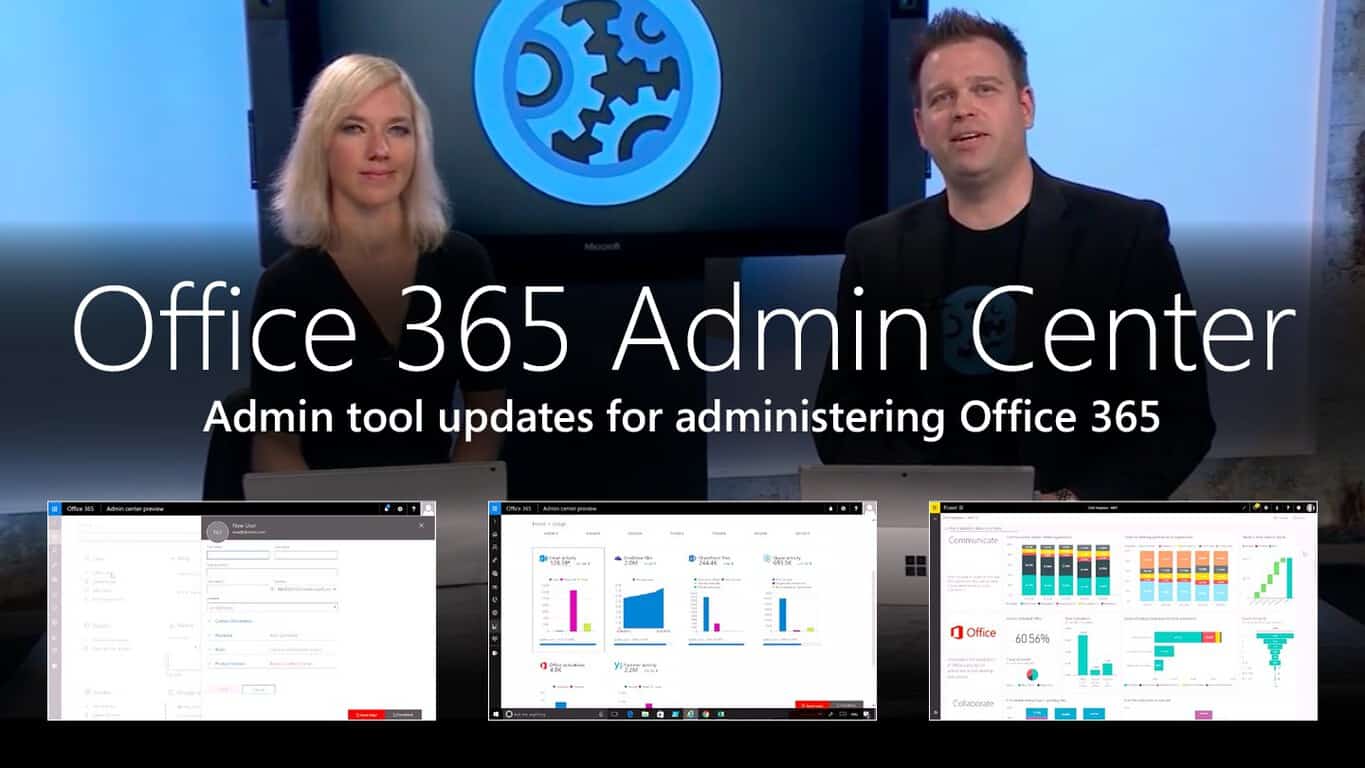
Changing over to Office 365 isn’t always the easiest transition. Even with the documentations page, sometimes users will need to see things to get an idea of what they want to do.

Microsoft Tech Community has published a short list of videos to help you make your change over to Office 365 admin center just a little bit easier. As it says in the description, you’ll learn how to set up and manage Office 365. Including:

  • Setting up domains
  • Choosing domain names
  • Using the admin mobile app
  • Setting up team sites
  • Email setup and management
  • Adding/Removing people
  • Document storage
  • Download software

More videos are expected to be added as time goes on, but you can check out the first fifteen today.

Excel adds new data transformation and connectivity features in January update

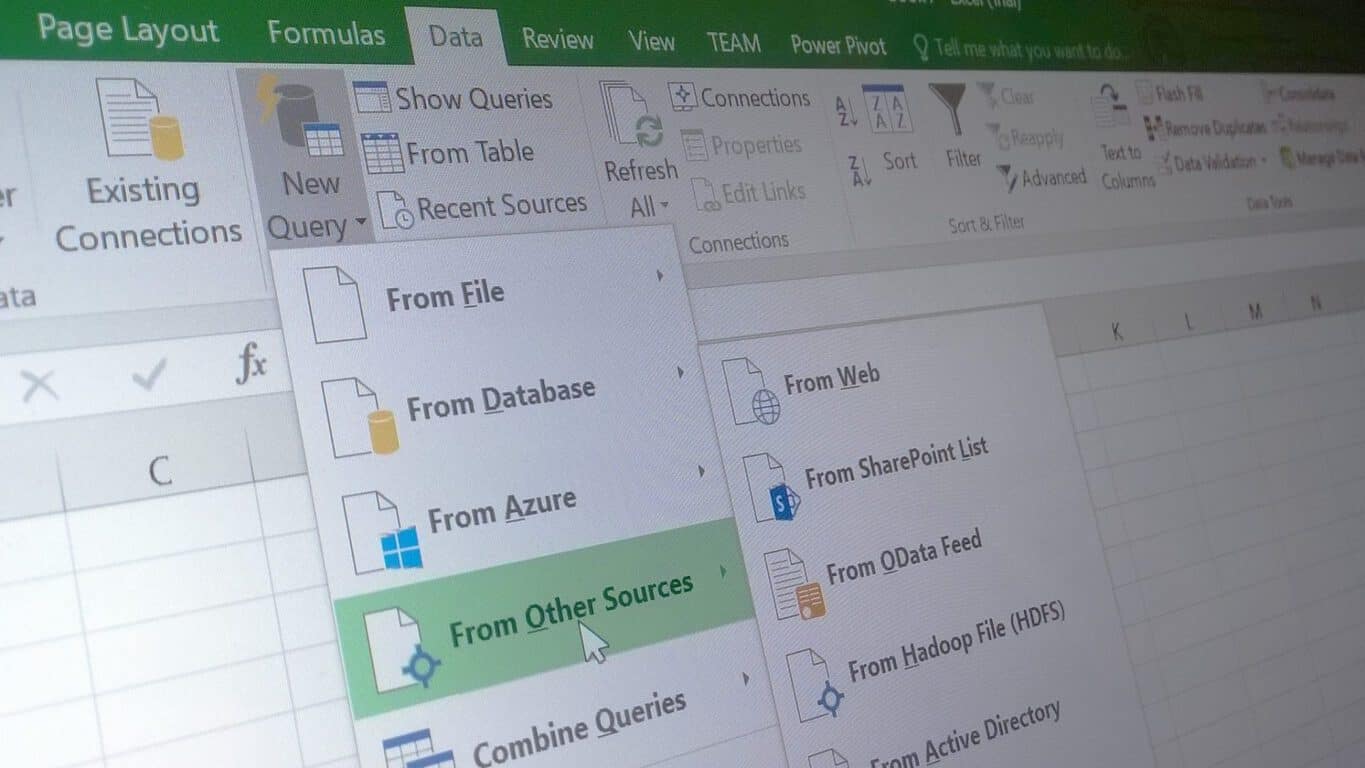
The Office team announced today that Excel is getting six new data transformation and connectivity features as part of the January 2017 updates for the spreadsheet app. These new features are based on the Power Query technology, a new Excel add-in that enhances data discovery, transformation and enrichment.

The following new data transformation features can be found accessed through the Get & Transform section on the Data ribbon:

  • You can now connect to OLE DB Drivers by using the new OLE DB Connector, which can be found can be found under Data > New Query > From Other Sources > From OLE DB.
  • The “Combine Binaries” experience has been improved when importing from any folders, letting users combine all binaries within a folder with a homogeneous file type and column structure.
  • The Navigator and Query Dependencies dialog can now be maximized or restored by using new icons in the top-right corner of the dialogs.
  • Percentage data types are now supported in in arithmetical operations for Get & Transform scenarios.
  • The “Function Authoring” experience has been improved by making it easier to update function definitions for functions that are based upon another query.
  • The performance of the OData connector has been improved when expanding records from an OData feed.

These new updates are available now for Office 365 subscribers using Excel 2016. If you’re using an older version like Excel 2010 and Excel 2013, you can still get these new by downloading the latest Power Query for Excel add-in.

Microsoft upgrades the Share icon in latest Windows 10 build 15031

Microsoft today pushed out Windows 10 build 15031 to Windows Insiders in the PC Fast Ring. While the build had the usual fare share of known issues, and also introduced a few new features, and fixes, build 15031 also brings an upgraded share icon.

The details on the new icon were shared here on medium.com by Paula Chuchro, a Senior Program Manager at Microsoft. According to Chuchro, the previous share icon (present in regular production Windows 10 builds,) got the team thinking if it visually represented and conveyed sharing in the best way. She explains,

From data in our usability labs, we’ve consistently seen people misunderstanding or looking past the icon in the user interface, especially when a label didn’t accompany it…. At the heart of it, we just want everyone to be able to easily share…. With this in mind, we set out to explore a new share icon design… We wanted everyone to discover it, interpret it, and utilize it, without any confusion or clunky translation. Instantaneous, intuitive iconography.


Share Icons
Share Icons

At the end of the day, the team settled for an icon which was more familiar, and also benefited from “ubiquity and familiarity.” In the process, several icons were A/B tested against old icons, and eventually, the new one was chosen since it performed best in testing, and since it made the team confident that they were making a significant change that would benefit millions of Windows users. It is explained,

“The best performing icon was our new icon, a rectangle housing a swooping arrow that indicates motion out of the rectangle. An exit, a movement, a share from one point to another…. We believe an icon can be successful in two important ways. When it’s a meaningful icon, it’s a pretty literal representation. The icon does what it says it will do because it calls upon a real-world object or action… An icon can also be successful in a ubiquitous way — something that’s universally accepted as a true representation regardless of its symbolic meaning”

New Share Icon Windows 10

The new icon, a rectangle housing a swooping arrow that indicates motion out of the rectangle, will show up in Windows apps in the latest build. Do you like the new share Icon? Sound off to Microsft by sending feedback to the feedback hub, and let us know what you think by dropping us a comment below!

Keyboard and Mouse controls on Xbox? Phil Spencer is still talking about it

Keyboard and Mouse support on Xbox is something that has been discussed by fans of the console for a very long time. One year ago, Phil Spencer promised that the feature is “Still on the way,” and more recently in June of 2016 he noted that the long requested feature is “still months away.” Well, the head of Microsoft’s Xbox branch is at it again and has taken to Twitter to respond to a developer’s calls about Keyboard and Mouse controls on consoles (via Stevivor.com)

As seen above, this time, Phil Spencer specifically responded to a fan who pointed to comments from Overwatch Game Director Jeffrey Kaplan in regards to keyboard and mouse support on Xbox One and PS4. If you missed it, the situation at heart is the fact that Vice President of Blizzard Entertainment came out and advocated against keyboard and mouse support on consoles after users thought of it as cheating.

Phil Spencer, nonetheless, believes that Mice and Keyboard are an advantage “in some cases.” And, as he has said in the past, the head of Xbox believes that he is “fan of giving the tools to studios and they’ll do what’s best for their games.”

While the comments don’t mean that we will see Keyboard and Mouse support on Xbox anytime soon, they are quite interesting. Some fans, in fact, have responded back to Spencer and have pointed that support for Mouse and Keyboard could be added, but with the option for game developers to turn if off. Other users, however, have defended Blizzard’s side of things and pointed that the comments from Jeffrey Kaplan are only about console users who use converters to get an unfair advantage, and not really about keyboard and mouse itself.

Where do you stand on this debate? Do you think that Keyboard and Mouse support is good for Xbox games? Or would you rather stick to using a controller? Sound off, and let us know what you think in the comments below!

Poll: Are you a Windows creator?

In just a few short months, Microsoft will be releasing its second major Windows 10 update, the Creators Update. Backed by improved inking support, a Surface line of hardware built for creators, and lots and lots of touch support, Windows 10 could soon become the operating system of choice for creative types.

But many of us use Windows for a wide variety of reasons, even if we’re not creators, or if our creations don’t lean toward the visual.

So what do you use Windows for? Are you a creator, excited for the changes coming with the Creators Update? Are you a PC gamer, or a student, or an information worker? Are you a developer, using the latest tools from Visual Studio?

Or, like millions of others, do you just surf the web, looking for cute cat pictures and checking out Twitter and Facebook, or maybe you’re All of the Above?

Take our poll (and yes you can choose multiple answers), and let us know:


Let us know what you’re using Windows for, and tell us your stories in the comments.

Today is Windows Developer Day – here’s the agenda for the online event

As we originally reported a month ago, Microsoft is holding an online Windows Developer Day event, where the company will show off the Windows 10 Creators Update to eager Windows app developers. The day has finally arrived, and Microsoft is now giving a look at the agenda for the online event.

Hosted by hosted by Kevin Gallo, the event shows what the Creators Update has in store for apps, games, and more. Things begin with a Keynote from 9 AM to 10 AM, and the host applies a developer’s lens as he shows off new Windows capabilities and tooling along with some news along the way.

Next up from 10:15 – 10:45 AM is a session on Improving user engagement with Windows and Cortana Skills. Here, it is discussed how developers can meet this need regardless of platform and form factor—whether the devices use small screens, big screens, or no screens at all.

Subsequently, from 10:50 – 11:20 AM,  is a session on Building personal and productive apps with Composition and XAML updates. With this session, developers will learn how the Creators Update will help simplify building apps that feel more natural (using Ink and Dial) and more beautiful (using Composition advances).

After this, and from 11:25 – 11:55 AM, the Windows Store will be discussed. During this session, new Windows Store capabilities which make it easier for customers to find and acquire apps and games, and Dev Center improvements will be covered.

Developer day wraps up at 12:00 – 12:30 PM with a session on Developer tools and updates. As is expected, the focus of this session is how Visual Studio 2017 and the Windows 10 Creators Update make developers more productive.

And finally, to wrap everything up, from 12:35 – 1:05 PM, there will be a speaker panel and Q&A session where Kevin Gallo and the Windows engineering team will take the stage and answer your questions.

So if you’re a developer, or just want to find out more on Windows 10 Creators update, tune in to the livestream.

Someone already bypassed the app block on Windows 10 Cloud

As you likely know by now, Microsoft is working on a lightweight version of Windows dubbed “Windows Cloud.” While the official in-depth details on this version of Windows are scarce, screenshots of the lightweight OS have emerged, and then the OS itself was leaked, ultimately showing that the OS would only run apps seen in the Windows Store.

In fact, though some have called the OS a “newfangled Windows RT,” one Twitter user has managed to bypass the Win32 app block on Windows 10 Cloud and install fully functioning version of Google Chrome (via Windows Central.)

https://twitter.com/never_released/status/829312452651339776?ref_src=twsrc%5Etfw

As seen above, the Twitter user who simply goes by the name of “Longhorn” is teasing that he managed to bypass Microsoft’s Win32 app block in Windows 10 Cloud. Just like with regular Windows 10, the user managed to run apps from outside the Windows Store, in this case, Google Chrome and also the Desktop App Converter. Though the user faced subsequent Windows SmartScreen warnings after doing so, it is still not clear how this was accomplished, but the screenshot might hint that Windows PowerShell is somehow involved in the process.

Safe to say that most users might not have the technical skills to get Win32 apps to run on Windows 10 Cloud, but given that Windows 10 Cloud is not official yet, it will be interesting to see how Microsoft handles this news moving forward. The company previously had to deal with similar situations with Windows RT, and had applauded a user who managed to do something similar and get a jailbreak tool running on the mobile ARM operating system. As always, let us know what you think of this latest news by dropping us a comment below!

Google drops support for Chrome 53 and below by the end of 2017

If you are still using version 53 and below of Chrome, now might be the right time to upgrade as Google plans to ditch support for older versions of the browser by the end of the year. The search giant announced that it would display a banner at the top of the Gmail interface announcing the move beginning on February 8 for users who still use Chrome 53 and below.

Google now wants users to upgrade to Chrome 55, currently the latest version of the browser which contains a slew of critical security updates. The Mountain View giant noted the move would most significantly affect users on Windows XP and Windows Vista because Microsoft no longer supports those systems. Google said in its announcement:

Gmail users that are still on Windows XP and Windows Vista are the most likely to be affected, because v49 was the last released version which supported those operating systems.

Why you should upgrade to Chrome 55

Google recommends users immediately upgrade to the latest version of Chrome. Continued use of Chrome 53 can lead to critical security issues. Users will also lose access to important features and bug fixes after support ends. So what happens after Chrome 53 loses support? Google explains:

  • Gmail will continue to function on Chrome Browser v53 and below through the end of the 2017.
  • If you continue to use older versions of Chrome Browser now that support has ended, Gmail will be more vulnerable to security risks and users will not have access to new features and bugfixes.
  • Users who remain on Chrome v53 and below could be redirected to the basic HTML version of Gmail as early as Dec 2017.

Now that Google is dropping support for Chrome 53, will you be upgrading to the browser’s latest version? Share your thoughts with us in the comments below.

RELATED STORIES YOU NEED TO CHECK OUT:

Minecraft Pocket Edition not yet coming to Windows 10 Mobile

Minecraft for Windows 10 Mobile is somewhat of a curious case. Initially, fans had reason to be excited due to the discovery of a detail in the changelog for the latest patch that pointed to Mojang including support for the platform for its popular game.

But now, the 1.0.3 beta build of the game received a changelog that doesn’t include that information. This comes as quite a disappointment since the original version of the game was released on platforms other than Windows Mobile.

The game supported the PC version of Windows 10 from the start, but many were hoping for extended support so that Windows 10 Mobile users could also get in on the fun. Since this change was only speculated and not actually confirmed by anyone at either Mojang or Microsoft, a lot of people took it as a sign that things weren’t going to as great as everyone would have hoped.

If the Windows 10 Mobile support were to come through, it would be under the Pocket Edition version of the game. The Pocket Edition is the version of Minecraft dedicated to mobile devices. Android and iOS users are already having a blast thanks to the company behind Minecraft supporting their respective platforms.

Even though there has been nothing yet about this, there is still time left with which Mojang could add Windows 10 Mobile support. It would surely boost the overall value of Windows 10 Mobile as a platform, as Microsoft’s mobile efforts in this department aren’t looking so great at the moment.

In fact, the Windows developer’s mobile operating system has been on a constant downhill tumble for a while now and many are wondering how long will it be until it is terminated. This may very well be the reason why no support was added in the first place, as it would be a tad impractical to add support for a platform that is about to be discontinued.

RELATED STORIES TO CHECK OUT:

Microsoft celebrates Anime Month with some great sales on the Windows Store

Fanboys and fangirls will be excited to know that Microsoft didn’t forget that February is Anime Month. On the Microsoft Store, you can access sweet deals on some of your favorite anime TV shows and movies.

Anime Movies

Full-length anime movies can be bought as HD/SD. Rented versions are not on sale but can be purchased instead.

  • Dragon Ball Z: Resurrection ‘F’ + Bonus – From $6.99
  • Dragon Ball Z: Battle of Gods – Uncut (Dubbed) – From $2.99
  • Attack on Titan – Live Action Movie – Part Two – From $3.99
  • Attack on Titan – Live Action Movie – Part One – From $3.99
  • The Girl Who Leapt Through Time – From $3.99
  • Naruto Shippuden the Movie: Blood Prison – From $2.99
  • Naruto Shippuden the Movie: The Lost Tower – From $2.99
  • Naruto Shippuden the Movie: The Will of Fire – From $2.99
  • Naruto Shippuden The Movie 2 – Bonds – From $2.99
  • Rurouni Kenshin – Part I: Origins – From $3.99
  • Naruto Shippuden The Movie 1 – From $2.99
  • Rurouni Kenshin – Part II: Kyoto Inferno – From $3.99
  • Rurouni Kenshin – Part III: The Legend Ends – From $3.99
  • The Last – Naruto the Movie – From $6.99
  • Road to Ninja -Naruto the Movie- From $6.99
  • Naruto The Movie 3 – Guardians of the Crescent Moon Kingdom – From $5.99
  • Naruto The Movie 2 – Legend of the Stone of Gelel – From $5.99
  • Naruto The Movie 1 – Ninja Clash in the Land of Snow – From $5.99
  • The Boy and the Beast – From $3.99
  • RWBY Volume 3 – From $1.49
  • RWBY: Volume 2 – From $1.49
  • RWBY: Volume 1 – From $1.49
  • Project Itoh: Harmony – From $3.99
  • Red Sonja: Queen of The Plagues – From $1.49
  • A Letter to Momo – From $1.49

Anime Shows

You can purchase full-length seasons in both SD and HD, including some classics. Individual episodes are not on sale, but can be purchased.

  • Dragon Ball Z (9 seasons)
  • Fairy Tail (8 seasons)
  • High School DxD – The Series (3 seasons)
  • Cowboy Bebop (1 season)
  • Attack on Titan (1 season)
  • HUNTER X HUNTER (1 season)
  • Yu-Gi-Oh! (5 seasons)
  • Sailor Moon Crystal (1 season)
  • TIGER & BUNNY (1 season)
  • Yu-Gi-Oh! ARC-V (1 season)
  • Digimon Fusion (2 seasons)
  • Yu-Gi-Oh! ZEXAL (3 seasons)
  • Digimon Adventure (2 seasons)
  • Genshiken Second Generation (1 season)
  • Cardcaptor Sakura (1 season)
  • Eureka Seven (1 season)
  • Hanasaku Iroha ~ Blossoms for Tomorrow ~ (1 season)
  • Assassination Classroom (2 seasons)
  • Zatch Bell! (2 seasons)
  • Yu-Gi-Oh! 5Ds (2 seasons)
  • Yu-Gi-Oh! GX (3 seasons)
  • YURUYURI (2 seasons)
  • Koe De Oshigoto! (1 season)
  • Jubei Chan: The Secret of the Lovely Eyepatch (1 season)
  • Zakuro (1 season)
  • kimi ni todoke -From Me to You- (2 seasons)

These deals are expected to last until March 6 and are assumed to be available in the United States only according to Windows Central. While there isn’t much to select from, the classics speak for themselves. This might be the perfect time to catch up on a favorite or try out a new show.

Microsoft teams with M83 to create 8-bit video game experience for “Meet me at Go”

Back in 2015, Microsoft launched a new initiative called Music x Technology to engage with artists looking to leverage technology for artistics performances. So far, the program gave birth to very interesting projects such as KEXP’s new live music studio featuring an interactive light installation, but the team went in a totally differention direction for its latest project made in collaboration with electro-pop artist M83.

The company unveiled today Meet Me At Go!, a retro-futuristic car chase game which has been designed as an interactive music video for the 8-bit remix of M83’s song “Go!”. The band’s frontman Anthony Gonzalez, a fan of retro games himself, was involved in the creative process with New York City-based agency Listen. Kurt Feldman, a sound and audio designer for Listen who worked on the remix with Gonzalez explained that “we wanted to marry the graphics to the sound of the remix but keep it a little more modern and 3-D.” The result will likely please fans of early cyberpunk films or games such as Far Cry 3: Blood Dragon.

The game has been created with the Unity engine and has been optimized for touch screen computers. It’s available as a web app and also as a universal Windows 10 app that you can download from the Windows Store. “We are not the first to integrate a game with a song, but we’re trying to take that idea a little further and extend the story in the song into the game and have fans feel part of the experience as they’re playing and listening,” explained director of Brand Studios for Microsoft Amy Sorokas.

We invite you to try Meet Me at Go! on your desktop browser, it’s a pretty simple racing game where you have to collect objects and dodge various obstacles. It’s a really cool way to discover the remixed track, which is also available to listen on M83’s just released Remixes EP.

Meet Me At Go!
Meet Me At Go!
Developer:
Meet Me At Go!
Price:
Free

Fallout Shelter is now available Now for Xbox One and Windows 10

The free mobile game that originally launched alongside Fallout 4 is now not only on PC, but available as an Xbox Play Anywhere title. As we reported earlier this week, the post-apocalyptic fan favorite can be downloaded for Xbox One and Windows 10, and it’s available now.

This simulation lets you take on the role of Overseer in the Fallout universe. After the fallout of a nuclear war, you are tasked with maintaining the dwellers, crafting and building extra space and items, fighting off threats from outside, and even repopulating your vault.

Fallout Shelter first started as a mobile game launched at E3 in 2015. It quickly grew in anticipation of Fallout 4, keeping fans of the franchise busy until its inevitable release later that year.Since then, it was launched onto PC with the Bethesda.net application and has accrued over 50 million downloads between the two.

Now you can play it both on Xbox One and Windows 10 seamlessly thanks to Xbox Play Anywhere. According to Xbox Wire, it has been adapted to work smoothly with the Xbox One controller.

The game is completely free and available today on the Windows 10 and Xbox Store, so make sure to check it out!

Fallout Shelter
Fallout Shelter
Developer:
Bethesda Softworks
Price:
Free


LEGO Indiana Jones heads to Xbox One via Backward Compatibility

After adding three titles last Tuesday, Microsoft today quietly added LEGO Indiana Jones the Xbox One to the Backward Compatibility catalog. The title was first released back in 2009, so as always we have included the trailer, game description, and download link for you below.

LEGO Indiana Jones $19.99

LEGO Indiana Jones: The Original Adventures takes the fun and creative construction of LEGO and combines it with the wits, daring and non-stop action from the original cinematic adventures that enthralled audiences everywhere (Indiana Jones and the Raiders of the Lost Ark, Indiana Jones and the Temple of Doom and Indiana Jones and the Last Crusade). With a unique tongue-in-cheek take on the original adventures, LEGO Indiana Jones follows the escapades of Dr. Jones through the jungles of South America to the mountaintops of India. Fans can build, battle and brawl their way through their favourite cinematic moments, from Indy’s entanglements with snakes to his dashing boulder run. Additionally, players can also mix and match the body parts of more than 60 playable characters to create new heroes in more than 18 different levels that mirror the classic films.

Will you be downloading this title? Or do you already own it? Let us know what you think by sounding off in the comments below!

Join Dona Sarkar and Windows Insider engineers on a Bug Bash Beam livestream later today

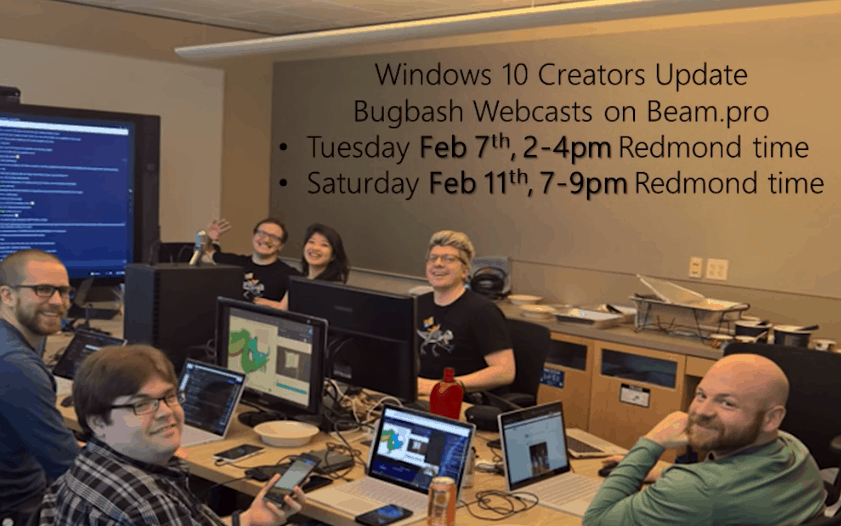
Following the release of the Windows 10 Insider build 15025 last week, Microsoft kicked off the February 2017 Windows 10 Creators Update Bug Bash which will conclude this Sunday, February 12th. On this occasion, the Windows Insider team announced that it would hold two Bug Bash webcasts on Beam, and the first one is scheduled today from 2-4pm (PST). On Twitter, Dona Sarkar and leader of the Bug Bash Anita George invited all Windows Insiders to join the fun this afternoon:

If you have yet to get involved in this latest Bug Bash, make to sure install the Windows 10 Insider build 15025 on your devices. Once it’s done, you can get started with the various quests within Feedback Hub that will make it easy to report your feedback to the team. If you can’t watch today’s live stream, you can already get prepared for the second Bug Bash webcast that will run this Saturday, February 11th from 7-9pm PST.

Could Xbox 360 emulation come to Windows 10? “Never say never”

If you spent a lot of money on Xbox 360 games back in the day, then the Xbox One’s backward compatibility feature is great incentive to keep you on the Xbox ecosystem. Sure enough, there are over 300 total Backward Compatible games on the Xbox One as of today, and the list aready includes blockbuster titles such as the BioShock trilogy, the Mass Effect trilogy and more and we see new games being added every week or so.

It’s really great to be able to play some Xbox 360 games on the Xbox One, but could Microsoft also implement backward compatibility on Windows 10 PCs? Considering that the Xbox 360’s hardware is approaching 12 years old (an eternity in the tech world), the thought may be not too far-fetched after all.

Answering a question about the feasibility of that project on Twitter (via Windows Central), Xbox head Phil Spencer said “never say never,” acknowledging at the same time that it would certainly be a difficult challenge considering the myriad of different PC hardware configurations in the market today:

Backward compatibility is certainly one of the Xbox One’s killer features, and bringing it to Windows 10 PC could help Microsoft to fulfill its Xbox Play Anywhere ambition. Adding Xbox 360 games to the Windows Store could also make it a more interesting option for PC gamers looking for Steam alternatives.

On the other side though, you could argue that the feature should remain a console exclusive to drive Xbox One sales. Backward compatibility definitely makes the purchase of an Xbox One more valuable, and as a matter of fact Xbox One owners can already stream Xbox One and backward compatible Xbox 360 games to their Windows 10 PCs through the Xbox app.

Do you think it could be in Microsoft’s interest to bring backward compatible Xbox 360 games to Windows 10 PCs, or do you think the company should rather focus on making the Xbox One the best gaming console in the market? Let us know your thoughts in the comments below?

On ‘Safer Internet Day’, Microsoft challenges everyone to embrace “digital civility”

Today, on Safer Internet Day, Microsoft is challenging people around the world to embrace “digital civility” and to treat each other with respect and dignity online.

A Microsoft research shows people are concerned about the tone of online interactions and worry that risks will increase in the future. The research has prompted the company to create a Digital Civility Index – a new measure of people’s safety online and exposure to risks.

Safer Internet Day (SID) is organised by the joint Insafe-INHOPE network, with the support of the European Commission.

Digital Civility Index

The research is based on a study conducted in 14 countries, gauging the attitudes and perceptions of teens (ages 13-17) and adults (ages 18-74) about the state of digital civility today. It measured survey respondents’ lifetime exposure to several online risks across four categories: behavioral, reputational, sexual, and personal/intrusive.

The Digital Civility Index works like a golf score: the lower the value (on a scale from zero to 100), the lower the respondents’ risk exposure and the higher the perceived level of online civility among people in that country. The international Digital Civility Index score stands at 65.

Results show a person, on average, experienced 2.2 online safety risks out of the 17 included in the study. Countries that registered the lowest index readings (and thus the highest levels of perceived digital civility) were the UK (45) Australia (51), and the US (55) while the countries on the lower end were South Africa (78), Mexico (76), and Russia (74).

Digital Civility Challenge

Microsoft is introducing a Digital Civility Challenge that calls on people to commit daily to four ideals and to share their pledge on social media using the hashtags #Challenge4Civility and #Im4DigitalCivility.

Live the Golden Rule by acting with empathy, compassion and kindness in every interaction, and treating everyone they connect with online with dignity and respect.

Respect differences and honor diverse perspectives, and when disagreements surface to engage thoughtfully, and avoid name-calling and personal attacks.

Pause before replying to things people disagree with, and not posting or sending anything that could hurt someone else, damage reputations or threaten people’s safety.

Stand up for myself and others by supporting those who are targets of online abuse or cruelty, reporting activity that threatens anyone’s safety, and preserving evidence of inappropriate or unsafe behavior.

The company aims to start a conversation about how being civil online can benefit society with this new initiative thereby fostering vibrant, engaged communities.

Lenovo unveils refreshed line of Windows 7 and Windows 10 powered ProThinkPad P-series laptops

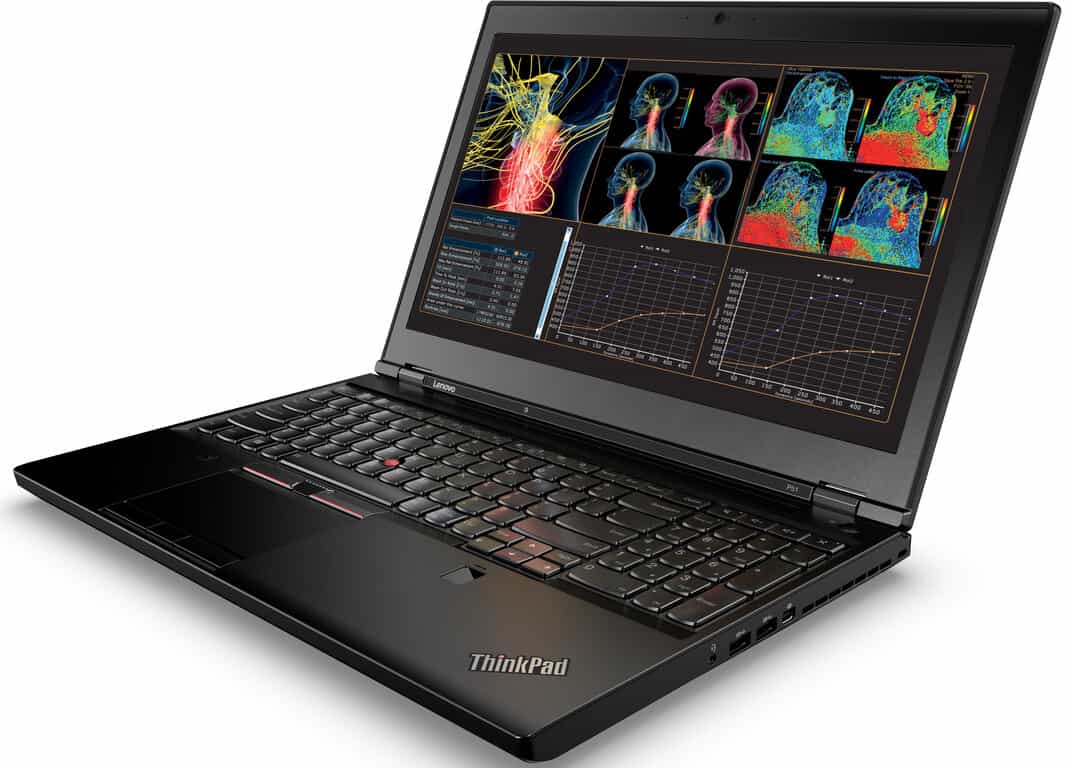
The Solidworks World 2017 event hosted this week in Los Angeles, CA is home to quite a few announcements and technology previews. Today, Lenovo announced a refreshed line of Thinkpad P-series (via Neowin). These mobile workstations include the P51, P51s, and P71 laptops.

With a heavy focus on performance, all three of these devices are configured towards portable workloads starting at $1,049 for the Lenovo ThinkPad P51s. These will be released in March and boast the NVIDIA Quadro M520M GPU.

For $1,399 in April, you’ll also be able to get your hands on the ThinkPad P51. Unlike its lighter version, this beast comes with a Xeon E3-v6 processor and NVIDIA Quadro M2200M with up to 64GB DDR4 RAM. Uniquely, you can choose the Red Hat Enterprise Linux or Ubuntu Linus OS instead of the Windows 10 Home.

Following up the quick list of reveals, the P71 is the upgraded version with a large 17-inch display and NVIDIA Quadro P5000M GPU. It’s also worth noting that this Lenovo device is also VR ready, making it the king of the new reveals at a whopping $1,849 price tag. It will be available in April as well.

Perhaps more interesting for these devices is that you’ll be able to choose Windows 7 Professional as an optional OS.

Will you be chasing down one of these new Lenovo devices? Let us know which one you’re saving up for in the comments below!


Microsoft expands Surface Multi-National Purchasing Program to Europe

It’s been no secret that Microsoft has been focusing most of their efforts towards building up better businesses. Particularly with their marketing of various devices, software, and cloud computing strictly for enterprise opportunities. Today, they announced that they are extending their reach even further beyond the U.S. borders.

In response to the success of Microsoft’s Surface Enterprise Initiative in the United States, the company is expanding further to four European resellers.  The Surface Enterprise Initiative was started to expand the availability of Surface devices to organizations. These select partners made it possible for businesses and groups to get their hands on Surface from new hires to executives.

Previously, U.S. companies could access the initiative through CDW, Insight, SHI and Zones:

“Zones has been incredible to work with on getting us globally set up on the Microsoft Surface. The speed and efficiency in enabling us on our pricing globally has made it easy for us to standardize all of our new hires on the Surface Book and Pro 4. Zones makes it even better with being able to order it via their global portal so any of my employees can order the Surface no matter where they are in the world.”

Now EU businesses will be able to reach out through ATEA, Bechtle and Computacenter to equip their employees with all the Surface tech they could possibly need. Furthermore, Microsoft shared that they intend to bring the same program to Asia-Pacific (APAC) region ‘soon’.

Microsoft joins nearly 100 other tech companies with brief opposing US immigrant travel ban

Last friday, a Washington State judge issued a temporary restraining order on US President Donald Trump’s Executive Order banning travel to the US from 7 predominantly Muslim countries. Then, on Sunday night, the US Government appealed the ruling, sending the state and the Executive Office back into court.

In support of a decision to rescind the Executive Order, some 97 companies, mostly from Silicon Valley but including Microsoft, have filed a “friends of the court” brief, calling the order “illegal.” These companies have business dealings with the countries in question, and also have employees who are affected.

https://twitter.com/briangoldman/status/828521860836974592

In addition, a group of former national security officials have also filed an amicus brief, also opposing the Executive Order.

Now the new administration will have to fight for the order in court, which could have a bearing not only on this case, but on future actions regarding H1B visas, which could severely affect Microsoft and other tech players. We’ll keep you posted on the proceedings.

OneNote UWP app updated for Windows Insiders on the Fast ring

If you’re a Windows Insider on the Fast Ring, you might want to pause your Bug Bash quests, and also consider checking out the OneNote UWP app. According to reports, the folks over at Microsoft have delivered an update for the UWP version of the digital note taking app for Windows Insiders, and it’s packed full of new features.

As seen above, OneNote Central points out that Microsoft recently updated the OneNote UWP app for Windows Insiders in the Fast Ring to version 17.7830. Interestingly enough, the above Tweet also links to a OneNote Online notebook, which dives into all the details on what has changed and what is new. Please have a look at the changes below:

  • Section name > Context menu > Password Protection = Create password protected sections (+ change password, unlock etc)
  • Image > Context menu > Save as = Save any image from OneNote
  • Page tab > Context menu > New page = Insert new page below the current one
  • File attachment > Context menu > Save as = Save attached files from OneNote
  • Home > Bullet menu now offers Bullet gallery
  • Insert > Shapes gallery – Tip: pressing Shift creates perfect shape.  Still missing: Lock Drawing Mode and Snap to Grid
  • Diamond-shaped paragraph handles
  • Table tool menu, with almost all table features, except Hide Borders and Header Row.
  • Reorder notebooks in the notebook list – simply drag and drop.
  • Section group name > Context menu > Rename Section Group

What are your thoughts on these changes? Do you think they bring the UWP app close enough to the desktop version of OneNote? Let us know what you think by dropping us a comment below!

Final Fantasy XV director approves PC port, but there’s a catch

Final Fantasy XV is probably coming to Windows PC, according to director Hajime Tabata. However, while this is amazing for all PC gamers around the globe, there is no absence of fear: Many console-to-PC ports are underwhelming and badly optimized.

Hajime Tabata also stated that, if the decisive moves are made, the PC version should have various extra features. One that he specifically highlighted is mods support. Most of the developers are silently agreeing to in-game modding. Japanese directors are, on the contrary, insisting on them.

His idea is to let the community and players themselves improve on the gameplay by adding their own patches and mods. Large parts of the world are unused and this way, they can be reworked and upgraded. Additionally, he spoke about self-made quests that would vastly improve the story experience. The story that was, as many faithful players said, below their expectations.

“I want to show PC users Final Fantasy XV running on high-end machines, and we personally would like to see it, too. Also, I would like to try developing on PC to pursue a unique way of playing with PC-exclusive features like making your own quests and enjoying the world using things like mods.” said Tabata in an interview with Japanese gaming magazine Famitsu.

Moreover, Tabata said that there is a possibility of reworking unused parts of the map that were unreachable for the players. However, that could take a while, approximately a year or even more.

Square Enix director also spoke about some upcoming patches for FFXV. His primary objectives are related to fast travel loading time and upgrade to cars and their use.

We can certainly expect some innovations from Square Enix and Final Fantasy XV’s leading director. And no, Tabata haven’t mentioned any dates or deadlines, so we can only wait and hope for the best.

RELATED STORIES YOU NEED TO CHECK OUT:

BattlEye game anti-cheat service: What you need to know about it

Most players are against anti-hacking and anti-cheat game tools, such as Denuvo and BattlEye. They suggest that these services only limit the gaming experience, causing various issues. On the other hand, game developers rightfully try to block hackers from copying and illegally distributing their creations or using various cheats.

While the debate about Denuvo is unlikely to end anytime soon, chances are players may view BattlEye differently after reading this article:

I was going to get this game until I found out you chose Battleye as your anti cheat software. The worst choice possible. Theres no way im letting that process hungry, privacy invasive POS anywhere near my system

BattlEye game anti-cheat tool

BattlEye is an anti-cheat service whose role is to scan an OS for hacks. If it finds any, it immediately blocks or bans gamers altogether. You can always disable the BattlEye filter, but then you won’t be able to join servers where “BattlEye Required” is required.

If you permanently decline BattlEye installation by clicking “Do not ask me again”, when connecting to a BattlEye -enabled server, you’ll get kicked with a request to restart the game. To fix this, go to the BattlEye folder in your game directory and double-click the Install_BattlEye.bat file.

If you use common software programs while playing your favorite game, BattlEye won’t ban you. The tool fully supports non-cheat overlays and visual enhancement tools like SweetFX.

BattlEye installs only on Windows as a system service. The tool is active only when you are playing a BattlEye-protected game with BattlEye enabled. If you want to uninstall it, go to the BattlEye folder and locate the “Uninstall_BattlEye.bat” file. Then simply run it to completely uninstall BattlEye.

RELATED STORIES YOU NEED TO CHECK OUT:

Windows 10 news recap: the Windows 10 mirror, over 25% market share and more

Welcome back to our Windows 10 news recap. We are continuing the trend of our weekly “Windows 10 news recap” series where we go over the top stories of the past week in the world of Microsoft’s flagship operating system.

Hands-on: Windows 10 Creators Update build 15025 for PC

Microsoft pushed Windows 10 build 15025 to Windows 10 Insiders for PC this week. The update brought many changes, including allowing Night Time Mode to be set to an even lower temperature at 1200k, Mixed Reality settings screen, as well as Collections for Feedback Hub which aims to reduce duplicate feedback submissions. Take a look at the build in our hands-on video below:

Take a look into the Dirror, the Windows 10 powered digital mirror that you can buy today

Ever thought to yourself “I need a digital mirror”? Me neither. But one company has gone ahead and made a mirror that incorporates a computer running Windows 10. The mirror, known as Dirror, acts like a Windows 10 tablet. Here is a video:

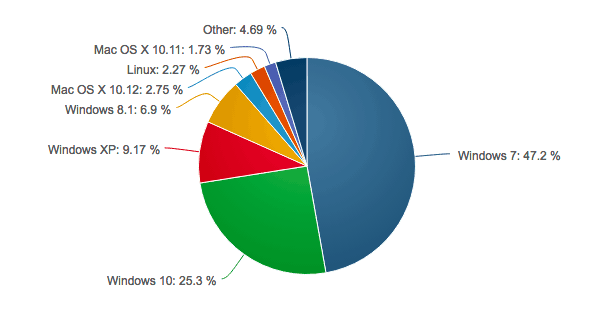
Windows 10 market share inches upward, now over 25%, says NetMarketShare

Microsoft’s latest operating system, Windows 10, continues to gain market share, as it now edges past the 25% mark, according to the latest stats from NetMarketShare.

Netmarketshare Windows 10 January 2017

Microsoft to Windows 10 PC makers: here’s what we want you to make this holiday season

Microsoft wants Windows 10 PC makers to start delivering the “modern PC,” but what exactly does this entail? According to Microsoft, these new PCs should incorporate some of Windows 10’s key features, which include:

  • Cortana
  • Windows Hello
  • Pen support

That’s all the top Windows 10 news for the past week. We’ll be back next week with more.

Bing Wallpaper refreshes your desktop every day

If you’re the kind of person that enjoys seeing new wallpaper every day, you might’ve just stumbled over something made specifically for you. Bing Wallpaper is an application that works in sync with Bing’s image of the day feature and will give users the ability to set their desktop background image to change every day.

You will get high-resolution images that will contribute to the overall aesthetics of your setup. More often than not, we see people sporting low-resolution images as their desktop background that are unclear and don’t fit the whole screen.

It’s a shame to drag down the way your desktop looks by choosing an image that isn’t fit for the job. With Bing Wallpaper, you will get a variety of images by plugging your desktop directly to Bing’s image of the day, so you can expect to see images from all kinds of themes and categories pop up on your desktop. This means you won’t have the same boring theme for your desktop every time you go about changing the image.

You will have access to fun and interesting information about various topics without moving a muscle, as well. The application also comes with a feature that allows you to access a search result based on that image. If you get an image that features a type of plant, the features search result of the day will take you to more information and images about that plant species.

Bing Wallpaper is a great way to spice up your desktop’s appearance. The desktop background is one of the very first things we see when we turn on the computer, so having something refreshing each day can set the tone for the entire session. All you need to run this application is Windows 7 or above as your operating system.

RELATED STORIES TO CHECK OUT:

Latest SMITE patch marks the start of the title’s fourth season

Hi-Rez Studios, the developer behind one of the most popular MOBA games SMITE, has released a new patch that marks the beginning of a new season, on that will enjoy gameplay additions with a few valuable improvements and rebalancing changes.

This is a large patch that will massively impact the gameplay’s pace and visuals while improving battle at the same time. Additionally, the client received some of the statistical upgrades with a revamped T-Screen feature. Moreover, the awards for the last seasons will be granted to eligible players.

We bring to you the most distinctive changes and features below.

SMITE Season Four Patch 4.1

 Gods skins and voice packs

Many of the gods received different skins for the new season. There are changes for default, Recolor and Mastery skins. Additionally, with the new skins, the gods will also get the voice pack and cards updates:

  • Such Cold Skadi
  • Modern Mercenary Nemesis
  • Iron Tyrant Xing Tian
  • NRG AO Kuang
  • Nike Mastery Skins
  • ULLR Mastery Skins
  • Full Metal Vulcan
  • Encore Agni
  • Dragonsbane ULLR
  • Agony Bellona
  • Terror-Dactyl Camazotz
  • Idusa Elite Medusa
  • Vamana

New Avatars, Emotes, Loading frames, Recalls, Wards, and Achievements

To improve aesthetics and the overall experience, the team behind the game included various additions. (These changes won’t affect gameplay):

  • Avatar – Cutesy Doge
  • Emote – Vulcan Dance
  • Global Emotes – Diamond Adept, Diamond Mastery, Diamond God, Season Ticket 2017
  • Loading Frames – Diamond Conquest and Joust, Masters Conquest and Joust, Platinum Conquest and Joust, and Season Ticket Loading frame.
  • Recalls – Student, Master, and God FX Recalls.
  • Wards – eSports NRG Bundle Ward
  • Achievements – Morrigan gets Mirror Match and 3vs3 achievements.

Client improvements

The greatest client-related upgrade is the return of the T-Screen which will enable you to access various in-game statistics at any time. Additionally, new Mastery features have been added. With those, advanced players with multiple Diamond Gods can unlock impressive recalls as their Diamond count grows.

Ranked Awards for Season 3

Players with Gold 5 volume or higher will receive Tyrant Xing Tian. On the other hand, the ones with the Platinum 5 or higher will receive Loading frames according to their achievements. However, to be eligible for this awards, players had to reachtheir respective requirements by January, 31st.

Ranked Update

All MMR records have been restarted prior to the new season. Additionally, qualifiers and rankings are made to better suit players. Other interesting upgrades are:

  • Ranked Pause, a 1-minute pause per game
  • Leaderboards
  • Ranked Rewards
  • Better matchmaking for low-population regions.

Season Ticket 2017

Season tickets will have new premium awards and unlockables. Free Play awards and unlockables were also added.

Updated Clash and Conquest Maps

Two maps are getting updates with various changes that will improve gameplay. The developer’s focus is on game pace.

New Items: Consumables and Chalices

Besides the Elixirs and Potion of Might, the new patch also brings Consumables. They will be obtainable after level 10. You can use them once per purchase to receive a Relic or Ability-like boost.

On the other hand, the players with lower levels will get Chalices. Basically, they perform as a stack of potions with specified maximum charges.

Item Updates

New item updates are meant for providing a more potent impact while balancing classes. Some of the classes that are not playable will become more viable for selection.

We are sure you’ll enjoy the new season in SMITE. As you can see, this is a massive update with a lot of new game features and most of its players will certainly like it. You can check the official patch release notes for any additional info.

RELATED STORIES YOU NEED TO CHECK OUT:

Xbox news recap: Xbox One support after Project Scorpio, Beam streaming and more

Welcome to our weekly Xbox news recap series, where we go over the top stories of the past week in the world of Xbox. Let’s get started.

Xbox One to be supported after Project Scorpio

This shouldn’t come as a surprise to most people, but it’s still a relief to hear. According to a new tweet from Phil Spencer, the “Xbox One and S will be supported consoles for many years.” The tweet came in reply to a concerned Xbox gamer who asked if the Xbox One would become obsolete following the release of Project Scorpio. While many Xbox One gamers assumed that Xbox One would continue to be supported, it’s great to have this set out in the open.

Xbox One getting native streaming on Beam

Xbox’s Mike Ybarra tweeted recently that he would be doing a stream on Xbox One of the new Ghost Recon: Wildlands. A curious Twitter user called him out, reminding him that Beam streaming is currently not yet supported on Xbox One, but only on Windows 10. Ybarra’s response was quite cheeky – “I have builds you do not yet have.” This is a pretty strong hint towards the eventuality that Beam streaming is on its way to Xbox One. Get ready!

Fallout Shelter to become a Play Anywhere game next week

If you’re like most Fallout fans and have at least dipped your toes into the world of Fallout Shelter, you might be returning to the game soon. Bethesda’s Fallout spin-off came to Mobile devices back on the day of the announcement of Fallout 4, and it became quite a hit among gamers who were using it to bide their time until the game’s release. With the game having been out for a long time now, Bethesda decided that it’s time for a re-release. The game will be available on Xbox One and Windows 10 PC’s as a Play Anywhere title soon.

Fallout Shelter Windows 10 Xbox One

FFXV director wants a PC release and mod support

The director of Final Fantasy XV, Hajime Tabata, said in an interview this week that he would love to make a “technical attempt” to release the latest Final Fantasy game on PC at some point. On top of that, he also said that he wants to provide mod support for the game, so that gamers can create “their own adventures.” This doesn’t even come close to a confirmation of a PC version of FFXV, but the fact that the desire is there is a good first step.

Xbox Live getting more expensive for Canadians

If you live in Canada and like to spend your time on Xbox Live, you’re going to be paying a bit more. The existing yearly fee of $59.99 being increased by 10 dollars to $69.99, and the subscription options for 1, 3, and 6 month subscriptions are also getting a price increase to $11.99, $29.99, and $44.99 respectively. This is another hit to Canadian gamers among many, as the country already pays quite a bit more for games than their American neighbors.

Thanks for joining us. To keep up to date with all the latest Xbox news, keep a close eye on our Xbox One news hub.

Xbox Insiders in the Beta ring receive their first build

Microsoft is pushing the first Xbox Insider build to Insiders who are on the Beta ring. This update brings the console to build 1703.170128-2057.

With this build, several new features are being delivered that previously rolled out to the Alpha ring, which includes the improved Guide, system update process improvements, as well as more, as announced on the Xbox Wire.

In addition to new features, there are also some known issues:

Cortana
• Cortana may be too responsive to phrases which sound like “Hey Cortana”. The development team is continuing to tune and improve this.
• Cortana may take a long time to respond when activated while playing certain games.
• Scheduled Cortana reminders will not provide a notification if the user who created the reminder is signed in, but not the current active user.

Ubisoft Club
When launching the Ubisoft Club app, the screen automatically starts scrolling down, and prevents the user from scrolling back up.

Sign-in
With profile sign-in settings set to “Lock it down”, you may be unable to sign-in again after playing a game, then signing out.
Workaround: Hard reset the console (hold down the button on the front of the console for five seconds until it fully powers down, then power it back on).

EA Access
The EA Access app may indicate you are not an EA Access subscriber when you are. This does not affect your ability to download or play games from the Vault, or receive discounts on EA titles.

Guide
Microsoft Edge webpages which have been pinned on the Guide tab fail to launch the webpage.

Screen Dimming
The screen may dim after a short amount of time while viewing videos in certain apps (Hulu Plus).

Settings – Ease of Access
When enabling the Mono output setting in Ease of Access – Audio, Settings becomes unresponsive, crashes, and fails to launch on subsequent attempts.
Workaround: To launch Settings, perform a hard reset (hold down the button on the front of the console for five seconds until it fully powers down, then power it back on).

Settings – Display & sound
The Audio output page is under construction and some of the new settings are not yet functional. New support is planned for Dolby Atmos for home theater, Dolby Atmos for headphones, and more in upcoming builds. An announcement will be made when these new features are ready to try out; enabling these settings now will have no effect.

IGN
The IGN app launches and immediately crashes to Home.

Wireless Display
The Wireless Display app fails to launch and immediately crashes to Home.

This update should be available now and will prompt those on the Beta ring to update before using their console.

Microsoft expanding Xbox Insiders to new people, says Mike Ybarra

The Xbox Insider program is much more closed than its big brother, the Windows 10 Insider program, with participants having to be invited by people already in the program and there be a limited number of places, as decided by Microsoft.

In addition to this, being part of the program no longer means that you’ll necessarily receive builds, or as often – as the Xbox team added ‘rings’ to the program, which decides how many builds you’ll receive, this again however, is a selective process and you’d have to be active in the program to get up the rings.

Now, Mike Ybarra of the Xbox team at Microsoft, took to Twitter to announce that they’re adding more Xbox Insiders over the coming days:

So, keep an eye on your status for the Xbox Insider program and you may just be lucky enough to get in. It’s unknown how far the program will be expanded, in terms of how many new people will be added.

Gabe Aul pushes his own red button with the release of Git Virtual File System

The former Windows Insider program lead isn’t done pushing big red buttons just yet. Gabriel Aul, now the Vice President of the Windows and Devices Group (WDG) Engineering Systems, helped to announce some of the latest tech behind the scenes at Microsoft: the Git Virtual File System (GVFS).

Microsoft’s shift to becoming more open source has been a major play for its software and product development. But even their teams admit that the Git client wasn’t really able to meet their needs when it came to speed. According to the announcement post, the Windows codebase has over 3.5 mill files and runs up to 270GB. “This Git client was never designed to work with

“This Git client was never designed to work with repos with that many files or that much content,” the post explained. “You can see that in action when you run “git checkout” and it takes up to 3 hours, or even a simple “git status” takes almost 10 minutes to run.”

So instead of giving up and leaving Git altogether, Microsoft decided to build it up. The GVFS cuts down hours into minutes exponentially. This is because the files are only downloaded the first time they are opened instead of having to download everything that may be unnecessary.

Even GVFS is open source on GitHub, so if that’s something that interests you, go ahead and check it out.