The Xbox One S is a nice and needed refresh for the Xbox platform. The original Xbox disappointed fans at launch for a variety of reasons, mostly to do with things like DRM and the Kinect required at purchase. But the Xbox One also took some shots for looking clunky and industrial.
The new Xbox One is definitely an upgrade, especially in terms of looks. It gets rid of the massive power brick, comes in a svelte form factor, and can be stood on its side like the Xbox 360. And now the obvious has been confirmed: there will be custom Xbox One S consoles for certain bundles.
Limited Edition Gears of War 4 Xbox One S via Mashable
The first limited edition bundle is the Gears of War 4 Xbox One S. Both console and the custom “Crimson Omen” feature a blood red color scheme, complete with claw marks and a Gears of War logo. Mashable first reported on the Gears of War 4 limited edition Xbox One S, stating the claw marks were added using a laser-etching process. It is also the 2TB of storage version of the Xbox One S.
The bundle will also come with:
… a download code for Gears of War 4: Ultimate Edition (for XB1 and Windows 10), early access to the game on Oct. 7, Gears 4 weapon and character skins, a multiplayer lobby emblem and six “Gear” packs containing in-game items.
Mashable claims the pre-orders are now live. However, a search of the Microsoft Store at the time of writing did not reveal the new bundle. Hopefully it’s just a minor delay and pre-orders will be up momentarily. The limited edition Gears of War 4 Xbox One S bundle will be priced at $499.99 and will start shipping in mid-September.
Limited Edition Gears of War 4 Xbox Controller via Mashable
There will also be a separate Gears of War 4-themed controller sold exclusively at GameStop and the Microsoft Store. Unlike the red controller included in the bundle, this other GoW 4 themed controller features a grey and blue color scheme to resemble J.D. Fenix’s armor. Both the red controller and the grey and blue controller will be sold separately for $74.99. It should also be noted that these are both the new Xbox One controllers unveiled at E3, featuring a new grip and Bluetooth pairing.
With more exclusive titles on the way, like ReCore, it will be interesting to see what further limited edition bundles Microsoft can design. Let us know in the comments what you think of these upcoming Xbox One S themed bundles.
For those whose feathers were ruffled by earlier reports of the Netflix app for Windows being removed by the company, it seems now they can rest easy. The intermittent drama of the Netflix app disappearing from the Windows Store appears to be nothing more than a handful of unfortunate users encountering a glitch.
As a matter of fact, Neowin recently received confirmation from the Netflix that states the company has no plans of removing the app anytime soon from the Windows Store and that its service should work across all Windows platforms.
Thanks for flagging this. We just looked into it and it appears to be available across all Windows platforms. There are no plans to remove it.
We’ll continue to investigate this with Microsoft.
Since using Microsoft’s proprietary Flash alternative, Silverlight, Netflix has been a staunch supporter of Windows development. During the arguable debacle that was Windows 8, Netflix remained in lock step with Microsoft developing an app for the platform as well as being a premier 1st party developer for its Windows Phone operating system and Xbox One console.
With over 350 million active installations of Windows 10 floating around in the world, the news of Netflix’s brief departure from the Windows Store should have been met with a hefty spoon of cautious disbelief. However, the Windows platform as of recent has been on shaking ground for developers of even the most sought after apps, as some are choosing to focus either on more profitable mobile operating systems or the web and not on the nebulous flexibility of Windows 10.
While we’ve yet to figure out what caused the glitch that resulted in a torrent of confused headlines about the Netflix removal, the end story for Windows users is a good one. Netflix will remain a mainstay experience on Windows 10, at least for the foreseeable future.
While most of Microsoft’s apps and services are ubiquitous today, Mac users may sometimes feel that the company is leaving them behind. OneDrive and Office 2016 are pretty good on the Mac, but today Windows 10 Mobile users can’t use the outdated Windows Phone Mac sync app to sync content between their Mac and Windows 10 Mobile phone, as an example. There is also no Groove Music or Xbox app on the Mac as of now, though things could change for the second service: according to tweet from Xbox head Phil Spencer today, an Xbox app on Mac OS X would be “totally fine”:
Totally fine with that. Really just about development priorities, nothing against Mac.
Many PC gamers may be scratching their heads right now. Indeed, Macs are not really a popular option for playing games: according to Steam’s monthly hardware survey, only 3.60% of Steam gamers are currently using Macs while Windows claims a 95.5% market share.
Windows is crushing Mac OS X on Steam.
However, Apple is starting to take gaming on the Mac seriously. Last year, the company announced at WWDC that Mac OS X would support Metal, its new low-level, low-overhead hardware-accelerated graphics and compute API that it introduced on iOS 8 a year before. And actually, there is already a decent collection of games on both Steam and Apple’s own Mac App Store.
So, does Microsoft need to embrace the Mac as a gaming platform and release and Xbox Mac for Mac OS X? If this app could support Game DVR features as well as game streaming from the Xbox One, it could probably help the company stay relevant in the market. But as Spencer said, this is all about “development priorities”, and the company may well want to first ship a better Xbox app on iOS and Android. Let us know in the comments if you think it makes sense for the Xbox team to support the Mac platform.
In January 2013, three students of Perm National Research Polytechnic University founded Brainy Studios. A year later, they won first place in the Games category at Microsoft’s 2014 Imagine Cup World Finals with a prototype of “TurnOn”, a platform game with unique visual style and graphics.
In TurnOn, the player embodies an electricity spark which has to travel through power lines to solve puzzles to restore electricity to an entire town. The team drew inspiration from many sources to design the game such as the Earth Hour initiative powered by the World Wildlife Fund (WWF), popular platformers titles like Ori and the Blind Forest and Trine and a short animation called Borrowed Light.
Developing the game
As a true indie game studio, Brainy Studio took care of every aspect of the game’s production including marketing and publishing. As the prize money from Imagine Cup and AppCampus could not completely finance the game’s development, Brainy Studio founders also had to self-finance the game, with developer Evgenii Romin sharing that they had to live “a very ascetic life” during the game’s development.
However, Brainy Studios developers explained that their participation at Imagine Cup definitely helped them to get support from other developers: indeed, the localization for “TurnOn” was done entirely through the voluntary efforts of Imagine Cup 2014 participants from all over the world. Brainy Studios marketeer Dmitri Ogorodnikov added that “though Imagine Cup is a competition, everyone supports each other.”
As TurnOn was initially designed has a mobile game, Brainy Studios needed to revamp the game to made it available on the Xbox One and Steam. The team used Visual Studio and the Unity game engine to rebuild every aspect of the game, including the addition of 82 achievements and a save system. As Brainy Studio still wanted to self-publish the game to stay true to their artistic vision, the game studio had to develop new skills to manage their studio and ship a finished game. Developer Romin quoted the words of founder of Epic Games Tim Sweeney: “In game development, the first 90% of a project is a lot easier than the second 90%.”
The cutscenes in TurnOn also feature the game’s distinctive art style.
What’s next for Brainy Studio?
Brainy Studios is currently in talks with both Sony and Nintendo to port TurnOn on their respective consoles, but the team, but they’re also collecting feedback from gamers to see if there is room to improve the game. They’re also thinking about creating new levels for the game set in other major cities, and they recently demoed at Imagine Cup a level set against the backdrop of Seattle and its famous Space Needle. Lastly, Brainy Studios marketeer Dmitri Ogorodnikov shared a piece of advice for this year’s Imagine Cup finalists: “If you want to make something good, you should put your soul into it from start to end.”
From lie detector to financial models, Microsoft researchers seem to have the greatest freedom in utilizing the company’s resources to demonstrate the wonders of technology in every aspect of life. Even painting, a very human domain, has not been left untouched: a new cooperative project between Redmond and several Dutch institutions, is resurrecting one of the greatest painters of all time, Rembrandt, through the power of Microsoft Azure.
Called “The Next Rembrandt”, the project’s main goal is to generate a new painting that follows as closely Rembrandt’s creative tendencies as possible, or in other words, something the artist might have painted himself.
Final product of “The Next Rembrandt” project. Rembrandt would be proud.
This is achieved by analyzing 346 of Rembrandt’s works upscaled with machine learning, measuring 60 points in each painting, determining every features about his style, from eye distance, to colors, character race, age, face measurements, and even height maps of the paint itself. The result, after 18 months of intense Rembrandt research, is a “portrait of a Caucasian male with facial hair, between 30-40 years old, dark clothing with a collar, wearing a hat, and facing to the right”, which then gets 3D-printed out to a pretty impressive result.
Of course, the great artist cannot be demonstrated as a mere algorithm: as the post alludes, the final painting is not meant to be the definitive new piece in Rembrandt’s portfolio had he stayed alive and kept on painting; instead it’s “a visualization of data in a beautifully creative form”. It won’t be long before the approach is used on other disciplines of art; it is up to us humans to decide when, or if ever, we would be able to accept a computer-generated concerto as true art.
Microsoft has been fighting a long battle with the US government over a case where an Irish citizen held documents in a Microsoft controlled data center, but on Irish soil. The company lost its last round, but according to breaking news from Reuters, Microsoft has won its appeal.
The company has been championing its privacy efforts, using this case, which apparently involves an alleged Silk Road operator, and the causes of data sovereignty. Microsoft’s president and chief legal counsel Brad Smith took to the stage at the company’s Worldwide Partner Conference on Wednesday to further push Microsoft’s position in the case, and in their stance on privacy in general.
According to Reuters:
Microsoft Corp won the reversal on Thursday of a court order requiring it to turn over to the U.S. government the contents of a customer’s email account stored on an Irish server, in a victory for privacy advocates.
The 2nd U.S. Circuit Court of Appeals in New York reversed a 2014 ruling ordering the company to produce the documents, and overturned an order that held the technology giant in contempt for not complying with a search warrant.
We’ll have more on the story, and what next steps may be taken, as it unfolds.
Microsoft watchers have been focused on Toronto this week as Microsoft held its annual Worldwide Partner Conference, and Paul Thurrott and Mary Jo Foley hauled their weekly podcast on all things Microsoft up north, too.
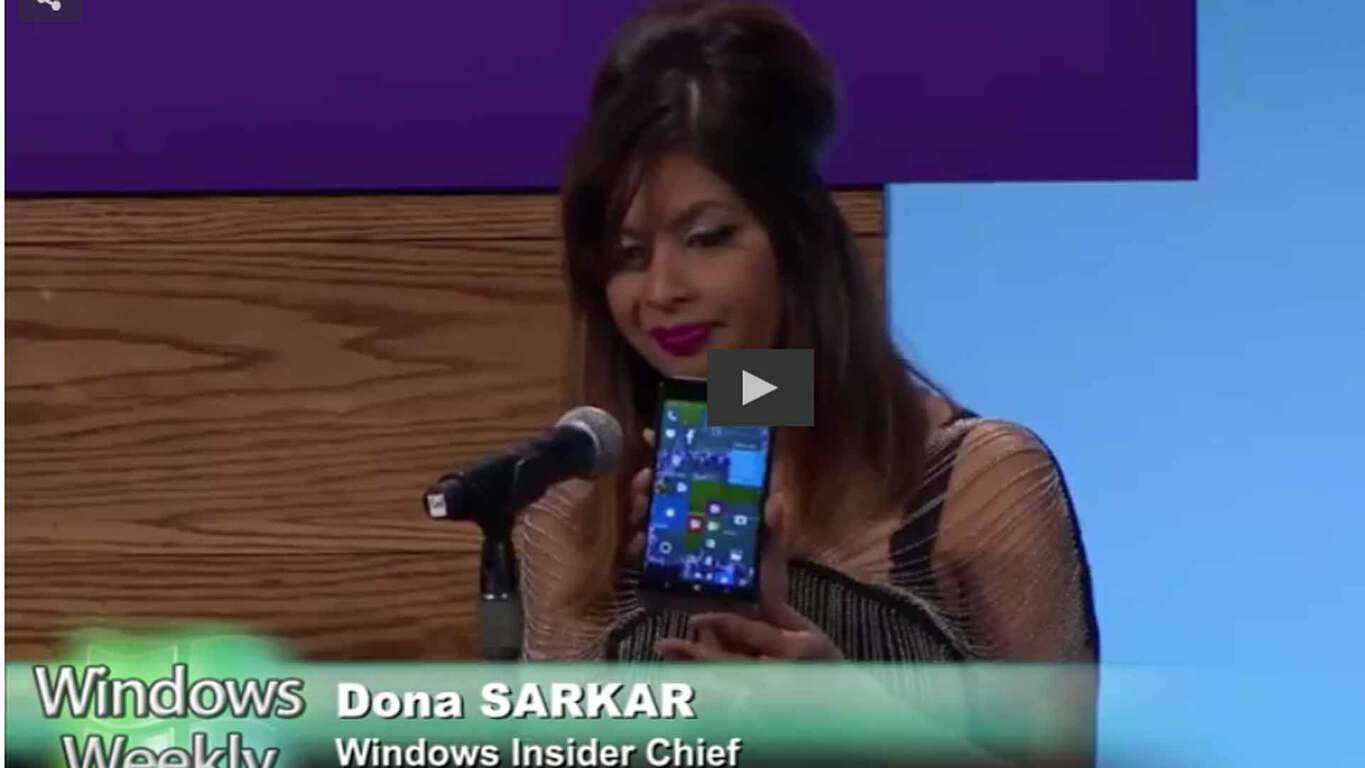
Along with Microsoft Distinguished Engineer James Whittaker, Windows Weekly welcomed rising star and Insider chief Dona Sarker up on stage. She showed off her shoes, pulled out an HP Elite X3 out of her bag, and talked about the Windows Insider program.
Sarkar explained that the Anniversary Update will be rolling out in waves, starting August 2nd, but that “it’s going to be a global rollout, it’s going to take time, everyone’s going to freak out, where’s my update?” PCs and mobile will gain the latest stable version of Microsoft’s OS first, with Xbox and HoloLens rolling out on separate schedules.
Sarkar also rebuffed Thurrott’s claim that the Windows Insider and the Xbox Preview program would be “combined,” citing Xbox’s “incredible community,” but also saying that Microsoft needs to “figure out what it means” for the future of the Windows Insider and Xbox Preview programs.
Sarkar went on to talk about “a lot of cool stuff coming this fall,” in answer to another Thurrott question, about making builds a cumulative update. “We may try to flight the flighting system,” Sarkar said, and said that Microsoft is testing a number of ways to make installing new builds faster, with a smaller footprint.
The technology life-cycle (TLC) is defined as the gain of a product after the expenses of researching and developing. When a company begins an expenditure that is planned to result in profit, they take into consideration the lifespan of the product.
As a marketing campaign, the Microsoft Office blog post today explained TLC in seven simple steps. These steps are best followed by businesses looking to yield promising and practical results.
With these seven steps, Microsoft no doubt hopes the new steps guide users towards their product. Starting with the analyzation and evaluation of products, the company explains that deciding from the very start is the most important. Consumers want products that are longterm and secure, that can update with ongoing support and grow with the business. Tools such as the Office 365 Roadmap give clear examples of the direction a product is going, allowing businsess to understand if a product is right for them.
Microsoft has a long-term commitment to the Office Suite’s TLC, and they feel confident that businesses should adopt their products. The Office resources for IT products pages follow these seven steps in order to assist the interested consumer on whichever might pertain to their current needs. Office offers valuable features and capabilities such as conferencing, video, sharing, live data monitoring, in-depth analysis, and high security for all of their products. If you are looking for a guideline to help you make better decisions about Office for your business, make sure to check out the product page.
Back in September of last year, short sharable clips known as Mojis made a debut to the Skype experience. Since then, many Mojis have been added to the Skype family, with themes ranging from Sloths,Bollywood, and even women. Today, though, the Skype team has announced that they are adding 37 Monty Python Mojis to the Skype emoticon picker.
Still image of the Monty Python Mojis
The Monty Python Mojis come from the Skype team’s favorite Python moments from Life of Brian, Holy Grail, and Flying Circus. More importantly, the Skype team wants you to know that these new Mojis might be a good way to express yourself and bring your conversation to life when words are not enough. Additionally, they are also noting that they plan to add more to the set, and are calling on you to use #PythonMojis on social media.
The new Python Mojis are rolling out today, so they should appear in your emoticon picker pretty soon. Once you do see these new Mojis, we would love to hear your thoughts on them, so be sure to drop us a comment below!
Terraria has just updated on Windows phones with added support for Windows 10 devices. No other new features or changes have been listed in the change log so it’s unclear if anything else was updated along with the added compatibility.
Terraria is an incredibly popular video game that has enjoyed success on smartphones, tablets, and video game consoles. Here’s the official app description: In Terraria, every world is unique — from the floating islands in the sky to the deepest level of The Underworld. Adventure to the ends of the earth, and battle villainous bosses along the way. The world is your canvas and action-packed, sandbox adventures are just a pickaxe swing away!
MULTIPLAYER – Local WiFi games support up to 4 players cross-platform on any mobile device!
1360+ CRAFTING RECIPES – weapons, armour, potions, and more!
450+ ENEMIES!
100+ BLOCK TYPES to build anything you can imagine!
30+ PETS!
20+ BOSSES!
Over a DOZEN environments to explore!
Dynamic water & lava, day/night cycles!
Create worlds as large as 4200 x 1200 tiles (“Small” worlds on PC)!
Every pixel of Terraria has been crafted for the BEST possible mobile experience!
Do you still play Terraria on your Windows phone or do you prefer to play it on something else? Let us know in the comments below.
Sea of Thieves is an upcoming action-adventure video game being developed by Rare and published by Microsoft Studios for Xbox One and Windows PC. According to reports, this game will contain elements of first-person gameplay and will feature user-generated content.
Players will be able to create their custom stories by using in-game tools. In addition, the game will also feature co-op gameplay, perfect for its open-world multiplayer environment. If you enjoy playing these types of game, you will surely love this one as well.
The game was showcased during E3 2016 held last month in Los Angeles. Back then, Microsoft didn’t specify the game’s release date, but it seems that Xbox Australia just confirmed that this title would arrive for the Xbox One consoles in February 2017 through its official Twitter account, so we can clearly say that this news is legit. It is good to know that this game will also come for Windows PC and we are pretty sure that it will be released in the same period.
Below you can see the trailer that was presented during E3 2016:
Unfortunately, we don’t have other information about this game, but Microsoft will surely release more news regarding this title in the upcoming weeks. From the trailer, you can see that the game is looking pretty awesome and will surely be fun while you will play it with your buddies.
Once we find more information about this upcoming title, we’ll let you know!
Microsoft has been marked by many, as a company going through an arguable shift in both brand recognition as well as cultural mentality. Just a few years ago, the company branded itself as hardware and services company that was looking to continue a decades-long competitive head to head battles with industry rivals, particularly with new devices. A new CEO and several executive shuffles, Microsoft has rebranded itself as productivity-empowering software and services company with a much more demurred competitive temperament.
Perhaps, the most evident sign of Microsoft’s shift in strategy and competitive nature comes with how the company is handling competition in the education sector from longtime rival Google and its Chromebook offerings.
scroogled-pawn-stars
Again, a few years ago, Microsoft ran a series of mud-slinging campaigns against Chromebooks, claiming privacy concerns as a reason to avoid the use of the alternative. To some, the strategy seemed desperate and excessively political. Today, however, Microsoft is shrugging off Chromebook’s marginally increasing adoption in the education sector by just refocusing its efforts.
We’ve got to get through what is typically what reporters will say is Chromebooks versus Windows. That’s really not the issue. We’re going to be the company who is standing first on how do we drive the right impact on students and outcomes. When I think about the competition facing us as a company, I don’t think about Google, Apple or Chromebooks, I think about student graduation rates, employability rates, how to keep teachers in the profession, how do we drive the schools to maximize impact.
That’s what we’re struggling with and the whole industry needs to struggle with it. One technology will come and be used, and we’re thinking obviously about how to make Windows a great platform for schools, but we want to broaden our focus beyond the next device and think differently as a company. I will tell you that there is no company which is ahead of us in that space, or is thinking as deeply as us about how do we make an impact in classrooms.”
Salcito’s comments echo the broader conversation Microsoft as a company is attempting to have amongst the tech industry. The idea of winners and losers is temporary, but the benefits of great tools and services for education and enterprise are continual. Chromebooks may arguably be seeing an increase in adoption in North American schools, but Microsoft is now looking to be part of the service fabric used to help students graduate and become employed across the world.
Student using a Surface Pro 4
A report from CRN further encapsulates Salcito’s comments by placing Microsoft’s new found concern about education and employment against the backdrop of the recent Brexit vote. Salcito sees the Brexit vote as a further sign of the times that educational goals are shifting and that Microsoft, among others, can benefit and add benefit to the sector.
We’re thinking differently. The reality with situations like Brexit and global environments we’re in now is getting students ready for the workplace which is changing, shifting and requires new skills. It’s an area were very focused on. Deepening the readiness for students to become entrepreneurs and job creators is increasingly important for the UK and other countries as well.”
While Microsoft would love to see more Windows computers being used in classrooms, transitioning to a services and software mentality allows it to continue to innovate and bring new paradigms to education without having to compete directly with Chromebooks and resort to a mudslinging of perception competition.
Digital task tests across the UK revealed a severe lack of basic technological skills for nearly a quarter of the population. These skills are based on what most tech savvy users would consider the simplest of tasks: Managing Information, Communicating, Transacting, Creating, and Problem Solving. More specifically, they evaluated over 4,000 interviews that were conducted with questions asking which of these tasks they could
More specifically, the tests evaluated over 4,000 interviews that were conducted with questions asking which of these tasks respondents could perform and if they had done any of the tasks in the last three months. As the Microsoft Developer blog outlined, here are some of the tasks:
Use a search engine to look for information online
Find a website visited before
Download/save a photo found online
Communicating through email or messaging services carefullyBuying items and services from websites, buying and installing applications on a device
Buying items and services from websites
Buying and installing applications on a device
Complete online application forms with personal details
Create something new from existing online images, music, or video
Verify source of information found online
Solve a problem with a device/digital service with online help
The results came back with 23%, approximately 12.6 million adults, across the UK that didn’t meet the very basic digital skills required. Test results were exceptionally poor in Wales, where internet access is the lowest, with only 62% meeting the expected standards. The rather thorough results considered demographics and comparisons between genders, age, social status, and location. The curious can have a look at the official 39-page published report.
This is unacceptable according to businesses that claim many potential employees lack the crucial technological skills. The commercial world continues to develop at a fast pace towards more digital communication and services, which leaves a significant ‘digital gap’ in the UK’s younger population. As a response, five new academies will be opening up across the UK.
Microsoft and Risual have partnered up to bridge students’ tech skills and bring them up to speed as a digitally literate workforce. Tackling the area of highest concern, the Cardiff and Vale College will be launching the new academy program. It will provide students with digital learning, workshops with industry experts, and even assist with Digital and IT apprenticeships with Microsoft units.
Mike James, Principle and Chief Executive of the college made a public statement about the educational solution:
“By working with employers to highlight digital skills requirements in their businesses and across sectors we can collaboratively plan for the development of future skills, so we are truly delivering tomorrows skills needs, today. We want to use this Academy and our status as a risual Microsoft Academy to generate a buzz about careers in this vital sector amongst the future workforce; highlighting it is a well-paid and exciting sector offering long-term careers.”
Moving forward, more academies will be opened up for the UK, providing a better workforce and jobs in a digitally driven society. Let us know in the comments what you think about Microsoft’s continued efforts at technology education.
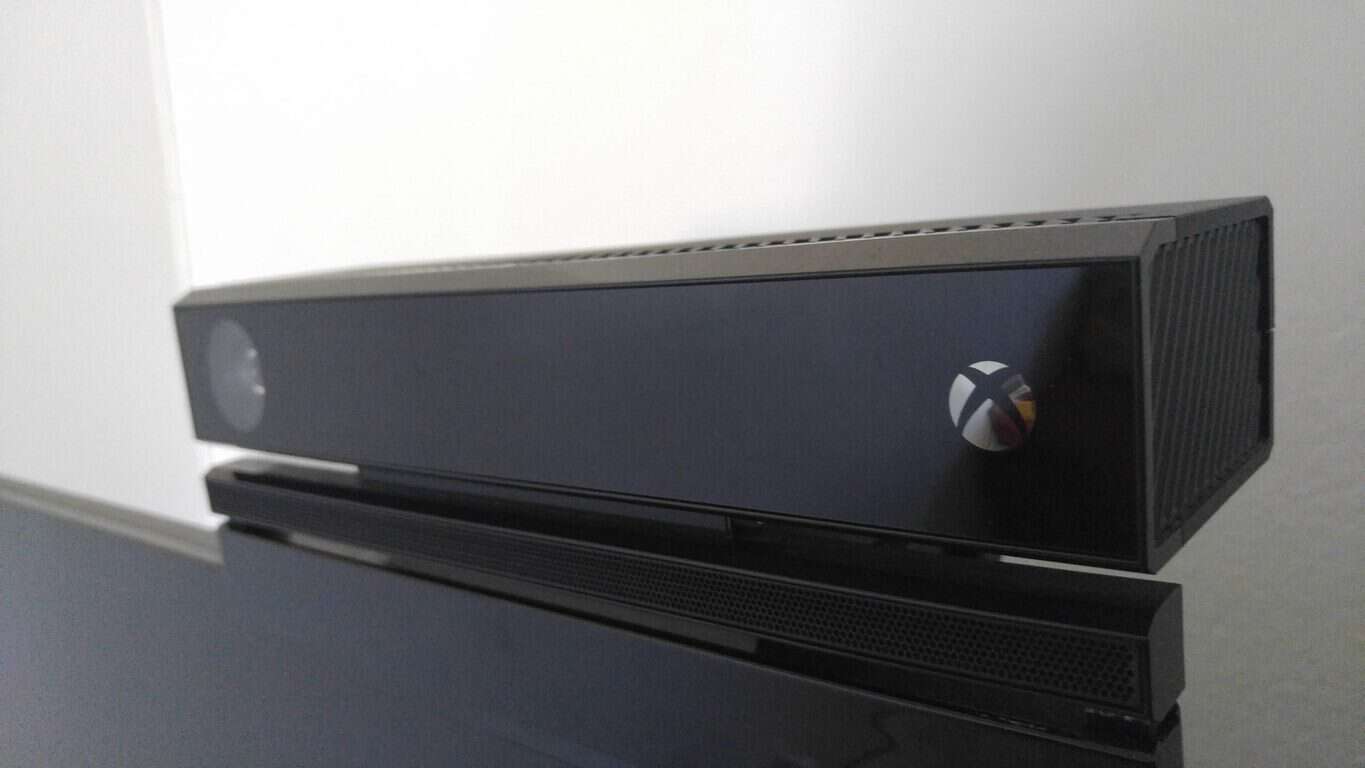
Back in June, and right after E3, we reported on the fact that the Xbox One S would require a free Kinect Adapter. Today, we are happy to provide some additional details on how you will be able to get that free Kinect Adapter once the Xbox One S is released.
To register for the free adapter, all you will need is an existing Xbox One console, an Xbox One Kinect, and an Xbox One S console. You must then go to this web page with the serial number for each device on hand. To streamline the process, you can also head over to Device Support and make sure your Xbox One Console and Xbox One Kinect Sensor are registered to your Microsoft account.
If the method described above does not work, you can also purchase the adapter separately from Amazon by clicking here. The adapter is priced at $39.99 and is set to come out on August 31st, 2016.
Microsoft took off the preview tag for the new Outlook.com experience back in February, and the company indicated that they would roll it out to millions of users each and every week. The new Outlook.com brings Microsoft’s free email service to the same backend as Office 365, thus providing access to many of the features and add-ins that have been developed for Office 365. New features for online users include the Clutter inbox and add-ins like Skype, Uber, PayPal, and more.
The new Outlook.com experience.
Many have been eagerly anticipating the upgrade since it was first unveiled in May of 2015. But the rollout of the new service hasn’t come as quickly as many had hoped. In April, Mary Jo Foley of ZDNet found out more about the progress of the rollout, including the simple fact that the transition is a complicated project requiring the migration of 400 million accounts to a new infrastructure. It turns out that the type of features and capabilities you use with Outlook.com (stuff like how many different types of shared calendars you’re account is connected to) determine when and how Microsoft rolls out the new Outlook.com experience.
Regardless, many are still left waiting. In April Microsoft promised by the end of the summer that the migration would be complete. But that didn’t stop one user on Twitter from saying he feels like 2017 is his lucky year to try the new Outlook.
We're thinking 2016! ???? Everyone will be migrated over by the end of summer at the latest.
Windows Central spotted the tweet and Outlook team’s response. The Outlook team tweeted back assuring that everyone on Outlook.com will be migrated over to the new site “by the end of summer at the latest.”
As it is already July, hopefully those left waiting will start to see their fortunes change soon. Has the new Outlook.com made its way to your inbox yet? Let us know in the comments section below.
Steve Guggenheimer, Corporate VP of Developer Platform and Evangelism at Microsoft, took the stage at WPC2016 to announce Microsoft’s new Professional Degree program. Currently, the program is only being piloted, but Microsoft expects to be expanding it soon. The only degree currently offered during the pilot phase is the Microsoft Professional Degree in Data Science. Microsoft also says graudates will earn a “digitally shareable and résumé-worthy credential.”
The site for the new program says their Professional Degree in Data Science includes “a curriculum” teaching “functional and technical skills, combining highly rated online courses with hands-on labs, concluding in a final capstone project.” The curriculum was developed by consulting with Data Scientists to identify requisite core skills for the rapidly growing field.
The Course
In all the program includes 8 modules, plus an orientation and a final project. The 8 modules cover:
Query Relational Data
Analyze and Visualize Data
Understand Statistics
Explore Data with Code
Understand Core Data Science Concepts
Understand Machine Learning
Use Code to Manipulate and Model Data
Develop Intelligent Solutions
Any of the courses or hands-on labs can be audited for free. But in order to receive credit towards your Microsoft Professional Degree, you must have purchased a Verified Certificate for each of the ten courses. Microsoft describes the pricing structure saying,
For the Data Science degree, the Verified Certificate for the orientation course is $25, and the Verified Certificate for “Statistical Thinking for Data Science and Analytics” is US $99. All other courses offer Verified Certificates for US $49 each.
So if you add it up, all in a Microsoft Professional Degree in Data Science costs a little over $500. Microsoft also describes a few other aspects of the program. It will include discussion groups with teaching assistants. And the final capstone project will put students to the test with real-world data challenges using the Cortana Intelligence platform.
With Microsoft’s focus on empowering people to do more, and their recent acquisition of LinkedIn, which owns the online training platform Lynda.com, the Microsoft Professional Degree fits in nicely with their new direction. It will be interesting to see what further programs Microsoft offers, but certainly Data Science is a quickly growing field and a good place for Microsoft to start.
Enpass, a popular cross-platform password manager solution has now released an extension for Microsoft Edge on Windows 10 PCs (via Windows Central). The developer first announced that it was working on the extension back in April, so we’re glad that Windows 10 users are getting are now getting a handy tool to sync their passwords on Microsoft Edge.
To get the extension running on Microsoft’s new browser, users will first have to install Enpass Beta version 5.2.2 on their desktop, which brings improvements and fixes such as Auto-fill support for all items, TOTP support for other categories and more. You can see the complete changelog below:
What’s New:
Added Enpass extension support for Microsoft Edge (Beta) and Vivaldi browser. If you are already using Vivaldi browser with browser verification disabled, please enable the verification.
Added import from Intel True key password manager.
Improvements:
Diceware in Password generator – The improved password generator now uses Diceware algorithm to generate beautiful, more pronounceable yet strong passwords with more options to include digits and symbols.
TOTP support for all categories except Secure Notes.
Auto-fill support for all items – Along with logins, now you can auto-fill all types of items having a valid URL, username and password on login pages.
Now you can use defined shortcut keys to copy username, password or to launch the url, from selected item in Enpass Extension (Helper).
Added support to manually define scaling factor for high DPI monitors. (Windows only)
Added password length indicator on Edit page.
Improvements in importing data from Roboform and Keepass.
Improved Tray icon handler: Single click on tray icon will open Extension windows, while double click will open the main Enpass app.
Fixes:
Optimized memory usage of Enpass, where some users reported that it was consuming high memory comparatively.
Fixed an issue where ‘update’ button in browser extension was getting disabled, while changing a password on website.
Fixed following issues in syncing after the system woke up from sleep mode (Mac and Windows only)
Progress wheel keep rotating while sync operation.
Sometimes the username of cloud service was not displayed.
Fixed following issues in syncing after the system woke up from sleep mode (Linux only)
High CPU usage while syncing.
Progress wheel keep rotating while sync operation.
Sometimes the username of cloud service was not displayed.
Fixed an issue where browser window focus was lost as soon as Enpass extension goes away. (Mac only)
Other minor bugs fixed.
Installing the new beta version will overwrite your existing Enpass app. Once you’re done, you’ll have to download the standalone Edge extension file over here and then go through the straightforward installation process. If you use Enpass on your Windows 10 PC, let us know in the comments if you plan to try this new Edge extension.
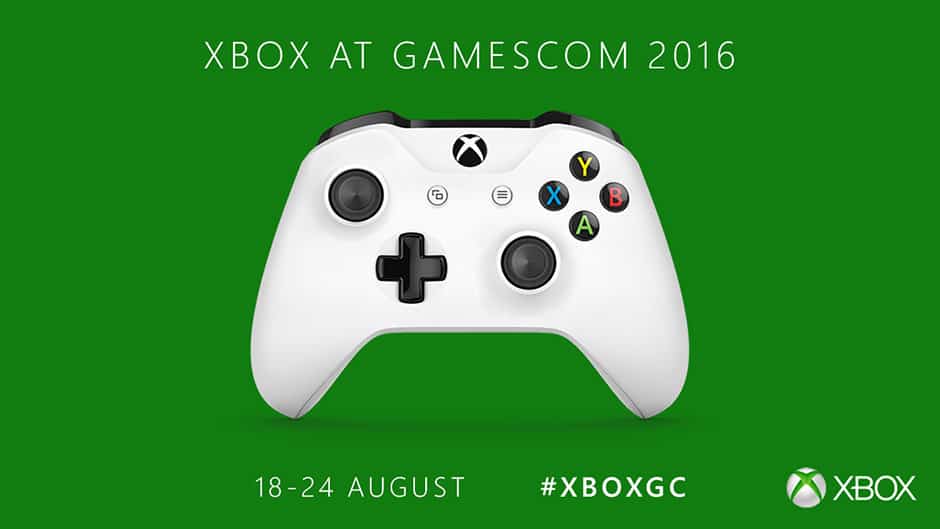
In just five weeks, Gamescom 2016 in Cologne, Germany will be the next stop for the Xbox roadshow and General Manager for Xbox Games Marketing Aaron Greenberg shared today the company’s plans for the event. In a quite surprising news, Greenberg explained that the Xbox team will do things differently this year and that there won’t be a media briefing. Instead, the company plans “a new and more intimate Xbox FanFest experience for our fans” and attendees should be looking forward to the company to play with the company’s upcoming game line-up:
Xbox will give our fans the opportunity to get hands-on with the most anticipated titles for 2016 and 2017, across Xbox and Windows 10. From our stellar lineup of blockbusters, including Gears of War 4, Forza Horizon 3, Halo Wars 2, ReCore and Sea of Thieves, to a host of ID@Xbox titles including We Happy Few, Everspace and Cuphead, we can’t wait for our fans to play.
Gamescom 2016 will kick off on Wednesday, August 17 with a press/trade only day. Everyone else will be able to attend the show on Thursday, August 18 until August 21. This year, the Xbox team will also be located in a brand new location in Hall 8 of the Koelnmesse near the north entrance, and Greenberg added that the team will be sharing more details on their Gamescom 2016 Xbox FanFest soon.
As a reminder, the Xbox One S is expected to start shipping on August 31 but Greenberg didn’t say if attendees will be able to try the new console, though we hope they will. Let us know in the comments in you plan to attend the annual gaming show.
Yesterday, Corporate Vice President for the Office team Kirk Koenigsbauer was on stage of Microsoft’s annual Worldwide Partner Conference to talk about Office 365 momentum. Back at Build 2016, the company announced that there were 1.2 billion users around the world and that Office 365 was also gaining more than 50,000 new customers per month among small businesses, but the exec revealed yesterday that “Office 365 is now empowering over 70 million people each month in companies of all sizes.”
While gaining such a big customer base is an important milestone for Microsoft, Koenigsbauer also announced yesterday that the Redmond giant will be the first company to be recognized by AIG for security and compliance strength. The multinational insurance corporation will now include a Microsoft Cloud endorsement with its CyberEdge insurance policy, which will “allow new or renewing AIG CyberEdge customers using Microsoft Azure, Office 365 or Dynamics 365 to have access to expanded business interruption coverage as part of their policy terms.”
Tracie Grella, global head of Cyber Risk at AIG shared:
We’ve worked closely with Microsoft to understand the security and compliance capabilities of the Microsoft Cloud, and we’re excited to offer this unique endorsement to our mutual clients.
Do you think this new endorsement will lead more business to consider Office 365 as a platform of trust? Let us know what you think in the comments below.
If you’re one of the folks who live in Canada and have a CraveTV Subscription, then we have some good news for you. As noted by Windows Central, the Canadian streaming service CraveTV is now available for download on the Xbox One.
Availability on the Xbox One means that CraveTV customers can now enjoy a massive library of video titles straight from the comfort of their Microsoft gaming console. However, in case you’re curious, a one month free trial of the $7.99 a month service is available. Many popular titles, including shows from HBO, and other series such as Seinfeld, are available through this service.
Were you aware of CraveTV? Which streaming services do you use on your Xbox One? Are you excited to see an app for yet another streaming service hit the Xbox One? As always, let us know your answers to these questions, and your other thoughts, by dropping us a comment below!
It made for a convenient and intuitive way to incorporate streaming into the console’s operating system but the benefits were very much limited to those using the Xbox One to produce their video and excluded those who preferred to stream via their own personal PC setups. That changes today with Twitch rolling out support for Xbox Live integration in capture card streams on PCs.
All a streamer needs to do is link their Xbox Live account to their Twitch account on the Twitch website and correctly identify a game before streaming. After those two steps are completed, any future stream involving an Xbox One game will automatically be promoted across Xbox Live as if it were being streamed natively from an Xbox One.
Are you a game streamer who’ll be taking advantage of this functionality? Let us know in the comments below.
Subway Surfers received a new update that takes players to Venice where they can embark on a new adventure and surf the canals of the city.
If you choose to visit Venice, don’t forget to improve your collections because you can unlock a soaring board and a new outfit at this location.
You can also earn great Weekly Hunt prizes if you search and find enough colorful carnival masks.
The complete changelog is also available on the official game description from the Microsoft Store, and it also appears on your phone once you download the latest game update.
The new location also offers you the opportunity to dress accordingly. Your character can choose to wear the specific Venetian Mask Outfit or the Noble Outfit. When in Venice, dress as the Venetians dress.
After choosing your outfit, select the board you want to rock on and add one of the available superpowers to make it more powerful.
If you’re curious to see how Venice looks in Subway Surfers, check out the gameplay images below:
Other features include:
Join the Subway Surfers World Tour in beautiful Italy
Run through old city halls and cruise the canals of enchanting Venice
Soar through the Subway on the new smooth drifting Orni board
Unlock a new Outfit and surf the tracks with Marco, the charming boat boy
Collect colorful carnival masks to earn great Weekly Hunt prizes
Subway Surfers recently dropped support for Windows 8, returning to Windows 10. While it remains playable, it will no longer receives updates and patches.
Microsoft launched the latest Windows 10 build last Saturday, proving that its Insider Team is working around the clock to implement user feedback into reliable builds. Build 14385 is the newest Windows 10 build available to Insiders, yet Dona Sarkar is already using an even newer build.
This can only mean one thing: the upcoming Windows 10 build is around the corner and will soon land on your machines. Taking into account Microsoft’s latest build release pattern, it’s only a matter of time until the build is released to Fast Ring Insiders. Actually, the build could come as soon as today or even tomorrow.
Rumors suggest that the upcoming build will bear the code name 14388. As usual, it should bring only bug fixes and system improvements, as Microsoft is no longer focusing on adding new features. Right now, the Windows Insider Team’s goal is to make Windows 10 as stable as possible.
Most likely, build 14388 will be available for both PC and Mobile, as the latest builds have been released for both platforms.
The Anniversary Update is scheduled to improve Microsoft Edge by allowing users to download extensions. While Insiders can already do this, Microsoft wants the general public to get their hands on this feature as quickly as possible.
The Anniversary Update will also create a single Store for all Microsoft platforms, as the Windows Store and the Xbox Store will soon converge. Speaking of the common Store, communication between Windows 10 and Windows Mobile will improve as more user actions will translate to the other platform.
Meanwhile, don’t forget to check the available updates because you never know when Dona Sarkar will press the release button for the next Windows 10 build.
Oh yeah, along with all those Windows 10 Insiders builds, Xbox One is in preview mode too, getting ready as well for the upcoming Anniversary Update launch. While not quite as fast on the red button trigger finger, Xbox One Preview builds are picking up the pace too, and Microsoft’s Mike Ybarra announced today via Twitter that another one is headed our way:
New Preview build at 6PM tonight. Gives some gamer choice options to use Cortana or Xbox commands and more. See forums. #Xbox
Some Xbox One users have been a bit frustrated with having to use Cortana commands, but in this latest preview, those affected by the recent change will now be able to choose between Cortana or the more traditional Xbox commands, according to the tweet.
For more info, stick by your Xbox One with the Preview app installed, and check out the latest build!
The open and available information spread across the internet is always a growing concern for users and businesses. Personal and confidential information spreading through hacks or carelessness can be a very real threat. Microsoft has always maintained a stance that privacy is a fundamental human right and after the collapse of the US-EU Safe Harbour agreement last autumn, the company was quick to offer solutions to bring back safety and security. Today, the European Commission released a press release announcing the official launch of the EU-US Privacy Shield.
After the European Court of Justice ruled last October that the Safe Harbour framework was invalid, a new framework was necessary to take its place with more defined requirements. The European Commission and the U.S. Government reached an official agreement on February 2, 2016 to build a framework that would better protect the personal data being transferred.
The proposal draft was submitted on February 29, 2016. Not surprisingly, Microsoft was the quickest to sign up to support the new framework just a few weeks later. After months of dedication and resolutions, the EU-US Privacy Shield was officially adopted today, July 12, 2016.
Taking a page from Microsoft’s book, the press release states that the EU-US Privacy Shield will protect the “fundamental rights of anyone in the EU whose personal data is transferred to the United States as well as bringing legal clarity for businesses relying on transatlantic data transfers.”
The EU-U.S. Privacy Shield is based on the following principles:
Strong obligations on companies handling data: under the new arrangement, the U.S. Department of Commerce will conduct regular updates and reviews of participating companies, to ensure that companies follow the rules they submitted themselves to. If companies do not comply in practice they face sanctions and removal from the list. The tightening of conditions for the onward transfers of data to third parties will guarantee the same level of protection in case of a transfer from a Privacy Shield company.
Clear safeguards and transparency obligations on U.S. government access: The US has given the EU assurance that the access of public authorities for law enforcement and national security is subject to clear limitations, safeguards and oversight mechanisms. Everyone in the EU will, also for the first time, benefit from redress mechanisms in this area. The U.S. has ruled out indiscriminate mass surveillance on personal data transferred to the US under the EU-U.S. Privacy Shield arrangement. The Office of the Director of National Intelligence further clarified that bulk collection of data could only be used under specific preconditions and needs to be as targeted and focused as possible. It details the safeguards in place for the use of data under such exceptional circumstances. The U.S. Secretary of State has established a redress possibility in the area of national intelligence for Europeans through an Ombudsperson mechanism within the Department of State.
Effective protection of individual rights: Any citizen who considers that their data has been misused under the Privacy Shield scheme will benefit from several accessible and affordable dispute resolution mechanisms. Ideally, the complaint will be resolved by the company itself; or free of charge Alternative Dispute resolution (ADR) solutions will be offered. Individuals can also go to their national Data Protection Authorities, who will work with the Federal Trade Commission to ensure that complaints by EU citizens are investigated and resolved. If a case is not resolved by any of the other means, as a last resort there will be an arbitration mechanism. Redress possibility in the area of national security for EU citizens’ will be handled by an Ombudsperson independent from the US intelligence services.
Annual joint review mechanism: the mechanism will monitor the functioning of the Privacy Shield, including the commitments and assurance as regards access to data for law enforcement and national security purposes. The European Commission and the U.S. Department of Commerce will conduct the review and associate national intelligence experts from the U.S. and European Data Protection Authorities. The Commission will draw on all other sources of information available and will issue a public report to the European Parliament and the Council.
Yesterday, Microsoft made a statement about the decision, citing it as “an important achievement for the privacy rights of citizens across Europe and for companies across all industries that rely on international data flows to run their businesses and serve their customers.” Microsoft’s Vice President of EU Government Affairs John Frank’s full ovation for the launch of the EU-US Privacy Shield can be read on the EU Policy Blog.
Microsoft continues to push its vision of bots and conversational computing with a new partnering that intends to explore the opportunities in co-creating a next-gen government based on the use of digital services called Smart Nation. During the World Cities Summit this year, Minister of Foreign Affairs and Minister-In-Charge of the Smart Nation Initiative for Singapore announced that it will partner with Microsoft to embark the creation of next-generational government services backed by conversational computing.
According to the Singapore News Center,
In the mobile-first and cloud-first world that we all live in, citizens and constituents want public and business services that can interact with their digital lives – intelligent services that respond, act and communicate in fundamentally new ways that can augment human abilities and experiences and do so in a trustworthy manner. The Infocomm Development Authority of Singapore (IDA) will explore with Microsoft on a new computing proof-of-concept (POC) that builds conversational intelligence into public services, with the aim of making them more anticipatory, accessible, engaging and inclusive for citizens and constituents.”
The IDA’s exploration into prioritizing the combination of human language, artificial intelligence, and machine learning appear to be the first steps in the much larger picture that Microsoft is painting, wherein, everyday interactions with informational sources are made better by use of the cloud.
As everything around us becomes more digitized, Conversations as a Platform is a new shift that applies the understanding of human language to computers and computing, which can transform every industry. We’re excited to partner with organizations like the Government of Singapore to help transform its engagements with citizens and businesses to seize the opportunities ahead.”
Satya Nadella
Satya Nadella, chief executive officer of Microsoft Corp., gestures as he speaks during the Future Decoded technology event at ExCeL in London, U.K., on Monday, Nov. 10, 2014. Microsoft recently unveiled an activity-tracking wristband and related Internet-based service that can track and analyze health, fitness and sleep data, jumping into the crowded wearable-computer market. Photographer: Jason Alden/Bloomberg
As for IDA’s rollout of the POC, it will be done in three phases that cover the use of information absorption into intelligent chatbots, the expansion of chatbot capabilities based on user interactions with government website and finally enabling interactions between chatbot and user based on personalized queries.
Phase One will see chatbots drawing from a vast database to answer simple factual questions from users of selected public services.
This will transit into Phase Two, where chatbots expand their capability to help users complete simple tasks and transactions within government websites.
Following this, Phase Three will see chatbots responding to personalised queries from users, further enhancing user engagement by providing an interactive conversational experience.
While Microsoft spoke of using Skype as its premier test bed for chatbot interactions during Build 2016 this year, it seems a much broader implementation is just around the corner. With an entire government willing to explore the possibilities, perhaps Microsoft’s vision for a world moving beyond app jumping and silos of information is much closer than first discussed. Building a chatbot experience into government services should yield much richer data points as to how Microsoft will continue to develop its chatbot experiences in the future.
What goes around, comes around: these words of wisdom have never been truer for Microsoft. After months of user complaints against Microsoft’s Windows 10 forced upgrade methods, the time has come for Microsoft to offer some serious explanations about its upgrade strategy. This time, in front of New York’s Attorney General.
The tech giant recently lost a Windows 10 upgrade lawsuit and had to pay $10,000 in damages after its upgrade tricks caused a businesswoman to almost lose her business.
NY Attorney General Eric Schneiderman and his team are actively investigating a new Windows 10 forced upgrade case and are gathering evidence and user complaints against Microsoft’s unfair upgrade tactics. The lawmen have been helped by the Rockland County Times newspaper, which forwarded them a series of Windows 10 upgrade complaints.
NY state is not the only state actively investigating user accusations against Microsoft’s Windows 10 upgrade methods as other states are also beginning to actively pursue cases against Microsoft on their residents’ behalf.
This wave of lawsuits against Microsoft has even convinced some of the company’s fans to conclude that these events are being orchestrated by Microsoft’s competition. Google has never hidden its intention of stealing 80% of Microsoft’s business client pool, and many Windows users fear the search engine giant has recently raised the stakes.
Microsoft recently revamped its Windows upgrade window, which is now a full-screen pop-up. Judging by this behavior, it appears that Microsoft is not afraid of these lawsuits and will continue to try to convince users to upgrade to Windows 10.
Whether or not there’s someone who’s pulling some strings in the back to fuel these lawsuits against the tech giant, it’s a good thing that such legal actions against corporations do exist. Irrespective of the field they’re activating in, corporations are aware of their influence and sometimes tend to push things too hard. Such actions represent a guarantee that consumer rights are well protected.
A new post done by Jason Leznek over at the Windows Blog is showing that Windows 10 is reducing the posts of IT, Security, and Productivity. The post goes into the details of a study done by Forrester Consulting, which was commissioned by Microsoft to conduct a Total Economic Impact (TEI) study of Windows 10.
Findings of the Forrester Study
Overall, the study looked at four enterprise organizations, including a government health department, a multinational food and beverage conglomerate, a global IT services firm and a professional auto racing team. These four organizations (clearly from different industries) were early adopters of Windows 10. Based on interviews with these four organizations, the following highlights and benefits of Windows 10 were established:
Windows 10 requires less IT administration time to install, manage, and support, with easy-to-use features and more self-service functions. One customer found that deploying Windows 10 was quicker and easier by as much as 50% from their last operating system upgrade and overall IT administrators estimate a 15% improvement in IT management time with Windows 10 — valuable time back to help in other key IT areas.
With new features such as Credential Guard, Device Guard and improved security features such as BitLocker, security events related to client device management requiring IT remediation are reduced or avoided altogether. Forrester estimated some of the businesses could be saving up to nearly $700,000 a year by enabling security features in Windows 10.
Improvements, such as faster boot times, convenient access to corporate applications, increased security, and better mobility tools help IT and users increase productivity and complete work more quickly and effectively. Employees, especially mobile workers, estimate they have 25% more time to get work done than they did before.
These three areas are very key to the adoption and daily use of an operating system in the business world, and so it is good to see some positive Windows 10 statistics and findings. As always, though, we would love to hear your take on this set of news, so be sure to drop us a comment below!
Microsoft had a vision of allowing businesses to create and deploy their own private clouds using its Azure Stack tools. The idea was simple; businesses would be able to build private Microsoft clouds that leveraged similar, if not, the same software they were already using on a public version of Azure and through it all, Microsoft’s Azure Stack would be the spine for development.
Microsoft began putting things into motion to bring that vision into reality, but according to a report from CIO, the vision of enabling companies to build private clouds on the back of Azure Stack is hitting a delay snag. Businesses interested in Microsoft’s proposal will have to wait now until mid-2017 before getting their hands on the tools in an official capacity.
However, since the release of the technical preview, there has been little to no new on how and where the company was in the development and release schedule for Azure Stack to general customers. It now seems Microsoft has opted to do a bit more handholding leading up to the release of Azure Stack.
The new strategy in place by Microsoft now has the company pushing its release out further, to offer Azure Stack with more integrated systems building partnerships with businesses. Microsoft’s new approach, opposes its original proposal for Azure Stack, in that, instead of providing hardware configurations and the Azure Stack tool set, the company will now issue prevalidated hardware to simplify the process.
Microsoft’s Server and Tools division general manager Mike Schutz believes that the new change will yield more successful deployments, presumably, because Microsoft will be there in lock step to provide support and answers at each phase of the rollouts.
While the delay may be a bit annoying or irritating for those hoping to use Azure Stack soon, all is not lost. Smaller businesses can spin up an instance of Azure Stack beta on a single server for now and for larger businesses, Microsoft is urging the use of Cloud Platform Systems.
For now, there is no set date as to when Azure Stack will be released, but the technical preview and beta are still available for businesses interested in Microsoft’s vision.
According to Microsoft, Windows Server 2016 will deliver “new layers of security and Azure-inspired innovation for the applications and infrastructure that power your business.” The upcoming release will come in three different editions:
Datacenter: This edition continues to deliver significant value for organizations that need unlimited virtualization along with powerful new features including Shielded Virtual Machines, software-defined storage and software-defined networking.
Standard: This edition is ideal for organizations that need limited virtualization but require a robust, general purpose server operating system.
Essentials: This edition is designed for smaller organizations with less than 50 users.
Additionnaly, the blog post explains that there will be three installation options for the Standard and Datacenter editions (Nano Server, Server Core and Server with Desktop experience). This will have implications for the servicing experience, as companies who go for the Nano server installation will get periodic releases known as “Current Branch for Business” (CBB) releases, which the company also describes as “a more active servicing model similar to the experience with Windows 10.” However, customers who opt for the full Windows Server 2016 with a desktop experience or Server Core will still get 5 years of mainstream support plus 5 years of extended support, which will now be known as the “Long Term Servicing Branch” (LTSB).
Servicing guidelines for Windows Server 2016.
Overall, Microsoft hopes that Windows Server 2016 will “meet businesses and organizations where they are today, and introduces the innovation needed for the transition to cloud computing when ready.” The three editions will be available for purchase on October and you can get details on pricing over here. If you already tried Technical Previews of Windows Server 2016, let us know in the comments if you like the new capabilities of the server operating system.
While it’s great to see Microsoft iterating relatively quickly on Windows 10 while also being open with its development process with the Windows Insider program, I think that the company has still some work to do on its own native apps to make Windows 10 an OS that is really enjoyable to use. As of now, some of Microsoft apps are currently better on Windows 10 devices than on iOS and Android (the Groove music app and the Xbox app come to mind), but other parts of the OS still feel like Redmond hasn’t truly nailed the basics yet. This is even more important as I’m talking about native apps that ship with the OS, and Microsoft can’t really afford to provide a sub-par Windows 10 experience out of the box when both iOS and Android had years to achieve an undeniable state of polish.
And so, I took a look at five Windows 10 native apps that I think could be improved to provide a better experience to Windows 10 users. If you’re familiar with the Android and/or iOS versions, then you may better understand some of our remarks below.
Number 1: The Office Mobile apps can only open one document at a time
If Office is recognized today as the gold standard for productivity on the desktop, I can’t really say the same about the Office Mobile apps. Right now, the three Office Mobile apps (Word, Excel and PowerPoint) ship on all Lumia devices and are free to use for all of their functionality, but users on Windows 10 devices with screens bigger than 10 inches must have an Office 365 subscription to use them for anything other than viewing documents.
On Windows 10, the Office Mobile apps are a currently an interesting solution for those of you who prefer to use lightweight apps over the more full-featured Win32 alternatives. However, using these apps on a Windows 10 PC can feel quite frustrating as these apps are not able to open multiple documents in separate windows as you can do with the Win32 apps (or third-party alternatives like Libre Office).
To be clear, if you set up Office Mobile apps as the default apps to open Office documents on your PC, then opening new Office documents will make your previously open document disappear as the newly opened file replaces it immediately (your previous document will be saved, however). This functionality may be a technical limitation of Windows 10 UWP apps, though Microsoft could use an easy workaround to give users more flexibility.
Word Mobile on Windows 10.
Indeed, if you tried to use the Windows 10 Maps recently, you may have spotted that the app has been updated with a handy tab feature that allows users to perform different searches simultaneously. This is currently the only Windows 10 app to allow this and we think it’s an obvious feature to add to the Office Mobile apps to make them more usable in a productivity setting. Indeed, the Office Mobile apps should just work like a web browser: open a new document, find it in a new tab while your previous documents are accessible in background tabs. Wouldn’t that be handy?
Tabs in the Windows 10 Maps app.
Number 2: The OneNote app isn’t a Notepad replacement yet
As a member of the Office family of productivity apps, OneNote is a free note taking app that currently ships on all Windows 10 devices. It’s also ubiquitous, as the app is also available on iOS, Android, and Macs.
While the app currently packs solid features for those of you who need a versatile note taking app in their everyday life, one of the app’s biggest limitations is that it can’t be used without being logged in with a Microsoft account. In other words, it’s not possible to use it with a local account that would store notes locally and not on Microsoft’s cloud. This limitation is pretty strange as the other Office Mobile apps don’t require you to log in to use them.
You can’t use OneNote without being signed in.
This seems more problematic on Windows 10 Mobile: in case you would rather not log in with a Microsoft account on a Windows 10 Mobile phone, not being able to use OneNote means that you would have no easy way to write notes on your phone (it’s not possible to download a third-party Notes app from the Windows Store either).
Number 3: Outlook calendar can’t sync all your past appointments
Outlook Mobile on Windows 10, which is actually a combination of the Outlook Mail and Calendar apps, is a massive improvement over the Windows 8/Windows Phone 8 built-in apps. As the Outlook apps have been decoupled from the OS to become standard Windows Store apps, Microsoft has also been able to update them more frequently than before. However, Outlook Mobile on iOS and Android (a rebranding of third-party apps from Acompli that Microsoft bought in 2014) can still claim some exclusive features such as the integration with third-party apps and services into your Outlook calendar.
As of now, the Outlook Mobile apps on Windows 10 lack consistency: while the Outlook Mail app allow users to change their mailbox sync settings, the Outlook calendar is currently not as configurable. Whether you’re using an Outlook.com account or a Google account, the Outlook calendar app can’t sync with calendar appointments that are more than 3 months old. There is no setting to change how you synchronize your past calendar entries, and this limitation seems really unfortunate for an app that sports the well-known Outlook brand.
You can’t sync all your past calendar appointments with Outlook Mobile.
Number 4: Microsoft should streamline how to set reminders
Microsoft currently has multiple tools to set reminders. On Windows 10, Cortana may be the easiest way to set reminders, but many of you probably use Outlook tasks or Microsoft’s Wunderlist app to manage your to-dos. But among these three solutions, Cortana reminders are the only tool to be natively integrated into Windows 10.
However, those of you familiar with Windows Phone 8.1 may recall that Cortana reminders used to coexist with Outlook tasks from the native calendar app back in the day. Outlook tasks had their advantages as if you were using an Exchange account or an Outlook.com account on your Windows Phone, you could sync your Outlook tasks with both the Outlook desktop app and the Outlook web apps.
Outlook tasks on Windows Phone 8.1.
On Windows Phone 8.1, Cortana reminders were better than Outlook tasks in certain ways as they were featured directly in the calendar app, and it was also possible to pin a Cortana reminders tile to your home screen. However, Cortana reminders lived on your Windows Phone and you could not sync them the desktop Outlook app or Outlook.com.
You could pin Cortana reminders on Windows Phone 8.1.
Windows 10 changed a lot of things: Outlook tasks are no longer supported in the Outlook calendar app, so Cortana is now the only “native” way to set reminders on Windows 10 devices. However, Cortana reminders are no longer pinnable to your start screen, which makes them a little harder to use. As of now, it takes too many steps to access them from the Cortana app (they’re in the hamburger menu).
On Windows 10, Cortana reminders are hidden in the hamburger menu.
Worse, Cortana is still not available in several markets, which means that all Windows 10 users who don’t have access to Cortana can’t set reminders with an integrated solution on their Windows 10 device. It’s not clear how MS could solve this. At least, the company should bring back support for Outlook tasks in the Outlook calendar app to enable a basic reminder functionality on all markets.
But maybe Windows 10 needs a dedicated reminder app which would give users more flexibility. Do you really need the cloud to set reminders on your device?
Number 5: The Movies & TV app needs to be integrated with OneDrive
Do you remember the Xbox Music app on Windows 8.1/Windows Phone 8.1? It was far from great, but one of its best features was that Microsoft made it a cloud music locker. You could just put all your music in OneDrive and your content would magically appear in the Xbox Music app. Of course, the Groove Music app on Windows 10 still does this, and the app has also been recently updated with the addition of curated playlists based on your own music.
The Groove Music app can play your tracks from OneDrive and even create curated playlists from them.
Compared to the Groove Music app, the Movies & TV app seems pretty useless as of now. As a basic media player, it’s probably not as good as VLC or other third-party apps, so unless you’re buying a lot of content on the Windows Store you’re probably not using it very much. However, integrating this app with your OneDrive content would make it much more useful: it would be a straightforward way to stream your own videos stored on OneDrive without wasting precious storage space on your devices.
Microsoft, please integrate your Movies & TV app with OneDrive.
Microsoft must do better with its Windows 10 apps
I can’t deny it, Windows 10 is a massive improvement over its predecessor, and the fact that already 350 million people are actively using it after nearly a year in the market is definitely impressive. However, the new operating system is still very young and the upcoming Anniversary Update may not pack enough new features to make Windows 10 truly enjoyable. Moreover, Microsoft has yet to prove that Universal Windows 10 apps could ultimately replace legacy Win32 apps, as Microsoft’s own UWP apps often pale against their legacy counterparts.
If Microsoft wants users to love Windows 10, then the company has to make sure that its core native apps built on the UWP framework are versatile and easy to use. Microsoft’s own apps should always be best on Windows 10 devices, which should also prove third-party developers that the Universal Windows Platform is a valuable addition to a market where Apple and Google are too often controlling the narrative.
Chat bots are going to be an essential part of Microsoft’s and the computing world’s future, according to CEO Satya Nadella; as such, the company has already built a lot of tools to get developers started in developing artificial intelligence. One of them, the MS Bot Framework, just got a new how-to on the MSDN blog.
Specifically, the post discusses how to make a simple “low-friction “chit-chat bot” that can do linear conversations and fulfill requests using a turn-by-turn approach. What sounds simple may be made complicated as users do more than just progressing through the conversation, like going back to a previous questions: to deal with this, MS Bot Framework introduces “FormFlow”, which allows the bot to understand non-linear requests.
Microsoftie Jamie Dalton – the author of the post – who is apparently closely related to England, provided an interesting example of a bot he created for the one of the hottest political event this year: England’s departure from the EU, more commonly known as “Brexit”. Aptly named “Brexit Bot”, Dalton’s bot help voters to decide whether they should go for “Remain” or “Leave”, through a series of questions.
Introducing the Brexit Bot (might be too late though). Credits: Jamie Dalton
The bot can be made very quickly (taking “the entire duration of the England vs Iceland game in the Euro 2016 Cup”, which Dalton seems to want to forget, as a true Englishman), and with very low resources, two critical criteria for businesses, especially for new, unproven services like chat bots. Dalton also provides a series of insights to track with telemetry, to determine if customers will take to chat bots.
Conversational channels are increasingly becoming valuable for businesses to reach customers, and chat bots might be the answer to this new marketing channel. If you want to up your marketing game, MS Bot Framework might be a good way to start; get the latest release, v3.0, on the main page, or chat with a bot to get to the complete code on GitHub (and experience first-hand the framework’s power.)
Microsoft Worldwide Partner Conference has already moved to day 2, and today’s introducing keynote was all about how Microsoft can help its partners and businesses embrace digital transformation. To that end, Microsoft’s Corporate Vice President for Windows and Devices Group Yusuf Mehdi announced today that the company will launch new subscription options for both Windows 10 and Surface devices.
Windows 10 Enterprise E3 for CSP
While Windows 10 is already running on 350 million devices, Medhi shared that Microsoft is looking for better ways to help business confronted to high security risks to upgrade to the more secure OS. That’s the purpose of Windows 10 Enterprise E3 for Cloud Solution Provider channels (CSP): with this new offering, CSP partners will be able to provide businesses a subscription to Windows 10 Enterprise and get Microsoft’s “full IT Stack” including Office 365, Dynamics, Azure and CRM as a per user, per month offering.
Medhi added that customers will be able to scale up or down this offering according to their needs, and that this is “ideal for businesses who do not have dedicated IT resources or limited IT staff, and want their licensing and IT needs managed by a trusted and experienced partner.”
Windows 10 has enhanced security features for enterprises.
Key features will include:
Increased Security: Offering the sophisticated security features of Windows 10 to help businesses secure sensitive data and identities, help ensure devices are protected from cybersecurity threats, give employees the freedom and flexibility to access sensitive data on a variety of devices, and help ensure controlled access to highly-sensitive data.
Simplified Licensing & Deployment: Helping businesses lower up-front costs, eliminating the need for time-consuming device counting and audits, and making it easier to stay compliant with a subscription-based, per-user licensing model. This new offering allows businesses to easily move from Windows 10 Pro to Windows 10 Enterprise E3 without rebooting.
Partner-managed IT: Configuring and managing devices by a partner experienced in Windows 10 and cloud deployments. Partners can also help businesses develop a device security and management strategy with the unique features of Windows 10. Businesses can view subscriptions and usage for Windows 10 Enterprise, and any other Microsoft cloud services purchased, in their partner portal for easier management with one contract, one user account, one support contact, and one simplified bill.
Windows 10 Enterprise E3 in CSP will be available Starting this fall at just $7 a seat per month, but Windows 10 Enterprise will continue to be available through the company’s regular licensing programs and the newly-announced suites Secure Productive Enterprise E3 and E5 launching later this year.
The Surface as a Service Program and the expansion of the Surface Enterprise Initiative
By bringing to the market its Surface range of hybrid tablets, Microsoft contributed to define a new product category and Medhi emphasized how “innovative devices shift people’s behavior, inspire ideas, catalyze collaboration, accelerate progress, and transform business.” The exec also outlined that the Surface Business has grown significantly in the past year, going from generating $1B in revenue in a year to $1B in revenue per quarter.
Microsoft’s Surface Pro 4
However, Redmond is looking for accelerating the shift towards more versatile devices with the help from its partners. To that end, the company announced today that all Cloud Solution Partners (who are also Surface Authorized Distributors) will be able to sell Surface as a Service, which means that all of them will be able to “offer Surface devices through a managed service offering to all of our resellers and customers, alongside managed cloud services, Office 365, Windows 10, and relevant ISV software.” This new offering with start with leading CSP ALSO and will allow customers to get up do date devices in a more flexible way.
Medhi also announced an expansion of the company’s Surface Multi-National Purchasing Program with the addition of CDW, Insight, SHI and Zones. According to the exec, This will provide businesses “added choice in how they purchase Surface devices, benefit from a streamlined path for getting Surface on company-wide standards lists, and see cross-country adoption for line of business scenarios.”
Lastly, after Dell partnered with Microsoft to sell the Surface Pro and offer enterprise service and support last year, Medhi announced today that IBM and Booz Allen Hamilton have joined the company’s Surface Enterprise Initiative “to deliver industry specific solutions to our shared customers.”
In the end, Microsoft hopes that these new initiatives will “provide great opportunities for our partners and for our customers to transform their businesses to a more modern way of working.” Let us know in the comments what do you think of this latest announcements.
Microsoft’s Partner of the Year Award is a way for Microsoft to recognize it’s country level partners that have developed and delivered Microsoft based solutions over the last year. Yesterday Microsoft named Infusion as their 2016 Country Partner of the Year in Canada.
The honor comes for Infusion demonstrating excellence in innovation and implementation of customer solutions based on Microsoft technology, as well as representing excellent subsidiary engagement in Canada. In a statement seen on Yahoo News, Alim Somani, President of Infusion said,
“Infusion is thrilled to be recognized as Microsoft’s Canadian Partner of the Year for 2016… We pride ourselves in building close relationships with industry-leading organizations like Microsoft to develop and deploy unique technology solutions for our clients. In the last year, we’ve worked on several innovative projects using Microsoft technologies such as Azure and HoloLens. It’s an exciting time, and we are happy to team up with Microsoft to keep pushing the boundaries of what’s possible in the digital space”
As noted by Yahoo, the award also recognizes Infusion as succeeding in effective engagement with its local Microsoft office while showcasing innovation and business impact, driving customer satisfaction, and winning new customers.
Among the Xbox exclusives hyped for a near future release on Microsoft’s gaming platforms, Scalebound stands out for its interesting double-team of protagonists, it’s expansive world and epic battles, and the fact that it’s made by over-the-top action game veteran Platinum Games, at the helm of which is legendary figure Hideki Kamiya, maker of greats like Devil May Cry and Okami. GamesBeat was able to catch up to the man at E3, and apparently he had some very good things to say about his current partners from Redmond, reports VentureBeat.
Specifically, what impressed Kamiya the most about Microsoft compare to Platinum Games’ other partners is, somewhat unsurprisingly, the size of the company. It’s no secret that Microsoft is a behemoth not just in gaming, but in many different parts of technology, with an expansive portfolio of computing-enhancing products, and enormous resources both financial and technological. It should be impressive, then, when the company put this power behind a project, like in the case of Scalebound, which is “a big bet” for Microsoft, according to Kamiya.
What’s interesting in Kamiya’s remarks is how he talks about Microsoft as a whole and not just the Xbox division, that Redmond is using every on of its resource in tandem to “make a big vision come to life” with Scalebound. This sounds very much in tune with part of the culture shift spearheaded by current CEO Satya Nadella, which, along with the unification of the company’s software chops, also brings the company’s divisions closer together.
Sure enough, according to Kamiya, Platinum Games team have been able to “learn a lot from people they wouldn’t otherwise be exposed to and grow in interesting ways.” Microsoft is a humongous company, and we can’t help but be excited to see what the company will be able to achieve when it focuses resources into a project and work with talented partners like Platinum Games. Kamiya promises us “a big game”, and you will get to see how big in 2017, when Scalebound comes out.
The world’s largest industrial technology fair Hannover Messe 2016 gave Microsoft a chance to show off their latest innovations for aeronautical engines. Rolls-Royce, one of the leading producers of aero engines for civil aircraft and corporate jets, announced their collaboration with Microsoft. Their hopes were to build the next generation of intelligent engines that would improve performance and reduce maintenance costs.
The step forward is marketed towards the general public as “every journey for every passenger taking off and landing on time, every time”. The focus of the slogan is to emphasize their products as taking less time to diagnose and fix engines, making flight delays minimal for a constantly moving society. But what the use of Azure IoT Suite and Cortana Intelligence Suite do to live up to these promises is all under the hood.
Diagnostics can be easily run with the Microsoft technology, making it a quicker process to check the engines and prepare it for the next flight. In the hands of mechanics, these tools are invaluable. Besides the customer satisfaction rate, both companies expect to make millions of dollars in savings, according to CBR Online.
Information on engine health, air traffic control, route restrictions and fuel usage will be collected from hundreds of sensors to detect anomalies and trends. These insights will then allow airlines to fly more efficient routes and cut fuel usage, which is a huge savings coup as a 1% fuel saving equates to $250,000 per aircraft per year.
President of Civil Aerospace at Rolls-Royce shared with the site that the company is glad to be embracing big-data technologies to ring in a new era of repair and maintenance to their engines. He also states that with the full diagnostics reported over time from the Azure IoT Suite and Cortana Intelligence Suite, there are sure to be new innovations for aerodynamics in the future. More particularly for optimizing the least amount of fuel used, more efficient and safer engines, and less disruption in flight schedules.