Windows 10’s popularity on Steam is rising high

Windows 10 is now the most popular operating system on Steam, which isn’t too surprising at all seeing as DirectX 12 is exclusive to the operating system. According to new information from Steam’s Hardware and Software Survey,  42.94% of all Steam gamers favor the 64-bit version of Windows 10, an increase of 3.26%.

The 32-bit version of Windows 10 has a small share of 1.52%, and the 64-bit version of Windows 7 is sitting in second place with 30.61%. We expect this number to fall drastically before the end of 2016 as more games are released and more players upgrade their operating systems.

The survey information also shows how much NVIDIA and Intel command the PC gaming market as most gamers on Steam prefer their components over the likes of AMD and other competitors.

This is great news for Microsoft because it means more developers will take advantage of DirectX 12 along with the possibility of gamers giving the Windows Store a test drive. Steam’s community is one of the strongest, and one could say it trounces both Xbox Live and Sony’s PlayStation Network when it comes yearly game sales and usability.

Microsoft recently revealed that there are over 350 million Windows devices out in the wild running Windows 10. Furthermore, user engagement is impressive with over 135 billion hours spent using the operating system.

RELATED STORIES YOU NEED TO CHECK OUT:

  1. Valve creates Destinations Workshop tool for VR, available on Steam
  2. Import Steam games to your GOG library so that you don’t buy the games twice

Microsoft announces Australia Partner Awards finalists highlighting cloud transformation innovation

To showcase the primary examples of partner innovation with Microsoft’s Australian branches, the Australian Partner Conference will be held between September 5-8. The top finalists of the Australia Partner Awards have all showed clear strides to assisting Microsoft with new and emerging technologies. Most specifically, the Cloud and accessibility of products and services. ARNnet reported that Phil Goldie, the Director of Partner Development at Microsoft, said that the “partner network is transforming with the Cloud at its core and it’s having an incredible impact on our customers.”

“From the large national players located in metropolitan areas, to smaller yet equally vital partners in regional Australia; this year’s MAPA submissions are a real showcase of the diverse yet powerfully interconnected tapestry that is our partner network.”

The Microsoft Australia Partner Awards consist of a total of 20 outstanding awards for finalists, including:

  • Emerging Partner Award
  • Excellence in Business Insights and Data Award
  • Excellence in Cloud Customer Relationship Management Award
  • Excellence in Cloud Platform Award
  • Excellence in Cloud Productivity Award
  • Excellence in Customer Lifecycle Management Award
  • Excellence in Enterprise Social Award
  • Excellence in Industry and Platform Innovation Award
  • Excellence in Learning Award:
  • Excellence in Licensing Award
  • Excellence in Managed Service Award
  • Excellence in Marketing Award
  • Excellence in Mobility and Devices Award
  • Excellence in Regional Area Customers Award
  • Excellence in Small and Mid-Market Cloud Solutions Award
  • Excellence in Solution Sales Specialisation Award
  • Excellence in Surface Resale Award
  • Excellence in Technology Solutions Specialisation Award
  • Excellence in Wholesale Distribution Award
  • Technology for Social Impact Award

Of course, the prize jewel, Winning Together Award has a three-way standoff between Avanade & Sitecore, Modality Systems & Telstra and Velrada Capital Pty Ltd & Sodexo Remote Sites Australia.

With over 200 nominations across all categories, it couldn’t have been easy to narrow down to the few remaining. Winners will be announced during the presentation at the Australian Partners Conference directly after the keynote on September 5th to kick off the event. View the complete lists of finalists for every category on the official MAPA 2016 web page.


Power BI Desktop gets Visual Shape Map, added security, Azure Enterprise connector, and more in June 2016 update

Microsoft is bringing some new improvements to its Power BI Desktop software that includes new report views, improved data access and a new query experience among other tweaked features.

According to Filip Karadzic, the senior program manager on the Microsoft Power BI team, the updates came last week with a preview of a new mapping control to the software tool, but it looks like they are still hard at work adding newer features for another upcoming release.

In the upcoming releases, we’ll be looking to make a big improvement of our analytics abilities, including forecasting, reference lines, and grouping, as well as keep adding features to our visuals that make your lives easier.”

Here is a brief listing of the improvements customers using Microsoft’s Power BI tool can interact with today:

Report View:

  • New visual: Shape Map (preview)
  • Searchable slicers
  • Configurable line chart labels
  • New sign-in entry points

Data Access:

  • Row Level Security

Data Connectors:

  • New Connector: Azure Enterprise
  • Enhanced SAP BW and HANA connectors:
  • Allow multi-select of values for Variables/Parameters
  • Support for Hierarchies in SAP BW.
  • Enhanced OData connector – imports Open Type columns
  • Enhanced Access DB connector – Button to “Select Related Tables” in the Navigator dialog

Query Experience:

  • Templates: Option to Load or Edit
  • Query Parameter Enhancements:
  • Option to always allow Parameter specification
  • Create a new parameter directly in context
  • Option to generate Step Names in English
  • Descriptions for Query Steps
  • New Data Transformations:
  • Extract Week Day and Month Name from a DateTime column
  • Merging Dates and Times into a DateTime column
  • Extract Time.Start/End of Hour/Minute/Second

There are more details on each specific update for those more interested on exactly how the updates have been applied and what they offer for customers. Visit Microsoft’s Power BI blog to read the specifics of the team’s June update release.


Red Dead Redemption hitting Xbox One Backward Compatibility status on Friday, July 8

The Xbox One’s library of awesome gaming titles just keeps on growing, aided in part by the Backward Compatibility feature that allows the current console to play yesterday’s Xbox 360 titles. That list keeps growing as well, and on Friday, July 8, 2016, another Xbox 360 title will be added.

Thanks to Xbox Live’s Major Nelson, we see that Red Dead Redemption is next:

As we described the title in one of our writer’s list of favorite Xbox 360 games:

Red Dead Redemption is another console exclusive game in my list, and it’s one of my favorite open-world games. The game is a western action-adventure published by Rockstar Games, the guys best-known for their Grand Theft Auto franchise. I did not enjoy Grand Theft Auto IV that much as I felt there was too much to do and the gameplay wasn’t that great either. Red Dead Redemption is not the same beast. You’re set in a fictionalized version of the Western United States and Mexico and the gameplay is much better than GTA IV: first, hero John Marston automatically heals itself and gunfights also rely on the “Dead Eye” mechanism that allows you to slow down the action (similarly to Max Payne 3 “bullet time” system) and mark multiple shooting targets for easier gunslinging). Microsoft seems to be working to make this game backward compatible on the Xbox One and it definitely deserves it!

And to get your appetite whetted, here’s the launch trailer:

You still need to wait for a couple of days before running Read Dead Redemption on your Xbox One. Once it hits, though, we’re sure a few of you will be spending some time this weekend getting reacquainted with the title.

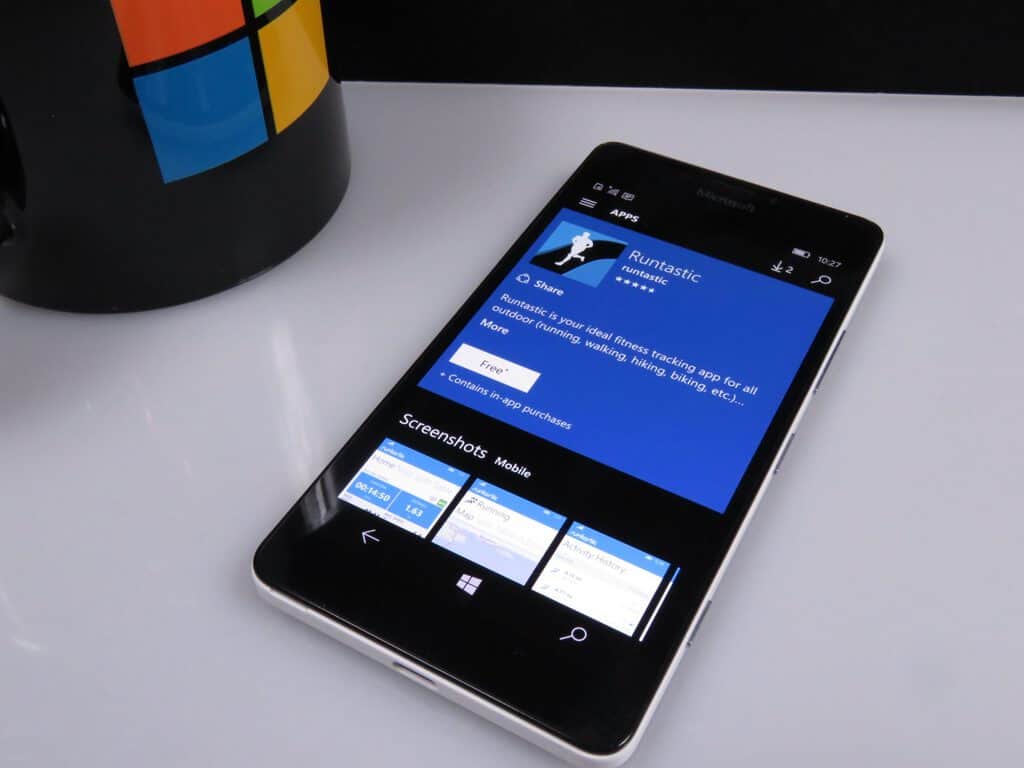
Fitness app Runtastic PRO gets Mirror’s Edge Story run in latest update

If you’re looking to get and stay in shape, now is a great time to do so. Numerous technology products exist to help you track your fitness activities and goals and keep you motivated. One of the more complete solutions is Runtastic PRO, which can tie in with your Microsoft Band to keep you up-to-date on all your fitness and health.

Today, the app received an update to version 3.3.1.0, adding a nice tie-in for Mirror’s Edge Catalyst fans:

New in Runtastic Fitness & Running
* NEW Story Run for interval training! Mirror’s Edge Catalyst: A Runner’s Destiny takes you through a thrilling Sci-Fi adventure. Will you be fast enough to escape the city of Glass?
* Your feedback counts: We’re constantly improving our apps to provide you with the best possible experience.

So, if you’re using Runtastic PRO and want to have some sci-fi fun while getting in shape, then go hit that update button in the Windows Store. If you’re not using Runtastic PRO, then you should be, and you can get it now from the link below.

Xbox Live Gold subscribers can get Battlefield Hardline Betrayal DLC for free

Every now and then an opportunity pops up for some free stuff, and all you have to do is be a little patient before pulling out that credit card. Today is just such a day, apparently, for Battlefield players, as the Battlefield Hardline Betrayal DLC is available for free right now.

The information comes thanks to reddit user Pvt_Rain over at /r/GameDeals. Here’s the scoop:

Another free DLC for one of the older Battlefield games, This is also free on the Xbox 360, PS3 and PS4 along with EA Origin once those stores update to show the new deals for the day.

Here are the relevant links:

Battlefield Hardline Betrayal for Xbox One: Free (was $14.99)
Battlefield Hardline Betrayal for Xbox 360: Free (was $14.99)

So, if you’ve been waiting to pull the trigger on this new Battlefield DLC, then now’s the time. Let us know in the comments if you’re taking advantage of this nifty free offer.

Zonos UWP Sonos client receives update on Windows 10, Cortana and Pandora support and more

If you’re a Sonos user, then perhaps you’re a bit disappointed in that company’s support of the Windows 10 platform. There’s a Windows Sonos Desktrop Controller app, but no official Windows 10 Universal Windows App. The Groove client supports playing to Sonos, and so that’s one way to play your music to the multi-room wireless audio system.

Another option is to use a third-party app, and one of the more popular is Zonos, which is a Universal Windows Platform app available in the Windows Store. And recently (via Nokiapoweruser) the app received an update with some new features.

Here’s the changelog:

• Voice control via Cortana in English or German
• Pandora and Amazon added as sources
(Also called “party mode”) full-screen mode –
• New volume knob for finer adjustment in the lower volume range
• Improved TV support
• New icons for various services
• Easier switching between different players
• Dark color scheme uses now in the entire App.

If you’re already using Zonos, then go to the Windows Store and hit the update button. If you haven’t given it a try yet, then click the link below.

Zonos
Zonos
Developer:
CatenaLogic
Price:
Free

Microsoft announces the Deck Out Your Dorm Sweepstakes, just in time for back to school

If you’re a college student who’s moving into the dorms next year, then you’ll want to listen up. Microsoft has unveiled a new contest that’s meant just for you, offering up just about everything you’d need to truly flesh out your dorm with the latest Microsoft technology.

Microsoft Deck Out Your Dorm Sweepstakes
Microsoft Deck Out Your Dorm Sweepstakes.

Here’s the description:

Check out the Deck Out Your Dorm Sweepstakes video. Join Bing Rewards and enter for a chance to win a dorm makeover with the latest tech from Microsoft including a Surface Book, Xbox One and more. Study and play with the best of ’em.

Watch the video to get the details:

All you need to do is join Bing Rewards, accumulate some points by searing on Bing, and then enter the contest. It’s worth a few minutes, and you should be using Bing in any event to earn points that can be applied to all kinds of Microsoft products and services (and more).

Reminder: The Xbox Ultimate Game Sale begins today, runs through July 11th

If you’ve been looking forward to stocking up on some games for your Xbox console, then Microsoft has just pulled the trigger on their Ultimate Game Sale. The six-day event runs from now through July 11, 2016, and offers up some serious savings on all kinds of fun gaming titles.

Head on over to the deal’s portal page on the Microsoft Store, and you’ll find a nice listing of some of the best titles at up to 60% off. Here’s a partial list:

There’s even more, and so go check out the page and see if there’s something you can’t live without. Again, the deals end on July 11, which isn’t forever. Let us know in the comments if you plan to pick up any of these titles.

Setting up a virtual network with Azure Infrastructure Services

Azure is one of the most popular choices for cloud services, and if you’re thinking of setting up your next app on the Azure Infrastructure Services, look no further than Microsoft’s recent post on its MSDN blog, which details the basics of deploying a virtual machine.

Specifically, the post, written by Niall Moran from Microsoft Ireland, talks about the concepts needed to work with Azure Infrastructure Services, while giving some good advices, such as starting with a Virtual Network instead of a Virtual Machine, knowing maintenance policies for virtual machines on the platform, and understanding availability sets.

Moran also provides a detailed example of deploying a WordPress site and creating a virtual network. The steps are very clearly defined, and you can easily replicate them at Azure’s portal: the final result will be a highly available site, with a database backend. We suggest enthusiasts and those with the need to go have a look at the original post; you will be creating virtual machines and virtual networks in Azure in no time.


LattePanda joins Raspberry Pi among growing list of Windows-supported IoT devices

While news of Windows 10 (and to some extent its mobile version) has been flooding news outlets, another no less important part of Microsoft’s unified Windows vision – IoT – has been on the down low. Which is why it’s exciting news when another hardware company is joining the list of full-on Windows IoT supporters, reports ZDNet.

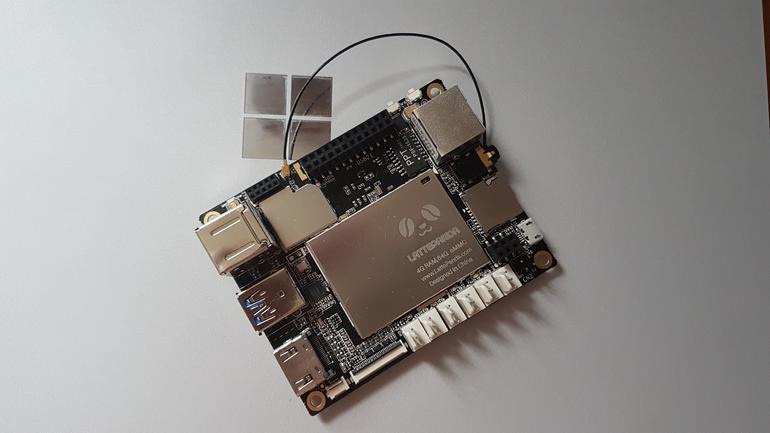
The company in question is China-based open source hardware provider DFRobot, who brought to this year’s Maker Faire – a science-slash-county fair of sort for tech enthusiasts and tinkerers – their curious new product: a minuscule Windows 10 computer called LattePanda.

The special thing about LattePanda is that, despite being a Arduino-compatible single board computer in the veins of the Raspberry Pi or Intel Edison, the device is running a full-blown version of Windows 10 (which comes pre-installed on the built-in SSD) and not Windows IoT. When you look under the hood, the reason becomes clear: opposed to the more common choice of ARM, DFRobot is powering its board with an Intel Cherry Trail Atom processor, up to 4GB of RAM, and a co-processor for handling Arduino features.

Introducing the LattePanda, Windows PC-slash-IoT board. Credits: Simon Bisson

Of course, using the LattePanda as a Windows 10 PC doesn’t sound like a pleasant experience, neither is it the device’s purpose, as screen resolution support is reportedly limited to 1024×600. What’s more interesting should be the IoT applications, as well as cross advantage with the Arduino compatibility: there’s an option to buy a 7-inch touchscreen that attaches directly onto the board, and DFRobot is providing the Gravity sensor kits with all the common sensors on board.

LattePanda also shines in another department: development flexibility. Due to the device’s duality nature of the device, developers can work directly on the board on the Windows side using familiar tools like Visual Studio, and push code quickly and directly to the Arduino side to run separately. Overall, LattePanda sounds like a versatile, low-cost entry point into the world of IoT, especially for developers on the Windows platform.

Feature image credits: Simon Bisson

Mossa spinning-off from Xbox Fitness before program closure

With the announced termination of Microsoft’s Xbox Fitness program, many users had been wondering what would become of the numerous workouts that had been produced by Microsoft solely for Xbox Fitness.

In a video on the official Mossa YouTube channel, Mossa’s Cathy Spencer-Browning addressed the concerns just a few days after the announcement. In it, she reveals that Mossa is already working with Microsoft to make their workouts available to users before the closure of Xbox Fitness in July 2017. It’s unclear what format the workouts would take but in an email reply to a user on Reddit, it’s suggested that they would be distributed via digital video and physical DVD releases. Here’s the relevant parts of the email:

Hello! Our team at MOSSA is very appreciative of the overwhelming responses and inquiries that we have received since Microsoft’s Xbox Fitness announcement.

The many stories of how MOSSA Workouts have become an integral part of so many people’s wellness journey is very humbling for us. Our focus is to get as many people to start moving, and now like for you, to keep moving!

We have been working diligently with Microsoft to enable us to offer our MOSSA Workouts that are currently on Xbox Fitness via DVD and through steaming options directly to you.

Again, thank you for taking the time to reach out to us directly. Please continue to enjoy your MOSSA Workouts on Xbox Fitness and we’ll be in contact with you very soon!

Xbox Fitness used a combination of licenced fitness programs such as Zumba and Beach Body and specially made exclusive programs like the Mossa series and also others like the newly released Y0:30 yoga workouts. Microsoft announced last week that they would be gradually sunsetting the entire program over the course of the next 12 months. Purchasing of new content is already disabled and free streaming of programs via Xbox Live Gold will cease to function on December 15th 2016. Xbox Fitness will stop functioning completely on July 1st 2017. It’s unclear what will happen to the other Xbox Fitness exclusive programs.

Are you disappointed by the closure of Xbox Fitness? How would you like it to be saved? Make sure to reach out to Microsoft to let them know and then discuss with the community in the comments below.

Indie game System Shock for Xbox One getting close to hitting Kickstarter goal

The reincarnation of the 1994 classic System Shock has many fans buzzing around Kickstarter. The game is a complete remake of the original that will be built from scratch through the Unity Engine. That’s the same engine that brought highly-rated hits such as Hearthstone, Kerbal Space Program, and Cities Skylines.

Night Dive Studios is a group of industry veterans that have a passion for recreating and restoring new life into old classic video games such as Wizardry, Necropolis, and of course, System Shock. According to their official site, the studio has successfully reinvigorated 94 games, made 17 partners, distributed through nine platforms, and has only one mission. In fact, their mission statement is “to bring lost and forgotten gaming treasures back from the depths”.

As one of the first 3D games that drove gamers into countless hours exploring its immersive story, System Shock was an obvious choice for Night Dive Studios. The game’s features include:

  • A modern take on System Shock, a faithful reboot; it’s not Citadel Station as it was, but as you remember it. Many improvements, overhauls and changes are being implemented to capture the spirit of what the original game was trying to convey, and bring it to contemporary gamers.
  • Re-imagined enemies, weapons, and locations by original concept artist Robb Waters.
  • Terri Brosius reprises her role as SHODAN, and new VO will be recorded.
  • Brand new musical score composed by Jonathan Peros.
  • The user interface, game mechanics, enemies, and puzzles will be updated to reflect modern aesthetics and sensibilities, while maintaining the feel of the original.

As with many Kickstarter campaigns, the game will develop further with the more donations available to them. It’s also anticipated to be brought to both Windows and Xbox One with the full release with macOS and Linux following close behind in their stretch goals.

Kickstarter donators can contribute as little as $5 USD to receive access to concept art and email updates. Or for the truly anxious fans, a $10,000 USD contribution will receive a whole laundry list of goodies from Night Dive Studios along with technological gems, signed Collector’s Edition box, exclusive game content, and a private party with the developers of the new System Shock video game.

As of this moment, System Shock’s remake by Night Dive Studios hasn’t met their Kickstarter goal of $900,000 yet, but it still has 23 days to go still. If this game seems like something you’d be interested in supporting, don’t hesitate to join the 12,648 backers that have already pledged.

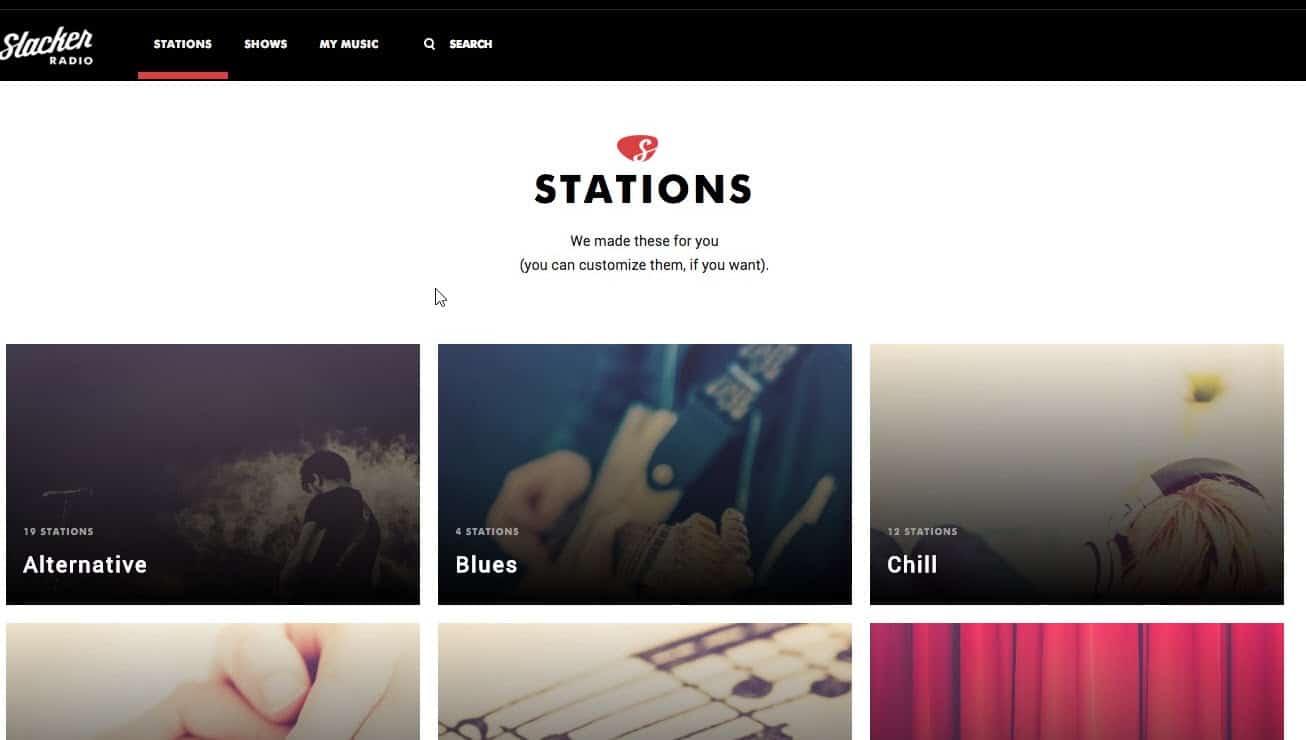
Slacker Radio for Windows 10 just got a nice update

Slacker Radio, a popular online music streaming service only available in the US and Canada, has just updated their app for Windows 10 PCs. Reddit user inteller spotted the new app yesterday, and the official changelog, while fairly short, is quite interesting:

This build enables users on Windows 10 PC’s, tablets, and Xbox One consoles to install and use Slacker Radio as a native Windows 10 application.

Technically, this app is still exclusive to Windows 10 PCs (a Windows phone app is also available but has yet to update its design for Windows 10 Mobile) but the mention of its availability on the Xbox One is quite premature. Yes, Universal Windows 10 apps are coming to the Xbox One, but not before the Anniversary Update and the Unified Windows Store ships on Microsoft’s gaming console later in the summer.

The new Slacker Radio app on Windows 10.

While the Slacker Radio’s new Windows 10 design looks nice, some users on Reddit report that this new version could be a hybrid web app as it doesn’t scale properly when you reduce it. Moreover, the apps seems unable to stream music in the background. For those of you who want to try it, here are the app’s features:

  • Install and listen for free with no monthly listening limits
  • Heart and Ban tracks to quickly and easily personalize your experience
  • Hundreds of expert-programmed stations
  • Create custom stations with your favorite artists and songs
  • Commercial-free experience with unlimited song skips (Slacker Radio Plus subscribers only)
  • Play songs, albums and artists on demand for (Slacker Radio Premium subscribers only)

You can download Slacker Radio on your Windows 10 PC from the download link below, let us know in the comments if you think this new version is better than the old one.

Slacker Radio
Slacker Radio
Developer:
Slacker Inc.
Price:
Free+

Kineti Windows 10-based ‘la Table’ is a futuristic look back at the original Microsoft Surface table

Rumors are swirling around a potential Microsoft Surface All-in-One device coming sometime in 2016, and as time goes on those rumors become more and more solid. According to some of the rumors, the new product could incorporate technologies from Microsoft’s original PixelSense “Surface” product, which was essentially a sort of table-top device with a large touch screen that would sit in offices or living rooms to provide for some advanced touch-centric computing.

la-table-kineti 2
The Kineti La Table.

Now, Kineti is apparently making its own version of the Surface device, which they’re dubbing the la Table (via windowsarea.de). Here’s their description:

With its simple and clean design, La Table Kineti is the new jewel of technology for your home…

It is composed of the latest technologies. You can gather your friends or family around the table and enjoy applications together.

It will perfectly fit your living room

Obviously, use it as a regular coffee table and benefit from all its great advantages

Enjoy the magic of a single gesture to share all your table contents to your tv!

Play together on the table and have great fun!

New era, new uses: Control your home and connected devices with your revolutionary table.

and much much more to come…

See bigger for your tablet with La Table Kineti!

Check out the video:

Coming in at €4997, this won’t be an inexpensive device, but it does look to offer up some nifty technology for the family that already has every other computing device they could possible want. We’re looking forward to Microsoft’s own AiO offering, but in the meantime, if you have some serious cash just laying around waiting to be used up, then the La Table might just be for you.

Microsoft planning to bring wheelchairs to Xbox avatars

It seems that the Gaming for Everyone initiative has been taking strides behind the scenes at Microsoft. Through brainstorming events within the company, employees  have been working hard to bring ‘inclusive design’ to the Xbox One.

Design strategist, Kris Woolery, is one of the leading examples. She recently hosted an Xbox Social Gaming Sprint that focused on implementing new features for the hearing impaired.  The event increased awareness of common handicaps and difficulties faced by the everyday player. With these kinds of sprints, developers and researchers will be able to change the way that gaming is approached for everyone.

Another example of this is the tweet from the “Head of Xbox” himself, Phil Spencer:

In response to a user asking for wheelchairs in Xbox Avatars, Mr. Spencer confirmed that his team has already reviewed the popular idea and are planned as an upcoming option for Xbox avatars. While Phil only replied about wheelchairs, it leaves more to wonder what else might be added. With the spirit of general inclusion, there might be plenty more additions coming as well.

For many players, an avatar is how they represent themselves to others. Making the most minor of changes to include a wider player base is the very core of the Gaming for Everyone initiative. Gamers have to wonder what else will roll out with the wheelchairs, but even if this is a singular addition, it is a major step in the right direction for a more inclusive design for Xbox and Microsoft.

We’re excited to see Microsoft continuing to make its products more accessible. Let us know in the comments if you agree that adding a wheelchair option to Xbox Avatars is a great idea.

Microsoft once again skipping this year’s Tokyo Game Show, no word yet on their own show

Microsoft skipped the Tokyo Game Show in 2015, opting instead to put together their own event to highlight their gaming offerings to that market. We argued at the time that the decision wasn’t particularly important, given that the Xbox isn’t particularly competitive in Japan against the Sony PS4 and Nintendo WiiU and that not all successful gaming companies in Japan attend the show.

Here’s what we had to say about the decision last year:

While it’s well known that Microsoft’s Xbox One console is often outsold by Sony’s PlayStation 4 and Nintendo’s WiiU, any speculation that Microsoft’s absence from the Tokyo Game Show is a sign of the company’s withdrawal from Japan is premature. Despite being one of the largest gaming events in Japan, the Tokyo Game Show has nowhere near the equivalent popularity of North America’s E3. Also, companies that are remarkably successful in Japan, such as Nintendo, have never had an official presence at the show either, so involvement with the show shouldn’t be overanalysed as a sign of strength or weakness. There’s also the fact that this isn’t the first time Microsoft has refrained from appearing at the Tokyo Game Show in an official capacity and the company could always return for future shows (as they have done numerous times in the past).

Apparently, Microsoft is taking the same approach this year, after a strong E3 2016 last month. The Tokyo Game Show, running on September 15-18, 2016, has a full list of participants including Dell’s ALIENWARE, Intel, Capcom, Square Enix, Sega, Konami, and more. Although Sony will be a prominent exhibitor, according to Yibada.com, Microsoft is nowhere to be found.

It’s entirely possible that Microsoft will hold their own show, but there’s no word one word one way or another. We’re guessing that the company will hold an event of some kind, given the impending announcement of the Sony PlayStation Neo and the launch of the Xbox One S, and we’ll let you know as soon as we find out. Let us know in the comments what you think about Microsoft’s decision to skip the Tokyo Game Show again in 2016.

Tweetium updated, adds Windows 10 Feedback Hub URL links

Popular third-party Twitter app Tweetium has just been updated to version 4.1.494 on Windows 10 devices, and the new version is a minor update that brings support for Windows 10 Feedback Hub URL links. The Feedback Hub is a native Windows 10 app that all users can use to send feedback to Microsoft engineers. Feedback Hub URLs are used to redirect users to specific items in the Feedback Hub app, but they only work on Windows 10 and they also generally need to be wrapped in an HTML tag.

Feedback Hub
The Feedback Hub app on Windows 10.

Just a week ago, developer B-Side Software released a previous update to Tweetium to fix a conversation loading issue on the Windows 10 version. For users still on Windows 8.1 or Windows Phone 8.1, the developer shared last week on Twitter that a fix is coming for you as well:

Tweetium is a $2.99 on the Windows Store and you can get it on the Windows Store from the download link below.

Tweetium
Tweetium
Developer:
B-side Software
Price:
Free

Microsoft is starting to remind users to upgrade to Windows 10 before deadline

Microsoft will stop offering Windows 10 as a free upgrade to eligible Windows 7, 8 and 8.1 users on July 29th. In anticipation of the date, the company is now making its final effort to convince as many people to upgrade before the offer ends.

Eligible Windows 7, 8 and 8.1 users who still haven’t upgrade to Windows 10 will now receive a new full-screen message that will prompt them to upgrade. The new message says: “Sorry to interrupt, but this is important. Windows 10 free upgrade offer ends July 29.”

Users who receive this message will have a couple of options: Remind me later, Notify me three more times, Do not notify me again, Upgrade Now.

Once again, only eligible users will receive this offer. This means that Windows 7, 8 and 8.1 needs to be fully legal and genuine. Additionally, users who already upgraded to Windows 10 but decided to roll back won’t get this prompt.

Ever since Windows 10 was offered as a free upgrade to users of previous versions of Windows, Microsoft has been trying to convince people to upgrade. The company often used methods that were unappreciated by users, and Microsoft received a huge backlash because of it.

If you still want to upgrade and join more than 300 million people already using Windows 10, just follow the steps from the prompt. Hurry up, though: you have less than a month to do so

RELATED STORIES YOU NEED TO CHECK OUT:
Background Music coming to Xbox One on August 2nd

Since the Xbox One’s inception, fans of the gaming console have voted en masse for the addition of background music – a much-loved feature from the Xbox 360-era, where music being played in an app can continue to be played in the background whilst completing another task on the console, such as playing a game.

As part of the Windows 10 Anniversary Update, background music will also be arriving. When the update rolls out to the public on August 2nd, every player on Xbox One will be able to play music in the background.

This has been one of the most asked for features for the Xbox One, with it receiving nearly 25,000 votes on Microsoft’s UserVoice page for Xbox. The day is nearly upon us.

Here are the games that will be on sale in the Ultimate Game Sale for Xbox and Windows 10 on July 5th

A few days ago we announced that Microsoft’s Ultimate Game Sale is back – and it sure is, with over 250 deals on games for Xbox One and Xbox 360, followed by 30 titles being offered at a lower price on the Windows Store for Windows 10.

This is the first time that the Windows Store has been included in the Ultimate Game Sale event, and it will be offering deep discounts on games such as:

  • Quantum Break
  • Rise of the Tomb Raider
  • Gears of War: Ultimate Edition

You can view the full list of PC game sales here.

For Xbox One and 360 users, you’ll be receiving a swamp of discounts. Here’s just a selection of what to expect:

  • ARK: Survival Evolved
  • Assassin’s Creed Unity
  • Call of Duty: Black Ops III
  • Far Cry Primal

Of course, there are many other great titles also available and heavily discounted. Check out the full list on Major Nelson’s blog.

These deals will be going live on July 5th, 2016 – so make sure you are ready and waiting.

Thanks for the tip Dan!

Windows 10 news recap: Windows 10 usage continues to grow, 2-in-1s are the future, and more

Welcome back to our weekly “Windows 10 news recap” series where we go over the top stories of the past week in the world of Microsoft’s latest operating system. Let’s get started.

Anniversary Update is coming on August 2nd

For those unaware, the Anniversary Update will be rolling out to those on Windows 10 PCs on August 2nd.

Steam gamers are increasingly using Windows 10 and non-gamers are also using Windows 10

The latest Steam Hardware and Software survey shows that Windows 10 is continuing to be the favourable operating system amongst Steam gamers, with the OS having continual usage growth. Net Market Share also reports that usage has grown and continues to do so.

Windows 10 is more accessible than ever

The Anniversary Update will soon be upon us, and with it will come a variety of improvements to accessibility in Windows 10. Microsoft offered a rundown of the overhauling changes that they have made to accessibility.

Full-screen prompt begins showing for Windows 7 and 8.1 users to upgrade to Windows 10

Microsoft is continuing to push the free Windows 10 upgrade offer, with there being less than a month until it ends. Users on Windows 7 and 8.1 will now begin receiving full-screen prompts to make the upgrade.

Dell says Windows 2-in-1s are the future, and ditches pure tablets

Dell has spoken up and stated that Windows 2-in-1s are the future, and that is where it will be focusing its commercial product offering from now on, as it moves away from pure tablets that the likes of Android offers.

Windows 10 brings extensive security improvements

Microsoft has detailed the security steps taken in Windows 10, and why upgrading to Windows 10 will make your PC more secure.

Could a subscription-based service be coming to Windows?

A recent file was discovered in Windows 10 that lead people to believe Microsoft would move Windows to a subscription-based service, however, this appears not to be the case.

The highly anticipated ‘Messaging Everywhere’ feature will not arrive in the Anniversary Update

Microsoft has again decided to mix things up and change how Skype and Messaging Everywhere will work. Due to this, Messaging Everywhere will not arrive in the Anniversary Update.

Microsoft is changing the “confusing” Windows 10 upgrade prompt

After receiving criticism for the upgrade prompt being “confusing”, Microsoft is now beginning to change the prompt to make it easier for users to use.

A woman sues Microsoft over the Windows 10 upgrade… and wins

A woman who’s business PC that was apparently forcibly upgraded to Windows 10 decided to sue Microsoft and won $10,000 after Microsoft decided it would save money if they didn’t appeal.

Elsewhere, there have been several apps and programs updated, as well as a couple new releases:

We’ve taken a deeper look into Windows 10 and shown how to get the most out of it, take a look:

That’s all for now!

Microsoft unveils the Whiteboard app for Windows 10

Microsoft is preparing a new PC application for Windows 10 which is called “Microsoft Whiteboard”. This application is being created for the education market and it will allow teachers and students to share ideas.

Microsoft has revealed on its Education blog some of the features that the upcoming Microsoft Whiteboard application will come with and below we’re going to list them:

– “Writing and drawing naturally: there are people who prefer to write on Microsoft Whiteboard using their own fingers or a digital pen and this application will allow them to do that. In addition, the application is signed for big screens, which means that getting around will feel natural;
– Sketches, ideas and more: the application comes with shape recognition, which will make drawing basic shapes very easy;
– Creative interactive lessons on a big screen:  Microsoft Whiteboard will allow you to pull with ease videos, web content and content from your own library, which will keep your students interested;
– Sharing and collaborating in real time: Thanks to Microsoft Whiteboard, you will be able to share content with the whole class and make changes TOGETHER in real time. To make things even better, you will be able to create assignments in Microsoft Classroom for your students with just a simple gesture and these assignments will flow into the learning management system (also known as LMS) that you are already using when connected with School Data Sync. Students will be able to access assignments via Microsoft Classroom web or from the mobile application.”

The Microsoft Whiteboard will be released as a free application in the Windows Store sometime later this year. According to reports, more information about this upcoming application will be released by Microsoft in the upcoming weeks.

What are your thoughts about the upcoming Microsoft Whiteboard application? Will you use it with your students in your classes?

RELATED STORIES TO CHECK OUT:

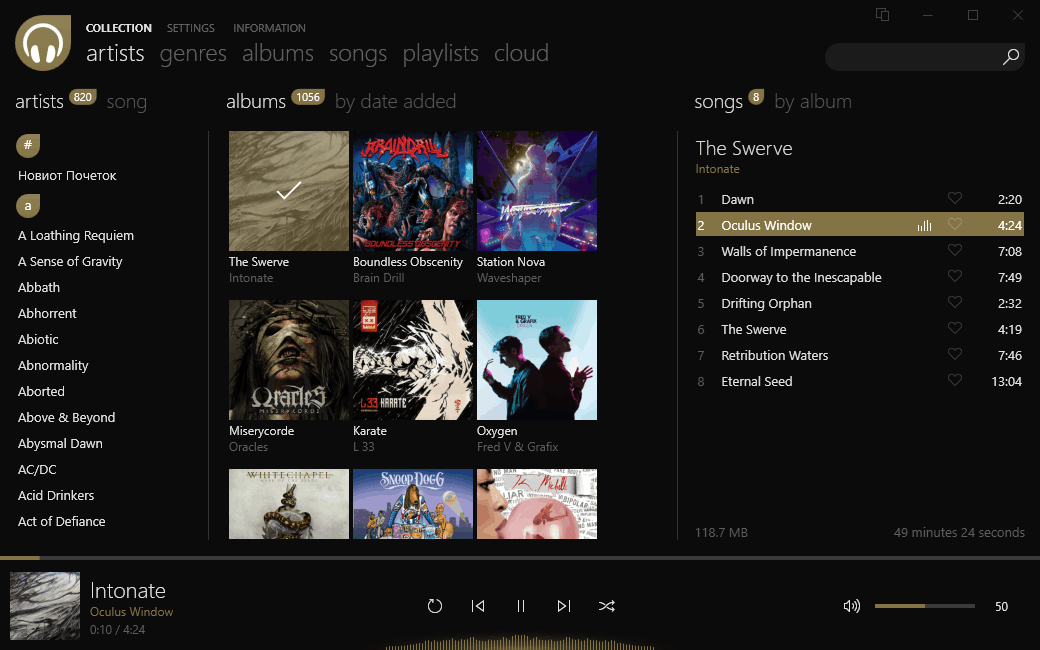
Dopamine offers Windows 10 users a stylish alternative to Groove Music

Generally speaking, there are two kinds of music fans – people who’ve got a few great songs they like to put on for their morning commute, and people who really immerse themselves in the culture and style that music has going for it. For the second group of people, Groove Music might be a little bit underwhelming. Groove is, of course, an absolutely functional program, and one that most music lovers on Windows 10 have most likely acquainted themselves with already. For those who want a bit more form along with their function, however, Dopamine is an application that might just take Groove’s place.

dopamine2
Dopamine dark mode
dopamine3
Dopamine interface
dopamine
Customizing Dopamine
Dopamine interface
Dopamine interface

Dopamine, which you can download directly through the application’s site, offers a ton of really nice visuals for music fans. Besides the generally sleek design, you also can do tons of customization, including changing the color theme (yes, sticking to your Windows color is an option) and showing a themed border along the window for added effect. You also get to change options like song rating, song order, minimization behavior, and startup behavior.

When it comes to making a music player, there’s only so much that you can do. Both Groove and Dopamine are perfectly viable and functional for the average music lover. The difference comes entirely in the presentation, and depending on your taste, Dopamine can offer a very appealing alternative to Microsoft’s music player. Where Groove plays songs without much fanfare, the little touches in Dopamine make it feel like a more dynamic experience. When you play a song through Dopamine, you get the feeling that you’re a DJ queuing up a track – the album art slides up, the progress bar moves along with your theme color of choice, and the visualizer bars bop along to whatever song you’re playing.

When all is said and done, there’s no accounting for taste. If you don’t care all that much about what’s flashy and stylish, you can probably give Dopamine a pass. If you’re looking for something that offers a bit more fun in its presentation than Groove does, however, this might be just the application that you’ve been looking for.

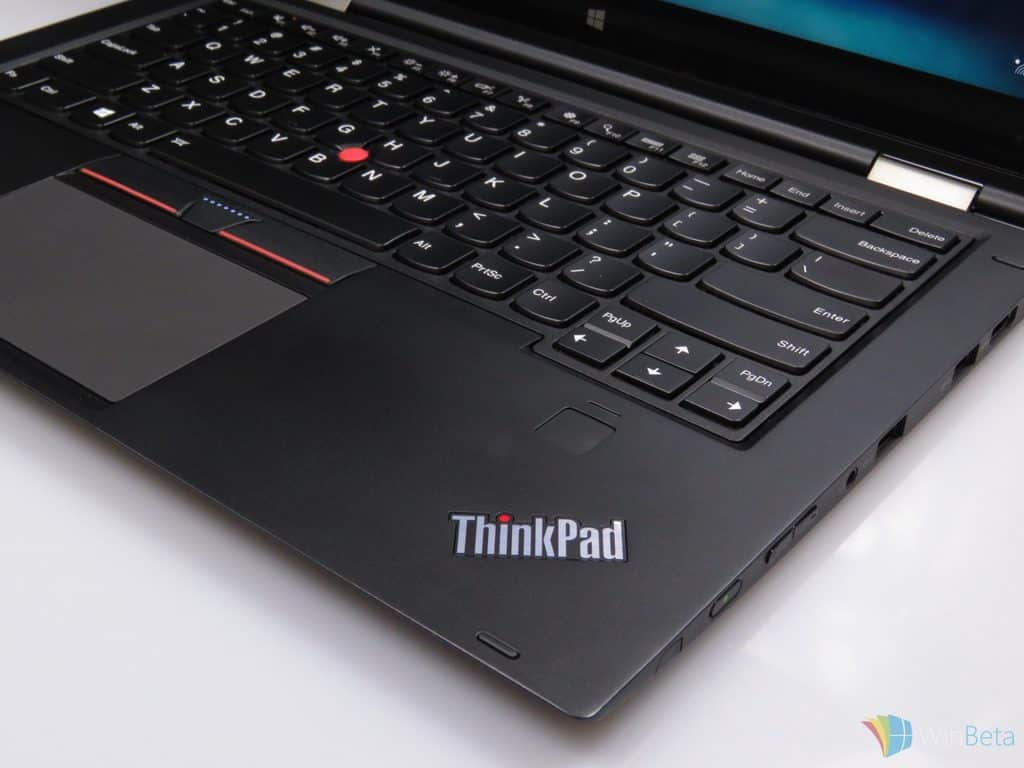
Zero-day exploit bypasses Windows security features, affects Lenovo ThinkPads

A zero-day exploit has been discovered in a Unified Extensible Firmware Interface (UEFI) driver, this exploit allows the attacker to remove the write protection that is on the flash memory, giving them open-ended access to run any scripts that they wish on the System Management Mode, which is normally a privileged operating mode for the CPU.

The exploit has been dubbed ThinkPwn, a play on words of ThinkPad and Pwned. Once the attacker has used ThinkPwn to open the machine to attack, they can disable Secure Boot which is used to verify the authenticity of an OS bootloader, in order to prevent rootkits at the boot-level. After Secure Boot is disabled, Windows security features can then be accessed and disabled, too. One of those features is Credential Guard, which is used to keep enterprise domain credentials secure, amongst other pieces of data.

Lenovo says that the affected code is not in its own UEFI file, but in one provided by an independent BIOS vendor (IBV). The extent of the security concern is not yet known. At the moment, it is only known to affect Lenovo ThinkPad machines, but it is a real possibility that other vendors and PC manufacturers could also be affected. Lenovo itself says the issue could be “industry-wide”. The only slightly positive in all of this is that, in order to attack a machine, you need physical access to it, as the UEFI can only be accessed physically, and would require a USB flash drive.

You can read more about the exploit by the researcher who discovered it here.

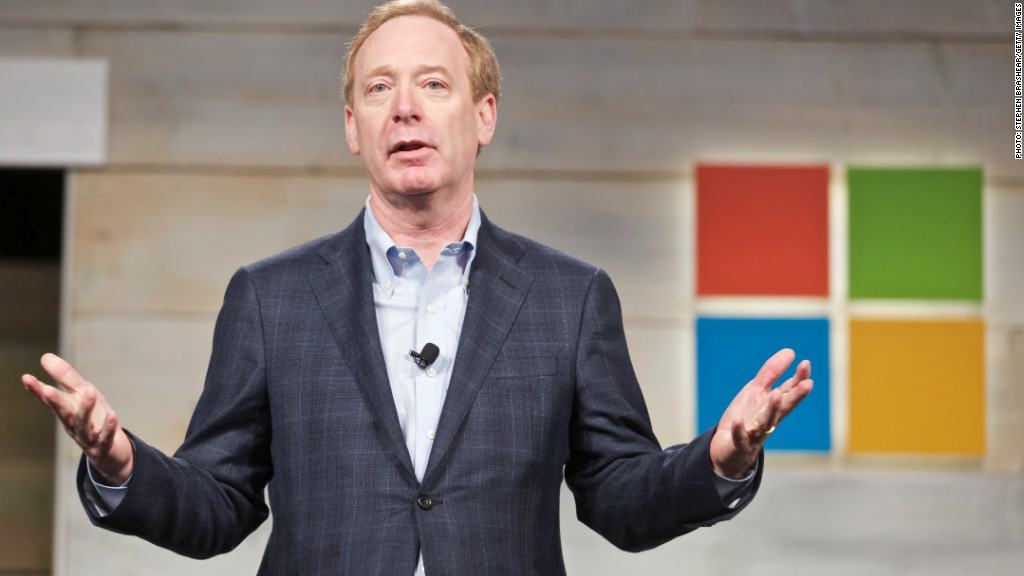
Microsoft President Brad Smith: “computer science is space race of today”

We all know that computer science is of the utmost importance to everybody in this day and age, but it never hurts to remind people every once in a while. In an effort to stoke the fires driving America’s effort to better educate children about computer science, Microsoft president Brad Smith helped to write up an article on the subject for The Wichita Eagle. The article likens today’s fast-paced computer science industry to the space race of sixty odd years ago and calls for American leaders to fight for a more competitive education policy.

The best education policies are developed at the state and local levels. But this problem can’t be solved unless the federal government plays a limited but important role.

Smith also mentioned that Microsoft and several other CEOs have joined several school superintendents and a bipartisan mix of 27 governors in demanding higher standards for computer science education in the country. It just so happens that the points outlined by the group are not dissimilar to the points that drove the United States to action back when Sputnik launched 60 years ago.

Like the Space Race era, the call to congress brings up the fear that the United States won’t be able to compete with other countries – the only difference now is the competition. Microsoft and its allies are concerned that, if we refuse to impose tech-relevant education standards on our nation’s school systems, the United States will no longer be a relevant player in the technology world decades in the future.

This isn’t the first time that Microsoft joined efforts to combat the lack of sufficient computer science education in the United States. Just a few months ago Microsoft supported a Change.org petition for the same thing, and the company has a storied track record of trying to improve the integrity of education in the US.

Microsoft highlights intuitive navigation in latest Universal Windows Program developer discussion

In a detailed blog post, Microsoft’s Windows Apps team have highlighted different methods of providing a good user experience when it comes to navigation.

Microsoft sets out three key principles that they see as being the foundations for good navigation:

  • Consistency — meet user expectations
  • Simplicity — don’t do more than you need to
  • Clean interaction — keep out of your users’ way

For consistency, the company believes that the navigation menu icon should be displayed at the top-left of the screen, explaining that it is a strong user expectation that the menu icon appears here, saying that you could “consider using a non-traditional icon to represent it,” although, the hamburger icon is the preferred method of showing that a menu is there. In terms of the back button, the firm recommends keeping in-line with Windows conventions, by keeping it in the leftmost placement, or in the second-to-the-left area of the navigation bar.

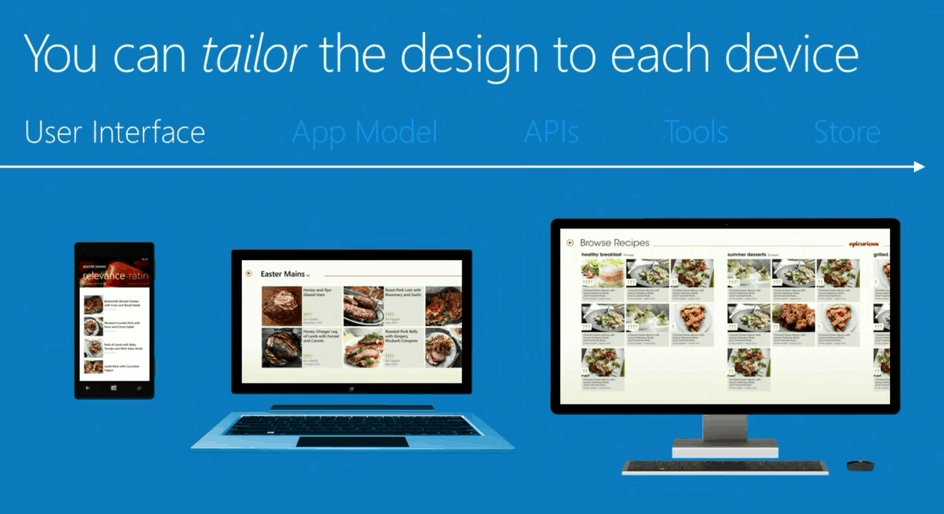
According to the company, it is also good to adjust the placement of navigational elements depending on the device family. For example, for mobile devices, the preferred location is at the top of the screen, whereas on desktop it is on the left side.

Keeping things simple is just as important as the placement of the elements, and as such, Microsoft recommends following the ‘Hick-Hyman Law’, whereby the amount of menu options should be kept to the bare minimum, overall leading to a faster user interaction. This same principle goes for media content; rather than trying to show as much as possible, focus on showing a subtle amount and prompt the user to perform an action to view more.

Finally, clean interaction. It is important to look at the environment and position the user will be using the app in. Microsoft provides this example of a cooking app:

If you’re designing a cooking app, and you’re expecting it to be used in the kitchen, you might want to take into account that the user will probably want to avoid using food-covered fingertips to navigate to the next cooking step. Instead, the user might use a knuckle, the back of his or her hand, or even an elbow. This should influence the size of your touch targets and the appropriate spacing between navigational elements, at the very least.

Following these three principles will, ultimately, lead to an improved user experience, where users can navigate the app more fluently, without having to learn deep menu hierarchies and confusing layouts.

Short.y for Windows 10 lets you shorten URLs on any of your devices

Shortening URLs has long been a good method of sending links that would normally be too long. For example, they can be useful on Twitter where you are limited by the amount of characters that you can place into a tweet.

shorty-windows-10-mobile
Short.y on Windows 10 Mobile

Short.y for Windows 10 has just released. The app uses the is.gd shortening service to generate shortened URLs. As a Universal Windows app, you can shorten URLs from any of your Windows 10 devices; the store listing currently shows support for:

  • PC
  • Windows 10 Mobile
  • Surface Hub

Features of the app include:

  • Shorten URLs
  • Custom identifiers
  • View statistics of your shortened URLs
  • Share URLs from other apps, such as Microsoft Edge, and Short.y will shorten it for you, whilst copying it to your clipboard automatically
  • Extract links from text shared to it

Extracting links from text means that you can share text from other apps to Short.y, and it will scan the text, extract any links from it, and then create shortened URLs for each of them.

This app works well with social media apps, such as Twitter and Messenger, as you can quickly share links from Microsoft Edge to the app, have it copy the shortened version to your clipboard, then just quickly paste it into the social app of your choice.

Short.y is available in the Windows Store now.

Short.y
Short.y
Developer:
MrCSharp
Price:
Free

Forza Football arrives on Windows 10 as a Universal App

Forza Football is an app that keeps football fans up-to-date on live football scores, whilst also aiming to democratise football, and gives fans a chance to collectively share their opinion. The developers behind the app, Football Addicts, believe heavily in giving fans a voice.

forza-football-windows-10-mobile
Forza Football on Windows 10 Mobile

On Android, Forza Football has garnered between 1 million and 5 million downloads, boasting just shy of 100,000 5-star reviews. We’re now happy to announce that the app has arrived on the Windows 10 platform, as a Universal Windows app. It supports both PC and Windows 10 Mobile.

Features of the app include:

  • Live football scores
  • Set alerts for your favourite teams
  • Customisable push notifications
  • Video highlights, showing off the best bits of a match
  • Pre-match line-ups, along with formations and player photos
  • Vote on whether you have confidence in your club’s squad manager and chairman, and get to see how other fans are feeling
  • You can ‘like’ or ‘dislike’ confirmed and rumours of transfers
  • Polls

Forza Football is available now in the Windows Store.

Forza Football
Forza Football
Developer:
Football Addicts
Price:
Free

The new Call of Duty: Black Ops III Descent trailer reveals the enhanced Zombies mode, mulityplayer maps, and more

The new DLC  for Call of Duty: Black Ops III, Descent will be released soon, and Activison teased us with the new trailer, to show you what to expect from this expansion pack. Descent will be released first for PlayStation 4, on July 12, while it should arrive to Windows PCs and Xbox One some time in August.

The expansion pack will bring some new elements to the game, including four brand new multiplayer maps (Cryogen, Berserk, Rumble, and Empire), and the new Zombies mode. The Zombies mode will still be placed in “an alternate-U.S.S.R. universe,” where players are going to face a horde of machined zombies, and try to survive for as long as they can.

“After escaping the swamps of Zetsubou No Shima, the Origins characters are hurled into a war-torn Stalingrad. Our heroes face their most dangerous enemies yet among the remnants of a battle between giant mechanized soldiers and ferocious dragons.”

Check out the new trailer for the upcoming Call of Duty: Black Ops III expansion pack, Descent below:

This will be the third expansion pack for Call of Duty: Black Ops III, after Awakening, and Eclipse. Players also can purchase the giant Zombie map, to enhance the Zombies mode even more.

Descent will be a part of Call of Duty: Black Ops III season pass, which can be purchased on Steam or the Xbox One Store for the price of $50, or as a standalone DLC pack, for $15.

Tell us in the comments, what do you think about the new expansion pack for Call of Duty: Black Ops III? Will you purchase it for your Xbox One, Windows PC, or PlayStation 4?

RELATED STORIES YOU NEED TO CHECK OUT:

Windows 10 Mobile build 10586.456 now available for Insiders on the Release Preview ring

Shortly after releasing build 14376 for Windows 10 Preview, Microsoft also pushed a new build for the Release Preview ring of Windows 10 Mobile. The new build upgrades the system version to 10586.456, and brings various improvements and bug fixes to the system.

According to Microsoft’s changelog for this update, build 10586.456 for Windows 10 Mobile fixed some known issues with Internet Explorer, failed sign ins, Microsoft Silverlight, and more. As usual, the update only contained bug fixes, and no new features.

Here’s the official changelog of Windows 10 Mobile build 10586.456 for the Release Preview ring:

  • “Improved reliability in a number of areas including Windows Media player, Internet Explorer 11, Windows Explorer, Miracast, and Windows kernel.
  • Fixed an issue with some users noticing a black screen instead of the lock screen, when resuming from connected standby.
  • Fixed issue where the DirectAccess Disconnect button appears sometimes even when the connection is not fully established.
  • Fixed issue where local user accounts weren’t locked out after a number of failed sign in attempts.
  • Improved support for playback of video in certain applications that did not render the video while the audio continued after resuming from sleep.
  • Fixed issue where the Windows Phone sometimes loses user authentication certificates after upgrading to Windows 10 Mobile.
  • Improved support to honor the data backup settings of applications on Windows 10 Mobile.
  • Fixed issue where Microsoft Silverlight based application won’t install on Windows 10 Mobile, after joining Azure Active Directory.
  • Fixed additional issues in .NET, Windows Kernel, Windows Update, Authentication, revised daylight saving time, support for PDF files, Bluetooth, Microsoft Edge, Internet Explorer, Networking and Wi-Fi connectivity.”

Microsoft also mentioned that if it doesn’t find any bugs or other issues, it will release this build to the public, as well. But for now, Windows Insiders on the Release Preview ring have the opportunity to test it, and report potential issues to Microsoft.

RELATED STORIES YOU NEED TO CHECK OUT:
Microsoft claims developers can release Project Scorpio-only games

There are several developers and consumer concerns over Project Scorpio, and rightfully so. The new system is still shrouded in mystery despite its reveal at E3 2016 during the Microsoft press conference. The reveal caught many off guard due to the official reveal of the Xbox One S earlier in the show.

This new console could pose a problem for developers because it would require them to create games for two different Xbox consoles. The real issue here is the gap between both the Xbox One and Project Scorpio when it comes to hardware. It will likely not be easy for developers to create a game based Project Scorpio specs then dumb it down for the Xbox One.

We also have to look at multiplatform developers who also create games for PC and will likely showcase their wares on the PlayStation 4 and PlayStation 4 Neo. It’s going to be a rough challenge, no doubt, but Microsoft is doing what it can to put aside these concerns once and for all.

Dave McCarthy, Xbox head of operations, addressed the issue in a recent interview with GameSpot. According to McCarthy, Microsoft listened to developers before working on the Xbox One S and that same developer feedback helped shaped Project Scorpio. He says because of what the software giant gathered from developers, the company is moving to allow game development across both consoles and Windows 10 to be a seamless experience.

He also made it clear we might see Scorpio-only games in the pipeline if developers decide to venture down that route. We do not expect developers to create Scorpio-only games anytime soon seeing as the Xbox One will by then have a rather large piece of the market. Developers would not want to throw that away unless Microsoft could sell 8 to 10 million units of its new console in a single year.

Project Scorpio is due to hit store shelves holiday 2017.

RELATED STORIES YOU NEED TO CHECK OUT:

Microsoft releasing new Xbox One Preview build, brings Movies & TV app to the console

Microsoft is pushing out the latest build to Xbox One Preview members. This build brings over the Movies & TV app to the console, as well as a whole host of fixes.

Let’s take a look at what’s new, improved, fixed and the known issues.

What’s new and improved?

  • Movies & TV – the Movies & TV app is now available for Xbox One, allowing you to purchase and rent movies and TV series from the Xbox Store, as well as play them in the new app.
  • Xbox Universal Store – ‘coming soon’ section is now available to view in the Store
  • More settings come from Windows to Xbox One – you can now enable or disable SmartScreen Filter and Advertising ID from Settings

What’s been fixed?

  • Headset controls – these should now appear in the Guide
  • Xbox Avatars – the app should no longer become stuck in the Queue when downloading an update
  • Movies & TV – menu should no longer obstruct the screen when playing a video
  • Microsoft Edge – fixed an issue where pressing the left thumbstick to enter full-screen mode would crash the app
  • NowTV – no longer fails to launch
  • OneDrive – no longer fails to launch
  • Narrator – will no longer lose focus when navigating the Dashboard or Store
  • EA Access – fixed an issue that caused some EA Access Games not to open

Finally, what issues does Microsoft already know about?

  • Some content from the Store may only be available on the console enrolled in the Preview program
  • Games purchased on a console in the Preview program can only be run on that console
  • Xbox Universal Store – token redemption will fail, Store pages may show a ‘Buy’ button even if you already own the content, can purchase Movies & TV content without entering a password, ‘Buy’ button on Deals with Gold games may take you to the Gold Lounge
  • Snap – After powering on your console from connected standby, a black bar may remain where content was previously snapped, when launching a full-screen game or app
  • Payments & Billing – adding, editing or removing payment information on the console is not possible, unable to change payment information associated with pre-ordered games
  • Profile – purchasing a Gamertag change will charge your account, but will not change your Gamertag, selecting ‘Add new’ to add a new profile may take a while to load
  • Cortana – the ‘play’ command may take a long time to process, searching the Xbox Universal Store with Cortana can result in the same keyword being searched multiple times, Cortana might restart and say she is ‘Warming up…’ even if she’s been used recently
  • Pins – pins to movies, TV shows or music will disappear when the app updates
  • My Games & Apps – an error may appear if you attempt to launch a Ready to Install game if you have a large digital collection
  • Community Calendar – links to the Store do not work

Build rs1_xbox_rel_1608.160629-2012 is rolling out today, at 6PM PDT. If you’re in the Preview Program, you can take a look at the announcement thread here. Your console should offer to update automatically, alternatively, you can head over to Settings to check for updates manually.

Xbox boss Mike Ybarra: Xbox One S will upscale all games to 4K
While we already know that 4K gaming is coming in ‘Project Scorpio’, what we didn’t know was that the Xbox One S will also support 4K gaming, kind-of.

On Twitter, Curtis Bradshaw enquired about whether the Xbox One S will upscale games to 4K, in response Mike Ybarra, the Partner Director of Program Management at Microsoft, simply responded with “Yes,”.

Currently, if you have a 4K monitor, your monitor will handle the upscaling to 4K, where possible. According to this tweet, however, the console will instead do the upscaling. The advantages of this are, as yet, unknown – however, this will likely seem pleasing to those who either didn’t know that their monitor upscales for them or those who like the idea of their console doing the processing instead. Of course, to make use of this upscaling, you will need a 4K monitor.

If you’re still holding out for true 4K gaming, then Project Scorpio will be next on the agenda. Project Scorpio is the codename for Microsoft’s next-generation console, releasing in 2017, which brings True 4K gaming, along with huge performance boosts, packed full of powerful hardware.

Morgan Stanley survey shows Azure will be leading Infrastructure as a Service vendor by 2019

Today, Amazon’s cloud services platform, AWS, leads Microsoft Azure in the growing Infrastructure as a Service (IaaS) market. Specifically, AWS leads Azure 21% to 12%. According to Morgan Stanley’s 2016 survey of 100 enterprise CIOs, that is changing, and quickly.

As Geekwire reports:

According to Morgan Stanley’s 2016 CIO Survey, Microsoft’s Azure will edge out Amazon Web Services by 2019 for both Infrastructure as a Service (IaaS) and Platform as a Service (PaaS) use among 100 executives surveyed. Roughly 31 percent of the CIOs will be using Azure for IaaS, versus roughly 30 percent using AWS. Today, about 21 percent are using AWS and 12 percent are using Azure. While nearly 55 percent of the surveyed CIOs said they’re using no public-cloud IaaS today, that number will drop to less than 10 percent by the end of 2019.

IaaS represents the backbone of servers, storage, and networks that comprise cloud computing solutions. This is compared to Platform as a Service (Paas), the services that run on IaaS and enable cloud computing applications. Azure already leads AWS 18% to 16%.

2016-Morgan-Stanley-CIO-survey-IaaS-ranking
Source: Morgan Stanley.

Over time, the growth of IaaS and PaaS will have an impact on the sales of hardware vendors as cloud solutions replace on-premise implementations. That means that on-premise apps will also decline, according to the survey from 71% today to 58% in 2019.

The growing important of cloud computing solutions underlines why Microsoft is investing so heavily in Azure and its other cloud products. “Cloud-first, mobile-first” is looking like an increasingly brilliant strategy.

Zootopia Crime Files Hidden Object is available on the Windows Store

It seems that Disney finally released a new hidden object game based on the Zootopia movie for Windows 10 and Windows 10 Mobile. In Zootopia Crime Files: Hidden Objects, you will need to team up with ZPD officers Nicke Wilde and Judy Hopps and use their crime-solving skills to discover clues, analyze evidence and resolve crime scenes to restore order in Zootopia.

Zootopia Crime Files: Hidden Object for Windows Store: Features

  • “Ability to work with officer Nick Wilde and Judy Hopps and call for backup from ZPD best guys such as: Grizzoli, Rhinowhitz, Chief Bogo and Clawhauser
  • Ability to hop around Zootopia in order to discover hidden objects
  • Visit the laboratory to analyze your evidence thanks to the help of Hurriet
  • Ability to activate special abilities such as Cheetah’s Charge, Sloth Slowdown or Tiger Tracker in order to help you catch suspects and solve cases
  • Unlock and discover Zootopia locations such as: Lemming Bros, Little Rodentia, Jumbeaux’s Café, Savanna Central Station and more.”

Zootopia Crime Files: Hidden Objects was released back on April 19, 2016 (Australia) and May 16, 2016 (Canada) for iOS. Fom now on, the game can be installed on your Windows Phone handset directly from the Windows Store. If you like puzzle games, then the Zootopia Crime Files: Hidden Objects is surely your type of game and we suggest you to try it out.

Zootopia Crime Files: Hidden Objects was developed by Disney Interactive and published by Disney Mobile. There are rumors which say that the game will also be released for Android OS sometime in the near future, but this has not been confirmed yet by the developer.

Have you played the Zootopia Crime Files: Hidden Objects on your Windows Phone handset? Tell us your thoughts about it!

RELATED STORIES TO CHECK OUT: