If you’re a college student who’s moving into the dorms next year, then you’ll want to listen up. Microsoft has unveiled a new contest that’s meant just for you, offering up just about everything you’d need to truly flesh out your dorm with the latest Microsoft technology.
Microsoft Deck Out Your Dorm Sweepstakes.
Here’s the description:
Check out the Deck Out Your Dorm Sweepstakes video. Join Bing Rewards and enter for a chance to win a dorm makeover with the latest tech from Microsoft including a Surface Book, Xbox One and more. Study and play with the best of ’em.
Watch the video to get the details:
All you need to do is join Bing Rewards, accumulate some points by searing on Bing, and then enter the contest. It’s worth a few minutes, and you should be using Bing in any event to earn points that can be applied to all kinds of Microsoft products and services (and more).
If you’ve been looking forward to stocking up on some games for your Xbox console, then Microsoft has just pulled the trigger on their Ultimate Game Sale. The six-day event runs from now through July 11, 2016, and offers up some serious savings on all kinds of fun gaming titles.
There’s even more, and so go check out the page and see if there’s something you can’t live without. Again, the deals end on July 11, which isn’t forever. Let us know in the comments if you plan to pick up any of these titles.
Azure is one of the most popular choices for cloud services, and if you’re thinking of setting up your next app on the Azure Infrastructure Services, look no further than Microsoft’s recent post on its MSDN blog, which details the basics of deploying a virtual machine.
Specifically, the post, written by Niall Moran from Microsoft Ireland, talks about the concepts needed to work with Azure Infrastructure Services, while giving some good advices, such as starting with a Virtual Network instead of a Virtual Machine, knowing maintenance policies for virtual machines on the platform, and understanding availability sets.
Moran also provides a detailed example of deploying a WordPress site and creating a virtual network. The steps are very clearly defined, and you can easily replicate them at Azure’s portal: the final result will be a highly available site, with a database backend. We suggest enthusiasts and those with the need to go have a look at the original post; you will be creating virtual machines and virtual networks in Azure in no time.
While news of Windows 10 (and to some extent its mobile version) has been flooding news outlets, another no less important part of Microsoft’s unified Windows vision – IoT – has been on the down low. Which is why it’s exciting news when another hardware company is joining the list of full-on Windows IoT supporters, reports ZDNet.
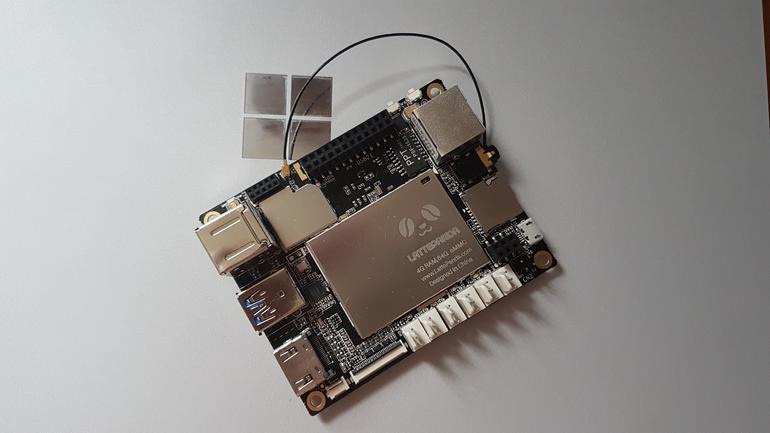
The company in question is China-based open source hardware provider DFRobot, who brought to this year’s Maker Faire – a science-slash-county fair of sort for tech enthusiasts and tinkerers – their curious new product: a minuscule Windows 10 computer called LattePanda.
The special thing about LattePanda is that, despite being a Arduino-compatible single board computer in the veins of the Raspberry Pi or Intel Edison, the device is running a full-blown version of Windows 10 (which comes pre-installed on the built-in SSD) and not Windows IoT. When you look under the hood, the reason becomes clear: opposed to the more common choice of ARM, DFRobot is powering its board with an Intel Cherry Trail Atom processor, up to 4GB of RAM, and a co-processor for handling Arduino features.
Introducing the LattePanda, Windows PC-slash-IoT board. Credits: Simon Bisson
Of course, using the LattePanda as a Windows 10 PC doesn’t sound like a pleasant experience, neither is it the device’s purpose, as screen resolution support is reportedly limited to 1024×600. What’s more interesting should be the IoT applications, as well as cross advantage with the Arduino compatibility: there’s an option to buy a 7-inch touchscreen that attaches directly onto the board, and DFRobot is providing the Gravity sensor kits with all the common sensors on board.
LattePanda also shines in another department: development flexibility. Due to the device’s duality nature of the device, developers can work directly on the board on the Windows side using familiar tools like Visual Studio, and push code quickly and directly to the Arduino side to run separately. Overall, LattePanda sounds like a versatile, low-cost entry point into the world of IoT, especially for developers on the Windows platform.
With the announced termination of Microsoft’s Xbox Fitness program, many users had been wondering what would become of the numerous workouts that had been produced by Microsoft solely for Xbox Fitness.
In a video on the official Mossa YouTube channel, Mossa’s Cathy Spencer-Browning addressed the concerns just a few days after the announcement. In it, she reveals that Mossa is already working with Microsoft to make their workouts available to users before the closure of Xbox Fitness in July 2017. It’s unclear what format the workouts would take but in an email reply to a user on Reddit, it’s suggested that they would be distributed via digital video and physical DVD releases. Here’s the relevant parts of the email:
Hello! Our team at MOSSA is very appreciative of the overwhelming responses and inquiries that we have received since Microsoft’s Xbox Fitness announcement.
The many stories of how MOSSA Workouts have become an integral part of so many people’s wellness journey is very humbling for us. Our focus is to get as many people to start moving, and now like for you, to keep moving!
We have been working diligently with Microsoft to enable us to offer our MOSSA Workouts that are currently on Xbox Fitness via DVD and through steaming options directly to you.
Again, thank you for taking the time to reach out to us directly. Please continue to enjoy your MOSSA Workouts on Xbox Fitness and we’ll be in contact with you very soon!
Xbox Fitness used a combination of licenced fitness programs such as Zumba and Beach Body and specially made exclusive programs like the Mossa series and also others like the newly released Y0:30 yoga workouts. Microsoft announced last week that they would be gradually sunsetting the entire program over the course of the next 12 months. Purchasing of new content is already disabled and free streaming of programs via Xbox Live Gold will cease to function on December 15th 2016. Xbox Fitness will stop functioning completely on July 1st 2017. It’s unclear what will happen to the other Xbox Fitness exclusive programs.
Are you disappointed by the closure of Xbox Fitness? How would you like it to be saved? Make sure to reach out to Microsoft to let them know and then discuss with the community in the comments below.
The reincarnation of the 1994 classic System Shock has many fans buzzing around Kickstarter. The game is a complete remake of the original that will be built from scratch through the Unity Engine. That’s the same engine that brought highly-rated hits such as Hearthstone, Kerbal Space Program, and Cities Skylines.
Night Dive Studios is a group of industry veterans that have a passion for recreating and restoring new life into old classic video games such as Wizardry, Necropolis, and of course, System Shock. According to their official site, the studio has successfully reinvigorated 94 games, made 17 partners, distributed through nine platforms, and has only one mission. In fact, their mission statement is “to bring lost and forgotten gaming treasures back from the depths”.
As one of the first 3D games that drove gamers into countless hours exploring its immersive story, System Shock was an obvious choice for Night Dive Studios. The game’s features include:
A modern take on System Shock, a faithful reboot; it’s not Citadel Station as it was, but as you remember it. Many improvements, overhauls and changes are being implemented to capture the spirit of what the original game was trying to convey, and bring it to contemporary gamers.
Re-imagined enemies, weapons, and locations by original concept artist Robb Waters.
Terri Brosius reprises her role as SHODAN, and new VO will be recorded.
Brand new musical score composed by Jonathan Peros.
The user interface, game mechanics, enemies, and puzzles will be updated to reflect modern aesthetics and sensibilities, while maintaining the feel of the original.
As with many Kickstarter campaigns, the game will develop further with the more donations available to them. It’s also anticipated to be brought to both Windows and Xbox One with the full release with macOS and Linux following close behind in their stretch goals.
Kickstarter donators can contribute as little as $5 USD to receive access to concept art and email updates. Or for the truly anxious fans, a $10,000 USD contribution will receive a whole laundry list of goodies from Night Dive Studios along with technological gems, signed Collector’s Edition box, exclusive game content, and a private party with the developers of the new System Shock video game.
As of this moment, System Shock’s remake by Night Dive Studios hasn’t met their Kickstarter goal of $900,000 yet, but it still has 23 days to go still. If this game seems like something you’d be interested in supporting, don’t hesitate to join the 12,648 backers that have already pledged.
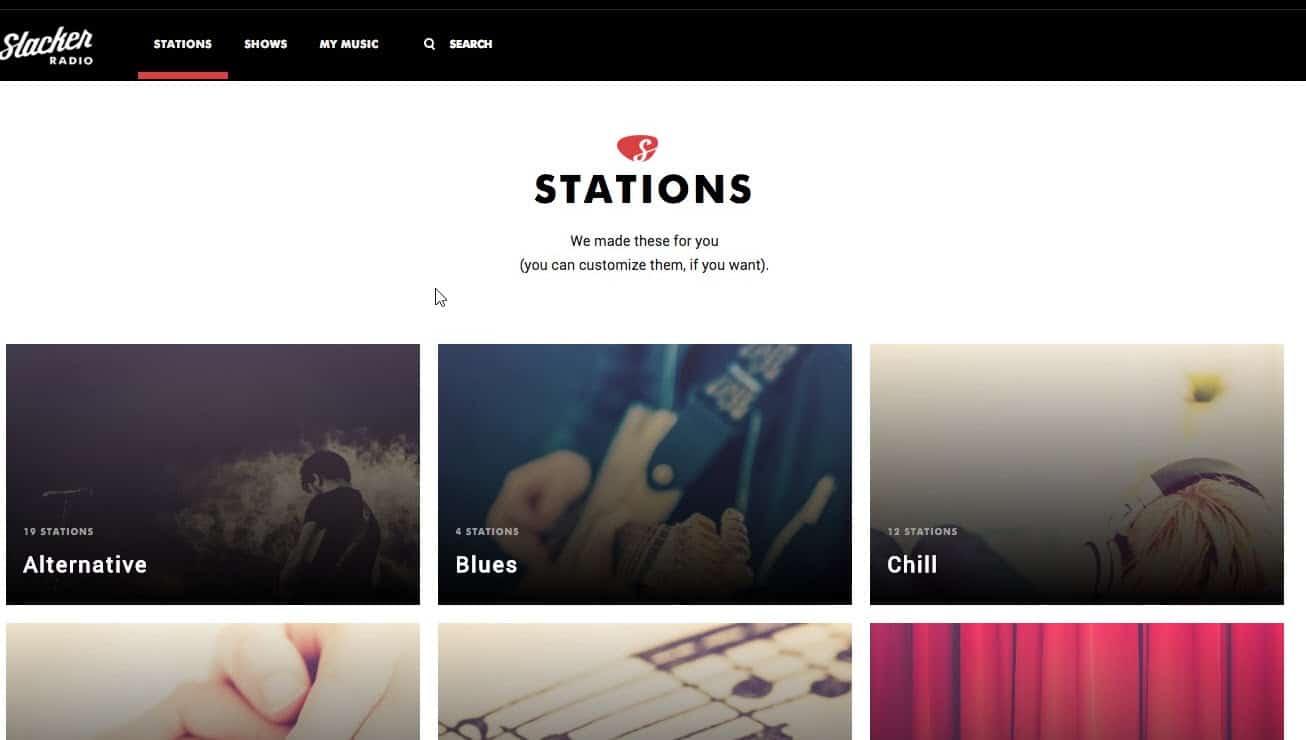
Slacker Radio, a popular online music streaming service only available in the US and Canada, has just updated their app for Windows 10 PCs. Reddit user inteller spotted the new app yesterday, and the official changelog, while fairly short, is quite interesting:
This build enables users on Windows 10 PC’s, tablets, and Xbox One consoles to install and use Slacker Radio as a native Windows 10 application.
Technically, this app is still exclusive to Windows 10 PCs (a Windows phone app is also available but has yet to update its design for Windows 10 Mobile) but the mention of its availability on the Xbox One is quite premature. Yes, Universal Windows 10 apps are coming to the Xbox One, but not before the Anniversary Update and the Unified Windows Store ships on Microsoft’s gaming console later in the summer.
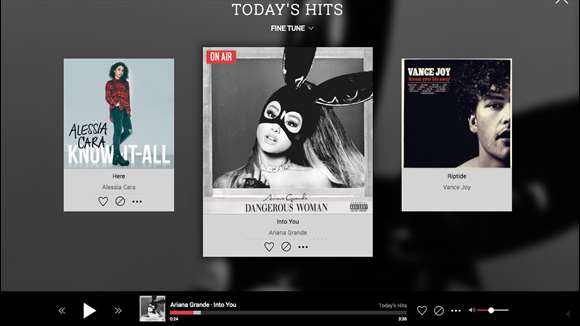
The new Slacker Radio app on Windows 10.
While the Slacker Radio’s new Windows 10 design looks nice, some users on Reddit report that this new version could be a hybrid web app as it doesn’t scale properly when you reduce it. Moreover, the apps seems unable to stream music in the background. For those of you who want to try it, here are the app’s features:
Install and listen for free with no monthly listening limits
Heart and Ban tracks to quickly and easily personalize your experience
Hundreds of expert-programmed stations
Create custom stations with your favorite artists and songs
Commercial-free experience with unlimited song skips (Slacker Radio Plus subscribers only)
Play songs, albums and artists on demand for (Slacker Radio Premium subscribers only)
You can download Slacker Radio on your Windows 10 PC from the download link below, let us know in the comments if you think this new version is better than the old one.
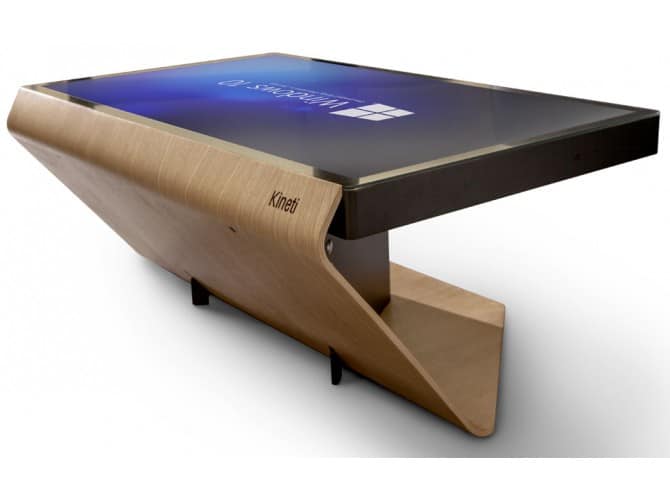
Rumors are swirling around a potential Microsoft Surface All-in-One device coming sometime in 2016, and as time goes on those rumors become more and more solid. According to some of the rumors, the new product could incorporate technologies from Microsoft’s original PixelSense “Surface” product, which was essentially a sort of table-top device with a large touch screen that would sit in offices or living rooms to provide for some advanced touch-centric computing.
The Kineti La Table.
Now, Kineti is apparently making its own version of the Surface device, which they’re dubbing the la Table (via windowsarea.de). Here’s their description:
With its simple and clean design, La Table Kineti is the new jewel of technology for your home…
It is composed of the latest technologies. You can gather your friends or family around the table and enjoy applications together.
It will perfectly fit your living room
Obviously, use it as a regular coffee table and benefit from all its great advantages
Enjoy the magic of a single gesture to share all your table contents to your tv!
Play together on the table and have great fun!
New era, new uses: Control your home and connected devices with your revolutionary table.
and much much more to come…
See bigger for your tablet with La Table Kineti!
Check out the video:
Coming in at €4997, this won’t be an inexpensive device, but it does look to offer up some nifty technology for the family that already has every other computing device they could possible want. We’re looking forward to Microsoft’s own AiO offering, but in the meantime, if you have some serious cash just laying around waiting to be used up, then the La Table might just be for you.
It seems that the Gaming for Everyone initiative has been taking strides behind the scenes at Microsoft. Through brainstorming events within the company, employees have been working hard to bring ‘inclusive design’ to the Xbox One.
Design strategist, Kris Woolery, is one of the leading examples. She recently hosted an Xbox Social Gaming Sprint that focused on implementing new features for the hearing impaired. The event increased awareness of common handicaps and difficulties faced by the everyday player. With these kinds of sprints, developers and researchers will be able to change the way that gaming is approached for everyone.
Another example of this is the tweet from the “Head of Xbox” himself, Phil Spencer:
No petition needed, we hear you. This is something that we've already looked at, not far off.
In response to a user asking for wheelchairs in Xbox Avatars, Mr. Spencer confirmed that his team has already reviewed the popular idea and are planned as an upcoming option for Xbox avatars. While Phil only replied about wheelchairs, it leaves more to wonder what else might be added. With the spirit of general inclusion, there might be plenty more additions coming as well.
For many players, an avatar is how they represent themselves to others. Making the most minor of changes to include a wider player base is the very core of the Gaming for Everyone initiative. Gamers have to wonder what else will roll out with the wheelchairs, but even if this is a singular addition, it is a major step in the right direction for a more inclusive design for Xbox and Microsoft.
We’re excited to see Microsoft continuing to make its products more accessible. Let us know in the comments if you agree that adding a wheelchair option to Xbox Avatars is a great idea.
Microsoft skipped the Tokyo Game Show in 2015, opting instead to put together their own event to highlight their gaming offerings to that market. We argued at the time that the decision wasn’t particularly important, given that the Xbox isn’t particularly competitive in Japan against the Sony PS4 and Nintendo WiiU and that not all successful gaming companies in Japan attend the show.
While it’s well known that Microsoft’s Xbox One console is often outsold by Sony’s PlayStation 4 and Nintendo’s WiiU, any speculation that Microsoft’s absence from the Tokyo Game Show is a sign of the company’s withdrawal from Japan is premature. Despite being one of the largest gaming events in Japan, the Tokyo Game Show has nowhere near the equivalent popularity of North America’s E3. Also, companies that are remarkably successful in Japan, such as Nintendo, have never had an official presence at the show either, so involvement with the show shouldn’t be overanalysed as a sign of strength or weakness. There’s also the fact that this isn’t the first time Microsoft has refrained from appearing at the Tokyo Game Show in an official capacity and the company could always return for future shows (as they have done numerous times in the past).
Apparently, Microsoft is taking the same approach this year, after a strong E3 2016 last month. The Tokyo Game Show, running on September 15-18, 2016, has a full list of participants including Dell’s ALIENWARE, Intel, Capcom, Square Enix, Sega, Konami, and more. Although Sony will be a prominent exhibitor, according to Yibada.com, Microsoft is nowhere to be found.
It’s entirely possible that Microsoft will hold their own show, but there’s no word one word one way or another. We’re guessing that the company will hold an event of some kind, given the impending announcement of the Sony PlayStation Neo and the launch of the Xbox One S, and we’ll let you know as soon as we find out. Let us know in the comments what you think about Microsoft’s decision to skip the Tokyo Game Show again in 2016.
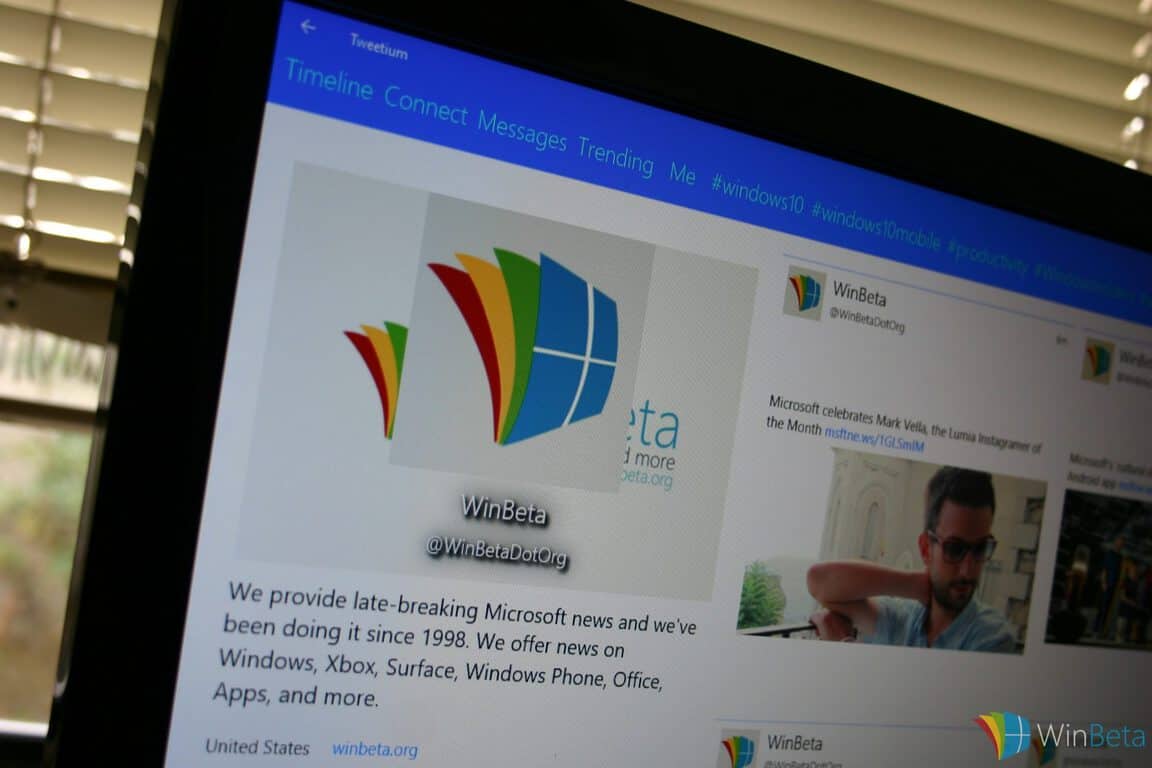
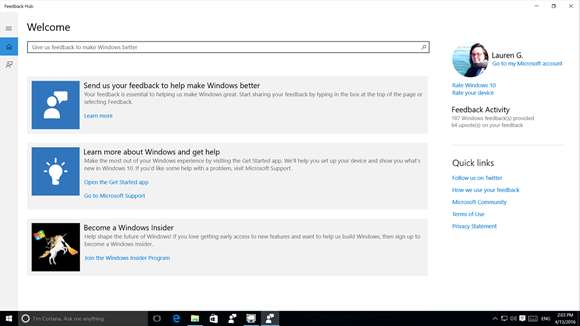
Popular third-party Twitter app Tweetium has just been updated to version 4.1.494 on Windows 10 devices, and the new version is a minor update that brings support for Windows 10 Feedback Hub URL links. The Feedback Hub is a native Windows 10 app that all users can use to send feedback to Microsoft engineers. Feedback Hub URLs are used to redirect users to specific items in the Feedback Hub app, but they only work on Windows 10 and they also generally need to be wrapped in an HTML tag.
The Feedback Hub app on Windows 10.
Just a week ago, developer B-Side Software released a previous update to Tweetium to fix a conversation loading issue on the Windows 10 version. For users still on Windows 8.1 or Windows Phone 8.1, the developer shared last week on Twitter that a fix is coming for you as well:
Twitter broke the way Tweetium does conversations again. Fixed on Win10 version, will update 8.1 when I can.
Microsoft will stop offering Windows 10 as a free upgrade to eligible Windows 7, 8 and 8.1 users on July 29th. In anticipation of the date, the company is now making its final effort to convince as many people to upgrade before the offer ends.
Eligible Windows 7, 8 and 8.1 users who still haven’t upgrade to Windows 10 will now receive a new full-screen message that will prompt them to upgrade. The new message says: “Sorry to interrupt, but this is important. Windows 10 free upgrade offer ends July 29.”
Users who receive this message will have a couple of options: Remind me later, Notify me three more times, Do not notify me again, Upgrade Now.
Once again, only eligible users will receive this offer. This means that Windows 7, 8 and 8.1 needs to be fully legal and genuine. Additionally, users who already upgraded to Windows 10 but decided to roll back won’t get this prompt.
Ever since Windows 10 was offered as a free upgrade to users of previous versions of Windows, Microsoft has been trying to convince people to upgrade. The company often used methods that were unappreciated by users, and Microsoft received a huge backlash because of it.
If you still want to upgrade and join more than 300 million people already using Windows 10, just follow the steps from the prompt. Hurry up, though: you have less than a month to do so
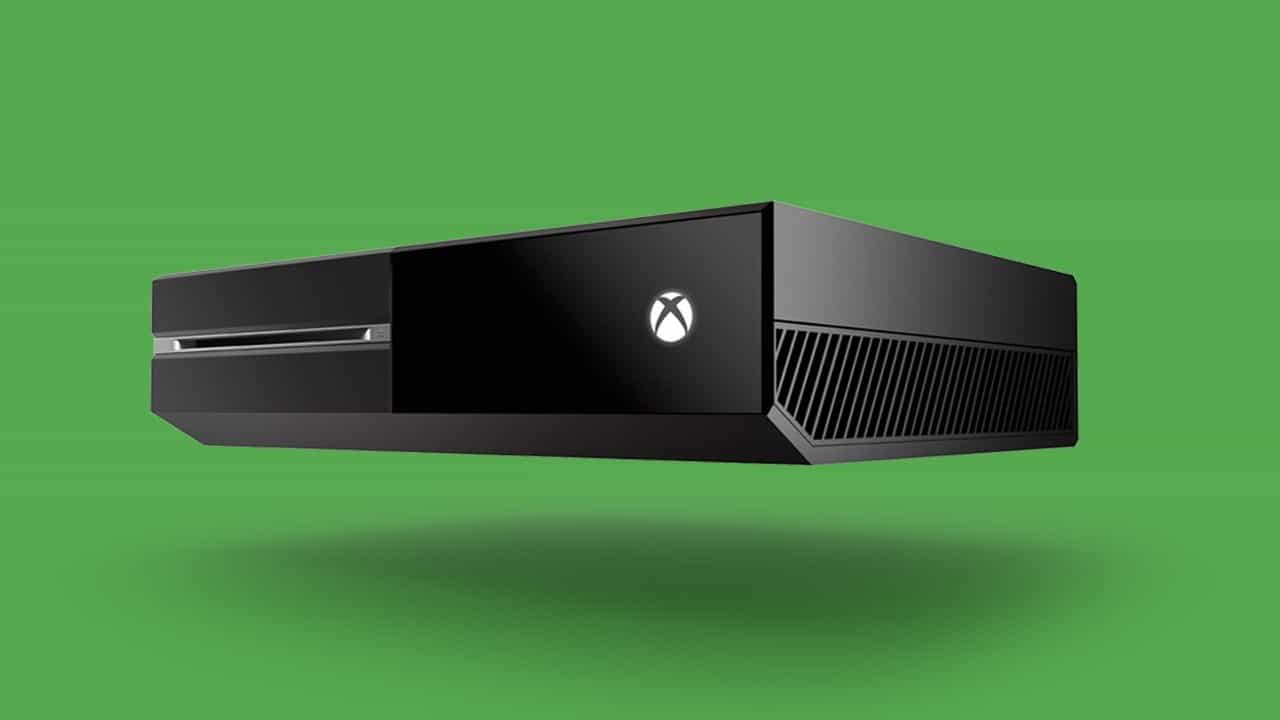
Since the Xbox One’s inception, fans of the gaming console have voted en masse for the addition of background music – a much-loved feature from the Xbox 360-era, where music being played in an app can continue to be played in the background whilst completing another task on the console, such as playing a game.
As part of the Windows 10 Anniversary Update, background music will also be arriving. When the update rolls out to the public on August 2nd, every player on Xbox One will be able to play music in the background.
This has been one of the most asked for features for the Xbox One, with it receiving nearly 25,000 votes on Microsoft’s UserVoice page for Xbox. The day is nearly upon us.
A few days ago we announced that Microsoft’s Ultimate Game Sale is back – and it sure is, with over 250 deals on games for Xbox One and Xbox 360, followed by 30 titles being offered at a lower price on the Windows Store for Windows 10.
This is the first time that the Windows Store has been included in the Ultimate Game Sale event, and it will be offering deep discounts on games such as:
Welcome back to our weekly “Windows 10 news recap” series where we go over the top stories of the past week in the world of Microsoft’s latest operating system. Let’s get started.
The Anniversary Update will soon be upon us, and with it will come a variety of improvements to accessibility in Windows 10. Microsoft offered a rundown of the overhauling changes that they have made to accessibility.
Full-screen prompt begins showing for Windows 7 and 8.1 users to upgrade to Windows 10
Dell says Windows 2-in-1s are the future, and ditches pure tablets
Dell has spoken up and stated that Windows 2-in-1s are the future, and that is where it will be focusing its commercial product offering from now on, as it moves away from pure tablets that the likes of Android offers.
Microsoft is changing the “confusing” Windows 10 upgrade prompt
After receiving criticism for the upgrade prompt being “confusing”, Microsoft is now beginning to change the prompt to make it easier for users to use.
A woman sues Microsoft over the Windows 10 upgrade… and wins
A woman who’s business PC that was apparently forcibly upgraded to Windows 10 decided to sue Microsoft and won $10,000 after Microsoft decided it would save money if they didn’t appeal.
Elsewhere, there have been several apps and programs updated, as well as a couple new releases:
Microsoft is preparing a new PC application for Windows 10 which is called “Microsoft Whiteboard”. This application is being created for the education market and it will allow teachers and students to share ideas.
Microsoft has revealed on its Education blog some of the features that the upcoming Microsoft Whiteboard application will come with and below we’re going to list them:
– “Writing and drawing naturally: there are people who prefer to write on Microsoft Whiteboard using their own fingers or a digital pen and this application will allow them to do that. In addition, the application is signed for big screens, which means that getting around will feel natural; – Sketches, ideas and more: the application comes with shape recognition, which will make drawing basic shapes very easy; – Creative interactive lessons on a big screen: Microsoft Whiteboard will allow you to pull with ease videos, web content and content from your own library, which will keep your students interested; – Sharing and collaborating in real time: Thanks to Microsoft Whiteboard, you will be able to share content with the whole class and make changes TOGETHER in real time. To make things even better, you will be able to create assignments in Microsoft Classroom for your students with just a simple gesture and these assignments will flow into the learning management system (also known as LMS) that you are already using when connected with School Data Sync. Students will be able to access assignments via Microsoft Classroom web or from the mobile application.”
The Microsoft Whiteboard will be released as a free application in the Windows Store sometime later this year. According to reports, more information about this upcoming application will be released by Microsoft in the upcoming weeks.
What are your thoughts about the upcoming Microsoft Whiteboard application? Will you use it with your students in your classes?
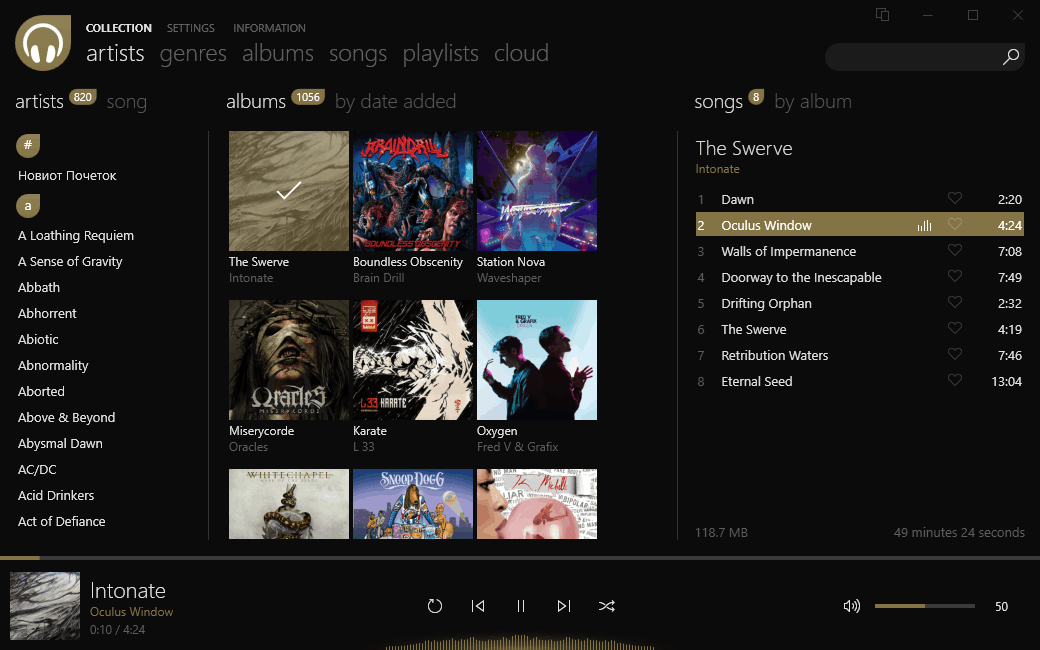
Generally speaking, there are two kinds of music fans – people who’ve got a few great songs they like to put on for their morning commute, and people who really immerse themselves in the culture and style that music has going for it. For the second group of people, Groove Music might be a little bit underwhelming. Groove is, of course, an absolutely functional program, and one that most music lovers on Windows 10 have most likely acquainted themselves with already. For those who want a bit more form along with their function, however, Dopamine is an application that might just take Groove’s place.
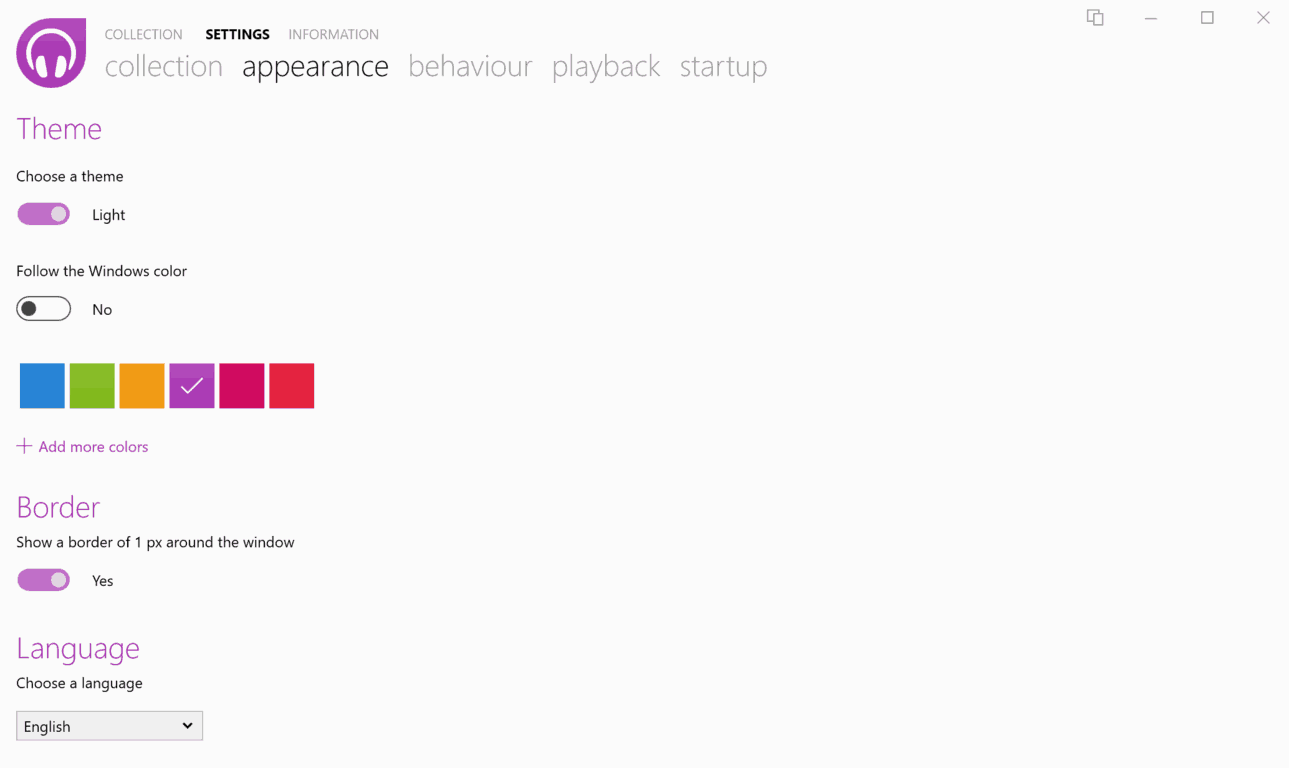
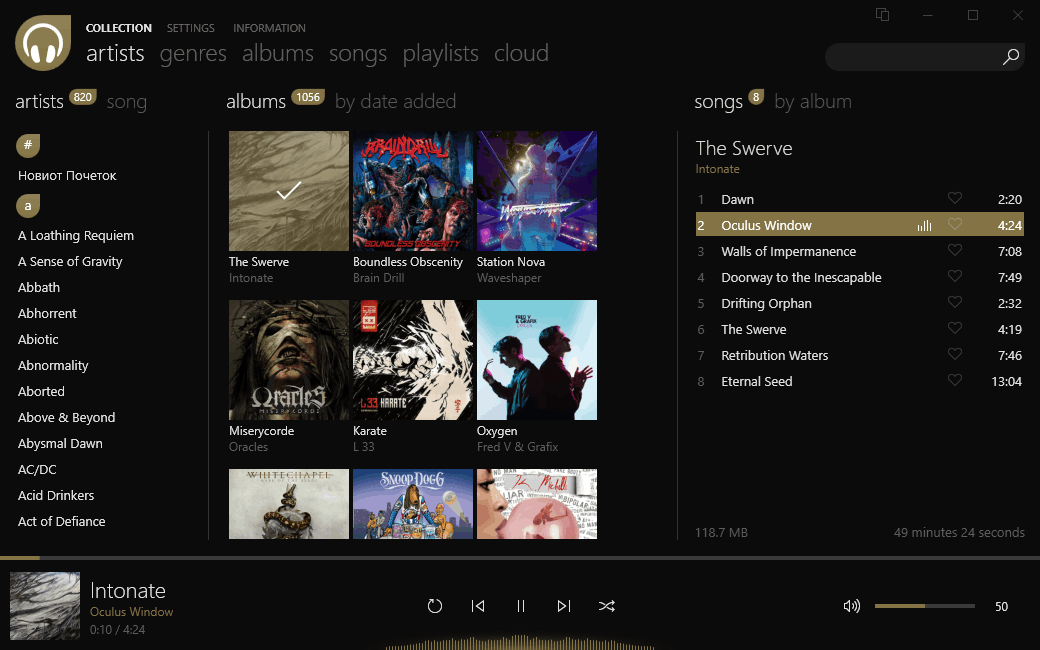
Dopamine dark modeDopamine interfaceCustomizing DopamineDopamine interface
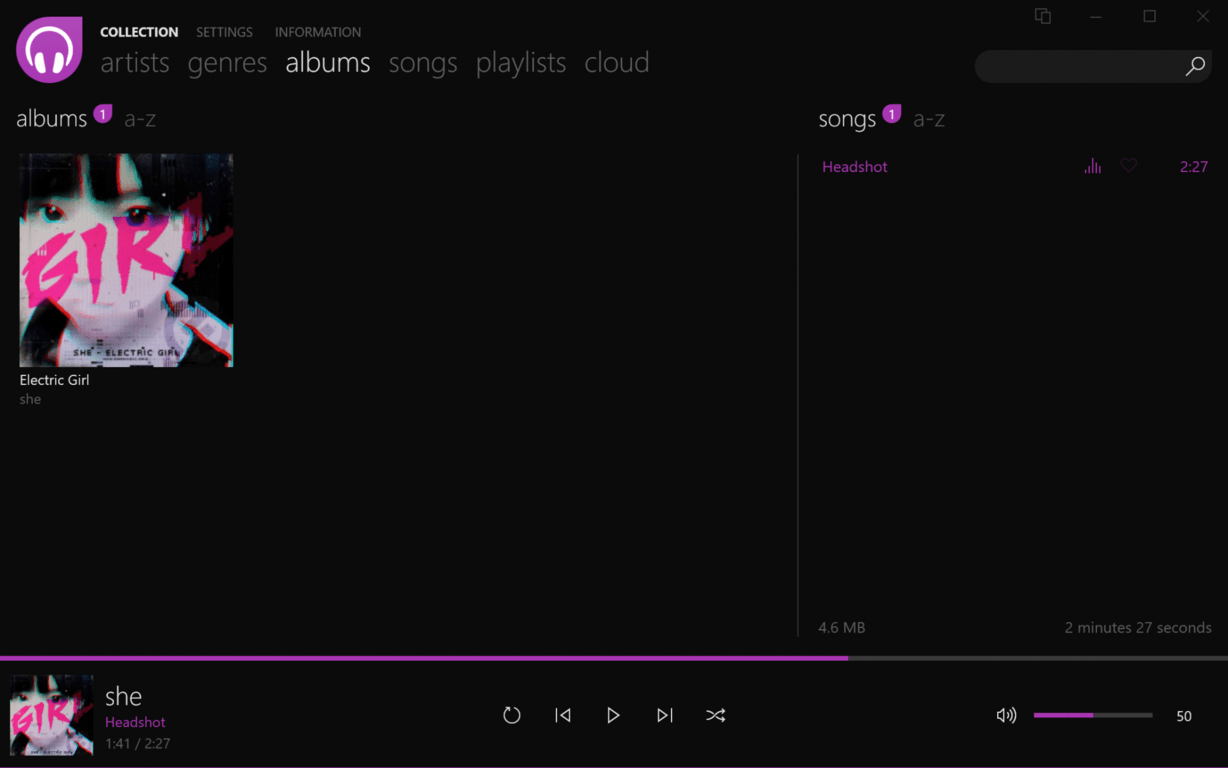
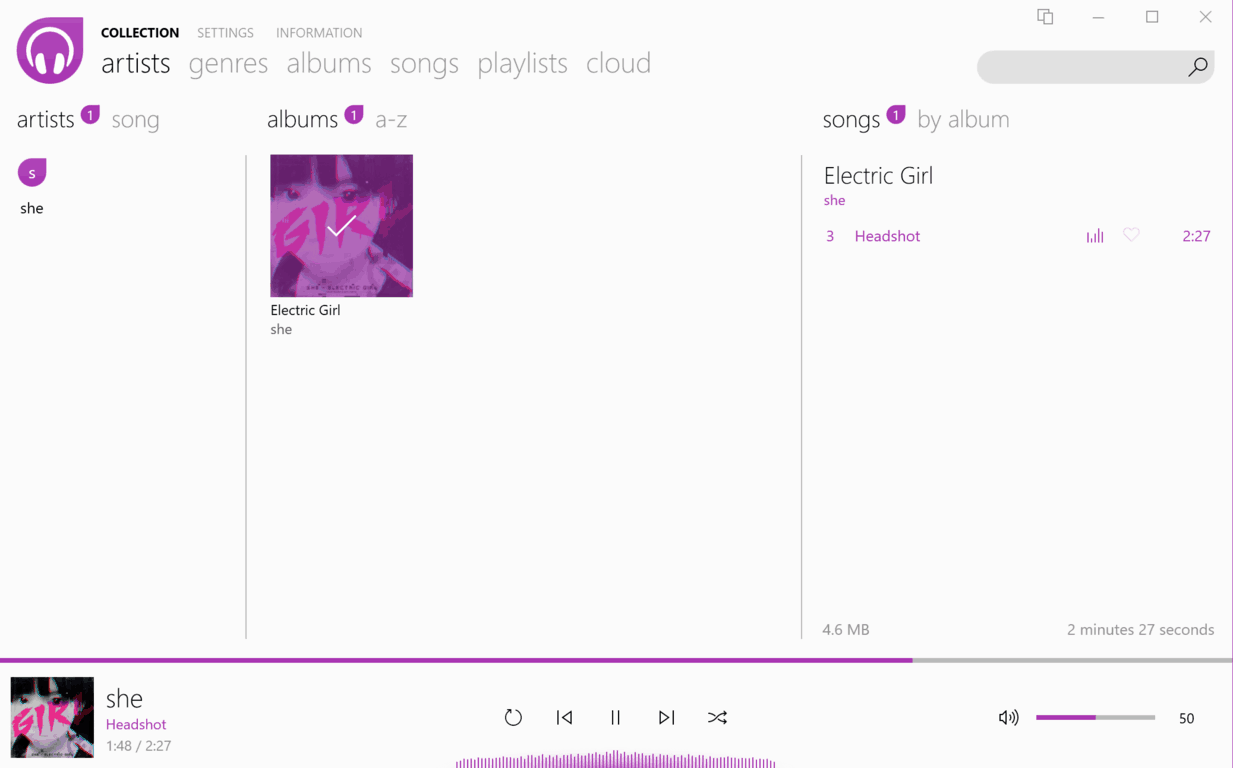
Dopamine, which you can download directly through the application’s site, offers a ton of really nice visuals for music fans. Besides the generally sleek design, you also can do tons of customization, including changing the color theme (yes, sticking to your Windows color is an option) and showing a themed border along the window for added effect. You also get to change options like song rating, song order, minimization behavior, and startup behavior.
When it comes to making a music player, there’s only so much that you can do. Both Groove and Dopamine are perfectly viable and functional for the average music lover. The difference comes entirely in the presentation, and depending on your taste, Dopamine can offer a very appealing alternative to Microsoft’s music player. Where Groove plays songs without much fanfare, the little touches in Dopamine make it feel like a more dynamic experience. When you play a song through Dopamine, you get the feeling that you’re a DJ queuing up a track – the album art slides up, the progress bar moves along with your theme color of choice, and the visualizer bars bop along to whatever song you’re playing.
When all is said and done, there’s no accounting for taste. If you don’t care all that much about what’s flashy and stylish, you can probably give Dopamine a pass. If you’re looking for something that offers a bit more fun in its presentation than Groove does, however, this might be just the application that you’ve been looking for.
A zero-day exploit has been discovered in a Unified Extensible Firmware Interface (UEFI) driver, this exploit allows the attacker to remove the write protection that is on the flash memory, giving them open-ended access to run any scripts that they wish on the System Management Mode, which is normally a privileged operating mode for the CPU.
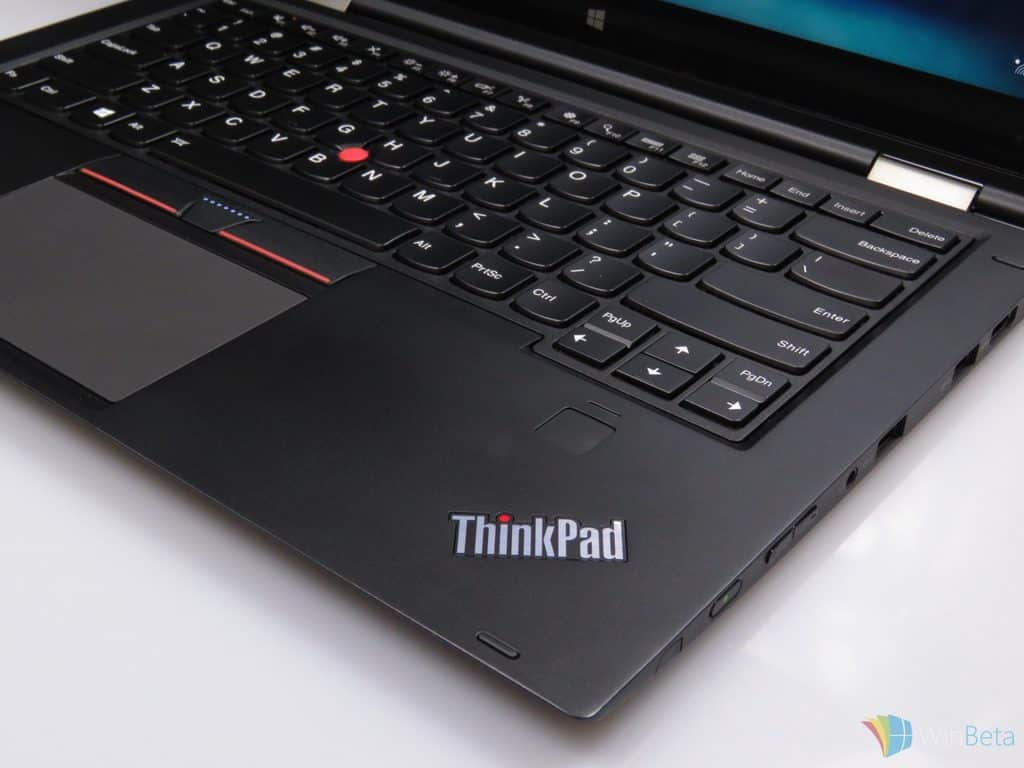
The exploit has been dubbed ThinkPwn, a play on words of ThinkPad and Pwned. Once the attacker has used ThinkPwn to open the machine to attack, they can disable Secure Boot which is used to verify the authenticity of an OS bootloader, in order to prevent rootkits at the boot-level. After Secure Boot is disabled, Windows security features can then be accessed and disabled, too. One of those features is Credential Guard, which is used to keep enterprise domain credentials secure, amongst other pieces of data.
Lenovo says that the affected code is not in its own UEFI file, but in one provided by an independent BIOS vendor (IBV). The extent of the security concern is not yet known. At the moment, it is only known to affect Lenovo ThinkPad machines, but it is a real possibility that other vendors and PC manufacturers could also be affected. Lenovo itself says the issue could be “industry-wide”. The only slightly positive in all of this is that, in order to attack a machine, you need physical access to it, as the UEFI can only be accessed physically, and would require a USB flash drive.
You can read more about the exploit by the researcher who discovered it here.
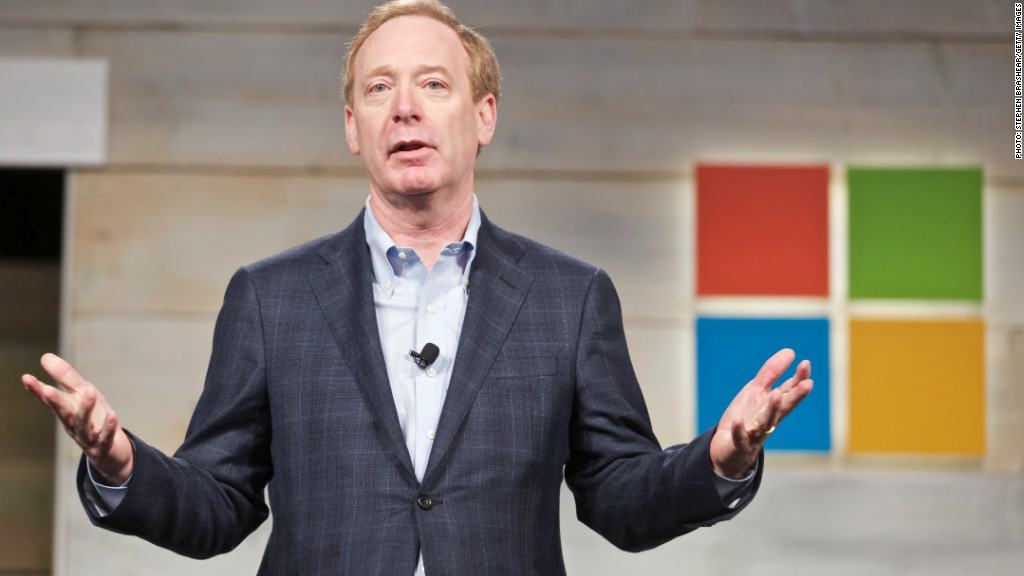
We all know that computer science is of the utmost importance to everybody in this day and age, but it never hurts to remind people every once in a while. In an effort to stoke the fires driving America’s effort to better educate children about computer science, Microsoft president Brad Smith helped to write up an article on the subject for The Wichita Eagle. The article likens today’s fast-paced computer science industry to the space race of sixty odd years ago and calls for American leaders to fight for a more competitive education policy.
The best education policies are developed at the state and local levels. But this problem can’t be solved unless the federal government plays a limited but important role.
Smith also mentioned that Microsoft and several other CEOs have joined several school superintendents and a bipartisan mix of 27 governors in demanding higher standards for computer science education in the country. It just so happens that the points outlined by the group are not dissimilar to the points that drove the United States to action back when Sputnik launched 60 years ago.
Like the Space Race era, the call to congress brings up the fear that the United States won’t be able to compete with other countries – the only difference now is the competition. Microsoft and its allies are concerned that, if we refuse to impose tech-relevant education standards on our nation’s school systems, the United States will no longer be a relevant player in the technology world decades in the future.
This isn’t the first time that Microsoft joined efforts to combat the lack of sufficient computer science education in the United States. Just a few months ago Microsoft supported a Change.org petition for the same thing, and the company has a storied track record of trying to improve the integrity of education in the US.
In a detailed blog post, Microsoft’s Windows Apps team have highlighted different methods of providing a good user experience when it comes to navigation.
Microsoft sets out three key principles that they see as being the foundations for good navigation:
Consistency — meet user expectations
Simplicity — don’t do more than you need to
Clean interaction — keep out of your users’ way
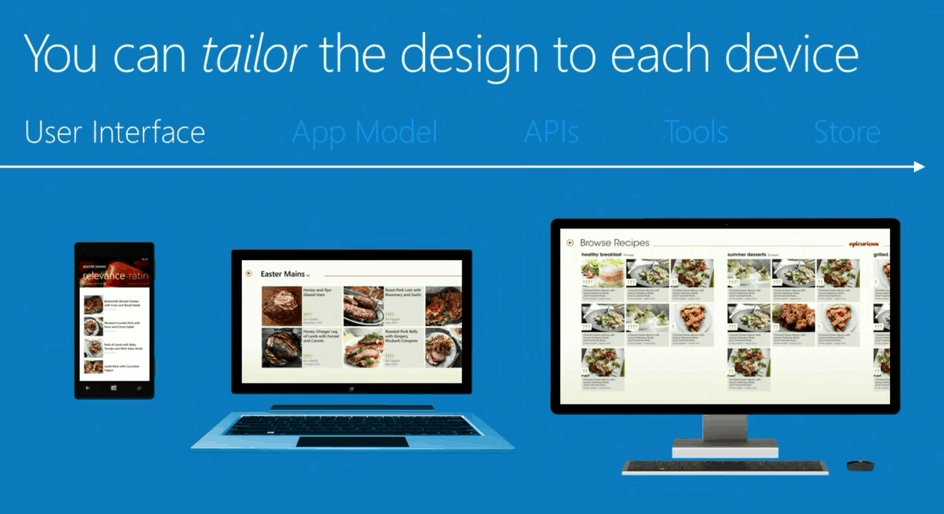
For consistency, the company believes that the navigation menu icon should be displayed at the top-left of the screen, explaining that it is a strong user expectation that the menu icon appears here, saying that you could “consider using a non-traditional icon to represent it,” although, the hamburger icon is the preferred method of showing that a menu is there. In terms of the back button, the firm recommends keeping in-line with Windows conventions, by keeping it in the leftmost placement, or in the second-to-the-left area of the navigation bar.
According to the company, it is also good to adjust the placement of navigational elements depending on the device family. For example, for mobile devices, the preferred location is at the top of the screen, whereas on desktop it is on the left side.
Keeping things simple is just as important as the placement of the elements, and as such, Microsoft recommends following the ‘Hick-Hyman Law’, whereby the amount of menu options should be kept to the bare minimum, overall leading to a faster user interaction. This same principle goes for media content; rather than trying to show as much as possible, focus on showing a subtle amount and prompt the user to perform an action to view more.
Finally, clean interaction. It is important to look at the environment and position the user will be using the app in. Microsoft provides this example of a cooking app:
If you’re designing a cooking app, and you’re expecting it to be used in the kitchen, you might want to take into account that the user will probably want to avoid using food-covered fingertips to navigate to the next cooking step. Instead, the user might use a knuckle, the back of his or her hand, or even an elbow. This should influence the size of your touch targets and the appropriate spacing between navigational elements, at the very least.
Following these three principles will, ultimately, lead to an improved user experience, where users can navigate the app more fluently, without having to learn deep menu hierarchies and confusing layouts.
Shortening URLs has long been a good method of sending links that would normally be too long. For example, they can be useful on Twitter where you are limited by the amount of characters that you can place into a tweet.
Short.y on Windows 10 Mobile
Short.y for Windows 10 has just released. The app uses the is.gd shortening service to generate shortened URLs. As a Universal Windows app, you can shorten URLs from any of your Windows 10 devices; the store listing currently shows support for:
PC
Windows 10 Mobile
Surface Hub
Features of the app include:
Shorten URLs
Custom identifiers
View statistics of your shortened URLs
Share URLs from other apps, such as Microsoft Edge, and Short.y will shorten it for you, whilst copying it to your clipboard automatically
Extract links from text shared to it
Extracting links from text means that you can share text from other apps to Short.y, and it will scan the text, extract any links from it, and then create shortened URLs for each of them.
This app works well with social media apps, such as Twitter and Messenger, as you can quickly share links from Microsoft Edge to the app, have it copy the shortened version to your clipboard, then just quickly paste it into the social app of your choice.
Forza Football is an app that keeps football fans up-to-date on live football scores, whilst also aiming to democratise football, and gives fans a chance to collectively share their opinion. The developers behind the app, Football Addicts, believe heavily in giving fans a voice.
Forza Football on Windows 10 Mobile
On Android, Forza Football has garnered between 1 million and 5 million downloads, boasting just shy of 100,000 5-star reviews. We’re now happy to announce that the app has arrived on the Windows 10 platform, as a Universal Windows app. It supports both PC and Windows 10 Mobile.
Features of the app include:
Live football scores
Set alerts for your favourite teams
Customisable push notifications
Video highlights, showing off the best bits of a match
Pre-match line-ups, along with formations and player photos
Vote on whether you have confidence in your club’s squad manager and chairman, and get to see how other fans are feeling
You can ‘like’ or ‘dislike’ confirmed and rumours of transfers
Polls
Forza Football is available now in the Windows Store.
The new DLC for Call of Duty: Black Ops III, Descent will be released soon, and Activison teased us with the new trailer, to show you what to expect from this expansion pack. Descent will be released first for PlayStation 4, on July 12, while it should arrive to Windows PCs and Xbox One some time in August.
The expansion pack will bring some new elements to the game, including four brand new multiplayer maps (Cryogen, Berserk, Rumble, and Empire), and the new Zombies mode. The Zombies mode will still be placed in “an alternate-U.S.S.R. universe,” where players are going to face a horde of machined zombies, and try to survive for as long as they can.
“After escaping the swamps of Zetsubou No Shima, the Origins characters are hurled into a war-torn Stalingrad. Our heroes face their most dangerous enemies yet among the remnants of a battle between giant mechanized soldiers and ferocious dragons.”
Check out the new trailer for the upcoming Call of Duty: Black Ops III expansion pack, Descent below:
This will be the third expansion pack for Call of Duty: Black Ops III, after Awakening, and Eclipse. Players also can purchase the giant Zombie map, to enhance the Zombies mode even more.
Descent will be a part of Call of Duty: Black Ops III season pass, which can be purchased on Steam or the Xbox One Store for the price of $50, or as a standalone DLC pack, for $15.
Tell us in the comments, what do you think about the new expansion pack for Call of Duty: Black Ops III? Will you purchase it for your Xbox One, Windows PC, or PlayStation 4?
Shortly after releasing build 14376 for Windows 10 Preview, Microsoft also pushed a new build for the Release Preview ring of Windows 10 Mobile. The new build upgrades the system version to 10586.456, and brings various improvements and bug fixes to the system.
According to Microsoft’s changelog for this update, build 10586.456 for Windows 10 Mobile fixed some known issues with Internet Explorer, failed sign ins, Microsoft Silverlight, and more. As usual, the update only contained bug fixes, and no new features.
Here’s the official changelog of Windows 10 Mobile build 10586.456 for the Release Preview ring:
“Improved reliability in a number of areas including Windows Media player, Internet Explorer 11, Windows Explorer, Miracast, and Windows kernel.
Fixed an issue with some users noticing a black screen instead of the lock screen, when resuming from connected standby.
Fixed issue where the DirectAccess Disconnect button appears sometimes even when the connection is not fully established.
Fixed issue where local user accounts weren’t locked out after a number of failed sign in attempts.
Improved support for playback of video in certain applications that did not render the video while the audio continued after resuming from sleep.
Fixed issue where the Windows Phone sometimes loses user authentication certificates after upgrading to Windows 10 Mobile.
Improved support to honor the data backup settings of applications on Windows 10 Mobile.
Fixed issue where Microsoft Silverlight based application won’t install on Windows 10 Mobile, after joining Azure Active Directory.
Fixed additional issues in .NET, Windows Kernel, Windows Update, Authentication, revised daylight saving time, support for PDF files, Bluetooth, Microsoft Edge, Internet Explorer, Networking and Wi-Fi connectivity.”
Microsoft also mentioned that if it doesn’t find any bugs or other issues, it will release this build to the public, as well. But for now, Windows Insiders on the Release Preview ring have the opportunity to test it, and report potential issues to Microsoft.
There are several developers and consumer concerns over Project Scorpio, and rightfully so. The new system is still shrouded in mystery despite its reveal at E3 2016 during the Microsoft press conference. The reveal caught many off guard due to the official reveal of the Xbox One S earlier in the show.
This new console could pose a problem for developers because it would require them to create games for two different Xbox consoles. The real issue here is the gap between both the Xbox One and Project Scorpio when it comes to hardware. It will likely not be easy for developers to create a game based Project Scorpio specs then dumb it down for the Xbox One.
We also have to look at multiplatform developers who also create games for PC and will likely showcase their wares on the PlayStation 4 and PlayStation 4 Neo. It’s going to be a rough challenge, no doubt, but Microsoft is doing what it can to put aside these concerns once and for all.
Dave McCarthy, Xbox head of operations, addressed the issue in a recent interview with GameSpot. According to McCarthy, Microsoft listened to developers before working on the Xbox One S and that same developer feedback helped shaped Project Scorpio. He says because of what the software giant gathered from developers, the company is moving to allow game development across both consoles and Windows 10 to be a seamless experience.
He also made it clear we might see Scorpio-only games in the pipeline if developers decide to venture down that route. We do not expect developers to create Scorpio-only games anytime soon seeing as the Xbox One will by then have a rather large piece of the market. Developers would not want to throw that away unless Microsoft could sell 8 to 10 million units of its new console in a single year.
Project Scorpio is due to hit store shelves holiday 2017.
Microsoft is pushing out the latest build to Xbox One Preview members. This build brings over the Movies & TV app to the console, as well as a whole host of fixes.
Let’s take a look at what’s new, improved, fixed and the known issues.
What’s new and improved?
Movies & TV – the Movies & TV app is now available for Xbox One, allowing you to purchase and rent movies and TV series from the Xbox Store, as well as play them in the new app.
Xbox Universal Store – ‘coming soon’ section is now available to view in the Store
More settings come from Windows to Xbox One – you can now enable or disable SmartScreen Filter and Advertising ID from Settings
What’s been fixed?
Headset controls – these should now appear in the Guide
Xbox Avatars – the app should no longer become stuck in the Queue when downloading an update
Movies & TV – menu should no longer obstruct the screen when playing a video
Microsoft Edge – fixed an issue where pressing the left thumbstick to enter full-screen mode would crash the app
NowTV – no longer fails to launch
OneDrive – no longer fails to launch
Narrator – will no longer lose focus when navigating the Dashboard or Store
EA Access – fixed an issue that caused some EA Access Games not to open
Finally, what issues does Microsoft already know about?
Some content from the Store may only be available on the console enrolled in the Preview program
Games purchased on a console in the Preview program can only be run on that console
Xbox Universal Store – token redemption will fail, Store pages may show a ‘Buy’ button even if you already own the content, can purchase Movies & TV content without entering a password, ‘Buy’ button on Deals with Gold games may take you to the Gold Lounge
Snap – After powering on your console from connected standby, a black bar may remain where content was previously snapped, when launching a full-screen game or app
Payments & Billing – adding, editing or removing payment information on the console is not possible, unable to change payment information associated with pre-ordered games
Profile – purchasing a Gamertag change will charge your account, but will not change your Gamertag, selecting ‘Add new’ to add a new profile may take a while to load
Cortana – the ‘play’ command may take a long time to process, searching the Xbox Universal Store with Cortana can result in the same keyword being searched multiple times, Cortana might restart and say she is ‘Warming up…’ even if she’s been used recently
Pins – pins to movies, TV shows or music will disappear when the app updates
My Games & Apps – an error may appear if you attempt to launch a Ready to Install game if you have a large digital collection
Community Calendar – links to the Store do not work
Build rs1_xbox_rel_1608.160629-2012 is rolling out today, at 6PM PDT. If you’re in the Preview Program, you can take a look at the announcement thread here. Your console should offer to update automatically, alternatively, you can head over to Settings to check for updates manually.
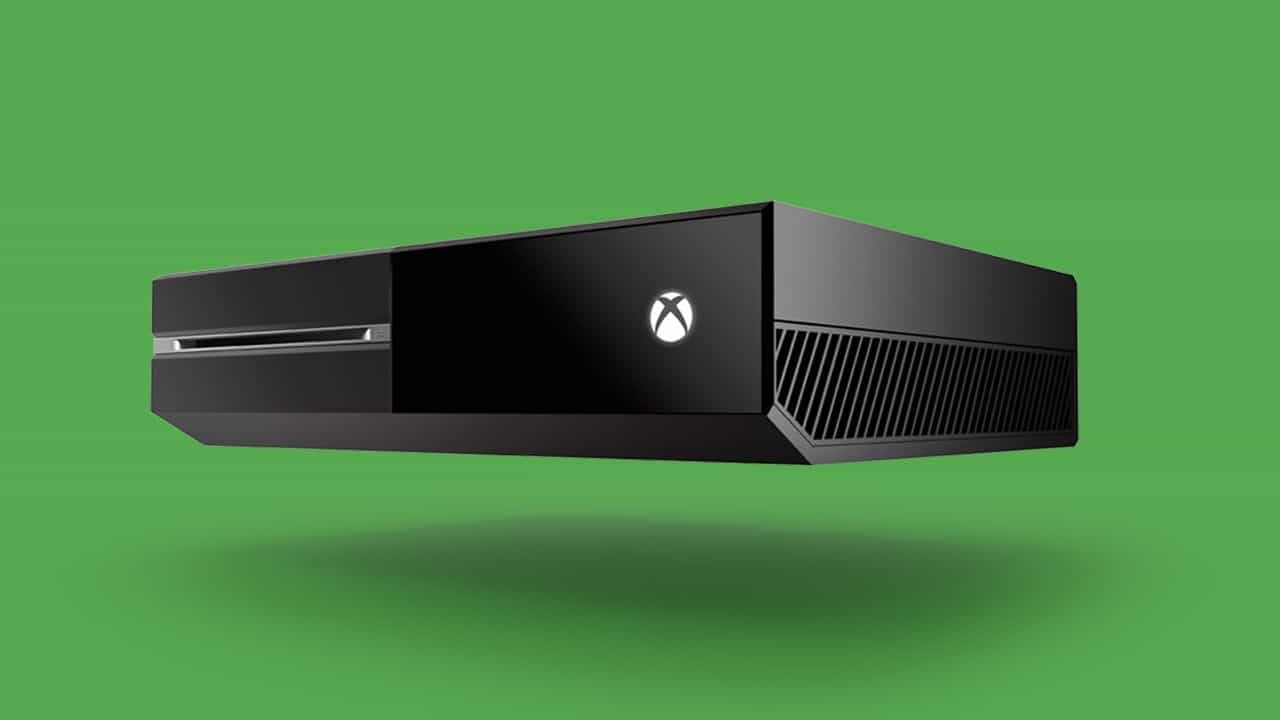
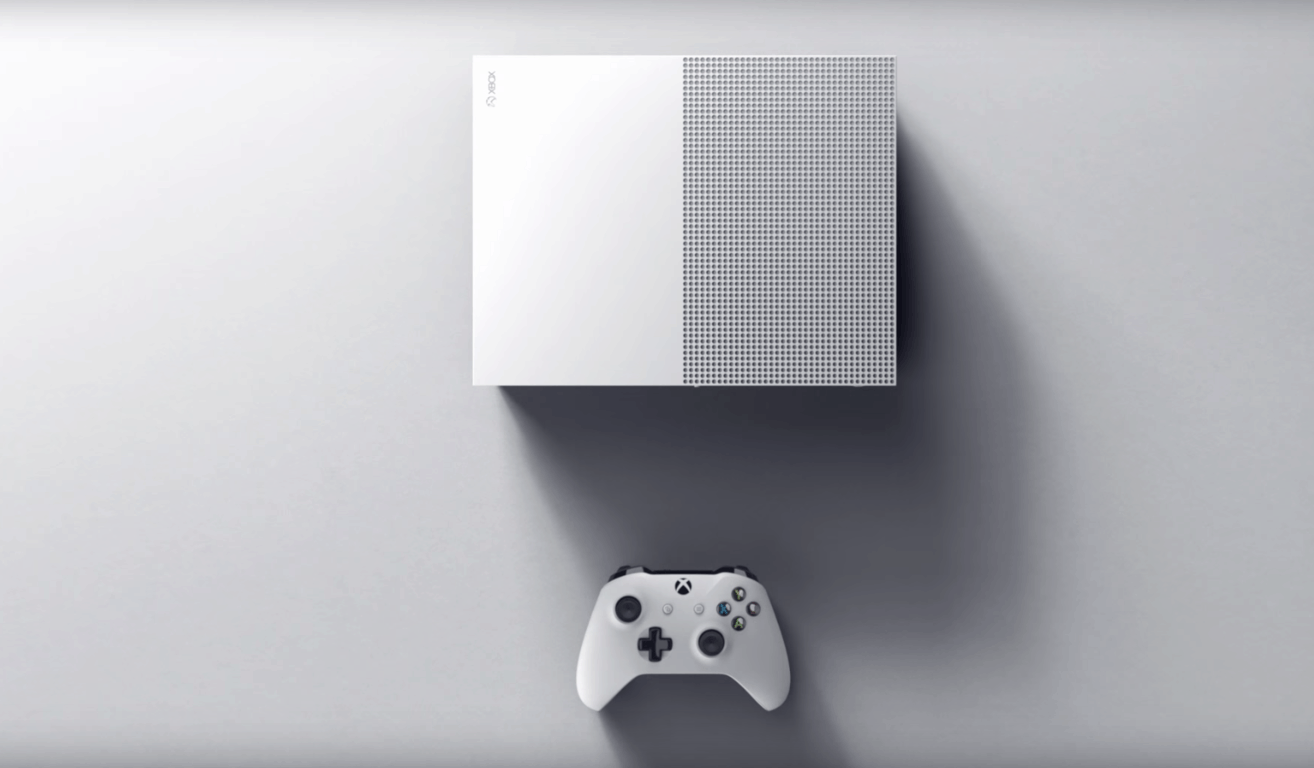
On Twitter, Curtis Bradshaw enquired about whether the Xbox One S will upscale games to 4K, in response Mike Ybarra, the Partner Director of Program Management at Microsoft, simply responded with “Yes,”.
@XboxQwik Can you confirm if xbox one s will upscale games to 4K. All product information seems to indicate this is not the case. #confused
Currently, if you have a 4K monitor, your monitor will handle the upscaling to 4K, where possible. According to this tweet, however, the console will instead do the upscaling. The advantages of this are, as yet, unknown – however, this will likely seem pleasing to those who either didn’t know that their monitor upscales for them or those who like the idea of their console doing the processing instead. Of course, to make use of this upscaling, you will need a 4K monitor.
If you’re still holding out for true 4K gaming, then Project Scorpio will be next on the agenda. Project Scorpio is the codename for Microsoft’s next-generation console, releasing in 2017, which brings True 4K gaming, along with huge performance boosts, packed full of powerful hardware.
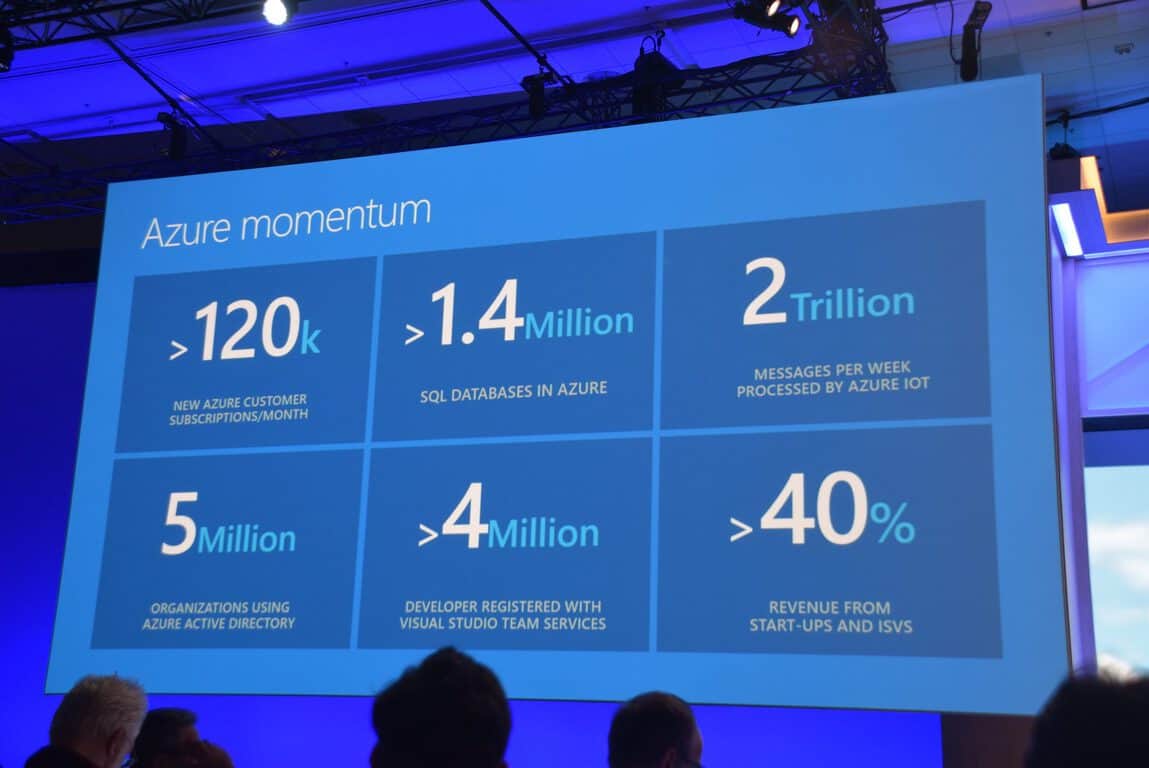
Today, Amazon’s cloud services platform, AWS, leads Microsoft Azure in the growing Infrastructure as a Service (IaaS) market. Specifically, AWS leads Azure 21% to 12%. According to Morgan Stanley’s 2016 survey of 100 enterprise CIOs, that is changing, and quickly.
According to Morgan Stanley’s 2016 CIO Survey, Microsoft’s Azure will edge out Amazon Web Services by 2019 for both Infrastructure as a Service (IaaS) and Platform as a Service (PaaS) use among 100 executives surveyed. Roughly 31 percent of the CIOs will be using Azure for IaaS, versus roughly 30 percent using AWS. Today, about 21 percent are using AWS and 12 percent are using Azure. While nearly 55 percent of the surveyed CIOs said they’re using no public-cloud IaaS today, that number will drop to less than 10 percent by the end of 2019.
IaaS represents the backbone of servers, storage, and networks that comprise cloud computing solutions. This is compared to Platform as a Service (Paas), the services that run on IaaS and enable cloud computing applications. Azure already leads AWS 18% to 16%.
Source: Morgan Stanley.
Over time, the growth of IaaS and PaaS will have an impact on the sales of hardware vendors as cloud solutions replace on-premise implementations. That means that on-premise apps will also decline, according to the survey from 71% today to 58% in 2019.
The growing important of cloud computing solutions underlines why Microsoft is investing so heavily in Azure and its other cloud products. “Cloud-first, mobile-first” is looking like an increasingly brilliant strategy.
It seems that Disney finally released a new hidden object game based on the Zootopia movie for Windows 10 and Windows 10 Mobile. In Zootopia Crime Files: Hidden Objects, you will need to team up with ZPD officers Nicke Wilde and Judy Hopps and use their crime-solving skills to discover clues, analyze evidence and resolve crime scenes to restore order in Zootopia.
Zootopia Crime Files: Hidden Object for Windows Store: Features
“Ability to work with officer Nick Wilde and Judy Hopps and call for backup from ZPD best guys such as: Grizzoli, Rhinowhitz, Chief Bogo and Clawhauser
Ability to hop around Zootopia in order to discover hidden objects
Visit the laboratory to analyze your evidence thanks to the help of Hurriet
Ability to activate special abilities such as Cheetah’s Charge, Sloth Slowdown or Tiger Tracker in order to help you catch suspects and solve cases
Unlock and discover Zootopia locations such as: Lemming Bros, Little Rodentia, Jumbeaux’s Café, Savanna Central Station and more.”
Zootopia Crime Files: Hidden Objects was released back on April 19, 2016 (Australia) and May 16, 2016 (Canada) for iOS. Fom now on, the game can be installed on your Windows Phone handset directly from the Windows Store. If you like puzzle games, then the Zootopia Crime Files: Hidden Objects is surely your type of game and we suggest you to try it out.
Zootopia Crime Files: Hidden Objects was developed by Disney Interactive and published by Disney Mobile. There are rumors which say that the game will also be released for Android OS sometime in the near future, but this has not been confirmed yet by the developer.
Have you played the Zootopia Crime Files: Hidden Objects on your Windows Phone handset? Tell us your thoughts about it!
Lead Designer, programmer, and co-creative director, Jeremy Stieglitz, announced the addition of achievements in response to a question raised on Twitter:
.@H2OAcidic First batch of Achievements will be added in v739 actually ?
Among the hype of achievements, the game will also receive an update in the interim, version 738, this version contains all the content that its PC counterpart has up until version 243.9, as well as fixes and improvements. So far the changelog states the following:
All PC Content and fixes up thru v243.9 — Redwood Biome, Titanosaurus, Gas Mask, Rope Ladder, etc, ala:
Dedicated Server Save-Backups
Memory saving & cpu performance increase approximately 5%
Improvements to the memory saving and CPU performance will certainly be a welcome change as the Xbox One version has persistently struggled at times to maintain a steady frame-rate. However, optimizations with each new version have assisted in rectifying the situation for players.
More additions and changes are expected, as the changelog is updated as time progresses, rather than all in one go. Studio Wildcard, the studio behind the game, says that update 738 is planned to go live on July 4th, although this date is not set in stone and depends on Microsoft’s Windows Store team certifying the release.
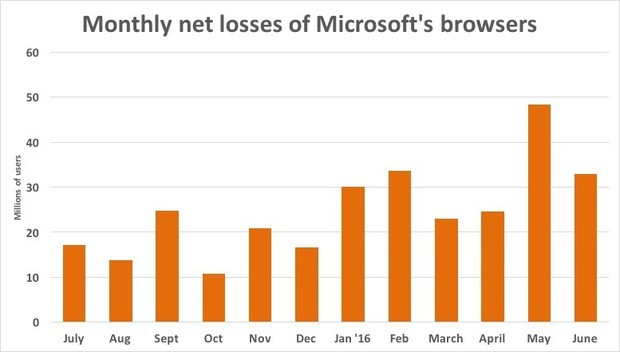
The transition from IE to Edge hasn’t been a particularly successful one for the Windows team and as of last month, the effort has been downright catastrophic. According to a report from Computer World, Microsoft’s combined web browsing efforts of Internet Explorer and Edge have managed to lose some estimated 33 million users as of last month’s tallies.
Using some simple calculations based on the claims from Microsoft as well as monthly web browsing analytics, Computer World deduced that:
In June, 41% of all Windows users ran a Microsoft browser, a figure that was down from 43% the month before. The difference between May and June: A decline of 33 million when calculated using Microsoft’s oft-expressed claim that 1.5 billion PCs run Windows worldwide.”
While slight losses may have been accounted for in Microsoft’s overall plan to move its once dominate web browsing market share over to a more modern experience, since depreciating IE last year in favor of Edge, the company has had to watch almost eight straight months of declines. The news of users leaving IE alone isn’t to be unexpected, as there are reliable alternatives at the ready, what’s perhaps more disturbing is that Microsoft’s new Edge browser isn’t among them.
Similar to the former Windows Phone user base, old IE users are making their way over to Google’s offering in Chrome. According to Computer World, Chrome managed to bolster is steadily rising market share last month with an additional three percentage points from seemingly jilted IE users. The bump in former IE users has now pushed Chrome upwards of 48% market share for the month of June 2016.
Monthly net losses
IE wasn’t alone in the losing column, Firefox also contributed numbers to Chrome growing browser market share, but its fall was much subtler than IE’s or Edge’s at nine-tenths of a percentage point.
The predominant theory is that in Microsoft’s rush to move users to Windows 10, the company may have inadvertently left a door open for Google to steal yet another Microsoft-provided experience. Without delivering an IE-ready browser in Edge, more users moved towards the known quantity of Chrome. Other smaller, lesser voiced opinions on the drop in IE and Edge users mark the switch as a natural consolidation of habits, where Chrome now represents the IE6 of its time.
Whatever the case, Microsoft’s pivot to messaging bots and omnipresent AI that will do away with traditional web paged searching, can’t get here quick enough for the company. Let us know in the comments what you think of Microsoft’s browser future.
Microsoft’s Groove Music team has arguably come a long way. Granted, the service is arguably a shadow of its Zune predecessor, but over the past few years the Groove team has been slowly building a music streaming experience that can compete with the best out there.
However, even after filling in the major functionality gaps that the transition from Zune (Windows 7) to Xbox Music (Windows 8) to finally Groove Music (Windows 10) created, the music service has spent the latter part of four years attempting to recapture its forward leaning curation experience. Thankfully, the Groove team has ironed out much of the functionality work and can now focus on the improving music discovery within the app and over the last two months, Windows 10 Insiders have been enjoying the fruits of that labor.
For those new to Groove or newly seeking a guide to expanding their music library beyond old high school favorites or the excessively repetitive nature of radio, here’s my personal look at using the newly refined Explore and Your Groove sections in Groove Music.
Step 1 Sign up for Groove
Unfortunately, Groove Music only begins to shine when you fork over the $9.99 a month or use the various deals to get a yearly subscription. Some people have been grandfathered into the sweet Zune-like experience of monthly DRM-free downloads alongside the all-you-can-eat streaming experience, but they are becoming as rare as a main character surviving a season of Game of Thrones.
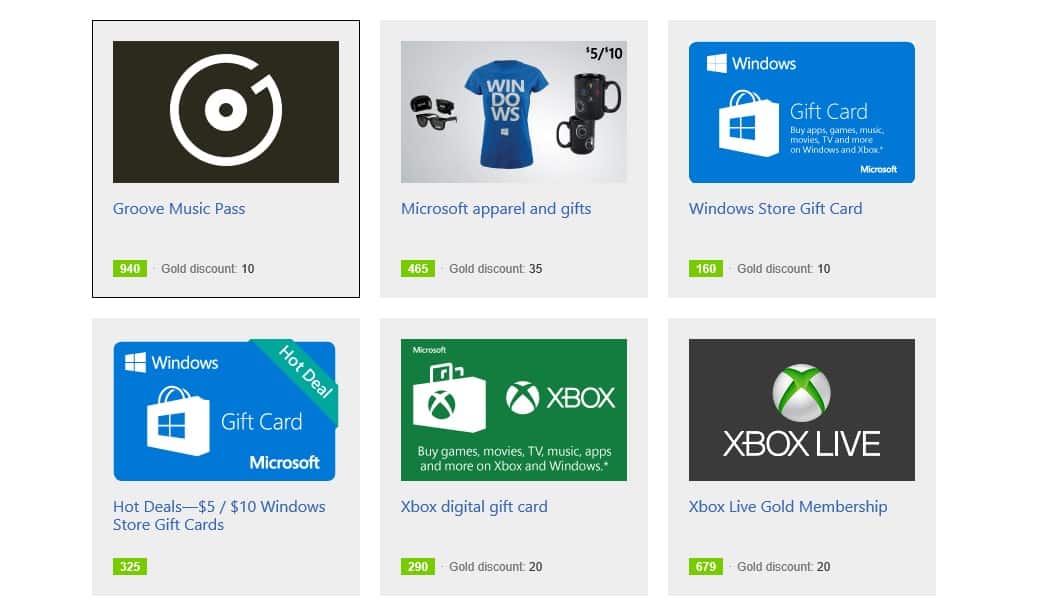
Personally, here is where using Bing has come in handy. Even if you’re a staunch Google searcher, signing up for Bing Rewards and using Bing can help pay for your Groove Music Pass, as well as other Microsoft-related products such as Xbox Live or Office. Take the time to explore Bing Rewards to get yourself a free month to three of Groove Music.
Bing Rewards page
Step 2. Start with what you know
The easiest way to get started with exploring the new curated Groove experience is to start with what you know. There are roughly two ways to go about this task:
Start with the music collection you’ve been porting over since Zune, such as the albums, artists, and playlists that you’ve been meticulously saving either to OneDrive or on your hard drive. The second option is to venture into the Explore section of Groove to find artist or songs you’re more familiar with on other platforms. Using the saved music option, your Groove app should be auto-populated with music that you can then begin selecting and listening to in order to help Groove’s new curation algorithm starting working. Using the tabula rasa approach of searching the Explore section, handpicking familiar artists, albums, and songs will net a similar outcome, albeit via a bit longer process.
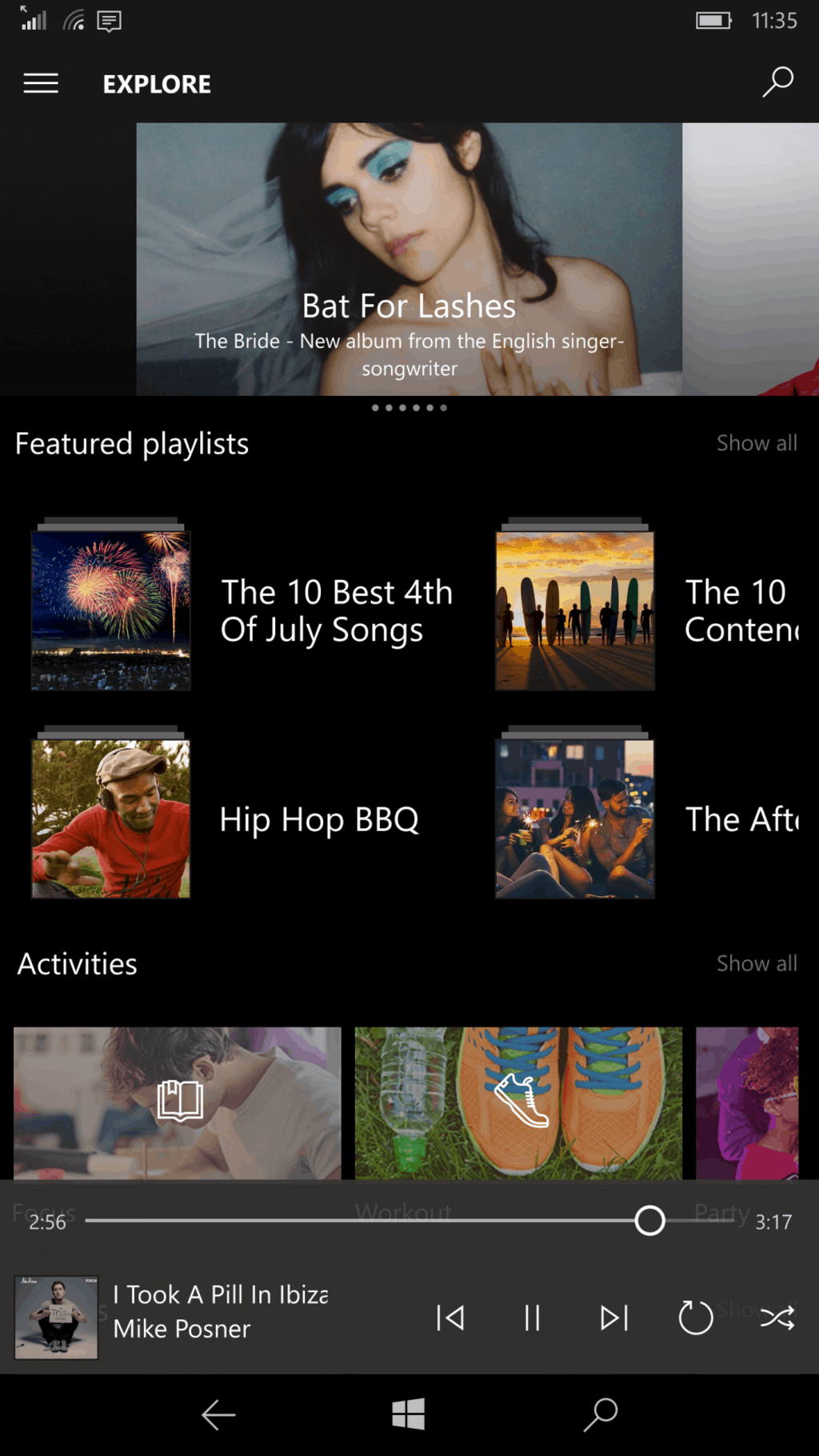
Groove Explore Section
Step 3. Gathering and sorting
I’m not particularly keen on the science behind the algorithm the Groove team is using to gather and sort through the music you are listening to, but it seems pretty straightforward to me. Select a song, listen to the song, and in what used to be the Recently Played section of Xbox Music or Groove, is now where that title lives. The new section called Your Groove is now a beefed up version of Recently Played. Songs or albums that appear there do so alongside the newly applied Groove Playlist.
For those used to the Spartan-like listing of Recently Played songs or albums may need to take some time to get used to the new dual paned experience of the Your Groove.
Your Groove Sections
The top section of Your Groove now consists of a side-scrolling list of the most immediate songs or albums you have listened to while the bottom half of the section is dedicated to a vertical scrolling list of playlist the Groove algorithm has selected for you. The new Playlists for you section can range from direct song and artist matching to more abstract correlations such as Loud Mainstream Rock, Driving Alternatives, One Hit Wonders or my favorite: Sensitive Adult Alternative Pop: Male.
Step 4. It’s all about Lists
Now that we have lists coming out of the wazoo, it’s time to start creating and adding playlists and radio stations to your account.
Within each recommended playlist, listeners will find a brief collection of songs related to the theme of the playlist as they would on Spotify, Apple Music, Google Play Music, or Tidal (if anyone is still using that). Similar to the other streaming services, Groove’s new curated playlists can also be saved for later listening sessions or downloaded for offline consumption.
Groove Playlist
At the bottom of each selected playlist artwork is an Add to option that allows users to add the playlists to their Playlist section as well as three ellipses that offer additional options that include download, renaming, or Pin to Start.
It’s as easy as that.
Step 5. Navigating
No matter how well an entire playlist may suite your mood or listening experience at the time, there is often one or two songs that particularly speak to you well enough you want to continue to explore those options. When using Spotify, Pandora, and Google Play Music, the opportunity to explore a newly discovered artist and their offerings is just a click away. In Groove Music, options for navigating from selected playlist to finding a new artist or album are also relatively easy.
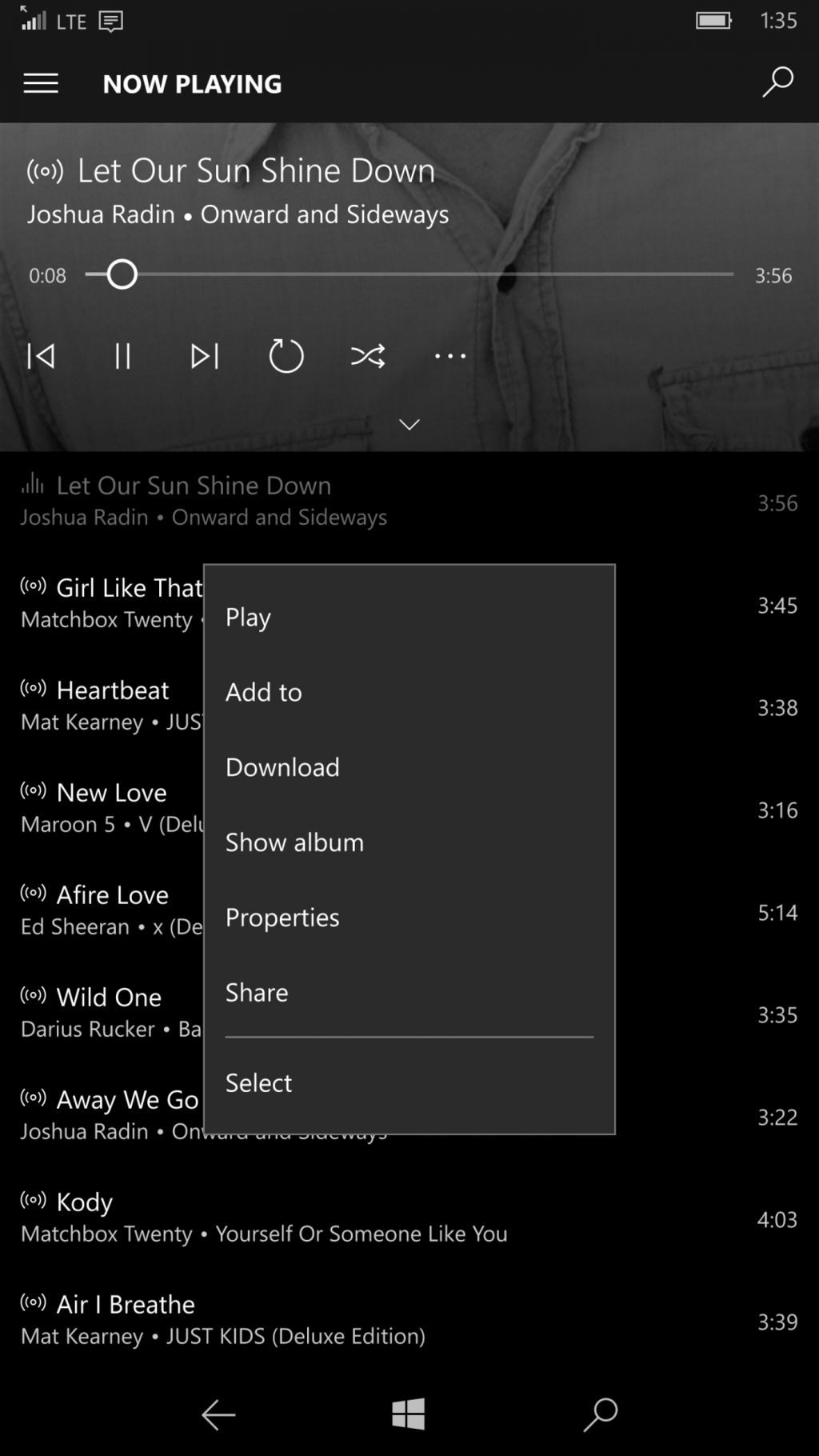
A simple press-and-hold on the artist or song playing at the time or in the playlist will reveal several options that include:
Add to
Download
Delete from playlist
Show Album
Start Radio
Properties (very helpful for DJ’s)
Share
Select
Groove long press menu
This long-press menu is the easiest and fastest way to bounce in and out of playlists, albums, or artist sections. Simply long-press on a song, head to the desired area and jump start another playlist by hitting the Start Radio option. The back and forth navigation is also a great way to condition Groove Music’s specialized algorithm, which should offer a new batch of Playlists for You options the next time you’re viewing Your Groove section.
Groove Playlists
While it’s a far tick away from toppling the likes of Spotify, Google Play Music, or Apple Music, the Groove team has created a comparable listening experience for anyone looking to delve further into the Microsoft ecosystem or for jilted Zune lovers who have been cautiously waiting for a replacement. Let us know in the comments what you think of the new Groove Music and how it compares to other popular streaming services.
Windows Central cites an unnamed source that generally confirms yesterday’s Digitimes report while providing no specifics on timing or the hardware itself. It does seem that the timing of Intel’s Kaby Lake process is impacting the AIO’s introduction as it is the next generation of Surface devices specifically.
According to Windows Central:
We can also add to the original report that the company is positioning the Surface AIO for the living room. The device is evidently targeting a “modern and elegant” design and is meant to be something akin to a premium appliance or furniture.
Unfortunately, any details about specifications and the Surface AIO design are not known at this time.
That’s not a lot to go on, but the opportunities for an interesting living-room centric AIO design are intriguing. It’s possible to speculate on all sorts of machines, from a traditional AIO design that incorporates the guts of a PC into a monitor-like device that supports Surface Pen and swivels to a horizontal screen for design and handwriting, to something that mounts on the wall like a Surface Hub and uses the same kind of sensors to enable more consumer-based collaboration and computing resources.
Windows Central highlights Microsoft’s PixelSense technology as a possibility for the new AIO. PixelSense was the technology that Microsoft acquired some time ago and that was originally conceived for a sort of coffee-tablet configuration with a touchscreen and full computing capabilities. As we reported on the “Surface 2.0” concept (not to be confused with today’s Surface devices):
Slim device. The new hardware is 4 inches thin.
A richer visual experience. With the rich color saturation from a full HD display and a larger screen, Surface offers a compelling, immersive visual experience that draws people in.
A vision-based touch experience. With PixelSense, Microsoft Surface sees and responds to touch and real world objects.
Touch-enabled from start to finish. With Windows 7 and Surface, there is no need for a keyboard and mouse for setup and configuration.
New Quick Controls. Venue staff can adjust basic settings like volume, brightness, and input source.
More customization options. An improved configuration utility means you can quickly make changes to background images, configure applications, and modify settings without getting into code.
Easier remote administration. Windows PowerShell scripts are easy to use and create, so Surface can be deployed in an enterprise setting.
Streamlined development for touch. The Microsoft Surface platform makes development easier with applications for Windows 7 that run on Windows Touch devices and with enhanced capabilities on the Samsung SUR40 for Microsoft Surface.
Consider the following video regarding PixelSense for an idea of what a new Microsoft AIO could look like:
Is this where Microsoft is headed? If so, then the company could be looking to do for the living room what they did for mobile computing by creating a new, much more robust 2-in-1 market with the Surface Pro and Surface Book lines. If Microsoft is being this aggressive with something like an AIO, then it would also bode well for the potential of an exciting Surface Phone offering sometime in 2017.
We’re excited about this development, not just because of the AIO device itself but because it illustrates that Microsoft may not be turning itself into just a boring enterprise solutions company, but really does continue to look towards a future where they’re a bigger player in consumer technology. Let us know in the comments if you agree with our excitement.
Today is the beginning of the Season Three of the Xbox Ambassadors Program. The Xbox Ambassadors Program rewards and recognizes Xbox community members who are Xbox fans that help other Xbox gamers expand their gaming experience. Xbox promises that Season Three will be a season to remember.
Ambassadors are rewarded by completing special Ambassadors Program activities, including peer-to-peer assistance in chat and in the Official Xbox Forums. Ambassadors are also rewarded for sharing their Xbox achievements and experiences on social media. Due to an overwhelming amount of support by active Ambassadors, program activities will also include commenting and voting for ideas on Xbox Feedback. Ambassadors who complete these activities will be rewarded with the opportunity to earn Ambassadors’ merchandise, Xbox games, and other prizes.
Here are the new features for Season Three that just started or will debut sometime soon:
Community Missions – Starting Tuesday, July 5, Ambassadors will be able to contribute to a Mission together, knocking out an objective through their combined efforts as they build a sense of camaraderie.
Updated Missions page – Missions are at the heart of the Program, as they allow Ambassadors to earn XP and rewards at an accelerated pace. Later this month, Mission information will be updated to display in a more immediate and visually pleasing way.
Site Notifications – The desktop and mobile views of the Xbox Ambassadors website now include notifications alerting community members to new Missions, Rewards available for redemption and social media activity that’s relevant to the Program.
Season Three promises to bring some exciting new rewards, like Xbox Design Lab controllers, now is the best time to be an Xbox Ambassador. Not yet an Xbox Ambassador? Find out how to join the Xbox Ambassadors program. The Xbox Ambassadors website is completely redesigned to better educate newbies of the Ambassadors Program and learn more about the program from active Ambassadors.
ProShot, a popular premium Windows Phone camera has been teasing the upcoming release of a Windows 10 Version over the last few months. Today, the developers finally announced that the new app is nearly completed and that a lot of work has been done to rebuild the app from scratch for the new operating system.
While certain legacy features such as filters are no longer supported, ProShot for Windows 10 is announced to be “better, faster, and more efficient than ever before.” Furthermore, the developers brought several new features such as video support with advanced settings for power users, while the “Light Painting” feature promises to enable “a fun new way to paint with light and see your results magically develop in real-time.”
You can have a video overview of the new app below the full list of features:
Auto, Program, Manual, and two fully configurable Custom modes
Full manual control over exposure, ISO, shutter speed and white balance
Normal, Bracket, Timelapse, and Video modes all with full manual controls, even during video recording
Light Painting (bulb) mode with Live Preview, and two submodes (Light Trail, Light Add)
Up to 4K Video
Live audio levels during video capture
Customizable video size, FPS and bitrate
Exposure bracketing
ISO priority and Shutter priority modes using the Auto ISO / Auto shutter settings
Manual focus assist
Full resolution image capture
Quick access to 16:9, 4:3, and 1:1 shooting modes
Front-facing camera with full manual controls, support for video
Zoom with just one finger
Real-time ISO and shutter info
Battery meter
Grid overlay
Horizon Level
Quick access to OIS, GPS and UI sounds
Quick reset button
Runs on *any* Windows 10 device with a camera, including phone, tablet, laptop, PC, and Windows 10 potato (launch TBA)
While the developers did not share a release date today, they promised that Proshot for Windows 10 will be delivered “as quickly as we can.” Furthermore, they added that they will consider bringing back legacy features if there’s enough demand from users. If you’re the owner of a Lumia 950 or 950XL, let us know in the comments if you’re looking forward to taking great shots with ProShot for Windows 10.
As we told you, the new category is being created out of existing consumer MVP disciplines, including “(a)ll current Windows Experience, Surface, Windows Phone, and Consumer Security MVPs.” As Dona Sarkar explains:
Our Windows and Devices consumer MVPs are super important to us and we have been working these past several months to figure out the right home for them. It was a thoughtful decision to bring these MVPs into the Windows Insider Program, where the future of Windows is being shaped directly by the people who use Windows most.
While this new MVP category doesn’t currently include any members specifically chosen for their participation in the Windows Insider program, that change is coming:
While we are working directly with existing MVPs as they transition into the new program, for our most engaged Insiders, the opportunity to become a Windows Insider MVP will come early in 2017 and will be unveiled this fall. Stay tuned for future announcements.
Microsoft made the decision to pare down the MVP program and refocus it towards IT professionals earlier this year, and the consumer facing disciplines were supposed to be moved to other, unspecified programs. However re-inventing that wheel seems to have been shelved and replaced by this new Windows Insiders MVP category, which at some point down the road may be represented by actual Windows Insiders.
Still, if you’re a dedicated Windows Insider and want to join the ranks of Microsoft’s MVP program, now might be a good time to make sure you’re contributing to get yourself ready for a chance to become a Windows Insider MVP.