Tour de France 2016 now available on Xbox One, conquer that yellow jersey!

Talk sports games and usually hear about FIFA, NBA 2K and Madden — but rarely of anything else. The big wide world is filled with a pantheon of popular sports, and one of the many consists of men on bicycles racing down streets. In this sport, winning the Tour de France is the coup de grace. Why? In this race, the top cyclists from around the world come to race their hearts out for the top prize. It is also a place where the infamous Lance Armstrong made his now tarnished name.

With such a strong history behind the Tour de France name, it’s about time a game was made about it. Tour de France 2016 is available right now for download via the Xbox One from the Xbox Store and costs $49.99. Whether or not players will be able to take performance enhancing drugs is still up in the air.

Full description of the game:

Embody the greatest cycling champions competing to conquer the yellow jersey along the 21 official stages of a Tour de France 2016, packed with exciting new features! Experience the emotions of a pro-rider by attacking, sprinting, counter-attacking; picking the best trajectories and taking the best tactical decisions to lead your team-mates to victory. Take to the road in solo, compete against your friends, or play in coop on the same screen.

  • Your challenge? Conquer the yellow jersey!

  • Become the best descender in Challenge mode

  • Build your dream team in Pro Team mode

  • Coop and versus local multiplayer

The file size here is around 17GB, so make sure your hard drive is ready.

Download the game from the Xbox Store and enjoy.

GoDaddy opens up Office 365 offerings to 14 Asian markets

Internet domain registrar and web hosting company GoDaddy aims to provide small businesses a complete suite of cloud-based products to help them increase business opportunities. To improve its offering to small business across Asia, the company announced yesterday that it has partnered with Microsoft to offer Office 365 to small businesses in 14 new Asian markets, an offer that will allow local customers to get a professional email connected to a domain name, secure cloud storage as well as a comprehensive set of productivity and collaboration tools.

According to the press release, Microsoft Office 365 from GoDaddy is now available in the following Asian countries in local language and currency: Hong Kong (English and Traditional Chinese), Indonesia, Japan, Malaysia (English and Malay), Philippines (English and Filipino), Singapore (English and Simplified Chinese), South Korea, Taiwan, Thailand, and Vietnam. If you’re not familiar with Office 365, Parri Munsell, Senior Director O365, Microsoft detailed the full features of this offering:

Office 365 from GoDaddy offers business-class email and shared calendars powered by Exchange Online, up to 1TB of secure online storage for document sharing, real-time collaboration capabilities, and both client and web versions of Microsoft Office apps (including Word, Excel, PowerPoint, Outlook and more). These capabilities are delivered as a cloud service available to users wherever they are, online or offline and across a variety of devices. Office 365 also includes enterprise-grade, built-in security features that help deflect malware, spam, phishing attacks and other threats.

GoDaddy Vice President of Asia Roger Chen added that “GoDaddy’s small business expertise combined with Microsoft’s email and productivity offering provides small business owners in Asia with solutions to make the business of running their business much easier.” Moreover, according to the exec, GoDaddy “research shows consumers are nine times more likely to choose a company that uses a professional email address with its own domain name,” and it’s not hard to believe that.

If you’re using Office 365 for your small business, do you think Microsoft’s offering has helped your employees to be more productive? Let us know what you think in the comments.

Details on Microsoft’s updated Wallet app including participating banks and video examples

Microsoft Wallet, a new tap-to-pay app available on select Windows 10 phones, is set to launch sometime later this Summer. According to Microsoft, Microsoft Wallet is already available for “Windows Insiders (build 14360 and higher)—general availability later this summer,” and it’s likely to come out with the Windows 10 Anniversary Update.

Currently, only a handful of banks are available on the Microsoft Wallet tap-to-pay app, including Bank of America, BECU, First Tech Federal Credit Union, People’s United Bank, and the Virginia Credit Union. Chase, Fifth Third Bank, and US Bank are listed as “coming soon.”

Here is the Microsoft Wallet YouTube video.

Microsoft Wallet will be available on Lumia 650, Lumia 950, and Lumia 950 XL. The app will be available “anywhere you see the Contactless Symbol or Microsoft Wallet logo, including at popular stores, coffee shops, and restaurants.”

For the initial launch, Microsoft Wallet will only be available in the US and will support cards with Visa and Mastercard logos. Also, it will allow you to store your gift cards and loyalty cards as well.

Visit the Microsoft Wallet FAQ for more information.

Microsoft Wallet
Microsoft Wallet
Price:
Free

Microsoft details Windows 10 Maps update

Earlier today we delivered you the news that an update for the Maps for Windows 10 was rolling out to all users. Now a few hours later, Kushal Kapoor, the Product Marketing Manager for the Windows Maps team has taken to an official blog to announce all the details on the latest update to Windows 10 Maps.

Overall, the post addresses the new features and how the team worked to deliver their promise of a maps experience that goes far beyond directions. It begins by mentioning the fact that guided navigation has been updated in Windows 10 Maps, with turn-by-turn instructions optimized for glanceability, including phone landscape mode. Kushal also notes that it is now easier to use the Windows Maps app on a phone with one hand now that navigation has been positioned at the bottom. New support for a guided transit experience, which includes notifications to get off the bus, also highlights this section of the post.

A look at turn by turn directions
A look at turn by turn directions on Windows 10 Maps

Second is the fact that you can now view multiple searches in a single map view at the same time. Kushal notes how the Maps team made it easy to plan your activities with a map that also surfaces the right type of information at the right time by allowing you to label for your search results directly on the map.

A look at searches on Maps for Windows 10
A look at searches on Windows 10 Maps

Improved detail cards and more support for offline maps were also detailed in the third section of the post.  Kushal notes that in addition to the offline routing and search support, all your saved favorite places are now available offline. Additionally, Cortana, Kushal notes, will make this easy for you by automatically reminding you to download the offline map before you take off on vacation.

A look at the improved detail cards in Windows 10 Maps

The post ends with the fact that that the Windows 10 Maps app is a great option for those who use the HERE suite of apps.  It is noted that HERE customers can now migrate up to 300 of their HERE favorites right into the Windows 10 Maps app.

Migrating data from HERE Maps

For the complete details on these new features, and on how to go about transitioning your phone favorites from HERE to the Windows 10 Maps app, you can check out the full blog post from Microsoft. As always, we would love to hear your thoughts on these new features of the Windows 10 Maps app, so be sure to drop us a comment below!

Microsoft’s Power BI can help sales teams leverage information

As more companies and businesses transition to hybrid or full-scale cloud infrastructures, many are prepping themselves with tools that can reliably retrieve, compute and analyze their growing banks of data on the go.

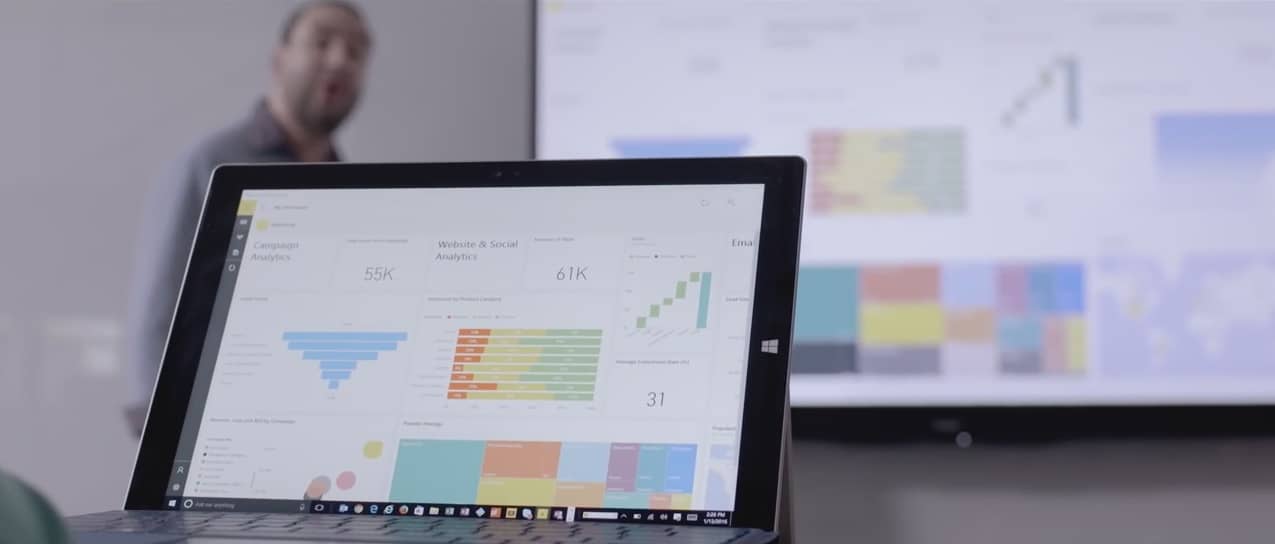
Microsoft believes its Power BI tool is the perfect solution for a mobile sales team whose company has or is making the move to the cloud. Using Power BI, sales reps, and associates can do away with fumbling through spreadsheets, or cycling through a litany of specialized apps when presenting offers or proposals dependent on the analysis of big data.

Microsoft’s Power BI team also highlights some specific examples and use cases of the tool that continue to aid sales teams around the world.

  • Instant reports—Companies are always trying to find new ways to increase productivity. For a sales team, that can mean eliminating difficult and time-consuming manual reports and replacing them with a technology partner that can sort through data from myriad sources and produce actionable insights. Pipeline reports and sales trends can be generated in hours, minutes and sometimes seconds—instead of days—leaving you plenty of extra time to review and develop thoughtful strategies.
  • Data share across departments—For your sales team to succeed, your company’s other departments also need analytical success. Because Power BI supports nearly 60 applications, different departments can import the data they’ve collected to share with each other and provide deeper insight. When a sales team can see where marketing efforts have succeeded, for example, they can more effectively realign their strategies.
  • Quota management—In an ever-changing market, setting realistic quotas proves challenging, especially when your sales success depends on variables like region, month and customer segment. Power BI eliminates the difficulty by gathering past and present data—in one place—so you can set attainable goals for the future.

For companies or businesses looking to expedite the close of a deal or hand their men and women the tools to branch out into new markets, Microsoft’s Power BI tool should be a top consideration. Beyond just enabling an efficient sales force, Power BI is also one of the best means for a business to wrap its head around the multitude of signals it receives by processing data into customizable visualizations. Tools such as Power BI go hand in hand with the ever increasing data noise cloud infrastructures are designed to catch.

Homefront, King’s Quest, and more discounted on Xbox One and Xbox 360

This week’s Deals with Gold have just been announced for the Xbox 360 and Xbox One consoles and there are some good deals to be had.

On the Xbox One, the Battlefield 4 Second Assault downloadable content (DLC) is completely free while BADLAND: Game of the Year Edition, LA Cops, and Schrödinger’s Cat and the Raiders of the Lost Quark have been given a 75% discount.

The Gears of War: Ultimate Edition Deluxe Weapon Skin Pack is now 67% cheaper and WWE 2K16 Digital Deluxe is 60% off the usual price. WWE 2K16, This War of Mine: The Little Ones, Plants vs. Zombies Garden Warfare 2, Plants vs. Zombies Garden Warfare 2: Deluxe Edition, and Grand Theft Auto V & Megalodon Shark Cash Card Bundle are now selling for half price.

Deals with Gold
Deals with Gold

The Grand Theft Auto V & Whale Shark Cash Card Bundle has been reduced by 45% and the Assassin’s Creed Syndicate – Jack the Ripper DLC, Grand Theft Auto V & Great White Shark Cash Card, Homefront: The Revolution ‘Freedom Fighter’ Bundle have had their prices slashed by 40%. Grand Theft Auto V and Homefront: The Revolution are 35% cheaper for this week and King’s Quest : The Complete Collection is 25% cheaper. The King’s Quest: Season Pass – Chapter 2-5 DLC pack is 20% off the regular price.

On the Xbox 360, the Battlefield 4 Second Assault DLC is being given away for free while Dead Island, Dead Island Riptide, and Escape Dead Island are now selling for 80% off the usual asking price. Worms Revolution and Worms 2: Armaggedon are now 75% off and the Gears of War 2: All Fronts Collection DLC, Gears of War Judgment VIP Pass DLC, and WWE 2K16 have been reduced by 50%.

Finishing up the Xbox 360 discounts are Grand Theft Auto V, which has had its price cut by 40%, and the King’s Quest: Season Pass, which is now 20% cheaper than usual.

All Xbox Live Gold subscribers can purchase these games and DLC for the reduced prices either directly on their Xbox 360 and Xbox One consoles or via the Xbox app and Xbox website.

Have you taken advantage of any of these discounts? Let us know what you brought in the comments below.

The new Ghostbusters Xbox One video game has a 4-player mode and retro DLC

There’s a new Xbox One video game based on the upcoming Ghostbusters theatrical reboot and it’s now available for pre-order and pre-download on the Xbox One ahead of its July 12th release date.

Here’s the official description: Have you and your friends been experiencing paranormal activity? Grab your Proton Pack and join the Ghostbusters as you explore Manhattan, blasting ghosts, and trapping those runaway ghouls.

  • Thrilling Multiplayer Experience: Play alongside your friends as the Ghostbusters in the 2-4 player local co-op campaign!
  • Terrifying Ghost Trapping: Battle new and classic Ghostbusters characters, including Slimer, Gertrude Eldridge, Sparky and many more!
  • Electrifying Weapon Choices: Dynamically swap weapons during battle with unique options for each character.
  • Blockbuster Film Extension: An original story that takes place after the events of the movie!
  • Ghostbusting fun for the whole family: Gamers of all ages and experience can dive right into the action.

Buy Ghostbusters on Xbox One

The game is currently being sold in a special pre-order bundle that includes both the full game and a special bit of downloadable content (DLC) that gives gamers the option to enable classic character costumes based on those used in the original two Ghostbusters movies from the 80s.

Despite being somewhat based on the new movie and even providing players with a story campaign set after the events in the film, the game seems to feature entirely unique characters with a noticeable equal representation of male and female characters to play as (the new movie has an entirely female team of Ghostbusters).

Promotion of the new Ghostbusters movie is expected to heat up as the premiere of the movie nears. Several tie-in products for the film have already been announced for Lego Dimensions (a video game that’s also playable on the Xbox One and the Xbox 360) and the two original Ghostbuster films are currently available to watch in HD on Microsoft’s Movies & TV/Films & TV digital store service.

Are you going to play this new Ghostbusters game or are you planning to see how the movie goes first? Let us know in the comments below.

Overwatch reaches 10 million players in less than a month

Blizzard is known for developing successful and popular games and it looks like the company found another winning formula with its latest game, Overwatch. The newly released multiplayer FPS hit a new milestone, reaching 10 million players in less than a month since release.

Blizzard celebrated this achievement with a video on Twitter, where it thanked all Overwatch players for purchasing the game.

Overwatch was originally available in the closed beta and even then players showed a lot of interest in the game. Based on the number of participants in the open beta, it was easy to tell  the game would be a successful title. In fact, interest in the game was so high that cinemas all around the world organized screenings of Overwatch trailers.

Unlike Blizzard’s previous successful title, World of Warcraft, Overwatch doesn’t require a subscription. Of course, Overwatch still has a healthy competition in its own house as the aforementioned WoW once had around 14 million monthly players at its peak and Blizzard’s free digital card game, Hearthstone, has around 40 million active players.

Overwatch is available on Windows PCs, Xbox One, and PlayStation 4. You can purchase it and join the army of more than 10 million agents (and counting) for the price of $59.99.

RELATED STORIES YOU NEED TO CHECK OUT:

Xbox One Preview on its way, expected to start rolling out at 6PM PDT

If you’re in the Xbox One Preview program, then you can expect a new build to start rolling out today at approximately 6PM PDT. The news comes from Xbox’s Mike Ybarra via Twitter.

The link goes to the Xbox Preview private forum, but Windows Central posted some of the update’s details:

Language Independence – Based on overwhelming fan feedback, we’ve enabled Language Independence to give you even more choices over your Xbox experience and how you engage with your Xbox One. Language Independence gives you the freedom to choose any supported language on Xbox One, regardless of your location.

Please try out this capability and give us your feedback. If you encounter any issues, change your language and location settings back to their previous values to see if the issue still exists. We look forward to your feedback.

Game Pre-orders – When purchasing a game pre-order, funds may no longer be deducted from your account immediately (depending on when the game pre-order is purchased). Pre-order funds will now be deducted from your account 10 days or less prior to the game’s release date.

If you’re in the preview, then hit that update button at the appropriate time. Let us know in the comments what you think of the update.

Imperia Online is building a Windows 10 Universal App, talks up the many advantages of Windows 10

The massive multiplayer online strategy game Imperia Online is a relatively new entrance to the Windows Store, but its developers are already headed back to the drawing board to bring the gaming app more in line with Microsoft’s new Universal Windows Platform.

Imperia Online entered the Windows Store roughly a year ago as a divided Windows 10 and Windows Phone experience but according to its developers, a project merging the two is already underway.

Before today’s announcement, Imperia Online initially saw the Windows Store as a way to expand its reach beyond its humble beginnings on Facebook to eventually iOS, Android, and the web. The developers had a bit of trepidation when considering Windows, perhaps due to its separate and uneven ecosystems early on.

At first, we were skeptical of the Windows ecosystem, but then we saw the lack of strategy titles in their games section, and we thought this new platform can expand the company’s market significantly.

Mariela Pavlova, Head of Marketing and Business Development for Imperia Online

Perhaps thinking beyond simplifying the amount of development work the gaming studio would have to do, UWP also provides a single significant foundation to support Imperia Online’s vital in-app purchasing model. Using UWP development for gaming, developers can implement promotional codes for in-app products the coincide with timely events, holiday specials, or encourage weekend bonus play.

From the beginning we have believed that free-to-play is the business model of the future because you can reach a broader audience,” said Cvetan Rusimov, COO of Imperia Online Ltd.

In-app monetization
In-app monetization

Another benefit of UWP development is utilizing platform specific resources such as Live Tile manipulation as a subtle alternative to annoying pop-up notifications, drawing gamers back into gameplay.

Our experience on Windows,” said Mariela, “shows that users benefit a lot from Live Tiles mainly because they are not disturbed by notifications. Instead, they see nice images for the local offers, coming attacks and finished missions in game. Retention rates are increased, as shown by more frequent logins and game sessions.”

The powers that be over at Imperia Online also see UWP development as a quick injection of regional expansion as well. Using UWP development enables Imperia Online to reach a broader audience than which it currently caters to in Europe, South America, the Middle East and Japan. While not relying solely on the 300 million install base, Imperia Online developers are looking more into utilizing Microsoft’s global presence with its Azure cloud platform to ensure their game is translated and repurposed with the right localized assets and data.

Imperia Online Languages

Imperia Online has been supporting users on various platforms ranging from the web to the more popular mobile ones. Fortunately, Imperia Online’s development roadmap includes Windows 10. For their time and effort, UWP development for Imperia Online should offer a larger audience and continue to help expand the number of platforms the game is present on. Once Imperia Online’s app is fully developed for the UWP, its developers have a prompt window into putting its in-app purchase model in front of a console audience or AR crowd that no other platform is equipped to do today.

DOOM Xbox One demo extended, available for download

Apparently, players have been demanding that the DOOM demo be extended because today on Twitter, @DOOM revealed that it would be continuing for a while longer. The original demo was meant to be available for the E3 conference week, however, the DOOM developers figured ‘what the hell’ according to their social media.

The DOOM demo is available right now for download and lets you play the opening level of the single-player campaign. Download it for free for Xbox One, Playstation 4,  or PC.

Microsoft Sway gets 13 new languages, improved search in latest update

Microsoft has released an update for its Sway storytelling tool Sway, a Microsoft tool that helps in creating digital stories through a canvas layout in which you import images, videos, web content and text to create an interactive and immersive story. Sways can be shared with others online via a link, allowing them to quickly view your digital story and view the content all in one place.

As part of this latest update, the company has added support for 13 more languages, which include:

  • Hindi
  • Tamil
  • Cambodian
  • Thai
  • Hebrew
  • French Canadian

Support for these new languages will allow more people to make use of Sway in their native language, and not have to resort to a second language.

Along with new languages also comes a new method of finding content in your Sway whilst editing it: keyword searching. From today, you will be able to quickly search for keywords in your story and it will allow you to rotate through all of the found references, much like when using the Find (CTRL+f) feature in a web browser.

Sway
Sway
Price:
Free

Docker opens up Docker for Windows beta to everyone

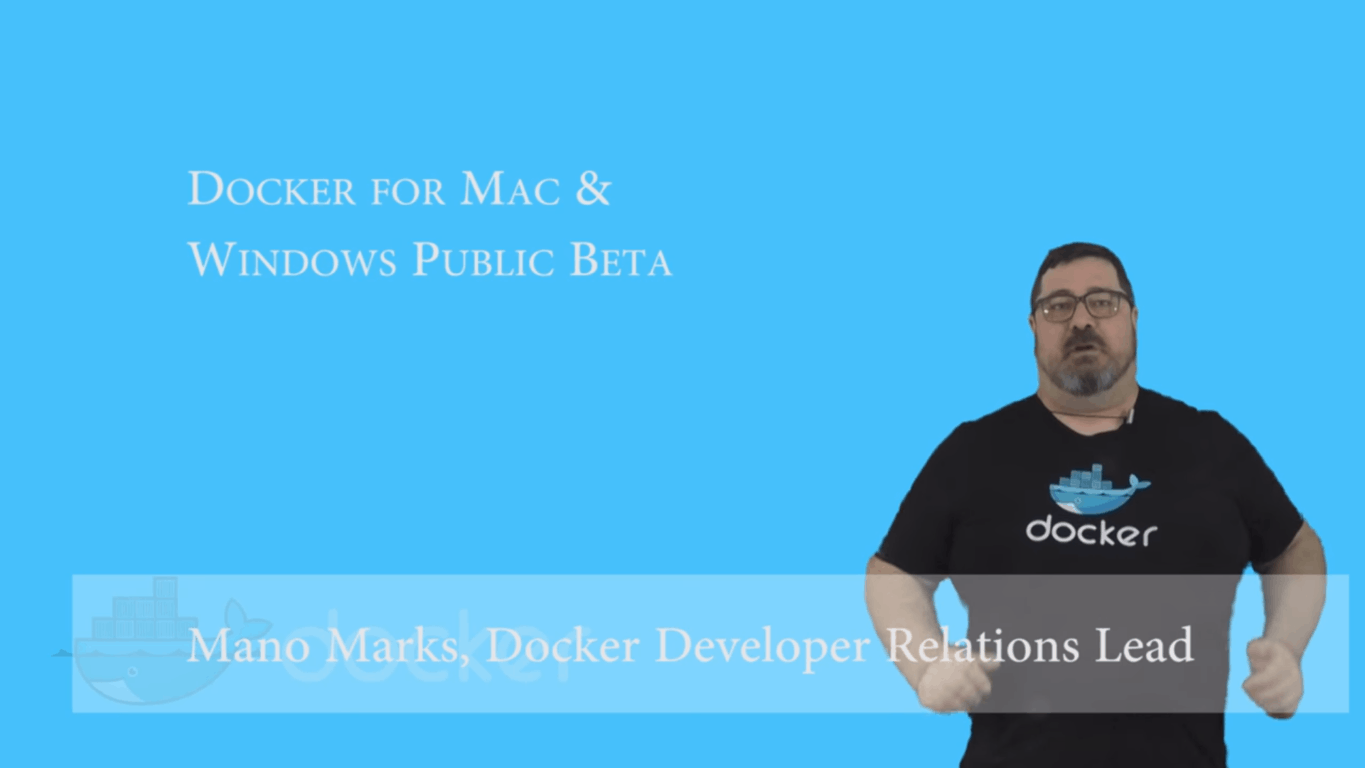
Programmers and developers have been anxiously waiting for an invite into the Docker application beta since earlier this year. During their announcement video, Docker shared that they had over 30,000 interested parties sign up within hours of the initial announcement. A grand total of 70,000 were able to join the beta to provide feedback and get a hands-on experience with the application. But for those that haven’t gotten in, today they can do so with the open beta announced for Docker on Mac and Windows.

The Docker platform is one of the most versatile means for developers and IT to create and test their application software through multiple devices. Docker boasts that the Windows application will provide better performance and reliability as well as advanced options to change CPU, Memory Usage, and many more tweaks to improve development.

With Docker on Windows, users can expect the same experience they’ve had before with enhancements, including deeper integration of running Docker and native virtualization for the Windows platform. The in-container development makes it possible to auto-update the software within the platform–just a save and refresh after, and the application reflects changes made to the coding without any hassle.

The polyglot environment is a major feature for teams, developers, and organizations that use multiple coding on their projects. Mounted volumes will notify the document when it’s changed. Developers are now able to build applications on a Windows machine without the need to add more frameworks. For example, when a developer writes in Java coding, the application will recognize it as Java coding. The same will occur with other supported languages.

The Docker application for Windows will provide better networking than before with built-in DNS servers and easy use over VPN. It will run with Native Hypervisor Support meaning that minimum specifications require a Windows 10 Pro machine with the latest Hyper-V updates. So what are you waiting for? The Docker public beta can be downloaded from their official website.

Office 365 Groups wants to make professional learning communities easier to manage

A professional learning community (PLC) is a group of teachers that meet regularly to share classroom techniques and discuss ways of better engaging their students to improve their academic performance. Office 365 Groups provides teachers with a number of ways to collaborate within a PLC easier and more efficient. For the most part, PLCs are formed and focused on specific grade levels and subject areas.

Here are some examples of problems that PLCs face that Office 365 Groups can help fix:

  • Teachers can be isolated, time is severely limited and collaboration is difficult.
  • Professional collaboration tools are disconnected and don’t always support meaningful, sustained collaboration.
  • A challenge for many PLCs is extending the work and relationships in the times and spaces between physically coming together.
  • It can be difficult for new teachers to ramp up.
  • Information is often stored in personal spaces as opposed to one common place that can benefit others.
  • New members need to better understand the journey, story, exploration and history of a PLC, its activities and areas of inquiry.

In April 2016, Office 365 looked to help improve the user experience for PLCs. Today, Microsoft announced that the PLC Groups Preview, tailored to meet the needs of teachers and address some of the issues that they face in their PLCs. Available later this Summer, the Office 365 Groups for PLC Preview will help teachers in PLCs by providing a better collaborative experience.

Each Office 365 Groups for PLC Preview will come with:

  • Inbox for group email communication, including Connector for connecting your group to Twitter and following topics or Twitter handles that interest your PLC group.
  • Calendar for scheduling group events.
  • Document library for storing and working on group files and folders.
  • OneNote notebook for taking project and meeting notes.
  • Planner for organizing and assigning tasks and getting updates on project progress.

Here is a video showing how Omaha Public Schools uses Office 365 Groups for PLCs:

To learn more about new features and capabilities coming soon to Office 365 Groups for Education, you can check out the Office 365 Education Roadmap. If you are interested in trying out the Office 365 Groups for PLC Preview, you can sign up here.

Office 365 Education introduces Microsoft Forms

The Office 365 team has just taken to their blog to announce the availability of Microsoft Forms for Office 365 Education customers. Microsoft Forms is an easy-to-use Quizzing Function which lets anyone confidently create a form and easily see results as they come in.

Microsoft Forms
Microsoft Forms

Microsoft Forms works for anyone with an Office 365 Education account and is unique because of its automatic grading and in quiz functionality, which is especially valuable for those in education. Built on the direct feedback of educators, Forms’ automatic grading reduces the time spent grading. In quiz feedback meanwhile, lets quiz authors personalize messages depending on how a student answers a question. The Office 365 Team describes the functionality of Microsoft Forms as follows,

When an instructor wants to assess how well the students understand a given topic, they can quickly author a quiz directly from their desktop or mobile web browser. The instructor simply determines the questions they would like to ask and then chooses an answer type, such as multiple choice, text or a rating. The Forms authors can then send a link or QR code to quiz takers or embed the quiz into a web page, blog or Learning Management System (LMS), and recipients can complete the quiz on phones, tablets or PCs. And with the real-time feedback in Forms, the instructor can very quickly see where the class may need additional instruction or could advance more rapidly. Forms responses can also be exported to Microsoft Excel for richer analyses.

The Office 365 team also is claiming that Microsoft Forms is a great quizzing platform because the quiz question types are unique. Additionally, the team notes that Forms is also flexible and can be used to create surveys, requisitions, assessments and so much more.

A look at Office 365 Forms in action

Microsoft Forms is available for Office 365 Education customers starting today. Customers can find the tile for Forms in the My Apps section of the Office 365 App Launcher.  It is also worth noting that while the Office 365 team is exploring possibilities of launching Forms outside of Office 365 Education, more details are not available at the time.

What is a Windows 10 Insider Bug Bash?

With the Windows Insider program on Windows 10, we were introduced to what Microsoft likes to call a ‘Bug Bash’. The first bug bash took place on April 26, 2016. Bug bashes are used as a way for the company to gather direct feedback on specific journeys that a user may take; this involves asking the user to complete a specific scenario or set of tasks, and providing their feedback at the end.

Microsoft generally announces an upcoming bash a few weeks ahead, and once the time comes around, they release a number of quests into the Feedback Hub. These quests are designed to get users to test a number of features in Windows 10; this could include Bluetooth connectivity, or new functionality in the Edge browser, such as extensions. Sometimes new quests are added throughout the duration of the bug bash.

A bug bash doesn’t just involve quests. Microsoft also wants users to test everything, do everything they would normally do, and report any issues that they notice, no matter how big or small it might be. It is a chance for the company to refine the user experience and weed out any annoyances that could occur, to ensure a smoother experience, particularly for an upcoming large release, such as the 2016 Anniversary Update.

What platforms are Bug Bashes held on?

Bug bashes are available on any Windows 10 device that features the Feedback Hub. This includes Windows 10 PCs, tablets and mobile. All you need to do is head over to the Quest’s page and start working your way through them – or provide your own feedback, through the standard Add Feedback functionality.

How often are Bug Bashes run?

So far, bug bashes are a somewhat rare event, used only to refine the experience before major releases. Stay tuned to OnMSFT for all the latest Windows 10 Insider Bug Bashes!

What does Microsoft do with my Feedback items?

When you submit a Feedback item in the Feedback Hub, particularly so during a Bug Bash event, Engineering teams responsible for the feature affected will triage and review the reported issue. They will then attempt to replicate the issue or view similar reports to gather insightful information. If they have the necessary information, it will be queued and assigned for a fix to be created. Eventually, the fix gets rolled out to Windows 10 Insiders.

Happy Bug Bashin’!

After numerous complaints, Microsoft’s Band 2 gets a thicker skin, literally

As many users throughout the internet have reported, one of the biggest problems with the Microsoft Band 2 is that the thermal plastic elastomer silicone vulcanite wristband on the device would tear in certain areas. According to WinSuperSite, Microsoft has fixed the material in newer shipments of Band 2’s in order to protect against such rips and tears.

broken band
A broken band on the Microsoft Band 2 – image credit Kellogg Brengel

The report notes that employees helping in the exchange of torn Band 2’s at Best Buy and the physical Microsoft Retail Store have mentioned that, “there’s a special lot number that has been fortified with either new or thicker material.” This lot number, apparently, can be found on the retail box for the Band 2 (as seen below.) The site is also noting that Lot numbers with 1608 or above, might have shipped with the thicker skin.

A look at where to find the Lot Number on your Band 2 box

As WinSuperSite notes, the first two numbers in the Lot number appear to be the year of shipment, and the second two appear to be the week. So, this indicates that Band 2’s with the Lot number of 1608 (2016, 8th week) are the ones with the heftier skin for enhanced tear protection.

So, will you check your Lot Number to see if you’re one of the lucky folks with the thicker Band 2 skin? Let us know by dropping us a comment below!

How to complete Windows 10 Insider quests

As a Windows Insider, you are given access to Quests in the Feedback Hub app. These quests are designed to give Microsoft feedback on specific user journeys throughout the operating system, as well as test new features that have arrived in the latest builds.

Every now and then, the company will also host a ‘Bug Bash’, in which numerous quests are added, where Insider’s are encouraged to go through and test each use-case, and provide their feedback on the experience. If you’re unsure of what a Bug Bash is, head over to our recent ‘What is a Windows 10 Insider Bug Bash?‘ article, where we fill you in on the details.

If you’ve not participated in a quest before, you might be wondering where to find them and how you go about completing them. Fear not, we’re here to help you out.

Where can I find quests?

Quests can be found in the Feedback Hub app. To access this, use the search bar in the Start Menu (or Cortana) and search for ‘Feedback’. Once you have the app open, you’ll want to select the quest icon, which looks like this:

The Quest icon in the Feedback Hub

After the new page loads, you’ll be able to see the list of quests that are currently available to be completed.

Okay, I’ve found the quest I want. How do I complete it?

You’re well on your way to providing valuable feedback to Microsoft. To complete the quest; select the quest you would like to work on, the next page will then list the scenarios and steps that you need to complete. Each scenario will have various steps that will take you through an expected user journey. All you have to do is follow each of the steps, then when you are done, just click ‘Done’. You will then be prompted to provide your feedback, this could be a rating, a comment or various other questions; make sure to note down any issues you faced during the process. The more detail that you can provide, the more likely it is to be fixed.

Viewing a quest
Viewing a quest

All done? Well done, you’ve completed your first quest! Now you can go back to the quest listing page and choose another quest to complete. You don’t need to complete all of them, they’re all completely optional, but are valuable in detecting any problems that could arise in new features.

It is a good idea to check the Feedback Hub regularly, as new quests will be added over time – and as always, we’ll keep you updated on any new bug bashes that come around, so you can prepare for an onslaught of new quests to be cracking on with.

Windows 10 News recap: Two, count ’em two new builds last week

In case you spent last week under a rock, we’ve got your back: here are the top stories on Windows 10 from WinBeta for the week of June 13-19, 2016.

Microsoft started out the week with a fairly innocent Windows 10 release, dropping KB316308 for Windows 10 Production and Release Preview PCs, bringing them up to build 10586.40. Right after that, however, things got really interesting when Windows 10 Insider Preview build 14366 was released for the Fast Ring, along with build 14364 for Mobile, which was announced at the same time but took a few hours to make it to the download servers.

At the same time, Microsoft announced its second Windows 10 Anniversary Bug Bash, providing quests for Insiders to complete in order to gather information to make Windows 10 even better.

The 14366 build was mostly a bug-fix release, but it did carry with it a new extension for Microsoft’s Edge browser, this one for Office Online.

Some new Windows 10 apps hit the Windows Store last week, including MyUSPS, Expedia and the Weather Channel. Wells Fargo chimed in with it’s own Windows 10 app, although it also announced it was killing the Windows Phone 8.1 Wells Fargo app.

Last week also saw a Windows 10 refresh tool pop up a little early, and then be officially released, allowing Windows Insiders to more easily clean install a Windows 10 Insider build on their test systems. We also got news that prolific Windows 10 app builder Rudy Huyn is working on another app. The latest Windows 10 Insider builds now allow you to choose where to install large games and apps, a boon for the influx of Play Anywhere Xbox games coming to Windows 10.

Then it was Biff, Pow, Zam as Microsoft released not only one, but two Insider builds to Insiders in one week. Build 14367 was released on Thursday, again, mostly a bug fix release, although a new keyboard shortcut for the Feedback Hub was added.

Just in case all of these new builds weren’t enough for you, Windows 10 Insider Preview build 14366 was released to the slow ring.

To top it all off, calendar watchers may have noticed that the very first Surface was introduced 4 years ago last week.

That’s it for this week’s Windows News recap, stay tuned for all the latest and what promises to be another exciting week as we get closer to the official launch of the Windows 10 Anniversary Update!


Save big on Xbox Live Gold subscriptions with Bing Rewards, now until June 30th

Bing Rewards, Microsoft’s rewards system for those who use Bing to do online web searches, has long been available for those inside the United States. Bing Rewards members can now save big on Xbox Live Gold subscriptions from now until June 30th, according to  Windows Central.

A look at Bing Rewards

The savings brings a one-month Xbox Live Gold subscription down from 699 Bing Rewards points to 500 points. The three-month subscription, meanwhile, is up for grabs for 1,000 points. Lastly, and if you’ve saved up enough, a 12 month Xbox Live Gold subscription is available for 2,899 credits if you’ve achieved Gold Level status.

If you don’t already have a Xbox Live subscription, these Rewards Points savings will be a great way to guarantee yourself access to online multiplayer on Xbox, and the Deals with Gold savings.  It also still will be smart to act now and check out the savings via this link, as these discounts will only last another 10 days until June 30th.

Resident Evil 7 will raise the bar on horror games in 2017

Capcom made a very strong showing at E3 with its announcement of Resident Evil 7: Biohazard for PlayStation 4, Xbox One and Windows 10 PCs. Gamers longing to play a hardcore horror game will be impressed with the latest installment in the Resident Evil series, as the developers packed in photorealistic visuals created with the new graphics engine.

Some scenes in Resident Evil 7 will be so scary that you’ll no doubt jump out of your chair: the atmosphere is so realistic and well-designed that you’ll be stuck between wanting to explore more and being too frightened to do so. PlayStation users, in particular, will get full VR support for a far more, disturbingly immersive experience.

Below is the trailer for the game:

The action takes place in modern-day rural America after the dramatic events of Resident Evil 6. In the Teaser: Beginning Hour demo, the player wakes up inside a dilapidated cottage on an ominous plantation mansion and starts exploring the interior in search of clues.

The atmosphere is tense and the graphics are very realistic as the game is powered by the RE Engine and offers high-quality audio effects. According to the press release, “Resident Evil 7 is poised to deliver a disturbingly realistic experience that will define the next era in horror entertainment.” Producer Masachika Kawat has specified that there are 120 developers who are currently working on the game. The game is slated for a January 24, 2017 release.

The Witcher 3’s Gwent card game gets standalone experience

The Witcher 3 is one of the best video games to be released on the Xbox One and PC. One of the great things about this game is an interesting little mini-game fans have come to enjoy called Gwent. To capitalize on the success of other digital card games like Hearthstone, CD Projekt Red has decided to create a standalone game centered around it.

This isn’t your regular card game because there’s a story here to be told. Furthermore, we understand CD Projekt Red wants to tell this story in stages, so expect several pieces of downloadable content before the game can be finished by players in its entirety.

Here’s a short description of the game via the official website:

  • Brought to you by the creators of The Witcher 3: Wild Hunt, the single player campaign of GWENT® thrusts players into an event-rich world they can roam freely. To be released in episodes, the story unfolding in the campaign will feature the choice and consequence mechanic the Witcher games are known for.

It seems as if the developer of this game is going all out,with this card game, and we can understand why. We hope key changes are made to the gameplay to support a full-blown experience, because while the mini-game is fun, it will need a lot more to keep it interesting as a standalone title.

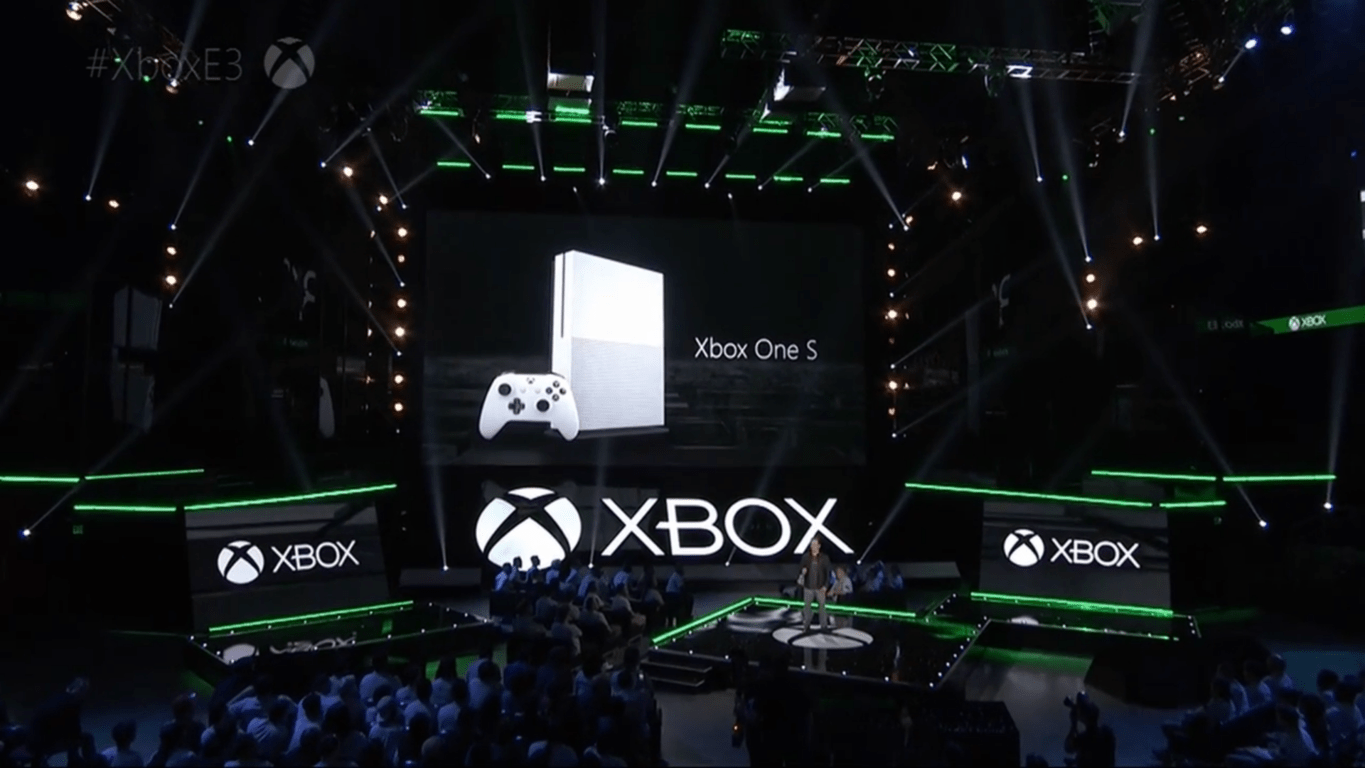
Microsoft showed off several key titles at its E3 conference, though the reveals of new Xbox One S and Project Scorpio took the cake.

RELATED STORIES YOU NEED TO CHECK OUT:

Windows 10 Preview build 14367 now available for download

Just a few days after releasing the previous build, Microsoft pushed out another release for Windows 10 Preview, a third one in less than a week and a half. The new build is called Windows 10 Preview build 14367, and it is already available to all Insiders on the Fast ring on both Windows 10 Preview and Windows 10 Mobile Insider Preview.

The new build doesn’t bring any major new features, but it adds a few things to the system. This was totally expected, since the build build is only a few days newer than the previous one, and as you probably know, Microsoft is now focused on fixing issues and enhancing the system for the Anniversary Update, rather than releasing new features.

Windows 10 Preview build 14366 features

Since the build was released during June’s Anniversary Update Bug Bash, it was reasonable for Microsoft to release at least some improvements to the Bug Bash’s main engine, the Feedback Hub. However, the improvement is a minor one, as the new build just introduced the new keyboard shortcut for the Feedback Hub app on PC.

From now on, if you want to quickly access the Feedback Hub in Windows 10, you just need to press Windows key + F on your keyboard, and the app will open automatically. Speaking of keyboards, the new build also brought handwritten support for some new languages, including Indonesian, Malay, Swahili, Xhosa and Zulu.

And probably the biggest highlight of the new build is a new tool for fresh installing Windows 10. We already knew such tool was in the works, and it was just a matter of time when Microsoft would release it. The tool is available in Windows 10’s Settings app, and it installs a clean copy of the latest Windows 10 version, and removes all previously installed apps. So if you want to perform a clean install of Windows 10, using this tool is much easier, than using an installation media.

As usual, Microsoft also fixed some known issues in the new build, but also pointed out to possible problems that can be caused by this release. You can find out more about known issues and fixed problems, as well as more details about the build itself, in Microsoft’s official announcement blog post.

Of course, we’re going to scan Microsoft’s forums for even more issues, reported by real users, and we’re going to write our report about everything that bothers Insiders in this build. In case you already installed build 14366, and encountered some problems, feel free to let us know in the comments.

RELATED STORIES YOU NEED TO CHECK OUT:

Microsoft avoided paying £100m in UK tax

According to an investigation by The Sunday Times, Microsoft has been found to have a secret agreement with the UK tax authority, HMRC. This agreement is known as an Advance Pricing Agreement. The agreement works by allowing Microsoft UK to funnel earnings from the UK through a company known as Microsoft Ireland Operations (MIO) in Ireland, where the tax rate is lower. For comparison reasons, the UK tax rate is at 20%, with Ireland being at 12.5%, making the latter a more interesting place to route earnings through, if you’re looking to reduce your tax bill, that is.

The report from the investigation claims that the company routed more than £8bn through its Ireland operations arm since 2011, with parts of its offshore operations being approved by HMRC in 2012. In terms of specifics on the deal, we only know that online purchases can be sent via Ireland and registered there. Accounts for MIO revealed that just over £2.3bn was sent through them, with a mere £16.9m being paid in tax by Microsoft UK.

A statement released by the company read:

[The business] complies with all rules and regulations worldwide, including in Ireland and the UK. Our European business, production and distribution is centralised in Ireland and has been since the 1990s. Microsoft UK earns a commission similar to what a third-party would receive for performing marketing services for Microsoft Ireland and pays tax on income earned in the UK.

HMRC also released a statement on the subject matter:

No company will pay a single penny less in tax because of [advance pricing agreements]. These simply set out how the tax rules will apply on complex transactions ahead of time and we keep them under constant review.

Other large technology companies have also been found to be using tax avoidance tactics; these include big names such as Facebook and Google. After it was found that they were knowingly reducing their tax bill, Facebook changed the way it registers UK revenue, so that sales to large businesses on its advertising platform would no longer be routed through Ireland, and instead pay the full UK tax rate of 20%. Google also said they would increase the amount of tax they paid.

Judging from Microsoft’s statement so far, they have no intention of following suit, in terms of adjusting the amount of tax they pay, and instead believe they are in the right, at least legally, although not necessarily ethically.

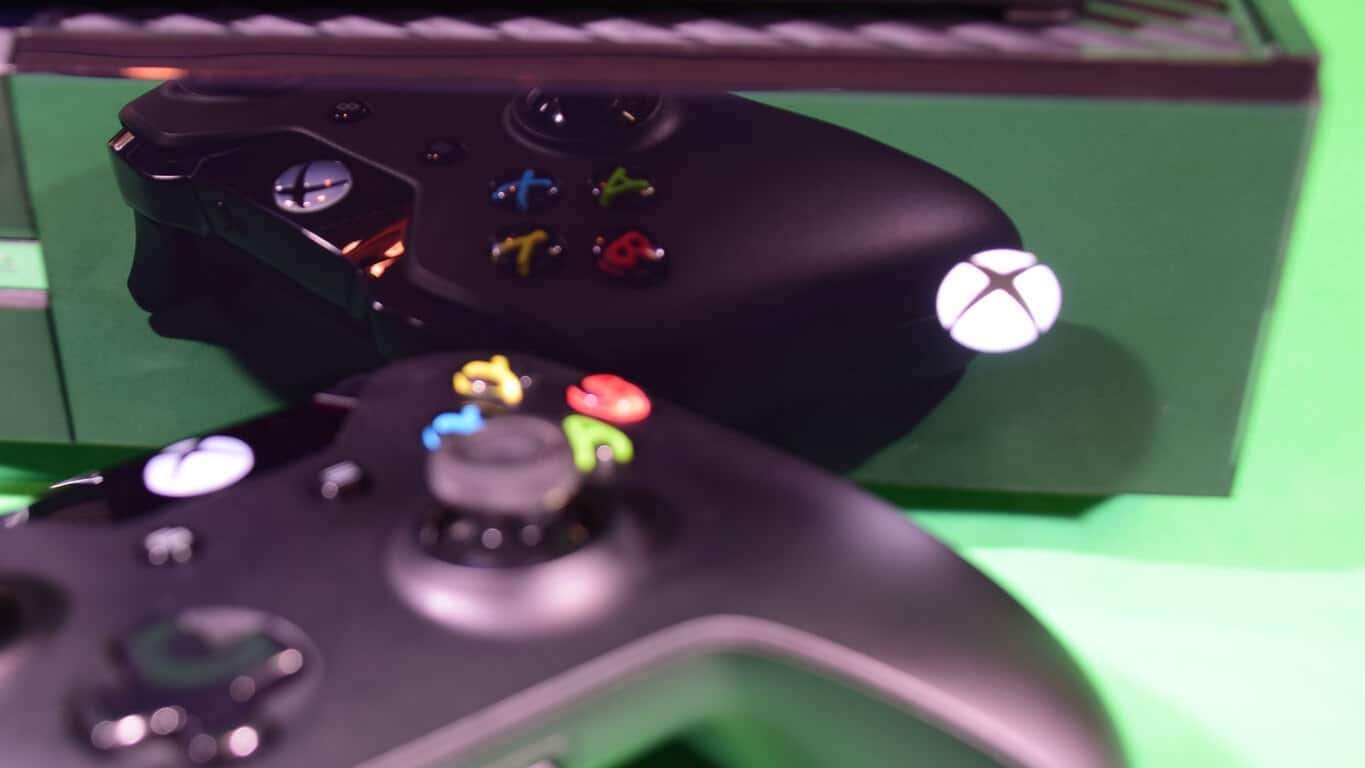
Microsoft internally testing keyboard and mouse support for Xbox One

Many Xbox One users have been requesting keyboard and mouse support for quite some time. At the beginning of the year, Microsoft confirmed the Xbox team was working on developing full keyboard and mouse support for the Xbox One to satisfy these requests.

Six months later, Phil Spencer, head of Microsoft’s Xbox division, confirms once again that the team is working on it, revealing the keyboard mode is indeed working in dev kit modes. The bad news is that mouse support is a bit further away as the Xbox team hasn’t really managed to integrate both keyboard and mouse support.

Spencer didn’t go as far as directly stating that keyboard and mouse support was years away. Rather, he simply said that full support was “months away.” In the best case scenario, this means that this feature will be available in a year’s time, maybe one and a half years’ time at most. In the worst case scenario, it could take more than two years to see full keyboard and mouse support on the Xbox One.

I keep talking about it in the press and my platform team keeps shaking their head, because they… Truthfully in our dev kit modes now keyboard works, mouse support is a little bit further away. I say it because I know it’s not years away, it’s more like months away, but we don’t have an exact date yet.

However, taking into account how fast the gaming console world is evolving, we’d bet on the first scenario as Microsoft needs to roll out new features and new Xbox devices to keep customers interested.

Xbox One owners suggest that Microsoft should add joystick support as well. This feature seems a bit far-fetched now, taking into account that the Xbox Team is currently struggling to make keyboard and mouse support work.

Meanwhile, you can test out the new Xbox controller, compatible with both the Xbox One and Windows 10 PCs, and see if it satisfies you until Microsoft integrates keyboard and mouse support.

Microsoft Store is offering up to $1000 off select Windows 10 PCs

If you think your computer is a little bit outdated, it may be time to consider upgrading to something a little bit stronger. Even if you’re not looking for a powerhouse, the latest big sale on the Microsoft Store is offering people some pretty serious deals when it comes to picking up new computers. The deals go all the way up to $1000 off, and there’s a hefty discount available to suit the taste of anyone – professionals, gamers, artists, or whatever else your needs might be.

Here are some highlights:

These are all some pretty high-quality machines, and the deals Microsoft is presenting here can get pretty ludicrous. $1000 off of that Alienware laptop is massive – the laptop comes with an Nvidia GTX 970M GPU, an Intel Core i7 processor, and a 4K screen, so it’s pretty cutting edge all things considered. If you want to check out all of the deals in one place, you can do so right here. Remember that the deal is only going on until the 20th, so you’re going to want to hurry up if at all possible!

The Elder Scrolls 6 is still a long way off

During an interview at E3 2016, Todd Howard, the head of Bethesda Game Studios, claimed the company has at least two major projects in the pipeline before we hear anything about the next Elder Scrolls installment.

While speaking with Geoff Keighley during YouTube’s E3 2016 coverage, Howard admitted that Elder Scrolls 6 is something Bethesda Game Studios will work at some point, but it will take quite some time before this will happen.

Howard added that the team has a lot in mind for this particular game and if he were to reveal how they want the game to be like once it will be released, many gamers and critics will criticize the company for lacking the technology to make it happen. So, instead of talking about this upcoming game, the head of Bethesda Game Studios is deciding to stay mum about the next title altogether.

However, Howard said that the team’s other two large projects are even bigger than anything that they’ve done up until now. Still, despite their size, it won’t take long before we hear some news about them. In fact, these two new projects are expected to be released before The Elder Scrolls 6 is even announced.

At E3, Bethesda announced a Special Edition of The Elder Scrolls 5: Skyrim, which is slated to be released on October 28, 2016 for Xbox One, PlayStation 4 and Windows PC. The new version of the game will come with better graphics and is sure to please all fans of the game series.

You can watch the interview with Todd Howard below:

When do you think that The Elder Scrolls 6 will be released?

RELATED STORIES TO CHECK OUT:

Microsoft confirms Dead Rising 4 won’t be exclusive to Xbox One and Windows 10 forever

While the Dead Rising 4 reveal during Microsoft’s Xbox One gaming keynote helped bolster the number of game trailers and demos the company was able to trout on stage, it looks like the company’s public association with the game will be relatively short lived.

According to a Gamespot report, Dead Rising 4 will only be a “timed exclusive” for Xbox One users and the game “could eventually make its way to PS4 and Steam.”

In an act of transparency, the Xbox division issued the following statement regarding Dead Risings partial exclusivity:

Dead Rising 4′ on Xbox One is developed by Capcom and will be published in partnership with Microsoft. Fans will be able to play ‘Dead Rising 4’ first on Xbox One and Windows 10 PC this December. It will remain a Windows 10 exclusive for the first 90 days and console exclusive on Xbox One for one year. We’ve had a close and longstanding relationship with Capcom including the launch of Dead Rising as an Xbox 360 exclusive and Dead Rising 3 as an Xbox One exclusive. We’re thrilled to partner with Capcom once again to help bring their ambitious vision for Dead Rising 4 to life.”

While there was no direct mention of availability for the PS4, Microsoft’s statement explicitly highlights the length of Capcom’s agreement with division regarding console exclusivity. Whereas, last year’s Dead Rising 3 game was offered to PC gamers after 10 months and remains an Xbox One console exclusive till this day.

Come December 2017; PS4 owners may be able to get their hands on a copy of Dead Rising 4, at the very least, PC and Xbox One gamers should be able to play in the post-infected zombie open world arena together for the next year.

Surface Book, Surface Pro 4 get new firmware and driver updates

While both of Microsoft’s tablets run the latest Windows 10 Pro operating system, the company is constantly releasing new updates in order to improve their performance. Next month marks the release of the Windows 10 Anniversary Update, celebrating the first anniversary of Windows 10’s launch, but until then Microsoft will continue to release builds with bug fixes and improvements. This includes both of its Surface Pro 4 and Surface Book tablets with company having announced that it will push out new firmware and driver updates for them

The Surface Book received the following driver updates:

– Microsoft driver update for Surface Base Firmware Update
– Microsoft driver update for Surface UEFI
– Microsoft driver update for Surface Integration

The Surface Pro 4 received the following driver updates:

– Microsoft driver update for Surface UEFI
– Microsoft driver update for Surface Integration

UEFI stands for Unified Extensible Firmware Interface, the replacement for the standard BIOS on Surface tablets which was introduced with the Surface Pro 3. Now, Microsoft is improving the UEFI to allow access to the Secure Boot Control and Trusted Platform Module (TPM) features.

In order to access the UEFI, shut down the device, simultaneously press and hold the volume-up button, then press and release the power button. When the Surface logo appears, release the volume-up button. In a few seconds, you will see the UEFI menu and be warned that making any changes to the system may affect its stability.

Users can manually check for updates by going to their tablet’s Settings > Update & security > Windows Updates > Check for updates. Before starting the installation process, they will need to make sure that the battery of their Surface is at least 40% charged.

RELATED STORIES TO CHECK OUT:

The Division: Underground expansion slated for June 28 release

Tom Clancy’s The Division is one of the most popular games out there now, managing to gain much popularity in just two months after its launch. Taking into account its success among fans, Ubisoft officially announced the game’s first full expansion to take advantage, even teasing gamers with a trailer that offered them a glimpse at the upcoming DLC.

We expected Ubisoft to announce the Underground DLC ever since we reported about the leaked DLC information on Amazon. In a late attempt to correct the mistake, the retail giant quickly removed the information and informed us that The Division DLC was unavailable. The company added that it did not know when or if the item would be back in stock.

A week later, the game developer confirmed the existence of this DLC and revealed it would launch it on June 28, on the exact same date rumored by the leak. Ubisoft didn’t mention anything about the pricetag, but it should be in the range of $15 since this is the price listed on the leaked images.

Underground is an expansion that takes players even deeper into the tunnels and sewers of New York city, in an attempt to squash regrouped enemy forces.

The Division: Underground brings randomly generated new missions, deadly urban dungeons, and new fighting scenarios. You will dive deep into the underbelly of New York and explore the underground maze beneath its streets: sewer networks, tunnels, flooded stations, derelict facilities, collapsed infrastructures, and more.

The Division remains one of the most popular games of the moment although it recorded a significant drop in the number of players. Some suggest this happened because of the game’s policy to permanently ban cheaters, while others claim this is because of the frequent in-game bugs.

Rumors suggest that Tom Clancy’s The Division could soon enjoy a movie adaptation starring Jake Gyllenhaal, but no official confirmation is available yet.

RELATED STORIES YOU NEED TO CHECK OUT:

Final Fantasy XV to be released this September, check out its gameplay demo

One of the most popular RPG franchises ever its 15th sequel later this year. The franchise’s next installment is predictably called Final Fantasy XV, and will arrive on Xbox One and PlayStation 4 on September 30, 2016.

At the E3 conference developer of the game, Square Enix showcased the new gam, by playing the first ever demo of Final Fantasy XV running on Xbox One. The demo showed off a part of the game called “Trial of Titan,” where developers fought against a huge titan.

The video also showed us some new combat mechanics that weren’t characteristic to previous games from the Final Fantasy franchise. For example, there’s a new dash mode that teleports player from one place to another. This dash move is a good defensive mechanism as it allows you to dodge various attacks.

The demo was played from a single character’s perspective, but other characters were also present. This could mean that Trial of Titan will be a multiplayer mode, but Square Enix didn’t officially confirm anything, yet.

You can watch the first ever Final Fantasy XV demo video below:


Final Fantasy XV will be released on September 30 on Xbox One and PlayStation 4. We expect the game to be available for pre-order during this summer but once again, no official dates were mentioned.

What do you think about the new Final Fantasy game? Will you buy it when it gets released? Tell us in the comments below!

RELATED STORIES YOU NEED TO CHECK OUT:

20 minutes of Mafia 3 gameplay puts players in the heart of New Bordeaux

The folks at 2K Games sure know how to create an exhilarating video game. During E3 2016, the company showcased 20 minutes of Mafia 3 in action, and it proved an explosive experience from start to finish.

The 20-minute demo is narrated by Haden Blackman, one of the leads on the game’s development team. Blackman shows us what the game is all about and what the lead character’s role is in the plot, set in 1968. Players will cause havoc in the city of New Bordeaux, an alternate version of New Orleans. The aim of the player is to rise up in the crime world to become the ultimate leader in organized crime within the city.

The lead character from the previous Mafia games is to show up in Mafia 3 as well, but as an associate and not a main character.

The first two games were fun to play, and the third appears to be going down the same route. If it can bring the fun and interesting story from the other games along with fixing some of their major issues, we could be in for the best Mafia game yet.

What else did we see at E3 2016? Well, Microsoft showed off an interesting trailer of State of Decay 2, the sequel to the much-praised State of Decay for the Xbox 360, Xbox One, and Windows PC. We also got the chance to see Scalebound’s multiplayer gameplay in action. While a bit chaotic, it looks to have some potential so we’re keeping our fingers crossed.

RELATED STORIES YOU NEED TO CHECK OUT:

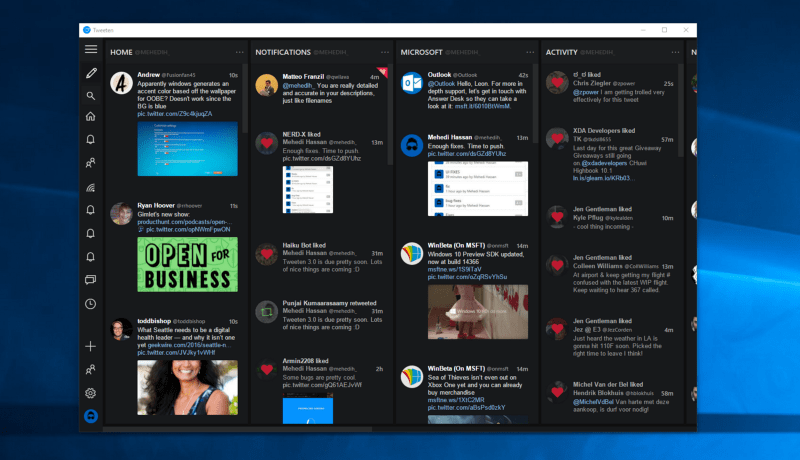
Tweeten 3.0 released for Windows, adds GIF saving, drag and drop, and more

There are a number of excellent Twitter apps in the Windows 10 Store, but an alternative has been available for a wider variety of systems, specifically Tweeten for Windows 7, 8, and 10 and macOS machines. Now, the app has hit version 3.0 and brings with it a few new features.

Save GIFs and Images

Simply put, Tweeten can now save GIFs as intended, as .gif files, a feature that the developer indicates isn’t available on other major Twitter clients.

GIF saving is a feature which requires a lot of things as Twitter stores GIFs as .mp4 on their servers. Therefore, when you save a GIF using Tweeten, it may take a little while for it to download — based on the GIF’s size and quality. When you download a GIF using Tweeten, you will get a dialog saying that the download has started and you can continue browsing your timeline while the GIF gets processed in the background. Quite handy, right?

Save GIFs and other images.

Drag and Drop

Tweeten now allows images and GIFs to be dragged and dropped into the app.

Drag and drop support.

Copy URLs

URLs can now be copied directly to the clipboard, including image URLs, tweet URLs, links to tweets, links to user profiles, and more.

Copy URLs.

In addition, the app has received some other changes:

  • Firstly, there’s a new font for Tweeten on macOS which looks a lot nicer than the previous one.
  • The Settings window (finally) closes by itself when you click “Save Settings”
  • We have added support for TweetDeck’s native polls (you can only view the results for now)
  • We have fixed the overlay issue for videos and GIFs
  • We have fixed a bunch of other UI issues and optimized some parts of the app with Tweeten 3.0.

Download the Windows version and the macOS version and give the new version a try. If you’re a regular user of the app or are giving it a try for the first time, let us know what you think in the comments.

Sea of Thieves for Windows 10 sports great visuals but mysterious gameplay

After a year of anticipation, Microsoft finally showed off Sea of Thieves to less than positive results.

From what we can tell, it seems like the type of game where players can plunder islands and the deep sea for treasure. What surprised us is how Microsoft went about showing off the game. Instead of giving us a straight gameplay, the company demonstrated pre-recorded segments.

In the footage, some Microsoft employees sailed ships and fire cannons at each other, but instead of coming away impressed, we came away annoyed. The players screamed and talked too much which made it difficult for us to lose ourself in what was being shown on screen.

Sea of Thieves is a game filled with potential, but Microsoft is finding it hard to get gamers excited for it. We hope whenever the software giant shows off this title again, it will allow for a long gameplay session to give players a true preview of what to expect.

Sea of Thieves wasn’t the only game announced at E3 by Microsoft as it also announced the Xbox One Slim to much fanfare. Things got even louder when Xbox head man, Phil Spencer, introduced Project Scorpio as the next best thing — and there is nothing Sony can do about it.

<iframe width=”700″ height=”394″ src=”https://www.youtube.com/embed/bQlsN6EO2oU” frameborder=”0″ allowfullscreen></iframe>

RELATED STORIES YOU NEED TO CHECK OUT:

Microsoft is enforcing the Windows Store age rating policy on published apps

Microsoft has sent out an email to app developers who currently have apps in the Windows Store to ensure the age rating has been set. Developers who are not in compliance by September 30th of this year will have their app unpublished from the Windows Store. Here’s the email that was sent out to app developers:

As part of our continuing efforts to improve the Store experience for customers, we’re bringing enforcement of the Windows Store age rating policy to published apps that are not yet rated by using the new Dev Center age rating questionnaire. We’ve identified one of more of your apps as not having a rating based on the questionnaire.

To bring your app into compliance, just log in to Dev Center, click Update to edit Age Ratings and take the brief age rating questionnaire. When you’re finished, click Submit to the Store to publish the updated submission with the new age ratings in place. Learn more about the process here.

Apps that aren’t rated by September 30, 2016 will be unpublished.

Thank you,

The Windows Store Team

If you are an active Windows Store app developer, head over to the Dev Center to make sure your app’s age rating is all squared away.

Gears of War 4 and Halo Wars 2 Avatar Items available in the Xbox Store

Are you excited for the Gears of War 4 and Halo Wars 2 that were shown off at E3 2016? Xbox has just the way to help you advertise for them. Pick up some goodies to show off your favorite game. While the Gears of War 4 items have been available for quite some time, the Halo Wars 2 items have just been added this week in celebration of the official announcement.

Gears of War 4

Halo Wars 2

Other items that have been recently added since the E3 2016 include a couple of XCOM 2 objects for the game coming later to console later this fall and more ‘Solid Gold’ collection items.

While the avatar items have microtransactions tied to them, they unlock permanently for your account. Mix and match to share your personality, advertise your favorite games, or just plain look cool. We’re sure to see plenty more given the hype surrounding the upcoming titles such as We Happy Few, Forza Horizon 3, and Titanfall 2.

For more about the games released at E3 2016, make sure to check out our recap!