You’re probably having problems with Office 365 and Outlook and wondering how to fix them. You’ve tried countless things but nothing seems to work. How about taking the Microsoft Support and Recovery Assistant for Office 365toolfor a spin? The software giant designed this piece of software for the sole purpose of fixing your Outlook and Office 365 issues.
The interesting thing about the Microsoft Support and Recovery Assistant tool is the fact that it doesn’t require much work. Just a single click of the mouse after installation fixes most problems.
After installation and launch, users should see the following options:
Office setup
Outlook
Outlook for Mac
Mobile devices
Outlook on the web
The options are basically a list of apps you might be having problems with. For example, if you’re dealing with Outlook issues, then click on the Outlook option and venture forth from there.
Here is a list of problems this awesome little tool can fix for you:
Outlook stops responding
Can’t receive emails
Outlook keeps asking for my password
Shared mailboxes or shared calendars don’t work.
Outlook keeps saying “Trying to connect…” or “Disconnected”
I can’t sync my email
Email app keeps asking for my password
Where do I go to install Office?
I can’t activate Office
I need help setting up my Office 365 email in Outlook
I can’t sign in
I can’t find Outlook on the web
I can’t install, connect, or enable CRM for Outlook
The tool can both fix issues or share information on how to manually perform a fix yourself. From our experience, it is a handy tool for most scenarios. Furthermore, if for some reason the tool is unable to fix a problem, it will send you over to the Office 365 support team for further assistance. Let’s hope you’ll never need to be sent elsewhere.
The director of technology at Aiken County Public School District, Andrew Cox, has shed some light on his experience transitioning his schools to not only the Windows 10 operating but also on how they’ve managed to incorporate Windows phones, Microsoft Bands, and Xbox One into the day-to-day activities of his educators and students.
“Our district chose Windows 10 so we can deliver multimedia to the classroom, increase opportunities for research, enable greater collaboration between students, and generally allow students and teachers access to materials and methodologies that would have been considered magic just a generation ago,” he says about the motivation for making the switch to Windows 10. “Aiken County Public Schools selected Windows because of its flexibility, professional ecosystem, consistent user experience, and overall responsiveness.”
One of the concerns he and his peers had about changing operating systems was the expenses that would be involved but they actually found Windows 10 to be more than financially viable and very convenient to implement. “Windows, as a platform, has long been one of the easiest to deploy and manage,” he admits. “Group Policy and Active Directory make it relatively simple to make changes across the district with just a few clicks. We don’t have to plug in our tablets to a laptop to deploy apps and we don’t have a disaster on our hands if our network has a problem and the cloud is unavailable.”
In just three months and using only six individuals in networking and 15 individuals in the field, they managed to install 2,400 laptops and desktops in the district. While this saved them thousands by not using the usual contractors, Cox jokes that Microsoft wasn’t always so affordable. “We estimate we spent approximately $85,000 on outside contractors when we upgraded from Windows XP to Windows 7 and have spent $0 upgrading to Windows 10,” he admits.
Brandee Green, 4th and 5th Grade ELA, Social Studies Teacher and Department Chair at Aiken Elementary School works with a student using OneNote on a Windows device. Image Credit: Microsoft
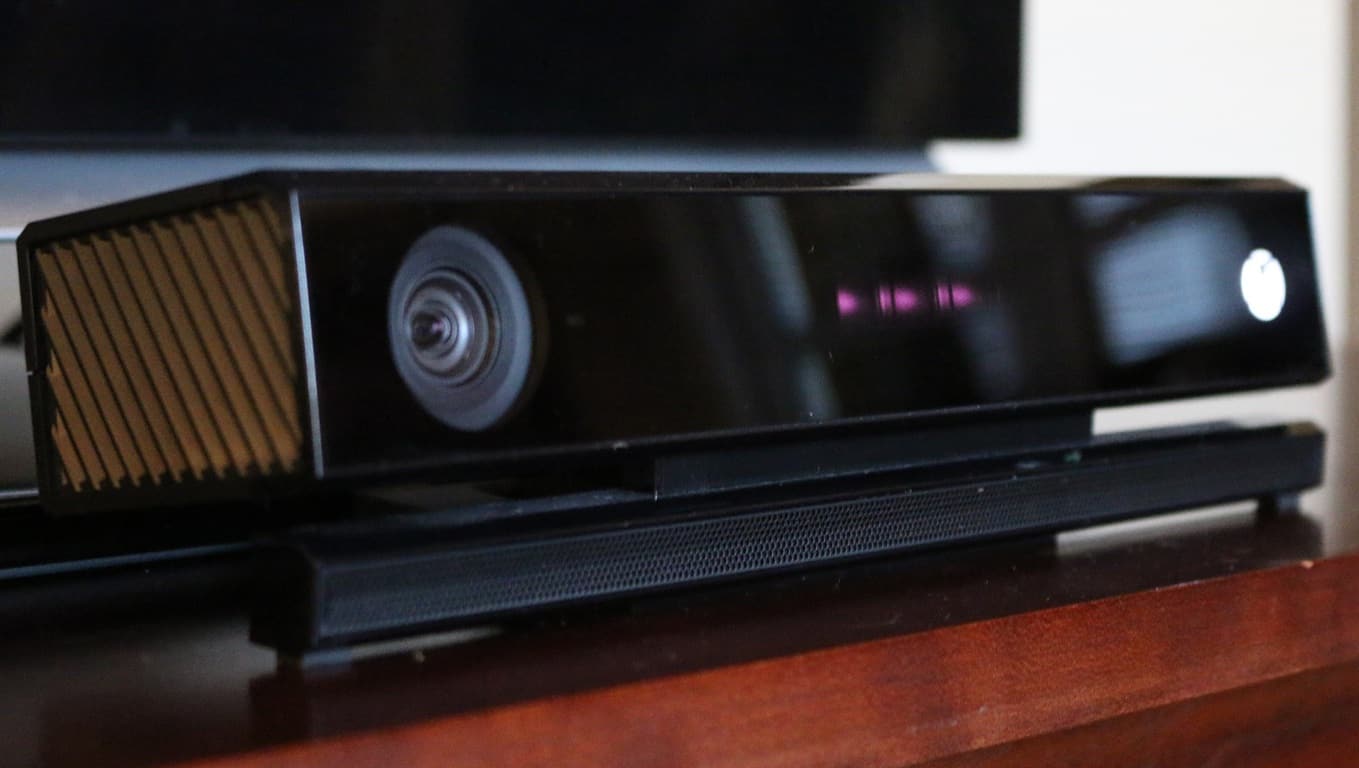
Teachers in Aiken County Public Schools now use Surface tablets in classrooms and, with the use of compatible wireless video adapters, have improved their presentations as well. Surprisingly, some schools are even using Microsoft’s Xbox One in their physical therapy classes thanks to the console’s Kinect camera and the video game, Minecraft, is also used on occasion. All district administrators and principals also use Windows phones to access their Office and OneDrive files and the network and system administrators use Microsoft Bands to get system and network alerts. The district has really gone all-in with Microsoft products.
In summing up the transition to the Microsoft range of products and services, Cox exclaims, “We have fully embraced a platform that embraces us back—with Microsoft and Windows 10, we know we’re equipping our students, faculty, and staff with the very finest in professional tools!”
Do you use Microsoft products like a Microsoft Band or Windows phone at your workplace? Which ones do you use the most? Let us know about your experience in the comments below.
The company recently announced a series of innovative gaming devices at COMPUTEX 2016 that will surely revolutionize the gaming world. The first device that caught everyone’s attention was the new GX800 gaming laptop, the most powerful gaming laptop in the world. Continuing the trend, Asus wants nothing less than superlatives and its ROG G31 gaming desktop is a beast able to run smoothly even the most demanding games.
The ROG G31 gaming desktop is the world’s most-powerful compact gaming desktop. Asus created this device especially for the ROG 10th-anniversary and made no compromises in designing it. ROG G31 has a 20-liter chassis and is powered by Intel’s i7 processor backed by an NVIDIA GeForce GTX 1080 GPU with 2-way SLI for 4K UHD image quality.
The beast supports up to 64GB of RAM and will run smoothly event the most demanding game scenarios. You can also overclock the CPU with just one-click if you want to see what this monster is really capable of. The ROG G31 also features four M.2 PCIe SSDs and a Blu-Ray disc drive.
Such a powerful system generates massive heat, but Asus took care of that too and incorporated hidden airflow tunnels and a 3D Vapor Chamber for effective heat dissipation. The ROG G31 is actually made of two components: the main desktop and the 600W power supply which mounted on a secondary case.
Asus hasn’t offered any details about the price or availability of the produce, and doesn’t even have a dedicated page on its official site for it. Judging by its specs and the fact that Asus claims ROG G31 is the most powerful gaming desktop in the world, we expect the price tag to start at around $3,000.
If you’re looking to buy a gaming computer but can’t afford the upcoming ROG G31, we suggest you check out our list of the best gaming laptops out there.
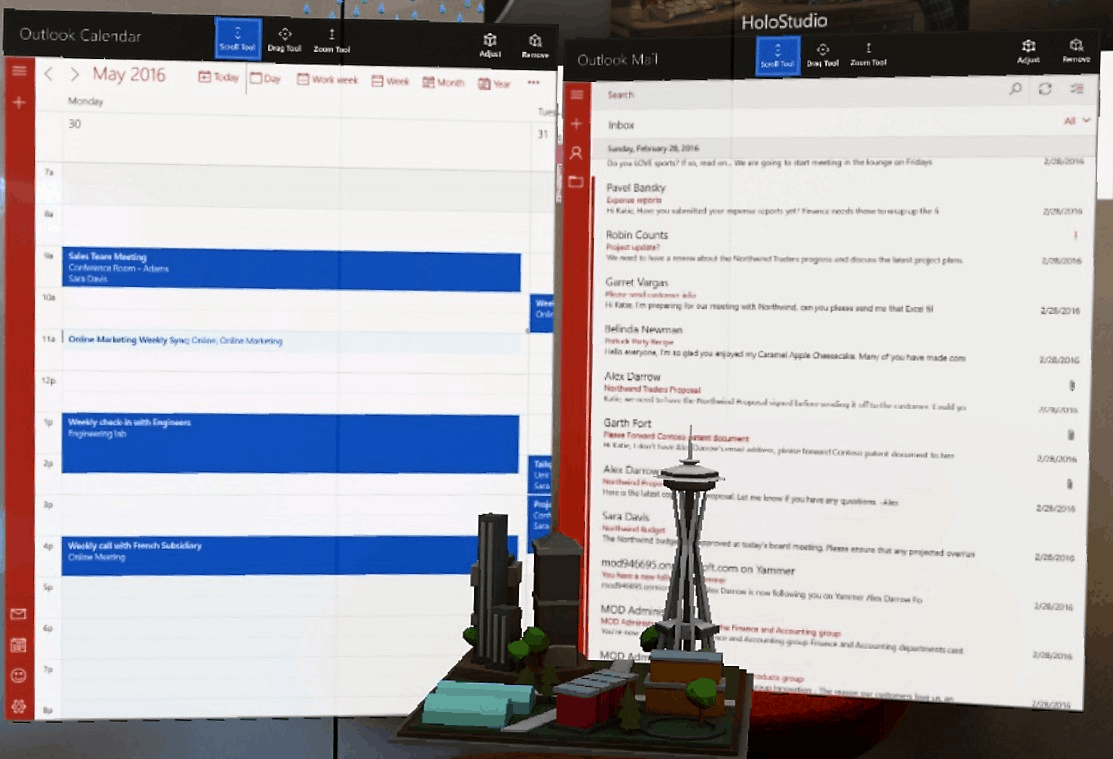
The uses of mixed reality are nearly endless. With a large amount of interest being drummed up by businesses, Microsoft has found more and more commercial uses for the HoloLens. Just today, Microsoft released an update to the Mail and Calendar app for Windows 10, adding HoloLens support.
Ideally, users will be able to ‘place’ the calendar and email updates on their wall through mixed reality, enabling them to stay up to date on the happenings and itineraries. The application can be customized with a holographic accent and resized vertically to show off even more information.
Outlook Mail on HoloLens
Thanks to the Universal Windows Platform, developers are already able to play with these applications through Windows 10. Microsoft is encouraging any interested parties to download the Outlook Mail and Calendar app on their HoloLens, then to provide feedback on the developer forums for future advancement.
The Outlook Team has provided a short FAQ for developers to get started:
Frequently asked questions
Q. How do I get Outlook Mail and Calendar apps on HoloLens?
A. Open the Windows Store on HoloLens, and search for Outlook Mail and Calendar. Click “Free” to follow the steps for installation.
Q. Where can I get more information or give feedback?
A. Please see more FAQs in this help article for more information about Office on HoloLens. You can share your feedback with us at the developer forums.
Around every corner, the HoloLens impresses us even more with new updates and capabilities. Just yesterday, our own Sean Ong from WinBeta had the opportunity to show off the most recent update from first person perspective: setting up three different apps in HoloLens to run at the same time. Check out the video exclusively on WinBeta!
When the Windows team made the transition from Windows 7 to 8, it bet heavily (arguably too much at the time) on typography and iconography in ushering in a new era of quick visual identification and representation for more dense information.
While the Windows team may have backtracked on its more aggressive design vision of Windows 8, the styling cues of its Metro/Modern Design are still very much alive in Windows 10 and the team would like to help developers to make full use of them when engaging users.
In a blog post titled Using iconography to enhance UX design, the Windows team walks developers through the nuances of leveraging icons, specifically how and when to replace text or copy within apps and services with images.
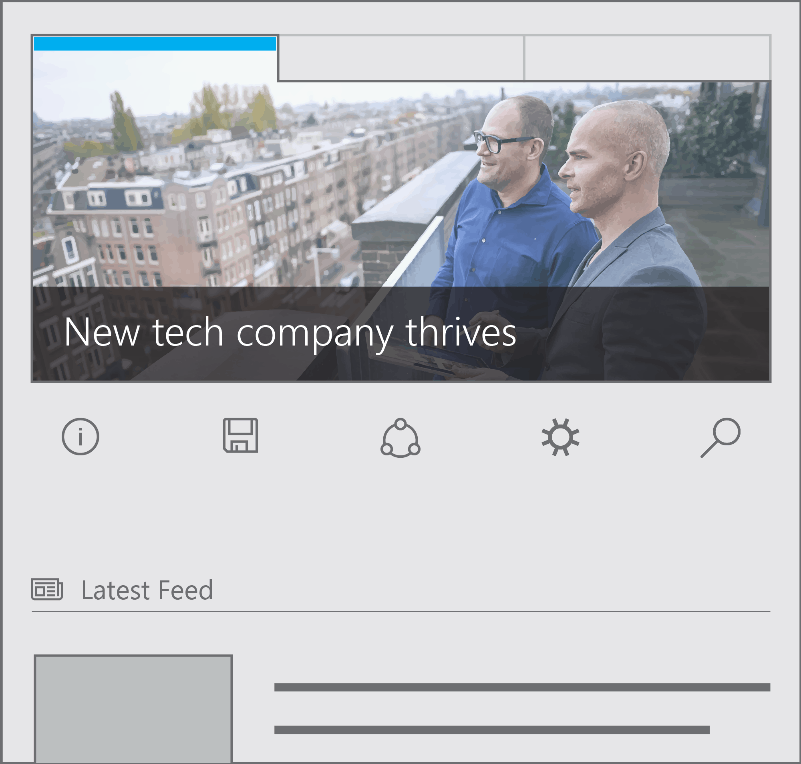
Iconography is a visual language used to represent features, functionality, or content. Icons are meant to be simple, visual elements that are recognized and understood immediately.
It perhaps goes without saying that, thanks in large part to the limited surface area and input methods beholden to smartphones and tablets, developers have had to exercise more creative methods for displaying information and menu options. The Windows team’s iconography tips include:
When to use custom iconography
Standard icon sets only go so far, however. In addition to OS or device-specific icons, your app may also need its own set of icons to represent app-specific functionality that the standard sets cannot accommodate without creating ambiguity for the user (e.g. recipe search, movie bookmark, image download).
This goes beyond the user simply not knowing what to do. If the user is likely to hesitate or expend any energy in order to figure out an icon in your app, then you will probably want to use a custom icon.
iconography sample
Where to find icons
Like fonts, icons are available for download. Icon sets are designed by professional artists and made available for you to use in your app. You may choose icons sets that are free (like vectoricons.org and freeiconsdownload.com) or icons that can be purchased (such as those on popular sites like istockphoto.com, shutterstock.com, and iconshock.com).
And perhaps most important, the team stresses being consistent. The last note the Windows team offers may go without saying, but a consistent typography and iconography where applied, goes a long way in helping users quickly develop muscle memory when navigating an app or service.
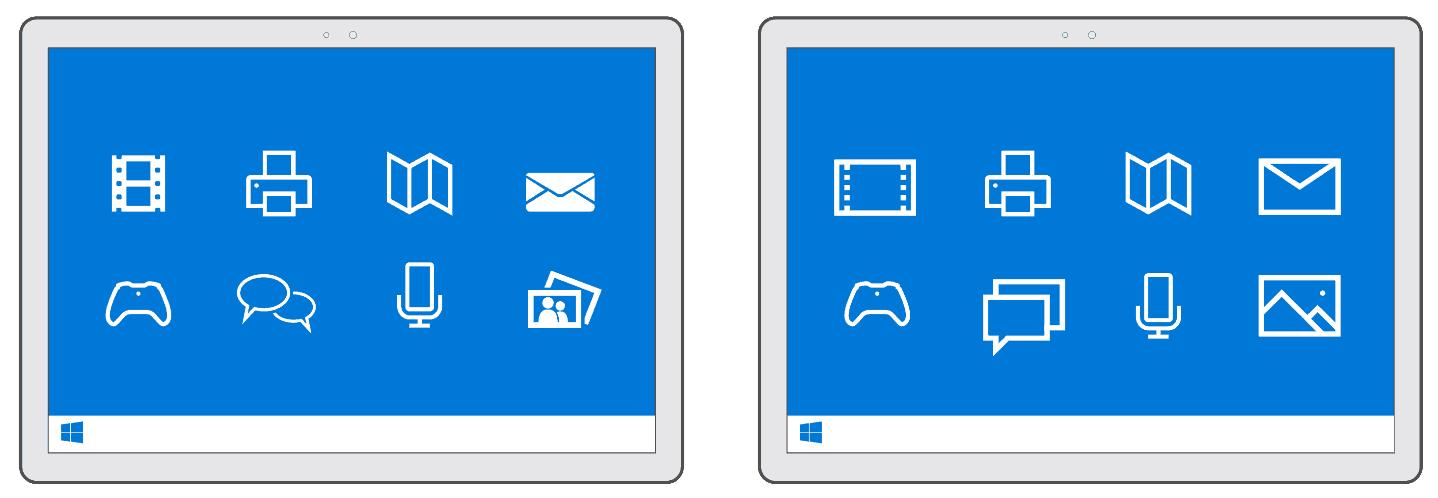
Likewise, consistency ensures that each icon has equal weight, drawing your users’ eyes equally. Take a look at Figure 3 below. Both the left and right images may look similar, but notice how the icon style on the left has both filled and unfilled shapes. This inconsistency pulls the eye of the user disproportionately to the filled icons—video, mail, and photo. In contrast, check out the icon set on the right. Those icons are consistent in both their thematic style and design elements. Each one engages the eye equally.
consistent icons
There are a few more details regarding iconography that are recommended, and developers can follow up on them in the Building Apps for Windows iconography series. As Microsoft continues to court developers to its development tools and environments, the company is also benefiting from an industry that is also looking to leverage similar app design languages across platforms and services. No longer is larger typography and iconography-heavy navigations seen as an albatross of software design.
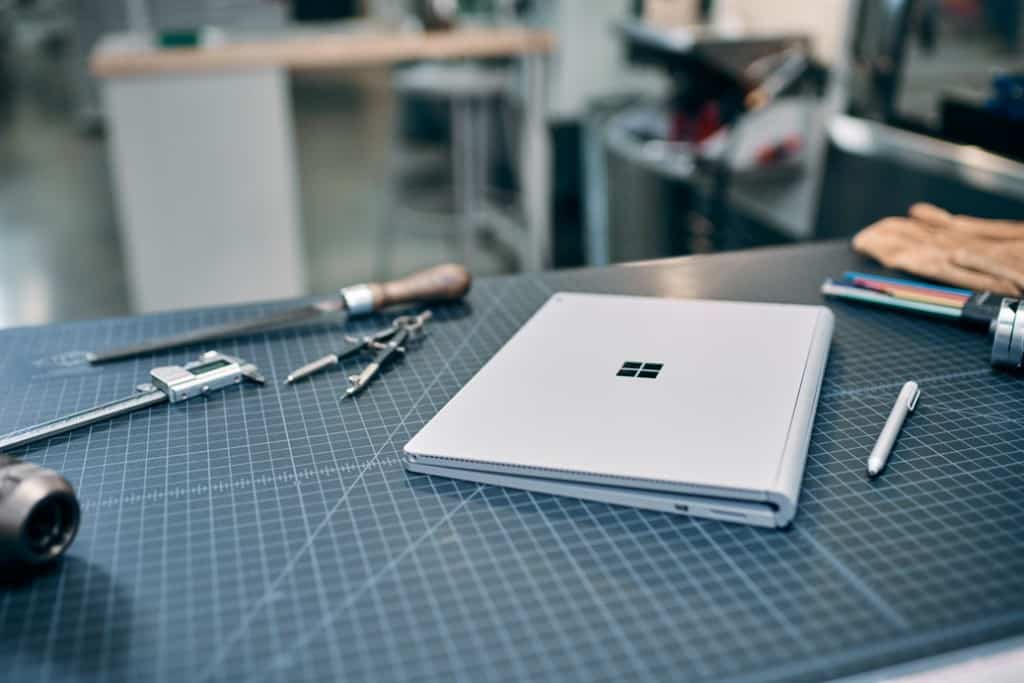
Microsoft’s Surface Book remains one of the more innovative 2-in-1 machines on the market, and part of its appeal is likely the attention to detail and engineering prowess applied to its design and manufacture. Certainly, Microsoft feels this way, and their Microsoft Mechanics team put together a video highlighting some of the Surface Book’s more interesting elements from an engineer’s perspective.
Some of the highlights include:
Display specs, such as 3000 X 2000 resolution with 267PPI and 6 million pixels
Display quality, including 1700:1 Contrast Ratio and 100% sRGB support with individual color calibration
Support for Nvidia GPU in keyboard
Keyboard design highlighting 19mm spacing and 0.2mm dish in keycap design
Port configuration and camera specs
Design and function of the muscle wire latching mechanism and safety features
Battery design optimized to maintain power in clipboard as much as possible using “Save the Top” algorithm
Pen and inking design innovations
Dynamic fulcrum hinge design and advantages
The video’s only a little over six-and-a-half minutes long, and it’s worth a quick watching. Check it out, and let us know in the comments if you learn anything new.
It’s been a while since Kinect got any love. With the peripheral all but abandoned by Xbox One games, it managed to avoid a lifetime of obscurity by getting picked up by software developers that saw the raw potential in its SDK. Kinect may not be much of a gaming device anymore, but it’s responsible for some really interesting stuff – from trippy music videos to, now, weightlifting companions.
Software engineer Vangos Pterneas has put up a tutorial teaching Kinect software developers how to track objects, using a sample program that can track the height of a barbell as a person lifts it. While the Kinect SDK can track human joints right off the bat, it doesn’t have the ability to track objects all on its lonesome – to do that, developers should follow Pterneas’ tutorial.
As you can see, the software is a pretty reliable and valuable tool for people who have a Kinect sensor and want to use it to help them lift weights. Even if you’re not a weightlifter, the program is a proof of concept for a technique that has countless other uses outside of an exercise routine. If you’re just interested in lifting weights and don’t want to go about tweaking the code yourself, you can see the program in its entirety through GitHub, where it’s available totally open source.
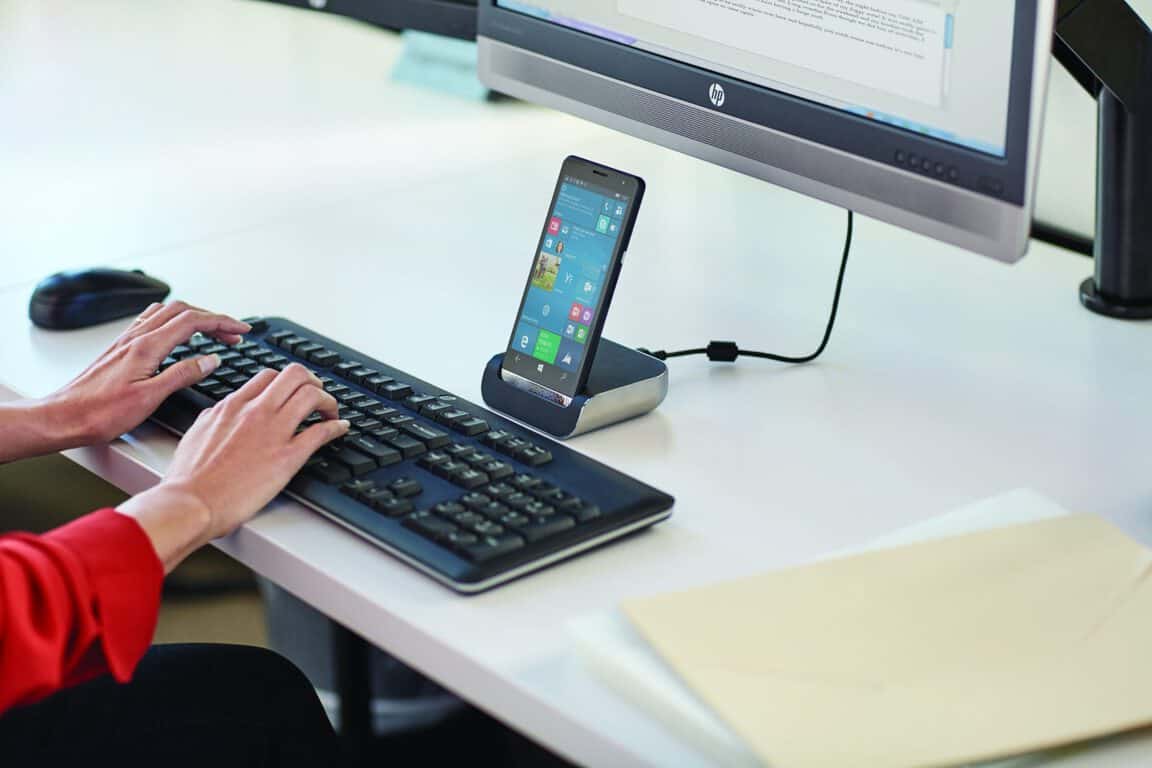
We just reported on the HP Elite X3 Windows 10 Mobile flagship being shown off at Computex, with a new fingerprint scanner and minor design changes. The Elite X3 is so far aimed at businesses, with some conjecture that the smartphone might make its way to consumers as well. Nonetheless, HP and Microsoft tend to talk up its attractiveness to the business market, and their latest video is no different.
In case you’re not familiar with the Elite X3, here are its major specs:
Qualcomm Snapdragon 820 (2.15 GHz and 4 cores)
5.96-inch (2560×1440) AMOLED display with Corning Gorilla Glass 4 and anti-reflective coating
4GB of RAM
64GB of eMMC storage with 1 microSD (expandable up to 2TB)
16MP f/2.0 FHD rear-facing camera and 8MP FHD front facing camera and Iris camera
Audio speaker by Bang & Olufsen
We’ll be keeping our eye on developments with the Elite X3 and other Microsoft OEM Windows 10 Mobile devices, to see which markets they’re focusing on. Let us know in the comments what you think about the Elite X3, and Microsoft’s highlighting it’s business focus.
The quick video capturing and sharing app, Vine, has received a minor improvement update. In fact, it was so minor that it didn’t even come with its own changelogs. Be sure to download the latest update and let us know if you find any changes from version 3.0.110 to 3.1.00.
Halo Wars 2 is a real-time strategy game that’s scheduled to be released this fall, developed by Creative Assembly and 343 Industries and published by Microsoft Game Studios. For some reason, Microsoft has “quietly” confirmed that the upcoming Halo Wars 2 will be released for Windows 10 OS and Xbox On, announcing last year will be available in playable form at the E3 2016 event that will take place this month.
Microsoft announced Halo Wars 2’s appearance at E3 2016 during its weekly Halo blog post, where it hinted that something else will be revealed during the trade show in Los Angeles as well. So, aside from a playable Halo Wars 2 demo, Microsoft will have even more goodies for the fans.
Watch the trailer that Microsoft premiered last year at Gamescon last year between August 5 and August 9:
There are rumors which say that a closed beta will soon start for Halo Wars 2. Shortly after the closed beta, we think its developers will release an open beta session in order to stress the servers to see how they handle a large amount of players at the same time.
Unfortunately, a beta version of Halo Wars 2 has yet to be confirmed by developers yet, but maybe this is what they will announce during the E3 2016 event. This event will be held between June 14 and June 16, 2016 at the Los Angeles Convention Center. On the other hand, Halo 5: Guardians – Hog Wild DLC was released.
Do you think that Microsoft will confirm a beta testing phase for the Halo Wars 2 during the Electronic Entertainment Expo 2016 event?
While there has been a fair share of praise showered upon Google’s efforts in education with the slow increase of Chromebook usage by schools predominately in the US, Microsoft’s Education Team would like to remind folks: they’re not doing too shabbily themselves with Office 365 and Windows 10.
We’re really excited to see even more students and educators around the world using and loving Windows 10 and Office 365. According to a Futuresource report, Microsoft remains the global leader in the education market, with 46 percent of the global K-12 education OS market share and six percent year-over-year growth.
Additionally, IDC reviewed over 76 million job posts looking for the most in-demand skills in today’s workforce and the skill’s needed for tomorrow’s best jobs and found proficiency in Microsoft Office ranked in the top 10.
Some handpicked anecdotal stories that particularly tickled Microsoft’s fancy regarding the necessity of Office 365 and Windows 10 adoption and use include:
By upgrading to Windows 10, Aiken County Public School Districts now has a consistent technology platform across all devices and scenarios, access to multimedia in the classroom, increased opportunities for research and greater collaboration among students and teachers. “The best thing about our switch to Windows 10 is the great outcome that we get for our students and teachers,” says Andrew Cox, J.D, Director of Technology at Aiken County Public School district. He also shared that the Windows 10 upgrade was free and runs faster with greater reliability on existing Windows 8 and Windows 7 devices. Read his story.
Saint Stephens College in Australia moved to Office 2016 after using a combination of solutions for many years. Peter West, Director of eLearning said, “The benefits are already becoming obvious with easier training and less support time, which will result in more learning time for students/less time out of class for IT support.”
Modesto City Schools in California deployed 12,000 Windows-based devices (expected to grow to 45,000 within 5-years) and Office 365 to improve teaching and learning and to provide cloud-based access to the latest productivity and collaboration tools. “With mobile Windows-based devices in the classroom, students can access more resources when and where they need them … they can look things up, read what interests them, dig deeper, ask more questions” said Cindy Minter, Senior Director of Information and Technology Services.
As school administrations seek better and more affordable tools to aid in education, the mere mention of iPads, Chromebooks, or (yes there a few) Linux machines should keep Microsoft stringent delivering experiences for education that offer real value. From OneNote Class Notebooks to free Skype in the Classroom sessions, Microsoft’s new cloud-based software-as-a-service approach to its offerings is becoming arguably a boon for educators.
Over the last few weeks, the Skype team has been running the #SkypeSuggestion campaign on Twitter to allow Skype users to give their ideas for new emoticons. In a blog post today, the team shared that “we were overwhelmed and thrilled with the amount of suggestions you submitted.” However, they had to ask the community to vote for their favorite new emoticon between the three choices below:
The Skype team asked the community to vote for their favorite emoticon.
While all three emoticons look pretty fun, the winner was the (sloth) emoticon. The team explained that “we’ve been working really hard to bring you a very laid back way to express yourself.” Still, they added that “our new lazy friend is perfect for those times when you just can’t get up, need a nap, want to take it slow—or just need a cute sloth in your life”. You can see the result below, and the Skype team also shared a short video showing what it’s like designing Skype animated emoticons.
The new (sloth) emoji.
The sloth emoticon arrived soon after the Skype team introduced “Power Women mojis” to celebrate powerful women, and so Microsoft is offering up something for everyone. Please tell us in the comments if you’re feeling the go-slow attitude with this sloth emoticon, and we’ll follow up after a well-deserved break. Also, let us know if you think the Skype team should slow things down with their ever-increasing emoticons list.
Just yesterday we reported on the fact that Samsung was telling its customers not to update to Windows 10. Today, Samsung is apologizing for that and is instead advising customers to visit the Samsung website for more detailed information on the Windows 10 upgrade.
In an updated story published on TheRegister, (which originally reported on the Samsung situation,) a Samsung spokesperson notes that, “a customer service representative mistakingly provided incorrect information about Windows 10 upgrades for Samsung Notebooks.” The spokesperson also notes:
We would like to remind our customers that they can visit the Samsung website where there is detailed information on the Windows 10 upgrade applicability for each Samsung notebook model run by Windows 7, Windows 8 and Windows 8.1.
So, with with the Windows 10 Anniversary Update just about a month away, this could be seen as better news for Samsung customers who would like to upgrade and get the latest features out of the Windows 10 operating system.
If you are getting close to your renewal date for your Xbox Live Gold membership, or are thinking about purchasing it for the first time, now is a good time to pull the trigger thanks to a deal at Amazon.
Major Nelson posted the deal on twitter this morning, which lets you buy an online code for a 12-month membership to Xbox Live for $39.99, a discount of 33%. The discount is only available for the 12-month membership as an Online Game Code. So there is no discount for either physical cards or the three and seven month memberships.
The main purpose of Xbox Live Gold membership is to enable online multiplayer for your Xbox One and Xbox 360 games. But Gold members also get free titles every month under the Games with Gold program and exclusive discounts on games and add-on content through the weekly Deals with Gold. Games with Gold recently became a greater value after it was announced that all future Xbox 360 Games with Gold titles will be playable on Xbox One via backward compatibility.
For example, this month Xbox Live Gold members with an Xbox One can get not only Goat Simulator and The Crew for Xbox One, but also play Super Meat Boy and XCOM: Enemy Uknown for Xbox 360 on their Xbox One. And the weekly Deals with Gold can offer good deals on popular games, like this week’s deals of 35% off on GTA V for Xbox One, 40% off NBA 2K16, and 100% off the Battlefield Hardline Getaway add-on content.
Xbox Live Gold membership is increasingly becoming a better deal with lots of great value-adding perks. So if you know you’ll want to have access to Xbox Live Gold for the next year, now is a great time to pick up a 12-month membership.
Microsoft’s Customer Relationship Management software, called Microsoft Dynamics CRM, just received a substantial update including new features for both end users as well as admins and developers.
The CRM 2016 spring wave is a collection of updates adding features to various version of Dynamics. The official names of the updates are:
Microsoft Dynamics CRM Online 2016 Update 1 and Microsoft Dynamics CRM 2016 Service Pack 1
Microsoft Dynamics Marketing 2016 Update 1
Microsoft Social Engagement 2016 Update 1.5
Here is the full list of features added in the CRM 2016 spring wave.
All in all the Spring wave for CRM is a pretty far-reaching update with a lot of new features. To learn more about what was added you can see what is new here.
Microsoft has clearly been trying to lessen its reliance on traditional software and switching focus to cloud-based products in recent years; for Microsoft’s Board of Directors however, the transition’s not nearly fast enough, reports Bloomberg, who caught up with Microsoft Chairman John Thompson to ask about Microsoft’s directions in the future.
The talk occurs amid slumping PC sales and growing concerns that Microsoft’s traditional software business – selling “on-premise” software that installs and operates fully in a client computer or network – is soon going the way of the dodo. AT&T’s wireline business suffered a similar fate in only three years, something Chuck Noski, another director, has had personal experience with.
Satya Nadella’s rise to power has been the clearest indication of where Microsoft sees its money coming from in the future, and sure enough, the current CEO and former cloud chief has been making a strong push towards cloud-based offerings, garnering approval from the company’s director board. But it needs to be faster.
“What’s the likelihood that could happen with on-prem versus cloud? That in three years, we look up and it’s gone?” – John Thompson, Chairman of the Board, Microsoft.
Specifically, Thompson and the board wants Microsoft to invest more in its cloud business, not just in pure technology, but also in sales and partnership strategies. The reasoning is clear: cloud business like Azure and Office 365 currently account for less than 10 percent of the company’s total revenue. Microsoft Azure is lagging far behind its biggest competitor, Amazon Web Services in the partnership department, both of which suffer from the transitional effect to a new business model. Microsoft’s slump in the last quarter certainly didn’t help: the blame was put on the lagging transactional business and lower gross margins of cloud products.
“That’s a very different model for Microsoft and one our investors are going to have to suck it up and embrace, because the alternative is don’t embrace the cloud and you wake up one day and you look just like — guess who?” – John Thompson, Chairman of the Board, Microsoft.
Microsoft is in a hard time, as competition is fiercer than ever and the company continues its transitioning to a cloud-based provider. It will take time, during which investors may be jaded; nevertheless, as Thompson said, pressure means change, and we look forward to how the company will transform itself in the years to come.
Technology companies, due to the inherently sensitive nature of the data they hold, are caught up between responsibilities with customers, and the need to comply with governments’ security policies; conflicts, of course, ensue. Few have dared to take it to head-to-head matches with the ruling body in the courtroom like Microsoft did recently however, and the company’s president and chief legal officer, Brad Smith, has talked about it with Wall Street Journal.
The most recently lawsuit Microsoft has filed to challenge secret search orders, is also the fourth one against the US government, with the first one happening in 2013, then related to the Foreign Intelligence Surveillance Act. Since then, two of the lawsuits have resulted in Microsoft’s victory and the government backing down with their requests, and two still waiting for a decision.
These suits have all involved situations where we’ve felt that the company’s business and the interests of our customers were at stake around security and privacy.
According to Smith, these lawsuits have had input and unanimous support from the CEO, senior leadership team, as well as the company’s board of directors; company employees, meanwhile, are kept informed via blogs. Pushing the rights violation concerns through the 93 attorney’s offices throughout US has been one of the more challenging aspects of the process, and sometimes, like in the latest lawsuit, there’s no choice but to take action.
These are issues we had tried to raise with the Justice Department in Washington, D.C., over the last few years. They work in an environment that has so many competing priorities that many days we would find that our concerns just didn’t make it high enough on their list for effective action to be taken.
On the customers’ side, Microsoft has taken effort to keep stakeholders informed, with tweets and polls, the latter of which happens once or twice per year ever since the first suit. Despite its fierce stance regarding privacy, the company still keeps a careful approach to communicating, and aiming for a middle-ground resolution, according to Smith. Moreover, it’s not like Microsoft doesn’t recognize when privacy concerns have to give way to public safety responsibilities: Smith openly admits to the company complying with Paris and Brussel police’s 14 search orders in “under 30 minutes” in the aftermath of the horrifying terrorist attacks at the two cities.
In a full 14 page document, Microsoft Research describes the Platypus system as the first system to, “localize and identify people by remotely and passively sensing changes in their body electric potential which occur naturally during walking.” The document also describes that the system involves using uses three or more electric potential sensors (seen below) with a maximum range of 2 m. This means that Platypus is a passive tag free system that does not require any special hardware such as a smartphone, smartwatch, or other wearable devices.
A look at the sensors in Platypus
The Microsoft Research team managed to use Platypus to locate a human in the room within an accuracy of 0.5 feet. Based on short walking sequences of 5 s, they were also able to identify four users of Platypus within the accuracy of 94 %, and 30 users with an accuracy of 75 %.
Despite these results, at the end of the document detailing the system, Microsoft Research notes that Platypus has some limitations. These include the need for person-specific sensor calibration that is independent of the user’s height/weight/clothing, as well as the presence or absence of grounded electrical objects in the environment.
A new zero-day exploit that affects all versions of Windows starting with Windows 2000 has been discovered by Trustwave’s SpiderLabs research team (via BGR). The researchers spotted that the exploit was being advertised on a Russian hacking forum last month, and the seller who goes under the nickname “BuggiCorp” is currently selling it for $95,000.
In this case, the zero day exploit is a Local Privilege Escalation (LPE) vulnerability in Windows. Trustwave shared the following technical details:
Although such an exploit can’t provide the initial infection vector like a Remote Code Execution (RCE) would, it is still a very much needed puzzle piece in the overall infection process. For instance, an LPE exploit paired with a client-side RCE exploit can allow an attacker to escape an application that implements sandbox protection (For example Google Chrome, Adobe Reader, etc…).
Moreover, an LPE exploit provides the means to persist on an infected machine, which is a crucial aspect when considering APTs (Advanced Persistent Threats). In general terms, this exploit can be leveraged in almost any kind of attack scenario.
Trustwave also notes that the hacker has “put in the effort to present himself/herself as a trustworthy seller with a valid offering”. Indeed, he has also posted two different videos of the exploit for potential buyers that you can find below:
Trustwave researchers have already notified Microsoft about the zero day offering but the company has yet to acknowledge the exploit. As this zero day works in tandem with other exploits there is no real need to worry yet, though the researchers who are used to work with Redmond on Windows security think that this commerce of security exploits could be worsening:
Finding a zero day listed in between these fairly common offerings is definitely an anomaly. It goes to show that zero days are coming out of the shadows and are fast becoming a commodity for the masses, a worrying trend indeed.
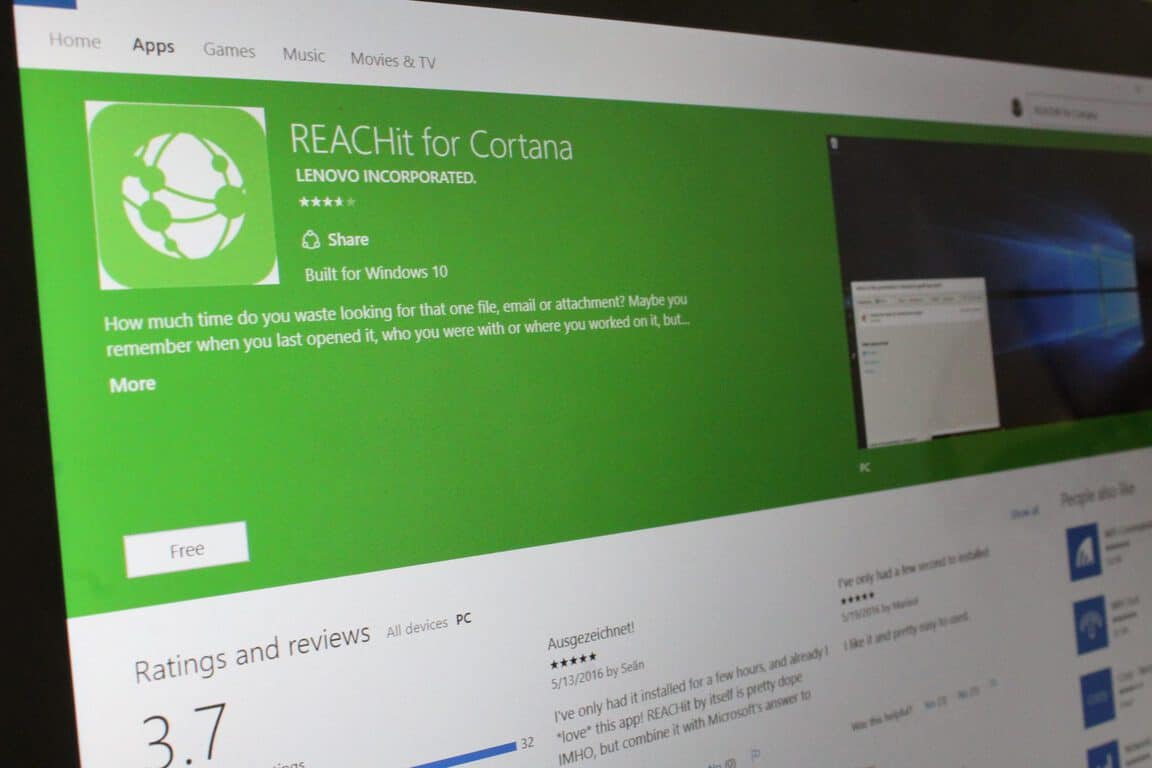
Back last year we first reported on the fact that the Lenovo REACHit app would be heading to Cortana on Windows 10 PCs. As we reported at the time, the app is an extension allowing a user to tap into Cortana on Windows 10 to offer “a much larger inventory of information to search.” Today, though, we can report that the app has finally exited beta mode, and is now available for download in the Windows Store.
Overall, the app weighs in at around 5.23 MB and allows you to use Cortana to find files on different Windows 10 PCs and Tablets. Lenovo REACHit also allows you to use your natural language to do these searches to find content based on what it’s about, where you were, or who you were with. Additionally, The Lenovo REACHit app allows Cortana to finds files and attachments in Exchange and Gmail accounts, and files in OneDrive, GoogleDrive, and Dropbox.
REACHit is a separate app which works alongside with Microsoft’s Cortana. Since Lenovo and Microsoft collaborated on this project, when the two are put together, Cortana will find you any content in any storage location that is connected to REACHit.
So, if you’re interested in downloading REACHit, we have included a download link for you below. Once you do download please let us know your thoughts by dropping us a comment below!
Here’s the official description: In Fragments of Him you experience the lives of four people connected by love and a tragic accident. You walk alongside Will on his last morning and discover the meaning of his final thoughts. With Mary, Will’s grandmother, you learn about his childhood, their conflict, and how they ultimately reconciled some of their differences. Sarah was Will’s girlfriend and first love. She tells us how she found a deeper understanding of herself during their time together. And finally, Harry is Will’s partner when the accident happens. Can Harry ever accept the loss?
Categorised as “Other”, Fragments of Him is not a traditional video game but more of an interactive artwork of sorts. The game places the player in a first-person view and they must guide characters through a story which has more of an emphasis on story than puzzles or difficulty. This may disappoint some gamers but could also be exactly what others are looking for. Let us know if you’ve played it in the comments below.
Microsoft announced earlier today that their SQL Server 2016 product, which they are touting as the “world’s fastest and most price-performant database for HTAP (Hybrid Transactional and Analytical Processing) with updateable in-memory columnstores and advanced analytics through deep integration with R Services,” is now generally available.
SQL Server 2016 is a fully-featured data platform that is both faster and more secure than previous versions and is remarkably cheaper than using Oracle, a similar platform. According to Microsoft, using SQL Server 2016 costs one tenth of the price of using Oracle to run similar workloads.
Microsoft is attempting to lure developers away from Oracle and other non-Microsoft paid commercial RDBMS platform by promoting a special migration service supported by free SQL Server licenses. This service was first announced back in March and appears to be ongoing post-SQL Server 2016’s launch.
Those interested in experiencing a sample of SQL Server 2016 are encouraged to create a test environment using an Azure SQL VM but a full-featured version is available via the free developer edition. For more information on SQL Server 2016’s features, make sure to check out our summary here.
It’s been a long time coming for console gamers that enjoy sandbox adventure games. Titles such as The Elder Scrolls Skyrim and Fallout 4 have significantly longer playing life on the PC specifically because players can download mods from all over the internet. Mods make it possible to edit a game’s functionality, add in more custom content, and customize a game to the player’s liking. Starting this week, Xbox One gamers are finally able to download mods for Fallout 4.
After the launch of Fallout 4 mods on Xbox One yesterday, Bethesda announced that the mod popularity on Xbox One was fifty times the number of downloads on PC.
Xbox traffic was 50x the initial #Fallout4 PC mod launch. It's a new world & just the beginning. New features & PS4 support in the works.
— Bethesda Game Studios (@BethesdaStudios) June 1, 2016
PC gamers have had the capability to download third-party mods and custom content since the beginning. Venturebeat.com theorizes that this might be a major reason that the recent launch for Xbox One had such an impressive overhead. Not to mention the fact that any copyrighted material or owned images aren’t made available through Bethesda, Sony, and Microsoft’s distribution. But while players on the PC might still have a larger pool of content available to them, the ability to mod Fallout 4 on Xbox One is still a major step forward for console gamers.
“This is just the beginning…” Bethesda Game Studios tweeted, sharing that more features would be coming to the library of mods and custom content. With such a smooth transition of available mods bridging the gap between console and PC purchases, it would be interesting to see support develop for upcoming games in development from Bethesda.
Halo 5: Guardians is a first person shooter published by Microsoft and developed by 343 Industries solely for the Xbox One console. The game was released for the console back on October 27, 2015 and it seems that now, a new DLC was just made available for it.
Halo 5: Guardians is the latest installment in the legendary, having earned 400 million dollars in the first 20 hours after its launch and 500 million in the first week. Halo 4 game was released back in November 2012, which means that the fans of the series have been waiting 3 years for a new Halo game.
Halo 5: Guardians game has received positive reviews from critics, with the multiplayer component in particular praised while the story of the game garnering many negative reviews.
Halo 5: Guardians Hog Wild DLC
The new Hog Wild DLC released for Halo 5: Guardians comes with modifications to vehicles and weapons and includes new weapons that players will be able to test out as soon as they install the DLC. This new DLC is free, so if you haven’t purchased the game yet, you will be able to get it from Amazon for only about $30, an important price reduction compared to its initial price of $59.99.
Do you play Halo 5: Guardians on your Xbox One console? Tell us your thoughts about it!
Lionhead Studios was a video game developer led by Peter Molyneux which was acquired by Microsoft Studios back in April 2016. Unfortunately, while the studio was closed in April 2016, Flaming Fowl Studios has been brought to life thanks to Mike West, Marcus Lynn and Craig Oman, former Lionhead Studios developers.
Microsoft gave Flaming Fowl the rights to use the Fable IP after refusing to sell it to potential Lionhead Studio buyers. However, even if Microsoft gave the studio the rights to use the Fable IP in the game, the Flaming Fowl studio will run a campaign asking for at least £250,000 in order to finish the game.
Once the campaign finishes, the developers will prepare the game for a closed beta. According to reports, the game will reach the open beta phase sometime in October 2016 when it will be released for Xbox One and Windows PC. If all goes as planned, we should see Fable Fortune released in 2017.
It’s nice to know that Fable Fortune was originally Mike West’s idea eight years ago when he wanted to make it a part of Fable 2. Unfortunately, that didn’t happen, as the development of the game started in 2014. Now, it’ll be something he can see come to fruition. Exciting stuff.
Fable Fortune is a card game which looks similar to other popular card games such as Blizzards’s Hearthstone. Below you can see a two players duking it out:
As you can see, the user interface is pretty awesome and we find it even better than Hearthstone’s. As you’ve already seen, the game has a PvP system, but at the same time will come with mid-match quests where you will be able to pick a good or evil choice.
What are your thoughts about the upcoming Fable Fortune game? Do you play any online card games? Tell us in the comment section below!
Asus has again innovated in the gaming industry with its new GX800 gaming laptop. The company proudly states GX800 is the most powerful gaming laptop in the world, and rightfully so: This laptop is the world’s first liquid-cooled gaming laptop for enviable desktop-grade gaming horsepower.
The GX800 is powered by an Intel Core i7 processor backed by the latest NVIDIA SLI GPU for exceptional graphics performance. Thanks to its superior gaming performance and smooth visuals, you’ll be able to dominate the competition and land first position in leaderboards.
The GX800 is GX700’s direct successor and features an updated version of the predecessor’s Hydro Overclocking System for a greater performance boost. This is the main element that allows Asus to claim that the GX800 is the most powerful gaming laptop in the world. Another element that fuels its powerful engine is the uprated power supply system of two 330W adapters.
In 3DMark 11 graphics benchmark tests conducted during the development stage, the Hydro Overclocking System-equipped ROG GX800 already scored 29% better than other gaming laptops in the market. It delivers more than twice the performance of gaming laptops equipped with a single GTX 980 GPU. At the rate its going, ROG GX800 is only get better — giving you unrivaled overclocking potential at home and first-rate performance when you’re on the go.
Thanks to the MechTAG (Mechanical Tactile Advanced Gaming) keyboard you will always be in control. The keyboard features tactile switches and a generous 2.2mm of key travel. Also, the MechTAG’s anti-ghosting technology logs every keystroke for complex input across simultaneous keypresses. If you prefer stand-alone keyboards, though, check out this list on the best keyboards available on the market.
You can also customize the RGB LED backlighting to your own preferences. You can program light effects and even colors for individual keys. You can pair GX800 with Asus’ ROG Spatha MMO mouse for excellent gaming results.
For the time being, no information is available about its official release date or price tag. If you’re looking to buy a gaming laptop, you can also check out our list with the best Windows 10 gaming laptops to buy.
The days of fingerprint and iris scanning are about to become as dated as lyrics to short-lived rock and rap mashup band Limp Bizkit songs for Windows users. Well, that’s a bit of hyperbole, but its useful to show how quickly Microsoft’s Windows team is evolving the device authentication process.
Today, the Windows team announced that it would be opening up its Windows Hello Companion Device Framework, giving developers the ability to bake in new authentication experiences within Windows 10 utilizing 3rd party devices.
When the Windows team first announced Windows Hello, many saw it as a beefed version of what Microsoft has been doing for more than a decade with fingerprint scanning. Windows Hello represented the advancements in technology to better refine fingerprint scanning, while also opening up the door for OEMs to add other layers of authentications such as using Iris or retinal scanning on devices. What few may have seen coming was Windows Hello’s extensibility as a platform for expanding authentication from device to device.
With the Windows team opening up its Windows Hello Companion Device Framework, developers and device manufacturers can look forward to integrating authentication experiences right into their wares such as:
Attach their companion device to PC via USB, touch the button on the companion device, and automatically unlock their PC.
Carry a phone in their pocket that is already paired with PC over Bluetooth. Upon hitting the spacebar on their PC, their phone receives a notification. Approve it and the PC simply unlocks.
Tap their companion device to an NFC reader to quickly unlock their PC.
Wear a fitness band that has already authenticated the wearer. Upon approaching PC, and by performing a special gesture (like clapping), the PC unlocks.
The specific date when OEM partners and device manufacturers will get their hands on the framework has not been detailed yet. However, the Windows team claims such access will come soon, and then users could be able to login to their devices with the use of a variety of devices such as NFC-enabled rings, handset devices, accompanying HoloLens headsets, fitness trackers, or more.
We’ve seen a whirlwind of Xbox One rumors swirling around the upcoming gaming convention E3 2016. Some of the more intriguing rumors involved updated Xbox One consoles, including a mini version supporting 4K video coming soon and a more advanced version supporting 4K gaming and VR coming in 2017.
Recently, video game retailer GameStop’s CEO Paul Raines gave an interview to Fox News where he might have let some news escape that could be of particular interest to Xbox One fans. Specifically, had this to say (via Gamespot):
Also in the interview, Raines said he expects there to be announcements about virtual reality and new gaming consoles at E3 in June. “We’re gonna hear about that at E3,” (Raines) said.
We’ll be on the lookout for more Xbox One and general gaming information as we head into E3 2016. Let us know in the comments what you’re most looking forward to seeing, and hit up our tip line if you learn anything interesting in the meantime.
Recently, Microsoft’s Windows 10 saw a significant bump in usage share during the month of May 2016, going from 14.35% in April to 17.43% last month. The operating usage share numbers come from data collected by Net Applications over the course of consecutive months.
Back in late March, Microsoft’s lead on the Windows 10 development team Terry Myerson took to the company’s keynote stage during Build 2016 to proclaim that Windows 10 had then reached 300 million active users. The 300 million mark is not a number so quickly forgotten by the PC industry and as proof, Net Application’s data is reaffirming that Windows 10 upgrades are happening across the board despite the slow erosion in PC sales.
Other data points to a glacial-pace decline in Windows 7 usage, dropping a whopping twentieth percentage point from 48.79% in the month of April to the 48.57% in May. Windows 10 gains appear to be coming from users of Windows 8 and 8.1 which saw a drop from 9.16% to 8.77% in May. Net Applications numbers seem to indicate that Windows 7 users are either content with their older version of Windows rather than the Windows 8.1 crowd looking to upgrade beyond the arguably confusing mess that was hidden UI elements and a tablet-centric focus of the desktop.
Surprisingly enough, Windows XP happened to outshine Window 8.1 in usage share, bringing in a slightly higher percentage of users at 10.09%, up from April’s charted 9.66% share.
While some of Microsoft’s practices to get users to Windows 10 upgrades are still under question and scrutiny, Net Application data is showing that the company is on a steady track to get its core user base on its One Windows operating system.
Microsoft still has yet to fully clarify what and how it will deal with the imminent end to Free Windows 10 upgrades as well as how the company plans to pitch. However, the continued adoption of Windows is still a long way from being readily within Microsoft’s grasps.
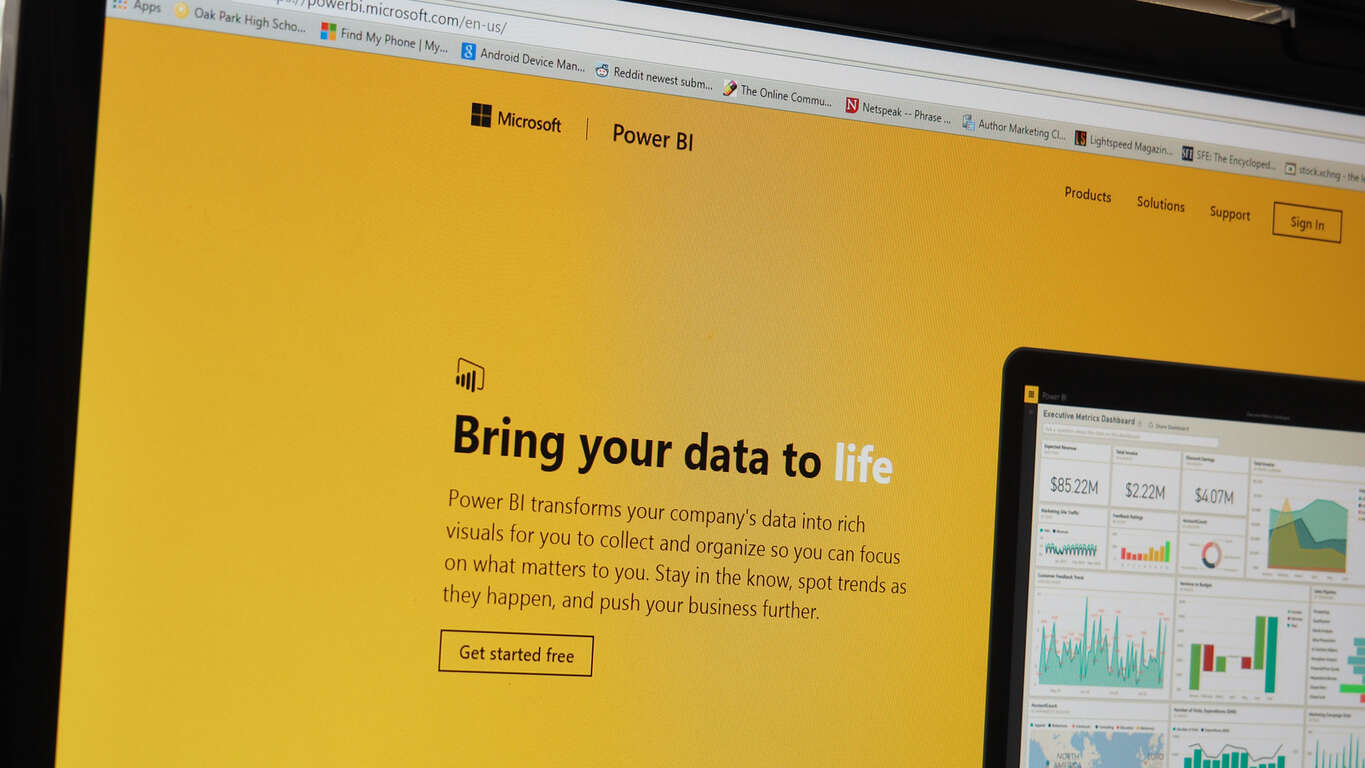
Power BI has been getting a lot of attention recently, and the Microsoft community seems to be taking to it quite well. The data-management service is quite useful, especially now that it can interface easily with your Excel files. The team behind Power BI has added to the laundry list of reasons to try the app today by releasing the May update, which brings with it tons of “hotly requested” features. Among the list of additions are improved quick calculations, customizable tooltips, and new data connectors.
Via the Power BI blog, were’s a more comprehensive list of changes:
REPORT VIEW
Customizable tooltips
Conditional formatting in tables
Publish to Pyramid server
Scrolling loads more data in charts
Keyboard nudging for visuals
ANALYTICS
Quick Calcs – % of grand total
DATA CONNECTIVITY
New data connectors
Text/CSV connector exposes editable settings in preview dialog
Improved relational database connectors with Display Schema information
Ability to “Save As” a Power BI Template
Support for reordering Query Steps by using drag & drop
Date picker support in Conditional Columns dialog input Date fields
New context menu entry to create new queries from the Queries pane
The Office Blog announced today that Office 365’s new Advance Security Management features will begin rolling out now to give organization better control over their data. The new Advance Security Management features are powered by Microsoft Cloud App Security, which was first introduced in late February.
The focus of Advance Security Management is to better understand and protect, from what is described as your organization’s shadow IT. The shadow IT is all of the cloud services and apps employees connect to and use but are unsanctioned or not administered by your organization. The hope is with Advance Security Management organizations will gain transparency over their shadow IT, allowing them to control flows of information and prevent breaches in security.
Advanced Security Management includes the following three new features:
Threat Detection — Helps you identify high-risk and abnormal usage, and security incidents.
Enhanced control — Shapes your Office 365 environment leveraging granular controls and security policies.
Discovery and Insights — Get enhanced visibility into your Office 365 usage and shadow IT without installing an endpoint agent.
Advanced Security Management begins rolling out today to Office 365 E5 plan as an included feature. Other Office 365 plans can add Advance Security Management to their plan for an addition $3 per month. Threat detection and activity policy creation will be enabled starting today, but the ability to view application permissions and the application discovery dashboard will not be available until sometime in the third quarter.
Microsoft announced yesterday the winners and finalists of the 2016 Microsoft Partner of the Year Awards, recognizing top Microsoft partners that have “demonstrated excellence in innovation and implementation of customer solutions based on Microsoft technology”. This year, there have been more than 2,500 nominations submitted from 119 countries to be acknowledged in 37 categories including cloud technology, public sector, citizenship and more.
Among US winners, Blue Metal has been selected as the Internet of Things Partner of the Year after using Microsoft Azure, Power BI, and Microsoft Surface to help develop a cloud-connected refrigerator designed to improve vaccine storage. AvePoint Inc. has also been selected has the Government Partner of the Year for developing 6Degree.org, a new crowd funding platform built on Microsoft Azure that allows anyone to support survivors of human trafficking in a safe and secure way.
A complete list of winners and finalists is available on the Microsoft WPC Awards website, and all of them are also invited to an exclusive celebration during Microsoft 2016 Worldwide Partner Conference taking place July 10–14 in Toronto where they will meet with Microsoft executives. Gavriella Schuster, Microsoft General manager, Worldwide Partner Group, added :
It was evident this year that our partner ecosystem is maturing in its transformation. Many award winners found that embracing cloud technology was a spark for continued innovation and rapid growth. Microsoft’s cloud technology enables partners to develop creative applications, transform go-to-market, and deliver greater customer success.
Google Apps for Work not only took an early lead in the market for cloud-based productivity but in many ways defined the market. While Google’s cloud-based apps weren’t as full featured as Microsoft’s traditional suite of Office products, they were inexpensive and flexible, and thus became very appealing to small and mid-sized businesses looking to move their productivity software to the cloud. The ubiquity of Office in corporate America had also comparatively given Google the appeal of being an alternative to the corporate world, and its less enterprise like user experience was appealing to some new and small businesses.
Microsoft eventually responded to the emerging disruption from Google Apps for Work with their own cloud-based productivity software, Office 365. And last year Office 365 overtook Google Apps for Work in market share, after tripling its share in a single year. As we reported last year, most of the growth in Office 365 was from larger businesses choosing Microsoft over Google for their move to the cloud. Among businesses with over 1,000 employees, Office 365’s share had increased six-fold.
Google Apps for Work
But while Office 365 subscriptions are continuing to grow and are becoming a significant source of revenue, a new report by SkyKick shows that Office 365 is still lagging among small to midsize business (SMBs) in the United States.
As spotted by GeekWire, the SkyKick’s report shows that Office 365 only has a 7.5% share among SMBs in the US. For comparison, in the other report from last year mentioned above, Office 365 had 30% market share among large businesses with at least 1,000 employees. While comparing that report with SkyKick’s report is not precisely apples to apples because of their differing methodologies, it clearly shows there is a discontinuity to Office 365’s growth, and it has still yet to catch on with SMBs.
SMB market share via SkyKick
Skykick, a four-year-old cloud-management/migration software provider, conducted their study by surveying 109,000 US businesses with employee headcounts of 250 or less. They accomplished this by checking the company’s email domains to see if Office 365 was their provider. The population of their survey ended up being skewed towards small companies as 75% of the SMBs analyzed had less than 10 employees.
What Skykick found was even though Office 365 adoption was down to 7.5% on the whole, there was a lot of variance between industries and even states. SMBs in certain industries, such as Coal Mining, Computer Facilities Management Services, had Office 365 adoption rates of 30.96% and 21.26% respectively. Some of the lowest numbers were in industries like Commercial Art and Graphic Design, Agricultural Services, and Coin-Operated Laundries and Drycleaning (3.88%, 2.91%, and 1.87% respectively).
Industries leading in SMB adoption rates via SkyKick
While SkyKick’s report gives a great view into Office 365’s adoption rates among SMBs, it does not give a breakdown of competitors’ individual market share, instead lumping everything that isn’t Office 365 into an “other” category. The report concludes there is an opportunity for growth among every sub-segment of the SMB market.
But it might be harder said than done. Google is heavily incentivizing IT providers to push Google Apps for Work, and offering Google Apps for Work for free to companies currently under an enterprise agreement with Microsoft. And there are still yet other growing startups looking to disrupt cloud-based productivity, such as Slack, Box, and Dropbox.
Office 365’s low market share among SMBs might well mean there is ample opportunity for growth. But in the context of how uneven Office 365’s growth has been, the continued low adoption numbers among SMBs might mean Microsoft needs to find a way to specifically market to these smaller companies looking for alternatives to traditional enterprise software.
To read more about Office 365’s adoption rates, you can read SkyKick’s full report for free after signing up.
With E3 2016 just a few days away, Director of Program Management for Xbox Mike Ybarra has just teased today on Twitter that the next Xbox One preview build could be released “soon”. However, it’s not clear yet if this new build could include enough new features to generate useful buzz about Microsoft’s gaming console before the annual gaming show:
Next Xbox One preview build for our preview audience = soon! #Xbox#YouAllRock
Back at Build 2016 in April, Ybarra previously revealed that the Xbox One would get a preview release of the Windows 10 Anniversary Update end of May/early June. At the time, Ybarra said that the Anniversary update would bring “key gaming features” to the Xbox One, and we already know that Universal Windows 10 apps and Cortana are in the pipeline. Furthermore, Microsoft also explained during the developer conference that all retail Xbox One consoles would be allowed to be converted into devkits for developers at home to test apps and games.
As usual, this upcoming Xbox One preview build will only be available for members of the Xbox One preview program, which is still invite-only. Over the last few months, Microsoft has been consistently releasing monthly preview builds to members of this program before public release, and all Xbox One consoles are currently running version 10.0.10586.1202 of the Xbox One OS which has been released to everyone on April 27.
As a reminder, Microsoft shared during Build 2016 that the Xbox Preview program and the Windows Insider program would come together this summer. However, while the Xbox One Preview program is currently quite similar to the Windows 10 Release Preview Ring, it’s not clear yet if the Xbox One system software could also get the same Insider rings as both Windows 10 and Windows 10 Mobile.
We can’t wait to learn more about the Xbox One Anniversary Update and we hope this upcoming preview build will bring us a lot of interesting stuff. Let us know in the comments what are the the features you would really like to see implemented in the upcoming big update to the Xbox One.
The Windows 10 FitBit app is getting some love from the FitBit team by way of a new update. This time, though, the update is delivering improved exercise and food features, and more.
The update brings the app to version 2.10. Along with the usual big fixes, it also delivers exercise editing, updates to food logging search, improvements to accessibility, and also makes the new design for the FitBit dashboard available for preview.
This is just the latest update for the FitBit app on Windows 10. Back on May 17th a previous update delivered a new GPS map detail view, and the ability for Fitbit Alta trackers to sync using Bluetooth LE.
The update should be rolling out now, so if you’re an avid user of the FitBit app be sure to head over to the Windows Store now and press that update button! However, even if you don’t currently use the app, we’ve included a download link below.
If you’re an Outlook.com user, you may have received a lot of spam in your inbox over the last few hours. It’s not clear if Outlook.com spam filters have been down for all users of the service, but Microsoft has acknowledged the problem and has been hard at work to implement some fixes since yesterday.
According to a report from CNNT (via Windows Central), the spam emails started to spread on Tuesday around noon (3PM eastern time). Later that day, Microsoft released an explanation on the company’s service portal for Outlook.com:
“We’re implementing two fixes. One will provide short term relief preventing spam reaching your inbox. The second will be a longer term fix which should stop spam reaching our infrastructure.
The company’s service portal for Outlook.com.
The problem now seems to have been resolved according to the latest status update. Microsoft has yet to reveal the full details about this spam flood, but we’re glad the company was quick to fix it. Was your Outlook.com inbox hit by spam? Please let us know in the comments it the problem has now been fixed for you.