Skype introduces Skype TX 4, next generation Skype integration for broadcasters

While Skype is almost ubiquitous in the consumer world when it comes to VoIP and video chatting, not everyone knows of its business-focused equivalent Skype for Business (granted, the name is still new). Probably even fewer know that Skype is also involved in broadcasting, with its studio-grade version Skype TX since April 2014. In fact, Skype TX 4 has just been announced to the world via the Skype Blog, and we will have a look at what it has to offer to broadcasters worldwide.

Touted as being “more flexible and scalable than its predecessors”, Skype TX4 allows the integration of multiple studio-grade Skype video calls into one broadcasting, on top of its already impressive ability to include a 300-million-user potential cast into “the studio workflow.” This means less equipment and setup time for broadcasters who now only have to deal with one system, saving control room space and overall cost.

Emre Can on Skype 44
Skype broadcasting command center.

The first Skype TX 4-compatible hardware from new partners are also introduced. Candidates include NewTek TalkShow VS4000 – a “facility-class, 1RU rack mountable hardware unit with 4-in, 4-out industry-standard I/O for integration into SDI workflows and IP video workflows via NDI™” – and the Quicklink TX Multi for converting “multiple Skype calls into studio-grade quality video/audio transmissions.” These two new pieces of equipment will be showcased at NewTek’s and Quicklink’s booth respectively at NAB show on April 18-21, where Skype TX 4 will also make it debut at the Microsoft booth.

Skype TX has enjoyed great popularity in recent years thanks to the growing market for participatory television, facilitating real-time, high-quality interactions between viewers and remote guests ranging from professional wrestlers to new superstars, and even presidential candidates. Currently, Skype TX has been used by broadcasters in nearly 100 countries, and the new version along with its new hardware should propel that number forward in the future.

Image credit: Skype blog

Kent, WA School District to install Windows 10 on all 24,000 school computers

In today’s modern world, having access to a computer and other technology is one of the keys to being successful in school. So, with that in mind, Washington’s Kent School District is taking steps to make sure that every one of its students has access to advanced technology and devices.

The school district was one of the early adopters of Windows 10, and is expecting to install Windows 10 on all 24,000 of the devices in the school district by the start of the 2016/2017 school year. In addition, Kent has previously distributed HP laptops and Microsoft Surface Pro 3 devices to students from kindergarten all the way to 6th grade. Ultimately, though, the goal when distributing these devices and originally upgrading to Windows 10 was to empower students to be more efficient, and do less “teching” and more “teaching.”

Prior to the upgrade to Windows 10, the Kent School district’s devices sat on a shelf in the summer months while they were reimaged for the next school year. This meant for a dip in technical proficiency for students, but now with Windows 10, the updates can continue and the summer reset is eliminated.

Kent School district’s upgrade to Windows 10 also lowered the district’s IT costs and streamlined IT management. Additionally, the Windows 10 upgrade meant that the Kent district was able to replace the process of manually refreshing each device, as well as take advantage of the free online services and tools for teachers and students in Office 365 education.

The Kent School district currently has over 28,000 K-12 students and employs 4,500 teachers, administrators, and other staff at 43 campuses in the city of Kent. You can learn more about the Kent School District by reading this Microsoft case study. Additionally, you can check out all the great education features heading to the Windows 10 Anniversary Update by clicking this link here.

Check out the launch trailer for Dark Souls III for Xbox One and PCs

Dark Souls III is finally available to purchase worldwide on both the Xbox One and Windows PCs. While the game has been previously released in Japan on March 24, 2016, gamers in the rest of the world could also pre-order the game and get a digital copy of the original Dark Souls game (which is backwards compatible on the Xbox One) since mid-February.

If you’re not familiar with the franchise, Dark Souls III is an action role-playing game set in a third-person perspective. Please find the official description below along the launch trailer:

Winner of Gamescom 2015 “Best RPG” and over 35 E3 2015 Awards and Nominations,
Dark Souls III continues to push the boundaries with the latest, ambitious chapter in the critically-acclaimed and genre-defining series. Players will be immersed into a world of epic atmosphere and darkness through faster gameplay and amplified combat intensity. Fans and newcomers alike will get lost in the game hallmark rewarding gameplay and immersive graphics. Now only embers remain… Prepare yourself once more and embrace the darkness!

If you want to get the game on your Xbox One, you can either get the standard edition for $59.99 or the $84.99 Deluxe Edition which also includes the game’s season adding “new maps, bosses, enemies and additional weapon and armor sets”. Please tell us in the comments if you’re excited to play this game on your Xbox One!

Get Dark Souls III Standard Edition / Deluxe Edition

Gear Gauntlet brings the 2D arcade action back to the Xbox One

Arcade games have always been my favorites. I’m not much of a hardcore gamer so I prefer to get my hands on games which I can play in my free time, and don’t have to worry about unlocking stuff, beating villans, finding hidden chests, and what not. Gear Gauntlet appears to be one such game, although it’s not yet officially available, but the trailer of the game sounds promising, and addictive (via Major Nelson).

As a player, you just have to use your reflexes to survive by breaking through barriers and obstacles, collecting items on the way and getting points to stay on top. You can check out the trailer of the game to get a glimpse of what it’s all about.

The game description says:

Test your patience through ever more punishing gauntlets while boosting, teleporting, reversing and rotating to survive. Use your reflexes to break through coloured barriers and earn your place on the leaderboard.

Head over to the Xbox One Store to grab the game — it costs $9.99. The game is available for pre-download but you won’t be able to play it until the official release date, which is April 15th.

Windows 10 Anniversary Update to get Picture in Picture feature

Microsoft could add a new feature called “Picture in Picture” for Windows 10. The update will most likely land with Windows 10 Anniversary Update and the tech company hinted at it in its official roadmap for Windows 10.

According to the same roadmap, the feature will be available only on Windows 10 PCs and tablets. However, it is quite possible that the Redmond company brings this nice feature to Windows 10 Mobile shortly after its launch on PCs and tablets. Speaking of tablets, such a feature will be very useful allowing users to better manage their apps.

Basically, this feature lets you overlay a media content over other apps or parts of the operating system. In other words, you can watch a video from YouTube while you are watching the news via an online TV app – if your multitasking skills allow you do to that.

Most users have to work with more than one app at a given time, so monitoring media content while focusing on other tasks could come in very handy.

[irp posts=”29736″ name=”Windows 10 Anniversary Edition could land in July”]

This new feature comes as a response to Apple’s Picture in Picture for iPads and could be considered as an attempt to make the Windows 10 tablets as attractive as Apple’s. Given the range of new features introduced by the company, Microsoft’s tablets will definitely be extremely appetizing for potential buyers.

Speaking of new features, Microsoft has been very generous in offering details about the upcoming Windows 10 Anniversary Update. We know for sure that Windows Ink will allow users to write on their devices as if it were paper and easily share their analog thoughts in a digital format. Cortana will be more helpful and proactive than ever with access to thousand of app. Let us not forget Microsoft Edge, the most secure browser of the company.

Given this flood of new features, we are sure that Microsoft engineering team will work at full speed to include the Picture in Picture feature into the upcoming update, although the company has not yet confirmed this.

RELATED STORIES YOU NEED TO CHECK OUT:

Latest Windows 10 Mobile build 10586.218 now available

Microsoft just started to roll out the latest build 10586.218 for Windows 10 Mobile. The build is available for all Insiders on the Release Preview ring, phones officially updated to Windows 10 Mobile, as well as all devices that originally came with Windows 10 Mobile.

After Microsoft finished internal tests, this build was originally available only to Insiders on the Release Preview Ring. However, a couple of hours later retail Windows 10 Mobile devices received it, as well. The same build was also released to PC, in form of a cumulative update, so two versions of the operating system have the same build number again, with .218.

[irp posts=”29810″ name=”Microsoft attempting to lure businesses to upgrade to Windows 10″]

This is just a minor update, so you shouldn’t expect any notable and visible changes. As usual, the new build fixes a few bugs and brings some reliability and performance improvements.

Windows 10 Mobile build 10586.218 features

Microsoft released the full changelog of build 10586.218 on its forum, so you can check it out below:

  • “Reliability, performance and stability improvements.
  • Support for Visual Voicemail on Dual SIM phones. 
  • Improvements for Bluetooth connectivity, including the reliability of connecting to and staying connected with Bluetooth devices. 
  • Fix for a problem that caused audio playback to get occasionally interrupted in Groove Music and other music apps when phone display was turned off. 
  • Improvements for Microsoft Edge browser, including support for configuring a prompt before a file download occurs, support for background downloads, and a fix for a problem where opening a link from an another app wouldn’t load the web page. 
  • Reliability improvements for Cortana reading text messages aloud and usability improvements for Quiet Hours feature. 
  • Improvements for Store reliability, including a fix for a problem that prevented some apps from being updated and installed. 
  • Fix for a problem that occasionally caused some apps to show blank tiles after upgrading from Windows Phone 8.1. 
  • Improvements for PC connectivity via USB on some phones that were upgraded from Windows Phone 8.1.”

If you didn’t receive this build automatically yet, you can install it by going to Settings > Update & security > Phone update > Check for updates. If you encountered any problems upon installing this build, please let us know in the comments, so we can write a report about it.

RELATED STORIES YOU NEED TO CHECK OUT:

Here’s how Windows Unlock will work in Windows 10

Microsoft is currently developing a series of interesting features for its upcoming updates. One of these new features is Windows Unlock, allowing you to unlock your PC with your phone or with a companion device. This is another feature that could land with the Windows 10 Anniversary Update.

The companion devices can range from your Windows 10 Phone to your Microsoft Band 2. Its main purpose is to act in conjunction with your Windows 10 desktop to enhance the user authentication experience. There are four possible ways to connect the companion device to your desktop as Microsoft described this on its blog:

  1. Attach the companion device to PC via USB, then touch the button on the companion device and this will automatically unlock the PC.
  2. Carry a phone that you have already  paired with your PC over Bluetooth. When you press the spacebar on your PC, the phone receives a notification. All you have to do is approve it and the PC unlocks.
  3. Tap the companion device to an NFC reader quickly unlocking the PC.
  4. Wear a fitness band that has already authenticated the wearer. When you approach the PC and you perform a certain gesture, the PC unlocks. In this case you have to define that specific gesture beforehand, otherwise the unlocking process won’t work.

In order for the unlocking feature to work, three conditions must be reunited:

  1. Intent signal: showing that you want to unlock the PC. This signal is collected on the companion device.
  2. User presence signal: to prove the presence of the user, in other words, you are the one physically doing it.
  3. Disambiguation signal: showing which specific PC you want to unlock.

There are two ways to start the authentication process:

  1. Open up the lid on laptop, or hit the space or swipe up on PC.
  2. Perform a gesture or an action on the companion device.

Given all this information, there is however one question still unanswered: is Windows Unlock more secure than a PIN code or any other authentication means?  Microsoft has not provided an explicit answer for this, all it said was that users had to seta  PIN on their Windows 10 desktop systems before using a companion device:

Before a companion device can be used, a PIN needs to be set up on Windows 10 desktop device. This ensures the user has a backup in case their companion device is not working. The PIN is something that Windows manages and that apps never see.

If you want to read more about Windows Unlock, go to Microsoft’s page.

RELATED STORIES YOU NEED TO CHECK OUT:

Cortana now translates French, German, Italian and Spanish in Windows 10

Microsoft has added a new feature to Cortana, the digital assistant can now translate from French, German, Italian and Spanish on Windows 10. You can directly ask Cortana to provide you with the translation or you can simply type the sentence you want it to translate.

This update follows the English release of the instant translation app from last September. The principles are the same, ask Cortana to translate for you and you get the answer right away. This is a very useful feature especially when you are travelling to a foreign country or you are talking to a foreigner and neither of you speaks the language of the other.

If the assistant does not understand the sentences you want it to translate, it will open a web page after performing a web search for it. This situation is more likely to occur when you utter the sentence since speech recognition technologies are extremely sensitive to outside noises and sounds.

[irp posts=”29504″ name=”India and Japan to get Cortana in Windows 10 this summer”]

The list of languages Cortana can translate into is, of course, limited and it includes: Bosnian,Bulgarian,Catalan, Chinese,Croatian, Czech, Danish, Dutch, English, Estonian, Finnish, French, German, Greek, Haitian Creole, Hebrew, Hindi,Hungarian, Indonesian, Italian, Japanese, Klingon, Korean, Latvian, Lithuanian, Malay, Maltese, Norwegian, Persian, Polish, Portuguese, Romanian,Russian, Serbian, Slovak, Slovenian, Spanish, Swedish, Thai, Turkish, Ukrainian, Urdu, Vietnamese and Welsh.

Microsoft is making efforts to deploy its translator software to a wide range of devices and platforms because it strongly believes in its mission:

Microsoft Translator’s mission is to break the language barrier by providing translation whenever and wherever you need it. In addition to being integrated into Cortana, you can also download the Translator app for Windows 10 to get translations from your webcam or to translate when you are not connected to the internet.

Microsoft Translator apps are also available for iPhone, Apple Watch, Android phones and is also integrated into other Microsoft products such as Office, Bing and Skype Translator.

RELATED STORIES YOU NEED TO CHECK OUT:


The Division’s ‘Incursions’ patch brings a plethora of new features and bug fixes

The first major content patch for Tom Clancy’s The Division landed yesterday. The pack offers many new interesting features, games changes and bug fixes. This update is sure to bring the gaming experience to the next level.

Ubisoft brings a series of new features to the game, making it more interesting and unpredictable. Falcon Lost is a new incursion you can enjoy after having reached level 30, namely after having completed the mission “General Assembly”. Only four players can confront one another at this level.

You can now trade weapons with other players. You can also share weapons but only during the first 2 hours after you acquired them and only with players from your group. If another player has lost his weapon and you find it, it’s your lucky day, you can take it.

Other important features include:

  • Gear set equipment can be found by completing the most challenging activities in Manhattan.

  • Collecting and wearing gear sets grant powerful stat bonuses and talents.

  • Gear sets of varying gear scores can be found for many playstyles. Find the set that best suits yours.

  • Improving your gear and increasing your overall Gear Score will grant your agent access to the most dangerous high-end challenges.

  • Assignments are automatically obtained when you log in and can be tracked from the map via the menu called “Mission Overview”.

  • Assignments are available for a limited time (24h for Daily Assignments and 7 days for Weekly Assignments), after which, they will be replaced by different assignments.

  • Most assignments can be completed while playing alone but some will require enlisting other agent’s assistance to complete.

  • Dark Zone Supply Drops is a new feature allowing the Strategic Homeland Defense agency airdrops multiple supply caches to assist Division agents.

  • Supply drops will occur multiple times over the course the day and are heavily sought after by other agents and enemy factions that roam the Dark Zone, so be ready for resistance.

As for the game changes, the hottest feature involves enemies of level 30 and more and their equipment. When they are killed, they will now always drop one High-End item. Here are other interesting game changes:

  • Turret skill can no longer suppress enemy NPCs, as this allowed named NPCs to be defeated too easily.

  • Ranks requirements for Superior and High-End quality items at the Dark Zone Vendors have been adjusted.

  • Level 32 named enemies will have 40% chance to drop Division Tech materials.

  • The vendor in the Church Safe House will now sell items in Dark Zone Funds instead of Phoenix Credits.

The patch also fixes more than 40 annoying game and PC specific bugs making the gaming experience more pleasant. Here are the most important fixes:

  • Fixed a bug that could prevent characters from accessing the game if they had too many items in their inventory.

  • Fixed a bug where Daily Hard and Challenging missions would no longer reset every day.

  • Fixed a bug where voice chat volume indicators would overlap in the group UI frame.

  • Fixed various prop collisions so that players no longer become stuck.

  • Fixed several issues with Logitech peripherals.

  • Added support for reporting players on PC. Players can now type in chat /report.

If you want to check out the entire list of updates and fixes, go to Ubisoft’s Division page.

RELATED STORIES YOU NEED TO CHECK OUT:

Here’s an updated list of Xbox One beta titles

If you haven’t had all of your time eaten up by the recent release of Dark Souls III, then you may want to take a look at the hefty number of open betas that have either opened up just this week or are coming up on the horizon. Incredible games are lined up for the coming season, and with Xbox’s access to their betas, you’re going to be able to dip your feet into them a little bit early.

Here’s a look at all of the betas coming up, and when you can get into them.

Battleborn – (4/13 – 4/18)

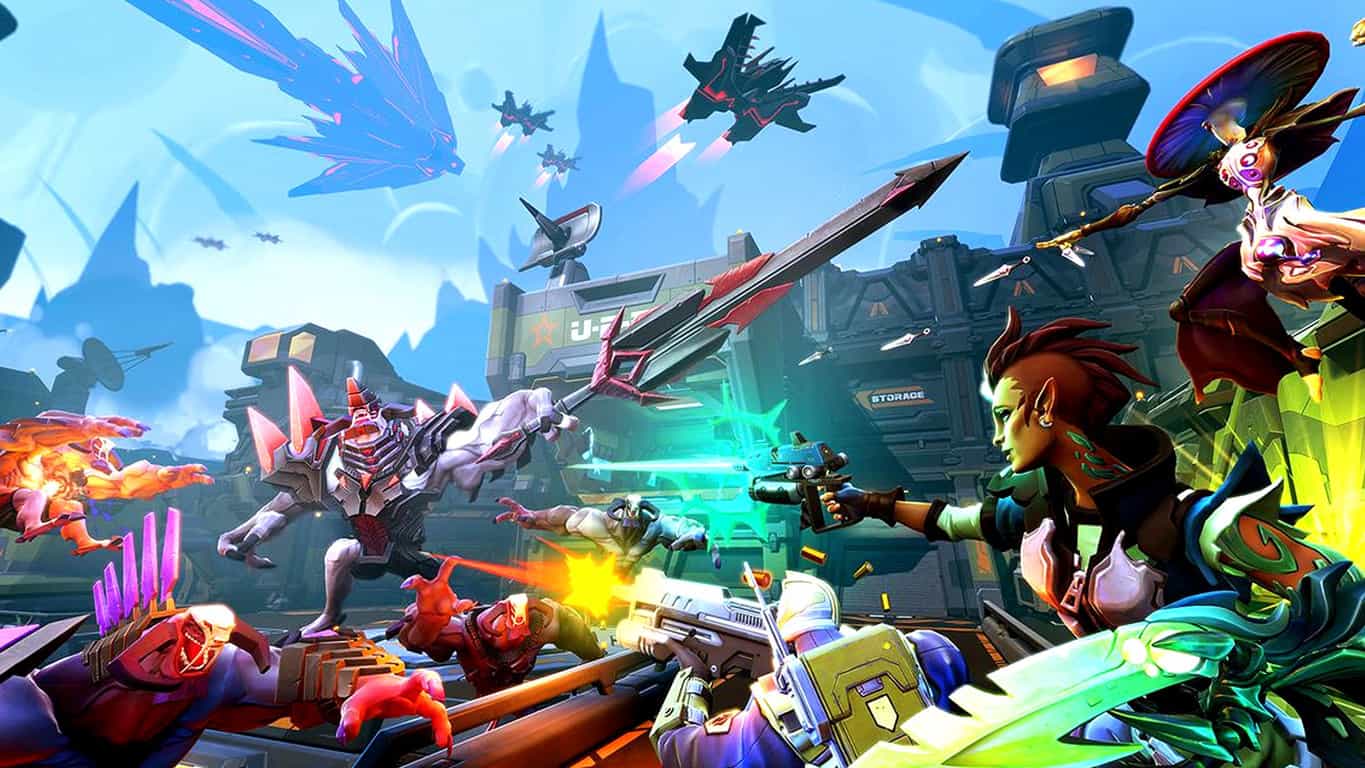
A tremendous band of badass heroes fight to protect the universe’s very last star from a mysterious evil in this next-gen shooter by the creators of Borderlands. Slash and parry, run and gun, cast and dash, or simply obliterate foes while building and growing your personal team of heroes.

Author’s note: Battleborn’s open beta launched today on PC, PS4, and Xbox One, and it’s pretty incredible. This first-person MOBA from Gearbox studios brings together all of the best parts of League of Legends and Halo – It’s definitely worth checking out, as entry is totally free right now.

Overwatch – (5/03 – 5/04)

Clash on the battlefields of tomorrow and choose your hero from a diverse cast of soldiers, scientists, adventurers, and oddities. Bend time, defy physics, and unleash a dizzying array of extraordinary powers and weapons. Engage your enemies in iconic locations from around the globe in the ultimate team-based shooter. Take your place in Overwatch…the world needs heroes.

Overwatch

Overwatch, Blizzard’s shooter, has been in closed beta for a long time and has received rave reviews. It’s absolutely incredible, bringing together some of the best elements of shooters like TF2 and Dirty Bomb to create a fast-paced objective-based shooter with a memorable cast of characters. This beta isn’t open, and so if you want entry, you’re going to have to sign up.

DOOM – (4/15 – 4/17)

Developed by id Software, the studio that pioneered the FPS genre, the DOOM Digital Deluxe Bundle includes the brutally fun and challenging base game plus Season Pass with access to all three DOOM multiplayer DLC packs for one price. Relentless demons, impossibly destructive guns, and fast, fluid movement provide the foundation for intense, first-person combat – whether you’re obliterating demon hordes through the depths of Hell in the single-player campaign, competing against your friends in numerous multiplayer modes, or expanding your gameplay experience using the DOOM SnapMap game editor.

DOOM is one of the most important franchises in all of the FPS genre, as without it, we probably never would have gotten any of the games that we have nowadays. The multiplayer beta is available starting in just a few days, and if you want in, you can go ahead and pre-order the game.

Gears of War 4

 Gears of War 4 – (4/18 – 5/01)
A new saga begins for one of the most acclaimed video game franchises in history. After narrowly escaping an attack on their village, JD Fenix and his friends, Kait and Del, must rescue the ones they love and discover the source of a monstrous new enemy.
Gears of War is one of the featured franchises that everyone thinks of when they hear “Xbox.” After being gone for some time, the Gears of War franchise is coming back for its fourth numbered installment. Gears of War 4’s multiplayer beta is coming, and it’s ready for the Xbox One’s floodgates to open. Starting on 4/18, anyone who has played Gears of War: Ultimate Edition can get into Early Access for the beta. On 4/24, everybody else is going to be invited.

Installer companion app for Windows App Studio hits the Windows Store

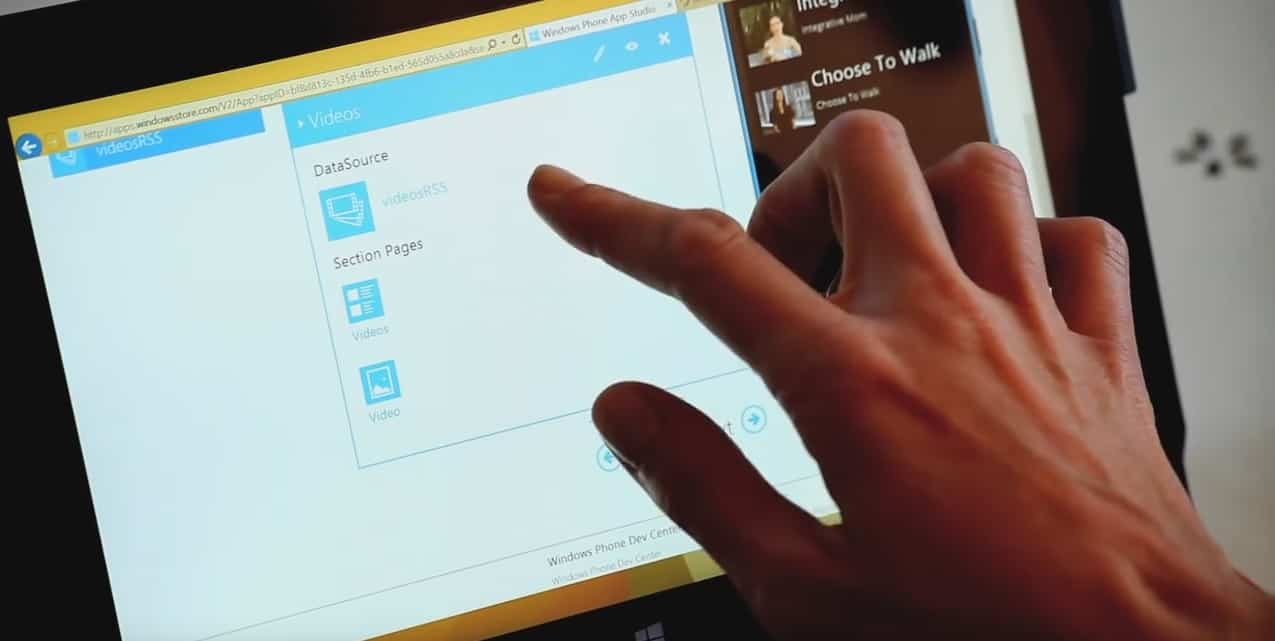
The Windows App Studio team has announced today that they are releasing a new companion app designed to make sideloading and installation processes easier. The Windows App Studio Installer app is already available for download in the Windows Store for all Windows 10 devices.

The app will check to see if the necessary certificate is installed or update it automatically if it isn’t. It will also guide the user through enabling side loading mode and open up the proper settings page with a step by step guide. After it is done, it will install the application installer package on the local computer.

Windows App Studio Installer makes it easier to install and share your apps.
The Windows App Studio Installer app makes it easier to install and share your apps.

Here is how it works:

Installing Apps

  • Generate your app in Windows App Studio and build an installable package.
  • Click the link to install the app.
  • The link will open up the Installer app, and from there, all you need to do is click the install button. Note: If you are not already in side loading or developer mode for Windows 10, this tool will also prompt you to make that change and automatically open the correct settings page.
  • Once you click “Install,” the app deploys the certificate (if necessary) and installs the app. Once the installation process completes you can open it from the Installer app, or however you normally prefer to open programs, like with the Win key + app name shortcut.

Sharing Apps

With the Installer app, it’s now much easier to share apps with your friends and family, regardless of their level of expertise with Windows.

  • When you generate installable package, look for links just below the install button for sharing via email, Twitter, and Facebook.
  • Click one of those links to share your app through email, Facebook, and/or Twitter.
  • Whoever you shared it with will get a link to a page about your app and will have the link to download it with the Installer app.
  • Once they click “Install App” on the page, it will open up the Installer app. It’s just one more click from there to install the app.

Since this is the first version, the team is asking for feedback on how it can be improved. With Microsoft adding another of it’s own apps to the Universal Windows Platform, the installer will add to the list of building blocks that make developing apps across all Windows devices a lot more appealing to users.

Educator outlines why OneNote is an excellent tool for education

Most educators spend countless numbers of hours on lesson programming. Each plan has a list of criteria to meet, special needs to consider, and must be approved by an executive in a timely manner. For some teachers, this means rummaging through messes of USB sticks, shared folders, and printed copies looking for exactly what they need to bring the best learning program they can to their students.

Lynette Barker understood that spending all of that valuable time on searching instead of collaborating wasn’t doing anyone good. Starting as a librarian at St. Therese’s Primary School in New Lambton, Australia, she has set on a journey to integrate an easier means of helping teachers, executives, and classroom assistants collaborate creatively through the use of OneNote.

According to the guest blog she wrote for the OneNote Team, Lynette felt that it was the natural tool of choice. Calling the project ‘Grade Book,’ she and a few other staff members began to deconstruct the lesson programming by bringing it down to basics. Adding information over time through the contribution of other teachers, the OneNote program allowed all of the teachers to begin assessing how they approach their time in the classroom.

Each KLA standards for teaching programs were included in the OneNote 'Grade Book' for each class.
Each KLA standards for teaching programs were included in the OneNote ‘Grade Book’ for each class.

As the tool progressed, it included the ability to invite executive staff members in as mentors, bridging the communication gap. Teachers could add outcomes of their lesson plans in real time, search for withdrawn resources, and take advantage of the Insert Audio feature to include verbal feedback. Moving forward, the EPIC Planning initiative hopes to teach other educators through workshops how to use OneNote and encourage them to actively participate in creative planning.

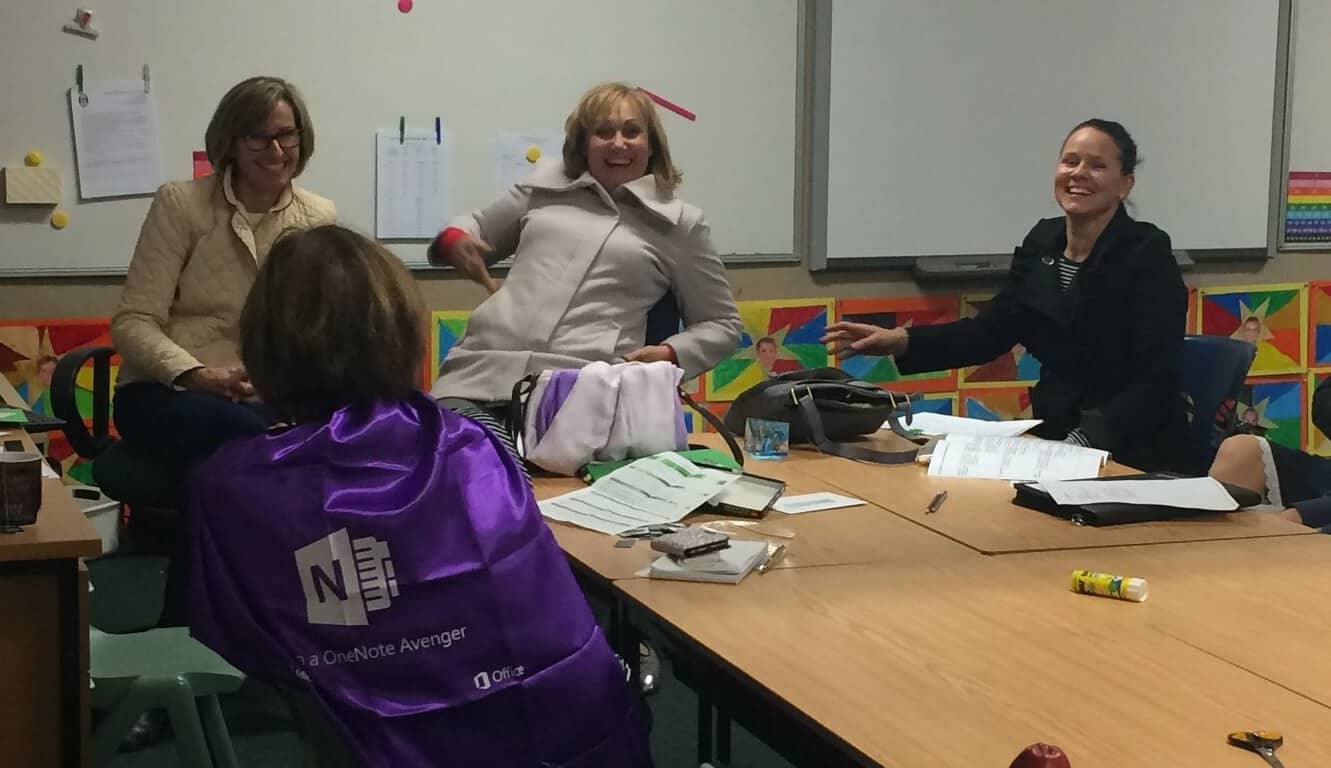
“We are at the beginning of our journey, and staff attitude will be crucial to the success of this project. I have been honest with the staff, telling them that initially some will struggle with OneNote and this new way of programming. However, I assure them that once their skills and confidence develop, they will love this EPIC Planning process and will become true OneNote Avengers!”

Lynette isn’t the only educator that has been able to build bridges with the Microsoft OneNote. Mrs. Petreska from Kicevo, Macedonia helped used the tool to make learning fun and efficient for her students. With the Office 365 and OneNote Staff Notebooks made easily available for educators, Microsoft has drastically changed the environment that students learn in.

WordPress adds support of share buttons for Skype, Telegram and WhatsApp

If we could compare WinBeta to a PC, we would tell you that WordPress is the motherboard of our operations. Winbeta is powered by WordPress, and our team of writers uses the WordPress backend every day to bring you the latest Microsoft news and information. Today, though, we are here to report to you that WordPress is seeing an update, which will be adding in sharing buttons for three more services.

The update adds in sharing buttons for WhatsApp, Telegram, and Skype. If you’re just like us and also use WordPress to publish content, you can set the new buttons up by following these steps:

  1. Go to My Sites → Sharing.
  2. Select the Sharing Buttons tab, and then Edit Sharing Buttons.
  3. Select any of the three new options (in addition to our many other sharing possibilities).

Thanks to this update, the millions of people who view content created through WordPress will now have news ways to share material.

Microsoft teams with indy radio station to present “Inside the Music of KEXP” in Seattle this month

Microsoft has always been active in the Seattle community, deservedly so, and they have even recently donated to the Seattle Zoo. Microsoft’s involvement in the community, however, is now going musical, as the software giant is teaming up with KEXP to present “Inside the Music of KEXP” in Seattle this month.

The presentation is part of a celebration of the opening of KEXP’s new home in the Seattle Center. Previously, the radio station worked with Microsoft to turn the 4,000 square foot vacant office space into an interactive installation.

Curated by KEXP’s Kevin Cole, music in the presentation will respond intuitively to visitor’s movements and interactions in the ever evolving environments. KEXP’s presentation at the facility will use Kinect, so participants can remix songs by KEXP musicians including alt-J, Floating Points, Ólafur Arnalds, and Samaris.

If you’re in the Seattle are and are interested in this presentation, you can check it out by visiting the Settle Center at 472 1st Ave N. The installation will be open  Mon-Fri from 12Pm to 7 PM and Sat-Sun from 10 AM- 5 PM from April 16th to May 8th.

Microsoft is rolling out a new streamlined home page for Office 365 Online

If you’re an Office 365 user, you may have spotted that Microsoft recently introduced a new streamlined home page for its online productivity suite. Today, a new post on the Office 365 blog explains that this new home page started to roll out to users earlier this month, bringing along some new features for both administrators and users. The Office 365 shared in the blog post:

The Office 365 team shared in the blog post:

“We’re constantly looking for opportunities to improve the way our users get things done. The new Office 365 home page enables more consistent and unified experiences for work, education and home users across every device. This new platform also helps us respond to user feedback and deliver innovative new features at a faster pace than ever before.”

As you can see below, the new home page experience simplifies how users access their Office 365 applications and documents with immediate access to Office online apps and recent online documents. The Office team also shared that the new home page features a responsive design with “improved page responsiveness for a better, more consistent experience across all your devices”.

The new home page experience for Office 365 users.

More, Office 365 users can now install Office apps more seamlessly thanks to a new download button on the home screen. Clicking on this button will not only download an install Office on your device in one click, but users will also be able to easily install Office 365 mobile apps by sending download links by email or SMS to their mobile device.

You can now download and install Office on your device with one click from the home screen.

Last, the Office team also brought new tool tips to highlight recently added applications, unused features, and actions that users need to take. If you can’t see this new home screen yet, hold tight as the full roll out will be completed “over the next few months.” Please tell us in the comments what you think of this new home page experience.

Writing tool Grammarly planning an Edge extension, release date undetermined

Anyone who does any sort of writing (which includes just about everyone) can usually benefit from another set of eyes. Publications like WinBeta have editors to check over our writing, and while nobody’s perfect and editors do miss things, without them, our stories would be crammed full of errors.

For people who write without the benefit of editors, even simple email and forum postings, tools like grammar checkers can be invaluable. Going beyond mere spell-checking, services like Grammarly can catch a number of writing errors that can make a message far less effective. That’s why we’re glad to hear that Grammarly is planning to release an Edge extension to go along with the ones they offer for competing browsers.

WinBeta reader Patrick (thanks for the tip!) contacted the company about Edge, and received the following response:

“Diana (Grammarly Support)
Apr 11, 1:35 PM

Dear Patrick,

Thanks for contacting Grammarly. I appreciate the opportunity to assist you with your questions.
Grammarly does not currently operate from within Microsoft Edge. It is a planned feature, but unfortunately I cannot provide you with a release date.

Please do not hesitate to contact us with any questions or concerns you might have. We are committed to making your experience at Grammarly pleasant and rewarding.

Sincerely,
Diana”

While we’d love to have a release date to plan around, it’s enough at this point to know that Grammarly is planning to support Edge. It appears to be easy to port over from a Chrome extension and so technical issues should not be among the potential holdups. More likely, is the fact that we’re waiting for this summer’s Windows 10 Anniversary Update for official Edge extension support.

Let us know in the comments if you’re looking forward to a Grammarly extension in Edge. We here at WinBeta use Grammarly ourselves for an extra check, and so we’re looking forward to Grammarly support ourselves.

Microsoft takes to Twitter to help users with Windows Update issues

Yesterday, Microsoft leveraged its reoccurring monthly PC release, “Patch Tuesday,” to issue updates KB3147458 and KB3147461 to Windows 10 PCs, bringing them to build 10586.218. While this latest cumulative update only brought several bug fixes and improvements to Windows 10 users, these kind of updates are not always smooth installs for everyone. Microsoft seems to be aware of that, as a report from Infoworld explains, Microsoft engineer John Wink was on the deck yesterday to help users troubleshoot problems with this latest Windows 10 build.

Wink appears to have started his efforts in March, and he currently maintains a ubiquitous presence on Twitter, the Microsoft Answers forum and Technet. He looks to be doing great work according to the report:

Wink is bound to become overwhelmed in the next couple of days, as the volume of questions and complaints undoubtedly mounts. It’s a Herculean task — cleaning out the Win10 update stables — but he’s tackling the problem head-on. And I must say that every answer I’ve seen from Wink has been spot on.

However, Wink is actually not the only Microsoft employee to be ready to help the Windows 10 community: if you’re a Windows Insider, we strongly encourage you to follow Gabe Aul as well as the official Windows Insider Twitter accounts. As dealing with Insider builds can sometimes be confusing, both accounts are a great source of information while also listening to the community on Twitter. However, we could also mention other Microsoft employees such as Jen Gentleman (active on both Twitter and Reddit) and Jason “NorthFaceHiker” (active on Twitter and Microsoft Answers Forum) who are both very helpful resources for your various Windows 10 queries.

We’re now in the “Windows as a Service era”, and it means that Microsoft is building Windows 10 with the help of its users. That’s also why all Windows 10 users will soon get an improved Feedback Hub that will open the way for more conversations between Windows Insiders and Microsoft engineers. Do you like what Microsoft is doing for the Windows 10 community? Please tell us about it in the comments.

This week looks “pretty good” for new Windows 10 Fast Ring builds, says Gabe Aul

At this point, it’s almost like playing with Windows lovers’ hearts is part of Gabe Aul’s job description (you never know). Sure enough, Microsoft’s VP in WDG system engineering is up on his favorite social media platform, Twitter, to deliver some mysterious clues about the next Windows 10 Fast Ring build’s arrival.

Specifically, Gabe Aul replied to a fan’s “new build today?” question with a diversion to the recently-released Cumulative Update for 10586, along with a mysterious lead on this week’s chance of a new build. In two words: “pretty good”.

What can we deduce from Gabe Aul’s tweet? The new build is not coming today, but the week is already half over. When it will arrive, only time can tell, and we can only keep waiting. Stay tuned to get updated on new Windows 10 build releases.

FCC filings point to possible Xbox One hardware revisions

Could Microsoft actually release a new version of the Xbox One this year? After we recently heard rumors about Sony’s plans for an upgraded “Playstation 4.5” later this year, Phil Spencer gave a lengthy interview to GameInformer following Build 2016 where he clearly stated that was “not a big fan of Xbox One and a half”. Furthermore, he added that “I can understand other teams’ motivations to do that. For us, our box is doing well”.

While it looked like at the time that Phil Spencer gave a definitive answer to these Xbox One upgrade rumors, we spotted via Ars Technica that a member of gaming forum NeoGAF called “Mike R” discovered that Microsoft filed two FCC filings for wireless radio devices in March 2016. One filing is for part 1683 which seems tied to the original Xbox One WLAN module FCC filing (thanks to a PDF user manual that makes reference to the original Xbox One’s model number). The new wireless chip mentioned in the FCC filing features 802.11ac wireless capabilities, and that could suggest a modest upgrade to the Xbox One with better (slimmer?) design and connectivity.

The second FCC filing is for part 1682 which is also a dual-band radio. However, there is no obvious link to the current Xbox One model this time, so it’s not possible to be sure what this FCC filing could mean. Last, both filings have confidentiality requests that won’t expire before E3 (June 25 for the 1682 filing and July 29 for the 1682 filing).

As always, you should take this latest report with a grain of salt. We’re still quite early in the Xbox One lifecycle, and do you remember that Microsoft actually waited 5 years before introducing the redesigned Xbox 360 S in 2010? However, a modest redesign of the Xbox One could definitely make sense, and we’re pretty sure Microsoft wouldn’t let Sony introduce a better PS4 that supports 4K gaming without fighting back. Do you think Microsoft could reveal an improved Xbox One this year? Please tell us about it in the comments.

Why did Windows 10 crash? Learn more with a QR code

Since the release of build 14316 to Insiders, we’ve been trying to pinpoint some of its unannounced yet new aspects. Whether it be features or just random stuff, we’ve been on the hunt. Recently, we learned Microsoft added something new to the operating, but chances are most users of build 14316 won’t come across the issue unless they’re taking a look at their ex on Facebook or Twitter.

The new addition we’re talking about is a QR code on the blue screen of death — or the infamous BSOD for short. The BSOD is legendary for having always offered up obscure, completely unhelpful information when it appeared. In the past, this piece of information would fly by faster than the speed of light but these days, the Blue Screen of Death is a little bit more forgiving. We understand that the newly added QR code is to help troubleshoot the issue at hand — a smart move by Microsoft to give users a somewhat palpable feeling of control in a pretty terrible situation.

At the moment, we can’t tell how useful these QR codes actually are in the troubleshooting process. While we haven’t come across one ourselves, a forum user at BetaArchive did and decided to share an image of what he saw. Apart from the QR code, nothing much has changed but who would expect a lot of changes to be implemented on an error screen?

The question right now is whether or not this QR code will stay as a key feature of the BSOD, or is it just something Microsoft is testing for a limited time. There’s a high chance that most folks using Windows 10 have a smartphone but despite that, not everyone might understand how to use a QR code or what it is for. Because of this, we doubt the QR code feature will stick for the long haul. Let’s wait and see — and hopefully avoid future BSODs while we do.

Quick actions get drag-n-drop customization in latest internal Windows 10 builds

Microsoft is bringing more customization options to quick actions found in the Action Center on Windows 10 and Windows 10 Mobile, with latest internal builds allowing the user to drag-n-drop actions into any order they please, making for a much more personalized and customizable quick action bar.

Unlike with the current public version of Windows 10, the new and improved quick action customization options allow actions to be placed in any order, even when the quick actions area is expanded in Action Center. On the current public builds of Windows 10, only the first row of quick actions are customizable.

actioncenterquick
Quick action customization (internal build)

Furthermore, internal builds now allow you to add and remove quick actions as you please, meaning users can now select only a specific amount of quick actions that they want to show up in Action Center, instead of having all of them display even if you don’t use them. This too should help make the Action Center more personal.

Microsoft is doing lots to improve the Action Center experience in Windows 10, and with the Anniversary Update these changes should make synergy between Windows 10 and Windows 10 Mobile much more prominent. It is currently unclear when these new improvements will show up in an Insider build, if not the next one then it’ll definitely be the one after that. Stay tuned at WinBeta for more Windows 10 news.

Microsoft working on a new design for the Windows Store

It’s rumored that Microsoft is testing a new design for the Windows 10 Store internally. However, the re-designed Store isn’t slated to make its way to users until the Anniversary Update or at least some later Windows 10 Preview build.

With the redesign, Microsoft will reportedly change the layout of the Store and enhance app listings. The new design will also allow developers to place a background image of the app instead of just a plain color, which is currently the case.

windows 10 store redesign

The Spotlight area of the Store will also receive some noticeable changes to sport a nice, flat design instead. Featured apps will be showed as Start Menu tiles which will improve the touch interface of Windows 10 in the Store, and an improved Search algorithm should also arrive with the new design, allowing users to find an app or a game they’re looking a lot easier.

These improvements are still in the early works, and a lot of work needs to be done. But once Microsoft finishes the re-design, we should receive a better Windows Store experience. This is going to be the first design change of the Store since the release of Windows 10, so it was about time for Microsoft to introduce some enhancements.

windows 10 store new design

Read Also: Microsoft releases Desktop App Converter, aka Project Centennial, for download

Anniversary Update to Improve Windows 10

While the re-designed Windows Store should arrive for users with the Anniversary Update, that’s not the only improvement Microsoft is preparing for the second major Windows 10 update.

Besides the new look for the Store itself, Microsoft will also introduce cross-platform compatibility with the Xbox One upon the install the Anniversary Update. Microsoft plans to achieve this by merging two platforms’ stores into one big marketplace for both devices. Additionally, Microsoft is planning to bring some Xbox One games to Windows 10, another cross-platform aspect that’s highly anticipated.

Of course, the Store isn’t the only Windows 10 feature that will be redesigned with the Anniversary Update. Microsoft also plans some design changes for the Windows 10 Start Menu and Action Center. The Start Menu should receive some layout changes and new Chasable Live Tiles, while the Action Center should receive better sync with Windows 10 Mobile and more. 

A lot of functionality and design improvements are on the way, so it’s obvious that Microsoft is pinning its hopes in the Anniversary Update. Cross-platform compatibility is perhaps the most important aspect of the update, so all possible design changes will be oriented towards it due to its importance.

Tell us in the comments below: which Anniversary Update feature are you looking forward to?

Read Also: Microsoft patents low-power tethering Wi-Fi, could make it to its next flagship phone

Gears of War 4 release date set, take a look at the official trailer

Microsoft finally announced the release date of Gears of War 4 a couple of days ago. Kait, JD, and Del will step up to the next big challenge on October 11 and exclusively on the Xbox One. Microsoft will try to make up for  the bad impression of the Windows 10 version with the new game, so we’re looking forward to hearing from critics and players alike.

While we wait for the full game to be released, Microsoft will kick off the multiplayer beta for players to test it out. The beta will begin on April 18 and will be available to all players who played Gears of War: Ultimate Edition on Xbox One or Windows 10. The beta version will also be available for all members of Xbox Live Gold starting from April 25.

Previous Gears of War installments (with the exception of Gears of War: Ultimate Edition for Windows 10) saw solid success among fans, so Microsoft decided to stick to the old recipe. Namely, the new game will have similar gameplay elements as previous ones in addition to being powered by Unreal Engine 4.

“Gears of War 4 marks the beginning of an epic new saga for one of gaming’s most celebrated franchises, as a new band of heroes rises to confront a fearsome new threat. Harkening back to the dark and intense roots of the original classic, fans can expect a familiar, yet distinct evolution of gameplay, including brutal and intimate action, a heart-pounding campaign, genre-defining multiplayer and stunning visuals powered by Unreal Engine 4.”

  • Read Also: Windows 10 and Xbox One Fable Legends still on the horizon?

Gears of War 4 is set 25 years after Gears of War 3, and its main characters will be Marcus Fenix’s son, JD Fenix, and two other characters: Kait and Del. The entire game takes place over the course of just 24 hours.

Gears of War 4 as brutal as always

In adddition to revealing its official release date, Microsoft also released the first official Gears of War 4 trailer. The trailer premiered during Fear the Walking Dead’s season two premiere last night, and features a series of flashbacks of the main protagonist, JD Fenix. Check out the first official trailer below:

The Gears of War franchise is infamous for its explicit content and high amount of blood, gore, and violence. So, Rod Fergusson, head of Gears of War 4 developer The Coalition, said that the game will feature a gore and explicit language filter.

“One of the things I got was a person playing and there’s a kid in the room. It wasn’t that the kid was playing, just walking by and daddy was playing the game or mommy is and the here’s, you know, ‘motherf**ker, oh damn.’ We tend to be a hypocritical lot for language and sex and violence. I’m 100 percent that way.”

If you’re a fan of the franchise, make sure to sign up for the open beta when it gets released. We hope that Microsoft will keep doing a good job when it comes to releasing major Gears of War titles and that this game will be as successful as the previous one.

You can also let us know about your expectations for the game in the comments below!

Read Also:  Marvel: Avengers Alliance 2 comes to Windows 10

STEP and Microsoft collaborate on a program for children with learning differences

Toby Bradshaw of the Developer Experience Team at Microsoft has reached out to work with Conor Davey, founder of STEP on a new program tailored towards children with learning differences. The program, dubbed STEPtoday, works with children with learning differences and difficulties in the US and the UK through focused movement.

STEPtoday is a personalized program set up for children to improve learning, behavior, attention. Most common students are seven years old and above and exhibit the symptoms associated with dyslexia, dyspraxia, and ADHD. It uses physical exercise to stimulate the child’s cerebellum and help them absorb information easier. The movements are balanced, focus, and repetitive over a long period of time. The program, which can take over a year to complete, has had significant success in the active children, both academically and mentally.

That success depends ultimately on the accuracy and compliance of the student in question. For the last 2-3 years, Microsoft has been collaborating with STEP to enhance the software that children use with the program.

This isn’t the first time that Microsoft has reached out to change the world with new technology. Recently we’ve seen examples of Microsoft Cloud improving global economy by bringing banking to remote locations in the world. As Liam Kelly, Board member of Microsoft UK said:

“Microsoft empowers people and organizations to achieve more in entirely new ways; to teach and learn through exploration and to adapt to individual learning needs. I am excited to see how emerging technologies can be used to help people in ways we have never imagined. Innovations in technology have the potential to make learning fun and engaging and can lead to the learning process being an even more rewarding experience”

With Microsoft’s partnership and increasingly innovative technology, Davey has set new goals for the program’s software to be able to measure movements with better results. Monitoring, capturing, and scoring the exercises will help each child in the program perfect their performance to achieve better results. Ultimately, his hopes are to increase the success rate of children that join the STEPtoday program and change their lives for the better.

Forza 6 and Fallout 4 headline this week’s Xbox Deals with Gold

For all of you Xbox owners with a shortage of games and the need to find a good deal, Xbox’s Deals With Gold program is here to give you a few options. For Xbox One and Xbox 360 alike, there’s a fantastic library of games for you to save on this week. From Fallout 4 to Remember Me, there’s a little something for everybody this time around. If you don’t feel like looking at each of the sale titles, indie games and all, we’ll lay out the highlights for you right here.

Fallout 4 (17% off) / Fallout 4 Digital Deluxe Edition (15% off) – Xbox One

Fallout 4.

Bethesda Game Studios, the award-winning creators of Fallout 3 and Skyrim, welcomes you to the world of Fallout 4 . Winner of more than 50 Game of the Year awards, including top honors at the 2016 D.I.C.E. Awards. Fallout 4 is the studio’s most ambitious game ever and the next generation of open-world gaming. As the sole survivor of Vault 111, you enter a world destroyed by nuclear war. Only you can rebuild and determine the fate of the Wasteland. Welcome home.

Author’s note: Buy this. Pretty cut and dry, here. Fallout 4 is a masterpiece, and one of the greatest games of the generation. Bringing together all of the best aspects of its predecessors in the setting of post-apocalyptic Massachusetts, Fallout 4 created an incredibly memorable experience that, after playing more than 100 hours, I still keep on coming back to – finding more new content each time.

Forza Motorsport 6 Standard (17% off) / Deluxe (15% off) / Ultimate (10% off) editions – Xbox One

Forza Motorsport 6.

Forza Motorsport 6 is the most beautiful and comprehensive racing game of this generation. Collect and race over 450 Forzavista cars, all with working cockpits and full damage. Master wet weather and night racing on your road to victory. Compete in epic 24-player races and Forza Race Leagues across 26 world-famous locales, all at a stunning 1080p resolution and 60 frames per second. The Forza Motorsport 6 Standard Edition includes Forza Motorsport 6, Forza Hub, and the Ten Year Anniversary Car Pack, which features 10 specially tuned and liveried cars, including the 2009 Ferrari 458 Italia, the 2014 Lamborghini Hurácan and the 2013 McLaren P1™.

Dishonored Definitive Edition (50% off) – Xbox One

Dishonored.

Arkane Studios’ Dishonored®, winner of over 100 Game of the Year awards, and all of its additional content come to the next generation in Dishonored® Definitive Edition! With Dishonored’s flexible combat system, creatively eliminate your targets as you combine the supernatural abilities, weapons and unusual gadgets at your disposal. “Void Walker’s Arsenal” offers unique character bonuses, additional bone charm slots, and more that will aid you in pursuit of revenge. Enter the world of the Outsider in “Dunwall City Trials” where you will put your combat, stealth and mobility skills to the test. Finally, play as the legendary assassin Daud in “The Knife of Dunwall” and “The Brigmore Witches”.

Author’s note: This one comes highly recommended. The second Bethesda game on this list, Dishonored created an incredibly interesting world and gave us one of the best first person stealth experiences we’ve gotten in decades. The sequel is coming out fairly soon, so if you’re interested you ought to pick Dishonored up while it’s on sale so you can catch up.

Remember Me (75% off) – Xbox 360

Image from Remember Me
Remember Me.

Neo-Paris. 2084. Personal memories can now be digitised, bought, sold and traded. The last remnants of privacy and intimacy have been swept away in what appears to be a logical progression of the explosive growth of social networks at the beginning of the 21st century. The citizens themselves have accepted this surveillance society in exchange for the comfort only smart technology can provide. This memory economy gives immense power over society to just a handful of people. Remember Me™ is a 3rd person action adventure where players take on the role of Nilin, a former elite memory hunter with the ability to break into people’s minds and steal or even alter their memories. The authorities, fearful of her knowledge and capabilities arrested Nilin and wiped her memory clean. After her escape from prison, Nilin sets out on a mission to recover her identity, helped by her last and only friend. This search for her past leads to her being hunted by the very people that created this surveillance society.

Author’s note: This one sort of snuck under the radar for a lot of people, but I am wholly confident in saying that it’s a really excellent game.  Remember Me was the breakout title of Dontnod entertainment, the studio that brought us Life Is Strange last year – that alone should tell you that they know how to tell a good story. A gripping world along with a fun and innovative combat system that allows you to build your own combos makes for one of my favorite titles of 2013, and one that you’d be crazy to overlook at just 10 bucks.

So, there you have it. this week’s Xbox Deals with Gold is a good one, so get out that credit card and start saving some money on some very good Xbox titles.

Sonic the Fighters, Duke Nukem MP, and Garou MOTW are the newest Xbox One Backward Compatible titles

XBox One has updated their list with even more games that can be played with its Backward Compatibility functionality. Sonic the Fighters, Duke Nukem Manhattan Project, and Garou: Mark of the Wolves has been added to the roster of XBox 360 games brought forward to the XBox One for players to enjoy once more with the same save files, add-ons, achievements, and Gamerscore rank that they previously had.

Last year, Microsoft released its Xbox One Backward Compatibility feature, making it easier for players who bought XBox 360 games to enjoy their purchases on a new console. The monthly updated list includes hundreds of games and Microsoft has boasted that they intend to bring hundreds more including  fan favorites such as Bioshock, Call of Duty: Black Ops, and  Skate 3 eventually to the Xbox One.

Players can also take advantage of the Games with Gold premium membership allowing them access to a hand-selected group of free games rotated twice a month along with discounts and promotions. Also, all future Xbox 360 Games with Gold titles will be playable on XBox One with the Backwards Compatibility feature.


Microsoft’s preview program expands to include business management tool ‘Project Madeira’

Over the past couple of years, Microsoft has opened up several of its program and services to participation from the public. With several public previews that include Office 365, Windows 10 and Windows 10 Mobile as well as its cloud offering Azure, Microsoft has opened its doors to feedback from the people who actually use the services day in and day out.

Microsoft is looking to add yet another service to its preview program under the code name Project Madeira. Project Madeira is designed to enable small and medium-sized companies with a management solution for connecting to Office 365 apps and solutions on both mobile and PC.

Microsoft is on a mission to reinvent productivity with a comprehensive business management solution that works right within Office 365. Start your preview of Project “Madeira” to see how easy it is to manage your sales, finances, billing, purchasing, and inventory — all without leaving Outlook. This Project “Madeira” for Windows app extends the experience to your mobile and touch-enabled devices for productivity on the go.”

According to a tipster over at Windows Central, there is a list of features and functionality announced by Microsoft, coming to the preview that include:

  • A new level of productivity – Project “Madeira” reduces time wasted switching back and forth between business applications and email. It automatically identifies business context such as invoices and quote requests within Outlook and presents the user with the tools and data needed to take immediate action – all without leaving Outlook. If you know how to use Office, then you know how to use Project “Madeira.”
  • Cloud first – Project “Madeira” is designed from the ground up as a true multi-tenant public cloud service on Microsoft Azure, meaning SMBs can get up and running quickly, manage costs and rest assured knowing their data is more protected in hyper-scale, enterprise-class data centers.
  • Mobile first – Project “Madeira” is built for a mobile workforce, with a consistently great user experience across almost any device or form factor. Customers can access the service through a Web browser, or using apps for Windows, iOS or Android devices.
  • Built for growth – Project “Madeira” is a comprehensive business management solution for growing companies with roughly 10 to 100 employees. These are companies that need more than the simple financial and accounting tools they started with but aren’t yet ready to make a big investment in a customized enterprise resource planning (ERP) system. Without sacrificing ease of use or speed of setup, Project “Madeira” offers a fully powered business management solution in the cloud, with capabilities spanning financials, dimensions, sales and purchase management, inventory, CRM (opportunity management), multi-currency, and business insight. In addition, Microsoft’s ecosystem of independent software vendors are building rich extensions for Project “Madeira.” These extensions cover horizontal add-on functionality as well as full industry-specific vertical solutions. They will be available in a marketplace soon.

As far as availability details are concerned, it appears that the preview will last a for a few more months as the Project Madeira folks evaluate the feedback given by the preview community. The apps for mobile and PC can be snagged through the Windows Store today!

Microsoft Research is looking at DNA for storing your data

The amount of digital data is quickly surpassing the available storage limits that our current technology can hold. The capacity of data storage can reach up to 16 zettabytes or higher in the upcoming year. With an ever-growing need for more and more baby pictures, cat gifs, and memes, Microsoft has turned its attention to producing a long-term solution through DNA.

The Molecular Information Systems Lab (MISL) at University of Washington has been funded by Microsoft to explore the potential data storage in high-density DNA strings. The publication collaborated by Microsoft Research and UW goes into further technical details presenting the architecture of an archival DNA storage system. “We think the time is ripe to consider DNA-based storage seriously and explore system designs and architectural implications.”

The team of 14 MISL researchers at UW exploring DNA storage.
A picture of some of the team at UW exploring DNA storage.

DNA storage has proven to be a durable archival option with up to 1 exabyte per cubic millimeter and a half-life of over 500 years. The team at MISL was able to develop a technique that fits all that digital data into the size of a single sugar cube. In comparison, Facebook recently built an entire data super center dedicated to 1 exabyte of cold storage two years ago in Prineville, Oregon.

Although the synthesizing of data into DNA has a long life, it is not considered practical. In an article from UW, they go into detail about the barriers to bringing the studies to reality. “Currently, the largest barrier to viable DNA storage is the cost and efficiency with which DNA can be synthesized (or manufactured) and sequenced (or read) on a large scale.” Meaning that the data stored would take longer to process through the DNA strings going in and out; that doesn’t mean that it will deter them from continuing to research.

In time, Microsoft hopes that the advances in hybrid silicon and biochemical systems will make DNA storage a sincere consideration when it comes to storing a vast amount of the world’s data in the most secure storage option to date.

Movies & TV app for Windows 10 updated with improved downloads

Microsoft  recently updated its Movies & TV Universal app with download improvements, good for all those Windows 10 users that have made it the number one choice when it comes to entertainment.

Thanks to this app, users can store and watch all your films and TV programs all in one place on all devices. The Movies & TV app brings you the latest entertainment in one simple, fast, and elegant app on Windows.

You can play and manage videos from your personal collection at any given time. You have also access to premium content and play movies and TV programs you’ve purchased from the Movies & TV Store.

You can also rent the latest hit movies and commercial-free TV shows from Microsoft and watch them using the Movies & TV app, at home or on the go.


Enjoy some quality time the best Windows 10 movie apps to download now!


This app features:

  • The latest blockbuster movies: watch the latest and biggest movies before they are on DVD or subscription services. And with bonus movie content, you’ll be able to enjoy additional features such as director’s commentaries, deleted scenes, and interviews with the cast and crew.

  • TV without commercials: you can access commercial-free TV shows the day after they air on broadcast networks. Buy single episodes, or buy a season pass to save up to 50% per episode and get the latest episodes automatically delivered to your library.

  • It’s easier with Xbox: with an Xbox and Kinect, you can use your voice to quickly control the action and search for movies and TV, or use gestures to navigate menus or control the videos on screen.

  • Have fun, get rewarded: with Xbox Live Rewards, get rewarded you for doing what you love. Rent or buy movies from Microsoft and we’ll deposit credits to your account that you can use to buy games, apps, music or even more movies and TV shows.

Give it a try: download the app from here.

Microsoft details how Windows Hello enhances Edge security

Microsoft announced at Build 2016 that Windows Hello support will be coming to the company’s Edge browser. Integrating Windows Hello into Edge will bring the convenience and enhanced security of Microsoft’s biometric solution to Web sites, which will make it easier–and thus more likely–to implement robust security. Today, the Microsoft Edge Dev blog provided some additional details on precisely how Windows Hello will be applied in Edge.

Screen Capture showing Windows Hello prompt to log in to a web page
Windows Hello security prompt.

Here’s the impetus behind the integration:

Passwords can be a hassle. Most people don’t create strong passwords or make sure to maintain a different one for every site. People create easy-to-remember passwords and typically use the same passwords across all of their accounts. Surprisingly – and if it’s not surprising to you, you may want to change your password – passwords like “123456” and “password” are very common. Malicious actors can use social engineering, phishing, or key logging techniques to steal passwords from your machine, or they can compromise the server where the passwords are stored. When the same password is used across several sites, compromising one account can expose many others to abuse.

We look forward to a web where the user doesn’t need to remember a password, and the server doesn’t need to store a password in order to authenticate that user. Windows Hello, combined with Web Authentication, enables this vision with biometrics and asymmetric cryptography. In order to authenticate a user, the server sends down a plain text challenge to the browser. Once Microsoft Edge is able to verify the user through Windows Hello, the system will sign the challenge with a private key previously provisioned for this user and send the signature back to the server. If the server can validate the signature using the public key it has for that user and verify the challenge is correct, it can authenticate the user securely.

In other words, by making security more invisible and less intrusive to the user, Microsoft can increase the likelihood of users and Web sites implement robust security measures. No longer will users not to device and manage their own strong passwords–Windows 10, Windows Hello, and Edge will provide a platform to take away that burden entirely.

Some of the methods that will be utilized include the following. Much of this requires the cooperation of a number of organizations and Web developers in general, but it lays a strong foundation. Here’s a summary.

Web Authentication: Passwordless and Two Factor Authentication

We’ve been working at the FIDO Alliance with organizations from across the industry to enable strong credentials and help move the web off of passwords. The main goal of the FIDO Alliance is to standardize these interfaces, so websites can use Windows Hello and other biometric devices across browsers. The FIDO Alliance had recently submitted the FIDO 2.0 proposal to the W3C and the newly formed Web Authentication working group is standardizing these APIs in the W3C Web Authentication specification.

Registering the user

To use Web Auth, you, the identity provider, will first need to create a Web Auth credential for your user using the window.webauthn.makeCredential method.

When you use the makeCredential method, Microsoft Edge will first ask Windows Hello to use face or fingerprint identification to verify that the user is the same user as the one logged into the Windows account. Once this step is completed, Microsoft Passport will generate a public/private key pair and store the private key in the Trusted Platform Module (TPM), the dedicated crypto processor hardware used to store credentials. If the user doesn’t have a TPM enabled device, these keys will be stored in software. These credentials are created per origin, per Windows account, and will not be roamed because they are tied to the device. This means that you’ll need to make sure the user registers to use Windows Hello for every device they use. This makes the credentials even stronger – they can only be used by a particular user on a particular origin on a particular device.

Authenticating the user

Once the credential is created on the client, the next time the user attempts to log into the site, you can offer to sign them in using Windows Hello instead of a password. You will authenticate the user using the window.webauthn.getAssertion call.
The getAssertion call has a number of optional parameters, but the only required parameter is the challenge. This is the challenge that the server will send down to the client. This challenge is a random quantity generated by the server. Since the challenge is not predictable by an attacker, the server can be assured that any assertions it receives were freshly generated in response to this challenge and are not replays of earlier assertions. The allowList parameter also takes an optional list of credential ID information to locate the correct private key. This information is useful if you’re doing two factor auth and you can share the id from the server, where it is stored. In the passwordless case, you don’t want to share the id from the server because the user hasn’t yet authenticated.

Server side authentication

Once you receive the assertion on the server, you will need to validate the signature. The below Node.JS code shows how you would validate the signature to authenticate the user on the server. We also have the same code available in C# and PHP.

Evolving Web Authentication standard and Microsoft Edge implementation

As mentioned above, Microsoft Edge has an early implementation of Web Authentication and there are a number of differences between our implementation and the April 2016 spec.

  • Microsoft Edge APIs are ms- prefixed
  • Microsoft Edge does not yet support external credentials like USB keys or Bluetooth devices. The current
  • API is limited to embedded credentials stored in the TPM.
  • The currently logged in Windows user account must be configured to support at least a PIN, preferably face or fingerprint biometrics. This is to ensure that we can authenticate the access to the TPM.
  • We do not support all of the options in the current Web Auth spec draft, like extensions or timeouts.
  • As mentioned earlier, our implementation requires that the list of acceptable credential IDs be included in every getAssertion call.

If you’re a developer and need to get a head start, then Microsoft has a number of resources available to you:

Windows 10 offers up a number of advancements over previous versions of Windows, and enhanced security is just one of them. We’re looking forward to the day when we can use Windows Hello to authenticate to Web sites and remove one more reason to remember those long and hard-to-recall passwords.

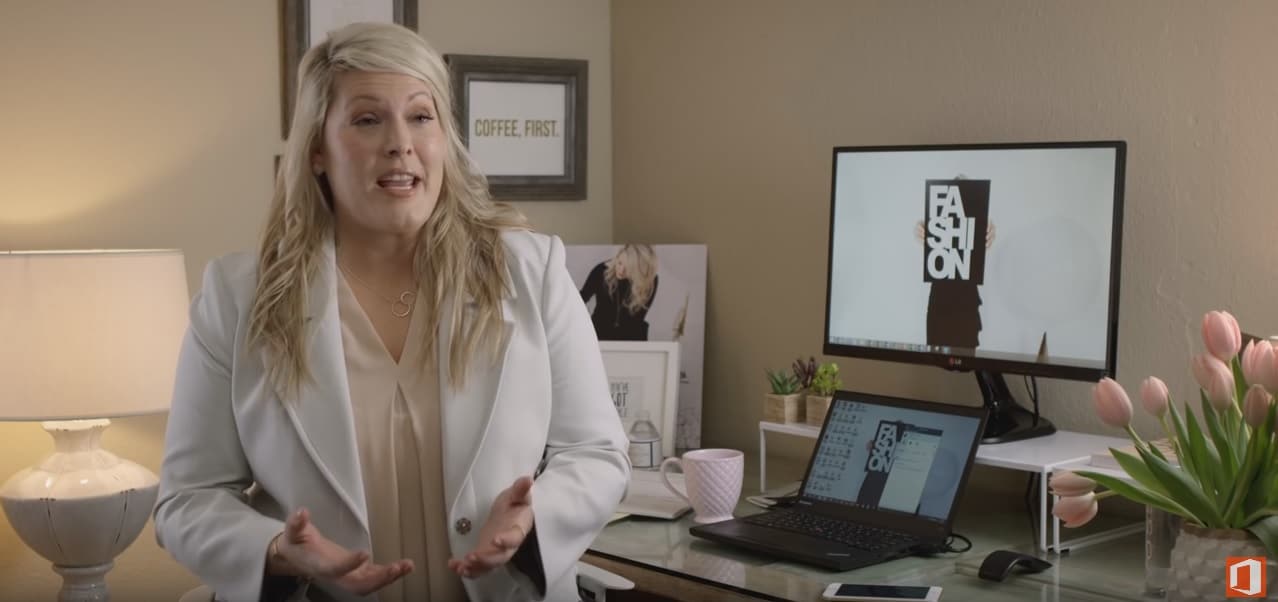
Office 365 helps put the personal in personal stylist

Microsoft spoke at length about the new features that it has planned for its Office 365 platform in the coming months during its Build 2016 conference, but it’s people such as Constance Turman who are most affected by the company’s plans as an everyday user of the productivity suite.

The owner of The Constant Stylist, Constance is a personal fashion and style consultant living in the greater Seattle, using Office 365 to help her stay nimble, available, and professional when dealing with her clients, partnering businesses and company goals.

I wanted to be known for constant availability and dedication to my clients, and I knew from the beginning that I would need the right technology. I have to collaborate with clients, vendors, shop owners and event teams every day. I’m out of the office at least half the time—shopping, meetings and traveling. I needed a solution that would allow me to stay connected and productive on the go, but I wanted to focus on my clients and my business, not worry about how to manage all kinds of technology. I began with Outlook.com, but quickly switched to the full suite of cloud services in Office 365.”

The notion that Office 365 can be a Swiss army knife that very few people properly utilize without an overbearing IT Pro has been partially dispelled in Constance’s case as she managed the productivity suite for her company single-handily, albeit a personal small business.

I implemented Office 365 myself. I felt like an IT pro. Once I set it up, I didn’t have to learn anything new, and the transition was super easy. Now, I have no infrastructure to maintain and just one environment to manage.”

As Microsoft continues to transition Office 365 into more of a serviceable platform versus a one-and-done product install, the company is also attempting to streamline its engagement. Ideally, Microsoft would like everyone from personal business owners to Fortune 500 companies using Office 365 to varying degrees. With Office 365, Microsoft’s scalable approach pitch is becoming a reality for those interested.

Microsoft VP leaves to head up Wizards of the Coast

Microsoft Vice President of technical sales Chris Cocks will soon leave the company to become President of American game publisher and Hasbro subsidiary Wizards of the Coast, Hasbro announced yesterday in a press release. Wizard of the Coast currently publishes games and entertainment under brands such as Magic: The Gathering, Dungeons & Dragons and Duel Masters and outgoing President Greg Leeds will stay on “to ensure a smooth transition to Cocks” according to the press release. President of Hasbro Brands John Frascotti added:

“We’re very excited to welcome Chris to the Wizards of the Coast family. As an avid fan and player with extensive digital experience, I’m confident Chris is the right person to help us build on the tremendous momentum around our brands and take the franchise to the next level by delivering exciting new experiences to our growing and passionate fan base around the world.”

Cocks, “an avid player and fan of Wizards of the Coast brands” led a global sales and technical engagement team at Microsoft for eight years and will officially join as President of Wizards of the Coast on June 6. The press release also mentions that Cocks previously had product management and marketing leadership positions in Xbox and MSN, and he also worked on hit franchises like Halo and Fable before serving as Vice President of Educational Games at LeapFrog.

We’ll see if Cocks will be able to use his tech background to bring all these in-person, tabletop role-playing games into the digital gaming world. Are you familiar with Wizard of the Coast collectible card games and role-playing games? Please tell us about it in the comments.

Quantum Break Windows 10 codes released starting today

After many years of waiting, Quantum Break is now out and now one week old. Thanks to a tip from reader Brendon, though, we can now report to you that Windows 10 codes for the game are being delivered starting today.

This means that those of you who preordered the game through the Xbox or Microsoft Store promotion should start receiving your free Windows 10 Quantum Break code soon. Just like the Alan Wake codes, however, the Windows 10 codes for Quantum Break will be deployed in waves, so a little bit of patience is required on your behalf.

We previously reviewed Quantum Break and found that the game achieved exactly what it set out to do: marry the mediums of live action film and video games, and make it so that both portions would be great on their own.  Quantum Break has also appeared to be a hit, as the title is the best-selling new Microsoft Studios IP this generation, as well as the best-selling boxed game in the UK this week.

Microsoft introduces its new, soft, Surface Pro 4 Signature Type Cover

A unique aspect of the Microsoft Surface is its detachable keyboard. At fashion week in Milan this week, however, the Surface Keyboard and the latest luxury brands, material, and tech of the world of design came together as one.  So, sporting a sophisticated design, and made of luxury sources from Italy used in high-end fashion, Microsoft has just revealed the Signature Type Cover.

With the new Signature cover, Microsoft wanted to make something that not only looked good but also something that felt good while being held in the hands. To accomplish this, Microsoft went to Nera Montoro in Italy and found a luxury material named Alcantara.  The material is unique and is extruded, crimped, needle-punched and dyed to ultimately blend Italian luxury, and the aesthetics and durability of Finnish minimalistic design.

Thanks to the precise material section of the Alcantara material in the new Signature Type Cover, a beautiful two tone grey mélange effect is created. It is also soft to the touch and changes over time, creating a unique experience that makes the Signature Type Cover truly your own.

Screen Shot 2016-04-12 at 9.50.21 AM
A look at the Signature Edition Type Cover

Each Signature Type Cover takes five weeks to produce,  and the process intertwines engineering as well as design. The new cover, though, still sports the familiar design seen on the latest generation of Surface Pro keyboards.

The Signature Type Cover is priced at $159.99 and will be available through Microsoft Stores in the United States, Australia, Austria, Canada, China, France, Germany, Hong Kong, Italy, Japan, New Zealand, Switzerland, and The United Kingdom. It is compatible with the Surface Pro 4, as well as the Surface Pro 3. Weighing in at 285 grams, the cover will no doubt bring a premium and expensive feel to your Microsoft device.

PubMatic’s Windows SDK can help developers make more money

When Windows 10 launched, developers also gained the option to make Universal Apps for all sorts of Windows 10 devices. So, since these Windows 10 apps can work across Windows devices, PubMatic, a leading marketing automation software company for publishers, has built a Windows SDK that can incorporate ads on apps across multiple devices, and ultimately put more money in the pockets of developers.

With the PubMatic SDK, both novice and advanced developers can monetize apps without swapping out the SDK based on the targeted device. Also, because the PubMatic SDK is built for the Universal Windows Platform, apps developed with the SDK can be deployed on any Windows 10 device (be it desktop, mobile, or tablet) without any changes.

The PubMatic SDK is modular and also provides unique benefits such as integrating with either single or multiple ad formats at the same time. In addition, Banner, Interstitial, Native, Rich Media MRAID 2.0, Video, and VAST 3.0 are all types of ads which the SDK supports.

Ultimately, the SDK empowers developers to make the most out of their digital assets through enriched data parameters, privacy, and integration with dozens of mobile ad networks. The full details on the SDK, and instructions on how to deploy and use it can be obtained from Microsoft.

Windows XP is still the third-most popular OS

Windows XP was launched a whopping 15 years ago but still can claim to be more popular than Windows 8.1. In the end, that feat couldn’t have been that hard given how dreadful it was. Still, it’s a remarkable performance Microsoft must be proud of despite having ended support for Windows XP two years ago.  Not much can stop die-hard fans from continuing to run it on their devices, though, even considering that third parties like as Google and Opera have also long ended their support for XP. None of this seems to bother Windows XP users in the slightest.

According to Tech Radar, Windows 10 currently has a market share of 14.15%, Windows 8.1 is on 9.56% of the world’s PCs, and Windows XP stands tall with a market share of 10.9% — making it the third most popular OS worldwide

But how could this surprising reality be explained? It appears this is not a matter of choice: XP users haven’t make the transition to another Windows OS because they simply can’t. In emerging markets, most people use recycled computers that already have Windows XP installed on them. These users can’t afford to buy an original Windows 10 pack. Corporations also use Windows XP because they don’t have the necessary resources to upgrade their OS.

The main issue when it comes to using Windows XP is its vulnerability to threats. Since Microsoft has not rolled out any upgrades or security patches for two years now, the systems running Windows XP are exposed to risks, making them easy prey for all the malware programs that have released ever since 2014. Again, corporations using Windows XP are running the highest risk by using the outdated OS since malicious programs can break the system and send valuable or confidential data to hackers.

Nevertheless, Windows XP has been one of the most successful operating systems launched by Microsoft. Thanks to its plethora of features, its very user-friendly interface, its security level (let’s not forget that XP was launched in an era where malware and spyware became a huge problem) and its default browser among other elements, Windows XP is a king in the OS world. And who knows how long it will still be in the top three most popular OS?