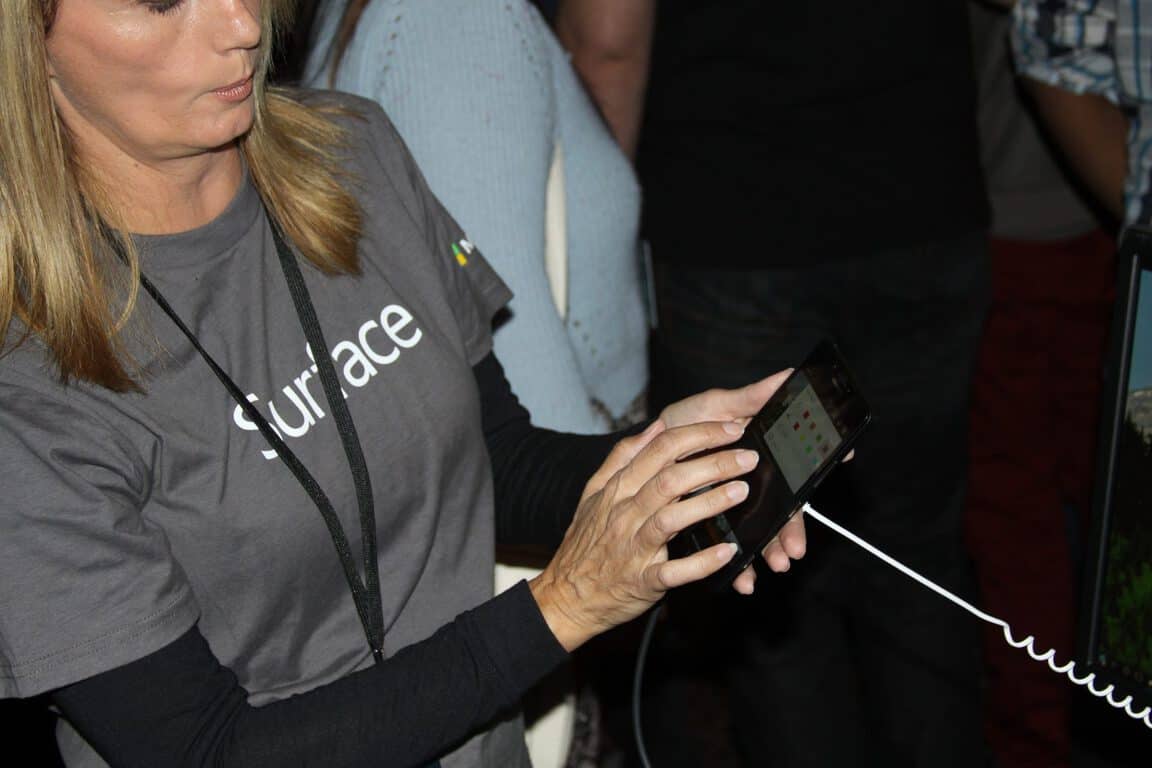
Microsoft Elite takes dogfooding to a new level

“Dogfooding” has absolutely nothing to do with dogs or food. Dogfooding means that you use your own company’s products and services. Dogfooding helped Microsoft employees create the Surface Pro 4 from using the Surface Pro 3 on a daily basis. Understanding the product that you are producing and what you can do to make it better is the core idea of dogfooding.

Microsoft is no stranger to dogfooding, almost 30 years ago, Microsoft manager Paul Maritz shot test manager Brian Valentine an email in 1988 with the subject line, “Eating our own Dogfood,” that changed everything. Maritz thought that if Microsoft used LAN Manager internally, Microsoft would be able to get better feedback on performance and other issues. Ultimately, dogfooding became an accepted practice at Microsoft.

According to Microsoft, Microsoft Elite was created from the same spirit of dogfooding. Deployed in July 2014, Microsoft Elite takes advantage of social media tools like Yammer and SharePoint Online and uses other methods of offering rewards to encourage feedback on Microsoft dogfooding.

Microsoft Elite business program manager Diana McCarty provides more information on how dogfooding brought about the Microsoft Elite program:

“Microsoft Elite is really a connection engine. We help connect products that need dogfood testing with people who are enthusiastic about testing. Our goal is to continue to find ways to improve that connection, so it’s easy for dogfood programs to onboard and for Elite members to find information, get involved and give feedback. When we do this well, everyone benefits: Elite members, product teams, Microsoft as a whole, and ultimately, Microsoft’s customers.”

Microsoft Elite is a subscription-based program that counts over 25,000 Microsoft employees as members. Microsoft employees have a small fraction of their work time available to work on any of the 50 dogfooding projects at any given time. Microsoft Elite memberships are annual and to keep your membership, Microsoft employees need to show that they are regular contributors to the Microsoft Elite program. Memberships are renewed annually, and to renew your Elite membership you need to demonstrate that you’ve been a contributing member of the dogfooding community.

microsoft elite

Microsoft Elite’s Yammer group is the most active private Yammer group at Microsoft, and thousands of Elite members and hundreds of product groups communicate with Elite administrators every day. The primary goal of Microsoft Elite is to grow a community of “truly elite dogfooders,” Microsoft employees that are willing to provide quality and in-depth feedback on Microsoft products to improve the products before they reach Microsoft customers.

The only downside to the Microsoft Elite program is that it is only available to Microsoft employees, so if you’re interested in taking part in the Microsoft Elite program, you need to be a Microsoft employee. If you think you have what it takes to be a part of Microsoft, apply today.

Microsoft highlights PicsArt as an excellent tool for working with photos

There are many photo editors currently out there in the market that can help you get your photographic creativity on. Microsoft, however, has worked with PicsArt to design a free and special Windows Platform app. The universal app means you can now get your photographic creativity on any Windows 10 device you own, be it a tablet, phone, or PC.

PicsArt for Windows 10
PicsArt photo editing app for Windows 10.

In a recent blog post, the company highlighted the give steps users can take to use the PicsArt app. The Steps are divided into finding, applying, adding, blending, and sharing.

Step one: Finding and editing Photos with Pics Art:

Let’s get started by searching our vast collection of #FreeToEdit images (this hashtag makes images freely available to the community to edit and is a feature unique to the PicsArt community).

Step two: Applying Masks to enhance photos

Next, let’s apply a Mask (a.k.a “filter) — we’ve got more than 120 to choose from. Whether it’s a vintage-style light leak, a grungy texture or a sprinkling of bokeh, you’ve got tons of options for making your photos stand out.

Step three: Adding a photo

Adding a Mask is probably the simplest creative edit you can make with PicsArt. But there’s a universe of additional creative options available to you

Step four:Blending two photos together

Tap on the paintbrush icon to the right and use your finger to erasetbackgrounds.

 Step five: Sharing your photo with PicsArt

Click the sharing icon at the top to post an image to PicsArt and/or the social network of your choice.

PicsArt is a free app and can be downloaded by clicking the links below! If it sounds interesting to you, please do check it out and comment below.

Picsart Photo Editor
Developer:
PicsArt Inc.
Price:
Free

Microsoft Envision event is all about digital transformation

Right on the heels of last week’s Build conference for developers, Microsoft is hosting its newest conference this week in New Orleans. Their latest conference is called Microsoft Envision. What differentiates Envision from Microsoft’s other events is while conferences like Build and Ignite focus on technical content, Envision is meant to focus on larger picture trends and challenges for companies. As an event that is meant to focus on the 30,000 foot view of technology impacting business, this event is made for an audience comprised of companies’ executives.

As the second day of Envision kicked off this morning, Chris Capossela, Microsoft’s Chief Marketing Officer, posted a blog recapping the major themes of the first day. Capossela says with Envision, Microsoft is trying to create “a truly global summit for issues critical to CxOs and other business leaders” and it is designed “to give everyone a chance to step back and learn about smart strategies to tackle emerging issues, power new efficiencies and build new business models and revenue streams.”

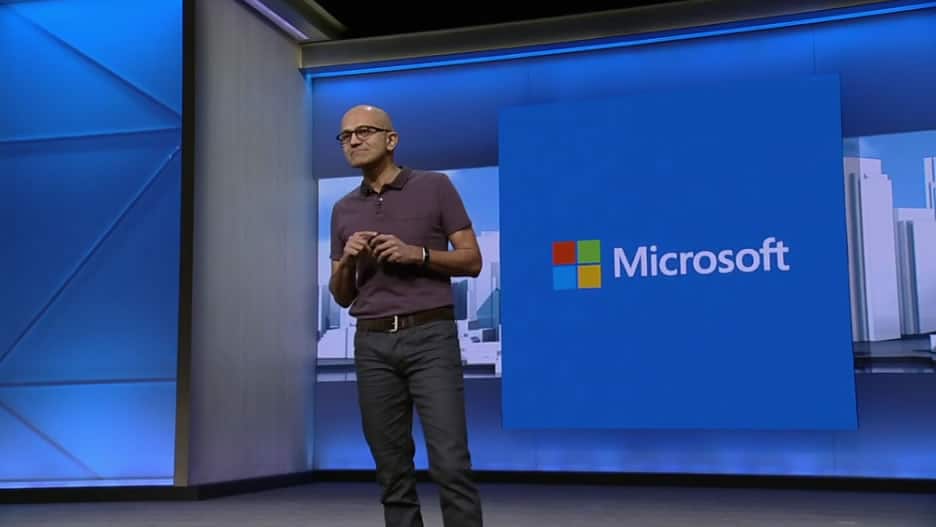
So for the first day of Envision, the conversation was all about digital transformation in business. And Satay Nadella led the conversation with his keynote address on how companies can embrace digital transformations. His speech included examples such as Virgin Atlantic’s transforming their relationship with customers thanks to analytics delivering greater personalization. He also spoke about other examples which were big news yesterday like Microsoft’s new strategic partnership with the R3 consortium to develop blockchain technology and their partnership with Toyota to “bring cloud intelligence into the driving experience.”

Microsoft Envision
One of the highlighted slides from yesterday’s presentation on Digital Transformation

The key message for business leaders was that by transforming your business with digital tools and systems of intelligence, you can drive deeper engagement with customers, empower employees to do more, optimize your operations, and transform your products and services.

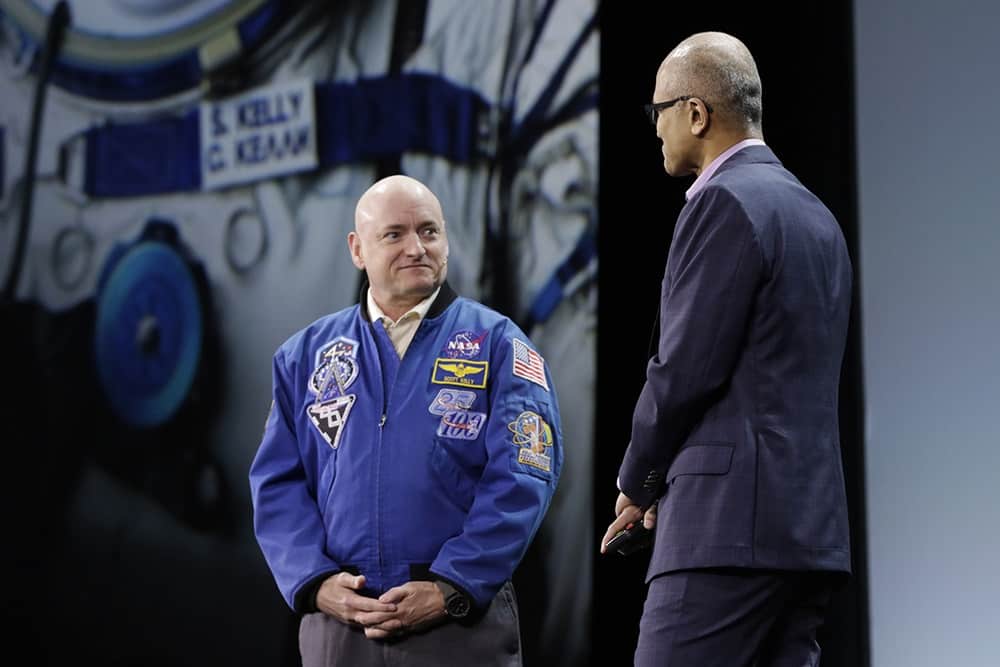
The conference has a long list of speakers and special sessions, featuring leaders like Paypal CEO Dan Schulman, NFL CIO Michelle McKenna-Doyle, and Special Olympics Chairman Timothy P. Shriver. The first day of Envision also featured Astronaut Marc Kelly who recently returned from his year long trip aboard the International Space Station where he was able to test out HoloLens.

Microsoft Envision will run through tomorrow, so stay tuned for any more news about Microsoft’s work to help companies transform the way they do business with digital tools and processes.

Skype adds two more new bots: Summarize and Murphy

Build 2016 was very exciting, as Microsoft announced a Windows 10 anniversary update and new Xbox developer opportunities. Along with this, and also at the event, Microsoft talked a lot about their plans for using their Bot Framework to empower developers to build bots for customer interaction. Later, and that goal in mind, the company released an update to Skype which introduced four of these bots for basic search uses.

This week, two new bots are heading to Skype to bring additional functionality to the Microsoft program. One of the bots, named Murphy, is designed to allow you to ask “what if” questions.  Based off Microsoft’s Project Murphy, after the initial question the bot provides you a meme result if the right question is asked. In a somewhat similar fashion, the second bot, named Summarize, reads a link to an online story and summarized it in three paragraphs.

Skype had previously sent out invites to join its Skype developer program so developers could start building bots right away. The team will also hold a May hackathon to invite everyone to create innovative bots on the Skype Bot platform.

To access these bots, you’ll need to make sure you’re on the latest Skype clients. For Windows PCs, open Skype and go to Help > Check for updates.  Meanwhile, if you’re on a mobile platform, you can check out Skype by clicking the links below.

Skype
Skype
Developer:
Skype
Price:
Free


Skype
Skype
Developer:
Skype
Price:
Free


‎Skype
‎Skype
Price:
Free+


Microsoft Dynamics CRM gains support from a popular Quote-to-Cash solution

Microsoft has gained another supporter in the customer relationship management (CRM) space, with the announcement of Apttus for Microsoft Dynamics CRM today.
Apttus is a leader in Quote-To-Cash solutions – software that automates the selling process – with products ranging from Configure-Price-Quote (CPQ), Contract Management to Revenue Management, and over 450,000 users worldwide. The software was first delivered on Salesforce’s App Cloud before becoming available for Microsoft service users. With its dominant position in the market, Apttus should make for a fine addition to Microsoft Dynamics CRM’s capabilities.

“Apttus pioneered the Quote-to-Cash category and introduced the world to end-to-end revenue operations in the cloud. Today, we’ve made our entire suite and newest breakthroughs available to Microsoft customers,” “These transformative tools give our customers unique advantages and allow them to focus exclusively on outcomes and increased revenues. We look forward to working hand-in-hand with Microsoft, as we have for many years, to bring these capabilities to new forward-thinking organizations.”

-Kirk Krappe, CEO of Apttus

With the availability, Microsoft customers will be able to access the whole portfolio of Apttus solutions, including the aforementioned software as well as other products like Quote-to-Cash Intelligence, Omni-channel E-Commerce and more. Apttus’ patent-pending X-Author service for turning Excel in to “a complete user interface for CRM” will also becoming to Microsoft Dynamics as well as Microsoft Pinpoint. To promote the new partnership, Apttus will be having a booth to showcase its technology live, as well as giving several talks in Microsoft’s ongoing Envision conference.

NextGen Reader gets a major update, comes to Windows 10 as a UWA

When Windows 10 launched last year, and so did the concept of the Universal Windows Platform (UWP Apps). Although it has been a while since Windows 10 launch, many developers have just now started launching universal versions for their respected Windows Store applications.  Today, the developers of the Nextgen Reader are the newest addition to the UWP party.

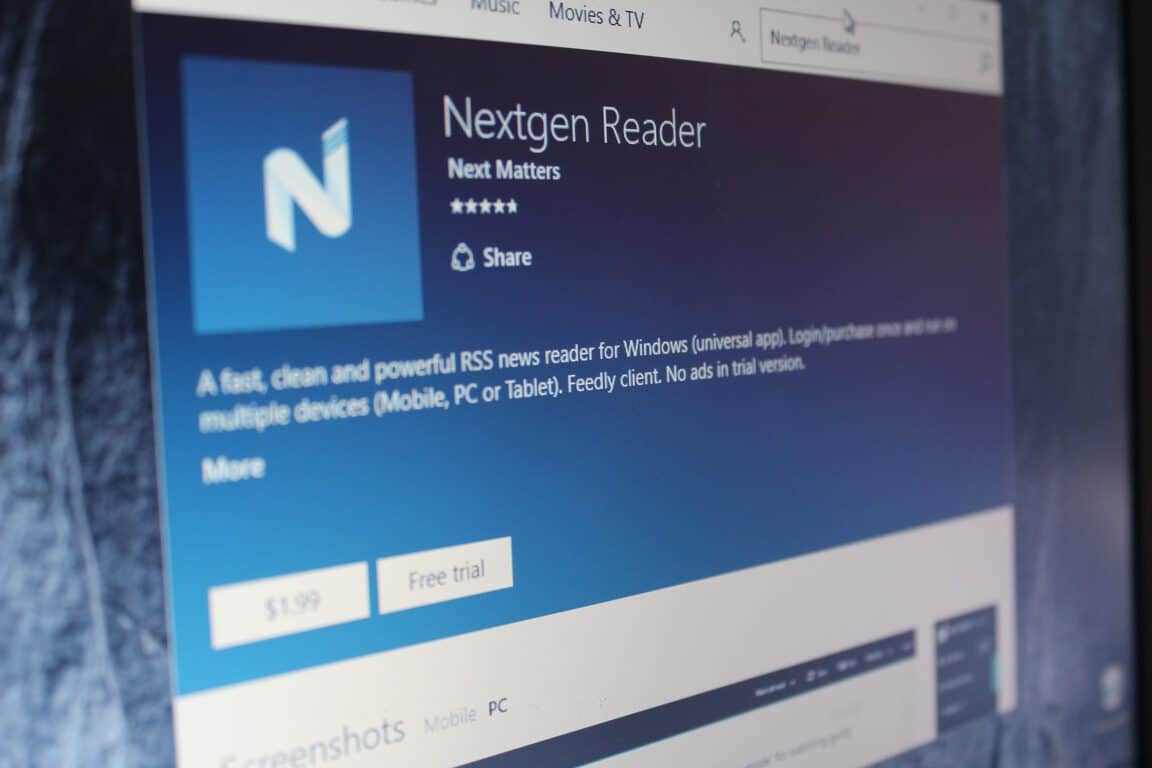
Nextgen Reader is an acclaimed RSS news reader, and by way of a version 3.0 release, the developers NextMatters have just upgraded to a Universal Windows Platform app. The experience has long been requested by fans, and along with the usual bug fixes, version 3.0 adds or improves the following:

  • Upgraded to Universal Windows Platform (UWP).
  • Improved scaling and rendering of text
  • Enhanced Grid View UI (tap the three dots and select grid view)
  •  New: Feed management – add, edit, move or delete feeds.
  • New: Search feeds by title, URL or #topic.
  • New: List style with story thumbnails.
  • New: Support full-screen mode (press F11 key or tap the app logo in left corner).
  • Transparent live tiles with unread count up to 9999.
  • Updated context menu’s with icons.
  • Enable/disable swiping in reading pane.

So, if you like the sound of this app, you can check it out by clicking the link below. And as always, once you do update or download, comment below to let us know how it is going!

Nextgen Reader UWP
Nextgen Reader UWP
Developer:
Next Matters
Price:
Free


Microsoft’s Azure Cloud helps Ecolab fight global water shortage

Microsoft has partnered with Ecolab to help them more efficiently monitor water usage and hygiene and further assist worldwide industries in the energy, agriculture, food and beverage, manufacturing and hospitality sectors in dealing with the growing problem of water scarcity caused by climate change and the increase in human population.

In an interview with Microsoft, Christophe Beck, president of Nalco Water (an Ecolab company) explains the problems faced by companies. “What our customers truly want when they work with us is to first and foremost reuse their water usage. But at the same time, they want to make sure that the product they produce, being a car, being paper, etc., is really becoming a better product. And at the same time, ultimately, it’s to reduce their total operating cost,” he says of the issues they face. “It’s really a ‘virtuous cycle’ with less water, better results and much lower operating cost – everyone wins. Because ultimately, our customers want to be good corporate citizens, and to do something for the community.”

The solution to solving these problems more efficiently was by incorporating Microsoft’s Azure cloud computing platform which allows Nalco Water to process water management data at a much faster rate and larger size.

Beck explains how Azure has positively affected Ecolab. “Suddenly, complexity and size are no longer barriers,” he reveals. “We can capture any data, anywhere, and transmit that information around the world very rapidly. We can now harness the power of this platform to serve many more customers, measuring many more flows at many more plants than we could even conceive of in the past.”

President of Microsoft North America, Judson Althoff says of her company’s involvement. “Our mission at Microsoft is to empower every person and every organization on the planet to achieve more,” she says, paraphrasing their Windows 10 marketing slogan, “Do More”, “This will come to life in a powerful way through our collaboration with Ecolab. We’re excited to assist one of the world’s leading water treatment technology and service providers in creating solutions that preserve our world’s most precious natural resources.”

Microsoft has a strong history of assisting environmental programs around the world. Satya Nadella, Microsoft’s current CEO, has even talked publically about environmental sustainability several times.

Star Wars, Jackbox, Snoopy, and more discounted this week on Xbox One

This week’s Deals with Gold have just been announced and there are some bargains to be had for those gamers who have yet to pick up these titles.

Star Wars Battlefront has been discounted by 25% on Xbox One while the relatively new game, The Peanuts Movie: Snoopy’s Grand Adventure, has had its price cut by 50% on both Xbox One and Xbox 360. The original Jack Box Party Pack on Xbox 360 has been reduced by 50% while its sequel on Xbox One is now 50% cheaper too.

The Xbox One game, Pneuma: Breath of Life, has been reduced by a massive 65%, Baseball Riot by 50%, and Electronic Super Joy by 33%.

Finally, EA SPORTS Rory McIlroy PGA TOUR, has received a 60% discount and a variety of Forza add-ons have also had their prices reduced such as the Complete Forza Horizon 2 Add-Ons Collection, the Forza Motorsport 6 Fast & Furious Car Pack, and the Forza Horizon 2 Car Pass. Here’s the official description of the Forza Horizon 2 Car Pass to tempt you:

Here’s your chance to get all the great add-on content for Forza Horizon 2 in one bundle at one low price. Get the Storm Island Expansion, Porsche Expansion, VIP membership and cars, and all 13 car packs: Mobil 1, Falken Tire, NAPA Chassis, G Shock, Top Gear, Rockstar, Furious 7, Alpinestars, Pre-Order Pack, Duracell, IGN, Playground Select, and Fast & Furious car packs, as well as the Forza Horizon 2 Treasure Map. Forza Horizon 2 game required.

The Deals with Gold discounts are only available for paid Xbox Live Gold members and the discounts on these specific titles are valid only until the 11th of April 2016. Content can be purchased directly on the Xbox 360 and Xbox One consoles in the Store sections, on the Xbox Smartglass and Xbox apps, or on the Xbox website.

Does the Deals with Gold campaign ever tempt you into buying a game you wouldn’t have otherwise? Let us know in the comments below.

DiRT Rally and Steredenn race onto Microsoft’s Xbox One this week

In the wake of the massive blockbuster title, Quantum Break, two smaller games have also launched on the Xbox One console this week, DiRT Rally and Steredenn.

DiRT Rally is a racing game that features tracks in a variety of locations and conditions such as snow, tarmac, and dirt and also boast the inclusion of officially licensed World Rallycross content in the form of exclusive cars. Here’s the official description:

DiRT Rally is the most authentic and thrilling rally game ever made, road-tested over 80 million miles by the DiRT community. It perfectly captures that white knuckle feeling of racing on the edge as you hurtle along dangerous roads at breakneck speed, knowing that one crash could irreparably harm your stage time. Every stage tests you differently, as you race on the edge of control across snow, ice, tarmac and dirt and tackle a variety of weather types. As the car suffers attrition and stages string together, your dedicated rally team tries to keep you competitive and each rally becomes a marathon-like test of concentration and skill.

Buy DiRT Rally on Xbox One

Steredenn is equally fast-paced but is a shooter instead of a racer. The game is set in a science fiction outer space setting and features boss battles, randomly-generated levels, and leaderboards to compete with friends. Here’s the official description:

Steredenn is a frenetic and chaotic space shooter, carved in big beautiful pixels, with insane boss battles. Embark in your ship and engage the fight against dreadful space pirates in a never-ending combat for your survival. Steredenn is at the crossroads between a shmup and a rogue-like. Enjoy the infinite replayability of the game with its unforgiving gameplay, intense boss fights, (almost) randomly generated environments, twisted space events and a surprisingly large arsenal of weapons

Buy Sterendenn on Xbox One

Are you playing Sterendenn or DiRT Rally on Xbox One right now? Let us know your thoughts in the comments below.

Quantum Break merges TV and video games and is out today on Xbox One

Microsoft’s much-anticipated video game, Quantum Break has just launched on the Xbox One console and Windows 10 PC and the company is pulling out all of the stops to promote the new IP as much as they can from releasing a series of commercials and teasers, both online and on traditional television, to holding large promotional events around the world.

The game is also getting some prime advertising on the Xbox One’s dashboard with an extra-large promotional tile on the main page and extra advertisements in the Store. This is encouraging to see as just last week Killer Instinct Season 3, which is also published by Microsoft, launched on Xbox One and received little more than a small promotional tile in the Store that disappeared after a day or two.

Microsoft appears to have a lot of confidence in their new release. Here’s the official Quantum Break game description:

In the aftermath of a split second of destruction that fractures time itself, two people find they have changed and gained extraordinary abilities. One of them travels through time and becomes hell-bent on controlling this power. The other uses these new abilities to attempt to defeat him – and fix time before it tears itself irreparably apart. Both face overwhelming odds and make dramatic choices that will determine the shape of the future. Quantum Break is a unique experience; one part hard-hitting video game, one part thrilling live action show, featuring a stellar cast. Your choices in-game will affect the outcome of this fast-paced fusion between game and show giving the player a completely unique entertainment experience.

Quantum Break merges an action video game with an original science fiction/thriller television series starring X-Men’s Shawn Ashmore and LOST’s Dominic Monaghan. Interestingly, both actors have recently starred in productions with a focus on time; Ashmore in X-Men: Days of Future Past and Monaghan in TV’s Flashforward. Are you playing Quantum Break? Which platform are you playing it on? Let us know in the comments below.

Buy Quantum Break on Xbox One

Fallout 4’s new Survival Mode is now available on Steam

Bethesda just released Survival Mode for the latest installment of the Fallout franchise, Fallout 4. The new mode is still in beta but Steam users can already download and test it out, with consoles receiving the update sometime in May.

With the latest update, Bethesda brought a lot of aspects to the new mode that makes it difficult for players to survive. These new features include more limitations, increased lethality, more enemies, and much more.

A particular highlight of the new Survival mode is the ability to save the game only when you go to sleep — manual, auto and quick saves are removed. In addition, fast travel is disabled, you deal more damage while the main charater takes more damage from opponents, and fatigue, hunger, illness, and thirst are all added considerations. You can check out the complete list of new features at Bethesda’s website.

If you already purchased Fallout 4 on Steam, you’ll be able to test the beta version of the new Survival Mode for free. Just go to your Steam Library and check for updates for Fallout 4.

This is the second addition to Fallout 4 after the first DLC of the game, Automatron, which was released in March. Unlike the new Survival Mode, which is available for free to all Steam users who purchased the original game, Automatron will cost you $9.99. Both additions are also available in the Fallout 4 Season Pass which can be purchased for $49.99.

As we said, the new Survival Mode has yet to arrive on consoles, and we don’t know the exact release date. But as soon as it lands on Xbox One and PS4, users of these platforms will also be able to try the beta version for free.

If you already installed and played the new Fallout 4 Survival Mode, let us know about your impressions in the comments.

Rise of the Tomb Raider for Windows 10 gets DirectX 12 support

A new update released a couple of days ago for Rise of the Tomb Raider for Windows 10 brought support for Microsoft’s latest DirectX 12. The same update initially landed on Rise of the Tomb Raider for Steam last month, with Microsoft now introducing it for the UWP version, as well.

The aim of the update is to enhance the overall experience of the game by making it fully compatible with DirectX 12. The latest DirectX software will give the game the ability to spread rendering across all CPU cores for much better performance and improved framerate.

If you purchased the game through the Windows Store — and if you own the beefy hardware required — go to Video Settings and enable DirectX 12. However, DirectX 12 shouldn’t drastically change the look of the game, with most of the improvements going to performance and overall smoothness.

If you still haven’t experienced the power of DirectX 12, check out the presentation from last year’s Build conference at which Microsoft presented the new software:

(Read Also: DirectX 12 is the fastest adopting DirectX version yet)

Microsoft must improve UWP as a gaming platform

The release of Rise of the Tomb Raider as the first AAA game in the Windows Store was a big step for Microsoft. But the Store’s large number of  critics and even more flaws proved that the Windows Store is still far from a competitive game distribution platform.

The good thing for Microsoft is that the company recognized all those mistakes and has started working on improvements. Bringing DirectX 12 support is a good start, but it’s still just a beginning. However, Microsoft announced that users will soon be able to disable V-Sync along with the option to use G-SYNC and FreeSync, as well. This is a good direction for the Windows Store because people mostly complained because they were forced to run V-Sync while playing games.

Additionally, Windows 10 games will also soon start to support multi-GPU solutions, like NVidia SLI and AMD Crossfire. These are things that bothered people who bought Rise of the Tomb Raider and other games the most. Still, there’s a lot more to be done if Microsoft wants to satisfy users of its bigger Windows 10 game releases.

Have you tried Rise of the Tomb Raider with DirectX 12 enabled yet? If you have, please share your experiences with us in the comments below!

Windows 10 Transformation Pack: How to Install it

Windows 10 is a free Windows update from Microsoft for users who already have a PC running a genuine version of Windows 7, Windows 8, and even Windows 8.1.

Most of the people running older versions of Windows have already upgraded to Windows 10, but for some people who are still concerned with privacy issues on Windows 10, it is a tough decision to make.

Windows 10 transformation pack is developed and designed in a way that the users can get a taste of the new windows before the actual release of Windows 10.

This objective has been achieved by applying a selection of different tools, patched files, and many more modifications to provide as close to the actual experience as possible.

What are the features of the Windows 10 Transformation Pack?

Windows 10 transformation pack comes with a totally new login screen, different themes, many wallpapers, new cursors, improved icons, fonts, and sounds.

You also get extra functionality, such as virtual desktops and a new Windows 10 start menu. All of this combined gives your version of Windows a whole new classy Windows 10 look.

Windows 10 transformation pack is developed to be used on all versions of Windows, starting from Windows XP to Windows 8.1.

  • New hidden wallpapers from Windows 10 and Windows 10 v1511 (Threshold 2)
  • New windows internet explorer designed to give the feel of the new Microsoft Edge
  • No issues of system file modification incompatibility
  • No issues with the theme engine, unlike other packs
  • Updates to the login screen with new wallpapers
  • Compatibility issues are resolved for Windows 7 and the versions below
  • Resource Hacker software has been updated
  • System icons have been updated from Windows 10v1511

How can I install Windows 10 Transformation Pack?

To install the Windows 10 Transformation pack, you need to follow the following steps and make sure you do not skip anything in order to have a perfect installation.

  1. Head over to the hyperlinked page and download the Windows 10 Transformation Pack.
    download windows 10 transformation pack
  2. After the pack has been downloaded, extract the ZIP file and file the setup for the pack in EXE format.
  3. Double-click the EXE file, and the setup will start.
  4. Now, carefully go through the setup and choose the appropriate options in order to make sure you get all the things.
  5. You can even choose not to install the things you do not want, which is good.
Windows 10 transformation pack 2

Let the installation complete, and you will notice that after a full restart, your PC will start looking similar to Windows 10. This pack does not provide the full experience, but it allows the user to get familiar with the new Windows 10 OS.

The transformation pack has many versions, which started from 1.0, and now the latest version, 6.0, has been released, which shows that the developers of this pack are quite active when it comes to updating this pack.

Windows 10 transformation pack offers a wide variety of features for its users. These features include the smooth installation and uninstalling of the software pack, making it easy and safe for the users to transform their older version of Windows to look like Windows 10.

If you can’t find a reason to update your PC to Windows 10, or your PC hardware limits you from doing so, now it doesn’t matter, as you can get the Windows 10 looks and a few features with this transformation pack.

In a year, Edge has had no zero-day exploits, and no known exploits targeting it

Microsoft’s Edge browser is almost a year old, but after several rounds of improvements, it is still overall looking like a very secure experience. At their second annual Edge Summit event, Microsoft hs just claimed that in about one year Edge has had no zero-day exploits and no known exploits targeting it.

This comes as very good news, as the number of Common Vulnerabilities and Exposures (CVE’s) in 2015 are significantly higher (at around 25) on Internet Explorer for Windows 8.1 and below. The same can be said for IE11 on Windows 10, which peaked at around 20.

Overall, the company also revealed that there was a 75% reduction in RCE CVE’s that affect Edge in the first 5 servicing months.

Edge security stats
Edge security stats

These numbers are reassuring and seem to bring Microsoft’s latest web browser into a new more secure era. We would love to hear what you think of these statistics, so please comment below to sound off on your thoughts on Edge security!

Grab a Shark or T-Rex from Gabe Aul as he hands out new Avatar toys to thank Insiders for their work

Last week Microsft showed off a number of exciting new things coming to Windows 10 Anniversary update this summer. It was also a moment to reflect on what Windows 10 has accomplished over the past year as it has achieved the fastest adoption rate of any version of Windows, and has reached over 270 million users. Microsoft’s Gabe Aul took an opportunity last week to thank Insiders for their help achieving this and for providing feedback on Windows 10’s development

Today, Gabe Aul took to Twitter to further thank Windows Insiders for all their help leading up to Build with two new Xbox Avatar “props.”

Ninja Cat Jumps Left Shark
Ninja Cat Jumps Left Shark and Your Xbox Avatar

Both of the two new props for your Xbox Avatar are centered around the Windows Insider Ninja Cat. In the first animation, Ninja Cat jumps into the scene next to your Xbox Avatar and is joined by the famous “left shark.” Ninja Cat then proceeds to get on water skis and jump both your Avatar and Left Shark. It looks like the Windows team is poking some fun at themselves and their Ninja Cat gag by having it literally “jump the shark,” a phrase used to mean an idea has been taken too far ever since the iconic episode of Happy Days when Fonzie jumped a shark on water skis.

Ninja Cat and his trusty T-Rex

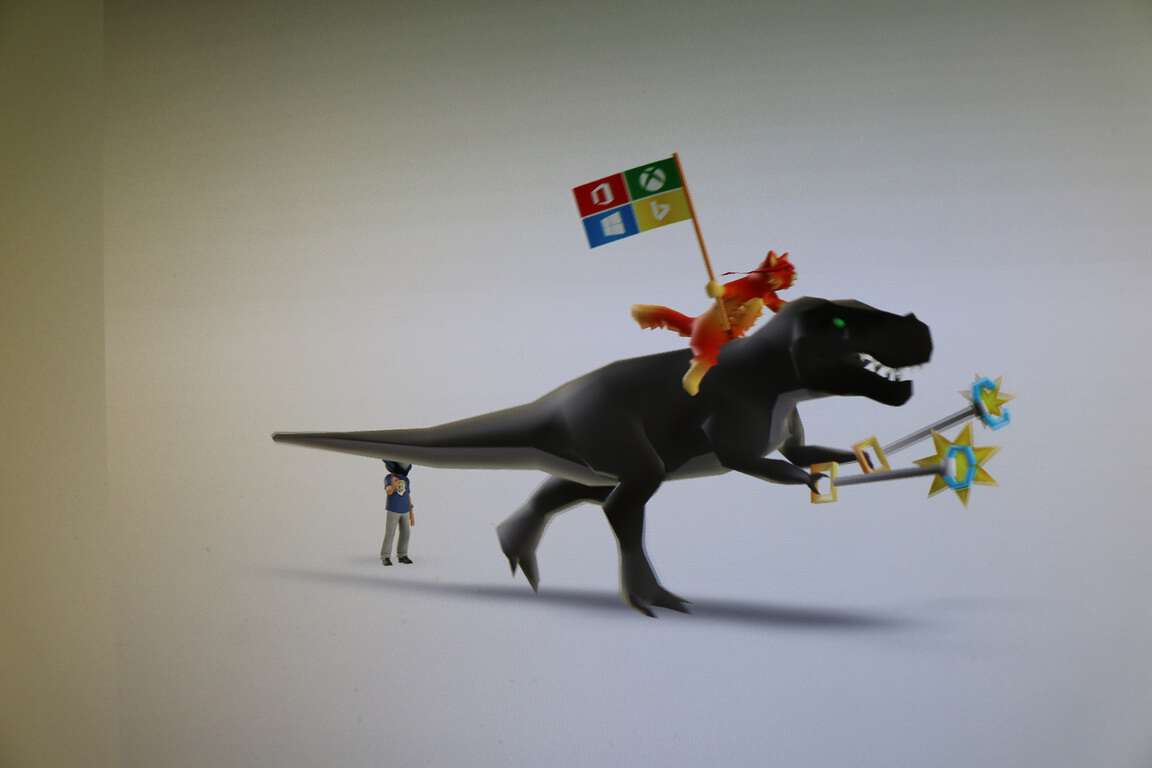
The other animation is Ninja Cat again jumping into the scene next to your Xbox Avatar where he ends up riding his trusty T-Rex, complete with T-Rex holding his toy claws to improve his reach.

You can pick up both of these Xbox Avatar Props from the following links.

Download Ninja Cat T-Rex animation here.

Download Ninja Cat jumping Left Shark here.

You’ll also need to have the Xbox Avatar app installed on your PC to download and add them to your Xbox Live account, which can be downloaded from the box at the bottom of this post.

Once you have installed them you can go to your Xbox Avatar hamburger menu, click Style (the icon that looks like a clothes hanger), and then click props. From here you can select which animation you want to appear with your Xbox Avatar.

Xbox Original Avatars

Microsoft to share Edge platform data from API Catalog and Global CSS usage

Leveraging some pretty significant announcements revealed during Build 2016, Microsoft is continuing to ring the bell of openness and transparency. During the company’s Edge Summit, details about Microsoft’s new web browser have been shared, including stats on its usage as well as potential features coming being discussed by the engineers currently working on the project.

Among the announcements during the Edge Summit was the mention of Microsoft’s plan to share Edge platform dahttps://developer.microsoft.com/en-us/microsoft-edge/platform/data/ta gathered from its API Catalog and Global CSS usage. Perhaps, insignificant to the common everyday web browser on Windows 10, the new information could be invaluable to developers leveraging new interoperable technologies across browsing experiences.

In particular, developers can look forward to:

API Usage

  • We use data gathered from various large-scale crawlers to see which front-end APIs are actually used on real sites across the web. This section not only allows you to see which APIs are the most used but also which sites are using them and how they’re being used.

API Catalog

  • Coding to Web standards is tricky—HTML, CSS, and JavaScript consist of more than 300 W3C specifications from over 400 member organizations. No browser implements every standard, and each browser implements a different subset of specifications in addition to proprietary APIs. This tool compares major browsers’ API sets alongside standards specifications so that you can target the “interoperable intersection” of web technologies.

Microsoft has taken a huge risk by breaking development between its tried and true Internet Explorer for its more modern web standard compliant Edge browser. However, in doing so, the company has set its development on the right path of including interoperable, developer requested and standard compliant features in a much timely manner in the future.

Microsoft partners with R3 to advance blockchain technology

The cryptocurrency Bitcoin at best can be described as a mixed success, so far. It was the first decentralized digital currency and it spawned a shift in how we think about transactions over the internet. With no government, bank or single person able to control the currency – even if they wanted to – Bitcoin has the potential to democratize financial transactions, regardless of borders.

But the currency has had its troubles. It is suspect to wild fluctuations in value, many online banks holding bitcoin wallets have been hacked and pilfered, and in most of the public eye, Bitcoin has become synonymous with dark web activities and black market transactions.

Regardless of how Bitcoin’s story plays outs, there is one fundamental thing about the cryptocurrency that stands to be revolutionary. Bitcoin pioneered a new technology known as blockchain. Blockchain is important because it introduced the concept of a distributed ledger. This concept is what gives Bitcoin its ability to be a currency without banks and national borders.

Instead of an authority, be it government or financial institution, acting as a clearing house for transactions, this virtually unhackable distributed ledger acts as the clearing house itself. What’s more is everyone who uses the blockchain has access to the records of asset ownership, and transactions can securely take place without a middleman gunking up the work or exacting a fee.

If companies used distributed ledgers for their accounting and back-end operations, it could also reduce human errors like double transactions or fraudulent manipulation. Academics speculate blockchain has the potential to revolutionize everything from the financial services industry to countries’ records of land deeds to fine art markets. But that all depends on who can first find a way to make the technology convenient and fast.

R3 Consortium

Because of blockchain’s promise, two years ago a group of banks formed a strategic partnership, known as the R3 Consortium, to research and develop blockchain technologies for use in the financial system. The Consortium now spans 42 financial companies, including Barclays, Credit Suisse, Goldman Sachs, J.P. Morgan, UBS, Bank of America, Citicorp, and many more big name financial institutions from around the world.

And just today, the R3 Consortium and Microsoft announced a strategic partnership to advance the use of blockchain technologies. Microsoft’s role will be to provide “cloud-based tools, services and infrastructure for R3 lab locations around the world, as well as dedicated technical architects, project managers, lab assistants and support services.” The hope is that with Microsoft’s resources and expertise will enable R3’s labs to accelerate their development of a distributed ledger technology for financial services companies.

Azure Blockchain as a Service

Peggy Johnson, Microsoft’s executive vice president of global business development, said in today’s press release that:

With intelligent, cloud-based technology, R3 and member banks will experiment and learn faster, accelerating distributed ledger technology deployment… What’s more, our collaboration brings to light tremendous opportunities to rethink business processes and transform entire industries.

And the CEO of R3 added:

The Azure platform and intelligent cloud services bring advanced capabilities to this budding financial ecosystem, and the commitment by Microsoft will accelerate the adoption of distributed ledger technology around the globe and take our R3 Lab and Research Center offering to a new level of capability.

Today’s announcement expands the number of partners Microsoft is engaged with to deliver new blockchain technologies. It is also another step forward for Microsoft’s Azure program Blockchain as a Service (BaaS), which aims to be the preferred cloud platform for easily providing cloud access to blockchain solutions.

In today’s Azure blog post, Microsoft’s Marley Gray explains that in R3’s selection process of a cloud vendor they tested five different blockchain platforms on each IBM, Amazon, and Microsoft’s cloud. Microsoft’s Azure emerged as R3’s preferred cloud provider because of “its flexible, open, and comprehensive set of enterprise-grade grade services including Internet of Things (IoT), advanced analytics and machine-learning algorithms, security features, and developer tools.”

Blockchains have been around for less than a decade and the potential of this technology has not even begun to be realized. Distributed ledgers offer an open and transparent way for people and organizations to securely engage in transactions from all corners of the globe without the need of middlemen and cumbersome clearing houses. Implemented right, it could facilitate trust, transparency, and incredible efficiencies in economic transactions on a scale not yet achieved with current technologies. But first someone has to get the technology right, and blockchains are still in their infancy. And there will be stumbles along the way like Bitcoin. Hopefully, Microsoft’s expanding partners in its Azure Blockchain as a Service program will lead to some incredible real world solutions.

Microsoft announces new issue tracker for Edge, submit your bugs now

Microsoft has just kicked off its Microsoft Edge Web Summit 2016, and the company is explaining right now how it wants to change how it will deliver its new browser to the community. Microsoft has just announced a new issue tracker for Edge that will allow Microsoft engineers to better listen to user feedback. The new tool has been designed from the ground up and is directly integrated into Edge engineers workflow.

The new tool allow any user to report or search EdgeHTML issues, such as problems with site rendering or standards compliance. You will see more transparent progress from Microsoft as when you’ll file bugs, you can get notified about replies from the engineering team.

Developing story

Toyota creates new company: Toyota Connected, using Microsoft’s cloud

In a press release, Toyota announced the creation of Toyota Connected (TC), a new company that utilizes the power of Microsoft Azure. TC will help develop Toyota’s vehicle technology while using Microsoft Azure to manage its data services for its consumers.

Zack Hicks, CEO of Toyota Connected and Chief Information Officer at Toyota Motor North America explains the new company’s vision:

“Toyota Connected will help free our customers from the tyranny of technology. It will make lives easier and help us to return to our humanity. From telematics services that learn from your habits and preferences, to use-based insurance pricing models that respond to actual driving patterns, to connected vehicle networks that can share road condition and traffic information, our goal is to deliver services that make lives easier. ”

TC is a joint venture with Microsoft, and has two goals; to deliver uninterrupted services and Azure’s data analytics to support product development for its Toyota dealers, customers, and partners. Microsoft’s Kurt DelBene, executive vice president, Corporate Strategy and Planning discussed the new venture with Toyota using Azure:

“Toyota is taking a bold step creating a company dedicated to bringing cloud intelligence into the driving experience. We look forward to working with Toyota Connected to harness the power of data (using Azure) to make driving more personal, intuitive and safe.”

TC will be a completely separate company from Toyota, giving TC ample focus to expand and deliver car technology solutions at their new Toyota Research Institute in Plano, Texas. TC continues the long-standing partnership with Microsoft by further driving research and development efforts to expand on Toyota’s customers’ experiences globally.

Using Microsoft Azure, TC hopes to realize projects like in-car telematic services, home and IoT connectivity, and a broad range of other data services to help Toyota dealers and affiliates.

Would you pay $3.99 per month for Outlook Premium?

A few weeks ago, we told you that Microsoft was testing an Outlook.com Premium service that would offer subscribers up to 5 custom emails addresses along with other goodies such as an ad-free inbox. So far, the service appeared to be free for Office 365 customers, but according to new reports Microsoft seems to have updated the information on the dedicated web page to indicate that the premium email service could be offered as a standalone $3.99 monthly subscription.

The new Outlook.com premium service could be a standalone service.

If you click on the “Get started” button, you will be able to fill your personal information to get on the waiting list. We tried the process with several Microsoft accounts, but once you’re done it seems that in some cases the page no longer displays the new information about this new $3.99 subscription. Instead, we got sometimes the old description which previously said: “Get up to five personalized email addresses, an ad-free inbox, and more with Outlook.com Premium, free with your Office 365 subscription”.

However, the details provided in the “disclosure” section didn’t change: the custom domains will still be managed by GoDaddy and will be free with Outlook Premium for the first year. Please note that as this is still a Pilot program, details could change in future and Microsoft still has to communicate about this premium email service more widely. But if Microsoft still plans to offer this Outlook.com premium service with Office 365 subscriptions, we’re not sure if this standalone $3.99 monthly subscription would be good value as you can get much more goodies with an Office 365 Personal subscription ($6.99 per month or $69.99 per year) which includes the Office 2016 apps for your PC and Mac and 1TB of Onedrive storage.

Update: I applied to try Outlook.com premium today, and one of my Outlook.com account just received an invite. The setup is pretty straightforward, you just choose the domain of your choice (you can either choose your own if you already have one. Otherwise you will be given a few suggestions) and then you’re set! I selected a random domain, and I confirm that the service is free, and Microsoft didn’t ask me any billing information during the process. However, I didn’t receive any message telling me when my “free” will end.

Once you’re set, you can go back to your Inbox and enjoy an ad-free mailbox. You can also access an online dashboard where you can invite up to four other people to have a personalized email address in this custom domain. Microsoft adds that “sharing relationships are set up automatically between the people who have email addresses on your domain.” Last, you can also get some information about how to add additional DNS Records.

Please tell us in the comments if you’re interested in a standalone Outlook Premium subscription, and feel free to try to get on the waiting list over here.

Grab Star Wars The Force Awakens and bonus content from the Windows Store

Last holiday season, Star Wars: The Force Awakens hit theatres across the across the world to much acclaim and hype. A little over four months later, the hit Hollywood title has finally gone digital and is now available for download in the Windows Store.

The movie, priced at $19.99 and available by clicking here, will play on Xbox, Windows 10, Windows 8, and Windows Phone 8. It can even be viewed offline by downloading your favorites in Windows 10, Windows 8 and Windows Phone 8.  Also, once you do purchase the movie, you can either watch it immediately via streaming, or download the video to a compatible device to watch it later. In addition, you can connect your accounts to enjoy this movie anywhere through Disney Movies Anywhere.

This Windows Store version of the movie also includes over one hours worth of bonus features. An in-depth look at the story, deleted scenes, and a look at the digital artistry behind the movie’s visual effects are all just a few of the bonus features.

So, if you happened to have missed Star Wars: The Force Awakens in the theater, now is the perfect opportunity to finally view the hit movie in the comfort of your own home.  Even if not, this is still a great deal. So, go ahead and check it out now, and once you do, please comment below to let us know how it is going!

How To Connect Xbox One Controller To Windows 10

One amazing feature of Windows 10 is its compatibility with other Microsoft devices, such as Xbox One for example. We already showed you how to connect Xbox One to Windows 10, and today we’re going to show you how to connect Xbox One controller to Windows 10.

In our article on how to connect PS4 controller to Windows 10 we briefly mentioned that connecting Xbox One controller is rather simple due to Windows 10 native support for Xbox One. Unlike previous versions of Windows, Windows 10 comes with all the necessary drivers to use Xbox One controller, therefore there’s no need to download anything.

How To Use Xbox One Controller On Windows 10?

In order to connect your Xbox One controller to your Windows 10 device, just plug your controller into your PC using a micro-USB charging cable. Your controller should be automatically recognized and ready to use.

If you want to connect Xbox One controller wirelessly to your Windows 10 PC, you’ll have to use Xbox One Wireless Adapter for Windows. To connect Xbox One controller wirelessly to your PC, do the following:

  1. Connect Xbox Wireless Adapter for Windows to your Windows 10 PC. For best performance, make sure to connect the adapter to the USB 2.0 or 3.0 port on the front side. Sometimes there might be certain connection issues caused by your computer case, or any other metallic object, and this is why it’s recommended to connect the adapter to the front USB port.
  2. The necessary drivers will be installed automatically, so wait for the process to finish.
  3. After installing the necessary drivers, press the button on the wireless adapter.
  4. Press the pairing button on your Xbox One controller. LED on your controller will start flashing while your Xbox One controller connects to the wireless adapter. After the process is completed, LED will go solid.

After you’ve done all of this, your controller will be ready to use on your Windows 10 PC. As you can see, the connection process is rather straightforward, but there might be some minor issues from time to time.

If you need a step by step walkthrough, here’s a full guide on how to pair your Xbox controller with different devices.

When you finish gaming, learn how to turn off Xbox controller to save battery and avoid unwanted reconnects.

Solution 1 – Install the drivers manually

If your Xbox One controller isn’t working on Windows 10, it might be due to a bad driver, so it’s recommended you install the driver manually. To do that, follow these steps:

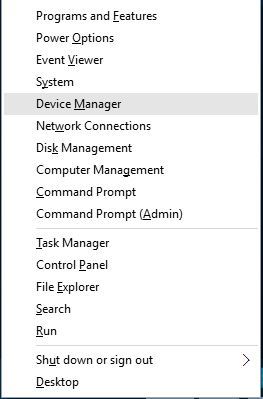
  1. Press Windows Key + X and choose Device Manager from the list.
    device-manager
  2. Once Device Manager opens, locate and right click Xbox One Controller.
  3. From the menu choose Update Driver Software.
    update-driver-software
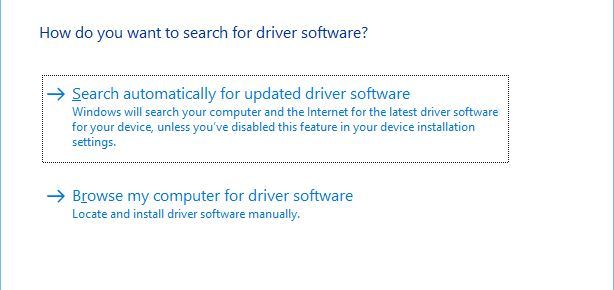
  4. Click on Browse my computer for driver software.
    browse-my-for-driver-software
  5. Click Let me pick from a list of device drivers on my computer.
    browse-for-driver-software
  6. Locate Microsoft Xbox One Controller on the list and click Next to install it. If you can’t locate Microsoft Xbox One Controller driver, you might have to uncheck Show compatible hardware option.

On the other hand, you can manage your drivers and install them automatically using reliable tools offered by expert software, namely Fortect Driver Updater.

Solution 2 – Change USB controller settings

Few users reported that the right trigger shows up as a left trigger while using Xbox One controller on Windows 10, and to fix this issue it’s required that you install the Xbox Controller driver by following the same steps from the previous solution. After you’ve installed Xbox Controller driver, you need to do the following:

  1. Disconnect and reconnect your Xbox One controller.
  2. Press Windows Key + S and type set up USB game controllers. Choose Set up USB game controllers from the list of results.
    set-up-USB-game-controllers
  3. Select Xbox One controller from the list and click Properties button.
  4. Go to Settings tab and click the Reset to default button.
  5. Navigate to Test section and check if your controller works.

Connecting Xbox One controller to your Windows 10 PC is rather simple, but if you have any issues, feel free to have a look at our solutions.

Watch Gabe Aul share juicy stats about the Windows 10 Insider program (video)

During a session at Build 2016, Microsoft’s Gabe Aul and Bill Karagounis shared some cool stats about the Windows 10 Insider Program. Both guys, who have a customer service background, went over the beginning of the program offering stats and explaining the purpose behind the Windows Insider program.

Microsoft planned for 250,000 Insiders and presented the first Insider program plans to executives back in May of 2014, several months before the announcement of Windows 10 and the release of the first preview build. Worst case scenario, Microsoft was aiming for 400 thousand testers. One week prior to announcing the Windows Insider program, Windows boss Terry Myerson refused to move forward with the 400 thousand limit, instead urging Aul and Karagounis to make it available to everyone. In September of 2014, a lot of code was thrown away and the feedback stack was rebuilt to support as many people as possible. Then came the big day. September 30th of 2014 was the day Windows 10 and the Insider program was announced. The very first preview build was released on October 1st of 2014 and within weeks, Microsoft hit 1 million Insiders. Microsoft scored 3 million Insiders by March of 2015 and as of today, Microsoft has over 7 million registered Insiders in the program.

Windows Insiders come from all over the globe including Antartica, except for two unnamed countries. When it comes to demographics of the Insider program, 46 percent are in a tech job, while 54 percent joined the program because they “love Windows.” 20 percent of Windows Insiders are students (1/5th of those are in high school still!).

Instead of the traditional “Beta” program, Microsoft opted for something a bit more different with Windows 10 testing. As Aul puts it, “by the time people saw our work, it was too late to give feedback.” Citing the development cycle of Windows 7 and Windows 8, by the time feedback was provided during the public preview phases, it was already too late to make big changes to the operating system. This is why Microsoft opted for the Windows Insider program to change the way they collected and implemented feedback suggestions.

Aul also explains the various different Insider rings, as well as a few other juicy stats. We’ve embedded the session below for your viewing pleasure. Enjoy! Share your comments below.

Watch Microsoft show off the Linux command line on Windows 10 (video)

During Build 2016 this past week, Microsoft’s (presumably) big jaw dropping announcement was the ability to run Bash shell on Windows 10. In a session hosted by Microsoft’s Scott Hanselman, we get an in-depth look at how this all works and what it all means.

The root filesystem of Ubuntu itself was provided to Windows 10 (minus the kernel). In other words, this is not a virtual machine, nor is this cygwin, rather this is “the sweet spot” in the middle as Scott Hanselman explains. “We are running the Ubuntu binaries on top of essentially the NT kernel — also known as the Windows subsystem for Linux,” Microsoft’s Russ Alexander states during the session. Microsoft expects this to roll out to Windows Insiders “within the next two weeks” allowing developers to tinker with the Linux command line on Windows 10.

For those of you interested in the running the Linux command line on Windows 10, we’ve embedded the session below for your viewing pleasure. Share your thoughts in the comments below.

BDAntiRansomware is an anti-ransomware tool from Bitdefender

The internet is full of all sorts of security threats with ransomware being the most serious one. In order to tackle this issue, Bitdefender Lab, creator of Bitdefender security software, released its BDAntiRansomware tool.

BDAntiRansomware is a free tool designed to protect you from ransomware

Ransomware is particularly dangerous because it takes over your computer and doesn’t allow you to access your files unless you pay certain amount of money to the person that infected your PC. Some ransomware can even encrypt your hard drive, making your data completely inaccessible.

Ransomware can be a major security threat and with the number of ransomware-based incidents on the rise, it’s no wonder that security companies are gearing up to deal with this issue. If you’re concerned your computer might get infected by this malicious software, you might want to try BDAntiRansomware. This free tool is designed to keep you safe from the most common ransomware threats. According to the developers, BDAntiRansomware can protect you from known and possible future versions of TeslaCrypt, CTB-Locker, and Locky types of ransomware.

BDAntiRansomware is a lightweight tool and will protect you from any potential hazards while running in the background. This tool doesn’t use many system resources, so there won’t be any performance loss or slowdown. As this is a standalone tool, it doesn’t require Bitdefender security to be installed. And unlike certain free security tools, BDAntiRansomware doesn’t pester you with ads. Users have not reported any issues, like false positives for instance, while using BDAntiRansomware, but if it were to happen to you, it’s easy to disable.

Bitdefender Lab did a solid job with BDAntiRansomware, but keep in mind that this tool isn’t an antivirus replacement. Instead, it’s designed to provide you with an additional level of security against ransomware . If you wish to try BDAntiRansomware, download it from here.

Xbox boss: “I’m not a big fan of Xbox One and a half”

If you’re heavily invested in the world of gaming news, you may have heard about the recent rumors involving plans for a Playstation 4.5: a new version of the PS4 with a few new bells and whistles. With rumors of this PS4.5 running rampant, many questions are being raised towards the Xbox One – being Playstation’s biggest rival – and whether or not it’s going to attempt to mirror this effort in the near future.

According to an interview held by GameInformer, Xbox fans won’t have to be coughing up an extra $400 for a new-and-improved Xbox One any time soon. The game-focused publication spoke to Phil Spencer recently about some of the changes coming to Xbox, and when they asked about the possibility of an Xbox One-point-five, they got a pretty straightforward answer.

I’m not a big fan of Xbox One and a half. If we’re going to move forward, I want to move forward in big numbers,” Spencer said. “I don’t know anything about any of the rumors that are out there, but I can understand other teams’ motivations to do that. For us, our box is doing well. It performs, it’s reliable, the servers are doing well. If we’re going to go forward with anything, like I said, I want it to be a really substantial change for people – an upgrade.

Essentially, Phil thinks that the Xbox One is fine as it is, and doesn’t see any reason to go shipping out a new version of it. For Xbox fans, this is pretty good news. While we all love to have the biggest and best in hardware, nobody wants to go dropping another lump sum of cash on a game console they already own. Phil Spencer’s answer here doesn’t leave much room for Microsoft to change their mind in the near future, so anybody that was worried about an Xbox answer to the PS4.5 can cool their jets for now.

Microsoft had a ‘thank you’ message hidden in binary code during Build 2016

Microsoft’s big developer conference took place this past week. Terry Myerson, Microsoft’s Executive Vice President of the Windows and Devices Group, took center stage at Build to talk about Microsoft and Windows 10. During his keynote, the Windows flag was shown on screen in a slide.. but if you look closer, you will see binary code hidden inside the flag.

So what does the binary code actually say? When translated, it says: “Thank you developers, Insiders, partners and everyone else for helping us build the best version of Windows ever! We couldn’t have done it without you.”

Microsoft’s Gabe Aul, the man behind the Windows Insider program, also tweeted out a video message to Windows Insiders, thanking them for being involved in the testing program and for watching Build. You can check out that tweet here.

The Anniversary Update is the official name for “Redstone” and arrives for Windows 10 this summer. You can head over here to read all about what’s coming to Windows 10 in the Anniversary Update.

Microsoft looking to provide mapping data to HERE

With all of the excitement from Build winding down, don’t think you’re off the hook following the latest in Microsoft’s world. The company, as always, continues to have irons in every fire, and may be on the verge of another critical partnership. Reuters has reported that Microsoft, along with Amazon, is considering joining forces with HERE: a digital mapping business, owned by German carmakers BMW, Audi, and Daimler.

The nature of the partnership is reported to have its roots in cloud computing, which Microsoft and Amazon would theoretically supply to HERE if their partnership were to work out as planned. It seems like much of HERE’s demand for cloud computing resources is driven by the fact that all of HERE’s owners are currently developing self-driving cars, and would need this cloud computing data in order to pursue self-driving car technology as far as they would like to.

HERE is still reportedly looking to take on new members to split the investment costs, and car companies Renault, Continental, and Ford have all expressed interest in jumping on the bandwagon.

Windows 10 Mobile OneNote app updated with voice recorder

The OneNote app for Windows 10 Mobile just received an impressive update that should excite fans. We first learned of this new update on Reddit, and later it was officially revealed on Twitter by Microsoft. It will only work on Windows 10 Mobile devices, marking one of the few times a newly updated Microsoft app is released first to Windows 10 Mobile before Android and iOS.

OneNote’s new features make it easier for users to create notes without having to type through its option to now record audio or sound clips to OneNote and save them to OneDrive.

This is a solid idea since it’s much easier to record a short audio clip instead of having to type one out in a note. We envision many users of Windows 10 Mobile taking full advantage of the new feature by focusing more on recording than typing. While the centerpiece to the update, this isn’t the only new addition to OneNote. The software giant added the OneNote Web Clipper extension for Microsoft Edge, as well, but only for those in the Windows Insider program.

While the ability to record clips is the centerpiece to the update, this isn’t the only new addition to OneNote. The software giant added the OneNote Web Clipper extension for Microsoft Edge, as well, but only for those in the Windows Insider program.


Windows 10’s market share increases to 14.15%

Windows 10 has been steadily improving ever since the operating system was released back in 2015. At the recently held Build 2016 developer conference, Microsoft shared that Windows 10 is currently installed on 270 million computers around the world, with its users having visited the Windows Store five billion times so far.

In addition, according to the latest information coming from NetMarketshare, 90% of desktops on the market use Windows, with Apple’s Mac OS X coming in at a distant second with 7.7% and Linux at 1.78%. When it comes to Windows 10 specifically, it’s only found on 14.5% of desktops — a number surpassed by Windows XP and Windows 8.1. Not surprisingly, Windows 7 is still the top dog with 51% of desktops running it. With Windows 10 steadily growing, though, we expect that number to fall significantly by year’s end.

Looking at the mobile end of the spectrum, Windows is not doing very well: only 2% of mobile devices run it. Apple’s iOS sits comfortably with 31% while Android stands strong with 60.99% of devices. This is evidence that Windows on mobile is stagnant with little hope of success — something even Microsoft knows given how little they talked about it at Build 2016.

In terms of browsers, Internet Explorer still reigns supreme at 43.4% usage when compared to the likes of Google Chrome, 30%, and Edge, 4%. On the mobile front, Apple’s Safari is surprisingly number one while Google Chrome for Android sits in the number 2 position. When it comes to search engine usage on both desktop and mobile, there’s nothing surprising here: Google Search sits high with a 67% market share while Bing Search is a far second with 13 percent.

It should be interesting to see how adoption rates continue to grow when Windows 10 is no longer a free upgrade. The software giant is hoping that DirectX 12 and other exclusive Windows 10 features and services will convince Windows 7 fans to make the jump. Let’s see how that works out.

Microsoft announces Windows 11 on its way, upgrade from Windows 7/8.1 a must!

While Microsoft presented a lot of new innovations and features for Windows 10 at this year’s Build 2016, our sources from direct from the company told us that all that fuss about Windows 10 at Build 2016 was just a mask.

Microsoft is planning to release a new operating system called Windows 11 at the end of this year. The company decided to do this because Windows 10’s extremely poor adoption rate. Our sources close to the company tells us that Microsoft even placed fake reports informing us that more than 200 million people have used Windows 10 so far in order to encourage more people to upgrade — unfortunately without any success.

There’s no word yet on the possible features in Windows 11 as the operating system is still in the early development phase, but it will certainly offer something that Windows 10 and previous operating systems didn’t. However, Microsoft plans to not to just keep Cortana but to make it extremely powerful in the new operating system sporting options that were never seen before. Microsoft will also do away with its Insider program because most Insiders don’t take it seriously since they don’t provide the required feedback and constantly complain about privacy concerns.

In addition to this news, it turns out Windows 7 and Windows 8.1 users who were against the Windows 10 upgrade will have to suck it up in the end: the Windows 10 update is now automatic no matter what settings a user chooses. This will be done to make the automatic transition to Windows 11 smoother. (So, whatever version of Windows you’re currently using, you’re going to end up with Windows 10. Just to be clear.) We’re sure this decision will negatively affect users and draw a mountain of complaints. It’s even possible that some users will completely abandon windows and switch to OS X, something that would be warmly welcomed by Apple.

To conclude this shocking news, we remind you that today is April Fools’ Day so sorry if we got you worried. So, while nothing we just said is true (except the fact that Microsoft is indeed working on Cortana improvements — just not for Windows 11!) you can definitely count on Windows Report to deliver the freshest, most accurate new every day!

Chasable Live Tiles, Adaptive notifications, improved Action Center coming to Windows 10

During day three of Microsoft’s Build 2016 developer conference, the Redmond giant revealed new improvements that are coming to live tiles and toast notifications on Windows 10 in a special session for app developers.

According to Microsoft, Windows Insiders have been arguing that tiles tease them but don’t always deliver. Windows 10 users want, according to feedback, more flexible toast notifications, the ability to make the Action Center on the desktop “more useful” and a notification platform that is actually powerful. These are the top feedback requests given to Microsoft.

tilesab1
What people want

Microsoft is introducing something new called “chasable live tiles” which offer a deeper connection to the actual live tile information. So in other words, Live tiles will actually showcase useful information for once and take you to a particular area of the app when clicked or tapped — as opposed to showing you information but only taking you to the app’s home page when you click or tap on the tile.

chasable live tiles
Chasable live tiles

Microsoft also introduced a feature called “adaptive toast” notifications. What exactly does this mean? Think of notifications that allow you to interact with elements — letting you respond quickly to messages, etc. Microsoft has allowed for larger images to be displayed in a toast notification, as well as a new app identity, new button style, and better discoverability.

During the session, we learned that Microsoft Edge will support notifications in the upcoming Windows 10 Anniversary Update. On top of that, the Action Center has received a new placement on the taskbar — it is now located to the right of the clock.  Depending on what new notification you receive, the notification icon will change. If you received a new message, you will see a messaging icon. If you received a new Xbox-related notification, you will see an Xbox icon. All these new features with very little code change for developers. These new features offer a more engaging and more visually exciting notification system.

notificationplacementicon
Notification icon

Check out the new Action Center in the picture below. As you can see, notifications look much better than before. You will also be able to manage your app settings from within the toast notification by right-clicking, which previously was only available in the System settings.

newnotifications
New Action Center

According to Microsoft, live tiles with live content have 60 percent more engagement than tiles without live content (who would have thought?!). App developers will be able to sync live tiles with the Action Center, so the end user can dismiss the notification in the Action Center and automatically dismiss the notification counter on the live tile too.

Microsoft also announced a new Notification Listener API, a tool that allows app developers to latch onto notifications and trigger events in their apps based on what notification appears. MUA (Multi-User Aware) Notification APIs were also revealed, which allows for multiple notifications to Xbox, identifying which Xbox user is logged in and who the notification is for. Clicking on the toast notification launches the respective app — like Skype for example.

Remember Project Centennial? The bridge that lets you turn a Win32 application into a Universal Windows Platform app? Microsoft is also allowing these apps to utilize toast notifications using WinRT APIs.

And that’s all folks. In this session, Microsoft showcased chasable live tiles, improved toast notifications, and an improved Action Center — all arriving with the Anniversary Update for Windows 10. Share your thoughts in the comments below.

For those wondering, there are no “interactive live tiles” like we have seen in concepts over the past year — at least not yet. According to Microsoft, “we are working on it, we’re just trying to get it right.”

Microsoft outlines the details behind the Azure Service Fabric

Microsoft’s Azure cloud service offerings represent one of the company’s harder to define solutions. Azure is a whole set of different products and services that combine to provide the “cloud-first” aspect of Microsoft’s new strategy, and for the uninitiated, Azure can be a challenge to fully comprehend.

The Azure Service Fabric is one element of the overall offering that’s just as confusing. The Azure Service Fabric is used throughout the company to bring global-scale services like Cortana, Skype for Business, and Azure SQL Databases to the millions of Microsoft users, and is thus incredibly important to the company and its customers.

At Build 2016 this week, Microsoft spent many hours talking about Azure and focusing on how cloud services will serve as the foundation of many of the company’s solutions moving forward. One session was devoted to Azure Service Fabric, and the video is embedded below.

If you’re responsible for implementing cloud services at your organization, then this video is a good place to start in better understanding Azure and the Azure Service Fabric. If you’re not, it’s likely safe enough to skip it.

Microsoft demos new notification and Action Center features for Windows 10 (video)

Microsoft spoke at length about Azure Cloud, Office 365, Xamarin, cross-platform development, Skype, chat bots, and the Universal Windows Platform during its two streaming keynotes at Build 2016. What the company didn’t speak about at length were new Windows 10 features. In a sort of cursory glance, Build 2016 attendees were given the high-level bullet points about an upcoming Anniversary Update coming to Windows 10 users, and that was seemingly all.

However, being a developer-centric event, it appears Microsoft would rather save its list of upcoming Windows 10 features for more focused and intimate developer sessions. During a session titled Notification Futures: Action Center in the Cloud and the Windows Notification Platform, developers were given an in-depth fifty-minute walkthrough of all the features coming to Windows 10 notifications and Action Center.

Developers can look forward to working with more robust API’s that will enhance the Windows 10 user experience by including Action Center UI changes, adaptive toast notifications, new Live Tile features and an Action Center that spans platforms and ecosystems by being based in the cloud.

For those interested in the new cloud-based Action Center and updated notifications, Microsoft developer-focused video channel (Channel 9) now has the session up for viewing.

There is still is no concrete date on when the update will hit systems right now, but Windows 10 Insiders should begin seeing implementations soon.


Here’s a big thanks to Windows Insiders from Gabe Aul

To Windows Insiders, Gabe Aul is probably the most familiar face within Microsoft. Having overseen the program since the beginning, Gabe Aul has been the causes of heart rate fluctuations for Windows enthusiasts with his weekly Windows 10 build tweets, and also received his fair share of nagging from impatient fans. To celebrate Build 2016 – one of Microsoft’s biggest annual conference that focuses on developers – Aul has sent out a heart-warming thank you to Windows Insiders in the form of a short video on Twitter.

Build is the culmination of all the cool development projects happening in Microsoft, during which the company also spoke about the Insiders Program and revealed some big news about Windows, like the upcoming Anniversary Update. The program has been an important part of Microsoft’s changing culture of listening to customers, opening up development, and gaining back interest in the Windows Platform. Aul has been essential to that process, and there’re very few things we can say besides: Thank you Gabe Aul for all your effort.

Now, when is that new build coming?

Microsoft Project To-do is a new and simple to-do app for Windows 10

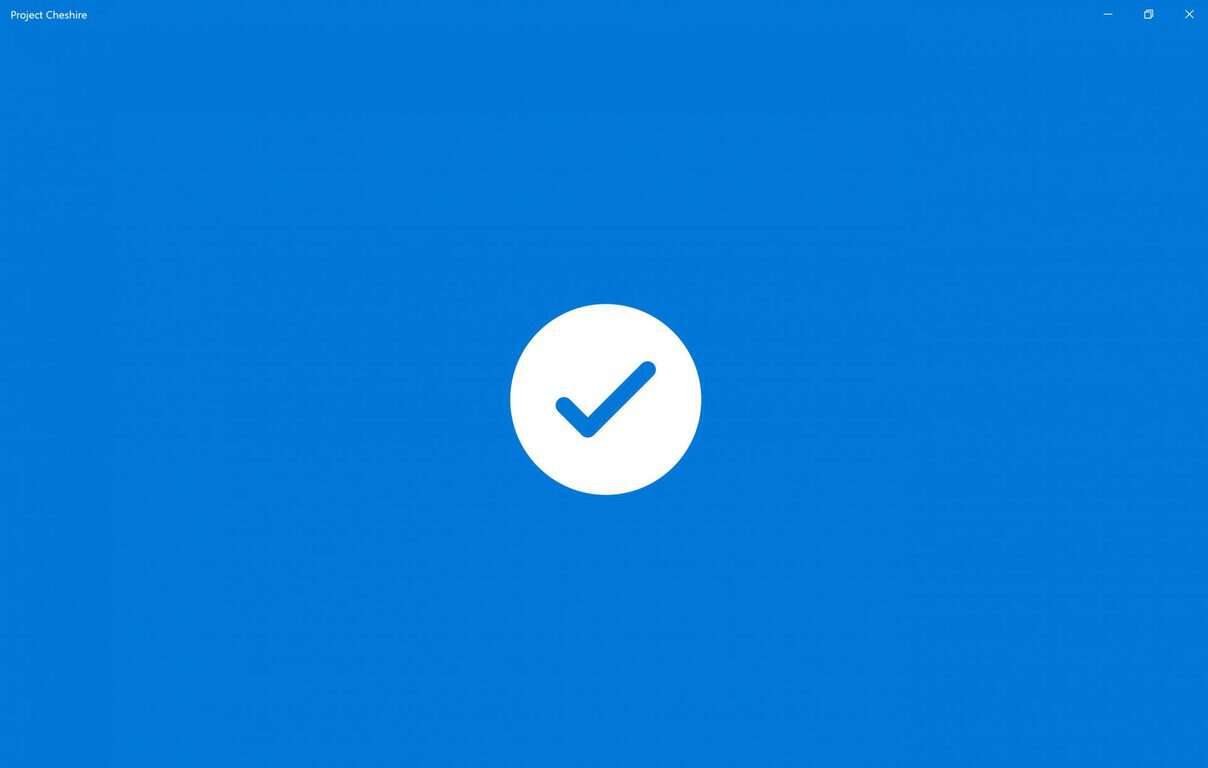
Microsoft unveiled a new Windows 10 app in the Windows Store today, Project To-do. Project To-do, also known as Project Cheshire, is not currently operational.  When you open Project To-do, the app displays a white screen with “coming soon” in the middle and Project Cheshire appearing in the upper-lefthand corner. Project To-do might just be a placeholder name for the Windows Store.

Project Cheshire, Project To-Do
Microsoft Project To-Do.


In any event, Microsoft is offering a new way to handle your everyday tasks with Project To-Do (Project Cheshire):

“Say hello to Project Cheshire. Introducing a brand new and simple, yet incredibly focused, to-do app that helps you get stuff done. Please note that we are still in the early stages of development and are working hard in the background to deliver you the best to-do app ever. Stay tuned for updates and more here.”

Whether it be Project To-do or Project Cheshire, you can head over to the Windows Store and download it today in the link below.