Windows 10 Insider Hub’s latest “Made By You” highlights audio troubleshooting

Once again, the Windows team has taken to the Insider Hub to describe another feature that’s been implemented on behalf of the users. A few months back, the Windows team introduced the Made By You series of blog posts highlighted in the Insider Hub. The Insider Hub that is made available to those participating in the Windows 10 Insider Preview acts as an open forum for feedback and suggestions for the Windows team as they attempt to encourage a healthy discussion of when, how and why certain features get delivered to the Windows 10 platform.

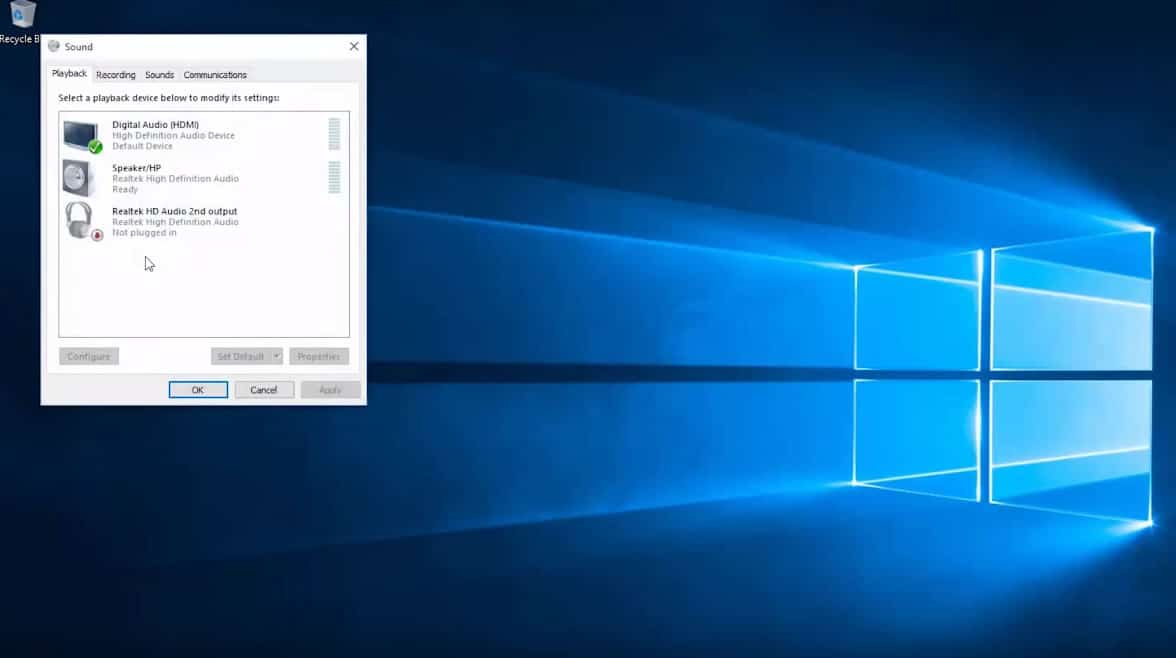
Today’s highlighted feature involves Windows 10 and audio troubleshooting. A handful of Windows staff employees involved with the Answers Forums for Windows took out time to go over how audio improvements in Windows 10, as well as the process of collecting error reports and addressing audio issues, is done.

John Wink, Matt van Eerde or “maurits” and Ikemefuna Udeze a.k.a “Ike” begin the post with the a breakdown of the labor-intensive process of collecting user feedback as well as error reports to understand better the specific issues users were experiencing.

We began our journey by talking directly with a lot of you in the answer forums, and you us started with great information. We soon realized that we were dealing with more than one issue.

  • Audio services had a tendency to crash in certain situations
  • Some drivers from older OS’s didn’t play well with Windows 10
  • Some drivers were okay, but their add-on APOs (audio processing objects) weren’t
  • Sometimes changing the playback bitrate and depth broke (or conversely fixed) audio

With a starting point, the team then began collaborating their efforts with information gained from the Windows Feedback App aka UIF. UIF is an abbreviation the team uses to describe the engine the app runs on, User-Initiated Feedback. The UIF essentially auto-categorizes feedback based on how Insiders apply choose to identify their issues. Beyond categorizing issues, the UIF also helps prioritize issues based on Insiders upvoting and diagnostic data collected whenever an item is submitted.

Specifically, the team can gather information such as:

  • A DxDiag report from your machine
  • An export of the audio section of your registry showing audio endpoints, drivers, and APOs
  • Details on local audio stack failures

Once all the data is gathered, it’s solution time. Before most solutions are rolled out in a consumer-facing update or Patch Tuesday, the team begins distributing their solutions via the Answers Forums. Eventually, the information is trickled out amongst Insiders to one another and then makes its way out to media sources who pick up on it. Once Insiders can reliably count on the solutions, does the solution then get integrated into Windows 10 Audio Troubleshooter and posted online. The final step is to take that solution and roll it into a Windows 10 update.

Lastly, the Windows team used their blog post to encourage the continued use of the Insider Hub and Answers forums to help address issues with Windows 10. Part of their encouragement includes asking users to make use of keywords to narrow down overlapping situations.

The best piece of feedback is one that gives us useful keywords like “Realtek,” “glitch,” “no audio,” “static”, and such and such that provides detailed steps on how we can reproduce the issue and that uses the “Reproduce” option (available when you select “Problem” in the Windows Feedback Tool.”

As the Windows team continues to tool away at more Windows 10 features, it is becoming evident that the Insider Preview, along with the Answer Forums and other feedback tools are becoming more important than ever to the future of the operating system.

For Insiders interested in directly contributing to the development of Windows 10, visit the Insider Hub on your device and give as much feedback (positive or negative) as possible.

Latest Xbox One preview build adds feedback notification, fixes party chat bug

Microsoft has rolled out a new Xbox One preview build for those who are participating in the preview program. This new build is th2_xb_rel_1603.160311-1900 and is rolling out now. Here’s what’s been fixed:

  • Fixed an issue which caused navigating the party menu in the Guide to not correctly update the party state.
  • Additional fixes for graphics and DirectX.

Microsoft has also added a new feature called feedback notification. Basically, this feature will offer you notifications that allow you to rate certain experiences. Don’t worry, if they become annoying, you can adjust the settings and turn it off.

You’ll now periodically receive notifications asking you to rate certain experiences on Xbox One. These notifications, when acted upon, will launch a new lightweight app where you can supply a rating and optionally input text to further explain your score.

Too busy to give feedback when you get the notification? No problem! Just ignore the toast and you can access it under Notifications in the Guide when you’re ready. You’ll also find a new Setting for this feature under Preferences.

Grab the update and share your feedback in the comments below!

Retail copy of Hitman for Windows PC delayed until January 2017

Hitman fans are no doubt excited about the new Hitman game. Unfortunately, it seems that those looking for Agent 47 action will have to wait a bit longer before they get their hands on the physical copy of the game. According to reports, the physical release of Hitman has been delayed to January 2017.

Hitman retail release to come in January 2017

The latest Hitman game was released on Steam just a few days ago, but unlike previous Hitman games, this one is being released episodically. For now, only the prologue and the Paris mission are available to players, with additional missions to be added throughout the year.

According to developer Square Enix, there will be a total of seven episodes, with the first new episode planned for April followed by another in May. April’s episode will take players to the vistas of Sapienza, Italy while May’s episode will transport players to Marrakesh, Morocco. As for the remaining locations, they remain unknown for now.

Regarding price, each episode will be sold for $10. Currently, there’s an Intro Pack available on Steam for $15 that includes the aforementioned prologue and Paris mission. Of course, the option to pre-purchase the Complete Edition that includes all seven episodes for $59.99 is also available. 

When asked about the delay, a Square Enix representative said it was to give the developing team more time to work on the disc version in order to bring players the best Hitman experience possible. Although some fans might not be pleased by this decision, we’ll just have to wait until January 2017 before we get our hands on the retail copy of the game, but rest assured — it will certainly be worth the wait.

Microsoft Edge Extensions gets official info page ahead of release

One of the most-requested features in Microsoft’ Edge browser, by a long shot, are extensions, the snippets of add-on code that extend browser functionality. Microsoft has made extension support a priority in its efforts to make Edge more popular among Web users, and so far we expect Edge extensions to show up soon in an upcoming Windows 10 Redstone release.

Now, via MSPoweruser, we have the first real hint at what Edge extensions might look like in their initial preview mode, thanks to a dedicated page on Microsoft’s developer site. So far, it’s looking like we’ll have three extensions to try out when they’re enabled in the next Windows 10 build:

Microsoft Translator extension

Translate foreign language pages for 50+ languages by downloading the Microsoft Translator extension. The translation icon will appear in the address bar when visiting a foreign-language web page in Microsoft Edge. Click on the icon to instantly translate the web page to your current Windows language.

Reddit Enhancement Suite extension

A suite of modules that enhance your Reddit browsing experience.

Mouse Gestures extension

An extension for Microsoft Edge that allows customers to perform basic browsing tasks by right-clicking and then gesturing with the mouse. For example, right-click and hold, then move the mouse down and to the right to close the current tab, or move the mouse from right to left to go back to the previous page.

Each extension has its own download button and runs a text file that opens giving instructions on how to enable the extension, which initially will mean selecting an extension after extracting it via Edge’s More (…) functionality. In the future, extensions will be installed via the Windows Store.

Keep your eyes peeled to WinBeta for the requisite Windows Insider build of Windows 10. We’ll be sure to let you know just as soon as these extensions are working.

Update: We noted a similar page popping up back in December.

Update 2: As with the previous page, Microsoft has shut things down. The page is no longer responding, but we remain convinced that extensions are coming soon.

SharePoint 2016 hits Release to Manufacturing (RTM)

Today marks an auspicious milestone for Microsoft’s content management platform, SharePoint Server 2016. Specifically, the on-premise and cloud-based content management solution has hit Release to Manufacturing (RTM), meaning that customers will soon have access to its enhanced features.

Here’s a video providing an update on what’s new in SharePoint 2016, care of the Microsoft Office Blog:

Customers will be able to access SharePoint Service 2016 in early May from Microsoft’s Volume Licensing Service Center, and you can learn more about the solution by accessing a reviewer’s guide or downloading a trial version. Microsoft will also be hosting a live online event on May 4, where the company will provide information on their vision and future plans for the solution. You can register for this event here.

Here’s Microsoft’s take on the importance of SharePoint Server 2016 to the company cloud services line of business:

Billions of documents are stored on SharePoint sites—making it the center of content management and collaboration for over a decade. Whether enabling students to work together or helping a company transform its entire intranet, we have continually evolved SharePoint to meet the changing needs of the digital workplace.

As work teams become more dynamic and digital content growth continues to skyrocket, SharePoint will play an ever increasing role in enabling content collaboration for the new way of working. As a part of Microsoft’s broader ambition to reinvent productivity, we are on a mission to make SharePoint more simple, mobile, intelligent and secure to help customers unlock the value of having it as an integrated part of Office 365. This year, we will release significant new innovations spanning user experiences, document collaboration, mobile enhancements and platform improvements that will redefine modern content collaboration.

If your organization uses SharePoint to manage your content and communications, then today marks an important event. If you’re just now beginning to think about how to manage your content, then you’ll want to head over to Microsoft’s various resource and check out SharePoint Server 2016 as a viable option.

Warcraft III is patched to fix compatibility issues with Windows 10

Blizzard just announced a new patch for its classic RTS game, Warcraft III. The first Warcraft III update after nearly five years will fix potential compatibility issues with newer operating systems.

Blizzard announced the new update by posting a video featuring Robert Bridenbecker, the head of its Classic Games division, who said that the patch will be available to all Warcraft III players around the world at the same time. The update will change the game version to 1.27, but developers still haven;t reveal any details about other potentail features of the patch.

In the video posted by Blizzard, Robert Bridenbecker also said the company is just getting started with updates, as we’ll see more patches in the coming months.

As the latest update will fix Warcraft III’s compatibility issues with newer operating systems, all users who’ve had problems playing the game on Windows 10 should now be able to smoothly run the game.

Warcraft III still played by millions

Blizzard is still inclined to deliver updates to its older games being that its large portfolio of classics are still played by many players worldwide. Warcraft III isn’t the only game receiving an update either, as Diablo II also received a compatibility update a few days ago. Blizzard is on a roll with delivering fresh updates for its older games, so we wouldn’t be surprised if other games like Starcraft also receive a patch.

Warcraft III was released in 2002, and it became one of the most popular games ever. The game considerably helped Blizzard to become one of the biggest game publishers in the world. Players are still playing it 14 years later, so it isn’t a surprise that Blizzard wants to keep up with the latest software requirements, making the game playable on new platforms like Windows 10.

⇒ Get Warcraft Bundle edition from GOG.com

Blizzard brings Windows 10 support to Diablo 2 with latest patch

While Diablo III: Reaper of Souls is the newest Diablo game, Blizzard still pays attention to its older titles as well, with the legendary gaming company having recently released a new patch for Diablo 2.

Diablo II was released back in 2000 and its expansion pack, Diablo II: Lord of Destruction, was released in 2001. Both games achieved tremendous success when they were released, serving as the inspiration for many modern action role-playing games such as Path of Exile.

Diablo 2 gets Windows 10 support

Although Diablo III was released in 2012, Blizzard kept working on patches and updates for Diablo II. The last patch for Diablo II was the Lord of Destruction v1.13d update released in October 2011 and today, almost 5 years later, we have a new one. The company made the following comment about the patch:

There is still a large Diablo II community around the world, and we thank you for continuing to play and slay with us. This journey starts by making Diablo II run on modern platforms, but it does not end there. See you in Sanctuary, adventurers.

So what does this new patch have to offer? Unlike the 1.13d patch that brought several bug fixes, this patch brings Diablo 2 compatibility to modern operating systems such as Windows 7, Windows 8.1, and Windows 10. Before this patch, you had to run Diablo II in compatibility mode for Windows XP if you wanted to play it on a modern operating system, but now you can just run the game without using compatibility mode. Mac users aren’t left out of the fun — at least, not completely. Blizzard has also added support for Mac OS X 10.10 and 10.11, but no support for OS X 10.9 and earlier at the moment.

It’s great to see that Blizzard hasn’t forgotten about its older hits and according to a recent job listing posted by Blizzard, it seems like it isn’t stopping: other popular hits such as StarCraft and Warcraft 3: Reign of Chaos will get similar patches in near future that will improve compatibility with modern operating systems.


ExpressJet’s Windows 10 Electronic Flight Bag receives FAA approval

While consumer demand for tablets appears to be tapering off a bit, there are still healthy levels of curiosity and testing for alternate, lighter, and more portable forms of computing within the enterprise and industrial sectors.

Thanks in part to a combination of Windows 10 and Windows 10 enabled convertibles, detachables or 2-in-1 devices, industry segments such as airlines are seeing weighty relief from more traditional forms of computing.

With the FAA’s official approval, ExpressJet is changing the game for its pilots. With the Microsoft Surface 3 ‘Electronic Flight Bag’ (EFB) using Windows 10 we’re helping take that burden off of ExpressJet pilots. Nearly 4,000 ExpressJet pilots are now using the EFB solution on Windows 10 and can officially access up to 50 pounds’ worth of navigation charts at the tip of their fingers on their Surface 3 devices.”

The new FAA approval means that not only can pilots do away with additional heavy luggage, but through the Windows 10 EFB program, they can shave off hours of updating charts in between several flights a day. Other benefits of the combined Surface 3 and EFB pairing include real-time data about weather conditions before each flight as well as doubling as a single device for both preflight preparation tools and addressing work emails and other information.

The move to using tablets such as the Surface 3 as alternatives to the lumbering luggage full of charts is also being utilize by other airlines such as Delta, Emirates, SkyWest, Lufthansa, and Belgian Airlines. Microsoft’s ambitions regarding robust computing in more portable packages is already having a positive impact on the airline industry as Delta is reporting savings of 1.2 million gallons of fuel along with 7,500 sheets of paper being saved each year thanks to the combination of Windows 10 and Surface tablets.

Xbox One sales top 20 million units, according to VGChartz.com

Just a few days ago we reported to you on the PlayStation 4 once again surpassing Xbox One sales in the month of February. Despite efforts such as backward compatibility, bundles, cross-buy, and even the release of new titles to the Tomb Raider and Forza franchises, the NPD report made it apparent that Microsoft is still lagging behind Sony in console sales.  While Microsoft does not release official sale figures for consoles, VGChartz is a website which gives out fairly accurate estimates for console sales, and they too now are showing statistics that are not necessarily in Microsoft and Xbox’s favor.

While the statistical methods behind figure can be argued about, as of March 5th, the website is listing that Microsoft has sold about 20.4 million Xbox consoles. This is still a bit far behind their listing of Sony’s 38.8 million PS4 consoles sold.  The website, however, has proven to be fairly accurate with its listings and is close to Sony’s most recent official PS4 sales figure of over 36 million units sold.

VGChartz global totals.

Nonetheless, it has still been a good internal year for Microsoft and Xbox. The company has said that exclusive games sales for the Xbox One were up by 49 percent compared to February 2015. Microsoft even further mentioned that the number of hours spent by Xbox users has dramatically increased by a whopping 93 percent.

Compared to a few years ago with the Xbox 360, Microsoft has now shown a clearer understanding of the wants and needs of gamers. The company has listened to the feedback of fans in the Xbox Preview program by releasing a new Xbox One dashboard experience, and even released a new 1 TB systems for those storage hungry gamers.

Do you think Microsoft will ever catch up to Sony in console sales? The topic sure can be controversial, so be sure to let us know what you think in the comments below.

Windows 10 Cortana vs Siri: a Short Analysis

Cortana was first introduced as an answer to Siri and Google Now, initially only for Windows Phone 8.1. Eventually Microsoft expanded it to more platforms – including Windows 10 on desktop as well as mobile.

Just like Siri, Cortana acts as a personal digital assistant, however while Siri has a bit of experience and has been learning from people for a while now; Cortana is new and is still learning the tidbits.

In this article, we are going to compare the two amazing digital assistants. While Cortana, works on all the Windows and Android devices, Siri has only refrained to Apple devices like the iPhone and iPad. It will only be ridiculous to expect them to be perfect and each of them have their own flaws – but also their own distinctive personalities.

Information

Despite everyone calling these services “digital assistants” it is quite a stretch to do so – what they mostly do is provide you with some factual information. When asked questions like “How is the day, outside?”, Siri will reply back with the current conditions and show a brief forecast. Cortana, however, provides a detailed spoken report which can arguably be better. You can also ask these assistants simple questions such as “Barack Obama’s wife’s name”, “Length of China wall”, and they will answer with the correct facts – with variations in units where applicable.

Service

There are of course some advanced functions to these assistants that make your day to day life a little bit easier, such as finding the nearest grocery stores within a mile etc. Both Siri and Cortana are functional when it comes to performing local searches but Cortana provides more in-depth results.

For example, Siri displayed some three address within three different complexes, on the other hand, Cortana bothered to mention about the floor as well. Depending on where you live you can also use these assistants to do things for you such as making a reservation for lunch by mentioning the restaurant’s name.

If that doesn’t work, you can still ask for phone numbers of a specific restaurant and call them to make reservations. Both of them are capable of showing movie listings along with new releases in nearby theatres and link to apps that let you book tickets online.

Speed

While features and the accuracy of information matters, how fast these assistants reply to your queries also has a significant impact on how natural they can behave.

Afterall, an assistant that takes more than 10 seconds to give you an answer is not doing it’s job well. No matter how natural these two assistant sound, they are very digital at the end – and thus are limited by the laws of physics. Both Siri and Cortana depend on your internet connection to formulate the response for your queries, and thus highly depend on your latency times to Apple and Microsoft’s servers. This is where Microsoft can leverage its global CDN network – which Apple lacks.

No matter where you are in the world, Microsoft has a data center to serve your digital assistant to you – something Apple has not worked hard enough for. And thus, Cortana has better response times than Siri in most parts of the world – this completely depends on where you are and what kind of latencies you are getting to their respective servers but there is a higher chance of getting better latencies to Microsoft than Apple.

Humor

The last test of the three tests is the personality test. Though it is not important, it is relevant to know the wit of your digital assistant, just in case you want to show it off at some point. You can demand a joke from Cortana or Siri, and you will be presented with one – whether it’s a good one or not entirely depends on what their respective companies have taught it – though Siri seems to be better at it. Both of them perform well when challenged with a humorous question, but don’t expect them to be your girlfriend as they’ll just end up putting you into the friendzone!

Conclusion

Even though both of them are equally good, there are certain minute differences that made one of them better. In conclusion, both Cortana and Siri are at the same level of expertise regarding the facts they can provide, however both failed to be more descriptive about the complicated tasks when compared to Google Now but tried their best.

Compared to Cortana, Siri proved to have more wit and yet answer questions gracefully. In closing, while Siri might have better personality traits and higher a higher chance of making you smile with its witty responses, Cortana provides answers to your questions with more detail and is more on the serious side – unless you really ask it something stupid.

Use Bing Predicts to help you build a smarter March Madness bracket

College basketball fans are hard at work creating their NCAA basketball tournament brackets since the seeds were announced yesterday. And the team at Bing has also been going over the seeds and modeling the data to come out with their predictions and tools to help college basketball fans build their own brackets.

For this year’s NCAA tournament, Bing has rolled out their own bracket builder on the web which you can access by simply searching “march madness” in Bing or clicking here. From Bing’s bracket builder you can make your picks, view schedules, and view more information and stats about every team that made the tournament this year.
The Bing Predict team has also released their bracket. And they have integrated their predictions into the bracket builder to give you more information as you are making your own picks.

Bing bracket
Bing Predicts March Madness.

In a blog post yesterday, the Bing Predicts team spoke more about how they make their predictions and highlighted their success with last year’s tournament. They boasted that last year Bing’s smarter bracket picked “73 percent of the games correctly and finished in the top 30 percent of all brackets created nationwide—outpacing Google, Facebook and Sports Illustrated brackets.” The team makes their predictions using machine learning to pore over different types of data. The types include the usual statistical data from the NCAA but the team also analyzes social and search signals on the web.

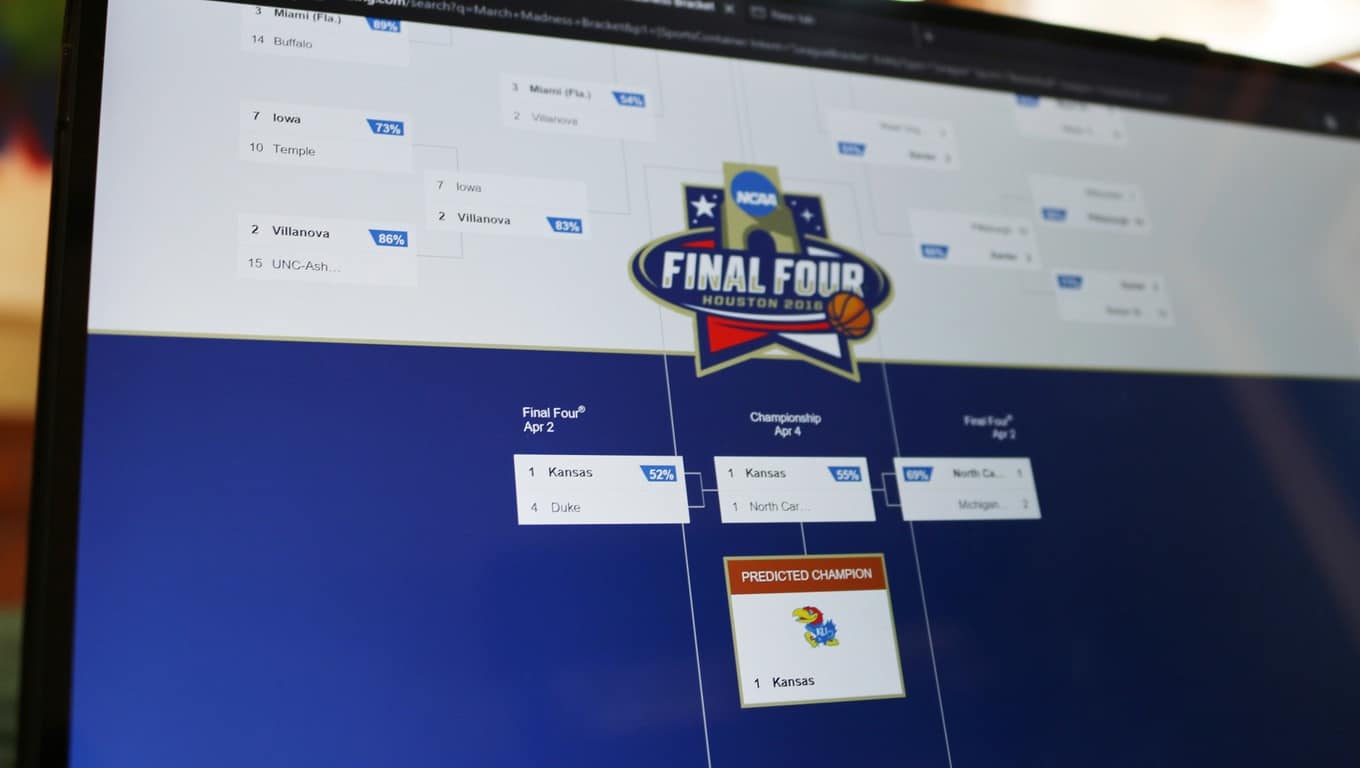
And when the Bing Predicts team announced their bracket this morning, they also released a blog post highlighting their picks for upsets and the final four for both the Men’s and Women’s brackets. The Bing team is expecting to see upsets from Arkansas-Little Rock, UT-Chattanooga, Gonzaga, Pittsburgh, VCU, and Butler. Bing predicts the final four will be made up of Duke, Michigan State, North Carolina, and Kansas, with Kansas beating North Carolina in the championship game on Monday, April 4th.

The Bing team also announced local Microsoft Stores near tournament games will be giving away tickets to local March Madness games. And the Microsoft Store in Woodlands, Texas will be having a special event with Basketball Hall of Famer Clyde Drexler and a chance to win tickets to the Final Four in Houston. To learn more about ticket giveaways you can head over to the Microsoft store Facebook page.

Dell launches XPS 12 and XPS 13 in India

As the one-year anniversary of Windows 10’s launch date approaches this summer, the list of Windows 10 devices just keeps on growing. Today, Dell has added to this growing list of Windows 10 devices by launching two new versions of its XPS laptops in India.

The Dell XPS 12 and XPS 13 laptops will go on sale in India for Rs 76,990 (about $1,146 US) and Rs 1,24,990 (about $1,861 US). As is the usual in devices these days, they both will also be powered by the Intel’s sixth generation processors, and will support Windows 10 features such as Cortana and Continuum.

In all its glory, the XPS 12 is a Surface Book like device. It is a 2-in-1 convertible laptop and features an IPS display with full 4k resolution.  The display supports 170-degree vieiwing angles, 400 nit brightness, and also Gorilla Glass protection. As for the body, it is made of magnesium alloy and has a 8 MP rear camera and a 5 MP selfie camera. In addition to a backlit keyboard and touchpad, support for Dell’s Active Stylus is also included.

Screen Shot 2016-03-14 at 12.14.50 PM
Dell XPS 12

Meanwhile, the XPS 13 is another top of the line device. It features an Infinity Edge Display with ultra-thin bezels, up to 1 TB SSF Storage, 16 GB of RAM, and a battery life of up to 18 hours. Dell also claims that this device is the smallest 13-inch laptop in the world.

Dell XPS 13
Dell XPS 13

The models will support a variety of Dell accessories, including the Dell Thunderbolt 2 USB Type 3 dock, and USB Type C to HDMI, VGA, Ethernet, and USB 3.0 adapters.


Microsoft highlights Skype for Web improvements

If you’ve used Skype for Web recently (either on the standalone website or via Outlook.com), you may have seen that the service has just received several new features. Fortunately, the Skype team is highlighting some of them in a blog post today, and we’re happy to see that the feature gap with desktop users seems to be closing.

First, you can now use the web app to call landlines and mobile phones using your Skype credit or a subscription: to use the feature, just click on the new “call phones” tab, select your destination then dial the number.

Call mobile phones and landlines directly from Skype

Next, YouTube videos shared in Skype for Web can now be watched directly in Skype, as they now appear like a video embed on the web. It’s a handy time-saving feature as you no longer have to open a new browser tab to watch the video, and you will also get the same volume and playback controls you have in YouTube.

Enjoy watching YouTube videos without leaving Skype

Skype for Web also gets a feature that was previously exclusive to desktop users: it’s now easier to invite other to Skype conversations as you can invite people by sharing them a unique conversation URL. Anyone who gets the link will be able to join your chat, and they don’t need even need to have a Skype account to join the fun.

Add new people to a conversation, even if they’re not on Skype

The Skype Team also improved notifications on Skype for web, as you’ll now receive notifications for your Skype chats even if you’re in another browser tab or another app. More than that, we spotted in the Settings tab a new “@mention notifications” feature that “always notify you when someone mentions you on Skype”. This interesting new feature only works in group conversations.

There is a new "@mention notifications" feature
There is a new “@mention notifications” feature

Last, we’re not sure if it’s new and Skype’s blog post doesn’t mention it, but we also spotted a “Translator preview” button in our Skype conversations on the web. It’s not clear if the feature works for voice conversations or written chats, but we couldn’t make it work anyway.

Skype web translator preview
The new “Translator preview” feature

While Skype for web is still labeled as a “beta”, we’re still happy to see that the Skype team keeps improving its web app, and that may well help Skype to stay one of the most ubiquitous messaging apps. We just hope that Skype for web will ditch the plugin requirement for phone calls in the future. Please tell us in the comments what you think about these new Skype for web features.

Microsoft partners with Team Gleason to bring technology to the battle with ALS

Microsoft has long been known for making contributions to help make the world a better place. In perhaps the best example of this, the company launched a #UpgradeYourWorld initiative  back in October of 2015 to help the world pick out the most prominent nonprofit organizations.  By virtue of the initiative, the winners have since received the honor of becoming Microsoft’s new local nonprofit partners. Team Gleason is one of these partners, and since winning, Windows and Microsoft have bettered Team Gleason’s cause.

As part of the partnership, Windows hosted an intimate fireside chat with former NFL athlete and ALS advocate Steve Gleason ahead of the debut of the film GLEASON at SXSW in Austin Texas. In the March 11th discussion (which was monitored by NBC’s Olivia Sterns) Gleason spoke about the integral role of technology in his life.

Fireside Chat (Photo by Sasha Haagensen/Getty Images for Microsoft)
The fireside chat (Photo by Sasha Haagensen/Getty Images for Microsoft)

With the help of his Microsoft Surface Pro 3 and Pro 4, Steve has been able to live his life to the fullest. Along with this, he has also worked with Microsoft to help develop life-changing technology, especially with eye gazing software.

He described his situation in the Windows Experience blog:

“Microsoft was the only company who stepped forward and was eager to deeply understand the needs of those who utilize technology as an extension of themselves. The company committed time, money, and talent to not only enhance the Surface Pro beyond its expectations, but went above and beyond to integrate controls for my power chair, allowing me to regain much more independence. The process has been as exciting as it has been liberating.”

The primary purpose of Team Gleason is to help provide individuals with neuromuscular diseases or injuries with top of the line technology and services. You can learn more about Team Gleason by visiting their website at teamgleason.org. You can also learn more about the technology developed with Team Gleason and Microsoft by clicking here and here.

Microsoft offers Grand Theft Auto V free with Xbox One console purchase

Ever since its inception, Microsoft’s Xbox One is lagging behind the PlayStation 4 in terms of hardware sales. The company has introduced a handful of bundles and promotions over the past few months in order to boost its sales.

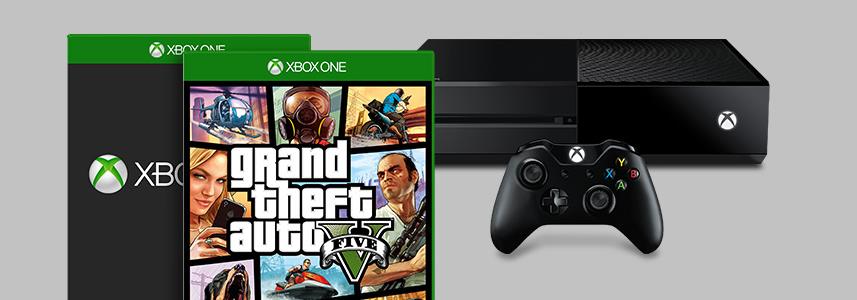
In another attempt to give the Xbox One sales a push, the company has introduced a new promotion where gamers will get a free copy of Grand Theft Auto V with the purchase of the Xbox One. This is in addition to another free game which customers can receive with the Xbox One bundle.

The offer is live at the moment through Microsoft Store, but if you’re interested, you should act fast as the promotion is set to expire on March 19th. Head over to the Microsoft Store to check out the bundle, or any other bundle if you’re interested.

Windows 10 news recap: Edge extensions, Feedback Hub, build leaks

Welcome back to our weekly Windows 10 news recap, in which we recap the top news stories regarding Windows 10 for the week. Let’s dive straight in.

Windows 10 build 14278 leaks online from internal development branch

A new, older build of Windows 10 leaked onto the web this week, build 14278. What’s interesting about this leak however is that it appears to have come from an internal source, as the build in question is from an internal development branch under the name “rs1”.

No new features are present in the leak, but it does serve as a collectable for those few who still do collect builds. Regardless, the leak itself is a x86 leak in en-US.

Microsoft pushing Windows 10 cumulative update KB3140768, bringing PCs to build 10586.164

Microsoft also pushed a new cumulative update for the latest public version of Windows 10, bringing the build number to 10586.164 matching that of mobile. This is what’s fixed:

  • Improved support for Bluetooth, wearables, and apps accessing contacts.
  • Improved reliability in app installation and Narrator.
  • Improved performance for hibernation, content entry in apps, and downloading and installing updates.
  • Fixed issue that didn’t allow login to an Xbox from a PC running Windows 10.
  • Fixed security issue created when attempting to play corrupted content.
  • Fixed security issue that could allow remote code execution while viewing a PDF in Microsoft Edge.
  • Fixed additional issues with .NET Framework, Internet Explorer 11, and networking.
  • Fixed additional security issues with Microsoft Edge, Internet Explorer 11, USB storage driver, kernel mode drivers, .NET Framework, graphic fonts, OLE, secondary logon, PDF library, and Adobe Flash Player.

Windows 10 Redstone: Microsoft now preparing release of Extensions for Edge

WinBeta exclusively revealed this week that Extensions for Microsoft Edge are set to show up in the next Insider build, finally giving developers a chance to port extensions over from Chrome for use in Edge.

Extension support for Edge is now being flighted in the latest internal builds of rs1_release, meaning Insiders are next inline for receiving support. Microsoft has been working on this for months internally, so it’s good to finally see it come to Insiders.

Windows 10 Redstone: New ‘Feedback Hub’ merges Insider and Feedback apps

Furthermore, WinBeta also revealed that Microsoft is working on a new Feedback Hub that merges both the Insider Hub and Feedback apps found on todays Insider builds of Windows 10 and Windows 10 Mobile.

This change is apparent on both desktop and mobile, but the app itself looks identical to the current Insider Hub, only with the added addition of Feedback support integrated.

Page Analyzer extension for Edge on Windows 10 shown off in leaked screenshot

On the heels of our report regarding Edge Extensions, a leaked set of screenshots appear to have revealed a new Page Analyzer extension for Edge that we assume will be part of the upcoming wave of test extensions for Insiders.

Not much is known about the extension, given only screenshots leaked, but it does confirm recent rumors that extensions will be managed via the Windows Store.

So there you have it, what was your favorite story of the week? Let us know below.


MMA fans can play UFC 2 first exclusively on Xbox One with EA Access

In a recent tweet by Xbox’s Head of Marketing at Microsoft, Aaron Greenberg, MMA fans will be able to play UFC 2 early through EA Access on Xbox One. UFC 2 will be released on March 15, 2016, but EA Access members ($4.99 a month; $29.99 a year) can to play UFC 2 now (as of March 10).

UFC 2 is set to improve on the original with new game mechanics and physics to make you feel like you are actually in the octagon. Special bonus features include the ability to play as Iron Mike Tyson, with and without his face tattoo.

UFC 2 comes in two versions:

  • EA Sports UFC 2 Standard Edition features special Day 1 character access to “Iron Mike” Tyson,  and playable MMA legends Bas Rutten and Kazushi Sakuraba.
  • EA Sports UFC 2 Deluxe Edition features a number of bonus content, includes everything in the Standard Edition, plus “Legacy” Mike Tyson, complete with his face tattoo, and up to 30 UFC Ultimate Team Premium Packs delivered over 15 weeks.

An added bonus of being an EA Access member is that you get an additional 10% off the original price and access to other free-to-play EA titles available. EA Access costs $4.99 a month or $29.99 for one year.

WWE 2K16 arrives on Windows PCs via Steam for $50

2K just announced that one of the most popular fighting games in the world, WWE 2K16, has just arrived on Windows PCs after originally being offered to consoles only. The game is available to purchase on Steam and it costs $49.99.

As WWE says on their official website, WWE 2k16 for PC brings all the aspects and features present in its console counterparts. That includes the largest playable roster in the history of the franchise as well as some other interesting additions, like the ability to play with Arnold Schwarzenegger as Terminator.

“We are always looking to expand WWE 2K’s offerings on additional platforms and were encouraged by last year’s PC franchise debut,” Greg Thomas, President at Visual Concepts, said. “WWE 2K16’s power-packed features and free downloadable content are a great combination for the PC platform and help us reach even more WWE 2K fans around the world.”

The game will feature new signature moves for some wrestlers as well as the Legends (Big Boss Man, Dusty Rhodes, Lita, Mr. Perfect, “Rowdy” Roddy Piper and Trish Stratus) and Future Stars (Samoa Joe, Diego, Fernando, Blake and Murphy) packs. Also, all previously released DLC content will be included in the game.

“I’m a bit of a WWE historian myself, and one of the things I’m most excited about is being able to play as the past, present and future of WWE,” said WWE Superstar Seth Rollins. “Every year, the WWE 2K franchise gives a sample of that through downloadable content, whether it’s great WWE Legends and rivalries of the past or the latest additions to the NXT roster. If you buy WWE 2K16 on PC though, you get all of that awesome DLC content included free of charge. Yeah, you read that correctly: the DLC is free.”

WWE 2K16 is the third game in the franchise under the 2K banner, with its popularity having experienced a spike since 2K Sports put its logo on the box. However, the entire franchise is made up of more than 20 games, making the WWE one of the most successful fighting video games franchises ever.

Will you purchase this game for your PC? What is your favorite wrestler of all time? Tell us in the comments below!

Transfer notes from Evernote to OneNote with this tool

There’s an ongoing discussion about what the best note taking software out there is. Of course, the two main contenders are Microsoft’s OneNote and Evernote. While Evernote was originally more popular, mainly due of its cross-platform compatibility, Microsoft has improved OneNote a lot over the course of a year. As such, it’s now difficult to say which is better.

Ever since Microsoft introduced some radical changes to OneNote, including improved cross-platform compatibility, there have been users who were willing to switch from Evernote to Microsoft’s app. While that won’t be a problem for users who don’t take a lot of notes, those who have a lot of notes stored in Evernote might find it difficult to change apps.

Transfer all notes from Evernote to OneNote with Evernote Importer

Luckily for those users, Microsoft has a solution. The company recently introduced a tool which makes it easy to transfer all Evernote notes to OneDrive. The tool is called Evernote Importer and while it’s only available on Windows for now, Microsoft has promised it will arrive for the Mac very soon.

To run Evernote Importer, users need a computer running Windows 7 or later. Once all notes are imported from Evernote, they’ll sync across all devices you’re using OneNote on (Mac, iOS, Android, Windows). If you’re using Windows 10, it is recommended to have the Evernote Windows 10 app installed for a smoother sync process.

Since both Evernote and OneNote are present in the Store, it might be hard for some users to decide which app is better. But if you’re using a portable Microsoft device, like a tablet or a 2-in-1, OneNote is definitely a better solution due to its better sync options and stylus support.  s

You can download the Evernot Omporter for free using this link.

Page Analyzer extension for Edge on Windows 10 shown off in leaked screenshot

Just a few days ago, we were the first to bring you news about extensions on Microsoft’s Edge browser, specifically news that it would be arriving to Insiders very shortly. Here’s what our very own Zac Bowden had to say about it:

I’m told extension support for Microsoft Edge is now available in the latest rs1_release builds being flighted internally, meaning we’re mere days/weeks away from extensions landing for Insiders. This is great news for not only Insiders but for developers too, as it means work can finally start on porting over Chrome extensions to Edge.

A leaked screenshot of the upcoming Page Analyzer extension for Microsoft Edge has hit the internet (courtesy of WindowsBlogItalia). No details were revealed, except for a screenshot of the extension  — which is just like any other web service or extension that helps web developers check websites for proper standards, accessibility, and performance recommendations.

Estensioni_2
Edge Extension (click image to enlarge)

Extensions for Microsoft Edge are expected to launch officially with the first wave of updates to Windows 10 starting this June, so stay tuned! Keep an eye on WinBeta.org and we’ll let you know when extensions become available to Insiders for testing. From what we are hearing, there are very few extensions for Edge that are ready for testing with the upcoming desktop Insider build and will require developers to port or create them before we see an abundance of extensions available for consumers.

Post-apocalyptic survival game Sheltered comes to Windows PC next week

You probably haven’t heard too much about Unicube, the developer of the post-apocalyptic survival game Sheltered. And that would make sense, since the company is only 2 people strong. However, this hasn’t stopped them from creating quite a buzz around their upcoming game, releasing March 15th on Xbox One, PS4, and PC. The game will be available for $14 from indie label Team17.

Here are some highlights of the game:

–Family comes first: Keep your family alive and protect them from the ravages of the harsh post-apocalyptic world
–Pets: Your pet is family too. Choose between the dog, cat, fish, snake or horse
–Make the shelter a home: Maintain your shelter – keep it secure, habitable and make sure that the family have enough resources to survive. -Protect your shelter from hazards and infiltration!
–Crafting system: Create comforts for your family’s shelter and weapons for combat
–Customisation: Your family is unique to you; you decide their gender, names and their appearance
–Exploration: Send out your family to explore and gather resources for everyday living and crafting
–Recruitment system: Recruit outsiders with different personalities, integrate them into your shelter life and earn their loyalty
–RPG mechanics: As your family develop, their stats will adapt with an evolving experience and trauma system. Attributes, strengths and weaknesses will dynamically change based on your choices
–Dynamic encounter system: Your family will encounter various threats including roaming factions and feral beasts
–Turn-based combat: For those that cannot be reasoned with, violence can be used as a last resort. Your family may depend on it
–Vehicles: Make exploration quicker and safer
–Bloodlines: Extend your family lineage

Sheltered focuses on a family who must find any way to survive in a deserted shelter where, claustrophobia, radiation, and mental exhaustion are its biggest enemies.

If you want to play Sheltered on your Windows PC, go ahead and follow this link to get the Early Access version. But before you do, get to know the game a little more with the trailer below:

Microsoft’s new build for Windows 10 Mobile still not ready for older devices

Microsoft released build 14283 to Windows Insiders in the Fast ring. The new build brought a couple of improvements and bug fixes to the system and its features but like the previous build, it is only available for devices that shipped with Windows 10 Mobile.

The update is only available for Lumia 950, 950 XL, 650, 550, Xiaomi Mi4, and ALCATEL ONETOUCH Fierce XL. Microsoft said that the company plans to start delivering updates to older devices once Windows 10 Mobile is ready for the official release. Until then, users of Windows 10 Mobile Preview will receive cumulative updates with just some bug fixes and minor improvements.

Microsoft still hasn’t mentioned anything about the release date of Windows 10 Mobile for older devices, but it is believed the upgrade will arrive by the end of March, so probably one of the next few builds will be available for all Windows 10 Mobile devices.

Windows 10 Mobile Preview Build 14283 features

Windows 10 Mobile Preview build mainly brought improvements to the system and to some Microsoft apps. The phone app for Windows 10 Mobile was updated with two new indicators: one for voicemail and another for missed calls. However, while a bug present in the update might have the indicator disappear, Microsoft promised that a solution will arrive in the coming builds.

phone app windows 10 mobile update

Besides the Phone app, Microsoft also improved its Outlook & Mail app for Windows 10 Mobile. In Outlook, you can turn off the message preview text in the message list. There’s also a new option for deleting junk emails from the Junk folder in Outlook. As for Outlook Calendar, there’s an “I’ll be late” option which you can send to others in case a user is not able to make it to an appointment on time.

outlook mail windows 10 update

Along with these improvements, Microsoft also confirmed that the Feedback Hub app is coming soon. And finally, Microsoft also provided a list of all fixed bugs and known issues in this update.

Fixed bugs:

  • “We have addressed an issue where the background behind the All apps list would not have an overlay (causing it to appear too bright or too dark, depending on your background) if you went back to All apps list after launching an app.
  • We fixed an issue causing the title of a song in volume control to flicker a few times when you pressed play or changed tracks after a pause.
  • We fixed an issue some users were experiencing with Build 14267 where your device could hang while typing and reboot.
  • We made some more improvements to the Live tile refresh logic. First, if there are pending notifications for several Live tiles, we will now update them in one quick sweep across the Start screen rather than one at a time. Second, if a Live tile has both badge and content updates, they will now appear at the same time. Finally, apps will now launch faster from the Start screen if there are incoming Live tile updates at the same time.
  • We fixed an issue where Live tiles for certain apps (such as the Weather app) would sometimes unexpectedly be cleared of active notifications.
  • We fixed an issue in which the Start screen background would appear to stutter behind the tiles when scrolling up and down the Start screen on some devices such as the Lumia 950.
  • We fixed an issue where the keyboard would sometimes pop up when swiping over to the All apps list.
  • We fixed an issue where icons for certain apps would appear too tiny on Live folders on the Start screen if your phone was set to 350% DPI.
  • We fixed an issue where “More notifications” message in Action Center was not properly formatted.
  • We fixed an issue where for certain languages, pressing “@” button could result the contents of the clipboard being pasted.
  • We fixed an issue where notifications using custom sounds would be silent if the underlying audio file had been deleted. Now, if that file is not present, it will play the default notification sound.
  • Connected to wireless displays should now work by going to Action Center and expanding Quick actions and choosing “Connect””

Known issues:

  • “We have updated the Bluetooth AVRCP profile on mobile to version 1.5. Some cars only tell Windows what they support and vice versa during the initial pairing ceremony. In order for this update to take full effect, you need to delete your existing Bluetooth pairing with your car and then re-pair. After doing so, if you notice any issues using media playback controls or missing artist or track info, please file a new feedback item including your car’s make, model, and year.
  • If you have a Microsoft Band 1 or 2 paired to your phone, it will no longer sync after updating to this build due to a system API failure that occurs after the update. If you want to get your Band syncing with your phone again – you can temporarily change the language of your phone as a short-term workaround until we release a fix. Additionally, you can also choose to reset your phone to get out of this state – however, you may experience this update issue again with the next build until we fix this issue. This issue may also impact Skype video and audio calls.
  • We are investigating an issue where the Gadgets app is not able to detect the Microsoft Display Dock on phones running Windows 10 Mobile Insider Preview builds, and thus cannot update the firmware version. If you have a dock which has already been updated to version 4 then this will not affect you. If you have a dock that has not been updated, then you may experience some minor issues with USB-C stability.
  • Connectivity to older Wi-Fi networks using the WEP encryption security method may be broken. WEP is an insecure method for protecting your Wi-Fi connection but a small percentage of Windows users still use it.  A workaround would be to configure your wireless routers to use WPA or WPA2 or wait for the next Insider flight when this is fixed.”

If you noticed any more issues after installing the latest build, please let us know in the comments below and we’ll detail them all.

Microsoft and DataKind to use big data and help reduce traffic deaths in three new cities

In August 2015, Microsoft announced that it was partnering with DataKind, to eliminate traffic-related deaths and severe injuries in urban areas across the globe. The DataKind Vision Zero movement, as it’s called, aims to see the number of deaths and severe injuries in traffic accidents reduced to zero.

DataKind is expanding its Vision Zero project to more cities in the US with help from Microsoft. San Jose, Seattle, and New Orleans are the three newest US cities to join the Vision Zero project; New York City is already onboard.

DataKind hopes that by using traffic data science, it will be able to realize its Vision Zero project. The Vision Zero project seems like an impossible task, but hopefully with the help of Microsoft and data analysis, there can be a better dent in the number of deaths and injuries in traffic-related accidents.

Using a combination of public and private data, DataKind can use new data science analyses to identify and figure out what interventions need to be made to improve traffic safety for people on whatever way they chose to get where they’re going; whether it be a car or a hoverboard.

DataKind is slowly expanding its Vision Zero project so that DataKind can figure out how to create customized traffic campaigns for each city. At the same time, the more traffic information that DataKind gathers, there will be a wider range of traffic data to choose from and may help more cities that are added to the Vision Zero project in the future.

In New York City, DataKind has used its traffic data to put a number of traffic safety measures in place and will analyze the data collected to see if the safety measures have had any effect on the number of traffic-related deaths and injuries.

In one of the newer cities in the Vision Zero project, like Seattle, pedestrian and bike safety is a number one priority, so DataKind will have to focus on whether it is driver or biker behavior that is contributing to deaths and injuries, or if street signs are to blame.

This week at the Transportation Alternatives Vision Zero Cities Conference in New York City, DataKind talking about the importance of the Vision Zero project and why a collaborative approach to traffic safety is needed to prevent traffic-related deaths and injuries.

You can follow the DataKind’s conversation on Twitter at #VisionZero2016 and learn more about the project expansion and the individual city projects on DataKind’s blog.

How to Clean Install Windows 10 after Free Upgrade?

The Windows 10 free upgrade is quite possibly the best thing Microsoft could do for its millions of users using Windows 8 and 7. It gives a never-before opportunity to be on the latest operating system in the market without spending a single dime. What this also meant though is that there were millions of people using the upgrade feature of Windows – that doesn’t really have the reputation of being the best way to install Windows.

For a lot of people, a clean Windows installation is essential – it wipes off all the older misconfigurations and rebuilds all the files so there is no chance of corruption. Basically, it gives you a clean slate to start over again, while an upgrade brings all the older files and configurations with it causing all sorts of weird problems. So let’s attempt to do it!

In this post, we will tell you how to clean install Windows 10 after free upgrade. We have already covered tutorials related to installing Windows 10 like Install Windows 10 on iMac with BootCamp and VirtualBox and How to Reinstall Windows 10.

Install Windows 10 after free upgrade

Method 1: Using Windows 10 Media Creation Tool

  • We need to first download the Media Creation Tool from Microsoft – this will also do the job of downloading the Window 10 setup for us, so just click on this link and get the Media Creation Tool.

Install Windows 10 after free upgrade

  • This tool will be able to download the exact version of Windows 10 your PC can run, once you run the tool you will be asked if you want to upgrade your PC or create an install media – pick the latter.
  • Once the Media Creation Tool has downloaded the Windows install files, and you have the Windows setup in a DVD or a USB stick, install it like you would install Windows.
  • When you are in the Windows setup, it might ask you for your Product key. Here’s what you do:

Install Windows 10 after free upgrade

  • If you were already running an upgraded version of Windows 10, you should simply click “I don’t have a product key” and the Windows setup will automatically detect that you already had an activated Windows 10 installation running.
  • If you were running Windows 7 or 8, you should put your Windows 7, 8 or 8.1 key here and the setup will automatically upgrade it to Windows 10.

By following these simple steps you will be able to get the Windows 10 installation files and install Windows 10 as if it was a brand new OS. You get a completely free Windows 10 install that’s also a brand new install.

However, if you already have Windows 10 running and you don’t want to download the Windows install files once again and go through the setup – there is an easier way to do this. Note that this method might not fix any corrupt files in Windows, but it will wipe any misconfiguration and remove most bloatware (except the one that came pre-installed with your Windows).

Method 2: Using Windows 10 Recovery Options

  • Open your Start Menu and type “Recovery”, then open the Recovery Options
  • Now click “Get Started” under Reset this PC.

Install Windows 10 after free upgrade

  • Now click “Remove everything”, note that this will wipe all your settings and most of your files – so make backups unless you want to lose some data.

The Method 1 should let you be able to upgrade to Windows 10 and still have a completely clean install, the 2nd method, however, is pretty much like a pseudo new-install. What you get with the 2nd method is a “refresh” of sorts – however, it is less effort to go through as Windows will handle everything for you and you don’t have to worry about activating Windows again.

The choice is yours to make, but know that both methods work and achieve the almost the same thing. However, if you can afford to spend the time and effort; it is recommended to do the Method 1 rather than Method 2 as it will give you a completely new install that will fix any corruption of Windows files as well as defaulting all settings.

Gears of War 4 rumored for Windows PC

Gears of War: Ultimate Edition for Windows 10 recently made it on the Windows Store, making it one of the first AAA games available for Windows 10 users. Other upcoming AAA games include the next season of Killer Instinct and Quantum Break.

Gears of War 4 is an upcoming Xbox One game set 25 years after Gears of War 3 and will focus on JD Fenix, the son of Marcus Fenix. Originally owned by Epic Games, the game is now developed by The Coalition, themselves owned by publisher Microsoft Studios.

Gears of War 4 could come to Windows 10

Microsoft’s studio head for The Coalition, Rod Fergusson, recently hinted that the game could come to the Windows PC platform, as well. When asked if the third-person shooter could come to the PC as well, the executive replied “possibly.”

This isn’t the first time Gears of War 4 was rumored to come to Windows 10; previous rumors suggested that it would alongside Scalebound. It all demonstrates how Microsoft is using exclusive titles to increase awareness of Windows Store. Case in point: another upcoming free game available only on the Windows Store, Forza Motorsport 6: Apex.

Dying Light DLC coming to Rocket League on Xbox One

According to a recent post on Reddit, you can get a buggy skin for Rocket League in Dying Light: The Following on Xbox One. The exclusive content allows you to get a Rocket League skin for a buggy to play Rocket League with a friend in Dying Light.

Also announced on Twitter, just go to dockets.dylinglightgame.com and enter code “LIGHTMYROCKET” to redeem. No word yet if we’ll see a Dying Light-inspired buggy in Rocket League, but it is highly likely to happen.

Dying Light: The Following is new standalone DLC for Dying Light on Xbox One featuring a map that dwarfs the size of the original Dying Light map, and features more gameplay enhancements that improves upon the original Dying Light game. Dying Light: The Following Enhanced Edition includes all of the content of the original plus some new exclusive features.

Dying Light: The Following is available on Xbox One and Windows 10 on Steam for $59.99.

Learn more about Excel and Power BI from the Data Insights Summit, streaming online March 22-23

Microsoft Data Insights Summit – Redmond’s staple event for everything business data-related, is fast approaching, and the company has taken to the Office blog to talk about the event and how you can attend it at not cost – virtually.

The summit will feature the latest info about Power BI and Excel – two of Microsoft’s mainstays for business data – wrapped in 12 online sessions that will be open to not just business analysts, but anyone interested in the topic. Some highlights include an opening key note from  Microsoft CVP in Business Application, James Phillips, and a session with famed statistician Nate Silver, author of “The Signal and the Noise”. Here’s the full schedule and what you will get to know:

Tuesday, March 22

8 a.m. – 9:30 a.m. Keynote: Your path to modern BI, delivered by James Phillips
10 a.m. – 10:50 a.m. Whirlwind tour of Power BI
11 a.m. – 11:50 a.m. Shape external data with unprecedented ease and power in Excel
1 p.m. – 1:50 p.m. From hindsight to foresight—machine learning with Excel and Power BI
2 p.m. – 2:50 p.m. Monitor your business using Power BI
3:30 p.m. – 4:30 p.m. Executive panel led by James Phillips

Wednesday, March 23

8 a.m. – 8:50 a.m. Storytelling with infographics
9 a.m. – 9:50 a.m. Excel and Power BI—better together
10:30 a.m. – 11:20 a.m. Enabling deeper business decisions using Cube formulas and Power Pivot
11:30 a.m. – 12:20 p.m. Create impactful reports with Power BI Desktop
1:30 p.m. – 2:20 p.m. Data modeling with Power BI Desktop
3 p.m. – 4 p.m. Keynote: Nate Silver, author of “The Signal and the Noise: Why So Many Predictions Fail—but Some Don’t”

The live stream of the keynotes and select sections will be available for free viewing at PowerBI.com.

Edge extensions come to Windows 10 in the next Redstone build

Here at Windows Report, we don’t talk about potential Redstone features often simply because we don’t know a lot about them. But one Redstone feature we do know about is extension support for Microsoft Edge. Users anticipating Redstone features have been talking about extension support for Edge for almost two months now — and it just might finally arrive.

According to Winbeta, Microsoft plans to introduce extensions to Edge with the very next Redstone build for Windows 10 Preview. So, both users and developers will finally have an opportunity to try one of the first Redstone features.

Extensions will certainly be a welcome addition to Microsoft Edge because Windows 10’s default browser still lacks a lot of features present in rival browsers. If Microsoft wants to convince users to use Edge, new features are definitely necessary.

However, Microsoft Edge is the only browser that offers Cortana integration, something that could certainly attract more users. Without additional features, though, Microsoft’s new browser won’t be able to stay competitive and grab a wider swath of users. Microsoft shows its awareness of that problem by constantly working on new improvements — the introduction of extensions for Edge is just the beginning.

Redstone build 14284 is a next Windows 10 Preview build?

Along with its report on extensions, Winbeta also took a guess at upcoming build’s version number: 14284. However, we can’t be sure of this because Microsoft keeps all the details about upcoming builds under lock and key, releasing information only when a build is released. So, we’ll have to wait for Gabe Aul to announce the new build for any new information.

We expect extensions for Microsoft Edge to officially arrive with the first Redstone update wave in June of this year. So, if Microsoft is indeed making this option available in the next build (or one of the coming builds) for Windows 10 Preview, users and developers will have more than three months to test it.

Since this year’s BUILD conference is approaching fast, Microsoft could release this feature there but again, there’s no official information about the matter from the company.

What do you think? Will we finally get extensions support for Microsoft Edge in the upcoming build for Windows 10 Preview? Tell us in the comments below!

AMD updates Radeon Software with support for Hitman game

Hitman is one of the most eagerly awaited games for the Xbox One, PC, and PS4. As an avid fan of the gaming series, I’m among those who are looking forward to the release. With game slated to launch tomorrow, graphics card makers are making sure they’re ready for the launch.

AMD updates Radeon Software Crimson Edition graphics software for Hitman

AMD released a fresh update to its Radeon Software Crimson Edition graphics, bringing a bunch of new features. Among them is support for Ubisoft’s upcoming Hitman game.

AMD also improved the Radeon Software Crimson Edition’s performance and quality for Rise of the Tomb Raider and Gears of War: Ultimate Edition for certain cards. Other important features include support for Vulkan, a new graphics API for Radeon graphics cards, updated settings and toggles for display scaling, power efficiency, and more. Here’s how the full changelog looks like:

Updated Crossfire Profiles available for

Hitman
The Park

Support for​

Hitman

Performance and Quality improvements for​

-Rise of the Tomb Raider – ​Up to 16% on AMD Radeon™ R9 Fury X Series vs AMD Radeon™ Software Crimson Edition 16.2.
-​Gears of War Ultimate Edition – Up to 60% on AMD Radeon™ R9 Fury X series vs AMD Radeon™ Software Crimson Edition 16.2.1; Up to 44% on AMD Radeon™ R9 380 series vs AMD Radeon™ Software Crimson Edition 16.2.1
-Vulkan™ Support: Vulkan™ is the successor to OpenGL and a descendant of AMD’s Mantle. Vulkan™ is a powerful “low-overhead” graphics API that gives software developers deep control over the performance, efficiency, and capabilities of Radeon™ GPUs and multi-core CPUs. More information on Vulkan™ can be found at https://www.khronos.org/vulkan/. ​>- Per-Game Display Scaling: A new feature introduced in Radeon™ Settings that allows per game Display Scaling to be set within the Radeon™ Settings Gaming tab under “Profile Options”.
-Language Menu: A new feature introduced in Radeon™ Settings that allows the end user to select their preferred language from a drop down menu under the “Preferences -> Language” tab.
-Two Display Eyefinity: Two Display Eyefinity is now an available option under the Eyefinity tab in Radeon™ Settings.
-AMD Crossfire™ Status Indicator: A new feature in Radeon™ Settings that allows users to toggle an AMD Crossfire™ status indicator on their screen when running in AMD Crossfire™ mode.
-Updated Social Links: New Social links are now available for Radeon™ Settings home page and have also updated based on geographical region.​
-Power Efficiency Toggle: A new feature introduced in the Radeon™ Settings Gaming tab for select AMD Radeon™ 300 series and AMD Radeon™ Fury X available under “Global Options”. This allows the user to disable some power efficiency optimizations.
-AMD XConnect™ technology: This driver provides initial support for external GPU enclosures configured with Radeon™ R9 300 Series GPUs are now supported over Thunderbolt™ 3 (USB-C) connections. AMD XConnect™ technology additionally provides plug’n’play support and an integrated management interface. Base system must have BIOS support for external GPUs (e.g. Razer Blade Stealth).

Resolved Issues

-Core clocks may not maintain sustained clock speeds resulting in choppy performance and or screen corruption (Fixed with new Power Efficiency feature toggled to off)
-Gears of War Ultimate Edition – Random freezes may be experienced during gameplay
-Ashes of the Singularity 2.0 Benchmark now supports DirectFlip
-XCOM 2 flickering textures may be experienced at various game locations
-Rise of the Tomb Raider™ – The game may randomly crash on launch if Tessellation is enabled

If you want to play Hitman on your Windows PC (we’d recommend Windows 10 because it’s popular among gamers), you will be able to buy it from tomorrow from Steam. To help you decide, here’s a video below with the gameplay in 4k.

Microsoft brings Skype functionality to Office Online and OneDrive

Microsoft has finally rolled out the new enhanced Skype functionality to Office Online and OneDrive that it announced in late 2015. The new integration with the Skype service now allows for in-program chatting with file collaborators in both online versions of Office and OneDrive as well as several new features for viewing chat history, file sharing, Skype call initiating, and sending emoticons.

Skype in Office Online

One of the benefits of this new Skype integration is that co-editors can collaborate on files and chat with involved parties directly from within the file that’s being worked on. Previously, users would have to use Skype separately, which was completely functional on its own, but this new feature creates chat rooms that are specific to the files being worked on and should make keeping track of files and communications much simpler.

Office Online is an online version of Microsoft’s suite of file editing and creating software such as Word, Excel, PowerPoint and OneNote. The service gained added support for several cloud storage solutions back in January, possibly in response to Microsoft’s neutering of its own cloud storage service, OneDrive.

Disney Infinity 3.0’s massive update is now live on Xbox One

Disney Infinity 3.0’s first major update has just gone live on the Xbox One and can now be installed either automatically in the background or manually by starting up the game while connected to the internet.

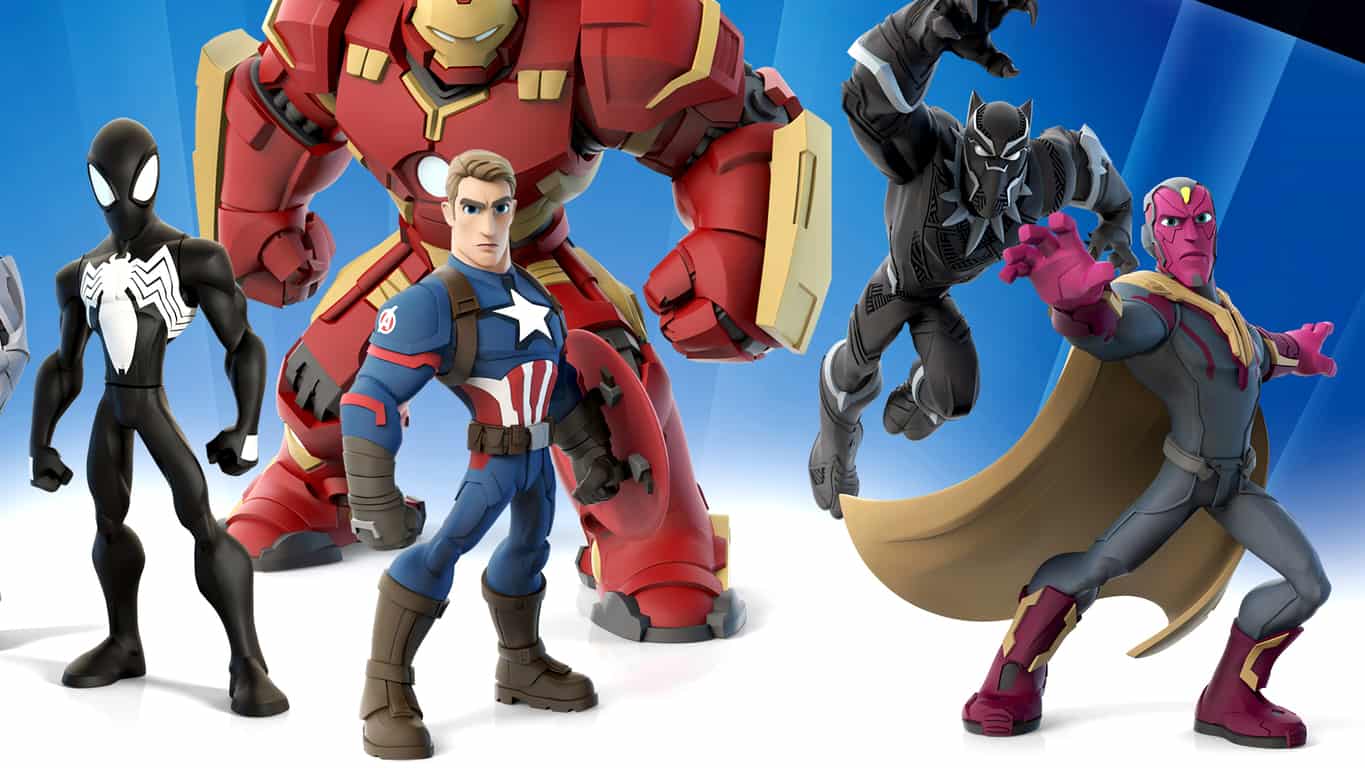
This update brings Disney Infinity 3.0 to version 2.0.0 (that’s version 2.0.0. of Disney Infinity 3.0, not to be confused with Disney Infinity 2.0 which was the completely separate previous entry in the series) and adds support for the Marvel Battlegrounds Play Set and the several new figures which are due to officially launch on March 15th in North America. Many fans are already finding these figures for sale in stores ahead of the release date which could be why the update was pushed out ahead of schedule.

The new figures which are now supported in Disney Infinity 3.0 are Ant-Man, Black Panther, Vision, Captain America: The First Avenger, and Baloo (from The Jungle Book). There also appears to be added support for figures based on Disney’s upcoming Alice Through the Looking Glass film even though these figures have yet to be officially announced.

A variety of in-game areas have also been updated to reflect the new batch of added figures and an expanded Hall of Heroes section hints at 12 more Disney characters to come by the end of 2017 (including the leaked Alice, Madhatter, Time, and the confirmed Peter Pan). Earlier today a Finding Dory Play Set was confirmed via an image on the back of a Kraft Mac & Cheese box (yes, really) so it makes sense that several characters from that film will fill these spots as well.

Disney Infinity 3.0 is an extremely popular toys-to-life video game that incorporates real physical models into the digital gameplay through the use of data chips hidden in their base. Players can level up their figures and use them in other versions of the game on other consoles. Since Disney Infinity 1.0, the franchise has expanded to include not just Disney and Pixar creations but also characters from Marvel and Star Wars.

Do you play Disney Infinity 3.0? Which characters do you enjoy the most? Let us know in the comments below.

Need for Speed trial now available for Windows PC through Origin Access

The upcoming Need for Speed reboot is slated to release on March 15, but it seems there’s now a way to play the game earlier if you’re really anxious to get your hands on it.

EA’s Origin Access service will make the trial version of Need for Speed available to Windows PC subscribers who pay $4.99 for the service. The game was originally released in the fall of 2015 for Xbox One and it’s now coming to PC users, as well. Origin tweeted the following about the trial:

The Windows PC version of the game will come with an unlocked frame rate and support for 4K resolution. The Xbox One improvements, as well as manual transmission support, will be available in the game as well.

Origin Access lets you download the full version of the game and play it for up to ten hours with no restrictions. If you missed the trailer, go ahead and have a look at it below:

Microsoft competes with Oracle offering free SQL Server licenses and migration training

Microsoft continues to work at being a leader in Enterprise solutions, their latest effort could help in enticing even more users to their SQL Server. Microsoft has announced that any user of Oracle’s services can move their databases to SQL Server for free. To claim this offer, users will need to sign up for a software assurance package and all necessary licenses for SQL will be provided.

Alongside the software and licenses for SQL Server, users who take advantage of this offer get access to free training and subsidized services for deployment. This package includes hands-on labs and instructor demos on the key features of SQL Server and help in deploying your applications on-premise or in the cloud.

SQL Server
SQL Server Offer

To help users understand some key benefits switching to SQL Server offers them, Microsoft has highlighted those areas under, “Why Switch to SQL Server?” It mentions:

  • More secure. Get layers of protection for your data at rest and in motion. SQL Server is rated the least vulnerable database six years in a row by the National Institute of Standards and Technology.*
  • Highest performing. SQL Server is ranked first, second, and third—and Oracle is ranked fifth—in the TPC-H 10TB non-clustered results, a standard benchmark for data warehousing workloads.**
  • End-to-end mobile BI on any device. Publish modern reports using Power BI or Excel 2016 to an iPhone, Android, or Windows phone. Enable both self-service BI and mobility at a fraction of the cost of Oracle.
  • In-database advanced analytics at no extra cost. Make better decisions with easy-to-use analytic tools that seamlessly combine enterprise data, external data, and unstructured big data.
  • In-memory built-in across all workloads. Achieve exponential performance gains with the speed of in-memory online transaction processing.
  • Consistent experience from on-premises to cloud. Get a consistent experience both on-premises and in the cloud with common development and management tools and common T-SQL.

Users can start the process of claiming their free SQL Sever licenses and package by leaving contact information for Microsoft here. With free training and subsidized migration good until June 30th, 2016, users have a few months left to take advantage of this offer. Let us know in the comments if you or your organization are looking into this offer and its advantages.

Microsoft teases new Xbox One exclusive title The Turing Test, “hidden mysteries of Europa” on tap

Microsoft has announced the upcoming Xbox One exclusive, The Turing Test. The announcement is brought by way of a YouTube teaser trailer, that leaves plenty of mystery to this new game title. Take a look below:

From the trailer, you get a quick glimpse at the game environment, powered by the Unreal 4 engine. The character you play in the game is named Ava Turing, a space engineer set on a distant moon of Jupiter named Europa. Your task is to solve mysteries of the planet as you explore its environment. Set for release in August 2016, The Turing Test is the latest Xbox One game from Bulkhead Interactive developers. Let us know in the comments if the game trailer has you intrigued about The Turing Test.

Batman’s iconic Batmobile is now a playable Battle-Car in Rocket League

Rocket League is an amazing game with a unique concept, currently averaging more than 1 million players on the Xbox One alone. Take into account the number of users on the PlayStation 4 and PC, and the number is suddenly much higher.

Psyonix, the developer of the game, has recently released the much-awaited “Batman v Superman: Dawn of Justice DLC” for Xbox One, PlayStation 4, and PC. The update brought a lot of fresh content, including the much-anticipated new Batmobile Battle-Car. Here’s what the contents of the entire DLC looks like:

Battle-Cars

  • (DLC) Added “Batmobile”

Antennas

  • (DLC) Added “Batman”
  • (DLC) Added “Superman”
  • (DLC) Added “Wonder Woman”
  • Added “Community Flags” – Destructoid, Gamespot, Gfinity, Gold Glove, IGN, Major Nelson, 9GAG, Operation Sports

Change and updates to UI/ UX:

  • Streamlined the user experience when switching profiles
  • Added the ability to press the View Button at the “Press Any Button” screen to access the account picker

General bug fixes:

  • Improved overall game stability and fixed multiple crash instances
  • Fixed rare instance where users lose all of their earned unlocks and have to earn them again
  • Fixed an issue with extended play times causing low-resolution textures to display
  • Updated the “Traveler” Achievement to include all Xbox One Arenas as intended
  • Fixed “SARPBC Forever” Achievement unlock requirements to match its description
  • Fixed a graphical issue that caused the Loading screen to flicker

Online bug fixes:

  • Fixed issues related to party members exceeding maximum party size
  • Fixed an issue where split-screen players could not rejoin an online match
  • Fixed an issue where local parties could be disbanded when accessing the account picker
  • Fixed issue when a local player could not rejoin a RL party after being removed
  • Fixed issue where a split-screen player rejoining a party could disband the party
  • Fixed an issue where you could enter an infinite joining state when accepting a RL party invite
  • Fixed an issue where split-screen players appeared with identical names online

UI/UX bug fixes:

  • Fixed issue with user names not updating on the party bar
  • Fixed an issue where logging out of a profile would not update on another console’s RL party
  • Updated player activity descriptions in the XB1 friends list

The Rocket League Batman v Superman: Dawn of Justice Car Pack is available for $2 on all platforms. Another iconic car that made it into Rocket League was the DeLorean from Back to the Future. And according to Psyonix, we should expect the Knight Rider car to make its appearance eventually as well.

Cortana draining battery on Windows 10/11? Check this out

Windows 10 is one of the most advanced versions of Windows operating systems ever released. It has got some really nice features that add extra functionality to our PCs and the best part about it Microsoft’s addition of new features both on the desktops as well as the laptops.

In the long list of new features on Windows 10, there are some features that help you in saving the battery juice on your portable Windows 10 device. Most of the times, the features that claim to save battery life hardly have any significant effects on the system.

Fix Windows 10 Cortana Battery Drain

Battery life on Windows 10

To actually test this new feature and to suffice my hunger, I tested the features with my aging laptop that has an old battery. As the laptop was bought many years before, the battery life is not at its peak. However, the new management features helped me in optimizing my battery a bit better by balancing the usage, telling me what I really need and what I don’t and giving me a little control over the battery life.

On the other hand, Windows 10 is actually criticized for having an atrocious battery management. Most of the people think it’s because of a bug which went undiscovered by both Microsoft and Intel. If you’re being badly affected by it, one way to make it a little better is by updating all the drivers and changing certain settings.

Cortana draining battery life on Windows 10 – Fix

Cortana is Windows 10’s personal assistant. She rests on your own taskbar and can assist you with a number of things. We’ve received a couple of questions concerning Cortana on portable devices’ battery usage. In real, Cortana shouldn’t negatively affect your battery to a greater extent. Maybe you don’t even use it that much but it still makes your battery drain.

Debate naturally continues about the ‘Hey Cortana’ feature. As when the Hey Cortana feature is enabled, Cortana is almost always on and is always listening to you, waiting for you to give voice commands to it; it’s obvious to have speculations about it draining up your battery life. But, the test results are inconclusive and the highest percent of battery that is claimed to be used by Cortana is around 6% of the total power.

It is officially acknowledged by Microsoft that Cortana hikes the battery consumption. It is also stated in the settings of ‘Cortana’, that it has the tendency of infuriating the battery. So, if you have a doubt that your battery is affected by Cortana, all you have to do is turn it off.

  • Go to the start menu and type ‘Cortana’ in it and click on the first result for Cortana settings.
  • Now that you are in Cortana settings, find ‘Let Cortana respond to Hey Cortana’ and turn it off by sliding the bar to the other side.

cortana language pack hey cortana

  • Once you have done it, you’re good to go.

You can notice any sort of change in the battery life in around 45 minutes. This also applies for the smartphones and other portables devices with Windows 10 installed in. If you further think that your battery is still draining too fast, try changing the settings and create a customized battery plan with permutations by viewing which feature is utilizing maximum consumption in the task bar.