Microsoft apparently released a set of updates for its in-house apps, including Microsoft Wi-Fi, Messaging + Skype, Microsoft Phone, and Calculator. We didn’t manage to find any changelogs for these updates, so we assume they only bring some bug fixes and improvements.
Microsoft also released a new update for its Alarms & Clock app earlier, so it looks like the company is quite busy with updates for its Universal apps today.
Along with new updates for Microsoft’s apps, we noticed updates for Twitter and Netflix Windows 10 apps, as well. But, we don’t have changelogs for these updates either, so we assume that they also brought some bug fixes and improvements to Windows 10 versions of Netflix and Twitter.
Microsoft released all these apps some time after it released Windows 10, to serve as operating system’s default services for communication. The apps are Universal, which means that you can use them on both Windows 10 and Windows 10 Mobile. Since the November update, all these apps are pre-installed on every Windows 10 device.
Netflix and Twitter eventually made their way into Windows Store, with new Universal apps released some time ago. Companies recognized the potential of the Store, which has over 3 billion visits, so it could drive a lot of new users to these services.
If Microsoft, Twitter, or Netflix release a changelog for any of these updates, we’re going to update this article, as well, and let you know what has been changed.
If you notice any changes or improvements in your Twitter, Netflix, Microsoft Wi-Fi, Messaging + Skype, Microsoft Phone or Calculator apps, make sure to let us know in the comments, because we don’t have any info about any of these updates for now. Thanks!
It’s been a rather interesting run for MixRadio but after several years of name and ownership changes, the service is finally being put down according to an official press release by the service’s current owner, LINE Corporation, this morning.
The official statement gave several reasons for the discontinuation of the music streaming service such as its performance (i.e. popularity with users), the increasing cost of participating in the music streaming market, the overall future direction of LINE Corporation as a whole, and a difficulty in guaranteeing future growth in the MixRadio platform.
LINE will continue to operate its LINE MUSIC service which it operates in both Japan and Thailand. LINE’s messaging app continues to be increasingly popular, especially in Asian markets, and continues to evolve as more than a simple messaging service with apps and games proving a major draw for users.
Do you use a music streaming service? Share your recommendations with the community in the comments below.
Two new games are now available on Microsoft’s Xbox One console, Space We Brawl: Full Arsenal Edition and D/Generation HD.
Space We Brawl: Full Arsenal Edition is a twin-stick shooter that supports up to four players in local play. Players can choose from over 240 combinations of different ships (fast, slow, etc) and weapons such as laser cannons and plasma swords, flame launchers, and guided missiles.
Here’s the official description:
In Space We Brawl is a local multiplayer, twin stick shooter with more than 150+ different combinations of spaceships and weapons. Up to four player can join a fight, picking one of the 13 vessels and equipping it with 14 tools of space destruction. Are you going to drive an agile (but fragile) Pulsar ship with a deadly plasma sword? Or do you want to fully take advantage of the energy generators of the Cypher ship? The sniper rifle would be a nice match, considering that its insane damage output is balanced by a high cost for each shot. Players can choose their play style, fighting in 8 different battlegrounds, each one defined by specific space hazards such as solar winds, black/white holes and deadly alien nests.
Right now, Xbox Live Gold members can get 25% off Space We Brawl: Full Arsenal Edition for a limited time.
D/Generation HD is an old school futuristic action puzzle game that came out way back in 1991. This new version is a recreation of the game in full HD and contains all of the puzzles, features, and story elements from the original version that fans loved so much.
Here’s the official description:
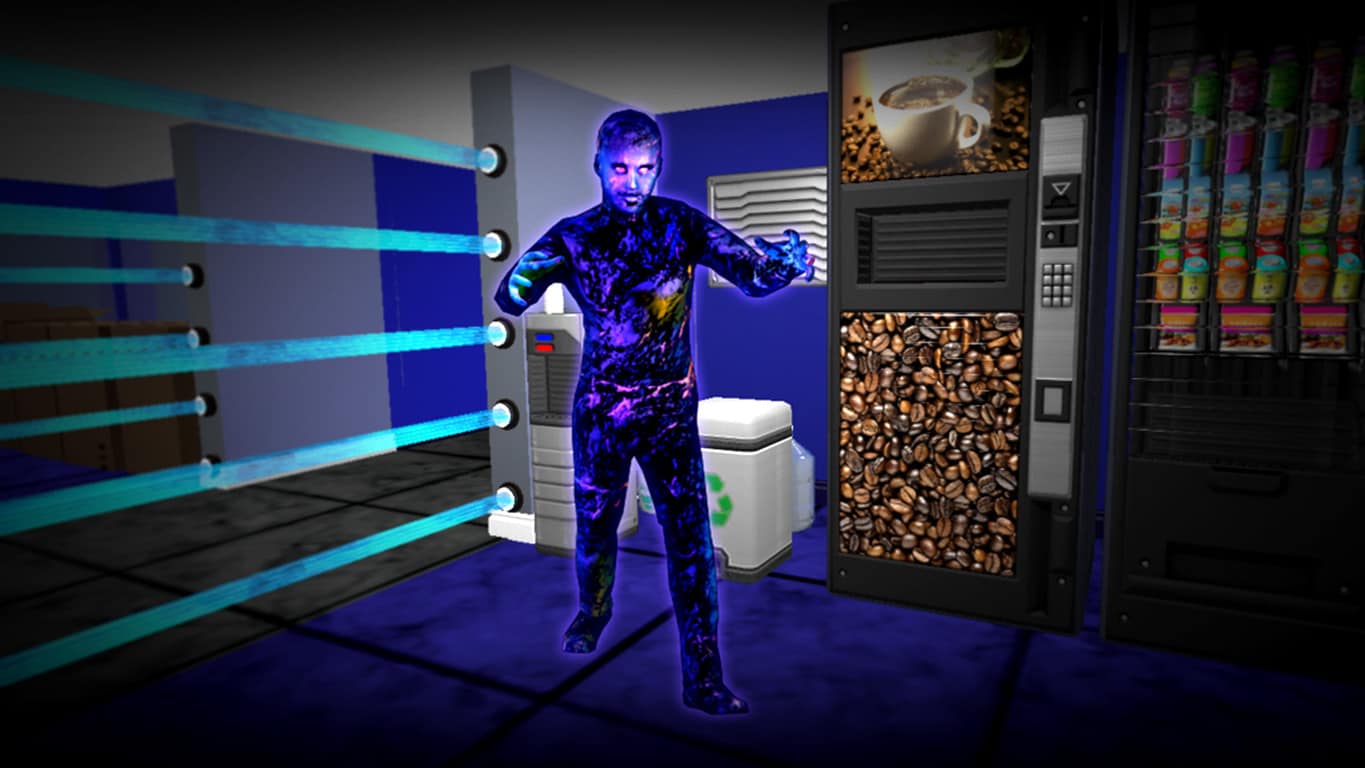
In the near future, a company called Genoq has developed a range of bioweapons that have escaped into the company’s headquarters. Your character is a jetpack courier that has to deliver an important package to Genoq’s leading researcher, Derrida, and is oblivious to the danger until the doors lock behind him. He has to fight his way through ten floors of grenade turrets, electrified panels, laser fences and all the mutant bioweapons to deliver his package and find out how to escape.
Are you going to buy either Space We Brawl: Full Arsenal Edition or D/Generation HD or has another title been keeping you busy this week? Let us know what Xbox One games you’re playing in the comments below.
Candy Crush Soda Saga for Windows 10 just received a new update! The update brings 20 new levels to the game, which makes it a total of 705 levels available for players. There’s also a new episode of Percy the Penguin, called Candy Fishin’ Hole, so if you’re enjoying this aspect of the game, you’re going to be delighted by the latest update.
The update was released for Android and iOS some time ago, and now, it finally made its way to Windows 10 users.
Candy Crush Soda Saga for Windows 10 updated
Here are the version notes of the latest update for Candy Crush Soda Saga for Windows 10:
Shh! Don’t scare away the Candy Fish! Go fishing with Percy the Penguin in our new episode, the Candy Fishin’ Hole!
Enjoy 20 NEW LEVELS of fizzy fishing fun, bringing it to a total of 705 levels!
And remember! You need to download the latest version to access all the sodalicious new content.
To receive this update, just head over to the Windows Store, and check for updates. Once you download the update, you’ll be able to enjoy the new levels, and new episode of Percy the Penguin. The game also has great social features, so you can compete with your friends on Facebook, or see where you rank on the worldwide leaderboard.
Candy Crush Soda Saga is the latest member of the Candy Crush Saga family. Makers of the game reached enormous success with the original game, so the expectations for Candy Crush Soda Saga are also high. The game is available on all major platforms, including Android, iOS, and Windows 10.
What is your favorite Candy Crush Saga game? Do you like Candy Crush Soda Saga, or you’d rather stick with the original game? Tell us in the comments.
If you still didn’t download Candy Crush Saga, you can go to the Windows Store, and download the latest version of the game for free.
The app has now received a big update, which makes it ready to work with the 3D Scan app, which is great news for those involved in this industry. Of course, the update also brought a bunch of other smaller fixes and minor improvements.
Microsoft updates 3D Builder app
The 3D Builder app can now import webcam and other images, as well, which according to feedback coming from users, has been one of the most awaited features. Furthermore, another incremental upgrade is the fact that users can now add bases to uneven objects.
Along with this update, Microsoft has released a new how to page on its official Windows 10 website which explains how to use 3D Builder and 3D Scan for Windows. Support for the 3D Scan app now allows to scan yourself in full color, which is a great feature.
Here are the main features of the app:
3D Builder provides everything you need to make any 3D content printable.
Open 3MF, STL, OBJ, PLY, FBX, WRL (VRML), DAE, 3DS, and DXF files.
Save as 3MF, STL, PLY, or OBJ files.
Clean up models by smoothing and simplifying.
Automatically repair models so you can print them.
Print directly to supported 3D printers using multiple materials or order your model through the 3D Systems Cubify service.
Use the 3D Scan app to scan yourself in full color.
Take pictures with your webcam and make them 3D, or use BMP, JPG, PNG, and TGA files.
Add a base to uneven objects.
Emboss any model with text or images.
Merge, intersect, or subtract objects from each other, or slice them into pieces.
If you want to give it a try, you first need to consult the list with the supported 3D printers. The app currently works on Windows 10, Windows 8.1 and Windows 8 and if you’re interested to give it a try, go ahead and download it from the Windows Store.
Nest is a very popular home security system, which offers a lot of safety solutions for your household. With Nest, you can set up networked cameras, alarms, doorbells, lighting, etc. Nest is controlled by the smartphone app, so you can take care of your appliances, even when you’re not home.
Nest has its own official Android and iOS apps, but the Windows 10 version is still missing from the Windows Store. And the fact that the official app isn’t available in the Store encouraged a developer called vixezApps to make its own Nest client for Microsoft’s platform.
The app is called N10, and it particularly offers everything that official apps for other platforms do. It features Cortana integration, so you can use your virtual assistant to make sure everything’s in place at your home. It is a Universal app, so it works perfectly on both Windows 10 and Windows 10 Mobile, but also on Microsoft Band, and Windows Phone 8.1 (developers advise that users of the Windows Phone 8.1 version should uninstall the app before reinstalling the updated, because of the possible bugs).
Here’s the complete list of N10 for Windows 10 features:
Microsoft Band
Cortana
Windows Hello
Live tiles
Geofences
Insteon and Philips Hue
Smoke/CO alarms
Nest Camera (in beta)
Setting temperature and away mode
Supports multiple places
Fan timer, HVAC
Show temperature as lock screen notification
NFC
There’s still no word about the official Nest app for Windows 10, but until it gets released, N10 is a worthy replacement. Windows Store is on the constant raise, with a lot of new apps from popular developers every day, but some services still don’t have their own official apps for Windows 10, which concerns a lot of users who chose Windows 10 as their daily companion.
But that’s where developers of third-party clients come in, as they’re constantly working new apps, and new ways to deliver as many services to users of Windows 10 as possible. Windows Store is already full of unofficial apps for various services, and N10 just joined the family.
N10 for Windows 10 is completely free, and you can download it from the Windows Store right now.
Microsoft’s involvement with the modular community has thus far been as a sort of ancillary supporter. Where companies such as Google and Motorola have been seen publically experimenting with the idea of “swappable” component building, Microsoft has opted to dip its toe in the waters occasionally and under more restricted displays.
However, a recent Microsoft patent, reported by Venture Beat, appeared for a modular PC that includes stackable components that may see the company preparing to make a much larger splash in the world of modular experiences. In July of 2015, Microsoft filed for a ‘modular computing device’ that seemingly allows owners to extract and replace various PC components including screens, latches, braces, hinges, housings, memory, processing systems and more.
As a company, Microsoft along with other industry leaders in tech continually file patents for various specs, use cases, and conceptualized products that often never see the light of day. The new modular patent may fall into the pit of Microsoft patents that amount to nothing, but Microsoft’s previous gambles on modular component building have birthed actual products before.
Back in 2014 during CES, Microsoft stood alongside PC makers Razer to showcase a modular gaming PC dubbed Project Christine. Project Christine was more or less a bookcase of modular components that slide into place and stacked on top of one another. Perhaps not the most elegant-looking of solutions, but useful nonetheless, Project Christine offered PC gamers another creative way to squeeze the most out of their gaming experiences.
While Microsoft’s involvement with Project Christine was one of support that the Redmond company built into Windows 10 to quickly recognize, downloadc and install drivers, Microsoft’s more direct involvement with modular building appeared last year with its new Xbox One controller. While not to the level of a modular computer or swappable-component smartphone, the Xbox One Elite Controller enables users to hot-swap buttons, triggers, and knobs for ultimate gaming customization.
As for Microsoft’s modular computer patent, it has yet to be seen if this becomes a consumer-oriented reality or, once again, a neat piece of ammunition in Microsoft’s growing patent arsenal. We’ll be keeping an eye on this development and will report back with any updates.
For nostalgic gamers, nothing beats the experience brought about by true classics of gaming history, and Microsoft seems to know it, judging from the arrival of Galaga. The news was broken by Larry “Major Nelson” Hryb on Twitter.
Galaga is a classic arcade shooter, featuring a spaceship fending off waves of aliens, and arguably the father of the “shoot-em-up” game genre. The game has become part of popular culture, and is frequently referenced on media, with notable example including action blockbuster The Avengers. The game hits Xbox Live Arcade in 2010 for the Xbox 360, and is now available for the Xbox One via Backward Compatibility. The title is available for $4.99; Owners of the title on the Xbox 360 will be able to download it for free, however.
Feel the nostalgia.
Galaga will join its brethren of the arcade golden age like Asteroids and Metal Slug on the Xbox One. Together, they will provide a good chance for modern gamers to relive the glory of the past while waiting for much-awaited casual titles like Call of Duty: Black Ops.
For online movie streaming services, it’s all about original series these days. Netflix has had some critically acclaimed works in the past year, but what about its popular competitors, say, Hulu? Well, in fact, Hulu is airing a new original series, called “11.22.63”, and it’s giving Xbox users some love with an exclusive deal.
A Hulu Original, “11.22.63” is an silver-screen adaptation of a Stephen King’s sci-fi novel of the same name, from critically acclaimed director J.J. Abrams (whose body of works include science fiction blockbusters like Star Wars Episode VII: The Force Unleashed, and Star Trek). The story is about a time traveller (played by James Franco) who attempts to prevent President John F. Kennedy’s assassination on November 22, 1963 (hence the name.) The first season of the series will be available for free exclusively on Xbox.
Gaming consoles these days are not just for gaming: for some they can act as a full entertainment hub, helped greatly by popular online streaming services like Hulu and Netflix. The Xbox One is arguably the best console at the moment for watching movies with its heavy multimedia focus, making Hulu’s exclusive offer very appropriate. Too bad Windows 10 users can’t take advantage of the recently released Universal app for the offer; one can hope, however.
Can Windows 10 be a gamer’s OS, even more than previous Windows versions? While the question is still in the air, at least to its maker Microsoft, the answer is clear as day. Or so it seems to want us to lead us to believe, with rumors surfacing of yet another high-profile game franchise making the jump from Xbox exclusivity to Windows 10. Or two.
According to WPDang, whose arcane Chinese-written knowledge has been given a nice sum-up by Windows Central, Microsoft may have plans to bring Forza Motorsport 6 to Windows 10 as a Windows Store exclusive. Not stopping there, Gears of War 4, Scalebound, and even the yet-to-be-revealed Forza Horizon 3 are all rumored to be coming to the Windows 10 Store in addition to the Xbox.
While the rumours sound a little too good to be true (it’s almost the whole Xbox One exclusive lineup after all) and should be taken with a grain of salt, they can’t be easily discounted. Just a few days ago, another of Xbox One’s highly anticipated exclusives, Quantum Break, has its Windows 10 Store version made official, coming free with an Xbox One version pre-order . Microsoft has also confirmed Windows 10-exclusive versions of current and upcoming Xbox games ReCore, Halo Wars 2, Killer Instinct, Gears of War Ultimate Edition among others.
Microsoft’s last attempt to regulate gaming on Windows -the now-defunct “Games for Windows” – went to the software hell of user and developer disdain along with Windows Vista, mostly due to bad user experience, heavy competition from Steam, and the dreadful Games for Windows Live service, despite incorporating many good ideas that make Xbox successful.
With the Windows Store, Microsoft may have a better chance this time around, given how familiar app stores are to the current generation of users. The company need to do a better job than the lackluster effort of Xbox Live games in the Store though, and with rumors of big releases oncoming, we can only hope that they keep up the momentum.
HP is one of the most reliable manufacturers of Windows-powered gear in the world. The company’s main focus are mostly Windows laptops and tablets, but HP now reportedly looks to expand its range of Windows products, by presenting their very first Windows 10 Mobile device.
In December last year, a Windows 10 Mobile device manufactured by HP was spotted on one benchmarking site. That new smartphone was code-named HP Falcon, but we didn’t have a lot of details about it. We even took this novelty with a pinch of salt, because these web-based benchmarking reports are not always a reliable source, as offered info often turns out to be fake.
However, the most famous leaker online, Evan Blass (@evleaks), said on Twitter that HP indeed plans to launch a Windows 10 Mobile device in the near future. Blass even revealed the commercial name of the device, which is going to be the HP Elite x3.
“Windows 10 Mobile-powered HP Falcon is coming to market as the HP Elite x3,” says Evan Blass.
Since Blass’ ‘predictions’ were accurate many times in the past, we now tend to believe that HP really plans to launch the HP Elite x3 soon.
The HP Elite x3 is expected to be powered by the latest Snapdragon 820 processor, and to have a 5.8-inch Quad HD screen, along with the support for Continuum features and, of course, Windows 10 Mobile. But once again, none of these specs have been confirmed by the company itself.
HP Elite x3 to be revealed at MWC 2016 (or not)
According to rumors, the HP Elite x3 will be unveiled in early 2016, and since Mobile World Congress 2016 takes place in about a week, a lot of people believe that this even would be perfect for HP to announce their very first Windows 10 Mobile device.
On the other hand, there’s a word around the internet saying that HP may even decide not to launch the smartphone at all, if the company feels that there’s no proper market for the device. We would certainly love to see a Windows 10 Mobile device manufactured by HP, because the company releases high-quality Windows products, and we expect nothing less from the alleged smartphone.
Windows Report will be in Barcelona, to report live from this year’s Mobile World Congress, so if HP indeed announces the HP Elite x3, or some other Windows 10 or Windows 10 Mobile device, we’ll make sure to inform you with the freshest news.
Microsoft is listening to its customers and that can only be a good thing for its business, its relationship with customers, and the company’s general outlook.
Why do I think Microsoft has suddenly started listening? It’s simple: The company will now tell users what, exactly, is in each update to Windows 10.
This change may seem small — and it is — but it shows that Microsoft is willing to listen to the concerns, annoyances, and general chit-chat that comes from the community as a whole and, when necessary, make changes that help.
The company announced the new policy by creating a new website dedicated to announcing, painstakingly, what is in every new version.
“We’re committed to our customers and strive to incorporate their feedback, both in how we deliver Windows as a service and the info we provide about Windows 10,” the website reads.
Microsoft then went further, releasing a statement that talked about how the company had “listen[ed] to feedback regarding the level of disclosure for Windows 10 updates [and] decided to implement a new system for communicating updates to the operating system.”
The change in policy is interesting because, by and large, the outcry over what made it into Windows updates was small. Many of the updates were small, fixing bugs and various other problems that probably didn’t need to be declared.
It’s impossible to say exactly what the old Microsoft would have done, but it likely wouldn’t have been this.
And herein lies the big, new Microsoft that listens to customers, takes into account what they have to say, and makes changes accordingly.
There are, of course, weak spots. For example, the issues surrounding the Surface are still ongoing.
Essentially, some Surface users have — or are — experiencing problems that can lead to the device being unusable. Microsoft hasn’t provided a clear statement or apology to affected users beyond saying that the company has teams who are working on it.
These problems seem small but, as I have noted before, the people who buy a Surface to use personally are, most likely, Microsoft’s most loyal — and therefore valuable — customers.
Of course, it could be that the words Microsoft is saying — that the company is “committed to our customers” and will “strive to incorporate their feedback,” for example — are just good PR, and nothing more.
But subtle, and not so subtle, shifts are good for the company as it reinforces the idea that Microsoft, despite employing over 100,000 people, listens.
Apple, when confronted with Antennagate, got Steve Jobs out on stage to explain what had gone wrong and, more importantly, what the company was going to do about it.
This show of humility, mixed in with good PR, saved the issue from becoming something bigger.
It’s not clear if anything Microsoft is doing could scale to the level of criticism Apple received — the Surface is, after all, a fairly niche device — but it does seem like harbouring dissatisfaction isn’t the best way to do business.
Microsoft employees celebrate at a Pride event.
All of this sits on the backdrop of, arguably, one of the biggest changes Microsoft has made in the past decade: The Windows Insider program.
The Insider program has around three million members, according to Microsoft, and has helped make Windows 10 “the best Windows ever.”
It’s important to understand why, exactly, Microsoft needed the Insiders program.
Windows 8, the first major update to the operating system since Windows 7, changed a lot, without very much notice to everyday users who don’t follow the workings of Microsoft.
The changes, which mostly focused on how Windows looked, did not go down well with, well, anybody, and the company had to quick decide what to do and how to do it.
Windows 8.1, released one year after 8, made some changes but people were generally dissatisfied still, yearning for features Microsoft removed, like the Start Menu.
The Insiders program was created to make sure this kind of consumer dissatisfaction never happened again, and the simplest way to do that was just by asking a core group of Windows users what they wanted.
The result is, according to reviews and user opinion generally, a step-up from Windows 8.
There have been issues, however, and the company has been slow to address them.
Cortana, the virtual assistant, has also been scrutinised for its propensity to transmit data to and from a computer. (This focus can, in large part, be attributed to the fact it’s the only virtual assistant on a desktop.)
Microsoft responded to these concerns and has continued to do so as new ones — even imaginary new ones — popped up.
However, it’s unclear if the response — issues mainly through statements to news organisations — was enough to get out in front of the idea that Windows 10 was, or is, spying on users.
ZDNet, a popular technology blog for IT professionals, recently spent time debunking the idea put forward by Forbes writer Gordon Kelly that Windows 10 was reporting user data back to Microsoft thousands of times per day. (It isn’t.)
Kelly’s article has over 370,000 views and it’s unclear if the ZDNet debunk, which goes into extensive technical detail, will reach as many people. The damage, it would seem, has been done.
But, Microsoft is working on it and things like the Windows 10 Update History website go some way to assuring users that the company isn’t hiding something which, when you’re trying to get one billion people to install your piece of software, is very important.
The purchase rate of the Playstation 4 continues to astound pundits, journalist, and fans of the industry as the gaming console puts up behemoth sales numbers each passing month. With the industry’s next best alternative selling at a disadvantaged rate of 1:2 compared to the PS4, many would be hard-pressed to believe that Xbox One owners could be of more value to gaming studios than its massively adopted counterpart.
However, VentureBeat is reporting that French gaming publisher Ubisoft saw “a much higher average revenue per player (ARPU)” among Xbox One owners compared to that of the PS4 group. According to the breakdown of Ubisoft’s third quarter fiscal reporting, the company noticed that for almost every dollar spent on purchases for its properties by PS4 owners, an Xbox One owner shelled out a dollar and twenty-five cents.
The sheer magnitude of PS4 owners still sits heavily in Sony’s corner for game development negotiations, and with the Xbox One trailing roughly 2:1 behind its competitor three years into this console generation, Microsoft will need to leverage as many metrics at its disposal as possible to court 3rd party publishers.
Fortunately for Xbox One owners, Microsoft appears to be aware of its position at the negotiation table and is now reporting numbers that help developers better understand the dynamics of an Xbox One owner. The Xbox team has recently been keen on reporting hours played, achievements unlocked, and other gaming-related statistics to entice developers to continue to seek the Xbox One as a worthwhile investment.
If Sony players spent as much as Microsoft’s consumers, we’d expect to see a revenue gap for Ubisoft between the two systems that was closer to 89 percent.
Instead, we can clearly see that Xbox One has the higher ARPU.
This makes sense from the standpoint that the PS4 is more popular overall, which means more frugal gamers have picked up the Sony system since that’s the one most people are going with when they can only afford a single system. But these are also the consumers who spend less, and that will — in turn — drag down the PS4’s attach rate.”
With Ubisoft’s quarterly’s showing the seemingly unforeseen value an Xbox One owner has over that of a PS4 owner, Microsoft now has another set of numbers to bring to its game developer negotiations. Xbox One isn’t exactly suffering for good titles so far in 2016, but it never hurts to show developers the platform’s true value.
Now, with a little over five years sunk into the battle, it seems Microsoft is calling back its soldiers and support, content with watching the skirmish from afar. According to a report from ArsTechnica, Microsoft has chosen to, instead, prop up lobbying group ICOMP’s “food, travel and accommodation expenses without having any active involvement in the group.”
As one of the largest financial backers of the lobby group, Microsoft’s rescindment of its front-runner status has rubbed some of the members of the collation the wrong way. A price-comparison site from the UK and member of ICOMP, Foundem, issued a letter where the company implies that Microsoft’s seeming departure coupled with other extraneous circumstances is another sign that ICOMP is being prohibited from highlighting Google’s “immensely damaging business practices.”
As for Microsoft’s ultimate involvement in the continued pursuit of investigating Google’s business practices in the EU, the company has been rather cagey on the matter, deferring comment to ArsTechnica as “Microsoft’s complaint against Google in the European Commission had not been withdrawn.”
While not completely removed, its presence as an outspoken and financial backer of ICOMP has been put into question by Microsoft’s recent movements towards less litigation, more licensing, partnerships and the removal of controversial mud-slinging campaigns aimed at Google.
Google still faces a long road of EU criticisms, investigations and complaints, but for the time being, it looks as though Microsoft is taking a breather from leading the charge.
The gaming community suffered from a minor kerfuffle yesterday as the Xbox One exclusive title Quantum Break was announced for Windows 10 PCs. The fact that the title was being produced for Windows 10 as a cross-play (and cross-buy) game upset some folks, among other reasons because of fears that producing the title for multiple platforms could negatively impact the Xbox One experience.
Xbox One leader Phil Spencer received the brunt of the complaints, and naturally responded by defending the decision to produce cross-platform titles. Offering titles on cross-buy and cross-save basis adds value to all players is Spencer’s position, as he indicated on Twitter:
He makes some additional arguments, including highlighting the fact that Xbox One appeals to certain gamers while high-end gaming PCs appeal to others.
@Fir3blad320 High end PC gaming rigs aren't the price of a console. People play on console because they love that experience, same for PC.
Companies like Microsoft are often faced with difficult decisions like this one. Produce only exclusive Xbox One titles and risk offending PC gamers who want to see Windows 10 support the most popular games. Produce only Windows 10 titles and risk offending Xbox One owners who, likewise, want access to the best experiences. Produce cross-platform titles like Quantum Break (and Rise of the Tomb Raider as another example) and risk offending everyone.
Spencer is a brave man for entering into this debate, and we applaud him for doing so. Clearly these are passionate topics for a number of people, and putting himself out there and addressing complaints is the right way to go, in our opinion.
We’ll continue to keep you updated on these developments, because in the end we’re sure that Microsoft will continue pushing cross-platform as a strategy. This latest online debate isn’t so different from the one that continues to rage around Microsoft’s producing its first-party apps for iOS and Android–and sometimes, more quickly and with more features than their Windows 10 counterparts.
Rocket League, the much anticipated multiplayer-based sequel to Supersonic Acrobatic Rocket-Powered Battle-Cars, is now available for pre-order. Rocket League releases February 17 and it is a bargain at just $19.99. According to Larry Hyrb, aka Major Nelson, the Xbox One version of Rocket League will have some special bonus content:
“All “Game of the Year Edition” content, which packs every item from the previously-released DLC Packs, “Supersonic Fury, Revenge of the Battle-Cars,” and “Chaos Run” into a single package + 2 Xbox One Exclusives (The Halo “HogSticker,” an alternate version of the Warthog, and the Gears of War “Armadillo”).”
Rocket League is a physics-based soccer meets driving game that focuses heavily on multiplayer gameplay. Rocket League will have ranked and unranked multiplayer game modes like 4-player local Xbox One splitscreen, up to 8 players on Xbox Live with game modes like 1v1, 2v2, 3v3, and 4v4, with private match support featuring named rooms and optional password support. There will also be an “Unfair Mode” with av2, 1v3, and 1v4.
Rocket League promises to have “billions”of customization options available with special “Mutator”game settings like controlling ball type, ball speed, boost strength, and various other settings option. Rocket League will also feature six arenas to choose from: DFH Stadium, Beckwith Park, Mannfield, Urban Station, Utopia Coliseum, and Wasteland.
Microsoft Garage has been busy lately, releasing apps for discovering your dog’s breed, waking up in a whole new way, reading the news, or managing your contacts. The side-project studio at Microsoft regularly releases apps built by those employees, offering workers a chance to try something new, and Microsoft to gain some traction for fun and forward thinking apps.
The problem is, or at least as far as well known independent developer and “*true* Windows Phone addict” Rudy Huyn sees it, is that many or most of these apps have been released for iOS or Android, leaving Windows phone users wanting. Huyn took to Twitter to voice his displeasure:
Msft garage should have a strong rule: Ship first on W10, if you target iOS, use Islandwood, if you target android: search a other Win dev
In a rather lengthy comment stream (click through the embedded tweet to read) in reaction to the post, Huyn notes that Microsoft Garage apps are owned by Microsoft, and so even though the employees are working “on their own time”, they still should be subjected to Microsoft’s rules.
Microsoft has been increasingly platform agnostic when it comes to apps, working to get Microsoft products where the users are, instead of shoring up Windows’ mobile efforts at all costs. Still, Hun has a point, the Microsoft Garage projects could and probably should be a showcase for developing cross platform apps for Windows 10 using Islandwood (for iOS apps), or just doing the extra work necessary to port to or from Android.
Should Microsoft do more to promote its own apps on its own platform, or is getting apps in front of the most eyeballs possible more important?
“In January, the total number of hours spent gaming in one month on Xbox One worldwide surpassed 1 billion hours. Looking ahead to this spring, fans can enjoy more great games with the upcoming releases of ‘Quantum Break,’ ‘Rocket League’ and ‘Tom Clancy’s The Division.’ We can’t thank our fans enough for their continued support and passion for Xbox, and we’re looking forward to bringing more of the games and experiences our fans want most in 2016.”
Even with Nichols’ ringing Xbox One endorsement, Xbox One saw a slight 5% decrease in combined video games sales across new physical software, hardware, and new accessories. While sales are down for hardware, those figures are due to last-generation hardware sales like the Xbox 360 and PS3, as more people make the move to Xbox One and PS4.
As far as sales of console games for January 2016, market research firm NPD, lists Call of Duty Black Ops III as the number one game sold in January, followed by GTA V, NBA 2K16, Star Wars Battlefront, Fallout 4, and Minecraft.
We already told you that Microsoft launched its new Update History page for Windows 10 PCs yesterday. And now, as it was also announced, the company did the same thing with the mobile version of its operating system. Update History page for Windows 10 Mobile is now live, and you can visit it to find all details about Microsoft’s latest mobile operating system.
The new page was released along with the new build 10586.107 for Windows 10 Mobile Preview. But Windows 10 Mobile Update History page is different than the PC version, as it serves as an introduction to Windows 10 Mobile, instead of reporting fixes and improvements like the new Update History page for Windows 10 does.
“From time to time, we release updates that add new or improved features that make your device even better. The following sections summarize what’s been included in each update so far. The most recent update is listed first.
Updates to Windows 10 Mobile are cumulative. When you install the latest update, you also get all the previous updates. Only updates that apply to your device are downloaded and installed, and update availability varies by device, region, and mobile operator.”
Microsoft Starts to Offer Updates Details to Users
Users were quite unsatisfied by the fact that Microsoft didn’t provide any details about its cumulative updates for Windows 10. And although the company actually provided release notes for Windows 10 Mobile builds, it decided to launch the Update History page for both platforms.
For now, Windows 10 Mobile Update History page still doesn’t feature details about new features and improvements of the most recent Windows 10 Mobile build, but we’ll see if that’s about to change in the future. For now, you can go to Update History page to explore features that Windows 10 Mobile offers, and get to know the system better.
With the arrival of online gaming, less and less video games have been supporting local multiplayer in recent years and even fewer have invested in local four player experiences. The developers over at Samurai Punk are seemingly aware of this and have just announced that their new game, Screencheat, which will be launching on Xbox One on the first of March 2016, fully embraces the local co-op experience that many gamers have been longing for since playing Goldeneye back in the early 2000s.
Screencheat fully embraces its retro inspirations with a multiplayer split-screen gaming experience and actually encourages players to “cheat” by looking at their rival’s part of the screen. In Screencheat, all the other players are actually invisible so the only way to tell where everyone is is by working out their location from the visuals on their corner of the TV.
Impressively, Screencheat supports up to eight players in both local and online modes which should make for some intense local gaming sessions for those households with enough controllers and players. The online could be pretty interesting too.
Do you miss the days of local co-op and will you give Screencheat a go? Let us know in the comments below.
Many Batman fans are probably familiar with the Batman: Arkham City game, but it seems that Batman: Arkham City has some issues with Windows 10, so let’s see if we can fix that. Users have reported crashes, freezing, low FPS and many other issues that seriously affect their Batman: Arkham City gaming experience, and sometimes making the game almost unplayable, so without further delay, let’s tackle these issues.
Fix Batman: Arkham City Crashes, Low FPS and other problems on Windows 10
Solution 1 – Update the PhysX drivers manually
Users have reported crashes with Batman: Arkham City as soon as they launch the game, and it was discovered that PhysX was the main cause for these crashes.
In order to fix this issue you need to go to Nvidia’s website and download the latest PhysX drivers and install them manually. In addition, it wouldn’t be a bad idea to update your Nvidia drivers as well, just remember to update PhysX drivers after updating Nvidia drivers.
If you don’t want to update PhysX drivers, or you simply don’t use it, you can just go to the game options and turn off PhysX in game options menu, and this should fix crashing issues as well.
Solution 2 – Reinstall the game
This solution is bit more drastic and we wouldn’t advise it unless all other solutions don’t work, but according to users, reinstalling the game has fixed game crashing issues.
First you need to find your save game folder and delete it, or move it to another location. After that uninstall Batman: Arkham City and restart Steam. Download Batman: Arkham City again and install it.
Some users also suggest that it’s a good idea to update your display drivers to latest version before installing Batman: Arkham City again, so make sure that you try that out.
Users have complained about low framerate while playing Batman: Arkham City and in order to fix that it’s advised that you turn off PhysX and DirectX 11 in game settings since both of these require a lot of hardware power.
In addition, you could also try downloading and installing latest DirectX End-User Runtimes from here.
If you’re having FPS issues, lags and slowdowns while playing, we recommend you to download Kill Ping. It will focus your computer resources and processes on the game without overclocking your hardware.
Solution 4 – Check the integrity of game cache
It has been reported by users that they are getting gray screen that looks like a cutscene that doesn’t load. There’s even a message telling you that you can skip it by pressing the left mouse button, but pressing the button doesn’t do anything.
In order to fix this issue you need to check integrity of game cache files, and you can do it by following these steps:
Open Steam and find Batman: Arkham City in your Steam library.
Right click Batman: Arkham City and choose Properties.
Go to the Local Files tab and click Check integrity of game cache files.
This process should take a while but some users report that it lasts just a few seconds for them. When the process is completed launch the game.
When you load up the menu press Alt + F4 and you’ll be informed that you might lose unsaved progress. Click Yes to continue.
Now validate the game cache again.
If validating the game cache didn’t work for you you might want to try reinstalling the game.
Users have reported sound issues such as low sound or lack of sound while playing Batman: Arkham City and in order to fix that issue, it’s advised that you update your sound card drivers with the latest version.
We recommend you to download a third-party tool to do it automatically.
If the problem still persists you need to check your Volume Mixer and see if Batman: Arkham City is muted or if it has its sound lowered. To do so follow these steps:
Start the game. When the game starts press Alt + Tab to switch back to your desktop.
In the bottom right click the speaker icon and choose Volume Mixer.
When the Volume Mixer opens find Batman: Arkham City slider and make sure that it’s set to max.
In addition, there’s one more thing that you can permanently fixes this issue:
Go to Control Panel > Hardware and Sound > Sound.
Next go to the Communications Tab and select Do Nothing.
Double click disablesehop.reg to add it to registry.
Solution 7 – Install the latest version of DirectX
Users have reported getting QA_APPROVED_BUILD_JANUARY_2011 message while trying to start Batman: Arkham City. This is easily fixable by installing the latest version of DirectX.
Solution 8 – Delete the bmengine, bmgame and userengin files
According to users, game freezes while video cutscenes are playing and the only solution is to restart the game. This is a major problem but you can fix it by following these steps:
Find the following files bmengine, bmgame and userengin and move them to a different location or delete them.
Try running the game again.
Solution 9 – Unplug all other USB controllers
If you’re using a Xbox 360 Controller but for some reason you can’t get Xbox 360 Controller to work, try unplugging all other USB controllers that you have connected to your PC.
Solution 10 – Change the audio quality
Users have reported lip sync issues and in order to fix that issue you need to set the audio quality to 41K 32bit. In addition, you need to change the audio settings from 5.1 or 2.1 to Stereo and you’ll fix this audio issue.
While many people continue to mull over the future of smartphones, tablets, and mobile market shares, Microsoft is setting its eyes on a more substantial targets. Beyond augmented reality, gaming, and office productivity, Microsoft is also attempting to tackle the world of cloud-computing and the technology’s position as the possible backdrop to military operations.
Recently, Microsoft developed a proof-of-concept that can track operational information regarding military brigade deployments. Specifically, with the use of Microsoft’s Azure cloud-computing platform, armed forces can view in detail sensory and data inputs to help manage real-time strategies. Using Microsoft’s portal tool, Commanders have access to features that include:
View orders: The commander receives his orders to move his brigade to the training location from within the portal via his on-premises Outlook email.
Assess operational readiness: Using the planning page of the portal, the commander can see a detailed status of his entire brigade, including every piece of equipment and the operational readiness of each individual unit, updated in real time.
Plan the move: The commander can drill down into each mode of transport—air, road, rail, and sea—to see what transportation assets are moving, their estimated time of arrival, and the current status of each. He can also view a map that shows the real-time location and status of each asset, including how fast it’s moving, the distance from its destination, and a summary of the cargo load it’s carrying.
Receive alerts: The commander can receive alerts notifying him of issues as they arise. As a weather system develops, for example, the commander receives an alert via Microsoft Azure Machine Learning informing him that his cargo is being delivered slower than expected due to rough seas.
Locate personnel as needed: The commander can use the Person Search tool to locate specific members of his brigade and see what tasks they’ve been assigned. In this scenario, he contacts the relevant personnel to discuss the worsening weather situation. He then notifies relevant personnel in his chain of command who inform him of a nearby location where the sea-based cargo can be transferred to aircraft and flown to the destination.
Supervise the move in real time: The commander checks to see the impact of this change on his budget, and then issues the command to ship the critical cargo by aircraft. Through the final days of the operation, he automatically generates and sends daily status reports to his chain of command. He also monitors the dashboard, watching as the transports arrive at their destination and the deployment operation is completed.
Evaluate the success of the operation: Once the operation is over, the commander can view a report summarizing high-level information about the deployment mission. Using Microsoft Power BI, he can also compare the deployment with similar ones in the past to discover trends that might help him increase his future efficiency.
Monitor the budget: The commander can also evaluate his deployment from a financial perspective, comparing what was budgeted to the actual cost. In addition, he can obtain information about what types of operations and transportation methods typically go over budget and why, so he can plan better for the future.
According to A.T. Ball, the managing director of Public Safety and National Security in Asia, the Microsoft tool is a great blend of raw data and real-time asset management that utilizes the growing industry of IoT.
This a great way to show how we (Microsoft) can solve problems that operational commanders face every day by capitalizing on the Internet of Things (IoT). Each asset is either equipped with connected sensors and devices or have had their status updated through the chain of command to give the Commander and overall view of the brigade. Microsoft Azure is able to collect, sort, store and present the data on the dashboard to give the Commander a powerful decision-making tool.”
With technology evolving at such a rapid clip, so too does warfare and confrontations. As the world embarks on the path to a world ripe with IoT (for better or worse), it appears that domestic and national institutes of protection are following suit. Perhaps with the right level of granular control that defense organizations could have at their fingertips, they will operate more effectively and efficiently, mitigating seemingly unnecessary casualties or confrontations altogether.
In 2013, Microsoft began a U.S. military training program called Microsoft Software & Systems Academy (MSSA) to train U.S. military veterans for technology careers. MSSA began as a pilot program, starting at Saint Martin’s University at Joint Base Lewis-McChord in Washington state.
The 16-week course aimed to get U.S. armed forces members the certifications needed for technology careers like developer, applications engineer, and IT project manager. In 2014, Microsoft expanded MSSA to include not only U.S. military veterans, but also active duty armed forces members. In November 2015, Microsoft announced more MSSA locations across the U.S.
In a post on its Military Affairs blog, Microsoft announced that MSSA would be expanding even further in the next few years to include even more U.S. Army base locations. Starting this year and heading into 2017, MSSA will set up shop in the following locations:
Fort Campbell, Kentucky – opening April 25, 2016
Fort Benning, Georgia – opening in 2016
Fort Bragg, North Carolina – opening in 2016
Fort Carson, Colorado – opening in 2016
Fort Bliss, Texas – opening in 2017
Embry-Riddle Aeronautical University will help Microsoft develop IT curriculum and coursework for armed service members in areas like cloud development, cloud administration, and database and business intelligence administration. One recent graduate of the MSSA program, Lee Marine (not kidding), a sergeant in the U.S. Marine Corps (natch), had this to say about his Microsoft training:
“Familiarity and comfort with technology is crucial to function productively in the world we live in, and the MSSA program provided an opportunity to indulge my own curiosities in a way the Marine Corps alone is rarely able to provide. One of the most valuable parts of this experience was being able to interact with the MSSA mentors, who took the time to candidly answer a ridiculous variety of questions on topics ranging from Hadoop to healthcare. The simplest exchanges reinforced a more general skill: talking to regular people, not in some official capacity, but as a regular person yourself.”
Microsoft hires around 25% of MSSA graduates and there are also other opportunities for careers through one of Microsoft’s hiring partners. If you are in the U.S. military and would like to know more about the MSSA program, check out Microsoft’s Military Affairs website for more information.
Microsoft OneNote is an excellent cross-platform solution for taking notes, storing research material and organizing the information you gather from any number of sources. Due to its ability to run on so many platforms, including Windows 10 PCs and smartphones, OS X, and iOS and Android devices, OneNote can let you save and access your information from anywhere. If you use OneNote on a PC or a Mac, however, and create notebooks with numerous image attachments, you might run into some trouble syncing to an iPhone or an iPad.
Essentially, the issue is this: when you install OneNote on an iOS device, you may experience crashes and/or sync issues when the app attempts to sync large notebooks with many notes that include images. There’s no specified notebook size or number of affected notes, but the process of opening OneNote, allowing it to sync, then re-opening after a crash can be exceedingly tedious.
There’s another short-term fix, however, as Microsoft outlines on the Office support site: simply turn off “Auto Sync Attachments.” This way, you’ll avoid the issue entirely, but won’t automatically have access to attachments on your iOS devices.
Here’s the process:
iPhone: To turn off automatic syncing of note attachments in OneNote on your iPhone, do the following:
1. On your iPhone, tap the Settings app.
2. Swipe down to the alphabetical list of installed apps and then tap the OneNote icon.
3. Swipe down and, under the Sync heading, turn off the Auto Sync Attachments option.
4. Return to the OneNote app, and then try opening or syncing your large notebook again.
iPad: To turn off automatic syncing of note attachments in OneNote on your iPad, do the following:
1. On your iPad, tap the Settings app.
2. In the pane on the left, swipe down to the alphabetical list of installed apps and then tap the OneNote icon.
3. In the OneNote options pane on the right, swipe down and, under the Sync heading, turn off the Auto Sync Attachments option.
4. Return to the OneNote app, and then try opening or syncing your large notebook again.
We’re not sure why the iPhone and iPad have issues with managing these large notebooks in OneNote. Hopefully, Microsoft will create a fix in an upcoming version of the iOS app, and we’ll be sure to let you know if and when they do so.
Back in October, there was quite some buzz when Microsoft confirmed that Windows 10 collects extensive telemetry for maintenance. Earlier this week, Gordon Kelly, a contributor to Forbes, further added to the buzz by reporting on and taking the situation to the next level. Using data from an “investigation” done by Voat (a social site similar to Reddit) user by the name of “CheesusCrust,” he reported that Windows 10 Enterprise Editions phoned Microsoft servers with data 2758 times to 30 different IP addresses. Today, Gordon has posted a follow up article, claiming that Microsoft will soon be taking action when it comes to background telemetry and data tracking.
While the data from the Voat post has since been deleted, Gordon Kelly claims that Microsoft has responded to his article and has decided to release updates “later this year” which will enable users to fully control all background telemetry and data tracking. Here’s what Kelly wrote:
Contacting me again a Microsoft spokesperson explained the company now wanted to speak about the issue. In short: Microsoft is taking action. It has decided to release updates “later this year” which will enable users to fully control all background telemetry and data tracking and, if desired, disable it completely. Microsoft also asked me to stress that disabling these background operations is something it would “strongly recommend against.
Also in today’s update, we’re delivering on our promise to enable our enterprise customers to turn off all telemetry data if they choose. We strongly recommend against this, as this data helps us deliver a secure, reliable, and more delightful personalized experience. We’ll continue to work with third-party experts and incorporate your feedback on this important topic.
Microsoft however has made no announcements about any changes to consumer editions of Windows 10, even upcoming ones, and Kelly’s most recent statements appear to be inaccurate or misguided, or both.
An Ed Bott post on ZDNet questioned the original data Gordon used, claiming that amongst other basic networking things, the data from the Voat “investigation” shows Windows is just trying to make a simple connection using its IPv6 capabilities, or checking the time, etc.
Putting the situation into a full context, however, is important. Some background telemetry sharing is not bad. As Gordon writes in his piece, some of the data is “primarily about monitoring the health of your operating system and providing Microsoft with anonymised real time data to make ongoing improvements.” When you first installed Windows, you agreed to Windows 10 EULA, which highlights the data sharing. By pressing “I agree,” like it or not, you agree to share data (if any) with Microsoft.
Microsoft could do more to clearly and simply state what exactly it does collect, even for consumer editions of Windows 10, but readers need to be careful about what they read.
The developer and publisher behind a number of popular franchises like Assassin’s Creed, the Tom Clancy games, and Far Cry, Ubisoft, announced today it will be taking a break from the developing the next Assassin’s Creed title in 2016.
For the past six years Ubisoft has churned out one Assassins Creed after another like clockwork. The most recent title in the series, Assassin’s Creed Syndicate was launched just before the holiday season, and gameindustry.biz’s Brendan Sinclair notes that the launch wasn’t successful as Ubisoft had hoped; recently reporting revenues dropping by 30% year over year.
This year, we also are stepping back and re-examining the Assassin’s Creed franchise. As a result, we’ve decided that there will not be a new Assassin’s Creed game in 2016. Since the release of Assassin’s Creed Unity, we’ve learned a lot based on your feedback. We’ve also updated our development processes and recommitted to making Assassin’s Creed a premier open-world franchise. We’re taking this year to evolve the game mechanics and to make sure we’re delivering on the promise of Assassin’s Creed offering unique and memorable gameplay experiences that make history everyone’s playground.
Perhaps fans of the franchise were fatigued from the constant new titles which did not go far enough to introduce compelling new features and game mechanics to sustain the series’ momentum. Whatever the reason, Ubisoft has much to look forward for Assassin’s Creed franchise in 2016 with the upcoming motion picture starring Michael Fassbender. This year will be an interesting time for the video game industry as popular franchises are further expanding into cinema with World of Warcraft and Assassins Creed coming to the big screen with big budget productions.
Ubisoft saw great success over the years with Assassin’s Creed. Hopefully, a break in the constant development of new titles will allow the studio to develop a refreshing and compelling return of the historical open world game.
Good news for Xbox One owners, Xbox Live’s Major Nelson just announced that the Xbox One exclusive game Quantum Break is now available to pre-order on the Xbox Store for $59,99, before the official release on April 5. The AAA game developed by Remedy Entertainment was announced alongside the Xbox One during E3 2013 and was planned to be released in 2015, but the developing studio has been going through plenty of hiccups in development and had to delay the release to 2016.
Microsoft promised Xbox fans that 2016 was going to be “an even bigger year for gamers” than 2015, and Quantum Break is actually the first big exclusive game to come on the console while other titles like Halo Wars 2, Fable Legends and Crackdown 3 will be released later in the year. If you didn’t hear about Quantum Break previously, here is what Major Nelson had to share about the action game:
Quantum Break is a unique experience; one part hard-hitting video game, one part thrilling live action show, featuring a stellar cast, including Shawn Ashmore as the hero Jack Joyce, Aidan Gillen as his nemesis Paul Serene and Dominic Monaghan as Jack’s genius brother William. Quantum Break is full of the vivid storytelling, rich characters and dramatic twists Remedy Entertainment are renowned for. Your choices in-game will affect the outcome of this fast-paced fusion between game and show giving the player a completely unique entertainment experience.
Another good news if you pre-order the game right now, you will also receive the backward-compatible Xbox 360 title Alan Wake’s American Nightmare with all its add-ons. Major Nelsons details that you will get the download code in your Xbox Message center Message within 7-10 days of Quantum Break’s release.
Last but not least, Major Nelson also revealed the upcoming Xbox One Quantum Break bundle, which will be available for $349 USD ERP at participating global retailers and Microsoft stores starting March 29:
The Xbox One Special Edition Quantum Break Bundle features a 500GB Cirrus White console and matching wireless controller, a full-game download of Quantum Break and a full-game download of Alan Wake as well as The Signal and The Writer DLC content. The Xbox One Quantum Break Bundle will also be available with standard black hardware in most regions worldwide starting March 29. As always, bundle availability and pricing varies by region, so please check with your local retailer for more information.
Quantum Break has been a much-awaited title and we can’t wait to play it on Xbox One, please tell us in the comments if you plan to pre-order it.
Fetch! is the latest Microsoft Garage project, now available on iOS. Fetch! is an iPhone app that identifies dog breeds from photos from your iPhone camera, photo collection or dog photos you find online through Bing. Fetch! finds detailed information about each dog breed and allows you to share results on Facebook and Twitter. Fetch! is available for free in the Apple App Store or on the web at What-Dog.net.
Fetch! is the latest Project Oxford-inspired project like HowOld.net, TwinsOrNot.net, MyMoustache.net and Mimicker Alarm. Fetch! not only identifies photos of dogs, but you can also use photos of your friends to disguise them as dog breeds and Fetch will try to guess what dog breed they are. Fetch! is another example of how Project Oxford works with Microsoft’s powerful machine learning technology to find interesting information on all types of photos.
Mitch Goldberg, a development director at Microsoft Research, built the Fetch! app with his team Cambridge, UK. Goldberg explains the process of creating Fetch!:
“There was an interest in creating a framework that would allow you to take a domain – in our case, dogs – and recognize numerous classes, such as breeds. We were interested in enabling an app to allow you to make object recognition extraordinary, fun and surprising. We wanted to bring artificial intelligence to the canine world. We wanted to show that object recognition is something anyone could understand and interact with.”
If Fetch! can’t identify the dog breed, it will give you a percentage of the closest likely dog breed. If you tap the percentage icon, the app will show the top five likely breeds that the dog breed might be; tapping the arrow in the lower-right hand corner will show you more information about each dog breed.
If you use a photo that is not a dog, Fetch! will tell you so. If you use a photo of an orange, Fetch! may give you a message like “No dogs found!” Fetch! will do its best to guess what the object is; every picture you submit will get a different result. Goldberg’s team also created a website, What-Dog.net, that has photos of dogs that you can experiment with, find information about various dog breeds, submit your own dog photos, and share them on What-Dog.net.
The number of backwards compatible games on Xbox One is always growing. We can report today that four new Xbox 360 titles have been added to the ever expanding list of Xbox 360 games that can be played on Xbox One.
Major Nelson tweeted about the four newest new titles added to the list. Sam & Max Beyond Time and Space, Alan Wake’s American Nightmare, Trials HD, & Lego Batman are all now playable on Xbox One systems.
Backwards compatibility is available at no additional cost, and there is no fee to play disc based or digital titles you already own. You can even keep your Xbox 360 game saves, game add-ons, achievements, and Gamerscore under the backwards compatibility program. If you own the DLC for these backwards compatible titles, you can install and use it just like you do on the Xbox 360. To install DLC you own, go to the Manage Game section for that specific title and install the DLC to your drive.
Microsoft recently announced that it would no longer release backwards compatible games once a month, but rather would announce Xbox 360 games as they become compatible. A list of all other backwards compatible titles is available from Microsoft here.
It’s raining games on the Xbox One this week it seems. Having announced five high-production-value games just the other day, Major Nelson has once again taken to his blog today to talk about two new games available for the Xbox One, this time with a more wacky, indie flavor.
The first is Blast’Em Bunnies, a stationary FPS developed by Nnooo. The gameplay will be instantly familiar to nostalgic gamers who have played the Beach Head series: you stand in one place, defending your position from the oncoming onslaught of a variety of enemies.
Replacing the WWII beach with a cartoonish garden, modern soldiers and warmachines (and even yourself) with, er, rabbits, and you get Blast’Em Bunnies. Oh, and of course you’d be shooting turnips, carrots and beans..what, you think you can have a real gun in this totally kid-friendly game? (The appearance of an enemy bunny called a “throatslitter”, complete with a hostage and bloody knife, is very unsettling, however.)
The second new release is a puzzle game called Factotum 90, developed by TACS Games. Set in deep space, the player assumes remote control of two small, boxy robots via a “walker control terminal”, on a ship whose main power grid has come offline due to an unknown collision. Using the robots, players will have to pass through 30 levels to restore life to the ship and find out the truth about the collision.
The main game interface resembles the control interface of an old terminal, with two separate monitors on top, one for each robot. The players only have six basic commands to give the robots, that they have to use innovatively to solve the game’s puzzles, so those hoping for one-person Portal 2 multiplayer-style gameplay may be disappointed.
The Russian government is famous for not being so open to foreign technologies. And now, Russia wants to take it a step further, as its government allegedly plans to ban Windows from government computers. In Addition, the country wants to increase taxes to foreign companies, like Google and Apple.
German Klimenko, Putin’s new number one adviser for Internet and technology, appointed six weeks ago, has started a new campaign which is looking to increase taxes that American tech companies, like Google, Microsoft, and Apple, would have to pay. Companies would have to pay up to 18 percent more in taxes, if this campaign is accepted by the Russian government.
Reportedly, the purpose of this campaign is to support local companies, like Yandex and Mail.ru to be better accepted by the Russian people.
Replacing Windows on Government PCs
Another radical change that German Klimenko wants to achieve is replacing Windows on all government PCs with a Linux-based operating system developed by Russia. Klimenko also stated that there are already 22,000 municipal authorities ready to replace Windows with their own operating system.
It is still not clear why Russia wants to give up Windows on government PCs, but there’s a theory that the country wants to switch to its own operating system because of the rumors that Microsoft collects users’ data, therefore there’s a fear that Russia’s confidential information might get exposed to the US government.
“It’s like a wife seeing her husband with another woman – he can swear an oath afterward, but the trust is lost,” Klimenko said.
While the government prepares for the big move, Windows is still the dominant operating system on people’s computers, as 93 percent of desktop computers in the country still runs Microsoft’s operating system. We’ll see if the Russian government will even try to convince people to switch to another operating system, or it will stop at its own PCs.
Microsoft is releasing new cumulative updates for Windows 10 every once in a while. But the company has never provided a changelog of any cumulative update, which caused a lot of complaints from the users. Even though cumulative updates don’t bring any notable features, as they only focus on improving system performance and fixing bugs, users still want to know the details.
But now, Microsoft finally decided to change this policy, as the company started to offer release notes for its cumulative updates. The first update that came along with the changelog is today’s KB3135173 (or KB3135174 for some users).
Microsoft Launches Update History Page
Microsoft launched a new page, called Update History, which features all details about all available updates for Windows 10. Update History page will offer details about the release date of a certain update, as well as the changelong. So, if you want to know more about the update you just installed on your Windows 10 computer, just visit Microsoft’s Update History page.
“We’re committed to our customers and strive to incorporate their feedback, both in how we deliver Windows as a service and the info we provide about Windows 10. In response to this feedback, we’re providing more details about the Windows 10 updates we deliver through Windows Update. You’ll see a summary of important product developments included in each update, with links to more details. This page will be regularly refreshed, as new updates are released.”
As we said, Microsoft started to provide release notes along with today’s patches, so updates KB3135173 and KB3135174 are the first two updates for Windows 10 featured on Microsoft’s new site. However, there are no known issues that come with a certain update, but don’t worry, we’ll get you covered on that one.
Are you satisfied by the new Update History page for Windows 10 updates? Does it provide all necessary info about updates? Tell us in the comments.
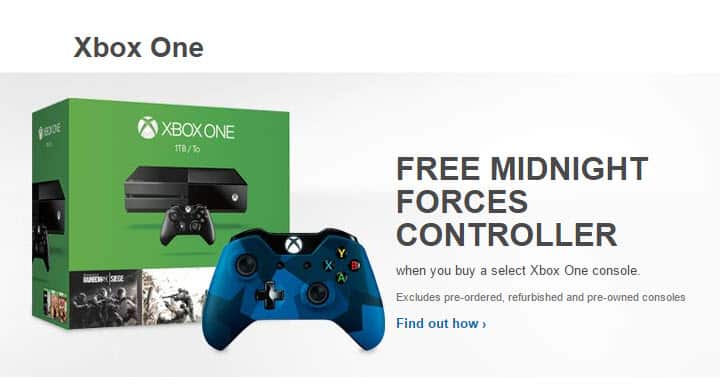
For any gamers looking to add the Xbox One to their collection, Best Buy is offering a nice deal for new Xbox One bundles. One thing that many gamers purchase with a new console is an extra controller for friends and/or family to play with in multiple-player or co-op games.
The controller is the latest updated model, featuring a 3.5mm headphone jack and is covered in an artistic blue/dark blue pattern. There isn’t any word on when this deal ends, but it’s better to act sooner than later or risk missing out. If you’ve been waiting for some extra goodies for your new Xbox One, now might be the time to join the club.
Update: Brandon has clarified his tweet a bit further in our comments section (Thanks Brandon!). Insider Hub posts are not coming to the web. Sorry guys. Original story follows..
The Insider Hub has long been known as a way to keep up with the latest insider news, to rate builds, and even go on feedback quests. Sometimes though, the Insider Hub can lag. We can report now that Microsoft is working on a fix to solve this issue, and also working on republishing insider news on the web.
@marypcbuk We're working on solving that very issue – don't worry! ?
You can help shape the future of Windows by joining the Insider program here. After that, you can download and install the latest insider previews for yourself and access all sorts of news and information from within the Insider hub.
With the release of a new Insider Ring for stable builds, Microsoft has detailed their internal process for getting Insider builds out to the fast and slow ring, and how each development branch differs internally and externally. These development branches distinguish between two types of builds, those with new features and those that focus on servicing and cumulative updates.
Builds with new features are known as “Feature Upgrades”, and come in the likes of the Windows 10 November Update (Version 1511) increasing the build number to 10586. On the other hand, builds that focus on servicing and cumulative updates do not contain any new features, and are applied to a specific Windows build. For example, the recently release cumulative update 10586.104 is a servicing update, not a feature upgrade.
New ‘Feature Upgrade’ builds will always be compiled with a new major build number such as 14263, and servicing/cumulative updates will increase the minor build number, which is found at the end of the major build number such as 10586.89.
Diving deeper into the different development branches, there are a few main purposes for different branches. We have
Development Branch
Current Branch
Current Branch for Business
Long-Term Servicing Branch
Each branch is focused on different kinds of updates, however the most interesting one is with the development branch, as that’s where Insiders get early access to new features that are still not ready for primetime. This is where Microsoft collects most of its feedback from Windows Insiders.
The Current Branch is where the current public release of Windows 10 sits. Build 10586 is now where the Current Branch is located, and is where Microsoft will issue the latest servicing updates and cumulative updates. It’s also where Microsoft will issue feature upgrades, once builds in the Redstone branch are ready for public consumption.
Moving on, the Current Branch for Business is the same as the Current Branch, but is on a 4 month delay to allow businesses to test the upgrade first before deploying it company-wide. Right now, build 10240 is still the latest available build for the Current Branch for Business.And finally, the Long-Term Servicing Branch (LTSB) is used to house the latest version of Windows 10 for enterprises. This branch allows for longer term deployment of Windows 10 releases, and is still focused on build 10240.
Microsoft has also detailed how internal rings have changed to help get builds out for the Insider fast and slow rings at a quicker pace. Microsoft says they are changing the ordering of how they promote rings, and the criteria builds need to pass to reach Insider fast and slow. As a result of this, Microsoft says more builds will be released to the public with a considerable amount of bugs, which some Insiders may want to take note of.
The slow ring will be used only when a build has been analysed and feedback has been given regarding whatever build is available in the fast ring. The slow ring will feature development builds that are more stable and have fixes / workarounds for issues that crop up when a build first hits the fast ring.
The Release Preview ring is the latest addition to these insider rings, and basically allows you to jump on the Current Branch for instant access to the latest available fixes. On desktops, this won’t differ much from what is already happening with cumulative updates, but with mobile, this ring will allow you to bypass carriers and get updates the second they are released without worrying about development builds.
Microsoft has done lots to improve its internal systems over the last few months, with OneCore and other internal systems being updates to help accommodate a faster Insider Program. Are you happy with these changes? Let us know below.
As we reported yesterday, Microsoft issued build 10586.104 for Windows 10 desktops. Alongside that update came a new feature heavily demanded by the populace since Windows 10 controversially started omitting them: update logs.
I find it a bit disingenuous to call it a “new” feature. It’s more like “bringing back what we once had”, though it seems to come in a simpler form. In the Update & Security section of the Settings app, in the Windows Update subsection:
Tap on the Learn More link to see the update history
Doing so redirects you to the Windows 10 update history webpage, chronologically detailing every update since this page apparently began today. Obnoxiously absent from the chronology are the logs from any of the previous updates, which leads me to suspect Microsoft never bothered charting information about previous updates. Nevertheless, I find this to be yet another piece of invigorating evidence that Microsoft listens to our feedback (however misguided the company’s initial strategy seem to have been).
Click on the security bulletins for more in-depth information
Even better, at the bottom of each entry is a link to the specific security ramifications of each update, which includes methods on how to get the update, prerequisites for the update, what the given update supersedes, file hash information, and a CSV file detailing all the files affected by this update.
Of particular interest is the subsection detailing the methods on how to get the update, where it lists, in addition to the default Windows Update method, a link to the Windows Update Catalog, which grants you access to standalone manual installer packages.
Downloading the update package manually
In typical bizarrely non-linear Microsoft fashion, the Update Catalog requires the use of Internet Explorer specifically. Microsoft Edge, Windows 10’s vaunted successor for Internet Explorer, does not work with this website, nor does Google Chrome. Worse yet, accessing this website through Internet Explorer 11 requires the installation of an ActiveX control called Microsoft Update Catalog, a plug-in of which seems to have been signed back in 2013. Installing it grants you access to a website that looks like a remnant of the Silverlight era.
How obscenely metro, modern, and clearly with the times…
You then have to add your desired update packages to something of a shopping cart, and then checkout, which downloads the package not through Internet Explorer’s file download utility itself, but through an primitive download manager hosted by the ActiveX control itself, one that’s unable to replace existing files of the same name, and that requires your permission through User Account Control.
Yeah.
Nonsense aside, at the bottom of the update history page is an invitation to join the insider program, where all new features are tested before being baked into general release builds.
All told, the update history page is a welcome and easily accessible addition to Windows 10’s ever growing bag of tricks and a good sign that Microsoft takes its customers’ security concerns seriously.