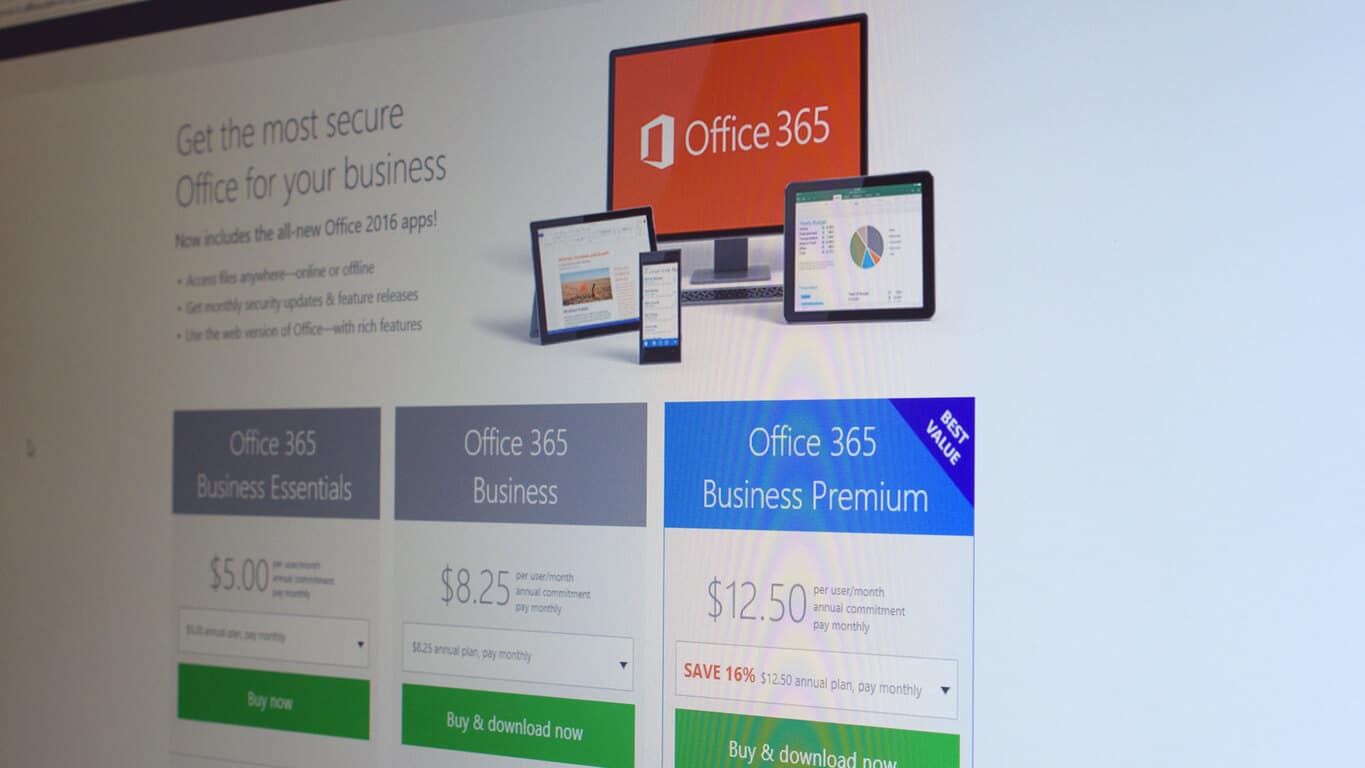
To address the growing number of small to midsize businesses (SMBs) looking for productivity solutions, Microsoft is now offering new services directed at helping customers with 50 to 149 seats in their company adopt Office 365. The service known as Microsoft FastTrack and was previously available for customers with over 150 seats in their company and is now being re-tooled to welcome businesses with fewer.
The Microsoft FastTrack service essentially provides resources such as dedicated engineers to assist companies and their Microsoft partners they work with, through the adoption, implementation and migration of Office 365. Beyond making the Microsoft FastTrack service more inclusive, the company is also “expanding its FY16 Adoption Offer to include Office 365 small business plans,” as well as adding payouts for customer deployments of 50 to 149 seats, bumping the company’s allotment numbers up a category.
Anecdotally, Microsoft partner and principal of Kamind IT Matt Katzer, explains the shift that he sees companies go through when adopting Google for Work and eventually transitioning over to Microsoft Office 365.
Companies tend to reach a breaking point with Google Apps around the 50-employee mark because it doesn’t provide the centralized management and security capabilities, nor the breadth of integrated collaboration tools, that Office 365 does.”
Further backing up Katzer’s observations is Ted Vu, a co-founder of beverage retailer Tastea, whose own experience mirrored a growing group of SMB’s. Vu began with Google Docs and other free software solutions but ultimately saw that his company wasn’t equipped for a growth scale while continue to use those products.
“We always knew we wanted to grow this business. We needed a trustworthy, scalable solution, and Office 365 is it.”
It seems that Microsoft isn’t so much losing ground to Google in SMB sector as much as it hasn’t been offering a viable enough solution to address Google’s inability to support growing companies. We’ll be keeping our eyes on how both Google and Microsoft mend and mold to the highly contested SMB market segment over the coming months and years.
OneNote is a great tool for teachers because it’s free and can be used on any device. With Office 365, OneNote Class Notebook makes it easy to create course materials, write notes, assign homework, grade homework, or share students’ work with other teachers or students’ parents. OneNote Class Notebook makes collaboration in the classroom easy. Here is a more in-depth video on how to use OneNote Class Notebook.
Sway is another free Windows 10 application that is best used for presentations. Whether it be in the classroom or in the office, Sway makes it quick and easy to create interactive reports, presentations, and interviews, and to share work with others for comments and suggestions. With Sway everyone in a group can see where everyone else is editing a project. Sway is also available online, on the iPhone, and iPad, making it a good solution for cross-platform teams. In short, Sway is a great tool that can be used by teachers or by students to bring presentations to life.
Here’s a video of a Sway collaborative project in action:
Office Online is another resource that students, teachers, and school administrators can take advantage to work on classroom projects, administrative projects, and is also helpful with school and classroom budgets. Word, Excel, and PowerPoint are all available for free online. For group projects, students working on the same document, image, or spreadsheet can create, share, and see what changes are being made in real-time. Teachers can track what students are contributing to the project and be able to see how students interact on projects.
As we all know, OneDrive is a great cloud-based option to save all of your documents in one place and access across any device you choose. OneDrive allows you to save documents and share them with individuals or groups with a simple link. Any document you edit on Office Online; Word, PowerPoint, Excel, or OneNote can be saved to OneDrive. On a team project, everyone can upload documents to OneDrive and be notified via email of any changes being made to the documents, files, or spreadsheets for the project and which team member made the changes.
Skype is evolving in the classroom in more ways than one. Skype was originally used to connect people for video calls, but in the classroom, it’s being reincarnated. Skype in the classroom is a new global teaching community, where teachers and students from across the globe can collaborate and share ideas. Students can hear guest speakers from other countries and even go on virtual field trips.
Teachers and students can see first-hand just how different cultures can be over Skype without ever leaving their classroom. Skype can also allow students to communicate even if they don’t speak the same language with Skype Translator. Skype also has a resource for teachers looking for ideas on what to teach their students with live Skype lessons. You can find hundreds or Skype lessons to share with your students or create your own.
With Office 365 and Office Online, a great number of tools and resources are available for teachers and students to learn, collaborate, and engage with others across the country and the world. Microsoft is constantly adding new features to OneNote, Sway, OneDrive, and Skype to make it easier to communicate and collaborate.
Bing has already offered it’s SuperBowl predictions to the world, but the Microsoft and NFL fun does not end there. SuperBowl 50 is now just days away, and Microsoft is offering you great and fun ways to keep up with football’s biggest event.
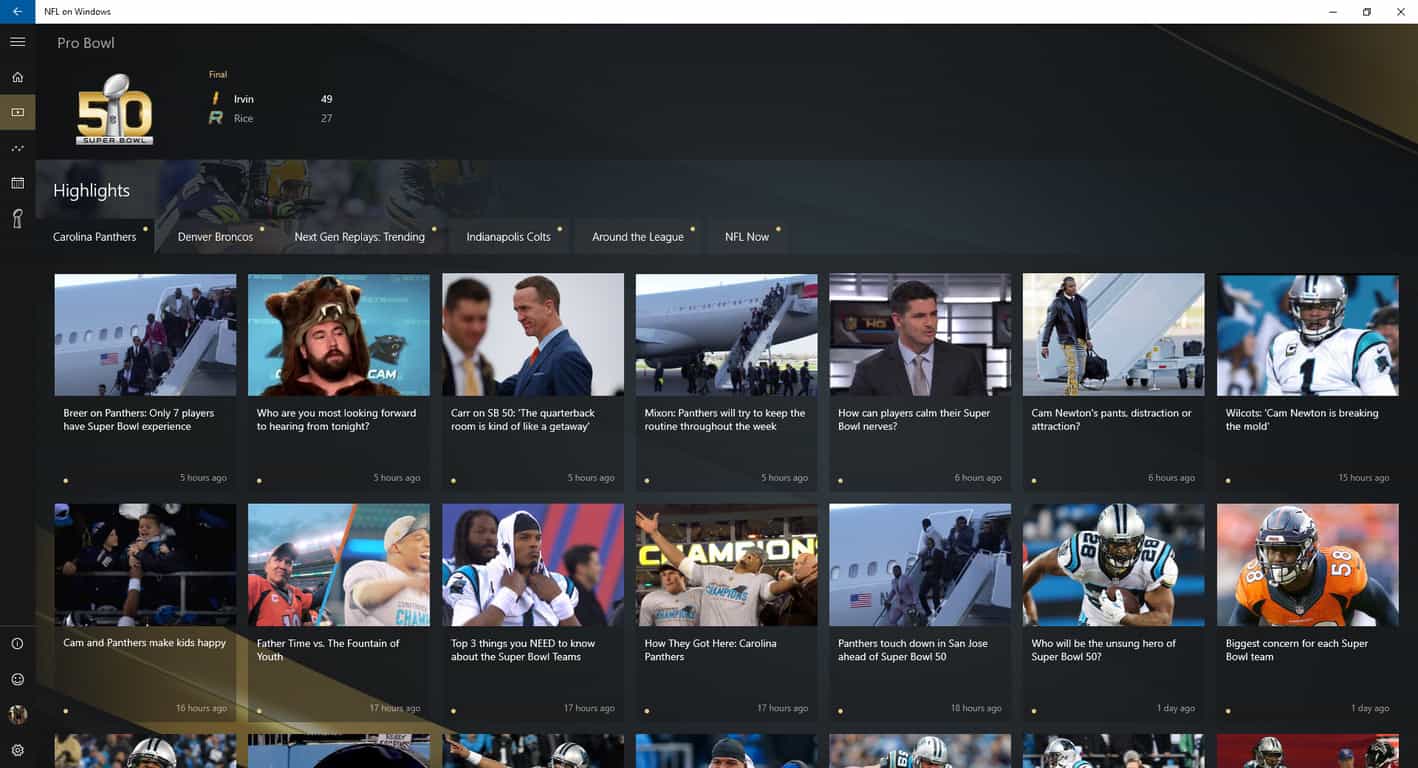
The fun begins with two ways for watching the Super Bowl live. Method one is the official NFL App, free in the Windows Store on Windows 10 devices. This app features Next Gen Stats and Next Gen Replays which show player speed and position on the field thanks to data collected though RFID chips in players shoulder pads.
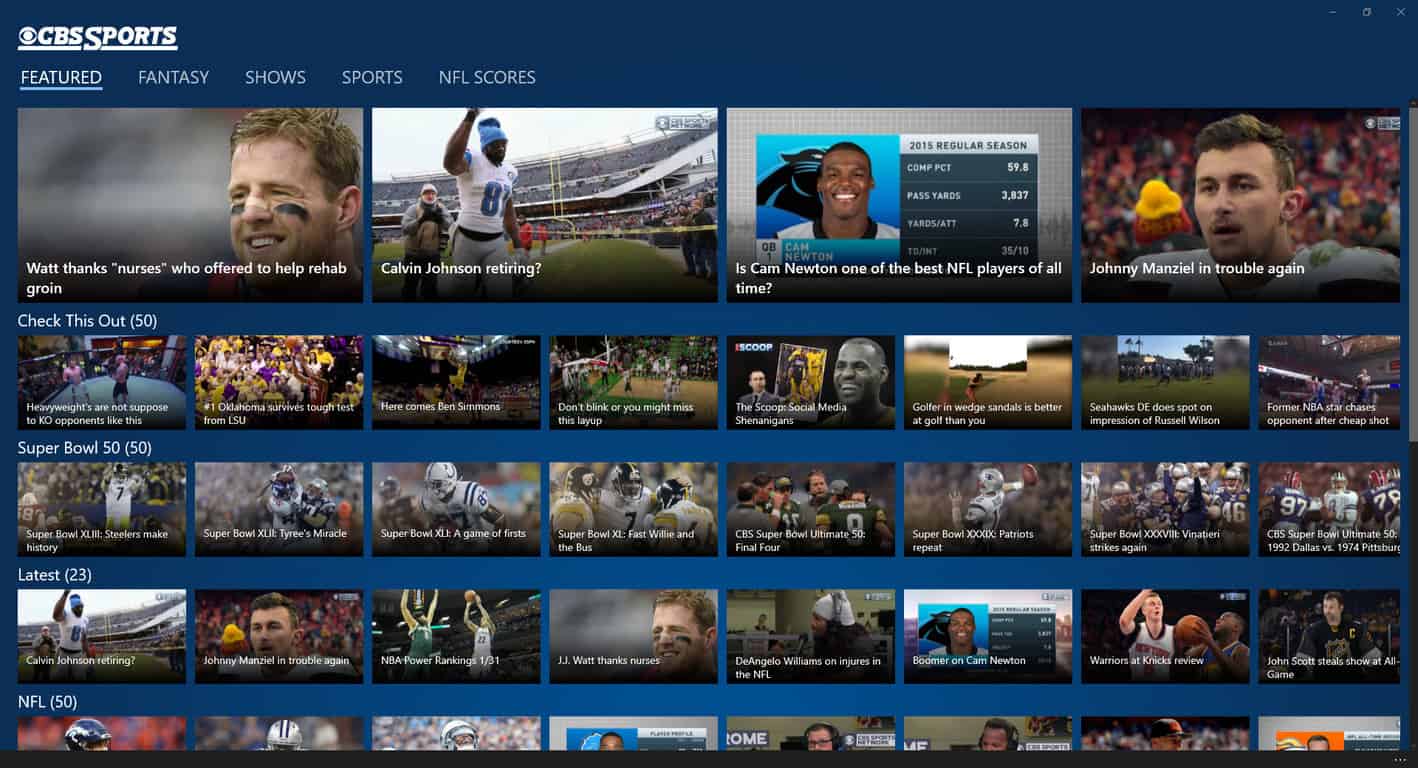
If the NFL app is not to your liking, however, Microsoft is also offering the CBS Sports app for another ultimate Super Bowl experience. The CBS Sports app on Windows 10 and Xbox devices will be the only platforms where you can watch the game with multiple camera angles.
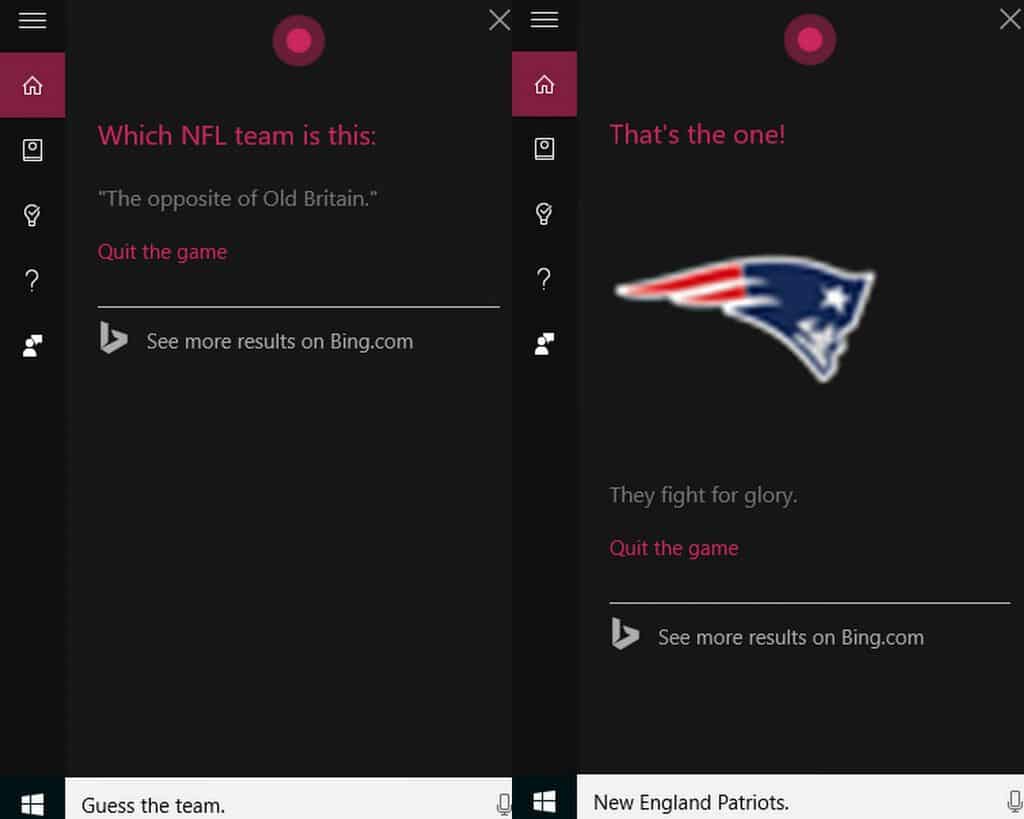
If watching football, or statistics or data are not to your liking, you can still have fun with Cortana’s fun NFL trivia games this week. Just ask Cortana “Guess the team” and she will give you a clue about an NFL team. Then, if you’re looking to impress friends and come across as a football historian at a Super Bowl Party, you can also use Cortana. Just ask Cortana “give me a Super Bowl fact” and Cortana will deliver you a random fact.
Cortana provides NFL trivia.
Microsoft stores in North Carolina, Denver and New York City are also taking part in the Super Bowl fun. You can put your football skills to the test in Microsoft Stores with Xbox Madden Tournaments on Saturday, Feb. 6. Lastly, Fans everywhere can get in on the fun with $20 off Madden NFL 16 for Xbox One and Xbox 360 at the more than 110 Microsoft stores and at microsoftstore.com.
Clearly, Microsoft wants you to have some fun on Windows 10 come Super Bowl Sunday. Make sure you download all of the relevant apps, and go root for whichever team you want to take home the championship.
Independent metrics firms are continuing to validate Microsoft’s most recent claim that Windows 10 is running on 200 million devices. Earlier this morning we reported that analytics firm NetMarketShare found Windows 10 was running on 13.1% of all Windows Devices. Impressively, the numbers also show January was Microsoft’s second largest one-month increase since Windows 10 was released.
Now, another analytics firm, StatCounter, is reporting that Windows 10 had a global usage share 13.7% for December (via Computer World). The number is up by 1.8%, making it the second largest single-month increase since September, according to StatCounter. The reason for a slight discrepancy between StatCounter and NetMarketShare’s numbers is because StatCounter’s metrics track activity rather than users.
Surface Book and Surface Pro 4
The news from independent analytics firms confirms that Windows 10’s adoption rate is picking up, undoubtedly in part due to the holiday season. It is certainly welcomed in Redmond as Yusuf Mehdi, Microsoft’s Corporate VP for Windows and Devices, posted early last month that “more that 200 million monthly active devices around the world running Windows 10.” The 200 million mark is an important milestone of its goal to have Windows 10 running on 1 billion devices in 2018; and reached the 20% mark in just about six months.
The reports by independent analytics firms do not go into detail as to why the numbers jumped up, but it is most likely due to two things. First, holiday sales of new Windows 10 Devices undoubtedly helped drive up Windows 10’s market share, as Microsoft itself is continuing to show increased revenue from its Surface division.
New Xbox One Experience
Second, the New Xbox One Experience update brought Windows 10 to Microsoft’s current generation gaming console. Since Microsoft doesn’t release the number of Xbox Ones sold, the most recent estimates by Electronic Arts has pegged that number at around 19 million consoles.
Now that it is confirmed Microsoft has reached 20% of their goal for Windows 10 to be on a billion devices, we’ll just have to wait to see what the technology company does to help reach the other 80%. With the free upgrade offer for Windows 10 set to expire this July, and Windows 10 Mobiles market share continuing to drop, Microsoft and its OEM partners have their work cut out for them to get 800 million more devices running Windows 10.
Microsoft took the developer (or at least the Windows ones) world by storm when it announces multiple “bridges” that allow developers of other platforms to port their apps more easily to Windows, two names from which stood out: Islandwood for iOS apps, and Astoria for Android.
While Islandwood continues to get attention and even has projects to show for it (think Candy Crush), Astoria seems to have been left on the wayside. The final nail in the coffin was when Microsoft removed the Android subsystem it has built into Windows 10 Mobile that allowed the OS to run Android apps via emulation.
Native Android apps on Windows seems a nigh impossible future, at least until now. A new discovery made in Windows 10 Redstone build 14251, which graced us with its presence not too long ago, may mean a very different course of action from Redmond.
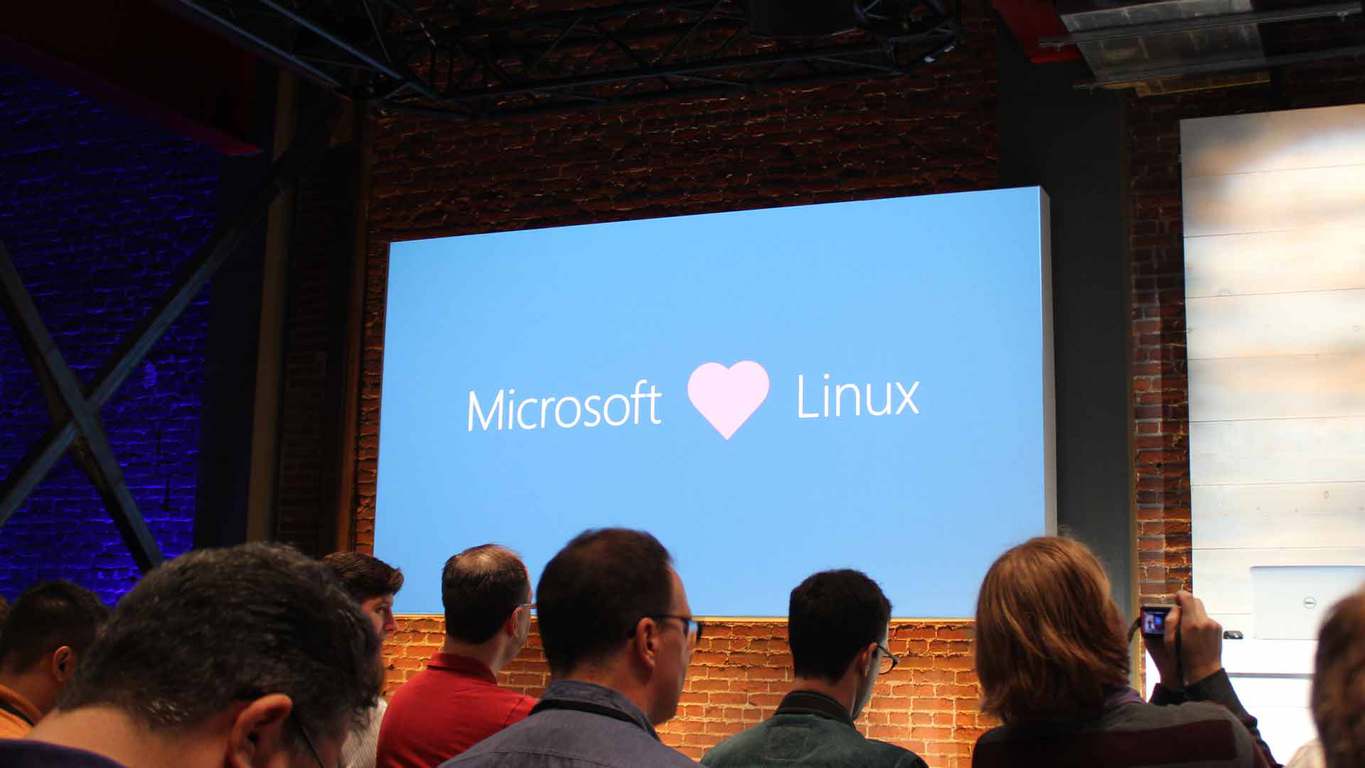
The discovery was first made by tweeter @h0x0d, who found lxcore.sys and lxss.sys subsystems in Windows 10 build 14251. The naming convention is very similar to the Android subsystem from Project Astoria, ADSS.SYS. The “lx”, however, can only mean one thing: Linux.
It is very interesting to see a Linux subsystem being included in Windows 10, seeing how Android is just a fork of Linux made by Google. Sure enough, multiple speculations have been made regarding this mysterious appearance, from it being a part of new container support for Windows, to giving incentives to developers whose tools are solely available on Linux, to the hopeful universalization of Android apps, similar to how UWA currently works.
A discussion deeper in the tweet stream, however, has given the most likely explanation. Windows expert Alex Ionescu has revealed that a Unix-based subsystem has always been a part of Windows NT since the beginning. Windows 10 build 14251 is the first public “OneCore” release of Windows, and the subsystem’s appearance is simply one of the effect of Windows on Mobile, Xbox and Server convergence.
@h0x0d 14251 is the first public "OneCore"-built release. Hence Mobile+Xbox+Server all from one repository.
Nevertheless, he does not deny the possibility of native Linux app compatibility for Windows, which will make porting Android app for Windows much easier, thus a different approach to Project Astoria. What it means for the OS’s future, seeing how talks about Windows’ demise on mobile is again surfacing en masse following a mellow sales report from Microsoft, is not yet clear. We will be keeping an eye on this development, and update you once more information comes.
What if the future of data centers may be under the sea? At Microsoft, the team of researchers behind Project Natick think it is not a crazy idea, and they actually recently tested a prototype of a self-contained data center that can function hundreds of feet below the surface of the ocean.
Of course, Microsoft researchers had to run into many obstacles, including environmental concerns and unforeseen technical issues, but they think it’s all worth it because the rewards could be great.
Like all tech companies who run online services, Microsoft is always looking for ways to add more power to its cloud computing systems. The company is already managing more than 100 data centers around the globe, but building more data centers is a long and expensive task. So, Microsoft researchers wanted to solve this problem and design a new type of data centers that could be deployed faster: according to the team, if the company could mass produce these news undersea data centers, they could shorten the deployment from two years to just 90 days.
This breakthrough could also bring many environmental benefits: first of all, remind that data centers need a lot of energy to power your Internet needs. They also need to be cooled, either by air-conditioning or liquid cooling. So, putting data centers undersea could fix that expensive problem, plus the sea could also be used to generate renewable electricity, either via a turbine or a tidal energy system.
Microsoft also explains that these Natick data centers could be used for at least 20 years, with 5-year redeployment cycles, before having to be retrieved and recycled.
And what about customer benefits? According to Microsoft researchers, these undersea data centers could be more efficient if they’re installed closer to big urban centers, as that can guarantee lower delays and latency for your favorite Internet services.
As many things could go wrong with such a breakthrough project, Microsoft researchers monitored the prototype container with cameras and various sensors to record data like temperature, humidity, the amount of power being used for the system, etc. Norm Whitaker, head of special projects for Microsoft Research NExT, explains: “The bottom line is that in one day this thing was deployed, hooked up and running. Then everyone is back here, controlling it remotely. A wild ocean adventure turned out to be a regular day at the office. This is speculative technology, in the sense that if it turns out to be a good idea, it will instantly change the economics of this business. There are lots of moving parts, lots of planning that goes into this. This is more a tool that we can make available to data center partners. In a difficult situation, they could turn to this and use it.”
Project Natick is still currently at the research stage, as the team is thinking about the project’s next phase, which could include a vessel four times the size of the current prototype with as much as 20 times the compute power.
We’re always amazed to see Microsoft execute on great ideas, and we can’t wait to see how Microsoft will take this project to the next level! If you want to know more about Project Natick, don’t hesitate to check the dedicated website.
Surfacegate. That’s the name that has been given to an issue with Microsoft’s Surface tablets, many of which have been malfunctioning recently.
The problems, according to many Surface users, are extensive and widespread, with many owners — of both the Surface Book and Surface Pro — reporting issues such as flickering screens, battery drain, and general unreliability for day-to-day tasks.
In a statement, a Microsoft spokesperson said that addressing the issues with the Surface is “a top priority for us.” A message that was hidden away in a support forum announcement.
However, a recent update addressed none of the original issues that users have put forward, and many people who are usually friends of Microsoft — from bloggers to pundits to customers — have compared the saga to Apple’s now-notorious issues with the iPhone 4.
So what’s going on?
One theory is this: Microsoft is, by and large, a software company which puts making hardware in second place. Just as with Apple and software, things that come in second place are usually not as good as everything else.
Microsoft recently released Windows 10, which has not experienced any big lapses in security or reliability in the past six months. This is, essentially, because Microsoft’s bread and butter is software, not hardware, and the company is good at it.
However, making hardware is hard and that’s not something that is often appreciated, especially when Apple is so good at it. Of the hundreds of millions of iPhones, iPads, Apple TVs, and Macs that ship yearly, very few have issues. Of course, it’s unfair to say Microsoft’s Surface issues are systematic, but the feeling among users is that there are too many problems for a device that starts at $1,499.
Last quarter, Microsoft reported the highest ever amount of revenue from Surface — $1.4 billion — it has ever made, pushing the device into the territory of being a serious business within the company.
Over the past five years, the Surface has evolved from being a niche, small-time player and has become a tablet that predicted a industry-wide shift towards 2-in-1 devices over laptops. That’s right: Microsoft, with the Surface, has created a hardware trend that even Apple has followed with the 12.9-inch iPad Pro.
But anyone who buys the iPad Pro will not most likely experience the kind of issues that a Surface owner will experience and this is important. Anyone who spends upwards of $1,000 on a tablet or laptop wants it to work all the time, not some of the time.
Business Insider’s review unit, for example, had to be returned twice during testing. Anecdotally, I tried out the Surface Pro 4 and had to return it — twice — because it broke both times. I’m sure there are plenty of other stories about returned Surface tablets and laptops, mainly due to reliability issues.
With any other product, the issues would not be a problem. But it’s the Surface, the most expensive and most visible Windows device the company makes and, as such, it is bought by the people Microsoft wants to make the happiest: True, hardcore Microsoft fans.
When Microsoft bloggers brought the issue to light, many of the comments agreed with the experiences or issues that were brought forth. Anyone who reads a Microsoft blog or news site must, by definition, have an interest in Microsoft and for so many hardcore fans to feel the same way — to go as far as comparing it to one of Apple’s biggest failures — is a big potential problem for the company.
Microsoft may now be a cloud company first-and-foremost, but it also makes hardware and it needs to make sure that hardware is good and can be used rather than arriving, working for a day, and then breaking down.
One of Microsoft’s other device lines, Lumia handsets, are on the way out, much to the disagreement of the handsets (limited) fans. However, this is a potential bright spot for Microsoft as, even in the face of declining sales, the company is rumoured to be working on a new handset, named Surface Phone. It remains to be seen, however, if the Phone has the same reliability issues as the tablets.
Of course, Microsoft isn’t alone in having these problems. Google, another primarily-software company, recently released the Pixel C tablet — a 10-inch Android tablet — and had various problems with hardware quality right off the bat.
A review from AandTech, one of the most thorough hardware testing websites around, found that the Pixel C had problems pairing the hardware and software successfully which, while not the Surface’s exact problem, represent how hard it is to make good hardware.
The tablet, released in November last year, “has stability issues that [we] can’t believe exist on such an expensive tablet with both the hardware and software designed by the same company,” wrote Brandon Chester and Joshua Ho, who co-reviewed the Pixel C.
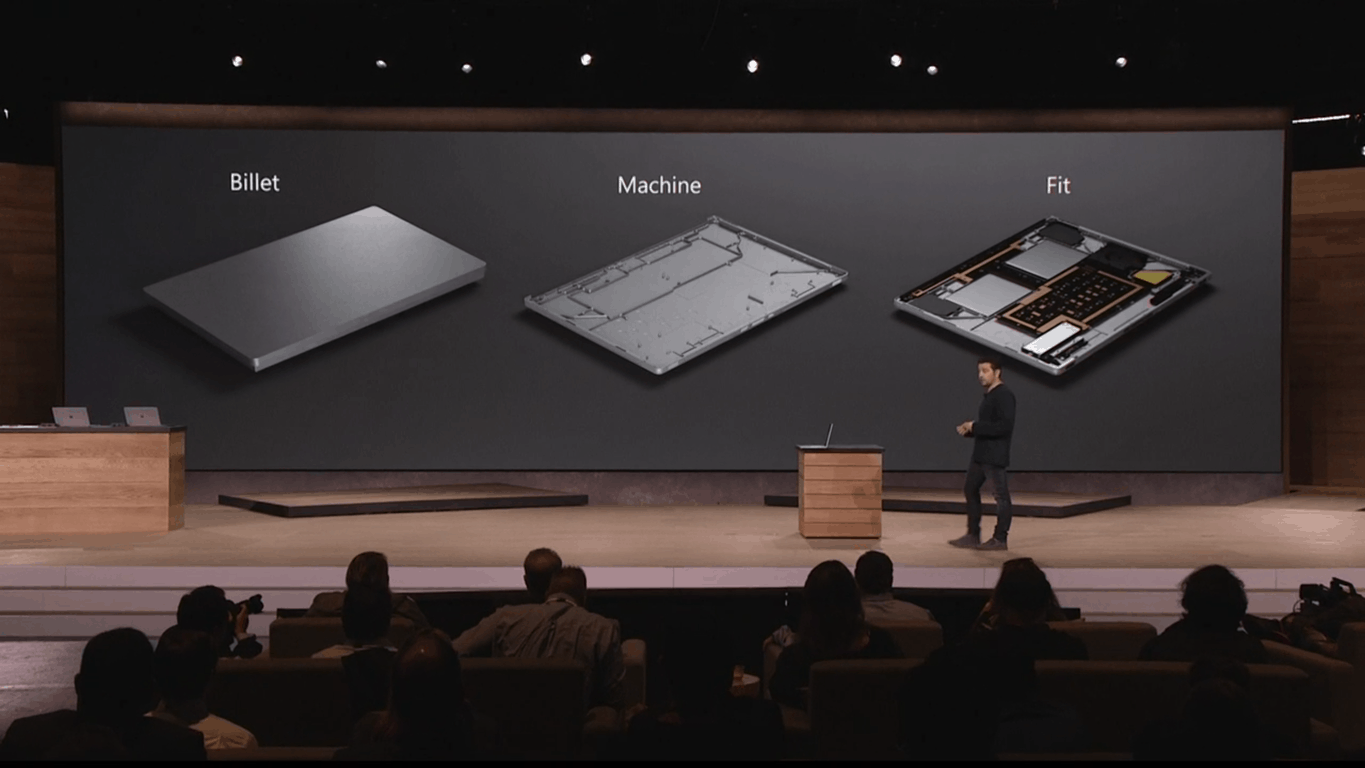
The Surface Book manufacturing process.
One of the key complaints is over the handling of the Surface’s issues.
Rather than being upfront about them, as Apple was during “Antennagate,” the company has ummed and arred, choosing to release vague blog posts and hidden press statements rather than getting on stage and saying, “We are aware and are going to fix.”
One suggestion would be for Microsoft to simply put an executive — maybe Panos Panay, the man in charge of the Surface — on stage to explain the issues, why they are happening, and how Microsoft is working to fix them, to owners. During “Antennagate,” Apple put Steve Jobs on stage.
[pullquote align=”full” cite=”” link=”” color=”” class=”” size=””]Microsoft should treat customers like they matter, not like beta testers[/pullquote]
This simple bit of communication is what Microsoft lacks and, after the actual issues, is likely what annoys Surface owners the most. Having a problem is fine — especially as hardware is difficult — but not addressing that problem quickly, succinctly, and thoroughly creates even more problems and leaves Microsoft’s biggest fans out in the cold and, moreover, annoyed with the company.
The first-ever Microsoft Data Insights Summit (MDIS) is set to be held March 22-23, 2016 in Bellevue, WA. Microsoft Excel and Power BI teams will be on-hand to share their thoughts on industry trends and advice on Excel and Power BI best practices. There will be a number of guest speakers at MDIS, including Microsoft company veterans and industry experts.
Nate Silver, founder of FiveThirtyEight, is one featured speaker at MDIS and he will share his thoughts on data-based predictions. FiveThirtyEight was formed in 2008 by Silver, and is named for the number of electors in the US electoral college (538). Silver was quite successful in previous presidential elections, where he successfully predicted the results of the election primaries and presidential winner in 49 states. In 2012, Silver correctly predicted the presidential winner in all 50 states.
Silver will be joined by other speakers, including Rob Collie, a former Microsoft engineer behind Power Pivot and Power Pivot’s cloud service. Collie left Microsoft in 2010, to start PowerPivotPro, a training and consulting firm. Now, Collie is the leading Power BI expert in the industry. Check out the full list of MDIS speakers here.
In addition to the speakers, there will be a number of Microsoft Excel and Power BI experts on hand to field any questions you may have; there will be “Ask the Experts” sessions, training workshops, and product capability sessions available for anyone interested.
It’s no secret that Microsoft’s Surface Pro 4 and Surface Book devices, while universally praised as innovative and well-designed machines, suffer from some firmware and display driver issues. The inability to enter Intel’s Skylake’s deeper sleep states, poor battery life when sleeping, display driver crashes, and other issues are confirmed by users and Microsoft alike.
One of the most frustrating bugs suffered by Surface Pro 4 users right now is the “black screen after sleep” problem. Basically, when a Surface Pro 4 is woken from whatever sleep state it manages to enter, the screen sometimes remains off and no combination of pressing and prodding will force it to turn back on. You can tell the machine is actually awake and active because the Windows Hello infrared light turns on and starts scanning.
Fortunately, there’s an easy solution as long as you have your Type Cover handy. What seems to be happening is that the display driver forgets that it’s using the local screen and tries to project to a non-existent external display. The solution in this case is fairly simple:
When the screen is black but the infrared light is on, hit the Win+P combination once.
Wait a few seconds, then hit the Win+P combination again. You’re simply cycling through screen projection options.
After a second or so, the screen should turn on and you should see the “Project” bar on the right side. Bang, you’re back in business.
If your Type Cover isn’t available, then you’ll have to force the Surface Pro 4 to shut down. A longer term solution is also available, but it’s a bit more complicated and intrusive: you can also manually install the Intel HD reference drivers from 12/22/2015 and the issue shouldn’t recur (and you might get better sleep performance as well), but you’ll be out of sync with Microsoft’s official drivers and those Intel drivers cause some issues of their own.
To install the Intel drivers, you’ll need to download and unzip them, and then do the following (this is all easier in desktop mode than tablet mode):
Open Control Panel > Device Manager
Expand “Display adapters”
Right-click on the Intel HD Graphics 520 device, select “Update Driver Software”
Select “Browse my computer for driver software”
Select “Let me pick from a list of device drivers on my computer”
Click “Have Disk…”
Browse to your unzipped drivers, navigate to the Graphics folder
Select “igdlh64.inf” and click “Open”
Follow the rest of the prompts. You may or may not have to reboot your system.
Again, installing the reference Intel HD drivers overcomes some of the current issues, but causes other problems. However, until Microsoft releases new firmware and display drivers that resolve these issues, the Intel drivers do result in a slightly improved experience. As always, do this at your own risk, and if you can live with the poor sleep support and occasional black screens, then sticking with the stock Microsoft drivers isn’t a terrible idea.
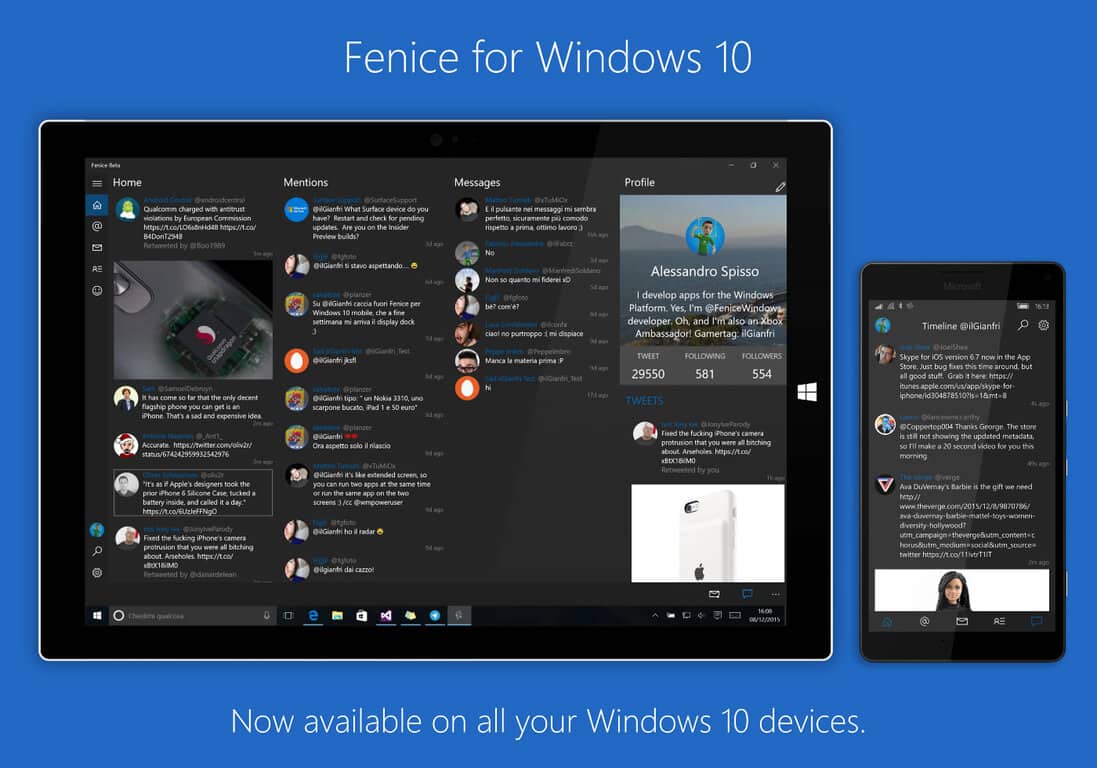
Fenice, for those that did not know, is a 3rd-party Twitter app for Windows 10 desktop and Windows 10 Mobile (it’s a Universal app). Fenice is known for having regular updates to its app and each update typically comes with a laundry list of improvements and fixes. In the latest update to the app, Windows Hello support has been added allowing you to enable this form of authentication during the app’s startup. Super cool feature! You can snag the updated app from the download link below.
Here are the improvements for the Windows 10 desktop app:
- Interactive and highlighted mentions, hashtags and links in the mainpage
- You can now enable Windows Hello authentication at the startup
- Notifications with user profile picture and image preview
- You can now set the tweet page to open in a separate window
- New button to go to the lists page quickly
- Improved streaming error handling
- You can now delete saved searches in the new search page
- You can now enable auto translate in the extended tweet page
- New button to restart streaming when we detect it has stopped
- We now clear the live tile when you dismiss a notification
- You can now set the app to show "open in Giradischi" when a media is available [BETA]
- Fixes crashes in some pages
- Now the edit list flyout shows the description correctly
- Fixes an issue that could have resulted in list taking more time than expected to load
- Improved background agent reliability
- Fixes context menu in the search page
Here are the improvements for the Windows 10 Mobile app:
- Interactive and highlighted mentions, hashtags and links in the mainpage
- Notifications with user profile picture and image preview
- You can now enable Windows Hello authentication at the startup
- Improved streaming error handling
- You can now delete saved searches in the new search page
- You can now enable auto translate in the extended tweet page
- We now clear the live tile when you dismiss a notification
- You can now set the app to show "open in Giradischi" when a media is available [BETA]
- Fixes crashes in some pages
- Now the edit list flyout shows the description correctly
- Fixes an issue that could have resulted in list taking more time than expected to load
- Improved background agent reliability
- Fixes context menu in the search page
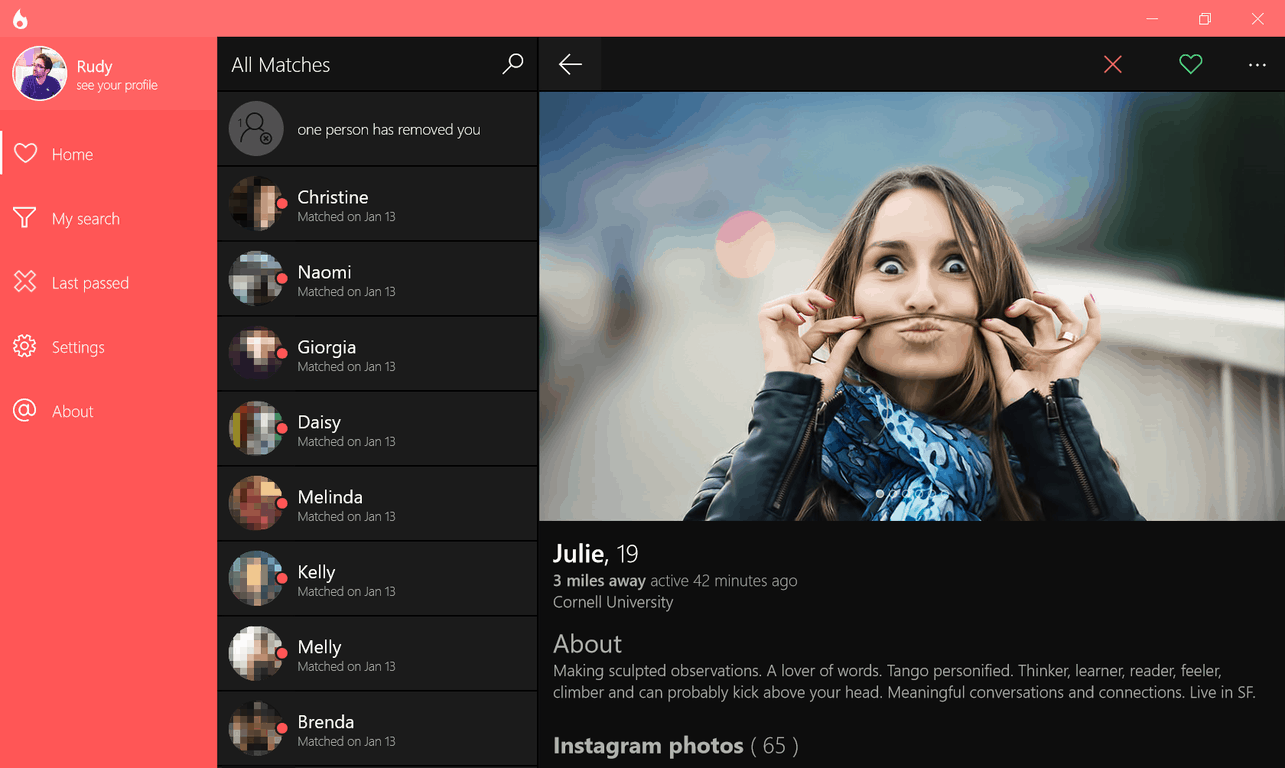
Rudy Huyn, the man behind several popular Windows Phone apps, has released a new update to 6tin for Windows 10 adding support for GIFs. 6tin is a popular 3rd-party Tinder client and was recently made a Universal Windows 10 app, meaning it works on both your desktop and mobile device.
6tin has been bumped to version 3.1.1 adding the ability to search and send GIFs. You can snag the app from the download link below. 6tin recently received the ability to receive GIFs, like messages, and upload a new profile picture.
Oh, and another cool thing about the 6tin app for Windows 10? It has features that even the official Tinder app on Android doesn’t have yet!
I just learnt that GIF, liked messages and profile image upload are not available on the android app #firstOnWindows10
Announced today is a new partnership for Microsoft and their efforts for worldwide philanthropy. To continue with their campaign Upgrade Your World, Microsoft has partnered with a new organization by the the name of Global Citizen.
Global Citizen is a non-profit organization with the goal to end the three main points of climate change, extreme poverty, injustice and equality. Along with 193 governments, Global Citizen has set out with a 17-point plan, called Global Goals, covering areas of the three main points for reform.
Global Citizens, Global Goals Campaign
For the month of January, Microsoft has teamed up with Global Citizen with their Upgrade Your World initiative to help the goal of ending extreme poverty by 2030.
To launch this partnership, Global Citizen teamed up with Windows and Microsoft Philanthropies, to host a meeting at the Microsoft Loft Space (inside the flagship Microsoft Store) in New York, to bring to attention the efforts of the organization and place the spotlight on Global Goals. Many industry leaders and advocates attended a discussion on the importance of technology in making these goals a reality. From the use of smartphones, computers, tablets to cloud connectivity, the discussion covered the rapid integration of technology having a positive effect on the reaching the goals of Global Citizens.
Alongside Microsoft’s partnership for ending extreme poverty, they will contribute to areas of Global Citizens, Global Goals where their impact can be most useful. Those areas include:
“Ensuring inclusive and equitable quality education and promoting lifelong learning opportunities for all.” Technology will play a key role in transforming education through innovative teaching methods, adaptive curriculum and interactive learning experiences. Moreover, increasing access and standardizing computer science education for all youth will spur innovation in emerging and developed markets across the globe.
“Promote sustained, inclusive and sustainable economic growth, full and productive employment and decent work for all.” Productivity services, mobile technology and cloud services will expand economic opportunity, create jobs and support business growth.
Around the launch of Windows 10, Microsoft started an initiative to tackle many issues across the globe and to call for reform, which included areas like health, poverty, hunger, and equality. This campaign is called Upgrade Your World and is known for its hashtag across Microsoft marketing and events. Upgrade Your World has partnered with non-profit organizations making real efforts to help change world issues, such as The Malala Fund, Keep a Child Alive, and Hour of Code.
By helping with this latest organization, Microsoft is continuing to move forward with its initiative to Upgrade Your World and bring to attention many areas that can be addressed through the use of partnerships, technology, and philanthropy. Do you think this partnership has a positive effect on this goal being reached? Let us know in the comments.
Well, Microsoft may still have its work cut out for it in convincing mobile-focused developers to look in Windows 10’s direction, but at least the folks developing Tweeten are looking to modernize their app for the Windows desktop.
The new Tweeten App isn’t a modern app in the same respect as a Universal Windows app, but it has undergone a modernizing transformation that helps to highlight how aged the original TweetDeck interface can look in comparison. Previously, Tweeten developers were seeking eager Twitter users to help test the app through a beta program that required an email sign up and confirmation process. Now it seems Tweeten is in open beta for users to download right now and comes in traditional 32 and 64-bit variations.
The new app, while not remarkably different that the original Twitter solution TweetDeck, does come with some modern-looking design tweaks and features for Windows desktop. New user-facing adjustments include keyboard shortcuts, adjustable column sizes and video streaming directly from within the app, as well as light and dark theme options that will help compliment other ‘modern’ Windows apps.
As the folks at Windows Central point out, Tweeten app developers seem committed to the continued development of the app with a promise to deliver more features in the future.
As this is a beta, some features are missing currently. We aren’t delivering a Light theme for the app right now – however, we are planning to release an update which will bring the Light theme sometime soon. Additionally, don’t be surprised to see some bugs here and there as this is a beta release.”
While the Windows 10 desktop experience may be lacking regarding the presence of more popular social media and mobile first apps, users would be hard press to find the Twitter experience anything but robust. With other Twitter options such as the official Windows 10 Twitter app, Tweetium, Fenice for Twitter, Aerise and Tweet It! for Windows all delivering pleasant experiences, Windows users have more than their fair share of apps to choose.
The two main consoles of this generation – the PS4 and the Xbox One – have had their fanbases at each others’ throats for some time. Forums and subreddits have been filled with people convinced that their console of choice is flawless, and the opposing one is lacking. While some people here might consider themselves a part of the Microsoft diehards that scream the praises of the Xbox One from the rooftops, the numbers recently leaked by EA seem to suggest that sales don’t reflect that superiority.
In a recent investor call from EA, CFO Blake Jorgenson told us that around 55 million current generation consoles have been sold since they launched just a couple of years back. While Xbox doesn’t publicly release their sales numbers, Sony pushes them proudly – the last figure we’ve seen being around 36 million. Judging from that, we can glean that Microsoft has sold somewhere around 19 million units since launching the Xbox One.
While the numbers tend to lean heavily towards Sony’s favor, it doesn’t necessarily bode ill for Xbox. Microsoft has seen a steady increase in sales year after year, in consoles sold, games sold, and even Xbox Live memberships, which are up to 48 million subscriptions.
With games like Rise of the Tomb Raider and Halo 5 making their way onto the market during 2015, the Xbox community has gotten a huge stimulus of new blood that’s excited to see what 2016 has in store. And with games like Recore and Quantum Break slated to come out this year, the number of Xbox Ones that are going to be sold is definitely going to increase by a huge margin. Hopefully Microsoft makes those numbers available for us to look over soon, so that we can celebrate their progress with them.
Sending text messages is a crucial part of every mobile phone, but users are reporting that they can’t send SMS from Windows 10 Mobile for some strange reason. This seems like weird problem and today we’ll try to solve it.
As we mentioned sending text messages is quite important and since we send text messages over our phones all the time you can see why not being able to send text messages could be that big of a problem. Not being able to send text messages could cause some big problems especially if you heavily rely on it, but let’s see if we can fix that somehow.
Can’t Send Text Messages From Windows 10 Mobile Phone
Users report that even with full signal they can’t send text messages, so if signal is not the issue here what can you do to fix this problem?
Solution 1 – Turn off International assist
Go to Settings > Applications > Phone.
Turn off International assist.
This is a simple solution and some users have confirmed that this has fixed the text sending issues for them on Windows 10 Mobile, so make sure that you try it out.
Solution 2 – Change your mode from LTE & CDMA to CDMA
Go to Settings.
Now go to Cellular.
Find Mode Selection option and change it from LTE & CDMA to CDMA.
After doing this you should be able to send text messages.
Solution 3 – Perform a factory reset
This is the last solution if nothing else works. We have to mention that performing factory reset will delete all your files and contacts stored on your phone, so make sure that you back them up first.
After you’ve backed up your files, you may perform factory reset of your device. As we said, this is the last solution if nothing else works, so before performing a hardware reset make sure that you have tried all the solutions that you could find.
If you bought Windows 10 PC some time ago you might get a message saying that your antivirus protection or security subscription has expired. Does this mean that your computer is now vulnerable and what should you do in these types of situations?
When you buy a new computer it usually comes with a antivirus software installed, but in most cases the antivirus software is valid for 30 days or more. After that period expires your antivirus software might start working with limited functionality or it might stop downloading security updates until you buy a license. This is when you’ll get messages saying that your security subscription has expired and that your computer is no longer safe.
This can be a problem since you don’t want to leave your computer vulnerable, but fortunately there are two solutions to this problem.
Your Security Subscription Has Expired On Windows 10. What now?
Solution 1 – Renew your antivirus license
Most antivirus software come with a license, and in order to use it you need to buy a license and renew it every year. If you’re pleased with your current antivirus software you could buy a license and continue using it, but remember, you’ll need to renew the license every year in order to keep your computer protected.
If you’re not pleased with your current antivirus software, you can easily purchase license for other antivirus software and use it instead.
Solution 2 – Use a free antivirus software
Some users might argue that free antivirus software isn’t as reliable as the paid software, but if you don’t want to renew your license every year you might want to consider using a free antivirus software. Many famous companies offer both free and paid version of their antivirus software, and even though free versions miss some features, they can still provide decent protection free of charge.
So, what is the better solution? That’s entirely up to you. If you’re ready to spend money every year in order to renew your antivirus software, then go for the paid antivirus. On other hand, if you’re short on money, maybe consider using a reliable free antivirus software instead.
Microsoft has released a new app in the Xbox One store that allows gamers to see what’s happening in the Xbox community. Previously, this app was made available to participants of the Xbox One preview program. Community Calendar showcases events and opportunities for Xbox gamers including game launches, scheduled live streams, streams hosted by the Xbox community, and other valuable information. Snag the app and let us know what you think about it in the comments below!
Xbox One owners: Download the new Community Calendar app to your console & see what's going on w/ Xbox communityhttps://t.co/Fl0z2p2fPD
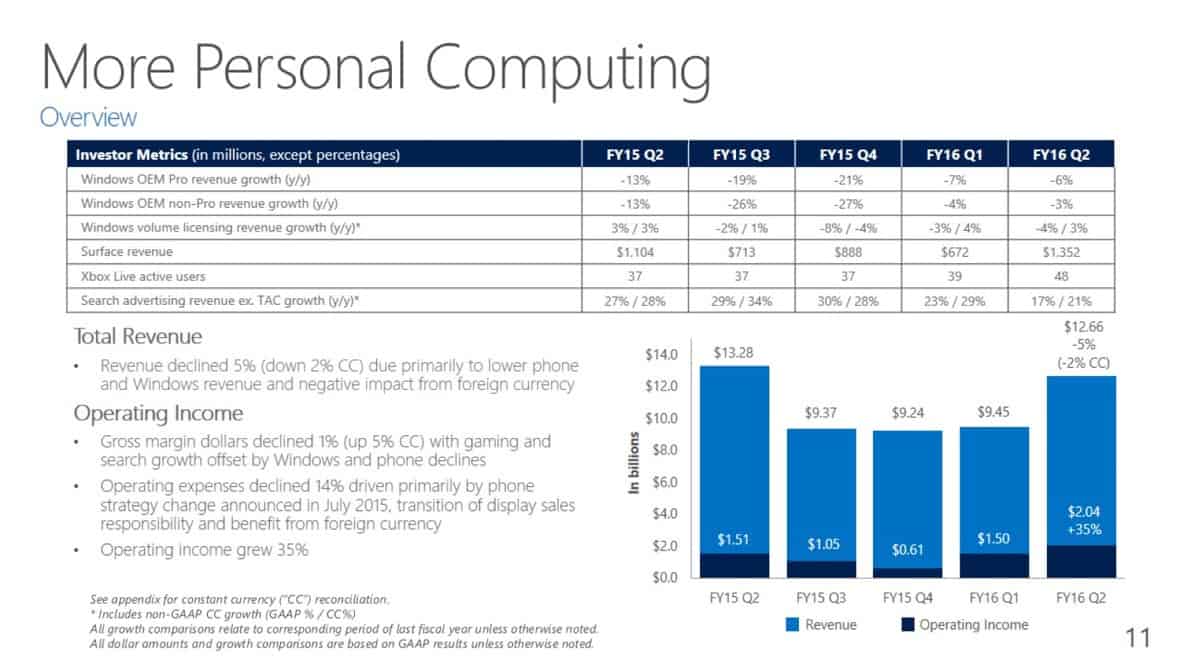
Microsoft has just released details of their earnings and losses for the second quarter of the 2016 financial year and there has been a combination of growth and decline in several departments. One of the areas in which Microsoft is doing fairly well is with its Xbox division which saw an impressive 30% growth with active Xbox Live monthly subscribers which has brought the total number of active users to the all-time high of 48 million worldwide.
It is important to note that Microsoft did not include the actual number of subscribers in their financial report, only the total number of active users. This means that the total number of users who are paying monthly or annual subscriptions to the online service could be higher but some may simply not be using it or the number of subscribers could have even shrunk but activity among those who remained rose due to more interest in Xbox 360 and Xbox One titles.
It’s also unclear how Windows 10 could have affected these numbers as Microsoft’s new operating system has placed a renewed focus on the Xbox Live service which may have accounted for an increase in usage in the PC sector. New titles such as Rise of the Tomb Raider, which just launched in the Windows Store as a Universal app, is connected to the Xbox Live service but players do not need to pay to take advantage of this connectivity. This number of users is very much about service usage and not income generated from it.
While the Xbox Live numbers can be difficult to interpret, Microsoft’s total cloud services (which also includes Office 365 and other cloud products) earned the tech giant over US$6.3 billion in revenue. Do you use Xbox Live on a regular basis? How do you think it could improve? Let us know in the comments below.
Some people believe that the reason for a big build number jump is that the new build brings some new features that we’re waiting for since the first Redstonebuild. But, chief of Insider Program, Gabe Aul confuted these claims, as he explained that the reason for a big build number change is to make it same as the current build number of the latest version of Windows 10 Mobile.
Windows 10 Preview Build 14251 Features and Known Issues
As we said, the build doesn’t bring any major new features, but it brings some bug fixes and improvements. However, new Cortana features, that we presented you a couple of days ago, also arrive with this build.
Here’s the list of known bug fixes and improvements in Windows 10 Preview Build 14251:
The issue where some PC games would crash switching from windowed mode to full screen, upon game resolution change, or upon launch due to a bug in Windows graphics stack.
The issue where applications such as Narrator, Magnifier, and third-party assistive technologies may experience intermittent issues or crashes.
An issue where File Explorer would crash frequently when DPI settings were at 175 percent.
Since the build is for now only available to users on the Fast Ring, it means that it’s not stable yet, therefore it also causes some issues. Microsoft listed the known issues in the build 14251, and they’re following:
You might see a WSClient.dll error dialog after logging in. Microsoft is working on a fix for this but as a workaround, you can run the following in Command Prompt with administrative rights: schtasks /delete /TN “\Microsoft\Windows\WS\WSRefreshBannedAppsListTask” /F
The Connect button does not show up in Action Center. The workaround is to press Windows key + P and then click “Connect to a wireless display”.
Due to a recent memory management change, you may see periodic app crashes or other memory related app errors. The workaround is to reboot your PC.
Practice thought us that issues listed by Microsoft are the only problems bothering Insiders upon installing the new build, so we’ll do a little research soon, and we’ll present you even more issues, if reported.
Reported today is news on the availability of Fallout 4 mods coming to game consoles. Fallout 4 is a post-apocalyptic role playing game, set across a sprawling world and influenced by the post-war 1950s. The game gives players a huge amount of content to explore and many hours to invest. However, the PC community has been taking things a step further since its availability on that platform.
The PC gaming community is known for making mods to games. Mods are basically community developed game add-ins that can enhance gameplay or add in additional content for almost any purpose. For console gamers, the ability to use Mods has never been available for any game. Things may be looking up for those wishing to have this feature on their Xbox One, however.
In a recent tweet, the official Fallout Twitter account, responded to a fan’s inquiry about Mods on consoles, with:
we’ll be sharing more details soon. stay tuned.
While not official confirmation about this feature coming to consoles or when a date has been set, we can have at least a tiny bit of hope that it’ll be sooner, rather than later. With the Xbox One now running Windows 10, we do know that the Xbox One would receive this feature due to running the same OS as its PC counterpart. The goal for Bethesda would be to add these Mods seamlessly into the gameplay with upcoming DLC packs.
With this new information, what mods from the PC version of Fallout 4 would you like to see on the Xbox One? Let us know in the comments.
Microsoft’s More Personal Computer group saw some decent enough performance, with Windows revenues dropping but keeping ahead of the overall PC market’s decline and Surface revenues remaining strong. However, Microsoft’s phone business continued to suffer in FY16 Q2.
Overall, phones declined by 49% CC (constant currency), representing the platforms continue struggles even given the recent release of the flagship Lumia 950 and 950 XL smartphones. In fact, device revenue overall fell 22% driven by phones, even given a Surface revenue increase of 29%.
More Personal Computing
Microsoft certainly has some work ahead of it to make its smartphone business viable. One has to wonder how many quarters of revenue decreases it will take before Microsoft considers dropping the business completely–even with plans for an upcoming Surface phone in the works.
As Microsoft continues to make its strategic transition, Windows becomes a less important aspect of the company’s overall business even as Windows 10 gains importance regarding visibility and as a measure of the company’s success. Given the general PC market’s decline, it’s not surprising that the company’s Windows OEM revenues declined in Q2, albeit less than the PC market’s overall retreat.
Windows OEM Pro declined 6%, ahead of the commercial PC market with strong license buy-in
Windows OEM non-Pro declined 3%, outperforming the consumer PC market driven by higher premium and mid-range device mix
Windows volume licensing grew 3% CC with annuity revenue growth partially offset by transactional revenue declines
IP licensing revenue decreased due to lower units and a higher mix of low royalty devices
The moment many a gambling investor had been awaiting is upon us. Microsoft just released its earnings report for its fiscal year 2016 Q2. A preliminary look at the numbers show that Microsoft is continuing its momentum in Office and cloud adoption while surrendering some foothold in its Windows licensing as it transitions to a “cloud-first, mobile-first” company.
Microsoft’s Q2 Financial Summary
Other quick takeaways are a significant drop in Windows Phone revenue while numbers for Xbox Live monthly active users grew by 30% year over year.
We’ll be updating and going into further details on Microsoft’s numbers in subsequent posts, and so keep it locked to WinBeta.org for more information.
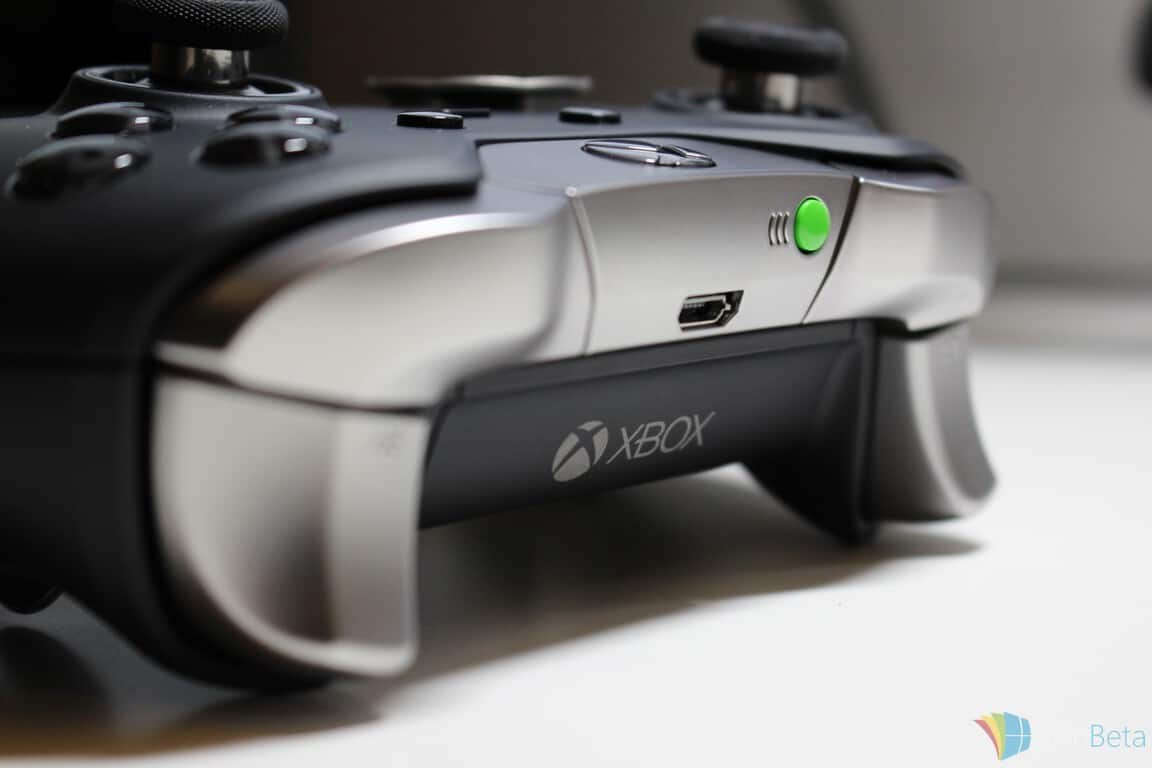
The constant sell-outs are no surprise given the controller’s high-ratings and Microsoft’s own admission that the company misjudged its popularity. Even at the relatively high price of $150 or so, Microsoft simply can’t keep the things in stock for long. Our review gives some hints as to why it’s so hard to find:
The main appeal for hardcore gamers though is the hair trigger locks which restrict the movement of the triggers, the variety of thumb sticks and D-pads that can now be swapped out to match the user’s play style and the four completely new slots on the rear for interchangeable paddles whose functions can be completely customized in a new app that’s due to launch on Xbox One and Windows 10.
This app will give gamers the option to adjust the triggers’ min/max values, thumb stick sensitivities and completely change the button assignments. Up to 14 inputs can be assigned to the ABXY buttons, paddles, D-pad, triggers, and thumb stick clicks and an unlimited number of controller profiles can be saved to the app and automatically backed up in the cloud while two can be stored locally on the controller itself. The two local profiles can be manually changed on the fly via a new profile switch on the controller.
So if you’ve been itching to get your hands on an Xbox Elite Wireless Controller sometime soon, keep Amazon in mind. You’ll probably want to get your order in, however, as it’s likely to sell out pretty quickly.
Visual Studio’s Tools for Apache Cordova (or TACO for short) has long been used by developers to build mobile apps for iOS, Android, and Windows using a shared JavaScript codebase. The easy-to-install software even allows developers to 100% code re-use by leveraging Cordova’s shared JavaScript API to access native device capabilities like the camera, calendar and contacts. Today, Microsoft has announced new ways to use Cordova to build, debug, and preview apps using the VS Code and the Cordova Tools extension.
Amongst other features, the extension allows the debugging of hybrid apps, Cordova specific commands in the Command Palette, and the use of IntelliSense to browse objects, functions, and parameters. The extension can be used with both “stock” versions of the apache Cordova framework and downstream frameworks like Ionic, Onsen, PhoneGap and SAP Fiori Mobile Client. Furthermore, the TACO extension is adaptable to the JavaScript framework of your choice. Lastly, Visual Studio Code + Cordova Tools currently support debugging apps on emulators, simulators, and tethered devices for Android and iOS.
To get the extension, you first need to download Visual Studios Code for Mac, Windows or Linux. Next up you can install the Cordova Tools extension directly from within the code editor by invoking the Command Palette (Cmd+P on Mac, Ctrl+P on Windows), and typing “>ext install cordova”
The Cordova Tools extension is open source and can improved by users.
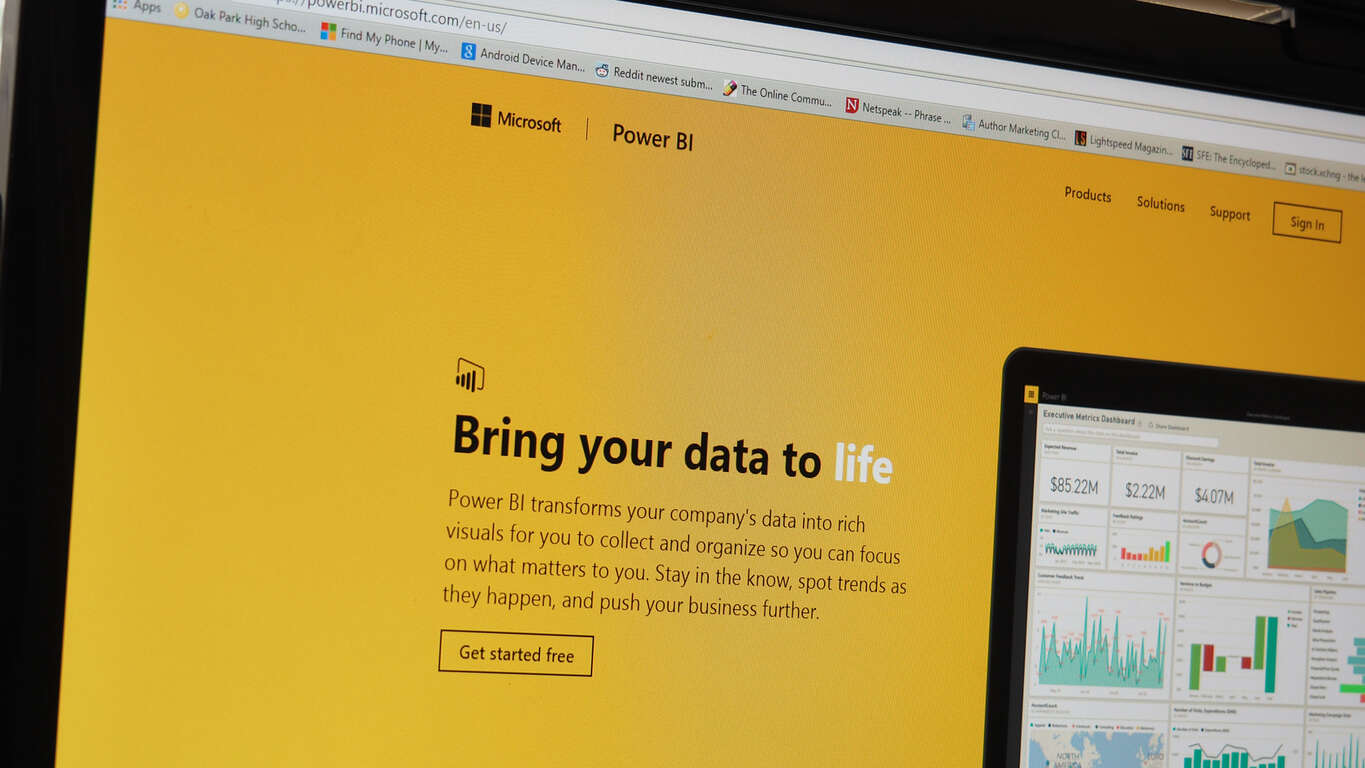
Microsoft just released its new Power BI app for Windows 10 PCs. Since the company recently released the app for Windows 10 Mobile platform, it has now completed the Universal experience, since the app is now working across all Windows 10 devices.
The new Power BI app is fully optimized for touch environment, and also works on Microsoft’s Surface Hub (actually it will work, once Surface Hub is released). The app supports Continuum for phones, as well, so you can connect your phone with a larger display, and have a better overview of your data.
Microsoft Power BI for Windows 10 Features
The app looks very good in design, and is fairly easy to use on all Windows 10 devices. Here are the most notable features of the new Power BI Windows 10 app:
Access your data using Power BI dashboards and reports – anywhere, anytime.
Collaborate with colleagues over insights by sharing snapshots, dashboards and reports.
Add annotations to your dashboards when presenting or sharing data
Explore your data by filtering, sorting and highlighting your live reports
Just like we were reporting before, Microsoft is on the good way to beat the problem with the lack of apps in Windows Store, as more and more developers are releasing their Windows 10 apps every day. And there are some big names among these developers, like Dropbox, as the company released its Windows 10 Universal app last week.
Microsoft also announced its plans to release a free version of its Power BI business-intelligence tools/service, and also cut the prices of its new, fully featured Pro version of the service. And as Microsoft is trying to gather as quality and dedicated team of programmers as possible, we should see these changes very soon.
You can download Microsoft Power BI app for your Windows 10 Mobile or PC for free, from Windows Store.
Windows 10 Mobile is near to a public release (at least we hope so), and Microsoft made a couple of changes to make the upgrade to the latest version of firmware easier to some users. People who now want to upgrade to the latest available firmware version of Windows 10 won’t have to use the Windows Recovery Tool, which means data wipe is not necessary anymore.
Microsoft also reminded us that firmware updates are only available to those devices configured to receive production updates, and those outside of the Windows Insider Program.
How to Receive Windows 10 Mobile Firmware Updates
“While we are getting this update experience fixed; we have a temporary workaround in place to make things easier for our Windows Insiders. Within the Windows Insider application on Windows 10 Mobile we have added a new option called ‘Production’. This will point your device back to the production update servers where you will be able to get any firmware updates that are available for your devices. Once you have the update you will then need to go back to the Windows Insider application and reselect the Fast or Slow ring. Please be advised, if you don’t reselect Fast or Slow with any build newer than 10586 your device will be in a state which may not receive any future Insider Preview builds or Cumulative Updates.”
Here’s what you need to do to receive firmware updates on your Windows 10 Mobile device
Open the Windows Insider application on your device
Select “Get preview builds”
– There will now be three options to choose from: Insider Fast, Insider Slow, and Production
Select “Production“
Read the presented message and tap “accept” to confirm your selection
Your device may prompt to reboot. If not, complete a manual reboot.
After the reboot, check for updates. If available, your device will display an update to receive the newest firmware.
– Settings > Updates & security > Phone update > (check for updates)
– If the device shows a “no updates available” message, your device has the most recently available firmware
If available, complete the update by following the on-screen directions
Once installed, re-open the Windows Insider application
Select your desired update ring (Insider Fast or Insider Slow) and reboot as prompted
Your device now has the newest firmware available and is set to receive the next flight when launched for your selected ring
Although firmware updates are not available for users in Insider program, Microsoft plans to deliver firmware updates to them in the future. So, until Microsoft migrates firmware updates from the production servers, to the Windows Insider servers, you’ll need to use this method to receive firmware updates.
a>
Microsoft’s Windows 10 Team Profile highlight posts are designed to give Windows 10 Insiders a glimpse behind the current development of Windows and inner workings at Microsoft. Alongside a newly released Windows 10 Redstone preview build, Insiders are now being introduced to the program manager for the WDG (Windows & Devices Group) community champions, Anthony Kinsey.
A Microsoft employee of roughly four and half years, Kinsey describes his work habits as ‘nomadically’ dealing with engineering teams across the Windows and Devices group. Kinsey leads a virtual team of champions that are dedicated to listening and responding to feedback from Insiders. Specifically, Kinsey meets with almost every team in the Windows & Devices Group to ensure the feedback and response tools the various teams use to correspond with Insiders meet their needs.
Dealing day-to-day with the Insider community can seem like a daunting task for anyone, with constant questions, complaints and suggestions, but Kinsey still finds gems amongst all of the noise.
I was lucky enough to be able to go out to support one of our Windows 10 launch events last July. It was my first time traveling for businesses, so I was nervous, but the Insiders I met and hung out with on the trip were all incredibly welcoming, knowledgeable and enthusiastic about Windows, and interesting to talk to, which made the experience one to remember.”
See, we’re not all bad.
Perhaps as a result of dealing with Insider feedback, Kinsey finds his favorite new feature of Windows 10 to be its sheer performance speed compared to previous versions. As users chimed in on the performance gains from Windows 7 to Windows 8 even more, Insiders found themselves commenting on the performance requests in Windows 10.
My favorite feature is actually the blazingly fast performance of Windows 10. Did you know Windows 10 boots faster, takes up less disk space when installed, and used less memory when running, compared to Windows 7 or 8 – even on old machines – that’s amazing!”
On a more personal, non-work related note, when asked what gadget Kinsey couldn’t live without (besides a phone or PC), he’s apparently quite fond of his car. Notably, Kinsey finds himself a bit of an electric car enthusiast, and recently crossed the 30,000 gas-free marker on his own electric vehicle.
Other tidbits about Kinsey are that he’s a father of two, and similar to Brandon LeBlanc, who was previously profiled, Kinsey also enjoys sushi. We’re detecting a theme developing over at the Redmond campus.
The new Windows 10 Team Profile posts are an excellent way for Insiders to acquaint themselves with the men and women involved with the apps, systems, and hardware they use every day, as well as giving them a more direct line of access to the right people. While Gabe Aul, may be the most recognized face of the Windows Insider program, Insiders should take the time to review the profiles found in the Insider Hub so they can direct the right questions and suggestions to the people who have the right answers and feedback.
For more information on Anthony Kinsey, head over to the Insider Hub app to read his profile or visit his Twitter link in the blog post.
The Iowa caucus is just days away, and Democratic presidential candidate Bernie Sanders is raising questions about Microsoft’s involvement in 2016’s first presidential primary election.
At the center of the question is Microsoft’s partnership with the Iowa Democratic and Republican Parties to provide a technology platform with which the parties will run their caucuses. In a June 2015 post explaining their involvement the Redmond company states, “we are honored to support the 2016 Iowa caucus via a new, mobile-enabled, cloud-based platform that will facilitate accuracy and efficiency of the reporting process.”
The process is essentially designed to enable precincts to report their results directly by party to ensure that only authorized Iowans are reporting results. Under the Microsoft system, each Iowa political party will have their own app available on all mobile and PC platforms, which will support the party’s unique caucus voting process. The results will be then be securely stored and managed in Microsoft’s Azure cloud computing platform.
Sanders finds this arrangement suspicious, and he frequently warns that corporate power and the billionaire class are trying to hijack democracy. To no surprise then, the Sanders campaign has built their own reporting system to check the results from the official Microsoft-backed app. The group has trained its precinct captain on using the app, which is designed to be as user friendly as possible, and the campaign will also staff a hotline system as further redundancy.
Asked why they are interested in Iowa, Microsoft said in a statement to MSNBC that, “Microsoft is providing technology and services solely to administer and facilitate a neutral, accurate, efficient reporting system for the caucuses.”
Dota 2 is a popular multiplayer game with millions of players worldwide, but despite its popularity the game might have some problems with Windows 10, so let’s see if there’s a way to fix Dota 2 problems on Windows 10.
Few months ago Dota 2 got a new game engine and with the new engine new issues have emerged, so let’s see how to fix some common issues with Dota 2 and Windows 10.
Fix Dota 2 Black Screen And Stuttering Issues On Windows 10
Solution 1 – Disable Display Scaling on high DPI settings
If you’re experiencing black screen in Dota 2, you might want to try disabling Display Scaling on high DPI settings for Dota 2. To do so, you’ll need to do the following:
Open File Explorer and go to the Dota 2 installation directory. By default it should be in your Steam installation directory, and the location should be similar to:
SteamSteamAppscommondota 2 betagamedota
Find dota2.exe and right click it.
Choose Properties.
Go to Compatibility tab and make sure that you check Disable Display Scaling on high DPI settings and Run as administrator. Also make sure that Compatibility mode is unchecked.
Click OK and Apply to save the changes and start the game again.
Solution 2 – Verify the integrity of game cache
If the game is stuttering you can try to fix it by verifying the integrity of game cache. To do that follow these instructions:
Open Steam.
Find Dota 2 in the list of games in your library and right click it.
Choose Properties from the menu.
Go to Local tab and click verify the integrity of game cache.
Wait for the process to complete.
When the process is completed try running the game again.
Solution 3 – Exclude Steam folder from Windows Defender and Turn off Location Services
If you’re experiencing stuttering, try adding your Steam directory to list of exclusions in Windows Defender:
If the issue persists, repeat all the steps, but instead of choosing Set affinity in Step 5 choose Set priority and select High from the menu.
Solution 5 – Change Nvidia Control Panel Settings
Open Nvidia Control Panel.
Click Select a Task on the left panel.
Choose 3D Settings and click Manage 3D Settings.
Now click Program Settings.
Click Add under Select a Program category.
Go to Dota 2 Installation directory and select dota2.exe. By default it should be C:Program Files (x86)/Steam/SteamApps/common/dota 2 beta/game/bin/dota2.exe.
Set Preferred Graphic: High Performance Nvidia Processor.
Click Apply to save your settings.
If you don’t own Nvidia graphic card you should know that the process is almost the same for AMD cards and Catalyst Control Center.
If you don’t have integrated graphic card this solution doesn’t apply to you and you can skip it.
If you have integrated and dedicated graphic card make sure that Switchable Graphics is turned off in BIOS:
Restart your computer.
While your computer boots keep pressing F2, F12 or Delete key. The key is different for each motherboard, so you might have to try it a few times.
When BIOS settings opens you need to find Switchable Graphics. Location of this setting can be different for each version of BIOS so you need to find by yourself.
After you’ve found Switchable Graphics option make sure that you disable it.
Select Save settings and exit.
We hope this article covered all major problems with Dota 2 on Windows 10 platform. If you’re having problems with some other game on Windows 10, check out our Windows 10 games hub, and you might find a solution.
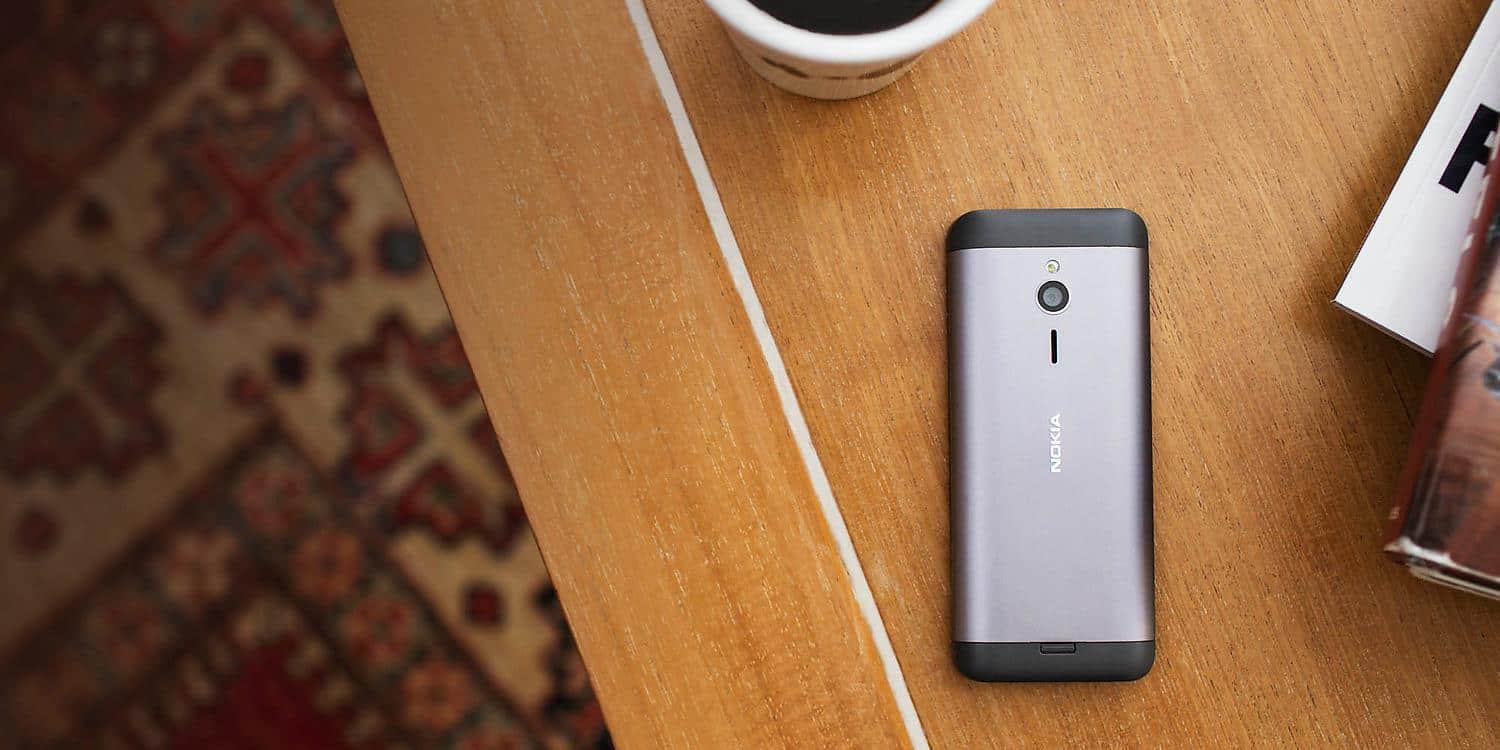
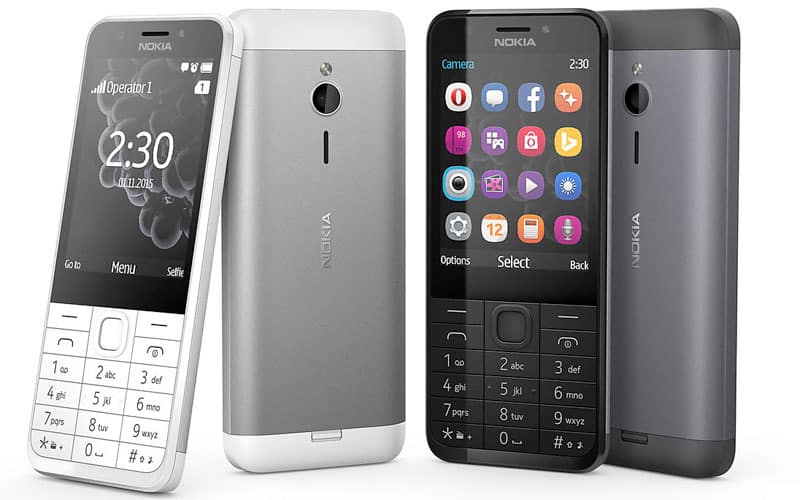
The device is available at a best buy of INR 3,949 (around $55), and for this price you will get a nice little phone with a metallic finish that gives it somewhat of a premium aspect. The phone is available in both Silver and Dark Silver.
But besides those good looks, this is still a feature phone, running the old Nokia Series 30+ software with a non-touch experience. However, Ravi Kunwar, Director- North for Microsoft Mobile Devices, is welcoming the launch of the handset: “Amidst the burgeoning market for touch-enabled smartphones, there was a latent need in the market for a premium quality, non-touch feature phone with enhanced features. The Nokia 230 Dual SIM has been designed to deliver on that need in the market. The device offers a premium feature phone experience to users, both in terms of the build and design of the device, as well as the usage. We are confident that consumers will relate to the value that the device will add to their mobile phone experience.”
Here are the detailed specs and features of the device:
Premium metallic body (124.6×53.3×10.9mm, available in Silver and Dark Silver) with a large 2.8” screen (230*320).
2MP front-and back cameras with LED flash and shortcut camera key
1200 mAH battery supporting 23 hours of talk time and up to 22 days stand by time
Memory card support of up to 32GB
Access to popular web content with the Opera Mini Browser, Bing Search, and MSN Weather
MP3 and video player
Complete connectivity with support for 900/1800 MHz, Bluetooth 3.0 with SLAM and HSP/HFP profile, FM Radio, 3.5mm AV connector and micro USB
Microsoft did not give us today a release date for the Nokia 230, the single-SIM version of the handset. But while feature phones are still certainly popular in certain markets, we’re wondering if Microsoft has more of these Nokia feature phones in the pipeline this year.
The Xbox store is currently offering a nice bundle of action games with the Saints Row Metro Double Pack for Xbox One. For $54.99, you can score the 4 following games: Saints Row: Gat out of Hell, Saints Row IV: Re-Elected, Metro 2033 Redux and Metro: Last Light Redux.
Both franchises are quite different, as Saints Row games are set in an open world environment while both Metro Games are classic, linear FPS games. It’s still an interesting bundle, as all of them except Saints Row: Gat out of Hell have received critical acclaim.
You should also be aware that these games are remastered versions of their Xbox 360 counterparts, so for those of you who already own them on your old 360, this bundle may be a good opportunity to enjoy them one more time with improved graphics.
If you never played these games, here is what you should now:
Metro Redux and its sequel Metro: Last Light set you in a post-apocalyptic Russia, and take you on a claustrophobic journey from the darks tunnels of the subway to the desolate ruins above, with dangerous encounters with mutants and hostile survivors.
In Saints Row IV Re-Elected and Saints Row Gat Out Of Hell (a standalone expansion), you play the leader of the powerful Saints street gang, and must fend off an alien invasion after becoming President of the United States and receiving superpowers.
We hope to see more of these bundles are coming, as they’re a good opportunity to get games for cheap without needing to be an Xbox Live Gold subscriber.
People have been waiting for the release of Tom Clancy’s The Division for a very, very long time. The game was announced years ago during E3 2013, showing off only fancy cinematics on its premise and a short snippet of gameplay to give us a taste of what we could expect. Since that E3 conference, we’ve received almost no information about the game apart from brief snippets of gameplay that Ubisoft allowed us to see at subsequent E3 gatherings.
Today, however, Xbox One owners finally have a chance to dive right into The Division first hand. Those who signed up for closed beta access should check their email for an invite to the beta, as invite waves have already been sent out. It’s also important to note that those who have pre-ordered the game are guaranteed a spot in the beta, and should have their code already.
The beta launched at 4am EST this morning to an enthusiastic response from the community, already providing players a rather populated New York City to wander through in search of loot. The beta version of the game has blocked off many portions of the map, cut out most of the story missions, and even limited its options for character creation, so people who end up enjoying the beta can make an informed decision about purchasing the game without having it spoiled for them.
Tom Clancy’s The Division
Featuring RPG elements in a third person shooter gameplay style, The Division offers an experience to players that can’t really be found anywhere else, save for possibly Destiny. The Division features open world, high stakes PvP in which you can hunt down other players in order to take the loot that they’ve collected for yourself. For those who may be bored with the current climate of console shooters, or who enjoyed the concept of games like DayZ and H1Z1 but didn’t have a PC powerful enough to run them, The Division is, even in its limited form, easily proving to be a contender in the fight for your attention during the coming season’s span of game releases.
If you don’t feel like spending any money currently, keep in mind that some websites (like Amazon) won’t charge you for your pre order until the game actually ships on March 8th, so there’s nothing stopping you from pre-ordering the game that way and cancelling it later if the beta doesn’t quite catch your fancy.
Today, Disney announced that their upcoming game Tron RUN/r, based on the popular Tron movie franchise, will be coming to the Xbox One console. Tron RUN/r was previously announced at The Game Awards for PC only but Disney has since updated that information to include the Microsoft game console. The game will feature music produced by Giorgio Moroder and Raney Shockne and visuals to match the Tron Legacy universe.
Scheduled to release on February 16th for US$20, players will have the chance to customize their own avatars with different suits, helmets and light cycles an play through 30 levels of gameplay. There will also be a “Stream” mode which will remix existing levels for higher difficulty.
Microsoft is ready to do anything to convince you to buy its Surface Book, which is totally reasonable, since the company invested a lot into its ‘ultimate laptop.’ A lot of huge companies today are led by the policy “if you can’t beat them, buy them,” and Microsoft is not an exception. The maker of the Surface Book is ready to buy Apple’s products, just to convince you to buy its first laptop.
Of course, Microsoft won’t buy the whole Apple company, because it’s probably not possible, but it will offer you a deal to purchase your old MacBook, if you buy its new Surface Book. The deal is currently available in the UK, and it allows people who own Apple’s devices to buy the Surface Book for more affordable prices.
Trade-in your MacBook for the Surface Book
This trade-in program allows you to sell your old Apple device, and get the Surface Book, which is quite an expensive device, for less money. Microsoft will pay the most for Apple’s MacBook, as this device can give you up to £400 ($568), depending on the condition and model of the device.
Besides MacBook, there are some other devices included in the offer, like the iPad, the Samsung Galaxy Tab, but also several Surface models, such as the original Surface RT. So, this offer will definitely come in handy to all users of Surface RT devices, who didn’t know what to do with them, as Microsoft canceled the support for this operating system.
If your trade-in is accepted, you can get one of the following Surface Book models for more affordable price:
Microsoft Surface Book 128GB / Intel Core i5 – 8GB
Microsoft Surface Book 256GB / Intel Core i5 – 8GB / dGPU
Microsoft Surface Book 256GB / Intel Core i7 – 8GB / dGPU
Microsoft Surface Book 512GB / Intel Core i7 – 16GB / dGPU
“Your new product must be pre-ordered from Microsoft Store between 17th January 2016 to the 29th February and have a minimum purchase price of £749.00,” according to Microsoft’s terms.
For now, this offer is only available in the UK, but since Microsoft wants to expend the range of Surface Book to other markets, we should expect similar trade-in programs in other regions in the future, as well.
Microsoft is celebrating the Year of the Monkey by collaborating with several artists from Taiwan and China who had been given one month to conceptualise and produce their own custom designed Xbox One console inspired by this year’s Lunar New Year zodiac animal. There are some really stunning creations produced in the project. Here’s a look at some of the best.
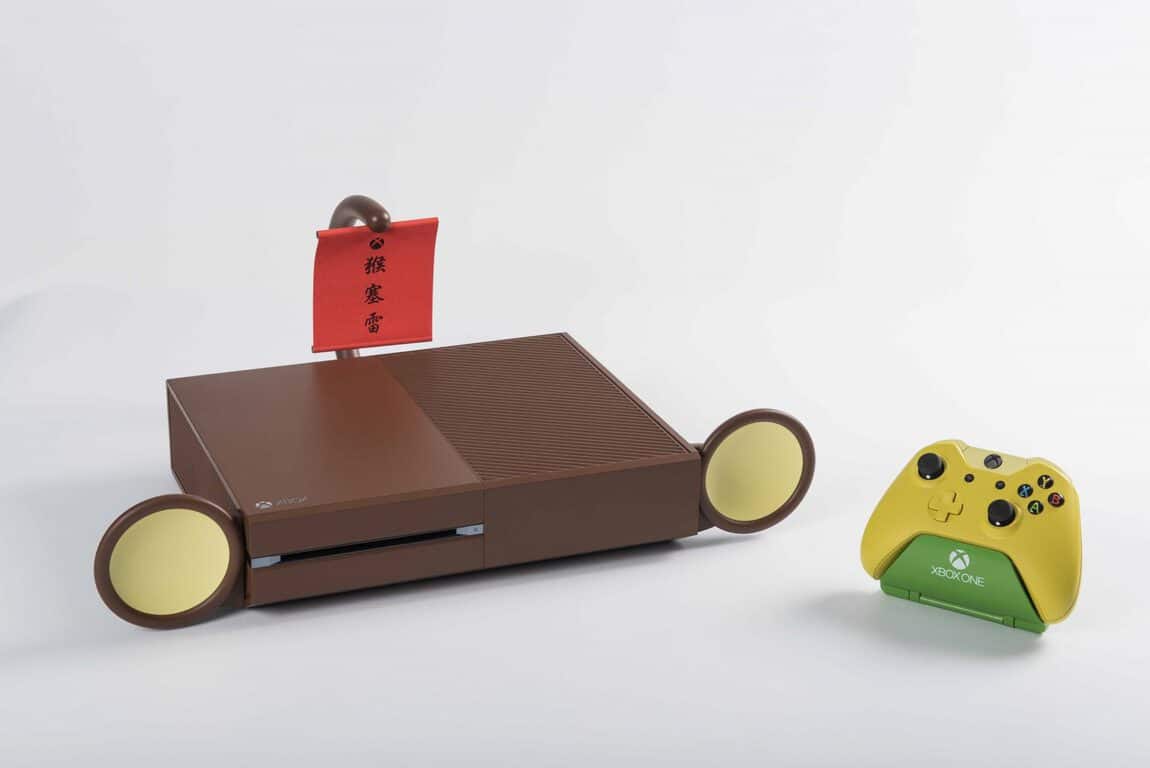
“Monkey Ear, Monkey Year” custom Xbox One
This monkey-themed Xbox One, “Monkey Ear, Monkey Year”, was created by Kevin Chou from Taiwan and apparently symbolizes the sense of reunion which is important in traditional Lunar New Year celebrations when family gather. Check out that banana controller!
“Golden Sand Ingot” custom Xbox One console
“Golden Sand Ingot” by Song-Kuan Wang also from Taiwan, appears to use real sand to create a more traditional design. Apparently the writing symbolises endless fortune and the entire console would make for a fantastic piece of art to display in one’s home or even a gallery.
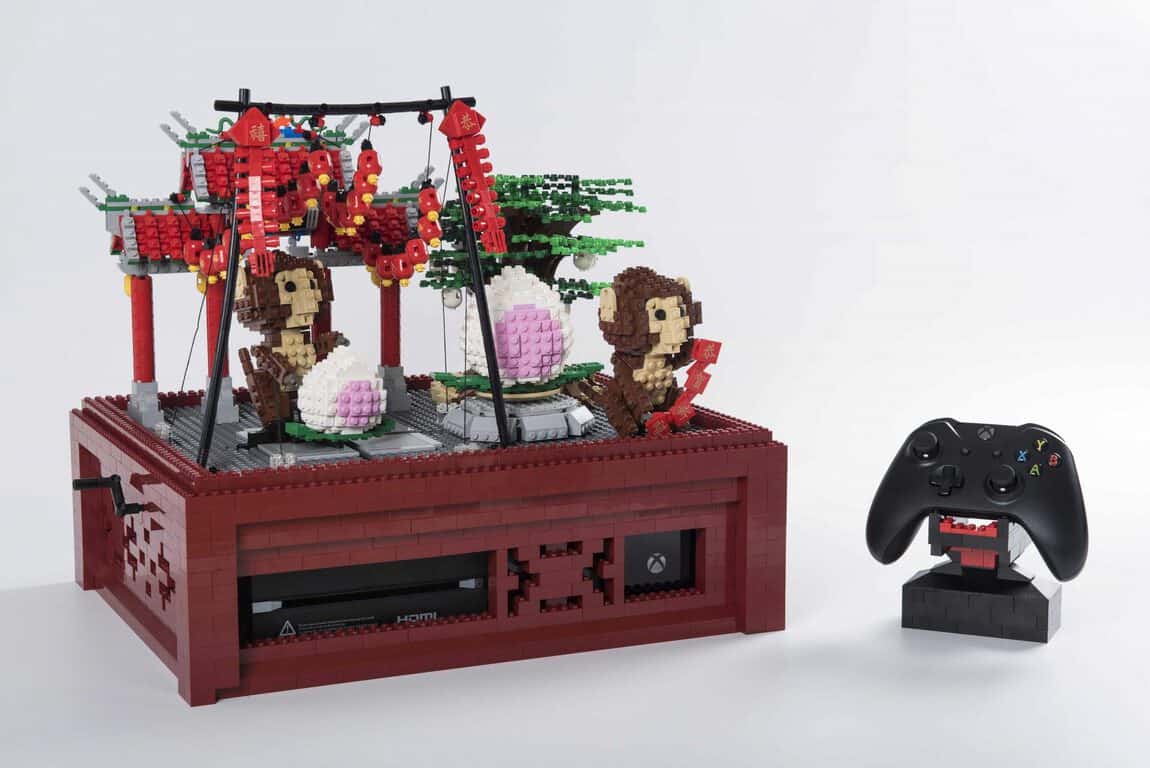
“Good Fortune Monkeys” custom Xbox One console
Taiwan’s Tzu-Yu Chao and Chang-Yi Ho used building blocks to create, “Good Fortune Monkeys” which symbolised good fortune and everlasting joy. The monkeys and pears are a fantastic touch as are the traditional buildings and fireworks in the background.
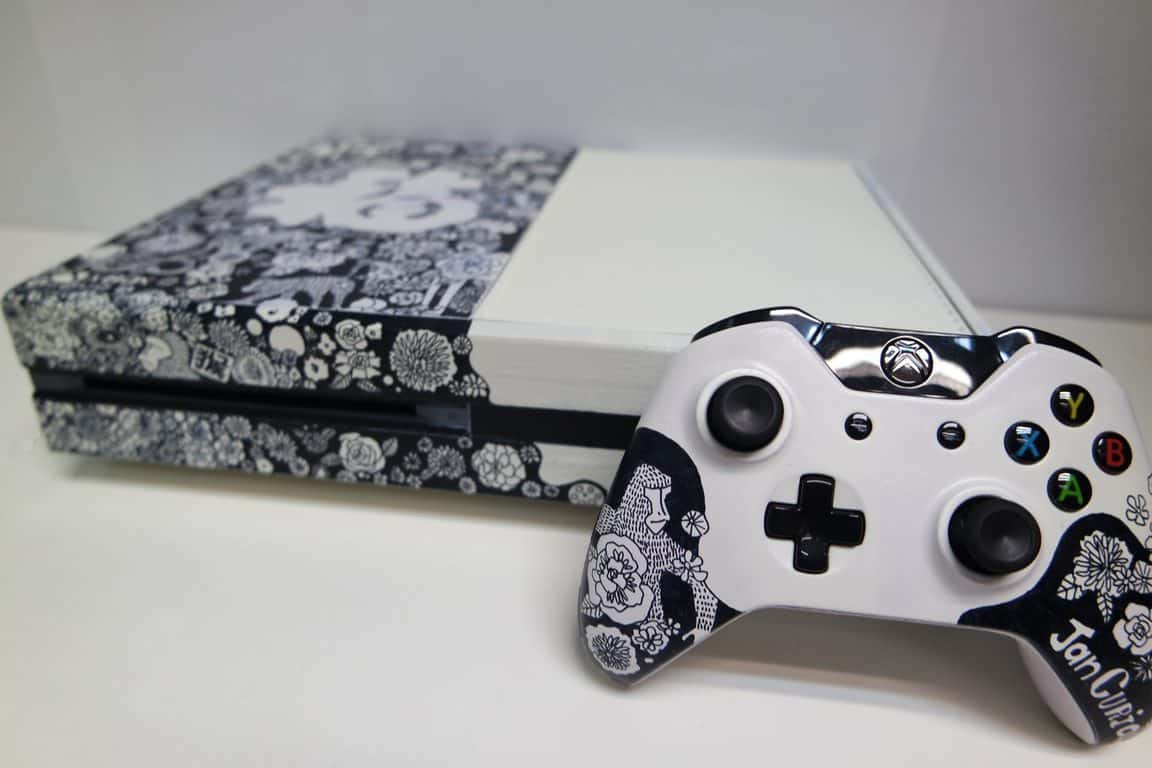
“What the Luck” custom Xbox One console
Hong Kong’s Jan Curious created her Xbox One design, “What the Luck”, with the intent of emphasising principles of Yin and Yang with the black and white colors representing the ground and sky.
“Monkey Mountain” custom Xbox One console
Hong Kong artist team, Graphic Airlines decided to recreate Monkey Mountain atop their Xbox One console. Very suitable for the Year of the Monkey.
“Candy-box One” custom Xbox One console
Ar To, yet another fantastic designer from Hong Kong, created her Candy-box One went all-out with her Xbox One recreation that mimics the lacquered food containers often seen in several Asian cities.
“Big Fortune” custom Xbox One console
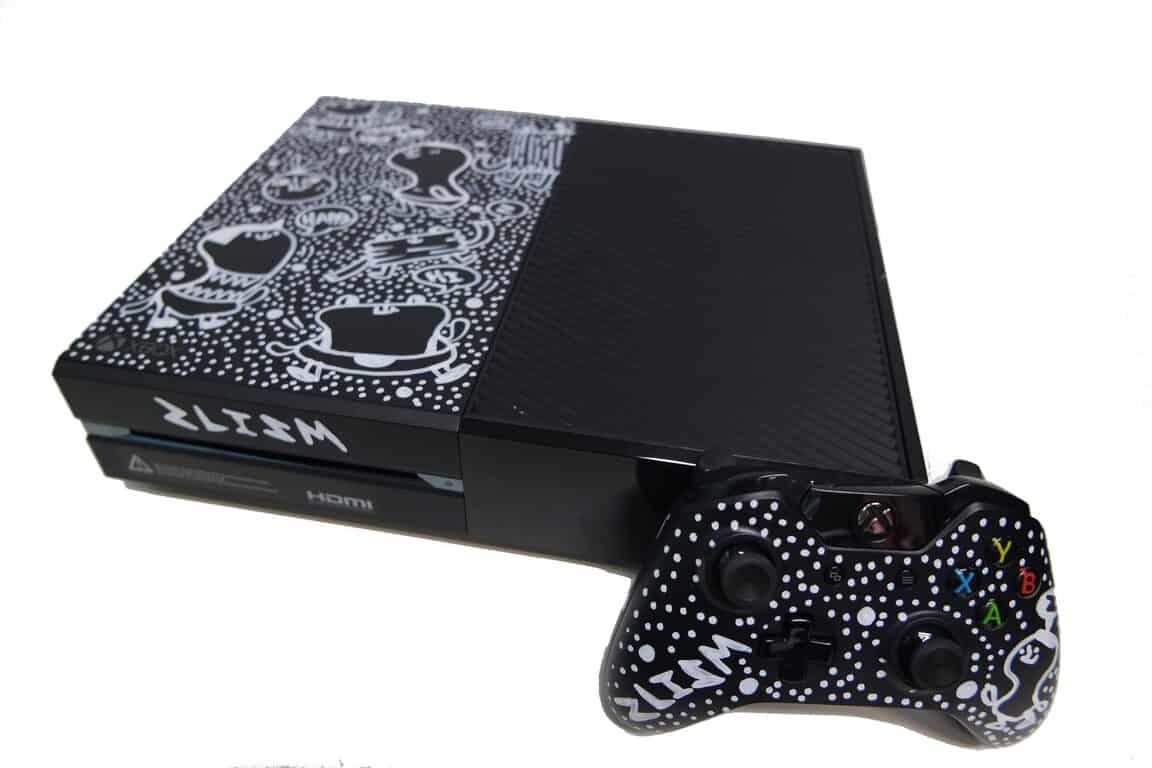
Hong Kong’s Zoie Lam decided to go for a more minimalist approach by using white paint to represent the Panama orange, which is often associated with good luck, and showing it as a square instead of its usual circle to create a sense of change and evolution. Interestingly, Big Fortune also appears to be influenced by traditional Australian indigenous artwork though it’s unclear if this is intentional or not.
“The Forbidden X” custom Xbox One console
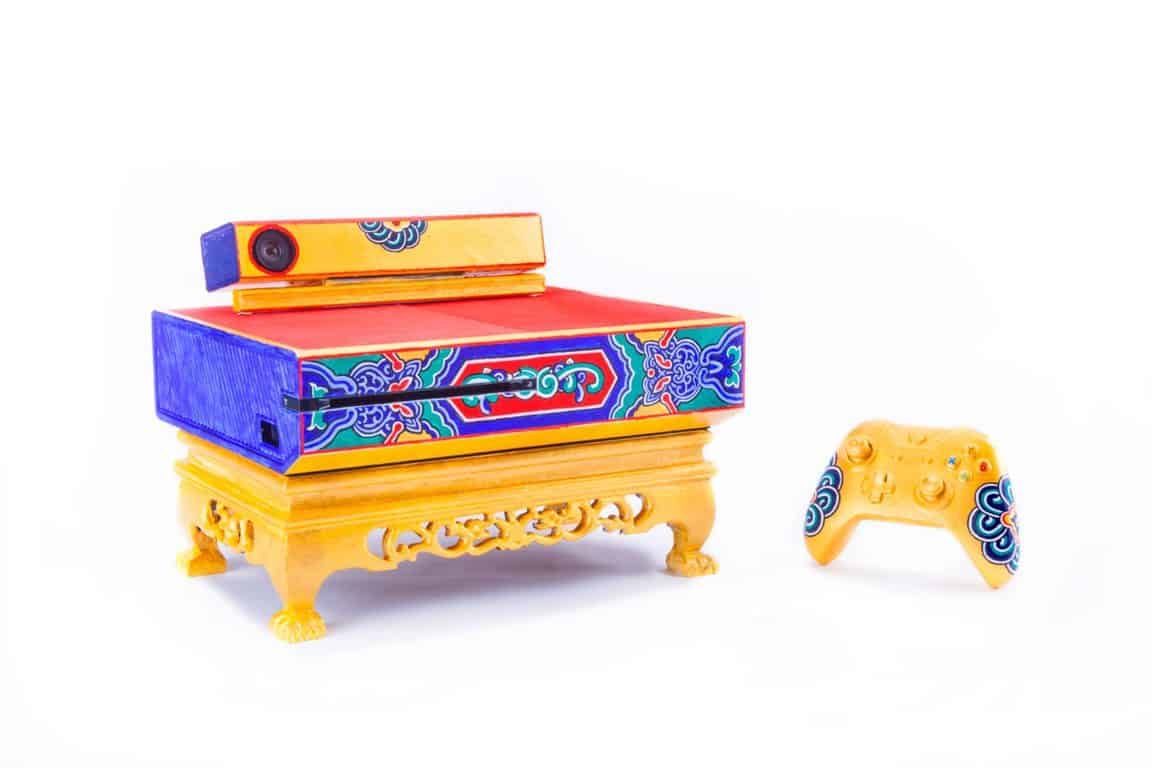
The final Xbox One, The Forbidden X, is created by Mainland China’s Cay Kou, which draws heavy inspiration from Beijing’s famous Forbidden City. There’s a wonderful use of color on display here and creating an entirely new base out of wood and propylene is really impressive. While the name is obviously influenced by the Forbidden City, it’s hard not to draw parallels to the Xbox One’s history in Mainland China where it was banned due to videogame restriction laws that were recently lifted.