
Stop Smart App Control from Blocking Apps in Windows 11


 3 min. read
  EEST
EEST
Smart App Control in Windows 11 is failing to work properly with Streamer.bot, a popular streaming tool. Many users see warnings even though the app is signed and trusted. This guide explains how to fix the issue.
Table of contents
How to Fix Smart App Control Blocking Apps in Windows 11?
1. Launch the App from the Executable
Instead of using the shortcut, open the program directly from its folder.
- Right-click the shortcut that triggers the Smart App Control popup.
- Select Open file location.

- Double-click the executable file to launch the app.

Creating a new shortcut directly from the executable may also solve the issue.
Learn more about adjusting app permissions in App & Browser Control settings.
2. Check Digital Signature and Certificate
Smart App Control relies on valid certificates. If Windows cannot validate one, it may block the app.
- Right-click the executable.
- Select Properties.

- Open the Digital Signatures tab.

- Make sure the certificate is valid and trusted.

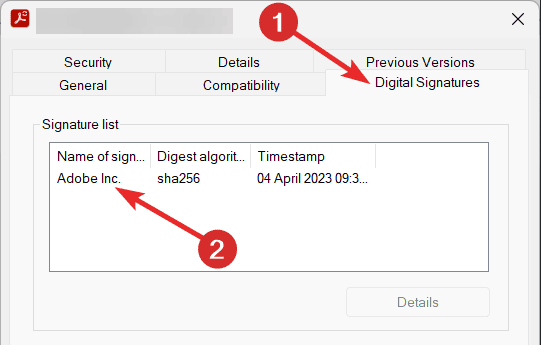
If not, reach out to the app developer for support.
3. Update Windows 11
Microsoft is aware of bugs with Smart App Control and has pushed fixes in updates.
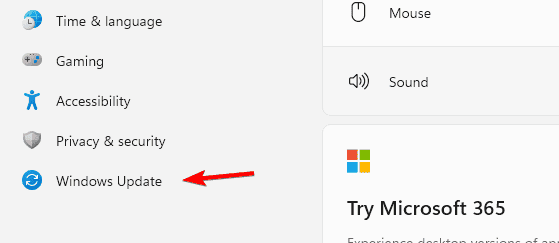
- Open Settings.
- Go to Windows Update.

- Click Check for updates and install all available patches.

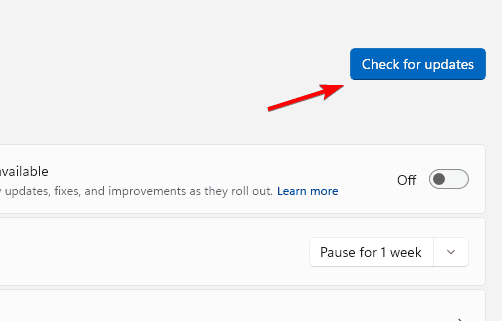
This can reduce false positives and improve compatibility.
You can read more about strengthening your system in this Windows 11 security overview.
4. Test with Other Applications
To confirm if it is a shortcut bug:
- Try launching another app through a shortcut.
- See if Smart App Control blocks it.
- Compare results with launching the same app from its executable.
If warnings only appear with shortcuts, it is most likely a known Smart App Control bug.
5. Disable Smart App Control
If nothing else works, you can turn off Smart App Control. Keep in mind that once disabled, it cannot be turned back on without reinstalling Windows.
- Open Settings.
- Navigate to Privacy & security, then Windows Security, then App & browser control.
- Select Smart App Control settings.
- Turn it Off.

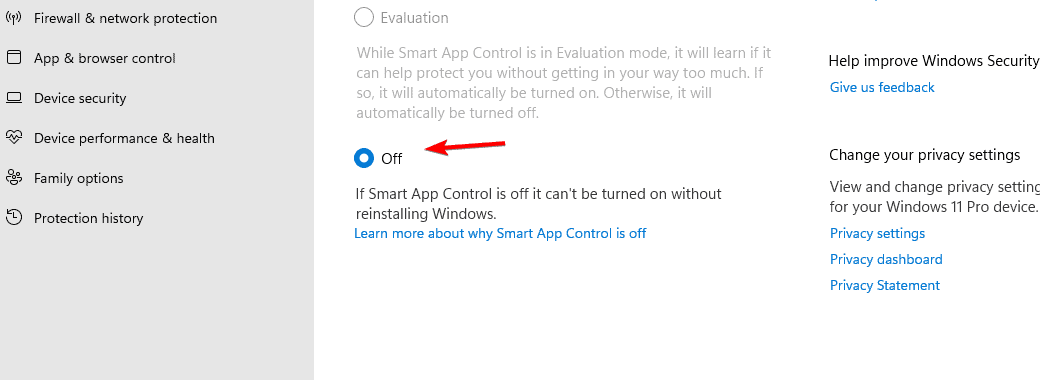
Since Windows Defender SmartScreen already blocks untrusted files, many users prefer this option until Microsoft provides a permanent fix.
Why Smart App Control Blocks Trusted Apps?
Smart App Control sometimes misidentifies safe programs as threats. Shortcuts are often the cause since .lnk files are evaluated differently than the main executable. This leads to false positives for apps like Streamer.bot or portable tools such as HWInfo64.
For more background, see this detailed guide on Smart App Control in Windows 11.
FAQs
Because shortcuts are treated as separate files and evaluated differently than executable files.
No, the only way to turn it back on is by reinstalling Windows.
In some cases, yes, but for most users SmartScreen alone provides enough protection.
Conclusion
Smart App Control may block Streamer.bot even though it is safe. Running the executable directly, checking its certificate, or updating Windows can resolve the problem. If the issue continues, disabling Smart App Control may be the only option until Microsoft issues a fix.

Read our disclosure page to find out how can you help Windows Report sustain the editorial team. Read more



Improve this guide

User forum
0 messages