Windows 10 Creators update build 15031 released to Insiders

Microsoft has released a new build for Windows 10 Preview. The new build goes by the number of 15031, and is available to all Windows PC Insiders on the Fast ring.

Build 15031 isn’t as feature-rich as some of its predecessors, but it does bring some refreshing features, that users will definitely find useful.

The highlight of the build is definitely the new Overlay feature. This feature allows you to easily switch between two Windows 10 apps, while keeping the minimized app’s preview in the top right corner. This concept is similar to YouTube’s app for Android, so users familiar with this feature will definitely be glad to see Overlay in Windows 10.

Besides the Overlay feature, the new build also brings some additional novelties. One of them is the Dynamic Lock feature. This feature locks your computer after 30 seconds, if your Bluetooth-paired mobile phone is not around. Additionally, there’s a new Share icon, which should look more appealing to users.

As promised in some previous builds, Windows 10 build 15031 brings full-screen support for the Game bar for 52 additional games. You can check the full list of supported games on Microsoft’s official build announcement page.

Besides these new features, build 15031 also fixes some of the known issues from the previously-released builds. On top of that, the new build also causes some issues to Insiders who install it. You can also check the full list of improvements and known issues on the build announcement blog post.

In case you’ve already installed the new build, feel free to let us know if you’ve noticed any problems. As usual, we’re going to write a problem-report article, to give you more details about the overall stability of the new build.

RELATED STORIES YOU NEED TO CHECK OUT:

2D platformer Spheroids lands on the Windows Store as an Xbox Play Anywhere title

Spheroids, a 2D sidescroller from indie developer Eclipse Games, is the latest Xbox Play Anywhere title to land on the Windows Store this week (via Windows Central). The retro-looking game was released last month on the Playstation 4 and its arcade gameplay received positive reviews. The official description notes:

In Spheroids you take control of Lucas, a jumpy Canadian boy who sets out on an adventure with his crazy scientist companion Otto after it’s discovered that the government has been hiding alternative universes from the cubic world they live in. Unfortunately, these alternative universes contain spheres that wish to turn everything round, so it’s up to Lucas to save the world from these dangerous aliens: the Spheroids. Throughout Spheroids’ 32 levels, you’ll encounter many different environments, with multiple hazards to avoid and enemies to destroy.

Spheroids includes 32 different levels featuring various environments and enemies to destroy, and the game is an $8 purchase on the Windows Store. With this latest addition, it seems that Microsoft’s Xbox Play Anywhere initiative is finally enjoying some momentum this year: following the high profile launch of Resident Evil 7 in January, Silence – The Whispered World 2 and Fallout Shelter joined the growing list over the past couple of days. Later this month, the hydrojet racing game Ritpide GP: Renegade and the Xbox One/Windows 10 exclusive Halo Wars 2 will also be playable on both the Xbox One and Windows 10 PCs.

You can purchase Steroids from the download link below, please tell us in the comments if the growing line-up of Xbox Play Anywhere titles makes you excited for the future of the initiative.

Spheroids
Spheroids
Developer:
Eclipse Games S.C.
Price:
$7.99

Xbox One had its best January since launch in the US, but Playstation 4 still outsold it

As Sony’s Playstation 4 outsold the Xbox One during the past holiday season in the US, many wondered how Microsoft’s gaming console would perform during the first month of 2017. According to the latest data from NPD Group, the Playstation 4 was once again the best-selling console in the US in January, even though Microsoft claims that the Xbox One was the only eighth-generation console that saw growth year-over-year during the period.

Speaking to VentureBeat, Corporate vice president of Xbox Marketing Mike Nichols also highlighted that Xbox Live engagement was up 21% in January compared to the same period a year ago:

“Thanks to continued support by our fans, 2017 is off to a strong start as Xbox One game hours grew 21 percent year-over-year. In addition, in the U.S., Xbox One had its best January to date and was the only eighth generation console that saw growth in January compared to the prior year according to NPD Group. Team Xbox is committed to delivering the best gaming experiences for our fans.”

February is expected to be another interesting month for the Xbox One with the upcoming launch of Halo Wars 2 on February 21. Last month, Microsoft also announced new Halo Wars 2 and Forza Horizon 3 Xbox One S bundles and we’ll see if this can make a difference in the US market.

New Xbox Preview build brings screen time limits to Preview Alpha members

The Xbox team has started to roll out a new Xbox One Preview build to members of the Preview Alpha ring yesterday. The new bits bring screen time limits to restrict how much time child accounts can use the console each day, but there is also a fix for a home screen issue that appeared after signing in with automatic sign-in enabled.

The new OS version is rs_xbox_dev_flight.170206-2328 and you can find the full changelog below:

NEW FEATURE:

You can now enable screen time limits for any child accounts in your family on Xbox One.

To get started…

  1. Navigate to https://account.microsoft.com/family.
  2. For a child who has logged in to the Xbox One previously, select the screen time link to the right of their profile. If you do not have a family set up, or a child in your family, you will need to invite them by selecting the Add a child button.
  3. After you select the screen time link, you’ll be taken to the screen time page where you can enable screen time limits for the child, and adjust daily allowance and time limits.
  4. Once configured, your settings will be applied to your child’s account when they log in to your Xbox One enrolled in the Xbox One Update Preview.

NOTE: When your child runs out of time, they will be signed out of their profile until a parent grants more time by entering their passkey on the Xbox One, or by configuring screen time settings at https://account.microsoft.com/family. When the time limit expires, it will not turn off the Xbox One. If you encounter any issues or have feedback, please let us know via Report a problem.

FIXES:

Edited out sign in bug as it was an editorial mistake – not fixed till next week – sorry!

  • Home: Resolved an issue which caused the Home screen to flash briefly after signing in with automatic sign-in enabled.

KNOWN ISSUES:

  • Cortana: Cortana may be too responsive to phrases which sound like “Hey Cortana”. The development team is continuing to tune and improve this. • Cortana may take a long time to respond when activated while playing certain games. • Scheduled Cortana reminders will not provide a notification if the user who created the reminder is signed in, but not the current active user.
  • Ubisoft Club: When launching the Ubisoft Club app, the screen automatically starts scrolling down, and prevents the user from scrolling back up.
  • EA Access: The EA Access app may indicate you are not an EA Access subscriber when you are. This does not affect your ability to download or play games from the Vault, or receive discounts on EA titles.
  • Guide: Microsoft Edge webpages which have been pinned on the Guide Tab fail to launch the webpage.
  • Screen Dimming: The screen may dim after a short amount of time while viewing videos in certain apps (Hulu Plus).
  • Settings – Ease of Access: When enabling the Mono output setting in Ease of Access – Audio, Settings becomes unresponsive, crashes, and fails to launch on subsequent attempts. Workaround: To launch Settings, perform a hard reset (hold down the button on the front of the console for five seconds until it fully powers down, then power it back on).
  • Settings – Display & sound: The Audio output page is under construction and some of the new settings are not yet functional. New support is planned for Dolby Atmos for home theater, Dolby Atmos for headphones, and more in upcoming builds. An announcement will be made when these new features are ready to try out; enabling these settings now will have no effect.
  • IGN: The IGN app launches and immediately crashes to Home.
  • Wireless Display: The Wireless Display app fails to launch and immediately crashes to Home.

As usual, you can download this update by opening the Xbox Guide and navigating to All Settings > System > Updates. If the Xbox team is satisfied with the feedback, this new preview build may roll out to members of the Preview Beta ring in the coming days. Stay tuned to OnMSFT to get all the latest news about the Xbox Insider Program.

Final Fantasy XV Piano Collection arrives on February 22

Final Fantasy XV is as much known for the game itself as it is the art surrounding it. Fans of the fifteenth installment prepared for the game storyline with CGI action movie Kingsglaive and anime Brotherhood and soon enough, its beautiful piano covers will be available as well, a remarkable collectible for all fans of the FF universe.

Piano Collections Final Fantasy XV: Moonlit Melodies is a physical album that features 10 of the game’s tracks. The original pieces were created by the well-known Yoko Shimomura, a distinguished pianist and composer who created the majority of the game’s score.

Her work was highly rated since the soundtrack is one of the best segments of Final Fantasy XV. You can clearly hear her melancholic trademark that ended up having a large impact on the game. The Piano Collections are arranged for piano by Natsumi Kameoka and Sachiko Miyano. The performing artists are Yui Morishita (better known as Duke of the Pianeet), Takaya Sano and Hiroyuki Nakayama.

These are the featured tracks:

  • Somnus – Dreaming of the Dawn
  • Valse di Fantastica -Waltzing amid Moonbeams
  • Veiled in Black – Drunk on Darkness
  • APOCALYPSIS NOCTIS – Shadows Foretold
  • OMNIS LACRIMA – Rulings and Revelations
  • Sorrow Without Solace – Of Bygone Days
  • NOCTIS – Serenade Fantastique for Piano
  • LUNA – Blest Be the Moonlight
  • Stand Your Ground – Illusions of the Morn
  • Starlit Waltz – In Celestial Circles

This album can be preordered at the time online and it will be available for sale on 22nd of February worldwide. You can preview the tracks here and preorder them here.

RELATED STORIES YOU NEED TO CHECK OUT:

Final Fantasy XV staff reveals future updates, DLC, and VR plans

The man behind Final Fantasy XV, Hajime Tabata, has confirmed team efforts to improve and update the game, rebuffing player’s fears with something to look forward to the remainder of this year. This is because many players felt the game was unpolished and that additional work was needed. However, news about VR and PvP projects reassure them.

Director Tabata, the project leader, said that most of the FinalFantasy XV staff is still working on updates, DLC, and on generally improving the VR experience. As he stated, around 30% of the team members moved to the development of new projects. This means that the majority of the studio is still working on future upgrades.

He added that the team will try to provide support for the game as long as possible and mentioned a year-long project for both standard and Season Pass participants. The follow-up is expected on 21st of February when the Booster Pack DLC and PS4 Pro patch will be available. Booster Pack and Booster Pack + (for premium users) are bringing powerful items that will make a valuable impact on the gameplay. PS4 Pro patch should enable 1080/60 FPS, add new quests, and raises the level cap.

In addition, on March 28th Season Pass members can expect ”Episode Gladiolus”, the first part of the expansion story that will shed some light on Gladiolus and his disappearance in the main game storyline. June is reserved for  ”Episode Prompto”. We’ll bring you more information about this as soon as some details are released.

This proves that the team behind Final Fantasy XV is, unlike some other game creators, looking out for their customers. Even though the game was released with a sub-par narrative and an unpolished world, we can expect positive changes in the upcoming months.

RELATED STORIES YOU NEED TO CHECK OUT:

Conan Exiles leveling system divides players, here’s why

As Conan Exiles hits the Early Access stage, it provoked divided opinions on multiple subjects. Conan Exiles is both an offline and online open-world survival sandbox game in many aspects similar to ARK. The game resides in the well-known Conan the Barbarian universe where the player takes a role of an exile and fights to survive in hazardous conditions.

Even though the game implements some interesting multiplayer innovations, it is still an unfinished project. We’ll need to wait for a year in order to get a full version. Nonetheless, even in Early Access, the game already has a respectable player base. That base already presented mixed-up game evaluation and one of the subjects is related to in-game leveling.

One Steam user is a passionate opponent of the leveling system. He stated:

All it does is make other servers unplayable. Just make it so you need certain crafting stations for certain items, also making items cost more may help. But levels just make pvp and making bases completely unfair. Also removing it will stop people from calling this game ark dlc. Also this is just my early acess opinion.

On the other hand, the majority of the users found this less than pleasing. Their opinion is quite the opposite since they find the leveling system to be well-implemented. Additionally, others offer some ideas that may improve item crafting and therefore optimize leveling. Users are aware of the balancing issues newbies have, but their remarks are well-pointed towards the advancing trough game from the bottom of the food chain. As Nightmvre, another Steam user, stated:

‘Here let me put it this way. The game isnt supposed to be balanced. You need to work your way up the ladder of power in order to take on the higher level players.’

We all look forward to some of the upcoming patches created with player’s feedback. That is one of the advantages of Early Access since the players are the ones that vastly affect the way the game and its meta evolves. However, multi-server playing with one character is probably a hard thing to expect. Don’t forget, as some players said, that it’s much easier to advance trough game in groups.

What is your standpoint on the matter? Do you find game’s leveling unbalanced or are you satisfied with its current state? Tell us in the comments bellow.

RELATED STORIES YOU NEED TO CHECK OUT:

New court ruling means Microsoft’s lawsuit against the DOJ will live on

Almost a year ago now, Microsoft took the offensive against the US Department of Justice and filed a lawsuit in order to protect the privacy of its customers. In essence, the suit was over the governments use of gag orders when they requested Microsoft hand over the private information of customers. Microsoft – and many other companies – view this as a blatant refusal to abide by the fourth amendment.

The suit passed a massive hurdle today as it went through District Judge James Robart, of  the Western Washington District Court – a man you may recognize as the judge who has been standing against Donald Trump’s attempts to refuse Muslims entry to the United States.

The source of the court’s conclusion is thus the product of established and binding precedent, which precludes the court from allowing Microsoft to vindicate Fourth Amendment rights that belong to its customers. This court cannot faithfully reconcile the broad language of those cases and Microsoft’s theory of Fourth Amendment standing on the facts of this case; that task is more properly left to higher courts.

This isn’t a massive decision that sets any kind of strong precedent against or in favor of digital privacy, but it’s a stepping stone to this lawsuit’s future. As this hurdle is passed, we’ll have to wait and see where this case goes from here – if anywhere.

New “more helpful” Minecraft launcher is rolling out for Windows and OSX

Surprise, indeed! For Minecraft players that don’t frequent the subreddit, the latest launcher update for PC might come as quite a shock. The smoother and more polished version not only has some major new features but has shed much of its background weight. Specifically, the need for Java.

Of course, if you’re a regular Minecraft subreddit follower, you’ve known about the Minecraft launcher update for a while now. The now native application has been through rigorous community testing over the last few months. Members of the Minecraft subreddit were given the opportunity to provide feedback through multiple stages, and now it appears that more and more players are reporting the update.

Tossing away the need for Java isn’t the only thing the new launcher is capable of. The new look was accompanied by the addition of skin texture editing, performs faster than its predecessor, and a smoother news feed.

Here’s the list of features according to Minecraft Wiki:

  • Manage multiple profiles (stored in “launcher_profiles.json”). Each profile can control:
    • Game version. Includes access to outdated development builds and previous releases. You can also add older/custom versions manually[1]. See this video for instructions.
    • Mojang account used to play the game
    • Command line arguments for Java (such as heap size)
    • Game Directory (where the game files are saved on disk)
    • Edit profile pictures or custom made ones
  • The launcher doesn’t store your password locally. Instead of this, it uses a ‘refresh token’.
  • The launcher does not support multiple instances, whereas the game does.
  • Automatic updates for launcher.
  • Ability to update libraries, such as LWJGL.
  • Offline mode. (The first time launch requires an Internet connection to download required resources)
  • 57 Languages avaliable
  • Crashes can be reported to Mojang, through Hopper.
  • Crashes are indexed through a database for information on how to fix the issue.
  • Launcher Settings.
  • Switching Accounts or logging off.
  • Changing Skins.
  • Downloads servers on versions.
  • Help button.
  • Tiny Creeper face button (when you click it, it glows but it does nothing).
  • Shows you the launcher version information when you click the launcher version.


It appears that only Windows and OSX launchers are being rolled out at this time whereas Linux might still in the testing phase according to a Reddit post by Mojang developer Dinnerbone just a month ago. We’re probably sure to see an official post about the release as more and more users receive the update.

Final Fantasy XIV looks awesome with HoloLens

Have you ever dreamt of playing Final Fantasy on HoloLens? While this may sound like a wild dream, somebody actually ported Final Fantasy to HoloLens and even posted a video about it, showing the game’s menus floating in air around a laptop’s screen. In this manner, players can use the laptop’s screen entirely to display the game, while HoloLens takes care of the menus and other in-game information.

Like this, players can focus on the game itself and check various information or adjust game settings by moving their heads. HoloLens projects inventory information, stats and more around the laptop.

Most likely, the above images show how devs have modded Final Fantasy 14 to make it compatible with HoloLens, but it could also be a concept video.

This intriguing video confirms the potential of augmented reality games. Perhaps the games of the future will indeed free up enough display space so as to project only actual gameplay on a screen.

There is also another question that many users ask: How comfortable will this HoloLens gaming experience be? Some players may not like the idea of constantly turning their heads to access game information. Other players think their focus will be affected as they’ll need to turn their heads to various directions in order to find the information that they need, losing sight of the laptop screen.

Only time will tell if such a game design will be implemented on a larger scale in the future. What is indeed certain is that many more VR and mixed reality games will hit the market in the coming years.

RELATED STORIES YOU NEED TO CHECK OUT:

Visual Studio 2017 will be released March 7th, says Microsoft

Earlier in the week, it was announced that Visual Studio 2017 would “soon be released” to manufacturing. Today, however, Microsoft has officially come out and announced that the 2017 version of the developer application will be set to launch on March 7th as part of a 20th Anniversary celebration.

The announcement of the March 7th launch was officially made by Julia Liuson the Corporate Vice President of Visual Studio in a post to the MSDN blog. The post addresses users of Visual Studio and points them to a live streamed two-day launch event. During this event, members of the Visual Studio team such as Brian Harry, Miguel de Icaza, and Scott Hanselman will be on stage to share the latest innovations from Visual Studio, .NET, Xamarin, Azure, and more. Viewers will also have the opportunity to engage in demo packed sessions focusing on key product improvements.  Additionally, there will be a full-day of live training with multiple topics to choose from on March 8.

In case you didn’t know, Visual Studio was first launched on January 28, 1997, with the goal of bringing together everything developers needed to build applications for the client, the server, and the web. So, if you have been a part of the 20-year journey, the team wants you to take a short video and tell them about it by sharing on on Instagram or post your story on Twitter and Facebook using the hashtag #MyVSstory. Also be sure to head to his website and save the date, so you won’t miss out on a single moment of all the Visual Studio 2017 action!

Grand Theft Auto IV and Episodes from Liberty City come to Xbox One via Backward Compatibility

Microsoft made a huge announcement today and let the video game world know that all versions of Grand Theft Auto IV and all of its Episodes of Liberty City DLC are now Playable on Xbox One via Backward Compatibility. This means that fans of the open world game which defined high definition gaming can finally rejoice, and bring back all of their memories from the streets of Liberty City.

If you owned the games on Xbox 360, all you need to do to enjoy the game on your Xbox One is to insert the physical disc into your console and download the game. All of your original game saves will also transfer if you have saved your game to the Cloud Saved Games feature on Xbox 360. And, if you owned a digital copy of the game, you may find full access to the game via the Ready to Install section of your Xbox One.

In case you didn’t know, Grand Theft Auto IV is an open world action-adventure third-person shooter published by Rockstar Games. It was originally released on 29 April 2008 for the PlayStation 3 and Xbox 360 and December 2008 on Microsoft Windows. The game is set in Liberty City, and follows Niko Bellic and his attempts to escape his past while under pressure from loan sharks and mob bosses.

GTA IV also features two story episodes, “The Lost and Damned” and “The Ballad of Gay Tony” which are part of the “Episodes of Liberty City” pack. While these stories are separate, they are all interconnected and reveal new story lines. These DLC’s are also compatible on Xbox One and are standalone, so you do not require the main game to play them.

Minecraft gets Candy Texture Pack for Windows 10, Pocket Editions just in time for Valentine’s Day

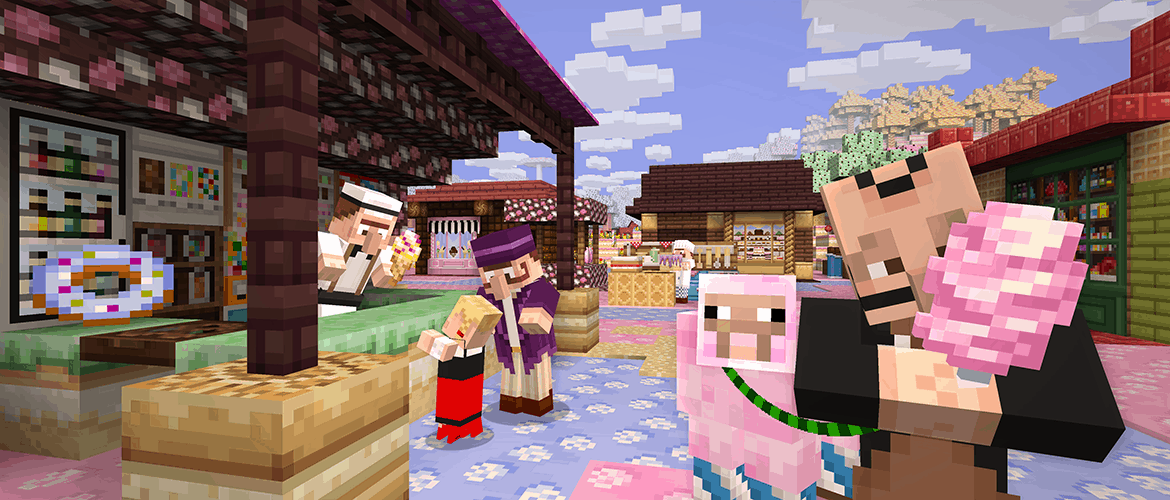
Minecraft developer Mojang has announced today some new content for Minecraft: Windows 10 Edition and Minecraft: Pocket Edition. The new update 1.03 brings some gameplay tweaks and bug fixes, but also introduces the Candy Texture Pack that was already available on console editions of the game.

“Starting from today, players of portable versions of Minecraft can download a texture pack that pours a dentist-weepingly high amount of sugar into your game, replacing all the textures with sweet new treats,” explained the blog post. If you’re interested in playing with all these dessert-themed textures, the Candy Texture pack is available today as a $2.99 in-app purchase.

Here is the full changelog of the 1.03 update:

New Features:

  • Added Candy texture pack
  • Added Dutch localization

Tweaks:

  • Fixed some spacing when truncating bolded text.
  • Tweaked spawn point selection to be “smarter” (e.g. avoid lava).
  • Tweaked the textures of flower/mushroom blocks.
  • Assorted texture fixes.

Bug Fixes:

  • Fixed a crash when a server/Realm would first start.
  • Fixed an issue causing servers to blink between online and offline status
  • Fixed a Realms crash when a player exits
  • Fixed a crash when using some items
  • Fixed a server crash when a player entered a mutated biome
  • Fixed an issue that caused pressure plates, buttons, and other Redstone items to become stuck
  • Fixed an issue with hoppers not ticking the proper order
  • Fixed an issue when destroying a door
  • Fixed an issue with item duplication
  • Fixed an issue allowing a player to incorrectly obtain End Gateway blocks
  • Observer block’s arrows should now point in the direction of power
  • Observer blocks will no longer be placed upside-down
  • Fixed an issue where realms members that were not your friends were not being displayed
  • Bats should spawn more often!
  • Fixed an issue with End Gateway textures on mobile devices.
  • Fixed an issue where buttons & other redstone devices could get locked when a redstone lamp activated.
  • Fixed some rendering geometry which created weird results

If you have yet to purchase the game, we remind you that the Windows 10 Edition is currently discounted at $9.99 ($17 off), which is a good opportunity to get started with the sandbox game. Let us know in the comments what do you think of this new content update.

Minecraft for Windows
Developer:
Microsoft Studios
Price:
Free


‎Minecraft
‎Minecraft
Developer:
Mojang
Price:
$6.99+


Minecraft
Minecraft
Developer:
Mojang
Price:
$6.99

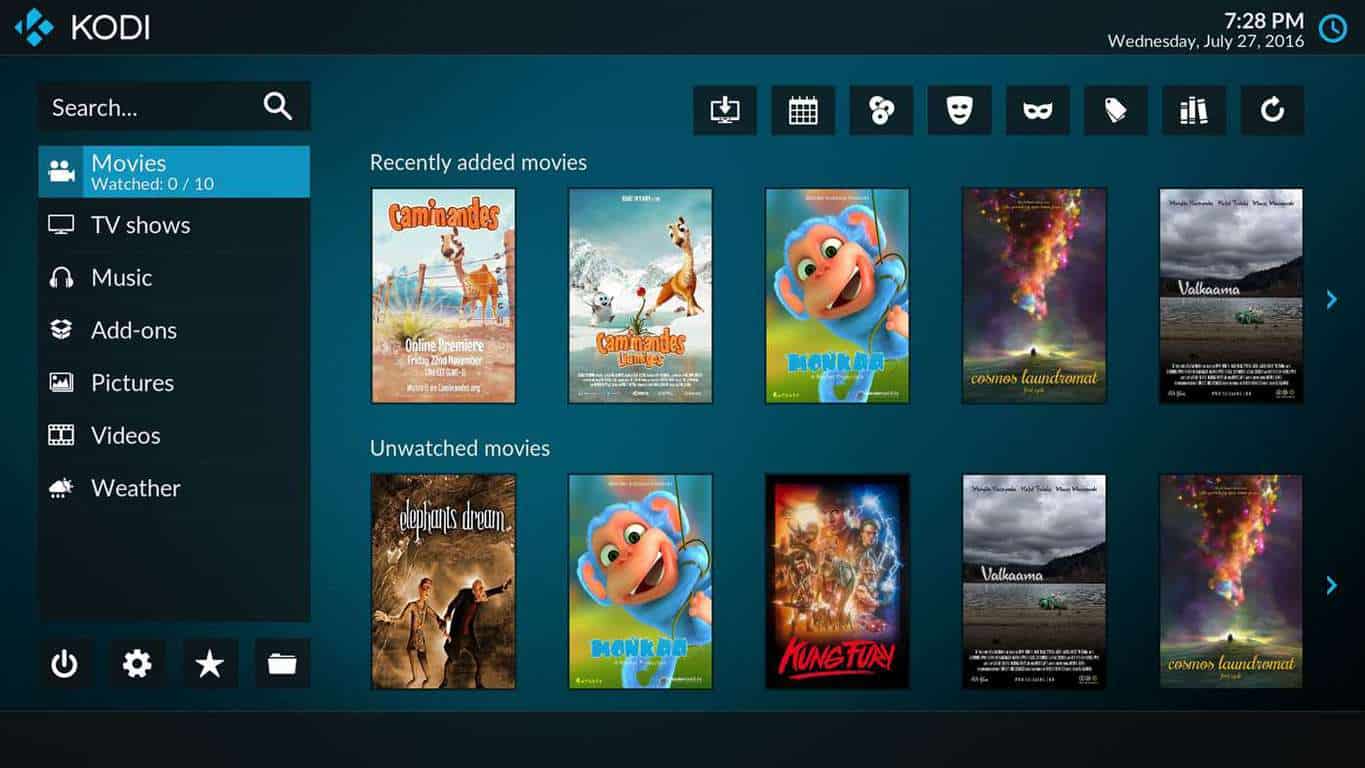
Popular media center Kodi is being rebuilt as a Xbox One compatible UWP app

Kodi, a popular media center based on the now deprecated Xbox Media Center will soon make its way to the Xbox One as a UWP app (via Neowin). The announcement was made yesterday during Microsoft’s Windows Developer Day Event, where the company also announced that the Windows 10 Creators Update SDK was now feature complete.

For those unfamiliar, Kodi is an open-source, cross-platform app that is now available on Windows, macOS, Linux, iOS and Android. Last year, the developer released Kodi on the Windows 10 Store using Microsoft’s Desktop Bridge, though the technology doesn’t make it possible to run converted apps on anything else but a Windows 10 desktop computer for now. Fortunately, the developer was pleased by the success of its Windows Store app, which is why the digital hub will be rebuilt as a full UWP app that can run on the Xbox One.

We don’t know yet when the Kodi UWP will be ready, but the announcement makes sense considering that Microsoft introduced yesterday a new “compact overlay mode” for UWP apps in the Windows 10 Insider build 15031. Media apps that leverage this new feature will be able to be displayed in a corner of your screen above your other windows, and we expect this new picture-in-picture mode to be enabled on the Xbox One too. It’s great to see that Kodi is finally embracing the Universal Windows Platform, and we can’t wait to see how the app will run on the Xbox One.

Windows Platform bug tracker aims to make the Windows 10 UWP platform transparent

Microsoft does a lot in order to make sure that things run smoothly for users, but they also drop big things for developers every once in a while. One such huge benefit for the developers among us has just recently dropped, and it takes the form of a new Bug Tracker.

The Bug Tracker does exactly what you think it does – it tracks bugs. The tracker tells you about several of the bugs that the team is working on, and it gives you insight into what kind of progress has been made as far as a fix is concerned. The tracker should do wonders for transparency, and ought to encourage developers to give more feedback.

On top of the tracker, we’re also getting access to a sneak peak at Microsoft’s roadmap. The roadmap gives users a look at features that the team is working on and, like the bug tracker, gives updates on how far they’re coming along.

The two features are both part of an effort to get a little more transparent for developers who want to know the team that designs the Windows platform. Hopefully, these two features will be well-maintained – they have the potential to offer a lot of valuable information.

Outlook.com outage affecting users logging in and sending mail

User reports are pouring in of issues accessing Microsoft’s online e-mail service, Outlook.com. According to reports, already logged in users are also affected, as they are unable to send mail, instead being alerted to an error that they’re unable to send e-mail currently and to “try again later.”

When accessing Outlook.com, many users are seeing an error similar to the below:

Outlook.com Something Went Wrong

As stated by the error, it appears Outlook.com’s servers are overloaded and are unable to process requests – such as logging in and sending e-mail.

The issues mainly affect the United Kingdom and pockets of the United States, as shown by the outage map:

Outlook.com Outage Map

Microsoft have not responded to reports of an outage as yet. Many issues are resolved within a few hours, so we expect full service to resume shortly. Let us know if you’re affected in the comments below!

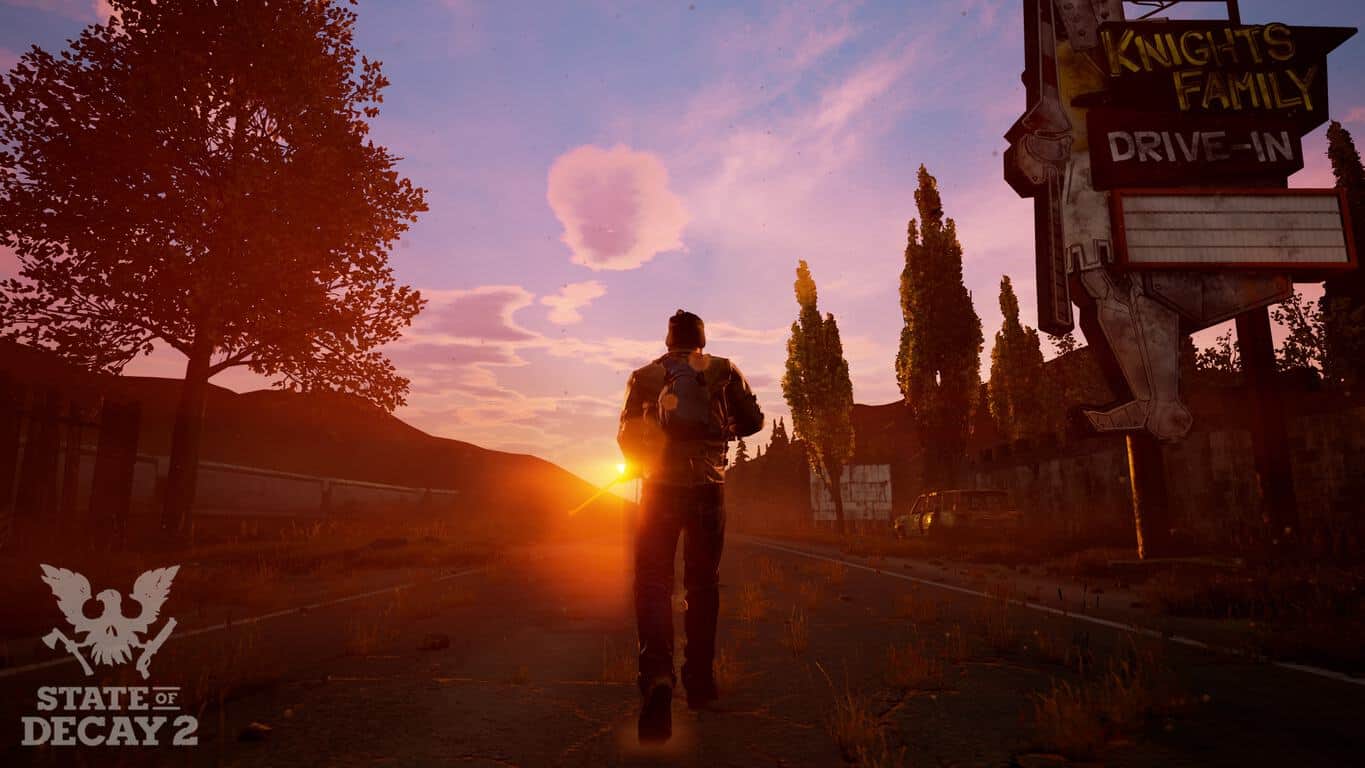
Undead Labs to announce State of Decay 2 release date at E3 2017

State of Decay 2, the upcoming survival game from developer Undead Labs is one of the new Xbox Play Anywhere games to be released on the Xbox One and Windows 10 later this year. Today, a tweet from the official State of Decay 2 Twitter account revealed that the game studio plans to announce the game’s release date at E3 2017:

The title was announced last year at E3 2016, and we still don’t know much about it except that its story will pick up where the original game left off. As for the gameplay, the game will be set in an open-world environment that can be explored with up to three other players. You can watch the E3 2016 trailer below:

In case you missed it, the Entertainment Software Association also announced today that E3 2017 will be open to the public this year, unlike previous editions which were media-only events. Consumer passes will go on sale on February 13 and we invite you to check the official website for more details. We’ll also be at E3 this year and we’ll make sure not to miss any announcements about upcoming Xbox exclusives and the highly anticipated Project Scorpio.

Microsoft teases Project Neon UI upgrades at Windows Developer Day

As many of you know,t he Windows Developer Day public livestream was underway today. What we didn’t expect was a preview of the elusive Project NEON to be teased during it. Windows Central reports that the upcoming design language for Windows 10 was spotted on the Dev Day livestream earlier today in the background.

Image Credit: Windows Central

Project NEON is a polished design for applications that developers will be able to take advantage of. With fluid animations, transparencies, and blur to streamline the content, Microsoft is aiming to progress Windows 10 into a more seamless and appealing experience for users. We’ve already seen little snippets of the Project NEON design in official Microsoft apps such as Groove Music and Paint 3D on Windows 10 Insider Preview builds.

Of course, Project NEON is expected for Redstone 3 so it’s probably on the backburner to the looming Windows 10 Creators Update coming this April. Still, if the past means anything, we’ll probably see more apps from Microsoft with the UI elements added long before NEON is made available to developers.

Is “Compact Overlay,” available in Windows 10 Insider build 15031, the replacement for Xbox Snap Mode?

Today, Microsoft released the Windows 10 Insider build 15031 for PCs and this latest preview build brings a pretty exciting feature called Compact Overlay windows for UWP apps . This looks basically like a picture-in-picture mode for Windows apps, and it should be pretty great for video streaming apps like Netflix or messaging apps like Skype. Of course, it will be up to developers to support it on their UWP apps, but Microsoft announced that its Movies & TV and Skype Preview apps will implement it very soon.

pip compact overlay windows build 15031
The Compact Overlay mode introduced today in the Windows 10 Insider build 15031.

As Windows Central noted though, this new feature looks quite similar to the picture-in-picture experience that the Xbox team quietly introduced on the latest Xbox Insider builds as a replacement for Snap mode. For those unfamiliar, it’s no longer possible to snap some apps like YouTube, Achievements or Skype to the side of your screen in the latest Xbox One Preview builds, and UWP apps on the Xbox One don’t support Snap mode at all.

However, Cortana and the Achievement tracker now use a new overlay system in the latest Xbox One preview builds, which lets you enjoy your games in full screen. You can watch an example below with the Achievement tracker, please also note that the Xbox team added the ability to control the transparency level this week:

Achievement tracker Xbox One
The new overlay Achievement tracker on the latest Xbox One preview builds.

We have yet to see any other UWP app support this new overlay mode on the Xbox One, but we have high hopes that Microsoft is ready to bring some consistency between Windows 10 and the Xbox One OS. As Snap mode has been pretty much deprecated on the gaming console now, it really makes sense to let UWP apps that support Compact Overlay mode on Windows 10 have the same functionality on the Xbox One. Anyway, the Xbox team has been releasing new Xbox One Preview builds much faster than before these days, so we may learn more about the new picture-in-picture experience on the Xbox One very soon.

FIX: Printer queue stuck when deleting in Windows 10

The printer queues documents before they’re printed. However, print jobs within the queue can get stuck. When that happens, some users might try manually canceling the document listed in their printer’s print queue. But then Windows might still not delete the selected print job. This is how you can fix a stuck printer job that isn’t deleting within the queue.

1. Check the Printer Ink and Paper

First, check the more obvious things such as the printer ink and paper. Do you have enough ink to print a lengthy document? Is there a reasonable amount of printing paper? If so, also check the paper is correctly loaded in the printer and there are no paper jams.

2. Clear the Printer Queue

If you’re sure you have sufficient paper and ink, then you should clear the full printer queue. That can be down by switching off the Print Spooler, which manages the printer queue in Windows 10. So you can erase all the documents in the printer queue as follows.

  • Switch your printer off.
  • To switch the Print Spooler off, enter ‘services’ into your Cortana search box and select to open that window.
  • Then you can double-click Print Spooler to open the window below.
  • Press the Stop button on that window and click OK.
  • Next, open File Explorer and browse to the C:\Windows\System32\Spool\PRINTERS folder path.
  • Now erase all the contents from that folder. Select all the files listed there by holding the Ctrl key, and then you can press the Delete button to erase them.
  • Return to the Services window and double-click Print Spooler again.
  • Now press the Start button to activate the Print Spooler.
  • Switch your printer back on to print with it.

3. Fix the Printing With Third-Party Software

Alternatively, you can feasibly fix the stuck printer job with extra third-party utilities. For example, one of those is Print Queue Cleaner, which you can add to Windows from this Softpedia page. The software pretty much does what it says on the tin, and it will probably fix a stuck printing queue for you when you press the program’s Fix it button.

4. Reinstall the Printer Driver

Reinstalling the printer driver will reset printing software system files. So if the queue is still jammed, reinstalling the printer driver might do the trick. This is how you can reinstall the printer driver.

  • Open Device Manager in Windows by entering ‘device manager’ into Cortana’s search box.
  • Now click Printers on the Device Manager window.
  • Next, you should right-click your printer and select Uninstall.
  • Click the OK button to confirm and uninstall the device.
  • Restart your laptop or desktop.

Windows will then usually automatically reinstall the required drivers. But, if it doesn’t, you can also download the latest drivers from the printer manufacturer’s website.

As an alternative, you can use an automated driver software that will efficiently manage any driver on your system, installing or updating each one from an official database with millions of drivers.

⇒ Get Fortect Driver Updater

5. Print From an Alternative Windows Account

It might the case that the account you’re trying to print from doesn’t have the required printing permissions. If the account doesn’t have print permission, you can’t print from it. You can check account print permissions as follows.

  • First, log out and then log in to another (preferably admin) account.
  • Now print the same document from the other account. If it prints there, then the other account probably doesn’t have permissions to print.
  • To check printing permissions, enter ‘printer’ into the Cortana search box and select Printers & Scanning.
  • Then select your printer from the window above and click Manage.
  • Select Printer properties to open the window shown in the snapshot below.
  • Now click the Security tab to open a list of user accounts. Click the user account there that you can’t delete the print job in to check it has permission to print.
  • If the account doesn’t have print permission, click all the Allow check boxes for it. Alternatively, select Everyone and click the Allow Print check box there if it isn’t already selected.
  • Press the Apply > OK button to confirm new settings.

6. Disable Third-Party Firewall Software

Third-party firewall software might be blocking your printer. So if you have any third-party firewall software running, then check its settings. Check if it’s blocking the Printer Spooler service or anything else pertaining to printing. If so, you might be able to exclude the Printer Spooler from the firewall with the utility’s options. Alternatively, just switch off the third-party firewall instead.

7. Run the Hardware and Devices Troubleshooter

  • Finally, the Hardware and Devices troubleshooter can fix a variety of printer issues. You can open that troubleshooter by entering ‘hardware and devices’ into Cortana’s search box.
  • Select Find and fix problems with devices to open the troubleshooter.
  • Then press the Next button to commence scanning. The troubleshooter will provide further details if it detects anything.

Those are some of the best ways to fix a stuck print job in the queue. Clearing the Print Spooler usually does the trick, and there are a few other ways you can do that with the Command Prompt and batch files. In addition, check out this Windows Report article that provides some further details for fixing the Print Spooler.

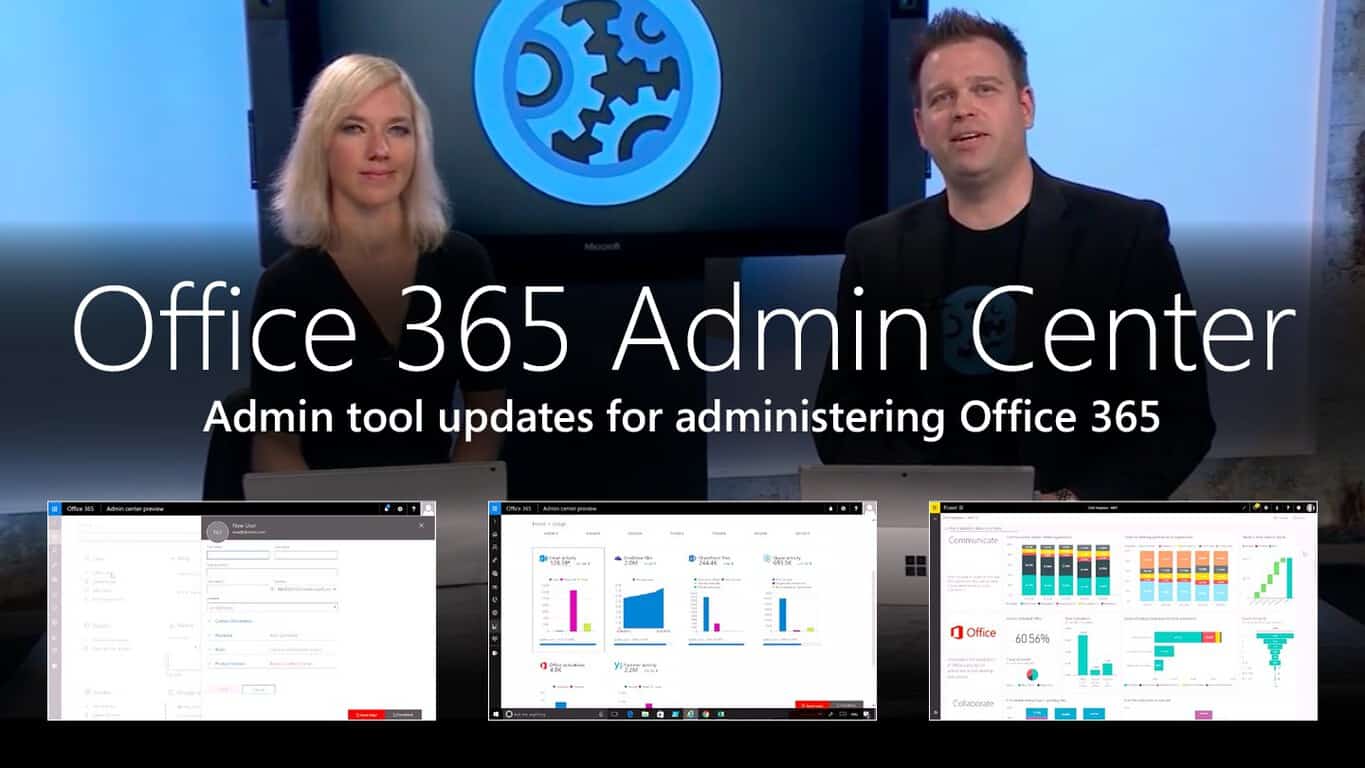
Need some help setting up Office 365 for your business? Check out these videos

Changing over to Office 365 isn’t always the easiest transition. Even with the documentations page, sometimes users will need to see things to get an idea of what they want to do.

Microsoft Tech Community has published a short list of videos to help you make your change over to Office 365 admin center just a little bit easier. As it says in the description, you’ll learn how to set up and manage Office 365. Including:

  • Setting up domains
  • Choosing domain names
  • Using the admin mobile app
  • Setting up team sites
  • Email setup and management
  • Adding/Removing people
  • Document storage
  • Download software

More videos are expected to be added as time goes on, but you can check out the first fifteen today.

Excel adds new data transformation and connectivity features in January update

The Office team announced today that Excel is getting six new data transformation and connectivity features as part of the January 2017 updates for the spreadsheet app. These new features are based on the Power Query technology, a new Excel add-in that enhances data discovery, transformation and enrichment.

The following new data transformation features can be found accessed through the Get & Transform section on the Data ribbon:

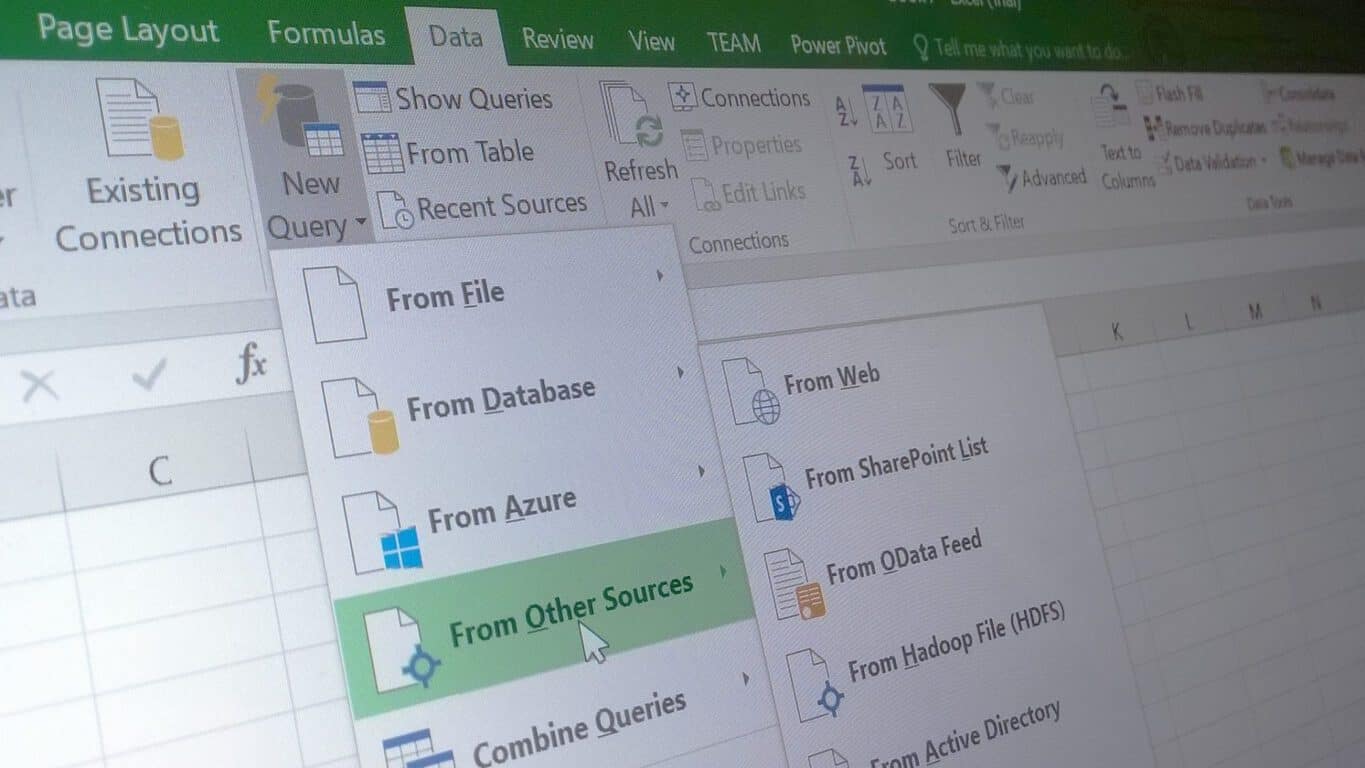
  • You can now connect to OLE DB Drivers by using the new OLE DB Connector, which can be found can be found under Data > New Query > From Other Sources > From OLE DB.
  • The “Combine Binaries” experience has been improved when importing from any folders, letting users combine all binaries within a folder with a homogeneous file type and column structure.
  • The Navigator and Query Dependencies dialog can now be maximized or restored by using new icons in the top-right corner of the dialogs.
  • Percentage data types are now supported in in arithmetical operations for Get & Transform scenarios.
  • The “Function Authoring” experience has been improved by making it easier to update function definitions for functions that are based upon another query.
  • The performance of the OData connector has been improved when expanding records from an OData feed.

These new updates are available now for Office 365 subscribers using Excel 2016. If you’re using an older version like Excel 2010 and Excel 2013, you can still get these new by downloading the latest Power Query for Excel add-in.

Microsoft upgrades the Share icon in latest Windows 10 build 15031

Microsoft today pushed out Windows 10 build 15031 to Windows Insiders in the PC Fast Ring. While the build had the usual fare share of known issues, and also introduced a few new features, and fixes, build 15031 also brings an upgraded share icon.

The details on the new icon were shared here on medium.com by Paula Chuchro, a Senior Program Manager at Microsoft. According to Chuchro, the previous share icon (present in regular production Windows 10 builds,) got the team thinking if it visually represented and conveyed sharing in the best way. She explains,

From data in our usability labs, we’ve consistently seen people misunderstanding or looking past the icon in the user interface, especially when a label didn’t accompany it…. At the heart of it, we just want everyone to be able to easily share…. With this in mind, we set out to explore a new share icon design… We wanted everyone to discover it, interpret it, and utilize it, without any confusion or clunky translation. Instantaneous, intuitive iconography.


Share Icons
Share Icons

At the end of the day, the team settled for an icon which was more familiar, and also benefited from “ubiquity and familiarity.” In the process, several icons were A/B tested against old icons, and eventually, the new one was chosen since it performed best in testing, and since it made the team confident that they were making a significant change that would benefit millions of Windows users. It is explained,

“The best performing icon was our new icon, a rectangle housing a swooping arrow that indicates motion out of the rectangle. An exit, a movement, a share from one point to another…. We believe an icon can be successful in two important ways. When it’s a meaningful icon, it’s a pretty literal representation. The icon does what it says it will do because it calls upon a real-world object or action… An icon can also be successful in a ubiquitous way — something that’s universally accepted as a true representation regardless of its symbolic meaning”

New Share Icon Windows 10

The new icon, a rectangle housing a swooping arrow that indicates motion out of the rectangle, will show up in Windows apps in the latest build. Do you like the new share Icon? Sound off to Microsft by sending feedback to the feedback hub, and let us know what you think by dropping us a comment below!

Keyboard and Mouse controls on Xbox? Phil Spencer is still talking about it

Keyboard and Mouse support on Xbox is something that has been discussed by fans of the console for a very long time. One year ago, Phil Spencer promised that the feature is “Still on the way,” and more recently in June of 2016 he noted that the long requested feature is “still months away.” Well, the head of Microsoft’s Xbox branch is at it again and has taken to Twitter to respond to a developer’s calls about Keyboard and Mouse controls on consoles (via Stevivor.com)

As seen above, this time, Phil Spencer specifically responded to a fan who pointed to comments from Overwatch Game Director Jeffrey Kaplan in regards to keyboard and mouse support on Xbox One and PS4. If you missed it, the situation at heart is the fact that Vice President of Blizzard Entertainment came out and advocated against keyboard and mouse support on consoles after users thought of it as cheating.

Phil Spencer, nonetheless, believes that Mice and Keyboard are an advantage “in some cases.” And, as he has said in the past, the head of Xbox believes that he is “fan of giving the tools to studios and they’ll do what’s best for their games.”

While the comments don’t mean that we will see Keyboard and Mouse support on Xbox anytime soon, they are quite interesting. Some fans, in fact, have responded back to Spencer and have pointed that support for Mouse and Keyboard could be added, but with the option for game developers to turn if off. Other users, however, have defended Blizzard’s side of things and pointed that the comments from Jeffrey Kaplan are only about console users who use converters to get an unfair advantage, and not really about keyboard and mouse itself.

Where do you stand on this debate? Do you think that Keyboard and Mouse support is good for Xbox games? Or would you rather stick to using a controller? Sound off, and let us know what you think in the comments below!

Poll: Are you a Windows creator?

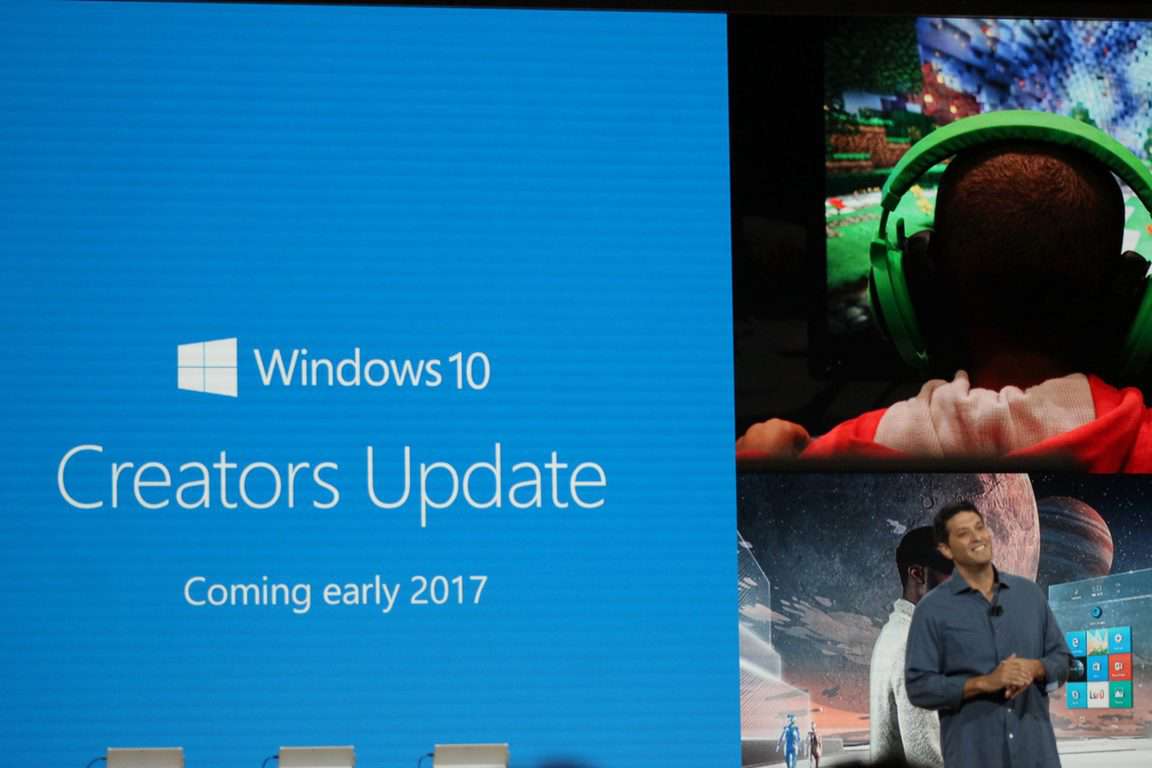
In just a few short months, Microsoft will be releasing its second major Windows 10 update, the Creators Update. Backed by improved inking support, a Surface line of hardware built for creators, and lots and lots of touch support, Windows 10 could soon become the operating system of choice for creative types.

But many of us use Windows for a wide variety of reasons, even if we’re not creators, or if our creations don’t lean toward the visual.

So what do you use Windows for? Are you a creator, excited for the changes coming with the Creators Update? Are you a PC gamer, or a student, or an information worker? Are you a developer, using the latest tools from Visual Studio?

Or, like millions of others, do you just surf the web, looking for cute cat pictures and checking out Twitter and Facebook, or maybe you’re All of the Above?

Take our poll (and yes you can choose multiple answers), and let us know:


Let us know what you’re using Windows for, and tell us your stories in the comments.

Today is Windows Developer Day – here’s the agenda for the online event

As we originally reported a month ago, Microsoft is holding an online Windows Developer Day event, where the company will show off the Windows 10 Creators Update to eager Windows app developers. The day has finally arrived, and Microsoft is now giving a look at the agenda for the online event.

Hosted by hosted by Kevin Gallo, the event shows what the Creators Update has in store for apps, games, and more. Things begin with a Keynote from 9 AM to 10 AM, and the host applies a developer’s lens as he shows off new Windows capabilities and tooling along with some news along the way.

Next up from 10:15 – 10:45 AM is a session on Improving user engagement with Windows and Cortana Skills. Here, it is discussed how developers can meet this need regardless of platform and form factor—whether the devices use small screens, big screens, or no screens at all.

Subsequently, from 10:50 – 11:20 AM,  is a session on Building personal and productive apps with Composition and XAML updates. With this session, developers will learn how the Creators Update will help simplify building apps that feel more natural (using Ink and Dial) and more beautiful (using Composition advances).

After this, and from 11:25 – 11:55 AM, the Windows Store will be discussed. During this session, new Windows Store capabilities which make it easier for customers to find and acquire apps and games, and Dev Center improvements will be covered.

Developer day wraps up at 12:00 – 12:30 PM with a session on Developer tools and updates. As is expected, the focus of this session is how Visual Studio 2017 and the Windows 10 Creators Update make developers more productive.

And finally, to wrap everything up, from 12:35 – 1:05 PM, there will be a speaker panel and Q&A session where Kevin Gallo and the Windows engineering team will take the stage and answer your questions.

So if you’re a developer, or just want to find out more on Windows 10 Creators update, tune in to the livestream.

Someone already bypassed the app block on Windows 10 Cloud

As you likely know by now, Microsoft is working on a lightweight version of Windows dubbed “Windows Cloud.” While the official in-depth details on this version of Windows are scarce, screenshots of the lightweight OS have emerged, and then the OS itself was leaked, ultimately showing that the OS would only run apps seen in the Windows Store.

In fact, though some have called the OS a “newfangled Windows RT,” one Twitter user has managed to bypass the Win32 app block on Windows 10 Cloud and install fully functioning version of Google Chrome (via Windows Central.)

https://twitter.com/never_released/status/829312452651339776?ref_src=twsrc%5Etfw

As seen above, the Twitter user who simply goes by the name of “Longhorn” is teasing that he managed to bypass Microsoft’s Win32 app block in Windows 10 Cloud. Just like with regular Windows 10, the user managed to run apps from outside the Windows Store, in this case, Google Chrome and also the Desktop App Converter. Though the user faced subsequent Windows SmartScreen warnings after doing so, it is still not clear how this was accomplished, but the screenshot might hint that Windows PowerShell is somehow involved in the process.

Safe to say that most users might not have the technical skills to get Win32 apps to run on Windows 10 Cloud, but given that Windows 10 Cloud is not official yet, it will be interesting to see how Microsoft handles this news moving forward. The company previously had to deal with similar situations with Windows RT, and had applauded a user who managed to do something similar and get a jailbreak tool running on the mobile ARM operating system. As always, let us know what you think of this latest news by dropping us a comment below!

Google drops support for Chrome 53 and below by the end of 2017

If you are still using version 53 and below of Chrome, now might be the right time to upgrade as Google plans to ditch support for older versions of the browser by the end of the year. The search giant announced that it would display a banner at the top of the Gmail interface announcing the move beginning on February 8 for users who still use Chrome 53 and below.

Google now wants users to upgrade to Chrome 55, currently the latest version of the browser which contains a slew of critical security updates. The Mountain View giant noted the move would most significantly affect users on Windows XP and Windows Vista because Microsoft no longer supports those systems. Google said in its announcement:

Gmail users that are still on Windows XP and Windows Vista are the most likely to be affected, because v49 was the last released version which supported those operating systems.

Why you should upgrade to Chrome 55

Google recommends users immediately upgrade to the latest version of Chrome. Continued use of Chrome 53 can lead to critical security issues. Users will also lose access to important features and bug fixes after support ends. So what happens after Chrome 53 loses support? Google explains:

  • Gmail will continue to function on Chrome Browser v53 and below through the end of the 2017.
  • If you continue to use older versions of Chrome Browser now that support has ended, Gmail will be more vulnerable to security risks and users will not have access to new features and bugfixes.
  • Users who remain on Chrome v53 and below could be redirected to the basic HTML version of Gmail as early as Dec 2017.

Now that Google is dropping support for Chrome 53, will you be upgrading to the browser’s latest version? Share your thoughts with us in the comments below.

RELATED STORIES YOU NEED TO CHECK OUT:

Minecraft Pocket Edition not yet coming to Windows 10 Mobile

Minecraft for Windows 10 Mobile is somewhat of a curious case. Initially, fans had reason to be excited due to the discovery of a detail in the changelog for the latest patch that pointed to Mojang including support for the platform for its popular game.

But now, the 1.0.3 beta build of the game received a changelog that doesn’t include that information. This comes as quite a disappointment since the original version of the game was released on platforms other than Windows Mobile.

The game supported the PC version of Windows 10 from the start, but many were hoping for extended support so that Windows 10 Mobile users could also get in on the fun. Since this change was only speculated and not actually confirmed by anyone at either Mojang or Microsoft, a lot of people took it as a sign that things weren’t going to as great as everyone would have hoped.

If the Windows 10 Mobile support were to come through, it would be under the Pocket Edition version of the game. The Pocket Edition is the version of Minecraft dedicated to mobile devices. Android and iOS users are already having a blast thanks to the company behind Minecraft supporting their respective platforms.

Even though there has been nothing yet about this, there is still time left with which Mojang could add Windows 10 Mobile support. It would surely boost the overall value of Windows 10 Mobile as a platform, as Microsoft’s mobile efforts in this department aren’t looking so great at the moment.

In fact, the Windows developer’s mobile operating system has been on a constant downhill tumble for a while now and many are wondering how long will it be until it is terminated. This may very well be the reason why no support was added in the first place, as it would be a tad impractical to add support for a platform that is about to be discontinued.

RELATED STORIES TO CHECK OUT:

Microsoft celebrates Anime Month with some great sales on the Windows Store

Fanboys and fangirls will be excited to know that Microsoft didn’t forget that February is Anime Month. On the Microsoft Store, you can access sweet deals on some of your favorite anime TV shows and movies.

Anime Movies

Full-length anime movies can be bought as HD/SD. Rented versions are not on sale but can be purchased instead.

  • Dragon Ball Z: Resurrection ‘F’ + Bonus – From $6.99
  • Dragon Ball Z: Battle of Gods – Uncut (Dubbed) – From $2.99
  • Attack on Titan – Live Action Movie – Part Two – From $3.99
  • Attack on Titan – Live Action Movie – Part One – From $3.99
  • The Girl Who Leapt Through Time – From $3.99
  • Naruto Shippuden the Movie: Blood Prison – From $2.99
  • Naruto Shippuden the Movie: The Lost Tower – From $2.99
  • Naruto Shippuden the Movie: The Will of Fire – From $2.99
  • Naruto Shippuden The Movie 2 – Bonds – From $2.99
  • Rurouni Kenshin – Part I: Origins – From $3.99
  • Naruto Shippuden The Movie 1 – From $2.99
  • Rurouni Kenshin – Part II: Kyoto Inferno – From $3.99
  • Rurouni Kenshin – Part III: The Legend Ends – From $3.99
  • The Last – Naruto the Movie – From $6.99
  • Road to Ninja -Naruto the Movie- From $6.99
  • Naruto The Movie 3 – Guardians of the Crescent Moon Kingdom – From $5.99
  • Naruto The Movie 2 – Legend of the Stone of Gelel – From $5.99
  • Naruto The Movie 1 – Ninja Clash in the Land of Snow – From $5.99
  • The Boy and the Beast – From $3.99
  • RWBY Volume 3 – From $1.49
  • RWBY: Volume 2 – From $1.49
  • RWBY: Volume 1 – From $1.49
  • Project Itoh: Harmony – From $3.99
  • Red Sonja: Queen of The Plagues – From $1.49
  • A Letter to Momo – From $1.49

Anime Shows

You can purchase full-length seasons in both SD and HD, including some classics. Individual episodes are not on sale, but can be purchased.

  • Dragon Ball Z (9 seasons)
  • Fairy Tail (8 seasons)
  • High School DxD – The Series (3 seasons)
  • Cowboy Bebop (1 season)
  • Attack on Titan (1 season)
  • HUNTER X HUNTER (1 season)
  • Yu-Gi-Oh! (5 seasons)
  • Sailor Moon Crystal (1 season)
  • TIGER & BUNNY (1 season)
  • Yu-Gi-Oh! ARC-V (1 season)
  • Digimon Fusion (2 seasons)
  • Yu-Gi-Oh! ZEXAL (3 seasons)
  • Digimon Adventure (2 seasons)
  • Genshiken Second Generation (1 season)
  • Cardcaptor Sakura (1 season)
  • Eureka Seven (1 season)
  • Hanasaku Iroha ~ Blossoms for Tomorrow ~ (1 season)
  • Assassination Classroom (2 seasons)
  • Zatch Bell! (2 seasons)
  • Yu-Gi-Oh! 5Ds (2 seasons)
  • Yu-Gi-Oh! GX (3 seasons)
  • YURUYURI (2 seasons)
  • Koe De Oshigoto! (1 season)
  • Jubei Chan: The Secret of the Lovely Eyepatch (1 season)
  • Zakuro (1 season)
  • kimi ni todoke -From Me to You- (2 seasons)

These deals are expected to last until March 6 and are assumed to be available in the United States only according to Windows Central. While there isn’t much to select from, the classics speak for themselves. This might be the perfect time to catch up on a favorite or try out a new show.

Microsoft teams with M83 to create 8-bit video game experience for “Meet me at Go”

Back in 2015, Microsoft launched a new initiative called Music x Technology to engage with artists looking to leverage technology for artistics performances. So far, the program gave birth to very interesting projects such as KEXP’s new live music studio featuring an interactive light installation, but the team went in a totally differention direction for its latest project made in collaboration with electro-pop artist M83.

The company unveiled today Meet Me At Go!, a retro-futuristic car chase game which has been designed as an interactive music video for the 8-bit remix of M83’s song “Go!”. The band’s frontman Anthony Gonzalez, a fan of retro games himself, was involved in the creative process with New York City-based agency Listen. Kurt Feldman, a sound and audio designer for Listen who worked on the remix with Gonzalez explained that “we wanted to marry the graphics to the sound of the remix but keep it a little more modern and 3-D.” The result will likely please fans of early cyberpunk films or games such as Far Cry 3: Blood Dragon.

The game has been created with the Unity engine and has been optimized for touch screen computers. It’s available as a web app and also as a universal Windows 10 app that you can download from the Windows Store. “We are not the first to integrate a game with a song, but we’re trying to take that idea a little further and extend the story in the song into the game and have fans feel part of the experience as they’re playing and listening,” explained director of Brand Studios for Microsoft Amy Sorokas.

We invite you to try Meet Me at Go! on your desktop browser, it’s a pretty simple racing game where you have to collect objects and dodge various obstacles. It’s a really cool way to discover the remixed track, which is also available to listen on M83’s just released Remixes EP.

Meet Me At Go!
Meet Me At Go!
Developer:
Meet Me At Go!
Price:
Free

Fallout Shelter is now available Now for Xbox One and Windows 10

The free mobile game that originally launched alongside Fallout 4 is now not only on PC, but available as an Xbox Play Anywhere title. As we reported earlier this week, the post-apocalyptic fan favorite can be downloaded for Xbox One and Windows 10, and it’s available now.

This simulation lets you take on the role of Overseer in the Fallout universe. After the fallout of a nuclear war, you are tasked with maintaining the dwellers, crafting and building extra space and items, fighting off threats from outside, and even repopulating your vault.

Fallout Shelter first started as a mobile game launched at E3 in 2015. It quickly grew in anticipation of Fallout 4, keeping fans of the franchise busy until its inevitable release later that year.Since then, it was launched onto PC with the Bethesda.net application and has accrued over 50 million downloads between the two.

Now you can play it both on Xbox One and Windows 10 seamlessly thanks to Xbox Play Anywhere. According to Xbox Wire, it has been adapted to work smoothly with the Xbox One controller.
The game is completely free and available today on the Windows 10 and Xbox Store, so make sure to check it out!

Fallout Shelter
Fallout Shelter
Developer:
Bethesda Softworks
Price:
Free


LEGO Indiana Jones heads to Xbox One via Backward Compatibility

After adding three titles last Tuesday, Microsoft today quietly added LEGO Indiana Jones the Xbox One to the Backward Compatibility catalog. The title was first released back in 2009, so as always we have included the trailer, game description, and download link for you below.

LEGO Indiana Jones $19.99

LEGO Indiana Jones: The Original Adventures takes the fun and creative construction of LEGO and combines it with the wits, daring and non-stop action from the original cinematic adventures that enthralled audiences everywhere (Indiana Jones and the Raiders of the Lost Ark, Indiana Jones and the Temple of Doom and Indiana Jones and the Last Crusade). With a unique tongue-in-cheek take on the original adventures, LEGO Indiana Jones follows the escapades of Dr. Jones through the jungles of South America to the mountaintops of India. Fans can build, battle and brawl their way through their favourite cinematic moments, from Indy’s entanglements with snakes to his dashing boulder run. Additionally, players can also mix and match the body parts of more than 60 playable characters to create new heroes in more than 18 different levels that mirror the classic films.
Will you be downloading this title? Or do you already own it? Let us know what you think by sounding off in the comments below!

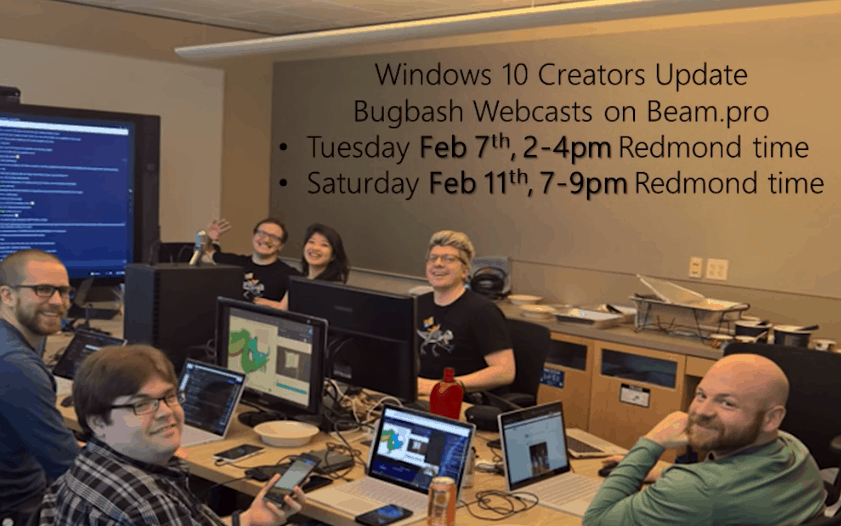
Join Dona Sarkar and Windows Insider engineers on a Bug Bash Beam livestream later today

Following the release of the Windows 10 Insider build 15025 last week, Microsoft kicked off the February 2017 Windows 10 Creators Update Bug Bash which will conclude this Sunday, February 12th. On this occasion, the Windows Insider team announced that it would hold two Bug Bash webcasts on Beam, and the first one is scheduled today from 2-4pm (PST). On Twitter, Dona Sarkar and leader of the Bug Bash Anita George invited all Windows Insiders to join the fun this afternoon:

If you have yet to get involved in this latest Bug Bash, make to sure install the Windows 10 Insider build 15025 on your devices. Once it’s done, you can get started with the various quests within Feedback Hub that will make it easy to report your feedback to the team. If you can’t watch today’s live stream, you can already get prepared for the second Bug Bash webcast that will run this Saturday, February 11th from 7-9pm PST.

Could Xbox 360 emulation come to Windows 10? “Never say never”

If you spent a lot of money on Xbox 360 games back in the day, then the Xbox One’s backward compatibility feature is great incentive to keep you on the Xbox ecosystem. Sure enough, there are over 300 total Backward Compatible games on the Xbox One as of today, and the list aready includes blockbuster titles such as the BioShock trilogy, the Mass Effect trilogy and more and we see new games being added every week or so.

It’s really great to be able to play some Xbox 360 games on the Xbox One, but could Microsoft also implement backward compatibility on Windows 10 PCs? Considering that the Xbox 360’s hardware is approaching 12 years old (an eternity in the tech world), the thought may be not too far-fetched after all.

Answering a question about the feasibility of that project on Twitter (via Windows Central), Xbox head Phil Spencer said “never say never,” acknowledging at the same time that it would certainly be a difficult challenge considering the myriad of different PC hardware configurations in the market today:

Backward compatibility is certainly one of the Xbox One’s killer features, and bringing it to Windows 10 PC could help Microsoft to fulfill its Xbox Play Anywhere ambition. Adding Xbox 360 games to the Windows Store could also make it a more interesting option for PC gamers looking for Steam alternatives.

On the other side though, you could argue that the feature should remain a console exclusive to drive Xbox One sales. Backward compatibility definitely makes the purchase of an Xbox One more valuable, and as a matter of fact Xbox One owners can already stream Xbox One and backward compatible Xbox 360 games to their Windows 10 PCs through the Xbox app.

Do you think it could be in Microsoft’s interest to bring backward compatible Xbox 360 games to Windows 10 PCs, or do you think the company should rather focus on making the Xbox One the best gaming console in the market? Let us know your thoughts in the comments below?

On ‘Safer Internet Day’, Microsoft challenges everyone to embrace “digital civility”

Today, on Safer Internet Day, Microsoft is challenging people around the world to embrace “digital civility” and to treat each other with respect and dignity online.

A Microsoft research shows people are concerned about the tone of online interactions and worry that risks will increase in the future. The research has prompted the company to create a Digital Civility Index – a new measure of people’s safety online and exposure to risks.

Safer Internet Day (SID) is organised by the joint Insafe-INHOPE network, with the support of the European Commission.

Digital Civility Index

The research is based on a study conducted in 14 countries, gauging the attitudes and perceptions of teens (ages 13-17) and adults (ages 18-74) about the state of digital civility today. It measured survey respondents’ lifetime exposure to several online risks across four categories: behavioral, reputational, sexual, and personal/intrusive.

The Digital Civility Index works like a golf score: the lower the value (on a scale from zero to 100), the lower the respondents’ risk exposure and the higher the perceived level of online civility among people in that country. The international Digital Civility Index score stands at 65.

Results show a person, on average, experienced 2.2 online safety risks out of the 17 included in the study. Countries that registered the lowest index readings (and thus the highest levels of perceived digital civility) were the UK (45) Australia (51), and the US (55) while the countries on the lower end were South Africa (78), Mexico (76), and Russia (74).

Digital Civility Challenge

Microsoft is introducing a Digital Civility Challenge that calls on people to commit daily to four ideals and to share their pledge on social media using the hashtags #Challenge4Civility and #Im4DigitalCivility.

Live the Golden Rule by acting with empathy, compassion and kindness in every interaction, and treating everyone they connect with online with dignity and respect.

Respect differences and honor diverse perspectives, and when disagreements surface to engage thoughtfully, and avoid name-calling and personal attacks.

Pause before replying to things people disagree with, and not posting or sending anything that could hurt someone else, damage reputations or threaten people’s safety.

Stand up for myself and others by supporting those who are targets of online abuse or cruelty, reporting activity that threatens anyone’s safety, and preserving evidence of inappropriate or unsafe behavior.

The company aims to start a conversation about how being civil online can benefit society with this new initiative thereby fostering vibrant, engaged communities.