Here’s the latest Windows 10 stats as of October 2016

The cross-promotion network for Windows Phone and Windows Store apps AdDuplex has published today its latest Windows Device Statistic Report, and the new data collected on October 19th shows that the Windows 10 Anniversary Update continues to gain OS share across devices. While not a lot has changed on the mobile side since last month’s report, AdDuplex did observe that the global rollout of Windows 10 version 1607 on desktop PCs reached a new milestone this month. Let’s dive into the details below.

First of all, the company noted that the top Windows phone chart remained the same this month: the Lumia 535 is still the most popular handset worldwide with a 13.3% market share (up 0.7 points of percentage month-over-month), followed by the Lumia 520 and the Lumia 640. Looking at the Windows 10 Mobile phones exclusively, the only notable change is that the Lumia 540 (a more powerful variant of the Lumia 535 which was not released globally) in now the tenth most popular handset, replacing the Lumia 830. Additionally, the premium-priced HP Elite x3 entered the chart at #36, which doesn’t mean much as the handset has only reached select markets over the last few weeks.

No major changes in the top Windows phone chart this month.
Windows 10 Mobile remains at the same levels.
Low-end Lumia handsets are still on top.

The Windows Phone OS versions charts are more interesting: AdDuplex’s latest data confirms that Windows 10 Mobile is no longer growing and its current 13.7% OS share is actually slightly lower than last month’s numbers (14%). As AdDuplex only collects data from around 5,000 Windows Phone apps running AdDuplex SDK v.2 and higher, this doesn’t necessarily mean that Windows Phone 8/8.1 (both OSes claims a combined OS share of 84.2% OS) is making a come back. Still, it’s still quite concerning to see that the massive discounts on Microsoft’s latest Lumia phones did not move the needle.

AdDuplex Windows Phone October 2016
Windows 10 Mobile seems stuck at the 14% mark.

While Windows 10 Mobile still has a low market share, AdDuplex’s analysis of Windows 10 Mobile versions show that the Windows 10 Mobile Anniversary Update is now running on more than 90% of Windows 10 Mobile phones (including Windows Insiders running Redstone 2 builds). 84.9% of users are now running the version 1607, which is 2.5 points of percentage higher than last month’s numbers.

The Windows 10 Mobile Anniversary Update roll out was pretty quick.

On the desktop side, the Windows 10 Anniversary Update is now running on the majority of Windows 10 PCs: with a 76.6% OS share, the user base of Windows 10 version 1607 more than doubled over the last month. According to AdDuplex, this progress should encourage more developers to take advantage of the new features included in the latest major release.

The Windows 10 Anniversary Update is now running on the majority of Windows 10 PCs.

Lastly, the company updated its Windows 10 PC Manufacturers chart and noted that Lenovo has now tied with Dell for the second place, with both companies holding a 11.6% market share. HP is still far ahead of both (21.9%) while Microsoft remains a niche player with a 2.8% market share (down 0.2 points of percentage).

The Windows 10 Anniversary Update is now running on the majority of Windows 10 PCs.
Microsoft remains a niche player.

Overall, we’re pretty excited to see that the Windows 10 Anniversary Update is now running on the majority of Windows 10 PCs and we hope to see more developers starting to embrace the UWP platform. However, the fact that Windows 10 Mobile may have reached its peak on Windows phones may cast some doubt on Microsoft’s vision of a universal Windows platform with apps that scale across different devices on form factors. While Microsoft is still fully supporting Windows 10 Mobile, Windows 10 PCs definitely remain the most important element of the Windows 10 ecosystem and we don’t expect to see a lot of changes in the next few months.
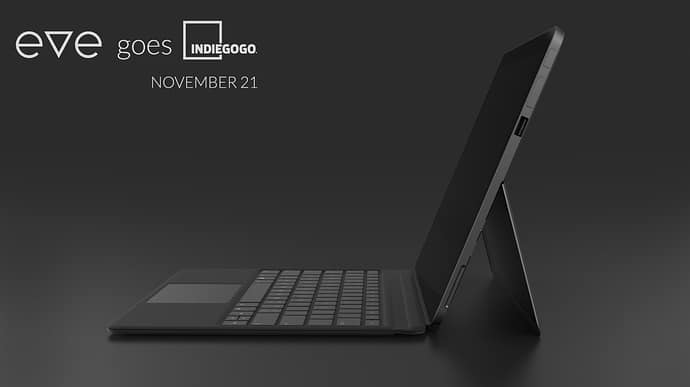
First images emerge of Eve’s V crowdsourced Windows 10 2-in-1, coming to Indiegogo in November

Back in April, Finnish company Eve Technology teased a new 2-in-1 Windows 10 tablet codenamed the Pyramid Flipper. The Surface-like design of the hybrid device was actually a result of a crowdsourced effort, with the company explaining during a Reddit AMA back in August that “this has led to many advantages over its competitors.”

Yesterday, Eve Technology posted on update about its upcoming Windows 10 device and we now have more details about its go-to-market strategy (via Neowin). First of all, the product’s final name is now the Eve V which the company chose after asking feedback from the community. Additionally, Eve Technology will launch its new tablet through an Indiegogo campaign which is expected to start on November 21. “Project is fully funded and in Indie GoGo users are not paying for development but for actual manufacturing of the product,” the company added.

The final specs of the device are still not clear, though the company shared that it’s getting “top notch engineers to support us from Intel.” Earlier this year, a previous specs list mentioned a 7th Gen Intel Core CPU, a 12-12.5″ IPS LCD screen with 2160x1440p resolution or better, up to 16GB of RAM and up to 512GB of storage. “Price, final spec and A LOT more will be announced in the coming weeks” explained the company yesterday.

For those of you interested in this new product, be aware that only 500 devices will be available for purchase during the Indiegogo campaign, with global shipments beginning in the first months of 2017. Let us know in the comments if you think this new Windows 10 hybrid could be a good addition to the Windows 10 ecosystem.

Microsoft launches a new range of Office business apps

Microsoft’s Office department has just launched a brand new line of business apps for Microsoft Office users aimed at performing a wide range of tasks usually performed by popular third-party applications.

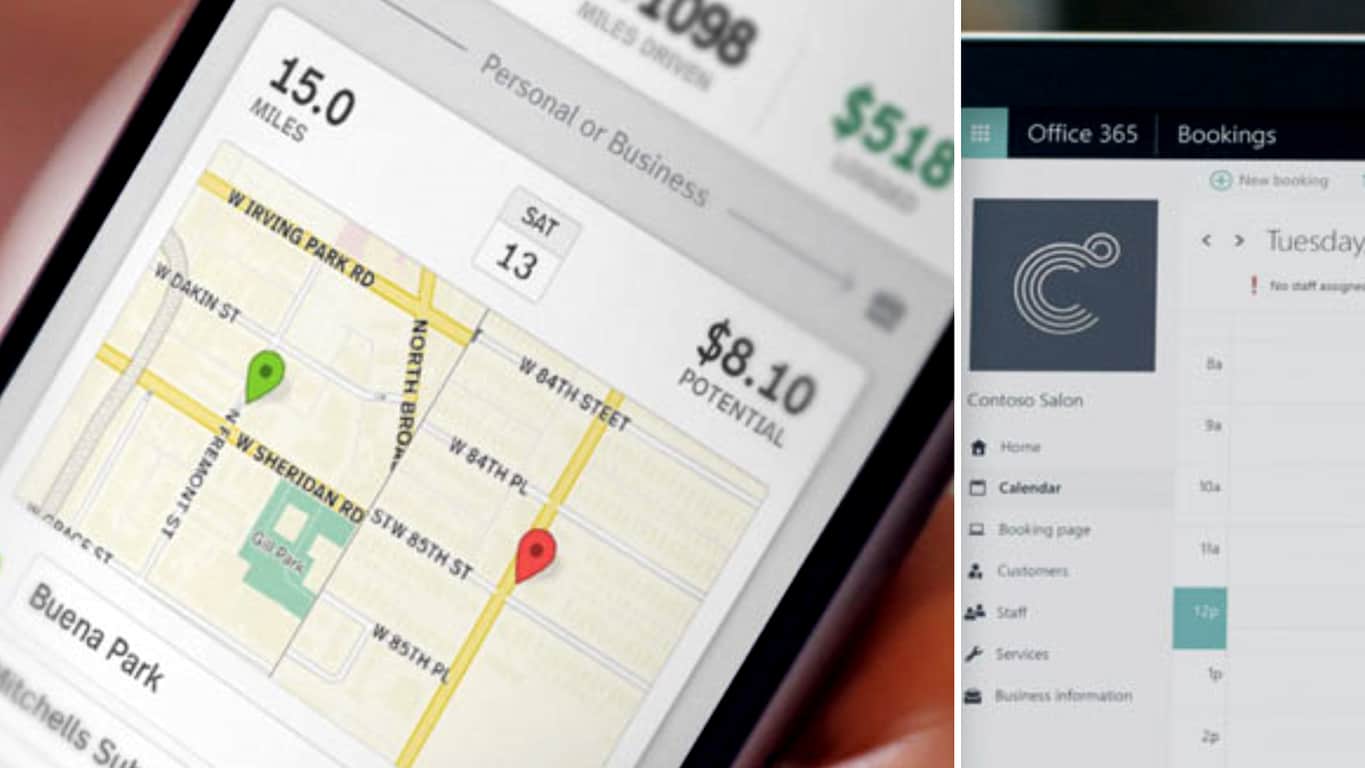
The first four of these new business apps are geared towards users looking to streamline their business practices with data tracking and simplified paperwork being a main focus with this initial offering. Mile IQ is designed to help users track business travel, Bookings is a tool which allows customers to make bookings, Invoice as its name suggests is for creating invoices, and Spend is an expense and receipt tracking tool.

Two additional apps, Point and Presence, are made for the modern, tech savvy, business owner. Point appears to be a rather innovative tool used for creating referral campaigns and word-of-mouth marketing while Presence (which is listed as “coming soon”) will be an app for tracking online brand impact and influence.

Microsoft hopes to achieve the following with these new products;

Guard your data: Gain peace of mind with apps that help keep your business and customer data safe and secure.

Save time: Take back time and save some money. Our new apps will simplify your day-to-day tasks.

Easy to use: The apps work like a team that helps streamline how you run your business.

Manage on the go: The new Business apps are also mobile. Because you are too!

Are you curious about these new business apps? Which ones will you use first? Let us know in the comments below.

A 3rd Jackbox Party Pack just went live on Microsoft’s Xbox One

The Jackbox Party Pack 3 has just gone live on the Xbox One in North America and a few other regions and is now ready to download and play. Like the previous Jackbox Party Packs, this third entry in the franchise also contains a collection of Jackbox video games, this time boasting five complete titles. Here’s the official game description:

The threequel to the party game phenomenon features FIVE new sense-shattering games!

1) The say-anything sequel Quiplash 2 (3-8 players). Play all new questions or make your own!

2) The deadly quiz show Trivia Murder Party (1-8 players). Match wits with a trivia-obsessed killer.

3) The surprising survey game Guesspionage (2-8 players). Guess the results to silly survey questions.

4) The t-shirt slugfest Tee K.O. (3-8 players). Battle your custom t-shirts to the death!

5) The sneaky trickster game Fakin’ It (3-6 players). One of your friends has something to hide.

Play using your phones, tablets, or computers. No extra controllers needed! All games support up to 10,000 audience members playing along! Plus tons of NEW features just for streamers! It’s a digital box full of actual fun!

Buy The Jackbox Party Pack 3 on Xbox One

Are you a fan of Jackbox video games? Let us know which ones are your favorites in the comments below.

Windows 10 Mobile build 14951 gets stuck at “0% downloading”

Microsoft recently pushed a new Windows 10 Mobile build to keep you busy over the weekend. Mobile build 14951 brings a new simplified, more familiar camera interface, as well as two fixes related to French punctuation rules and camera shutter sounds.

Now, the main challenge for Insiders is getting the build on their devices. Thousands of Insiders cannot install build 14951 on their terminals because the installation process is not progressing past “0% downloading” on the update screen.

build 14951 install stuck

Microsoft has officially acknowledged this issue and is actively looking for a quick fix.

We’ve just launched build 14951 to the Fast ring today and we’re seeing reports from users staying their device is not progressing past “0% downloading” on the update screen.
We encourage Windows Insiders to file feedback or upvote feedback from others.  We’ve started digging through the logs we have already received to investigate the issue. […]

*** Edit 2016.10.20 – 9:15AM ***
To everyone who is waiting patiently, thank you.  We know this is not the usual experience! We are still actively investigating and trying to root cause the issue.  No new information to share currently regarding solution, workaround, etc.

All Windows phone models are affected by this bug, even the recently launched HP Elite x3. For the time being, the root-cause of this issue remains unknown. However, one user suggests this bug is not only for this build update. He confirms that two days before, he tried to download additional language packs for Lumia 535, but the download process got stuck at 0%, forcing him to perform a hard reset. The Insider actually suggests the update bug is a problem of build 14946.

If, by any chance, you’ve come across a workaround for this update issue, list the troubleshooting steps in the comment section below.

RELATED STORIES YOU NEED TO CHECK OUT:

Battlefield 1 joystick support confirmed

Battlefield 1 is coming to the Xbox One and Windows PCs on October 21. Many gamers already got their hands on the game via EA/ Origin Early Access and are already participating in fierce World War 1-style battles.

Battlefield 1 offers an impressive gaming experience, but somehow fans feel the game is incomplete due to its lack of joystick support. Gamers took to the forums and created a dedicated forum thread to let DICE know just how important joystick support is, and it appears their calls have been heard.

This is a complete deal breaker for people that like to fly. Flying a plane with Keyboard and Mouse is nonsense, way to clunky. Using a Gamepad makes it not better ether, because the movement-area of the thumbsticks is way to small.

Why is this for each new Battlefield the same problem? Its known that PC players want to have support for other devices besides Mouse, Keyboard and the Gamepad, coming from the Console-Versions of the game.This issue was known since the Beta version and nothing have been done, very disappointing.

DICE recently confirmed that joystick support would be available in Battlefield 1. However, the company didn’t offer any details as to when this feature will actually become available. Most likely, joystick support will be enabled as soon as the game first patches are rolled out.

battlefield 1 joystick support

This is an excellent piece of news for many gamers who were planning to ask for a refund due to the lack of joystick support. However, DICE warns that not all joysticks will be compatible with Battlefield 1. For the time being, there is no official list of supported joysticks, but we’ll update this article as soon as new information is available.

RELATED STORIES YOU NEED TO CHECK OUT:

Seattle Seahawks come to defense of home-grown Microsoft Surface

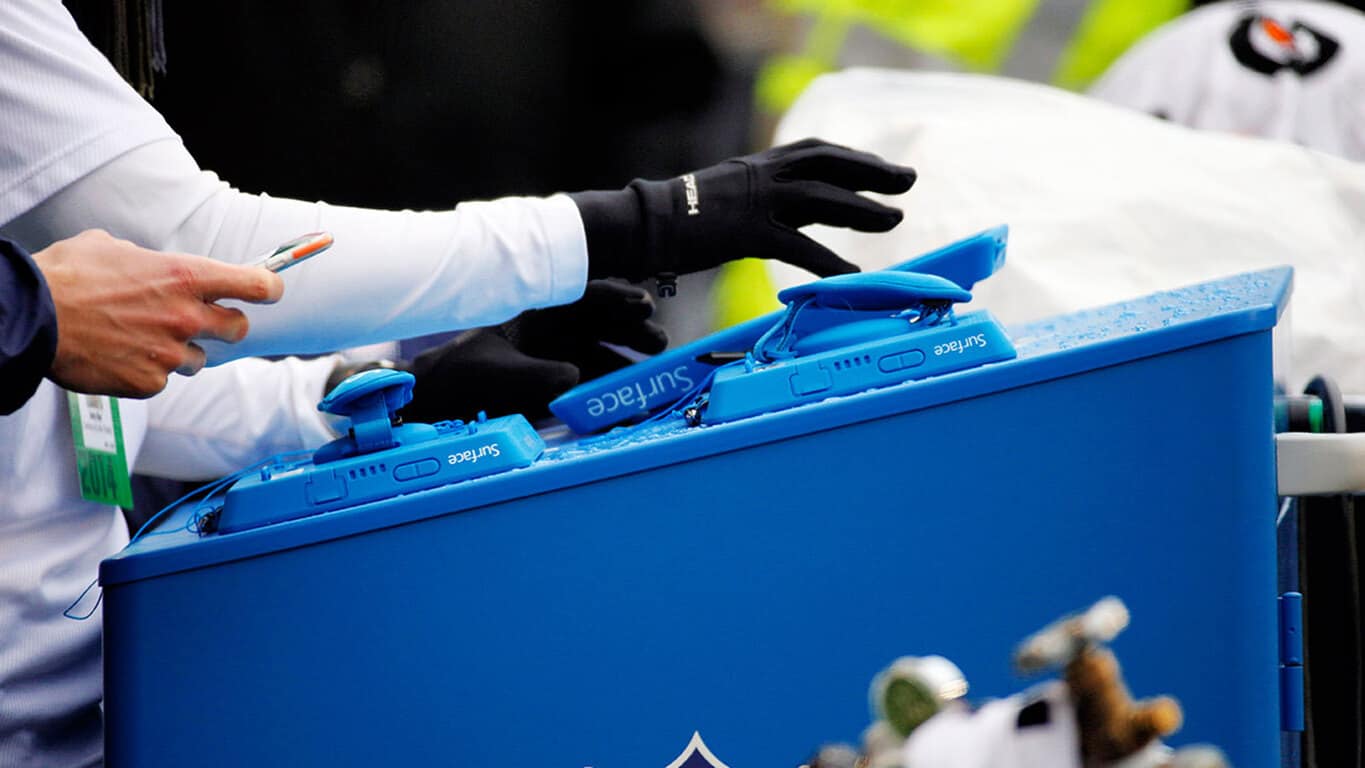
Earlier this week, New England Patriots head coach Bill Belichick put the NFL’s use of Microsoft’s Surface tablets on blast. In a long-winded diatribe about consistency, Belichick explained that much of the equipment the National Football League uses has been less than reliable but it’s the inability of Microsoft Surface to render pictures of previous plays reliably that pushed him over the edge.

As you probably noticed, I’m done with the tablets. They’re just too undependable for me. I’m going to stick with pictures, which several of our other coaches do, as well, because there just isn’t enough consistency in the performance of the tablets. I just can’t take it anymore.”

However, not everyone in the league shares Belichick’s frustration with the consistency of modern technology. Across the country in Microsoft’s backyard, Seattle Seahawks head coach Pete Carroll sings a different tune about the use of the Surface on the NFL sidelines, according to a report from the Seattle Times.

I don’t know if it’s because we are so close to home base but, shoot, I think the quality of our stuff has been great,” Carroll said.

Carroll along with his coach staff find the Microsoft Surface a helpful tool on their sidelines, allowing coaches to make their adjustments, talk through the last series of plays and what happened during a previous set of downs to make further adjustments throughout the game.

Granted, Microsoft co-founder Paul Allen is the owner of the Seattle Seahawks and the team plays in the companies backyard, so saying nice things about the use of the Surface should be received with a bit of skeptical salt.

NFL Surface cover
NFL Surface cover

Nevertheless, receiver Doug Baldwin points out a reality lost in Belichick’s very public return to paper.

I think it’s easier for our staff to have the tablets because they can just shoot it to the tablet instead of having to go print it out,” Baldwin said. “And it also saves paper.”

While Belichick and Carroll may differ on the level of usefulness the Surface plays on the sideline of an NFL game, the reality is, the Surface is a reusable resource that isn’t beholden to the elements like paper printouts used to be. Perhaps, as newer stadiums are built with better wifi implementations taking priority, the Surface will finally feel at home to all coaches in the league.

Windows 10 Preview build 14951 now available to Insiders on the Fast Ring

Microsoft just pushed out the new Windows 10 Preview build 14951 to Insiders on the Fast Ring. Just like the majority of Preview releases, build 14951 is available to users of both Windows 10 and Windows 10 Mobile devices.

Unlike the previous Preview build for Windows 10, build 14951 brings no new features to the system but instead improves some of the existing ones. This is not a surprise: It would be too much for Microsoft to deliver new Redstone 2 features in two consecutive Preview builds since the next major update for Windwos 10 is still in its early development phase.

Build 1495 continues improving the touchpad experience for Windows 10 devices, includes some Ink improvements, updates the Camera app, updates the Windows Subsystem for Linux and more.  The new build also solves issues with downloads of Gears of War 4 from the Windows Store that many users have been complaining about.

The new build should be already available to all Insiders on the Fast Ring. If you want to download it, just head over to the Settings app > Updates & security, and check for updates.

Windows 10 Preview build 14951 improvements and issues

As always, Microsoft provided a list of other, ‘less important’ improvements that the new build brings as well as a list of known issues that will probably bother some Insiders who install Windows 10 Preview build 14951.

Here’s what has been improved in Windows 10 Preview build 14951:

Other improvements and fixes for Mobile

  • Following feedback discussing French punctuation rules, we’ve updated our French keyboards (with the exception of French (Canada), for which these rules don’t apply) to now add a space both before and after when using two-part punctuation marks, such as the semi-colon, the colon, the question mark and the exclamation mark.

  • We fixed an issue resulting in the Camera shutter sounds entry missing from the Sounds Settings page via Settings > Personalization > Sounds.

Other improvements and fixes for PC

  • We fixed the issue causing PCs that are capable of Connected Standby such as the Surface Book and Surface Pro 4 to sometimes bugcheck (bluescreen) while in Connected Standby.

  • We fixed an issue resulting in Forza Horizon 3, Gears of War (and some 3rd party games) failing to install from the Store with the error code 0x80073cf9 when the system’s app install location was set to drive with native 4k Sectors (or 4k sector sized drive).

  • We fixed an issue resulting in larger Store games such as ReCore, Gears of War 4, Forza Horizon 3, Killer Instinct and Rise of the Tomb Raider possibly failing to launch.

  • We fixed an issue where the console window (which hosts Command Prompt, PowerShell, and other command-line utilities) might not snap correctly to the inside edges between two monitors with different DPI scaling.

  • We fixed an issue where all agenda items in the taskbar’s Clock and Calendar flyout were using the primary calendar’s color, rather than matching their respective calendar’s colors as selected in the Outlook Calendar app.

  • We fixed issue where the Add PIN button in Settings > Accounts > Sign-in Options was sometimes unexpectedly greyed out for domain-joined devices.

  • We fixed an issue resulting in Groove crashing if you tried to reorder the songs in a very large playlist.

  • We’ve updated our migration logic to now include custom scan code mappings. That means that going forward from this build, if you’ve used Registry Editor to remap certain keys (for example, Caps Lock key to null), that change will persist across upgrades.

  • We fixed an issue Insiders may have experienced resulting in Adobe Photoshop Express crashing after clicking on the ‘correct’ button when trying to edit a cropped image.

  • We fixed an issue resulting in .csv or .xlsx files downloaded from Microsoft Edge sometimes unexpectedly appearing to be locked for editing by “another user” when SmartScreen was enabled.

  • We fixed an issue where enabling the RemoteFX adaptor for a Virtual Machine would result in it failing to power on with the error ‘Unspecified error’ (0x80004005).

Of course, this doesn’t mean only the above-mentioned problems will affect users in Windows 10 Preview build 14951. The list of issues is usually quite longer when we include the reports from users. As always, we’re going to browse Microsoft’s forums for reported problems and let you know about the actual situation in Windows 10 Preview build 14951.

If you’ve already installed Windows 10 Preview build 14951 on your computer or Mobile device, let us know in the comments if you noticed some issues caused by the build.

RELATED STORIES YOU NEED TO CHECK OUT:

Microsoft stock surges to a 17 year high in after hour trading following pleasant FY17 Q1 reporting

Microsoft, under the tutelage of cloud-centric CEO Satya Nadella, has recently managed to achieve something it hasn’t done in seventeen years and that’s cross $60 stock price for the company.

After reporting a fairly impressive FY17 Q1 earnings report in which Microsoft’s Surface division saw a 38% increase in revenue, Azure revenue up 116%, Xbox Live active user count increase to 47 million and Office 365 increasing its seat numbers to 85 million commercially, the company’s stock rose on the good news.

In after hour trading, Microsoft’s stock peaked around $60 per share, beating its previous Dot Com era standing which hovered around the meager $25-30 range.

Other financial tidbits from Microsoft’s FY17 Q1 report include earnings of 75 cents per share beating the street estimates of 68 cents per share for the quarter. Microsoft also raised $22.3 billion revenue in adjusted non-GAAP and brought in $4.7 billion net income for the quarter while returning $6.6 billion to shareholders in the form of share purchases and dividends.

To see the breakdown of Microsoft’s quarterly earnings, check out our other post on WinBeta for details on how the company has done for the three months ending September 30, 2016.

Xbox Live monthly active users increase to 47 million according to FY17 Q1 earnings report

Microsoft’s earnings report from the first quarter of fiscal year 2017 has come in, and it shed a bit of light on the success of the Xbox One this past quarter. While the console had a rocky beginning as it first launched, it’s recently experienced some serious growth, with September being its third month in a row ahead of the competition in sales.

According to the latest earnings report from Microsoft, that growth in sales has been accompanied by a 21% increase in active Xbox Live users, resulting in a total of around 47 million users.

fy2017q1-computing

This figure is huge for a console that’s already been out for quite a while and is more or less driven by the recent release of the Xbox One S, which has sparked interest in the console once again. All in all, Microsoft couldn’t have asked for a better way to kick off the 2017 fiscal year – these past few months have done a lot to inspire confidence in Xbox One users.

Office 365 install base increases to 85 million active commercial and 24 million consumer users

There are a million reasons to love Microsoft, but perhaps the most convincing one is that Microsoft just keeps working to make sure that more people can be productive more of the time.

According to Microsoft’s earnings report for the first quarter of fiscal year 2017, that noble ambition has been hitting its mark, as per the usual. These latest numbers show that revenue from Office consumer products has gone up 8% since last year, bringing the number of active subscribers up to 24 million. Commercial Office 365 tools have seen quite a bit more growth, going up 51% and bringing the number of monthly active users to over 85 million.

fy2017q1-business
Office 365 1st qtr 2017 highlights

The growth for consumer Office 365 was mostly driven by recurring subscription revenue, whereas the Commercial side of things was driven by Office 365 commercial seats, which grew by 40%. Revenue from the sale of Office commercial products has gone down by 14% from last year, but this seems to come from “continued adoption of cloud offerings by customers.” There is little of splitting hairs here – Office did very well for itself this quarter.

Microsoft offers LinkedIn update amid its Q1 FY17 reporting

Many have been curious about Microsoft’s acquisition of LinkedIn and what was next for the popular business connection platform, especially investors. That’s probably why Microsoft felt the need to slip in an update about the purchase into the earnings report released today for the first quarter of 2017’s fiscal year.

According to a presentation slide in its FY17 Q1 earnings report, the acquisition is planned to be finished up in the next quarter. “We do not intend to update our financial guidance for any LinkedIn impact during the quarter; full access to financial records will become available to us post close,” they clarified.

After the acquisition is closed, investors will be able to keep up to date on LinkedIn’s financial status in the Productivity and Business Processes section. That’s where we’ll be able to see any of the expenses and integrations that the platform will take while transitioning into Microsoft’s hands.

The delay might be caused by Salesforce trying to toss out Microsoft’s credentials when it came to the purchase. However, the company has already filed for EU approval to antitrust regulators to approve the deal to close.

That was all the report had to offer concerning LinkedIn. Unfortunately, investors will have to wait until after next quarter to see all the numbers behind the new asset.

Microsoft once again rides cloud growth in Q1 FY17 earnings report

Microsoft’s focus on “Cloud first, Mobile first” continues to pay off for the Redmond giant. In the quarterly earnings report for Fiscal Year 2017, the tech giant saw a major increase in revenue. Much of it was driven by Microsoft’s success among cloud services.

The intelligent cloud revenue was reported to be increased by 8% compared to last year’s earnings report. Investors have increased their interest in cloud services as compared to the more traditional enterprise services which are now slowing to a crawl.

Microsoft Q1 FY17 Intelligent Cloud Earnings Report

Executive vice president and chief financial officer for Microsoft confirmed the significant demand for cloud-based services.

“Our first quarter results showed continued demand for our cloud-based services. We continue to invest, position ourselves for long-term growth, and execute well across our businesses.”

Other key points about the cloud’s success included:

  • Server products and cloud services revenue was up 11 percent from a year ago.
  • Azure revenue was up 116 percent with compute usage more doubling.
  • Enterprise mobility customers topped 37,000 in the quarter.
  • On the productivity and business process front (think Office 365), Microsoft also fared well. To wit:
  • Office 365 consumer subscribers ended at 24 million.
  • Office 365 commercial seat growth was up 40 percent in the first quarter, which has decelerated sequentially each quarter for the last year.

Microsoft has bragged a lot about its cloud services, preaching security and accessibility and the numbers don’t lie. It seems the company made good on its promise to provide the additional investor metrics and even met the $20 billion goal that they had set. Overall, the intelligent cloud continues to grow momentum as the company sets its sites to provide cloud services to more government agencies across the nation.

Windows 10 gets Spotify radio station support in latest Spoticast update

Many users opt to put aside Microsoft’s Groove music app to divulge in the free listening from Spotify’s subscription model. Unfortunately for them, Spotify doesn’t (yet) have a Windows 10 and Xbox One app. The popular third-party app Spoticast, is continually improving to bring the best music listening experience that it can.

The recent updates for Spoticast gave users the ability to create a radio station based on their searches. This radio station will play similar songs that match your selected categories or by choosing a track, album, or artist. Besides this feature, the app was given basic upgrades to performance and squashed some bugs.

Spoticast for Spotify music app

Some might say that Spoticast is better than Spotify itself since the app can be bought for $4.99 on Windows Store and doesn’t require a premium subscription to access the features. It even has a special free trial for one day to let users know what they are getting if they make the purchase.

It’s worth noting that if you try to use the Xbox One Spoticast app, it may have an error with the cursor or media loop. The developer’s note on the changelog in the app says this only happens on the first launch and by relaunching the app it will be fixed. The issue is being looked into.

Plug in your headphones and download the Spoticast update via the link below.

Spodicast Music
Spodicast Music
Developer:
Webrox
Price:
Free

Microsoft provides six tips for making sure virtual meetings aren’t a waste of time

Workplaces are evolving, not only in hardware configurations such as tablets and mobile phones augmenting workflows but also in how employees communicate and interact with one another. Applications such as Slack and HipChat are becoming additional means of communication that represent a faster form of conveying ideas and passing content, and video conferencing is becoming a standard substitute for in-person meetings.

As such, Microsoft’s Office team is doing what it does best and looking to optimize the video conferencing experience by coming up with “six ways to make virtual meetings more efficient.”

To keep your meetings—and your schedule—on track, consider these six tips and transform your routine.

  1. Agenda action—Whether your meeting participants are located across the building or the world, it’s important to get everyone on the same page. While formal agendas may not be as in vogue as they once were, reinstate the practice. Include the meeting’s topics in the body of your calendar invite or email out a document 24-48 hours before the designated time. This will provide all parties the chance to set their expectations regarding the meeting goals. And yes—if you’re the recipient of a meeting agenda, read it! Even if you’re familiar with the project or discussion topics, you may learn important information about the perspectives or concerns on the table, and it’s never fun being blindsided.
  2. Prep your (Ps and) Qs—Whether your meeting has a set agenda or not, make sure you know what your goals are. Before the meeting, compile any notes or background information you may need to reference as well as any questions. Having a prepared list or set of bullet points will relieve the pressure of thinking of any questions on the spot as well as allowing you to engage with the discussion at hand. Feel free to jot down questions on the agenda if there is one, or set up your notes document ahead of time with initial goals or thoughts at the top. No matter your preparation style, following this preparation practice will ensure you’re reminded of your own agenda the day of the meeting.
  3. Troubleshoot your tech—Whether it’s your first online meeting or your millionth, make sure you know how to use your technology. Confirm how to dial in and that your speakers work. If you need the internet to access your conference or your (meeting-related) email or notes, check that Wi-Fi! Initial frustrations often develop when that one person needs one more minute to access the conference line. Don’t be that cause—get to your conference room early and dial in. Even if you set your phone to mute until other people join, at least you can focus on the content of your talk rather than getting there in the first place.
6-ways-to-make-virtual-meetings-more-efficient-1
  1. Sharing is caring—If you are reviewing any information with accompanying visuals or statistics or if you’re referencing external documents, make sure everyone can follow along. Set up a screen share so that you can direct your audience’s attention and keep everyone on the same page. This step may alleviate the “Wait! Where are we?” questions, as well as the “, Hold on, I have to get to the right page.” Sharing your screen eliminates the need for those pauses and moments of confusion. Just remember: if you’re sharing your screen, make sure to turn off any email, phone or messaging programs or notifications to avoid any uncomfortable announcements.
  2. Be direct—One of the challenges of online meetings is knowing who is about to speak or who needs to jump in. Based on the meeting participants and their personalities, virtual meetings can range on the spectrum of everyone talking over each other too long pauses after someone’s finished speaking. To avoid indistinct vocal jumbles or empty air time, frame questions specifically to other meeting participants. If people are working together or relying on other steps in the process to move forward, don’t be afraid to ask them specifically if they have anything to add or additional questions. By being direct with turning the conversation, you’ll ensure that you’ve maximized meeting time while allowing everyone to be heard.
  3. Personality perks—Online, phone or virtual meetings can be a drag—you don’t have body language to read how people are responding or whether they’re following along. To remedy the possibility of losing people’s focus, keep your personality primed. Be as personable as you would be in person—or more so, as the meeting requires. High energy will engage your audience and keep them tuned into the topics at hand. They wouldn’t want to lose track, especially if you have a habit of asking people directly how they respond to a point. With everyone involved at the top of their meeting game, your meeting points will be addressed quickly, and you’ll cover more material in less time.

For any business or employee looking into augmenting their traditional workspace environment by staying a few days at home or conducting project meetings on-the-go, try and give one if not all of  Microsoft’s six steps whirl.

Head over to the Office Blogs for other tips, tricks and useful information regarding office life and efficiency.

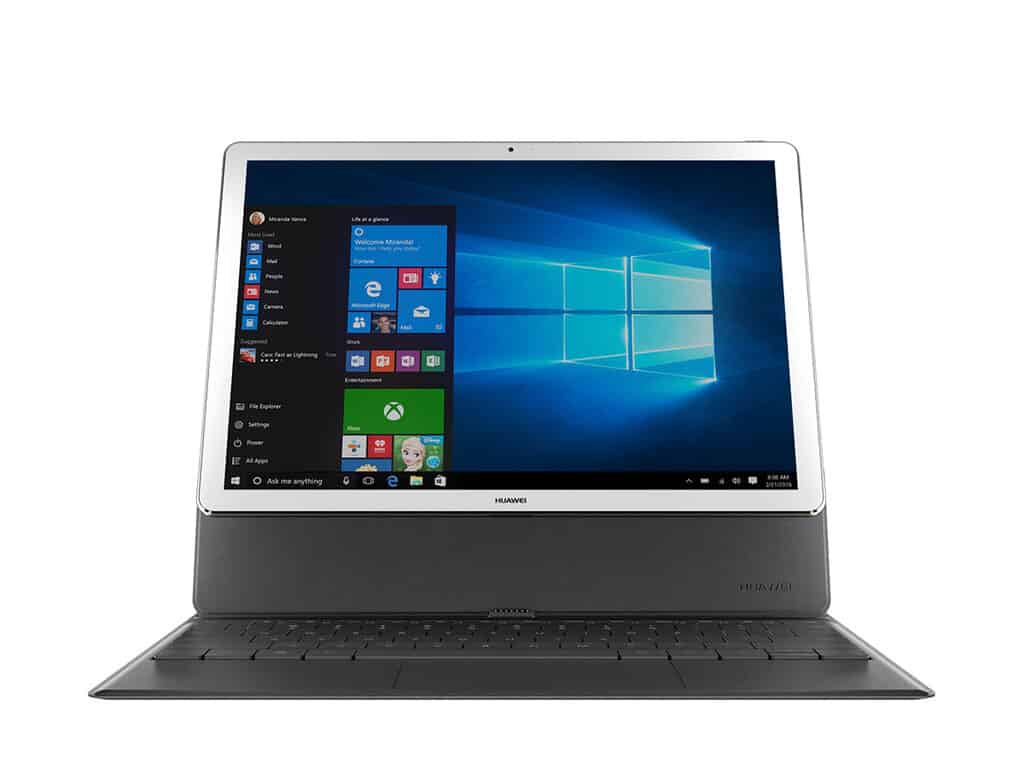
Huawei rumored to be planning high-end Windows 10 Matebooks for early 2017

According to the Apple Daily report (via DigiTimes), it looks like Huawei has plans to bring MateBook back for round two. Supposedly, we’ll be seeing two new MateBook devices at the end of 2017’s first quarter and they won’t only be 2-in-1s. The source mentioned that the success in China has compelled them to create a high-end version of the MateBook with Intel’s Core i-series processors. The two devices are said to have different sizes: a 13.3 inch and a 15.6 inch. These are a bit larger than its predecessor with only a twelve-inch screen.

There still isn’t much to go on when it comes to specifications, but it’s no surprise that Huawei is pushing out a beefier version of the business focused 2-in-1. The company has had a lot of success and has even become close partners with Microsoft as seen in the rather humorous 2-in-1 comparison advertisement.

Of course, with better specifications, we can expect to shell out a bit more than the original $699 price for the cheaper MateBook. For now, we’ll have to wait and see what Huawei is planning to bring to the table before we can open our wallets.

Microsoft opens third Reactor technology hub in New York City’s Grand Central Terminal

Yesterday, another Microsoft Reactor opened, this time at New York City’s Grand Central Terminal. The Microsoft Reactor in NYC is the third to open in the US behind San Francisco, CA and Philadelphia, PA. Microsoft Reactor locations give businesses, universities, governments, and entrepreneurs a place to access the latest Microsoft technologies and training.

The Reactors also allow small companies to realize their ideas and bring their ideas to the next level. Microsoft Reactors also provide developers with networking events and other resources to help support the local tech community.

The New York City Reactor is a 4,000 square feet facility in the newly opened “Hub” at Grand Central Tech at 335 Madison Ave. The Hub, part of Grand Central Tech, offers affordable office space for urban tech startups to launch and build their companies, connect with city agencies, and use Microsoft technology and software resources, along with the Hub’s other major corporate partners; GE Ventures and Lowe’s.

Grand Central Station, NYC, Microsoft
Microsoft Reactor New York City

Urban tech startups that are fortunate enough to join the Hub are able to get connected to a network of sponsors, advisors, and partners that are involved with the Grand Central Tech community. The New York City Economic Development Corporation and Grand Central Tech are looking to support companies that can help fix New York City’s urban problems that include energy, mobility, waste, built environment, food systems, water and digital infrastructure.

Steve Guggenheimer, Microsoft’s Corporate Vice President of Developer Platform & Evangelism, is excited to see what develops at the new Microsoft Reactor in NYC.

“We are thrilled to be a part of the Hub and the opportunities it provides to interact and collaborate with some of the city’s most innovative problem-solvers and up-and-coming entrepreneurs. Microsoft Reactor brings Microsoft technologies and experts right to their front door, supporting them as they turn their fresh ideas into solutions that build thriving businesses and make the world a better place.”

Microsoft hopes that the Reactors can serve as a community hub for business networking, creating jobs, and learning new skills. Ongoing Microsoft Reactor activities will include hackathons, guest speakers, and office hours with SMEs (subject matter experts). The New York City Reactor is Microsoft’s latest effort to connect with and empower possible future enterprise customers with the best services available from Microsoft, including cloud computing, developer tools, software, and open-source technologies.

For upcoming Microsoft Reactor NYC events, stay tuned to their calendar. There are no events listed yet, but make sure to check back.

Play Joe Danger 2, Galaga Legions or The Orange Box on Xbox One

Major Nelson has just announced via Twitter that three new titles have joined the Xbox One Backward Compatibility list today. The titles include Joe Danger 2: The Movie, Gala Legions, and the Orange Box. As is usual, we’ve included trailers, official game descriptions, and download links for you below.

Joe Danger 2: The Movie $14.99

Take Joe Danger on a death-defying thrill ride across the set of the greatest blockbuster movie ever made. Chase crooks on your police bike, destroy laser firing robots with a stolen jetpack, escape giant boulders in a minecart, time-travel to punch dinosaurs and divert the nuclear missiles on your unicycle! Beat your friends in fun 4 player multiplayer! Download endless new scenes from around the world, or create your own in the Movie Maker!

Gala Legions: $9.99

The original Galaga captivated players all over the world, and now… it’s back! But this isn’t just a boring remake! Featuring table-turning game dynamics, super-slick visuals and mind-blowingly vast waves of enemies, this is the definitive version! Prepare to be hit by the second stick of nostalgic dynamite for XBox 360 Live Arcade by the same team who brought you Pac-Man C. E.!

The Orange Box: $19.99

The 5 games included in this Orange Box are Half-Life 2, Half Life 2 Episodes One, Half-Life 2 Episode Two, Portal and Team Fortress 2.

Which of these games do you own or plan to download to your Xbox One system? Let us know what you think by leaving us a comment below!

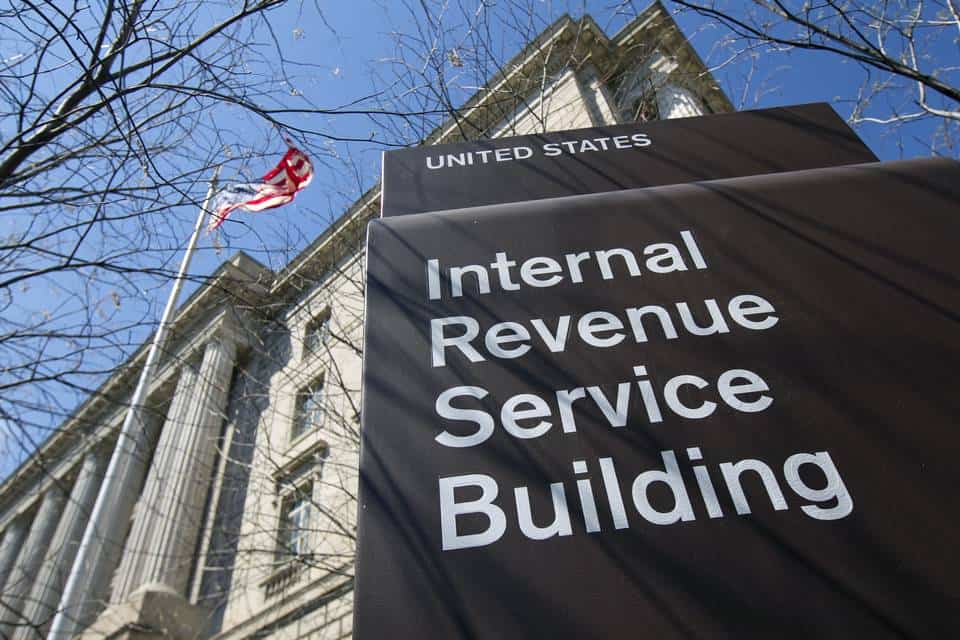
The IRS wastes $12 million on ill-advised move to Office 365, according to US Treasury

A new report by the US Treasury’s Inspector General for Tax Administration calls out the IRS for wasting $12 million on upgrades to Office 365 Pro Plus and Microsoft Exchange Online. The report was spotted this morning by Accounting Today.

The report points out this all occurred because the IRS was in serious need of a new email system but did not perform adequate due diligence on what an upgrade would entail, or if it was compatible with their current infrastructure. As a result, the  Microsoft email systems the IRS bought turned out to be incompatible with their existing infrastructure, and a complete waste of taxpayer dollars.

The whole debacle began because the IRS was under a directive from the Officing of Management and Budget to upgrade their ancient email system, which couldn’t properly archive emails in accordance current guidelines. Once the budget for upgrades was approved, the IRS went ahead and settled on an upgrade to Office 365 Pro Plus and Microsoft Exchange Online.

The IRS upgraded to Office 365 and Exchange Online without knowing if their infrastructure could support it.

But they entered those contracts without themselves doing adequate due diligence on the upgrade’s feasibility and infrastructure requirements. And as the Inspector General pointed out, this may be in violation of rules that required such due diligence before major expenditures:

The IRS never deployed the software to be used via the purchased subscriptions, and it may have violated the bona fide needs rule when it purchased the subscriptions using Fiscal Years 2014 and 2015 appropriations and did not deploy the software subscriptions in those years.

For what it’s worth, the CIO of the IRS said they take their “obligation to manage taxpayer dollars in the most efficient and effective manner possible” very seriously. The CIO also explained they disagree with the inspector general’s findings. They believe that since this was an upgrade from one Microsoft product to another and not an entirely brand new system, the bona fide needs rule doesn’t apply, and that “the IRS would have been well on its way to using this software and completing this project in 2016,” had a “contract protest” not occurred.

It remains to be seen if the IRS has technical grounds to stand in their argument. But regardless of the technicalities of the bona fide needs rules, it looks like taxpayers are now out $12 million because somebody didn’t do their homework or ask the right questions when they should have.

Microsoft teases October 26th Windows event with Microsoft Store countdown clock

Two weeks ago, Microsoft officially announced that it would hold a event on October 26th, 2016 in New York City to showcase what’s next for Windows 10 as well as its growing portfolio of first-party devices. As we’re now less than a week before the kick off, we just spotted that the company has updated its Microsoft Store website with a live countdown clock to spread awareness about the much-anticipated event.

There is a new countdown on the Microsoft Store website.

Clicking on the countdown will lead you to a landing page where you can easily add the event to your calendar. It’s worth noting that Microsoft is also advertising the event on its main website, as you can tell from the new “Devices” landing page below:

The main Microsoft website is also advertising the upcoming event.

As a reminder, Microsoft is rumored to unveil new Surface hardware during the event including a new Surface all-in-one PC. We also expect to learn more about new features to be included in the next major release of Windows 10 codenamed “Redstone 2.” We will attend the event and cover it live so stay tuned on WinBeta if you don’t want to miss anything!

Windows team announces upcoming Bugbash slated for November 8th

Microsoft announced yesterday along the release of Windows 10 Insider Preview Build 14951 for Mobile and PC an upcoming six days bugbash starting November 8th. Once again, all Windows Insiders will be invited to join the hunt for Windows 10 bugs in new Redstone 2 builds that we expect to be released just before the kick off.

Hopefully the 14951 Windows 10 Mobile issues will be solved by then so mobile users can participate.

Head of the Windows Insider program Dona Sarkar explained in her blog post yesterday:

Just a heads-up that we are planning to kick off our next bugbash starting on Tuesday, November 8th and finishing at the end of the day on Sunday, November 13th. I’ll have more details in the coming weeks. Looking forward to seeing a lot of participation from Insiders!

As a reminder, the Windows Insider team held its latest bugbash in back in June, just a few weeks before the release of the Windows 10 Anniversary Update. For those of you who didn’t participate, the team tries to add a nice touch of gamification to the process with the publication of multiple quests in the Windows 10 Feedback Hub.

The quests are usually open-ended and do not require Windows Insiders to follow a specific list of steps to try a scenario. Once again, we expect this new bugbash to be an interesting and rewarding experience for everyone involved, so if you’re willing to participate get ready to put your ninja cat red ribbon on in the next few weeks!

Rockstar Games releases trailer for Red Dead Redemption 2, watch it here

Rockstar has been making it official all week. Their next blockbuster title is going to be Red Dead Redemption 2, the sequel to their open world wild west action-adventure game.

Red Dead Redemption launched in 2010 on Xbox 360 and PS3. And as Rockstar has churned out more Grand Theft Auto games and other titles like LA Noire, fans have been patiently awaiting a return to Rockstar’s take on the American frontier.

While long speculated, it wasn’t until this week that Rockstar started making it official, first with a series of tweets of game art, shortly followed by the official announcement itself. And just this morning the Rockstar twitter account released the game’s first trailer.

The trailer includes some impressive and ominous cinematics of the wild west, but it is a short trailer and doesn’t include a real glimpse of gameplay just yet. Still, there is plenty for fans of the previous title to be excited about.

Red Dead Redemption 2 will launch sometime in Fall of 2017 and will be available on Xbox One and PS4. While the game’s launch isn’t for quite some time, don’t forget fans can replay Red Dead Redemption on Xbox One via Backward Compatibility.

Microsoft begins removing apps from Windows Store for age compliance violations

It’s been a few months now since Microsoft warned Windows Store developers that it would start to remove apps and games that did not have their age rating correctly set starting September 30th. However, the company explained last week (when the deadline had already expired) that it would actually remove these non-compliant apps “on a rolling basis”, giving developers additional time to comply with the policy by logging in to Dev Center and taking a brief questionnaire.

According to new report from Neowin, a first wave of developers have now received emails from Microsoft to inform them that their apps non-compliant apps have now been removed from the Windows Store.

Microsoft is currently sending emails to developers who didn't comply with the new age rating policy.
Microsoft is currently sending emails to developers who didn’t comply with the new age rating policy.

It’s not clear yet how many apps Microsoft has already unpublished from its Store, though developers who missed the deadline by mistake can still do something about it: they can easily resubmit their app to Microsoft after completing the Dev Center age rating questionnaire, a process which shouldn’t take more than a couple of minutes.

It’s quite possible though that many Windows Store apps that have been left to abandon by their developers could disappear for good. However, these apps should still continue to work (in an unsupported state) for those of you who already installed them on their devices.

While the new age rating policy is obviously a good thing for consumers, could the disappearance of unsupported but still fully functional apps anger some users? It may be to soon to evaluate the consequences for the platform yet, but we’ll definitely keep an eye on the Windows Store in the coming days and weeks.

Microsoft Translator adds Filipino, five other Austronesian languages

Today, Microsoft Translator added six new Austronesian languages to its text translation API. The languages are Fijian, Filipino, Malagasy, Samoan, Tahitian and Tongan. What are Austronesian languages, you ask? These languages are spoken from as far west as Madagascar and as far east as the Polynesian Islands; north to South China and south to New Zealand.

With about 119 million Austronesian speakers around the world, they can now use Microsoft Translator on Bing, SharePoint, Cortana, Edge and Yammer. In addition, Microsoft Translator has apps available on other platforms, including Windows 10 PC, Windows 10 Mobile, Android (Android Wear and Amazon Kindle tablets), and iOS; iPhone and Apple Watch).

Microsoft Translator is available as a web widget to allow free translation services on almost any website. Through the free, open-source Document Translator app, you can translate one or more documents is available. Document Translator keeps the document’s original formatting and also supports Word, Excel, PowerPoint and PDF file formats.

The Skype Windows desktop app and Skype Preview for Windows 10 also have support for these Austronesian languages available in instant messaging. Many other Microsoft Translator apps are available on other platforms.

‎Microsoft Translator


Microsoft Translator


Translator
Translator
Price:
Free

Viber for Windows 10 gains media gallery, more

If you’re currently using the Viber app for Windows 10, then you might want to head over to the Windows Store now and check for an update. Microsoft has detailed in a new post to the Firehose blog that Viber has been updated with a media gallery, and more.

Overall, the update to Viber should push the app version to 6.3. For the complete details on what has changed, you can check the full changelog (via the Windows Store) below.

What’s new v6.3:

  • Large emoticons in chat
  • Media gallery in chat info screen
  • Answer video calls with video to automatically open your front-facing camera
  • Call directly from chat screenSticker support in toast notifications
  • Terms and policy update

Have you had a chance to download this update yet? Even if not, we have done you a favor and have included a download link for you below. Once you’ve updated or checked it out, be sure to come back to WinBeta and let us know what you think by dropping us a comment in the section below.

Viber
Viber
Price:
Free

Microsoft launches its first Transparency Center to serve governments in Latin America

Microsoft has announced that it has launched a Transparency Center to serve governments in Latin America.  The center is the fourth of its kind in the world and comes after Microsoft recently launched a similar center in Singapore to support the support the Asia and Pacific region.

The new Transparency Center is part of Microsoft’s Government Security Program and allows governments to access to important cybersecurity-related information from Microsoft programs focused on intelligence, malware protection, and security to combat cybercrime. About 40 countries and other international organizations (now including Brazil) are part of the program, such as the United States and Brussels, Belgium.

According to Microsoft, the new Transparency Center will serve governments of several countries in Latin America, including Argentina, Chile, Colombia and Mexico. Many local authorities such as Brazil Acting President, Rodrigo Maia, Secretary of IT Policy, Maximiliano Martinhão, and Minister of Science, Technology, Innovations and Communications, Gilberto Kassab; attended the opening event of the Transparency Center.  A protocol of intentions to join the Government Security Program has also been signed by Mr. Marcelo Pagotti, Secretary of Information Technology of the Ministry of Planning, Development and Management.

Toni Townes-Whitley, corporate vice-president, Worldwide Public Sector at Microsoft had the following to say for the occasion:

“Our Microsoft Transparency Center in Brazil will serve the wider Latin America and Caribbean countries, and advances our responsibility and commitment to drive transparency, privacy & control, security and compliance for our technologies. It is part of the Microsoft Government Security Program, that aims to collaborate to protect citizens, public services and national infrastructure from cybercrime threats and to accomplish a key role to protect, detect and respond to digital threats.”

What do you think of this latest opening of another Transparency Center? Do you think it is good for cyber security in Latin and South America? Let us know what you think by dropping us a comment below!

Battlefield 1 system requirements for Windows PCs

Battlefield 1 is coming to Windows PCs on October 21, bringing World War 1 back to life. Thousands of gamers are already playing Battlefield 1 via EA/ Origin Early Access on Xbox One consoles and Windows PCs.

The First Trial for the game lasts ten hours and you’ll definitely want to use it to the fullest. If you play the game for the entire ten hours, you’ll also receive a free Battlepack when the final game is out.

Early Access players already report that Battlefield 1 is plagued by various issues, such as game crashes, freezes, FPS rate issues, and more. Unfortunately, there are no workarounds available to fix these issues yet and the best way to prevent them is to make sure that your Windows PC is perfectly capable of running the game.

Battlefield 1 minimum Windows PC requirements:

  • OS: 64-bit Windows 7, Windows 8.1 and Windows 10
  • Processor (AMD): AMD FX-6350
  • Processor (Intel): Core i5 6600K
  • Memory: 8GB RAM
  • Graphics card (AMD): AMD Radeon™ HD 7850 2GB
  • Graphics card (NVIDIA): nVidia GeForce® GTX 660 2GB
  • DirectX: 11.0 Compatible video card or equivalent
  • Online Connection Requirements: 512 KBPS or faster Internet connection
  • Hard-drive space: 50GB

Battlefield 1 recommended Windows PC specs:

  • OS: 64-bit Windows 10 or later
  • Processor (AMD): AMD FX 8350 Wraith
  • Processor (Intel): Intel Core i7 4790 or equivalent
  • Memory: 16GB RAM
  • Graphics card (AMD): AMD Radeon™ RX 480 4GB
  • Graphics card (NVIDIA): NVIDIA GeForce® GTX 1060 3GB
  • DirectX: 11.1 Compatible video card or equivalent
  • Online Connection Requirements: 512 KBPS or faster Internet connection
  • Available Disk Space: 50GB.

Also, before you install the game, make sure your computer is running the latest drivers for a smooth gaming experience. You can pre-order Battlefield 1 for Windows PC for $59.96 from Origin.

RELATED STORIES YOU NEED TO CHECK OUT:

Battlefield 1 companion app released for Windows 10

In the midst of the excitement surrounding Battlefield 1’s release, Electronic Arts has already started working on a Battlefield Companion app for phones running Android, iOS or Windows 10 supporting both Battlefield 1 and Battlefield 4. To further the excitement, you can get Battlefield 1 free for a limited time.

“A major overhaul to the Battlelog Mobile App is just around the corner. Launching October 18 for Android, iOS, and Windows 10 Mobile, the new Battlefield Companion is a great way to stay in touch with Battlefield™ 1 and Battlefield 4 on the go.

Jumping into the Battlefield Companion you’ll notice its new refreshed look, improved navigation, and support for Battlefield 1. The Battlefield Companion will enable you to track Battlefieldprogress, customize your loadout, connect with friends, and more”, says the blurb on the game’s official site.

The streamlined UI contains a Career Section that houses user profiles, stats and awards while also giving users the ability to track their friend’s performance with their Friends List. The interface also offers an individual section designed solely to display the range of weapons and gadgets a user holds and is the same tab where users can customize load outs and design their own character.

“The current Battlelog experience (battlelog.battelfield.com and m.battlelog.com) will remain available through the new Battlefield Companion and mobile browsers after this update,” stated in the blurb.

In the past few years, the Battlelog had been in development alongside new Battlefield titles, integrating both Battlefield 4 and Battlefield Hardline directly. While the game is rumored to contain only six missions, it is good to see a range of features being embedded in the game itself rather than a separate service.

The Battlefield Companion app and Battlefield 1’s Early Enlister Deluxe Edition are both being released on October 18.

If any of these details sound impressive, Android users can grab the Battlefield Companion App for free here and iOS users can get it here. The app is currently not available for Windows devices, but we will surely update our users as soon as it does. Full details can be found via EA’s help page.

4 useful open-source file recovery software packages for Windows 10

As deleted files go to the Recycle Bin first, you probably won’t often accidentally erase files. However, some might configure deleted files to bypass the Recycle Bin. Then accidental erasure of files becomes more likely. Alternatively, you might delete some documents but later find you still need them after all! At any rate, there are plenty of file recovery software packages with which you can restore deleted files.

There’s a good range of freeware file recovery software for Windows. But if you’re limiting yourself to open-source packages, there aren’t so many to choose from. Nevertheless, these are four open-source data recovery tools you can add to Windows 10.

PhotoRec

file recovery4

PhotoRec is highly rated data recovery software for Windows and other platforms. The first thing to note about this program is that it doesn’t have a GUI. As such, it’s a command line tool that you can recover document, video, archive and photo files with. In fact, it can recover more than 440 file types. The best thing about PhotoRec is that it ignores drive file systems and only targets more specific underlying files, which gives it a high recovery rate. This software also works with a variety of media types such as camera storage cards, USB drives, CD-ROMs and DD raw image.

TestDisk

file recovery2

TestDisk is a separate data recovery tool bundled with PhotoRec. Consequently, you can save both software packages to Windows by clicking the green button on this page. Like PhotoRec, it’s also a command line tool that doesn’t have a GUI. The main difference between the programs is that TestDisk is specifically designed to recover and fix deleted partitions. It can find lost partitions for a multitude of file systems, rebuild the NTFS boot sector, fix MFT and copy files from deleted partitions. As such, this is certainly one of the best data recovery utilities for any platform.

FreeRecover

If you’re looking for an open-source file recovery tool with a GUI, FreeRecover is one to note. FreeRecover is a portable data recovery utility for Windows. So you can also use the software from your flash drive. This utility enables users to recover deleted files from NTFS drives. Users can select Get File Paths and Check File Integrity check boxes so that the search result window shows you the original file paths and tells you if the lost files are recoverable. In addition, it can also provide previews for deleted files. Click the Download button on this SourceForge page to save the software’s installer.

Kickass Undelete

file recovery3

Kickass Undelete is a lightweight program compatible with all Windows platforms. With this software you can restore files from both FAT32 and NTFS file systems. The program has a comprehensive UI that enables users to scan their hard disks for deleted files. It provides reasonably fast scans even for larger hard disks. Then users can select files to recover. Overall, this is a straightforward and efficient file recovery tool; and you can save its installer from the Kickass Undelete website.

So those are four decent open-source software packages for Windows that you can restore deleted files with. As they’re open-source software, developers can even contribute their own code for them. Aside from open-source utilities, Recuva, Pandora, Undelete Plus and Puran File Recovery are some of the best freeware data recovery programs.

Fix Stuck or Dead Pixels on your Screen in 2 Quick Ways

Have you spotted a few pixels on your VDU that are always the same colors? If so, then you might have a dead, otherwise stuck, pixel.

Stuck pixels do not always match their surrounding colors, and that’s just one type of faulty pixel you can have. There are also dead pixels that are always off.

There are a few software packages and Web tools you can fix stuck pixels with, but not necessarily dead pixels. We will show you how to fix these faulty pixels in the ensuing sections of this guide.

How can I fix stuck/dead pixels on my screen?

1. Use UDPixel

  1. First, go to the UDPixel website and download the tool.
  2. When you’ve opened the window below, you can detect stuck pixels with its dead pixel locator options. Press one or more of the color buttons to locate stuck pixels.
    udpixels
  3. Alternatively, you can press the Run cycle button to run a cycle of colors. Did you spot any out-of-place pixels that didn’t match the rest of the colors?
  4. If so, the VDU has some stuck pixels. Enter a Flash Windows number that matches the number of stuck pixels you detected.
  5. Then you should press the Start button.
    undead fix dead stuck pixels
  6. Drag the flashing dots over the stuck pixels that the software detected.
  7. Now, leave the software for at least a few hours and then restart Windows.

2. Use JScreenFix

  1. Go to JScreenFix’s official website.
    jfix 1
  2. Next, press the Launch JScreenFix button to open the tool below.
    jfix 2
  3. Now, left-click the box and drag it over an area of the VDU that includes stuck pixels.
  4. The website claims this tool can fix stuck pixels within 10 minutes. As such, leave the pixel fixer for about 10 to 20 minutes before closing the browser or pressing the red back button.

An alternative to UndeadPixel is JScreenFix, which is a Web tool you can fix stuck pixels with. It has a pixel-fixing algorithm that could do the trick. This is how to fix pixels with that tool.

Those are tools that can help you fix and revive stuck or dead pixels on your screen. If they don’t, you might be able to get a VDU replacement if the faulty one is still under warranty. So check that the manufacturer’s warranty hasn’t expired.

If you need a list of the best Windows 11 desktops you can buy in case you need a replacement, our guide’s got you covered.

Batman: Return to Arkham issues: FPS rate drops, too much brightness, and more

Batman: Return to Arkham is now available for download, bringing two of the most critically acclaimed titles of the last generation, Batman: Arkham Asylum and Batman: Arkham City, to the Xbox One. The game offers fully remastered visuals, but it appears that not all gamers have been able to enjoy the new impressive graphics improvements.

Many Batman: Return to Arkham fans complain about frequent FPS rate drops that can go below 30. It appears that this issue often occurs when running around or in combat scenes. All these FPS rate drops severely limit the gameplay experience.

I have been experiencing very frequent and noticeable frame rate drops and stuttering below 30 FPS especially when running around, entering a new corridor in Asylum, and often in Combat scenarios. In particular, the Iceberg Lounge VIP combat challenge has some very noticeable frame rate drops that kind of throw off the combat […]
The reason I am posting this is becasue I have watched PS4 and Xbox One footage side by side, and the PS4 version has noticeably better frame rate.

Cutscenes look awful, and aren’t at all cinematic. It appears there is a problem with the lightning level since many gamers complain the scenes are too bright. Moreover, in one particular cutscene, Batman miraculously doesn’t have any damage done to his suit, when it should actually be torn apart.

Speaking of brightness, gamers also complain about the blinding white light that appears every time they use detective vision: “I guess it’s possible they wanted to deter you from using it all the time but I wanna be able to see the game after I play for a while not with a constant headache! Please, my eyeballs beg of you. Tone down the brightness!”

The old Arkham games were dark to add a romantic illusion to the game atmosphere. In the new Batman: Return to Arkham version, not all scenes need illumination and, unfortunately, the high brightness level  ruins the overall impressive game graphics.

Apart from these three common complaints, Batman: Return to Arkham appears to be a stable game, it doesn’t freeze nor crash. If you’ve encountered other issues that we didn’t list in this article, tell us more about your experience in the comment section below.

RELATED STORIES YOU NEED TO CHECK OUT:

You can now check your email on Xbox One with this app

RedWater Technologies is determined to make the Xbox One a comprehensive platform for gamers by offering well-rounded services with a set of dedicated third-party applications just like its latest MailOnX, an email client optimized for Xbox One. Lately, Universal Windows Platform Apps have flooded our favorite console with a variety of new functionality and now, users are being provided with another. The app is exclusively designed for Xbox One consoles even though it was developed using Windows 10 underpinnings and comes with a steeper price. There is currently no word if the app is coming to PC or tablet.

The company claims MailOnX has all the features one needs in a proficient email client. Features like managing multiple user accounts (Outlook.com, Yahoo Mail, Gmail, iCloud, to Office 365), email signatures, offline mail access, additional filters, and a lock app for heightened privacy all are embedded in the app.

The input sources for MailOnX include the conventional Xbox One controller along with $35 Xbox Chatpad keyboard add-on. Moreover, the app offers you to use your favorite game’s HD images to use as a wallpaper inside the app. Talk about a friendly UI!

Features

  • Receive mails from multiple e-mail accounts and providers

  • Compose new mails or send replies

  • Configured for and works with all Microsoft email providers along Yahoo, Gmail, Zoho, iCloud, Blueyonder & BTConnect, 1&1, AT&T, AOL

  • Email signature setup

  • Offline email reading

  • Watch Items: Filters mail by specific email address or email address domain

  • Personalization: Celebrate your favorite games by using pre-installed game images for your background image

  • Family Mode: Lock email accounts so other users on the console won’t be able to view or reply your mails

  • Full support for Xbox Gamepad and ChatPad

There is still room for improvement in the app. For instance, support for in-game notifications and messages that several other Xbox apps feature, like Reddit, would be nice. A way to view sent email could surely spice up the game a bit more too. Moreover, the UI looks a lot like the stock Mail app for Windows 10 with all the custom backgrounds and  two-panel interface.

Why we need this?

We consider the MailOnX app to be superfluous simply because no one would want to open and read their emails on a 40-inch LED TV for everyone to see. Even if someone did, typing out responses using a regular Xbox controller would be a painstaking task considering the hassle-free alternative of taking out their smartphones and doing the same. Furthermore, spending an expensive $9.99/£7.69 on a third-party solution (even if Microsoft does launch versions for PC and Windows 10 Mobile), seems more like an oddity than anything else. Microsoft is also allegedly working on bringing the official Mail app to Xbox One in the near future as well, something which will definitely be free.

Facebook and Facebook Messenger app need 2GB RAM to run on Windows 10

It’s obvious that Facebook is one of the most popular social networks out there, used by billions of people every day who keep in touch with friends and families everywhere. As expected, its developers have released the mobile version of the application but along with it Facebook Messenger, restricting mobile users to sending messages to Facebook users strictly through the app.

While Facebook Messenger is available on iOS and Android, we have some bad news for all owners of devices running Windows 10 Mobile OS: With the app’s latest updates, you will need a device that has at least 2GB of RAM in order to install Facebook and Facebook Messenger on it. The application received some user interface changes and it seems that the developers had to increase the minimum RAM requirement in order to be supported by devices that run on this operating system.

If you own a Lumia 950 device, you will surely not have any problems with this but many owners of mid-range handsets that have just received the Windows 10 Mobile update will surely find this a real issue. For example, the owners of the Lumia 550 and Lumia 650 will not be able to install Facebook and Facebook Messenger on their devices anymore.

However, it seems that for now, Facebook developers are allowing the installation of the Facebook and Facebook Messenger on devices that run Windows 10 Mobile and have less than 2GB of RAM. The only catch is that the owners of these devices are not able to review the application. We’re not sure if this is just a temporary issue but we hope they think twice before making this major change as it will affect a sizeable number of users.

RELATED STORIES TO CHECK OUT:

Microsoft Innovative Educator Expert Robin Lowell talks about accessibility in the classroom

Out of all of the real-world applications of Microsoft’s Office, education might be the most vital. Making sure that the next generation is ready to face their share of challenges is a goal that we should all strive for, and we all need the very best tools to aid in that preparation. A guest post on the Office Blog has Microsoft Innovative Educator Expert Robin Lowell talking about how the Office 365 suite of tools helps to achieve real accessibility for her special education classroom.

Using the Office 365—free for teachers and students—and Windows 10 tools has changed my students’ educational experience. When students graduate from high school and enter college or the workplace, they are equipped with productivity and collaboration tools, and skills they will use throughout their lives.

The post is a bit more in-depth than most of the guest pieces that we’ve seen on the Office blog, which is certainly good news if you’re into this sort of thing. The post acts as an effective advertisement for Office 365 (although, as is pointed out, these tools are entirely free for teachers and students.) Lowell goes over classic features like Office Lens and OneNote as well as new additions like the Researcher tool in Word. There are also some shout-outs to PowerPoint Designer’s improvements to usability and the Skype Preview app’s inclusion of the Skype Narrator.

Robin Lowell is one of the few uniquely qualified to talk in-depth about how to optimize accessibility in the classroom. For a long time, she’s been a mathematics and science teacher, and a teacher to the blind and otherwise visually impaired. Doubting that the Office 365 suite could do wonders to actually improve someone’s education? Take a glance at Robin’s word for proof.

Windows Photo app updated with additional editing features for Fast Ring Insiders on PC

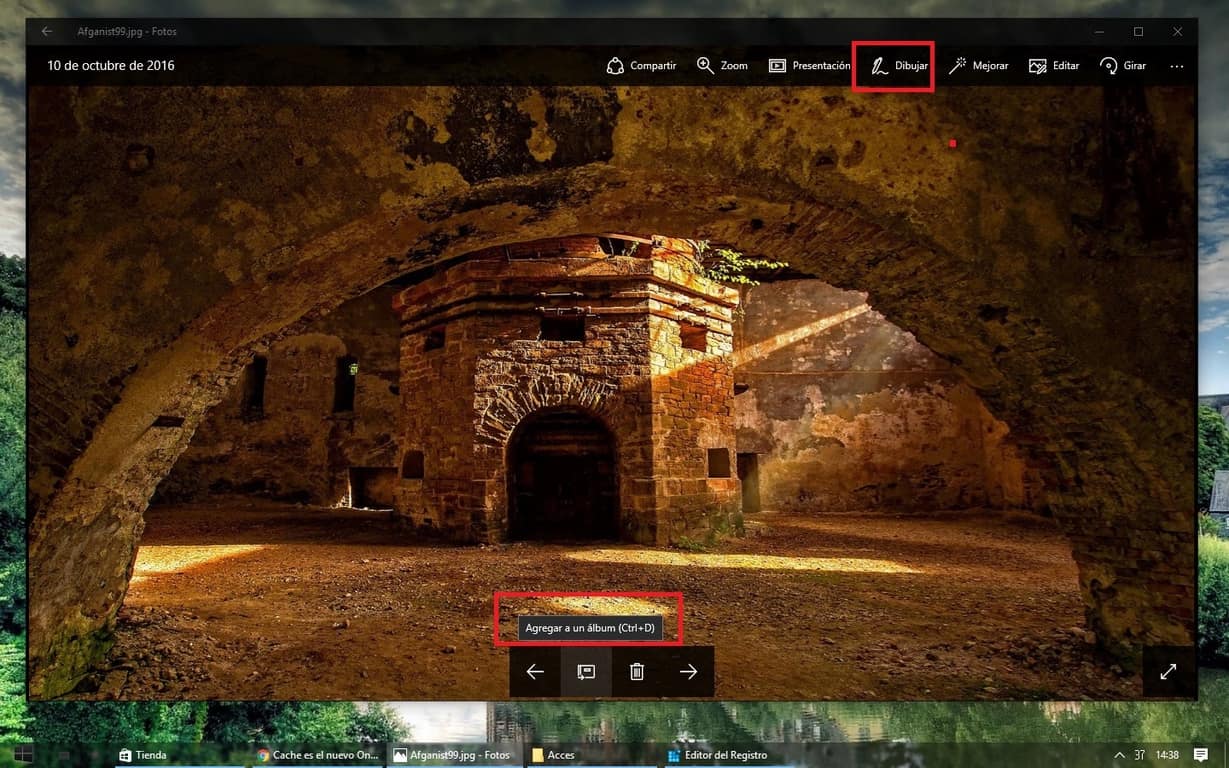
Users might be getting new ways to edit their pictures with the default Photos app on Windows 10. An email from WinBeta/OnMSFT reader Leo Varela tipped us off that the Microsoft Photos app was updated. Leo noticed new options for images including new ways to edit your images with a drawing tool and new filters were added.

Currently, we couldn’t replicate the update in production release and the current patch notes on the Windows Store for Microsoft Photos doesn’t mention anything about these new options. But users in the Fast Ring should be able to update the image editor through the store. When opening up the Photos app after updating, you’ll be prompted with the notification below.

Update: Photos app for Windows 10 Mobile has also been updated with a changelog identical to its PC counterpart for Fast Ring Insiders.

Microsoft Photos with new features
New editing tools in Windows Photo app

These features take a lesson from so many other image editors on the Windows Store such as Adobe Photoshop Express and PicsArt. With Photos being the default image editor for Windows 10, it only makes sense that they want to provide what users need right out of the gate instead of searching for third-party apps.

There’s no word as of yet when these features will be publicly available or when they might trickle down to mobile, but given that it’s already in the Fast Ring it shouldn’t be much longer. Make sure to update from the store with the link below.

Microsoft Photos
Microsoft Photos
Price:
Free

Microsoft provides some tips on keeping your Outlook inbox organized

Decluttering an inbox is such a frustrating task when you rely heavily on email. Whether it’s personal or for work, fighting the spam back isn’t something we want to spend our precious time doing. Of course, the easiest way to combat it is not letting it get bombarded in the first place.

The Microsoft Outlook Team has released a blog post with seven tips to help combat the droves of unwanted solicitation and managing your inbox to be more productive.

In Outlook, there are plenty of features that can help you. The Focused Inbox determines which emails are more important and which aren’t. If you have a contact that you email often, it will be switched to a targeted inbox whereas all the ‘less important’ emails will be shifted over to another folder out of the way. Unfortunately, the Focused Inbox is only available for Outlook.com and iOS/Android platforms currently.

Meanwhile, some basic features from social media have been integrated into Outlook. You can use @Mentions to notify users that their attention is needed.

Managing your inbox to combat the masses of spam or old emails that come your way should be easy. So for Microsoft Outlook, they have a search function to find what you need, a tagging system to categorize and save emails for later, and an automatic Sweep that will block incoming emails and remove any that were already in your Inbox at all.

Of course, most advertisements and newsletters have an Unsubscribe link at the bottom of their email. But it might be easier to use the built-in Unsubscribe button from Outlook.

Read more about these features and how you can keep control of your inbox by checking out the tips from the Office blog.