Microsoft resurrecting OneDrive ‘placeholders’ with upcoming On-Demand Sync feature

It was an exciting announcement for enthusiasts when Microsoft announced that the OneDrive placeholders would be returning in the future. It seems the massive amount of support in the thousands for One Drive ‘smart files’ placeholders has been heard and is on the docket for Windows 10.

The feature is now going to be called On-Demand Sync which is a pretty accurate name for what it does. Users will be able to right-click on a folder or file then select to store it offline or re-enable online sync. It’s worth noting that while making a placeholder to store on your computer takes up space, it doesn’t nearly take the same amount as saving the full file.

As Neowin explains, Microsoft originally removed placeholders from Windows 10 early on because it was too ‘confusing’ for users. True that the ability to store some files offline while others were only available online could cause some people to scratch their head, but it was useful for determining which files would sync and when.

But there were further complications. According to Jeff Teper in an interview, they chose to remove it because it “never integrated with the Windows file system, meaning some apps, APIs and command line tools didn’t work as they should.” It looks like they’ve been working on fixing those integration issues for a while now.

We don’t have an estimated time when On-Demand Sync will be rolling out. but as we saw a couple of months ago, the feature could be releasing with Redstone 2. All we can really say for now is that it is coming.

The event has only begun so perhaps we’ll see more about it in the next few days with fingers crossed we don’t have to wait too much longer. Until then, keep watching WinBeta (OnMSFT) for more Microsoft Ignite 2016 news.


Microsoft details evolution from Delve Analytics to ‘MyAnalytics’

Earlier this morning, it was announced that Delve Analytics would be changed to My Analytics. Not to be confused with the new Delve app from Microsoft, Delve Analytics was a tool that used Microsoft Graph to give clear insights on how employees spend their time and what projects they are accessing/working on.

In the corresponding blog post from the Office 365 team, the company expanded on what Microsoft MyAnalytics will mean to businesses. MyAnalytics is one of the easiest ways to get insights into how you work with teams, groups, and your organization as a whole. The goal is to keep yourself in check for how much time you spend on a project so that you can stick to the top priorities. You can even check how fast you respond to emails and set private goals to meet.

MyAnalytics actually includes all that the former had (including the price tag) and has even built on top of it with some new features. Building on the former Delve with social integration, the MyAnalytics dashboard will help you take all the measures you need to ensure that you are the most productive. As of today, you can add your important people whether they are in the organization or not to the network section. This is particularly useful for teams that have many collaborations outside of their organization and want to quickly reach out to them.

Additionally, you’ll be able to share your progress and analytics with others depending on which modules you decide to snapshot when the feature releases in early 2017.

During the transition, MyAnalytics is still accessible through Delve through a separate tab or with the new MyAnalytics Outlook add-in. Eventually, it’s going to be moved to its own application for Office 365. Even though a mobile version isn’t available currently, you can access it through your browser.

Microsoft’s Project Springfield is a new cloud-based bug detector

Identifying security vulnerabilities in software is an important aspect of quality control. The numerous recent examples of massive data breaches of personal information are a testament to the important of enhancing cloud security. Given Microsoft’s transition to the “cloud-first, mobile-first” productivity solutions company, security has thus been placed front and center.

David Molnar and Patrice Godefroid at Microsoft's Redmond, Washington, headquarters
Project Springfield researchers David Molnar (left) and Patrice Godefroid (right).

Today, Microsoft announced over at the official Microsoft blog the availability of a preview of a new cloud-based bug detector codenamed Project Springfield. The stakes are high, as Microsoft indicates:

Microsoft is making available to its customers one of the most sophisticated tools it has for rooting out potential security vulnerabilities in software including Windows, Office and other products.

The offering is code named Project Springfield, and up until now, the team that built it has thought of it as the million-dollar bug detector.

That’s because every time the system finds a potentially serious bug proactively, before a piece of software is released, it is saving a developer the costly effort of having to release a patch reactively, once the product is already public. With widely used software such as an operating system or productivity suite, deploying those patches can cost as much as $1 million, the researchers say.

Project Springfield includes technology that Microsoft has been using since the mid-2000’s, specifically the SAGE tool for conducting what’s called “fuzz testing.” But Project Springfield goes farther in finding errors in code:

Broadly speaking, fuzz testing works like this: The system throws random, unexpected inputs at a piece of software to look for instances in which those unforeseen actions cause the software to crash, signaling a security vulnerability.

Project Springfield builds on that idea with what it calls “white box fuzz testing.” It uses artificial intelligence to ask a series of “what if” questions and make more sophisticated decisions about what might trigger a crash and signal a security concern. Each time it runs, it gathers data to hone in on the areas that are most critical. This more focused, intelligent approach makes it more likely that Project Springfield will find vulnerabilities other fuzzing tools might miss.

Now, Microsoft is combining SAGE with other fuzz testing resources and adding in a dashboard to make the tools more accessible to users who are not necessarily security experts. Project Springfield runs on Azure as a cloud-based systems, providing data-center-scale resources to individual clients.

One of Microsoft’s goals with Project Springfield is shared by researchers across the company:

Project Springfield also has been developed at a time in which Microsoft researchers are getting more aggressive about quickly translating their groundbreaking research into tools customers can use.

With Project Springfield, Peter Lee, the corporate vice president in charge of Microsoft Research’s New Experiences and Technologies organization, said the team was determined to make sure it was “literally rubbing elbows” with the clients who were participating in an early preview of the system, having regular, face-to-face meetings to make sure it would meet their security needs.

“I actually view it as a collaboration,” he said. “In my mind, we’re doing the research together.”

You can learn more about Project Springfield, including organizations that are using the new technology, at the blog post. In the meantime, let us know in the comments below if this kind of cloud-based tool is a valuable next step in making software more secure and bug-free.

Microsoft introduces new NFL Fantasy Football Bot for Skype

While much of Microsoft’s Ignite 2016 conference has focused on the company’s future in machine learning, artificial intelligence and business focused endeavors, there was still room to squeeze in a little water-cooler fun with the announcement of an NFL Fantasy Football Bot. Satya Nadella introduced Deion Sanders on stage during his Innovations Keynote to introduce a new tool for American football fans.

Aside from workspace gossip and intra-company news, some employees (particularly in the US) love to bet on things. Office pools for promotions, the NCAA tournament and especially Fantasy Football are among some of the top workplace activities that employees enjoy participating in, and Microsoft appears keen on that notion.

Soon Skype users will be able to get Fantasy Football news and notifications within the messaging app via a new Fantasy Football bot. The bot will include the ability for users to not only get updates and notifications on their Fantasy Football teams but also adjust rosters and receive pre-game recommendations based on the extensive Bing Knowledge graph.

Skype Fantasy Football App

Other Skype Fantasy Football Bot features in-app comparisons, analysis of weather conditions as well as a walkthrough of how fantasy points are applied all of which occurs in the app.

Skype Fantasy Football Bot comparison

For those questioning the legitimacy of Skypes Fantasy Football Bot predictions, former player and NFL Hall of Fame receiver/cornerback Deion Sanders was brought out on stage to demonstrate and validate the bot’s accuracy. While the former player and current analyst Sanders didn’t agree with everything the Fantasy Football app had to offer, much of the bot’s predictions were in line with his own.

Unfortunately, neither Microsoft CEO Satya Nadella, Dion Sanders, nor the NFL had a date of release for the bot.

Microsoft CEO Satya Nadella and NFL Hall of Fame player Deion Sanders

Once again, the Skype messaging app shows off its potential but leaves users waiting for its implementation. Hopefully, the Skype Fantasy Football Bot gets in users hands before their fantasy teams are beyond salvageable.

Microsoft is retooling its datacenters with FPGA chips

Earlier today, Microsoft kicked off its Ignite 2016 conference to introduce the latest innovations in its enterprise products and services. As you may now, Microsoft is now longer a Windows company: Instead, the Redmond giant is increasingly becoming a business-focused company which has developed an array of cloud and productivity services to help businesses accomplish their digital transformation. But while Microsoft’s cloud services don’t appear as exciting as its software or hardware efforts, the company’s recent cloud focus has led to some impressive innovations behind the scenes.

Yesterday, Wired published a lengthy story about Microsoft’s use of programmable chips called field-programmable gate arrays (FPGAs) in its data centers. These programmable chips are faster and less power-hungry, helping Microsoft to stay competitive against its competitors in the cloud. They’re also tailored for powering new services that will leverage artificial intelligence and deep neural networks: FPGAs already drive Bing and Azure and are expected to be found in all new Microsoft servers in the coming years. Doug Burger, a computer chip researcher who led the research on FPGAs, explained to Wired that the programmable chips gives Microsoft “massive capacity and enormous flexibility, and the economics work. This is now Microsoft’s standard, worldwide architecture,” he added.

Programmable chips have existed for decades and were mainly used to prototype other processors. But back in 2009, Burger and Microsoft researcher Andrew Putnam started thinking about using these chips to power online services. FPGAs are more efficient and customizable than standard computer chips, and they’re also cheaper and reprogrammable.

However, reprogramming the Silicon is not an easy task. Jim Larus, another Microsoft researcher who worked on early FPGAs prototypes explained: “That is just horrible, much worse than programming software. Much more difficult to write. Much more difficult to get correct.”

Burger initially had a hard time convincing Microsoft execs including former CEO Steve Ballmer that FPGAs could deliver groundbreaking innovations for Microsoft cloud services. The researcher initially pitched the idea to Microsoft execs back in 2012, explaining that technology giants would soon need to build new, optimized chips to power their growing online services. Furthermore, both Google and Amazon were already working on similar projects. While Ballmer was initially not receptive to the idea, Microsoft exec Qi Lu believed that programmable chips could help boost the speed of Bing searches.

After working on several prototypes, the team working on the then called Project Catapult convinced that FPGAs could also help the company improve its cloud computing platform Azure as well as the Office 365 business productivity suite.

Project Catapult Version 1 (credit: Wired).


Today, Project Catapult is « no longer just research » according to CEO Satya Nadella. As the company now invests between $5 and $6 billion in hardware to power its online services, the exec added that “it’s an essential priority.” Burger expects FPGAs to power all Microsoft online services in the future, and as of today the programmable chips are already helping Bing to improve its results thanks to artificial intelligence.

Additionally, one Microsoft employee told Wired that Office 365 will soon use FPGAs to deliver encryption, compression and machine learning to all of its users.

Lastly, Microsoft’s bet on FPGAs has also had some consequences on the global chip market. Microsoft is currently getting its chips from Altera, a company that Intel bought from $16.7 billion last summer. Intel Executive Vice President explained to Wired that she expects FPGAs to appear in a third of all servers inside all the major cloud computing companies in 2020.

Office 365 receives a number of enhancements for better connectivity at Ignite 2016, including new Delve app for Windows 10

Microsoft isn’t short on announcements thanks to the Ignite 2016 conference being under way. One such announcement is Microsoft’s initiative to develop new and improved people experience for Office 365. In an attempt to build a more connected experience, apps and services are rolling out with some new features.

New Delve app for Windows 10 PCs and mobile

The new Delve app for Windows 10 desktop and mobile is the first of these features. Available now for download, Delve does just that by delving into your social connections and getting insights on how your team is collaborating. As the Office blog post puts it, it is “an activity stream of all important, timely files in one place.” If you were wondering what your team was up to, now you’ll be able to know.

Delve for Windows 10.

With the new Delve Windows 10 app you can:

  • Stay in the know and discover what your colleagues are working on with badges and notifications.
  • Find relevant documents and email attachments based on people you know.
  • Get back to important documents you’re actively working on.
  • Locate expertise and learn more about colleagues relevant to you.

Delve is available for work or school accounts as long as the Office 365 admin has enabled the feature. The Delve app is now available at the Windows Store and you can download it from the link below.

Delve
Delve
Price:
Free

Intelligent people cards

Another addition to Office 365 is the integration of people cards. Similar to those in Outlook with contact information, people cards bring in what jobs they do, who they work with, and what documents they have been working on. Outlook on the web already showed off the usefulness of people cards, but now they’ll be expanding over to SharePoint Online and OneDrive for Business as well.

office365_peopleexperiences
Office 365 new people cards.

Office 365 profile updates

To top it all off, building up the ‘people experience’ wouldn’t make sense without some updates to Office 365 profiles. You can be fully connected to each other by including organizational relationships, current jobs, and even displaying your schedule from their Exchange Online calendar. The Delve app is even integrated to reveal if they are in their office or not. It might be worth a look into editing and updating your profile with history, projects, skills, and other experiences.

Microsoft is continuing to develop their business services to become more connected, secure, and productive and there are plenty more announcements to be made throughout the week. Be sure to keep checking up throughout the next few days for more news from Microsoft Ignite 2016 on WinBeta (OnMSFT).

Ignite 2016 brings a ton of new features and functionality to Office 365

Ignite 2016 has provided a wealth of new information regarding Microsoft various cloud and productivity services. Whether it’s Azure, Office 365, SharePoint, or Dynamics, Microsoft is taking advantage of their annual business-oriented event to let us know about a slew of new and upcoming features and functionality.

Office 365 has received a great deal of attention in terms of business intelligence, security, and collaboration, and the Microsoft Office blog took some time to provide additional details. Here’s a breakdown of what’s been announced for Office 365 in September 2016 via Ignite.

New intelligent services

Microsoft is incorporating some new cloud-based intelligent services into Office 365, including the following. Each of the new features hooks into one or more aspect of Microsoft’s machine intelligence infrastructure to bring new capabilities to the world’s most popular office productivity suite.

  • Tap in Word and Outlook—Find and use relevant content from within your organization without leaving the document or email you’re editing. Powered by the Microsoft Graph, Tap surfaces documents, presentations and spreadsheets frequently used by you or made available by your coworkers. Simply click to incorporate desired elements from within those files, seamlessly integrating individual components such as slides, images, tables, graphics and charts. Content is pulled in with fidelity intact, so you can change table colors, add a trendline or legend to a chart, edit text and more. We’re working to extend Tap to more apps, like PowerPoint, in the future. Get started with Tap in a few easy steps.

    Availability: Tap is available today in Word and Outlook on Windows desktops, for Office 365 Enterprise E3 and E5 subscribers in First Release for Current Channel. Learn more on this page about ensuring you have refreshed Office 2016 with the September updates.

  • QuickStarter in PowerPoint and Sway—QuickStarter is re-inventing the creation process, helping you conquer the blank canvas. Powered by the Bing Knowledge Graph, QuickStarter in Sway and PowerPoint provides carefully curated outlines for any topic, including recommendations on information to include, categories to consider and associated images tagged with Creative Commons licenses. This provides a solid starting point to then continue building the rest of your presentation. You really need to see QuickStarter in action to understand what it can do—check out the video below!

    Availability: QuickStarter is available today for all customers in Sway on the web. Education customers using Sway have a slightly modified version to meet the needs of educators. QuickStarter in PowerPoint on Windows desktops is coming by the end of 2016, for Office 365 subscribers.

  • Designer transforms text—It’s easy to get beautiful designs in minutes for even more types of slides. Designer in PowerPoint now can recommend professional design options for bulleted process lists. This expansion builds upon previous Designer updates to incorporate facial detection, color extraction and more in images. Additional categories of text will be supported in the future, such as timelines. Stay tuned for more!

    Availability: Designer support for text is now available in PowerPoint on Windows desktops, for Office 365 subscribers in the Office Insider program. Learn more on this page about ensuring you have refreshed Office 2016 with the September updates. Designer support for text in PowerPoint on Mac is coming soon, for Office 365 subscribers.

Office 365 Designer enhancements.


  • Turn data into Maps in Excel—Now you can transform geographic data into professional visualizations with just a few steps, using the new Maps chart type in Excel. Powered by Bing Maps, Maps in Excel enable everyday users to create geographic data visualizations that previously required the help of technical experts or expensive external products. This makes it easier than ever for you to identify insights, trends and opportunities in your data right in Excel, whether you’re at work, school or home.

    Availability: Maps in Excel on Windows desktops, Windows Mobile and Android are coming by the end of 2016, for Office 365 subscribers.

  • Microsoft MyAnalytics—Create better work habits with the help of Microsoft MyAnalytics (formerly Delve Analytics). MyAnalytics provides insights to help you understand how you spend your time at work, across meetings, email, time you designate as “focus time” and after-hours work. This way, you can set productivity goals and monitor progress over time. You can also gain visibility into who you collaborate with most. In the future, MyAnalytics will deliver insights to teams and Office 365 Groups to help them establish better ways of working together, uncover hidden inefficiencies and align on priorities. Learn more about MyAnalytics.

    Availability: Microsoft MyAnalytics is now available, included at no additional cost for Office 365 Enterprise E5 subscribers.

Enhanced security and compliance via business intelligence

Microsoft continues its focus on enhancing the security and compliance capabilities of Office 365. Today, Microsoft highlighted some ways that business intelligence is enhancing how the company keeps your productivity information safe and secure.

  • Improvements to Advanced Threat Protection (ATP)—New ATP features help keep your employees secure without impacting productivity. URL Detonation analyzes suspicious links in a virtual environment, while Dynamic Delivery scans attachments for malware without delaying email delivery. We’re also bringing ATP to SharePoint Online and the Office desktop apps. Security admins can explore threats and gather insights about attacks with new reporting capabilities, as well as correlate threats across your network with Windows Defender ATP integration.
  • Threat Intelligence—New to Office 365, Threat Intelligence helps you proactively uncover and protect against advanced threats in Office 365. Deep insights into threats—provided by Microsoft’s global presence, the Intelligent Security Graph, and input from cyber threat hunters—help you quickly and effectively enable alerts, dynamic policies and security solutions.

    Office 365 Threat Intelligence portal.
  • Advanced Data Governance in Office 365—Also new for Office 365, we’re applying intelligence to make it easier than ever to retain high value data and ensure business continuity, while reducing your overall risk profile. Advanced Data Governance helps you achieve organizational compliance by leveraging machine assisted insights to help you find, classify, set policies on and take action on the data that is most important to your organization.
    Office 365 Advanced Data Governance portal.

    Availability: Advanced Threat Protection (ATP) improvements will start to roll out by the end of 2016. Threat Intelligence and enhanced Advanced Data Governance capabilities will be available in the first quarter of 2017. All three will be included at no additional cost in the Office 365 Enterprise E5 plan and the new Secure Productive Enterprise E5 offering.

  • Outlook is now powered by the Microsoft Cloud—We’ve updated Outlook for iOS and Android to better support the legal, regulatory and compliance needs of our enterprise customers. Starting today, for Office 365 commercial customers, Outlook for iOS and Android is now fully powered by the Microsoft Cloud. This means Outlook now supports Exchange Online mailboxes natively, such that no mailbox data is cached outside of Office 365. Our backend service has been automatically updated, so this change does not require an app update. Read today’s Outlook blog for more, including details on the new architecture.

Smarter, more connected collaboration

Finally, Microsoft is enhancing Office 365’s collaborative functionality through SharePoint improvements, Yammer integration, and more.

  • Improvements to SharePoint—We’re expanding the power of SharePoint as part of the cloud-first, mobile-first vision and roadmap we unveiled earlier this year. New OneDrive sync capabilities for SharePoint sites and shared folders help you stay connected. We have added richer people experiences like those in Outlook that let you go beyond a coworker’s contact details. Team News helps you communicate to keep your team informed, and you can more seamlessly manage business processes with deeper integration of Power BI, Yammer, Microsoft Flow and PowerApps. SharePoint team sites are coming to every Office 365 Group, including modernized lists, document libraries and pages. Additionally, SharePoint mobile apps for Android and Windows put your intranet in your pocket. Learn more about the details and availability in today’s SharePoint blog.
  • Yammer integration with Office 365 Groups—Yammer now boosts team productivity even more by adding a SharePoint team site and document library, OneNote, Planner and Outlook group calendar (coming soon) to every group in Yammer. Read today’s Yammer blog for more.

    Availability: Yammer integration with Office 365 Groups is rolling out over the next several months for Office 365 commercial customers.

  • Updates to Skype for Business—It’s easier than ever to move all your communications to Skype for Business. Skype for Business for Mac will be generally available in October. We’ve more deeply integrated the mobile experience, and a preview of translation and transcription capabilities will roll out in Skype Meeting Broadcasts by the end of 2016. The next generation of Skype Room Systems is also here, as is an expanded set of markets for PSTN services. Read details on these updates and more, including availability, in the Skype for Business blog.
  • Microsoft StaffHub—Microsoft StaffHub is a new app that makes it easy for managers to create teams, manage shift schedules and provide relevant information to their workers. For deskless workers, all their schedule information, important communications, announcements and content are just a few taps away on their mobile devices. Read more about Microsoft StaffHub.

    Availability: Microsoft StaffHub is now available in public preview for the web, iOS and Android, for Office 365 Enterprise K1, E1, E3 and E5 customers.

    Microsoft StaffHub.

There’s no doubt that Office 365 remains a key piece of the “cloud-first, mobile-first” productivity solutions transition that is marking Microsoft’s future. Stay tuned for more detailed information from Microsoft Ignite 2016.

Microsoft brings metrics and logs together in one place with new Azure Monitor

More of Microsoft’s Azure secret sauce has been made available to the general public as Azure Monitor makes its way to public preview. For those looking for an all-in-one monitoring solution for keeping track of Azure users within a company, Microsoft is previewing its new Azure Monitor service as of today.

This preview release builds on some of the monitoring capabilities that already exist for Azure resources. With Azure Monitor, you can consume metrics and logs within the portal and via APIs to gain more visibility into the state and performance of your resources. Azure Monitor provides you the ability to configure alert rules to get notified or to take automated actions on issues impacting your resources. Azure Monitor enables analytics, troubleshooting, and a unified dashboarding experience within the portal, in addition to enabling a wide range of product integrations via APIs and data export options.”

Early Azure Monitor testers will be getting their hands on some fairly complex integration into other Azure products and services as they seek to wrangle in users on their Azure network. Some new Azure monitoring integration includes ties into viewing Activity Logs, using REST API for direct access to Metrics, viewable diagnostic logs, setting alerts, and automated control task as well as a few other linking points.

New Azure Monitor dashboard

For the nitty gritty of today’s Azure announcement, senior program manager of the Azure Monitor team Ashwin Kamath walks customers through some other finer points of the future integration.

You may have the need to consume Azure Monitor data but want to analyze it in in your favorite monitoring tool. This is where the product integrations come into play – you can route the Azure Monitor data to the tool of your choice in near real-time. Azure Monitor enables you to easily stream metrics and diagnostic logs to OMS Log Analytics to perform custom log search and advanced alerting on the data across resources and subscriptions. Azure Monitor metrics and logs for Web Sites and VMs can be easily routed to Visual Studio Application Insights, unlocking deep application performance management within the Azure portal.

The product integrations go beyond what you see in the portal. Our partners bring additional monitoring experiences, which you may wish to take advantage of.”

To read more about how Microsoft enable extensibility, a single monitoring dashboard, and future resource additions, visit the Microsoft Azure blog. For anyone looking to give the new Azure Monitoring service a spin, head over to Microsoft’s Azure Monitoring documentation page to read up on the details and view a few tutorial videos before enabling the hub.

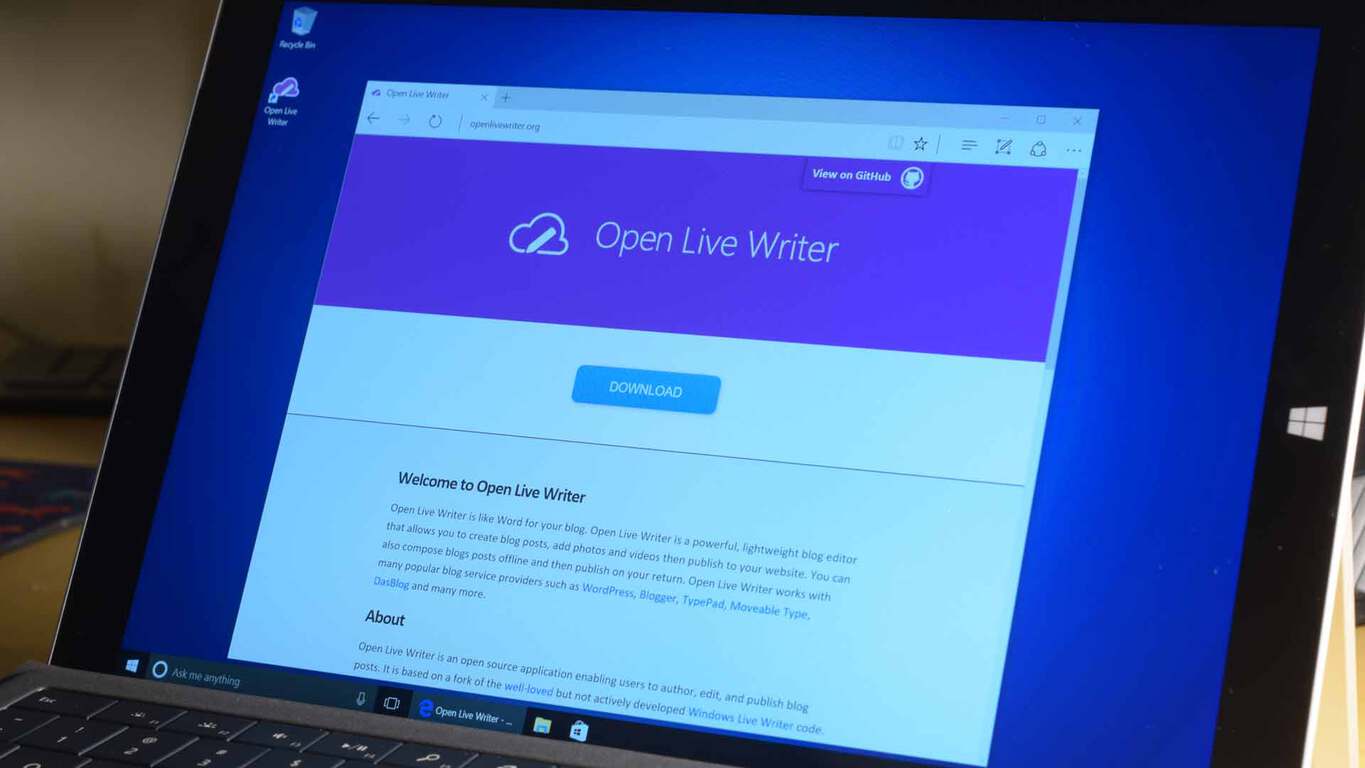
Open Live Writer is coming to the Windows Store, Scott Hanselman announces at Ignite

Microsoft’s Ignite conference is officially underway and several key announcements have already been made at the event. Another one for the list is Scott Hanselman’s announcement that open Live Writer will be coming to the Windows Store.

As we have documented in the past, Open Live Writer is an easy-to-use offline method of composing blog posts, complete with blog theme support, image editing, and a few other quintessential tools. Based on a fork of the well–loved but not actively developed Windows Live Writer code, Open Live Writer is provided under an MIT license.

Ultimately, though, today’s announcement that the app will be available in the Windows Store is a splash of good news for those who once have used the application. The app is not quite available for download as of yet, but you can stay tuned to WinBeta, as once the app goes live we will be here to cover it for you.

Customize Command Prompt: How to Change its Color

Command Prompt is one of the most powerful features of Microsoft’s Windows, and many users are wondering how to customize the Command Prompt in order to make it unique.

In case you’re not familiar with this feature, we have a great guide explaining what is DOS or Command Prompt, so we advise that you check it out.

If you’re already familiar with this tool, then we can move along and show you how to properly personalize Command Prompt.

How can I customize Command Prompt?

1. Open Command Prompt properties

  1. Open Search type, cmd and select Command Prompt.
  2. Now, just right-click Command Prompt’s title bar, and choose Properties.

Once you open the Properties window, you have the option to customize Command Prompt by your heart’s desire.

You’ll find Options, Font, Layout, and Colors tabs, where you can change various functionality and visual features.

2. Change general options

The first tab is the Options tab. Here you can adjust cursor size, and change various text options. You can enable Quick Mode, Insert Mode, text wrapping, and more.

You can also switch to the Legacy Console, which is the previous version of Command Prompt.

prersonalize-command-prompt1

3. Change font options

Next is the Font tab. As its name says, you can change the font family and size of the console in this window. Once you change the font size, Command Prompt’s window will also change.

However, there are just two font families you can choose from: Consolas, and Lucida Console. You can also set bold fonts in this window.

Speaking of font options, there’s a neat way to save text from Command Prompt, so you can analyze it later.

prersonalize-command-prompt2

4. Change layout settings

On the Layout tab, you can change the window size, screen buffer size, and window position. But these options are not so important, because you can resize Windows manually, with your mouse.

prersonalize-command-prompt3

5. Change Command Prompt color

And finally, the Colors tab lets you choose various colors for the console. You can choose the background color, text color, popup text color, and popup background color.

Choosing a new color for Command Prompt can be a refreshment, since you probably got used to its standard black and white environment.

prersonalize-command-prompt4

You can even change the window’s opacity, to almost blend with the background.

There you go, although these customization are pretty small, you still can give Command Prompt some kind of a personal touch.

There are not so many personalization options mainly because Microsoft imagined Command Prompt to be the most powerful tool in Windows, not the prettiest.

To learn more about Command Prompt, we suggest reading our guide on how to open folder in Command Prompt.

Do you use a personal customization for Command Prompt on your computer, or do you prefer the traditional look? Tell us in the comments.

Uber is giving away Xbox One S consoles and EA Sports games in new promotion

Are you feeling lucky? Do you think you have enough luck to win an Xbox One? If you think you have what it takes, then Uber has got the promotion for you. The multinational online transportation network company is holding a promotion where you can come home with Xbox One S consoles and EA Sports games.

The promotion is all part of a team up between Uber and EA Sports to celebrate the launch of FIFA 17. To enter the promotion, all you need to do is to Download the Uber app for iPhone or Android, Then, on Monday, September 26 or Tuesday, September 27, enter the promo code for your city (seen here,) and request the “GAME ON” option in the app. Demand may be high, and if a car is available, you’ll be playing in minutes.

If you’re lucky enough you will win a copy of EA SPORTS™ FIFA 17 for Xbox One before it hits the shelves, a new Xbox One S or EA Sports Madden NFL 17 and NHL 17.  You also might win other EA Sports titles such as like Madden NFL 17 and NHL® 17 for Xbox One, or even a brand new Xbox One S console.

Microsoft expands Surface as a Service program

Back in July at the World Partner Conference, Microsoft announced a new SaaS offering for Enterprise customers. What was particularly unique this time was that the S stood for Surface. Surface as a Service is Microsoft’s program for leasing Surfaces to businesses, specifically to large businesses. Along with financing options, the program comes with customized options for support and services businesses need when deploying technology across large workforces.

Surface as a Service is part of a larger Microsoft program called the Surface Enterprise Initiative. This initiative was announced last fall, highlighting a partnership with Dell Technologies among others. Since last fall, the Surface Enterprise Initiative has been growing with new partners and now the Surface as a Service leasing program.

Today, just as their enterprise focused conference Ignite kicks off, Microsoft announced they are expanding their Surface as a Service program. Specifically, Microsoft is expanding the Support and Service features of the program. The technology company announced they are opening up the Surface Enterprise Initiative to their partners to also create and provide support and services for the Microsoft Surface.

Surface Book
Surface as a Service includes leasing options for both the Surface Pro and Surface Book

Hayete Gallot, General Manager of Microsoft Devices, said this expansion of the Surface Enterprise Inititaive will be focused on the following four areas:

  • Configuration and Deployment Services – such as imaging, asset management, provisioning and integration services.
  • Enhanced Replacement and Exchange Services – such as next business day, advanced exchange and onsite replacement services.
  • Logistics and Warehousing Services – such as custom shipping, order consolidation and kitting services.
  • Next Generation Services and Support – working alongside IT decision makers, partners and the broader Surface ecosystem to conceive and create solutions, that will provide tools for businesses worldwide to enable change in their organizations and use devices as a key component in that change.

Expanding the program to include more partners could help create an ecosystem of services around the Microsoft Surface. And if there is a rich and robust ecosystem of services, any type of business interested in a leasing a Surface is more likely to find the exact custom tailored support their company needs. As other technology companies look to sell hybrid tablets to enterprise customers, Microsoft’s Surface Enterprise Initiative helps differentiate their ability to provide a company’s devices.

Windows Server 2016 and System Center 2016 to hit general availability next month, Microsoft announces at Ignite

Microsoft Ignite 2016 is going strong and the news just keeps rolling in. As an effort to drive digital transformation and increase security and productivity for organizations, Microsoft is bringing the Windows Server 2016 and System Center 2016 to be generally available in the month of October.

Windows Server 2016 builds up on the infrastructure and cloud applications to add new and improved layers of security . According to the news, Docker Inc. is continuing the partnership it has with Microsoft to support Windows Server 2016 with their Commercially Supported Docker Engine. The feature won’t add to the cost of the model, however.

Originally we expected the Windows Server 2016 to launch during the event according to news earlier this summer. Its first technical preview was all the way back in October 2014 with a “feature complete” one revealed earlier this year in April. The former blog post had also given light to the three available editions that we can expect to see: Datacenter, Standard, and Essentials.

Just a few days ago we saw the updated Remote Desktop Services for Windows Server 2016. They’ve proven to have significant graphics performance improvements, attention to handling a massive amount of concurrent connections, and optimizations to the deployment of RDS on an Azure infrastructure.

The simplified management solution System Center 2016 will also be made generally available in October across the datacenter and cloud. It will be offering advanced control for your data centers and increase layers of security against cyber attacks. Other notes on previous technical previews included support for many more Windows 10 features, a new servicing dashboard, improved mobile device and application management, and the expansion of the area that it can monitor in general.

While Microsoft Windows Server 2016 is launching sales on October 1, it will be shipping later that month with System Center 2016 beside it. Ignite continues to reveal news as it continues so be certain to keep your eyes on WinBeta.org (soon to be OnMSFT.com).

Microsoft announces new security features for Windows 10, Office 365 and more at Ignite

Microsoft has just announced several new security features for Windows 10 Windows 10, Office 365 and more.  We’ve dissected the news and have included the biggest details for you below.

Leading off the set of features is the Windows Defender Application Guard. This application guard, which will be coming to Windows 10 Enterprise and Windows 10 Insiders, is set to make Microsoft Edge the most secure browser for enterprise users. Under the hood, it is powered by an Isolated “virtual” Edge session. The ultimate goal, however, is to protect the operating system and user files and prevent wold be viruses from malware, viruses, and zero-day attacks.

Additionally, several other security features are coming to Office 365. Windows Defender Advanced Threat Protection and Office 365 ATP now share intelligence mutually across both services. Other features include Office 365 Advanced Threat Protection, and Office 365 Threat Intelligence. These features enable users to receive an email immediately with a placeholder attachment while the actual attachment undergoes scanning, and  provides alerts and information on the origination of specific attacks.

Last up is some new security for mobile applications. Leading off on this end is the fact that Outlook for iOS and Android will now be powered by the Microsoft cloud for office 365 commercial users. This ultimately means that no mailbox data will be cached outside of Office 365.

On the enterprise end, meanwhile, is Enterprise Mobility + Security E5, which will bring advanced security and Microsoft Azure Information Protection.  Finally, Available on Oct. 1, 2016, is Secure Productive Enterprise, which brings enhanced security and productivity across several Microsoft products.

Ignite 2016 is still underway, so be sure to stay tuned to WinBeta as we will be updating our posts and covering the biggest Ignite news as it happens live.

Microsoft and Adobe announce strategic partnership at Ignite

Ignite 2016, Microsoft’s biggest conference of the year, is officially underway in Atlanta Georgia. At the event, Microsoft and Adobe announced a strategic partnership which aims to help enterprise companies embrace digital transformation.

Overall, the two companies together aim to enable businesses to strengthen brands with Microsoft’s Azure and Dynamics 365, and Adobe’s Marketing Cloud. As part of the partnership, Adobe makes Microsoft Azure its preferred cloud platform for Adobe Marketing Cloud, Adobe Creative Cloud and Adobe Document Cloud. Microsoft, meanwhile, will make Adobe Marketing Cloud its preferred marketing service for Dynamics 365 Enterprise edition. Microsoft CEO Saya Nadella but the partnership best, and said:

“Business leaders in every industry are focused on how to better engage their digital customers, wherever they are….Together, Adobe and Microsoft are bringing the most advanced marketing capabilities on the most powerful and intelligent cloud to help companies digitally transform and engage customers in new ways.”

Ultimately under the partnership, the two tech companies will create standardized data models for their marketing and business applications. Microsoft notes that it and Adobe intend to make the data models extensible to enterprise customers, as well as third-party developers and partners, in order to foster innovation and development.

Microsoft announces security, Cortana, Office 365 and Azure enhancements at Ignite, here are the highlights

Microsoft is holding its Ignite IT conference in Atlanta beginning this morning, introducing a number of new announcements in security, with Office 365 and Azure, with Edge, and even a renaming, from Delve Analytics to “My Analytics.” We’ll be going deeper in depth into all of these announcements soon, but for now, here’s the list of announcements as posted on the Microsoft News Center:

Security

Security enhancements across Microsoft’s products, including Windows 10, Office 365 and Enterprise Mobility + Security, offer powerful protection against security threats.

  • Windows Defender Application Guard, coming next year to Windows 10 Enterprise customers and soon to Windows Insiders, makes Microsoft Edge the most secure browser for the enterprise. It is powered by virtualization-based security technology and uses isolated containers built directly into the hardware to prevent malicious code from moving across employee devices and the corporate network.
  • Windows Defender Advanced Threat Protection (WDATP) and Office 365 ATP now share intelligence mutually across both services, helping IT pros to investigate and respond to security threats across Windows 10 and Office 365 more quickly and efficiently.
  • Office 365 Advanced Threat Protection will be extended to Word, Excel, PowerPoint, SharePoint Online and OneDrive for Business. Other enhancements include dynamic delivery, which enables users to receive email immediately with a placeholder attachment while the actual attachment undergoes scanning, and URL detonation, which analyzes links in real time to identify unknown malicious URLs.
  • Office 365 Threat Intelligence provides alerts and information on the origination of specific attacks, integrates with existing security incident event management (SIEM) systems, and enables customers to deploy dynamic policies based on the nature of the threat.
  • Outlook for iOS and Android is now fully powered by the Microsoft Cloud for Office 365 commercial users, supporting Exchange Online mailboxes natively so that no mailbox data is cached outside Office 365.
  • Enterprise Mobility + Security E5, a new offer that expands security to help the transition to mobility and cloud, will be available starting Oct. 1, 2016. The suite includes the new Microsoft Azure Information Protection service to help organizations classify, label and protect sensitive data.
  • Also available Oct. 1, 2016, is the Secure Productive Enterprise, which offers the latest and most advanced security and productivity capabilities across Office 365, Windows 10 Enterprise and Enterprise Mobility + Security.

Intelligence

New AI capabilities that span agents, applications, services and infrastructure transform what’s possible for people and organizations.

  • Microsoft will preview new skills for its personal assistant and AI agent Cortana, including health insights and reminders.
  • Office 365 is getting new cloud-powered intelligent capabilities, including the following:
    • Tap in Word and Outlook, which uses the Microsoft Graph to make it easier to incorporate content from existing documents within your organization into your own documents and emails.
    • Quickstarter for PowerPoint and Sway provides curated outlines for any topic, including text and images, that can be used as a starting point to build presentations.
    • Maps, a new chart type in Excel powered by Bing Maps, transforms geographic data into high-fidelity visualizations.
  • Microsoft MyAnalytics (formerly Delve Analytics) is a personal analytics service in Office 365 that helps people understand how they spend time at work. New capabilities provide team members and leaders with insights to help find better ways of working together.
  • Relationship Assistant, included in the soon-to-be-released Dynamics 365 for Sales, makes customer engagement more intelligent than ever before on any device.
  • Microsoft customers will be showcased for how they are using Cortana Intelligence to innovate in their industries — Lowe’s to deliver a digitally enhanced kitchen remodel experience; and DymaxiaInc. to make healthcare more efficient and accessible. Uber announced it is using Microsoft Cognitive Services for its real-time ID check security feature to improve rider and driver security.
  • Microsoft has deployed a new AI-enabled virtual agent across all of its U.S. support centers to improve customer experience.
  • The company also announced that it has signed a global, multiyear agreement with Renault-NissanAlliance to advance connected driving experiences worldwide. The companies will work together to develop next-generation mobility services for cars powered by Microsoft Azure that will improve customer experiences including personalization, advanced navigation, predictive services, remote monitoring of car features, external mobile experiences and over-the-air updates. Renault-Nissan selected Azure because of its enterprise-grade security and Microsoft’s commitment to compliance.

Cloud platform

Building on the industry’s richest hybrid cloud portfolio, the release of Windows Server 2016 and System Center 2016 helps transform customers’ infrastructure to support future-ready cloud applications, while advances in the Microsoft cloud infrastructure provide a path toward an AI supercomputer in the cloud.

  • Windows Server 2016 will be generally available in October, giving IT professionals new layers of security and Azure-inspired innovation for infrastructure and cloud applications. Microsoft and Docker Inc. are extending their partnership to make the Commercially Supported Docker Engine available to Windows Server 2016 customers at no additional cost. System Center 2016 will also be generally available in October, offering a simplified management solution across the datacenter and the cloud for Windows Server 2016 software-defined datacenter features.
  • New Azure monitoring abilities, combined with Operations Management Suite updates, help IT manage cloud and on-premises assets from one place.
  • The next technical preview of Azure Stack brings Azure technology to customers’ datacenters, furthering Microsoft’s unique hybrid differentiation.
  • Microsoft is also advancing a vision of what’s possible with intelligence and machine learning using the world’s largest deployment of custom developed field-programmable gate arrays (FPGAs), spanning 15 countries and five continents. These FPGAs could be used to accelerate AI to near real time, making Azure the foundation for the world’s first AI supercomputer.

Empowering IT pros

New free training and educational resources will help ensure that IT professionals have the know-how and expertise to help companies complete their digital transformation.

  • The Microsoft Technical Community is a new online community that brings together IT professionals, MVPs and Microsoft subject-matter experts to exchange ideas, build connections and share best practices about Microsoft products and solutions.
  • The Microsoft IT Pro Career Center and Microsoft IT Pro Cloud Essentials are now available in 25 languages and 40 markets globally. The Career Center provides free expert advice on cloud career paths, skills and curriculum by cloud role, while IT Pro Cloud Essentials provides a free annual subscription to cloud services, priority support and certification.

Stay tuned to WinBeta as we dive deeper into all the news coming out of Atlanta!

Windows 10 Anniversary Update adoption rate is on the rise

Microsoft released the Anniversary Update less than two months ago, and the adoption rate for Widows 10’s latest major update already looks satisfying. A high percentage of both PC and Mobile users are currently running Windows 10 version 1607 (the Anniversary Update), and as the update is still young, the percentage will only go up in the coming months.

AdDuplex recently performed its traditional market share research of Microsoft’s platforms. We already told you that the adoption rate of Windows 10 Mobile is still low, but the majority of users running this OS are on the latest version. According to AdDuplex,  82.4% of phones running Windows 10 Mobile are currently on the version 1607, while the version 1511 has a share of  only 11.6%.

As for PCs, the adoption rate of the Anniversary Update is smaller, but that’s completely normal since there are far more Windows 10 PCs than Mobile devices. In actual numbers, it looks like this: 34.5% of Windows 10 users are running the 1607 version, while 59.9% users are still on the 1511 version. The initial version of Windows 10 (July 2015) is run by only 5.1% of users.

The lowest number of users is currently testing the Redstone 2 builds in Windows 10 Preview, only 0.5%. But that number will surely rise parallel with rise of the Anniversary Update adoption rate, and releasing of new, more stable Redstone 2 builds.

The high adoption rate of both versions of the Anniversary Update is a good thing for Microsoft. However, we’re sure that the adoption rate of the latest major update for Windows 10 would be even higher if there weren’t so many issues that bothered users who installed it. Because of that, some people hesitate installing the latest updates, which is something Microsoft definitely needs to pay attention to.

However, the Anniversary Update offers many useful features, and we definitely recommend installing it.

RELATED STORIES YOU NEED TO CHECK OUT:

Windows 10 news recap: Lenovo Yogas block Linux, Skype Preview gets SMS Relay and more

Welcome back to our weekly “Windows 10 news recap” series where we go over the top stories of the past week in the world of Microsoft’s latest operating system. Let’s get started.

Windows 10 Home Signature Editions Lenovo Yogas locked to disallow Linux installations

Reports have been surfacing recently that claim Lenovo Yogas purchased from the Microsoft Store as Signature Editions have been locked from installing Linux on them.

Skype Preview gains SMS Relay on the Windows 10 Release Preview ring

After SMS Relay arrived on the Skype Preview app in the Fast ring recently, it has now been pushed to the Release Preview ring, allowing a wider range of people to access SMS across their Windows 10 devices.

Microsoft’s Windows 10 update support is lacking, according to UK watchdog group Which?

UK watchdog group, Which?, has raised several concerns regarding Microsoft’s Windows 10 update support (or lack thereof).

Kodi launches UWP app for Windows 10, reveals involvement in Desktop Bridge

Kodi has launched their new Universal Windows App for Windows 10. The company used the Desktop Bridge to convert their desktop program into an app.

When it comes to new builds, here’s what we got:

That’s it for this week!

FaceRig is coming to the Windows Store, can be bought now

Yet another legacy app has been ported using the Centennial bridge and this time it is FaceRig. FaceRig is a popular program that aims to enable anyone with a webcam to digitally embody awesome characters. It got mainstream thanks to some popular YouTubers and their videos.

Now, how does this app work? It uses your webcam to animate different characters based on your face movement. It uses advanced face recognition technology and does what it is supposed to, very accurately.

WalkingCat, also known as h0x0d, tweeted out a link to the FaceRig store listing today. You can go ahead and buy the program, but it doesn’t seem to be officially out just yet. It is missing a tile and no official word has been disclosed about the availability.

https://twitter.com/h0x0d/status/780019068564754433

The application is available for PC only, and requires a 64-bit processor and costs $14.99, the same amount as on Steam. You can download it from the link below:

FaceRig
FaceRig
Price:
Free

Forza Horizon set to be delisted from the Xbox Store

A mere 4 years after the release of the first installment to the Forza Horizon series, Microsoft is set to delist the first edition from the Xbox Store, which will mean that it will no longer be able to be bought.

For several weeks now, DLC for the game has been on sale and we recently saw the game made available for free through Games with Gold. It appears that this happened for 1 reason – they’re delisting the game. The delisting will take place on October 20, from which time it will no longer be possible to purchase DLC or the game.

It is important to note that, a delisting is different to a removal. If content is delisted, owners of the content can still access it and use it, whereas with a removal that isn’t possible if it isn’t already downloaded.

The team behind the game are calling it the “reaching End of Life status” while confirming what we already know:

The game and its associated DLC will no longer be available for purchase.

So, if you haven’t already bought all the DLC or even the game itself but want to, then now is the time.

Microsoft kills support for its own Health Vault app

Microsoft offers a number of health and fitness apps and products. However, it’s no longer a secret that the Windows phone user base continues to drop day by day, a fact pushing many companies to end support for their Windows 10 apps. Now, it seems Microsoft is doing the same. The company announced the end of Health Vault app support for Windows Phone.

Health Vault is a very beneficial service for users, offering an online platform to track and store health and fitness information. The app was launched by Microsoft in 2007 and gained mobile support in 2011. The program’s role was to offer a platform to both patients and suppliers for more easily storing and recording health and fitness data.

Fitbit recently withdrew support for the Health Vault app and Microsoft itself is now doing the same. The company informed Windows Phone Health Vault users of its plans via a letter that reads:

Thank you for using HealthVault.

We’re reaching out because you are a user of the Microsoft HealthVault app for Windows Phone. Recently, we have seen some issues with the app due to compatibility problems. We want to continue to provide a reliable HealthVault experience for >Windows Phone, which we believe will be best delivered through the HealthVault website. We will therefore be ending our support for the app and removing it from the Windows Phone Store.

Rest assured that this change has no impact on the information >you store on HealthVault, which we encourage you to access using the HealthVault website (https://account.healthvault.com). >The site provides similar functionality to the app and is accessible by using the browser on your mobile device or PC.

Thank you for your support of HealthVault.

The Microsoft HealthVault Team

The Health Vault version concerned supports only Windows 8 and Windows 10 Mobile and is not a UWP app. The version being withdrawn is only available in the Windows Phone Store. Users can still access their existing Health Vault data using third party mobile apps on the Windows Store.

As far as Microsoft’s contribution in the Health and Fitness area is concerned, Health Vault isn’t the only platform the company uses to provide health-related services. Microsoft Health is another such program available on Surface devices and Windows 10 PCs. It is more of an activity tracker and fitness service provider when compared to Health Vault.

Rumors suggest that Microsoft dropped Health Vault support for Windows phone in order to boost Microsoft Health’s numbers. It appears the company is planning to turn Microsoft Health into a popular multi-platform service, supporting all types of third-party health and fitness apps.

Are you a user of the Health Vault app? Let us know how Microsoft’s decision affects you in the comment section below.

RELATED STORIES YOU NEED TO CHECK OUT:

Minecraft: Education Edition comes to the Windows Store next month

Microsoft introduced Minecraft: Education Edition earlier this year and will release it on the Windows Store next month. Minecraft: Education Edition is designed to teach kids teamwork, collaboration and creative work with the help of two new features.

For one, Microsoft added a new Classroom Mode to Minecraft: Education Edition that allows teachers to control Minecraft world settings, share items with students, teleport students and communicate with students from within the game. With Classroom Mode enabled, teachers will be able to see a map of the classroom’s Minecraft world, a list of students and much more.

Microsoft also mentioned it would update Minecraft: Education Edition with new features found in other editions of Minecraft, for instance receiving all the features  currently available in  Minecraft: Windows 10 Edition.

Minecraft: Education Edition will be sold for $5 per user annually. Customers will be able to buy the game directly or via Microsoft’s Enrollment for Education Solutions volume licensing arrangement.

What are your thoughts about Minecraft? Do you think that Minecraft: Education Edition will be useful for teachers and students?

RELATED STORIES TO CHECK OUT:

Microsoft releases TypeScript 2.0, new features now available

Microsoft rolled out the beta version for TypeScript 2.0 three months ago and since its release, the company continued to work on this language. Recently, it added new features to enhance developer productivity. While TypeScript 2.0 for Visual Studio 2015 can now be downloaded, you will also need Update 3 which can be found on the official Visual Studio page.

TypeScript 2.0 adds major updates to Microsoft’s type version of JavaScript and will make the developer work easier.

With this release, TypeScript delivers close ECMAScript spec alignment, wide support for JavaScript libraries and tools, and a language service that powers a first class editing experience in all major editors; all of which come together to provide an even more productive and scalable JavaScript development experience.

When Microsoft released TypeScript 1.0 four years ago, the language proved the potential of JavaScript when combined with static types. Developers no longer had to waste time hunting bugs thanks to its compile-time error checking. TypeScript 1.1 boosted performance by up to four times because the compiler was completely rewritten, supporting more flexibility and faster iteration.

Later, version 1.4 came with support for ES2015/ES6 and version 1.5 introduced support for modules and decorators. This allowed Angular 2 to adopt TypeScript, becoming Microsoft’s partner and helping the company improve this language. Finally, TypeScript 1.6-1.8 added new type system improvements and provided support for major JavaScript libraries.

TypeScript 2.0 brings the following new features:

  • Non-nullable Types
  • Control Flow Analysis for Types
  • Easier Module Declarations
  • Read-only properties
  • Improved typings acquisition

The TypeScript team has promised it will continue to work with its partners and the community to improve TypeScript’s type system to “allow users to further express JavaScript in a statically typed fashion. In addition, we will focus on enhancing the TypeScript language service and set of tooling features so that developer tools become smarter and further boost developer productivity.”

RELATED STORIES TO CHECK OUT:

Here’s when you can play Call of Duty Infinite Warfare multiplayer beta on Xbox One

Call of Duty: Infinite Warfare’s multiplayer beta is expected to begin on October 14. Activision has announced its full schedule together with details for both of the consoles that the game will be released on. The PC version will, however, not have a beta preview and will launch later on, as reported by GameSpot.

The multiplayer beta will not be continuously available, but will be partially released. You will be able to play it starting at 10 AM PT / 1 PM ET on October 14 on PS4 for people who pre-ordered. The preview will stop working on Monday coming thereafter. The next weekend, the beta vill be playable on both Xbox One and PS4 for those who pre-ordered on October 21 through Monday, October 24 at 10 AM PT / 1 PM ET.

When Activision was testing Black Ops: III, they eventually opened the beta up to everyone, on all platforms, regardless of pre-order status. There is hope that this could repeat, but no official statement regarding that matter has been disclosed.

The beta content will be announced “in the coming weeks”. No official word has been said about what this content is and what it will feature. We shall find out soon enough.

Infinite Warfare will come with a free copy of Call of Duty: Modern Warfare. The remastered edition of Modern Warfare seems to have a lot more hype than Infinite Warfare itself does.

Infinite Warfare launches on November 4.

Microsoft Cognitive Services at the heart of Uber’s Real-Time ID Check

We’ve been taught since we were young not to talk to strangers. Then technology advanced. Now we’re not only talking to strangers every day online, but we’re connecting in more ways than ever before. Even when it comes to getting a ride by using Uber.

Not everyone is comfortable getting into a car with someone they don’t know. Thankfully, the developers over at Uber understand that. They’ve continuously brought out updates to add GPS and speed tracking to prevent dangerous driving as well as sharing your ride with friends and family. Now they have stepped up even further to a more secure account feature: facial recognition.

The use of Microsoft Cognitive Services has enabled the app not only to keep a periodic check on drivers but to ensure that they are picking up the right rider as well. Their announcement postt explains that the facial recognition feature is called Real-Time ID Check.

Real-Time ID Check prompts drivers to share a selfie before going online to help ensure the driver using the app matches the account we have on file. This prevents fraud and protects drivers’ accounts from being compromised. It also protects riders by building another layer of accountability into the app to ensure the right person is behind the wheel.

Drivers will also have to check in once in a while to take a selfie before they even accept a ride. If the pictures do not match, the account is put on a temporary block until other means of verification can be attained. Uber doesn’t seem concerned that accidentally mismatched photos will be a problem, however. According to their beta phase testing, the process has a 99% success rate when the user has a clear identifiable picture in a lighted environment.

While it’s not the breath of relief and many people still hold reservations to getting in a car with a stranger, it’s nice to see Uber meeting concerns with the use of growing technology.

Microsoft to hold Forza Horizon 3 launch events, Nvidia releases a new game-ready driver

Forza Horizon 3 is on the horizon! As the game is scheduled for the release next Saturday, everybody is getting ready for the big day. Microsoft announced a few launch events for this weekend, while hardware manufacturers are tirelessly working to optimize their components for this highly demanding game.

To promote the newest member of Forza Horizon family, Microsoft will organize launch events on Saturday, September 24. Launch events are going to be held in every Microsoft’s retail store across the US. Additionally, a standalone launch event will take place at the Petersen Automotive Museum in Los Angeles.

“Fans are invited to their local Microsoft Store to enjoy snacks, preview the game and the Ultimate Edition and compete in a Forza Motorsport 6 gaming tournament for Xbox prizes – including a free copy of the new Forza Horizon 3. Almost everyone that pre-orders – in-store or online – can enter to win a Polaris RZR XP 1000, as seen in the game, by showing proof of purchase at a Microsoft Store during the event to receive a digital code that will be entered for the sweepstakes. The winner will be chosen and announced via Twitch live from the event at the flagship Microsoft Store located on Fifth Avenue,” states Xbox Wire.

You probably know that Forza Horizon 3 is a monstrously demanding game, that is going to push even the most powerful graphic cards to the limit. In that manner Nvidia just released its new GeForce Game Ready 372.90 WHQL drivers, to optimize its hardware for the upcoming Forza Horizon 3 game.

So, if you own a compatible graphics card, head over to Windows Update, and download the latest driver. Remember, you might not be able to run the game, if you don’t install necessary drivers.

Here are the recommended system requirements for Forza Horizon 3:

  • “CPU: Intel Core i7 3820 @ 3.6GHz

  • GPU: NVIDIA GeForce GTX 970 or NVIDIA GTX 1060 (AMD R9 290X or AMD RX 480)

  • VRAM: 4GB

  • RAM: 12GB

  • Hard Drive Type: HDD

  • Available Space: 55GB

  • Resolution: 1920 x 1080

  • Windows Version: Windows Anniversary Edition 64-bit 14393.101″

Check out Forza Horizon 3’s official Launch Trailer:


Forza Horizon 3 will be released on September 27, for Windows 10 and Xbox One. The game is already available for pre-order, so if you want to reserve your copy of Forza Horizon 3, you can do so from the Windows Store.

RELATED STORIES YOU NEED TO CHECK OUT:

Twitter might be for sale, and Microsoft could be an interested party

News of Twitter’s possible buyout has been circulating the internet for a little over 24 hours now, and so the far, the details (or rather rumors) include interested purchasing parties such as Google, Salesforce, and Verizon looking to take over the social network.

However, as more time passes the list of interested parties continues to grow, and now rumors of Apple and Microsoft putting their hat into the fray are beginning to surface.

According to TechCrunch, along with Verizon showing interest in the stagnating social network, so is Microsoft.

TechCrunch illuminates further on the potential logic behind Microsoft’s bid, especially after its fairly large LinkendIn purchase of $26.2 billion just a few months ago. It seems as though Microsoft may be less interested in actually acquiring Twitter and more so paying rival SMB provider a little bit of bidding payback.

Microsoft’s highly publicized and often criticized purchase price for LinkendIn came partly at the hands of Salesforce’s determination to keep the professional social network out of the hands of its strongest competition. So, to pay Salesforce back for their efforts, TechCrunch is reporting that Microsoft’s interest in Twitter appears to be motivated by driving up the asking price for the social network and possibly ballooning the sale to LinkedIn level dollars.

As previously indicated, the news about Twitter’s possible buyout and its would-be suitors is purely speculative at the moment as nobody being currently discussed has officially spoken on the matter.

Keep it locked on WinBeta as news develops.

Let us know in the comments, your thoughts on a possible Microsoft purchase of Twitter and what it could mean for the company as well as the 300 million plus users of the platform in the future.

Microsoft and PBS NewsHour partner to launch WatchTheDebates.org

Microsoft has been doing some relatively creative partnering to create rather impressive interactive experiences on the web. Among the many new partnerships, Microsoft has put its Bing search engine and machine learning behind making the Academy Awards, NBA Playoffs, NCAA Tournament and the presidential primaries more than the traditional passive experience for users.

This year, Microsoft has partnered with PBS NewsHour to launch another interactive initiative called WatchTheDebates.org. The site collaboration was developed as a way to foster civic education and voter engagement during this last round of democratic voting for the United States Presidency.

By accessing every general election debate since 1960, US voters will be equipped with the historical knowledge to make a more informed voting decisions in the future.

WatchTheDebates allows visitors the ability to screen entire debates and highlights, track how specific issues over the years, and interact with the content using online voting tools from Microsoft Pulse. This platform enhances an existing civic education partnership between PBS and the Commission on Presidential Debates.”

Visitors will have access to engagement tools that include:

  • Livestreams of the four 2016 general election debates
  • Full debate footage from 39 previously broadcast debates
  • Online rating and audience engagement of previous and this year’s debates, powered by Microsoft Pulse
  • Highlight reels of memorable moments from all televised debates between 1960-2016
  • Issue-based reels looking at the evolution of key policy and political issues through the years

As US citizens near the end of a long political road to a new president, having access to the debates that proceed this one could be a great educational tool for voters looking to identify tactics or policy rhetoric before they commit to one nominee or another.

For more information on Microsoft and PBS NewHour’s new collaboration or some history behind the Commission on Presidental Debates, read the full press release here.

Windows 10 Mobile market share remains at 14% in September

Things do not seem so encouraging for Windows 10 Mobile right now. Last month, we reported that the OS saw a 3% climb in market share and 14% userbase.

But this month’s Windows Phone market research, performed by AdDuplex, shows that Windows 10 Mobile still holds 14% of the market share despite the fact it’s been available to users for quite some time. The most popular OS is still Windows Phone 8.1, with 78% market share.

There are a couple of reasons why the adoption rate of Windows 10 Mobile is still so low, and most of them are Microsoft’s fault. First and foremost, Windows 10 Mobile is not available to all Windows Phone 8.1 devices. Actually, a lot of Windows Phone devices are unable to receive Windows 10 Mobile for one reason or another, which certainly affects Windows 10 Mobile’s share of the pie.

Another reason: Windows 10 Mobile is not available as a regular update on Windows Phone 8.1 devices. Users of compatible devices who want to upgrade their phones to Windows 10 Mobile have to use Microsoft’s Upgrade Advisor. And since not all users know about this, some of them are left unaware that they’re able to upgrade to Windows 10 Mobile.

This is not good for Microsoft and the Windows 10 Mobile platform. Because the popularity of Windows 10 Mobile devices is on the decline, we don’t know how Microsoft plans to sell more Windows 10 Mobile devices if it can’t convince existing Windows Phone users to upgrade.

The only good thing going for Windows 10 Mobile is that the majority of users running it have already upgraded to the latest version, the Anniversary Update. 82.4% of Windows 10 Mobile users are already running the Anniversary Update, which is a great adoption rate seeing as its only a month old.

Latest Windows 10 build brings native support for USB Audio 2.0

Microsoft recently released the new Windows 10 build 14931 to Insiders on the Fast Ring. The update mainly focuses on app updates but also brings one new feature: native support for USB Audio 2.0 with an inbox class driver.

According to Microsoft, this is the very first version of the inbox class driver, therefore not all features are supported. For now, Insiders can only playback; recording and other features will be introduced in future Windows 10 builds.

Here’s what Microsoft said about adding native USB Audio 2.0 support with the inbox class driver:

“We now have native support for USB Audio 2.0 devices with an inbox class driver! This is an early version of the driver that does not have all features enabled, for e.g.: only playback (render) is supported with this version. Recording (capture) support is scheduled to arrive in later iterations. We encourage you to play with the driver and let us know what you think (using the Feedback app). If you already have third party drivers for your USB Audio 2.0 device installed.”

Microsoft also advises users who have third party drivers for their USB Audio 2.0 devices to switch to the inbox class driver. For those who don’t know how to do that, Microsoft prepared a simple tutorial which you can check out on this page.

Have you tried the new driver yet? In case you have, let us know about your impressions in the comments. Also, don’t forget to submit your feedback to Microsoft, so the company can deliver even better product in the future.

RELATED STORIES YOU NEED TO CHECK OUT:

You’ll soon be able to play Minecraft in virtual reality on a Samsung Gear VR using an Xbox Wireless Controller

It’s an exciting day of news for Minecraft fans. Xbox Wire announced that the improved  Xbox Wireless Controller will soon be compatible with Samsung Gear VR. This means that they’ll be able to hook up their headset and dive into the world of Minecraft: Gear VR Edition wirelessly.

The popular sandbox game created by Mojang (now owned by Microsoft) is a major fan favorite. Coming a long way from the small studio it began in, the game is now available across many devices including Windows 10, consoles, and mobile phones. Minecraft: Gear VR Edition has all the features of the Pocket Edition where you can build, battle, and explore in a virtual reality.

With the extension of the Xbox Wireless Controller, players can take it a step further. Xbox Wire reads:

With Minecraft: Gear VR Edition, players can get right inside the world of Minecraft and build, explore and battle mobs – all with a fresh perspective. Following a game update in October to supported Android devices*, your new Xbox Wireless Controller can be paired to work directly through your Gear VR device for use with Minecraft: Gear VR Edition. You’re first step to playing Minecraft: Gear VR Edition with your Xbox Wireless Controller is to get the latest update for your controller. Then, download the October update to the game in the Oculus App on your favorite Gear VR device, connect your controller with Bluetooth and play.

Minecraft isn’t the only game that will be supported by the Xbox Wireless Controller. Across the board, many Gear VR games will be available to play with the controller such as Herobound, Spirit Champion, Omega Agent, and End Space.

The wireless controller will be compatible with Samsung Galaxy phones: Galaxy S7, Galaxy S7 edge, Galaxy Note 5, Galaxy S6 edge+, Galaxy S6 edge, and Galaxy S6. Xbox Wire says that more news about further games and devices will come out in the next few months.

Demos of Minecraft: Gear VR Edition with Xbox Wireless Controller compatibility will be hosted at MINECON over the weekend in the Minecraft Game Lounge Oculus area.

Microsoft Stores reportedly holding back HP Elite x3 sales until October

If you’ve been following the news about the release of HP’s flagship Elite x3 Windows 10 Mobile phone, you may be aware that things have been quite complicated from the start. The premium handset was initially expected to start shipping to US customers on September 5, though that later changed to September 12 until another delay to September 26. As of today, the US Microsoft store still lists a September 26 shipping date for the handset even though HP.com doesn’t share a shipping date anymore.

According to a new report, a September 26 shipping date for the HP Elite x3 is no longer happening even though US Microsoft Stores do have the handset in stock. A tipster send Windows Central the following email:

Just received confirmation at a Virginia Microsoft store that the elite x3 cannot be sold until October 11th. They are waiting for updates to fix camera issues, etc. They have them in stock but cannot sell them, unfortunately.

Early reviews of the handset have started to appear on the Internets over the last few days, and if you paid attention to them you may have learned that the great hardware quality of the HP Elite x3 is bogged down by various bugs and issues. Microsoft’s Lumia 950 and Lumia 950XL issues have been affected by similar issues following their release in late 2015, so Microsoft and HP are probably right to make sure that the premium handsets delivers a great experience out of the box. Did you already pre-ordered an HP Elite x3, and if so will you be ok to wait a little more to enjoy a better experience with the handset? Let us know what you think in the comments below.

KB3193494 update breaks Windows 10 computers

Microsoft recently pushed the KB3193494 update to replace the cumulative update KB3189866 that rolled out last Tuesday. Many Windows 10 users couldn’t install the latter and as a result the tech giant quickly pushed KB3193494 to solve this issue.

Unfortunately for many Windows 10 users, KB3193494 is plagued by the same install issues that prevented them from getting the initial Patch Tuesday KB3189866 update.

On the other hand, other Windows 10 users have been luckier and managed to install the KB3193494 update on their computers. Soon after, they encountered various post-installation issues that made them regret installing the update in the first place

According to user reports, KB3193494 makes the network drive unresponsive. It appears this issue is prevalent for HP computers, but neither HP nor Microsoft have officially confirmed this hypothesis.

The latest update KB3193494 makes my network drive to become inaccessible. When I remove this update, everything goes back to normal. If the update KB3193494 gets reinstalled, the problem comes back.

Other users report a flashing screen immediately after installing the update:

I think this update hosed my Acer laptop. After this update the screen would flash on and off at what should’ve been the login screen. After flashing for about a minute the computer would restart. I couldn’t get in to Windows to remove that update so I had to restore the system to a previous restore point.

Users also report both the task bar and the Start menu stop working after they install the update:

Upon installing KB3193494 my task bar stops working as does my start menu. I can’t click on start or any short cuts on the task bar although I can still click on the quick access icons in the bottom right of the task bar (calendar, network, volume etc). uninstalling the KB resolves the issue. This is effecting 2 of my collegues as well who have the same laptop as I do, Dell Precision 5510.

Uninstalling the KB3193494 update solves the issues described above and proves that it is the update itself causing them. Unfortunately, not all Windows 10 users have managed to uninstall the update:

Same problem for me.  I’m still trying to fix it.  I did have a system restore point (I made one just before installing the update) but it does not restore the system to the pre-update state.  I’m currently trying to uninstall the update; it doesn’t look like that will work.

Microsoft has yet to issue any comments on this situation. Taking into account all the issues reported by users, it’s better not to install the KB3193494 update for the time being.

RELATED STORIES YOU NEED TO CHECK OUT:

Necropolis video game is coming to Xbox One “soon”

Action role-playing video game Necropolis is developed by Harebrained Schemes and published by Bandai Namco Entertainment. The title was released in July 2016 for PC and Mac, but promised that a console release would be coming at a later date, and thanks to the developer’s official Twitter (link via Reddit), we now know that Necropolis will be coming to Xbox One and PlayStation 4 “very soon”.

Necropolis is a third-person action RPG that revolves around the archmage Abraxis. To avoid civilization, the archmage goes deep into secret underground tombs to practice his magic. Much of the gameplay is about solving puzzles with a constantly changing rogue-like environment and the obligatory cutting down enemies with flashy spells. The game supports a 4-player drop-in/drop-out co-op. But be careful, the game does have friendly fire and death is permanent. Like many rogue-like video games, once you’re dead you have to start over a new game and have a completely different experience.

The tweet also mentions the Brute, a playable adventurer that wields a shield and sword compared to the original solo character Abraxis. He was added in a major free update released earlier this month that also added a new environment called The Black Forest, as well as lots of new enemies to cut down and more content. It seems that the console version will come with the Brutal Edition on release.

Fans have been anxious to see Necropolis release on consoles for a while now. Unfortunately, there wasn’t an estimated date from the tweet but it’s probably safe to assume that we’ll see it by the end of September. The Xbox One achievements list was already spotted by Reddit user. Also, Hairbrained Schemes commented on Youtube a couple of weeks ago saying “We’re in certification and hoping to release by the end of the month. Thanks for your patience!” So ready your spells and draw your sword, because we’ve only got one more week left.

Grab Sparkle 2 and Sparkle Unleased in this new Xbox One video game bundle

The two puzzle games, Sparkle 2 and Sparkle Unleashed, are both being resold on the Xbox One in a special Sparkle Bundle which ends up being a slightly cheaper option than buying the two games separately. Both games are marble-shooter puzzle games set within a magical realm and feature a large number of levels to finish within each game and a variety of power-ups to keep gameplay complex.

Here’s the official game description for the Sparkle Bundle on Xbox One:

“Get two best selling marble shooter match-three action puzzle games at a great price! Sparkle 2 and Sparkle Unleashed feature superbly polished gameplay, breathtaking audiovisuals, and earthshattering powerups. Banish the darkness with your swift orb matching skills!

Sparkle 2: A long time ago five enchanted keys were created. The keys were scattered around mysterious lands and still remain undiscovered. Many have come to find them, and so far all have failed. Will you find the keys and unlock the secrets, or will you join the endless ranks of souls forever trapped within these lands?

  • Supercharge your Orb Slinger with 16 powerful Enchantments
  • Immersive mystery storyline with voiceovers
  • Cinematic soundtrack by the award-winning composer Jonathan Geer

Sparkle Unleashed: A secluded world of mystery has succumbed to an ominous darkness. You must travel through the fallen lands, light magical braziers and banish the darkness once and for all. Unlock amazing powerups and use the ones you like the most to overcome increasingly challenging levels, Chained Orbs, Rock Orbs and Survival challenges. Can you carve a path of light through the darkness?

  • Ultra-polished match-three marble shooter gameplay
  • An arsenal of 23 amazing powerups to unlock and select
  • Cinematic soundtrack by award-winning composer Jonathan Geer”

Buy the Sparkle Bundle on Xbox One

Have you been thinking about trying these two Sparkle Xbox One video games? Will you give this bundle a try? Let us know in the comments below.

Check out Eventide: Slavic Fable and The Bunker today on Xbox One

Eventide: Slavic Fable and The Bunker both launched on the Xbox One today and both titles can now be bought, downloaded, and played on the console.

Eventide: Slavic Fable is a fantasy adventure title and boasts a heavy dose of inspiration from Slavic muthology and legends. A free demo is available in the Windows Store for those interested in checking the game style out before investing in the full version. Here’s the official game description: “Eventide: Slavic Fable is an exciting adventure game inspired by Slavic mythology. Set in a contemporary heritage park where mythical Slavic creatures co-exist with humans, the adventure begins when the protagonist, a famous botanist, receives an alarming invitation from her grandmother, the park’s curator. The protagonist is tasked with saving an endangered plant, but this turns out to be the least of her concerns…”

Buy Eventide: Slavic Fable on Xbox One

The Bunker is an intense live action video game experience created by the writer and designers behind The Witcher, SOMA, and Broken Sword. The game stars Adam Brown (The Hobbit), Sarah Greene (Penny Dreadful), and Grahame Fox (Game Of Thrones) and was all filmed on location in a real-life bunker. The game is entirely made through film editing and no CGI was used.

Here’s the official game description: “As the last remaining survivor in a nuclear bunker, John’s daily routine is the one thing that keeps him sane. But when an alarm goes off, his mind starts to self-destruct. Venture into long forgotten areas, recover repressed childhood memories and unlock the dark secrets of The Bunker. The Bunker is a completely live-action experience, filmed on location in a decommissioned government nuclear bunker with a plot crafted by writers behind The Witcher, SOMA and Broken Sword.”

Buy The Bunker on Xbox One

Have you played either Eventide: Slavic Fable and The Bunker or yet? Let us know which one you think others should buy in the comments below.