Dynamics AX, Power BI, and Commercial Support Services added to Microsoft Trust Center

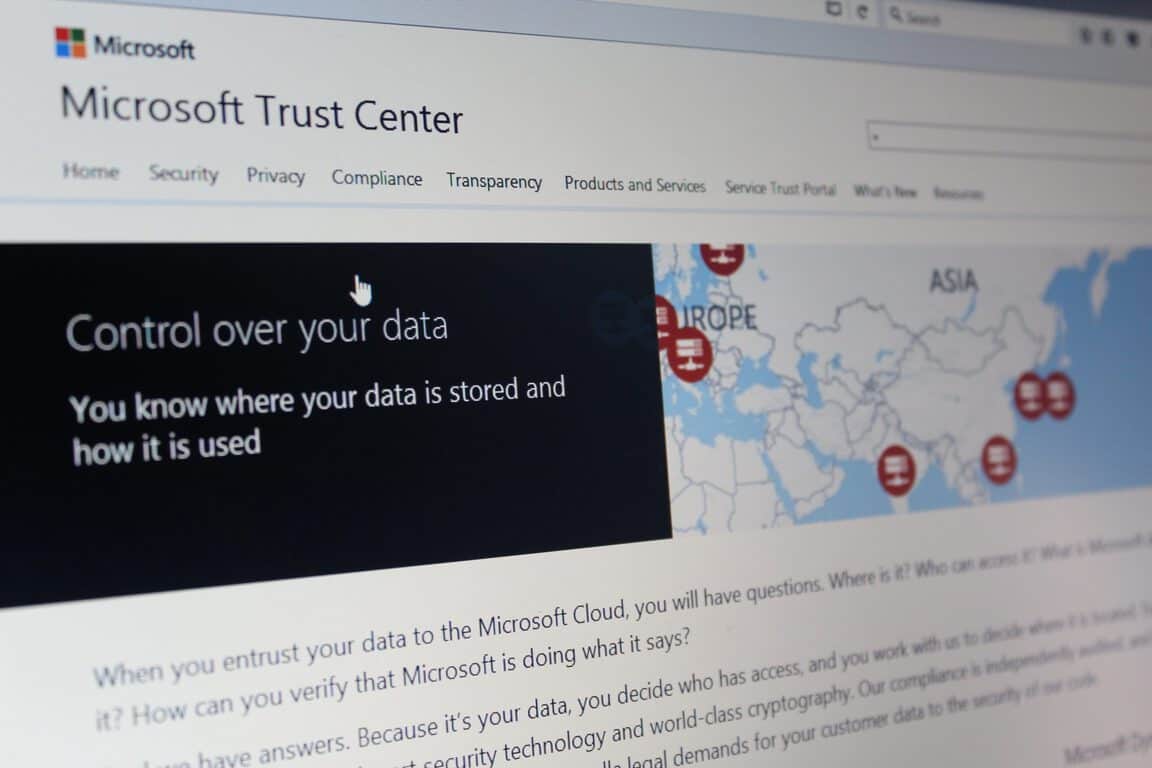
Back in November of 2015, Microsoft launched a Trust Center to create a central point of reference for cloud trust resources, and also to detail their commitments to privacy, control compliance, and transparency. Today, the Microsoft Trust Center is expanding and getting more enterprise cloud services.

The expansion means that Microsoft Commercial Support, Microsoft Dynamics AX and Microsoft Power BI will now be joining Microsoft Azure, Microsoft Dynamics CRM Online, Microsoft Intune and Microsoft Office 365 in the Trust Center.

Two new compliance attestations—ENS in Spain and FACT in the UK— also make their way into the Trust Center today. These certifications will now bring the global certification total to 37, which is the most comprehensive of any major cloud service provider in the world. As detailed by Microsoft, information on these compliances can be seen below:

  • ENS. The Esquema Nacional de Seguridad (National Security Framework) in Spain provides ICT security guidance to public administrations and service providers. Microsoft was the first cloud service provider to receive the ENS certification—for Azure and Office 365
  • FACT. The Federation Against Copyright Theft in the UK developed a certification scheme based on ISO 27001 that focuses on physical and digital security to protect against the theft of intellectual property. Azure was the first multitenant public cloud to achieve FACT certification.
  • MPAA. Azure was the first hyper-scale cloud provider to comply with the Motion Picture Association of America guidance and control framework for the security of digital film assets.
  • CS Mark. The Cloud Security Mark is the first security standard for cloud service providers in Japan. Microsoft achieved a CS Gold Mark for all three service classifications: Azure for IaaS and PaaS and Office 365 for SaaS.
Trust Center Organizations.

More details on the Microsoft Trust Center can be obtained by visiting their website here. The center is a testament to Microsoft’s attempts at protecting, verifying, and securing your data.

Microsoft reportedly testing new Xbox One prototypes to compete with PS4 Neo

Just a week after we told you that Microsoft had filed two FCC filings for wireless radio devices pointing to possible Xbox One hardware revisions this year, today a new report from The Verge adds more weight to these “Xbox 1.5” rumors. According to the report, Microsoft could be testing new Xbox One prototypes that could help Microsoft compete against an upgraded Playstation 4 from Sony:

Sources familiar with Microsoft’s Xbox plans have revealed to The Verge that the company has been testing a variety of prototype Xbox devices. Some of the prototypes have been tested with upgraded components you’d use to improve the performance of a PC gaming rig. A new wireless chip could be just a small part of the optional hardware upgrades to the Xbox One that Microsoft is planning.

Following Build 2016, Xbox boss Phil Spencer gave a lengthy interview to GameInformer where he explained that he was “not a big fan of Xbox One and a half”, but would prefer to “move forward in big numbers”. This new report makes it clear that Microsoft is working on new Xbox One models, but it’s still not clear what this mid-cycle hardware refresh would be used for. Could Microsoft just shrink things down and optimize power consumption as well as wireless capabilities, or bring a more powerful and future-proof Xbox One that supports 4K and VR games? Please tell us what you would like to see in the comments.

Gears of War: 4 Tomorrow video reaches #1 all time on Xbox’s YouTube channel

Last week, Gears of War 4 developer The Coalition teased us with a brand new video preview of the upcoming Xbox One exclusive game. The trailer, called “Tomorrow,” connects the legacy of the Fenix family from father to son and brings back the franchise to the dark tone of the original cult classic game:

It seems that Xbox fans really enjoyed it as the trailer has become the #1 watched Xbox video on the official Xbox channel after just nine days and more than 7.2M views. Head of Xbox Games Marketing Aaron Greenberg celebrated the news on Twitter today:

Xbox YouTube channel
More than 7.2M people watched the Gears of War 4 trailer after just one week.

Gears of War 4 won’t launch until October 11, but this early buzz around the game make us wonder if the latest Gears of War opus could beat Quantum Break as the best-selling new Microsoft Studios IP this generation. If you can’t wait to play the game, we remind you that an early access of the Gears of War 4 multiplayer beta is available since yesterday on Xbox One for all gamers who played Gears of War: Ultimate Edition on Windows 10 or Xbox One. 

Microsoft launches new website devoted solely to their numerous environmental efforts

Microsoft has been a fairly progressive company for many years now when it comes to the environment. Since 2012, the tech giant has been completely carbon neutral, and they often assist or create programs relating to conservation and wildlife protection as seen in their recent efforts at Woodland Park Zoo.

To better showcase all of their environmental policies and efforts around the world, Microsoft has started a new website named, Microsoft Environment. This new site, in addition to promoting the latest eco-related projects, also contains detailed information on the lifecycle of Microsoft products.

Microsoft’s Rob Bernard says of the system, “We manage the complexity of the return and recycle phase by partnering with recycling organizations, joining forces with collection schemes, and working with retail stores and other partners to facilitate the return and recycle process for consumers. Our Refurbished PC Program, for example, helps reduce e-waste by encouraging the purchase of certified used products through a Microsoft Authorized Refurbisher. It’s an economic and environmentally-friendly solution that we’re proud to offer for our customers and the planet, and it now offers Windows 10 devices.”

Do you have a favorite Microsoft Environment program? Do you think they should do more? Let us know in the comments below.

These four new Xbox One video games are available today

Four new video games are out today on Microsoft’s Xbox One console, Lichdom: Battlemage, Skyling: Garden Defense, Party Hard, and Pang Adventures.

Pang Adventures is a modern re-release of a 90s arcade game which has been given new graphics and features for 2016 gamers. The game can be played solo or with local co-op, has three different modes, a variety of upgradable items, and more than 100 levels. The game is available today to buy and play. Here’s the official description:

The Pang series is a beloved collection of arcade video games from the early 90s. Guide two brothers on a quest around the world to save humankind from a massive alien invasion! Use your wits and skills to overcome the attack balls pouring from the skies and rescue the world’s cities and landmarks from impending annihilation!

Buy Pang Adventures on Xbox One

Party Hard is kind of a stealth-detective game that takes place over 19 randomly generated levels with unlockable characters and special events. Party Hard is available to pre-order and pre-download right now before its April 26th release date. There is also a free demo which can be played right now. Here’s the official description:

In Party Hard, you play as someone who is really tired of the neighbors having loud parties. Instead of calling the police, you decide it’s a better idea to kill everyone – using your faithful knife and the environment. The tactical strategy follows a series of killings at parties through-ought the USA.

The developers used to work mostly on casual, family-friendly games – until they participated in a game jam, creating the first prototype for Party Hard. TinyBuild backed up the original developers – Pinokl Games – to create a full version that’s now on Xbox One!

Pre-order Party Hard on Xbox One

Skyling: Garden Defense is a 2D arcade-style maze game and has actually been available on mobile and tablets for a while now (including Windows 10). It’s unclear if there are any extra features being added to the Xbox One console version beyond controller controls. Here’s the official description:

Help a young Skyling named Bloom restore each garden by touching every square to spring them back to life. But be careful, the gardens have been overrun with Blight Monsters that want to destroy everything, including young Bloom! Thankfully, the gardens have switches, gates and elevators you can use to avoid their grasp. The gardens are also home to some adorable sleeping cats you can pick up and move. Position the cats around to keep the Blight Monsters away, or use them to hold down switches for you. They don’t mind. They’ll sleep anywhere!

Buy Skyling: Garden Defense on Xbox One

Lichdom: Battlemage has been available to pre-order and pre-download for a while now and can be played on Xbox One starting today. Here’s the description:

In this fierce, first person spell-caster, you play as “Dragon,” a scorned mage out to seek revenge on Shax, the evil overlord who destroyed your family. Using an arsenal of unlimited spells as your only form of weaponry, you must fight off hordes of evil cult members, monsters, and demons summoned from the abyss in a mission to avenge your loved ones.

Buy Lichdom: Battlemage on Xbox One

What was the last game you played on Xbox One? Let us know in the comments below.

Microsoft details adding external elements to Windows 10 mapping apps

Microsoft has recently begun publishing a series of blog posts that showcase how app developers can incorporate and customize the Windows 10 Maps API in their apps to produce a variety of results. While the first entry introduced the basic concepts of the Maps API, the latest post delves a bit deeper and covers how to customize the MapControl class and add specifically designed pushpins and external elements.

The pushpins are basically the graphical representation of actual pins on a map that can be used to communicate a specific location to the end user, such as a shop or their own location. These pushpins can be customized to have their own unique image and can be connected to each other by editing the MapPolyline class in the code.

The MapPolygon class can be used to color in areas of a map and adding XAML elements to the map’s Children collection can customize it further.

It’s great that Microsoft is communicating so much with developers as not only do posts like this educate but they can also inspire the creation of completely new apps. Which map app do you use on your Windows phone? Let us know in the comments below.

How to Run Linux GUI Apps through Bash for Windows 10

To everyone’s surprise, Microsoft announced at Build 2016 that Windows 10 would support Bash, the popular command line utility for all Linux-based operating systems. This move enables any user to run their favorite Linux software in the command line mode and as expected, computer users were ecstatic.

Well, users have increased the number of reasons to be excited: someone found a way to allow Linux GUI programs to run on Windows 10 through Bash and a software known as Xming X Server. Bear in mind that users will be required to have Windows 10 build 14316 on hand before attempting to do this.

To try it out for yourself, use the following code to fire up the Ubuntu version of Firefox: DISPLAY=:0 firefox. Now, since this is not a native Windows 10 program, it won’t perform as if it were, so don’t jump into this expecting to run your favorite programs as fast as when they are being powered by a Linux operating system.

Remember, Bash must first be installed on your Windows 10 computer. Do not assume that since build 14316 is up and running, then Bash must also be ready whenever you want it — that’s not the case.

How to get Bash on Windows 10:

You’ll need to have a 64-bit version of Windows 10 or else this will never work unless you know some fancy magic tricks. Once you have proven to yourself that Windows 10 64-bit is installed, fire up the search option and type “Turn Windows features on or off.”

When the option comes up, click on it. A new Window should pop up with a list of options. Scroll down until the Windows Subsystem for Linux (beta) is visible. Click on the tick box and watch as the required files are installed.

Next, restart your computer system. After, search for Bash and launch it. It will ask your permission to install Ubuntu, so just follow the instructions to do so.

To run Firefox, it will need to be installed first. Within Bash, type “apt-get install firefox” then press the enter key on your keyboard. Follow the on-screen instructions to get the job done. Depending on the speed of your computer, this could take a while.

It should be over now, so just launch Xming, and in Bash, type or copy-paste “DISPLAY=:0 firefox” to launch Firefox. Bear in mind, that there have been reports of Firefox crashing prematurely.

While performance won’t be mind-blowing, it should be better than VNC/X11 forwarding, according to a developer on Reddit.

We can say for sure that it works, but sometimes takes a while due to constant crashes. Because of the performance, we’d recommend others to run their Linux programs through the Bash command line instead of attempting to do this.

It’s great for show and tell but not much of anything else, we’re afraid. Download Xming X Server directly from Sourceforge, the best spot for open-source programs on the web.

Rumor: Batman Arkham HD Collection coming to Xbox One this June

Is that the bat signal we see through the clouds? You know what that means! Yes, the fans of Batman Arkham games will be excited to hear the latest rumor!

According to a post on Eurogamer, the Batman Arkham HD Collection will be releasing on June 10th of this year for Xbox One and Playstation 4. The picture, supposedly taken by a Gamestop employee, also reveals that the pre-order will begin tomorrow, April 19!

The picture of the Batman Arkham HD Collection supposedly taken by a Gamestop employee.

The collection includes both Batman:Arkham Asylum and Batman: Arkham City games and they will include all the DLC and added content since release. Both games are well known for their open world immersion, stunning graphics, and smooth gameplay. Plus, who doesn’t like punching The Joker square in the jaw? With such a huge acceptance by fans and critics alike, the games were accredited for bringing the ‘Batman’ series back to life in the video game world.

Marketed as Batman: Return to Arkham, the screenshot doesn’t have any information about if Arkham Origins will be joining the rest of the series on Xbox One. Likely due to being made by Warner Brothers’ Montreal instead of Rocksteady.

The enthralling storytelling of the Arkham games has driven fans to play for countless hours beating up henchmen and slaying their favorite villains.  Now that Batman: Arkham Knight has wrapped up the series on Xbox One, it’s safe to say that seeing these remastered releases wouldn’t be too far-fetched to believe.

This isn’t the first time we’ve heard rumor about the Arkham series making its debut on the Xbox One. Last March, we caught wind of IGN Italy expecting the popular franchise remastered by the holidays of last year. Seems that didn’t quite pan out. But at least this time we only have to wait one more day to find out! POW!

Microsoft walks devs through porting Unity 3D games to the Universal Windows Platform

With Microsoft announcing the Windows 10 Anniversary Update scheduled for summer of 2016 and an operating system upgrade bringing a laundry list of improvements and features, it seems like now is as good a time as any to get developers interested in porting their Unity 3D games to the Universal Windows Platform.

Alex Tedorescu-Badia of the Windows team walks developers through the relatively easy process of building and deploying a pre-existing Unity 3D powered game into the Windows Store on the company’s Building Apps for Windows blog.

To develop, compile, and submit a Unity game to the Windows Store, you will need:

  • Unity – Either the Unity free version or Unity Pro will work. The add-ons for publishing to the Windows Store are free for both basic and Unity Pro users.
  • Visual Studio – You can use any Visual Studio SKU, including the free Visual Studio Community. To target Universal Windows Platform, you will need at least Visual Studio 2015 Update 1.
  • Windows 10 – If you do not own a Windows 10 license, you can get a 90-day evaluation version. If you are running Mac OS X or will install on Apple hardware, check different options for installing using Boot Camp, VMWare, or Parallels.
  • Windows Store developer account – This will be needed to submit your game to the Windows Store. During this process, you will register and get verified as an individual or as a business who can submit apps and games to the store. This registration allows you to submit apps and games to PC, Phone, Tablet and also in the future to HoloLens and Xbox. There is a small registration fee for individuals to sign up, although free Dev Center accounts are often available through Microsoft-sponsored programs (e.g. for startups).
  • Windows 10 test devices – While the Visual Studio simulators and emulators can replicate multi-touch and different display resolutions, it is recommended that you test on a real ARM mobile device with touch capability if you are developing a mobile/touch experience.

In a step by step process, Tedorescu-Badia goes from configuring developer mode in Windows 10 to distributing the app to other users either through the Windows Store or sideloading by creating appxupload packages.

15_associateapp
Adding new app to the Store

During 2015, Microsoft talked a massive game about its Universal Windows Platform and admittedly, the company’s pitch had many developers impressed. Part of the company’s sell was that developers who had already invested time and resources into an app, game, or service on another platform could reasonably easily port those efforts to Windows with relatively little work. However, the less impressive aspect about the new unifying platform was the lack of available tools for developers to get their projects off the ground.

Well into 2015, Microsoft had yet to ship beta or preview versions of their porting tools to developers, and it seemed as though the company may have let the air out of its balloon waiting in between announcement and release of the port framework. Fortunately, 2016 appears to be Microsoft’s year for delivering on many of the promises it offered developers last year, ranging from improvements to Edge to actual HoloLens headsets to developers for content creation and finally building out its Windows Store app catalog in the process.

What’s next for computing? Microsoft and the “invisible revolution”

We already live in a world where technology is at the turn of every corner. Over two-thirds of Americans own at least two devices and at least one-third have three or more. In a time when cloud computing is the most powerful tool, users have come to expect to have access to all of their information across every device. Whether it’s using a console to play a game, a phone to keep in touch with family, or a fitness tracker to keep on track in maintaining health, users expect to have access to all of their information across every device.

Harry Shum, the executive vice president in charge of Microsoft’s Technology and Research Division, has a vision for the future. In fact, Microsoft released a rather detailed, if not a little long-winded, news post about the upcoming goals, research, and expectations from their continued developments in technology.

“We are on the cusp of creating a world in which technology is increasingly pervasive but it is also increasingly invisible.”

The invisible revolution is intended to bring together the world through technology that is increasingly becoming more hands-off. It increases the quality of life as people become busier, taking the mundane acts such as scheduling meetings, turning lights on, and translating languages and putting them in a way that the user can spend their time doing things that are more important to them. Shum feels that breaking down the barriers caused by language and location will improve the relationships different countries can have between each other.

Microsoft Graph

The first example given to us is the dream that Patrick Pantel, a research manager at Microsoft Research, has about walking through the conference room doors. To him, the invisible revolution will have informed him everything he needs to know about the meeting, including past work experiences with co-workers attending and what he needs to have prepped for the presentation. When he walks in, he will feel confident as his device uploads the PowerPoint document or dial him into the conference call on Skype.

Pantel has been working on the Microsoft Graph which has already been available in Microsoft Office 365 via a tool known as Delve. Delve forms professional connections with co-workers with an up-to-date project management system that lets everyone access the same work files. Although Microsoft developed Delve, the tools and codes have been made available to third-party developers that have used them for other useful applications such as AvePoint and Netskope.

Meet the Delve Analytics Dashboard. Image credit: the Office blog.
The Delve Analytics Dashboard. Image credit: the Office blog.

Artificial Intelligence & Machine Learning

The development of Cortana was an exceptional example of the possible integration of making life easier. Cortana will acknowledge what the user types or says in their emails, texts, or on the phone to help them build a list of commitments and goals. But Cortana isn’t the end-goal for artificial intelligence. In China, an application called XiaoIce has become a household name. The virtual assistant doesn’t just provide information but speaks to users on a more personal level about their feelings and lives. In fact, over 40 million people are enamored with the conversations that have ensued with the robot.

Changing The World

Ranveer Chandra from Microsoft Research is a prime example of their passionate commitment to making the world a better place. His experiments with installing white spaces from television frequencies and merging them with solar powered receptors are bringing a technological advantage to agriculture. He feels that by providing an easier and more efficient way for farmers to produce wholesome food, technology will be a leading factor in solving the hunger crisis found across the globe and will help spur on the next green revolution.

Likewise, Beijing, China has suffered for years through unpredictable air quality patterns that can send children to school with gas masks on for the day. With a project called Urban Air, residents now have a real-time view of the air quality in their neighborhood and across the city. The service can even provide them with a forecast a few hours in advance, allowing them to schedule accordingly. Not only does this information improve their lifestyle and health, but it allows researchers to use the data captured over time to gain a better understanding of how they can potentially improve these issues.

The innovative tools and designs make it possible to bring information and tools to users regardless of what devices they have, what language they speak, or even if they have other challenges. Computers can now register gestures, tone, and facial expressions without the user needing to sit in front of a computer. With machine learning, artificial intelligence is learning to understand voice, gather more data, and provide for humanity’s very basic needs.

“It’s not about computers replacing humans. Instead, it’s about using technology to allow people to do things better and more easily,” the blog states. This is a topic that we’ll be paying close attention to as we go forward, given that Microsoft is making tremendous investments in the technology and looks to be one of the leaders well into the future.

Microsoft submits patent application for enhanced TrackPoint-like controller

In the United States, part of the process of invention includes filing a patent with the U.S. Patent and Trademark Office. Last week, that office published a Microsoft patent application for what is being called a “next generation low profile notebook pointing stick.”

The patent makes it seem as though Microsoft wants to bring back technology to the enterprise market that it once abandoned and eventually revived by IBM.  The patent filing also shows that Microsoft may be considering using this technology in a future Surface Book, to perhaps better help appeal to enterprise users.

As per the patent description on Patently Apple, the Microsoft invention covers a low profile and is a small footprint gel-based pointing device with a tactile surface on the first side. The underside, meanwhile, is a base surface that is opposite to the first side. Additionally, it also appears that the tactile surface will be the main source of input from a user.

The Microsoft patent, (Photo from Patently Apple)

In the same patent description, Microsoft also describes that the pointing device can use different layers of force to trigger a translation of gestured by the Surface Book to modify a user interface.  It also appears that the gel-based pointing device is a combination with an optical lens and image sensor,  meaning that the image sensor can be used for authentication.

The patent was initially filed last December, so it remains unclear if these features will be introduced anytime soon. Any filed patent frequently requires levels of both bewilderment and acknowledgment, so this patent may also not necessarily mean a lot at the moment.  Microsoft may just be using this description in the patent to protect the invention from getting pre-empted, but also, gain proper the legal protection for their idea.

Windows 10 Anniversary Update to bring new streaming format support to Edge

Microsoft’s Edge developmental roadmap during its introductory year in 2015 could arguably be seen as relatively conservative as news of API implementation, standards, and protocol support and talks of extensions were all seen as future endeavors for the product.

With a little under ten months to its age, Microsoft’s Edge browser team appears prepared to deliver on some of the promises they made when introducing the tool. According to the Microsoft Edge Dev blog, the team will be using the upcoming Windows 10 Anniversary update to release Edge’s support Web Apps built using WebM, VP9 and Opus audio and video codecs for streaming.

Starting with EdgeHTML 14.14291, the open-source WebM container format and the VP9 video and Opus audio codecs are supported in Microsoft Edge. These are available to websites that use Media Source Extensions (MSE) to adaptively stream video content. Windows Web Apps (built on the same Edge APIs) will also be able to use WebM streams containing VP9 and Opus. This change will be available in stable releases starting with the Windows 10 Anniversary Update.”

While not Microsoft-initiated endeavors, the recently formed Alliance for Open Media consortium-backed WebM and VP9 codecs offer more than standard compliance and royalty free usage. The two codecs also provide better 4K decoding support as well as potentially reducing power consumption on devices.

Opus, on the other hand, could also provide a significantly beneficial all-one codec for bandwidth-efficient speech/RTC applications and enable high-quality media playback at the same time.

We are adding support for these formats to simplify building interoperable websites, and to provide an alternative format for compressing 4K video content. To try them in Microsoft Edge, please install the most recent Windows 10 Insider Build.”

It seems as though the Windows 10 Anniversary Update will be more than another shiny coat of paint atop Windows 10 this year. Microsoft appears to have been using 2015 as the year to lay the foundation for Windows 10’s evolution and now using 2016 to build atop that foundation.

Microsoft is catching up to Salesforce in fast growing Software as a Service market

Many traditional software companies such Microsoft, Adobe, SAP, and Oracle are currently reinventing themselves in the cloud. As for Microsoft, we reported a few weeks ago that according to data from Otka Office 365 remained the most popular cloud application among businesses in the second half of 2015, followed by Salesforce, Box, and Google Apps. Otka added that in the past year, adoption of Microsoft’s cloud software (Office 365, Dynamics CRM Online and Azure) by Otka customers grew 116 percent, but this massive growth is still not enough for Microsoft to catch up with leading Software as a service vendor (SaaS) Salesforce.

Indeed, according to the latest report from analyst house Synergy Research (via CloudTech), Microsoft Enterprise SaaS revenue had an annual growth of 70% in 2015 (compared to Salesforce’s 21%), but the Redmond giant worldwide market share is still trailing behind Salesforce which is close to 15%. Still, it’s worth noting that both companies have captured more than 10% of the overall market share and are currently ahead of competitors Adobe, SAP, ADP, and Google (IBM, Intuit, Oracle, and Workday are also included in the top ten).

Synergy Enterprise Saas market share
Worldwide SaaS revenue and market share for 2015.

According to Synergy Research, the overall enterprise SaaS market grew by almost 40% in 2015 and could more than triple in size within five years. On the other hand, the consumer SaaS market currently represents a third of the size of the enterprise market and has a lower growth rate. Synergy chief analyst and research director John Dinsdale added:

“In many ways SaaS is a more mature market than other cloud markets like IaaS or PaaS. However, even for SaaS it is still early days in terms of market adoption. It is notable that the big three traditional software vendors – Microsoft, Oracle and IBM – are all now growing their SaaS revenues faster than the overall market and yet SaaS accounts for less than 8% of their total software revenues.”

A year ago, Microsoft has been rumoured to be looking at Salesforce but the deal didn’t materialise. Both companies have since chosen to strengthen their partnership as Salesforce began to integrate its CRM platform into Windows apps. Do you think Microsoft could still beat Salesforce as the biggest SaaS vendor? Please tell us what you think in the comments.

Microsoft’s growth mindset is changing the way its products are sold

Microsoft fans all across the world very much well know Microsoft’s mission statement: to “empower every person and every organization on the planet to achieve more.” Very much so, it appears now that this mission statement and growth mindset has also left an impact on the Redmond giant’s products and sales strategies.

Judson Altoff, President of Microsoft North America, was one of the speakers at Envision 2016’s conference, and at the event, he remarked to Envision Attendees on a change at the sales force at Microsoft. As per remarks published on ZDnet, Altoff mentioned that Microsoft has been learning to eliminate the separation between how they are traditionally market sold, and serviced. He also detailed that Microsoft is selling more and more of its products as subscription services and that the sales team needs to go beyond just selling a customer on something one time.  In addition, he also remarked that Microsoft is moving the focus off of the technology alone, and more towards how customers can and should use the technology.

“Your focus needs to be on who’s actually figured out how to attach more Xbox controllers and games to every console sale? Who’s actually figured out how to sell their customers machine learning and data science projects running on Azure? Who’s actually figured out how to get customers to see value out of the increase utilization of Skype for Business and greater connectedness and collaboration on your environments,” Altoff said.

Additional comments from Altoff published in ZDnet also appear to suggest that Microsoft has been empowering its fans, via “fan creation.” Altoff is quoted as saying,

“Happy product advocates trump indifferent users. Sales needs to make sure that customers aren’t just using their products, but they’re actually happy about doing so because they’re getting value out of it.”

The comments from Altoff are together very interesting and seem to show that Microsoft has been taking steps to making overall changes to better live up to its goal of empowering the planet. We would love to hear your thoughts on these comments, so please drop us a comment below and sound off on the situation!

GoDaddy to offer domain names and SSL certificates through Azure App Service platform

GoDaddy has long been known as the world’s largest domain name provider, and it has also long been dedicated to small businesses. Deservedly so, the company has now announced that it is expanding on its existing partnership with Microsoft, and will be offering GoDaddy domains through Microsoft’s Azure App Service Platform.

The expanded partnership means that users can now seamlessly purchase and configure domain names right from the Azure App Service platform without having to leave the Microsoft environment. In addition, customers will now also have access to Microsoft’s direct support, ensuring that they will have help for all required services. In a statement Nir Mashkowski, Director of Program management for Azure App Service said,

Microsoft’s ability to offer GoDaddy’s domains and SSL product through Microsoft Azure App Service will increase the overall functionality of the platform and provide an improved experience for our users…. We look forward to our continued collaboration with GoDaddy and bringing even more products to market that directly benefit our customers.

The technology behind GoDaddy’s domain and SSL availability within Microsoft’s Azure App Service is made possible through the latest GoDaddy API and continued coordination with Microsoft. GoDaddy has more than 14 million customers worldwide and gives small business owners the tools to name their idea, build a beautiful online presence, attract customers and manage their business.

Microsoft makes Azure Media Sharing announcements at NAB show

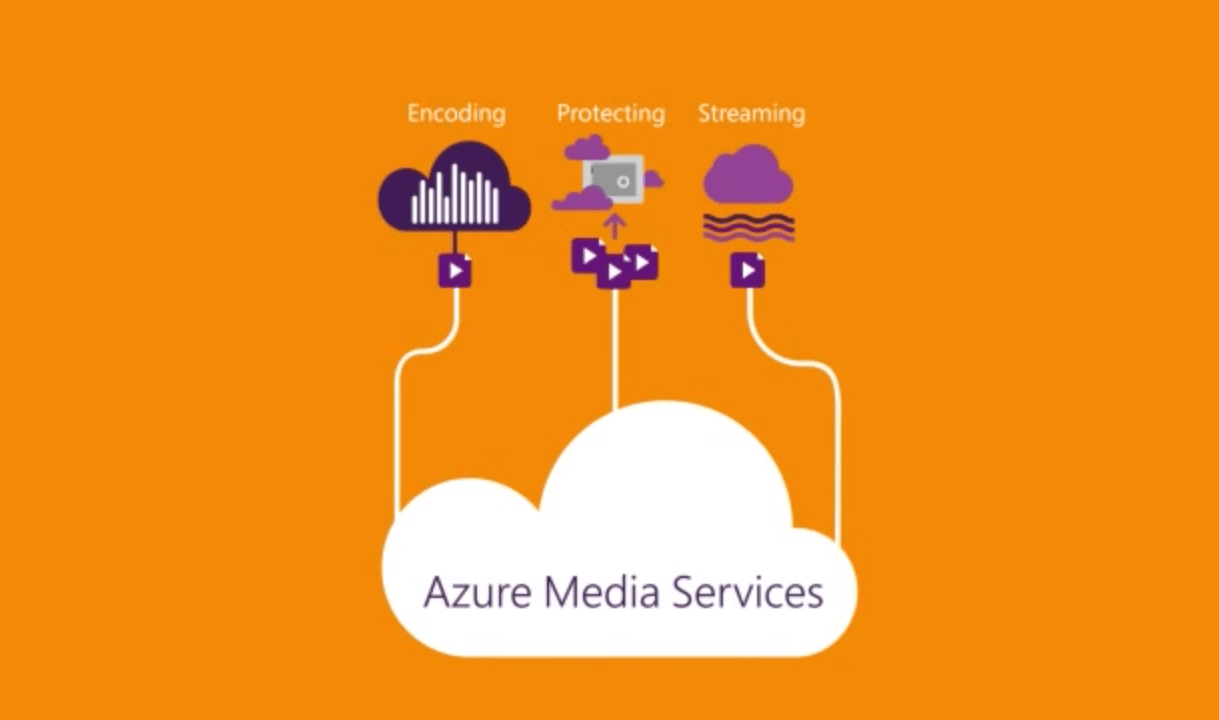
Last week, Microsoft announced at the annual NAB show in Las Vegas that it would enhance its Azure Media Services with new features leveraging on machine learning such as automatic video summarization and face recognition. Today, a new blog post on the Azure Blog just gave us additional information on all product and partnership announcements from Azure Media Services at NAB Show.

First, a new Azure Media Analytics suite is now in public preview and will bring “key new capabilities like motion detection, speech transcription, deep indexed video search, content moderation and more to the video domain. You can learn more about it in the detailed blog post and can also try it out here.

Next, the Video Editor plug-in for Azure Media Player will simplify the task of clipping and trimming video streams. This new plug-in is the result of consumer feedback as Microsoft explained that “Many customers have told us they that they needed a tool that integrates with their existing workflows, whether that was a full blown video content management system (VCMS) or a simple in-house asset listing page”. For more information, we invite you to check the Video Editor Plug-in post on the Azure blog.

Azure Media Services

The Azure team has also announced support for Apple FairPlay, a technology that makes it possible to securely stream premium content using the HTTP Live Streaming (HLS) protocol. More, Azure Media Services will also support 360° live video streaming through a new partnership with VideoStitch and their Vahana VR technology. Learn more about it in the dedicated blog post.

After obtaining certifications from Content and Security Associations (CDSA) and Content Protection and Security Programs (CPS) last year, new Motion Pictures Association of America (MPAA ) and Federation Against Copyright Theft (FACT) certifications will now help Azure gain momentum as a media solutions provider. Last, the Azure team is announcing new and expanded industry partnerships  with Imagine Communications, Veritone, Signiant and VSN. The Azure Media Services team will preview all these services in action at the NAB Show in Las Vegas this week.

Skype offers free calls to earthquake affected Ecuador

Following the devastating earthquake that struck Ecuador on April 16, the Skype team is currently offering free calls to landlines and mobiles in the country. In a particularly sad turn of events, the Skype team made this announcement just a day after offering the same free calls in Japan after tragic similar events happened Japan’s Kyushu region. As getting in touch with friends, family and colleagues is vitally important in these circumstances, both these announcements are very welcome. Please read below what the Skype team shared on the company’s blog:

In light of the devastating earthquake that has taken place in Ecuador – and the subsequent impact to the local communications infrastructure – we are making all domestic and international calls to landlines and mobiles in Ecuador free of charge (Excludes calls to special, premium service and non-geographical numbers) for the next few days. This takes place with immediate effect. Our thoughts are with everyone affected by the earthquake.

We hope this helps you reach loved ones, friends and colleagues affected by recent events.

Minecraft: Story Mode Episode 5 available now in Windows Store

Many might not have known this, but Microsoft released Minecraft: Story Mode Episode 5 to the Xbox Store last month to mixed reviews, with a Windows 10 version nowhere in sight. That’s no longer the case:  it is now available in the Windows Store for the cool price of $4.99.

While the first game in the series did not manage to grab the hearts and minds of gamers around the world, it did enough for Microsoft and TellTale Games to continue churning out episodes. Episode 5 is all about being on an adventure to locate members of the Order of the Stone, and group said to be capable of saving the world from utter destruction.

Like all games from TellTale, gamers should be careful of the decisions they make since they affect the outcome of the game. Personally, I have only played a single game from TellTale: The Wolf Among Us, a spectacular game from start to finish. If Episode 5 of Minecraft: Story Mode is the same, then it should grab itself some new fans down the line.

Here’s how Microsoft describes the new game:

You’re on an adventure across the Overworld to find the new Order of the Stone, which will save your world. On a tip from Ivor, Jesse gets his pals together, and you all head to an abandoned temple holding mysterious treasures. But things are never so simple here, and an ambush by former Ocelot Aiden and his crew along the way sends you to an entirely new world, Sky City. Your exploration leads to key discoveries about this new environment and its rulers, leading to tough choices. In the world of “Minecraft,” it’s what you do with your blocks that makes the difference – so get building!

Download the game here from the Windows Store, and check out the trailer below.

Get a free week of Solitaire Premium Edition on Windows 10

Microsoft’s Solitaire game has been a guilty pleasure of many people. If you want to kill time or play a simple game during your lunch-break, Solitaire is the best choice.

The tech giant is offering a special gift to all Windows 10 users: Solitaire Collection Premium Edition for free for a week. This Premium Edition include no advertisements or commercials and brings interesting bonuses such as a wild card or extra deal in each game of TriPeaks and Pyramid and double coins in Daily Challenges.

All you have to do to enjoy your free week of Premium Edition is to sign in to Microsoft Solitaire Collection on Windows 10 with your Microsoft account. Then press the Play button and enjoy the game!

The Premium version of the game costs $9.99 for a one-year subscription or $1.49 for a one-month subscription. We’re sure the number of users who will upgrade to the Premium version will visibly increase after this free trial week. Speaking of the price tag, paying $9.99 per year to gain access to Premium content is a fair price given the features the Microsoft Solitaire Collection Premium offers.

  • There are different Solitaire variations – Klondike, FreeCell, Spider, TriPeaks and Pyramid so that you don’t get bored.
  • Daily Challenges are guaranteed solvable challenges adding new ways to play the game.
  • The Star Club allows you to earn stars and unlock your favorite challenges.
  • You can use different themes for new backgrounds and card deck designs.
  • If you don’t like the native themes, you can create your own custom theme from photos on your computer.
  • Sign in with a Microsoft account to get achievements, leaderboards, and save your progress in the cloud.
  • Thanks to the latest updates and fixes, you can play Solitaire even better on a touch screen.

Solitaire players love the latest version of the game:

These are more fun, and more challenging, when you have a goal to work towards, especially when it comes to the hardest challenges. Anyone can play solitaire over and over until they win one. However… winning a goal and beating the challenge makes you feel like a real pro.

What are you waiting for? Sign in to Microsoft Solitaire Collection on Windows 10 with your Microsoft account.

RELATED STORIES YOU NEED TO CHECK OUT:

Buy a Surface Book or Surface Pro 4, get a free wireless Xbox controller

The online Microsoft Store is offering a month-long promotion for the month of April, allowing customers to purchase a new Surface Book or Surface Pro 4 and receive a free Xbox controller or a discount towards the Surface Dock. If you are in the market for a new tablet or laptop hybrid, now is the time to pull the trigger.

Head over to the below links to check out the offer.

The Surface Dock, for those curious, transforms your Surface into a desktop PC by offering a wide variety of ports including two high-definition video ports, a gigabit Ethernet port, four USB 3.0 ports, and an audio output. The Dock costs $200 if you were to purchase it separately. The Xbox wireless controller lets you experience advanced precision and comfort on Windows 10 and normally runs for $80.

Here’s the fine print for those curious:

Windows 10 Mobile Insider Build 14322: here’s what’s new

Windows 10 Mobile is refusing to go the way of the dinosaurs after Microsoft released a new build in the form of build 14322 to the fast ring. This version of the operating system has brought several improvements but no new features.

The most notable improvements are the visual changes to Notifications and the Action Center. From what we have seen, the icons for each notification within the Action Center is not shown repeatedly. We can’t say if this is a good move or not seeing as we had no problem with the previous setup and we have no problem with the current.

When it comes down to the visual changes in Notifications, the layouts are more flexible than before. This is similar to the layout of the Live Tiles. Notifications with images will now be displayed in a larger fashion. Great improvement, but it did not have an effect on us.

Cortana is one of the most important features of Windows 10 Mobile. We’ve been using it to set reminders, make internet searches among others things. We’re glad to find out that Microsoft added two new ways to make a reminder.

Taking a picture:

Yes, it is possible now to take an image with your smartphone to be reminded about. For example, are you a person who just can’t remember to give your child a bath? No problem, just take an image of the child, send it over to Cortana and she’ll handle the rest like a super nanny.

App reminders:

Your friend sent you an article about a bear drinking a beer. This surreal, but totally legitimate, trust us. However, you’re too busy to see what all the fuss is about; well, just tell Cortana to set a reminder for you to read this article later in the day or whenever else.

Let’s talk a little about Continuum for mobile because Microsoft added some cool things here.

According to the software giant via a blog post, “Continuum-capable phones now include support for most USB Ethernet adapters. If you connect a USB Ethernet adapter your Lumia 950 or Lumia 950 XL via the Microsoft Display Dock for example – you will have network connectivity through an attached Ethernet cable.”

Bear in mind that not all adapters are supported at the moment, but the list should increase with future updates.

Microsoft patents ‘shy’ user interface to minimize buttons and maximize display

We’ve been thinking about user interfaces the same way for a long time. You’ve got a menu full of buttons, and you tap or click those buttons to do things. It sounds pretty simple, and many people think that it’s a formula that doesn’t really need to be improved. Microsoft is not comprised of these people. Always content to outdo itself, the people at Microsoft have registered a patent for something called a Multiple Stage Shy User Interface, or MSSUI. This “Shy” user interface is meant to change the way that we approach user interfaces, primarily on our smartphones, where screen real estate is absolutely precious.

Here’s the gist: Instead of tapping your screen when watching a movie and having all of your DVR-like options pop up right there for you, Microsoft’s goal with MSSUI is to break everything down into a minimalist package, presenting more options, but only presenting them to the user when they indicate that they’re interested in using said options. Detection of intent here is described only loosely, citing “three-dimensional (3D) touch or hover sensors that detect the presence, position, orientation, direction of travel, or rate of travel of a pointer (e.g., user’s finger, implement, stylus, pen).”

Figure a
Figure b

In short, by using various sensors to detect the intent of the user, the device will be able to determine what the user means to do, and show only the relevant UI elements. For example, in the example figures shown above, the user is initially looking at the basic play, pause, and rewind buttons – when they hover over the play button, however, the irrelevant UI elements fade away, and the user is left with two fast forward buttons and a skip button.

Using this “shy” interface, Microsoft plans on re-inventing the wheel in a way that’s really quite interesting, and, providing it makes its way into Windows 10 and Windows 10 Mobile within the next year or so, could make for a shift in the way that people view UI design and make us value our screen real estate more.

April Patch Tuesday brings security updates for Windows 10, IE, Microsoft Edge & more

Microsoft claims that Windows 10 is the most secure Windows operating system ever. However, attackers always find ways to break into the system through some of its features and do damage to regular users.

As a part of this April’s Patch this past Tuesday, Microsoft released a handful of new security updates for Windows 10, aiming at known vulnerabilities mainly located in Internet Explorer, Microsoft Edge, and through Adobe Flash Player. The pack consists of 13 security updates, 6 critical, and 7 important ones, and each update targets a specific feature of the system.

Microsoft releases security updates for Windows 10 and its features

Critical updates

  • MS16-037 – This update resolves six vulnerability issues in Internet Explorer, which allow attackers to gain user rights of a user. Attackers can collect users’ data through specially crafted website, which uses a special ‘mechanism’ to expose users’ data. Microsoft marks this update as “Patch Now,” therefore, it is highly recommend to install it.
  • MS16-038 -This patch does basically the same thing as MS16-037, but it’s aimed for Microsoft Edge. Microsoft marks this update as “Patch Now,” as well.
  • MS16-039 – The update targets vulnerabilities in .NET Framework, Microsoft Office, Skype for Business, and Microsoft Lync. These vulnerabilities could allow remote code execution if a user opens an infected file through one of these services.
  • MS16-040 – This patch updates MSXML Services Version 3, removing a possibility of leaving system vulnerable to system vulnerable to remote code execution. Unfortunately, this update only targets Version 3, as other versions are left off, so it’s only helpful if you’re running some older program, developed for earlier versions of Windows.
  • MS16-042 – This update aims to solve reported vulnerabilities in Microsoft Office. The update should remove the possibility of leaving users’ system exposed to attackers if a user opens suspicious Office document. This patch is also marked as the “Patch Now” update, so you should install it.
  • MS16-050 – The last patch in this pack of critical updates is not related to Microsoft’s products. This update removes vulnerabilities in Adobe Flash Player, and it should arrive to all newer Windows operating systems (Windows 7, Windows 8/8.1 and Windows 10). If you want to find out more about this update, check Adobe’s support page.

Important updates

  • MS16-041 – The first important update is mainly aimed to Server 2008 and Windows 7 users. It should deal with reported vulnerability issues with .NET framework.
  • MS16-044 – This update resolves a single privately reported vulnerability in the core Windows OLE component. If Windows OLE fails to validate user input, an attacker could execute a malicious code through an infected program.
  • MS16-045 – This update removes vulnerabilities exposed in Hyper-V created operating systems. However, if you don’t run Hyper-V, you won’t be exposed.
  • MS16-046 – Resolves the reported vulnerability in Windows Secondary Logon process.
  • MS16-047 – Resolves the reported vulnerability in Windows Logon Security and Domain policy.
  • MS16-048 – Resolves the reported vulnerability in the Windows Client/Server Runtime subsystem.
  • MS16-049 – Updates the HTTP.SYS file, in order to resolve the vulnerability that could lead to a denial of service scenario.

If you want to find out more details about all Patch Tuesday’s updates, check TechNet’s support page.

Windows 10 cumulative updates KB3147461, KB3147458 issues already being reported

We received two new cumulative updates, KB3147461 and KB3147458, for both public versions of Windows 10 (the July 2015 release and Version 1511) this week. Although both updates were minor and devoid of any new features, they actually caused some serious problems to users who installed it.

Various complaints flooded Microsoft forums recently, with a lot of unsatisfied users demanding solutions from Microsoft, with the company finally taking a look at the problems reported by users: forum moderator John W started a thread in which people could report their issues.

Will Microsoft listen to user feedback? We’ll see, but until then, let’s check out the biggest problems that occurred upon the release of KB3147461 and KB3147458 updates.

KB3147461 and KB3147458 updates reported problems

The most common problem of both the Windows 10 updates is the installation problem — we probably don’t even have to tell you about it at this point. As you can guess, some users had problems installing the latest update. Forum moderators suggested Windows update troubleshooter as the solution, and it was actually helpful to some users. To run the troubleshooter, do the following:

  1. Go to Search, type troubleshooter and open Troubleshooting
  2. Select View All from the left pane
  3. Open Windows Update troubleshooter, and follow further instructionswindows update troubleshooter
  4. Restart your computer, and try to install the update once again

If Windows Update troubleshooter doesn’t get the job done, you can look up for the solution in our article about Windows 10 update problems, or run the WUReset script.

One user reported quite a serious problem that occurred upon installing the KB3147458 update for Windows 10. Namely, after he installed the update, Windows Explorer, Start Menu, and all non-Win32 apps stopped working.

“After installing KB3147461 today, Explorer, the Start Menu, my desktop, and all my non-Win32 apps broke.

Here are the problems:

  • Clicking the start menu does nothing. Pushing the Windows key does nothing.
  • Clicking the search icon on the taskbar does nothing.
  • Clicking the show desktop button on the taskbar does nothing.
  • Trying to open Calculator gives an error: “Explorer.EXE Class not registered”. The Calculator icon on my taskbar does not render.
  • Trying to open Control Panel via Run gives an error: “::{26EE0668-A00A-44D7-9371-BEB064C98683} No such interface supported”
  • Trying to open folders via Run gives an error: “[File path here] No such interface supported”
  • shellexperiencehost.exe does not run
  • Windows Photo Viewer does not open. Thumbnails for images on the desktop do not render.”

No one from the forums had a proper solution for this problem. Since the update caused too much damage, probably the best solution would be to uninstall it and wait for another update. Since Windows 10 updates are cumulative, you’ll get all bug fixes and improvements from this update in the next release.

Another user reported that upon installing the update, he’s unable to log back into his computer whenever his computer goes to sleep:

“Since the update KB3147458, whenever my computer goes to sleep I am unable to login again. This is only since the update and has never occurred before.”

For this problem, we recommend our article about Login problems in Windows 10 — a possible solution may be found there.

Another reported problem is the issue with internet connection, with one user experiencing internet connection loss: “I installed updates earlier today and internet connectivity kept dropping out. When I ran troubleshooter it said that one or more protocols were missing. Since uninstalling the problem has stopped.”

For this problem, we also recommend our article about internet connection problems in Windows 10. The user who reported the issue said that uninstalling the update solved the problem for him, so keep that in mind.

There are some minor problems caused by the update, as well. For example, one user complained on the Microsoft forums that he’s unable to drag and drop files into Outlook 2016 app. Unfortunately, no one from the forums had a proper solution for this issue.

As you can see, even minor cumulative updates for Windows 10 can cause a lot of problems to users. These are just some of the reported problems, and we’re sure that even more issues caused by KB3147461 and KB3147458 are frustrating users right now.

If you encountered any problems we haven’t listed here, please let us know in the comments below!

RELATED STORIES TO CHECK OUT:

U.S. Department of Defense praises Windows 10’s security, transition on track

Microsoft Windows 10 just got an unofficial endorsement from one of its biggest and arguably most important customers: the U.S. Department of Defense, whose Pentagon CIO Terry Halvorsen praised the operating system in a press event last Friday.

Halvorsen has been one of the staunchest pusher of Windows 10 throughout the Defense Department, and cites two advantages of Windows 10 as reasons for his attitude: Windows 10’s “baked-in security”, and it’s cloud-friendliness to Azure. In fact, per his words, Windows 10 will be the first “operating system that had this much security baked in from the beginning” for the DOD.

“If you’re using a computer at home and you’re not on Windows 10, you’re doing yourself an injustice — you ought to be moving to Windows 10.”

-Terry Halvorsen, Pentagon CIO

Close integration with Azure will also allow the DOD’s various services and agencies to set up “secure, integrated communications and “independent clouds.” Harvolsen gave an example of a separate cloud for the Army, the Navy, the Air Force, and a joint Army-Navy cloud. Cloud sharing and communication fast becoming the norm in the corporate world with their clear advantage in boosting collaboration and productivity, and it’s good to see a governmental body adopting the market’s leader, Azure.

“We’re going to put out some guidance to our employees in general — it’s not an endorsement of Windows 10 or Microsoft specifically — listing what the characteristics of Windows 10 would give you if you put it in your home system,” “That’s as close to an endorsement as I can get for a software product.”

Halvorsen’s enthusiasm for Windows 10 seems to have convinced the right people in the DOD, as all four of its military services and agencies are reportedly  set on “a tight timetable” to transition to the new operating system in a year’s time: other supporters include Army CIO Robert Ferrell, the rest of Army leadership, and the DOD secretary. While the deadline of January 31, 2017 may sound too tight to some, the Pentagon’s tech chief seems confident that at least all the DOD’s major networks will be on board, which will accounts for more than 80 percent of the upgrades.

“We have an opportunity…to improve the way we can all communicate because we’ll all be on a standard baseline.”

DOD employees may also get guidance to install Windows 10 at home, and stopping just short of officially endorsing the OS, Halvorsen also revealed that the DOD is pressing its foreign allied partners to adopt Windows 10, to have a “standard baseline”. Whichever the reason, this is a big win for Microsoft, and should help boost its OS’ credibility and usage start by a big amount.

Microsoft’s engineering legend, Dave Cutler, to be honored as a Computer History Museum Fellow

Microsoft News Center is featuring one of the legends of computing today with a long (and deservedly so) post on Dave Cutler, a Microsoft Senior Technical fellow and the force behind the 32 bit VAX computers at DEC, Microsoft’s NT operating system, Azure, and most recently the hypervisor in Xbox One that allows the Xbox to run apps, and Windows to run Xbox games.

Cutler came to Microsoft on Halloween day, 1988, after moving in 1982 to Seattle to work on projects for DEC. After his Prism project at DEC was killed, Cutler left that company, and wooed by Bill Gates, moved operations from Bellevue Wa. to Redmond to work on Windows NT.

Much of that work is detailed in a fascinating look at the early years of Microsoft in Showstopper!, a 1994 book that tells the story of NT, but also introduces a number of important players like David Treadwell, Soma Somasegar, and Nathan Myhrvold, along with interesting insights into Bill Gates, Steve Ballmer and of course Cutler himself. If you’re at all interested in Microsoft, it’s well worth the read (and only a penny at Amazon!)

Valerie-Chen-with-Cutler-and-Bell-
Gordon Bell, recent Living Computer Museum honoree Valerie Chen, and Dave Cutler

Next up for Cutler was what was to become Azure, as Ray Ozzie and Amitabh Srivastava convinced him to delay his planned retirement to work on a project that was “different. This could change the world,” Srivastava told Cutler, and after visiting every Microsoft team running cloud services from MSN to Hotmail to Xbox Live, Cutler was convinced and Azure became what it is today.

Cutler then took his work on the hypervisor to Xbox, as Boyd Multerer convinced Cutler to come to what was then Entertainment and Devices to work on a new generation of Xbox:

“It was probably the scariest meeting of my life,” Multerer said, “just the anticipation of it.”

Cutler has been known as a sometimes intimidating presence, defined by his fanaticism about writing quality code and setting a high bar for his co-workers. Nathan Myhrvold, a former Microsoft CTO and co-founder of Intellectual Ventures, compared him to Brad Pitt’s character in Inglourious Basterds as a tough but loyalty inspiring character.

The News Center feature (along with Showstopper!) are fascinating reads about one of the most fascinating men in modern computing history, both at Microsoft and beyond. Be sure to check them out.

Microsoft claims The Division and Killer Instinct are the reason for Xbox One’s success in March

Things appear to be going very well for Microsoft’s Xbox One video game console. In February this year, Xbox One exclusive game sales were up 49 percent compared to the same time period last year, and total hours spent on the console had apparently increased by 93 percent year-over-year.

Come March 2016, the Xbox One continues to do well with total hours spent on the Xbox One increasing by 89 percent compared to March 2015. One of the reasons for this increase is the launch of The Division, which broke a variety of sales records when it launched, and Killer Instinct, which according to Microsoft, attracted over 6 million players in March due to the launch of the fighting game’s third season.

It is hard to interpret the Killer Instinct numbers in regards to profit for the company or even success for the franchise as the title is essentially free to download and play (players must purchase addition characters either individually or as part of a “season” package) and it also launched on PC for the first time in March, which probably encouraged an entirely new demographic to give the game a try.

It’s unclear how many players paid for additional content on PC and even with the players on the Xbox One, previous versions of the game were upgraded to Season 3 for free automatically and while all of the new characters had to be purchased individually, it’s likely a lot of the players were simply opening the game to see what changes were made. All we can really do is speculate until solid sales numbers are released. Killer Instinct player numbers for April, if released, will be much more telling.

Microsoft’s Mike Nichols released a statement in regards to the numbers saying, “We can’t thank our fans enough for their continued support and we’re looking forward to bringing more unprecedented experiences on Xbox One, Windows 10 and Xbox Live later this year”.

Do you think you’re using your Xbox One more this year than in 2015? Let us know in the comments below.

Soda Drinker Pro could possibly be the worst Xbox One video game ever

Soda Drinker Pro is available on Microsoft’s Xbox One console today and it looks like (possibly intentionally) one of the worst video games ever released on the console.

To its credit, it does claim to be the first-ever game in the first-person soda drinking genre, so it has that going for it but with its dated graphics and box art that looks like it was made for a website back in the 90s… it’s honestly hard to tell where being ironically bad ends and just being plain bad begins.

Here’s the official game description in all its glory:

Soda Drinker Pro is the premier in software in the first person soda drinking genre. Experience what it’s truly like to drink a soda at the beach, in the park, and even… in SPACE!!! With Soda Drinker Pro, you don’t need to have a soda in hand to experience a soda in your mind.

And here’s the official teaser video.

Soda Drinker Pro apparently uses the Xbox One Kinect to simulate the soda drinking experience and the game does come with a variety of Xbox Achievements. What’s your take on Soda Drinker Pro? Let us know if you’ll be giving it a go in the comments below.

Buy Soda Drinker Pro on Xbox One

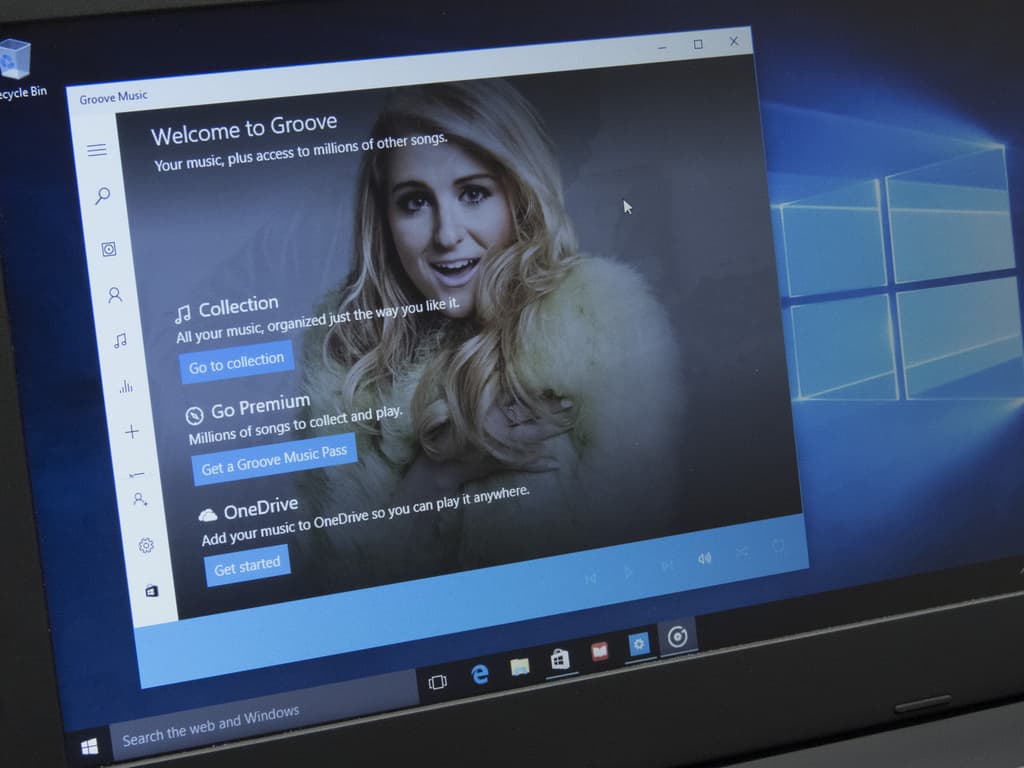
Microsoft Groove app gets Insider-like flighting and new jump list tweaks with new update

Software engineer Ellen Kilbourne has quietly become the Microsoft Groove app whisperer. Similar to vice president of WDG engineering systems team, Gabe Aul, Kilbourne consistently reaches out to Insider and Windows users alike via her Twitter handle or forum pages to update on Groove- and other Microsoft media-related developments.

https://twitter.com/ellenment/status/720751911591260160

Today, Kilbourne reached out to the Groove community via Twitter to whet their appetites for a feature-packed update coming to the app soon. According to Kilbourne, the Groove app for Windows 10 devices will now be ‘truly universal’ and brings a handful of user-requested tweaks and additions that include:

  • When unplayable tracks appear in Now Playing, we properly gray them out and jump over them without displaying an error
  • We prevent you from playing unplayable content (for instance, if you are offline and try to play a streaming album we won’t try to play it, we’ll immediately tell you it can’t be played and why)
  • We added extra telemetry to playback errors so that we can continue to improve the app
  • We removed the app’s dependencies on Xbox Live which means you don’t need a Xbox Live account to use Groove (and sign-in is much faster and more reliable)!
  • It’s easier to tell what’s happening when Groove is syncing your collection for the first time.
  • You’ll see “Unknown Artists” less often in your collection because the app looks at both song artist and album artist metadata.
  • The process we use to show additional metadata to what’s in your local files is 10x faster and gives better results!!
  • The app defaults to Explore for search results if you have a Groove Music Pass, and you have don’t have a limited data plan.
  • When viewing artists, you can view their work by albums or songs. Try it by selecting “Songs view” when viewing an artist.
  • Radio stations can be started from albums and songs – the app will start the radio based on the artist.
  • The app now shows your collection size at the top of the collection views.
  • On mobile, background art fills the screen so that it’s seen under the system icons at the top.
  • You can use ‘Refine’ to filter your collection by source (OneDrive, Pass, Purchased, On this device only).
  • If something gets really out of whack in your collection, you can now choose to ‘Reset’ your cloud collection.
  • We added jump list support for collection views organized by release year.
  • The ‘hotlinks’ in Album Reviews and Artist bios now work on mobile.
  • We added a simple lock screen setting for Continuum. We made lots of styling updates for Continuum

Interestingly, Kilbourne and the rest of the Groove team are taking a similar approach to this update as Aul and the Windows team by parsing the update through Insider rings. Previously, Groove updates landed on all devices at the same time regardless of rings or early previews. Now, it seems the Groove team would like to test out some features and additions before seeding them to every user.

This update represents another first for us – we’re publishing the update for Insiders before sending it to the Store for everyone. We’re flexing the app flighting rings for the first time and plan to push out today’s update as follows:”

  • PC: Windows Insiders Fast Ring
  • Mobile: Windows Insider Fast & Slow and Release Preview Rings

So, it seems as though today’s update will hit the Windows Store for Insiders first and then eventually make its way to the rest of Groove users. For Insiders (of which there are 7 million) this is fortunate happenstance of participating in the program, unfortunately, for everyone else, this seems like a tease. Hopefully, the wait times between Insider and regular user releases are short.

The update should be hitting the Windows Store later today.

Windows Media Player

Microsoft issues porting guide to help migrate apps from Silverlight to the Universal Windows Platform

It seems like every chance they get, Microsoft reminds developers that converting to the Universal Windows Platform is the best choice for most apps. They have gone out of their way to make step-by-step instruction guides to ease new apps onto the UWP and today’s blog from the Windows App Team is no different.

The Windows Dev Center has issued a porting guide, with significant detail, to help you manually migrate Windows Phone Silverlight apps over to UWP. However, the Silverlight to Windows 10 bridge can help you circumvent up to 80% of the work by converting the code automatically.

Step One: Download the Bridge

You can easily find the Silverlight to Windows 10 bridge on Mobilize.NET, along with the Visual Studio 2015 (with at least Update 1) that can be downloaded for free.

Step Two: Run the Tool

Running the Windows Phone Silverlight-to-UWP conversion tool will take care converting your app’s manifest files to the new format. The only input needed to run the tool is the path of the project file you want to convert to UWP and the directory of where you want the newly created UWP files to be saved.

The Silverlight to USP conversion tool is very simple to use.

Step Three: Troubleshooting the missing DLLs

The most common cause of missing DLLs is the result of third party libraries being used in the Silverlight app. If the codes reference to DLLs that haven’t been migrated to UWP, it will cause unrecognized namespaces to crop up in your conversion. The best way to fix the missing DLL issues is to manually replace them with similar standard controls.

Step Four: Troubleshooting unconverted Silverlight code

While the bridge tool for Silverlight to UWP has approximately 2,300 mappings for API and XAMLs, sometimes it’s still not enough to cover every case of Silverlight’s coding. When it comes to these hiccups between the conversion process, you can consult the namespace and class mappings resource that will help identify code that doesn’t have a UWP counterpart. If not, then you can decide whether you want to alter the unconverted code to use a different UWP class or create a helper class to wrap the unconverted class code.

Step Five: Troubleshooting controls and events

Your app is almost converted, but some mappings are not working as they should in the Universal Windows Platform. The controls behaving different could be adjusted by defining a field for the control and assigning it the control’s Loaded event. Using an MVVM approach by binding to decouple controls is also an option.

Windows Phone Panorama control had to be replaced by Hub internally while being converted to a UWP.

Since the Silverlight Bridge to Window tool is still in developer preview, it’s not ready to handle all of the conversions and requires some finesse. Even so, it is significantly more efficient than porting apps manually. Converting your Windows Phone Silverlight app to the Universal Windows Platform will not only enable you to have a longer reach, but doing so will also bring a new audience to your product. With the UWP, apps are able to be accessed across many more devices to ultimately enhance your developing experience.

Doom 3 BFG Edition and Monaco are the latest Xbox One Backward Compatible titles

The list of Xbox 360 titles that can run on the Xbox One console keeps growing and growing. At present, over 150 games are in the list of Backward Compatible titles, meaning that anyone making the transition to the newest Microsoft gaming platform may not have to give up too many of their favorite titles.

Today, Xbox Live’s Major Nelson (a.k.a. Larry Hryb) announced two new titles:

We can’t speak to the popularity of those new Backward Compatible games, but perhaps they’re enough to tip you over to picking up that new Xbox One. If not, then stay tuned, as we’ll continue to keep you apprised of new titles as they arrive.

Windows 10 Audible app snags latest Series Discovery feature in new update

If you like to listen to audiobooks, then one of the best–and oldest–choices around is Audible, the purveyor of audiobooks purchased from Amazon awhile back. Interesting, of all of Amazon’s properties, Audible has provided the best support for Microsoft’s platform, with excellent apps for Windows PCs and smartphones. If only other Amazon properties were as good.

In any event, Audible has updated their app, albeit this is a minor update. Here’s the only change:

  • Now you can easily discover and sort your books in a series!

The Audible app provides access to the service’s extensive library of well-produced audiobooks. If you’re already using it, then go to the Windows Store and hit the update button. Otherwise, you can download the app below.

Audiobooks from Audible
Developer:
Audible Inc
Price:
Free+

Universal Windows App Tweet It! snags huge update, UI and performance improvements abound

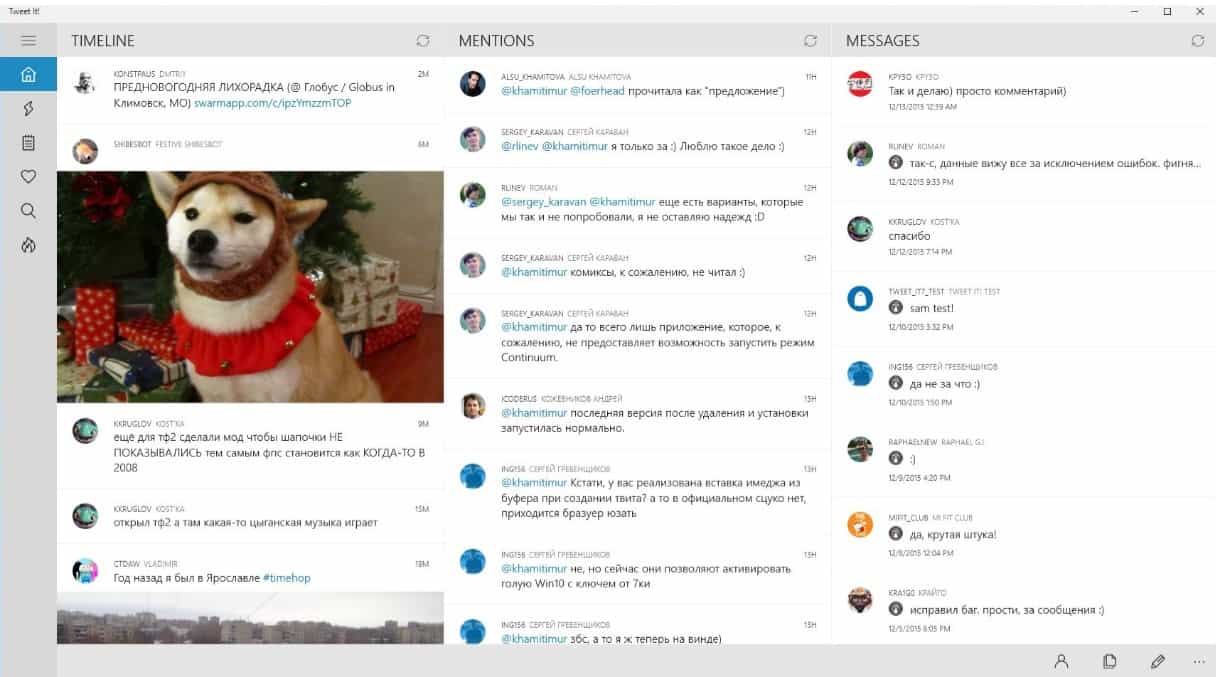
As one of the best apps for Twitter on the Windows 10 platform, Tweet It! has just updated to v 2.7.0 with a slew of new features and improvements. The developer has provided all of the details on their blog, and here’s everything that’s new.

Changelog:

– UI improvements for mobile devices
– Huge UI improvements for Continuum

– Performance improvements when streaming tweets
– Performance improvements for rendering tweets and etc.
– Improved composing tweet experience
– Added support for GIF upload
– Added GIF search panel when composing tweet
– Added last photos panel when composing a tweet
– Ability to show quick action buttons under tweets

– Microsoft Band sync improvements
– Localization improvements
– New style for CommandBar (panel with buttons at the bottom)
– New style for ScrollBar
– Filters improvements
– Sharing improvements
– Added ability to lock display rotation in native orientation
– Added panel with all hotkeys list
– Added settings for composing tweets

– Improved application launch experience
– Added preview in appearance settings panel

Tweet It!

The Tweet It! app can be downloaded from the Store and is currently having a sale for only $1.49 USD until the end of the week. Then it will return to its normal price of $5.99.

Tweet It! for Windows

Optional Windows update prevents mousejacking

Amongst the patches released yesterday for patch Tuesday there was an optional updated which deals with a very specific flaw in wireless mice. As Lucian Constantin writes for IDG News Service (via CIO.com), the exploit was revealed earlier this year by IoT security firm Bastille Networks.

Dubbed MouseJack, they found vulnerabilities in the protocols wireless mice and keyboards use to speak with their little USB dongle receivers. This vulnerability allows an attacker transmit rogue keystrokes from up to 100 meters away by pretending to be a wireless mouse. MouseJack effects wireless mice and keyboards from multiple manufacturers, including Microsoft.

To counter MouseJack, Microsoft released the optional security update KB3152550. This update introduces a filter which makes sure any rogue keystrokes do not sneak into the system disguised as wireless mouse clicks. KB3152550 is available for Windows 7, 8.1, and 10.

In their security advisory, Microsoft details that the following Microsoft wireless mice are affected.

  • Sculpt Ergonomic mouse
  • Wireless Mobile Mouse 3000 v2.0
  • Wireless Mobile Mouse 3500
  • Wireless Mobile Mouse 4000
  • Wireless Mouse 1000
  • Wireless Mouse 2000
  • Wireless Mouse 5000
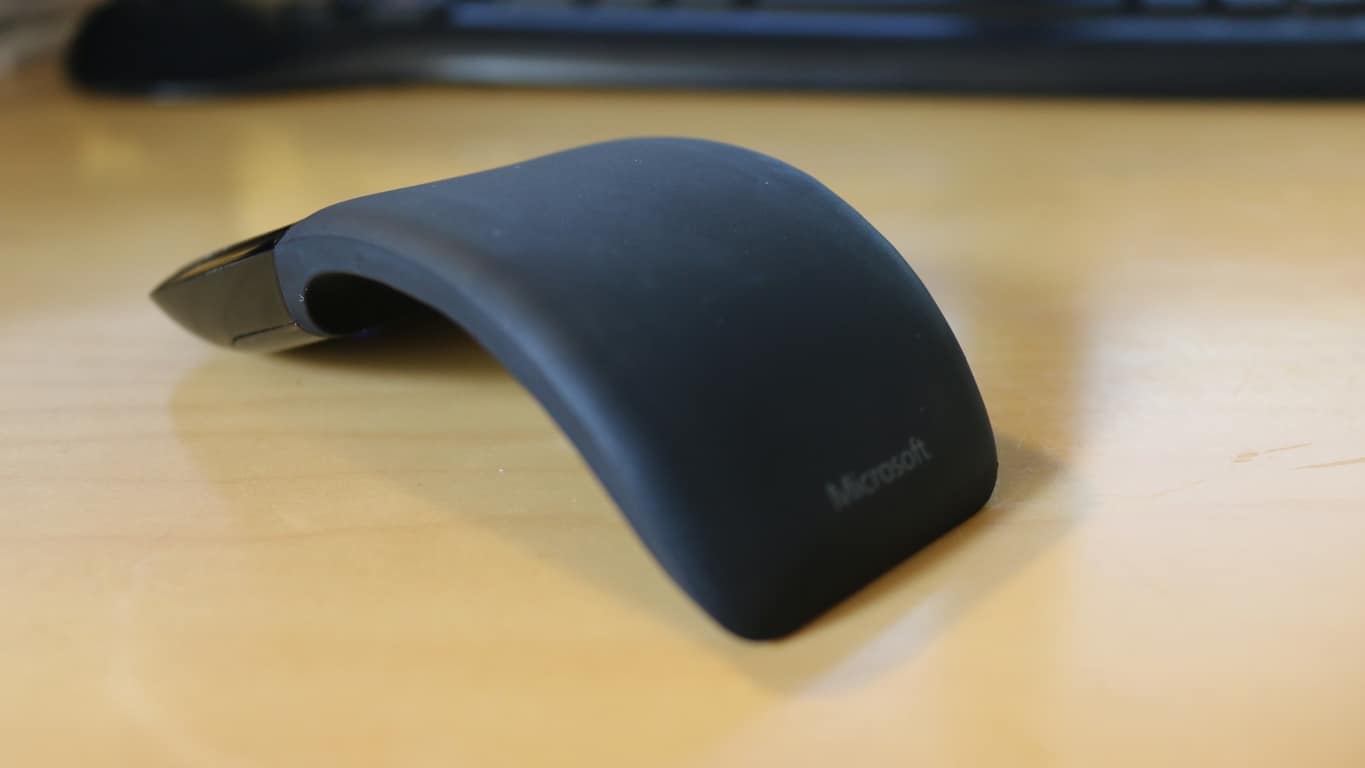
  • Arc Touch Mouse

In a twist since the update was released, one of the original security researchers who discovered the MouseJack vulnerability tweeted that KB3152550 fails to completely resolve the issue.

If you use a wireless mouse and want to install the update you can learn more about how to perform a manual installation on Microsoft security advisory page for KB3152550.

Microsoft is suing the US Justice Department over secrecy orders

Microsoft is now one of the latest tech companies to take a bold step against the United States government. Documents filed just moments ago in U.S. District Court in Seattle have revealed that the company is suing the U.S. Justice Department.

In the lawsuit, Microsoft is asking a federal judge to declare unconstitutional a provision of U.S. law that lets the government stop Microsoft and other tech companies from informing their customers when investigators seek access to private information. At issue is section 2705 (b) of US law, and as reported by Geekwire, Microsoft says in the complaint:

“This statute violates both the Fourth Amendment, which affords people and businesses the right to know if the government searches or seizes their property, and the First Amendment, which enshrines Microsoft’s rights to talk to its customers and to discuss how the government conducts its investigations—subject only to restraints narrowly tailored to serve compelling government interests.”

After a battle with Apple over a terrorist’s iPhone, this action is just the latest proverbial bullet in the arm for the U.S. government.  Microsoft, nonetheless, does business with the U.S. government and recently announced that the DoD will upgrade 4 million of its seats to Windows 10.

We’ll be keeping our eye on this story as it develops. Data security and privacy is clearly of interest to anyone who uses today’s ubiquitous cloud services, and Microsoft’s action could go a long way to helping determine just what government must do in accessing our information.

Skype introduces Skype TX 4, next generation Skype integration for broadcasters

While Skype is almost ubiquitous in the consumer world when it comes to VoIP and video chatting, not everyone knows of its business-focused equivalent Skype for Business (granted, the name is still new). Probably even fewer know that Skype is also involved in broadcasting, with its studio-grade version Skype TX since April 2014. In fact, Skype TX 4 has just been announced to the world via the Skype Blog, and we will have a look at what it has to offer to broadcasters worldwide.

Touted as being “more flexible and scalable than its predecessors”, Skype TX4 allows the integration of multiple studio-grade Skype video calls into one broadcasting, on top of its already impressive ability to include a 300-million-user potential cast into “the studio workflow.” This means less equipment and setup time for broadcasters who now only have to deal with one system, saving control room space and overall cost.

Emre Can on Skype 44
Skype broadcasting command center.

The first Skype TX 4-compatible hardware from new partners are also introduced. Candidates include NewTek TalkShow VS4000 – a “facility-class, 1RU rack mountable hardware unit with 4-in, 4-out industry-standard I/O for integration into SDI workflows and IP video workflows via NDI™” – and the Quicklink TX Multi for converting “multiple Skype calls into studio-grade quality video/audio transmissions.” These two new pieces of equipment will be showcased at NewTek’s and Quicklink’s booth respectively at NAB show on April 18-21, where Skype TX 4 will also make it debut at the Microsoft booth.

Skype TX has enjoyed great popularity in recent years thanks to the growing market for participatory television, facilitating real-time, high-quality interactions between viewers and remote guests ranging from professional wrestlers to new superstars, and even presidential candidates. Currently, Skype TX has been used by broadcasters in nearly 100 countries, and the new version along with its new hardware should propel that number forward in the future.

Image credit: Skype blog