Microsoft Research creates smart tattoos with Tattio

While we already live in a world where technology is nearly everywhere, engineers at Microsoft Research are hard at work in imagining what’s next and pushing boundaries. And if the Redmont giant is on a mission to empower everyone through ubiquitous services that will increasingly rely on artificial intelligence and machine learning, Microsoft engineers are also exploring how technology could augment the human body through DNA-based storage and smart tattoo technology that “blends aesthetics and functionality.”

According to a new report from Winbuzzer, Microsoft has just published a research paper about Tattio, a proof of concept for a tattoo-inspired temporary connected skin device that could complete the company’s efforts in quantified self and wearable technology. The research paper acknowledges that human skin, “the largest organ on the body, has been recognized as a promising surface for human-computer interactions.” Furthermore, as miniaturization of electronics enables technology to be actually wearable, Microsoft has designed Tattio as a small skin tatoo that could store NFC tags and circuitry while being skin-safe and customizable:

Furthermore, as miniaturization of electronics enables technology to be actually wearable, Microsoft has designed Tattio as a small skin tattoo that could store NFC tags and circuitry while being skin-safe and customizable:

The fabrication process that draws from current body decoration processes (i.e., jewelry like metallic temporary tattoos) for the creation of on skin technology. The fabrication process generates functional components such as NFC tags, circuitry, to thermochromic tattoos, while maintaining the aesthetics and user experience of existing metallic temporary tattoos. The fabrication process is low cost, accessible and customizable; we seek to enable individuals to design, make, and wear their own skin technology creations.

To create those smart metallic tattoos, the engineers have created a straightforward process where they gild the metal circuitry in gold, create a stencil design with the Silhouette Cameo software before applying gold imitation leaf onto tattoo paper with stencil traces. The NFC tags embedded in the circuitry are robust enough to last around a day, and the engineers have designed a phone app that let participants interact with each other through their tattoos which could be associated with image and text to create a “digital identity.”

Scanning a Tattio with the smartphone app would reveal the identity of participants.

Microsoft engineers shared that “we hope our work inspires in bridging the emerging field of on-skin electronics to the everyday maker, while rethinking cultural and aesthetic perspectives for the design of on- skin technology.” You can read the full research paper over here.

What do you think of this proof of concept? Do you think smart tattoos could have interesting use cases? Please tell us what you think in the comments.
TMNT: Mutants in Manhattan launches May 24th on Xbox One, pre-order now

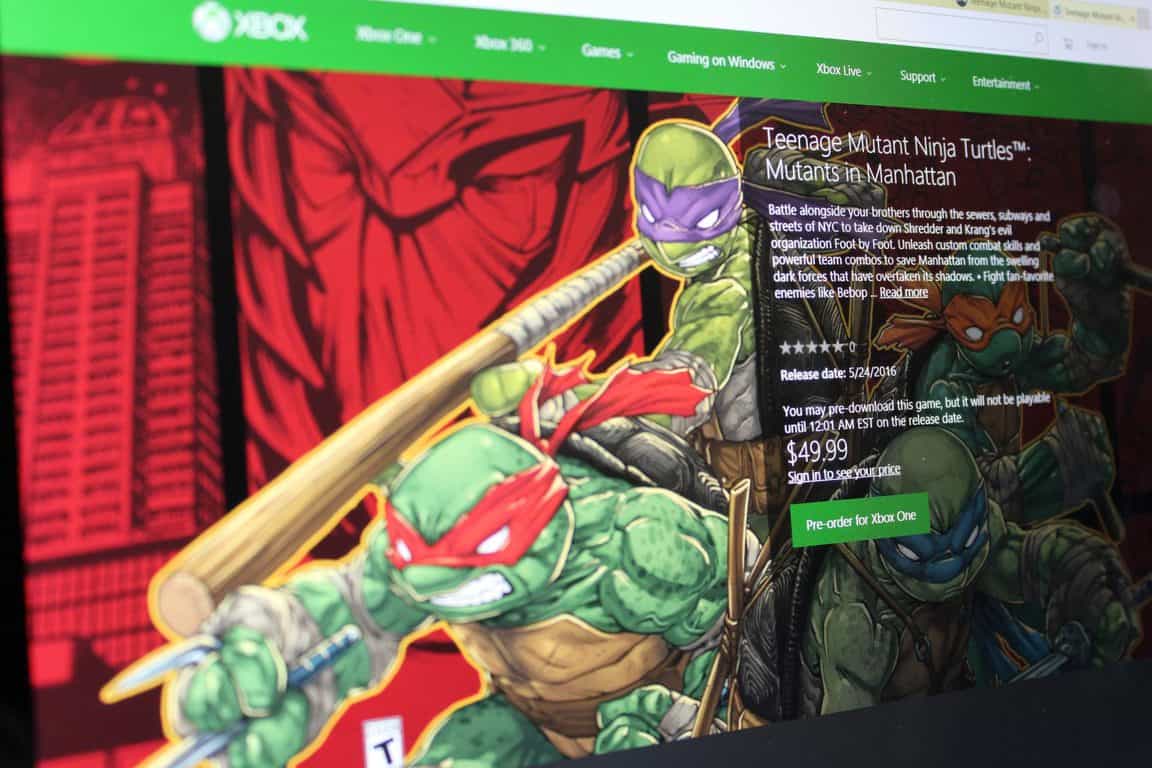
Major Nelson has just posted on his blog that Teenage Mutant Ninja Turtles: Mutants in Manhattan will launch on May 24th on Xbox One, and is now available for pre-order.

In the game you will battle alongside your turtle brothers through the sewers, subways, and streets of NYC in order to take down Shredder and Krang’s evil organization Foot by Foot. You will also be able to unleash custom combat skills and powerful team combos in order to save Manhattan from the swelling dark forces that have overtaken its shadows.

The $49.99 game is a bundle only edition which includes the Mutants in Manhattan Samurai Pack and the Mutants in Manhattan Rock N Roll Pack. These packs give you 4 awesome Samurai character skins and 4 awesome Rock N Roll Character skins, with one skin one for each turtle.

Teenage Mutant Ninja Turtles: Mutants in Manhattan features a gritty-comic art style, visually stunning combat true to Platinum Game’s signature style, and an original story penned by IDW Comic’s author Tom Waltz.  So, if this sound interesting to you, fire up your Xbox One and pre-order now, or visit this page to view more information about this great title.

Microsoft acquires Italian IoT company Solair

Ever since brandishing its ‘Internet of Things’ (IoT) vision and ambition last year with Windows 10 IoT, Microsoft has been rather quiet about the market, especially compare to some of its more exciting new ventures. Nothing spells commitment more than an acquisition however, and Microsoft has done just that with IoT company Solair, announces the Microsoft blog.

Founded in 2011 by Tom Davis, Solair has had five years in the IoT market, quite some time before it became the popular buzzword of today. Sure enough, the company has managed to create a great reputation and a nice portfolio of customers in manufacturing, retail, food & beverage and transportation, ranging from an Italian coffee machine makers, to factories in Japan – with their Smart Factory Advisor app.

“By building our solutions based on real customer requirements that allow them to gain real value, I’m confident that Solair’s technology and talent will be able to make an important contribution to Microsoft’s Azure IoT Suite and Microsoft’s broader IoT ambitions.”

– Tom Davis, CEO, Solair

The acquisition should greatly bolster the capabilities of the Azure IoT team. Solair’s CEO, Tom Davis, also shares his excitement for the deal in a new post on Solair’s blog. After the acquisition, Solair’s IoT technology will be integrated directly into the Microsoft Azure IoT Suite; more information is promised to come into the future about how this will work out, so stay tuned.

Battleborn, from the makers of Borderlands, comes to Xbox One

The list of Xbox One titles is always growing, and today a new game from the makers of Borderlands is hitting Xbox One consoles worldwide.

Battleborn, the new Xbox One next gen shooter, brings you into a world where a tremendous band of badass heroes fight to protect the universe’s very last star from a mysterious evil. In the game, you will also slash, parry, run and fun, or simply obliterate foes while building and growing your personal team of heroes.

Priced at $59.99 the game is also available in a $79.99 digital deluxe edition which includes the both the main game and a $19.99 (when sold separately) season pass. The season pass will bring access to 5 additional downloadable content packs, 5 new heroes, and new skins and taunts.

So, if this game sounds interesting, you can head over to the Xbox Store now to download the game, or you can click this link to get more details before making your purchase.

Microsoft Azure receives security certification from Spain

Microsoft has just announced, via the Azure blog, a new security-related mark in the expansion of its cloud service brand in Europe, this time in Spain.

Specifically, the Redmond technology giant has become the first cloud provider to receive the Esquema Nacional de Seguridad (ENS, or National Security Framework in English) at high security measures for Microsoft Azure. The framework, which encompasses security governance, information security, physical security, personnel security and other guidelines, applies to all Azure regions, and certifies Microsoft Azure’s security policy, procedures and controls as compliant with high-level security measures established on January 8 this year.

Getting the ENS is an important step for Microsoft Azure both in Spain and in EU to build trust in the services and its ability to protect customer data across the Atlantic. More info about the certificate can be found at the Service Trust Portal (a Microsoft account is needed), or through the Microsoft Trust Center. Stay tuned for more Azure and Microsoft news.


Microsoft’s Mojang issues a third pre-release for Minecraft 1.9.3

There is an old saying that goes, “the third time is the charm.” The folks over at Mojang seem to understand this saying, and after two pre-releases for Minecraft 1.9,3, the company is once again pushing out another (and third) pre-release for Minecraft 1.9.3.

This time, the third version of the pre-release fixes the changes that were made in 1.9.3 pre-release 2, fixes a positional crash when spreading water or lava, and also added in 0.17% more cowbell. Of course, though, you can always report other bugs from the pre-release to bugs.mojang.com in order to better the Minecraft experience for both you, and the community.

This is just the latest set of Minecraft news, as yesterday, Microsoft owned Mojang gave their Minecraft.net site a facelift, moving the website up to what Mojang calls Minecraft.net version 2.0. The new website features all the same familiar content, but with a new layout, hamburger menu, and optimization for mobile.


Office 365 on sale for $76.09 for a year at Amazon

Amazon is one of the most popular sites to go for savings and shopping for almost every type of consumer. It’s not rare to find a technical gem or two for the computer savvy shoppers. One of the latest is the sale on Office 365 for nearly a fourth of the retail price.

Amazon.com is offering physical key cards on sale for $76.09 for US residents. The product doesn’t contain a disc but instead is a 25-digit key that is registered under the Microsoft account page. If you want to buy the download, however, the Office 365 is still nearly at the full retail price.

Office 365 Home Amazon deal.

Office 365 is made for teamwork, collaboration, and integration across all devices and applications. In fact, it is still the most trusted cloud application used by businesses, according to reports from Okta.

Other features of Microsoft Office 265 Home Subscription includes:

  • Save $20 on this product when you purchase it with a PC or Desktop that is sold and shipped by Amazon.com. Add both products to cart to see savings.
  • 1-year subscription for 5 PCs or Macs, 5 tablets including iPad, Android, or Windows, plus 5 phones
  • Full, installed 2016 versions of Word, Excel, PowerPoint, Outlook. (Also includes Publisher, Access, and Onenote for PC users.)
  • Licensed for one user to install on up to five devices. Box includes one Product Key Card – No Disc
  • NOTE: Office 365 Home is an annual subscription with 1 year included at initial purchase and requires renewal at term end to maintain full access
  • Ongoing updates for applications that can be installed at any time during the 1-year subscription

Microsoft has even thrown in a 1-Month Xbox Live Gold subscription for the gamers that want even more discounts and access to a library of games.

It is unknown when the sale will end, so it’s best for potential buyers to take advantage of the 25% savings and free shipping from Amazon. Check out the product page here!

Microsoft Surface Pro 3 and Surface Dock firmware released

The Microsoft Surface Pro 3 and Surface Dock got some love recently in the April firmware update. To be completely honest, the updates are not of the significant variety, but we do not recommend skipping them because they are designed to improve.

The Surface Pro 3 is probably the first Surface that knocked it out of the park with solid specification and design.

The following are description of the updates:

Surface Pro 3 devices with Windows 10 update:

  • Microsoft driver update for Surface Dock Firmware Update
  • Microsoft driver update for Surface Dock Integration

Surface Pro 3 devices running Windows 8.1 update:

  • The following update will be listed as “Surface Firmware Update – 4/19/2016” or “Surface Hardware Update – 4/19/2016” when you view your update history after installing the updates

If you’re interested in getting this update, download it from: https://aka.ms/drivers/surfacepro3.

There’s also something called the Surface Dock Updater tool. This is great for updating multiple docs at the same time. The Surface Dock is arguably the best accessory available for the Surface Pro 3 as it gives the user more options when it comes down to using the device.

Here’s the update’s description:

When updates are available for the Surface Dock, you can use the same method to deploy them as you are using for other Surface updates. As with Surface updates, users can receive the updates via Windows Update when the dock is connected to a Surface device, or you can visit the Microsoft Download Center at to download the files directly.

Interested folks can grab the Surface Dock Updater tool from the Microsoft Download Center.

Despite the release of the Surface Pro 4, the Surface Pro 3 is still one of the best 2-In-1 computers on the market today. The major downside is the option to use it on your lap, something reviewers claim is not very comfortable.

Additionally, the battery life is not the best, so if you’re going in expecting 8-10 hours, you’ll need to look elsewhere.

Overall, great device, but the Surface Pro 4 greatly improves on it. If you have the cash laying around, that’s the Surface to get today.

RELATED STORIES YOU NEED TO CHECK OUT:

Call of Duty: Infinite Warfare to feature a “remastered” Modern Warfare game

According to reports, the rumored Call of Duty: Infinite Warfare will include a remastered version of “Call of Duty: Modern Warfare”. An image has been posted on Reddit and it seems to be from Target, an US retailer.

The photo shows a cover for a “Legacy Edition” of the game and it states that the package also contains a “Call of Duty: Modern Warfare Remastered” game. As for the release date, the date November 4, 2016 has been listed, which means that there are still a few months left until this game will finally see the sunlight.

Here is the cover we’ve talked about:

CallEven if Activision and Infinity Ward didn’t make any official announcement about this game yet, we can say that this game has been listed on Sony’s PlayStation Store, which means that these rumors might be true. We remind you that Activision usually reveals a new Call of Duty title between April and May, and since April is nearing to its end, it might announce the game next month.

Call of Duty: Infinite Warfare will be developed by Infinity Ward and published by Activision. We remind you that Call of Duty: Ghosts and Modern Warfare games have been developed by Infinite Warfare.

Unfortunately, Activision will not have its own booth during the E3 2016 event and, instead, it will reveal its latest games with the help of its partners, such as Sony, the creator of PlayStation console. So, if you are looking forward for the next “Call of Duty” games, you will most likely see them at Sony’s booth, at E3 2016.

Do you think that the Call of Duty: Infinite Warfare game will be unveiled during the E3 2016 event that will take place in June, from 14 to 16, in Los Angeles?

Microsoft and GE officially agree on Caradigm acquisition

Back in 2012, Microsoft and GE hooked up to create a joint venture in healthcare, Caradigm, that was intended to create data solutions for that industry and was where Microsoft migrated most of the staff belonging to its Health Services Group. As is usual with such endeavors, a number of other Microsoft acquisitions went into creating Caradigm, and the entity represented the thrust of Microsoft’s efforts to penetrate the healthcare market.

Now, according to ZDNet, the company is divesting itself of its stake in Caradigm, a move that was confirmed by a Microsoft spokesperson:

“Microsoft and GE Healthcare are proud of the progress that Caradigm has made since its inception in 2012,” the Microsoft spokesperson said. “This decision is consistent with both parties’ business strategies and their continued commitment to the healthcare industry. Microsoft continues to deliver new technologies and work with partners across the industry to empower health organizations, communities and people to improve care. Microsoft will continue to work with Caradigm as a partner.”

This doesn’t mean that Microsoft isn’t interested in healthcare, of course, but rather that the company’s approach to the market will be in working with its various partners rather than maintaining its own healthcare-specific organization. Microsoft’s dedication to health remains obvious with its HealthVault service, Microsoft Health, and of course products like the Band 2.

Microsoft updates its Windows Device Recovery tool with minor spec bump

Today,  Windows Device Recovery Tool has received a small update to version 3.4.34 that included some minor enhancements and bug fixes. The recovery tool is used for Lumia and third-party phones using Windows Phone 8.0/8.1 or Windows 10 , and it allows users to reset and recover phone software to the factory preset. It is particularly useful in case a phone has frozen and not responding.

Unfortunately, there aren’t any new major features in today’s update. To download the latest version of Windows Device Recovery Tool, use this direct download link.

Microsoft joins Digital Chamber of Commerce, a blockchain policy group

Established in mid-2014, the non-profit Chamber of Digital Commerce group has been pushing for for fair regulation and oversight for companies working on bitcoin or blockchain applications. More famously, though, the group recently became the one of the founding organizations behind the Blockchain Alliance, a public-private forum aimed at promoting cooperation between industry stakeholders and government agencies. So, after making their venture into the Bitcoin world, and partnering with R3 to advance Bitcoin blockchain technology, Microsoft has now joined the Chambers of Digital Commerce.

The Redmond giant joins USAA, Bloq, and Symbiont in the Executive Committee of the Chamber of Digital Commerce. Along with the other companies, though, Microsoft will be contributing $50,000 in financial support to the Chamber. In an interview published on Coindesk, Perianee Boring, a former Forbes columnist and Capitol Hill staffer, said that firms like USAA and Microsoft – which by nature of their business models regularly interact with government regulators – are bringing a relevant expertise to the table.

In another statement also published on Coindesk, Marely Gray, who is the leader of Microsoft’s blockchain business development and strategy efforts, said,

We firmly believe industry collaborations are critical to bringing distributed ledger technology to market.”

Microsoft joining in on the Chamber of Digital Commerce is no doubt a very interesting move, and is a step forward into bringing regulation into the sometimes troubling world of Bitcoin. We would love to hear your thoughts on this move by Microsoft, so be sure to drop us a comment below.

Veritas has joined the Microsoft Enterprise Cloud Alliance

The provider of popular enterprise-class data protection tools Veritas Technologies has just joined the Microsoft Enterprise Cloud Alliance, a free partnership program that aims to provide members the opportunity to create strategic alliances with Microsoft and increase the awareness of their product portfolio to enterprise customers.

Veritas Technologies currently delivers backup and recovery solutions to 86 percent of global Fortune 500 companies, and its NetBackup and Backup Exec solutions provide protection for Microsoft platforms and applications including Windows, Hyper-V, SQL Server, Exchange, and SharePoint.

Veritas VP of Product Management Simon Jelly shared in the press release:

“Hybrid cloud is the next technology wave for business and Veritas is there again for our customers delivering powerful, flexible, and easy-to-use backup and recovery for the entire IT infrastructure regardless of platform: virtual, physical and cloud. Joining the Microsoft Enterprise Cloud Alliance continues that leadership role and is further evidence of our ongoing strategy to support major cloud service providers. With both large global enterprise and SMB footprint of our customers, the Alliance helps accelerate our efforts to provide information management solutions.”

Microsoft Principal PM Manager Chris Lwanga echoed this enthusiasm and said that “we look forward to working with and sharing our ideas with them for the betterment of enterprise customers.” You can learn more about the Microsoft Enterprise Cloud Alliance on the dedicated website.

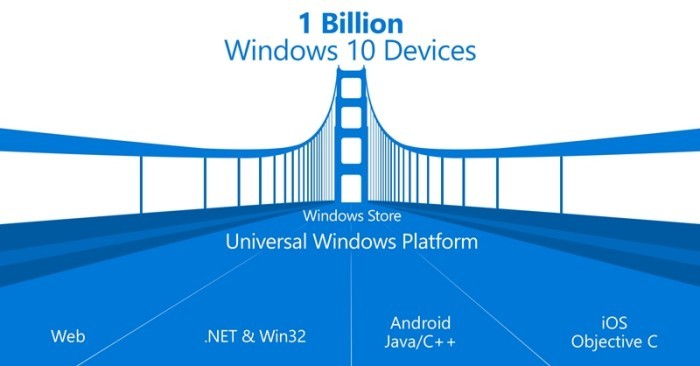
Project Centennial brings WordPad, Windows Fax and Scan, more to Windows Store

At Build 2016, Microsoft announced project Centennial, a tool which “converts” Win32 desktop applications into Windows Store apps by altering the way in which they are installed and run. Today, well-known Microsoft follower WalkingCat has discovered that a few of those desktop apps have already been “converted,” and are appearing in the Windows Store.

https://twitter.com/h0x0d/status/727134391319719937

WalkingCat originally noticed that there were Windows Store versions of Win 32 Windows Accessories, such as WordPad, Character Map, and Windows Fax and Scan. As per WalkingCar’s linked app listings, though, the apps are only for PC and not yet Windows 10 Mobile.

Of course, it is worth noting that all these “converted” apps are not currently available for download, and will most likely become available once the Windows 10 Anniversary Update launches this summer. Microsoft, though, previously released a preview version of the Desktop App Convertor tool, and is clearly supporting the Universal Windows Platform by “converting” over its own desktop apps.

Why isn’t the Windows Store filled with bridged iOS apps?

Reddit users are debating why there aren’t any iOS apps popping up in the Windows Store. Microsoft has promised to bridge the Windows Store app gap with iOS apps for some time now. Project Astoria was supposed to be the bridge to bring Android apps to Windows 10 but was later abandoned. Microsoft even released a tool to make it easier (presumably) to bridge iOS to Windows 10 with Project Islandwood.

But the apps aren’t flowing into the Windows Store, and the discussion over on Reddit brings up a number of possibilities as to why. Reddit user Aditya1311 points out some issues with Project Islandwood:

“Any or all of the following:

  1. Islandwood does not support Swift, only ObjC. iOS apps are rapidly transitioning and almost all new development is in Swift
  2. The bridge only supports apps using iOS 7 APIs as of now. This is years out of date.
  3. Even assuming 1 & 2 above are not an issue, porting apps even with such a bridge is not a zero-effort process.”

Another Reddit user, tonyunreal, details his frustration with Project Islandwood:

“For me the deal breaker is that microsoft takes absolute zero effort to make islandwood behave exactly like an iOS device.

I know it’s supposed to be a compatibility layer for windows development instead of an emulator, but with this approach, even if islandwood is fully api compatible with the iOS one day, I’m 100% certain that my same piece of code will look or run differently between iOS and Windows. Barely thinking of the effort to make existing app code to run on windows for me is unacceptable, not to mention the need of sugar coating all the UI solely for islandwood.

Until Microsoft take it seriously and implement an actually working UIKit simulation, plus all the needed UNIX calls for daily iOS programming, I see islandwood as nothing but a gimmick.”

Why do you think there aren’t any bridged iOS apps in the Windows Store? Let us know in the comments.

Microsoft’s latest version of SQL Server is set to launch June 1st

Microsoft just announced today that its database software SQL Server 2016 will be generally available on June 1, 2016. There will be four different SQL Server 2016 editions including Enterprise, Standard, Express and Developer. Earlier in March, the company announced that the Developer edition would be a free download for development and test only, and not for production environments or use with production data). Furthermore, the Redmond Giant also shared in March that it planned to bring SQL Server to Linux in “mid-2017” and that it would also allow  any user of Oracle’s services to move their databases to SQL Server for free.

According to Microsoft, SQL Server 2016 is the “the biggest leap forward in the Microsoft data platform history with real-time operational analytics, rich visualizations on mobile devices, built-in advanced analytics, new advanced security technology, and new hybrid cloud scenarios.” The company had previously released SQL Server 2016 Preview in May 2015 and expected the following features to be included in the final version:

  • Always Encrypted – a new capability developed by Microsoft Research that is designed to protect data “at rest and in motion”
  • Stretch Database – new technology that lets allows users to dynamically stretch warm and cold transactional data to Microsoft Azure
  • Enhancements to Microsoft’s “Hekaton” in-memory technologies for real-time analytics
  • New in-database analytics with R integration
  • Polybase — an engine that, to date, has been part of the SQL Server
  • Parallel Data Warehouse Appliance, for more easily managing relational and non-relational data
  • Row-level security, allowing users to control access to data based on characteristics of the user, without modifications to applications
  • Dynamic Data Masking — supports real-time obfuscation of data to prevent access to unauthorized dataTemporal database support for tracking historical data changes
  • Query Data Store — a “flight data recorder” for database administrators
  • Enhanced server management for Master Data Services
  • Enhanced hybrid backup to Azure and faster restores to SQL Server in Azure virtual machines

Today, the company has released an exhaustive document explaining which features will be included in the four different SQL Server 2016 editions:

SQL Server 2016 features by edition.

Last, you can already download and SQL Server 2016 Release Candidate (RC) 3 to get ready for the general availability of SQL Server 2016 in June. Please tell us in the comments what do you think of all the new features included in SQL Server 2016.

Google Chrome beats Microsoft’s Internet Explorer as the top browser

The folks at NetMarketShare have released the latest numbers for the month of April 2016, and there’s some bad news for Microsoft when it comes to browsers (via ComputerWorld). Google Chrome browser has surpassed Microsoft Internet Explorer for the month of April just by a small margin. Internet Explorer fell from 43.40 percent to 41.35 percent in the month of April, while the result for Google Chrome was opposite — it rose by 2.57 percent to 41.66 percent last month. The difference is really minor between the market share of both browsers, but judging by the trend, it seems Chrome will have a noticeable lead in the browsers market in the coming months.

Microsoft’s Internet Explorer is continuously declining from the past few months, despite the fact that the company released the Microsoft Edge browser with Windows 10 — which is also classed under Internet Explorer by NetMarketShare. On the other hand, people are switching to rival browsers such as Google Chrome. Things aren’t too great for Firefox either as it declines to 9.76 percent in April. Firefox was a decent browser some time back and it’s a little surprising to see that the company didn’t make an official statement about the continuous decline of the browser, or if they’re doing anything to improve it.

As for Apple’s Safari and Opera, the change was negligible with both operating systems residing at 4.91 and 1.89 percent respectively. Both these browsers have resided along this number over the past few months and we’re not sure if we’re going to see them in the top numbers any time soon.

Back in August 2014, Microsoft asked its users to make a switch to Internet Explorer 11 as the company will no longer provide security patches for the old browser. This may have had a negative impact on the browser usage and may have forced the consumers to make a switch to Chrome, which is much more stable and offers a lot of features to its users.

ASUS VivoBook E403 is a new budget Windows 10 laptop with USB Type-C and 14 hours battery life

Competition is fierce on the laptop market with manufacturers rolling out new devices almost every week. It is getting more and more difficult for buyers to decide what laptop to purchase. All are powered by 6th Gen Intel processors and offer full HD displays alongside mammoth battery life. What could then be the key element in the buyer’s purchasing decision? The price tag, maybe? If this is so, then Asus’ newest VivoBook E403 will convince many people to put down the cash and bring this impressive laptop home.

This laptop is designed for multi-tasking, it comes in three processor configurations: Intel Celeron Dual-Core N3050,
Intel Celeron Quad-Core N3150 or Intel Pentium Quad-Core N3700 Processor. The 14-inch LED backlit display offers HD imagine quality with its 1366 x 768 resolution. The Integrated Intel HD Graphics feature delivers excellent image quality with vivid colors.

VivoBook E403 is equipped with one audio jack, one USB 3.0 port, one USB 2.0 port, one USB-C port, one HDMI port and one SD card reader. Its 14-hour battery life lets your work from everywhere: in coffee shops or libraries, on long haul flights without worrying that your battery will run low.

The ASUS IceCool technology keeps your hands cool thanks to a unique internal layout that keeps heat generating components away from the palm rest. The palm rest’s temperatures fluctuate between 28°C and 35°C / 82.4°F and 95°F which is lower than your body’s temperature allowing you to stay comfortable.

Another interesting feature for this laptop is its touchpad:

A touchpad with smartphone touch screen-like precision. Exclusive technology used in the production of smartphone touchscreens has been incorporated into the touchpad of the ASUS VivoBook E403, giving you a highly sensitive surface for almost instantaneous response and incredible accuracy.

This laptop is also very thin, with 33.0 x 23.5 x 17.9 cm / 13.37 x 9.25 x 0.7 inches in dimension and weighs only 1.5 kg / 3.18 pounds. What about its friendly price tag? You can buy ASUS VivoBook E403 from Amazon for only $399.

RELATED STORIES YOU NEED TO CHECK OUT:

Acer Liquid M330 running Windows 10 Mobile released in the US for only 99 dollars

Acer has finally launched its latest Windows 10 Mobile handset, the Liquid M330, in the US. We remind you that this device comes a year later after the release of the Liquid M220 low-cost handset.

The Liquid M330 can be purchased right now from the Microsoft Store for only 99 dollars, unlocked and without a SIM. Likewise the Liquid M220 is aimed at the low-end for the smartphone market and it comes with the following specifications:

– Dimensions and weight: 136×66.5×9.6mm and 145 grams;
– Colors: Mystic Black and Pure White;
– Material:Plastic;
– Display: 4.5-inch that supports a resolution of 854×480 pixels;
– Hardware: Qualcomm Snapdragon 210 (MSM8909) SoC clocked at 1.1GHz, backed by 1GB of RAM;
– Storage: 8GB internal storage with the option to expand it up to 64GB using a microSD card
– Cameras: A primary camera of 5MP (located on the rear side of the handset) that features LED flash, autofocus and a secondary camera of 5MP (located on the front side of the smartphone) that supports fixed focus;
– SIM: dual-SIM support;
– Battery: 2000 mAh, removable;
– Connectivity: Wi-Fi 802.11 b/g/n and 4G LTE;
– USB slot: microUSB 2.0;
– OS: Windows 10 Mobile OS.

We remind you that a similar handset has been unveiled during the Mobile World Congress event that was held in February 2016. That device is called Liquid Z330 and it comes pre-installed with Android 5.1 Lollipop.

Acer has also released a Windows 10 Mobile flagship named Liquid Jade Primo, which comes with high-end specifications, and which supports Continuum, as well. The company has also announced its Liquid Extend, a laptop-type of device that is offering Continuum support on the move.

Unfortunately, it’s not sure yet if the Jade Primo or Extend will be sold in the United States.

Gearbox confirms work in progress for Borderlands 3

Gearbox has announced there will be a sequel to Borderlands and confirmed they are currently focusing on it. Borderland 3 will be the next game Gearbox will release, therefore we can assume the game developing process has already reached an advanced stage.

This is not the only inside information available.  Mikey Neumann, the voice of Scooter, the mechanic reveals some interesting facts about the possible traits of a new character:

I did this whole Scooter thing, then I pitch-shifted it up like seven semitones so it sounds like a chipmunk and it was the funniest thing I’d ever heard.

Also, Randy Pitchford, Gearbox CEO was much more generous in his answers:

It’s no secret, obviously there’s going to be another Borderlands.

Gearbox is currently working on putting the finishing touches on Battleborn. You can already pre-order Battleborn on Xbox One and PC for $59.99. The game will be officially launched on May 3rd. There are 25 playable characters you can choose from and all of them have their own storyline, weapons, and fighting style. As you advance, there are plenty of unlocks and items to find.

We are sure the team will offer additional information about Borderlands once Battleborn is out. For the time being, they are pouring all their energy into this game that will be released in less than a week.

[irp posts=”26764″ name=”Battleborn for Windows PC to get Season Pass and new heroes”]

Until Borderlands 3 is launched, you can get Borderlands: The Handsome Collection for Xbox One from the Microsoft Store for $39.99 or Borderlands 2, the PC version for $19.99.  Convince your friends to play the game and they will become fans of it, as one player confesses:

If you’ve never played these games; you need to! It’s an amazing blend of a FPS and an RPG where you can use skill points to make your character more powerful and unique. You can even respend your points at anytime to make your character a different style of play. For example, you can have a siren who does tons of elemental damage and is a one-woman wrecking crew or turn her into a healer to support your whole co-op team. Getting tired of using the assassin as a sniper? Respec and turn him into an up-close melee demon.

Do yourself a service and check these games out! Amazing characters, great/hilarious voice acting, and a plethora of enemies to kill will keep you entertained for a long time.

RELATED STORIES YOU NEED TO CHECK OUT:

Windows 10 Anniversary Update will no longer consider SHA-1 certificate as secure

For anyone who needs to worry about keeping a website up to date, now may be the time to do a little bit of housekeeping. In a blog post, Microsoft has revealed the timeline they’re taking in regards to the phasing out of SHA-1 certificates and told us that websites running with SHA-1 won’t be valid very much longer.

Starting with the arrival of the Windows 10 Anniversary update, websites with SHA-1 certificates are no longer going to have the padlock symbol in the address bar guaranteeing security. While these websites will continue to function as they always have, users will no longer have the guarantee of their safety while browsing them and may be deterred from further use.

When February of 2017 rolls around, outdated certificates will be much more of a problem. After this deadline hits, websites that are still using SHA-1 are going to be blocked outright by Microsoft Edge and Internet Explorer, letting users know that the website isn’t secure and giving users a clear warning not to continue.

Starting with the Windows 10 Anniversary Update, Microsoft Edge and Internet Explorer will no longer consider websites protected with a SHA-1 certificate as secure and will remove the address bar lock icon for these sites. These sites will continue to work, but will not be considered secure. This change will be in upcoming Windows Insider Preview builds soon, and will be deployed broadly this summer. In February 2017, both Microsoft Edge and Internet Explorer will block SHA-1 signed TLS certificates.

Skype for Business Preview now available for Mac OSX

Not long ago Microsoft announced the availability of Skype for Business Mac Preview. This brings the powerful Skype experience to all interested Mac business users across the globe. The experience should be more or the same when compared to the Windows version.

Microsoft plans on releasing the final version after it pushes out three important updates as detailed below:

Preview phase one—Once you sign in, you’ll see your meetings for today and tomorrow, based on your Outlook calendar, displayed in the Skype for Business client. Join any meeting with just one click and enjoy full screen video, content viewing, in-meeting chat and the ability to invite others to the meeting.

Preview phase two—We’ll be adding instant messaging, presence and contacts in the next preview release coming in early summer. You can continue to use Lync for Mac 2011 side-by-side with Skype for Mac Preview, giving you continued access to messaging and voice features.

Preview phase three—We will add telephony and related features later in the summer.

The ability to use Lync for Mac 2011 alongide Skype for Business Preview is a great idea, especially for those who are not yet willing to give up Lync. However, they will have to after the full release seeing as Skype for Business will completely swallow Lync 2011.

Microsoft also said it decided to release the Mac version of Skype for Business in bits and pieces because it doesn’t want to disrupt the workflow of users. The company said adding features such as instant messaging and presence at this point could have a negative impact on overall productivity.

We like that Microsoft has gone on to support the Mac OSX platform in a big way over the years. Many folks have switched to a Mac during the time of Vista and Windows 8, but that doesn’t mean they should not be able to still use their favorite productivity tools.

Microsoft has a very special limited edition Iron Man Xbox One

Limited edition consoles are some of the coolest things that a gamer can get into their collection. Whether it be a console that’s a slightly different color than the factory edition or something that sports a unique decal, collectors are always going to be chomping at the bit to get something that’s going to separate their collection the collections of others. If you’re an Xbox gamer and also a Marvel fan, then you may get especially giddy about the announcement of this amazing – albeit incredibly rare – limited edition console.

https://twitter.com/XboxFR/status/725356150019878912

This new Iron Man themed Xbox One comes to you courtesy of Tony Stark himself if you ask Microsoft. This gorgeous new machine not only comes in a sleek white color but comes with all sorts of grooves and contours – not to mention the Stark Industries logo and unmistakable arc reactor placed smack dab in the middle. It also comes with an Xbox One controller done in a similar theme to help you keep the whole package looking nice.

These consoles are part of a promotion being done for Captain America: Civil War, and if you’re looking to get your hands on one, your odds aren’t great. We only know that three of these exist at the moment, as you can only get one by entering the giveaway on Xbox France’s Twitter, Instagram, and Facebook pages. It’s entirely possible that they’ve created more than one to be given out for each of the three giveaways, but the likelihood isn’t all that high.

With Xbox France giving away this Xbox console for #TeamIronMan, it’s entirely possible that we’ll be seeing a console in the near future for #TeamCap, themed in red white and blue. Even if that’s the case, there’s little doubt that anyone – regardless of which “team” they’re on – would be happy to get their hands on either of these custom consoles.

Office 2016 Insider Preview for Windows 10 now lets you import AutoCAD 2010 and AutoCAD 2013 files

There’s a new Office 2016 insider build available right now. It’s been a while since Microsoft released an update so seeing a new one just gives us the chills and then some.

Microsoft kicked off the Office 2016 Insider program similar to that of the Windows 10 and Windows 10 Mobile Insider program where users and developers can give feedback on various changes. So far, this move by the software giant is doing great for Windows 10, which means the same could happen for Office 2016.

The new Office 2016 Insider build number is 6.0.6868.2048, and brings the ability to import AutoCAD 2010 and AutoCAD 2013 files into Visio software. For those who are unaware, AutoCAD is all about creating stunning designs, and Microsoft Visio is one of the most popular vector graphics tools available today.

READ ALSO: Fix: AutoCad not Working in Windows 10

Office 2016 and Visio working together makes for a powerful software suit every designer needs in his or her arsenal. Other improvements to Office 2016, includes collaborative tweaks in PowerPoint and Word.

Working with others couldn’t be any easier. You can now not only share and work on files with others as well as add comments but also, chat with them, review previous versions of the document you’re working on and restore one of them if needed,” says Microsoft in a blog post.

This recent update builds on the monthly releases Microsoft has been doing. So far, the updates have improved OneDrive integration, although we still believe it could be a lot better than it is now. Furthermore, there’s even real-time collaborating in PowerPoint, something the software didn’t have before.

Have you come to enjoy the Black Theme in Windows 10? Good, because Office 2016 Insider preview supports that along with new charts in Excel and ink annotations.

While we have come to enjoy these features, we can’t say when they will be rolled out for regular users, but this shouldn’t take very long.

Windows 10 gets improved battery life for connected standby PC’s

Battery life can sometimes cause a huge headache to all laptop and tablet owners. To extend the battery life as much as possible, operating systems offer various options to reduce the power consumption, in order to make the battery as long-lasting as possible.

Since the majority of Laptop users run Windows operating systems on their machines, and a lot of them already switch to Windows 10, Microsoft introduced some additional power options that will optimize the battery life of your laptop or tablet running Windows 10.

From Windows 10 Preview build 14332 onwards, Windows 10 uses the same technology as the Battery Saver to close all unneeded processes during Connected standby, and leave your computer running with only necessary connectivity processes. Microsoft claims that that the result of using this technology will be much longer battery life of Windows 10 laptops and tablets.

How to manage Connected standby in Windows 10

Starting from build 14322 for Windows 10 Preview, the new standby mode should be enabled by default on all compatible devices. However, not all devices are compatible with the new technology, so you should run a simple test, and determine if your computer is able to use the new standby.

To check if your computer is compatible with the new Windows 10 standby technology, do the following:

  1. Go to Search, and type cmd
  2. Right-click on the Command Prompt, and select Run as Administrator
  3. Enter the following command, and press Enter:
    • powercfg /a
  4. Wait for the results to show up

If the first listed state says “Standby (S0 Low Power Idle) Network Connected,” your computer is capable of running Connected standby. On the other hand, your first result is different, your computer probably can’t run this standby state. The command will also show a list of all available states, as well as states that are not supported on your computer. So, you can easily find out what your computer is capable of.

windows 10 connected standby

Microsoft also introduced an option which allows you to turn of Connected standby, in case something doesn’t work properly. To disable Connected standby in Windows 10, do the following:

  1. Go to Search, and type cmd
  2. Right-click on the Command Prompt, and select Run as Administrator
  3. Enter the following command lines, and press Enter:
    • powercfg /setdcvalueindex SCHEME_CURRENT SUB_ENERGYSAVER ESPOLICY 0
    • powercfg /setactive scheme_current
  4. Restart your computer

After performing this your computer will go back to the old standby state. If you want to re-enabled Connected standby, just change the value 0 from above’s command to 1.

This is the very first version of connected standby that arrived to Windows 10, so occasional errors or bugs are possible, so don’t be surprised if you get forced to disable the new standby state. However, we’re sure that Microsoft will continue working on this feature, and that we’ll see a polished version in the future Preview builds.

RELATED STORIES YOU NEED TO CHECK OUT: 

Microsoft joins the political fray, offering tech support for both US Democratic and Republican Conventions

In an effort to help voters make the right choice this year, Microsoft will provide tech support for both the US Democratic and Republican Conventions. The ability to see polling results in real time will allow voters at both conventions view election results accurately and securely.

Microsoft began working with convention committees in 2000, in the hopes to create an objective way to allow voters to view election results. Microsoft will use three basic principles when dealing with this year’s US Democratic and Republican Conventions:

“First, we act in a bipartisan manner and provide similar levels of support to both conventions. Second, we make a special effort, as do many companies in our industry, to provide the conventions with technology tools to help enable this part of the American democratic process to operate efficiently and accurately. And third, we do not endorse either political party or its nominee. We’ve been committed to all three of these principles through four presidential elections, and this year will be no exception.”

Microsoft hopes to avoid the embarrassing Surface Pro technical issues that some think caused the New England Patriots to miss playing in the Super Bowl. Instead of making a cash donation to either US political party, Microsoft will instead lend its products and services to help run each respective convention.

Office 365, Azure, Surface, and other products will be readily available at both conventions. Microsoft believes no matter the political party preference, Microsoft and other technology companies should provide their products and services in an effort to make the democratic process better.

Given all the drama and intensity of this year’s US elections, technology will play a more important role than ever. Microsoft hopes that it will be able to provide voters with the most accurate information available to make an informed decision when the general election rolls around in November of whom will be the next leader of the free world.

Cortana can now search your content in Office 365

In every new Windows 10 Preview build we see Cortana’s integration with a new feature or device. In the most recent Windows 10 Preview build 14332, Microsoft integrated Cortana with Office 365, as you can now search for your Office 365 files, documents, emails, and more with Windows 10’s virtual assistant.

We remind you that Cortana was already available to search for your OneDrive files, but Office 365 integrations brings more options, including emails and files that are not locally stored on your computer.

How to search for Office 365 files with Cortana

First thing you need to do to be able to search for your Office 365 files with Cortana is to connect two features. If you’re not sure how to do that, just follow these steps:

  1. Open Cortana
  2. Click on the hamburger menu, and open Notebook
  3. Go to Connected Accounts
  4. Now, just turn Office 365 on, and enter your login credentials

Cortana will automatically sync with your Office 365 account, and you’ll be able to search for all your Office 365 content from the taskbar.

Now that you’ve set up Cortana and Office 365 integration, let’s see how this option works. When you search for a specific file, you can choose the filter at the top of Cortana screen, which is a new Cortna feature in build 14332. When you choose a filter, Cortana results will be much more specific. For example, if you choose the ‘email filter’ Cortana will search only for emails containing the given keyword.

This is a new feature in Windows 10 Preview, so occasional bugs are possible, but Microsoft should improve it in the coming builds. Microsoft also had some problems with servers upon releasing this build, so some users weren’t able to search for Office 365 files with Cortana, but all technical problems have been solved lately.

What do you think about this feature, have you tried it already? Tell us in the comments.

RELATED STORIES YOU NEED TO CHECK OUT:

Microsoft spotlights Edge interoperability with new API Catalog tool

The Microsoft Edge team continues its efforts in developing an interoperable web browser that’s meeting the demands of modern internet users by building and issuing its new API Catalog. According to Edge engineers, the new API Catalog tool that allows developers to “find the similarities and difference between the type systems of all browsers, to compare how core global functions namespaces, objects and interfaces are exposed.”

API Catalog’s primary selling point, however, is its ability to parse vast amounts of data and represent it in a clear and easy viewable interface.

The API Catalog has two views: a visualization and a table view. The former is a high-level visualization of the browser and specification landscape in the form of an interactive Venn diagram. You can select and compare any three data sets (browsers or specifications) to see a graphical representation of both intersecting and unique APIs.

The table view allows you to browse the full list of known APIs that are either defined in a specification we have crawled or detected in the type system of a browser. You can search and filter to examine specific subsets of APIs. For example, you might filter to see only APIs from the Beacon specification that are detected in all browsers.

API Catalog1
API Catalog1

Developers can find raw CSV files on GitHub as well as using the API Catalog to expose or illustrate bugs in other browser type systems such as Webkit bug 49739 and Chrome bug 43394.

In developing the API Catalog, the Microsoft Edge team is attempting to do away with the locked-gate proprietary shackles that once plagued older versions of Internet Explorer while also offering the most robust toolset for web developers. Whether or not that translates into consumer and developer attention anytime soon, remains to be seen, but at least the building blocks are being laid.

For more information on the API Catalog, visit Microsoft’s Edge Dev Blog for a walkthrough of features as well as some background of the data that can be collected by developers.

Pickit teams up with Microsoft to replace Clipart

The days of Clipart being the butt of many software jokes may soon be coming to an end. Microsoft and Swedish aggregated image bank Pickit have entered into a collaborative partnership to provide Windows 10 and Office users high quality and content related images.

For over thirty years, clip art files have represented the most generic of generic images plugged into personal and commercial projects. Clipart images, particularly on Windows and in Office were a godsend for users before the rise of easy internet searching, but an eye sore for anyone growing up in the age of matured internet browsing.

However, as more users became computer savvy and search literate, Microsoft’s focus on its Clipart lessened to the point of becoming laughable at the gallery it housed. However, Microsoft is putting a renewed focus on the utility and with the help of PicKit, users should see an improvement in the built-in image search capabilities of Office as well as rise in the quality of images at their disposal with a Windows 10 app.

Henrik Bergqvist, CEO, and Co-Founder of Pickit, comments:

Pickit will take the role of the leading image provider within both Windows and Microsoft Office applications, opening up the world’s largest photo market of 1.2 billion customers, all of whom are in need of images.

Pickit makes the sourcing of presentation images easier, faster and more inspiring. Rather than trawling search engines for photos where the original owner never gets credited or paid for their image, Pickit offers a genuine alternative that rewards photographers for their creative efforts.”

The Office Add-in for Pickit is now live as well as a Universal Windows app for Windows 10 users can be found in the Windows Store. Windows 10 and Offices users can now say goodbye to the generic handshake image or the collection of shadow people used to represent a group of business employees.

Pickit Photo Finder
Pickit Photo Finder
Developer:
Pickit
Price:
Free


Microsoft ranks 3rd on list of Smart Cities Suppliers

Smart cities – cities being driven with progressive ideas about the applications of data and technology – have been serving as beacons to every other community in the United States. Smart cities demonstrate a real passion for helping everyone within their borders to do great things, and with a goal like that; you know that Microsoft is going to be somewhere behind the scenes helping out.

In Navigant’s latest findings, Microsoft was ranked third on the list of smart city suppliers, right behind IBM and Cisco. These rankings were decided upon by looking at ten different criteria: vision, go-to-market strategy, partners, product strategy, geographic reach, market presence, sales & marketing, product performance & features, product integration, and staying power. Against these criteria, Microsoft was placed very highly in the “contender” category – just a step behind the coveted “leader” role.

Navigant Research Leader


Microsoft’s spot on the list further cements the fact that the tech giant’s focus remains in empowering people and is successfully driving them to help communities and businesses alike in their journey to being the best they can be. When Navigant next revisits these rankings, it’s doubtful anyone will be surprised when Microsoft climbs to the “leader” category.

Deadpool movie and bonus content available at the Microsoft Store

Deadpool is one of the most popular movies of 2016 and now, it has finally landed on the Microsoft Store. The movie comes with a package of 11 bonuses to reward your purchase.

A former Special Forces operative turned mercenary, Wade Wilson realizes he now has accelerated healing powers following an experiment he was subjected to. He decides to embrace his new abilities and skills, adopts the alter ego Deadpool and sets out to hunt down the man who completely changed the coordinates of his life.

Hold onto your chimichangas, folks. From the studio that brought you all 3 Taken films comes the block-busting, fourth-wall-breaking masterpiece about Marvel Comics’ sexiest anti-hero! Starring God’s perfect idiot Ryan Reynolds and a bunch of other “actors,” DEADPOOL is a giddy slice of awesomeness packed with more twists than Deadpool’s enemies’ intestines and more action than prom night. Amazeballs!

The film harmoniously intertwines action sequences that make you hold your breath with extremely humorous parts that will keep you laughing for minutes. Deadpool has an 8.3 rating on IMDB so people are simply in love with this movie:

This movie is by far the most exciting super hero movie yet!

Please be warned, this movie is extremely inappropriate, but an absolute thrill ride. Ryan Reynolds as Deadpool is the perfect fit. Just when you think he could not get any more clever with his words, he would say the most off the wall comments possible.

The fighting sequences in this were incredibly jaw dropping! Deadpool really is one of the most innovative fighters I have seen. His techniques are totally unorthodox and cannot be matched nor mimicked by any other who dares.

The only thing that was not satisfying is the length of the movie. It was much shorter than expected. The backstory to Wade Wilson before becoming Deadpool is short lived. Despite that, it still was an excellent movie, and I cannot wait for more!

If you haven’t heard yet about this movie, you can watch the trailer below:

You can watch Deadpool on your Xbox One, Windows 10 or Windows 8 device, and Windows Phone 8. If you want to watch it offline, download it on your Windows 10 device, Windows 8 device, and Windows Phone 8.

The movie has been rated R for strong violence and language, sexual content, and graphic nudity so send the kids out of the room when you hit the play button.

Buy Deadpool from the Microsoft Store and get the bonus pack for only $14.99.

Japanese Xbox One game Raiden V updated with English option, international release announced

The latest addition to the Raiden series has the shoot ’em up addicts and collectors once again fighting off the threat to humanity. Raiden V featured multiple new stories, a higher number of stages than any other game in the series, and an increasingly massive collection of weapons to take on the alien enemies.

The simple and unique gameplay pits players in the never-ending quest to fight for dominance on the scoreboard. After Raiden V had an exclusive release in Japan on February 25, fans globally felt that they had been left out after an impressive 25-year run. But earlier today, Raiden’s official Twitter account has announced that Raiden V will be released overseas next month.

Raiden V releases overseas in May 2016.

While the game will continue only be sold on the Xbox One, Raiden V will be unlocked through the online store for North America, Europe, and Aisa. In celebration of the announcement, MOSS is also giving the game a free content update today. The patch includes the addition of English voice-overs and translated text throughout the game. They also added three new upgrades for the main weapon.

The game boasts some major upgrades compared to its predecessors such as amazing graphic improvements, stunning soundtrack, and smoother gameplay. Other features with Raiden V include:

  • Cheer System – Players can encourage their friends and other players by using a single button on the game controller.
  • Reactive Environment – The battlefield responds and changes in real-time due to actions of the player, which increases the challenge.
  • Tracking – Players can trace their friend’s movements to find and help them out.

As the tweet says, nobody expected for MOSS to spring this surprise on its fans. There isn’t a detailed release date or price for Raiden V, but some fans seem to be expecting the same as the retail price in Japan which was approximately $64.99 USD.


How to play the full version of Madden NFL 16 for free this weekend on Xbox One

Xbox One owners who have an Xbox Live Gold subscription are being given full access to the entire Madden NFL 16 game this weekend.

All Xbox Live Gold subscribers need to do is download the game to their console for free and begin playing. The Xbox Live service will detect the Gold subscription and behave as if the active account owns the game outright.

The special promotion will run between 12:01 PM PT on April 28th to 11:59 PM PT on May 2nd, which is actually more than two days’ worth of access. Madden NFL 16 is also available to play throughout the year through the EA Access Vault with an active EA Access Membership and the game can be purchased by itself without any subscription whatsoever.

Here are some of the game’s features:

  • Total Control Passing – Place the ball where only your receiver can get it with body-relative throws including high-point, low-point, back-shoulder, and the ever-popular touch pass.
  • Receiver/Defender Controls – Dictate the outcome of each passing play while the ball is in the air for the first time ever in Madden.
  • Connected Franchise – Whether playing solo or online with friends, your quest to build an NFL dynasty comes complete with a brand new scouting and draft system as well as all-new dynamic goals throughout each game.
  • Madden Ultimate Team – Build your ultimate team with your favorite NFL players from the past and present while dominating the opposition in head-to-head seasons, solo challenges, and more.
  • Skills Trainer – With 60+ tutorials and drills, Skills Trainer focuses on teaching the strategy behind different passing and run concepts, as well as how to play Madden for new users to the series.

Madden NFL 16 has been out for almost a year now so offering a chance to play it for free is a good way to encourage more users to play it. Such a strategy also has the potential to attract more players to the franchise and prepare them for any future entries that may be on the horizon.

Will you play Madden NFL 16 this weekend on your Xbox One? Let us know in the comments below.

Microsoft Desktop App Installer to improve the install of .appx apps

Non-Windows phone users often say they would never buy Microsoft’s phones because of the limited number of apps available. The tech giant has taken this argument into account and it seems to be one its priorities now. Microsoft has recently rolled out its Desktop App Converter allowing developers to convert their Win32 apps to a UWP App and distribute it via the Windows Store.

As phone revenue is constantly shrinking, Microsoft is desperate to make its phones more attractive for potential buyers and wants to fix the app issue as fast as possible. The next step after the Desktop App Converter is the company’s Desktop App Installer.

This upcoming app is being tested internally and will let developers distribute their apps more easily. Developers will be able to install .appx or .appxbundle files on their Windows 10 PC, without using Powershell or inserting commands into the CMD. Users will then click twice on a .appx or .appxbundle file from the File Explorer and install it on their PC via the Desktop App Installer.

The app will also allow developers to distribute their apps outside the store. Could this be a smart strategy from Microsoft to give other OS users a glimpse of what they could gain if they switch platforms?

Either way, Microsoft has started a real revolution in how Windows software is made and delivered to users. By simplifying things, developers can create Windows 10 apps faster and more easily. UWP apps can run on every Windows 10-powered device. In other words, developers can deliver the app to both Windows 10 PC and Windows 10 Mobile with a singular effort.

Users have access to a wider array of apps on multiple devices and they can also install and remove the apps in a couple of seconds.

We’ll keep an eye on this piece of news and update it as soon as new information is available.

RELATED STORIES YOU NEED TO CHECK OUT:

How to Reset an App in Windows 10: Clear App Data & Cache

Sometimes, Windows 10 Universal apps become unresponsive, especially in the Preview edition. Although it’s not always the case, resetting the app in Windows 10 may be the best solution.

Resetting an app is a bit complicated in the commercial version of Windows 10, as it requires some actions in PowerShell. You may do something wrong and even end up resetting all apps, which is something you definitely wouldn’t like to do.

But with Windows 10 Preview build 14328, Microsoft allowed users to reset their UWP apps from the Settings app, making the process much simpler, and basically, any user can do it. Keep reading to find out how you can reset an app in Windows 10!

What happens when you Reset an app on PC?

Here are a few changes you can expect when resetting an app on Windows:

  • App data is deleted: All the app data is cleared when you reset an app. So, you may want to consider this aspect and save files that weren’t previously downloaded to prevent data loss.
  • Signed out of any accounts: If you are signed into any accounts, resetting the app will log you out, and a re-login is required.
  • Apps settings revert to default: Any changes made to the app settings, customizations, or modifications, are automatically reverted to default, i..e, to the state the app was first installed in.

How do I reset an app in Windows 10?

  1. Press Windows + I to open Settings, and click on Apps.apps
  2. Select the app you want to reset, and click on Advanced options.advanced options
  3. Locate and click the Reset button.reset apps in Windows 10
  4. Again, click Reset in the confirmation prompt.

That’s pretty much it! Once you click the reset button, all app’s data will be deleted. The app will be the same as if you just installed it. Please be aware that resetting an app will delete all saved data. So if you don’t have a good reason for resetting, we advise against it.

In case you don’t like this method, you can always uninstall the app and install it again. But resetting is a much simpler and quicker process.

For any queries or to share the app that triggered issues in your case, drop a comment below.

Taskbar settings now appear in Settings app in Windows 10

Windows 10’s taskbar got a new page in the Settings app. This change is a part of Windows 10 Preview build 14328 and it along with other taskbar improvements arrived for Windows Insiders on the Fast Ring.

There are two ways to access the new taskbar settings page. You can do so by either right-clicking the taskbar and choosing Settings at the very bottom of the menu, or going to Settings > System > Taskbar. Both ways open the same page in the Windows 10 Settings app.

In the taskbar settings page, you can customize the taskbar how you’d like. You can change its location, lock/unlock it, manage apps, notifications, and more.

Windows 10 taskbar settings page walkthrough

When you open the taskbar settings page, the first option you’re going to see is “Lock the taskbar.” As you can probably tell, this option locks the taskbar so it can’t be resized, moved, or anything else. There’s also an option to automatically hide the taskbar when you move your mouse cursor from it.

Next, you can resize taskbar icons by toggling “Use small taskbar icons” or replace the Command Prompt with the PowerShell in the menu when you right-click the Start button. There are also positioning options where you can choose the taskbar’s location on screen (bottom, top, right, left)

All these options have been here since the release of Windows 10 but there’s one new option introduced with Windows 10 Preview build 14328: the ability to turn taskbar badge notifications on or off. In addition, at the very end of the taskbar settings page under the “Notifications area,” you can manage system icons and choose which icons appear in the taskbar.

Windows 10 is already a highly-customizable operating system with thousands of options. But that isn’t enough for Microsoft and the company thinks it’s not enough for users, as well. So, we’ve received new customization options with every Windows 10 build lately. And all these customization options and features will arrive for all users with the Anniversary Update for Windows 10 this July.

RELATED STORIES YOU NEED TO CHECK OUT: