Xbox Deals with Gold this week features Mad Max, Tony Hawk, Life is Strange among others

While most Xbox Live Gold users are getting excited about the free games that they’ll be getting with their membership this month, they should remember that they also get some pretty hefty discounts on other games as well. The Xbox Deals with Gold that are being offered right now are pretty sweet, ranging from action adventure with Mad Max to the choose-your-own-adventure style Life is Strange. Whatever the gaming preference, this month’s Xbox Deals with Gold should have any gaming enthusiast ready to bust out their wallets on a couple of different occasions.

Here are all of the games being sold during this set of deals for Gold:

Mad Max ($29.99 USD, down from $59.99 USD) Xbox One

Become Mad Max, the lone warrior in a savage post-apocalyptic world where cars are the key to survival. In this action-packed, open world, third person action game, you must fight to stay alive in The Wasteland, using brutal on-ground and vehicular combat against vicious gangs of bandits. A reluctant hero with an instinct for survival, Max wants nothing more than to leave the madness behind and find solace in the storied “Plains of Silence.” Players are challenged with treacherous missions as they scavenge the dangerous landscape for supplies to build the ultimate combat vehicle.

Life is Strange: Complete Season ($9.99 USD, down from $19.99 USD.) Xbox One / Xbox 360

Life is Strange is a five part episodic game that sets out to revolutionise story based choice and consequence games by allowing the player to rewind time and affect the past, present and future. You are Max, a photography senior who saves her old friend Chloe by discovering she can rewind time. The pair soon find themselves exposed to the darker side of Arcadia Bay as they uncover the disturbing truth behind the sudden disappearance of a fellow student. Meanwhile, Max begins to have premonitions as she struggles to understand the implications of her power. She must quickly learn that changing the past can sometimes to lead to a devastating future.

Author’s note: Life is Strange is the cream of the crop with this set of deals. This comes highly recommended to anyone who enjoys games in the “Telltale style” (The Walking Dead Game, Tales from the Borderlands) but with a much different feel and actual gameplay mechanics.

Nightmares from the Deep: The Cursed Heart ($6.69 USD. down from $9.99 USD) Xbox One

On a cold, stormy night, the Caribbean Museum curator Sarah Black is making the final arrangements for the grand pirate exhibition’s star attraction – the mummified corpse of the fearsome 18th century pirate, Captain Henry Remington. Then, all of a sudden… …the ghostly villain inexplicably comes to life and kidnaps Sarah’s teenage daughter! The heroine throws herself into a wild chase without a second thought, embarking on a thrilling adventure to a long-forgotten, deserted island filled with danger and terror… yet there seem to be memories of a sinister romance lurking in the shadows… Nightmares from the Deep: The Cursed Heart is a classic adventure game that tells a gripping tale of undying love. Assume the role of museum curator Sarah Black and take control of your destiny to stop the undead Captain Remington and save your daughter’s life. Jam-packed with chilling locations – from rotting shipwrecks to dank and mordant caves – this is a world brimming with hidden treasures and intrigue. Use your wits to find clues, solve puzzles, and uncoil the ancient mysteries of Skull Island before it’s too late!

Thief ($7.50 USD, down from $29.99 USD) Xbox One / Xbox 360

Garrett, the Master Thief, steps from the shadows into the City, a treacherous place ruled by a tyrannical Baron and his brutal Watch. When the citizens rise in bloody revolution, Garrett’s thieving skills are all he can trust as he walks a fine line between politics and the people, revealing a darker secret that threatens to tear his world apart.

Line of Defense Tactics ($13.39 USD, down from $19.99 USD) Xbox One

Line Of Defense Tactics is a top-down combat shooter in which you command a team of four Galactic Command marines in a 16 mission campaign across space stations, starships and vast planetary battlefields. Train your team, upgrade their stats, weapons, inventory and abilities, to become the ultimate fighting force.

Tony Hawk’s Pro Skater 5 ($30.00 USD, down from $59.99 USD) Xbox One / Xbox 360

Drop in & out of parks & rip with your friends! Tony Hawk’s® Pro Skater™ 5 offers a fresh take on combo-driven skateboarding, the most advanced online multiplayer experience, and a state-of-the-art skatepark builder. Ride, build, and repeat!

Author’s note: This game was panned very harshly by both critics and fans on release due to bugs and general design grievances. Proceed with caution and read a few reviews before pulling the trigger on this one.

White Night ( $4.95 USD, down from $14.99 USD) Xbox One

Explore the macabre past of an old mansion in the 1930’s and solve puzzles of light and shadows in this fully black & white survival horror! Players are trapped in this nightmare where darkness is a constant threat!

Ironcast ($11.99 USD, down from $14.99 USD) Xbox One

Inspired by Victorian era science fiction writers such as H.G. Wells and Jules Verne. Ironcast is set in an exciting alternative history; a time when refined men and women in top hats and bonnets commanded gigantic walking war machines, laying waste to the enemies of the British Empire. Take control of a 7 meter tall walking vehicle called an Ironcast and face off against an invading force of enemy Ironcast in order to defend 1880’s Victorian England. Battles are fought by generating resource nodes which in turn drive the Ironcast’s various weapons and systems. You must choose how to spend these nodes wisely, either offensively in order to cripple and destroy your opponents, or defensively, if they suspect a barrage of incoming weapons fire is due.

L.A Noire ($7.50 USD, down from $29.99 USD) Xbox 360

Amid the post-war boom of Hollywood’s Golden Age, an idealistic detective, Cole Phelps, is thrown headfirst into a city drowning in violence and corruption. Utilizing groundbreaking new technology that captures an actor’s facial performance in astonishing detail, L.A. Noire is a violent crime thriller that blends breathtaking action with true detective work to deliver an unprecedented interactive experience. Interrogate witnesses, search for clues and chase down suspects as you struggle to find the truth in a city where everyone has something to hide.

Author’s note: Highly recommended. Rockstar nails it again, offering a noire mystery narrative that no other game has matched. Go for it if you have the cash to spare.

Prototype Biohazard Bundle ($19.99 USD, down from $49.99 USD) Xbox 360

Bundle includes Prototype® and Prototype®2 with DLC! PROTOTYPE: Discover what lies beyond the edge of evolution. Play as Alex Mercer, a genetically mutated shape-shifter with no memory of his past hell-bent on solving the mystery of his existence as he tears through a densely populated New York City moving with Parkour-style fluidity and consuming anybody that gets in his way… assuming their physical identity, memories and abilities. Prototype®2 takes the unsurpassed carnage of the original Prototype® and continues the experience of becoming the ultimate shape-shifting weapon. A devastating viral outbreak has claimed the lives of Sgt James Heller’s family and transformed him into a PROTOTYPE. Powered by incredible new shapeshifting powers and abilities, you must hunt, kill and consume your way across the infected wasteland of New York Zero to take revenge on the man responsible: Alex Mercer.

Transformers Cybertron Experience  ($19.99 USD, down from $49.99 USD) Xbox 360

This pack contains the Transformers™ : War for Cybertron™ full game and the Transformers™: Fall of Cybertron™ full game and three DLC packs. Experience the legendary battle between the Autobots and Decepticons before their exodus to Earth in the untold story of the civil war for their home planet in Transformers™ : War for Cybertron™ and Transformers™: Fall of Cybertron™ . Two distinct and intertwined campaigns chronicle the heroism of the Autobots in the face of total annihilation and the unquenchable thirst for power of the Decepticons. Play both campaigns in team-based online co-op, or go head-to-head in several online multiplayer game modes. Battle as your favorite Transformer characters in the war that spawned one of the most brutal conflicts of all time.

Max Payne 3 ( $4.99 USD, down from $19.99 USD) Xbox 360

For Max Payne, the tragedies that took his loved ones years ago are wounds that refuse to heal. No longer a cop, close to washed up and addicted to pain killers, Max takes a job in São Paulo, Brazil, protecting the family of wealthy real estate mogul Rodrigo Branco, in an effort to finally escape his troubled past. But as events spiral out of his control, Max finds himself alone on the streets of an unfamiliar city, desperately searching for the truth and fighting for a way out. Combining cutting edge shooting mechanics featuring advanced Bullet Time® and Shootdodge™ effects with a dark and twisted story, Max Payne 3 is a seamless, highly detailed, cinematic experience from Rockstar Games.
 

Microsoft to Shut Down Fable Legends, Lionhead Studios, and Press Play

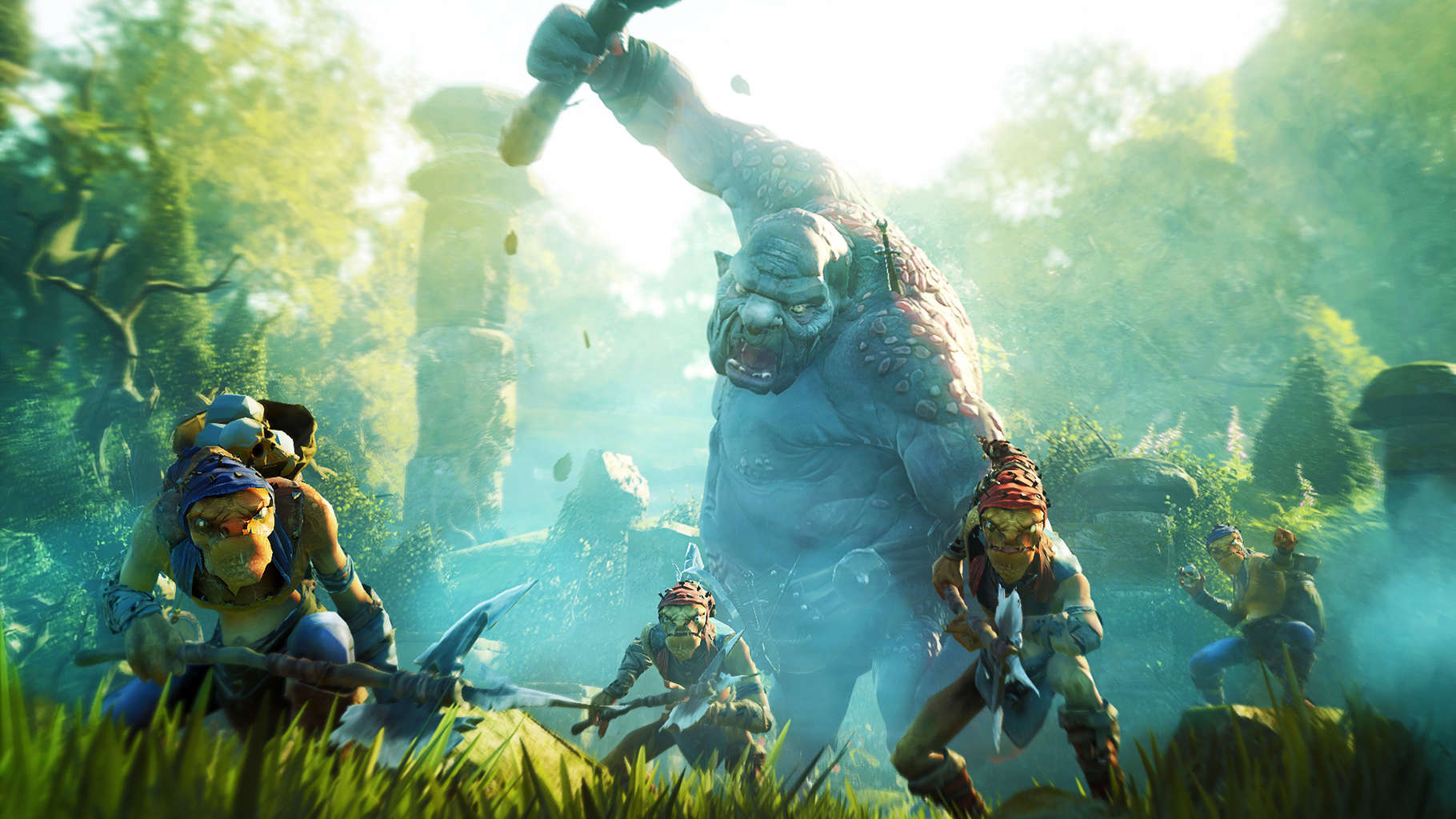
Microsoft just announced that it will discontinue the development of Fable Legends, a game that was supposed to be a welcome addition to the Store. According to Hanno Lemke, General Manager of Microsoft Studios Europe, Microsoft decided to shut down the project because of unprofitability.

Besides closing the Fable Legends project, Microsoft is also considering closing a few development studios around Europe. More precisely, Lionhead Studios, developers of Fable and Fable Legends, in the UK, and Press Play, developers of Max: The Curse of Brotherhood, in Denmark.

Cancellation instead of Open Beta

Fable Legends was announced way back in 2013, and it was in closed beta phase until now. Lionhead Studios announced that the open beta would release the spring of this year, but instead of an open beta version of Fable Legends, it has been shuttered instead.

According to reports, more than 100,000 players used to participate in testing of the closed beta version, so it’s not clear why Microsoft recognized Fable Legends as unprofitable and decided to shut it down. The company also kept mum on any details about the closing Lionhead Studios and Press Play, stating: “These have been tough decisions and we have not made them lightly, nor are they a reflection on these development teams – we are incredibly fortunate to have the talent, creativity and commitment of the people at these studios.”

Although Microsoft decided to shut down one promising project (at least, we though it was promising), the company continues to put a lot of effort in bringing new AAA game titles to the Store. Games like Rise of The Tomb Raider, Gears of War, Killer Instinct, and more are already available, and we expect even more games like Quantum Break, and Forza Motorsport in the future.

Microsoft releases Class Notebook add-in for OneNote 2016, brings new distribution methods

Here at WinBeta, we’ve been chronicling the evolution of Class Notebooks for OneNote. From Class Notebook availability through the Office 365 App Launcher to the automation of notebook and roster creations with new API’s, OneNote’s Class Notebook has been a growing dependency on more than 400,000 teachers and 3.5 million students worldwide.

Now, OneNote’s Swiss army knife-like utility for education is being expanded up with the introduction of a Class Notebook add-in that was designed by and built with actual teacher input. The OneNote team is set to introduce the customer preview of the Class Notebook add-in, which brings a set of most-requested features that the OneNote team received from both teachers using feedback sources and those the team met during virtual collaboration sessions.

Class Notebook add-in for OneNote features include:

  • Easy and quick distribution of pages or new sections to students in one or more classes.
  • Individualization through the distribution of pages to specified students or student groups.
  • Ability to distribute a single chunk of text, an image or an ink selection to all or specified students in a Class Notebook.
  • Easy and quick copying of sections to the Content Library of one or more Class Notebooks.
  • Rapid sequential reviewing of student work (homework, assignments, quizzes, etc.) in one or more classes.
  • One-click launch of the Class Notebook app, including Create Class Notebook, Invite/Remove Students, Add/Remove Teachers and Get Notebook links.
  • Quick links to useful Professional Development and community resources.

Of the features highlighted, the OneNote team is reporting an overwhelming excitement to the addition of distribution models as well as student work review by teachers worldwide.

With the new Class Notebook add-in, teachers can now “now can distribute a page to specific students rather than everyone in the class. Additionally, educators can define their own groups of students to differentiate the distribution.”  As for checking a student’s work, teachers can now do rapid sequential reviewing of student work, with a new side panel making it easier to navigate information.

Introducing-the-Class-Notebook-add-in-for-OneNote-4b

I LOVE ‘Review Student Work’ because it allows me to see specific assignments instead of going into each student’s tab, then that assignment, backing out and repeating again. It’s MUCH more efficient.”

—Teacher feedback in Class Notebook add-in pilot survey

The development of Class Notebooks is still underway and corporate vice president of Microsoft Education Marketing Tony Prophet wants to continue to surprise educators with new and delighting educational experiences. Prophet also used today’s announcement to hint towards another announcement soon, saying, “we expect to share more in April, so stay tuned!”

Visit the [email protected] email to offer your feedback or suggestions.

Learn to build Hosted Web Apps for Windows in 3 easy minutes with Windows App Studio

In a recent blog post, Microsoft details how easy it is to bring a web app to Windows 10. Windows App Studio is an online service provided by Microsoft to make it easy to make apps for Windows 10. You don’t even need any coding experience to bring your web app to Windows 10; simply use Windows App Studio’s Hosted Web App (HWA) template.

Windows App Studio allows you to turn any web app into a Windows 10 app, all within the convenience of your web browser, using Windows App Studio’s HWA template. Add data, services, and customize the app theme options any way you want. You can save your web app as a Visual Studio file, or a Publishing package to get your app ready for the Windows Store.

Microsoft promises you that it takes barely three minutes to create a web app for Windows 10 in four easy steps:

  • Creating the project
  • Name the app
  • Enter the URL
  • Generate and publish

Here’s a closer look at what you need to do to get your web app to Windows 10. Microsoft requires you to have a Microsoft account to use Windows App Studio. Once you’ve signed up or logged in to your Microsoft account, go to “Start New Page,” to get started on creating your own HWA project.

Once you decide on your HWA project, you move on to the Content Editing screen. This phase is where you enter the URL for the website that you’re turning into a web app. The Content Editing page also allows you to upload a Manifest, which is a JSON document that has information about application defaults, start-up parameters, and additional URL rules. The Manifest upload is just an extra option, so don’t worry if you don’t have one or don’t know anything about it.

After you add the URL and other app information, you can update the app’s icon. To do this, click the app icon on the navigation bar, marked in green, to open the icon editor.

Windows App Studio

When you click the App logo, it will open a file picker where you can pick what icon you want to use for your HWA. As you can see, there are various app icon sizes that will be generated, so you can choose which one works best for your HWA.

After you’ve settled on an app icon, there’s just one more configuration step; adding the Windows Store details. Just click the Settings tab to edit your Store listing details, like app description, language, Windows Store association details, and your app’s privacy policy. Please note: in order to publish an app in the Windows Store, all of this information must be entered.

Windows App Studio Generate

After you’ve entered everything you need, click Generate to generate your HWA for Windows 10. After everything is ready to go, click Generate. That’s it, you’re done. You’ve just created your Host Web App.

That’s all you need to know when creating a HWA in Windows App Studio. If you want to give it a try for yourself, head on over to the Windows App Studio to start your own web app. Use the Windows App Studio User Voice to let Microsoft know your thoughts on what they can do to improve your experience.

What Microsoft apps would you like to have on other platforms?

We cover all things Microsoft here at WinBeta, and while the Windows 10 ecosystem surely is one of our main centers of interest, we also have to cover Microsoft services on all platforms. That’s why we’re currently running a series of videos about Microsoft services on Android, but to be honest with you, our coverage is also influenced by the different devices we’re using in real life–probably just like a lot of our readers we also use Macs, iOS, and Android.

When Microsoft announced the write-off of the $7.6 billion dollar Nokia acquisition back in summer 2015, Satya Nadella acknowledged the failure of the company’s mobile strategy and detailed how the company would reinvent itself around ubiquitous services:

“In the longer term, our reinvention will be centered on creating mobility of experiences across the entire device family including phones.”

While we definitely have seen Microsoft beginning to execute on this new strategy with acquisitions of great cross-platform services like Acompli, Wunderlist and Swiftkey, there is still a lot to be done as some core Microsoft services and apps remain missing on popular competing platforms. And so, we wanted to share with you some “must-have” and “nice to have” apps that we hope the company will release on competing platforms, and we would really like to know if you also think that they are some missing blocks in the Microsoft ecosystem.

The “must have” apps

Macs

Let’s start with the second biggest desktop platform: Microsoft really seems to take the Mac seriously as it released a much-improved Office 2016 suite of apps, completed by an Office Insider program for those who like to live on the bleeding edge. However, we’re sad to see that Macs today don’t play nice with Windows phones.

Microsoft released a Mac sync client for Windows Phone 8 devices a few years ago (it seems to be currently unavailable outside of the US), but the app doesn’t recognize Windows 10 Mobile phones yet so Mac users can’t sync content to the latest Lumias. This app has never been completely reliable with Windows Phone 8.1 handsets in any case, but it’s still annoying when you know that Windows 10 users can enjoy a handy Phone Companion app. You can still get around this problem and by using OneDrive or any cloud storage solution, but we hope Microsoft does not forget its Windows phone users on Macs and brings us a new sync client on Mac OS.

Microsoft
Microsoft Phone companion app on Windows 10

The next app we would like to see on the Mac is a native Groove Music app. Mac users are currently stuck with the Flash-based web player, and if you own a Mac you probably know that Flash performance has never been great. While iTunes is an OK music player on the Mac, a native Groove Mac client would allow users to use the service without killing their battery with Flash, and it would also be handy to use the app to sync your cloud music collection for offline play.

Mobile devices

On mobile devices, a Microsoft Films & TV client is another obvious missing app that I think many people invested in the Microsoft ecosystem would enjoy. Like the Flash-based Groove Music website, you currently can’t use the mobile web to enjoy the movies and TV shows you bought on the Windows Store. Microsoft really needs to plug this hole if it wants the Windows Store to be a popular entertainment destination like the iTunes and Netflix juggernauts.

You can watch your Windows Store content on the desktop, but not on the mobile web.

The “nice to have” apps

I think Microsoft could provide a better photos experience on iOS and Android devices with dedicated “Photos” and “Camera”apps. If you use OneDrive on your mobile devices, you may already know that you can use the OneDrive apps on Android on iOS to see and upload pictures into your cloud camera roll. While it’s certainly handy to use the OneDrive app for that, the app is not so great when it comes to browsing a huge online pictures collection.

Therefore, it would likely be more efficient to use a standalone Photos app that can not only access OneDrive but also allow users to see their local pictures and improve them with editing tools. In fact, that’s exactly what Google did by releasing a standalone Google Photos app on iOS and Android that also set free the photo upload from the Google+ app, and users seem to be quite happy according to the app reviews.

Browsing a huge Onedrive camera roll is cumbersome on iOS.

Next, as Microsoft obviously has some photography expertise as evidenced by the Windows Camera app on Windows 10 Mobile (previously known as Lumia Camera), a Microsoft Camera app on iOS and Android would probably make sense. It’s quite obvious when you remember that Microsoft Garage already released a Selfie app on iOS that uses image-enhancing algorithms to improve your photos, but Microsoft can probably do much better than that with a full-featured camera app.

As the camera is probably one of the most-used apps on smartphones, Microsoft would benefit from seeking the attention of serious photographers that could well become Onedrive customers in the long run.

The Microsoft Selfie app has some interesting features.

Last but not least, Microsoft may be able to provide a better messaging experience on Android with its Skype technology. Unlike iPhone users, Android users can download third-party apps to send text messages, and Google itself currently has two solutions for sending text messages with its Hangouts app and the more lightweight Messenger app. Even Facebook is reportedly working to bring back SMS integration into its popular Messenger app.

So, does it make sense for Microsoft to bring text messages integration to the Skype Android app? It may well be complicated as the Skype Android app already packs a lot of features (you can already send text messages with it using your Skype credit), but we hope Microsoft is thinking along these lines.

In the end, we think that all of these apps suggestions are actually core parts of the Microsoft ecosystem, and we hope Microsoft is currently working to fill these holes in its galaxy of mostly great consumer services. As Microsoft has still failed to capture any significant market share with its mobile devices, the company has no choice but make its services even more ubiquitous to stay relevant in the consumer space. Let us know in the comments what are the apps you would like Microsoft to release on other platforms.

Microsoft announces it’s joining the open source Eclipse Foundation

The Eclipse Foundation is the non-profit which oversees Eclipse, an open source community building developer tools. Microsoft has a history of working with the Eclipse Foundation and building integrations with Visual Studio Team Services and Microsoft Azure. Today, Microsoft announced it will be further supporting open source technologies by joining the Eclipse Foundation as a Solutions Member.

In today’s statement, Shanku Niyogi, General Manager of the Visual Studio Team, said:

Joining the Eclipse Foundation enables us to collaborate more closely with the Eclipse community, deliver a great set of tools and services for all development teams, and continuously improve our cloud services, SDKs and tools.

Microsoft also announced new interoperability between Azure, Visual Studio Team Services, and Codenvy’s workspace automation tools built on Eclipse Che. With this new interoperability Codenvy workspaces can be activated on-demand from within Microsoft’s tools. The Azure VM Marketplace also now includes a virtual machine preconfigured with Codenvy.

Finally, Microsoft announced even more tools and services specifically for Java and Eclipse developers, including:

  • We are open sourcing the Team Explorer Everywhere Plugin for Eclipse on GitHub today, so we can develop it together with the Eclipse community.
  • Azure IoT Suite support in Kura. We will contribute an Azure IoT Hub Connector to Kura that will allow to easily connect gateways running Kura to Azure IoT Suite.
  • Azure Java WebApp support in the Azure Toolkit for Eclipse, which makes it easy to take a Java web app and have it running in Azure within seconds.
  • A refreshed and updated Azure Java Dev Center.
  • With the Java Tools Challenge, we are inviting Java developers to build apps and extensions for VSTS.

Along with yesterday’s huge news that SQL Server will now be available on Linux, Microsoft’s recent trend of embracing open source technology seems to be picking up steam. Potentially, more news will come at Build 2016, Microsoft’s conference for developers later this month.

SharePoint software engineer at Microsoft helps to drive accessibility

As one of the world’s biggest software developers and a company who prides itself for “empowering all users”, Microsoft takes accessibility very seriously. A year ago, the company launched its Accessibility Dev Center to provide documentation for developers for creating accessibility software that helps people with disabilities to interact with their technology. But since then, Microsoft’s embracing of a universal design language has helped the company to produce better software that address its impaired users, and we are already seeing the results in the Office apps which have received many accessibility improvements over the recent months.

But Microsoft could not truly understand the needs of all of its users if it didn’t employ people with disabilities. A few weeks ago, we told you how after a tragic accident put him in a wheelchair, the design lead for Xbox August de los Reyes helped the company to redefine Cortana’s design to help everyone. But today, Microsoft is sharing the story of Chris Schlechty, a SharePoint developer who is using his skills to help make Microsoft products better for people of all abilities.

The software development engineer has been suffering from muscular dystrophy, a degenerative disorder that limited the dexterity of his hands since the age of 8. He began using a wheelchair in fourth grade, and now uses his computer with an onscreen keyboard and other assistive technology. However, that did not stop him from becoming an engineer at Microsoft and he is now recognized as his team’s “accessibility driver” for engineering.

Schlechty on the Microsoft Redmond campus

Remembering his childhood, Schlechty remembers that “I definitely knew then that physical labor jobs were out of the question, and my dream of becoming Tom Cruise in ‘Top Gun’ probably wasn’t very likely.” But as he’s “always been very math-oriented”, Schlechty thought he was meant to work at Microsoft. So, during his freshman year of high school, he joined the University of Washington’s DO-IT Scholars program, which helps kids with disabilities and encourages them to pursue internships. Then, Schlechty got two different internships at Microsoft and came back to the company after earning his computer science degree.

At Microsoft, Schlechty now works with designers to help them comply to accessibility standards. He explains:

“Technology provides that avenue to compensate in areas where something might be more difficult. It’s really cool to be able to help to enable people.”

Because he can really empathize with people with disabilities, Schlechty also joins code reviews to provide insight on the accessibility of new SharePoint features. And even if he codes with a mouse instead of a keyboard and needs to do some things a bit differently, Cyrus Balsara, group engineering manager for the team explains that his colleagues treat him like “just another one of the devs” but also consider him “an inspiration to everyone on the team”. He added:

“Chris is a core member of our dev team who is versatile enough to work on the full stack. His judgement and expertise with SharePoint is an invaluable asset to the team. Chris certainly has the expertise and the ability to guide a whole bunch of people.”

Inside Microsoft Building 34 where Schlechty works

Today, Schlechty encourages students with disabilities to go to college and pursue challenging careers like he did. He is also an advisory board member for DO-IT Scholars, and has mentored teens through the U.S. Business Leadership Network as well. He’s glad to work at Microsoft, a company offering a variety of opportunities to people of all abilities:

“You’re working on real problems or projects, and there are so many things Microsoft is doing that if you want to specifically work on one thing, or your interests change over time, you have opportunities to move around. It’s really exciting to see the push for accessibility coming from the very top levels at Microsoft. And it’s great to be a part of the progress.”

Schlechty’s story is certainly very inspiring, and we’re glad to see the company that wants people to “do more” stay true to its words by focusing on accessibility features and recruiting people who can really empathize with the needs of all users. Please tell us in the comments if you like what Microsoft is doing to empower people to achieve more!

The Division and Tetraminos now available on Xbox One

The Division, the highly anticipated game developed by Ubisoft Massive is now available to download on Xbox One and PC. Today’s release follows a public beta for the game which drew 6.4 million players, which represents the biggest beta for a new game brand on current generation platforms so far. However, the open beta was not enough to guarantee a smooth launch, and Ubisoft acknowledged that some players have been unable to play the game due to server issues and high initial demand.

The Division will cost you $59.99, but those who buy the game’s Season Pass, Gold Edition, or Collector’s Editions on Xbox One will get a thirty-day window of exclusivity for the game’s first two expansion releases. Please find the full game description below:

New-York City, today. An unprecedented pandemic has struck the city during the fever of Black Friday. One by one, basic services fail. In only days, without food or water, society collapses into chaos. You’re part of the Division, an autonomous unit of tactical agents trained to operate independently. Your mission: protect what remains and restore hope. Fight your way through a breath-taking urban jungle dragged into chaos. As a member of the Division, customize your Agent, loot and upgrade your equipment with state-of-the art technology. Take back New York City from hostile factions, alone or with your friends.

Tetraminos is another game being released on Xbox One today. If you have already played the cult-classic game Tetris, Tetraminos features the same puzzle arcade game experience with lines to complete by using different shapes of blocks dropping with an increasing speed. The game will cost you $9.99 on the Xbox Store, and you can find the full description below:

For beginners or veterans, Tetraminos offers an easy-to-learn, limitless challenge. Give your brain a workout with the 50 Puzzle mode levels, survive as long as possible in Endless mode and rack up the combos and same-colour lines to climb to first place in the online ranking. Challenge your friends in local Versus mode with up to 4 players and sabotage their boards in wild games.

Tetraminos

We’ll share our first impressions of The Division in the coming days, please tell us in the comments if you plan to get it on your Xbox One!

Rocket League for Xbox One gets Batmobile and more in latest update

The Xbox One video game, Rocket League, has updated with a host of improvements, bug fixes, and some promotional downloadable content (DLC) for the new movie, Batman Versus Superman: Dawn of Justice.

The new Batman v Superman: Dawn of Justice Car Pack includes a Battle-Car inspired by the famous Batmobile and three new antennae flags inspired by Batman, Superman, and Wonder Woman. Other added content has also been added such as a variety of community flags for players to represent their online group. One of the new flags is based on Microsoft’s Major Nelson.

The update also made a few changes to the game and has streamlined the user experience when switching profiles, fixes a few game crashing bugs, dealt with a bug that caused low-resolution textures to display, and refined the Traveller and SARPBC Forever Xbox Achievements. Online play has also seen several improvements.

Rocket League launched in February on Microsoft’s Xbox One and has already surpassed one million unique players on the console.

Never Forget Anything with New Cortana Reminders on Windows 10

Cortana’s main purpose as a virtual assistant is to make our life easier, by performing various tasks we ‘ask’ for. It already features a lot of options, and can do a lot of actions, but Microsoft tends to make Cortana the best virtual assistant on the market, so it continuously brings new options.

After making Cortana available to a higher variety of users, by introducing new languages in the most recent Windows 10 Preview build 14279, Microsoft also introduced a new option to its virtual assistant. Cortana is now available to set a new kind of reminders for you, all you have to do is to say “remind me to watch the Lakers game,” or “remind me to watch the Revenant,” and Cortana will store that reminder for you.

You can also make a reminder more specific, by adding details like location, time, and people, so Cortana can assist you the best way possible. You can set a reminder without a due-date, as well. Setting up reminders with Cortana is definitely not a new option, as this was one of Cortana’s very first abilities, but the most recent update certainly makes it more advanced.

Although Microsoft didn’t say anything about the cross-compatibility of this feature, we assume that you’ll be able to set a reminder on one Windows 10-powered device, and get a notification about it on another, since Microsoft is putting a lot of efforts to Improve Cortana’s sync options.

You can already do a lot of things with Cortana, so if you want to find out some more commands and abilities of Microsoft’s virtual assistant, check out this article.

Since the Redstoneupdate is still in its early developing phase, and Microsoft promised to improve Cortana with the update, we should expect even more useful abilities to arrive in the coming Redstone builds for Windows 10 Preview.

Microsoft Adds Cortana Support for Mexico, Brazil, and Canada

Microsoft’s virtual assistant Cortana is already available in many regions and supports a lot of languages around the world. But some regions and languages still aren’t. Unsurprisingly, people from these regions often complain to Microsoft, demanding Cortana to be available in their country as well.

Of course, Microsoft can’t deliver Cortana to every single region in the world but thankfully the company has started adding new languages to Windows 10’s virtual assistant — a definite improvement. In Microsoft’s latest build 14279 for Windows 10 Preview, it introduced support for a few new languages for Cortana: Spanish (Mexico), Portuguese (Brazil), and French (Canada).

All these languages were available in Cortana before but only for “original” regions, or other countries where a language may have been spoken but unable to be set as a location. Cortana now also recognizes accents, too, so people from these regions can talk naturally.

“For each new market and language, the Cortana Team works to develop a custom experience that is relevant in each individual market and language. For instance, in Brazil – Cortana is fond of pasteis which is a common food found in many regions across Brazil. And in Mexico, we added local flavor to reflect the accent and language of the country,” said Microsoft in an official blog post.

Cortan is now available in the following regions: China, France, Germany, Italy, Spain, United Kingdom, United States, Mexico, Canada, and Brazil.

Microsoft has big plans with Cortana with the upcoming Redstoneupdate for Windows 10. The company will be mostly focused on bringing new features and improving cross-platform compatibility of the virtual assistant. We expect even more features to be added very soon, as Cortana is now compatible with almost every device running Microsoft’s latest operating system.

If you live in one of these regions and you want to start using Cortana in your own language, you need to run an operating system installed in a proper language. However, you can also change your computer’s language by following instructions from this article.

We assume this is just a start, as this was a first ‘expansion’ of Cortana’s compatible languages and regions. With an increasing number of expanding markets, Microsoft will surely bring even more additions soon.

Which language or region would you like to see on the list next? Tell us in the comments below!

Microsoft’s relationship with open sources strengthens as it announces SQL Server on Linux

Ahead of its Data-Driven event in New York on Thursday, March 7, 2016, Microsoft announced it is kicking off a wave of “launch activities for SQL Server 2016” that will be followed by general availability coming later this year for most.

SQL Server customers can look forward to:

  • Groundbreaking security encryption capabilities that enable data to always be encrypted at rest, in motion and in-memory to deliver maximum security protection
  • In-memory database support for every workload with performance increases up to 30-100x
  • Incredible Data Warehousing performance with the #1, #2 and #3 TPC-H 10 Terabyte benchmarks for non-clustered performance, and the #1 SAP SD Two-Tier performance benchmark on Windows
  • Business Intelligence for every employee on every device – including new mobile BI support for iOS, Android and Windows Phone devices
  • Advanced analytics using our new R support that enables customers to do real-time predictive analytics on both operational and analytic data
  • Unique cloud capabilities that enable customers to deploy hybrid architectures that partition data workloads across on-premises and cloud based systems to save costs and increase agility

Perhaps, more impressive is Microsoft’s bundling the announcement of extending SQL Server to Linux. On the Official Microsoft Blog, the company sort of buries the lead half down its announcements list that it has plans to bring SQL Server to Linux.

SQL Server on Linux will provide customers with even more flexibility in their data solution. One with mission-critical performance, industry-leading TCO, best-in-class security, and hybrid cloud innovations – like Stretch Database which lets customers access their data on-premises and in the cloud whenever they want at low cost – all built in.”

According to Microsoft, the plan is to put its core relational database capabilities up for preview as early as today March 7, 2016, and work tirelessly on hitting a general availability target of “mid-2017.”

For more information on SQL Server 2016 and the extension of SQL Server on Linux, Microsoft encourages fans to keep an eye and ear peeled to its Data Driven event on Thursday, or sign up for regular updates and news provided by the team here.

Skype for TV support ending, removed from Samsung smart TVs later this year

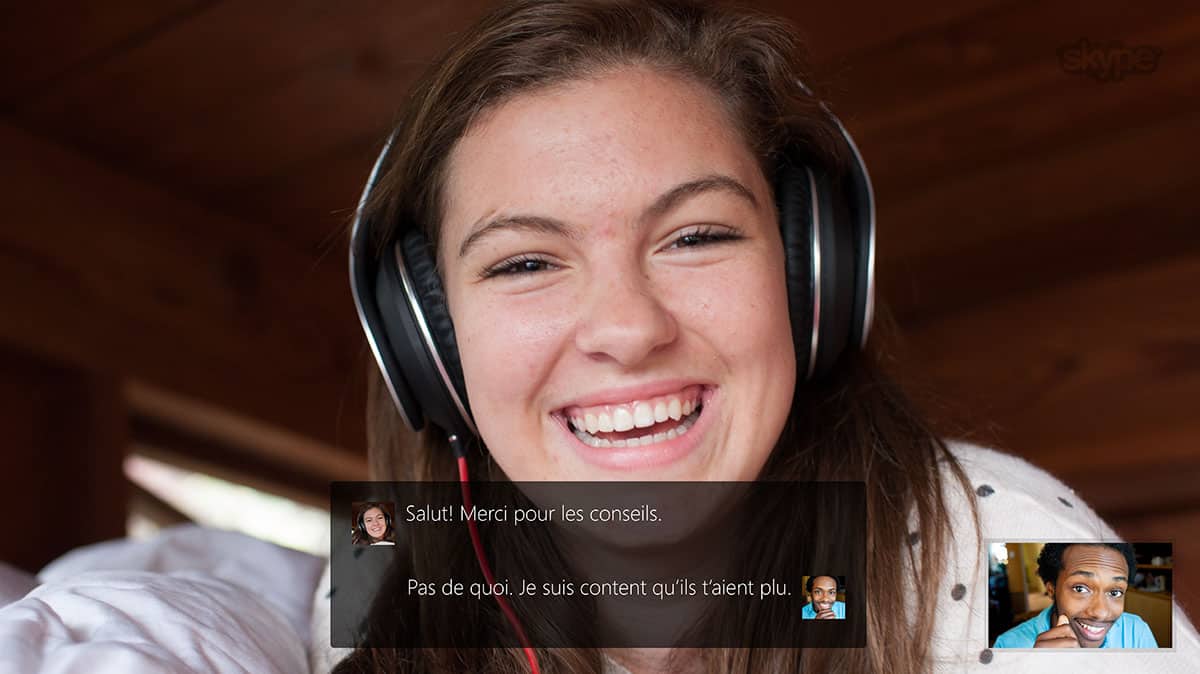
As Microsoft clarifies its commitment to building out its Skype experience on various devices, those who used Skype via a smart television can count them among the list of devices that are no longer supported. In an odd sort of contradiction to recent statements about expanding Skype services, news regarding Skype pulling support for Smart TV’s has been announced by Skype.

Starting in June 2016, the Skype for TV application will no longer be supported; there will be no updates to the application. This will also affect new account creation and password resets. This will only be available through Skype.com.”

The end of support for Skype on smart TV’s begins today, March 7, 2016, and Skype is leaving it up to smart TV manufacturers whether or not they decided to remove the app or service from their devices or continue to offer an unsupported version.

This may vary depending on the TV model. TV manufacturers may remove the Skype for TV application from some or all of their models. If you have questions, please contact your TV manufacturer for information on the availability of Skype for TV on your TV model.”

Understandably, most manufacturers will seek to remove the app, but smart TV manufacturers have been slow at times to offer software updates to their devices. Upon hearing the news, Samsung has announced that it will remove the service (and presumably) the apps from their smart TV’s beginning June 2, 2016. According to Samsung, they will alert their customers to the change when applied.

As for the reason behind the removal, it seems as though Skype has telemetry indicating the most users are accessing the service from their smartphones while in the living room rather than on the big screen. While it makes financial and strategic sense to end Skype for TV support, it seems the second screen experience envisioned by smart TV manufacturers is continually losing ground to the readily available smartphone.

Microsoft celebrates International Women’s Day with #MakeWhatsNext campaign

Tomorrow marks International Women’s Day, a day recognized around the world by various nations and international organizations to celebrate respect and appreciation for women, as well as celebrate women’s economic, political, and social achievements.

Microsoft announced earlier today that the company plans to celebrate International Women’s Day with a new campaign to inspire young women around the world to #MakeWhatsNext. The campaign kicks off tomorrow first with a video which highlights the lack of awareness girls have about women inventors and “reminds them to celebrate those women’s accomplishments and be encouraged to follow in their footsteps.”

Microsoft will be continuing their #MakeWhatsNext campaign through multiple efforts to “to encourage girls to build technology skills and learn about careers in technology.” This includes programs such as DigiGirlz, which offers free resources for “girls to learn to code and meet female role models” at special events. It will also include free online coding tutorials aimed at closing the gender gap, and a new patent program for young female inventors. Combined with Microsoft’s YouthSpark initiative, the #MakeWhatsNext campaign hopes to encourage young women to learn more about computer science to be building the next great inventions of our increasingly digitized world.

DigiGirlz event
DigiGirlz event in France in 2014 via Microsoft

The announcement goes on with inspiring and thoughtful quotes by multiple female executives at Microsoft, such as Kathleen Hogan, Microsoft Executive Vice President of Human Resources; Peggy Johnson, Executive Vice President of Business Development; and Julie Larson-Green, Microsoft Chief Experiences Officer for the Office Experience. They describe the importance of diversity as well as the importance of teaching young women about coding and technology, and how it has impacted their lives. Sumit Chauhan, General Manager of Office Engineering, speaks to of the importance of learning about computer science even if you are not going to be a programmer. She says, “Coding has taught me an iterative approach to problem solving and sharpened my critical thinking, skills I use every day on my job, even when I am not coding.”

Microsoft Store offering huge discounts on Dell ‘Signature Edition’ Windows 10 devices

The holidays are long past, but there are still plenty of savings to be found, and the Microsoft Store is having a sale on Dell products that may just be too good to pass up. The Store is featuring a number of Dell notebooks, 2-in-1s, desktops, all-in-ones, and monitors, all at significant savings.

With the PCs all featuring the Microsoft Store’s “Signature Edition” treatment, meaning that the computers won’t come with the usual assortment of “free trials” and other crapware you usually get on a new PC.

Dell XPS 15
Dell XPS 15

Included in the sale are the popular and oh-so-sexy Dell XPS 13 (discounted $200, to $799), and the XPS 15 (also $200 off, at $1499), the Dell Inspiron 13 2-in-1 with a 13.3″ HD touchscreen, a fifth generation i5 processor, 4GB memory and a 500GB hard drive all for $499, a savings of $150.

Dell Alienware Echo 15

Dell Alienware gaming laptops are also on sale, with the Echo 15 R2 core i7 laptop at $500 off, and more big savings on other models

Dell Ultrasharp 34 Curved Monitor

If you’re not in the market for a new PC, there are lots of accessories for sale, too, along with some great savings on monitors, including $400 savings on the Dell Ultrasharp 34 Curved Monitor.

You can head over to the Microsoft Store to check out all the Dell deals, on sale now.

Rocket League surpasses one million unique players on Xbox One

Rocket League, a physics-based vehicle soccer game by Psyonix, was released to eager gamers on the Xbox One back in mid-February. Nearly a month later, the game has unlocked a new achievement — it has surpassed one million unique players on Xbox One!

For those wondering, Rocket League is a physics-based soccer game that users vehicles and focuses heavily on multiplayer gameplay. Rocket League has ranked and unranked multiplayer game modes like 4-player local Xbox One split screen with up to 8 players on Xbox Live with various game modes.

Have you been playing Rocket League on Xbox One? Share your thoughts about the game in the comments below.

Goal achievements and Continuum improvements hit updated Windows 10 Fitbit app

If you’re still using a FitBit in lieu of a Microsoft Band, Windows 10 is taking care of you. The FitBit app for Windows 10 just got a pretty sizable update, bringing with it additions to goal celebration, some Continuum improvements, and even new branding. The new update is pretty significant, as it does quite a bit to make the app feel more polished and prepared for Windows 10 users. Here’s the Changelog:

  Dashboard customization
– You can now customize which tiles show on your dashboard and arrange them to your preference (desktop only for the moment).
– There is a new button on the dashboard to enter Edit mode.

  Goal Celebration
– New celebration when you hit all of you main activity goals.

  Improved design to support wide range of Windows 10 devices
– Numerous screens have been rescaled to work better across the variety of Windows 10 devices. All devices from desktops to smaller phones should have a better experience.
– Information density has been increased in many areas.
– Modified Dashboard tile alignment and resizing logic.

  FitStar Exercises
– FitStar exercises will now show in your exercise history.

  Exercise Goals
– Refinements to the design of exercise goals.

  New App Branding
– New splash screen, loading animations, updated Splash screen, loading animations, brand logos, live tiles, taskbar & app icon.

That’s a pretty hefty changelog, and it paints a picture of a much better FitBit app for Windows 10 users going forward. The introduction of goal celebration and the refinements to exercise goals should both assist FitBit users when it comes to achieving the milestones they’re aiming for. The improvements to screen sizing should help users across all Windows 10 devices use the app to its full potential, and allow Continuum users to work with the app without any awkward transition from mobile to desktop.

The app isn’t rated all that highly right now – it’s suffering a 3.1 star rating on the Windows Store, and its front page is full of one-star reviews that claim that the app was ruined by Windows 10. Hopefully, with this new suite of changes coming to patch up some of the Windows 10 issues, the opinion of some of these users will turn around.

Fitbit
Fitbit
Developer:
Fitbit
Price:
Free

Known Issues and Bug Fixes in Windows 10 Insider Preview new Build

The latest Windows 10 Insider Preview update was released to Insiders. It comes with several improvements and a few new features, most mainly to give users additional reasons to use Cortana.

We talked about those cool Cortana features and more in a previous article. Right now, we’re going to focus on the bug fixes and known issues of this new Build.

Below is everything you’ll need to know about what was fixed from what might cause issues going forward until the next update comes around.

Here’s what’s fixed for PC:

  • We fixed an issue where Microsoft Edge and Cortana crashed for users with roaming profiles.
  • We fixed an issue where Cortana would continue to show reminders that have been completed.
  • We fixed an issue where items copied/moved to the desktop would not display until the desktop was manually refreshed by right-clicking on the desktop and choosing “Refresh” or pressing F5.
  • We fixed an issue where downloading certain drivers from Windows Update was causing some PCs to bluescreen.

Known issues for PC

  • We’re investigating an issue in which some Surface Pro 3, Surface Pro 4, and Surface Book devices experience a freeze or hang and all inputs from keyboards, trackpads, and touch do not work. The workaround is to hold down the power button to force the device to hard-reboot.
  • We are continuing to track several issues reported by Insiders where some PCs will freeze or bluescreen when resuming from hibernation. Disabling hibernation is a workaround in some cases until this is fixed.
  • If you have Kaspersky Anti-Virus, Internet Security, or the Kaspersky Total Security Suite installed on your PC, there is a known driver bug that prevents these programs from working as expected in builds from the Development Branch. We are partnering with Kaspersky to fix this issue for a future release but at this time there are no known workarounds. While this issue is present, we recommend using Windows Defender or another third party anti-virus product of your choice to remain protected.
  • Turning on the “always show all icons in the notification area” setting disrupts the layout of the notification area (“systray”). Your notification area will look out of alignment.
  • We are seeing reports of crashes with apps such as QQ crashing due to an OS reliability issue we are currently investigating. This bug is also impacting older apps such as Windows Live Mail and Expression Encoder 4.

Interestingly enough, Microsoft did not lay out a fix for the problem that causes Edge to crash when attempting to playback Flash videos. We’ll cover this in detail once Build 14279 is up and running on our test computer.

Windows 10 Insider Preview Build 14279 available now: What to Expect

There’s a new Windows 10 Insider build available right now and it brings to the table several important changes to the operating system. Microsoft  released Build 14279 to the Fast ring, though we can’t be certain if those in the Slow ring will have the chance to download it very soon.

What new additions have been brought to the table in Build 14279? Let’s take a look together:

Cortana can now remember things for users

Chances are, you may have some issues with your memory at times. Well, worry not because Cortana is now capable of helping . If you’re planning to watch Batman v Superman: Dawn of Justice on March 24, 2016 but may need help remembering, just say, “Remind me to watch Batman v Superman: Dawn of Justice” and Cortana will remember.
Users have the option to set specific locations, dates, or time should they need to.

At the moment, it is impossible to ask Cortana to bring up a list of reminders by using your voice, but this should be rectified in a future update.

Cortana knows more languages

When it comes down to recognizing more languages, Cortana has become smarter. The new update allows the Microsoft voice assistant to recognize Spanish (Mexico), Portuguese (Brazil) or French (Canada).

Logon experience updated

Before this update came around, Windows 10 had two separate background images for the Lock Screen and Logon Screen. This is no longer the case since the new Build has merged both to allow for just a single background image.

For those who are using Windows Spotlight, a similar feature will make an appearance in a future update to Windows 10.

Each improvement here should allow for a smoother operating system for everyone. Furthermore, users should feel more compelled to use Cortana due to the new abilities the voice assistant has at its disposal. The ability to tell Cortana to remember things will definitely come in handy.

Now, we just hope these cool Cortana features make it over to Windows 10 Mobile in a timely fashion because Microsoft doesn’t seem to care much about the mobile side of things.

New Office 365 admin center promises easier and simpler administration

Today the Office 365 team has announced the introduction of the Office 365 admin center. First previewed back in September, the new admin center has been created to help provide more effective and easier management of Office 365 and your users.

Office
Office 365 Admin Center

Let’s take a look at the newest features:

  • Discover-able and Simple: The new admin center simplifies all the tasks you need to tackle, by presenting them directly on the dashboard for quick and easy access.
Office
Office 365 Admin Center
  • Search: This feature allows you quick access to features, users, documents, tasks that you are looking for, with more being implemented in the future.
  • Reporting: With the ability to track usage across all applications, this feature gives you access to information regarding your users, how they are utilizing Office 365, subscriptions, email traffic, Office activation’s and more. A future update will introduce reports for OneDrive, Yammer, SharePoint and Skype for Business.
Office
Office 365 Admin Center: Reporting

Over the next few weeks, the Office 365 admin dashboard will roll out to users as a default experience, with access to the old layout while you familiarize yourself with the new look. Features highlighted in this update will also gradually roll out to users.

In addition, the Office team highlighted two other new functions what will arrive soon for the admin center. Customization is a future feature that will allow admins to customize their dashboard to better fit their roles within organizations and the information they need most. Contextual Help is a feature that will help you understand new functions and abilities of the admin center, by providing valuable information on features, tasks and tips on taking advantage of the admin centers abilities.
Microsoft’s Office 365 subscription will continue to see new updates and features added, with the help of consumer voices and opinions for new features. For a detailed look at future updates and ones past, be sure to check out the Office 365 Road Map and let us know in the comments how the new admin center will benefit your workload in your organization.

Microsoft to discuss ‘next steps’ with Universal Windows Platform at Build 2016

While sources at Microsoft spoke with The Verge recently about a new strategy its Xbox division will be undertaking this year at Build 2016, others have taken it upon themselves to officially confirm it.

Reaching out via his Twitter account, Head of Xbox Phil Spencer shared the company’s plan to talk in detail about Xbox and its relationship with the Universal Windows Platform this year at Build. Without going into further detail on the how’s and when’s of the plan, news about Microsoft’s plan to unveil new Universal Windows Xbox apps at the developer conference have also surfaced online.

Traditionally, Microsoft uses its Build developer conference as a stage to announce where and how the company will navigate through the year, as well as laying plans for subsequent years. It seems safe to assume that Build 2106 will be no different. However, Microsoft is doing something a bit out of the ordinary this year by allotting time for its standalone gaming division to discuss opening up the platform to developers.

Last year, during Microsoft’s developer conference the Xbox team, hinted at a possible future where the lines between Xbox and Windows 10 would eventually blur, but the announcement was contingent on a system-wide update that had been scheduled for later that year. With the Xbox One finally running on the Windows 10 underpinnings thanks to the Fall 2015 update, it appears that the Xbox team is ready to discuss further developer involvement.

While developers have been able to create Xbox One apps, the apps were chained to the console environment only. Now, it seems Microsoft is ready to lower the gates and allow for the cross-platform development it’s been preaching for the past two years. Opening up development in this manner should help bolster the app ecosystem on the console, which until now has been an arguably curated wasteland of network TV apps. Xbox One owners could eventually see more indie games come over from other platforms as well as social media apps (that makes sense on a large screen) invade their apps store, and giving people further reason to pick up an Xbox One this shopping season.

Build 2016 takes place at the end of this month and we’ll have Kip and Ron live at the event.

Ironcast, Action Henk, and McDROID all launching on Xbox One today

Major Nelson has taken to his website to shine the light on a trio of new indie releases for the Xbox One. Let’s have a look at them.

The first, McDROID, is an action puzzle game with elements of tower defense from developer GRIP Digital, also the publisher of Q.U.B.E: Director’s Cut. Player control the titular quadrupedal robot to defend the planet on which it crash-landed from aliens with crazy sci-fi weapons and an ever-growing defense system. These utilities need resources which can be harvested, and even used by the enemies. A Survival mode is also there to keep up the replay value, and the lush cel-shaded graphics makes for an attractive visual experience in general.

Get McDROID from the Xbox Games Store

The next in line is “platform-racing” game Action Henk. Described as “lightning fast” by developer RageSquid, the game features quirky action-figures frantically running, dashing, and sliding through what looks like a humongous toy obstacle track, with the backdrop of a room full of stuffs from the 80’s. The game features Ghost mode and multiplayer for that local party fun, and special characters and skins (including a Sonic-inspired jumpsuit for the titular beer-bellied hero, and the unmistakable Piccolo from Dragon Balls) should keep you engaged for some time. Did I mention it also comes with a track maker?

Get Action Henk from the Xbox Games Store

Last but not least is Ironcast from developer Dreadbit. The developer has provided a perfect description of the game’s alternative-history settings, so here it is in their own words: “a time when refined men and women in top hats and bonnets commanded gigantic walking war machines, laying waste to the enemies of the British Empire.” Of course, players will get to take control of one of these war machines, called an Ironcast, and defend the Queen’s land of the 1880’s Victorian era.

The gameplay is reminiscent of the legendary Super Puzzle Fighter II Turbo, or more recently, Puzzle & Dragons, where players make attacks (shown in real-time, 2-D Super Robot Taisen style) through a match-3 board. The game features sharp graphics, interesting story, British narrator, and plenty of upgrades to pore over.

Get Ironcast from Xbox Games Store

An Epic battle brewing: Developer vows to fight Microsoft on “walled garden” Windows Store

Tim Sweeney, co-founder of Epic Games, the creator of the Gears of War series of Xbox and PC titles, recently wrote an article about Microsoft’s move to “monopolize games development on PC” with the advent of the Universal Windows Platform (UWP).

Epic Games is behind Microsoft’s exclusive Gears of War franchise, and Sweeney is a highly-respected member of the games industry. Sweeney sees the UWP as a move by Microsoft to strong-arm game developers into the “walled garden” of the Windows Store, which means that game developers would end up losing some game revenue as a result.

“The specific problem here is that Microsoft’s shiny new ‘Universal Windows Platform’ is locked down, and by default it’s impossible to download UWP apps from the websites of publishers and developers, to install them, update them, and conduct commerce in them outside of the Windows Store.”

Basically, Sweeney is saying that while launching new features that are exclusive to UWP might be an interesting draw for game developers, forcing them to use the Windows Store is a bad idea. Sweeney is not against the UWP or the Windows Store, Sweeney believes that UWP needs to be more open and allow game developers to use the Windows Store, but also be able to sell their games directly to gamers through their own websites, or through other game stores like Steam.

Sweeney created his own guidelines on how UWP and the Windows Store should operate:

  • That any PC Windows user can download and install a UWP application from the web, just as we can do now with win32 applications. No new hassle, no insidious warnings about venturing outside of Microsoft’s walled garden, and no change to Windows’ default settings required.
  • That any company can operate a store for PC Windows games and apps in UWP format – as Valve, Good Old Games, Epic Games, EA, and Ubi Soft do today with the win32 format, and that Windows will not impede or obstruct these apps stores, relegating them to second-class citizenship.
  • That users, developers, and publishers will always be free to engage in direct commerce with each other, without Microsoft forcing everyone into its formative in-app commerce monopoly and taking a 30% cut.

Despite Sweeney’s objections to UWP, he does credit Microsoft’s Phil Spencer for being open to Sweeney’s problems and concerns about UWP. However, it seems that even after listening to Sweeney’s objections and input, Microsoft went ahead with their plans anyway.

“Microsoft’s intentions must be judged by Microsoft’s actions, not Microsoft’s words. Their actions speak plainly enough: they are working to turn today’s open PC ecosystem into a closed, Microsoft-controlled distribution and commerce monopoly, over time, in a series of steps of which we’re seeing the very first. Unless Microsoft changes course, all of the independent companies comprising the PC ecosystem have a decision to make: to oppose this, or cede control of their existing customer relationships and commerce to Microsoft’s exclusive control.”

Sweeney’s article raises some valid points on Microsoft’s UWP stance and raises the alarm for other game developers looking to use the Windows Store. Do you think Sweeney is right about UWP? Let us know in the comments.

Microsoft adds Basic tier to its Azure Search offering

Besides making money through ads with its public search engine, Bing, Microsoft also sells search capabilities – powered by Azure – as a service to web and mobile developers to build custom search experiences. If you’re one of those developers thinking about adding Azure Search to your apps, there is good news, as Microsoft has added a more economical choice to their offerings in the new Basic tier, reports eWeek.

The Basic plan sits in the middle of the two existing tiers, Free and Standard, offering scale advantage to the former and cost advantage to the latter. The Basic plan allows indexing of maximum 1 million documents, compare to 10,000 and 50MB for the Free Plan, and 180 million and 300GB and up for the Standard Plan. The Basic Plan goes for $75 per month and will be half-off during the preview period.

“Basic is great for cases where you need the production-class characteristics of Standard but have lower capacity requirements,”

-Liam Cavanagh, principle program manager, Microsoft Azure Search

Azure Search’s admirable performance is discussed by principal program manager Liam Cavanagh including indexing roughly 15,000 documents per minute, a million documents in about an hour, and five queries per second with approximately 200 milliseconds delay. The Basic tier will give customers with smaller demands the advanced capabilities of Azure Search missing in the Free plan, with less of a budget burden then previously. Microsoft’s other cloud search indexer for unstructured data, the in-beta Azure Blob Storage, was also mentioned.

JumpTrump is the Windows 10 game that lets you roll balls around Donald Trump’s face

Whether you like him or not (and we won’t get into that here), there’s no denying how famous the character of Donald Trump has become and given how much the average person has been talking about Trump, and searching for him online, recently it’s only natural that some app developers would take it upon themselves to create wonderfully horrible apps inspired by this individual.

While Apple’s iOS App Store is full of Trump soundboard apps, Trump emoji apps, and even a Trump Flappy Bird clone, Microsoft’s Windows Store, for now, has just one and it’s called JumpTrump. Needless to say we’re not exactly at app parity yet on Windows 10, even when it comes to crappy parody apps.

JumpTrump obviously looks like a re-skinned version of another app and the graphics are ridiculously basic, but it has Flappy Bird-esque addictive quality that will keep players quickly hitting “Restart” to try and beat their own high score or passing their Windows 10 device to a friend to see how frustrated they get.

Give JumpTrump a go and let us know your high score in the comments below (I managed to reach seven!).

JumpTrump
JumpTrump
Developer:
RVMey
Price:
Free

Stunning Forza Motorsport 6: Apex to be Available for Free on the Windows Store

These days, Microsoft is extremely focused on presenting Windows 10 as the best operating system for gamers, and delivering new game titles to its Windows 10 Store. After presenting some popular games in the Store for the first time, like Rise of the Tomb Raider, and Gears of War, or Quantum Break (coming soon), Microsoft now announced that Forza Motorsport 6: Apex will arrive in the Store soon, and it will be available for free!

Microsoft’s Brian Ekberg announced the game via the official Xbox blog, and he also said that Forza Motorsport 6: Apex is designed for players new to the franchise. This is a great opportunity for players who want to start playing Forza Motorsport games to try the game for the first time, for free.

Forza Motorsport 6: Apex gameplay features

Since Forza Motorsport 6:Apex is designed to introduce players to the franchise, it will feature some gameplay elements for players to get to know the game better. The career will feature a few modes, including a new “Showcase Tour,” as well as a new “Spotlight Series” mode. The game will also feature a new, unique scoring system “which challenges the player to grow their skill and compare scores with their friends.”

The game will feature some of the most modern cars, like the Audi R18, or 2017 Ford GT, but also some classics like the 1973 Pontiac Firebird Trans Am SD-455. Players will also be able to race on six exotic locations, including Brands Hatch, Circuit de Spa-Francorchamps, Rio de Janeiro, Sebring International Raceway, Top Gear and Yas Marina.

You can find more details about the game in the Xbox official blog post.

Forza Motorsport 6: Apex should arrive in the Windows Store soon, and all players will be able to download and play it for free. We’ll make sure to let you know when the game is released, so you can start racing through beautiful landscapes and circuits from the very first moment.

#IDARB is coming to Windows 10 with Xbox One crossplay

The popular Xbox One video game, #IDARB, will be coming to Windows 10 and will support crossplay with the Xbox One version according to a tweet from the official game’s Twitter account.

To prepare for the Windows 10 launch, the game developers are currently handing out codes to test the game for free on Windows 10 devices on a first come first serve basis. Interested parties simply need to provide their email and Twitter handle and write a short description of what they love about #IDARB.

#IDARB launched on Microsoft’s Xbox One console in early 2015 and was the first game to allow for up to eight players to play locally at once. Players are allowed to design the look of their characters and team flags and they can even compose their own team songs for use in-game.

One of the defining aspects of #IDARB is the ability for anyone to manipulate gameplay by writing certain hashtags in Twitter or Twitch.

Are you looking forward to playing #IDARM on Windows 10 or are you happy to play it on Xbox One? Let us know in the comments below.

Facebook’s new emoji reactions are coming to the Windows 10 app

It looks like Facebook hasn’t completely forgotten about Windows 10 users after adding their new Like emoticons, or “reactions”, to every other platform the other week. A Reddit user participating in the Windows 10 Facebook Beta app has taken a screenshot of the new reactions in action within the app which pretty much confirms that this small but controversial feature will also be available for Windows 10 users to use in an app at some point in the future (it really was only a matter of time).

Reactions in the Windows 10 Facebook Beta app

The Facebook Beta app is an app used to test certain features for proper functionality before rolling them out to the general public in the regular Windows 10 Facebook app. Facebook has been inviting its users to try out the app via a notice in their Facebook timeline, however the invitation itself seems a little buggy as when I clicked on my invitation a few weeks ago, it simply opened up a broken webpage and an error in the Windows Store app.

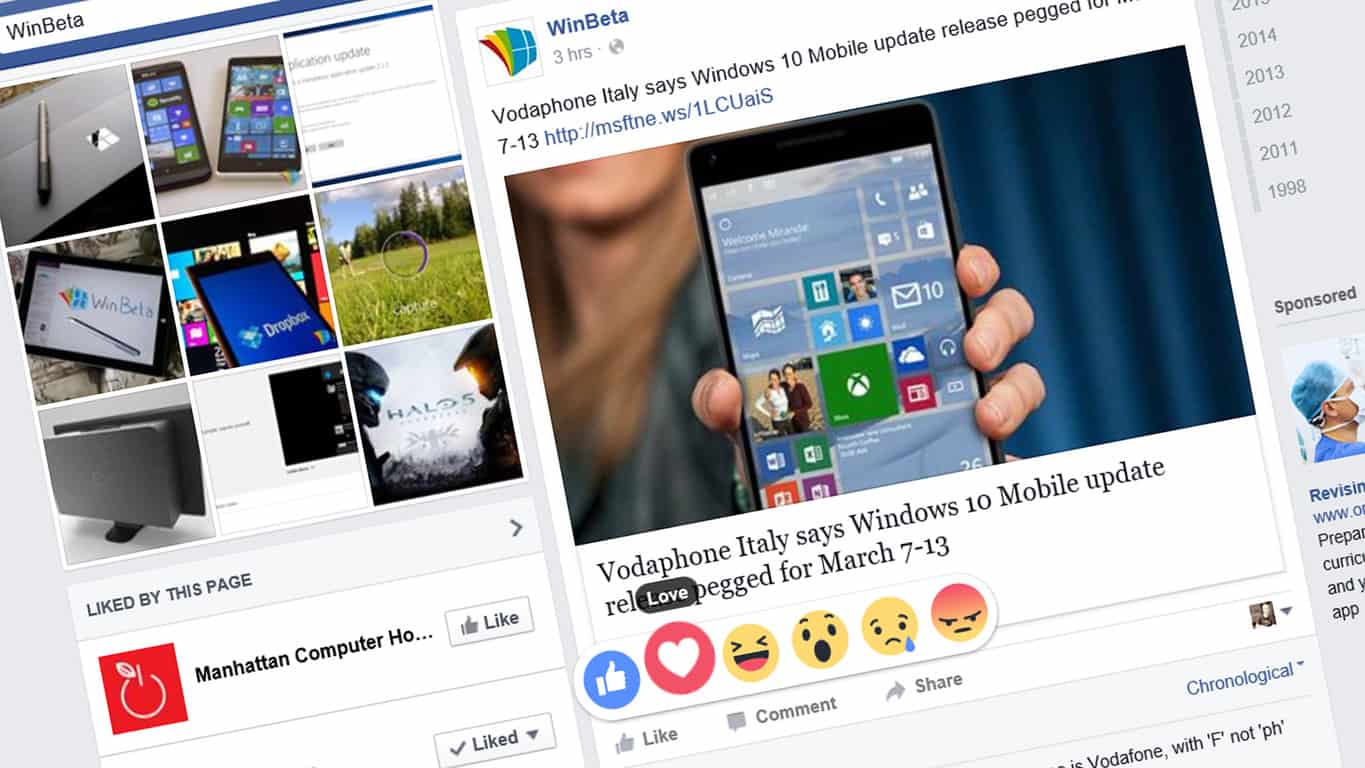
Facebook’s new reactions essentially give users a wider range of options for quickly responding to posts on the social network. The new options in addition to the traditional Like are; Love, Haha, Wow, Sad, and Angry. Users with devices running Windows 10, Windows 10 Mobile, or Windows Phone 8 currently lack the reaction functionality however they do seem to show up in Notifications when someone else reacts to a post a user is following.

Windows 10 users can of course still react to Facebook posts via a web browser on their Windows 10 device.

Are there any features that you would like to see come to the Windows 10 Facebook app that it doesn’t have right now? Do you even use the Windows 10 Facebook app? Share your thoughts with the community in the comments below.

Indie Shooter Gunscape now Available on Steam for Windows PC Users

We were just telling you a while back that indie game ‘Pit People from The Behemoth’ is coming to Windows 10 & Xbox One and now it’s time for some more ID@XBOX news.

First-person shooter Gunscape is now available on PC and Xbox One, as well as on the PlayStation 4. Being an indie game, you’d expect the game to have some sort of a unique twist, and that’s exactly the case with Gunscape.

gunscape windows pc download indie

As you’ll see from the gameplay video from below, this first-person shooter brings a Minecraft-like environment to the game, allowing players to create their own solo and multiplayer levels. So if you like both Minecraft graphics and shooters, then this might be the type of game you’d be interested in. Here are the main features of the game:

  • Create, share and play levels or just enjoy those made by other gamers
  • Three types of maps: single-player, co-op campaign or competitive multiplayer
  • Classic competitive game modes: Deathmatch, Last Man Standing, Gungame, Infection, Capture the Flag, Team Deathmatch and Team Survival
  • Two – eight player split-screen multiplayer and up to 20 online
  • Cross-platform map sharing
  • An intuitive level creation toolkit
  • A wide selection of weapons, enemies, environments and props to build with

gunscape windows pc download steam

Players have at their disposal a wide variety of terrains, enemies, and other items to create their unique world. It’s also possible to share both campaigns and maps on all gaming platforms, including Xbox One, PlayStation 4, Wii U, Windows, Mac, and Linux. The game comes with two types of multiplayer gaming – split-screen mode with up to eight players and online multiplayer up to 20.

Benjamin Lee, CEO of Blowfish Studios, the makers of the game, said they “can’t wait to see the innovative level designs players will create, and with cross-platform sharing, there will be an endless amount of content to keep gamers busy.”

Gunscape for Windows PC users can be bought on Steam and if you’re on the Xbox One, you can get it from the Xbox Store for $19.99.

Windows 10 RT is Allegedly in the Works

Microsoft released Windows RT a couple of years ago to promote the idea of the then-new Metro environment and the Windows Store. But since Windows RT devices are only able to run Metro apps from the Windows Store, and people originally didn’t like that approach, they didn’t accept Windows RT the way Microsoft hoped, so the company decide to stop producing Windows RT devices.

The fact that Microsoft abandoned Windows RT, and also announced that the operating system won’t get a Windows 10 upgrade (although the update with Windows 10-like features has been released last year), made people to think the company killed the OS, but Windows RT recently showed some signs of life.

Microsoft working on Windows 10 RT?

Although the company didn’t say anything about Windows RT in quite some time, Windows 10 RT is listed as a supported OS for Device Guard, a new security feature for Windows 10 Enterprise. So where did Windows 10 RT came from if Microsoft killed Windows RT and announced that it won’t get a Windows 10 upgrade option? Nobody (except Microsoft) knows for sure.

windows 10 rt device guard

Maybe Microsoft changed its mind, so it decided to deliver Windows 10 support to Windows RT after all (once again the current version of the OS has already been updated with a few Windows 10 features). On the other hand, maybe the company prepares a whole new system based around ARM chips that has yet to be announced.

However, there’s another important fact that can’t be overseen – Device Guard is a feature for Windows 10 Enterprise, so if it is also compatible with the alleged Windows 10 RT, maybe ‘the new’ operating system will be aimed to Enterprise users only. And this could ignite some further discussions how Microsoft could be planning this move to take on Chromebooks.

Device Guard is a new security feature for Windows 10 Enterprise, presented by Microsoft last year, that scans a program for a digital signature, and determines whether it’s trusted or not, so it allows only completely secure and trustful programs to be installed on companies’ computers. And if Windows 10 RT only supports Universal apps, once again, it would perfectly fit into Device Guard’s concept.

This isn’t the first time we see signs of life of Windows 10 RT, as Microsoft also lists the operating system as supported in Audio Engine Core Test on MSDN pages. So, a lot of things indicate the fact that Microsoft is not done with te ARM-based operating system yet.

The ‘revival’ of Windows 10 RT will certainly delight users who enjoyed the original version of the operating system. But who knows, if Microsoft indeed releases a ‘new’ operating system, maybe it will offer something different to users, and they will accept it this time.

Xbox One getting remastered Dead Island collection release in May

The news for Xbox fans has been flying fast a furiously this week. Starting off the week, Microsoft’s Xbox division announced Xbox games are coming to PCs, a new update to the Windows 10 Xbox app bringing new features was released, and pre-order information became available for the hotly anticipated Quantum Break game.

The latest announcement for the Xbox One now brings the first two Dead Island games, originally crafted for the Xbox 360, to Microsoft’s newest console. In what gaming studio Deep Silver has dubbed the Dead Island Definitive Collection, Xbox One and Playstation 4 gamers can now get a bundled Dead Island experience May 31, 2016.

The DIDC is being touted as a full remastering of the first two games, Dead Island and Dead Island: Riptide, as well as a third, less fidelity-intensive game titled Dead Island Retro Revenge. While the previous two Dead Islands are known quantities to fans, this third game is a bit of a departure from the traditional gaming formats of the others. Dead Island Retro Revenge is being touted as a 16-bit, conventional side scroller with an endless runner twist on the Dead Island environment.

Those who pick up the DIDC will also be treated to all of the downloadable content and patches that have been released for the game. For anyone looking for a new zombie action game to try, it seems that Deep Silver’s Dead Island Definitive Collection is more than worth the investment, as it contains years of development and gaming content as well as additional canon to its universe.

Movies & TV app for Windows 10 gets updated for desktop, picks up subtitle options for personal videos

Microsoft’s team dedicated to pushing out new versions of the company’s media apps, including the various Groove clients and Windows 10’s Movies and TV app, has been making steady progress in improving the experience of consuming Microsoft’s various media goodies. Today, the team has let us know that they’re pushing out a new update for the Movies and TV app in Windows 10, bringing, at least, one requested feature.

Microsoft engineer Ellen Kilbourne of the Groove team let us know the news via Twitter:

https://twitter.com/ellenment/status/705535965339594752

https://twitter.com/ellenment/status/705537104042815488

We don’t know too many more details, but judging from the Twitter conversation this is a feature that’s been on at least a few people’s lists. Keep hitting that update button, and get that new Movies and TV app downloading.

Movies & TV
Movies & TV
Price:
Free

Skype can help you celebrate World Wild Life Day

Today is World Wild Life Day, a time to remember, reflect and experience wild animal or more importantly, a day “to celebrate and raise awareness of the world’s wild animals and plants.” However, not everyone has access to a Safari or the San Diego Zoo in their backyard, so to commemorate this day, Skype in the Classroom is bringing the animals to your class. In collaboration with the World Wild Life Organization, the theme for this year is, “The future of wildlife is in our hands.”

Knowing that Microsoft’s Skype application is available on almost all platforms, accessing video feed can literally be in our hands. To experience World Wild Life day you can join in on a Skype Virtual Field Trip or Skype Lesson, to experience animals you may never get to see in person and gain valuable knowledge on different species.. Take a look at some experiences available today:

  • Visit Norbert, a 10-Month old penguin at the Southern African Foundation for the Conservation of Coastal Birds.
penguin
Norbert the penguin
sloth
A Sloth in a basket
  • Talk to a LionAid about Africa’s sharp decline in Lion population and the things you can do to help.
lion
A Lion
turtle
The Sea Turtle
  • Learn from elephant handlers at the Center for Elephant Conservation, about these intelligent animals and ways you can help in preserving their species.
elephant
An Elephant

Skype in the Classroom is a tool Microsoft uses to help educators engage in world events and subjects, with the students from the comfort of their classroom. Using the power of Skype, can participate in subjects, such as wildlife, with professionals in the field and gain insight into ways you can help contribute to their cause and gain valuable knowledge on the different areas of wildlife. What benefit to educators curriculum do you think Skype in the Classroom offers? Let us know in the comments.

Microsoft Makes a Pledge to Improve Games from the Windows Store

Microsoft just started to offer ‘big names’ of gaming in the Windows Store. The very first ‘Triple A’ game that has been featured in the Store is Rise of the Tomb Raider, followed by Gears of War and Killer Instinct, and we expect even more big titles in the future, like the upcoming blockbuster Quantum Break.

But even if developers managed to overcome the barrier of a Universal platform, there are still some limitations of the Windows Store, that prevent more complex games from working as they work on a Desktop platform. How to Geek wrote an article where they analyzed all downsides of the major title game from the Windows Store, more precisely a Universal version of Rise of the Tomb Raider, as this is game is the first big name in the Store.

And results of the ‘test?’ Not so positive for the Windows Store! Analysis of both Desktop and Universal versions of Rise of the Tomb Raider shows that a Universal version has a lot of disadvantages compared to a Desktop version. Raise of the Tomb Raider for Windows 10 apparently has a worser performance than its Desktop counterpart, because the game runs in borderless fullscreen mode, and VSync option cannot be disabled, which affects game’s performance.

There are even some more flaws of the Windows Store version, that don’t speak in favor of a Universal Rise of the Tomb Raider game. And since these limitations are not only related to Rise of the Tomb Raider, even other ‘more complex’ games will face the similar problem, unless Microsoft does something.

Microsoft Promises to Improve the Windows Store

Microsoft apparently saw How to Geek’s article, and probably received some negative feedback about the performance of Rise of the Tomb Raider for Windows 10, so the company decided to promise users that it will improve the Store in the future, so it can handle more demanding games, without decreasing performance.

Xbox boss, Phil Spencer addressed users on Twitter, saying that Microsoft is working to improve the Store, but he wasn’t specific about exact improvements, or when these improvements will finally arrive.

Microsoft clearly wants Windows Store to become a competitive software distribution platform, but if the company wants to come even closer to Steam, some radical changes need to be done as soon as possible. Let’s just hope that these announced improvements will indeed enhance performance of big titles in the Windows Store, so won’t rely just on the fact that it offers major titles in its Store, but also on good performance of these games.

Xbox chief Phil Spencer downplays Xbox-PC unification plans

Microsoft has arguably never been good at marketing or navigating a narrative around public relations regarding most of its services or hardware. With the company’s Xbox announcements revealed earlier this week, it seems that once again, it’s the speculation about what Microsoft isn’t saying that journalist would rather run with than what was actually shared.

Perhaps having learned a financially and reputation-costly lesson from the previous head of the Xbox division, new Xbox lead Phil Spencer has quickly reached out to several sources to clear up any possible confusion that may still be lingering from some misinterpretation about the divisions announcements last week. Where some reports may have presumed that Microsoft was looking to commingle its Windows 10 and Xbox gaming paradigms into an amalgamation that could threaten the company’s standalone console business, Spencer says that simply isn’t true.

I wouldn’t say our strategy is to unify, because when I hear ‘unify’ I worry a bit that people will interpret, my own teams included, ‘Hey, we just want to say a game is a game and all games should run everywhere.”

While seemingly contradictory to the Xbox team hinting at the division between console gaming and PC specifications shortening in the near future, Spencer further clarifies the distinct advantages that gamers of either experience when playing their device of choice.

The other thing is the play space itself. I’m usually closer to my monitor, it’s a smaller screen. All these are ‘usually’s. And my TV experience on a console, I’m further away, it’s more of a communal play experience. But the console experience is a dedicated gaming hardware device that is very appliance-like, instant on, ability to basically do one thing, which is play games, very well.”

Phil Spencer
Phil Spencer at Xbox Event

Furthermore, Spencer also believes that not every game translates across devices, and that paradigm will probably continue to exist for some time. Using the newly announced Forza 6 for PC as an example, while the game is being offered as a PC port from the Xbox, it isn’t indicative of how a racing franchise is typically produced or played on PC.

Perhaps, Spencer and the Xbox team are cleverly hedging their bets that at some point in the future, the lines that separate PC and console gaming eventually blur. In a future where a AAA game spans devices as easily as an app in an app store is still a long way off, until then, Spencer is saying the Xbox console isn’t going anywhere.

KB3140743 Issues Appear: Failed Downloads and Installs, BSODs, Slow System & More

Microsoft released KB3140743 update yesterday for Windows 10 devices, and as we showed, this is actually an important release, as it brings some structural changes to some basic Windows functions.

But, since no update, be it for Insiders or regular users, doesn’t come free of bugs and issues, we’ve discovered the first problems being reported. If you have encountered more, don’t hesitate and use the comments’ section at the end to leave your input.

KB3140743 problems on Windows 10

  • The biggest problem with KB3140743 seems to be related with failed downloads and installation failures. User ‘RORodneyColeman_812’ says on the Microsoft support forums that both update KB 3140743 and KB 3139907 failed to install. A couple of other users from other places, such as Windows10Forums and other forums also say cumulative update for Windows 10 Version 1511 for x64-based Systems (KB3135173) failed to install.
  • Another user has been plagued by failed installs, but this time, he says he has received error code 80070003. Luckily, we’ve done in the past a short guide on how you can fix that, so go ahead and have a look at it, as it might prove to be helpful.
  • Other various problems include the disappearance of “My Documents”, issues with Microsoft Money Sunset Business, and a bunch of various BSODs.
  • There have also been reports of problems with Edge and Firefox. User ‘DonaldHertzfeldt’ complains that his Windows 10 computer is now slow after installing KB3140743 update, saying the following “I’ve had Windows 10 for about 6 months now and it’s been working fine with regular updates. Just a short while ago it received and installed update KB3140743 and now it runs super SUPER slow. Virtually everything that used to come up instantly with a key stroke now takes 3 to 5 seconds.”

Update – it didn’t take too long for some more issues to appear, so we’re listing down some of the most important ones we could find:

  • One user is complaining on the Steam forums that the new Windows update KB3140743 breaks his GTA5, saying “the game activate hangs and then i get stuck on a loading“
  • Many more other Windows 10 users have been reporting that the update failed to install, giving various error codes, such as 0x80070020, 0x80070bc9 or 0x80073712.
  • One user says that after installing this update, his start menu won’t show up, but once he uninstalls it, everything goes back to normal.
  • Other complaints regarding this specific build involve issues with the keyboard which stops working in some games, Snipping tool and My Computer freeze, problems with the mouse and Xbox one controller, no touch screen, reboot and shutdown problems and more.

For the moment, these are some of the most annoying issues we were able to find with regards to KB3140743 update. If you have come across other similar issues, go ahead and leave your comment below and let us know which these are.