Rise of the Tomb Raider is set to be released on Windows 10 PCs (via Steam) in less than one day, and the folks over at Nvidia have released a new WHQL driver for you to install. Nvidia WHQL 361.75 is available in both 32bit format and 64bit flavor and adds optimized experiences for the new Rise of the Tomb Raider as well as Tom Clancy’s The Division (Beta).
“Prior to a new title launching, our driver team is working up until the last minute to ensure every performance tweak and bug fix possible makes it into the Game Ready driver. As a result, you can be sure you’ll have the best day-1 gaming experience for your favorite new titles,” Nvidia explains. The new driver also adds Beta support on GeForce GTX GPUs for external graphics over Thunderbolt 3.
Microsoft’s Translator service expanded significantly during the last year, adding new languages, integration into Cortana and cross-platform availability. But today, as Microsoft explains in a blog post, companies can now use the technology of its Microsoft Translator Hub to create brand new language systems.
Back in 2012, the Microsoft Translator Hub was launched by Microsoft to help enterprises with their unique translation needs. In fact, because companies can’t rely on default translation tools provided by Google or Bing, they often have to build their own customized translation tools.
But Microsoft wants to change that. Until now the Translator Hub allowed enterprises to “create as many custom systems as needed by combining Microsoft’s enormous translation corpus with their own previously translated documents, such as internal or external websites, brochures, white papers, etc”.
But it wasn’t good enough for Microsoft, and the company is detailing 5 new different levels of customization available to Microsoft Translator API users, each one corresponding to an increasing translation quality.
Here is what this new dichotomy means:
The “Standard category” is the first new quality level, and right now it features just two sub-categories, “tech” and “speech”. These categories tell Microsoft Translator what type of content is being translated in order to improve its accuracy. So, while the “Tech” category aims to “improve translation quality on all computer-related content”, the “Speech” category will use the same technology developed for Skype Translator to translate spoken text. Other categories are coming soon according to Microsoft.
The “Dictionary” category will allow companies to “make your foreign language word, lists so that the terminology that is unique to your business or industry will translate just the way you want”. Companies can customize their system by uploading a simple Excel spreadsheet with their word list to the Translator Hub website.
The last two categories will interest companies who want to train their customized system with more than 1,000 “parallel sentences”, which are pre-translated sentences in the original target language. With more than 5,000 parallel sentences, Microsoft explains that “you can begin to create a system that is learning new terms and phrases in the right context and tone of your business”.
Once enterprises have created these brand new language systems, they will be able to use them with all category ID-enabled Microsoft Translator products, and among them Microsoft is listing “the on premise version of SharePoint, the Translator Web Widget, Office apps for PowerPoint and Word, the Document Translator, and the Multilingual App Toolkit, and many translation memory tools from our partners”.
Companies interested in trying Microsoft Translator can already register a free 2 million character per month subscription. It’s interesting to see Microsoft releasing more and more of its artificial intelligence tools to everyone, as it recently did with its CNTK toolkit for machine learning tasks. We can’t wait to see how companies will make use of all these computing powers!
Microsoft introduced Edge as the new default browser of Windows 10, because users weren’t so satisfied with Internet Explorer. But reports show that users aren’t thrilled with Edge either, and a lot of people choose some third-party option, instead of Microsoft Edge or Internet Explorer (still present in Windows 10, as a second-choice default browser).
But even if users don’t use Microsoft Edge like Microsoft planned, the company still wants them badly to use their new default operating system, as you cannot delete Microsoft Edge from your Windows 10 computer.
Fortunately for those who don’t want Microsoft Edge on their computers, there’s a tool called Edge Blocker, which of course won’t delete a browser, but it will completely block it, so you can use your third-party browser without any interruptions. Edge blocker works well on both Windows 10 Home and Pro versions, and it’s completely free.
Use Edge Blocker to get rid of Microsoft Edge
Edge Blocker is very simple program, as you can only block or unblock Microsoft Edge browser by pressing one single button, so there are no confusing additional options. But people from gHacks suggest that you need to set your new default browser before you block Microsoft Edge, because if you don’t do that, some errors might occur, when you’re trying to open a webpage from a different app, like opening a link from Skype, for example.
Also, if the User Account you’re using Edge blocker is an Administrative User Account, the app will block the browser for all users. However, if you’re using a standard User Account, Edge will only be blocked on your UA. It is also recommended to create a Restore point before you use Edge Blocker to block the browser, to prevent potential system errors.
As we said, Edge Blocker is a free tool, and you can download it from here.
Microsoft Surface Pro 3 is one of the most popular Microsoft’s devices, and recently this device got a firmware update, but it seems that users are complaining about the number of issues that have occurred after the firmware update, so let’s see if there’s a way to fix those issues.
Users have reported number of issues such as Blue Screen of Death errors such as DRIVER_POWER_STATE_FAILURE BSOD, problems with sleep mode such as long boot or wake times from sleep mode and random restarts of Surface Pro 3.
As you can see, these are all issues that can seriously affect your user experience and make your device almost unusable. This is especially important if you use your device for work or school projects since these issues will seriously affect your performance and system stability. Despite these serious problems, there’s is one solution that should fix most of these problems.
How To Fix Surface Pro 3 Issues After January 2016 Firmware Update
Solution – Roll back the Surface Pen Settings driver to the older version
According to the users it seems that 19/01/2016 firmware update caused some issues with the Surface Pen Settings driver and this is the main culprit for Blue Screen of Death error, sleep mode issues and random restarts. Good news is that you can easily fix this by simply rolling back the Surface Pen Settings driver to the older version. To do so follow these instructions:
Right click the Start Menu icon and choose Device Manager from the menu.
When Device Manager opens find and expand Human Interface Devices section.
Find and double click the Surface Pen Settings.
Go to the Driver tab to view the version of the driver.
If the driver version is 10.0.302.0 click the Roll Back Driver button and follow the steps to install the version 4.0.112.1 of the driver.
After the older version of the driver has been installed restart your Surface Pro 3.
So far Microsoft is working on a better solution, but Microsoft officials suggest that rolling back Surface Pen Settings is the best solution so far, so make sure that you try it out.
If you already used Cortana or Skype translator on your Windows devices, you may have wondered what does it take to make computers understand human speech. Well, Microsoft is betting big on deep learning and artificial intelligence, so its researchers chose to develop their own modern toolkit called Computational Network Toolkit (CNTK) , in hope of reaching more breakthroughs in the machine learning field.
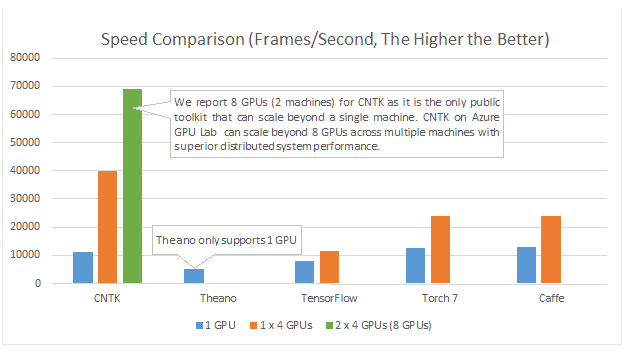
Today the company is announcing that it’s just made CNTK available to use to other developers on Github. According to Microsoft researchers, thanks to better communication capabilities, this new toolkit is faster for speech and image recognition than the four other popular computational toolkits that other developers rely on. As deep learning activities can take weeks until completion, this achievement is a pretty big one for Microsoft.
To develop CNTK, Microsoft had to explore deep neural networks, which are systems that to replicate the biological processes of the human brain. The company is also relying on powerful computers with Graphics processing units (GPU) to run CNTK, as they are the best tools for processing the complicated algorithms that can improve artificial intelligence and speech and image recognition.
Xuedong Huang, Microsoft’s chief speech scientist, is proud to invite everyone to “join us to drive artificial intelligence breakthroughs,” with a toolkit “just insanely more efficient than anything we have ever seen.”
Because this tool now has an open-source license, it doesn’t matter if you’re a researcher with a small budget, a deep-learning startup or a bigger company who processes a lot of data: in fact, CNTK can be used on a single computer or can scale accross several GPU-based machines, allowing more flexibility for large-scale experiments. As artifical intelligence is generating a lot of interest in the technology field, I guess we can expect this new tool to soon attract interest from researchers and competitors in the deep learning field.
Dropbox is one of the most widely used file hosting services in the world. And the usage of this service will certainly increase, as the company just released the new Dropbox app for Windows 10. Microsoft is partnering with Dropbox for a couple of years now, and release of the brand new Windows 10 app is the latest product of that partnership.
Just like a lot of other companies, Dropbox also had its own app for Windows 8.1, but the original app wasn’t supported in the Microsoft’s latest operating system. So, the company re-introduced its official app, and it is now available for all Windows 10 PC and Mobile users.
Dropbox Windows 10 App Features
Here’s the list of the main features of Dropbox app for Windows 10:
Drag and drop files into the Dropbox app from Windows File Explorer—and even between folders within the app—to easily move or copy them
Use Quick Search to find what you need faster. Just start typing a search term to see your results—no need to use the search icon
Set up interactive notifications to accept shared folder invitations without having to launch the Dropbox app
Enable Windows Hello to use your fingerprint, face, or iris to unlock the Dropbox app, for extra peace of mind
Add comments directly on your files, and bring others into the discussion with @mentions
Quickly access recent files using Jump List. All you have to do is right-click the Dropbox app icon in your taskbar
File sharing services are slowly building their way into Windows 10 Store, as another popular file sharing service, 4Shared also released its Windows 10 Universal app some time ago. With Dropbox and 4Shared present in the Store, along with Microsoft’s own OneDrive and a couple of Google Drive alternatives (still waiting for the official app), users of Windows 10 devices will have a lot of options to store and share their files.
If you want to download Dropbox app for your Windows 10 or Windows 10 Mobile device, just head to the Windows Store.
Microsoft’s Office team recently released a new Insider build of Office 2016 for Windows users. Thus, if you have signed up to be an Office Insider, then you will get this new build, which goes by the number 16.0.6366.2062.
Office 2016 Insider build released for Windows Desktop
The official Office Insider team said the following on Twitter:
Office 2016 Insider build 16.0.6366.2062 for Windows Desktop is rolling out now. Click here to learn more! https://t.co/EOOmKxBbAP
This being a pretty minor update, it does not bring any major new features, containing mostly bug fixes, and takes care of various other unmentioned problems. Here are 2 issues which have been mentioned on the Microsoft support forums by one moderator:
Word 2016 doesn’t display your document formatting correctly when you edit a document
Excel 2016 crashes when using Application.OnKey() to intercept key stroke
Thus, if you have been affected by these particular issues, you should be able to get ride of them by upgrading to the latest build. In order to get the most recent version, you simply need to open the Office app, then click File > Account > Update > Update Now.
We will be keeping a close eye on the Office Insider builds that get released, so go ahead and leave your email below to subscribe to your mailing list.
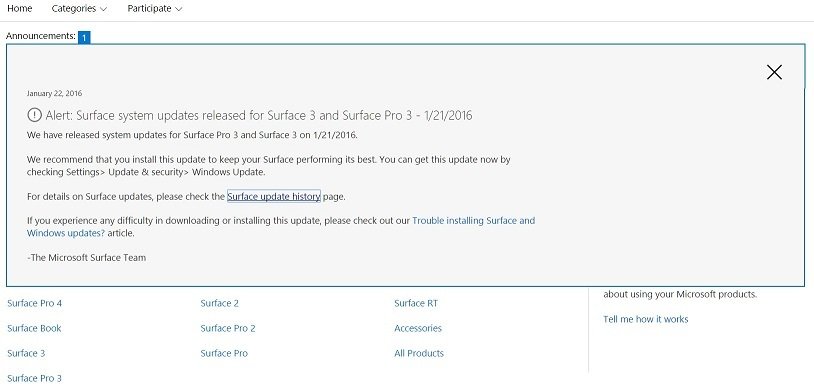
Microsoft has released a few days ago firmware updates for the Surface 3 and Surface Pro 3 tablets. We have been informed about this through a pop-up alert on the Microsoft Answers site, as you can see in the above screenshot.
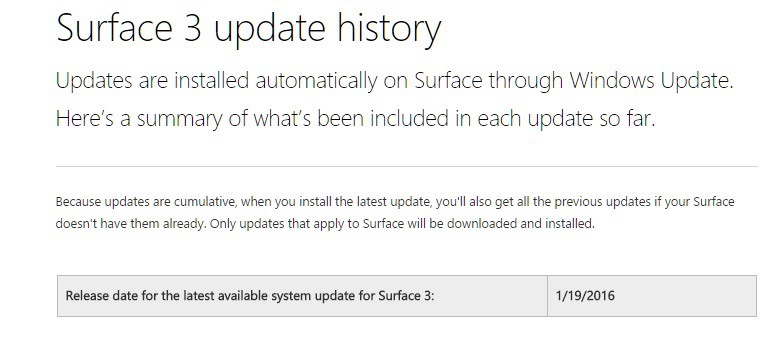
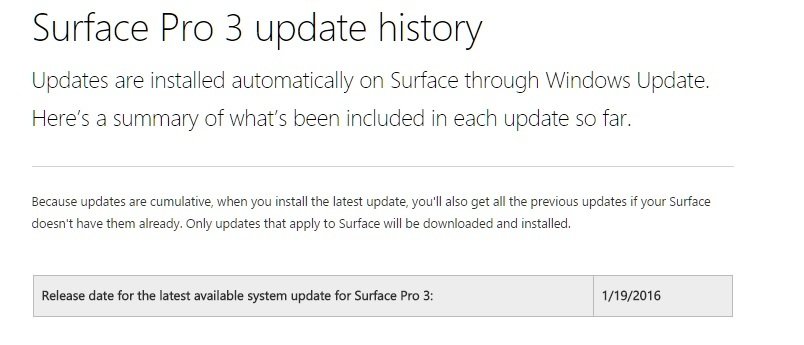
Besides its own updates, Microsoft also started rolling out the newest Intel HD Graphics drivers, as well. Microsoft has also released an official change log on its official Surface update history pages, so here are all the modifications and improvements which have been released.
As always, we are being reminded once again that:
when Surface updates are provided via the Windows Update service, they are delivered in stages to Surface customers. As a result, not every Surface will receive the update at the same time, but the update will be delivered to all devices. If you have not received the update then please manually check Windows Update later.
As we can see from the official changelogs, the Surface 3 is the device which has received a bigger update, getting updates for the Surface 3 Type Cover, improved audio, WiFi and Bluetooth, GPS and various other updates.
Early 2016 System Firmware Update for the Surface 3
Surface System Aggregator Firmware update (v1.0.51500.0) improves reliability with the Surface 3 Type Cover
Surface UEFI update (v1.51116.18.0) improves touch support for UEFI menus and support for 3rd party onscreen keyboards improvements
Audio Device driver update (v603.9600.2563.61816) improves system stability
Wireless Network Controller and Bluetooth driver update (v15.68.3093.197) improves access point compatibility and throughput on 5GHz
HD Graphics driver update (v10.18.14.4299) improves system stability and reliability
Audio Codec driver update (v6.2.9600.527) improves audio quality with some applications
Serial IO GPIO Controller driver update (v603.9600.2305.3926) improves system stability and touch screen reliability
Furthermore, Microsoft informs that “in addition to the updates list above, the following additional updates are available for Surface 3 (AT&T 4G LTE), Surface 3 (Verizon 4G LTE), Surface 3 (4G LTE) in North America (non-AT&T), Surface 3 (4G LTE) in Europe and Surface 3 (Y!mobile 4G LTE)“:
GNSS Bus Driver update (v20.23.8244.18) improves GPS experience.
Surface CoSAR driver update (v2.0.304.0) enhances the Wi-Fi connectivity reliability while mobile broadband is ON.
In addition to the updates list above, the following additional update is available for Surface 3 (Verizon 4G LTE):
Surface IA7260 Firmware Update (v1544.01.00.28) improves mobile broadband network stability.
Early 2016 System Firmware Update for the Surface Pro 3
Surface Pro Embedded Controller Firmware update (v38.9.50.0) improves system start-up reliability
Surface Pro UEFI update (v3.11.1150.0) adds pen support in UEFI menus and improved support for 3rd party onscreen keyboards
Wireless Network Controller and Bluetooth driver update (v15.68.3093.197) improves access point compatibility and throughput on 5GHz
Another change, which is not mentioned in the changelog, but has been reported by users, is the return of the support for customizing the Surface Pen. Furthermore, the display driver update is believed to take care of the annoying random driver crashing issue.
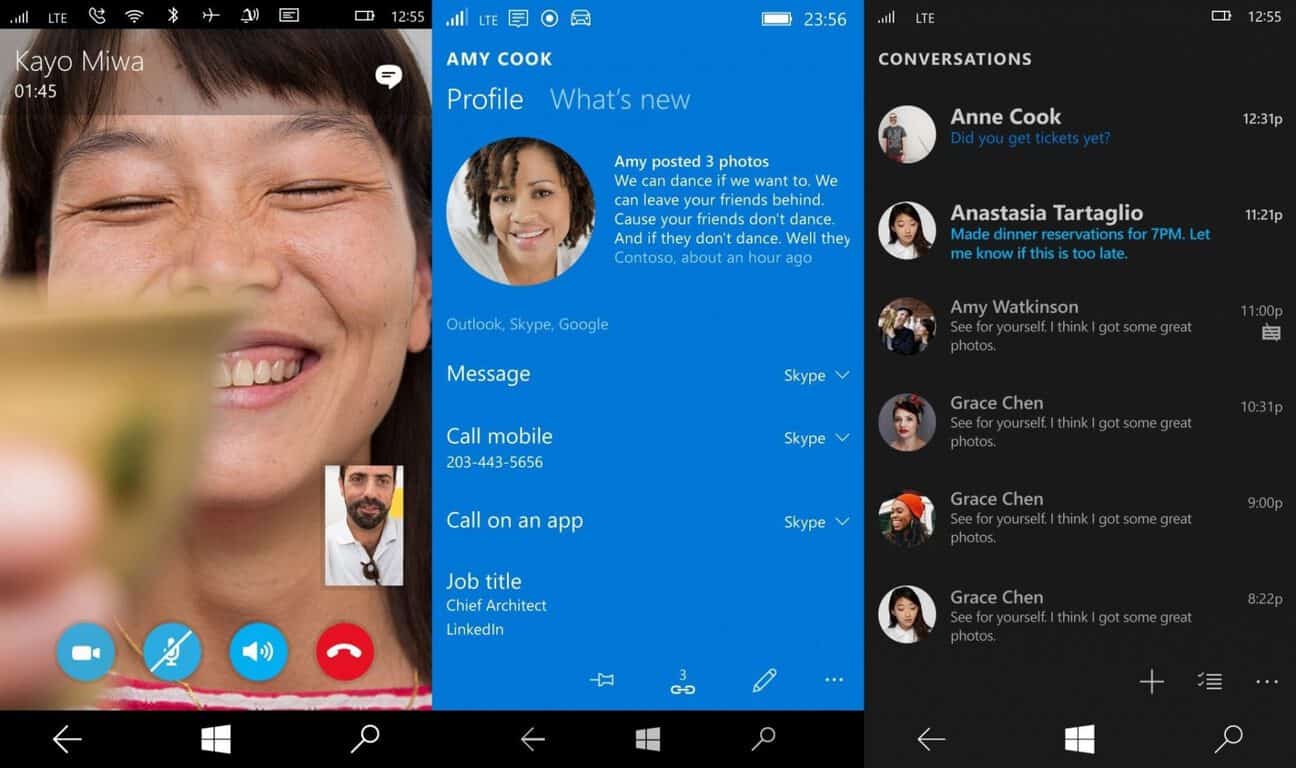
A new update has rolled out to the Skype + Messaging app for Windows 10 Mobile and desktop. Microsoft did not provide a change log, which is quite typical from the Redmond giant if the update doesn’t contain any new features or noteworthy improvements. However, we’re seeing performance improvements throughout the app, especially on older Lumia devices.
What exactly is this app? Here’s the official app description: “Skype instant messaging, calling, and video calling come built into Windows 10—making it easier to use Skype to stay in touch with family and friends. Send Skype instant messages quickly right from the Messaging app. Have a few minutes to catch up? Start a video call in no time. Open Messaging, Skype video, or Phone from your All apps list to get going.”
Grab the app from the download link below and let us know in the comments section if you notice any new improvements. Hopefully, this update resolves any battery drain or message syncing issues. For those wondering, the updated build number will be 2.13.20000.0 once you install it.
The makers of the popular game, Terraria, have just announced that their other game, Pixel Piracy, will be coming to Xbox One on February 16th 2016. This game is an open world roleplaying game where players get to customize their own pirate ship and its crew and explore the open ocean.
Here’s the official description and quirky announcement video:
Pixel Piracy puts players in control of a pirate captain. The game does not have any set goals and players are free to adventure in the game as they wish. After customizing difficulty settings, your captain spawns on an island where you can build your own ship using a set of blocks and travel the island hiring a crew for the ship. While traveling, take care on crew’s hunger and deal with equipment requirements. You can plunder and capture enemy ships and can raid wild islands for the loot! The captain can be killed by starvation or enemy pirates, or at high levels even by cats and chickens!
What do you think about the trailer? Does it pique your interest? Let us know in the comments below.
SteamOS has received two updates this month, bringing it to Build 59 and Build 60 respectively. While both updates mainly served to further refine the operating system, the upgrade to Build 59 added support for one particular device many readers will be familiar with, the Xbox One Elite controller.
SteamOS is a Linux operating system designed exclusively for Valve’s Steam Machine video game consoles which have been out for around two years now but have struggled to take off in the way many expected, mostly due to Steam’s original users preferring PC gaming over consoles such as Xbox One and PlayStation 4.
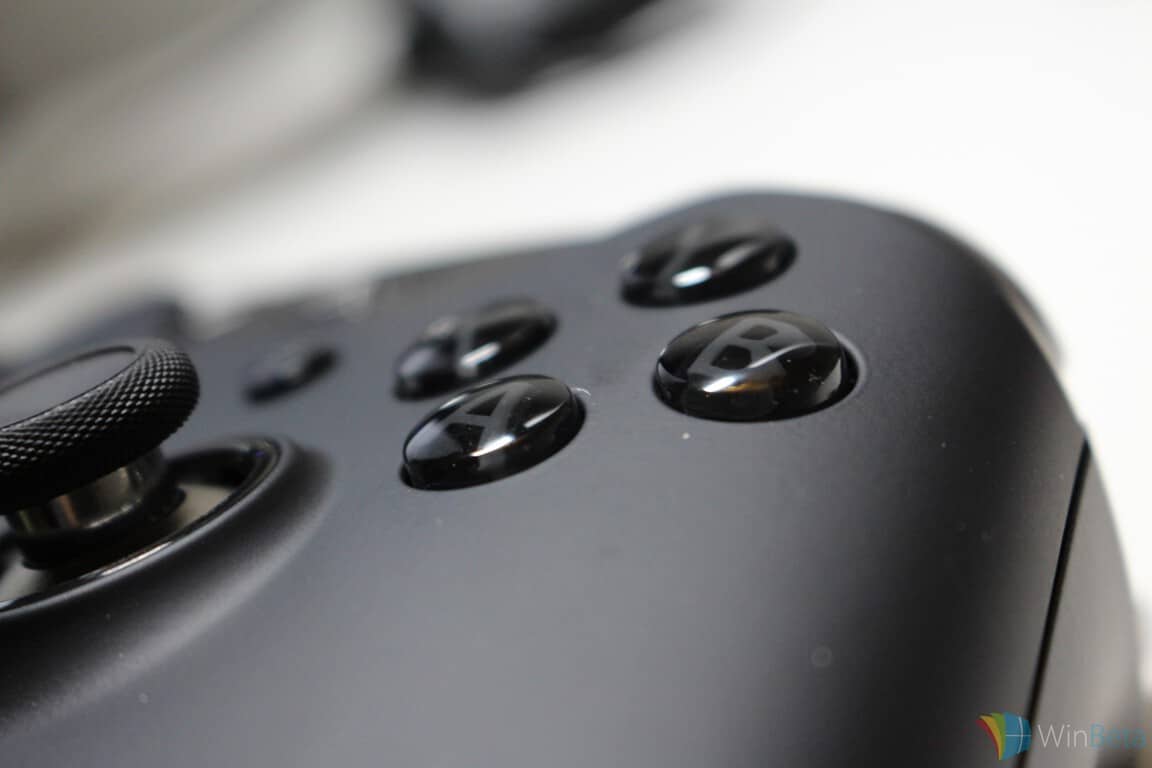
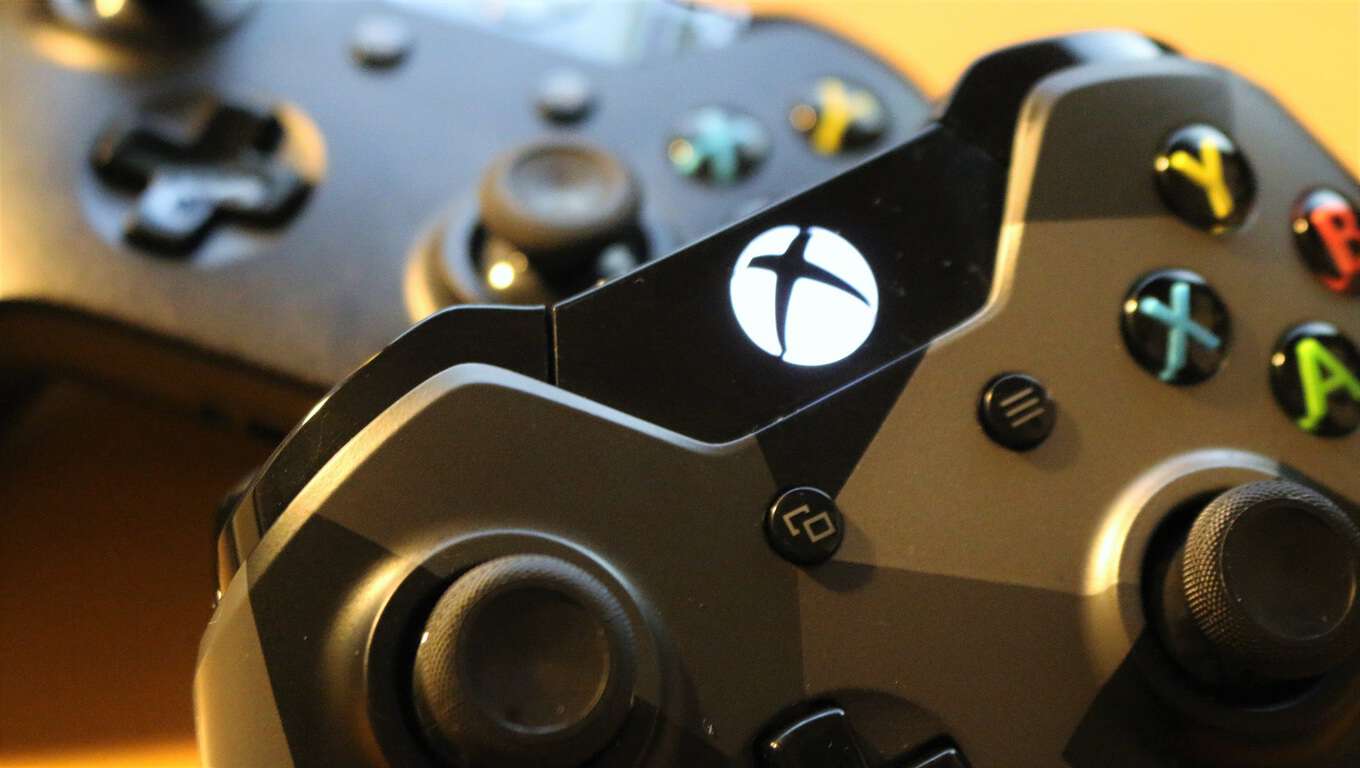
The Xbox One Elite controller is a special version of the Xbox One’s regular controller but designed for intense customizability for gamers with numerous extra buttons that can be swapped around and assigned specific functions. The new controller has proven to be very popular with Xbox One owners and has sold out numerous times since its launch despite its significantly higher price.
Have you invested in an Xbox One Elite controller yet? Let us know your thoughts on it in the comments below.
Microsoft brought a lot of changes with Windows 10, and one of the most revolutionary changes is the ambition to spread Windows 10 across a huge variety of devices, not just PCs, laptops, and tablets. We recently told you that Microsoft plans to infiltrate Cortana into people’s cars and homes, and now the company wants its operating system to be present in your local store.
At the National Retail Federation’s Big Show, that was held in New York City a couple of days ago, Microsoft announced some new partnerships that will deliver new Windows 10 point-of-sale (POS) solutions to brick-and-mortar shops.
“The new Windows 10 POS solution will transform traditional, stationary workstations into interactive mobile experiences,” said Jeremy Korst, general manager of Windows Product Marketing at Microsoft,
These new workstations will bring new customer experience to local stores, by combining an online shopping and in-store service, by using the machine. All this will be achieved with Microsoft’s cloud prowess with Azure, machine learning, analytics, and close integration between differently Microsoft’s solutions.
New Customer Experience Powered by Windows 10
Microsoft partnered with a couple of manufacturers to deliver the new product, including Macy’s, L’Oréal Paris, Mondelēz International Inc. (makers of Oreos), Telstra, Virgin Atlantic and more.
For example, Microsoft will partner with Mondelēz International to build a new vending machine, called Diji-touch. The machine will be powered by Windows 10, Kinect and Azure IoT, and it will feature a huge touch screen buttons, and some futuristic buying options, like add to cart, display ingredient and nutritional info, and a huge variety payment options. The main product in Diji’s offering will be, you guessed it, Oreos.
You can read all about these new POS solutions on Microsoft blog.
This is definitely a revolutionary move by Microsoft, as it will completely change the customer experience, which was the same for years. Tracy Issel, a general manager of Worldwide Retail at Microsoft, described the company’s efforts as “an evolution from omni-channel to unified commerce, in which shoppers no longer have to choose between the rich selection of online shopping and the service and attention of an in-store experience. Instead, new tools, systems and solutions, including the power of the cloud, create a truly seamless customer experience across digital retail and the brick-and-mortar store.”
Microsoft is targeting creative individuals on two fronts with its ‘Do More’ YouTube and television ads as well as its Designed on Surface online campaigns. Microsoft’s new marketing intent seems to be spearheaded by the idea that the company has both the software and hardware solutions to empower individuals to not only ‘Do More’ but using the new Surface 2-in-1’s to also tap into their more creative ambitions.
Bao found success just a little over a year ago as Hong Kong artist showcasing her work at various festivals and providing private commissions. Bao’s particular artistic specialty involves creating rather intricate and multi-layered street murals, where she uses a combination of Adobe’s Photoshop software with the Surface Pro 4 to help visualize her work to scale.
The mobility of the Surface Pro 4, coupled with a few features such as pen sensitivity and the hybrid’s rear-facing camera, allows Bao to quickly scout potential canvases out in the wild and take quick notes and scribble quick ideas on the spot.
With Surface, I can use Adobe Photoshop and Illustrator to work and create anywhere. I don’t have to carry all my other tools -Bao
As work and the careers of individuals continue to commingle the traditional notions of mobility and power, 2-in-1 devices, specifically the Surface Pro 4, are proving to be the best embodiment of the creative professional.
See Bao and other Surface Pro 4 artists’ full stories here.
Layers of Fear is first-person psychedelic horror game by Bloober Team about a painter that has gone crazy trying to create his ultimate masterpiece. So far, Layers of Fear has garnered 97% positive reviews on Steam. And now, Layers of Fear is in a playable state for the first time as an Xbox One Game Preview.
The final version will be available on Windows 10, Xbox One, Linux, Mac, and PlayStation 4 on February 16, 2016. A new announcement trailer for Layers of Fear just made the rounds and be sure to give it a look below. Layers of Fear is available for Xbox One owners through the Xbox One Game Preview program members and Windows PC owners can grab their copy of Layers of Fear through Steam Early Access.
You can try it for free on Xbox One and Steam, but you can also buy the unstable version on Xbox One or through Steam Early Access for $12.99. Based on the positive reviews, Layers of Fear is sure to be an exciting new horror game on Xbox One as it is for Windows PCs.
An image is making its rounds on the internet, potentially leaking February’s free Games with Gold game. The photo of the Xbox dashboard might have revealed Hand of Fate is the next free game for Games with Gold.
The game has not officially been announced as the upcoming free Games with Gold offering, so it is just a rumor at this point. As reported by GearNuke.com, the photo in question is also a true photo, not a screenshot of the dashboard since you can’t take a dashboard screenshot with the Xbox One.
via Gearnuke.com
Hand of Fate is an action role-playing game which utilizes rogue-like and deck-building elements. It was released in February last year to mostly positive reviews, with a Metacritic aggregate score of 79%. The game was published and developed by Defiant Development and utilizes the Unity engine. It was the Australian studio’s first big push onto PC platforms from their previous mobile games.
For now, we’ll just have to wait until Major Nelson reveals the official lineup.
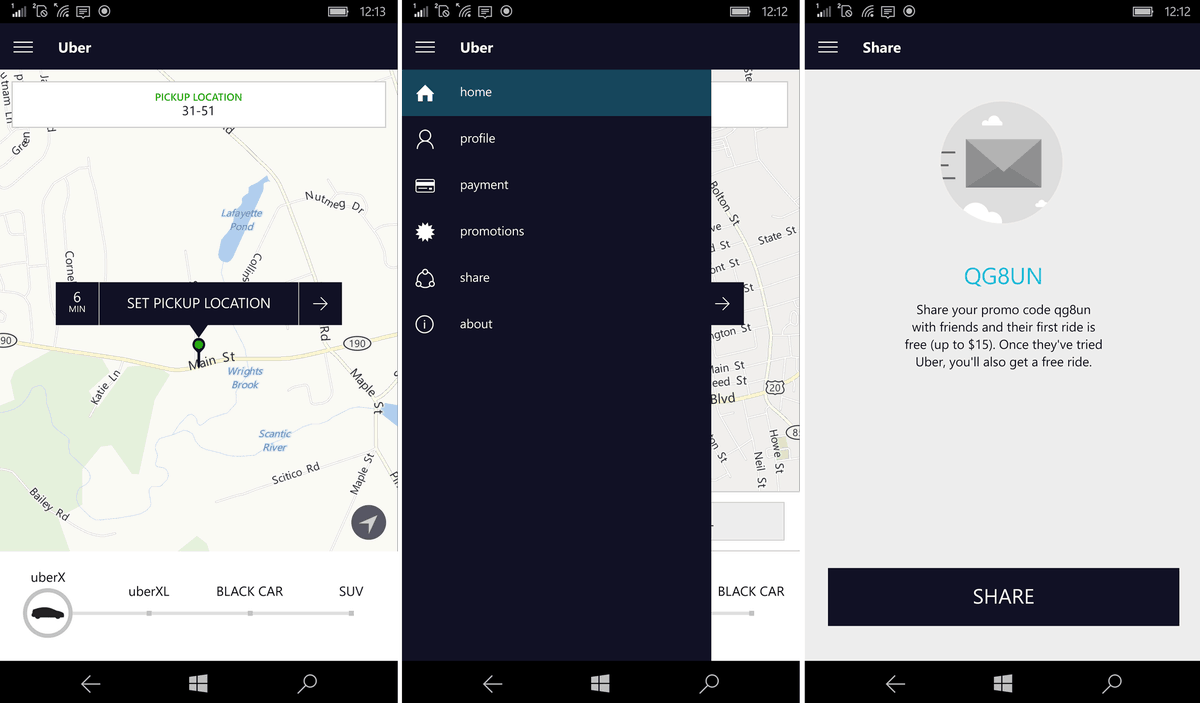
Last month, Uber rolled out a Universal Windows 10 app, complete with a fancy new user interface as well as Cortana and Live Tile support. The Uber app makes it easier than ever to summon a ride so you can quickly get to your desired destination, regardless if you are on a Windows 10 PC or mobile device.
Uber has rolled out a new app update for Windows 10, this time adding ‘significant’ stability improvements. No specific details were given as to what exactly was fixed or improved, but if Uber says it’s significant, then we’re definitely welcome it! Grab it from the download link below. If you are a regular user of the app, let us know if you notice anything different.
For years, Xbox’s go-to racing game has been the Forza franchise, which has received numerous updates and even its own permanent exhibit. Starting soon, however, Forca looks to gain a running partner in the form of Assetto Corsa from studio 505 Games.
Assetto Corsa has seen success since its initial launch on PCs in 2013, but hasn’t left the platform behind with this latest launch. 505 Games and Kunos Simulazioni released a video on YouTube to showcase the game’s cover car, the Ferrari FXX-K, as well as detail various pre-order bonuses. The video can be found below.
The Xbox One release date is set for April 22. Those people informed enough to pre-order the title will also get the Performance Pack, which will include three more high-octane cars, the Ferrari 488 GTB, the Audi R8 V10 Plus, and the Corvette C7 Stingray.
Assetto Corsa was called the “highest-rated PC racing franchise of 2014”, and in June of last year, 505 Games said that they would be expanding its highly-regarded simulator to consoles in 2016. With that promise in mind, 505 Games and Kunos Simulazioni look to deliver the same calibre of driving realism to console fans this April.
The Xbox One games library has been growing at an incredible rate recently with more and more games being announced and released on Microsoft’s gaming console on an almost daily basis.
Today six new games have been announced as either for sale and immediate download or for pre-order and pre-download. The first game is Gemini: Heroes Reborn, a tie-in to the recently revived Heroes TV show. The game is written by the creators of the Heroes franchise and acts as a prequel to the events seen in Heroes Reborn. Here’s the official description:
The next game made available today (for digital pre-order and pre-download ahead of its March 3rd release date) on Xbox One is Fortified, a modern homage to the Science Fiction films of the 1950s that supports up to four local players in its blend of third-person shooter, real-time strategy, and tower defence gameplay.
Fortified is an explosive strategy shooter where players will defend the Earth against a menacing Martian invasion in the 1950s. Play as one-of-four pulp inspired heroes as they fight swarms of terrifying robots with an arsenal of Cold War era weapons and experimental technology. Protect the city by building a network of defensive structures, commanding an army, and jumping into battle against dangerous sky scraping attackers. Fight for Earth alone or with up to four players for the ultimate co-op defence experience.
A Boy and His Blob is a re-release of a popular platformer that came out back in 2009. It’s unclear if anything has changed for this new Xbox One version but either way it’s still a good opportunity for those who missed it seven years ago to finally give it a go now on current gen consoles.
A Boy and His Blob makes its triumphant return! As the boy, you feed Blob jelly beans and watch him transform into cool and useful objects to solve puzzles and escape danger. With its robust and emotionally driven story, challenging puzzles, and visually impressive art style, A Boy and His Blob marks the re-release of this 2009 cult-classic!
Electronic Super Joy is a bright, eccentric platformer with a bold visual style and an energetic soundtrack. The Xbox One version of the game features special levels exclusive to the console as well as two additional bonus levels and a special expansion called, Micro-Hell.
Electronic Super Joy is a challenging platformer featuring a pulse pounding soundtrack by EDM superstar, EnV! Run, jump, fly and smash your way through 50+ unique levels, featuring low-gravity, world rotation, giant monsters & swarming missile attacks! The Evil Groove-Wizard rules the world with an iron fist. Can you defeat the Groove-Wizard and end his Tyranny? Are you a hero or a goat?
Albedo: Eyes From Outer Space is a first-person shooter adventure game inspired by retro alien movies and TV shows (hey, just in time for the new X-Files series!) and boast a suitably old school soundtrack and design sensibility. Check out this brilliant trailer to see what the game has in store for those who buy it.
By far the biggest game to release this week on Xbox One, Resident Evil 0 is a remake of the original Resident Evil game which has now been updated with full HD graphics, 5.1 surround, widescreen presentation options, and improved controls. Resident Evil 0 is also getting a release on the Xbox 360 as well for those who are still playing games on that console.
Today Microsoft announced a new Release Candidate for their SharePoint Server 2016 and Project Server 2016 platforms. Since the announcement of their SharePoint Server 2016 Beta 2 release in November, over 5,000 clients have downloaded and used this new platform and have provided valuable feedback to Microsoft. This recent release is a culmination of that feedback and these latest updates:
Enhanced IT: Unprecedented flexibility in deploying on-premises, cloud or hybrid scenarios. Enhanced security with simplified configuration and administration policies for IT professionals.
Consistent Development: Unified development experience across server and cloud with modern APIs. Developers have new ways (simpler, more robust APIs) to create contextual solutions for all Office software and services, reaching various organizations utilizing the service.
Better User Productivity: Better mobile access and touch-based experiences across multiple screen sizes and devices. Mobile access to content, people and applications with hybrid integration into Office 365.
SharePoint Server 2016 is Microsoft’s most reliable, secure and scalable server release. This service gives organizations access to Microsoft’s Cloud offerings like OneNote, OneDrive for Business, Yammer and Office 365, while maintaining on-premise applications and security of content.
In the Spring of 2016 customers can look forward to wide availability of SharePoint Server 2016 and Project Server 2016. If you are interested in trying this mostly feature complete release, it is available for download today. What features would you like to see addded in future updates? Let us know in the comments.
Essentially, Microsoft recognizes the value of Node.js to IoT developers and the maker community, and has been actively updating Node.js Windows 10 IoT Core support to enable new applications.
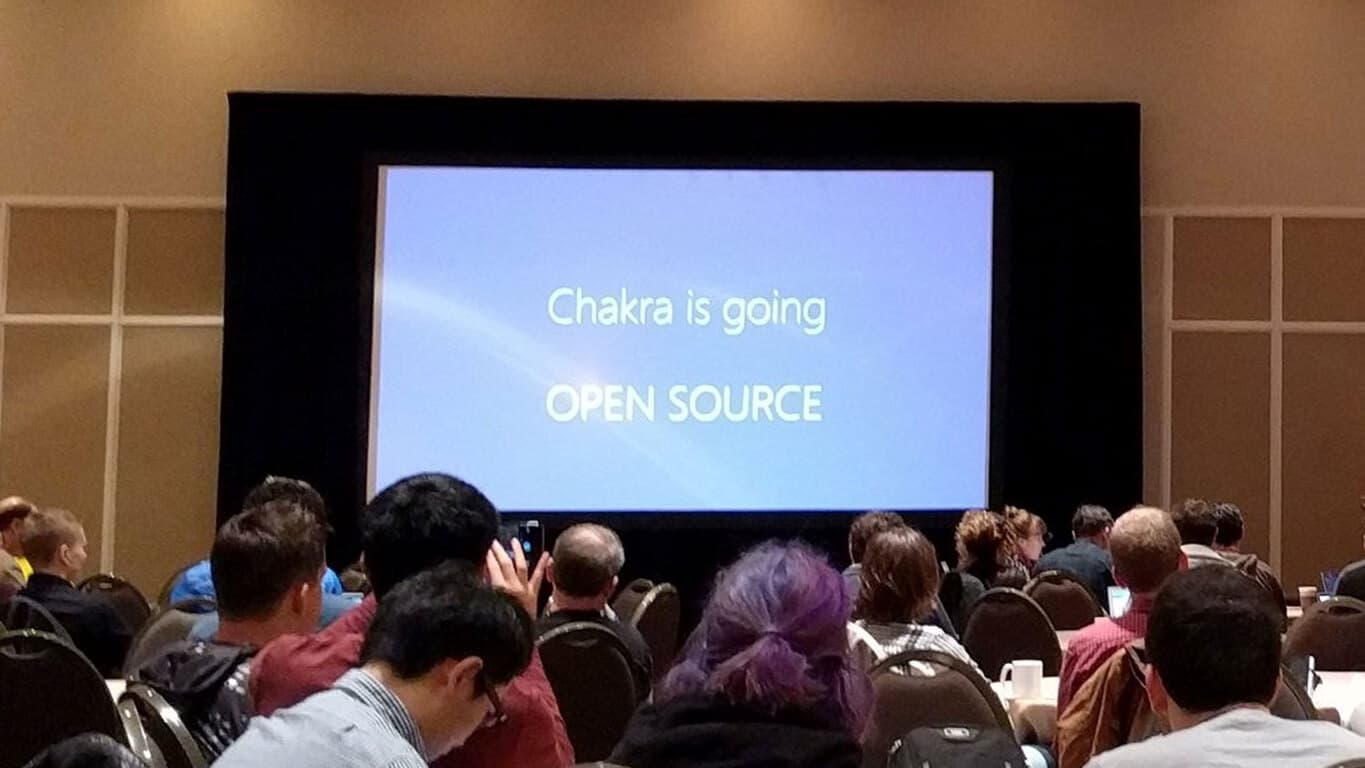
Yesterday, Node.js support for Windows 10 IoT Core reached a new major milestone. The Chakra team submitted a Pull Request(PR) to mainline Node.js using the recently open sourced ChakraCore JavaScript engine. Once accepted, this PR will allow us to move at the speed of Node.js while accomplishing two goals. First, growing organically based on community feedback and, second, bringing innovation faster to the developers on Windows 10 IoT Core. As per our roadmap, detailed in this blog, the Chakra team will continue to work closely with the community and the Node.js Foundation to improve module compatibility and evaluate Node.js performance.
Today, Microsoft released version 1.5 of the Node.js Tools for Windows IoT, bringing a number of important enhancements to the toolset. Basically, the console apps development model has been enhanced to better support ChakraCore, and developers can can now use Node.js within the context of the Universal Windows Platform.
If you’re a developer who understands these things and finds this somewhat esoteric blog post of interest, head on over and check out the details. The rest of us will just look forward to all of the nifty Windows IoT applications that you come up with.
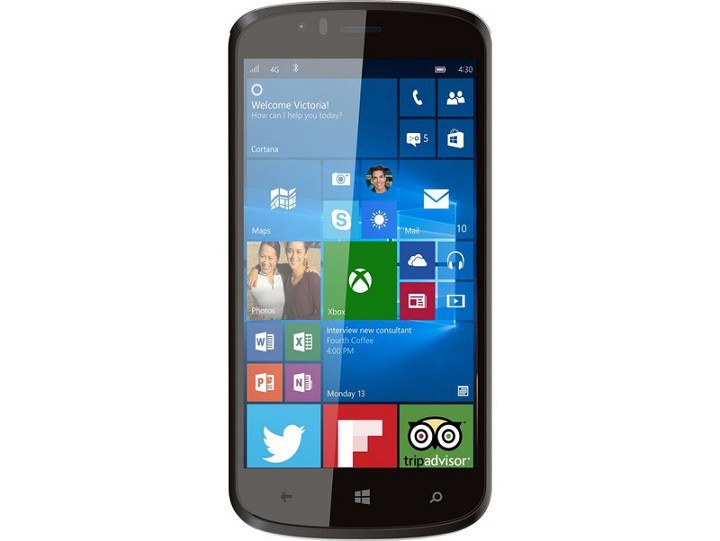
Windows 10 Mobile is already present on some devices, and companies are constantly looking to deliver new hardware powered by Microsoft’s latest operating system for phones. This time, an UK-based company Bush, launched a new budget smartphone that runs on Windows 10 Mobile. Dubbed Eluma, the device is powered by a quad-core processor, and has a 5-inch HD IPS screen.
Bush Eluma is currently available for purchase at the British online retailer Argos, for the price of £79.95 ($113). Bush is offering a solid value for the money, as the device sports a 5-inch 720p display, 16GB of internal memory, 8MP rear camera, and 5MP front, along with above-mentioned quad-core processor. We still don’t know the amount of RAM featured in this device, because it’s still not listed anywhere.
We also don’t know which processor is featured in Eluma, as the Argos listing only says “quad-core processor,” but some people believe that the phone is powered by the 1.1GHz Qualcomm MSM8909 Quad-core processor. This is just a rumor, so take it with a pinch of salt.
Here’s the full list of Brush Eluma features:
Screen: 5-inch TFT display
Resolution: 1280 x 720
Processor: ‘quad core’
Internal memory: 16GB
Rear camera: 8MP
Front camera: 5MP
SIM card: Micro SIM, dual sim
Battery life: 160 hours of standby time, 480 mins of walk time
It’s great to see more and more companies working on the new Windows 10 and Windows 10 Mobile devices. We’re seeing new Windows 10 hardware from less-known companies, but some giants, like Samsung or Xiaomi, are also preparing their Windows 10 devices, which is crucial for the growth of Microsoft’s operating system.
If you’re interested in buying Bush Eluma, you can order it from Argos for $113. There are two models in the offering, a black model, and a white-colored case model, so you can choose your favorite.
Just some of the things you can expect with the Infinity’s Armor multiplayer update are new Atlas and Achilles armor sets, Warzone Urban Assult map, and a number of weapon and armor skins for customizing your appearance. More details on the update can be found on the Halo Waypoint blog:
The Infinity’s Armory update is receiving its final testing as well, and as mentioned above, remains on track for delivery this month. It brings with it new battlegrounds, new weapons (and skins), new armors (and skins), various game updates and tweaks, and more. We’ll reveal some of these now. As a note, if you’ve got a sharp eye and a thing for early morning eSports, you may have caught a few of these weapon skins in today’s Halo World Championship London qualifiers.
It’s looking like the Xbox One is all set to receive some nice new Halo 5 multiplayer goodness. We don’t know exactly when the update is set to release, but we’ll keep our eyes open.
Microsoft is getting active in the X Games arena, in addition to, tossing their hat into the eSports ring with the most recent event being the launch of the Halo World Championship Tour at the upcoming X Games Aspen Invitational 2016. The Skype team doesn’t want to be left out, and so they’ve created a Skype account that will let you interact with some of the most famous X Games athletes at the event.
To get involved, you’ll need to add XGAMES2016 as a Skype contact. Microsoft was nice enough to provide instructions:
1. Add XGAMES2016 as a contact
2. If you don’t already have Skype, download it here
3. Start a new Skype conversation with XGAMES2016 and get closer to the athletes
Follow Skype on Twitter, Instagram, Facebook, and #SkypeXGames to keep up with things. We’ll be sure to let you know if anything exciting happens–at least where Microsoft is concerned.
Windows Defender is a decent antivirus software, and although it’s not the best on the market, it will still do a decent job in protecting your computer. Windows Defender can do a lot of things, and if you’re planning to use Windows Defender to block potentially unwanted programs, today we’re going to show you how to do it.
Windows Defender already has an option to block potentially unwanted programs on Windows 10, but this feature has been available exclusively to Enterprise users. However, if you don’t own an Enterprise version and you want to block potentially unwanted programs, follow the instructions from this article.
How to Block Bundleware Using Windows Defender in Windows 10
Potentially unwanted programs also known as bundleware are those programs that install themselves with other software, and in most cases you won’t even know that these programs are installed. Although they are usually not harmful they will use your space and resources, and that’s not something that you want. So if you wish to protect your computer from potentially unwanted programs, this is what you need to do.
Start Registry Editor. To do this, you can just type Registry Editor or regedit in the search bar.
Right click the Windows Defender and choose New > Key.
Set the name of the key to MpEngine.
Now right click MpEngine and select New > Dword (32-bit) Value.
Name it MpEnablePus and set its value to 1.
If you ever want to disable protection from potentially unwanted programs just navigate to the MpEngine and change the value of MpEnablePus DWORD to 0.
Restart your computer.
As you can see, enabling protection from potentially unwanted programs isn’t hard as you thought, however, we advise you that you modify registry carefully.
Microsoft is planning to showcase its upcoming Xbox spring lineup at a media event to be held in San Francisco on February 25th. The event will feature Xbox head Phil Spencer, and will offer hands-on opportunities with “the best games and platform experiences launching this spring on Xbox and Windows 10”, according to an email sent out to invited media.
We’ve already seen CES come and go, and E3 isn’t until June, so holding a showcase to highlight what’s coming in the first half of 2016 makes some sense, building up momentum even before the annual big games blowout event at E3.
Microsoft has just released its first Xbox One update of the year, including lots of social improvements and new features like an Avatar Store and more, and it looks like we can look forward to not only new games, but more improvements to the Xbox One experience, and more gaming experiences on Windows 10, with many of them coming well before E3.
Windows 10, Microsoft’s latest and (arguably) greatest operating system carries a hefty vision of unification, and plenty of improvements and new features. Coupling with Microsoft’s aggressive strategy to push adoption, the new OS has soared in consumer usage ever since its release back in July last year, passing the 200 million installs mark recently. Enterprise, however, is Microsoft’s true bread and butter, and a new survey suggests that things are also similarly positive for Windows 10 in the company’s key markets, says Adaptiva.
Enterprise has always been slow to adopt new technology: point in case, some corporations were just beginning to transfer to Windows 7 from the ancient Windows XP last year (only because Microsoft completely ended support.) It is, then, rather surprising that the new study from system management specialist Adaptiva reveals that 40 percent of corporate IT departments who piloted Windows 10 have deployed the OS on more than 50 percent of their systems. In another survey, 63 percent of IT professionals participated expect to widely deploy Windows 10 in their organization later this year.
The survey results underscore the surge in Windows 10 interest we are seeing from enterprises as well as the concerns they have about keeping pace with the frequent updates,” “The new Microsoft ConfigMgr and Windows 10 releases are ushering in a need for a more automated, intelligent approach to systems management that reduces the time and complexity necessary to keep software and systems secure and up to date”.
– Jim Souders, chief operating officer at Adaptiva.
There are a number of reasons one can think of for this explosive adoption rate and confidence in Windows 10, not the least of which has to do with the ease of deployment, update and management. Windows 10 is often touted as Microsoft’s “last operating system”, and the company makes clear on that claim by adopting a Software-as-a-Service model for their OS: continual, more rapid improvements on-the-fly instead of the heavy, scattered big updates of yore. Sure enough, adoption of Windows 10 is reportedly fueling demand for Microsoft’s software distribution and update platform, Systems Center Configuration Manager (ConfigMgr). The recent end-of-support for Windows 8 and outdated versions of Internet Explorer was also cited as another possible cause.
Whichever reason it may be, the fact that the enterprise sector’s willingness to adopt Windows 10 should come as a big confidence-instilling win for Microsoft, whose track record of supporting decades-old software is probably too daunting for the company to allow to happen again for its new operating system.
Microsoft’s CEO, Satya Nadella, has just revealed that Microsoft, through its newly created Microsoft Philanthropies department, will dedicate over one billion dollars’ worth of Microsoft Cloud Services over the next three years to assist universities and non-profits as part of a new three-year commitment.
“Microsoft is empowering mission-driven organizations around the planet with a donation of cloud computing services — the most transformative technologies of our generation,” said Nadella in the official announcement. “Now more than 70,000 organizations will have access to technology that will help them solve our greatest societal challenges and ultimately improve the human condition and drive new growth equally.”
This new initiative will make Microsoft products and services such as Microsoft Azure, Power BI, CRM Online, and the Enterprise Mobility Suite, more available to non-profit organizations, building upon similar programs already in place that grants non-profits access to the Office 365 suite of products. The Microsoft Cloud Services for non-profits will rollout beginning this spring and within three years plans to include up to 70,000 organizations.
The Microsoft Azure for Research program is also expected to expand by 50% from its current 600 research projects to assist even more groups with free Azure storage and computing resources and Microsoft Philanthropies and Microsoft Business Development will continue to develop more new low-cost last-mile Internet access technologies and community training in at least 15 countries.
“We’re committed to helping non-profit groups and universities use cloud computing to address fundamental human challenges,” announced Microsoft President, Brad Smith. “One of our ambitions for Microsoft Philanthropies is to partner with these groups and ensure that cloud computing reaches more people and serves the broadest array of societal needs.”
At HP, we believe that every student should be given the opportunity to be an inventive individual rather than a standardized product of a system,” said Gus Schmedlen, vice president, Education, Printing and Personal Systems, HP Inc. “HP is on a mission to enable teachers and students with tools that ‘un-standardize’ learning — making education a more unique experience for students that is more flexible, collaborative and dynamic.”
Part of HP’s plans to help enable teachers and students include providing software and hardware solutions that include:
HP Education Edition notebooks
HP School Pack Software 2.0
HP Sprout Pro by HP
HP and Microsoft’s Reinvent the Classroom Program
Specifically, HP is looking at the practical and aspirational uses of technology in schools. The company is providing rugged notebooks with long lasting battery life coupled with a premium wireless experience for cloud-based LMS and online curriculum with its HP ProBook 11 G2 Education Edition and HP Pro310 x360 Convertible PC Education Edition for more mobile users. Students or teachers sporting The HP ProBook 11 G2 Education Edition should enjoy the up to 18-hours of battery life from the notebook as well as coming equipped with Windows 10 and an Intel Core experience. The convertible on the other hand offers a bit of flexibility (pun intended) with configurations for Intel, Celeron, or Pentium processors as well as massive storage.
Part of HP’s renewed push in assisting students and teachers involves a helping hand from Microsoft and its Windows platform. HP will also be delivering institutions what it calls HP School Pack 2.0.
an out-of-the-box solution of digital tools and content exclusively for Windows devices designed for collaborative, standards-aligned, and personalized learning. School Pack 2.0 includes a host of instructional, management and supplemental tools. It is anchored by HP Classroom Manager Student Edition6 that allows teachers to manage classroom PCs and communicate seamlessly with students. Other software in HP School Pack 2.0 includes HP Adaptive Learning created by Fishtree, HP Prime Graphing Calculator App, Classlink Single Sign On, Codecademy for Learning How to Program, Corinth Classroom, Curriculum Matrix, the Oxford Advanced Learners Dictionary, and PASCO SPARKVue7.”
The new HP School Pack 2.0 also features a one-year inclusion of HP Touchpoint Manager for Education that offers a cloud-based IT management solution to manage and secure data, devices and users.
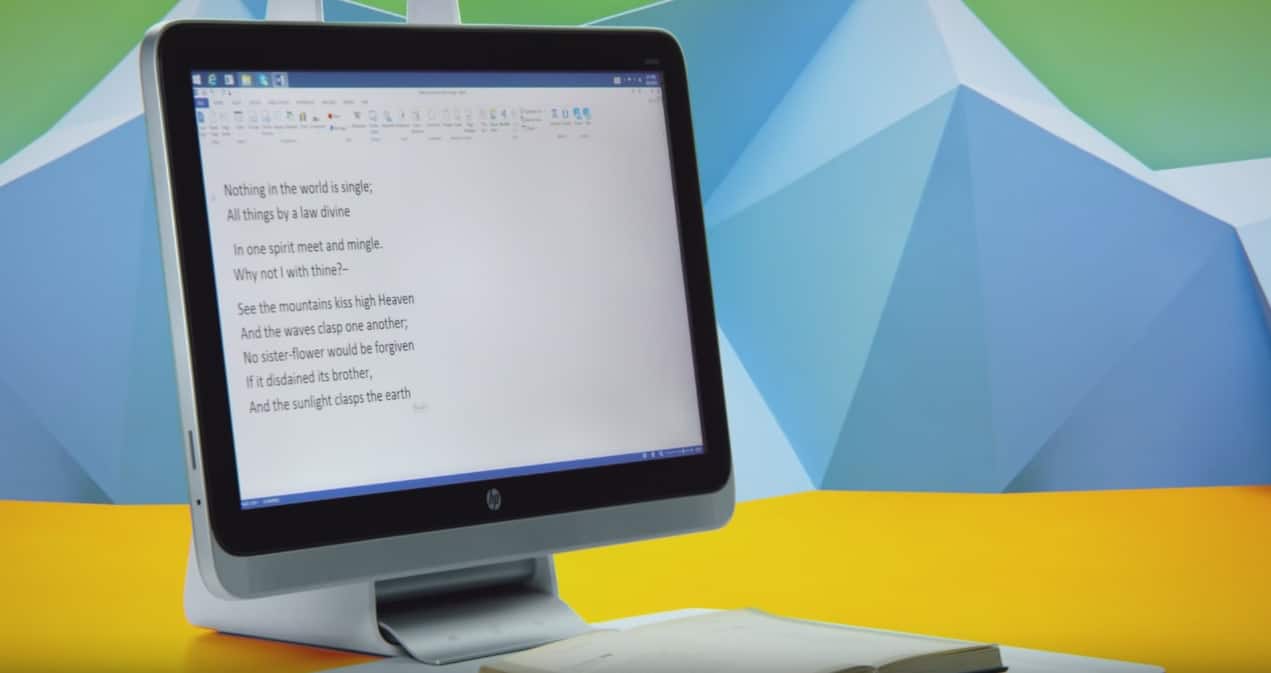
Another HP-led service for education includes its Sprout Pro by HP. Sprout Pro aims to help accelerate engagement while also inspiring learning at various levels through an immersive computing experience. For institutions, Sprout also helps maximize classroom IT budgets by consolidating classroom equipment such as cameras or interactive whiteboards and school PCs. Perhaps the most impressive feature of Sprout Pro is its ability to reshape classroom engagement by offering a multi-screen, multi-person collaborative surface on any physical workspace powered by Windows 10.
Other Microsoft collaborations involve a joint program called Reinvent the Classroom. RTC is “a worldwide effort to inspire instructional innovation and next-generation learning experiences, powered by Windows 10 and HP solutions.” The initiative will start with over 60 school locations around the globe that will utilize a blend of state-of-the-art learning studios and Microsoft and HP software such as Office 365, Skype, and HP Adaptive Learning.
With Microsoft, we are delivering exciting new devices and solutions that help schools and students rethink the possibilities around learning, creating a vision for the Classroom of the Future,” said Alex Cho, vice president of Commercial PCs, Personal Systems, HP Inc. “This vision is manifested through HP and Microsoft’s Reinvent the Classroom program, showcasing how innovation can create more immersive learning environments.”
For teachers or students interested in any of the HP programs or products geared toward education, pricing and availability can be found at the www.hp.com site or the Learning with Sprouts homepage.
Minecraft is a global phenomenon and popular game among people of all ages. Currently, available on virtually all platforms, from consoles to cell phones, Minecraft is readily available from a variety of devices. This month, Nintendo’s Wii U owners get another exciting game to add to their collection. Previously announced alongside other console editions, Minecraft: Story Mode for Wii U launches on January 21st.
Developed by Telltale Games and based on Mojang’s popular series, Minecraft: Story Mode is spread out among five episodes on an adventure-filled journey. Players will have the ability to take their character across different episodes, experiencing an adventure-type gameplay in the Minecraft world. Priced from $4.99 for the first episode, fans can look forward to the release of the season pass for Minecraft, starting at $19.99. One of the added features for Wii U owners is the implementation of Off-Tv play with the Nintendo GamePad.
Minecraft, being owned by Microsoft has recently helped in developing the game for almost every popular platform. This follows in the recent culture of Microsoft products being available across a plethora of devices. With the recent addition of Nintendo’s Wii U platform, Microsoft is set to have Minecraft accessible from any platform a consumer wishes.
Microsoft’s Windows 10 build guru Gabe Aul might be home sick today, but that’s not stopping him from keeping up with the never-ending questions about the next builds. Today, Gabe let us know that no news is forthcoming.
The lack of info never stopped Microsoft from surprising us, but Gabe’s tweet likely means that we shouldn’t expect a new Windows 10 or Windows 10 Mobile build today. We know Microsoft intends to increase the frequency of updates, but we’ll have to be at least a tiny bit patient in waiting for the next one.
On a weekly and sometimes daily basis, King of the Big Red Button Gabe Aul gives and takes feedback on the status of Windows Insiders and general Windows 10 and Windows 10 Mobile builds. He works hard to bring us the info and to support us as we fight through bugs and build release issues and help build out Microsoft’s newest and most important operating system.
Therefore, we want to make sure we’re supporting Gabe and showing our appreciation for everything he does for the Microsoft and Windows communities. Today, he mentioned that he’s home sick, accounting for the silence of his Twitter feed:
If you haven’t already, go crank up your Twitter account and let him know you’re thinking about him. Nobody likes to get sick, and sometimes a quick “Get well soon!” helps perk up a down day. Seriously, Gabe is one of the hardest working people at Microsoft, and we do appreciate all of his hard work.
Every week at about this time Microsoft announces the week’s Xbox Deals with Gold offerings, and every week we spend a few minutes letting you know about them. Some weeks are more exciting than others, and this week’s deals fall into the latter category. Killer Instinct leads the way in a list of deals that’s not too terribly long.
Without further ado, here are the titles you can snag while saving some serious cash:
There you have it, all of the titles in this week’s Xbox Deals with Gold. Get your credit card out and head on over to the Xbox Games Store and get downloading.
Remember Kingsmen? That scene where Gallahad and Arthur sat down, put on their hip glasses, and the other members magically showed up as holograms perfectly seated at the table? Microsoft Research, it seems, is intent on turning scenes like that into reality with their newest augmented reality project, albeit with a difference: you don’t have to wear anything, reports Technology Review.
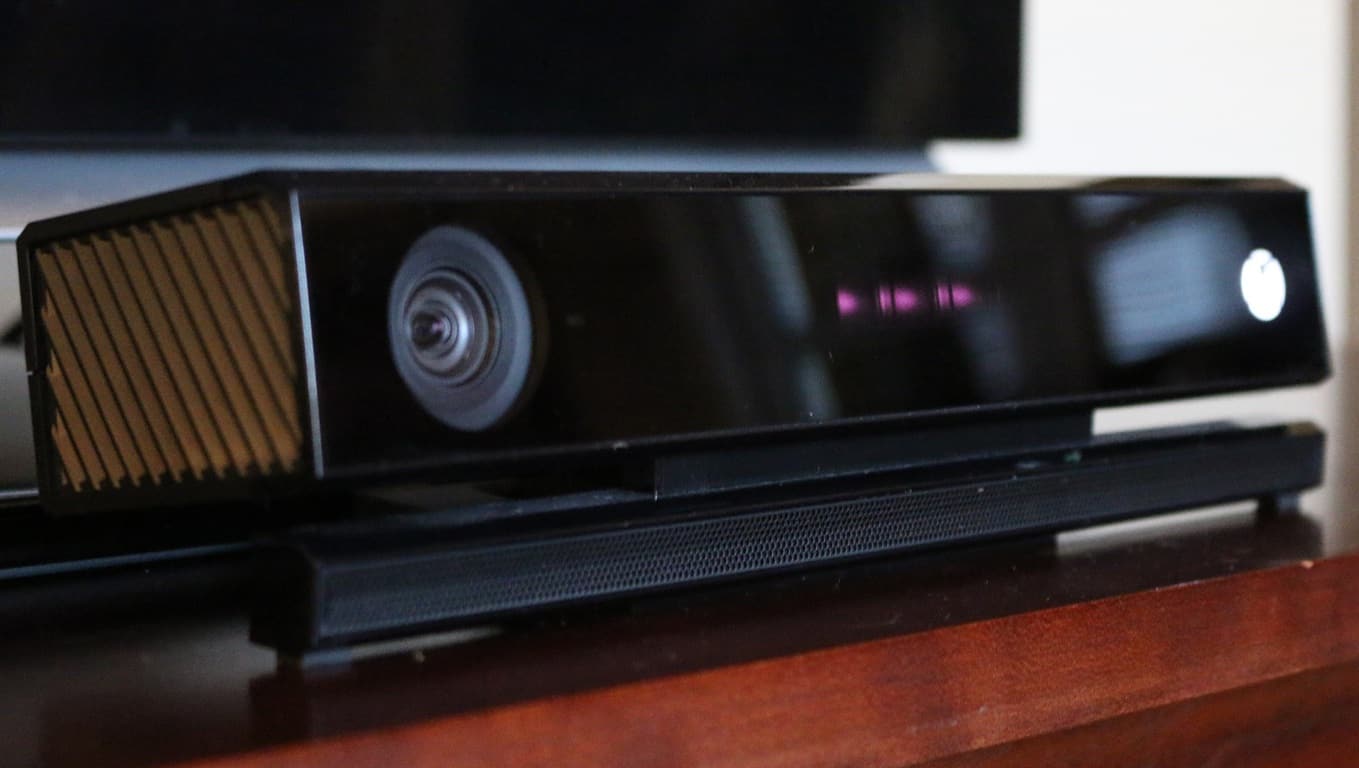
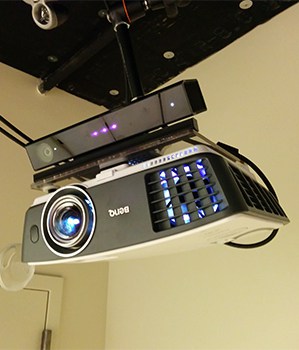
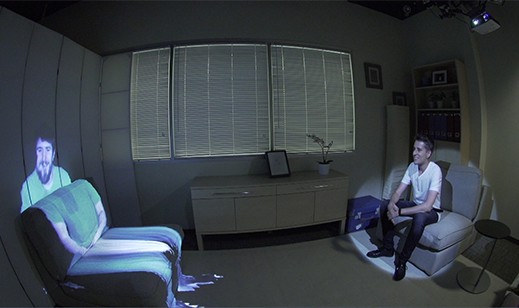
Called Room2Room, the new project from Microsoft research uses Kinect combined with digital projectors (rather literally, as seen from the image), to project a life-sized image of a person on a piece of furniture from a 3-D image captured in another room. This means that 2 people can see the image of the others sitting across them, doing normal conversation.
Room2Room uses the combined power of Kinect and digital projector. Courtesy of Technology Review.
The tech works a bit different from Microsoft’s other innovative augmented reality project, HoloLens, in that there is no need for a specialized head gear; the projection is instead visible to everyone, which you can probably guess from the involvement of the digital projector. Unfortunately, this also means that the projected version is less like your floating 3-D objects in Microsoft HoloLens ads, and more like a life-sized, flat PowerPoint presentation of your conversation partner. Maybe it will look better directly from the front.
“Hey man, aren’t you a bit flatter than usual today?”. Courtesy of Technology Review.
The low resolution of the projection is also mentioned as a current problem, making it hard to discern the projected person’s line of vision: testing was done to show that collaborated works with this system takes almost twice as long as face-to-face conversation because of this; it still managed to be faster than working through Skype however. The required equipment is also bulky and can be hard to set up.
It’s clear that Microsoft Research, and Microsoft in general, still has a ways to go before these augment reality projects can be widely adopted. Nevertheless, it once again shows the power and versatility of Microsoft’s Kinect technology, and makes another good case for the upcoming HoloLens. With Microsoft the only current player in the augmented reality market (if we’re not counting the ever-elusive Magic Leap,) the company seems to have finally found its “next big thing”, and we can’t wait to see its advancement in the future.
Accessories were a big part of previous Windows installments, and with Windows 10, the Accessories menu seems missing. We have prepared all the important elements to help you in this guide.
As you know, with Windows 10, we got Start Menu back, and although the Start Menu has returned, it has been changed, and one of the changes is in the absence of the Accessories menu.
However, the good news is that the Accessories menu isn’t removed completely from Windows 10; it has just been moved and changed.
What are Windows 10 accessories?
It refers to a set of built-in and downloadable tools and applications that enhance the functionality of the Windows 10 operating system. Some of the most commonly used Windows 10 accessories include:
Calculator – A basic calculator application that can perform various mathematical functions.
Snipping Tool – A screenshot tool that allows users to capture a part or the entire screen and save it as an image.
Sticky Notes – A digital note-taking application that allows users to jot down quick notes and reminders.
Paint 3D – A 3D modeling and painting tool that allows you to create and edit 3D images.
Microsoft Edge – A web browser that comes pre-installed with Windows 10.
Photos – A photo viewer and editor that allows users to view and edit images.
Notepad – A basic text editor that allows users to create and edit plain text files.
Microsoft Store – An app store that will enable users to download and install various apps and games.
Many other Windows 10 accessories are available, and users can download additional apps and tools from the Microsoft Store.
Where is the accessories folder in Windows 10?
In Windows 10, the Accessories folder does not exist as a separate folder. However, you can access the built-in accessories from the Start menu or search for them in the search bar.
Alternatively, you can search for any accessory by typing the name in the search bar next to the Start button. When you start typing the name of an addition, Windows will automatically suggest it in the search results.
You can learn more about how to locate and use the Accessories folder in Windows by checking this detailed guide on finding the Accessories folder.
How do I access Windows accessories in Windows 10?
1. Using the Start menu
Click the Start button in the bottom left corner of the screen.
Scroll down to the Windows Accessories folder.
Click on the folder to expand it and see the list of built-in accessories, such as a Calculator, Paint 3D, and Snipping Tool.
2. Using the Search bar
Click on the Search, just beside the Start menu.
Type the name of the accessory.
Click on the needed accessory (in most cases, you only need to start typing).
As you can see, Accessories are still there, but you need to know where to look for them.
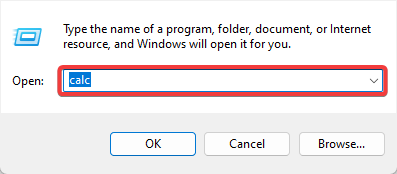
3. Using the Run dialog
Press Windows + R.
Type the name of the accessory you need.
Hit Enter.
3. Using the File Explorer
Press Windows + E.
Navigate to the path below: C:\ProgramData\Microsoft\Windows\Start Menu\Programs\Accessories
Yes, it is possible to download Windows accessories from the Microsoft Store or other third-party websites.
The Microsoft Store offers many apps and tools, including Windows accessories for your Windows 10 device.
Not all Windows accessories are available for download from the Microsoft Store; some may only be available from third-party websites. However, when downloading from third-party websites, only download from reputable sources and be cautious of potential security risks.
There you go; as you can see, accessing Windows Accessories is also accessible in Windows 10.
Let us know in the comments below what your favorite accessories are.
In a journey through distant and unknown galaxies, you play as the members of the ZHEROS squad: Mike and Captain Dorian. Brave, strong as awkward and dim-witted the first one; agile, smart and ready for anything the second one. They are both intergalactic agents called to defend the universe from crime. In single player or in co-op mode, you can rely on your punches, using a rich selection of combos, and on powerful hi-tech weapons, but if that was not enough, a strong and destructive mech will come to the rescue in the most dangerous situations.
From bizarre characters and encounters to strange locations, find out what mystery awaits you at the end of your journey.
The second new game released this week on Xbox One is Oxenfree. Oxenfree is an adventure game that has been receiving a lot of praise for its emotionally deep storytelling. The game features an atmospheric design aesthetic and the voice talents of several established videogame voice actors such as Erin Yvette and Gavin Hammon.
Here’s the description:
Oxenfree is a supernatural thriller about a group of friends who unwittingly open a ghostly rift. Play as Alex, a bright, rebellious teenager who brings her new stepbrother Jonas to an overnight party on an old military island. The night takes a terrifying turn when you unwittingly open a ghostly gate spawned from the island’s cryptic past. How you deal with these events, your peers, and the ominous creatures you’ve unleashed is up to you.
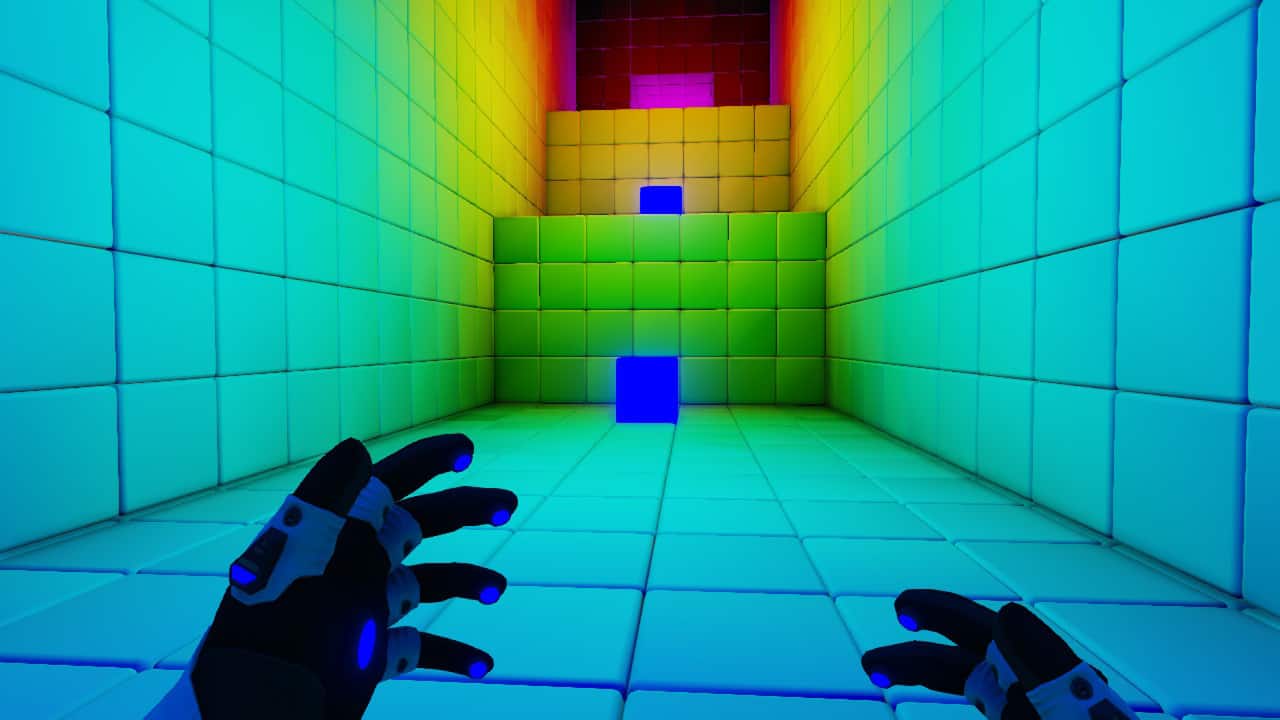
Puzzle Bundle collects both Unmechanical: Extended and Q.U.B.E: Director’s Cut in one neat package and a rather easy way for the game developers to get their titles more exposure in the Xbox One game store. Q.U.B.E: Director’s Cut is a third-person puzzler while Unmechanical: Extended is a more traditional puzzle/platformer.
OneNote is a fantastic note-taking tool and is available on both Windows 10 and Windows 10 Mobile. A recent update has added several new improvements that will help you stay organized while improving your experience with the app.
With this update, you now have better control over your notes. You can move or copy pages and sections to keep everything organized. You can also automatically transform your drawings into shapes, as well as use Office Lens from inside OneNote to capture a document or whiteboard. Previously, you were able to use Office Lens to scan a document and send to OneNote. With this update, you can scan from within the OneNote app.
The latest update to OneNote now lets you see where others are working with you in a shared notebook, which can come in quite useful. You can snag the app from the download link below. For those wondering, here’s the full changelog:
Automatically transform your drawings into shapes
Move/copy pages and sections to keep everything organized, just the way you like
Share a copy of a page from your phone to other apps like Outlook Mail
Quickly insert a photo from your phone’s camera
Copying and pasting content on your phone just got easier
Additional bug fixes and improvements
Update: Nope, this update was made available back in late-November. Seems like the only thing new in this update is the splash screen that showcases the old change log making you think these updates are brand new. Thanks, Microsoft. Very informative stuff.