Are you familiar with the situation where your laptop still seems to lack a personal touch, no matter how many stickers or skins you put on it? The Project Dali concept by ASUS is very close to making this dream come true. Just think about being able to modify the design on your laptop’s lid whenever you desire and using only colored paper to do so.
But this paper is not ordinary. It’s an e-paper that ASUS has smartly incorporated into the top of their concept laptop. This allows you to have lively colors and patterns on your cover, which can be changed frequently.
The main feature of this innovation is a 12-inch e-ink screen, which has a resolution of 1600 x 1200. It’s not only about appearance; this e-paper can show six colors and more shades created by mixing them.
This function changes everything for people who enjoy personalizing their gadgets. But you should know that screen refreshing usually takes 10 to 12 seconds, which is unsuitable for dynamic content such as videos. However, it works great for still images, as shown below.
The question that may arise is, “How does it happen?” The answer to this is quite simple. ASUS has made software that allows you to select designs or use pictures.
The pace was a little sluggish, and one can observe a flickering effect when the picture refreshes, but you end up with your special laptop cover that draws attention.
The catch is that ASUS has not yet moved Project Dali beyond the concept stage. Although ASUS presented a refined model, they have not made any promises to introduce this technology into the market. They are still investigating whether it can be included in their ROG series, which is popular for being strong and powerful. But they should integrate with their new Copilot+ PCs, as well.
Now imagine: What do you think about this? Are you ready to pay more for a laptop that allows you to change its lid design at any time?
Or is it better to wear typical stickers and save money for improved performance or battery life? Surely, it is an interesting thought and could introduce a fresh element of customization to our devices.
Apparently, Microsoft has been announcing all advertisers that in the coming months that Smart Shopping campaigns will change into Performance Max. It’s a change in ecommerce that has many people paying attention to what Microsoft is doing. Why? Because it’s not only the change that is important, but also what this means: a more thorough exploration of AI’s abilities in advertising and how it might affect campaign results.
The change is obligatory
Recently, the Redmond giant has touted the new Performance Max system and its capabilities, as well as its capabilities. But now, Microsoft is really implementing the new tool for everyone, whether they like it or not. They are asserting that the forthcoming period of advertising will be smart and AI-based. It’s not only about modifying a feature by transforming Smart Shopping campaigns into Performance Max, it signifies how ecommerce advertisers will locate their audiences. This obligatory improvement is significant news, as it could lead to a more effective utilization of AI and possibly offer greater value for advertising money.
For those who advertise, this change is full of excitement and slight worry. The process of upgrading is simple, as Microsoft has given an option to upgrade early via campaign settings. But there’s a twist: after the upgrade, you must wait for 1-2 weeks during a special learning stage. At this moment, you may observe certain changes in the campaign performance. It is similar to when you allow a fresh driver to steer; logically, you know they need practice but there’s still some slight worry about how smooth the ride will be.
But, a comforting fact is this: Microsoft promises that setup, reporting and performance history will not change after the shift. This indicates that although the campaigns are supported by more sophisticated basic technology, there won’t be any disruption to those elements which advertisers depend on for surveillance and examination.
So, what to do in this middle phase? It’s a time of watchfulness. Keeping an attentive eye on campaigns during the learning period is very important for finding and dealing with any performance drops fast. View it as a way to monitor the new driver, similar to watching him closely and assisting if required.
At its core, Microsoft’s Smart Shopping to Performance Max upgrade signifies more than a simple alteration in the platform. It showcases a sneak peek into what lies ahead for digital advertising. As we witness this transition take place, it serves as an invitation for advertisers to embrace the alteration, test out fresh abilities and potentially find inventive methods of captivating their viewers. Ultimately, in the swiftly changing realm of digital promotion, being on top of things is not just advantageous but necessary too.
Are you an advertiser? What do you think about this change imposed by Microsoft? Let us know in the comments below.
Picture yourself shopping for a new laptop. You desire one that’s strong, stylish, and simple. The LG Gram Pro 16” OLED 2in1 could be what you’re looking for; it’s not your average laptop but a device that changes the game for people who like high-quality technology products.
This laptop, which is available at a special discounted price through the end of June, is perfect for all your work and entertainment needs. Originally priced at $2,099.99, it is now available for only $1,899.99, which saves you a cool $200.
Now, why would you care about it? The laptop has a 16” WQXGA+ 2880 x 1800 VRR OLED Touch Display, meaning that whatever you look at on this screen, from work documents to favorite shows, will appear beautifully clear and detailed. Not only this, but the laptop also comes with Windows 11 Home already installed, providing top-notch efficiency and design of an operating system.
However, it isn’t solely about the appearance. The LG Gram Pro works with the Intel® Evo™ Edition and an Intel® Core™ Ultra 7 processor, guaranteeing that everything goes quickly and smoothly when you’re editing videos or playing games while also managing multiple tasks.
Also, having 32GB LPDDR5x RAM and a 2TB NVMe PCIe Gen 4 SSD signifies sufficient memory and storage to keep all important files and applications readily accessible.
The Arc Graphics Card from Intel® is ideal for superior visual performance. It ensures that your viewing experience becomes more immersive and enjoyable. Also, on those days that never end, the FHD Webcam with Dual Mic makes certain you sound and appear clear during video chats.
But here comes the big news: the LG Gram Pro 16″ OLED 2in1 is promoted as the world’s lightest 16″ 2in1 laptop. Yes, it’s not only strong and pretty; it’s also very handy to carry around. Whether you work from a coffee shop or check emails at an airport, this laptop is made for your busy life anywhere – even when relaxing at home.”
To ensure peace of mind, LG offers Premium Care by Asurion. Users can select either 2 or 3 years of more protection. Furthermore, if you wish to finish your setup with a wireless mouse from LG Gram, it costs only $20.
Therefore, if you desire a laptop that unites strength, attractiveness, and mobility – the LG Gram Pro 16″ OLED 2in1 may align with your requirements. The special pricing until June’s conclusion makes it an ideal moment to consider making this your next tech investment.
Have you ever imagined how it would feel to own a gaming PC that not only fulfills your 1080p gaming requirements but also stands out with its appearance? We present you the HP Omen 25L, a grand scale light tower in the universe of gaming that grabs attention. But now, that’s not only because its configuration, but also because HP decided to slash $500 off its price and it’s now available for only $690!
Is HP Omen 25L worth the money?
It is not just regular game playing computer; this one seems like an art piece because of its tall and impressive look combined with RGB lighting which pledges high-level enhancement for your game time. However, like all tech, it has its peculiarities. Thus, let us delve into what renders the HP Omen 25L an interesting choice for your gaming arrangement.
The HP Omen 25L does not lack in giving good 1080p gaming performance. The AMD Ryzen 5 5600G CPU (3.9 GHz up to 4.4 GHz, 16 MB L3 cache, 6 cores) is assisted by the NVIDIA GeForce RTX 3050 (8 GB GDDR6 dedicated) graphics card and HyperX 8 GB DDR4-3200 MHz of RAM. While the CPU and GPU are ready to handle even the latest games, you will have to do something about upgrading your RAM, because 8 GB is barely enough for today’s needs.
As for the graphics card, for some extra bucks, you can upgrade it with an NVIDIA GeForce RTX 4060, which is still a popular graphics card among Steam players. This configuration also includes a 512 GB WD Black PCIe NVMe TLC M.2 SSD for storage.
In the connectivity department, if you don’t have a cable connection handy, you can rely on Wi-Fi 6 in full duplex. HP Omen 25L is also ready for extra wireless gadgets connections with Bluetooth 5.2.
Well, this desktop gaming PC from HP is a bit outdated, but if you add some RAM, you will be enjoying the latest games at decent FPS rates. Do you already own a HP Omen 25L? Tell us about your experience in the comments below.
The extensive range of digital book formats surely makes your life as a reader, author, publisher, and ebook library manager much more challenging. Here’s why you might need converters:
Certain digital book readers don’t support ebooks from a specific library or store.
Ebooks becoming obsolete due to the non-maintenance of certain digital book file types.
Your ebook library attracts users with different reader devices and apps needing multi-format support.
In this article, I’ll introduce you to the finest ebook converters with batch processing. I’ve highlighted their features, ease of use, and efficiency to help you choose the perfect app.
Online Ebook Converter is a free web app that can transform one digital book into another one. It’s also SSL-encrypted so there’s less possibility for hackers to intercept your device’s communication with the server to steal digital books.
Moreover, it creates a Delete from server button for each file so you can manually remove the uploaded content from the server. If you forget to delete, the server itself removes all uploads after 24 hours. Additionally, all the uploads and downloads are encrypted so that the developers themselves can’t access your content.
Pros
Cons
No sign-up, account, or profile are needed.
Doesn’t have an automatic batch conversion option, like scheduling.
You don’t need to install any software.
By default, it selects the Automatically start option. You might want to deactivate this to save time.
Works from all popular web browsers.
Options to edit metadata are limited.
It doesn’t distort your ebooks after conversion.
You can choose your own preferred encoding algorithm from 20+ options.
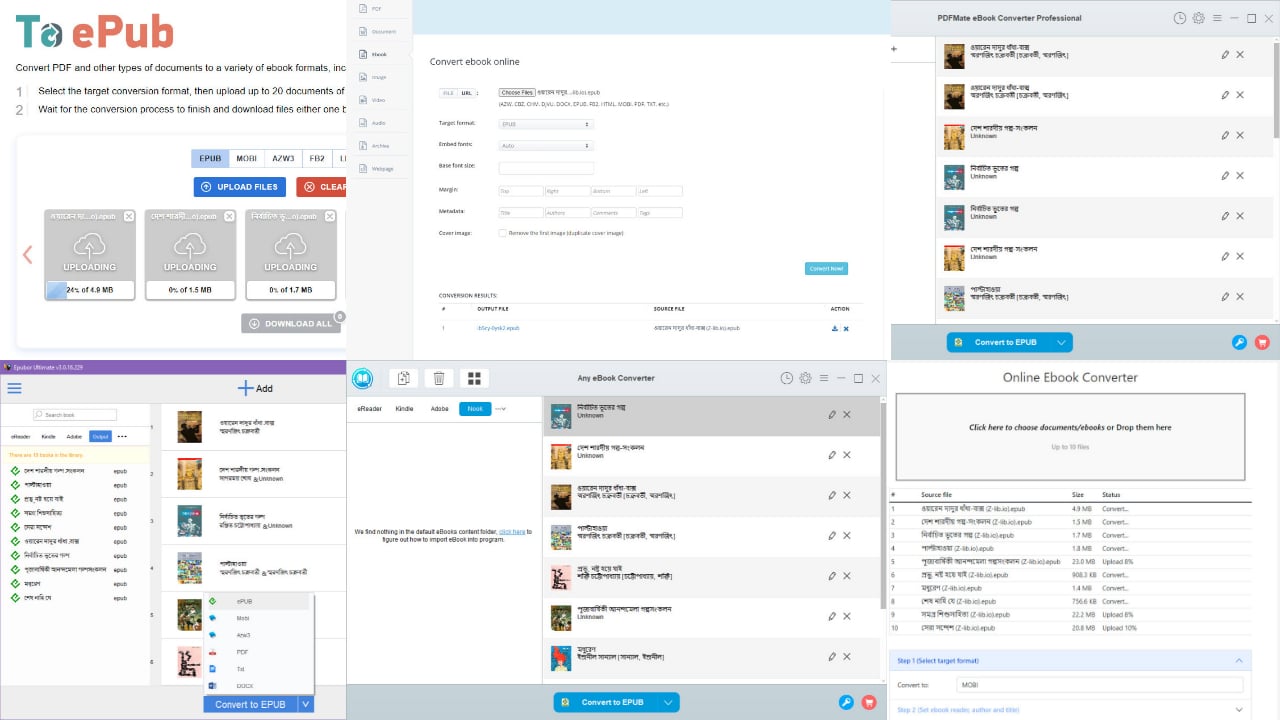
If you need an offline tool to convert ebooks in bulk, you should check out Any eBook Converter. You can transform digital books to 24 file formats, including PDF, EPUB, MOBI, TEXT, KFX, AZW, etc. It also supports a wide range of Windows OSs, like Win 7, 8, 8.1,10, and 11.
The best feature is it automatically syncs up with popular hardware and software ebook readers. I’ve outlined the supported products below:
Amazon Kindle ebook readers – all editions
Kindle Windows Desktop app
Adobe Digital Editions – all available apps
Kobo for PC Library
Barnes & Noble Nook for PC Library
Smartphones with ebook reading apps and libraries
Favorites directory – you can manually put digital books there for conversion purposes.
You can convert as many files as you want in one go after activating the software with a paid license key. Upon conversion, you get plain ebook files that open on any digital book reader apps and devices, including your Windows PC.
Pros
Cons
A freeware edition is available for evaluation purposes.
Doesn’t offer scheduling.
It includes a free EPUB-Fix tool to resolve issues in non-standard EPUB archive files.
Conversion applies to all the uploaded eBooks. You can’t manually change the order.
It has a history tab from which you can send ebooks to smartphones, Kindle, tablets, etc.
It removes DRM upon adding the ebooks, which might not be appropriate as per publisher agreements.
The app is available in 16 different languages.
You can get priority technical and billing support.
Pricing: You can buy a lifetime license for $59.99 with lifetime free upgrades. The subscription includes a conditional 30 Days Money Back Guarantee.
Are you looking for a macOS-compatible ebook converter for offline use? Check out the Epubor app right now.
It lets you convert multiple digital book formats in bulk to the most commonly used formats, like EPUB, MOBI, TXT, DOCX, PDF, and AZW3. Moreover, these files aren’t device or software-sensitive. So, you can read your ebooks on a Mac, PC, Android tablet, iPad, Android smartphone, iPhones, and more.
The app also allows you to import digital book files manually from the local storage of a Mac, PC, or tablet. Alternatively, if you connect any ebook reader like Amazon Kindle, Kobo, and Nook, the app will automatically sync with the device and prepare for conversion.
Pros
Cons
Works on Mac and PC.
For bulk import, you can’t just drag and drop the directory. You must upload individual files.
Free trial available.
There’s no option for scheduled bulk conversion.
Offers bulk conversion of ebooks from reader devices and apps.
The developer claims it supports Google Books but the software doesn’t show that option.
Truly lightweight desktop app.
Installs and works offline; absolutely no internet is needed.
Offers 7-day to lifetime subscription keys for free with engaging activities.
Pricing: Paid licenses start from $29.99 for one PC or Mac for one year.
Are you looking for a bulk ebook converter to transform hundreds of LRF, LIT, FB2, AZW3, PDF, and MOBI file types to EPUB? Then, to EPUB is the best solution.
It’s a specialized web app for making EPUB ebooks for compatible devices and apps from 20+ file extensions. It allows you to convert up to 20 digital books at a time for free.
Furthermore, the web app shows thumbnail-based individual download links as well as compressed bulk downloads once the conversion is complete. The communication between your device and the web app server is also encrypted with HTTPS and SSL encryption protocols. So, there’s virtually zero possibility for hackers to intercept your data and steal your ebooks.
Pros
Cons
No sign-up or account is needed.
Lacks scheduled bulk convert ebook format.
Completely free web app.
It doesn’t store any uploads and downloads. So, not suitable for backup purposes.
Automatically deletes uploaded and converted files after one hour.
Can’t upload a complete folder of ebooks. You must individually upload files.
Do you need to convert ebooks from a local or online server? Do you want to import them from Dropbox and Google Drive for bulk conversion? Try Aconvert’s ebook conversion web app.
You can import files in many formats like TXT, MOBI, FB2, SNB, PDF, DOCX, AZW3, RTF, LRF, TCR, HTML, OEB, EPUB, and LIT.
The output file types can also be any of the above. For example, you can convert MOBI to EPUB, PDF to MOBI, and so on in one super ebook converter with bulk processing.
Moreover, Aconvert offers various page setup and metadata editing options, such as:
Embed fonts
Choose a base font size
Change margin area
Author name
Ebook title
Comments
Tags
Cover image removal.
Pros
Cons
Free bulk ebook converter web app.
Compared to its competitors, it takes a lot of time to convert.
No sign-up or log-in is required.
The server download speed is poor.
Uploads files in bulk from server URLs, Google Drive, and Dropbox.
Doesn’t confirm if the server deletes uploaded and downloaded files automatically.
You can delete your files after downloading for data privacy.
PDFMate is a premium Windows PC desktop app for bulk conversion of ebooks. It supports 20+ types of input files like EPUB, PDF, AZW, MOBI, LRF, FB2, OPF, PDB, DOCX, and so on. I’ve tested the app to upload and convert 40 ebooks in one go, and it worked just fine.
You can use the tool to sync and convert digital books from premium readers like Amazon Kindle, Nook, and Kobo. It can also import ebooks from digital subscription apps like Adobe Digital Editions.
Pros
Cons
A freeware edition is available for testing.
Affordable subscriptions aren’t available.
Supports more than 10 languages.
Not available for macOS devices.
Automatically imports ebooks from digital reading devices and subscriptions.
Scheduled conversion isn’t available.
Once downloaded, it installs and works offline.
Pricing: You can get a lifetime license key for $59.99 for one PC. Your purchase includes lifetime free upgrades and a 30-day money-back guarantee.
To compile this ultimate list of bulk ebook converters, I’ve tested more than 45 online and desktop apps. However, only the above seven tools have made it into the list because of the following considerations:
Bulk conversion: I’ve only listed those ebook converters that truly support bulk conversions. Some mention they do but reject when try to access the feature online. Some desktop apps froze when I tried to upload input files in bulk.
Data privacy and security: Some platforms will steal your intellectual property and publish it as their own. So, I’ve kept those out of the list.
User interface and experience: All the desktop and web apps mentioned here are beginner-friendly. If you don’t have any technical expertise, you can still follow on-screen instructions to bulk convert ebook formats on the very first day.
Ebook format support: I’ve made sure to include only the tools that can convert various types of eBook files.
Lightweight desktop apps: I’ve chosen only apps that occupy the least storage space and require minimal memory and CPU allocation.
Why Do I Need To Convert Ebooks in Bulk?
You should bulk convert ebooks because:
It makes managing your entire library much easier.
It ensures all your ebooks have a clean, consistent look without mismatched formatting across different readers.
Manual conversions are error-prone. Bulk conversion minimizes mistakes, so you can focus on enjoying your books.
You can automate the process and save your time and energy.
Bulk conversion lets you refresh your entire library with a single click.
You can convert to a format that works on any device, so you can read your favorite book on the go, on any platform.
Need reliable sources for your digital library? Check out these trusted Libgen alternatives and expand your collection with ease.
So, now you know which are the best bulk ebook converters for you as a reader, publisher, or author. Did you like these tools? Do you know of a better bulk convert ebook format tool alternative? Comment below!
Microsoft is introducing Dynamics 365 Contact Center, a solution that uses generative AI and aims to redefine customer interactions.
Picture a scenario without long wait times, never-ending transfers, or repetitive explanations of your issue. This might be the future! And this is what Dynamics 365 Contact Center, planned to be ready on July 1st, could bring. Microsoft says it’s more than just new technology; it’s a way to change customer and agent service experiences.
Microsoft’s approach to customer engagement channels involves making operations more efficient and improving interaction quality by incorporating AI. This is not the first time the Redmond-based tech giant has released AI-powered tools to enhance business productivity: earlier this year, the company announced Copilot for Sales and Copilot for Service.
Because of the complex self-service options available to customers, people can now have personalized experiences without needing assistance from a human.
The inclusion of Generative AI enhances each experience with responsiveness and intelligence while providing contextual understanding without human intervention. Generative AI is marked by the upcoming stage in this transformative voyage—a method that forms the heart of every digital touch point connecting businesses with their customers or partners.
By including Generative AI, each experience gets improved with smartness, responsiveness, and contextual understanding, even without human involvement. This method lies at center stage for all digital points where enterprises meet with clients or associates.
However, the system can direct the request to a human agent who is best suited to handle it. This agent will be equipped with all required information and instruments to offer excellent service.
The effect of this technology on Microsoft’s Customer Service and Support team seems promising. They have implemented Dynamics 365 Contact Center, which resulted in a big drop in chat engagement times and a lesser requirement for agent assistance. The outcomes are quite clear: there has been a rise of 31% in first-call resolution and a decrease of 20% regarding missed routes.
So, what does this imply for businesses? It’s not only about making things work better. It involves establishing a service setting where customer requirements are foreseen and fulfilled effortlessly. Dynamics 365 Contact Center has been made to blend smoothly with current CRM systems, ensuring businesses can use what they already have while moving into the future of customer service.
This solution’s abilities are wide-ranging. From AI-powered self-service that is beyond what the present offers to operational effectiveness pushed by real-time reporting, businesses can see a future where each customer interaction becomes a chance to make an impression.
With approval from enterprises such as 1-800-FLOWERS.COM and Mediterranean Shipping Company, Microsoft says Dynamics 365 Contact Center could change customer service standards.
Media and analysts have been talking about an imminent launch of Windows 12 since last year and the talks didn’t stop since then. A simple search on any platform will find you lots of graphical concepts like the beautiful one below, but the harsh reality is that we won’t see Windows 12 until Windows 10 is at least out of the picture.
There are a lot of reasons why Microsoft won’t make that step forward, and it isn’t solely about granting us all a respite from continuous updates, because they are certainly rolling still.
Why is Microsoft postponing the launch of Windows 12?
Firstly, let’s discuss the main subject at hand: Windows 11’s future 24H2 update. This is no ordinary update; it is a massive one that brings artificial intelligence to the fore. Features such as Copilot+ and Recall are about to change how we use our PCs in ways we have not seen before. And not even those are on par with users’ feelings concerning the privacy issues and it might be disabled at lest from OOBE.
The leap we are talking about here is not small – it resembles what you would expect from an entirely new edition of Windows. Let us now dive into the details of this major announcement. The 24H2 update could be considered as a sign that Microsoft may move away from its usual big bang approach to operating system releases.
Instead, they might plan on launching consistent improvements through minor updates like these every six months or so. With the focus on artificial intelligence in this update, it seems like Microsoft wants to make major changes in how users interact with their computers running Windows 11 – making features such as Copilot+ and Recall available for everyone shows they are putting AI at the forefront of their advancements.
But why does this update feel so significant? The answer might lie within its size and depth—it’s not just another regular service pack or feature upgrade; rather, quite possibly marking a new chapter for Windows altogether. A big part of what makes this update special is Microsoft’s decision to include many features that were initially planned for future editions. This means users will experience important changes sooner than expected. As a result, receiving improvements like DirectML integration throughout various parts of Windows 11 signifies significant progress towards artificial intelligence being more accessible and useful for everyday tasks on your PC.
Another aspect worth mentioning is that some features could potentially bring up privacy and security concerns while using AI capabilities provided by these technologies – an issue which needs careful observation once people start using them after updating their systems accordingly.
Overall, if you think about where Microsoft was heading with their operating system updates prior to announcing Windows 11—moving towards continuous improvement instead of infrequent large scale upgrades—this latest news aligns quite well indeed! But, as we see it now in Windows 11, why? It appears that Microsoft wants to prevent the division of its user group and handle the difficulty of backing up one more distinct version of Windows.
Microsoft would need a lot of resources and a new support team
Now, think about the support nightmare that would come with a Windows 12. Microsoft is already handling support for Windows 10 and 11. If they add in Windows 12 it will not only make matters more complicated for Microsoft but also for users who are only starting to get used to Windows 11. Microsoft’s aim to make Windows 11 better means that everyone is on the same page, or more precisely, the same version. This simplifies support and updates for all users.
But this is the part that needs a little more careful attention: With the 24H2 edition of Windows 11 introducing advanced AI features, the system requirements are already high. If Windows 12 were to go even further, it’s possible that many PCs would become outdated instantly. Do you recall the commotion that happened when Windows 11’s system requirements were revealed? TPU and CPU requirements outcasted or concerned many users. Picture this, but with more intensity. Will you need an AI PC for Windows 12? Most likely! Microsoft appears to be eager in avoiding a similar backlash by maintaining the developments within Windows 11 at present.
Also, there is a question of visual identity. Usually, every big release of Windows brings along a noticeable visual change. However, in the case of version 24H2 for Windows 11, although changes are there they are not so innovative that they require an entirely fresh version number. It looks like Microsoft prefers to improve and make existing things better, instead of creating completely new ideas.
Ultimately, until its demise, Windows 10 still has a huge base of users who are not willing to let go to it without a fight. In fact, Microsoft just acknowledged that by creating a whole new beta channel for Windows 10. Yes, Microsoft will continue to add new features to the old OS until its last breath next year.
So, as a quick recap, now, Microsoft doesn’t have the resources or the drive to launch Windows 12, at least not until Windows 10’s end of support next year. The Redmond giant will continue to push Windows 11 and Copilot+ until the new AI PCs will be in the hands of a sufficient pool of users until making a new step. What means sufficient, you ask? We have no idea at this point, but suggesting users to buy a new PC after just raising the bar on Windows 11 would probably be an extremely unpopular decision.
Windows 12 may be right now in development and maybe this time, the developers will have the right means to create something really innovative and backwards compatible, like we all expected from Windows 11.
That being said, we invite you for a debate about Windows 12 in the comments below.
Microsoft is caught in a swirl in the world of tech powerhouses and fights about rules. The matter? The European Union (EU) has become curious about how Microsoft bundles its Teams app with the Office suite, which has started discussing fair competition ways. This worry started when Slack, a direct rival in collaboration software, complained.
Because of this complaint, the European Union started an antitrust investigation in 2023. Even though Microsoft has tried to separate Teams from Office by making it its product offering (and not just a part of Office), it still faces possible charges under antitrust laws.
According to reports, Microsoft’s top management had meetings with EU authorities, and both parties agreed to discuss the matter, but uncertainty prevails as we move ahead.
The EU investigation into whether Microsoft’s bundling practice can be seen by many as abusing its major market role. The tying approach is being questioned for potentially limiting competition in the collaboration software.
Microsoft, during this period, did not rest without making moves. The company has taken steps to deal with these concerns, such as separating Teams from Offices in Europe and worldwide.
However, the expectation of an official charge sheet from the EU implies that these actions may not suffice. Microsoft’s willingness to go further indicates a forward-thinking position. However, we still need details about those extra actions and whether they meet regulatory requirements.
This case has wider effects, making it more interesting. It’s related to Teams or Office and how big technology companies manage the complicated world of global rules and systems.
They work to maintain a favorable atmosphere for innovation and competition in their industry. Microsoft’s experience with this regulatory puzzle reveals the careful line between using market power and following principles of fair competition.
We might ask if Microsoft’s actions sufficiently pacify EU regulators regarding the Teams bundle. But more crucially, what does this imply for collaboration software’s future?
In a sphere where competition and invention are vital for market advancement, how this situation plays out holds much significance. It is difficult to predict precisely; however, one thing is certain: this investigation may establish an example of how tech companies package their offerings together, thus shaping the competition environment in upcoming years.
AMD has issued an important notice, particularly to tech enthusiasts. The tech giant says its next-generation Ryzen processors, specifically the Ryzen AI 300 series, will not support Windows 10.
This declaration is a substantial change in the world of technology, particularly for users who have been faithful to Windows 10. AMD’s move indicates an inclination towards more recent operating systems like Windows 11; this detail confirms its compatibility with RHEL, Ubuntu, and the Ryzen AI 300 series.
*OS SupportWindows 11 – 64-Bit Edition , RHEL x86 64-Bit , Ubuntu x86 64-Bit
AMD
Additionally, the Ryzen 9000 series desktop processors will remain compatible with Windows 10, relieving some of the anxiety of those unprepared for the transition to Windows 11.
This may make you wonder, “Why is this change happening?” AMD’s new processors, such as the Ryzen AI 300 series, have been designed for Windows 11. They offer a 16% rise in IPC on Zen 5 architecture and an important advance in AI performance.
But, the fact that it does not support Windows 10 might be a disadvantage for users who do not want to change their operating system.
If you are considering switching to AMD’s next-gen CPUs, you may also need to switch to Windows 11 to make the most of these processors. And you should do it, considering Windows 10’s EOS is coming next year. Microsoft has been telling Windows 10 users about it, and the Redmond-based tech giant even suggests it more often.
If you don’t want to update to Windows 11 just yet, you should know that there is a new Windows 10 Beta channel for enthusiasts who want to try new features.
For some people, this situation may not pose a problem. However, it could be a massive drawback for users who depend on Windows 10 because they have specific applications or like its appearance and functions more than those provided by the new system.
Handheld gaming PCs are gaining more popularity each day, and we are often seeing new devices being introduced.
Speaking of which, Zotac has announced its handheld PC called Zone, so let’s see what it can do.
Zotac Zone has been announced, coming later this year
Recently, ASUS has introduced ROG Ally X which brings various improvements over its predecessor, but if you’re looking for something different, Zotac Zone might be just what you need.
According to The Verge, this device will have a 7-inch 120Hz OLED screen and two-stage adjustable triggers, as well as Hell effect joysticks.
That’s not all, Zone comes with two symmetrical joysticks, with programmable dials around them, as well as two trackpads, and a kickstand. Lastly, it has a Windows Hello camera instead of a fingerprint reader and two USB 4 ports.
Regarding the specs, Zotac Zone runs on AMD Ryzen 7 8840U and LPDDR5X-7500 memory. The battery is 48.5 Wh which is smaller than the ones that its competitors have.
As for availability, this Zone will be available in September for around $800, so don’t miss it. In case you want something from another brand, MSI Claw 8 AI+ was recently announced as well.
Microsoft Designer has a new feature, Sticker Creator, which can help you generate stickers from scratch or use the editable prompts available by the Designer.
Aaslesha Rajaram, a Product Manager on the Microsoft Designer team, said:
Sticker Creator is a new feature in Microsoft Designer that helps you bring fun, creative energy to your documents, invitations, posters, and presentations or for use in your favorite messaging app or social media posts.
Sticker Creator uses the artificial intelligence tool DALL-E to generate custom stickers based on a description you provide. The best part is that you don’t need any fancy design skills or experience to use the tool. Just enter what you want your sticker to look like and let the AI do the rest!
How does it Sticker Creator in Microsoft Designer?
Go to Sticker Creator in Microsoft Designer and create or sign in to a Microsoft account. In the Description box, describe the sticker you want to make and select Generate.
Once generated, you can download or copy & paste your sticker and use it in your document, messaging app, presentations, or social media posts.
You can also use it to create stickers for logos, icons, cartoons, emojis, memes, and more. You can try using your prompts or the standard prompts in the app.
Here are the tips & tricks mentioned in the official blog post to use the feature better:
Tips and tricks
Experiment with your prompts! There are many sample prompts included with Designer that use a fill-in-the-blank format, so you can use these to play around with Sticker Creator and see what the tool can do.
Occasionally, you’ll see misspelled words within your sticker images due to limitations with DALL-E. Always double-check the spelling in your sticker (if they include text) and recreate it to fix any errors.
Currently, Sticker Creator is available in English, and Microsoft promises that it will soon be available in other languages, too. The feature is available to anyone on the web with a Microsoft account.
What do you think about Sticker Creator feature? Share your views with our readers in the comments section below.
As Elden Ring’s Shadow of the Erdtree expansion approaches (it rapidly became the most-played game on Xbox after the expansion was announced), it’s time to prepare ourselves for an utterly fresh journey ahead in our gaming world. Take your controller (or keyboard) in hand because we are going on a trip to prepare our characters for what is coming next.
You have over two weeks to prepare your Elden Ring character for the Shadow of the Erdtree expansion. Maybe you are an experienced player who has seen all aspects of this complex game and eagerly awaits new challenges. Perhaps, on the other side, you might be someone new to Elden Ring.
No matter what kind of player you are – veteran or rookie – there is something for everyone in this significant addition: fresh areas waiting to be discovered, bosses readying themselves against your onslaughts, hidden things just begging for uncovering. It’s all very exciting! Just watch the story trailer below.
You are prepared if you have already defeated the main game and did not proceed to New Game+. But it might be good to refresh your abilities and become familiar with the controls again. However, if you start from the beginning or are still not completing it, don’t worry! Here are some tips.
You must defeat Radahn and Mohg, Lord of Blood, to enter the Land of Shadow. These enemies are strong and must be conquered to access the new content.
You should reach level 120 to prepare yourself well for future endgame challenges. Lastly, prepare yourself by getting Mimic Tear Ash and enhancing your weapons.
After you deal with these, you will be transported to Mohg’s palace, and you’ll be able to touch Miquella’s withered arm and enter the enigmatic Land of Shadow. This is the starting point for your adventure in Shadow of the Erdtree.
A big achievement in the constantly changing gaming realm has come forth, and it might catch you off guard. The Linux group, typically viewed as an underdog in the gaming industry, has some good news.
The number of Linux users on Steam in 2024 is now over 2%, which may seem small but is important for various game platforms. This rise is not merely a temporary fluctuation; it shows the increasing attraction of Linux as an operating system for gaming, partly due to the impact made by Steam Deck.
Examining the Linux gaming landscape in 2024 shows that 45.34% of these users are running SteamOS, which matches the operating system on Steam Deck. This statistic confirms how much Linux gaming has been enhanced by Steam Deck and highlights its increasing impact in this field.
Additionally, it seems that AMD hardware is widely preferred by gamers using Linux as their operating system; a large majority select AMD CPUs and GPUs for gaming. This likely is due to AMD’s open-source backing and Ryzen processors’ better performance.
The talk about this is lively, with forums and social media platforms interacting with the news. Queries such as “Did you ever play games on Linux?” and “What games did you play?” spark conversations among gamers, highlighting the diverse experiences within the Linux gaming community.
This isn’t only a statistical change; it reflects the altered situation in the gaming field. When around 80% of PC games available on Steam can work with Linux, this operating system is becoming more established as an option for those who want to play on their personal computers. The story about gaming on Linux is changing, as performance tests demonstrate that some distributions of Linux can perform better than Windows 11 in terms of playing games.
The increase in Linux users within Steam demonstrates a more encompassing gaming system when considering what lies ahead (yes, we’re talking about Windows Recall, which might make many Windows users leave the OS behind). Though not large, the progress in Linux’s portion shows progress towards acknowledging the value of different operating systems for providing good gaming experiences.
The Steam Deck’s push forward is making the world of PC gaming wider and bringing more variety into it, giving gamers an array of options like never before.
A significant update for the Microsoft Photos app was rolled out to Windows Insiders and is now rolling out to retail customers, starting with version 2024.11050.3002.0 and above.
The Microsoft Photos app has undergone a major platform transition in this update, moving from Universal Windows Platform (UWP) to the Windows App SDK.
What were the challenges?
Microsoft Photos is one of the most used applications, so the Photos teams have been introducing new innovative features like Background Removal and a Slide Show.
Therefore, the challenge was maintaining the ability to introduce new features on UWP while progressing the platform transition to Windows App SDK on Photos app.
So to make the transition smooth, they used different strategies like:
Parallel Pull Request build validation for both UWP & Windows App SDK app variants
Conditional compilation (ifdefs) for similar but incompatible APIs
Namespace aliases for equivalent Windows:: and Microsoft:: APIs
Conditional inclusion of XAML source files since conditional compilation is unsupported
What are the benefits?
The transition from UWP to Windows App SDK will be beneficial for users in many ways; here are a few of them:
Enhanced performance: It leverages Win32 APIs and processes, which provide superior performance compared to UWP. This can be handy in operations like dealing with large photo collections.
Streamlined architecture: Its more unified development approach lets developers use a single codebase for both UWP and Win32 applications, simplifying the development process and reducing complexity in app architecture.
Access to Win32 APIs: Direct access to Win32 APIs allows more flexibility in app development and integration with diverse system functionalities.
Improved compatibility: Windows App SDK apps can be distributed via different channels, including the conventional desktop deployment methods.
Automatic updates: The platform updates are packaged within the app itself, ensuring that you automatically receive the latest stability and performance improvements.
What are the differences between UWP and Windows app SDK?
UWP
Windows App SDK
Both new features and platform updates are managed separately, resulting in potential compatibility issues.
Techniques like parallel build validation and conditional compilation ensured concurrent compatibility with both platforms, streamlining development efforts.
Processes run at low integrity level (lowIL), which imposes restrictions on certain APIs and requires additional user confirmation prompts.
Processes run at medium integrity level (mediumIL), allowing higher privilege levels and operations like saving edited files in the same folder without your intervention.
Uses multi-process architecture, including a lowIL primary process and a mediumIL background process (PhotosService.exe), to ensure acceptable performance.
Comes with the integration of complex logic into a single process, eradicating the need for inter-process communication and simplifying app architecture, resulting in improved performance
Works on the ASTA (Application Single-Threaded Apartment) threading model, with mechanisms to protect the XAML UI thread against reentrancy.
Based on a regular STA (Single-Threaded Apartment) model, which requires extra care when executing calls from the XAML UI thread to avoid reentrancy issues and Stowed Exceptions.
Comes with Autoplay support which allows you to connect flash drives and mobile phone devices to import media files
Platform code is shipped as part of the Windows operating system, so you need to wait for Windows Update servicing patches for updates.
Most platform codes are shipped as part of the WindowsAppRuntime package, so you receive the latest stability and performance improvements once you install the app package.
The transition to Windows App SDK allows developers to be more flexible, provide improved performance and enhanced compatibility, and ensure users a more seamless and feature-rich experience.
To check the version on your Photos app, launch the app, then click the Settings icon from the top right corner. Next, scroll down to find About and check the version to ensure you have the latest one installed.
What do you think about the Photos app transition to Windows App SDK? Share your views with our readers in the comments section below.
Windows 11 has been present for a while, but after a recent controversy, many users aren’t sure if they want to stick with it.
Some are even considering switching back to Windows 10, but should you switch back? Today we’re going to answer that.
Should you go back to Windows 10 or stick with 11?
Pushing of AI and ads is a problem for many
XDA Developers wrote about this recently, and many aren’t happy with the new interface. While we do miss the customizable Start Menu and Windows Tiles, the new interface is a breath of fresh air.
However, it seems that Microsoft isn’t listening to its users, and it’s testing starting Copilot with Windows, so you’ll be forced to run it whether you like it or not.
This has users outraged with many threatening to switch to Linux. While their concerns are valid, it’s important to mention that this feature is available only to the newly announced Surface devices with Snapdragon Elite X CPUs.
With the end of support drawing near, Windows 10 will become vulnerable
The main reason why you shouldn’t continue using Windows 10 or switch back to it, is the lack of support from Microsoft.
The company plans to stop releasing security updates to it on October 14, 2025, meaning that your system will be vulnerable if you continue using it.
In case you haven’t noticed, Microsoft hasn’t released any new features for Windows 10 in a while now, so it’s certain that the company has focused entirely on the new OS.
Software developers and manufacturers are slowly dropping Windows 10
With the end of official support drawing near, software developers will slowly but surely drop support for Windows 10. This is already happening as AMD Zen 5 CPUs won’t support Windows 10 drivers.
It’s safe to say that Windows 10 isn’t future-proof, so if you’re planning to use new software or hardware on it, you might encounter compatibility issues.
So, should you go back? The short answer is no. Windows 10 will become unsafe to use after its end of support and the lack of support from software developers will make it unusable over time.
If you’re not familiar with Cocreator, it’s the AI tool in Paint that uses the DALL-E bot for text-to-image generation. We actually have a guide on everything regarding Paint Cocreator because everyone can play with the app in the preview version.
However, PhantomOcean3 posted on X that Paint 11.2404.1013.0 was released to Canary/Dev and it includes all the Cocreator UI assets.
Paint 11.2404.1013.0 was released to Canary/Dev today, and it includes the Cocreator UI bits/assets. Here are the images used for the first run experience. pic.twitter.com/SQti09XFs9
So, if you’re an insider on the Canary or Dev channel, you can test all the features of Paint’s Cocreator, including the level of creativity of the AI bot.
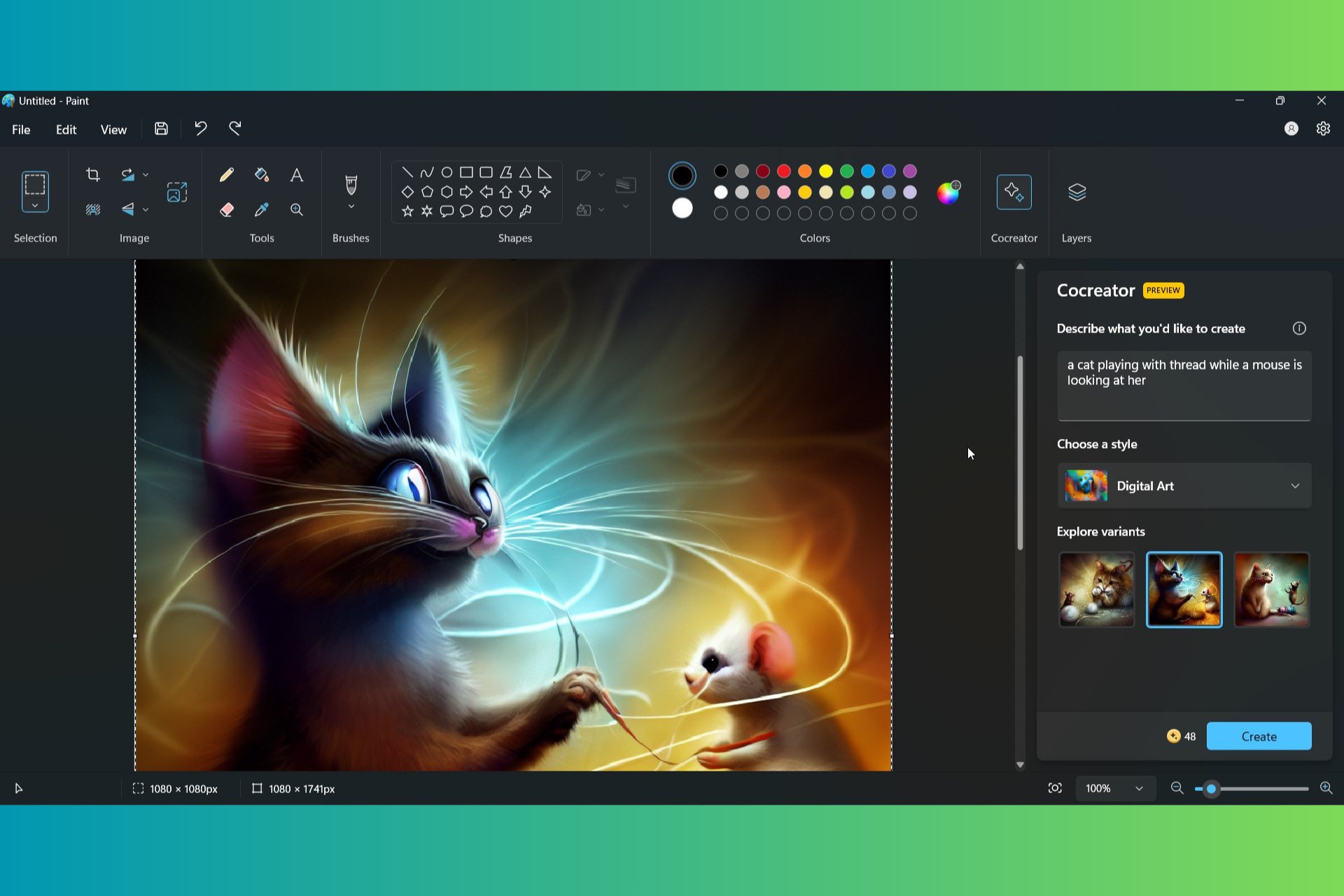
We couldn’t access the feature and some users on the thread say that this will only show up for the U.S. But if we opened the app, we couldn’t resist generating an image for fun, and you can see it in the featured image of this article.
In fact, here’s the image again because it’s too funny to pass out the opportunity. We have chosen the Digital Art style and wanted a cat playing with thread while a mouse is looking at her. Although the cat is clearly not playing with the thread and the mouse appears like it’s crying, look at the cat’s face: priceless!
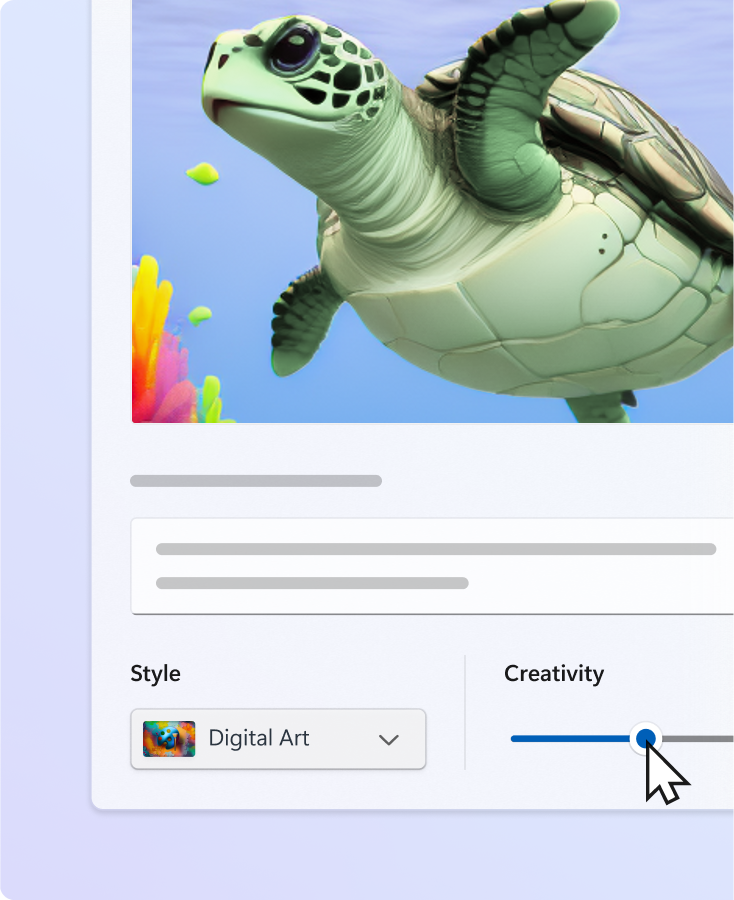
Anyway, Cocreator is using DALL-E, and we can’t wait to see what that creativity level button will do to this whole painting of the cat and mouse.
If you want to play with the Cocreator Preview version, just update your Windows 11 OS. Do you have access to the newest Cocreator UI in Windows 11 Canary or Dev? Describe your experience in the comments below.
Are you looking for the best VPN for CoD bot lobbies? You’ll get all the answers in this piece. Bot lobbies are available mostly in countries where users aren’t good at gaming like Egypt, Kenya, Nigeria, Turkey, Singapore, and more.
That’s where a VPN (Virtual Private Network) comes in. This tool will help you change your location to access these lobbies with ease. However, not all services are suited for gaming. I tested over 20 providers and picked the best five.
ExpressVPN is among the top providers for CoD bot lobbies for several reasons. It has servers spread across 105 countries so you can connect to places where bot lobbies are mostly available. Also, all the servers have automatic obfuscation. That way, your connection will appear like regular traffic to avoid being banned from using the gaming platform.
Additionally, ExpressVPN has the Lightway Protocol. It provides excellent speed and a reliable connection to reduce ping and lags. However, the service is costly but you can opt for a long plan which will save you some coins.
Pros:
Utilizes the Lightway Protocol for fast and secure connections for gaming.
Includes servers in 105 countries.
Has automatic Obfuscation for all servers to ensure your traffic appears normal, reducing the risk of bans.
Offers strong encryption and privacy features.
Cons:
Higher subscription fees compared to some other VPNs.
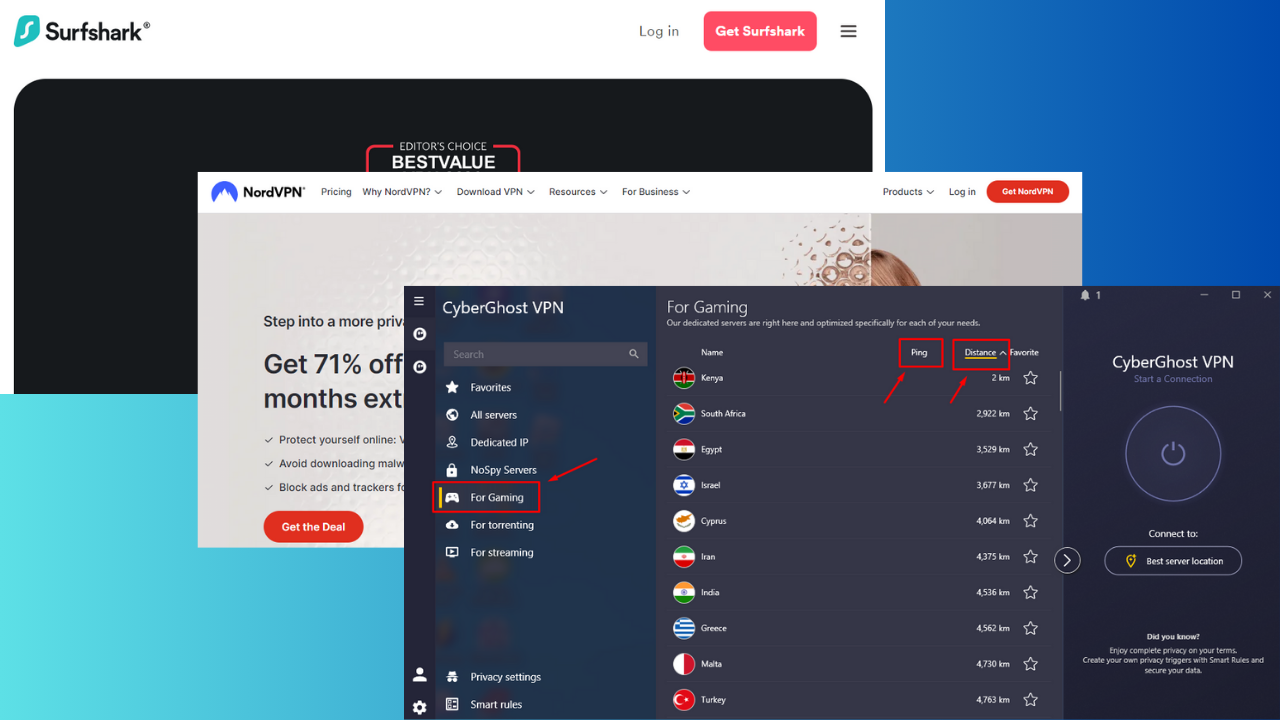
CyberGhost VPN is another reliable VPN for CoD bot lobbies. It has over 11,000 servers in 100 countries to switch easily between servers. Also, it has specialized servers for gaming that you can sort in terms of ping and distance.
I liked how it had gaming dedicated servers in locations where CoD bot lobbies are available like Kenya, Egypt, Turkey, and more. However, a long-distance server will have a higher ping.
CyberGhost also offers several security features including AES-256 encryption, NoSpy servers, a Kill Switch, and IP/DNS leak protection.
Moreover, its 45-day money-back guarantee policy lets you test the service with CoD bot lobbies for a longer period. If it doesn’t meet your expectations, you can ask for a refund anytime before this period ends.
Pros:
It has over 11,000 servers in 100 countries.
Its servers can be sorted by ping and distance for optimal gaming performance.
Offers strong security features like AES-256 encryption, NoSpy servers, Kill Switch, and IP/DNS leak protection.
Has a 45-day money-back guarantee.
Cons:
Lacks advanced obfuscation features compared to some competitors.
NordVPN has over 6,000 servers in 100+ countries making it easy to connect to a region with CoD bot lobbies. It’s security-oriented and provides obfuscated servers to ensure user privacy. These servers mask your VPN usage, preventing detection and avoiding potential bans from gaming platforms due to location changes.
But that’s not all.
It has a dedicated IP address so that users don’t share IPs. This guarantees you won’t get banned due to other gamers’ misconduct while using the same IP address.
Also, NordVPN offers DDoS protection. It’s important for gaming because it safeguards against Distributed Denial of Service (DDoS) attacks, which can flood your connection with excessive traffic. It causes lag, disconnections, and makes it difficult to play the game.
Pros:
Hasobfuscated servers, dedicated IP addresses, and DDoS protection to boost security.
Surfshark – Best Option for Unlimited Simultaneous Connections
Surfshark allows unlimited simultaneous connections, so you can play CoD bot lobbies on any chosen device without interruption. It also has over 3,200 servers in 100+ countries, allowing you to switch to locations where bot lobbies are common.
Additionally, Surfshark offers more protection through its MultiHop feature. It encrypts your data twice by connecting to two servers for better protection against DDoS attacks and other online threats. However, you might notice a slight increase in ping due to double encryption.
Furthermore, NoBorders Mode allows you to play your favorite games without being blocked or throttled by regional restrictions. You’ll have uninterrupted access to gaming servers worldwide. It also has a CleanWeb that blocks ads, trackers, malware, and phishing attempts which can be particularly disruptive during gaming sessions.
Pros:
Allows multiple devices to connect simultaneously.
It provides extra security by encrypting data through two servers through its MultiHop feature.
Has over 3,200 servers in 100+ countries.
It has a NoBorders Mode feature to bypass regional restrictions for uninterrupted gaming.
Cons:
Double encryption can cause a slight increase in ping.
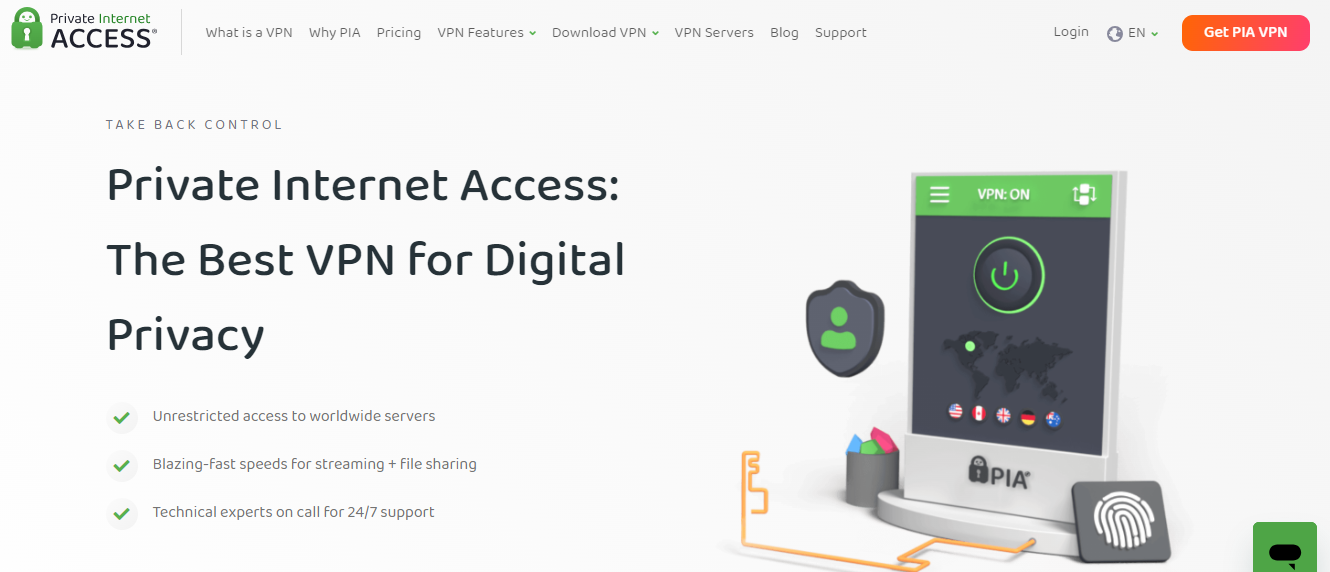
Private Internet Access (PIA) has over 35,000 servers across 90+ countries. It’s important for gamers as it provides more options for finding a nearby server for CoD bot lobbies. This reduces latency and grants faster and more stable connections.
This VPN service also offers unlimited simultaneous connections so you can share the account on different devices. It’s also pocket-friendly, costing $2.03/month for the 3-year deal with an additional three months.
Additionally, PIA has a strict no-logs policy, meaning it doesn’t store any data about your online activities. Your gaming sessions and personal information remain confidential.
Pros:
Cost-effective option with low monthly rates, especially on long-term plans.
PIA has over 35,000 servers in 90+ countries.
Offers unlimited simultaneous connections.
Has a strict no-logs policy.
Cons:
Has moderate speeds compared to other premium VPNs.
Here’s how I determined the best VPNs for this purpose:
Server locations: I chose services with extensive server networks in countries where bot lobbies are common.
Speed and performance: I prioritized VPNs with high-speed connections to minimize ping and lag.
Obfuscation and privacy: I selected options with obfuscation features and strong encryption to prevent detection.
Dedicated gaming features: I considered VPNs with specialized gaming servers, low latency, and DDoS protection.
Cost and value: I assessed pricing for cost-effective options and checked for money-back guarantees for risk-free testing.
The best VPN for CoD bot lobbies can help you achieve smooth gaming performance and maintain security. Most importantly, it should grant you access to various lobbies all over the world. The above providers also offer unique features to enhance your gaming experience.
Feel free to share your pick and explain why in the comments!
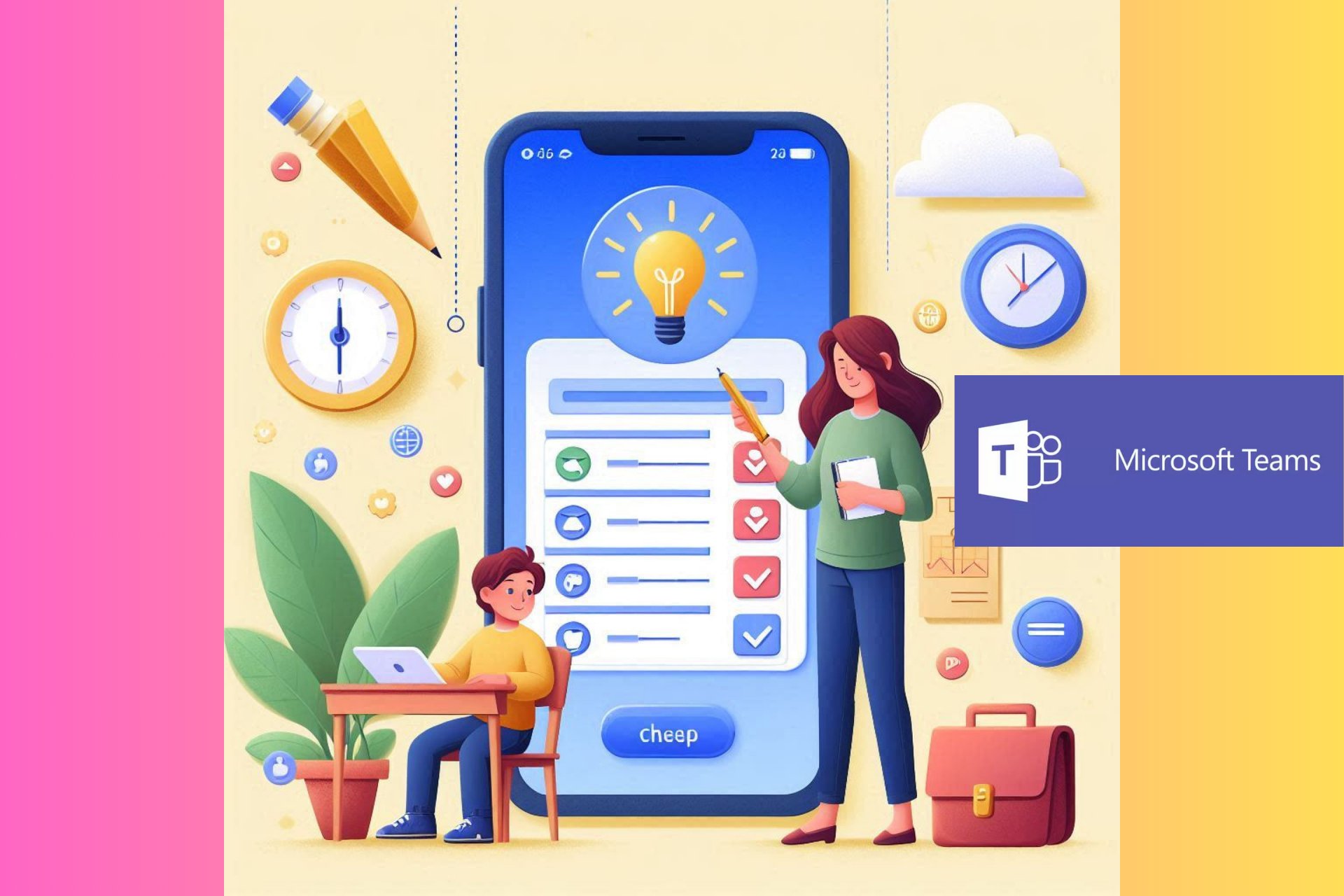
Microsoft has been talking about School Connection since last year on a detailed blog post. Well, according to the latest data from the Microsoft 365 roadmap, the feature will be implemented in Teams starting in July.
This function will assist us in staying up-to-date on our children’s academic and learning progress through our mobile devices. It resembles having a direct line to the classroom, without requiring numerous emails or attempting to locate teachers for a brief conversation at the conclusion of school time.
How is School Connection working?
School Connection provides a clear view of assignments, grades, and more, all in real time. No more asking, Did you finish your homework? or What’s your work for this week? A few taps, and you will have the answers. You can see upcoming assignments, those that are due, turned in, or past due. It’s a game-changer for staying consistently informed about your child’s educational journey.
As parents, especially those with multiple children, we often feel like we’re managing a small army of student profiles. But School Connection simplifies this, allowing us to personalize our experience and monitor the academic progress of each child. It doesn’t matter if they go to different schools or are in different grade levels, School Connection can handle it all.
Moreover, we can access customized learning understandings on the Teams mobile application. This consists of every month’s trends in our learner’s digital actions, advancement in reading, and submitted assignments. We now have a simpler way to comprehend our child’s strong points and weak areas, allowing us to give focused help.
The best part? School Connection is found right within Microsoft Teams’ known platform. Educators do not need to put in any additional effort to use this feature. It’s easy to reach, friendly for users, and now present in our preferred local language. Additionally, for people who like darker screens, the dark mode is also there.
Beginning the process is simple. Schools that want to start School Connection will send email invites to parents and guardians. If you would like this for your kid’s school, it’s merely a question of speaking with the school and giving them the right link.
To turn on the School Connection, administrators and educators need to do a basic process that involves going through Teams Admin Center up to Education settings. After activating it, you should inform parents in school about this app and ask them to install Teams on their mobiles so they can keep updated with what is happening in your child’s classroom.
In the EMEA (Europe, Middle East, and Africa) region, School Connection is not yet open to all. However, there is an interest form that you can fill out for the team to help establish School Connection at your school. Recently, Microsoft was accused of breaking the GDPR rules in the EU with its 365 Education suite by not being transparent about how it’s handling student data.
Now, if you’re a student reading this piece, you’re probably crossing all available fingers in hopes that School Connection doesn’t catch up with your particular school. To be honest, we’re more like supporting real communication and honesty with your kid instead of snooping on their school record with an app, but this is bound to happen, and the choice on actually using it really depends on the parent, right?
What do you think about the new School Connection rolling out in Teams? Let your voice be heard in the comments below.
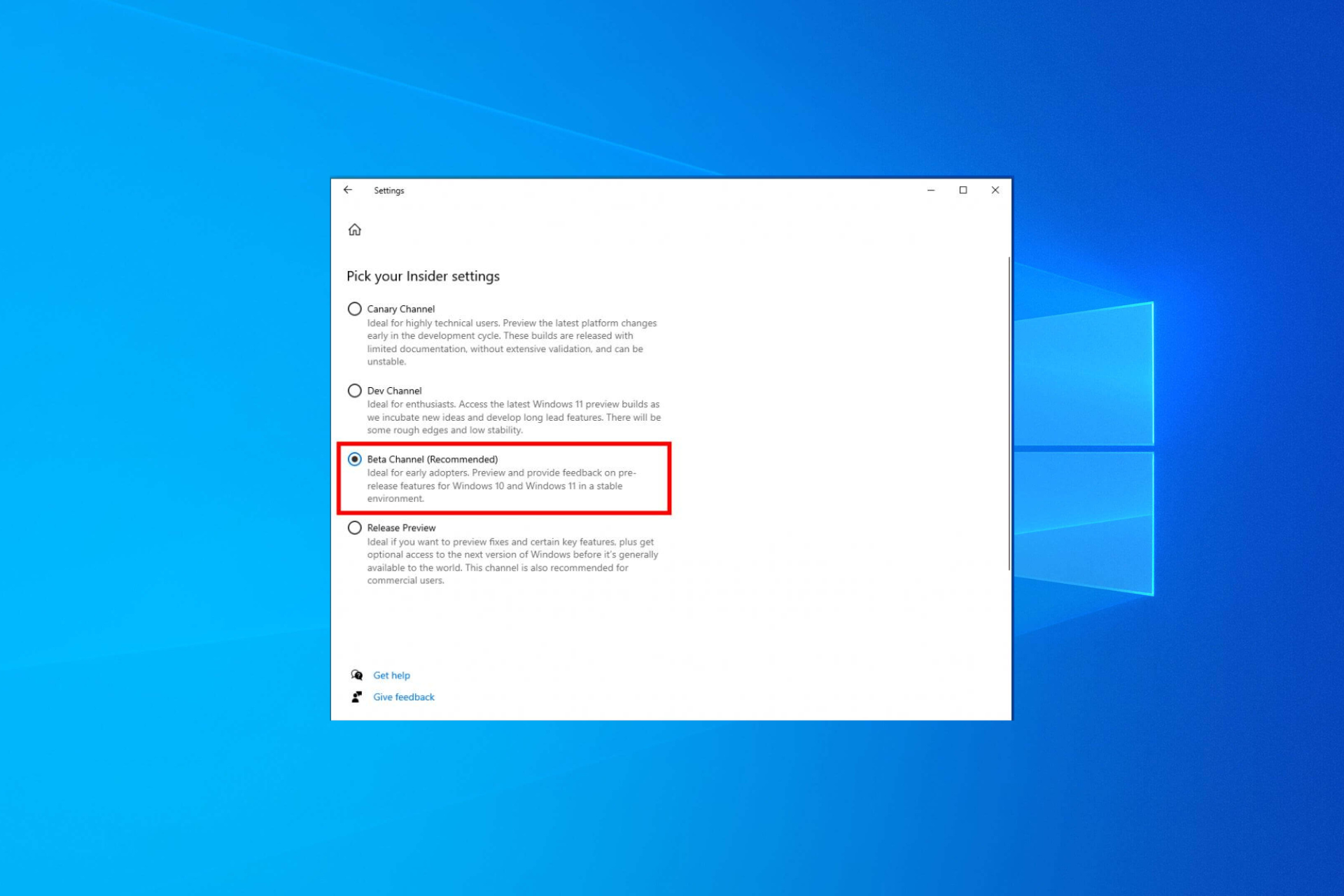
Microsoft announced that the company opened the Beta Channel for Windows Insiders with Windows 10 installed. This will allow them to test new features for Windows 10, version 22H2, with Insiders before releasing them to the public.
In an official blog post, Microsoft wrote:
If you are an Insider on Windows 10 today and want to try out new features for Windows 10 when we have them, we recommend that you join or switch to the Beta Channel. You can do this by going to Settings > Update & Security > Windows Insider Program, clicking on the current Insider Channel selection to expand and see the full list of Insider Channels, and choosing Beta Channel.
This means you only need to go to the Update & Security section in the Settings app, then select the Windows Insider Program to choose the Beta Channel.
Furthermore, the Redmond tech giant has divided the information into two parts: one is for the people whose device meets system requirements for Windows 11, and the other is for those whose devices do not meet the requirements. Here is the breakdown:
Windows 10 PC that meets the minimum system requirements for Windows 11:
Windows 10 PC does not meet the minimum system requirements for Windows 11:
You will not be upgraded to Windows 11 when you join the Beta channel. The upgrade to Windows 11 will be available as an option, you can choose to upgrade as and when ready
You can switch between Canary or Dev Channels, but doing so will upgrade your PC to the latest Windows 11 build for those channels.
You won’t be able to switch to Canary or Dev channels as these channels are for Windows 11 Insider Preview builds only.
If you switch to Canary or Dev Channels, you get a small window to roll back to Windows 10. However, if you miss the window, you need to perform a clean install of Windows to go back to the Beta Channel.
Windows 10 end of support date, i.e., October 14, 2025, is set. And, joining the Beta Channel on your Windows 10 PC will not change it.
Features in Beta Channel will be rolled out using the Control Feature Rollout technology. If you want to be one of the first Insiders to get the new features, you can turn on the Get the latest updates as soon as they’re available. You can find it under Settings > Update & Security > Windows Update
However, if you choose not to enable it, the new features will gradually roll out to your device. Microsoft also said that features and experiences included in the Beta Channel may never be released.
Have you opted for Beta Channel in Windows 10 yet? If so, share your experiences with our readers in the comments section below.
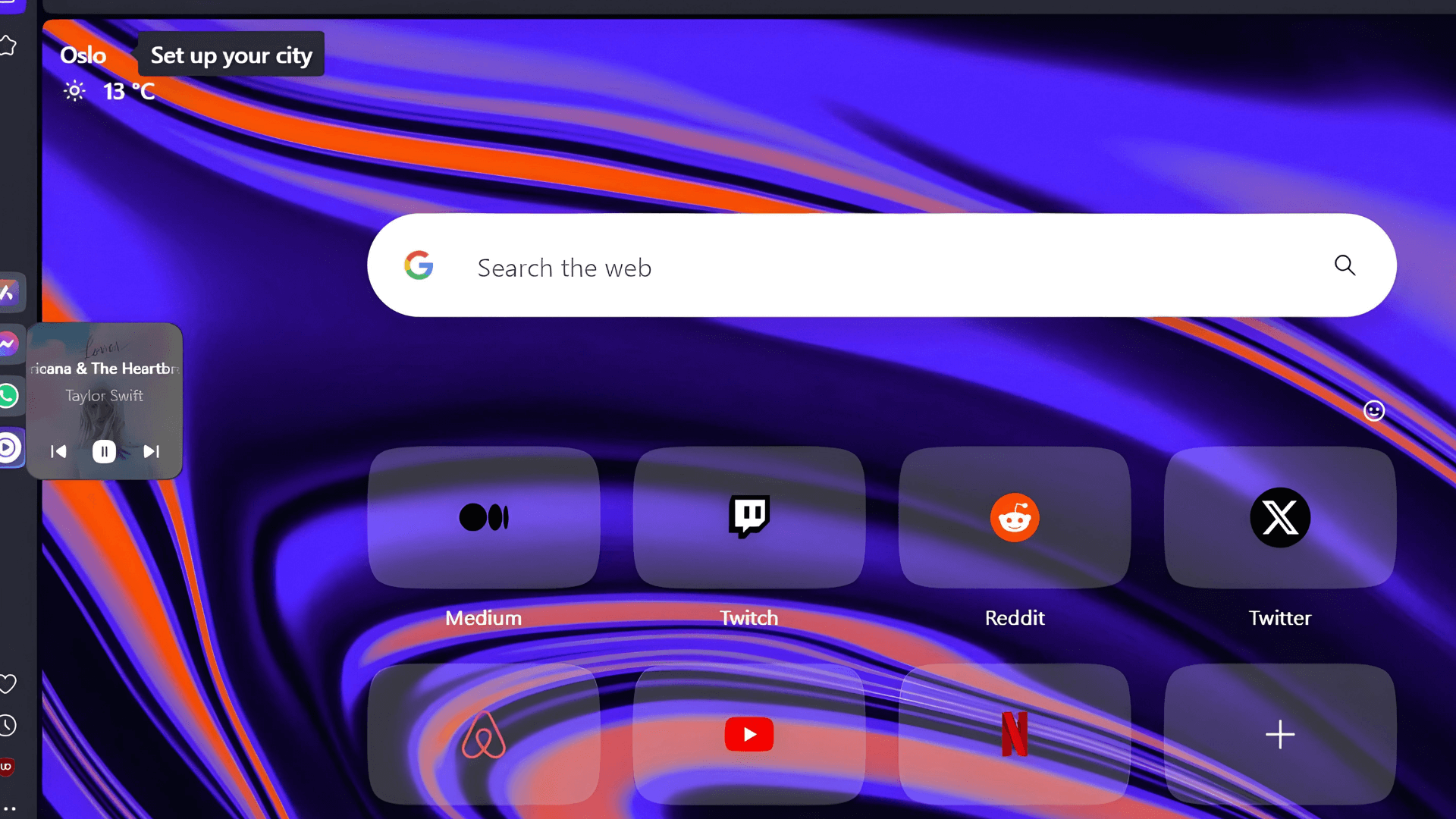
Opera is overhauling the mini player for its built-in music player, which appears when you hover over the player button. The redesign for the mini-player is currently being tested in the Opera developer version. Here’s how you can enable, use, and enjoy it!
Opera browser comes with a built-in music player in the sidebar. This player can access music from popular platforms like Apple Music, Gaana, YouTube Music, and Spotify. It can also play podcasts in the background. This feature allows you to listen to music while you work.
But that’s not all! Hovering over the player button reveals a mini-player. This mini-player lets you skip forward and backward through your playlist or music without switching to the full player interface. You can also pause playback using the mini-player. The mini-player also allows you to pause playback with ease.
Opera tests a redesign for Mini Player for Music Playback
Currently, Opera is redesigning this mini-player in their developer version. This means the new design is being tested “behind a flag,” a feature hidden until users specifically enable it. This testing phase allows Opera to gather feedback and ensure the redesigned mini player is user-friendly and improves the overall music listening experience.
You can check the current and new mini Player of Opera browser from the screenshots below.
How to enable and use the redesigned Mini Music Player in the Opera browser
Launch Opera browser
visit opera://flags
Find and enable “MiniPlayer redesign“
Restart Opera.
Click on Player on the sidebar, select a music service, play something, and hover over the Player button to see the mini player’s new UI.
Do you use the built-in music player in Opera’s sidebar? What are your thoughts on the new Miniplayer design? Share your thoughts in the comments below!
Do you remember tapping YouTube’s Like button (thumbs up), and it abruptly disappeared? It’s not a one-time thing. The thumbs-up icon likes to vanish unexpectedly, but it’s not due to any malfunction. Even though the counter for likes is gone, it keeps on increasing and making a gray area that leaves questions. This problem is not just with some videos or certain browsers: it’s an issue we all notice and talk about – me along with my work friends.
Google says they fixed the problem
Ironically, as the like button takes a break, the dislike button is unaffected and keeps working without any issues. YouTube recognizes this issue and explains on a support page that the like button isn’t working as intended. This problem impacts videos only on web platforms, not on mobile devices. They made it clear that the video is still receiving the likes even without the icon. This occurrence is not a new one for YouTube’s like button, as some months ago, users on Reddit also revealed their experiences with it.
On the same support page we mentioned above, Google announced that it has fixed the issue, so all should be ok now. Is the vanishing like button just a small hiccup in our digital journey, or does it indicate something more serious happening behind the scenes? Well, we can only hope that the YouTube like glitch is fixed for good now.
If you stumble across this problem, let us know in the comments below.
Hypercharge: Unboxed, a small indie game in the lively Xbox gaming community, shows that size (or how big your character is) doesn’t determine success. This game, in which players become action figures to fight against bad toys, has become very popular quickly.
The fun atmosphere and cartoon-like graphics make it unique among many shooting games. It achieved nearly 50,000 sales within five days on Xbox only. That is not easy work, particularly for a game from an independent studio with only six people like Digital Cybercherries. But what is the magic ingredient behind its achievement?
To begin with, it’s important to highlight that Hypercharge: Unboxed is not an ordinary game. It began its story on PC as an early access version in 2017, then became available for Switch and PC full release in 2020.
Xbox players had to wait longer, but this waiting period seemed to increase their enthusiasm more. Currently, with its Xbox introduction, the game’s fame has gone up like a rocket, to the joy of its creators and followers.
However, there’s a twist in the tale. Hypercharge: Unboxed, even with its success, is not included in Xbox Game Pass. However, this has not affected its sales or the excitement of an increasing number of fans.
If you buy it, the Standard Edition costs $29.99, and the Complete Edition is priced at $39.99 – for every penny spent, there’s plenty of fun to be had with this game! And with a small file size of under 8GB, it’s a game that many players can easily access.
Particularly, those who want to return to the ’90s with its action figure-like characters will enjoy it.
The game’s charm is not only in its unusual concept but also in its playing style. It combines first- and third-person shooter parts so four players can join forces against Major Evil. Whether you are playing without a network connection or jumping into cooperative multiplayer and PvP modes, there is a lot for everyone to appreciate.
With a Metascore of 74 and an average completion time of around 8 hours, it is a decent pick for people seeking enjoyable and involving content.
Now, considering the hype surrounding Hypercharge: Unboxed, could it eventually become part of Xbox Game Pass? It’s possible, but currently, this game shows the strength of indie titles on Xbox.
Its popularity reminds us of the recent Palworld, released earlier this year, a game that also took the world by storm – particularly when there were worries about what would happen to the platform after multiple Bethesda studios closed down – indicates an encouraging future for independent gaming on Xbox.
Therefore, if you are searching for a new kind of shooter that is enjoyable and different from the usual, Hypercharge: Unboxed could be a game worth your time and money.
After 10 years after the first Destiny game, Destiny 2: The Final Shape is here at last. It’s the high point of Light and Darkness Saga that started with original Destiny back in 2014. This expansion gives an end to a story which has been developing throughout time; it also introduces a fresh subclass called Prismatic where players can combine abilities from various subclasses together as they wish.
Nevertheless, the beginning was not completely smooth because people who play experienced problems with servers like errors and getting disconnected from game which resulted in Bungie deciding to restart server hoping this will help make things better for everyone playing.
To alleviate the high volume of error codes, we are implementing a new mitigation plan that will involve a rolling restart of our servers. This may result in some players getting kicked from their activities in progress beginning at 8:45 PM PDT.
When The Final Shape arrived, more than 300,000 players jumped in on Steam alone. They were excited to explore the fresh content even though there were some initial issues with servers. The price of expansion is $49.99, but as Windows Central spotted, there is a $10 off offer from CD Keys. There are many things Guardians have coming up – from new raid opening soon to future Exotic class items too!
Bungie, too, has done important updates in all areas. They have made many changes from Crucible to subclass adjustments with the aim of improving the game experience. Particularly, every Super ability now uses identical damage-based recharge parameters and different subclasses have received particular alterations to enhance balance and playability. Besides this change, exotic armor can be upgraded by adding an Artifice mod slot which gives more variety for players in terms of customization options available to them.
The patch notes of The Final Shape are detailed, involving various aspects such as alterations in gameplay and investment to modifications regarding certain weapons or armor mods. These adjustments demonstrate Bungie’s dedication to improving the game by responding to player input and maintaining Destiny 2 as an active and interesting environment for its community.
While players move through The Final Shape’s difficulties and chances, they can anticipate experiencing the end of a story which has fascinated the Destiny community all this time. Including fresh adventures, equipment, and tales to reveal – the last part of Light and Darkness Saga guarantees an unforgettable trip.
If you encounter any problems with the game, leave your comments in the dedicated section below.
Picture a university that poses major inquiries and discovers creative responses. Torrens University in Australia is changing the online learning encounter with a touch of generative AI.
Using this method to analyze student discussions on its platform saved an incredible 20,000 hours and $2.4 million worth of resources. How, you ask? Let’s dive into their journey.
Torrens University aims to bring education within reach for everyone, everywhere. Eoghan Hogan, the university’s Director of Transformation, shared their vision about learning anytime and anywhere.
We are always driven by the question, ‘how can we really reach people in their own time and their own place’? We’ve always described our ethos as learning anytime, anywhere. This means delivering a consistent and convenient online learning experience for our students.
Eoghan Hogan, Torrens University
This idea inspired the development of MyLearn, a contemporary online platform that aims to provide learners with a consistent and convenient learning experience. The interesting twist is that Torrens University employed Microsoft Azure OpenAI to rework and unify its course curriculums. This prepared them for upcoming savings and enhanced agility in updating the curriculum.
Now, we discuss their initial experience with generative AI—it was more than just task automation. They applied this technology to improve the digital community for pupils. Torrens University selected Microsoft Azure OpenAI because it offers high-level features and strong security (as this tech would require access to their whole academic curriculum).
The project began with a 16-week exploration phase, during which input was collected from staff members and students. The team identified problems such as the necessity of mobile-friendliness and an identical user interface in all materials.
The school identified a few drawbacks in its Learning Management System (LMS), such as the absence of uniformity and old video players. The students expressed a desire for better navigation ease and more interaction with multimedia.
Torrens effectively handled these requirements by employing generative AI in an inventive manner. Assisted by Microsoft prompt engineers, they examined more than 1,200 courses and 60,000 web pages.
The objective was to rearrange content in a format that users find easy to use by concentrating on preferred layouts and making color schemes and templates uniform.
This process was not merely automation; it involved improvement in the student learning journey. The outcome? A notable time and cost saving. If they had chosen to do it manually, this work could have required almost 20,000 hours. But with the help of generative AI automation, it resulted in around A$2.4 million worth of savings.
The university accomplished 100% mobile responsiveness, which implies that students can access their course materials from any gadget they have. Furthermore, they combined MyLearn with Microsoft Teams, which results in a single unified platform for learning, communicating, and working together within groups.
Another achievement was boosting web content to meet the Web Content Accessibility Guidelines 2.0 AA rating and ensuring all learning materials were reachable.
This change shows the strength of generative AI in education. For Torrens University, it is about creating a stable and high-quality learning setting. They have more plans in motion.
The team is enthusiastic about delving into more generative AI applications to enhance student support systems and personalize content.
As Adam Pollington, the Education Director of Microsoft Australia and New Zealand, stated, this project illustrates how AI can be used to help educators and improve learning.
We’re excited about the opportunity AI brings to support educators and enhance the learning experience for students. And we’re proud to partner with institutions like Torrens University that are thinking responsibly and strategically about how to best leverage AI to promote learning outcomes.
Adam Pollington, Microsoft
It’s not the first time Microsoft has been keen on making its products and services available to the educational sector. Recently, the Redmond-based tech giant announced that Climpchamp, its native video editor (that also has AI capabilities), would be added to all A3 and A5 Microsoft 365 licenses.
You can read more about the partnership between Microsoft and Torrens University here.
So, what do you say? Is the future of education AI-powered?
Microsoft announced two new Teams features: a freely movable Presenter toolbar and one-click optimization for smooth video playback that can help you refine your presenting experience in a meeting.
In the official blog post, Microsoft wrote:
Now when you share your screen in a Teams meeting, you can easily move the Presenter toolbar to any place you want on your screen. This makes it easy to adjust the location of the toolbar based on the layout of the content being shared, ensuring that you can still see the important areas of the screen.
We’ve also added a new feature to the Presenter toolbar in Teams that lets you manually optimize video playback when screensharing. If the automatic video detection fails or is delayed, just use the Optimize button on the Presenter toolbar to make sure your content runs as smoothly as possible.
How does it work?
To present your screen in a Teams meeting, click Share from the toolbar to share your screen. Now, move the Presenter toolbar from its default location to any area on your screen by clicking on the non-interactive area of the Toolbar.
The Presenter toolbar will also minimize after 4 seconds when it is not in use, and when minimized, the toolbar will show a red badge to indicate the ongoing sharing session.
For a smoother playback experience of a video or other motion content, you can hit the Optimize button on the toolbar before sending it.
How can I use these features?
To use these features, you must be a member of Teams Public Preview or Microsoft 365 Targeted release and use the new Teams client for Windows and Mac.
To turn on your Team client for the Public Preview, ensure the IT administrators should enable Show preview features in the update policy.
To participate in the targeted release, global admins need to go to the Microsoft 365 admin center and, depending on their preferences, provide access to selected individuals or entire organizations.
Have you tried the moving Presenter Toolbar feature yet? If so, share your experience with our readers in the comments section below.
Members of the Alpha, Alpha Skip-Ahead, Beta, Delta, and Omega Insiders received an Xbox Update Preview this week, which included bug fixes and a useful feature for Xbox console owners.
Here are the release notes mentioned for the Xbox Update Preview for Delta Ring:
System Update Details
OS Version: XB_FLT_2406ZN\25398.4892.240530-2200
Available: 2:00 p.m. PT – June 4, 2024
Mandatory: 3:00 a.m. PT – June 5, 2024
Fixes Included
Thanks to all the great feedback Xbox Insiders provide and the hard work of Xbox engineers, we are happy to announce the following fixes have been implemented with this build:
Guide
Fixes to address the clock occasionally going missing when the guide is opened.
Parties & Chats
Fixed an issue where parties could disconnect or present an unexpected error when making a Looking for Group post.
System
Various stability and performance fixes.
Known Issues
While known issues may have been listed in previous Xbox Insider Release Notes, they are not being ignored! However, it may take Xbox engineers more time to find a solution. Learn more about the known issues below.
Accessibility
We are aware game and chat transcription for speech-to-text in parties may not behave as expected with non-English languages, and we are working on a fix. (2406.240530-2200)
Furthermore, with the latest update, all the Xbox console insiders can change the plan or update the current billing status from the console. Read this article to learn more.
To learn more about the latest updates in Alpha, Beta, Alpha Skip-Ahead, and Omega, you can check out these support guides.
If you have turned on Keep my console up to date option, you will automatically get the update. However, if you want to install the update manually, you can press the Xbox button on your controller to open the guide, then go to Profile & system > Settings > System > Updates
Have you installed the new Xbox Update Preview Delta yet? If so, share your experience with our readers in the comments section below.
Microsoft Edge 125.0.2535.85 was released to the Stable channel, and several bugs and performance issues were fixed. The update also included fixes to seven Chromium vulnerabilities
Here is the changelog mentioned in the release notes for Edge 125.0.2535.85 :
Heap buffer overflow in WebRTC in Google Chrome prior to 125.0.6422.141 allowed a remote attacker to exploit heap corruption via a crafted HTML page potentially.
Use after free in Dawn in Google Chrome prior to 125.0.6422.141 allowed a remote attacker to exploit heap corruption via a crafted HTML page potentially.
Use after free in Media Session in Google Chrome prior to 125.0.6422.141 allowed a remote attacker to execute arbitrary code inside a sandbox via a crafted HTML page.
Out-of-bounds memory access in Keyboard Inputs in Google Chrome prior to 125.0.6422.141 allowed a remote attacker who convinced a user to engage in specific UI gestures to potentially exploit heap corruption via a crafted HTML page
Use after free in Presentation API in Google Chrome prior to 125.0.6422.141 allowed a remote attacker to potentially exploit heap corruption via a crafted HTML page
Out of bounds write in Streams API in Google Chrome prior to 125.0.6422.141 allowed a remote attacker to execute arbitrary code inside a sandbox via a crafted HTML page.
High
To install the latest Microsoft Edge update, go to Menu>Help and Feedback > About Microsoft Edge. You can also launch Edge and type edge://settings/help in the address bar.
With the increase in virtual meetings, all video conferencing apps are upgrading to make the user experience seamless. Therefore, Microsoft Teams is developing a new feature, an expanded gallery view option for the minimized meeting window.
When meeting window is minimized, participants can enlarge the small view of Teams meeting to a new bigger gallery view, making it easier to multitask on screen and stay aware of meeting events. Users can choose the size of the minimized gallery view window from the following options: one participant visible in the minimized window, 4 participants visible in the minimized gallery view window, fully minimized or fully expanded.
With this new feature, all the participants can enlarge the small view of a Teams meeting to a bigger gallery view, making juggling multiple tasks easy and streamlining the virtual collaboration experience.
And this isn’t it! You will also have the option to customize the size of the minimized gallery view window as per your preferences. The options available are:
One participant visible in the minimized window
4 participants visible in the minimized gallery view window
Fully minimized
Fully expanded.
This feature was added to the Microsoft Teams roadmap on June 3, 2024, and will start rolling out in July 2024. Once it is out, it will be available on Windows and Mac devices.
So, you bid adieu to cluttered screens and get an organized virtual collaboration with Microsoft Teams’ expanded gallery view.
Microsoft is also working on two new features, Feature ID 398446 and 398445, called Export Q&A questions and Voting, Filtering, Sorting, and Archiving questions in the Q&A app on Teams, which are set to be rolled out in July 2024; read this article to learn more.
What do you think about this feature? Share your views with our readers in the comments section below.
After releasing the KB5037849 in the Release Preview channel, Microsoft has now added the non-security Windows 10 22H2 patch to fix several issues and bring some improvements.
New!This update adds a new Snipping Tool feature. The feature is available when you link your Android mobile device to your PC. When you take a photo or screenshot on your Android device, a dialog on your PC prompts you to open Snipping Tool. To turn on this experience, go to Settings > Mobile devices. Choose to allow your PC to access your mobile devices and select Manage devices. Your PC will get a Cross Device Experience Host update in Microsoft Store. You need this for the feature to work. Finally, use the Add device option to link your Android phone. Note This feature might not be available to all users because it will roll out gradually.
This will give instant access to your photos when you click on your Android phone on your computer.
How does it work?
After installing the KB5037849 update, head to the Settings app (press Windows + I) and go to the Mobile Devices page. Select Allow your PC to access your mobile devices and select Manage devices.
Your PC will get a Cross-Device Experience Host update in the Microsoft Store. You need to download and install it to make the feature work. Previously, it was only available on Windows 11, but you can now get it on Windows 10.
You should also have a Microsoft account to use the feature, but you don’t need to set up a Phone Link app. Once you have signed in using your Microsoft account and connected your Android phone, click Manage devices to toggle on the Get new photo notifications feature.
As of now, the integration makes photos on your phone accessible on your PC, so whenever you capture a screenshot, you will get a notification about it. The photos will appear as notifications on your Windows 10 PC. You can open them in the Snipping Tool to save or edit them.
Managing mobile devices is a useful feature first introduced in Windows 11. But bringing it to Windows 10, an operating system nearing the end of its support date, indicates Microsoft is not done with Windows 10 yet.
How to download and install the KB5037849 update?
First, check if you have the KB5015684 installed to ensure you are up to date with Windows 10 22H2.
If you want to download the KB5037849 update, head to Settings> Updates & Security>Windows Update. Now select Download and install under optional update. You can read this article to learn more about the KB5037849 update.
To install the update manually, go to the Microsoft Update Catalog website, search for the update using the KB name, and click Download. Once downloaded, double-click the installation file to initiate the process.
Did you install the latest KB5037849 update on Windows 10? If so, share your experience with our readers in the comments section below.
Looking for the best old photo colorizing software?
After thorough research and testing, I’ve selected the top six software that can help you colorize your old photos and grant them a new life. I’ve also added a step-by-step guide you can easily follow.
Colorize by Photomyne uses AI to bring new life to your old black-and-white photos with just one tap.
To do so, scan the required photo with the app or import it directly from your camera roll. The software automatically crops the added image, so you don’t need to remove any background features by yourself.
After getting the colorized image, you can save it to the gallery or share the photo memory with others on Twitter, WhatsApp, Facebook, Email, and more.
Moreover, for each selected colorized image, you can:
Add its details like people, time, location, and special occasions
Arrange it in the album
Crop, flip, or rotate it
See the before and after results
Showcase your photo to get featured on the Photomayne website or newsletter
Delete it.
On the other hand, you can select photos in bulk and reorder or share them as a collage.
Pros:
Easy to use
A single tap adds color to photos
Crops the photo automatically after scan or import
Generates realistic and impressive results
Works with Google Photos
Offers a free trial version
Cons:
Doesn’t include a feature to detect or find duplicates
Contains limited editing features in the free version
Adds image details within the system that can’t be transferred anywhere
You can potentially lose photos if you don’t save them to the camera roll or gallery
2. Fotor – Extensive Photo Editing Features Including Colorization
Fotor is another photo editing tool that uses advanced algorithms and machine learning to enhance photos, similar to a professional photographer. Its AI technology lets you edit your photos with just a few clicks.
Furthermore, Fotor offers different advanced features, which include:
Crop & Resize
Photo Enhancer
Portrait Retouching
Remove Image Background
Unblur Image
Photo Filters & Effects
Object Removal
Upscale Image
AI Image, Headshot, and Face Generators.
Specifically, the Photo Enhancer tool clarifies blurry, low-quality old photos and improves its color and tone. It sharpens out-of-focus images, reduces image noise, and repairs scratches, damages, and tears from old photos. Moreover, it clarifies faces in portraits for better visibility.
During the image colorization process, it enhances and upscales the size by 200%. It utilizes HDR image processing to boost shadows and highlights for more contrast. In addition, this tool maintains texture, color, and sharpness for photo prints.
Besides, the Fotor Photo Enhancer also supports additional tools to improve your old photos further. For instance, it allows you to add free frame, text, and sticker elements and apply a variety of photo effects and filters.
Additionally, you can adjust the contrast, exposure, brightness, sharpness, and saturation level.
Pros:
One of the best photo editing tools with an extensive list of features
Works on desktop, mobile, and web software
Allows you to edit and enhance photos on the go
You can share images on the Fotor network and win prizes
Cons:
Contains a lot of bright and distracting in-app ads on the free version
Effects might be slow to apply on the web version
Around 70% of tools are included in the premium version
MyHeritage InColor claims to use the World’s Best Deep Learning technology to colorize black-and-white photos. It’s a free tool that has been recently updated to restore color to old, faded photographs. Additionally, it sharpens your photos at the same time.
When you scan or upload your digitized image in MyHeritage InColor, it automatically detects if it’s originally in color or taken in black and white. Specifically, it colorizes the image if it’s black and white. Otherwise, it restores the original photo color.
Furthermore, you can:
Enhance the image using AI
Animate or repair it
Add a new tag to the photo
Add an audio recording using the microphone
Create a deep story of a person present in the photo
Adjust image rotation.
Besides, InHeritage Color offers the option to sort pictures with respect to title, place, date taken, or upload date. It also separatelyorganizes tagged people and sorts them according to the number of photos, relationship, and first or last name.
Notably, if you aren’t an existing MyHeritage user, you’ll need to register for a free account first. Or, simply sign in using Google or Facebook.
Pros:
Takes almost three to ten seconds to colorize an old photo
Pulls out individual faces for closer inspection
Allows you to animate a selected person from the photo
Offers the option to repair scratches and blemishes to some extent
Its Enhance tool clarifies and sharpens blurry photos
As a subscriber, you can colorize unlimited images without a watermark
Cons:
Free users can colorize a limited number of photos
AI Photo Team developed UpFoto to enhance pixelated, blurry, or damaged old photos to HD quality. With just one click, this AI photo enhancer tool allows you to refresh your memories.
This tool auto-recognizes faces in the group photos and improves the facial details with one tap. It also unblurs and repairs the damaged or scratched photo parts. Additionally, UpFoto improves photo resolution by 200%, 500%, or even over 800%.
Furthermore, its Colorize feature restores pictures with perfect skin textures and incredible eye detail.
You can also explore other features, such as Beautify, Enhance, Cartoon, Descratch, Restore, and AI Art.
Pros:
Perfectly sets photo lightning
Optimizes portrait details and restores photos
Improves photo resolution
Real-time enhancements
Makes pictures clearer
Allows you to adjust the contrast, details, and brightness of the colorized photo
Cons:
Its free version plays ads to perform each process
5. Pixelup – HD Colorized Photo and Animation Option
Pixelup is an application that utilizes advanced AI technology to convert blurry, old, damaged, and pixelated old photos into crystal clear HD ones. This tool can also colorize black and white photos, restore vintage pics, and animate them with one tap.
It’s based on an AI algorithm thatcan remove scratches, stains over time, and tear marks. With its photo Enhancement feature, you can convert old images to brand new HD resolution photos. In addition, you can use any of the available animation options to bring your loved ones back to life.
After colorizing the photos, you can share them on your Snapchat, Facebook, Instagram, or your desired chat group.
Pros:
Well-designed and easy-to-use interface
Fast image processing speed
Enhances photo so it doesn’t look pixelated
Manages colors, shades, and other image-related aspects
Guru AI Lab developed a tool named Evoke AI Photo Enhancer. It promises to convert yellowed, faded, or even damaged old photos into high-definition, vibrant images. It can also restore and enhance blurred, scratched, or old photos losing their color with age.
As its name suggests, Evoke AI Photo Enhancer uses advanced AI technology to enhance human facial features like skin texture and hair strands. Additionally, it renders these enhancements instantly.
The Colorize option can revive old photos with lifelike colors. Moreover, its Descratch tool smartly repairs physical imperfections.
Besides, Evoke AI Enhancer also has an AI Portrait feature to experiment with personal aesthetics and explore how you may look in different roles.
Pros:
Offers automatic editing
Time-saving
User-friendly interface
Contains several features including Colorize, Descratch, Restore, AI Portraits, etc.
Provides different creative filters and effects
Cons:
Includes in-app ads in the free version
Advanced features require a paid subscription
Doesn’t offer much control over the enhancement process
I’ll demonstrate the process with Colorize by Photomayne app. Follow these steps:
1. First, open the Colorize app, and click on the Add photo button from the bottom.
2. Scan or import the required photo from the camera roll.
3. Wait for a few seconds until the photo colorization process is complete.
4. Now, you’re all set to share the image with your friends or save it to Google Photos.
How I Chose the Best Old Photo Colorizing Software?
During testing, I looked for the following points to select the best colorizing software. These include:
Ease of use for beginners
How realistic the colorization results looked
Any additional editing features, like damage repair, photo sharpening, or enhancing.
So now you’ve gathered all the info to select the most efficient old photo colorizing software. Feel free to let me know which apps you liked the most in the comment section.
Have you ever been stuck trying to figure out how to manage the subscription plans on your Xbox, dreaming of a simpler method? It seems like Microsoft has listened to all our grumbles. According to the latest updates to the Xbox Insider Program, Xbox Insiders can now change their subscription plans right from their consoles.
This update is not major but quite a game-changer for people like me who like their couch more than the formal PC web browser when it comes to handling all things digital life-related.
From now on, for those participating in the Xbox Insider Program, there’s a fresh choice waiting for you inside your console settings. This option lets you easily adjust your subscription plan or update your recurring billing status without hassle.
Go to Settings > Account > Subscriptions, and it’s ready. The addition is both a convenience and about enhancing the user experience so that everything feels smooth and effortless.
Beginning today, we have enabled the option to change your plan or update the recurring billing status directly from your console. To get started, head to Settings > Account > Subscriptions.
Xbox
Microsoft is not stopping here, though. Some Xbox Insider Omega ring members have an additional treat. They can test the new feature of the Game Pass app with a denser layout that still matches perfectly with Xbox design language. It’s all about getting more of what you love without the clutter.
As the Xbox Games Showcase event is approaching, who knows what else will be available for all Xbox owners soon? We’ve heard a rumor the company might announce its first-ever Xbox handheld gaming console, joining the already crowded market of such devices. But we’ll have to wait until Sunday to know for sure.
Have you seen these new features yet? Would you like to manage your Xbox subscriptions directly from your console?
Many users use emails for file sharing, and Microsoft plans to make this method faster than before.
The company is working on a new feature in Office that will make file sharing faster if you’re using email.
Outlook for Windows will be a share target in Office soon
Per the Microsoft 365 roadmap, it seems that the company wants to improve sharing by adding Outlook for Windows as a share target.
By doing so, you can quickly and easily email the file. This is useful since you won’t have to open Outlook and then manually attach the file you want to share.
This feature is coming to Word, Excel, and PowerPoint, and it will work only with local files, and not files that are stored in the cloud.
Overall, this is a small quality-of-life improvement that will make sharing files via email faster than before.
Did you ever get into a place with shared work and find connecting your device for a fast meeting difficult? Or perhaps there were times when the technology in those big conference rooms seemed more hindering than helpful? Microsoft is committed to making these typical situations smooth and productive experiences by updating its Teams platform to allow intelligent shared spaces to exist and thrive.
The Microsoft Teams approach to intelligent shared spaces revolves around flexibility and ingenuity. It ensures that whether you are in a small room for huddles or a boardroom, the technology present is aimed at improving teamwork, not making it complex.
This is where Microsoft Teams Rooms comes in, creating a center for hybrid collaboration that can seamlessly blend with the digital workplace.
According to Microsoft, 70% of Fortune 500 companies already use Teams Rooms. It’s not just about having an impressive setup; it’s about aiming to turn every meeting into a chance for fruitful teamwork, no matter the place.
But what if it’s a little less formal area, or you want to hold a meeting quickly with your device? Microsoft also considers this problem. They are launching solutions for different requirements and financial budgets, like entry-level Teams Rooms systems and BYOD (Bring Your Own Device) meeting room solutions.
This flexibility indicates that regardless of whether you are preparing for an important board meeting or just a fast update with your team, there will always be a suitable Teams solution.
A major thing that strikes me is the emphasis on making technology reachable and controllable. It’s meant for both IT administrators and end users to deliver a recognizable experience that is simple to use, making setting up and handling meetings less complex.
With advancements such as smart speakers, they can recognize speakers and summarize the meeting results, which helps make meetings more effective and inclusive.
The concept of bookable desks is also a sign of an intelligent shared space, and it can be revolutionary for those times when you have an unplanned meeting or require a spot to work quietly for some hours.
With the Teams desktop application, you can effortlessly reserve a desk. Its voice isolation and noise cancellation features guarantee clear meetings even in noisy surroundings.
In the background, Teams Rooms Pro Management is giving IT administrators the understanding and instruments they require to control these shared areas effectively.
From observing how many devices are used to adjusting room arrangements according to actual information, it’s all about making wise choices that improve user satisfaction.
Thus, whether you are an IT expert wanting to make your company’s meeting areas more efficient or a user who simply desires an uncomplicated method for collaboration, Microsoft Teams and its variety of solutions are changing how we understand working collectively in joint spaces.
Ever found yourself itching to play Red Dead Redemption on your PC but felt stuck because it’s traditionally a console game?
Well, we’re here to tell you that there’s a neat workaround for those with a Windows 10 device and an Xbox One. It’s like discovering a hidden path in your favorite RPG that leads to new adventures without leaving the comfort of your PC gaming setup.
First, you’ll need a Windows 10 operating system and an Xbox One. If you’ve got these, you’re halfway there. The game can be grabbed through the Xbox One’s Backwards Compatibility program or here.
Do you have an old Xbox 360 disc lying around? Perfect, because you can use that too. Just remember, the game needs to be fully downloaded, which will take up about 7.5GB of space, and you’ll need to keep the disc in the drive to play.
Now, onto the techy bit.
You’ll want to fire up your Xbox One and ensure you’re logged into your profile.
Then, switch to your Windows 10 PC and open the Xbox app.
You’ll link your Xbox Live account on the PC with the same account on your Xbox One.
Next, grab a compatible controller and connect it to your PC. You’ve got options here: a wired Xbox 360 controller, a micro-USB for an Xbox One controller, or going wireless with the Xbox Wireless Adapter for PC.
Feeling a bit like a tech wizard yet? Good, because there’s more.
In the Xbox app, you’ll find a Game streaming box. Click on the Xbox One connection, and the app will start searching for your Xbox One on the local network.
If it’s playing hide and seek, you can enter the console’s IP address manually, found in the Xbox One’s network settings.
Here’s a pro tip: Go wired for the best streaming quality. Both the Xbox One and the PC should be connected via Ethernet. Wireless is doable, but you might need to dial down the quality settings. Depending on your setup, you can adjust the streaming quality in the Xbox app from very high to low.
Why go through all this trouble? Well, playing Red Dead Redemption on a Windows 10 PC has perks. Maybe the main TV is always occupied, or you want to take advantage of your PC’s DVR features to capture those breathtaking in-game moments in high resolution.
And if you’re into streaming, this setup lets you easily interact with your audience on Twitch or YouTube.
Sadly, there’s no official PC port for Red Dead Redemption, making this streaming method the only way to saddle up on PC.
So, there you have it, folks. Our guide to playing Red Dead Redemption on your PC. It’s a bit of a workaround, but for die-hard game fans, it’s a small price to pay for the chance to roam the Wild West from the comfort of your PC gaming chair. Happy gaming!
Even though Google is dominating the search engine market, Bing has managed to make a name for itself over the years.
Speaking of which, the search engine just celebrated its 15th birthday.
Bing turns 15, here are its most notable moments
Believe it or not, Bing was released way back in 2009, and while it was outshined by Google, it still had an interesting history over the years. Here is a quick recap:
2009 – Bing was first released to the public.
2010 – Microsoft and Yahoo start a strategic partnership.
2012 – Introduction of social search integration and integrating data from social media platforms.
2014 – Bing gets Cortana integration.
2015 – Release of Windows 10, the addition of Cortana with Bing search to it.
2016 – Addition of intelligent search with the use of artificial intelligence.
2017 – Introduction of visual search and support for image search.
2019 – Rebranding of Bing Ads as Microsoft Advertising.
2020 – Bing launches real-time COVID-19 tracker.
2021 – New Chromium-based Microsoft Edge gets full Bing integration.
2023 – Bing ads AI integration from OpenAI, including GPT-4.
However, Bing’s market share wasn’t as eventful and the search engine has been in the shadow of Google since its release.
Microsoft tried to have several different campaigns to promote Bing, but they didn’t have too much success.
Even after Bing’s integration with Windows 10, its market share growth was slow since users didn’t want to move away from Google. To learn more, head over to MSPowerUser for more information.
While Bing is a decent search engine, Microsoft tries too hard to promote it, and we remember when PC Manager promoted Bing Search not that long ago.
Did you listen to the latest talk in the gaming sphere? It appears that Xbox is close to revealing something huge, and we’re not only referring to a fresh game. There has been gossip about a next-gen portable console that could be released earlier than anticipated.
Now, let’s discuss the rumor mill. We can hear you saying, “Again, with the rumors?” But there is something in these whispers that feels real this time. The Xbox Games Showcase is approaching, and the noise has grown louder.
Phil Spencer, the top person in charge of Xbox, has been subtly suggesting it. He mentioned that he likes PC-based handheld systems such as the Steam Deck.
And let’s face it – when someone high up says something, it usually means there’s a plan being put together, and like your morning coffee, something is indeed brewing. Maybe we’re finally getting an Xbox handheld gaming console.
Microsoft has also stated that they’re developing next-gen hardware and a portable device may already be tested. There is talk of a portable Xbox handheld — this may happen soon, with its release possibly occurring in 2026.
Now, let’s discuss the Xbox Games Showcase taking place this Sunday. If we recall from past events, do you remember when the Xbox Series X was first shown to the public? It was a teaser video that made us curious for more. Hence, could we see a preview of what will come this weekend?
Yet, there is more. The gossip machine, fueled by leaker eXtas1s, hints that we may not only witness a preview for the portable console but also experience an unexpected release of a fresh first-party game.
Speculations are full of options ranging from indie treasures to blockbusters. And though shadow drops may not always be successful, the excitement of waiting for them is part of the enjoyment, right?
Will Xbox, too, enter the portable gaming handheld world and compete directly against products like Steam Deck, Rog Ally (with its new X version), or Legion Go? It’s a big challenge, but if anyone can make noise in this area, then it might be them.
With the showcase coming soon, all attention will be on Microsoft to determine whether these rumors become true. And oh boy, if luck is with us, we might be able to touch something groundbreaking.