
LinkedIn Games Explained: Benefits and Downsides


 3 min. read
  Updated on

LinkedIn recently introduced games to make the platform more engaging. Here’s what you should need to know about them.
LinkedIn Games: What you need to know
Table of contents
How LinkedIn Games work
- Open your LinkedIn app or desktop account.
- Look for the Games section in your feed or menu.

- Choose from a small library of puzzle and trivia games.
- Play directly without leaving the LinkedIn platform.
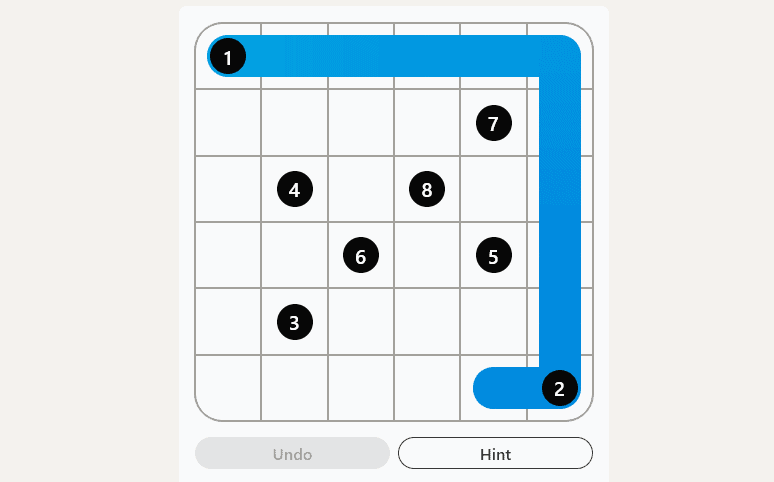
Benefits of LinkedIn games
- Networking through play: Scores are visible to your connections, sparking conversation.
- Quick brain exercises: The games are short and designed to fit into busy schedules.
- Increased visibility: Regular participation can make your profile more active in feeds.
Downsides to consider
- The games can be distracting during work hours.
- Not everyone is comfortable mixing professional branding with casual gaming.
- Limited titles may feel repetitive over time.
Some professionals may even feel that these features dilute LinkedIn’s focus on work. In that case, learning the steps for how to delete your LinkedIn account could be the right move if you prefer a fully distraction-free professional space.
Instead of leaving the platform entirely, you can also remove Open to Work on LinkedIn to keep your profile professional while still managing how others see you.
Should you play LinkedIn games?
If you want to casually connect with colleagues or show a lighter side of your profile, LinkedIn games can be useful. However, if you prefer a strictly professional presence, you may want to ignore this feature until it matures.
If you prefer to focus on strengthening your professional presence, learn how to upload a resume on LinkedIn so your profile stands out while still enjoying lighter features like games.
If you enjoy quick brain teasers on LinkedIn but also play outside the platform, keep this handy: our NYT Mini Crossword not working guide walks you through fast fixes for loading, login, and access issues.
FAQs
LinkedIn games are short puzzle and trivia challenges built into the platform to encourage engagement and networking.
Not yet. LinkedIn is gradually rolling out the feature, so availability may depend on your region or account type.
You cannot remove the feature itself, but you can limit distractions by adjusting your LinkedIn settings or disabling integrations.
Yes, scores and activity may appear in your feed, which can increase your visibility to connections.
If the platform itself gives you trouble, such as when LinkedIn is not loading on Chrome or LinkedIn not opening on Safari there are simple fixes that we covered in our earlier articles, so check them out.

Read our disclosure page to find out how can you help Windows Report sustain the editorial team. Read more



Improve this guide


User forum
0 messages