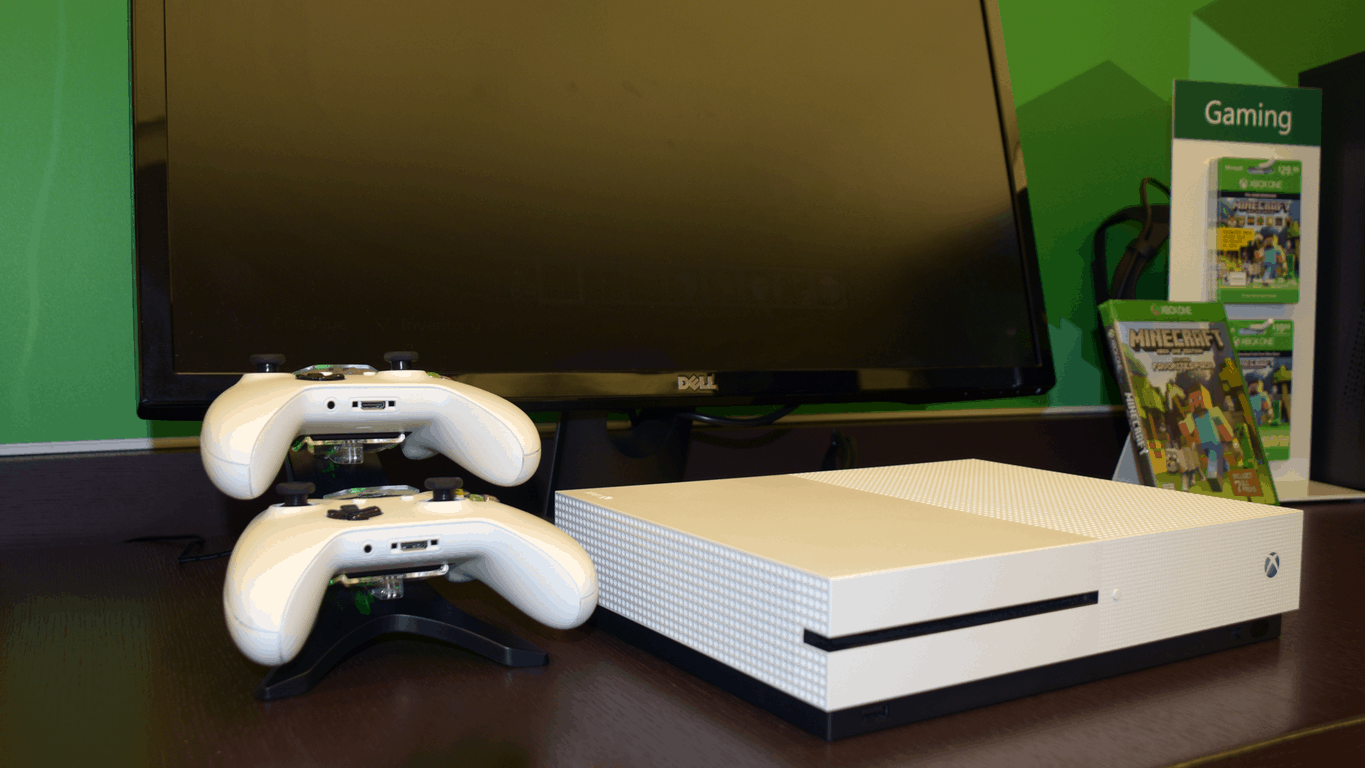
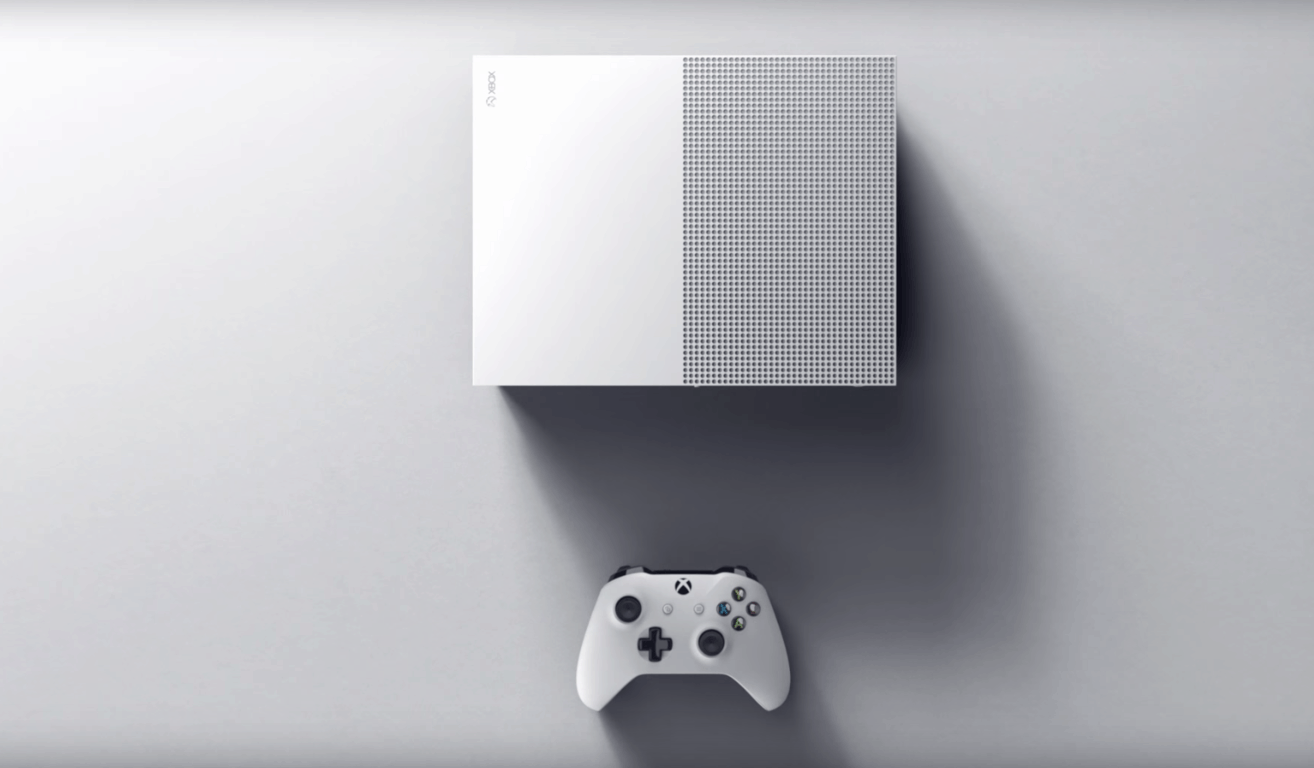
Console modder Ben Heck has turned an Xbox One S into a laptop

Ben Heck, a popular console modder has been taking apart gaming consoles to turn them into new products from quite some time. In a recent episode of his Ben Heck show, Heck explained how he created an Xbox One S laptop by using parts from a previous teardown of Microsoft’s latest gaming console (via Engadget).

The console modder explains the DIY process in detail during the 25 minutes video, from scanning the motherboard to get its exact measurements to the construction of a custom aluminum base cut with a CNC machine. To reduce the size of the hardware, Heck had to move some parts including the hard drive and the wifi module, and he also chose to replace the fans by smaller models that can keep the system cool in all circumstances. The power supply has also been replaced by a more powerful model that can power both the console parts and the integrated LCD screen.

While the result is definitely impressive, this isn’t the first time that we see someone design a portable Xbox One S mod: indeed, modder Ed Zarick built a Xbook One S laptop with a body made almost entirely out of strong acrylic last year. Unlike Heck’s Xbox One S mod, Zarick’s Xbook One S is available to purchase with prices starting at $1.495, or just $1,200 if you ship in your own Xbox One S console to have it modded by him.

Windows 10 overtakes Windows 7 in the US and UK

Although Windows 10 snagged only a hike of 0.64% globally in December 2016 compared to the previous month based on NetMarketShare’s data, the operating system has seen some growth in the U.S. and U.K. Data from Statcounter shows that Windows 10 hit 31.02% in the U.K and 26.9% in the U.S. respectively during the same period.

With this data, Windows 10 has now officially overtaken Windows 7 in the U.S. and U.K. According to Statcounter’s data, Windows 7 finished 2016 with a market share of 21.49% in the U.K. and 26.56% in the U.S. The market growth in the U.K. over the last month in particular marks the sharpest gain for Windows 10. Statcounter’s data shows that Windows 10 is starting to become the U.K.’s most widely used operating system for desktops and tablets in June when it reached 27.59%, eclipsing Windows 7 in the country.

Meanwhile, Windows 10 continues to lag behind Windows 7 on a global scale. For example, the latest data from NetMarketShare puts Windows 10 desktop market share at 24.36% in December 2016 while Windows 7 remains dominant at 48.34%. Also, Statcounter’s figures indicate that Windows 10 reached a market share of 24.48% in December 2016 while Windows snagged 36.26% during the same period.

Windows 10 adoption began to slow down dramatically when Microsoft ended its free upgrade offer in July 2015. However, it now seems that installations are starting to soar again after three months of flat growth. It’s slowly becoming evident that the free Windows 10 upgrade was an effective strategy, though Microsoft’s biggest error was making the offer available for only a year — and being uncharacteristically aggressive while it did.

Are you surprised that Windows 10 has eclipsed Windows 7 in the U.K. and U.S.? Let us know your thoughts in the comments.

RELATED STORIES YOU NEED TO CHECK OUT:

Windows 10 news recap: Bluetooth improvements on the way, gaming getting a boost and more

Welcome back to our Windows 10 news recap. We are continuing the trend of our weekly “Windows 10 news recap” series where we go over the top stories of the past week in the world of Microsoft’s flagship operating system.

Microsoft working directly with Fitbit, Garmin for new Bluetooth features in Windows 10 Creators Update

Microsoft has announced that it is working with Fitbit, Garmin, as well as other manufacturers, to implement new Bluetooth features in Windows 10’s Creators Update. The update will add numerous new features to Windows 10’s Bluetooth support, such as connecting to unpaired devices, GATT Server support and more.

Fitbit testing Windows 10 GATT Server support with Call and SMS notifications

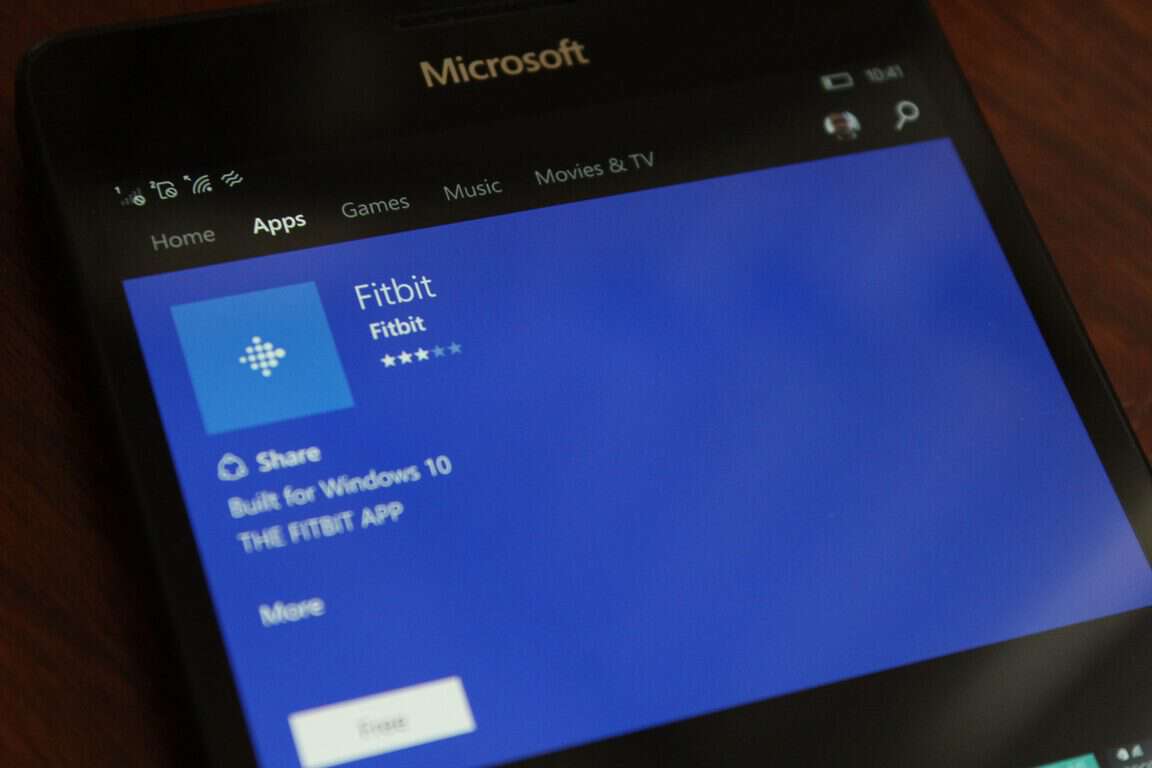
As noted above, Microsoft is implementing GATT Server support for Bluetooth in the Windows 10 Creators Update. Fitbit is already working on upgrading its Universal Windows 10 App to support this new feature, allowing Call, SMS and other notifications to be sent to Fitbit devices from Windows 10 and Windows 10 Mobile. It is working on a private beta test for users interested in taking an early look at the feature.

Microsoft: Windows 10 Creators Update will make your gaming experience much better

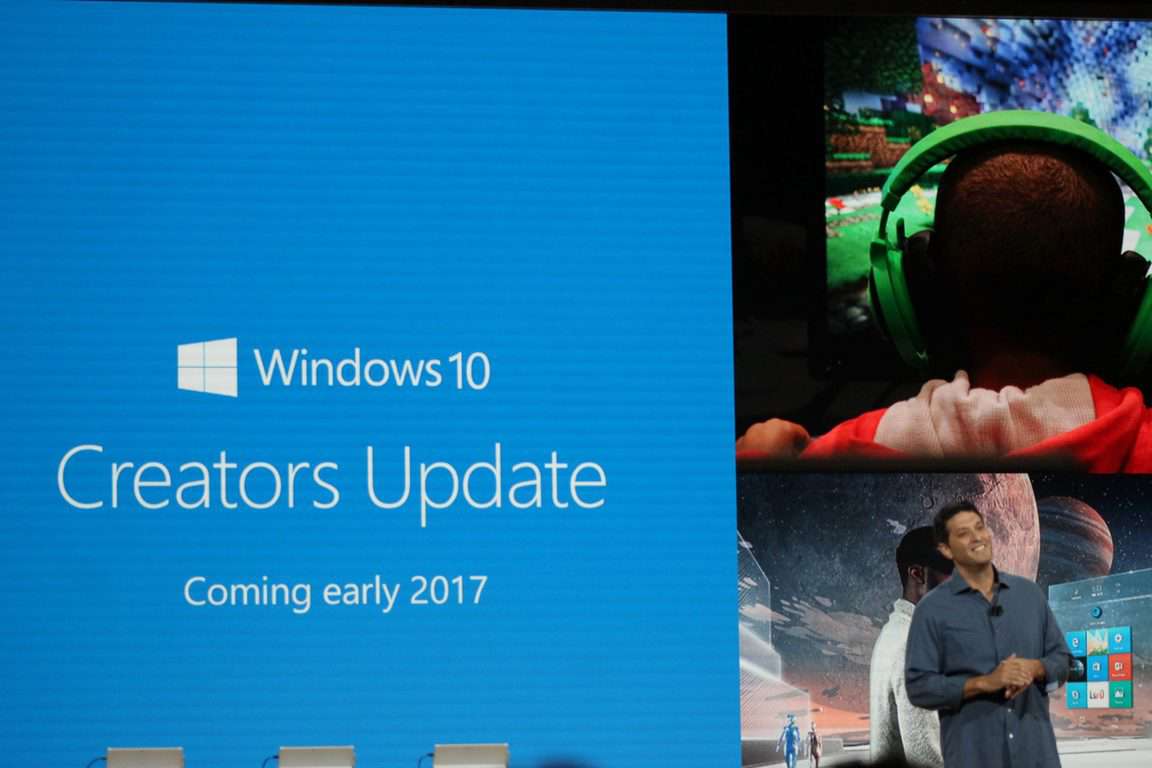
If gaming on a Windows 10 PC or an Xbox One is your thing, you’ll be glad to know that Microsoft is working on enhancing gaming to the ultimate level when the Windows 10 Creators Update drops. There will be improvements across the board, such as instant live streaming to Beam, performance improvements, more Community features for Xbox Live and more.

Windows 10 Creators Update

Microsoft to lower Windows 10 licensing for low-cost notebooks on March 1, says DigiTimes

To help manufacturers get more low-cost Windows 10 notebooks on the market, Microsoft is planning to lower the price for Windows 10 licensing for those devices. This licensing change is anticipated for March 1, according to DigiTimes.

Second Windows 10 Creators Update Bug Bash taking place in February

Microsoft’s Windows Insider team is preparing the second Windows 10 Insider Bug Bash, which will be taking place in February. It will give Windows 10 Insiders the chance to take part in more Quests, as well as ensure their bug reports are being fed to the right teams, making sure that as many bugs as possible are being fixed before the update is pushed to the public.

New Windows 10 feature will lock computers automatically when users step away

Ever forget to lock your Windows 10 device? Microsoft appears to be working on a fix for that. A new feature has appeared that seems to lock your Windows 10 device when you walk away from it. It is expected to use Bluetooth, and will be called Proximity Lock.

Take a look at our hands-on with Windows 10 Insider build 15007

This week saw the release of build 15007 to the Windows 10 Insider Fast ring, take a peak at what’s coming up with our hands-on video:

That’s it for Windows 10 news this week. We’ll be back next week with more!

Microsoft news recap: sued over Gears of War character, Microsoft Teams to surpass Slack and more

Microsoft (MSFT) news recap is a weekly feature highlighting the top Microsoft news stories of the past week. Sit back, grab some coffee, and enjoy the read!

EFF welcomes Microsoft’s changes to privacy collection policies

The Electronic Frontier Foundation (EFF) has praised the changes Microsoft is making to the privacy settings in Windows 10’s Creators Update. The update will mean only 2 data collection settings are automatically on, which are vital to the operation of Windows.

Windows 10 Creators Update Privacy Settings

Microsoft, Epic Games sued over Gears of War character, likeness “stolen” from former pro wrestler

A former pro football player and wrestler, Lenwood Hamilton, is suing Microsoft over the likeness of a Gears of War character, Augustus Cole, to himself. The developer behind the game, Epic Games, as well as a voice actor, Lester Speight, are also being sued.

Gears of War 2 Augustus Cole

Microsoft, CardLinx launch open source software suite, links credit cards to loyalty programs

Microsoft has developed a new open source card-linking software suite, allowing companies to link payment cards to loyalty programs in order to reward customers. The new software suite has been announced by the CardLinx Association and will be distributed by them in order to set some industry standards.

Microsoft Teams expected to pass Google Hangouts, Slack for enterprise chat

A study by IT network Spiceworks has come to the conclusion that it expects Microsoft Teams, its new enterprise chat service, to surpass both Google Hangouts and Slack in users when it comes to enterprise chat.

Trump administration could scrap foreign worker visa program used by Microsoft, others

President-elect Donald Trump’s administration is looking at changing the employment market and one of its proposed changes is scrapping the H1-B visa, which allows companies to import foreign workers to work for them if required. Microsoft uses this visa to fill positions where the talent is not available in the United States, instead having to hire people from overseas. This could be detrimental to Microsoft.

That’s all the top Microsoft news for the past week – we’ll be back next week with more!

Fitbit testing Windows 10 GATT Server support with Call and SMS notifications

Yesterday, we reported that Microsoft is working with Fitbit, Garmin and other device manufacturers to add new Bluetooth features to Windows 10 and Windows 10 Mobile. Today, Fitbit is beginning its testing of one of these new additions.

In a post on the company’s forum, Tristan Rice, Product Manager for Fitbit on Windows, announced the “Fitbit for Windows 10 Tracker Notifications Testing”. Tracker notifications are things such as calls, SMS, calendars and more. With Microsoft introducing GATT Server support in Windows 10 Insider builds, Fitbit is now ready to begin integrating notifications from a Windows 10 device to a Fitbit device.

Fitbit will be offering a private beta test, so not everyone can just sign-up, however, the test will only become available once they “have a good build to share”.

In order to participate in the test, there’s several requirements:

  • Own a Windows 10 Mobile device.
  • Be a participant of the Windows Insider program.
  • Be willing to provide your Microsoft Account Email.
  • You are willing to test app features in an alpha or beta state, on alpha/beta quality Windows OS builds.
  • You are willing to provide feedback and actively engage with devs to help us improve this feature to launch.
  • You understand the terms “flighting” and “whitelist”, without using Google/Bing.

Additionally, if you don’t meet these requirements, you should not take part in the test:

  • What a alpha or beta test is.
  • What the Windows Insider program is.
  • What the “Fast Ring” is.
  • Whether your mobile device is supported.

Fitbit warns that only those who are serious about testing, despite the risks involved, which can include damage to your devices, should take part. The company will not be offering help or support for issues encountered as a result.

If you understand and agree to all of the above, you can sign-up to be a tester by filling in this form.

You can now change resolution on the Display Settings page in Windows 10

As Windows 10 pretty much contains every option a basic user would need, it’s now left for Microsoft to make these options more practical. In that manner, the Creators Update should bring (among new features and options) some re-designed Settings pages, and same possibilities as present before, but in a slightly different package.

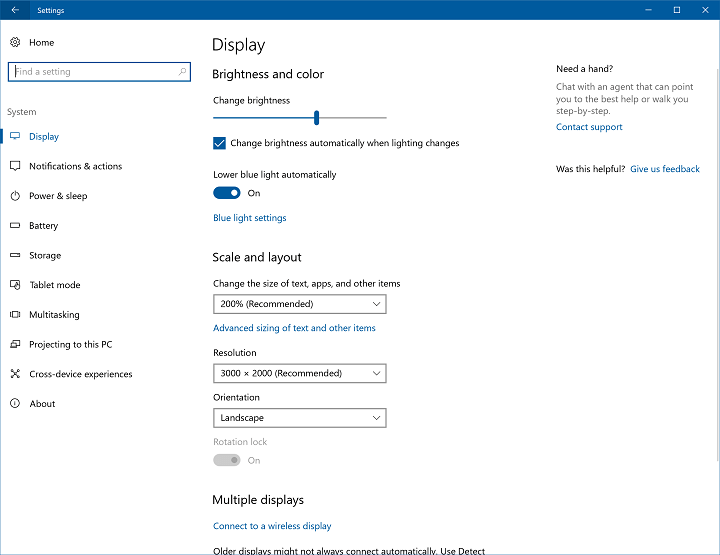
One of the Settings pages that’s going to receive some adjustments with the Creators Update is the Display Settings page. Namely, starting from Windows 10 Preview build 15002, users will be able to change the display resolution directly from here. This small change will definitely come in handy, because all important settings are going to be stored in the same place.

“In the refreshed display page, numerous changes have been made to make the page clearer and easier to use, including now being able to change resolution straight from the main Display Settings page.”

Until now, to change the display resolution, you had to go to Settings > System > Display > Advanced Settings. Once again, this is a minor change, and probably won’t save you even a second of time, but it just feels better to have everything on a single page.

Other aspects of the Display settings page, like the display orientation, text size, and brightness level remained unchanged, for now.

Besides this small tweak, the latest Windows 10 Preview build also brings some more visible changes to the Settings app, like the improved Device settings, the option to lower blue light, and more. For now, all these changes are available only to Windows Insiders running at least build 15002, but Microsoft will release them to everyone else with the Creators Update this spring.

RELATED STORIES YOU NEED TO CHECK OUT:

Microsoft President Brad Smith highlights 5 public policy pillars important for Next Generation Washington state

Microsoft president Brad Smith has put together a list of things that he thinks needs to be improved in Washington State legislature as we enter 2017. Here, Smith doesn’t speak much at all about Microsoft’s plans for the future of technology. This article comes from a place of genuine care and activism. If you’re interested in knowing Smith’s priorities in politics, it’s definitely worth a read.

Here’s an overview of what Smith had to say.

  • A Balanced Agenda to Create Opportunity

Brad Smith understands that there’s a serious problem with equality in Washington, and the country as a whole. While technological advancements continue to be made on every level, those advancements continue to only be available to a select few people. Smith says that “We need a legislative agenda that will enhance economic growth, create new opportunities for more individuals to participate in that growth, and protect and improve the quality of life enjoyed by Washington residents.”

  • Education and Workforce Training

Smith thinks that we’ve made a considerable amount of progress in our education system, citing the rising graduation rate since 2010. That being said, there’s still a lot further that we can go to elevate education to where it ought to be. Smith talks not only about improving the K-12 school system, but also creating more education opportunities to improve the quality of so-called “middle skill” employment.

  • Improvements to the Criminal Justice System

Many would say that the criminal justice system has been something of a disaster recently, and Brad Smith thinks that Microsoft has a place in improving things. Smith says that Microsoft’s ability to collect and analyze data could be a valuable contributor to improvements to the criminal justice system, and make Washington State a better place.

  • Equal Pay in the Workplace

Despite significant support from Washington voters and a multitude of proposals from state legislators, the business world continues to show extreme hesitation in offering basic equality when it comes to payment in the workplace. Smith wants to work with lawmakers and businesses to work towards paid family leave and equal pay to improve the lives of employees in Washington State and beyond.

  • A Cascadia Innovation Corridor

Smith wants to focus on improving the innovation corridor between Vancouver and Seattle in 2017. More than anything else, Smith thinks that it’s important to help create more convenient transportation between the two cities.

  • A Cloud for Global Good

Smith made a point to let us know that Microsoft is “committed to building a cloud that is trusted, responsible, and inclusive, promising economic and social benefits for both urban and rural communities.” As cloud technology continues to be one of the biggest factors in the advancement of tech as we move into 2017, Smith and Microsoft are focused on developing a cloud for global good that can benefit everybody.

Go ahead and check out Smith’s full writing if you’re interested in hearing what he has to say. Smith wrote at length about how he thinks Washington State can be improved, and many of his ideas extend quite well to the United States as a whole.

Xbox news recap: Scalebound canceled, Xbox has peak sales month and more

Welcome to our weekly Xbox news recap series, where we go over the top stories of the past week in the world of Xbox. Let’s get started.

Scalebound officially canceled after confusion

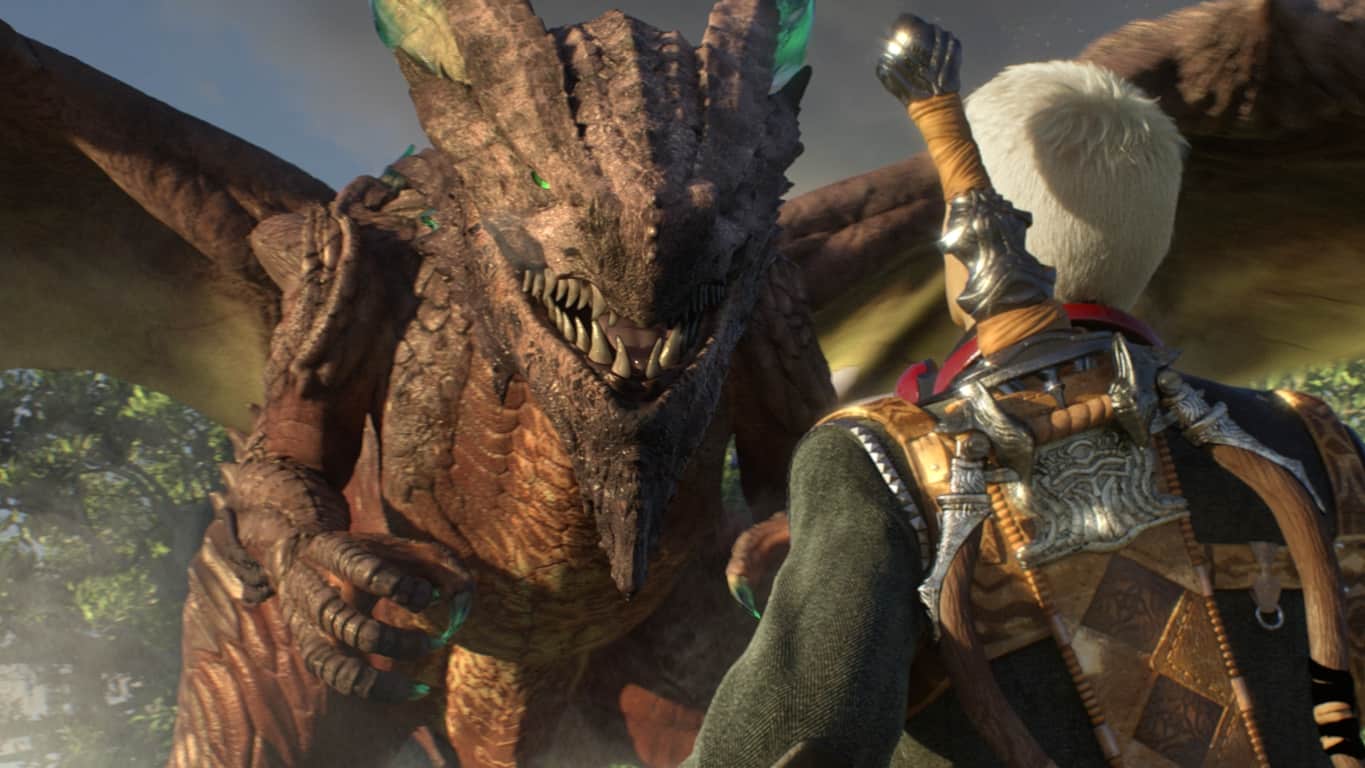
Scaelbound has been in a pretty strange state of development for a while, with appearances only made once or twice at big events like E3. As it turns out, Scalebound just wasn’t meeting the standards of Platinum Games or Xbox. It was announced this week that the game will cease all development, and be cast off to the graveyard of games that never were. No real reason was given for the cancellation of the game, but it marks a sad moment for the many people who were rooting for it to succeed.

Xbox has its best sales month ever in December

With the holidays driving sales for people of all sorts, it’s not hard to imagine that the month can often bring sales numbers high. December 2016, however, marked the best sales month that Xbox has ever had. Microsoft’s Aaron Greenberg mentioned the achievement on Twitter, congratulating all Xbox users for helping Xbox become the #1 best selling console in the US.

Microsoft releases new red and crimson controllers

Microsoft has released two new premium looking controllers – red and crimson. The two controllers feature a nicely textured grip, an improved wireless range, and some truly striking color schemes. While many people in need of a new controller might prefer to create one of Microsoft’s Xbox Design Lab custom controllers, these make a good option for people looking for a more premium product.

Xbox One Controller in Red

Mass Effect Andromeda will be playable for early access

Mass Effect Andromeda is going to be playable on early access for EA access members. The service has been offering this early play option for a while, and it’s a pretty nice perk for those who happen to like getting their toes wet before release day. People looking to try out early access should know that the game will likely only be available to play up to a certain point (and in a time limit of a certain amount of hours). We don’t have a date yet for certain, but the rumor mill says that the trial will start on March 18th.

New feature coming to Beam – but we aren’t sure what it is.

Someone on Twitter asked Xbox’s Mike Ybarra a fairly simple question: Will Beam be snappable on Xbox One? Mike replied with a pretty cryptic answer, opting to forego a simple yes or no by saying “better than snappable.” We aren’t sure what this could possibly mean, but you can bet that Xbox has something up its sleeve. We’ll have to wait and see what the future of Beam on Xbox is going to be.

Microsoft's Beam Video Game Streaming Service

We talk about how to improve Xbox One in 2017

Xbox One had a great year, and we want to see 2017 be even better. We put together a list of six ways that Microsoft can kick the Xbox One’s success into high gear in 2017. We talk a bit about Kinect, backward compatibility, and social features like Facebook and Twitter.

Thanks for joining us. To keep up to date with all the latest Xbox news, keep a close eye on our Xbox One news hub.


Fix: Windows 10 build 15007 audio issues, high CPU usage and Edge crashes

Microsoft recently rolled out Windows 10 build 15007 for both PC and Mobile to Fast Ring Insiders. The latest build packs a plethora of new features and improvements that will boost the popularity of the Windows 10 Creators Update OS, making it very appealing to users.

However, since build 15007 is not a final OS version, it still needs some polishing work here and there. There are still many known issues that Microsoft needs to fix. Moreover, build 15007 also brings issues of its own, as users report.

Windows 10 PC build 15007 breaks audio, causes high CPU usage and Edge crashes. Fortunately, Microsoft has managed to identify the culprit for all these issues, and posted a quick workaround on how to solve these bugs.

As part of this build there is a known issue that will affect some users and we wanted to describe the issue and the simple workaround should you hit this bug after installing the new build.  Details are below:

Issue:
Some users may hit a bug that has several possible symptoms.  Each of these issues are caused by this same bug:
– No audio
– Continuous high CPU/disk usage
– Edge crashes when opening Settings inside the app

Here’s how to fix audio issues, high CPU usage and Edge crashes in Windows 10 build 15007


To bypass this bug, follow the troubleshooting steps listed below:

Solution 1

  1. Type cmd in the search menu > launch Command Prompt
  2. Paste the following:Rmdir /s %ProgramData%\Microsoft\Spectrum\PersistedSpatialAnchors

    Shutdown /r


Solution 2 

  1. Open File Explorer
  2. Navigate to this folder: C:\ProgramData\Microsoft\Spectrum
  3. Select the “PersistedSpatialAnchors” folder > click Delete
  4. Reboot the PC.

Should you encounter a message saying “Files are in use” while trying to delete the folder, simply reboot your PC and try again.

RELATED STORIES YOU NEED TO CHECK OUT:

Settings app gets visual improvements in Windows 10 Creators Update

Ever since Microsoft introduced the Settings app with Windows 10, it has been revamped with every major update for the system. After all those updates from the previous two major updates, it looks like the Settings app will also be changed when the next update for Windows 10, the Creators Update, sees the daylight.

The most recent Creators Update build 15002 for Windows 10 brings a handful of improvements and changes to the Settings app.

We’ll start off with some visual improvements and functionality changes. Every Settings page now contains additional information, with links to Support, the Feedback Hub, and any other available related-settings. This will make it easier for users to report possible bugs regarding a certain setting directly from the app.

Microsoft also decided to move app-related settings out of the System page and create a new category called Apps. The reason for this is because “System Settings list was getting quite long”. So, if you want to change some apps settings, you’ll have to go to a different place from now on.

Speaking of merged settings pages, Microsoft also combined the Bluetooth and Connected devices pages to form the new section called “Bluetooth & other devices”. From this section users will be able to manage their devices and peripherals, including Bluetooth accessories, wireless docks, Xbox Wireless controllers, media devices, and more. Additionally, users are now able to disconnect and reconnect their Bluetooth audio devices directly from the Settings page.

Besides these visual and functionality changes, the new build also brings new Display Settings options, the Lower blue light option, the improved theme management, and more. Each of these improvements is now available to Windows Insiders only and will be released to everyone else along with the Creators Update this spring.

Do you like the new look of Windows 10’s Settings app? Is there something you’d like to change? Let us know in the comments below.

RELATED STORIES YOU NEED TO CHECK OUT:

Microsoft Edge celebrates open source ChakraCore’s first anniversary

A year ago, Microsoft announced that it would open source Edge’s ChakraCore javascript engine, releasing it on GitHub, while promising to keep developing its critical components in the open. Today, a new post on the Microsoft Edge developer blog looks back at what the various contributions brought to the ChakraCore codebase over the past 12 months, but we also learned some details about what is on the roadmap this year.

“New products and services such as TypeScript, Open Translators to Things, and HoloJS are now using ChakraCore. And it’s been great to see work outside of the core engine proving valuable to the community with things like ChakraCore’s test suite landing in WebKit and SpiderNode building on ChakraShim,” explained the blog post. However, one of Microsoft’s most ambitious projects for ChakraCore remains bringing the javascript engine to both MacOS and Linux.

Last year, the company released the first experimental implementation of the ChakraCore interpreter and runtime for x64 Linux and OS X 10.9+, and Microsoft engineers are still working to deliver ChakraCore parity on other platforms. “The roadmap show our short-term focus – strengthening ChakraCore support on Linux and bring it to release quality, continuing our efforts within the Node.js community around coming up with ABI stable Node APIs, supporting more JavaScript and WebAssembly features, and improving performance for real-world usage patterns,” explained the team. “We look forward to further collaboration with the community and hope to see more developers contributing to the project and building cool things with ChakraCore over time,” the blog post continued.

If you’re interested in all the hard work Microsoft and other contributors are doing on ChakraCore, we invite you to have a look at the GitHub repository.

EFF welcomes Microsoft’s changes to privacy collection policies

Earlier this week, Microsoft announced a recommitment to users’ privacy with the upcoming Windows 10 Creators update: when it will be released in April, users will discover a new set of privacy settings, with only two levels of automatic data collection. According to Microsoft, the company has reduced the data collected at the “Basic” level to focus on “data that is vital to the operation of Windows.”

Windows 10 Creators Update Privacy Settings

While Microsoft still won’t allow Windows 10 Home and Pro users to completely disable telemetry, these changes have been praised by the Electronic Frontier Foundation (EFF), which previously criticized Microsoft for “blatantly disregarding user choice and privacy” in an August editorial. In an interview with Computerworld, Maul Kalia, EFF legal intake coordinator explained that “these are solid and welcome steps.” He added:

More transparency is what we want from the company. I’m glad they took some of our suggestions to heart, and we’re happy that they did that, but we’d prefer them to be more transparent with users about what is collected and why.

It’s true that Microsoft may still have work to do to convince users that refused to upgrade to Windows 10 that the new operating system is not spying on its users. In its latest blog post, Microsoft claimed that the purpose of telemetry is to “help keep Windows and apps secure, up-to-date, and running properly when you let Microsoft know the capabilities of your device,” but the company still declined to reveal exactly what kind of data it collects.

However, the company clearly reiterated that it would never use this data to deliver personalized ads to its users. “Regardless of your data collection choices, we will not use the contents of your email, chat, files, or pictures to target ads to you,” explained the company.

Are you satisfied with Microsoft’s changes to its data collection policies? Let us know in the comments below, and don’t forget to follow OnMSFT.com on Twitter for all the latest Microsoft news and information!

Microsoft acquires natural language deep learning startup Maluuba

Today, Microsoft quietly acquired Maluuba, a natural language deep learning startup based in Montreal. Microsoft made the announcement on their blog and Maluuba confirmed the acquisition on their own website.

Maluuba’s acquisition will strengthen Microsoft’s AI advancement and help Microsoft in many areas, especially the further development of Cortana. Maluuba has made significant steps by creating software that allows computers to read, write and communicate similarly to humans.

“Today is an exciting day for the advancement of AI at Microsoft. We have agreed to acquire Maluuba, a Montreal-based company with one of the world’s most impressive deep learning research labs for natural language understanding. Maluuba’s expertise in deep learning and reinforcement learning for question-answering and decision-making systems will help us advance our strategy to democratize AI and to make it accessible and valuable to everyone — consumers, businesses and developers. We’ve recently set new milestones for speech and image recognition using deep learning techniques, and with this acquisition we are, as Wayne Gretzky would say, skating to where the puck will be next — machine reading and writing.”

Yoshua Bengio, Montreal Institute for Learning Algorithms, has served as a special advisor to Maluuba, and will stay on in that role with Microsoft. Bengio is a world-renown expert in deep learning and will be a valuable asset to Microsoft.

In the next few months, Microsoft will presumably make more announcements regarding the combining of Maluuba’s software into Microsoft’s AI services. Stay tuned.

Xbox sales did well this holiday season, but Sony’s PS4 was December winner

The holiday season is typically a very good time for gaming console sales, and this last one was no different. As we reported earlier today, Microsoft just announced that the Xbox One was the top selling console in the US in the second half of 2016 according to NPD, adding that December was “our biggest month ever.”

In a statement shared by VentureBeat, a Microsoft spokesperson also claimed that the Xbox One was “the only [current-generation] console with year-over-year growth according to NPD,” hinting that Sony’s PlayStation 4 sales were down year-over-year in the US. While Sony declined to comment the latest data from the Industry tracking firm, the company confirmed that its PlayStation 4 did conclude 2016 on a high note in the US by outselling Microsoft’s Xbox One for two months in a row.

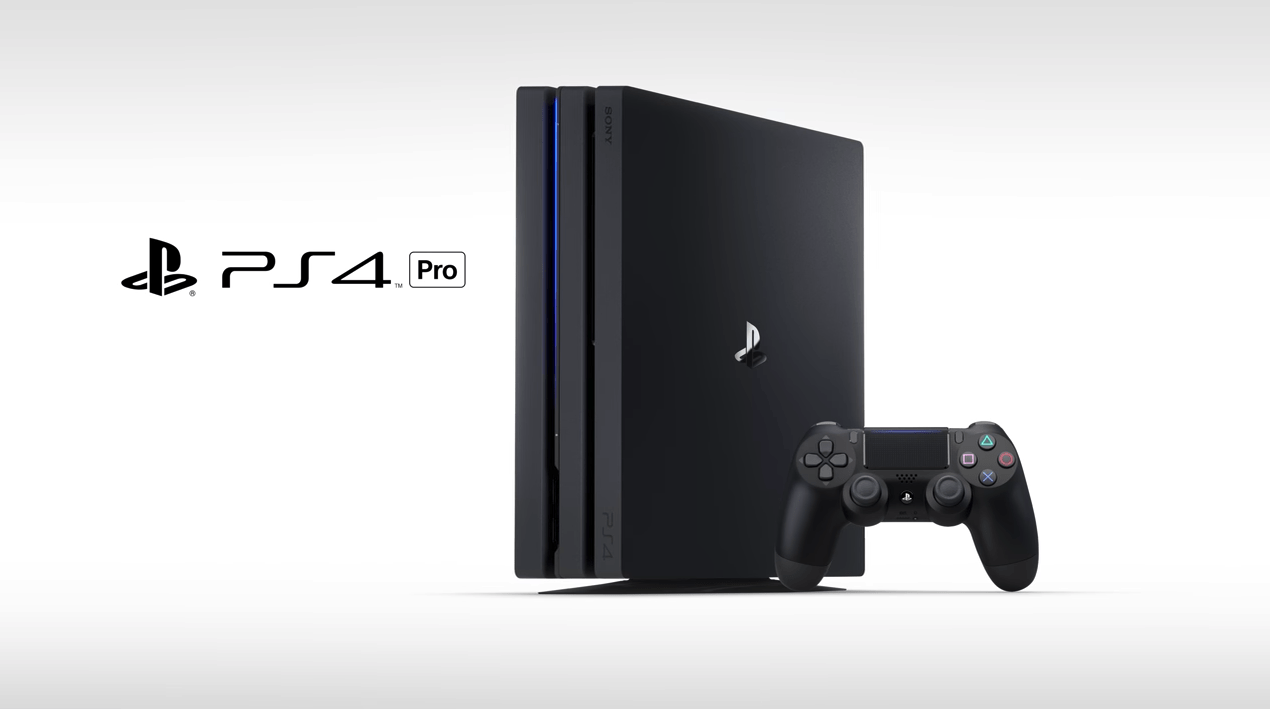
If you’re wondering why Sony’s console had more momentum last month, remember that the Japanese company launched the 4K-capable Playstation 4 Pro in November, which likely pushed a significant number of fans and early adopters to upgrade. It remains to be seen if Sony will continue to dominate console sales in the US this year. Microsoft is confident that 2017 will be the year of Project Scorpio, but the successor to the Xbox One won’t be ready until sometime in late 2017.

Microsoft to lower Windows 10 licensing for low-cost notebooks on March 1, says DigiTimes

PC sales have been on a steady decline for the last five years according to recent reports from Gartner and IDC, but Microsoft may well try to do something about it this year. Indeed, Taiwan-based supply chain makers told DigiTimes that the Redmond giant has agreed to lower Windows 10 licensing rates for under 14.1-inch low-cost notebooks to be launched in 2017. The Taiwanese newspaper added:

2017 licensing rates will come into effect on March 1, the sources said. As usual, charges vary with notebook screen size, emerging markets and markets in developed countries, high-end, mid-range and entry-level models, and type of notebook such as 2-in-1 hybrid or conventional clamshell, the sources indicated.

DigiTimes’ sources also indicated that Chromebooks are becoming increasingly attractive to manufacturers as Google doesn’t charge a license for Chrome OS. Anyway, it seems that Microsoft already had other plans to compete with Chromebooks: a month ago, the company announced that it was working on a new Windows 10 on ARM SKU that will allow manufacturers to build cheaper laptops that can run all legacy Win32 apps through emulation. Licensing details for this new SKU are not not known yet, though we expect these ARM-based laptops to be cheaper than Intel-based ones.

Former Microsoft veteran Soma Somasegar promoted to Managing Director at Madrona Ventures

Former corporate vice president of Microsoft’s developer division chief, S. “Soma” Somasegar, has been given the new role of managing director at venture capital firm, Madrona Venture Group.

“Madrona is in a unique position,” Somasegar told TechCrunch. “We sit at the center of the cloud industry with Microsoft and Amazon at our front and back doors – and Google’s cloud team growing quickly. There is a tremendous amount of talent base here.  The opportunity for entrepreneurs is immense and I’m looking forward to taking on a bigger role helping founders build and scale successful companies, which in turn will foster the vibrant and growing Pacific NW technology ecosystem.”

Somasegar joined Madrona as recently as 2015 when he came on board as venture partner after his stint at Microsoft where he worked on programs such as Visual Studio and .NET. Madrona Venture Group is known for its support of entrepreneurs in the tech industry. “One of the most valuable benefits we offer is a deep network to help founders grow their startups,” reads a statement on their official website. “We’re connected to global technology and consumer companies, world-class educational institutions, and a vibrant entrepreneur and engineering community.”

Would you like to hear about more ex-Microsoft employees? Let us know in the comments below.

Beam video game streaming service could use a new Xbox One feature

When asked if Microsoft’s own video game streaming service, Beam, would be snappable on the Xbox One when it launches in the near future, Mike Ybarra responded with a rather cryptic reply, “Better than snappable”, that left followers equally excited and scratching their heads.

Right now, multitasking on the Xbox One requires the snapping of an app to the side of the screen in a similar fashion to how apps are snapped on a Windows 10 PC or tablet. Twitch’s gaming streaming app on Xbox One currently incorporates this functionality and it was assumed by many that Beam would do something similar. Guess not.

Microsoft and Beam staff have stated several times in recent months that, while there will be a Beam app for Windows 10 and Xbox One, the service itself would be built into the Windows 10 operating system, which is what the Xbox One now runs on.

In the same Twitter thread, a Windows platform developer, Martin Suchan, mentioned coding in an early version of the Windows 10 Creators Update that makes reference to a new ‘AppOverlay’ feature on Xbox One. While there’s not much to go on, the text shown does imply that future Xbox apps could be positioned over content rather than pushed aside and snapped like they are now. There are also visible options for app opacity, size, and even pinning. It’s possible that this new overlay ability could work in a similar way to how the Windows 10 Xbox app’s recording feature works right now.

Microsoft bought Beam in 2016 and has rapidly been seen building up the company from within and attracting more streamers to the platform. Beam will be getting a major push sometime in early-2017 though no specific dates have been mentioned. In addition to being incorporated into Windows 10 devices, there are also numerous new Beam apps planned for mobile devices and a variety of new features planned.

Do you use Beam? Let us know your thoughts on the video game streaming service in the comments below.

Fix: “Please uninstall KB3172605 and/or KB3161608 before installing this driver” error

Many Windows 7 users report they are randomly getting a strange cmd.exe error, inviting them to uninstall two updates in order to install a driver. This annoying error message has been nagging thousands of Windows 7 users for since Monday.

Lenovo computer owners are affected by this bug

Judging by the comments that Windows 7 users posted on Microsoft’s forum, it appears that this error message is prevalent for Lenovo computer owners. Also, it seems that this error occurs on particular Lenovo computers. Users confirm that the following Lenovo computer models are affected: Lenovo T440, Lenovo Thinkpad W540, Lenovo W541 and Lenovo T540.

Here is the exact error message that appears on the screen:

KB3172605 and/or KB3161608 are installed in your system. Please uninstall KB3172605 and/or KB3161608 before installing this driver.

The message is clearly referring to a driver that the system is trying to install. Strangely enough, there are no alerts or notifications of any kind in Device Manager.

All clues indicate that Lenovo pushed out a System Update that is trying to change a driver from the KB3172605, KB3161608 roll-up.

Fix KB3172605, KB3161608 error on Lenovo computers

After analyzing his computer’s log, one resourceful users managed to identify the culprit. He found a scheduled task on his machine called TVSUUpdateTask, that executes “C:\program files (x86)\Lenovo\System Update\tvsuShim.exe (etc…)“.  This confirms indeed the hypothesis that the error is caused by a recent Lenovo system update.

More info that answers this better – I found a Scheduled Task on my machine called TVSUUpdateTask, that runs at 10:53am every Monday, and executes “c:\program files (x86)\Lenovo\System Update\tvsuShim.exe (etc…)”. I changed it to run 3 minutes in my future, and waited. Within a minute following it’s start time, it popped up the error prompt. So I’m satisfied that it is specifically this bluetooth update within the Lenovo System Update tool that is indeed the culprit for the past error prompts I’ve experienced.

To fix this error, use the following workaround:

  1. Create a valid system image
  2. Uninstall  KB3172605 and KB3161608
  3. Let your system install the latest Lenovo system update
  4. Manually download KB3172605 from the Microsoft Update Catalogue website.

This should fix the problem.

RELATED STORIES YOU NEED TO CHECK OUT:

Xbox tallies biggest sales month ever in December, says Aaron Greenberg

Microsoft has been aggressively marketing the Xbox One family, pushing deals on Xbox bundles, introducing a new Xbox One S version, and generally going head to head with rival Sony, and it appears to be paying off. Aaron Greenberg, head of marketing for Microsoft’s Xbox, just tweeted out that not only did the Xbox have its best sales month ever, it also won the console sales battle for the second half of 2016:

Microsoft isn’t stopping there, either, with a solid lineup of new titles lined up for 2017, and a whole year to build up to “the year of the beast”:

Microsoft took the somewhat unusual step of pre-announcing its next generation gaming console, code named Project Scorpio, at last year’s E3, along with the generation bridging Xbox One S, which it began selling in time for last year’s holiday season.

That strategy seems to be paying off, as sales were up, the company got an early start into 4K compatibility, and now it has a whole year to stir up a frenzy for Project Scorpio.

Of course, Microsoft isn’t releasing any hard numbers on sales of consoles, and there’s still some healthy skepticism about the Xbox platform coming from the Sony camp. Naysayers have been quick to point out failures like this week’s announcement that Scalebound, the long awaited and much touted Xbox exclusive, has been cancelled, and Microsoft’s spin on sales numbers doesn’t mean that Sony sales are in any great danger, with PS4 sales beating Xbox on Amazon in 2016.

Still, it’s good to see some positive momentum for Xbox heading into 2017, which should indeed be a very good year.

Second Windows 10 Creators Update Bug Bash taking place in February

Today, Microsoft surprisingly hit everyone with yet another exponential Windows 10 Insider build, 15007, bringing a vast array of new features, improvements and fixes. In addition to announcing build 15007, Microsoft also took the spotlight moment to announce the second Bug Bash for the Windows 10 Creators Update.

This Bug Bash will take place in February, between Friday 3rd and Sunday 12th. During this time, the Engineering team will post several Quests for Windows 10 Insiders to be looking through and then sharing their feedback. Pieces of feedback submitted will be triaged and reviewed by the various Engineering teams within the company to resolve as many issues as possible. These fixes will then later be rolled out in a Windows 10 Insider build full of bug fixes.

Microsoft explained that they would have liked to have held a Bug Bash over the holiday season, however, due to employee’s taking their holiday and lacking many of the features that arrived in build 15002 and 15007, they decided to wait:

You all gave us feedback that you LOVED the last Bug Bash and wanted to do one during the holidays. We didn’t have the feature set we wanted in Insider Preview builds nor did we have the team available to help triage Feedback Hub items at that time so we decided to wait.

Continuing, the team aims to host a webcast where everyone can Bug Bash together. More details on this will arrive in the near future.

We are also planning at least one webcast so we can all Bug Bash together.

Not sure what a Windows 10 Insider Bug Bash is or how to take part? Here is our explanation of what a Windows 10 Insider Bug Bash is and how to get involved!

Microsoft adds Bing Maps .Net REST Toolkit to the open source list

The Bing Maps REST services are an important part of using Bing maps technology – they’re crucial for making geospatial inquiries, and pulling off some of the other things that make Maps so good. Unfortunately, up to this point, it could take a bit too much time to implement REST services in a .NET application.

This issue is being addressed by Microsoft in the form of a shift to open source. As of right now, Bing Maps REST services are available on GitHub for anyone who wants to use them. You can find the REST GitHub page right here, and you’ll find pretty much everything about the program available for your perusal.

Here are a few other open source projects that the Bing team put up recently:

So if you’re using Bing Maps .Net REST services, you can now find them on GitHub.
Windows 10 free upgrades still available: Here’s how

Windows 10 was introduced to the world as a free upgrade. This means that as long as you had an official copy of Windows 7, Windows 8 or Windows 8.1 installed on your machine, you could upgrade to Windows 10 free of charge. It was a very convenient gift for users and a sure way to rack up surefire market share for the newly released OS.
Some time after Windows 10 was launched, Microsoft announced that the 29th of July 2016 was the last day in which Windows 7/8/8.1 users could upgrade for free. Of course, no one expected things to be otherwise so when that date came, people pretty much forgot about the free upgrade feature which supposedly was shut down.

Ed Bott, a ZDNet representative, is the one credited with the discovery. Upon trying to undergo the free upgrade process on a machine using a valid copy of Windows 7, he was able to discover that there was nothing stopping him from completing its. The Microsoft page which hosts the option of downloading Windows 10 for free is still up and running and people can get their free Windows 10 copy even now.

There a couple of interpretations of this situation, but all of them are speculation since Microsoft has decided not to comment so far. No one can blame them since there isn’t a positive answer. The explanation for what happened could be as simple as Microsoft rewarding curious adventurers that visited the page after July 29, but that’s unconfirmed. Some are going for the funnier version of the story where Microsoft simply forgot to shu down the whole thing.

RELATED STORIES TO CHECK OUT:

Microsoft pulls the mysterious Windows 10 Mobile build 14998

Microsoft recently rolled out Windows 10 build 15002 for PC, adding a series of interesting new features to the OS. It appears that the company just pushed a new Windows 10 Mobile build today, although no official confirmation is available yet.

The latest Windows 10 Mobile update is called “Localization for English” and installs build 10.0.14998.1000 on Insider phones. Apart from that, Windows 10 Mobile build 14998 doesn’t seem to bring any new features or significant improvements.

Windows 10 Mobile build 14998 is shrouded in mystery

The fact that Microsoft hasn’t yet published any post on its Windows Insider blog about this update suggests that somebody accidentally pushed it out, and the lucky Windows 10 Mobile users who first spotted the build about a couple of hours ago managed to install the update.

However, if you search for updates now, build 14998 doesn’t show up anymore. This could mean that Microsoft’s Insider Team realized they made a mistake and pulled it.

This is likely as Microsoft labelled build 14998 an update. Moreover, not all Insiders were able to install this mysterious build on their phones, which suggests that it still needed polish.

This mysterious “Localization for English” update could actually be a solution Microsoft is testing to fix the languages and speech packs bugs listed as known issues on build 14977:

Please avoid attempting to install new languages, keyboards, and speech packs on your phone. There is a chance these downloads may get stuck and not finish downloading. If you have existing languages, keyboards, and speech packs installed – they will carry over when you update to new builds. You can use Windows Device Recovery Tool to go back to Windows Phone 8.1 or Windows 10 Mobile, install any languages, keyboards, and speech packs you need and then update to the latest build in the Fast ring as a workaround.

If you’ve installed build 14988 on your Windows 10 phone, use the comment section below to tell us more about your experience.

RELATED STORIES YOU NEED TO CHECK OUT:

On-screen Touchpad goes missing in Windows 10 Insider build 15002

As you may recall, Windows 10 build 14965 introduced an on-screen touchpad to Windows 10. At the time, the feature let users with tablet devices replace their mouse whenever necessary. Thanks to a tip from a reader (thanks, Justice!), however, the feature appears to have gone missing in the latest Windows 10 insider build 15002.

To clarify, Microsoft is also aware of the issue, and has pointed out in the changelog in build 15002 that the option to enable the Virtual Touchpad is missing from the taskbar context menu. It’s safe to assume that as Windows Insiders continue to submit their feedback to the team at Microsoft, the feature will soon reemerge. There is still no reason to be vexed, though, as build 15002 introduced a ton of new features to the Windows 10 experience.

Did you notice that the on-screen touchpad has gone missing? Have you found it? Let us know what you think by dropping us a comment below!

Red Dead Redemption 2 release date possibly leaked by UK retailer

When the rumors of a Red Dead Redemption sequel turned into an actual Rockstar announcement, fans went wild. It was borderline irrelevant when the game would come out as the only thing people cared about was the fact that it was actually coming out. After the dust settled, people revisited the subject with newfound curiosity about when players might see the game on shelves.

With nothing but “Fall of 2017” as an indication, all there was left was to speculate. That might no longer be the case, as a UK retailer managed to potentially leak the release date of the long anticipated game. On their website, UK retailer Littlewoods listed Red Dead Redemption 2 as available for pre-order.

Not only that, but they also provided a release date for the title: October 2nd. Some are rightfully skeptical of this release date and there is every reason for it to be false. However, it is completely possible the date is actually correct.

From a marketing perspective, there are no major flaws in choosing this date as it would respect the “Fall of 2017” announcement made by Rockstar while also strategically positioning the game on a release time frame that doesn’t include other Game of the Year contenders such as Star Wars Battlefront 2 or the new Assassin’s Creed game.

Regardless of what date turns out to be correct, we still have a long wait ahead of us with the game definitely coming out no sooner than fall. That means that a lot can happen before we get our hands on it, including more news, trailers or general information about the fame coming from Rockstar themselves.

RELATED STORIES TO CHECK OUT:

Gears of War 4 to support crossplay by the end of January

The Coalition really means business in 2017. The company recently rolled out a massive GoW 4 Title Update 3, deploying a long list of game changes and bug fixes. Good news follows that up: The Coalition’s PezRadar recently confirmed that crossplay is in the works and could be implemented by the end of January.

Gears of War 4 crossplay support confirmed

Likewise, weapon tuning and crossplay are still in the works and we are hoping to have those items finalized by end of month. We will be providing updates over the coming weeks regarding both of these items.

For the time being, no further details are available regarding crossplay support, but TC should offer more information in the coming weeks.

As a quick reminder, TC held a crossplay weekend test at the end of November but has yet to publish the results of this experiment.

Crossplay is a highly divisive subject and TC itself stated from the very beginning that its intention is to keep both platforms separate in non-cooperative game modes in order to preserve competitive balance. The purpose of the crossplay weekend was to give Crossplay a trial run in a public playlist.

There are many players requesting crossplay support, especially because there just aren’t enough GoW 4 PC players out there. The data collected during the public crossplay trial allows The Coalition to see whether crossplay is feasible or not. Judging by the company’s latest statement, it appears the experiment yielded positive results. Whether GoW 4 players need to meet certain requirement to access crossplay or not is still unknown, however.

We’ll keep and eye on this matter and update this article as soon as new information is available.

RELATED STORIES YOU NEED TO CHECK OUT:

Two Mega Man titles and Beat’n Groovy have been added to the Xbox One Backward Compatibility catalog

Just two days ago Microsoft added seven new titles to the Xbox One Backward Compatibility catalog.  Today, Microsoft has followed up by adding three more new titles, including Mega Man 9, Mega Man 10, and Beat’n Groovy. As is usual we have included download links, game descriptions, and trailer for your convenience below.

MEGA MAN 9:

The wait is over! Everyone’s favorite side-scroller is back! Mega Man returns to his roots with a new adventure in classic 8-bit style!

MEGA MAN 10:

Thanks to the support of all the fans, we at Capcom are proud to announce the release of Mega Man 10! Now fans of all ages can enjoy the newest entry into this historic 8-bit franchise. As a special service to new players, we added an Easy Mode – a first for a classic Mega Man game! We also have some special treats in store for all the fans. This time you can play as Proto Man and try out Time Attack Mode from the beginning

Beat’n Groovy:

Beat’n Groovy is a music video game distributed over Xbox Live Arcade. It was released on October 8, 2008. The game is based on Pop’n Music.

Which Xbox One backward compatible titles do you own? Let us know what you think by dropping us a comment below!

Microsoft, Epic Games sued over Gears of War character, likeness “stolen” from former pro wrestler

Lenwood Hamilton, a former pro football player and wrestler thinks that his likeness has been used to create Gears of War character Augustus Cole aka “Cole Train,” and he’s not happy about it. According to TMZ, Hamilton has filed a suit against Gears of War developer Epic Games, publisher Microsoft and Augustus Cole voice actor Lester Speight, claiming that the latter used a video game idea with Hamilton that both of them discussed during the late 90’s.

GameIndustry.biz obtained a copy of the suit, which gives more details about why Hamilton, who also hired aforensics services company to compare his voice to the one of Augustus Cole is convinced that the Gears of Wars character has been inspired by him without his consent:

According to the suit, “The similarities of the avatar ‘Cole Train’ and Hard Rock Hamilton include that both are black (and ‘Cole Train’ is the only black avatar in the Gears of War series), they both played professional football (although in Gears of War the game is called ‘thrashball’), Cole Train’s number is 83 (same year that Hamilton played for the Philidelphia Eagles – 1983), the derby hat, wristbands, a front gold tooth, and a striking resemblance of both physiognomy and body build.”

Hamilton is suing for sales of profits according to TMZ, which reports that the former football player never heard about Gears of War or Augustus Cole before his son’s friend showed him the game last January.

Microsoft highlights a growing list of Windows Hello enabled companion devices

Microsoft has taken to the Windows Experience blog to point out the ever-growing list of Windows Hello enabled companion devices. The company points out that 100 unique biometric-enabled Windows devices and accessories are available across form factors, with growing opportunity for partners.

In case you did not know, Windows Hello is Microsoft’s password free solution to logging into your computer and Windows 10 device. With Windows Hello, you can use your face, your fingerprint, your eyes, or a PIN to quickly and more securely log into your Windows 10 device. Microsoft notes in the blog post:

Since first announcing the companion device framework at Build 2016, we have had more than 20 partners join our efforts to make passwords a thing of the past. By opening the Windows Hello companion device framework to the hardware industry, our partners are delivering differentiated and innovative Windows Hello devices that meet the needs of both consumers and businesses, including those in heavily regulated industries.

The first examples of companion devices for Windows Hello is the Nymi Band. Unlike other Windows Hello devices, The Nymi Band is a wearable device and allows you to just walk up to your PC with the band to log in. All you need to do is tap the band to your PC, and you will be automatically logged in. According to Microsoft, the works based on Nymi’s HeartID technology confirms it’s actually you using your heartbeat and their unique electrocardiogram (ECG) based authentication technology.

Next up is the YubiKey. YubiKey is a connected Windows Hello companion hardware device which can be plugged into a USB port on a Windows 10 device to allow you to quickly and more securely log in. The device is indestructible and even supports additional two-factor authentication, including NFC.

Other notable companion devices for Windows Hello which were mentioned in the Microsoft post include The RSA SecureID Access Authenticator, which turns existing devices into a Windows Hello companion device. According to Microsoft, this works by downloading an app on your mobile phone, and then logging into your Windows 10 PC based on the distance to your device, or through the use of a PIN.

What are your impressions of these companion Windows Hello devices? Do you see yourself using one of these devices in the future? Let us know what you think by dropping us a comment below!

LinkedIn, a G Suite customer, may soon switch to Office 365

Last year, Microsoft paid $26 billion to purchase LinkedIn, its biggest acquisition to date. But if you thought that the Redmond giant would do everything it could to assert its power over the professional social network, you’re wrong: CEO Satya Nadella promised LinkedIn CEO Jeff Weiner that the company could continue to operate independently.

That doesn’t mean that Microsoft doesn’t plan to integrate data from the professional social network into its own products though: as we previously reported, Microsoft want to leverage LinkedIn’s data to improve its CRM products, but you can also expect to see more integrations with Windows 10, Outlook, the Office suite and more.

But while Microsoft is planning to improve its own products with LinkedIn’s data, the social network may soon be forced to move its 10,000 employees from Google’s G Suite to Microsoft’s Office 365 according to Business Insider. However, it’s not for the reasons you may imagine:

According to someone close to the company, this change is not being driven by demands from Microsoft that LinkedIn switch to Office 365. We hear that Google is the one that isn’t thrilled to have such a large G Suite customer owned by Microsoft. Google doesn’t want to be put in a position where it’s sharing product road map and other tidbits with a company its biggest rival, this person tells us.

Google declined to comment, but Business Insider added that “employees are increasingly hearing that this change may be coming soon.” If this change does happen, LinkedIn wouldn’t be the first social network to switch to Microsoft’s cloud productivity suite. Last year, Facebook announced that its moved its 13,000 employees to Office 365, which led many to comment that Microsoft had become cool again in the Valley.

Thanks Marc for the tip!

After Scalebound’s demise, Xbox fans reassured about Phantom Dust

Microsoft and Platinum Games cut the cord on Scalebound this week, cutting in to its already meager Xbox-exclusive lineup for 2017. Xbox gamers are understandably jittery about the fate of other upcoming games, none more than the also elusive Phantom Dust.

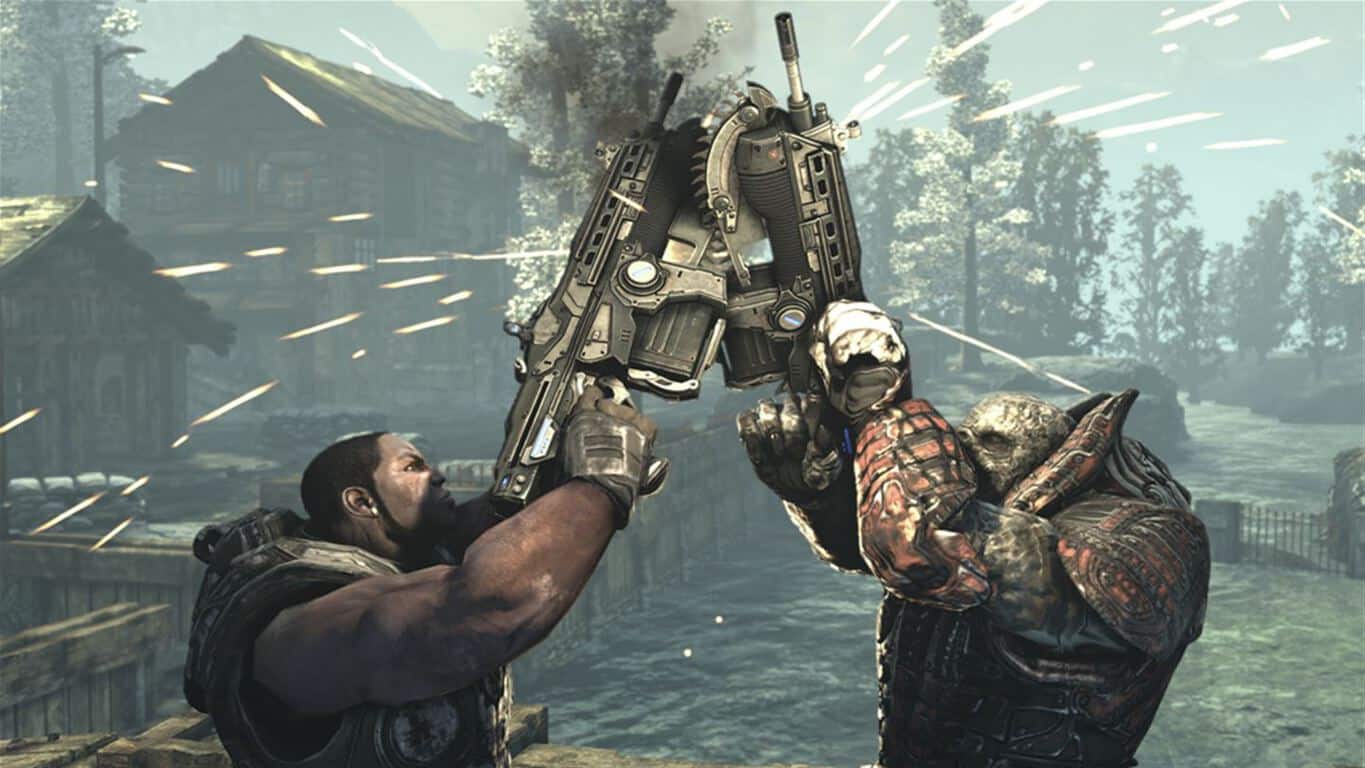
The 2004 game from Microsoft Game Studios has been slated for a revamp since its announcement at E3 2014, which even Microsoft’s Xbox chief Phil Spencer then promptly forgot about. Not much has been heard about the game since then, and fans have had to be content holding on to this 2014 trailer:

Even though Shannon Loftis told Spencer more than six months ago that Phantom Dust was “almost done,” we still haven’t seen much about the game since 2014. However, Loftis has just given fans new hope with a pair of tweets responding to questions about the game:

https://twitter.com/shannonloftis/status/819300690300313602

https://twitter.com/shannonloftis/status/819306336886263808

(via thewolfhall.com)

Anyway, it’s good to hear that Xbox fans have some good news to look forward to on the exclusive game release front


Microsoft Azure achieves US Department of Defense Level 5 provisional authorization

Microsoft today has announced that Azure has achieved a US Department of Defense Level 5 provisional authorization. According to the company, this “allows DoD mission owners and officials the ability to plan, assess, and authorize workloads for Impact Level 5 controlled unclassified information.”

Today’s achievement of US Department of Defense Level 5 provisional authorization adds to what is already a large list of Azure Government cloud authorizations and assessments which demonstrate adherence to U.S. federal, DoD, and state and local standards. In fact, Microsoft has even established two physically isolated and geographically separated Azure Government regions exclusively for the Department of Defense.  These regions are designed to support Impact Level 5 workloads with stringent DoD security requirements.

Microsoft is no stranger to the US Government, and as recently as last month, the company scored a $927 million support contract with the US Defense department. As always, please do let us know what you think of the latest Azure news by dropping us a comment below!

Poll: How do you run Windows Insider builds?

Hey, it happens. Sometimes Windows Insider builds, like any beta software, are buggy. Our own Kareem Anderson has been experiencing some frustrations with the latest Windows 10 Insider PC build 15002, and as it so happens my phone is downloading the “Localization for English” update, aka build 14998 for Windows 10 Mobile (wish me luck!).

Some Windows Insiders just grit their teeth and run the latest Fast Ring offering on their main or only PC, hoping to get their hands on all the latest cool new stuff as soon as possible, and hoping to avoid showstopping bugs in the process. Others run Windows Insider builds in a VM, or on a secondary machine.

What do you do? Let us know by voting in the poll below:


Do you live life in the fast lane? Do you check out the latest builds, but with some protection for your main machine, or do you shy away from potential problems altogether? Let us know by taking the poll and tell us about your Windows Insider setup in the comments below!

New Windows 10 video game Doodle Mafia launches in Windows Store

JoyBits, the developer of the popular Doodle series of mobile games has just released a new title called Doodle Mafia on the Windows Store (via Windows Central). The official description notes that this is the “biggest Doodle game ever,” with the ability to play as a gangster or cop. “You decide how you want to play as you play through multiple hard-nosed storylines & play modes,” added the developer.

Here is a list of gameplay features:

  • OVER 500 Puzzles to Solve & Items to Create.
  • Play as a Gangers or Cop
  • Watch your Crime City come alive as you play
  • Multiple Game Modes and Storylines to play through
  • Earn money and weapons in the “Crime Slots” mini-game
  • Available in 6 languages: English, German, French, Russian, Chinese & Portuguese.

The game is a $2.99 purchase, with in-app purchases going from $0.99 to $89.99. It’s available on both Windows 10 PCs and mobiles and you can get it from the download link below.

Doodle Mafia
Doodle Mafia
Developer:
JoyBits Ltd
Price:
$2.49

New action-adventure video game Nevermind launches on Xbox One

A new video game called, Nevermind, is now available to buy on Microsoft’s Xbox One video game console in several regions. The game is an adventure title with a strong psychological aspect. Here’s the official game description:

Nevermind is an adventure thriller game in which you must explore strange worlds and solve puzzles to unlock the mystery that lurks within the inner psyche of psychological trauma survivors. Within the game, you are a Neuroprober – a unique physician who, through the use of cutting-edge technology, is able to venture into the minds of your Clients for whom traditional treatment methods have proven ineffective. Traumatic experiences, especially those left untreated, take their toll in countless ways, often triggering other serious problems as each Client’s subconscious mind desperately tries to cope. As a result, their psyches doesn’t take kindly to those who attempt to peel back these layers, often prompting it to lash out in terrifying, unexpected ways. Only the most vigilant of Neuroprobers can survive the horrors of the mind to help their Client find peace at last.

Buy Nevermind on Xbox One

Have you bought any new video games for the Xbox One recently? Share what you’re playing with the community in the comments below.

Edge vs Chrome: here’s what makes Microsoft stronger than Google

The battle between Microsoft Edge and Google Chrome is not over yet, although for the time being the latter seems to be the winner: Google Chrome is the most popular browser among Windows 10 users — despite Microsoft’s perpetual efforts to convince users to switch to Edge.

According to the latest data provided by NetMarketShare, Google Chrome has an impressive 56.43% market share, with the good old Internet Explorer coming second. The Edge browser has a fairly decent market share of 5.33%, one that is slowly but surely growing. Nevertheless, the difference between Chrome and Edge remains huge. This could change when Microsoft rolls out the Windows 10 Creators Update.

Here’s why more users will adopt Edge in early 2017

Microsoft should release Windows 10 Creators Update sometime in early 2017. With it, the general public will have access to the latest and most impressive features ever available on Microsoft’s browsers.

The Redmond giant recently rolled out the biggest build update in recent months, revealing many juicy features the upcoming Creators Update will pack, including a plethora of new and interesting Edge features and improvements that will definitely make it more appealing to users.

Microsoft Edge new features

1. Tab preview bar: This feature allows you to easily preview every tab you have opened without leaving your main page. You can easily scroll through the list and keep better track of what’s in your tabs especially when you have tens of tabs open.

Microsoft Edge Tab Preview

2. Set these tabs aside: Edge now features two new buttons next to your tabs to help you manage all your tabs without losing your flow. That’s a very inspired solution to keep your tabs organized and pick up where you left off at any time.

Microsoft Edge Set these tabs aside

3. Jump List: Windows 10 now lets you launch a new window or new InPrivate window straight from its Taskbar icon. Simply right-click on the Microsoft Edge icon in the Taskbar and select the task that you want to launch.

Microsoft Edge Jump List

4. Component UI: Microsoft Edge now features a new UWP architecture, a new visual tree, and new input model. Thanks to these changes, Edge is now more stable, responsive, and resilient to slow or hung web page content.

5. Flash Click-to-Run: Microsoft Edge now blocks untrusted Flash content by default until the user chooses to play it. This means that Edge is now more secure, reducing the risk of falling prey to malicious programs.

Microsoft Edge Flash Click-to-Run

6. Web Payments: Microsoft Edge now has preview support for the new Payment Request API. You can now checkout faster because websites use the payment and shipping preferences stored in your Microsoft Wallet.

Microsoft Edge Web Payments


New Microsoft Edge web platform features

  1. Untrusted Flash content is now blocked by default.
  2. Enabled TCP Fast Open by default.
  3. Added support for Content Security Policy 2.0 (on by default).
  4. Added support for WebVR APIs (on by default). This feature requires Windows Holographic hardware which is not yet available.
  5. Limited setTimeout(), setInterval() and Disabled requestAnimationFrame() callbacks for cross-origin iframes when not in view, to improve energy consumption.
  6. Enabled independent rendering of HTML5 video elements by default.
  7. Enabled Media over Fetch and XHR over Fetch by default.

Other Edge improvements:

  1. If the Microsoft Edge window is narrow and Cortana has a tip, Cortana only appears as an icon in the address bar. To see the full suggestion, you need to expand the window.
  2. Tooltips for the Microsoft Edge favorites bar wrap around in order for the browser to display longer website names.

Have you already installed the latest Windows 10 build on your computer? What do you think about the new Edge experience?

RELATED STORIES YOU NEED TO CHECK OUT: