Windows 10 build 14965 for PC hits Insiders in the Slow Ring

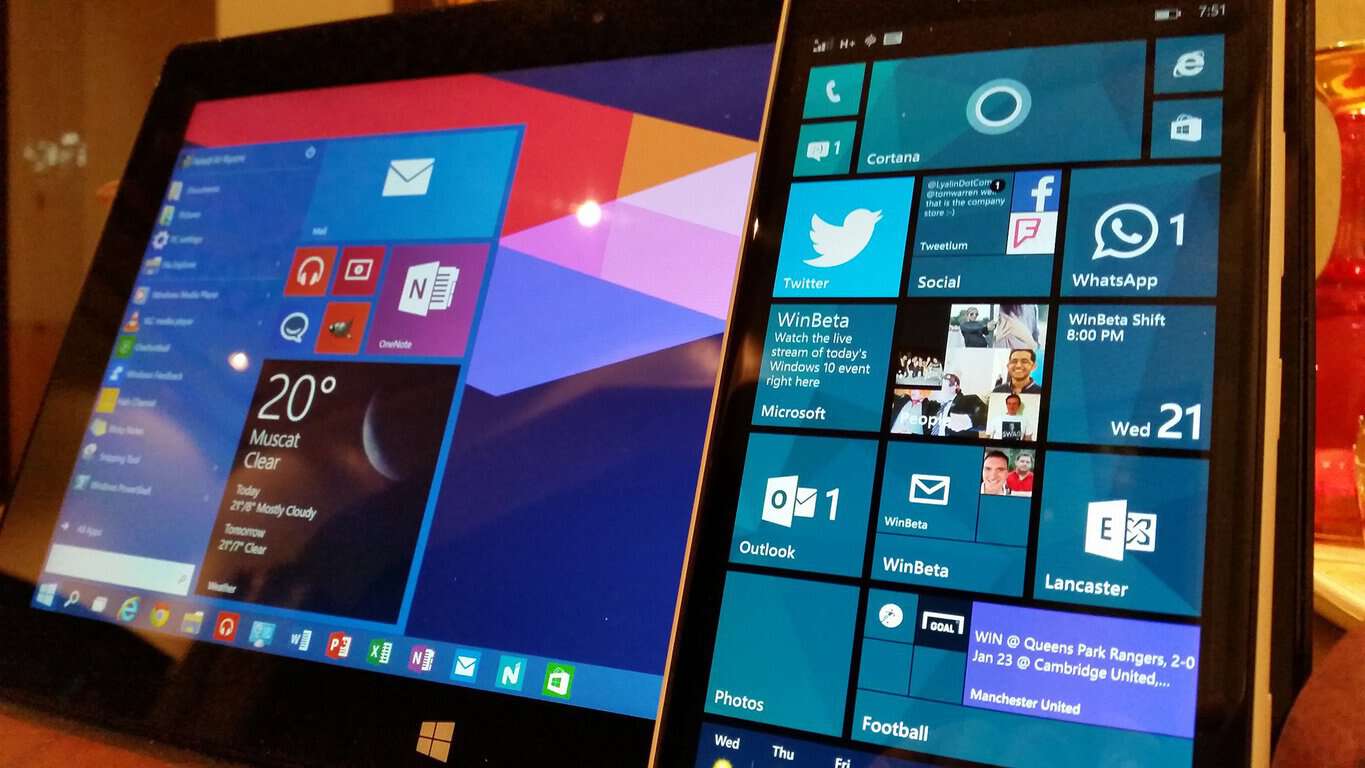
It appears Microsoft is satisfied with the overall stability and performance of build 14965, and as a result, just released it to Slow Ring Insiders. Windows 10 build 14965 was released last week for Fast Ring Insiders, bringing a series of interesting updates and improvements.

As a quick reminder, here are the key improvements:

  • Controlling external monitors from tablets just got easier: Uusers can now drive content on a second display from their tablet without ever having to attach a mouse. The virtual touchpad lets you do more with a tablet and a second screen – just connect to another monitor, PC, or TV, go to Action Center and tap on the “Project” Quick Action to extend your screen.
  • Sticky Notes updates include:
    • Support for Insights extended to many more languages and regions: flight detection added for Germany (Germany), and more English locales (Canada, Great Britain, India, Arabia), email and URL recognition added for every locale, as well as phone number recognition for all English, German, Spanish, French and Italian locales.
    • The performance of text input while typing has been improved.
  • Numerous Windows Ink Workspace improvements, such as better performance of loading Sketchpad, the number of Recently Used apps shown in the Windows Ink Workspace has been increased to 6, and more.
  • The Address Bar in Registry Editor has been improved. You can now use CTRL + L to set focus to the address bar and use shorthand notation for HKEY names.

Build 14965 also brings 16 fixes for PC that include patches for Internet Explorer crashes, Cortana issues, File Explorer crashes and more.

The fact that Microsoft rolled out build 14965 to Slow Ring Insiders only means one thing: a new Windows 10 Creators Update build for Fast Ring Insiders is on its way.

 RELATED STORIES YOU NEED TO CHECK OUT:

Samsung looks to Microsoft for help bringing apps to its open source Tizen platform

If you followed the news about Microsoft’s annual Connect() developer conference yesterday, you may be aware that the company announced some surprising news: not only did Microsoft join the Linux Foundation as a Platinum member, but Redmond also revealed that Google had joined the .NET community, which you can see as an acknowledgement that the software framemork remains definitely relevant today.

Indeed, Google is actually not the only one technology giant to support the .NET developer community, as Samsung also joined the .NET Foundation Technical Steering Group earlier in June. Today, the Korean company announced that it has partnered with Microsoft to enable .NET support for Tizen, its open source operating system that currently “powers 50 million Samsung devices” including Smart TVs, wearables, smartphones and smart home appliances (via Android Authority)

The company is releasing today a first preview of Visual Studio Tools for Tizen which will “enable .NET developers to easily build Tizen applications for Smart TVs, wearables such as the Gear S3, smartphones, and IoT devices.” Support for Smart TVs, wearables and other IoT devices is expected to be added in the future. “Source code will also be contributed to Tizen and .NET open source projects,” added the company.

In the press release, Samsung’s Executive Vice President and Deputy Head of Software R&D Center Seung-hwan Cho shared his hope to bring more developers to support Tizen through this new partnership:

Samsung is excited to be a part of the .NET community. .NET has an extensive developer base and great potential. Through thoughtful and progressive collaboration with Microsoft, Samsung is expecting to create unique development experiences for both Tizen and C# developers, enriching the Tizen ecosystem.

While Samsung definitely helped Google’s Android achieve massive momentum with its popular Galaxy line of smartphones over the years, Tizen has allowed the Korean company to not rely on Google’s software for its other portfolios of smart products including wearable and TVs. These new product categories remain highly competitive markets today as Google’s Android Wear and Android TVs operating systems have yet to reach the same levels of dominance that Android claims on the smartphone market today.

As for Microsoft, getting more developers using the .NET framework will be definitely welcome, though it’s worth noting that making it easier for developers to bring more apps to Samsung’s Tizen OS may not help the company’s own Windows 10 Mobile and Windows 10 for IoT get more traction. You can learn more about Visual Studio Tools for Tizen by checking the Tizen developer website.

Bethesda releases updates for Fallout 4 on PC and Skyrim on PC/Xbox One

Bethesda has been working diligently to release updates for their two popular video games, Fallout 4 and The Elder Scrolls V: Skyrim Special Edition.

Fallout 4’s update to 1.8 went live on PC on November 7. The release will be coming to Xbox One soon but is currnetly still waiting for certification for consoles.

  • Fixed an issue in which some sound effects would not persist after reloading in an area
  • Resolved an occasional crash when exiting to the Main Menu, and trying to start a New Game
  • Fixed an issues with spaces in Mods search queries
  • Cannot rate “WIP” Work in Progress Mods, and Mods can now only be rated after they have been downloaded
  • Doubled the amount of browse-able tiles in the Mods menu
  • Fixed a rare crash that would occur when a Mod had an unexpected data structure
  • Fixed an issue in which Library and/or Favorite Mods categories would not display correctly in specific situations
  • Fixed an issue in which some Mods images would not load when scrolling quickly
  • A Sentry Bot firing dual Gatling Lasers will no longer cause the audio to cut out

The highly anticipated The Elder Scrolls V: Skyrim Special Edition released just last month was updated to 1.2 yesterday. The patch rolled out across all available platforms (PC, Xbox One, and PS4) with its own list of bug fixes.

  • General stability and performance improvements
  • Fixed issue related to using alt-tab while playing the game (PC)
  • Fixed issue with water flow not rendering properly
  • Fixed crash related to changing from werewolf back to human form
  • Fixed crash related to reloading after changing Load Order of mods
  • General bug fixing and improvements with browsing Mods

Recently, both were released on Xbox One with the new Bethesda.net modding community enabled. Players from around the world are finally allowed to submit the user-created mods. These creations change the gameplay and aesthetics to the platform release. Users can then download their preferred mods into their own games on the console. As any fan favorite feature, there are a lot of kinks to iron out.

Office 365 Groups gets new file experiences for Outlook on the web

Office 365 Groups has added a new file experience feature for Outlook users on the web. Previously, Office 365 announced a new way to connect with external team members via email and also added iPad support for the Outlook Groups iOS app. Today, Office 365 Groups adds another new enhancement; a new file experience for groups in Outlook on the web.

This new file experience will make it easier to collaborate and connect with people via email on documents in Outlook on the web. Some of the key features of this latest update include:

  • Access all your group documents—A new file view gives you access to all the documents shared with the group, including files shared as email attachments, files stored in the group’s SharePoint document library and files shared from OneDrive or other SharePoint document libraries.
  • Co-author and communicate updates quickly—Now you can edit a document and reply via email side-by-side, so no need to switch contexts to update a document and communicate about the changes with your colleagues.

Here’s look at the new files experience in action.

Outlook, Web, Office 365
New Files view in Outlook on the web

The new files view allows you to create, view, edit or download Office documents, including Word, Excel, and PowerPoint files. You can also track changes to the file. You can also edit files that were sent as email attachments to a group, send a reply to the group and store a copy of the file in SharePoint.

This new file experience for groups in Outlook on the web is available to Office 365 First Release customers starting this week. If you want to provide feedback on your Outlook on the web file experience, don’t hestitate to submit your ideas via the Office 365 UserVoice. The Office 365 Groups technical community is also a great resource. Check out the user documentation for more information.

Office Hub shows up for Windows Insiders, disguised as updated Get Office app

Back in August of this year, we reported on rumors which indicated that Microsoft had plans to better integrate Office 365 into Windows 10 with an “Office Hubs” feature. A little over two months later, it would appear that these rumors are true, as Petri.com has learned that a new Office Hub is now showing up:

office-hub-task-mgr
Office Hub showing in the task mananger

According to Petri, the updated Get Office app for Windows Insiders now allows you to manage your Office 365 subscription (without a web browser!) and access content which is used most often. This is significantly different from the non-insider Get Office app which rather acts as one big ad for downloading and installing Office 365. Additionally, you also can use the updated Get Office App to download and install individual Office programs, and view your subscription expiration date. which once again was only accomplished via a web browser.

As seen in our screenshot above, there is some extra reason to believe that this may indeed Office Hub. While the app shows up titled as “Get Office (Beta)” looking at the app in the task manager reveals the application name “Office Hub Application.” While it is just a small change, all it takes to use the updated Get Office App (or Office Hub) is to install the latest Windows Insider Build, and open the Get Office app.

Did you notice this change in the Get Office app? As always, let us know your thoughts by dropping us a comment below!

How to Use the Xbox One Controller on Windows 10

The story about the integration of Windows 10 with Xbox One is well-known. Since Microsoft introduced the system in July 2015, the company has tried to improve the cross-play features between the two platforms. One of the earliest cross-platform possibilities available is the ability to use the Xbox One Controller on Windows 10 PCs.

So, if you own both platforms, you don’t need to spend extra cash on buying a new gamepad for your PC because you can use the one for the Xbox One. There are a couple of ways to connect the Xbox One Controller to your Windows 10 PC, and in this article, we will show you all of them, plus some additional information.

How to connect the Xbox One Controller to Windows 10?

1. Use the USB cable

The USB cable may be the simplest way to connect the Xbox One Controller to your computer. Each Xbox One Controller comes with a USB cable, which is primarily used for charging but can be used for PC integration, as well.

So, plug one end of the USB cable into your controller and the other end into your computer. The connection will be automatically established. Just like it’s the case with almost every other device you plug into your computer, the Xbox One Controller will automatically start charging while plugged in.

2. Use a wireless adapter

Another practical way to connect the Xbox One Controller to your computer is with the Wireless adapter. Some Xbox One Controllers come bundled with this device, but you need to buy them separately in most cases. Remember that the Xbox 360 Wireless adapter won’t work with the Xbox One Controller.

Now, just plug the Wireless adapter into any USB port on your computer. To establish the connection between two devices, do the following:

  1. Hold the Home button on your controller to turn it on.
  2. Now, press the button on the adapter.
  3. After that, press the bind button, located near the top of your controller
  4. Wait for the controller to establish the connection. The LED on the controller will blink while it searches for the Wireless Adapter.

3. Use Bluetooth

If your computer supports Bluetooth, you can use this type of connection to connect the Xbox One Controller with your computer. However, this method is more demanding and slightly more complicated than the previous two.

First thing first, you need to have the Anniversary Update for Windows 10 installed on your computer because Microsoft introduced the ability to connect the Xbox Controller to Windows 10 with this update.

Second, you must use the controller for Xbox One S. this controller comes bundled with the console, but you can also purchase it separately.

Once you’ve made sure you meet all requirements, here’s what you need to do to connect your Xbox One S Controller with Windows 10:

  1. Hold the Xbox One button to turn on your controller.
  2. Now, open the Settings app, and navigate to Devices > Bluetooth.
  3. Make sure you have the Bluetooth option enabled, by sliding it to On.
  4. Now press the bind button on your controller.
  5. Wait for the Xbox Wireless Controller will appear on the device listing.xbox one controller pc
  6. Now, just click Pair to connect the two devices.

There you go. After performing this action, you’ll be able to use your Xbox One S Controller to play games on your Windows 10 PC.

Update Xbox One Controller drivers

No matter which method you’ve used to connect the Xbox One Controller to your Windows 10 PC, there’s one more thing you should do.

You need to ensure that your Xbox One Controller drivers are up to date because updated drivers are required for your device to work correctly.

If you want to make sure your drivers are always updated and in perfect condition, use a driver updater such as Fortect Driver Updater. You can set it up to regularly scan your drivers and automatically download and install the best versions available.

You now know how to connect the Xbox One (S) Controller to your Windows 10 PC and how to make it work properly.

We hope you’ll have a great time playing your games, and we’re looking forward to seeing more amazing cross-platform features in Windows 10 and Xbox One from Microsoft in the future. And in case the Xbox controller keeps blinking when connected to a PC, things are easy to fix!

If you have any questions or suggestions, just let us know in the comments below.

New box design spotted for Xbox 360 backwards compatible games on Xbox One

Some Xbox gamers have begun spotting newly designed box artwork for Xbox 360 video games that have been added to the Xbox One backwards compatibility library. This new-look packaging appears almost identical to the regular Xbox One video game cases but also boasts “Xbox 360” next to “Xbox One” at the top on the green stripe. Here are some photos taken by a user, originally posted on Reddit.


New Xbox 360 Video Game Boxes

This is a rather clever idea on Microsoft’s part as these new packages are designed to draw the attention of Xbox One owners who would usually overlook Xbox 360 video games in stores and is a good reminder that the Xbox One console can now play a rather large number of titles from the previous console generation. The fact that there even is a new design also suggests that Microsoft plans on manufacturing Xbox 360 games for the foreseeable future. How long this will last though is anyone’s guess. It’s also entirely possible that these cases are new but only being made to clear inventory of unsold Xbox 360 games. Let us know what you think of them in the comments below.

Tom Clancy’s The Division: Survival DLC comes to PC and Xbox One

Tom Clancy’s The Division is an online-only open world third-person shooter that was developed and published by Ubisoft. The game was released back on March 8, 2016, for Windows PC, Xbox One and PlayStation 4.

The game came with many bugs and issues and didn’t have the best start like other games. In fact, the hype didn’t last long at all as in less than two months, there were already players leaving the game. The story of the game and its graphics are awesome, but it seems that its developer messed up the PvP system (Dark Zone) as many players who rushed to level up ended up having the top items in a few days, while other players had to farm weeks for them after patches were released.

Today, we will talk about the Survival DLC that will finally be released for Tom Clancy’s The Division. The mentioned patch will be released on November 22, 2016, after being on Public Test Servers for quite a whil. The new patch will bring a new kind of experience in the game like 2-hour quests that will require a total of 24 players. In order to survive, players will need to make their way to the center of the map, an area called the “Dark Zone”.

The Xbox website is already showing the DLC, but Ubisoft has yet to make any official announcements. According to reports, the DLC update will be released along with patch 1.5.

Below you will see the Survival DLC official trailer for the Tom Clancy’s The Division:

RELATED STORIES TO CHECK OUT:

Everyone can now use Azure Application Insights

Another Azure product reaches general availability this week and this time customers will get SLA offering 99.9% availability.

According to the Microsoft Azure blog, the company has just announced at its Connect () 2016 event in New York that Azure Application Insights is now generally available. Not only is Azure Application Insights available to the general public but Microsoft has also released pricing structure.

Visual Studio Application Insight users might be familiar with Microsoft’s new offer as it appears to be a simple re-branding of the product to Azure Application Insights, but new customers may enjoy the following:

Windows 10 Anniversary Update is Microsoft’s most secure OS

Every creator likes to praise its creation, and Microsoft isn’t an exception. In its latest blog post, the company talked about the changes introduced in Windows 10 Anniversary Update, claiming that its is the most secure version of Windows ever, especially since it’s able to fight ransomware.

Recently, Eugene Kapsersky complained that Microsoft is sabotaging third-party antivirus software by forcing users to only accept Windows Defender. In reality, the situation isn’t that bad because this application really protects PCs using real-time protection to scan everything users download or run on their computers. And thanks to cloud-based protection and faster updates, devices are more protected than ever.

Microsoft published a white paper titled “Ransomware Protection in Windows 10 Anniversary Update” in which it states that computers running this new version of Windows are 58% less likely to be hit with ransomware. Rob Lefferts, director of program management, Windows Enterprise and Security, explained  how Microsoft is fighting against ransomware:

  •  Six of the top 10 ransomware threats use browser, or browser-plugin-related exploits, so we made it harder for malware authors to exploit Windows 10 and Microsoft Edge.
  •  We increased detection and blocking capability in our email services, increasing the number of ransomware-related attachments being blocked.
  •  We added new technology to Windows Defender to reduce detection time to seconds, increasing our ability to respond before the infection can occur.
  •  We released Windows Defender Advanced Threat Protection which can be combined with Office 365 Advanced Threat Protection to make it easier for companies to investigate and respond to ransomware attacks.
  •  Combined with other significant security advances, such as Credential Guard, Windows Hello and others, we’ve made Windows 10 Anniversary Update the most secure Windows ever.

Lefferts added that Microsoft Edge is now updated and now, the browser runs Flash Player in an isolated container so if there are any threats, they are kept there. Also, Microsoft is offering better protection for email, preventing hackers from getting their hands on important data.

RELATED STORIES TO CHECK OUT:

Download the Dolby Atmos app for Windows 10 PCs, Mobile and Xbox One

At the Windows 10 event held on October 26, Microsoft revealed several features regarding the Windows 10 Creators Update, including the newly added support for Dolby Atmos on Xbox One. The Dolby Atmos audio testing app has made it to Windows Store, adding support fir PCs, tablets and smartphones with Windows 10, and of course, Xbox One.

The Dolby Atmos update for Xbox One and Xbox One S will make these home media devices even more powerful, adding combined support for Blu-ray, 4K, and Atmos into a single package.

What is Dolby Atmos?

The technology is developed by Dolby Laboratories that is based on sound objects, generally operated in cinemas, to provide a surround sound system “wraparound” during playback of movies, video or music.

It is a sound format used to deliver a supported soundtrack to the standard surround speakers placed either in a walled area of your house or on the ceilings of an open boundary. Dolby Atmos is devised to provide extra height to the soundscape, making the experience more riveting and multidimensional. However, you are going to need a Dolby Atmos-certified amplifier or AV receiver for a fuller experience.

The Dolby Atmos technology has a huge potential if we talk about future upgrades. Given the surround sound feature, if developers are considering adding extra height channels in the near future, gamers will not only hear enemies surging from the front, sides or behind, but also above their heads.

Note that the application is only available for installation if you have the latest Windows 10 Insider build running on your PC, that is build 14965.

Experience up to 7.1 channels of personal surround sound from any pair of headphones from an A / V receiver, game headset, and PC That features Dolby Headphone.

You can get the Dolby Atmos app from the Windows Store.

RELATED STORIES YOU NEED TO CHECK OUT:

India’s apex court directs Microsoft and others to drop sex determination ads from search results

The Supreme Court of India, the highest judicial forum under the Constitution of India, has directed Microsoft, Google, and Yahoo to block all pre-natal sex determination advertisements hosted by them, as per a report by LiveLaw.

The SC bench asked the search engines to do so within 36 hours of a nodal agency of the Centre pointing out to them each such advertisements. The nodal agency to be appointed will also be empowered to receive complaints from the general public. Once any violation is brought to the notice of the nodal agency, it shall inform the search engines and they, after receiving the information, are obliged to delete it within 36 hours and inform the nodal agency.

“Whether one is going to have a boy or a girl, that kind of information is not necessary in India. The sex ratio is going down in the country and we are concerned about that. Whether you are making money or not we are not concerned with that.”

According to the Pre-Conception and Pre-Natal Diagnostic Techniques (Prohibition of Sex Selection) Act, 1994, sex determination of the foetus is prohibited in India. The PNDT Act came into force to crack down on female foeticide, and bans the propagation of pre-natal sex determination.

The apex court will further hear the matter on February 17 but the interim arrangement would continue till this issue pertaining to advertisements relating to pre-natal sex determination was debated upon before it.

The counsels appearing for the companies shared that they have complied with the earlier order passed in the matter according to the provisions of the act, however, contended that the matter requires further debate.

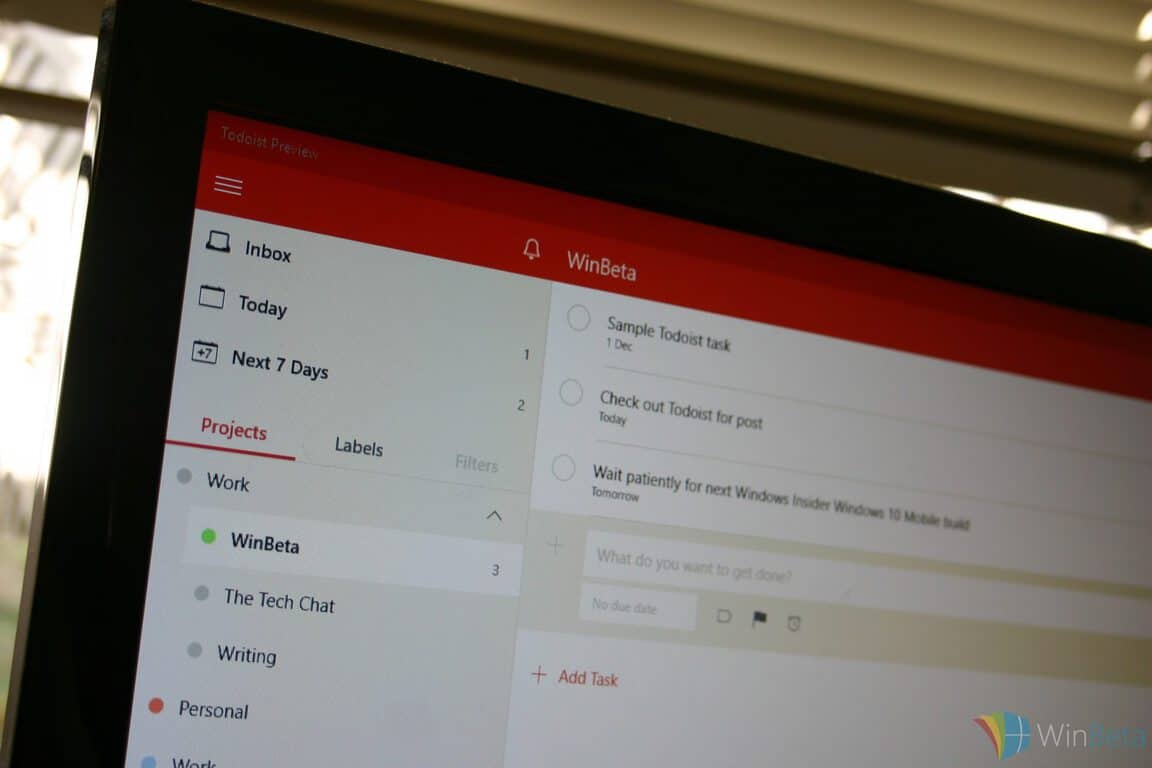
Task manager Todoist gets some machine intelligence smarts in Windows 10 app update with Smart Schedule

Task manages are most useful when they’re actually used. That seems obvious at first glance, but when you really think about it, managing tasks needs to be an active process or it can devolve into merely postponing tasks in perpetuity.

Todoist is a popular task manager system that apparently agrees, because the developer has added some new functionality that gets better the more you actively use it to manage your time.

Smart Schedule for the web

Today, Todoist is introducing Smart Schedule, which injects some machine intelligence to help you better plan your tasks. As you use Todoist, it learns your personal productivity habits and applies algorithms to help you better predict when you’ll actually complete a task.

As the Todoist blog put it:

Smart Schedule uses predictive modeling to help you easily plan out your tasks for the day and week to come. It learns your personal productive habits, and takes into account patterns across all Todoist users, to predict the best possible due dates for your tasks.

That means those 50+ overdue tasks you have hanging around can be quickly rescheduled en masse, while new and unscheduled tasks can be easily assigned to the best due dates. In this way, Smart Schedule makes it much easier to stay on top of your to-do list and roll with the punches when your day doesn’t go as planned.

The process takes stock of a number of data points in determining when to suggest a task might be completed:

  • Your habits – Usually catch up on emails on Monday morning? Is Saturday your reading day? Smart Schedule will learn your habits and suggest dates accordingly.
  • Task urgency – Based on anonymous data from across all Todoist users, Smart Schedule estimates the urgency of any given task.
  • Workdays vs. weekends – Smart Schedule learns which types of tasks can be done on weekends, and which should always be scheduled during the week (for example, “Finish draft” or “Check email”).
  • Upcoming tasks – Have a full load for tomorrow, but a wide open Friday? Smart Schedule will try to balance your task load over the next 7 days accordingly.
  • Your daily and weekly goals – Todoist lets you set and track goals for the number of tasks you want to complete every day and week. Smart Schedule will recommend due dates to help you meet your specific goals.
  • And more…

You can accept the date suggested by Smart Schedule, or choose your own. If you want to give the new feature a try, you can create some new dates, reschedule an existing overdue task, or postpone a pending task. Smart Schedule can also be applied to all tasks when you select more than one.

Overdue tasks

Todoist makes a point of stressing that everything is private and secure. Any personal data is processed automatically by the algorithm and not accessed by any other services or any Todoist staff. And so, you can use the feature without worrying about anyone learning just how far behind you are on your task list.

Go update the app to get the new feature, or download from the link below. Let us know in the comments if Smart Schedule is helping you better manage your most pressing tasks.

How to fix Battlefield 1 constantly alt-tabbing for processor boost

The highly anticipated first person shooter Battlefield 1, which puts you in the shoes of a World War 1 soldier, has finally come out, and people are in love with the game, fascinated by the experience, and also  a bit frustrated about a little issue.

As it just came out, the game is quite demanding for PCs, even the high end ones. People have been using a little trick to boost performance, which generally works for any video game running on PC. The processor tweak is used to make the processor allocate more resources for running Battlefield 1, instead of all the other processes going on in the background. However, a user pointed out that this little trick requires players to constantly alt-tab out of the game, which can be stressful at times. That is why he came up with a solution for the problem, which is easy to use.

“Many FPS Guides say that you should set the process priority in the taskmanager to “high”. But always alt+tab’ing out of the game is kind of anoying.

So here is a better way – Set it permanently!

All you have to do is:

  1. Create a .txt file and copy n’ paste the following into it.

Windows Registry Editor Version 5.00

[HKEY_LOCAL_MACHINE\SOFTWARE\Microsoft\Windows NT\CurrentVersion\Image File Execution Options\bf1.exe\PerfOptions]

“CpuPriorityClass”=dword:00000003

  1. Save the file as .reg
  2. Run it – Done!
  3. Pr000fit!

Hope you like it”

According to this user on the Battlefield1 forums, all users have to do is create a text file and copy the provided code, then save the text file as a registry key, or a .reg file. This should be enough to make the computer constantly treat the Battlefield 1 process as a priority.

The processor tweak isn’t 100% effective, as it the results may differ depending on what game your are trying to boost performance for, or what kind of computer you are using. However, it is a valid solution when trying to boost gaming performance, and if it works for you, then this registry key will make it so you don’t have to repeat the process every time you start the game.

RELATED STORIES TO CHECK OUT:

Can LightKey really make typing in Microsoft Office more efficient?

Yesterday, we wrote an article announcing a new software made specifically for typists. LightKey is a text autocomplete software inspired by mobile platforms, and it works specifically for Microsoft Word, Powerpoint, and Outlook on PC.

As someone who’s constantly looking for ways to write faster and more efficiently, I found this particular software fascinating. And so, I decided to get some hands-on experience of how LightKey works and test for myself exactly how useful it really is.

LightKey in Microsoft Office

Lightkey is supported from Windows 7 to Windows 10 (32-bit and 64-bit) and is compatible with all Office suites from 2010 to 2016. Downloading and setting up LightKey is a simple task, and it even asks to customize your preferences through a list of hobbies, interests, and topics. Of course, I switched to technology since that’s what I’m always typing about.

With Microsoft Word open and LightKey running in the background, I began to start typing. At first, it was random stuff, but as I began to get a feel for the software I decided to give it the ultimate test: a feature post for WinBeta (OnMSFT).

Typing with LightKey is surprisingly smooth and feels like it is well-integrated with Microsoft products. The average person normally writes around 50-60 words per minute. For those who need to be quicker than usual, this software is a double-edged sword. Initially, it can seem like a time waster but ultimately can be adjusted to and will improve your own typing if not solely for correct spelling.

Typing at the Speed of Light

For faster typists like myself, it seems that we’re more subject to just keep typing than to wait for the LightKey to spell anything out for us. That’s why we decided to reach out and see if we were missing something important. Turns out, we were!

Guy Katabi, CEO of LIGHTKEY SOURCES LTD responded to our inquiries about his software and our concerns about the efficiency for the more experienced . This was his reply:

Regarding your conclusion about fast typists, you are right and fast typists will feel less empowered by Lightkey upon initial use. However, as a fast typist myself I found the following:

  • Fast typing requires energy, and Lightkeying requires less energy. So over time one might find himself enjoying fast typing with less spent energy.
  • Lightkey has a built-in mechanism that allows the user to choose the level of confidence in which Lightkey will offer suggestions. Fast typists could take the slider to the right side to get suggestions only when there is a high probability of match and therefore boost their typing speed on targeted events.

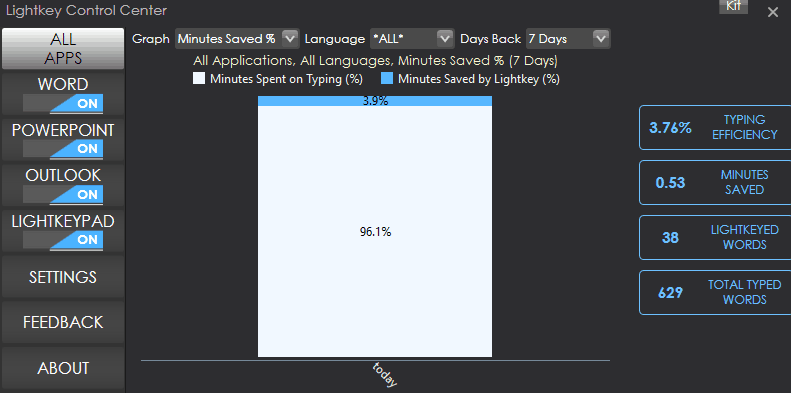
Sure enough, shifting the settings towards the precise end to limit suggestions did improve my experience. The boost in saved minutes seems minimal but it does exist. In fact, 3.9% of my LightKeyed words saved me approximately half a minute. Of course, for a more accurate conclusion, the user would need to regularly use the software over a long period of time to see significant time saves.

Nevertheless, I have found that the software can be very useful upfront. The added precision finishes more accurate words quicker, but that’s not LightKey’s only use. If you’re typing under a time limit, LightKey makes it possible to see the spelling in advance before you’re even finished.

Final Verdict

Is LightKey perfect? Absolutely not. Much of the time, it suggests words that have nothing to do with what I’m typing. If you hit the tab button with a delay, it will act as normal and leave behind chunks of white space. This results in some much needed formatting time afterward. In fact, the more frustrating part is that if you know what you are typing ahead of the time, then you likely won’t find much use for LightKey. But that’s not a fault of LightKey so much as it is a restriction of autocomplete software in general.

For what it does, LightKey performs very well with smart resource consumption and an overall smooth experience. The average typist will likely find this software to be a miracle and the boost of confidence in spelling correctly is worth the effort to get used to the software. If you’re just looking to find that extra edge when you’re typing, then you might enjoy using LightKey.

Microsoft joins the Linux Foundation as a Platinum member, Google joins .Net community

Microsoft’s annual Connect() developer conference is officially underway in New York City. At the event, Microsoft announced it has joined the Linux Foundation as a Platinum member and that Google has joined the independent .NET community. The announcements mark another one of Microsoft’s significant steps towards the goal of empowering the ecosystem by giving developers greater choice in the tools they use.

Since Microsoft is a Platinum Member of the Linux Foundation, Microsoft’s customers will now benefit from increased collaboration and innovation among a diverse ecosystem. Microsoft has already contributed to several Linux Foundation projects, including Node.js Foundation, OpenDaylight, Open Container Initiative, R Consortium and Open API Initiative. According to VentureBeat, the Platinum level membership is the highest level, and will cost the company $500,000 annually.

John Gossman, an  architect on the Microsoft Azure team, will sit on the Linux Foundations Board of Directors and help underwrite projects on behalf of Microsoft. In a statement, Microsoft Cloud and Enterprise Executive Vice President Scott Guthrie reflected on Microsoft joining the Linux Foundation:

“The Linux Foundation is home not only to Linux, but many of the community’s most innovative open source projects. We are excited to join The Linux Foundation and partner with the community to help developers capitalize on the shift to intelligent cloud and mobile experiences… We want to help developers achieve more and capitalize on the industry’s shift toward cloud-first and mobile-first experiences using the tools and platforms of their choice…By collaborating with the community to provide open, flexible and intelligent tools and cloud services, we’re helping every developer deliver unprecedented levels of innovation.”

Similarly,  Jim Zemlin, the Executive Director of The Linux Foundation also reflected on Microsoft joining the Linux Foundation:

Microsoft has grown and matured in its use of and contributions to open source technology… The company has become an enthusiastic supporter of Linux and of open source and a very active member of many important projects. Membership is an important step for Microsoft, but also for the open source community at large, which stands to benefit from the company’s expanding range of contributions

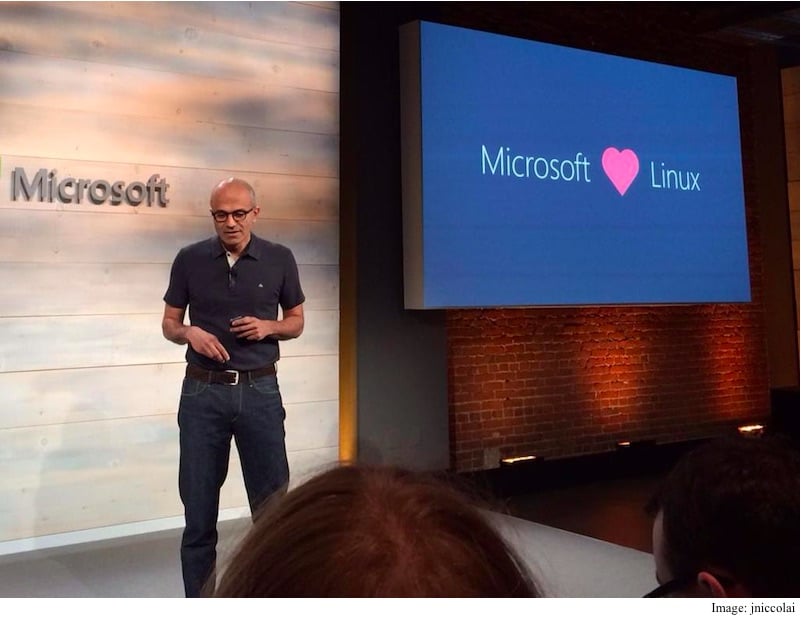
Microsoft loves Linux
Microsoft loves Linux now more than ever

In other Connect() news, Microsoft also announced that the addition of Google to the .NET Foundation’s Technical Steering Group. According to Microsoft, this “further reinforces the vibrancy of the .NET developer community as well as Google’s commitment to fostering an open platform that supports businesses and developers who have standardized on .NET.”

Under CEO Satya Nadella, Microsoft has increased its interests in open source projects and communities. Microsoft currently has many open source projects on GitHub, and even released the open source .NET Core 1.0; partnered with Canonical to bring Ubuntu to Windows 10; and after acquiring Xamarin, open sourced its software development kit.


EU receives commitments from Microsoft on LinkedIn deal, set to rule on the merger by December 6th

Back on October 14th of this year, Microsoft had filed for EU approval for their acquisition of the business and employment-oriented social networking service LinkedIn. Salesforce tried to block Microsoft’s 26.2 billion all-cash acquisition of LinkedIn in the EU, citing antitrust issues. Today we have learned that the EU has received commitments from Microsoft on the LinkedIn deal, and will be set to rule on the merger by December 6th (via Reuters.)

While Microsoft has yet to comment on the commitments, the move does come after a EU competition enforcer expressed concerns about the deal at a meeting with Microsoft executives last week. Not many details were provided by the Commission in regards to Microsoft’s commitments, but Reuters mentions that the Commission will seek feedback from rival companies and customers before making a decision on Microsoft’s commitments.

Despite concerns by SalesForce, Microsoft President, and Chief Legal Officer Brad Smith, has accepted many the worries in regards to the LinkedIn deal and has recently come out to say that Microsoft has “no intention” of cutting off access to LinkedIn data. There has, however, been lots of news on the LinkedIn front since Microsoft’s acquisition of the company, and as most recent as last week, a LinkedIn ban in Russia was upheld and 6 million users were shut down.

Regular Xbox One video game consoles will soon get 4K support

Microsoft’s Mike Ybarra confirmed earlier today via his official Twitter account that the Blu-ray Player app for the Xbox One would be getting an update which would add support for 4K television sets. “Yes, the BR app on Xbox One will soon upscale to 4K for those with 4K TVs,” his tweet said.

While the newer Xbox One S video game console has support for playing 4K Blu-rays, this app update will not bring that specific functionality to the regular Xbox One. Instead, it will simply allow for upscaling of regular Blu-rays when played on 4K television sets. This should, in theory, improve the overall presentation of the media.

Do you have a 4K TV? Is this sort of update something that will benefit you? Share your thoughts with the community in the comments below.

Windows 10 Nextgen Reader UWP app free for a few hours only

The Windows 10 app, Nextgen Reader UWP, is completely free to download for a limited time in the Windows Store. The app is primarily used as an RSS reader and works with the free Feedly service. Here’s its very short official description:

A fast, clean and powerful RSS news reader for Windows 10. Requires Feedly account for login. Thanks for downloading Nextgen Reader.

Nextgen Reader UWP, as its name suggests, is a Universal Windows Platform app but is currently limited to Windows 10 PC/tablet functionality. Make sure to grab it ASAP and let us know your thoughts on it in the comments below.

Nextgen Reader UWP
Nextgen Reader UWP
Developer:
Next Matters
Price:
Free

Renault Sport Formula One team uses Office 365 E5 to boost teamwork

If you’ve ever read the Office blog, chances are that you’ve read plenty of testimonials from companies and other organizations that use the Office 365 suite to run smoothly. The latest testimonial post comes from Mark Everest, the IS development manager at Renault Sport Formula One Team.

Just like so many other organizations, the Renault team needs the tools offered in the Office 365 suite for one reason or another. Whether it be taking their business on the go or making sure that all of the team’s important data stays secure, Microsoft has packed Office with a tool that does the job.

As always, you can look at Microsoft’s blog post in order to check out some of Mark’s thoughts on the Office 365 suite in his own words. If you want something a little bit more in depth, you can check out the full case study. There, you’ll be able to learn the whole story about Renault’s transition to the Office 365 suite from more than just Mark.

Dead Space Ignition and Dead Space Island make their way to Xbox One Backward Compatibility

As the Xbox platform celebrates its 15th anniversary today, Microsoft continues to demonstrate how it wants to continuously add value for Xbox owners. Two new titles have hit Xbox One Backward Compatibility today, providing ever more support for Xbox One owners in playing their old Xbox 360 titles.

Here’s the tweet from the always-on-top-of-things Major Nelson:

If you have either of these two titles sitting around, then get them loaded up on your Xbox One or Xbox One S and get playing. Let us know in the comments if there are other titles you’re particularly looking forward to seeing make their way to the Backward Compatible list.

Xbox gamers have racked up over 100 billion hours of gameplay in 15 years

In the span of 15 years, Xbox gamers played over 100 billion hours of games on the original Xbox, Xbox 360, and Xbox One (S). The November 15, 2001 release of the Xbox in North America was a major moment for Microsoft. With the evolution of Halo and Forza Motorsport, the original Xbox also brought us Xbox Live.

Xbox Wire posted some stats on what the last 15 years has looked like for Xbox.

Number of players: 222,468,423
Number of total gaming hours: 100,539,390,670
Number of total multiplayer hours: 29,000,304,183
Number of Achievements unlocked: 32,667,582,157
Gamerscore racked up: 572,605,554,587
Highest Gamerscore: 1,416,465
Number of Xbox Live friendships made: 4,233,891,482

Xbox Wire provides several ways to help Microsoft celebrate the last 15 years of Xbox; share your favorite Xbox memories using the hashtag, #15YearsOfXbox, on Twitter, Facebook, and Instagram. You can also play against someone on the Xbox team for a quick mulitplayer match by joining the “Celebrate 15 Years of Xbox” Club on Xbox Live. You can also join the “Halo” Club to go head-to-head with Halo developers!

If you can’t participate in gaming on Xbox Live, here’s a list of some Xbox game live streams on Beam and Twitch:

Forza livestream on Beam, starting today at 1PM PT or starting at 3:43 PT, there are Halo live streams on Beam and Twitch. The Halo live streams will feature various special videos sharing Halo memories, contributed by members of the 343 Industries and Bungie teams.

Microsoft will have “Game With” game sessions by special appearances with members from the Killer Instinct Team, Back Compat Team, Beam Team, Ambassadors Team, and a surprise executive “Game With!” Check out Xbox on Beam and Twitch for more details.

Here’s a look at the Xbox in-game giveaways for the 15 year celebration:

A few of our teams are working on special giveaways and in-game events in honor of our 15 year celebration. First up, the Forza team is gifting a 2017 Ford F-150 Raptor complete with a custom livery celebrating Xbox’s 15th anniversary. All players will receive this livery for free and Forza Horizon 3 VIPs will receive a bonus truck with an alternative Xbox 15th anniversary livery as well.

Forza, Xbox
2017 Ford F-150 Raptor


There will be two Rivals events created as well, with one in Forza Motorsport 6 and the other in Forza Horizon 3. In addition, there will be a special Bucket List Challenge in Forza Horizon 3 (TITLE: Celebrate #15YearsofXbox), which players can find by traveling to the Pink Lakes Bucket List point in the game.

If you’re a Halo fan, if you simply log in to Halo 5: Guardians between November 15 at 10AM PT and November 22 at 10AM PT, you will receive a free “15th Anniversary REQ Pack”, which contains consumable items for use in Warzone game modes and the legendary Mark IV Gen 1 armor set, worn by Spartan IIs in the darkest hours of the Covenant War!

Microsoft and Xbox are holding all these events and prizes because they know Xbox would not be where it is today without the support of the Xbox fans. Share your favorite Xbox memories using the #15YearsOfXbox hashtag on whichever social media outlet you choose, and here’s to another 15 years of Xbox!

The original Xbox prototype was an “X”, literally!

The original Xbox was released exactly 15 years ago today, and to celebrate this, a couple of Microsoft employees are having fun on Twitter, talking about the console and revealing some interesting stuff from the past.

According to a tweet from Aaron Greenberg, the head of the Xbox Games marketing division, the original Xbox was an “X”, literally. As Greenberg has taken over the official Xbox Snapchat account for today, expect more to come.

This is pretty interesting to see that something like this was in the works at first, however, it’s just as great to see that this prototype never made it to regular consumers, because who would want a gigantic “X” in their living room?

Windows 10 Maps app updated with map error submission for Fast Ring Insiders

Microsoft has pushed today a new update to the Windows 10 Maps for Windows Insiders in the Fast Ring which adds new options to submit corrections about the maps’ data (via Neowin). Looking at the app’s hidden menu, you will see that the “Feedback” item has been replaced with a “Suggest change” option. If you don’t do any search in the app, tapping this new option will give you these three choices:

  • Add a missing business or landmark
  • Suggest a modification about inaccurate data on a specific area
  • Open the feedback hub
The new "Suggest change" option has replaced the link to the Feedback Hub.
The new “Suggest change” option has replaced the previous link to the Feedback Hub.

If you do a search and then tap the “Suggest change,” the app will give you another set of options to submit corrections about the place you were searching for. You will then be able to suggest name changes, location adjustments, and more.

Windows 10 Maps.
More options are available with search results.

Microsoft’s Windows 10 Maps uses data from Here Maps which is usually top notch, but there is always room for improvement (especially in some countries such as Japan) and crowdsourcing can be definitely helpful. To try this new feature, make sure to download the latest version 5.1611.3162.0 which should be rolled out to the production ring in the coming weeks.

Windows Maps
Windows Maps
Price:
Free

Remember the original Xbox dashboard? Major Nelson looks back

As the Microsoft’s Xbox One gaming console enjoys some well-deserved momentum the last few months, the original Xbox celebrates its 15th birthday today.

Over its nine years of retail availability, the first Xbox lacked the same mainstream success as its Xbox 360 successor, though it seems that some of Microsoft ideas were definitely forward looking at the time such as the x86 architecture, the global shape of the Xbox controller and the Xbox Live online gaming service.

Today, Xbox’s Major Nelson shared a couple of images of the original Xbox dashboard focusing on the Xbox Live experience, and just a week after Microsoft introduced Clubs, Looking for Groups and more to the gaming network. It is quite fascinating to look back at the beginnings (as a reminder, Xbox Live introduced in November 2002, a full year after the launch of the original Xbox in the US)

In this last tweet from Major Nelson, you can watch a video recap of all the different Xbox dashboard experiences that Microsoft developed for the original Xbox, Xbox 360 and Xbox One over the last fifteen years.

As those of you who own an Xbox One may know, Microsoft’s latest gaming console has been running an optimized version of Windows 10 since the release of the New Xbox One Experience last year, and it’s safe to say that the new dashboard is a vast improvement over the previous versions.

Now with more and more UWP apps reaching the Xbox Store, better social features on Xbox Live and upcoming native support for Microsoft’s Beam live streaming network, the Xbox One is also a much better entertainment device. It’s a worthwhile to look back at the past, but the future is more exciting.

LightKey is a free word prediction app for Windows in Outlook, Word, and PowerPoint

Inspired by the redesigns of typing on mobile platforms, a new software app has caught our attention (thanks for the tip, itai!). LightKey is intended to make typing on the PC quicker and easier through the use of keybindings such as tab to autocomplete words. The algorithm to determine the words is based upon the context of the sentence, your previous writing styles, and even the program in which you are using.

LightKey is built specifically to be naturally compatible with Microsoft Office, specifically Word, Outlook and PowerPoint, switching the focus of suggestions through presentations, emails, and more.

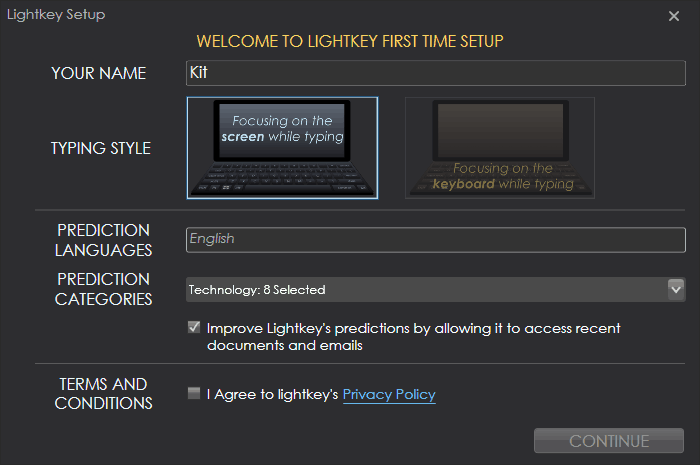
Upon download of the web installer, Lightkey will automatically detect your computer’s operating system and version of Microsoft Office (if it is installed). It will also present the version of the software you are about to download. After the download, you’ll be greeted with some personalization such as indicating whether you type by looking at your keyboard or monitor, as well as selecting interests and hobbies that you write about from sports and government to social media and academics.

The dashboard for LightKey minimizes into the system tray and displays plenty of information that you might need to know to monitor your efficiency, tune the resource allocation, and set personal keybindings.

While we concluded that the software isn’t the most effective for high-speed typists, it is useful for those that might need the extra assistance. Light Key is available in over seventy languages now so if you’re curious to try the software, you can download it for free from the official LightKey.io site.

Pivotal Cloud Foundry now supported in Microsoft Azure

Microsoft has announced that Pivotal Cloud Foundry is now supported in Microsoft Azure. The announcement, initially made by Sean McKenna, a Principal Program Manager at Azure Compute, comes as a Microsoft commitment to matching customers with the platforms and tools to help organizations meet the challenge that comes with development, operational productivity gains, and reliability and portability.

Pivotal Cloud Foundry puts emphasis on enterprise Java applications, as it ships with first-class support for Spring, an application framework well suited to building 12-factor apps. It also comes as the Azure team worked with the Cloud Foundry community to deliver open source Cloud Foundry on Azure, which became GA in November of last year. Additionally, Customers who use  Pivotal Cloud Foundry in Azure will benefit from a cloud platform that helps simplify operations through the support of many popular application stacks.

To learn more about Pivotal Cloud Foundry be sure to head over to this Microsoft Webpage. Once you’ve checked it out, let us know what you think by dropping us a comment below!

NVIDIA and Microsoft build an AI framework for NVIDIA Tesla GPUs in Azure or on premises

NVIDIA announced yesterday that they were collaborating with Microsoft to improve their upcoming Tesla server GPUs with an AI framework. Inspired by Microsoft Research’s strides towards deep learning and reaching human parity with speech recognition, NVIDIA will be optimizing enterprise AI framework to run on the Tesla GPUs for both the Microsoft Azure cloud and on-premises servers.

“We’re working hard to empower every organization with AI, so that they can make smarter products and solve some of the world’s most pressing problems,” said Harry Shum, executive vice president of the Artificial Intelligence and Research Group at Microsoft. “By working closely with NVIDIA and harnessing the power of GPU-accelerated systems, we’ve made Cognitive Toolkit and Microsoft Azure the fastest, most versatile AI platform. AI is now within reach of any business.”

The toolkit mentioned is the open source and commercial grade Microsoft Cognitive Toolkit used for Skype, Cortana, Bing, and Xbox. It trains and adjusts algorithms to scale according to the input discovered, making GPUs more efficient with a hybrid cloud platform. In fact, according to the press release, the GPU-accelerated toolkit was over 170 times faster on NVidia GPUs than it was with former the former CPUs. Which isn’t surprising given the thousands of cores in GPUs processing unilaterally.

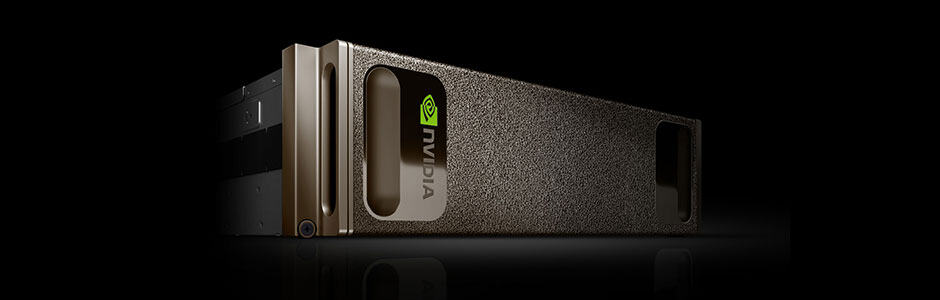
Microsoft and NVIDA are both looking to improve enterprise and industry across many fields with these deep learning GPUs. One step further, the “world’s first supercomputer in a box” built specifically for using AI and deep learning is now available. The NVIDIA DGX-1 just might revolutionize data server processing for enterprises thanks to the collaboration.

Microsoft partners with Elon Musk’s Open AI to help make Azure a better AI platform

Having missed its opportunity to become a big player in the mobile market, Microsoft has been trying to have a forward-looking approach towards other technology fields over the last few years such as cloud computing, artificial intelligence and machine learning. And as of today, the Redmond giant managed to achieve some technology breakthroughs such as its speech recognition technology which claimed the lowest-ever error rate in a recent benchmark.

But in 2016, Microsoft, which has become a big open source supporter,is also looking to open up its AI efforts. That’s why the company announced today a new partnership with OpenAI, a nonprofit AI research organization co-founded by Elon Musk, Sam Altman, Greg Brockman and Ilya Sutskever.

“At Microsoft, we believe everyone deserves to be able to take advantage of these breakthroughs, in both their work and personal lives,” explained the company in today’s blog post, adding that “we are committed to democratizing AI and making it accessible to everyone.” In the video below, executive vice president of Microsoft’s Artificial Intelligence and Research group Harry Shum and OpenAI’s Sam Altman explain why this new partnership will help both organizations as well as other companies deliver more breakthroughs in the AI field.

The partnership also makes some sense as OpenAI already chose Microsoft Azure as their primary cloud platform and is also an early adopter of the company’s Azure N-Series Virtual Machines. “OpenAI chose Microsoft due to our deep learning research and ongoing commitment to AI, along with Azure’s support for open source technologies and its unique combination of high performance computing, big data and intelligence capabilities such as Azure Batch, Azure Machine Learning and the Microsoft Cognitive Toolkit (formerly CNTK),” explained Microsoft.

In other AI-related news, Microsoft also announced today the launch of an Azure Bot service that will allow developers to leverage the Microsoft Bot Framework to deploy them on Azure. According to the technology giant, more than 50,000 developers are already using the Bot Framework to build chat bots. “We’ve made major strides in artificial intelligence just in the past five years, achieving milestones many people who have devoted their lives to the field wouldn’t have thought possible. Now, we have the opportunity to help our partners and customers use these breakthroughs to achieve their goals,” shared the company.

New Windows 10 app turns contacts into Pokemon

A new app has just launched in the Windows Store for Windows 10 and Windows 10 Mobile devices. It’s called, PokePeople, and is a rather original take on the traditional address book app inspired by the Pokedex in the popular Pokemon video games and cartoon series.

Using PokePeople is fairly easy as it functions just like an address book. The only difference is that instead of just adding a name and profile image, users can record “cries”. In the Pokemon video games, Pokemon only really make one sound (aka, “cry”) and this is a rather humorous way to Pokemonify user contacts. Sounds can be recorded from within the app and could potentially be anything ranging from a friend saying their own name to something completely random. Here’s the description:

Do you miss your Pokédex from the classic Game Boy Pokémon games? Well now you can add your phone’s contacts to your Pokédex on your phone, and add a cry for each contact.

Features: Record a cry for everyone. Export cry to MP3. Load profile image. Add description.

PokePeople is a completely unofficial Pokemon app and has no relation to Nintendo or the Pokemon Company. Are you going to try PokePeople? Let us know your impressions of it in the comments below.

PokePeople
PokePeople
Developer:
vixezApps
Price:
Free

Microsoft takes action to prevent Xbox Club invite spamming

Microsoft has taken measures to prevent Xbox Club owners and admins from spamming other Xbox users with invites.

“With the latest Xbox One System update, we have added Clubs as one of the many new features,” says the official statement Xbox’s Larry Hyrb’s blog. “I wanted to let everyone know that based on the feedback received from our Xbox Insider audience and the data collected, we have adjusted the maximum of invites each club can send and go unanswered. Most clubs won’t notice any changes. But if you are one of the few clubs that has reached that maximum, when you try to send new club invites, only a subset will be sent. The other invites will be dropped silently.”

This is a change that really does benefit all Xbox One and Windows 10 users. There’s nothing worse than being bombarded with random invites to join online clubs that you have no interest in. For Xbox Club owners and admins who want to see their clubs grow though, Larry Hyrb offers two suggestions; Only invite users who have expressed interest in joining or simply direct people to the “Request to join” button.

Xbox Clubs are a new social feature that launched this month on Xbox One and the Xbox apps on Windows 10, iOS, and Android devices. Their primary purpose is to allow gamers to communicate with each other easily and discover new friends with similar interests.

Are you enjoying the new Xbox Clubs feature? How many clubs have you joined? Let us know in the comments below.

Play Xbox One, PS4, and PC video games in VR on one device

A group of developers have come up with a concept for a new device that would allow for gamers to play video games from the Xbox One, PlayStation 4, and PC game libraries and play them in VR. The device is called, the MVR Ascend, and it’s a tether-free virtual reality headset and controller that relies on a smartphone for most of its functionality. It has the potential to be pretty big… if it gets funded.

The MVR Ascend is relying on a Kickstarter campaign to get it off the ground and the team behind it currently has £14,772 of their £150,000 target. Here’s their official campaign description.

MVR has been set up by a group of technology enthusiasts who are keen to bridge the gap that exists in the VR gaming world today. There are some amazing devices currently available but some of them are a bit expensive, have limited games and physically tether you to a computer/console, while others are affordable and tether-free but allow you to only play basic smartphone apps.

We wanted to play our favourite AAA games in VR (not just apps or short unknown games), we wanted to be tether-free (so we don’t get wrapped up in a wire while doing a 360 degree turn) and importantly, we wanted something affordable! That’s why we created the MVR Ascend – The only VR system that is able to play existing and future PS4, Xbox One and PC games in tether-free VR. Our headset can also be used to play VR/AR apps as our system is smartphone based, so your screen quality evolves as you upgrade your phone.

So join us in this VR revolution and lets take gaming to the next level!

The MVR Ascend Kickstarter campaign only has 48 hours left and it will be interesting to see if they reach their goal and what they’ll do if they don’t. Do you think this concept is a cool idea? Share your thoughts with the community in the comments below.

Check Watch Dogs 2 system requirements to avoid potential technical issues

Watch Dogs 2 will soon be available on Windows PCs and if you want to avoid potential game issues, you should first make sure your computer meets the system requirements for this game.

Watch Dogs 2 is coming to the Xbox One tomorrow, but PC fans will have to wait a bit longer until they can get their hands on the game. Ubisoft announced November 29 as the PC release date of the game, but there’s one interesting piece of information on the company’s website.

As you can see on the screenshot below, the release date for Watch Dogs 2 is November 15, and the PC platform appears on the list. Ubisoft should have clearly mentioned November 29 as the release date for Windows PC to avoid confusion. Another possibility is that the company is actually planning to surprise fans and release Watch Dogs 2 earlier on PC. Time will tell if we’re wrong or not.

watch dogs 2 release date

Watch Dogs 2 system requirements for Windows PCs

Watch Dogs 2 minimum PC requirements

  • Supported OS (64-bit versions only): Windows 7 SP1, Windows 8.1, Windows 10
  • Processor: Intel Core i5-2400S @ 2.5 GHz / AMD FX 6120 @ 3.5 GHz
  • RAM: 6GB
  • Video Card: Nvidia GeForce GTX 660 (2GB) / AMD Radeon HD 7870 (2GB) or better
  • Hard Disk Space: 50 GB
  • Peripherals: Windows-compatible keyboard and mouse, Microsoft Xbox One Controller, DualShock 4 Controller
  • Multiplayer: 256 Kbps or faster broadband connection.

Watch Dogs 2 recommended PC requirements

  • Supported OS – (64-bit versions only): Windows 7 SP1, Windows 8.1, Windows 10
  • Processor: Intel Core i5-3470 @ 3.2 GHz / AMD FX 8120 @ 3.9 GHz
  • RAM: 8GB
  • Video Card: NVIDIA GeForce GTX 780 (3GB) | NVIDIA GeForce GTX 970 (4GB) | NVIDIA GeForce GTX 1060 (3GB) or better | AMD Radeon R9 290 (4GB) or better
  • Hard Disk Space: 50 GB
  • Peripherals: Windows-compatible keyboard and mouse, Microsoft Xbox One Controller, DualShock 4 Controller.

You can pre-order Watch Dogs 2 for $59.99 from Steam.

RELATED STORIES YOU NEED TO CHECK OUT:

Physical keyboard for Windows 10 Mobile phones in development

It seems that Microsoft is now trying to improve the software side of  Windows 10 Mobile. The company is currently working with partners on building devices that will run its OS. While there are no big companies now rushing to adopt this new platform, there are some smaller ones from Asia that want to do it.

For example, KEYEVER AO, a company from China, has announced a candybar phone that will feature a 3.5-inch AMOLED screen andl support a resolution of 960×540 pixels. The handset will come with touch support and a physical keyboard. According to leaked images, it seems that the new device will come with a typical number keyboard, but it seems that there are plans to release a version of the device with a QWERTY keyboard.

The handset will feature a Qualcomm Snapdragon 600 chipset and a battery of 3000 mAh which will be able to keep the handset going for at least one day. To make sure that the device will sell well, the Chinese company wants to sell the device for only $155.

We’re pretty sure that this upcoming device reminds you of BlackBerry-powered devices, which came with a QWERTY keyboard and a touchscreen. For example, the BlackBerry Q10 was released with similar mentioned features, but had a Snapdragon S4 processor.

It is good to know KEYEVER AO is still working on the Windows 10 Mobile smartphone, which means that there is a high chance some of its features will change before being released to the public.

The company hasn’t specified any release date yet, but it is planning to launch it as soon as possible.

What are your thoughts about QWERTY type of smartphones? Do you think that the public will go back to those types of devices?

RELATED STORIES TO CHECK OUT:

Four nifty ways to use ink in Windows 10 Maps app

Microsoft released a Windows 10 blog post today showing off how Ink can be used in conjunction with the Windows Maps application. Known for its voice navigation and turn-by-turn directions similar to Google Maps, this Microsoft version comes with the ability to use Surface Pen to improve the app’s experience.

Drawing with Ink on Windows Maps includes:

  • Draw a line between two points for directions
  • Save marks and add notes to your map
  • Trace a route to calculate distance
  • Use a ruler to plot multiple locations

Windows Maps is for free on the Windows Store so you can download and try out these features today.

Windows Maps
Windows Maps
Price:
Free

Here’s how to turn off Office 365 upgrade ads

If you don’t use locally installed Office 2016 apps and you are being harassed by Microsoft’s upgrade notifications, we might be able to provide some assistance in the matter.

Users who are currently Office 365 subscribers using Office 2013 have definitely noticed the pop up add that appears from time to time, on their notification tray in the taskbar, inviting them to  upgrade to Office 2016. The three options it offers are “Upgrade,” “Later,” and “See what’s new”.

Selecting “Later” (if you don’t want the update), would not dismiss the notification permanently and the ‘”Upgrade” option takes you to the installer for upgrading to Office 2016, which may or may not be free – based on your actual Office 365 subscription plan. Whereas, the “Learn more” option will redirect you to a website which elaborates the new aspects of Office 2016.

The ad can be bothersome for a few reasons, one being – it is nagware and the other that it is clingy and won’t go away easily. Moreover, it is illusive and in some cases, even after subscribing to the Office 365 Business Essentials plan, it still does not authorize users to the locally installable Office 2016 apps, instead provides them with Exchange access.

Coming towards the solution of the vexatious pop-up ad dilemma, what you need is an easy fix file, run it, then follow the steps described by the wizard.

When Microsoft was asked to provide insight on the problem they responded:

The notification is meant to provide existing Office 365 subscribers who are using an older version of Office an easy way to upgrade to Office 2016. The team is actively working to identify the right frequency and are also evaluating ways to make adjusting the notification simple based on customer feedback. In the meantime, customers can turn off the notification by first clicking here. Then, in the File Download dialog box, click Run or Open, and follow the steps in the fix wizard.

But don’t worry, as the fix will not affect your subscription, and users who are on the older, locally installed versions of Microsoft’s office apps, can continue to use it  and still get security fixes from Microsoft for free.

RELATED STORIES YOU NEED TO CHECK OUT:

  • Guest access has been added to Office 365
  • Microsoft will integrate Genee into Office 365 to make it smarter