Xbox One video game ReCore gets special anime style figures

Two official figure lines based on the recently released Xbox One and Windows 10 video game, ReCore, have just been announced. One will be the realistic ReCore Premium Figure Line while the other will be the cute ReCore Anime Style Mini Figure series.

The ReCore Premium Figure Line will feature die cast metal bodies and detailed inner skeleton construction. The exterior parts of the robots will however be made out of plastic and it will be up to the customer to place the parts on the core body. The official announcement describes this functionality as, “a fun step in completing the corebots design which can then be displayed on their base.” Each of the Premium figure will also incorporate LED lights for added effect.

ReCore Premium Figure Line

The ReCore Anime Style Mini Figures are exactly what they sound like; reinterpretations of the game’s characters inspired by Japanese anime character designs. Each figure will come with a custom base.

Both series of ReCore figures are due for release in spring 2017 however no specific dates have been released. Are you interested in buying these? Let us know which line of figures excites you the most in the comments below.

Error 0x8024001e blocks Windows 10 Mobile build install – possible fix

Error 0x8024001e is one of the oldest errors affecting Windows 10 Mobile build installation. Unfortunately, this bug reared its ugly head in the latest Windows 10 Mobile build as well, as many users reported having encountered it while trying to install the update.

Unfortunately, this is one of the most severe installation errors, and fixing it is not an easy job. According to user reports, soft and hard resets don’t solve the issue. Moreover, after a hard reset following error 0x8024001e, the phone often crashes.

As stated before, error 0x8024001e is also affecting Windows 10 Mobile build 14926, as users report:

I am trying to download updates but getting this error “Windows 10 Technical Preview for phones (10.0.14393.189) – Error 0x8024001e” every time. I tried to resolve issue by doing soft reset but it not helpful and I am getting this error again and again. Anybody can help me?

Users also reported that they often encounter the message “Operation Ended With Failure” when trying to roll back to the previous Mobile build using the Windows Device Recovery Tool from a PC.

How to fix error 0x8024001e

The good news is that error 0x8024001e can be fixed. One lucky Insider shared the workaround he used after encountering error 0x8024001e, and other users affected by this error quickly confirmed this solution worked.

[…] I gave up and soft reset my phone by holding the volume down key and power button at the same time until the phone vibrates and then restarts. After which, I went to Settings >> System >> About >> Reset your phone. After the phone has reset, I did not go through the setup process on the phone. Instead, I used the Windows Device Recovery Tool on my PC and finally, my phone was rolled back to Windows Phone 8 and then was able to update to 8.1 and finally upgraded to Windows 10 Mobile.

So far, this is the only workaround users confirmed it works. If you’ve encountered other workarounds to fix error 0x8024001e, share them in the comment section below.

RELATED STORIES YOU NEED TO CHECK OUT:

Download ScriptSafe for Chrome for better web privacy

If you haven’t heard, ScriptSafe is a free extension for Chrome that proves useful for many customers who want to manage their privacy on the web. Though at first it was simply designed, it evolved in time to introduce more useful features.

This add-on is helpful for blocking several types of content, cookies, web bugs, fingerprint technologies, cross-media requests, social media buttons, Google Analytics and others. If you’re just a regular user, these terms might sound like a big deal, but you don’t have to or need to use all the features it offers you.

The bright side is that it still offers some simple and easy tools that will make downloading ScriptSafe a necessity. One of these easy things to do, for example, is spoofing the user-agent. If you don’t want websites to know what browser you are using, you can do this with ScriptSafe by going to Settings > Privacy Settings > User-Agent Spoof. There are also some other specialist extensions that do that, but ScriptSafe offers much more than that.

This particular extension also lets you spoof the timezone and the referrer (URL you come from), with all of this possible with just a few clicks. If you check out the Privacy Settings page, you will see some other options the extensions gives you. One of them is blocking unwanted content, which eliminates all the content funneled to you by malware and adware domains.

However, if you plan to use the extension in a minimalistic way, remember that you have to disable its default settings. Go to General Settings and clear all the options under “Disable and Remove“. They refer to Embed, Object, Script tags and others.

RELATED STORIES TO CHECK OUT:

Esri announces ArcGIS Maps for Power BI preview

As more companies place their data in the cloud while continuing to gather multitudes of information from various sensors, apps, and devices,  many are finding that there can be an awful lot of noise out there.

Fortunately, Microsoft’s Powe BI is helping make sense of seemingly complex data sets by enabling users to craft maps, visualizations, and graphical analysis.

According to senior program manager, Lukasz Pawlowski, Power BI users can look forward to a new feature that will make it even easier to create visuals with ArcGIS Maps.

What is GIS? It’s the combination of authoritative data layers on a map with spatial analysis applied to gain a better understating of your world. It’s a way to discover, use, make and share the maps that are important to your organization.

As per the collaborative nature of Esri and Microsoft’s efforts, users will need to consent to Esri’s terms and services as well as acknowledge that they are using Esri services before getting started with the new ArcGIS feature.

Using ArcGIS Maps for Power BI enables users to apply advanced styling properties to maps that include detailed color preferences such as degrees of transparency or fill color of the map data points. PowerBI users can also choose map themes while also selecting point based or shape based maps and adding heat maps to clustered areas.

base maps
base maps

The list of additional feature benefits continues on with users getting the ability to combine layers with PowerBI data while also selecting across layers the user chooses to include.

The PowerBI team promises more ArcGIS and ArcGIS related features coming to the Power BI platform in the not too distant future.

Gain new insights into the health of an Azure installation with the new Resource health history blade

Keeping track of the stability of your resources is vital if you’re going to run a successful IT operation. Being able to know what happened to your resources is a big deal, but perhaps even more important is being able to look back and see when things went wrong. Thanks to new improvements in Azure’s resource health, you can now check the “historical health” of your resources. Put simply; you can now look back up to two weeks and check on the status of your resources at any given time.

The history blade shows any changes in the health of the resource during the last 14 days, including the staring time, the end time and a summary of the text customers would have seen if they had visited the Resource health blade during this time.

To get all of the details about the feature you can go ahead and check the Azure blog post, which comes with a few visual guides and a good explanation of how you can best make use of the new history blade. Hopefully, this addition to the resource health UI can shave some time off of the troubleshooting process when you’re trying to figure out what’s throwing a wrench in your Azure resources.

Windows 10 and the Microsoft cloud help Hendrick Motorsports gain a competitive edge

When you’re on the racetrack, everything moves at a faster pace. When you’re on the side as an IT team, the action can be even faster. In a recent blog post written by NASCAR fan Jason Campbell of Windows Commercial, he tells readers about how Hendrick Motorsports tackles the challenges of crossing the finish line with the help of Windows 10.

Hendrick Motorsports has transitioned all of their drivers and workers to Windows 10 operating systems and services. That’s approximately 600 employees that are on the Windows 10 Enterprise. According to their IT team, they saw a significant 64% reduction in installation and patching time which would be spent being a bit more productive.

According to their IT team, they saw a significant 64% reduction in installation and patching time which would be spent being a bit more productive.

Hendrick Motorsports uses Skype for Business and OneNote to keep each other in the loop with messages and conferences whether they are on the track or at their home base.

When the cars and the drivers are on the racetrack, the people behind the scenes work diligently to collect data about how the car is running, how the person is driving, and what can be done to improve their combined performance. At one point, they would have a team spend hours managing data into formats. But now a lot of their free time has been opened up with the use of Azure Cloud to parse the information for them.

Because Hendrick Motorsports needs some high power to manage all of that data, they chose Azure combined with Cortana Intelligence Suite where they can switch virtual machines one and off as needed without wasting money on their hardware.

A season is a marathon of 39 races. When you’re successful, it’s the challenges you win that you remember, not necessarily the champagne at the end,” says Doug Duchardt, General Manager at Hendrick Motorsports. “We’re using Windows 10, Microsoft Cloud and Office 365 to work together and get better every day—just as we do across all our race teams.”

The team felt confident that Windows has managed through the trial by fire out on the nontraditional field of the racetrack and that it plays a major role in the outcome of their sport.

New Microsoft video shows that students love using digital ink

Many students today may feel like the era of pen and paper has come and gone, and they may be right. The dominance of laptops, mobile phones, tablets, and other devices have all but eliminated the use of handwriting in many classroom settings. Microsoft, while obviously supporting the digital revolution that transpired over the past few years, thinks that we should try and bring back the soul of handwriting – albeit with a little bit of help from technology. In a new video, Microsoft encourages students to start thinking with ink.

The video is an endearing series of interviews with kids who’ve heard stories about the ancient times in which students would need to write down their notes with pencil and paper, and talks a bit about how handwriting is still useful. This – as you might have guessed – is aimed at promoting Windows Ink, which lets you enjoy the full handwriting experience while still being able to keep your notes in a familiar and simple digital format. Hopefully, with the help of Windows Ink, more and more students will be able to get back into handwriting and benefit from all of its advantages.

Use Browser Refresh to refresh caches of several browsers

Whenever you visit a website, the relevant data needed to load the web page is downloaded and stored on your PC and is called internet cache. The downloaded information and files allows the web page to load faster the next time you visit it without the need of downloading everything again.

Why clean it?

When you refresh your browser, you are purposefully cleaning your data and it should be done every now and then. So why should you remove the downloaded files if you are going to need them again when you visit?

Well, developers frequently update a website and make changes, which include the files they send to a user’s computer, on page load. A refresh is required to flush out the previous data and load the updated data. By pressing the refresh button, you basically force a website to send you clean and fresh version of data.

This is where Browser Refresh comes in. It is a handy Windows application that assists Web developers and designers by quickly refreshing browsers.

Browser Refresh for Windows

The application runs as a service. Users can download zip files, extract contents and run them. If a SmartScreen warning pops-up, click on “More Info” and hit the “Run Away” button.

When the application is launched, it shows a simple notification via Action Center of Windows 10 and sits steadily in the background. The notification is to inform users of the actively running application.

browser refresh


To explore all the provided options in the app, click the application’s icon from the System Tray and the menu will list all available options that can be used for changing settings to each’s preference.

browser refresh options


The Browser Refresh shortcut is Control+D hotkey and for hard refresh is Alt+D. These keys are configurable from the options menu. To tweak hotkeys, open the configuration dialog and hit a key combination for your desired hotkey and click save to store your changes in the app.

If the user has selected all browsers to be refreshed, close them and Browser Refresh will generate an automated refresh on the ones that are active and running. Browser Refresh supports Google Chrome, Google Chrome Canary, Yandex Browser, Firefox Developer Edition, Opera Browser, Internet Explorer, and Mozilla Firefox Browser and is compatible with Windows 10 too.

Users can download Browser Refresh but they’d need .NET framework 3.5 to be installed on their PCs to run the application on their systems.

RELATED STORIES YOU NEED TO CHECK OUT:

New Office 365 admin center now generally available, gains new Service health dashboard

The Office 365 admin center has been in the works for over a year now. At Microsoft Ignite 2016, the company announced that it is finally breaking free to general availability.

With its latest release, the Office 365 admin center has received a few more updates since the last preview. The new version brings basic improvements to design, performance, and functionality around the board, with the most visible changes occuring on the home page where most of the common tasks are easily found. Checking your notifications, configuring your settings, and adding or editing a user including their licenses is all readily accessible.

Furthermore, you will be able to see even more users on a single page and edit them in bulk, up to 100 users at a time. Other small improvements were also added such as choosing a language preference for your Message Center and a better way to report through the new usage report dashboard.

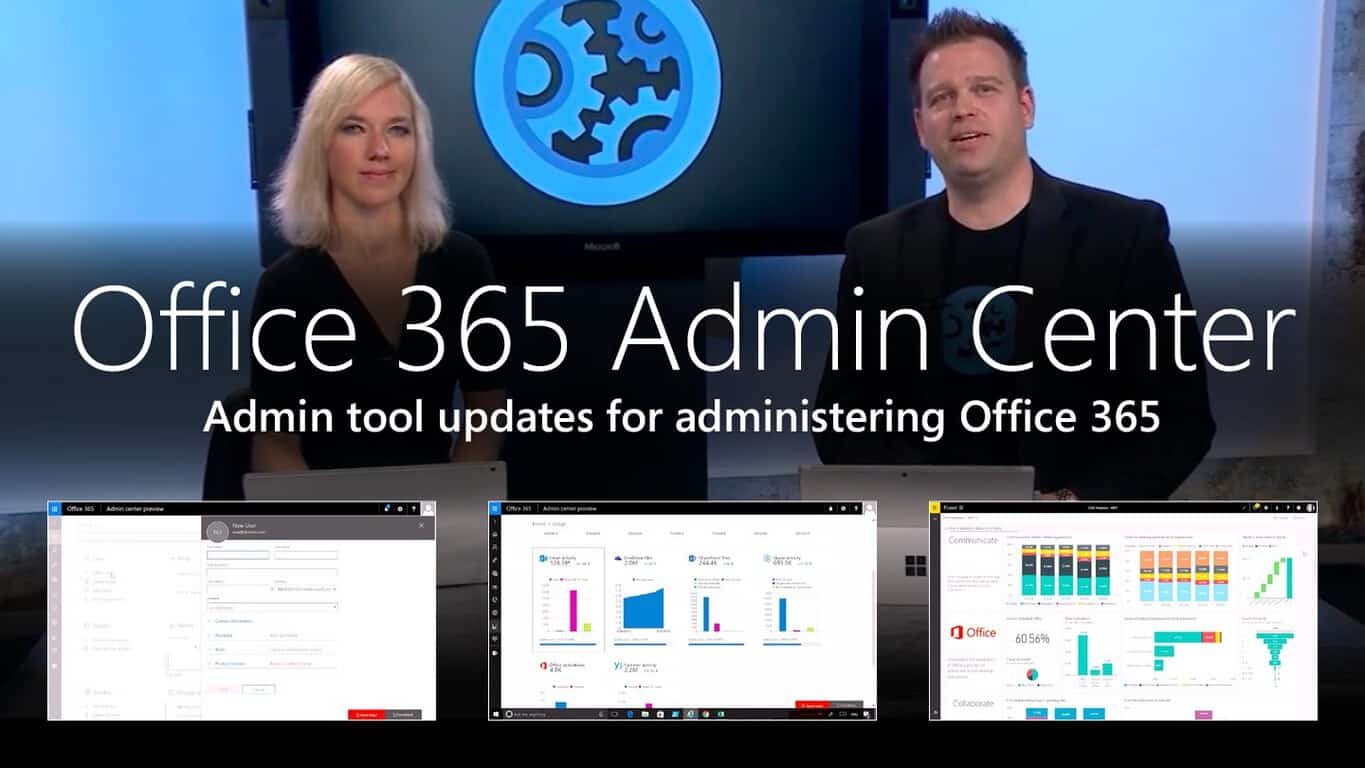
The blog post explains that “the usage reports will be accompanied by a Power BI content pack that will allow you to share the reports and to pivot by attributes like region or department,” and the following video provides an overview of the Office 365 admin center.

Administrators should also able to look forward to using the new Service health dashboard. This tool will help administrators assess service incidents, improve internal support, and assist with the Office 365 experience for their organization’s employees. Outages of services can be indicated as incidents compared to minor situations which are better categorized as advisories.

With more critical information available to you in quick summaries and important details upon inspection, the Service health dashboard will help you respond more efficiently. You can even see how many people are affected by the service incident at a glance.

The Service health dashboard will also be adding more functionality in the future such as reporting issues that aren’t being shown directly to feedback, signing up for notifications through text and/or email, accessing a full list of impacted users, and allowing you to request on-demand user health checks to monitor risks. Stay up to date on changes to the admin center at the Office 365 blog.

Newest Edge extension, Turn Off the Lights, now available in the Windows Store

One of the most anticipated and welcome Windows 10 features arriving with the recent Anniversary Update is Edge extensions, or the ability to access new functionality when surfing the web using Microsoft’s newest browser. Chrome and other browsers have had extensions for quite some time, and Microsoft hasn’t yet opened up the extensions framework to all developers.

Nevertheless, new extensions continue to dribble out, and the latest is one that we reported on a week or so ago, Turn Off the Lights (via MSPU). This latest Edge extension provides for a more pleasant video consumption experience by dimming everything in the browser except the most important thing–the video that’s currently playing.

You can now install the extension from the Windows Store, and here’s what it offers up:

The entire page will be fading to dark, so you can watch the videos as if you were in the cinema.

With a single click on the lamp button, the page will fade to dark. And automatically focus on the video. By clicking on it again, the page will return to normal.

Turn Off the Lights is a lightweight and useful add-in designed for a more comfortable watching experience. It works for all known video sites such as YouTube, Vimeo, Dailymotion, Hulu, Metacafe, YouKu, etc. Not only this but these extensions are compatible with Google Chrome™, Apple Safari, Mozilla Firefox, Opera, Microsoft Edge, Maxthon and Yandex web browsers.

A few great features in this browser extension:

+ Turn the lights back on, by clicking on the black layer
+ Supports multiple video sites: YouTube, HTML5 video,… and more
+ Customize your YouTube:
Auto HD: Set videos to play in HD automatically. Users can select from highres 8K > 5K> 4K > 1080p > 720p > 480p > 360p > 240p > 144p > default
Auto Wide: Automatically plays the videos on the widest mode
,… and more
+ Easter Eggs: Shortcut key: T -> Do you like a real movie theater feeling?
+ Option to make the screen dark when the user clicks on the play button
+ Option to turn on/off the fade in and fade out effects
+ Custom colors + Option for Flash Detection
+ Option to Show Dimness Level Bar
+ Option for Eye Protection for when it’s night, with whitelist/blacklist filter
+ Option for atmosphere lighting that shows a glow around the video player
+ Option to show the dark layer on the top of the window
+ Option for shortcut keys:
Ctrl + Shift + L to toggle the lights
Alt + F8 to restore the default opacity value
Alt + F9 to save the current opacity value
Alt + F10 to enable/disable the Eye Protection feature
Alt + (arrow up) to increase the opacity Alt + (arrow down) to decrease the opacity
Alt + * to toggle the lights on all open tabs
+ Option for Camera Motion + Option for Speech Recognition
+ Option for Mouse Wheel Volume Control for each HTML5 video player
+ Option to add a filter to the current HTML5 video player (grayscale, sepia, invert, contrast, saturate, hue rotation and brightness)
+ Option to show the Audio Visualization effect on top of the current HTML5 video (Blocks, Frequency and Music Tunnel)
+ Option to loop the current HTML5 video player
+ Option to place the Night Mode switch to toggle YouTube in black or white theme, with whitelist/blacklist filter
Time stamp: Activate the Night Mode within the chosen time
Blackout: Dims the web page and activates the Night Mode
+ Option to stop YouTube and HTML5 videos from automatically playing.
+ and more…

This is the initial public release of the extension, which currently stands at version 3.3.0.0. Install the extension from the link below and let us know in the comments what you think.

Call of Duty: World at War, E4, and more join Xbox One Backward Compatible list

Just last week, Microsoft added Call of Duty 3 to the list of backward compatible games on the Xbox One. Today, another Call of Duty game and several other Xbox 360 titles have been added to the list as well. As always, we’ve given the titles a look and have included descriptions, downloads, and trailers for your viewing pleasure below.

Call of Duty: World at War:

Call of Duty: World at War Experience the intensity and brutality of war like never before. Unleash the power of the flamethrower, flame tanks, and other lethal weaponry while battling through the most harrowing campaigns in the Pacific and Europe. For the first time ever in Call of Duty, play Co-Op with up to 4 players on Xbox LIVE. In Multiplayer, compete on Xbox LIVE to complete challenges, gain experience, level up, and unlock perks to take out your opponents.

E4:

Purchase the full version of E4 now to get all four primary stages, 100 Revenge levels, five great game modes, leaderboards, achievements, and the ability to play along to your own favorite music! This sensational shooter is one that you won’t want to miss.

E4
E4

Encleverment Experiment:

Unlock the full game to offer your assistance in Professor Ivor Question’s Encleverment Experiment! He’s looking for people just like you to play his 16 exciting minigames, collect 60 available Mascots and create new challenges in his Home-made Game editor! Featuring support for the Big Button Controller and Live Vision Camera, the Encleverment Experiment also includes full Avatar support and LIVE play for up to four players! Unlock the full game now and massage those mental muscles!

FunTown Mahjong:

Unlock the full version of FunTown Mahjong to play even more of this traditional Chinese tile game! The full version includes the ability to compete against your friends on Xbox LIVE or against AI opponents. You can also earn achievements, aim for the top of the leaderboards, and enjoy tons of exciting Mahjong variations!

And so, those are the four titles which have been added to the list of Xbox One Backward Compatible Titles. Which of these great games do you own or are planning to buy? Let us know what you think by dropping us a comment below!

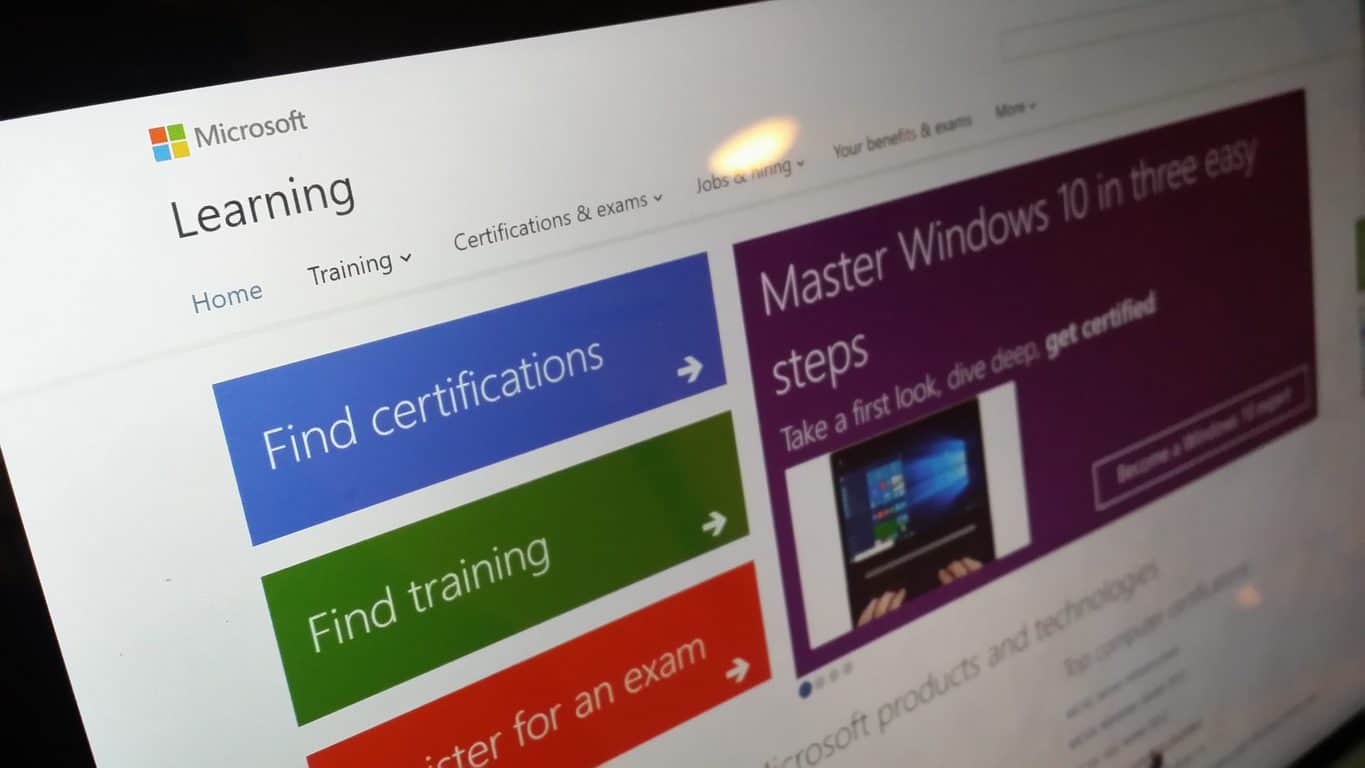
Microsoft streamlines MCSE and MCSD certifications, eliminates requirement to retake exams

Recently, Microsoft decided to change its certification requirements, effectively eliminating the need to retake certain exams for some Microsoft Certified Solutions Expert (MCSE) and Developer (MCSD) certifications. Microsoft Learning GM Alsion Cunard is looking to make earning more certifications easier for MCSE and MCSD certified professionals. Cunard also wants to make sure the certifications are more in tune with the Centers of Excellence guidelines that are used by the Microsoft Partner Network.

In addition, Microsoft announced five new MCSE and MCSD certifications are now available:

  • MCSE: Cloud Platform and Infrastructure – focusing on skills validation for Windows Server and Microsoft Azure
  • MCSE: Mobility – focusing on skills validation for Windows Client and Enterprise Mobility Suite
  • MCSE: Data Management and Analysis – focusing on skills validation for both on-premises and cloud-based Microsoft data products and services
  • MCSE: Productivity – focusing on skills validation for Office 365, SharePoint, Exchange, and Skype for Business
  • MCSD: App Builder – focusing on skills validation for Web and Mobile app development
Microsoft, MCSE, MCSD, Certifications
Microsoft Certification Pathways

In order to be eligible to receive any of these certifications, you must first earn a prerequisite Microsoft Certified Solutions Associate (MCSA) certification as well as pass an additional exam as required by the corresponding Center of Excellence.

“The resulting MCSE or MCSD certification will be added to your transcript and will never expire. Instead, the achievement date will signify your investment in continuing education on the technology. Every year, you will have the opportunity to re-earn the certification by passing an additional exam from the list of electives, demonstrating your investment in broadening or deepening your skills in a given Center of Excellence. Each time you earn the certification, a new certification entry will be added to your transcript.”

The certification changes apply only to MCSE and MCSD certifications; these changes do not affect MCSA certifications. More in-depth details of the MCSE and MCSD certification changes are available on the Microsoft Born to Learn Blog.

Take a rare look inside Microsoft’s Quincy, WA datacenter

Quincy, Washington is a small town located near the Columbia river and the hydroelectric power from the Grand Coulee Dam. The city also enjoys an arid and cool climate, which is probably why five big tech companies including Yahoo and Microsoft chose it to build data centers. Before Microsoft kicked off its Ignite 2016 conference this week, the company invited The Next Platform for a tour of its five generations of data centers in its Quincy facilities.

As Microsoft’s online services including Azure and OneDrive are currently growing very fast, the Redmond giant has started building a fifth generation data center in Quincy which will take up about 300 acres in total. However, Rick Bakken, senior director of datacenter evangelism for Microsoft’s Cloud Infrastructure and Operations team explained that the previous generation data centers will still be useful:

We have taken all of the learnings from prior generations and put them into Generation 5. I am standing up four versions of infrastructure that we call maintenance zones. They are identical to each other and I am going to stripe some fiber between them to have great communication. I am on cement floors, I am using adiabatic cooling, and I don’t have chillers.

Microsoft iterated over 25 years.
Credit: The Next Platform.

Bakken gave The Next Platform a limited tour of Microsoft’s fifth generation datacenter which is still under construction, and this is what our colleagues wrote about it:

Bakken said that the Generation 5 datacenters would use 96-inch tall racks (compared to 74 inches for a standard server rack), and that should mean Microsoft can get racks to go floor to ceiling. That 55U rack is odd in that it is not divisible evenly by the 12U height of the Open Cloud Server. It leaves room for four Open Cloud Server enclosures plus 7U left over for other gear – or for a taller or shorter future Open Cloud Server that will fit the racks.

The maintenance zones of the Generation 5 datacenters will be ganged up in quads, called theaters, which are mirrors of each other, and they can be georeplicated around the globe to other similar datacenters at some point and provide 32-way replication (four-way datacenters in a zone and four zones in the theater times two theaters with for geo-replication) for absolute high availability for strategic applications. (…)

Microsoft wants to get more time out of its datacenters, and has designed them to have longer lives than its prior datacenters; 30 years instead of 20 years, to be precise. And the Generation 5 datacenters have lots of power, at 10.5 megawatts each, 42 megawatts for a maintenance zone, and 168 megawatts for the theater, to take some dense gear if need be.

Inside Microsoft's fifth generation datacenter in Quincy (credit: The Next Platform).
Inside Microsoft’s fifth generation datacenter in Quincy (credit: The Next Platform).

Lastly, the exec emphasized that this fifth generation data center will allow the company to bring costs down significantly. “We have moved to a resiliency configuration where I put more servers in each box than I need and if one breaks, I just turn it off and wait for the next refresh cycle,” he explained. Overall, the company iterated on its data centers over roughly 25 years, but the exec thinks that the company did what was necessary to stay competitive against it rivals in the cloud. “We learned quite a bit there, but now we have got to really scale,” added Bakken. We invite you to read the full story over here to get more technical details about Microsoft’s next generation data center.

Moscow to ditch Microsoft software in a move toward “self-reliance”

Political tensions between the United States and Russia are rising, but a new report out by Bloomberg News is indicating that these political tensions might have just crossed into the world of technology as well. Moscow is reportedly ready to ditch Microsoft Software in a move toward “self-reliance.”

The move is all a part of  Vladimir Putin’s call for the Russian government to reduce dependence on foreign technology. As part of that call, Russia will be replacing the Microsoft Exchange Server and Microsoft Outlook technology in over  6,000 computers in Moscow with an email system from  state-run carrier Rostelecom PJSC.

Additionally, as per a statement from Artem Yermolaev, head of information technology for Moscow, Russia may also consider replacing Windows and Office, and may expand the replacements to as much as  600,000 computers and servers. Microsoft declined to comment on the Bloomberg report, which draws into question how this new call from the Russian government may affect the technology market.

Xbox France is giving away a stunning collector Forza Horizon 3 Xbox One S to celebrate release

Forza Horizon 3, the latest entry in the open world racing video game series is being released today on both the Xbox One and Windows 10 PCs. To celebrate the launch of the already critically-acclaimed title, Xbox France its giving away a collector Forza Horizon 3 Xbox One S console. Watch the video below to see how this unique, heavily customized console looks:

Car enthusiasts may recognize the stylish lines of a vintage Ford Mustang on the collector Xbox One S design. The console looks really gorgeous in a subtle black & white finish and it also comes with a classy leather Xbox One S controller. To get a chance to win the unique console, Xbox France is inviting French fans to let a comment on Twitter, Facebook or Instagram. However, it’s not clear if the contest is only restricted to people in France or open to all Xbox enthusiasts. Let us know in the comments what do you think of this collector Xbox One S console.

EA SPORTS FIFA 17 and Forza Horizon 3 launch on Xbox One

EA SPORTS FIFA 17 and Forza Horizon 3 both launched today on the Xbox One. Forza Horizon 3 had been playable for a few days through early access for those gamers who had pre-ordered the Ultimate Edition version of the racing game but all versions are now available to download and play across Xbox One video game consoles and Windows 10 tablets and PCs. Here’s the official game description:

You’re in charge of the Horizon Festival. Customize everything, hire and fire your friends, and explore Australia in over 350 of the world’s greatest cars. Make your Horizon the ultimate celebration of cars, music, and freedom of the open road. How you get there is up to you. Drive through the vast desert and rocky canyons of the Outback to lush, wild rainforests, and to the sandy beaches and gleaming skyscrapers of Australia’s Gold Coast. Every car is recreated with ForzaVista™ detail including full cockpit views, working lights and wipers, and new vehicle types bringing all-new driving experiences never before seen in Forza.

Buy Forza Horizon 3 on Xbox One and Windows 10

Forza Horizon 3 is one of the first video games to release under Microsoft’s new Xbox Play Anywhere label. This means that users can purchase the title on the Xbox One console or on a Windows 10 device and gain access to the alternate version for free. In addition to this cross-buy functionality, game progress and downloadable content will also sync between devices. This means that someone could start a game on an Xbox One and pick it up later on their Surface Pro 4. Conversely, gamers can also begin a Forza Horizon 3 session on their Windows 10 PC and continue it on their Xbox One.

EA SPORTS FIFA 17 is the latest game in the FIFA sports franchise and boasts significantly improved graphics over its predecessors and more comprehensive gameplay. Here’s the official description:

Powered by Frostbite, FIFA 17 transforms the way you play, compete, and emotionally connect with the game. FIFA 17 immerses you in authentic football experiences by leveraging the sophistication of a new game engine, while introducing you to football players full of depth and emotion, and taking you to brand new worlds accessible only in the game. Complete innovation in the way players think and move, physically interact with opponents, and execute in attack lets you own every moment on the pitch.

Buy EA SPORTS FIFA 17 on Xbox One

A special tie-in FIFA Mobile app has been announced for Windows 10 Mobile, iOS, and Android smartphones but it has not released yet. It is due out sometime in Autumn 2016. The app is expected to be an alternate take on the FIFA gaming experience with shorter games designed for players on the go and a simplified control scheme suitable for touch devices.

Have you played EA SPORTS FIFA 17 or Forza Horizon 3 yet? Which devices are you playing them on and are they as good as the previous entries in their respective franchises? Let us know in the comments below.

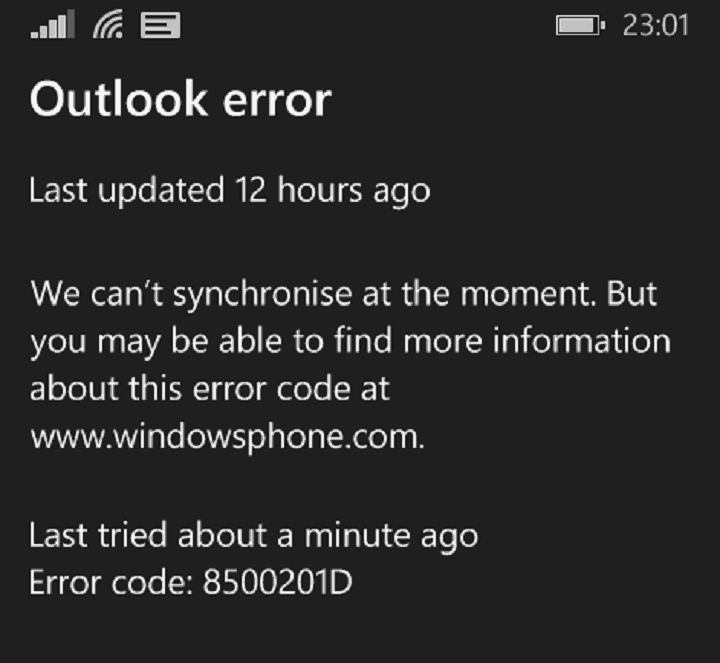
Microsoft acknowledges Windows phone error 8500201D preventing email syncing

Error 8500201D has reared its ugly head again, much to the disappointment of many Windows 10 Mobile users. This is an old and constant error that has been plaguing Windows phone users for years, and after a calmer period, it seems that error 8500201D is back.

Since the beginning of September, thousands of Windows phone owners have been complaining about this annoying error that prevents them from syncing their emails and calendar events. Error 8500201D makes no discrimination, affecting Windows Phone 8.1 users, as well as Windows 10 Mobile users. However, it does indeed seem that the latter are particularly plagued by this bug.

Windows phone error 8500201D blocks email synching

here is what I am getting after several years of using a Windows phone with no real problems. Nokia Lumia Icon 929 up to date in upgrades. Starting Monday the 5th of September I have been getting this error. […] Last tried 7 minutes ago. Error code: 8500201D. […] The only thing that I have not done is reset the phone, I did delete most mails that I had in all the different folders. But same results.

Despite this sync error, new emails are well received on the affected devices. Also, according to user reports, this sync error also affects contacts, SMS and MMS backup. Some users also came up with a few workarounds, but unfortunately, none of them proved to be permanent. In the best case scenario, some workarounds manage to fix this bug for a limited period of time, in general for no more than one hour. Soon after, error 8500201D comes back.

For the time being, the best solution to get rid of this bug is to perform a hard-reset, which will most likely delete the items that failed to sync. If having your emails synced is not that urgent, you may want to wait for a while until Microsoft fixes this issue. The company has officially acknowledged the annoying Windows phone error 8500201D issues and is actively looking for a fix.

Thank you for posting on the forum. We are currently aware of this issue and it is under investigation. Once a fix is released, you can view it here: Fixes or workarounds for recent issues on Outlook.com. Thank you for your patience and understanding.

Have you encountered error 8500201D? If you’ve also come across a permanent workaround, list the troubleshooting steps in the comment section below.

RELATED STORIES YOU NEED TO CHECK OUT:

Microsoft resurrecting OneDrive ‘placeholders’ with upcoming On-Demand Sync feature

It was an exciting announcement for enthusiasts when Microsoft announced that the OneDrive placeholders would be returning in the future. It seems the massive amount of support in the thousands for One Drive ‘smart files’ placeholders has been heard and is on the docket for Windows 10.

The feature is now going to be called On-Demand Sync which is a pretty accurate name for what it does. Users will be able to right-click on a folder or file then select to store it offline or re-enable online sync. It’s worth noting that while making a placeholder to store on your computer takes up space, it doesn’t nearly take the same amount as saving the full file.

As Neowin explains, Microsoft originally removed placeholders from Windows 10 early on because it was too ‘confusing’ for users. True that the ability to store some files offline while others were only available online could cause some people to scratch their head, but it was useful for determining which files would sync and when.

But there were further complications. According to Jeff Teper in an interview, they chose to remove it because it “never integrated with the Windows file system, meaning some apps, APIs and command line tools didn’t work as they should.” It looks like they’ve been working on fixing those integration issues for a while now.

We don’t have an estimated time when On-Demand Sync will be rolling out. but as we saw a couple of months ago, the feature could be releasing with Redstone 2. All we can really say for now is that it is coming.

The event has only begun so perhaps we’ll see more about it in the next few days with fingers crossed we don’t have to wait too much longer. Until then, keep watching WinBeta (OnMSFT) for more Microsoft Ignite 2016 news.

Microsoft details evolution from Delve Analytics to ‘MyAnalytics’

Earlier this morning, it was announced that Delve Analytics would be changed to My Analytics. Not to be confused with the new Delve app from Microsoft, Delve Analytics was a tool that used Microsoft Graph to give clear insights on how employees spend their time and what projects they are accessing/working on.

In the corresponding blog post from the Office 365 team, the company expanded on what Microsoft MyAnalytics will mean to businesses. MyAnalytics is one of the easiest ways to get insights into how you work with teams, groups, and your organization as a whole. The goal is to keep yourself in check for how much time you spend on a project so that you can stick to the top priorities. You can even check how fast you respond to emails and set private goals to meet.

MyAnalytics actually includes all that the former had (including the price tag) and has even built on top of it with some new features. Building on the former Delve with social integration, the MyAnalytics dashboard will help you take all the measures you need to ensure that you are the most productive. As of today, you can add your important people whether they are in the organization or not to the network section. This is particularly useful for teams that have many collaborations outside of their organization and want to quickly reach out to them.

Additionally, you’ll be able to share your progress and analytics with others depending on which modules you decide to snapshot when the feature releases in early 2017.

During the transition, MyAnalytics is still accessible through Delve through a separate tab or with the new MyAnalytics Outlook add-in. Eventually, it’s going to be moved to its own application for Office 365. Even though a mobile version isn’t available currently, you can access it through your browser.

Microsoft’s Project Springfield is a new cloud-based bug detector

Identifying security vulnerabilities in software is an important aspect of quality control. The numerous recent examples of massive data breaches of personal information are a testament to the important of enhancing cloud security. Given Microsoft’s transition to the “cloud-first, mobile-first” productivity solutions company, security has thus been placed front and center.

David Molnar and Patrice Godefroid at Microsoft's Redmond, Washington, headquarters
Project Springfield researchers David Molnar (left) and Patrice Godefroid (right).

Today, Microsoft announced over at the official Microsoft blog the availability of a preview of a new cloud-based bug detector codenamed Project Springfield. The stakes are high, as Microsoft indicates:

Microsoft is making available to its customers one of the most sophisticated tools it has for rooting out potential security vulnerabilities in software including Windows, Office and other products.

The offering is code named Project Springfield, and up until now, the team that built it has thought of it as the million-dollar bug detector.

That’s because every time the system finds a potentially serious bug proactively, before a piece of software is released, it is saving a developer the costly effort of having to release a patch reactively, once the product is already public. With widely used software such as an operating system or productivity suite, deploying those patches can cost as much as $1 million, the researchers say.

Project Springfield includes technology that Microsoft has been using since the mid-2000’s, specifically the SAGE tool for conducting what’s called “fuzz testing.” But Project Springfield goes farther in finding errors in code:

Broadly speaking, fuzz testing works like this: The system throws random, unexpected inputs at a piece of software to look for instances in which those unforeseen actions cause the software to crash, signaling a security vulnerability.

Project Springfield builds on that idea with what it calls “white box fuzz testing.” It uses artificial intelligence to ask a series of “what if” questions and make more sophisticated decisions about what might trigger a crash and signal a security concern. Each time it runs, it gathers data to hone in on the areas that are most critical. This more focused, intelligent approach makes it more likely that Project Springfield will find vulnerabilities other fuzzing tools might miss.

Now, Microsoft is combining SAGE with other fuzz testing resources and adding in a dashboard to make the tools more accessible to users who are not necessarily security experts. Project Springfield runs on Azure as a cloud-based systems, providing data-center-scale resources to individual clients.

One of Microsoft’s goals with Project Springfield is shared by researchers across the company:

Project Springfield also has been developed at a time in which Microsoft researchers are getting more aggressive about quickly translating their groundbreaking research into tools customers can use.

With Project Springfield, Peter Lee, the corporate vice president in charge of Microsoft Research’s New Experiences and Technologies organization, said the team was determined to make sure it was “literally rubbing elbows” with the clients who were participating in an early preview of the system, having regular, face-to-face meetings to make sure it would meet their security needs.

“I actually view it as a collaboration,” he said. “In my mind, we’re doing the research together.”

You can learn more about Project Springfield, including organizations that are using the new technology, at the blog post. In the meantime, let us know in the comments below if this kind of cloud-based tool is a valuable next step in making software more secure and bug-free.

Microsoft introduces new NFL Fantasy Football Bot for Skype

While much of Microsoft’s Ignite 2016 conference has focused on the company’s future in machine learning, artificial intelligence and business focused endeavors, there was still room to squeeze in a little water-cooler fun with the announcement of an NFL Fantasy Football Bot. Satya Nadella introduced Deion Sanders on stage during his Innovations Keynote to introduce a new tool for American football fans.

Aside from workspace gossip and intra-company news, some employees (particularly in the US) love to bet on things. Office pools for promotions, the NCAA tournament and especially Fantasy Football are among some of the top workplace activities that employees enjoy participating in, and Microsoft appears keen on that notion.

Soon Skype users will be able to get Fantasy Football news and notifications within the messaging app via a new Fantasy Football bot. The bot will include the ability for users to not only get updates and notifications on their Fantasy Football teams but also adjust rosters and receive pre-game recommendations based on the extensive Bing Knowledge graph.

Skype Fantasy Football App

Other Skype Fantasy Football Bot features in-app comparisons, analysis of weather conditions as well as a walkthrough of how fantasy points are applied all of which occurs in the app.

Skype Fantasy Football Bot comparison

For those questioning the legitimacy of Skypes Fantasy Football Bot predictions, former player and NFL Hall of Fame receiver/cornerback Deion Sanders was brought out on stage to demonstrate and validate the bot’s accuracy. While the former player and current analyst Sanders didn’t agree with everything the Fantasy Football app had to offer, much of the bot’s predictions were in line with his own.

Unfortunately, neither Microsoft CEO Satya Nadella, Dion Sanders, nor the NFL had a date of release for the bot.

Microsoft CEO Satya Nadella and NFL Hall of Fame player Deion Sanders

Once again, the Skype messaging app shows off its potential but leaves users waiting for its implementation. Hopefully, the Skype Fantasy Football Bot gets in users hands before their fantasy teams are beyond salvageable.

Microsoft is retooling its datacenters with FPGA chips

Earlier today, Microsoft kicked off its Ignite 2016 conference to introduce the latest innovations in its enterprise products and services. As you may now, Microsoft is now longer a Windows company: Instead, the Redmond giant is increasingly becoming a business-focused company which has developed an array of cloud and productivity services to help businesses accomplish their digital transformation. But while Microsoft’s cloud services don’t appear as exciting as its software or hardware efforts, the company’s recent cloud focus has led to some impressive innovations behind the scenes.

Yesterday, Wired published a lengthy story about Microsoft’s use of programmable chips called field-programmable gate arrays (FPGAs) in its data centers. These programmable chips are faster and less power-hungry, helping Microsoft to stay competitive against its competitors in the cloud. They’re also tailored for powering new services that will leverage artificial intelligence and deep neural networks: FPGAs already drive Bing and Azure and are expected to be found in all new Microsoft servers in the coming years. Doug Burger, a computer chip researcher who led the research on FPGAs, explained to Wired that the programmable chips gives Microsoft “massive capacity and enormous flexibility, and the economics work. This is now Microsoft’s standard, worldwide architecture,” he added.

Programmable chips have existed for decades and were mainly used to prototype other processors. But back in 2009, Burger and Microsoft researcher Andrew Putnam started thinking about using these chips to power online services. FPGAs are more efficient and customizable than standard computer chips, and they’re also cheaper and reprogrammable.

However, reprogramming the Silicon is not an easy task. Jim Larus, another Microsoft researcher who worked on early FPGAs prototypes explained: “That is just horrible, much worse than programming software. Much more difficult to write. Much more difficult to get correct.”

Burger initially had a hard time convincing Microsoft execs including former CEO Steve Ballmer that FPGAs could deliver groundbreaking innovations for Microsoft cloud services. The researcher initially pitched the idea to Microsoft execs back in 2012, explaining that technology giants would soon need to build new, optimized chips to power their growing online services. Furthermore, both Google and Amazon were already working on similar projects. While Ballmer was initially not receptive to the idea, Microsoft exec Qi Lu believed that programmable chips could help boost the speed of Bing searches.

After working on several prototypes, the team working on the then called Project Catapult convinced that FPGAs could also help the company improve its cloud computing platform Azure as well as the Office 365 business productivity suite.

Project Catapult Version 1 (credit: Wired).


Today, Project Catapult is « no longer just research » according to CEO Satya Nadella. As the company now invests between $5 and $6 billion in hardware to power its online services, the exec added that “it’s an essential priority.” Burger expects FPGAs to power all Microsoft online services in the future, and as of today the programmable chips are already helping Bing to improve its results thanks to artificial intelligence.

Additionally, one Microsoft employee told Wired that Office 365 will soon use FPGAs to deliver encryption, compression and machine learning to all of its users.

Lastly, Microsoft’s bet on FPGAs has also had some consequences on the global chip market. Microsoft is currently getting its chips from Altera, a company that Intel bought from $16.7 billion last summer. Intel Executive Vice President explained to Wired that she expects FPGAs to appear in a third of all servers inside all the major cloud computing companies in 2020.

Office 365 receives a number of enhancements for better connectivity at Ignite 2016, including new Delve app for Windows 10

Microsoft isn’t short on announcements thanks to the Ignite 2016 conference being under way. One such announcement is Microsoft’s initiative to develop new and improved people experience for Office 365. In an attempt to build a more connected experience, apps and services are rolling out with some new features.

New Delve app for Windows 10 PCs and mobile

The new Delve app for Windows 10 desktop and mobile is the first of these features. Available now for download, Delve does just that by delving into your social connections and getting insights on how your team is collaborating. As the Office blog post puts it, it is “an activity stream of all important, timely files in one place.” If you were wondering what your team was up to, now you’ll be able to know.

Delve for Windows 10.

With the new Delve Windows 10 app you can:

  • Stay in the know and discover what your colleagues are working on with badges and notifications.
  • Find relevant documents and email attachments based on people you know.
  • Get back to important documents you’re actively working on.
  • Locate expertise and learn more about colleagues relevant to you.

Delve is available for work or school accounts as long as the Office 365 admin has enabled the feature. The Delve app is now available at the Windows Store and you can download it from the link below.

Delve
Delve
Price:
Free

Intelligent people cards

Another addition to Office 365 is the integration of people cards. Similar to those in Outlook with contact information, people cards bring in what jobs they do, who they work with, and what documents they have been working on. Outlook on the web already showed off the usefulness of people cards, but now they’ll be expanding over to SharePoint Online and OneDrive for Business as well.

office365_peopleexperiences
Office 365 new people cards.

Office 365 profile updates

To top it all off, building up the ‘people experience’ wouldn’t make sense without some updates to Office 365 profiles. You can be fully connected to each other by including organizational relationships, current jobs, and even displaying your schedule from their Exchange Online calendar. The Delve app is even integrated to reveal if they are in their office or not. It might be worth a look into editing and updating your profile with history, projects, skills, and other experiences.

Microsoft is continuing to develop their business services to become more connected, secure, and productive and there are plenty more announcements to be made throughout the week. Be sure to keep checking up throughout the next few days for more news from Microsoft Ignite 2016 on WinBeta (OnMSFT).

Ignite 2016 brings a ton of new features and functionality to Office 365

Ignite 2016 has provided a wealth of new information regarding Microsoft various cloud and productivity services. Whether it’s Azure, Office 365, SharePoint, or Dynamics, Microsoft is taking advantage of their annual business-oriented event to let us know about a slew of new and upcoming features and functionality.

Office 365 has received a great deal of attention in terms of business intelligence, security, and collaboration, and the Microsoft Office blog took some time to provide additional details. Here’s a breakdown of what’s been announced for Office 365 in September 2016 via Ignite.

New intelligent services

Microsoft is incorporating some new cloud-based intelligent services into Office 365, including the following. Each of the new features hooks into one or more aspect of Microsoft’s machine intelligence infrastructure to bring new capabilities to the world’s most popular office productivity suite.

  • Tap in Word and Outlook—Find and use relevant content from within your organization without leaving the document or email you’re editing. Powered by the Microsoft Graph, Tap surfaces documents, presentations and spreadsheets frequently used by you or made available by your coworkers. Simply click to incorporate desired elements from within those files, seamlessly integrating individual components such as slides, images, tables, graphics and charts. Content is pulled in with fidelity intact, so you can change table colors, add a trendline or legend to a chart, edit text and more. We’re working to extend Tap to more apps, like PowerPoint, in the future. Get started with Tap in a few easy steps.

    Availability: Tap is available today in Word and Outlook on Windows desktops, for Office 365 Enterprise E3 and E5 subscribers in First Release for Current Channel. Learn more on this page about ensuring you have refreshed Office 2016 with the September updates.

  • QuickStarter in PowerPoint and Sway—QuickStarter is re-inventing the creation process, helping you conquer the blank canvas. Powered by the Bing Knowledge Graph, QuickStarter in Sway and PowerPoint provides carefully curated outlines for any topic, including recommendations on information to include, categories to consider and associated images tagged with Creative Commons licenses. This provides a solid starting point to then continue building the rest of your presentation. You really need to see QuickStarter in action to understand what it can do—check out the video below!

    Availability: QuickStarter is available today for all customers in Sway on the web. Education customers using Sway have a slightly modified version to meet the needs of educators. QuickStarter in PowerPoint on Windows desktops is coming by the end of 2016, for Office 365 subscribers.

  • Designer transforms text—It’s easy to get beautiful designs in minutes for even more types of slides. Designer in PowerPoint now can recommend professional design options for bulleted process lists. This expansion builds upon previous Designer updates to incorporate facial detection, color extraction and more in images. Additional categories of text will be supported in the future, such as timelines. Stay tuned for more!

    Availability: Designer support for text is now available in PowerPoint on Windows desktops, for Office 365 subscribers in the Office Insider program. Learn more on this page about ensuring you have refreshed Office 2016 with the September updates. Designer support for text in PowerPoint on Mac is coming soon, for Office 365 subscribers.

Office 365 Designer enhancements.


  • Turn data into Maps in Excel—Now you can transform geographic data into professional visualizations with just a few steps, using the new Maps chart type in Excel. Powered by Bing Maps, Maps in Excel enable everyday users to create geographic data visualizations that previously required the help of technical experts or expensive external products. This makes it easier than ever for you to identify insights, trends and opportunities in your data right in Excel, whether you’re at work, school or home.

    Availability: Maps in Excel on Windows desktops, Windows Mobile and Android are coming by the end of 2016, for Office 365 subscribers.

  • Microsoft MyAnalytics—Create better work habits with the help of Microsoft MyAnalytics (formerly Delve Analytics). MyAnalytics provides insights to help you understand how you spend your time at work, across meetings, email, time you designate as “focus time” and after-hours work. This way, you can set productivity goals and monitor progress over time. You can also gain visibility into who you collaborate with most. In the future, MyAnalytics will deliver insights to teams and Office 365 Groups to help them establish better ways of working together, uncover hidden inefficiencies and align on priorities. Learn more about MyAnalytics.

    Availability: Microsoft MyAnalytics is now available, included at no additional cost for Office 365 Enterprise E5 subscribers.

Enhanced security and compliance via business intelligence

Microsoft continues its focus on enhancing the security and compliance capabilities of Office 365. Today, Microsoft highlighted some ways that business intelligence is enhancing how the company keeps your productivity information safe and secure.

  • Improvements to Advanced Threat Protection (ATP)—New ATP features help keep your employees secure without impacting productivity. URL Detonation analyzes suspicious links in a virtual environment, while Dynamic Delivery scans attachments for malware without delaying email delivery. We’re also bringing ATP to SharePoint Online and the Office desktop apps. Security admins can explore threats and gather insights about attacks with new reporting capabilities, as well as correlate threats across your network with Windows Defender ATP integration.
  • Threat Intelligence—New to Office 365, Threat Intelligence helps you proactively uncover and protect against advanced threats in Office 365. Deep insights into threats—provided by Microsoft’s global presence, the Intelligent Security Graph, and input from cyber threat hunters—help you quickly and effectively enable alerts, dynamic policies and security solutions.

    Office 365 Threat Intelligence portal.
  • Advanced Data Governance in Office 365—Also new for Office 365, we’re applying intelligence to make it easier than ever to retain high value data and ensure business continuity, while reducing your overall risk profile. Advanced Data Governance helps you achieve organizational compliance by leveraging machine assisted insights to help you find, classify, set policies on and take action on the data that is most important to your organization.
    Office 365 Advanced Data Governance portal.

    Availability: Advanced Threat Protection (ATP) improvements will start to roll out by the end of 2016. Threat Intelligence and enhanced Advanced Data Governance capabilities will be available in the first quarter of 2017. All three will be included at no additional cost in the Office 365 Enterprise E5 plan and the new Secure Productive Enterprise E5 offering.

  • Outlook is now powered by the Microsoft Cloud—We’ve updated Outlook for iOS and Android to better support the legal, regulatory and compliance needs of our enterprise customers. Starting today, for Office 365 commercial customers, Outlook for iOS and Android is now fully powered by the Microsoft Cloud. This means Outlook now supports Exchange Online mailboxes natively, such that no mailbox data is cached outside of Office 365. Our backend service has been automatically updated, so this change does not require an app update. Read today’s Outlook blog for more, including details on the new architecture.

Smarter, more connected collaboration

Finally, Microsoft is enhancing Office 365’s collaborative functionality through SharePoint improvements, Yammer integration, and more.

  • Improvements to SharePoint—We’re expanding the power of SharePoint as part of the cloud-first, mobile-first vision and roadmap we unveiled earlier this year. New OneDrive sync capabilities for SharePoint sites and shared folders help you stay connected. We have added richer people experiences like those in Outlook that let you go beyond a coworker’s contact details. Team News helps you communicate to keep your team informed, and you can more seamlessly manage business processes with deeper integration of Power BI, Yammer, Microsoft Flow and PowerApps. SharePoint team sites are coming to every Office 365 Group, including modernized lists, document libraries and pages. Additionally, SharePoint mobile apps for Android and Windows put your intranet in your pocket. Learn more about the details and availability in today’s SharePoint blog.
  • Yammer integration with Office 365 Groups—Yammer now boosts team productivity even more by adding a SharePoint team site and document library, OneNote, Planner and Outlook group calendar (coming soon) to every group in Yammer. Read today’s Yammer blog for more.

    Availability: Yammer integration with Office 365 Groups is rolling out over the next several months for Office 365 commercial customers.

  • Updates to Skype for Business—It’s easier than ever to move all your communications to Skype for Business. Skype for Business for Mac will be generally available in October. We’ve more deeply integrated the mobile experience, and a preview of translation and transcription capabilities will roll out in Skype Meeting Broadcasts by the end of 2016. The next generation of Skype Room Systems is also here, as is an expanded set of markets for PSTN services. Read details on these updates and more, including availability, in the Skype for Business blog.
  • Microsoft StaffHub—Microsoft StaffHub is a new app that makes it easy for managers to create teams, manage shift schedules and provide relevant information to their workers. For deskless workers, all their schedule information, important communications, announcements and content are just a few taps away on their mobile devices. Read more about Microsoft StaffHub.

    Availability: Microsoft StaffHub is now available in public preview for the web, iOS and Android, for Office 365 Enterprise K1, E1, E3 and E5 customers.

    Microsoft StaffHub.

There’s no doubt that Office 365 remains a key piece of the “cloud-first, mobile-first” productivity solutions transition that is marking Microsoft’s future. Stay tuned for more detailed information from Microsoft Ignite 2016.

Microsoft brings metrics and logs together in one place with new Azure Monitor

More of Microsoft’s Azure secret sauce has been made available to the general public as Azure Monitor makes its way to public preview. For those looking for an all-in-one monitoring solution for keeping track of Azure users within a company, Microsoft is previewing its new Azure Monitor service as of today.

This preview release builds on some of the monitoring capabilities that already exist for Azure resources. With Azure Monitor, you can consume metrics and logs within the portal and via APIs to gain more visibility into the state and performance of your resources. Azure Monitor provides you the ability to configure alert rules to get notified or to take automated actions on issues impacting your resources. Azure Monitor enables analytics, troubleshooting, and a unified dashboarding experience within the portal, in addition to enabling a wide range of product integrations via APIs and data export options.”

Early Azure Monitor testers will be getting their hands on some fairly complex integration into other Azure products and services as they seek to wrangle in users on their Azure network. Some new Azure monitoring integration includes ties into viewing Activity Logs, using REST API for direct access to Metrics, viewable diagnostic logs, setting alerts, and automated control task as well as a few other linking points.

New Azure Monitor dashboard

For the nitty gritty of today’s Azure announcement, senior program manager of the Azure Monitor team Ashwin Kamath walks customers through some other finer points of the future integration.

You may have the need to consume Azure Monitor data but want to analyze it in in your favorite monitoring tool. This is where the product integrations come into play – you can route the Azure Monitor data to the tool of your choice in near real-time. Azure Monitor enables you to easily stream metrics and diagnostic logs to OMS Log Analytics to perform custom log search and advanced alerting on the data across resources and subscriptions. Azure Monitor metrics and logs for Web Sites and VMs can be easily routed to Visual Studio Application Insights, unlocking deep application performance management within the Azure portal.

The product integrations go beyond what you see in the portal. Our partners bring additional monitoring experiences, which you may wish to take advantage of.”

To read more about how Microsoft enable extensibility, a single monitoring dashboard, and future resource additions, visit the Microsoft Azure blog. For anyone looking to give the new Azure Monitoring service a spin, head over to Microsoft’s Azure Monitoring documentation page to read up on the details and view a few tutorial videos before enabling the hub.

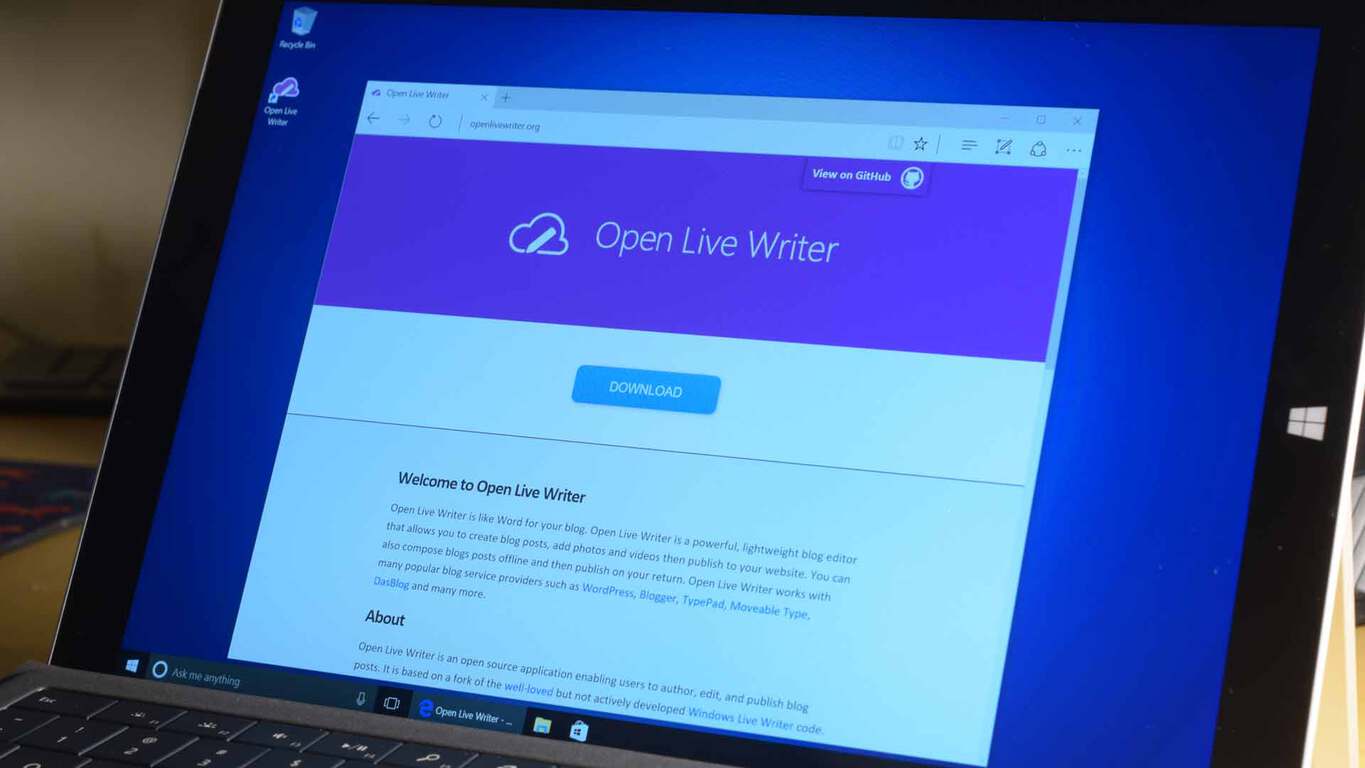
Open Live Writer is coming to the Windows Store, Scott Hanselman announces at Ignite

Microsoft’s Ignite conference is officially underway and several key announcements have already been made at the event. Another one for the list is Scott Hanselman’s announcement that open Live Writer will be coming to the Windows Store.

As we have documented in the past, Open Live Writer is an easy-to-use offline method of composing blog posts, complete with blog theme support, image editing, and a few other quintessential tools. Based on a fork of the well–loved but not actively developed Windows Live Writer code, Open Live Writer is provided under an MIT license.

Ultimately, though, today’s announcement that the app will be available in the Windows Store is a splash of good news for those who once have used the application. The app is not quite available for download as of yet, but you can stay tuned to WinBeta, as once the app goes live we will be here to cover it for you.

Customize Command Prompt: How to Change its Color

Command Prompt is one of the most powerful features of Microsoft’s Windows, and many users are wondering how to customize the Command Prompt in order to make it unique.

In case you’re not familiar with this feature, we have a great guide explaining what is DOS or Command Prompt, so we advise that you check it out.

If you’re already familiar with this tool, then we can move along and show you how to properly personalize Command Prompt.

How can I customize Command Prompt?

1. Open Command Prompt properties

  1. Open Search type, cmd and select Command Prompt.
  2. Now, just right-click Command Prompt’s title bar, and choose Properties.

Once you open the Properties window, you have the option to customize Command Prompt by your heart’s desire.

You’ll find Options, Font, Layout, and Colors tabs, where you can change various functionality and visual features.

2. Change general options

The first tab is the Options tab. Here you can adjust cursor size, and change various text options. You can enable Quick Mode, Insert Mode, text wrapping, and more.

You can also switch to the Legacy Console, which is the previous version of Command Prompt.

prersonalize-command-prompt1

3. Change font options

Next is the Font tab. As its name says, you can change the font family and size of the console in this window. Once you change the font size, Command Prompt’s window will also change.

However, there are just two font families you can choose from: Consolas, and Lucida Console. You can also set bold fonts in this window.

Speaking of font options, there’s a neat way to save text from Command Prompt, so you can analyze it later.

prersonalize-command-prompt2

4. Change layout settings

On the Layout tab, you can change the window size, screen buffer size, and window position. But these options are not so important, because you can resize Windows manually, with your mouse.

prersonalize-command-prompt3

5. Change Command Prompt color

And finally, the Colors tab lets you choose various colors for the console. You can choose the background color, text color, popup text color, and popup background color.

Choosing a new color for Command Prompt can be a refreshment, since you probably got used to its standard black and white environment.

prersonalize-command-prompt4

You can even change the window’s opacity, to almost blend with the background.

There you go, although these customization are pretty small, you still can give Command Prompt some kind of a personal touch.

There are not so many personalization options mainly because Microsoft imagined Command Prompt to be the most powerful tool in Windows, not the prettiest.

To learn more about Command Prompt, we suggest reading our guide on how to open folder in Command Prompt.

Do you use a personal customization for Command Prompt on your computer, or do you prefer the traditional look? Tell us in the comments.

Uber is giving away Xbox One S consoles and EA Sports games in new promotion

Are you feeling lucky? Do you think you have enough luck to win an Xbox One? If you think you have what it takes, then Uber has got the promotion for you. The multinational online transportation network company is holding a promotion where you can come home with Xbox One S consoles and EA Sports games.

The promotion is all part of a team up between Uber and EA Sports to celebrate the launch of FIFA 17. To enter the promotion, all you need to do is to Download the Uber app for iPhone or Android, Then, on Monday, September 26 or Tuesday, September 27, enter the promo code for your city (seen here,) and request the “GAME ON” option in the app. Demand may be high, and if a car is available, you’ll be playing in minutes.

If you’re lucky enough you will win a copy of EA SPORTS™ FIFA 17 for Xbox One before it hits the shelves, a new Xbox One S or EA Sports Madden NFL 17 and NHL 17.  You also might win other EA Sports titles such as like Madden NFL 17 and NHL® 17 for Xbox One, or even a brand new Xbox One S console.

Microsoft expands Surface as a Service program

Back in July at the World Partner Conference, Microsoft announced a new SaaS offering for Enterprise customers. What was particularly unique this time was that the S stood for Surface. Surface as a Service is Microsoft’s program for leasing Surfaces to businesses, specifically to large businesses. Along with financing options, the program comes with customized options for support and services businesses need when deploying technology across large workforces.

Surface as a Service is part of a larger Microsoft program called the Surface Enterprise Initiative. This initiative was announced last fall, highlighting a partnership with Dell Technologies among others. Since last fall, the Surface Enterprise Initiative has been growing with new partners and now the Surface as a Service leasing program.

Today, just as their enterprise focused conference Ignite kicks off, Microsoft announced they are expanding their Surface as a Service program. Specifically, Microsoft is expanding the Support and Service features of the program. The technology company announced they are opening up the Surface Enterprise Initiative to their partners to also create and provide support and services for the Microsoft Surface.

Surface Book
Surface as a Service includes leasing options for both the Surface Pro and Surface Book

Hayete Gallot, General Manager of Microsoft Devices, said this expansion of the Surface Enterprise Inititaive will be focused on the following four areas:

  • Configuration and Deployment Services – such as imaging, asset management, provisioning and integration services.
  • Enhanced Replacement and Exchange Services – such as next business day, advanced exchange and onsite replacement services.
  • Logistics and Warehousing Services – such as custom shipping, order consolidation and kitting services.
  • Next Generation Services and Support – working alongside IT decision makers, partners and the broader Surface ecosystem to conceive and create solutions, that will provide tools for businesses worldwide to enable change in their organizations and use devices as a key component in that change.

Expanding the program to include more partners could help create an ecosystem of services around the Microsoft Surface. And if there is a rich and robust ecosystem of services, any type of business interested in a leasing a Surface is more likely to find the exact custom tailored support their company needs. As other technology companies look to sell hybrid tablets to enterprise customers, Microsoft’s Surface Enterprise Initiative helps differentiate their ability to provide a company’s devices.

Windows Server 2016 and System Center 2016 to hit general availability next month, Microsoft announces at Ignite

Microsoft Ignite 2016 is going strong and the news just keeps rolling in. As an effort to drive digital transformation and increase security and productivity for organizations, Microsoft is bringing the Windows Server 2016 and System Center 2016 to be generally available in the month of October.

Windows Server 2016 builds up on the infrastructure and cloud applications to add new and improved layers of security . According to the news, Docker Inc. is continuing the partnership it has with Microsoft to support Windows Server 2016 with their Commercially Supported Docker Engine. The feature won’t add to the cost of the model, however.

Originally we expected the Windows Server 2016 to launch during the event according to news earlier this summer. Its first technical preview was all the way back in October 2014 with a “feature complete” one revealed earlier this year in April. The former blog post had also given light to the three available editions that we can expect to see: Datacenter, Standard, and Essentials.

Just a few days ago we saw the updated Remote Desktop Services for Windows Server 2016. They’ve proven to have significant graphics performance improvements, attention to handling a massive amount of concurrent connections, and optimizations to the deployment of RDS on an Azure infrastructure.

The simplified management solution System Center 2016 will also be made generally available in October across the datacenter and cloud. It will be offering advanced control for your data centers and increase layers of security against cyber attacks. Other notes on previous technical previews included support for many more Windows 10 features, a new servicing dashboard, improved mobile device and application management, and the expansion of the area that it can monitor in general.

While Microsoft Windows Server 2016 is launching sales on October 1, it will be shipping later that month with System Center 2016 beside it. Ignite continues to reveal news as it continues so be certain to keep your eyes on WinBeta.org (soon to be OnMSFT.com).

Microsoft announces new security features for Windows 10, Office 365 and more at Ignite

Microsoft has just announced several new security features for Windows 10 Windows 10, Office 365 and more.  We’ve dissected the news and have included the biggest details for you below.

Leading off the set of features is the Windows Defender Application Guard. This application guard, which will be coming to Windows 10 Enterprise and Windows 10 Insiders, is set to make Microsoft Edge the most secure browser for enterprise users. Under the hood, it is powered by an Isolated “virtual” Edge session. The ultimate goal, however, is to protect the operating system and user files and prevent wold be viruses from malware, viruses, and zero-day attacks.

Additionally, several other security features are coming to Office 365. Windows Defender Advanced Threat Protection and Office 365 ATP now share intelligence mutually across both services. Other features include Office 365 Advanced Threat Protection, and Office 365 Threat Intelligence. These features enable users to receive an email immediately with a placeholder attachment while the actual attachment undergoes scanning, and  provides alerts and information on the origination of specific attacks.

Last up is some new security for mobile applications. Leading off on this end is the fact that Outlook for iOS and Android will now be powered by the Microsoft cloud for office 365 commercial users. This ultimately means that no mailbox data will be cached outside of Office 365.

On the enterprise end, meanwhile, is Enterprise Mobility + Security E5, which will bring advanced security and Microsoft Azure Information Protection.  Finally, Available on Oct. 1, 2016, is Secure Productive Enterprise, which brings enhanced security and productivity across several Microsoft products.

Ignite 2016 is still underway, so be sure to stay tuned to WinBeta as we will be updating our posts and covering the biggest Ignite news as it happens live.

Microsoft and Adobe announce strategic partnership at Ignite

Ignite 2016, Microsoft’s biggest conference of the year, is officially underway in Atlanta Georgia. At the event, Microsoft and Adobe announced a strategic partnership which aims to help enterprise companies embrace digital transformation.

Overall, the two companies together aim to enable businesses to strengthen brands with Microsoft’s Azure and Dynamics 365, and Adobe’s Marketing Cloud. As part of the partnership, Adobe makes Microsoft Azure its preferred cloud platform for Adobe Marketing Cloud, Adobe Creative Cloud and Adobe Document Cloud. Microsoft, meanwhile, will make Adobe Marketing Cloud its preferred marketing service for Dynamics 365 Enterprise edition. Microsoft CEO Saya Nadella but the partnership best, and said:

“Business leaders in every industry are focused on how to better engage their digital customers, wherever they are….Together, Adobe and Microsoft are bringing the most advanced marketing capabilities on the most powerful and intelligent cloud to help companies digitally transform and engage customers in new ways.”

Ultimately under the partnership, the two tech companies will create standardized data models for their marketing and business applications. Microsoft notes that it and Adobe intend to make the data models extensible to enterprise customers, as well as third-party developers and partners, in order to foster innovation and development.

Microsoft announces security, Cortana, Office 365 and Azure enhancements at Ignite, here are the highlights

Microsoft is holding its Ignite IT conference in Atlanta beginning this morning, introducing a number of new announcements in security, with Office 365 and Azure, with Edge, and even a renaming, from Delve Analytics to “My Analytics.” We’ll be going deeper in depth into all of these announcements soon, but for now, here’s the list of announcements as posted on the Microsoft News Center:

Security

Security enhancements across Microsoft’s products, including Windows 10, Office 365 and Enterprise Mobility + Security, offer powerful protection against security threats.

  • Windows Defender Application Guard, coming next year to Windows 10 Enterprise customers and soon to Windows Insiders, makes Microsoft Edge the most secure browser for the enterprise. It is powered by virtualization-based security technology and uses isolated containers built directly into the hardware to prevent malicious code from moving across employee devices and the corporate network.
  • Windows Defender Advanced Threat Protection (WDATP) and Office 365 ATP now share intelligence mutually across both services, helping IT pros to investigate and respond to security threats across Windows 10 and Office 365 more quickly and efficiently.
  • Office 365 Advanced Threat Protection will be extended to Word, Excel, PowerPoint, SharePoint Online and OneDrive for Business. Other enhancements include dynamic delivery, which enables users to receive email immediately with a placeholder attachment while the actual attachment undergoes scanning, and URL detonation, which analyzes links in real time to identify unknown malicious URLs.
  • Office 365 Threat Intelligence provides alerts and information on the origination of specific attacks, integrates with existing security incident event management (SIEM) systems, and enables customers to deploy dynamic policies based on the nature of the threat.
  • Outlook for iOS and Android is now fully powered by the Microsoft Cloud for Office 365 commercial users, supporting Exchange Online mailboxes natively so that no mailbox data is cached outside Office 365.
  • Enterprise Mobility + Security E5, a new offer that expands security to help the transition to mobility and cloud, will be available starting Oct. 1, 2016. The suite includes the new Microsoft Azure Information Protection service to help organizations classify, label and protect sensitive data.
  • Also available Oct. 1, 2016, is the Secure Productive Enterprise, which offers the latest and most advanced security and productivity capabilities across Office 365, Windows 10 Enterprise and Enterprise Mobility + Security.

Intelligence

New AI capabilities that span agents, applications, services and infrastructure transform what’s possible for people and organizations.

  • Microsoft will preview new skills for its personal assistant and AI agent Cortana, including health insights and reminders.
  • Office 365 is getting new cloud-powered intelligent capabilities, including the following:
    • Tap in Word and Outlook, which uses the Microsoft Graph to make it easier to incorporate content from existing documents within your organization into your own documents and emails.
    • Quickstarter for PowerPoint and Sway provides curated outlines for any topic, including text and images, that can be used as a starting point to build presentations.
    • Maps, a new chart type in Excel powered by Bing Maps, transforms geographic data into high-fidelity visualizations.
  • Microsoft MyAnalytics (formerly Delve Analytics) is a personal analytics service in Office 365 that helps people understand how they spend time at work. New capabilities provide team members and leaders with insights to help find better ways of working together.
  • Relationship Assistant, included in the soon-to-be-released Dynamics 365 for Sales, makes customer engagement more intelligent than ever before on any device.
  • Microsoft customers will be showcased for how they are using Cortana Intelligence to innovate in their industries — Lowe’s to deliver a digitally enhanced kitchen remodel experience; and DymaxiaInc. to make healthcare more efficient and accessible. Uber announced it is using Microsoft Cognitive Services for its real-time ID check security feature to improve rider and driver security.
  • Microsoft has deployed a new AI-enabled virtual agent across all of its U.S. support centers to improve customer experience.
  • The company also announced that it has signed a global, multiyear agreement with Renault-NissanAlliance to advance connected driving experiences worldwide. The companies will work together to develop next-generation mobility services for cars powered by Microsoft Azure that will improve customer experiences including personalization, advanced navigation, predictive services, remote monitoring of car features, external mobile experiences and over-the-air updates. Renault-Nissan selected Azure because of its enterprise-grade security and Microsoft’s commitment to compliance.

Cloud platform

Building on the industry’s richest hybrid cloud portfolio, the release of Windows Server 2016 and System Center 2016 helps transform customers’ infrastructure to support future-ready cloud applications, while advances in the Microsoft cloud infrastructure provide a path toward an AI supercomputer in the cloud.

  • Windows Server 2016 will be generally available in October, giving IT professionals new layers of security and Azure-inspired innovation for infrastructure and cloud applications. Microsoft and Docker Inc. are extending their partnership to make the Commercially Supported Docker Engine available to Windows Server 2016 customers at no additional cost. System Center 2016 will also be generally available in October, offering a simplified management solution across the datacenter and the cloud for Windows Server 2016 software-defined datacenter features.
  • New Azure monitoring abilities, combined with Operations Management Suite updates, help IT manage cloud and on-premises assets from one place.
  • The next technical preview of Azure Stack brings Azure technology to customers’ datacenters, furthering Microsoft’s unique hybrid differentiation.
  • Microsoft is also advancing a vision of what’s possible with intelligence and machine learning using the world’s largest deployment of custom developed field-programmable gate arrays (FPGAs), spanning 15 countries and five continents. These FPGAs could be used to accelerate AI to near real time, making Azure the foundation for the world’s first AI supercomputer.

Empowering IT pros

New free training and educational resources will help ensure that IT professionals have the know-how and expertise to help companies complete their digital transformation.

  • The Microsoft Technical Community is a new online community that brings together IT professionals, MVPs and Microsoft subject-matter experts to exchange ideas, build connections and share best practices about Microsoft products and solutions.
  • The Microsoft IT Pro Career Center and Microsoft IT Pro Cloud Essentials are now available in 25 languages and 40 markets globally. The Career Center provides free expert advice on cloud career paths, skills and curriculum by cloud role, while IT Pro Cloud Essentials provides a free annual subscription to cloud services, priority support and certification.

Stay tuned to WinBeta as we dive deeper into all the news coming out of Atlanta!

Windows 10 Anniversary Update adoption rate is on the rise

Microsoft released the Anniversary Update less than two months ago, and the adoption rate for Widows 10’s latest major update already looks satisfying. A high percentage of both PC and Mobile users are currently running Windows 10 version 1607 (the Anniversary Update), and as the update is still young, the percentage will only go up in the coming months.

AdDuplex recently performed its traditional market share research of Microsoft’s platforms. We already told you that the adoption rate of Windows 10 Mobile is still low, but the majority of users running this OS are on the latest version. According to AdDuplex,  82.4% of phones running Windows 10 Mobile are currently on the version 1607, while the version 1511 has a share of  only 11.6%.

As for PCs, the adoption rate of the Anniversary Update is smaller, but that’s completely normal since there are far more Windows 10 PCs than Mobile devices. In actual numbers, it looks like this: 34.5% of Windows 10 users are running the 1607 version, while 59.9% users are still on the 1511 version. The initial version of Windows 10 (July 2015) is run by only 5.1% of users.

The lowest number of users is currently testing the Redstone 2 builds in Windows 10 Preview, only 0.5%. But that number will surely rise parallel with rise of the Anniversary Update adoption rate, and releasing of new, more stable Redstone 2 builds.

The high adoption rate of both versions of the Anniversary Update is a good thing for Microsoft. However, we’re sure that the adoption rate of the latest major update for Windows 10 would be even higher if there weren’t so many issues that bothered users who installed it. Because of that, some people hesitate installing the latest updates, which is something Microsoft definitely needs to pay attention to.

However, the Anniversary Update offers many useful features, and we definitely recommend installing it.

RELATED STORIES YOU NEED TO CHECK OUT:

Windows 10 news recap: Lenovo Yogas block Linux, Skype Preview gets SMS Relay and more

Welcome back to our weekly “Windows 10 news recap” series where we go over the top stories of the past week in the world of Microsoft’s latest operating system. Let’s get started.

Windows 10 Home Signature Editions Lenovo Yogas locked to disallow Linux installations

Reports have been surfacing recently that claim Lenovo Yogas purchased from the Microsoft Store as Signature Editions have been locked from installing Linux on them.

Skype Preview gains SMS Relay on the Windows 10 Release Preview ring

After SMS Relay arrived on the Skype Preview app in the Fast ring recently, it has now been pushed to the Release Preview ring, allowing a wider range of people to access SMS across their Windows 10 devices.

Microsoft’s Windows 10 update support is lacking, according to UK watchdog group Which?

UK watchdog group, Which?, has raised several concerns regarding Microsoft’s Windows 10 update support (or lack thereof).

Kodi launches UWP app for Windows 10, reveals involvement in Desktop Bridge

Kodi has launched their new Universal Windows App for Windows 10. The company used the Desktop Bridge to convert their desktop program into an app.

When it comes to new builds, here’s what we got:

That’s it for this week!

FaceRig is coming to the Windows Store, can be bought now

Yet another legacy app has been ported using the Centennial bridge and this time it is FaceRig. FaceRig is a popular program that aims to enable anyone with a webcam to digitally embody awesome characters. It got mainstream thanks to some popular YouTubers and their videos.

Now, how does this app work? It uses your webcam to animate different characters based on your face movement. It uses advanced face recognition technology and does what it is supposed to, very accurately.

WalkingCat, also known as h0x0d, tweeted out a link to the FaceRig store listing today. You can go ahead and buy the program, but it doesn’t seem to be officially out just yet. It is missing a tile and no official word has been disclosed about the availability.

https://twitter.com/h0x0d/status/780019068564754433

The application is available for PC only, and requires a 64-bit processor and costs $14.99, the same amount as on Steam. You can download it from the link below:

FaceRig
FaceRig
Price:
Free