Forza Horizon set to be delisted from the Xbox Store

A mere 4 years after the release of the first installment to the Forza Horizon series, Microsoft is set to delist the first edition from the Xbox Store, which will mean that it will no longer be able to be bought.

For several weeks now, DLC for the game has been on sale and we recently saw the game made available for free through Games with Gold. It appears that this happened for 1 reason – they’re delisting the game. The delisting will take place on October 20, from which time it will no longer be possible to purchase DLC or the game.

It is important to note that, a delisting is different to a removal. If content is delisted, owners of the content can still access it and use it, whereas with a removal that isn’t possible if it isn’t already downloaded.

The team behind the game are calling it the “reaching End of Life status” while confirming what we already know:

The game and its associated DLC will no longer be available for purchase.

So, if you haven’t already bought all the DLC or even the game itself but want to, then now is the time.

Microsoft kills support for its own Health Vault app

Microsoft offers a number of health and fitness apps and products. However, it’s no longer a secret that the Windows phone user base continues to drop day by day, a fact pushing many companies to end support for their Windows 10 apps. Now, it seems Microsoft is doing the same. The company announced the end of Health Vault app support for Windows Phone.

Health Vault is a very beneficial service for users, offering an online platform to track and store health and fitness information. The app was launched by Microsoft in 2007 and gained mobile support in 2011. The program’s role was to offer a platform to both patients and suppliers for more easily storing and recording health and fitness data.

Fitbit recently withdrew support for the Health Vault app and Microsoft itself is now doing the same. The company informed Windows Phone Health Vault users of its plans via a letter that reads:

Thank you for using HealthVault.

We’re reaching out because you are a user of the Microsoft HealthVault app for Windows Phone. Recently, we have seen some issues with the app due to compatibility problems. We want to continue to provide a reliable HealthVault experience for >Windows Phone, which we believe will be best delivered through the HealthVault website. We will therefore be ending our support for the app and removing it from the Windows Phone Store.

Rest assured that this change has no impact on the information >you store on HealthVault, which we encourage you to access using the HealthVault website (https://account.healthvault.com). >The site provides similar functionality to the app and is accessible by using the browser on your mobile device or PC.

Thank you for your support of HealthVault.

The Microsoft HealthVault Team

The Health Vault version concerned supports only Windows 8 and Windows 10 Mobile and is not a UWP app. The version being withdrawn is only available in the Windows Phone Store. Users can still access their existing Health Vault data using third party mobile apps on the Windows Store.

As far as Microsoft’s contribution in the Health and Fitness area is concerned, Health Vault isn’t the only platform the company uses to provide health-related services. Microsoft Health is another such program available on Surface devices and Windows 10 PCs. It is more of an activity tracker and fitness service provider when compared to Health Vault.

Rumors suggest that Microsoft dropped Health Vault support for Windows phone in order to boost Microsoft Health’s numbers. It appears the company is planning to turn Microsoft Health into a popular multi-platform service, supporting all types of third-party health and fitness apps.

Are you a user of the Health Vault app? Let us know how Microsoft’s decision affects you in the comment section below.

RELATED STORIES YOU NEED TO CHECK OUT:

Minecraft: Education Edition comes to the Windows Store next month

Microsoft introduced Minecraft: Education Edition earlier this year and will release it on the Windows Store next month. Minecraft: Education Edition is designed to teach kids teamwork, collaboration and creative work with the help of two new features.

For one, Microsoft added a new Classroom Mode to Minecraft: Education Edition that allows teachers to control Minecraft world settings, share items with students, teleport students and communicate with students from within the game. With Classroom Mode enabled, teachers will be able to see a map of the classroom’s Minecraft world, a list of students and much more.

Microsoft also mentioned it would update Minecraft: Education Edition with new features found in other editions of Minecraft, for instance receiving all the features  currently available in  Minecraft: Windows 10 Edition.

Minecraft: Education Edition will be sold for $5 per user annually. Customers will be able to buy the game directly or via Microsoft’s Enrollment for Education Solutions volume licensing arrangement.

What are your thoughts about Minecraft? Do you think that Minecraft: Education Edition will be useful for teachers and students?

RELATED STORIES TO CHECK OUT:

Microsoft releases TypeScript 2.0, new features now available

Microsoft rolled out the beta version for TypeScript 2.0 three months ago and since its release, the company continued to work on this language. Recently, it added new features to enhance developer productivity. While TypeScript 2.0 for Visual Studio 2015 can now be downloaded, you will also need Update 3 which can be found on the official Visual Studio page.

TypeScript 2.0 adds major updates to Microsoft’s type version of JavaScript and will make the developer work easier.

With this release, TypeScript delivers close ECMAScript spec alignment, wide support for JavaScript libraries and tools, and a language service that powers a first class editing experience in all major editors; all of which come together to provide an even more productive and scalable JavaScript development experience.

When Microsoft released TypeScript 1.0 four years ago, the language proved the potential of JavaScript when combined with static types. Developers no longer had to waste time hunting bugs thanks to its compile-time error checking. TypeScript 1.1 boosted performance by up to four times because the compiler was completely rewritten, supporting more flexibility and faster iteration.

Later, version 1.4 came with support for ES2015/ES6 and version 1.5 introduced support for modules and decorators. This allowed Angular 2 to adopt TypeScript, becoming Microsoft’s partner and helping the company improve this language. Finally, TypeScript 1.6-1.8 added new type system improvements and provided support for major JavaScript libraries.

TypeScript 2.0 brings the following new features:

  • Non-nullable Types
  • Control Flow Analysis for Types
  • Easier Module Declarations
  • Read-only properties
  • Improved typings acquisition

The TypeScript team has promised it will continue to work with its partners and the community to improve TypeScript’s type system to “allow users to further express JavaScript in a statically typed fashion. In addition, we will focus on enhancing the TypeScript language service and set of tooling features so that developer tools become smarter and further boost developer productivity.”

RELATED STORIES TO CHECK OUT:

Here’s when you can play Call of Duty Infinite Warfare multiplayer beta on Xbox One

Call of Duty: Infinite Warfare’s multiplayer beta is expected to begin on October 14. Activision has announced its full schedule together with details for both of the consoles that the game will be released on. The PC version will, however, not have a beta preview and will launch later on, as reported by GameSpot.

The multiplayer beta will not be continuously available, but will be partially released. You will be able to play it starting at 10 AM PT / 1 PM ET on October 14 on PS4 for people who pre-ordered. The preview will stop working on Monday coming thereafter. The next weekend, the beta vill be playable on both Xbox One and PS4 for those who pre-ordered on October 21 through Monday, October 24 at 10 AM PT / 1 PM ET.

When Activision was testing Black Ops: III, they eventually opened the beta up to everyone, on all platforms, regardless of pre-order status. There is hope that this could repeat, but no official statement regarding that matter has been disclosed.

The beta content will be announced “in the coming weeks”. No official word has been said about what this content is and what it will feature. We shall find out soon enough.

Infinite Warfare will come with a free copy of Call of Duty: Modern Warfare. The remastered edition of Modern Warfare seems to have a lot more hype than Infinite Warfare itself does.

Infinite Warfare launches on November 4.

Microsoft Cognitive Services at the heart of Uber’s Real-Time ID Check

We’ve been taught since we were young not to talk to strangers. Then technology advanced. Now we’re not only talking to strangers every day online, but we’re connecting in more ways than ever before. Even when it comes to getting a ride by using Uber.

Not everyone is comfortable getting into a car with someone they don’t know. Thankfully, the developers over at Uber understand that. They’ve continuously brought out updates to add GPS and speed tracking to prevent dangerous driving as well as sharing your ride with friends and family. Now they have stepped up even further to a more secure account feature: facial recognition.

The use of Microsoft Cognitive Services has enabled the app not only to keep a periodic check on drivers but to ensure that they are picking up the right rider as well. Their announcement postt explains that the facial recognition feature is called Real-Time ID Check.

Real-Time ID Check prompts drivers to share a selfie before going online to help ensure the driver using the app matches the account we have on file. This prevents fraud and protects drivers’ accounts from being compromised. It also protects riders by building another layer of accountability into the app to ensure the right person is behind the wheel.

Drivers will also have to check in once in a while to take a selfie before they even accept a ride. If the pictures do not match, the account is put on a temporary block until other means of verification can be attained. Uber doesn’t seem concerned that accidentally mismatched photos will be a problem, however. According to their beta phase testing, the process has a 99% success rate when the user has a clear identifiable picture in a lighted environment.

While it’s not the breath of relief and many people still hold reservations to getting in a car with a stranger, it’s nice to see Uber meeting concerns with the use of growing technology.

Microsoft to hold Forza Horizon 3 launch events, Nvidia releases a new game-ready driver

Forza Horizon 3 is on the horizon! As the game is scheduled for the release next Saturday, everybody is getting ready for the big day. Microsoft announced a few launch events for this weekend, while hardware manufacturers are tirelessly working to optimize their components for this highly demanding game.

To promote the newest member of Forza Horizon family, Microsoft will organize launch events on Saturday, September 24. Launch events are going to be held in every Microsoft’s retail store across the US. Additionally, a standalone launch event will take place at the Petersen Automotive Museum in Los Angeles.

“Fans are invited to their local Microsoft Store to enjoy snacks, preview the game and the Ultimate Edition and compete in a Forza Motorsport 6 gaming tournament for Xbox prizes – including a free copy of the new Forza Horizon 3. Almost everyone that pre-orders – in-store or online – can enter to win a Polaris RZR XP 1000, as seen in the game, by showing proof of purchase at a Microsoft Store during the event to receive a digital code that will be entered for the sweepstakes. The winner will be chosen and announced via Twitch live from the event at the flagship Microsoft Store located on Fifth Avenue,” states Xbox Wire.

You probably know that Forza Horizon 3 is a monstrously demanding game, that is going to push even the most powerful graphic cards to the limit. In that manner Nvidia just released its new GeForce Game Ready 372.90 WHQL drivers, to optimize its hardware for the upcoming Forza Horizon 3 game.

So, if you own a compatible graphics card, head over to Windows Update, and download the latest driver. Remember, you might not be able to run the game, if you don’t install necessary drivers.

Here are the recommended system requirements for Forza Horizon 3:

  • “CPU: Intel Core i7 3820 @ 3.6GHz

  • GPU: NVIDIA GeForce GTX 970 or NVIDIA GTX 1060 (AMD R9 290X or AMD RX 480)

  • VRAM: 4GB

  • RAM: 12GB

  • Hard Drive Type: HDD

  • Available Space: 55GB

  • Resolution: 1920 x 1080

  • Windows Version: Windows Anniversary Edition 64-bit 14393.101″

Check out Forza Horizon 3’s official Launch Trailer:


Forza Horizon 3 will be released on September 27, for Windows 10 and Xbox One. The game is already available for pre-order, so if you want to reserve your copy of Forza Horizon 3, you can do so from the Windows Store.

RELATED STORIES YOU NEED TO CHECK OUT:

Twitter might be for sale, and Microsoft could be an interested party

News of Twitter’s possible buyout has been circulating the internet for a little over 24 hours now, and so the far, the details (or rather rumors) include interested purchasing parties such as Google, Salesforce, and Verizon looking to take over the social network.

However, as more time passes the list of interested parties continues to grow, and now rumors of Apple and Microsoft putting their hat into the fray are beginning to surface.

According to TechCrunch, along with Verizon showing interest in the stagnating social network, so is Microsoft.

TechCrunch illuminates further on the potential logic behind Microsoft’s bid, especially after its fairly large LinkendIn purchase of $26.2 billion just a few months ago. It seems as though Microsoft may be less interested in actually acquiring Twitter and more so paying rival SMB provider a little bit of bidding payback.

Microsoft’s highly publicized and often criticized purchase price for LinkendIn came partly at the hands of Salesforce’s determination to keep the professional social network out of the hands of its strongest competition. So, to pay Salesforce back for their efforts, TechCrunch is reporting that Microsoft’s interest in Twitter appears to be motivated by driving up the asking price for the social network and possibly ballooning the sale to LinkedIn level dollars.

As previously indicated, the news about Twitter’s possible buyout and its would-be suitors is purely speculative at the moment as nobody being currently discussed has officially spoken on the matter.

Keep it locked on WinBeta as news develops.

Let us know in the comments, your thoughts on a possible Microsoft purchase of Twitter and what it could mean for the company as well as the 300 million plus users of the platform in the future.

Microsoft and PBS NewsHour partner to launch WatchTheDebates.org

Microsoft has been doing some relatively creative partnering to create rather impressive interactive experiences on the web. Among the many new partnerships, Microsoft has put its Bing search engine and machine learning behind making the Academy Awards, NBA Playoffs, NCAA Tournament and the presidential primaries more than the traditional passive experience for users.

This year, Microsoft has partnered with PBS NewsHour to launch another interactive initiative called WatchTheDebates.org. The site collaboration was developed as a way to foster civic education and voter engagement during this last round of democratic voting for the United States Presidency.

By accessing every general election debate since 1960, US voters will be equipped with the historical knowledge to make a more informed voting decisions in the future.

WatchTheDebates allows visitors the ability to screen entire debates and highlights, track how specific issues over the years, and interact with the content using online voting tools from Microsoft Pulse. This platform enhances an existing civic education partnership between PBS and the Commission on Presidential Debates.”

Visitors will have access to engagement tools that include:

  • Livestreams of the four 2016 general election debates
  • Full debate footage from 39 previously broadcast debates
  • Online rating and audience engagement of previous and this year’s debates, powered by Microsoft Pulse
  • Highlight reels of memorable moments from all televised debates between 1960-2016
  • Issue-based reels looking at the evolution of key policy and political issues through the years

As US citizens near the end of a long political road to a new president, having access to the debates that proceed this one could be a great educational tool for voters looking to identify tactics or policy rhetoric before they commit to one nominee or another.

For more information on Microsoft and PBS NewHour’s new collaboration or some history behind the Commission on Presidental Debates, read the full press release here.

Windows 10 Mobile market share remains at 14% in September

Things do not seem so encouraging for Windows 10 Mobile right now. Last month, we reported that the OS saw a 3% climb in market share and 14% userbase.

But this month’s Windows Phone market research, performed by AdDuplex, shows that Windows 10 Mobile still holds 14% of the market share despite the fact it’s been available to users for quite some time. The most popular OS is still Windows Phone 8.1, with 78% market share.

There are a couple of reasons why the adoption rate of Windows 10 Mobile is still so low, and most of them are Microsoft’s fault. First and foremost, Windows 10 Mobile is not available to all Windows Phone 8.1 devices. Actually, a lot of Windows Phone devices are unable to receive Windows 10 Mobile for one reason or another, which certainly affects Windows 10 Mobile’s share of the pie.

Another reason: Windows 10 Mobile is not available as a regular update on Windows Phone 8.1 devices. Users of compatible devices who want to upgrade their phones to Windows 10 Mobile have to use Microsoft’s Upgrade Advisor. And since not all users know about this, some of them are left unaware that they’re able to upgrade to Windows 10 Mobile.

This is not good for Microsoft and the Windows 10 Mobile platform. Because the popularity of Windows 10 Mobile devices is on the decline, we don’t know how Microsoft plans to sell more Windows 10 Mobile devices if it can’t convince existing Windows Phone users to upgrade.

The only good thing going for Windows 10 Mobile is that the majority of users running it have already upgraded to the latest version, the Anniversary Update. 82.4% of Windows 10 Mobile users are already running the Anniversary Update, which is a great adoption rate seeing as its only a month old.

Latest Windows 10 build brings native support for USB Audio 2.0

Microsoft recently released the new Windows 10 build 14931 to Insiders on the Fast Ring. The update mainly focuses on app updates but also brings one new feature: native support for USB Audio 2.0 with an inbox class driver.

According to Microsoft, this is the very first version of the inbox class driver, therefore not all features are supported. For now, Insiders can only playback; recording and other features will be introduced in future Windows 10 builds.

Here’s what Microsoft said about adding native USB Audio 2.0 support with the inbox class driver:

“We now have native support for USB Audio 2.0 devices with an inbox class driver! This is an early version of the driver that does not have all features enabled, for e.g.: only playback (render) is supported with this version. Recording (capture) support is scheduled to arrive in later iterations. We encourage you to play with the driver and let us know what you think (using the Feedback app). If you already have third party drivers for your USB Audio 2.0 device installed.”

Microsoft also advises users who have third party drivers for their USB Audio 2.0 devices to switch to the inbox class driver. For those who don’t know how to do that, Microsoft prepared a simple tutorial which you can check out on this page.

Have you tried the new driver yet? In case you have, let us know about your impressions in the comments. Also, don’t forget to submit your feedback to Microsoft, so the company can deliver even better product in the future.

RELATED STORIES YOU NEED TO CHECK OUT:

You’ll soon be able to play Minecraft in virtual reality on a Samsung Gear VR using an Xbox Wireless Controller

It’s an exciting day of news for Minecraft fans. Xbox Wire announced that the improved  Xbox Wireless Controller will soon be compatible with Samsung Gear VR. This means that they’ll be able to hook up their headset and dive into the world of Minecraft: Gear VR Edition wirelessly.

The popular sandbox game created by Mojang (now owned by Microsoft) is a major fan favorite. Coming a long way from the small studio it began in, the game is now available across many devices including Windows 10, consoles, and mobile phones. Minecraft: Gear VR Edition has all the features of the Pocket Edition where you can build, battle, and explore in a virtual reality.

With the extension of the Xbox Wireless Controller, players can take it a step further. Xbox Wire reads:

With Minecraft: Gear VR Edition, players can get right inside the world of Minecraft and build, explore and battle mobs – all with a fresh perspective. Following a game update in October to supported Android devices*, your new Xbox Wireless Controller can be paired to work directly through your Gear VR device for use with Minecraft: Gear VR Edition. You’re first step to playing Minecraft: Gear VR Edition with your Xbox Wireless Controller is to get the latest update for your controller. Then, download the October update to the game in the Oculus App on your favorite Gear VR device, connect your controller with Bluetooth and play.

Minecraft isn’t the only game that will be supported by the Xbox Wireless Controller. Across the board, many Gear VR games will be available to play with the controller such as Herobound, Spirit Champion, Omega Agent, and End Space.

The wireless controller will be compatible with Samsung Galaxy phones: Galaxy S7, Galaxy S7 edge, Galaxy Note 5, Galaxy S6 edge+, Galaxy S6 edge, and Galaxy S6. Xbox Wire says that more news about further games and devices will come out in the next few months.

Demos of Minecraft: Gear VR Edition with Xbox Wireless Controller compatibility will be hosted at MINECON over the weekend in the Minecraft Game Lounge Oculus area.

Microsoft Stores reportedly holding back HP Elite x3 sales until October

If you’ve been following the news about the release of HP’s flagship Elite x3 Windows 10 Mobile phone, you may be aware that things have been quite complicated from the start. The premium handset was initially expected to start shipping to US customers on September 5, though that later changed to September 12 until another delay to September 26. As of today, the US Microsoft store still lists a September 26 shipping date for the handset even though HP.com doesn’t share a shipping date anymore.

According to a new report, a September 26 shipping date for the HP Elite x3 is no longer happening even though US Microsoft Stores do have the handset in stock. A tipster send Windows Central the following email:

Just received confirmation at a Virginia Microsoft store that the elite x3 cannot be sold until October 11th. They are waiting for updates to fix camera issues, etc. They have them in stock but cannot sell them, unfortunately.

Early reviews of the handset have started to appear on the Internets over the last few days, and if you paid attention to them you may have learned that the great hardware quality of the HP Elite x3 is bogged down by various bugs and issues. Microsoft’s Lumia 950 and Lumia 950XL issues have been affected by similar issues following their release in late 2015, so Microsoft and HP are probably right to make sure that the premium handsets delivers a great experience out of the box. Did you already pre-ordered an HP Elite x3, and if so will you be ok to wait a little more to enjoy a better experience with the handset? Let us know what you think in the comments below.

KB3193494 update breaks Windows 10 computers

Microsoft recently pushed the KB3193494 update to replace the cumulative update KB3189866 that rolled out last Tuesday. Many Windows 10 users couldn’t install the latter and as a result the tech giant quickly pushed KB3193494 to solve this issue.

Unfortunately for many Windows 10 users, KB3193494 is plagued by the same install issues that prevented them from getting the initial Patch Tuesday KB3189866 update.

On the other hand, other Windows 10 users have been luckier and managed to install the KB3193494 update on their computers. Soon after, they encountered various post-installation issues that made them regret installing the update in the first place

According to user reports, KB3193494 makes the network drive unresponsive. It appears this issue is prevalent for HP computers, but neither HP nor Microsoft have officially confirmed this hypothesis.

The latest update KB3193494 makes my network drive to become inaccessible. When I remove this update, everything goes back to normal. If the update KB3193494 gets reinstalled, the problem comes back.

Other users report a flashing screen immediately after installing the update:

I think this update hosed my Acer laptop. After this update the screen would flash on and off at what should’ve been the login screen. After flashing for about a minute the computer would restart. I couldn’t get in to Windows to remove that update so I had to restore the system to a previous restore point.

Users also report both the task bar and the Start menu stop working after they install the update:

Upon installing KB3193494 my task bar stops working as does my start menu. I can’t click on start or any short cuts on the task bar although I can still click on the quick access icons in the bottom right of the task bar (calendar, network, volume etc). uninstalling the KB resolves the issue. This is effecting 2 of my collegues as well who have the same laptop as I do, Dell Precision 5510.

Uninstalling the KB3193494 update solves the issues described above and proves that it is the update itself causing them. Unfortunately, not all Windows 10 users have managed to uninstall the update:

Same problem for me.  I’m still trying to fix it.  I did have a system restore point (I made one just before installing the update) but it does not restore the system to the pre-update state.  I’m currently trying to uninstall the update; it doesn’t look like that will work.

Microsoft has yet to issue any comments on this situation. Taking into account all the issues reported by users, it’s better not to install the KB3193494 update for the time being.

RELATED STORIES YOU NEED TO CHECK OUT:

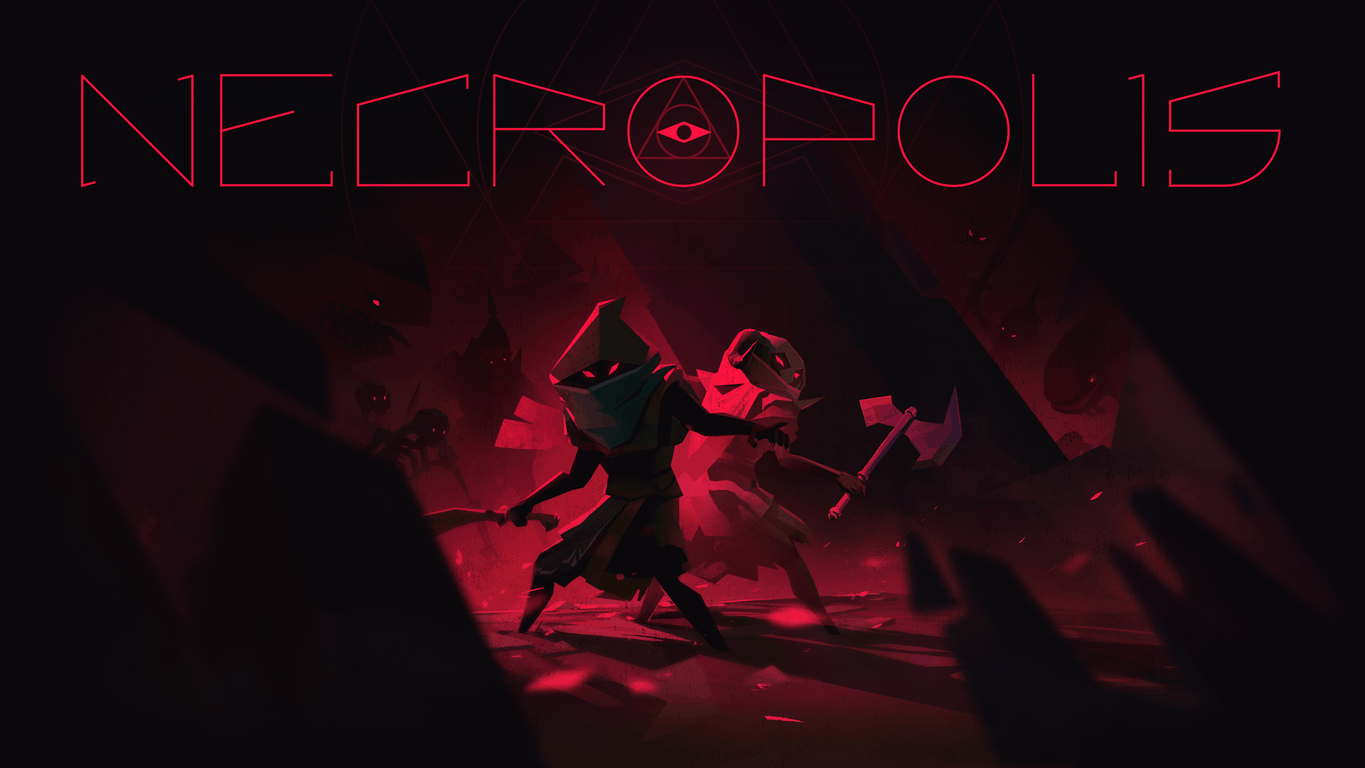
Necropolis video game is coming to Xbox One “soon”

Action role-playing video game Necropolis is developed by Harebrained Schemes and published by Bandai Namco Entertainment. The title was released in July 2016 for PC and Mac, but promised that a console release would be coming at a later date, and thanks to the developer’s official Twitter (link via Reddit), we now know that Necropolis will be coming to Xbox One and PlayStation 4 “very soon”.

Necropolis is a third-person action RPG that revolves around the archmage Abraxis. To avoid civilization, the archmage goes deep into secret underground tombs to practice his magic. Much of the gameplay is about solving puzzles with a constantly changing rogue-like environment and the obligatory cutting down enemies with flashy spells. The game supports a 4-player drop-in/drop-out co-op. But be careful, the game does have friendly fire and death is permanent. Like many rogue-like video games, once you’re dead you have to start over a new game and have a completely different experience.

The tweet also mentions the Brute, a playable adventurer that wields a shield and sword compared to the original solo character Abraxis. He was added in a major free update released earlier this month that also added a new environment called The Black Forest, as well as lots of new enemies to cut down and more content. It seems that the console version will come with the Brutal Edition on release.

Fans have been anxious to see Necropolis release on consoles for a while now. Unfortunately, there wasn’t an estimated date from the tweet but it’s probably safe to assume that we’ll see it by the end of September. The Xbox One achievements list was already spotted by Reddit user. Also, Hairbrained Schemes commented on Youtube a couple of weeks ago saying “We’re in certification and hoping to release by the end of the month. Thanks for your patience!” So ready your spells and draw your sword, because we’ve only got one more week left.

Grab Sparkle 2 and Sparkle Unleased in this new Xbox One video game bundle

The two puzzle games, Sparkle 2 and Sparkle Unleashed, are both being resold on the Xbox One in a special Sparkle Bundle which ends up being a slightly cheaper option than buying the two games separately. Both games are marble-shooter puzzle games set within a magical realm and feature a large number of levels to finish within each game and a variety of power-ups to keep gameplay complex.

Here’s the official game description for the Sparkle Bundle on Xbox One:

“Get two best selling marble shooter match-three action puzzle games at a great price! Sparkle 2 and Sparkle Unleashed feature superbly polished gameplay, breathtaking audiovisuals, and earthshattering powerups. Banish the darkness with your swift orb matching skills!

Sparkle 2: A long time ago five enchanted keys were created. The keys were scattered around mysterious lands and still remain undiscovered. Many have come to find them, and so far all have failed. Will you find the keys and unlock the secrets, or will you join the endless ranks of souls forever trapped within these lands?

  • Supercharge your Orb Slinger with 16 powerful Enchantments
  • Immersive mystery storyline with voiceovers
  • Cinematic soundtrack by the award-winning composer Jonathan Geer

Sparkle Unleashed: A secluded world of mystery has succumbed to an ominous darkness. You must travel through the fallen lands, light magical braziers and banish the darkness once and for all. Unlock amazing powerups and use the ones you like the most to overcome increasingly challenging levels, Chained Orbs, Rock Orbs and Survival challenges. Can you carve a path of light through the darkness?

  • Ultra-polished match-three marble shooter gameplay
  • An arsenal of 23 amazing powerups to unlock and select
  • Cinematic soundtrack by award-winning composer Jonathan Geer”

Buy the Sparkle Bundle on Xbox One

Have you been thinking about trying these two Sparkle Xbox One video games? Will you give this bundle a try? Let us know in the comments below.

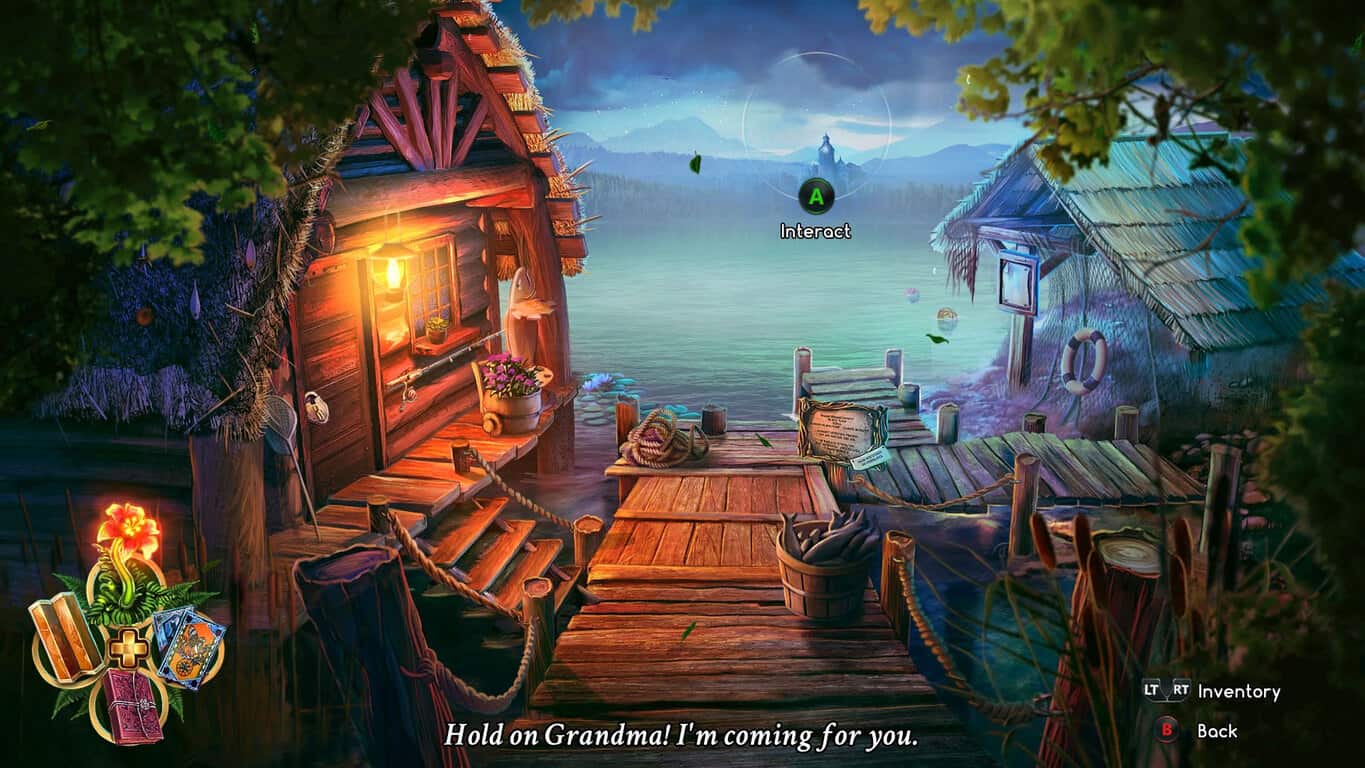
Check out Eventide: Slavic Fable and The Bunker today on Xbox One

Eventide: Slavic Fable and The Bunker both launched on the Xbox One today and both titles can now be bought, downloaded, and played on the console.

Eventide: Slavic Fable is a fantasy adventure title and boasts a heavy dose of inspiration from Slavic muthology and legends. A free demo is available in the Windows Store for those interested in checking the game style out before investing in the full version. Here’s the official game description: “Eventide: Slavic Fable is an exciting adventure game inspired by Slavic mythology. Set in a contemporary heritage park where mythical Slavic creatures co-exist with humans, the adventure begins when the protagonist, a famous botanist, receives an alarming invitation from her grandmother, the park’s curator. The protagonist is tasked with saving an endangered plant, but this turns out to be the least of her concerns…”

Buy Eventide: Slavic Fable on Xbox One

The Bunker is an intense live action video game experience created by the writer and designers behind The Witcher, SOMA, and Broken Sword. The game stars Adam Brown (The Hobbit), Sarah Greene (Penny Dreadful), and Grahame Fox (Game Of Thrones) and was all filmed on location in a real-life bunker. The game is entirely made through film editing and no CGI was used.

Here’s the official game description: “As the last remaining survivor in a nuclear bunker, John’s daily routine is the one thing that keeps him sane. But when an alarm goes off, his mind starts to self-destruct. Venture into long forgotten areas, recover repressed childhood memories and unlock the dark secrets of The Bunker. The Bunker is a completely live-action experience, filmed on location in a decommissioned government nuclear bunker with a plot crafted by writers behind The Witcher, SOMA and Broken Sword.”

Buy The Bunker on Xbox One

Have you played either Eventide: Slavic Fable and The Bunker or yet? Let us know which one you think others should buy in the comments below.

Windows 10 build 14931 now available for Insiders

Microsoft just released a new Windows 10 build for Fast ring Insiders. The new build is available only for PC, as the Windows 10 Mobile version isn’t ready to be released yet.

The build doesn’t bring any new features, only a few app updates. That was completely expected, since Microsoft released the Anniversary Update one and a half months ago, so it will take some time until new features are developed, and a major update for Windows 10 is released to Insiders.

Microsoft delivered updates for the Feedback Hub, Maps, and Skype Preview. The first two received the dark mode support, along with some additional improvements, while Skype Preview users now have the option to send SMS messages. Build 14931 also brings support for USB Audio 2.0.

As we mentioned above, Microsoft decided not to release this build to Windows 10 Mobile Insiders yet because of the high number of complaints about PIN keyboard, and SIM card issues from the previous build. Apparently, Microsoft won’t release the new build to Mobile until it solves these issues.

And of course, Microsoft also presented its list of other improvements and known issues. At first look, this build doesn’t look that troublesome, since there are just a few known issues, but we’ll see the whole picture once Insiders begin to test the update.

Of course, as soon as Microsoft decides to push the Mobile build, we’re going to let you know.

Here’s the list of improvements for PC:

  • “We fixed the issue causing people to experience a black screen when signing out and switching to another user account and unable to log in to that account.
  • We fixed the issue causing the built-in Windows 10 apps such as Calculator, Alarms & Clock, and Voice Recorder to not work after updating to a new build.”

These are the known issues:

  • “While using Narrator and Groove Music, if you navigate to the progress bar while a song is playing then Narrator will continually speak the progress of the song e.g. update with the current time of the progress bar every second. The result is you will be unable to listen to the song or hear any other control you navigate to.
  • Oracle VM VirtualBox will crash on launch after upgrading to this build.
  • Optional components may not work after upgrading to this build. To get it working again, go to “Turn Windows features on or off”, scroll down and check the right optional component and click ok.  After a reboot, the optional component will be enabled again.
  • For keyboard users, using tab to navigate the Settings app will not work in this build. The arrow keys should work as a temporary workaround.
  • Tencent apps and games will cause your PC to bugcheck (bluescreen).”

To install this build, just head over to the Settings app > Updates & security, and check for updates. If you’re on the Fast ring, of course.

If you’ve already installed build 14931 on your computer, let us know if there are any additional issues. We’re going to search for some on our own, as well.

RELATED STORIES YOU NEED TO CHECK OUT:

Turn Off the Lights extension for Edge appears in the Windows Store, but you can’t get it yet

Back in March of this year, we learned that a new extension for Microsoft Edge was being developed.  This extension is called “Turn Off the Lights” and is also available on Google Chrome, Internet Explorer, Mozilla Firefox, and other browsers, allowing users to dim everything on the screen except the Flash or HTML5 video being watched.

apps-596-13510798887658134-259af954-4e79-419c-9b54-c3e2d3d480ef
Turn Off the Lights extension

This extension was available as a preview on Github, but it appears that soon you will be able to snag it via the Windows Store.  As discovered by WalkingCat on Twitter, the extension has made an appearance in the Store, but you can’t get it just yet.  Here’s the official app description:

The entire page will be fading to dark, so you can watch the videos as if you were in the cinema. With a single click on the lamp button, the page will fade to dark. And automatically focus on the video. By clicking on it again, the page will return to normal. Turn Off the Lights is a lightweight and useful add-in designed for a more comfortable watching experience. It works for all known video sites such as YouTube, Vimeo, Dailymotion, Hulu, Metacafe, YouKu, etc. Not only this but these extensions are compatible with Google Chrome™, Apple Safari™, Mozilla Firefox™, Opera™, Microsoft Edge™, Maxthon™ and Yandex™ web browsers.

https://twitter.com/h0x0d/status/779131552504553473?lang=en

The extension has a bunch of neat little features such as the ability to automatically dim the screen whenever you click the play button on a video, the option to enable or disable fade effects, Flash detection, and a bunch more.  Hopefully we see this app appear in the Windows Store soon.  Would you find this extension to be useful?  Share your thoughts in the comments below.

New OpenType specification is a result of Microsoft, Adobe, Apple and Google collaboration

Microsoft isn’t above working together with other industry leaders to make something new. Just last week, they announced on their Typography blog that in collaboration with Adobe, Apple, and Google, they’ve helped create a new enhancement to OpenType.

The article explains in further detail:

OpenType Font Variations enables web site designers and application developers to deliver typographically rich experiences while using very little network bandwidth and small font files. Variable fonts will also give document creators a broad palette of typographic features without having to manage hundreds of font files. Variable fonts are all about doing more with less.

In layman’s terms, every font has a few variations such a bold, italic, etc. These different variations each have their own file and take up more space than they would if they were combined. With OpenType Font Variations, the files are condensed and take up much less space. This will improve the bandwidth of a web page as well. Not only will the performance improve, but the files can contain much more information such as adding new styles of that smoothly adjust. Responsive typography is a feature that will help design across a wide range of resolutions.

OpenType specifications were originally released nineteen years ago. This is the first enhancement it’s had since then, a major accomplishment for all of those involved. The Font Variations are available in OpenType 1.8.

If you’re that much of an enthusiast for OpenType, an hour and a half long video was released of the ATypI 2016 conference where the announcement was made.

According to the announcement, Microsoft wants to implement platform support for the OpenType Font Variations next year. Maybe even early in 2017 since they mentioned updates reaching the Windows Insider preview builds ‘in the coming months’. The hinted at “soon” schedule didn’t stop Microsoft from slipping in some of the functionality in the Windows 10 Anniversary Update earlier this summer.

Microsoft Flow gets some additional updates for September 2016

Microsoft Flow has been getting a number of updates and accessibility as of late from minor performance issues to making it publicly available for everyone to sign up. Now they are rounding up the end of the month with a couple of more features that will prove to be useful.

Flow’s job is to integrate a seamless experience across apps and services, particularly used for businesses and coordinating teams. The Flow Preview blog post shows just a couple of new ways they intend to do this.

Flow UI will be added to Microsoft Graph for the new people picker feature coming in its next release. It will help users sort through a list of contacts and emails.  Microsoft Flow will also be able to integrate with Dynamics AX Online like it already does for Dynamics CRM Online.

Mobile app developers will also be happy to know that appFigures and Insightly integrations are also in the works. Both provide better management tools for apps such as getting triggered events when a new review is published.

The updates are scheduled to be released before the end of September according to the post.

Latest Microsoft Mechanics video highlights recent updates to RDS for Windows Server 2016

Remote Desktop Services (RDS) for Windows Server 2016 is seeing some serious love, and the latest Microsoft Mechanics video is here to show off exactly what all of the improvements customers can expect to see.

In the video, Simon May and RDS Principal Group Program Manager Scott Manchester get together and show off a ton of different demos to showcase just what RDS is capable of with the latest improvements under the hood.

Here are some bullet points detailing the video, as per the blog post on Microsoft’s Technet.

  • Graphics performance improvements: Scott and Simon take us through the significant performance and app compatibility improvements we have made in user experience, through Discrete Device Assignment (DDA) technology for server class graphics cards; this technology simultaneously provides the full power of available graphics processing to virtual desktops as well as session-based desktops and apps by surfacing the actual IHV’s GPU driver, which improves app compatibility. He also talks about the RemoteFX vGPU related investments including enhanced support for Open GL and Open CL.
  • Connection scale: They then show the new RD Connection Broker capabilities that handle massively concurrent connection situations, commonly known as the “9 am scenario” or “log on storm.”
  • Optimizations for Cloud:  We also see the Azure QuickStart templates in action that can quickly set up a scalable and highly available deployment of RDS on Azure infrastructure.

The world has a whole lot of people doing things remotely these days, so the improvements that the RDS teams are working on could do quite a bit of good. Optimization in graphics performance means that people like 3D animators and modelers will more easily be able to work remotely and the improvements directed towards fixing the “9 am scenario” will save people a lot of headaches. Even if you aren’t the biggest user of RDS, the presentation that Microsoft Mechanics has in its video is pretty sweet. This is definitely worth a watch if you have 15 minutes free.

Microsoft’s Windows 10 update support is lacking, according to UK watchdog group Which?

Windows 10 general release was an arguable success for Microsoft with the argumentative part being how it became a success. Microsoft has yet to reveal the internal metrics the company used to judge the Windows 10 levels of success, but with 350 million installs and counting within a year and a half remains an impressive feat still.

However, the journey to those 350 million installs hasn’t been without its casualties and anecdotal horror stories, stories that UK consumer advocacy group Which? are now using to make a case that Microsoft’s customer service during the Windows 10 upgrade has been poor, to say the least.

According to a report from the BBC, the crux of Which?’s argument stems from the influx of user complaints levied at the Windows 10 upgrade prompt, webcam malfunctions after installations, concerns about the collection of personal data and general usability issues.

Perhaps, more damning than having a faulty upgrade experience with Windows 10 is the notion that hundreds of users claim to have had to pay to get their once properly functioning PCs, fixed. It is one thing to toil with the tedious process of upgrading, installing, rolling back and downgrading of software, it is another thing to have pay money to get something back in working order.

Once installed, people reported various problems, including printers, wi-fi cards and speakers no longer working with their PC; instances of lost files and email accounts no longer syncing; and, most significantly, their computer encountering such problems that they had to pay someone to repair it.”

Beyond the poor install experience lays another unflattering wrinkle for Microsoft with Which? Claiming it’s surveyed users ran into multiple instances of poor customer support from the company in regards to the botch Windows 10 upgrades.

Windows Ink Workspace on Windows 10

Microsoft has yet to fully address Which?’s survey or complaints, offering only a vague public response to the BBC,

Customers have distinct options. Should a customer need help with the upgrade experience, we have numerous options including free customer support.”

With the company projected to see an increase in enterprise installs in the European region in the next few months, users should expect to see some complaints handled in various ways soon as it attempts to polish the overall experience for its largest customer base.

Disable automatic reboots after Windows 10/11 updates

Windows 10 is all about updates. When Microsoft presented the the idea of “Windows 10 as a service”, it became clear that users won’t be able to use the system properly without installing updates. However, as good as Windows 10 updates are, there’s still one thing the the most users find annoying.

That, of course, are unexpected restarts when installing updates. Ever since Microsoft introduced updates for Windows, it is required to restart your computer to install them. User of previous versions of Windows had major problem with that, as installing updates interrupted, and wasted a lot of users’ work.

In Windows 10, however, the situation is slightly better. Windows Update now offers you full control over installing updates, as you can choose when exactly you want your computer to restart and install downloaded updates. But some users still don’t seem satisfied, as they usually forget to set a restarting time, and end up having their computers unexpectedly rebooted once again.

Because of that, users want to completely disable automatic restarts, and install updates when they choose to. That was possible in some previous versions of Windows, using the Group Policy Editor, but Microsoft removed this option in Windows 10. However, there’s actually a way to disable automatic restarts using another method, and we’re going to show you how.

How to disable automatic restarts after updates in Windows 10

First thing you need to do is to the Reboot task in Task Scheduler. If you’re not sure how to do that, just follow these instructions:

  1. Go to Search, type task scheduler, and open Task Scheduler
  2. Head over to Task Scheduler > Task Scheduler Library > Microsoft > Windows > UpdateOrchestrator
  3. Find Reboot, right-click on it, and choose Disabledisable-windows-update-reboot-1

Once you’ve disabled Reboot, you need to forbid all users and groups from your computer to access this file. That way, you’ll disable automatic reboot for all users, and system also won’t be able to turn it back on. Here’s what you need to do:

  1. Go to this path: C:\Windows\System32\Tasks\Microsoft\Windows\UpdateOrchestratordisable-windows-update-reboot-2
  2. Now, find the Reboot file, and take ownership over it. If you don’t know how to do that, check out this article.
  3. We assume you’ll stay on the Advanced Security window after taking ownership over the file, so now go to Disable inheritancedisable-windows-update-reboot-3
  4. Once you perform this action, all users and groups should be removed. If there are any left, remove them manually
  5. Now, click on Add > Select a principal > enter your username under Enter the object name to select > Check Names > OKdisable-windows-update-reboot-4
  6. You should see only permission now on the “Advanced Security Settings” page, and that one should be full control for your user account
  7. Now, just click OK, and you’re good to go

There you go, after performing this process, your computer won’t reboot automatically every time you download a new update. But don’t be confused, this won’t prevent your system from receiving updates, they just won’t be fully installed until you restart your machine by yourself.

In case you have any comments, or questions about this method, just let us know in the comments below.

RELATED STORIES YOU NEED TO CHECK OUT:

Rackspace adds Management Identity and Access to their Azure offerings

Microsoft appears to be bolstering its Azure service proposition with the addition of Rackspace support for Managed Identity and Access.

According to a press release from the Rackspace blog,

Rackspace is expanding our Fanatical Support for Microsoft Azure portfolio of services to include Managed Identity and Access. Through this solution, we will leverage Azure Active Directory, coupled with Rackspace expertise and Fanatical Support, to help customers simplify identities that are spread across cloud services and corporate Active Directory environments.

For those unfamiliar with how Microsoft’s Azure works with Rackspace, the press release goes into brief detail about the relationship.

  • Managed Identity and Access spans application management, security and digital platform support. Other solutions in our Azure portfolio include Managed Security for Microsoft Azure, Managed Application Services for Microsoft Azure. Rackspace also offers a fully dedicated, hosted private cloud solution powered by Hyper-V Server and System Center.
  • Aside from the tight integration that comes with using Microsoft’s Azure service to manage customer identities with Rackspace, users also benefit from the following:
  • Active Directory expertise: Customers have unlimited access to a Microsoft Certified Master in Active Directory and 250+ dedicated Microsoft Certified Experts at Rackspace
  • Future proof identity strategy: Rackspace designs and delivers identity strategies that enable simplified authentication and access for current and future business needs
  • Rapid deployment time of cloud identity: Customers receive guidance and best practices for rapid deployments of their cloud-based active directories from Rackspace, which has 14 years of collaboration with Microsoft
  • Reliable solutions for maximum uptime: Customers receive proactive monitoring and alerting for identity synchronization and cloud-based domain controllers
  • Minimize costs of Identity and Access: Customers eliminate the need for on-premises hardware and maintenance expenses as well as the need to have IAM experts in house

For more on the additional support and what Rackspace plans to provide customers searching for specific identity needs, read the full press release here.

Additional information will be given to attendees of this year’s Microsoft Ignite conference at booth 521 as well.

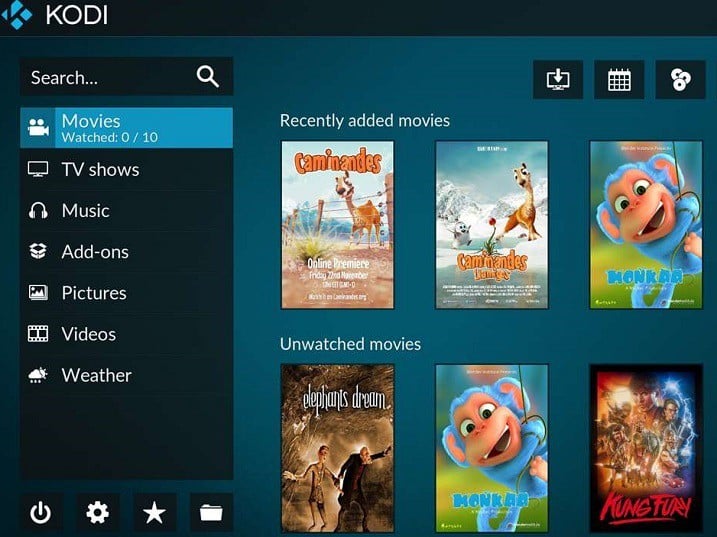
Download Kodi Media Player on Windows 10

Windows 10 PC owners who missed the opportunity to download the Kodi media player are now able to do so from the Windows Store. At first, the team was worried that the app won’t be published in the Store.

Shortly after Kodi posted on its blog that its media player wouldn’t be published in the Windows Store due to being created with the Desktop App Converter, a Microsoft representative contacted the developers and asked them to be part of the store because Kodi successfully converted its app into a UWP app.

“We were quite shocked that it was that easy and of course gladly accepted this cooperation to get this done,” said Kodi, adding that the company has worked with Microsoft to make the application functional in the Windows Store.

Moreover, the Desktop App Converter was improved with the help of Kodi and it will be useful for other developers who want to publish their apps in the Windows Store. As for the new version of the media player, Kodi explained thefollowing:

It’s still the same Kodi version you are used to without any limitations. Additionally, you don’t really have to go to our website anymore but straight away install Kodi from the Windows Store and automatically receive any future updates. For us developers, the added benefit is we’ll possiblly get some crash logs in case they happen and we could use these to identify problems and include fixes in next update.

Windows 10 PC can install version 17 beta 2 of Kodi. The developer will continue to release updates until the final version is available. As for the application, it has a graphical user interface that allows you to easily browse and view videos, photos, podcasts, and music from a hard drive, optical disc, local network, and the internet using only a few buttons.

You can download Kodi Media Player from the Windows Store.

RELATED STORIES TO CHECK OUT:

6 best Xbox One background audio apps

Background audio is one of the best Xbox One features recently rolled out, allowing gamers to listen to their favorite songs while playing the latest Xbox One games. All you need to do to is launch an app supporting Xbox background audio, start playing your favorite music, and then hit the Home button to resume your game.

The next question is: which apps support background music? For the time being, there are only a handful of apps that support Xbox One background audio, but Microsoft promises more will soon follow.

Xbox One background audio apps


Groove Music

groove-music-xbox-one-background-music
You need to install the latest version of Groove Music to be able to use the Xbox One background music feature. Go to the main dashboard screen and click on Games & Apps. Then select the Apps tab, click on Groove with the view key on your controller, and install the update.

With Groove Music you can stream and download millions and millions of songs. Choose the perfect playlist for every game genre from Groove curated or make your own. You can also add your MP3 tracks to OneDrive, and then listen to your favorite songs on the Xbox One.

You can download Groove Music for free from the Windows Store.


Pandora

pandora-xbox-one-background-music
Pandora is one of the most popular streaming services, offering millions of songs from thousands of artists. Thanks to a recent update, the Pandora app now supports Xbox One background music. Play your favorite tracks in the background, while heading to the first position in leader boards. The only disadvantage of Pandora is its availability limit: you can use in the United States, Australia and New Zealand.

You can download Pandora for free from the Windows Store.


Simple Background Music Player

simple-background-music-player-xbox-one
The Simple Background Music Player allows you to play tracks stored on a USB-connected external device. It can’t get easier than this: all you need to do is transfer the tracks on the stick, plug it in to your Xbox One, launch the app, and hit the play button.

This app supports MP3, M4A, MP4, FLAC and WMA music file formats. The only disadvantage is that it can only play 200 songs at a time.

You can download Simple Background Music Player for free from the Windows Store.


Spoticast for Spotify

spoticast-for-spotify-xbox-one-background-music
Spoticast brings Spotify on your Xbox One, allowing you to enjoy your favorite tracks while sweeping your enemies. The app relies on YouTube to stream music and allows you to access your Spotify playlists.

Other features include:

  • No need for Premium Spotify account
  • Create and manage your Spotify playlists
  • Customize the search filter: live, acoustic, remix, covers
  • No subscription : buy it once and enjoy it forever on all your devices.

You can buy Spoticast for Spotify from the Windows Store for $4.99.


Cast app

cast-app-xbox-one-background-audio
The Cast app allows you to listen to your favorite podcasts on your Xbox One. With this app, you can handle your podcasts in one place and synchronize them over your Windows devices.

  1. Go to the Xbox Store
  2. Type Cast App to locate the app. If you can’t find it, check to see if you have the option Apps selected in the drop-down menu.
  3. Download the app
  4. Browse through for your favorite podcasts and start listening.

VLC

vlc-xbox-one-background-music
This app doesn’t currently support Xbox One background music, but Microsoft promises it will in the near future – this is why we included it on our list. VLC is a feature-rich app that supports a wide range of audio and video file formats. According to the tech giant, VLC will be launching on Xbox One in a few months, which means that most likely it will support Xbox One background music by the end of the year.

You can download VLC for free from the Windows Store.


As stated in the beginning of this article, more apps supporting Xbox One background audio will soon be available, including iHeartRadio and MyTube. No information is available as to when these apps will support Xbox One background music, but we’ll update this article as soon as more details emerge.

Have you tried out the Xbox One background audio feature? Tell us more about your experience in the comment section below.

RELATED STORIES YOU NEED TO CHECK OUT:

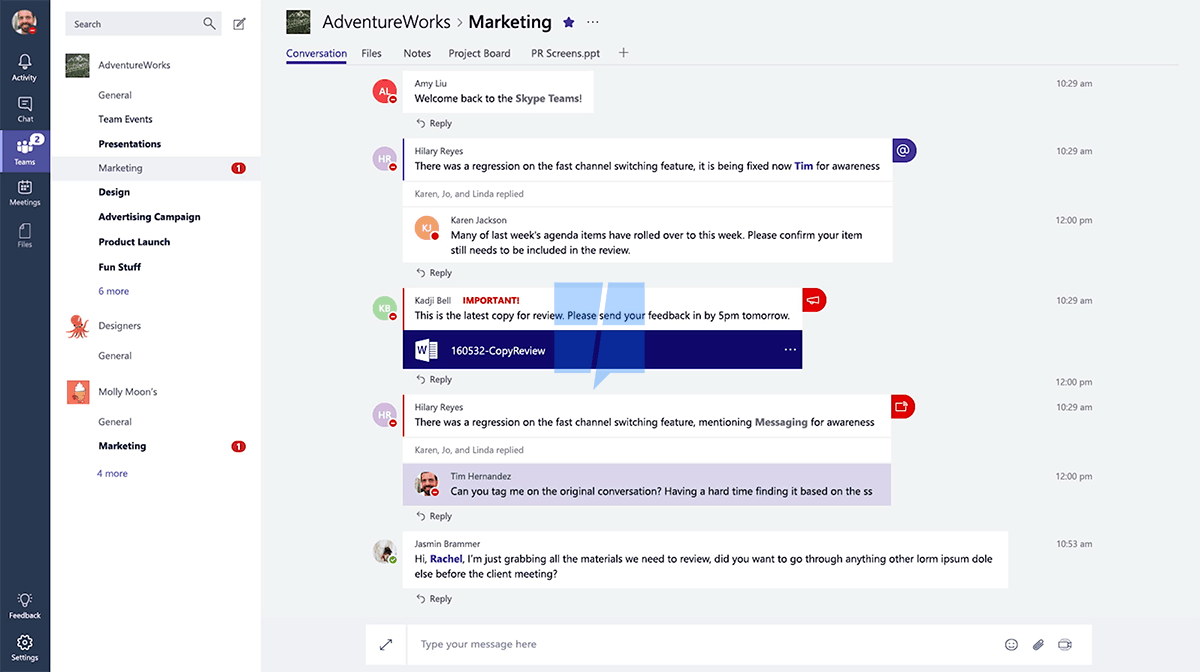
More information about Skype Teams revealed as preview nears

Back in Septemeber, we reported that Microsoft was working on Skype Teams, a new product that was believed to be Microsoft’s answer to Slack for group productivity. Today the folks over at Windows Central have learned some more about Skype Teams as a preview for the product is closer to arrival.

According to Windows Central, Skype Teams will expand from a private beta test in November, and will have a full launch in January of 2017. Additionally, while Microsoft remains quiet about Skype Teams, a report obtained by Windows Central from Petri reveals that Skype teams has been in development for the last 18 months.

Furthur details from the report indicate that Skype Teams will be offered on multiple platforms, including MacOS, iOS, Android, and of course, Windows and Windows Phone (although we do wonder if the latter is actually Windows 10 Mobile). Use of the product, however, will also reportedly require a paid Office 365 business subscription.

Again, Nothing in these reports are official, and so it all should be taken as a fine grain of salt. As more information develops, we will be here to cover it for you.

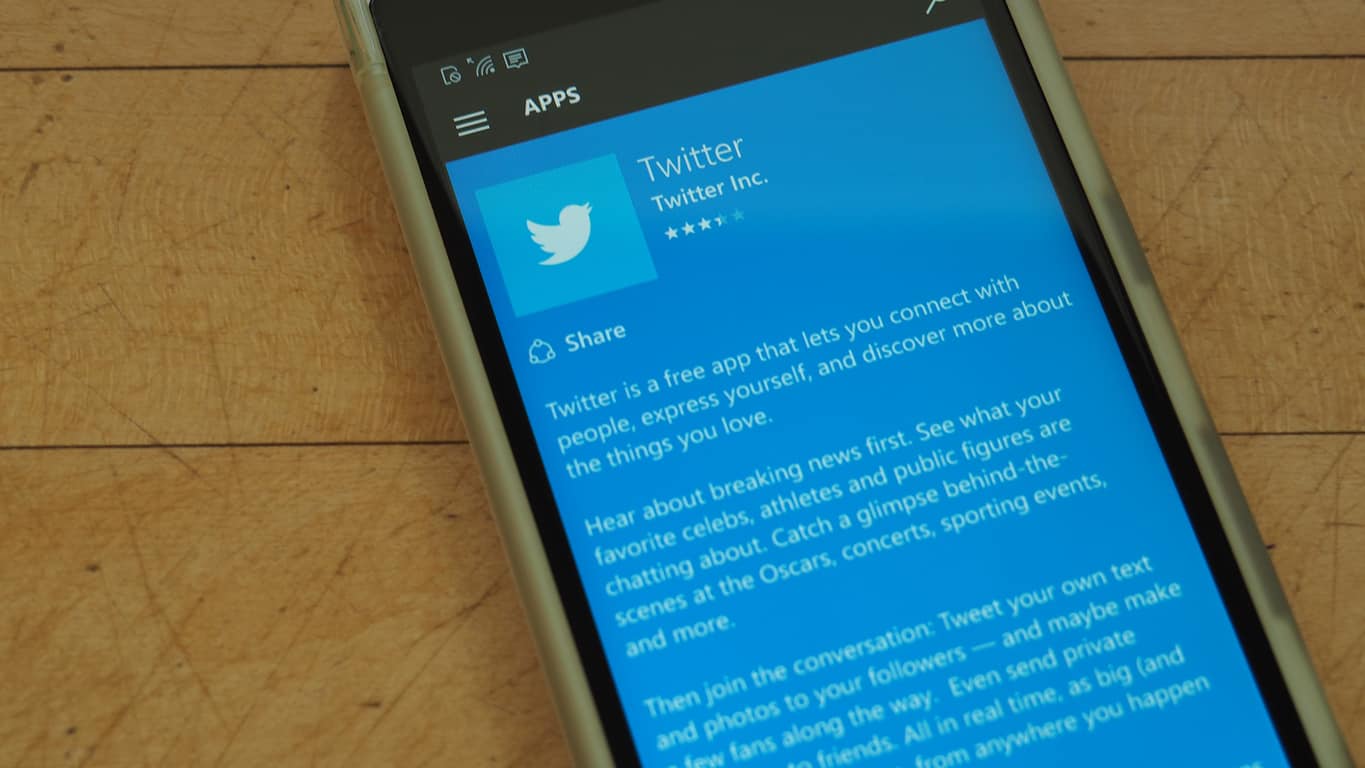
Latest Windows 10 Twitter app update causing crashes on launch

If you’re a fan or avid user of the official Windows 10 Twitter app, then you might want to avoid installing the latest update and consider disabling automatic app updates altogether. Users of the app have reported that the latest Windows 10 Twitter app update is causing crashing issues at launch on Windows 10.

The issue with the most recent version 5.3.3.0 update was posted to Reddit by user Hernandez2000. Additionally, upon further examination (and as seen below), many recent reviewers for the Offical Twitter app in the Windows Store also seem to have the same problem.

lol
Users complaining about the crash issue

To avoid an automatic installation of the update that is causing this issue, you should temporarily disable automatic app updates. To do this, Open the Windows Store app, Click your profile icon in the top right corner and select Settings, and disable the switch seen under “Update apps automatically.”

Have you experienced this issue after the latest Twitter update? This issue can be quite frustrating because it may render the app useless. Let us know by dropping us a comment below.

Call of Duty 3 is now Backward Compatible on Xbox One

The list of Xbox One Backward Compatible titles just got a long awaited new addition. Microsoft has added Call of Duty 3 to the list of Backward Compatible titles, joining Call of Duty: Black Ops and Call of Duty 2.

Call of Duty 3 is a historic first-person shooter that takes place during World War II and was released on November 7, 2006 for the Xbox 360. The game features 14 playable campaign missions which are based on a single combined campaign, with the player being switched between the four nations and their respective characters for each leg of the story.

You can download Call of Duty 3 by clicking here. Once you’ve downloaded it, be sure to come back to WinBeta and let us know your thoughts on the latest addition to the Xbox One Backward Compatible catalog. And, while you’re at it, check out our other posts on the subject and let us know if you own any of the titles!

Fix: The Type of Printhead is Incorrect Error

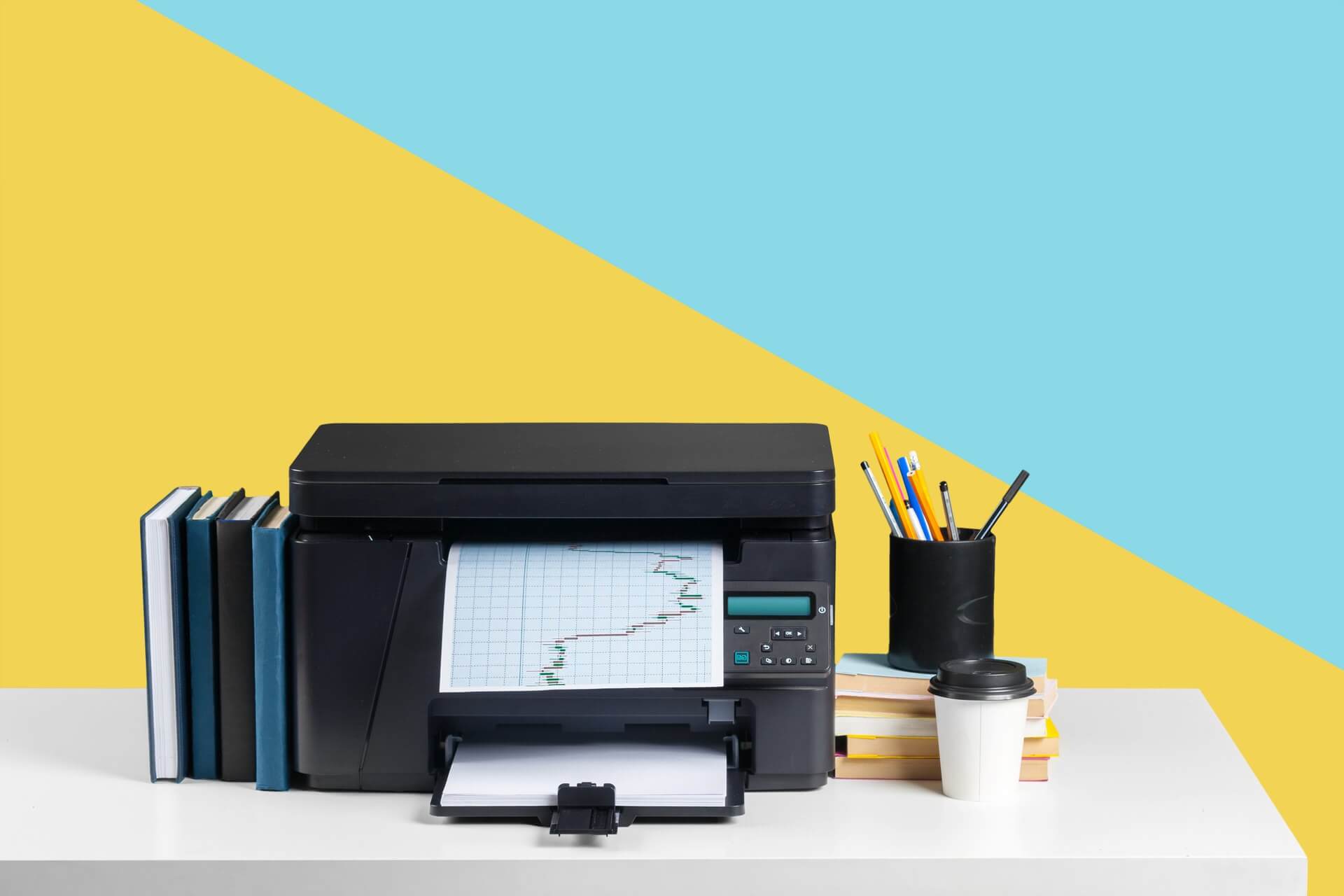
We print documents frequently, and even though the printing process is straightforward in Windows 10, some issues can occur once in a while. Users reported The type of printhead is incorrect error that prevents them from printing, so let’s see if we can fix that problem.

How can I fix The type of printhead is incorrect error?

Fix – The type of printhead is incorrect

1. Reseat your printhead

Users reported that you can simply fix this problem by reseating your printhead. Before reseating your printhead we strongly suggest that you check your printer instruction manual for detailed instructions on how to remove your printhead. After reseating the printhead, check if the problem is resolved.

2. Make sure that the printhead is properly connected

This error can sometimes appear due to lose contacts, therefore be sure that the printhead is properly connected to your printer. Some users also suggest cleaning the printer and printhead contacts with cue tips and 90% alcohol.

If you plan to clean the contacts, be extra cautious and keep in mind that you can cause damage to your printer if you’re not careful.

3. Remove the head cartridge and clean it

A few users reported that they managed to fix this problem by removing the head cartridge and cleaning it. To see how to remove your cartridge and how to clean it, be sure to check your printer manual. Before placing your cartridge back into the printer, be sure that it’s completely dry to avoid causing damage to your printer.

In addition to the head cartridge, users are also suggesting removing the printhead and cleaning it, so you might want to try that.

4. Check if the printhead is properly installed

Sometimes these errors can occur if you don’t properly install the printhead. Some users reported that this error occurred because their printhead was installed upside down. This is a beginner’s mistake, therefore just be sure that you properly installed the printhead.

5. Replace your printhead

This error can occur if your printhead is faulty, therefore you might have to replace it. Before replacing the printhead, be sure to purchase another one that matches your printer.

6. Reset your printer

According to users, you should be able to fix this problem simply by resetting your printer. Resetting your printer usually involves pressing a certain button combination on it and it’s different for every printer model. To reset your printer properly, be sure to find reset instructions for it.

A few users reported that they fixed the error simply by pressing the Reset button on their printer until it started printing, so you might want to try that as well.

7. Disconnect your printer and try to print again

This is a temporary workaround and you’ll have to use it every time this error appears. To fix the type of printhead is incorrect error, simply turn off your printer. After your printer is turned off, try to print a document again. After that, turn the printer back on and the printing process should start. Once again, this is just a workaround so you’ll have to repeat it if the problem appears again.

Fix – The type of printhead is incorrect MP830

Check the purge unit

This error can sometimes appear due to problems with the purge unit, but you should be able to fix them by gently moving your purge unit back and forth. For more information on how to locate the purge unit, be sure to check your printer manual.

In addition to the purging unit, a few users reported that there’s a small rectangular sponge on the right side of the printer. To fix this problem, be sure that the sponge is seated in its socket.

The type of printhead is incorrect error usually occurs due to hardware problems, but you should be able to fix this problem by using one of our solutions. Also, check out how to solve a problem with the printhead on your HP 6830.


Windows 10 event planning app Revent updates with Live Tile improvements

The recently launched Windows 10 event planner app, Revent, has updated to version 1.1.6.0. This update mostly involves improvements to the Live Tiles which will now show more information. Other small changes include the added ability to press ENTER to start a new line of text within the app and a new feature that will list the app version within an email when sending an email from within the app.

Here’s the official app description: Revent is your handy companion that’ll re-invent the way you plan things. Revent will help you create templates for appointments you frequently plan. Open a created template, just fill in the date and select the calendar you wish to use! Revent will do the rest for you. Cortana can even help open templates for you, so you can keep concentrating on your work.

With the easy to use template builder you can set the time the appointment takes, the location with a map and get more productive before you know it!

Revent is available on both Windows 10 and Windows 10 Mobile devices. Do you use Revent or is there another planner app you recommend? Let us know in the comments below.

Revent
Revent
Developer:
Ikarago
Price:
$2.99

LEGO gets educational with the new WeDo 2.0 Windows 10 app

The LEGO Education WeDo 2.0 app has just launched in the Windows Store and is available for free to download. The app is designed for use by educators looking for a fun and interactive way to teach students about engineering, technology, and programming.

Here’s the official app description: The LEGO Education WeDo 2.0 app allows you to explore great science projects, including engineering, technology, and programming. Incorporating a Project Library with 17 projects, 40 hours of material are included along with a Design Library packed with inspirational ideas. The WeDo 2.0 app contains all you need to create successful, motivating, and engaging science projects.

Why:

  • Engage curiosity by enabling pupils to investigate and design ideas across a range of science topics
  • Boost confidence by encouraging experimentation and problem solving
  • Empower pupils to explore, create, and share projects with a wider audience
  • Excite interest in science, including engineering, technology, and programming, by making it real and relevant

What:

  • 17 projects, including more than 40 hours of material
  • Design Library, packed with inspiring material
  • Documentation tool

The LEGO Education WeDo 2.0 app is obviously different than the popular LEGO video games (pictured) that can be found on video game consoles such as the Xbox One and Xbox 360 and is more tool than game. Still, it has a lot of potential for entertainment with children and adults who like a little more education with their digital media.

“LEGO Education WeDo 2.0 is a hands-on, elementary science solution that develops science practices in the classroom through a robot-based learning system. The unique solution combines the LEGO® brick, classroom-friendly software, engaging, standards-based projects and every student’s desire to discover the world around them,” says a statement on the official Education WeDo 2.0 website. “With WeDo 2.0, students will explore, create, and share their scientific discoveries as they build, program, and modify projects. As they collaborate, they deeply engage with science, engineering, technology, and coding, sparking a love for experimentation and investigation.  Teachers receive support through training, curriculum and built-in assessment.”

Have you tried LEGO Education WeDo 2.0 yet? Share your impressions with the community in the comments below. Is it worth a look?

WeDo 2.0 LEGO® Education
Developer:
LEGO Education
Price:
Free

Virginia is now available to play on Xbox One

The Xbox One first-person thriller, Virginia, is now available to buy, download, and play. The game incorporates TV-style editing with the aim of creating a cinematic storytelling experience and a musical soundtrack that was recorded live by the Prague Philharmonic Orchestra at Smecky Studio.

Here’s the official game description:

Virginia is a single-player first-person thriller set in a small town with a secret. Experience a missing person investigation through the eyes of graduate FBI agent Anne Tarver. 1992. George H. W. Bush and Boris Yeltsin officially put an end to the Cold War. Barcelona held the Summer Olympic Games. The Tonight Show aired its last show with Johnny Carson… and Lucas Fairfax disappeared from his bedroom in Kingdom, Virginia.

As your investigation takes a turn for the sinister, and the list of suspects grows ever larger and stranger, you will make decisions which irrevocably shape the course of Anne’s and agent Halperin’s lives.

Buy Virginia on Xbox One

Have you played Virginia yet? Share your impressions with the community in the comments below.

Co-op space exploration video game Astroneer launching on Xbox One in December

The upcoming space exploration video game, Astroneer, has been given the release window of sometime in December of this year on the Xbox One and Windows 10 PCs. Astroneer was originally scheduled to debut in Autumn but the developers decided that more time was needed to refine aspects of the game design such as controller support.

“We are committed to making Astroneer the best possible experience for all players. Because of this we’ll be spending the next months polishing all the features, adding new content, and optimizing the game,” says a statement on the game’s official blog. “Our goal was to have Astroneer out during the fall season (originally ‘early’ fall) but by pushing back the date just a bit we will improve the game that much more. You only get one chance to play Astroneer for the first time, so we want to make sure that it’s a good one! And while we’re not ready to give a specific date in December just yet, fall ends on December 20th so it’s safe to expect it out before then in the month of December 2016.”

Here’s the official game description for Astroneer:

Explore and exploit distant worlds in ASTRONEER – A game of aerospace industry and interplanetary exploration. The sudden development of technology for rapid space travel enables fast and inexpensive journeys to the stars. Exo Dynamics, the dominant conglomerate in the new field, has opened flights to daring citizens of Earth. Like the Yukon gold rush of old, waves of adventurers sign up to launch themselves into a new frontier, risking everything to seek their fortune in the far reaches of the galaxy. These are the Astroneers.

As an Astroneer, you must find a way to dig out a life on one of a multitude of harsh new worlds. Blast through the terrain to uncover precious artifacts and materials you can use to fuel your quest to become a wealthy baron in the stars. Along the way, discover oddities, raise questions, and uncover mysteries. Perhaps not all is as it seems.

Are you looking forward to Astroneer? Will you buy it on Xbox One or Windows 10? Let us know in the comments below.

Windows 10 Preview build 14931 to be released today

Good news to all Insiders anticipating a new Preview build for Windows 10. Head of the Insider Program, Dona Sarkar just announced a new build for Windows 10 Preview. The new build goes by the number of 14931, and (although Dona didn’t mention it) will be available to Insiders on the Fast ring.

As usual, Dona teases us about a new build on Twitter, just a few hours before she ‘pushes the button,’ and releases the new build to Insiders. Here’s what she said this time:

Although features and improvements of this build are still unknown, we don’t expect any major changes, because it still counts as a ‘early Redstone 2 build.’ Windows 10 Preview build 14931 will probably include a few new features, and some bug fixes. We also hope that the new build will solve at least some problems from the previous release. However, we’ll find out what it brings in a few hours, when the build gets officially released.

So far, interest in this build is pretty high, as users have already started asking about it on the forums. Luckily for all those who are waiting for build 14931 to get released, they won’t have to wait for too long.

As always, we’re going to let you know when the build gets released, and write a few more articles about it, including our traditional error reporting piece. Stay tuned.

RELATED STORIES YOU NEED TO CHECK OUT: