Nokia Trailers app to be closed by Microsoft, Xbox Video being pushed as an alternative

Nokia Trailers Windows Phone

Since the acquisition of Nokia’s Devices and Services division by Microsoft earlier in the year, the various ‘Nokia’ branded services present across Lumia devices have slowly either been killed off or folded into the new ‘Lumia’ branch of services and apps.

An official message on the Nokia Trailers website has indicated that it is the latest such example of this process, although it is unfortunately an example of the former category rather than the latter. The app provided a hub for users to access various movie trailers and teasers, with the ability to download clips and share them with friends. Though the app had not seen an update for a significant period of time, it nonetheless remained popular with a loyal core, and as such its loss is unfortunate. The service is due to terminate after December 31st.

Nokia Trailers

“Dear friends, Nokia Trailers will close services on 31st of December 2014. You can try Xbox Video app which brings the latest movies and TV shows to your Windows Phone 8.1 and makes it easy to watch what you love wherever you are,” the official Nokia Trailers website states.

Whether Microsoft will develop an alternate service for users affected is yet to be seen, however it does not seem as though it is highly prioritized by Redmond. Either way, Microsoft is pushing Xbox Video as an alternative to the app.

Are you a user of Nokia Trailers? Let us know in the comments below.

Microsoft will use their cloud techology to enable a secure and convenient way to share medical images

Microsoft will use their cloud techology to enable a secure and convenient way to share medical images

Microsoft has their technology in a wide range of industries, from education, to legal, finance, gaming, and medical. The Microsoft cloud can be used in such a wide range of applications because it is compliant with a wide range of regulations such as HIPAA, and companies can be within regulation while leveraging cutting edge technology. Microsoft has outlined some of the ways the cloud is being used to make patient care better, and will be present at the annual meeting of the Radiological Society of North America (RSNA).

Sharing images on the web has been possible and popular for a long time. The days of sending digital pictures via CD or other physical medium is long gone for most people. However in the medical world the laws governing how medial information is stored and transferred are fairly strict. The government has required that patient information must be handled properly by medical workers. This means no emailing MRI images to patients or other doctors. Since this information needs to be shared, but it cannot be shared easily, doctors and hospitals have been mailing a CD containing medical images for the patient, but this practice’s days are numbered.

Using the cloud, Microsoft has enabled patients to receive their medical images online in a secure and controlled fashion. These images could then be shared by doctors to other medical professionals for further analysis. Easily and securely transferring files enables patients to stay with one doctor and get great advice without having to perform more scans or travel to share information. This technology is an obvious solution to an issue which requires a modern tool which can deliver power and security — the Microsoft cloud is perfectly equipped to handle this task.

Weekend Recap: Microsoft and taxes, VLC for Windows Phone, Lumia 535 in India, and more

Weekend Recap: Microsoft and taxes, VLC for Windows Phone, Lumia 535 in India, and more

This week has been quite interesting in the world of Microsoft. We’ve covered a lot over the past week and chances are you most likely missed an important piece of news. Let’s take a look back in a feature we call “Weekend Recap,” highlighting the popular stories from the past week.

Earlier this week, we learned that Microsoft will be at the Mobile World Congress event taking place next year. MWC 2015 will be held in Barcelona between March 2-5, and Microsoft may take this opportunity to show off Windows Phone 10 running on next-generation hardware, or at least a preview of the OS and some of the new features.

Bing has become an expert at cooking, as we discovered earlier this week. Cooking the perfect meal is no easy task, but finding the perfect recipe is no piece of cake either! Microsoft looks to change that with its homegrown decision engine by integrating popular recipe sites like AllRecipes.com and Food.com.

Weekend Recap: Microsoft and taxes, VLC for Windows Phone, Lumia 535 in India, and more

VLC has been ‘coming soon’ to Windows Phone for a long time now, but there is now a light at the end of a very long tunnel. Earlier this week via Twitter, the lead developer working on this project asked for beta sign ups. Unfortunately there were only a 10,000 spots and they went immediately. VideoLan also teased us with a video of the app running on Windows Phone.

Microsoft has filed a lawsuit against the IRS for failing to comply to a details request about a third-party agency who is investigating the Redmond giant’s tax behavior. Microsoft is looking to find out details about this special contract between the third-party agency and the IRS. Speaking of taxes, Microsoft was hit with a $140 million fine for tax evasion in China too.

Following the announcement from Microsoft and Dropbox on November 4th, Dropbox has finally rolled out an update to their apps for Android and iOS. This update adds integration with Microsoft’s Office productivity suite. 

Weekend Recap: Microsoft and taxes, VLC for Windows Phone, Lumia 535 in India, and more

On November 12th, Microsoft CEO Satya Nadella paid his first visit to Switzerland and spoke during a “Mobile First, Cloud First” event which featured more than 400 IT decision makers from various Swiss companies. Nadella once again elaborated on the new Microsoft vision, as well as spoke briefly about Windows 10 and company partners.

At a press event this past week, Microsoft launched the budget-friendly Lumia 535 in India. The handset is the first device from the software giant to come with the new Microsoft branding on board. The handset is available right now for Rs. 9,199 ($148).

Microsoft released a new video advertisement this week focusing on the Windows Store and all the apps you need. You can check out that video below.

We reviewed the Lenovo Yoga 3 Pro Windows 8.1 Hybrid PC earlier this week, taking a look at Lenovo’s latest and most expensive iteration of their Yoga hybrid thus far. Check out the review here.

Story of the week

This week’s biggest story deals with the Xbox One and PS4 console war. During Black Friday 2014, Microsoft’s Xbox One outpaced the PS4 in terms of sales. 

Microsoft’s aggressive strategy for the holiday season is working. The company’s gaming console Xbox One has outpaced Sony’s PlayStation 4 in the Black Friday sales, according to sales and research firm InfoScout. The Xbox One accounted for 53 percent of all console sales whereas Sony’s PlayStation 4 could only capture 31 percent of the market.

That’s all for this edition of Weekend Recap. Stay tuned for yet another exciting week of Microsoft news.

Replace Taskbar Search Icon with Search Box in Windows 10

The latest 9879 build of Windows 10 Technical preview has an option of turning the search box from the taskbar into a search box. This feature is disabled by Microsoft by default, but you can bring it back and maybe get a clue of what Microsoft is planning for the future builds of Windows 10 in just a few steps.
windows 10 searchbox in the taskbar
Replacing the search icon with the search box is not a bad idea, and it could be very useful. Actually, Windows is probably planning to return this feature, because a similar search box in the taskbar was also featured in Windows Search for XP. Just follow next few steps, and your search icon in the taskbar will be replaced with a search box.

Here’s what you should do:

  • Open Registry Editor.
  • Go to the following Registry key:

HKEY_LOCAL_MACHINE\SOFTWARE\Microsoft\Windows\CurrentVersion\Search

  • Create a new DWORD value named EnableSearchBox and set a Value data to 1. If you already have this value, then just modify its value data from 0 to 1. If you have some problems, check this screenshot:

windows 10 searchbox unlock 1

  • Sign out and log in back to your Windows account. But if you don’t want to do that, you just can restart the Explorer shell.
  • Now, you’ll be able to see a new Search box in the taskbar of Windows 10!

windows 10 searchbox unlock 2

But your search icon is not last forever, because you can return it via the taskbar context menu. New options will appear in your taskbar menu:

windows 10 searchbox unlock 3
Check on Search – Show search icon item to restore the Search icon on the taskbar:

windows 10 searchbox unlock 4

If you don’t want to mess with your registry, you can download already ready .reg file and just past it to your computer. Double click the Enable Search Box Windows 10.reg file to enable the search box or import the Disable Search Box Windows 10.reg to disable the new search options. Also, don’t forget to restart your system, or the Explorer shell at least.

Click here to download Registry files.

Read Also: How to install the .Net Framework in Windows 10

Windows 10 build 9888 includes additional window animations, context menu improvements and more

Windows 10

Recent builds of Windows 10 feature a few additional improvements over the last public build of Windows 10, which was issued to Windows Insiders recently. Yesterday, WinBeta exclusively acquired build 9888, and we’ve got all the details on what’s new here. Before we dive any further, 9888 is an internal (partner) build of Windows 10 which is not planned for public release.

First up, build 9888 appears to be the first build which attempts to begin unifying context menus throughout the operating system. In current public builds of Windows 10, right clicking a file within File Explorer or on the desktop reveals a context menu which differs from that on the Start Menu / Start Screen. In build 9888, it appears Microsoft is set to unify these context menus, making them the same as the ones available within the Start Menu / Start Screen.

In this build, the new context menu only shows up when right clicking the taskbar. Right clicking within a Win32 application still reveals the older Windows 8.1 context menu style. This build is merely the beginning of that transition from old context menu UI to the new one.

Windows 10

Furthermore, the zPC Settings app which was found in the last two iterations of public builds is now the default PC settings app in build 9888, and the PC settings app has simply been renamed to “Settings”. The new Settings app is yet more evidence to Microsoft replacing the desktop control panel, as the new Settings app features almost everything the current desktop control panel can do.

Not only that, but the new Settings app includes a search bar at the top of the available options. Why it’s there remains a mystery, as all it does right now is reveal the charms search when pressing enter on your query. We assume Microsoft isn’t finished with this search bar just yet.

WIndows 10

​Of course, build 9888 is also one of the first builds of Windows 10 to feature version 10.0 of the NT kernel. WinBeta understands that build 9888 is not the first build to feature NT 10.0. According to our sources build 9884 was the first NT 10.0 build, meaning 9883, which was sent out to partners a couple of weeks ago, was the last NT 6.4 build.

Last but not least, Microsoft has added an additional two animations for windows. One for maximizing, and one for unmaximizing/demaximizing/minimizing. These new animations make it so windows slide in and out of maximized states, instead of just popping in and out like they do in current public builds.

We also have a video of the build demonstrating these new features below:

So there you have it, that’s our sneak peek at Windows 10 build 9888. WinBeta understands that builds compiled after 9888 are considered pre-consumer preview, and as we wrote recently, many new consumer preview features are set to begin making an appearance in Windows 10 throughout December, ready for Windows Insiders in January.

Can we expect more leaks regarding new Windows 10 features to begin surfacing throughout the month of December? We hope so, so stay tuned at WinBeta for coverage the second news breaks.

Watch a Microsoft engineer control a Sphero ball using the Kinect v2 for Windows sensor

Watch a Microsoft engineer control a Sphero ball using the Kinect v2 for Windows sensor

As soon as Microsoft unchained its Xbox Kinect sensor and brought it over to Windows, the possibilities were endless as to how and to what purpose the device could be used for. Now in its second iteration, Kinect v2 for Windows is even more accurate and precise, allowing for even more complex applications.

Today we witness another use case that is part of the ‘Kinect Effect’ as Microsoft likes to put it, where the device is utilized to control a Sphero ball using simple hand gestures. Mike Taulty, and engineer at Microsoft’s Developer and Platform Group created a simple JavaScript application to control the robotic toy that is usually controlled using a smartphone or tablet app. With Kinect, Taulty is able to rotate and roll the ball in different directions, check out his demo below.

His application takes advantage of Kinect’s skeletal tracking abilities which can recognize for example when fists are clenched or unclenched, as well as track limb, arm and body movements. If you own a Sphero ball and a Kinect v2 sensor, you can head over to Taulty’s blog here where he provided the JavaScript code required to make all this possible.

In the above video, Microsoft describes the “Kinect Effect” in the rather old but brilliant commercial for the motion sensing device.

Know More About Windows Updates with ABC Update

I don’t have to tell you that keeping your Windows up-to-date is very important. But most people are just too lazy to perform the updating process. They just set their Windows Update to ‘automatic’ and the system does all the work for them. But, in case you’re not one of them, there’s one app that will gain you the full control of your updates. This app is called ABC Update.
abc update
This is a simple program which only comes as a simple command line tool. You don’t have to install anything, only things you’re going to find in the package are a single executable, program license and a PDF manual. This program should be compatible with all versions of Windows, from XP to 10.

Launch ABC Update without any command line switches. When you run ABC Update, the program will detect and show the list of all missing and installed updates. If you type ABC-Update /Q: IsInstalled=0, the program will show you patches you still need to download.

Filters are good feature of the ABC Update, because they provide more flexibility. So for example, if you want to find and install only patches older more than two weeks, you should type something like this: BC-Update /D: *,-14.  You can also perform filtering by: text (ABC-Update /N: *Office*), KB number (ABC-Update /K: KB2631813), category (Security Updates, Service Packs, Application, more) and more.

Also, if automatic reboots annoy you, you can turn them off with this program. Just type: ABC-Update.exe /A:Install and ABC Update will install all available updates without rebooting your system.

But if you’re download a huge amount of updates, typing something like: BC-Update.exe /A:Install /R:3 will set the amount of reboots you’ll allow. So, instead of waiting for Windows Update to restart your PC each time, ABC Update manages all the processes itself, rebooting the system only if it’s absolutely necessary.

You also should be warned that ABC Update isn’t for users who are unfamiliar with cmd. So for them, the safest way to perform updates is still to leave them to Windows. But if you know what you’re doing and you want to organize your updates, you definitely should try ABC Update.

Read Also: Complete List With All Shell Commands in Windows 10

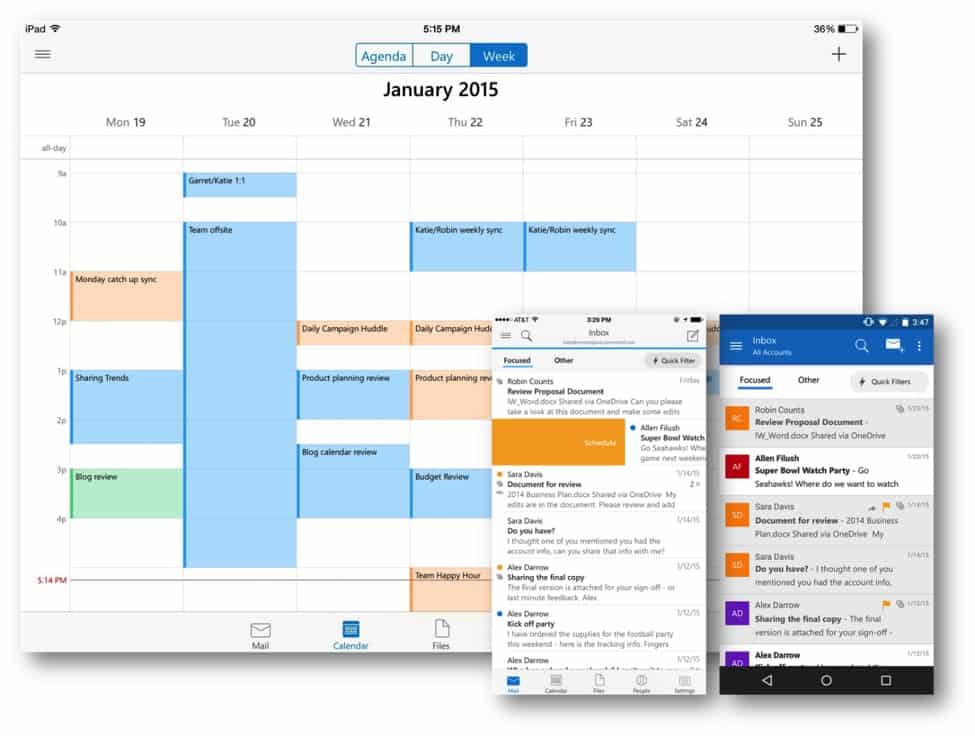
Microsoft may have accidentally announced Acompli acquisition

Microsoft may have accidentally announced Acompli acquisition

Microsoft may have accidentally revealed its plans to acquire a mobile email client called Acompli. A post, written by Microsoft corporate vice president Rajesh Jha, appeared on the company’s blog today, but it had no description or body, just a blank title saying “blank post please delete.” Things get interesting if you take a look at the slug in the URL, which mentions “Microsoft acquires Acompli.”

The post appears to have been pulled, but the folks at TechCrunch spotted it on time and took a screenshot for authenticity. This could mean that both companies may have reached a deal, or it may be in final stages of talks. If true, this could mean that Microsoft could acquire an excellent email client app which has received its fair share of success on iOS, and even Android. The app is compatible with Exchange, and this may be the reason Microsoft showed interest in it.

Last year, Accompli managed to raise $7.3 million, and there’s a possibility that they ended up with an offer while looking for more investment, as per TechCrunch. Anyway, there’s no official confirmation from Microsoft about it. 

Star Wars: Commander is one of the Best Games to try on your Windows Tablet

We can’t exactly say that the Windows Store is buzzing with awesome games, as one needs to do some research before finding a really good one. But that’s our mission. Today we put under highlight Disney’s Star Wars: Commander strategy game.
disney Star Wars CommanderStar Wars CommanderDisney has released the combat strategy game Star Wars: Commander quite a while ago, but it has come under our radar just now. And after playing it on my Windows tablet for a few hours, I can wholeheartedly recommend it to anybody looking to have a great time. Here’s how the official description of the game sounds like:

Charge into battle on distant planets, and lead your troops to victory in this action-packed, combat strategy game! Build a base, recruit an unstoppable force, and challenge players across the Star Wars universe in Star Wars™: Commander!

During a time of Galactic Civil War, competing forces need allies for their cause. The Rebellion rallies for justice and freedom, while the Empire seeks control of the galaxy. Where does your allegiance lie? Will you side with the Empire’s strength and relentlessness, or the Rebellion’s heroism and resourcefulness? The choice is yours! Rise through the ranks as a powerful battlefield commander in this exciting game of strategy and competitive galactic combat!

Here are the main features of the free app and the official download link:

  • Choose your side: Will you command AT-ATs and TIE Fighters as the Empire? Or call on iconic heroes like Han Solo and Princess Leia as the Rebellion?
  • Build and defend your base: Train unique troops specific to each faction, and fortify your base with deflector shields, turrets, heavy artillery, and other defenses!
  • Lead epic battles: Strategically deploy powerful armies, units, and vehicles against enemies and players around the galaxy!
  • Form the ultimate Squad: Build strong alliances with friends and other players!
  • Travel to multiple planets and complete special missions: Play an all-new story as a valiant leader on the front lines of the Galactic Civil War.
  • Upgrade your strike team and its defenses: Strengthen your forces with multiple levels of upgrades for each unit!
  • Download now and play in your choice of English, Chinese, French, German, Italian, Japanese, Korean, Portuguese, and Spanish

READ ALSO: PayPal to Release Here Credit Card app for Windows and Windows Phone Next Year

Windows 10 gets native support for Free Lossless Audio Codec (FLAC)

Windows 10 gets native support for Free Lossless Audio Codec (FLAC)

Microsoft’s Gabriel Aul has teased us yet again, tweeting out a screenshot showcasing Windows Media Player in Windows 10 playing music with the FLAC audio format. Microsoft recently revealed that Windows 10 will also come with native support for MKV and High Efficiency Video Coding (HEVC).

“FLAC stands for Free Lossless Audio Codec, an audio format similar to MP3, but lossless, meaning that audio is compressed in FLAC without any loss in quality. This is similar to how Zip works, except with FLAC you will get much better compression because it is designed specifically for audio, and you can play back compressed FLAC files in your favorite player just like you would an MP3 file,” the FLAC website states.

Check out the tweet below. The next preview build of Windows 10 is expected in January of next year. Stay tuned to WinBeta for all your Windows 10 needs!

Microsoft adds product clipping, PDF clipping, and other improvements to the OneNote Clipper

Microsoft adds product clipping, PDF clipping, and other improvements to the OneNote Clipper

Last March, Microsoft’s OneNote team introduced the OneNote Clipper, a tool you add to your Internet Explorer Favorites bar allowing you to easily capture information from the web and save it to OneNote.  Today, they’ve announced some improvements to the service.

These new improvements include Product clipping, a way to capture relevant information from major shopping websites such as Amazon.com, Homedepot.com, Sears.com, Lowes.com, and Overstock.com; PDF clipping, allowing you to save PDFs from the web to OneNote, and read them from within OneNote without the need for a separate PDF reader; and some visual improvements to the OneNote Clipper including a semi-transparent purple Clipper bar, and better responsive flow.

“Our goal is to help you collect your wish list and gift ideas in OneNote in a clear, easy to review format. Then, on these big shopping days, you can use OneNote on your phone, tablet or computer to keep track of it all – OneNote is available for free on all major platforms,” Microsoft explained.

You can get the OneNote Clipper by visiting the OneNote Clipper page in IE and adding it to your Favorites, instructions are on the page. Product clipping, like recipe clipping before it, works by using the Bing Platform to extract key details from web pages and then present them in an easy to use format in OneNote. 

Give it a try, and as Black Friday and Cyber Monday approach us, these new features can come in handy!

Windows 10 Technical Preview: Which ring is the most popular? The answer may surprise you

Windows 10 Technical Preview: Which ring is the most popular? The answer may surprise you

Yesterday, we posed the question, “Do you prefer the slow ring or fast ring?” This question deals with Microsoft’s Windows 10 Technical Preview for Windows Insider participants. For those who are not sure what the difference between a slow ring and a fast ring, head over here for an explanation.

So, which ring is popular? According to Microsoft’s Gabriel Aul, the fast ring is about 10% the size of slow ring. It is also exactly what Microsoft was hoping to see. So what exactly does this mean? This simply means that those who are beta testing Windows 10, only 10% of them want to be on the bleeding edge with the fast ring of updates. Or perhaps, they are unaware of the ability to switch between the slow and fast ring.

The results of our poll show that the majority of WinBeta readers prefer to be in the fast ring. There are still a few that prefer to be in the slow ring. This is not surprising, as our readers want to be on the bleeding edge of what Microsoft has to offer.

You can see the tweet below. Do you think Microsoft should expand the slow/fast ring of updates to other services? Should app developers have the ability to roll out a slow or fast ring of app updates?

Microsoft and ThyssenKrupp utilize the IoT to carefully monitor elevator health

Microsoft and ThyssenKrupp utilize the IoT to carefully monitor elevator health

As is the case with aircraft engines, German elevator-maker ThyssenKrupp keeps a close eye on its elevators to monitor when maintenance is needed to ensure maximum efficiency and customer safety. The last thing any elevator maker needs is bad press following a free-falling elevator incident.

To secure the promise of providing safe and reliable elevators, ThyssenKrupp has teamed up with CGI, an independent IT and business process service firm to develop Internet-of-Things (IoT) technical solutions based on Microsoft Azure, Power BI for Office 365 and Microsoft Azure Machine Learning service to constantly monitor the conditions of the company’s elevators around the world.

“Not only can they now offer customers predictive maintenance and analytics, they’re setting a new industry standard for reliability, creating a totally new business model and differentiating themselves from competitors.” – Susan Hauser, Corporate VP, Enterprise and Partner Group, Microsoft

Dr. Rory Smith of ThyssenKrupp noted that this can be a difficult task considering that the company has provided over 1 million elevators and escalators in the US alone, and in some of their rapidly expanding markets, such as the Middle East, India and China, they will be providing a lot more of their products. Businesses and contractors in China for example are ordering half a millions elevators and escalators from ThyssenKrupp on a yearly basis.

“We manufacture [elevators] once, we install them once, but we service elevators continuously, it could be a hundred years. And so we feel that using cloud computing and IoT we can do predictive maintenance, predictive analytics, and those are important to us in the developed markets, such as Western Europe and North America. There we look to control costs, but in the developing markets, we are almost just trying to survive with the tremendous growth.” – Dr. Rory Smith

Microsoft and ThyssenKrupp utilize the IoT to carefully monitor elevator health

The company has admitted that this demand has changed their business model, as providing the after-sales services of supporting the elevators is now a big part of how the company positions itself among competitors. With such strong demand, the company also had to figure out how to approach training employees in all of the different markets they now sell to, and to work around this issue they developed a remote diagnostics strategy that ties into the company’s call centers.

“…the ability to use machine learning and remote diagnostics has helped augment employee talent while reducing the amount of time needed for training. These types of efficiencies illustrate the importance of becoming a digital business and the competitive advantages it offers.” – Hauser

Microsoft and ThyssenKrupp utilize the IoT to carefully monitor elevator health (One World Trade Center houses some of the fastest ThyssenKrupp elevators in the Western hemisphere) 

With the help of CGI, ThyssenKrupp developed an application that allowed for a secure connection to the millions of elevators in service, and that also provided real-time monitoring. Additional partners were brought in to develop an intuitive user interface that both engineers and customers would find easily accessible.

Looking forward, ThyssenKrupp plans to upgrade 60% of its currently deployed elevators to take advantage of the new Microsoft-based IoT system, as well as about 18% of its escalators in service. The strategy has allowed them to create new revenue streams as well as differentiate themselves from the competition. We should be hearing about more companies from all sorts of different industries following suit in the near future.

Microsoft joins a White House roundtable to discuss innovative ways to find new IT talent

Microsoft joins a White House roundtable to discuss innovative ways to find new IT talent

The IT industry is becoming is growing ever so quickly, and so the demand for people with IT knowledge grows with it. Unfortunately, the supply is severely lacking. According to a 2012 report by US President Barack Obama’s Council of Advisors on Science and Technology, there will be an estimated shortfall of about 1 million people within STEM-related jobs over the next decade.

Microsoft is currently competing fiercely with the likes of Apple, Amazon, Google and Facebook among others to attract the best computer-science graduates from top schools such as MIT, Stanford, Harvard and more. But those at the company have asked themselves about the possibility of finding untapped potential elsewhere.

“That is the hurdle the U.S. IT industry needs to leap– finding new ways to discover and train people who have the aptitude for IT, and a desire to learn it, but for many reasons haven’t cracked the code on how to get into IT.” – Alison Cunard, General Manager of Learning Experiences, Microsoft.

Microsoft joins a White House roundtable to discuss innovative ways to find new IT talent

At a recent IT Jobs Roundtable held at the White House that Microsoft took part in, creative ideas were thrown around about how the US could increase the number of people working in STEM-related jobs. Microsoft itself has been pushing to convert army veterans into coders with its MSSA program. New companies have also popped up recently with the sole purpose of identifying specific IT gaps within companies and helping them fill it with the right personnel.

“Year-old Launchcode, for instance, is a St. Louis-based startup (started by the founder of Square) that works with companies to assess their IT skills gaps, then quickly trains prospective employees and places them as paid apprentices. After 90 days, some 90+ percent of Launchcode trainees are hired by their host companies. And these are candidates who didn’t have an IT “pedigree.”” – Cunard

Although the scale of recruitment is a problem that Microsoft has identified, and existing programs may successfully provide a few hundred people after training them for about a year, the software giant insists that this is not fast enough, and that new ways should be developed to quicken this process.

Microsoft joins a White House roundtable to discuss innovative ways to find new IT talent

“We have a shortfall of a million people, and some of the innovative accelerated programs we’re seeing today are successful in terms of getting 100, 200, 300 people trained. That’s great, but it’s not enough. In the IT world, we need to think of ways to find people with talent – hundreds of thousands of them – and get them the training they need in months, not years.” – Cunard

It’s clear that the way IT companies like Microsoft, and even non-IT companies that require some form of IT solutions are changing the way they pursue potential employees and finding hidden talent. Microsoft has a presence at education institutions around the world including high schools and community colleges where “people build skills but maybe don’t earn the name recognition of a Stanford degree”, as all people need is an opportunity to enter the world of IT. Once in, they will only learn and grow.

Microsoft confirms Windows 10 kernel version bump to 10.0, asks developers to start updating

Windows 10

Earlier today, it was revealed that Microsoft had bumped the NT Kernel version of Windows 10 from 6.4 to 10.0. WinBeta understands that this change has been apparent since build 9884, which was compiled on November 9.

WinBeta confirmed earlier today when the news broke that this change was accurate, but if you were still in doubt, Microsoft has now somewhat confirmed this change in an MSDN document available to IE developers.

Developers preparing for Windows 10 should note that the Windows NT value in the UA string will change from 6.4 to 10.0 with the new release. If you have code that depends on the version number, we advise that you update to allow for the new value.

The MSDN document is asking IE developers to begin updating if they depend on the NT kernel version, because if not, certain websites and programs may have compatibility issues with the new Windows 10 operating system.

If you’re an IE developer, or any developer for that matter, it may soon be time to start updating your web app / program compatibility for Windows 10. Microsoft may or may not talk more about this change soon — we hope they will.

So there you have it, Microsoft has publicly confirmed the bump in version number from 6.4 to 10.0. What are your thoughts on this? Let us know in the comments below.

Microsoft is looking for input via Twitter on how to improve Ignite conference

Microsoft is looking for input via Twitter on how to best plan their Ignite conference

Microsoft’s new conference, Ignite, will be held in Chicago this May 2015, and is the company’s conference for IT professionals. For Ignite, Microsoft is looking for feedback from previous event attendees on what they liked or disliked. With all this feedback, hopefully Ignite will be a hit with IT pros looking for a fun and informative conference.

To gather this feedback, Microsoft is hosting what they call TweetJams, with their different twitter accounts in order to communicate with potential attendees on what they would like to see Ignite look like. Here is the list of questions Microsoft has posted:

  1. 1.What’s one thing you’ve loved in a past event that you’d like to see included in Microsoft Ignite?
  2. 2.How can we help showcase your community at Microsoft Ignite?
  3. 3.What is your preferred way to engage with our engineering teams at the event?
  4. 4.What specific sessions do you want to see?
  5. 5.What have you seen done at ANY event you’ve attended, Microsoft or other, that we should consider doing at Microsoft Ignite?
  6. 6.How interested are you in learning about other Microsoft products, such as Azure and Windows 10?
  7. 7.What’s one “can’t miss” thing to do in Chicago?
  8. 8.As you know from past events, we throw a great party for attendees. What do you value in a party? Great band? Cool venue? Loud or quiet?

Hopefully Ignite will be a hit for Microsoft, and everyone who goes. If you are interested in participating in one of the TweetJams, follow the source link and add one to your calendar.

PSA: Hackergroup ‘DerpTrolling’ has hacked Windows Live, PSN, and 2K Gaming (UPDATED)

PSA: Chage your password now -- hackergroup, DerpTrolling, has hacked Windows Live, PSN, and 2K Gaming

Hacker group, DerpTrolling, has recently finished what they are calling a “glorious raid across the high seas of the internet”. This time around, the infamous group of online bandits have hacked a number of 2K Gaming Studio, Windows Live email, and PlayStation network user accounts. This breach has released thousands of private username and password login information onto the web.

“These usernames our bestowed upon you in the humble name of Derp.”

DerpTrolling, also simply regarded to as “Derp”, has been in action bringing down known websites, including the ever popular, LeagueOfLegends.com, via DDOS style attacks. The motives behind DerpTrolling’s actions are currently unknown, but they warn that “nothing is safe from Derp”.

We strongly suggest changing your password if you are a member of the aforementioned services. At this time, we are not linking to the list of stolen credentials for safety and security concerns. If your Microsoft account currently has two-step authentication enabled, you should be safe as the hackers only have one piece of the puzzle; however, we still suggest changing your password for maximum protection.

We have reached out to Microsoft for a comment on the breach of security.

UPDATE: Microsoft has responded back, noting that they have not detected ay intrusions in their system.

“We immediately investigated reports regarding some Microsoft Accounts including Windows Live and Hotmail and can confirm that no Microsoft site or service was compromised. Microsoft takes account security and privacy seriously. Should we identify any specific account at risk for any reason, we will take action to protect the account. To help keep your information safe, we encourage you to set strong passwords, change passwords regularly and avoid using the same password for multiple accounts. For more information on password security, visit our website at www.microsoft.com/security.”

Windows 10 NT kernel gets bumped from 6.4 to 10 in recent internal builds

Windows 10

Although Microsoft isn’t issuing out any more builds to Windows Insiders this year, the company is still compiling and issuing them to partners. New changes are cropping up in builds every day, and today a rather interesting change to the kernel version is apparent. Windows 10 started its development at NT version 6.4, but it seems Microsoft has bumped that number again, as the NT version now seems to be 10 in recent builds.

According to ITHome who claim to have access to build 9888 of Windows 10, winver and many other areas of the operating system which display the kernel version are displaying version 10 rather than 6.4. It looks like Microsoft has yet again bumped the NT kernel version, 6.4 was the beginning of Windows 10 development, 6.3 was Windows 8.1, 6.2 was Windows 8, 6.1 was Windows 7 and 6.0 was Windows Vista.

Windows 10

WinBeta can confirm that this change is real and is apparent in the latest builds we’ve got access to. The jump to NT 10 is a big one, and hopefully this change in version number doesn’t break existing desktop applications. Ignore the dock and other things within the screenshot, they are third party applications and are not included with this build of Windows 10. What are your thoughts on this? Leave them in the comments below!

Microsoft makes it less attractive for developers to create apps for Windows

Microsoft makes it less attractive for developers to create apps for Windows

Beginning January 2015, Windows developers will be at a disadvantage when it comes to making money using their apps submitted in the respective app stores. Currently, Microsoft takes a 30 percent cut on the revenues generated through the app sales, with 70 percent going to the developers. Upon reaching $25,000 sales, the cut is reduced to 20 percent, making it more attractive for developers to create apps for Windows and Windows Phone. The 20 percent caveat is only applicable until 31st December, 2014. 

If you take a closer look at the App Developer agreement, it states,

For the Windows Store: The Store Fee for Apps made available in the Windows Store is thirty percent (30%) of Net Receipts, unless and until your App takes in total Net Receipts of USD$25,000, after which time the percentage is 20% for that App. The twenty-percent (20%) Store Fee will be in effect until December 31, 2014.

For the Windows Phone Store. The Store Fee for Apps made available in the Windows Phone Store is thirty percent (30%) of Net Receipts, except for transactions subject to the Commerce Expansion Adjustment, for which the Store Fee shall be forty-three and nine-tenths percent (43.9%) of Net Receipts.

From January 1st, 2015, the 20 percent cut condition will be removed, and developers will get 70 percent of the net sales no matter how much they sell. Microsoft mentioned further in the developer agreement,

“Beginning January 1, 2015, the Store Fee for all Apps made available in the Windows Store will be thirty percent (30%) of Net Receipts.”

 This is definitely a disappointing news for developers. Windows Phone and Windows store are already lagging behind in terms of quality apps when compared with iOS and Google Play Store, and this could further affect the volume as developers are likely to focus on other platforms when it comes to apps.

This isn’t a new change. As per Neowin, Microsoft confirmed to them that this change was introduced at Build 2014, but was missed due to all the big announcement made during the big event. 

Windows 10 build 9879 almost ready for slow ring participants, will arrive with new bug fixes

Windows 10

Microsoft announced not too long ago that the recently released Windows Technical Preview build would be sent out to those in the slow ring soon, and will arrive with a number of bug fixes to help stabilize the operating system. The company claims that crash data from those in the fast ring has helped Microsoft in identifying the many problems this build suffered from.

It’s currently unclear how the bug fix will be applied to the slow ring, whether it will be included with the actual upgrade process or released as a separate hotfix via Windows Update remains to be seen. For those who downloaded the build in the fast ring, we assume the bug fix will be delivered to you too via Windows Update.

It’s unclear when Microsoft plan on pushing out the build for slow ring participants, however we have a feeling that it will be very soon. Microsoft promised that with the release of the build to the slow ring, ISO’s would be made available for clean installation. Let’s hope they stick to their word.

For those that did not know, you can switch between Slow and Fast ring updates in PC Settings > Update and Recovery > Preview Builds. Everyone is on the slow ring, by default. If you want to see the build right as it comes available, you will want to be on the fast ring. If you want to wait a bit and let major bugs get fixed before you install the build, wait for the slow ring.

In this case, Windows 10 build 9879 was released to those on the fast ring not too long ago, and has since been identified to have some issues that need to be resolved. Luckily, those on the slow ring will be receiving this build with less issues or bugs to worry about.

Microsoft further details its new OneStore for Windows 10 — designed for businesses

Windows Store

For those who need a little catchup, the OneStore is a new Windows Store coming in Windows 10 which works across all form factor devices. That includes PC’s, tablets, phones, Xbox and more. Today, Microsoft has further detailed its plans for the new OneStore, and how the new Store will be ready for businesses.

First up, the new OneStore will offer IT administrators access to the app catalog directly from a new web-based portal, which allows IT admins to download apps in bulk and distribute them to devices:

“In Windows 10, IT administrators can access a new web-based Store portal specifically for organizations – and can do so by signing in with an Azure Active Directory identity. Apps acquired through the portal can then be assigned to people in the organization, who need only to click on a link to install the apps. This will provide organizations with a controlled and customizable experience specifically for their members.”

Not only that, but Microsoft is making it easier for apps to be listed on company portals. For businesses which do not have a company portal, Microsoft is also allowing IT admins their own private section on the Windows Store, which will make getting apps for your company easier.

Furthermore, IT admins will have the ability to fully control the Windows Store and its features and distribution. This allows for admins to be able to install or uninstall apps, control app updates and manage app licenses. For devices without internet, the new Windows Store will allow administrators to download app files locally, and include them in custom Windows installation images.

Microsoft says that these new features will be available on Windows 10 in the coming months, and that signing up as a Windows Insider will help in getting you access to the Windows Technical Preview.

Install Windows 10 using UEFI [EASY STEPS]

The Unified Extensible Firmware Interface (UEFI) was designed to initialize the hardware faster than the legacy BIOS and help the OS to boot in normal conditions.

Starting with Windows Vista, Microsoft supports EFI installation of Windows. This means that we can install Windows Vista, Windows 7, Windows 8 and 8.1 or Windows 10 using the UEFI mode.

Beginning with Windows 8, UEFI was added both, for 32-bit and 64-bit editions. With UEFI, the booting speed of the operating system will increase significantly.

Do you want to find out how to install Windows correctly in UEFI mode? Find below a helpful guide, that will help you install Windows 10 in UEFI mode.

How can I install Windows 10 using UEFI?

  1. You need to get the official DVD of Windows 10. If you don’t have a DVD drive in your computer, then you have to create a Windows 10 bootable UEFI USB drive.
    Note: You don’t know how to create a bootable UEFI USB drive? Check out this amazing guide and learn how to do it like a pro.
  2. Change the boot order in your UEFI system:
    • You need to go to the login screen;
    • Left click on the “Shutdown” button;
    • Hold the “Shift” key and click on the “Restart” feature; if Shift key doesn’t work, take a look at this simple guide to solve the issue.
    • A sub menu will open. Left click on the “Troubleshoot” feature;
    • Left click on the “Advanced options” feature;
    • Left click on the “UEFI Firmware settings”;
    • Left click on the “Restart” button;
    • After restart, the computer will enter in UEFI mode (the interface is similar with the well known BIOS);
    • Navigate to “Boot” tab and enable the “Launch CSM” feature;
    • Go to “Security” tab and disable the “Secure boot control” feature;
    • Before you exit the UEFI mode, you need to save changes;
    • The system will restart. Please insert the bootable USB drive or the DVD into the CD/DVD drive;
    • Enter again in the UEFI mode. In the “Boot” tab you will see the Windows 10 bootable drive;
    • Left click on the bootable drive and enter Windows Setup;
  3. When Windows Setup starts, you will need to reformat the hard drive using the GPT partition table; if you don’t know how to do that, follow the easy steps in this article and get it done in no time.
  4. After formatting, click the “Next” button and you will get the following partitions:
    • Drive 0 Partition 1: Recovery –type Recovery;
    • Drive 0 Partition 2: System- this is an EFI partition that contains the core OS files, which are required to boot the operating system;
    • Drive 0 Partition 3: MSR- it is a partition that reserves space on each hard drive for Windows internal use;
    • Drive 0 Partition 4: Primary- this is the partition where all users data and Windows will be stored;
  5. Check the Primary partition and left click on the “Next” button;
  6. Follow the setup wizard in order to install a fresh copy of Windows 10;

This is it. I hope the guide described above will help you install Windows 10 on your UEFI system without any issues.

If you have any questions regarding this topic, write us in the comment section found below.

How has Microsoft’s redesign of MSN.com affected daily site traffic?

How has Microsoft's redesign of MSN.com affected daily site traffic?

MSN.com is Microsoft’s web portal, which is a rare term these days. With services being built into apps and pushed out to devices, web portals have faded from the limelight, but a large number of people still use web portals. In fact Microsoft sees millions of page views on MSN.com every day. In early October Microsoft pushed out a redesign of MSN, but how did that affect their number of daily page views?

Before the redesign of MSN.com, Microsoft was seeing their daily page views hover between 130 and 120 million a day, once dipping down to almost 110 in May. After the redesign there was a visible spike in daily traffic up to 140 million. This was the highest daily page views in 2014. After some time the page views dropped off to maybe 135, then rebounded to hover around 140 through October and November. This is a modest 7.7% increase in daily traffic, which is impressive for such an old site.

This is good news for Microsoft but not the point of the redesign. The core focus of redesigning MSN.com seemed to be bringing Microsoft’s cloud services to the front, and giving users quick access without leaving the site. Microsoft knows that apps are the future of services and the web portals may not be around forever, so they are trying to span the gap between their services and MSN. Rebranding their Windows and Windows Phone apps to MSN brings the brand back into relevancy with today’s app paradigm.

The real measure of MSN’s redesign would be to see how many new customers were acquired via the new MSN.com. Microsoft is a traditional technology company which makes its money from paying users. MSN may be a great web portal for people to read news, stocks, weather, and sports, but Microsoft really wants people to discover Office 365, OneDrive, Skype, and Xbox Music so they can gain more paying users and keep making the great software we’ve all come to expect from for years to come.

U.S. Judge rejects Samsungs bid to freeze paying royalties to Microsoft (UPDATE: Corrections)

Microsoft

A U.S Judge has rejected Samsung’s bid to put a lawsuit on hold, regarding a dispute to pay Microsoft in interest royalty fees.

Samsung states that the original collaboration agreement between thw two companies became void when Microsoft acquired Nokia in 2013. Since then, Samsung has refused to pay $6.9 million in royalty interest to Microsoft, stating that the company is now a direct hardware competitor. In August of this year, Microsoft put their foot down regarding the matter and sued Samsung for not coughing up.

Whilst Samsung is yet to comment on the result, a Microsoft Spokesperson said that they are “pleased that the court agrees that New York is the appropriate venue for this dispute.” Samsung wanted to move the dispute to Hong Kong, while the company pursues an existing arbitration.

In Microsoft’s favor, Antitrust regulators within the United States and other countries have already approved the acquisition of Nokia as being legal. If these approvals hold up, Samsung will most likely be forced to pay off the debt they owe to Microsoft.

How to Create a Windows 10 Bootable UEFI USB Drive

[IMPORTANT NOTE] Check our fresh article on How to create a Windows 10 UEFI bootable USB drive from ISO

Like BIOS, UEFI is a type of firmware for computers. The BIOS firmware can be only found on IBM PC compatible computers. UEFI (Unified Extensible Firmware Interface) is meant to be more generic and it can be found on systems which are not in the “IBM PC compatible” class.

UEFI bootable USB drive
Do you want to install Windows 10 and you have an UEFI system? Do you want to install it from a bootable UEFI USB drive? I am sure that you want to find out how to create a bootable UEFI USB drive. It is very simple. Below, you can find a quick guide that will help you create a Windows 10 bootable UEFI USB drive.

How to create a bootable UEFI USB drive with Windows 10 setup image file

Follow the steps described below and you will create by your own a Windows 10 bootable memory stick:

  1. You need to download the latest version of the software called “Rufus”;
    Note: The “Rufus” application is a nice solution, because it is free and works without any issues.You can download it from here.
  2. Install the “Rufus” application and locate the executable file;
  3. Insert in one of your computer’s USB ports a USB drive. Make sure that the memory available on your USB drive is at least 4GB;
  4. Format the USB drive in order to erase the entire data;
    Note: Before erasing it, backup everything from the USB drive to your hard drive;
  5. Run the “Rufus” executable file;
  6. From the drop-down menu,located under the “Device” feature, select your USB drive;
  7. From the drop-down menu located under the “Partition scheme and target system type” selection, chose the “MBR partition scheme for UEFI computer” feature;
    Note: If your computer has a GPT partition scheme, select from the drop-down menu the appropriate feature;
  8. Select “NTFS” feature from the drop-down menu located under the “File system”;
  9. Check if it is selected the “4096 bytes (Default)” option for the “Cluster size” selection;
  10. Check the box next to the “Quick format” feature;
  11. Check the box next to the “Create a bootable disk using” feature;
  12. Select the “ISO Image” option from the drop down menu;
  13. Click on the CD/DVD drive icon (this can be found in the right side of the “ISO Image” feature);
  14. Browse to the Windows 10 ISO image file;
  15. Check the box next to the “Create extended label and icon files” feature;
  16. Left click on the “Start” button;
  17. Now you will have to wait until the Windows 10 bootable UEFI USB stick will be created.

This is it. Now you are the happy owner of a Windows 10 UEFI bootable USB drive.If you have additional questions related to this topic, feel free to leave a comment below.

[UPDATED VERSION] How to create a Windows 10 UEFI bootable USB drive from ISO

Microsoft launches OneNote Search API Beta, powered by Bing

Microsoft has just launched the OneNote Search API in Beta form, powered by the company’s Bing decision engine. This integration between two of Microsoft’s most popular services brings personal search to your private notes in the cloud. Here is what Microsoft had to say on the official OneNote Developer blog:

Over the last few months, we have been partnering with the folks over in Bing to integrate their search tech into our service and bring the power of full text search to the OneNote API. It’s like having your own personal search engine for your private notes and memories in the cloud. And, because we are reusing the same search tech powering bing.com today, the OneNote search API has all the smarts you would expect from Bing such as: spelling forgiveness, stemming, relevance and ranking, word breaking, phrase search, etc. The search API works across notebooks so your app can find the right notes for the user no matter where they are stored. Under the covers, there is a personal index per user so searches are scoped to only the notebooks the user has access to.

In order to partake in the Beta program, you must sign up so your notebooks can be indexed. It could take up to 2 hours for your notebooks to get picked up by the indexer. You can head over here to sign up for the program. (click the purple Sign Up button)

Microsoft plans to add support for searching across notebooks shared with the user in a future update to the API, as well as the ability to scope search queries to a particular notebook, added support for page last modified time, and relevance/ranking improvements.

Give the Beta a try and let us know how you like it!

Microsoft adds OneDrive for Business to their ProPlus plan and will eventually make it unlimited

Microsoft adds OneDrive for Business to their ProPlus plan and will eventually make it unlimited

OneDrive is Microsoft’s cloud storage solution for consumers, OneDrive for Business is their cloud storage solution for businesses. While the two are similar, they both have very different beginnings but have been united under one similar brand. Even though the two services are different technically, Microsoft is simplifying their OneDrive story to include unlimited storage across the board.

Now businesses who have subscribed to Office 365 ProPlus will have OneDrive for Business included in their plan. Previously ProPlus didn’t include OneDrive for Business because the plan was mostly focused on the Office programs and not the online services. Microsoft must have seen how even if people use the Office programs and don’t use Office Online, having syncing between devices is a great feature. OneDrive for Business can sync documents between computers so users no longer have to save the file to an online service then switch computers and go download it.

OneDrive for Business is a great solution for companies of any size to store files for access anywhere. In addition to making OneDrive for Business available to ProPlus customers, Microsoft is also planning on increasing the storage to unlimited cloud storage. This means that every user can store all their files online for access, backup, or sharing.

Offering OneDrive for Business to more customers free of charge is a good move for Microsoft. This means more companies are putting documents on the cloud and becoming more comfortable with file storage off the premises of the business. More customers becoming comfortable with the cloud could mean more of them sign up for Microsoft’s other cloud services like Yammer, Azure, and OWA.

Microsoft introduces Blend for Visual Studio 2015 Preview, helps you create beautiful XAML apps

Microsoft introduces Blend for Visual Studio 2015 Preview, helps you create beautiful XAML apps

Earlier this week, Microsoft released a preview of Visual Studio 2015, along with a free version of Visual Studio. Developers can now rejoice as Microsoft has also introduced a new Blend experience. Blend for Visual Studio 2015 features a better development experience for creating beautiful XAML apps.

Blend for Visual Studio 2015 features a sleek new dark look that matches Visual Studio 2015, for an improved workflow between the two products. Both these products work hand-in-hand when developing XAML apps.

The new Blend experience features a consistent user interface that matches Visual Studio, XAML IntelliSense, basic debugging capabilities, file reload experience, Team Explorer, the ability to manage NuGet packages, better accessibility, and much more.

Microsoft introduces Blend for Visual Studio 2015 Preview, helps you create beautiful XAML apps

Here is a breakdown of all the new features in Blend for Visual Studio 2015, which you can use by installing the preview of Visual Studio 2015:

  • Consistent user interface with Visual Studio: You can design your applications within the familiar context of the Visual Studio user interface, which makes switching to and from Visual Studio a more pleasant and productive experience. Blend also includes an exclusive new Dark theme that helps you focus on the content you are designing by improving the contrast between your content and the Blend user interface.
  • XAML IntelliSense: Blend supports all of the common capabilities you would expect from IntelliSense including statement completion, support for common editor operations like commenting and formatting code, and navigation to resources, binding, and code.
  • Basic debugging capabilities: You can now debug in Blend, including setting breakpoints in your code to debug your running app. To maintain a consistent debugging experience with Visual Studio, Blend includes Visual Studio’s debugging windows and toolbars.
  • Peek in XAML: Peek in XAML allows you to view and edit XAML controls and resources within the context in which they are used. You can even browse through a series of XAML declarations without leaving the original XAML file. Furthermore, you can do in-place editing of style and templates within the document that consumes them using Peek in XAML.
  • File reload experience: You can edit your XAML files in either Blend or Visual Studio, and have your edited files reload automatically as you switch between them. To minimize workflow interruptions, you can now set your file reload preferences in the file reload dialog.
  • Synchronized Layouts and Settings: Custom layouts enable you to save and apply tool window layout customizations. Blend will synchronize these customizations and preferences across machines once you sign into the IDE with the same Microsoft account.
  • A common Solution Explorer: The Solution Explorer provides you with an organized view of your projects and their files, as well as ready access to the commands associated with them. With Solution Explorer, it is easier to work with big enterprise projects. In addition, all of the project capabilities that were missing in Blend are now available, including support for Solution folders and the ability to change build configurations.
  • Team Explorer: With Team Explorer you can manage your projects with GIT or TFS repositories to facilitate team collaboration.
  • NuGet: You can manage NuGet packages in Blend. NuGet is a package manager for the .NET Framework that simplifies the installation and removal of packages from a solution.
  • Better accessibility: You can use your keyboard and screen reader software to interact with several areas of the Blend user interface, including top level menus, solution explorer, and team explorer. 
  • HTML Design Support. In Visual Studio 2015, Microsoft is focusing on better code, editing, and debugging experiences for HTML app developers. 
  • SketchFlow. Blend for Visual Studio 2015 will not support SketchFlow projects. 

Microsoft is now the second most valuable company in the world, right behind Apple

Microsoft is now the second most valuable company in the world, behind Apple

Microsoft’s recent moves and drastic changes, which resulted in strong quarterly earnings, has earned it the rank of second most valuable company, right behind Apple. The company saw its market value increase and reach $410 billion yesterday, which was enough to surpass Exxon Mobil, the previous holder of the second-most valuable company.

The company saw its stock value increase more than 30 percent in the last year, as it underwent a series of changes. Under the leadership of CEO Satya Nadella, the company has made several dramatic moves. In addition to making its productivity suite Office available for free on rival platforms, the company also announced the layoffs affecting 18,000 employees, and chopped Nokia’s ambitious Android lineup. Earlier this month, the company also launched its first smartphone Microsoft Lumia 535, and an Android emulator for Visual Studio.

The company’s share rose to hit $50.04 yesterday, its highest point since early 2000, giving it a market capitalization of $410.5 billion. Exxon Mobil shares are now valued at $94.90, giving it a market capitalization of $401.9 billion. Apple maintains its title of being world’s most valuable company with a market capitalization of about $662 billion.

Microsoft’s DirectX 12 API set will reportedly not be available to Windows 7

Microsoft's DirectX 12 API set will not be available to Windows 7

Update: Apparently, AMD made ‘speculative comments’ regarding Windows 7 and DirectX 12. You can read the original story below.

Microsoft’s DirectX set of low-level graphics API’s has defined gaming and rendering-heavy applications in Windows ever since its introduction in Windows 95. It enabled high-performance multimedia to run on PC’s for the first time.

Every major release of Windows has since been accompanied by a new version of the API, but Microsoft has recently made it a habit of backporting DirectX to older versions of Windows. We saw this happen first when Microsoft released DX11 – once a Windows 7 exclusive – back to Windows Vista via a Service Pack. Although, back at Build 2014, Microsoft said that it would backport DX12 that will release alongside Windows 10 two generations back all the way to Windows 7. It seems those plans have since changed.

According to AMD’s Richard Huddy, who is the company’s Chief Gaming Scientist, DirectX 12 will not be coming to Windows 7. In an announcement, Huddy made during a presentation at PDXLAN, he said:

“52 percent of all people who use Microsoft operating systems these days are still using Windows 7, and that number is going up. It’s a very very popular operating system and one thing that’s not going to happen to it is DX12, DX 12 is not coming to Windows 7″.

Microsoft's DirectX 12 API set will not be available to Windows 7

It seems DirectX 12 will only be available to those running Windows 10 and Windows 8.1, so if the API lives up to its name, and game developers make full use of it, this may finally be reason enough for gamers to upgrade from Windows 7.

Microsoft has yet to confirm Huddy’s comments and since DirectX 12 is still a long way to completion, plans may change between now and launch day. The good news is that DX12 will still be supported by all NVIDIA Fermi-based GPUs (GeForce 600 series) and up, AMD Graphics Core Next-based GPUs (Radeon HD 7000 series) and up, and Intel Haswell IGP’s and up, so hardware compatibility is still strong.

Microsoft opens up preview registrations for upcoming Skype Translator, limited spaces available!

Microsoft has opened up the registration process for testers to preview the new Skype Translator feature, which was demoed earlier this year by Microsoft. For those who don’t know what the Skype Translator is, it’s a new feature coming to Skype which allows you to chat with people who speak entirely different languages in real time.

The preview is limited, so make sure you register for a spot on the list as soon as possible. The preview is only being conducted on devices running Windows 8.1 or Windows 10 right now, and only a certain amount of languages will be available at first.

There’s no ETA on when the preview will begin yet, so stick around for more regarding the Skype Translator. Check out the video below, and click here to begin the sign up process. The video is something very special indeed, real-time translation is a new breakthrough in technology, and it’s coming to Skype soon!

How to bring back the old Windows 8.1 networks list in Windows 10 build 9879

Windows `0

Microsoft started updating the network selection window in Windows 10 build 9860, removing the old flyout from the charms list and replacing it with a window which opened PC settings. Many consider this change a step backwards, and technically it is as Microsoft isn’t done with the new implementation yet. For those who wish to return to the old method, we’ve got a tutorial for you.

Originally spotted by SpaceCore on Twitter, this hack requires editing the registry, so if you’re a novice at changing registry strings we advise you do not try this at home. To get the old flyout back in Windows 10 build 9860 and 9879, follow the instructions below:

  1. Open regedit (WIN+R and type regedit.exe)
  2. Navigate to HKEY_LOCAL_MACHINE\Software\Microsoft\Windows\CurrentVersion\Control Panel\Settings\Network
  3. Take ownership of the “Network” key/folder (right click, Permissions)
  4. Select “Advanced” in the Permissions window
  5. In the Advanced window, select “Change” where the owner field is (at the top of the window)
  6. Type in your username and save your changes.
  7. Close the advanced window
  8. Now select “Administrators” in the security tab
  9. Make sure “Full control” is selected, then apply changes
  10. Now that’s done, double click “ReplaceVan”
  11. Change it’s value from 1 to 0

Windows 10

Once that’s done, you’ll have the old flyout network selector back. It’s unclear why Microsoft decided to implement the new, unfinished version of the network selector so early, especially since the old methos still works in these early builds.

How to enable an early version of the new Start Screen in Windows 10 build 9879

Windows 10

We recently discovered the beginnings of what appears to be the new Start Screen / Continuum mode in the most recent Windows Technical Preview. The Start Screen, being very early in development is very buggy and broken, however we understand that some of you wish to try it out.

Well, we’ve got you a simple guide for enabling the new Start Screen. We must warn you, it’s super broken. We don’t advise you use it on anything right now, especially tablets as the Start Screen doesn’t even hit full screen mode yet.

If you wish to enable it, follow these steps:

  1. Open regedit (WIN+R and type regedit.exe)
  2. Navigate to HKEY_LOCAL_MACHINE\Software\Microsoft\Windows\CurrentVersion\ImmersiveShell\Launcher\ (The “Launcher” key may not exist, if not just create a new key)
  3. Add a new DWORD 32-bit
  4. Name it UseExperience
  5. Change it’s value to 1
  6. Restart Explorer

Once that’s done, you’ll have access to the new Start Screen in Windows 10. We must warn you, the Start Screen enable-able in 9879 isn’t anything like what’s seen in the photo above. To return to the previous Start experience, just change the value back to 0.

Microsoft has sold almost 10 million Xbox One consoles to retailers

Microsoft sold almost 10 million consoles to retailers

Microsoft recently announced that they have sold almost 10 million Xbox One consoles to retailers since its launch almost a year ago. Most of the progress is attributed to the price reduction for the console — the Kinect-free console — as well as exclusive new games and bundles which were introduced in the past few weeks. 

Microsoft even offered a $50 discount on Xbox One for the holiday season, making it an even better choice for gamers in the US. To kick things off even more, Microsoft introduced the latest in the Halo franchise a few days back, Halo: The Master Chief Collection, as well as some other popular titles such as Assassin’s Creed: Unity, Call of Duty: Advanced Warfare, Sunset Overdrive (and the white console), and more. 

Microsoft’s Yusuf Mehdi further mentioned that Xbox One sales have tripled since November 2nd in the US after Microsoft reduced the price of the console by $50 for a limited time period. 

“The response to this wave of blockbuster game releases and new bundles has been amazing, and sales have skyrocketed since the new price took effect on Nov. 2. Compared to the previous week, Xbox One sales in the US have more than tripled, which is exciting as more and more friends will be playing together this holiday,” said Yusuf Mehdi, Corporate Vice President of Devices and Studios. “As we head into the busy holiday season Xbox One led generation 8 console sales in the US for the past two weeks.  Shortly, we will have sold in to retailers more than 10 million Xbox One consoles.”

Furthermore, it’s definitely a good news for the software giant, but selling units to retailers is quite different than selling them to consumers. Sony’s PlayStation 4 has consistently outsold the Xbox One in the past few months, but things may turn out to be different in the coming weeks as Microsoft has taken measures to attract more customers.

Windows 10 build 9879 is here, brings improvements to animations, new options and more

Windows10

Microsoft has officially begun pushing out a new preview build for Windows Insiders running the Windows Technical Preview. The new build, being build 9879 includes yet even more fixes and changes to the operating system over the last publicly available build, which was 9860. Microsoft has listed a few of the important updates, so let’s get started.

There are a whole heap of new changes in this build. The basic ones being options to remove the Task View and Search buttons from the taskbar, and the charms ‘button’ in Modern UI windowed apps has changed from three dots to the hamburger menu.

Windows10

More changes include Modern UI popups being in a window too now, which is awesome for desktop users. Improvements to the home tab within File Explorer are also apparent, and OneDrive gets a tonne of new options too. You can now turn off OneDrive on Startup, plus a number of other options for the service.

There’s a few new icons and a whole number of other changes and features which you’ll have to find yourself. Make sure you check out the source link for the complete change log from Microsoft.

The build is being pushed out right now, so get downloading! To do so, open the PC settings app, navigate to Update and recovery > Preview builds > check for updates. Make sure you’re in the fast ring to get the update.

Windows 10 build 9879 is incoming, start checking for updates now!

9879

Microsoft has just announced that Windows 10 build 9879 will be the next preview build for Windows Insiders, which means we can expect the build get pushed out to the Technical Preview within the next hour or so. We recommend you start checking for updates now via the PC Settings app.

Windows 10 build 9879 has been covered thanks to a number of screenshot leaks which happened previously. From the screenshots, we know that a number of small changes are coming, such as the option to remove the Task View and Search buttons as well as improvements to the Home tab in File Explorer.

We’re sure Microsoft will post a more in-depth change log as the build starts reaching people, so stay tuned to WinBeta for that. Also, keep an eye on us as we’ll be posting our hands on video of the build very soon.