
Enable Remote Help App with Intune for Faster Windows Support


 3 min. read
  EEST
EEST
Remote Help in Microsoft Intune gives support teams a secure way to assist Windows users. This guide explains how the feature works, how to enable it, and how users and helpers start a session quickly.
Table of contents
How to Use Remote Help App?
How to enable Remote Help in Intune
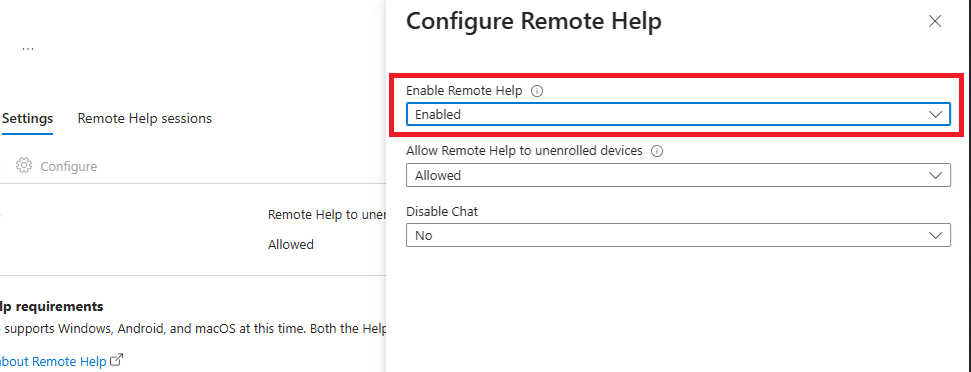
Admins enable Remote Help inside the Intune admin center and configure access based on organizational requirements.
- Sign in to the Microsoft Intune admin center.
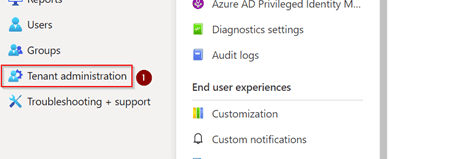
- Open Tenant administration.

- Select Remote Help.
- Enable Remote Help.

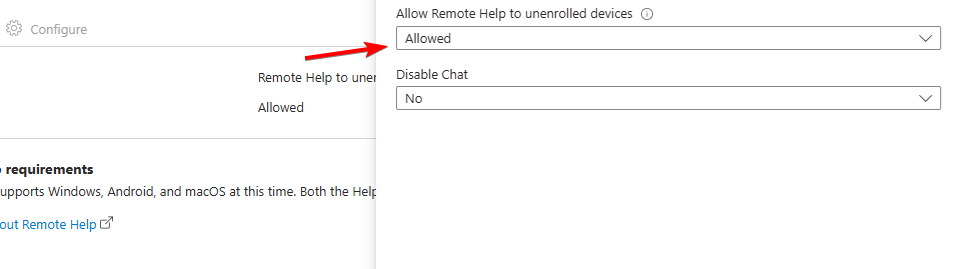
- Choose whether to allow unenrolled devices.

- Set permissions for screen viewing and full control.
- Save the configuration.
Some users see unwanted support prompts in Windows 10. Anyone who wants more details can check the Get Help Pops Up guide for context on why it appears.
How to install the Remote Help app for users
Users need the Remote Help client on their Windows device. IT teams often push it automatically, although manual installation works as well.
- Download the Remote Help installer from the Intune admin center.
- Add it to Intune as a Win32 app for automated deployment.
- Assign it to the correct user or device groups.
- Confirm installation from the Apps dashboard.
How to request help with Remote Help
Employees ask for assistance by generating a session code and sharing it with their support agent.
- Open the Remote Help app.
- Sign in with your Microsoft Entra ID account.
- Select Get help.
- Copy the session code.

- Share the code with your helper.
- Approve the incoming connection.
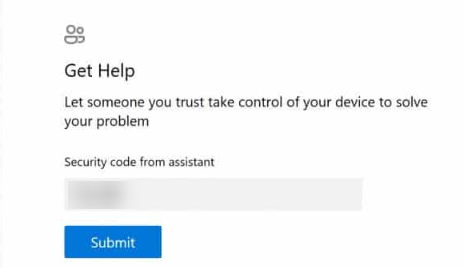
Users who cannot launch the tool or authenticate properly can review the Get Help Not Working on Windows 11 guide for additional insight into related issues.
How to provide help with Remote Help
Support agents connect to the user’s session and guide them through the fix.
- Launch the Remote Help app.
- Sign in with your support or admin account.
- Select Give help.
- Enter the user’s session code.
- Choose View screen or Take full control.
- Help the user complete the necessary steps.
- End the session when finished.
What Remote Help in Microsoft Intune does
Remote Help gives IT staff controlled access to a user’s Windows screen with compliance checks and permission prompts.
Users who rely on the built in Get Help tool can read the Get Help App guide to learn more about basic troubleshooting features.
Why Remote Help in Intune improves support
Remote Help gives IT teams strong oversight through RBAC, compliance requirements, and full session auditing. It shortens troubleshooting time and strengthens security across managed environments.
FAQs
You need Intune licensing and Remote Help add on licensing for assigned users.
That depends on the settings your admin configures.
Only one helper can join a session at a time.
Yes, codes expire after a short period to keep sessions secure.
Remote Help in Microsoft Intune gives organizations a reliable, secure, and structured support solution. After you enable it and deploy the app, users and support staff connect through simple, time limited codes that keep every session safe.

Read our disclosure page to find out how can you help Windows Report sustain the editorial team. Read more



Improve this guide


User forum
0 messages