
How to Refund Xbox Purchases in 5 Easy Steps


 3 min. read
  Published on

If you bought something by mistake or changed your mind, you can request a refund. This guide explains how to refund Xbox purchases step by step.
Table of contents
How to Request a Refund on Xbox?
1. Check Your Eligibility
Here is what typically qualifies for a refund:
- The game was purchased within 14 days.
- You played it less than 2 hours.
- The item is faulty or did not deliver as advertised.
You may also need to check your Microsoft account details. If necessary, here is a full guide on how to change your Xbox email.
2. Sign in to Your Microsoft Account
Use these steps to access your account:
- Go to the Microsoft account services page.
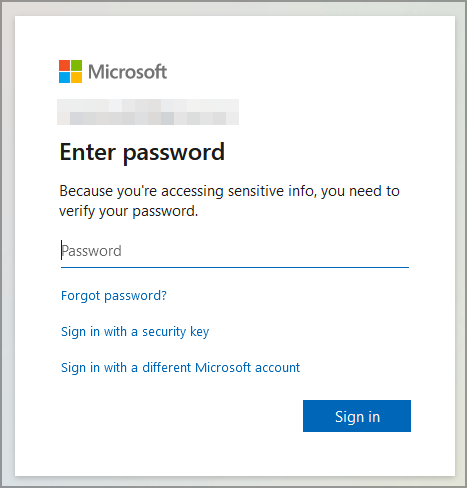
- Log in with the account used to make the Xbox purchase.
- Make sure you are in the correct region and profile.
If you recently redeemed a game or code by mistake, you can also see how to redeem Xbox codes correctly before applying for a refund.
Region mismatches can cause refund issues, so confirm your account country or follow this guide on how to change region on Xbox before submitting the request.
3. Open Your Order History
Follow these steps to view your purchases:
- Select Payment & billing.
- Choose Order history.

- Find the Xbox purchase you want to refund.
4. Request the Refund
Complete these steps to submit your request:
- Click Request a refund if available.

- Fill in the reason for the request.
- Submit the form.
5. Wait for Confirmation
Expect the following timeline:
- Microsoft reviews requests within 72 hours.
- If approved, the refund will return to your original payment method within 3–5 business days.
Once your refund is processed, learn how to add friends on Xbox so you can enjoy gaming together again.
After completing your refund, you can set your console for sharing and offline play by following this guide on how to set home Xbox.
Refund via Xbox Support
If you do not see the refund option:
- Visit the Xbox support page.
- Select Contact us.
- Choose Billing & subscriptions then Refunds.
- Chat with an agent or request a callback.
Why Refunds May Be Denied
- Too much gameplay time on the purchase.
- Request made after 14 days.
- Multiple refund requests for similar items.
- Consumables like in-game currency or gift cards are usually non-refundable.
FAQs
Refunds usually process within 3–5 business days after approval.
Yes, but only if it meets Microsoft’s refund policy, such as less than 2 hours of playtime.
No. Gift cards and in-game consumables cannot be refunded once redeemed.
No. Once submitted, you must wait for Microsoft to process it.
Conclusion
Getting a refund for Xbox purchases is simple if you meet Microsoft’s requirements. Always check eligibility first, follow the steps to request a refund, and be prepared to wait a few days for processing.
If you plan to keep playing on your console, you might also find it helpful to learn how to play Xbox games from an external hard drive.

Read our disclosure page to find out how can you help Windows Report sustain the editorial team. Read more



Improve this guide




User forum
0 messages