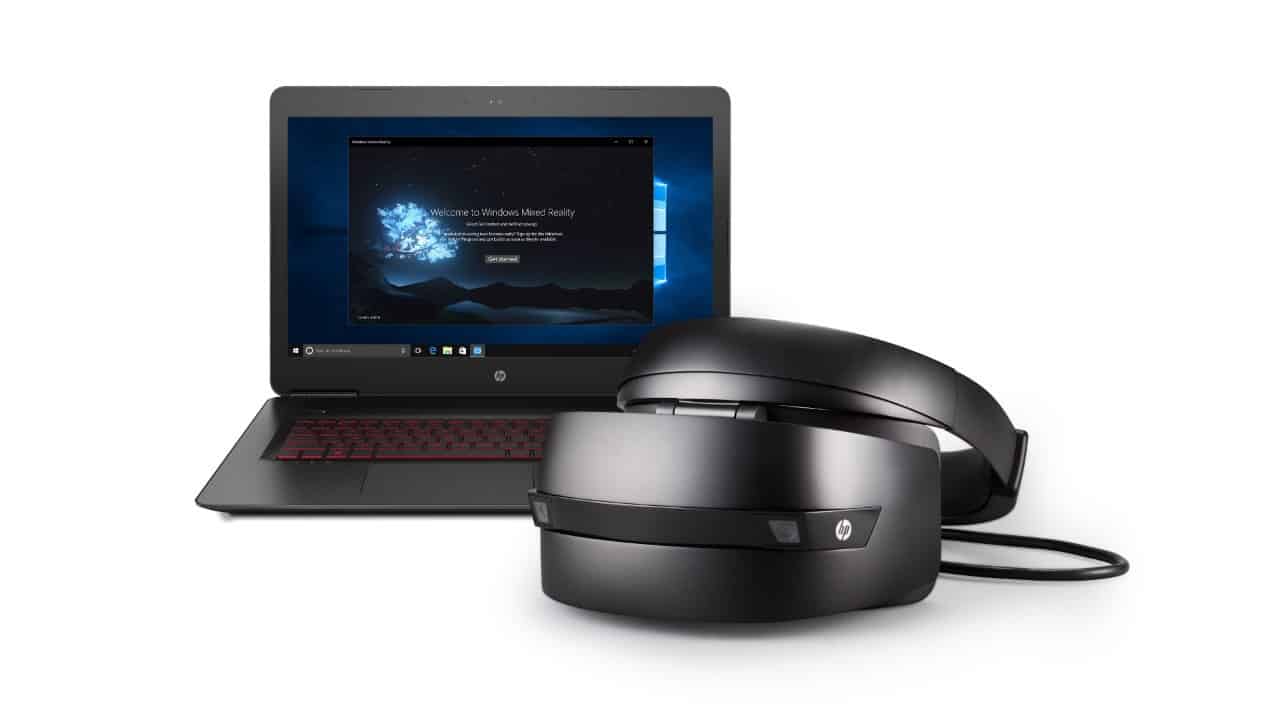
The Windows 10 Fall Creators Update will be released on October 17, along with first Windows Mixed Reality headsets from partners

Terry Myerson, Microsoft’s EVP of Windows and Devices Group announced today at IFA 2017 that the Windows 10 Fall Creators Update will be released worldwide on October 17. The upcoming release will be the fourth major update to Windows 10, and it will still be focused on creating “a platform that inspires your creativity,” explained Myerson.

The Fall Creators Update will introduce many new features such as OneDrive Files On-Demand and Story Remix, but users can also expect many improvements for Windows Inking, Gaming, Security and Accessibility. Additionally, the major release will open the gates for the Windows Mixed Reality platform, with the first head-mounted displays from partners to be released on October 17, alongside the Fall Creators Update.

“Our mission at Microsoft is to empower every person and every organization on the planet to achieve more, one of the ways we’re supporting that mission is by taking this next step in our Windows journey and empowering the creator in all of us with the Windows 10 Fall Creators Update,” explained Myerson. Microsoft’s IFA 2017 keynote is still ongoing, so keep it locked to OnMSFT if you want to learn more about the company’s other announcements.

Watch Microsoft’s IFA 2017 Keynote right here

Microsoft is holding their IFA 2017 keynote this morning and you can watch it live right here! The keynote is taking place in Berlin, Germany at 5:05 am PDT (8 am EDT) and Microsoft is expected to discuss how they are bringing new Windows devices and experiences to excite and delight customers.

Scheduled speakers for the keynote include Executive Vice President of Windows and Devices Group Engineering, Terry Myerson, Vice President, Partner Devices and Solutions, Peter Han, and Corporate Vice President Consumer Device Sales, Nick Parker.

If you happen to miss the live keynote, Microsoft will be posting it online at a later point to watch on-demand. We will be keeping an eye on the keynote and will update you with the biggest news throughout the day. So, be sure to keep it locked into OnMSFT all day long for all your Windows news and information!

Forza Motorsports 5 and Hydro Thunder Hurricane are now free for Xbox Live Gold subscribers

Xbox Live Gold subscribers can now grab the first round of September Games with Gold titles, which are Forza Motorsports 5: Racing Game of the Year Edition and the Xbox 360 title Hydro Thunder Hurricane. The first game was a launch title for the Xbox back in November 2013, while the second one (also backward compatible on the Xbox One) is a boat racing video game from the developers of the popular Riptide GP series. You can find official descriptions, video trailers and download links for both games below.

Forza Motorsport 5: Racing Game of the Year Edition ($39.99 ERP)

The Forza Motorsport 5 Racing Game of the Year Edition includes the Top Gear Car Pack, including ten additional cars for you to collect, race, and customize, featuring the 2013 Holden #10 Holden Xbox Racing Team Commodore VF, 1966 Chaparral #66 Chaparral Cars 2E and the 2013 Audi RS4 Avant. Forza Motorsport 5 is your ultimate car fantasy, only possible on Xbox One. Featuring an entirely new graphics engine, 16-player multiplayer, cloud-powered gameplay, and hundreds of perfectly recreated cars, Forza Motorsport 5 is where dreams are driven.

Hydro Thunder Hurricane ($14.99 ERP)

This all-new sequel to the legendary arcade hit features amazing dynamic water physics, transformable rocket-powered boats, gorgeous visuals and over-the-top interactive environments. Single player games include Race and Championship, and two brand new modes: Ring Master and the explosive Gauntlet. Combine local 4-player split-screen and online multiplayer games with 8 players over Xbox LIVE.

These first Games with Gold titles for the month of September are pretty great if you’re a racing fan, and it’s a good time to play Forza Motorsports 5 ahead of the release of the seventh episode on October 3. Happy downloading!

5 best drone simulators for PC

UAVs, otherwise drones, could be the future of aviation. Drones are remotely operated aerial devices with attached cameras. They are already increasingly prevalent in air forces, and there are also plenty of drones retailing on Amazon. For example, this Amazon page includes a quadcopter drone with HD FPV (First Person View) camera; and the drones can have built-in, tablet/mobile or head mounted displays.

You can have lots of fun with quadcopters and selfie drones, but it might be better to check out drone simulator software before embarking on a maiden flight. There are a few simulators in which you can fly various types of drones across vast 3D landscapes. The publishers design the software so that you can get a feel for drone flying without going airborne with your actual quadcopter. Some drone (or quad) software even come with controllers that are much the same as the real flight transmitters. These are five of the best qaudcopter simulators for Windows.

Drone simulator for PC

RealFlight Drone Simulator

RealFlight is probably the most detailed and realistic quad simulator for Windows. An Interlink Elite Controller comes bundled with it to enhance the realism. The RealFlight simulator is retailing at $129, and it’s compatible with Windows platforms from Vista to 10. The software’s system requirements are surprisingly light as it only requires 512 MB RAM, but it also needs three GB hard disk space. There’s also a $179 RealFlight X version that has a Unigine engine and enhanced graphics.

In this simulator, you can explore FPV camera control, capture photographs of vivid landscapes and fly in a variety of conditions. It includes numerous radio-controlled aircraft and quadcopters to fly, such as the Hexacopter, Quad X, H4 Quad 520, Tricopter and 8X Quad. The simulator also has millions of acres of landscapes and drone race courses to fly across. Check out this YouTube video that showcases RealFlight’s detailed landscapes and smooth 3D graphics.


Drone Racing League: High Voltage

DRL: High Voltage is official software of the Drone Racing League, which is a company that organizes international drone race events. What sets this simulator apart from some of the others is that includes real race courses from DRL events. Note that this is still beta software, so it’s not an entirely finished package. However, it’s still a polished freeware simulator that you can add to 64-bit Windows 8 and 10 from this Steam page.

DRL: High Voltage is all about drone racing, so you can expect plenty of high-speed thrills and spills from this one. It’s not as realistic as some of the alternatives, but it provides greater entertainment. The software packs in real outdoor and indoor race courses, drone pilots and racing league seasons. The publisher is promising a real-time multiplayer mode for High Voltage. You can also play HV with a Taranis X9D FPV simulator controller along with Xbox 360 and PlayStation 4 gamepads.


Hotprops

Hotprops is another drone simulator that’s still in beta. This quadcopter racing simulator pays closer attention to realistic flight physics than High Voltage and other alternative software. Hotprops is currently freeware that you can add to Windows 7/8/10 and Mac OS X platforms from this website page. The software requires a hefty four GB hard drive space, two GB RAM and 2.4 Ghz processor.

The developers have designed Hotprops to be a realistic drone-racing simulator. As such, the software has more advanced flight physics and includes adjustable drone parameters. Players can adjust the battery cells, number of propellers, motors and other parts of the drones so that they match their real quadcopters. Furthermore, Hotprops already includes freestyle and race modes for online multiplayer racing.


Liftoff

Liftoff is another new drone simulator on the block that’s an Early Access game. However, the game is retailing on Steam at £14.99 (about $20). This simulator is similar to Hotprops as it’s largely based on FPV quadcopter racing and has realistic drone physics. Liftoff is also mutliplatform software that’s compatible with Windows, Mac OS X and Linux; but you’ll also need a remote or controller for it.

As Liftoff is not a finished package, some drone fans might overlook it until the publisher launches the final version. However, the Early Access software has had rave reviews on Steam; and the final simulator will be better still. The game has nine standard levels that include first-person view quad race courses in a mixture of urban and countryside settings. Players can also design their own courses with the Track Builder. Another great thing about Liftoff is that you can customize the quadcopters by adding new props, receivers, motors, batteries, etc. The game also has silky smooth, detailed 3D landscapes, great lighting effects and looks fairly realistic!


FPV Freerider

FPV Freerider has captivated drone fans. The simulator has plenty of customization settings, realistic flight controls and supports a good range of controllers. FPV Freerider is retailing at $4.99, which is a good value, and there’s also a demo version that you can try first. You can add the software to Windows, Mac OS X and Linux platforms. There’s also a Freerider app for the Android OS.

Freerider has six maps that include desert, meadow and forest landscapes and diverse track layouts. Players can fly the drones across loop courses and full figure-eight tracks in first-person view or line of sight modes. They can also select between acro or self-leveling flight modes for the drones. The simulator has a plethora of customization settings for the rotation rates, camera and physics. It also supports a good range of controls keyboard, touchscreen and USB controllers. FrSky Taranis, Realflight, Futaba, PS3 and Xbox are just a few of the Freerider’s supported controllers.

Freerider, Liftoff, Hotprops, High Voltage and RealFlight are enthralling simulators for drone fans. With those simulators you can experiment with all the dynamics of drone flying, and the games’ race courses recreate all the thrills of quad racing.

RELATED STORIES YOU NEED TO CHECK OUT:

Select Windows Insiders can now download and test Office 365 from the Windows Store

Microsoft is sending out emails to select Windows Insiders with Office 365 accounts to let them know they are eligible to download and preview the Windows Store version of Office 365. This expansion of testing comes after the company originally bridged the Office 365 apps to the store more than a few months ago, then opened it up only for those who have purchased new Windows 10 S devices like the new Surface Laptop.

We received this email around 6:00 PM ET today, and it details that testing is currently on a small invite only preview program basis. The email also reveals that this preview version of the Windows Store Office 365 apps can be installed on Windows 10 version 1703, OS Build 15063.153+ (Home, Pro, Enterprise, Education) or machines with Windows Insider Preview build 16170 or higher.

More importantly, the email reveals that the preview indeed works with Windows 10 S, which is only able to download apps from the Windows Store. Other pre-requisites for downloading include having an active Office 365 Personal or Office 365 Home subscription as of July 1, 2017, and removing any existing Office Installations.

Microsoft highlights the following benefits of previewing Office 365 from the Windows Store:

  • The full version of Office. Office 365 through the Store provides you with the full version of Office 365 products, including regular updates.
  • A cleaner uninstall. If you ever need to uninstall Office from the Store, all Office files and settings are fully cleaned up.
  • Smooth update process. Updates install in the background whenever Office isn’t running.
C(1)
Downloading Office 365 Home from the Windows Store

The email provides advice on how to become an Office Insider and the details on how to set up the Preview on a PC. Of course, the email also includes steps to remove pre-existing versions of Office, and the direct download (and verification) links to the Office 365 Personal or Office 365 Home apps in the Windows Store.

We tested the Preview of Office 365 personal on a Windows 10 S machine and successfully installed Word, Excel, PowerPoint, Outlook, Publisher, and Access 2016. Each of the apps was 1.2GB in size, so be sure to free up at least 10-13GB in space if you’re planning to install. As one expects, the experience is very similar to the standard Win32 desktop Office 2016 apps.

Given how things have gone in the past, one can assume that once Microsoft may be thinking about a more wider release of these Windows Store versions of Office 365 sometime in the future. Let us know if you have access to the Windows Store version of the Office 365 apps by dropping us a comment below!

Windows 10 update KB4033637 issues: Constant freezes, reboots, and more

Although released a few weeks ago as a minor update for Windows 10 version 1607, KB4033637 tends to become one of the most controversial Windows updates this week.

First, Microsoft just pushed it to users, without releasing any info on the update. And then, users have started noticing various issues caused by KB4033637. Which is quite shocking, because users not only know nothing about the update, it also causes problems.

In the meantime, Microsoft finally released info on the update. But, the issues remain. So, if you’re wondering what bugs Windows 10 users upon installing update KB4033637, keep reading this article.

Windows 10 update KB4033637 reported problems

Update causes Windows to freeze

The first problem we found on the forums is the freezing issue. Namely, one user says that his computer constantly freezes upon installing the troublesome update:

“Ever since KB4033637 was pushed, my computer will freeze permanently until I force the power off.  It happens within minutes of starting the computer.  When I use system restore to go back before the update is installed, everything works normally until it is force installed again.  This has happened about six times now.  I need to block this update or for Microsoft to fix the issue in the update.  There does not seem to be any information about the update either.”

Unfortunately, nobody from the forums had a proper solution for this fix. So, if you’re experiencing this problem as well, perhaps the only thing you can do is wait for another update. Sounds horrible, we know.

Constant reboots

Another serious problem that one user reported is the issue with constant reboots. After installing the update, this user’s computer just won’t stop randomly rebooting, leaving him frustrated. Here’s what he says:

“Yesterday evening my PC installed a mandatory update named “KB4033637″, and since then my Windows 10 client keeps rebooting! I’ve tried everything I could find, but nothing I’ve tried seems to work! This is the third time this has happened, and although it usually went away eventually, and I’m absolutely sick and tired of being unable to do anything because of things like this!!”

USB ports not working

And finally, this update also seems to cause various issues with USB ports and peripheral devices. Here’s what bothers one user who recently installed the update:

“Exact thing happened on 2 new laptops. On a new dell all my usb ports stopped working after update KB4033637. They work in BIOS so I know its a software issue. After many late hours with tech support it was not fixed. I bought another new HP laptop and the same exact thing happened. Exactly same messages in device manager. There has to be something with this update. I have another useless laptop. HELP”

However, the same user managed to find a solution for this issue. And you won’t like it. Namely, your safest bet when dealing with USB port problems is to reset your system. So, the only thing we can say is good luck!

That’s about it. If we analyze the situation better, maybe it’s a wise decision to skip installing this update after all. It brings no major changes to the system anyway.

RELATED STORIES YOU NEED TO CHECK OUT:

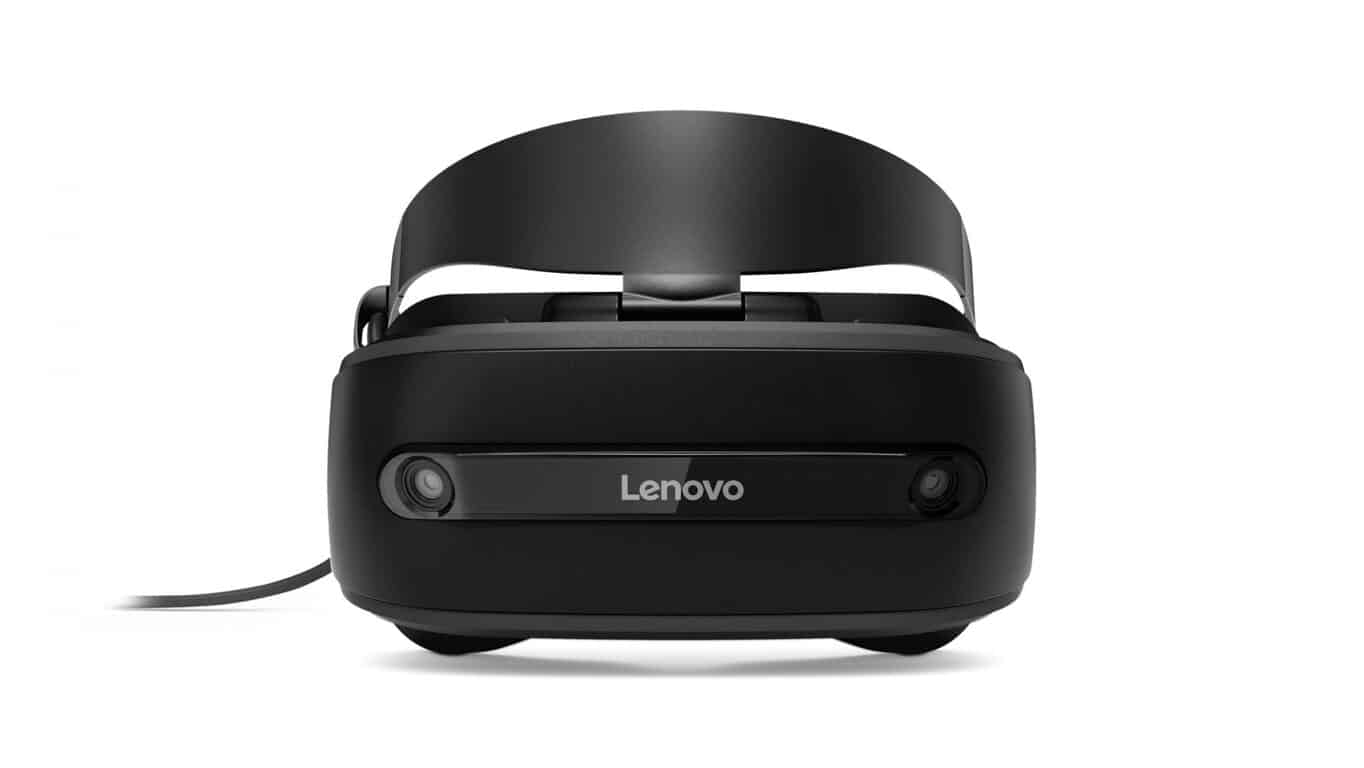
IFA 2017: Lenovo joins the Windows Mixed Reality party with Lenovo Explorer

At IFA 2017 today, Lenovo launched several new products. Just as with other announcements from IFA this week, the most noteworthy of the new Lenovo products is the company’s new Windows Mixed Reality headset. The new headset joins the likeness of the Dell Visor and HP’s Windows Mixed Reality headset in helping bring affordable Windows Mixed Reality hardware to the masses.

You can expect to see the Lenovo Explorer Windows Mixed Reality Headset in the market in October of 2017. The headset is priced at $349.99, or $449.99 with a Touch Controller, and will replace your computer screen by letting you access your favorite programs in a virtual environment. When used with a Lenovo PC, you can also access an additional 100 VR upscaled games through the Lenovo entertainment hub, or explore 360-degree content in mixed reality.

Here are the specs for the Lenovo Explorer:

  • Weight and Dimensions: 185mm x 94.8mm x 102mm / 380g
  • Display: 2x 1440×1440
  • Camera: 2x 6DOF Tracking Camera
  • I/O: HMDI 2.0 | USB 2.0
  • Controller: Motion Controller, 6DOF Controller, Keyboard and Mouse
  • Min PC Specs: Intel Core i5 Processor, Intel HD Graphics, running Windows 10 Fall Creators Update.

Best of all, with the Lenovo Explorer, all your existing apps will work with the headset, meaning you can reply to emails on a virtual beach, play video games in a garden, or work on presentations in the middle of Times Square. There is no need for external sensors or cameras, and the Lenovo Explorer is light weight and easy to set up. It will also work with any new 7th Gen Intel Core i5 PC without the need for an expensive graphics card. Here are the minimum PC specs for the new device:

Windows Mixed Reality Performance Mode (90 Hz:)

  • Intel Core i5 or Intel Core i3 CPU
  • Discrete NVIDIA GTZ 965M or AMD RX 460M Graphics
  • HDMI 2.0 or Displayport 1.2 Connectivity
  • 8GB of reccomenaded RAM
  • 10GB of free space on HDD
  • USB 3.0 Type A, or USB 3.1 Type C with Displayport for USB
  • Bluetooth 4.0 for accessories

Windows Mixed Reaity Mainstream Mode (60 Hz:)

  • Intel Core i5 or Intel Core i3 CPU
  • Intergrated Intel HD 630 Graphics
  • HDMI 1.4 or Displayport 1.2 for connectivity
  • 8GB of reccomenaded RAM
  • 10GB of free space on HDD
  • USB 3.0 Type A, or USB 3.1 Type C with Displayport for USB
  • Bluetooth 4.0 for accessories

This Lenovo Headset is part of wider push by Microsoft to “democratize virtual reality” this holiday season. Microsoft has hinted that there will be more Windows Mixed Reality updates to come, including 343 Industries bringing exclusive Halo content to the Windows Mixed Reality platform and Steam VR running on Windows Mixed Reality.

IFA 2017: Lenovo announces new Yoga, Miix Windows 2-in-1s, more

At IFA 2017 today, along with its Lenovo Explorer Windows Mixed Reality VR headset, Lenovo announced new Yoga and Miix Windows 10 two in one devices. The devices are set to be released this October, and pack upgrades such as Intel’s latest processors, improved battery life, and more. We’ve divided up the announcements into three sections, and here is what you need to know.

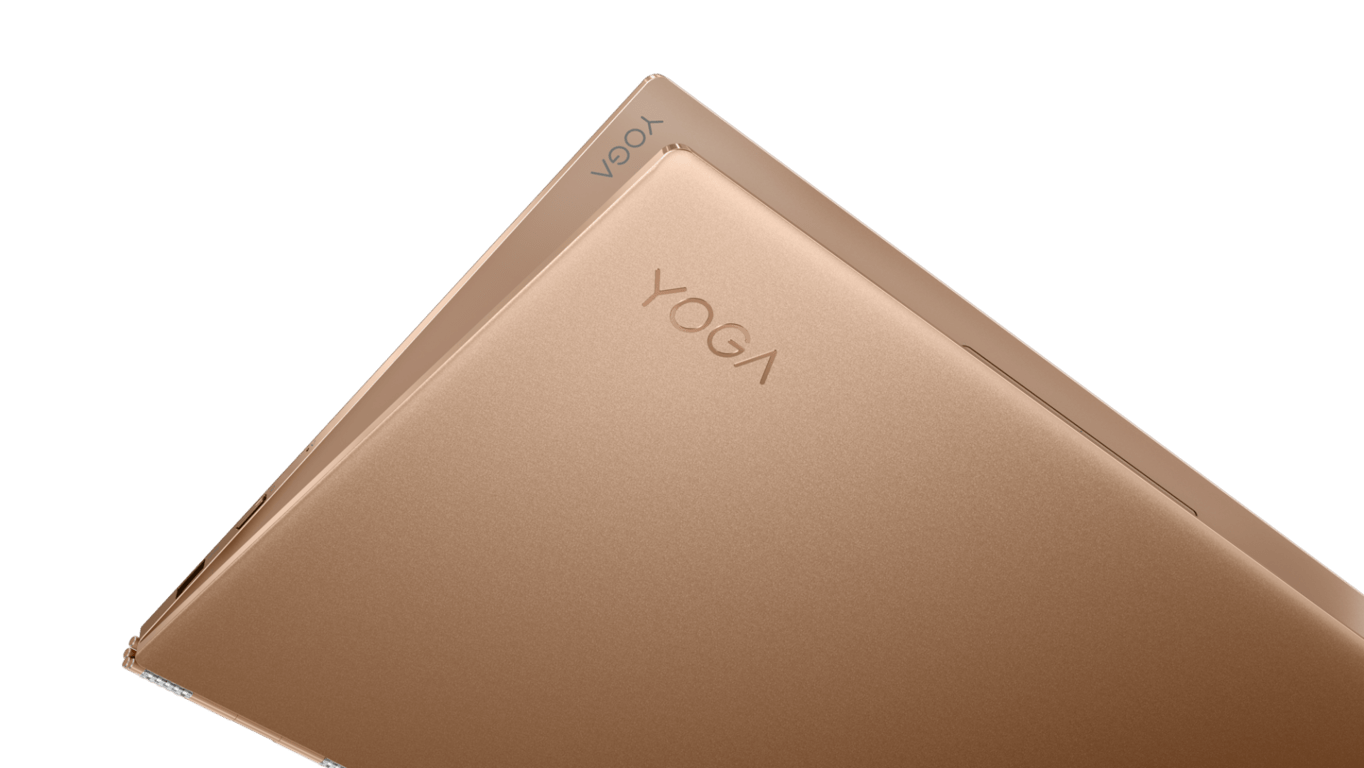
Lenovo Yoga 920: Available October 13 starting at $1,329.99

The Yoga 920 is Lenovo’s Flagship 2-in-1. It comes in warm, sophisticated Silver or Bronze colors, features a near edgeless display, an all-metal unibody design with a stylish 360-degree watchband hinge. Other features include an Instant fingerprint login with Windows Hello, and Constant Connect Mode, Here is what you need to know.

  • 8th generation Intel Core i7 Processor
  • 13.9″ UHD (3840 x 2160) IPS Touchscreen OR FHD (1920 x 1080) IPS Touchscreen
  • Intel Integrated Graphics
  • 8gb DDR4 RAM or 16GB DDR4 RAM
  • 256 GB PCIe SSD / 512 GB PCIe SSD / 1 TB PCIe SSD
  • 720p HD Fixed-Focus CMOS Camera; Far Field microphones to enable voice-support from up to 4 meters away, even in sleep mode
  • JBL speakers with Dolby Atmos (with headphones)
  • 70 Wh battery: 10.8 hours UHD, 15.5 hours FHD battery life
  • Option to bundle with Active Pen 2
  • 2 x USB Type-C™ (2 x Thunderbolt™, PD,
  • DisplayPort™, USB 3.0 full function)
  • 1 x USB 3.0 (Always-On Charging)
  • Audio Jack
  • Backlit keyboard
Lenovo Yoga 920

Lenovo Yoga 720: Available in October starting at $649.99

The Lenovo Yoga 720 is the company’s most portable and compact Yoga device yet. Coming in Platinum Silver, Iron Grey, and Black, It’s very portable and versatile, and features long battery life, FHD clarity, Crisp sounds, and more. Here’s more on the Yoga 720.

  • 7th Gen Intel Core i3, i5, i7 Processors
  • 12.5″ FHD (1920 x 1080)
  • Windows 10 Home
  • Intel integrated Graphics
  • 4GB DDR4 or 8GB DDR4 RAM
  • 128 GB SATA SSD/ 256 GB SATA SSD/ 512 GB SATA SSD
  • 720p HD Fixed-Focus CMOS Camera with Array Digital Microphones
  • Harman® Speakers with Dolby Audio™
  • 36Wh Battery with Up to 8 Hours battery life
  • Option to include Pen
  • 1 x USB 3.0 (Always-On Charging)
  • 1 x USB Type-C™ (DisplayPort™ + USB 3.0)
  • Audio Jack
  • Backlit keyboard
Lenovo 720

Lenovo Miix 520 Available in October starting at $999.99

The Miix 520 is Lenovo’s latest detachable Windows 10 device. it features Intel 8th Gen Quad Core processors, and far-field microphones for Cortana. Other than including the keyboard and pen as standard, the Miix 520 also includes the WorldView camera for 3D imaging. Other specs can be seen below.

  • 8th Generation Intel Quad Coe i5 Processor
  • 12.2”, FHD (1920×1200) IPS touchscreen
  • Windows 10 Home
  • 8GB RAM
  • 256 GB PCIe SSD
  • 8MP auto focus worldview cam; 2 front mic, 2 side mic
  • Dolby Audio
  • 39Wh battery with 7.5 hours battery life
  • 1 x USB-C,
  • 1 x USB 3.0, audio combo jack;
  • SD Card reader (WiFi SKU)
  • SIM card slot (LTE SKU)
  • Active Pen 2 included
  • Backlit keyboard
Lenovo Miix 520

Along with these Windows devices, Lenovo also announced the  Lenovo Home Assistant Pack, which is an Alexa powered speaker accessory for the Lenovo Tab 4 Series tablets. Let us know if you will be picking up any of these devices by dropping us a comment below.

Rich profiles in Outlook, Excel co-authoring head lineup of Office 365 improvements for August

As August is coming to a close, the Office team has penned a new blog post to recap all the new features that Office 365 subscribers can now use. One of the most important addition is co-authoring in Excel, which is now available for all subscribers using the Windows version of the app. The new feature lets you see at a glance where others are editing in the same workbook.

An animated image showing Excel co-authoring and AutoSave in action.

In addition to co-authoring in Excel, AutoSave in Word, Excel, and PowerPoint is now available on Windows for all Office 365 subscribers. If you previously lost your work after forgetting to save or encountering a crash, you’ll probably welcome this new feature.

Microsoft Teams also picked up new features for Office 365 for Education customers this month, including OneNote Class Notebook support, enhanced assignments, improved IT control and more. We invite you to read our previous post to learn more.

An animated image showing the use of OneNote class notebooks in teams. The user can be seen browsing the different sections and pages.

Next, the Office team is rolling out today a rich profile experience in Outlook for Windows. “By tapping into the Microsoft Graph, the new profile puts the most important information at your fingertips, including relevant files, conversations, and group membership,”  explains Kirk Koenigsbauer, corporate vice president for the Office team.

The rich profile experience in Outlook for Windows.

Lastly, Yammer, Microsoft’s enterprise social networking service has a brand new iPad app with an updated design, universal search and more. In addition, a new Yammer activity report is now available in the Office 365 Admin Center. “This new view highlights the number of existing communities and the activity happening within each, helping to identify best practices and drive adoption across your organization,” explained Koenigsbauer.

The new Yammer app for iPad and activity report.

If you’re interested in trying the latest features before they roll out to everyone else, you can do so by joining the Office Insider program and get preview versions of the Office apps on Windows Desktop, macOS, Android and iOS. Otherwise, all Office 365 subscribers can expect monthly updates with new features, bug fixes and improvements.

Final Fantasy 15 Assassin’s Creed DLC is now available for download

The Assassin’s Festival add-on is now available in Final Fantasy XV.  Players who were able to get the Dream Egg from the Moogle Chocobo Carnival event received an outfit for Noctis to get them in the mood for the festival.

Final Fantasy 15 players can run dressed in Assassins

Square Enix recently  released the free DLC for Final Fantasy 15, bringing an event called the Assassin’s Festival to Lestallum. The town is decked in banners, and more similar items t mark this incredible occasion. All kinds of Assassin-themed minigames and game mechanics are now available in Final Fantasy 15.

The festival brings another Assassin-themes outfit to the game and more opportunities for Noctis to explore the environment like an Assassin and use various Assassin abilities.

The origins of the collab between Assassin’s Creed and Final Fantasy

Ubisoft has previously stated in a blog post that the collaboration between the two games originated three years ago. It happened during an informal meeting at the Tokyo Game Show as a sign of expressing admiration for each other’s work.

Players who paid enough attention while checking out the trailer from last November for Final Fantasy 15 and the announcement and Gamescom trailers for Assassin’s Creed Origins, might have caught some Easter Eggs which hinted at this whole mash-up.

Both teams respect each other greatly, and they’re thrilled about this opportunity to pay homage to each other’s work.

This is only the latest crossover involving Final Fantasy 15 and more products because there were also previous brands involved which included Cup Noodles and Forza Horizon 3.

Remember that the Assassin’s Festival only runs for a limited amount of time, and it will end next year on January 31. Get the most of it while it’s running!

RELATED STORIES TO CHECK OUT:

Forza Motorsport 6 going free-to-play Labor Day weekend for Xbox Live Gold members

As one Redditor laments, Forza Motorsport 6 is free to play this Labor Day weekend for Xbox Live Gold members. Forza Motorsport 6 was the premier racing gaming experience on the Xbox One. Forza Motorsport 7 will debut on the Xbox One X as the newest heir to the Forza throne. Here’s a video look at Forza Motorsport 7 played on Xbox One S and Xbox One X in full 4K game footage.

Download Forza Motorsport 6 on Xbox One
Pre-order Forza Motorsport 7 on Xbox One and Windows 10.

The full car list for Forza Motorsport 7 is available here. Otherwise, Forza Motorsport 6 is free this weekend on Xbox Live. Have fun!

Scoop bot starts bringing you the news right into Skype

From Donald Trump’s freshest Tweetstorms or the latest national and international news, there are always plenty of hot topics to catch up with on any given day. Luckily, Microsoft has made it easier for you to stay in the know with today’s trending topics thanks to the Scoop bot on Skype.

The Scoop boot is powered by MSN and is a part of Microsoft’s commitment to adding innovative and helpful bots to Skype. It can easily be accessed today by finding it under the Bot directory, or it may just show up for you in Skype, as it did here. Once you find it under the bot directory, you can select it and press “Get Started” to begin.

Scoop will gather up the most relevant summaries and links to the top news articles. Be it politics, sports, or pop culture, you can enter in your favorite topic into the chat box, and Scoop will bring you the top articles from MSN for those topics.

Scoop

In the morning and afternoon, Scoop will even provide you with briefings on the day’s topics. And, for further customization, you can type the topic you’re interested in, and click “Subscribe.” Then, for extra fun, you can add Scoop to a group chat by typing out @Scoop, and then your topic of interest.

Have you ever used Skype Bots before? Do you think you will try our Scoop so you can stay in the know on the news? Let us know your thoughts below!

IFA 2017: Dell unveils new gaming rigs, laptops

At IFA 2017, Microsoft’s computer partners are pulling out all the stops with hardware after hardware announcements that include All-in-One desktops, refined 2-in-1 PCs and IoT devices all powered by Windows 10.

Joining the fray at IFA 2017 are Dell and Alienware with their 2017 offerings which include products that span across gaming and exploration ecosystems with their Inspiron 15 7000 gaming laptop, Inspiron Gaming Desktop, Alienware 34 Curved Gaming Monitors and rugged Latitude Extreme tablet.

The new Dell Inspiron 15 7000 Gaming Laptop brings a new cooling system that includes dual fans to help keep the system quiet during some intense gaming sessions. Other additions include an anti-glare IPS wide viewing angle FHD display with the option to upgrade to a 4K UHD version as well as Waves MaxxAuddio Pro software for sound clarity while gaming.

Other features include:

  • Built-in fingerprint reader enabling Windows Hello for safe, easy login.
  • New 2×2 WiFi antenna design provides great wireless performance while Dell’s SmartByte software prioritizes gaming and video content to keep games and videos smooth even during large file downloads
  • Thunderbolt 3 multi-use port connects multiple devices (including support for up to two 4K displays) to the laptop with transfers up to 40Gbps.

Dell is said to be pitching the new Inspiron at $999 for the FHD display and $1,499 for the 4K configuration on its website Dell.com starting September 12, 2017.

For the more avid gamer, Dell is also bringing the Inspiron Gaming Desktop to IFA 2017.

The new desktop offering now comes equipped with a new clear side panel bathed in a new Polar Blue LED lighting.

The system features the latest AMD multi-core Ryzen processor with SenseMI, Ready for VR configs with AMD or NVIDIA discrete graphics cards, support for dual graphics cards, Waves MaxxAudio Pro with Performance 7.1 Channel HD audio, high capacity hard drives with SSD and dual-drive options, plus up to five bays for storage upgrades.

This beast of a machine is slated for release sometime in September for the relatively decent price of $599 without clear panel, $649 for the clear panel option as well as VR config for $1,249.

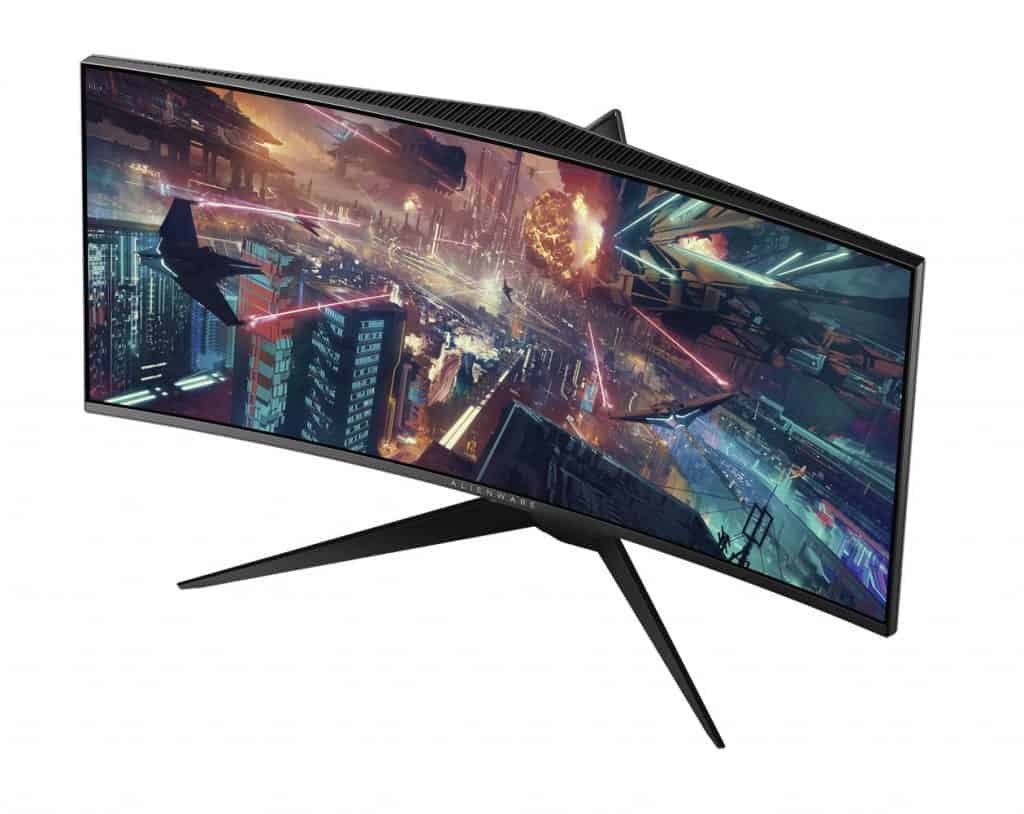
PCs aren’t the only devices getting gaming love from Dell. The Alienware 34 Curved Gaming monitor is also making its debut at IFA 2017.

The dual 34-inch curved panel is said to be built with performance gaming in mind with wider viewing areas and ultra thin bezels.

Both driven by NVIDIA G-SYNC, the Alienware 34 Curved Gaming Monitor (AW3418DW) supports WQHD (3440 x 1440) resolution with a 120Hz refresh rate, and the Alienware 34 Curved Gaming Monitor (AW3418HW) supports WFHD (2560 x 1080) resolution with a 160Hz refresh rate. Both monitors feature lightning-fast overclocked refresh rate, combined with 4ms response time, delivering ultra-smooth gameplay.

The Alienware 34 should be available now as Dell has it marked for August 30, 2017, release starting at $1,499 for the AW3418DW version. Later this fall a AW3418HW version will be available for $1,199.

Finally, Dell is offering it updated rugged Windows 10 tablet in the form of the Latitude 7212 Rugged Extreme tablet.

Perhaps, for those in construction, environmental engineering or deep sea exploration, the Latitude 7212 Rugged Extreme is offering “uncompromised performance, flexibility, and reliability” for the world’s most demanding environments and jobs.

Other features include:

  • 16GB of memory – double the amount of the previous generation
  • Your apps will scale smoothly for easy navigation with Tablet Mode in Windows 10
  • Up to 1TB of removable PCI-Express NVMe solid state storage for highly-mobile power users demanding best-in-class performance
  • Sophisticated 4th generation Dell Quad-Cool passive and active thermal management system
  • Freedom from wires with backwards compatible pogo docking for desk and vehicle, USB Type C connectivity with one wire docking, dedicated GPS communication and agnostic 4G LTE with double the mobile broadband performance**
  • A multi-touch glove capable 11.6” display with a brilliant FHD panel and etched Gorilla Glass cover and Type-C USB 3.0 I/O for docking capability
  • Lighter than the previous generation, weighing less than 3 lbs.

The Latitude 7212 is available globally. Visit Dell.com/Rugged to go over all the specs and features of this extreme tablet.

Obviously, there will be more coming from Dell throughout the IFA week, but these were just some of the highlights we thought gamers and explorers might be interested in. Check back here often to catch up on all IFA 2017 news!

Latest Xbox One update causing some consoles to factory reset

According to multiple threads on Reddit, Xbox One consoles are being factory reset, apparently due to the latest Xbox One update. This Xbox One update bug does not appear to affect anyone receiving updates in the Xbox Insider Program, just regular updates to Xbox One. Usually, you’d think it’d be the other way around.

More Reddit posts are popping up complaining about the factory reset problem, even after recently playing games on their Xbox One. Another Redditor even got his 12-month Xbox Live Gold subscription cancelled too (Although he bought his Xbox Live subscription from a third-party seller). No word from anyone else on Reddit if their Xbox Live subscriptions purchased through Microsoft have been cancelled too.

Microsoft has yet to release an official statement on the issue or when an Xbox One update will come to fix the issue. On Twitter, there appears to be flurry of tweets to Xbox Support, but users are receiving generic replies while Microsoft figures out the precise problem.

Has anyone else experienced this factory reset bug after the latest update? Let us know in the comments.

Try the Xbox One X at the Taco Bell Arcade in Seattle tomorrow

Starting tomorrow, Seattle will be the place to be to try Microsoft’s upcoming Xbox One X console. Not only will the 4K gaming beast be available to try at the Xbox booth at PAX West, but Xbox enthusiasts in Seattle will also be able to experience the new console at the Taco Bell Arcade.

Earlier this month, we learned that Microsoft teamed up with the chain of fast-food restaurants to give customers the chance to win a brand new Xbox One X. To participate, Xbox fans will have to buy the new Taco Bell Steak Quesarito $5 box, which will include a code to text in for a chance to win one of the consoles, while supplies last.

This exclusive promotion will last through October 4, but the Taco Bell Arcade in Seattle will only have the Xbox One X through Saturday, September 2. It remains to be seen if the fast-food chain will launch similar operations in other cities, but this definitely sounds like a pretty good way to attract customers ahead of the release of the much-anticipated console.

Xbox Insiders get 40 pins, 1080p streaming, Arabic language, & more in today’s update

The latest update for Xbox Insiders in the Alpha Preview Ring, which rolls out today, previews a variety of exciting new features that Xbox One owners can look forward to experiencing in the months ahead such as support for right-to-left languages like Arabic and Hebrew, the ability to pin 40 pins to the dashboard, two dynamic content slots on Home which will randomly generate links to relevant content, 1080p broadcasting capability for when streaming from Mixer, revamped Game Hubs, and more. Here’s the official release notes:

NEW FEATURES:

Languages: Right-to-left language support for Arabic and Hebrew, which means you can now change your console language to select right-to-left languages in the Xbox settings menu. Arabic and Hebrew language support will be enabled for Preview Alpha 8/31 @ 1:00 AM PDT. Note there is a known issue which affects the sign-in screen when signing in with a Microsoft account e-mail address (see KNOWN ISSUES below for details).

Pins: The Pin block on Home, as well as the pins flyout in the new Guide now support 40 pins.

Home: The two discovery slots next to the resume tile show more relevant content, have clearer descriptions, visual improvements and we’ve given you the ability to influence what is being presented via the upvote/downvote in the context menu.

It’s easier to see your custom background images on Home

Mixer: The Broadcast tab in the guide is redesigned and includes more info about your Mixer account including Level, Sparks, Total Views, Mixer channel pic, and more. Mixer broadcasters can now broadcast at up to 1080p. No need to change anything in settings, when you start the broadcast we automatically check your bandwidth to optimize quality.

Guide: Active parties and broadcasting sessions are now easier to manage than ever. Similar to background audio, active party and broadcast management now show up on the Guide landing page for quicker and easier access.

Tournaments are now easier to find via Guide under the Multiplayer tab.

Game Hub: Going to the Game Hub for your favorite games now takes you to the new Game Hub Welcome tab. The Welcome tab features a summary of all the great content around the game in one page. See what achievements you’re closest to, which friends are playing, popular community content and more.

General: Navigation is clearer with new visual updates that include showing you a peek at what’s below Home, making the focus rectangle more visible in the Guide, and more.

FIXES:

Home

Fixed an issue which caused Home customizations to disappear after a console reboot.

Fixed an issue which sometimes caused a console crash when adding or removing content blocks.

Numerous small fixes and performance improvements for Home and the dashboard.

Games & Apps

Fixed issues which sometimes prevented games and apps from launching.

Fixed an issue which sometimes prevented games and apps from transferring between hard drives.

KNOWN ISSUES:

Sign-in: When using Arabic or Hebrew language and signing in with a profile using the “Lock it down” security preference, the sign-in screen which requests Microsoft account e-mail address and password is distorted. This does not affect the profile if it is set to use the “Ask for my passkey” or “No barriers” security preferences.

Workaround: Set the console to use another language, sign-in, and set the profile’s security preference to “Ask for my passkey” or “No barriers”. Alternatively, you can still type in your password as normal using the virtual keyboard though the screen is distorted.

Netflix: When using Hebrew language, Netflix fails to launch.

Pins: Users in Preview Alpha who do not already have the Pins block added to Home, will need to add via the bottom of the Pins flyout in the Guide.

Movies & TV: Fast forward, rewind, and other media controls may not function.

4K UHD Playback: When playing 4K or UHD content, you may encounter periodic crashes or black screens. This occurs with multiple apps which support 4K and UHD content including Movies & TV and VUDU.

Minecraft Better Together Beta: Other games fail to launch after launching the Minecraft Beta.

Workaround: This occurs if the Minecraft Beta is the first game launched after powering on the console; launch another game before Minecraft to avoid this issue. If you are stuck in this state, hard reset your console.

Blu-Ray Player: 3D Blu-Ray content plays in 2D.

Game Hub: Game Hub isn’t accurately tracking Gamerscore and achievement unlocks for certain games.

Xbox Insiders are Xbox One console owners who have opted-in to trial advance versions of apps, games, and operating systems. Microsoft uses these users to test for bugs and gather feedback on features before rolling them out to the casual user. All of the features added in this update are expected to launch on all Xbox One consoles sometime before the end of the year. Are you excited for any of these changes? Let us know in the comments.

Watch Sean Ong review Microsoft’s Windows Mixed Reality controllers

What’s Virtual – or Mixed – Reality without a way to interact with it? There are some Mixed Reality Controllers coming out from Microsoft, and Sean Ong has uploaded a video showing off the new peripherals. It’s a thorough look at both the hardware itself and the way it interacts with Mixed Reality, and it should help potential buyers get a taste of what the product is about.

Like most other VR controllers out in the market right now, these controllers are a pair of handles with some gadgetry at the end to allow them to interface with whatever VR/MR thing you have going on. The controllers will be bundled with Acer’s Mixed Reality headset, making the whole kit-and-caboodle about $399. You can expect to see them this holiday season.

This Windows 10 IoT smartwatch is helping a hotel chain provide the best service

That’s right, a smartwatch.

Despite Microsoft abandoning its own wearable technology in the Microsoft Band, the company is still carving out a niche presence for its software to be used on other wearable IoT devices.

Perhaps in the most unlikely of industries, Microsoft’s Azure coupled and Windows 10 IoT Core is helping to power Steigenberger Airport Hotel’s mobile hospitality suite.

The combined efforts of Microsoft’s cloud and IoT solutions, as well as a proprietary software service called SAMFEX, employees at the Frankfurt Steigenberger Airport Hotel, are now able to stay up to date on hotel rooms and guest information in real time.

The wearable allows various functions to be reported to the right place without any communicative detours, and messages can be transmitted silently in real-time or verbally via voice messages. This means that housekeeping can create efficient, real-time, back-of-house operations.

The wearable was designed by portable storage company Trekstor but uses Microsoft’s cloud and Windows IoT to pull up-to-the-minute information about the guest’s experience to help employees provide the most guest accommodating needs.

With Fluent Design in tow, Microsoft’s UWP Toolkit graduates to version 2.0

Despite outward appearances, Microsoft’s Universal Windows Platform development marches on and is evolving its UWP Community Toolkit to version 2.0.

There have been seven releases since the UWP Community Toolkit was first introduced exactly one year ago and version 2.0 is the first major and largest update to date. The developer community has worked enthusiastically to build something that is used by thousands of developers every month. Today, there are over 100 contributors, and developers have downloaded the packages over 250,000 times. This would not be possible without the strength of the community – Thank You!

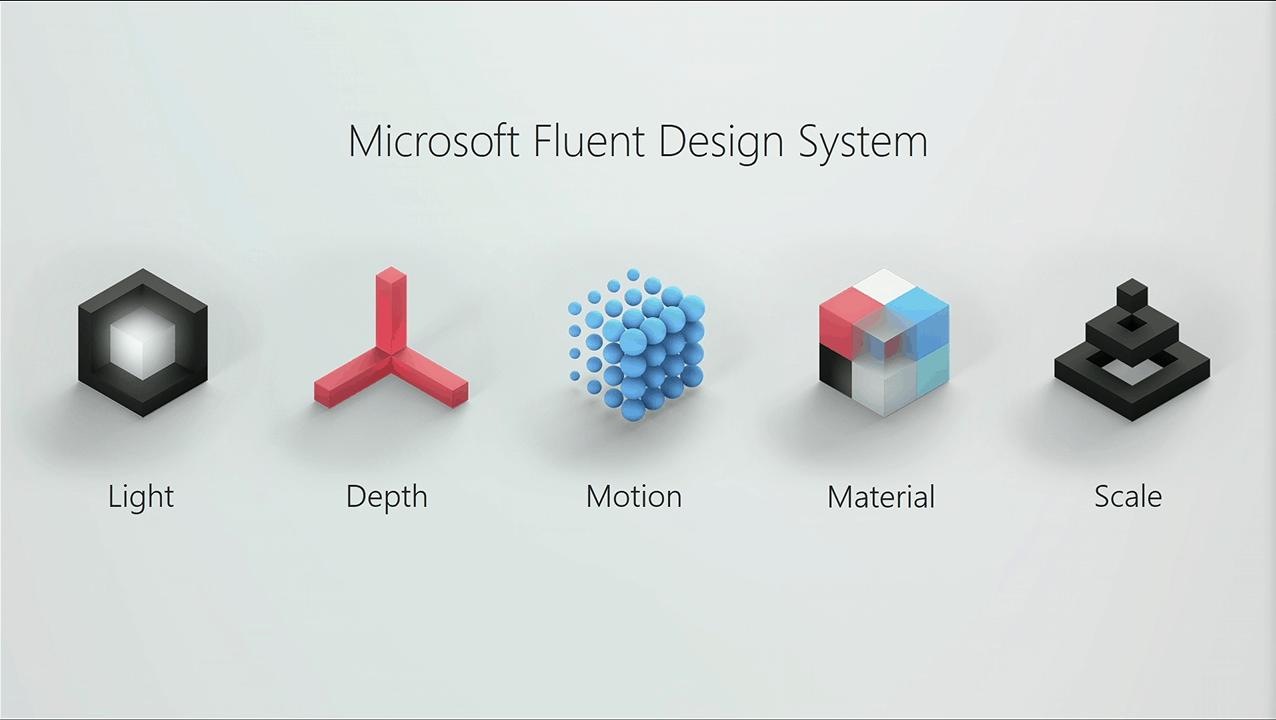
What these means for developers, is that UWP Community Toolkit brings some long awaited API’s for Microsoft’s Fluent Design System and UI. Developers using UWP Community Toolkit will now be able to play and familiarize themselves with the five elements that make up Fluent Design such as light, depth, material, motion, and scale to create beautifully functioning apps and services.

Others developer requested features include:

  • Added InAppNotification control – a control to show local notifications in app
  • Added TextToolbar control – text editing control that enables easy rich text and Markdown formatting
  • Updated Expander to support all orientations and added LayoutTranformControl from the WinRT XAML Toolkit
  • LayoutTranformControl from the WinRT XAML Toolkit
  • Updated Menu to support underline characters, orientation, and many other improvements

For those who favor function over form, the UWP Community Toolkit Sample now envelops XAML development directly into the sample app for near instantaneous feedback and testing.

Another new feature is the expansion of cross platform development that now includes two new packages to accommodate future API releases. Microsoft.Toolkit and Microsoft.Toolkit.Services will support more cross platform APIs as they are built with .NET standards and will support any platform with .NET Standard 1.4 and newer.

There are a handful of other tweaks that are coming with UWP Community Toolkit version 2.0 and to read the full release notes please visit the Windows Blogs here.

PAX West is in Seattle this weekend, and Xbox will be there in full force

PAX is coming up this weekend in Seattle, and Microsoft wants you to know that Xbox will be there in full force. From September 1st through September 4th, those in attendance at PAX can experience the Xbox One X, meet influential partners and streamers, hear from Xbox team members and more.

This year the Xbox Booth at PAX will be open from 10 AM to 6 PM in the North Hall, on the 4th floor. That is where attendees can experience Xbox One X, and try out hit upcoming titles such as Forza 7, Super Luck’s Tale, and more. Also in the booth is a Super Lucky’s Tale Claw Machine and plenty of other fun opportunities.

Also in the North Hall is the Mixer booth, where attendees can meet influentials partners and streamers, and see streaming pod stations equipped with the best PC and Xbox gear. The Mixer booth is where attendees will find the fan zone.

There are several panels which will be occurring at PAX, and here are the most notable. Some of the panels feature members of the Xbox team like Aaron Greenberg and Major Nelson.

  • The Evolution of the Gaming Industry: Fresh Voices in Gaming: Friday, September 1 12:00 p.m. – 1:00 p.m. Sandworm Theater (Sheraton, Level 2)
  • Helping Others Level Up: How Gaming Supports Healthcare: Friday, September 1 4:30 p.m. – 5:30 p.m. Sandworm Theater (Sheraton, Level 2)
  • Streaming 101: Starting Your Quest: Saturday, September 2 11:30 a.m. – 12:30 p.m. Hydra Theater (Grand Hyatt, Level 1)
  • Major Nelson Radio: Saturday, September 2 3:00 p.m. – 4:00 p.m Wyvern Theater (Westin, Level 4)
  • Git Gud Ally: Beyond 101: Saturday, September 2 3:30 p.m. – 4:30 p.m. Hippogriff Theater (Grand Hyatt, Level 1)

Those in attendance can also enter for a chance to win one of 10 Xbox Design Lab controllers by taking a photo of their favorite Xbox Design Lab controller in the Xbox booth and share via Twitter using #XboxPAX #Sweepstakes.

As another way to enter, attendees can also follow @Xbox on Twitter and retweet a tweet mentioning the sweepstakes. Those who are unable to attend PAX in person can still watch all the action happening at PAX West via mixer.com/mixer.

How to set up and use Surface Dial

When I got the Surface Pen, I tried out the Surface Dial at the Microsoft Store too. Although I didn’t think I would have much use for the Surface Dial, I bought it mostly out of curiosity. I figured that the worst case scenario was if I didn’t like or use the Surface Dial, I could return it or sell it.

Setting up the Surface Dial is as easy as setting up the Surface Pen. Once you pop off the bottom of the Surface Dial, you hold down the Bluetooth pairing button, add the new device, just as you would the Surface Pen, and voilà! The Surface Dial is paired and ready to go.

Unlike what you see in Microsoft commercials, you can’t just pick up and figure out how to use the Surface Dial in seconds. There is a bit of a learning curve. When you ask Microsoft Store employees for information on the Surface Dial and how to use it, they don’t really know seem to know everything that the Surface Dial can do. If you need a more step-by-step guide on how to set up the Surface Dial, Microsoft has this Surface Dial setup video available.

Depending on how you use shortcuts in Windows 10 apps, you can create your own custom tools in the Wheel menu. The Wheel settings menu lets you create custom tools for any app you want. Microsoft provides you more information on Surface Dial interactions here.

My girlfriend, Sarah, is an architect and has started using my new Surface Pro for some of her work projects. After she used the Surface Pen for some simple sketches, she was blown away by how fast and responsive the new Surface Pen is, and with the Surface Dial being geared for creators, I figured it might be worth her time to try out the Surface Dial too.

Based on Sarah’s experience, she finds that the Surface Dial compliments the Surface Pen nicely. She noted that using both the Surface Pen and Dial together takes some getting used to, but once you get comfortable using it, the Surface Dial will provide a new dimension on your creative work.

Her favorite app to use on the Surface Pro with the Surface Dial is Mental Canvas Player. She would really like to be able to create her own 3D drawings with Mental Canvas Authoring, but that app is not yet available for Windows 10. She fell in love with the Surface Studio at the Microsoft Store, but the price quickly diverted her attention towards the possible purchase of a different Surface product.

Using the Surface Dial on a smaller screen like the Surface Pro does not make much sense, as there isn’t much screen real estate to work with, but it should be noted that the Surface Dial works both on-screen and off-screen only on the 2017 Surface Pro and Surface Studio.

Microsoft, Surface, Surface Pro, Windows 10

While other Surface products, including Surface Pro 4, Surface Book, and Surface Laptop, will get an update to allow you to use the Surface Dial off-screen. At the moment, the only two Surface products that you can use the Surface Dial on-screen are the 2017 Surface Pro and the Surface Studio. Additionally, the 2017 Surface Pro’s “Studio Mode” functionality with the new 165-degree hinge makes using the Surface Dial a real pleasure.

I hope to see Microsoft add more standard functions to the Surface Dial. Right now, there are five universal functions available; Volume, Scroll, Zoom, Undo, and Brightness. You can also add your up to three custom tools to the Surface Dial. The Windows Store does not have many Surface Dial apps available for Windows 10, but I hope more apps are coming.

Microsoft Translator is world class fast, but supercomputer DeepL Translator wins out

Microsoft Translator, the company’s speech translation technology that powers the app of the same name or Skype Translator, made the switch to neural networks last year. At the time, the Redmond giant claimed that the neural net architecture would provide “major advances in translation quality over the existing industry-standard Statistical Machine Translation (SMT) technology,” but the well-known translation tool has apparently been outmatched by a new entrant.

DeepL Translator, a neural network-based translator developed by German tech company DeepL (the same company behind Linguee, the first web search engine for translations) has officially launched yesterday, promising to deliver 3x better results compared to Microsoft Translator and Google Translate (via Winbuzzer). These breakthroughs are the result of the company’s unique neural translation networks, which have been trained on a 5.1 petaFLOPS supercomputer in Iceland.

“Despite the money and resources that major internet companies have been pumping into the development of neural networks, it is DeepL that can boast the world’s most accurate and natural-sounding machine translation tool,” explains the company. “When users enter a text, DeepL’s artificial intelligence is able to capture even the slightest nuances and reproduce them in translation unlike any other service.”

To prove these pretty bold claims, the company did some blind tests with 100 sentences translated by DeepL Translator, Google Translate, Microsoft Translator, and Facebook. The professional translators that assessed the results preferred the company’s translations over the competition’s by a factor of 3:1. “Automated tests bear this out, as well,” added the company, citing record BLEU scores (the bilingual evaluation understudy score, an industry standard for measuring translation performance).

Blind test results with 100 sentences.

“We have achieved several significant improvements in neural network architecture,” explained DeepL founder and CEO Gereon Frahling. “By arranging the neurons and their connections differently, we have enabled our networks to map natural language more comprehensively than any other neural network to date,” he added. For now, DeepL supports 42 languages combinations, on you can try it on the web to see if its translations are really significantly better than the competition.

Skype TX broadcast technology gets an Emmy Award

Skype TX, Microsoft’s multi-platform solution that lets broadcasters integrate studio-grade Skype calls into their production workflow, has just won an Emmy Award for Technology & Engineering. While the technology is probably not well known by the public, it’s actually quite popular with real-time broadcasters, enabling some unforgettable TV moments (remember this Professor being distracted by his cute children during a live interview on BBC News?).

“In the four years since inception, the Skype TX team has worked hard to help push the boundaries of broadcast television, and that hard work has paid off with an Emmy Award for Technology & Engineering in 2017,” shared the Skype team in a blog post. Other notable recipients include the Apple TV in the “Contextual Voice Navigation for Discovering and Interacting with TV Content” category, as well as YouTube in the “Video Identification Technology to Protect Content Value and Copyright” category.

“Skype TX has already been used by over 1,200 broadcasters internationally, including the BBC, CNN, ESPN, and Al Jazeera,” explained the Skype team. “We’ve reached 30 percent of top-tier broadcasters and delivered over 20-million minutes of high-quality Skype calls.” In addition to this Emmy award, these numbers are quite a big milestone for the industry technology that launched just four years ago.

Get Wonder Woman in the Windows Store today, 3 weeks before the Blu-ray release

The blockbuster, Wonder Woman, is now available to buy and watch in the Windows Store on Windows 10 devices and the Xbox One console. The movie is available in standard and high definition as well as ultra high definition with HDR support.

Before she was Wonder Woman, she was Diana, princess of the Amazons, trained to be an unconquerable warrior. Raised on a sheltered island paradise, when an American pilot crashes on their shores and tells of a massive conflict raging in the outside world, Diana leaves her home, convinced she can stop the threat. Fighting alongside man in a war to end all wars, Diana will discover her full powers…and her true destiny.

Buy Wonder Woman in the Windows Store

Wonder Woman was the fourth movie in the new DC Comics film franchise after Man of Steel, Batman vs Superman, and Suicide Squad. It was critically acclaimed however some fans may disagree with it being called the best film in the series so far. What’s your favorite DC movie? Let us know in the comments below.

Friend multiplayer finally comes to Gwent on Xbox One

Gwent: The Witcher Card Game updated today on the Xbox One and has added numerous new cards, a variety of fixes and changes, and the long-awaited Friends multiplayer mode which will finally allow players to play in matches against their Xbox Live Friends instead of complete strangers.

This update also made a rather big change which has now made gold cards attackable. Previously the gold Gwent cards were indestructible. Here’s the release notes for the fixes and changes. You can view the full detailed release notes here.

  • Player cards now highlighted in blue and opponent cards in red in Mulligan/card selection screens.
  • Ambush, Doomed, Regressing and Stubborn tags moved to card descriptions.
  • General tag overhaul – card tags have been reworked.
  • Units with Resilience now have their Boosted Power reset when carried over to next round.
  • Cards triggering upon Reveal now only trigger when Revealed by the owner.
  • All Trio abilities removed from the game.
  • Removed Leader tokens from Leader card preview.
  • Numerous balance and ability changes and improvements
  • Fixed issue whereby multiple consecutive Mulligans would cause an unresponsive state.
  • Fixed issue whereby opponent’s mulligan pop-up would remain on screen.
  • Fixed issue whereby “Mill spare cards” option would display 0 cards to mill, though there were still spare cards remaining.
  • Ranking points should now always refresh properly.
  • Fixed issue causing Out of Sync errors.
  • Possible fix for issue causing game to be stuck after Round 2 ends in a tie.
  • Fixed issue whereby improper values would be displayed for Unit Power.
  • Fixed issue whereby Weather effects would not display on the Board.
  • Fixed issue whereby cards would overlap after being moved between rows.
  • Experience points and rewards should now be displayed properly after matches.
  • Levels should now be displayed properly after matches.
  • Numerous tooltip fixes and changes, including those to indicate new interactions with Gold cards.
  • Fixed issue causing freezes after the end of a match.
  • Fixed issue whereby Skellige back of card graphic was missing in Deck Builder.
  • Fixed issue whereby some users weren’t able to join the season on X1.
  • Fixed issue whereby cards would appear with ##_NAME instead of normal names.

In addition to these changes, the first Gwent Xbox One downloadable content (DLC) has been released in the store called the Starter Pack. This pack contains one legendary card, 10 card kegs, and 400 meteorite powder.

Gwent: The Witch Card Game is free to play and is technically still in Game Preview (open beta). Once it moves out of preview it will also launch on Windows 10 as part of the Xbox Play Anywhere initiative.

Do you like these changes to Gwent? Let us know in the comments below.

Play Call of Duty: Black Ops III Zombies Chronicles Edition right now on Xbox One

Call of Duty: Black Ops III Zombies Chronicles Edition is now available to play on the Xbox One. This special edition of the popular first-person shooter contains the full game, Call of Duty: Black Ops III, and the Zombies Chronicles downloadable content which brings to the title a variety of specially-themed maps and missions. Here’s the official description, link, and trailer.

Call of Duty: Black Ops III Zombies Chronicles Edition includes the full base game and the Zombies Chronicles content expansion. Call of Duty: Black Ops III combines three unique game modes: Campaign, Multiplayer, and Zombies, providing fans with the deepest and most ambitious Call of Duty ever. The Zombies Chronicles content expansion delivers 8 remastered classic Zombies maps from Call of Duty®: World at War, Call of Duty: Black Ops and Call of Duty: Black Ops II. Complete maps from the original saga are fully remastered and HD playable within Call of Duty: Black Ops III.

Buy Call of Duty: Black Ops III Zombies Chronicles Edition on Xbox One

Do you like zombies and other supernatural elements in your Call of Duty? Sign-off in the comments below.

Google Chrome users will soon be able to permanently mute websites

There are tons of nasty things that can go wrong on the Internet, but just a few of them are as terrible as reaching a website that will automatically start to play all kinds of videos with sound. Autoplaying videos on certain sites is definitely an annoying thing to happen. Fortunately, Google Chrome decided to fix this issue.

Permanently mute websites

Google Chrome will soon introduce the option to permanently mute websites, and such a new feature will make lots of users happy, that’s for sure. You can check out the feature now as well because it is already available in the experimental Canary build of Chrome.

You will be able to block sound on a domain by using the page info bubble.

How to disable website sound on Chrome

disable website sound chrome

Google’s Francois Beaufort stated that the company is still experimenting with this new feature. In the early version of this option, the sound toggle is found in the page info pop-up. You can access it by clicking on the far left of the address bar. That is either an info icon or a Secure label for sites that have HTTPS enabled. Flash, JavaScript, notifications and more already have various toggles there. And soon, a new sound toggle will be added that will work similarly.

The sites that you decide to mute the sound on will stay like that until you enable it again. This will probably turn out indispensable especially for pages that you have to visit when you want to upload a video.

The feature is off by default in the latest Canary build of Chrome, and you can turn it on by running the enable-features-SoundContentSetting switch.

The new feature should reach the public build of Chrome in a few weeks, allowing you to mute websites with a few clicks.

RELATED STORIES TO CHECK OUT:

Telltale Games’ The Walking Dead titles for Xbox 360 are now backward compatible on Xbox One

Good news for fans of The Walking Dead series of episodic games, all three Xbox 360 titles are now backward compatible onwith the Xbox One. To be clear, this is just The Walking Dead Season one and two plus The Walking Dead: Michonne, as the season three was only released on next gen consoles.

All three games were already available on the Xbox One, but it’s pretty great to be able to keep playing the Xbox 360 versions on the new console. If you have yet to play these critically-acclaimed titles, be aware that the first episodes of the seasons one and two are free (others episodes are $5 each, but you can save a bit by purchasing the Season Passes). You can find download links, official descriptions and video trailers below.

The Walking Dead (first episode free)

Episode one of a five-part game series set in the same universe as Robert Kirkman’s award-winning series. Play as Lee Everett, a convicted criminal, who has been given a second chance at life in a world devastated by the undead. Experience events, meet people and visit locations that foreshadow the story of Deputy Sheriff Rick Grimes. A tailored game experience – actions, choices and decisions you make will affect how your story plays out across the entire series.

The Walking Dead: Season Two (first episode free)

The Walking Dead: Season Two, a five-part game series that continues the story of Clementine, a young girl orphaned by the undead apocalypse. Left to fend for herself, she has been forced to learn how to survive in a world gone mad. Many months have passed since the events seen in Season One of The Walking Dead, and Clementine is searching for safety. But what can an ordinary child do to stay alive when the living can be just as bad – and sometimes worse – than the dead? As Clementine, you will be tested by situations and dilemmas that will test your morals and your instinct for survival. Your decisions and actions will change the story around you, in this sequel to 2012’s Game of the Year.

The Walking Dead: Michonne (Episode 1 is $4.99)

The Walking Dead: Michonne – A Telltale Miniseries stars the iconic, blade-wielding character from Robert Kirkman’s best-selling comic books. Haunted by her past, and coping with unimaginable loss and regret, the story explores Michonne’s absence between issues #126 and #139 of the comic book. Over the three episodes of the miniseries, players will discover what took Michonne away from Rick, Ezekiel, and the rest of her trusted group… and what brought her back.

Developer Telltale Games has released many other games on the Xbox 360 including The Wolf Among Us, Games of Thrones and Tales from the Borderlands, and we hope all of them will soon be added to the Xbox One Backward Compatibility list.

End your summer by saving 65% on Movies & TV shows with the Windows Store Labor Day sale

Summer is coming to an end, and Microsoft is putting up a sale on some Movies and TV shows to mark the occasion. You can now save 65% on certain Movies, TV shows, and other titles by checking out the Windows Store Labor Day Sale.

As part of the sale, you can find new releases for as low as $6.99, including titles such as XXX: Return of Xander Cage. There are also some great movie bundles for up to 67% off, including titles like Resident Evil Complete Collection. You can also enjoy certain Movies for as low as $4.99, and TV Season Passes for up to 65% off.

This sale is only valid until September 4th, so feel free to head to the Windows Store now to check out the full collection. And, be sure to drop us a comment and let us know which titles you have downloaded as part of the sale!

New Windows Insider webcast to feature Engineering Systems deep dive (today 8/29 10am PDT)

Microsoft is hosting another Windows Insider webcast later today. Over the past few months, the webcast has become the newest way for employees working on the Insider Team to connect with Windows 10 enthusiasts and Microsoft fans. This month, the webcast will feature an Engineering Systems deep-dive, giving Windows fans insights into the way the Microsoft’s engineering system works, and more.

The webcast is set to kickoff on Mixer today at 10:00 AM PDT, 5:00 AM UTC, 1:00PM EDT. If you’re unsure of the date and time conversion, feel free to visit this webpage to convert it to your time zone. Microsoft is switching up the times to make sure that everyone across the world can watch, so be sure to tune in live if you can! And, just in case you can’t watch live, the webcast will be available on demand.

Resident Evil Revelations launches today on Microsoft’s Xbox One console

Resident Evil Revelations is finally available to play on Microsoft’s Xbox One family of consoles. The game is a remaster of a title that originally launched on the Nintendo 3DS and spawned a sequel (which is now also available on the Xbox One). This version features 1080p graphics and a variety of downloadable content that had been launched after the debut of the original version. Here’s the official description, shopping link, and trailer:

Experience the survival horror sensation on Xbox One in full HD 1080p with all previous DLC included and new features. The story is set at a time before the Kijuju and Lanshiang bioterror incidents when the BSAA was still a young organization. Join Jill Valentine aboard a ghost ship in the Mediterranean Sea searching for her old partner, Chris Redfield. Learn the hidden truth behind the destruction of a floating city. Or play in Raid Mode for a co-op killing-spree with friends over the Internet.

Buy Resident Evil Revelations on the Xbox One

Are you a fan of the Revelations series? Let is know in the comments below.

ReCore: Definitive Edition is now available on Xbox One & Windows 10

The recently announced ReCore: Definitive Edition is now available to buy, download, and play on Xbox One and Windows 10. The game is part of Microsoft’s Xbox Play Anywhere initiative which means that buying it on one platform will unlock it for free on the other. Here’s the official game description and trailer.

From legendary creator Keiji Inafune and the makers of Metroid Prime comes the “ReCore Definitive Edition”, an action-adventure masterfully crafted for a new generation. You are “Joule Adams”, one of the last remaining humans on the planet “Far Eden”, a mysterious and dangerous world controlled by robotic foes bent on your destruction. To survive you must forge friendships with a courageous group of “Corebot” companions, each with unique abilities and powers. The ReCore Definitive Edition includes the new “Eye of Obsidian” adventure. Join the plucky Corebot “Violet” and journey into the permanent midnight of the “Starving Sea”, a previously unexplored region of Far Eden where ancient enemies plot their revenge—on Joule and all humankind!

Buy ReCore: Definitive Edition on Xbox One and Windows 10

ReCore: Definitive Edition features revamped graphics which have been upgraded to HDR, loading time and gameplay improvements, new areas and characters, the long-awaited Tank bot, dynamic sandstorms, new Xbox Achievements, and an increased level cap.

Have you played ReCore: Definitive Edition yet? Are you playing it on Xbox One or Windows 10? Let us know in the comments below.

ReCore
ReCore
Developer:
Xbox Game Studios
Price:
Free

Confirmed: Microsoft and Sony are talking about PS4 and Xbox One crossplay

A few days ago, Studio Wildcard, the developer of ARK: Survival Evolved confirmed that crossplay between the PlayStation 4 and Xbox One worked internally. The company also stated that Sony was the one blocking the feature  from becoming a reality.  Now, recent news confirmed that Microsoft’s Xbox division is trying its best to make it happen.

Microsoft to enable cross-platform play while Sony refuses to do so

During E3 2017, Microsoft revealed something without precedent in the gaming world. The company announced that later this summer the Better Together update for Minecraft will enable cross-platform play between Windows 10, Xbox One, Nintendo Switch, VR devices, and iOS. Sony was the only one blocking the idea on the PlayStation 4 version of the game due to “safety concerns.” This was not by far the first time that Sony does something like this. The company previously showed disinterest for cross-platform play also with Rocket League as well.

Naturally, this disappointed game developers. But who knows what will happen in the future considering that Microsoft is currently trying to convince Sony to change its mind.

During the Gamescom conference, Aaron Greenberg, the Xbox Marketing Chief, stated that Microsoft had its hopes high regarding the final decision that Sony would take. He confirmed that Microsoft was indeed talking to Sony about crossplay and is trying to convince the gaming giant that the gamers’ community should be more united.

Sony’s potential explanation

Sony is an early leader in the latest console gen, and the company may think that there’s no reason for which it should end a partnership with its competitors. It looks like there are also plenty of users who share this opinion that Sony has no commercial benefit from enabling crossplay because it will lead to nowhere. We’ll just have to wait and see what the company decides in the end.

RELATED STORIES TO CHECK OUT:

Focused Inbox is coming to some Windows Insiders on the Release Preview ring

Focused Inbox, the AI-powered feature that can surface your most important emails appears to be rolling out to some Windows 10 Mobile users in the Release Preview Ring. The news comes from a report from German website WindowsUnited.de, which showed it working in the following screenshot (via Windows Central).

The “Focused Inbox” feature can surface the most relevant emails in your inbox.

The Focused Inbox is already live on the desktop version of the Windows 10 app, and you can turn it on by going into Settings > Reading. We’re not seeing it on our Release Preview Windows phones as of yet, so Microsoft could well be doing some A/B testing (as it did with the Photos app recently). Focused Inbox can be really useful if you receive a lot of emails, and it will be a great addition to the already solid Outlook Mobile app on Windows 10 Mobile handsets.

iBall launches CompBook Aer3, a premium Windows 10 laptop for business executives in India

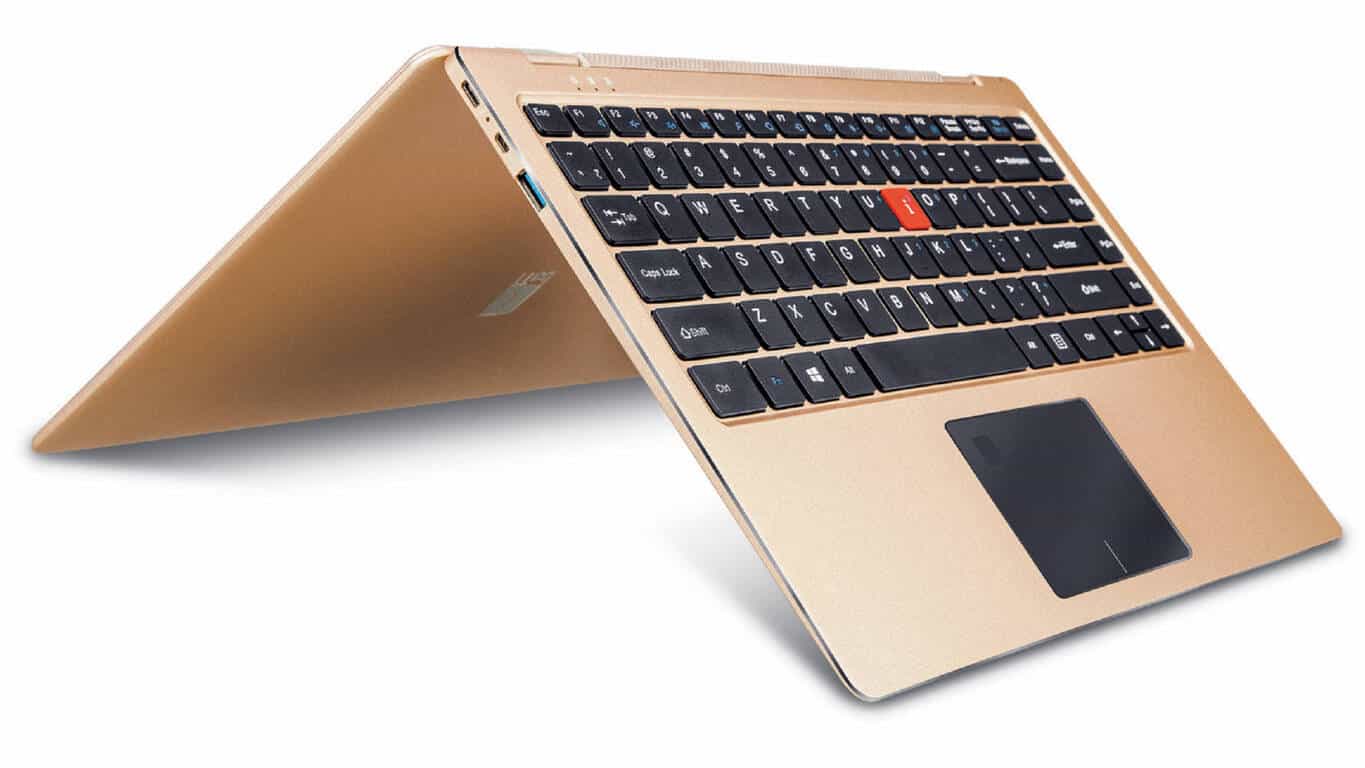
After a few budget laptops, Indian OEM iBall has added a new 2-in-1 device to its CompBook series, the iBall CompBook Aer3. The device is aimed at business users, although at its price point, it could be a great pick for students as well.

The iBall CompBook Aer3 sports a full metallic body and weighs only 1.48 kgs. With a touch screen display, it boasts of a 360-degree hinge that allows one to use the convertible in four different modes – from Notebook to Stand to Tent to Tablet mode – according to the need.

iBall CompBook Aer3 Specifications

  • Display: Full HD (1920 x 1080) IPS | 10-point multi-touch
  • Processor: Intel Pentium Quad Core 2.5GHz processor
  • RAM: 4GB
  • Internal Storage: 64GB; expandable up to 128 GB with micro SD card or M.2 SSD expansion
  • Ports: Mini HDMI + SuperSpeed USB 3.0

The CompBook Aer3 also supports Windows Hello with a handy fingerprint scanner, allowing a secure way to unlock and access the device.

We saw immense success in the budgeted laptops market in a very short span of time, and taking this to the next level is iBall CompBook Aer3. Aer3 is an excellent laptop which any executive would love to have and is undoubtedly the best executive laptop under Rs 30,000 with 15 amazing features.

– Sandeep Parasrampuria, CEO & Director, iBall

The iBall CompBook Aer3 will be available at leading retail stores across India at a best buy price of ₹29,999 ($470) with an MRP of ₹34,999.

With Windows Mixed Reality Holiday Update, Microsoft looks to “democratize virtual reality”

Stepping into the rather expensive VR competition, Microsoft announced last year that they and their partners HP, Lenovo, Dell, and Acer were building their own Mixed Reality hardware. The Windows Mixed Reality headsets have since gained the public’s eye with a promised lower price of $399 with higher quality to come down the line at $499.

In preparation for the IFA conference in Berlin this week Microsoft shared their next update for the Windows Mixed Reality headsets. Mainly, Microsoft will be showing off the devices with built-in sensors that plug and play. This way, setting up is a breeze for anyone that wants to jump into mixed reality and the device is portable to use. There are two settings depending on the PC that you hook your device into:

  • Windows Mixed Reality PCs: will consist of desktops and laptops with integrated graphics. When plugged into these devices, our immersive headsets will run at 60 frames per second.
  • Windows Mixed Reality Ultra PCs: will consist of desktops and laptops with discrete graphics. When plugged into these devices, our immersive headsets will run at 90 frames per second.

While the main highlight will be the headset and motion controllers themselves, there is also some fun software announcements thrown in the mix. Such as 343 Industries bringing exclusive Halo content to the Windows Mixed Reality platform. Of course, there aren’t any details yet, but it’s enough to tantalize the taste buds.

Gamers will also be excited to know that Steam VR content will also run on Windows Mixed Reality headsets, making it the cheapest option to enjoy the most popular digital marketplace.