How to get started with Dolby Atmos spatial sound on Windows 10

Windows 10 now supports Dolby Atmos spatial sound as of the Creators Update. This gives you an advanced surround sound system in your home theatre or your headphones.

Unlike previous 5.1 and 7.1 surround sound systems, Dolby Atmos maps sounds to locations in 3D space. This data is then interpreted by your speakers which work out where to position the sounds. The result is a more accurate and immersive surround sound experience.

Screenshot of Windows 10 Dolby Atmos settings

The Windows 10 Creators Update has native support for Dolby Atmos. It will work with an array of home theatre speakers or a regular pair of headphones. To get started, you’ll need to head to the Windows Store and search for and download the “Dolby Access” app.

Home Theatre

We’ll look at configuring a home theatre system first. Open the app and click the “With my home theater” button to start the configuration process. You’ll be redirected to the Sound window in the Settings page. In the dropdown menu that appears, click “Dolby Atmos for home theater” to enable Dolby Atmos.

Screenshot of Windows 10 Dolby Atmos settings

To actually use the feature, you’ll first need hardware that is compatible with it. There’s a growing range of sound bars, speaker systems and TVs that offer Dolby Atmos support. Once you’ve got a device that works with the standard, you can start using it with Windows immediately after you’ve configured it in the Dolby app.

Headphones

The second way of using Atmos is with a pair of headphones. This enables virtual surround sound in movies and games that can offer a more immersive experience. As the sound is more accurately positioned, you can better determine your physical location in a scene and listen for noises you may otherwise have missed.

Screenshot of Windows 10 Dolby Atmos settings

Not all headphones and computer sound cards will work with Dolby Atmos. To check if yours do, open the Dolby Access app and click the “With my headphones” button. The app will guide you through selecting the headphones to use and testing whether they’re suitable. If they are, you’ll be redirected to the Sound settings window to complete their configuration. Under the “Spatial sound” tab, select “Dolby Atmos for headphones” under the “Spatial sound format” dropdown.

Unfortunately, Dolby Atmos for Headphones comes with one major caveat: it isn’t free. While Microsoft has integrated the technology into its operating system, the company has stopped short of actually licensing its use for every Windows 10 customer. This means you’ll have to pay $15 if you want to continue using Atmos past the 30-day free trial. You can purchase the upgrade from within the Dolby Access app.

Free alternative

Screenshot of Windows 10 Dolby Atmos settings

If you don’t want to pay for virtual surround sound, Microsoft has you covered. In the Sound settings window for your headphones, you’ll also find “Windows Sonic for Headphones” as an alternative option to Dolby Atmos. Selecting this offers an experience that’s similar to Dolby Atmos but is likely to sound slightly different. Whether it’s better or worse is up to you to decide. In any case, high-end virtual surround sound systems like Windows Sonic and Dolby Atmos can add an extra level of realism to digital media, placing you right in the centre of the on-screen action.

Groove Music gets a little more Fluent for Fast Ring Windows 10 Insiders

Since the Windows Insider team announced last month that Fast Ring would no longer get app updates for Windows 10 native apps, it has become a bit difficult to keep track of what’s happening with all of Microsoft’s Windows 10 apps. Over the past few weeks, it seems that all the good stuff went first to Insiders on the Release Preview Ring, including a very interesting update for the Photos app that is apparently rolling out to some of them.

However, Fast Ring Insiders who recently chose to “Skip Ahead” to pre-release Redstone 4 builds can once again receive app updates for Windows 10 stock apps. If you’re a member of that cool crowd, you should receive today a new update for the Groove Music app which brings more Fluent Design touches to the already good-looking music player.

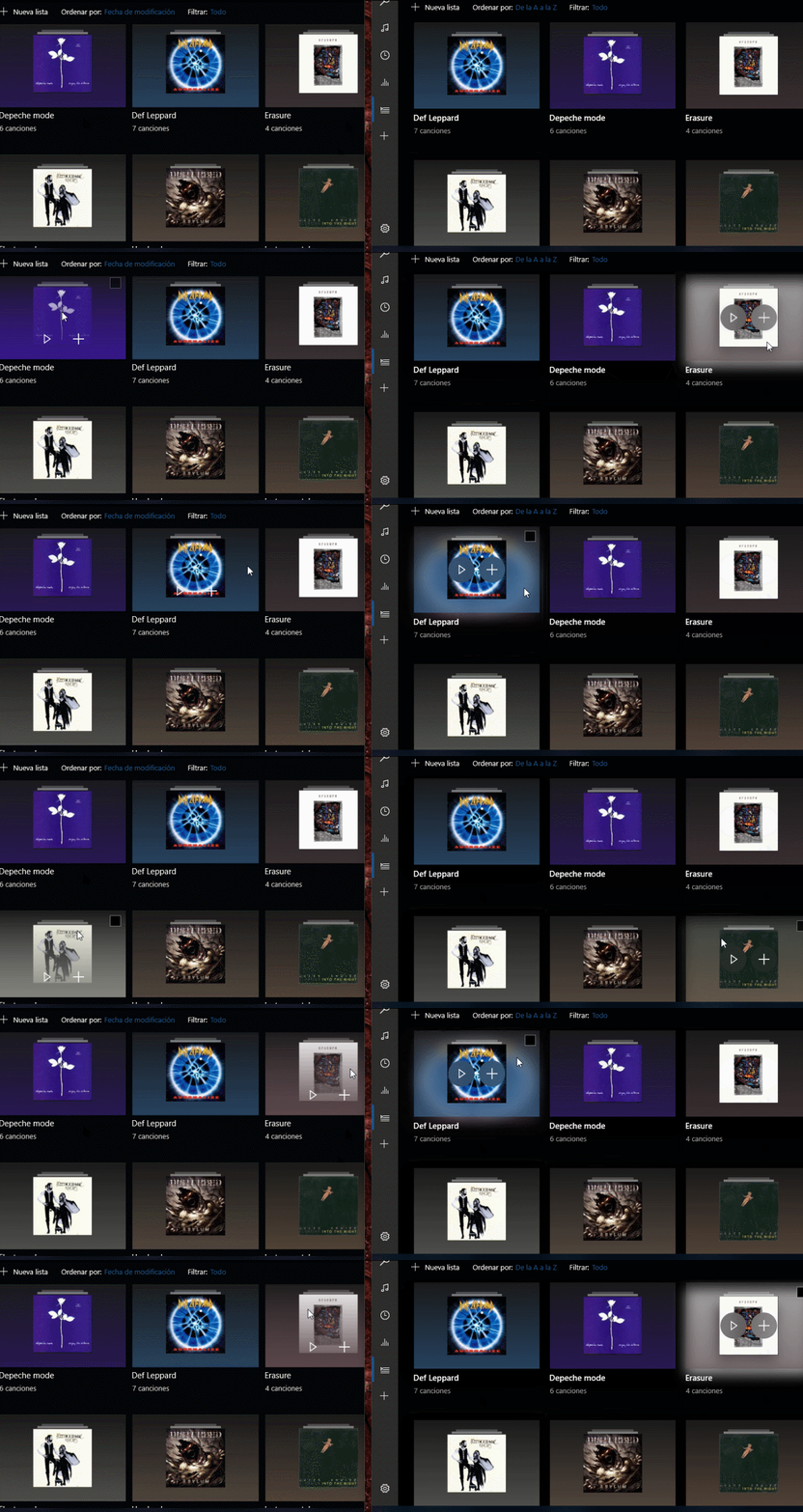
As you can see in the GIF below (the new version of the app is on the right), there is a new lighting effect when you hover your mouse above albums and playlists, and the size of the slightly transparent buttons has also been increased.

Additionally, a new “Visualizers” feature has reportedly popped up in the settings, but you can’t use it yet. It’s still unclear if Microsoft is planning to bring back the old Windows Media Player visualizers, or if this is something completely new. We’ll have to wait for future updates to see what Microsoft has in the pipeline. As you may know, there is no “Skip Ahead” option on Windows 10 Mobile for now, so this update is only available on Windows 10 PCs. Let us know in the comments what do you think of this latest update.

Thanks for the tip, Leo!

Skype releases SPIKES bot just in time for track and field’s London World Championships

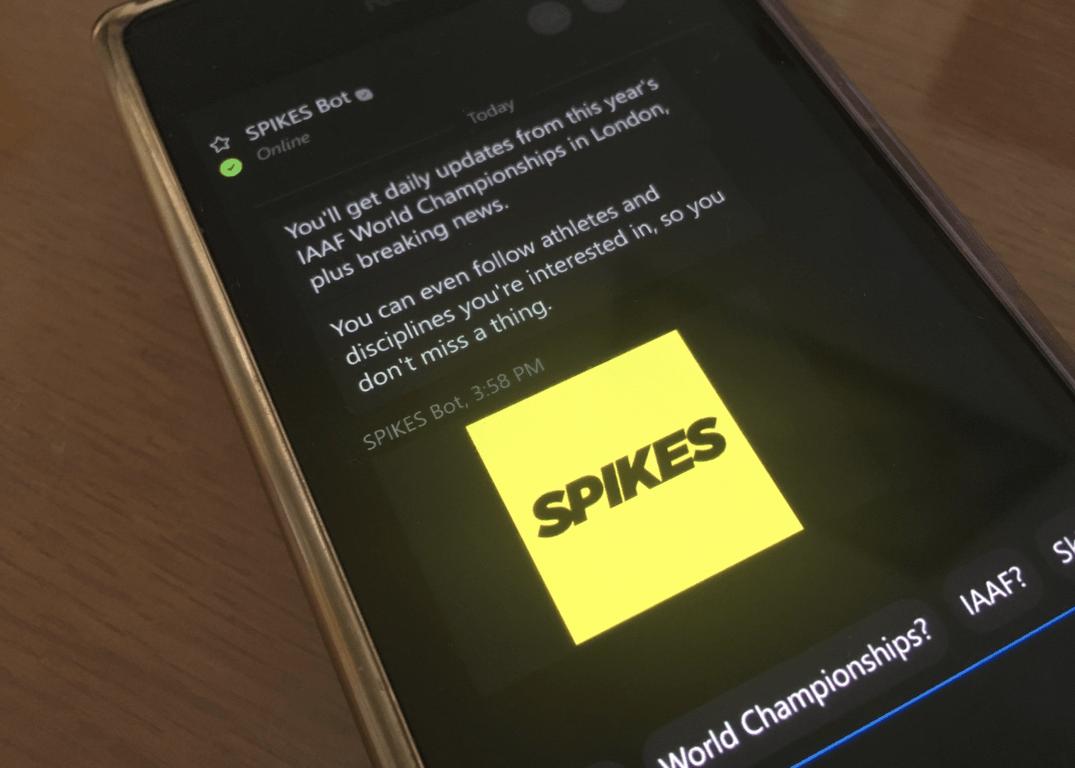
We’re just a couple of days away from the beginning of the IAAF World Championships in London, and Microsoft is ready to help fans of track and field athletics to follow the competition and all their favourite athletes. To do that, the team is launching today the SPIKES bot, which is the official bot for the competition starting August 4th.

After adding the SPIKES Bot to your contacts, you can start asking it questions about every attending athetes, competitions, schedules, official results and more. “Updates from Skype will include videos and images of the most breathtaking moments, all served directly, as well as “Live View,” a one-click way to get updated with live reports from the Olympic Stadium in London,” added the Skype team.

You can add the bot to your contact list today by searching for “SPIKES Bot” in the app’s bot directory, but you can also add it from the web by clicking here.

Microsoft dabbles with ‘intelligent’ search in new Photos update

Over the past couple of years, it seems Apple and Google have been leading the charge on injecting artificial intelligence and machine learning into their respective photo imaging software.

Meanwhile, Microsoft has been arguably sitting on the sideline with no real solution for Window 10 users on either the desktop or on mobile, but it looks like that is about to change.

As Windows Central is reporting, Microsoft is in the midst of a soft roll out of its ‘intelligent’ image search in its Photos app.

During the reveal of the Windows 10 Fall Creators Update, Microsoft briefly touched on the fact that new features were coming to the Photos app and among them was the addition of a more robust search options for users.

The app update adds a standard-looking search bar to the upper right corner. Clicking it begins the indexing process on OneDrive which can take some time depending on how many photos you have (we’re past 6,000, and the indexing takes about a second per image, so at least 90 minutes for our collection).

Some other features of the new ‘intelligent’ addition are:

  • Suggested Albums
  • Suggested Tags
  • Indexing of Cloud stored images
  • Photo grouping
  • Enhanced settings controls

Intelligent search also brings some new UI elements to the Photos app that includes a new search area, mini slide show and a breakout of the refresh button from the ellipsis menu.

Unfortunately, all of this photo goodness isn’t being rolled out to every Windows user evenly. According to Windows Central, Fast Ring or Production Preview Insiders have yet to see the update meaning it’s only being seen by Release Preview Ring users for some odd reason.

With the core of Windows 10 Fall Creators Update being feature set, Insiders on all rings should soon begin to see the apps start to take advantage of the new set of APIs and OS tie ins.

You can now play piano on the Xbox One… Kind of

A Windows 10 app originally designed for Windows Phone has updated with support for Microsoft”s Xbox One console. Named, My Piano Phone, the app is a basic touchscreen piano imitator but uses the Xbox One controller to function on the console. It’s not the best music creation app out there but it is free and could provide some nice entertainment for younger gamers. Here’s the app feature list:

  • Acoustic Piano, Electric Piano, Acoustic Guitar, Electric Guitar, Trumpet and Violin
  • Lot of songs to play and learn
  • Full Keyboards of Piano
  • Chords
  • Multi Touch
  • One, two or mirror keyboards at a time
  • Drumkit
  • And more…

Have you tried this app yet? Share your thoughts with us in the comments below.

My Piano Phone
My Piano Phone
Developer:
Son Lam
Price:
Free

Windows 10 Fitbit app gets a touch of Fluent Design in new update

The Windows 10 Fitbit app updated on PC and Mobile today with some improvements to GPS accuracy and stability, design improvements, as well as the usual bug and stability fixes.

While the stability fixes have been long overdue (the menu items and tab thankfully no longer get mixed up) the most notable aspect of this update is the “design improvements” which actually add a splash of Microsoft’s new Fluent Design aesthetic to the app.

Windows 10 Fitbit app with Fluent Design

This new design is pretty subtle but can be seen on the PC app when pressing the Fitbit device icon in the top-right corner of the app (which places a frosted glass filter over the majority of the app) and on Mobile when clicking on friends in the Friends tab (which triggers a similar effect but as a transition). This frosted glass effect has appeared on other recently updated apps with Fluent Design such as Groove Music and Xbox. It’s unclear if this is official Fluent Design but it’s at least inspired by it.

Fitbit has always been a strong support for Microsoft platforms and that doesn’t look to be slowing down anytime soon. Just earlier today, Fitbit announced new integration with Microsoft’s Cortana virtual assistant with more updates apparently planned for the new future.

Do you like today’s app update and have you noticed any other changes? Let us know in the comments below.

Fitbit
Fitbit
Developer:
Fitbit
Price:
Free

5 best car-sharing and transport apps for Windows 10

We’ve come a long way from chasing taxis around town with our hands up. Now, your smartphone, tablet or even computer can set up you a ride to literally everywhere. Whether it’s just your friend’s house that’s a few blocks away or another continent.

Technology completely changed transport and the way we approach it. No, we’re not talking self-driving cars (yet). We talk about numerous services (apps) that allow you to make your trip as effortless as possible. Whether it’s on your own or someone else’s arrangement.

In the ocean of services that can take you from point A to point B, you need to choose some to stick to, which can be tricky. So, we’ve got the job done for you, by selecting our top picks for transport apps available on Windows 10 or Windows 10 Mobile. Truth be told, the offer isn’t as rich as on some other platforms, but you still have all you need to work with.

Best transport apps for Windows 10 and Windows 10 Mobile

Uber


Uber is one of the most controversial apps (not just travel apps, but in general) today. This service is illegal in many cities and countries, and followed by a lot of incidents. Not exactly what you want to read when searching for the best transport app? Well, that’s exactly why putting Uber on this list was a tricky decision.

But we’re not going to talk about the controversies that surround Uber here. If you already have an opinion on Uber, feel free to move on to another app. Talking about whether Uber is good or not is a broad and complex discussion, and definitely not the topic of this article.

Now, about the service itself. Uber is de facto the most advanced and developed transport service on the market. Using Uber is simple, and there’s not much philosophy to put into describing it. You simply pick a destination where you want to go, and Uber will give you the fare before you book your driver.

The app will also show you nearest drivers, to ensure your waiting time is minimal. In practice, there are more oscillations in waiting time, so you may end up waiting longer than expected. But once again, each case is individual.

After all, the decision whether you want to use Uber or not is all yours. But we don’t recommend using Uber where it’s not legal. For the sake of your safety, of course.

You can download Uber from the Windows Store for free.

Lyft


Lyft is another popular car-sharing service. In fact, Lyft is Uber’s biggest competition on the market, as two companies constantly go after each other in various business aspects. Although you can hear various complaints and protests against it, we have an impression that Lyft is less controversial than Uber.

As for the concept, the two services are quite similar. Lyft is also used for transporting people from spot A to spot B. When you need to go somewhere, you simply enter the destination in the Lyft app on your Windows 10 Mobile, and the app will show you the nearest driver. Before you accept the ride, you’ll see driver’s picture, review, car type, and additional info. You’ll also see the estimated cost of the ride before you accept it.

As for the coverage, Lyft is, for now, only available in bigger US cities. So, you can consider using this service only if you’re living in the United States. However, Lyft announced earlier this year that it plans to expand its business to other continents, but that’s all we know for now.

You can download Lyft for free from the Windows Store.

Windows Maps


If you’re traveling on your own, the app/service you can’t go without is definitely Windows Maps. This app will be your savior in a foreign city, because you’ll never be lost. Windows Maps covers the whole planet, so there’s no chance you’ll find yourself in an uncovered area. Of course, it would be absurd to say that the app will show you the right way every single time. But the accuracy is pretty high.

Besides showing you the map of any city you’re currently at, Windows Maps also has other useful features. It’ll show you traffic and weather conditions in your area. Schedule of public transport in some bigger cities is also available, so you don’t have to worry about missing a bus.

Windows Maps can also be combined with other apps from this list, for an even better experience. If you don’t get in trouble with drivers, of course. Just kidding, the chances for that are probably the same as in a regular taxi. However, additional caution is always advisable.

Windows Maps should be installed on your Windows 10 phone or computer by default. But you can also download it from the Windows Store for free.

Skyscanner


If you need to book a flight ticket, your best bet is to use a service for it. And Skyscanner stands out as one of the best. This app allows you to search for flight tickets and finds the best possible deal. You just need to pick a destination and travel times, and the app will do the rest for you.

You can search by dates that suit you up the best, or even let the app find the cheapest option for you. Once you choose your flight, the app will redirect you to the airline’s website to finalize the booking. Truth be told, the app itself doesn’t offer the best possible experience you can expect. But, unfortunately, that’s the general problem of many Windows 10 Mobile apps. And things don’t look so promising for the future.

Besides booking plane tickets, Skyscanner can also help you find a hotel for your stay or hire a car. But, that’s not our focus here, because there are better services than Skyscanner for that purpose.

Skyscanner is available for free in the Windows Store.

Car2Go


I feel like Car2Go and other apps with the similar business model don’t get enough attention. Because the idea is great. In theory, it works perfectly. You find the nearest car, hop in and drive it wherever you want, and then just leave it in an approved parking spot. And that’s exactly how Car2Go works. In theory, that looks flawless, but in practice, well, not so much.

First thing first, you’re not driving your own car, which means you’ll have to be extra careful to not even scratch it, because damage penalties can go up to $1000. Secondly, driving a car and finding a parking spot in a big city can (and usually is) a nightmare. And since the service charges per minute, you’ll probably spend a couple of dollars extra, just for finding a parking spot.

There are also various complaints from customers about hidden fees and cars not being in a good shape and comfortable. But then again, do you really expect luxury from a car that you don’t own and would drive for more than, let’s say, 20-30 minutes. Which brings us to the conclusion that Car2Go is best for short city rides, and not worth taking for a daylong trip.

You can download Car2Go from the Windows Store for free. But there’s a registering fee, which depends on your country.

Conclusion

I have to admit that this is the weirdest review article I’ve ever written. Because one does not simply talk more about cons than pros in a TOP 5 article. But that’s just how it is. Car-sharing is still a tricky topic backed up by rather controversial services that have a love-hate relationship with their customers. And we need to keep the objectivity here.

The whole market is relatively young, and although it doesn’t look like it at the moment, maybe big businesses will find a way to satisfy more users. We still don’t see how, but that’s a question for actual players in this field. So, we’ll leave the space for new ideas to them.

What do you think about our picks for the best travel apps for Windows 10 and the topic in general? Let us know in the comments below.

RELATED STORIES YOU NEED TO CHECK OUT:

Wannacry and Petya push users to upgrade to Windows 10

Wannacry and Petya are two vicious ransomware that infected thousands of computers recently. Ransomware is a foul thing, but these two particular strings of malware proved to be very resilient to all the efforts put in by cyber security specialists.

However, there is something that seems to be potent enough to stop these two malware threats from spreading.

Windows 10 comes to the rescue

Microsoft’s Windows 10 is a very resilient foe for Petya and Wannacry. There are many reasons for which the latest Windows version is so good at protecting users against malware. Microsoft and the Windows 10 development team have put in a lot of hard work to make Windows Defender powerful enough to block virtually all types of malware.

Becoming the business standard

Windows 10 has successfully repelled Wannacry and Petya, and for this reason  businesses are looking to upgrade their OS as soon as possible. Windows 10 is now the industry standard thanks to its efficiency against such dangerous malware.

Numbers are going up

Recent surveys confirmed there has been a strong increase in Windows 10 installs. Actually, the Windows 10 install rate increased by 6% since March. Looking at the statistics from another perspective, 60% of the total number of businesses and organizations from around the world are now running Windows 10.

Some companies run Windows 10 on their entire computer infrastructure, while others only have it installed on one computer. Either way, the fact remains that Windows 10 established a solid foothold in more than half the world’s companies.

Medium businesses lead the charge

Surveys also showed that out of all the businesses that adopted Windows 10, the leading faction is that of medium sized businesses. This type of organization is currently leading the business sector in terms of Windows 10 installs.

What fuels Windows 10 popularity?

It’s not just the fact that Windows 10 is a potent weapon against ransomware. It’s also the fact that older Windows versions constitute the main target for hackers. Microsoft already ended support for many old Windows 10 versions.

The company warned users that using unsupported Windows versions is a great security risk. It seems that Windows 7 fans have finally understood they really need to upgrade to Windows 10. After all, Windows 7 facilitated the spread of the WannaCry ransomware.

RELATED STORIES TO CHECK OUT:

Microsoft releases Windows 10 S ISO files to MSDN subscribers

Microsoft today is releasing the ISO files for Windows 10 S to developers who have an MSDN subscription. The release enables these developers to download the new Windows operating system to their machines and test out the applications which they have planned to release to the Windows Store (via The Verge.)

The news comes more than a few months after Microsoft initially unveiled Windows 10 S during an education focused event in New York City. Although the Surface Laptop ships with Windows 10 S pre-installed, Microsoft is reportedly releasing the ISO files today so developers with a specialty in education can see if Windows 10 S is ready for the classroom.

Of course, not everyone is an MSDN subscriber, and entry into the program costs anywhere from $45 to $2,999. With this so, Microsoft is obviously not yet making it easy for the average consumer to switch and just download Windows 10 S. Reports, though, do show that the company does have plans to update the Upgrade Assistant Tool, which means Windows 10 S could possibly be included for a wider audience to test out in the future.

Tomb Raider: Underworld heads to the Xbox One via Backward Compatibility

On Twitter today Major Nelson announced that Tomb Raider: Underworld is heading to the Xbox One via Backward Compatibility. The news comes as the Xbox One Backward Compatibility list topped 400 titles with the addition of Raiden IV, Red Faction: Armageddon, and Gyruss. As always, you can read up on Tomb Raider: Underworld, and check out the game trailer, prices below.

Tomb Raider Underworld: $19.99

Designed specifically to take advantage of the latest technologies Tomb Raider Underworld represents a new advancement in exploration-based gameplay. As fearless adventurer Lara Croft explore exotic locations around the world, each designed with an incredible attention to detail resulting in breathtaking high-definition visual fidelity that creates a truly believable world and delivers a new level of challenge and choice.

As an extra bonus, several Tomb Raider: Underworld DLC have now gone free in the Xbox Store, including the Tomb Raider: Underworld Designer Costume Pack, Tomb Raider: Underworld Wetsuit Costume Pack, and Tomb Raider: Underworld Classic Costumes.

If you already own the digital version of this game,  it will automatically show up in the “Ready to Install” section on your Xbox One. And, if you own a disc version, you can insert the disc into your console, and your Xbox will begin downloading the game to your hard drive, though you will still need the disc to play.

Windows 10 Fall Creators Update SDK now “platform complete”

Two weeks ago, Microsoft released the Windows 10 SDK Preview Build 16232 for app developers, bringing some bug fixes as well as some API additions and removals. The Redmond giant still has some time to release new preview versions of the Fall Creators Update SDK before rolling out the next major Windows 10 update, but future versions will mostly be about bug fixes and minor improvements.

Indeed, Microsoft’s Kevin Gallo shared yesterday during a Channel 9 live video that the Fall Creators Update SDK is now “platform complete” (via Neowin). In other words, the build 16232 of the SDK already includes all the latest developer features necessary to make the best use of Fluent Design, Project Centennial, Project Rome and more. You can watch the full webcast below if you want to learn more about the Fall Creators Update SDK:

If you have yet to download the build 16232 of the SDK, you can do so on the developer section of Microsoft’s Windows Insider website. Be aware that the latest version is only supported by Visual Studio 2017, and it also has some known issues that you can check here.

Microsoft announces availability of Fitbit skill for Cortana

Staying fit just got a whole lot easier, at least in the United States. Microsoft today announced the availability of the Fitbit skill for Cortana in the US, making it simpler for you to monitor your health and fitness goals using Cortana on iOS, Android, Windows 10, and soon the Harman Kardon Invoke speaker.

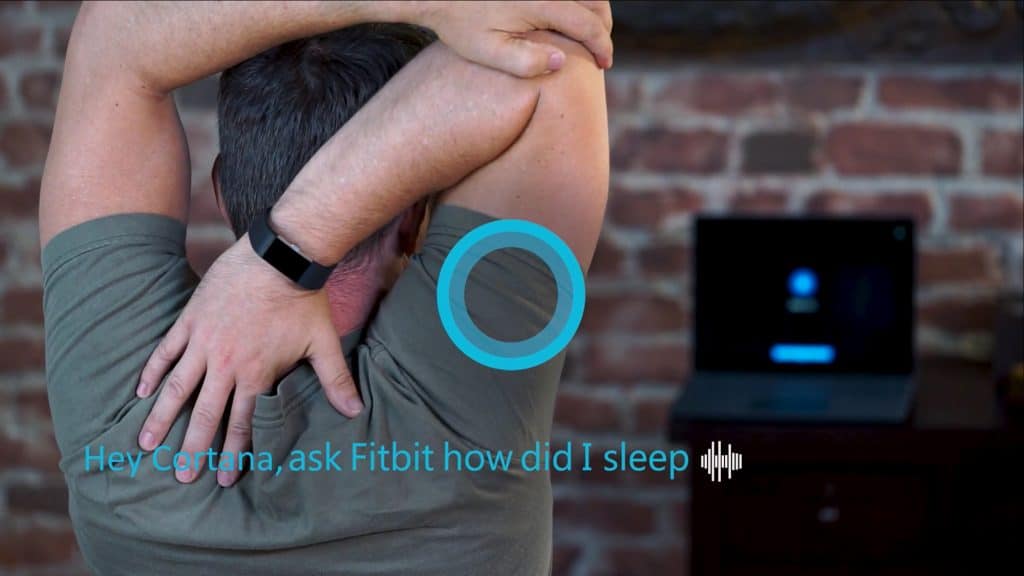
To get started and ask the digital assistant about your fitness routine, you must first connect your Fitbit account to Cortana by saying “Hey Cortana, Open Fitbit.” After doing so, you will no longer need to visit the Fitbit app or Fitbit website to keep track of activities such as your steps, or water consumption.

When promoted, Cortana will instead read aloud your progress and even give you words of inspiration to help you meet your goals. Here is a short description of how it works. Here is a short description of how it works.

You can say, “Hey Cortana, Ask Fitbit how am I doing today,” along with several other supported health and fitness prompts to learn about your daily progress. Cortana will not only read out your progress – like active minutes you’ve logged, how you slept last night, or the number of calories you’ve burned for any day within the previous week – but may also show you a short summary with all the handy information.

Interestingly, Cortana is able to provide responses based on the time of day, and will even update Fitbit about your food and beverage intake with the voice prompt “Hey, Cortana, tell Fitbit to log….”  Examples of other Fitbit Cortana prompts can be seen below.

  • “Hey Cortana, ask Fitbit how much water I’ve had today”
  • “Hey Cortana, ask Fitbit how many calories do I have left to eat”
  • “Hey Cortana, ask Fitbit how many steps do I have left”
  • “Hey Cortana, ask Fitbit how many workouts I need to do this week”
  • “Hey Cortana, Ask Fitbit how am I doing today”
  • “Hey Cortana, show me my leaderboard”

At the moment, the Cortana Fitbit skill is only available in the United States, and Microsoft is saying that other markets will be added over time. The Fitbit skill is all part of the Cortana Skill Kit, which was announced as a public preview back at Build 2017.

Joe Belfiore, former head of Windows Phone development, upsets fans and users again

Once again former head of Windows Phone development Joe Belfiore has managed to stoke the flames. Aangry and jilted fans and phone owners of Microsoft’s failed mobile platform fired back as he explained a new feature found in the latest Windows 10 Insider preview 16251.

While his intentions may have been to clear up some misunderstanding between the direction the Windows development team was taking and the disheartened assumptions of a lingering tribe of Windows phone fans, his explanation was met with clear upset and disappointed fervor.

This latest muddled communication effort isn’t the first time Joe B has been on the receiving end of a bunch of angry and disappointed Windows phone fans as it would seem he has a history of delivering bad news under the guise of transparency for the platform.

Back in 2011, Joe B was under fire from fans and users as the pledge to get the platform on track with regular and transparent updates, to rectify the platform’s omission of very basic features such as copy/paste. Then a year later he was once again being raked over the coals about how Windows Phone 7.5 devices could not be upgraded to Windows Phone 8 due to a structural engineering hurdle.

Perhaps, Windows phone fans and user base are a bit more temperamental than others when it comes to showing love for their chosen platform, but after years of empty promises, failed marketing, and the gradual degradation of the operating system, Joe B’s attempt at explaining the broadening of the Windows 10 ecosystem at the expenses of Windows 10 Mobile probably feels like trolling at this point.


Path of Exile closed beta has begun on Xbox One

The closed beta for Path of Exile is now running and gamers interested in checking out the game (and testing it) before it publically launches later this year can sign up for it here. Space is limited in this closed beta and users will be invited manually after their applications are processed.

The Xbox One version of Path of Exile contains all of the content currently released on PC and it will also gain Xbox One X support with full 4K resolution later in the year. A brief description of the game was provided:

Earn devastating skills and valuable items as you fight your way through the dark continent of Wraeclast. With unrivaled character customization, Path of Exile is an award-winning online Action RPG created by hardcore gamers, for hardcore gamers. We’re proud to bring Path of Exile (including its latest expansion, The Fall of Oriath) to the Xbox One.

Are you excited for Path of Exile and have you applied to partake in the closed beta? Let us know in the comments!

Diablo III will be free-to-play this weekend on Xbox One

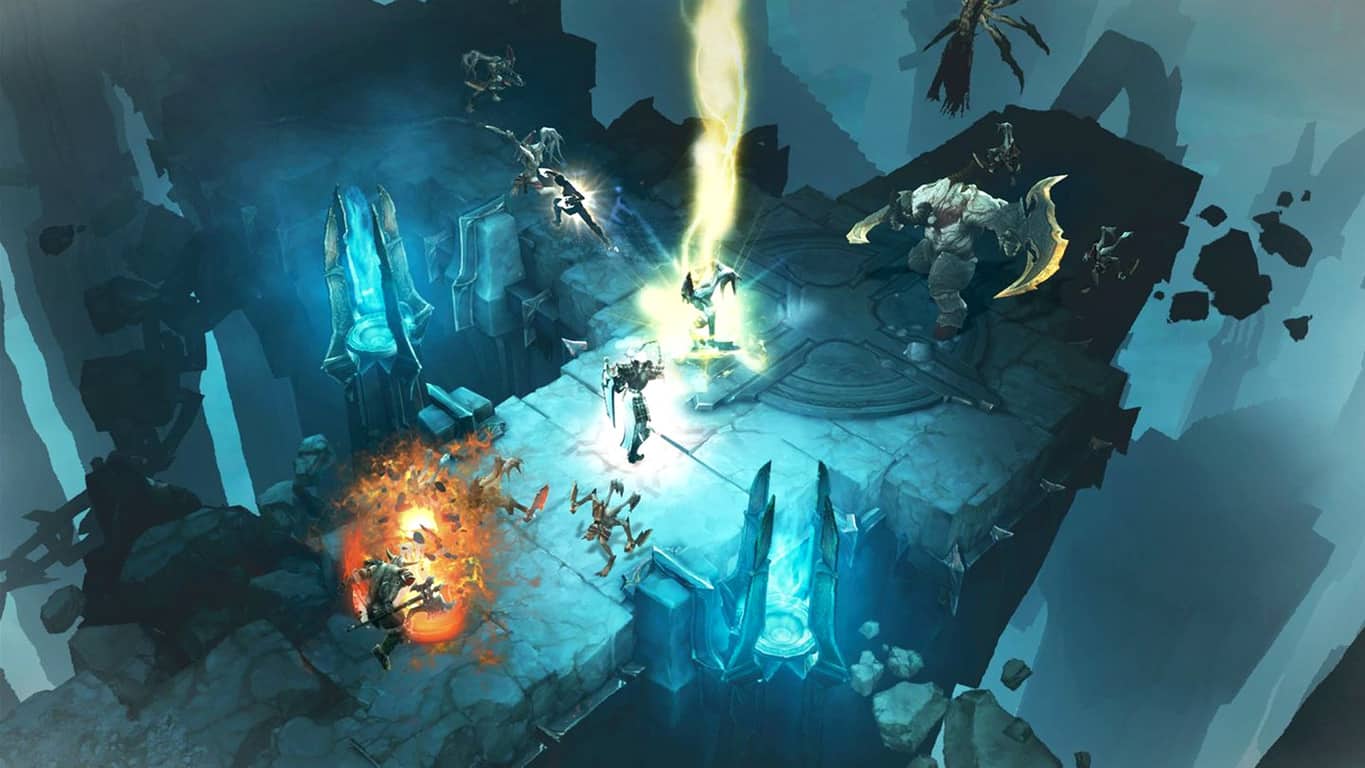
Microsoft has just announced that Diablo III: Reaper of Souls Ultimate Evil Edition will be free to download and play this weekend on the Xbox One for Xbox Live Gold members. Due to the time differences and different zones involved, the free play window has been given a bit of a buffer and will begin at 12:01 am PST on Thursday, July 27th and will run until 11:59 pm PST on Monday, July 31st.

“Diablo III: Reaper of Souls Ultimate Evil Edition contains both Diablo III and the Reaper of Souls expansion set, together in one definitive volume,” the announcement reads. “Rise as one of humanity’s last defenders – Crusader, Barbarian, Witch Doctor, Demon Hunter, Monk, or Wizard – and collect legendary loot while mastering devastating new powers and abilities. Play solo or form a party of up to four other heroes through local split-screen multiplayer or with your friends online. Lay waste to hordes of evil throughout all five acts of the Diablo III storyline, or explore the open world in Adventure Mode to hunt bounties on the elder evils that lurk throughout the mortal realms.”

As with other free play days, all game progress will be saved in the cloud so should the gamer buy they full game in the future, they can pick up where they left off. All Xbox Achievements unlocked will also remain unlocked. To encourage gamers to buy the game, Diablo III: Eternal Collection, which contains the Ultimate Evil Edition, will have its price reduced by 35% for the trial period.

Are you a Diablo III fan and are you going to play it this weekend? Let us know in the comments below.

Microsoft wants to improve Windows security with new Windows Bounty Program

In a time where ransomware and cyber attacks are ever so more common, technology giants need to take additional steps to help secure their software and products. Indeed, in the spirit of helping “maintain a high-security bar in Windows,” Microsoft today announced the launch of the Windows Bounty Program.

The program covers four different categories and gives good acting hackers, and researchers monetary payouts ranging from $500 to up to $250,000 for successfully reporting exploits found in various Windows features. More specifically, the program covers all features of the Windows Insider Preview, focus areas in Hyper-V, Mitigation bypass, Windows Defender Application Guard, and Microsoft Edge.  You can learn more about the program by reading below:

  • Any critical or important class remote code execution, elevation of privilege, or design flaws that compromises a customer’s privacy and security will receive a bounty
  • The bounty program is sustained and will continue indefinitely at Microsoft’s discretion
    Bounty payouts will range from $500 USD to $250,000 USD
  • If a researcher reports a qualifying vulnerability already found internally by Microsoft, a payment will be made to the first finder at a maximum of 10% of the highest amount they could’ve received (example: $1,500 for a RCE in Edge, $25,000 for RCE in Hyper-V)
  • All security bugs are important to us and we request you report all security bugs to [email protected] via Coordinated Vulnerability Disclosure (CVD) policy

Microsoft already has bounty programs in place for Office Insider builds on Windows 10, and Microsoft Edge. The company believes firmly in these types of programs and with security always changing, is saying “we trust that it serves to enhance our security capabilities.” You can learn more Microsoft’s Bounty Programs by clicking here.

New Windows 10 feature has Microsoft software engineer Jen Gentleman screaming

If you haven’t heard yet, there’s a new Windows 10 Preview build on the Fast ring, and it’s got some Insiders all worked up. In build 16251 released moments ago, the Windows 10 boot up experience was improved to use any sign-in info to apply settings after restarting or updating via the power options.

Essentially, Windows will automatically setup your account after it’s been rebooted instead of having to start over, sign in, and open your applications once more.

The news has been such a major addition for the upcoming Fall Creators Update that Jen Gentleman from the Windows Insider team has been shouting it on high about how cool this feature is. “Why is this change cool?” Gentleman prompted on Twitter. “Basically w/ the setting enabled, if you reboot all apps registered to reopen will do just that.”

Any application that has the RegisterApplicationRestart function (a default in many Microsoft apps) will be available for restart through the improved boot up experience.

Not just Gentleman seems to be excited about it. Other users are expressing how quick it is to reboot now, improving login times, reducing waiting periods, and essentially making Windows 10 even more productive. Of course, if the feature doesn’t appeal to you, you can opt out in the settings.

Let us know what you think about the new reboot experience in the comments below.

Microsoft makes cloud moves: joins Cloud Native Group, previews Azure Container Instances service

In an effort to compete with Amazon Web Services (AWS), Microsoft created a new Azure service, Azure Container Instances services. According to a story on GeekWire, Microsoft’s Azure Container Instances service is currently available as a public preview for Linux containers, and allows developers to start containers on Azure and have the container “billed by the second.”

Microsoft details Azure Container Instances in more technical depth on the Azure blog. Microsoft gives us a better idea of what Azure Container Instance service is and what it can do.

“An Azure Container Instance is a single container that starts in seconds and is billed by the second. ACI offer highly versatile sizing, allowing you to select the exact amount of memory separate from the exact count of vCPUs, so your application perfectly fits on the infrastructure. Your containers won’t be billed for a second longer than is required and won’t use a GB more than is needed. With ACI, containers are a first-class object of the Azure platform, offering Role-Based Access Control (RBAC) on the instance and billing tags to track usage at the individual container level. As the service directly exposes containers, there is no VM management you need to think about or higher-level cluster orchestration concepts to learn. It is simply your code, in a container, running in the cloud.”

In another development, Microsoft is joining the Cloud Native Computing Foundation (CNCF) as a platinum member. Corey Sanders, Partner Director for Microsoft, notes what Microsoft’s CNCF platinum membership means.

“Microsoft is committed to helping organizations of all sizes achieve more, and we see cloud native technologies and open development as a way to enable this. We have contributed across many cloud native projects, including Kubernetes, Helm, containerd, and gRPC, and plan to expand our involvement in the future. Joining the Cloud Native Computing Foundation is another natural step on our open source journey, and we look forward to learning and engaging with the community on a deeper level as a CNCF member.”

Microsoft has noticed that containers are changing the way that companies are building and deploying their enterprise applications. Microsoft’s growing support of Kubernetes shows that CNCF membership is necessary to be a part of this growing trend.

How to make File Explorer open to ‘This PC’ in Windows 10

Windows 10 introduced a new default view for File Explorer that’s meant to make it easier to access your recent work. When you open File Explorer, you’ll now see “Quick access” by default. If you’d rather have the old “This PC” view back, this tutorial will show you how to do it.

Screenshot of Windows 10 Quick Access

Quick Access shows you your most frequently accessed folders and your recently used files on a single screen. You can pin additional files and folders if you use them regularly. While it can make it easier to find documents you’ve been using, Quick Access hides your drives, external devices and network locations beneath a few more clicks.

Screenshot of Windows 10 File Explorer options

To get This PC to display when you launch File Explorer, open the app and click the “View” tab on the ribbon. Click the “Options” button to open the File Explorer Options window. In the “Open File Explorer to” dropdown box at the top, select “This PC” and press the “Apply” button.

Screenshot of Windows 10 This PC

Once this option is activated, This PC will appear straight away when you open File Explorer. You can view your system folders, devices and network locations immediately without having to switch to another screen. You can still access resources in Quick Access as they’ll appear at the top of File Explorer’s navigation pane. Click the “Quick access” link to get to the full Quick Access screen.

Screenshot of Windows 10 File Explorer settings

If you’re looking to customise Quick Access rather than disable it entirely, return to the File Explorer Options window. The options under the “Privacy” section of the “General” page allow you to customise the content that is displayed in Quick Access. You can turn off recently used files and frequently used folders, forcing Quick Access to only surface content that you’ve explicitly pinned. Click “Apply” and then “OK” to save your changes.

Latest update for Groove Music on Windows 10 PC makes it easier to find music videos

Groove Music was recently rejuvenated on Xbox One with a touch of Fluent Design, and standard PC users are also now seeing an update for the stock Windows 10 application. Delivered via a version 10.17062.14111 update, it is now easier to find music videos from the artist page in the Groove Music on Windows 10 (via Windows Central.)

The update is rolling out now to PC users in Production ring, and it is presumed that Windows Insiders in the Fast Ring can also receive the update by using Microsoft’s new “Skip ahead” feature. Overall, though, it’s a fairly minor update that just touches up the UI to make it easier to find music videos for a specific artist.

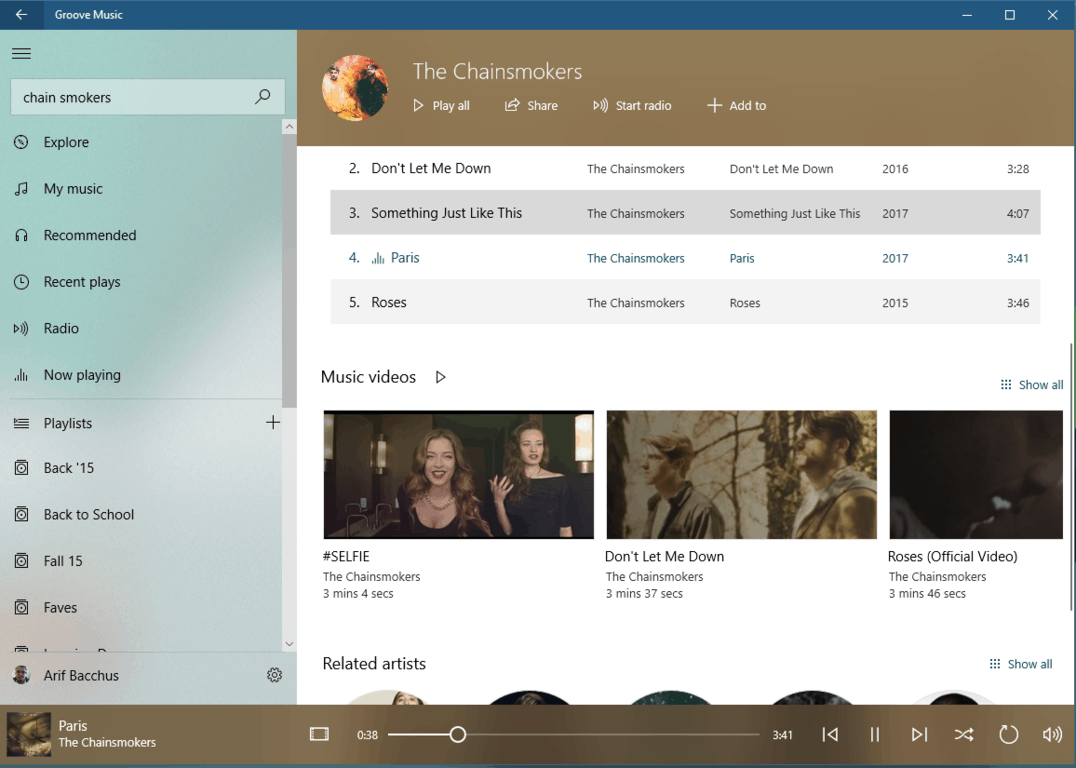
The Music Videos section on Groove Music

After updating, you will notice a specific section for music videos when searching for Artists using the search box. The music video section appears under the Top songs section, and right above the Related artists section.  Unfortunately, the new ability to find music videos via the artist page is currently only available on desktop PCs, but there is hope that it will also roll out to mobile soon. For now, you can grab up this update via the download link below.

Windows Media Player

PlayerUnknown’s Battlegrounds Xbox conversion “relatively easy,” already running on online servers

PlayerUnknown’s Battlegrounds, the oddly-named online battle royale game from developer Bluehole, is one of the most anticipated games to be released on Windows and Xbox One this year. Last month, the developer shared that the Steam early access version already sold 4 million copies three months after launch, and we don’t often see unfinished games get that kind of massive support.

Playerunknown’s Battlegrounds will be a timed exclusive on the Xbox One, definitely one of the highlights of Microsoft’s E3 press briefing last month. But while the Steam Early Access version continues to get regular updates, the developer announced earlier this month that the game’s final release has been delayed to Q4 2017, without sharing more information about the Xbox One version.

We finally have more details about the upcoming Xbox One release from an interview of the game’s creative director Brendan Greene that Eurogamer published today. First of all, the game studio won’t announce the release date until the Xbox One version is ready, but you should know that work on the console port is going very well. “Using Unreal first, it’s a fantastic engine, it makes moving to different platforms relatively easy,” explained Greene, adding that the Xbox One version is being developed in partnership with Spanish game studio Anticto.

PlayerUnknown’s Battlegrounds will also be optimized for the Xbox One X, and the console version should support 100 man servers just fine. “We have a version running on the Xbox One X prototype in the office which can plug into the online servers. We were playing on live servers on the console at about 30 or 40 FPS. So it works on 100 man servers,” shared Greene. Console play won’t be cross platform, at least to start, however.

Be warned, you’re probably going to hear a lot more about the battle royale game in the coming months. As of today, PlayerUnknown’s Battlegrounds is regularly the most streamed game on Microsoft’s own Mixer live streaming platform, and Greene said in the interview that the game studio is currently exploring the organisation of live events. “We’re going to run events and invitationals until it’s a true esport, I guess,” he added.

Microsoft’s Groove Music gets a splash of Fluent Design on Xbox One

Aspects of Microsoft’s new Fluent Design aesthetic have been spotted in the Xbox One version of the Groove Music app shown to some Xbox Insiders. The app hasn’t appeared to have been given a full revamp but the menu has been given a transparent effect (called Acrylic) and menu press animation has apparently been refined. Here’s an image of the new look:

Groove Music on Xbox One. Image Credit: MSPowerUser.com

Microsoft has been adding aspects of its new Fluent Design to several apps with their Office apps on mobile being one recent example. The majority of their apps across Windows 10, mobile, and Xbox One will likely be fully converted to the new look before the end of 2017 around the time the Autumn Creators Update rolls out on Windows 10.

Do you like the look of Fluent Design? Share your thoughts with us in the comments below.

Keep your chat messages private with Signal Private Messenger

Signal Private Messenger is a tool developed and published by Open Whisper Systems, providing users the kind of privacy they deserve.

Signal Private Messenger’s features

With Signal, you have the ability to say anything and be safe. You can send high-quality texts, pics and video messages — even group messages — without worry. It also allows you to be yourself as it uses your existing phone number and address book, meaning there are no separate logins, PINs, or usernames that you have to manage.

Users can stay as private as they want to. The app can’t read the messages and no one else can do this either; there are no exceptions. Everything from this app is always end-to-end encrypted and painstakingly engineered to keep communication as safe as possible.

The app is supported by a team of dedicated engineers and developers, community donations and grants. The app lacks ads and you don’t have to pay anything to use it. All of the code used in the app is free, open and also available on GitHub. The app’s Join Movements feature involves a technology that has been developed by Open Whisper Systems and that is trusted and used by millions of people from all over the world each and every day.

In case you are experiencing any problems with this application or have questions or suggestions for the developer, you are advised to check out the developer’s support site.

User experience

According to user experiences, it would be better if the contacts and conversations would be separate from the contact/conversation list from the left side. Other users say that even if it works okay, the app is pretty buggy and features a few syncing problems which results in doubled messages.

We are waiting for an update that fixes all these issues. Meanwhile, you can try the app out for yourself from the Chrome Web Store.

RELATED STORIES TO CHECK OUT:

PlayerUnknown’s Battlegrounds is affected by severe camera bugs

PlayerUnknown’s Battlegrounds has a bug where if the player minimizes the game with the Alt-Tab hotkey while loading a match, the third person camera will occasionally force the Y axis to stop working and to behave as if the free look button is being held forcing the player into the first person.

PlayerUnknown’s Battlegrounds camera issues

Other players said that they could move the character’s weapon up and down, but they could only look straight ahead the entire game. It didn’t matter if the character aimed up or down: he could only look and shoot straight ahead. Players tried tapping out, shooting, picking up things, but nothing seemed to help.

On the Battlegrounds forum, a user also posted a photo that shows the crosshair of the character aiming straight forward even if the character aims up. You can see the bullet impact on a container from the front even if the player is aiming up or down.

Other players experienced more bugs including weird loading, lags and all these affected only the third person mode game. The first person mode is not affected according to players.

Another user stated that he couldn’t look up or down and the character’s head would move around as if it was in free look. As soon as he picked up a helmet, the game totally crashed.

READ ALSO: How to fix common PlayerUnknown’s Battlegrounds bugs

PlayerUnknown’s Battlegrounds is a massively multiplayer online battle royale video game developed and published by Bluehole. The game was released for Windows on Steam’s early access program back in March and sold over four million copies in three months. The company is planning console releases after the full release of the Windows version with an Xbox One version by the end of the year and for the PlayStation 4 at a later date.

RELATED STORIES TO CHECK OUT:

Microsoft’s Xbox Play Anywhere platform picks up ‘free’ game preview of Fable Fortune

Over the last year, Microsoft has been pitching its cross platform feature Xbox Play Anywhere which allows gamers to purchase a game once but play it on a Windows 10 device or Xbox console at their leisure.

While Xbox Play Anywhere seems like futuristic omnipresent gaming approach, it seems only really effective when there is a game users want to play.

Fortunately, a crowd favorite property is landing on the platform in Fable Fortune. A game preview is now available for Xbox One and Windows 10 gamers. While it is not the entire game, eager fans can grab a copy of the preview for free for a limited time.

Play as one of six unique Heroes in a collectible card game that combines the iconic world and characters of Albion with fast-paced and thrilling tactical gameplay. In Fable Fortune, your destiny is on the cards!
Purchase the Founders Pack to preview and support the development of this title – we would love to get your input and feedback to help us shape the best experience possible! Contains EXCLUSIVE Content for Founders: 20 Card Packs, Chicken Vengeant, Unique Founders Card, Bonus Fabled Card, Giant Egg.

For those interested, head over to your nearest Windows 10 PC or Xbox One console and web link to snag the free preview today!

New Microsoft video promotes Insider participation in Bug Bash events, Feedback Hub and more

The heart of the Windows Insider program is the participation of its users. Without the continual feedback given by users, the Windows team is left with an operating system devoid of real world direction, for better or for worse.

In a new YouTube video released by the Windows team, engineers are looking to keep up the level of activity currently being displayed with each build preview by praising and highlighting the most potent feedback outlets used by Windows engineers.

Each director or exec behind Bug Bash events, Feedback Hub or Windows Insider program in general, walk through the how and why’s of their programs.

We are excited to announce Windows 10 Fall Creators Update Bug Bash. Thank you for your help in shaping Windows. Your feedback goes a long way and our developers are actively working on fixing issues based on what we hear from you. We want to welcome both new and returning users in joining us for the Bug Bash just like all previous Bug Bashes.

While the Windows Insider program has always been under attack for its approach to testing methods and how it chooses to address issues, suggestions and feature releases, it’s hopefully, this little video will help offer critics some guidance on how their feedback is being digested by the Windows team.

Bottom line, leave more feedback, get more results.

Without a push from Windows 10 adoption, Bing revenue growth stalls

In a post on Search Engine Land, Microsoft reported an increase of only 8% in search advertising revenue ($124 million), in its quarterly earnings report released on July 20, 2017. Even by taking out traffic acquisition costs (TAC), Bing search advertising revenue was up 10% ending June 30, 2017. Microsoft says the bump in search revenue is due to higher search volume and improved revenue per Bing search.

Microsoft continually noted that increase was due to the “continued benefit from Windows 10 usage,” however, it appears that Bing’s ad growth rate has hit a plateau for the last few earnings quarters for Microsoft. Search Engine Land points out what happened to Bing’s growth rate stoppage, due to the renegotiations in revenue streams Microsoft and Yahoo recently underwent:

“The Q2 FY17 earnings call in January 2017, Microsoft CFO Amy Hood reminded investors that “total search revenue growth will slow now that we’ve passed the one year anniversary of our Yahoo deal and the associated change in revenue recognition.”

Microsoft is still trying to catch up in a market that Google currently dominates. While Microsoft has still developed Bing and Cortana apps for Android and iOS, Microsoft still lags far behind Google. However, even though Bing is experiencing slower growth than expected, Microsoft did announce that Bing has finally begun to be profitable in Q1 FY 2017, which ended September 30, 2016.

Bing could further see growth if Microsoft opted to push Bing, even more, search for Windows 10. While it may take some time before Bing catches up to Google in search, at least Bing is finally paying off for Microsoft.

Xbox One Backward Compatibility list tops 400 with Raiden IV, two more

Major Nelson today announced GYRUSS, Raiden IV, and Red Faction: Armageddon to the Xbox One Backward Compatibility List. With these additions, the more than 400 Xbox 360 titles are now compatible with Xbox One. As always, we’re including the details for the latest additions for you below.

Red Faction: Armageddon: $29.99

Mankind finds itself poised on the brink of extinction deep underground. Darius Mason is humanity’s last hope for survival.

Raiden IV: $19.99

“Raiden IV”, the latest version in the acclaimed arcade shooter has arrived on the Xbox 360! Fight yoru way through countless enemy squadrons using four devastating weapons types. Connect to Xbox LIVE to upload your scores and replays. Share and watch replays and see if you stack up against the best ACES in the world. Get ready for action in this latest version with never before seen levels and content!

Gyruss: $4.99

Relive this classic arcade shooter and save the Earth from an alien armada. Fight through 23 levels of enemies as you fly through the solar system from Neptune, past Uranus, Saturn, Jupiter, Mars till you finally reach your destination, Earth. Full version features all levels, leaderboards, new multiplayer modes over Xbox Live, and 12 achievements. Do you have what it takes to save Earth?

Just last week, Microsoft added Costume Quest 2, Frontlines: Fuel of War to the Backward Compatibility Catalog. Red Faction: Armageddon is also a Games With Gold title for the month of August, so gamers will soon be able to enjoy it for free. And, with today’s additions, the total now stands at 402, which is a very impressive number.

Xbox shines a light on indie games with the Summer Spotlight, starting today

Microsoft has announced the start of the Summer Spotlight sale with a YouTube video (below), which is all about Indie games. As part of the sale, you can expect to see the hottest genres and hottest Indie titles in the store every week, for the next six weeks from July 25th up until September 4th.

All throughout the Xbox Summer Spotlight, you will be able to find new titles such as Tacoma, Megaman Legacy Collection 2, Dead Alliance, Sonic Mania, and more. And, as a bonus, Xbox Live Rewards members who choose to dive into the collection will get 4,000 Rewards Credits for the purchase of these games.

A full schedule of releases can be seen here, but we’ve included a small selection below.

  • July 14: Serial Cleaner
  • July 19: What remains of Edith Finch, Moonhunters
  • July 21: Conga Master
  • July 25: Fable Fortune, Inifinte Minigolf, Aven Colony, Fortnite
  • July 26: Vostok Inc, Unbox: Newbite’s Adventure, Gridd: Retroenhanced, Pressure Overdrive
  • July 28: Super CloudBuilt, Cyber Complex

The Spotlight has been somewhat of a tradition for Microsoft, and last year the theme was exclusive beta titles. Microsoft has yet to publish a post diving into the specifics of these games, but we will be keeping a watchful eye, and will update you once more details have been revealed.

Update: Microsoft has posted about the Summer Spotlight, and we updated our post with a list of titles.

Microsoft looks to drive Azure in India with $100 million investment in Ola ride sharing service

Microsoft’s cloud division is doing very well, and it has netted the company $6.5 billion of the total $23.3 billion reported for the quarter, helping boost the tech giant’s revenues. Even with this so, reports are indicating that Microsoft is looking to expand its Azure presence in India by investing $100 million in ANI Technologies Pvt. Ltd, which runs the Indian ride sharing service, Ola (via MSPU.)

The news comes after Microsoft previously invested in India’s leading online retailer, Flipkart, penning a deal to have the company use Microsoft’s Azure services. This new deal with Ola appears to be similar and it is indicated that the ride hailing service could switch away from Amazon Web Services to Microsoft’s Azure services if all goes as planned. One of two sources familiar with the matter spoke to Livemint about the issue.

“The talks with Ola are in very early stages. More than the money, it is more about Nadella’s vision of partnering with more and more large technology companies in India and establish Azure as service of preference. Microsoft is likely to invest in Ola but a term sheet is yet to be issued.”

Ola is a very valuable start-up in India and is in the process of raising capital, most recently receiving funding from SoftBank Group Corp. It is looking to raise more funding and compete with Uber, which has also been looking for heavy control of the ride sharing market in India.

Aven Colony is now playable on the Xbox One

Aven Colony is now available to play on Microsoft’s Xbox One console. The game is basically Sim City on an alien planet but features more story and exploration gameplay elements. Here are some of its advertised features:

  • COLONIZE AN ALIEN WORLD: Build a new home for humanity on a world with a low-oxygen atmosphere, extreme electrical storms, shard storms, dust devils, deadly toxic gas eruptions from geothermal vents, and days so long they have their own seasons. Explore a variety of biomes, from the lush wetlands environment to the much less habitable desert and arctic.
  • MEET THE LOCALS: Encounter a variety of alien life forms, including giant sandworms, deadly plague spores, and a vicious fungal infection known as “The Creep.”
  • DISCOVER THE PAST: The world of Aven Prime holds many secrets. Play through a full single-player campaign and participate in a story that reveals some of the many secrets of this brave new world.
  • BUILD THE FUTURE: Use construction drones to build dozens of types of structures to house your colonists, establish trading routes, welcome immigrants and much more! Enhance your existing buildings through several upgrade tiers to push your colony to new heights!

Buy Aven Colony on Xbox One

Have you played Aven Colony yet and would you recommend it to other Xbox One owners? Let us know in the comments below.

Windows 10/11 upgrade via WSUS gets stuck at 0% [FIX]

If you can’t upgrade to Windows 10 via WSUS, you’ve got the solution for you. Oftentimes, the Windows 10 upgrade process gets stuck at 0% and then fails after a few hours. If you’re experiencing the same issue, follow the troubleshooting steps listed below.

But first, here’s how one user describes this issue:

We have the same issue with multiple Windows 10 Professional client machines trying to pull update 1703 from WSUS. All stuck at 0% even after a 24 hour period. […] WSUS is reporting the client machines as “Updates with errors”

This problem has been around ever since Microsoft launched the Windows 1511 OS version. However, it appears that the issue is prevalent for users who recently started with Windows 10.

How to fix Windows 10 upgrade issues via WSUS

To fix this issue, you need to add the MIME type .esd (application/octet-stream) in IIS on the WSUS server. Here are the steps to follow: go to the WSUS server > Sites > WSUS Administration Site > MIME Types > add the MIME type .esd.

Once you’ve added the MIME type, your machine should start pulling the update. There is no restart required for the server or the client.

Install KB3159706

It is worth mentioning that the Windows 10 upgrade on WSUS gets stuck at 0% if you haven’t installed KB3159706. This update enables Windows Server Update Services to natively decrypt Electronic Software Distribution (ESD) in Windows Server 2012 and Windows Server 2012 R2.

Users must install KB3159706 on any WSUS server used to sync and distribute Windows 10 upgrades and feature updates released after May 1, 2016.

You can download this update from Microsoft’s Update Catalog website.

If you’ve come across other solutions to fix this Windows 10 upgrade issue via WSUS, you can list the troubleshooting steps in the comment section below.

RELATED STORIES YOU NEED TO CHECK OUT:
Fix common Surface issues with the Surface Diagnostic Repair Toolkit

Microsoft has been releasing patches and fixes for the common issues that the Surface laptops are facing. However, this time around the company has come up with a dedicated diagnostic tool for Surface. The next time Surface decides to hang up on you, run the Surface Diagnostic Toolkit. The toolkit checks common software issues, battery health and also hardware related issues, that is if any.

The Surface Diagnostic Toolkit is said to take about 15-minutes for a complete scan. However, Microsoft says that in some cases the scan can take up to an hour. So if you want your Surface to be just like new, patience is the key. The entire Surface series hasn’t exactly been niggle free and we have been seeing quite a lot of issues on the software front. For instance, the Surface Pro 4 screen dimming issue or the WiFi issues that were detected in the earlier build of Windows 10.

The Surface Diagnostic Repair Toolkit is now available on Windows 10 S

The earlier versions of the Surface Diagnostic Toolkit was available only on Microsoft Website. However, the latest Surface runs on Windows 10 S which is a sandboxed version of Windows and doesn’t let users install apps that are not on the Windows Store. The new Surface Diagnostic Toolkit is now available for all Surface devices, even the new Surface running Windows 10 S.

Microsoft suggests that the Surface users install updates prior to running the diagnostic. In any case, if the problem is not resolved the users can always take the Surface device to their nearest Microsoft Store.

On a related note, Microsoft Surface has been taking fire for not scoring high on the repairability index. The index is an indicator of how easy it is to repair a particular device and the Surface failed miserably in the test by scoring a zero. No, this index is not related to build quality and it only concerns the ease of repairs. Hopefully, Microsoft also addresses this issue with a solution.

Download the Surface Diagnostic Toolkit from the Windows Store.

RELATED STORIES YOU NEED TO CHECK OUT:

Registration opens for Microsoft Edge Web Summit in Seattle this September

While there has been a lot of progress on the Edge front, many will argue there is still a lot of work a head for developers to bring Microsoft’s latest internet browser up to par.

Perhaps, no more aware of that is Microsoft who is holding its next Microsoft Edge Web Summit on September 13, 2017. The free session packed event will be focusing on new tools coming to Edge development as well as the building of new APIs, Progressive Web apps on Windows, adding payment and biometric authentication to sites and a whole lot more.

“This year, we’re introducing a new Hallway Track, where you can meet with engineers from across Microsoft to solve real problems today and build invaluable connections for the future. Looking to reduce a troublesome performance issue? Struggling with best practices for accessibility? Eager to get started with WebVR? Curious about Bash on Windows? We’ve got you covered. The Hallway Track connects you one-to-one with Microsoft engineers throughout the day for tangible results you can take back to your site or app.”

For anyone interested in developing for the 500 million plus potential Windows 10 users who have access to Edge, this free summit should be a gold mine of information. Also, for those who can’t attend in person, Microsoft’s developer centric Channel 9 will also be streaming the event as well as hosting recorded sessions after the fact.

Microsoft Stores to host Summer Camps, give students hands-on learning opportunities

Microsoft has announced that Microsoft retail stores will be hosting Summer Camps, giving students access to hands-on learning opportunities. The Camps are part of Microsoft’s YouthSpark Summer Camp Program and aims to provide kids of all ages the necessary coding skills to make fun games, apps, digital art, and more.

Classes run through the end of August, and will “offer direct access to exciting technology and highlight the growing need for students to be familiar and comfortable with computing.” Overall, four new and free camps will be offered on top of the STEM Saturdays programs which already exist. Microsoft lists that students will learn to create art in 3D, build human-emulating robotic hands from practical and affordable materials during these Summer Camp programs.

You can learn more about these programs, see a list of participating retail stores, and sign up by visiting the Microsoft Youth Spark Website.

Microsoft kicks off //oneweek festivities with a Hackathon

Microsoft employees today kicked off the company’s annual //Oneweek festivities with a Hackathon. The Hackathon is being called the largest private hacking event in the world, and for the first time ever, is also bringing together select nonprofit organizations and Microsoft employees to come up with new ideas, and inventions which can make a difference and empower the world.

Running from July 24-28, //Oneweek is now entering its fourth year. The annual event invites Microsoft employees and interns to come out of their offices and day jobs and make difference in the lives of people and organizations everywhere. According to Microsoft, in last year’s Hackathon, more than 3,800 projects were created by 16,000 employees from 139 cities across 74 countries.

After the three day Hackathon ends, there will be a Science Fair, which showcases the creations of Microsoft employees. In fact, some of the creations eventually ship out to consumers through the Microsoft Garage.

Another element of //Oneweek is the Expo, which gives employees a sneak peek at upcoming Microsoft products, services, devices, and technologies. Of course, there are also food, beverages, and treats for the employees to enjoy throughout the Expo.

You can keep up with the action during One Week by checking out the Microsoft Life Instagram. The page features some of the best posts from the event, including the foods, and more.