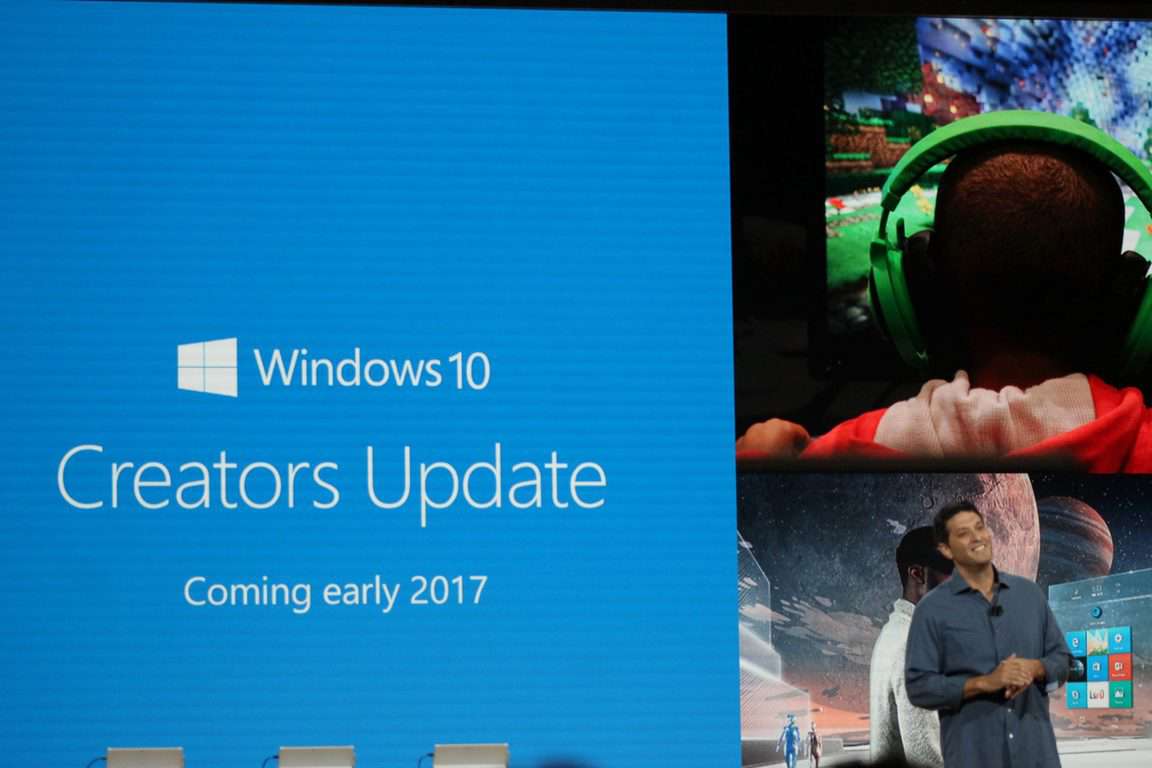
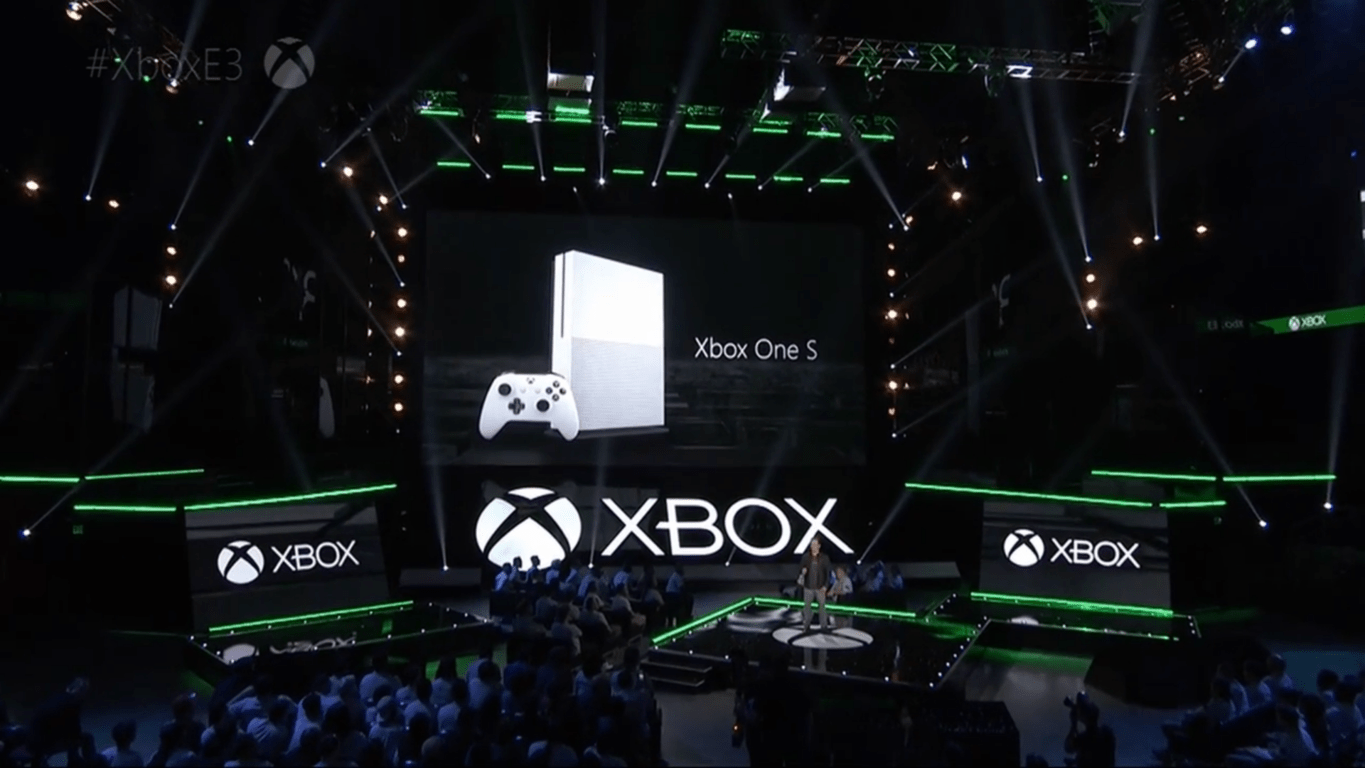
Far Cry 3 is the latest Xbox One Backward Compatible game

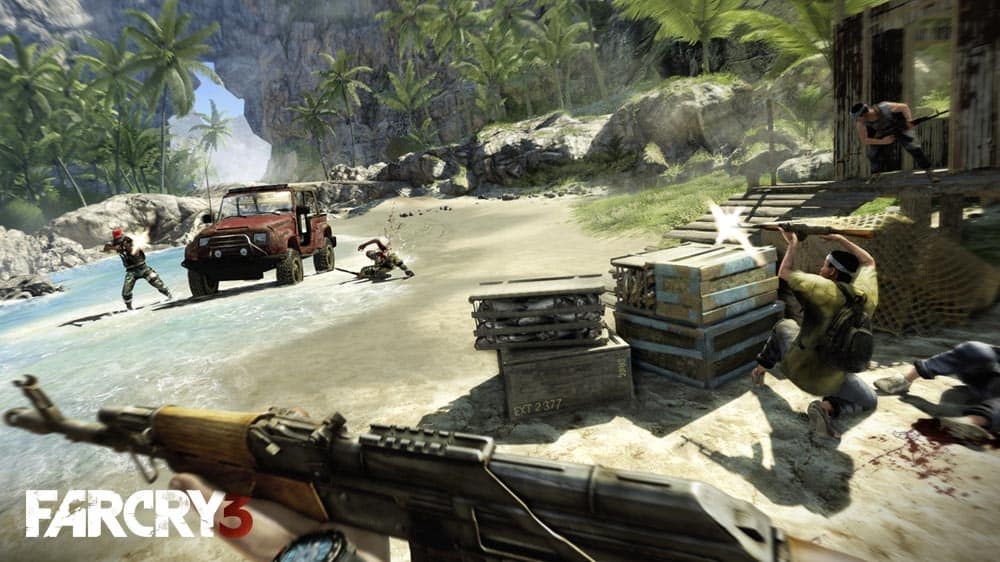
Good news for Xbox One owners, Far Cry 3, the critically-acclaimed shooter from Ubisoft, is joining the Xbox One Backward Compatibility list today. The game was released on the Xbox 360 back in 2012, and it pushed the franchise to the next level with its vivid open-world setting, great gameplay and unforgettable villain.

The game was recently discounted during Ubisoft’s latest Publisher Sale, but you can currently purchase it for $19.99 on the Xbox Store. The official description notes:

Far beyond the reach of civilization is a mysterious island overrun with violence and suffering. While traveling with friends, you are taken captive and brutalized. Your only hope of survival lies in unraveling the dark secrets of the island and its deranged inhabitants. Alone at the edge of the world, where nothing is what it seems, you must find a way to fight back and escape this island of insanity.

Far Cry 3: Blood Dragon, a standalone expansion set a retro-futuristic world also became backward compatible on the Xbox One last year. If you love shooters and have yet to try these games, both titles are highly recommended.

Ride sharing service Lyft is coming to Windows 10

For too long, Uber has been the main app for ride sharing on Windows Phone. Now, serious competitor Lyft has released their Windows 10 UWP app for both PC and mobile. Consumers will be able to experience the more personal touch of Lyft as they go from Point A to Point B.

Here’s the app description:

Need a lift? Use Lyft to get an affordable ride in minutes. Instead of hailing a cab or waiting for the bus, just request a car with the tap of a button, and get picked up by a nearby friendly driver who’ll take you to your destination right away. Enjoy a welcoming, affordable, and memorable ride today. Our app is cheaper than a taxi, faster than the bus, and easy to use. And now you can use your Windows mobile phone or tablet to request your Lyft rides.

– Getting Started: After downloading Lyft and signing up, simply open the app and request a ride.
– Paying: Never worry about having cash for a cab or the bus again — with Lyft, you pay through your phone. It’s easy, fast, and secure.
– Split the Cost: Easily split the cost of a ride with friends through the app. No more IOU’s.

The Windows 10 Lyft app is available today for most users, but it might not be rolled out just yet for everyone. Be sure to check it out on the Windows Store in case you need a ride.

Lyft
Lyft
Developer:
Lyft
Price:
Free

Microsoft to sell Samsung Galaxy S8 or S8+ from US Microsoft Stores (Updated)

Yesterday the internet was buzzing when Samsung announced the next generation of Galaxy devices, the Galaxy S8 and the Galaxy S8+. While the hype storm surrounding the phones has died down a bit, some Windows Phone loyalists might now have cause for a storm of their own. Microsoft Store associates will soon assist Samsung Galaxy S8 customers to set-up their devices in the store to ensure that every customer is ready to work, play and connect on their device when they leave.

According to the latest reports, Microsoft will sell their own customized version of the Samsung Galaxy S8, dubbed the “Samsung Galaxy S8 Microsoft Edition.” Available for purchase on April 21st, the new Samsung phones are now eligible for pre-order today at US Microsoft retail stores.

Customers can purchase the Samsung Galaxy S8 devices at Microsoft Stores and experience Microsoft’s best-in-class productivity experience applications such as Office, OneDrive, Cortana, Outlook and more. It is worth nothing, however, that applications do not come pre-loaded on the device. A Microsoft spokesperson provided the following statement in regards to the Samsung devices.

“A Microsoft customization is applied to the Samsung Galaxy S8 and Galaxy S8+ Microsoft Edition when the devices are unboxed and connected to Wi-Fi… This customization ensures customers a best-in-class productivity experience with Microsoft applications such as Office, OneDrive, Cortana, Outlook and more”

While Microsoft and Samsung have had disputes over royalties in the past, things have since settled, since the two have apparently reached a new deal involving the Galaxy S8. Microsoft also previously bundled their apps on the Samsung Galaxy S6, but the latest news that the company would actually sell physical Android phones in their retail store is definitely interesting.  Could this be Microsoft’s way of expanding its reach into one of Android’s most popular phone lines? Let us know your thoughts below.

Update: We’ve received some further information and have updated this post to clarify that Microsoft apps and services aren’t pre-installed on the phones.

Developers can now offically download Windows 10 SDK build 15063

A few weeks ago, Microsoft released Windows 10 SDK Insider Preview build 15052, bringing no API changes but bug fixes and “under development changes to the API Surface area.” While the much newer Windows 10 SDK build 15063 had previously leaked via a download link, Windows developers can now finally officially download the latest Windows 10 SDK build 15063 in a much more official matter (via Baboo.com)

Microsoft has yet to make an official announcement about the availability of the Windows 10 SDK build 15063, but a visit to this web page reveals that it, and Mobile Emulator Insider Preview Build 15063, are both available for developers to download. Changelogs are also not yet available, but the availability comes after Microsoft officially released the ISO files for the standard PC version of the very same build, likely meaning that this could be the final version of the SDK.

The Creators Update is set for an April 11th rollout to PCs, but Microsoft is still officially calling this latest SDK a pre-release. The company also recommends that this release should only be installed on test machines since it is not supported in a production environment. The Windows 10 Creators Update SDK is somewhat different from standard Windows 10, since it provides the latest headers, libraries, metadata and tools for developers to build their Windows 10 apps.

New Xbox One Alpha ring update brings fixes for Cortana, Movies & TV, more

It’s been just a day since the Xbox One March Update rolled out to all Xbox One owners, but that doesn’t mean that the Xbox team is taking a break. Indeed, a new preview build is already available to download for Preview Alpha members, and this one brings various fixes for Cortana, the Movies & TV UWP app and more.

There are no new features in this new build, though the Xbox team is expected to release several new features such as Arena on Xbox Live, enhanced profile and activity feed later this month. You can find the full changelog below:

DETAILS

OS version released: rs2_release_xbox_1704.170326-1700
Available: 6:00PM PDT 3/29 (1:00AM GMT 30/3)

NEW FEATURES:

Welcome to 1704 on Xbox One! This month we’re rolling out several feature updates inspired by your feedback.
You can read more about the features coming in this update on the Xbox News Wire.
NOTE: Not all planned features for this update are available at this time.

FIXES:

• Settings
Fixed an issue which prevented some users from adding a new payment method.
• Cortana
“Hey Cortana” should now function when searching for Store content.
• Movies & TV
Fixed an issue which could sometimes cause Movies & TV to crash to Home immediately after launch.
• Sign-In
Resolved an issue which prevented users from adding a new profile.

KNOWN ISSUES:
• Settings – Display & sound
The Audio output page is under construction and some of the new settings are not yet functional. New support is planned for Dolby Atmos for home theater, Dolby Atmos for headphones, and more in upcoming builds. An announcement will be made when these new features are ready to try out; enabling these settings now will have no effect.
• Wireless Display
The Wireless Display app fails to launch and immediately crashes to Home.

In a previous tweet, Microsoft’s Brad Rossetti explained that this preview build will hit the Xbox Beta Ring “mid next week.” It’s good to see that the Xbox Insider Program is still very much active, and we’re looking forward to see what’s coming next for the gaming console.

Microsoft removes OneGuide and TV remote options from Xbox apps

Microsoft updated their Xbox One consoles earlier today with its own version of the Windows 10 Creators Update but the company has also updated its numerous Xbox apps on Windows 10, Windows 10 Mobile, iOS, and Android devices as well.

While few new features were added with these updates, two previous ones were completely removed from the Windows 10 apps; the OneGuide tab and the TV remote control functionality. OneGuide was used to curate shows, movies, and TV channels for viewing on the console while the remote control could be used to pause and play video and even change channels. With the latest Xbox One update, the OneGuide feature remains on the console but the ability to snap live TV was removed. This coupled with the app changes could signal a gradual phasing out of support for live TV on the Xbox One but it’s also possible that Microsoft is planning to integrate television in a different way sometime in the future.

Xbox One owners are currently being encouraged to vote for a picture-in-picture mode on Microsoft’s User Voice website to show that they’re interested in multitasking TV viewing with their gaming and while the company hasn’t made a statement on the changes to the Windows 10 Xbox apps, those who miss these features should use the aforementioned website to express their interest in those as well.

Did you use the OneGuide and control options in the Xbox apps? Let us know in the comments.

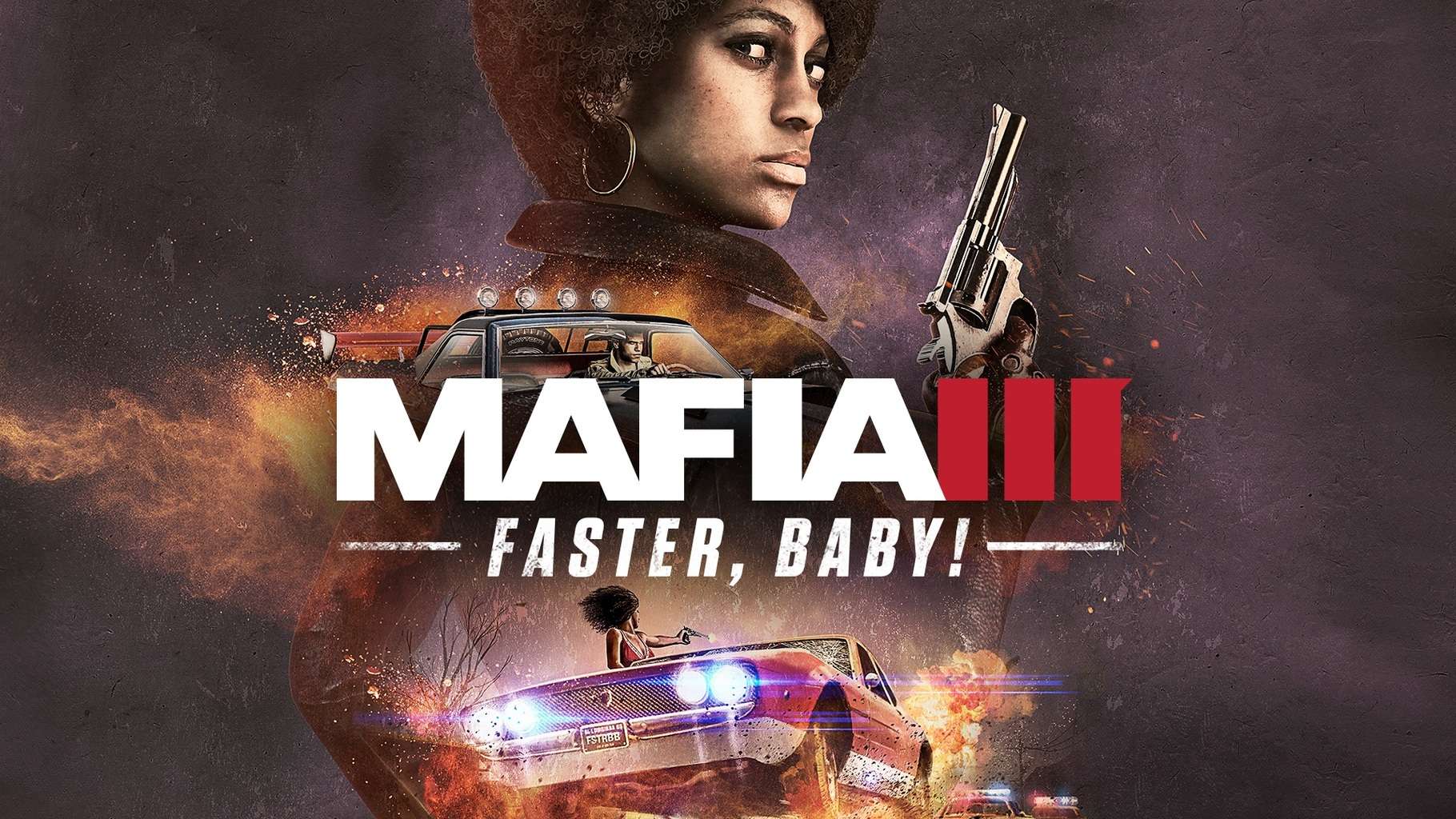
Mafia 3 ‘Faster, Baby’ expansion pack deals with corrupt law enforcement

Good news ahead for Mafia enthusiasts: the third installment in the franchise is looking at recruiting a new family member pretty soon. And pretty soon actually means tomorrow. Hangar 13 made it clear that the 28th of March will mark the coming of Mafia 3’s expansion pack titled Faster, Baby! This expansion set won’t come out by itself, however, but rather accompanied by an important addition: a demo of Mafia 3. The demo will allow players to test the game out and experience a specific portion of the game.

New expansion coming, so time to prepare

Faster, Baby! was announced a few weeks ago, having made it a fixture in the calendars of those that can’t get enough Mafia 3. Those that play the game on Xbox One should make sure that they have an extra 5GB of space on their consoles because Hangar 13 is pushing out a patch of that size to the game to prepare it for the upcoming expansion.

There isn’t much information available regarding the contents of this 5GB patch. While it is known that it will feature some gameplay changes, it’s not said if it will be a mix of features and optimization or just a strong inclination towards one of the two. The gameplay changes in question address things like the ability to throw grenades while driving, something that wasn’t an option in the game until now. Mines will also play a part in this new 5GB patch, too.

Civil Rights are still a priority

Mafia 3’s unbeaten record of raising social awareness about discrimination and civil rights will continue since those themes are revisited in the plot of Faster, Baby! The new expansion pack will grant players access to a new zone in the game called Sinclair Parish, too, so there’s lot of new content for fans to digest!

RELATED STORIES TO CHECK OUT:

Narcosis bugs: Game crashes, flare gun not centered, and more

Narcosis is a horror survival game that will send shivers down your spine. The game takes players to the sunless depths of the Pacific Ocean. As a player, you take on the role of an industrial diver stranded on the seafloor with low light and few tools at your disposal. You need to surface before your oxygen and sanity give out. Narcosis also comes with a VR mode that highlights the hostile environment the game is set in.

Unfortunately, Narcosis is affected by a few technical issues that sometimes limit the gaming experience, as players report.

Narcosis reported bugs


Flare gun aims off-center

The flare gun’s aiming reticle is not very well centered, forcing players to turn their heads in order to get a center shot.

when I try to use the flare gun, the aiming reticle is very far to the left. I acutally had to turn my head away and look out the corner of my eye to hit the targets in the training pool.

Game crashes

Players also report the game randomly crashes. It appears that the crashes are prevalent for the level “Follow the procedure”.

Hi. My game keeps crashing […] I can walk in any direction for 4-7 minutes and then it simply crashes (it happened at least 5 times already). I’m playing on Win7 X64 on a GTX980.

Players fall through the elevator

There is a “falling trough” bug with the elevator in the room with the fusebox u have to reset
plus second-usebug of the elevator. you can only klick it again if u dash against it


How to fix common Narcosis bugs

First, make sure that your computer meets the necessary system requirements before you buy the game. In this manner, you’ll avoid severe technical issues.

Narcosis minimum system requirements

  • OS: Windows 7 (64 bits)
  • Processor: Intel i5 or better
  • Memory: 4 GB RAM
  • Graphics: Nvidia GTX 560 or better
  • DirectX: Version 11
  • Storage: 8 GB available space
  • Sound Card: Any sound card

Narcosis recommended system requirements

  • S: Windows 7 (64 bits)
  • Processor: Intel i5/7 second generation or better
  • Memory: 8 GB RAM
  • Graphics: Nvidia GTX 970 / AMD R9 290
  • DirectX: Version 11
  • Storage: 8 GB available space
  • Sound Card: Any sound card
  • Additional Notes: This is the minimum configuration to play in VR.

Fix: Oculus Rift won’t connect

  1. Close SteamVR > launch the game with the Play option.
  2. The option “Launch Narcosis in Oculus VR Mode” should now be visible.

How to fix graphics issues in Narcosis

  1. Make sure your DirectX version is up to date. Narcosis requires DirectX 11 compatible hardware.
  2. If DirectX is up to date and you’re still experiencing graphics issues on Windows 7, download the Platform Update for Windows 7.
  3. Go to Narcosis > Properties > General > Set Launch Options and select”-force-d3d11″

RELATED STORIES YOU NEED TO CHECK OUT:

Microsoft updates the Xbox app on iOS with Beam notifications, achievement improvements and more

In line with the Creators Update launching on the Xbox One today, Microsoft has now released an update to the Xbox app on iOS, providing notifications for Beam, achievement leaderboards and rarity and more.

Here is the full changelog:

  • Get notified when your friends are streaming on Beam
  • Added gamerscore leaderboards
  • Ability to share the gamerscore leaderboard
  • Identify hard-to-earn achievements with achievement rarity
  • If you’re getting several notifications when receiving a message, uninstalling and reinstalling the Xbox app should fix the problem.

This update brings the app to version 1703.324.1309.

Let us know what you think of the latest update in the comments below!

‎Xbox
‎Xbox
Price:
Free

Bungie confirms PC launch of Destiny 2 this year

After a spate of rumors last week, Bungie has now officially confirmed the release of Destiny 2, the sequel to its massively multiplayer online first-person shooter game this year. Despite the announcement via Twitter, the exact date for the launch remains unknown. Nevertheless, it is possible the game could roll out at E3 in June this year.

Details about the launch are still scant at the moment. Earlier this year, Activision announced that Destiny 2 was on track for a 2017 debut. While previous reports confirmed that Destiny 2 would be available on PS4 and Xbox One, fresh rumors indicate a PC version is also underway. Bungie also previously announced that players wouldn’t be able to migrate the items or abilities they unlocked over the past three years to Destiny 2. Nonetheless, they can transfer the characters over from the original Destiny to its sequel.

Virtual reality support

While it’s now confirmed that Destiny 2 is actually happening, it remains unclear whether a PC release is also taking place. Whether or not a PC version is happening, there are several reasons why Destiny 2 should include virtual reality support as outlined by Upload VR.

First, making the game playable in VR means downgrading its visuals to maintain strong performance, a sacrifice that Upload says is worth taking if the alternative is not having Destiny 2 in VR at all. Destiny 2 also seems to work best as a gamepad title on VR headsets thanks to the in-game characters’ multiple abilities and options during combat.

Also, the game experience inside a head-mounted device is better due to Destiny 2’s fast-paced gameplay. Immersion-wise, Destiny 2’s setting would enrich the player’s experience with a HUD inside a head-mounted device. Finally, first-person shooters are gaining more traction than any other games at present, giving Destiny 2 great selling factor.

The Walking Dead: A New frontier — Episode 3 ‘Above the Law’ reported issues

The Walking Dead: A New frontier — Episode 3 ‘Above the Law’ further explores Javier Garcia’s complex family dynamics. This installment relies on flashbacks that offer more information about Javier’s life soon after the outbreak. Above the Law reveals more dark family secrets and forces players to make difficult decisions.

According to player reports, Episode 3’s flow may sometimes be interrupted by various technical issues. In this article, we’re going to list the most common bugs reported by players.

The Walking Dead — Episode 3 ‘Above the Law’ issues


Save files missing

Players report that after installing Episode 3 Above the Law, they lost all game progress. This is a very annoying thing as many players are now forced to start all over again.

I came in for episode 3, to discover that all of my save files were gone. I looked online and found lots of people with the same issue, but no solutions. Advice?

If you’re experiencing this issue, here’s what you can do to retrieve the save files.

Solution 1:

  1. Backup your save game data from C:\Users\X\Documents\Telltale Games\The Walking Dead – A New Frontier (Season 3)
  2. Delete everything from the folder.
  3. Launch the game and enable cloud save. The game will download the data from the TellTale cloud and you should have your progress back.

Solution 2:

  1. Turn off Steam save > close Steam.
  2. Delete all the files from the Telltale New Frontier folder > disable the Network adapter > move saved data back in.
  3. Open the New frontier folder again with no Internet connection > the save files are there.
  4. While in game, enable your Internet connection > copy the save files to slot 2,3 or 4.
  5. Copy the local save back to the Telltalle cloud save.

Infinite load on startup

Other players can’t even launch the game as they often get stuck in an infinite loading screen.

Hey. I’m having this problem of getting stuck in infinite loading screen. After it tells me “looking for DLC” it goes black and shows a loading sign, but it doesn’t go past there. Anyone had this problem before and solved it?


Texture glitch

Episode 3 Above the Law is also affected by a few graphics issues. Players report that Javier appears to be stretched all over the screen. Luckily this happens only for a few scenes, and it’s not a permanent bug.

For some reason, Javier has a horrible texture clipping glitch, where he’s stretched all over the screen. This didn’t happen in Episodes 1 & 2, only Episode 3 with the new update. Anyone else having this issue? What can I do to fix this?


These are the most frequent The Walking Dead: A New frontier — Episode 3 ‘Above the Law’ issues reported by gamers. As you can see, there are only three main bugs affecting the game.

If you’ve come across other issues that we didn’t list in this article, use the comment section below to tell us more about your experience.

RELATED STORIES YOU NEED TO CHECK OUT:

Microsoft Windows 10 Creators Update near release, talks of a final build ISO begin

Microsoft’s Windows 10 Creators Update is in the news once more as it approaches its official release date. Users of Microsoft’s Insider program will recognize that build 15063 is the latest one available on the platform, but that’s not all. Recently, it was also confirmed that this indeed the final build for the Creators Update, meaning that it is the direct inspiration for the official retail build which will be pushed out on launch day. And since update 15063 is already up on the Insider platform, many now believe that there will not be a lot of time left before it becomes available.

Microsoft was asked on Twitter via its Windows Insider chief Dona Sarkar about the appearance of ISOs for the build since it is already out on the Insider platform. Sarkar confirmed that there should be new ISOs released within a week as a direct reply to the tweet.

The new update ill come gradually

While the official release date for Microsoft’s Windows 10 Creators Update is 11th of April, not everyone will be getting the patch on that day. Instead, the Creators Update will be deployed gradually. This means the new OS won’t be available for everyone using Microsoft Windows 10 right away, with Microsoft deciding to fragment its release for less problems down the road.

It shouldn’t be any longer now

The retail versions of the new Creators Update will also get their own ISOs and also incorporate some very important tools. Among these tools is the Media Creation Tool and the Update Assistant which will help facilitate a faster deployment of the update. There is no release date yet on any of the build ISOs but it is expected that Microsoft will officially announce them soon.

RELATED STORIES TO CHECK OUT:

Here is how Microsoft helped British authorities following the Westminster Bridge attack

Following the terror attack that took place in Westminster, London, last week Microsoft assisted British authorities by handing over information upon receiving a legal request to do so.

In a statement (via Mashable), the company explained how quickly its team responded to a legal request for information:

Our team responded in under 30 minutes last week to verify that the legal order was valid and provided law enforcement the information that was sought

Microsoft’s President, Brad Smith, continued by explaining that the team responsible for handing over information when requested was available “24/7,” while defending the company’s decision to comply with legal requests:

Our global team is on call 24/7 and responds when it receives a proper and lawful order. This of course is different from helping a government outside the rule of law to turn over private information or hack or attack a customer, which we’ve said clearly we will not do. We’re committed both to protecting public safety and safeguarding personal privacy, and we believe that proper legal process is the key to striking this balance.

Microsoft’s response comes after the UK’s Home Secretary, Amber Rudd, called for companies to not “provide a secret place for terrorists,” saying that WhatApp’s end-to-end encryption is “completely unacceptable.”

How do you feel about Microsoft handing over the data upon request? Let us know in the comments below!

No Picture in Picture mode for Xbox One “at this time,” but you can vote

Alongside the general announcement of the April 11th availability of the Windows 10 Creators Update, Microsoft today also released the Xbox One March Update, delivering quite a few changes to the gaming console. As some have worried about in the past, one of these changes is the dropping of the much beloved Snap Mode. While some may be upset because of the removal of the feature, the head of Xbox Mike Ybarra has revealed that a Picture in Picture mode for TV (PiP is widely rumored to be a replacement to Snap) is not available for Xbox One “at this time,” but you can vote for one.

As seen in the Tweet above, Mike Ybarra is encouraging users who really want to multi-task and watch their TV shows while playing games on their console to head here to vote on the Xbox User Voice forum. Given the results of the Xbox Insider Program, Microsoft clearly values the feedback of gamers. So, if you really want to see the Picture in Picture feature, it’s best to vote and hope that the feature picks up traction to come to both both TV and UWP apps on Xbox One. Mike Ybarra had also previously mentioned that Snap was replaced because it improves multi-tasking reduces memory use and helps the overall speed in the Xbox experience, so there might as well be bigger things ahead.

Do you miss the Snap feature which allowed you to multitask and expand the way you use the Microsoft gaming console, as well as open apps side by side? Which multi-tasking features do you want to see on your Xbox One? Let us know your thoughts in the comments.

Vikings Wolves of Midgard bugs: FPS drops, high GPU temperature, and more

As its name suggests, Vikings: Wolves of Midgard takes you to the Shores of Midgard, a world where the mythology and history of the Vikings is very much alive.

The title depicts a world on the road to perdition, where the Jotan return to take their vengeance against the Gods of Asgard. However, a group pf unbowed warriors, the Wolves of Midgard, are determined to seize their destiny and save the world. As a player, you’ll take on the role of the clan chief, and guide your warriors to victory.

Unfortunately, the gameplay may sometimes be interrupted by various technical issues, as gamers report.

Vikings: Wolves of Midgard bugs

  • Controller switches to mouse and keyboard

Players report that they can’t play the game using a different controller than the Steam Controller. The game switches to mouse and keyboard as soon as players press any button on the controller.

Whenever I push a button on the not-Steam-Controller it switches to mouse controls and back immediately. Same happens when I’m using Steam Controller over Steam Link. I click the A button, nothing happens and all the prompts change to keyboard. Moving works fine. Steam Controller on PC works fine. Different controller doesn’t work.

  • Low FPS issues

Vikings: Wolves of Midgard sometimes deliver low FPS rates, which affects the gameplay’s fluidity. Players also report that the game itself doesn’t show up on the GeForce Experience screen. This means that it doesn’t use the NVIDIA card and an update is required to improve the FPS rate.

Same, framerate is far from good. Hope nvidia brings out a driver that fixes it or the developers brin out a fix

  • The GPU becomes too hot, causing the game to crash

Some players report getting high GPU temperature when running Vikings: Wolves of Midgard. After approximately 30 minutes, the game usually crashes as the hardware can no longer handle the sustained heat.

Even at the lowest settings I’m getting over 190 F/88 C. […] I’ve got 4 fans total blowing in and out and MSI Afterburner pushing the in and outtake fans at max velocity. The last crash that happened today (the last of the 4) actually forced me to do a hard shut down because it froze and ctrl+alt+delete and win+tab did nothing, and I hate doing that.

  • Game crashes on launch

Some players can’t even launch Vikings: Wolves of Midgard, as the game window crashes as soon as they hit the start button.

has anyone else expierencing problems with the startup of the game?
I get the first window where I can press “start” after that it just crashes. restarted, reinstalled alrdy.

Other known issues, although rare, include:

  • Pathfinding with M/K can cause problems at some corners or obstacles.
  • Some Spanish localization issues: wrong translations and sometimes the UI appears in German instead of Spanish.
  • Players can’t move or get stuck in motion. Opening and closing the inventory should fix this bug.

If you’ve come across any workarounds to fix the issues listed above, list the troubleshooting steps in the comment section below.

RELATED STORIES YOU NEED TO CHECK OUT:

Telltale’s Guardians of the Galaxy game Xbox One release date revealed

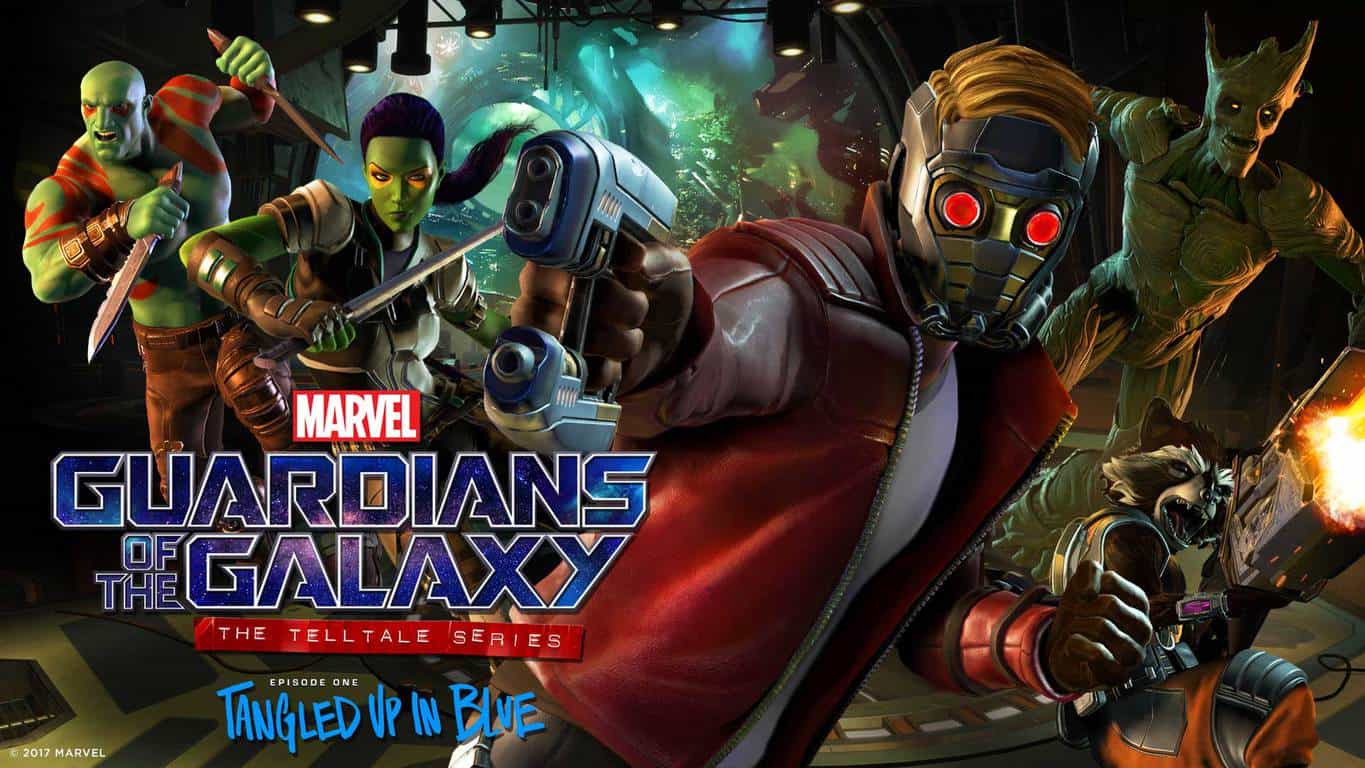
Marvel’s Guardians of the Galaxy, the latest episodic game from Telltale Games, will launch on the Xbox One next month. The first episode of the series called “Tangled Up In Blue” will be available to download on the console on April 18, with a $4.99 launch price.

The company also announced in a blog post that special season pass discs will be available to purchase in North America on May 2 (on May 5 in other countries), but pricing details are still unknown. In the meantime, the developer plans to release a new game trailer tomorrow, March 30. If you missed it, you can watch the first trailer below:

If you’re wondering, Marvel’s Guardians of the Galaxy will also launch on Windows, Playstation 4 as well as iOS and Android devices next month. However, the episodic game won’t be released on the Xbox 360, continuing a trend that started last year with the release of The Walking Dead: A New Frontier. Sound off in the comments if you’re looking forward to play the first episode next month.

Xbox Play Anywhere game Snake Pass now available

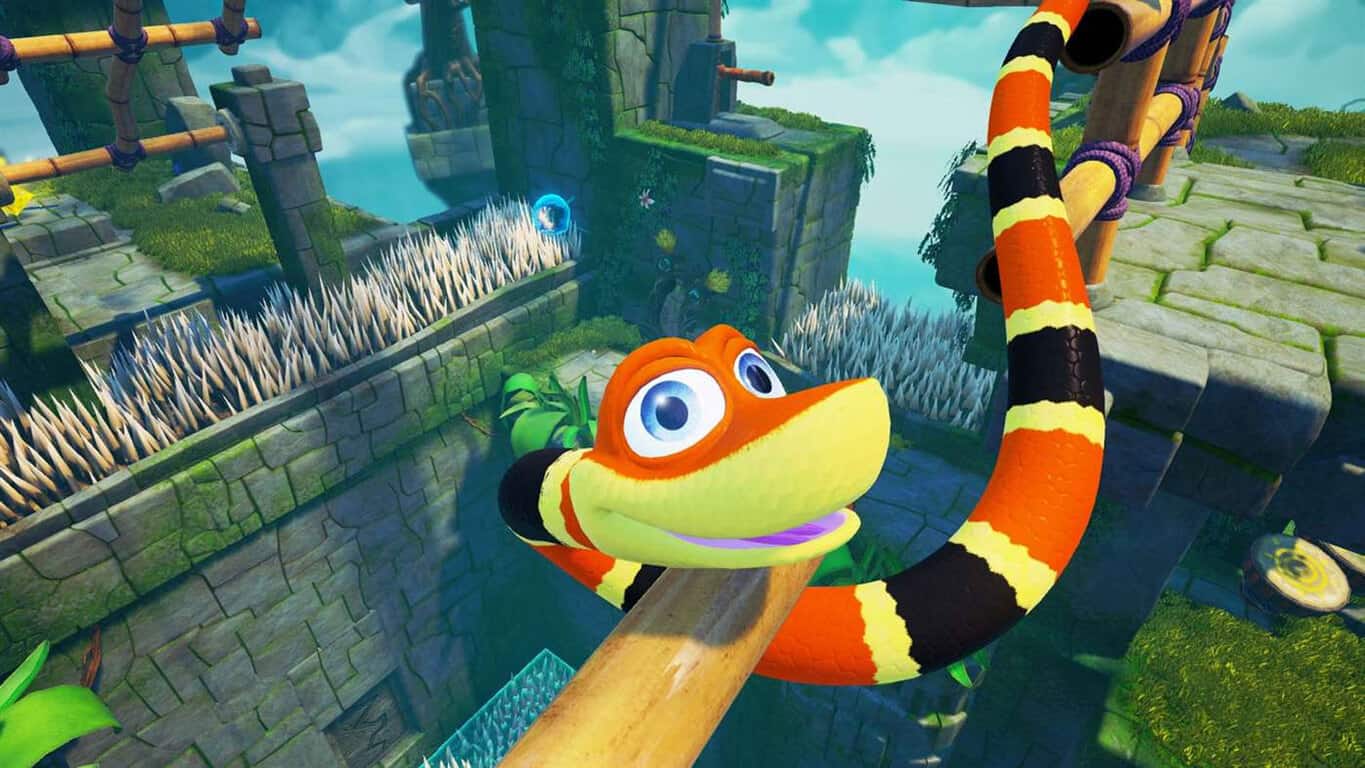
Snake Pass is now available to play on Xbox One consoles and Windows 10 devices. As part of Microsoft’s Xbox Play Anywhere initiative, those who purchase it on the Xbox One will also get the game for free on Windows 10 and visa versa. The game is a puzzle-platformer and features 15 levels to complete. Here’s the official description:

THINK LIKE A SNAKE! When the tranquillity of Haven Tor is interrupted by a mysterious interloper only the unlikeliest of heroes can save the day! Meet Noodle the Snake and his hyperactive best friend, Doodle the Hummingbird, who together must re-unite the missing Keystones with the magical gates that give Haven Tor its mythical power. A unique, physics based puzzle platform game, Snake Pass challenges players to ‘think like a snake’ as they tackle precarious puzzles as only a snake can. Slither through long grass, coil around bamboo and climb out of trouble in the latest game from award winning independent studio Sumo Digital!

Buy Snake Pass on Xbox One and Windows 10

Have you played Snake Pass yet? Which device will you be playing it on?

Microsoft’s Xbox One just got a new Kinect video game

Air Guitar Warrior is now available to play on the Xbox One. This new game by the creators of Boom Ball and Kung Fu For Kinect mixes the sidescrolling platforming and music genres into something that is pretty unique. Air Guitar Warrior scans players into the game with the console’s Kinect camera which allows gamers to essentially play as themselves. Players can then progress through the levels by triggering a variety of special moves through striking specific poses in front of the Kinect. Here’s the official game description:

Air Guitar Warrior is part scrolling shooter, part music game and full of rock attitude – and you control the music! Includes 19 custom-made tracks from Mr. Fastfinger and Samppa Siurala. Shoot bullets, lasers and lightning from your air guitar! Ride dinosaurs, sharks and jet-powered crocodiles! Smash Vikings, aliens, demons and flying skulls! Find the legendary sword-guitar and challenge Heavy Metal Zeus for the top spot in the temple of the rock gods!

Buy Air Guitar Warrior on Xbox One

Do you still enjoy using the Kinect on your Xbox One? Let us know which Kinect game is your favorite in the comments below.

Rain World bugs: game won’t launch, graphics glitches, and more

Rain World is a game that brings forth an interesting concept: you are a nomadic slugcat, both predator and prey in a broken ecosystem. Surviving in this hostile environment is not an easy task, as you must brave the industrial wastes, hunt enough food to survive, while keeping an eye on predators. You know what they say: predators can become prey.

As it often happens with newly launched games, Rain World is affected by a few technical issues.

Rain World reported bugs

  • Graphics issues

Players report that Rain World is affected by a strange shadow issue. More specifically, gamers can’t see the characters, but only their shadows.

I just installed the game and booted it up. I’m psyched that steam released it a bit earlier than expected but unfortunetly it’s unplayable on my pc at the moment. There seems to be an odd bug that is affecting the characters in the game, you can only see their shadows. Is anyone else experiencing this?

  • Area transition issues

When the slugcat walks into another area, somehow the screen does not always follow it. As a result, gamers are stuck looking at the old area.

I’m having an issue where once the slugcat walks to another area (not using a pipe) the screen does not always follow slugcat […] You can still move about but the only way to remedy this is to press Back and then wait for the screen to come up and then resume the game. Poor slugcat has met his end a few time due to this error.

  • The controller always pushes left

Other players have encountered various controller-related issues. They report that the Xbox controller always pushes them to the left, preventing them from properly controlling the slugcat.

I’m using a wired Xbox controller that works on multiple other games, but it immediately tries to push left at all times. It’s impossible to do anything but go left (the opposite direction/flow of the game). In settings, it’s impossible to solve this by moving to keyboard and mouse, as all of the settings are on the right side, thus rendering the entire game unplayable no matter what I do.

  • Launch issues

Many players also report that Rain World often loads in a loop and then suddently freezes. As a result, they can’t actually launch the game. Running the title in windowed mode doesn’t fix this problem.

The game loads extremely slow (Several minutes from ‘new game’ to the intro video. Either freezes or takes even longer to load after the intro video). During the several minute long loading, the game “srops responding”. I have not been able to progress further than the “grey cloud” screen that appears after the intro video.

The bad news is that there aren’t any specific workarounds to fix the issues listed above. Most likely, these bugs will get fixed with the next game update.

You can buy Rain World for $17.72 from GamesDeal.

RELATED STORIES YOU NEED TO CHECK OUT:

Snake Pass issues: Game crashes, lagging, players unable to switch languages, and more

If you’re looking for a simple, fun game to play, then Snake Pass is the perfect game for you. In it, you control a happy snake and guide it to slither, coil and climb its way to the top of Haven Tor. As such, Snake Pass is a puzzle platform adventure game that can be played by the whole family.

Noodle the Snake and his hyperactive best friend, Doodle the Hummingbird must complete a very important mission: reunite the missing Keystones with the magical gates that give Haven Tor its mythical power. The game challenges you to actually think like a snake as you tackle precarious puzzles as only a snake can.

Unfortunately, Snake Pass is affected by a few technical issues that sometimes limit the gaming experience.

Snake Pass bugs

  • Camera issues

Many players report they’ve experienced many deaths due to an unstable camera since it behaves like a physical object and can get stuck in walls. This is extremely annoying especially considering players must guide the snake through tight spaces.

This camera is giving me dark souls vibe, and not the good one. There are many tight spaces that you have to go through in this game, and i’ve experience many deaths because the camera was freaking out because it hit a wall or a monkey bar. […]
I wish there’s an option so instead the camera being a “phyical” thing that bumps into walls it can go through them and give the objects that hide your view from noodle to be semi-transparent.

  • Players can’t change the game’s language

Players also report that sometimes the game starts in a different language. Unfortunately, it appears that there’s no in-game option to change it. This is most likely because Snake Pass is one of those games that chooses the main language based on Windows’ settings.

Game starts in Spanish for some reason, when I really wanna play it in English so I can Let’s Play it on my channel, feels super weird to have to translate everything. I have the game on English on Steam Properties, my Steam is set on English yet the game’s somehow decided Spanish is what I want and there seems to be no in-game option to change it.

  • The game feels laggy

Despite having a solid 60 FPS rate, some players experience lag when playing Snake Pass.

was so excited for this game and i just tried it out and it is soooo laggy. wondering if it’s happening for everyone else because it’s a new game or if my computer just isn’t taking it? 🙁

  • Black screen issues

Snake Pass is also affected by black screen issues. When players enable full-screen, the computer screen actually goes black.

When I am in fullscreen, the screen is black. I guess it is a bug.
So I press Alt+Enter to go in windowed mode. It works fine, and it looks like borderless windowed mode at 1920×1080.

However, in the settings, If I select Windowed Mode, there is no 1920×1080. Too bad because I could force borderless windowed mode using “Borderless Gaming” if this setting was available. So please either fix fullscreen, or allow 1080p in windowed mode in the settings.

These are the most common Snake Pass bugs reported by players. If you’ve come across various workarounds to fix them, list the troubleshooting steps in the comment section below.

RELATED STORIES YOU NEED TO CHECK OUT:

Facebook Messenger drops support for older versions of Windows and Windows Phones

Another day, another app leaves the older versions of Windows and Windows Phones behind. This time, it’s Facebook Messenger. The popular instant messaging app will depart smartphones running Microsoft’s Windows 8.1 and earlier operating systems, which account for 76% of the Windows ecosystem.

Facebook Messenger is the latest app to depart Windows Phones as the platform continues to struggle in a market dominated by Apple and Android devices. Users of the app received an advisory email informing them the app would stop supporting their devices at the end of March, meaning they will no longer be able to send and receive messages.

The Messenger team said in a blog post:

With over 1B people using Messenger every month, our team spends countless hours making it the best way to message your friends and family. One of the ways we continue to improve is by consistently introducing rich features, like voice and video calling, games, and bots for Messenger. Using older versions of apps means that experiences won’t work well or sometimes not at all. As a result, we are asking people who are using older versions to upgrade so they can enjoy more of the delightful features of Messenger.

We will be ending support for messaging in some older mobile app versions of Messenger and Facebook. We have proactively reached out to those affected and have also offered suggestions right in Messenger. These include updating your app to the latest version, loading an OS update for your device or migrating to Facebook Lite. If your devices do not support the newest versions of Facebook, we recommend going to Facebook.com through your mobile browser.

The Microsoft Lumia 640, 640 XL and the Lumia 535 are among the devices affected by the app’s leave. The withdrawal comes a month after Skype pulled the plug on its app for older versions of Windows. Microsoft’s latest move also applies to Facebook for Windows Phone, Messenger for Windows Phone 8 and 8.1, and Facebook for Windows 8 and 8.1 desktop app.

RELATED STORIES YOU NEED TO CHECK OUT:

Final Fantasy XV March Update bugs: Infinite loading screens, inaudible dialog, and more

Final Fantasy XV  recently received an important update that brings a series of new elements to the game as well as many useful bug fixes. FFXV update 1.07 adds new areas and cutscenes to Chapter 13 of the game and makes Gladiolus playable for this new segment. Players can access Chapter 13 through a special menu on the title screen or through an existing Chapter 13 save file and can choose to play as Noctis, Ignis or Gladiolus.

FFXV March Update new features and improvements:

  1. New areas & cutscenes are added to chapter 13 of the game + Gladiolus becomes playable for this new segment.
    1. 1. Chapter 13 verse 2 is acceasible either by selecting the “special” option in the main menu or during chapter 13 of the game where you are given the choice of either play as Noctis or Gladiolus when the party slips.
      2. Ring of the Lucii’ spells are buffed
  2. Temporary conclusion of the Timed Quest, will resume at a layer date.
  3. Announcement of the winning snapshots from first photo contest (viewable at Takka’s Pits Stop at Hammerhead)
  4. Adition of two pieces from Episode Gladiolus to music player tracklist.
  5. Adition of compatibility with Episode Gladiolis.
  6. Various Gameplay enhancements.
  7. Various bugs fixes.

Players report that the March Update also brings issues of its own. Frequent bugs include stuck loading screens, graphics issues, and more.

Common Final Fantasy 15 March Update bugs

  • The loading screen gets stuck in Episode Gladiolus

Anyone else had any problems with this? I can’t get past a loading screen once I’ve clicked on the episode. I’ve left it ‘loading’ for a couple of hours, I’ve tried off and on a few times, no joy.

  • Black screen before the boss fight

Gamers report that at the end of Chapter 13, the screen goes black after they get on the elevator and hit the “Operate” button.  While the music keeps playing and gamers can pause the game, the screen remains black.

[…] at the end of chapter 13, right before a boss fight I believe, you have to ride an elevator. This is after the party has been reunited. So I got on the elevator, hit the “operate” button…and then the screen went black. […] I’ve tried reloading, traveling to the past and then coming back, almost everything I can think of but to no avail…anyone else getting this bug? Any ideas for how to fix it?

Judging by the description above, it appears that FFXV is having trouble autosaving. If you’re experiencing this issue, wait for a few minutes for the game to autosave. Also, try saving the game manually before reaching the elevator. If these two solutions didn’t help, delete and reinstall the game.

  • Music is louder than character voices

In Chapter 13 Verse 2, players can’t hear character voices due to a sound mixing problem after fighting Leodolas.

Right after you fight leodolas and he dissappears the sound mixing is almost identical to the scene where noctis is getting trapped into the crystal. The music is louder than the dialouge and you can barely hear. Did anyone else have this issue?

Overall, Final Fantasy XV’s March Update is pretty stable and reliable. As you can see, we identified only three recurrent issues.

Have you encountered other issues that we didn’t list in this article? Use the comment section below to tell us more about your experience.

RELATED STORIES YOU NEED TO CHECK OUT:

Microsoft President Brad Smith continues to push for Digital Geneva Convention in recent European tour

Microsoft president and chief legal officer Brad Smith has been on the warpath against cyber crime. Over a month ago, Smith made the public call for a Digital Geneva Convention, and he hasn’t let up even as he traveled through European countries this last week. Similar to the Fourth Geneva Convention, Smith wants to see governments work together to build a battle plan for cyberspace.

In the last seven days, Brad Smith has stopped in Germany, Denmark, Poland and the UK speaking to organizations, law firms, and conventions about Microsoft’s stance. The penultimate finish to his week was an event in Brussels where Smith live-streamed the keynote address at The German Marshall Fund’s Brussels Forum on Saturday.

Throughout his trip through Europe, Smith has diligently shared that he truly believes that liberty can be maintained through the digital era. But the catch is, governments need to be transparent about their access and able to keep private information secure. According to the article, Smith made it clear that Microsoft hasn’t any intention to aid governments or organizations in their attacks to citizens.


CCSIO Benchmark is a powerful drive speed testing tool for Windows 7, 8.1, nx 10

Those tired of the regular ways they undergo drive tests have something to look forward to as a new drive testing software has been made available called CCSIO Benchmark that brings innovation to the process. What’s even more interesting is its tiny 210KB size!

How it works

CCSIO Benchmark works by testing a multitude of scenarios to detect the best possible combination, perfect for those looking to find the most efficient configuration. The great thing here is that users don’t have to really test anything as the software will tell them exactly what the best combinations are for achieving top speeds in both writing and reading.

Those worried about potential compatibility issues shouldn’t be afraid because this software works for any storage device, making it the perfect tool to seamlessly carry around and use whenever necessary.

What it offers

There are many elements that go into configuring its various options. Whether users tinker with buffer size options or the IO mode, everything leads to different outcomes in performance and efficiency. All of them are covered by CCSIO Benchmark, however, making the user’s job easy and practically nonexistent. When it comes to buffer sizes, there are many options to choose from, including 8K, 16K, 32K, and so on, all the way up to 16M. That is quite a range of options that is provided to get the best results.

There are three ways in which tests can be overseen with this software. The ways in which tests can be done are with buffed sequential modes for IO, or unbuffered, either simple or unsequential.

RELATED STORIES TO CHECK OUT:

Xbox One Ring 4 Insiders to get latest Creators Update build today

A tweet from Microsoft employee Brad Rossetti has revealed that Xbox One Ring 4 Insiders will get the latest Creators Update build today. Ring 4 is the slowest Ring on the Xbox Insider program, so it would seem these gamers have been left eagerly waiting for new features which have already graced Insiders in the other Preview Rings.

Though patch notes are not yet available, Insiders in Ring 4 should be expected to receive performance-enhancing features such as improvements to the Activity Feed and Profile, Looking for Group (LFG,) and changes to My Games and Apps, and Settings. Availability of these features to Ring 4 also means that Microsoft could be done with the development of the Xbox version of Creators Update, but it’s best to keep tunes for more information.

Windows 10 Creators Update CPU improvements make Microsoft Edge better

Recently, the Pwn2Own competition took place and Microsoft Edge took first place as the most hacked web browser in the wild. Eyebrows were raised as Microsoft Edge fell victim to straightforward hacks that relied on heap overflowing to conduct perfect virtual machine escapes courtesy of 360 Security as part of the competition. The event left Microsoft to reconsider its security practices.

New vulnerabilities discovered

Hackers can use RCE (Remote Code Execution) flaws to establish a foothold in the main system’s depths.So, by utilizing CPU coding they can assume control of an entire system. This bypasses web code such as HTML and goes directly to the heart of the system. While there are other browser security measures put in place, RCE is considered to be the most important as losing control of it will result in losing control of others as well. Microsoft Edge operates within a sandbox. Every time a new address is accessed, it is run through an app container which separates that instance of Edge from the rest of the system to assure that breaching one security checkpoint doesn’t automatically mean the others are lost as well.

With the new Creators Update, users can expect to see more important processes being put into app containers to strengthen it inside the Edge sandbox. There have been several improvements brought to the system by the Edge team, so here are some of the most important ones that users should familiarize themselves with them quickly.

Reassuring users seems like a good idea

Microsoft is clearly showing interest in making the Microsoft Edge browser one of the most appreciated in the world. The browser follows Internet Explorer, a browser with a tricky and controversial history. With these changes, Microsoft is showing that Microsoft Edge is very important to the company.

By providing extra security, Microsoft is reassuring users about the great privacy it offers and looks to raise the total number of market shares that Edge has against other competing browsers, among which is also Internet Explorer with a higher market share than Chrome.

RELATED STORIES TO CHECK OUT:

  • Windows 10 pushes Microsoft Edge ads to the Start Menu

Check out the latest Xbox One Deals with Gold and Spotlight Sale

Every Tuesdays, Xbox Live Gold subscribers wait for Microsoft to announce the latest Deals with Gold and we’re happy to report that Xbox’s Major Nelson has just delivered the list. The announcement comes a little later than usual today, and at the time of our writing the Xbox 360 deals are not live yet (you can already check them on Xbox.com though).

On the Xbox One, highlights include recent titles such as Mafia III and WWE 2K17, but you may also check the tactical shooter Zombie Army Trilogy and the indie adventure game Albedo: Eyes from Outer Space. For Forza Horizon 3 fans, it’s also worth mentioning that the Blizzard Mountain DLC and the VIP pass also get a 50% discount this week. Moreover, several DLCs for Dead or Alive 5: Last Round are being discounted during this week’s Spotlight Sale.

As for Xbox 360 owners, they can take advantage of a 50% discount on the Call of Duty: Modern Warfare bundle or save 60% off WWE 2K17. Other interesting deals include shoot ’em up titles Akai Katana and Under Defeat HD: Deluxe Edition. As usual, you can find more details about our favorite deals below.

Xbox One Deals

Mafia 3 ($30)

It’s 1968 and after years of combat in Vietnam, Lincoln Clay knows this truth: family isn’t who you’re born with, it’s who you die for. Now back home in New Bordeaux, Lincoln is set on escaping a criminal past. But when his surrogate family, the black mob, is betrayed and wiped out by the Italian Mafia, Lincoln builds a new family on the ashes of the old and blazes a path of military-grade revenge through those responsible. Intense gun fights, visceral hand-to-hand combat, white knuckle driving and street smarts will all be needed. But with the right crew, tough decisions and some dirty hands, it’s possible to make it to the top of the city’s underworld.

WWE 2K17 ($30)

Welcome to Suplex City, courtesy of cover Superstar Brock Lesnar! WWE 2K17 arrives as the reigning and defending flagship WWE video game franchise champion! With the most authentic WWE gameplay ever, thousands of new moves, upgraded Creation Suite, all-new backstage brawling and the largest roster ever assembled for a WWE video game, it’s no wonder IGN said “2K17 delivers the goods.”

Zombie army trilogy ($10)

Experience gut-wrenching third-person horror and intense co-op action from the creators of Sniper Elite 3.In the dying flames of World War Two, Hitler has unleashed one final, unholy gamble – a legion of undead super soldiers that threatens to overwhelm the whole of Europe. Fight alone or team up to save humanity from the zombie menace in this apocalyptic third-person shooter!

Xbox 360 deals

Call of Duty: Modern Warfare Bundle ($19.99)

This Bundle includes all 3 games from the Call of Duty®: Modern Warfare franchise, as well as their respective first DLC packs.

Akai Katana ($2.49)

Unleash the power of the Blood Katana… The Empire’s war has ravaged the world and the people are suffering in its relentless pursuit of domination using the feared Blood Katanas. The sacrifices have been great, their deaths giving power to these blades. Do you have the strength to lead a small band of rebels to victory in the face of overwhelming odds?

Under Defeat HD: Deluxe Edition ($4.99)

Highly revered shoot’em up Under Defeat pushed the Dreamcast graphics engine to the limit when it was released in 2006, offering gamers an exhilarating shooter set in a visually stunning and detail-oriented environment. The new port is the game’s rebirth in HD-quality and offers a new widescreen mode.

All discounts will be valid through April 3 and you can check them on your Xbox One or Xbox 360 dashboard. Let us know what do you think of these latest discounts in the comments.

Registration is now open for Microsoft Ignite in Orlando this September

In a Tweet today, Microsoft highlighted that registration is now open for Microsoft Ignite in Orlando. The upcoming September event is the perfect place to meet innovators and explore tomorrow’s tech, as well as access deep technical training, discover new tools for innovation, and connect with the tech community.

Microsoft Ignite will run from September 25-29. Microsoft CEO Satya Nadella is expected to keynote at the event and will discuss the next generation of innovations that will shape the future of IT.  Harry Shum, Microsoft’s resident visionary, who pioneered the company’s strategic efforts towards Artificial Intelligence and R&D, is also expected to speak.

Spots for Microsoft  Ignite are known to sell out quickly, so if you’re interested in attending, be sure to head to this webpage. Once you’ve registered, you can post and share on Facebook, Twitter, and LinkedIn, stay up to date by signing up for the Microsoft Ignite Mailing List, or by exploring past sessions.

Minecraft adds mini game, skin packs to console, with Power Rangers patch 1.0.5 on Windows 10

Today is a busy day for Minecraft. As we reported yesterday, 4J Studios and Mojang have updated Minecraft on console with its newest mini-game. Glide lets players fly through updrafts and speeds boosts through large maps. But players wouldn’t look quite as cool using Elytra without changing up their appearance.

Today, Minecraft has released two new skin packs. The first is the Mini Game Masters Skin Pack, letting you choose which team you want to represent with themes such as Team Creeper, Team Guardian, Team Wolf, Team Zombie with Chicken Hat, and more. The silly costumes can be accessed through the in-game store.

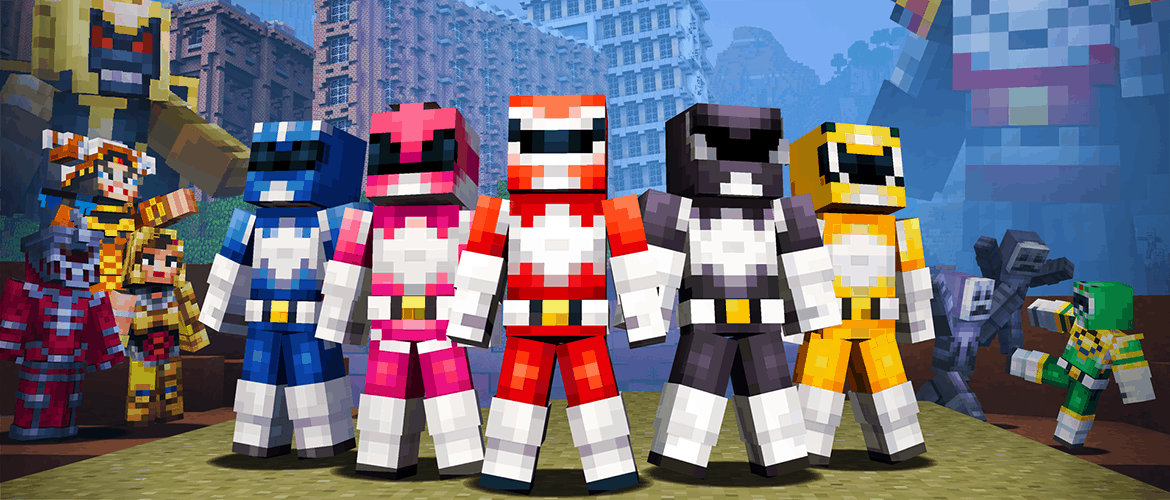
Furthermore, Windows 10 and Pocket Edition received an update to version 1.0.5 today. Besides adding a new pack to the in-game store to play with some Mighty Morphin’ Power Rangers skins, the game added Xbox Live/Realms support to Apple TV, some more commands, game rules, and bug fixes.

New Features:

  • Power Rangers skin pack
  • Xbox Live and Realms support on Apple TV
  • More commands: /title, /stopsound, /playsound, /clear, /difficulty, /effect, /me, /replaceitem, /spreadplayers, /testfor and /gamerule!
  • Game rules: commandblockoutput, sendcommandfeedback, drowningdamage, falldamage, firedamage and pvp!
    Command blocks
  • Minecart with command block

Tweaks:

  • Magnifying glass no longer appears over entered text in the Storage manager
  • Jump range of magma cubes fixed to correct value (No bug ID)
  • Lapis lazuli icon now in enchanting tables
  • Accuracy of fireball shots from ghasts is now correct

Bug fixes:

  • Accuracy of ghast fireball shots is now correct
  • You will no longer get trapped & suffocate when reloading a world
  • The beacon’s position is now correct when held in your hand
  • Endermen once again have idle sounds
  • Villagers no longer pick up your stuff when you die

But if fighting crime is your passion, the Might Morphin’ Power Rangers skins can also be purchased for console versions as well. You can unlock all twenty of them for the $2.99 via the in-game store.

My Life On Microsoft: Why I created a PC gaming cloud on OneDrive, and how you can too

Almost every gamer has been there. You have a long term game going that you’re excited about, the story is unfolding, and you’re so close to reaching that goal. Unfortunately, your power went out, your hard drive fried, and now you’re stuck wondering why, oh why, (insert third-party) cloud doesn’t save your game’s data in full.

For me, it was The Sims 4. Electronic Arts has published many wonderful games that take advantage of cloud storage. But when it comes to one of my favorites, Origin doesn’t support it. After losing a three-year ongoing game save of my own, I picked up the pieces, wiped up the tears, and declared never to let this be an issue again. The answer was clear: If Origin wasn’t going to let me cloud save for my multitude of Sims, I’d make my own instead!

After some trial and error, mostly with test saves because I learned my lesson, I’ve settled on the following method.

Step 1: Set up OneDrive

If you’re already running a Windows 10 device, then this is going to be the easiest step for you. Unfortunately, not everyone is on Windows 10 quite yet. For those clinging to their former OS, you will need to download and install OneDrive onto your computer.

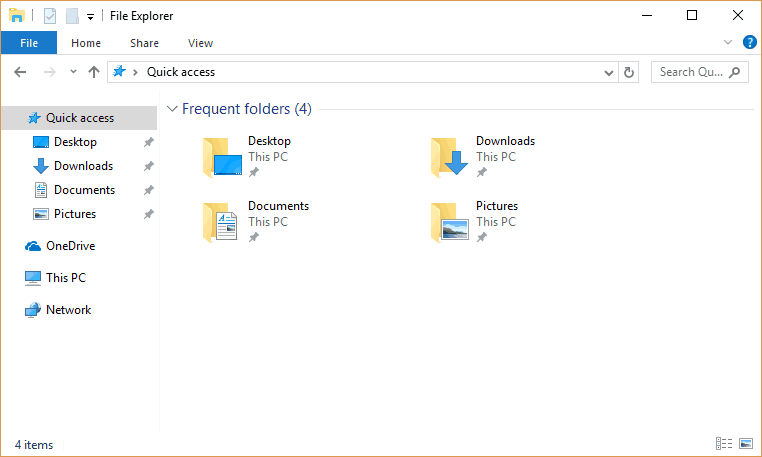
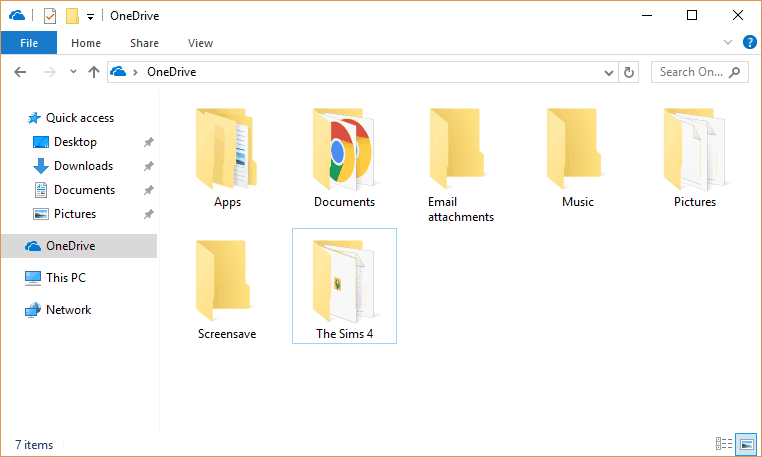
Once finished, you will see your cloud drive in the explorer.exe.

OneDrive should begin running immediately in your system tray and ready to sync to the cloud automatically by default.

Step 2: Copy The Files Over to the Cloud

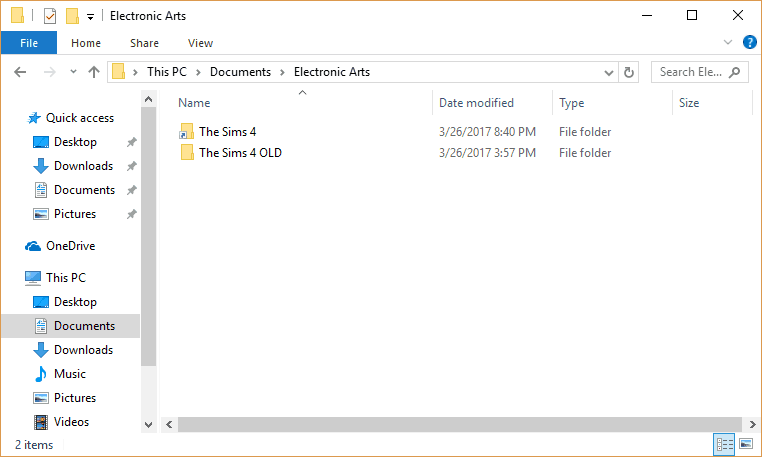
It is important to recognize exactly what you’re hoping to backup onto the cloud first. You could choose to simply backup the saved games, the tray, mods, or you could be like me and save the whole game’s document file. It’s worth noting that these documents files are not the game files found in Programs, but are simply the local user content.

Right click on the folder you decide to backup to the cloud, select copy, then paste them into your cloud folder. This will create a mirror of your game’s content in the OneDrive local folder which will begin syncing to the cloud online. But because you copy it over doesn’t mean the game is linked to the cloud just yet.

If you open your game currently, it will save to the documents file, leaving the backup as a former version of your game. This is handy in case you have a specific save state you want to keep, but not if you want to run from the cloud itself. For that, you will need an automatic symbolic link between the game files and the local OneDrive folder.

Step 3: Enabling a Symbolic Link

Return to your original file location. You’ll need to either delete or rename the game’s folder. I suggest the latter, just in case you’re paranoid like me and don’t want to lose all of your progress.

Now that the file no longer ‘exists’, you’ll be able to create a symbolic link. Put basically, this is similar to a desktop shortcut that will redirect the game to use another file path instead of this local one.

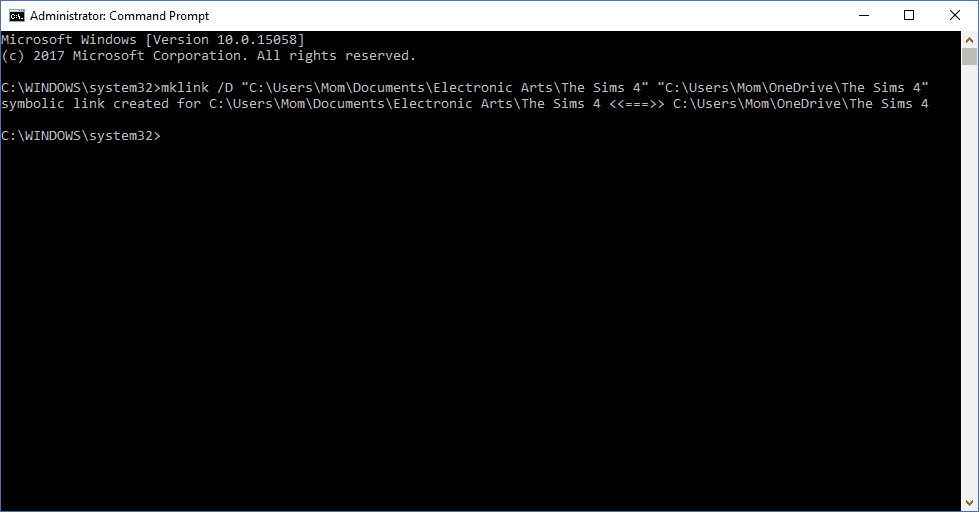
Search and run cmd.exe as administrator. This is an important step since you’ll likely receive an error and not be able to proceed further. Note the file paths of the game file in Documents and OneDrive, then input them into cmd replacing the paths with your own:

mklink /D “C:\OriginalFilePath” “C:\OneDriveFilePath”

A confirmation will let you know that a symbolic link was created.

Just in case you want to make sure that it worked correctly, all you have to do is go back to the original Documents folder. Click on the folder with the link on it. If it redirects you to the OneDrive folder, then you are all set.

That’s it! Anytime that your game accesses that file, it will automatically pull from your local OneDrive version instead. Likewise, anytime it saves, it will drop the files into the cloud, creating an instant backup that you can access online at any time. The only downfall of this system is that your OneDrive will need to sync after playing, so I only recommend it for single player games and for those that have unlimited internet access. However, games can still be accessed while syncing without hangup and can be used while offline too.

Now you won’t have to worry about your hard drive being fried! Game to your heart’s content, and next time that tornado comes through, you’ll know that your games and other various files are safely stored on OneDrive. So you should probably take cover.

NHL 17 finally available in EA Access on Xbox One

If you’ve been wanting to play NHL 17 on your console without paying full price for the game, while also having the confidence of knowing you can enjoy other Electronic Arts titles, then now is your chance to enjoy! The ice hockey simulation video game is now available as part of the EA Access Program.

NHL 17 was originally released back on September 13, 2016. The title features all-new game modes, new and deeper experiences in fan-favorite modes, and the best on-ice gameplay ever, making NHL 17 the most exciting EA SPORTS NHL game to date. You can feel the thrill of fantasy draft night with a star power team in Draft Champions, or play for national pride in the World Cup of Hockey. Serious hockey fans can also own Every Zone with more end-to-end control with authentic goalies featuring positional awareness and Reactionary Save Intelligence, all-new Net Battles for offensive and defensive zone play, and dozens of thrilling new goal celebrations.

With EA Access, you can download and play an instant collection of EA games, and enjoy hits from franchises like Battlefield, FIFA, Need for Speed, Mass Effect, and many more. More games are also added over time, as is the case with today’s addition of NHL 17. And, as an added bonus, you can play exclusive trials of new EA games before launch day with no purchase necessary, or save 10% on the purchase of  EA digital purchases on Xbox One. The service costs $4.99 a month or $29.99 a year.

State Bank of India CTO shares how Office 365 enables bank’s digital transformation

Shiv Kumar Bhasin, the Chief Technology Officer at State Bank of India (SBI) group has written a post on LinkedIn – Digital Transformation of the Bank needs Digital Workforce – where he talks about SBI’s digital transformation aided by Office 365 adoption.

State Bank of India is India’s largest bank. The public-sector bank has over 300,000 employees. Last month at the Future Decoded event in Mumbai, Satya Nadella shared that SBI was adopting Office 365 to drive communication and collaboration among its employees.

According to Shiv, digital transformation first requires digital transformation of the workforce. SBI group has introduced BYOD (Bring Your Own Device) by launching enterprise mobility management solution for its entire staff and have adopted Office 365 cloud staff productivity and collaboration solutions.

He states that a digital aware workforce can contribute and accelerate the digital transformation of the customer service touch-points.

The need for data, combined with today’s world’s hyperconnectivity, leads us to a new era, where Peter Drucker’s “knowledge worker” has given way to the “digital worker.”

The traditional premise of the knowledge worker who gathers, processes, and moves data around while spending valuable time creating reports is clearly ending as increases in computing power and data analysis speed force companies to move to predictive- and scenario-based decision making.

The digital worker is defined by the ability to have actionable, live data available at anytime and anywhere, which enables live reactions and decisions.

His post mentions that these initiatives are one of the key foundation step for making the largest bank of India as leading digital bank of India, where every employee has to convert themselves into engaged, productive, innovative, and digital worker.

Microsoft leaks Creators Update to users via the Windows 10 Upgrade Assistant

Following the release of ISOs for Windows 10 build 15063 today, another sign points to this build being the Creators Update RTM build. The clue comes from a leaked version of the Windows 10 Update Assistant, which was recently discovered by Microsoft watcher WalkingCat (via Windows Central).

https://twitter.com/h0x0d/status/845083858349449217

Using this tool on a PC running the Windows 10 Anniversary Update will allow you to install “the latest version of Windows 10,” which is the build 15063 as seen in the screenshot below. Please note that “Creators Update” or “Windows 10 version 1703” are not mentioned anywhere though:

The Windows 10 Update Assistant lets you install the Windows 10 build 15063.

As you can see, this update assistant is just another way to get the Windows 10 Creators Update right away without having to join the Windows Insider program. However, it’s probably better to use the latest ISOs files if you want to do a clean install on your PC.

Before proceeding, it’s worth reminding that this build still has some known issues which you can check here. There is nothing major though, and we’ll see if the company address them with cumulative updates in the coming days. Let us know in the comments if you successfully installed the Creators Update on your PC with this update assistant.

Cube Mix Plus review

Cube Mix Plus is the latest Windows 10 2-in-1 from a little known Chinese OEM – Shenzhen Alldo Cube. The company is quite popular on Chinese online retailers, but unlike Chuwi, hasn’t made a mark outside the country as yet.

I ordered the Cube Mix Plus from GearBest.com and these are my thoughts on using it for a couple of weeks – both as a tablet as well as a laptop, along with the inking experience.

Cube Mix Plus Specifications

  • Operating System: Windows 10 Home 64-bit
  • Display: 10.6-inch Full HD (1920 × 1080) 16:9 IPS | 10-point multi-touch | Stylus support
  • Processor: Intel Core M3-7Y30 | Intel HD graphics 615 GPU
  • RAM: 4GB
  • Internal Storage: 128 GB SSD; expandable up to 128GB via a microSD card
  • Camera: 5MP rear camera with AF | 2MP front camera
  • Battery: 4300mAh
  • Ports: USB Type-C, microUSB 3.0, microSD, 3.5mm audio port
  • Dimensions: 273 x 172 x 9.6 mm
  • Weight: 700 g (Tablet only)

Design

The Cube Mix Plus sports a white chassis in a silver frame. It’s a pleasing color combination and overall the tablet and the keyboard look slick. The corners are rounded and the edges are chamfered for a nice first impression, and the ergonomics of the tablet is quite good as well.

However, the large bezels around the display look dated. I know it’s a budget tablet, but a heavy tablet (it’s 700 grams without the keyboard dock and over 1.3kgs with it) with large bezels looks out of sorts in 2017. The company though has focused on offering performance on a budget than making it thinner and lighter to compromise on performance. More on that later.

Once you attach the keyboard, it looks like a solid Windows laptop – and that extra weight gives it more balance so it doesn’t wobble and the two parts don’t look flimsy when in use. The build quality is excellent and the buttons on the edges look like they could take some rough use.

Cube hasn’t yet got mainstream globally, and the company continues to go with Chinese branding on its devices which is a little awkward, however, it’s not a showstopper.

Display

Cube Mix Plus offers a fantastic display for a tablet it in this price range. It’s a Full HD panel in aspect 16:9 ratio that offers nice color reproduction and a decent saturation. It’s not exceptionally bright or vivid, but the contrast is pretty good and the viewing angles are great.

Of course, the highlight of the Cube Mix Plus is the digitizer layer with 1024 pressure levels that offers stylus support using the Wacom EMR (electro-magnetic resonance) technology. It was nice that the device was calibrated just fine out of the box with excellent edge accuracy. The Wacom drivers are pre-installed too.

The display has a pre-installed screen protector. It’s a little unsettling using the stylus with a plastic nib on a plastic film but not something a lot of people will notice. Of course, you can remove the screen protector or opt for a stylus with hard nib. The display also shines better once you remove the screen protector.

Hardware

Powered by the latest generation Intel Core M3-7Y30 Kaby Lake processor, the Cube Mix Plus is a performance workhorse. The seventh-generation processor is a nice departure from Intel Atom processors that one finds on most budget laptops and tablets. The SoC is paired with Intel HD Graphics 615 GPU and boasts of 4GB of RAM and 128GB of SSD. The SSD provides faster data transfer than eMMC storage found on most similar tablets.

Overall, all the innards work in cohesion to offer surprisingly terrific performance. From startup time to multitasking to benchmarks, the Cube Mix Plus impresses, and dare I say, performs better than a Surface Pro 4 with Core M processor (which is a generation old in terms of hardware). While web browsing and usual productivity apps are a breeze, playing graphic-intensive games and running apps like Adobe Photoshop is all okay too for a casual user.

The Cube Mix Plus sports a fan-less design, and is absolutely silent, although it does gets hot, and that too, not uniformly. The left side of the tablet gets quite warm when you’re stretching it but it doesn’t get uncomfortable to hold.

The device packs in a 4300mAh battery and you can get a battery life of about 6 hours. It’s not extraordinary, but suffices for most users. The Core M3 is a power-hungry processor and battery-life is the trade-off for the performance goodness. Unfortunately, the Cube Mix Plus doesn’t use USB Type-C for charging which is very handy on a few other budget tablets I’ve tried in recent times. In this case, I have to carry a separate charger else I could use the same one as my phone.

While the keyboard includes two full-sized USB ports, the tablet only sports USB Type-C and microUSB 3.0 ports. However, the company does include an OTG cable in the box in case you want to attach a USB peripheral or quickly transfer some data from a pen drive if you’re using just the tablet.

Software

The Cube Mix Plus runs clean Windows 10 Home with no pre-installed apps. Out of the box, there’s a Cube user account already set up. Like I always do, I did a reset to start from scratch and signed in with my Microsoft account. I recommend you do that as well.

The tablet packs in Windows 10 version 1607 which includes the Windows Ink enhancements that were introduced in the Anniversary Update. Since inking is a highlight of this device, it is nice to have that going out of the box.

Keyboard

Available as a separate purchase, the Cube CDK09 keyboard converts the Cube Mix Plus tablet into a full-blown laptop. The keyboard also includes two full-sized USB ports. The tablet can be docked on the keyboard in either direction to offer both the laptop mode as well as the presentation mode.

The full-featured keyboard is fantastic and nicely done. It offers nice travel while typing and the trackpad is decent enough too. If you’re not used to small keyboards, you might take a while to adjust to the cramped interface, but it’s very functional and one of the better ones out there.

Stylus

The highlight of Cube Mix Plus is inking support which has also gained prominence amongst developers and users alike with Microsoft’s efforts in the direction. The tablet offers excellent palm rejection, and therefore, the inking experience is very seamless and natural.

The Wacom stylus doesn’t require battery, which is useful and works quite well. It sports a button on the side which can be configured for any operation (I use it to fire the Windows Ink Workspace) and an eraser tip on the butt.

Summary

You can buy the tablet here and the keyboard here, and at less than $400, the Cube Mix Plus is one of the cheapest devices with Intel Core M3 Kaby Lake processor.

With a solid chassis and powerful internals, you can’t go wrong with it if you’re looking for a portable Windows 2-in-1 or just a performance-oriented tablet. If you just need a decent Windows tablet for web browsing and media consumption, you’re better off with cheaper alternatives out there.

FYI R.B.I. Baseball 17 launched on Xbox One today

R.B.I. Baseball 17 is now available to play on Microsoft’s Xbox One gaming console. The game is the latest in the R.B.I. Baseball franchise and supports local multiplayer for two players and 30 official MLB teams to choose from. Here’s the official game description:

R.B.I. Baseball 2017 returns with fast paced, high-octane, pick-up-and-play baseball action. Take control of your game with reactive pitching and batting for in-the-moment decisions. R.B.I. 2017 is packed with 30 authentic ballparks, advanced stat tracking, season game sims and roster updates throughout the season. Your breakout MLB season is here, you better come ready to play!

Buy R.B.I. Baseball 17 on Xbox One

Have you had a chance to play R.B.I. Baseball 17 yet? Share your impressions with us in the comments below.

After a disastrous Xbox One launch, Microsoft decides doing the right thing is a good idea

When Microsoft first unveiled the Xbox One, many diehard fans were let down with what the Redmond giant had to offer. For one, the console had to always be connected to the internet to play even offline, single-player games. Additionally, the console used region locking to lock down games geographically, and even dropped support for the long present family sharing feature.
With features such as Kinect 2.0, the focus on the original Xbox One launch was clearly more about multimedia instead of the gamers, and Microsoft was in for a few lessons as time progressed. Fortunately, the Corporate Vice President of Xbox, Yusuf Mehdi is one who has learned a bit from this past, and recently pushed a post to LinkedIn which explained that doing the right thing for customers is a good idea.

Overall, Mehdi highlights how the work of Phil Spencer, Mike Nichols, Aaron Greenberg and Major Nelson has built an incredible base of engaged fans. The Corporate Vice President admires their work, and how they keep the gamer as the center.  According to Mehdi, “you can not create fans, but you rather have to earn them,” so there are four key areas which can make difference moving forward: “Do right,” “Make exceptional products,” “Create connection,” and “Surprise and delight customers” He writes,

As our team has embarked on the journey to build a fan-centric culture at Microsoft, I have learned so much about how to focus our efforts. There are four things things, that while simple and maybe obvious, make all the difference…. While the majority of my career has been focused on understanding our customers – building products that they will need and love, telling the story of their creation, and courting their engagement and usage – it was really the Xbox One launch that reinforced for me the power of fans.

A slide about the original Xbox One launch

When it comes to doing right, Mehdi believes that “if you really focus on doing the right thing for your customers, you’re on the path.” He addresses that doing the right thing is not always the easiest thing, and mentions the initial launch of the Xbox One.

With our initial announcement of Xbox One and our desire to deliver breakthroughs in gaming and entertainment, the team made a few key decisions regarding connectivity requirements and how games would be purchased that didn’t land well with fans. While the intent was good – we imagined a new set of benefits such as easier roaming, family sharing and new ways to try and buy games, we didn’t deliver what our fans wanted. We heard their feedback, and while it required great technical work, we changed Xbox One to work the same way as Xbox 360.

On a much different note, Mehdi also highlights that the core of an exceptional product is what creates fan energy of a company. He mentions mistakes in the industry which don’t enable customers to achieve, such as rushing a product and building tech that is incredible but that does not work in service of a basic human need.

The mistakes I see range from rushing a product to market for timing or competitive reasons, trying to do so much that the product is a mile wide but an inch deep in value, or building tech that is incredible but that does not work in service of a basic human need…. In today’s crowded market, it really is simple – it’s intuitive products that stand out and become integral parts of people’s lives that earn fans.

xbox one
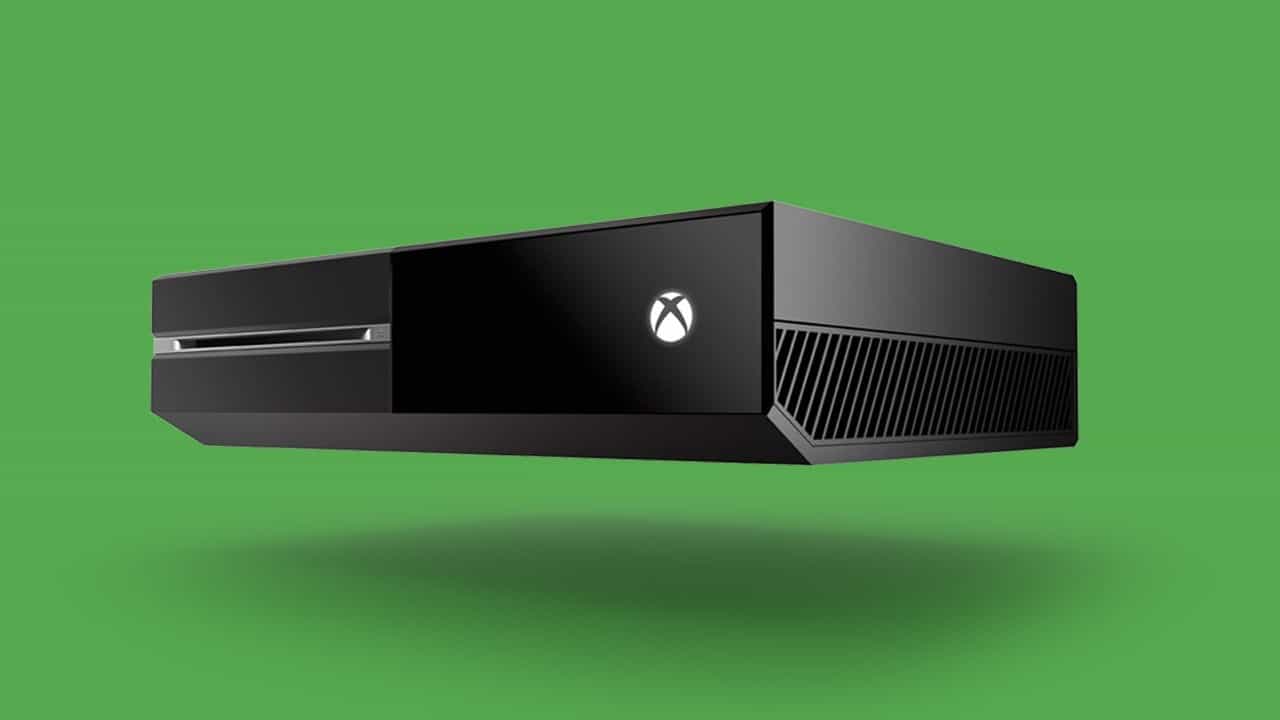
An original Xbox One with Controllers

As noted earlier,  Phil Spencer, Mike Nichols, Aaron Greenberg and Major Nelson all have become faces of Xbox in the eyes of the fans. Mehdi believes that this is exactly what customers need when forming a connection with a company. Citing the over 10 million Windows Insiders as an example, he explains that every interaction with the customer is important and builds a deeper relationship.

Customers should feel like they have joined a community – a family. Don’t be a faceless company. Enable your fans to interact with real people at your company, people who are fans themselves. This requires real commitment, time and effort. A fan is not only going to tell you what they think, but they are going to expect to hear back, to see you take action on their feedback.

In a similar note, Mehdi also believes that the best “fan building” moment happens when thought is put into going the extra mile, and delightful thing shows up unexpectedly. The Corporate Vice President highlights the launch of the  Xbox Backwards Compatibility and Xbox Play Anywhere features as part of this, and even touches on how Microsoft did the unexpected by creating the Surface Pro.

In our own experience with Xbox, it was the E3 2015 announcement of Xbox Backwards Compatibility and Xbox Play Anywhere features that elicited some of the biggest cheers from our fans…. In this case it wasn’t a great new game that we wanted to sell, rather it was recognizing the value and investment our fans had made in their game library on the Xbox 360 and enabling them to bring it forward that was the delight.

With our Surface products, our focus has always been on delighting customers by not just shipping beautiful products, but by doing the unexpected and creating new categories of computing like the 2-in-1 computer with Surface Pro. But it doesn’t have to always be so hard or just about the technology invention. Sometimes it’s just how you tell the story on the introduction to the fans that have come along on the journey with your brand.

Xbox One
Xbox One

Microsoft has steadily updated the original Xbox One, and recently launched the Xbox Insider program, so it’s very apparent that the company cares about the fans. With the company’s E3 2017 briefing right around the corner, it will be very interesting to see what Microsoft has up its sleeves with Project Scorpio. Will the most powerful console ever be one for the fans, or will it flop? Where do you think Microsoft went wrong with the original Xbox One? Let us know your thoughts below.