Xbox Anywhere to reportedly launch September 13th

Since the release of Windows 10 in July 2015, Microsoft has been making efforts to bring Xbox and PC gamers closer together. First, Windows 10 introduced a brand new Xbox app which allow users to stream Xbox One games from their console to their Windows 10 PCs. Then in November, Microsoft made the Xbox One a full member of the Windows 10 ecosystem by releasing the New Xbox One experience, a new version of the Xbox operating system based on Windows 10. A few months later, the company announced that customers who pre-orderer a digital version of the Xbox One exclusive Quantum Break would also get the Windows 10 Version for free.

However, we had to wait for E3 2016 for Microsoft to finally bolster its vision for cross-platform gaming. During its press conference three weeks ago, the company announced Xbox Play Anywhere, a new program which will allow consumers to buy a game once and play on their Windows 10 PC and Xbox One with shared progress, shared game saves and shared achievements. This will be made possible by the new unified Windows Store that will ship on both Windows 10 and Xbox One in the summer.
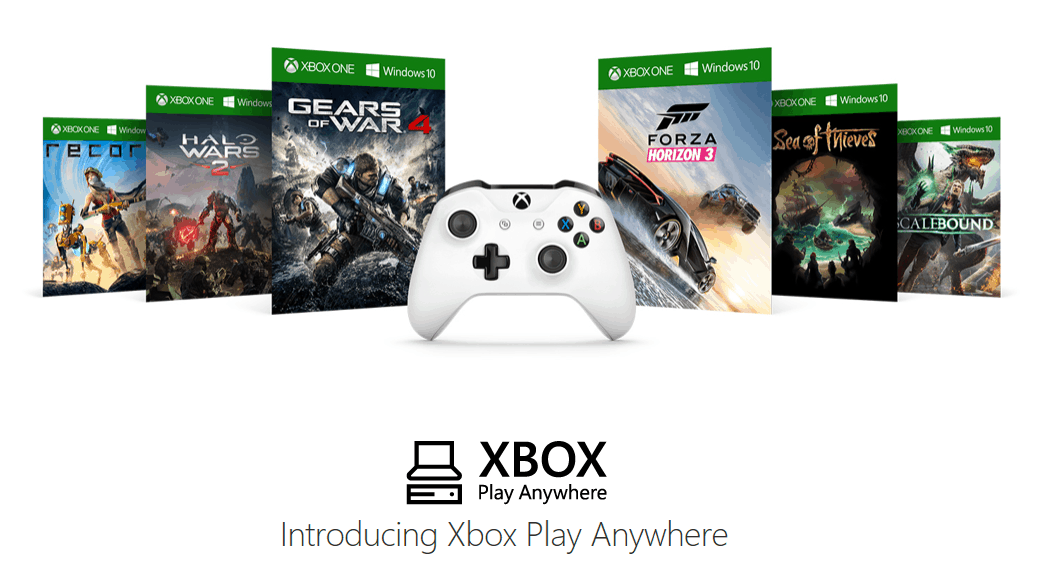
Xbox Play Anywhere
Xbox Play Anywhere

While we already know that the Windows 10 Anniversary update will be released on PCs and mobiles August 2 (the release date for the Xbox One is still unknown), Microsoft had yet to reveal when Xbox Play Anywhere would be enabled on both platforms. However, according to a new report from Polygon today, the program will go live on September 13. A Microsoft spokesperson shared the following statement with our colleagues:

The Windows 10 Anniversary Update and the related Xbox update coming this summer enable the Windows Store on Windows 10 and Xbox One to support Xbox Play Anywhere games. Then, beginning with the launch of ReCore this fall and continuing with Forza Horizon 3, Gears of War 4, Halo Wars 2 and others, when you digitally purchase a game that supports Xbox Play Anywhere, you have access to the game on both Xbox One and Windows 10 PCs for one price and your progress, game saves and achievements are shared seamlessly across both platforms.

Since ReCore already has a September 13th launch date, that sets a date for Play Anywhere as well.

Earlier this week, the company also announced that “every new title published from Microsoft Studios will support Xbox Play Anywhere and will be easily accessible in the Windows Store.” So far, only 12 titles have been announced on the dedicated website, you can see the full list in the image below:

The 12 Microsoft Studios games in the Xbox Play Anywhere program.

While Xbox Play Anywhere could really become one of the Xbox One’ killer app going forward, it’s not clear yet if other publishers will also embrace the initiative. It’s also not clear if it will really make a difference with gamers as the program is currently limited to digital games. Do you think Xbox Play Anywhere will benefit the Xbox community? Let us know what you think in the comments below.


Microsoft Azure to help Allrecipes.com manage “wildly varying” web traffic

Allrecipes, a 19 year-old Seattle-based company dedicated to delivering cooking inspiration everyday, is ready to embrace Microsoft’s cloud and machine-learning technologies to provide an even better service. According to a report from Geekwire, the company, which currently delivers 95 recipes per second in 24 countries and 13 languages, also experiences “wildy varying web traffic” through the year, with Sundays, Thanksgiving and Christmas usually being the most busy periods.

For Allrecipes CTO John Keane, it’s no longer valuable for the company to keep its 500 servers around as moving to Platform as a Service (PaaS) from Azure can be more efficient. As he explained to Geekwire, “we can expand and contract as necessary, sizing up automatically as traffic increases. That’s really a great capability for us.” The company will move its entire production infrastructure to the cloud in the next two weeks, though SQL server databases and legacy apps used to run analytics will be kept in the company’s data centers for now.

Overall, Keane estimates that moving to the cloud could save help the company save 20-30 percent on its server costs. But while Allrecipes was already an Amazon Web Services customer, the CTO explained that both his company’s familiarity with Microsoft’s development tools and the great technical support helped him make his choice:

It was a great fit for us. Microsoft’s development tools are a natural fit for the C# we use, and it was easy to integrate our build environment and push to the cloud. AWS has a great set of tools, but it feels more fragmented, and you need a certain amount of skills. It wouldn’t have been as easy a move.”

The Microsoft reps honestly were much more willing to help us get up and get going. Amazon is a good company, but the Microsoft team was present, engaged, forthright and wanted to help. The willingness to form a partnership was important.”

Additionally, Keane envisions a future where his company can leverage Microsoft’s cloud technologies to provide “a highly personalized food experience that shows you things you might not have thought of.” Using a analogy with a popular music streaming service, he added that “we want to be the Pandora for food, to offer customized suggestions based on preferences you’ve expressed, recipes you’ve made in the past, and where you live, the time of day, the season and even the current weather.”

We can’t wait to see what the company will be able to achieve after picking up Azure as its cloud provider, let us know in the comments if you think offering a curated experience could make Allrecipes a more valuable service for its users.

Both Windows 7 and Windows 10 usage increased in June 2016

Net Market Share has just released their data for June 2016 and things continue to look up for Microsoft where operating system usage is concerned.

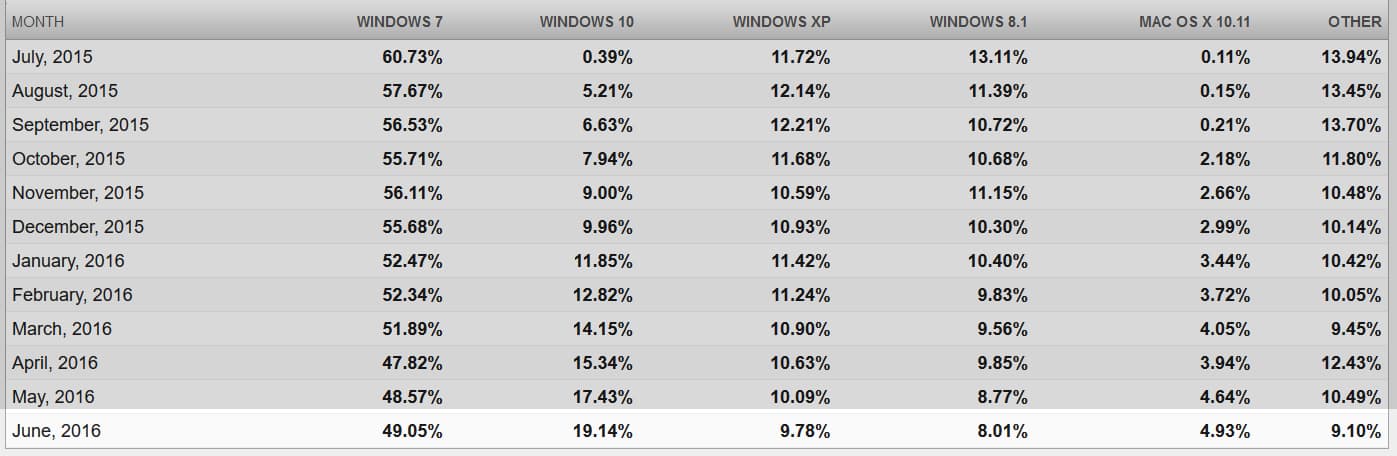
For the month of June 2016, 19.14% of users used a device running Windows 10 which is up from the 17.43% in May and 15.34% in April. In fact, usage of Windows 10 has continually increased since its launch and has seen an impressive 8% growth in the last six months alone.

Interestingly, adoption of the old Windows 7 operating system also grew in June to 49.05% and was in fact the most-used out of all of the operating systems studied. Windows 7 usage, for the most part, had decreased since the launch of Windows 10 in late July 2015 from 60.73% to 47.82% in April 2016. It then jumped back up to 48.57% in May. A reason for this could be the decrease in Windows XP usage over the same time period. It would make sense that users of that old operating system would upgrade to the not-as-old Windows 7.

Windows 8.1 activity has also decreased over the past few months, likely due to Microsoft’s free (and heavily encouraged) upgrade to Windows 10.

Net Market Share data on Windows 10 usage

From most-used to least-used operating systems in June 2016 we have Windows 7 at 49.05%, Windows 10 at 19.14%, Windows XP at 9.78%, Windows 8.1 at (ironically) 8.01%, and Apple’s MAC OS X 10.11 at 4.93%. “Other” operating systems made up the remaining 9.10%.

Microsoft is currently providing users of computers running Windows 7, Windows 8, and Windows 8.1 with a free upgrade to the new Windows 10 operating system. The offer is set to expire on the 29th of this month and Microsoft has recently confirmed that they have no plans to extend the upgrade offer beyond that date. After July 29th, users running any previous version of Windows will need to pay for the Windows 10 operating system themselves.

Have you upgraded to Windows 10 yet? What operating system are you using? Let us know in the comments below.

Save

Save

Dynamite Fishing and Hawken head today’s new Xbox One video games

A host of new games have launched today on the Xbox One and are now available to download and play in most regions. Here they all are along with their descriptions and links for where to buy them in the Xbox Store.

Hawken

War is a Machine. Pilot hulking death machines and use massive weaponry to destroy your foes in fast-paced FPS gameplay.

HAWKEN is a multiplayer first person shooter that places you inside a mechanized war machine on the battlefield of a dystopian world. With tactical, fast-paced gameplay in customizable and upgradable mechs across multiple competitive modes, HAWKEN is explosively fun.

Buy Hawken on Xbox One

Ethan: Meteor Hunter

Freeze time and manipulate the world with endless possibilities: build the solution YOU want where nothing is scripted and levels can be solved in multiple ways. When Super Meat Boy meets Braid, you may die repeatedly and enjoy it! With its unique blend of precision platforming and time-stopping physics-based puzzles, feel like a hero when you succeed! Your name is Ethan, a rat that got touched by meteorites giving him the power of telekinesis: freezing time and moving objects around him.

Buy Ethan: Meteor Hunter on Xbox One

Letter Quest: Grimm’s Journey/Three Fourths Home Extended Edition Bundle

Letter Quest: Grimm’s Journey

The grim reapers Grimm and Rose need your help to defeat a legion of monsters, ghosts, and evil bunnies using the power of words!

Spell words to battle monsters and earn gems that can be used to purchase upgrades, books, special items, potions, and much more! Letter Quest is a turn-based RPG featuring high-res artwork, clever wordplay, and two great soundtracks. Use your linguistic skills to survive!

Three Fourths Home: Extended Edition

In her mid-20’s, Kelly has been forced to move back to Nebraska. Back to that flat expanse, that seemingly endless sea of rustling cornstalks peppered by rusty silos and rustier towns. A typically intense Midwestern storm is approaching while Kelly is out; she has to get home. In the 20 miles between her grandparents’ crumbling barn and her parents’ house, she receives a phone call from her mother.

Buy Letter Quest: Grimm’s Journey/Three Fourths Home Extended Edition Bundle on Xbox One

The Incredible Adventures of Van Helsing II

It all seemed so simple: defeat the mad scientist, free the land and ride into the sunset, but sometimes the fall of a villain only opens the way to more sinister foes. So the incredible adventures continue, and Van Helsing, the famous monster-hunter returns to save the day again with the help of his charming, ghostly companion, Lady Katarina. The gothic metropolis of weird science is on the brink of destruction as chaos rules the streets and a new enemy plots revenge. It’s time to enter the dark side of Borgova and the forbidden wilderness, but beware: you are not the only one behind a mask.

Buy The Incredible Adventures of Van Helsing II on Xbox One

Dynamite Fishing – World Games

Join the fun in this wild fishing action and rush across the seven seas. Fly fishing is boring! Grab your guns and explosives and let’s catch some fish REDNECK STYLE! Forget about idyllic ponds, or beautiful coral reefs. Dynamite Fishing – World Games will ship you to the best fishing spots all over the globe including an awesome jungle adventure! Choose your favorite characters and boats, explore the most daring scenarios and catch as many fish as you can.

Buy Dynamite Fishing – World Gameson Xbox One

Have you bought any of these new Xbox One video games yet? Let us know your favorites in the comments below.

New Kinect game Fru coming to Xbox One this month

FRU, a new Kinect game for Microsoft’s Xbox One console, has been announced with a release set for July 13th. The game is a traditional 2D platformer with physical gamepad controls but also incorporates the Xbox One’s Kinect camera to manipulate the game’s levels and gameplay, an original concept for the Xbox One console.

Here’s the official description: FRU is a puzzle platformer that features an innovative use of Kinect, in which your silhouette becomes a “portal” between two worlds.

You will find yourself solving puzzles by strategically positioning your body, combining physical interaction with traditional platforming.

The game features four completely different chapters, all based around our innovative use of the silhouette, with a unique twist to each one of them.

In addition to moving and balancing your body to solve levels, you’ll also find yourself swimming inside your silhouette, striking crazy poses to activate contraptions, and awkwardly tiptoeing to avoid dangerous hazards!

FRU was first conceived during the 2014 Global Game Jam in Breda, Netherlands and received such a positive reaction that the studio, Through Games, decided to develop it into a proper public Xbox One title. The public version of the game will feature four full chapters with 110 levels to play, 24 collectibles to discover, and the original 2014 local co-op build from the Global Game Jam which can be unlocked when certain requirements are met in-game.

Microsoft announced the cancellation of the Kinect-based Xbox Fitness title earlier this week but publishers continue to develop games for the popular accessory. Kung-Fu for Kinect is an example of one recently released Xbox One Kinect title and Ubisoft’s Just Dance 2017 is set to debut on October 27th.

Do you still use the Kinect sensor on your Xbox One? Are the voice controls still useful? Let us know your favorite Kinect games and apps in the comments below.

Snapchat possibly coming to Windows Phone

Snapchat is a multimedia mobile application available for iOS and Android that was released over four years ago. Windows Phone users have been craving for this application for quite some time, hoping that one day Microsoft would fulfill their dream. In the end, their prayers were answered — even if they’ll still need to wait until Snapchat releases an official client for Windows Phone and Windows 10 Mobile devices. The good news is that Microsoft has confirmed it’s working with Snapchat to bring the application to its mobile OS.

A few days ago, the Lumia Spanish official Twitter account informed its followers that they’d soon be able to install Snapchat on their devices because it’s currently being developed. A few users were skeptical and didn’t believe the news but Dona Sarkar, chief of the Windows Insider program, confirmed that a Windows Phone version is indeed on the way.

Even German site DeskModder used a discussion it has Microsoft Support as proof. “There are plans to make it available in the future, we’ll give updates when that’s close. But as of now, it is not actually yet at the store app,” said Microsoft Support, adding that “I can just say that it will be available soon. We are communicating still with the app developer to verify when we can add it in the store. But for now, there’s still no exact date.”

However, we must warn you that neither Snapchat nor Microsoft’s officials have personally confirmed the news, so it’s safe to be skeptical about information related to unreleased Microsoft projects. It’s important to not get your hopes up and to take into consideration the possibility that Snapchat won’t come to Windows phones at all. So, at this moment, it’s better to wait for an official statement from one of the two companies in which they either confirm or deny the rumor.

RELATED STORIES TO CHECK OUT:

Groove app for Windows 10 Insiders receiving version 3.6.2298.0 with more colors and UX fixes

If you’re a Windows Insider with a device running on the Fast Ring, then new builds of Windows 10 aren’t all you’re in line to receive earlier than anyone else. The Groove Music team has also been working hand-in-hand with the folks over at Windows Insider in releasing early builds for testing, and they’re releasing a new version of the Groove app today.

https://twitter.com/ellenment/status/748667948793999360

Coming in at version 3.6.2298.0, here’s what you can expect:

– Design improvements to make Your Groove and Explore more colorful and vibrant.
– Unplayable tracks won’t be added to Now Playing to give you a better playback experience.
– The app retries loading streaming songs a few times when it used to try only once.
– 23 UX tweaks including messaging improvements, updates for Narrator, and updates to the accuracy of playlists lengths.
– Fixes for crashes when using scroll wheel while viewing an artist detail page and when clicking on “more” in artist details.

Image
New, more vibrant Groove UI.

The new version is coming to PCs, smartphones, and HoloLens. Once you’ve updated your devices to the latest version of Windows 10 (and apparently you don’t need to be on the absolute latest build to receive it), then keep an eye on the Windows Store for this new version of Groove.

Update: It’s live, go get it!

Minecraft Movie comes in 2019, more details to be revealed

It’s an already known recipe – first you make a genre defining game, than it becomes a global hit, makes a lot of money, and finally, you turn it into a movie. One of today’s most popular games, Minecraft is apparently the latest title to join the ‘video games turned movies’ club, as developer of the game, Mojang announced it  prepares the Minecraft movie for 2019.

Mojang just signed a deal with Warner Bros, which will produce the Minecraft movie in 3D & IMAX. No further details about the movie were revealed, except the official release date, as the movie is set for release on May 24, 2019. We still don’t know anything about potential characters, plot, or anything else. All we know is that the Minecraft movie is indeed happening!

“Hello future Minecraft movie-goers! I know you’ve been thinking just about every day, “When’s the Minecraft movie coming out?” Luckily for you, we can finally say! The Minecraft movie will be released on May 24, 2019! The film will also be released in 3D & IMAX. Yes, that might seem like a long time away, but it just so happens to be the right amount of time to make it completely awesome. And we all want an awesome Minecraft movie, right? That’s it for now, but as time goes on we’ll share loads more. Loads!”

Of course, just like the announcement said, 2019 feels like a long time away, so both Mojang and Warner Bros. have a plenty of time ahead of them to reveal all details about the movie.

What do you think about about the Minecraft movie? Is there a chance it will be based on Telltale games’ Minecraft: Story Mode, or will producers come up with an entirely different idea? Tell us your opinion in the comments.

RELATED STORIES YOU NEED TO CHECK OUT:

Microsoft celebrates Captain America’s 75th anniversary with Marvel Avengers Alliance 2 game release

Marvel: Avengers Alliance was an early addition to the nascent Windows 8.1 Store, and offered up a mix of excellent graphics, fun gameplay, and a good storyline. Now, Microsoft is celebrating the 75th anniversary of Captain America by releasing and update to the sequel, Marvel: Avengers Alliance 2.

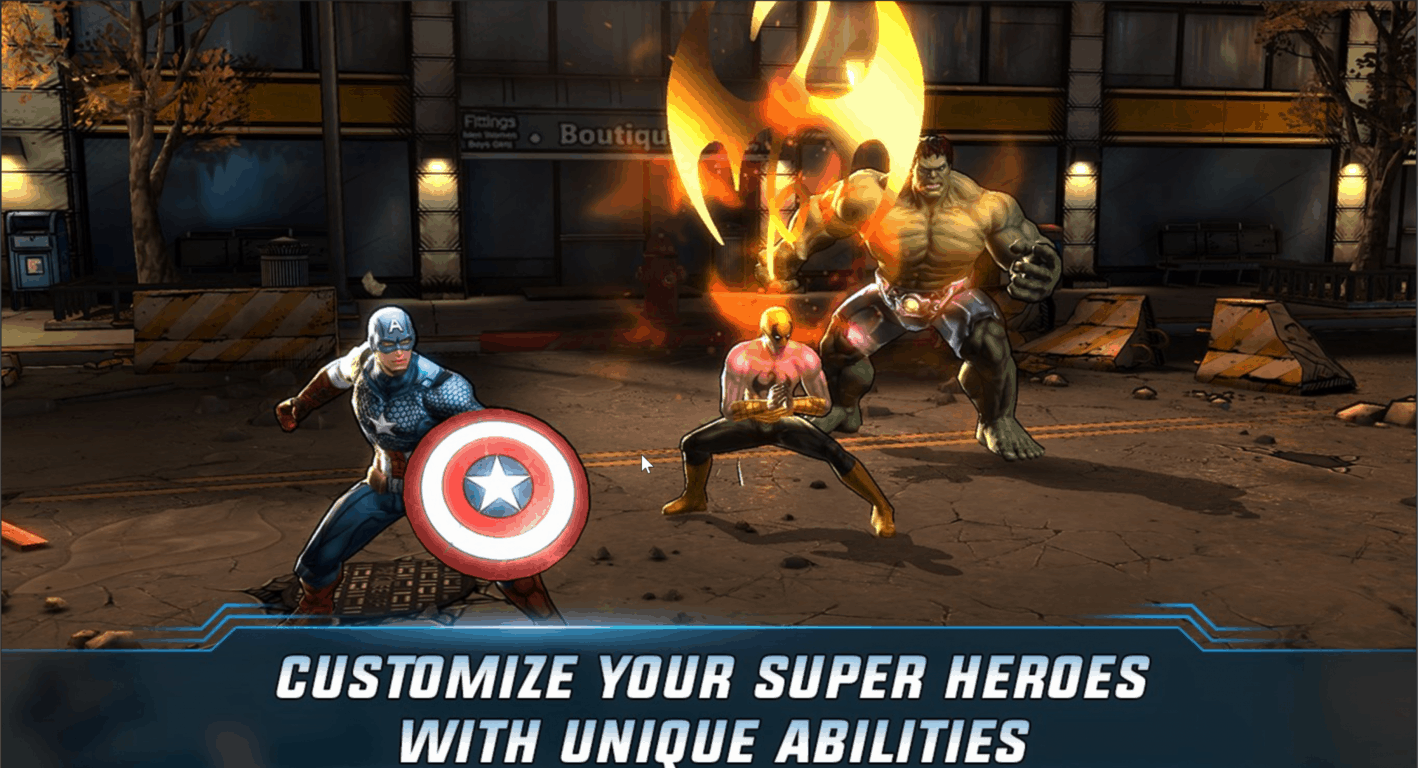
Marvel Avengers Alliance 2 Screenshot
Marvel Avengers Alliance 2 screenshot.

Here’s a description:

In celebration of his 75 years of service, “Marvel: Avengers Alliance 2” introduces a new Captain America exclusive to this game. With his Iso-driven armor and shield combo, he’s a symbol of America’s willingness to protect liberty at home and abroad. In the Captain America 75th Anniversary Event, you can complete special tasks to earn this never-before-seen Captain America as a special character award.

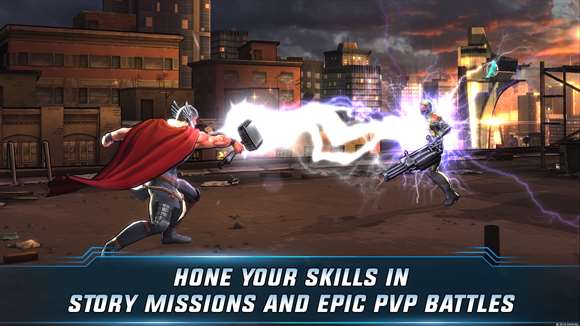
With auto play, you can turn heroes loose and take a high-level tactical role as your team (which you put together from Avengers, Daredevil, Guardians of the Galaxy, Spider-Man and other super heroes) battles Ultron, Baron Strucker and more super villains.

This sequel’s premise is that a mysterious series of galactic collisions, known as incursions, threaten the fate of Earth. You must use the powerful energy of Iso-8 to stop the destruction of every universe.

So, if you’re a Captain America fan, this might just be up your alley. Give the update a try and let us know in the comments what you think of the game.

Latest Windows 10 Preview build has no known issues for PC, according to Microsoft

Microsoft released the new build 14376 for Windows 10 Preview yesterday. The new build brought a huge number of improvements to the system, but as Microsoft said, no known issues were found by the development team, which makes this release different than previous ones.

“We don’t have any known issues to list at the moment for PC. If anything comes up, we’ll update this post and add them here,” said Microsoft in the official Windows 10 Preview build 14375 announcement blog post.

If you follow what’s going on at Microsoft, and with the upcoming Anniversary Update, you probably already know the reason why the company decided not to release any new features in this build, but instead focus on improving known issues from previous builds. But here’s a quick reminder, just in case.

Way back in November, when Microsoft released the very first major update for Windows 10, Threshold 2 (the November Update), users reported a big number of issues that bothered them upon installing the update. Because of that, the November Update was considered unstable by a lot of users, and some of them even hesitated to update their Windows 10 PCs.

As the previous major update for Windows 10’s release didn’t go as smooth as planned, the least thing Microsoft wants is another now is another troublesome update. Therefore, the company is putting big efforts in eliminating all possible issues and bugs, in order for users to have a clean update. Will Redmond succeed? We don’t know, and we’ll have to wait for the update to be released to see if Microsoft’s effort were indeed effective.

Build 14376 known issues on Windows 10 Mobile Insider Preview

Unlike the PC version of build 14376, the Windows 10 Mobile Insider version actually has some known issues, reported by Microsoft. Here’s the list of all known issues for Mobile:

  • “You can open PDFs in Microsoft Edge but won’t be able to use touch to interact with the PDF (such as scrolling, pan or zoom). When you try to use touch to interact with a PDF, it will constantly reload the PDF.
  • We’ve heard you and we are investigating decreases in battery life on older devices such as the Lumia 830, 930, and 1520.
  • We’re also investigating Wi-Fi disconnect issues – if you are experiencing an issue with your Wi-Fi disconnecting, please see this forum post and make sure to upvote Wi-Fi disconnecting issues in the Feedback Hub.
  • We have changed the backup format for Windows 10 Mobile devices to reduce the size of the backup stored in OneDrive. As a result, if you do a backup on a device running the latest Windows 10 Mobile Insider Preview builds and move back to the released version of Windows 10 Mobile (Build 10586) and restore from your backup – your Start screen layout won’t restore and remain the default Start layout. Your previous backup also gets overwritten. If you need to go back to Build 10586 temporarily, once you are on Build 10586 you should disable backup so it doesn’t overwrite the good backup from Windows 10 Mobile Insider Preview builds.”

Of course, even though Microsoft didn’t reveal a single known issue for the PC version, that doesn’t it’s flawless, as users will have a final word on that. So, we’ll look for issues in build 14367, reported by actual users, and as always, we’re going to write our traditional report article.

If you encountered some issues upon installing build 14376 (on both Windows 10 and Windows 10 Mobile), please feel free to share it with us in the comments, so we can include your problem into our report article.

RELATED STORIES YOU NEED TO CHECK OUT:

Windows 10 Anniversary Update to be released August 2nd

It now seems that we finally have a release date for the long-awaited Windows 10 Anniversary Update. Planned as a mjaor update for Windows 10 with a wide range of new features, the Anniversary Update is a very important release for Redmond.

One of its most important features is Windows Hello, allowing users to log in securely to Windows 10, Universal apps and websites. This feature relies on biometrics and will work with Microsoft Edge once the Anniversary Update is released. In addition to Windows Hello, this update will allow you to schedule scans with Windows Defender and receive notifications and detailed reports after each scan.

Microsoft also made various improvements to Cortana: you’ll be able to use Cortana right from the lock screen without unlocking your PC and Cortana will now remember frequently used information. Thanks to the cloud technology, Cortana will be synced across all your devices, allowing you to share reminders, text messages, and other information.

Anniversary Update will also bring improved pen support thanks to the Windows Ink. Using this feature you’ll be able to easily take notes on your Windows 10 device as well as use pen with Office tools and Microsoft Edge.

There are also various improvements for gamers and with new Xbox Play Anywhere feature, users will be able to buy a game once and play it on both Windows 10 and Xbox One. In addition, all your achievements and saved games will be synced between the two platforms. There will be improved support for Cortana on Xbox One, too, and you’ll be able to turn on your Xbox One by voice command.

This update will also bring many improvements to Edge, such as support for some of the most popular extensions. In addition to extensions, Edge will be updated to better support the latest web standards like HTML5, CSS3, and ARIA.

Windows 10 Anniversary Update will bring many amazing features and according to Microsoft, we should see this update available to the public on August 2nd.

RELATED STORIES YOU NEED TO CHECK OUT:

Wunderlist Chief Designer transitions to Outlook Director of Product Design position

During Microsoft’s buying spree in 2015, the company picked up Wunderlist, one of the more popular and full-featured task management apps around, and Accompli, the email app that has slowly been rolling into Microsoft’s Outlook app on various platforms. Now, the teams are experiencing one of the more common results of such acquisitions as Wunderlist’s Chief Designer, Ben Lehnert, is leaving to join the Outlook team as its Director of Product Design.

Lehnert’s blog post on the impending transition is a great read full of interesting history and some important life lessons. For Microsoft users, here are the pertinent bits:

In August, I’ll be joining the Outlook team to work on the next generation email and calendar service. I’ll be leading the product design teams for Outlook on iOS, Android and the Mac, and spend my time in New York, San Francisco and Redmond. The remarkable worldwide footprint and relevance of Outlook combined with a strong new focus on delivering excellent experiences across all platforms is going to be a big and exciting challenge. The team has done an amazing job so far, and I can’t wait to share the things we are working on.

Wunderlist and Accompli were both great acquisitions that have added real value to Microsoft’s line of productivity solutions. We’re looking forward to seeing what Lehnert brings to the design table for the Outlook team, and let us know what you think of both of these products in the comments.

Microsoft talks up the advantages of HDR photography and videography in Universal Windows Platform apps

Over the years, great camera tech is being transposed from the often expensive and hyper-specialized lenses of SLR, DSLR, and video recorders to the hardware and software everyday consumers are using on a regular basis. Understanding the shift and focusing on consumer photography coupled with the accessibility of phones or tablets to capture images, Microsoft built API support for the coming wave of amateur-turn-professional photographers into Windows 10.

Specifically, Windows 10 and the Universal Windows Platform has support for High Dynamic Range (HDR), and Microsoft wants its developers to know:

High Dynamic Range Imaging (HDR) is a technique that uses multiple exposures of the same shot in order to reproduce a greater dynamic range of luminosity than is possible with standard digital imaging or photographic techniques. The Universal Windows Platform (UWP) empowers you to build apps that take HDR photographs and videos, using digital compositing to overcome some of the limitations of standard photography and videography.”

With a support framework in place, developers can enable post-processing or real-time on-camera capturing experiences around HDR manipulation by using a list of tools such as MediaCapture, AdvancePhotoCapture, SceneAnalysisEffect, and HDRVideo.

The Windows team briefly describes how, where and to what effect each of the various HDR-related tools can do to enhance a developer’s HDR support offerings with a semi-lengthy walkthrough that involves code samples and side-by-side comparisons.

In the end, the Windows team would like to encourage developers who are building video- and image-based applications and experiences to consider enabling HDR functionality as more consumers get acquainted with the lighting manipulation access it grants.

With a smartphone marketing cresting on saturation, more OEMs are looking to differentiate their offerings and the camera seems to be an attractive place to do so. Using Microsoft’s UWP development environment, now app developers can also begin to differentiate atop of smartphone and tablet makers escalating war of camera differentiation.

Bill Gates initially wasn’t too happy about the original Xbox, thought it was “an insult to everything I’ve done”

This week, our colleagues from IGN recorded a lengthy interview with Xbox co-creator Ed Fries, and the former exec revealed a lot of interesting details about the birth of Microsoft’s gaming Xbox and how the original Xbox team initially envisioned a PC in a console body. However, one of the most interesting bits from this interview may probably be Fries’ recollection of what he calls the “Valentine’s Day Massacre,” which was the proposal meeting on Valentine’s Day of 2000 where Bill Gates had to decide between supporting Windows in a box or a closed gaming platform like other gaming consoles.

According to what Fries told IGN, the original Xbox team was not prepared to Gates’ initial reaction, to say the least:

Bill walks in, he’s holding our Powerpoint (sic) deck, throws it down on the table and says, ‘This is a [blanking] insult to everything I’ve done at this company’—basically was the quote. And that was the start of the meeting.

Following that brutal introduction, Fries explained that he and his colleagues all turned to former Xbox executive James Allard, but as the exec was “like in shock for a minute,” Fries stepped in just to be quickly shut down by Bill Gates. Following his intervention, both Allard and former Microsoft employee Robbie Bach were not more successful in reasoning to Gates, who was then supported by former CEO Steve Ballmer who shared his sentiment that the Xbox could not be financially sustainable.

As the meeting dragged on for several hours, Fries recalls that the relief finally came around 8PM when an observer asked “What about Sony?” before going on to explain that letting the Japanese company dominate the living room could be a “future threat to Microsoft.” From then, Fries explained that both Gates and Ballmer were quick to acknowledge that they needed to react if they wanted the company to stay relevant in the consumer market, and Gates and Ballmer finally approved the plan from the Xbox team. Unexpectedly, Fries and his colleagues had just earned “full approval to do Xbox” from Gates and also the right to work independently from the company.

Bill Gates has already earned a reputation as a difficult boss (especially in meetings), but we’re glad that the former CEO is also able to put things in perspective, and Microsoft today can be really proud of what its Xbox division has achieved over the last ten years. We invite you to watch the full interview, let us know what do you think of this anecdote in the comments.

Microsoft recaps everything that’s new in Office 365 administration for June 2016

In a blog post earlier today, Microsoft took a look at all of the new Office 365 administration center additions, including added user management options, enhanced export capabilities, and better guidance for June 2016. Based on Office 365 user feedback, Microsoft focuses on improving the existing features in the new Office 365 admin center. Microsoft wants to make sure that the new Office 365 admin center provides the best management experience possible, and asserts that the new Office 365 admin center is more efficient, faster and easier to navigate.

Here’s a rundown of the June 2016 updates for the Office 365 admin center:

Get tips on how to get started quickly—Most of you use some areas and capabilities of the admin center more heavily than others. The reason is often that admins aren’t fully aware of all the capabilities that the admin center provides or how a specific feature could help you to increase the value of Office 365. To help you get started, tips and quick links on pages that you visit for the first time or that you don’t use on a regular basis are now displayed at the bottom of a page. You will find the tips at the bottom of the Groups, Shared mailboxes, Rooms & equipment, Active users and Contacts pages.

Microsoft, Office 365 Admin Center
Get tips on how to get started quickly.

Additional user management capabilities—The new admin center now enables you to export the list of active users directly from the Active users page by clicking Export in the upper right corner. In addition, we updated the user card to show the job title and department of each user at the top of the card.

Easily see who you have assigned a license to—We updated the Subscriptions page so that you can now directly see which users you have assigned with a specific license. This has been a frequently requested feature from many of you to help you better manage your licenses. Now, when you click Assigned on the Subscriptions page, a list of the users that you have assigned that specific license to is displayed.

Microsoft, Office 365, admin center
Additional user management capabilities.
Microsoft, Office 365, admin center
View who is using active user licenses.

Get guidance on next steps—When you complete an action in the admin center, you often want to follow up with When you complete an action in the admin center, you often want to follow up with another action. For example, if you add a user, as a next step you may want to share details with the user on how to get started using Office 365. Or if you create a room, editing the booking options is often the next logical action. To help you accomplish those next steps faster—such as add, delete or block a user, add a shared mailbox, add a contact or create a room—suggested Next Steps are now displayed directly in the confirmation window.

Microsoft, Office 365, admin center
Get guidance on next steps.

Get tips on how to manage Office 365 more effectively—Office 365 is a rapidly evolving product making new features and functionality available to end users as well as to admins on a regular basis. We want to make sure you get the most out of using and managing Office 365. The new Office 365 Tips provide you with tips and tricks on how to take full advantage of the service and are especially helpful when you’re new to Office 365. Learn how to create another admin, manage Office 365 from the admin app or quickly add more users. To access Office 365 Tips, click the Office 365 Tips card on the home dashboard.

Microsoft wants to assure Office 365 admin center users that more things are coming in July 2016’s update, including partner-managed admin center support, added admin roles, added reports, and added set-up guidance information. If you want to provide your feedback on any of the features in the June 2016 Office 365 admin center update, you can use the feedback link in the lower right-hand corner of the admin center.

Microsoft adds Sprinklr as Azure provider to streamline sales, marketing, and customer service

Microsoft has just taken to an official blog to announce that it will be working with Sprinklr to provide clients with a cloud-based experience management suite. Ultimately, this relationship will streamline business processes across sales, marketing, and customer service.

The companies’ joint vision is to deliver actionable insights from unstructured social data along with other enterprise data sources and systems of record, so every department in a business, from marketing to sales to customer service, can see and engage customers not as disjointed data points, but as people. This solution will integrate Sprinklr’s experience management platform with Microsoft’s customer relationship management (CRM) solution, Microsoft Dynamics,  Power BI, and Office 365 to power a next-generation experience management suite – all hosted in the cloud.

Microsoft provides and overview of how the relationship will impact their customers:

  • Leading developer tools. Azure’s development capabilities will enable Sprinklr to move even faster with future platform enhancements and integrations.
  • Intelligent cloud. Sprinklr will leverage Azure’s elastic search capabilities and advanced compute modules, including key elements of its reporting product and user interface.
  • Massive global scale for new joint Sprinklr and Azure customers. Azure has announced 32 regions globally with 24 regions currently generally available – more than any other major cloud provider combined and all backed by Microsoft’s $15 billion (USD) investment in global datacenter infrastructure.
  • Trusted and secure platform. Azure has 37 major certifications and attestations – also more than any other major public cloud provider, enabling our customers to operate globally and ensure compliance with regulatory requirements. A full list can be found on the Microsoft Trust Center at www.microsoft.com/TrustCenter.

Microsoft is noting that it has already begun working with Sprinklr to extend its platform to Azure, and future joint customers’ cloud-based offerings to Azure. Let us know in the comments what you think about the Sprinklr becoming an Azure provider.

Here’s the change log for Windows 10 Release Preview build 10586.456

Microsoft released yesterday the Windows 10 preview build 10586.456 on PCs and phones for Insiders on the Release Preview Ring, but the company didn’t share a changelog immediately. A few hours later, the full changelog was published on the Feedback Hub app but Microsoft software engineer Jen Gentleman also shared it on Twitter today:

As this new build is another cumulative update for the current branch of Windows 10, there are no new features but a batch of bug fixes and improvements on both PCs and phones. Please find the full changelog below:

Today we have released Windows 10 Insider Preview Build 10586.456 (KB3170411) to Windows Insiders in the Release Preview ring. This update includes quality improvements. No new operating system features are being introduced in this update.

Key changes include:

  • Improved reliability in a number of areas including Windows Media player, Internet Explorer 11, Windows Explorer, Miracast, and Windows kernel.
  • Fixed an issue with some users noticing a black screen instead of the lock screen, when resuming from connected standby.
  • Fixed issue where the DirectAccess Disconnect button appears sometimes even when the connection is not fully established.
  • Fixed issue where local user accounts weren’t locked out after a number of failed sign in attempts.
  • Improved support for playback of video in certain applications that did not render the video while the audio continued after resuming from sleep.
  • Fixed issue where the Windows Phone sometimes loses user authentication certificates after upgrading to Windows 10 Mobile.
  • Improved support to honor the data backup settings of applications on Windows 10 Mobile.
  • Fixed issue where Microsoft Silverlight based application won’t install on Windows 10 Mobile, after joining Azure Active Directory.
  • Fixed additional issues in .NET, Windows Kernel, Windows Update, Authentication, revised daylight saving time, support for PDF files, Bluetooth, Microsoft Edge, Internet Explorer, Networking and Wi-Fi connectivity.

You can download this new build right now if you’re an Insider on the Release Preview Ring, while Windows 10 users on production builds should get it in the next few weeks. If you already installed it on your Windows 10 device, let us know in the comments if you’re noticing some improvements.

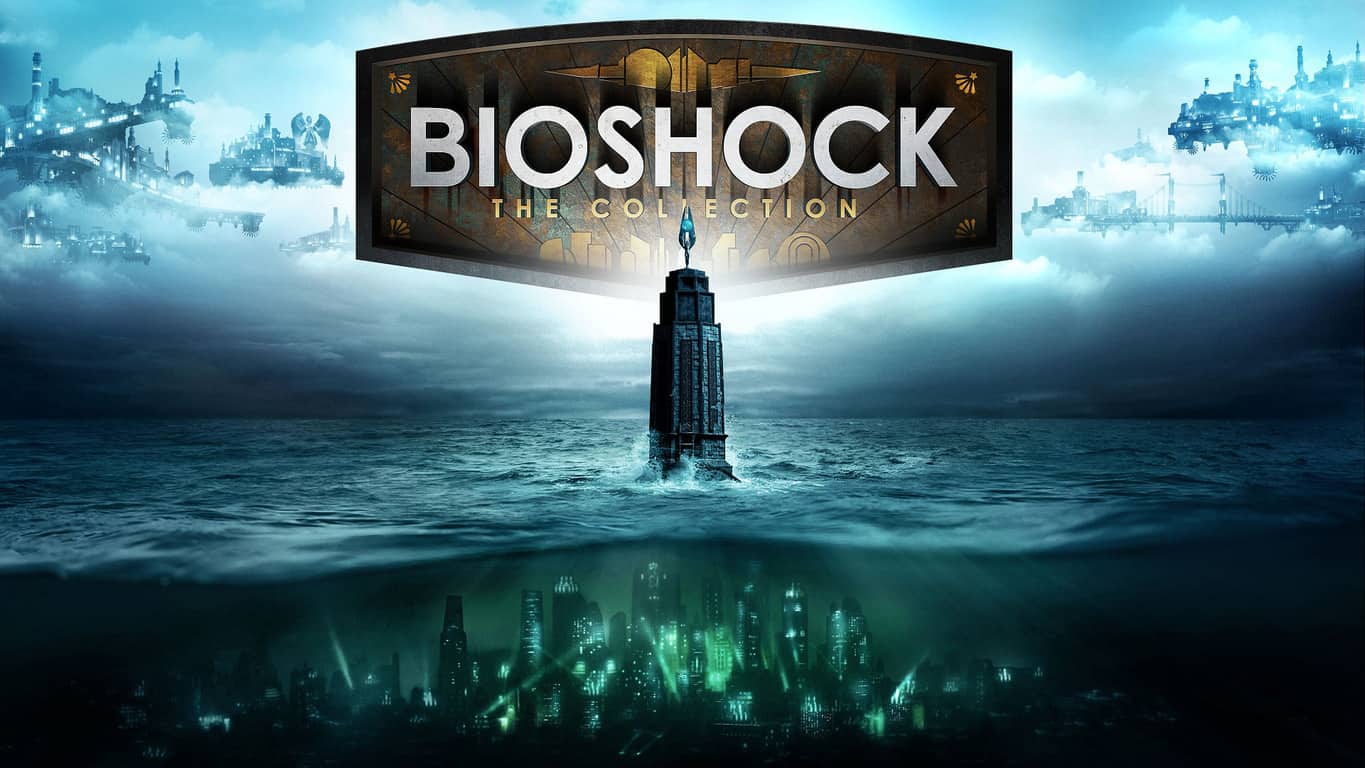
Bioshock: The Collection will bring the remastered games to Xbox One, PS4 and PC on September 13

Publisher 2K Games has announced this morning the upcoming release of Bioshock: The Collection, a $59.99 bundle which will include the Bioshock, Bioshock 2 and Bioshock Infinite games all remastered in 1080p. The collection will also include all single-player content from the three episodes (except for Bioshock 2 multiplayer mode) plus a never-before-seen video series “Director’s Commentary: Imagining BioShock” featuring Ken Levine, creative director on BioShock and BioShock Infinite and Shawn Robertson, animation lead on BioShock and animation director on BioShock Infinite.

The 2K staff shared that “countless fans have asked for this since the PlayStation 4 and Xbox One arrived,” adding that “the weapons, plasmids, levels, and character models that shocked you years ago have been reskinned and retextured to look better than ever.” However, the team explained that the PC version of Bioshock Infinite is not being remastered as “it already meets current-gen console standards and runs smoothly on high visual settings.”

If you never played any of those games, Bioshock is a critically-acclaimed first person shooter video game series that take you on a terrifying journey from the depths of the underwater city of Rapture in the first two episodes to the flying, steampunk city of Columbia in Bioshock Infinite. The franchise has a unique artistic direction and has garnered more than 125 awards since the release of the first opus nine years ago. You can watch the announcement trailer below:

The collection will be available on September 13 in the US, September 15 in Australia and September 16 internationally. 2K Games have already set up a pre-order page for the Xbox One and PS4 editions, though the digital PC version is missing for now. However, as the three, non-remastered Bioshock games are already available on Steam, we except Bioshock: The Collection to be available there soon as well. This $59 bundle really offers a lot of bang for your buck, but let us know in the comments if you’re looking forward to play these cult-classic games in remastered version.

Windows Subscription reference shows up in latest Windows 10 Insider builds

Ever since the release of Windows 10 and the coining of the term “Windows as a Service”, Microsoft has been fighting off rumors of the company’s intention to turn its operating system into a paid subscription model. A new finding from Ed Bott of ZDNet, however, suggest that the hearsays might not have been unfounded after all.

Specifically, in Windows Insider build 14376, Bott discovered an executable named UpgradeSubscription.exe, buried deep under the Windows System folder. Make of the name what you will, but apparently, the file’s properties describe it as Windows Upgrade to Subscription Tool, which will most likely raise a few eyebrows. Ed Bott, of course, took no time in reaching out to Microsoft, to which he got the following response and a firm “no further comment”:

The Windows Upgrade to Subscription tool, found in the latest Windows Insider builds, helps to manage certain volume licensing upgrades from Windows 10 Pro Anniversary Update to Windows 10 Enterprise. This binary file is not associated with the free consumer upgrade offering nor is it applicable to consumer Windows editions.

This sounds like a pretty conclusive denial from Microsoft regarding what most would think about the nature of the file, at least for consumers and small businesses. Moreover, as Bott further elaborates, enterprise customers have always been paying a subscription fee of sort to have enterprise-specific features in Windows that the common users would not need, making this discovery not quite a new thing. The file, then, may be Microsoft’s attempt to give more choices to smaller businesses who also want enterprise features in Windows, who can upgrade and pay if they want; what it really means, however, only the future, and Microsoft, can tell.

Solve puzzles in the new KYUB video game on Xbox One

A new puzzle game called KYUB is now available to pre-order and pre-download on the Xbox One ahead of its July 13th release date. The game features a combination of puzzle and action elements and a colorful block art style. Here’s the official game description:

Puzzle games are seeing a revival on consoles and Kyub is taking the lead! Move the “Kyub” and use its abilities to solve devious puzzles and escape malicious traps. Switch between action and puzzle phases where you manipulate other cubes to climb walls and destroy obstacles with lasers or activate switches to trigger new paths. Protect yourself and change the Kyub’s status to become immune to the elements. Master the Kyub and discover all its insane possibilities.

Design your journey at slow pace or furiously fast rhythm. But always be wise & creative because memory, reflexes and rapid execution are the keys to completing each challenge. Die a lot, unlock secrets, collect every medal, and be the fastest among your friends on leaderboards. With more than 80 levels the mysterious world of Kyub offers simple mechanics yet a deep gameplay with thousands of combinations!

Pre-order KYUB on Xbox One

Pre-orders can currently get the game for 20% off its retail price. Do you enjoy playing puzzle games on the Xbox One? Share your recommendations with the community in the comments below. What’s your favorite?
The Big Question: Purchase the Xbox One S, or wait for Project Scorpio?

At E3 2016, Microsoft dropped a few bombs and after the smoked had cleared, folks were left chatting about the official reveal of the Xbox One S and Project Scorpio. These hardware announcements stole the show and managed to overshadow the game reveals, so how do they stack up?

As you should know by know, the Xbox One S is just a smaller version of the Xbox One. While there have murmurs of the console being able to deliver higher performance than the original Xbox One, do not be fooled because that’s not the case. All games played on the Xbox One will look and perform the same on the Xbox One S. The Xbox One S does support HDR, though, so we expect future games to take advantage of that feature. Still, you’ll need an HDR compatible television or monitor for it to work and to be frank, HDR doesn’t matter so Xbox One owners won’t be missing out on anything important.

Microsoft calls Project Scorpio the most powerful console. Set to store shelves come 2017, it boasts monstrous specifications and could usher in an age of 4K gaming on consoles, something we’ve never seen before.

The question right now is: How does the Xbox One S stack up to Project Scorpio. And should you abandon any thought of picking up an Xbox One S this year?

Well, Project Scorpio is a six teraflop monster of a console, which means it is around 450% more powerful than the Xbox One S. There’s simply no competition here: Project Scorpio is beastly. If rumors hold true, this monster of a console should turn out to be at most, 150% more powerful than the PlayStation Neo.

It should be able to support high fidelity 4K gaming and VR. The Xbox One S cannot do 4K gaming nor does it support VR for gaming. It does, however, support 4K video content.

Will the games work across consoles? We do know Microsoft is aiming for all Xbox One S games to work on Project Scorpio and vice-versa. However, seeing as Project Scorpio is 450% more powerful, we do not believe all games on that console will come to the Xbox One S. The power difference is too big, so as the years go by, expect developers to focus their energies on a single Xbox.

What about Kinect? Well, what about it? It’s an accessory barely clinging to life. If anything, Microsoft confirmed its untimely death by removing the Kinect port from the Xbox One S. Now, if folks want to attach Kinect to the device, they must go out and get a USB adapter. The rule is simple: If an accessory requires an adapter to work instead of an official port, it is as good as dead.

Now, whether or not Microsoft will try its hand at Kinect again for Project Scorpio is still left to be seen, but all indication says otherwise.

Should you purchase the Xbox One S or just wait for Project Scorpio? Here’s the thing: If you own a regular Xbox One, then there’s no need to purchase the Xbox One S unless you’re interested in saving a bit on your electricity bills. If you haven’t yet owned an Xbox On and you’re on a budget, then picking up an Xbox One S should be a no-brainer.

There are several cool games out there right now for Xbox and more on the way. Jump in, enjoy them and pick up Scorpio at a later date after launch.

RELATED STORIES YOU NEED TO CHECK OUT:

Microsoft releases its E3 2016 press conference statistics

Microsoft’s E3 2016 conference was arguably the best of the bunch due to the reveal of the Xbox One S and the announcement of Project Scorpio. While the games weren’t that exciting, they were good enough to whet our appetite and keep us interested in what Microsoft has in store.

Now, Microsoft wants to reinforce the success of its conference, which is why the company is releasing its statistics for E3 2016. Mike Nichols, Corporate Vice President of Marketing for Xbox, recently blogged about the conference and shared some data that many will find quite interesting.

Here’s the full rundown:

  • The Xbox E3 2016 Briefing was viewed over 6.6M times, an increase of 78% over last year and our most viewed live event to date.
  • During the week of E3, videos shared on the Xbox YouTube channel were viewed over 27M times, a massive increase of 184% over E3 2015.
  • Xbox received hundreds of E3 award nominations and wins from global outlets including IGN, Game Informer, Toronto Sun (CA), USA Today, Atomix (MX) and Polygon.
  • In excess of 340,000 unique, customized controllers were created and saved in the all-new Xbox Design Lab.
  • The “Friendly Update” for Minecraft that delivered Minecraft Realms to mobile and Windows 10 devices, has seen over 4M people play together across Minecraft: Pocket Edition and Minecraft: Windows 10 Edition via Xbox Live.
  • Over 4M friendships were forged and 90M hours of multiplayer were played on Xbox Live during the week of E3 – that’s more friends than the whole population of Panama and over 10,000 years of consecutive gaming.
  • The response to the Halo Wars 2 Beta exceeded expectations with over 1M matches played, totaling more than 2M gameplay hours.  The data and feedback gathered will play a crucial role in the development of the game, ensuring Halo Wars 2 is the RTS for everyone when it launches on Feb. 21, 2017.
  • In excess of 2M fans engaged with the newly launched Xbox Snapchat channel, checking out exclusive updates from the show floor and behind-the-scenes demos.
  • On Twitter, #XboxE3 was tweeted over 400K times throughout the course of E3, trended as the #1 topic worldwide for over an hour and a half, and was the most tweeted of any Xbox hashtag.

The new Xbox One S will start at$299, however, that version won’t hit stores until in December of 2016. The $399 version will be ready by August of this year, and will come with a 2TB hard drive. As for Project Scorpio, the console is set for a 2017 release date.

RELATED STORIES YOU NEED TO CHECK OUT:

Disney Find ‘n Seek now available on Windows 10 and Windows 10 Mobile

Microsoft just announced that Disney’s new game, Disney Find ‘n Seek, was released to the Windows Store. Starting Monday, players on both Windows 10 and Windows 10 Mobile game will be able to download and play Disney’s latest title for Windows 10 from the Store.

In Disney Find ‘n Seek, you play a detective who needs to find hidden stickers from many different scenes of Disney’s movies. Some of the characters you’ll see while playing the game are Olaf from Frozen, Rapunzel from Tangled, Donald Duck and his three nephews, and more.

“Oh no! The sneaky Tricker-Stickers have escaped, and they’re running amok in the Disney Enchanted Library! Only you can find them all, and save the precious books! Search for hundreds of hidden objects scattered throughout your favorite Disney stories. Reveal hard-to-find objects with Pencil-Topper Power-Ups! Beat the clock and complete your collection of wacky Tricker-Stickers! They can’t hide for long!”

  • Search through your favorite Donald, Frozen & Tangled scenes!
  • Look for hundreds of objects!
  • Race the clock!
  • If you’re clever & fast, you’ll earn combo bonus points!
  • Capture wacky Tricker-Stickers, like Burping Bag and Petulant Pillow!
  • Features the voice of Ernie Hudson, star of the classic film, Ghostbusters!

Although the game is free of charge for everyone with a Windows 10 device, it comes with a large number of in-app purchases, so players who want to enhance the playing experience even more will probably buy an add-on or two.

If you want to download Disney Find ‘n Seek, you can do so right now from the Windows Store.

RELATED STORIES YOU NEED TO CHECK OUT:

Wells Fargo Windows 10 app now available in the Store

Wells Fargo finally released its official Windows 10 and Windows 10 Mobile app, something we’ve anticipated for a while now. A similar app is also available for Widows Phone 8.1, but the new version brings improved design as well as new functionality.

Here’s what the official Wells Fargo app for Windows 10 has to offer to users who install it:

Manage your money

  • View account balances, including your available balance and pending deposits
  • Deposit checks quickly using your Windows 10 Phone’s camera
  • Help avoid fees and get notified of suspicious activity with text or email alerts
  • View your credit card transactions and manage your rewards program
  • Find one of our approximately 12,800 ATMs or 6,200 retail banking stores nationwide
  • Access money management tools, including My Spending Report

Make transfers and payments

  • Make transfers between your accounts at Wells Fargo as well as at other Financial Institutions
  • Pay your bills quickly and easily with Bill Pay
  • Send money to just about anyone with a U.S. bank account without sharing account numbers. All you need is a mobile number or email address.

Track investments

  • Streamlined Navigation: An improved way to find account and investment resources
  • Brokerage Account Overview: A consolidated view of all of your accounts, all in one place
  • Portfolio Page: Simplified page highlights key data and holdings details”

Wells Fargo is one of the biggest banks in the US, so its presence in the Windows Store is certainly something. It’s also good that another major financial institution released its official Windows 10 app, after American Express (although we’re still waiting for the official release) and Bank of America.

Just like a lot of companies and services, Wells Fargo had an app designed for Windows Phone 8.1, but since the release of Windows 10 has abandoned it. It’s important for the platform itself that a major company like Wells Fargo released its official app for Windows 10, just when everyone’s talking about its death and the insurmountable apps gap.

If you want to download the brand new Wells Fargo app for Windows 10 or Windows 10 Mobile, you can do so from the Windows Store for free.

RELATED STORIES YOU NEED TO CHECK OUT:

Mastercard releases Simplify Commerce cloud payment platform for Microsoft Dynamics

Microsoft Dynamics has been gaining momentum as of late with the recent purchase of LinkedIn and the addition support from Quote-to-cash solutions. Adding its name to the hat is MasterCard, opening up Simplify Commerce for Microsoft Dynamics customers.

Simplify Commerce is a payment platform from MasterCard that will make it possible to add payments seamlessly with Microsoft Dynamics AX as well as offer many other payment options to manage business software securely.

The press release covered by Business Wire goes a little bit more into detail and highlights the key features including:

  • Easy Integration: Businesses can easily add payments to Dynamics AX to begin accepting and managing online and call center payments within their existing operation.
  • Seamless Updates: Customers will stay up to date on the latest developments in the payments industry—from cutting-edge security to regulatory protocols—without lifting a finger. Through the integration, users will automatically take advantage of coordinated updates from MasterCard and Microsoft.
  • Expansive Global Footprint: Simplify Commerce provides connectivity to acquirers worldwide through a single connection point. Businesses can expand geographically without hitting payments hurdles.

Simplify Commerce is available through a total of thirteen 13 major countries and MasterCard intends to extend it further in the future. The thirteen available are: U.S., Australia, Canada, Denmark, France, Germany, Iceland, Ireland, Mexico, New Zealand, South Africa, The Netherlands, and the UK

Merchant accounts with TSYS, EVO Payments International, and Priority Payment Systems are all supported by the cloud-based payment platform. Implementing Microsoft Dynamics AC with Simplify Commerce will bring PCI compliance and make it easier to use many retail processes including mobile commerce, e-commerce, and call center channels. Find out more information by checking out the official site at www.simplify.com/microsoft 

Still not entirely sure what Microsoft Dynamics is exactly? Read our feature to learn more about why it is hitting the headlines more and more this year.

Slack’s Beta Windows 10 desktop app gets updated with better resume from sleep, other fixes

Becoming a participant in the various Microsoft Insider or preview programs are beginning to net more than access to early build release of operating system or business related software. With the Groove Music team, Facebook and Slack flighting and releasing early versions of its software on Insider specific versions of the Windows 10 operating system, it would seem developers also see the benefit in segmenting their audience participation.

Today, the Slack team released a new version of its Windows 10 Beta desktop app that includes:

What’s new

  • Customers on the Windows 10 beta will see enhanced notifications, including the sender’s profile picture and image attachments. What a delight!
  • When resuming from sleep, Slack was unusually groggy and would sometimes take over a minute to reconnect. We set an alarm, applied caffeine and a dash of code, and behold: the app resumes much faster now.
  • A shiny new About box that lists our licenses legibly. Legalese: let it be.
  • Can’t find the release notes, you say? Wait, how did you get here? Oh well– try Help > What’s New next time.

Fixed

  • An issue where teams could fall out of any sensible order in the sidebar. We put them back in formation.
  • The sidebar was using the menu background color rather than the channel list color, resulting in a fashion faux pas for some custom themes.
  • Always Show Menu Bar was checked when it should be unchecked, and unchecked when it should be checked. We swizzled its quantum spin and the universe is consistent once again.
  • Opening developer tools through a troubleshooting link (which we occasionally use for support) now does what we told you it would do.

The new version number for the release comes in at 2.1.0 and interested parties can download the beta here. Let us know what other beta or Insider programs or apps you’re currently a part of and how the experience has been.

Grab the desktop app here.

Norwegian education company Skooler launches in the UK, partners with Microsoft

Skooler, a Norwegian education technology company, has launched its product portfolio in the UK, and has partnered up with Microsoft in the process. Skooler offers a dashboard system, aptly named Skooler Dashboard, which brings Microsoft’s Office 365’s suite of collaboration tools into one central, customized location.

With the dashboard, educational institutions can offer students and staff a customized interface, whereby they can set their logo, upload resources, and share documents. Skooler assists teachers by helping them create lesson plans, establish learning objectives, and set assignments for students to work on.

One example use of the platform covered a teacher writing notes and an assignment task on their Windows tablet, and assigning it to a student. Once assigned, the student then receives an email, where they can open up an app and view the notes that the teacher wrote – and then begin work on the assignment.

The process removes the necessity for teachers to remember everything that has been said in class, and set assignments on-the-fly. Overall, the aim of the platform is to bring Office 365 to education. What may have seemingly been a confusing system for people, has been made simple and easy-to-use for teachers and students alike.

A video demoing the full suite, Skooler LMT, which includes all Office 365 apps, can be seen below:

Some of the features included on the platform are:

  • Assignment setting and tracking
  • Create and store lesson plans
  • Communicate with others – in groups and individually
  • Share teaching resources, including: documents, links and files

Skooler and Microsoft will be holding a joint event at The Norwegian Ambassador’s Residence  on July 5th, 2016 at 18:30PM. The event will kick off with a short presentation on OneNote, which will be held by the Microsoft team. After the event, you will be able to talk with others at the event, with drinks provided and Canapes.

Office 365 Business Community merges with the Microsoft Community

Microsoft has continued to consolidate its resources, even for the support forum community. After 5 years, the Office 365 for Business Community was merged into the Microsoft Community pages. Todd Sweetser explains in the recent blog post that over time, many topics got duplicated between the two communities, and so it only made sense to put both together to make content easier to find for both kinds of users. The change was implemented on June 17th.

Some of the forum threads from the prior Office 365 for Business Community were settled in a Legacy 0365 Business Community sub-forum that will be locked for new topics. The Office 365 Wiki articles are also being moved over to the new community page.

If you’re an Office for 365 for Business regular, head on over to the new home at Microsoft Community to check out the new changes or visit the Getting Started to get yourself acclimated for making the community your own. Let us know in the comments what you think of this merger of Microsoft communities.

The original Xbox was going to be “a console that was really a PC”

In the wake of its appearance at E3 2016, Microsoft’s vision for the future of gaming has been called into question by critics, gamers and fans over the last couple of weeks. With talk of merging PC and console gaming, mid-generation device upgrades and a cross-platform gameplay pitch have many wondering what Microsoft’s end goal is and to what degree the company can accomplish its lofty goals.

While Microsoft’s ultimate future in gaming remains a big question mark for the foreseeable future, the origins of its Xbox division may help shed some light on where the console was headed and where it may fundamentally take the company’s gaming efforts.

Xbox One S
Xbox One S

In a video recorded interview with IGN Xbox co-creator Ed Fries wax’s poetic about his mechanical and programming background that led to a job at Microsoft and ultimately the creation of the Xbox. In the hour-long interview, Fries talks about his love of games such as Doom 2, Civilization and Populist while he worked on a seven-man team at Microsoft creating Excel.

More to the creation of Xbox, Fries talks about how he left his role in the Office division mid-ascension to head up a group within Microsoft to develop a robust gaming portfolio for the company’s PC game offerings.

Along the natural progression lines, Fries explains his meeting with the Direct X evangelists that led to the discussion of the first concepts of the Xbox, which many know to have been pitched as a PC in a console body.

It’s gonna look like a game console, you’ll stick a CD in and it’ll install it quietly in the background. But it’ll really be just a PC CD, and then it’ll play like a console, but it’ll really just be a PC game.”

Fries also talks about how he initially dismissed the idea but thought the transition was easy enough to explore. The interview continues to highlight the internal struggle between a division Fries headed, and the Sega Dreamcast line partnered with the X3DO group, both vying for a chance to build Microsoft’s first console. Other noted topics of discussion include what Fries refers to as the Valentine’s Day Massacre, Bill Gates decision between supporting Windows in a box or a more PS2 type console, and why he went after Halo.

In a bit of a candor moment, Fries also discusses why he left the company and how Halo become the reason for his departure as well as taking the time to acknowledge and cover the long-running rumors of Microsoft buying Nintendo or partnering with Sony.

While the interview is pretty lengthy, in internet terms, it serves as an eye-opener to the many struggles the Xbox division had and presumably continue to have to this day but coming full circle; it seems the Xbox division is going back to its origins as of late. The company may not be building a direct PC CD console in the Xbox One, Xbox One S or Project Scorpio, but Microsoft appears to be leveraging their PC portfolio once again to bring a new gaming experience to market.


Tell us why you want a Mini Battle Map Pack code for Minecraft: Xbox One Edition and we’ll give one away!

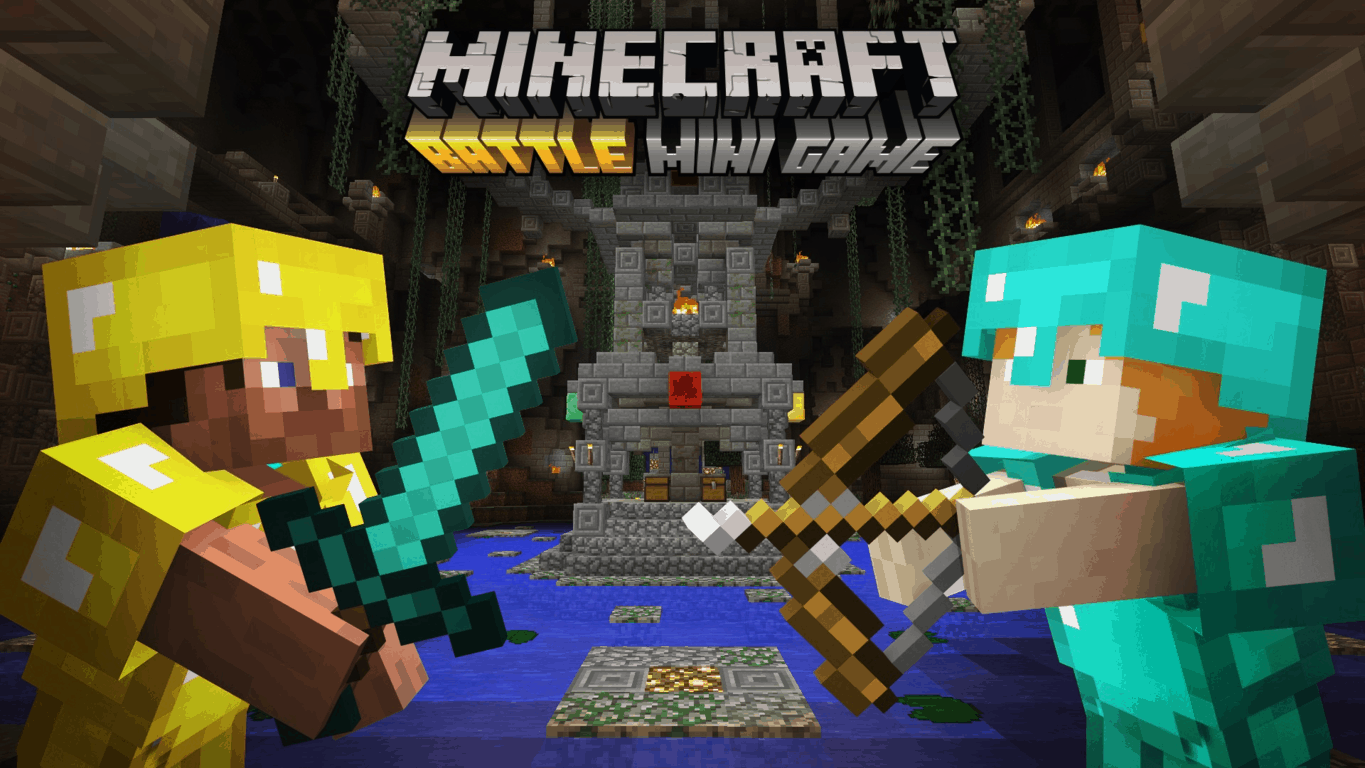
Just last week we delivered you the exciting news that the last-Minecrafter-standing deathmatch Battle mini-game rolled out to all owners of the console editions of Minecraft via a free game update. While we’re already enjoying Minecraft’s new Battle mini-game, today we are proud to report that we’re giving away a code for the first wave of Battle mini-game’s maps.

All you need to do to win the token for the first map pack for Minecraft: Xbox One Edition is drop us a comment telling us why you want a Mini Battle Map Pack code. Is it because you’re a diehard Minecraft fan? Or maybe it’s because you can build the best creations? Or perhaps you may be good at surviving the madness of a Battle mini-game match? Either way, if you’re selected as the lucky winner you will get a token to take up arms in the Temple, Medusa and Lair maps.

Please be civilized and kind with your comments, as we want all readers to have an equal chance at winning the code. Multiple entries will be voided, and you are required to leave us your Twitter handle below so we can reach out to you if you win. The competition to win the code is open in the comments section below this article from Wednesday, June 29th, 2016 until Thursday, June 30th at 3:00 PM EDT.

Thank you for being a WinBeta reader, and good luck!

Office Delve for Windows 10 app preview is now available

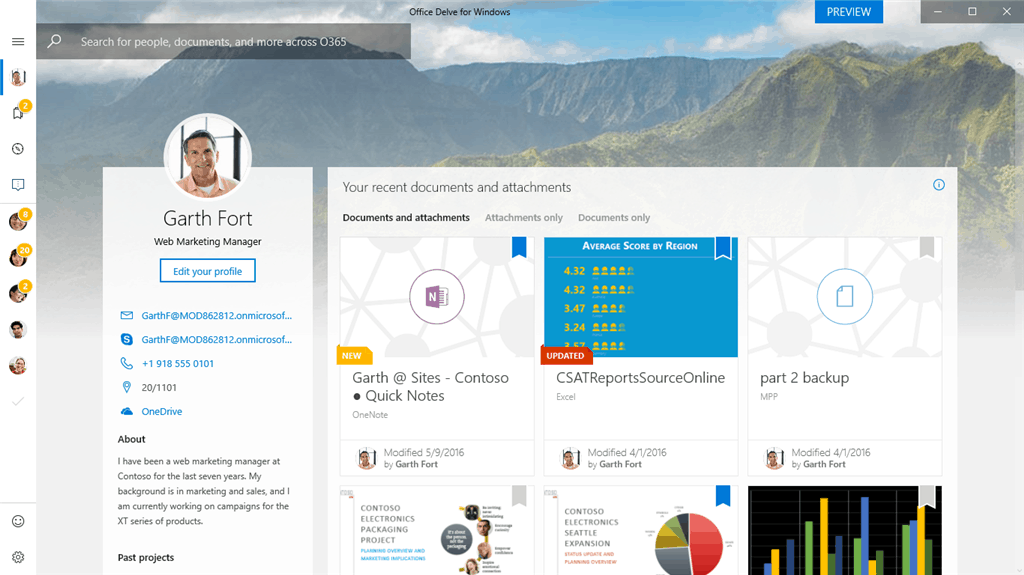
Earlier this month, we reported that Office Delve, an intelligent search feature for Office 365 customers had been spotted on the Windows 10 Store but couldn’t be installed yet. That’s now a thing of the past as Microsoft just announced today that the app has now been officially released on the Windows 10 Store, though it’s still in preview and only available on Windows 10 PCs and tablets right now (iOS and Android apps have been previously released on earlier in November). You can find the official description below:

Delve helps you stay in the know, powered by who you know and what they are working on. With this preview app for Windows 10, you’ll be notified about document updates, and get document suggestions that are relevant to your work. You can also find people and get back to your recent documents and attachments, all in one place – all in one app.

Key features of the app:

  • Get updates about what your colleagues are working on
  • Find relevant documents and attachments based on people you know
  • Get back to important documents you’re actively working on
Office Delve for Windows 10 Preview.

Microsoft added that “support for Windows 10 phone will be added at a later date.” If you want to try the app, be aware that you will need an Office 365 work or school account that has Office Delve enabled by your Office 365 admin. You can get the app on the platform of your choice from the download link below.

Delve
Delve
Price:
Free


The app was not found in the store. ?


The app was not found in the store. ?

Microsoft’s Kinect finds new life in a Crayola Factory

From live performances to trying on clothes, and more recently the blending of holograms, Microsoft’s Kinect technology has already seen many interesting use cases. A Reddit user, though, has just noticed that Kinect is also being used in the Crayola Factory in Easton, Pennsylvania.

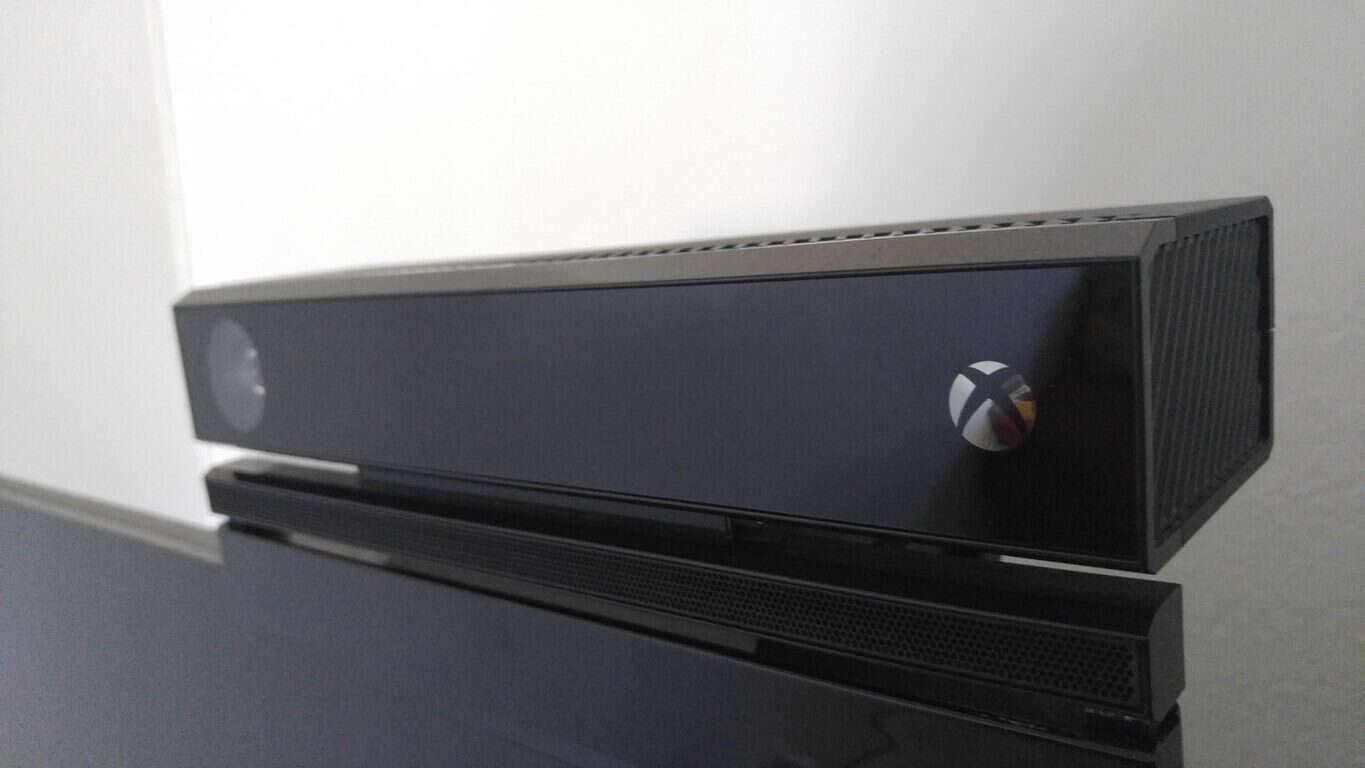
A look at the Xbox One Kinect at the Crayola Factory in action (Photo from u/MrMinky85 on Reddit)

In the photo uploaded by the Reddit user, three Kinect sensors can be seen along a video wall at an exhibit in the Crayola Factory. From the photo, it would appear that the sensors are used to track the movements of the child standing in front the wall. It could be assumed that after tracking the child movements, the sensor does it’s magic to project his movements to match those of the crayon seen on the board.

A closer look at the Kinect Sensor seen at The Crayola Factory (Photo from u/MrMinky85 on Reddit)

A second image (which the Reddit user calls “potato quality”) gives us a more closer look at the sensor. In somewhat related news, reported a few weeks ago, the newest Xbox One S will continue the Kinect compatible tradition,  but will require a Kinect adapter, which will be available for free.

Indie game Inside, from Playdead, available now exclusively for Xbox One

INSIDE, the latest game from the developers at Playdead, is now available exclusively on the Xbox One.

This is just the latest title from Playdead, as in 2010 the Indie developer delivered the critically acclaimed dark macabre LIMBO. In the new title, INSIDE, you will follow a young boy into the depths of a dark project. With every anxiety-filled step forward, you’ll encounter an unexpected obstacle, from escaping rabid dogs to investigating a scientific experiment. INSIDE is an utterly unique experience – terrifying, clever, confusing and gratifying all at once.

So, what are your thoughts? Are you up for the terror, confusion, and gratification of INSIDE? Will you pick up this Xbox title, available at the Xbox Store today? Let us know by dropping us a comment below.

Take a look at the new official Titanfall 2 Xbox One controller

Back at E3 2016, EA revealed a multiplayer trailer for Titanfall 2 which showed off wallrunning, plenty of giant robots, lots of explosions, and all the  cool new gadgets in the game. Today we’ve just come across a cool new Titanfall 2 controller for the Xbox One, which is sure to go well alongside the main game.

A look at the Titanfall 2 Xbox One controller

Set to be released on December 30th, the wired controller is priced at $59.99 and features an offically licensed Titanfall 2 inspired design. It also has the added bonus of Multi-Function wheels,  premium ALPS analog sticks, a 10 inch detachable cable, vibration feedback, impulse triggers, and audio supprt and controls. You can also customize up to 6 different actions on the controller, so you don’t have to worry about taking your thumbs off the premium ALPS analog sticks during gameplay.

So, what do you think of this controller? Will you be pre-ordering it? Let us know your thoughts by dropping us a comment below!

Poll: Skype or separate, how should Microsoft deliver Messaging Everywhere?

Microsoft changed their minds again regarding Messaging Everywhere on Windows 10. For the last few months Insiders could send SMS text messages from their PCs using the Messaging app, with Messaging syncing across a variety of devices. It was a great feature and generally a smooth experience. Now, that feature won’t be shipped with the Anniversary Update this Summer. Instead, Microsoft will deliver an experience through the Skype app.

This decision led to backlash on social media and around the web. It’s important to point out that people were also upset when Microsoft separated Skype Messaging and SMS messaging within Windows 10, even though they were previously together through the Messaging app, not the Skype UWP.

Needless to say, this is the most divisive story that’s come out this week so far and it’s perfect for this week’s poll.


Let us know in the poll how you would like the Messaging Everywhere experience to work across devices and share in the comments below how you would make it work.

PopcornFlix for Windows 10 allows you to watch movies for free on your device

One of the largest independent film distribution companies in the US, Screen Media, just released its PopcornFlix app for Windows 10. This app allows users to watch movies on their Windows 10 or Windows 10 Mobile devices for free.

Screen Media owns one of the biggest independently owned film libraries out there, so users of PopcornFlix can choose from the wide range of movies from various genres.

PopcornFlix is completely legal, so you don’t have to worry about breaking any laws while watching a movie. Of course, the app doesn’t offer major Hollywood hits, but it has a pretty decent collection of movies, all for free, without any subscription fees

PopcornFlix is a UWP app, which means you can enjoy the movies and TV shows it offers on every Windows 10 and Windows 10 Mobile-powered device.

“PopcornFlix is a free, ad-supported streaming service that offers a variety of films and series in a growing number of countries all over the world. Our service is completely legal and does not require downloads, subscriptions or any other hassles – films are easily streamed on your device. PopcornFlix offers its viewers a wide array of content, ranging from big studio pictures to independent cinema, documentaries and cult classics.”

What do you think about the movies and TV shows Popcorn Flix has to offer? Will you install it on your Windows 10 or Windows 10 Mobile device? Tell us in the comments below!

If you want to download PopcornFlix and watch movies and TV shows for free, you can download the app from the Windows Store.

RELATED STORIES YOU NEED TO CHECK OUT: