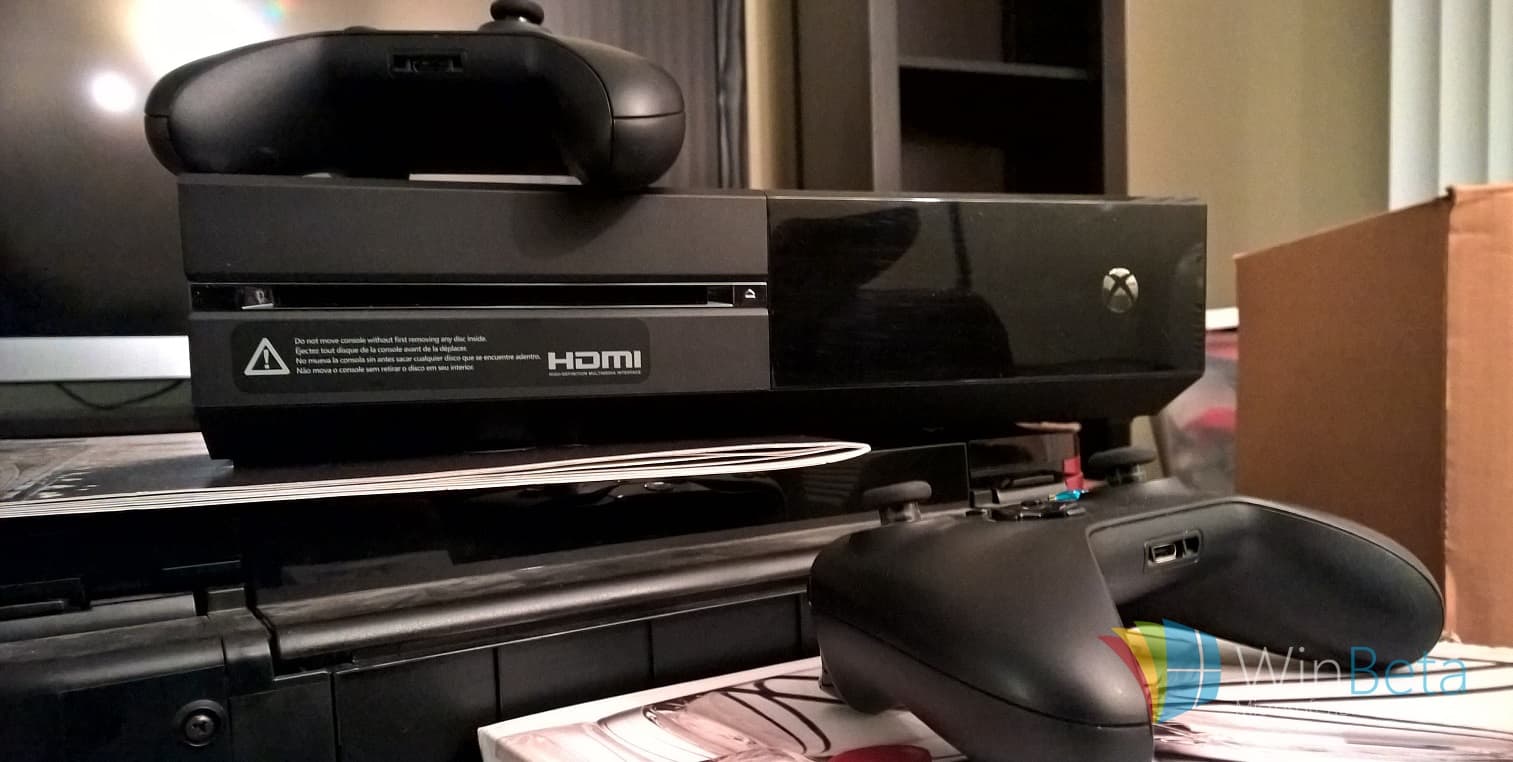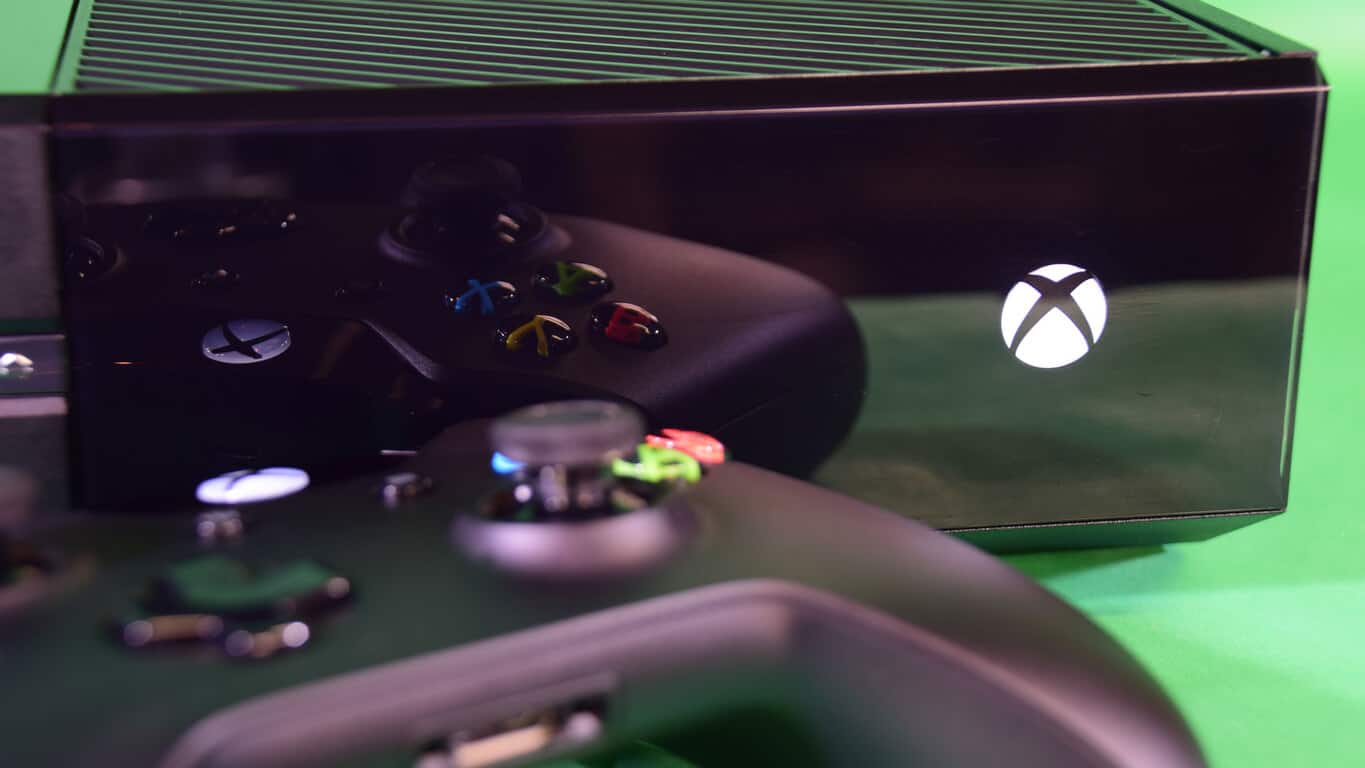
Microsoft has sold 19 million Xbox Ones out of 55 million latest generation consoles

The two main consoles of this generation – the PS4 and the Xbox One – have had their fanbases at each others’ throats for some time. Forums and subreddits have been filled with people convinced that their console of choice is flawless, and the opposing one is lacking. While some people here might consider themselves a part of the Microsoft diehards that scream the praises of the Xbox One from the rooftops, the numbers recently leaked by EA seem to suggest that sales don’t reflect that superiority.

In a recent investor call from EA, CFO Blake Jorgenson told us that around 55 million current generation consoles have been sold since they launched just a couple of years back. While Xbox doesn’t publicly release their sales numbers, Sony pushes them proudly – the last figure we’ve seen being around 36 million. Judging from that, we can glean that Microsoft has sold somewhere around 19 million units since launching the Xbox One.

While the numbers tend to lean heavily towards Sony’s favor, it doesn’t necessarily bode ill for Xbox. Microsoft has seen a steady increase in sales year after year, in consoles sold, games sold, and even Xbox Live memberships, which are up to 48 million subscriptions.

With games like Rise of the Tomb Raider and Halo 5 making their way onto the market during 2015, the Xbox community has gotten a huge stimulus of new blood that’s excited to see what 2016 has in store. And with games like Recore and Quantum Break slated to come out this year, the number of Xbox Ones that are going to be sold is definitely going to increase by a huge margin. Hopefully Microsoft makes those numbers available for us to look over soon, so that we can celebrate their progress with them.

Fix: Can’t Send SMS From Windows 10/11 Mobile

Sending text messages is a crucial part of every mobile phone, but users are reporting that they can’t send SMS from Windows 10 Mobile for some strange reason. This seems like weird problem and today we’ll try to solve it.

As we mentioned sending text messages is quite important and since we send text messages over our phones all the time you can see why not being able to send text messages could be that big of a problem. Not being able to send text messages could cause some big problems especially if you heavily rely on it, but let’s see if we can fix that somehow.

Can’t Send Text Messages From Windows 10 Mobile Phone

Users report that even with full signal they can’t send text messages, so if signal is not the issue here what can you do to fix this problem?

Solution 1 – Turn off International assist

  1. Go to Settings > Applications > Phone.
  2. Turn off International assist.

This is a simple solution and some users have confirmed that this has fixed the text sending issues for them on Windows 10 Mobile, so make sure that you try it out.

Solution 2 – Change your mode from LTE & CDMA to CDMA

  1. Go to Settings.
  2. Now go to Cellular.
  3. Find Mode Selection option and change it from LTE & CDMA to CDMA.

After doing this you should be able to send text messages.

Solution 3 – Perform a factory reset

This is the last solution if nothing else works. We have to mention that performing factory reset will delete all your files and contacts stored on your phone, so make sure that you back them up first.

After you’ve backed up your files, you may perform factory reset of your device. As we said, this is the last solution if nothing else works, so before performing a hardware reset make sure that you have tried all the solutions that you could find.

What To Do When Security Subscription Expires On Windows 10?

If you bought Windows 10 PC some time ago you might get a message saying that your antivirus protection or security subscription has expired. Does this mean that your computer is now vulnerable and what should you do in these types of situations?

When you buy a new computer it usually comes with a antivirus software installed, but in most cases the antivirus software is valid for 30 days or more. After that period expires your antivirus software might start working with limited functionality or it might stop downloading security updates until you buy a license. This is when you’ll get messages saying that your security subscription has expired and that your computer is no longer safe.

This can be a problem since you don’t want to leave your computer vulnerable, but fortunately there are two solutions to this problem.

Your Security Subscription Has Expired On Windows 10. What now?

Solution 1 – Renew your antivirus license

Most antivirus software come with a license, and in order to use it you need to buy a license and renew it every year. If you’re pleased with your current antivirus software you could buy a license and continue using it, but remember, you’ll need to renew the license every year in order to keep your computer protected.

If you’re not pleased with your current antivirus software, you can easily purchase license for other antivirus software and use it instead.

Solution 2 – Use a free antivirus software

Some users might argue that free antivirus software isn’t as reliable as the paid software, but if you don’t want to renew your license every year you might want to consider using a free antivirus software. Many famous companies offer both free and paid version of their antivirus software, and even though free versions miss some features, they can still provide decent protection free of charge.

So, what is the better solution? That’s entirely up to you. If you’re ready to spend money every year in order to renew your antivirus software, then go for the paid antivirus. On other hand, if you’re short on money, maybe consider using a reliable free antivirus software instead.

Xbox One gets new Community Calendar app to keep you in the know

Microsoft has released a new app in the Xbox One store that allows gamers to see what’s happening in the Xbox community. Previously, this app was made available to participants of the Xbox One preview program. Community Calendar showcases events and opportunities for Xbox gamers including game launches, scheduled live streams, streams hosted by the Xbox community, and other valuable information. Snag the app and let us know what you think about it in the comments below!

Xbox Live now has over 48 million active users but what does that mean?

Microsoft has just released details of their earnings and losses for the second quarter of the 2016 financial year and there has been a combination of growth and decline in several departments. One of the areas in which Microsoft is doing fairly well is with its Xbox division which saw an impressive 30% growth with active Xbox Live monthly subscribers which has brought the total number of active users to the all-time high of 48 million worldwide.

It is important to note that Microsoft did not include the actual number of subscribers in their financial report, only the total number of active users. This means that the total number of users who are paying monthly or annual subscriptions to the online service could be higher but some may simply not be using it or the number of subscribers could have even shrunk but activity among those who remained rose due to more interest in Xbox 360 and Xbox One titles.

It’s also unclear how Windows 10 could have affected these numbers as Microsoft’s new operating system has placed a renewed focus on the Xbox Live service which may have accounted for an increase in usage in the PC sector. New titles such as Rise of the Tomb Raider, which just launched in the Windows Store as a Universal app, is connected to the Xbox Live service but players do not need to pay to take advantage of this connectivity. This number of users is very much about service usage and not income generated from it.

Xbox Live is Microsoft’s special cloud-based service for all games running on its Xbox 360 and Xbox One consoles and select titles on Windows phones and Windows PCs. The service allows for cloud backups of game saves, online multiplayer, leaderboards, cross-play between some games, and special Xbox Achievements (rewards for reaching certain requirements in games). Many users pay a monthly subscription fee for an upgrade to Xbox Live Gold which offers special extra services such as free games on a monthly basis. Several features are still available for free members though and those using Xbox Live on Windows phones and PC don’t need to pay a subscription fee at all.

While the Xbox Live numbers can be difficult to interpret, Microsoft’s total cloud services (which also includes Office 365 and other cloud products) earned the tech giant over US$6.3 billion in revenue. Do you use Xbox Live on a regular basis? How do you think it could improve? Let us know in the comments below.

Windows 10 Build 14251 now Available for Download

Microsoft indeed kept its promises of bringing new Windows 10 builds for Insiders more often this year. Just some time after the previous Windows 10 Preview build, the company released a new 14251 build for Windows 10 Preview users on the Fast Ring. The build makes a big jump in version number (previous was 11102), and brings some improvements, and fixes. Still no new features.

Some people believe that the reason for a big build number jump is that the new build brings some new features that we’re waiting for since the first Redstonebuild. But, chief of Insider Program, Gabe Aul confuted these claims, as he explained that the reason for a big build number change is to make it same as the current build number of the latest version of Windows 10 Mobile.

Windows 10 Preview Build 14251 Features and Known Issues

As we said, the build doesn’t bring any major new features, but it brings some bug fixes and improvements. However, new Cortana features, that we presented you a couple of days ago, also arrive with this build.

Here’s the list of known bug fixes and improvements in Windows 10 Preview Build 14251:

  • The issue where some PC games would crash switching from windowed mode to full screen, upon game resolution change, or upon launch due to a bug in Windows graphics stack.
  • The issue where applications such as Narrator, Magnifier, and third-party assistive technologies may experience intermittent issues or crashes.
  • An issue where File Explorer would crash frequently when DPI settings were at 175 percent.

Since the build is for now only available to users on the Fast Ring, it means that it’s not stable yet, therefore it also causes some issues. Microsoft listed the known issues in the build 14251, and they’re following:

  • You might see a WSClient.dll error dialog after logging in. Microsoft is working on a fix for this but as a workaround, you can run the following in Command Prompt with administrative rights: schtasks /delete /TN “\Microsoft\Windows\WS\WSRefreshBannedAppsListTask” /F
  • The Connect button does not show up in Action Center. The workaround is to press Windows key + P and then click “Connect to a wireless display”.
  • Due to a recent memory management change, you may see periodic app crashes or other memory related app errors. The workaround is to reboot your PC.

Practice thought us that issues listed by Microsoft are the only problems bothering Insiders upon installing the new build, so we’ll do a little research soon, and we’ll present you even more issues, if reported.

Xbox One will soon gain Fallout 4 modding

Reported today is news on the availability of Fallout 4 mods coming to game consoles. Fallout 4 is a post-apocalyptic role playing game, set across a sprawling world and influenced by the post-war 1950s. The game gives players a huge amount of content to explore and many hours to invest. However, the PC community has been taking things a step further since its availability on that platform.

The PC gaming community is known for making mods to games. Mods are basically community developed game add-ins that can enhance gameplay or add in additional content for almost any purpose. For console gamers, the ability to use Mods has never been available for any game. Things may be looking up for those wishing to have this feature on their Xbox One, however.

In a recent tweet, the official Fallout Twitter account, responded to a fan’s inquiry about Mods on consoles, with:

 we’ll be sharing more details soon. stay tuned.

While not official confirmation about this feature coming to consoles or when a date has been set, we can have at least a tiny bit of hope that it’ll be sooner, rather than later. With the Xbox One now running Windows 10, we do know that the Xbox One would receive this feature due to running the same OS as its PC counterpart. The goal for Bethesda would be to add these Mods seamlessly into the gameplay with upcoming DLC packs.

With this new information, what mods from the PC version of Fallout 4 would you like to see on the Xbox One? Let us know in the comments.

Microsoft FY16 Q2: Windows Phone revenue drops 49%

Microsoft’s More Personal Computer group saw some decent enough performance, with Windows revenues dropping but keeping ahead of the overall PC market’s decline and Surface revenues remaining strong. However, Microsoft’s phone business continued to suffer in FY16 Q2.

Overall, phones declined by 49% CC (constant currency), representing the platforms continue struggles even given the recent release of the flagship Lumia 950 and 950 XL smartphones. In fact, device revenue overall fell 22% driven by phones, even given a Surface revenue increase of 29%.

Personalcomputing
More Personal Computing

Microsoft certainly has some work ahead of it to make its smartphone business viable. One has to wonder how many quarters of revenue decreases it will take before Microsoft considers dropping the business completely–even with plans for an upcoming Surface phone in the works.

Microsoft’s Windows revenue declines in Q2 2016, but less than overall PC market

As Microsoft continues to make its strategic transition, Windows becomes a less important aspect of the company’s overall business even as Windows 10 gains importance regarding visibility and as a measure of the company’s success. Given the general PC market’s decline, it’s not surprising that the company’s Windows OEM revenues declined in Q2, albeit less than the PC market’s overall retreat.

  • Windows OEM Pro declined 6%, ahead of the commercial PC market with strong license buy-in
  • Windows OEM non-Pro declined 3%, outperforming the consumer PC market driven by higher premium and mid-range device mix
  • Windows volume licensing grew 3% CC with annuity revenue growth partially offset by transactional revenue declines
  • IP licensing revenue decreased due to lower units and a higher mix of low royalty devices
Personalcomputing
Windows revenue decline


So far, Microsoft’s overall earnings for the quarter have been mixed. Be sure to check in with our other stories to see how Microsoft is doing company-wide.

Microsoft’s FY 16 Q2 results show increased Surface revenue while Windows licensing declines

The moment many a gambling investor had been awaiting is upon us. Microsoft just released its earnings report for its fiscal year 2016 Q2. A preliminary look at the numbers show that Microsoft is continuing its momentum in Office and cloud adoption while surrendering some foothold in its Windows licensing as it transitions to a “cloud-first, mobile-first” company.

Q2financials
Microsoft’s Q2 Financial Summary

Other quick takeaways are a significant drop in Windows Phone revenue while numbers for Xbox Live monthly active users grew by 30% year over year.

We’ll be updating and going into further details on Microsoft’s numbers in subsequent posts, and so keep it locked to WinBeta.org for more information.

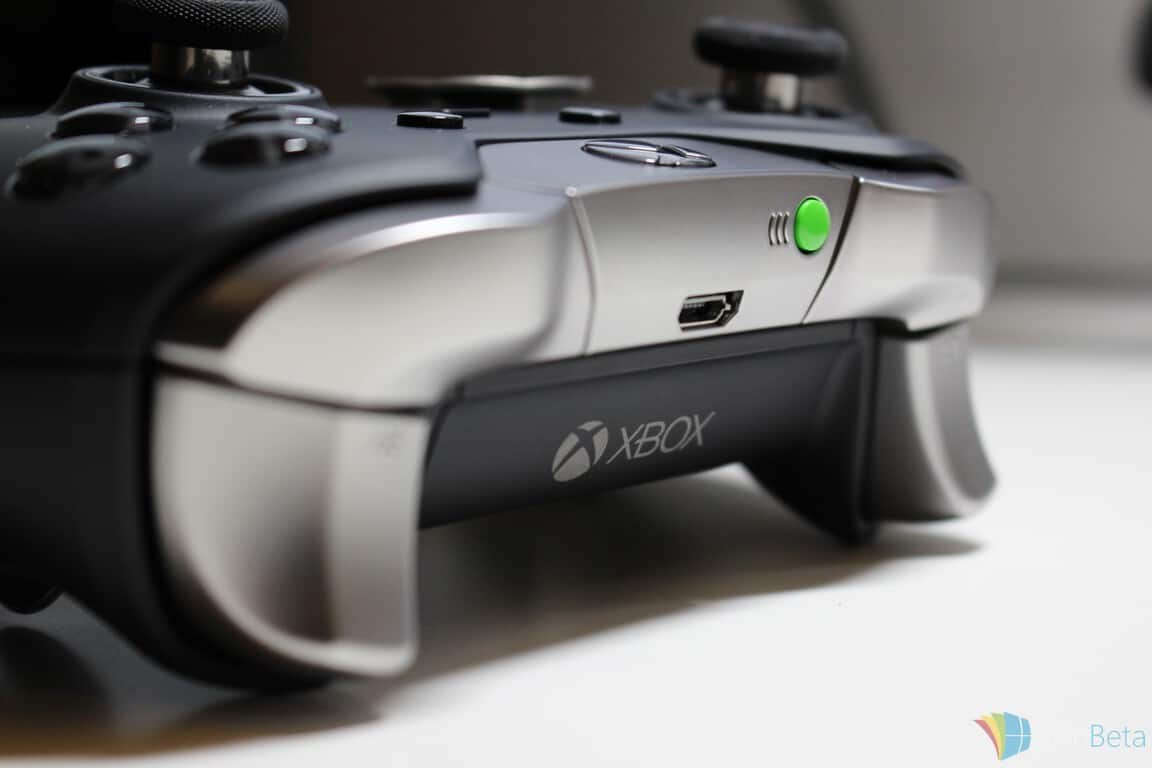
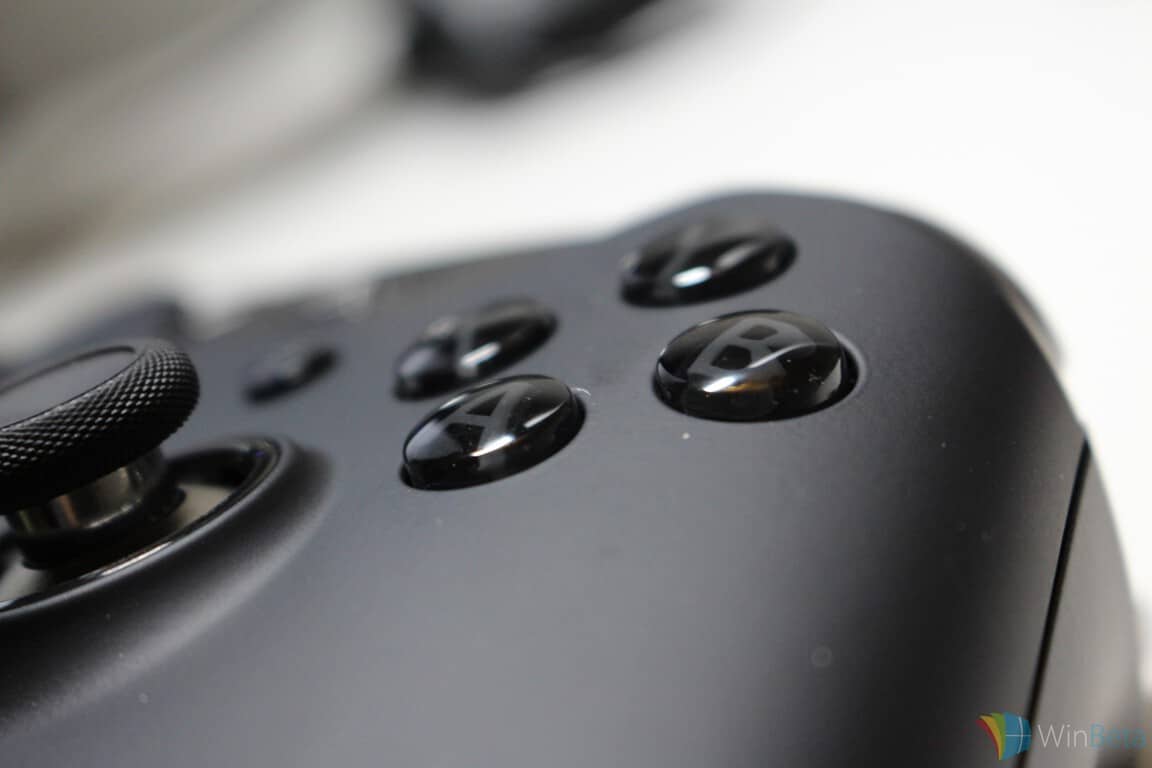
Xbox Elite Wireless Controller in stock at Amazon on January 30

Microsoft’s Xbox Elite Wireless Controller remains a hot commodity even a few months after its release. The company expects inventories to pick up to normal levels in March, following many weeks of stock being snatched up the minute it’s available. If you’re scouring the market for the hot controller, it looks like Amazon will have some on stock on January 30.

The constant sell-outs are no surprise given the controller’s high-ratings and Microsoft’s own admission that the company misjudged its popularity. Even at the relatively high price of $150 or so, Microsoft simply can’t keep the things in stock for long. Our review gives some hints as to why it’s so hard to find:

The main appeal for hardcore gamers though is the hair trigger locks which restrict the movement of the triggers, the variety of thumb sticks and D-pads that can now be swapped out to match the user’s play style and the four completely new slots on the rear for interchangeable paddles whose functions can be completely customized in a new app that’s due to launch on Xbox One and Windows 10.

This app will give gamers the option to adjust the triggers’ min/max values, thumb stick sensitivities and completely change the button assignments. Up to 14 inputs can be assigned to the ABXY buttons, paddles, D-pad, triggers, and thumb stick clicks and an unlimited number of controller profiles can be saved to the app and automatically backed up in the cloud while two can be stored locally on the controller itself. The two local profiles can be manually changed on the fly via a new profile switch on the controller.

So if you’ve been itching to get your hands on an Xbox Elite Wireless Controller sometime soon, keep Amazon in mind. You’ll probably want to get your order in, however, as it’s likely to sell out pretty quickly.

Microsoft releases open source Cordova Tools extension for Visual Studio

Visual Studio’s Tools for Apache Cordova (or TACO for short) has long been used by developers to build mobile apps for iOS, Android, and Windows using a shared JavaScript codebase. The easy-to-install software even allows developers to 100% code re-use by leveraging Cordova’s shared JavaScript API to access native device capabilities like the camera, calendar and contacts.  Today, Microsoft has announced new ways to use Cordova to build, debug, and preview apps using the VS Code and the Cordova Tools extension.

Amongst other features, the extension allows the debugging of hybrid apps, Cordova specific commands in the Command Palette, and the use of IntelliSense to browse objects, functions, and parameters.  The extension can be used with both “stock” versions of the apache Cordova framework and downstream frameworks like Ionic, Onsen, PhoneGap and SAP Fiori Mobile Client.  Furthermore, the TACO extension is adaptable to the JavaScript framework of your choice.   Lastly, Visual Studio Code + Cordova Tools currently support debugging apps on emulators, simulators, and tethered devices for Android and iOS.

To get the extension, you first need to download Visual Studios Code for Mac, Windows or Linux. Next up you can install the Cordova Tools extension directly from within the code editor by invoking the Command Palette (Cmd+P on Mac, Ctrl+P on Windows), and typing “>ext install cordova”

The Cordova Tools extension is open source and can improved by users.

Microsoft Power BI App Makes its Way to Windows 10

Microsoft just released its new Power BI app for Windows 10 PCs. Since the company recently released the app for Windows 10 Mobile platform, it has now completed the Universal experience, since the app is now working across all Windows 10 devices.

The new Power BI app is fully optimized for touch environment, and also works on Microsoft’s Surface Hub (actually it will work, once Surface Hub is released). The app supports Continuum for phones, as well, so you can connect your phone with a larger display, and have a better overview of your data.

Microsoft Power BI for Windows 10 Features

The app looks very good in design, and is fairly easy to use on all Windows 10 devices. Here are the most notable features of the new Power BI Windows 10 app:

  • Access your data using Power BI dashboards and reports – anywhere, anytime.
  • Collaborate with colleagues over insights by sharing snapshots, dashboards and reports.
  • Add annotations to your dashboards when presenting or sharing data
  • Explore your data by filtering, sorting and highlighting your live reports

Just like we were reporting before, Microsoft is on the good way to beat the problem with the lack of apps in Windows Store, as more and more developers are releasing their Windows 10 apps every day. And there are some big names among these developers, like Dropbox, as the company released its Windows 10 Universal app last week.

Microsoft also announced its plans to release a free version of its Power BI business-intelligence tools/service, and also cut the prices of its new, fully featured Pro version of the service. And as Microsoft is trying to gather as quality and dedicated team of programmers as possible, we should see these changes very soon.

You can download Microsoft Power BI app for your Windows 10 Mobile or PC for free, from Windows Store.

Microsoft Makes Firmware Updates Available to Windows 10 Mobile Users

Windows 10 Mobile is near to a public release (at least we hope so), and Microsoft made a couple of changes to make the upgrade to the latest version of firmware easier to some users. People who now want to upgrade to the latest available firmware version of Windows 10 won’t have to use the Windows Recovery Tool, which means data wipe is not necessary anymore.

Microsoft also reminded us that firmware updates are only available to those devices configured to receive production updates, and those outside of the Windows Insider Program.

How to Receive Windows 10 Mobile Firmware Updates

“While we are getting this update experience fixed; we have a temporary workaround in place to make things easier for our Windows Insiders. Within the Windows Insider application on Windows 10 Mobile we have added a new option called ‘Production’. This will point your device back to the production update servers where you will be able to get any firmware updates that are available for your devices. Once you have the update you will then need to go back to the Windows Insider application and reselect the Fast or Slow ring. Please be advised, if you don’t reselect Fast or Slow with any build newer than 10586 your device will be in a state which may not receive any future Insider Preview builds or Cumulative Updates.”

Here’s what you need to do to receive firmware updates on your Windows 10 Mobile device

  • Open the Windows Insider application on your device
  • Select “Get preview builds”
    – There will now be three options to choose from: Insider Fast, Insider Slow, and Production
  • Select “Production“windows 10 mobile firmware
  • Read the presented message and tap “accept” to confirm your selectionwindows 10 mobile firmware update
  • Your device may prompt to reboot. If not, complete a manual reboot.
  • After the reboot, check for updates. If available, your device will display an update to receive the newest firmware.
    – Settings > Updates & security > Phone update > (check for updates)
    – If the device shows a “no updates available” message, your device has the most recently available firmware
  • If available, complete the update by following the on-screen directions
  • Once installed, re-open the Windows Insider application
  • Select your desired update ring (Insider Fast or Insider Slow) and reboot as prompted
  • Your device now has the newest firmware available and is set to receive the next flight when launched for your selected ring

Although firmware updates are not available for users in Insider program, Microsoft plans to deliver firmware updates to them in the future. So, until Microsoft migrates firmware updates from the production servers, to the Windows Insider servers, you’ll need to use this method to receive firmware updates.
a>

Windows 10 Team Profile highlights the man behind the Insider feedback tools

Microsoft’s Windows 10 Team Profile highlight posts are designed to give Windows 10 Insiders a glimpse behind the current development of Windows and inner workings at Microsoft. Alongside a newly released Windows 10 Redstone preview build, Insiders are now being introduced to the program manager for the WDG (Windows & Devices Group) community champions, Anthony Kinsey.

A Microsoft employee of roughly four and half years, Kinsey describes his work habits as ‘nomadically’ dealing with engineering teams across the Windows and Devices group. Kinsey leads a virtual team of champions that are dedicated to listening and responding to feedback from Insiders. Specifically, Kinsey meets with almost every team in the Windows & Devices Group to ensure the feedback and response tools the various teams use to correspond with Insiders meet their needs.

Dealing day-to-day with the Insider community can seem like a daunting task for anyone, with constant questions, complaints and suggestions, but Kinsey still finds gems amongst all of the noise.

I was lucky enough to be able to go out to support one of our Windows 10 launch events last July. It was my first time traveling for businesses, so I was nervous, but the Insiders I met and hung out with on the trip were all incredibly welcoming, knowledgeable and enthusiastic about Windows, and interesting to talk to, which made the experience one to remember.”

See, we’re not all bad.

Perhaps as a result of dealing with Insider feedback, Kinsey finds his favorite new feature of Windows 10 to be its sheer performance speed compared to previous versions. As users chimed in on the performance gains from Windows 7 to Windows 8 even more, Insiders found themselves commenting on the performance requests in Windows 10.

My favorite feature is actually the blazingly fast performance of Windows 10. Did you know Windows 10 boots faster, takes up less disk space when installed, and used less memory when running, compared to Windows 7 or 8 – even on old machines – that’s amazing!”

Kinseyprofile

On a more personal, non-work related note, when asked what gadget Kinsey couldn’t live without (besides a phone or PC), he’s apparently quite fond of his car. Notably, Kinsey finds himself a bit of an electric car enthusiast, and recently crossed the 30,000 gas-free marker on his own electric vehicle.

Other tidbits about Kinsey are that he’s a father of two, and similar to Brandon LeBlanc, who was previously profiled, Kinsey also enjoys sushi. We’re detecting a theme developing over at the Redmond campus.

The new Windows 10 Team Profile posts are an excellent way for Insiders to acquaint themselves with the men and women involved with the apps, systems, and hardware they use every day, as well as giving them a more direct line of access to the right people. While Gabe Aul, may be the most recognized face of the Windows Insider program, Insiders should take the time to review the profiles found in the Insider Hub so they can direct the right questions and suggestions to the people who have the right answers and feedback.

For more information on Anthony Kinsey, head over to the Insider Hub app to read his profile or visit his Twitter link in the blog post.

Presidential candidate Bernie Sanders’ campaign raises questions about Microsoft backed caucus app

The Iowa caucus is just days away, and Democratic presidential candidate Bernie Sanders is raising questions about Microsoft’s involvement in 2016’s first presidential primary election.

At the center of the question is Microsoft’s partnership with the Iowa Democratic and Republican Parties to provide a technology platform with which the parties will run their caucuses.  In a June 2015 post explaining their involvement the Redmond company states, “we are honored to support the 2016 Iowa caucus via a new, mobile-enabled, cloud-based platform that will facilitate accuracy and efficiency of the reporting process.”

The process is essentially designed to enable precincts to report their results directly by party to ensure that only authorized Iowans are reporting results. Under the Microsoft system, each Iowa political party will have their own app available on all mobile and PC platforms, which will support the party’s unique caucus voting process.  The results will be then be securely stored and managed in Microsoft’s Azure cloud computing platform.

Sanders finds this arrangement suspicious, and he frequently warns that corporate power and the billionaire class are trying to hijack democracy.  To no surprise then, the Sanders campaign has built their own reporting system to check the results from the official Microsoft-backed app. The group has trained its precinct captain on using the app, which is designed to be as user friendly as possible, and the campaign will also staff a hotline system as further redundancy.

Asked why they are interested in Iowa, Microsoft said in a statement to MSNBC that, “Microsoft is providing technology and services solely to administer and facilitate a neutral, accurate, efficient reporting system for the caucuses.”


How To Fix Dota 2 Problems in Windows 10/11

Dota 2 is a popular multiplayer game with millions of players worldwide, but despite its popularity the game might have some problems with Windows 10, so let’s see if there’s a way to fix Dota 2 problems on Windows 10.

Few months ago Dota 2 got a new game engine and with the new engine new issues have emerged, so let’s see how to fix some common issues with Dota 2 and Windows 10.


We’ve written extensively about Dota 2 issues before. Bookmark this page in case you need it later.


Fix Dota 2 Black Screen And Stuttering Issues On Windows 10

Solution 1 – Disable Display Scaling on high DPI settings

If you’re experiencing black screen in Dota 2, you might want to try disabling Display Scaling on high DPI settings for Dota 2. To do so, you’ll need to do the following:

  1. Open File Explorer and go to the Dota 2 installation directory. By default it should be in your Steam installation directory, and the location should be similar to:
    • SteamSteamAppscommondota 2 betagamedota
  2. Find dota2.exe and right click it.
  3. Choose Properties.
  4. Go to Compatibility tab and make sure that you check Disable Display Scaling on high DPI settings and Run as administrator. Also make sure that Compatibility mode is unchecked.
  5. Click OK and Apply to save the changes and start the game again.

Solution 2 – Verify the integrity of game cache

If the game is stuttering you can try to fix it by verifying the integrity of game cache. To do that follow these instructions:

  1. Open Steam.
  2. Find Dota 2 in the list of games in your library and right click it.
  3. Choose Properties from the menu.
  4. Go to Local tab and click verify the integrity of game cache.
  5. Wait for the process to complete.
  6. When the process is completed try running the game again.

Solution 3 – Exclude Steam folder from Windows Defender and Turn off Location Services

If you’re experiencing stuttering, try adding your Steam directory to list of exclusions in Windows Defender:

  1. Open Settings app and go to Update and Security.
  2. Choose Windows Defender > Add an Exclusion.
  3. Browse for your Steam folder and add the entire Steam folder to the list of exclusions.

To turn off Location Services do the following:

  1. Go to Settings App.
  2. Choose Privacy > Location.
  3. Make sure that you switch Location to off.

In addition, you can disable Location Services from the Action Center on the Taskbar.

Solution 4 – Change Process Affinity

Sometimes you might experience FPS drops in Dota 2 if your CPU isn’t fully used, but you can fix this problem by changing process affinity.

  1. Start Dota 2.
  2. When Dota 2 starts minimize it by pressing Alt + Tab.
  3. Open Task Manager. You can open it by pressing Ctrl + Shift + Esc on your keyboard.
  4. Go to Details tab.
  5. Find Dota 2 in the list of processes.
  6. Right click it and select Set affinity from the menu.
  7. Make sure that all cores are selected.
  8. Click OK, close Task Manager and return to game.

If the issue persists, repeat all the steps, but instead of choosing Set affinity in Step 5 choose Set priority and select High from the menu.

Solution 5 – Change Nvidia Control Panel Settings

  1. Open Nvidia Control Panel.
  2. Click Select a Task on the left panel.
  3. Choose 3D Settings and click Manage 3D Settings.
  4. Now click Program Settings.
  5. Click Add under Select a Program category.
  6. Go to Dota 2 Installation directory and select dota2.exe. By default it should be C:Program Files (x86)/Steam/SteamApps/common/dota 2 beta/game/bin/dota2.exe.
  7. Set Preferred Graphic: High Performance Nvidia Processor.
  8. Click Apply to save your settings.

If you don’t own Nvidia graphic card you should know that the process is almost the same for AMD cards and Catalyst Control Center.


Can’t open Nvidia Control Panel on Windows 10? Solve the problem in no time with the help of our guide!


Solution 6 – Disable Switchable graphics

If you don’t have integrated graphic card this solution doesn’t apply to you and you can skip it.

If you have integrated and dedicated graphic card make sure that Switchable Graphics is turned off in BIOS:

  1. Restart your computer.
  2. While your computer boots keep pressing F2, F12 or Delete key. The key is different for each motherboard, so you might have to try it a few times.
  3. When BIOS settings opens you need to find Switchable Graphics. Location of this setting can be different for each version of BIOS so you need to find by yourself.
  4. After you’ve found Switchable Graphics option make sure that you disable it.
  5. Select Save settings and exit.

We hope this article covered all major problems with Dota 2 on Windows 10 platform. If you’re having problems with some other game on Windows 10, check out our Windows 10 games hub, and you might find a solution.

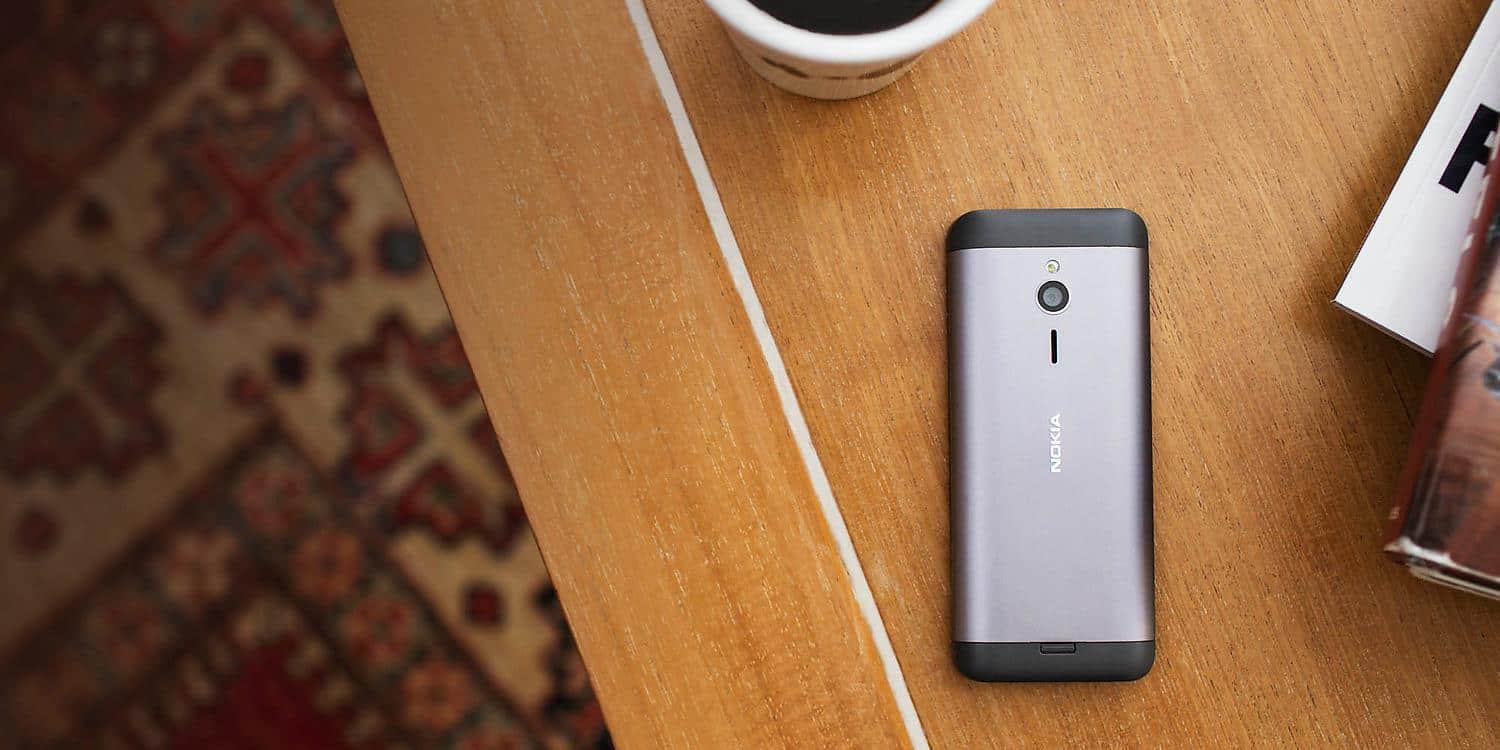
Microsoft launches Nokia 230 Dual SIM in India

We told you 2 months ago about the upcoming availability of the Nokia 230 and Nokia 230 dual-SIM, two affordable but nicely designed feature phones, and Microsoft just announced that the dual-SIM version of the handset has now hit retail in India .

The device is available at a best buy of INR 3,949 (around $55), and for this price you will get a nice little phone with a metallic finish that gives it somewhat of a premium aspect. The phone is available in both Silver and Dark Silver.

Nokia-230

But besides those good looks, this is still a feature phone, running the old Nokia Series 30+ software with a non-touch experience. However, Ravi Kunwar, Director- North for Microsoft Mobile Devices, is welcoming the launch of the handset: “Amidst the burgeoning market for touch-enabled smartphones, there was a latent need in the market for a premium quality, non-touch feature phone with enhanced features. The Nokia 230 Dual SIM has been designed to deliver on that need in the market. The device offers a premium feature phone experience to users, both in terms of the build and design of the device, as well as the usage. We are confident that consumers will relate to the value that the device will add to their mobile phone experience.”

Here are the detailed specs and features of the device:

  • Premium metallic body (124.6×53.3×10.9mm, available in Silver and Dark Silver) with a large 2.8” screen (230*320).
  • 2MP front-and back cameras with LED flash and shortcut camera key
  • 1200 mAH battery supporting 23 hours of talk time and up to 22 days stand by time
  • Memory card support of up to 32GB
  • Access to popular web content with the Opera Mini Browser, Bing Search, and MSN Weather
  • MP3 and video player
  • Complete connectivity with support for 900/1800 MHz, Bluetooth 3.0 with SLAM and HSP/HFP profile, FM Radio, 3.5mm AV connector and micro USB

Microsoft did not give us today a release date for the Nokia 230, the single-SIM version of the handset. But while feature phones are still certainly popular in certain markets, we’re wondering if Microsoft has more of these Nokia feature phones in the pipeline this year.


Get Saints Row and Metro in one package on Xbox One

The Xbox store is currently offering a nice bundle of action games with the Saints Row Metro Double Pack for Xbox One. For $54.99, you can score the 4 following games: Saints Row: Gat out of Hell, Saints Row IV: Re-Elected, Metro 2033 Redux and Metro: Last Light Redux.

Both franchises are quite different, as Saints Row games are set in an open world environment while both Metro Games are classic, linear FPS games. It’s still an interesting bundle, as all of them except Saints Row: Gat out of Hell have received critical acclaim.

You should also be aware that these games are remastered versions of their Xbox 360 counterparts, so for those of you who already own them on your old 360, this bundle may be a good opportunity to enjoy them one more time with improved graphics.

If you never played these games, here is what you should now:

  • Metro Redux and its sequel Metro: Last Light set you in a post-apocalyptic Russia, and take you on a claustrophobic journey from the darks tunnels of the subway to the desolate ruins above, with dangerous encounters with mutants and hostile survivors.
  • In Saints Row IV Re-Elected and Saints Row Gat Out Of Hell (a standalone expansion), you play the leader of the powerful Saints street gang, and must fend off an alien invasion after becoming President of the United States and receiving superpowers.

We hope to see more of these bundles are coming, as they’re a good opportunity to get games for cheap without needing to be an Xbox Live Gold subscriber.

Tom Clancy’s The Division closed beta goes live on Xbox One

People have been waiting for the release of Tom Clancy’s The Division for a very, very long time. The game was announced years ago during E3 2013, showing off only fancy cinematics on its premise and a short snippet of gameplay to give us a taste of what we could expect. Since that E3 conference, we’ve received almost no information about the game apart from brief snippets of gameplay that Ubisoft allowed us to see at subsequent E3 gatherings.

Today, however, Xbox One owners finally have a chance to dive right into The Division first hand. Those who signed up for closed beta access should check their email for an invite to the beta, as invite waves have already been sent out. It’s also important to note that those who have pre-ordered the game are guaranteed a spot in the beta, and should have their code already.

The beta launched at 4am EST this morning to an enthusiastic response from the community, already providing players a rather populated New York City to wander through in search of loot. The beta version of the game has blocked off many portions of the map, cut out most of the story missions, and even limited its options for character creation, so people who end up enjoying the beta can make an informed decision about purchasing the game without having it spoiled for them.

Tom Clancy's The Division
Tom Clancy’s The Division

Featuring RPG elements in a third person shooter gameplay style, The Division offers an experience to players that can’t really be found anywhere else, save for possibly Destiny. The Division features open world, high stakes PvP in which you can hunt down other players in order to take the loot that they’ve collected for yourself. For those who may be bored with the current climate of console shooters, or who enjoyed the concept of games like DayZ and H1Z1 but didn’t have a PC powerful enough to run them, The Division is, even in its limited form, easily proving to be a contender in the fight for your attention during the coming season’s span of game releases.

If you don’t feel like spending any money currently, keep in mind that some websites (like Amazon) won’t charge you for your pre order until the game actually ships on March 8th, so there’s nothing stopping you from pre-ordering the game that way and cancelling it later if the beta doesn’t quite catch your fancy.

Return to The Grid with Tron RUN/r on Xbox One

Today, Disney announced that their upcoming game Tron RUN/r, based on the popular Tron movie franchise, will be coming to the Xbox One console. Tron RUN/r was previously announced at The Game Awards for PC only but Disney has since updated that information to include the Microsoft game console. The game will feature music produced by Giorgio Moroder and Raney Shockne and visuals to match the Tron Legacy universe.

Scheduled to release on February 16th for US$20, players will have the chance to customize their own avatars with different suits, helmets and light cycles an play through 30 levels of gameplay. There will also be a “Stream” mode which will remix existing levels for higher difficulty.

For those looking to play Tron RUN/r early, it will be playable at the upcoming Winter X Games Aspen. Would you like to see more Tron games on Xbox One? Let us know in the comments below.

Microsoft Will Buy Your MacBook, if You Purchase its Surface Book

Microsoft is ready to do anything to convince you to buy its Surface Book, which is totally reasonable, since the company invested a lot into its ‘ultimate laptop.’ A lot of huge companies today are led by the policy “if you can’t beat them, buy them,” and Microsoft is not an exception. The maker of the Surface Book is ready to buy Apple’s products, just to convince you to buy its first laptop.

Of course, Microsoft won’t buy the whole Apple company, because it’s probably not possible, but it will offer you a deal to purchase your old MacBook, if you buy its new Surface Book. The deal is currently available in the UK, and it allows people who own Apple’s devices to buy the Surface Book for more affordable prices.

Trade-in your MacBook for the Surface Book

This trade-in program allows you to sell your old Apple device, and get the Surface Book, which is quite an expensive device, for less money. Microsoft will pay the most for Apple’s MacBook, as this device can give you up to £400 ($568), depending on the condition and model of the device.

Besides MacBook, there are some other devices included in the offer, like the iPad, the Samsung Galaxy Tab, but also several Surface models, such as the original Surface RT. So, this offer will definitely come in handy to all users of Surface RT devices, who didn’t know what to do with them, as Microsoft canceled the support for this operating system.

If your trade-in is accepted, you can get one of the following Surface Book models for more affordable price:

  • Microsoft Surface Book 128GB / Intel Core i5 – 8GB
  • Microsoft Surface Book 256GB / Intel Core i5 – 8GB / dGPU
  • Microsoft Surface Book 256GB / Intel Core i7 – 8GB / dGPU
  • Microsoft Surface Book 512GB / Intel Core i7 – 16GB / dGPU

“Your new product must be pre-ordered from Microsoft Store between 17th January 2016 to the 29th February and have a minimum purchase price of £749.00,” according to Microsoft’s terms.

For now, this offer is only available in the UK, but since Microsoft wants to expend the range of Surface Book to other markets, we should expect similar trade-in programs in other regions in the future, as well.

These special Lunar New Year Xbox One designs are fantastic

Microsoft is celebrating the Year of the Monkey by collaborating with several artists from Taiwan and China who had been given one month to conceptualise and produce their own custom designed Xbox One console inspired by this year’s Lunar New Year zodiac animal. There are some really stunning creations produced in the project. Here’s a look at some of the best.

"Monkey Ear, Monkey Year" custom Xbox One
“Monkey Ear, Monkey Year” custom Xbox One

This monkey-themed Xbox One, “Monkey Ear, Monkey Year”, was created by Kevin Chou from Taiwan and apparently symbolizes the sense of reunion which is important in traditional Lunar New Year celebrations when family gather. Check out that banana controller!

"Golden Sand Ingot" custom Xbox One console
“Golden Sand Ingot” custom Xbox One console

“Golden Sand Ingot” by Song-Kuan Wang also from Taiwan, appears to use real sand to create a more traditional design. Apparently the writing symbolises endless fortune and the entire console would make for a fantastic piece of art to display in one’s home or even a gallery.

"Good Fortune Monkeys" custom Xbox One console
“Good Fortune Monkeys” custom Xbox One console

Taiwan’s Tzu-Yu Chao and Chang-Yi Ho used building blocks to create, “Good Fortune Monkeys” which symbolised good fortune and everlasting joy. The monkeys and pears are a fantastic touch as are the traditional buildings and fireworks in the background.

"What the Luck" custom Xbox One console
“What the Luck” custom Xbox One console

Hong Kong’s Jan Curious created her Xbox One design, “What the Luck”, with the intent of emphasising principles of Yin and Yang with the black and white colors representing the ground and sky.

"Monkey Mountain" custom Xbox One console
“Monkey Mountain” custom Xbox One console

Hong Kong artist team, Graphic Airlines decided to recreate Monkey Mountain atop their Xbox One console. Very suitable for the Year of the Monkey.

"Candy-box One" custom Xbox One console
“Candy-box One” custom Xbox One console

Ar To, yet another fantastic designer from Hong Kong, created her Candy-box One went all-out with her Xbox One recreation that mimics the lacquered food containers often seen in several Asian cities.

"Big Fortune" custom Xbox One console
“Big Fortune” custom Xbox One console

Hong Kong’s Zoie Lam decided to go for a more minimalist approach by using white paint to represent the Panama orange, which is often associated with good luck, and showing it as a square instead of its usual circle to create a sense of change and evolution. Interestingly, Big Fortune also appears to be influenced by traditional Australian indigenous artwork though it’s unclear if this is intentional or not.

"The Forbidden X" custom Xbox One console
“The Forbidden X” custom Xbox One console

The final Xbox One, The Forbidden X, is created by Mainland China’s Cay Kou, which draws heavy inspiration from Beijing’s famous Forbidden City. There’s a wonderful use of color on display here and creating an entirely new base out of wood and propylene is really impressive. While the name is obviously influenced by the Forbidden City, it’s hard not to draw parallels to the Xbox One’s history in Mainland China where it was banned due to videogame restriction laws that were recently lifted.

The Xbox One launched in Mainland China just over a year ago and there have been reports of it selling out in stores yet also not selling enough to make it a true financial success for Microsoft. Last year Microsoft reduced the price of the console in China in an attempt to boost sales but despite seeing a discount of almost US$100, the system is still ridiculously expensive for the average Chinese consumer.

The Forbidden X is by far my favorite out of all of the extraordinary Xbox One redesigns. Which one’s yours? Let us know in the comments below.

Nvidia 361.75 WHQL driver for Windows 10 adds ‘Rise of the Tomb Raider’ support

Rise of the Tomb Raider is set to be released on Windows 10 PCs (via Steam) in less than one day, and the folks over at Nvidia have released a new WHQL driver for you to install. Nvidia WHQL 361.75 is available in both 32bit format and 64bit flavor and adds optimized experiences for the new Rise of the Tomb Raider as well as Tom Clancy’s The Division (Beta).

“Prior to a new title launching, our driver team is working up until the last minute to ensure every performance tweak and bug fix possible makes it into the Game Ready driver. As a result, you can be sure you’ll have the best day-1 gaming experience for your favorite new titles,” Nvidia explains. The new driver also adds Beta support on GeForce GTX GPUs for external graphics over Thunderbolt 3.

Microsoft Translator adds new customization features for use in company translations

Microsoft’s Translator service expanded significantly during the last year, adding new languages, integration into Cortana and cross-platform availability. But today, as Microsoft explains in a blog post, companies can now use the technology of its Microsoft Translator Hub to create brand new language systems.

Back in 2012, the Microsoft Translator Hub was launched by Microsoft to help enterprises with their unique translation needs. In fact, because companies can’t rely on default translation tools provided by Google or Bing, they often have to build their own customized translation tools.

But Microsoft wants to change that. Until now the Translator Hub allowed enterprises to “create as many custom systems as needed by combining Microsoft’s enormous translation corpus with their own previously translated documents, such as internal or external websites, brochures, white papers, etc”.

But it wasn’t good enough for Microsoft, and the company is detailing 5 new different levels of customization available to Microsoft Translator API users, each one corresponding to an increasing translation quality.

Microsoft Translator customization levels

Here is what this new dichotomy means:

  • The “Standard category” is the first new quality level, and right now it features just two sub-categories, “tech” and “speech”. These categories tell Microsoft Translator what type of content is being translated in order to improve its accuracy. So, while the “Tech” category aims to “improve translation quality on all computer-related content”, the “Speech” category will use the same technology developed for Skype Translator to translate spoken text. Other categories are coming soon according to Microsoft.
  • The “Dictionary” category will allow companies to “make your foreign language word, lists so that the terminology that is unique to your business or industry will translate just the way you want”. Companies can customize their system by uploading a simple Excel spreadsheet with their word list to the Translator Hub website.
  • The last two categories will interest companies who want to train their customized system with more than 1,000 “parallel sentences”, which are pre-translated sentences in the original target language. With more than 5,000 parallel sentences, Microsoft explains that “you can begin to create a system that is learning new terms and phrases in the right context and tone of your business”.

Once enterprises have created these brand new language systems, they will be able to use them with all category ID-enabled Microsoft Translator products, and among them Microsoft is listing “the on premise version of SharePoint, the Translator Web Widget, Office apps for PowerPoint and Word, the Document Translator, and the Multilingual App Toolkit, and many translation memory tools from our partners”.

Companies interested in trying Microsoft Translator can already register a free 2 million character per month subscription. It’s interesting to see Microsoft releasing more and more of its artificial intelligence tools to everyone, as it recently did with its CNTK toolkit for machine learning tasks. We can’t wait to see how companies will make use of all these computing powers!

Block Microsoft Edge on Windows 10 with Edge Blocker

Microsoft introduced Edge as the new default browser of Windows 10, because users weren’t so satisfied with Internet Explorer. But reports show that users aren’t thrilled with Edge either, and a lot of people choose some third-party option, instead of Microsoft Edge or Internet Explorer (still present in Windows 10, as a second-choice default browser).

But even if users don’t use Microsoft Edge like Microsoft planned, the company still wants them badly to use their new default operating system, as you cannot delete Microsoft Edge from your Windows 10 computer.

Fortunately for those who don’t want Microsoft Edge on their computers, there’s a tool called Edge Blocker, which of course won’t delete a browser, but it will completely block it, so you can use your third-party browser without any interruptions. Edge blocker works well on both Windows 10 Home and Pro versions, and it’s completely free.

Use Edge Blocker to get rid of Microsoft Edge

Edge Blocker is very simple program, as you can only block or unblock Microsoft Edge browser by pressing one single button, so there are no confusing additional options. But people from gHacks suggest that you need to set your new default browser before you block Microsoft Edge, because if you don’t do that, some errors might occur, when you’re trying to open a webpage from a different app, like opening a link from Skype, for example.

Also, if the User Account you’re using Edge blocker is an Administrative User Account, the app will block the browser for all users. However, if you’re using a standard User Account, Edge will only be blocked on your UA. It is also recommended to create a Restore point before you use Edge Blocker to block the browser, to prevent potential system errors.

As we said, Edge Blocker is a free tool, and you can download it from here.

Quick Fix for Surface Pro 3 Issues After Firmware Update

Microsoft Surface Pro 3 is one of the most popular Microsoft’s devices, and recently this device got a firmware update, but it seems that users are complaining about the number of issues that have occurred after the firmware update, so let’s see if there’s a way to fix those issues.

Users have reported number of issues such as Blue Screen of Death errors such as DRIVER_POWER_STATE_FAILURE BSOD, problems with sleep mode such as long boot or wake times from sleep mode and random restarts of Surface Pro 3.

As you can see, these are all issues that can seriously affect your user experience and make your device almost unusable. This is especially important if you use your device for work or school projects since these issues will seriously affect your performance and system stability. Despite these serious problems, there’s is one solution that should fix most of these problems.

How To Fix Surface Pro 3 Issues After January 2016 Firmware Update

Solution – Roll back the Surface Pen Settings driver to the older version

According to the users it seems that 19/01/2016 firmware update caused some issues with the Surface Pen Settings driver and this is the main culprit for Blue Screen of Death error, sleep mode issues and random restarts. Good news is that you can easily fix this by simply rolling back the Surface Pen Settings driver to the older version. To do so follow these instructions:

  1. Right click the Start Menu icon and choose Device Manager from the menu.
  2. When Device Manager opens find and expand Human Interface Devices section.
  3. Find and double click the Surface Pen Settings.
  4. Go to the Driver tab to view the version of the driver.
  5. If the driver version is 10.0.302.0 click the Roll Back Driver button and follow the steps to install the version 4.0.112.1 of the driver.
  6. After the older version of the driver has been installed restart your Surface Pro 3.

So far Microsoft is working on a better solution, but Microsoft officials suggest that rolling back Surface Pen Settings is the best solution so far, so make sure that you try it out.

Microsoft releases open source artificial intelligence toolkit CNTK on GitHub

If you already used Cortana or Skype translator on your Windows devices, you may have wondered what does it take to make computers understand human speech. Well, Microsoft is betting big on deep learning and artificial intelligence, so its researchers chose to develop their own modern toolkit called Computational Network Toolkit (CNTK) , in hope of reaching more breakthroughs in the machine learning field.

Today the company is announcing that it’s just made CNTK available to use to other developers on Github. According to Microsoft researchers, thanks to better communication capabilities, this new toolkit is faster for speech and image recognition than the four other popular computational toolkits that other developers rely on. As deep learning activities can take weeks until completion, this achievement is a pretty big one for Microsoft.

Cntk speed comparison

To develop CNTK, Microsoft had to explore deep neural networks, which are systems that to replicate the biological processes of the human brain. The company is also relying on powerful computers with Graphics processing units (GPU) to run CNTK, as they are the best tools for processing the complicated algorithms that can improve artificial intelligence and speech and image recognition.

Xuedong Huang, Microsoft’s chief speech scientist, is proud to invite everyone to “join us to drive artificial intelligence breakthroughs,” with a toolkit “just insanely more efficient than anything we have ever seen.”

Because this tool now has an open-source license, it doesn’t matter if you’re a researcher with a small budget, a deep-learning startup or a bigger company who processes a lot of data: in fact, CNTK can be used on a single computer or can scale accross several GPU-based machines, allowing more flexibility for large-scale experiments. As artifical intelligence is generating a lot of interest in the technology field, I guess we can expect this new tool to soon attract interest from researchers and competitors in the deep learning field.

Revamped Dropbox Windows 10 App Arrives in the Store

Dropbox is one of the most widely used file hosting services in the world. And the usage of this service will certainly increase, as the company just released the new Dropbox app for Windows 10. Microsoft is partnering with Dropbox for a couple of years now, and release of the brand new Windows 10 app is the latest product of that partnership.

Just like a lot of other companies, Dropbox also had its own app for Windows 8.1, but the original app wasn’t supported in the Microsoft’s latest operating system. So, the company re-introduced its official app, and it is now available for all Windows 10 PC and Mobile users.

Dropbox Windows 10 App Features

Here’s the list of the main features of Dropbox app for Windows 10:

  • Drag and drop files into the Dropbox app from Windows File Explorer—and even between folders within the app—to easily move or copy them
  • Use Quick Search to find what you need faster. Just start typing a search term to see your results—no need to use the search icon
  • Set up interactive notifications to accept shared folder invitations without having to launch the Dropbox app
  • Enable Windows Hello to use your fingerprint, face, or iris to unlock the Dropbox app, for extra peace of mind
  • Add comments directly on your files, and bring others into the discussion with @mentions
  • Quickly access recent files using Jump List. All you have to do is right-click the Dropbox app icon in your taskbar

File sharing services are slowly building their way into Windows 10 Store, as another popular file sharing service, 4Shared also released its Windows 10 Universal app some time ago. With Dropbox and 4Shared present in the Store, along with Microsoft’s own OneDrive and a couple of Google Drive alternatives (still waiting for the official app), users of Windows 10 devices will have a lot of options to store and share their files.

If you want to download Dropbox app for your Windows 10 or Windows 10 Mobile device, just head to the Windows Store.

Microsoft Releases Fresh Office 2016 Insider Build for Windows Desktop

Microsoft’s Office team recently released a new Insider build of Office 2016 for Windows users. Thus, if you have signed up to be an Office Insider, then you will get this new build, which goes by the number 16.0.6366.2062.

Office 2016 Insider build released for Windows Desktop

The official Office Insider team said the following on Twitter:

This being a pretty minor update, it does not bring any major new features, containing mostly bug fixes, and takes care of various other unmentioned problems. Here are 2 issues which have been mentioned on the Microsoft support forums by one moderator:

office insider new build 2016

  • Word 2016 doesn’t display your document formatting correctly when you edit a document
  • Excel 2016 crashes when using Application.OnKey() to intercept key stroke

Thus, if you have been affected by these particular issues, you should be able to get ride of them by upgrading to the latest build. In order to get the most recent version, you simply need to open the Office app, then click File > Account > Update > Update Now.

We will be keeping a close eye on the Office Insider builds that get released, so go ahead and leave your email below to subscribe to your mailing list.

[mc4wp_form]

Microsoft Releases Early 2016 Updates for Surface 3 & Surface Pro 3

Microsoft has released a few days ago firmware updates for the Surface 3 and Surface Pro 3 tablets. We have been informed about this through a pop-up alert on the Microsoft Answers site, as you can see in the above screenshot.

Besides its own updates, Microsoft also started rolling out the newest Intel HD Graphics drivers, as well. Microsoft has also released an official change log on its official Surface update history pages, so here are all the modifications and improvements which have been released.

As always, we are being reminded once again that:

when Surface updates are provided via the Windows Update service, they are delivered in stages to Surface customers. As a result, not every Surface will receive the update at the same time, but the update will be delivered to all devices. If you have not received the update then please manually check Windows Update later.

As we can see from the official changelogs, the Surface 3 is the device which has received a bigger update, getting updates for the Surface 3 Type Cover, improved audio, WiFi and Bluetooth, GPS and various other updates.

Early 2016 System Firmware Update for the Surface 3

surface 3 2016 update

  • Surface System Aggregator Firmware update (v1.0.51500.0) improves reliability with the Surface 3 Type Cover
  • Surface UEFI update (v1.51116.18.0) improves touch support for UEFI menus and support for 3rd party onscreen keyboards improvements
  • Audio Device driver update (v603.9600.2563.61816) improves system stability
  • Wireless Network Controller and Bluetooth driver update (v15.68.3093.197) improves access point compatibility and throughput on 5GHz
  • HD Graphics driver update (v10.18.14.4299) improves system stability and reliability
  • Audio Codec driver update (v6.2.9600.527) improves audio quality with some applications
  • Serial IO GPIO Controller driver update (v603.9600.2305.3926) improves system stability and touch screen reliability

Furthermore, Microsoft informs that “in addition to the updates list above, the following additional updates are available for Surface 3 (AT&T 4G LTE), Surface 3 (Verizon 4G LTE), Surface 3 (4G LTE) in North America (non-AT&T), Surface 3 (4G LTE) in Europe and Surface 3 (Y!mobile 4G LTE)“:

  • GNSS 47531 Geolocation Sensor driver update (v20.23.8244.18) improves GPS experience.
  • GNSS Bus Driver update (v20.23.8244.18) improves GPS experience.
  • Surface CoSAR driver update (v2.0.304.0) enhances the Wi-Fi connectivity reliability while mobile broadband is ON.
  • In addition to the updates list above, the following additional update is available for Surface 3 (Verizon 4G LTE):
  • Surface IA7260 Firmware Update (v1544.01.00.28) improves mobile broadband network stability.

Early 2016 System Firmware Update for the Surface Pro 3

surface por 3 2016 update

  • Surface Pro Embedded Controller Firmware update (v38.9.50.0) improves system start-up reliability
  • Surface Pro UEFI update (v3.11.1150.0) adds pen support in UEFI menus and improved support for 3rd party onscreen keyboards
  • Wireless Network Controller and Bluetooth driver update (v15.68.3093.197) improves access point compatibility and throughput on 5GHz

Another change, which is not mentioned in the changelog, but has been reported by users, is the return of the support for customizing the Surface Pen. Furthermore, the display driver update is believed to take care of the annoying random driver crashing issue.

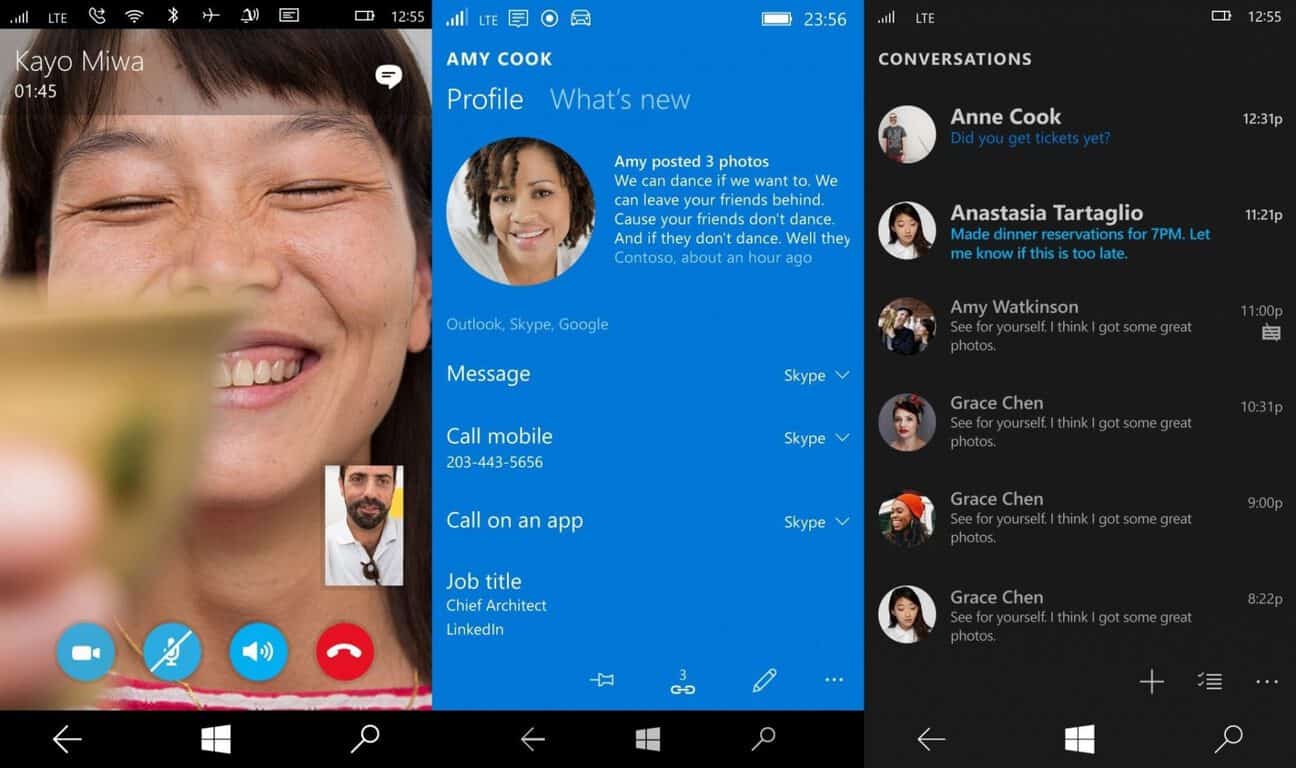
Messaging + Skype app for Windows 10 snags performance improvements

A new update has rolled out to the Skype + Messaging app for Windows 10 Mobile and desktop. Microsoft did not provide a change log, which is quite typical from the Redmond giant if the update doesn’t contain any new features or noteworthy improvements. However, we’re seeing performance improvements throughout the app, especially on older Lumia devices.

What exactly is this app? Here’s the official app description: “Skype instant messaging, calling, and video calling come built into Windows 10—making it easier to use Skype to stay in touch with family and friends. Send Skype instant messages quickly right from the Messaging app. Have a few minutes to catch up? Start a video call in no time. Open Messaging, Skype video, or Phone from your All apps list to get going.”

Grab the app from the download link below and let us know in the comments section if you notice any new improvements. Hopefully, this update resolves any battery drain or message syncing issues. For those wondering, the updated build number will be 2.13.20000.0 once you install it.

Microsoft Messaging
Microsoft Messaging

Terraria creators announce new game for Xbox One

The makers of the popular game, Terraria, have just announced that their other game, Pixel Piracy, will be coming to Xbox One on February 16th 2016. This game is an open world roleplaying game where players get to customize their own pirate ship and its crew and explore the open ocean.

Here’s the official description and quirky announcement video:

Pixel Piracy puts players in control of a pirate captain. The game does not have any set goals and players are free to adventure in the game as they wish. After customizing difficulty settings, your captain spawns on an island where you can build your own ship using a set of blocks and travel the island hiring a crew for the ship. While traveling, take care on crew’s hunger and deal with equipment requirements. You can plunder and capture enemy ships and can raid wild islands for the loot! The captain can be killed by starvation or enemy pirates, or at high levels even by cats and chickens!

What do you think about the trailer? Does it pique your interest? Let us know in the comments below.

SteamOS adds support for the popular Xbox One Elite Controller

SteamOS has received two updates this month, bringing it to Build 59 and Build 60 respectively. While both updates mainly served to further refine the operating system, the upgrade to Build 59 added support for one particular device many readers will be familiar with, the Xbox One Elite controller.

SteamOS is a Linux operating system designed exclusively for Valve’s Steam Machine video game consoles which have been out for around two years now but have struggled to take off in the way many expected, mostly due to Steam’s original users preferring PC gaming over consoles such as Xbox One and PlayStation 4.

The Xbox One Elite controller is a special version of the Xbox One’s regular controller but designed for intense customizability for gamers with numerous extra buttons that can be swapped around and assigned specific functions. The new controller has proven to be very popular with Xbox One owners and has sold out numerous times since its launch despite its significantly higher price.

Have you invested in an Xbox One Elite controller yet? Let us know your thoughts on it in the comments below.

Microsoft to Bring Windows 10 Point-of-sale (POS) Solutions to Brick-and-mortar Shops

Microsoft brought a lot of changes with Windows 10, and one of the most revolutionary changes is the ambition to spread Windows 10 across a huge variety of devices, not just PCs, laptops, and tablets. We recently told you that Microsoft plans to infiltrate Cortana into people’s cars and homes, and now the company wants its operating system to be present in your local store.

At the National Retail Federation’s Big Show, that was held in New York City a couple of days ago, Microsoft announced some new partnerships that will deliver new Windows 10 point-of-sale (POS) solutions to brick-and-mortar shops.

“The new Windows 10 POS solution will transform traditional, stationary workstations into interactive mobile experiences,” said Jeremy Korst, general manager of Windows Product Marketing at Microsoft,

These new workstations will bring new customer experience to local stores, by combining an online shopping and in-store service, by using the machine. All this will be achieved with Microsoft’s cloud prowess with Azure, machine learning, analytics, and close integration between differently Microsoft’s solutions.

New Customer Experience Powered by Windows 10

Microsoft partnered with a couple of manufacturers to deliver the new product, including Macy’s, L’Oréal Paris, Mondelēz International Inc. (makers of Oreos), Telstra, Virgin Atlantic and more.

For example, Microsoft will partner with Mondelēz International to build a new vending machine, called Diji-touch. The machine will be powered by Windows 10, Kinect and Azure IoT, and it will feature a huge touch screen buttons, and some futuristic buying options, like add to cart, display ingredient and nutritional info, and a huge variety payment options. The main product in Diji’s offering will be, you guessed it, Oreos.

You can read all about these new POS solutions on Microsoft blog.

This is definitely a revolutionary move by Microsoft, as it will completely change the customer experience, which was the same for years. Tracy Issel, a general manager of Worldwide Retail at Microsoft, described the company’s efforts as “an evolution from omni-channel to unified commerce, in which shoppers no longer have to choose between the rich selection of online shopping and the service and attention of an in-store experience. Instead, new tools, systems and solutions, including the power of the cloud, create a truly seamless customer experience across digital retail and the brick-and-mortar store.”

Microsoft Surface Pro 4 used to make art on Hong Kong rooftops

Microsoft is targeting creative individuals on two fronts with its ‘Do More’ YouTube and television ads as well as its Designed on Surface online campaigns. Microsoft’s new marketing intent seems to be spearheaded by the idea that the company has both the software and hardware solutions to empower individuals to not only ‘Do More’ but using the new Surface 2-in-1’s to also tap into their more creative ambitions.

Over the past couple of months, we’ve been covering a series of artists who have done rather impressive work with Surface Pro devices, and that trend continues with the campaign’s latest artist, Bao.

Bao found success just a little over a year ago as Hong Kong artist showcasing her work at various festivals and providing private commissions. Bao’s particular artistic specialty involves creating rather intricate and multi-layered street murals, where she uses a combination of Adobe’s Photoshop software with the Surface Pro 4 to help visualize her work to scale.

The mobility of the Surface Pro 4, coupled with a few features such as pen sensitivity and the hybrid’s rear-facing camera, allows Bao to quickly scout potential canvases out in the wild and take quick notes and scribble quick ideas on the spot.

With Surface, I can use Adobe Photoshop and Illustrator to work and create anywhere. I don’t have to carry all my other tools -Bao

As work and the careers of individuals continue to commingle the traditional notions of mobility and power, 2-in-1 devices, specifically the Surface Pro 4, are proving to be the best embodiment of the creative professional.

See Bao and other Surface Pro 4 artists’ full stories here.