Microsoft’s latest version of SQL Server is set to launch June 1st

Microsoft just announced today that its database software SQL Server 2016 will be generally available on June 1, 2016. There will be four different SQL Server 2016 editions including Enterprise, Standard, Express and Developer. Earlier in March, the company announced that the Developer edition would be a free download for development and test only, and not for production environments or use with production data). Furthermore, the Redmond Giant also shared in March that it planned to bring SQL Server to Linux in “mid-2017” and that it would also allow  any user of Oracle’s services to move their databases to SQL Server for free.

According to Microsoft, SQL Server 2016 is the “the biggest leap forward in the Microsoft data platform history with real-time operational analytics, rich visualizations on mobile devices, built-in advanced analytics, new advanced security technology, and new hybrid cloud scenarios.” The company had previously released SQL Server 2016 Preview in May 2015 and expected the following features to be included in the final version:

  • Always Encrypted – a new capability developed by Microsoft Research that is designed to protect data “at rest and in motion”
  • Stretch Database – new technology that lets allows users to dynamically stretch warm and cold transactional data to Microsoft Azure
  • Enhancements to Microsoft’s “Hekaton” in-memory technologies for real-time analytics
  • New in-database analytics with R integration
  • Polybase — an engine that, to date, has been part of the SQL Server
  • Parallel Data Warehouse Appliance, for more easily managing relational and non-relational data
  • Row-level security, allowing users to control access to data based on characteristics of the user, without modifications to applications
  • Dynamic Data Masking — supports real-time obfuscation of data to prevent access to unauthorized dataTemporal database support for tracking historical data changes
  • Query Data Store — a “flight data recorder” for database administrators
  • Enhanced server management for Master Data Services
  • Enhanced hybrid backup to Azure and faster restores to SQL Server in Azure virtual machines

Today, the company has released an exhaustive document explaining which features will be included in the four different SQL Server 2016 editions:

SQL Server 2016 features by edition.

Last, you can already download and SQL Server 2016 Release Candidate (RC) 3 to get ready for the general availability of SQL Server 2016 in June. Please tell us in the comments what do you think of all the new features included in SQL Server 2016.
Google Chrome beats Microsoft’s Internet Explorer as the top browser

The folks at NetMarketShare have released the latest numbers for the month of April 2016, and there’s some bad news for Microsoft when it comes to browsers (via ComputerWorld). Google Chrome browser has surpassed Microsoft Internet Explorer for the month of April just by a small margin. Internet Explorer fell from 43.40 percent to 41.35 percent in the month of April, while the result for Google Chrome was opposite — it rose by 2.57 percent to 41.66 percent last month. The difference is really minor between the market share of both browsers, but judging by the trend, it seems Chrome will have a noticeable lead in the browsers market in the coming months.

Microsoft’s Internet Explorer is continuously declining from the past few months, despite the fact that the company released the Microsoft Edge browser with Windows 10 — which is also classed under Internet Explorer by NetMarketShare. On the other hand, people are switching to rival browsers such as Google Chrome. Things aren’t too great for Firefox either as it declines to 9.76 percent in April. Firefox was a decent browser some time back and it’s a little surprising to see that the company didn’t make an official statement about the continuous decline of the browser, or if they’re doing anything to improve it.

As for Apple’s Safari and Opera, the change was negligible with both operating systems residing at 4.91 and 1.89 percent respectively. Both these browsers have resided along this number over the past few months and we’re not sure if we’re going to see them in the top numbers any time soon.

Back in August 2014, Microsoft asked its users to make a switch to Internet Explorer 11 as the company will no longer provide security patches for the old browser. This may have had a negative impact on the browser usage and may have forced the consumers to make a switch to Chrome, which is much more stable and offers a lot of features to its users.

ASUS VivoBook E403 is a new budget Windows 10 laptop with USB Type-C and 14 hours battery life

Competition is fierce on the laptop market with manufacturers rolling out new devices almost every week. It is getting more and more difficult for buyers to decide what laptop to purchase. All are powered by 6th Gen Intel processors and offer full HD displays alongside mammoth battery life. What could then be the key element in the buyer’s purchasing decision? The price tag, maybe? If this is so, then Asus’ newest VivoBook E403 will convince many people to put down the cash and bring this impressive laptop home.

This laptop is designed for multi-tasking, it comes in three processor configurations: Intel Celeron Dual-Core N3050,
Intel Celeron Quad-Core N3150 or Intel Pentium Quad-Core N3700 Processor. The 14-inch LED backlit display offers HD imagine quality with its 1366 x 768 resolution. The Integrated Intel HD Graphics feature delivers excellent image quality with vivid colors.

VivoBook E403 is equipped with one audio jack, one USB 3.0 port, one USB 2.0 port, one USB-C port, one HDMI port and one SD card reader. Its 14-hour battery life lets your work from everywhere: in coffee shops or libraries, on long haul flights without worrying that your battery will run low.

The ASUS IceCool technology keeps your hands cool thanks to a unique internal layout that keeps heat generating components away from the palm rest. The palm rest’s temperatures fluctuate between 28°C and 35°C / 82.4°F and 95°F which is lower than your body’s temperature allowing you to stay comfortable.

Another interesting feature for this laptop is its touchpad:

A touchpad with smartphone touch screen-like precision. Exclusive technology used in the production of smartphone touchscreens has been incorporated into the touchpad of the ASUS VivoBook E403, giving you a highly sensitive surface for almost instantaneous response and incredible accuracy.

This laptop is also very thin, with 33.0 x 23.5 x 17.9 cm / 13.37 x 9.25 x 0.7 inches in dimension and weighs only 1.5 kg / 3.18 pounds. What about its friendly price tag? You can buy ASUS VivoBook E403 from Amazon for only $399.

RELATED STORIES YOU NEED TO CHECK OUT:

Acer Liquid M330 running Windows 10 Mobile released in the US for only 99 dollars

Acer has finally launched its latest Windows 10 Mobile handset, the Liquid M330, in the US. We remind you that this device comes a year later after the release of the Liquid M220 low-cost handset.

The Liquid M330 can be purchased right now from the Microsoft Store for only 99 dollars, unlocked and without a SIM. Likewise the Liquid M220 is aimed at the low-end for the smartphone market and it comes with the following specifications:

– Dimensions and weight: 136×66.5×9.6mm and 145 grams;
– Colors: Mystic Black and Pure White;
– Material:Plastic;
– Display: 4.5-inch that supports a resolution of 854×480 pixels;
– Hardware: Qualcomm Snapdragon 210 (MSM8909) SoC clocked at 1.1GHz, backed by 1GB of RAM;
– Storage: 8GB internal storage with the option to expand it up to 64GB using a microSD card
– Cameras: A primary camera of 5MP (located on the rear side of the handset) that features LED flash, autofocus and a secondary camera of 5MP (located on the front side of the smartphone) that supports fixed focus;
– SIM: dual-SIM support;
– Battery: 2000 mAh, removable;
– Connectivity: Wi-Fi 802.11 b/g/n and 4G LTE;
– USB slot: microUSB 2.0;
– OS: Windows 10 Mobile OS.

We remind you that a similar handset has been unveiled during the Mobile World Congress event that was held in February 2016. That device is called Liquid Z330 and it comes pre-installed with Android 5.1 Lollipop.
Acer has also released a Windows 10 Mobile flagship named Liquid Jade Primo, which comes with high-end specifications, and which supports Continuum, as well. The company has also announced its Liquid Extend, a laptop-type of device that is offering Continuum support on the move.

Unfortunately, it’s not sure yet if the Jade Primo or Extend will be sold in the United States.

Gearbox confirms work in progress for Borderlands 3

Gearbox has announced there will be a sequel to Borderlands and confirmed they are currently focusing on it. Borderland 3 will be the next game Gearbox will release, therefore we can assume the game developing process has already reached an advanced stage.

This is not the only inside information available.  Mikey Neumann, the voice of Scooter, the mechanic reveals some interesting facts about the possible traits of a new character:

I did this whole Scooter thing, then I pitch-shifted it up like seven semitones so it sounds like a chipmunk and it was the funniest thing I’d ever heard.

Also, Randy Pitchford, Gearbox CEO was much more generous in his answers:

It’s no secret, obviously there’s going to be another Borderlands.

Gearbox is currently working on putting the finishing touches on Battleborn. You can already pre-order Battleborn on Xbox One and PC for $59.99. The game will be officially launched on May 3rd. There are 25 playable characters you can choose from and all of them have their own storyline, weapons, and fighting style. As you advance, there are plenty of unlocks and items to find.

We are sure the team will offer additional information about Borderlands once Battleborn is out. For the time being, they are pouring all their energy into this game that will be released in less than a week.

[irp posts=”26764″ name=”Battleborn for Windows PC to get Season Pass and new heroes”]

Until Borderlands 3 is launched, you can get Borderlands: The Handsome Collection for Xbox One from the Microsoft Store for $39.99 or Borderlands 2, the PC version for $19.99.  Convince your friends to play the game and they will become fans of it, as one player confesses:

If you’ve never played these games; you need to! It’s an amazing blend of a FPS and an RPG where you can use skill points to make your character more powerful and unique. You can even respend your points at anytime to make your character a different style of play. For example, you can have a siren who does tons of elemental damage and is a one-woman wrecking crew or turn her into a healer to support your whole co-op team. Getting tired of using the assassin as a sniper? Respec and turn him into an up-close melee demon.

Do yourself a service and check these games out! Amazing characters, great/hilarious voice acting, and a plethora of enemies to kill will keep you entertained for a long time.

RELATED STORIES YOU NEED TO CHECK OUT:

Windows 10 Anniversary Update will no longer consider SHA-1 certificate as secure

For anyone who needs to worry about keeping a website up to date, now may be the time to do a little bit of housekeeping. In a blog post, Microsoft has revealed the timeline they’re taking in regards to the phasing out of SHA-1 certificates and told us that websites running with SHA-1 won’t be valid very much longer.

Starting with the arrival of the Windows 10 Anniversary update, websites with SHA-1 certificates are no longer going to have the padlock symbol in the address bar guaranteeing security. While these websites will continue to function as they always have, users will no longer have the guarantee of their safety while browsing them and may be deterred from further use.

When February of 2017 rolls around, outdated certificates will be much more of a problem. After this deadline hits, websites that are still using SHA-1 are going to be blocked outright by Microsoft Edge and Internet Explorer, letting users know that the website isn’t secure and giving users a clear warning not to continue.

Starting with the Windows 10 Anniversary Update, Microsoft Edge and Internet Explorer will no longer consider websites protected with a SHA-1 certificate as secure and will remove the address bar lock icon for these sites. These sites will continue to work, but will not be considered secure. This change will be in upcoming Windows Insider Preview builds soon, and will be deployed broadly this summer. In February 2017, both Microsoft Edge and Internet Explorer will block SHA-1 signed TLS certificates.

Skype for Business Preview now available for Mac OSX

Not long ago Microsoft announced the availability of Skype for Business Mac Preview. This brings the powerful Skype experience to all interested Mac business users across the globe. The experience should be more or the same when compared to the Windows version.

Microsoft plans on releasing the final version after it pushes out three important updates as detailed below:

Preview phase one—Once you sign in, you’ll see your meetings for today and tomorrow, based on your Outlook calendar, displayed in the Skype for Business client. Join any meeting with just one click and enjoy full screen video, content viewing, in-meeting chat and the ability to invite others to the meeting.

Preview phase two—We’ll be adding instant messaging, presence and contacts in the next preview release coming in early summer. You can continue to use Lync for Mac 2011 side-by-side with Skype for Mac Preview, giving you continued access to messaging and voice features.

Preview phase three—We will add telephony and related features later in the summer.

The ability to use Lync for Mac 2011 alongide Skype for Business Preview is a great idea, especially for those who are not yet willing to give up Lync. However, they will have to after the full release seeing as Skype for Business will completely swallow Lync 2011.

Microsoft also said it decided to release the Mac version of Skype for Business in bits and pieces because it doesn’t want to disrupt the workflow of users. The company said adding features such as instant messaging and presence at this point could have a negative impact on overall productivity.

We like that Microsoft has gone on to support the Mac OSX platform in a big way over the years. Many folks have switched to a Mac during the time of Vista and Windows 8, but that doesn’t mean they should not be able to still use their favorite productivity tools.

Microsoft has a very special limited edition Iron Man Xbox One

Limited edition consoles are some of the coolest things that a gamer can get into their collection. Whether it be a console that’s a slightly different color than the factory edition or something that sports a unique decal, collectors are always going to be chomping at the bit to get something that’s going to separate their collection the collections of others. If you’re an Xbox gamer and also a Marvel fan, then you may get especially giddy about the announcement of this amazing – albeit incredibly rare – limited edition console.

https://twitter.com/XboxFR/status/725356150019878912

This new Iron Man themed Xbox One comes to you courtesy of Tony Stark himself if you ask Microsoft. This gorgeous new machine not only comes in a sleek white color but comes with all sorts of grooves and contours – not to mention the Stark Industries logo and unmistakable arc reactor placed smack dab in the middle. It also comes with an Xbox One controller done in a similar theme to help you keep the whole package looking nice.

These consoles are part of a promotion being done for Captain America: Civil War, and if you’re looking to get your hands on one, your odds aren’t great. We only know that three of these exist at the moment, as you can only get one by entering the giveaway on Xbox France’s Twitter, Instagram, and Facebook pages. It’s entirely possible that they’ve created more than one to be given out for each of the three giveaways, but the likelihood isn’t all that high.

With Xbox France giving away this Xbox console for #TeamIronMan, it’s entirely possible that we’ll be seeing a console in the near future for #TeamCap, themed in red white and blue. Even if that’s the case, there’s little doubt that anyone – regardless of which “team” they’re on – would be happy to get their hands on either of these custom consoles.

Office 2016 Insider Preview for Windows 10 now lets you import AutoCAD 2010 and AutoCAD 2013 files

There’s a new Office 2016 insider build available right now. It’s been a while since Microsoft released an update so seeing a new one just gives us the chills and then some.

Microsoft kicked off the Office 2016 Insider program similar to that of the Windows 10 and Windows 10 Mobile Insider program where users and developers can give feedback on various changes. So far, this move by the software giant is doing great for Windows 10, which means the same could happen for Office 2016.
The new Office 2016 Insider build number is 6.0.6868.2048, and brings the ability to import AutoCAD 2010 and AutoCAD 2013 files into Visio software. For those who are unaware, AutoCAD is all about creating stunning designs, and Microsoft Visio is one of the most popular vector graphics tools available today.

READ ALSO: Fix: AutoCad not Working in Windows 10

Office 2016 and Visio working together makes for a powerful software suit every designer needs in his or her arsenal. Other improvements to Office 2016, includes collaborative tweaks in PowerPoint and Word.

Working with others couldn’t be any easier. You can now not only share and work on files with others as well as add comments but also, chat with them, review previous versions of the document you’re working on and restore one of them if needed,” says Microsoft in a blog post.

This recent update builds on the monthly releases Microsoft has been doing. So far, the updates have improved OneDrive integration, although we still believe it could be a lot better than it is now. Furthermore, there’s even real-time collaborating in PowerPoint, something the software didn’t have before.

Have you come to enjoy the Black Theme in Windows 10? Good, because Office 2016 Insider preview supports that along with new charts in Excel and ink annotations.

While we have come to enjoy these features, we can’t say when they will be rolled out for regular users, but this shouldn’t take very long.

Windows 10 gets improved battery life for connected standby PC’s

Battery life can sometimes cause a huge headache to all laptop and tablet owners. To extend the battery life as much as possible, operating systems offer various options to reduce the power consumption, in order to make the battery as long-lasting as possible.

Since the majority of Laptop users run Windows operating systems on their machines, and a lot of them already switch to Windows 10, Microsoft introduced some additional power options that will optimize the battery life of your laptop or tablet running Windows 10.

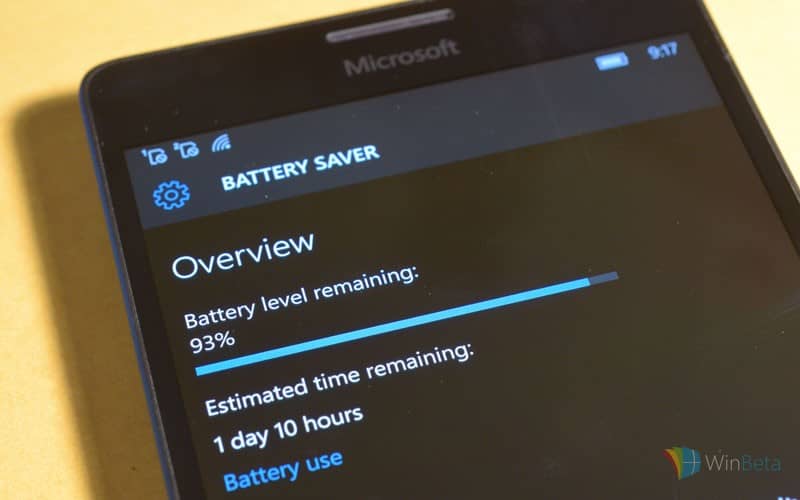
From Windows 10 Preview build 14332 onwards, Windows 10 uses the same technology as the Battery Saver to close all unneeded processes during Connected standby, and leave your computer running with only necessary connectivity processes. Microsoft claims that that the result of using this technology will be much longer battery life of Windows 10 laptops and tablets.

How to manage Connected standby in Windows 10

Starting from build 14322 for Windows 10 Preview, the new standby mode should be enabled by default on all compatible devices. However, not all devices are compatible with the new technology, so you should run a simple test, and determine if your computer is able to use the new standby.

To check if your computer is compatible with the new Windows 10 standby technology, do the following:

  1. Go to Search, and type cmd
  2. Right-click on the Command Prompt, and select Run as Administrator
  3. Enter the following command, and press Enter:
    • powercfg /a
  4. Wait for the results to show up

If the first listed state says “Standby (S0 Low Power Idle) Network Connected,” your computer is capable of running Connected standby. On the other hand, your first result is different, your computer probably can’t run this standby state. The command will also show a list of all available states, as well as states that are not supported on your computer. So, you can easily find out what your computer is capable of.

windows 10 connected standby

Microsoft also introduced an option which allows you to turn of Connected standby, in case something doesn’t work properly. To disable Connected standby in Windows 10, do the following:

  1. Go to Search, and type cmd
  2. Right-click on the Command Prompt, and select Run as Administrator
  3. Enter the following command lines, and press Enter:
    • powercfg /setdcvalueindex SCHEME_CURRENT SUB_ENERGYSAVER ESPOLICY 0
    • powercfg /setactive scheme_current
  4. Restart your computer

After performing this your computer will go back to the old standby state. If you want to re-enabled Connected standby, just change the value 0 from above’s command to 1.

This is the very first version of connected standby that arrived to Windows 10, so occasional errors or bugs are possible, so don’t be surprised if you get forced to disable the new standby state. However, we’re sure that Microsoft will continue working on this feature, and that we’ll see a polished version in the future Preview builds.

RELATED STORIES YOU NEED TO CHECK OUT: 

Microsoft joins the political fray, offering tech support for both US Democratic and Republican Conventions

In an effort to help voters make the right choice this year, Microsoft will provide tech support for both the US Democratic and Republican Conventions. The ability to see polling results in real time will allow voters at both conventions view election results accurately and securely.

Microsoft began working with convention committees in 2000, in the hopes to create an objective way to allow voters to view election results. Microsoft will use three basic principles when dealing with this year’s US Democratic and Republican Conventions:

“First, we act in a bipartisan manner and provide similar levels of support to both conventions. Second, we make a special effort, as do many companies in our industry, to provide the conventions with technology tools to help enable this part of the American democratic process to operate efficiently and accurately. And third, we do not endorse either political party or its nominee. We’ve been committed to all three of these principles through four presidential elections, and this year will be no exception.”

Microsoft hopes to avoid the embarrassing Surface Pro technical issues that some think caused the New England Patriots to miss playing in the Super Bowl. Instead of making a cash donation to either US political party, Microsoft will instead lend its products and services to help run each respective convention.

Office 365, Azure, Surface, and other products will be readily available at both conventions. Microsoft believes no matter the political party preference, Microsoft and other technology companies should provide their products and services in an effort to make the democratic process better.

Given all the drama and intensity of this year’s US elections, technology will play a more important role than ever. Microsoft hopes that it will be able to provide voters with the most accurate information available to make an informed decision when the general election rolls around in November of whom will be the next leader of the free world.

Cortana can now search your content in Office 365

In every new Windows 10 Preview build we see Cortana’s integration with a new feature or device. In the most recent Windows 10 Preview build 14332, Microsoft integrated Cortana with Office 365, as you can now search for your Office 365 files, documents, emails, and more with Windows 10’s virtual assistant.

We remind you that Cortana was already available to search for your OneDrive files, but Office 365 integrations brings more options, including emails and files that are not locally stored on your computer.

How to search for Office 365 files with Cortana

First thing you need to do to be able to search for your Office 365 files with Cortana is to connect two features. If you’re not sure how to do that, just follow these steps:

  1. Open Cortana
  2. Click on the hamburger menu, and open Notebook
  3. Go to Connected Accounts
  4. Now, just turn Office 365 on, and enter your login credentials

Cortana will automatically sync with your Office 365 account, and you’ll be able to search for all your Office 365 content from the taskbar.

Now that you’ve set up Cortana and Office 365 integration, let’s see how this option works. When you search for a specific file, you can choose the filter at the top of Cortana screen, which is a new Cortna feature in build 14332. When you choose a filter, Cortana results will be much more specific. For example, if you choose the ‘email filter’ Cortana will search only for emails containing the given keyword.

This is a new feature in Windows 10 Preview, so occasional bugs are possible, but Microsoft should improve it in the coming builds. Microsoft also had some problems with servers upon releasing this build, so some users weren’t able to search for Office 365 files with Cortana, but all technical problems have been solved lately.

What do you think about this feature, have you tried it already? Tell us in the comments.

RELATED STORIES YOU NEED TO CHECK OUT:

Microsoft spotlights Edge interoperability with new API Catalog tool

The Microsoft Edge team continues its efforts in developing an interoperable web browser that’s meeting the demands of modern internet users by building and issuing its new API Catalog. According to Edge engineers, the new API Catalog tool that allows developers to “find the similarities and difference between the type systems of all browsers, to compare how core global functions namespaces, objects and interfaces are exposed.”

API Catalog’s primary selling point, however, is its ability to parse vast amounts of data and represent it in a clear and easy viewable interface.

The API Catalog has two views: a visualization and a table view. The former is a high-level visualization of the browser and specification landscape in the form of an interactive Venn diagram. You can select and compare any three data sets (browsers or specifications) to see a graphical representation of both intersecting and unique APIs.

The table view allows you to browse the full list of known APIs that are either defined in a specification we have crawled or detected in the type system of a browser. You can search and filter to examine specific subsets of APIs. For example, you might filter to see only APIs from the Beacon specification that are detected in all browsers.

API Catalog1
API Catalog1

Developers can find raw CSV files on GitHub as well as using the API Catalog to expose or illustrate bugs in other browser type systems such as Webkit bug 49739 and Chrome bug 43394.

In developing the API Catalog, the Microsoft Edge team is attempting to do away with the locked-gate proprietary shackles that once plagued older versions of Internet Explorer while also offering the most robust toolset for web developers. Whether or not that translates into consumer and developer attention anytime soon, remains to be seen, but at least the building blocks are being laid.

For more information on the API Catalog, visit Microsoft’s Edge Dev Blog for a walkthrough of features as well as some background of the data that can be collected by developers.

Pickit teams up with Microsoft to replace Clipart

The days of Clipart being the butt of many software jokes may soon be coming to an end. Microsoft and Swedish aggregated image bank Pickit have entered into a collaborative partnership to provide Windows 10 and Office users high quality and content related images.

For over thirty years, clip art files have represented the most generic of generic images plugged into personal and commercial projects. Clipart images, particularly on Windows and in Office were a godsend for users before the rise of easy internet searching, but an eye sore for anyone growing up in the age of matured internet browsing.

However, as more users became computer savvy and search literate, Microsoft’s focus on its Clipart lessened to the point of becoming laughable at the gallery it housed. However, Microsoft is putting a renewed focus on the utility and with the help of PicKit, users should see an improvement in the built-in image search capabilities of Office as well as rise in the quality of images at their disposal with a Windows 10 app.

Henrik Bergqvist, CEO, and Co-Founder of Pickit, comments:

Pickit will take the role of the leading image provider within both Windows and Microsoft Office applications, opening up the world’s largest photo market of 1.2 billion customers, all of whom are in need of images.

Pickit makes the sourcing of presentation images easier, faster and more inspiring. Rather than trawling search engines for photos where the original owner never gets credited or paid for their image, Pickit offers a genuine alternative that rewards photographers for their creative efforts.”

The Office Add-in for Pickit is now live as well as a Universal Windows app for Windows 10 users can be found in the Windows Store. Windows 10 and Offices users can now say goodbye to the generic handshake image or the collection of shadow people used to represent a group of business employees.

Pickit Photo Finder
Pickit Photo Finder
Developer:
Pickit
Price:
Free


Microsoft ranks 3rd on list of Smart Cities Suppliers

Smart cities – cities being driven with progressive ideas about the applications of data and technology – have been serving as beacons to every other community in the United States. Smart cities demonstrate a real passion for helping everyone within their borders to do great things, and with a goal like that; you know that Microsoft is going to be somewhere behind the scenes helping out.

In Navigant’s latest findings, Microsoft was ranked third on the list of smart city suppliers, right behind IBM and Cisco. These rankings were decided upon by looking at ten different criteria: vision, go-to-market strategy, partners, product strategy, geographic reach, market presence, sales & marketing, product performance & features, product integration, and staying power. Against these criteria, Microsoft was placed very highly in the “contender” category – just a step behind the coveted “leader” role.

Navigant Research Leader


Microsoft’s spot on the list further cements the fact that the tech giant’s focus remains in empowering people and is successfully driving them to help communities and businesses alike in their journey to being the best they can be. When Navigant next revisits these rankings, it’s doubtful anyone will be surprised when Microsoft climbs to the “leader” category.

Deadpool movie and bonus content available at the Microsoft Store

Deadpool is one of the most popular movies of 2016 and now, it has finally landed on the Microsoft Store. The movie comes with a package of 11 bonuses to reward your purchase.

A former Special Forces operative turned mercenary, Wade Wilson realizes he now has accelerated healing powers following an experiment he was subjected to. He decides to embrace his new abilities and skills, adopts the alter ego Deadpool and sets out to hunt down the man who completely changed the coordinates of his life.

Hold onto your chimichangas, folks. From the studio that brought you all 3 Taken films comes the block-busting, fourth-wall-breaking masterpiece about Marvel Comics’ sexiest anti-hero! Starring God’s perfect idiot Ryan Reynolds and a bunch of other “actors,” DEADPOOL is a giddy slice of awesomeness packed with more twists than Deadpool’s enemies’ intestines and more action than prom night. Amazeballs!

The film harmoniously intertwines action sequences that make you hold your breath with extremely humorous parts that will keep you laughing for minutes. Deadpool has an 8.3 rating on IMDB so people are simply in love with this movie:

This movie is by far the most exciting super hero movie yet!

Please be warned, this movie is extremely inappropriate, but an absolute thrill ride. Ryan Reynolds as Deadpool is the perfect fit. Just when you think he could not get any more clever with his words, he would say the most off the wall comments possible.

The fighting sequences in this were incredibly jaw dropping! Deadpool really is one of the most innovative fighters I have seen. His techniques are totally unorthodox and cannot be matched nor mimicked by any other who dares.

The only thing that was not satisfying is the length of the movie. It was much shorter than expected. The backstory to Wade Wilson before becoming Deadpool is short lived. Despite that, it still was an excellent movie, and I cannot wait for more!

If you haven’t heard yet about this movie, you can watch the trailer below:

You can watch Deadpool on your Xbox One, Windows 10 or Windows 8 device, and Windows Phone 8. If you want to watch it offline, download it on your Windows 10 device, Windows 8 device, and Windows Phone 8.

The movie has been rated R for strong violence and language, sexual content, and graphic nudity so send the kids out of the room when you hit the play button.

Buy Deadpool from the Microsoft Store and get the bonus pack for only $14.99.

Japanese Xbox One game Raiden V updated with English option, international release announced

The latest addition to the Raiden series has the shoot ’em up addicts and collectors once again fighting off the threat to humanity. Raiden V featured multiple new stories, a higher number of stages than any other game in the series, and an increasingly massive collection of weapons to take on the alien enemies.

The simple and unique gameplay pits players in the never-ending quest to fight for dominance on the scoreboard. After Raiden V had an exclusive release in Japan on February 25, fans globally felt that they had been left out after an impressive 25-year run. But earlier today, Raiden’s official Twitter account has announced that Raiden V will be released overseas next month.

Raiden V releases overseas in May 2016.

While the game will continue only be sold on the Xbox One, Raiden V will be unlocked through the online store for North America, Europe, and Aisa. In celebration of the announcement, MOSS is also giving the game a free content update today. The patch includes the addition of English voice-overs and translated text throughout the game. They also added three new upgrades for the main weapon.

The game boasts some major upgrades compared to its predecessors such as amazing graphic improvements, stunning soundtrack, and smoother gameplay. Other features with Raiden V include:

  • Cheer System – Players can encourage their friends and other players by using a single button on the game controller.
  • Reactive Environment – The battlefield responds and changes in real-time due to actions of the player, which increases the challenge.
  • Tracking – Players can trace their friend’s movements to find and help them out.

As the tweet says, nobody expected for MOSS to spring this surprise on its fans. There isn’t a detailed release date or price for Raiden V, but some fans seem to be expecting the same as the retail price in Japan which was approximately $64.99 USD.


How to play the full version of Madden NFL 16 for free this weekend on Xbox One

Xbox One owners who have an Xbox Live Gold subscription are being given full access to the entire Madden NFL 16 game this weekend.

All Xbox Live Gold subscribers need to do is download the game to their console for free and begin playing. The Xbox Live service will detect the Gold subscription and behave as if the active account owns the game outright.

The special promotion will run between 12:01 PM PT on April 28th to 11:59 PM PT on May 2nd, which is actually more than two days’ worth of access. Madden NFL 16 is also available to play throughout the year through the EA Access Vault with an active EA Access Membership and the game can be purchased by itself without any subscription whatsoever.

Here are some of the game’s features:

  • Total Control Passing – Place the ball where only your receiver can get it with body-relative throws including high-point, low-point, back-shoulder, and the ever-popular touch pass.
  • Receiver/Defender Controls – Dictate the outcome of each passing play while the ball is in the air for the first time ever in Madden.
  • Connected Franchise – Whether playing solo or online with friends, your quest to build an NFL dynasty comes complete with a brand new scouting and draft system as well as all-new dynamic goals throughout each game.
  • Madden Ultimate Team – Build your ultimate team with your favorite NFL players from the past and present while dominating the opposition in head-to-head seasons, solo challenges, and more.
  • Skills Trainer – With 60+ tutorials and drills, Skills Trainer focuses on teaching the strategy behind different passing and run concepts, as well as how to play Madden for new users to the series.

Madden NFL 16 has been out for almost a year now so offering a chance to play it for free is a good way to encourage more users to play it. Such a strategy also has the potential to attract more players to the franchise and prepare them for any future entries that may be on the horizon.

Will you play Madden NFL 16 this weekend on your Xbox One? Let us know in the comments below.

Microsoft Desktop App Installer to improve the install of .appx apps

Non-Windows phone users often say they would never buy Microsoft’s phones because of the limited number of apps available. The tech giant has taken this argument into account and it seems to be one its priorities now. Microsoft has recently rolled out its Desktop App Converter allowing developers to convert their Win32 apps to a UWP App and distribute it via the Windows Store.

As phone revenue is constantly shrinking, Microsoft is desperate to make its phones more attractive for potential buyers and wants to fix the app issue as fast as possible. The next step after the Desktop App Converter is the company’s Desktop App Installer.

This upcoming app is being tested internally and will let developers distribute their apps more easily. Developers will be able to install .appx or .appxbundle files on their Windows 10 PC, without using Powershell or inserting commands into the CMD. Users will then click twice on a .appx or .appxbundle file from the File Explorer and install it on their PC via the Desktop App Installer.

The app will also allow developers to distribute their apps outside the store. Could this be a smart strategy from Microsoft to give other OS users a glimpse of what they could gain if they switch platforms?

Either way, Microsoft has started a real revolution in how Windows software is made and delivered to users. By simplifying things, developers can create Windows 10 apps faster and more easily. UWP apps can run on every Windows 10-powered device. In other words, developers can deliver the app to both Windows 10 PC and Windows 10 Mobile with a singular effort.

Users have access to a wider array of apps on multiple devices and they can also install and remove the apps in a couple of seconds.

We’ll keep an eye on this piece of news and update it as soon as new information is available.

RELATED STORIES YOU NEED TO CHECK OUT:

How to Reset an App in Windows 10: Clear App Data & Cache

Sometimes, Windows 10 Universal apps become unresponsive, especially in the Preview edition. Although it’s not always the case, resetting the app in Windows 10 may be the best solution.

Resetting an app is a bit complicated in the commercial version of Windows 10, as it requires some actions in PowerShell. You may do something wrong and even end up resetting all apps, which is something you definitely wouldn’t like to do.

But with Windows 10 Preview build 14328, Microsoft allowed users to reset their UWP apps from the Settings app, making the process much simpler, and basically, any user can do it. Keep reading to find out how you can reset an app in Windows 10!

What happens when you Reset an app on PC?

Here are a few changes you can expect when resetting an app on Windows:

  • App data is deleted: All the app data is cleared when you reset an app. So, you may want to consider this aspect and save files that weren’t previously downloaded to prevent data loss.
  • Signed out of any accounts: If you are signed into any accounts, resetting the app will log you out, and a re-login is required.
  • Apps settings revert to default: Any changes made to the app settings, customizations, or modifications, are automatically reverted to default, i..e, to the state the app was first installed in.

How do I reset an app in Windows 10?

  1. Press Windows + I to open Settings, and click on Apps.apps
  2. Select the app you want to reset, and click on Advanced options.advanced options
  3. Locate and click the Reset button.reset apps in Windows 10
  4. Again, click Reset in the confirmation prompt.

That’s pretty much it! Once you click the reset button, all app’s data will be deleted. The app will be the same as if you just installed it. Please be aware that resetting an app will delete all saved data. So if you don’t have a good reason for resetting, we advise against it.

In case you don’t like this method, you can always uninstall the app and install it again. But resetting is a much simpler and quicker process.

For any queries or to share the app that triggered issues in your case, drop a comment below.

Taskbar settings now appear in Settings app in Windows 10

Windows 10’s taskbar got a new page in the Settings app. This change is a part of Windows 10 Preview build 14328 and it along with other taskbar improvements arrived for Windows Insiders on the Fast Ring.

There are two ways to access the new taskbar settings page. You can do so by either right-clicking the taskbar and choosing Settings at the very bottom of the menu, or going to Settings > System > Taskbar. Both ways open the same page in the Windows 10 Settings app.

In the taskbar settings page, you can customize the taskbar how you’d like. You can change its location, lock/unlock it, manage apps, notifications, and more.

Windows 10 taskbar settings page walkthrough

When you open the taskbar settings page, the first option you’re going to see is “Lock the taskbar.” As you can probably tell, this option locks the taskbar so it can’t be resized, moved, or anything else. There’s also an option to automatically hide the taskbar when you move your mouse cursor from it.

Next, you can resize taskbar icons by toggling “Use small taskbar icons” or replace the Command Prompt with the PowerShell in the menu when you right-click the Start button. There are also positioning options where you can choose the taskbar’s location on screen (bottom, top, right, left)

All these options have been here since the release of Windows 10 but there’s one new option introduced with Windows 10 Preview build 14328: the ability to turn taskbar badge notifications on or off. In addition, at the very end of the taskbar settings page under the “Notifications area,” you can manage system icons and choose which icons appear in the taskbar.

Windows 10 is already a highly-customizable operating system with thousands of options. But that isn’t enough for Microsoft and the company thinks it’s not enough for users, as well. So, we’ve received new customization options with every Windows 10 build lately. And all these customization options and features will arrive for all users with the Anniversary Update for Windows 10 this July.

RELATED STORIES YOU NEED TO CHECK OUT:

Day 2 Bug Bash quests for Windows 10 Insiders include DNG capturing and standby management

The Windows team is  in the midst of its Bug Bash event and has issues another round of quest released for Insiders today. Arguably, some Windows Insiders feel as though every day is a Bug Bash event for them as they deal with various kinks and quirks the come along with each new build release.

However, for this well-publicized event, the Windows team has been assigning very specific quest for users to test for the past two days that include checking items such as language settings, keyboard accessibility, and Japanese text inputs.

Today’s list of Bug Bash quests includes checking the suspend and restore functions of the Alarm Clock in Windows 10, Power management and smart standby, Bluetooth connectivity, Graphics and 2D Geometry as well as ink and photos effects in Windows 10.

Other quests involve testing text, emoji and font graphics, sleep and resume and its effects on re-rendering graphics, the connecting and disconnecting of displays and its effects on graphic content and the capturing and viewing of DNG images on a Windows Mobile device. Keep in mind, the quests are limited time investigations as the Windows team has only another 48 hours to cover the rest of the operating system.

It’s clear: the Windows team has very specific issues it is looking to tackle over the next two days. With the help of a portion of its 7 million Insiders, the Windows team should be well on its way to delivering a stable update to consumers later this year with the Windows 10 Anniversary Update.

Insiders, head over to the Feedback Hub to see the latest details on Windows 10 development, regardless of your participation in the Bug Bash event. For everyone else, let us know if you’ve been participating in the Bug Bash Quests and whether or not you’ve found it useful, in the comments below.

Microsoft enhances Azure security by removing RC4 cipher and updating SSL/TLS

Microsoft has, for quite some time now, made security and privacy one of their most important corporate commitments. They’ve focused on security in Windows, and across their entire line of cloud services. Azure is no different and the company continues to find ways to ensure that Azure provides strong methods for keeping customer information secure.

One of the most important aspects of security is encryption and this field has received quite a bit of attention from Microsoft. Most recently, they’ve both added and removed various ciphers, as outlined on the Azure blog:

We continue to execute on that commitment by announcing additional enhancements to encryption in transit based security. To date, this has included usage of best-in-class industry standard cryptography, including Perfect Forward Secrecy (PFS), 2048-key lengths, and updates to operating system cipher suite settings.

In addition to these cryptographic changes, the default Transport Layer Security (TLS)/Secure Socket Layer (SSL) cipher suite configuration has been enhanced and includes changes such as removal of SSLv3 support and mitigation of issues such as POODLE.

Today, we are announcing the removal of RC4 from the supported list of negotiable ciphers on our service endpoints in Microsoft Azure. This encryption work builds on the existing protection already extant in many of our products and services, such as Microsoft Office 365, Skype and OneDrive.

In addition, The TLS/SSL cipher suite enhancements are being made available to customers, by default, in the May 2016 Azure Guest OS releases for Cloud Services release. Learn more about Azure Guest OS releases here.

You can find out more about these enhancements by reading their article Updates to Microsoft Azure SSL/TLS Cipher Suites. As always, we’ll work to keep you updated on everything that Microsoft is doing to enhance security and privacy.

Microsoft to showcase advances in virtual reality and more at CHI 2016

Microsoft will be presenting more recent advances coming to our devices at the ACM CHI 2016. The conference being held from May 7th – 12th in San Jose, California is focused on improvements in human-computer interaction. Microsoft’s presentations will be about making it easier to retrieve and manipulate information with our devices.

Virtual Reality

The depth of virtual reality has given many users perspectives that they had never experienced before such as walking on Mars. But even now, we have a severe limitation of sensory developments beyond sight. Microsoft’s plans are to improve haptics, that is the sense of touch, and integrate those into the illusion of virtual reality. It’s not an easy task, though. The entire environment needs to be redrawn for the new haptic retargeting framework to be implemented. Research for the ‘hacking’ of human perception can be read online.

Precognitive Touch

Many people would think that touchscreens probably couldn’t be any more innovative than they already are. However, Ken Hinckley at Microsoft has been researching a different technique of interaction. Utilizing the motion of the finger or hand, pre-touch screens would be able to sense when a finger is hovering over a specific item on the device and open up menus regarding the content. Not only that, but users would be able to hold the phone with one hand and the ambidextrous sensors will open up menus within the thumb’s limited reach. The interface also supports utilizing multiple gestures and touches for more subcategories making the pre-touch sensing stand out as the potential future for mobile interaction.

Coding Without Known Variables

Probabilistic programming has encouraged Microsoft to conduct research on how students and novice developers interact with the environment. As a result, a new tool will be showcased combining a conventional text editor and chart visualizations. In testing, it has proven to reduce time, keystrokes, and deletions common for beginners. The tool could prove beneficial to providing stepping stones for future developers.

Finding E-Mail Anywhere

Microsoft researcher Abigail Sellen contributed to one study that resulted in Microsoft nabbing a Best Paper award from the CHI conference. The Best Paper awards are offered to publications that exhibit a clear and innovative goal to improve how humans interact with their devices. The study explained that email isn’t accessed by only multiple devices now, but by multiple accounts as well. Being able to interact with our email no matter where the content is used and stored will better suit the flexibility of human lives. The goals of the research is to find a means to not just make it possible within a few email applications, but to integrate it across an entirety of applications and services.

MS Research with the machine learning prototype in Cambridge at the Microsoft Building, 21 Station Road, Cambridge with Peter Kontschieder, Cecily Morrison, Abigail Sellen and Antonio Criminisi. 11th January 2016
Abigail Sellen.

Falling in line with the list of presentations and hopeful advances in human-computer interaction, researchers and engineers have received a total of seven Best Paper awards for their publications. Research manager, Mary Czerwinski, quoted that the conference “has been one of the premiere venues for disseminating research in the area of human-computer interaction, and has been one of the best vehicles for Microsoft’s mission: To empower every person and every organization to achieve more.”

With the event only another week away, the ACM CHI 2016 conference has already proven to be a major highlight of this year for Microsoft. Head over to Microsoft’s MSDN blog for a complete list Microsoft contributions to ACM CHI 2016.

Universal Windows Apps need careful lifecycle management to maximize battery life and memory use

Applications have at least two states in which they are used. They can either be running or not running. For Universal Windows Apps, however, the processes can have a third state: Suspended. The suspended state allows the app to continue running paused in the background while users interact with other content on their devices. While the application is suspended, it goes into a hibernation mode to free up resources and can be recovered without any data lost to the user. When developers don’t utilize these correctly, apps with poor lifecycles can leak memory and use battery unintentionally.

1_lifecycleofaUWPapp
App Lifecycle

There are multiple ways that an application can be terminated by the user or the device. They can use a gesture or click the x, select an exit option from within the app itself, force it closed via processes or task manager, or it can have an error and crash. But when an app is in suspension and is determined to be using too many resources, it will switch to terminated leaving the user’s data to be completely wiped. Developers s can catch this problem at the pass by handling the Application.Suspending event and overriding the Application.OnLaunched event. Editing these will enable the program to make a temporary save with the user’s data as the program is switched to suspended, and then recovered upon launch.

A recent blog post from the Windows team goes into more detail about the lifecycle of a Universal Windows Application and how developers can alleviate the drain of resources while in Suspended mode. Along with some examples and coding tips, the article gives insight on methods to debug and test your projects. Handling the flags between Suspending and Launched will enable applications not only to conserve battery and memory but will make it easier for users to access their data without even knowing the difference.

Microsoft and Funai Electric reach licensing agreement

Microsoft announced yesterday the renewal of a patent cross-licensing agreement covering a range of consumer audio-video products with Japanese company Funai Electric. While you may not be familiar with the Funai name in the US, the company is actually a worldwide manufacturer under FUNAI and other multiple brands including Philips, Magnavox, DX Broadtec, Emerson, Sanyo and Kodak.

President of Microsoft Technology Licensing released the following statement in the press release:

“Microsoft and Funai Electric will continue to benefit from each other’s innovations in building enhanced experiences for our customers. This cross-licensing agreement is another example of the advantages of an IP-led economy, encouraging product interoperability and accelerating research and development advances across companies.”

Microsoft started its IP licensing program in December 2003 and has since entered into more than 1,200 licensing agreements to increase collaboration and innovation across a range of industries. Do you think Microsoft’s commitment to licensing IP can be beneficial for customers? Tell us what you think in the comments.

Play Frogger or Galaga Legions DX on your Xbox One via backwards compatibility

Two more Xbox Arcade titles have just been added to the list of backwards compatible Xbox 360 games. Major Nelson announced on Twitter that Frogger and Galaga Legions DX are the latest additions to the growing list of Xbox 360 games you can play on your Xbox One.

Galaga Legions DX was originally released in 2011 and is a shooter game where you fly a ship around in space from a top down view shooting enemies. Think of the mechanics of Asteroids. And in face Galaga Legions was a sequel to the original 30 year old Galaga, which was similar to Space Invaders.

Galaga Legions DX
Screenshot of Galaga Legions DX

The other game added to the list today is Frogger. Now those of you,  like George Costanza, who are fans of the classic arcade game can play Frogger on their Xbox One. In the game you play as a simple frog dodging traffic and as you cross a street and stream on your way home. Frogger, coincidently, was released in 1981, the same year the original Galaga was released.

Frogger
Screenshot of Frogger

Today’s additions to the Xbox backwards compatibility list makes for a total of seven arcade games added this week. And in addition to other big names which recently joined the list, like Left 4 Dead 2, Halo Wars, Saints Row IV, and Dead Space, the list growing at a steady clip. Hopefully the rate at which the list is growing gives Xbox 360 fans some solace after the announcement of the end of production for the last generation console.

If you already own Frogger or Galaga Legions DX on your Xbox 360 you can download them now on your Xbox One. And if you don’t own them you can now buy backwards compatible Xbox 360 games on your Xbox One. You can buy Frogger for $4.99 and Galaga Legions will cost you $9.99.

Windows 10 Pro for Education SKU surfaces in latest Insider builds

Last week, Microsoft finally released Build 14328 to Windows Insiders, and it packed a significant number of new features. As usual, many users on the My Digital Life forums have posted about and investigated this new build, as they’ve done with many other prior builds.

One user, abbodi1406, examined build 14328’s EditionMatrix.xml file, leading the user to think that there would be new editions in RedStone RTM.  In the file, the user finds the following new SKU’s:

Windows 10 findings
Windows 10 findings

According to the user, “ProfessionalCountrySpecific” would be a special Windows 10 Edition for China. The user also notes that regular core & professional can be upgraded to Professional Education, but other editions are separated.

This is no doubt an interesting find for anyone who needs to plan Windows 10 licensing for an educational organization, and it something we would love to hear your thoughts on. So, if you also find the discovery interesting, please drop us a comment below and tell us what you think this means for the future of the Windows 10.

Real Earth wins Microsoft Indoor Localization award

Real Earth won the first place in Microsoft’s Indoor Localization Competition, a well-known annual competition wich brings together real-time or near real-time indoor location technologies to compare their performance in the same space. During the event which featured nearly 50 competitors in 2D and the more challenging 3D category, each team had 15 minutes to locate 15 markers in a large facility in Vienna, Austria, before all results were compared to ground truth.

Real Earth’s STENCIL product was the only one to not rely on infrastructure in the 3D category and only used onboard sensors and efficient algorithms to provide localization. At the end of the competition, Real Earth’s device had the most accurate localization with 0.16-meter average error compared to ground truth.

Real Earth's STENCIL product.
Real Earth’s STENCIL product.

Real Earth CEO Kevin Dowling shared the following statement in the press release:

“It has been exciting to be part of this competition and watch our algorithms perform in difficult and dynamic environments. I have seen LiDAR devices evolve since the 1980s from expensive large and heavy devices the size of a microwave oven to the small and lightweight devices of today, such as the Velodyne units. The developments in the near future will prove to be even more exciting as both autonomous and non-autonomous vehicles incorporate these devices.”

While GPS transformed the way people navigate outdoors, accurate indoor localization could transform the way people navigate indoors in a similar way. Microsoft Research adds that “over the last 15 years, several indoor localization technologies have been proposed and experimented by both academia and industry, but we have yet to see large-scale deployments.”

Remedy updates Quantum Break on the Xbox One, Windows 10 update is also in the works

Quantum Break developer Remedy announced two weeks ago that it was working on various fixes for both Xbox One and Windows 10 editions of the game, but we just learned via Windows Central that an update has just started to roll out on Xbox One to improve players’ overall experience. The update should download automatically if you enabled “Instant-On” in your Xbox One’s power settings, otherwise you will see the prompt the next time you launch the game on your console. Please find the full list of updates below:

Act Fixes/Updates:

  • Act 1 Part 1: Fixed a rare instance of taxi being missing from the intro cinematic
  • Act 1 Part 2: Fixed assets disappearing if players backtrack
  • Act 1 Part 2: Fixed an issue where players could not kill the guard in the parking lot
  • Act 1 Part 3: Fixed backtracking issues where some parts could unload
  • Act 1: Fixed overlapping audio in opening cinematic
  • Act 2 Part 1: Fixed Nick pathing issues
  • Act 2 Part 1: You can no longer get underneath the puzzle at the security station
  • Act 2 Part 2: First Chronon source renders properly
  • Act 2 Part 3: Added collision on time machine corridor to prevent player’s accidentally falling to their death
  • Act 2 Part 3: Fixed backtracking issues where some parts could unload
  • Act 2 Part 3: Fixed rare NPC issues where Amy or Nick could be killed or block the door
  • Junction 3: Fixed Hatch being hidden if the user skips a future vision too quickly
  • Junction 4: Fixed flickering environment outside office building
  • Act 5: Fixed last subtitle going by too quickly to read
  • Act 5: Fixed missing line in Portuguese audio in a cinematic

General Fixes/Updates:

  • Fixed issue where ambient sounds disappeared when mashing buttons during a cinematic
  • Removed unnecessary loading screens showing up
  • Updated credits
  • World no longer visibly unloads after Jack lets Beth and NPC into the Swimming Pool front door
  • Amy no longer remains still and without pathing towards gate in train yard
  • Fixed Jack’s subtitles not showing in some cinematics
  • Unlock descriptions for Will Diary 1 and Will Diary 2 are no longer reversed
  • Fix for blinking lights, where flares would blink excessively bright after resuming from suspend mode
  • Fixes for making Xbox Live integration more fault-tolerant
  • Remedy logo fix*
  • Fix for a rare bug that accidentally wiped progress after completing the game
  • Fix for some TV screens sometimes showing a really grainy image
  • Fixed circular progress bar alpha in the junction stats screen
  • Fixed video playback not always ending if the video was synced to audio
  • Fixed two rare instances of stalls when loading
  • Fixed a rare crash with the video texture system
  • Fixed crash in download menu when switching profiles
  • Fixed “Waiting for install to complete” text not being localized when changing the language
  • Game/story/collectible progress hero stats no longer display incorrectly when player has less than a percent of progress
  • Fixed rare instances of cloud saves failing and causing loss of progress

For those of you who downloaded the UWP version of the game from the Windows 10 Store, Remedy explains that it’s still working with Microsoft to fix some performance issues:

Microsoft has identified a Windows 10 memory management issue which may cause Quantum Break to crash on some GPUs. This crash is seen more frequently at higher game settings. Microsoft plans to fix this in a future Windows Update.

Xbox head Phil Spencer also announced during Build 2016 that Microsoft would fix current UWP games limitations by bringing G-Sync and FreeSync support to Windows 10 in May, so we may get a much better gaming experience on Windows 10 UWP games very soon. In the meantime, you can visit Remedy Entertainment’s community forums to get more details and the latest updates on Quantum Break.


How to create a Photo Reminder with Cortana in Windows 10

Setting up a reminder is one of initial Cortana features in Windows 10. But ever since the introduction of Microsoft’s virtual assistant, reminders particularly remained same, as Microsoft didn’t release any notable improvement for this feature. Until now.

Starting from Windows 10 Preview build 14328, users are able set up a so-called Photo reminder with Cortana. Photo reminders are just like other reminders, only Photo reminders, logically, contain photos. So, if your reminder requires a photo, you can now easily set it up with Cortana.

We already showed you how to do this in Windows 10 Mobile, as this feature landed on Windows 10 Mobile devices before it did on PCs, and now we’re going to show you how to set a Photo Reminder with Cortana on your computer.

Set up a Photo reminder in Windows 10

Setting up a Photo reminder on Windows 10 computer is as easy as on Windows 10 Mobile. All you have to do is to tell Cortana to remind you about something, and then just add a photo to it. If you’re not sure how to do that, follow these instructions:

  1. Open Cortana, or say “Hey Cortana,” if this option is enabled
  2. Tell Cortana “Remind me about…”, or write ‘set up a reminder’, and press Enter
  3. Now, just set up your reminder as usual, by adding Name, date, and timeset up cortana reminder windows 10 preview
  4. After that, just click on the camera icon to pick up a photo for your reminder (You can choose any photo from your computer)
  5. Select a photo and click Save

There you go, your Photo reminder is set! When the time for Cortana comes to remind you about it, the reminder will show in the Action Center, featuring the image you picked.

If you choose to add a photo with your camera, simple camera extension will show up, so all you have to do is to take a picture. Simply crop your image to the right size, and add it to your reminder.

This option is currently available only in Windows 10 Preview and Windows 10 Mobile Insider Preview, as regular users cannot set Cortana reminders jet. Just like many other Cortana and Windows 10 improvements in general, we expect this feature to be released to the general public with the Anniversary Update this summer.

RELATED STORIES YOU NEED TO CHECK OUT:

Cortana Cross-Device feature now available on Windows 10

Microsoft brought some refreshing cross-compatibility features to both Windows 10 and Windows 10 Mobile with previous Preview builds. However,  a lot of users complained that these features don’t work properly, so Microsoft decided to fix things up in build 14328.

Microsoft introduced cross-platform low battery notifications, the ability to ring or find your phone, and the ability to share maps between devices to Cortana in build 14316. But, a huge number of users reported that none of these additions seemed to work, so Microsoft had to do something in this release.

Allegedly, build 14295 on Windows 10 Mobile caused problems, as it wasn’t able operate with a PC properly. Microsoft didn’t specify an exact cause of the problem in Windows 10 Mobile build 14295, but the company assures users that the problem was fixed.

However, the new build 14327 for Windows 10 Mobile is already out, so Insiders who keep their phones updated have nothing to worry about.

Microsoft constantly improves Cortana‘s cross-platform compatibility, especially with Windows 10 Mobile. New features are, of course, presented to Windows 10 Insiders on the Fast ring first, so occasional bugs and errors are common. Even Cortana on the Lock Screen, which was introduced a couple of days ago, has its flaws, but we expect Microsoft to deliver some improvements as soon as in the next Preview build.

If you already had an opportunity to try some of these features already, feel free to share your impressions with us in the comments.

Gears of War 4 Versus Multiplayer Beta now available until May 1st

Gears of War 4 Versus Multiplayer Beta for Xbox Live Gold members is finally available in the Xbox Store. You now have the chance to shape  the final version of Gears of War Multiplayer. Two game types are currently availble: the Team Deathmatch, requested by players and the new Dodgeball mode.

New characters will land in Multiplayer combat as well as brand-new weapons, maps, modes and executions. Choose one of the new characters, test them to see what they are made of, grab one of the new weapons and wreck havoc. Pick the Dropshot, a mining tool that shoots a rocket-powered explosive drill bit. If you want to take your enemies by surprise while they take cover, use the new close cover combat moves like Yank.

The Beta version is still work in progress, don’t forget to send your feedback to the team so that they can improve the multiplayer experience. This version is available in English only and you can try it out till May 1st.

Players who have already tested out the Beta version uploaded game sequences on the official Gears of War forum. You can watch them here, simply go to the last page of the thread.

The good news for Microsoft is that the game is in its beta version so it is normal for players to encounter bugs  since not everything has been thoroughly tested. The tech giant was caught by surprise by users’ negative feedback this month when it launched Gears of War on Windows 10 PCs. Complaints kept on flooding the forums triggered by poor optimization, lack of performance and bugs. It appears that things got better, since the user rating for GOW is now 3.6 stars, up from 2.7 earlier this month.

[irp posts=”29554″ name=”Battleborn now available for pre-order on Xbox One and PC”]

Here is the list of requirements for the GOW Multiplayer Beta version:

  • You must own an Xbox One

  • You must be an Xbox Live Gold Member

  • You must be 17 years of age or older

  • You must be connected to Xbox Live

  • The Beta is available in all Xbox Live supported territories except Japan and China.

  • You will need 8GB or more of free space on your Xbox One hard drive or external drive in order to download the Beta.

Get the GOW Multiplayer Beta as a free download from the Xbox Marketplace. Search Xbox.com or the Xbox One Marketplace for “Gears of War 4 Beta” to locate your download.

Don’t forget to send your feedback to Microsoft.

RELATED STORIES YOU NEED TO CHECK OUT:

Windows 10 recommends an update, interferes with live TV

Many morning news viewers spit out their coffee in laughter as Microsoft displayed what was possibly the most genius advertising ever.

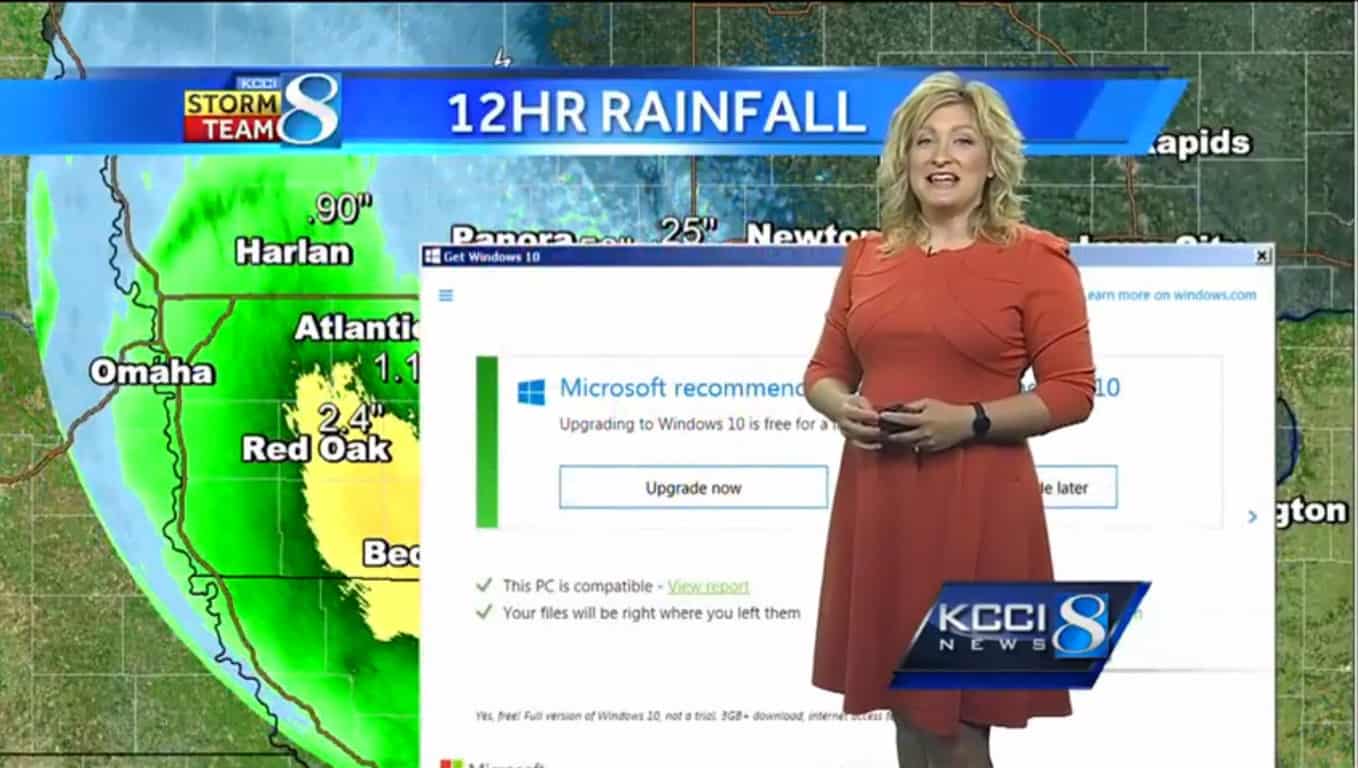
Meteorologist Metinka Slater from KCCI 8 News was in the middle of her daily routine when a familiar pop-up came to her display. “Microsoft recommends upgrading to Windows 10” stretched across the doppler radar causing Metinka give a little chuckle.

The meteorologist recovered nicely, but we bet they won’t forget to upgrade to Windows 10 now!

Check out the video below!

Eve: Valkyrie available on PlayStation VR, Oculus Rift and HTC Vive platforms

Eve: Valkyrie is a multiplayer dog-fighting shooter game, whose action is set in the Eve Online universe. This game is using the virtual reality headset technology and it was already released for the Oculus Rift. The game is also expected to be released for the PlayStation VR in October 2016, but it’s not sure yet when exactly it will be released for the HTC Vive.

We remind you that this game was named EVE-VR during the development process and it was announced by CCP Games, the developer of the game, back on December 9, 2015. Back then, the developer has announced that the game will be released as a bundle with every pre-ordered Oculus Rift headset (a device that has been released on March 28, 2016).

This month, CCP Games has confirmed that EVE: Valkyrie will be also available for HTC Vive, later this year, but it didn’t give out an exact date or month when this will happen.

Well, we have some good news for the VR fans, as this game will support cross-platform on the mentioned headsets. With other words, you will be able to play Eve: Valkyrie with your friends even if they own a HTC Vive headset and you own a PlayStation VR one.

We agree that cross-platform gameplay should be expanded even more and, hopefully, the game’s and consoles’ developers will agree about this in the near future. Currently, we can clearly see that the new video games have more gamers on PlayStation 4, while the Xbox One is closely nearby.

However, if Microsoft and Sony will agree to bring cross-platform support to its Xbox One and PlayStation 4, we’re pretty sure that the game developers and these two console manufacturers will benefit from this. After all, we’re pretty sure that you have at least a few friends that own a different console than yours, which stops you from playing online games with them.

Unfortunately, CCP hasn’t announced when exactly the cross-platform will be released, but it is good to know that no matter which headset you will decide to purchase (between the three ones we’ve mentioned above), there will be a good amount of people who will play this awesome game.

Microsoft Office 365 reaches 22.2 million subscribers, up from 12.4 million last year

Microsoft Office 365 has now 22.2 million subscribers compared to 20.6 million in the previous quarter. This means the company has seen a 6% growth in the number of people adopting the Office pack. And the good news does not stop here, around the world, 1.2 billion people use some kind of Office programs on their PCs, tablets or phones.

As far as  the Productivity and Business Processes area is concerned, Microsoft is a winner on all fronts.  Revenue increased for the Office commercial products and cloud services, the Office consumer products and cloud services as well as for Dynamics products, reaching a total of $6.5 billion:

Revenue in Productivity and Business Processes grew 1% (up 6% in constant currency) to $6.5 billion, with the following business highlights:

  • Office commercial products and cloud services revenue grew 7% in constant currency driven by Office 365 revenue growth of 63% in constant currency

  • Office consumer products and cloud services revenue grew 6% in constant currency with Office 365 consumer subscribers increasing to 22.2 million

  • Dynamics products and cloud services revenue grew 9% in constant currency with Dynamics CRM Online seat adds more than doubling year-over-year.

Compared to the same quarter fo 2015, revenue for the Office 365 pack almost doubled. Microsoft had 12.4 million Office 365 subscribers in Q3 2015, compared to 22.2 million now.

Microsoft fully understood how important the Office 365 pack is and constantly rolls out updates to improve the users experience. The latest update brings the capability to transfer notes from Evernote to OneNote, Power Point Designer is much more intuitive and the Portfolio Dashboard helps managers to keep track of their project’s performance.

The Office pack comes in three different variants, Home, Business and Student to suite every user’s needs:

  • Office 365 Home allows you to install the pack on five 5 PCs or Macs, 5 tablets including iPad, Android, or Windows, plus 5 phones.
  • Office 365 Personal adapts to your needs and gives you access to the pack on one device.
  • Office 365 Business / Business Premium boosts your business with specific programs and makes it easier for your team to collaborate in real time no matter where they are.
  • Office 365 University offers a four-year subscription and helps students achieve their full potential.

If you want to follow all the news related to Office 365, check out the official Office Blog.

RELATED STORIES YOU NEED TO CHECK OUT: