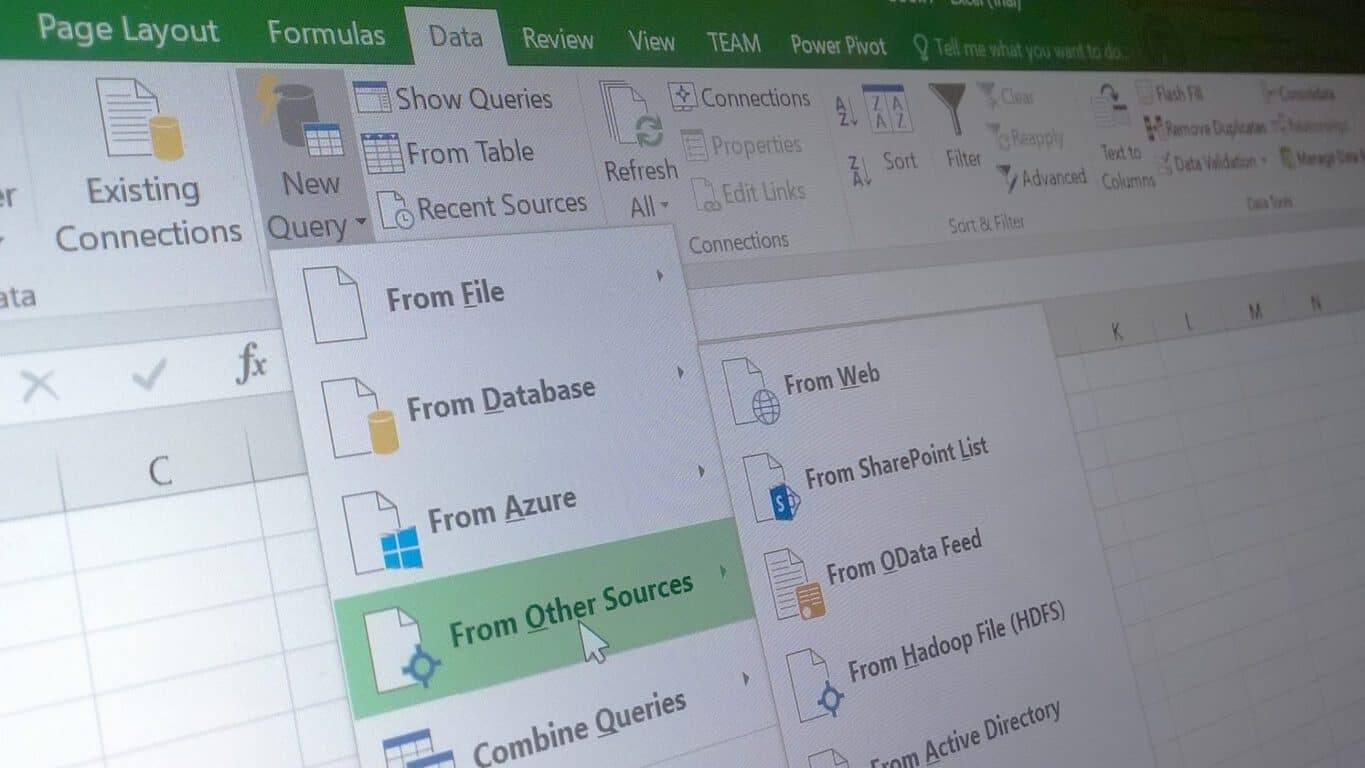
Professor Clint Tuttle recently concluded his class this spring at the University of Texas at Austin with an inspirational song parody of sorts. To the tune of Justin Bieber’s song “Love Yourself,” Tuttle busts out his acoustic guitar in front of his lecture podium and sings to his students about how one day when they have graduated and are working they will appreciate learning about Microsoft Excel in his class.
In his lyrics, Professor Tuttle says he is writing this song to remind his students that even though for all those times they “sat up working really late… And those Excels that had you cursing my name,” Excel is really useful.
His song goes on to make his case to his students why Excel is important with verses like:
My students don’t like it but then they see the light
And they never like to admit that I was right
And after college they get jobs,
And they see what’s going on
But now they know,
That Excel is more a friend than foe
And of course the song is filled with some nerdy uses of Excel functions and terminology in his plea to his students with lines like:
Many years from now, when you have left UT
And you use your these skills well please think of me
You’ll probably use conditional formatting
Those nested ifs will come in handy you’ll see
And
Pivot Tables kick…butt
And you got your functions on!
Use countif, sumif, even vlookup too
Maybe 3-d charts too
Hopefully Professor Tuttle’s unique appeal to his class will stick in his students mind and they will appreciate all the long hours they spent agonizing over Excel during college. Because the Professor is right, Pivot Tables do kick butt in the working world.
From a very big Xbox One bundle at a not so big price, to the buy a Lumia 950 XL get a 950 free promotion, it is very apparent that Microsoft and its retail partners are coming up with all sorts of deals for their customers. Today, though, and as reported by Neowin, we’ve come across yet another deal. This time, with some strings attached, an Australian mobile carrier is offering up a Xbox One bundled with Lumia 950 or 950 XL, for “free.”
The fact that Windows Phone users appear to be dropping the platform for Android is not stopping the Australian mobile carrier Optus from this offer. In fact, the deal is very encouraging, as if a customer signs up to a Lumia 950 or 950 XL on a two-year plan of $80 or more, the Xbox One is $0 up front. There are, however, some conditions, and if the plan is cancelled or left early, the full remaining cost of the Xbox one, the Lumia devices, and the contract will need to be paid off. The details on the offer can be seen below.
Microsoft Lumia 950 & 950XL Xbox bundle offer: Sign up to a Microsoft Lumia 950 & 950XL on an $80 or above My Plan Plus or My Plan Business plan from 10th May 2016 and have the option to bundle an Xbox One 500GB for $0 upfront over 24 months, whilst Xbox One 500GB stocks last. If you leave your plan early you will need to pay out the full remaining cost of your phone and the Xbox One 500GB, including any amount that Optus was going to cover.
30 Days Try Optus Offer: If customers are returning the Microsoft Lumia 950 & 950XL device under the 30 Day Try Optus offer, customers must also return the Xbox One 500GB in its original box and in good working order with all power cords and associated accessories (including gaming console and controllers) within 14 days of cancellation.
While the deal is truly awesome, this is not the first time that this Australian carrier offered up a free Xbox to its customers. Back in November of 2015, Optus also gave away a free Xbox for the first 300 customers that preordered a Lumia 950.
So, what do you think of this promotion? If you live in Australia will this be a big reason for you to pick up a new Lumia device? Let us know your thoughts by dropping us a comment below.
Microsoft is now offering 50% off the Fashion Cutouts add-on in the PicsArt app until May 15th. The app is a rather comprehensive all-in-one image editing tool which contains numerous filters and photo manipulation settings as well as its own built-in social network of users where artists and photographers can share their creations. Here’s the official description:
Creativity is more than just a photo filter—PicsArt provides you with everything you need to make amazing photo edits, artistic camera shoots, photo collages, create digital drawings, and communicate with other creatives who have joined our mission to beautify the world. 250 million people have already downloaded this free app for powerful image editing and photo montages, using hundreds of tools and effects that you can find only in professional photo editing programs. PicsArt inspires you to create beautiful images anytime, anywhere. Transform your photos into works of art and let the world discover them!
PicsArt was a popular app on Android and iOS before launching on Windows phone in late 2013. It has gone through numerous updates since then and was upgraded to the new Universal Windows Platform app format in December 2015. It’s now available on Windows phones running Windows Phone 8 and upwards and Windows PCs with Windows 8.1 or Windows 10. PicsArt is free to download but makes a profit from a variety of add-ons such as the Fashion Cutouts one that is discounted right now. Other popular add-ons include Bianca’s Lettering Art, After Dark, Stardust, a package of galaxy-themed images, a special Father’s Day frame kit, and Polygon Art.
Most of the add-ons fall around the $1 or $2 mark but there is an option to remove ads in the app for around $7. The Fashion Cutouts add-on is usually $1.98 but with this discount, it’s $0.99.
Are you a fan of PicsArt? Let us know if you enjoy using it in the comments below. Would you recommend it to other users?
Intense debate has surrounded Lumia Icon lately and the main question was the following: to get or not to get the Windows 10 upgrade? After long suspense, Microsoft released the news and confirmed that Windows 10 Mobile Insider Preview will support Lumia Icon. So far, so good. However, Lumia Icon remains in the spotlight because it appears that the users who upgraded the OS recently cannot roll back to Windows 8.1.
Users reported bad video rendering, apparently Cortana is slow in taking commands or it keeps popping up, and the Live tiles do not work among other things. If the Windows 10 experience let you down, but you could not roll back to your previous OS, there are two workarounds you can try.
Here’s what you can do if your Lumia Icon can’t roll back to Windows 8.1
1. Use the Device Recovery Tool
This tool will reset and recover your phone software but the downside is that it will erase all content stored on your phone (apps, games, text messages, call history, photos, everything).
Start the recovery program and connect your phone to your computer.
If you’re asked, select the proper USB mode on your phone, Nokia Suite or Modem.
Follow the indicated steps to complete the downgrade.
2. Use ROM Recovery Tool
This solution is to be used at your own risk because it could damage your phone. If you do not want to take this risk, go to a repair shop to have the downgrade done for you.
Open an administrator command prompt in the Recovery Tool folder.
Locate the ROM Recovery Tool. Theoretically, you should find in C:ProgramDataMicrosoftPackagesProducts
Find the FFU file (.ffu) for your device. Example: C:ProgramDataMicrosoftPackagesProductsrm914RM914_3058.50000.1425.0005_RETAIL_eu_hungary_4 29_05_443088_prd_signed.ffu
Enter the following into Command Prompt:
thor2 -mode uefiflash -ffufile “add the .ffu file location”.
Your phone should begin the flashing process. Wait until the process is completed.
Once the flashing process is completed, enter the following line into Command Prompt to reboot your phone.
Microsoft is teaming up with Real Madrid player, Marcelo Vieira, to promote the importance of digital literacy in young children in Brazil and abroad through a collaboration with the Real Madrid Foundation and Microsoft’s YouthSpark initiative.
“My dream is to take this project to all the world’s children, because with technology … the possibilities of any child are endless,” admits Vieira while discussing the program. So far, the program has launched in three locations in Colombia, Brazil, and in Virginia in the United States but there are plans to roll out the program to all of the foundation’s schools.
Once a school begins the program, they are given a special kit which contains a video from Vieira alongside the tech donated by Microsoft such as free access to specific activities on Office 365.
Orlando Ayala, Microsoft chairman and corporate vice president of Emerging Markets, proudly admits states that, “With technology and programs like YouthSpark, we are complementing the Real Madrid Foundation’s educational program to fight the biggest educational challenge of the 21st century: the lack of digital literacy.”
Microsoft’s YouthSpark is a program run by the company with the aim of introducing and training children in the latest technology by assisting targeted organizations with their goals. In this instance, YouthSpark is working with the Real Madrid Foundation to bring tech education to over 40,000 in 72 countries but other recent examples of their assistance range from ambitious projects like investing three million dollars in a program in Vietnam to helping an Irish girl with her resume.
Have you been inspired by a YouthSpark program? Let us know which on in the comments below.
Windows 10 is currently available as a free upgrade for all Windows 8.1 and Windows 7 users, but the free upgrade period will end soon. After the free upgrade period ends, only way to get Windows 10 would be to purchase your own copy, but there’s another way to download Microsoft Windows 10 for free after the Windows 10 upgrade period ends on July 29th.
As you know, only owners of legitimate copies of Windows 7 and Windows 8.1 are eligible for free upgrade, but you can also download Windows 10 for free, even if you don’t meet the required conditions, or even if you don’t use Windows operating system at all.
Microsoft is testing Windows 10 constantly with new updates in its Insider program, and there is always demand for more testers that will try new features before they are released to public. All Insider members can legally download and install Windows 10 and use it free of charge on their PC.
There’s no particular requirements on you can join the Insiders program and test new Windows 10 updates, therefore even if you don’t own Windows 7 or Windows 8.1, or even if you don’t use Windows at all, you can still get Windows 10 for free by joining the Insiders program.
Click Get Started button and enter your Microsoft account username and password.
Read the Terms of Service and check your areas of interest.
Click the PC button.
Scroll down to the More options section and click Windows Insider site link.
Scroll the all the way down and select which build you wish to download.
Now select your language and choose which version of the Preview Client you want to download. If you have 64-bit system, it’s advised that you download 64-bit version for best performance.
Download process will start, but since Windows 10 .iso file is somewhat large, you might have to wait a while for download to complete.
Once the .iso file is downloaded, you’ll have to burn it to a DVD or create a bootable USB flash drive.
If you wish to keep your files, just insert the Windows 10 DVD or USB flash drive and run setup.exe from it. If you wish to perform a clean installation and remove all your files, set the USB or DVD as a first boot device from BIOS and install Windows 10. To see how to do that, check your motherboard manual for detailed instructions.
After you’ve installed Windows 10 Preview, you can use it freely as long as you want.
There had been certain confusions regarding Windows 10 Insider Preview and the final release of Windows 10. Users thought that by joining the Insiders program they would obtain a genuine Windows 10 license, but that’s not the case. This issue sparked a lot confusion, therefore Microsoft’s Gabe Aul gave its clarification in this blog post.
If you wish to use Windows 10 Preview and be a member of Insider program, you can do that for free as long as you like, regardless of what version of Windows you’re currently using, but if you wish to leave the Insiders program and get a genuine Windows 10 license, you’ll have to upgrade from a genuine copy of Windows 8.1 or Windows 7 just like everybody else.
Getting a free version of Windows 10 isn’t that hard, and the free Windows 10 Preview is available for download with no limitations. Only issue with Windows 10 Preview might be occasional bugs and few issues, but you can use it for free without any limitations.
This update contains the following changes:
• Fixed five bugs affecting vision-impaired users
• Fixed six issues that could result in an app crash
• Fixed an issue where the playback bar got stuck while in “repeat one” mode
• Fixed an issue that prevented the system media controls from updating when rapidly hitting next
With the latest flight for PC (build 14342), you should also have a fix for the following previously advertised known issue:
• [FIXED]: Playing music in Groove within 2 minutes after logging into your PC will result in 0xc10100ae playback errors. If you wait more than 2 minutes after logging in to play music in Groove Music you will avoid this issue
The app is rolling out now to Windows Insiders on the Fast Ring running PCs, phones, and HoloLens devices. Go hit that update button now, and let us know in the comments what you think of this release.
As an effort to inform and assist developers as they transition to the Universal Windows Platform, The Windows App Team will start releasing a series of blogs called the Windows Dev Center Tips. The series will focus on helping developers become more aware of the options available during the app publishing process starting with options that have just been announced at Build 2016 earlier this year.
The options to be covered include:
Publish or update a public app
Package flighting
Publishing hidden apps
Side-loading and enterprise distribution
Third party and legacy distribution options
Notes about confidentiality and purchasing
The Windows blog created a decision tree to outline the decisions that publisher’s options and highlight topics that will be covered in the upcoming blog series.
Decision tree for app publishers
New developers and old will most likely find the tips and tricks from the blogs useful. The Windows Dev Center Tips blog series will be pushing out over the next few weeks, and we’ll be certain to cover each one as they are released.
It’s no surprise that websites that run slower will cause a significant loss of traffic. However, according to Google and Bing’s research, even the smallest delays under half a second have been proven to harm a site’s success. While in-browser developer tools are often used for getting an idea of what is going on behind the scenes, Microsoft has posted a blog today explaining how the Windows Performance Toolkit can resolve their issues and increase their performance.
The Windows Performance Toolkit is available for installation in the Windows Assessment and Deployment Kit, a general kit that includes other optional tools and features. Because it is efficient at finding traces in and out of the browser, the WPT is often used by the Microsoft Edge performance team to analyze both applications and operating systems in depth. The performance toolkit includes the Windows Performance Recorder that captures and records tracers and the Windows Performance Analyzer that analyzes those traces. Both of these help developers better understand how they can debug their performance loss.
Along with the Event Logging for Windows (ETW), CPU and memory usage across all Windows applications can be analyzed. That includes tasks that in-browser developer tools can’t normally reach such as GPU usage, disk usage, and system wide memory usage. It can even identify characteristics across the whole system and sift through multiple tabs in multiple processes at the same time.
At the Edge Web Summit 2016, developer Senior Program Manager Todd Reiifsteck covered the step by step instructions on how to debug and improve performance with a live demonstration. The demo page was published on the site and Github for developers to get a hands-on experience with the toolkit.
For more details on how to use the Performance Toolkit or to read more about their demonstration, visit the blog. Download the WPT for free at the Microsoft Dev Center.
The Lenovo Solution Center (LSC) software has always been a problem and it doesn’t appear if the issues will end any time soon: a new vulnerability has been located in the software that can cause security risks.
The vulnerability could allow attackers with local network access to a user’s computer to execute what is known as arbitrary code, according to researchers from Trustwave SpiderLabs. Attackers can use the flaw to elevate certain privileges that are tied to LSC’s backend. This then open the door for hackers to trick LSC into running arbitrary code directly into the local system, according to Karl Sigler, a SpiderLabs researcher at Trustwave.
This could become a major issue for Lenovo seeing as its LSC software is installed on almost every one of its modern computers. The software acts as a dashboard for monitoring system health among other things, so no doubt it will be used by many not aware of the faults.
“By convincing a user who has launched the Lenovo Solution Center to view a specially crafted HTML document [such as] a web page or an HTML email message or attachment, an attacker may be able to execute arbitrary code with SYSTEM privileges,” explained a note from the DHS-sponsored CERT at the Software Engineering Institute at Carnegie Mellon University.
What we are seeing here is the latest flaw in a long list of others that occurred in the past year. It has become custom for one to view LSC software as a security risk similar to that of Java and Flash. If Lenovo fails to rectify the issue, it will likely hurt the company’s bottom line in the future. Lenovo is one of the top PC makers, a title that can go away at any given moment if changes are not put into place.
Luckily, Lenovo released a fix to end the risk of attack from outside sources. It can be downloaded right here from the company’s official website. Bear in mind that only folks using Windows 7, Windows 8, Windows 8.1 and Windows 10 will be eligible to grab the update seeing as LSC is not available for other platforms.
Recently, the company had to release updates to improve its companion apps for Windows 10 in hopes that its many users would stop leaving terrible ratings.
Forbes has just released their annual study of the world’s most valuable brands and Microsoft has scored the third spot on the podium behind its tech rivals Apple and Google. The Cupertino giant has won the crown with a $154.1 billion brand value, which is quite far ahead of its competitors Google ($82.5B) and Microsoft ($75.2B).
Forbes began valuing the richest brands in 2010 and Apple has finished first sixth times in a row. To establish its yearly ranking, the magazine has considered more than 200 global brands to select a final list of 100 most valuable brands worldwide spanning 16 countries across 19 broad industry categories. To be selected in the pool, brands were required to have more than a token presence in the US and US Brands count for 52 brands in the full list. You can have a look at the top ten below (the full list is available over here):
Forbes Most valuable brands list 2016
Other interesting bits from the Forbes list, Facebook appears as the fastest-growing brand in the top 100 for the second time in a row with a yearly growth of 44%. On the other side, IBM’s brand value fell 17% to $41.4 billion this year, which is not all that surprising, according to the magazine the company “a reported 16 straight quarters of revenue declines and revenue in the latest quarter was the company’s lowest in 14 years.”
David Reibstein, professor of marketing and branding expert at the University of Pennsylvania’s Wharton School, added that “brands get their value from how customers perceive them. What makes it valuable from a company perspective is that customers are willing to pay a higher price or are more likely to buy.” While we can’t deny that the Apple brand has become quite iconic today, the Microsoft brand has also slightly evolved over the past few years as the Redmond giant pursued its retail strategy and hardware efforts. Can you believe that Microsoft opened a flagship store at 677 Fifth Ave. in New York City last year? Also, with its premium line of Surface devices (with some luxury accessories, such as this Signature Type Cover made from Alcantara), Microsoft is clearly targeting the high-end of the market and “creative professionals” which have mostly been Apple customers so far. Microsoft
While there probably won’t be Microsoft enthusiasts spending the night outside Microsoft Stores to buy the next Surface devices like Apple fans and iPhones, but are you surprised to see Microsoft in the top three valuable brands worldwide? Please tell us what you think in the comments.
Google is making some rather bold moves with its platform as of late and in an announcement today from the company, its next move is to ban short-term cash loan advancement ads. The short-term cash advance ads are more commonly referred to as “Payday” loans and feature same-day (or near same-day) money deposits fraught with incredibly high-interest rate returns.
Google’s announcement of the Payday ban is grounded in its belief that the ads along with the loans themselves are “deceptive or harmful” to its users, which is what Google’s search algorithms and platform are intended to help defend against.
As the second-placed search engine in the US and various regions internationally, Microsoft’s Bing platform will undoubtedly be called into question after the July 13, 2016, stop-date Google has in place for its ban. Similar to Android and iOS on the smartphone front, Bing and Google have gone back and forth implementing and aping design and functionality traits from one another as both services compete for eyeballs (albeit Google still holds a lion’s share of views and visits). With Google taking the initiative to step in and ban PayDay loans, Bing users may look to Microsoft to do the same.
While Google’s move appears to be centered around the user’s best interest, it raises some obvious questions about its effect on the search engine market as a whole as well as the ethics of human intervention in algorithmic practices.
Advocates say about 20 percent of payday loans happen online. Reports have found that some payday lenders had advertised their products when people searched the web for phrases like “desperate for money” or “I need money to pay my rent.
The standard PayDay loan agreement is a multi-step sign-up process that requires pages of legalese and an exchange of information that requires a user’s full attention. Needless to say, people aren’t accidently signing up for the loans no matter how deceptive the advertisement appears online. With Google’s new announcement, the company has taken it upon themselves to intervene in how it displays ads to handpick and remove ads that a portion of users are obviously in need of information about.
In that vein, today we’re sharing an update that will go into effect on July 13, 2016: we’re banning ads for payday loans and some related products from our ads systems. We will no longer allow ads for loans where repayment is due within 60 days of the date of issue. In the U.S., we are also banning ads for loans with an APR of 36% or higher. When reviewing our policies, research has shown that these loans can result in unaffordable payment and high default rates for users so we will be updating our policies globally to reflect that.”
On that note, advocacy groups are seeking the same sort of intervention from the likes of Yahoo and Microsoft.
Microsoft and the Bing team have had no official comment on the matter and perhaps are waiting to see the full ramifications of Google’s stance on PayDay loans. Perhaps the ban will send users in need of a Payday loan to Bing or maybe the Bing team would rather avoid the often slippery and messy slope of intervention that Google is bearing on itself?
Jeannette M. Wing is a corporate vice president tasked with running the Microsoft Research laboratories. Today, Wing appeared before the Senate Commerce, Science, and Transportation Committee. Wing was speaking at the hearing on “Leveraging the US Science and Technology Enterprise,” on the behalf of a special American Academy of Arts and Sciences Committee.
Specifically, Wing was speaking on behalf of the Academy of Arts and Sciences Committee on New Models for US Science and Technology Policy. This committee was formed in response to a fear that the US is falling behind other countries in the area of basic research. Wing’s testimony centered around the idea that basic research plays a fundamental role in American discovery and innovation.
Basic research is used to develop our understanding of our environment but doesn’t have a specific goal or product in mind. Basic research has helped lead to major advances in biotechnology, computer science, and aerospace. In turn, these American basic research advances have led to strong growth in the US economy.
Wing details what leads to American economic growth and prosperity in her written Senate Commerce Committe testimony:
“I hope it is evident that while basic research may have no intended end goal, it is, in fact, the foundation of American prosperity and progress. Steady, sustainable increases in federal investment would go a long way to restoring American leadership.”
Wing pointed out that while there are clear advantages to using basic research, the US has not utilized enough public and private investment in research and development. The US continues to fall behind other countries when it comes to basic research.
Wing further pressured lawmakers to take specific steps to make sure that Americans will get the most benefit from the US federal government’s investments in basic research. Wing also outlined what the US needs to do to make sure that the US remains the world’s innovation leader
We live in a world where technology is always advancing for the better of humanity, and today we’ve just discovered some more proof for that testament. Microsoft Research is introducing a new SwimTrain “exergame” technology which will reflect the characteristic of group fitness swimming.
Developed together by both The Korea Advanced Institute of Science and Technology (KAIST) and Microsoft Research Asia, the project is an app for a smartphone. Ultimately, when the phone is used with a waterproof case and a pair of underwater headphones, the app will let swimmers join virtual teams to cooperate and compete. SwimTrain will also use all the built-in smartphone tech to evaluate progress, coordinate a team, and provide sensory feedback, keeping the swim “train” running, and entertained, all while getting fit.
On the technical side, the project functions by mapping swimmers into virtual train cars and allowing them to pace through three distinct phases: the competitive phase, the cooperative phase, and the rest phase. To prevent information overload, however, each swimmer is only given information from immediately ahead and behind.
This technology is no doubt very interesting and is just the latest project from the Microsoft Research team. As we previously have reported, back a few weeks ago, the same team also revealed a new smart tattoo technology.
This week at the ID@Box Game Fest, which is all about independent Xbox game developers, some of the best games from the ID@Xbox program are available to play for free. After checking out the Xbox Wire post about the occasion, we’ve given a few of the games a look and have included Microsoft’s descriptions and download links below.
Come with us, and leave your mortal world behind. This is SMITE, the online battleground where the Gods of Old wage war in the name of conquest, glory and eternal battle. Whether this is your first Multiplayer Online Battle Arena (MOBA) game or you’re a seasoned veteran, the intense action and irreverent mythology of SMITE will make you a believer.
They were called Tenno. Warriors of blade and gun – Masters of the Warframe armor. Those that survived the old war were left drifting among the ruins. Now they are needed once more. The Grineer, with their vast armies, are spreading throughout the solar system. A call echoes across the stars summoning the Tenno to an ancient place. They summon you. Come Tenno, you must join the war.
Magic: Duels: Stainless Games and Wizards of the Coast
Summon mythical creatures. Cast legendary spells. Match wits with your opponent and emerge victorious in epic online duels. With hundreds of earnable cards and countless strategies, building your deck and challenging your friends in Magic: The Gathering has never been more fun.
All the games on ROBLOX are created by gamers like you! Play solo or with friends in a variety of indie games exclusive to ROBLOX. Find Strategy, Platformer, Role Playing, Tycoon, Shooter, Survival games and more! ROBLOX is free to play, although you can buy ROBUX, our virtual currency, to upgrade the look of your ROBLOX avatar or to get optional in-game power-ups.
Happy Wars is a large-scale online multiplayer action game, involving up to 16 players per match. Go wild in over-the-top melees in a fantasy setting featuring comical characters! Assign any of the 6 unique character classes to your player character, personalize it by adding customization parts from a wide variety of choices, and engage in heated sieges and cast spells in grand magical battles with players all over the world!
Each month, regular updates will add classics like Star Trek: The Next Generation, Terminator 2: Judgement Day, Twilight Zone, Creature from the Black Lagoon, Monster Bash, Medieval Madness, Funhouse, Attack from Mars, Circus Voltaire, Big Shot (and many others for years to come!) along with online tournaments and additional modes to challenge yourself and compete against your friends.
These are just a few of the great independent titles which are free to play for this week. You can check out the other titles, including an entire set of other pinball-related games, by visiting this web page. The ID@Xbox Games Fest is set to continue for the rest of this month, so be sure to stay tuned to WinBeta for all the latest Independent developer news and information.
Skype has announced today that it’s partnering with Indian ICT Solutions and Services company Sify.com, making it easier for Skype users in the country to pay for Skype Credit and subscriptions. Until now, Skype users in the country were only able to buy Skype credit or subscriptions with International credit cards but starting today Sify.com will enable Indian debit, credit cards and NetBanking to be used for these purchases. The Skype team shared a walkthrough of the process below:
Select the subscription or the amount of Skype Credit you’d like to buy
On the checkout page, enter your Indian billing address and you’ll be able to pay using your local credit, debit card or NetBanking
Pay by credit, debit card or NetBanking.
Judd Harcombe, Head of Emerging Market Business Development at Skype shared today on Sify.com:
“Together with Sify, we are making it easier for Skype users in India to purchase Skype credit and subscriptions. India is a key market for Skype and we want to help our users in India connect with friends and family abroad.”
Does this new partnership make it easier for you to use Skype?
Electronic Arts had a successful fourth quarter with strong financials and numbers. As per the earnings report, EA is the top publisher for PlayStation and Xbox One in the “Western world for the fiscal year 2016 as per EA estimates”. During their latest earnings report, the company also highlighted that Star Wars Battlefront is a highly successful new franchise, selling over 14 million units in fiscal year 2016, which was way ahead of company’s expectations. So, it makes sense for the developer to think about a successor to the popular game.
The company confirmed during the earnings call that Star Wars Battlefront 2 is in development and is expected to launch sometime in 2017 (via Gamespot). EA CFO Blake Jorgensen confirmed it will have “bigger and better worlds” and will make use of the content from the “new movies” — although he didn’t name which ones. Jorgensen further said that the company plans to release on new Star Wars game every year for the next three to four years, which sounds great.
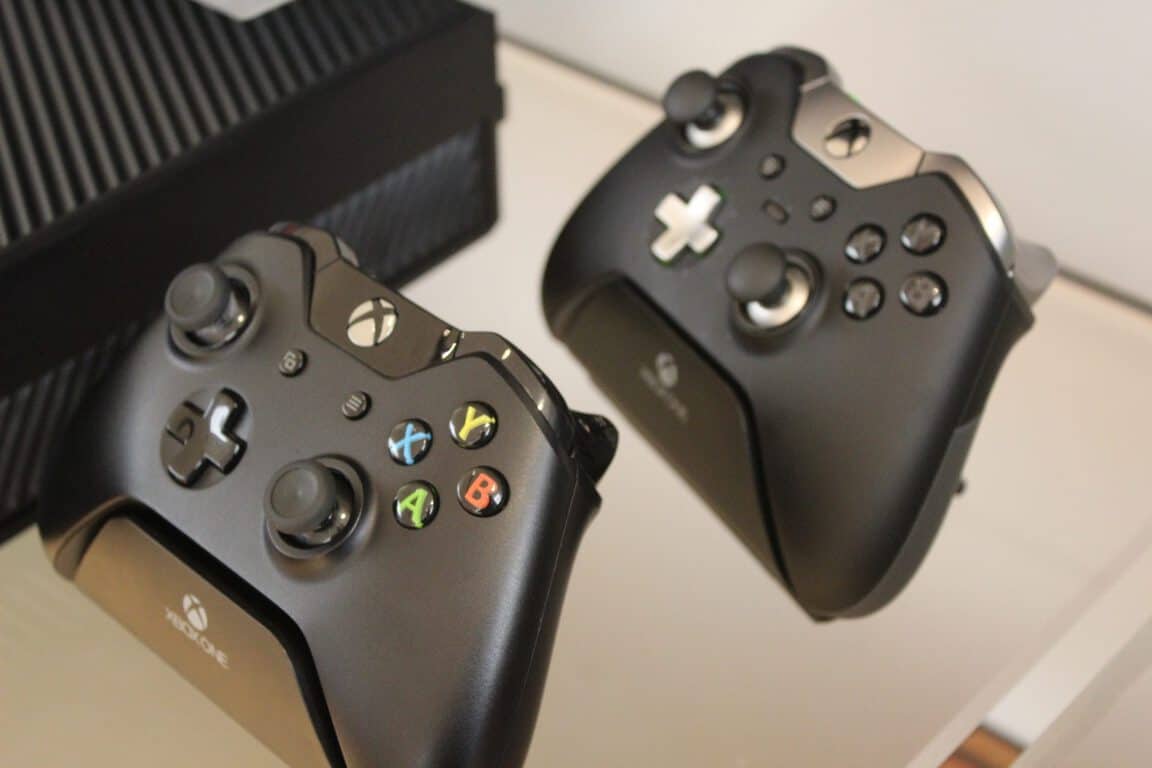
Colorwave has launched a beautiful yet expensive Xbox One controller known as “Xbox One Elite Titan Controller“. The controller carries a whopping $299 price tag, which is way more than the standard controller which ships with the console itself (via Windows Central).
The controller’s front is made of gold carbon fiber graphics with a gloss finish while rest of the controller are painted jet black gloss, giving it a premium look compared to the standard controller. The company mentioned that it’s a limited edition piece and the initial run is only of 50 pieces which means that you may have to act fast if you want to get this controller.
Colorwave said on the product page:
Carbon fiber is a man-made material that has revolutionized the aerospace industry, auto racing and artificial limbs. Although carbon fiber is incredibly strong and lightweight, it also has a distinctive woven pattern that makes it appealing to the masses. Because of its appeal, ColorWare created a custom gold carbon fiber graphic for the Xbox One Elite Controller. This limited edition custom Xbox one controller with the gold carbon fiber graphics is called Titan.
The Xbox One Elite Titan Controller is heavier than the standard controller, has three sets of thumbsticks and two d-pads — one looks like the original while theo ther one is designed for cross-directional movements. Additionally, there are four detachable paddles which can be controlled by an app specifically designed for the Elite Controller. Users can use the app to “program back paddles, and remap any of the 14 digital inputs from the controller.”
Here’s a video showing Colorwave’s Xbox One Controller:
Included in the box are carrying cases, a set of 4 paddles, a set of 6 thumbsticks, 2 D-pads: faceted and standard, a USB cable, AA batteries and a quick set up guide and product manual. The case is compatible with Windows 10 and Xbox One console.
Microsoft has pulled the torrent app, Torrenty, from the Windows Store after it was found to prompt the download of apps infected with adware.
ZNET’s Ed Bott was one of the first to discover the suspicious app after opening the current version on his PC and noticing a rather strange button that prompted him to update. “That “1 Update(s) Pending” message doesn’t look like an ad; it appears to be part of the user interface,” he describes. “Clicking that button opened a web page that immediately tried to download a program called Setup.exe. With Microsoft Edge set as the default browser, the software downloaded in a matter of seconds, with a Run button appearing at the bottom of the browser window.”
The app’s endgame was apparently to install a browser add-on that enables a variety of unwanted popups and ads on top of a user’s internet browser.
In addition to pulling the app from the Windows Store, Microsoft also responded with the following statement: “Microsoft has a thorough review process for app submissions, based on a strict set of certification requirements. No approach is perfect, so we encourage people to report any issues they may encounter with Windows Store. For most issues, customers can use the “report concern to Microsoft” link in the Store. For infringements concerns, people can use our online tools or email [email protected] directly.”
In addition to being one dodgy Windows 10 app, Torrenty’s main purpose was to download and upload files via the popular BitTorrent file sharing method. While there are some legitimately legal files that can be shared via BitTorrent, the method is mostly known for being notoriously popular for spreading illegal copies of TV shows and movies. Part of the reason for its popularity is due to the fact that with BitTorrent, there is no one download location, parts of the shared file are hosted by other users who have already downloaded the file themselves.
Have you downloaded any untrustworthy apps from the Windows Store? Share your experiences with the community in the comments below.
Electronic Arts finally revealed Battlefield 1 a few days ago and it was well received by fans and just the general gaming population. Unlike previous games in the franchise, Battlefield 1 is set in World War 1 and for this very reason, the game’s first trailer managed to surpass the excitement for Call of Duty: Infinite Warfare in mere 24 hours.
We’ll definitely enjoy what Call of Duty: Infinite Warfare has to offer when it is released in November, but there’s just something about Battlefield 1 that excites us even more. That’s probably because it is set in an era not touched upon in a long time by a major video game studio. Ever since the rise of the Xbox One and the PlayStation 4 over two years ago, games have been set in modern times or in the future.
Gamers have become tired of jumping around in jetpacks and fighting robots or humans with superhuman strengths on a yearly basis. They are also slowly becoming bored of games set in today’s time, so DICE and EA made a great decision to turn the clock back and we’re fully certain it will pay off in spades. The trailer looks great, and it seems we might get the chance to cut down our enemies on horseback, too.
Now, many have been championing the death of Call of Duty: Infinite Warfare on social media, but that is far from the truth. The reality of the situation is that Battlefield 1 will play second fiddle to what Activision and Infinity Ward has to offer. This is because millions enjoy Call of Duty’s gameplay, so it matters not to them if every game in the franchise takes place on an alien planet where they get to fight giant rock monsters and a robotic planet that sings the blues.
Call of Duty games are all about jumping in and experiencing quick enjoyment. This is not the case for Battlefield, seeing as its maps are large and the overall gameplay is more complicated. Not everyone has the time to learn the nuances, which means a quick match in Call of Duty would be more enticing.
We haven’t seen much when it comes to gameplay, meaning that despite what trailers have shown, anything is possible when gameplay for both games is revealed next month at E3 2016.
Until then, keep calm and bear in mind that while both games are similar due to genre, they are very different in terms of gameplay.
Xbox Live has always been a Microsoft service that I’ve loved and appreciated. The Xbox Achievements add an extra layer of content to games, the leaderboards are great for creating a more social experience, and the seamless cloud saves and backups mean gamers can delete games from their Xbox console, Windows phone, or PC and reinstall them at a later date to pick up where they left off. Well, this is what I thought until today when I found out that my assumptions concerning Xbox-branded games were completely wrong.
While I love my Windows phone (It’s a Lumia 930 for those that are curious), ever since I got it it’s had this bug which prevents it from making system backups to the cloud. For a year and a half I’ve spoken to a variety of in-store, on the phone, and online chat support and have tried every possible solution but nothing seems to squash the bug. The only way to fix it apparently is to do a hard reset to return it to its factory settings. This seemed like a hassle though and, to be honest, the lack of backups has never bothered me too much because all of my apps such as Evernote, Dropbox, etc all save data to the cloud and all of my Windows phone games support Xbox Live, which means cloud saves for them too, right?
Due to a separate bug which has been causing my Windows phone’s System memory to expand exponentially to the point that it now fills up around 28 Gig out of the 35 Gig total memory, and fills up any space that I free up immediately, I decided that I should probably do that hard reset that I had been putting off for so long.
Still unable to make a backup to the cloud, I connected the Windows phone to my Surface Pro via USB to make a local backup of files but discovered that there was no way to backup apps this way. Wanting to make sure I wasn’t missing anything, I began chatting with Lumia and Xbox support staff on Twitter. While the Lumia support promised that any game with the Xbox branding would have its own cloud save, they admitted to not being sure and suggested I talk to the Xbox support who informed me that while my copy of Age of Empires: Castle Siege would be fine (I assumed it would because I use cloud save-based crossplay with the game to play it on my Surface Pro as well), all of the data from Angry Birds Star Wars 2 would be completely lost.
Despite being branded as an Xbox Live Windows phone game and having Xbox Achievements and Xbox Live leaderboards, Angry Birds Star Wars 2 does not support Xbox Live cloud saves.
I was given the phone number for North America’s Xbox Live customer and business support and, after a friendly chat with a genuinely friendly staff member, was asked to wait while they confirmed what I had told them with their gaming expert. Moments later, the staff member returned and explained, quite clearly, that Microsoft treats Xbox 360 and Xbox One console games differently than their phone and PC games and that while the console games are given full access to Xbox Live’s features, proper Xbox Live functionality on phone and PC titles is limited to games published directly from Microsoft.
This really surprised me as obviously there are a variety of video games on the Xbox 360 and Xbox One which are published by other companies yet still support cloud saves and all of the other Xbox Live functionality. This news also conflicts greatly with Microsoft’s recent efforts to merge phone, PC, and console into one system with Windows 10.
Microsoft treats Xbox 360 and Xbox One console games differently than their phone and PC games
It’s also incredibly misleading as the Xbox Live branding is promoted in such a way that implies that all games with the Xbox label use all of Xbox Live’s features. If games are just slapping on the Xbox green banner and not using the features players have come to expect, what’s the point?
Wanting to learn more from this experience, I asked if there was possibly a list of the Windows phone and PC Xbox games that did or didn’t support cloud saves but was told that for information on individual games, I should contact the game developers directly as the cloud saves for non-Microsoft published Xbox games actually use the developer’s own servers and not Microsoft’s.
This made me think that perhaps they had misunderstood me and that they thought I was referring to the numerous non-Xbox-branded Windows phone games on the marketplace but they confirmed that they were indeed talking about the Xbox games.
I’m not sure what to do now. With Windows phone’s inability to make local backups and the glitch that’s preventing me from making a cloud backup, I may just have to say goodbye to the app I had invested hours in and opened daily for the past year and a half. There is the possibility that when my phone gets the Windows 10 Mobile update (whenever that is) that the new operating system will fix the cloud backup and System memory bugs but that requires waiting for that to rollout and weeks, possibly months, of using a phone doesn’t even have enough space to take a single Instagram photo.
Xbox Live branding is promoted in such a way that implies that all games with the Xbox label use all of Xbox Live’s features
Of course, the easy solution is to just say goodbye to that one game, but it’s hard to do that to a game you’ve been opening on a daily basis to claim the daily prize (My collection of weird-looking Star Wars bird characters is massive now!). There are also several Xbox Achievements I have yet to unlock as well and the thought of starting over is frustrating beyond words.
Update: In the 24 hours following the writing of this article, my phone’s System memory became so full that even opening apps became impossible. I performed the hard reset and, as expected, all progress in Angry Birds Star Wars 2 was lost. Leaderboard scores remained, but all unlocked levels were locked again and my entire library of birds was deleted.
This whole situation really surprised me and I honestly wouldn’t have believed the Xbox Live service was so fractured if I hadn’t heard it from a variety of Lumia, Xbox, and Xbox Live support and staff members directly.
So, what’s the takeaway from all this? If your Xbox-branded PC or Windows phone game is published by Microsoft, it will have full Xbox Live functionality and you can delete and reinstall to your heart’s content. If it’s published by someone else however, contact the developer or publisher directly and ask for specific details. While my particular situation may be unusual, the practice of deleting games and other apps from devices to free up space is very common and a cloud backup won’t restore game data if the game has been deleted manually by the user.
Have you experienced something like this? Will it affect which games you download in the future? Let us know in the comments below.
Protecting your Windows 10 account with a password is always a great idea, however, it can happen that you sometimes forget or lose your Windows 10 password. This is a very unpleasant situation because you cannot access Windows 10 at all, but fortunately there’s a way to recover lost Windows 10 password.
I lost my Windows 10 password, how to reset it?
Solution 1 – Go to Microsoft’s password reset website
If you use your Microsoft account to log in to Windows 10, you can easily reset your password by going to the Microsoft’s password reset website. To reset your Microsoft account password, you need to do the following:
Choose I forgot my password option and click Next.
Now you’ll need to enter personal information in order to confirm your identity. If you have a phone number or other email associated with your account, you can use them to speed up the verification process and reset your password.
After completing the process and setting a new password, you should be able to access Windows 10 by using your new Microsoft account password.
Solution 2 – Use Windows 10 installation media and Command Prompt
This is a more advanced solution, and in order to perform it successfully you’ll need a Windows 10 installation media, such as a DVD or USB. After you’ve obtained the installation media, you need to go to BIOS and set your installation media as the first boot device. For detailed instructions on how to do that, check your motherboard manual. Once you’ve set your installation media as the first boot device, you need to start Windows 10 setup and do the following:
When Windows 10 setup starts, press Shift + F10 to open Command Prompt.
Enter wpeutil reboot in Command Prompt to restart your machine.
Do not start Windows 10 setup. Once you get to the login screen click Utility Manager and you should see Command Prompt.
In Command Prompt enter the following:
net user new_user /add
net localgroup administrators new_user /add Note: We used new_user as an example, but you can use any other username you want for this step.
Restart your computer.
Another user by the name of new_user should be available. Log in to that account.
Press Windows Key + X and select Computer Management from the list.
In Computer Management window navigate to Local Users and Groups, and locate the account you cannot access. Right click it and choose Set Password.
Enter the new password for that account and click OK to save changes.
Log out of your current account and try accessing the old account with the new password.
We have to mention that this solution works only for local accounts, and if you use Microsoft account to log in, you should try our previous solution. By using this method you won’t be able to access any encrypted files, so keep that in mind.
Even if you use Microsoft account to log in to Windows 10, by creating a new user account you should be able to access your personal files and folders and copy them to your newly created account in case you cannot reset your Microsoft account password.
The new, free content update for Xbox One’s shooter Halo 5: Guardians is on the way. The new update is dubbed Memories of Reach, and brings some fresh features and content, including the highly anticipated multiplayer mode Infection.
Here’s what Memories of Reach update will bring to Halo 5: Guardians :
“New multiplayer game mode – Infection. Band together with your fellow survivors or hunt your prey with cunning and skill; the highly anticipated Infection game mode is making its way to Halo 5: Guardians! In Infection, 12 players face off in a round-based game mode, where the initial Infected player aims to convert the survivors into Infected via elimination. Your first look at Infection gameplay will come via Game Informer early next week, who spoke with 343 Industries on what’s new in the frenetic game mode.
New Arena Map – Stasis. Greedy for knowledge and prestige, researchers and AIs from Lethbridge Industrial pushed the boundaries at a remote research station, but the price of failure always tempered the risks they would take. Stasis is a mid-sized map that combines elements of symmetric sides with moderate asymmetrical features, giving it a hybrid design that’s unique to Halo 5: Guardians’ Arena multiplayer.
New REQ items. Memories of Reach brings several new REQs that are sure to give you a nostalgic kick, with Noble Team coming back together in the Indomitable, Intruder, Vigilant and Wrath armor sets (as seen on GameSpot). Also included are new weapon skins, the Brute Plasma Rifle, assassinations, and legendary Phaeton Helios variant.”
Although 343 Industries and Microsoft announced the update, there’s still no word as to when the update will be released. However, 343 Industries will hold a special event on May 11 from 3 p.m. to 5 p.m. PDT at twitch.tv/halo and the Halo Channel to showcase the update, so we should expect its release to Halo 5 players some time this month.
Memories of Reach is going to be the sixth DLC for Halo 5 Guardians. What is interesting about this release, as well as about all previous content updates for Halo 5: Guardians, is that 343 Industries and Microsoft release them to players for free. As the companies note, significant earnings have been made through Halo 5 micro transactions and therefore there’s no need to put any price on DLCs.
Tell us in the comments: what do you think about the upcoming update and the introduction of the new Infection mode? Also, if you’re interested in playing more games, do check out our mammoth list of more than 100 games currently available on the Windows Store.
Back in April, we let you know you could take part in the beta test of DOOM. Now, we’re happy to inform you that footage from the upcoming DOOM game is available, offering players a glimpse of what’s to come. Expect a world dominated by violence, bloodshed, and ugly demons, where only the strong-hearted can enter.
The developers will launch this game for PC, Xbox One, and PS4 on May 13, but you can already pre-order it from the Microsoft Store for $59.99. The first Doom game was released in 1993, revolutionizing the gaming world.
Three DLC packs will be available after the game’s release. The first will contain three new maps, one new weapon, and one playable demon while the following packages will include a new armor set and a new piece of equipment along with new hack modules, taunts, and new customization colors and patterns.
The game is available in two modes: a brutal single-player campaign and a fast-paced multiplayer. Compete against your friends and show them who the best hunter is. You can also create and play your own levels with SnapMap and quench your demon killing thirst.
DOOM SnapMap – a powerful, but easy-to-use game and level editor – allows for limitless gameplay experiences on every platform. Without any previous experience or special expertise, any player can quickly and easily snap together and visually customize maps, add pre-defined or completely custom gameplay, and even edit game logic to create new modes.
Get the best weapons and aim at those ugly demons! It’s time to fight like hell!
Use your weapons and creativity to blow up demons in original ways. React faster than them in order to stay alive. And don’t play the game before you go to sleep. Otherwise, you’ll have horrible nightmares.
If you like Bethesda games, there is another interesting game that will soon be released and it’s almost as haunting as DOOM: Fallout 4’s Far Harbour.
Forza 6 is probably the best racing game on the Xbox One, something that will not change any time soon despite competition from other games like as Project Cars and Assetto Corsa. With that being the case, Forza 6 could be on the verge of becoming a much better game with the addition of NASCAR.
Since the rise of Forza many moons ago, none of the video games in the franchise have come with the ability to drive NASCAR vehicles around an oval track. While this has been done before in the Gran Turismo games, people have always wondered if Microsoft and Turn 10 would dive into this aspect of racing.
The folks over at GT Planet published a leaked photo that suggests NASCAR is on the way to Forza Motorsports 6 in the near future. The publication showed what appears to be a DLC card of the #18 Toyota Camry of the 2015 NASCAR Sprint Cup Series and then champion Kyle Busch along with the legendary #24 Chevrolet SS of the NASCAR Sprint Cup Series Rookie with Chase Elliot.
Turn 10 has not come out with any comment proving this DLC pack is real, but we have no reason to believe the leaked image is illegitimate.
There’s also a description at the back of the DLC card that says the pack “brings the raw thrills of stock car racing to the world stage for the very first time.”
Since the start of the current generation of video game consoles, we haven’t yet come across a NASCAR game that is both fun and exciting. In fact, we can’t remember ever seeing a good NASCAR related video game since Gran Turismo 6. It goes to show how little this sport is supported in the video game world, but one can understand since NASCAR is mainly an American sport and is not popular outside of the country.
The first Battlefield 1 trailer came, saw, and conquered our minds into wanting to play it when it becomes available on October 21. However, the hype is dying for some fans after a rumor revealed that there might only be six missions in its entire campaign.
Now, we’re not ones to require our first-person shooters to be long to the point of boredom, but six missions is simply not enough — especially for a triple-A game coming from Electronic Arts and DICE. Such a short campaign would likely mean the developer is focusing more on the multiplayer than anything else. After all, Battlefield games are known for their multiplayer component and not so much for its single-player.
This piece of important information came from Twitter user txt231. We believe it could be reliable seeing as txt231 has been correct before when it comes to Battlefield 1 leaks. Still, we can’t help but hope the six missions are just some of more things to come.
Here is the list of the missions in question:
Friends in High Places
Nothing is Written
Through Mud and Blood
Avanti Savoia!
The Runner
Epilogue
DICE has not confirmed the legitimacy of this information, so it is possible txt231 could be wrong. However, after seeing the sad state of Star Wars: Battlefront regarding content, we’re a little bit worried this game could turn out to be a sneaky cash grab.
It is also possible these six missions could each have subplots to stretch out the campaign. If such is the case, then this information wouldn’t matter any longer. Furthermore, we have to take into consideration that World War 1 was short compared to World War 2.
Battlefield 1 will be available on the Xbox One and Windows PC come October 21. The game can be pre-ordered right now from the Xbox Store.
The Windows App Team has written up yet another blog post to inform developers about their options when it comes to storing app data. The team has been focusing on building knowledge on the building blocks of app development and encouraging developers to build on and convert their applications to the Universal Windows Platform. A month ago, we even saw Microsoft’s porting guide for apps to convert from Silverlight to UWP.
The blog series has already covered roaming data and utilizing cloud providers, but this post specifically focused on the local types of data storage. What that means is the data that is stored directly in the device’s files instead of being shared multiple installations.
Developers will need to decide which type works best with their application. There are two types of app data: Files and settings. Files include the data that the application needs to store binary and custom types of data. The settings is best used for saving the app status and user preferences through a variety of data types:
UInt8, Int16, UInt16, Int32, UInt32, Int64, UInt64, Single, Double
Boolean
Char16, String
DateTime, TimeSpan
GUID, Point, Size, Rect
ApplicationDataCompositeValue — a set of related app settings that must be serialized and deserialized atomically
As most developers know, the data can be stored in three possible locations on the device: Local, LocalCache, and Temporary. The best part about data stored in the Local folder is that the information can be backed up with the App Data Backup just in case. This also means, however, that security isn’t guaranteed. Developers using the Local folder should avoid storing personal information, credentials, and data that are tied to a specific device.
Local folders can hold both files and settings. The best part about data stored in the Local folder is that the information can be backed up with the App Data Backup just in case. This also means, however, that security isn’t guaranteed. Developers using the Local folder should avoid storing personal information, credentials, and data that are tied to a specific device. Furthermore, the blog states that using the Credential Locker feature is recommended to ensure the safety of information that should remain private.
LocalCache folders will hold the data after suspension or closure of the application, but will not remain through the backup assistant. This is where developers should store authentication, credentials, and any other data that is needed across app sessions but shouldn’t be saved otherwise.
Temporary folders serve exactly the purpose of being temporary. Data in the temporary folder is best used for files that won’t be needed anymore after the application’s use. It’s also good practice to clear the temporary files when an app is initialized to minimize any storage issues.
With these options in mind, developers will be able to make a more informed decision on how exactly to store the data locally on devices. To read more into the detail of how to implement data storage, check out the official blog written by Hector Barbera from the Developer Ecosystem and Platform.
Voicemail has been one of the oldest features of our phones, way before they became ‘smart.’ Every time we got a missed call, we used to call our operators to check the voicemail.
In Windows 10 Mobile, Microsoft made it very easy to receive and check voicemail, so you don’t need to call your mobile operator every time.
How to set up and check Visual Voicemail in Windows 10 Mobile
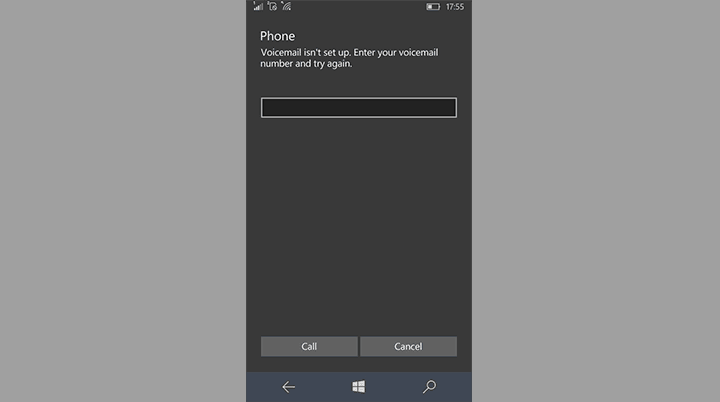
Windows 10 Mobile has a feature called Visual Voicemail, which allows you to quickly check all your voice messages. Before you start using Visual Voicemail in Windows 10 Mobile, you need to set it up first. In case you don’t know how to do that, just follow these steps:
Open the Phone app in your Windows 10 Mobile
Tap on the Voicemail () icon
Just enter the number of your voicemail, and you’re good to go
If you don’t have the voicemail number already, you need to check with your mobile operator to set it up. Also, keep in mind that Microsoft’s Visual Voicemail doesn’t work with all mobile operators, so there’s a slim chance your SIM doesn’t support it.
Once you got your Visual Voicemail set up, you need to know how to check it, when you receive a voice message. To check Visual Voicemail on your Windows 10 Mobile device, do the following:
Open the Phone app in your Windows 10 Mobile
Tap on the Voicemail () icon
All voice messages will be shown here, so just tap on a message to hear it
This is how you set up and check your Visual Voicemail in Windows 10 Mobile. As you can see, Microsoft made the process very easy, as no operator calls are required.
If you have any questions, or comments, just reach the comments section below.
RELATED STORIES YOU NEED TO CHECK OUT:
Microsoft’s Project Server 2016 now fully available to businesses and individuals
Microsoft Azure is becoming the most available major cloud provider globally. Today, Microsoft Cloud celebrated a new milestone announcing that they are expanding with two new datacenters in the South Korea regions. With availability to the cloud, South Korea will be able to expand digitally and perhaps even break into more innovations.
“The core of cloud service is security. Microsoft Azure is perceived as the trusted cloud service as it has numerous certifications from many international organizations. I hope the Microsoft announcement today provides Korea with an opportunity to increase awareness of the need for security in cloud services.” – Chun Shik Park, Professor of Information Security of Seoul Women’s University and the former Chairman, KIISC (Korea Institute of Information Security and Cryptology)
But South Korea isn’t the only one celebrating a release today! It’s been nearly a year since Microsoft had made the statement addressing all of the concern for data residency in Canada. But that won’t be a problem with the newly constructed and now generally available data centers in Toronto and Quebec City. Finally, Canadians will have no need to be concerned about the legalities tying data to a center stored beyond their local laws. Canadian business customers are also able to store and transfer their data to various other areas of the world where an Azure datacenter is stored for efficiency and continuity as well as making their connection to the public cloud privately via Azure ExpressRoute.
The blog noted that Canadian customers are going to have the opportunity to benefit from Dynamics CRM Online that will release in the next quarter.
“Working with Microsoft is a tremendous opportunity for Nova Scotia. We encourage innovation and we are excited to be taking advantage of the newly opened Microsoft Canadian data centre where we will begin moving more than 35,000 users to the Microsoft Canadian cloud over the coming years. Nova Scotia continues to be an innovative leader in Canada in many areas and this solution supports this visionary type of thinking.” – Labi Kousoulis, Minister Internal Services, Province of Nova Scotia
Over $15 billion has been put into the building of the cloud and expanding its reach across the globe providing cloud services such as the industry-leading security, privacy, control, compliance, and transparency. The Microsoft Azure, Office 365, and Dynamics CRM Online have been ISO 27001 certified and kept up to the SSAE 16/ ISAE 3402 SOC 1 and SOC 2 expectations.
That makes an impressive total of 32 Azure regions across the world, 24 that are available currently and not likely to stop anytime soon.
Electronic Arts and DICE are back in the driver’s seat after showing the word the first trailer for its newest game, Battlefield 1. This game is quite different from the others in the series and in general, from the type of first person shooters we’re getting today.
The difference between Battlefield 1 and other modern games such as Call of Duty: Infinite Warfare is the fact that it is not modern or set in the future. This game is all about bringing players into World War 1 and so there’s no jetpacks, fighter jets, or advanced weaponry. This is a game where players will only have basic weapons at their disposal.
When it comes to air combat, players can take advantage of biplanes to get rid of the enemies below. These things are not exactly the fastest, so it should be interesting to see how DICE manages to balance air combat with forces on the ground.
While the tanks in World War 1 won’t be as powerful as anything found in World War 2 or in modern times, they will be important for getting an entire squad from point A to point B. We’re likely to see something like this in the core multiplayer gameplay.
Don’t expect tanks to have massive guns similar to the ones in World War 2 — you’ll be disappointed. If you’ve played World of Tanks, then you should have an idea of what to expect.
As for the ground combat, be prepared to kick it in the trenches with only a few automatic weapons but a ton of one pop rifles.
Here’s the description of the game:
Take the battle from the scenic Italian coast to the scorching Arabian deserts. Discover classic Battlefield gameplay through an adventure-filled campaign, or squad up and join epic multiplayer battles with up to 64 players. Experience the origins of modern warfare where the old world was destroyed, giving way to the new one. Use the innovative, modern weaponry and vehicles of World War I as you battle across the land, air and sea. Make your mark on the battlefield with earth-shattering destruction, whether you’re blasting craters in the ground with artillery strikes or ripping apart walls with gunfire.
Xbox One and Windows PC players can jump in the battlefield before anyone else via EA Access. If you’re into games for your Windows 10 device, here are some of the best you should check out from the Windows Store.
Are you excited about Battlefield 1? Let us know in the comments below!
Microsoft’s Cortana is a super-useful virtual assistant, that can perform various tasks. Along with the most common assignments you give her every day, like organizing appointments, reading emails, and more, you can also ask her to quickly translate something for you.
Microsoft integrated Cortana with its Translator tool, making it easy for the virtual assistant to translate anything from more than 40 languages, including Klingon! With this ability, you don’t need to search for online translators if you need something to be translated quickly, you can simply ask Cortana to do it.
How to use Cortana for translation
No matter if you need Cortana to translate single words, or complex sentences, you can do it quickly. To translate a word or a phrase with Cortana, do the following:
Open Cortana and just type ‘translate’
Choose ‘translate’ under ‘Can i help you?’
A mini translation tool will open, and you can choose the language you want Cortana to translate to
Just write a word or a sentence you want to be translated, and press Enter
There you go, this is how you quickly translate anything with Cortana. Translating with Cortana can be even easier, you can just ask her to translate something simple, for example “Hey Cortana, how do I say Hello in Spanish?” and she will give you an instant translation. Of course, this works only for single words, and simple phrases, for more complex sentences, you’ll have to do it like we showed you above.
Microsoft constantly improves Cortana, so don’t be surprised if it gets even more advanced translation features in the future. We hope that you find translation with Cortana helpful after reading this article, in case you have some questions, just let us know in the comments.
Registry Editor is one of the most powerful tools of Windows PCs, but many people don’t know that registry editing is also possible in Windows 10 Mobile. That’s where we come in, to tell you that that action is actually possible, and show you how to do it.
You can’t edit registry files in Windows 10 Mobile the way you do in PC versions of Windows. To edit registry on Windows 10 Mobile, you need a special app, which allows you to dig into your phone’s registry, and enable some features and options that are not originally available on your device.
That app is called Iterop Tools, and it includes some handful features that will allow you to edit registry files in your Windows 10 Mobile device, and more. The app also features a History feature, which allows you to keep track of your recent activities in Registry Editor, and a Registry Browser which allows you to manually browse your phone’s registry.
How to run Registry Editor in Windows 10 Mobile
Before we show you how to use this app, we have to mention that this app is for advanced users. People who aren’t sure in what they’re doing should avoid it, because it could cause a permanent damage to your Windows 10 Mobile device.
If you have enough experience in using Windows 10 Mobile to use this app, follow these steps to download it, and start editing registry files on your Windows 10 Mobile device:
Since Intertop Tools is not available in the Windows Store, download it from this link
Transfer it to your Windows 10 Mobile device
Enable Developer Mode on Settings > Update & Security > For Developers
Find the app with File Explorer, and install it
Once it gets installed, you can find it in Settings > Extras > Intertop Tools
There you go, now you can edit registry files in your Windows 10 Mobile phone, and enable some amazing features, but remember to be careful. Another good thing with this app is that it supports Continuum, so if you own Lumia 950 or 950XL, editing your registry files should be even easier.
This app was developed by Gustave M, who is already a a well-known developer, therefore we consider it safe for installing on your device, although installing apps that are not available in the Windows Store is not always recommended.
Tell us in the comments, what do you think about this tool, and what features you managed to enable by editing registry files in your Windows 10 Mobile device?
RELATED STORIES YOU NEED TO CHECK OUT:
Microsoft’s Project Server 2016 now fully available to businesses and individuals
Microsoft just dropped a cumulative update for Windows 10, and it includes quality improvements and security fixes. While not widespread, since the release, though, some Windows 10 users on Reddit have complained that the update makes their computer slow. Microsoft has responded to such complaints, and a Microsoft employee has posted a workaround for the issue to the Windows 10 subreddit.
Posted by johnwinkmsft, the Microsoft employee notes that, “if your PC is abnormally slow after installing the update, you may be seeing a problem that I’ve been trying to track down for a couple of weeks.” To try and alleviate the slowness, though, the employee recommends to do the following:
Click in the Cortana search box to bring up Cortana
Click the Notebook
Click Settings
Move the slider under “Cortana can give you suggestions, ideas, reminders, alerts and more.” to “Off”
So, what do you think? Have you tried this trick? Has this trick worked for you? If so, please let us know by dropping us a comment below.
Today, Microsoft announced the general availability of a new Office 365 datacenter region in Canada. The new Canadian datacenter region will help Canadian corporations and government agencies meet strict security and compliance standards now that their Office 365 data is being stored within their national borders, while providing to all of the other security certifications Microsoft has garnered for Office 365 in general.
In an Office 365 blog post, an Office 365 spokesperson wrote:
The new datacenter region adds in-country data residency, failover and disaster recovery for core customer data at rest to customers in Canada. Canadian customers continue to have access to the full breadth of productivity and collaboration services available in Office 365 today.
The datacenter region is actually comprised of two datacenters, one in Toronto and one in Quebec City. Today’s news also comes on the heels of Microsoft expanding datacenter regions in Japan, Australia, and India. The increasing number of international datacenter regions will help make the case of continued Office 365 growth among foreign governments and corporations who follow strict compliance guidelines.
Part of Microsoft’s evolved branding of empowerment has been at the center of many of its recent endeavors that include a revamped operating system with Windows 10, making the cloud more accessible with Azure, getting Office into as many hands as possible with Office 365 and Web apps.
Microsoft’s march of empowerment has also extended to support small business, non-profit aid, and education. Today, the Office 365 team is carving out another empowerment niche that involves connecting Microsoft employees with teachers and students from classrooms around the world.
The new Microsoft initiative is called Meet the Microsofties and includes:
Using our Skype in the Classroom program through the Microsoft Educator Community, your students’ voices can shape the future of Microsoft technology for the classroom. Over Skype, connect with the teams that build the tools you use every day. Tell them how you use our technology right now, what you like and don’t like and what features you dream about. This is also a great opportunity for your students to learn about the importance of STEM and hear firsthand what a career in tech looks like.”
A meeting with a Microsoftie is expected to last roughly 20 to 30 minutes and includes conversations about product feedback, students and teacher’s experiences with Microsoft technology, suggestions on fixes and features, and career advice. While much of the conversations will revolve around Microsoft technologies in the classroom, students and teachers are encouraged to discuss whatever suits them such as recent technology news, opinions, or general questions about related topics.
Meeting a Microsofties is a relatively easy five-step process that involves:
Determine, which Microsoft group your classroom, would like to connect with over Skype. We have an initial kickoff list of teams and products, but this will be expanding every day.
Have the teacher register at the Microsoft Educator Community. If already registered, then just sign in.
Head over to the Meet the Microsofties area of the Skype Classroom area of our community and find a team you like—as an example, here is the Sway team’s landing page.
Find a time and date on the calendar and submit it.
The Microsoft team will get back to you, and you can set up the Skype call from there.
With the introduction of the Meet the Microsofties program, it would appear that Microsoft is looking to get even more direct feedback about its products and how they can be improved for teachers and students in classrooms around the world. In a crowdsourcing kind of way, educators and students will help shape the future of Microsoft’s products in the classroom and beyond.
The list of Backward Compatible Xbox titles is always growing, and today four new titles have been added to the list. In two separate tweets, Larry Hryb has announced that Final Fight: Double Impact, Faery: Legends of Avalon, Frogger 2, and Puzzelgeddon are all now available on Xbox One through Backward Compatibility.
Hop along with Frogger® 2 as you travel through more than 15 challenging levels filled with new enemies and obstacles. Each of the 5 exotic environments provides a new set of challenges but beware of the bosses that try to thwart your progress. Compete with up to 4 friends in 2 online multiplayer modes – Race Mode and Jewel Duel.
Set in an array of galaxies, Puzzlegeddon™ features a clever mix of puzzle, action and strategy in a game that is fast-paced and addictive! Compete for the top spot on the planet by creating multiple combos for the quickest way to gather enough resources to blast your enemies out of this world!
Final Fight: Double Impact takes you on a hard-hitting journey through Capcom history with the ultimate versions of arcade classics Final Fight and Magic Sword. Double Impact slams into your home with seamless online and local co-op multiplayer, new music by acclaimed remixologists, HD-filtered graphics, a host of unlockables to discover, and an integrated online leaderboard to prove your mettle!
Faery: Legends of Avalon is a big role playing game with a very distinctive ambience and graphic style. Create your character, embark in a great adventure and discover the fantastic world of Avalon. You will have to understand why this magic world is dying, and save the kingdom from certain disappearance. In a thrilling adventure where your choices will shape the story, develop your character, his abilities and special powers, as well as his equipment through the victorious battles and accomplished quests! Numerous dangers await you and the battles against some of the creatures and monsters of the game promise to be formidable. Gain power and experience, and assure the support of friendly companions you will meet through your journey. Carefully select who will fight at your side, and live the incredible experience of being accompanied by a dragon, a troll, fairies and other fantastic creatures!
Faery: Legends of Avalon
So, what are your thoughts on these titles? Do you think you will download any of these titles? If so, be sure to drop us a comment below and let us know why!