The latest Windows 10 Mobile Insider Preview build 14322 brought a lot of improvements to the OS, but mainly focusing on improving the settings app. One of the new features of the Settings app is the Navigation bar page, which allows users to bring a little customization to this UI element.
Navigation bar is navigation bar, and there isn’t much you can do to change it. But, there are a couple of settings which can customize the bar at least a little. To access the new Navigation bar settings page that was introduced with the latest Windows 10 Mobile Preview build, go to Settings> Personalization > Navigation bar.
From here you can choose whether you want the Navigation bar to vibrate when you tap it, or not. You can also set the Navigation bar to turn off the screen, when you double tap it. This is probably the best option of the Navigation bar, as a lot of people find it easier to just tap on the Navigation bar to lock the phone, instead of pressing the side button.
These options were available in Windows 10 Mobile Preview even before, but it’s the first time that Microsoft dedicated a whole Settings page to the Navigation bar.
There’s also one Navigation bar customization you can perform outside the Navigation bar Settings page. You can set your system colors to apply to the Navigation bar. To do that, go to Settings > Personalization > Colors, and turn on the “Apply color to navigation bar” option.
So, if you’re not satisfied with how your Navigation bar looks or performs, you can tweak it with these settings. Once again, you can’t do much, but there are some options, at least.
Microsoft CEO Satya Nadella discussed Microsoft YouthSpark back in September of last year where he promised to dedicate $75 million to the program. Now, seven months later, details on how some of that money is being spent have been revealed; It’s being invested in 100 non-profit organizations in 55 countries all over the world.
These organizations, mostly local schools, businesses and community groups, will help underprivileged youth with little opportunity to learn computer skills, do so in a safe and professional environment. Participants will receive training that will not only give them practical skills but will also prepare them for job applications and future careers in a variety of industries.
Microsoft YouthSpark will work in tandem with the company’s other programs such as Hour of Code with Code.org, BBC micro:bit, and TEALS and according to Mary Snapp, Microsoft’s Corporate Vice President and Head of Microsoft Philanthropies, Microsoft will also be working with governments t change policy.
“We also recognize that governments play a critical role in continued progress on this important issue,” she says on their ambitious targets. “We continue to work with policymakers around the world to support the policy and funding necessary to expand computer science into public education. In the U.S., we’re proud to support Computer Science for All, a national effort created by President Barack Obama to give all American students the opportunity to learn computer science in school.”
Later in April this year, Microsoft will be holding a YouthSpark Summit at the Microsoft campus in Redmond. “We’ll learn, discuss, share ideas and develop action plans so that, together with our partners, we can continue to improve and bring better knowledge and expertise to local communities,” Snapp explains. “Every young person should have an opportunity, a spark, to realize a more promising future. Together with our non-profit partners, we are excited to take a bold step toward that goal today.”
Battle Ages and Masquerade: The Baubles of Doom (actual title) are out today on Microsoft’s Xbox One.
Battle Ages is similar to the Age of Empires and Civilisation games where players take control of one civilisation and progress through the ages while advancing their peoples’ technology and culture. Here’s the official description:
Storm through history and conquer your enemies in this awesome combat strategy game! Progress from the dawn of mankind, build your civilisation, and lead it through thousands of years of advancement from the discovery of fire to the invention of the telegraph in exciting PvP combat of epic proportions. Use your workers to build cutting edge industry, build and upgrade your defenses and employ great scientific minds of the era to research fantastic weapons of each distinct age. Train your military and send armies out to lay waste to nearby settlements and steal their stashed riches. Join the race through time and fight to be the most powerful leader in history!
The game currently features six ages to work through, and allows for online connectivity between friends and strangers.
Masquerade: The Baubles of Doom is an action-fantasy give with a quirky art style and sense of humor. Here’s the official description:
Masquerade is an action-adventure set in the fantasy world of The Realm, centered around a battle for the mythical Druid Orbs, the most powerful pair of balls in all the land. Join Jaxx, the wise-cracking jester, and his beautiful enigmatic partner in crime, Comedia. Armed with a map that reveals the secret location of the Orbs, Jaxx and Comedia soon find themselves on the run from the Clown
Masquerade: The Baubles of Doom has been available for pre-order and pre-download for a while now and is playable as of today.
Have you played either Masquerade: The Baubles of Doom or Battle Ages yet? Which one do you think is the better game? Let us know in the comments below.
Microsoft has just released several classic arcade video games on the Xbox One, Pac-man, its sequel Ms. Pac-Man, Galager, and Dig Dug.
All four games are presented in specially designed frames that contain the classic gameplay, and each has scanline and sound settings that can either modernize the presentation or mimic the way each game originally looked back when they were released in the early 1980s.
Here’s the official description for Pac-man:
First appearing in arcades in 1980, the masterpiece PAC-MAN finally comes to Xbox One!
Move PAC-MAN up, down, left, and right to eat all the Pac-Dots, while avoiding the ghosts, to advance to the next stage.
Eat a Power Pellet to turn the tables on the ghosts and rack up a huge score!
With simple rules but deep gameplay, it’s easy to see why the adorable PAC-MAN took the world by storm!
PAC-MAN was awarded the Guinness World Record in 2005 for being the most successful coin-operated arcade machine in history.
First appearing in arcades in 1981, the masterpiece GALAGA finally comes to Xbox One!
Move the fighter left and right, and destroy the waves of incoming aliens in this space-age shooter.
Destroy all the enemies to advance to the next stage!
Retrieve a captured fighter and combine into a Dual Fighter!
Try your hand at Challenging Stages that appear after every few levels, and aim for a perfect score!
With multiple enemy formations, the high-risk, high-reward of the Dual Fighter, and the Challenging Stages, there’s plenty here for even the most hardcore players!
First appearing in arcades in 1982, Dig Dug finally comes to Xbox One!
Dig up, down, left, and right and burrow through the earth.
Inflate and pop enemies with your harpoon to defeat them, or squish them with a rock.
Lure enemies into a tunnel and crush several at once for massive points.
Defeat all the enemies on the screen to advance to the next stage!
Perform a range of techniques, including the rock drop and the “pump and stall,” using just 4 directions and a single button! The original and best “underground smash hit!”
With cute pixel-art graphics, vivid colors, rhythmical beats, and distinctive SFX, the beauty really is in the details.
This latest port comes with scanline and sound settings, and the option to switch between the old and new versions – perfect for devoted diggers!
Enjoy the masterpiece that fervent fans have flocked to play!
Microsoft has also released the Arcade Game Series 3-in-1 Pack which contains Pac-man, Galager, and Dig Dug all for the price of two games. Ms. Pac-man’s absence from the pack does seem a little strange but since her game is often regarded as superior to the original Pac-man, those involved in the marketing may have simply assumed that most gamers were already going to buy her game anyway.
Are you going to grab any of these classic video games? Which one’s your favorite? Let us know in the comments below.
In September 2015, the Project team announced a list of apps and add-ins that they were working on for Project Online. With advancements in cloud-based solutions, the team and their partners focused on bringing innovative techniques to help users manage the simplest to advanced tasks. Today, one of those long term projects has finally been released, the Project Portfolio Dashboard.
The Dashboard is full of features that make it easy to use right out of the box for most users with pre-configured templates. The templates can be organized for more specific organizational needs, giving project managers insights to more efficient resource utilization, project performance, overall costs and profit, recorded risks and issues, and key milestones. If the default dashboards don’t have exactly what the user wants, users can create their own dashboard.
Project Portfolio Dashboard provides project managers efficient ways to collect and analyze data.
Information is now provided directly on charts, allowing managers to select an area of the chart to drill down deeper into the finer points. And switching between reports is easily accessed with different sections. Moving from Overview to Projects, Tasks, Resources, and Content is as easy as selecting the view from a drop down menu. Still too much general information to sift through? The Dashboard has filters that will refine even further. The user can create custom fields to highlight the information that is most important to them.
With Project Online integration, using the Project Portfolio Dashboard is a seamless experience across the web apps and Windows or iPad app.
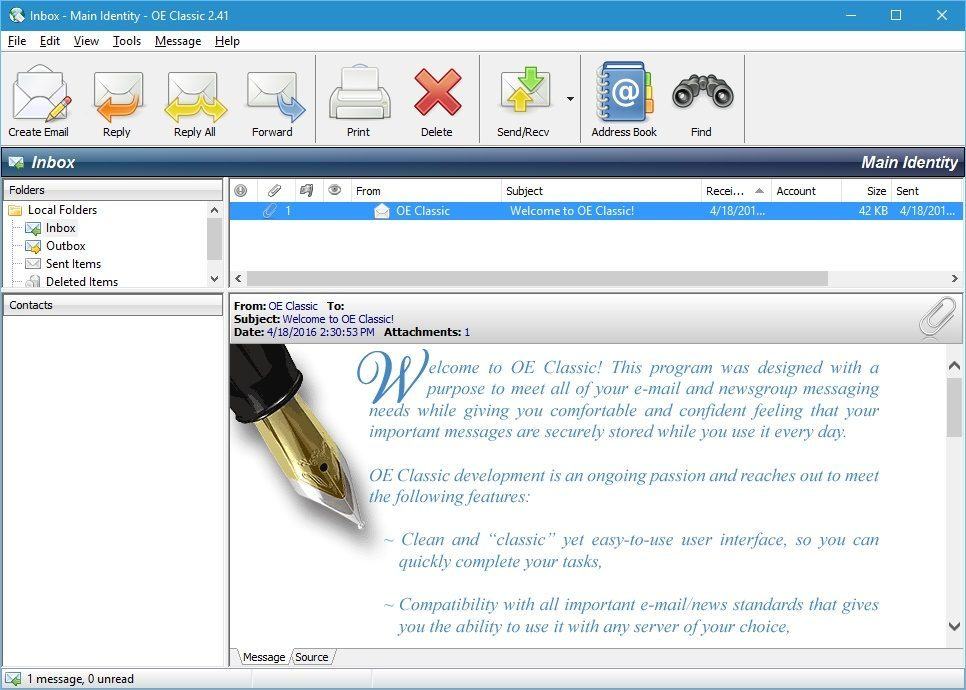
Emails are one of the most used means of communication today, with millions of them sent on a daily basis. With the development of webmail services, many people have switched from standard email clients even if webmail isn’t always the best option. Some users are unsurprisingly used to their favorite email client and prefer not to switch to webmail. If you’re one of those users, you might be interested in an email client called OE Classic.
OE Classic is a noteworthy Windows Live Mail alternative
Probably one of the most known email clients is Outlook Express, a program eventually replaced by Windows Live Mail. Microsoft released Windows Live Mail as an Outlook Express successor, with the email client receiving a hearty reception from Windows users. Even though Windows Live Mail was released way back in 2007, it quickly became one of the most used email clients on Windows platform.
Microsoft kept working on Windows Live Mail for years, but eventually, the development of this email client was canceled. The last patch for this email client was released in 2012, and ever since then Windows Live Mail remains unchanged, leaving many of its bugs and vulnerabilities present. Still, Windows Live Mail works great on Windows 10 and older versions of Windows. Unfortunately, Microsoft dropped support for Windows Vista and Windows XP, instead deciding to focus on modern operating systems instead.
Since Windows Live Mail isn’t being developed anymore, it might not be the best application to use. Fortunately, there are many alternatives available, one of them being OE Classic. OE Classic is a small, simple email client, and its development team constantly working on it— making it one of the safest email clients available.
OE Classic takes the simplistic and minimalist design of Outlook Express and brings it to the Windows 10 platform, and is available on most versions of Windows, unlike Windows Live Mail. Older versions of Windows Live Mail will work on older versions of Windows, but they will lack major improvements and security patches, and so might not be the best choice if you’re concerned about your safety.
This email client is constantly being improved with new features, with the development team even entertaining feature requests. A standout is OE Classic’s secure message storage, built to preserve messages even if the PC it’s being used on loses power. Both Outlook Express and Windows Live Mail don’t have a feature like this, sometimes resulting in corrupted messages in the inbox.
Another feature that sets apart OE Classic from Windows Live Mail and its predecessor is the ability to easily move emails to a different computer. Using this feature ensures user won’t have to download all emails all over again, instead exporting their emails to continue where they left off. In order to achieve this, OE Classic stores data in SQLite/MBX public domain database formats.
OE Classic updates the simplicity of Outlook Express with new features. If you used Outlook Express or Windows Live Mail, you should definitely give OE Classic a try. We guarantee that you’ll feel right at home while using this application, and if you want to see a new feature added, the development team is always ready for suggestions and ideas.
Microsoft introduced a new set of emoji to Windows 10 Mobile with the latest Preview build 14322. This is indeed a refreshing change since the previous set of Windows 10 Mobile emoji has been out for quite some time now.
If you’re a Windows 10 Mobile Insider running the latest Windows 10 Mobile Insider Preview release, all you have to do to start using the new emoji set is to open your keyboard. New emoji are installed along with the build, and no additional adjustments are required.
While you can use the new emoji set in every app that supports Windows 10 Mobile keyboard, we think that the new emoji set will be especially useful on social networks and communications apps like Facebook Messenger, Skype, Viber, or WhatsApp.
Microsoft released the same emoji set for the PC version of Windows 10 bundled in the latest Preview build 14316. Since emoji are not the only thing Microsoft has made the same on both Windows 10 and Windows 10 Mobile (Battery Saver and Active Hours are also very similar on both operating systems), it’s easy to see that the company has put a lot of effort to deliver identical, or at least very similar. features to Insiders on both platforms, which fits its cross-platform ideology.
Microsoft also made a few slight changes to the emoji section of the keyboard to better align with the new emoji set. Just like it was the case before, emoji are divided into a few categories: Favorites, Smileys and Animals, People, Celebrations and Objects, Food and Plants, Transportation and Places, Symbols, and ASCII emoticons.
If you’re running the latest Windows 10 Mobile Preview release, tell us in the comments below: do you like the new emoji set that arrived for Windows 10 Mobile with build 14322? Or are some emoji are still missing for you?
Malware programs can infect your computer without you even being aware of it, working silently while extracting the information they’re after. On the other hand, malware like ransomware is quite obvious, making no efforts to hide their presence.
Ransomware are malicious programs that restrict access to the infected computer system, only to demand that the user pay a ransom in order to regain access to the system. Ransomware does the dirty deed in two different ways: either it encrypts files on the system’s hard drive or locking the system completely and displaying a message demanding the user to pay.
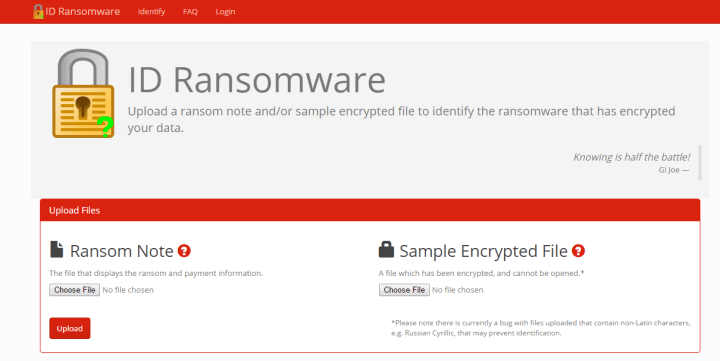
If you have been infected and need to know which malware family encrypted your data, you can use ID Ransomware to find that out. All you have to do is upload an infested file or the message the malware is displaying to your screen. ID Ransomware can currently detect 55 types of ransomware but does not offer any file recovery services. Here’s the list with all the ransomware it can identify:
Uploaded files are analysed against the database of signatures. Results are ordered by the number of matches found between the malware and the data base. If the malware is identified, the files you uploaded are deleted. Once the rasomware type has been identified, you can search by the threat name to get the latest recovery information. Since many ransomware share similar extensions on files, in some cases, the results are not 100% clear.
If no results are found, the uploaded files are shared with trusted malware analysts for further analysis or for identifying a new malware type. As far as data confidentiality is concerned, ID Ransomware states clearly:
With that said, I cannot guarantee files are kept 100% confidential. The data is temporarily stored on a shared host [to be shared with trusted malware analysts if necessary], and I am not responsible for anything done otherwise with this data.
Obviously, our advice is to install an anti-malware software in the first place and avoid suspicious sites or files. We recommend BitDefender’s free BDAntiRansomware.
If you’re a part of the Windows 10 Mobile Insider Preview program, the most important thing for you are updates and new builds. Installing new updates can sometimes interrupt your work, though, something that can be pretty annoying.
Luckily, one of the improvements with the latest Windows 10 Mobile Preview build 14322 brought is the ability to set your Active Hours on Windows 10 Mobile to avoid installing a new build or update while you’re using your phone. When you adjust Active Hours, your Windows 10 Mobile device will only install new updates outside that period, so unwanted installations won’t bother you anymore.
How to set Active Hours on Windows 10 Mobile
To set Active Hours, do the following:
Go to Settings
Go to Update & security, and then to Windows Update
Go to Change Active hours
You can now set Start time and End time, and you’re good to go
Once you set your active hours, your Windows 10 Mobile device will avoid installing new updates during that period. You can, of course, change your active hours at any time by repeating steps from above.
If you use your Windows 10 Mobile device mostly during the day, you’ll logically set updates to install during the night, and vice versa. That way, you can use your phone normally without worrying that a random update will interrupt your phone’s usability.
Just like it was the case with Battery Saver, Microsoft also made this functionality almost identical to the PC version. So, if you already set active hours on your Windows 10 PC, doing the same thing on Windows 10 Mobile won’t be a problem.
Windows 10 Mobile Insider Preview build 14322 brought a lot of improvements to the OS, with one of them being the redesigned Battery Saver settings featuring some functionality improvements and other minor tweaks.
The most notable change is that all battery-related settings are now put under a single section, titled Battery Saver. Battery Saver and Battery Sense are also merged on phones that featured this option. Now, all battery settings can be accessed in one place without having to go through various windows.
Besides the fact that all settings are now in one place, no other notable changes were made. You can still see current battery percentage and an estimate of how long the battery should last. Additionally, there’s also an option which shows the battery usage of individual apps, so you can check out which app uses the most power.
Instead of going to Battery saver settings as before, all settings are now available on the main screen. So, you can set Battery Saver to turn on when the battery levels falls below a certain percentage with the option to set the desired percentage underneath (20% is set by default).
To access the Battery saver settings, go to Settings > System > Battery saver. You can also access the Battery saver settings directly from the Action Center by tapping on the Battery saver shortcut.
As Microsoft said, the latest build revamps the Battery saver settings to look like the Battery saver on Windows 10 Preview for PCs and as a result, both versions are almost identical. So, if you’ve installed the latest Preview build on both Windows 10 and Windows 10 Mobile, you’re going to pretty much get the same Battery saver experience.
Microsoft brought a lot of improvements to Windows 10 Mobile with the latest Preview build 14322. With Windows 10 Mobile’s more user-friendly focus, these improvements are mainly related to the user experience although there are some functionality improvements, too.
One improvement that caught our attention is the revamped Glance Screen option which received a few changes, changing it up compared to the previous Windows 10 Mobile Insider Preview build. First off, the Glance Screen option in the Settings app was moved from the Extras section and can now be found under Personalization. So, to access the Glance Screen, go to Settings > Personalization > Glance screen. Besides changing the location of the Glance screen option, the new build also simplified it so users can now set their glance screen easier.
[irp posts=”26991″ name=”100+ Best Windows 10 Store Games to Play”]
Also, since the Glance screen settings are moved, you don’t have to download and update it from the Store anymore. All future updates are going to be applied along with the new build.
How to use the revamped Glance Screen in Windows 10 Mobile
When you open settings for the Glance screen, the first thing you have to decided is whether or not you want it to appear when the screen is turned off. If you set this option to “On,” you’ll then have to choose the length of time you want it to stay on your screen. You have various options, from 30 seconds to ‘Always on.’
Additionally, you can set your Lock Screen picture to show on the Glance screen when your display is turned off. Microsoft added this option with Windows 10 Mobile, as it wasn’t present in Nokia’s original version of the glance screen.
Of course there’s also the Night mode, which dims the Glance screen during select hours. You can choose the Start and End time of the Night mode just underneath. Another Glance screen option added with Windows 10 Mobile is the ability to show time, date, and status notifications with the Glance screen. So, if you received a new message or a new email, you’ll be notified even if your display is turned off.
And finally, you can also set exceptions for the Glance screen, like the option to always show Glance screen while charging and the ability to override charging settings with the Night mode.
The Glance screen could be very handy option, but unfortunately not all Windows 10 Mobile devices have it. So, if you want to use the Glance screen option on your phone, make sure your device supports it.
TV boxes are becoming more and more popular among Windows 10 users for many reasons. First, they offer a series of interesting features packed in one tiny device that can be connected to other devices. Secondly, they come in small sizes which makes them easy to carry around. Let’s see what are the best Windows 10 TV boxes at the moment.
Voyo’s latest model is powered by an Intel Cherry Trail X7-Z8700 processor backed by Intel HD Graphics. Thanks to its processor, it can reach a maximum clock speed of up to 2.4GHz. The 8th Generation Intel HD Graphics GPU offers a high definition experience for viewing pictures and videos.
Voyo V3 sports Bluetooth 4.0 and can be easily paired with many Bluetooth devices (computers, smart TV sets), and also features one HDMI port and one USB-C port. Connect it to your smart TV and dive into a HD movie experience.
This TV box is equipped with an Intel Cherry Trail Z800 processor that features a quad-core processor and 8th Generation graphics. The processor clocks in at 1.84 GHz and is supported by 2GB of RAM. As far as the connectivity features are concerned, the Rikomagic RKM MK36S includes two USB 2.0 slots, one USB 3.0 slot and one HDMI port. You can also use it as a mini-PC.
Of course, it is not as fast as VOYO V3, but if you’re not willing to spend too much money on a TV box, the Rikomagic RKM MK36S TV Box is the right choice for you.
This TV box is powered by an Intel CPU Intel Atom x5-Z8300 Processor (2M Cache, up to 1.84 GHz) with IntelGraphics and was launched back in January 2016. It sports 2.4G/5.8G WiFi for a more stable Wi-Fi signal allowing you to enjoy a higher quality video experience to help turn your home into a theater. In terms of connectivity, it offers Bluetooth 4.0 and USB 3.0 for high speed data transmission.
This TV box is equipped with an Intel Cherry Trail-Z8300 1.84GHz processor and supports the following video formats: MEPG 1/2/4, H2.63/H2.64, RMVB, WMV/VC-1, MVC, AVS, MJPEG (1080P). It has a 64GB storage capacity which can be extended to 128 GB and is equipped with two USB 2.0 ports, one USB3.0 port and one HDMI port. It is compact and comes in two colors: black or white.
This device is powered by a Cherry Trail Z8300 14nm 1.8G 64-bit processor and offers 8th Generation Graphics. With a fanless design, the Ara X5 offers quiet but stable system performance. The device supports the following video formats: HD MPEG1/2/4, H.264, H.265, HD AVC/VC-1, RM/RMVB, Xvid/DivX3/4/5/6, RealVideo8/9/10.
It can also be used as a computer and features built-in Cortana functionality in Windows 10. However, its performance as a mini-PC isn’t that good, so we suggest that you use it primarily as TV box.
It’s the never-ending cycle of technology, and Microsoft’s solutions aren’t any different. Out with the old, and in with the new! About a week ago, The Exchange Team posted a blog marking the one-year countdown for Exchange Server 2007. As of next April, the server will cease to be supported.
Users are being advised to start planning a migration to one of the more recent servers. Customers can use the option to upgrade via mailbox move to Exchange Server 2010, Exchange Server 2013, Office 365, or the more current Exchange Server 2016. While the expiration date for Exchange 2007 doesn’t leave many options, there is a large list of benefits including better collaboration, smarter inbox, mobile productivity, simplified architecture, and expanded security and compliance compared to its predecessors.
If none of those options seem appealing, Office 365 makes transitioning easier through Microsoft FastTrack. FastTrack is a customer service that works with the user to assess, remediate, enable, and migrate eligible services for customers with 50 seats and above.
For more detailed information on how to begin the process of migrating your messaging infrastructure, the blog post has links for each specific option.
Microsoft is currently attending the 2016 NAB show and announcing new services and tools that customers can look forward to in various industries. WinBeta recently reported on the news of EV charging network Volta integrating Microsoft’s Azure platform to its backend to optimize performance and provide brand exclusives to its service.
Now, Microsoft is announcing the launch of Video Pulse at the 2016 NAB Show as well. While Video Pulse has been a part of Microsoft Pulse since last month, the company has now decided to put Video Pulse in an ‘open preview’ and made available to all Pulse users.
Backtracking just a bit, Microsoft Pulse is a tool designed to help customers measure the live reactions of audiences and customers using real-time engagement, research, and learnings in one concise service. Microsoft’s Pulse has been used to service telecommunications companies such as Telemundo during the GOP Presidential Primary and CNN, MSNBC and NBC during the 2016 State of the Union address to mention a few. Microsoft’s new Video Pulse demoed at this years’ SXSWedu media, film and music convention, is intended to take the Pulse service “beyond the live interaction realm to allow teachers, researchers, broadcasters, and professionals of any kind to collect feedback on recorded video.”
Video Pulse is designed to capture data and transmit information on any digital property, at any given time. Dritan Nesho, Head of Microsoft Pulse describes the intent and future of Video Pulse as such:
With Video Pulse we will introduce a new format of digital content rating to the marketplace. Customers will soon have the ability to upload video content and have it rated quickly and at scale, across digital space and at any time, and in a detailed and complete way around the questions and attributes that matter to them most.”
With today’s announcement and release, Video Pulse will be out in the wild for professionals to incorporate into their various workflows, testing methods and research as they see fit. For more information about Microsoft’s Pulse and Video Pulse software, follow the Pulse team via their Twitter handle .@microsoftpulse or LinkedIn for more detailed postings.
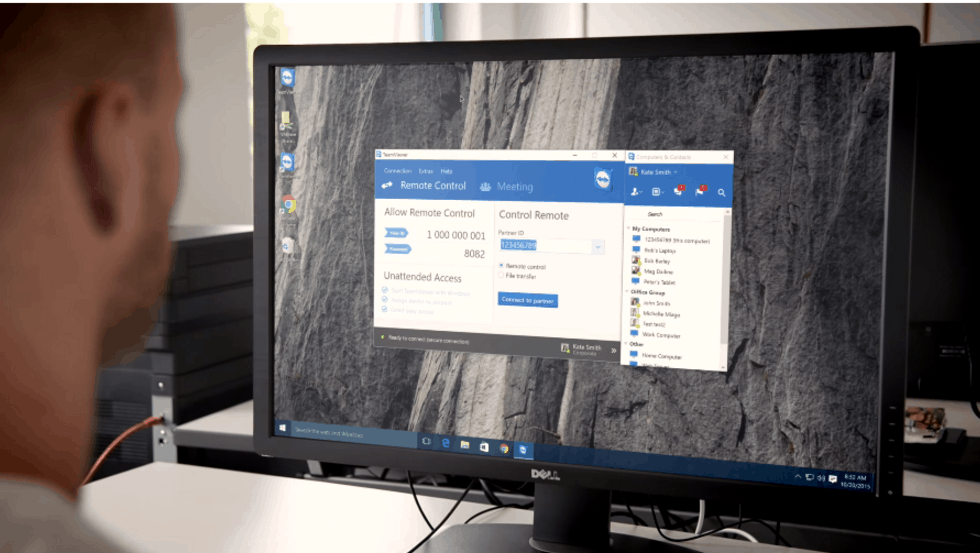
Kornelius Brunner, VP of Product Management, explains why it is important that TeamViewer supports new Windows features for personal and enterprise customers:
“Since our inception in 2005, we have worked closely with Microsoft and have quickly provided support for any new Windows development. We are constantly working to be SMBs’ and enterprises’ first choice when it comes to remote access, which is why we are extremely proud to be one of the ten most downloaded productivity apps in the Windows Store for Business.”
With Continuum, users can use TeamViewer Remote Control app on their Windows 10 Mobile device with the use of a Display Dock for maximum portability. The new update also allows Cortana integration with the TeamViewer Remote Control app to allow a seamless Windows 10 experience across all devices.
Microsoft realizes the importance of having TeamViewer as a partner to help grow relationships with enterprise customers. Microsoft’s Head of Windows and Surface Unit, Oliver Gürtler, welcomes TeamViewer’s Continuum and Cortana support:
“TeamViewer is an important partner to Microsoft and we welcome the development of the new Windows 10 Universal App. The support for functionalities like Continuum and Cortana utilizes the innovative force of the Windows platform and demonstrates TeamViewer’s strategic vision and pioneering spirit.”
Download TeamViewer Remote Control app in the Windows Store.
Volta Charging currently holds a free, electric vehicle charging network that services high-profile properties in big US cities such as San Francisco, Los Angeles, San Diego, Phoenix, Honolulu and Chicago. To expand its offering, the charging network will soon integrate Microsoft Azure to optimize performance and provide brands exclusive access to audiences via tailored advertising.
According to Volta’s press release, the company’s network will leverage the Azure cloud platform to “exhibit brands’ digital content at high-traffic public locations, showcasing interactive and demographically relevant, targeted media on Volta’s charging stations’ digital displays.” Precisely, Microsoft’s Azure live analytics data allow Volta to integrate interactive media resulting in increased user engagement for advertisers. The EV charging network also adds that it has a proprietary algorithm that can recognize viewer demographics and use that information to serve hyper-relevant media in real-time.
Microsoft Corporate Vice President of Developer Platform & Evangelism and Chief Evangelist Steven Guggenheimer shared in the press release:
“Microsoft is working with our partners around the world to discover and implement innovative ways to transition to a sustainable, low-carbon future for our planet. Volta EV charging stations utilizing Microsoft Azure media services, machine learning and analytics inspires such sustainable behavior that brands can use to support their retail strategy.”
If you plan to attend the NAB show in Las Vegas this week, Volta will be exhibiting the Volta EV Charging Station within the Microsoft booth. Microsoft announced many new Azure Media Services features this week and we’ll continue to follow how the Microsoft intelligent cloud helps to bring to market new innovative solutions.
Beyond the division of consumers and business sectors, there is a third, sometimes under-appreciated segment of people who rely on tech to help empower them to get things done and that’s education. As much as Microsoft’s known for its foundations in businesses and its sometimes arguable missteps in consumer markets, the company has made significant end roads in providing educators and students with tools necessary for success.
Microsoft’s latest educational tool set includes products and services such as OneNote, Sway, and Surface tablets. Lauren Pittman, a special educations teacher at Holly Spring Elementary School in Georgia, took some time to go over how Microsoft’s Learning Tools have helped help her and fellow educators reach their SPED students.
Pittman describes SPED as being a resource special education teacher for students that typically two-plus years behind an average student in reading, writing, and math skills. With various learning hurdles to overcome, SPED students present Pittman and other educators a unique challenge in helping them achieve their “average.”
This year, I decided that I wanted to make that same journey and make my classroom paperless. I went to my technology project specialist, Sandi Adams, and my principal, Dr. Dianne Steinbeck, and told them about what I wanted to do. Sandi sprinkled her magic and we were off and running. My students were awarded Surface tablets to use this year and this helped us take another step forward on our journey. I worked all summer to get our OneNote Notebook ready and when the day came that we got our Surface tablets, we were more than just off and running—we were sprinting.”
While the Surface tablets offer greater mobility and immediacy for a child with various learning challenges, Pittman found OneNote to be the standout service that helped her the most.
In order to help my students find their educational success, I decided that OneNote was going to be the base tool for our room. I took everything that I normally would do on paper and transformed it into a digital working binder. When my students first started working with the OneNote Notebook, they were blown away. One of my students said, “I will never have to worry about finding my work again,” and he was right. To this day, he has never lost any of his work, and for anyone with an ADHD student, you know how mind-blowing that seems.”
Specifically, Microsoft’s Learning Tools for OneNote helped centralize all of OneNote’s capabilities in an easy to digest tool for Pittman’s students. Learning Tools for OneNote include enhanced dictation, immersive reading, font spacing and short lines, syllabification, and comprehension mode to boost independent learning.
OneNote and Learning Tools are the perfect combination that I had been looking for. If you teach SPED or have these students in your classroom, you now have an easy-to-access and easy-to-use tool at your fingertips to help transform their education. You can watch these students go from “educational black hole” to “sky’s the limit.”
As classrooms slowly integrate newer technologies into teaching methods, it is becoming apparent, that the transition is benefiting all. From school faculty to its special education students, Microsoft is helping to provide tools that are customizable, flexible and attentive to accommodate a plethora of learning situations and needs.
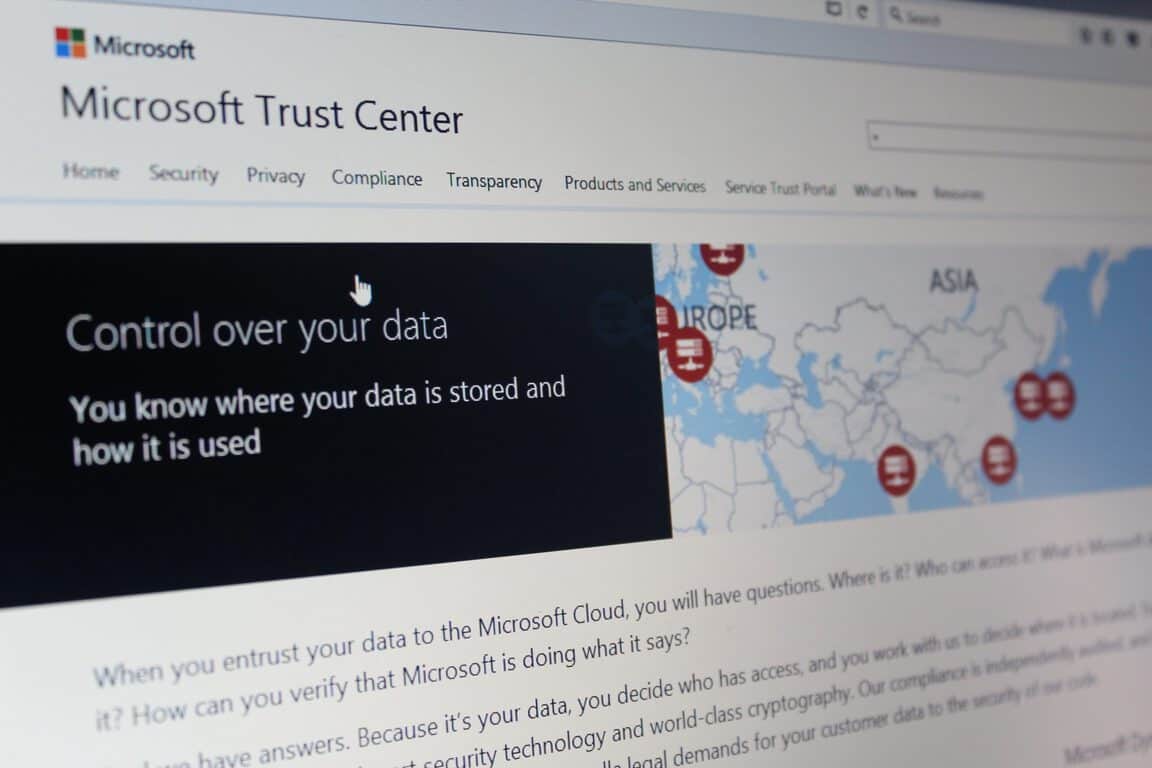
Back in November of 2015, Microsoft launched a Trust Center to create a central point of reference for cloud trust resources, and also to detail their commitments to privacy, control compliance, and transparency. Today, the Microsoft Trust Center is expanding and getting more enterprise cloud services.
The expansion means that Microsoft Commercial Support, Microsoft Dynamics AX and Microsoft Power BI will now be joining Microsoft Azure, Microsoft Dynamics CRM Online, Microsoft Intune and Microsoft Office 365 in the Trust Center.
Two new compliance attestations—ENS in Spain and FACT in the UK— also make their way into the Trust Center today. These certifications will now bring the global certification total to 37, which is the most comprehensive of any major cloud service provider in the world. As detailed by Microsoft, information on these compliances can be seen below:
ENS. The Esquema Nacional de Seguridad (National Security Framework) in Spain provides ICT security guidance to public administrations and service providers. Microsoft was the first cloud service provider to receive the ENS certification—for Azure and Office 365
FACT. The Federation Against Copyright Theft in the UK developed a certification scheme based on ISO 27001 that focuses on physical and digital security to protect against the theft of intellectual property. Azure was the first multitenant public cloud to achieve FACT certification.
MPAA. Azure was the first hyper-scale cloud provider to comply with the Motion Picture Association of America guidance and control framework for the security of digital film assets.
CS Mark. The Cloud Security Mark is the first security standard for cloud service providers in Japan. Microsoft achieved a CS Gold Mark for all three service classifications: Azure for IaaS and PaaS and Office 365 for SaaS.
Trust Center Organizations.
More details on the Microsoft Trust Center can be obtained by visiting their website here. The center is a testament to Microsoft’s attempts at protecting, verifying, and securing your data.
Just a week after we told you that Microsoft had filed two FCC filings for wireless radio devices pointing to possible Xbox One hardware revisions this year, today a new report from The Verge adds more weight to these “Xbox 1.5” rumors. According to the report, Microsoft could be testing new Xbox One prototypes that could help Microsoft compete against an upgraded Playstation 4 from Sony:
Sources familiar with Microsoft’s Xbox plans have revealed to The Verge that the company has been testing a variety of prototype Xbox devices. Some of the prototypes have been tested with upgraded components you’d use to improve the performance of a PC gaming rig. A new wireless chip could be just a small part of the optional hardware upgrades to the Xbox One that Microsoft is planning.
Following Build 2016, Xbox boss Phil Spencer gave a lengthy interview to GameInformer where he explained that he was “not a big fan of Xbox One and a half”, but would prefer to “move forward in big numbers”. This new report makes it clear that Microsoft is working on new Xbox One models, but it’s still not clear what this mid-cycle hardware refresh would be used for. Could Microsoft just shrink things down and optimize power consumption as well as wireless capabilities, or bring a more powerful and future-proof Xbox One that supports 4K and VR games? Please tell us what you would like to see in the comments.
Last week, Gears of War 4 developer The Coalition teased us with a brand new video preview of the upcoming Xbox One exclusive game. The trailer, called “Tomorrow,” connects the legacy of the Fenix family from father to son and brings back the franchise to the dark tone of the original cult classic game:
It seems that Xbox fans really enjoyed it as the trailer has become the #1 watched Xbox video on the official Xbox channel after just nine days and more than 7.2M views. Head of Xbox Games Marketing Aaron Greenberg celebrated the news on Twitter today:
Microsoft has been a fairly progressive company for many years now when it comes to the environment. Since 2012, the tech giant has been completely carbon neutral, and they often assist or create programs relating to conservation and wildlife protection as seen in their recent efforts at Woodland Park Zoo.
To better showcase all of their environmental policies and efforts around the world, Microsoft has started a new website named, Microsoft Environment. This new site, in addition to promoting the latest eco-related projects, also contains detailed information on the lifecycle of Microsoft products.
Microsoft’s Rob Bernard says of the system, “We manage the complexity of the return and recycle phase by partnering with recycling organizations, joining forces with collection schemes, and working with retail stores and other partners to facilitate the return and recycle process for consumers. Our Refurbished PC Program, for example, helps reduce e-waste by encouraging the purchase of certified used products through a Microsoft Authorized Refurbisher. It’s an economic and environmentally-friendly solution that we’re proud to offer for our customers and the planet, and it now offers Windows 10 devices.”
Do you have a favorite Microsoft Environment program? Do you think they should do more? Let us know in the comments below.
Four new video games are out today on Microsoft’s Xbox One console, Lichdom: Battlemage, Skyling: Garden Defense, Party Hard, and Pang Adventures.
Pang Adventures is a modern re-release of a 90s arcade game which has been given new graphics and features for 2016 gamers. The game can be played solo or with local co-op, has three different modes, a variety of upgradable items, and more than 100 levels. The game is available today to buy and play. Here’s the official description:
The Pang series is a beloved collection of arcade video games from the early 90s. Guide two brothers on a quest around the world to save humankind from a massive alien invasion! Use your wits and skills to overcome the attack balls pouring from the skies and rescue the world’s cities and landmarks from impending annihilation!
Party Hard is kind of a stealth-detective game that takes place over 19 randomly generated levels with unlockable characters and special events. Party Hard is available to pre-order and pre-download right now before its April 26th release date. There is also a free demo which can be played right now. Here’s the official description:
In Party Hard, you play as someone who is really tired of the neighbors having loud parties. Instead of calling the police, you decide it’s a better idea to kill everyone – using your faithful knife and the environment. The tactical strategy follows a series of killings at parties through-ought the USA.
The developers used to work mostly on casual, family-friendly games – until they participated in a game jam, creating the first prototype for Party Hard. TinyBuild backed up the original developers – Pinokl Games – to create a full version that’s now on Xbox One!
Skyling: Garden Defense is a 2D arcade-style maze game and has actually been available on mobile and tablets for a while now (including Windows 10). It’s unclear if there are any extra features being added to the Xbox One console version beyond controller controls. Here’s the official description:
Help a young Skyling named Bloom restore each garden by touching every square to spring them back to life. But be careful, the gardens have been overrun with Blight Monsters that want to destroy everything, including young Bloom! Thankfully, the gardens have switches, gates and elevators you can use to avoid their grasp. The gardens are also home to some adorable sleeping cats you can pick up and move. Position the cats around to keep the Blight Monsters away, or use them to hold down switches for you. They don’t mind. They’ll sleep anywhere!
In this fierce, first person spell-caster, you play as “Dragon,” a scorned mage out to seek revenge on Shax, the evil overlord who destroyed your family. Using an arsenal of unlimited spells as your only form of weaponry, you must fight off hordes of evil cult members, monsters, and demons summoned from the abyss in a mission to avenge your loved ones.
Microsoft has recently begun publishing a series of blog posts that showcase how app developers can incorporate and customize the Windows 10 Maps API in their apps to produce a variety of results. While the first entry introduced the basic concepts of the Maps API, the latest post delves a bit deeper and covers how to customize the MapControl class and add specifically designed pushpins and external elements.
The pushpins are basically the graphical representation of actual pins on a map that can be used to communicate a specific location to the end user, such as a shop or their own location. These pushpins can be customized to have their own unique image and can be connected to each other by editing the MapPolyline class in the code.
The MapPolygon class can be used to color in areas of a map and adding XAML elements to the map’s Children collection can customize it further.
It’s great that Microsoft is communicating so much with developers as not only do posts like this educate but they can also inspire the creation of completely new apps. Which map app do you use on your Windows phone? Let us know in the comments below.
To everyone’s surprise, Microsoft announced at Build 2016 that Windows 10 would support Bash, the popular command line utility for all Linux-based operating systems. This move enables any user to run their favorite Linux software in the command line mode and as expected, computer users were ecstatic.
Well, users have increased the number of reasons to be excited: someone found a way to allow Linux GUI programs to run on Windows 10 through Bash and a software known as Xming X Server. Bear in mind that users will be required to have Windows 10 build 14316 on hand before attempting to do this.
To try it out for yourself, use the following code to fire up the Ubuntu version of Firefox: DISPLAY=:0 firefox. Now, since this is not a native Windows 10 program, it won’t perform as if it were, so don’t jump into this expecting to run your favorite programs as fast as when they are being powered by a Linux operating system.
Remember, Bash must first be installed on your Windows 10 computer. Do not assume that since build 14316 is up and running, then Bash must also be ready whenever you want it — that’s not the case.
How to get Bash on Windows 10:
You’ll need to have a 64-bit version of Windows 10 or else this will never work unless you know some fancy magic tricks. Once you have proven to yourself that Windows 10 64-bit is installed, fire up the search option and type “Turn Windows features on or off.”
When the option comes up, click on it. A new Window should pop up with a list of options. Scroll down until the Windows Subsystem for Linux (beta) is visible. Click on the tick box and watch as the required files are installed.
Next, restart your computer system. After, search for Bash and launch it. It will ask your permission to install Ubuntu, so just follow the instructions to do so.
To run Firefox, it will need to be installed first. Within Bash, type “apt-get install firefox” then press the enter key on your keyboard. Follow the on-screen instructions to get the job done. Depending on the speed of your computer, this could take a while.
It should be over now, so just launch Xming, and in Bash, type or copy-paste “DISPLAY=:0 firefox” to launch Firefox. Bear in mind, that there have been reports of Firefox crashing prematurely.
While performance won’t be mind-blowing, it should be better than VNC/X11 forwarding, according to a developer on Reddit.
We can say for sure that it works, but sometimes takes a while due to constant crashes. Because of the performance, we’d recommend others to run their Linux programs through the Bash command line instead of attempting to do this.
It’s great for show and tell but not much of anything else, we’re afraid. Download Xming X Server directly from Sourceforge, the best spot for open-source programs on the web.
Is that the bat signal we see through the clouds? You know what that means! Yes, the fans of Batman Arkham games will be excited to hear the latest rumor!
According to a post on Eurogamer, the Batman Arkham HD Collection will be releasing on June 10th of this year for Xbox One and Playstation 4. The picture, supposedly taken by a Gamestop employee, also reveals that the pre-order will begin tomorrow, April 19!
The picture of the Batman Arkham HD Collection supposedly taken by a Gamestop employee.
The collection includes both Batman:Arkham Asylum and Batman: Arkham City games and they will include all the DLC and added content since release. Both games are well known for their open world immersion, stunning graphics, and smooth gameplay. Plus, who doesn’t like punching The Joker square in the jaw? With such a huge acceptance by fans and critics alike, the games were accredited for bringing the ‘Batman’ series back to life in the video game world.
Marketed as Batman: Return to Arkham, the screenshot doesn’t have any information about if Arkham Origins will be joining the rest of the series on Xbox One. Likely due to being made by Warner Brothers’ Montreal instead of Rocksteady.
The enthralling storytelling of the Arkham games has driven fans to play for countless hours beating up henchmen and slaying their favorite villains. Now that Batman: Arkham Knight has wrapped up the series on Xbox One, it’s safe to say that seeing these remastered releases wouldn’t be too far-fetched to believe.
This isn’t the first time we’ve heard rumor about the Arkham series making its debut on the Xbox One. Last March, we caught wind of IGN Italy expecting the popular franchise remastered by the holidays of last year. Seems that didn’t quite pan out. But at least this time we only have to wait one more day to find out! POW!
With Microsoft announcing the Windows 10 Anniversary Update scheduled for summer of 2016 and an operating system upgrade bringing a laundry list of improvements and features, it seems like now is as good a time as any to get developers interested in porting their Unity 3D games to the Universal Windows Platform.
Alex Tedorescu-Badia of the Windows team walks developers through the relatively easy process of building and deploying a pre-existing Unity 3D powered game into the Windows Store on the company’s Building Apps for Windows blog.
To develop, compile, and submit a Unity game to the Windows Store, you will need:
Unity – Either the Unity free version or Unity Pro will work. The add-ons for publishing to the Windows Store are free for both basic and Unity Pro users.
Visual Studio – You can use any Visual Studio SKU, including the free Visual Studio Community. To target Universal Windows Platform, you will need at least Visual Studio 2015 Update 1.
Windows 10 – If you do not own a Windows 10 license, you can get a 90-day evaluation version. If you are running Mac OS X or will install on Apple hardware, check different options for installing using Boot Camp, VMWare, or Parallels.
Windows Store developer account – This will be needed to submit your game to the Windows Store. During this process, you will register and get verified as an individual or as a business who can submit apps and games to the store. This registration allows you to submit apps and games to PC, Phone, Tablet and also in the future to HoloLens and Xbox. There is a small registration fee for individuals to sign up, although free Dev Center accounts are often available through Microsoft-sponsored programs (e.g. for startups).
Windows 10 test devices – While the Visual Studio simulators and emulators can replicate multi-touch and different display resolutions, it is recommended that you test on a real ARM mobile device with touch capability if you are developing a mobile/touch experience.
In a step by step process, Tedorescu-Badia goes from configuring developer mode in Windows 10 to distributing the app to other users either through the Windows Store or sideloading by creating appxupload packages.
Adding new app to the Store
During 2015, Microsoft talked a massive game about its Universal Windows Platform and admittedly, the company’s pitch had many developers impressed. Part of the company’s sell was that developers who had already invested time and resources into an app, game, or service on another platform could reasonably easily port those efforts to Windows with relatively little work. However, the less impressive aspect about the new unifying platform was the lack of available tools for developers to get their projects off the ground.
Well into 2015, Microsoft had yet to ship beta or preview versions of their porting tools to developers, and it seemed as though the company may have let the air out of its balloon waiting in between announcement and release of the port framework. Fortunately, 2016 appears to be Microsoft’s year for delivering on many of the promises it offered developers last year, ranging from improvements to Edge to actual HoloLens headsets to developers for content creation and finally building out its Windows Store app catalog in the process.
We already live in a world where technology is at the turn of every corner. Over two-thirds of Americans own at least two devices and at least one-third have three or more. In a time when cloud computing is the most powerful tool, users have come to expect to have access to all of their information across every device. Whether it’s using a console to play a game, a phone to keep in touch with family, or a fitness tracker to keep on track in maintaining health, users expect to have access to all of their information across every device.
Harry Shum, the executive vice president in charge of Microsoft’s Technology and Research Division, has a vision for the future. In fact, Microsoft released a rather detailed, if not a little long-winded, news post about the upcoming goals, research, and expectations from their continued developments in technology.
“We are on the cusp of creating a world in which technology is increasingly pervasive but it is also increasingly invisible.”
The invisible revolution is intended to bring together the world through technology that is increasingly becoming more hands-off. It increases the quality of life as people become busier, taking the mundane acts such as scheduling meetings, turning lights on, and translating languages and putting them in a way that the user can spend their time doing things that are more important to them. Shum feels that breaking down the barriers caused by language and location will improve the relationships different countries can have between each other.
Microsoft Graph
The first example given to us is the dream that Patrick Pantel, a research manager at Microsoft Research, has about walking through the conference room doors. To him, the invisible revolution will have informed him everything he needs to know about the meeting, including past work experiences with co-workers attending and what he needs to have prepped for the presentation. When he walks in, he will feel confident as his device uploads the PowerPoint document or dial him into the conference call on Skype.
Pantel has been working on the Microsoft Graph which has already been available in Microsoft Office 365 via a tool known as Delve. Delve forms professional connections with co-workers with an up-to-date project management system that lets everyone access the same work files. Although Microsoft developed Delve, the tools and codes have been made available to third-party developers that have used them for other useful applications such as AvePoint and Netskope.
The Delve Analytics Dashboard. Image credit: the Office blog.
Artificial Intelligence & Machine Learning
The development of Cortana was an exceptional example of the possible integration of making life easier. Cortana will acknowledge what the user types or says in their emails, texts, or on the phone to help them build a list of commitments and goals. But Cortana isn’t the end-goal for artificial intelligence. In China, an application called XiaoIce has become a household name. The virtual assistant doesn’t just provide information but speaks to users on a more personal level about their feelings and lives. In fact, over 40 million people are enamored with the conversations that have ensued with the robot.
Changing The World
Ranveer Chandra from Microsoft Research is a prime example of their passionate commitment to making the world a better place. His experiments with installing white spaces from television frequencies and merging them with solar powered receptors are bringing a technological advantage to agriculture. He feels that by providing an easier and more efficient way for farmers to produce wholesome food, technology will be a leading factor in solving the hunger crisis found across the globe and will help spur on the next green revolution.
Likewise, Beijing, China has suffered for years through unpredictable air quality patterns that can send children to school with gas masks on for the day. With a project called Urban Air, residents now have a real-time view of the air quality in their neighborhood and across the city. The service can even provide them with a forecast a few hours in advance, allowing them to schedule accordingly. Not only does this information improve their lifestyle and health, but it allows researchers to use the data captured over time to gain a better understanding of how they can potentially improve these issues.
The innovative tools and designs make it possible to bring information and tools to users regardless of what devices they have, what language they speak, or even if they have other challenges. Computers can now register gestures, tone, and facial expressions without the user needing to sit in front of a computer. With machine learning, artificial intelligence is learning to understand voice, gather more data, and provide for humanity’s very basic needs.
“It’s not about computers replacing humans. Instead, it’s about using technology to allow people to do things better and more easily,” the blog states. This is a topic that we’ll be paying close attention to as we go forward, given that Microsoft is making tremendous investments in the technology and looks to be one of the leaders well into the future.
In the United States, part of the process of invention includes filing a patent with the U.S. Patent and Trademark Office. Last week, that office published a Microsoft patent application for what is being called a “next generation low profile notebook pointing stick.”
The patent makes it seem as though Microsoft wants to bring back technology to the enterprise market that it once abandoned and eventually revived by IBM. The patent filing also shows that Microsoft may be considering using this technology in a future Surface Book, to perhaps better help appeal to enterprise users.
As per the patent description on Patently Apple, the Microsoft invention covers a low profile and is a small footprint gel-based pointing device with a tactile surface on the first side. The underside, meanwhile, is a base surface that is opposite to the first side. Additionally, it also appears that the tactile surface will be the main source of input from a user.
The Microsoft patent, (Photo from Patently Apple)
In the same patent description, Microsoft also describes that the pointing device can use different layers of force to trigger a translation of gestured by the Surface Book to modify a user interface. It also appears that the gel-based pointing device is a combination with an optical lens and image sensor, meaning that the image sensor can be used for authentication.
The patent was initially filed last December, so it remains unclear if these features will be introduced anytime soon. Any filed patent frequently requires levels of both bewilderment and acknowledgment, so this patent may also not necessarily mean a lot at the moment. Microsoft may just be using this description in the patent to protect the invention from getting pre-empted, but also, gain proper the legal protection for their idea.
Microsoft’s Edge developmental roadmap during its introductory year in 2015 could arguably be seen as relatively conservative as news of API implementation, standards, and protocol support and talks of extensions were all seen as future endeavors for the product.
With a little under ten months to its age, Microsoft’s Edge browser team appears prepared to deliver on some of the promises they made when introducing the tool. According to the Microsoft Edge Dev blog, the team will be using the upcoming Windows 10 Anniversary update to release Edge’s support Web Apps built using WebM, VP9 and Opus audio and video codecs for streaming.
Starting with EdgeHTML 14.14291, the open-source WebM container format and the VP9 video and Opus audio codecs are supported in Microsoft Edge. These are available to websites that use Media Source Extensions (MSE) to adaptively stream video content. Windows Web Apps (built on the same Edge APIs) will also be able to use WebM streams containing VP9 and Opus. This change will be available in stable releases starting with the Windows 10 Anniversary Update.”
While not Microsoft-initiated endeavors, the recently formed Alliance for Open Media consortium-backed WebM and VP9 codecs offer more than standard compliance and royalty free usage. The two codecs also provide better 4K decoding support as well as potentially reducing power consumption on devices.
Opus, on the other hand, could also provide a significantly beneficial all-one codec for bandwidth-efficient speech/RTC applications and enable high-quality media playback at the same time.
We are adding support for these formats to simplify building interoperable websites, and to provide an alternative format for compressing 4K video content. To try them in Microsoft Edge, please install the most recent Windows 10 Insider Build.”
It seems as though the Windows 10 Anniversary Update will be more than another shiny coat of paint atop Windows 10 this year. Microsoft appears to have been using 2015 as the year to lay the foundation for Windows 10’s evolution and now using 2016 to build atop that foundation.
Many traditional software companies such Microsoft, Adobe, SAP, and Oracle are currently reinventing themselves in the cloud. As for Microsoft, we reported a few weeks ago that according to data from Otka Office 365 remained the most popular cloud application among businesses in the second half of 2015, followed by Salesforce, Box, and Google Apps. Otka added that in the past year, adoption of Microsoft’s cloud software (Office 365, Dynamics CRM Online and Azure) by Otka customers grew 116 percent, but this massive growth is still not enough for Microsoft to catch up with leading Software as a service vendor (SaaS) Salesforce.
Indeed, according to the latest report from analyst house Synergy Research (via CloudTech), Microsoft Enterprise SaaS revenue had an annual growth of 70% in 2015 (compared to Salesforce’s 21%), but the Redmond giant worldwide market share is still trailing behind Salesforce which is close to 15%. Still, it’s worth noting that both companies have captured more than 10% of the overall market share and are currently ahead of competitors Adobe, SAP, ADP, and Google (IBM, Intuit, Oracle, and Workday are also included in the top ten).
Worldwide SaaS revenue and market share for 2015.
According to Synergy Research, the overall enterprise SaaS market grew by almost 40% in 2015 and could more than triple in size within five years. On the other hand, the consumer SaaS market currently represents a third of the size of the enterprise market and has a lower growth rate. Synergy chief analyst and research director John Dinsdale added:
“In many ways SaaS is a more mature market than other cloud markets like IaaS or PaaS. However, even for SaaS it is still early days in terms of market adoption. It is notable that the big three traditional software vendors – Microsoft, Oracle and IBM – are all now growing their SaaS revenues faster than the overall market and yet SaaS accounts for less than 8% of their total software revenues.”
A year ago, Microsoft has been rumoured to be looking at Salesforce but the deal didn’t materialise. Both companies have since chosen to strengthen their partnership as Salesforce began to integrate its CRM platform into Windows apps. Do you think Microsoft could still beat Salesforce as the biggest SaaS vendor? Please tell us what you think in the comments.
Microsoft fans all across the world very much well know Microsoft’s mission statement: to “empower every person and every organization on the planet to achieve more.” Very much so, it appears now that this mission statement and growth mindset has also left an impact on the Redmond giant’s products and sales strategies.
Judson Altoff, President of Microsoft North America, was one of the speakers at Envision 2016’s conference, and at the event, he remarked to Envision Attendees on a change at the sales force at Microsoft. As per remarks published on ZDnet, Altoff mentioned that Microsoft has been learning to eliminate the separation between how they are traditionally market sold, and serviced. He also detailed that Microsoft is selling more and more of its products as subscription services and that the sales team needs to go beyond just selling a customer on something one time. In addition, he also remarked that Microsoft is moving the focus off of the technology alone, and more towards how customers can and should use the technology.
“Your focus needs to be on who’s actually figured out how to attach more Xbox controllers and games to every console sale? Who’s actually figured out how to sell their customers machine learning and data science projects running on Azure? Who’s actually figured out how to get customers to see value out of the increase utilization of Skype for Business and greater connectedness and collaboration on your environments,” Altoff said.
Additional comments from Altoff published in ZDnet also appear to suggest that Microsoft has been empowering its fans, via “fan creation.” Altoff is quoted as saying,
“Happy product advocates trump indifferent users. Sales needs to make sure that customers aren’t just using their products, but they’re actually happy about doing so because they’re getting value out of it.”
The comments from Altoff are together very interesting and seem to show that Microsoft has been taking steps to making overall changes to better live up to its goal of empowering the planet. We would love to hear your thoughts on these comments, so please drop us a comment below and sound off on the situation!
GoDaddy has long been known as the world’s largest domain name provider, and it has also long been dedicated to small businesses. Deservedly so, the company has now announced that it is expanding on its existing partnership with Microsoft, and will be offering GoDaddy domains through Microsoft’s Azure App Service Platform.
The expanded partnership means that users can now seamlessly purchase and configure domain names right from the Azure App Service platform without having to leave the Microsoft environment. In addition, customers will now also have access to Microsoft’s direct support, ensuring that they will have help for all required services. In a statement Nir Mashkowski, Director of Program management for Azure App Service said,
Microsoft’s ability to offer GoDaddy’s domains and SSL product through Microsoft Azure App Service will increase the overall functionality of the platform and provide an improved experience for our users…. We look forward to our continued collaboration with GoDaddy and bringing even more products to market that directly benefit our customers.
The technology behind GoDaddy’s domain and SSL availability within Microsoft’s Azure App Service is made possible through the latest GoDaddy API and continued coordination with Microsoft. GoDaddy has more than 14 million customers worldwide and gives small business owners the tools to name their idea, build a beautiful online presence, attract customers and manage their business.
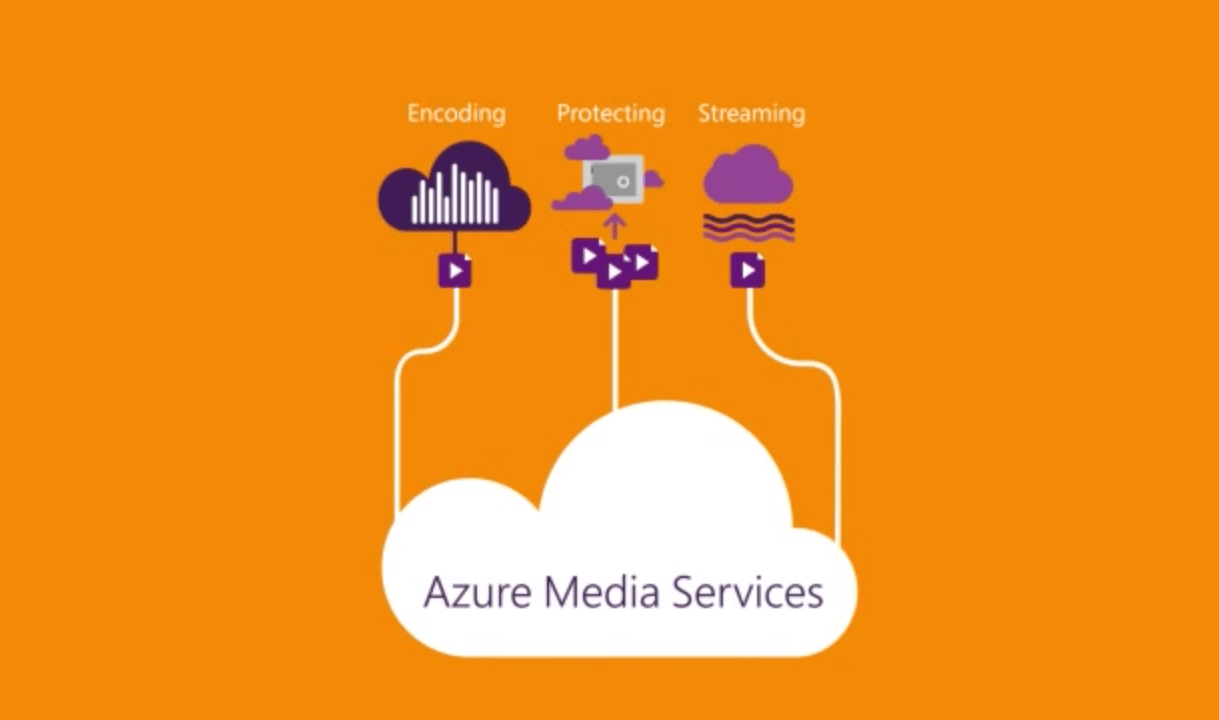
Last week, Microsoft announced at the annual NAB show in Las Vegas that it would enhance its Azure Media Services with new features leveraging on machine learning such as automatic video summarization and face recognition. Today, a new blog post on the Azure Blog just gave us additional information on all product and partnership announcements from Azure Media Services at NAB Show.
First, a new Azure Media Analytics suite is now in public preview and will bring “key new capabilities like motion detection, speech transcription, deep indexed video search, content moderation and more to the video domain. You can learn more about it in the detailed blog post and can also try it out here.
Next, the Video Editor plug-in for Azure Media Player will simplify the task of clipping and trimming video streams. This new plug-in is the result of consumer feedback as Microsoft explained that “Many customers have told us they that they needed a tool that integrates with their existing workflows, whether that was a full blown video content management system (VCMS) or a simple in-house asset listing page”. For more information, we invite you to check the Video Editor Plug-in post on the Azure blog.
Azure Media Services
The Azure team has also announced support for Apple FairPlay, a technology that makes it possible to securely stream premium content using the HTTP Live Streaming (HLS) protocol. More, Azure Media Services will also support 360° live video streaming through a new partnership with VideoStitch and their Vahana VR technology. Learn more about it in the dedicated blog post.
After obtaining certifications from Content and Security Associations (CDSA) and Content Protection and Security Programs (CPS) last year, new Motion Pictures Association of America (MPAA ) and Federation Against Copyright Theft (FACT) certifications will now help Azure gain momentum as a media solutions provider. Last, the Azure team is announcing new and expanded industry partnerships with Imagine Communications, Veritone, Signiant and VSN. The Azure Media Services team will preview all these services in action at the NAB Show in Las Vegas this week.
Following the devastating earthquake that struck Ecuador on April 16, the Skype team is currently offering free calls to landlines and mobiles in the country. In a particularly sad turn of events, the Skype team made this announcement just a day after offering the same free calls in Japan after tragic similar events happened Japan’s Kyushu region. As getting in touch with friends, family and colleagues is vitally important in these circumstances, both these announcements are very welcome. Please read below what the Skype team shared on the company’s blog:
In light of the devastating earthquake that has taken place in Ecuador – and the subsequent impact to the local communications infrastructure – we are making all domestic and international calls to landlines and mobiles in Ecuador free of charge (Excludes calls to special, premium service and non-geographical numbers) for the next few days. This takes place with immediate effect. Our thoughts are with everyone affected by the earthquake.
We hope this helps you reach loved ones, friends and colleagues affected by recent events.
Many might not have known this, but Microsoft released Minecraft: Story Mode Episode 5 to the Xbox Store last month to mixed reviews, with a Windows 10 version nowhere in sight. That’s no longer the case: it is now available in the Windows Store for the cool price of $4.99.
While the first game in the series did not manage to grab the hearts and minds of gamers around the world, it did enough for Microsoft and TellTale Games to continue churning out episodes. Episode 5 is all about being on an adventure to locate members of the Order of the Stone, and group said to be capable of saving the world from utter destruction.
Like all games from TellTale, gamers should be careful of the decisions they make since they affect the outcome of the game. Personally, I have only played a single game from TellTale: The Wolf Among Us, a spectacular game from start to finish. If Episode 5 of Minecraft: Story Mode is the same, then it should grab itself some new fans down the line.
Here’s how Microsoft describes the new game:
You’re on an adventure across the Overworld to find the new Order of the Stone, which will save your world. On a tip from Ivor, Jesse gets his pals together, and you all head to an abandoned temple holding mysterious treasures. But things are never so simple here, and an ambush by former Ocelot Aiden and his crew along the way sends you to an entirely new world, Sky City. Your exploration leads to key discoveries about this new environment and its rulers, leading to tough choices. In the world of “Minecraft,” it’s what you do with your blocks that makes the difference – so get building!
Download the game here from the Windows Store, and check out the trailer below.
Microsoft’s Solitaire game has been a guilty pleasure of many people. If you want to kill time or play a simple game during your lunch-break, Solitaire is the best choice.
The tech giant is offering a special gift to all Windows 10 users: Solitaire Collection Premium Edition for free for a week. This Premium Edition include no advertisements or commercials and brings interesting bonuses such as a wild card or extra deal in each game of TriPeaks and Pyramid and double coins in Daily Challenges.
All you have to do to enjoy your free week of Premium Edition is to sign in to Microsoft Solitaire Collection on Windows 10 with your Microsoft account. Then press the Play button and enjoy the game!
The Premium version of the game costs $9.99 for a one-year subscription or $1.49 for a one-month subscription. We’re sure the number of users who will upgrade to the Premium version will visibly increase after this free trial week. Speaking of the price tag, paying $9.99 per year to gain access to Premium content is a fair price given the features the Microsoft Solitaire Collection Premium offers.
There are different Solitaire variations – Klondike, FreeCell, Spider, TriPeaks and Pyramid so that you don’t get bored.
Daily Challenges are guaranteed solvable challenges adding new ways to play the game.
The Star Club allows you to earn stars and unlock your favorite challenges.
You can use different themes for new backgrounds and card deck designs.
If you don’t like the native themes, you can create your own custom theme from photos on your computer.
Sign in with a Microsoft account to get achievements, leaderboards, and save your progress in the cloud.
Thanks to the latest updates and fixes, you can play Solitaire even better on a touch screen.
Solitaire players love the latest version of the game:
These are more fun, and more challenging, when you have a goal to work towards, especially when it comes to the hardest challenges. Anyone can play solitaire over and over until they win one. However… winning a goal and beating the challenge makes you feel like a real pro.














 (recommended)


 (suggested)