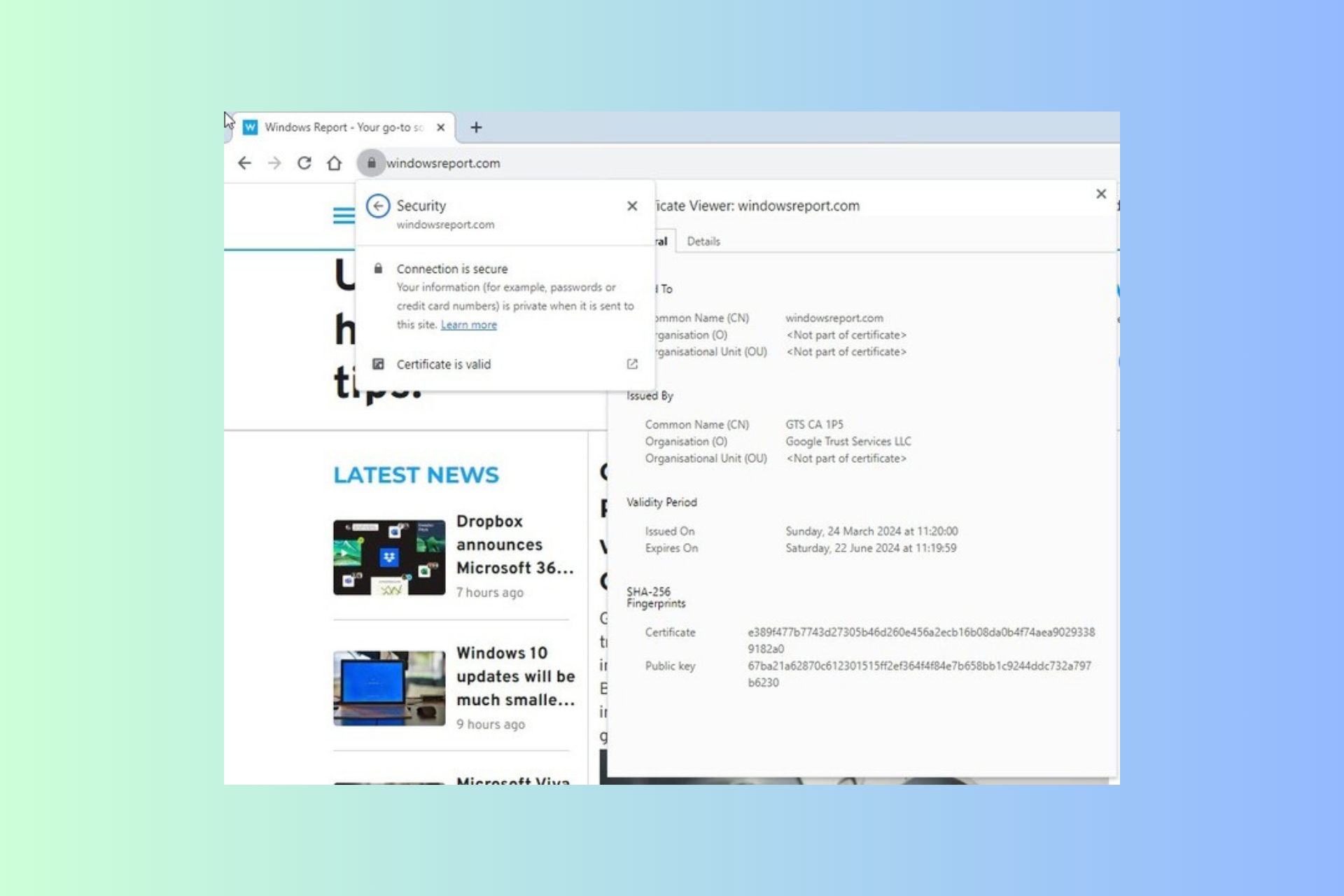
Firefox 127 introduces duplicate tab management, Windows auto-start, and selective text translation

Firefox is one of the most popular alternatives to Chromium browsers, and Mozilla is constantly working on it and bringing new features.

Speaking of which, the upcoming version of Firefox will introduce improved tab management, the ability to start with Windows, and more.

Upcoming features in Firefox 127: Closing of duplicated tabs, auto startup, and selective text translation

Say goodbye to duplicated tabs

The most anticipated feature is the ability to close duplicated tabs, and it’s no surprise to see this feature since Brave and Opera can close duplicated tabs.

Google has been quiet as Chrome still doesn’t have this functionality. As for Firefox, users will no longer have to use third-party extensions as the Close Duplicate Tabs option is now available in the context menu.

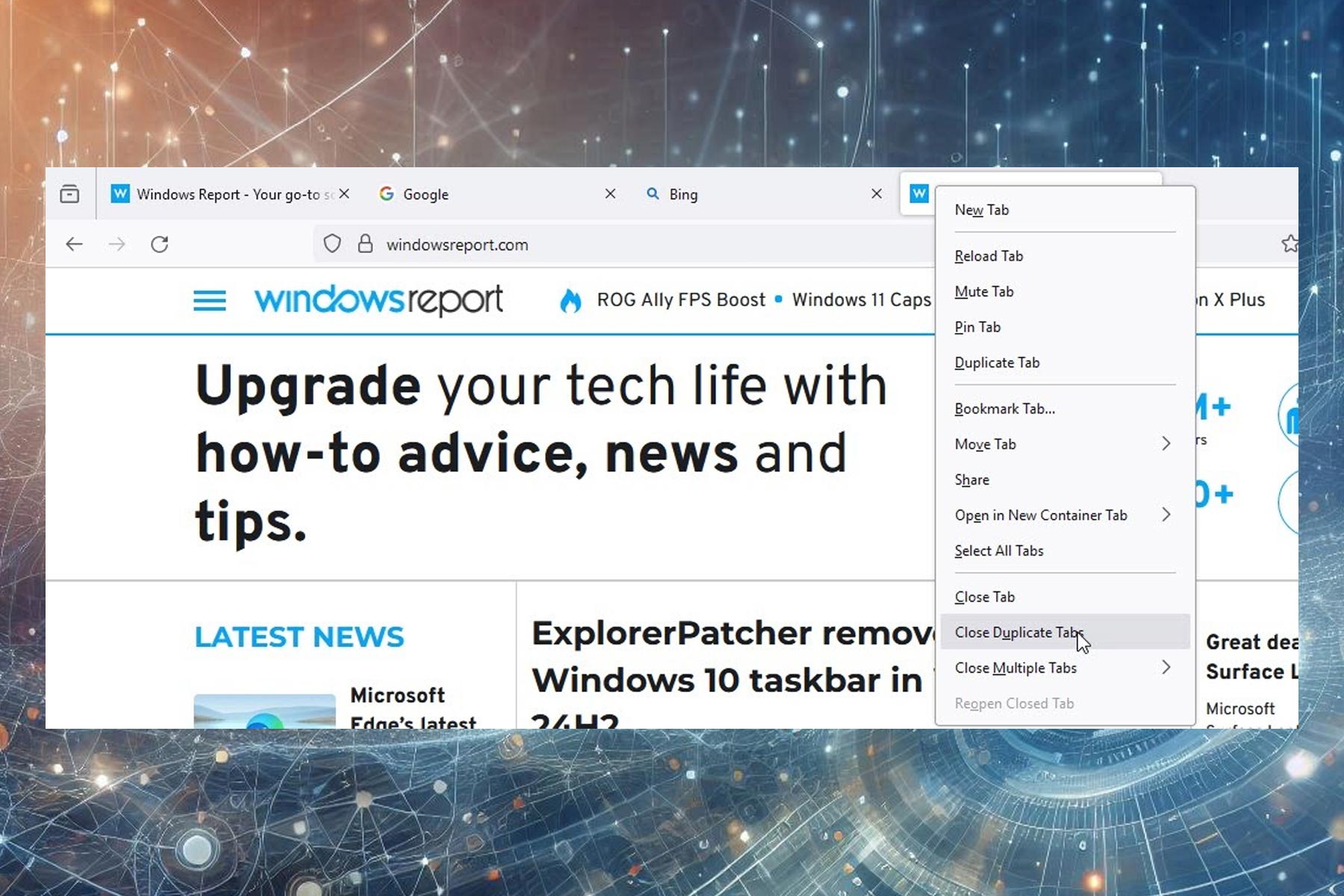
Simply right-click the page that you assume is a duplicate and choose Close Duplicate Tabs from the context menu. This feature is currently available for testing in Firefox 127 Nightly and enabled by default.

While this feature is useful, it only appears if you right-click a duplicated tab, so you’ll need to manually find the tab before closing all of its instances.

Starting Firefox with Windows was never easier

Another new feature is the ability to start Firefox along with Windows. Mozilla has added a new setting that allows you to do that, and you can activate it by doing the following:

  1. Open Firefox.
  2. Select Menu and choose Settings.
  3. Navigate to General and enable Open Firefox automatically when your computer starts up.

In case you don’t want to use this feature, you can easily disable it. Starting the browser with Windows has the following benefits according to Mozilla:

You can now set Firefox to automatically launch whenever you start or restart your Windows computer. Setting Firefox to auto-launch optimizes efficiency in our browser-centric digital routines, eliminating manual startup delays and facilitating immediate web access.

Translate any selected text with a single click

Lastly, the translation feature has been improved, and if you didn’t know, Firefox unlike other browsers, translates text locally thus protecting both your privacy and data.

In the past, Firefox could translate entire pages, but now it can translate selected text just as easily. Simply select the desired text, right-click it, and choose Translate Selection into English.

You’ll get a translated text in a box near the selection, while also having the option to translate the entire page.

All of these features are being tested in the Nightly version of Firefox 127. Although Firefox 127 is scheduled to be released to the stable channel on June 11th, these features aren’t guaranteed to ship with that version.

On the other hand, Firefox 126 beta is here, and we expect to see the final version available in a couple of weeks.

Windows Share might be coming back to Microsoft Edge, after 3 years

Windows Share might be coming back to Microsoft Edge as the default option for sharing links, according to the findings of @Leopeva64, who discovered the capability in Edge Canary.

Microsoft COULD bring back the Windows Share menu to Edge, in Canary the “Share” button now opens the Windows Share dialog instead of Edge’s native Share menu:

Leopeva64

However, the tech enthusiast notes that this is just a test in Edge, for now, there is a chance Microsoft won’t release it to the stable channel.

This is just a TEST in Canary so there is a chance this change will never make it to the Stable version.

Leopeva64

Windows Share was the Edge’s default link-sharing option until it was replaced with another menu, back in 2021, almost 3 years ago. The tech enthusiast documented on Reddit, back then.

It would make sense that Microsoft wants to integrate Windows Share into Edge, again, as the sharing option supports more capabilities now in Windows 11, including a game-changer QR code scan feature that allows Windows users to easily transfer or share anything between their desktop and mobile devices.

At the same time, the Redmond-based tech giant is also updating Edge to support more intuitive options for users. And by intuitive, we mean Edge now has capabilities that make it more versatile and suitable for various browsing situations.

For instance, Edge is adding a mute button to the media controls menu, allowing users to easily manage between multiple tabs and mute the ones they want without pausing or closing them.

This could be interesting when watching live streams in Edge, while also doing something else. The tab displaying the live stream can be simply muted while reading information from other tabs, and when that is done, you can go back, unmute the tab, and continue watching the live stream.

The capability should be live in the stable channel in the next few weeks.

It’s raining discounts: Get the Legion Tower 7i Gen 8 at just $2,318, save 26%

If you are looking for a power-packed gaming PC in the $2000-$2500 range, the search ends here. The Legion Tower 7i Gen 8, Lenovo’s flagship gaming PC, is available at a $831.60 discount, dropping the price to $2,318.39 from $3,149.99. Remember, it’s a limited-period deal!

To avail the discount, use coupon code GAMEON.

Powered by the 14th Gen Intel Core i9-14900KF processor and GeForce RTX 4080 (SUPER 16GB GDDR6X) GPU, the gaming PC boasts a seamless gaming experience, even with resource-intensive titles. And with the purchase, you get a 3-month subscription of Xbox Game Pass Ultimate for free!

The design and cooling capabilities of the gaming PC will not disappoint you. The Legion Tower 7i Gen 8 features a stylish outer frame with an RGB logo. As for the cooling, it delivers a landmark 260W liquid cooling and higher airflow at just 20 dB. Nothing to disturb your gameplay!

When we checked the user reviews, most buyers highlighted the stylish design, silent functioning, and unbeatable performance in the price range. Not just games, even resource-intensive graphic designing software and video rendering tasks run like a breeze on this powerful gaming PC.

One of the things we like about this Lenovo device is the built-in Lenovo Vantage app. It helps you quickly overclock the PC, enhance the performance, and personalize the experience, all while running it within the safe thresholds.

Legion Tower 7i Gen 8’s specifications

Processor14th Generation Intel Core i9-14900KF Processor (E-cores up to 4.40 GHz P-cores up to 5.60 GHz)
GraphicsNVIDIA GeForce RTX 4080 SUPER 16GB GDDR6X
Storage1 TB SSD M.2 2280 PCIe Gen4 Performance TLC
RAM32 GB DDR5-5200MHz (2 x 16 GB)
Operating SystemWindows 11 Home
Cooling250W 360mm Liquid Cooling + 1 x Rear + 2 x Top with ARGB + 3 x Front attached to Liquid Cooler Radiator aRGB
Ports20 (includes Ethernet, USB-A, and USB-C)

If you are interested, get the Lenovo Legion Tower 7i Gen 8 from the official website today, as the deal is about to end soon!

Also, if you value portability, take a look at our top picks for Windows 11 gaming laptops!

Do you think the Legion Tower 7i Gen 8 is a value-for-money purchase at this price? Share with us in the comments section.

Microsoft confirms the 0x80070520 account picture error in Windows 11 KB5036980

Microsoft has recently confirmed that the Windows 11 KB5036980 optional update throws an error code 0x80070520 when changing the account profile picture. A few users have shown their displease in a Feedback Hub post.

Windows 11 KB5036980 optional update triggers 0x80070520 account picture error

The system throws an error when a user tries to change their account profile picture by navigating to Start > Settings > Accounts > Your info and then selecting Choose a file.

We also spotted a Reddit post where a user highlighted the same issue, however the original post dates back to early April. The comments section has complaints from multiple users who claimed that the account picture error is quite annoying.

This error prevents users from changing their account profile picture because Windows 11 can’t save the picture in AppData\Roaming\Microsoft\Windows\AccountPictures.

It is worth noting that the error while changing Windows account profile pictures is only affecting devices with local accounts. That means, if you use a Microsoft account, you’re unlikely to see this error.

Microsoft has recently confirmed the issue

Responding to the Feedback Hub post interlinked above, Microsoft confirmed that it is aware of the error. The company further added that there are some changes made in internal builds.

So, it is possible that the May 2024 optional update could fix the 0x80070520 account picture error in the preview builds. Whereas, it might fix the bug for everyone via June 2024 Patch Tuesday. We’ll wait and see.

In the statement issued to Windows Latest, Microsoft’s support staff confirmed that the error code 0x80070520 is under investigation.

The company added that the 0x80070520 error currently affects two Windows 11 updates. It includes the mandatory KB5036893 update and the optional KB5036980 update. While it is ideal for you to wait for an official fix, there’s a workaround to fix the 0x80070520 account picture error.

Here’s how to fix account picture error in Windows 11

We have mentioned step-by-step instructions below to fix the issue where you could see an error code 0x80070520 when changing the account profile image.

  1. First, open the File Explorer, and paste C:\Users\placeyourusername\AppData\Roaming\Microsoft\Windows\AccountPictures in the address bar.
  2. Next, copy and upload the profile picture in .png format manually.
  3. Lastly, restart your device and the new profile photo will be visible everywhere.

You can also check our detailed guide to fix account picture errors in Windows 11.

Are you also facing the same issue in the Windows 11 KB5036980 optional update? If yes, did you try the above workaround? Let us know in the comments below.

Microsoft unveils Infra Copilot that generates infrastructure codes for programmers

Microsoft has recently announced Infra Copilot, a generative AI tool that leverages GitHub Copilot to streamline coding for infrastructure systems.

The company says that Infra Copilot uses machine-learning capabilities to understand the goal behind specific prompts. Thereby, smoothly generating the intended infrastructure code.

Microsoft says Infra Copilot is quite beneficial for programmers

That’s not all, Infra Copilot also understands the overall context of the infrastructure task. This eventually allows professionals to convey their requirements in a more natural language and receive code suggestions.

Infra Copilot’s ability to generate code also streamlines the coding process. It eventually allows coders to focus more on high-level design decisions and business logic.

Microsoft’s new Infra Copilot tool further generates standardized code snippets ensuring consistency across various environments.

Let’s not forget that the new AI tool also cuts down the time taken to complete coding projects. For programmers who are not very familiar with Infrastructure as Code (IaC), Infra Copilot can be a great educational tool.

Here’s how you can use the newly announced AI tool

Now that the official announcement for Infra Copilot by Microsoft is here, coders can use the tool to streamline the development process. Here are some of the requirements posted by Microsoft in the official announcement blog:

  1. First, install the latest version of Visual Studio, you can download it from here.
  2. Next, you need to have access to your company’s GitHub account or a GitHub Copilot license with a personal free trial.
  3. Once you have ensured that you fulfill the requirements, install the Copilot extension and sign in from the Visual Studio Code. Click here to access a quickstart guide.
  4. Now install the PowerShell extension for Visual Studio Code.
Installation page for PowerShell for Visual Studio Code
Image credit: Microsoft

Microsoft even demonstrated the Infra Copilot’s ability to generate codes using VS Code. You can check it here.

Not to forget, the Redmond giant had earlier launched GitHub Copilot Enterprise for programmers. It answers queries based on the company’s code repository and costs $39 per user for a month.

Apple renews talks with OpenAI on a potential deal to bring AI features to new iPhones

Apple has again intensified talks about a potential deal with OpenAI to supercharge the next iPhones with AI features. Given that WWDC 24 is inching closer, the company’s recent move is understandable. Mark Gurman, for Bloomberg, reports that the news comes directly from people familiar with Apple and OpenAI discussions.

Apple is still talking to OpenAI and Google on a potential deal, Anthropic is in the mix too

According to a discrete source, Apple and OpenAI are discussing possible agreement terms to enter a deal. The discussion is said to revolve around how features of OpenAI’s tech can be integrated into Apple’s next OS, iOS 18, scheduled to launch in June.

It is worth noting that earlier this year Apple and OpenAI discussed a deal. However, the collaboration between both parties has been minimal since then. Notably, Apple remains in talks with Google to license Gemini AI, too.

Apple reportedly hasn’t come to a conclusion on whom to partner with just yet. Also, there’s no guarantee that the deal will be sealed altogether. Therefore, if Apple closes on a deal, it might choose between OpenAI and Google, pick both, or switch to an entirely new partner.

Although Apple will include several new features to iOS 18 using its LLM, it is continuously looking for a partner to power its next iPhones with AI chatbots similar to ChatGPT. Interestingly, the popular AI startup Anthropic is in the mix too.

Apple’s main goal is to integrate its AI features more seamlessly while ensuring better privacy than its rivals. Last year, Tim Cook said that he used OpenAI’s ChatGPT, but found several issues that he believed needed fixing. He further added that AI features would debut on Apple’s platform on a very thoughtful basis.

If Apple manages to seal this deal with OpenAI, it will be a huge plus as relying on the partners could accelerate the integration of AI chatbots into its iPhones.

Microsoft Edge’s latest update removes the infamous 8KB Copilot app from Windows Server

A new update for Edge 124 is available in the Stable Channel which will remove the Copilot app from the Windows Server. The official build 124.0.2478.67 which is now available to download, brings some essential changes, fixes, and security patches.

The latest update in Stable Channel revokes the Copilot app from Windows Server 2022

Notably, this update removes the mistakenly installed Copilot app on Windows Server and other editions. Not to forget, previously Microsoft acknowledged the issue. It also added the app was non-functional and didn’t collect any of the user data.

Highlighting the changes brought to Windows Server 2022 by the latest Edge update in a support document, Microsoft mentioned:

This issue is now resolved with Edge browser updates released on April 26, 2024. Edge version 124.0.2478.67 removes the package ‘Microsoft chat provider for Copilot in Windows’ from all servers affected by this issue. The ‘Microsoft Copilot’ entry will not show in the Installed apps list in the Settings menu once the Edge browser is updated.

The company further added that the upcoming update will remove the Copilot app from Windows’ consumer edition:

An upcoming version of Microsoft Edge is expected to remove or adjust the installation of this component on specific client devices.

If you are willing to update the Edge browser to version 124.0.2478.67, go to edge://settings/help. The browser will auto-detect the update and start installing it. Lastly, all you have to do is relaunch the browser.

The latest Edge update additionally brings some improvements

Besides removing the Copilot app from Windows Server, the latest update for Edge 124 brings security warnings for download over HTTP. Users downloading potentially dangerous content from HTTP sites will now receive a UI warning. The warning will read something like – sample.exe can’t be downloaded securely.

In addition, there’ll be an option that will allow users to proceed by selecting Keep on the downloaded item’s three-dot menu. Worth mentioning that Microsoft intends to enable it on Edge 127.

Moreover, the latest build 124.0.2478.67 also adds a new feature to the Microsoft Edge management service. This will allow admins to receive email notifications for extensions that their users request. Once admin enables it, thereby informing them promptly of any new pending requests that they may have.

Did the latest Edge update remove the installed Copilot app from Windows Server? If yes, do let us know in the comments below. For some reason, if the Copilot app is still there in the Installed apps list, you can click here to learn how to easily remove it.

Nostalgia hits as Microsoft releases source code of MS-DOS 4

Microsoft, in partnership with IBM, recently announced the release of the source code for MS-DOS 4.00 to mark the spirit of open innovation. That means the source code is now publicly available for everyone to modify, study, or distribute.

The released package is available under the MIT license. Additionally, the package includes the OS’s source code, binary files, and original documentation.

The story behind the release of source code for MS-DOS 4.00

The decision to release the source code of MS-DOS 4.00 didn’t happen out of the blue. However, there’s a long story behind it. It all started after an interaction between a researcher named Connor “StarFrost” Hyde and Microsoft’s ex-CTO Ray Ozzie.

Interestingly, Hyde stumbled upon unreleased beta binaries of DOS 4.0 while exploring Ozzie’s old floppy disk collection. The collection that Ozzie first received when he was at Lotus Software.

As the discovery was quite intriguing, Hyde got in touch with Microsoft’s Open Source Programs Office (OSPO) to discuss the possibility of MS-Dos 4.00 source code’s release. Hyde aimed to document the relationship between DOS 4, Microsoft’s Multitasking DOS (MT-DOS), and IBM’s OS/2 operating system’s development.

Scott Hanselman collaborated with internet archivist Jeff Sponaugle, imaged the original disks, and scanned the original documentation from Ozzie’s old floppy disk collection, which now Microsoft refers to as Ozzie’s drop.

Microsoft’s Principal Engineer Jeff Wilcox and OSPO didn’t find the full source code of the MT-DOS. However, they did come across the MS-DOS 4.00 source code and eventually decided to publicly release it.

In the announcement post to open source MS-DOS 4.0, Microsoft wrote:

This code holds an important place in history and is a fascinating read of an operating system that was written entirely in 8086 assembly code nearly 45 years ago.

The discovered beta binaries didn’t see a widespread release back then

It is worth noting that in the 1980s, Microsoft and IBM collaborated on certain aspects of the DOS code. The partnership further resulted in the creation of a separate branch known as Multitasking DOS, which never saw mass rollout.

Although the later versions of the MT-DOS binaries are still traceable online, the beta binaries found in Ozzie’s collection were much earlier unreleased versions.

Microsoft says that it successfully ran the software on an original IBM PC XT, a newer Pentium, and via open-source emulators including PCem and 86box.

The company further promises to continuously explore its archives. And, if they find other relevant materials, they’ll update the release.

Undoubtedly, this discovery will offer valuable insight to those involved in digging into the history of the OS. You can access and use the released source code for MS-DOS 4.00 from GitHub.

You will soon be able to create TAR and 7Z archives in Windows 11 22H2 and 23H2

If you don’t know it yet, let me tell you that the latest Windows 11 versions allow you to create TAR, 7Z, RAR, and more archive types. That too, without downloading third-party apps. Sounds handy, right?

Although the upcoming Windows 11 24H2 will let you compress files to 7Z and TAR, it seems you don’t have to wait longer to try out this feature. That’s because the improved archive support will soon be available in Windows 11 versions 22H2 and 23H2.

The latest Beta Channel Build 22635.3566 lets you create TAR and 7Z archives

Windows enthusiast, @PhantomOfEarth, recently spotted the same. According to his latest tweet, the latest Windows 11 Beta Build 22635.3566 (KB5037002) has a feature ID that supports TAR and 7Z compression in the File Explorer. However, it is disabled by default. Therefore, you’ll need to enable it.

Once you enable the feature, you need to right-click a selection of files. Next, click Compress to and choose the format of your liking. You can do the same by clicking the More options. Doing so will open a wizard with extra features including compression method or level.

Let’s not forget that the Redmond Giant hasn’t announced the TAR and 7Z archive support enhancements for the Beta or Stable Channel yet.

Here’s how to enable the new archive feature using the ViVeTool app

If you own a Windows 11 PC running Beta Build 22635.3566, you can enable the feature that allows creating TAR and 7Z archives using the ViVeTool app. We’ve mentioned step-by-step instructions below:

  1. First, download the ViVeTool from GitHub and unpack the files in an easy to accessible folder.
  2. Then, press Windows + X and select Terminal (Admin).
  3. Next, switch Windows Terminal to the Command Prompt profile with the Ctrl + Shift + 2 shortcut. Alternatively, you can use the arrow-down button at the top of the window.
  4. Now, navigate to the folder that has ViVeTool files with the CD command. You can simply type CD C:\Vive if the Vivetool is placed in C:\Vive. 
  5. Now, type vivetool /enable /id:49256040 and press Enter.
  6. Lastly, restart your PC and you’re done.

Although Microsoft didn’t announce the new archive feature, it is there. All you have to do is enable it. That said, the company did announce a few new improvements and features with the latest Beta Channel Build. The latest Beta Channel build brings back the show desktop button and displays local folders in the All Apps grid view in the Start menu.  

Do you think the new feature that allows TAR and 7Z compression in File Explorer will be handy? If so, share your thoughts with our readers in the comments below.

Salesforce’s Einstein Copilot AI chatbot promises less hallucination

Salesforce recently announced the general availability of the Einstein Copilot for businesses promising to reduce hallucination compared to other AI chatbots. When it comes to AI hallucination, top players like Google, Meta, OpenAI, and others have struggled to overcome this problem.

Talking about Einstein Copilot in a keynote at Salesforce World Tour NYC, the company’s Executive VP, Patrick Stokes said that their AI chatbot is different.

Although Einstein Copilot promises less hallucination, it isn’t entirely preventable

Since AI hallucination isn’t completely preventable, Salesforce has backed Einstein Copilot with a hallucination detection feature. The AI chatbot also gathers customers’ feedback in real-time and informs system administrators of its weaknesses.

In a recent interview with Quartz, Stokes talked about why Einstein Copilot will have fewer hallucinations than other AI chatbots. He mentioned:

Before we send the question over to the LLM, we’re gonna go source the data. I don’t think we will ever completely prevent hallucinations.

Stokes further added that imagining to completely stop AI hallucination is just a silly thing:

There’s always going to be a way in. I think that’s true with AI as well. But what we can do is do everything that we possibly can to make sure that we are building transparent technology that can surface when that happens.

Salesforce President and CMO’s thoughts align with Stokes as he also believes that LLMs inherently were built to hallucinate. That’s how they work, they have imagination. Not to forget, earlier this month, the company released the beta version of the chatbot for Tableau.

AI hallucination is a major issue, but fixing it is very challenging

Although Salesforce promises lesser hallucinations with Einstein Copilot, it is one of the major issues that has plagued AI chatbots these days. AI chatbots hallucinate when they don’t have the required training data to answer a query but end up generating a response as if it is a fact.

Honestly, resolving AI hallucinations is not as easy as one could think. That’s because AI models use the bulk of training data which makes spotting a specific problem quite challenging. That’s not just one factor, inaccurate training data from various sources also contribute to AI hallucination.

Last year The New York Times reported a hallucination rate for different AI systems. It listed the hallucination rate for AI systems of Meta which stood at about 5%, 3% for OpenAI, 8% for Anthropic, and 27% for Google PaLM.

Do you think Einstein Copilot can be a game-changer when it comes to AI hallucinations? If yes, share your thoughts, we’d love to hear.

Google to soon give ChromeOS its new default font

Google is reportedly refreshing the default font for ChromeOS. You might be aware that Roboto is currently the default font for the operating system. However, this is set to change soon.

Not to forget, Google previously let ChromeOS users change the default Roboto font to their liking. However, the company gradually pulled the option over the years. At present, the Chrome browser with a built-in setting only lets you change the default font.

Google Sans could be the default font for ChromeOS soon

Now, it seems Google is shifting towards a different font for ChromeOS. As per the newly discovered codes, Google Sans could be ChromeOS’s new default font. The change is likely to align the UI elements with Google’s Material 3 guidelines.

Google Sans will reportedly appear as the default font on ChromeOS, version 126 coming this June. Since there’s no flag for the same, you could see the new default font right after the update.

Well, this isn’t the first time the tech giant has opted for Google Sans as the default font. In fact, it is the default in many locations and was among the list of font options that you could make default.

Although the company is bringing Google Sans as default, it may not be applicable everywhere in ChromeOS UI. The soon-to-be default font doesn’t support the glyphs. Also, it may not be available on some devices running ChromeOS Flex. Therefore, such devices could still use Roboto as the default font.

What do you think about Google’s move to change the default font for devices running on ChomeOS? Do let us know your thoughts in the comments below.

Microsoft Edge for Android tests Passkeys support for Passwordless Logins

Microsoft is testing a new feature for the Edge browser on Android in Canary that uses Android’s Credential Management API for passkeys. This API, available on Android 14 and higher, allows users to store and manage login credentials securely using their device’s built-in passkey manager. Here is how you can enable Passkesy support in Edge on Android.

Passkeys are a new standard for secure passwordless sign-in. They replace traditional passwords with a more secure method that uses public key cryptography. Passkeys offer not only faster logins but also significantly improved security, as it reduces the risk of phishing and password theft.

Credential Management API on Android 14

With the release of Android 14, developers have access to the Credential Management API, which supports multiple sign-in methods, including passkeys. This API simplifies the login process by providing a unified interface for authentication, whether it be passwords, biometric data, or passkeys, to manage their passkeys, such as viewing, editing, or deleting them.

Microsoft Edge on Android is getting Passkeys support soon

Microsoft Edge on Android is adopting this new feature, enabling users to use passkeys for a more efficient and secure browsing experience.
Edge is working on “Android Credential Management for Passkeys” behind a flag that requires Android 14 or higher, For Edge to work with Passkeys, it offers two following options.

Enabled for Google Password Manager and 3rd party passkeys: This option would allow Edge to use both Google Password Manager and other third-party passkey managers to store and manage passkeys.
Enabled for 3rd party passkeys: This option would only allow Edge to use third-party passkey managers, not Google Password Manager.

How to enable Passkeys support in Microsoft Edge on Android

  1. Open Microsoft Edge
  2. Visit edge://flags page
  3. Find Android Credential Management for Passkeys
    This image has an empty alt attribute; its file name is Edge-Android-Credential-Management-for-Passkeys-flag.jpg
  4. Select and Enable either “Enabled for Google Password Manager and 3rd party passkey” or “Enabled for 3rd party passkeys”
  5. Restart Edge.

When the feature works eventually, you won’t need to enter a password to log into websites, instead, you can use Passkeys, similar to Chrome on Android. This is a great step toward a passwordless future on Android.

Apart from this, Edge on Android will soon be able to translate inputs with Copilot, address bar getting actions,

Biden announced $11 billion investment in R&D centers to fuel semiconductor research & beat China at it

In a move to strengthen America’s semiconductor industry, the Biden administration has announced an enormous $11 billion investment in research and development (R&D) centers devoted to advancing chip technology.

What’s behind Biden’s $11 billion investment in semiconductor research?

This initiative is part of the 2022 Chips and Science Act, which aims to propel the United States to the forefront of semiconductor innovation while addressing economic competitiveness and national security concerns.

Promoting advanced semiconductor research complements the idea of domestic chip manufacturing.

The Commerce Department intends to use the investment to speed up the breakthrough process in semiconductor science and technology, making the US a global leader.

A significant part of the funding will be given to the National Semiconductor Technology Center (NSTC), which is a shared attempt to bring government agencies, academia, industry leaders, and other stakeholders together.

This collaboration aims to speed up innovation, diminish barriers to participation in semiconductor R&D, become a global leader, and cultivate a skilled workforce. The process involves everything from developing new strategies to better measurement techniques for microelectronic materials and more.

Deirdre Hanford, CEO of the NSTC, mentioned:

We need to find out ways to make it easier for people to get into chip design in this country, rather than developing yet another app or yet another piece of AI software. The administration, she said, is trying to build the economy and generate innovation.

The NSTC and National Advanced Packaging Manufacturing Program received funding from the Chips Act.

The Research and development push in semiconductors is not new; it predates the pandemic and is distinct from $39 billion in production incentives for companies like Intel Corp and Taiwan Semiconductor Manufacturing Co.

Daniel Berger, associate director of Commerce’s packaging effort, said:

Those grants are just the first step toward keeping America’s chip economy healthy. The R&D program, which I’m part of, is to sustain it, keep it here,

The Commerce Department has enough funding to initiate various projects with a focus on metrology, which includes the precise measurement of semiconductor components.

Furthermore, officials are planning to establish a piloting facility with the aim of facilitating the transition of new packaging technologies to large-scale production and programs for workforce development.

In addition, a $200 million investment will establish a manufacturing institute dedicated to digital twining (the creation of virtual models of physical components). According to a Commerce official, funding applications for that institute will soon be open.

What concerns do industry and academic groups have about the Commerce Department’s patent control plan?

Industry leaders and academic groups are expressing concerns that the Commerce Department’s current approach may accidentally hinder their objectives.

To be more specific, they are afraid of the new guidance, which could give the federal government power to assert control over patents developed using taxpayers’ money.

This guidance will also empower them to license these inventions to another entity, a move that has sparked controversy within the community.

The framework known as the march-in policy, which was revealed in December, allows the federal government to intervene in patent ownership. There are fears that it could discourage private investment and collaboration in semiconductor R&D efforts.

 The National Association of Manufacturers mentioned:

The draft policy will undermine interest in Chips Act R&D programs at a time when China has prioritized becoming a leader in the products and technologies of the future.

The National Venture Capital Association said:

VCs are questioning their involvement and investment in programs produced from your marquee legislation

Many others, including Duke University, Technology Councils of North America, and a foundation at Ohio State University, also shared these sentiments.

A representative for the Commerce Department said:

It has seen significant interest from industry and academia in securing Chips program funding and delivering on the goals of the Chips program, including adhering to public-funding requirements.

Why did the Commerce Department scrap plans for commercial R&D in semiconductors?

At the start, the Commerce Department aimed to bolster its $11 billion investment in semiconductor research with a different program for commercial R&D, using funds from a $39 billion manufacturing subsidy.

However, the plan was dismissed or put on hold when the Pentagon withdrew from the $2.5 billion agreement for military chips, resulting in Congress directing the Commerce Department to cover the shortfall.

That being so, officials chose to scrap the commercial R&D program due to constraints in Chips Act funding, which also discouraged Applied Materials Inc., and they are planning to reconsider investing in it.

California Governor Gavin Newsom and Senator Alex Padilla said:

Without robust support for commercial R&D, we risk our global leadership and ability to outpace our foreign competitors in the semiconductor industry. The $11 billion R&D fund cannot replace direct commercial investments.

The $11 billion investment in semiconductor research aims to bolster technological prowess and economic competitiveness in the country. However, the concerns over patent control and scrapped plans of commercial R&D are the challenges that they have to overcome to become the global leader in the field.

What do you think about this approach? Share your opinions with our readers in the comments section below.

Windows 11 Start Menu now displays local folders in the All Apps grid view

Microsoft released the latest insider patch to the Beta Channel, bringing huge fixes to some of Windows 11’s most annoying bugs.

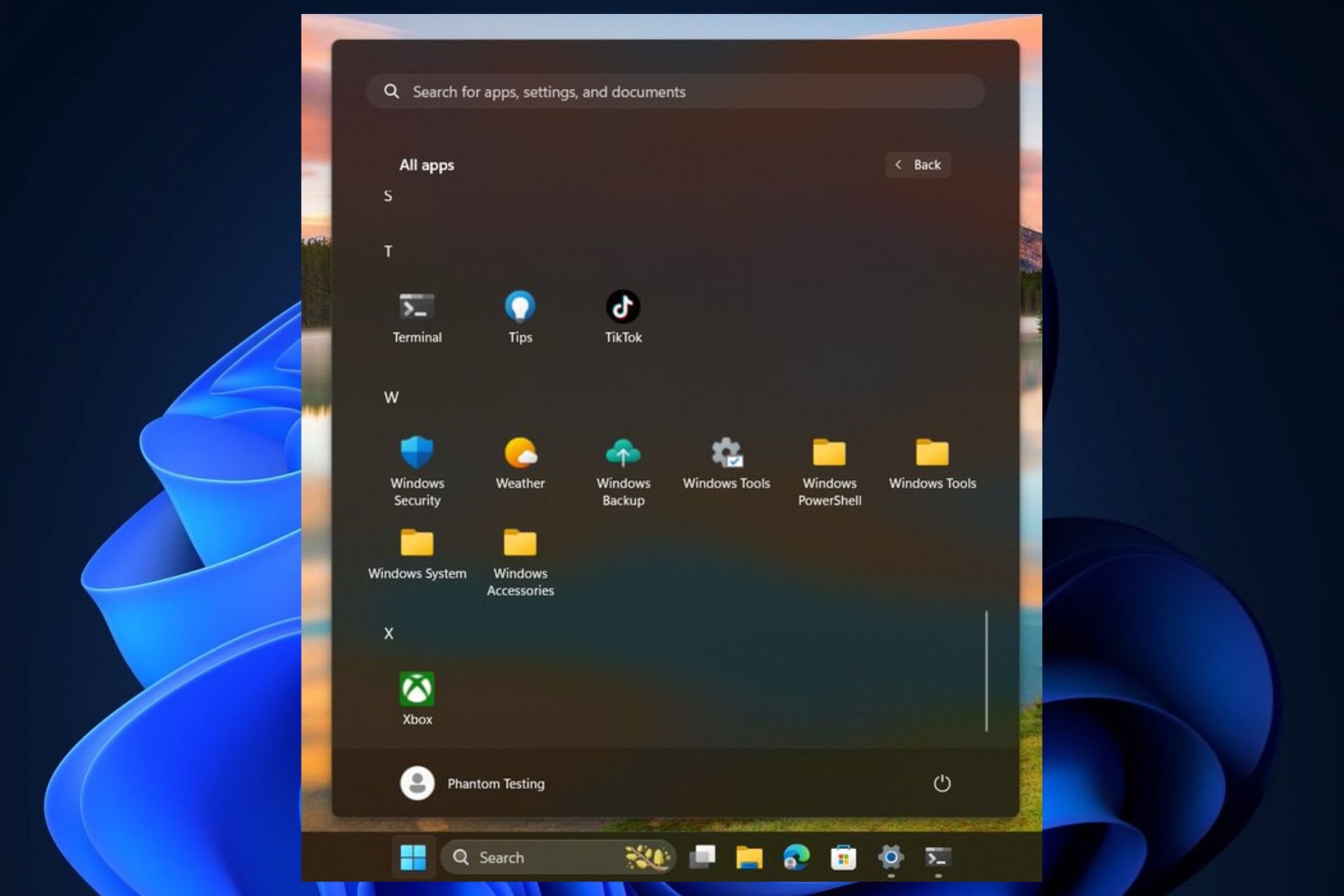
But the Redmond-based tech giant has some other hidden surprises for Windows 11 users. According to Windows enthusiast, @PhantomOfEarth, Microsoft might allow Windows users to access local folders directly from the Start menu, through the All Apps grid view.

As you can see in the featured image above, at the W letter, Windows displays several Windows-related local folders such as Windows PowerShell, Windows Tools, Windows System, and so on.

The All Apps view is also recent, as Microsoft added it to the Beta channel, some weeks ago; it reorganizes the Windows 11’s Start Menu, bringing it closer to Windows 10’s theme, meaning it is more intuitive for users.

However, back then it lacked the introduction of the local Windows folders into the equation, and the spotter also admits that this addition is new.

So, will you be able to access local folders directly from Windows 11’s Start Menu? It might be possible, but I do wonder if the Start Menu will add all of them there: if it does, it would become an endless scrolling experience.

What do you think?

The new Microsoft Planner adds Premium Plan tasks to the My Tasks panel

Days after Microsoft announced that Planner will be enhanced with new capabilities especially tailored for frontline workers, the Redmond-based tech giant announced that another set of important changes are coming to the platform.

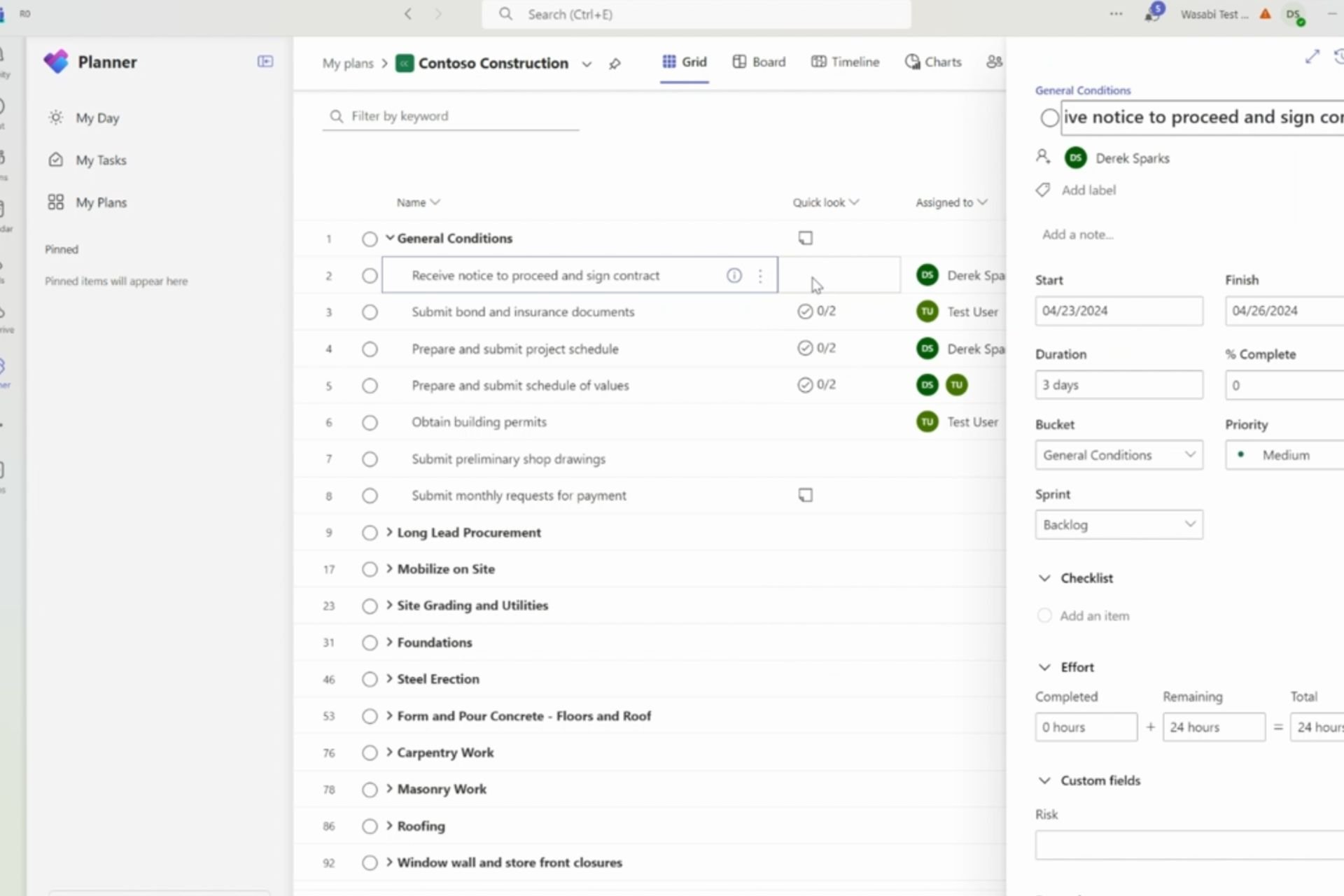
According to the official blog post, the Premium Plan tasks are now added to the My Tasks panel, allowing Planner users to access all of their tasks in one single place, regardless of their plan.

The Assigned to me view within My Tasks in Planner app provides users a consolidated view of their tasks spread across To Do, Outlook, Meeting notes, Loop and Planner, however, the missing link has been the tasks created in the Planner premium plans formerly known as Project for the web. This is changing now, premium plan tasks too are being added to Assigned to me view within My Tasks in Planner.

Microsoft

The new feature is rolling out to users with Microsoft 365 licenses gradually over the next weeks, and once impacted, they should be able to access Planner Premium Plan tasks assigned to them in the Assigned to Me view across Planner and To Do.

All the new Premium Plan tasks users create after they are impacted by the change will automatically be synced to their Assigned to Me view.

With it, Microsoft says users will not only be capable of accessing everything in one place, but they will be able to mark assigned tasks as complete within the same page. Additionally, these tasks can be further edited.

However, those Planner users who don’t have a Microsoft 365 license won’t be able to see the new Premium Plan tasks.

The Redmond-based tech giant also wants to bring new capabilities to Microsoft Planner, such as:

  • Ability to edit more fields from the Assigned to Me view
  • Syncing of Labels, Checklist
  • Syncing of tasks from Plans in Named org

These will be added to Planner later this year.

You can read the full blog post here.

You’ll soon be able to translate inputs with Copilot in Edge for Android

Microsoft Edge’s live translator is one for the ages: incredibly intuitive, and easy to use, the feature is one of Edge’s best capabilities around, and the Redmond-based tech giant is sort of bringing it to Copilot, as well. At least, a version of it.

According to tech enthusiast, @Leopeva64, users will be able to translate their inputs with Copilot in Edge for Android, as it will be updated to support translation of inputs. In other words, Copilot will translate your inputs into your preferred language. copilot edge android translate

Microsoft is also enabling Copilot to translate inputs on Edge for desktop for some users, according to the tech enthusiast.

The translate button will be available in Copilot via https://copilot.microsoft.com/, but only if you access it through Microsoft Edge, of course. The button won’t show up in other browsers, for now.

You’ll be able to translate with Copilot in Edge Dev for Android, one of the insider channels of the browser, so it’s not available to the general public. However, all Edge users should be able to access the new capability in the next weeks.

And they definitely should: as we mentioned before, Edge’s translation capabilities are quite good, accurate, and easy to use. If you’ve never opened a PDF file in Edge, for the browser to translate, then you should, as it will translate the text you select in real-time.

In Copilot, the feature could be very useful in situations where you need to translate something very fast but you don’t have the means. For instance, when traveling, you can take a picture, upload it to Copilot, and let the AI model process and translate it for you.

You can have a quite useful travel companion that way, without wasting too much time typing out foreign words that might be hard to write.

Later edit: It seems that the capability will be available to Copilot in Windows, as well, although it is released in a controlled rollout, as captured by @Leopeva64.

So, you’ll be able to use it on mobile, and desktop devices.

Microsoft released KB5037002 to the Windows 11 Beta Channel and it comes with dozens of huge fixes

It’s that part of the week when Microsoft releases its usual Insider patches to the Windows Insider Program, and this time the Redmond-based tech giant has chosen to update the Beta Insider Channel with the KB5037002 patch.

This time, the KB5037002 patch comes with dozens of huge fixes. For instance, the Show Desktop button is returning to Windows 11’s taskbar, and the very useful drag-and-drop capability in File Explorer that debuted in the other channels of the Windows 11 Insider Program, is now available to Beta users.

However, the KB5037002 patch will be fixing a lot of annoying bugs in Windows 11, as you can see below:

  • New! This update improves the Widgets icons on the taskbar. They are no longer pixelated or fuzzy. This update also starts the rollout of a larger set of animated icons.
  • New! This update affects Widgets on the lock screen. They are more reliable and have improved quality. This update also supports more visuals and a more customized experience for you.
  • This update fixes an issue which was causing Settings to crash when copying out text in the last few flights.
  • This update addresses an issue that affects universal printers. The system creates duplicate print queues for them.
  • This update adds support for Arm64 .msi files using a Group Policy Object (GPO). You can now use the Group Policy Management Console (GPMC) to add Arm64 .msi files. You can also use a GPO to install these files on Arm64 machines.
  • This update affects hypervisor-protected code integrity (HVCI). It accepts drivers that are now compatible.
  • This update addresses an issue that occurs when you elevate from a normal user to an Administrator to run an application. When you use a PIN to sign in, the app will not run.
  • This update affects Windows Subsystem for Linux 2 (WSL2). Intermittent name resolution fails in a split DNS setup.
  • This update addresses an issue that affects the netstat -c It fails to perform effective port exhaustion troubleshooting.
  • This update addresses an issue that affects a low latency network. The speed of data on the network degrades significantly. This occurs when you turn on timestamps for a Transmission Control Protocol (TCP) connection.
  • This update addresses an issue that affects the Distributed Transaction Coordinator (DTC). A memory leak occurs when it retrieves mappings.
  • This update includes quarterly changes to the Windows Kernel Vulnerable Driver Blocklist file, p7b. It adds to the list of drivers that are at risk for Bring Your Own Vulnerable Driver (BYOVD) attacks.
  • This update affects the touch keyboard. It makes the Japanese 106 keyboard layout appear as expected when you sign in.
  • This update adds a new mobile device management (MDM) policy called “AllowScreenRecorder.” It affects the Snipping Tool. IT admins can use this policy to turn off screen recording in the app.
  • This update addresses an issue that affects Bluetooth Advanced Audio Distribution Profile (A2DP) hardware offload. A stop error occurs on PCs that support it.
  • This update addresses a memory allocation issue in the Host Networking Service (HNS). The issue causes high memory consumption. It also affects service and pod deployment and scaling.
  • This update addresses an issue that affects the container networking Address Resolution Protocol (ARP). It returns the wrong Virtual Subnet ID (VSID) for external ports.
  • This update affects media allocations. It improves their memory granularity for some hardware setups. This lowers overcommitment. Also, performance is more efficient.
  • This update addresses an issue that affects an accelerator backing store management path. A memory leak occurs that affects some devices.
  • This update addresses an issue that affects Windows Local Administrator Password Solution (LAPS). Its Post Authentication Actions (PAA) do not occur at the end of the grace period. Instead, they occur at restart.
  • This update addresses a race condition that might stop a machine from starting up. This occurs when you set up a bootloader to start up multiple OSes.
  • This update makes Country and Operator Settings Asset (COSA) profiles up to date for some mobile operators.
  • This update addresses an issue that affects the Resilient File System (ReFS). A high load might make the system unresponsive. Also, signing in might be slow.
  • This update addresses an issue that affects Settings. It stops responding when you dismiss a flyout menu.
  • This update addresses an issue that affects Protected Process Light (PPL) protections. You can bypass them.

You can check the full KB5037002 changelog here.

Estée Lauder and Microsoft announce AI Innovation Lab focusing on beauty-based Generative AI

Microsoft is wrapping up another AI partnership, and this time it’s been made with Estee Lauder, one of the world’s leading companies in the beauty industry. The new partnership will culminate in the AI Innovation Lab, a center that will develop beauty-based Generative AI.

What does this mean? Well, according to the official press release, this AI will help companies in the beauty industry streamline their work and productivity, while also supporting the scientists behind the invention and development of cosmetics.

Microsoft and Estee Lauder say that the AI Innovation Lab has two central goals:

  • Faster response and execution to social trends and consumer demands: ELC and Microsoft have successfully created an internal-facing generative AI chatbot to enhance marketing effectiveness globally. The tool utilizes advanced conversational AI technology to efficiently navigate and further leverage ELC’s proprietary and extensive database of product and claim data, allowing brands to launch locally relevant campaigns more rapidly.
  • Enabling fast and more effective product innovation: ELC and Microsoft are applying generative AI tools in research and development for quicker product development, allowing scientists and product development specialists to respond to emerging product and ingredient trends more rapidly.

So, AI won’t be just able to deal with and contribute to marketing strategies regarding beauty products, but the AI will also allow these companies to come up with new cosmetics faster.

The Redmond-based tech giant seems excited to expand its AI technologies into this industry, as well.

Generative AI represents a significant opportunity for the beauty industry — creating more engaging customer experiences, getting products into the hands of consumers faster, developing new products more efficiently and sustainably, and much more. We’re proud to collaborate with The Estée Lauder Companies to provide not only a platform for AI innovation, but also deep partnership to bring these new innovations to life.

Microsoft

The Redmond-based tech giant has been forging AI partnerships with dozens of companies out there. First, it was OpenAI, then Mistral, and then Cognizant, which recently saw the purchase of 25,000 Microsoft 365 Copilot seats. So, Microsoft is pretty much anywhere when it comes to AI.

However, the partnership pretty much implies AI is going to be part of the future beauty products. Can we trust AI with it? What do you think?

Microsoft is adding author inline comments to SharePoint, allowing many users to collaborate on the same document

Microsoft will finally add the author inline comments capability to SharePoint, allowing multiple users to collaborate, work on issues, or provide feedback on existing matters, all within a page or a news post.

The capability will enhance productivity in the platform and streamline workflows. It will also allow teams to complete tasks faster in SharePoint. However, according to the entry in the Microsoft 365 Roadmap, SharePoint users will have to wait a bit until Microsoft releases the capability: it is scheduled for a December 2024 release, so at the end of the year.

Here’s what the entry says:

Author inline comments enables users to collaborate, provide feedback, and track issues within a page or news post.

Microsoft

Until then, though, SharePoint users should get excited about the other new capabilities coming to the platform. For instance, SharePoint will update all news posts to Made for Email, keeping all benefits of the two labels, starting in May 2024.

The Redmond-based tech giant will also update SharePoint’s reporting mode to support a 180-day history of all changes, making IT managers’ lives easier, by allowing them to create custom reports with all the actions made in their organizations. The feature will also be released in May 2024.

So, as you can see there are a couple of capabilities to enjoy until Microsoft releases Author inline comments to SharePoint. It’s also worth noting that sometimes dates in the Microsoft 365 Roadmap are presumptive, so the Redmond-based tech giant might actually release the new capability sooner.

Accessing Xbox Live from the Xbox 360 account is currently bugged, but Microsoft is working on a fix

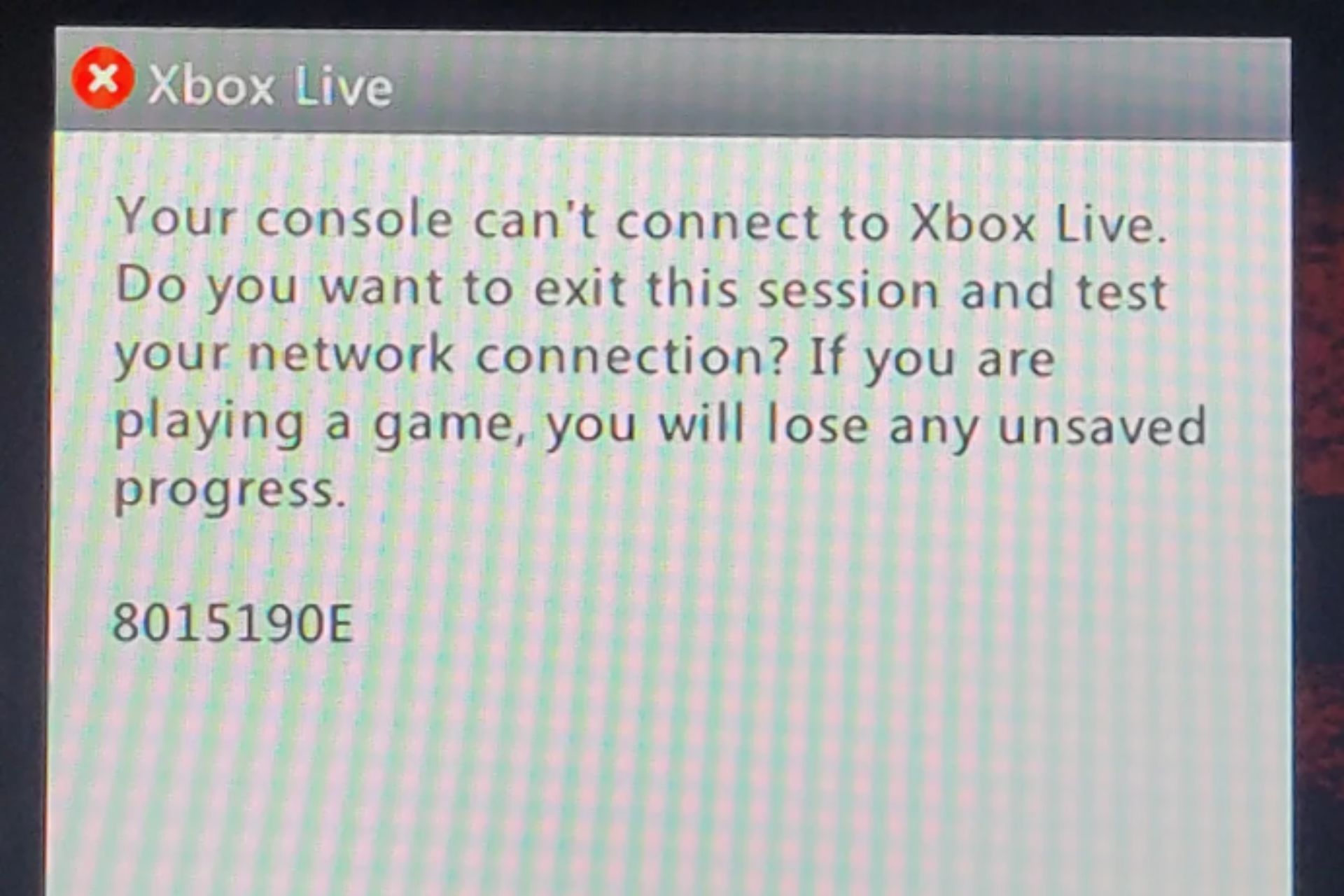
If you can’t currently access Xbox Live from your Xbob 360 account, you’re not the only one. On Reddit, many users have been reporting that they’re not able to access the platform. It’s all caused by a bug, which reads:

Your console can’t connect to Xbox Live. Do you want to exist this session and test your network connection? If you are playing a game, you will lose any unsaved progress.

Xbox

The error still lets Xbox 360 players access games on Xbox Live, but any progress made cannot be saved. But there is good news: if you’re currently dealing with this annoying issue, then you should know that Xbox is already working on fixing it.

The company acknowledged the issue in their latest Insider release changelogs, labeling it as a known issue, stating:

Games

  • We are aware Xbox 360 save data may not upload as expected, and we are working on a fix. (2405.240418-2000)
Xbox

As Xbox Insider patches are released regularly, Xbox 360 users should be able to play their favorite video games in the next few days, most lately, next week.

So, until then, maybe it’s time to make the necessary changes to survive the closure of the Xbox 360 Store, which is happening in a few months.

Xbox 360 Store is coming to an end next year, on July 29, 2024, according to Microsoft. You should also know that the Microsoft Movies & TV app will no longer be functional on Xbox 360 as well, on that date, which means you won’t be able to watch TV or movies on your Xbox 360.

We’ve created an article with everything you need to know to survive this closure easier, but either way, it shouldn’t impact your ability to play games on your Xbox 360 console, you’ll still be able to play them.

Microsoft Copilot is casually displaying ads when answering users’ prompts

It has been quite a week for Windows enthusiasts: Microsoft has quietly added Windows features that make the operating system display or recommend ads to users. Let’s say, they’re not happy about it.

But if that is not enough, buckle up. It seems that Microsoft is making its popular AI model, Copilot, display ads through recommendations when answering users’ prompts, and the same as before, users are not happy.

This Reddit user was surprised to find out they’re getting several product recommendations when asking about the weather in Copenhagen. Copilot told them it would rain, but it also recommended they wear something comfy, such as a pair of sneakers; not just any sneakers, though, but very specific ones.

And not just one pair, but three pairs of sneakers, because, you know, one ad is not enough. And by the time Microsoft Copilot finished its answer, half of it was composed of ads.

The issue, it seems, it’s not entirely new, and it has been around for quite a while, meaning Microsoft Copilot has been displaying ads since January, according to another post made on the official Microsoft forums. That time, surprisingly, it was happening in Copilot Pro. So you’ll pay $20 to have the AI model advertise products to you.Microsoft Copilot ads

I was playing around with some basic prompts, specifically “health benefits of soy foods” and separately “how to play tennis.” While the responses were accurate, each response had advertisements, the first for soy foods and the second for books about tennis. This happened in all three chat modes. Is there a way to turn that off? The Klarna and Shop plug-ins are disabled and personalization has been turned off. That’s one nice thing about ChatGPT – no ads.

Back then, however, the worried user got a response from an independent Microsoft advisor, stating:

The advertisements that you see in the responses are not generated by Copilot, but by the web sources that Copilot uses to provide you with relevant information. Copilot does not endorse or promote any products or services that may appear in the responses.

The independent advisor also had advice for the user: using the Copilot app on the web instead of the Copilot extension in the browser seems to do the trick. Why? Well, apparently, the Copilot app has a built-in ad blocker that filters out most of the ads from the web sources, according to the advisor.

But should all Copilot versions, no matter where they’re located, have a built-in ad blocker?

Other users are obviously not happy about Microsoft Copiltot displaying ads:

The moment Copilot was even announced, I knew this was what it would be: nothing but a front for selling your data to advertisers who target the results back at you.

The only surprise here is how transparent about that it turned out to be.

Reddit user

When did this whole ads market/economy took over everything ? TV, radios, internet and now operating systems…

Reddit user

What do you think about Microsoft Copilot displaying ads? Let us know your thoughts.

8BitDo announces Ultimate 3-mode Controller: Perfect choice for multiple platforms

Having a reliable controller is crucial if you’re a gamer, and many users prefer controllers that can work with multiple platforms.

If you need such a device, you might be interested in a recently announced controller from 8BitDo.

The latest 8BitDo controller can work on almost any platform

We covered 8Bit Do controllers with Hall effect sticks not that long ago, but the company has released a new device according to Neowin.

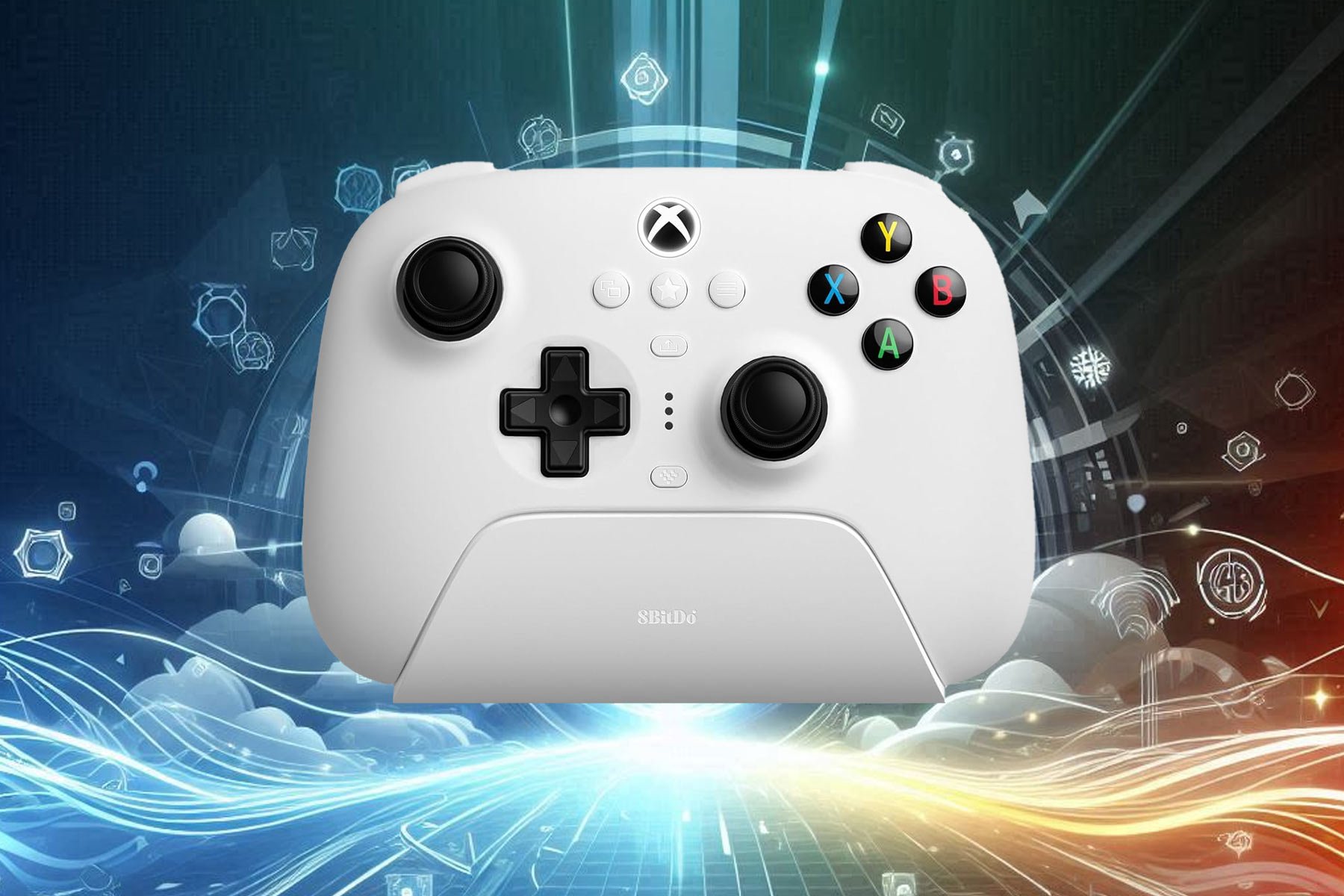
The newly announced 8BitDo Ultimate 3-mode Controller is an officially licensed Xbox controller so it will work perfectly with your console.

This model comes with water-resistant Hall effect sticks that give players a high level of precision and sensitivity. In case you need additional control, the sticks are fully customizable.

Speaking of customization, trigger buttons are also customizable, so you can adjust their range and motor density. If needed, you can remap all the buttons thanks to the included software.

As previously stated, this is an Xbox controller, so it’s fully compatible with Xbox One and Xbox Series X|S. Regarding the connectivity, it uses the USB cable to connect to the console.

You can also connect the controller to the PC with the 2.4GHz USB dongle or to any Android device via Bluetooth. It’s worth mentioning that the controller supports quick switching thanks to the built-in physical switch.

Lastly, the controller comes with a 1000 mAh battery that should last about 20 hours on a single charge. Overall, this is a great controller and you can pre-order it in black or white color from Amazon for $ 69.99.

As for shipping, the device should start shipping on June 13th, so you’ll have to wait for a bit. In case you want something more advanced, you can get Asus ROG Raikiri Pro for 27% off.

As Xbox sales plunge, Activision’s acquisition comes to Microsoft’s rescue

When Microsoft acquired Activision Blizzard for $69 billion, many questions were raised about the financial implications of the deal. But as it turns out, revenue from Activision Blizzard is compensating for the fall in Xbox console sales, which has taken the biggest hit since 2020!

Figures released by Microsoft show Xbox sales dropping by 31% in Q3 2024. On the other hand, the revenue from Xbox content and services increased by 62%, with Activision Blizzard contributing a large part of it. According to Microsoft, the net impact of Activision Blizzard’s acquisition was 61 points!

Microsoft’s overall revenue increased to $61.9 billion, up by 17%, with Microsoft Cloud alone adding $35.1 billion, 23% higher than last year.

This quarter’s numbers look promising to Microsoft for another reason: Windows OEM revenue increased by 11%. Microsoft had previously stated that these numbers would be in line with the previous year’s figures. An increase here can be attributed to Microsoft’s investment in Artificial Intelligence and its plans to integrate AI into Windows.

Microsoft’s CEO Satya Nadella earlier said,

Microsoft Copilot and Copilot stack are orchestrating a new era of AI transformation, driving better business outcomes across every role and industry.

However, the nosediving Xbox sales remain a concern for Microsoft. There are reports of retailers cutting back Xbox stocks in Europe as gamers prioritize PlayStation and PC. And the future doesn’t look too promising either.

However, Microsoft has repeatedly denied any plans to discontinue its flagship Xbox console. Instead, it’s going with the tried and tested method, i.e., integrating AI into the Xbox console, given the success with Windows. As to whether it helps Xbox reclaim its lost position in the market, only time will tell!

What factors would you attribute to the fall in Xbox sales? Share with our readers in the comments section.

Minecraft Realms Plus update brings improved render distance and player management

Minecraft went through various changes over the years, which made it one of the most played games ever.

Recently, Minecraft Realms Plus was updated with some new features, so let’s check and see what’s new.

Minecraft Realms Plus gets extra render distance, a social hub, and more

In case you didn’t know, Minecraft has a service hosting subscription service called Realms Plus. The service lets you play with 10 friends and offers three permanent world slots, cross-play support, and over 150+ pieces of Marketplace Pass content.

Minecraft Realms Plus got a big update as Neowin writes, and an array of new features. The first new feature is Realms Stories which you can use to share updates or screenshots with members of the server.

The Realm Stories will also get updated with Realm Event news if a player achieves a certain adventuring milestone.

Members Tab is also available allowing you to manage members of the server and see who’s online at any moment.

If you’re planning to organize gameplay sessions, you can also check out the Timeline Tab and see when your players are usually online to coordinate better.

We also have to mention that the Realms render distance has been increased by eight extra chunks allowing you to have 20 chunks render distance in total.

Lastly, you’ll also get Character Creatior items that you can claim and keep every month. For in-depth information, be sure to visit the Minecraft blog post.

In other news, Minecraft has dropped support for 32-bit operating systems, and we might even see a PS5 version of Minecraft in the future.

Will Microsoft ever change? Windows 11 to show a warning on PCs not compatible with AI Explorer

We previously explained the system requirements for AI Explorer, the much-anticipated feature in Windows 11 24H2. As it turns out, for PCs not compatible with AI Explorer, Windows 11 will display a warning or watermark of some kind!

According to X user Albacore, the AI Explorer on build 26200 of the latest iteration will reportedly check whether the PC meets the system requirements, and for the ones that don’t, a warning/watermark will be shown.

Albacore did find a way to bypass the check by disabling ID 48486440, but it only prevents the AI Explorer and not the API.

Earlier, experts discovered that Microsoft has limited the AI Explorer to ARM-based PCs and Intel and AMD NPUs didn’t make the cut. This itself puts a significant number of users at a disadvantage. Now, the warning for PCs non-compatible with AI Explorer on Windows 11 is set to infuriate many!

Remember, these warnings are presently limited to the Preview builds of Windows 11 24H2. Microsoft hasn’t confirmed whether these will make it to the stable build.

For now, we recommend you don’t lose patience. AI Explorer has a ton of great features and will be a valuable addition to the latest iteration of the OS.

What do you think about Windows 11 showing a warning/watermark on devices not compatible with AI Explorer? Share with our readers in the comments section.

Deal of the day: Save $972 on Legion Pro 7i with RTX 4090, 32GB RAM, and 2TB storage  

Gaming laptops have gotten far too expensive of late, with most of the powerful options priced above $3000. And that’s why I always look out for discounts. This time around, the Lenovo Legion Pro 7i received a price cut of $972, bringing the cost down to $2,667.99 from the regular $3,639.99.

Just apply the coupon code, GAMEON!

Gaming on the Legion Pro 7i is a seamless experience, given the high FPS and performance. Also, with 3 months of free Xbox Game Pass, you can play from a wide array of exciting titles at no extra cost.

Even if you are not a gamer, the Legion Pro 7i will be the perfect laptop for multitasking. Run several resource-intensive applications simultaneously, and you won’t face even an iota of lag.

Besides, this high-performance gaming laptop, featuring 11 ports, negates the need for a USB hub or adaptor. Whether you need to connect a microphone, plug in the Ethernet adaptor, or require a USB-C port, it’s all there!

Another thing we appreciate about the Legion Pro series is the Lenovo Vantage app. It helps customize the performance, overclock the PC, control the CPU fans, and set the different settings for RGB lighting on the keyboard, amongst others, all through a common dashboard.

For us, the Lenovo Legion Pro 7i at just $2,667.99 is a steal deal!

Lenovo Legion Pro 7i’s specifications

Processor14th Generation Intel Core i9-14900HX Processor (E-cores up to 4.10 GHz P-cores up to 5.80 GHz)
GraphicsNVIDIA GeForce RTX 4090 Laptop GPU 16GB GDDR6
Storage2 TB SSD M.2 2280 PCIe Gen4 TLC
RAM32 GB DDR5-5600MHz
Operating SystemWindows 11 Home
Display16″ WQXGA (2560 x 1600), IPS, Anti-Glare, Non-Touch, HDR 400, 500 nits
Camera1080P FHD
Information source: Lenovo

For those interested, hurry up and get the Lenovo Legion Pro 7i from the official website right away. It’s a limited-period deal!

Some buyers did share concerns about battery life, but that’s never a strong point for gaming laptops. Although, the absence of a fingerprint reader might be a deterrent for a few. I believe laptops in this price range should be more compatible with the Windows Hello experience!

If you are looking for lower-priced options, discover our top picks for budget gaming laptops.

Do you believe the Lenovo Legion Pro 7i at $2,667.99 is a value-for-money option? Share with our readers in the comments section.

Grab the best offer for this RTX 3060 Ti gaming PC perfect for Manor Lords

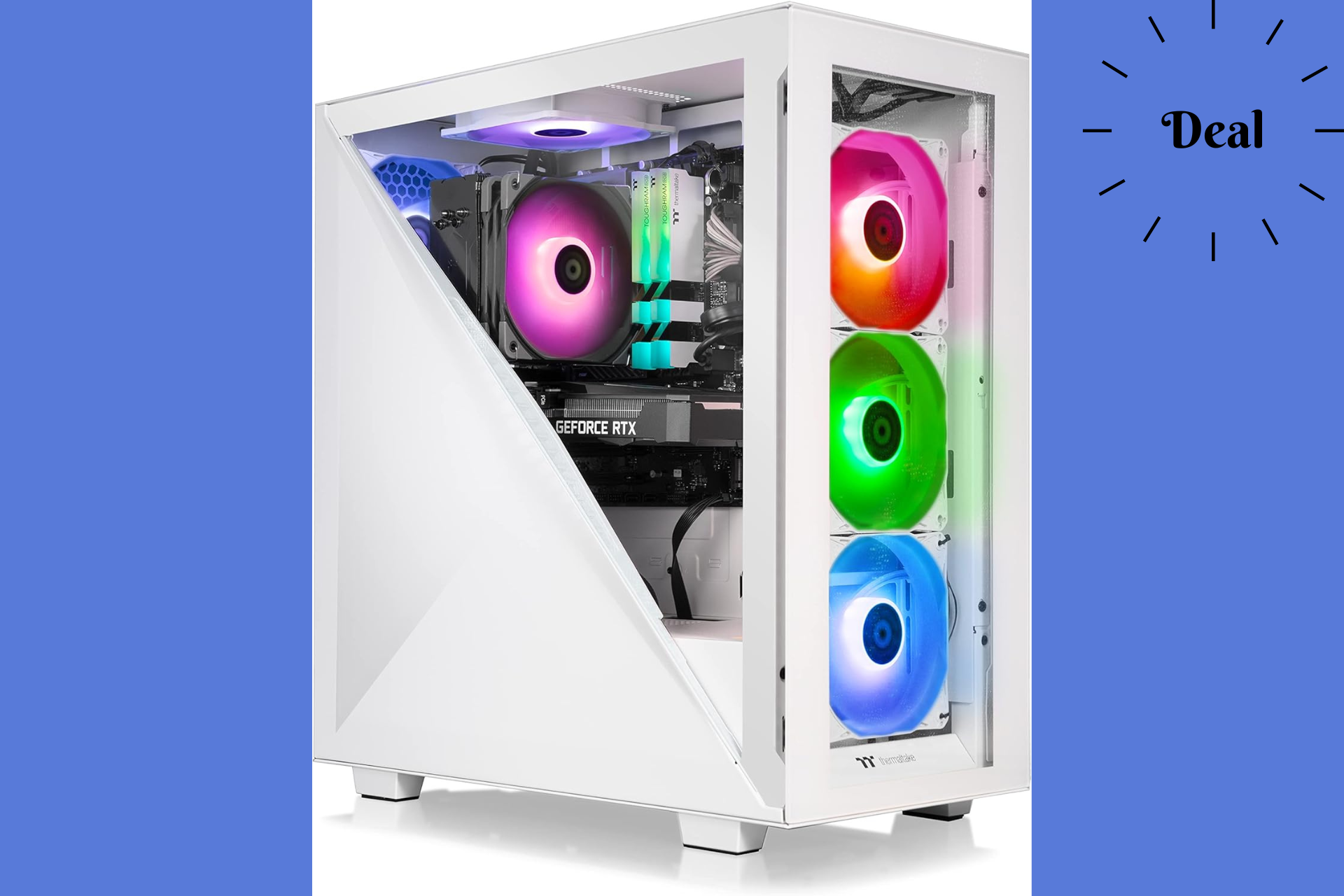
Imagine stumbling upon a deal that not only fits your budget but also catapults your gaming experience to new heights, especially with titles like Manor Lords on the horizon. That’s exactly what’s happening over at Amazon with a jaw-dropping offer on the Thermaltake LCGS Avalanche i366T R4 Gaming Desktop. This beast of a machine, powered by the RTX 3060 Ti, is now up for grabs at a significantly reduced price.

For a limited time, you can snag this gaming powerhouse for just $1,099.99. That’s a cool $200 off its regular price, thanks to a generous 15% discount. It’s not every day you come across such an enticing offer, making it the perfect time to upgrade your gaming setup.

Why should I get Thermaltake LCGS Avalanche i366T R4?

This Thermaltake gaming PC boasts an Intel Core i7-12700F CPU backed by the solid Intel B660 Chipset, ensuring smooth and powerful performance across all your favorite games. The NVIDIA GeForce RTX 3060 Ti graphics card is the star of the show, offering stunning visuals and fluid gameplay, complemented by versatile connectivity options through multiple Display Ports and HDMI ports.

Multitasking is a breeze with 16GB of high-speed DDR4 3600MHz RGB RAM, while the 1TB NVMe M.2 SSD offers ample storage and lightning-fast data access. Overheating won’t be an issue thanks to the efficient ARGB Tower Air Cooler, and the variety of ports, including USB 3.0 and USB 2.0, ensure you can connect all your essential peripherals with ease.

The design also features a PSU power cover to enhance airflow and cooling efficiency, crucial for maintaining optimal performance during those marathon gaming sessions.

If this deal has caught your eye, acting fast would be wise as there’s no telling how long this price will last. Also, you might take a look at this amazing Acer Predator gaming desktop PC deal.

So, whether you’re gearing up for Manor Lords or any other gaming adventure, this deal is a golden opportunity to elevate your gaming experience without emptying your wallet.

Quality Mode isn’t working in Fallout 4 next-gen version on Xbox

Fallout 4 next-gen update has hit PC and consoles, and while many were excited about the launch, it seems that there are some issues with the game.

Many unhappy gamers reported problems with the Xbox Series X|S version of the game, so let’s dive into it and see what went wrong.

The next-gen version of Fallout 4 is stuck in Performance Mode on Xbox

The Fallout franchise recently had 5 million players in a single day, and many were excited for the next-gen update of Fallout 4 and the chance to venture into the wasteland in 4K resolution.

However, that’s not going to be possible on Xbox as Pure Xbox writes. As you know, the Quality Mode will enhance the quality of the textures, while lowering the framerate to 30-40fps.

Keen-eyed users noticed that the game always runs at 60fps, even in the Quality Mode, which led users to conclude that the Quality Mode is not working at all.

Even if you enable it, the game will always stick to the Performance Mode. PS5 gamers have confirmed that this issue isn’t present on their consoles, so it seems that this only affects Xbox.

Luckily, Bethesda is aware of this issue, and they are already working on a patch. The launch wasn’t smooth on the PC platform either, and many reported that the next-gen update for Fallout 4 has widescreen issues, but these can be easily fixed with a bit of tweaking.

AMD’s Ryzen 9050 APU series was spotted: 16 Zen5 cores and 60 TOPS of AI processing power

The latest buzz comes from AMD, a company that’s been struggling to keep up with NVIDIA lately. Recently, the guys from VideoCardz allegedly got hold of a leaked document that painted a vivid picture of AMD’s next big thing: the Ryzen 9050 series, including the Strix Point and Strix Halo chips.

The Strix Point chip is like the opening act that you can’t afford to miss. It’s rumored to pack 12 cores and 24 threads, all humming along on AMD’s cutting-edge Zen5 architecture. But it doesn’t stop there; with a 12MB L2 cache and a 24MB L3 cache, this chip is all about speed and efficiency. And for those who dabble in AI, the Strix Point is a dream, boasting an AI processing capability of 50 TOPS. For comparison, the Qualcomm X Elite chip is capable of 45 TOPS. Plus, with a TDP of 45-65W, it’s efficient too.

Source: VideoCardz

Now, if you thought that was impressive, the Strix Halo is like the headliner that blows everyone away. This powerhouse steps it up with 16 cores and 32 threads, backed by a hefty 16MB L2 cache and a 32MB L3 cache. It’s not just about brute force, though; the Strix Halo can reach up to 60 TOPS in AI processing, making it a beast for any AI-driven tasks. And with a TDP ranging from 70-130W, it’s clear this chip isn’t playing around.

But here’s the kicker: these chips are set to debut in different years. The Strix Point is eyeing a 2024 release, while the Strix Halo aims for 2025. It’s a bit of a wait, sure, but it sounds like it’ll be worth it. The anticipation is building, and I can’t help but wonder how these chips will change the game. Will the Strix Point be the go-to for those looking for a balance of power and efficiency? Or will the Strix Halo, with its sheer might, become the new benchmark for what a top-tier chip can do?

As we edge closer to their release, one thing is clear: AMD isn’t just keeping up with the times; they’re setting the pace. Whether you’re gaming, creating, or just craving that next-level computing experience, the Ryzen 9050 series seems poised to deliver. So, what do you think? Are you ready to see what the future of computing looks like? Because, from where I’m standing, it looks pretty darn exciting.

Snowflake Arctic, an open-source, efficient, and cost-effective LLM, is set to take on Llama and Mixtral

When it comes to open-source LLMs (Large Language Models), the options are rather limited. But with Snowflake unveiling Arctic, things are about to get exciting!

Branded as the Best LLM for Enterprise AI, Arctic hits the bull’s eye in two aspects: low training cost and high training efficiency.

Arctic’s announcement blog reads,

Arctic offers top-tier enterprise intelligence among open source LLMs, and it does so using a training compute budget of roughly under $2 million (less than 3K GPU weeks). This means Arctic is more capable than other open source models trained with a similar compute budget. The high training efficiency of Arctic also means that Snowflake customers and the AI community at large can train custom models in a much more affordable way.

As per the data shared by Snowflake, Arctic delivers better performance at a lower computing power and cost than LLAMA 3 and Mixtral 8x7B.

Arctic comparison chart vs other LLMs
Comparison chart (Image source: Snowflake)

To achieve relatively high training efficiency, Arctic uses the Dense-MoE Hybrid transformer architecture, which provides 480B MoE Parameters and 17B Active Parameters.

Coming to the equally critical Inference Efficiency in the Arctic LLM, Snowflake partnered with NVIDIA to achieve a throughput of 70+ tokens per second with a batch size of 1. This finds several mentions in the blog.

We have collaborated with NVIDIA and worked with NVIDIA TensorRT-LLM and the vLLM teams to provide a preliminary implementation of Arctic for interactive inference.

You can currently access Snowflake’s Arctic LLM on Hugging Face or the GitHub repository. In the coming days, it will be available on Amazon Web Serice (AWS), Lamini, Microsoft Azure, NVIDIA API Catalog, Perplexity, Replicate, and Together AI.

There have been significant improvements in the LLM landscape over the last few years, Arctic being a prime example of how much we have accomplished. And with corporations investing heavily in AI, the future looks promising!

What’s your first thought about Snowflake’s Arctic LLM? Share with our readers in the comments section.

Augment Inc. raised $227 million to compete with GitHub Copilot and other coding AI

A new player has emerged in the AI world with a bold ambition: Augment Inc. This secretive AI coding assistant startup has recently announced a staggering $227 million funding round, propelling its valuation to an impressive $977 million.

With a mission to empower developers with cutting-edge AI capabilities, Augment is poised to transform software development. The company, co-founded by industry veterans Igor Ostrovsky and Guy Gur-Ari, and led by CEO Scott Dietzen, aims to make software engineering a collaborative effort between human coders and AI. Despite its significant funding and ambitious goals, Augment remains somewhat enigmatic, sharing little about its technology or how it plans to stand out in the crowded AI coding industry.

It’s clear we’re entering a once-in-a-generation pivot point in software development. At Augment, not only do I get to work with many of the brightest minds in AI, we’re fortunate to have the backing of the world’s leading investors to fuel our vision. Augment’s AI platform naturally and seamlessly empowers every developer.

Scott Dietzen, CEO of Augment Inc.

How did Augment managed to raise so much money?

The company has attracted attention and investment from high-profile figures, including former Google CEO Eric Schmidt, signaling strong belief in its potential to disrupt the AI coding sector. However, Augment’s reluctance to divulge details about its platform or the AI models powering it has sparked curiosity and speculation. The startup’s strategy seems to be a calculated move to maintain a competitive edge in a fiercely contested market.

The AI coding assistant landscape is indeed competitive, with giants like GitHub’s Copilot leading the charge. Yet, Augment’s significant funding round suggests that investors are confident in its ability to carve out a niche. The company’s focus on empowering teams, protecting intellectual property, and enhancing software development speed and quality could set it apart. But, the path ahead is not without challenges. The AI coding industry is grappling with issues like high development costs, code quality concerns, and copyright disputes.

What makes Augment intriguing is not just its ambitious vision but also the broader context in which it operates. The demand for AI-powered coding assistants is growing, driven by the need to address software development’s complexities and inefficiencies. Gartner’s prediction that 50% of enterprise software developers will use AI-based coding tools by 2027 underscores the potential impact of startups like Augment. Yet, the success of these ventures hinges on their ability to deliver tangible improvements in productivity, code quality, and developer satisfaction.

As Augment prepares for its platform’s general availability, the tech community eagerly awaits more details. Will Augment’s approach to AI-powered coding assistance live up to the hype and investor confidence? Only time will tell. But one thing is clear: the race to redefine software development with AI is on, and Augment is a contender worth watching.

Fallout 4 next-gen update plagued by widescreen issues on PC, workaround is available

Fallout has been in the spotlight recently with the release of the Fallout TV show on Amazon Prime. In addition to the show, Bethesda is also working on a next-gen version of Fallout 4.

The wait is finally over, and the next-gen version is here, but it suffers from widescreen issues on PC.

Fallout 4 next-gen update comes with UI scaling issues on Windows, but that can be fixed

It has been known for a while that Bethesda is working on a next-gen version of Fallout 4, and the game is finally here.

However, this version has a few nasty bugs especially when using ultrawide mode on PC as Windows Central writes.

This version brings new textures, and some new content as well as support for 21:9 and 32:9 ultrawide display resolutions.

However, you can’t even choose a 21:9 resolution if your display scaling is not set to 100%. In addition, this feature also stretches the game’s HUD and user interface instead of scaling it properly.

It seems that Bethesda was lazy with the implementation of this feature, as the ultrawide mode uses a configuration file edit that players have used to force the game into ultrawide mode for a while.

Luckily, this issue can be fixed in the Steam version of the game with the TRUBY9 ULTRAWIDE mod on 21:9 displays. The mod converts all UI elements and scales them properly, and even though the mod is discontinued, it still works perfectly.

Before you can use this mod, you need to make a couple of changes:

  1. Navigate to the following location: C:\Users\[YourUsername]\OneDrive\DocumentsMyGames\Fallout4
  2. Locate Fallout4Prefs.ini and open it with Notepad.
  3. Locate the [Launcher] section in the ini file and add the following line beneath it: bEnableFileSelection=1
  4. Save the changes.
  5. Next, in the same folder open the Fallout4Custom.ini file.
  6. Add the following lines to it and save the changes: [Archive]
    bInvalidateOlderFiles=1
    sResourceDataDirsFinal=

After that, you just need to install the mod. You can do that manually or with a mod manager such as Vortex or Mod Organizer 2.

Once the mod is installed, the UI issues should be fixed and the widescreen mode should work properly. The launch of the game was followed by issues on other platforms as well, as Xbox players can’t access the Quality Mode in Fallout 4.

In other news, the Fallout franchise had 5 million active players in a single day recently following the success of the TV show.

Skype Insider build 8.118 is available for Windows, macOS, Android, and iOS

Microsoft releases Skype insider build 8.118 for every compatible platform, including Windows, Android, macOS and iOS.

Here is what is new:

 In-chat Camera Customization That Remembers

Embrace the personal touch with Skype’s latest Android update – your chat camera now remembers your last used settings, ensuring your best side is always ready for its close-up.

  • Selfie-Ready: Love the front cam? Skype now defaults to your preference in chat, saving you a click.
  • Stick with Your Pick: Flipped? Set it once and Skype’s chat camera keeps it just so for next time.
  • Snap Back to It: Revisit the chat and your camera’s just as you left it, for seamless sharing.

Dive back into your chats with a camera that’s all about you! Only on Skype for Android.

Streamlined Chat Sorting

Finding your focus in Skype chats is now sleeker and more intuitive with our new bottom sheet design.

  • Filter with Flair: Tap and unveil a modern, user-friendly filter menu right in your chat list.
  • Customized Chat Visibility: Easily toggle between seeing recent chats, unread messages, or active conversations.
  • Design that Delivers: Enjoy a fresh look with essential features at your fingertips – designed for the way you communicate on mobile.

Dive into a cleaner, quicker way to navigate your chats with Skype’s updated mobile experience!

Skype Desktop’s GIF Picker Gets a Speed Boost!

Our latest desktop update means finding the perfect GIF is quicker than ever.

  • Speedy Selection: Wave goodbye to waiting; your GIF picker is now turbocharged for instant fun.
  • Slick Browsing: Glide through categories with a smoother experience, no more loading lags!
  • Optimized Performance: Enjoy quicker, crisper GIF rendering to express yourself in a flash.

Get ready for lightning-fast laughs with the new and improved GIF picker, only on Skype Desktop!

iOS Lightning-Fast Message Sync from Notification click!

Goodbye lag, hello instant chat! We’ve turbocharged Skype for iOS.

  • Instant Message Sync: Notifications and in-app messages now sync up faster than ever. No more waiting!
  • Preloaded Chats: Messages are fetched in the background, ready when you are. Tap a notification, and your message is right there!
  • Smooth Experience: Our behind-the-scenes tweaks ensure a more responsive and satisfying Skype.

Stay in the moment with Skype’s latest upgrade, where conversations flow as fast as your thoughts!

Polishing Skype: Stability improvements & Bug fixes

  • Avatars not displayed in the background of a video call for some users.

This update contains a lot of improvements to improve the overall app experience for the users on all platforms.

If you don’t see the features just after installing the update, they will roll out gradually in a couple of days. Also, if you wish to download the latest Skype Insider build, you can go to this website so that you don’t miss early access features.

What do you think about these features in this new build? Share your opinions with our readers in the comments section below.

Microsoft may rename Edge’s Circle to Copilot to Copilot Vision

Microsoft Edge and Copilot are closely connected, but it seems that Microsoft plans to make some changes in Edge.

This is a minor change that probably won’t affect the functionality as Microsoft is working to rename Circle to Copilot.

Microsoft renamed Circle to Copilot to Copilot Vision in Edge Canary

Circle to Copilot is an upcoming feature in Edge, and it is inspired by Google’s Circle to Search feature that is available on phones.

Using Circle to Copilot, you can quickly start the AI assistant, and all that you have to do is draw a circle while holding the right-click.

You can also use the Alt + Shift + X shortcut and it will give you a new UI with options to extract text from an image and send it to Copilot.

Microsoft has also added dedicated settings for Circle to Coplot thus informing users that it’s no longer an experimental feature as it’s now available by default in Insider versions of Edge.

The settings state that Circle to Copilot is available by default on web pages and screens. If needed, users can adjust their settings and assign a different shortcut key to launch this feature.

While Microsoft has changed its name and settings to Copilot Vision, you’ll still see Circle to Copilot when using the gesture.

Microsoft has also changed the wording in Copilot settings and the new settings state that Copilot now can read context clues on the web.

We still don’t know when this change will come to the stable version, so stay tuned for more news.

ExplorerPatcher removes the old Windows 10 taskbar in Windows 11 24H2

ExplorerPatcher is an app developed by Valinet, which is renowned for modifying Windows UI. It has just released a new version, 22621.3527.65.1.

The latest version brings an important change: You will no longer be able to revert to the Windows 10 taskbar on a computer running Windows 11 version 24H2, including build 26002 and later.

When Microsoft released the 26052 build to the Dev and Canary Insider channels, the build completely broke ExplorerPatcher’s Windows 10 taskbar emulation on Windows 11.

Here is what the changelog for the latest version of the app says:

  • Taskbar10: The Windows 10 taskbar option is now no longer available on 26002+.
    • This is to comply with Microsoft’s removal of the stock Windows 10 taskbar in explorer.exe of said builds.
  • Start10: Fixed Pin to Start with a 50/50 chance of success on 226xx.3420+ (22H2, 23H2) and 25169+ (24H2).
  • Start10: Reverted the menu closing delay fix when EP is injected only into StartMenuExperienceHost.exe for now.

The 22621.3527.65.1 build was tested on OS builds 22621.3296, 22621.3447, and 22621.3527. You can download the latest version of ExplorerPatcher from its official GitHub repository.

Go to the website, look for ep_setup.exe under Assets, and click it to download. Once downloaded, double-click the file to initiate the installation.

Also, if you are an insider running the latest builds in preview, you may not be able to use or even install StartAllBack or ExplorerPatcher installed. Microsoft flags them as the app causing performance issues on your computer.

You can rename the StartAllBack or ExplorerPatcher executables to bypass the block and use the apps on your computer without issues.

Are you disappointed with ExplorerPatcher’s change, and would you miss the Windows 10 Taskbar on your Windows 11 computer? If so, share your thoughts with our readers in the comments section below.

Chrome to make it easier to manage certificates with the new UI in Settings

Google is currently working on adding the ability to manage certificates directly within Chrome Settings. Earlier, Chrome only permitted users to view certifications for individual sites; however, now the company is including a central location to access certificates with the new Cert Management V2 UI in Canary.

Certificates play an important role in online security. They verify websites’ identities and encrypt communication, thereby protecting data from interception.

Proper certificate management is critical to ensuring trustworthy connections, data encryption, and advanced security features. Chrome does provide certificate management capabilities. However, the current user interface is limited.

Currently, to access a basic certificate viewer for HTTPS sites, you can click the padlock icon in the address bar.

This viewer will present details about a specific website’s certificate, but it doesn’t have a central location to manage all certificates. Unlike Chrome, Firefox and Microsoft Edge come with built-in certificate managers,

To address this, Chrome is developing a new Certificate Management UI V2 with the aim to deliver more streamlined and user-friendly experience. With this, you will be able to access and manage all certificates, including local certificates, client certificates and Trusted Root Stores, from a single location (chrome://settings/certificates)

Additionally, you will be able to view detailed information about the Chrome Root Store,  including the list of trusted Certification Authorities (CAs).

How can I enable Cert Management V2 UI?

Launch your Google Chrome browser, then type chrome://flags in the address bar and press Enter. Next, look for Cert Management V2 UI, and enable it, then restart your browser.

Once done, type chrome://settings/certificates, and you will see the new UI.

While competitors like Firefox and Edge already have similar features, Chrome’s update promises enhanced functionality with classified certifications and a centralized location for checking them.

This change will bring Chrome closer to its competitors in providing simple certificate management within the browser interface.

What are your thoughts on the matter? Share your opinions with our readers in the comments section below.