Microsoft news recap: Path Guide delivers indoor navigation, responds to new Skype experience complaints and more

Microsoft (MSFT) news recap is a weekly feature highlighting the top Microsoft news stories of the past week. Sit back, grab some coffee, and enjoy the read!

Microsoft Research releases Path Guide for Android, an indoor navigation app

We’ve seen the usefulness of outdoor navigation apps such as Bing Maps, but what we haven’t seen much of is indoor navigation. Microsoft Research’s latest project, Path Guide, helps to solve that. Users are able to submit indoor directions, so that other users can navigate indoor places, such as malls. It is only available for Android at the moment.

Path Guide

Latest EFF report proves Microsoft “Has Your Back” against governments seeking data

People are becoming more and more concerned about government surveillance and the data that governments can have on us. The latest “Who Has Your Back” report by the Electronic Frontier Foundation has shown that Microsoft is committed to ensuring users’ data is secure, following industry best practices. It received 4 out of 5 stars, inline with the likes of Apple, Facebook, and Yahoo.

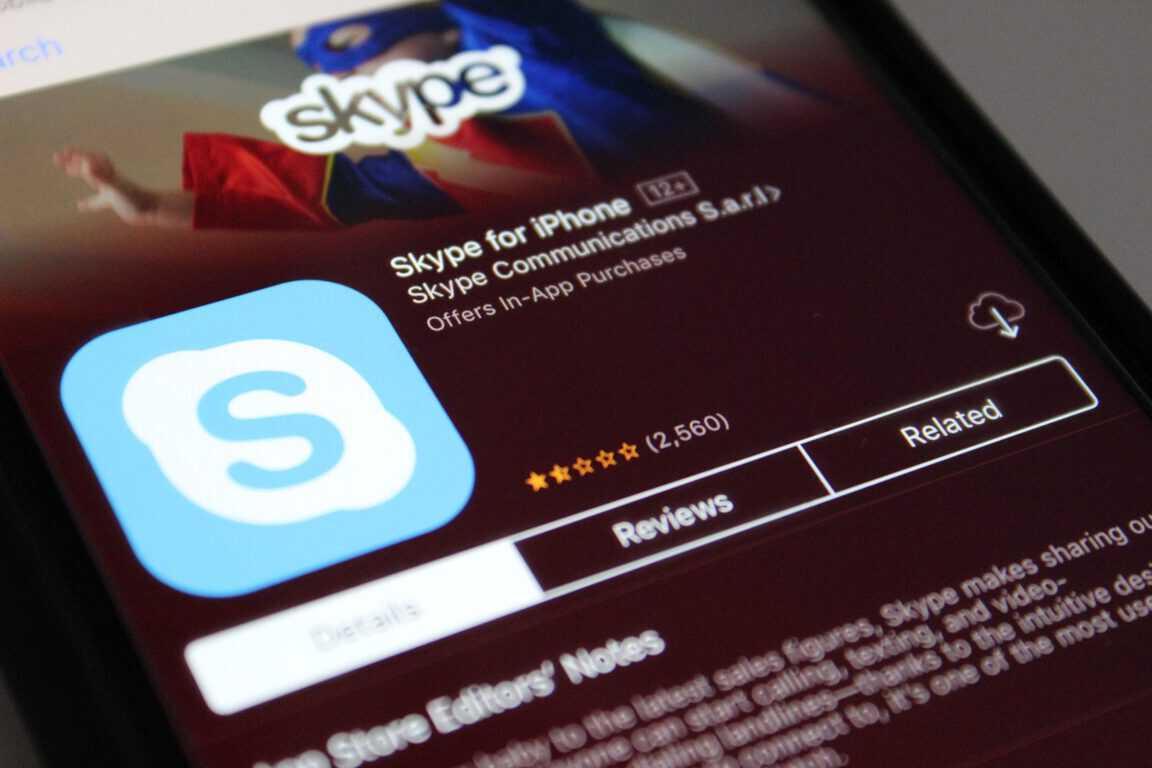
Microsoft addresses complaints about the new Skype app, says “we will build the next generation together”

Microsoft began the rollout of the new Skype experience not long ago, for those on Android and iOS, however, it was hit with criticism by Skype users who weren’t happy with the changes, particularly with its Snapchat-esque Highlights feature. Microsoft has responded to the complaints, saying that “we will build the next generation together”.

Status display

Microsoft and BMW team up to bring Skype for Business to the new BMW 5 series

BMW has announced that it has teamed up with Microsoft to bring Skype for Business to its BMW 5 series vehicles. Skype for Business will be integrated into BMW’s iDrive system.

Skype for Business BMW Car

That’s the top Microsoft news for this week – we’ll be back next week with more.

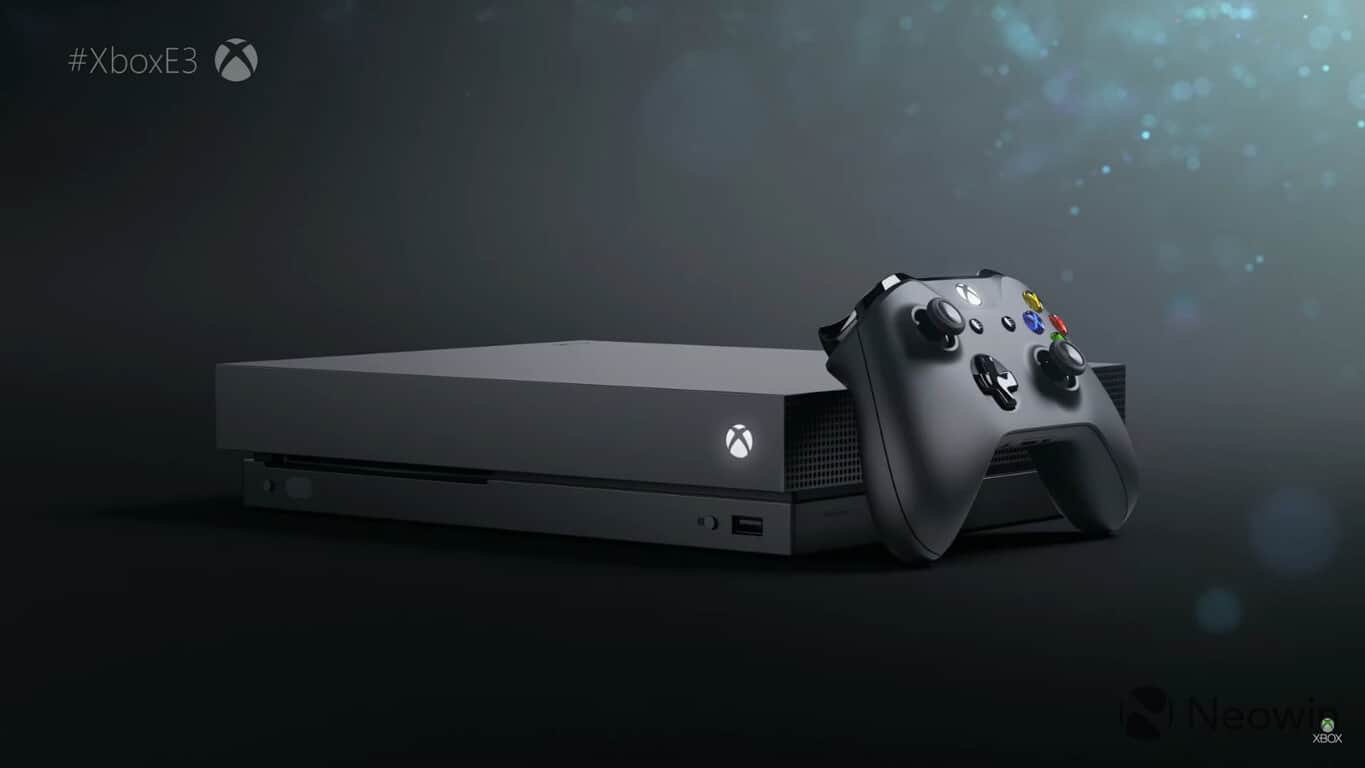
Xbox news recap: Huge update brings custom gamerpics and more, Xbox Fitness finally shuts down

Welcome to our weekly Xbox news recap series, where we go over the top stories of the past week in the world of Xbox. Let’s get started.

Huge update brings custom gamerpics and more

Custom Gamerpics have arrived with the new update to Xbox One, along with several other big changes to the platform. The addition of custom Gamerpics applies to both profile pictures and club pictures, allowing for some extended customization on both fronts. Those downloading this week’s update can also look forward to co-streaming support on Mixer, where you can invite some of your friends to stream with you for cooperative or competitive games.

Xbox Fitness finally shuts down

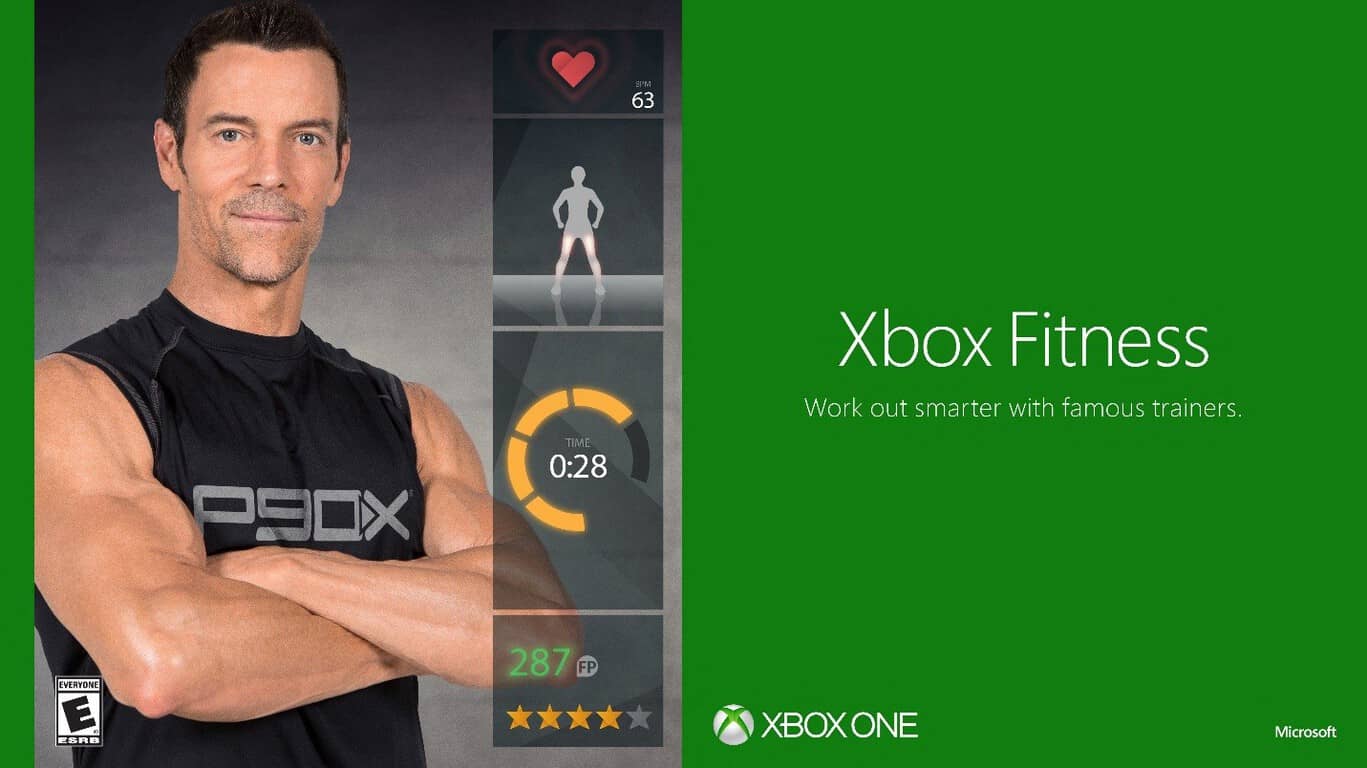
On its way out for a long time now, Xbox Fitness has finally shut its doors. The closing of the application was announced quite a while ago, but a glimmer of hope for fans popped up when they discovered that they could still use some of their downloaded workouts. Unfortunately, even those workouts are now defunct – marking the end of Xbox Fitness entirely until Microsoft makes some attempt to replace it.

Xbox fitness

Microsoft gives fans more reassurance: 4K upgrades will be free

It’s been mentioned offhandedly time and time again, but Microsoft’s Aaron Greenburg has confirmed once more that 4K upgrades to games you own will be entirely free. If you own games that are better on Xbox One X, you will be charged absolutely nothing more for playing it in Native 4K with your new console.

Microsoft’s setup experience gets the Fluent Design treatment

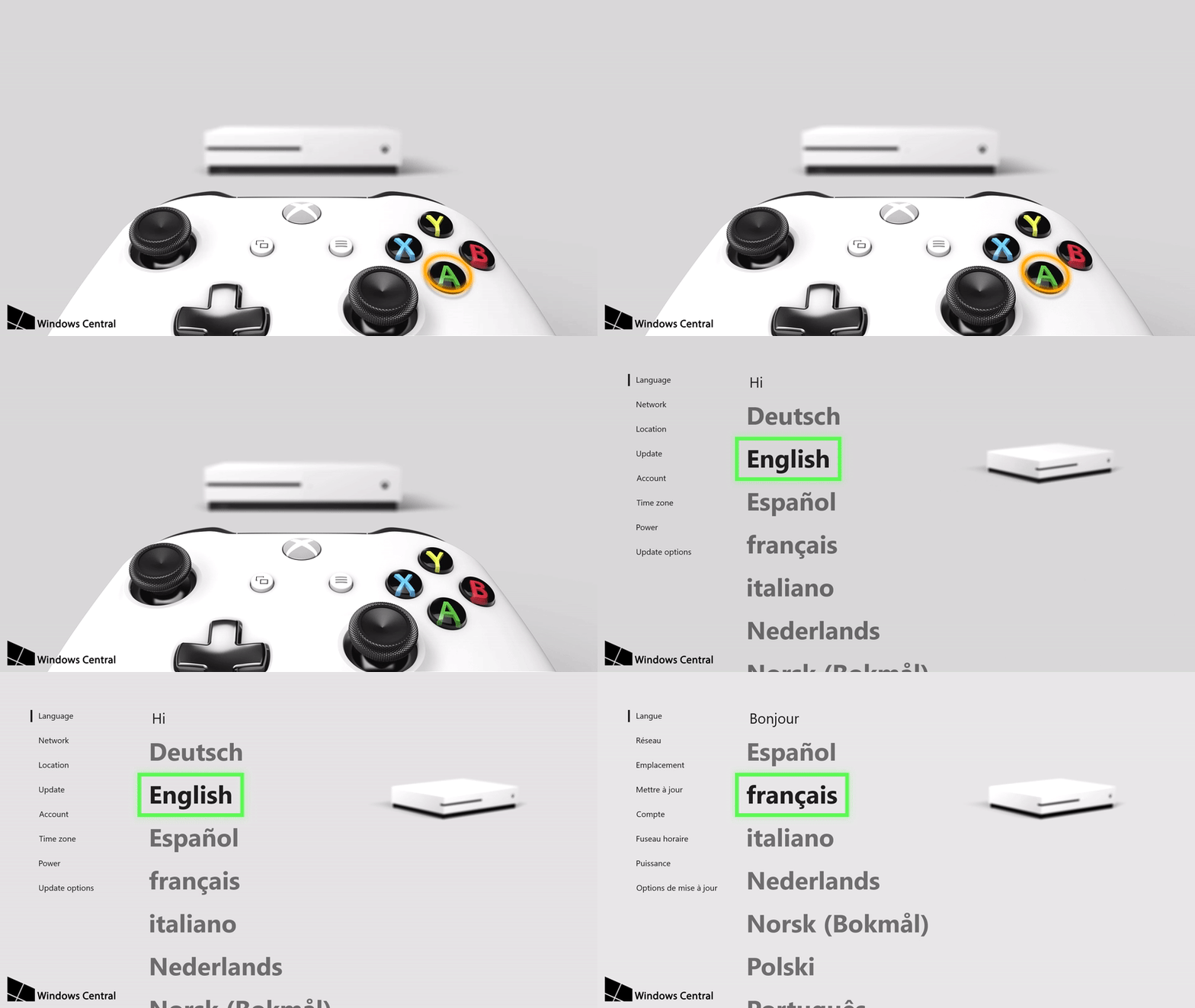
Fluent Design is the future of Microsoft’s visual layout, and it’s starting to make its way onto the Xbox One. While we’ve already seen Fluent Design’s influence on the quick menu, we’re now seeing a totally revamped first-time setup sequence for the console that fits the new style. It’s a pretty sleek re-imagining of the setup sequence, and uses graphic representations of the console and controller to help guide you along.

Thanks for joining us. To keep up to date with all the latest Xbox news, keep a close eye on our Xbox One tag.

Did you know that Xbox One has game quizzes? Here’s how to find them (and compare yourself on the global leaderboards)

If you find yourself not wanting to play a particular game, or maybe you’re wanting to test your knowledge of a game in a quiz, Microsoft has the solution. Despite not many knowing about it, the Xbox One dashboard actually has a selection of game quizzes built-in, as discovered by sdbjazz on Reddit.

Through these quizzes, you can test your knowledge of different games, such as Minecraft, and see how you stack up against others across the world on the leaderboards that display after completing a quiz. Take a look at the video below to see Xbox Game Quizzes in action.

As shown, the quizzes are accessed via the Community tab on the dashboard, then there’s an item to the side that talks about one of the quizzes. Choosing this takes you to a screen with a range of available quizzes.

There are quizzes for a whole variety of games, and new ones are added regularly, so there’s always something to do. The idea is to continue to rack up points and to rise up on the global leaderboards. As you work your way through a quiz, the questions become harder.

Let us know what you think in the comments below (and your scores!).

A touch of Fluent Design comes to the Xbox app on Windows 10 Mobile and desktop

An update is rolling out for the Xbox App on Windows 10, and it is bringing a touch of Fluent Design to the experience of the app on both Windows 10 Mobile and desktop. You should be seeing the version 30.31.1001.0 app update now in the Windows Store, as it is available to all phones and desktops running the Windows 10 Creators Update.

Seen below, the update brings a small touch of Fluent Design to the hamburger menu of the Xbox app on desktop and mobile. Though a minor change, it alters the flat black color of the menu to a more acrylic and fluent look. Since you can now slightly see through to certain elements underneath the menu, it’s especially gorgeous looking on Windows 10 Mobile, and it’s very welcoming on desktop as well.

Fluent Design is now in the hamburger menu of the Xbox app!

Other apps on Windows 10 Mobile, such as the Groove Music app, and the Movies and TV app already have had updates which delivered similar elements of Fluent Design. Windows 10 desktop apps such as the Calculator, Sound Recorder, and Alarms and Clock have also received Fluent Design updates too.

So, if you’re not already using the Xbox app, or if you’re not set up for automatic app updates, you can grab up this latest update by clicking the link below.

Xbox Console Companion

Latest EFF report proves Microsoft “Has Your Back” against governments seeking data

Seven years ago, the Electronic Frontier Foundation (EFF) published a “Who Has Your Back” report, to evaluate major tech companies’ commitments to protecting users when the government seeks private data. The report has since turned into an annual tradition, and this year, the EFF is giving Microsoft four out of five stars, citing “industry best practices” as one of the primary reasons.

It is worth noting that the stars are issued to companies for different categories: industry best practices, telling users about data requests, not selling out users, standing up to NSL gag orders, and pushing for reformation of Section 702.

At the forefront of the four-star decision is the fact that Microsoft publishes an annual transparency report, law enforcement guidelines, and requires a warrant to be provided before giving user content to law enforcement. Another important factor in the decision is Microsoft tells users about government data requests, with delayed notice when a government gag order expires.

Microsoft Logo
The Microsoft Logo outside the Flagship Microsoft Store in NYC

The EFF also finds that Microsoft’s policies protect users from being “Sold out” since it specifically prohibits the company from sharing data used for surveillance. This is mainly due to the fact that Microsoft’s public policies reads: “We do not design tools to enable voluntary surveillance of our users. If we ever provide third parties with access to data about our customers, we expect those third parties to handle that data appropriately.”

Closing factors in the four-star rating include the fact that Microsoft currently does not have a policy of requesting a judicial review of National Security Letters received by the US Government.  The full report also points to the fact that Microsoft is calling for reforms of Section 702, which would significantly cut down on the surveillance of innocent American civilians.

Microsoft is not the only company which received four stars in this year’s “Who Has Your Back” report. Apple also received four stars, as well as Google, Facebook, LinkedIn, Slack, and Yahoo. Amazon and WhatsApp only received two stars. The telecommunications companies, Verizon, T-Mobile, Comcast, were rated worst, and only received one star.

Tweet your questions by today to Dona Sarkar and listen for answers on the next Windows Insider podcast

Microsoft launched its own Windows Insider Podcast earlier this year, and the monthly rendez-vous is slowly but surely becoming a great source of information about Windows 10 Insider builds and much more. If you listened to previous episodes, you probably don’t want to miss the next one as Windows Insider Chief Dona Sarkar herself will answer some “burning questions” from Insiders.

If there’s something you really want to know about the Windows Insider Program, the upcoming Fall Creators Update or anything else related to Windows 10, you have until noon PST to tweet all your questions to the team by using the #AskDona hashtag. It’s great to see that the team is making the podcast a bit more interactive this month,  and we hope you’ll take advantage of this opportunity to make your voice heard.

These Microsoft Ventures security startups are beating hackers at their own game

As we have seen after the WannaCrypt ransomware made its way into computers across the world, cyber security is an issue at the forefront of the headlines these days. But the question still remains, how do you stop the hackers from striking in the first place?

Recently, a group of Microsoft Ventures security startups took to the stage at Microsoft Inspire 2017 to showcase their answers to that question, and how they are beating hackers at their own game. The two startups, Synack, and Illusive Networks have two very different approaches, both of which have been proven to be successful (via Data Center Knowledge.)

We begin with Synack, which received a $21 million investment from Microsoft Ventures in April. This company is based in Redwood City, California, and was founded in 2013, after their current CEO and co-founder Jay Kaplan left the NSA.

To keep the hackers away, they’re using what is known as crowdfunding cyber security. With their security platform, Synack offers crowdsourced penetration testing, vulnerability orchestration, analytics and risk reporting. This brings together cyber security experts from across the world and ultimately helps companies find threats faster, and on a more reliable basis.

Next up is Illusive Networks, which is an Isreali company that specializes in deception-based cyber security technology. The company recently received an investment from Microsoft Ventures and is a subsidiary of Team 8, which has been a part of Microsoft Ventures since last year.

To stop hackers and cyber attackers from striking in the first place, Illusive Networks depends on post-breach technologies. With this technology, Illusive Networks is able to think like an attacker and understand what the attacker is looking for, and how they could move into a network.  According to Data Center Knowledge, Illusive Networks even tries to defeat the hackers by using fake browser history,  false credentials, and a trap server, ultimately sending the data back to teams at the company to help prevent attacks.

Microsoft Ventures launched about a year ago, and it is a venture capital division which will focuses on early-stage start-up investments. In the first five months, Microsoft Ventures backed 13 startups in several B2B industries.

That Microsoft and Puget Sound Energy purchasing agreement has been approved by the WUTC

About three months ago, word was spreading that Microsoft could soon bypass local power companies in Washington and buy its own power. At the time, the company publically announced its plan and even filed for the deal with Puget Sound Energy as part of procedures, but things still needed to be approved by the Washington Utilities and Transportation Commission (WUTC).

In a turn for the good, Microsoft announced yesterday,that the WUTC has formally approved the contract, ultimately allowing the tech company to directly purchase clean energy to power their 15 million-square-foot Puget Sound region campus.

According to Microsoft, this agreement comes as the result of “several years of collaborative work” between Microsoft and Puget energy. The agreement also promotes the use of renewable energy and will protect Puget Sound Energy ratepayers.

Overall, 80 percent of Microsoft’s energy load in the Puget sound area is covered in the agreement, and the remaining 20 percent will still continue to be serviced and provided by Puget Sound Energy. Other terms of the agreement include the fact that Microsoft will buy only carbon-free energy; purchase renewables at a level greatly in excess of the Renewable Portfolio Standards percentages and take significant actions to protect ratepayers.

In a statement, Brad Smith, president and chief legal officer of Microsoft commented on the agreement:

This agreement is good for our business, but more importantly it’s good for residents, the environment and the state of Washington… Once the transition is complete, the vast majority of our Puget Sound campus will be powered solely by carbon-free fuels. This contract is a helpful innovation in meeting the demand for renewable energy in a way that protects other energy consumers.

As part of the agreement, Microsoft will pay a substantial transition fee, and fund low-income, and energy conservation programs. Having plans to shift to 50% renewable energy by 2018, Microsoft is no stranger to green and clean energy,  even receiving NA Wind Deal of the Year award.

GIS mapping giant Esri partners with Microsoft on Azure, AI technologies

Microsoft has partnered up with Esri, a company that’s made its name on GIS (Geographic Information Systems) mapping, to create a “newly aligned grant process.” The new process hopes to make GIS technologies more accessible to the organizations that need them, and marries together Esri and Microsoft’s work in a way that makes both of them more effective.

Esri’s involvement with Microsoft is part of the “AI for Earth” project, and should be helping conservationists make decisions faster and more accurately than they ever could before. Esri’s data paired with Microsoft’s technology with Azure has the potential to be a serious force for good in the attempt to go green.

“Spatial analytics is a crucial part of conservation, because it is an inherently geographic field,” said Jack Dangermond, Esri founder and president. “Understanding environmental data in the context of location is necessary when making decisions about protecting fragile ecosystems. The ability to analyze the vast quantities of data present in our environment is critical, and this collaboration allows conservationists to do their job more accurately than ever before on a wider scale.”

The partnership is part of Microsoft’s strategy to utilize artificial intelligence in more humanitarian efforts. In the words of Lucas Joppa, Microsoft’s chief environmental scientist, “We believe that human ingenuity and AI can pair together to tackle some of our biggest societal challenges – including managing climate, water, agriculture, and biodiversity resources. We’re excited to work with Esri to deliver AI technology to researchers and organizations that will help them address these challenges.”

Multitasking features comes to the standard OneNote app on Windows 10

Microsoft released the July update to the standard non-insider version of the OneNote app for Windows 10. This update will include support for custom pens, multi-window support and many more features to the whole experience of the digital note-taking application.

The rollout of its update is a gradual one, so not everyone will get to see it right away.

New features for OneNote for Windows 10

Easier multitasking

You can now choose New Windows from the View tab, or you can use Ctrl+M to open a new instance in the app. Because of this, you will be able to see more notes at a time, and this way multitasking becomes the easiest it has ever been in the app.

Customizing your pens

You can choose a personal set of pens, pencils, and highlighters for inking. From the Draw menu, go to the plus sign right near the pens and select the type of pen that you want to use, the width and the ink color. The new custom pen will be added to your drawing toolbar, and everything will be ready for work.

Improved reading experience with the Immersive Reader

This new feature was designed to help users improve their reading skills by boosting their ability to pronounce words correctly, to read accurately and quickly and to also understand best what they are reading. Choose the Immersive Reader from the View menu, and then select the Text options, Voice options, Parts of speech. You also have the possibility of reading the text aloud.

In case you are not yet using the OneNote app for Windows 10 powered devices, or if you are using the OneNote 2016 desktop app, you can check the new app out, because you won’t be disappointed. Get the OneNote app from Microsoft.

RELATED STORIES TO CHECK OUT:

5 best iPhone file manager tools for Windows PC users

There are lots of apps that are specifically designed to let you organize your files following your requirements. Starting from being multitasking and finishing with boating of defining features, these apps are developed to provide their users the perfect solution for managing files.

The advantages of a file management system

In an effort of addressing an array of file-related challenges, many organizations automate their file management tasks. Automation can enhance security, to free up IT resources and to help you achieve order and control in an otherwise inadequately regulated file transfer environment.

Take a closer look at the ways that automating file management and file management tools can and definitely will improve the IT processes. We’ll present your four primary benefits of ditching the standard file maintenance and going for automation.

  1. Saving administration hours

Usually, the IT staff is very busy assigning, maintaining, archiving and even organizing storage for every user from an organization, so there is very little time to do anything else. Some of the larger and the more consequential IT projects may require the staff’s attention, but at that very moment, they may be busy helping a user on the fifth floor who can’t find the documents that he just saved in his home folder. Something like this may obviously happen to anyone.

But just consider the fact that the IT didn’t have to deal with such issue. On the other hand, they could apply their talents to more important and meaningful tasks such as preparing a realistic budget for the coming year or training the new employees or even testing the new enterprise app that you just implemented.

Automating file management means that every aspect of the user and group file lifecycle will have ultimately been taken care of successfully. IT teams barely have the time to think about some issues, and your organization will be able to gain back the thousands of hours that have been lost to tedious administrative tasks every year.

  1. Enforcing data use policies

Whether for intellectual property (IP) protection or for regulatory compliance, your business has data use policies that it really needs to implement. It is essential that only particular users and groups should have access to more sensitive data and automating file management can establish access requirements on the fly.

Automation will restrict and allow access, and it will also manage file renaming, it will remove disallowed file types from collaborative directories, and it will adjust rights as roles change throughout time. All these can be set up to align with the data use policies that your business already depends on and using automation will prove to be similar to putting compliance on autopilot.

  1. Curtailing the use of unauthorized apps

By the process of automating rules that usually prevent users from moving sensitive data out of their allowed directories, you will be able to ensure that your business or organization safeguards intellectual properties from unauthorized access. There is a very high cost for allowing or for ignoring apps such as Dropbox at work. Automating file storage can keep employees from putting data there, for instance.

  1. Managing staff turnover

It’s straightforward to think about file management as a process that occurs during an employee’s tenure at an organization. But what will happen to that person’s files after he or she leaves? They will not be able to disappear into the air, or at least, not without a bit of help.

Divvying up an ex-user’s files among other staffers, reassigning rights and also archiving or deleting the user’s data used to be a manual IT process. Bow, an automated tool for file management arrangement can make sure that an individual’s file whether it’s sensitive or not, are archived or deleted within a specified period of time after the employee leaves the company.

File management automation is not just a simple IT improvement even if it does benefit a lot the IT staff. This is instead a transformation that will help you better serve users, clients and also partners.


Organizing your files and documents with the highest precision using the best iPhone file manager apps

Managing hundreds of files and docs really requires some structured planning and also an efficient mechanism. You’ll see that it pays enormous dividends to have fully equipped tools that are capable enough to not only make every task easier but to also bring a new dimension into this whole process.

There are three kinds of storage capacity of iPhone for users to choose from including 16GB, 32GB, and 64GB. Having storage space like this, the iPhone can be used as a hard drive to save essential data, and this was it can be extremely effective. You can take the information with you all the time this way.

On the other hand, when you connect your phone to your computer some files are set to hidden, and you will not be able to review all the file folders. This happens because iTunes which is an exclusive media management library designed by Apple forbids the reveal of all the file folders. Therefore it’s a pity that you will only be able to sync only particular types of data with the device.

There’s no need to panic and give up because there are a few solutions to save your files that cannot be shown on the device.

Here are the best five iPhone manager tools for Windows PCs:

File Manager


File Manager can help you organize your files and your documents in a smart way. The tool is almost like a virtual USB drive as well, and this happens because of its quality efficiency to let users transfer files from Mac or PC to your iPhone.

The tool features an integrated PDF reader and music player and this way; you will have the freedom to read any files and to listen to music as comfortable as possible. File Manager also supports Microsoft Office, Excel, and PowerPoint. It also features multiple cloud support such as Dropbox, OneDrive and more. All these features make this app very convenient for properly managing your files. The built-in search feature of the tool allows you to search anything very quickly. File Manager also offers you the opportunity to use pass code for protecting your data.

There’s another feature of the app that helps you keep your files more organized, and you can also sort them by name, date, kind, and size. You can share the files via Bluetooth, email, and also Facebook. The Open in feature allows you to open files in other applications and you can also create and extract ZIP files.

The File Manager app is developed by TapMedia Ltd, and you can get it for free from iTunes.

Documents 6


Documents 6 is a complete multitasking app that is best suited for consumers and enterprise. You can edit your text files, and you can also read and annotate the PDF files and what’s more important, you can search inside your docs very quickly.

Using this tool will also give you the ability to save your favorite web pages to read them later when you need them. The tool protects your docs and files using a password, and it will offer you various options to sync your files with the cloud. You can sync the files with iCloud and Dropbox, for instance, and this will make your tasks much simpler.

In case you are looking for an application that can keep your files more organized, this tool can be a viable solution.

Documents 6 is a file manager, a PDF reader and a browser – a central hub for all of your files. Using it, you can view, listen, read, or annotate everything you want on your iPad and your iPhone. Docs, files, books and more content, they’re all at home in this tool.

This is one of the most capable apps on your iOS device, and it successfully replaces a document viewer, a PDF reader, music and a video player, a file downloader, a cloud integrator and more other apps.

Documents 6 offers tremendous attention to details and unmatched stability and design. After you get it, you will see that you will consistently use it every day and it will turn out to be the app that makes your iPad and iPhone worth the price.

The app is developed by Readdle Inc., and it’s free on iTunes.


DiskAid (now iMazing)


DiskAid is a multifunctional File Explorer that is designed for iPhone, iPod touch and iPad. It is the first explorer tool that uses WiFi and USB to transfer files, and it’s compatible with both Windows and Mac systems in 10 different languages. You can easily copy the content of your old iPhone or iPad to a new one. You can also choose that data and applications you want to keep on your device. The tool will make sure that you have a private and configurable transfer without iTunes and iCloud.

You also have the ability to save and restore your game progress, your app documents, and your chat conversations.

The tool allows you to transfer videos and songs from your Apple devices back to the iTunes or another path you prefer on your computer. Data such as SMS, contacts, notes and voice mail they can all be transferred to the computer as well.

The tool authorizes you to make your iPhone a massive portable hard drive. More than this, you will have the opportunity to preview and access the files which you previously saved in iCloud and your Mac Photo Stream.

You can download the app from the iMazing page for free.

FileApp


This tool is a very powerful file and document manager which lets you play multimedia contents. Just like Finder from Mac or Windows Explorer the tool will allow you to store iOS files and folders on your iPhone. The FileApp reads lots of file types such as PDF, Microsoft Office docs and it also plays multimedia contents.

With the use of the built-in image editor, users can design photos, and they can instantly share images via Twitter and Facebook. You will be able to send multiple images via email attachment, and you can also create an amazing slideshow.

You can keep the privacy of your files secured, and for this, you have the option of encryption with iOS data protection. You can also use a pass code or even employ wireless transfer password to provide your data the highest security possible.

The tool allows USB file transfer to PC and Mac using DiskAid or the iTunes File Sharing. You will get a robust wireless data transfer to a computer through WiFi.

The tool makes background, continuous, repeat and shuffle play modes available and it also offers full AirPlay support.

FileApp is developed by DigiDNA SARL and you can get it for free from iTunes.

iExplorer


iExplorer is a high-quality eBook reader, media player, and photo viewer. All in all, the tool is a great work assistant that you can successfully use to transfer files with Bluetooth between iOS compatible devices. You have to use a USB cable in case you want to move files between your mobile device and Mac.

You can also use the tool to watch movies and to play music without having to copy them to your iPhone. More than this, iExplorer will make it much easier for you to view large photos, to edit spreadsheets on your Google Docs and to save them in various formats.

The app may, on the other hand, seem a bit expensive but we guarantee that it has the qualities to go nicely with its current pricing.

Using the tool you can access files on your device or Windows Sharing files and Cloud servers. You can transfer the files between your mobile device and your remote servers.

The tool supports large images, and you can smoothly zoom and scroll photos and view thumbnails.

You can use the app to read CHM, ePub, PDF and large text/PDB files with outline/bookmark/annotation support. You can also play music and movies without copying them to your device, you can view very large photos on your PC/NAS and share them with your friends, you can edit spreadsheets on your Google Docs and save them as different formats, and you also have the ability to print any viewable documents.

The app is developed by Zhiang Chen, and the price is $4.99.

These are the best five iPhone apps for file managing for Windows powered PCs, and we guarantee their quality. So, go through all of them and choose your favorite one.

RELATED STORIES TO CHECK OUT:

Microsoft addresses complaints about the new Skype app, says “we will build the next generation together”

Ever since the new version of Skype started to roll out to iOS and Android across the globe, there has been a massive uprising from some Skype users, who vented their frustrations in app store reviews. Indeed, users have complained that the new Skype experience on mobile “the worst ever,” with some even saying that they “can’t understand” how Microsoft even decided to “roll an unfinished beta version.”

Well, it turns out that the Skype team was listening, as the team today penned a blog post which noted that the new Skype app was a “big change.” The post explains that the Skype team is always listening, updating, and responding to feedback. And, more importantly, the post headlines that going forward, the Skype team will be “building the next generation of Skype together” with the community.

The post also points to some initial changes which have already rolled out, such as the ability to delete contacts, conversations, and to multi-task while calling. With this so, it turns out there will be more on the way to address the needs of the Skype community:

Our mission doesn’t stop there. We’ll continue to make improvements—including new features and functions—over the coming months. We want to make sure you’re using the new Skype the way you want, so we’re reintroducing:

  • Status display for your contacts on the home screen, so you can easily see who is active
  • Native sharing capabilities on both Android and iOS, allowing you to share content to Skype chats from other apps and services
  • More themes and colors options to enable you to personalize Skype
  • An updated user interface to improve legibility and to make it easier to navigate and access your conversations.
Status display
The return of status display icons in the new Skype

It is great to see that the Skype team has listened to the complaints of users. So, if you’re feeling that features are missing from the app, or if you think it is too buggy, it’s best not to go on a rant in a review on the App Store. You should rather submit your feedback directly through the Skype Community, or via the Skype app from the “Send Feedback” option.

Microsoft is looking to use upcoming Bug Bash event to put the finishing touches on Windows 10 Fall Creators Update

With the feature sets locked in, the Windows team is looking to use its 2nd (and final) Bug Bash event to solidify the Windows 10 Fall Creators Update.

The Bug Bash will start at 12am (Pacific Time) on Friday July 14th and will run a full week ending at 11:59 pm (Pacific Time) on Sunday July 23rd. This build will be our Bug Bash build. As usual, we will be publishing new quests so be sure to open Feedback Hub and complete as many quests as you can!

And we’ll also be doing Mixer webcasts at the following dates and times for the Bug Bash:

Tuesday July 18th: 1:30pm – 3:00pm (Pacific Time)

Friday July 21st: 10:00am – 11:30am (Pacific Time)

With the latest preview release, Bug Bash participants are sure to find some things that should earn them some really cool badges this time around.

Let us know of your Bug Bash experiences in the comments below.

Microsoft set to launch Insider.Windows.com, a new website for Windows Insiders

Head of the Windows Insider Program Dona Sarkar was a special guest on the latest Windows Weekly podcast yesterday, which was recorded live from Microsoft’s Inspire conference in Washington D.C. The discuss shared some insight about the company’s partner ecosystem during the episode, but Sarkar also announced that Microsoft is in final testing for a new website dedicated for Windows Insiders, Insider.Windows.com.

According to Sarkar, the new site may launch as early as next week, though it will be first available to Windows Insider MVPs before opening to everyone. Here is what you can expect:

  • The new website will be focused on different kind of audiences, including consumers, SMBs and large businesses.
  • It will feature a Resources section, where Insiders can learn how to roll back to previous builds and much more. There will also be content sourced by Insiders, Sarkar said
  • It will also have a Feedback Hub section to ask Insiders what other information they’d like to have on the website. We’ll have to wait and see whether the new site will bring a web version of the full Feedback Hub.

You can listen to what Dona Sarkar said about the new website in the video below (the segment starts at 59:10):

Overall, the new website has been designed to empower all Windows Insiders to do more with Windows 10, and it will be a nice complement to the Windows 10 Feedback Hub app. We’ll let you know if we learn more about the website in the coming days, let us know in the comments if you’re looking forward to visit it.

Xbox One setup experience gets new Fluent Design treatment

Over the past few months, we’ve seen Microsoft’s new Fluent Design System pop up in several Windows 10 UWP apps as well as various Windows Shell elements in the latest Windows 10 Insider builds. As Microsoft explained during Build 2017, Fluent Design will make its debut with the upcoming Fall Creators Update and it will roll out gradually to all Windows 10 devices in the following months.

The new design language will also be applied to the Xbox One OS, and as it turns out Xbox Insiders can already see some Fluent Design touches during the Xbox One setup experience. Our colleagues over at Windows Central shared some images of the redesigned Xbox One out-of-box experience today, and you can check those changes in the version 1706 of the Xbox One OS. You can see below one of the new animations that appears during the set-up process, with a smooth transition to a redesigned menu:

Interestingly, the new Xbox One setup experience is also customized depending on the console in use. “While a white background and black text are used for the Xbox One S, the setup process adapts accordingly when resetting an original black Xbox console,” explains Windows Central. The OOBE will also be adapted for the upcoming Xbox One X.

If the new animations and smoother transistions between menus are very welcome changes, the new OOBE hasn’t been drastically changed: after choosing their basic settings, users will be redirected to the “Welcome app” which has been updated to promote new features such as Controller Linking. But overall, the new set up experience gives us a sneek peek at the bigger Fluent Design update for the Xbox One that Microsoft teased during Build 2017:

Microsoft last redesigned the Xbox One OS two years ago with the New Xbox One Experience, and the Xbox One dashboard has since received several updates to improve performance and also promote the company’s new Mixer live-streaming service. It’s clear though that there is still more room for improvement, and we hope Microsoft won’t prioritize design over performance in the near feature. A better-looking Xbox One dashboard would be welcome, but we would also like Microsoft (and third-party developers) to improve the design of the few UWP apps currently available on the Xbox One, which too often look like blown-up mobile apps.

Do you like what Microsoft is doing with the new Xbox One setup experience, and do you think the Xbox One OS is in need of a design refresh? Let us know your thoughts in the comments below.

Ghost In The Shell movie now available to watch on Windows 10 & Xbox One

The sci-fi blockbuster, Ghost in the Shell, is now available to purchase in most regions in the Windows Store on Windows 10 devices and the Xbox One console. The movie is an American adaption of the Japanese comic book series of the same name which itself has spawned numerous animated TV series and films, each with their own unique aesthetic. Here’s the official film synopsis:

In the near future, Major (Scarlett Johansson) is the first of her kind: A human saved from a terrible crash, who is cyber-enhanced to be a perfect soldier devoted to stopping the world’s most dangerous criminals. When terrorism reaches a new level that includes the ability to hack into people’s minds and control them, Major is uniquely qualified to stop it. As she prepares to face a new enemy, Major discovers that she has been lied to: her life was not saved, it was stolen. She will stop at nothing to recover her past, find out who did this to her and stop them before they do it to others. Based on the internationally acclaimed Japanese Manga, “The Ghost in the Shell.”

Buy Ghost in the Shell in the Windows Store

Have you watched Ghost in the Shell yet and would you recommend it to others? Share your thoughts with the community in the comments below.

You can finally play PlayStation 4 games on your PC

Sony just announced that the company is adding PS4 games to the PlayStation Now library.

PS4 games are being added to the library

20 PS4 games have been added to the library and more will be added in the forthcoming months. (PS Now’s library currently holds more than 500 games.) Sony will also bring back the $9.99 introductory offer from the first month to new subscribers and the one-year subscription for $99.99.

Here is the full list of the brand new PS4 games that are available now on PlayStation Now:

  • Broken Age
  • Dead Nation: Apocalypse Edition
  • Grim Fandango Remastered
  • Guilty Gear Xrd Sign
  • WWE 2K16
  • Tropico 5
  • F1 2015
  • Darksiders II Deathinitive Edition
  • Evolve
  • MX vs ATV Supercross Encore
  • Resogun
  • Helldivers
  • Castlestorm Definitive Edition
  • Exist Archive: The Other Side of the Sky
  • Arcania Complete Tale
  • Nidhogg
  • Super Mega Baseball
  • Killzone Shadow Fall
  • God of War 3 Remastered
  • Saints Row IV: Re-Elected

Requirements to play the games

In order to enjoy PlayStation Now on your PC, you need the following:

  • A compatible Windows PC
  • A DUALSHOCK 4 Wireless Controller with USB mini cable
  • DUALSHOCK 4 USB Wireless Adaptor(Optional)
  • A Network account for PlayStation
  • Current PS Now Subscription or 7-Day Free Trial (credit card required)
  • Minimum5Mbps internet connection

Xbox Game Pass vs. PS Now

Microsoft recently announced its own game subscription service called Xbox Game Pass which you can use it to get unlimited access to more than one hundred great Xbox One and Xbox 360 for only $9.99 per month.

The essential difference between Xbox Game Pass and PS Now are their connectivity requirements. With Xbox Game Pass, you can download games straight to your console, and you can play online/offline in full-fidelity without connectivity or streaming problems. PS Now supports only game streaming and you need a high-speed internet connection to be able to play the games.

On the other hand, if you’re perhaps using an older version and you are interested in how to connect a PS3 controller to your PC, have a look at our guide.  And if you’re the proud owner of the PS4, here’s how to use the PS4 connector on your PC.

RELATED STORIES TO CHECK OUT:

Office Activation Error 0x8004FC12: How to Fix it Quickly

The Microsoft Office 365 0x8004FC12 error occurs when Windows users attempt to activate Office 365, 2013 or 2016.

The 0x8004FC12 error has the following error message: We’re sorry, something went wrong, and we can’t do this for you right now. Please try again later. (0x8004FC12).

Some Windows 10 users have reported getting that error, which blocks them from activating MS Office, after recently upgrading to the platform.

How can I fix the Office activation error 0x8004FC12?

1. Add a Net Local Group

  1. Press the Windows key + S, type cmd, and select Run as administrator under Command Prompt.
    cmd admin
  2. Type the command below and hit Enter to run it: net localgroup Administrators localservice /add
  3. Now, run the command below: fsutil resource setautoreset true C:
  4. Next, run the following command: netsh int ip reset resetlog.txt
  5. Finally, close the Command Prompt and reboot Windows before activating MS Office again.

Adding a Net Local Group is one of the more effective fixes for the 0x8004FC12 error.

2. Update PC

  1. First, click the Cortana taskbar button and enter updates in the search box.
  2. Select Check for updates to open Windows Update settings.
  3. Now, click the Check for updates button for further update details.
    check updates 0x8004fc12
  4. Click the Install now button when it appears if there are updates.

If you’ve recently upgraded to Windows 10, there might be some updates for it. Updating the platform might also fix the 0x8004FC12 error. You can check for updates with the Settings app.

3. Switch the Windows Firewall off

  1. Enter Windows Firewall in the Cortana search box. Then select Windows Defender Firewall.
    firewall
  2. Click Turn Windows Defender Firewall on or off on the left of the tab.
  3. Select Turn off Windows Defender Firewall for both Private and Public options there and click OK.
  4. Now have a go at activating MS Office again. Thereafter, you can switch the Windows Firewall back on.

The Windows Firewall might be hindering the MS Office activation if it’s on. So temporarily switching that firewall off might do the trick. You can switch the firewall off via the Control Panel.

4. Repair the MS Office Suite

  1. Press the Windows key + R, type appwiz.cpl, and click OK.
    appwiz 0x8004fc12
  2. Now you can right-click the MS Office suite and select Change from its context menu.
  3. Select the Quick Repair option on that window. Alternatively, you could select the Online Repair option that reinstalls the suite.
    activation repair
  4. Press the Repair button and follow the diagnostic wizard instructions.

MS Office also includes its own troubleshooter that can help you resolve errors pertaining to its applications. So that might provide a fix for the 0x8004FC12 activation error.

5. Reset the TCP/IP in Command Prompt

  1. Launch Command Prompt as admin.
  2. Type the command below and hit Enter to run it: netsh int ip reset resettcpip.txtnetsh
  3. Finally, wait for the command to finish running and restart your PC.

Resetting the TCP/IP can fix connection issues. The Office 365 0x8004FC12 error could be connected to those protocols.

6. Adjust the Automatically Detect Settings Option

  1. Press the Windows key, type internet, and select Internet Options.
    internet options
  2. Click the Connections tab on that window.
  3. Then click the LAN settings button.
  4. Deselect the Automatically detect settings option if it’s selected there.
  5. Press the OK button to close the window.

Deselecting the Automatically detect settings option can also fix the 0x8004FC12 error.

Those are some of the best fixes for the 0x8004FC12 error. One of those fixes will probably resolve the issue, but you can still contact MS Office support.

There’s also a Recovery Assistant for Office 365 tool that might fix the issue, and you can check our guide on how to use it.

Feel free to let us know the solution that helped you fix this issue in the comments below.

Microsoft’s Calibri font is at the center of a political scandal in Pakistan

Pakistan’s Prime Minister, Nawaz Sharif, has found himself in the center of a pretty serious scandal – and the smoking gun is one of Microsoft’s fonts. The Prime Minister’s daughter, Maryam Nawaz, seems to have falsified documents in an effort to hide her possession of some overseas properties. The problem? These documents were typed out in Calibri font – something that wasn’t released to the public until 2007, one year after these papers were dated.

Now, the scandal gets a little bit more complicated than that. While Calibri wasn’t officially released until 2006, there were pre-release version floating around a few years earlier. In an interview with Calibri font creator Lucas de Groot, Pakistani newspaper Dawn got him to open up with his thoughts.

“If the person using Calibri was such a font lover that he or she had to use the new Calibri, then he or she should be able to prove that other documents were printed with Calibri in 2006, and these prints should be in the hands of other people as well,”

Microsoft itself probably won’t be getting involved with this, but fans of the company or Pakistani politics might want to get some popcorn as the political drama ensues. Sharif has been called to resign, but as of now, everything is up in the air.

Paint 3D Windows 10 app gets new updates

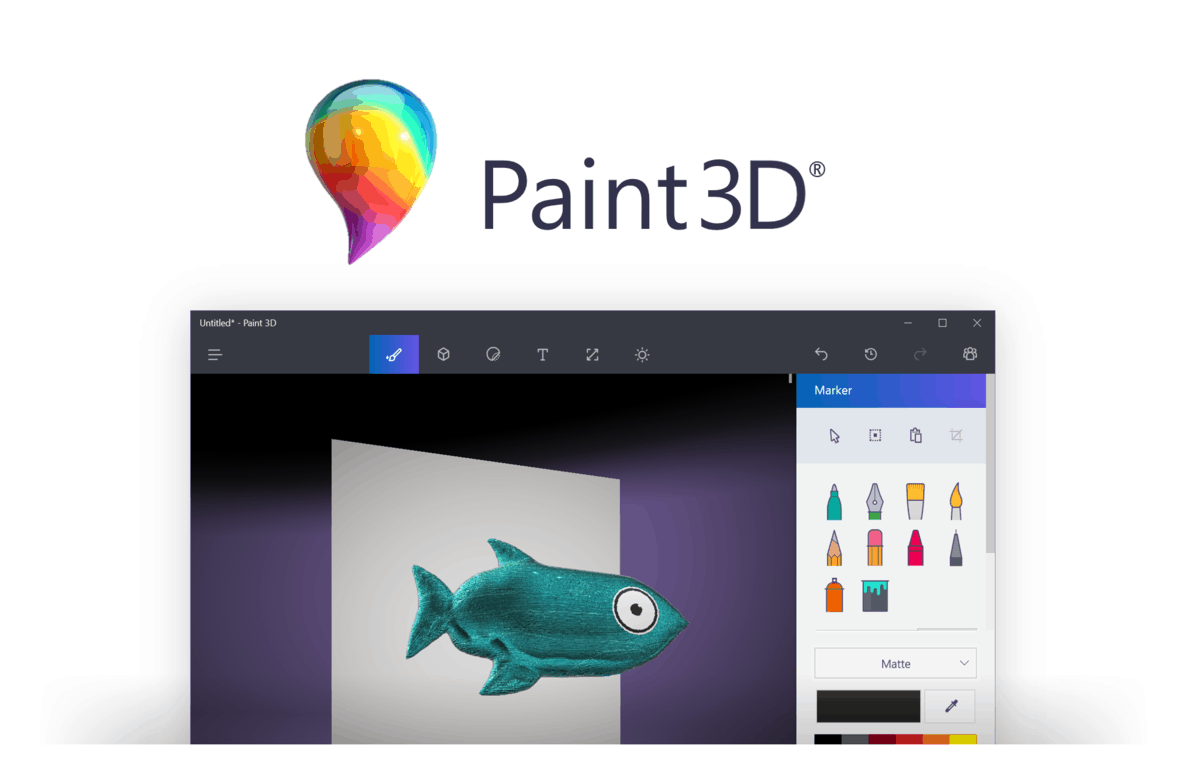
Microsoft announced today that it’s bringing new features to its Paint 3D app on Windows 10 PCs. The 3D creation app is now pre-installed on all PCs running the Windows 10 Creators Update, and it allows users to create 3D objects from scratch or transform user-generated content available on the company’s Remix 3D online community.

“We’ve been listening to feedback from our fans to improve the experience and bring you the features you want,” shared the company in a blog post. The first new addition is an update to Magic Select, the tool that lets you easily crop the background of any picture to use objects or persons from your pictures in 3D creations. “As of today, you can now magic select content directly into a scene, even after the scene has been partially composed so there is no need to move the object off canvas first,” explained Microsoft.

The updated Paint 3D

The second new addition is actually a feature from the legacy MS Paint app: the Line and Curve tools, which let you draw and create shapes in the old Paint app are now available in Paint 3D alongside other 2D shapes in the “Stickers” menu. “The Line tool gives you the ability to control the thickness and opacity and the Curve tool has one, two, and three inflection point controls that allow for the creation of lots of interesting objects,” explained the company.

Line and Curve tools,

Last but not least, Paint 3D now supports GLB, a new open standard which should make 3D file sharing more user-friendly. Overall, Microsoft’s new 3D creation tool is one of the most interesting Windows 10 apps that the Redmond giant introduced this year (along with the new Story Remix app, which will be available with the Fall Creators Update). The company says that more updates are coming in the near future, but you can still use the feedback hub in Paint 3D to suggest new features to the team.

How to check how much power apps use in Windows 10 and Windows 10 Mobile

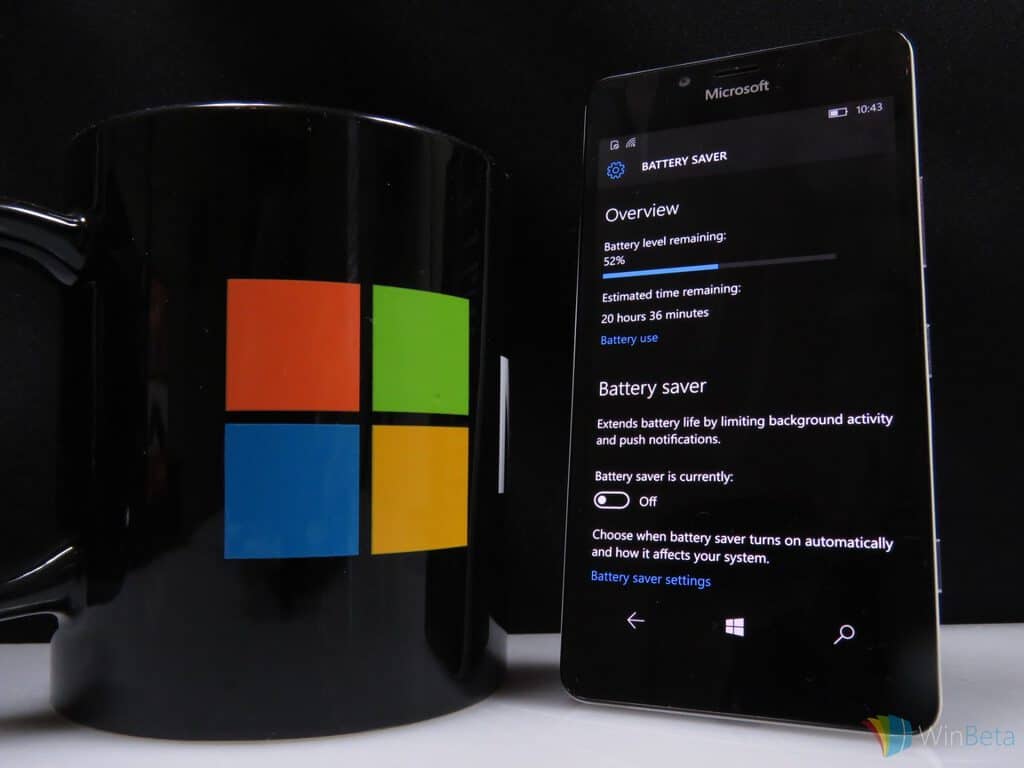
If your device’s battery seems to drain faster than it should, Windows 10’s built-in power usage screen could help. It lets you see which of your apps are using the most battery. If one is using significantly more than the others, you can restrict its background activity to save power.

Windows’ app power consumption metrics are found in the “System” category of the Settings app. Open the “Battery” page to see an overview of your device’s current battery status. At the top of the page, you’ll see your device’s remaining battery capacity and its estimated runtime. Underneath this, click “Battery usage by app” to open the app consumption screen.

Screenshot of Windows 10 Battery settings screen

This lets you monitor the power consumption of each app running on your machine. Apps on this screen are ranked by the percentage of battery usage they account for. The apps that have used the most battery power are shown at the top, letting you immediately identify the worst offenders.

Screenshot of Windows 10 battery usage by app screen

By default, Windows will show data from the past 24 hours for apps that have used battery power. You can change this with the “Time” and “Showing” dropdown menus at the top of the screen. The “Always allowed apps” category in the “Showing” menu lets you filter the results to only show apps that can run continually in the background. This lets you quickly narrow down any battery drains you experience while in Connected Standby or hybrid sleep mode.

Screenshot of WIndows 10 battery usage screen filtered to always-allowed apps

If you find an app’s using more power than you’d like, click its name to throttle its activity. In this menu, you can choose whether an app is “Always allowed in background,” “Managed by Windows” or “Never allowed in background.”

Screenshot of Windows 10 adjusting app power settings

The latter will prevent it from running when it’s not being actively used, potentially saving you power but preventing you from getting app notifications. Oppositely, “Always allowed” removes the restrictions on an app’s background behaviour, giving it the freedom to use your device’s hardware whenever it needs to. By default, the “Managed by Windows” option will be used. This lets the operating system intelligently adjust an app’s background presence.

One way of quickly eking out a bit more runtime from a near-empty battery is to use Battery Saver. This can be enabled from Action Center or the Battery page in Settings. Here, you can adjust when Battery Saver is automatically turned on. You should remember that apps set to “Always allowed in background” may keep running even when Battery Saver is active. If you still experience battery drain issues after adjusting your apps and using Battery Saver, you could try generating a battery report to look for hardware issues.

The NAB is not happy with Microsoft’s Rural Airband Initiative, to put it mildly

Just yesterday, Microsoft made headlines for the announcement of their new Rural Airband Initiative. Though Microsoft has the goal of building the technology to help millions of citizens in rural America online, the initiative mainly depends on TV white spaces, otherwise known the unused broadcasting frequencies in the wireless spectrum. Noted by TechDirt, it turns out this is exactly what has upset the National Association of Broadcasters (NAB.)

In a post on their website, NAB Executive Vice President of Communications Dennis Wharton, responded directly to reports of Microsoft’s Rural Airband Initiative proposal. He balks at Microsoft and calls the development of the White Spaces initiatives a “well-documented failure,” linking to a 2015 ReCode post and calling on lawmakers to not “be misled by slick Microsoft promises.”

“It’s the height of arrogance for Microsoft — a $540 billion company — to demand free, unlicensed spectrum after refusing to bid on broadcast TV airwaves in the recent FCC incentive auction. Microsoft’s white space device development has been a well-documented, unmitigated failure. Policymakers should not be misled by slick Microsoft promises that threaten millions of viewers with loss of lifeline broadcast TV programming.”

Issues with White Spaces have dated back to 2004, and certain Internet Service Providers have also tried to petition the government to destroy White Space Broadband. In fact, at the start of the digital TV era, the NAB also ran ads which claimed that White Space Broadband would crowd broadcast airwaves and cause many to lose access to their TV shows. Microsoft, though, has published studies which reveal that the viability of the technology has been proven.

To be fair, the NAB is most likely barking at Microsoft because it would not have control over the spectrum being used by Microsoft’s partners. Microsoft also has an entire website devoted to the success of White Spaces. The website shows that the tech giant has deployed 20 TV white spaces projects in 17 countries that have served 185,000 users. Microsoft also believes that all tech companies in America can benefit from their Rural Broadband Initiative.

We’ve reached out to Microsoft for further comment on the latest remarks from the NAB and will update the story accordingly.

Microsoft’s new team of 7,500 computer scientists to take the next step in AI advances

Smartphones are all the rave today, but an increasing chatter is beginning to surface as to how we fully utilize not only our most personal computing device but how its access to information should interact with the rest of our world.

Companies such as Apple, Google, Facebook, Amazon, and Microsoft are all looking into finding solutions that make information flow between smartphones and a host of other devices as seamless as possible with the use of artificial intelligence.

Enter Microsoft’s recent focus on the advance of its AI efforts that have brought users tools such as Microsoft Translator, Azure Machine Learning, and Bing.

Now, Microsoft is looking to a new incubation effort called Microsoft Research AI which was created to solve some of the nuances of integrating artificial intelligence into practical applications.

During the celebration of Microsoft’s Cambridge U.K. research lab’s 20th anniversary, the company took some time to introduce Microsoft Research AI as it also explained the core goals of the project.

Another core goal of Microsoft Research AI is to reunite AI research endeavors such as machine learning, perception and natural language processing that have evolved over time into separate fields of research. This integrated approach will allow us to develop sophisticated understandings and tools that can help people do complex, multifaceted tasks. For example, using this approach we can create methods and systems that understand language and take action based on that understanding.

Another of Microsoft’s AI efforts is to address and advance the more insipid use cases of AI that are being used today such as algorithms designed to manipulate users into spending money, illicit personal information, judge the value of human life when navigating roads and much more.

According to a report from Business Insider, today’s announcement differs from Microsoft’s long-standing participation in AI development by organizing experts in a far more strategic effort.

Microsoft Research Labs director Eric Horvitz mentioned to BI that the new AI labs are a “key strategic effort; a move that is “absolutely critical” as artificial intelligence becomes increasingly important to the future of technology.” As it stands now, Microsoft’s new Research AI teams make up a rounding error for the company’s staff, but we should expect to see those numbers increase as the company looks to compete with the likes of Amazon, Google, and Facebook in the coming years.

Overall, it’s up to not only Microsoft but every company looking to harness artificial intelligence to think long and hard of the ramifications of their applications, and that seems to be what Microsoft’s Research AI Labs was created to accomplish.

The Surface Laptop with Windows 10 S can run Insider Preview builds, just like any Windows 10 PC.

Windows 10 S, the new version of Windows 10 streamlined for security and performance finally made its debut on Microsoft’s Surface Laptop last month. The latest addition to the Surface Family is definitely an interesting machine: this is Microsoft’s first true laptop, and it’s mostly targeted at college students who are traditionnally inclined to buy Apple’s MacBooks.

If reviews for the Surface Laptop have been mostly positive so far (except the numerous comments about its very poor repairability), it’s still too early to know if consumers are likely to embrace Windows 10 S: PCs running the new OS will only be able to run Windows Store apps, though Microsoft guarantees that this limitations should provide better security and performance.

When Microsoft introduced the new Windows 10 SKU earlier this year, the company made it clear that it would be very easy for consumers to upgrade to Windows 10 Pro and get access to legacy Win32 apps if they really need them. However, the company didn’t say if Windows 10 S PCs like the Surface Laptop would be eligible for Windows 10 Insider Preview builds, just like any PCs running Windows 10 Home or Windows 10 Pro. As it turns out, the Surface Laptop can be enrolled in the Windows Insider just fine, Windows Central is reporting today.

It’s possible to enroll a Surface Laptop running Windows 10 S in the Windows Insider Program (credit: Windows Central).

On the Surface Laptop, the Windows Insider Program tab is present in the Settings app, and it allows users to choose their preferred Insider Ring. “It’s worth noting that even if on Fast Ring users can still at any point switch to Windows 10 Pro from Windows 10 S through the Windows Store and not lose data, or have to roll back,” added Windows Central.

It’s great to see that Windows 10 S PCs have full access to Windows Insider builds, which means that the OS is on the same page than other Windows 10 SKUs. For now, Windows 10 S is only available on the Surface Laptop but Microsoft previously announced that many OEMs including Acer, Asus, Dell, Fujitsu, HP, Samsung and Toshiba would bring Windows 10 S PCs starting at $189 this summer. Moreover, the new SKU will also be free to install for all schools on their current genuine Windows 10 Pro PCs.

Microsoft confirms (again) that all Xbox One 4K game updates will be free

It’s admittedly been states numerous times from a variety of sources since this year’s Microsoft E3 presentation that all of the Xbox One video games gaining 4K visuals later this year would be getting these via free updates but a surprisingly large number of gamers still seem unsure about the jump from 1080p to 4K and the (non-existent) price involved.

Microsoft’s Aaron Greenberg replied to a worried user on Twitter today and confirmed once again that yes, these 4K updates would indeed be free. “Any title you own that adds a 4K update will be done for free,” his tweet reads.

Naturally, to properly experience these improved 4K graphics, gamers will need to purchase the upcoming Xbox One X console and a compatible 4K television set but as far as the games go, if you’ve already bought them they won’t cost you any more money.

Digital pre-orders for Mega Man Legacy Collection 2 open on Xbox One

While the physical version of Mega Man Legacy Collection 2 has been available for pre-order for a while now, the digital version is finally up in the Windows Store for gamers to buy and download before its August 8th release date. Here’s its official description and link:

The Blue Bomber is back in this second collection of classic Capcom titles! Featuring faithful reproductions of Mega Man 7, 8, 9, & 10, this collection spans the iconic series’ evolution and retro revolution. Take on the nefarious Dr. Wily and his diverse Robot Masters in these timeless 8-bit, 16-bit, and 32-bit adventures!

Mega Man Legacy Collection 2 is bursting with additional content, from time trials and remix challenges with online leaderboards, to a music player and an extensive gallery of rare illustrations. Also included are the additional modes originally released as DLC for Mega Man 9 and 10, featuring extra stages and playable characters. For anyone who wants a little extra help with these challenging classic platformers, you now have the option to reduce the amount of damage received.

Pre-order Mega Man Legacy Collection 2 on Xbox One

Are you excited to play Mega Man Legacy Collection 2 on Xbox One? Let us know which classic title you want to play the most.

How to download and install Bitdefender 2018 on your Windows PC

With a new antivirus treat fresh out of the oven, Bitdefender is proposing a new era of digital security. In today’s world full of threats and malicious entities that scour the internet, it’s more important than any time before to have complete control over security.

There are many factors to keep in mind, ranging from keeping threats out to keeping yourself safe when you browse the web. It’s not about browsing the web either. Many attackers will try to hijack your desktop or physical device, making life a torment for those that don’t use antivirus protection. BitDefender is also the first big antivirus company to release their 2018 product lineup already, so that’s why we already included them in our list with the best antivirus for 2018.

There are many reasons for which you should get the latest Bitdefender version, but here are just a couple of them:

The latest version

As time passes, more virus threats and hacker attacks will reveal themselves to the world, making it harder and harder for outdated software to keep up with protection. Having the latest version of Bitdefender will ensure that the most recent means of protection are in place. Professional antivirus service providers like Bitdefender work to bring more functionality to their software which means that every new feature has a precise place in the developer’s plan.

Features

There are many reasons for which you should get the latest Bitdefender version, but here are just a couple of them:

The new Advanced Threat Defense feature acts like a guard dog that is able to sniff out any possible threat. Sometimes, threats are disguised as regular processes, but they won’t be able to get passed Bitdefender which can tell legitimate Windows processes from shady or phony ones.

The Safe files feature turns the computer into an impenetrable fortress. To be more precise, it’s like it creates these little bunkers within the system, where your most important and sensitive data can be stored. And just like a real life bunker, no one unauthorized can get in. This will stop hackers from trying to use data present in the system to initiate a ransomware attack.

The Webcam Protection feature makes sure no one can remotely access your webcam. This is pretty much one of the oldest tricks in the book but not being versed in IT, many users still become victims. That can be avoided with Bitdefender which will act as a big wall between your privacy and nosy intruders.

Downloading Bitdefender 2018 for Windows PC

The software has been made available in both x64 and x86 formats so that all users can benefit from the new Bitdefender. Depending on which version is appropriate for your system, click the associated link and you’ll be good to go.

If you want to know more about 2018 edition, we recommend you to visit BitDefender’s website.

RELATED STORIES TO CHECK OUT:

Bitdefender unveils 2018 edition of Total Security, Internet Security, Family Pack, Antivirus Plus

Bitdefender, the leading security firm has announced new consumer solutions that are designed to withstand attacks by advanced ransomware like the Wannacry and Petya. The new Bitdefender will make it increasingly difficult for the attackers to break into your systems. Bitdefender is powered by the machine learning and artificial-based technologies, something that the company has been developing since 2008.

Bitdefender Total Security 2018 will extend its protection to home users and will ensure that they are protected by an advanced layer of privacy. As one might have already deduced the number of malware and ransomware attacks are on a constant rise and its high time even the home users opt for a comprehensive security solution. True to its tradition the Bitdefender 2018 is light and will not slow down your computer.

New Features in Bitdefender Total Security 2018

The latest suite from Bitdefender Total Security 2018 offers a multi-layer defence mechanism capable of detecting ransomware attacks that usually evade detection filters. The Advanced Threat Detection keeps an eye on patterns of behaviour and is capable of blocking even the latest threats. On the other hand, the Real Time Protection will work in tandem with the Advanced Threat Defence and blocks all the known threats.

Bitdefender has also baked in a new feature called as File Safe. The File Safe is a special super secret compartment that prevents unauthorised alterations to the sensitive files.  Other innovative features include Webcam Protection, a service that prevents webcam spying and blackmailers from unauthorised access of your webcam. Furthermore the Account Privacy for iOS and Android will ensure that none of your emails have been leaked.

“The daily risks to users are more serious now that at any point in history, and Bitdefender is rising to the occasion with its 2018 consumer security product line,” said Bitdefender’s Vice President Consumer Solutions, Ciprian Istrate. “Bitdefender 2018 advances the company’s philosophy of protecting its customers with a layered approach against all major threats, from privacy loss to ransom demands”

Let’s take a look at the entire Bitdefender 2018 Lineup

Bitdefender Total Security 2018

The Bitdefender Total Security 2018 is the most comprehensive offering of the lot. It offers complete protection across multiple platforms including Windows, Mac OS, iOS (coming soon) and also Android. The Total Security offers advanced malware detection, multi-layer ransomware protection and webcam protection for better privacy.

Bitdefender Antivirus Plus 2018

The Antivirus Plus aims at providing the best protection against threats on Windows. The security suite is also optimised to preserve speed and battery life. The Antivirus Plus 2018 also offers a multi-layer ransomware protection.

Bitdefender Antivirus Plus offers performance optimisation tools like Autopilot, Photon and Battery mode. Privacy Protection features include complete data protection, advanced threat defence, Anti-Fraud and Secure Browsing.

Bitdefender Family Pack 2018

The Bitdefender Family Pack 2018 is extremely useful as it will protect your entire family. The Family Pack comes with a monitoring tool to keep track of kids on Windows, Mac, iOS and Android. Parents can use this tool and safeguard their kids from inappropriate content, block disturbing phone calls and SMS.

The best part is that parents can track their kids whenever they are using smartphones and the children, on the other hand, can mark themselves safe using the Parental Advisor mobile app. Also, the parents can create a geofence and will get notifications whenever the children enter a restricted area.

Bitdefender Internet Security 2018

Looking for complete protection against online threats? The Internet Security 2018 offers webcam protection, ransomware protection and file safe. It will work against all type of threats including viruses, Trojans, ransomware, zero-day, spyware and rootkits. Furthermore, the product also offers Social Network Protection, Password Manager and also file shredder.

You can get more information on BitDefender’s website or you can buy the version you need from here.

Microsoft to shut down Oregon Surface Hub manufacturing facility and cut 124 jobs

New reports are indicating that Microsoft is shutting down a Surface Hub manufacturing facility in Wilsonville, Oregon, cutting 124 jobs.  The move does not mean that Microsoft is abandoning Surface Hub, and according to ZDNet is coming because the company is aligning its manufacturing efforts.

Word on the closure of the facility was first reported by Puget Sound Business Journal, and many others have since picked up on the news. While the cuts from the closure cover mainly engineering positions, it is not as massive when Microsoft made headlines for laying off 3,000 workers in international offices in sales positions.

In a statement made to ZDNet, a Microsoft spokesperson explains the reason for the closure of the manufacturing facility.

“We are consolidating our Surface manufacturing. This will result in the closure of the Wilsonville, OR office and factory. We remain committed to the Surface Hub product line and will move forward with Surface Hub development in Redmond.”

The manufacturing facility dates backs to 2012 when Microsoft acquired Perceptice Pixel Inc. Surface Hub, nonetheless, has been successful for Microsoft. The Windows 10 Creators update recently made its way to the Surface Hub, and Microsoft even expanded the Surface Hub partner program in the UK to address huge demand.

New Microsoft video highlights the story of the Windows 10 Feedback Hub

Microsoft has gotten a whole lot done as a result of their Feedback Hub. The app made its way into Windows 10 as a huge part of the development process, and the primary way for Insiders and other users to interact with the team behind Windows, to help for a more dynamic development process.

To give users an idea of who the people behind the Feedback Hub are, Microsoft has released a video that goes into the details. It tells the story of the 32 programmers, designers, and more that work on the team, and offers some valuable perspective.

On top of being a nice look into the inner workings of Microsoft’s feedback practices, the video helps Windows 10 users understand exactly what happens when they submit their ideas to the feedback hub. It explains the how and why of each category in the hub, and gives you an idea of what happens once the team gets that suggestion.

Star Wars Battlefront II Xbox One multiplayer beta coming in October

It’s now been a month since EA revealed the first official gameplay trailer for Star Wars Battlefront 2, and many fans of the franchise can’t wait to play the sequel to the 2015 reboot of the series. Well, the publisher finally shared some details about the upcoming multiplayer beta yesterday, and you should make sure to free your calendar in the first week of October.

Starting October 4, all fans who pre-ordered the game on Xbox One, Playstation 4 or Windows will get early access to the multiplayer beta. All players will get access to it two days later on October 6, and EA promises that there will be “a lot to explore.” The publisher shared the following details in the blog post announcing the news:

You’ll be able to experience some of the best of Star Wars Battlefront II across iconic planets and into the far reaches of space. Get set to dive into Naboo: Theed in Galactic Assault. Join Republic clone troopers and Separatist battle droids in a wild melee on the streets surrounding the royal palace, where you’ll take control of some of your favorite heroes.

But that’s only part of the story. Also included is a multiplayer Starfighter Assault battle (with more details to be revealed at Gamescom), giving you the ability to pilot a variety of the most memorable starfighters from Star Wars.

The multiplayer beta will be available through October 9, and you can still pre-order the game if you want to get early access. By doing so, you’ll also get bonus content including Yoda’s Epic Lightsaber Mastery Star Card, Exclusive Star Wars : The Last Jedi outfits for Kylo Ren and Rey and more. “Keep your eyes open for even more surprises as the beta approaches,” added EA.

Microsoft to expand white spaces wireless internet in Rural Broadband initiative

As we have pointed out in the past, Microsoft has been pushing white space technology which could be used to bring affordable Internet to everyone. Indeed, in a time when the world is ever so more connected, the technology only helps citizens get online, since it is powered by the unused broadcasting frequencies in the wireless spectrum. Well, it turns out that Microsoft is set to expand on this with a new Rural Airband Initiative that could bring the internet to millions in the most rural areas of the United States (via recode.net)

According to a blog post penned by Microsoft President Brad Smith, Microsoft is hoping that the Rural Airband Initiative will bring better broadband to two million Americans in the next five years.  The project will begin in 12 states with 12 projects where Microsoft partners and local internet service providers and telecommunications companies have offered seed money for the program. Arizona, Georgia, Kansas, Maine, Michigan, New York, North Dakota, South Dakota, Texas, Virginia, Washington, and Wisconsin, are reported to be taking part in the Rural Airband Initiative.

Again, this initiative does not mean that Microsoft is aiming to become an internet service provider. Since building networks in rural areas can be expensive, the tech company is rather providing the necessary assets to local internet providers in these 12 states to help them deliver Internet services, and is not taking profit. Microsoft will instead invest back the revenue from the Rural Airband Initiative into initiatives in other states where the internet access is hard to come by.  The company also plans to invest in the newly connected communities and use its philanthropic organization to work with National 4-H Council and help raise awareness for digital skills training.

Microsoft has already deployed 20 TV white spaces projects in 17 countries that have served 185,000 users.  The company notes that if 23 million additional customers can access the internet at broadband speeds thanks to this project, all tech company in America will benefit from the Rural Airband Initiative. In fact, Microsoft hopes the project serves as a catalyst for market investments and has plans to stimulate investment by other companies through technology licensing. You can learn more abut the Microsoft Whitespaces initiative, and read up on the success stories by clicking here.

Amazon is offering great savings on Xbox One S bundles for its Prime Day sale

If you have yet to purchase an Xbox One console, Amazon is currently offering great discounts on Xbox One S bundles for its massive Prime Day sale. In the US, Amazon Prime members can choose between a $290 bundle including a 1TB Xbox One S console and a lot of goodies, and a slightly less generous $240 bundle with a 500GB Xbox One S (via Windows Central). Here are all the details below:

For $289.99 ($31% off), the first bundle includes a 1TB Xbox One S (white) plus two wireless controllers, a Play & Charge kit, a physical copy of Halo Wars 2 and three digital games (Halo 5: Forza Motorsports 6, Halo 5: Guardians and ReCore).

The first bundle

For $239.99 (31% off), the second bundles includes a 500GB Xbox One S with two wireless controllers, a Play and Charge Kit and the same three digital games.

The second bundle

In the UK, Amazon Prime members can also save big on a £179.99 bundle including a 500GB Xbox One S console, 2 wireless controllers, a chatpad and headset, a physical copy of Minecraft Favorites Pack and a download code for Forza Horizon 3. All these deals will only be available today for Amazon Prime members, and if you’re not a subscriber we remind you that you can try the service for free for 30 days.

Microsoft 365 is the company’s new cloud services bundle for businesses

Microsoft recently announced ‘Microsoft 365’, which is a new bundle of its cloud services for business customers. In a nutshell, it replaces the old ‘Secure Productive Enterprise’ bundle from last year, and the branding is now simple and clear. The announcement was made at the Inspire conference, where Microsoft discuses its partnerships with more than 17000 attendees. If you’d like to see all announcements, you can watch the full keynote here.

The company already sells Windows and Office subscriptions, but Microsoft 365 is meant to combine Windows 10, Office 365, as well as Microsoft’s mobility and security suites into one big subscription package. The tagline here is that “people are at the heart of digital transformation”. These services allow your employees to work and collaborate with ease, even when moving from one device to another. The bundle is also about Microsoft encouraging more use of its cloud services.

There are two flavors to choose from: Enterprise and Business. The first is designed for large organizations, while the second is more suitable for small and medium-sized businesses with no more than 300 users. For those of you who don’t know, you also get Intune, Azure Active Directory, and Azure Cloud App Security, and Threat Analytics as part of the deal. This should make device management and security an easier job.

Microsoft 365 Business will first arrive in preview form on August 2, and will be offered at $20 per user per month. Pricing for Microsoft 365 Enterprise varies depending on the particular plan the company choses when they sign up. If last year’s bundle prices are any indication, this could be around $36 and $54 for the E3 and E5 plans, respectively. Large organizations should be able to take advantage of these plans by the end of this summer.

Pushing further with Azure Stack

This news is perfectly in line with the Redmond giant’s strategy of powering the cloud that many companies will rely on. The company also announced Azure Stack hardware, which is a way for companies to host their own hybrid cloud. According to market research firm Gartner, most companies are still in the early stages of digital transformation. Microsoft said they already have more cloud partners than Amazon, Google and Salesforce combined. This brings confidence in the company’s ability to secure its future in the cloud space.

pie chart of digital transformation
Source: Gartner

To underline the momentum in the enterprise space, here are a few more interesting stats from the Inspire conference. No less than 70% of top 500 global companies are on track to have dedicated teams for digital transformation by 2019. To put it in perspective, Gartner estimates put these initiatives at $2.2 trillion, and Microsoft touts 19% higher margins for their partners when compared to the competition. And 80% of senior executives are sold on the importance of digital transformation, which is something to keep in mind if you’re on the fence.

Microsoft’s Xbox Fitness has finally shut down

For a while, it looked as if Microsoft had gifted loyal Xbox Fitness users with full functionality for downloaded workouts after the apparent July 31st closure of the Xbox One fitness title but unfortunately within the last 24 hours, all of the programs have now completely stopped functioning and even cause Xbox Fitness to crash when being attempted to play.

Currently, the Xbox Fitness app itself still opens and users can view all of the leaderboards and score cards. It’s only the workouts which no longer work.

The closure of Xbox Fitness had been planned for a while now but many loyalists, who had been using it since the launch of the Xbox One several years ago, had been hoping that Microsoft was going to introduce a replacement for it. So far no new first-party fitness or health program has been announced for the console.

Were you a fan of Xbox Fitness and do you think Microsoft made the right decision in closing it? Let us know in the comments below.

Minecraft Story Mode Season 2 now available on Xbox One

The first episode of Minecraft Story Mode Season 2 is now available to buy and download on Microsoft’s Xbox One video game console. The game picks up where Season 1 (simply called, Minecraft Story Mode) left off and players can choose to carry over their previous choices and continue the storyline or start afresh with a new game not affected by their playing of the first game. Here’s the official description:

Now that Jesse and the gang have vanquished the Wither Storm, saved the world, and become totally super famous heroes, life has gotten a bit more…complicated. With more responsibilities and less time for adventure, old friendships have started to fade — at least until Jesse’s hand gets stuck in a creepy gauntlet that belongs to an ancient underwater temple. Together with old pals and new comrades alike, Jesse embarks on a brand new journey filled with tough choices, good times, and at least one temperamental llama.

Buy Minecraft Story Mode Season 2 on Xbox One

Minecraft Story Mode Season 2 will consist of five episodes which each episode being available individually or together as part of the Season Pass. Are you a fan of Minecraft Story Mode? Let us know in the comments below.