Relive Neo Geo’s classic Art of Fighting 2 video game on Xbox One today

Another classic Neo Geo video game has been rereleased on the Xbox One today in the form of Art of Fighting 2. This game is a typical fighting game that’s not dissimilar from the likes of Street Fighter or Mortal Kombat. Here’s the official description and link:

ART OF FIGHTING 2 is a fighting game released by SNK in 1994. Twelve fighters compete to be crowned as the strongest one in the “King of Fighters” ultimate fighting championship. New mechanics such as the revamped “Rage Guage”, the addition of both weak and strong attacks, and a landing recovery mechanic mean that battles are even more intense than in the previous title!

Buy Art of Fighting 2 on Xbox One

The Neo Geo library of games on the Xbox One is now quite substantial. Do you have a favorite? Let us know in the comments.

EA SPORTS NHL 18 digital pre-orders go live on Xbox One

EA SPORTS NHL 18 is now available to pre-order on Microsoft’s Xbox One console. The game is the latest in the EA SPORTS NHL series and features revamped controls and new modes such as NHL Threes. Three versions are currently available; the regular version, a Deluxe Edition, and a Super Deluxe Edition, each with a variety of additional digital content. Here’s the official game description and trailer:

EA SPORTS NHL 18 introduces the thrill and creativity of today’s young NHL superstars through new Creative Skill Stick gameplay controls, a brand new 3-on-3 arcade-inspired hockey experience in NHL Threes, and the most multiplayer options to play cooperatively or competitively with friends ever delivered in a sports videogame.

Pre-order EA SPORTS NHL 18 on Xbox One

EA SPORTS NHL 18 is due for release on September 22nd 2017. Have you pre-ordered this game yet? Let us know in the comments.

Windows 10 Wall Street Journal app to close next week

The official Wall Street Journal Windows 10 app will apparently be closing next week on June 30th. Users of the app on Windows 10 PC and Mobile have begun receiving notifications from within the app and the official app description has been updated to include the text encouraging users to download their iOS and Android apps or simply use the WSJ.com website. No reason has been given for the discontinuing of the app though it’s likely due to lack of usage (people probably just visit the website).

Do you use the WSJ Windows 10 app? Let us know in the comments below.

Microsoft talks more about its Shell experience in Windows 10 preview 16226 for PCs

There has been mounting curiosity by developers and observers as to what Microsoft’s play is with its Windows 10 Shell and its future on mobile devices.

While Microsoft has been relatively tight-lipped about Windows 10 Shell approach for mobile, but if its efforts on the desktop are anything to go by, things are arguably looking rather impressive.

In today’s Windows 10 preview 16226 release for PCs, Insiders are getting another look at improvements to the Shell experience.

Shell Improvements

Reveal: The new Reveal Highlight  behavior is an interaction visualization that helps guide users. Reveal is now enabled by default on ListView and other XAML collection controls in experiences that target the Fall Creators Update.

The new Reveal Highlight behavior is an interaction visualization that helps guide users.

Note: This gif is from our UWP Style Guide, and showcases both the use of Acrylic material, and the use of Reveal. With this update, we are only enabling Reveal by default.

Update: There appears to be even more Shell tid bits found in the preview that include improvements to the File Explorer menus and the My People functionality. 

Updated File Explorer context menu: You can now Share a file in File Explorer via the right-click context menu! Right-click on a file in File Explorer or on the Desktop to bring up the context menu, then share away. NOTE: “Share with” in the context menu has been changed to “Give access to”.

Updated File Explorer context menu.

My People Improvements:

We’ve added text to the overflow area in the People flyout to make it more clear the people listed there are pinned.

  • We’ve updated the “Switch apps” button in the People flyout to now use the a hamburger icon, to make it more visually distinct from the back button.
  • If you right-click the taskbar, you’ll now find an option to easily turn on or off People.
  • We fixed an issue from the last flight where the People flyout would crash if you tapped “Find and pin contacts”.

Slowly but surely Microsoft is building a set of solid experiences that should translate across a multitude of mediums that will include but are not limited to Windows.

Party Chat and Wi-Fi fixes coming to Xbox One Insiders for Alpha/Beta builds starting today

If you’ve been having some issues with staying connected with party chat or to your WiFi network in general, there’s good news coming. Brad Rossetti of the Xbox Insiders Program has announced via Twitter the Xbox One Insiders will be receiving a series of updates this week.

Today, the first Preview Beta Ring will be introducing a new 1706 build that fixes the party chat issues, rolling out around 2pm PDT. Tomorrow, we’re looking at seeing a WiFi fix rushed through the Alpha Ring with a projected Beta release on Friday.

As you may recall, Microsoft recently rebranded the Xbox Preview Program as the Xbox Insider Program. Just like in Windows 10 Mobile and on Windows 10 PC, there are several “Rings” which are based off how fast, or how slow, features are rolled out on a weekly and monthly basis.

Microsoft extends the Edge Bug Bounty program indefinitely

It’s been nearly a year since Microsoft opened up Edge to the bounty program. Since then, it has shelled out nearly $200,000 in payments for issues reported. As a result of its major success, Microsoft has decided to continue the program past its original time frame to indefinitely.

The Edge Bounty Program helps Microsoft nail down ongoing security threats, among other things. Since the tech giant takes these concerns as an ongoing priority, it’s no surprise that their payments to the research community are profitable overall for Microsoft Edge. Here are more details about the program:

  • Any critical remote code execution or important design issue that compromises a customer’s privacy and security will receive a bounty
  • The bounty program is sustained and will continue indefinitely on Microsoft’s discretion
  • Bounty payouts will range from $500 USD to $15,000 USD
  • If a researcher reports a qualifying vulnerability already found internally by Microsoft, a payment will be made to the first finder at a maximum of $1,500 USD
  • Vulnerabilities must be reproducible on the latest Windows Insider Preview (slow track)
  • All security bugs are important to us and we request you report all Microsoft Edge browser security bugs to [email protected] via Coordinated Vulnerability Disclosure (CVD) policy
  • For the latest information on new Windows features included in the Insider Previews, please visit the Windows 10 Insider Program Blog.

This just one of many bounty programs that Microsoft has running currently. If you’re so inclined, check out the others that you can still take part in over at Technet.

Paladins video game offers a free limited-time account copy from PC to Xbox One

Following up on the E3 hype last week where Hi-Rez Studios announced that Paladins would be available for the Xbox One X in 4k, this week they also announced that players are able to copy their PC accounts to consoles. According to the official site, copying an account will also include any purchases made on the original PC account. This includes currencies, experience, and unlocked content.

To begin linking your Paladins PC account to console, you’ll need to visit the Xbox One link (or PlayStation 4 if you’re so inclined). Hi-Rez requires you to link your PC account and console account together to move forward, but that doesn’t mean they will sync data. In fact, both Paladins on PC and console accounts will remain completely separate after the copy. Once successfully linked, you’ll also unlock special reward skins for those platforms. Any content that isn’t available on the console version yet will be automatically unlocked as it is released.

Most users should be able to take advantage of the limited copy availability. Unfortunately, China is the only region that won’t be able to Account Copy at this time. More information can be found on the official Account Copy FAQ.

It’s worth noting that Crystals and statistics are confirmed not to be transferred between the copied accounts. Users are only able to copy the account once and the offer for both PlayStation and Xbox will end on July 15, 2017.


Poll: Is the Xbox One X the One that you want?

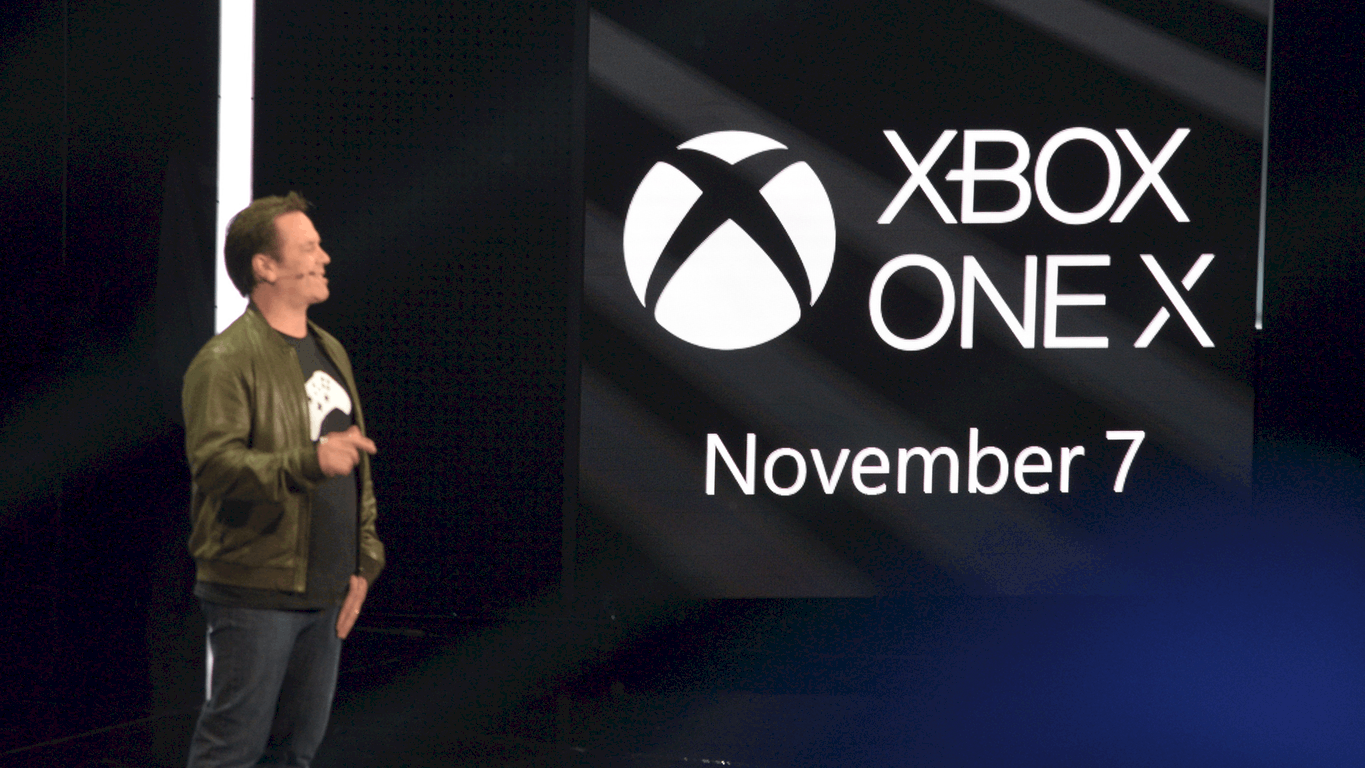
Last week at E3, Microsoft revealed the final name for Project Scorpio as Xbox One X. The new console, sporting 6 teraflops of gaming power, full 4K support, and a host of new games built especially for the new platform, will launch on November 7th, just in time for the holiday season.

Microsoft is also discounting the fairly new Xbox One S, giving gamers a choice between the top of the line Xbox One X and a more incrementally updated One S.

So which one is right for you? Take our poll below and let us know what you’ll be playing this holiday season:


If you are planning on an Xbox One X, what is swaying you? To have the latest and greatest? To support your new 4K TV? To get the most out of Microsoft’s newest games? Let us know in the comments below.

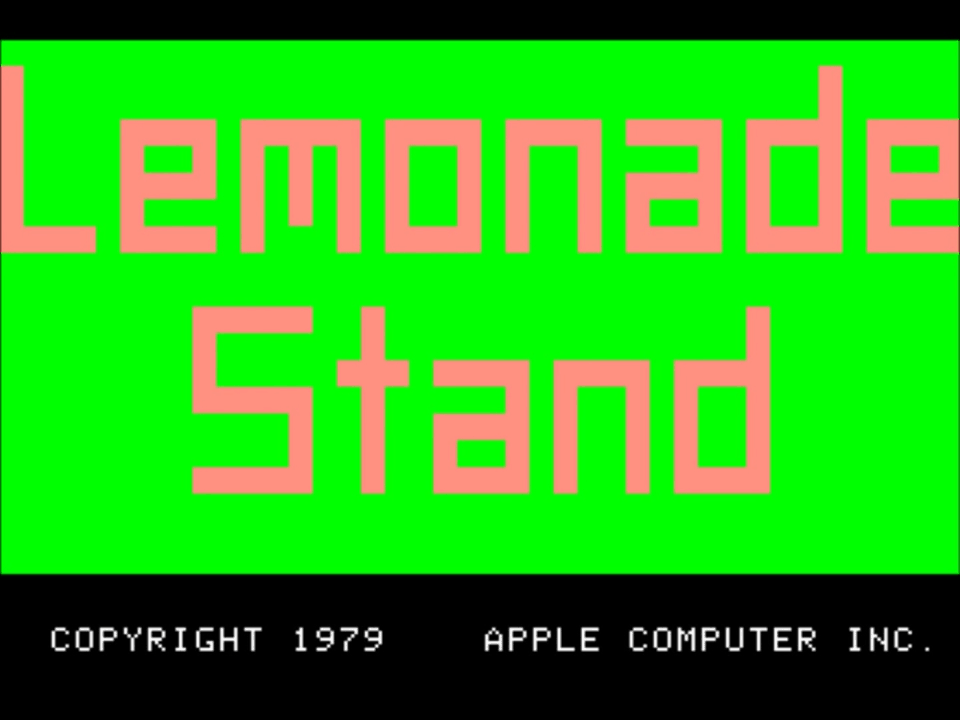
Microsoft highlights Lemonade Stand, a refreshing return of the 1979 Apple II classic game

Everyone seems to be feeling the heat lately, including Microsoft. The tech giant stationed in Washington felt that it was time for a cool refreshing blast from the past today, highlighting one of the most nostalgic video games of all time in their latest MSDN post: Lemonade Stand.

Ah, the good old days when a child could set up a lemonade stand in the middle of the scorching Summer days without needing a vendor and health permit. If you’re a young whippersnapper, then you might not know what the famous text based video game is. Lemonade Stand is pretty much what you get by the title, a business simulation developed for education by the Minnesota Educational Computing Consortium in 1973. Players would need to make decisions based on weather reports, projected income, and determining the cost and how much lemonade to make for the day.

Lemonade Stand was a success, picked up and ported to Apple II in 1979. As of the next year, it was shipping with Apple computers and was even available for Atari 8-bit computers. Remember those?

Today, you can play the game for free on Windows or Mac. Furthermore, the files have been made open-source and available for download. In Raymond Chen’s blog post, he actually picked apart the game’s formulas in an attempt to better understand what made it tick. But we won’t spoil the findings for you just in case you want to figure it out for yourself.

It’s nice to see these classics still exist, and Microsoft’s goal to celebrate all games including those forgotten is a statement that many older gamers can get behind. Even if it’s simply highlighting them in a blog post.


Microsoft to use AMD Epyc server chips for Azure “by the end of the year”

AMD is making attempts at re-joining the server chip market and Microsoft is helping by setting plans for using AMD’s Epyc server chips for Azure (via Bloomberg)

The new AMD Epyc server chips offer more performance and are much cheaper than those from Intel, ranging from $400 to $4,000 per chip in price. Intel, however, remains the giant in the server chip market, and AMD has not really put up much competition. Data compiled by Bloomberg shows that in 2016, Intel’s data center division sales totaled roughly about $18 billion, while AMD’s total revenue only was at $4 billion.

In a short statement, Girish Bablani, corporate vice president of Azure Compute at Microsoft, commented on the company choosing AMD for Azure.

“Microsoft intends to be the first global cloud provider to deliver AMD Epyc, and its combination of high performance and value, to customers by the end of the year.”

AMD’s Chief Executive Officer, Lisa Su, mentioned that the company is hoping to get back to success.

“Today we’re at less than 1 percent. At our peak we were above 25 percent…We’re realistic in that will take some time — across the next couple of years.”

Noted by Barron’s, Intel fired back at AMD, and pointed to their Xeon Scalable processors, 20-year data center innovation, and their broad ecosystem investments.

HP, Dell, Lenovo, and other also have plans to offer servers based on AMD’s Epyc chip. Shares of AMD were up 16 cents on Tuesday, showing that investors may have new confidence in the company.

How to upgrade to Windows 10 Pro on the Surface Laptop

Microsoft’s new Surface Laptop was released in 20 countries and runs Windows 10 S, is the newest version of Windows 10 that will only allow users to download apps and games from the Windows Store for better security. Windows 10 S is said to be the most secure operating system if we consider other versions of Windows 10 like  Pro. It also features a longer battery life and enhanced performance.

Upgrading to Windows 10 Pro

In case you want to upgrade the Surface Laptop to Windows 10 Pro from Windows 10 S, Microsoft made it very easy for you. You can now upgrade to Windows 10 Pro at no cost on the Surface Laptop until later this year. After this, you will have to pay $49.99.

If you want to upgrade to Windows 10 Pro from Windows 10 S, you have to follow these steps:

  • Open the Settings app
  • Go to the Update & Security section
  • Select Activation from the sidebar
  • The section Go to Store allows you to update to Windows 10 Pro
  • After the Windows Store opens, click on the Free button to start the upgrade process.
  • You will get the question whether you saved all your files after you’re done so don’t forget to save the files that are currently open.
  • Press on ‘Yes, let’s go’ and the Windows Store will start the upgrade to Windows 10 Pro. The process should last around 2 or 4 minutes.

After the update, you will not be able to go back to Windows 10 S without using a recovery image. Keep in mind that such a recovery image is not available yet!

RELATED STORIES TO CHECK OUT:

Microsoft to hold third annual Edge Web Summit in September

Despite the diminishing market share, Microsoft is still going full steam ahead with its new Edge browser and is holding another Edge Web Summit for 2017.

This year’s Edge Web Summit marks the third event to date that represents a one-stop shop for all thigs Edge, including conferences on Web Authentication, CSS Grid when building modern experiences, new technologies such as Progressive Web Apps and WebVR.

Interested web developers should mark their calendars for September 13th in Seattle, Washington to attend. Registration opens in July and sign ups can be done at dev.microsoftedge.com

Beyond the wall to wall talks about Edge, developers will also have the opportunity to be nose to nose with representatives of the Quality team with help debugging issues and tweaking code for the best possible web performance and experiences.

With over two months and change in wait time, Kyle Pflung, the senior program manager for Edge promises more information about the summit in the coming months.

PatchCleaner helps you free storage space and get rid of unwanted files

After using Windows for almost two decades, we’re all pretty familiar with its quirks. As time passes, every iteration of Windows — including Windows 10 — holds on to unwanted files and increases the disk size. The worst part, however, is that all of the storage space taken by such files is not that easy to free up and despite using tools like CCCleaner and Windows Tuneup, some of the residual Windows installer files still remains. PatchCleaner is a free software that helps Windows users reclaim their lost storage space.

Windows installer files are usually huge in size and this magnifies the problem further. Every time we install updates, Windows  stores the installer files and patches in a hidden Windows partition. Since the directory c:\Windows\installer is a protected system folder, it’s visible only once you have enabled the “Hide protected system folder that” option that comes in the Folder options. That being said, most of us are pretty apprehensive when it comes to system files and manually deleting them is far from ideal.

Also, some of the .msi files and patch files .msp are needed while updating and deleting the same can cause serious harm to the operating system. The unwanted installer files can clog up your system and the files can clog up storage of up to tens of GBs and slow down the system. We used PatchCleaner in one of our laptops earlier and during the first sweep, I was able to recover 15GB.

PatchCleaner features

PatchCleaner is free software and is compatible with Windows 7 and upwards. The installation is typical but the program doesn’t create a start menu entry and this means that you have to go to “C:\Program Files (x86)\HomeDev” every time you want to access the program.

PatchCleaner segregates the installer files still in use from the orphaned files. Both the file location is displayed on the interface along with an option to delete the orphaned file via the PatchCleaner interface. Be sure to create a backup/restore point before deciding to get rid of the orphaned Windows installer files. Deep Scan is useful if you want the program to automatically check for orphaned installation files.

Behind the scenes, PathCleaner identifies the redundant/orphaned files and will recommend to either move the file to a different location (just in case) or you can also directly delete the files. PatchCleaner accesses the list of current installers and patches and compares the same against all the .msi and .msp files in the “c:\Windows\Installer” directory. The simple referencing ensures that anything that’s not on the list but still exists in the folder is an orphan file and it can be tagged further for removing or moving.

Download

Skype is down: Microsoft working on a fix

Skype is currently down for thousands of users worldwide. If you’re struggling to connect to your Skype account, you’re not the only one.

UPDATE: Many users report that Skype connectivity issues appear to have been fixed now. Users can now connect to their Skype accounts and send messages. More specifically, the number of users reporting Skype connectivity problems dropped by half according to DownDetector.

However, the issue still persists for many users, particularly in Europe.

As a quick reminder, Skype has been down for more than 16 hours now, with the first users reporting the problem on Twitter yesterday. It seems that Microsoft is taking its time to fix this issue. Interestingly enough, although Skype is down, the ads in the app are working fine.

At the moment of writing this update, there is no official explanation as to the cause of the problem. However, many Skype users are convinced that the current connectivity problem is the result of a massive DDOS attack.

UPDATE 2 (June, 21) : Skype is still not fully functional, more than 24 hours after users reported the first connectivity issues. Microsoft posted an update on the official Skype blog, informing users that:

[UPDATE Jun 20, 2017 20:00 GMT]: We have made some configuration corrections and mitigated the impact. We are continuing to monitor and we will post an update when the issue is fully resolved.

Although the main connectivity bugs seem to have been fixed for most users, there are still some minor bugs that limit the Skype experience. The ‘Updating conversations’ message prevents users from sending and receiving messages.

Reportedly, creating a new Skype account helps you circumvent this problem. In others words, if you really need to use Skype, try creating a new Skype account and you should be able to send and receive messages.

You can read the original article below.

Skype has been down for about an hour now, and Microsoft has already acknowledged the problem.

Hello, we are aware of an incident where users will either lose connectivity to the application and may be unable to send or receive messages. Some users will be unable to see a black bar that indicates them that a group call is ongoing, and longer delays in adding users to their buddy list.

[UPDATE Jun 20, 2017 07:00 GMT]: We’re aware users are still experiencing problems – we’re looking into this!

Users have taken their frustration to Microsoft’s forums, describing the issue and asking for help.

Has anyone found a solution to this problem? I was able to use skype fine until now and today I can log in but it just stays in the “connecting” mode.. This is really frustrating as I am using skype for work. I have tried changing firewall settings for skype but nothing seems to help.

And of course there is no support from skype so just have to hope someone has a solution here..

Unfortunately, if you can’t connect to Skype, there is not much that you can do about it. This is a general problem coming from Microsoft’s servers and all you can do is wait until the tech giant fixes it.

The Skype connectivity issue is affecting users worldwide. Millions of users rely on Skype to connect with their friends and business partners. Hopefully, Microsoft’s engineers will fix this problem as soon as possible.

We’ll keep an eye on the official Skype website and we’ll update this article as soon as new information is available.

RELATED STORIES YOU NEED TO CHECK OUT:

Windows Server gets improvised nano containers and bi-annual feature updates

After announcing its plans to release two major feature updates for Windows 10 and Office every year, Microsoft has now extended the same release cycle to the Windows Server as well. Microsoft will be releasing two feature updates every year, one in spring and another one in fall. This will also bring the Windows Server, Windows, and Office cycle into the same timeline. With the new update cycle in place, customers will be able to access to new features faster than before. Additionally, System Center will also be releasing their major updates that follow the same bi-annual cycle.
Customers will be able to get access to Windows Server in the semi-annual channel via the following ways:

  • Windows Server Standard or Datacenter customers who are covered by Software Assurance will automatically have access to semi-annual channel releases as they are made available. Servers without Software Assurance do not have rights to the semi-annual channel releases.
  • Customers can also access these new Windows Server images in Azure or other cloud environments. Plus, if you have existing Windows Server licenses with Software Assurance, you should take advantage of the savings (up to 40%!) when you use the Azure Hybrid Use Benefit.

Microsoft also made some changes when it comes to the nano server for the containers. After extensive feedback from customers, Microsoft understands that the Nano Server for containers is the highest priority and that smaller is better. Keeping these suggestions in mind, Microsoft has now promised that the Nano Server images will shrink in size by more than 50% and this will help improve the startup time and container density as well.

Furthermore, Microsoft also announced that the Server Core will be included in the semi-annual channel. The Server Core is often referred to as the “headless” installation of the operating system including all the roles and features deemed necessary to run data centere servers. Microsoft is also recommending the Server Core for hosting the virtual machines and the containers.

Windows 10 KB4022725 bugs: Reboot loops, black screens, slow PC, and more

Microsoft rolled out cumulative update KB4022725 for Windows 10 version 1703 on Patch Tuesday, addressing a series of issues affecting the OS. Unfortunately, users report that this update brings quite a few issues of its own, with some of these bugs can even breaking computers.

In this article, we’re going to list the most common KB4022725 issues reported by users as well as their corresponding workarounds if available.

Windows 10 KB4022725 reported bugs

1. KB4022725 fails to install and causes reboot loops

Thousands of Windows 10 users can’t install this update due to reboot loops. Users tried running the Update Troubleshooter and performed general troubleshooting actions, but to no avail.

I was doing the install of all the new updates. It went to reboot then I got the spining dots on boot up and they froze then it restarted doing that twice then it went and did an auto repair. rebooted then let me get into windows. What can I do to get this error fixed or should I just wait for Microsoft to put out a fix for it?

2. KB4022725 deletes files and folders

Quite a few Windows 10 users reported that this update removes various files and folders from their computers, including photos and Office documents.

Although update KB4022725 for Windows 10 Version 1703 says it was successfully installed, ALL of my files, data, pictures, email, etc. have disappeared.  It’s as if I have a brand new computer.  Anyone else have this problem????

3. KB4022725 breaks apps

If you can’t launch various apps after installing KB4022725, you’re not the only one: Windows 10 users report that this update breaks Groove and prevents Edge from connecting to the internet.

After installing the latest updates (Tuesday, ,June 13) Groove would not work.   After several days and many hours, the process of elimination, determined that KB4022725 caused Groove not to work.  MS what is happening?

4. Computers are slow after the update

Many users complain that KB4022725 causes computers to load slowly.

windows update KB4022725 dated 13-06-17 slowed My PC to snails pace any ideas please. It was fine before the update but is taking forever to load anything since. any help would be appreciated..

READ ALSO: Fix: Windows 10 is Slowing Down my Computer

5. KB4022725  breaks peripherals and hardware

This update also causes peripherals and hardware to fail. For example, gaming mice won’t work, the fan is always on, etc.

When this patch installs on my machine I experience some odd issues involving peripherals and installed hardware in my laptop […] When the patches above install, it tells me that my wireless card has a fatal error and will not allow it to work. [….] have a MadCatz RAT9 5 button programmable mouse. […] It worked just fine, until this patch applies.  Then, it comes up with driver errors and messages about the digital signature for a device I’ve been using with no issue for over a month. […]I also have a Belkin N52te 19 key left handed gamer keypad.  It too becomes an invalid device, even though it works fine until this patch.

If you’re experiencing similar issues, try updating your PC drivers via the Device Manager. Go to Start > type “device manager’ > select the first result > expand the list of the available devices. Right-click the malfunctioning item > select the “Update driver’ option.

You can also download the latest driver updates directly from the manufacturer’s website.

6. Outlook search won’t work

Just had this update installed and since then my Outlook (Desktop client) search delivers an error message saying search experienced a problem and could not be completed. The search is actually taking place, but results are not full, even though indexing was completed.

7. Black screen issues

15063.413 is a REGULAR Stream update from “2017-06 Cumulative Update for Windows 10 Version 1703 for x64-based Systems (KB4022725)”

I am having very slow response times and one machine is stuck in a black-screen after the update — Explorer takes 20 minutes to show up and the machine does not bring up Start at all.

READ ALSO: Easy Steps to Fix Black Screen Issue in Windows 8.1, 10

These are the most common problems caused by KB4022725. Did you encounter other issues after installing this update?

RELATED STORIES YOU NEED TO CHECK OUT:

  • How to address common issues with Windows Update

Bad news: The Xbox One X won’t support Bluetooth

Microsoft’s Xbox One X will not support Bluetooth, despite information to the contrary on the Xbox One X official webpage.

A mistake on the product’s official page

According to the official page of the Xbox One X, the company’s newest release promises to be the strongest game console in the whole world while supporting Bluetooth connectivity. This would have been the first Xbox host to support Bluetooth.

Obviously, the fans cheered for this feature but according to OnMSFT, the latest Microsoft console will not come with support for Bluetooth connectivity.

Microsoft had to remove the relevant instructions from the Xbox One X official page and as a result, the company has been working on updating the page and removed any references to Bluetooth support.

So, after all, users who became very excited about the presence of the Bluetooth connectivity feature in the new Xbox One X have to chill out as it is not going to happen.

What users think about this

According to user opinions, the news was a bit saddening for some but didn’t seem to bother others. Some users said that the lack of Bluetooth connectivity would not turn out to be a major issue as they are not interested in talking with random gamers.

Some users, on the other hand, admitted that the features presented on the Xbox One X’s official page lead to their decision of purchasing the console and now that it turns out that not all of the features are implemented, they might have a change of heart. This would be a pity because we’re convinced that Microsoft’s latest console is going to be a blast with or without Bluetooth connectivity.

Windows 7 KB4022719 causes printing issues, breaks Outlook search, and more

Windows 7 received a series of important updates on Patch Tuesday: monthly rollup KB4022719 includes improvements and fixes brought by the previous KB4019265 update, as well as four new bug fixes.

At the same time, this update also brings issues of its own. In this article, we’re going to list the most common KB4022719 bugs reported by users on Microsoft’s forums.

Windows 7 KB4022719 reported issues

KB4022719 install fails with various error codes

Many Windows 7 users can’t install KB4022719 due to a series of error codes: E5E03FA, 800706B5, 80073712, 80004005, etc. If you’re experiencing the same problem, try running a full system scan. If the issue persists, download and run the Windows Update Troubleshooter.

Hello, I have a Windows 7 computer, and I am trying to install an important update. The update is KB4022719. When I first tried to install it, I got the error code 8E5E03FA. […] when I retried the update, it still didn’t work, and gave me the code 800706B5.

Internet Explorer prints blank pages

Thousands of users already reported this problem on Microsoft’s forums. However, the company has yet to officially acknowledge it. More specifically, after installing KB4022719, users cannot print web pages using IE. When they attempt to print, they only get a blank page.

Same issue here with Windows 7 (KB4012719) […] that applied updates last night. We can print fine from the website but when we print from our proprietary medical record application from IE, it’s only 1 single blank page. I’m very annoyed!

No taskbar icons

After installing KB4022719, none of the taskbar icons appear while the system tray is OK.  Also, desktop icons are moved to the top-left corner (I had them at other locations).  And the “Downloads” favourite shortcut is returned to the default location (C:\Users\username\Downloads) […]

If I reset these to my chosen preference, everything is lost and reset as above after a reboot. Uninstalling KB4022719 fixes the problem.

Outlook issues

Update KB4022719 breaks a series of Outlook functions: search won’t work, new emails are no longer indexed, etc.

After installed June 2017 Windows Update starting yesterday, Outlook 2010 search start having problem.
1. First, Searching current folder, if keyword do not have any match in current folder, “searching” is spin forever. Until click on search all Outlook items or click another folder.
2. Getting worst today, Event viewer show Event 36 “Search cannot complete the indexing of your Outlook data”. And Outlook stop indexing any new emails. Unless I close the Outlook and reopen it for the search to show the new emails.
3. If I Open any PST in Outlook, indexing is totally not work on those PST.

Have you downloaded KB4022719? Did you encounter other issues after installing it?

RELATED STORIES YOU NEED TO CHECK OUT:

Get a free gift with an Xbox One S purchase thanks to Microsoft’s latest offer

Earlier this month, Microsoft slashed $50 off the Xbox One S ahead of its E3 press conference, which is a great opportunity to purchase the gaming console released nearly a year ago. If this wasn’t enough to convince you though, the Xbox team has just announced another limited time offer that will grant you an additional gift at no extra cost when purchasing an Xbox One S.

The offer is currently available at US retailers Walmart.com, Best Buy, Gamestop and Target through Saturday, June 24. Here are all the different free gift options:

  • For console purchases at Walmart.com, get a free Xbox Wireless controller
  • For console purchases at Best Buy get a free Xbox Wireless Controller and 3 months of Xbox Live Gold
  • For console purchases at GameStop and Target, get a free $50 retailer gift card

You can visit Xbox.com to select your preferred bundle, and the website will then redirect you to all participating retailers. Sound off in the comments if you’re likely to take advantage of this limited time offer.

What’s the difference between OneDrive and OneDrive for Business?

Microsoft’s OneDrive cloud storage service lets you access your files wherever you are. The company actually maintains two different but similarly named versions of OneDrive. Whether you use OneDrive or the separate OneDrive for Business depends on what you’ll be saving in the cloud and how you need to access it.

“OneDrive” is Microsoft’s consumer-focused cloud. You’ll find it in your personal Outlook account and linked automatically in Windows 10. OneDrive is meant to store the files, photos and music you accumulate on your own and with your friends and family.

By contrast, OneDrive for Business is a special OneDrive version available to users of Office 365 Business plans and SharePoint team sites. It’s managed by your organisation and stores your work files for collaboration with your colleagues. Practically, it has the same features as the consumer version of OneDrive, expanded with additional organisation and administration abilities to suit business environments.

Screenshot of the Windows 10 OneDrive sync client account settings screen

The situation gets more complicated when you want to download OneDrive files to your computer. The “OneDrive” app included with Windows 10 will already be syncing your files from your personal cloud, assuming you’re signed into Windows with a Microsoft account. This app can also sync your OneDrive for Business files if you add an account in the Settings menu. Sign-in with your work credentials and your business files will be available offline.

While the OneDrive app can sync business accounts, Microsoft also offers a dedicated OneDrive for Business sync client, installed as part of Office 365. The main app should suffice for most use cases but in some instances you’ll need to use OneDrive for Business. This lets you download files that are stored in SharePoint document libraries or on a SharePoint Server.

Screenshot of the Windows 10 OneDrive "Add account" screen

If your organisation uses these SharePoint features, you’ll have to use the OneDrive for Business client to access them on your PC. Microsoft is gradually folding all the OneDrive for Business features into Windows 10’s OneDrive app but document libraries are currently still exclusive to the old Business client.

The OneDrive for Business app also has a few limitations it’s important to be aware of. Unlike the consumer OneDrive app, it has a hardcoded sync limit of 20,000 items. Each file is restricted to a 2GB maximum size too, potentially forcing you to use the web interface if you regularly store large files in the cloud.

Microsoft’s OneDrive situation isn’t as straightforward as it first appears. While the branding could use some more alignment, improvements should come in the future if Microsoft adds SharePoint sync to the main OneDrive app. You shouldn’t need to use the legacy Business client unless you’re in an organisation that relies on SharePoint, making Windows 10’s built-in app the go-to version for everyone else. You can get an exact breakdown of when to use each app on Microsoft’s Office support pages.

The free Krita digital painting app is available in the Windows Store

Krita is a free digital painting application targeted at artists who want to create professional work. The app is mostly used by comic book artists, concept artists, book artists, matte and texture painters and so on. It is also used in the digital VFX industry. You can find it available for download in the Windows Store. Check out some of its primary features below.

Krita’s UI

The user interface is beautiful and clean and will stay out of the user’s way. The panels and dockers can be moved and customized to match user workflows. Once you have your setup, you will be able to save it. You can also create your own shortcuts for your favorite tools.

The pop-up palette

You can quickly pick your color and brush by right-clicking the canvas. You’ll also be able to use the app’s tagging system to swap out the available brushes displayed. You can configure all settings according to your preferences.

Brush stabilizers

In case you have a shaky hand, you can add a stabilizer to your brush and it will smooth things. The app includes three different ways to stabilize and to smooth your brush strokes. You will also find a dedicated Dynamic Brush tool where you can drag and mass.

Brush engines

You can customize your brushes with a unique brush engines. Each of them features various settings for customizing your brush, and each engine is developed in such a way to satisfy a particular need such as the Shape engine, Color Smudge engine, Particle engine, and a Filter engine.

Resource Manager

You can import brush and texture packs from other artists to expand your tool set. If you create some brushes, you can share them by creating your own set.

Wrap-around mode

Creating seamless textures and patterns with the app is easy! You can download the app from the Windows Store and give it a try.

View plugin content without plugins with the NoPlugin browser extension

NoPlugin is a browser add-on for Chrome, Firefox, and Opera created to fix web content that requires plugins on the web.

The future is HTML5…

Plugins won’t be around for a very long time anymore because major developers have announced that traditional plugins won’t part of their future browser efforts. The web is headed to an HTML5 future and plugins will become just a memory. On the other hand, Flash will keep sticking around for a while longer and depending on the browser you’re using, other plugins outside of Flash-based ones may not work anymore.

…but some sites still require plugins

Removing support for plugins will impact UX and even if browsers do not support plugins, many sites still need them for their content. If you reach this kind of website and you’re using a modern browser, you will most likely get an error message.

The fact that browsers stop supporting plugins will make site content unavailable. There are already many websites that are using HTML5 for their content, but unfortunately, some sites will never get to be updated or maintained due to various reasons including the operator’s lack of investment.

Meet the NoPlugin extension

NoPlugin is a solution to all of the above. It’s a cross-browser, open-source extension that works by scanning web pages for plugin content and is limited to media content. Depending on a particular website’s content, the extension might react in two ways:

  1. If the browser can play the site’s content without plugins, the embedded content will be replaced with an HTML5 player and the content will be played straight in the browser.
  2. If the browser cannot play the content, the user gets a download option and the content can be downloaded to the user’s local system and played with a local player.

The extension can play mp3, mp4, m4a, and wav files straight in the browser. It’s also good to know that other media content won’t play directly, but you’ll get the option of downloading it on your system.

RELATED STORIES TO CHECK OUT:

Skype gets a brand new logo before its redesign

Microsoft just recently revealed a redesigned version of Skype, and it looks more familiar to other popular mobile messaging apps such as Facebook Messenger, WhatsApp, and Snapchat.

Introducing the new Skype logo

You can currently find the app available in preview on Android and iOS, and it’s expected to arrive for Windows and macOS sometime later this year. It seems that Microsoft used this future redesign to quietly introduce a new logo for Skype.

The new logo for Skype was discovered just recently but for now, it is only present on the Skype blog or on the page dedicated to the redesigned app. The new brand identity doesn’t feature any dramatic changes, and you should know that the white S logo in the new bubble is still there. The company has eliminated the full Skype logo and you can’t see the blue cloud outline anymore. Instead, the new logo uses Microsoft’s corporate typeface and is now more consistent with more of the company’s products.

What do users think of the new logo?

Maybe users would prefer the old logo but by introducing a new one, the company wanted to signal that Skype is not the simple and cute start-up that it once was.

Some users believe the font selection for the new logo is a poor choice, especially if you pair it with the original S in the circle, according to their opinions. Users believe that highlighting two different fonts seems a bit of a rush approval and doesn’t have a real thought behind.

Other users believe that instead of worrying about the new logo, Microsoft should have been more concerned with releasing the new version for all platforms at the same time.

RELATED STORIES TO CHECK OUT:

Xbox news recap – E3 Edition: Tons of new games, Original Xbox backward compatibility, Avatars being redesigned and more

Welcome to our weekly Xbox news recap series, where we go over the top stories of the past week in the world of Xbox. Let’s get started.

Tons of new game announcements

E3 was huge this year, with a ton of games covered. We’ll start off with a list of some games that got covered during this year’s conference, to show off the lion’s share of announcements.

Ori and the Will of the Wisps on Xbox One X

Original Xbox Backwards Compatibility

Backwards compatibility has been a big staple of the Xbox One for a while – being one of its biggest selling points since it was introduced. At E3 this year, Microsoft announced that original Xbox titles are being added to the backwards compatible library, including games like Crimson Skies an Fusion Frenzy. This is a huge deal for fans that have been with the franchise ever since the original console first came out, and will make a large library of previously irrelevant games to get their time to shine once again.

Xbox Backward Compatibility

Avatars getting a total rehaul

Some time in Fall 2017, Microsoft is going to be completely redesigning avatars – something that have been core in the Xbox experience since the early years of the Xbox 360. The new avatars look quite a bit different than they used to, sporting more lifelike features and expressive faces. Mouths that used to be black lines are now fully realized, lips, teeth, and all. Noses that used to be flatly colored bumps are now glossy, and realistically shaped. It’s unclear what this means for people who spent money on props for last year, or anything – but it’s an exciting change nonetheless.

New Xbox Avatars

Phil Spencer expects the Xbox One X to sell at a loss

It doesn’t take a rocket scientist to say that the Xbox One X won’t be a very profitable venture for Microsoft – at least, not on its own. Phil Spencer talked about the console’s potential numbers recently, admitting that “the hardware part of the console business is not the money-making part of the business.” The question for the Xbox One X is going to come down to one thing: If there are enough hardware enthusiasts out there willing to spend $500 on a console this powerful. We’ll have to wait and see.

Video streaming will be 4K/60FPS on Xbox One X

The Xbox One X is going to be able to play games in 4K and 60FPS – that much we knew already. What we didn’t know, however, is just how strong the streaming and video recording is going to be. Microsoft’s Mike Ybarra recently addressed the issue on Twitter, and gave us some news that we didn’t really expect – the Xbox One X will be able to stream to Mixer and record video at 4k/60FPS quality. This should make a pretty big difference for content creators looking to step up the quality of their broadcasts or videos.

Twitch, Mixer, Xbox apps on iOS / iPhone

Thanks for joining us. To keep up to date with all the latest Xbox news, keep a close eye on our Xbox One tag.

Mozilla updates Firefox to be faster and crash resilient

Firefox has finally released the version 54 of its browser and this was one of the most awaited update. The new update comes with major revisions under the hood and with this Mozilla Firefox is now faster, more crash resilient and yes it hogs lesser resources than before. Most of us might agree that Firefox hasn’t exactly been able to pull their socks when it comes to the browser. The new update employs multiple process technology that has actually been available on other browsers including Chrome, Safari, Edge from quite some time.


With the multiple processes in place, Mozilla Firefox is playing catch-up with Chrome and other browsers. The Firefox 54 is expected to handle the heavy websites in a much better way. Furthermore, it also ensures that a tab running a graphic-laden heavy website will not affect other tabs. In a nutshell, the browser will run better across all platforms including Windows, Mac and also mobile operating systems.

What is Firefox Electrolysis/E10 Process?

Firefox has named its project after the chemical process that is used to divide the water into its core elements. Nicknamed the ‘E10’ this is one of the largest code change to Firefox. Starting from the Version 54 Firefox will be using four separate processes to run web page content. The process makes better use of your computer hardware and allows Firefox to be faster and more efficient.

The update makes the browser run fast and crash less while making the entire web browsing experience seamless. Heavy pages like Facebook and others will also be rendered smoothly. According to the folks at Mozilla, it’s all about “striking the right balance between speed and memory usage.”

Comparison between Firefox 54, Safari, Chrome and Edge

Well, Mozilla is backing up its claim with facts and actual tests that were carried out. In the graph below you can see how Firefox is consuming significantly less RAM as opposed to the other browsers. The improvements are part and parcel of the Project Quantum wherein Mozilla is aiming to make the Firefox the fastest and smoothest browser across all platforms. I have been following a thread on Reddit and the Beta channel users have been all praise for the E10.

The Xbox One X is poised to be the world’s most powerful console

E3 2017 brought a lot of goodies and one of the best was the world premiere of the Xbox One X, a console created for truly immersive 4K gaming, the ultimate in compatibility and plenty of unique technologies.

Meet the Xbox One X

At the E3, Phil Spencer revealed the Xbox One X, the newest member of the Xbox One device family that will offer gamers incredible performance at a price of $499. The fantastic console will begin to roll out to users on November 7 of this year.

The Xbox One X will come with a 1TB hard drive, an Xbox Wireless Controller, an HDMI cable, and a power supply, a free one-month Xbox Game Pass subscription and a free 14-day Xbox Live Gold membership.

The console’s design echoes the sleek elements seen in the Xbox One S, with the Xbox One X coming in black. According to Microsoft, it’s not only going to be the most powerful console ever created by the company, but also the smallest.

It will include a 4K UHD Blu-Ray player, a built-in power supply, three USB 3.0 ports and an IR blaster. You’ll be able to place it vertically or horizontally with an optional stand.

From Xbox One S to the Xbox One X

Users who already own an Xbox One S will be able to transfer all the cables over to the new console as it features port locations designed to be an easy plug-and-play swap in their already existing gaming setup.

It will feature 40% more power than any other console and it will sport a 6-teraflop Scorpio engine.

Developers will be able to create fantastic worlds in vibrant 4K for 1080p screens. The console is targeted for true 4K gaming and combines 2160p frame buffers, Wide Color Gamut, and High Dynamic Range.

Total compatibility

It will be compatible with all accessories and Xbox One games already out, including Xbox Play Anywhere titles and Backward Compatible Xbox 360 games. The Xbox One X will also include the benefits that come with the Xbox Live.

The Xbox One X will cost $499 and the price of Xbox One S is currently dropping. Spencer himself announced that it would retail for approximately $249.

RELATED STORIES TO CHECK OUT:

Seagate’s Game Drive Hub adds 8TB of storage on any Xbox

Seagate announced a special USB hard drive for Xbox One right after Microsoft revealed the world’s most powerful gaming console, the Xbox One X, a smaller model that’s far more powerful and backward compatible with all Xbox games. The Xbox One X also works with Microsoft’s Game Pass subscription service which includes more than 100 downloadable games.

No matter which console is your favorite, there is a pretty good chance you’ll fill up its internal storage. Even if 500GB or 1TB seems enough, you’ll quickly realize it isn’t, especially with subscription services which offer over 100 games.

Seagate’s Game Drive Hub for Xbox

The USB hard drive revealed by Seagate is called the Game Drive Hub and it features a 3.5-inch 8TB drive and a front-facing two-port USB hub.

According to Seagate, June will prove itself to be a fantastic month for gamers all over the world. That month, Xbox Game Pass went live and opened up access to a catalog which will be regularly updated. In addition, the Xbox Game Pass will allow for direct downloads and more titles to the Xbox library to free up more space. So, Seagate’s offering comes at the perfect timing.

The company took its latest solution for storage to the ultimate level as the new Seagate Game Drive Hub for Xbox has 8TB of storage and a multi-purpose USB hub targeted at players with massive game libraries. All these require a maximum game storage capacity for today’s advanced games.

The Game Drive Hub for Xbox was developed and tested in collaboration with Xbox and will work perfectly with any console from the Xbox One family.

The device will cost $199, a reasonable price given the huge capacity it offers. Keep in mind it will require a dedicated energy source and you won’t be able to power it from the console.

RELATED STORIES TO CHECK OUT:

Microsoft’s Imagine Cup is coming up on July 27, here is what you need to know

Microsoft’s annual Imagine Cup event is coming soon, letting students all around the world get a chance to grab hundreds of thousands of dollars in grant money, and some time with Microsoft CEO Satya Nadella. Imagine Cup this year will be similar to the event’s past few iterations, bringing on a new panel of judges to offer their insight on the work of Imagine Cup participants.

The blog post that came up to announce the details about the event primarily revolved around the judges that will be coming to the event to represent their fields and help direct people on the path to excellence. Here’s the cast of people coming to the Imagine Cup this year.

Kimberly Bryant
Founder of Black Girls Code, a national nonprofit that supports black girls in technology. Kimberly has also enjoyed a successful 25-year engineering career in the pharmaceutical and biotech industries, holding a series of technical leadership roles at several Fortune 100 companies, including Genentech, Merck and Pfizer.

David Malan
Harvard University computer science professor David Malan, a senior member of the Faculty of Arts and Sciences and instructor for Computer Science 50 (CS50), the largest CS course at both Harvard and Yale University, and the largest online course at edX with lectures being viewed by more than a million people.

Mark Russinovich
Microsoft’s own Mark Russinovich, a Microsoft technical fellow and the chief technology officer for Azure. Mark is a graduate of Carnegie Mellon University, one of the most notable computer science universities in the world.

The blog post reminds you to tune into the Imagine Cup Championship through the live stream at 9 a.m. PDT on July 27. You’ll be able to find the livestream right over here, in the Microsoft Imagine website. There, you’ll also be able to learn more about previous winners, the academic institutions involved, and more.

Quick Reminder: Tune into the Xbox Daily show today at 1pm PDT on Mixer to receive free games

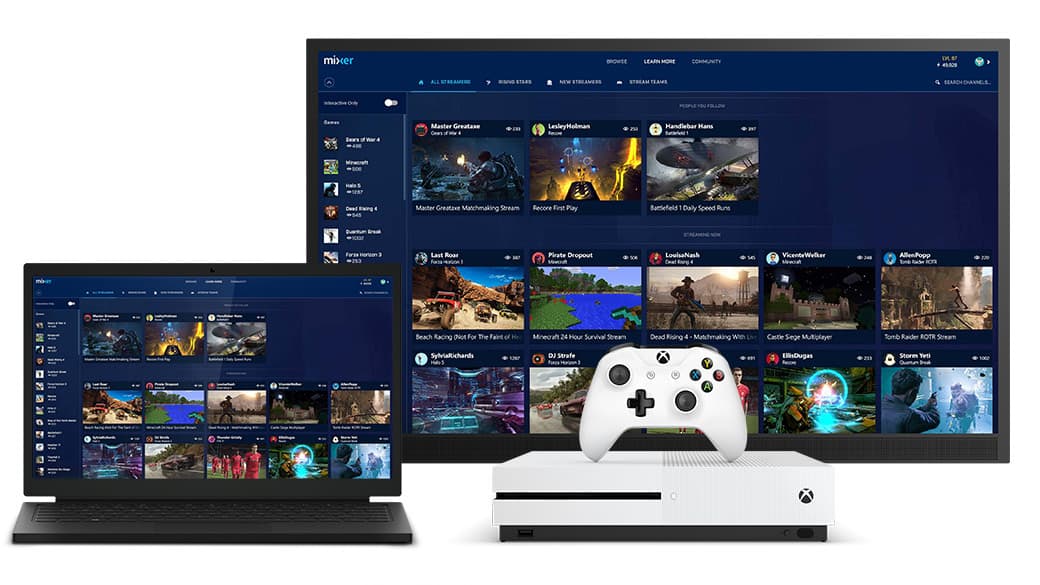
Mixer’s MixPot is already delivering free games and DLC to Xbox accounts thanks to Microsoft’s E3 promo. Within the last few days, Xbox fans that have watched E3 shenanigans through Mixer.com/Xbox have reported receiving their games as early as an hour or two after the stream had finished.

By tuning into the Xbox Daily show today at 1pm PDT, you can also receive your free digital content. Here’s what you will get for watching:

If you aren’t able to catch today’s broadcast though, don’t fret. The Xbox Daily show will also be showing tomorrow at 10am PDT. Unfortunately, that will be your last chance in the foreseeable future.

Save up to 45% on new movies with the Windows Store Blockbuster Movie sale

As the weather gets warmer here in the United States for summer, one good way to stay cool is to spend some time indoors watching movies at your local movie theater. Luckily, if you’re the type of person that prefers to skip the movie theater, Microsoft is currently running a Blockbuster Movie Sale on the Windows Store until June 19th, and you can save up to 45% on some of the latest new movies.

The sale features bundles as low at $14.99, and movies as low as $9.99. As always, we’re highlighting a few of the movies which are part of the sale for you below, and invite you to head to the Windows Store now to check out the full collection.

XXX: Return of Xander Cage + Bonus: $10.99

When a group of lethal mercenaries steal a hi-tech weapon that poses a global threat, the world needs superspy Xander Cage. Recruited back into action, Xander leads a team of death-defying adrenaline junkies on a mission to save the world.

Patriots Day: $9.99

Mark Wahlberg shines in this all-star action-thriller that chronicles the courage and power of the people of Boston during the real-life manhunt for the Boston Marathon bombers.

Blade Trilogy: $10.99

BLADE – Wesley Snipes stars as the tortured soul Blade, who is half man, half immortal. Blade sharpens his lethal skills under the guidance of Whistler – his mentor, guardian and fellow hunter of the night. When the bloodthirsty Immortals’ lord, Deacon Frost, declares war on the human race, Blade is humanity’s last hope for survival.

The Martian + Bonus: $9.99

From legendary director Ridley Scott (Alien, Prometheus) comes a gripping tale of human strength and the will to survive, starring Matt Damon as an astronaut stranded on Mars.

You might want to act fast if you’re interested in picking up any of these movies, as the sale will end on June 19th. Which of these movies do you think you will purchase? Let us know below.

New Microsoft ads fire shots at Google, show why Windows 10 is better for business, education

Microsoft is firing shots against Google’s Chromebook ecosystem in a series of new ads created by the company. The ads, designed to show how Windows 10, particularly Windows 10 Pro, are better than Chromebooks, directly call out features and differences between Windows 10 and Chromebooks, while showing off how Windows 10 is better for business and education.

In the first video, aimed at businesses, Microsoft blasts out the key points on Windows 10’s security mechanisms, including Windows Hello. It even compares Microsoft Edge to Google Chrome, with an animation showing bugs crawling away from Edge, but hoarding Chrome.

For the second video, Microsoft focused on education and the classroom. It details how Windows Ink is great for writing notes, as well as showing off Microsoft’s suite of Office apps, particularly Sway.

Ouch. Microsoft truly is going after Google.

Check out these Xbox themed prizes for this week’s T-Mobile Tuesday offers

Looking to get some Xbox stuff to compliment all the hype that you’ve amassed during this year’s E3? If you’re a T-Mobile customer who has the T Mobile Tuesdays app insalled on your device, you can enter to win one of the Xbox-themed prizes that T Mobile is giving away. Some of the more lucky winners can grab themselves an Xbox One Prize Pack or an exclusive T Mobile controller.

Each prize comes with some extra goodies, such as a BOGO coupon for a sundae, some money off of a new headset, and 3 months of the Shoprunner service for free. It’s definitely worth entering if you’re a T Mobile customer, even if your chances of victory may be a little bit slim. These are some solid prizes!

Microsoft’s Bing Ads announces In-Market Audiences, Custom Audiences, and integration with Adobe Audience Manager

Microsoft is continuing its push to attract advertisers to its Bing Ads platform. Following with a range of updates we’ve already seen this year for advertisers, Microsoft has now announced a few large new features that are sure to wet the appetites of companies and marketing agencies across the digital advertising spectrum, particularly where pay-per-click advertising is concerned.

To begin with, the 2 main announcements are:

Advertisers on Google’s AdWords should already be familiar with these, as they’ve been available on Display ads for some time, and more recently arrived on Google’s search ads.

In-Market Audiences

Starting as a US-only test pilot, In-Market Audiences categorise users based on purchase intent. If Microsoft’s algorithms consider that a user is in the market to purchase something, they’ll be placed into a relevant category, which allows advertisers to target these groups of people to display products that are of interest to them in their current purchasing journey.

Data for these groups will come from Microsoft’s range of services, including Bing, MSN, and more.

Advertisers will be able to adjust their bids and manage targeting options for In-Market Audiences on search ads, similar to how Remarketing currently operates.

This solution acts as the entry point, as advertisers can make use of Microsoft’s data on users, rather than having to come up with their own data.

Custom Audiences

The next step up from In-Market Audiences is Custom Audiences. Unlike In-Market Audiences where advertisers make use of Microsoft’s data, with Custom Audiences advertisers need to leverage their own data to target groups of users. Through integration with a data platform manager (DPM), advertisers can easily bring their Custom Audience segments into Bing Ads for search remarketing.

The first DPM available for Bing Ads is Adobe Audience Manager, with more set to become available later on.

Custom Audiences are in pilot globally.

In order to take part in either of these pilots, advertisers will need to contact their Bing Ads account manager to have their accounts set-up accordingly.

To find out more about these updates, take a look at Microsoft’s announcement post.

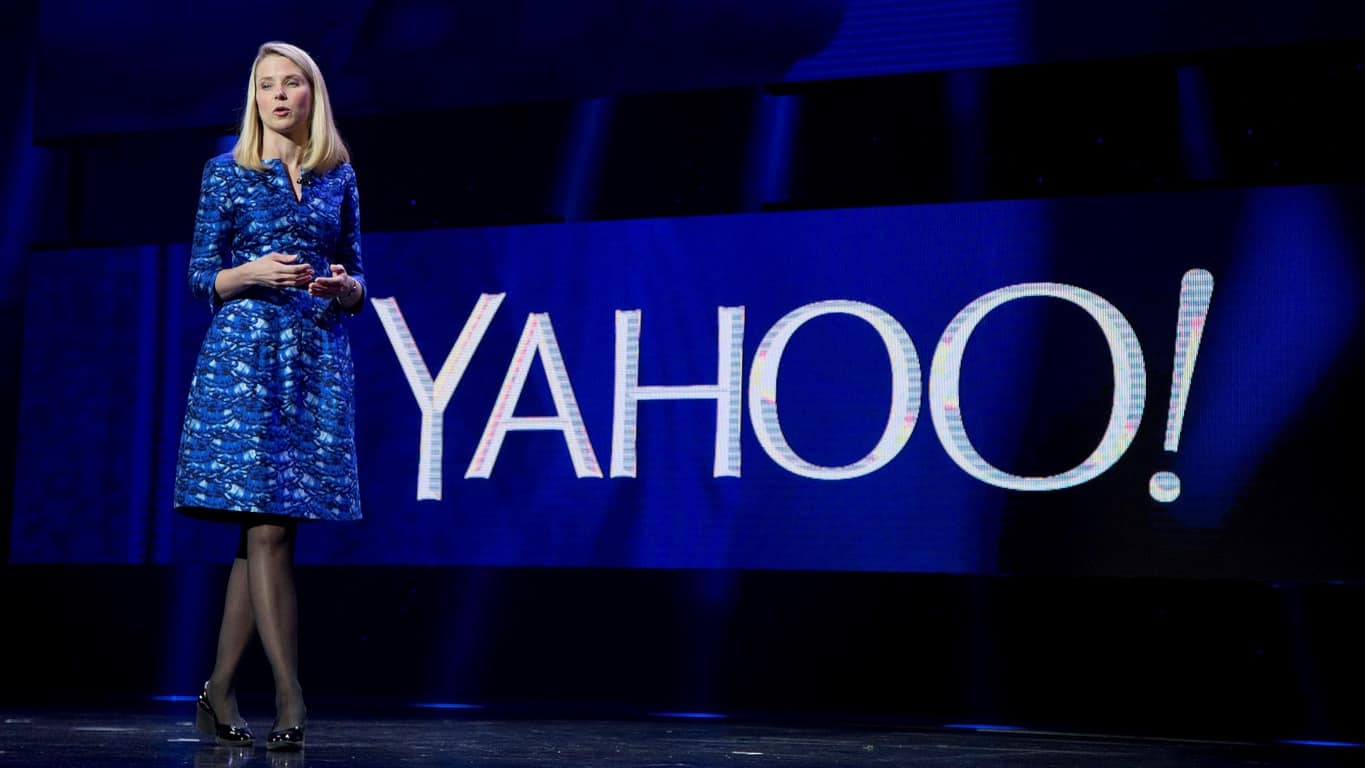
It’s finally over: Yahoo is acquired, not by Microsoft, but by Verizon

Microsoft originally placed at $45 billion bid for Yahoo! all the way back in 2008 as the smaller company struggled. But instead of moving forward with their bids, Microsoft decided to focus on their ties to Yahoo via the long term search agreement between it and Bing. With the failing company seeing plenty of interest from providers and investments firms, the dust finally settled with Verizon claiming acquisition over Yahoo (via Tech Crunch.)

Today, Verizon has made the official announcement that it has closed the deals for a sum of $4.48 billion, reports New York Times. After finally achieving shareholder approval last week, Verizon intends to collect Yahoo into its other assets into a subsidiary called Oath. The brand will there join AOL and about fifty other media companies that will be repurposed towards becoming a ‘global leader in digital and mobile’ under the leadership of former AOL CEO Tim Armstrong, according to the press release by Verizon.

Armstrong said, “We’re building the future of brands using powerful technology, trusted content and differentiated data. We have dominating consumer brands in news, sports, finance, tech, and entertainment and lifestyle coupled with our market leading advertising technology platforms. Now that the deal is closed, we are excited to set our focus on being the best company for consumer media, and the best partner to our advertising, content and publisher partners.”

It’s safe to say that CEO Marissa Mayer of Yahoo has stepped down from her position and left the company in Verizon’s hands. Her musings about the company’s development and achievements can be found on her personal Tumblr page.

Xbox One X is “in a different league” than Sony’s PS4 Pro, says Xbox boss Phil Spencer

Last Sunday, Xbox head Phil Spencer finally delivered one of the most anticipated presentations of E3 2017, and so far it seems that most of the comments have been positive. Yes, the $499 price point of the new Xbox One X plus the absence of popular franchises such as Halo or Tomb Raider may have disappointed many, but Spencer is pretty excited about what the Xbox team has in the pipeline.

In a lenghty interview with Eurogamer, the head of Xbox discussed the upcoming lineup of Xbox exclusives, the Xbox One X branding and how the new console compares to Sony’s Playstation 4. First of all, Spencer fully admits that the new Xbox One X is going to be a niche console. “Xbox One X is for the customer who’s looking for the most powerful console that’s going to run every game they’re going to play better than any other console,” he explained. And Microsoft is also perfectly ok with the Xbox One S remaining the most popular Xbox One console next year. “That has always been the plan,” added Spencer.

The exec also had some interesting words about Sony’s Playstation 4 Pro, saying boldly that the Xbox One X is “in a different league:”

I look at Pro as more of a competitor to S than I do to Xbox One X. This is a true 4K console. If you just look at the specs of what this box is, it’s in a different league than any other console that’s out there. When I think about techniques to somehow manufacture a 4K screen like what some other consoles try to do, this is different than that.

Of course, being the most powerful console on the market only matters if there are some great Xbox One games to play on the new hardware. Microsoft showcased 42 games during its media briefing on Sunday, with 22 of them being Xbox exclusives, but Spencer revealed that “we’ve signed some things we haven’t announced.” However, following the recent cancellation of Fable Legends or Scalebound, the Xbox team is going to be more careful with announcements going forward. “I’ve lived through announcing things too early and then had to live up to the hype while you’re trying to go build the game, and I’m learning,” explained the exec.

Kaizala, the messaging app from Microsoft Garage, comes to Office 365

A Microsoft Garage project, Kaizala is a secure chat and messaging app that enables Windows, Android, and iOS users to send instant messages and with Kaizala Actions, share files or send out polls and surveys.

As an Office 365 user, I just discovered that the independent app is now integrated with Office 365. Kaizala has only been available in India, and so is the new Kaizala Management Portal – manage.kaiza.la – that provides management, reporting and extensibility capabilities for Kaizala.

Kaizala was launched in 2016, and instead of competing with WhatsApp or Skype, the chat-based productivity app was focused on helping teams and businesses collaborate using the seamless instant messaging experience most users are comfortable with already. However, it found success and a lot of buzz with Goverment of Andhra Pradesh employing the same for Citizen Connect, enabling citizens to directly reach the state’s Chief Minister. From my sources, I learn that Microsoft is actively pitching the platform to several government institutions for similar deployments – and the Office 365 integration could not have come at a better time.

On the portal, your organization can quickly onboard thousands or millions of users to Kaizala, including employees, partners, vendors, or customers, with just phone numbers. You can create Kaizala groups and add users, and also view out-of-the-box reports for Kaizala Actions such as Jobs and Surveys. Developers can use the portal to either create a new or customize a Kaizala Action and also add a new Connector to integrate their internal or external systems with Kaizala.

If you’re in India, sign in with your Office 365 account and add your phone number to Kaizala. Once the phone number is authenticated, you’ll be able to manage Kaizala with the management portal.