Here are the new features in Office 365’s February Insider Slow update

Yesterday, Microsoft announced the February Insider Slow update for Office 365. As usual, this update is packed with new features, and if you’re a Office Insider, you can take advantage and download it now by heading to File > Account > Update Options > Update Now.

Overall, this update pushes the newest version to Version 1702 (Build 7870.2013.) For the details on what has changed, you can check Microsoft’s official changelog below.

  • A quick start to your research: PowerPoint QuickStarter gives you research ideas and design suggestions for a presentation on a subject of your choosing. Just choose the QuickStarter template from File > New, and specify the subject you want to study.
  • Set things straight: On devices that have touch screens, you can use the Ruler on the Draw tab of the ribbon to draw straight lines or to align a set of objects. The Ruler pivots to any position you want: horizontal, vertical, or anything in between: it has a degrees setting so that you can set it at a precise angle, if necessary. (We’re rolling out this feature gradually, so if you don’t see the Ruler button on the Draw tab right away, don’t worry. It’s coming soon.)
  • Enhanced digital writing assistant: With additional intelligent services built-in, Editor is better able to recognize your words in context and offer the right spelling suggestions. Look for these improvements in Word and Outlook.
  • Easier background removal: In Word, Excel, PowerPoint, and Outlook, we’ve made it easier to remove and edit the background of a picture. You no longer have to draw a rectangle around the foreground of your picture; instead, the app will automatically detect the general background areas. In addition, the pencil for marking areas to keep or remove can now draw free-form lines, rather than being limited to straight lines.
  • Move pages from side to side: In Word, navigate pages in Print Layout view by sliding them side-to-side like a stack of paper. To try it, click View > Side to Side.
  • From Visio to PowerPoint in a few clicks: Take snippets of a Visio drawing and export them as slides to PowerPoint. To get started, open a diagram and click View > Slide Snippets Pane. In the pane, click Add to snip portions of your diagram and Export to send your slide snippets to a new PowerPoint slide deck.

As always, you can sign up to become an Office Insider by visiting this link. It is worth noting that signing up and installing these builds will give you access to new features, but may result in an unstable experience. Let us know what you think of these latest updates by dropping us a comment below!

Windows 10 usage on Steam dropped for last two months in a row

Steam has just published its latest hardware survey for the month of February, which shows that Windows 10 usage is now down for two months in a row. After reaching a 50.35% OS share back in December, the new OS has fallen to 48.77% last month (down 0.9% points) while Windows 7 rose to 36.81 (+1.7% points) in the same period. Actually, the seven years-old OS was the only version of Windows that saw its usage grow in February.

Steam hardware survey february 2017
Steam hardware survey, February 2017.

Windows 10 still remains the most popular OS on Steam by quite a large margin, but this trend is quite worrying for Microsoft. Yesterday, we also reported that Windows 10 global market share fell to 25.19% last month according to NetMarketShare, who saw Windows 7 rise to 48.41% in the same period.

Microsoft may still has some Windows 10 tricks up its sleeves to win back Steam gamers in the coming months, such as the Game Mode feature that will debut with the Creators Update in April. Windows Insiders can already test the setting which gives games priority access to system resources, and gamers should probably expect Microsoft to bang the Game Mode drum quite loudly in the coming months.

Sea of Thieves will have another Alpha play session on Xbox One this weekend

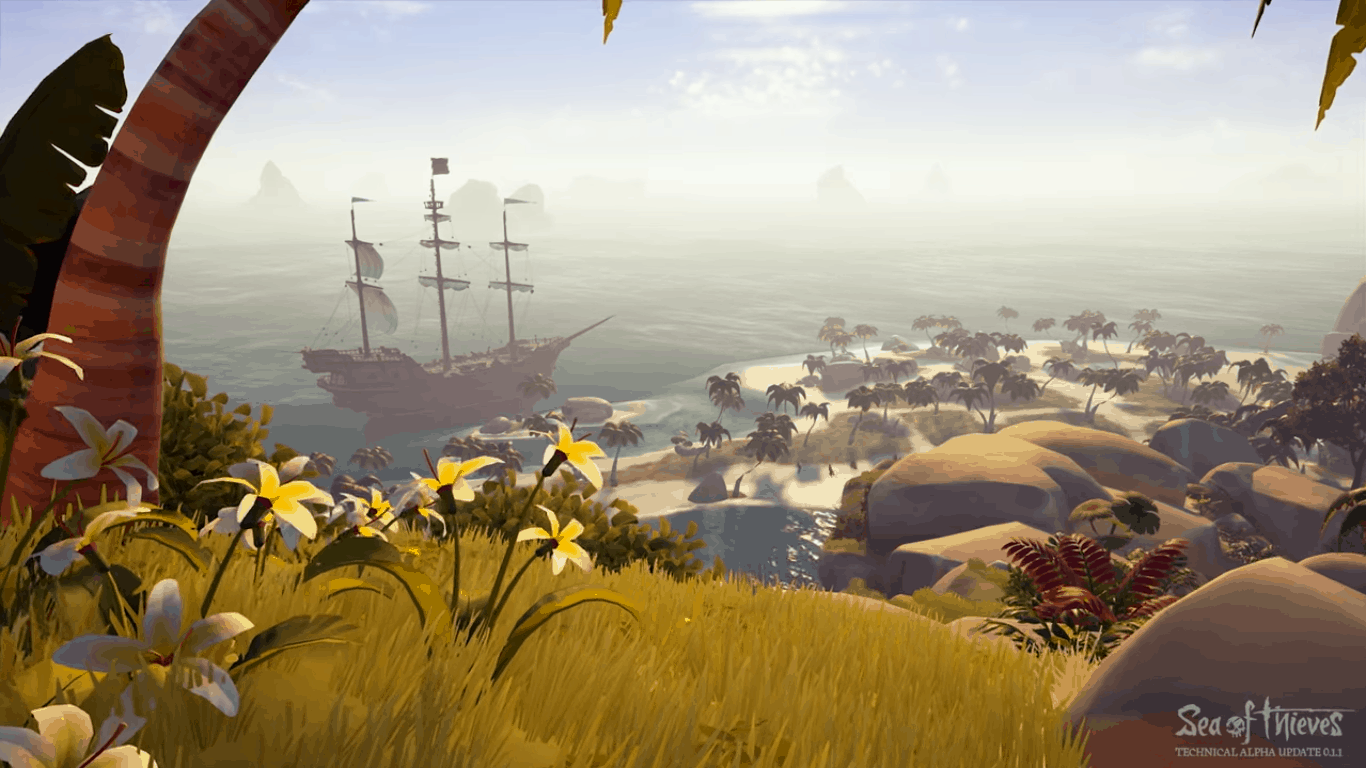
Sea of Thieves, the upcoming pirate game from UK-based studio Rare will have another technical alpha play session on Xbox One this weekend. The developer sent email invitations to members of the Insider Programme last night, and this time 8.000 new players will be invited to join the fun.

Sea of Thieves is being developed for both the Xbox One and Windows 10 PCs and will support Xbox Play Anywhere, but be aware that this new alpha play session will be for console players only. “We’ll have a PC Update for Insiders soon,” explained Rare in another tweet.

If you have not been invited for the Technical Alpha this time, you will still have a chance to try the game in future play sessions: just make sure to join the Sea of Thieves Insider Programme on the game’s official website.

Slack updates their Windows 10 app with cool new improvements

The official Windows 10 Slack app has updated to Version 2.5.1 and has made quite a few changes such as adding support for more languages in spellcheck, better help documentation, style copying, and more. Here’s the official release notes:

The way we load teams you don’t view often has been changed to improve the memory footprint of the app. One day, it will be a pitter patter of tiny footprints. For now, it’s a tad slower, a little less hefty, and a lot more attractive. Think “brontosaurus in a nice hat.”

Folks consistently unable to load the app will now be greeted by a troubleshooting page that offers suggestions on making their situation better. (Spoiler: it’s usually to do with over-zealous antivirus software).

Those pasting text with style into a Post then finding their text to have “no style” can now Paste & Match Style under the Edit menu.

You can see our Help Center documentation in – of all places – the Help menu. The almost over-intuitively named Open Help Center item will be your friend.

Spellcheck support for three (세!) additional languages; writers of Korean, Portugese (Brazilian), and Albanian type a little easier.

Slack is a sort of chat app that’s used mostly for team collaboration and communication instead of the more social use of apps like WhatsApp and Facebook Messenger. Do you use Slack? Let us know your thoughts on this update in the comments below.

Slack
Slack
Price:
Free

Latest Xbox Insider build creates issues for Alpha ring users

The latest Xbox Insider Preview build has begun to roll out to testers in the Alpha ring and while Version rs2_release_xbox_1703.170226-1700 does have a few minor fixes and improvements, this build comes with mostly issues that could severely impact the gaming of anyone who installs it. Here’s the full list of problems that users may encounter:

  • “Portal” accessories used with games like Skylanders, LEGO Dimensions, and Disney Infinity are not recognized.
  • The Xbox Accessories app Device Details page may appear blank. Workaround: Update the device firmware, and view Device Details on a console not enrolled in Preview.
  • Copilot does not function at this time. You can disable Copilot from the power menu (hold the Xbox button on the controller) if desired.
  • Cortana: If Cortana was enabled prior to entering connected standby, you may encounter an error when resuming from connected standby.
  • Cortana may take a long time to respond when activated while playing certain games.
  • Scheduled Cortana reminders will not provide a notification if the user who created the reminder is signed in, but not the current active user.
  • Using voice dictation sometimes causes the virtual keyboard to become unresponsive.
  • Notifications: Some users may not receive certain types of notifications.
  • Game Clips: After capturing a game clip, the game clip fails to automatically post to the Activity Feed (if your profile is configured to do so). Workaround: Manually view game clips in Profile > Captures > Manage captures and post to the Activity Feed.
  • EA Access: The EA Access app may indicate you are not an EA Access subscriber when you are. This does not affect your ability to download or play games from the Vault, or receive discounts on EA titles.
  • Screen Dimming: The screen may dim after a short amount of time while viewing videos in certain apps (Hulu Plus).
  • Settings – Ease of Access: When enabling the Mono output setting in Ease of Access – Audio, Settings becomes unresponsive, crashes, and fails to launch on subsequent attempts. Workaround: To launch Settings, perform a hard reset (hold down the button on the front of the console for five seconds until it fully powers down, then power it back on).
  • Settings – Display & sound: The Audio output page is under construction and some of the new settings are not yet functional. New support is planned for Dolby Atmos for home theater, Dolby Atmos for headphones, and more in upcoming builds. An announcement will be made when these new features are ready to try out; enabling these settings now will have no effect.
  • Wireless Display: The Wireless Display app fails to launch and immediately crashes to Home.

The Xbox Insiders program is used to test new features and OS builds for glitches before rolling them out to the general public for widespread usage. Are you an Xbox Insider? Let us know your impressions of the latest build in the comments below.

Has-Been Heroes video game pre-order goes live on Xbox One

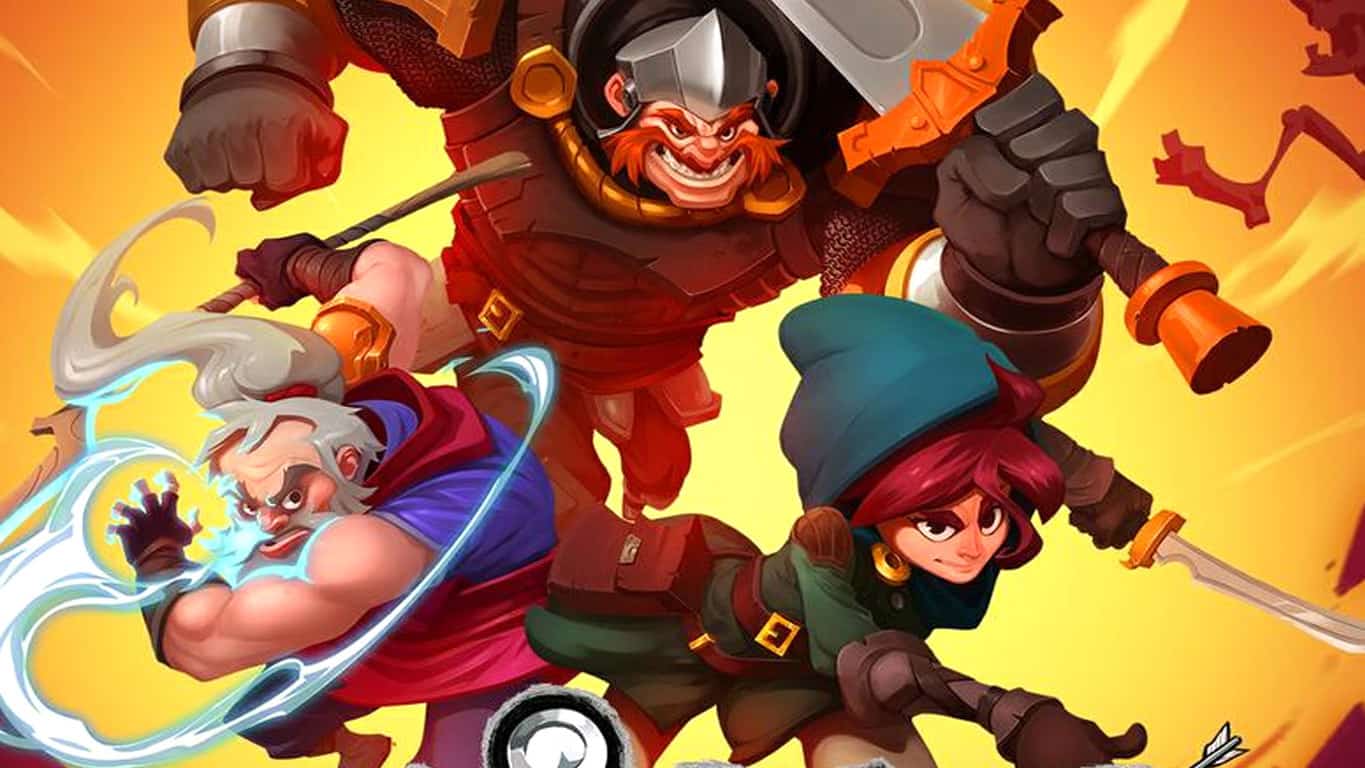
The upcoming video game, Has-Been Heroes, is now available to pre-order on the Xbox One. The game is a Western fantasy roleplaying game inspired by Japanese titles and is expected to release on March 28th. Here’s the official description:

Embark on an epic journey with the Has-Been Heroes, a group of legendary champions once celebrated throughout the kingdom – almost forgotten until the King has one more quest, the most epic of them all:TO TAKE THE TWIN PRINCESSES TO SCHOOL!Key features:* Meet the epic band of heroes as the young and eager Rogue, joining the company of the wise monk Metacles, the giant-wrestling warrior Crux… wait until you meet the others, incl. the Anthropologist turned Mexican Wrestler, the ever-vigilant and paranoid Sheikh, and many more!* Unlock and collect hundreds of game-changing items and spells, boosting the heroes’ powers and making each run unique!* Combine spells for devastating effects, learning the power of magic as you gain more elements.* Face countless monsters, each bigger and more menacing than the next. Can you wipe out the army of evil led by the Great Ghoul?* In roguelike fashion, die and try again – choose your heroes wisely and prepare for battle!

Pre-Order Has-Been Heroes on Xbox One

Have you pre-ordered any new Xbox One games recently? Let us know which ones in the comments below.

Blackwake issues: low FPS, game crashes, full screen issues, and more

Blackwake is a recently launched  multiplayer naval first person shooter focused on teamwork and cooperation. As a player, you’ll fire cannons, sink enemy ships or take control over them with firearms and steel. This game truly offers you the opportunity to unleash the pirate within.

Blackwake also brings issues of its own, as players report. In this article, we’re going to list the most frequent Blackwake bugs reported by  gamers, as well as their corresponding solutions, if available.

Blackwake bugs

1. Low FPS

Players report that Blackwake is sometimes affected by low FPS issues, on both low and high end rigs. If you’re experiencing low FPS on high end computers, follow these troubleshooting steps:

1. Make sure your Nvidia GPU is not in “Power saving mode” and set to max performance instead. For more information, check out Nvidia’s support page.
2. Gaming monitors above 60hz may cause crashing consistently if Vsync is turned off.
3. Try setting “-window-mode exclusive” as a launch option on Steam.
4. Try “-force-d3d9” as a launch option on Steam.

2. Servers freeze

Sometimes, the game disconnects but players are not informed about this and they appear to be still connected to servers. Blackwake’s devs have already pushed a quick patch to fix this issue, but it’s not a permanent solution.

The first problem is still here. Yesterday I could play with no problem. Today, i can’t connect to ANY server! I get in for 1 minute and then get disconnected.

Speaking of server issues, players also report that they can’t detect any servers in the server browser and the refresh button does nothing.

3. Sound issues

Steam users also report that sometimes there is no sound when starting up the game. Actions such as closing and launching the game again don’t fix this problem.

No sound starting up the game i restarted steam, checked if sound was off or all the way down, ran it in admin
has anyone had similar issues and its this game beacuse ive ran several other games all have sound music etc

4. Mouse won’t respond

Other players report that they can’t use their wireless mice to control their characters. The device is completely unresponsive, leaving them no option but to use the trackpad.

I’ve got a Microsoft Mobile Mouse 3500 […] but once I get into a game, I can’t use it to look around, or to use the left or right mouse buttons – I have to use my trackpad. When I toggle the cursor with ‘T’, it will let me use it, but not in regular gameplay, which makes aiming with weapons incredibly difficult.

5. Game crashes

Using the microphone may cause Blackwake to crash. Other players report that although the game does not crash, it stutters all the time when they are using VOIP (squad and proximity).

whenever I try to use my mic, no matter which chat I use it in, the game goes unresponsive and crashes shortly after. Anyone else experience this issue so far?

Other common issues include:

  • Window minimizing when full screen, flickering when in windowed
  • Players cannot join factions
  • Blackwake breaks the connection to Wi-Fi
  • High GPU temperature.

If you’ve come across other Blackwake bugs, you can use this bug reports and technical issues thread on Steam to provide the game’s devs with more details about the problem you’ve encountered.

RELATED STORIES YOU NEED TO CHECK OUT:

Microsoft’s Creators Update allows smartphones to unlock Windows devices

The next major update for Windows 10 is predicted to drop sometime during the month of April. Everyone is anticipating the many new cool features that will be coming with. What many do not expect, however, is the built-in support the Creators Update has for Samsung smartphones to unlock any Windows 10-machine.

Samsung Flow brings a new way of connecting devices

Samsung’s Flow application will allow users to transition from one device to another with ease and includes support for Windows devices such as the Galaxy TabPro S, a tablet running Windows 10.

While the tablet is the only device that seems to this type of connectivity at the moment, it is expected for Samsung to make it functional for any PC or device using Microsoft’s Creators Update. On top of that, there will be extra features coming to the app as well.

The information was made available through a Samsung reply to a user comment on the Play Store comments section for the app. The user was clearly not satisfied that the app wouldn’t work on their Windows 10 device. Samsung responded by presenting the information above.

Still a while until release

The Flow app from Samsung and others like it are setting the first building blocks for a new era of interconnectivity where devices of various kinds will communicate more than ever.

The only thing left is for the Creators Update to actually be released, but that will take a little longer since the closest estimated release date puts the long awaited patch due in April. More information on the upcoming Flow features might surface in the meantime!

RELATED STORIES TO CHECK OUT:

Microsoft renames Windows Holographic to Windows Mixed Reality due to ‘broader vision for the platform’

Microsoft’s approach to mixed reality has, up until now, been referred to as “Windows Holographic.” The name made sense as a descriptor of Microsoft’s approach towards holograms in their headsets, but it seems like the company had a different idea about how to move forward. Microsoft spoke at the Game Developers Conference (GDC) earlier today about Acer’s new “Windows Mixed Reality Dev Kit,” seemingly ditching the old “Windows Holographic” for some new terminology.

We reached out to Microsoft about the use of this new language to describe its mixed reality initiative, and we received this response from a Microsoft spokesperson:

Microsoft renamed “Windows Holographic” to “Windows Mixed Reality” to be more encompassing of the company’s broader vision for the platform. We’re unifying the mixed reality ecosystem around a platform that enables shared experiences and interoperability between headsets. By opening up the Windows Mixed Reality platform to the industry at large, we anticipate the growth of holographic apps will make for stronger experiences and better devices for everyone.

The change in name seems to exist solely because Microsoft thinks it allows for some broader use – which sounds about right. As Microsoft starts to open the floodgates for new headsets, now seems as good a time as any to make sure that all terminology is correct.

Windows 10 market share stalls according to new data

According to the latest NetMarketShare monthly statistics report, Windows 10 market share fell slightly from 25.30% in January to 25.19% last month. The slight drop is not exactly the ideal Windows 10 growth that Microsoft would like to see. Windows 7 saw the greatest increase in market share, growing from 47.20% to 48.41%. Windows XP is at 8.45%, followed by Windows 8.1, at 6.87% and Windows 8 at 1.65%.

Netmarketshare Windows Feburary 2017
NetMarketShare, February 2017.

All versions of Microsoft Windows still hold a commanding lead over all other operating systems at 91.76%, with Mac users a distant second at 6.19%, followed by Linux at 2.05%. In September 2016, Microsoft reported that Windows 10 was installed on more than 400 million devices. About three months ago, ZDNet predicted that Windows 10 could overtake Windows 7 by December 2017. After looking at the last month’s data though, it’s not clear if the new OS will actually reach this milestone this year.

NetMarketShare desktop trend by version February 2017
Desktop trends by version, NetMarketShare.

Obviously, Windows 10 will need to experience a more meteoric rise to overtake Windows 7 by December 2017. Microsoft is reportedly working on Windows 10 Cloud and Windows 10 on ARM to make Windows 10 PCs more competitive and affordable, but we still don’t know if these new SKUs will be released this year.

Office 365 Service Health Dashboard now available for all admins

Managing your network with Office 365 Administration just got a bit easier. After months going through several stages of preview, the new Service health dashboard has entered general availability. If you haven’t been following the changes being made to the service through its preview program, here are the major improvements.

Access rich and more actionable incident insights—The dashboard now features a view that separates major business critical outages from others and splits them into two categories: Incidents and Advisories. This view makes it easy for you to identify issues that you might want to act on immediately.

Quickly understand the incident—A summary view surfaces the most relevant and critical details to you in two short sentences—easy and quick to consume. If you want to access additional details, you can go to a more detailed view that provides you with all available information, including workarounds and message history. You can also access a history of incidents and advisories that occurred in the past 30 days.

Easily see the impact for your organization—The dashboard allows you to quickly understand the impact of the service incident on your organization by showing you the number of impacted users. (Please note: This functionality is currently available for Exchange Online–related incidents only and will be extended to other workloads over time.)

Quickly provide feedback—A rating option now enables admins to provide feedback on the accuracy and usefulness of the information of each post on the Service health dashboard.

As is often the case with Microsoft services, this launch only constitutes a starting point for the Service health dashboard. The blog post accompanying the launch also mentioned that there are many additional features they plan to launch in the coming months. Here’s a bit of what they have in mind:

  • Tell us about issues
  • Stay informed through your preferred channel
  • Access user level details
  • Check the health of your users
  • In-product messaging

This update has just begun rolling out to all Office 365 Administration users. If you don’t yet have access to it, you may have to give it a bit of time – these roll-outs tend to happen by region, and can drop at different times for different people.

Turn Off the Lights app now available for Windows 10 as a desktop port

If you’re the kind that likes to take control of the things on your screen, then you should be aware that Turn Off the Lights app is now available on the Windows 10 Store as a desktop port. The application allows Windows users to dim their screens while working on productivity tasks, and also protects your eyes at night from applications that have a white background.

Overall, Turn Off the Lights for Desktop is simple to use, and you can dim the screen with one click on the lamp button. And with a two finger click, you get a quick settings menu to change the color and the opacity value of the dark layer. Other features in the app include:

  • One click on the lamp button to dim the page
  • Support multiple monitors screens
  • Customize the layer tint color/image/video, opacity value up to 100%, keyboard shortcuts
  • Option to start automatically with your computer
  • Option to play video layer on to top of your desktop screen
  • Option to shows a spotlight around your mouse cursor
  • Option fade effects
  • Option to focus the app in front of the black layer
  • Advanced Eye Protection planner
  • Notification center widget

This $25 paid version is not to be confused with Turn Off the Lights, which is a lesser functioning free UWP app from the same developer. You may find the app via the link below. Once you’ve checked it out, do leave us a comment to let us know how the experience is going for you.

Turn Off the Lights for Desktop
Developer:
Stefan vd
Price:
$24.99

Middle-Earth: Shadow of War leaked much to fan delight

Those that loved Middle-Earth: Shadow of Mordor should prepare for a real kicker: a sequel to the game was leaked and is slated to be released in the near future. The new game’s details were leaked by Target and makes it clear that it will be arriving for Xbox One, although it is highly anticipated that PS4 and PC will also get some love.

A little backstory will help you appreciate it more

Those fascinated by the Lord of the Rings universe will definitely have a rewarding experience in both Shadow of Mordor and Shadow of War. The game’s plot revolves around the main character Talion alongside the Elf Celebrimbor. The latter’s spirit has infiltrated the body of the ranger Talion and together they must work against the forces of evil and bring an entire army to its knees before it gets a chance to strike at Middle-Earth.

When the first game came out, many were thrilled because it filled some of the 60 year gap left between the Lord of the Rings and its prequel story The Hobbit.

New faces and features in every corner

The new expansion to the Shadow of Mordor universe will bring a lot of everything. That means new enemies and allies alike will help or try to stop the main character along with the new included playable character to go about their mission. With an orc army behind them, players must destroy fortresses and conquer new land all while deeply engaged with the iconic bad guys of the universe, Sauron and his wraith goons.

With a critical focus of forging a brand new Ring of Power, players will have a lot to juggle with throughout the game. This title also marks the return of the Nemesis system, which was critically acclaimed for the way it turned Shadow of Mordor into an all-around beloved game.

The difficult part starts now: players will have to wait quite a while before getting their hands on this title. It is slated for an August 22nd release, meaning that there’s a lot of time in between now and when it launches for more information to surface.

RELATED STORIES TO CHECK OUT:

Microsoft introduces Xbox Live Creators Program at GDC

It’s been a busy day for Xbox news, and another big story has just entered the fray. Today, Chris Charla, director of ID@Xbox, introduced the Xbox Live Creators Program, which will allow any developer to integrate Xbox Live into their game and publish to Xbox One and Windows 10 without the need for concept approval.

While the program is still in preview, the program will ultimately allow developers to rapidly publish Xbox Live-enabled games on Xbox One and Windows 10 PCs. Creators Program developers will be able to include integrate Xbox Live sign-in, presence, and social features into their UWP games, then publish their game to Xbox One and Windows 10. Chris Charla describes how the program works:

This means their title can see exposure to every Xbox One owner across the Xbox One family of devices, including Project Scorpio this holiday, as well as hundreds of millions of Windows 10 PCs, and millions of folks using the Xbox app on mobile platforms. The Creators Program offers a straightforward way for developers to address a huge audience across Windows and Xbox One, with minimal additional development time. An important element is that developers can continue using the tools they’re already using today to create UWP games. Game engines with “out of the box” support for UWP games include Construct 2, MonoGame, Unity, and Xenko.

Interestingly, Charla points out that the program works with retail Xbox One consoles, which means there is no need a dev kit to get started. Additionally, developers who want access to more Xbox Live capabilities and gain additional development and marketing support for their game, can also still enroll in the ID@Xbox program even after their game ships.  The differences between the Creators Program and ID@Xbox can be seen in the graphic below.

ID@Xbox vs Creator's Program
ID@Xbox vs Creator’s Program

Details on how to enroll in the program can be found here, and it’s as easy as following four simple steps: creating a Microsoft Account, a Dev Center account, taking a survey, and reading the necessary documentation. It is also worth noting that for Windows 10, Creators program games will be available on the Windows Store, and on Xbox One, games from the Creators Program will appear in a new, distinct Creators games section in the Store.

The first Acer Windows Mixed Reality Dev kits will ship in the coming months

Today at the Game Developer Conference (GDC,) Microsoft announced that The first Acer Windows Mixed Reality Dev kits will ship in the coming months, and gave out “golden tickets” to developers at the event, who will get free dev kits when they’re released. This marks the next step in the company’s Windows Mixed Reality platform roadmap and steps towards building Windows 10 to be the complete platform across the broadest range of mixed reality devices and experiences.

The announcement of the first Acer Windows Mixed Reality Dev kits comes after the company announced that they would be partnering with leading OEM’s including Acer, ASUS, Dell, HP, Lenovo, and 3Glasses on a wide range of headsets that pair with your Windows Mixed Reality-ready PC. These headsets deliver plug and play setup, and built-in inside-out tracking, without the need to purchase or install external trackers or sensors in the wall.  Specs on the Acer Mixed Reality Development Edition can be seen below.

  • Two high-resolution liquid crystal displays at 1440 x 1440
  • Display refresh rate up to 90 Hz (native)
  • Built-in audio out and microphone support through 3.5mm jack
  • Single cable with HDMI 2.0 (display) and USB 3.0 (data) for connectivity

As the phased rollout of the developer kits occurs, the kits will include an Acer headset, along with documentation and access to Windows 10 Insider preview builds and the software development kit (SDK) to enable developers to build mixed reality applications. Developers and consumers previously received a peek of these headsets back at CES, but Microsoft promises that they will be sharing more about this mixed reality headset journey at their //Build conference in May. So, it’s best to stay tuned for more information.

Yammer now integrates with Office 365 Groups in latest update

In a LinkedIn post, Kevin Crossman, Microsoft MVP and IT Collaboration and Content Manager at Juniper Networks, explains the new integration of Yammer with Office 365. Crossman goes over some of the advantages to having Yammer integration with Office 365 Groups.

“Following the past Office 365 Groups releases, the creation of new Yammer Groups now automatically initiates a new Office 365 Group for maintaining group membership. Importantly, this will also automatically provide a SharePoint Site and Document Library, a OneNote Notebook, and a Planner site for that Office 365 Connected Yammer Group.”

Crossman believes the new update for Office 365 Groups will revitalize Yammer as an enterprise social network that will help people collaborate more efficiently using “Microsoft’s robust document management and task-management platforms.” With Yammer integration, Office 365 users can create an Office 365 Group using their Outlook email address or Yammer.

Here is an video showing Yammer in action.

By using Yammer with Office 365 Groups, enterprise users now have access to a SharePoint team site, a SharePoint document library, a OneNote notebook, a plan in Planner and a PowerBI workspace. Microsoft plans to add the ability to include a shared Outlook calendar for Office 365 Groups sometime soon.

Microsoft goes over the configuration requirements needed for Yammer integration with Office 365 Groups.

Poll: What’s your favorite Edge Hub icon?

Yesterday, we showed you a sampling of some of the Edge Hub (where you get to your Favorites, Reading List, History, etc.) icons that Microsoft is apparently testing out via recent Windows 10 Insider builds. Since then, our readers have added a couple of more, and so we’ve bundled them all up together to let you vote on your favorite:


Are any of these icons jumping off the page at you? Are you seeing any others? Take our poll and let us know what you think of these icons in the comments.

Borderlands 2 and Layers of Fear are now free to download for Xbox Live Gold subscribers

Today marks the first day in the month of March, so we would like to remind you that Xbox Live Gold subscribers can now grab up Borderlands 2 and Layers of Fear for free as part of the Games With Gold program.  Both games pack incredible play value, and will no doubt keep you busy until the next round of Games With Gold titles are officially announced at the middle of the month.

Xbox 360 : Borderlands 2: March 1st-March 15th, $19.99 ERP

Borderlands’ combines the traditional elements of role-playing games with those of a first-person shooter to create a revolutionary new Role Playing Shooter genre. Borderlands 2 looks to continue this evolution and further blend the boundaries of traditional gaming genres. So choose from one of the four new character classes and get ready to be absorbed in a tale of revenge and redemption that spans the massive living environments of the planet Pandora.

Xbox One: Layers of Fear: March 1st-31st, $19.99 ERP

Layers of Fear is a first-person psychedelic horror game with a heavy focus on story and exploration. Delve deep into the mind of an insane painter and discover the secret of his madness, as you walk through a vast and constantly changing Victorian-era mansion. Uncover the visions, fears and horrors that entwine the painter and finish the masterpiece he has strived so long to create.

Later in the month, Evolve Ultimate Edition (Xbox One) and Heavy Weapon (Xbox 360) will also become free as part of the Games With Gold program. Are you looking forward to playing these titles? Let us know in the comments below, and keep it tuned to our Xbox news hub for all your Xbox news and information!

Microsoft has (possibly) begun giving away Xbox Onesies again

One of the coolest promotional campaigns Microsoft did in 2017 was the production of the Xbox Onesie, a onesie designed after their Xbox One video game console. The product was mostly created as a quirky giveaway for gaming journalists in Australia though several were given away to fans on social media soon afterwards. Supply of these was very limited and it has been widely understood by mostly everyone that the entire stock had been exhausted… until today that is.

A user on Reddit has written a post claiming that he’s been offered an Xbox Onesie after chatting with the Microsoft Store Social Media Team. There was apparently no contest or giveaway happening, just a casual conversation that ended up being more rewarding than he was expecting. “Msft store posts a tweet, I reply, we start talking about the Xbox Onesie and making jokes (I promised I’d wear it to all the Disney parks if it was comfortable enough),” he explains when asked for more details by other users. “Continue joking on and off throughout the day, all of a sudden they say “Hey can you DM us?” and I get what I posted above. There was, to my knowledge, no contest or promotion or anything that I was aware of at all. It just seemed to be a matter of inadvertently making friends with whoever was tweeting?” The post was accompanied by a screenshot of the Twitter DM.

While cool if true, it’s probably best not to get too excited as the official word is still that there are no Xbox Onesies left to give away to anyone. It’s also possible that this user could simply be making this story up and is just taking everyone for a ride. What do you think? Is this story true and could more onesies be on the way or do you doubt the story is even real? Let us know in the comments below.

Advanced Font Settings gives full control over Google Chrome’s font settings

Google Chrome is a pretty versatile browser, but some users aren’t quite happy with the fonts available. By default, users can navigate to chrome: //settings/fonts to access the available text fonts, but the options are limited and there’s not much room for creativity. However, the Advanced Font Settings extension allows users to change fonts on websites as they see fit.

So how does it work?

The Advanced Font Settings extension allows fonts to be changed per script, making it so users can modify text fonts to their liking. Additionally, fixed-width fonts can also have their sizes changed with this extension. To alter a website’s font, users must make sure that the website hasn’t specified its own font and that there is a declared language for the site content.

The extension’s intricacy allows for fonts to take on different aspects based on the language used, so there is a different font for every language. This is possible, again, thanks to a feature that allows fonts to be edited per script.

The tool is easy to install and easy to use

After installing Advanced Font Settings, a new icon will be available in the browser’s toolbar area. Right clicking on this icon will open a menu from which the settings can be accessed. From here on out, it’s just a matter of choosing a script and then setting the parameters of how the font should change. Apply Settings will save the changes and implement them.

Whenever there is need to change font, Advanced Font Settings is a great tool because it offers options not made available by Google. That being said, Google has also given this extension a thumbs up, so that’s another reason to give it a go.

RELATED STORIES TO CHECK OUT:

Office 365 added new intelligence services, more in February

As February is coming to a close, the Office team has just published a recap of all the new features that have been introduced in the Office apps this month. Many of these new capabilities are leveraging Microsoft’s cloud-powered intelligence services, and the company claims that they will “get better each month as we deliver continued innovation and further tune our intelligent recommendations as more people use them.”

First of all, QuickStarter is now available in PowerPoint on Windows desktops for Office Insiders on the Fast Ring. This feature makes it easier get started with your presentations by providing you curated content about the topic of your choice. “Simply type in your topic and QuickStarter gets you going with a curated outline, recommendations on what categories to include, information to research further, and associated images tagged with Creative Commons licenses,” explained the Office team.

Office Insiders can also try the new Editor pane in Word on Windows desktops: this feature replaces the Spelling & Grammar pane and works as a digital writing assistant, with many tools designed to help you improve your writing style. The new pane has also been designed to be accessible for the visually impaired, which is always worth mentioning.

Word Editor pane
The new Editor Pane in Word for Windows desktop.

For those who use Apple’s latest MacBook Pros, Microsoft has also brought support for the Touch Bar in Word, Excel and Powerpoint this month. “The most common commands are intelligently placed at your fingertips based on what you’re doing in the document, spreadsheet or presentation,” explained the Office team. Touch Bar support is coming “soon” in Outlook for Mac, the team added.

Office Mac Touchbar
Word, Excel and Powerpoint now support the MacBook Pro’s Touch Bar.

Microsoft’s digital assistant Cortana can also create suggested reminders based on things you said in your emails. For now, this feature is only available for Windows 10 and Windows 10 Mobile users in the US: to enable it, you’ll have to add your Outlook.com account or Office 365 account in your Cortana connected services. The Office team added that support for iOS, Android and other email services is coming soon.

Lastly, Microsoft made three security-related announcements this month. The first one was Office 365 Secure score, a new security analytics tool that is now available to commercial customers. Second is Office 365 Threat Intelligence, which uses the Microsoft Intelligent Security Graph to help customers stay ahead of cyber threats will be generally available later this quarter. Lastly, customers can also register for the limited preview of Office 365 Advanced Data Governance, a new tool that leverages machine learning to help them manage their most important data. You can learn more about these three security announcements in this dedicated blog post.

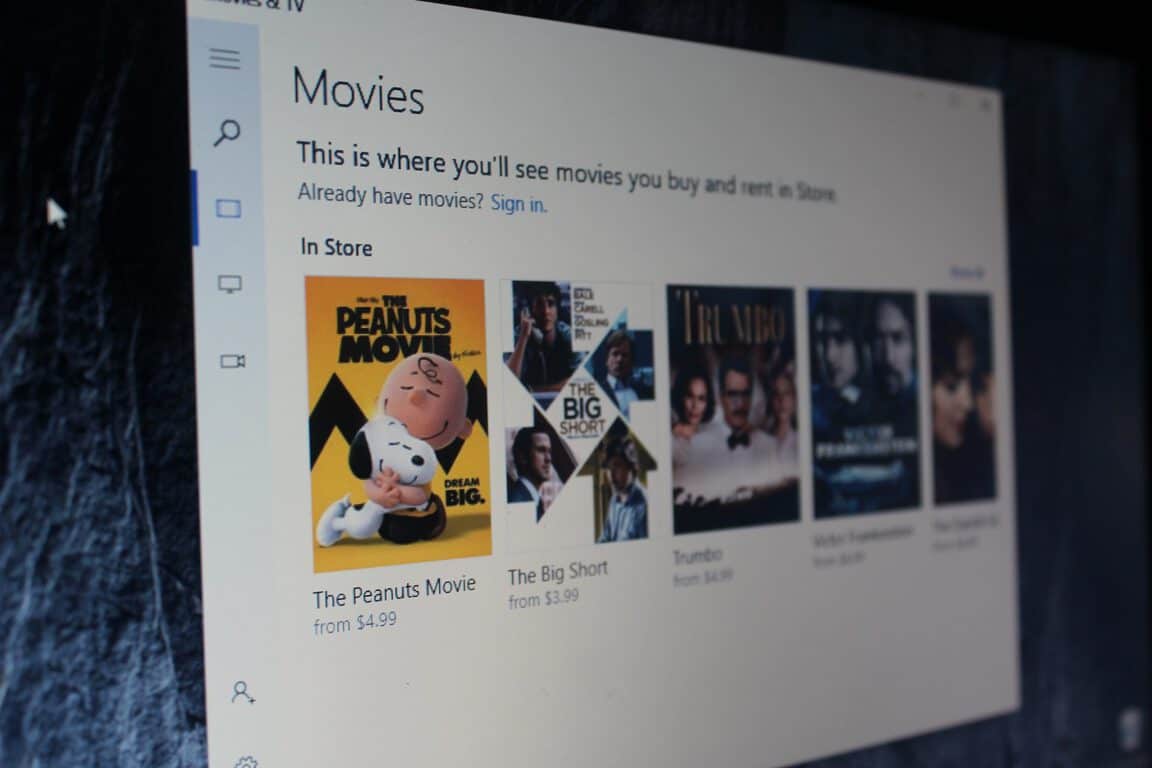
Movies & TV app updated, including 360-degree video, for Slow Ring Windows Insiders

If you’re a Windows Insider in the Slow Ring, you might want to head to the Windows Store and check for new app updates. After releasing an update to those in the Fast Ring earlier last week, Microsoft has just pushed out an update for the Slow Ring Movies & TV app on both Mobile and PC, and it brings support for 360-degree videos, and much more (via Neowin.)

Overall, the latest update pushes the Movies & TV app for Slow Ring Insiders to version 10.17021. For the complete details on what has changed, you can check the changelog below.

  • Get into the action with 360° videos—tilt or drag in any direction to look around. (Windows 10 Creators Update required)
  • Binge-watch previews of our new and pre-order movies using the new Trailer gallery.
  • Explore a broad range of movies and TV shows, including titles picked just for you.
  • All the movies and TV shows you’ve bought or rented are now together on one page.
  • Play a broader range of video formats. For MPEG-2 videos, you’ll be prompted to download an extension containing the codecs you need. (Windows 10 Creators Update required)

If you’re not already using the Movies & TV app, you can find it via the link below. Once you checked it out, let us know your thoughts on this latest app update by dropping us a comment!

Movies & TV
Movies & TV
Price:
Free

Torment: Tides Of Numenera RPG video game launches on Xbox One

A new roleplaying game (RPG) has launched on the Xbox One today that could satisfy gamers looking for something a bit different. Named Torment: Tides of Numenera, the game is set in a world that’s part science fiction and part fantasy and boasts a branching story tree which adds consequence to the usual RPG dialog boxes. Here’s the official game description:

Explore Earth one billion years in the future in the science-fantasy setting of Numenera. Discover the Ninth World built on the bones of extinct, hyper-advanced civilizations and leave your own mark on it. Make thousands of essential choices, face the consequences, and meet death incarnated as you seek the answer to the ultimate question: What does one life matter? Torment: Tides of Numenera is a thematic successor to one of the greatest RPGs ever created. The new game explores similar deep and personal themes of life, mortality, and sacrifice, challenging players to take intellectual stances and make moral decisions.

Buy Torment: Tides of Numenera on Xbox One

Do you have a favorite RPG on Xbox One? Share your recommendations with the community in the forums below.

The latest Xbox Insider build on the Alpha ring brings fixes for sign-in, audio and more

Earlier, we reported that a new build is coming for Xbox Insiders on the Alpha ring. This build is now available and brings several changes, alongside some known issues, as is to be expected.

Here is the changelog:

Fixes

System Update

In Energy-Saving mode, system updates should now download and apply when shutting down if “Keep my console up to date” is enabled.

Audio

Fixed an issue which caused an audible “pop” when switching between apps.

Launching Games & Apps

Fixed and issue which caused the console to crash when selecting the “See in store” button after launching an unowned title.

Games & Apps

The “Developer Education” app should no longer appear in Games & Apps.

Twitch

Fixed an issue which could cause the console to crash and restart after resuming Twitch from connected standby.

Sign-in

Resolved an issue which prevented the console from automatically signing in a profile with automatic sign-in enabled.

Known issues

Xbox Accessories

  • The Xbox Accessories app Device Details page may appear blank.
    Workaround: Update the device firmware, and view Device Details on a console not enrolled in Preview.
  • Copilot does not function at this time. You can disable Copilot from the power menu (hold the Xbox button on the controller) if desired.

Cortana

  • If Cortana was enabled prior to entering connected standby, you may encounter an error when resuming from connected standby.
  • Cortana may take a long time to respond when activated while playing certain games.
  • Scheduled Cortana reminders will not provide a notification if the user who created the reminder is signed in, but not the current active user.
  • Using voice dictation sometimes causes the virtual keyboard to become unresponsive.

Notifications

  • Some users may not receive certain types of notifications.

Game Clips

  • After capturing a game clip, the game clip fails to automatically post to the Activity Feed (if your profile is configured to do so).
    Workaround: Manually view game clips in Profile > Captures > Manage captures and post to the Activity Feed.

EA Access

  • The EA Access app may indicate you are not an EA Access subscriber when you are. This does not affect your ability to download or play games from the Vault, or receive discounts on EA titles.

Screen Dimming

  • The screen may dim after a short amount of time while viewing videos in certain apps (Hulu Plus).

Settings

  • When enabling the Mono output setting in Ease of Access – Audio, Settings becomes unresponsive, crashes, and fails to launch on subsequent attempts.
    Workaround: To launch Settings, perform a hard reset (hold down the button on the front of the console for five seconds until it fully powers down, then power it back on).
  • The Audio output page is under construction and some of the new settings are not yet functional. New support is planned for Dolby Atmos for home theater, Dolby Atmos for headphones, and more in upcoming builds. An announcement will be made when these new features are ready to try out; enabling these settings now will have no effect.

Wireless Display

The Wireless Display app fails to launch and immediately crashes to Home.

Let us know if you run into any other issues in the comments below!

How to disable the default signature on Mail app for Windows 10

While the Windows 10 Mail app provides a decent way to send and receive emails and handle multiple accounts other than your Microsoft profile, by default the program appends a signature to the message.

The signature lets your recipients know that you are using Microsoft’s Mail app. However, some users find the feature annoying, not to mention misleading as it is also enabled by default on non-Microsoft accounts. Thanks to the following steps, it is easy to disable the default signature for your email account.

  1. First things first, open the Mail app and go to Settings (the gear icon found at the bottom of the left corner of the window). 
  2. You now see the Settings pane drawn out on the right corner of the window.
  3. Click the Signature option to bring out the options for enabling or disabling the signature. 
  4. Select the account for which you want to disable the Signature. Click the box that states “Apply to all accounts” if you wish to implement your preference on all your email accounts.
  5. Now you can disable Signature by toggling the slider that states “Use an email signature”. 
  6. If you want to customize the Signature rather than completely removing it, you can enter the text of your preference in the box below the slider. Although you can enter multiple lines of text, the option does not allow you to add hyperlinks to texts or customize the font style.

It is worth noting that the default Mail signature includes a link for the word Mail, which redirects you to the app’s Windows Store listing. Changing the default signature results in the loss of the link even if you enter the same signature again.

Also, changes you made to the Signature setting will not apply to the email you are currently composing, whether it is a new message or a reply.

RELATED STORIES YOU NEED TO CHECK OUT:

Phil Spencer: UWP “will bring apps and games” to Xbox One, now need to “work towards AAA games”

Phil Spencer, the Head of Xbox, has taken to Twitter to comment on how he believes the Universal Windows Platform (UWP) is helping bring more apps and games to Xbox One, after an Xbox One player complained that UWP is taking things from Xbox One and giving nothing from PC to the console.

The ending of Spencer’s tweet in particular however, raises some eyebrows. The UWP is aimed at bringing similar app and game experiences across all Windows 10 devices, where possible. A game on Xbox One should be a game on PC and vice versa. In addition, Microsoft’s Xbox Play Anywhere aims to make it so that a game bought on Xbox One is owned on PC and again, vice versa.

One thing that isn’t too much of an issue on the console side of things is AAA titles – with the likes of Call of Duty, Battlefield and more, all being available for Microsoft’s gaming console. Those same games are also available on Windows, through a third-party platform, Steam, rather than Microsoft’s own platform – the Windows Store.

Discussing UWP and bringing AAA games means bringing more AAA titles to the Windows Store, in the process adding to the collection that Xbox One has to offer. The Windows Store already saw Call of Duty: Infinite Warfare arrive, albeit with multiplayer issues.

Could Microsoft be planning to further its gaming outreach through the Windows Store? We’ll have to wait and see, but rest assured that Spencer is aware they need to “work towards” getting more AAA games through the UWP.

Thimbleweed Park coming to Windows and Xbox One on March 30th

Thimbleweed Park is a game born through a Kickstarter crowdfunding campaign, at a goal of $375,000. Developed by Ron Gilbert and Gary Winnick as an independent game, it takes players on a point-and-click adventure through a dusty highway with the task of solving puzzles along the way.

Gilbert announced the release date on the development blog, noting that it releases on March 30th for Windows, Xbox One, Linux and Mac. While the developers’ note its release for Windows, it is not certain whether this will be through the Windows Store or Steam, nonetheless, those on Windows will be able to play the game.

Let us know what you think of the game from the trailer in the comments below!

Xbox Insiders on the Alpha ring to receive a new build today with “sign-in fixes and more”

For those who are part of the Xbox Insider program, helping test upcoming updates for Xbox One users around the world, the Xbox Insider team is preparing a new build for those on the Alpha ring.

Brad Rossetti, on the Xbox Insider team, confirmed the news via Twitter:

Rossetti points out that one of the fixes included in today’s build will resolve issues related to signing in to Xbox One consoles.

The build goes out at 6PM PST. We’ll let you know when Microsoft details all of the changes in this build.

Porsche Design reveals its BOOK ONE at MWC, a Windows 10-powered 2-in-1

Welcome the Porsche Design BOOK ONE to the Windows 10 2-in-1 family, a somewhat fast-growing family at MWC this year. Porsche Design has released its latest beautifully-designed device at MWC 2017, the BOOK ONE, a 2-in-1 powered by Windows 10 Pro, packing some pretty aesthetics and an abundance of power with it… along with a steep price tag.

Boasting a touchscreen display and Precision Touchpad, the BOOK ONE offers precise, multi-gesture input. In addition to touch input methods, the BOOK ONE also comes with a digital stylus for use with Windows Ink, which is useful for note taking, drawing and various other tasks.

Security and authentication plays a role, too. Coming with a 5MP camera with a built-in infrared sensor, this 2-in-1 is able to work with Windows Hello to authenticate with Windows 10 through facial recognition.

The housing of the BOOK ONE is made out of milled aluminium, coupled with a matte anodized surface finish, bringing its premium look. This device has a trick hidden amongst its beauty – the hinge. While noted to be a 2-in-1 convertible, it is also a 2-in-1 detachable, with the hinge allowing the screen to be detached or rotated 360 degrees.

Specifications

Inside the BOOK ONE are some impressive bits of hardware:

  • Screen resolution of 3200 x 1800 pixels
  • 13.3″ QHD+ IPS display
  • Intel Core i7-7500U, clocked at 3.5Ghz
  • 16GB RAM
  • Noiseless 512GB Intel SSD
  • 2 USB-C ports
  • 2 USB 3.0 ports
  • Dual-band WiFi
  • Bluetooth
  • Windows 10 Pro

The Porsche Design BOOK ONE will be available in Germany from April 2017 at €2,795 and in the United States at $2,495 (RRP). Other countries’ availability varies; Porsche Design stores will stock the device elsewhere at a later date.

Microsoft announces general availability of Learning Tools for Word Online and OneNote Online

Microsoft today announced the general availability of Learning Tools for Word Online and OneNote Online for all customers with Office 365 or a personal OneDrive account. The announcement comes after the company originally announced in October of 2016 that they would deliver the experience. Now any user on any device will get the same reading and writing benefits seen in Learning Tools for OneNote.

To use Learning Tools in Word Online or OneNote Online, you can go to the View menu and click Immersive Reader.  According to Microsoft, the Immersive Reader features help improve reading skills, including those with dyslexia, dysgraphia, ADHD, emerging readers or a combination of the broad range of unique student abilities. Other features of Learning Tools can be seen below.

  • Read Aloud—Reads text aloud with simultaneous highlighting that improves decoding, fluency and comprehension while sustaining the reader’s focus and attention.
  • Spacing—Optimizes font spacing in a narrow column view to improve reading fluency for users who suffer from visual crowding issues.
  • Syllables—Shows the breaks between syllables to enhance word recognition and decoding.
  • Parts of Speech*—Supports writing instruction and grammar comprehension by identifying verbs, nouns and adjectives.

The company also coupled today’s announcement with the news that Learning Tools are available in more languages, including new Text-to-Speech languages and voices, Syllables languages, and Parts of Speech. You can head to this webpage to learn more about how you can use Learning Tools to improve reading and writing skills.

Google outs Microsoft security flaw once again, this time an IE/Edge browser vulnerability

Just a short week ago, Google’s Project Zero revealed a vulnerability in Windows after Microsoft failed to patch it within Google’s 90 day time frame. While not directly related, Microsoft shortly followed up a few days later and announced that the regularly scheduled Windows security patches would instead come on March 14th, though continuing plans with the release of Adobe Flash player updates. Unfortunately, Google has outed Microsoft yet again, and has revealed an IE/Edge browser vulnerability (via thehackernews.)

According to the latest report, Google Project Zero team’s researcher Ivan Fratric is the one who has found this latest vulnerability. The vulnerability, named CVE-2017-0037, is a type confusion flaw in the module in Microsoft Edge and Internet Explorer which could lead to arbitrary code execution. Interestingly enough, Ivan Fratric published the proof-of-concept exploit, noting that he used the 64-bit version of IE on Windows Server 2012 R2, and that both 32-bit IE 11, as well as Microsoft Edge are affected.

If you’re the technical type, you can check out the full details on Google’s official blog here. While the vulnerability was officially reported on November 25th, and recently went public on February 25th, it will be interesting to see how the Redmond giant will react to this latest news.

Over 200,000 Xbox Insiders are on Alpha/Beta Ring, according to Mike Ybarra

Over the weekend, Xbox announced that the tech giant’s favorite console was shifting its latest Insider Alpha build over to Beta. One of the major additions in the upcoming Creators Update for Xbox includes Beam, the in-game streaming service. After only a couple of days of the Beta build being released, Head of Xbox Mike Ybarra shared that over 200k members of the program have already updated.

The tweet not only promotes Beam, but gives us a bit of insight into how many users are on the Alpha/Beta Xbox Insider rings.

As for Beam, Microsoft has been very vocal about it recently as we near the expected full release in April. With Beam, players will be able to simply click a broadcast icon to share their game, chat with viewers, and manage the stream seamlessly in their Xbox experience.

To keep in par with the full feature parity that the company is striving for across devices, Beam will also be available for Windows 10. In fact, it is already available for the Windows 10 Insider Preview in the Fast ring.

According to the changelog, not much else was added into the build besides the new network icon and general fixes. If you’d like to get your hands on the features of Beam and the rest of the beta for Xbox One, you can become an Xbox Insider Program member by downloading the Xbox Insider Hub. Once it is finished, you’ll be able to select the preview build you want.

Let us know what you think of Beam through Xbox One! Will it be a feature that you use often? Leave us a comment below or tweet us @OnMSFT to share your experience.

Panasonic introduces latest Toughbook, a Windows 10 2-n-1, at MWC

Mobile World Congress 2017 kicked off yesterday in Barcelona, and several OEMs have already announced interesting new Windows 10 PCs for both consumers and business users. Earlier today, Panasonic announced the Toughbook CF-33, a 2-in-1 detachable PC designed for outdoor use in heavy rain or bright sunlight.

The Toughbook CF-33 will be available as a simple tablet weighing 1.527kg or as a detachable laptop with its keyboard dock weighing 2.761 kg. It comes with a 12″ 10-finger capacitive dual touch QHD screen (2160 x 1440 pixels) as well as a IP55 digitizer pen to work with Windows Ink.

Under the hood, the 2-in-1 device can be configured with an Intel 7th gen Core processor, but there are also options for a 4G LTE antenna and a U-Blox NEO-M8 GPS. Other highlights include twin hot swappable batteries and a four-day battery charger to make sure that mobile workers won’t run out of juice in the field

Panasonic Toughbook CF33
The Panasonic Toughbook CF33.

In the US, the Panasonic Toughbook CF-33 will be available in May 2017 from authorized Panasonic resellers with prices starting around $3,499 for the tablet only model and $4,099 for model with detachable keyboard. For European customers, the 2-in-1 device will be available in Q2 2017 and come with a three-year warranty. The tablet only model will be available € 2992 / £ 2213 + vat and the detachable model at € 3552 / £ 2627 + vat.

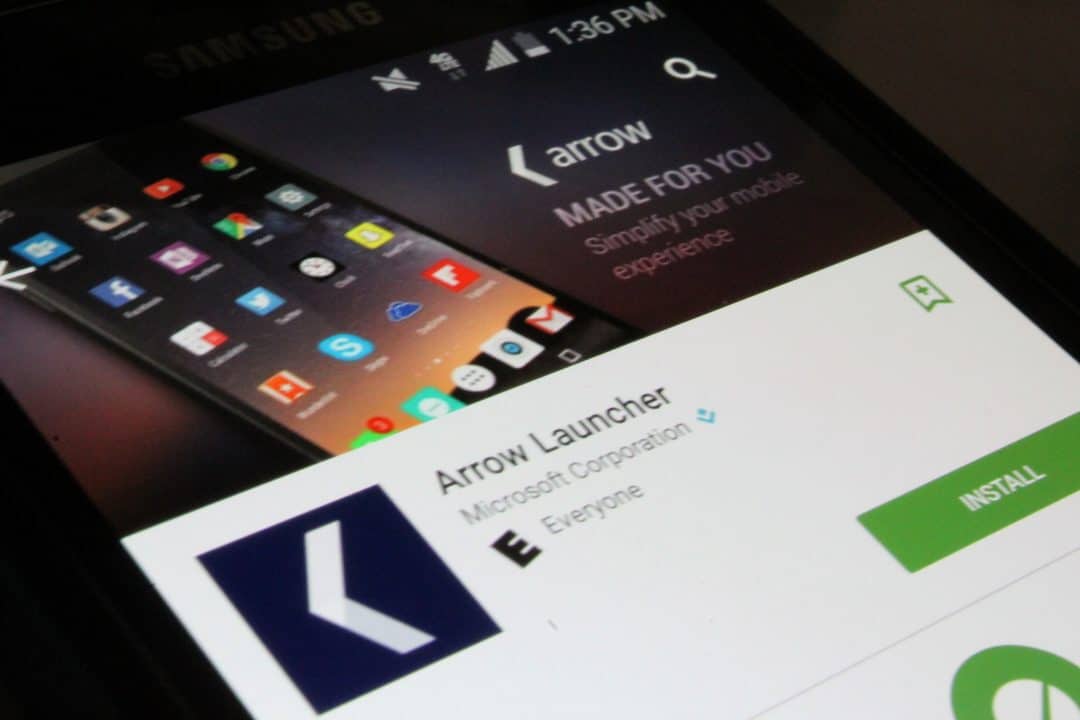
Microsoft Garage updates Arrow Launcher with lots of new features

If you’re currently using the Arrow Launcher app on your Android device, you might want to head to the Google Play Store and check for an update. The folks over at Microsoft have just unleashed its biggest update yet and it’s jam-packed with lots of new features.

Overall, the latest updates pushes the newest version to 3.0.0.30855. New features include a new central hub that condenses many productivity functions, richer customization options, and improved battery efficiency. For the full details on what is new, you can check out the changelog below.

What’s New:

  • Ability to select VERTICAL or HORIZONTAL scrolling for apps page.
  • Brand-new utility page. Pin utility “cards” as individual pages, or customize to your heart’s content.
  • Small changes to “Backup & Restore” feature.
  • Bug fixes.

According to Microsoft, the new utility page is a central hub that condenses many of Arrow’s best productivity functions including recent activity, favorite contents, recent apps, reminders and documents. James Hsu, product lead on the Office Experience Org Mobile team, even notes that the update makes app launch 10 times faster, 20 percent more memory efficient, and 15 percent more battery efficient.

Also new are an extensive collection of wallpapers to match any mood or style; the ability to rename apps, change their logos or size, and hide them; and support for both horizontal and vertical page scrolling. In the newest version, Arrow users will also be able to search their phones or the web for apps, contacts, text messages, web results and more by swiping down from any screen.  A new backup and restore feature also means that users won’t lose their custom settings after they install new builds of Arrow.

In case you didn’t know, Arrow is a project of Microsoft Garage, and is an Android launcher which makes it easy to find your favorite apps, keep in touch with friends, and stay on top of the important things in your life. If you’re not already using the app, or have not yet updated, you can check it out via the link below. Once you checked it out, let us know what you think by dropping us a comment!

Microsoft Launcher
Microsoft Launcher
Price:
Free

Middle-earth: Shadow of War coming to Xbox One, Windows 10, and Project Scorpio

The Xbox team has just announced that Middle-earth: Shadow of War, the sequel to Middle-earth: Shadow of Mordor, will be released on Xbox One and Windows 10 on August 22. The AAA game will be an Xbox Play Anywhere title, which means that consumers who purchase the digital version of the game will be able to play it on both platforms at no additional cost.

“The title will also be available for Project Scorpio following the console’s launch this holiday season,” added the Xbox team, and we’re quite surprised to see the upcoming console being mentioned in the announcement.

Indeed, all pre-existing Xbox One games are expected to be backward compatible on Project Scorpio, though we also know that some upcoming Xbox One games will be optimized for the 4K-ready gaming console. It’s not clear yet if Middle-earth: Shadow of War will be one of them or if the Xbox team is just building hype around Project Scorpio.

As for the game itself, it’s once again being developed by Monolith Productions and those of you who played the previous title should be in familiar territory:

The open-world action-adventure game is brought to life once more through an expanded version of the award-winning Nemesis System. The robust personalization from the first game is now applied to the entire world where environments and characters are all shaped by player actions and decisions, creating a personal world unique to every gameplay experience.

The game will be available for digital pre-order on the Xbox Store and Windows Store in the coming days, though pricing details are still unknown. Following the launch of Resident Evil 7 last month, it’s great to see another third-party AAA game being added to the Xbox Play Anywhere list. But more importantly, it’s interesting to see Microsoft already communicating about Project Scorpio while we’re still months away from its release.

Windows 10 Cloud will reportedly be able to run Win32 apps from the Windows Store

A couple of weeks ago, we learned that Microsoft was developing a new Windows 10 SKU called Windows 10 Cloud. As a reminder, this new version of Windows 10 will be quite similar to the now-depracated Windows RT, which means that it will only be able to run apps from the Windows Store. Overall, the new SKU could be used by Microsoft as a more secure version of Windows 10, preventing users from installing legacy (and sometimes insecure) Win32 apps.

Until now though, it wasn’t exactly clear if Windows 10 Cloud would support Win32 apps that have been released on the Windows Store with Microsoft’s Desktop app converter (aka Project Centennial). Those apps didn’t install on the leaked Windows 10 Cloud build 15025, even though we previously reported that Win32 apps could work on this build: indeed, someone managed to bypass Microsoft’s Win32 app block in the leaked build to install a fully functioning version of Google Chrome.

However, Windows Central is reporting today that a more recent Windows 10 Cloud build has just leaked, and this one can run desktop apps in the Windows Store ported through the Centennial bridge:

This news is confirmed thanks to a much newer Windows 10 Cloud leak that appears to be untouched and working as expected. You still can’t run CMD or Regedit, but we’ve confirmed the ability to download Slack, Tweeten and other Win32 apps from the Store, which run perfectly fine.

Support for Centennial apps on Windows 10 Cloud makes perfect sense, as it’s still quite hard to find UWP that are as good are their Win32 counterparts, when they exist. There are not a lot of Centennial apps on the Windows Store right now (the Office desktop apps could be coming soon though), but Windows 10 Cloud will really need more of these to become an attractive option for consumers, schools and business users. We still don’t know what Microsoft’s plans are for Windows 10 Cloud, but we hope to learn more about the new OS at the upcoming Build 2017 conference.