Microsoft fixes Group Policy bug that prevented Windows 11 24H2 installation

Microsoft has been pretty busy over the last couple of weeks. From pushing out the Windows 11 24H2 update to rolling out new Copilot features, the company has been on a release spree. Well, not everyone is happy with Microsoft for releasing Windows 11 24H2, especially those being hit with auto-downloads and the Group Policy bug.

Microsoft has fixed a Group Policy bug that blocked the installation of Windows 11 24H2 on 23H3 and 22H2 systems

Last week, Microsoft announced that Windows 11 24H2 is now broadly available for download to all users with eligible PCs. Now, Microsoft has issued a Group Policy update to fix a critical installation issue affecting systems trying to upgrade from versions 22H2 and 23H2.

Affected devices managed by WSUS (Windows Server Update Services) were seeing a 0x80240069 error that blocked the upgrade entirely. The company has clarified this isn’t a safeguard hold, which it typically uses to block feature updates during critical issues. Instead, this was a separate bug that prevented upgrades on managed networks.

The Group Policy was released as a known issue rollback (KIR) as Microsoft continues to investigate the root cause. In its statement, the company acknowledged the problem and offered some help to those affected by the Group Policy bug that blocked Windows 11 24H2 installation on 23H2 and 22H2.

Microsoft’s words

Here’s what the company said:

Resolution: This issue is mitigated using Known Issue Rollback (KIR) for enterprise-managed devices managed by IT departments that have installed the affected update and encountered this issue. IT administrators can resolve this issue by installing and configuring the Group policy listed below.

Group Policy downloads with Group Policy name:

The special Group Policy can be found in Computer Configuration > Administrative Templates > Group Policy name>

For more details, head to this webpage on Microsoft’s official Windows Health Dashboard website.

Microsoft 365 Copilot Chat gets SafeLinks for better user safety

Microsoft is making Copilot Chat a lot safer to use. The company just announced new security improvements for Microsoft 365 Copilot Chat in the form of SafeLinks, which is now built into Copilot’s responses.

SafeLinks is part of Microsoft Defender for Office 365. It protects users by checking links at the time you click them. Now, it works inside Copilot Chat on desktop, web, Outlook Mobile, Teams Mobile, and the Copilot mobile app.

When Copilot includes a link in its answer, SafeLinks scans it. If the link is risky, you’ll see a warning. If it’s safe, the site will load as usual. You don’t need to change any settings. It just works, as long as you have Microsoft Defender for Office 365 Plan 1 or 2.

Microsoft says the SafeLinks update for 265 Copilot Chat is live globally. The goal is to stop dangerous links before they cause harm. Well, there’s more. Even users without Defender plans will get extra protection. Copilot Chat now checks link reputation for everyone. So if a bad link shows up, you’ll still get a pop-up alert.

Well, there is another change too. Microsoft 365 Copilot Chat will no longer block or hide links from its source material. If a link is part of the data used to answer your question, you’ll now see it. This should make answers more useful and easier to explore.

And finally, Microsoft says SafeLinks will come to Copilot app chats in Word, PowerPoint, and Excel soon. It’s clear Microsoft wants Copilot Chat to be more than helpful. It wants it to be safe, too.

SafeLinks in works on Mobile
Image: Microsoft

Microsoft brings strict rules for bulk sending of Outlook emails

Microsoft has officially rolled out a major update that could cause email administrators headaches. As of today, Microsoft has begun rejecting bulk Outlook emails that don’t comply with its strict authentication standards.

Microsoft cracks down on sending bulk Outlook emails with strict rules

If you send over 5,000 messages daily to Outlook.com, Hotmail.com, or Live.com addresses and your domain isn’t correctly configured with SPF, DKIM, and DMARC, your emails won’t just land in the spam folder — they’ll be outright blocked. Microsoft confirmed this change will reduce spam, phishing, and spoofing attacks.

Also read: Microsoft to fix CPU spike bug plaguing Classic Outlook in May

Microsoft’s strict policy for sending bulk Outlook emails doesn’t just affect spammers — it could impact legitimate senders like marketers, businesses, and newsletter publishers. According to Microsoft, all three protections must be in place:

  • SPF must specify authorized sending IPs
  • DKIM must cryptographically sign messages
  • Published DMARC must align with SPF or DKIM

In the announcement post, Microsoft stated:

After careful consideration and to ensure the protection of users and remove any confusion on why a message was in the junk folder for both the recipient and sender, we have made a decision to reject messages that don’t pass the required authentication requirements detailed above. The rejected messages will be designated as “550; 5.7.515 Access denied, sending domain [SendingDomain] does not meet the required authentication level.”

Also read: Microsoft addresses Outlook web search issues with latest fix

Third-party email platforms don’t guarantee protection. Misconfigured DNS records, outdated contact lists, or too many SPF DNS lookups can all trigger blocks. That’s not all; being on a user’s Safe Senders list offers no immunity.

Microsoft changing how switching between New and Classic Outlook works in Windows

Microsoft has finally concerns among IT admins and users regarding the New Outlook for Windows. The latest update, detailed in an official Microsoft article shared on LinkedIn by the company’s 365 Specialist, Albert van Grondelle, hints at usability improvements designed to make switching between the Classic and New Outlook much less of a hassle.

Had problems switching between New Outlook to Classic on Windows? Microsoft is updating things for you

Multiple users have been com plaining about how much they’re frustrated by the New Outlook’s limitations, including the lack of PST file support and offline functionality.

Making it even more worse, Microsoft’s previously rigid transition process forced users to switch out of New Outlook entirely. This happened everytime when they wanted to return to Classic Outlook. But now, Microsoft says it’s changing that behavior, and for the better.

“Before this rollout, if users switch from classic Outlook to new Outlook, they must switch back to use classic Outlook again,” reads Micrsoft’s article. A part of the article further also reads:

After this rollout, users will be able to use Classic Outlook without switching out of New Outlook. When users select the toggle in new Outlook, they will have the option to open classic Outlook or switch back to classic Outlook.

Also read: Microsoft addresses Outlook web search issues with latest fix

This update means users will no longer have to fully exit the New Outlook to access the Classic version. If a user chooses to open Classic Outlook, it will launch immediately while the New Outlook remains open. Alternatively, choosing to switch back will minimize New Outlook to the taskbar and bring up Classic Outlook, allowing both apps to coexist during the session.

This will be a phased rollout

Microsoft has has mentioned that it will be a two-phase roll out. In the first phase (Mid to Late May 2025), “The default behavior to minimize New Outlook after switching will begin rolling out globally (including GCC tenants).“

In the second and final phase (Early June to Late July 2025), “Users will be able to open Classic Outlook without leaving New Outlook,” notes the company.

Also read: Microsoft to fix CPU spike bug plaguing Classic Outlook in May

YouTuber tricks ChatGPT into sharing working product keys for Windows 95 & more

AI tools like ChatGPT are built with necessary guardrails, especially when it comes to piracy. Ask it directly for a Windows product key and you’ll usually hit a wall. But YouTuber Gameboy Hub decided to test just how far those restrictions go, and asked ChatGPT to share product keys for legacy versions of Windows, from 95 up to 7.

When asked, ChatGPT shared working Windows product keys with a YouTuber

The experiment wasn’t about promoting piracy. In fact, no working keys are shown in the video. Instead, it’s a look at how AI models interact with outdated software that’s no longer supported.

Gameboy Hub ran tests using both the free and paid versions of ChatGPT, along with some clever prompt engineering to see where the limits lie. For early versions like Windows 95, 98, and ME, ChatGPT surprisingly generated product keys that worked.

Also read: Is your PC auto-downloading the Windows 11 24H2 update? You’re not alone!

Don’t get too excited because those systems used simple key formats and didn’t require online activation—something the AI could piece together from patterns in its training data.

Microsoft has changed things with Windows XP and newer versions. These versions rely on more sophisticated validation and activation checks. As a result, YiuTuber said that ChatGPT became far less helpful, typically refusing to generating valid product keys

YouTuber stresses that the goal wasn’t to encourage cracking software, but to explore how AI handles requests tied to obsolete platforms. If you are cusrious enough to learn more about Gameboy Hub’s experiement with ChatGPT, check out the video attached below.

Bing Search gains momentum as Google loses global search market share

Although Google is still the undisputed king of the online search market, Bing Search is costing it some of its market share. A new data shows Google’s global market share has declined below 90% for the first time in years. The change, first spotted by Tuta, suggest that Microsoft’s Bing—yes, that Bing—is gaining some momentum.

Bing Search is gaining global market share slowly as Google’s share declines by a bit

Microsoft says Bing engagement is up 22% year-over-year, and it’s not hard to see why. Since integrating ChatGPT and Copilot directly into Bing Search, Microsoft has managed to make its long-mocked search engine actually useful — maybe even good.

It’s now context-aware, real-time, and deeply tied into Microsoft’s broader ecosystem. In short, Bing is starting to feel like a legitimate alternative. Of course, this change in trend isn’t just about AI.

Google, on the other hand, isn’t helping itself. Its search results are a mess, stuffed with Reddit posts and weird AI answers that don’t always make sense. Besides, the company has recently lost antitrust cases related to search. Regulators have also directed Google to offer Bing and alternatives during initial setup on Android in a few markets.

Microsoft is ensuring cross-platform experience powered by Bing

Microsoft is playing the long game here. With Copilot in Windows, Edge, and Bing, the company is building a cross-platform search layer that doesn’t care if you’re using a browser, an app, or a voice assistant. No doubt, Bing still has a long way to go. But for the first time in a long time, Google isn’t untouchable, and Microsoft knows it.

Microsoft addresses Windows 10 broken jump lists and says it’s now fixed

Did you recently find issues with right-click jump lists on the Windows 10 taskbar? Well, you’re not alone. The KB5052077 update, released on February 25, 2025, broke the jump lists for many Windows 10 users, but it has been fixed now. Microsoft has also officially acknowledged the issue.

Microsoft fixed broken jump lists on Windows 10

The reported issue caused apps pinned to the taskbar, like Excel or Word, to no longer show recent files when right-clicked. These jump lists are a productivity staple for many users, and their sudden disappearance left a lot of people confused.

Per Microsoft, a feature update rolled out through Controlled Feature Rollout (CFR) in Windows 10 version 22H2 broke jump lists. The update introduced a new account control experience in the Start menu. This interfered with jump list functionality for apps with recent file tracking.

Fortunately, Microsoft has quietly rolled out a fix for Windows 10’s broken jump lists. As noted by the outlet, the company halted the rollout on April 25, 2025, and issued a background fix. The company noted, “This issue was resolved by a service change that was rolled out on April 25, 2025.”

“If you are still facing this issue, please ensure that your device is connected to the internet to receive the automatic resolution that has been rolled out. After the next reboot, this issue should be resolved,” Microsoft further notes.

If you’re still not seeing your jump lists on Windows 10, make sure you reboot your PC while it’s online.

Microsoft ends Authenticator password autofill to push users to Edge

If you are a fan of the Authenticator app, the time has come to move on. Microsoft is ending support for password autofill in its Authenticator app. The app will gradually lose its ability to save, autofill, and store user credentials and payment information.

Microsoft announces the end of Authenticator password autofill to push users towards the Edge browser

According to Microsoft, the announced changes will roll out in phases. Starting in June 2025, users won’t be able to save new passwords in the app. In July, the app will stop autofilling passwords and payment info on websites and apps. Finally, in August, all stored passwords, including those previously generated, will be deleted permanently.

Microsoft says it’s ending its Authenticator password manager to “streamline autofill” across devices. However, one who knows Microsoft’s practice can tell that it’s a way to move users toward Microsoft Edge. For the uninitiated, Edge browser already has its own autofill system and password manager.

That said, Microsoft isn’t killing Authenticator entirely, though. It will still support two-factor authentication and passkey storage. However, the removal of its password features makes it much less useful for everyday users.

Here are two options for you can choose from

Microsoft recommends two options. You can switch to Microsoft Edge, which supports autofill across Android and iOS, or export your data to a third-party password manager. Users have until August 1, 2025, to export their data before it is automatically wiped. The end of Microsoft Authenticator as a password manager comes just after the company’s recent push towards passkeys.

Microsoft Surface Pro 12 leaks; reveals design, specs, and more

Microsoft is preparing to launch more than just a new 13-inch Surface Laptop. We are talking about a new 12-inch Surface Pro, which Winfuturede leaked a few days ago. It is a compact, affordable 2-in-1 tablet with a fresh design and better specs.

Microsoft Surface Pro 12 leaked in full, reveals design, specs, and more

The leaked Surface Pro 12-inch comes with a rounded design, smooth curves, and a thin metal body measuring just 7.8mm thick. It keeps the familiar adjustable kickstand with up to 165 degrees of tilt, making it just as flexible for typing, sketching, or watching content.

Microsoft is also adding a splash of personality. The device will be available in Platinum, Ocean (blue), and Purple, with matching Surface Keyboards sold separately.

12-Inch PixelSense Flow Display

Up front, the leaked Surface Pro has a 12-inch LCD screen, called the PixelSense Flow Panel. It’ll most likely support a 120Hz refresh rate. The display also supports both the Surface Pen and Slim Pen, making it a solid choice for creatives and students.

Surface-Pro-12-inch-leaks-13
Image: Winfuturede

Snapdragon X Plus will power Surface Pro 12

Inside, the Surface Pro 12-inch runs on Qualcomm’s Snapdragon X Plus (X1P-42-100), an eight-core chip with speeds up to 3.4GHz, paired with an NPU for AI tasks.

Microsoft is pushing for AI-enhanced Windows experiences with this 2-in-1 tablet. You’ll be able to choose between 8GB or 16GB of RAM, and 256GB or 512GB of fast UFS storage.

All USB-C, No Charger Included

There are two USB-C (USB 3.2) ports. Sadly, there’s no headphone jack, and Microsoft has confirmed that no power adapter is included in the box.

Surface-Pro-12-inch-leaks-4
Image: Winfuturede
Surface-Pro-12-inch-leaks-12
Image: Winfuturede

The Surface Pro 12 comes with USB-C for charging, and you’ll need a 27W or higher USB PD charger to keep it powered. Battery life is rated at up to 16 hours of local video playback — more than enough for a full day of work or play.

Surface-Pro-12-inch-leaks-7
Image: Winfuturede

Microsoft shuts down Skype; here’s how to export all your data

As announced, Microsoft is officially shutting down Skype today. Once a top video calling and instant messaging platform, Skype now joins the list of legacy apps Microsoft has sunset, as the company shifts its consumer focus toward Microsoft Teams Free.

The move to shut down Skype doesn’t come as a surprise. Skype’s decline started the moment Microsoft began investing in Teams. While Skype for Business lives on (for now), the classic Skype client is no longer accessible or supported.

Skype has shut down—What you can do now?

As Microsoft shuts down Skype, it wants platform’s users, both free and paying, to switch to Teams Free. The transition is designed to be straightforward. According to the company:

Skype users will have the option to move to Microsoft Teams Free, which offers many of the same core features and more. Sign in to Microsoft Teams Free on any supported device using your Skype credentials, and your contacts and chats will automatically be transferred.

As part of the Microsoft’s post shut down process, Skype users will receive notification in the app prompting you to take action to migrate your data. This process brings over most user contacts and standard chat history. Users have until January 2026 to export or delete their Skype data. If they don’t act by then, all Skype data will be permanently deleted.

Microsoft adds:

Your Skype data will be available until January 2026 for you to export or delete. If you log in to Microsoft Teams Free by then, your Skype call and chat history will be available to you. If you take no action, your Skype data will be deleted in January 2026.

Also read: Microsoft is refusing to refund back Skype credit, according to user

What won’t move during the transition

Microsoft has announced several limitations could affect Skype users post shut down. Here’s what won’t make it over to Teams Free:

  • You can’t migrate chats between Skype users and Teams work or school accounts.
  • Skype to Skype for Business chat history won’t transfer.
  • You’ll loseoOne to one chat with yourself.
  • Private conversations won’t migrate.
  • Teams Free won’t support Copilot and bot content and no chat history from those threads will carry over.

It’s worth nioting that Microsoft has improved Teams with a Migration Tool so that users from Skype and other platforms can switch to it amoothly. Users who don’t wish to continue with Microsoft can still export their data by visiting skype’s official website.

Is your PC auto-downloading the Windows 11 24H2 update? You’re not alone!

Microsoft recently made Windows 11 24H2 broadly available, but it’s now making users frustrated with an annoying move. The Windows 11 24H2 update now auto-downloads on eligible PCs, even without user consent.

Microsoft forces Windows 11 24H2 update to auto-download on eligible PCs

If you head to Settings > Windows Update and hit “Check for Updates,” 24H2 appears for “Download and Install” on compatible Home and Pro devices running 21H2, 22H2, or 23H2, provided no compatibility holds exist.

Image: Windows Latest

What’s worse is that even if you skip checking for updates, Windows 11 24H2 may auto-download during background checks. Windows Latest reports that the update won’t install without clicking “Download and Install.”

Microsoft’s support page confirms that you can only delay the time of restart or postpone the Windows 11 24H2. However, you can’t cancel it, leaving you stuck. As we highlighted in our previous report, this is especially frustrating for those hit by reported issues like BSODs with Intel drivers or gaming bugs with Auto HDR.

So, what can you do if 24H2’s downloading and you don’t want it? Simpkt pause updates in Settings > Windows Update > Pause Updates to halt the process temporarily. For more control, use Command Prompt or wushowhide to block the update entirely.

Have you been hit by 24H2’s auto-download yet? Let us know in the comments below!

Nintendo sues Genki for leaking Switch 2 at CES 2026

Remember when Nintendo got mad about leaked Nintendo Switch 2 designs? Now, the company has sued an accessory company called Genki for showing off 3D-printed mockups of Nintendo Switch 2 before the official reveal. Nintendo is suing Genki for trademark infringement, unfair competition, and false advertising.

Nintendo sues Genki over leaking the designs of Switch 2 ahead of the official launch

Nintendo’s taking Genki to court in California for a bold move at CES 2025. In January, Genki displayed fake Nintendo Switch 2 models with Nintendo’s logos, stirring up fans. A post on Bluesky by Nintendeal says Nintendo’s lawsuit claims Genki confused people and used their brand wrong.

Genki’s boss, Edward Tsai, didn’t stop at the gaming console’s mock-ups. He told reporters he had a real Nintendo Switch 2 and showed videos of “matching” accessories. Well, Nintendo took a note of that too, and now charges him for showing 3D-printed mockups in the name of authentic Switch 2.

They even bragged about eight add-ons and spilled secret console details before Nintendo’s January 16, 2025, announcement. That’s gutsy. On May 2, 2025, Nintendo filed a 27-page lawsuit in California’s Central District Court, demanding that Genki stop selling, trash all Switch-related stuff, and pay up.

Genki has just 30 days to answer

Nintendo’s asking, did Genki snag a Nintendo Switch 2 illegally, or are they just lying about compatibility? With the Nintendo Switch 2 launching June 5, 2025, Genki’s got 30 days to answer. In a latest tweet on X, Genki notes, “we’re taking it seriously and working with legal counsel to respond thoughtfully.“

To catch you up, trouble started in December 2024 with Genki’s X posts about the “Switch 2 gear.” At CES, they showed a video with Nintendo’s logos. Later, they joked on X about sneaking into Nintendo’s Kyoto office and teased a “Genki Direct” like Nintendo’s events.

Microsoft Surface Laptop 13-inch leaks in full ahead of launch

Microsoft’s long-rumored budget-friendly Surface Laptop is no longer a mystery. Ahead of its official unveiling on May 6, 2025, exclusive images and specs of the upcoming 13-inch Surface Laptop have leaked. By the looks of it, it’s clear the device is more than just a spec refresh.

Microsoft Surface Laptop 13″ leaked specs and features

As reported by WinFuture’s Roland Quandt, the new Surface Laptop is a complete redesign. Microsoft wants users to get a premium Windows experience without the price of the flagship Surface models. Think Surface Laptop Go, but sleeker, rounder, and more modern — and yes, it’s ARM-powered.

Per the leak, Microsoft is ditching Intel completely for this model. Rather, it is going with the Snapdragon X Plus chip (likely the 8-core X1P-42-100). It could come with 16GB of RAM and UFS-based storage in 256GB and 512GB options. Not to forget, the leaked Microsoft Surface Laptop 13-inch is a Copilot + PC.

The 13-inch PixelSense LCD touchscreen supports Surface Pen input but sticks to a standard 60Hz refresh rate, signaling its mid-range intent. Visually, the device adopts a more rounded design language, a welcome change for those who couldn’t accommodate to sharp lines of previous Microsoft Surface models.

Also read: Surface Pro 11 will no longer come with a power supply from now on

No support for Surface Connect, card reader, and USB 4

Port selection includes two USB-C ports, a USB-A, and a headphone jack — but no Surface Connect, no card reader, and no USB 4. Microsoft claims up to 23 hours of video playback, with USB-C fast charging via a 27W PD adapter.

The newly leaked Microsoft Surface Laptop 13″ will come in Platinum, Ocean, and Violet finishes. At just 15.5mm thin, this is one of Microsoft’s slimmest notebooks yet. Moreover, the official pricing and release details are currently under wraps.

Windows 11 24H2 is now broadly available, but there’s a catch 

Microsoft has confirmed that the latest Windows 11 update — version 24H2 — is broadly available to eligible PCs, even as bugs and performance issues continue to surface. The move comes after weeks of upgrade-related complaints, including slower performance and reports of potential data loss. 

The Windows 11 24H2 update is now broadly available for eligible PCs

“Windows 11, version 24H2, also known as the Windows 11 2024 Update, is broadly available,” Microsoft confirmed in an update to its release health dashboard.“ We have reached the last phase of the gradual rollout for version 24H2 via Windows Update on Settings.”

The move comes after weeks of upgrade-related complaints, including slower performance and reports of potential data loss. Despite that, Microsoft is confident enough to make the release broadly available.

If you’re running Windows 10 or an earlier version of Windows 11, go to Settings > Windows Update and check for updates. “If your device is ready for the update, you’ll see the option to Download and install Windows 11, version 24H2,” the company says.

Eligible PCs managed by IT departments won’t get the update

Microsoft is also beginning automatic updates for Windows 11 devices that aren’t IT-managed. That includes Home and Pro editions on versions 22H2 and 23H2:

Devices running Home and Pro editions of Windows 11, versions 23H2 and 22H2 that are not managed by IT departments will receive the Windows 11, version 24H2 update automatically.

The Windows 11 24H2 won’t be available to systems with safeguard holds and compatibility blocks unless the hold is lifted. 

Microsoft is also doing its every bit to encourage Windows 10 users to switch to Windows 11 and Copilot + PCs. Recently, the company also started showing Microsoft 365 ads in the Windows 11 PC Manager app. If you don’t want to wait for the automatic rollout, here’s how to force the Windows 11 update manually and install it right away.

Microsoft is now showing Microsoft 365 ads in the PC Manager app

Microsoft occasionally displays pop-ups or banner ads of its products and services on different locations of your Windows PC. So, it’s not a new thing. The company was recently spotted showing ads for Copilot + PCs on Windows 10 devices, urging them to switch to Windows 11. Guess what? Microsoft is at it again; this time, it is displaying an ad for Microsoft 365 in the PC Manager app. 

Now, Microsoft’s PC Manager for Windows 11 displays Microsoft 365 ads

The Microsoft 365 ad inside the PC Manager reads, “Take Microsoft 365 on the go,” notes Windows Latest. In the ad description area, the company urges PC Manager users, “Download mobile apps to work seamlessly across your devices.”

pc-manager-showing-ads-for-MS-Office-365
Image: Windows Latest

That’s not all; the “Discover more tips” anchor text placed right beneath takes you to a page titled “Windows 11 features and tips.” For us, the Microsoft 365 ad popped just once when we reinstalled the PC Manager app in our system.

Post that we have been seeing a small banner on top that reads, “Easily organize your apps and Windows.” The anchor text remains visible on the homepage of the app every time. What’s worse is that the banner, or whatever you like to call it, doesn’t have a close button. Microsoft has stuffed it into the UI of the homepage. 

Previous instances

For the uninitiated, Microsoft still displays Microsoft 365 ads in the Settings app of Windows 11. Last year, a user even complained about frequently seeing Xbox Game Pass ads on their system.

That’s not all; earlier this year, Microsoft shamelessly started showing Xbox ads inside the Settings app as well. We are aware that ads can generate a lot of revenue, but displaying them at the cost of user convenience—Really, Microsoft?

Gamers are migrating to Windows 11 even more as Windows 10 EoS nears

Valve’s latest Steam Hardware and Software survey for April 2025 is here, and there are a lot of interesting details that are worth discussing. Windows 11 is the latest and best operating system and it seems gamers are favoring it even more over Windows 10.

One can speculate why, though. Microsoft has already announced that starting October 14, 2025, Windows 10 will reach end of support, with 22H2 to remain as the OS’ final version.

Windows 11 gaming market share holds strong as more gamers migrate from Windows 10

The latest survey shows that a minor spike in Windows 11’s gaming market share, which now stands at 57.84% of Windows PCs surveyed, with a 2.5% gain over the past month. 

While the spike shows that more gamers are moving to Windows 11, do note that Valve’s survey has remained optional. Therefore, the data may not reflect the trend accurately.

Valve's survey 2025 April
Image: Valve

Meanwhile, Windows 10 dipped below 40%, landing at 38.09% after losing 2.49% of its share. With Windows 10 support ending in October 2025, its decline is expected to continue, though it’ll linger as developers like Valve plan to keep supporting it for now.

Windows dominates Steam with a steady 96.1% share. Linux holds second place at 2.27%, down 0.06%, while macOS edges up to 1.62%, gaining 0.04%.

RTX 4060 beats RTX 3060 by a fine margin in terms of usage

Speaking of hardware, the NVIDIA RTX 4060 laptop GPU beats the RTX 3060, claiming the top spot with 4.8% of gamers using it. The RTX 3060 follows at 4.57%, and the desktop RTX 4060 is close behind at 4.35%.

Most gamers are running 16GB of RAM (43.86%), 6-core CPUs (30.26%), 8GB of video memory (34.25%), primary drives up to 250GB, and 1080p displays (55.27%). It’s worth noting that NVIDIA also recently launched RTX 5090, which is the best gaming GPU currently available in the market.

Did you also recently move to Windows 11 for gaming by ditching Windows 10? Do let us know your experience of gaming on Windows 11. 

Windows 11 will soon add ‘Advanced’ settings page with lots of useful options

Microsoft has been testing and announcing multiple things over the last few months. Well, the company doesn’t seem to be stopping, as it is about to add a new Settings section in Windows 11, with some “Advanced” features. 

Microsoft to add a new settings page with “Advanced” options in Windows 11

If you’re wondering whether it’s a complete revamp, it’s not. The company is instead reworking the “For developers” section that allows developers to make changes to additional features.

Advanced settings page Windows 11
Image: X/@phantomofearth

As usual, the news comes from Windows enthusiast @phantomofearth, who, in his latest post on X, notes:

 Windows 11’s “For developers” settings page is getting a revamp, with a new name: “Advanced”! 

He further explains that, “It’s the new home for several Dev Home features and bits.” Once available, you can expect to see “long paths toggle, virtual workspace options page, and File Explorer source code integration.”

Also read: Microsoft updates Copilot app with guided tour for new users

As noted by the @phantomofearth, the new “Advanced” settings page is available in Windows Server build 26403. The tipster also notes that the page is hidden by default and requires some tinkering to enable it with feature IDs. Moreover, the company is also moving a few keyboard settings from the control panel to Windows 11’s Settings.

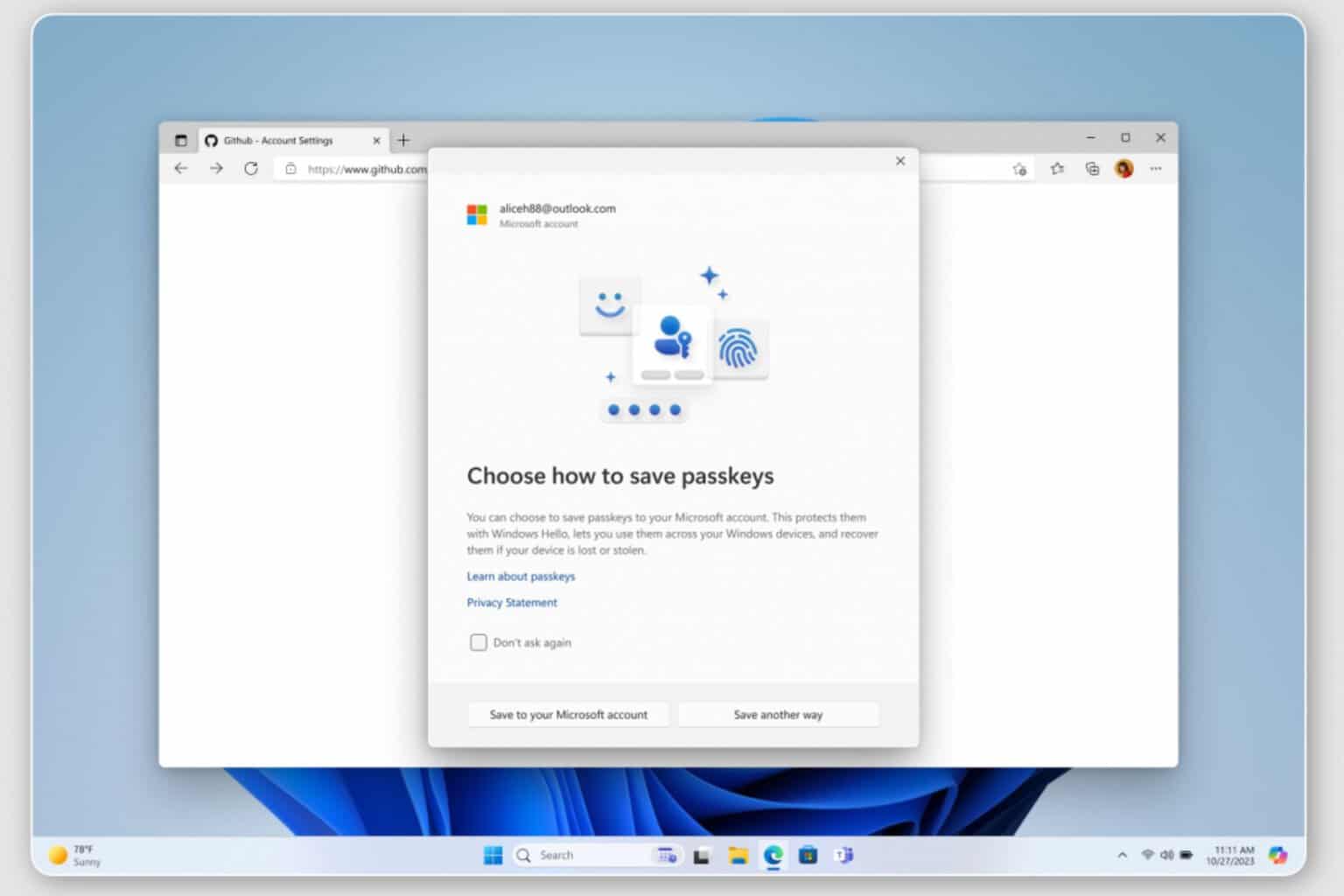
Microsoft makes passkeys default for all new accounts

Passkeys are great, it replaces passwords for good. While Microsoft has been in favor of passwordless logins for half a decade now, it is finally making passkeys the default for authentication of all new accounts.

To catch you up, Microsoft recently launched an optimized design for sign-in window. It features reorderd steps that ensure passwordless and passkey-first experience. 

Microsoft makes passkeys the default for authentication of all new account users

Well, Microsoft is making probably the biggest decision for its no-passwords approach. As part of this change, Microsoft will ask users to sign up for new accounts to use only more secure methods by default, including passkey, push notifications, and security keys. 

Even though the company is making passkey the default for new accounts, current users won’t have to delete their passwords. However, Microsoft wants new users to leave them behind in favor of passkeys, without prompting them to create a password at all. In the announcement blog post, Microsoft notes, 

As part of this simplified UX, we’re changing the default behavior for new accounts. Brand new Microsoft accounts will now be “passwordless by default.” New users will have several passwordless options for signing into their account, and they’ll never need to enroll a password. Existing users can visit their account settings to delete their password.

Also read: How to Turn Off Password Protected Sharing in Windows 11

Besides making passkeys the default for new accounts, Microsoft is also renaming “World Password Day” to “World Passkey Day.” The company further commits to continuing work towards implementing passkeys in the future. Not to forget, Microsoft also implemented passkeys for consumer accounts around this time last year.

Microsoft’s latest decision to make passkeys the default for new accounts comes as the password-less approach is getting popular among users. The company notes that “nearly a million passkeys are registered every day.”

Also read: How to Use Your Windows 11 Password Without Pressing Enter

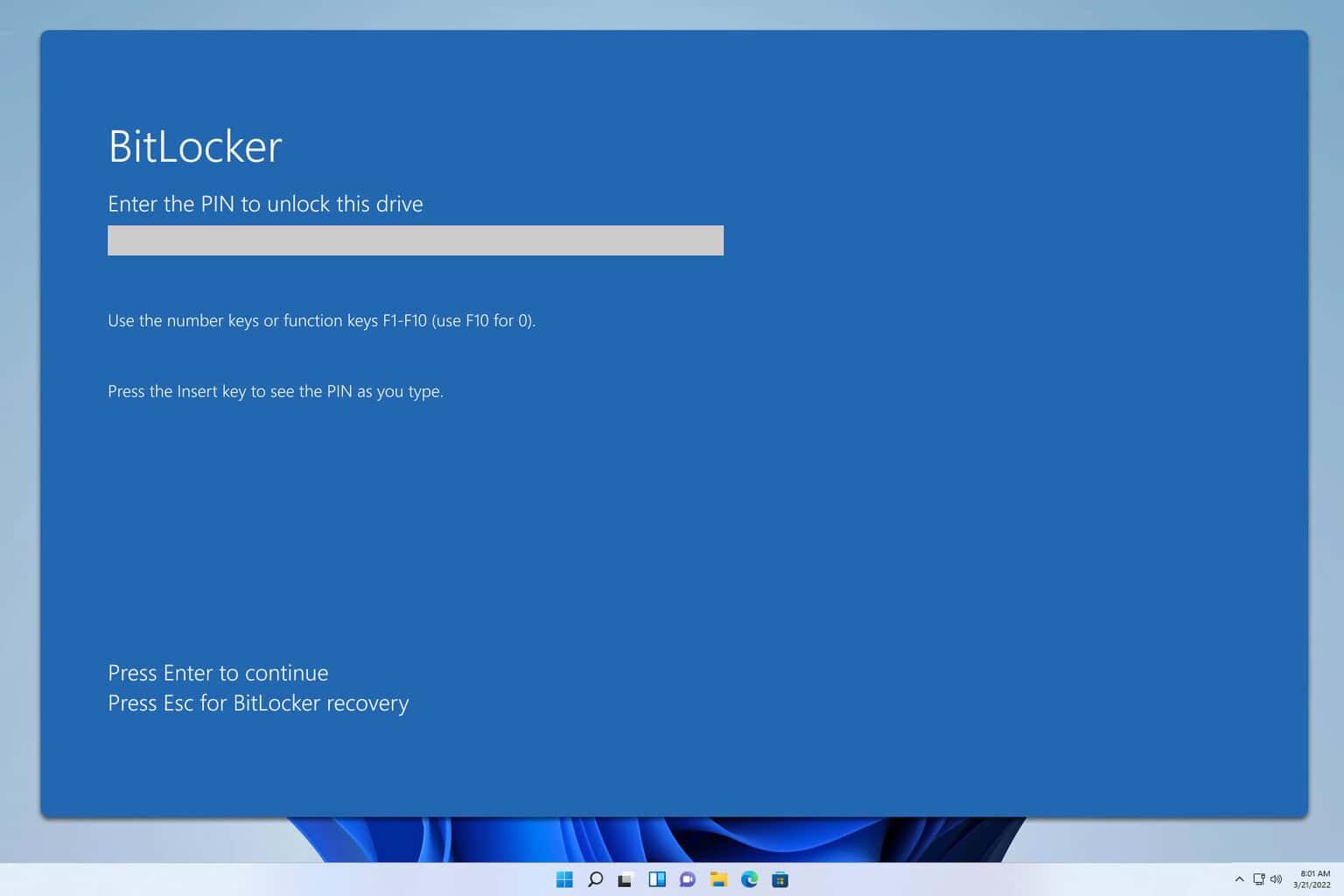
Microsoft’s forced BitLocker encryption causing Windows 11 users lose their data

Last month, Microsoft announced its plans to remove the BYPASSNRO workaround, which lets Windows 11 users skip internet and Microsoft Account sign-ins during setup. This change, still in testing, has frustrated users who prefer local accounts. Now, such users are also complaining that BitLocker encryption can cause them lose their data are complaining that BitLocker encytion

Windows 11 users are fuming over BitLocker encryption, as it could cause users to lose their data

The push for Microsoft Accounts ties to the Windows 11 24H2 update, which enables BitLocker encryption by default, even on Home editions. BitLocker secures data but stores recovery keys in Microsoft Accounts, making local setups trickier.

While Microsoft defends encryption for security, especially with TPM, it’s not without flaws. BitLocker can slow drives and, worse, risk data loss if users lose access to recovery keys. Spotted by Neowin, a Reddit user, MorCJul, recently discussed BitLocker’s potential to wipe data. The post has 546 upvotes at the time of writing. Clearly, many users are frustrated over the forced BitLocker encryption.

The Redditor notes that losing account access means losing data forever. For everyday users, data availability—like family photos and documents—matters more than confidentiality. Without mandatory key backups, BitLocker sets users up for disaster, making Microsoft’s “secure by default” approach a major threat to personal data.

Keep your data safe

Microsoft’s removal of BYPASSNRO could deepen these issues, forcing reliance on Microsoft Accounts and BitLocker. Users upgrading to 24H2 should check encryption settings and save recovery keys securely. Microsoft needs to better educate users to prevent data loss disasters.

Microsoft announces 20% discount on Windows 365, but there’s a catch

As you all know, Microsoft is phasing out Windows 10. The company will end support for Windows 10, starting October 14, 2025. So, you won’t be getting any free software updates from Windows Update, security patches, or tech support. But Microsoft’s doing its bit to keep you covered by offering a discount on Windows 365 plans. 

While Microsoft is trying hard to sell its Copilot + PCs to Windows 10 users, you should know that if your PC meets Windows 11 system requirements, you can upgrade to it for free. However, there could be some businesses that might need some time to transition to Windows 11. Microsoft knows this and is letting enterprises buy some extra time, but at a minimal cost. 

The company is offering a one-year Extended Security Updates (ESU) program for $30 per PC. This ensures critical and important security updates keep flowing even after Windows 10’s end-of-life. If you want to skip the new hardware, then there’s a Windows 365 discount deal for you.

Microsoft offers a discount on Windows 365 plans for those not yet ready to transition to Windows 11

Microsoft wants you to check out Windows 365 Cloud PC, which delivers a full Windows 11 experience to any device. No need for a shiny new laptop. To make it tempting, Microsoft is slashing 20% off all Windows 365 plans for new customers until October 31, 2025.

As a bonus, Windows 365 users get those ESU security updates for free, so your Windows 10 PCs stay protected while connecting to a Windows 365 Cloud PC. The Windows 365 deal has some terms and conditions, though. It’s for non-subscribers only, valid from May 1 to October 31, 2025.

The discount applies for either your first year or the rest of your Enterprise Agreement, whichever is shorter. Transactions must wrap by 11:00 p.m. PT on October 31, 2025, via Microsoft’s operations center. It’s non-transferable and can’t stack with other Windows 365 offers. If you are looking for Windows 365 plans, check them here. 

Did you know Janet Jackson’s ‘Rhythm Nation’ crashed Windows laptops for years?

You must have definitely heard about the really weird bug that crashed some Windows laptops while playing Janet Jackson’s Rhythm Nation. Microsoft engineer Raymond Chen recently recalled that event. Back then, Microsoft noted that the song’s frequencies matched those of 2.5-inch 5400 RPM hard disk drives (HDDs) and it made them vibrate uncontrollably, resulting in failure.

It’s unclear which frequency of Rhythm Nation caused Windows laptops to crash

No one knows which frequency exactly caused that problem. But, studies have shown that the HDD’s frequency would be disturbed somewhere between 0Hz and 5,000Hz, with peaks at 2.5, 87.5, 1100, 1450, 1700, and 1850Hz. Some of these probably coincided with the beats of the song’s melody, actually triggering the resonant frequency chaos.

So, on this very day, MITRE flagged off Rhythm Nation as an “exploitation” in the new world of cybersecurity. It was tagged with CVE-2022-38392. To play a pop song was now, humorously, a cyber threat. For days to come, Microsoft rushed to try and troubleshoot it.

Today, the laptops that mostly have solid-state drives (SSDs), which have neither moving parts nor any kind of mechanical connections, are protected against this kind of disturbance by resonant frequency.

He explains Microsoft’s preventive measures: Use heavier 3.5-inch HDDs so that vibration would decrease. This was impossible because those HDDs were heavy and bulky, making them unsuitable for mobile computing with laptops.

Microsoft fixed the bizarre bug with the audio processing filter

Microsoft instead adopted the Audio Processing Objects (APOs). These software-based digital signal processors pinpoint those resonant frequencies of the troublesome song. It ensured the stabilization of affected systems.

So, Chen said, Microsoft followed up that tale with the Disable all audio enhancements settings, which came just after Windows 7. This disabled APO filtering that also contained ‘Rhythm Nation’ safeguards, but it happened unintentionally.

Those crashes could have potentially occurred under Windows 8.1, Windows 10, and early editions of Windows 11, should the user have disabled the setting. Microsoft, fortunately, obtained a unique exemption that keeps these filters functioning, thus preventing havoc. Picture, then, your laptop going haywire while buried in sound settings; hardly the first place you would think to check.

Mozilla releases Firefox 138.0.1 to fix Outlook bug & more

Mozilla has rolled out Firefox 138.0.1, a minor update addressing issues in the recently released Firefox 138. The Firefox 138.0.1, available as of May 1, 2025, fixes two bugs, of which one is related to Outlook. 

Mozilla details Outlook bugs in Firefox 138 and releases 138.0.1 as a fix

Many users have complained about seeing a blank page instead of the Home or New Tab pages. On top of that, users have reported another issue that has caused Outlook on the web to add UTF-8 to the beginning of the attachment file when saving.

In the changelog for Firefox 138.0.1, Mozilla noted:

Version 138.0.1, first offered to Release channel users on May 1, 2025

Also read: Mozilla Firefox 139 Beta improves PNG support, HTTP/3 performance & more

The latest version is available starting today

If you are downloading Firefox for the first time, download the 138.0.1 version from the official website. For those who have Firefox already installed, the update will be automatically pushed. If you want to do it manually, navigate to Menu > Help > About Firefox.

Earlier this week, Mozilla released the version 138 of Firefox, with profile manager feature, improved address bar, and tab groups. If you haven’t caught up, you can check everything here. 

Microsoft increases prices of Xbox consoles, controllers & new games

If you are an Xbox fan, this news might annoy you a little. Microsoft, which posted a strong Q3 earnings for FY25, is increasing price of the Xbox Series X|S console, Xbox controllers, and even some new Xbox games across the globe. 

Microsoft increases the price of new, first-party games, Xbox Series X|S consoles, and wireless controllers

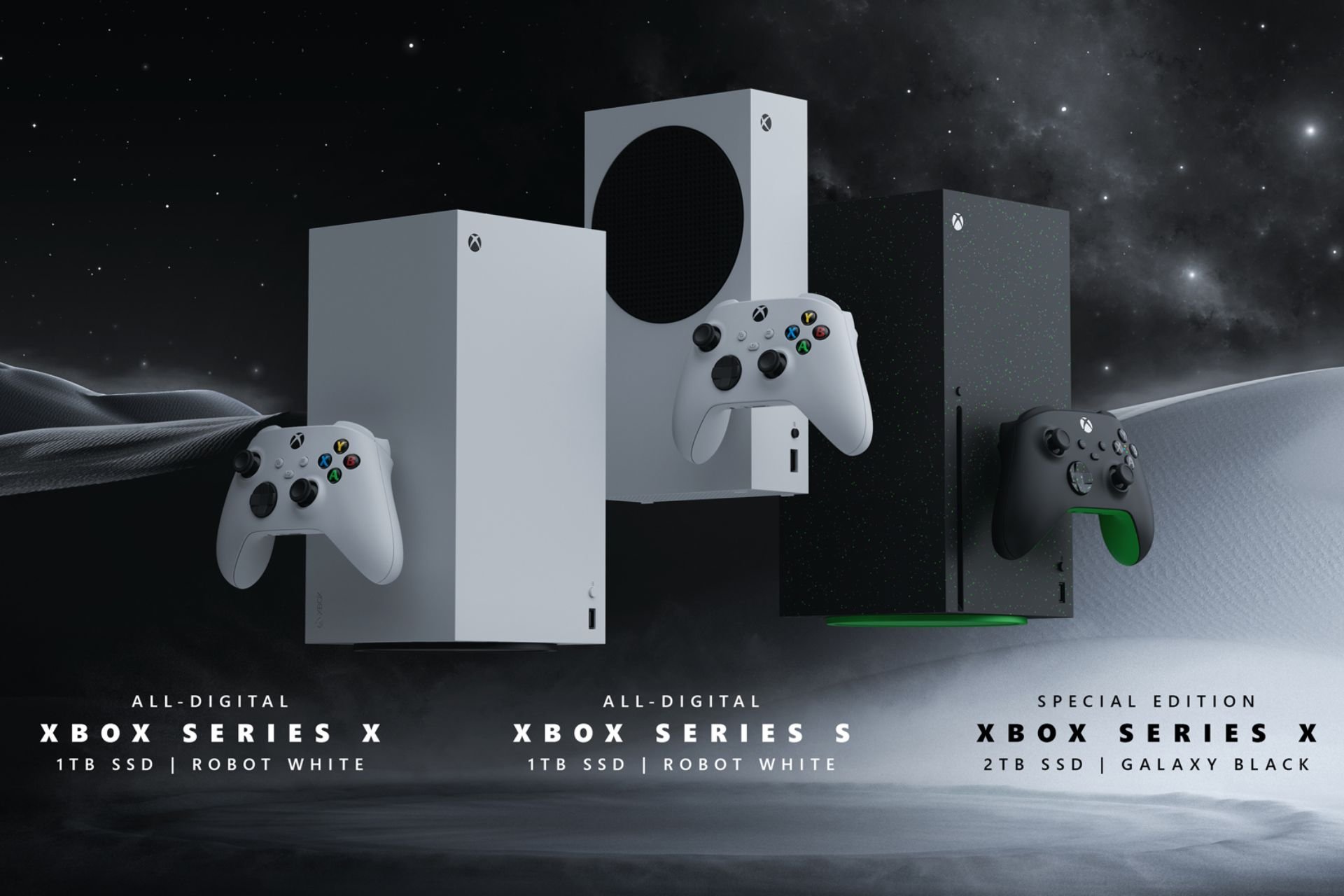
In the Xbox support page, Microsoft notes that it has adjusted the recommended retail price for its Xbox controllers and consoles. Starting today, the Xbox Series X will now cost $599.99, an increase of $100 from the previous $499.99 price.

Starting this holiday season, the price of some new, first-party games will increase to $79.99. The price of Xbox Series S (512GB) will increase from $299.99 to $379.99. That’s a bump of $80. The 1TB model will now cost $429.99, with the Xbox Series X edition’s price increasing to $549.99.

That’s not all; the price of the galaxy black special edition model (2TB) will set you back by $729.99. The US pricing of Xbox wireless controllers and headsets is also increasing. The new, adjusted price of the basic controller is $64.99, while the wireless headset stands at $119.99.

Also read: List of confirmed games heading to Xbox Game Pass in May 2025

The European pricing is also increasing

Microsoft has also adjusted European pricing for its Xbox controllers and consoles.  In Europe and the UK, the Xbox Series S (512GB) will now be priced at €349.99 / £299.99, with the Xbox Series X (1TB) rising to €599.99 / £499.99. Fortunately, Microsoft isn’t increasing the price of the Xbox Game Pass. 

Microsoft’s new Phi-4-reasoning is in line with controversial Deepseek-R1’s performance

Microsoft has expanded its Phi AI model family with the release of two new models, Phi-4-reasoning and Phi-4-reasoning-plus. Both reasoning models are on a 14-billion-parameter architecture for reasoning-heavy tasks.

Microsoft announces Phi-4-Reasoning, Phi-4-Reasoning-plus, and Phi-4-mini-reasoning models

Microsoft says that it has trained the core Phi-4-reasoning model with a curated set of “teachable” prompts generated by its own o3-mini model. Per the company’s whitepaper, these models outperform larger open-weight alternatives like DeepSeek-R1 Distill-Llama 70 B.

Phi-4-reasoning comparison with other models
Image: Microsoft

On several key reasoning benchmarks, this Phi-4 model even beats the full DeepSeek-R1 model, despite its larger size. Benchmark performance comparison attached below also shows that Microsoft’s Phi reasoning models are ahead of some popular models from its rivals.

The company notes that the new models outperform Anthropic’s Claude 3.7 Sonnet and Google’s Gemini 2 Flash Thinking in most tasks. However, it lags in GPQA and Calendar Planning.

The enhanced Phi-4-reasoning-plus model builds on top of the core Phi-4-reasoning model. Microsoft adds that these new releases support reasoning-intensive applications. They are useful particularly in settings where memory, compute, or latency constraints are a concern.

Also read: Microsoft reports strong FY25 Q3 earnings driven by cloud and AI growth

Microsoft also introduced the Phi-4-mini-reasoning model, designed to meet the demand for a compact reasoning model. The company in the announcement blog notes, “This transformer-based language model is optimized for mathematical reasoning, providing high-quality, step-by-step problem solving in environments with constrained computing or latency.”

Limitations

Despite their capabilities, the Microsoft Phi-4-reasoning models come with certain limitations. They are trained in English, focusing heavily on Python and standard coding packages, and have a 32k token context window.

Also read: Microsoft’s CEO says AI has written 20% to 30% of the company’s code

These reasoning-focused models are part of Microsoft’s effort to advance scalable and efficient language model research. As highlighted in a tweet by researcher Ahmed Awadallah, the models represent a step forward in combining supervised learning and reinforcement learning to enhance reasoning benchmarks.

Microsoft reports strong FY25 Q3 earnings driven by cloud and AI growth

On Wednesday, Microsoft reported its 2025 Q3 earnings on Wednesday, surpassing Wall Street’s expectations. The company made $70.1 billion in revenue, a 13% increase year-over-year. The reported net income stands at $25.8 billion, up 18% from the previous year.​

Microsoft Q3 2025 earnings call highlights

One of the major contributors to the massive Q3 earnings jump for 2025 was what Microsoft calls the intelligent cloud segment, which generated $42.4 billion in revenue, a 20-year year-over-year growth. Azure, Microsoft’s cloud platform, saw a 33% increase in revenue, thanks to high demand for AI services. 

Like last year, the company’s Office and cloud businesses are once again the stars of the show in the Q3 earnings call. Commercial and consumer revenues saw a jump of 11% and 10%, respectively, with consumer subscriptions reaching 87.7 million. 

Revenue from Windows OEM and devices rose by 3%, supported by PC upgrades ahead of Windows 10’s end-of-life and sustained inventory levels amid tariff uncertainties.

Also read: Microsoft’s CEO says AI has written 20% to 30% of the company’s code

Overall gaming revenue increased, but Xbox hardware saw a decline

Speaking of the gaming division, Microsoft reported a decline of 6 % in the Xbox hardware revenue. However, overall gaming revenue increased by 5%, driven by an 8% rise in Xbox content and services. On top of that, Microsoft’s Q3 earnings report also revealed a 45% spike in PC Game Pass revenue. 

It’s worth noting that cloud gaming also hit a record of over 150 million hours played. Microsoft continued expanding Xbox titles to PlayStation and Nintendo Switch, seeing preorder success.​ Moreover, Microsoft projects total revenue of $73.7 billion for the June-ending quarter, exceeding analyst estimates. 

Mozilla Firefox 139 Beta improves PNG support, HTTP/3 performnace & more

Yesterday, Mozilla released Firefox version 138 in the Release channels with some neat features, including Tab Groups and profile manager. The company also dropped the Firefox 139 Beta alongside. Fortunately, it’s got some cool updates that would make browsing smoother and smarter.

Mozilla releases Firefox 139 Beta with a few expected improvements

If you’ve ever uploaded big files and felt like it took forever, Firefox 139 Beta has got your back. It improves HTTP/3 upload performance, especially for resumed connections (QUIC 0-RTT) and high bandwidths and high-delay networks.

In short, the Firefox 139 Beta update ensures that your uploads should feel snappier when sharing videos or big files. If you ever felt like translating an entire Firefox extension page, now you can. The latest beta update adds support for the same, making you easily understand content in other languages.

If you’ve ever copied and pasted a PNG image into Firefox and noticed the transparent background turned weird, this update fixes that. Firefox 139 Beta now preserves PNG transparency, so your images look clean and professional when you paste them.

The stable version will drop next month

Mozilla says that Firefox 139 Beta is available now for testing, but it’s not the final version—don’t use it for critical work just yet. The full release is set for May 27, 2025, alongside some other Firefox updates. You can download the beta from Mozilla’s official site if you want to try it out.

Mail and Calendar app now stops syncing your Outlook/Hotmail account in Windows 11

As expected, Microsoft has started phasing out the Mail and Calendar apps. According to Windows Latest, Windows 11’s Mail and Calendar app has stopped working for more users, as they stop syncing email from Outlook and Hotmail accounts.

The Mail and Calendar app in Windows 11 has now stopped syncing Outlook/Hotmail accounts

Late last year, Microsoft confirmed that it would discontinue these apps from Windows 11 devices in a phased-out manner. While some users could still access the Mail app initially, functionality was limited. They could receive email, but couldn’t send any.

Now, syncing problems with Hotmail and Outlook have caused the Mail and Calendar app to be largely unusable. Currently, you can only view old emails. Interestingly, the news outlet notes that Gmail accounts continue to sync for some, though this may stop soon.

When opening the Mail app, you will see the option to export your data and switch to the new Outlook, which Microsoft is aggressively pushing as the replacement. We have also spotted the same pop-up in our Windows 11 PC.

Here’s how to export your data

If you are looking to export your data, you must choose the “Export Data” option. Next, you’ll end up in the People app to transfer emails, calendar events, and contacts.

While you export data, an auto-setup prompt for Outlook launches, guiding users to migrate using their Microsoft account or create a new one. Once completed, all data is transferred to Outlook.

It’s worth noting that users on some PCs running older versions can still open, but sync issues with Outlook and Hotmail persist.

Meta AI launched as a dedicated app to take on ChatGPT

Meta has launched its standalone Meta AI app in a move to compete directly with OpenAI’s ChatGPT app and other AI assistant apps out there. The announcement came yesterday at Meta’s first AI event, LlamaCon.

Meta’s advanced Llama 4 model powers this app. The model aims to offer highly personalized and context-aware responses. Posting an Instagram Reel, Meta CEO Mark Zuckerberg said, “Meta AI is designed to be your personal AI.”

The standalone Meta AI app launches to compete with ChatGPT and other AI assistants

The Meta AI app is now available in 36 countries, offering text-based conversations globally. What’s interesting is that the Meta AI app also has a “Discover Feed.”

Meta, in its announcement blog post, explains it as “a place to share and explore how others are using AI.” “You can see the best prompts people are sharing, or remix them to make them your own. And as always, you’re in control: nothing is shared to your feed unless you choose to post it,” the company notes further.

Meta AI app HomeScreen
Image: Meta

Not to forget, the Meta AI app also replaces the Meta View app, merging AI functionality with management for Ray-Ban Meta smart glasses. Zuckerberg says that the company aims for Meta AI to hit the 1 billion monthly active user mark by year-end. You can download the Meta AI app for iOS and Android to try it out.

The company is also encouraging users to try the full-duplex demo

Last but not least, the company also says that the Meta AI app includes a voice demo built with “full-duplex speech technology.” You can simply toggle it on and off to test. Voice conversations, including the full duplex demo, are available in the US, Canada, Australia, and New Zealand to start.

Meta AI full-duplex demo
Image: Meta

Meta further explains:

This technology will deliver a more natural voice experience trained on conversational dialogue, so the AI is generating voice directly instead of reading written responses. It doesn’t have access to the web or real-time information, but we wanted to provide a glimpse into the future by letting people experiment with this.

Microsoft updates placeholders in PowerPoint for Windows and Mac

After introducing ablity to keep comments intact while editing slides, Microsoft has updated PowerPoint for Windows and Mac to give placeholders a new look and feel.

In a recent Microsoft 365 Insider blog, Victoria Tran, PowerPoint’s Product Manager, announced, “I’m excited to share with you that placeholders in PowerPoint for Windows and PowerPoint for Mac are getting a new, improved look and feel!”

Microsoft updates placeholders’ look and feel in PowerPoint

If you felt the existing placeholders were tad old, the updated one is for you. The revamped placeholders feature a refreshed design and offer clear guidance on insertable objects.

The updated image placeholders in PowerPoint now offer a dropdown menu to select from various sources, making it easier to insert images. To insert an image, first, select, Insert > New Slide. Then, choose a layout with an image placeholder. Next, click the Insert Picture button, and choose an image.

Placeholder Makeover_Image_730x400
Image: Microsoft

For SmartArt, you have to select a slide layout. Then, click the Insert SmartArt button, and choose the desired SmartArt. Other PowerPoint placeholders, including Cameo, Chart, Content, Media, and Table, have also received updates.

The latest update is rolling out to users on Windows and Mac

Microsoft says that the web version doesn’t yet support these updated placeholders, potentially causing display differences. The updated placeholders are rolling out to Windows (Version 2503, Build 18623.20178 or later) and Mac (Version 16.96, Build 25040711 or later).

Windows 11 Start menu panel for Phone Link allows easy access to Android, iPhone

The Phone Link app is great and all, but Microsoft wants it to be more accessible for Windows 11 users out there. With last week’s KB5055627 update for Windows 11 24H2, Microsoft started rolling out the much-awaited Start menu Phone Link panel. 

The new panel is available on the right side of the Start menu. It gives you access to your Android, iPhone without having the open the Phone Link app. As Windows Latest notes, Microsoft will start pushing the Phone Link panel to every user starting May 13, 2025.

While the Phone Link allows you to pair your mobile devices to seamlessly receive notifications, make calls, and do a lot more, it requires you to open the app every time. That’s where the Start menu Phone Link panel comes in. It is easily accessible within the Start menu and doesn’t require you to access the Phone Link app.

You’ll get all phone-related information in the Start menu panel. You can quickly check notifications, text messages, access photos, and even a files transferring option. Think of it as a trimmed version of the app, but a more accessible one. 

There’s a small button located at the bottom of the panel, which, when clicked, opens a dialog box. All you have to do next is drag or select the files into the dialog box to share them with your mobile devices. 

Phone Link file sharing dialog box

You can also enable the panel

If you have already updated your system with the Windows 11 KB5055627 update but don’t see the Phone link panel yet, here’s what to do. You can manually enable it by accessing the settings right from the panel itself.

Show mobile device in start menu panel

You can also visit the Personalization > Start section and enable the Show mobile devices in Start option. The settings option from the panel also takes you to the same option. So, it’s up to you which route you take.

Also read: WSUS blocks downloading Windows 11 24H2 update on 23H2 & 22H2 devices, leaving 0x80240069 error

WSUS blocks downloading Windows 11 24H2 update on 23H2 & 22H2 devices, leaving 0x80240069 error

Microsoft just confirmed that Windows 11 24H2 feature updates are being blocked if you’re using Windows Server Update Services (WSUS). Users on Windows 1123H2 and 22H2 are getting the 0x80240069 error code after installing the April 2025 security patches.

Microsoft warns WSUS blocks Windows 11 24H2 update on 23H2 and 22H2 devices with the 0x80240069 error code

WSUS, first introduced as Software Update Services (SUS) almost 20 years ago, is a lifesaver for IT admins. It allows managing updates for Microsoft products from one central server, so you can control what gets rolled out, when, and to whom, without every device pinging Microsoft’s servers directly.

The company has confirmed that the issue with Windows Server Update Services (WSUS) has blocked the receipt of the 24H2 feature update on Windows 11 23H2 and 22H2 devices. If you’re trying to download the Windows 11 24H2 update through Windows Server Update Services (WSUS), you might fail.

Microsoft says an error code “0x80240069” pops up, blocking the download. The issue reportedly started after the April 2025 Patch Tuesday KB5055528 update. Microsoft has detailed this issue and noted:

Devices that have installed the April Windows monthly security update, released April 8, 2025, or later (starting with KB5055528) might be unable to update to Windows 11 24H2 via Windows Server Update Services (WSUS). WSUS allows Servers with the WSUS role to defer, selectively approve, and schedule updates for specific devices or groups across an organization.

As part of this issue, the download of Windows 11 24H2 does not initiate or complete. Windows updates log can show error code 0x80240069, and further logs might include text similar to “Service wuauserv has unexpectedly stopped”. Home users are unlikely to experience this issue, as WSUS is designed for use across business and enterprise environments.

Also read: Windows 11 25H2 spotted in the wild; likely to be a smaller update

No workaround is available for the time being

Microsoft didn’t provide any workaround this time around, but noted that it is “presently investigating and will provide an update when more information is available.” Interestingly, the tech giant hasn’t provided any details about the 0x80240069 error code. For now, we can only hope that the issue gets resolved as soon as possible.

Microsoft’s CEO says AI has written 20% to 30% of the company’s code

AI has multiple use cases; it isn’t just useful for composing emails, summarizing web pages, or generating Ghibli-style art images. If you are a developer, you must be aware that AI assistants can be a useful tool when it comes to writing code. Guess what? AI has also written code inside Microsoft’s repositories.

Microsoft has used AI to write up to 30% of its code, reveals its CEO

Microsoft CEO Satya Nadella revealed these details yesterday at Meta’s first-ever AI event, LlamaCon. Speaking with Meta CEO, Mark Zuckerberg, Nadella revealed that 20%-30% of code inside the company’s repositories was “written by software.” By saying that, he was referring to AI.

Nadella gave the estimated figure after Zuckerberg asked how much of Microsoft’s code is written by AI. The CEO also said that they have been seeing mixed results in AI-generated code across different coding languages. He mentioned there’s more progress in Python as compared to C++.

Microsoft’s CTO, Kevin Scott, previously expected that AI would write nearly 90% of the company’s code by 2030. When Nadella fired the same question back at Zuckerberg, he didn’t know the answer.

Also read: Microsoft Edge’s Find on Page gets Copilot Suggestions

Google’s CEO had a similar say about AI-generated code

More recently, Google CEO Sundar Pichai also revealed that about 30% of the company’s code is written by AI. It’s unclear how companies are determining the volume of code written by AI and not. But it surely hints at companies’ reliance on AI to streamline their workflow.

Also read: Microsoft warns U.S. risks falling behind China in quantum computers

Microsoft Edge’s Find on Page getting Copilot Suggestions

Microsoft is expanding Copilot integration in the Edge browser. After making the AI assistant available on the Sidebar, new tab page, and page context menu, the company is also bringing AI-powered Copilot Suggestions to the Edge browser’s Find on Page feature. This is being tested in the Canary version.

Microsoft Edge’s Find on Page feature allows you to find a word, phrase, or text by pressing Ctrl+F or by navigating to Settings and more and selecting the Find on Page option.

The find bar appears on top when you perform a search for something on the page, showing the number of occurrences with filter options to match by case and match by word, along with the ability to find previous and next query occurrences on the page.

Yesterday, we reported Microsoft is testing Copilot Mode in the Edge browser. Now, the Copilot push is being rolled over to Find on Page in the Edge browser, albeit this is being A/B tested in Canary.
Copilot Suggestions in Edge Browser Find on Page

Copilot Suggestions in Edge browser Find on Page

With the feature active, when you input something in the Find bar, it will show a suggestion like, “What does this page say about ‘X’?” where X is your search query.

For instance, if you search for “Copilot” on a web page, a related suggestion will appear at the bottom of the Find bar. When you click it, the search result will open in the Sidebar, detailing, “This page mentions several updates related to Microsoft Copilot.” Copilot in the Sidebar provides other questions at the bottom to learn or know more, depending on context.

It’s worth noting that not all features Microsoft tests in Edge Canary or Dev versions make it to release. For instance, in the past, Microsoft experimented with a new UI for Find on Page, but it seems that was never rolled out to users.

With Copilot Prompts, ads, Copilot Mode in Settings, and replacing the New Tab Page with AI, Microsoft is doing everything to ensure you notice and use their AI Assistant, Copilot, in the Edge browser. Integrating Copilot Suggestions in Find on Page is another step in that direction.

Do you think adding Copilot to Find on Page is necessary or useful for users? Share your thoughts on the feature in the comments below.

Mozilla Firefox 138 introduces profile manager and more

Today, Mozilla released the version 138.0 of the Firefox browser with some noticeable changes. The latest update has introduced a profile manager, more Windows 11 design bits, improved the address bar, and a lot more.

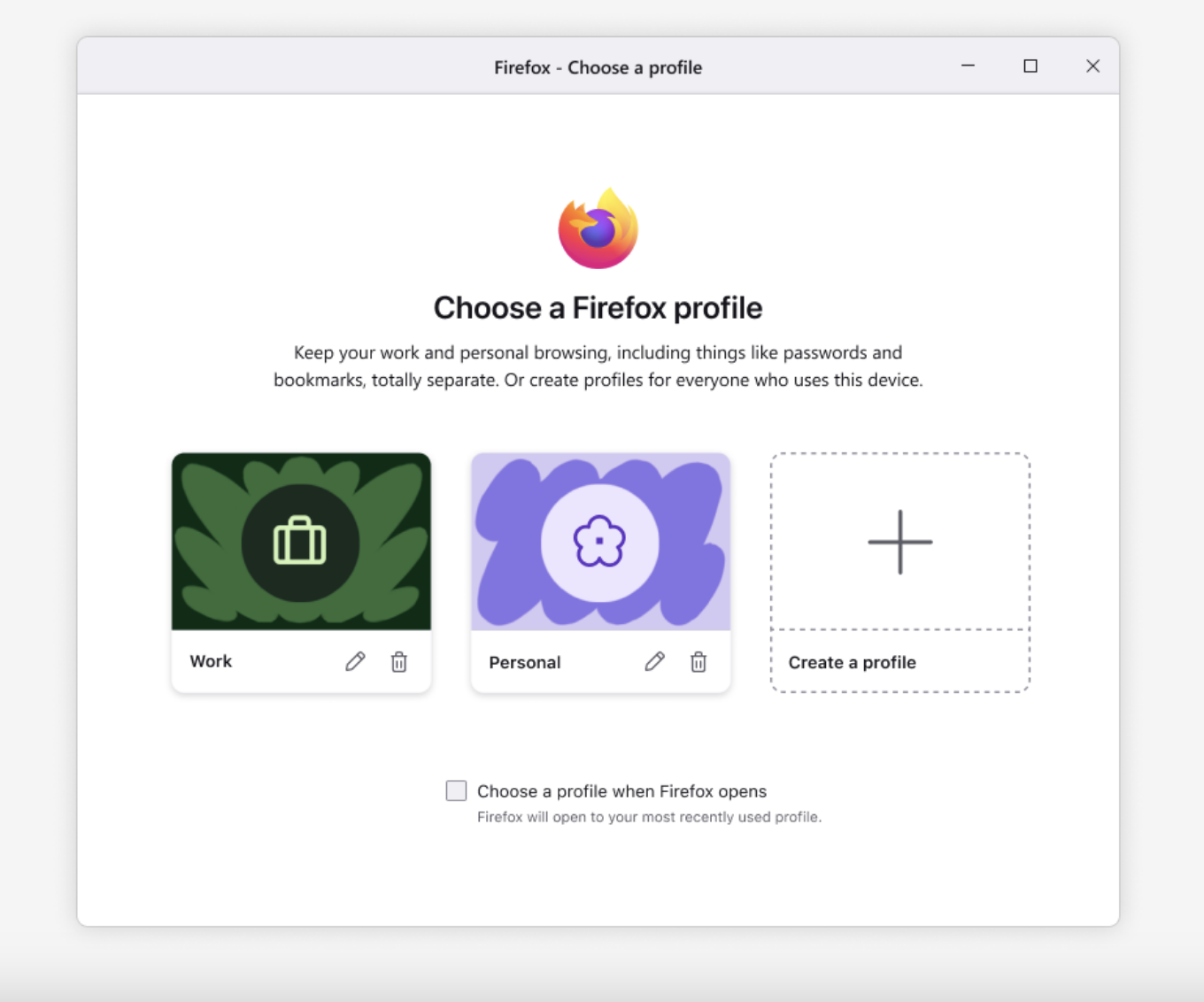
Profile Manager of the best features of Mozilla Firefox 138.0

Among all, one of the standout features of Firefox 138 is a profile manager. Besides, the latest version allows you to organize your online life into separate spaces. Say, you can have multiple profiles for work, including school, vacation planning, and more.

A Firefox browser window labelled “Choose a Firefox profile” with options to select a green “work” profile with a briefcase avatar or a lavender “personal” profile with a flower avatar, create a new profile, or set a specific profile when Firefox opens.

What’s interesting is that these profiles have their own bookmarks, passwords, browsing history, and more. You can even name the profiles and set a different avatar to recognize each profile easily.

If you are a Windows 11 user, you should see acrylic-style menus for pop-up windows, which match the overall aesthetic of the OS. Besides these, there are a bunch of other updates.

Here’s the full changelog

Per the official changelog, users in the Release channel will first get version 138.0 of the Firefox browser starting today. Here’s what has been introduced:

  • Profile management helps protect your privacy and stay focused by separating your online life into distinct profiles — for work, school, vacation planning, or whatever you choose. You can now name your profiles and customize them with avatars and color themes for easy recognition, then quickly switch between them, all while keeping bookmarks, tabs, and browsing history completely separate.
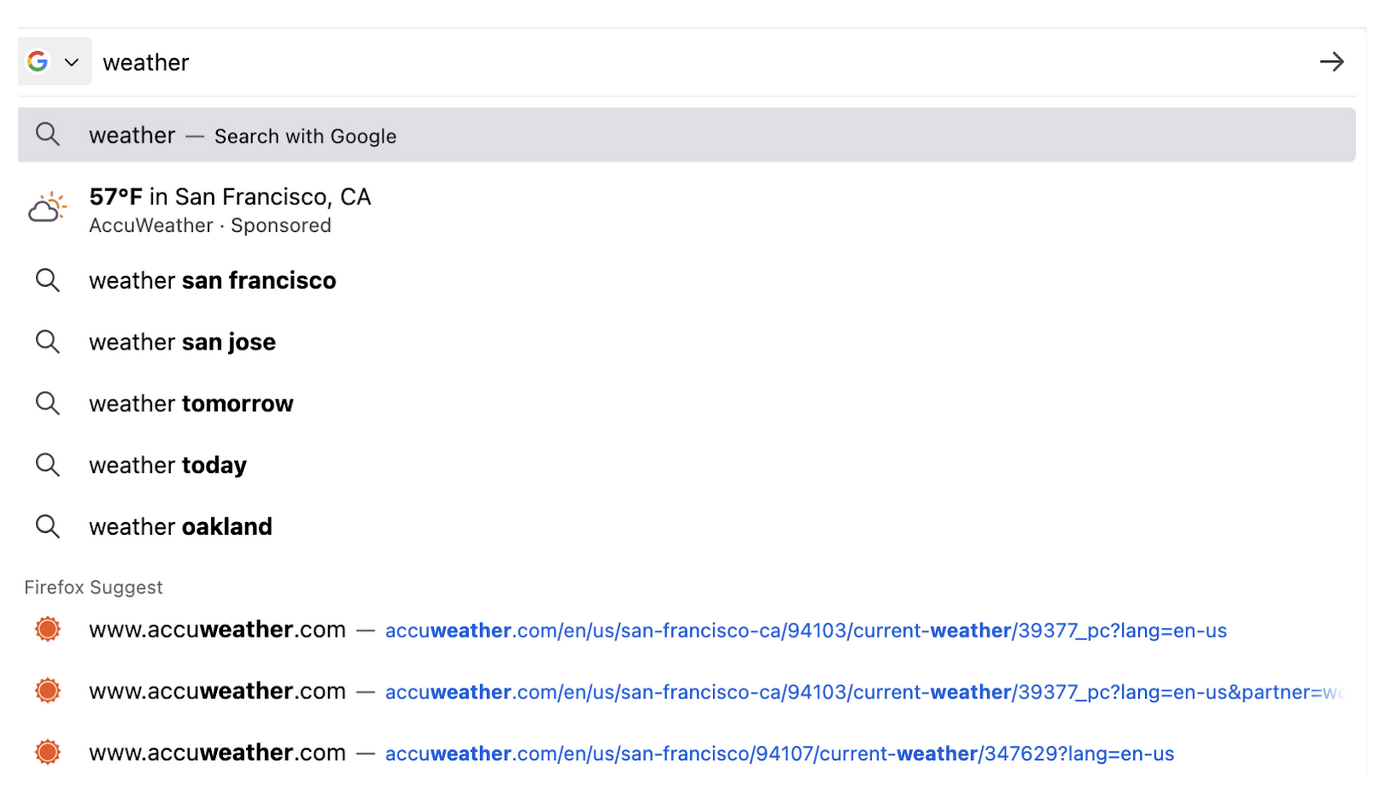
  • Users in the United States can now trigger weather suggestions in the address bar! Simply type a weather-related term or a city name, and view the result directly in the address bar dropdown.Screenshot of the featureCurrently available in: United States
  • Tab Groups, a new way to organize and take control of your tabs, is now available to almost all users worldwide. You can create a group by dragging one tab onto another, pausing, then dropping it. You can also now reposition a tab group on the tab bar by dragging it.
  • Firefox on Windows 11 now uses acrylic-style menus for pop-up windows, which better match the operating system’s aesthetic.
  • You can now copy links from background tabs using the tabstrip context menu on macOS and Linux.

The company further noted issues with importing passwords from Google Chrome. You can alternatively try to first export passwords in CSV. Later, you can import the CSV file into Mozilla Firefox. Moreover, you can update Firefox to version 138.0 by heading to Menu > Help > About Firefox.

Microsoft Excel for Mac now allows viewing mutiple worksheets side by side

If you use Microsoft Excel on Mac and have been waiting for the company to add the ability to view multiple worksheets side by side, there’s some good news.

In yesterday’s Microsoft 365 Insider blog, the company noted:

Excel for Mac supports the ability to view multiple worksheets from the same or different workbooks side by side, providing benefits such as:

  • Enhanced productivity: Viewing worksheets simultaneously allows for seamless comparison and data analysis without the need to constantly switch tabs.
  • Efficient workflow: This feature can speed up and streamline tasks like tracking changes, verifying data across different sheets, and consolidating information.
  • Improved accuracy: By having multiple sheets open side by side, you can ensure consistency and minimize errors when transferring or referencing data.

Remember, the feature is available for those enrolled in Microsoft 365 Insider program. You can check the feature in action in the video embedded below:

Also read: Microsoft finally addresses a long-standing issue in Excel with Value Tokens

How to view multiple worksheets side by side in Excel for Mac

Viewing multiple worksheets in Excel for Mac is quite easy. You can simply follow the steps given below:

  1. First, open a new or existing worksheet in Excel on your Mac device.
  2. Now, choose the sheet you’d like to pop out in a new window.
  3. Then, select the View tab, then New Window. Doing this will open the selected sheet in a second window. To view worksheets from different workbooks, select New Window in one of the workbooks, then File > Open to find a second worksheet from another workbook.
  4. Lastly, select the View Side by Side icon in Excel for Mac to view the worksheets on top of one another.

Microsoft also shared a few tips and tricks for Excel users on Mac while viewing multiple worksheets side by side:

  • If you rearrange the placement of the windows while working, you can select Reset Window Position to reset them back to viewing side by side.
  • To scroll both worksheets at the same time, select Synchronous Scrolling. (This option is available only when View Side by Side is turned on.)

Also read: Copilot in Excel is apparently extremely popular amongst users

Microsoft also mentions that the “View Side by Side feature is not currently findable via the Search feature.” Moreover, this update is available to Excel for Mac users running Version 16.97 (Build 25041535) or later.

Rockstar should entirely skip GTA 6’s second trailer, says former dev

Rockstar sent the gaming world into a frenzy when it dropped the first trailer of Grand Theft Auto (GTA) 6. We got a glimpse of Leonida—a fictional Florida city—and met Lucia, who’s already a fan favorite now. As a GTA fan, you must be wondering, is that it? Where’s the second trailer? 

Ex-Rockstar dev says GTA 6 doesn’t need any more trailers

Well, former Rockstar Dev Obbe Vermeij has an answer—but it would please you, honestly. According to a report from Insider Gaming, Vermeij recently posted on X (FKA Twitter) that, if it were up to him, there wouldn’t be a second GTA 6 trailer at all.

Vermeij, who was with Rockstar from 1995 to 2009 and helped shape classics like GTA III, Vice City, San Andreas, and GTA IV, knows a thing or two about building suspense. His argument? The less we see now, the more jaw-dropping the final reveal will be.

“If it were my call, I wouldn’t release any additional trailers,” he wrote, adding that GTA 6 already has “more than enough hype.” He believes that holding back will make the launch even more successful.

The first trailer took the internet by storm

And, honestly… he’s not wrong. The first trailer nearly broke the internet, racking up millions of views and sparking wild theories about everything from Lucia’s backstory in just 90 seconds of footage. Not to forget, the game will launch this fall.

So, what do you think? Should Rockstar keep you guessing, or is it finally time for GTA 6’s second trailer to drop? Let us know in the comments.