Best Windscribe CyberGhost Deals to Keep your Data Safe

Let’s be honest: VPN premium subscriptions are not exactly affordable, and it’s less likely for someone who doesn’t know a thing about the importance of using such a service to purchase a plan.

Let’s assume for a moment that people start to come around to the idea of using a VPN. More so given the recent developments regarding privacy violations and security breaches aimed at big companies and remote working individuals alike.

Although it’s awful from a security/privacy standpoint, the price of a VPN subscription plan is simply one of the first things consumers focus on, whether we like it or not.
What are the best Windscribe discounts?

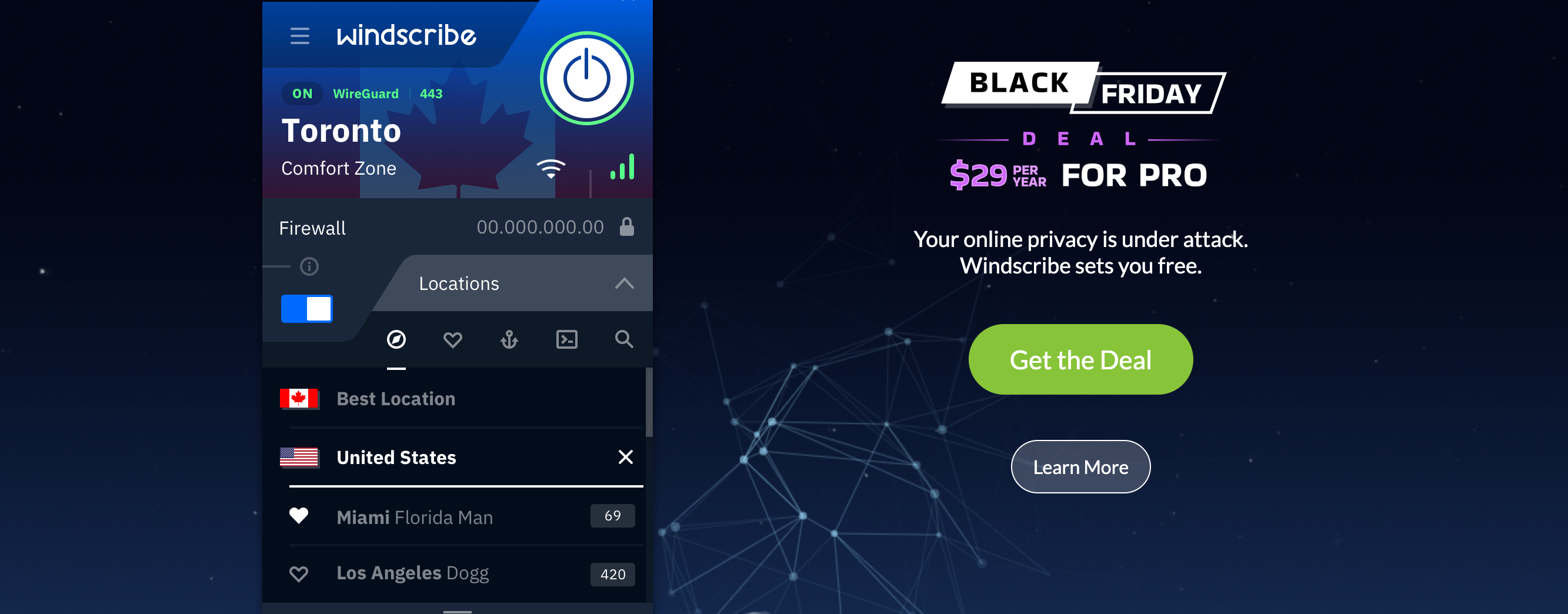
  • 1 Year plan (Save 58%) – $29 billed yearly ($2.24 per month)

That’s it. Windscribe usually has monthly, yearly, and Build-a-Plan options on its website that will fit most of the pockets.

Windscribe

Windscribe

Sick and tired of looking for the perfect Cyber Monday & Cyber Monday deal on VPN plans? Check out Windscribe's offer.
58% OFF! Buy it now!

However, this is a great deal, considering that the monthly subscription plan costs $9. Grab it while it’s hot, as we have no idea when it’s going to end.

Should I use Windscribe?

Absolutely. Windscribe is one of the best VPN providers that also offers a great free plan. However, like any awesome thing, Windscribe’s free plan is also limited. Meaning that it is free, but not really if you plan on using for extended periods of time.

Moving on. You’re maybe wondering why should you choose Windscribe. Well, if you like VPNs that mind their own business and never log any of your private online activity, then Windscribe is definitely a good choice.

Surely enough, Windscribe aren’t the only ones who enforce a zero-logging policy, so let’s check a broader list of reasons that might help you make up your mind. By that, we mean Windscribe’s key features, obviously.

  • Zero-logging policy to protect your data
  • High-speed servers in more than 63 countries and 110 cities
  • AES-256 cipher, 4096-bit RSA key, SHA512 auth to prevent traffic monitoring
  • Generous free plans (up to 15 GBs free with Tweet + email confirmation)
  • Includes R.O.B.E.R.T., an IP + domain blocker (malware, ads)
  • WireGuard, SOCKS, IKEv2, and OpenVPN config generators
  • Static IP addresses (optional, costs extra)
  • Split tunneling (allow LAN traffic)
  • Internet kill switch to prevent accidental data leaks
  • Supports port forwarding
    • Desktop client features:
      • Secure Hotspot
      • Firewall (blocks everything outside the tunnel)
      • Lets you create a proxy server on your network (proxy gateway)
      • Enables you to connect through OpenVPN, IKEv2, or Stealth VPN
    • Browser Extension-exclusive features:
      • Double Hop (bounces your connection through 2 servers)
      • Auto Pilot (automatically selects the best location)
      • WebRTC slayer (prevents WebRTC data leaks)
      • Cookie Monster (tracks active cookies and clears them upon closing tab)
      • Ad Blocking (quite self-explanatory)
      • Time Warp (changes your timezone)
      • Split Personality (changes your user agent randomly to prevent fingerprinting)
      • Location Warp (spoofs your GPS to match the proxy server you’re connected to)

As you can see, there are plenty enough reasons to pick Windscribe in the list above. We didn’t even get to mention the witty emails you could receive from its reps every now and then.


Long story short, if you’ve been hesitant about purchasing a VPN subscription plan because of their ridiculous prices, Windscribe’s Holiday offer might just help you make up your mind.

[wl_navigator]

Xbox head Phil Spencer talks Xbox Series S, Cloud gaming on TVs and more in new interview

It’s now been two weeks since Microsoft released its new Xbox Series X and Series S consoles worldwide, and Xbox head Phil Spencer has just given a long interview to The Verge to discuss this recent console launch as well as what’s coming next for Xbox. Between the competition with other platforms and the rise of cloud gaming and subscription services, Spencer has a lot of interesting insights about the evolution of the video games industry, especially at a time where a worldwide pandemic as been affecting the development and the consumption of video games in many ways.

Having worked at Microsoft for more than 30 years, Spencer saw the launch of all previous Xbox consoles, but the Xbox Series X|S is the first console generation fully created under Spencer’s leadership. Having two very different consoles at launch is also a first for the company, and Spencer admitted in the interview that going forward with the discless, less powerful Series S was “a good tough decision.” Sony also launched two different PlayStation 5 consoles this fall, though the presence of a disc drive is the only difference between the two PS5 SKUs.

“The way I would frame it, the best argument against doing it was Sony. We didn’t think that they were going to do it,” Spencer admitted. While Microsoft isn’t sharing sales numbers for the Series X|S, the exec said that he’s “very happy” with console sales so far. “A lot of new people to Xbox are coming in through Series S, which is what we would have expected. It’s lower-price. There’s Game Pass there. They will get a bunch of games,” Spencer said.

As of today, both Sony and Microsoft are struggling to keep up with the very high demand for the new consoles. According to Spencer, Microsoft is currently prioritizing Xbox Series X production over the Series S, but the exec expects to “moderate that a bit” starting next year. “Over the long run, in most cases, price wins out. If you just go back and look at previous generations and when console generations hit the real sweet spot of sales, which is one of the reasons we like having that, that’s the Series S at its price point,” Spencer said.

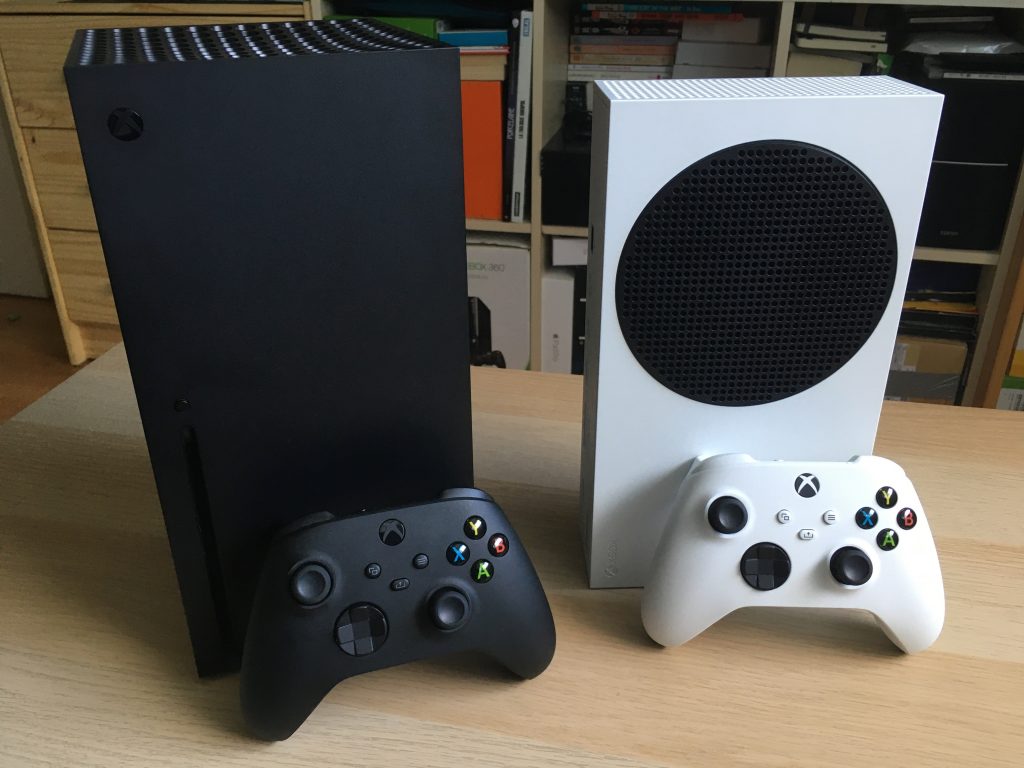
Xbox Series X And Xbox Series S With Controllers

The head of Xbox couldn’t avoid being asked about the Xbox Series X|S launch lineup, which is missing the much-anticipated Halo Infinite. If delaying the game to next year was “a miss on our part,” Spencer admitted, the exec believes that “we’re going to get a better Halo game at a good time when people can actually get a console.” The exec is also confident about Microsoft’s growing Xbox Game Studios division, which will soon welcome many more high-profile studios with the upcoming acquisition of ZeniMax Media. “I feel good, really good, the best I’ve ever felt about our roadmap,” the exec said.

If Spencer reiterated in the interview that the Xbox Series X|S probably wouldn’t be the last consoles from Microsoft, the exec reiterated its intention to bring the Xbox ecosystem anywhere thanks to Cloud gaming, including Smart TVs. “I think you’re going to see that in the next 12 months. I don’t think anything is going to stop us from doing that,” Spencer said.

In addition to Smart TVs, Microsoft ultimately wants to make Xbox Cloud Gaming available on all devices that ship with a web browser. “If the device is capable of running a capable web browser, we’re going to be able to bring games to it, which is pretty cool,” Spencer confirmed, adding that “Apple does remain open in the conversations that we have on this topic.”

Phil Spencer’s full interview with The Verge is well worth a read, but you can also listen to it on this page.

5 Best Console Gaming Chairs [Top Picks]

Gaming chairs are a must for any gaming lover and using one can definitely improve your overall experience.

As they come with features designed specifically for providing comfort during long gaming hours, there is no wonder they are starting to replace the other popular alternatives such as office chairs, couches, or beds.

So, here is our selection of best console gaming chairs to choose from.

What is the best gaming chair for Xbox One and PS4?

X Rocker Pro Series H3 Black Leather

  • Made out of leather
  • Has forward-facing speakers incorporated
  • Vibration motors that sync with the audio's bass tone
  • Pretty heavy

X Rocker Pro Series H3 Black Leather is a fantastic gaming chair, easy to assemble with only some auxiliary cable needed.

The available vibration feature adds some nice twists and you will feel like you are actually in the game as you play it. With the volume and bass adjustments, you’ll easily find the volume level that is best for you.

All in all, the chair is comfortable, well made, and an amazing choice for any gaming enthusiast.


360-Degree Swivel Gaming Floor Chair

  • Comes with six different positions
  • Comfortable design
  • Adjustable back for when not in use
  • The back of the chair is very thin

360-Degree Swivel Gaming Floor Chair is a versatile chair that can be used for gaming and even watching TV or movies with the lumbar support the chair has.

It’s easy to adjust and assemble, with foldable adjustable backrest and different sitting positions: sit, relax, recline, and more.

You can experience your favorite game, without feeling any pain, even after long hours of playing and sitting in the chair.


X Rocker SE 2.1 Black Leather

  • Made from black leather
  • Great for kids, teens, and adults
  • Wireless audio transmission incorporated
  • A bit uncomfortable for a tall person

Easy to put together, comfortable and sturdy X Rocker SE 2.1 Black Leather is the perfect choice for playing PS4 games, watching movies and TV, or even reading.

The impressive feature this chair comes with is the option to connect it with other X-Rocker chairs that can join in multi-game mode.

X Rocker SE 2.1 Black Leather also incorporates wireless audio transmission and 2 speakers that are positioned perfectly to help intensify your game experience.


Homall Gaming Recliner Chair

  • High-quality leather
  • Maximum capacity: 265 lbs
  • Perfect for long time gaming
  • A bit bigger compared with other chairs alike

After long hours of gaming, it’s understandable to feel some back pain and even discomfort if the chair is not designed specifically to offer support in this kind of situation.

Gladly, Homall Gaming Recliner is the perfect chair to use even for long hours of gaming, thanks to its size and softer material.

The chair also offers lumbar support, a reclining and vibrate feature that makes it the perfect choice if you are looking for comfort.


X Rocker Pro Series H3 Black

  • Seat height adjustable
  • Great material
  • Can be widely used
  • Armrests are easily moved when bumped

Comfortable, easy to adjust, and with multifunction for armrest this Gtracing Gaming Chair could not get any better.

The design is not only ergonomic but also pretty nice, and it makes a nice addition for any game enthusiast.

Whether you are gaming for one hour or more, you will not feel any discomfort on your back or legs.

Finding the best gaming chair isn’t always an easy task, but we hope that our guide has helped you pick the right one for your needs.


5 Best Laptops For Law School And Lawyers

To comply with the rigors of the law you need all the help you can get. Law students and lawyers alike can nowadays put technology to good use and achieve the very best results in a fraction of the time it used to take to run through hefty books, research materials and so and so forth.

As advancements keep on coming, the market is saturated with good alternatives for laptops. But of course, the price tag varies and so do the specs.

Have a look at our top 5 recommendations for the best laptops for law school and make an inspired, data-based, and good value for your money choice to safely get you through the toughest learning years.

What laptop is best for law students?

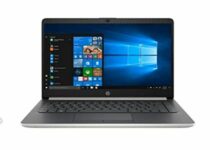
Lenovo IdeaPad 14

  • AMD A6-9220e processor (up to 2.4GHz)
  • 4GB DDR4 RAM plus 64GB eMMC
  • Comes with Microsoft Office 365
  • Integrated Webcam
  • Does not support touch screen

Powered by a dual-core AMD processor that doubles computing power to help you get more things done in a much shorter time span, this laptop is the ideal choice for law students that frequently handle massive amounts of data.

Great performance and multitasking are further supported by a combined memory of 4GB DDR4 plus 64GB eMMC.

Perform all the research you want on an eye-friendly wide display that delivers HD resolution and enjoy the perks that come with it such as Google Classroom, a 1-year subscription to Microsoft Office 365 apps, and all the ports you could ever need to attach all your peripherals and more.


Acer Aspire 5

  • 15.6-inch Full HD IPS display
  • AMD Ryzen 3 3200U processor
  • 4GB DDR4 plus 128GB SSD
  • Backlit keyboard
  • No easy access ports on the back panel

The following 3 spots on our list are dedicated to Acer products in regards to their high-level specs combined with extreme portability and ease of use, all of which make them suitable candidates for law students.

The Aspire 5 model is slim and compact allowing it to be carried effortlessly to and from school, and pretty much anywhere you need it.

This lightweight appearance houses great performance and the AMD Ryzen processor and full HD ISP screen contribute to these outstanding results.

With a 3.1 USB port, two USB 2.0 ports, and one HDMI port with HDCP support, a backlight keyboard, and along-lasting battery, this laptop will quickly turn into your trusted learning companion.


Newest Acer Aspire 1

  • Intel Celeron N4020 processor
  • 4GB RAM plus 64GB eMMC
  • Up to 10-Hours Battery Life
  • Comes with Microsoft 365 Suite (Personal)
  • There is no touch screen support

One of the great benefits that every student will undoubtedly appreciate is the Microsoft 365 Personal Subscription with an activation code included.

And the good news just keep on coming starting with the powerful Intel Celeron N4020 Dual-Core Processor, generous hybrid memory, and a 15.6-inch FHD LED screen that highlights the beautiful Intel UHD graphics.

With Ethernet support and all the USB ports you could need plus a lightweight structure that allows for convenient carrying, you are settled for the school year.


HP Stream

  • 14-inch display
  • Intel Celeron N4000 processor
  • 4 GB RAM plus 32 GB eMMC
  • Comes with Office 365 Personal (1-year subscription)
  • The memory is not upgradable

Equipped with a 1-year Office 365 Personal subscription, this laptop is ready to boost your study routine and accelerate your workflows from the moment you get it out of the package.

To further increase performance, the Intel Celeron N4000 processor puts its dual-core to work together with the generous memory capacity without mentioning the 1 TB cloud storage.

14-inch diagonal HD SVA BrightView WLED-backlit display will brighten up your images and take productivity to a whole new level, in style.


Acer Chromebook Spin 11

  • Convertible laptop mode
  • Celeron N3350 processor
  • 11.6-inch HD Touch screen
  • 4GB DDR4 plus 32GB eMMC
  • No optical drive

Ultra-slim and stylish in design, but most effective and performance-focused, this Chromebook redefines multitasking.

Access and run multiple apps simultaneously, edit, convert, download and store files that you can access even offline, and enjoy automatic back-ups for a true taste of peace of mind even in the most stressful situations.

Powered by a Celeron N3350 processor combined with an 11.6-inch HD touch display with up to 10 hours of battery life, you have all the possible advantages to boost your learning productivity.


[wl_navigator]

Here’s how we run our podcast with Microsoft 365, Microsoft Teams, and Windows 10

OnPodcast is available on these streaming services:

If you didn’t already know, my colleague Kareem Anderson and I recently relaunched the OnMSFT Podcast, now branded as OnPodcast. Over the past 12 weeks, we’ve been talking about all things Microsoft. We’re on YouTube and  on the major streaming platforms, too, every Sunday at 9 AM ET/12 PM ET. But, have you ever wondered what goes behind the scenes? Well, our Podcast is powered by Microsoft Teams, Windows 10, and the other Microsoft 365 apps. Here’s a look at how it works.

The equipment

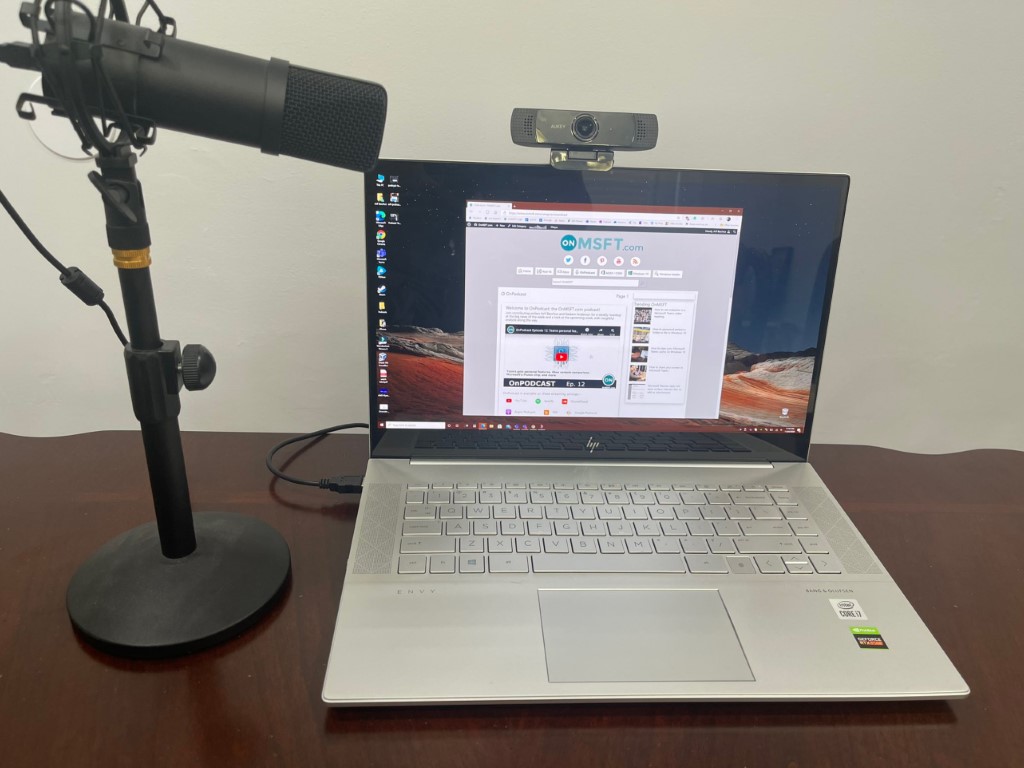
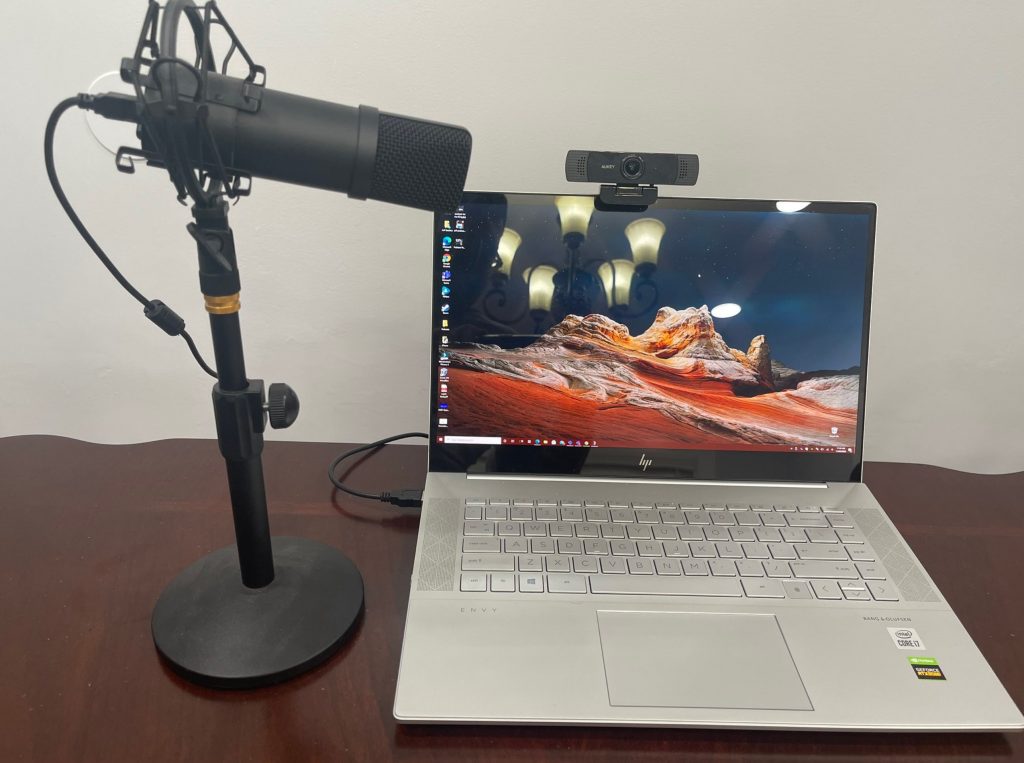
Onpodcast 2


What’s a podcast without the right equipment? Before diving into the Microsoft 365 section, I’ll talk about the equipment being used behind the scenes. I myself, have a couple of things on my end. Obviously, my laptop is the HP Envy 15, which I previously reviewed. As for my webcam, It’s an AUKEY FHD Webcam. My microphone, meanwhile, is a generic studio microphone from Amazon.

Of course, I also sport the original Surface Headphones, too, to hear Kareem as he speaks to me, and avoid echo on the camera. My colleague Kareem, meanwhile, is sporting a Surface Laptop 3 15-inch. He’s not using a dedicated microphone or headset (yet), but his webcam is the Logitech C920x.

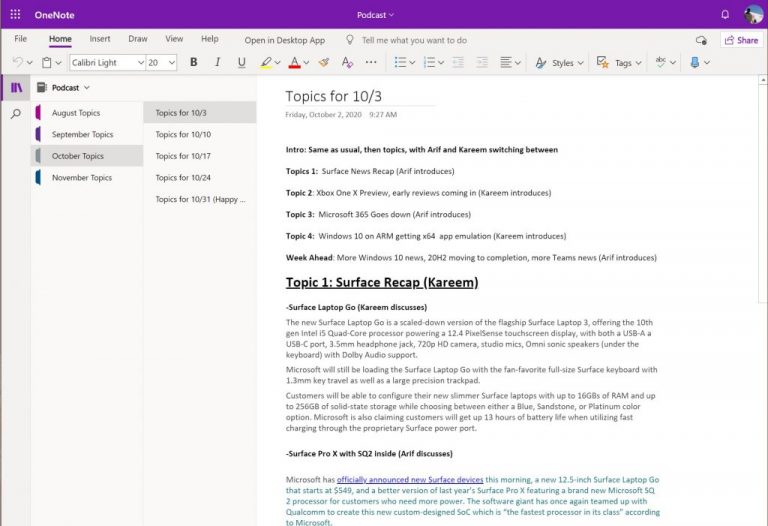
The outline in OneNote

Onenote Podcast

Before we even podcast, we put together an outline of topics every Friday, looking at some big stories we saw across the week from Microsoft. To share this outline across the editorial team at OnMSFT, we use OneNote. The OneNote notebook is shared, and Kareem, Managing Editor Kip, and the editorial crew are free to add topics, suggestions, and more to the list before we record on Saturday night. We also keep the notebook open during our recording, to gather notes, and other reference points, too.

The recording with Teams

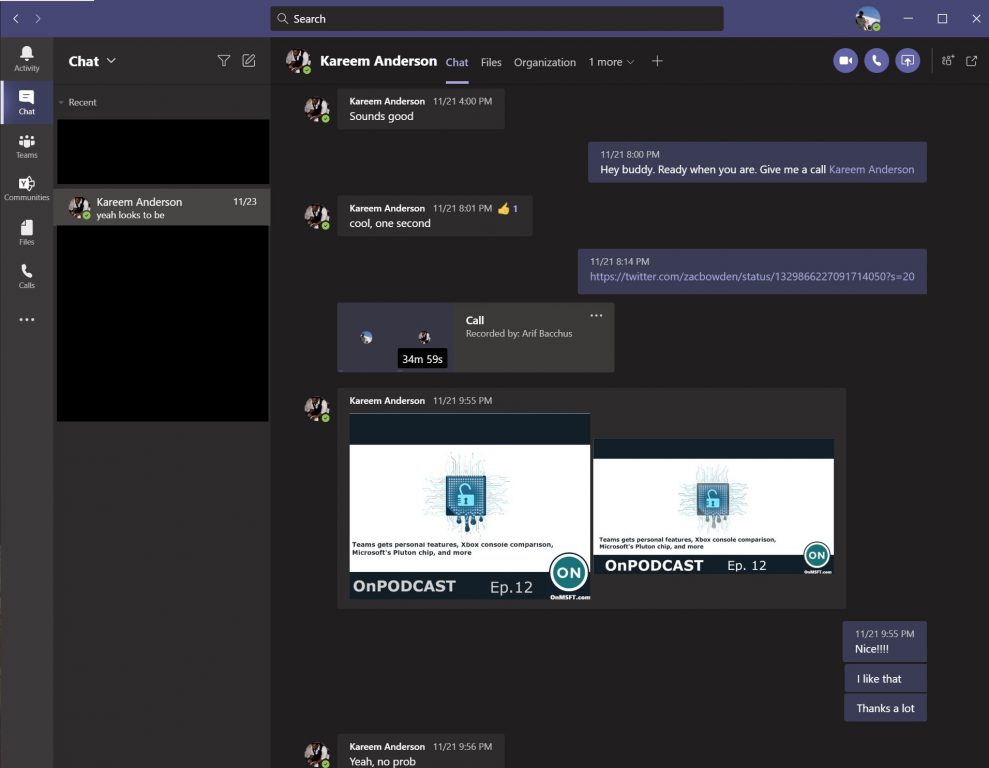
Podcast Teams Thing

Next on the list is the recording process. While a lot of other podcasts depend on specialized software, we here at OnMSFT are a Microsoft-centric operation. Every weekend. Kareem and I pre-record our Podcast at 8 PM ET or 5 PM PT (usually). We do this through Teams. Kareem gives me a call via Teams Meetings, and then we begin the recording, just as you would for your meeting. The discussion then starts, and we save the recording when we’re done.

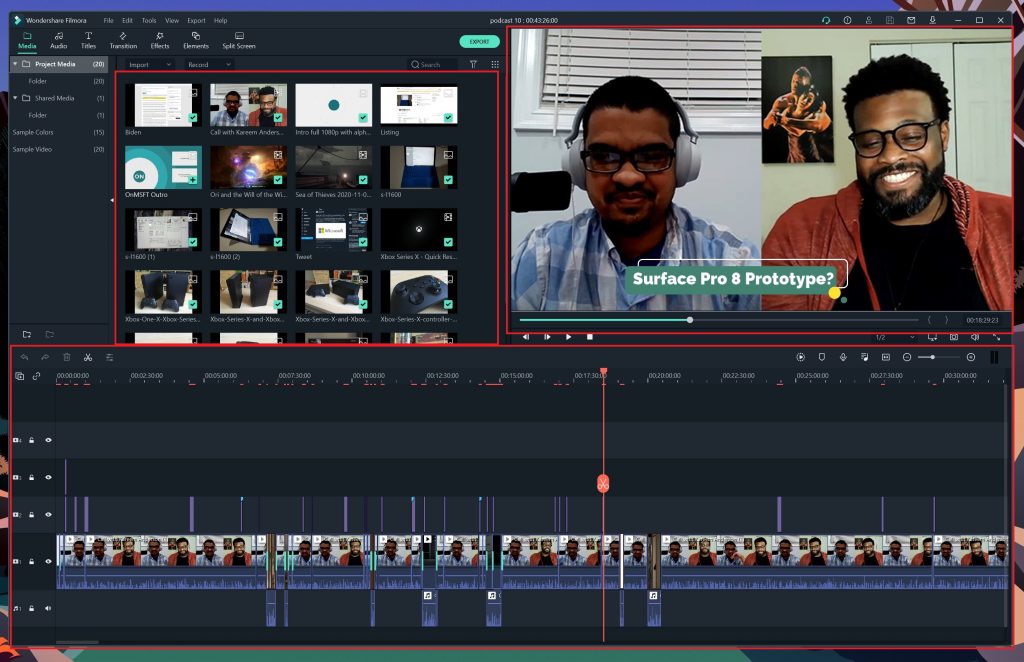
The download with Stream, editing with Windows 10 and Filmora

Project

As we’ve covered before, once the recording of the podcast is finished, it is saved to Microsoft Stream. This is the most unique area of our podcast workflow, as Teams handles all the recording, and Stream all the saving. I don’t need to worry about screen recording, audio, or any other issues. The process is all automatic. Teams will record the podcast and then save it to Microsoft Stream, within a few minutes. When it’s ready, I just head to Microsoft Stream online, click the download link next to the call I recorded with Kareem, and then save it to my PC. The file is saved an MP4, which works perfectly for my video editing.

Once downloaded, I create a new project in Filmora, as I described before. I upload the recording, add captions, images, animations, and transitions. If there were any mistakes, I also edit the video, fixing mistakes and editing for time. In cases where we have special guests like our own Laurent in Episode 12, I edit the segment in at the appropriate point.

So far, this experience has been all but flawless for me. By recording with Teams, and downloading the recording through Stream, I save a lot of time in my editing. The file I need is right there, on-demand, and I can always download it when I need it. One note: we use Microsoft 365 Business Basic here at OnMSFT.com, which includes everything needed for this workflow for $5/user/mo.

The publishing, YouTube, Soundcloud, and more

Podcast Youtube

Once I finish editing, I publish the podcast to our platforms. Filmora lets me save the audio as an MP3, which I upload to SoundCloud, which then distributes our audio podcast to all our other platforms. The video, meanwhile, gets sent to YouTube, where I set it as a YouTube Premiere. Though our podcast is pre-recorded, this makes it seem as if Kareem and I are live, and it gives us the chance to chat with you, the readers on YouTube.

We want your feedback!

So, that’s how we Podcast here at OnMSFT. Of course, we wouldn’t be here without you, the readers, so we’d love to hear your feedback. Do you have suggestions for how we can improve our show? Do you want to appear on our show? We’re always looking for guests, and feedback, so be sure to drop us a comment below to let us know. And, remember, you always can send us an email at [email protected].

Get the best Cyber Monday deals on LG Ultrawide Monitors

Black Friday deals are officially opened, with early sales at some of the products you had in mind all year long. For example, now it’s your chance to buy an amazing LG ultrawide monitor without spending a fortune.

Is it better to do it now or wait a bit longer? This year deals are already here, and following Cyber Monday sales, no one can predict the stock.

What are the best LG ultrawide monitor deals?

LG 29WN600-W

  • SRGB 99% Color Gamut
  • HDR 10 compatible
  • Radeon FreeSync
  • Dynamic Action Sync
  • Ergonomic design
  • Questionable stand

Let us start by telling you more about an impressive 29” UltraWide Full HD (2560 x 1080) IPS display that produces realistic, accurate color at wide viewing angles.

HDR 10 is the digital HDR standard based on the sRGB 99% color gamut, so rest assured that this monitor delivers a dynamic visual experience with enhanced color of HDR content.

Even more, you can easily customize the workspace by splitting the display or adjusting basic monitor options with a few simple mouse clicks.


LG 34UM69G-B

  • LG Black Stabilizer
  • AMD Free Sync
  • Dynamic Action Sync
  • On-screen control with screen split
  • V-Line stand
  • Brightness issues

Another monitor worthy of your attention is precisely the LG 34UM69G-B one. Note that it comes with AMD FreeSync in order to reduce the tearing and stuttering that occur between the graphic card’s frame rate and the monitor’s refresh rate.

This makes it a great choice for gamers who are eager to experience seamless, fluid movement throughout games without upgrading the graphics card.

Moreover, there are 3 gamer modes, 2 first-person-shooter modes, as well as an RTS pre-set mode, so make a pick and continue playing all day long.


LG 34WL600-B

  • sRGB 99% Color Gamut
  • Radeon FreeSync Technology
  • MaxxAudio
  • Screen Split
  • 3-side virtually borderless design
  • Not the cheapest option

This LG 34WL600-B monitor, with 99% coverage of the sRGB spectrum, is the ideal choice for photographers, graphic designers, and all those who want accurate colors.

However, it’s recommended to gamers as well. You can easily get more responsiveness out of your RTS games with Dynamic Sync, which basically minimizes input lag for better performance.

As for LG’s Black Stabilizer, it identifies dark scenes and makes them brighter so that you can have high visibility.


Don’t hesitate to check back often. We’ll add fresh posts in the days leading up to Cyber Monday, so you can take advantage of the best prices on whatever you need even before the big day.

5 best laptops for CS:GO

Counter-Strike: Global Offensive is still the point of reference when it comes to FPS gaming. It’s an incredible fast-moving action game that tests the player’s skills to the max.

However, you will need optimal conditions if you want to show your skills and now spend half of the time waiting for a respawn. At large, the best laptops for CS: Go will be the ones that provide the highest framerates and don’t have lag.

Counter-Strike: Global Offensive laptop requirements

According to the official website, the CS:GO has the following minimum requirements:

  • CPU: Intel Core 2 Duo E6600 or AMD Phenom X3 8750 processor or better
  • Memory: 2 GB RAM
  • Graphics: Video card must be 256 MB or more and should be DirectX 9-compatible with support for Pixel Shader 3.0
  • DirectX: Version 9.0c
  • Storage: 15 GB available space

However, that configuration is not going to get you past 60 FPS. If you want to get over 100 FPS you will need a more powerful processor, 4 GB of RAM (or 8GB to be safe) and a graphics card with at least 512 MB of dedicated memory.

Moreover, you will need a display capable of more than 120 Hz of refresh rate.

What are the best laptops for CS:GO?

Acer Nitro 5

  • NVIDIA GeForce GTX 1650 4GB GDDR5 VRAM
  • 9th Generation Intel Core i5-9300H CPU
  • 256GB PCIe NVMe SSD
  • 8GB 2666MHz DDR4 RAM
  • Battery life is not the best

Acer Nitro 5 is a 15-inch laptop that ticks almost all the boxes for CS:GO. It’s powered by 9th Generation Intel Core i5-9300H up to 4.1 GHz and comes with an NVIDIA GeForce GTX 1650 graphics card with 4 GB of GDDR5 VRAM.

The device has 8 GB 2666MHz DDR4 RAM and 256GB PCIe NVMe SSD. You will be able to game as hard as you want thanks to the dual fans and the Acer Coolboost technology.

The only downside is the IPS display that is not ideal for high-speed gaming but it will do just fine.


Lenovo IdeaPad Gaming 3

  • NVIDIA GeForce GTX 1650 4GB GDDR6
  • 10th Gen Intel i5-10300H quad-core CPU
  • 8GB RAM and 256GB SSD
  • 120 Hz refresh rate display
  • Could use a storage expansion

Lenovo IdeaPad Gaming 3 has everything you need in order to play CS:GO in perfect condition, starting with the 120Hz display, and the 10th Gen Intel i5-10300H quad-core processor.

The NVIDIA GeForce GTX 1650 with 4 GB of GDDR6 video memory is perfect for this game and if you add the 8GB RAM you will get to the perfect configuration for CS:GO.

The 256GB of SSD storage is on par for a few new games but you could use an upgrade in that department.


Alienware m15

  • NVIDIA GeForce RTX 2070 SUPER Max-Q
  • 300 Hz refresh rate
  • Intel Core i7 8750H 2.2 to 4.1 gigahertz (6 Cores)
  • Chroma RGB lighting
  • Pretty expensive laptop

If you want to stay in the front seat when you’re playing CS:GO or even the newest games, Alienware m15 will be like a racecar on the street.

The 300-nits 72% color gamut display has a refresh rate of 300 Hz so it’s perfect for fast-paced gaming. The laptop boasts an Nvidia GeForce RTX 2060 GPU, a great graphics card that will run CS:GO like a charm.  
The laptop doesn’t have a great battery, but you can’t really expect that from a high-power laptop.


ASUS ROG Zephyrus S Ultra Slim

  • 144Hz IPS Type
  • Nvidia GeForce GTX 1070 with Max Q
  • 16GB DDR4 and 512GB PCIe SSD
  • Military-grade metal chassis
  • Light screen bleeding

The ROG Zephyrus S Ultra Slim is another beast laptop that is overkill for CS:GO. However, you can look at it as a further investment for playing all the new hot games.

This laptop is not only extremely powerful but it’s also very slim and lightweight that comes with a GTX 1070 GPU. The display has a 144 Hz refresh rate and a 1,920 x 1,080 resolution.

In addition, this rig is powered by a 3.9 GHz Core i7 processor and 16 GB RAM.


  • NVIDIA GeForce GTX1050Ti 4G GDDR5
  • 8GB DDR4 2400MHz
  • USB-C 3.1 Gen 1 port, 2x USB-A 3.1 Gen 1 ports, USB-A 2.0 port
  • 1TB HDD + 16GB Intel Optane
  • IPS screen

This is a 15.6-inch laptop that comes with a reasonable price and a good configuration fit for playing CS:GO in very good conditions. The only downside is the screen which is an IPS LCD display. MSI GV62 is powered by a 2.3 GHz i5-8300H processor.

Going further, the Nvidia GeForce GTX 1050 Ti graphics comes with 4GB GDDR5 dedicated VRAM which is perfectly good for this game. Moreover, the 8 GB of RAM is just what you need. You can also expand it to 32 GB if you want.


This was our list with the best laptops for CS:GO. Some of them are ready for even more demanding games. Tell us which one you chose with a comment in the dedicated section below.

Windows 10 Settings app starts showing new Web Browsing section to non-Insiders

Back in August, Microsoft announced that some Windows Insiders in the Dev Channel would start seeing something new in the header of the Windows 10 Settings app. In addition to the existing shortcuts to OneDrive, Windows Update, and Microsoft Rewards, Microsoft has started experimenting with a new Web browsing section in the Settings header, though we believe that it has yet to reach all Insiders in the Dev channel.

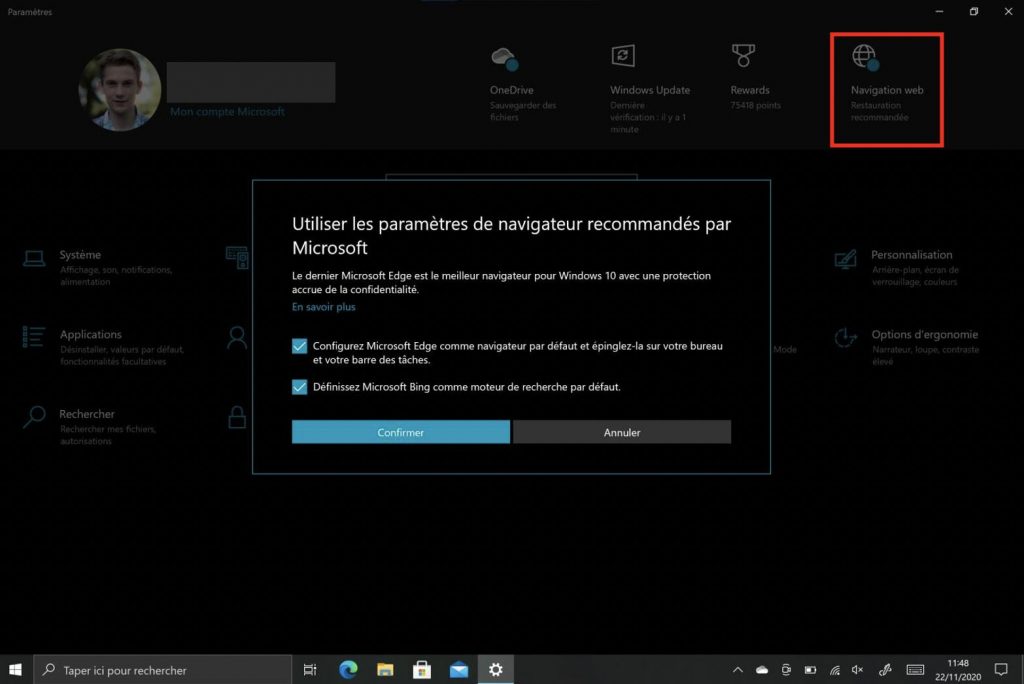
While new features can come and go in the latest Insider builds, it appears that some non-Insiders are also starting to see this new Web Browsing section in the Settings app header. Alex, a tipster from France saw it on his Surface Pro tablet on the production ring and sent us some screenshots.

You can see the new Web Browsing shortcut in the top right corner of the header, and clicking on it will open a pop up inviting you to use Microsoft’s recommended settings: Those are to use Microsoft Edge as your default browser, as well as Bing as your default search engine. If that’s already the case on your PC, you’ll get a different pop up explaining that your PC is currently using Microsoft’s recommended web browsing settings.


Windows 10 Settings App New Web Browsing Settings

This experiment will likely be seen as another “ad” for Microsoft’s new Chromium-based Edge browser on Windows 10, which the company has been pushing to all users to replace the legacy Edge that shipped with Windows 10. It’s not clear if many non-Insiders are currently seeing this new Web Browsing section in the Settings app header, and we currently don’t have it on our PCs. The presence of a shortcut to Microsoft Rewards in that same header also seems to be quite random.

Keep in mind that this new Web browsing shortcut in the Settings app remains an experiment, and it may not roll out to all Windows 10 users. Microsoft may have very good reasons to promote its new Edge browser on Windows 10, which is a pretty great browser overall, but there’s a fine line between helping users browse the web more securely, and making these same users feel like their PCs are becoming advertising spaces for Microsoft’s services.

5 Best Modems Without Puma 6 Chipset

There’s been a lot of hype around Intel’s Puma 6 chipset used by many modems which caused several functionality problems with the respective gadgets. So until the issue is clarified, it’s better to carefully read the specs when purchasing a new modem or ask the manufacturer.

To ease things for you in case you’re surfing the Internet for a new router, we’ve picked out five models. They are for all budgets and will offer just the best coverage and network connectivity.

What modem brand doesn’t have Puma 6 chipset?

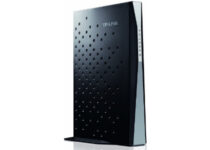
TP-Link AC1750

  • Dual-band router with upgrades to 1750 Mbp
  • 3 external antennas
  • Integrated USB port
  • Sometimes it fails to maintain a consistent connection

A well-established brand when it comes to modems, TP-Link can’t be omitted from such a dedicated list.

For our list, we picked this TP-Link AC1750 dual-band and gigabit router ideal for regular Internet connection but also to be used as a gaming router. 

It supports a frequency range of 2.4GHz and 5GHz, with  4 x 10/100/1000Mbps LAN available ports, 1 x 10/100/1000Mbps WAN port, and one USB 2.0 port.

It is ideal for speeds up to 300Mbps.


Speedefy AC2100

  • 4x4 MU-MIMO
  • 7x6dBi external antennas
  • Easy installation
  • Might underperform if placed behind walls or doors

This compact modem delivers dual-band gigabit Wi-Fi of up to 2100Mbps. It uses 4 x 4 MU-MIMO advanced connection technology for long-distance connection and optimal speed.

The same technology helps create safe Wi-Fi zones, that are additionally protected via WPA/WPA2-PSK encryption.

The modem is ideal for large homes and can connect up to 25 devices. Set up is extremely easy and can be further adjusted via de dedicated app.


Tenda AC1200

  • 300mbps- 2. 4GHz + 867Mbps - 5GHz
  • 4 omni directional antennas
  • Affordable
  • Poor customer support

If you’re looking for an extremely affordable modem, Tenda AC1200 is an option.

It conveniently offers a dual-band connection, with far-reaching coverage thanks to the 4 antennas, and smart management via the smartphone dedicated app.

It features 1x fast WAN port, 3x fast LAN ports, and has a Wi-Fi schedule function, which automatically turns on/off Wi-Fi to reduce power consumption.


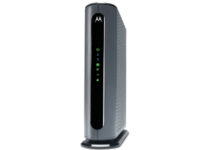
MOTOROLA MG7540

  • Supports speeds of up to 375 Mbps
  • 4 x 10/100/1000 GB Ethernet LAN ports
  • Works on WiFi DFS frequencies
  • Requires cable service

Unlike other modems, this one requires a cable subscription. So it’s designed to save you some money from renting other cable modems, plus also ensure a stable Wi-Fi home network.

Given the standing position, cooling is properly ensured all over the surface, preveting overheating and also creating more space.

The router has a 2-year warranty which should make up for it being the quite pricey.


Motorola MB8600

  • 6 Gbps max speed
  • Supports Any Wi-Fi router
  • Certified by Comcast Xfinity, Cox, and other cable providers
  • Classic connection failures

Although this is not a router per se, but a modem only, it will connect to basically any router you might have via the Ethernet ports.

This way, you can pair this cable modem with any router you choose for your Wi-Fi connection, including a mesh router or gaming router.

If the Ethernet port isn’t used for a router, it can plug into a computer, HDTV, game station, or other Ethernet devices.


So, we hope that you found this list helpful. For sure there are other modems that don’t use Puma 6 chipset, and if you think there’s one worth mentioning here, tell us in the comments section.

Microsoft expands presence in Ireland with 200 new jobs and an Engineering Hub

Microsoft has a storied history with the country of Ireland, the company’s most notable entanglement with the area came as a 2014 legal battle over user privacy. Microsoft was held in contempt of court by the US court system as it attempted to leverage user data stored on Microsoft servers based in Ireland. Ultimately, three years later the Supreme Court, Congress passed the Clarifying Lawful Overseas Use of Data Act (CLOUD Act), which amended the SCA to resolve concerns from the government and Microsoft related to the initial warrant. The Supreme Court, following agreement from both the government and Microsoft, determined the passage of the CLOUD Act and a new warrant for the data filed under it made the case moot and vacated the Second Circuit’s decision.

Since then, Microsoft has continued to break ground on new facilities and expanded its presence in Ireland, and news of the company’s new Engineering Hub in the country looks to continue that trend.

Announced yesterday, Microsoft plans to invest in a $32 million dollar Engineering Hub at One Microsoft Court in Leopardstown, Dublin. The new expansion will come in at 107,639 sq ft and sit just outside of Microsoft flagship One Microsoft Court Place. With its new facility, Microsoft is also looking to recreate a Seattle campus favorite experience in its engineering “Garage.”

In The Garage, employees have the freedom to innovate, fail, learn and experiment on projects they are passionate about. It’s a fantastic space and we’re looking forward to welcoming colleagues, customers and community members to have fun and to create when restrictions are lifted – particularly our new engineer recruits.

Aside from expanding its physical footprint, the new Engineering Hub will also provide 200 new engineering roles to its portfolio of over 600 engineers in the area. Microsoft explains that it’s already underway attempting to recruit for the new 200 engineering slots and that filling the roles will help in various facets of the company’s portfolio that include software engineering and product design, user experience, and data science, all with a focus on cloud services.

5 best computers for CNC that are worth investing in

CNC (Computerized Numerical Control) is a great industrial tool but nowadays it has become available for everyone, and alongside 3D printers and other instruments are now part of the arsenal of any DIY lover or maker.

But behind every great CNC machine, there is a great computer. So, if you’re looking for the best computer for CNC, we will provide a list of products that will help you choose the right one for you.

But first, we should talk about what features you should look for in a CNC ready computer.

What featured should I look for at a CNC PC?

Whan you are using a CNC machine, you will, most likely, work with CAD software or even with some 3D modeling software like Solidworks or Autodesk 3DS Max.

So, first things first, the CPU. For 2D programming uou don’t need a gaming processor but you would still loog for an Intel Core i5 from 8th generation or higher. For 3D modelling software you should raise the bar to a Intel Core i7 from 8th generation or higher.

For any CNC programming it is recommended to have at least 8 GB of RAM but going for 16 GB won’t hurt at all and you will have a future proof PC.

For graphics, an integrated GPU will do just fine with 2D programming but if you’re going for 3D modelling, you will need at leas a 2GB dedicated graphics card. The gaming cards should be OK, but the latest ones will be overkill for such a job.

You shouldn’t bother with storage, anything is good although SSD are faster so they will provide an advantage. With the display, the bigger, the better, no surprise there.

In the connectivity department you should look for USB Type-A ports and Ethernet port (the old RJ45 port). With that being said, let’s look at the best CNC PCs.

What are the best computers for CNC?

  • AMD Ryzen 7 2700X 8-core 3.7 GHz CPU
  • NVIDIA GeForce RTX 2060 Super 8G
  • 16GB DDR4 and 500GB SSD
  • 3 x ARGB Dual RING fans for maximum airflow
  • Expensive

This desktop PC was built for extreme gaming so it will be perfect for the hardest 3D modeling tasks. It’s powered by an AMD Ryzen 7 2700X processor with 8 cores and 3.7 GHz.

There is a great NVIDIA RTX 2060 at the graphics department and 16 GB of DDR4 memory. The 500 GB SSD will be more than enough for all your CNC and modeling projects.


ASUS GA502DU

  • AMD Ryzen 7 3750H processor
  • NVIDIA GTX 1660 Ti with Max-Q
  • 16GB RAM and 512GB SSD
  • 120 Hz refresh rate and 3 ms response time
  • The keys have pretty short travel

If you need a portable station for your CNC programming, then ASUS GA502DU might be the ideal choice. And that’s because it ticks all the required boxes and more. It’s powered by an AMD Ryzen 7 3750H processor and the 16 GB of RAM will get you through any 3D modeling software.

It’s a laptop fit for gaming so it has an NVIDIA GTX 1660 Ti with Max-Q dedicated graphics card. Moreover, the 15.6-inch display has a refresh rate of 120 Hz and a 3 ms response time.


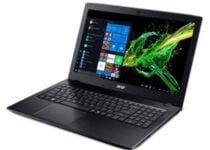
Acer Aspire E15

  • 8th Gen Intel Core i5-8250U processor
  • 8GB RAM and 256 GB SSD
  • NVIDIA GeForce MX150 graphics card
  • Windows 10 Home
  • Only 8 GB of RAM

This is a budget solution for your CNC requirements. The Acer Aspire E15 laptop comes with an 8th generation Intel Core i5 processor and an NVIDIA GeForce MX150 graphics card. Those are perfect for 2D and 3D programming.

Even the 8GB of RAM is enough for this task but if you want to future proof this laptop, you should think of upgrading to 16 GB. It has a Windows Home OS preinstalled you you will be good to go from the start.


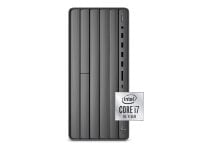
HP Envy TE01

  • NVIDIA GeForce RTX 2060 grapohics card
  • Powerful Intel 10th Gen CPU
  • 16 GB of RAM and 1 TB SSD
  • Built-in DVD writer
  • 180 W power supply

If you want to go all the way with 3D programming, the HP Envy TE01 desktop PC is a good choice. It features an Intel Core i7 10th generation CPU and comes with a RTX 2060 graphics card that is not only great for CAD but it will also be ready for gaming.

The HP Envy TE01 comes packed with 16 GB of RAM and 1 TB of SSD storage. Windows 10 Home is installed out of the box. As for connectivity, it features HDMI, USB, and Display Port just to mention some of them.


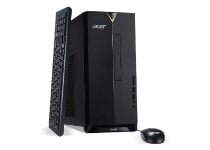
Acer Aspire TC-885-UA92

  • Very good price
  • 9th Gen Intel Core i5 CPU
  • Optical drive, Wi-Fi, and Bluetooth support
  • Windows 10 Home
  • Intel integrated graphics

Acer Aspire TC-885-UA92 is a very well balanced desktop computer with a great price but it is as low as you can go with the configuration. In fact, this desktop is not going to be great for 3D modeling because it features an integrated graphics solution from Intel.

Otherwise, the Intel Core i5-9400 and the 12 GB RAM will be more than happy to assist you with any CNC projects you may have. You will even have Wi-Fi, Bluetooth and an optical drive.


This was our list with the best computers for CNC and 2D/ 3D modeling. If you need more information or you have other ideas don’t hesitate to leave us a line in the comments section below.

[wl_navigator]

Best Firewall and VPN solutions for small business

Regardless of whether you are at the office or at work, cybersecurity is a matter of the upmost importance, so having several layers of protection against malware and attackers is recommend.

Two very good solution can help achieve this, and those are a Firewall tool, and a VPN. Since having as few software tools installed as possible is recommended, we will be looking over some of the best antivirus tools that offer both of these features.

Black Friday is also around the corner, so now it is a good time to take advantage of whatever deals may be available.


Which are the best antivirus tools with Firewall and VPN?

Bitdefender Total Security

Bitdefender is one of the world’s leading antivirus developers, and all of their products come with a Firewall included, and you can also get a VPN service included.

Both of these two tools are of the highest standards, so once you have them, you are guaranteed that no cyberthreat can ever touch you.

The VPN will prevent you from being detected, while the Firewall will prevent malware from entering your PC.

Bitdefender

Bitdefender

Bitdefender has been frequently rated as the best antivirus in the world, and this extends to their Firewall and VPN as well.
Check priceVisit website

WebRoot Wi-Fi Security

Webroot

The next entry on our list that provides a reliable Firewall/VPN combo is Webroot Wi-Fi Security, an excellent choice for small businesses that are all connected to the same network.

Not only will the VPN offers protection for your PCs and Mac devices, it will also take care of your Android and iOS mobile devices as well.

Most importantly, you don’t need an IT department to set it up, since it caters to the common user as well in terms of installation.

Protect all the devices connected to your network with the Firewall and VPN all thanks to Webroot Wi-Fi Security
Check priceVisit website

Norton 360 Premium

Norton is yet another big name in the world of antivirus tools, and their solution for businesses is called Norton 360 Premium

A subscription will bring you protection for 10 devices, Firewalls for both PCs and Mac, a password manager, a VPN, and much more.

Take advantage of this special price and ensure that your small office will go about its business without any problems.

Norton 360 Premium

Norton 360 Premium

If you’re looking for a complete protective suite that comes with both a Firewall and a VPN, get Norton!
Check priceVisit website

Avira Prime

Avira

Just because this entry is the last on our list doesn’t mean that it offers the least protection.

Avira Prime is an excellent antivirus tool for small businesses, although the only limitation is that it can only support up to 5 devices per subscription.

However, what it lacks in coverage it compensates with quality, offering you complete protection with its Firewalls and VPN.

Avira Prime

Avira Prime

Enjoy a high-quality Firewall and VPN within your small business with the help of Avira Prime.
Check priceVisit website

This concludes our list of best software solutions that come with both a Firewall and a VPN that can come in handy for small businesses.

Do you know of any tool that should have made our list? Let us know by leaving us a message in the comments section below.


[wl_navigator]

7 Best USB-C External HDDs And SSDs to Boost PC Storage

Solid State Drives, commonly known as SSD hard drives, are a form of computer storage that is used today as an alternative to traditional and hybrid hard drives.

What differentiates SSD hard drives from hard drives is their form, and capacity.

With the introduction of the USB type C connector, you can enjoy fast transfer and read or write speeds, as well as durability. You can back up all your important files like digital media (photos, music, and movies) and documents that are precious to you.

If you’re looking for the best USB-C external hard drive and SSD drives to boost your computer’s storage, see our top picks and how to get them.

What are the best USB-C external hard drives and SSD drives?

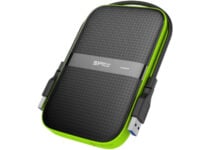
Silicon Power

  • USB 3.0 for PC and Xbox
  • Shockproof case
  • 2 TB storage capacity
  • Ideal for gaming enthusiasts
  • Problems with the supplied cable

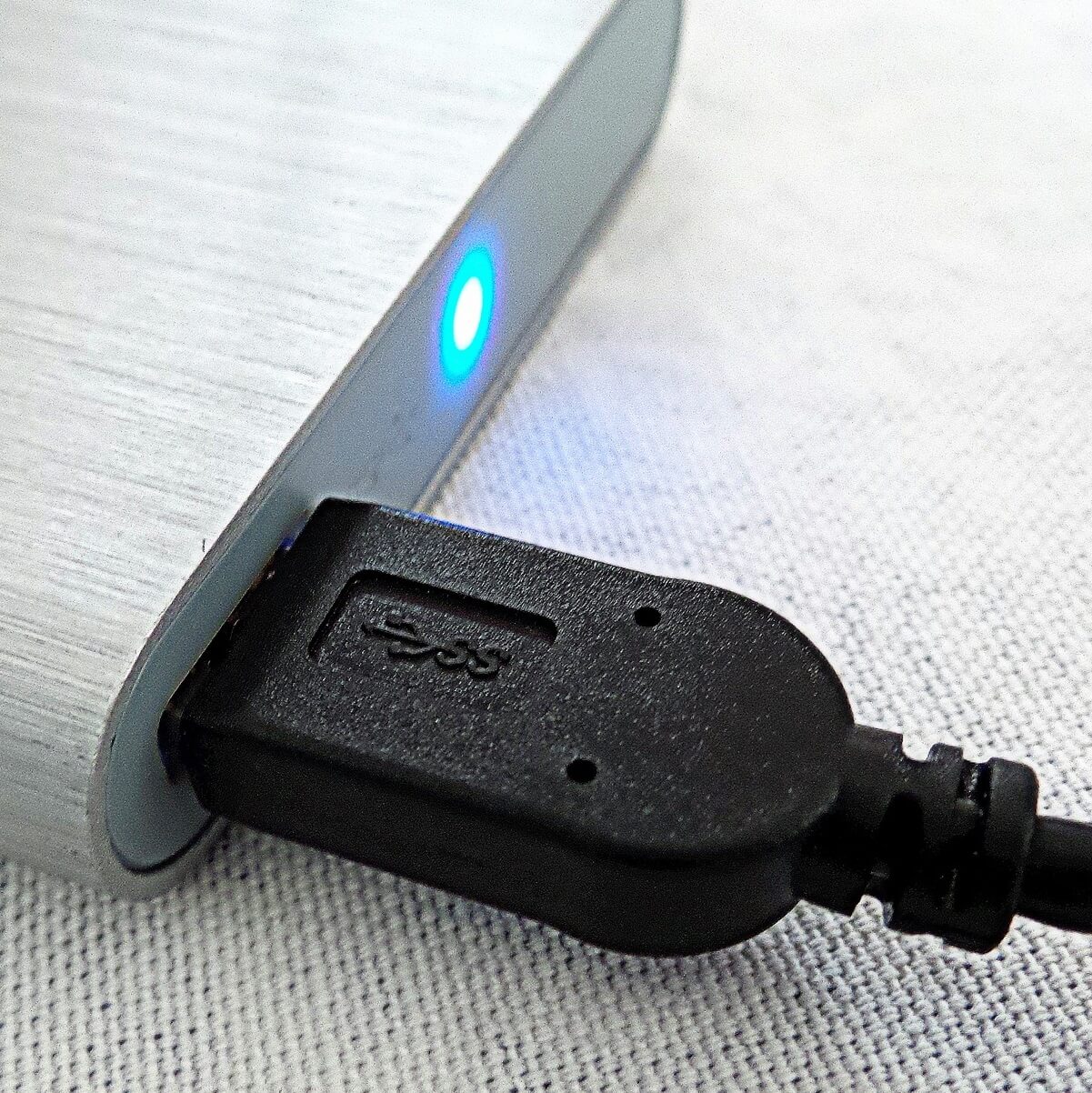
This is an external hard drive that comes with both the USB-C and USB type-A cables for easy transfer of data between your PC and type C enabled devices.

Its features include an ultra-rugged rubber casing with military-grade shockproof and water-resistant protection, with a cable carry design for moving with your cables, super speed USB 3.0 interface, plus a 3-year manufacturer warranty.

It also has free download software for smart data management including backup and restores, with 256-bit encryption security and cloud storage capability.

The surface of this hard drive is anti-slip and anti-scratch owing to its special surface texture, ranking it among the best USB-C external hard drive and SSD devices you can buy.


LaCie Rugged SSD Pro

  • 2TB Solid State Drive
  • USB-C Thunderbolt 3 connector
  • Drop/ shock, dust, and water resistant
  • Up to 2800 MB/s transfer speed
  • Pretty expensive

This is USB-C external hard drive is bus-powered for mobile workflows and is built to withstand drops, crashes, and rain for all-terrain use, backed by a 2-year limited warranty including rescue data recovery services.

You not only get 2TB of massive storage capacity, but also durability, reliability, and protection against natural weather elements or extreme conditions, and unauthorized access.


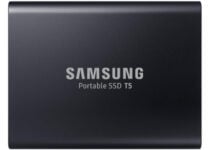
Samsung T5 SSD

  • Up to 540 MB/s
  • USB 3.1 connection
  • Includes USB Type C to C and USB Type C to A cables
  • 3-year limited warranty
  • Only 1 TB

This brand always makes it among the best USB-C external hard drive and SSD gadgets you can buy.

Its features include superfast read/write speeds of up to 540mbps, an excellent, shock-resistant metal body that withstands drops of up to 6.5 feet, password protection with built-in AES 256-bit hardware encryption, a type-C and type-A cable, plus a 3-year warranty.

It totally protects your data from the inside out, while letting you transfer data at blazing fast speeds, and has no moving parts.

It is easy to carry, stores data securely, and is compatible with various operating systems and devices, including Windows.


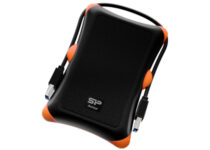
Silicon Power Rugged armor

  • Rugged resistant case
  • SuperSpeed USB 3.0 interface
  • Pre-formatted as NTFS
  • 3-year manufacturer warranty
  • Only 1 TB

Silicon Power brand always makes it among the best USB-C external hard drive and SSD storage gadgets.

It comes with two cables: type-A and type-C, ideal for fast and easy data transfer, military-grade shockproof protection, scratch-resistant surface, operation voltage, cable storage design to carry your cables around, a super speed USB 3.0 interface, and 3-year manufacturer warranty.

It also has a widget software feature that lets you organize your files smartly, backup and restore data, with AES 256-bit encryption and cloud storage for efficient data management.


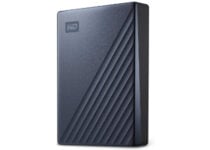
WD 5TB My Passport Ultra Blue

  • 5 TB storage capacity
  • USB-C connection
  • Password protection with 256-bit AES hardware encryption
  • Refined metal cover
  • High price

This 5 GB SSD behemoth can be more than an external drive, it can become your personal cloud for a pretty long time to store your most precious personal files.

The WD drive comes with a password protection with 256-bit AES hardware encryption so you will have them secured in this metallic vault. As for transferring files, the USB-C connection ensures high-speed for any purposes.


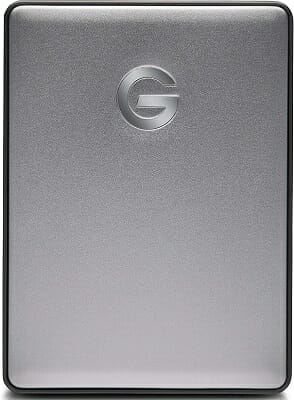
G-Technology G-DRIVE

This USB-C 2TB portable hard drive is very stylish thanks to its modern aluminum design. It’s smaller than an iPhone Plus which makes it ultra-portable.

This is the perfect tool for storing or backing up your files, folders, videos, photos, music, and other documents.

The drive is as versatile as it can get. It supports USB-C, USB-3.0 and Thunderbolt 3. G-DRIVE is completely plugged and play — all you need to do is connect it to your computer and you’re ready to do.

File transfer is very fast. If you have a top-notch hardware configuration, you can expect to reach transfer rates of up to 140MB/s.

⇒ Check price


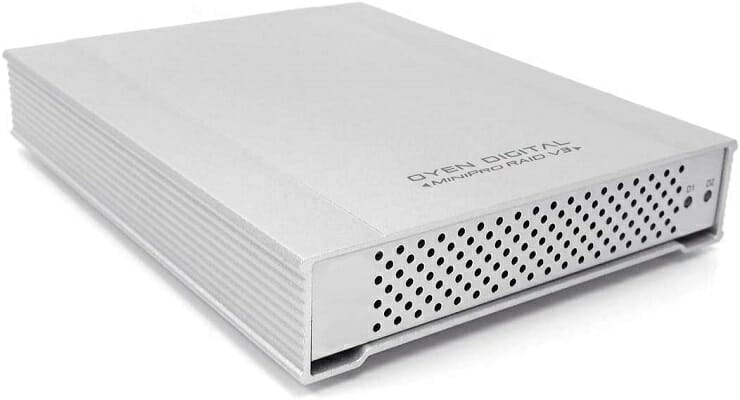
Oyen Digital MiniPro RAID

This USB-C dual external hard drive comes with a whopping 10TB storage capacity (5TBx2), and a type-C USB interface, plus a 2-year warranty.

It is bus-powered, but you can also use an external adapter, which is included in the package, and you don’t need any software to install it.

The MiniPro RAID V3 is built entirely from aluminum and uses the highest quality construction for power users who need dependable storage. Its rugged metal casing protects from drops and acts as a heatsink for passive, silent cooling.

This is among the best USB-C external hard drive and SSD storage options you can get as it also offers flexible storage management, plus its HDD spin-down feature reduces power consumption thus ensuring efficient operation when your computer is on sleep mode.

⇒ Check price


Have you settled on the best USB-C external hard drive and SSD storage for your computer? Let us know your favorite in the comments section below.

[wl_navigator]

How to Set Up a VPN for Your Entire Home Network

VPNs are excellent tools that can keep your privacy safe and secure your connection at the push of a button.

So, it should be obvious why so many regular Internet users choose VPNs to anonymize their digital presence and give their connection a security boost.

While most users opt for single-device protection, there’s an increasing demand for network-wide solutions. More so, given recent developments that have led so many to start working from home.

With that in mind, let’s see the best way to benefit from a VPN’s full array of features on an entire network.

How can I set up a VPN for my entire home network?

1. Use a multi-device VPN

Surfshark

Surfshark is one of the best VPNs when it comes to multi-device support. As a matter of fact, Surfshark is one of the few VPNs that let you connect to an unlimited number of devices.

Therefore, no matter how many Internet-enabled devices you’ve got in your household, Surfshark will let you link them all up and use them on the same account.

Surfshark

Connect to the internet security from any device you own with this powerful VPN solution.
Check Price Visit Website

On the other hand, you need to make sure that you can actually deploy Surfshark on every single device on your network for full protection.

The downside is that certain devices don’t have built-in VPN support (like most IoTs).

Check out a list of Surfshark-friendly devices:

  • Desktops/laptops:
  • Phones/tablets:
    • Android
    • iOS
  • Browsers (extensions):
  • Smart TVs:
    • FireTV
    • Apple TV
    • Other TVs
  • Gaming consoles:
    • PlayStation
    • Xbox

If you want to include devices other than the one listed above behind a VPN’s protection, we suggest you look at our second method (router). Besides that, using Surfshark is an easy, foolproof method to benefit from a VPN on the entire network.

For any seemingly unsupported Internet-enabled devices, we suggest you look at our other method (the one that involves a router).

Many Internet-ready devices don’t have VPN support, but that doesn’t mean they can’t be protected.

2. Install a VPN on your router

Installing a VPN on your router is more complicated than using an unlimited-devices VPN like the one we’ve listed above.

However, you can go for it if you’re a bit tech-savvy or don’t want to use Surfshark or ZenMate.

Unfortunately, we won’t guide you step-by-step through the router VPN configuration process for two reasons:

  1. Every router model has a different configuration scheme, so the things that work for one router might not work for another
  2. Each VPN has its own set of perks and features, and not every VPN offers router support

For this method to work, you’ll need to make sure that your router has built-in VPN support or DD-WRT/Tomato.

Certain router models don’t come with VPN support, but custom firmware such as OpenWRT/DD-WRT/Tomato can bypass this limitation.

Additionally, you’ll want to ensure your VPN can handle being installed on a router. Certain VPNs only work through their dedicated apps; installing a VPN on your router won’t involve dedicated apps. For example, here’s how simple it is to set up a VPN on your Arris router.

All things considered, it’s definitely possible to set up and use a VPN for the entire network.

However, doing so depends on a series of factors, including but not limited to your preference towards certain VPN services and your router’s hardware limitations.

If you want a VPN on a single device, our guide on how to set up VPN on Windows 11 is a great place to start.

Long story short, using a multi-device VPN such as Surfshark or ZenMate VPN seems to be the safest, easiest way to configure VPNs for the whole network.

However, if you plan on protecting even devices with no native VPN support, such as IoTs, installing a VPN on your router may be the best way to go about it.

5 Best Laptops For Nursing Students

College is for many of us a time of cherished memories. For some care-free, for others filled with dreams of popularity, and overall a time when your only responsibility is to get up in the morning and show up in class.

But is it really all it was or are we just being tricked by our treacherous mind that time remembers only the good things?

Being a student is not all fun and joy, and if you’re a nursing student as well, you might find yourself with a handful quite fast.

Thankfully, technology has evolved to our benefit, and at least from this point of you, you can now take advantage of the best laptops for nursing students to get your tasks done with little effort.

So, without further ado, here are our top 5 recommendations for the best laptops for nursing students to ease your burden during the most difficult college years.

What is the best affordable laptop for a nursing student?

HP 14 HD SVA Anti-Glare Micro-Edge WLED-backlit

  • Anti-Glare WLED-backlit display
  • AMD Athlon 3050U processor
  • 4GB DDR4 plus 128GB SSD,
  • Wi-Fi 5 and Bluetooth 4.2 connectivity
  • Some users reported that camera quality is not top-notch

While you don’t need as many eye-catching accessories and specs as you would expect from a gaming laptop, you will definitely need a powerful CPU and optimized display to help you with your study, research, tasks’ completion, and more.

This laptop for nursing students is equipped to deliver outstanding performance thanks to its powerful AMD processor and graphics, micro-edge bezel display, and generous storage capacity.

What’s more, the high-bandwidth RAM makes this product an excellent choice for multitasking allowing you to run multiple apps and browser tabs simultaneously without lagging.

With a focus on fast connectivity, the laptop is Wi-fi ready and it also comes with a Gigabit Ethernet LAN port.


Samsung Chromebook 4 15.6-inch FHD

  • Intel Celeron N4000 processor
  • Online Class Ready
  • 4GB LPDDR4 RAM plus 32GB eMMC
  • FHD display
  • No touch screen support

Here’s another option that will comply with all the nursing school laptop requirements.

Starting with the large, 15.6-inch Full HD display that is perfect to host online classrooms and all the way to its versatile ports allowing you to connect all your peripherals, this laptop is ready to support you in all your academic endeavors.

The double core Intel Celeron N4000 processor combined with an extensive hybrid memory will allow you to perform numerous tasks and different activities at the same time with the same speed so that you can get more things done in less time.


Lenovo IdeaPad 14

  • AMD A6-9220e processor
  • Comes with Microsoft Office 365
  • Online Class Ready
  • 14-inch HD display with energy-efficient LED backlight
  • No touch screen support

The dual-core AMD A6-9220e processor this laptop features delivers more accelerated computing power for you to do more in a shorter time frame.

Online Class Ready, with a pre-installed Office suite to help save up your precious time, the laptop is perfect for meetings, online classes, and presentations.

The best part is that you can take it with you anywhere due to its enhanced portability.

With numerous ports to support all your peripherals and a 14-inch LED-backlit display, you can be sure this device will come in handy regardless of the scenario.


ASUS VivoBook 15.6 inch

  • Thin and lightweight design
  • AMD Ryzen 5 3500U processor
  • 8GB RAM plus 256GB SSD
  • FHD NanoEdge bezel display
  • No Ethernet port

Designed for multitasking, this laptop combines high-end, performance-focused specs with an ultra-thin and portable design for your convenience.

For daily usage wherever you are, this is the perfect combination of effective CPU, massive storage, wide LED display, and high-bandwidth RAM all wrapped up in a lightweight design that delivers maximum efficiency power to go.


HP Pavilion x360 2in1

  • Intel Pentium N5000 4-core processor
  • 4GB Memory and 512GB SSD
  • USB Type A&C and HDMI ports
  • HD IPS WLED backlit display
  • The stylus must be acquired separately

Perfect for classes, this touch screen laptop comes with a wide HD IPS display with WLED backlighting.

Fueled by a powerful 4-code Intel processor and a generous system memory, this is the perfect solution for multitasking done right and fast.

While the focus is clearly on performance, comfort was not overlooked when building this impressive laptop for students.

Its 360-degree flip-and-fold design combined with all the accessories you could ever need make it versatile enough to become the right tool for the right occasion each and every time.


After taking a look at our list above, let us know which laptop for nursing students is your final pick. Don’t hesitate to use the comments area in that regard.

[wl_navigator]

5 Best Touch Screen Laptops Under $500 [Budget-Friendly]

Whether you’re on a quest to find the perfect gift for loved ones or maybe treat yourself with some tech goodies, you can never go wrong with a laptop.

These versatile devices have steadily made their way into our lives and became – to put it frankly – quite indispensable to our daily routines, productivity, and entertainment-based alike.

To fit the trends, tactile technology has also made itself useful and is currently one of the most sought features in a laptop.

If you thought that purchasing a toouch screen laptop requires serious money-saving preparations, you will be more than thrilled to find out you do not have to break the bank to purchase one.

In fact, you can get a seriously performant touch screen laptop for under $500 these days and we have compiled a special list with the best options on the market just for you.

What are the best touch screen laptop deals under $500?

HP Pavilion X360 2-IN-1

  • HD WLED-backlit Touch-Screen
  • Intel Pentium N5000 processor
  • 4GB DDR4 plus 128GB SSD memory
  • Bluetooth and Wireless connectivity
  • No optical drive

Boasting an HD IPS IPS WLED backlight display that fully supports tactile technology, this 2-in-1 device can prove most useful for your everyday needs.

The Pavilion X360 model is powered by an Intel Pentium N5000 processor and it delivers the right amount of memory to help you complete your tasks one by one or simultaneously without worrying about performance issues.

With High-speed wireless LAN built into the screen, an HDMI output, and all the ports you need to turn your laptop into a full-scale working station, you can rest assured you’ll get the best value for your money.

The ASUS VivoBook Flip 12 J202NA

  • Lightweight and compact design
  • HD Touchscreen display
  • Intel Dual-Core Celeron N3350 processor
  • 4GB RAM plus 64GB eMMC Storage
  • No optical drive

This ASUS VivoBook model combines strength and portability to deliver a perfectly adapted 2-in-1 device that will beautifully meet all your expectations and even exceed them.

Powered by an Intel Dual-Core Celeron N3350 that clocks at up to 2.4GHz, the laptop is seriously effective and performance-oriented. But there is more than muscle to it.

Its HD touch-ready screen makes it super intuitive and multi-functional while its lightweight, convertible design gives it the right amount of flexibility to transform it into that one thing you simply cannot travel without.

Acer Chromebook Spin 311

  • Intel Celeron N4020 processor
  • 11.6-inch HD Touch-ready display
  • 4GB LPDDR4 plus 32GB eMMC
  • Gigabit Wi-Fi 5, Bluetooth 5.0 connectivity
  • The only style is Chromebook

The Spin 311 model from Acer is a feature-rich Chromebook that will not fail to impress you.

The device comes with high-end specs that you wouldn’t expect to encounter on a low-budget product including an Intel Celeron N4020 Dual-Core processor, an HD LED-backlit IPS touch screen with Antimicrobial Corning Gorilla glass, and a wide-angle view webcam with HDR support.

To top it all, a 360-degree hinge lets you rotate it to any angle, making it versatile enough to cover all your needs at home, at the office, or on the road.

HP 14-inch Touchscreen Laptop

  • AMD Ryzen 3-3200U processor
  • BrightView backlit HD touchscreen display
  • Long-lasting 8-hour battery
  • 8GB DDR4 plus 256GB SSD
  • No media drive

This HP model is as performance-driven as you want it to be.

With a hybrid mixture of 8GB system memory plus 256GB Solid State Drive, advanced multitasking comes in naturally.

To further boost your productivity, an AMD Ryzen 3 processor is added and the 14-inch backlit HD touchscreen display will be a joy to look at when following your progress through daily tasks or during the most intense of gaming sessions.

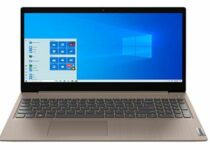
Lenovo IdeaPad 3

  • Intel 10th Gen Dual-Core i3-1005G1 processor
  • 8GB DDR4 RAM plus 256GB PCI-e SSD
  • Integrated webcam
  • 15.6-inch touch screen
  • No dedicated graphics

Last, but certainly not least, this Lenovo-manufactured model is here to redefine your concept of performance for a super-friendly cost, right under $500.

With an Intel Core i3-1005G1 processor and hybrid 256GB SSD plus 8GB of system memory, this laptop is synonymous with multitasking done right and fast.

Of course, the CPU alone cannot work magic which is why you get even more control and a serious productivity boost thanks to the LED-backlit, touch-screen, and the built-in HD webcam with microphone.


[wl_navigator]

5 Cyber Monday Deals for Respawn Gaming Chairs [100 – 900]

The gaming chair becomes a very important item when you spend many hours at the computer, focused on winning the game.

Respawn is an American video game development studio, famous for its top-quality PC and console gaming furniture.

We checked out some of the most popular and highly recommended Respawn gaming chairs deals for Christmas. Make sure you take a look at our list and pick out the best one for your needs.

What are the best Respawn gaming chairs deals?

RESPAWN 200

  • Gamified seating
  • 4D adjustability
  • Ergonomic comfort
  • Professional grade
  • The instructions are not clear

The RESPAWN 200 mesh back gaming chair is both durable and comfortable, and it’s suitable for those games that keep you at the computer for many hours.

It has a bonded leather seat, and it features tilt tension adjustment to control the speed of the 130-degree recline.

You can adjust the lumbar support up and down to position it for increased comfort. The armrests are height adjustable and the seat can hold up to 275 lb.


RESPAWN RSP-100-WHT

  • 130 degree reclining control
  • 2D armrests
  • Ergonomic steel tube frame construction
  • Adjustable lumbar
  • The piston doesn’t allow for greater elevation

The RESPAWN 100 in white color allows you to stay comfortable and focused with its tilt and lift controls beneath the chair, and 2D armrest controls.

You can find the perfect angle thanks to the 130-degree tilt recline, and the attached adjustable head and lumbar pillows can be positioned for your needs and comfort.

This great gaming chair is made of bonded leather for a maximum capacity of 275 lb. Moreover, note that you are about to enjoy a RESPAWN limited lifetime warranty.


RESPAWN SKULL TROOPER-01

  • High back with segmented padding
  • Robust lumbar support
  • 4D adjustability
  • 360 degree swivel rotation
  • Poor instructions and fittings

The Fortnite SKULL TROOPER-01 gaming chair was designed for intense gaming sessions or long workdays.

It features contoured segmented padding, a high back, integrated headrest, and lumbar support, to provide increased comfort.

Additional features include seat height adjustment, tilt lock/tilt tension control, and 360 degree swivel. This great gaming chair has a maximum capacity of 275 lb.


  • 130 degree back recline with 3 position tilt lock
  • Height adjustable armrests
  • Innovative mesh back
  • Ergonomic steel tube frame
  • Both headrest and lumbar pillows needed for comfort, not only one

The RESPAWN 205 in green color will keep you cool thanks to its improving air circulation and airflow. This great gaming chair has ergonomically minded features like the 130-degree tilt and 2D armrests so that you can adjust it to fit your needs.

The bonded leather seat offers support and comfort, not to mention that it holds up to 275 lb. The adjustable head and lumbar pillows offer you extra comfort for your gaming sessions.

It is also worth mentioning that you benefit from RESPAWN’s limited lifetime warranty.


RESPAWN OMEGA-02

  • Extendable footrest
  • Padded armrests
  • High back with segmented padding
  • 55-degree tilt
  • Chair arms need constantly to be tightened

The Fortnite Omega-02 gaming chair delivers good feet comfort with its ergonomic extendable footrest.

The chair tilt and lift levers are located on the right, beneath the chair, and the fixed armrests are padded for elbow relief.

This gaming chair also features a 155-degree tilt with an infinite angle lock. Now you can relax your feet with the built-in extendable footrest and a 275 lb weight capacity.

Even more, keep in mind that RESPAWN is an award-nominated brand that offers you a limited lifetime warranty.


A proper gaming chair not only provides you with a better focus on the gameplay, and therefore it influences your game victory, but it also influences your body position.

Have you settled on the best Respawn gaming chair for yourself? Which one would you buy from our list? Leave your choice in the comments section below.

Best Virtualshield Vpn Deals 55% Off!

VPN efficiency has been intensely argued, especially when privacy and security were involved.

The general consensus was that, if used correctly, a VPN could increase your online privacy and boost your connection’s security without great efforts.

Unfortunately, premium VPN subscription plans aren’t exactly affordable for everyone. Especially not the monthly plans, which are usually excluded from deals, offers, and promotions.

The good news is that worldwide events such as Black Friday mean that many VPN services like VirtualShield VPN, can showcase generous offers in an attempt to increase their popularity and customer base.

Without further ado, let’s take a look at VirtualShield’s top deals and offers for privacy-concerned individuals in 2021.

What are the best VirtualShield VPN discounts?

Protect Myself plans (up to 3 devices):

  • 24 Months (Save 55%) – $263.76 $119.76 billed every 24 months ($4.99/month)
  • 12 Months (Save 45%) – $131.88 $71.88 billed every 12 months ($5.99/month)
  • 1 Month (Save 0%) – $10.99 billed every month

Protect My Family Plans (up to 15 devices):

  • 24 Months (Save 50%) – $719.76 $359.76 billed every 24 months ($14.99/month)
  • 12 Months (Save 45%) – $359.88 $215.88 billed every 12 months ($17.99/month)
  • 1 Month (Save 0%) – $29.99 billed every month

If you’re not interested in using a VPN on more than just a couple of devices, you can safely pass on the family plan.

VirtualShield

VirtualShield

Have you been waiting for the perfect VPN subscription deal? VirtualShield has some great offers that are worth checking out.
55% OFF! Buy it now!

However, if you’re concerned about your family’s online privacy and safety, VirtualShield offers some sweet deals.

According to the pricing page, the family plan is designed for 2-5 person households.

Why choose VirtualShield?

If you’re looking for a great security/privacy VPN combo, VirtualShield is a great choice, especially given its strict zero-logging policy.

On the other hand, all respectable VPN services offer zero-logging, so why stick with VirtualShield?

Here are VirtualShield’s key features:

  • Zero-logging policy
  • 256-bit AES encryption
  • PPTP, UDP, TCP protocols supported
  • Always-on VPN
  • IPv4, IPv6, DNS, WebRTC leak protection
  • Unblocks Netflix, Hulu, Disney+, BBC iPlayer
  • App Guard
  • Servers in 10 different regions
  • Unlimited bandwidth
  • No server switch limitation
  • Works on Windows, Linux, Mac, iOS, Android, Chrome, and Firefox
  • Free 30-day trial

We believe we’ve managed to capture every important aspect of VirtualShield VPN in the list above.

However, if you’d like a more extensive analysis, we suggest you give a read to our in-depth VirtualShield VPN review.


All things considered, VirtualShield VPN is a good VPN service that has a series of generous offers.

If you’re looking for a VPN service that can keep your privacy safe and don’t want to spend a fortune, VirtualShield might be just what you need.

AMD Ryzen 9 Deals on Cyber Monday [3900x, 3950x]

AMD Ryzen 9 CPUs are well sought for their overclocking capabilities. And we’re mentioning overclocking, it’s obvious that we’re talking about gaming.

For those who are not aware, AMD Ryzen 9 CPUs rival Intel’s Core i7 processors in performance and also in prices. And speaking of prices, here are the top deals for Ryzen 9 CPUs.

What are the top deals for AMD Ryzen 9 CPUs?

  • 16-cores, 32-threads
  • 100+ FPS performance in latest games
  • 4.7 GHz max boost, unlocked for overclocking
  • CMOS-TSMC 7 nanometer Finfet
  • No cooler included

Ryzen 9 3950X is a top-of-the-line CPU for AMD and it’s ready for overclocking for the ones who are eager to take things to the limit. However, before kicking it to the max, make sure you get a liquid cooler with 280 millimeters or a larger radiator.

This CPU beast has a total of 72 MB of game cache, DDR-3200 support, and can support PCIe 4.0 on x570 motherboards. With 16 cores and 32 processing threads, Ryzen 9 3950X will make you happy in any top workstation.


  • 12-cores and 24 threads
  • 4.7 GHz Max Boost, unlocked for overclocking
  • can support PCIe 4.0 on X570 and B550 motherboards
  • 105 watts power
  • Can be confused with Ryzen 9 3950X

AMD Ryzen 9 3900XT can be the best choice if you’re building a powerful gaming PC. It has 12 cores, 24 threads and can go as high as 4.7 GHz with Max Boost overclocking.

It’s perfect to install on X570 and B550 motherboards for the PCIe 4.0 support. The cooler is not included in the box so if you’re planning on overclocking it, you should get a good water cooling solution.


  • Wraith Prism LED Cooler included
  • 12 cores, 24 threads
  • 4.6 GHz max boost, unlocked for overclocking
  • DDR 3200 memory support
  • The provided cooler is not so great for overclocking

AMD’s Ryzen 9 3900X is probably the best price/ performance choice if you’re going for a 9 series CPU and you can still build a pretty powerful gaming PC around it.

It has 12 cores, 24 threads and it comes with a Wraith Prism LED Cooler in the box so at least theoretically, you won’t need to spend more money on another cooler but if you’re keen on overclocking, you should think about investing in a more expensive cooling solution.


This was our listy with the best deals on AMD Ryzen 9 CPUs for any budget and features. If you’ve decided on one of them, let us know in a comment below.

9 best waterproof wireless speakers to buy

The evolution of speaker technology has marked an era in history that will never fade from our memories. Gone are the days when speakers were sensitive to anything, from movement to water and the wind. Today, we have a new crop of waterproof wireless speakers that performs way beyond our wildest imaginations. These speakers strike a good balance between price and features while checking all the boxes with respect to sound, portability, use, and aesthetics.

Speaking of use, their portability and compact nature make them useful in all kinds of environments. You can use a waterproof wireless speaker to listen to music by the pool. You can carry them along in the shower or take calls on speaker phone. Outdoor enthusiasts carry them on their camping expeditions to make camping more lively. Even if you don’t plan to carry them out, you can use them with your Windows 10 PC and get the best audio experience.

The crème of the latest models of waterproof wireless speakers are innovatively designed with stunning looks and great sound. Many of the latest models are rated IPX7 which means they can not only handle splashes and smashes but also be submerged in water for up to 30 minutes. That is revolutionary. In this article, we will highlight 10 of the best waterproof wireless speakers that you should buy.

Read also: The 7 best gaming headsets for Windows 10

Top 9 best waterproof wireless speakers

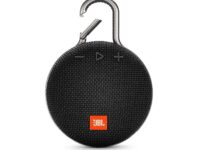
JBL CLIP 3 Waterproof Portable Bluetooth Speaker Black

  • It's waterproof
  • Comes with Bluetooth speaker
  • High-quality sound
  • On full volume, the sound has a hard bass

The JBL CLIP 3 – Waterproof Portable Bluetooth Speaker rocks the outdoors with a shockproof rubber exterior and a waterproof rating, which means you can drop it in water or roll it down a cliff and it won’t wear.

Separate indoor and outdoor modes let you get the most out of the speaker volume. The outdoor mode provides long-range audio while the indoor mode creates rich sound with deep bass that fills the house.

COMISO Waterproof Bluetooth Speakers

  • Long battery life
  • Has Bluetooth and portable speaker
  • Crystal clear sound
  • Not 100% waterproof

The COMISO Waterproof Bluetooth Speakers is all about elegance and power. The premium 400mAh Li-ion battery can keep you entertained for up to 20 hours of continuous playback.

Its universal compatibility allows it to pair with all Bluetooth-enabled devices, including smartphones, iPods, MP3, MP4, and more. The company also claims that it has low power consumption as it doesn’t require any power at all to function.

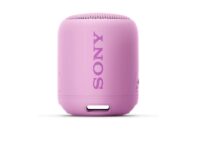
Sony SRS-XB12 Mini Bluetooth Speaker

  • Fantastic sound with extra bass
  • Waterproof and dustproof
  • Mini Bluetooth speaker
  • In the open it looses some of the sounds quality

Innovatively designed and available in eye-catching colors, the Sony SRS-XB12 Mini Bluetooth Speaker delivers crystal clear 360 degrees sound. 

With Google Now and Siri integration, you just have to say it and the Sony will listen and play. The 15 hours battery life is generous and should keep the charge for a day depending on the use.

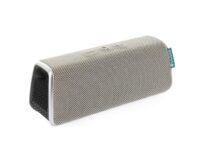
Fugoo Style

  • Durable and fantastic design
  • Comes with the highest incursion protection rating of IP67
  • Sand proof, snow proof, and waterproof
  • Speaker does not fit in the provided cable pouch

With 40 hours of continuous battery life, the Fugoo Style battery is superior; suffice it to say it’s the best in the market to date. This should carry enough juice to take you through a day and a half and consumers have seen it last longer than that.

The 95db speaker pushes out excellent bass and treble tones. The speaker system consists of 2 woofers, 2 tweeters, and 2 active radiators with 4 active drivers. These produce a 360 degrees sound that ensures you listen to music the way it was intended to be.

SoundBot SB510 Bluetooth Speaker

  • Comes in a multitude of colors
  • Loudspeaker
  • Up to 6 hours of music playback
  • At full volume, the sound is a bit distorted

If you are looking for an incredibly discounted waterproof wireless speaker that has a great sound and stunning looks, then the SoundBot SB510 Bluetooth speaker should scratch that itch. The speaker is available in a dozen colors so it’s easy to find the one that matches your house décor and style. It comes with a unique loudspeaker cavity specifically designed to deliver premium acoustic sound with full-spectrum coverage.

The SoundBot SB510 features a universal Bluetooth compatibility technology that is forward/backward compatible with all Bluetooth-enabled devices such as smartphones, tablets, laptops, desktops, Mac, MP3 players and more. Its’ waterproof and splash-proof features make it suitable for everyday indoor and outdoor activities. The SB10 offers enough controls and up to 6 hours of music playback on a single charge which is fairly good for its price.

UE ROLL 2 Volcano Wireless Portable Bluetooth Speaker

Joining the rare class of IPX7 waterproof wireless speakers is the UE Roll 2 speaker. The UI Roll 2 can be submerged in water up to 1m in depth for up to 30 minutes with no corollary sound distortions. At a weight of 330g, it’s lighter than a can of soda.

The ergonomically designed Bluetooth speaker is available in different color schemes and delivers quite a punch for an ultra-compact speaker. Its wireless capabilities enable it to pair up to 8 Bluetooth-enabled devices up to a range of 65 feet (20 meters). When fully charged, it can power through 9 hours of continuous playback.

UE Megaboom

The highly adulated UE Megaboom speaker is waterproof, dustproof, and impact-proof which means it can survive in any environment. Just as the name suggests, the speaker delivers pure sound with all the ‘boom’, oomph, and warm articulated sound even in low volumes.

And the good thing—you can pair it with another UE speaker to create rich and deep sounds. There is an Android and an iOS app that you can download and use your phone as the equalizer. A single charge can last up to 20 hours and has a high Bluetooth range of 100 feet.

⇒ Check price now

JBL Charge 3

As one of the top-rated waterproof wireless speakers on Amazon, the JBL Charge 3 speaker has a lot to offer including powerful sound and a 6000mAh power bank.

You can wirelessly connect up to 3 smartphones or tablets at a time and enjoy a powerful distortion-free stereo sound. The IPX7 rating protects the speaker from splashes while ensuring the speaker’s performance is stellar even when submerged in water.

A single charge can blast tunes for up to 20 hours and the Li-ion battery can also be used as a power bank should your phone’s battery run out.

⇒ Check price now

Nyne Aqua

Hailed as the best speaker for use in a pool, the Nyne Aqua Bluetooth speaker can float on water so you and fish can enjoy some tunes when swimming. The IPX7 rating keeps it watertight up to a depth of 3 feet.

In addition to the waterproofing features, the Nyne Aqua is also dustproof and shock-resistant. And if you prefer to use it in the shower, the Nyne Aqua comes with a hanging strap so you can extend the fun and at the same time answer your calls using the inbuilt microphone. The rechargeable battery can blast tunes for up to 10 hours on a single charge.

⇒ Check price now

Altec Lansing iMW575 Life Jacket

The Altec Lansing iMW575 Bluetooth speaker kicks out high-resolution audio and comes with Voice Confirmation features and a microphone for hands-free communication. The IPX67 waterproof rating ensures the speaker is completely waterproof and shockproof. This portable speaker comes with powerful 2.5-inches drivers that deliver rich sound and a powerful battery that can keep the party going for up to 16 hours on a single charge. It works with all Bluetooth and NFC supported devices.

⇒Check price now

This specific deal is part of our bigger selection of the speaker deals you can find. You might also want to check out our dedicated Black Friday hub for tech deals.

5 Best Bluetooth keyboards with trackpad for iPad

Apple’s transition from using iOS for iPad to creating a new iPad OS has made it possible for the the popular large-screen device to be compared with laptops.Whether you want to use your iPad as a laptop replacement or not, the added mouse support does make the device convenient to use.

To make use of the new feature, Apple introduced its Magic Keyboard with a trackpad for iPad Pro. While it does most of the things right, it is expensive like everything Apple. This is where the third-party Bluetooth keyboards with a trackpad for iPad presents their case.

There are plenty of Bluetooth keyboards with trackpad to choose from for your iPad. We have listed some of the best Bluetooth keyboards with a trackpad for iPad below.

What are the best Bluetooth keyboard with trackpad for iPad?


Logitech K600

  • Excellent trackpad
  • Good wireless range
  • Supports older iPad
  • Keys are not backlit

The Logitech K600 is the best alternative to Apple’s Magic Keyboard and offers almost everything for less than half of its price. It features a full keyboard layout and a trackpad of the right size.

Logitech Combo Touch features a full-fledged trackpad with a physical right and left click button. There is a media volume increase, decrease, and a mute button as well.

This thin and lightweight keyboard features chiclet-style keys that sit closely together and but do not feel cramped during use.


Logitech K830

  • Backlit keyboard and trackpad support
  • Well built case
  • Easy to put on and take off
  • Pen holder
  • Average quality keyboard keys

The Logitech K830 is an affordable backlit keyboard that supports 10.2 8th gen and 7th gen iPads. This is a full-sized keyboard with a built-in touchpad that’s ample enough considering the form factor.

The touchpad features three hotkeys for volume control. Although low profile keys, Logitech K830 offers a good typing experience. The backlit keys can adjust the backlight for the keys depending on the room’s lighting conditions.

Logitech K830 connects via Bluetooth and comes with a 10-meter range offering enough range to operate it from your couch.


Jelly Comb Dual

  • Good build quality and design
  • Foldable structure for greater portability
  • Precise trackpad with gesture support
  • Bluetooth connectivity
  • Charges using Mini USB cable

The Jelly Combo Wireless Keyboard is an affordable Bluetooth keyboard with a trackpad for iPad 8, iPad 7, and iPad Pro. The foldable design of the keyboard makes it an ideal portable keyboard that you can fit in your backpack.

Jelly Combo Wireless Keyboard features a relatively large touchpad for the form factor that offers all the conventional features of a trackpad including double-tap, hold and drag a file.

The keyboard keys are small but do not feel cramped when typing. Although, the key travel is limited due to their low profile nature.


iClever BK08

  • Good build quality and design
  • Well-spaced keyboard
  • Excellent trackpad with gesture support
  • Keys are not backlit

The iClever BK08 supports 4th and 3rd Gen iPad Pro 12.9. It comes with the latest Bluetooth 5.1 support and a sensitive touchpad with dedicated volume control buttons.

iClever Folding Keyboard allows connection up to 3 Bluetooth devices at the same time. You can switch among different devices easily with a single tap on the function key.


Fintie Ultrathin

  • Comfortable typing with scissor keys
  • Good multi-touch trackpad
  • Long-range Bluetooth connectivity
  • Keylock does not function

The Fintie Wireless Keyboard is an ultrathin 4mm wireless Bluetooth keyboard that works with Bluetooth supported devices including iPad and iPhone.

The built-in touchpad comes with all the conventional trackpad features. It sticks magnetically to the back of your iPad case, converting your iPad into a laptop.


With its deep mouse and trackpad integration, Apple has made the iPad a laptop replacement for many. However, the Magic Keyboard for iPad is an expensive accessory, that may not be worth it for everyone.

We have listed a few affordable Bluetooth keyboards that offer similar functionalities as the Apple Magic Keyboard but for a fraction of the cost.

Highlights

[wl_navigator]

5 best TV headphones for hearing impaired

Granted, not a lot of people watch TV with headphones on, but hearing-impaired users often rely on this type of devices, so here are 5 of the best hearing assistance headphones fit for watching TV that you can purchase.

Whether it’s SIMOLIO SM-8245, TV Ears Analog Dual 70443 or SIMOLIO SM-823D that you set your eyes on, they are all great choices for hearing-impaired customers who want to enjoy watching (and hearing) TV in a comfortable manner.
Note: Deals are subject to change. Keep in mind that the price tag often varies. We recommend going on the vendor’s website to check the price. Some of the products may be out of stock by the time you’ve made your purchasing decision. So, hurry up and hit the buy button.

Top deals on TV headphones for hearing impaired

SIMOLIO 2.4G Wireless TV Speakers System

  • Can be used for TV headphones across the room
  • Wireless speaker system
  • Great for seniors
  • You have to turn it on every time you power up the TV

SIMOLIO 2.4G Wireless TV Speakers System is equally suitable for watching TV and is designed to work with digital audio outputs as well as analog ones.

It comes with the same no delay, no interruptions, tone tuning features that its analog version encompasses, but it has a larger compatibility spectrum (it also works with Optical Out ports on TVs).


TV Ears Original

  • Affordable price
  • Lightweight, comfortable design
  • 4-6 hours of use in-between charges
  • No Bluetooth

TV Ears Original is a pair of headphones designed to help hearing-impaired users enjoy watching and hearing the TV in a comfortable, hassle-free manner.

Although there are several versions of the TV Ears product, this one was specifically designed to work with Analog television sets that are equipped with 3.5mm or RCA Audio Outports.

The device comes with separate controls so that TV Ears Original can be set to a chosen level while the TV set is set to a whole different volume or muted.


SIMOLIO SM-823

  • Lightweight, comfortable design
  • TONE function lets you fine-tune the sound to your needs
  • No delay or interruptions reported
  • Some users reported faulty charging docks

SIMOLIO SM-823 is a pair of headphones that was specifically designed with hearing-impaired users in mind, as it can help them a great deal to watch TV and hear the audio output of this device in a more accessible manner.

The SIMOLIO SM-823 hearing assistance headphones only work with TVs that are equipped with 3.5mm or RCA Audio Outputs and encompass tone customization controls, for better tuning to one’s sound frequency sensitivities.


TV Ears Analog Dual Original

  • The product comes in pairs
  • Lightweight, comfortable design
  • 4-6 hours of use in-between charges
  • Some customers complain about bad connectivity if the device doesn’t face the transmitter directly

TV Ears Analog Dual Original is actually the same TV Ears Original hearing assistance headphones product, but it comes in pairs, so you can save a spare for anyone else who might need this type of device.

The TV and headset volume levels function independently from one another, so you can have the TV set to a certain volume or mute, and the headphones working at a different sound level. These headphones only work with analog TV connections.


SIMOLIO SM-8245

  • Lightweight, comfortable design
  • TONE function lets you fine-tune the sound to your needs
  • No delay or interruptions reported
  • Works with Optical Out ports
  • Some users reported sound channels becoming unusable

SIMOLIO SM-8245 comprises two different headsets, both digital, that are specially designed for hearing-impaired users to wear while watching TV for an enjoyable overall experience.

Both devices included in the pack work with either analog or digital connections, come with TONE fine-tuning for the sound that they generate, and provide users with their “no delay, no interruptions” FHSS technology.


Hearing assistance headphones can make a huge difference for hearing-impaired users that are just trying to watch TV and hear everything that’s happening on the screen at the same time without straining themselves too hard.

In this situation, products such as SIMOLIO SM-8245, SIMOLIO SM-823D, and TV Ears Analog Dual Original can all be great choices, as they were designed specifically for this situation: helping hearing-impaired users watch and hear the TV in an easier way.


[wl_navigator]

6 best cheap portable Bluetooth speakers

Are you looking for the cheapest portable speakers for yourself, or to gift a loved one or even your office mates over the holiday season?

Whatever your reasons, we did the hard work of selecting the best picks for the cheapest portable speakers.

Besides, every music lover has three gadgets that they cannot do without when it comes to enjoying their favorite tunes on the go: a media-playing device, earphones or headset, and a portable speaker.

Choosing a portable speaker is almost the same as an ordinary one, except you need to check for it’s portability, plus other features such as size, weight, sound, battery capacity, color (if need be), warranty, susceptibility to water and dust among other elements, as well as the price.

Here are our top picks for the cheapest portable speakers you can get on right now.

What’s the cheapest portable speaker on the market?

NBY portable speaker

  • Up to 7-8 hours of playtime
  • Equipped with FM Radio, TF Slot, MP3 Player function
  • 3W dual acoustic drivers
  • Radio reception issues

This is one of the top quality yet cheapest portable speakers in the market that’s perfect for your music listening pleasure. It comes with dual acoustic drivers, two-channel enhanced super bass module so you can enjoy a strong bass sound even at the highest volume levels, which you can raise from the speaker without using your phone.

The package comes to a micro USB cable which is used to recharge the speaker, plus, its built-in 1200mAh battery guarantees up to 8 hours of playtime so you can listen to it while you work during the day or night. If you want to catch up with news updates, this speaker comes equipped with FM radio, plus you get an mp3 player function and TF slot on top of that. Cool right?

What’s more, you can answer calls from your phone from its built-in microphone with one simple key! This speaker supports most top smartphone brands, laptops, PCs, media players, and Bluetooth-enabled gadgets. You can go with it anywhere you want, and it will not disappoint.


DOSS TOUCH portable speaker

  • 20hrs playtime
  • 12W HD sound and bass
  • Touch controls
  • Bluetooth connectivity issues

If you’re thinking of getting yourself one of the top quality but cheapest portable speakers or you want to gift a loved one or employees, this sleek, metallic design portable speaker comes in black, blue, red, and white colors. This means you can pick your favorite among these colors, or get a different color for each person on your holiday gifting list.

Besides aesthetics, this speaker comes loaded with amazing features that will blow your mind. Firstly, the capacitive touch control feature lets you control the mood and energy of a party at your fingertips. So you can play, pause, skip or add volume to the desired level with a simple touch.

You can also answer phone calls by the way. It also has Bluetooth 4.0 technology, superior 12W full-bodied stereo sound quality, plus a rechargeable 2200mAh built-in battery that lets you enjoy your favorite tunes for up to 12 hours.

You can also charge the battery for up to 4 hours using the micro USB cable that comes with it.


ANKER SOUNDCORE2 portable speaker

  • 24 hours playtime
  • IPX7 waterproof
  • User-friendly design
  • Turns itself off when the battery is low until further charging

Besides being gorgeous from the outside, the inside will totally wow you! This portable speaker comes with a huge bass, upgraded audio clarity, and incredible battery life of up to 24 hours, with 500 song playtime so you can listen for hours on end.

It is also water and dust resistant so you can also listen to it from your shower, as you swim or at the beach. It also comes with an 18-month worry-free warranty plus friendly and available customer service so you needn’t be worried about getting support when you really need it.


OontZ Angle 3 portable speaker

  • Cambridge SoundWorks speakers
  • 100ft wireless range
  • 10+ watt volume booster
  • Flimsy USB port

OontZ Angle 3 is an interesting portable speaker that’s also splashproof. This means that you can use it to listen to your favorite music or radio stations in high humidity environments (in the kitchen or bathroom) without any problems.
The speaker comes in three colors: black, blue and red. The model listed in this guide features enhanced stereo for greater clarity stereo sound.

There is also enhanced bass output thanks to the built-in passive bass radiator this enhancing the sound quality of the music as well as vocals.This tiny speaker can play your favorite tracks really loud but, rest assured, there is no distortion.

You can pair this portable speaker with any device, including iPhones, iPads, Echo Dot, Windows laptops, even your gaming console.


Dodocool wireless speaker

  • Ultra small size, weight is 3 ounces
  • 3W speaker driver
  • Up to 4 hours playing time
  • Short shelf life

The main advantage of this portable speaker is its size: 21.9 x 21.9 x 21.9 inches so it will perfectly fit your pockets.

It comes with a single all-in-one button that you can use to adjust volume asnwer calls, take a selfie.

Other notable specs include 33ft wireless range connectivity, built-in mic, and 4 hours of nonstop playtime.


VTIN R4 portable Bluetooth speaker

  • IPX5 waterproof
  • TF card support
  • 12W 40mm drivers
  • Connection might drop at close range

And last on our list is this  lightweight and compact VTIN speaker which is perfect to use outdoors given the waterproof design and long battery life of 24 hours, when used at 70% volume.

It needs only 2 hours to fully recharge and it also supports charging while in use.

Thanks to the Bluetooth 5.0 technology, it easily connects to your device and offers a clear sound with minimal distortion rate.


So, have you found your favorite pick among these cheapest portable speakers? Let us know which one you like and why in the comments section below.

Microsoft Planner tasks will soon surface relevant files to add as attachments

Microsoft Planner is about to get a “File recommendations” feature that will let users choose recommended files to add as attachments to their tasks. The update will start rolling out in early January 2021, as noted in the most recent update to the company’s roadmap.

If you have been using Microsoft Planner, then you probably know that Planner allows you to attach various links, images, and other kinds of files to your tasks. Currently, users need to attach their files manually, but hopefully, this will change very soon.

With this new feature, Microsoft Planner will suggest an intelligently curated list of relevant files, allowing users to add attachments to their tasks quickly. The company detailed that the feature will take into account the task itself as well as the specific user to provide these recommendations.

With online collaboration tools such as Microsoft Planner becoming more important than ever in the ongoing pandemic, and the addition of intelligent file recommendations will likely help users be more productive at work. Do you think that this feature will make it easier to stay organized and focused? Sound off in the comments section below.

Microsoft in the classroom: How to get the most out of Teams and help boost engagement

With the COVID-19 pandemic still raging on, schools are once again (or in some cases still) depending on remote learning. When compared to traditional learning, there are obvious downsides to it, and one of these is student engagement. Sometimes, students might not really feel as immersed with the content you’re sharing, but Teams can help out. Here’s a look at how you can boost your engagement within Teams.

Tip 1: Use insights in Teams

Insights1
Image via Microsoft

Part of the problem with remote learning is that you’re not always able to “see” your student’s reactions to your lectures during specific classes. Sometimes, some classes could be more “fun,” or more engaging than others. Usually, you can do this by judging the room, or the language of students in real life, or the attendance of a class. Well, did you know that Teams makes that easy for you virtually with the Insights app?

To use Insights in Teams, you just need to add the app to Teams by clicking here. Then, when in Teams, click the . . . more menu and choose insights. Once added, you can pin the app, and click it to open it. You’ll be able to see some statistics for each of your classes. These include inactive students, active students per day, meeting absentees, and how many missed assignments there were in a specific class. There even will be some specific insights about how a class is doing. You’ll be able to see things like student activity, grades, meetings, communications, missed submissions, too. As a teacher, this will all help you find which class needs more of your attention.

Tip 2: Dive deeper into student behavior

Insights2
Image via Microsoft

Another problem with remote learning is that you’re not able to see a student’s behavior during classes. In real learning, you can tell who shows up early, who shows up late, who is on time, and who is working on a specific assignment at any time. Well, Teams can help with that, too.

As part of the previously mentioned Teams insights, you can check out the spotlight cards. These cards can show classroom activities that you might have otherwise missed. You’ll be able to peek at student behavior. For instance, you can see how many students were absent on a given week for a meeting, and if a student is working earlier or later than usual. You can even thumbs up the card to see more of those, or hover over the bold text or number to see more student’s name. There’s even a feature that lets you see the filtered digital activity report, for that behavior, too.

Tip 3: Check out student activity and class behaviors

Insights5
Image via Microsoft

Third on our list are some obvious issues of concern. As a teacher, you’ll likely want to see your student’s overall activity and class behaviors. This helps you decide how to plan your lessons, and how to adapt the curriculum to fit student needs. Well, again, thanks to insights, Teams is here to help.

First off, you can see how a student is using Teams for their classes or courses by clicking on a classes’ inactive students from the left-hand rail in the insights app. You also can click track student activity from the main page, too, as well. This will take you to the digital activity view. Where you can see how a student opened a file, how many posts they made, and how many reactions they gave.

In addition, you can also dive deeper into your class’s overall behavior, too. This is known as synchronous behavior. To do this, visit the Insights Tab, and then go to the Digital Activity report. Then, click All Activities and then Meetings. From there, you can select a specific student or a time frame. Just hover over the bars to see a peek at the student behavior. Microsoft color-coded things for you. If you see a red bar, that student missed a meeting. If you see a red dot next to the name, meanwhile, that means they were not active during the time of the meeting.

Other tips!

These are just some tips on how you can get the most out of Teams and help boost your engagement in the online classroom. Of course, there are many other ways, too. You can try using Together Mode, which puts your students in a virtual auditorium, and you can also check out the Microsoft Educator Center for more, too. Microsoft has lots of tools, and is here to help!

Microsoft Edge Canary gets a new Smart Copy option

Earlier this year, Microsoft announced that it’s working on a new Smart copy feature for its Edge browser. Sumit, a Windows Insider MVP, spotted the new option today on one of his PCs running the latest Canary build 88.0.705.0, and apparently, the feature is gradually rolling out to everyone.

If you have ever tried to copy a table from a website and paste it into Microsoft Word documents and emails, the result is always messy. One enabled, this feature will help ensure that the pasted table retains its original formatting. This applies to text, tables as well as images available on the website.

The Smart copy experience could be a handy feature for people who find it harder to copy and paste web content such as tables and images. As of this writing, the Smart copy option is still grayed out in the context menu, but the shortcut CTRL + Shift + X works without any problem. But it is important to note that the feature doesn’t support PWAs.

Did you also notice the new Smart copy option on your Windows 10 PCs? Let us know in the comments below.

Best modems compatible with Time Warner Cable

If you’re on a Time Warner Cable, and you’re not happy with the one that came with the service, it’s understandable that you would like a better and faster one.

It’s pretty hard to decide on the right modem but we’ve prepared a list with the best deals so you can be llimit your search.


What are the best modems for Time Warner Cable?

  • Built-in AC1900 Dual Band Wi-Fi gigabit router
  • 1000 Mbps speed
  • Power boost Wi-Fi amplifiers
  • Firewall security
  • Compact design
  • Pretty expensive

Motorola MG7700 is not just a modem because it also has a AC1900 Dual Band Wi-Fi gigabit router inside. That means that if your plan allows it, this device will provide up to a 1000 Mbps connection via cable or Wi-Fi.

More than that, MG7700 is small and comes with its own firewall. It’s also protected against lightning and power surges so you will be absolutely safe from any dirrection.


  • 8 download channels and 4 upload channels
  • Up to 343 Mbps download and 131 Mbps upload speeds
  • 2 year warranty with US based customer service
  • DOCSIS 3.0 technology
  • No Wi-Fi router

If your data plan is limited to 100 Mbps a higher speed modem will not be able to increase the speed. If so, ARRIS SURFboard SB6141 would be perfect for you. It has 8 download channels and 4 upload channels and can go up to 343 Mbps for download and 131 Mbps for upload.

On the downsides, it only offers one Ethernet connection for a router and doesn’t have a Wi-Fi connection.


  • Intel Puma 6 chipset
  • Easy plug and play setup
  • 24 download and 8 upload bonded channels
  • DOCSIS 3.0 standard
  • No Wi-Fi functionality

With high-speed, stable Internet connectivity, the Linksys CM3024 cable modem is designed to work with broadband subscription plans of 250 Mbps and up.

It has a very simple plug-and-play setup that makes it easy to switch from your old modem in no time. 24 download and 8 upload bonded channels are translated by Internet without hassle for the whole family.


  • Built-in Wi-Fi router
  • 2.4 GHz (up to 450Mbps) and 5GHz (up to 1300Mbps) bands
  • 16 downstream and 4 upstream channels
  • 6 internal antenas
  • Not very easy to configure

TP-Link is a long time player in the router and modem business and Archer CR700 is not an exception. It is a dual-band 2.4 GHz and 5 GHz router and modem that works perfectly with any provider, not only with Time Warner Cable,

The latest Docsis 3.0 modem Protocol and the 802.11ac Wi-Fi technology ensures both cable download speeds of up to 680 Mbps and bigabit Wi-Fi speeds.


TP-Link TC-W7960

  • Up to 343 Mbps download and 143 Mbps upload speeds
  • 8 downstream and 4 upstream channels
  • 2-year warranty
  • Sleek and compact design
  • Some users reported dropped connections

if you have a data plan of up to 150 Mbps, then TP-Link’s TC-W7960 can be the perfect choice for you. It’s a 2-in-1 device so it works as both a cable modem and a router so you won’t need an additional device at least if you live in an apartment.

The modem trouter comes with 8 downstream and 4 upstream channels for speeds of up to 343 Mbps for download and 143 Mbps for upload. It’s very compact so you will definitely find a nice space for it.


This is our list with the best cable modems compatible with Time Warner Cable. If you have any additions or suggestions, leave us a comment on the dedicated section below.

[wl_navigator]


5 Best Printers With Feeder Scanner [2026 Guide]

A good printer helps streamline all printing processes for your small office or home, or if you are just preparing your work for an important presentation with your superiors.

Nothing helps you more than a fast printer with the feeder scanner function to increase efficiency. You can stay productive and save valuable time with some useful functions like multi-page copy, scan and fax.

Here are our top picks for the best printers with feeder scanner you can use to breeze through scan and copy your jobs quickly.


What are the best printers with feeder scanner deals?

HP Laserjet Pro M428fdn

  • Print, copy, scan, fax
  • Print speed letter: Up to 40 ppm (black)
  • Auto duplex printing
  • Best-in-class security-detect and stop attacks
  • Difficult Setup

With HP LaserJet Pro M428fdn you can easily print, scan, and copy professional-quality prints. This printer is ideal for 1–3 users, printing less than 2,000 pages per month.

Thanks to its 35-sheet automatic document feeder you can now quickly copy or scan black and white documents, and save precious time with print speeds up to 30 ppm.

You only have to connect your smartphone directly to your printer, and print black and white documents with or without a network signal.


HP OfficeJet Pro 9025

  • Extra paper tray
  • Mobile printing
  • Automatic two-sided printing, copying and scanning
  • Slide-off glass
  • Small LCD screen

The HP OfficeJet Pro 9025 All-in-One is an amazing inkjet printer that scans faster than the previous HP series and offers two 250-sheet full-ream paper trays for high-volume tasks.

You can now increase productivity and save your time thanks to its smart tasks feature and the easy slide-off glass.

The self-healing WI-FI feature helps you to stay connected and reduce interruptions, by detecting issues and automatically undergoing of reconnection.


Brother MFCL2750DW

  • Class-leading print speeds
  • Single pass, two-sided copying and scanning
  • Connect to the cloud directly from the printer
  • Wireless printing from mobile devices
  • Expensive toner

The Brother MFC-L2750DW monochrome laser all-in-one printer helps you to improve your office efficiency for the small or home offices.

The printer features up to 50 sheet automatic document feeder and it helps you to save time with single pass duplex (two-sided) copying and scanning. It also features multipage copying, scanning, and faxing.

It prints of up to 36 pages per minute with exceptional quality, and the NFC feature permits adding consumer convenience.


Brother MFCL2710DW

  • Automatic document feeder
  • Multi-page copy, scan and fax
  • Wireless printing from mobile devices
  • Toner Save Mode
  • Cannot print in color

The Brother MFC-L2710DW monochrome laser all-in-one printer offers you print speeds up to 32ppm with wireless networking.

Now you can be productive with its feature of up to 50-sheet automatic document feeder, and fewer refills with 250-sheet paper capacity.

You can have wireless printing from your smartphone, laptop or desktop, thanks to its versatile connection options (built-in Wi-Fi and Ethernet interfaces), or just connect locally to a single computer via its USB interface.


  • Print, scan, and copy versatility
  • Automatic two-sided printing
  • Borderless photos
  • Hands-free 35-page automatic document feeder
  • No install CD

The HP ENVY Pro 6455 Wireless All-in-One is a printer made with 20% recycled plastic.

You can now print, scan, copy versatility, and mobile fax with this amazing device made specially for your needs for 24 months using the HP Smart app.

It features also automatic two-sided printing, borderless photos, and it has a hands-free 35-page automatic document feeder.


A printer with feeder scanner can be a welcome addition to your office daily tasks, especially if you print frequently.

These are some of the best printers with feeder scanner available on the market, so be sure to get them while the discount lasts. Leave us in the comments section below your choice from our list.


[wl_navigator]

10+ best Windows 10/11 gaming laptops [Razer, Dell, Lenovo]

Gaming laptops are normally frowned upon in the PC gaming community, especially when you can build a comparable or better desktop computer at half the price. The price you pay is for the portability – is what most people forget.

If you were to buy a gaming laptop 5 years ago you would be buying a piece of machine that wasn’t really powerful enough, yet was really thick, got really hot and on top of it, all was really expensive.

Today, things have changed and technology has moved towards building smaller and more efficient chips that produce less heat and consume less power – giving direct benefits to portable machines such as laptops.

Obviously, when everyone starts making good machines, deciding which one to buy can become a hard decision. This list will try and help you with that by listing some of the best options.

What are the best Windows 10 gaming laptops?

Razer Blade Pro 17 2020

  • 10th generation Intel Core i7 processor
  • NVIDIA GeForce RTX 2080 SUPER Max-Q
  • 300Hz refresh rate
  • 16GB RAM and 512GB SSD
  • CNC Aluminum body
  • Expensive

The Razer Blade looks like any normal laptop – it is thin, light, and is made out of aluminum; what makes it different though is what is inside it.

The Blade packs an NVidia GeForce RTX 2080 SUPER Max-Q with an Intel Core i7-10875H processor – that’s powering a 17,3” display at a whopping 3840 x 2160 resolution. All that powered with 16 GB of DDR4 RAM and a 1 TB SSD for storage.

These insane specs need insane cooling, so Razer had to design a custom heat dissipation solution called Vapour-Chamber.

MSI GE75 Raider 10SGS

  • 300 Hz refresh rate
  • Intel Core i9-10980HK processor
  • NVIDIA GeForce RTX 2080 Super Max-Q 8G GDDR6 graphics card
  • Wi-Fi 6 AX1650 (2*2 ax) connectivity
  • Low battery life

The MSI GE75 Raider 10SGS might not have a name that rolls of the tongue and might not look like the sleekest thing out there, but it packs a punch in terms of what it offers.

With a 17.3 inch 1080p screen it packs an Intel Core i7-10750H processor clocked at 5 GHz with 64 GB of DDR4 RAM, meanwhile, the graphics are being pushed by an Nvidia GeForce RTX 2080 Super and the display even supports Nvidia GSync.

The keyboard is made in partnership with Steelseries, so you know you are getting the best thing possible. For cooling, you need extreme solutions so this rig has no less than 8 heat pipes to chill its inwards.

Alienware m15 R3

  • 10th gen Intel Core i7 processor
  • 16GB DDR4 RAM and 1TB SSD
  • Nvidia Geforce RTX 2070 Super 8GB GDDR6 graphics card
  • Windows 10 Home
  • It can get hot

Alienware is still a goto brand for pre-built gaming desktops and laptops but the competition caught up to them.

Alienware might not be the best choice anymore and they are definitely not the only choice but they still make great laptops.

The Alienware m15 R3 is a pretty expensive model – at $1,918 you will get a 15.6-inch 1,080p display powered by an NVIDIA GeForce RTX 2060 and an Intel Core i7 10th Gen processor with RAM options up to 16 GB.

ASUS ROG Zephyrus Duo 15

  • 48 GB 2666MHz RAM
  • 8 TB PCIe SSD
  • 10th Generation Intel Core i9 processor
  • 300 Hz refresh rate and 3 ms response time
  • Really expensive

ROG Zephyrus Duo 15 it’s the first Asus attempt at a dual-screen gaming laptop and we might say that it’s a really successful one. But brace yourselves as the top version with a 4K screen and an Intel i9 chip crosses a little over the $4K price range.

The main 15.6-inch screen with 3840 x 2160 pixels resolution is aided by a secondary, reclinable, 3840 x 1100 pixels display (hence the Duo from its name) which can be a huge help in any game.

Of course, this great machine is also powered by an NVIDIA GeForce RTX 2080 Super graphics processor and an 8GB of dedicated memory. It also has a 32 GB RAM limit and a 1 TB SSD.

Acer Predator Triton 500

  • NVIDIA GeForce RTX 2070 Super graphics card
  • NVIDIA G-SYNC Display with 300 Hz refresh rate
  • 16GB Dual-Channel DDR4 and 512GB NVMe SSD
  • Per-key RGB backlit keyboard
  • Can heat up while gaming

Acer isn’t a name you would think of when you decide to buy a gaming laptop, but they do make quite decent hardware for the price.

The Acer Predator Triton 500 comes with an Intel Core i7-10750H (up to 5.0GHz)  with 16 GB of DDR4 RAM and an NVIDIA GeForce RTX 2070 Super. 

All of that powers a 15.6-inch 1080p screen and it comes with a 512 GB SSD, and a 1 TB mechanical hard drive.

Acer Predator Helios 300

Acer Predator Helios 300 gives you plenty of configuration options. You can choose between 16 GB, 32 GB and go as far as 64 GB with the RAM. 

You can also play with the hybrid storage configuration selecting a 512 GB, 1TB, or 2TB SSD in tandem with a 1 TB or 2 TB HDD. 

As far as the processor and graphics card, you can only go with an Intel Hexa-Core i7-10750H latest generation and an NVIDIA GeForce RTX 2060.

It’s not as fancy as its Triton 500 brother but it still has a backlit keyboard to help you in battle.

⇒ Check price

Lenovo Legion 5

The Lenovo Legion 5 comes with an AMD Octa-Core Ryzen 7 4800H clocked at 2.9 GHz (can go up to 4.2 GHz) along with up to 64 GB of DDR4 RAM. It also comes packed with a GeForce GTX 1660 Ti with 6 GB of GDDR6 memory.

The display is pretty nice as well: a 144 Hz WVA Anti-Glare display with Dolby Vision Display technology running at 1920 x 1080.

It’s also important to mention the excellent audio with 2 x 2W Harman Kardon speaker system and the Dolby Atmos headphone support.

⇒ Check price

ASUS ROG Strix SCAR 17

All the laptops above are boosting fair 15-inch screens but if you feel like trying a bigger approach, you should definitely try ASUS ROG Strix SCAR 17 that brings a 17.3-inch FHD IPS display into the game.

Add an Intel 10th generation Core i9, 32GB DDR4, and a 1 TB PCIe SSD to the spoils. Of course, you can lower the budget by choosing an i7 processor instead, but you can also go higher because you can fit no less than 3 SSD into its chassis.

As you would probably expect, the gaming time is powered by an NVIDIA GeForce RTX 2080 Super card. 

⇒ Check price

HP Omen X 2S

HP’s OMEN X 2S comes with two displays and the one above the keyboard is a multi-touchscreen. It’s definitely not as big as the one from Asus Zephyrus Duo 15 but it’s still useful because you can interact with apps like Twitch, Discord, Spotify, and the OMEN Command Center during gameplay.

The main 4K and 15.6-inch screen is powered by an NVIDIA GeForce RTX 2080 with Max-Q design and 8 GB GDDR6 dedicated memory. The second screen is only 5.98-inch but it has FHD resolution.

The processor is a hexa-core 9th generation Intel i7-9750H and the RAM goes up to 16 GB. As for the storage, you can count on a 1 TB SSD.

⇒ Check price

ASUS ROG Zephyrus S

Yes, there are a lot of gaming laptop options from ASUS and ROG Zephyrus S is the slimmest and lightest of them all, being only 0.6 inches thick and weighing 4.63 lbs. And that is only thanks to a CNC-milled metal chassis and the narrow bezels of the 15.6-inch screen.

Unfortunately, the small form-factor comes with sacrifices because Asus only fit a GeForce GTX 1070 graphics card and an 8th generation Intel i7 processor so it can’t go against any of its predecessors in terms of power. 

You will have to settle with 24GB DDR4 memory a 1TB PCIe NVMe SSD and its sleek chassis.

⇒ Check price

Dell Inspiron G7

Nothing says gaming more than a big screen and Dell Inspiron G7 packs a big 17.3-inch Full HD display with IPS technology. The machine is powered by an NVIDIA GeForce RTX 2060 graphics card and a 9th generation Intel Core i7-9750H Processor.

The 256 GB SSD is assisted by a 1TB HDD. It’s definitely not the highest storage configuration in this top but it’s enough to get you by for a while.

The USB 3.1 and HDMI 2.0 ports are a nice addition but its 7.28 lbs will pull down your shoulder a bit as you carry it to your LAN party.

⇒ Check price

ASUS ROG Strix SCAR 15

No, you’re not having a deja-vu, ASUS ROG Strix SCAR 15 is ROG Strix SCAR 17’s smaller brother with a 15-inch screen instead of the 17-inch. The screen also has only 240 Hz frequency instead of 300 Hz for the bigger model.

Other than that, they are almost identical. The ports are placed a bit differently and the dimensions and weight are obviously different but even the fact that you can squeeze up to 3 SSDs inside is still the same.

So if you want a slightly less expensive variant ROG Strix SCAR 17, check out the 15 inch one.

⇒ Check price

Lenovo Legion Y740

Another 17-inch screen comes from Lenovo’s Legion Y740, a gaming laptop powered by a 9th generation Intel Core i7-9750H and an NVIDIA GeForce RTX 2080 graphics card with Max-Q.

The laptop has a 16GB DDR4 memory clocked at 2666MHz and a 1 TB HDD aided by a 512 GB SSD for the storage department.

We have to mention that Legion Y740 is pretty slick for a 17-inch laptop, being just 0.9 inches thick and weighing just 6.4 lbs.

⇒ Check price

ASUS ROG Zephyrus M15

Zephyrus M15 is just another ROG gaming laptop by ASUS and it doesn’t surprise with any of the specifications although they are close to maximal.

By that, we mean an NVIDIA GeForce RTX 2070 graphics card with 8GB GDDR6 VRAM and an Intel Hexa-Core i7-10750H CPU. 

The RAM can go as far as 40GB DDR4 and the storage is as high as a 1TB SSD. We welcome the presence of Thunderbolt 3, USB 3.2 Gen 2 Type-C, and DisplayPort 1.4 in the connectivity department.

⇒ Check price

HP Omen 15

Besides the interesting design and the 300 Hz 15.6-inch screen, HP Omen 15 doesn’t surprise with any out of the ordinary feature.

Like many gaming laptops from this top, it features an NVIDIA GeForce RTX 2070 Super Max-Q graphics card, and an Intel Core i7-10750H (10th generation).

It can go up to 64 GB with the memory but it stops at 512 GB when it comes to the SSD storage capacity. Cudos for the Wi-Fi 6 (2×2) and Bluetooth 5.0 connectivities included.

⇒ Check price

These were some of the best gaming laptops you could buy.

Gaming laptops are usually really expensive, but in this competitive market if you want to stay relevant you need to keep your prices in check – which is great for consumers.

There are all sorts of combinations of hardware and price, the decision of which to pick is yours.

This specific deal is part of our bigger selection of the best laptop deals you can find.

Windows 10 news recap: new “Pluton” chip for improved PC security, Project xCloud looks promising on Windows 10, and more

Welcome back to our Windows 10 news recap, where we go over the top stories of the past week in the world of Microsoft’s flagship operating system.

Apple: Windows on M1 Macs “up to Microsoft”

Boot Camp is a favourite amongst those wanting to run Windows on a Mac device. But unfortunately, Apple’s new M1-based Macs don’t have Boot Camp. Now Apple has come out and said that the technology exists on M1 Macs to support running Windows natively, but that it is “up to Microsoft” and needs them to licence it.

Apple M1 Macs

Microsoft is about to really turn off the lights in Word for Windows with improved Dark Mode

Whilst some Office apps have had dark themes for a while, it’s been inconsistent. But now Microsoft Word on Windows is getting ready to have an improved Dark Mode, which will make the application much easier on the eyes in some situations.

Word Dark Mode

Microsoft is working with partners on a new “Pluton” chip for better PC security

Teaming up with AMD, Intel, and Qualcomm, Microsoft is working on a new chip called “Pluton” that aims to improve PC security. It is aimed at providing enhanced security above what the existing Trusted Platform Module (TPM) provides, whilst also providing a dedicated chip for features such as Windows Hello and Bitlocker.

Microsoft Pluton Chip

Project xCloud’s Windows 10 prospects look promising with new leak, possible ARM64 support in tow

A new leak shows that Microsoft’s game streaming service, Project xCloud, has promising prospects on Windows 10. There’s possibly support for ARM64, but more importantly, the stream is said to perform well, with being controls being responsive and near-native.

That’s it for this week. We’ll be back next week with more Windows 10 news.

Microsoft news recap: Minecraft Dungeons cross-platform play arrives, AI noise suppression for Microsoft Teams, and more

Microsoft news recap is a weekly feature highlighting the top Microsoft news stories of the past week. Sit back, grab some coffee, and enjoy the read!

GitHub patches “high” severity security flaw after 104 days

After 104 days, a patch has been released for a “high” severity security flaw, after Google’s Project Zero team identified the flaw, and subsequently disclosed it publicly at the beginning of November.

Microsoft, GitHub

Microsoft Edge will soon run natively on Apple Silicon Macs

With Apple’s new line of Macs making use of its own chip, M1, many will be waiting for applications to be updated to properly support the new Macs. Microsoft Edge has announced it will soon run natively on Apple’s own Silicon Macs.

Microsoft Edge On Macos

Minecraft Dungeons gets cross-platform play today, cross-saves are coming soon

Players across gaming platforms can now join up and play online together in Minecraft Dungeons, thanks to a new cross-platform play update that was released this week. Cross-saves are also on the way, allowing you to move your game save across platforms, ensuring you don’t lose that precious progress.

Minecraft Dungeons video game soundtrack cover.

Microsoft Teams starts rolling out AI-based noise suppression for Meetings

With the rise of video conferencing, it’s likely you’ve experienced unwanted background noise, be it from family members talking in the background, the dog barking, or something else. Microsoft Teams is now rolling out AI-based noise suppression for Meetings which aims to solve this by removing unwanted background noise.

Microsoft Teams Noise Suppression

That’s it for this week. We’ll be back next week with more Microsoft news.

5 best digital photo frames for wall [Dhwazz, Feelcare]

When it comes to digital picture frames, tabletop picture frames have mostly taken the fore. However, there is a lot more to benefit from digital picture frames that can be hung on the wall.

They offer a more aesthetic appeal, more visibility as guests can easily view the pictures and watch the videos, and they can also complement a classic picture frame as well.

Over the past few years, digital picture frames have witnessed an advancement in attributes. These attributes include the ability to play videos, Wi-Fi connectivity, and motion sensitivity.

Depending on the attribute of the picture frame you’re looking for, either aesthetically or technologically, there are a good number of digital picture frames for the wall to choose from.

Therefore, we’ve compiled a detailed list of the best picture frames you can hang on your wall based on these attributes. Just take a closer look below.

What are the best digital frames for wall to buy?

Pix-Star

  • Connect up to 25 frames from one single account
  • Wi-Fi enabled
  • Supports USB stick, SDHC, and SDXC cards
  • Motion sensor included
  • Video and photo sharing by email
  • Color temperature issues

If you are after an amazing photo and video viewing experience, then this Pix-Star digital photo frame at 1024×768 pixels and 4:3 ratio is worthy of your attention.

You can easily manage the frame remotely and connect up to 25 frames from one single online account, completely free.

You can even send pictures from your frame to an individual or several email addresses directly from the frame. Friends and family members will certainly appreciate that!


Atatat

  • Clear, rich, and vibrant colors
  • Different transition effects
  • Repeat mode
  • Plug and play ready
  • Multiple language options
  • Distorted photos when zooming

With a generous 178-degree wide viewing angle IPS screen and 1920×1080 high resolution, this Atatat digital photo frame is another great choice.

You can set up your frame in minutes. No need to setup any software, just turn it on and plug in SD card or USB drive and will automatically play your photos.

Moreover, feel free to adjust the size of the photo in the settings to avoid photo distortion or even insert background music.


NIX

  • IPS display
  • Easy plug and play from USB
  • Calendar and clock built-in
  • Magnetic remote control included
  • User-friendly 24/7 customer service
  • Does not connect to Wi-Fi

The NIX 15-inch digital picture frame offers high-resolution photo clarity and lets you choose from different slideshow transitions.

In fact, this is the only frame that can play both photos and videos in the same slideshow so that you can enjoy all your favorite memories with ease.

As for the energy-saving motion sensor, do note that it automatically turns the frame on and off, while the detachable stand lets you mount the frame on a wall.


Dhwazz

  • Instant photo and video sharing
  • Motion sensor
  • LCD touchscreen
  • Gravity sensor
  • Private and encrypted
  • No color variety

The Dhwazz 10-inch digital frame is a wall-mountable one that features smart sharing of photos and videos. Special moments can be shared through a Wi-Fi connection, regardless of location.

This product is an amazing digital frame for wall, capable of storing up to 60,000 photos. Keep in mind that all of them encrypted through a special encryption channel to ensure the efficient transmission of images.

To maximize your privacy, no one can share or monitor your personal photographs without your authorization, including the manufacturer.


Feelcare

  • Instant photo sharing
  • High definition display
  • Sleep mode
  • Privacy protection
  • One-year warranty
  • Not budget-friendly

The Feelcare 15-inch digital frame for wall makes it possible to share your photos to your family’s frames in seconds.

Wherever you are in the world, you can send your photos to your parents or siblings through the sync technology of your digital photo frame.

This product has huge internal storage and accommodates external storage as well. Moreover, the Full HD display is perfect for both photo and video viewing.


What attributes are you looking for? Aesthetics over technology, or vice-versa? No need to stress about that now, as we’ve picked the best digital picture frames that balance both out perfectly.

If you’re not looking to splurge and go for the more expensive options, we have budget-friendly options as well.

It’s noteworthy that the market is stocked full of amazing digital frames for walls, but we’ve picked our standouts. They were chosen based on what they offer aesthetically and technologically.

We hope one of them makes it to the walls of your home and helps you share and relive those special moments. Let us know your pick in the comments area below.

[wl_navigator]

4 Best Wireless Portable Power Strips

In an age when we are surrounded by devices that need constant recharging, having a power strip at hand can be very useful.

If that power strip is also capable of offering wireless charging capabilities, then you have the ultimate recharging station, even if you forgot your phone’s proprietary charger.

Because of its utility, we’ve decided to compile a list of the best power strips that offer wireless charging capabilities. Additionally, we tried to look for models that are compact, so that you can carry them easily.

What are the best wireless portable power strips to buy?

JACKYLED 13A

  • Overload protection
  • Over-voltage protection
  • Overheating protection
  • Heavy-duty retractable cord (6.5ft)
  • Independent switch on each layer of the power strip
  • Not the cheapest option

Let’s take a closer look at the JACKYLED tower power strip with a wireless charger that is compatible with all Qi-standard wireless devices.

If any metal object or device without wireless charging function is detected on it, then rest assured that the foreign object detection indicator will flash blue.

Moreover, since safety is essential, do note that it has a built-in surge protector, overload protection, short-circuit protection, over-voltage protection – and not only – to protect your valuable devices.


BESTEK 1500

  • Creative combination of wireless charger and USB power strip
  • Wireless charging: 5V/1A
  • Unique photosensitive USB LED indicators
  • Compatible with all devices which apply with Qi standard
  • Exclusive vertical desktop design
  • Doesn’t deliver power very fast

The list itself is about wireless charges that are also portable, and few fit the description better than the BESTEK 1500, as it has a compact design that still manages to offer plenty of tools.

It features 8 AC power outlets, 6 smart USB charging port, and an additional wireless charger on the top, making the tower design extremely convenient for those with little space to spare.

Even more, thanks to the unique photosensitive USB LED indicator, this USB power strip is convenient to use especially at night.


GLCON multi outlet

  • No less than 6 surge-protected outlets (110V-250V)
  • Built-in wireless charger
  • Temperature control
  • Lightning-proof
  • Travel surge protector power strip
  • Random issues charging certain iOS devices

A more compact version of the previous entries, the GLCON power strip tower offers 6 power outlets, 4 USB charging ports and one wireless charging device, allowing you to charge up to 13 devices at once.

More so, the built-in surge protection makes it so that sensitive electronic devices such as PCs, laptops and desktop computers are safe from sudden energy ups and downs.

Long story short, the GLCON power strip tower is the most convenient charging power for your devices and perfectly adaptable with the fastest charging speed.


JACKYLED 4.5A

  • No less than 4 USB slots
  • Surge protection (1080J)
  • Fireproof function
  • Made of pure copper core
  • Tower design, saving space for your desk, office, and room
  • Random heating issues

This JACKYLED power strip tower surge protector is an extra compact tower-design power strip made to take up as little space as possible while allowing up to 14 devices to charge themselves simultaneously.

This is thanks to the 4 USB charging ports, 9 power outlets, and one wireless charging pad. The top wireless charger is compatible with all Qi certified device.

Even more, it is power surged protected, so you don’t have to worry about your devices if you live in an area that is prone to energy issues.


Some rooms aren’t designed to have too many power outlets, and if you are the type that needs a lot of electronic devices plugged in, that can be a problem.

If you have a power strip that is also compact, then you can pretty much say that all of your problems have been solved, especially in small rooms or electronically-crowded office meeting rooms.

[wl_navigator]

5 Best Widescreen Monitors To Buy [Gaming, Work]

Widescreen displays were invented to better mimic the cinematic feel that we get when we go out to the movies.

The extended horizontal image better suits our innate field of view, allowing for a much better immersion into what is happening.

Because of this, it is no wonder that the widescreen trend has come to computer monitors as well. This gives you the chance to better enter the world of whatever movie or TV show you are watching, or of whatever game you may be playing.

Of course, pretty much every brand has some widescreen models, so knowing what to pick can be tricky.

That is why we’ve compiled a list of the most popular widescreen monitors that you can buy today, to spare you the trouble of having to look for hours.

What are the best widescreen monitors that you can buy?

Samsung LC49RG90SSNXZA

  • AMD FreeSync 2 technology
  • Samsung QLED technology
  • Flicker-free and Eye saver modes
  • Compatible with Xbox and PS4
  • Optimized for any game genre
  • Magnet for fingerprints

You cannot find every day a 49-inch super ultrawide dual QHD curved gaming monitor with exquisite image quality and beautiful contrasts.

That’s what this LC49RG90SSNXZA monitor from Samsung is all about. Do note that it comes with AMD FreeSync 2 technology for crisp HDR content display and reduced input latency.

As for the split-screen functions like Picture-by-Picture (PBP), they are ideal to connect two devices while maintaining their original quality.


LG 29WN600-W

  • UltraWide Full HD resolution
  • MAXXAUDIO for a rich sound
  • SRGB 99% Color Gamut
  • HDR 10 Compatible
  • Radeon FreeSync
  • No height adjustment

LG 29WN600-W is a great option for those looking for a larger screen with a 3-side virtually borderless design and don’t want to be left totally broke.

You need to know from the start that you can easily customize the workspace by splitting the display or adjusting basic monitor options with no more than a few mouse clicks.

As for the Dynamic Action Sync feature, it is there too, ready to elevate your gameplay for a pro-level experience.


Acer R240HY

  • Response time of 4ms
  • Premium color performance at any viewing angle
  • Brightness of 250 nit
  • Adjustable stand
  • Acer EcoDisplay design
  • It doesn’t rotate

If you want the very best, Acer hears you, and its R240HY bidx 23.8-inch IPS monitor looks simply stunning.

With Acer Flicker-less technology, you can forget all about the annoying screen flickering. Moreover, with a blue light filter you’re shielded from eye straining blue light.

As for the zero frame design, do note that it creates a unique visual experience without any sort of boundaries.


ViewSonic ELITE XG350R-C

  • Amazing 100Hz refresh rate
  • Incredible detail in 2K resolution
  • ELITE RGB lighting technology
  • AMD FreeSync technology
  • US-based customer service team
  • Expensive

With the ability to decode HDR10 vide signals, this ViewSonic ELITE XG350R-C monitor delivers incredibly detailed video playback.

Besides that, it includes the ClearMotion technology that utilizes backlight strobing to drastically reduce image blur for clear visuals in fast-moving scenarios.

No less important, the adjustable ergonomic stand delivers the comfort you need for marathon gaming sessions.


Dell U3415W

  • Panoramic view
  • Cinematic WQHD resolution
  • Superb sound
  • Supports Picture by Picture and Picture in Picture features
  • Firmware update utility software
  • The backlight is reported to be subpar

If you are looking for a great cinematic experience, you will buy a widescreen monitor, but if you want one of the best cinematic experiences that money can buy, you will get the Dell U3415W.

It features one of the world’s first 34-inch 21:9 curved monitors with a panoramic view, allowing you to immerse yourself in whatever it is you are watching as if you would be at an actual cinema.

Even more, it’s made with eco-conscious materials and has an arsenic-free glass and mercury-free LED panel.


It’s hard to balance out all the specs and requirements you would like into a monitor without slapping a premium-class price tag to it afterward.

The same thing can also be said about widescreen monitors since they aren’t exactly the best when it comes to performance in gaming, but nothing beats them when it comes to the visual eye-candy they offer.

All in all, if you’re the type that enjoys a game for the visuals and prefers movies and TV shows as a favorite pass-time, then a widescreen monitor is definitely the type of monitor that you need.

This specific deal is part of our generous selection of monitors. You might also want to check it out, then let us know your choice in the comments area below.

[wl_navigator]

Best Mice For RPG Games [Smooth Scrolling]

As the architecture and usage of PCs evolved, various components are not used for performing only one single operation, and mice are no different.

In this list, we included the crème de la crème of this year’s mice which will definitely an excellent choice for buying in 2020, as well, so if you had any confusion about which mouse is perfect for you, this will definitely help.

Most of these mice are designed for playing games, but for real, you don’t need a magical mouse for regular use of the computer.

What’s the best mouse for RPG games?

Uhuru Wireless Gaming Mouse

  • You can easily adjust the moving speed, perfect for games and office
  • Wireless gaming mouse for 50ft wireless transmission
  • No need for any driver, plug and play directly
  • 7-Color Changeable Backlight
  • The battery doesn't last as much as with other wireless alternatives

The core aspect of playing an RPG is to always be ready to cast your next spell, and that means getting a mouse that has programmable buttons.

That’s exactly what you will get if you buy the Uhuru wireless gaming mouse since it comes with 7 programmable buttons so that your other hand will be freer on the keyboard.

It also sports a sweet gaming design with a 7-color changeable backlight and an ergonomic shape.

Acer Predator Cestus 330

  • High-precision 16,000 DPI Optical Sensor
  • Customizable RGB color profiles
  • Five onboard memory profiles
  • 7 programmable buttons
  • Issues with the mouse's software

Acer’s Predator series of gaming gear has proven itself to be quite popular among gamers, and the same can be said about the Acer Predator Cestus 330.

It is excellent for RPG games, especially if you are playing multiple ones since it can store up to 5 different memory profiles, so binding your spell,s abilities, and macros has never been easier.

Besides, the design is also very good, with an ergonomic shell and an RGB color scheme that will catch any gamer’s eye.

Razer Naga

  • Revolutionary 12 button thumb grid
  • Features an all-new one-size-fits-all ergonomic form factor
  • The scroll wheel on the Razer Naga now goes left and right
  • The price tag

Razer Naga is one of the most versatile mice of the year, because it features a huge amount of buttons (12 to be precise) on the sides, besides two main buttons.

If you’re buying this mouse for gaming, and you probably would, it is the most effective in playing MMO games like Guild Wars or World of Warcraft.

Razer Naga is perfect for playing MMO games just because of its huge amount of buttons, which can be used to cast spells, just with the click of your thumb, leaving your other fingers free to control your character and camera. 

Razer DeathAdder

  • Two fully programmable thumb buttons
  • Equipped with a 6400 DPI 4G optical sensor
  • Designed to have the perfect bounce back to your fingers
  • Responds onscreen with exacting accuracy and the organic fluidity
  • Clicking can seem loud to some

The Razer DeathAdder is a simple and ergonomic mouse without a bunch of features and buttons, but still well designed and comfortable for use.

Because of its slick design, the DeathAdder fits in both large and small hands without any problems.

Types of mice like the DeathAdder are just perfect for playing RTS games because they rely on how quickly you can adapt to change of conditions, so if you’re using a mouse with a huge amount of features, you might get confused.  

Logitech G502 Proteus

  • Advanced optical sensor
  • 11 programmable buttons
  • Dual-mode Hyper-fast scroll wheel
  • A wide variety of weight and balancing configurations, and custom RGB lighting
  • The rubberized

The G502 Proteus really looks like a mouse from the future, with its textured grips and 11 big, programmable buttons.

Although it looks a little rough, the G502 is very comfortable in its hands and provides a great feeling of use. This mouse isn’t purposed for any specific game genre, but you can use it for playing FPS, RTS and MMO games without any problems.

The device comes with really powerful software, which will completely scan your computer for games and automatically create an appropriate profile for them. You can also adjust its scroll wheel to feel either extremely resistant or almost frictionless. 

Logitech G302 Daedalus Prime

Logitech G302 Daedalus Prime wind8apps

Here’s another simplistic, but very well designed and comfortable mouse suitable for playing Multiplayer Online Battle Arena games, like League of Legend or Dota 2.

The Logitech G302 is a small, minimalistic mouse which leaves your thoughts focused on the battlefield, without a confusion of what button should you press.

The Logitech G302 is very responsive and feels great in the hand, so if you’re a passionate MOBA player, or even a pro, this mouse is perfect for you. The Logitech G302  is available on Amazon.

Roccat Kova

roccat cova wind8apps

If you’re left handed, no problems, we have an excellent mouse for you. Many gaming mice could be used with both hands, but the Roccat Kova appears to be the best choice.

The Roccat Kova isn’t only designed for lefties, because of its angular design, right handed users could use it equally, as well.

With seven programmable buttons, sensitivity adjustment software, and audio confirmation when switching profiles, the Kova is a very good choice for any gaming genre, and probably the most versatile mouse on our list.

SteelSeries Sensei Wireless

SteelSeries Sensei Wireless wind8apps

It is well known that gamers don’t like wireless mice, and they have a good reason for it, because they may lag sometimes, which can ruin the gaming experience. But, the SteelSeries Sensei may return the faith in wireless mice to gamers.

The Sensei works without any lagging issues and delivers a good and responsive design. It also has a responsive dock on the side which keeps track of the Sensei’s battery life. The mouse is very easy to set up and works in an impressive range.

Although the Sensei is a little bit expensive, you’ll get an amazing performance, which is not easy to find in other gaming mice. You can buy the SteelSeries Sensei for the price of $165.

Seenda IBT-C04 Music Mouse

Seenda IBT-C04 Music Mouse wind8apps

And now something a little bit different. Seenda’s IBT-C04 Music Mouse is a wireless mouse that also serves as a speaker and allows you to accept handsfree calls via Bluetooth.

The music mouse could be useful for those who lack desk space or budget for complete computer equipment.

Maybe someone will find this combination strange and unreasonable, but it’s definitely unique and worth mentioning.

5 Best Cat Ear Headphones To Buy [Top Picks]

Cat ear headphones have been with us for quite some time, and they have become popular thanks to their unique design. They make great additions to parties and raves and some models even allow you to share your music with friends.

Ever since they were first invented, quite a few companies have started creating cat ear headphones, and that is why we compiled a list of the ones we think are the best that you can buy today.

Note: Deals are subject to change. Keep in mind that the price tag often varies. We recommend going on the vendor’s website to check the price. Some of the products may be out of stock by the time you’ve made your purchasing decision. So, hurry up and hit the buy button.


What are the best cat ear headphones that I can buy?

Razer Kraken Kitty RGB USB Gaming Headset

  • Retractable active noise-canceling microphone
  • THX 7.1 surround sound capable
  • Stream-responsive RGB lighting
  • On-earcup audio controls
  • All-day comfort
  • The cord could use some strengthening

While Razer may be one of the biggest gaming peripheral manufacturers in the world, not everyone knows that they also make Cat-ear headphones.

Well, they do, and in traditional Razer fashion, they’ve outdone themselves with it, as they feature adjustable RGB lighting that syncs with the beat of your music.

Additionally, they feature 7.1 surround sound, and the cups are very comfortable, so listening to music for hours and hours will feel like heaven.


Brookstone Wired Cat Ear Headphones

  • You can turn on the cat ear speakers to share your music with friends
  • They let you enjoy your music privately
  • Great noise reduction and a secure fit
  • Over-the-ear cushioning
  • The speaker and lights make the headphones last for only about 5 hours per charge

The Brookstone Wired Cat Ear Headphones are the forefathers of the cat ear headphone genre, and for good reason, since they feature all of the qualities that made these products popular.

The design is fabulous and the speakers look and sound amazing, while the lights will surely bring a breath of fresh air to any gathering that you may partake in.


MindKoo Bluetooth Headphones

  • Supports both wired and wireless mode
  • Comfortable earpads for a snug design
  • Stereo HD sound and built-in mic
  • Bright LED lights
  • Cute cat ears
  • Poor durability and material quality

If you’re looking for a pair of headphones that will make you both look and feel cute, then nothing will get you closer to that than the MindKoo Bluetooth Headphones.

These comfortable headphones come with soft ear padding and bright LED lights that will bring a dash of light into anyone that will have the chance to meet you.


Riwbox CT-7

  • Supports both wired and wireless mode
  • Child-friendly design
  • Good quality sound
  • Bright color palette
  • Beautiful lights
  • Keeping the lights on will drain the battery very fast

The Riwbox CT-7 are the perfect pair of cat ear headphones for your children if they love cats, music, or both. This is thanks to its child-friendly design featuring a great color palette, beautiful lights and long battery life that can keep up with a child’s high levels of energy.

The quality of the sound is also great, allowing your children to enjoy their favorite tunes.


LOBKIN Kids Headphones

  • An adjustable headband that makes it good for both children and adults alike
  • Volume-limiting technology makes them safe for children
  • Cute ear design with flashing lights
  • Soft earpads and foldable design
  • Battery life is rather short for this kind of headphone

Yet another entry aimed at the little ones in your life, the LOBKIN Kids Headphones are extremely child-friendly thanks to the comfy earpads and volume-limiting technology.

Of course, they can be adjusted to be used by adults as well, as they too can enjoy the good sound quality that these earphones can provide.


You have to have a certain degree of life in you in order to buy a pair of cat ear headphones, but once you do, you will surely inspire life in the people around you as well.

Their unique design and flashy nature make them great for parties, raves, and they make great gifts for your children or friends.

All in all, cat ear headphones are a great way of saying that you are a fun person that knows how to have a good time, without coming off as annoying.


[wl_navigator]